#server-hosting
1 messages · Page 39 of 1
 woeful plume
@woeful plume I'm sorry, I've no idea. Also, since this is a very early release, it might not help your stability
@cosmic oak nothing happens
 cosmic oak
Seriously tho... Still no way of direct connecting? There's only 2 other options I can come up with, that's filtering out certain external IP ranges for the game port via firewalls, or using a VPN to make it 'seem' like your connection is closer to your desired server destination
@tropic wasp Apparently you can do the thing with the steam server list but it'll look wonky
 tropic wasp
I've checked. You can find your server with a bunch of numbers 9897982374982xxx
but you still can't direct connect.
Unless I'm stupid.
 merry urchin
im about done playing the isle as im paying for a server and cant even play it as it acts like it dont exsist but it does as other people play it what should i do to find my server as i have not been able to find it for 2 days now and its really started to get really annoying.
 copper girder
Open Steam
Select “STEAM” on the upper left corner
Go to Settings > in-game
Increase the “In-Game Server Browser: Max Pings / minute” value and see if it helps..
Deecrease to 1000
If you cant find your server try this, if it still doesnt work, try changing the number till you find it
@merry urchin
merry urchin
ok thank you
copper girder
also you will be able to find many other servers
merry urchin
ok awesome
 bitter garden
So, I need some help solving a new issue. Got the server running, ez. Now trying to implement some "AI". Doing this with two accounts. One on the computer that's hosting the server and another on my other computer. When I'm logged onto the server on one account, I can't log onto the server on the other, and the one time I was able to, other people couldn't find the server. Also, if I play the game on the host computer and exit, it still says that the isle is running in steam, and if I close it, it also shuts down the server. So i'm not sure what is linking the game in steam to the separate server file. Go think tanks!
merry urchin
@copper girder I tried what you said and nothing didn't work.
But thank you for trying to help
copper girder
Sorry, then Im not sure, thats all I know.
 static spire
any no where i put this in try running with -NOSTEAM on the cmdline to disable
 barren steeple
Good morning, I just wanted to double check, there is a bug with switching the server over and it’s getting worked on? Is anyone else aware of this or am I crazy? Lol
 queen nymph
switching the server over?
barren steeple
Yea we can’t seem to get ours to switch over
cosmic oak
Define switching over @barren steeple
barren steeple
When trying to go from legacy to evirma the directions we were given “1. Using the Beta/legacy update button, type in evrima into the "update branch" box (make sure to leave the password box empty) then press execute.” When doing this it just switched right back to legacy. Also it’s stated “press the swap to evirma button” which we don’t have on our panel
cosmic oak
Oh god. Another hosting service doing weird things.
Which one is this?
 livid apex
Smarter just giving customers a VPS with steamcmd installed
livid apex
I told my customer I'm not even going to properly support envrima right now considering its state
Told them they can have a server but if it has issues, don't bother me, unless it's own my end
cosmic oak
That said the release is so young, too even think about running both on the same system is folly
barren steeple
Yea we switched back to Leagacy till this gets fixed, I’m hoping it will get fixed soon
livid apex
Tbh you can run both on the same system, but you do need a dedi or a VPS to do it
Having some game server ain't gonna cut it tho
cosmic oak
It's possible. But I believe there's a few shared files that don't play nice across versions, though this mightve referred to the client
queen nymph
having ya own server is always the better option .-.
livid apex
Oh you'd def have to have each one in their own seperate instance aka folder for it
cosmic oak
Yea we switched back to Leagacy till this gets fixed, I’m hoping it will get fixed soon
@barren steeple most hosters I've seen I've been able to make it work. But switching is just north practical
Not *
livid apex
Can never share the same folder for both
bitter garden
@static spire before the -log
barren steeple
Alright so your suggestion would be just to wait then?
static spire
thanks
cosmic oak
Alright so your suggestion would be just to wait then?
@barren steeple My suggestion is to tell me which service you have and we can go and see if we can fix it.
 keen storm
pls what's command admin ?
 stoic schooner
/adminpanel or press the "END" key on your keyboard @keen storm
keen storm
thx
 proper wing
Can admin/server owners play as the pteranodon??
stoic schooner
They're not allowed to, doing so is exploiting/hacking
 inland nymph
 opal portal
So every time I restart my server. One player can join and everyone else that tries to join will be sent to the main menu. I reinstalled the server but that doesn't make a difference. Everything is up to date and the ping is about 20ms
 stone moth
If they were kicked out then they're experiencing the refresh glitch. The only way to fix that atm is to restart the game or prevent it all together by having everyone disconnect before restart. @opal portal
@inland nymph It just seems like you're missing files. Try reinstalling?
Currently i've stumbled across a glitch in which I hit the ESC key to exit the adminpanel and it'll overlap the escape menu onto the game making it inaccessible.
Figured I would put this here since it only deals with the adminpanel.
opal portal
I found that if you switch to another (windowed) program you can hover over the resume button to click it.
bitter garden
Is anyone else having problems playing the game on the same computer as their dedicated server and people not being able to join?
merry urchin
If it saying data acquisition just completely restart your game or exit out if you mean by that
MrDbear for evirma if your playing that
cosmic oak
Did you guys fix it?
Is anyone else having problems playing the game on the same computer as their dedicated server and people not being able to join?
@bitter garden dont do this. Its called a dedicated server for a reason
 viral mist
@tropic wasp
Will do in a few
viral mist
@tropic wasp fixed my first problem, but does anyone know how to fix this new problem?
[2020.06.23-10.47.50:687][ 0]LogSteamShared: Warning: Steam Dedicated Server API failed to initialize.
[2020.06.23-10.47.50:688][ 0]LogOnline: STEAM: [AppId: 376210] Game Server API initialized 0
[2020.06.23-10.47.50:688][ 0]LogOnline: Warning: STEAM: Failed to initialize Steam, this could be due to a Steam server and client running on the same machine. Try running with -NOSTEAM on the cmdline to disable.
[2020.06.23-10.47.50:688][ 0]LogOnline: Display: STEAM: OnlineSubsystemSteam::Shutdown()
[2020.06.23-10.47.50:689][ 0]LogOnline: Warning: STEAM: Steam API failed to initialize!
 dusky hearth
@viral mist Check your ports if they are all correct and working like the guide in the pinned message.
viral mist
Dedicated Box, all ports open by default
 warm heart
@viral mist put -nosteam in ur bat run file.
viral mist
Tried, still not working. Anyone able to TeamView before I loose my mind? 😦
 barren torrent
How do i switch my server back to legacy?
 mossy juniper
From what I gathered, though I could be wrong. But I've heard you can't switch back to legacy once you've updated to Evrima
 uncut ibex
You have to enter steam cmd, believe app_update 412680 so that you can patch back to legacy.
the best thing to do is change your server location to avoid problems
barren torrent
Have no idea what im doing XD managed to switch server to evrima but not back,Seen other servers switch back successfully
cosmic oak
the best thing to do is change your server location to avoid problems
^ this
Unfortunately i know fuck all about legacy. I just got into this for the puzzle :P
uncut ibex
Then open your steamcmd, Type login anonymous.
Create the folder in the location of choice (ours being the C: \ drive) and name it TheIsleServer or whatever you want to call it I guess but this makes it easier to find and follow along. Then head back to SteamCMD and type the following: Force_Install_Dir C: \ TheIsleServer (This will be whatever location you chose to put it though, you can find the directory in the address bar when pressed.)
Now you can type in app_update 412680
and then there should be a new server with the status 0.1.5. have been created.
viral mist
Got it sorted 😁
 final dove
@viral mist everything working fine? ^^
viral mist
@final dove
Yes thank you 🙂 I don't wanna post his name if he doesn't want it, but he did the guide. That much I can say.
final dove
Alright, no worries - otherwise toss a dm and i will help out
Since i am Danish i suppose it could just be in native :p
viral mist
Haha tak 🙂
 tawny meadow
Hello
what should I do if my Erema doesn't start?
help please
tawny meadow
the update doesn't start
@uncut ibex
Thank you I watched the video tutorial, it helped me only sorry that everything is in English
tropic wasp
@final dove 🙂
 polar mirage
how do i boot up the game
i press play and it just says stop for a couple seconds n on the games bar it says Evrima (running) then it just stops and goes back to the green play button
i did vcruntime and is working now
tropic wasp
Maybe one for you @final dove
Can someone also confirm whether some of the stuff amarok was working on today includes increasing the number of servers searched as well as filters, please?
 chilly parcel
Just a quick question? Do yal intended to give the admins to servers spectator mode? I use that alot in event and stuff on my server and just wanted to know.
cosmic oak
No clue. This is community server support; not ask the dev a question support
final dove
@chilly parcel As far as i am aware, its intended to be made at one point - but no promises in when
chilly parcel
Hey that all I was asking if anyone has heard anything no rush or anything lol their are bigger issues than that
tropic wasp
Yeah spec mode and text / commands are coming back. Got confirmed to me yesterday. I hope it's soon. :-)
 turbid berry
Do you need a beefy computer to host a server?
cosmic oak
Depends on how many players you want to host.
You definitely need a separate computer though.
 tough nacelle
Hey guys, there are new commands ? can you send me like list of them please ?
copper girder
there is a button for them, not sure what is the keybind tho
 naive onyx
the keybind is the END key or you can type /adminpanel in the chat
tough nacelle
thx man
naive onyx
np
merry urchin
Maybe a dumb question but when hosting a server does your computer have to be on 24/7 or as long as the server is active?
Because I sometimes see servers with 0 people online
cosmic oak
You host a server on a separate machine
either an actual server or using a game-hosting service
tropic wasp
Most times you see servers with 0 people online, because noone's there.
merry urchin
Thank you both
tropic wasp
and yes the machine has to be on 24/7, or else the Isle server won't be running
 boreal nacelle
My server works but i myself cant join it
mine is on the same machine i run 2 of them 1.53 i can join but evrima its a no go
dont know what the deal is.
got tired of messing with it. Its wierd i can restart it and hop on really fast and it will be fine but after awhile i if i try and get back on it wont let me in
cosmic oak
Don't run evrima server on the same machine that you play on.
 hushed yew
Hello, my teno is blocked between two trees... How can I do to escape this ? Maybe a tp ?
cosmic oak
None of us are admins i'm afraid. Best bet is ingame. Nothing we can do for you unless you're an admin yourself.
hushed yew
arf :(
 faint egret
server owners: what's kb/s usage for 1 player on the server atm?
faint egret
sure please
 gaunt coral
Ight
cosmic oak
Ight
@gaunt coral Lemme know what you find; my own estimates leave something to be desired as I lack the player numbers on my test server.
If conclusive I'll add it to the guide
 shrewd basin
@faint egret 7 to 10mb is what is see for 100players
that is up load and download is about half of that
faint egret
@shrewd basin tyvm. 100mb upload speed should be fine then 🙂
shrewd basin
I am running 4 servers that host 200players off a 50mb upload so I would say yes
 peak saddle
i just updated my client and now i do not appear to be able to see my server. Anyone else having this issue?
 neon frigate
Updater is giving me some errors
Connecting anonymously to Steam Public...Logged in OK
Waiting for user info...OK
Update state (0x3) reconfiguring, progress: 0.00 (0 / 0)
Update state (0x1) running, progress: 0.00 (0 / 786344368)
Error! App '412680' state is 0x602 after update job.
Redirecting stderr [Redacted]
[ 0%] Checking for available updates...
[----] Verifying installation...
Process exited with code 8
merry urchin
Trying to host.my own ervima server from my home.server I own and it says it loads but I can't find it in the list. For the life of me
everything is forwarded correctly my batch file is set correctly someone PM me and help
final dove
Warning to everyone updating servers
The new update has reset your game.ini configuration, so.. well good luck adding back the admins & names etc.
- so if possible before updating, i suggest saving your game.ini
Warning to everyone updating servers
The new update has reset your game.ini configuration, so.. well good luck adding back the admins & names etc.
- so if possible before updating, i suggest saving your game.ini
 stoic garnet
Noob question, anyone have a ping perfect server and having trouble updating their evrima server to this latest update?
merry urchin
Trying to host.my own ervima server from my home.server I own and it says it loads but I can't find it in the list. For the life of me
everything is forwarded correctly my batch file is set correctly someone PM me and help
stoic garnet
and apparently the update automatically increased player count? pingperfect sending us stuff about having the server set to higher than we paid for
stoic garnet
okay, thanks
 lament pier
The one server I try to rejoin is the one that is the only one that is full, someone kick somebody that isn't overkill from Official Evrima NA #3
 harsh drum
Lol
 shut flume
no rush but is there a fix for this?
I just put in a support ticket and just wanna know if I should close it or not
oop nvm
Hi Salty
It seems the recent update has caused an issue. We are looking into this further now.
Marie Ten Hove
Pingperfect Customer Support
Have you tried our knowledgebase? They contain a lot of useful information - https://pingperfect.com/knowledgebase.php
Discord server - Https://Pingperfect.com/discord
Like your server and the support from us? why not post a review on the site below
http://pingperfect.com/phpbb/viewforum.php?f=58
shrewd basin
For those of you who don't know...#1 When a patch comes out your game.ini and PlayerData files will be lost. Make of copy of them before you update. #2 The auto update will not install the patch because of the way they are being pushed out to us. So you must use steam cmd and reinstall the server file. Then plug in your game.ini and PlayerData files. After this launch the server and you should be up and running! Hope this helps
 ocean forum
with the game.ini can you just copy in your old one and update the game version in it?
 austere ravine
how to update via pingperfect?
anyone?
can someone tell me where to go for instructions on updating via pingperfect?
ocean forum
You might have to contact support to get them to update it for you, but we have an 'update Evirma' button. Still ahve to reinput your config data though. @austere ravine
austere ravine
I did the update evra button but it didn’t update
austere ravine
When you redid game.ini did you have to change version num?
In the ini file since it as copied over from before that is
shut flume
never noticed the project version and just changed it to the latest version to try and that seemed to help
@austere ravine
ocean forum
@austere ravine yeah I had to change the version number and it worked after that.
reloaded it from the 'Saved Configuration' option than updated it from that.
If you're having an issue with the server turning off contact support about it, apparently something in the patch messed something up which causes PP to shut the server down as it registers you setting your cap higher than your plan.
 high reef
If you're having problems with your Pingperfect.com The Isle RECODE server, please submit a ticket from your client area and I'll get right on it 🙂
merry urchin
Well I did everything that I needed to do, my name server is not showing up in the Isle server, Have been refreshing for the past 40min
shut flume
yeah @high reef helped with mine and started working immediately
 light token
hey i need some help with something
merry urchin
@high reef worked it out for mine as well! very much appreciated
high reef
You're both more than welcome!
 shrewd frigate
For those of you who don't know...#1 When a patch comes out your game.ini and PlayerData files will be lost. Make of copy of them before you update. #2 The auto update will not install the patch because of the way they are being pushed out to us. So you must use steam cmd and reinstall the server file. Then plug in your game.ini and PlayerData files. After this launch the server and you should be up and running! Hope this helps
@shrewd basin
Thx for the information! The server is running but everytime anybody wants to join the starting screen appears... any advice for that? ^^
If u try to join a 2nd time it says "Data acquisition failed" Restarting the game doesn't fix the issue
bitter garden
@cosmic oak Just weird we could do it on legacy and not now.
cosmic oak
So weird.
@shrewd basin
Thx for the information! The server is running but everytime anybody wants to join the starting screen appears... any advice for that? ^^If u try to join a 2nd time it says "Data acquisition failed" Restarting the game doesn't fix the issue
@shrewd frigate restart server
shrewd basin
@shrewd frigate what kind of a server is this ...home based?
bitter garden
For dedicated servers do we have to force install again? Tried doing the app update just straight through cmd but it's still not showing the server. Game.ini files still there.
 lime niche
can anyone tell me, how i can host evrima via nitrado server ?=
merry urchin
You also have to change the version of the game in your game.ini file. Thats what I had to do and mines started showing correctly. @bitter garden If you are hosting dedicated that is.
shrewd basin
@bitter garden For those of you who don't know...#1 When a patch comes out your game.ini and PlayerData files will be lost. Make of copy of them before you update. #2 The auto update will not install the patch because of the way they are being pushed out to us. So you must use steam cmd and reinstall the server file. Then plug in your game.ini and PlayerData files. After this launch the server and you should be up and running! Hope this helps
bitter garden
Sunday get your bot out of here
 lyric robin
not a bot sir
stoic schooner
As if you're advertising lol
lyric robin
I fail to see how advertising makes me a bot? anyways if you wanna continue your Bm then you can dm me(will block you cuz I dont wanna deal with it), otherwise this isnt the place. thx
bitter garden
Youre not supposed to advertise either xD
lyric robin
@bitter garden I have already checked the pinned messages and familiarized myself with #rules-and-info the only thing it states is to use the proper channel for the proper purpose. nowhere does it mention anything about advertising?
I'm advertising a server host in the #server-hosting channel, by where am I doing wrong?
 vocal vigil
We don't allow for server advertisements in this Discord as a whole.
This is just for setting up ones server, and general server troubleshooting.
 waxen nimbus
Running into an issue with the server showing up as "name server here" even though it already has a name. Also all admin powers are sadly turned off in server for some reason even it should be working in the server.
austere ravine
Anyone know why server search isnt finding?
 heady sun
oke so we updated the server this morning and ever since people had trouble finding them. At some point 1 showed up but that one was outdated and failed to update, is now updated. But all the servers will not run. We run the servers of of a stand alone pc, other things run perfectly fine only the isle and only evirma (the 2 legacy servers run fine) has been kinda down all day.
With kinda i can show you what it does. It will do this and then stop completely restarting doesnt doesnt do anything, re updating, force closing nothing.
Anyone got a pointer maybe?
queen nymph
Running into an issue with the server showing up as "name server here" even though it already has a name. Also all admin powers are sadly turned off in server for some reason even it should be working in the server.
@waxen nimbus could you send me your game.ini and bat to start the server, maybe i spot the problem
 void schooner
@heady sun When I start the bat file, there is no red line. I believe that you should do a clean installation, back up the players folder and delete SaveSlots to create it again. Any problem related to the name of the server and its settings depends solely on what you put in the file "game.ini".
heady sun
nvm it appear we got a whole different issue the servers are up but lost their names now 😅 fixed now
waxen nimbus
@queen nymph I just had it resolved with the server having no name. Just worked with the server host and got it fixed up, so everything is all good. Everything dominoed back into place after it was fixed. A lot of bugs inside the server were also fixed.
heady sun
same over here ^
after fixing that everything just went back to normal
 mental stag
Can I run V2 on Legacy
 oblique osprey
Guys how do you update a pingperfect server please ? in detail
merry urchin
so after the player menu update, i cannot find my own server and the one time i did and i tried to access it, I got kicked back to the main screen, I restarted the server, did the steam update both on steam and pingperfect, and now i cant find my own server, what step did i miss?
merry urchin
does anyone know if there is a way to edit the play data to be a deino or pteradon
queen nymph
against ToS
 iron moon
Hey, I was wondering. I can always find my server just fine, but a few people I know who look for my isle server can almost never find it in the server list. Is there any reason why? or is that just a thing with the server list at the moment with finding servers? o:
queen nymph
ya server list rn is a bit iffy
 hollow moon
Was anyone's game.ini reset with the update? I had to redefine max slots (after update I got a "warning" from Ping saying I'm 30 over the limit of 20), redefine admins, name, etc.
waxen nimbus
@hollow moon I had a similar issue earlier. It’s best to message pingperfect on their side and they should help ya get the issue fixed. The extra 10slots is coming from Isle itself and is a glitch. They can create a bypass through the slots issue for you to get your server back up.
hollow moon
It was more than 10 slots haha. It went from 20 to 50 xD
But I manually changed it back, had to find all the steamids again tho rofl
waxen nimbus
I had mine jumping between 40 and 60 when it’s supposed to be 30. It’s stuck at 40 right now and so far staying along with the server staying up.
hollow moon
I'd love to go with a VPS or dedi, but I may be moving in the next couple weeks, got a call today with the apt possibly opening up soon for me, so that may be delayed. haha
opal portal
Does anyone know if the chat will be logged again with the real release?
 ember hull
Ok so
I'm hosting my server, right? Everything is going fine after some initial bumps with Citadel Servers.
Then all of a sudden, it crashes. Whenever I use the RCon client to view the server after that, it's showing the name as "QA Test Server!" and the player cap at 10.
The name is set correctly on the game.ini and whatnot.
hollow moon
What's considered the default config? Seems Ping did a customized version overwrite again
 frank hemlock
so when I join a specfic server it takes me back to greetings islanders but other servers I can join fine, any idea what the issue is?
warm heart
@hollow moon i can help 🙂
hollow moon
Seems its working for now. I'll be copying their config in case it resets again
 shrewd gull
Hellou Folks. I need for my "The Isle Dedicated Server" the right ".bat" file they i can edit to my own. Can you please make me one, because i searched the Internet for but nowhere finded. Thanks a lot!
I hope i will become help before it comes to Christmas and New Year...
 clear fog
Anyone know how to disable dinos on Nitrado? tried using diff variations and with no success:
DisabledDinosaurs="DryoJuvS"
DisabledDinosaurs=DryoJuvS
DisabledDinosaurs=DryoJuv
 verbal jewel
Got it sorted 😁
@viral mist Having the same problem, how did you got it sorted?
dusky hearth
@clear fog Open the game.ini and do it like this:
[/Script/Engine.GameSession]
MaxPlayers=XXX
[/script/theisle.igamemode]
ServerStartingTime=1350
bServerDynamicTimeOfDay=0
ServerDayLength=30
DisabledDinosaurs=DryoJuvS
clear fog
Trying it now 👍
dusky hearth
✌️
clear fog
Actually worked! @dusky hearth you're an angel sent from God himself! Much appreciated 🙂
frank hemlock
still cant get the server to work, just takes me back to greetings islanders
 keen quail
So, I use a server hosting site to host a tiny server, but I'm not clear on what files need to be changed in order for it to work on the EVRIMA build. If anyone has info on that, I'd really like some help in DMs. Even if I'm not able to in the end, I'd just like to know.
tropic wasp
Scroll up, you will find a pretty concise 'How to' for setting up an Evrima server.
 wintry sierra
so when I join a specfic server it takes me back to greetings islanders but other servers I can join fine, any idea what the issue is?
@frank hemlock
We have the same issue and tried to fix it but it wont work...
frank hemlock
yeah ive tried everything reocmmended multiple times
 latent isle
Does anyone know how to fix the server name problem the name i put for the server isn't coming up? any help would be great thanks
frank hemlock
rename the server
 shut ermine
@frank hemlock not helpful. @latent isle enter the name in your admin panel, restart the server and wait. refresh a couple of times and see if anything changes, give it at least 10 minutes. if this does not work then send me the name you are trying to use and I will make sure its not causing any problems.
 viscid moss
Are admins able to fly around as Pteranodons yet?
shut ermine
@viscid moss No.
viscid moss
ok ty
 woven lynx
hey i need help here please
lolll
seriously
my friend cannot see my hosted server anymore he just cant see my server name at all whatever i do and we played like 48 hrs ago lolll
he didnt have a problem then
woven lynx
Please why cant my friend see my server he wuz in it 2 days ago
[14:43]
no he cant no mowe
 neat pasture
someone help, i trying to make evrima server but i've ran into a problem when it tells you to follow this path "TheIsle\Saved\Config\WindowsServer\Game.ini" i cant find my saved folder anywhere though, ik that you can find it by going to %localappdata% but its not the right one
shut ermine
@neat pasture type %appdata% in the windows search bar
 violet pendant
Is there anyway for adjusting ai spawns when you host a server?
stoic schooner
Not sure about dedicated but i've never encountered that when renting.
frank hemlock
@shut ermine renaming the server has fixed it 4 times for me but sure no helpful
barren steeple
@violet pendant If you go to your game panel>config files>Game.ini configuration editor > Ai Rate (You can increase the decimal)
shrewd basin
@violet pendant the game.ini shows that you can change the settings on any server you host....but it does not change anything in game. It was disabled so any one claiming to have high AI on their server just doesn't know that its not a thing any more
barren steeple
ope. xD
 balmy forum
To install server:
Open your router, usually by typing the ip address, login. Find port forwarding options and set your ports for forwarding. You will want to google this if you are not familiar with the process. It is also described in the 2nd pin on this discussion, click the pin icon above to view that. Once you've forwarded your ports correctly do the following.
Download SteamCMD and install it
You can install SteamCMD on Windows Server by doing the following: Create a folder for SteamCMD such as C:/steamcmd. Download the SteamCMD Update tool from http://media.steampowered.com/installer/steamcmd.zip. Extract the contents of the file into your steamcmd folder.
Run SteamCMD.exe
type: login anonymous
type: force_install_dir C:\YOURDIRECTORY
type: app_update 412680 -beta evrima
Then setup your bat file, open notepad, paste the following and update with your server information as needed.
BAT FILE
@echo off
cls
echo Protecting isle server from crashes...
title Isle Evrima Server
:TheIsle
echo (%time%) Checking for updates...
start /wait D:\DIRECTORY WHERE STEAMCMD.EXE EXISTS\steamcmd.exe +login anonymous +force_install_dir D:\YOURCHOICEOFDIRECTORY +app_update 412680 -beta evrima +quit
echo (%time%) isle server started.
start /wait D:\YOURCHOICEOFDIRECTORY\TheIsleServer.exe MultiHome=XXX.XXX.X.XX?Port=XXXX?QueryPort=XXXX?MaxPlayers=XXX?game=Survival -log | set /P "="
echo (%time%) WARNING: isle server closed or crashed, restarting in 10 seconds.
timeout /t 10
goto TheIsle
Click File - Save As, select "All Files" and save it as YOURBATFILENAME.bat
Then Update your game.ini and engine.ini files with the following:
You will find these in TheIsle/Saved/Config/WindowsServer/
GAME.INI
[/Script/TheIsle.TIGameStateBase]
AdminsSteamIDs=XXXXXXXXXXXXXXXXX
[/Script/TheIsle.TIGameSession]
ServerName=XXX
MaxPlayerCount=XXX
bServerGlobalChat=true
bServerNesting=false
bServerFallDamage=true
bServerAllowReplayRecording=false
bServerDynamicTimeOfDay=true
ServerTimeOfDayInSeconds=21600
ServerLengthOfDayInSeconds=3600
bServerDynamicWeather=true
[/Script/Engine.GameSession]
MaxPlayers=XXX
ENGINE.INI
[Core.System]
Paths=../../../Engine/Content
Paths=%GAMEDIR%Content
Paths=../../../Engine/Plugins/Runtime/SoundUtilities/Content
Paths=../../../Engine/Plugins/Runtime/WebBrowserWidget/Content
Paths=../../../Engine/Plugins/FX/Niagara/Content
Paths=../../../TheIsle/Plugins/ImpostorBaker-master/Content
Paths=../../../Engine/Plugins/2D/Paper2D/Content
Paths=../../../Engine/Plugins/Developer/AnimationSharing/Content
Paths=../../../Engine/Plugins/Enterprise/DatasmithContent/Content
Paths=../../../Engine/Plugins/Media/MediaCompositing/Content
Paths=../../../TheIsle/Plugins/ImpostorBaker/Content
[OnlineSubsystem]
PollingIntervalInMs=15
[/Script/OnlineSubsystemSteam.SteamNetDriver]
MaxClientRate=12800
MaxInternetClientRate=12800
MaxNetTickRate=128
NetServerMaxTickRate=128
LanServerMaxTickRate=128
NetClientTicksPerSecond=128
[/Script/OnlineSubsystemUtils.IpNetDriver]
MaxClientRate=12800
MaxInternetClientRate=12800
MaxNetTickRate=128
NetServerMaxTickRate=128
LanServerMaxTickRate=128
NetClientTicksPerSecond=128
[/Script/Engine.Engine]
NetClientTicksPerSecond=128.000000
You're welcome. If you use these settings you should see increased performance by means of better ping and increased fps while seeing better responsiveness during fights. Feel free to fiddle, lord knows I have.
balmy forum
https://steamcommunity.com/groups/sourceunderground/discussions/1/2566438395209031915/ in case you want to reference that information later. Peace.

Welcome, everyone! An old-school gaming group. We've been around. We've played tons of games and spent 1000's of hours in front of our computers. We all have bad backs now and have drunk about 48 thousand cans of soda. Yes yes, my friends, we're still here, and we're still wai...
 fast plinth
stoic schooner
fast plinth
stoic schooner
Remote servers are on a different machine to your own
 copper kraken
How do u change your server to go from 0.4.0.06 to 0.4.3.13?
balmy forum
update it
start steamcmd.exe, type: login anonymous
type: force_install_dir x:\yourdirectorywheretheserveris
type: app_update 412680 -beta evrima
If you use a 3rd party data center, they should have a way for you to either run steamcmd.exe from there or an update server option. You might just reach out to them if you can't find it on your own.
 fresh ice
I have a question if any of yall are able to answer it!
I manage a server on the Evrima branch through Citadel Server Hosting and we are unable to add administrators into the game or change the server's name. Anyone might know a fix to this?
balmy forum
game.ini file
you might also try uninstalling it and reinstalling it if this happened after you updated it.
fresh ice
Will do
 hollow fulcrum
I'm using Citadel Servers **
I'm wanting to switch the server I have access to back to the Legacy Branch for the time being, but everything seems to be messing up. I went through the 'server updater' and switched it from the Evrima Version to the Standard Version and let it do its thing with the pop up, I closed it when it said I could. But for some reason there's something going on with the Configuration Files because I have everything that's supposedly supposed to be there, but I'll hit save then restart the server and a bunch of things disappear. Also the name of the server will not change to what it's set to in the Config Files, it just keeps the name 'Server'.
Then in the Commandline Manager the options are different from before, and the one I have active with the V3 map in its name is weird when I open it. There's no option to choose what map I want to use (maybe I'm dumb and it's somewhere else?) I also tried connecting to it through the option on the main panel and it sent me to a completely random server lol
Please help, I'm a big brain
balmy forum
@hollow fulcrum to avoid repeating visit this link, double check everything to ensure you have it setup correctly. You will need to make minor changes to the command line to go legacy though. I will shoot that to you here in a sec.
one sec on bat file
hollow fulcrum
I got it
hollow fulcrum
It took a long time and there was something random in there that I think is for Evrima so I deleted that and it was fine lol
Thank you though ❤️
balmy forum
😉
Just in case you need this might as well share it, others might want it too, but this is my bat file i use, you'd want to change things to your stuff, but ya.
@echo off
cls
echo Protecting isle server from crashes...
title The Isle Legacy Server
:TheIsle
echo (%time%) Checking for updates...
start /wait D:\Games\SteamCMD\steamcmd.exe +login anonymous +force_install_dir D:\yourserverdirectory +app_update 412680 +quit
echo (%time%) isle server started.
start /wait D:\yourdirectory\TheIsleServer.exe /Game/TheIsle/Maps/Landscape3/Isle_V3?MultiHome=XXX.XXX.X.XX?Port=7778?QueryPort=7778?MaxPlayers=151?game=Survival -log
echo (%time%) WARNING: isle server closed or crashed, restarting in 1 minute.
timeout /t 10
goto TheIsle
And in fact you can use that bat file to install a new server as well. just enter in the directorys you want to use even if not already created and it will install to those directories. Run the game server one time, close it then go in and edit configs.
hollow fulcrum
quick question
balmy forum
k
hollow fulcrum
How come when I put in bServerGrowth= true and I click save, then restart the server, then go back and it's gone?
balmy forum
I'm not quite sure, but if i had to guess it might be the config is updating the game or something.
hollow fulcrum
Now since I've done that the server doesnt want to show up either
balmy forum
but then that is on citedal servers correct?
hollow fulcrum
Yeah
balmy forum
so you save it, then reopen the file and it's saved, then you start the server and bam it's back to the way it was?
hollow fulcrum
Yeah like I never even put it there
balmy forum
well without looking at it I'm not too sure what advice to give
if you're open to letting me take a look i'd be more than happy to see what's up.
just dm though if you want to do that
 worldly plover
Hosting server on same computer you play on no longer works? Doing so grants data acquisition failed and no one can join anymore once I join until I completely restart the server all together.
tropic wasp
Regarding ini files. Don't forget to shut down your server before you make changes and save the ini files, THEN start the server again. This goes for adding Admin SteamIDs, too.
bitter garden
Any reason why I wouldn’t be able to play EVRIMA on two different pcs with two different accounts? One on my pc with the dedicated server and one on my other pc?
 brisk iron
Hey guys, is there any point in having the MaxPlayers=X? Regardless of what I put it at, the server seems to always take what's in the Game.ini anyway and ignore the MaxPlayers in the .bat command line. Been running the server for a while now but was testing things with a second server and stumbled across that.
naive onyx
Better to keep it there, pretty sure the .bat overrides that part of the configuration. Could be wrong though
final dove
Nah you can remove it @brisk iron
You dont want that or the map in launch like anymore
Game.ini is the place to go
It will add 10 players due to reserved admin slots
mental stag
Is 0 still the default for bodies staying for as much food they give?
 weary sierra
latent isle
weary sierra
latent isle
What is the code i need to disable dinos in the server and where do i put it in the control panel?
hollow moon
Would a "SoYouStart" tier 1 dedi be plenty enough for a couple of servers at 16gb ram? (50 isle slots with some extra space for down the road)
We're not too impressed with Ping's service, and we have a co-owner who could manage the VPS/Dedi as he has experience with it.
viral mist
Is it not possible to run both Legacy and Evrima from same dedicated server at the same time?
Installed in each their seperate folder and consoles seems to look and run fine. But Evrima server doesn't show up ingame though.
naive onyx
Try starting the evrima one before the legacy one
viral mist
@naive onyx
Thank you will try 🙂
viral mist
@naive onyx
Just wanna say that it worked! 😁
Cheers buddy
 bronze jacinth
I am pretty sure this channel is meant for server hosting help and stuff, not advertising
final dove
@hollow moon what would the specs be of that pc?
16 gigs would be fine for even 100 players, question is what game - what specs the machine has otherwise really
vocal vigil
@bright widget Do not advertise here.
hollow moon
It's 32gb ram I believe Menix, for now it would be just Isle, with space for another game down the road whenever we figure it out.
(dont have rest on hand, on mobile)
final dove
Ram wise its more than fine - it just kinda depends on the specs around it. I usually host 3ish servers tops with 115/130 players on each of the 4 machines i have in the datacenter
hollow moon
This is the full specs:
for their level 1, level 2 is 32gb. (Same CPU, just double ram and ssd)
final dove
4790k isn't a server cpu at all - and its roughly 10 years old by now.
I am unsure on how much that can pull at all
I almost suggest finding somewhere else to buy if thats what they can offer
I'm sure its enough for 50 slots 1 server.. But after that i get my doubts
shrewd basin
The Isle is not CPU intensive, so long as what ever processor you use has a good amount of L3 cache and you have at least 10gb of ram it will work. Just the game running on a server will eat up 7gb. With a full 200 person server you will see it using around 20gb. I am running 4 servers with 200 slots on a 6850k and never see cpu usage over 25%. Ram will use 80gb. The upload and down load are what get you, each server will use 7 to 10mb when full.
final dove
Depends heavily imo.
I have 4x: Intel Xeon E-2176G Hexa-Core
64 gigs of ECC ram.
3-4 Legacy servers take up roughly 60-70% of the cpu.. And once it goes around the 70-80% marker the players start noticing spikes ingame, not by ping.
Also only 10-20 gigs of ram are being used in total.
I currently have 9 servers running on those 4 machines, 2 discord bots, 1 sql database - 4 Legacy, 5 Evrima; and obviously the performance hit is different since logging systems and much more isn't present in Evrima.
115-130 players on each; we usually have 600-900 players online at same time during peaks.
The map, Player count - is a huge factor of the performance.
shrewd basin
I would ask for so some SS I can send you some if you like
final dove
@shrewd basin Don't worry about that - its servers after all, everything can be wonkytonky 😄
final dove
Do everyone have ping 0 or just some?
shrewd basin
Short of a fiber line run to your server good luck... you can get super low ping for $$$
 white depot
yes, my server so much players is ping 0
100-150 players ping is 180-280
200 players ping 230-300
servers cpu is i7 8700K 4.9Ghz all core
i9 9900k all core lock 5.0Ghz, I am testing now
 mossy scarab
anyone here who's using a rental server?
 sweet smelt
Can anyone tell me how to ban dryos in my server through nitrado? I cant find the command anywhere.
 plucky dragon
There is a YouTube tutorial
The New Version of this Video Here: https://www.youtube.com/watch?v=4P0yTa8l0Wk
This is for people who want to know how they as a server owner can not only Disable specific dinos, but how they can also set themselves and others as dinos in the database and how to access the d...
Can anyone Help me ? Me and a few other players wanted to join my server but if we want to join there is eternally black screen, i have already reinstalled the server etc. and it doesn't help! What can you do about it ?
Pls DM
hollow moon
A couple of friends and I may get a dedicated server, but what kind of web panels support Isle? I know Pterodactyl supports ARK and Minecraft (which would be the other 2 games on it)
[Please @ me 🙂 working on stuff]
merry urchin
So i am looking to host a server had a few question if anyone can assist.
the questions to make easy so you dont have to ask are.
- Dont know how to use V3 map if its still used looked nice on youtube. Would need an download link for it.
- Where does one go to list a server.
- How would i advertise a server as this community is already more into a specific server then others at times it seems.
 spare shadow
Hello I have a doubt, I created a server but I can't change the name !!!
hollow moon
Still kinda need an answer for which panels support Isle; anyone know of any? Preferably free or open-source if possible.
 warm scaffold
Regarding hosting servers in Evrima: How is that doing? Like with bugs and what the devs allow or not
spare shadow
how to leave the server always online even with my machine suspended or turned off? thank you
 golden basin
Hey team, I am looking to host a small 20p server for testing and messing around in on stream (fight club, races, first kill stuff). The problem is my friends are all over the world, but mainly US West and UK London. If you had to host a server, how would you choose the best option for Country to host from in this scenario?
 hollow ravine
Anyone here good at making discord servers for unofficial isle servers? if so dm me
final dove
@golden basin either east coast of the states - or hit Germany/Netherlands/UK areas of hosting
I’d say so you have the server somewhat central for most people - figure out where your main player base is & see if you can find the closest spots for the opposite country from there
golden basin
Yeh we did that and went great
Anyone know any customisation for the servers? I can see some default things, but for some reason, all players can see each others names, but only when close.
I cant seem to set dynamic time and weather, things like that. I am on citidal server btw
merry urchin
on the bio evrima server and stuck in a deep crack and can't get out
golden basin
Oof, admin can't unstuck you?
golden basin
Yeh thats hard.
final dove
@golden basinIn your Game.ini file
add under: [/Script/TheIsle.IGameSession]
bServerNameTags=false
This disables the nametags...
Under [/script/theisle.igamemode]
bServerDynamicTimeOfDay=1
ServerDayLength=60```

I Not too sure if they would change stuffbut it should hopefully work out for you after with having no names, and the weather should -hopefully- be running in someway.
 fervent sky
Just did the update and now game.ini doesn't exist? Now where is this stuff supposed to go?
golden basin
@final dove is there a way to have admins see the tags but other standard players cant?
final dove
@fervent sky This stuff there is for legacy
@golden basinOnly by pressing the actual admin names button, Delete or Insert above your keyboard arrows
golden basin
Ahh OK, Thanks man
bitter garden
a new update
and i'm here again
@fervent sky having the same issue
updated and now everythings redownloaded into steamcmd/steamapps lol
 lime moon
my game.ini it's not here :/
 white grove
how can i host my own private server?
white grove
ok
golden basin
@lime moon you hosting your own or using a service?
lime moon
my propre site i have find my probleme nox 🙂
merry urchin
anybody, i run private servers and steam wont download any update, therefore my server is not listed. do we need to change anything? cause i see some other servers online which arent official
merry urchin
oh well, got the server running but.. anyone know where to enable the AI since its not in the game.ini?
 sterile matrix
I updated the server to 0.4.7.05 and my game client too, now I get thrown back into the main menu after trying to join on my server, any ideas what the update did to it? it worked last version
golden basin
Wow, yeh the update seems wierd, rolled away as well just now. Do you guys know where the Discord= appears in game when added?
ServerDiscord= <string> Discord invite link, do not include "https://discord.gg/"

Discord
Discord is the easiest way to communicate over voice, video, and text. Chat, hang out, and stay close with your friends and communities.
stoic garnet
can anyone confirm whether the issues being mentioned where players can't join a server are all ping perfect related or not? seems like multiple people are having issues joining like 99% of the servers, like they just get timed out during the "data acquisition in progress" and sent back to the main menu/ agreement screen
high reef
It's not Pingperfect specific - I'm running a server entirely outside of our game panel from a batch on a host server and it's not connectable, every time I attempt connection as you said yourself I am sent back to the agreement screen
stoic garnet
okay, thanks
high reef
No problem at all 👍
final dove
On Asuras servers which is in the same data center that ping perfect rents their eu servers in we have an identical machine almost & apparently you can connect to Asura...
However nothing was custom modded on those - I hear Nublar nycta, bio isle etc has issues too.
shrewd basin
so just no fix no info on why private servers are not working
final dove
Think they're trying to figure it out.
Some private servers work (Asura as an example) - But you're right, most doesn't.
I wonder if its a change of the steam subsystem
 thorn radish
I'm in need of help, I wanted to open a server to play with my friends from the sandbox on DV_TestLevel, can someone help me? already downloaded the programs and created some files but I don't know the settings, the server starts to run but it doesn't appear in the game menu
thorn radish
wanted to open a legacy server
 analog geyser
If you haven't updated yet please wait, there's a bug in the update that's making connecting to servers impossible. We're currently waiting for the game devs to release a fix for that issue.
Thanks
Brian Holloway
Pingperfect Customer Support
thorn radish
I understand, I already made the same as the comment in the chat here, and I tried to find it on the server and I couldn't, if they can help me through the remote computer or something
chilly parcel
i run a legacy server and on my own vps is shows that it is up and running but when i go into the game it does not show my sever any information on that?
thorn radish
@chilly parcel I think we are having the same problem
chilly parcel
I have had this server for almost 5 months now and havent had a problem till they started this update
thorn radish
I am not able to raise any servers
barren steeple
Anyone having issues where your players log off but can’t log back in?
spare shadow
I created a server now how do I reduce the time of the carcass on the floor? in dv_testlevel there are many carcasses on the floor for long periods
 uneven tide
I cannot join my own Evrima server, what can cause this?
the server log results in a timeout for my connection
the game stuks at 'data aquision'
uneven tide
I tried a fresh intsall of the server, still the same :/
had something changed for the config`?
final dove
@uneven tide Its a concurrent issue with Isle atm.
After the recent patch
Most likely the same issue more others are experiencing - a few servers work fine, alot of servers are unreachable
golden basin
Hey team, is there a way to change the logging point a character comes back into? Say I want all Dinos to log in and be at Hot Springs ?
final dove
You cannot change the default spawn point i believe no 😦
But i guess you can built bots around that to discord people could use to tp there
sterile matrix
@golden basin build a discord bot, that gets the desired location by command and changes the players location in the json file, thats all.
golden basin
@sterile matrix do you have any examples of this by chance? I was searching through the jsons yesterday actually lol
sterile matrix
I run my discord bots on the same server, where the game is running on, so I can directly read and write with the standard library, in my case I used nodejs for the discord bot and serverside code, so you can just read and write with the build in fs library (https://nodejs.org/api/fs.html) you basically just have to solve 2 issues:
- issue 1: get player input by using a discord bot (here is a good starting point: https://www.sitepoint.com/discord-bot-node-js/)
- issue 2: replace the players location with the desired one (that is the fs stuff)
that is basically everything
@golden basin
(make sure, that the player is logged out while writing json stuff)
golden basin
Awesome dude. I can handle all of that. This is incredibly helpful. Thankyou
sterile matrix
🙂
if my server community dies, I will release all code I have, maybe it is helpful for someone, but currently I am "not allowed to", if you understand what I mean
golden basin
Nah I feel you dude. Im working on a more esports style isle server, pvp matchups and stuff, so this is super handy. I appreciate what you suggested already
sterile matrix
glad to hear that 🙂
golden basin
Ill let you know how it goes.
sterile matrix
okay cool, just write me pm if you still have some questions 🙂
golden basin
Will do.
sterile matrix
@golden basin
https://github.com/ek926m/discord-bot-template
this is probably one of the easiest examples, feel free to share and use it
golden basin
Awesome cheers
golden basin
Hey team, anyone know if you can PW a Isle server.
and remove dinosaurs from Sandbox? I tried both in the game.ini file, but to no luck
 lethal notch
I run my discord bots on the same server, where the game is running on, so I can directly read and write with the standard library, in my case I used nodejs for the discord bot and serverside code, so you can just read and write with the build in fs library (https://nodejs.org/api/fs.html) you basically just have to solve 2 issues:
- issue 1: get player input by using a discord bot (here is a good starting point: https://www.sitepoint.com/discord-bot-node-js/)
- issue 2: replace the players location with the desired one (that is the fs stuff)
that is basically everything
@golden basin
(make sure, that the player is logged out while writing json stuff)
@sterile matrix what are you trying to do?
sterile matrix
Hey team, is there a way to change the logging point a character comes back into? Say I want all Dinos to log in and be at Hot Springs ?
@golden basin
@lethal notch this is just a reply to this post
barren steeple
Anyone else have a issue where the server just disappears for people to log into? Ping perfect said it was a bug but do we know if this is being looked at?
golden basin
Yeh it was super helpful @sterile matrix
sterile matrix
@barren steeple no one can join our server since the last update, something is broken, so dont be to suprised 😅
barren steeple
I know its up and then it disappears I just hope the devs are working on this :/
lethal notch
Anyone else have a issue where the server just disappears for people to log into? Ping perfect said it was a bug but do we know if this is being looked at?
@barren steeple i have something like that
in my case, no one can loog in.
barren steeple
yea like the people who are on there right now are okay but as soon as they log off the server is gone
barren steeple
oof this hurts lol
sterile matrix
some user in this discord copy pasted a reply from pingperfect
"If you haven't updated yet please wait, there's a bug in the update that's making connecting to servers impossible. We're currently waiting for the game devs to release a fix for that issue."
@barren steeple
so I think we just have to wait and hope^^
barren steeple
Well were not even updating the server lol, this ones stay legacy
it wasnt even suppose to update it randomly updated on its own and were bugged now lol
golden basin
Hey guys, I am using citidal, so is there a way to add a bot to these style of game server? If not, suggestions on a good vps host lol?
shrewd basin
i think most of us have coded our own discord bots for them
spare shadow
All right ? i have a server in Legacy and wanted to use the isle_region2 map is it possible? what is the command line?
 mossy token
is there a way to make a server and have my wife join cuz when i hit host and name one and start playing when she searches it says nothing found
golden basin
Hey Team. I am moving away from citadel servers. I want a server I can control myself, install software on etc. Suggestions for what is decent out there price and service wise?
 serene sentinel
Hey i was curious and wanted to ask if anybody knows a good server host for the isle.
 empty pawn
I wonder if there's an actual guide to setting up your own server because I can't find it on google
final dove
https://steamcommunity.com/sharedfiles/filedetails/?id=1502947359 @empty pawn was the first google search element 😄

Having had trouble finding a clear and updated way to do this, I decided to create this guide for those of you who wish to host a dedicated server. This is a server you can host on your computer and n
Thats for legacy

Google Docs
88Download https://developer.valvesoftware.com/wiki/SteamCMD Place SteamCMD.exe where you would like the server to be located Launch SteamCMD.exe Login Anonymous app_update 412680 -beta evrima Port Forward the following ports on the Firewall Inbound Rules 27015-27017 tcp 0....
Evrima
 edgy geyser
Does anybody know about a server setting for sandbox that gives you full adult dinos without growing?
final dove
Sandbox does automaticly gives you adult dinosaur if you pick ... an adult
Survival is growing, Sandbox just has everything basically
 obsidian oasis
so is server hosting an issue with the latest update?
Hey i was curious and wanted to ask if anybody knows a good server host for the isle.
@serene sentinel i have GTX gaming, PingPerfect is too expensive in comparison to most
@lethal notch same issue here, cannot log in, had a pingperfect server same issue and my GTX is doing the same, but PP wasn't even coming up on the list
serene sentinel
Im using nitrado as a host and its fine, can use bots too with them for my server
high reef
It is absolutely nothing to do with Pingperfect servers specifically - the latest update broke EVRIMA servers - I identified the issue the day it happened and forwarded it via our Technical Director to the developers for a fix in their next update - which I know the developers are indeed working on currently.
obsidian oasis
@high reef thank you so much for confirming! 😄 can't wait to play again soon!
high reef
It's no worries at all! I can imagine, as EVRIMA is awesome! 😁
obsidian oasis
F* yes it is and go dev team!
edgy geyser
Sandbox does automaticly gives you adult dinosaur if you pick ... an adult
@final dove
it spawns you fresh adult , i don't know how to change that so instead it spawns you fully grown adult
final dove
@edgy geyser I think if you turn off growing on the server it might do that, in game.ini
bServerGrowth=0
latent isle
Does anyone know how to put a non survival dino on to a players account in a server? i got no idea
spare shadow
Good evening, how to put a message on the server's welcome screen? I am the Host
dusky hearth
@latent isle You can do that directly on your server. Open the players folder. Check: ..TheIsle\Saved\Databases\Survival\Players.. You will find *.json files starting with the steamID of the players. Just open it and change the dino code. Make sure the player is safe logged or it will have no effect.
@spare shadow Just create a file called: MOTD.txt on your server. Check the path: ...\TheIsle\Saved... You will find folders called Config, Database and so on. just put it in here and restart the server. This counts only for legacy version.
 modest patrol
this is the log of when im trying to join our server, it timeouts always, what can i do
evrima
 abstract flare
Wait for the next Patch
modest patrol
why
abstract flare
most unofficial server have this issue, there is no workaround at the moment
hollow moon
What version of windows server is recommended for Isle? 2012? Another?
latent isle
Sorry what i was trying to say is what is the dinos code because i've been testing it and everyone ends up in the respawn tab.
hollow moon
My dedi server manager friend (He's made dedis before but doesn't know what Isle needs) wants to know.
dusky hearth
@latent isle Check this Link. You will find all codes for the legacy version: https://steamcommunity.com/sharedfiles/filedetails/?id=1231855950

This guide will tell you in text form how you as a server owner of a The Isle server can disable any Faction from your server and how you can also access and edit the database in your server to be abl
@hollow moon Windows server 2016/2019 - both are running perfect.
hollow moon
ok good. my dedi manager friend gets a free windows server license thru his school and it looks like he put on 2016
hollow moon
What are the default ports/protocols for an Isle server? We also have an ARK server we're going to be setting up on our Dedi btw.
tropic wasp
Are there any fixes for this Data Acquisition Timeout for custom servers? I see that some servers are working and can have players connect to them, but most don't seem to be able to.
 modern elm
Is ping perfect a good thing to host an isle server?
And do I have to port forward still? In order to do the server through pingperfect?
final dove
Imo, ping perfect is expensive
Its fine, but waaaaayyyyy overpriced
And they do the port forwarding etc for you.
lime moon
svp, how we can change the safelog time?
dusky hearth
You can do that in the game.ini file. Go to: ...TheIsle\Saved\Config\WindowsServer\ and open the game.ini. Check this entry: ServerLogoutTime=. It counts only for legacy version.
lime moon
@dusky hearth thanks, but i know for legacy, but it's what for EVRIMA?
I've already tested with EVRIMA, but it doesn't work, too bad.
dusky hearth
Evrima is not possible rn 🙂
modern elm
@final dove Becasuse it does the port forwarding for me. do I still have to worry about things coming in my system IE: through the firewall or no? And are there any other server hosting things that are cheaper but do the same thing as pingperfect?
final dove
Wait, are you talking about buying a game server... or a machine?
If you buy just an game server
port, firewalls etc
you wont need to touch
you just get the config files for admins, names, map, server number etc
final dove
Yeah it is renting 😛
I'm not sure what else hosts does it.
I have 3 machines in a german datacenter to host on
I don't rent it off pp 😛
 sullen scroll
Anybody can recommend a hosting panel manager that supports the isle? Would love a mention if you do.
modern elm
how do I inject myself as something?
 silent mesa
Hi there! I'm currently trying to host a dedicated server on Linux and I'm stuck at the download stage.
Anyone available to understand the problem please?
silent mesa
Trying to install the dedicated server will often result as a success, but it does not actually download the game (only adds the manifest file).
I tried a couple of solutions without success, including but not limited to:
- Using beta branches
- Using anonymous or my own account for Auth
- Changing permissions to install directory
- Running as root (in a container using cm2network/steamcmd)
- Deleting the manifest file
If anyone here can help or have suggestions, please ping me or send me a DM.
It would be really appreciated, since I haven't found any solutions as of yet.
Thanks!
final dove
@silent mesa Linux or Windows?
Sounds like Linux ~ and afaik, as said in the server hosting tutorial The Isle does not have a linux branch (...yet)
- I think it might be something they wanna play with in the future, but currently its Windows Server only.
So thats your problem
I suggest using Wine etc, Windows containers to run on your Linux box, to emulate a Windows Server.
silent mesa
I'll give Windows container a try, thanks for the tip! I thought it was Linux compatible.
final dove
Sadly no, legacy isn’t - i know they’re trying with some potential ideas for Linux in future .. untill then, you gotta find a way to emulate Windows :p
Thats the sole reason it don’t fetch the server files
modern elm
am I able to host a recode sever?
 old shell
How can I reload my server without not close
final dove
@modern elm yes
@old shell Please elaborate, remember to have -logs behind in the launch option or what it now is.
Did you xxx out your port?
ip
i mean
or is that how it is
old shell
@echo off
cls
echo Protecting isle server from crashes...
title TheLastShadow
:TheIsle
echo (%time%) Checking for updates...
start /wait C:\Users\Administrator\Desktop\steamcmd\steamcmd.exe +login anonymous +force_install_dir C:\Users\Administrator\Desktop\TheIsleServer +app_update 412680 +quit
echo (%time%) isle server started.
start /wait C:\Users\Administrator\Desktop\TheIsleServer\TheIsleServer.exe /Game/TheIsle/Maps/Landscape3/Isle_V3?MultiHome=213.142.159.59?Port=7777?QueryPort=7777?MaxPlayers=100?game=Survival -log | set /P "="
echo (%time%) WARNING: isle server closed or crashed, restarting in 1 minute.
timeout /t 60
goto TheIsle
old shell
ow thx but when I give someone dinasour.I need restart server,is there an easy method?
final dove
I dont count on you having bots, so.. What you gotta do is go to \TheIsle\Saved\Databases\Survival\Players\
in the server folder
Find their Steam ID.json file
and edit whatever it contains
What the person you change needs to do, is safelog...
Then you change it, save
He can log back in
final dove
https://steamcommunity.com/sharedfiles/filedetails/?id=1231855950 this here describes it
This guide will tell you in text form how you as a server owner of a The Isle server can disable any Faction from your server and how you can also access and edit the database in your server to be abl
You have to get one made for you
theres no public ones that just works like that
Most, if not all major servers in Isle have custom made bots for their own servers, that will inject players etc (through commands)
 proud dawn
aNYone hosting a serveR?
merry urchin
Hello there ! I got a hosted server, and I’m wondering if I can put a whitelist on it ? Can I ? If yes... how ? I’ve tried the SteamGroup but it doesnt work
final dove
You cannot sadly, i mean technically you could close your firewall off & only allow access to your friends IPs
But otherwise there isn’t really any way
 paper path
How do you go upon setting someone as admin in your evrima server?
paper path
I added the steam ids through the game config but nothing is changing when you log in
static spire
Like This @paper path
[/Script/TheIsle.TIGameStateBase]
AdminsSteamIDs=00000000000000000
AdminsSteamIDs=00000000000000001
or
AdminsSteamIDs=00000000000000000
+AdminsSteamIDs=00000000000000001
paper path
thank you
paper path
I changed the game config and added the right stuff to it but no one is appearing as an admin, is there a way to fix this?
spare shadow
hello, does anyone have anything about creating a bot on the discord to mediate slot? I want to have a slot system at the isle
 hoary shadow
I bought a server in GTX. How can I get spino? I want a special dinosaur. Does GTX have no control panel?
 patent skiff
if anyone who uses nitrado would like to tell me how do add/remove dinos
I would like to remove the dryo and add in the alberto and pue
patent skiff
and we need some help getting on our feet for the server if you have any suggestions im open
final dove
@hoary shadow @patent skiff
https://steamcommunity.com/sharedfiles/filedetails/?id=1231855950
First link on google for "how to set dinosaurs in the isle"
- same way you do it on both servers
https://www.youtube.com/watch?v=4P0yTa8l0Wk
@patent skiff To disable dinosaurs in the menu, you add this to your game.ini file:
DisabledDinosaurs=DryoJuvS
example - i am not 100% sure, but i don't believe there is a way to 'set' a new dinosaur on the menu sadly (For your question regards pue, alberto)
This guide will tell you in text form how you as a server owner of a The Isle server can disable any Faction from your server and how you can also access and edit the database in your server to be abl
Read the guide here: https://steamcommunity.com/sharedfiles/filedetails/?id=1231855950
Welcome back to another The Isle Server Hosting Video thing. Today we FINALLY dive into the new player database changes and help you figure out how to change your players dinosaur the new wa...
patent skiff
how do i change the logout time on the nitrado
final dove
Same as every other server
Nitrado doesn't do anything different than GTX, than Pingperfect, than people who buy it off dedicated servers
https://isle.fandom.com/wiki/The_Isle_Server_Settings_and_Configuration
First google search for "the isle server settings" - ServerLogoutTime=XX

The Isle Wiki
Isle server settings and configuration are controlled by several files and have subsections the value must be entered under. The following commands can be used in The Isle:
 fickle depot
im on GTX and i cant figure out how to inject dinos can someone help? like non-survival dinos
final dove
@fickle depot do yourself the favor and scroll up once or twice
 cyan portal
hey does anyone here know anything about hosting an Isle server via GPortal?
my friend has set up a legacy server on GPortal, and she wants to have access to sandbox species.
we tried following the guide on Steam, but we can't seem to find the folders it mentions, let alone player profiles
 frosty stratus
hi, im trying to enter the servers and it continously kicks me out when i enter one what should i do?
final dove
Evrima? Wait till update - theres an issue in the current build.
merry urchin
How can i make dedicated server?If someone know it please DM...
vocal vigil
@merry urchin Not sure if this still works but: https://steamcommunity.com/sharedfiles/filedetails/?id=1502947359
Having had trouble finding a clear and updated way to do this, I decided to create this guide for those of you who wish to host a dedicated server. This is a server you can host on your computer and n
 unreal pivot
I have an aisle server but it won’t show up when I type it in it is called Fox Island
Help plz I’m desperate
obsidian oasis
Do the servers work yet?? Can we play?
bitter garden
@unreal pivot gotta make sure your port forwarding is correct in your server_start.bat file and your router settings
bitter garden
i swear every patch it's a struggle to get this thing up and running
shouldn't my .bat file be updating the files and then just load the server?
i've tried force_install etc with the correct directory
app_update all that jazz
still won't show up
oof finally got it
YEESH
merry urchin
@merry urchin Not sure if this still works but: https://steamcommunity.com/sharedfiles/filedetails/?id=1502947359
@vocal vigil
I can't make it😭
Having had trouble finding a clear and updated way to do this, I decided to create this guide for those of you who wish to host a dedicated server. This is a server you can host on your computer and n
It's so hard;;;
I completed step 3 but couldn't find the saved file😩
uneven tide
has the AI to be enabled in the server Config for a Evrima Server?
vocal vigil
No AI yet
lime moon
I could get the Game.ini setup for EVRIMA. please
lime moon
where i can put this?:
bEnableGlobalChat=vrai
bGlobalIsSpeciesOnly=false
bLocalIsSpeciesOnly=vrai
LocalChatRange=20000.f
lime moon
I'm having a problem with my server, when one of us is playing while it's time for another player to enter the game, the server bugs, and we all get disconnected.
please help me
 edgy mango
@final dove ^ not sure if you have seen similar issues before? Sorry for the ping if you haven't!
final dove
I actually haven't stumbled into the issue above :/
You've made sure the settings and everything are in the correct places? There could be something crashing on the server trying to load a player.
Remember its
bEnableGlobalChat=true
bGlobalIsSpeciesOnly=false
bLocalIsSpeciesOnly=true
LocalChatRange=20000.f
not vrai 😄
final dove
Does it show any errors in the console of the server? the log files?
lime moon
and i want know, how i can put this:
bEnableGlobalChat=true
bGlobalIsSpeciesOnly=false
bLocalIsSpeciesOnly=true
LocalChatRange=20000.f
for the moment i have put in Game.ini
lime moon
it's normal?
 wide shell
Any above average legit the isle rent a server websites?
obsidian oasis
GtX is good, i like them a lot so far. Ping perfect is overpriced
spare shadow
Guys, would anyone have any videos or help, I need a bot so that the player can change the current dino for a sandbox! Thank you
lime moon
<@&401466542140817419> are you a config for a server EVRIMA(exemple : in the file "windowsServer")? please
lime moon
my server keeps disconnecting all the players from the server, especially when a player connects. and sometimes I have to restart my server.
 craggy pond
@lime moon idk if it's related but in your config you have the french word "vrai" instead of "true" in some settings
 agile folio
76561198363389929
craggy pond
I try to set a server up on evrima but even using the same ports as i do with the legacy The Isle, it looks like it doesnt open the port at all and i cant even do a query on localhost on the server
lime moon
Ohh ok thanks you so much :)
lime moon
i'm sad 😦 i still have the same problem :/
abstract flare
Google Docs
88Download https://developer.valvesoftware.com/wiki/SteamCMD Place SteamCMD.exe where you would like the server to be located Launch SteamCMD.exe Login Anonymous app_update 412680 -beta evrima Port Forward the following ports on the Firewall Inbound Rules 27015-27017 tcp 0....
make sure you download the right version
In some of your INI i have seen "vrai" dont know what it means but boolean are True or False not "vrai"
Is there anyone else with this issue?
lime moon
@abstract flare I solved the "true" and "vrai" problem.
unless you found that problem again?
abstract flare
There are still some values with "vrai"
lime moon
where? 0.0
abstract flare
In your Game.INI
lime moon
in my config there are not problème ,It's just the copy of my config that didn't save properly.
abstract flare
Do you have a server hoster?
abstract flare
The issue with the Port were fixed with the latest update
there should be no problems joining a server now
lime moon
except for me 😦
i have always this problem
i have put "false in the " bServerNesting" now
Maybe that's the problem.
what does it mean the doc "CrashReportClient"?
I notice we can do that now.
C:<Directory>\TheIsleServer.exe?MultiHome=xx.xx.xx.xx?Port=XXXX?QueryPort=XXXX?MaxPlayers=XX? -log | set /P "="
lime moon
@echo off
cls
echo Protecting isle server from crashes...
title ********
:TheIsle
echo(@time@) Checking for updates...
start /wait C:\steamcmd\steamcmd.exe +login anonymous +force_install_dir C:\theisle +app_update 412680 -beta evrima +quit
echo (%time%) isle server started.
rem start /wait TheIsleServer.exe MaxPlayers=''''''? -log | set /P "="
rem start /wait TheIsleServer.exe MaxPlayers=''''? -log | set /P "="
start /wait TheIsleServer.exe?MultiHome=*****?Port=7777?QueryPort=7777?MaxPlayers=? -log | set /P "="
echo (%time%) WARNING: isle server closed or crashed, restarting in 1 minute
timeout /t 5
goto TheIsle
@abstract flare it's good this?
final dove
@lime moon Your ports has to be
seperate
Example: port 7777
Query: 7778
do NOT have them as the same number, i said this earlier 😄
And the red errors you have means nothing, its fine.
Its not relevant
lime moon
@final dove I know, my port used to be this one, but as my server keeps disconnecting me, I changed it to see
I just changed the configuration of .bat and I wanted to know if there are any errors.
also,I'm not sure I understand, though, when you say, "separate the ports."
 crimson radish
Does anyone know how to use ping perfect I’m clueless and need help if you do message me please
high reef
Submit a support ticket from your client area and the technicians on shift will assist you with any problems you're experiencing / help set you up 🙂
 flint dagger
I've got my own Evrima server running, there doesn't seem to be a /help or anything
Is there a list of working admin commands?
abstract flare
Press END on your keyboard to open the Admin Panel
abstract flare
No spectator mode in the moment
flint dagger
OK thanks!
Any idea if they've switched back to a SQL based database for the server? Or is it text files still?
final dove
Still json
flint dagger
Thanks!
craggy pond
I recently updated my The Isle server from the legacy The Isle to Evrima. However it doesnt appear in the server list, and when I do a query directly from the server, the server doesnt respond. The logs doesnt contains any warning about this. The resource manager tells me that The Isle have opened the query port, so it's the game server not answering to queries, but i cant find the reason.
merry urchin
could someone create a bat that will restart the evrima server after 48h ? i have a sctipt but thats made for legacy and i dont know what i would need to change to make it run. apparently there is a line that will make all servers restart in a row over n over (i have legacy servers running next to evrima)
static spire
i need some server restart i cant find it on the internet i try and try not working bat file whit 48 hours restart i need it xdd i like that script automatic restart only i cant find it
 edgy mountain
asasasasasqssasszAsasasa
final dove
@static spire @merry urchin read up on Task Scheduler - thats what you can use to restart after X hours
Make a bat that closes all active servers
Use the server start bats to open them again
static spire
@final dove thanks, can't really find out how to create a bat file to close them all. yes then I have to manually turn everything back on. there is something that closes everything in a bat files every time. and then start again by itself, it is there but cannot really find it.
final dove
@echo off
cls
taskkill /F /FI "WindowTitle eq  Administrator:  Server 1 - Spiro" /T
taskkill /F /FI "WindowTitle eq  Administrator:  Server 2 - Spiro" /T
taskkill /F /FI "WindowTitle eq  Administrator:  Server 5 - Isle v3" /T
taskkill /IM TheIsleServer-Win64-Shipping.exe /T /F
taskkill /IM TheIsleServer.exe /T /F
taskkill /IM TheIsleServer-Win64-Shipping.exe /T /F
taskkill /IM TheIsleServer.exe /T /F
taskkill /IM TheIsleServer-Win64-Shipping.exe /T /F
taskkill /IM TheIsleServer.exe /T /F
taskkill /F /FI "WindowTitle eq  Administrator:  Server 1 - Spiro" /T
taskkill /F /FI "WindowTitle eq  Administrator:  Server 2 - Spiro" /T
taskkill /F /FI "WindowTitle eq  Administrator:  Server 5 - Isle v3" /T

exit
This is an example i can provide, obviously this isn't the same names or amount of servers, so you need to play around with it.
You can make this into a bat file, use Task Scheduler to run this task (when you want it)
Then have new tasks to start the servers.
This closes the server itself, and the eventual auto restart on crash if you have that going.
static spire
thanks for the example @final dove
final dove
Hopefully it can guide you in a direction 😄
static spire
yeah i look days on the internet. I have found things but they don't work. you will see a time when you start the server and when it will restart. but it does not respond it does not close or start it
final dove
With my information, or the stuff on the internet?
static spire
nooo
no I found something 1 month ago. and when you run the bat file you saw a start time. and an end time. but that didn't work he didn't want to restart at that time. but I am busy with your thing and now works on 1 server. I'm just still busy how further
your stuff is working for me now for mee xd thanks
@final dove thank you very much.
it works perfectly for me now. absolutely great👍🏼😉
final dove
Obviously it needs some tweaking and stuff, but.. I just hope it can guide you in some direction :p
static spire
it works and thank you very much. 😀 it works great. just go and do the finishing a bit. thank you very much your help me alot forward thanks man thanks for the support👌🏼 👍🏼
flint dagger
Those of you running multiple servers/looking into automation. Seriously look into FireDaemon.
It's a wicked program that runs windows apps as a service. So they are automatically started and shutdown as Windows restarts. It can also monitor the service and if it crashes, restart it.
Additionally, it allows for Pre and Post application commands to be run. So for example, I use it to run SteamCMD before every game launch, which makes sure the latest branch of the server is downloaded and updated.
 silk pollen
Hello where can I create the Message of The Day server?
How can I adjust that one can buy or store dinosaurs ???
 fleet obsidian
You need a bot if u want to buy,sell and store dinos 😉
 fiery zephyr
yeah ^^
 untold harness
anyone on that can give me some info about the server start procedure?
final dove
I suggest you read here https://steamcommunity.com/sharedfiles/filedetails/?id=1502947359
If you are wanting to start a server! :)
Obviously everything here can litteraly be skipped if you decide to rent a Isle Server at a external place - like Ping Perfect, GTX etc.
Having had trouble finding a clear and updated way to do this, I decided to create this guide for those of you who wish to host a dedicated server. This is a server you can host on your computer and n

This guide will answer the question that gets asked so many times, "How do I start my own server?" Now you will know all the things you need to know if you're just starting out and don't kno
untold harness
i have the server starting in the background i just have a question about the log when it says waitingtostart to inprogress. does that mean its started or that its still loading more things in the background
naive onyx
in progress means it should be showing up
untold harness
ok thanks that what i was trying to figure out so i guess it has somthing to do with my ports then
 worthy sedge
Anyone have a semi populated Evrima server I can join?
 arctic apex
This may be a silly question, but can you switch between sandbox and survival without it affecting players dinos that are logged/saved on each? Hope that makes sense. Like the only way to affect them would be to wipe right?
final dove
I think they will be stored under different files - cause you see you enter the Sandbox folder > players etc
You see all dinos are stored under sandbox
or Survival
So hopefully it shouldn't change them around
untold harness
i seem to be having an issue with the server reading the game.ini file for servername etc. is there another file i should be taking a look at by some chance?
 shy bison
Hey, Okay so. I understand yall are busy however we've been trying to set up a server but we keep hitting brick walls. We have our own server to run an Isle server off of but we can't find any proper documentation on alot of this stuff. I don't know if someone could please DM me or Jes to try and give us a hand in setting this up so it runs properly because this is getting super frusterating. We can't seem to password the server and we did have the server up and running briefly but upon setting me up as an admin on it everything broke lol, We also can't seem to get the Game.ini to fully and properly update, we've tried several things and honestly Jes is the brains here I'm just the one that wants to start up a server for me and my friends to just chill on.
@here
final dove
You cant password a server - that function is technically there, but it doesn’t work/active
If you change game.ini server needs restart
shy bison
Yeah I understand all that, and Okay so the password is just useless thats fine and dandy.
Is there away to set up our own database?
final dove
Nope
The Isle Wiki
Isle server settings and configuration are controlled by several files and have subsections the value must be entered under. The following commands can be used in The Isle:
Own database isn’t working
Its all going through the json files now
shy bison
Okay so, Like how in the world do we get the information?
How are we suppose to read/view the database files if there Json?
final dove
Like if things works or not? Or what information you looking
Oh
You just open them with notepad 😄
Edit them, save
If you change someones dinosaur they gotta be safelogged first
shy bison
I've attempted to open them with a notepad but I get an error message
final dove
You can dm me :p
I host the servers for asura & develop discord bots .. so hopefully i can help you out
arctic apex
I asked this question yesterday, but only got a single response, and was hoping for more responses or something more definitive (thank you though @final dove! ), BUT does anyone who if you can switch between sandbox and survival without it affecting the dinos that are logged/saved on each? I have a server through PingPerfect and the two appear to be separate, but wanted to make sure before possibly erasing players progress.
final dove
I will note, i did check here & it doesn't delete files on our servers.
Obviously something Ping Perfect could handle differently, and maybe do.
I'd think you be better off with a relative answer from a PP customer 😄
arctic apex
Haha thanks @final dove I'll send support a message!
 drifting aspen
Someone get back to be on selecting where the server should be? Like where do I choose, I’d imagine mid US will give everyone a decent ping coast to coast, sure it may favor midlanders but still
 worthy lava
hey is there a way that i can implement logs from my isle server to my discord server?
final dove
@drifting aspen I'd recommend hm..
East cost if US - so Europeans w/e have a better ping
If its in EU, Hit Germany or something
@worthy lava I've made that a couple of times.
Make a Discord bot (example DiscordJS) - Use whats called fs() commands to open the file.. Then use something called tailing to print to Discord.
I don't sadly think theres an easier solution than to code.
worthy lava
could u do it for me @final dove
worthy lava
Is there anyone out there that makes custom bots for the isle servers dm as im interested and i need one
patent skiff
@worthy lava yes i can make one
is there a way to switch your server over to evrima
final dove
add the beta branch to your server line
patent skiff
@final dove and how do you do that?
 barren shadow
Hopefully im allowed to ask questions in this channel, 😛 My question is if i use the Paid Server Hosting method, do i still have to have a 'Dedicated Device' to run the server or does the place you buy the server from keep it up for you?
patent skiff
@barren shadow they host it for you
patent skiff
is it possible to inject yourself as a hypo
 hasty hinge
i wish
this is probably a dumb question but can you inject yourself as a different dinosaur on a server that isnt yours?
final dove
Not unless you do bad bad things that is against steam & the games rules 🙂
- unless an admin injects you
@patent skiff nah
patent skiff
@final dove how do I add the beta branch to my isle server
final dove
Google Docs
88Download https://developer.valvesoftware.com/wiki/SteamCMD Place SteamCMD.exe where you would like the server to be located Launch SteamCMD.exe Login Anonymous app_update 412680 -beta evrima Port Forward the following ports on the Firewall Inbound Rules 27015-27017 tcp 0....
Add -beta evrima to your launch Line
patent skiff
where is my launch line on nitrado
final dove
No idea
Command line? probably
I don't use any host like Nitrado or Ping Perfect - I'm sure they have a guide or something somewhere on how to enable it.
Otherwise i'd recommend asking their support
 paper wing
What is the Isla_Spiro map location? For the Thenyaw_Island is - /Game/TheIsle/Maps/Thenyaw_Island/Thenyaw_Island
paper wing
https://docs.google.com/document/d/1ICO2wfpasJwdVgDZDxNOosCx3OZpWc9SIdwS5bDowuU/edit
@final dove incomplete, how did it start at 7.
Google Docs
88Download https://developer.valvesoftware.com/wiki/SteamCMD Place SteamCMD.exe where you would like the server to be located Launch SteamCMD.exe Login Anonymous app_update 412680 -beta evrima Port Forward the following ports on the Firewall Inbound Rules 27015-27017 tcp 0....
final dove
If you know how to host a server, you would see the numbering is just a mistake. Theres enough information to start a server - also for for evrima it even States you dont need the map Line
The game Per default starts up on Spiro ^^
 empty wren
Having issues starting up a legacy server, followed the instructions on the Pins to the T, and getting no real feedback or validations from Steam when I enter the server IP into my servers list. All ports are forwarded, firewall is set to allow, I've followed the troubleshoots, to no avail. I need some assistance 
empty wren
Got her up and running after a weekend's worth of feather pulling and restless nights. I am unsure what I did wrong and/or right
 neat ermine
Hey! I'm sure I've asked this before but can anyone give me some pointers on attracting players to my server and keeping them coming back?
 spiral tangle
how do i add a bot to my server (tokens to buy dinos)
empty wren
Custom scripts
neat ermine
@spiral tangle You can invite Points Bot and customize it on the website. I just did that today for my server.
final dove
As Lydia said, Unbelievebot is a free nice bot to have a point system. But you would have to take points manually by commands
However if you want stuff to be automized or customized after your servers needs, you'd look into custom bots created by coders.
 cobalt flint
You can get points automatically by unbelievebot
final dove
Oh yeah i miss-wrote that, true.
You can make unb. Commands that takes points off balance ofc :p
cobalt flint
You can get a amount of points based on your rank every hour, or whenever you want it.
 wary lodge
do you have to pay to host a server?
cause I saw the game does have a host server option but whenever I use that, no one can join it or even find it.
merry urchin
Hey so what server are the thenyaw screenshots from
 flat hemlock
Any server with the thenyaw map?
lime moon
hello,I would like to know, how do you ban or unban a player on EVRIMA?
final dove
You cant, ban doesnt exist in evrima
It works like a kick atm
.. i mesn the command is ban, but user can just rejoin
 amber monolith
@final dove can you solve my problem?
 smoky sluice
So my server was working fully fine I had 3 people on it etc, went to go and eat and now I am not seeing the server in the browser after changing the name of it & restarting it.
final dove
@amber monolith that there isn’t your ip - that looks like a mac adress.
Ip is normally just numbers, no letters
amber monolith
@amber monolith that there isn’t your ip - that looks like a mac adress.
Ip is normally just numbers, no letters
@final dove are you talking about the ipv6?
final dove
Ipv6 is letters numbers mix you have there, ivp4 is numbers.
I'm not sure how unreal engine hosting or steam deals with V6, if it even works.
Looking around the internet, i see multiple ark servers mentioning they cant use v6 for hosting - since steam is living in 2004 still.
Normally you'd use IPv4 for hosting
amber monolith
i tried everything in the tutorial and still doesn't show up on the list
final dove
You should see if you can get a IPv4 through - contact your internet provider / host
I am pretty sure steam doesnt do V6
 north tree
PK server how permanent morning
final dove
What?
 mild mulch
It's in a foreign language, let me translate as I am a nerd of said language 🤓 🤓
 signal comet
What are the system requirements for hosting a server? Are they different from the general game requirements?
(for Legacy)
signal comet
❔
merry urchin
I dont believe server hosting itself is reliant on your computer
More so the company providing the server
Therefore, it should not be any different than general game requirements
signal comet
In this case there would be no company.
Server would be hosted on my machine.
Which is why I am asking.
final dove
I would heavily advise against hosting on your own PC 🙂
If you have a spare one, maybe.
Ram, CPU everything depends on your player limit, map, amount of people joined. It can be everywhere from 1 gb ram till 10 gigs of ram.. 0% of cpu to 80% of cpu
- all depending on your specs
You can't really play while hosting a server unless you fiddle with multiple port openings & firewall permissions.
signal comet
The device I would be using would have 8GB ram (more if I can manage) and the server would be able to use the entire cpu. 50 players max but lately <10 players are on at a time. On V3.
If V3 causes problems we could switch to Thenya but I like V3 more.
The point is the server would have its own computer that does nothing else.
Thank you though! Your info is helpful. =)
 spare island
Im looking to host my own isle server I want to start small and grow over time ive been in alot of other isle server and I just didnt agree with their servers rules overall so I want to make my own welcoming server id be more than happy to buy a hosting if anyone knows where to start let me know
merry urchin
Hmm, I mean firstly you'd want to start with what company you're looking to host a server with, I have some good recommendations but I don't know the names off the top of my head. Afterwards, just do your simple server setups and whatnot. You'll also need a discord of course, rules, etc. Which I do recommend doing before the server hosting itself.
It's all super self explanatory, there's more steps to hosting a server and whatnot I just haven't directly hosted one myself.
spare island
yea I was plaining on doing all the discord stuff and everything done well before I started looking at hostings I do have a couple in mind but hasnt sure how much extra work goes into a server like coding or anything like that
 violet marsh
If you pay a company to do the hosting for you, it's a very hands-off experience in order for it to work. All you need to do is learn how to edit the config files and that's about it. They're usually pretty straightforward as well
spare island
yea im very familiar with editing and coding config files because I coded a fivem server before alone idk if you guys know what that is but I had to code everything from the group up so wasnt sure if it was the same deal or not
does anyone know the best place to buy a server?
merry urchin
Yes.
Pingperfect is one.
Nitrado.
G-portal.
Nitrado and Pingperfect are the ones I had experience with.
I heard g-portal was pretty good too.
spare island
Ok I'll look into them tomorrow thanks for the help guys
 topaz stream
Evrima servers are dead :/
 wraith roost
@spare island can’t wait to try your server
spare island
Thanks you guys that means alot I'm still slowly working on the discord because I want to make everything perfect but be able to grow and transform over time ya know
spiral tangle
how do i host a server that everyone can find?
iron moon
Hey, for servers how long should a dead body timer typically be for corpses? I set mine to what I thought was 10 minutes but the bodies are disappearing fast it seems.
I'm unsure if this should go in server hosting or troubleshooting, but it has to do with the server's config file so I thought maybe here
iron moon
Hmm...I think we figured it out now so nvm!
spiral tangle
how do i host a server?
 earnest palm
why does all servers seem to be down havent been able to find any
 hasty dagger
Steam, same thing is happening on other games.
earnest palm
ah okay thx for info
 chrome escarp
ive been trying to get a server but it says server not found
is there anything going on with that
merry urchin
no
rn is a problem for everyone
there are no servers running
oh and btw...i red the how to host a servers steps.Is it actually free to make one?cus i saw many admins on other servers sayng that is not free.
spiral tangle
How do i make a server for free?
 crisp summit
I HAVE THE SERVER FIX
Go to the \AppData\Local\TheIsle\Saved\Config\WindowsNoEditor
Open the engine file in notepad
At bottom of file add:
[OnlineSubsystem]
PollingIntervalInMs=100
must restart game to apply fix
merry urchin
is it really working?
ok nvm saw the live thx ill try
@crisp summit so at the end of the file we add „[OnlineSubsystem]
PollingIntervalInMs=100” ?
crisp summit
yes
 thorny minnow
after i edit and save the file\text thing i just open the game? (sorry for my bad english btw)
oh it worked now!! @crisp summit thank u so much for sharing how to fix this!! ^w^
crisp summit
you are welcome!
I HAVE THE SERVER FIX
Go to the \AppData\Local\TheIsle\Saved\Config\WindowsNoEditor
Open the engine file in notepad
At bottom of file add:
[OnlineSubsystem]
PollingIntervalInMs=100
GAME MUST BE CLOSED WHEN YOU EDIT FILE. it may take a minute or two for servers to load in, be patient
 wintry plinth
@crisp summit I think your solution work, servers load, no message like before
Its work !!!!
 unborn snow
how do i get started by server hosting ?
in legacy
<@&401466542140817419> can any mod help me? i am trying to server host but have no idea how
vocal vigil
Ah that'd be more for these people than the mods
Might take some time to reply but lemme see if i can dig something up from here
unborn snow
oh okay
vocal vigil
You can either pay a service to host for you
https://steamcommunity.com/sharedfiles/filedetails/?id=1334513382
or if you can use your computer to host:
https://steamcommunity.com/sharedfiles/filedetails/?id=1502947359
This guide will answer the question that gets asked so many times, "How do I start my own server?" Now you will know all the things you need to know if you're just starting out and don't kno
Having had trouble finding a clear and updated way to do this, I decided to create this guide for those of you who wish to host a dedicated server. This is a server you can host on your computer and n
vocal vigil
Both for legacy, the second one links to an evrima version is all
unborn snow
ohh okay !
spiral tangle
I have a problem when I look in the isle in files I only see bin and one more but I don’t see saved where can I find that?
final dove
is auto enabled i believe
topaz stream
i cant find my server its up i just updated through steamcmd

any ideas?
can someone send me there game.ini
woeful plume
Good afternoon, does anyone know of a place to rent a server that works with evrima?
topaz stream
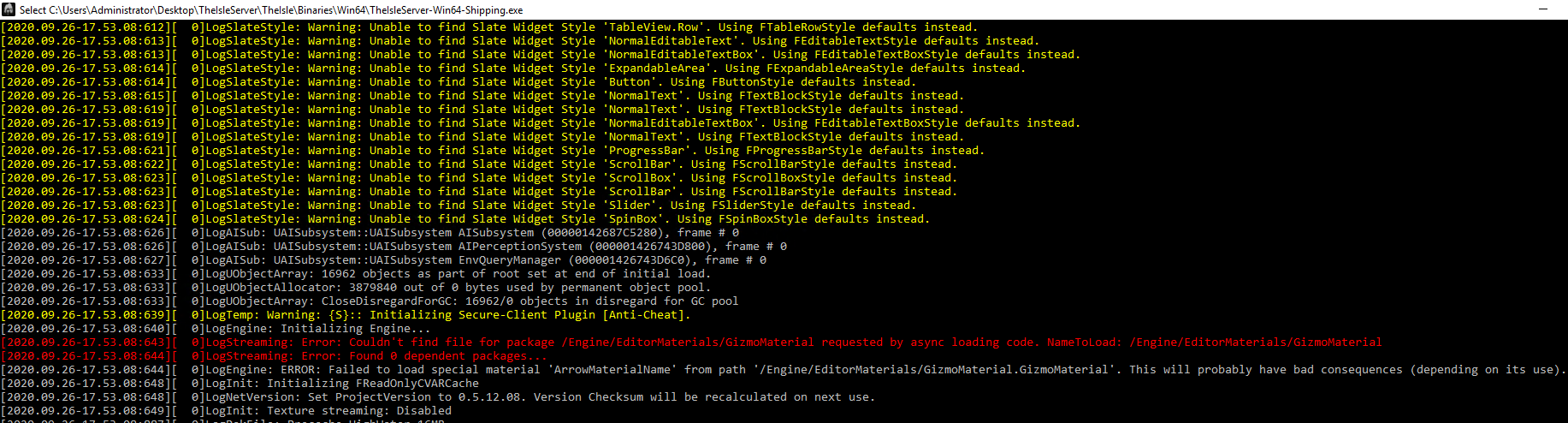
why is it never easy for server owners, to update their servers without issues. i never get my game.ini files or any other config files to download?
k.
patent skiff
can someone tell me how to specifically change your server from lagacy to evrima on nitrado
 inland plinth
@topaz stream wondering the same thing, we used to just update our servers and they were fine but they aren't showing up with this update either and our game.ini seems to be missing
topaz stream
they need to give server owners more prioity. we're trying to help and they wont even glance at this chat... cmon youre devs give equal help.....
otherwise might aswell give up on yas like everyone else has
all information is outdated and no one is bothered to update it.. all those links you posted @vocal vigil are basically out dated. we need new game.ini file code, and more server config files. all outdated.
 carmine kite
I look in here but idk how to do anything server hosting related
topaz stream
but do you let other staff/dev know about issues in certains channels, i doubt it. clearly alot of server hosters are having issues and clearly need help. but yet ive been waiting ages since update for one simple response. that pathetic bro i love this game and i can't even get my server up and running due to whoever can't be f%%cked helping server owners out
 lilac sierra
I have the server running in AWS, but Steam server browser keeps saying not responding. I have the firewalls checked, turned off, and it still doesn't show up
 queen sentinel
Do we have to turn on AI(Dryos) on server side?Any mention of that so far?
lilac sierra
Did anyone get a server working successfully from AWS?
bitter garden
I got my dedicated one on my laptop up
topaz stream
can i please have your config files @bitter garden
mine wont generate even if i do a fresh install
im using a dedicated server
final dove
@dusty salmon (deleted message) i’m not sure this belongs in here - sounds like hes trashtalking
 dusty salmon
You are correct. Feedback should go in #general-feedback, should be in English, and should be of an appropriate nature.
paper path
@topaz stream did you get your config files?
paper path
How do you get your server to run on the newest version?
paper path
I can't get past 0.4.7.05
paper path
im still using app_update 412680 -beta evrima but it isn't going to the current version
topaz stream
nah man no one is helping, legitimately useless.
help server owners @developers
BArely any replies since update that is downright lazy, help or you will lose more of your community.
-1 devs
barren steeple
Who is hosting the server for me? Mine has a single button that says switch to evrima and then it does everything for me
 ivory pivot
so i would like to start up a server how would i begin doing that?
 left trench
You can either do it using your own computer if you have the confidence and good internet, or you can use a server host company like Ping Perfect.
It's up to you. There are many out there with varying prices. Shop around and read the reviews before you decide, and ask other server owners who they use and who they reccomend.
spiral tangle
How do i make a free server?
spiral tangle
How do i host a free server <@&505047238674874368>
unborn snow
no idea i tried but gave up its too hard
spiral tangle
Okay
unborn snow
i still try but fail haha
spiral tangle
Lol
violet marsh
@spiral tangle Check the pinned messages. The top-most pin shows what to do step-by-step for Evrima. If you want to set one up for Legacy check the pins again for the server guide.
@unborn snow Same deal if you want to create one as above, if you want to pay for one to be hosted for you I recommend Ping Perfect.
unborn snow
ok man thanks !
unborn snow
@violet marsh do you have a server ?
violet marsh
Not currently on Evrima though I am helping to run one on Legacy at the moment. We are hosting through Ping Perfect.
unborn snow
oh
well, i might make one and i am looking for admins, just to know if i get to make it you r down to be an admin ?
violet marsh
Unfortunately I couldn't join you. My time is stretched thin enough these days as is lmao. Best thing to do is get the server up and going, find people who enjoy playing on the server and are willing to help and go from there.
unborn snow
ah, yeah alr ! thanks for the recommendation of PingPerfect :p
violet marsh
No problem.
spiral tangle
Hey @unborn snow im down to be an admin, could i be one?
unborn snow
yessir ! if anyone else interested make sure to DM me ^^
unborn snow
Hi ! So i launched the server and everything is looking pretty nice, except that it is launched in everima, any ways to get it to work on legacy ? (pingperfect)
nvm !
i did it C:
i have it on legacy, but it is not working, any ideas on how to fix it ?
unborn snow
never mind my apologies. i did it and everything is fine now !
spare shadow
how can adm play with a hypo dinosaur?
I want to add a hypo on the server. Does anyone know how?
merry urchin
I think they managed to edit the server files with the hypo dino codes. I have no idea how, I know that they exist but that's about it.
merry urchin
Is the only way to admin a dedicated server, is to be logged into the game?
naive onyx
yes
merry urchin
ty
merry urchin
How can I get the devs to lend my server hypos for Halloween
I will pay if necessary
The Chinese servers found a way to use them somehow :/
unborn snow
Anybody knows how to change server slots in Pingperfect when you already paid for a certain amount ?
unborn snow
@merry urchin Where exactly is that ?
unborn snow
Nvm I see it ! Tysm !!!
 granite thunder
having trouble setting up a dedicated evrima server according to the pinned guide provided. (re pasted the link below) i have completed page one and the 2nd page that starts at number 7 where i get lost xD https://docs.google.com/document/d/1ICO2wfpasJwdVgDZDxNOosCx3OZpWc9SIdwS5bDowuU/edit
Google Docs
88Download https://developer.valvesoftware.com/wiki/SteamCMD Place SteamCMD.exe where you would like the server to be located Launch SteamCMD.exe Login Anonymous app_update 412680 -beta evrima Port Forward the following ports on the Firewall Inbound Rules 27015-27017 tcp 0....
granite thunder
i did get my server up and running but the issue i have now is the settings for privacy are not working. There are two options i see in the config one for a server password and one for a steam group so u can do either or. With those haveing a value in the config anyone can still enter the server without being prompted for a pass or whether or not in the valid steam group. Any assitance would be appreciated
violet marsh
If I'm not mistaken Password has never really worked and Steam Group no longer works correctly and hasn't been for a while
The only thing I think either of those settings actually does is put a lock on the side of the server when in the server browser, however it doesn't mean anything since neither setting works properly last I checked.
granite thunder
Understood @violet marsh and ty couldn’t figure out what I was doing wrong 😂 looks like I’ll have to wait for updates to resolve that issue
 tidal hare
Someone can tell me what alternative DNS server is?
 amber obsidian
Can someone point me in the right direction (i have looked) on how to bring up admin commands or how to manage the server aside from the basic options i am seeing in Gportal (hosted through) ? Not new to hosting but new to hosting a PC game and having a hard time finding a good guide. I got the server up and running and i am able to log into it just cant seem to get any of the admin stuff to come up that i keep finding online that says hit ` or end etc to bring up admin console. I have an admin password set as well and server open. Thanks,
violet marsh
@amber obsidian are you on evrima or legacy? Legacy it's chat commands mostly, you can type /help into chat to get a list of stuff and type /help [commandname] to bring up extra info for certain commands. Hitting the backslash will put you into admin/spectator camera, and I believe the end or delete key will give you the admin vision.
If you're on Evrima, it's all currently handled through an admin panel that you can bring up by hitting end or delete, not sure which it's been awhile.
And all of the admin stuff is handled by the game
No need for third-party programs, and you can't do a whole lot through the hosting services.
amber obsidian
@violet marsh Thanks a lot. I was actually just trying again and it clicked where i needed to put my steam ID on the gportal side. Then in game using the /adminpanel command it popped up! I was just curious what i could do because i was only seeing the player end of it and nothing was working that i was reading about.
@violet marsh I am on Evrima btw
violet marsh
I get you. Yeah through the hosting services you can change players dinos through the configuration files and change other values like health and such as long as they're offline, and you can ban players through most hosting sites last I checked but that's about it. On Evrima everything you can do currently is handled through that admin panel 👍
amber obsidian
Sweet. It is going to take some getting use to but getting somewhere now i appreciate all of the information that is a big help 🙂