#server-hosting
1 messages · Page 1 of 1 (latest)
 crystal dune
 merry urchin
has someone a -usefull- evrima batch file where it automatically restarts after several hours? my server gets stuck -FREQUENTLY- and i am not a person who understands all those programming stuff so i never got to make a batch-file where it restarts the server like every 8 hours..
i read tutorials and someone in the internets had a batch file that was supposed to work but i couldnt get it to run x,x
NVM i fiddled long and made much trial and error with the help of google that i got somthing working for my machine.
 worldly sun
can someone help me l was trying to host a dedicated server l was whatching a video when he opened the isle exe he got some .ini files but l just got one what l need to do also when l open the server l cant see my server

 untold trail
Is it normal for a server to occasionally crash and show no response?
crystal dune
untold trail
Is it normal for a server to occasionally crash and show no response?
if running it through pingperfect, then yeah. It's something on their end. You just gotta put in a support ticket with them and they'll fix it.
untold trail
okay...thank you very much
untold trail
merry urchin
has someone a -usefull- evrima batch file where it automatically restarts after ...
Oh, I have a solution
Start the server with a BAT file that can be restarted automatically if the server crashes
merry urchin
when you dont know how to do that, its impossible. plus, thats what i was talking about. but i already figured after an hour of trial and error and pestering google
untold trail
Then use the task scheduler to periodically run a bat that terminates the server process
merry urchin
yeah, thats like what i am doing, just with only 2 batch files do all of that.
im happy that i even got it to work, cause right now i dont even know what a task scheduler is so... id be even more lost 😄
untold trail
Hold on. I'll send you mine
merry urchin
but anyway, thanks for the reply! not many do want to help at all
merry urchin
ooohhhh. will try, naybe that works better than my temporary workarround
 merry urchin
thanks, you really helped a lot. will try this out
untold trail
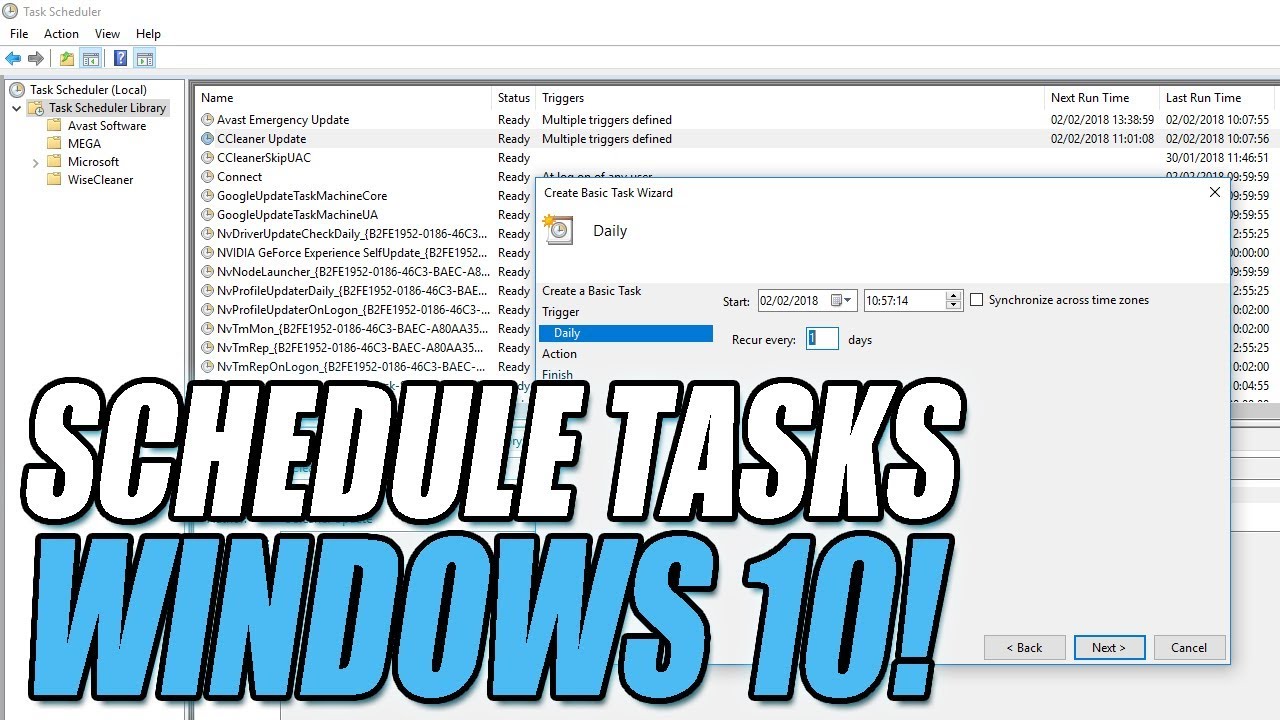
How To Use Task Scheduler On Windows10 | Auto Start Programs or Scripts
In this Windows 10 Tutorial I will be showing you how to use Task Scheduler this program is built into Windows and allows you to set tasks such as making a program launch or starting a script.
About Task Scheduler:
Task Scheduler is a component of Microsoft Windows that p...
It's my temporary solution, but it's not perfect too.
Crashes come in two forms, one that pops up an unresponsive window and the other that doesn't.
For the latter, this is a good solution, but for the former, if you don't do it manually, the server will only restart when it is timed to run Stop.bat
But at least it's better than nothing, haha
 vagrant heart
Why did I ban the player without effect, and he can still access the server?
 subtle pebble
vagrant heart
Why did I ban the player without effect, and he can still access the server?
subtle pebble
vagrant heart
Why did I ban the player without effect, and he can still access the server?
#server-hosting message Might be a universal issue
vagrant heart
Can't ban players.
vagrant heart
I can't ban cheating players, ask for help.
 strange sorrel
Quick question, so I am hosting a game server over nitrado, and I am trying to figure out how to change it from legacy to evrima but I can't figure it out, anyone that can help me?
vagrant heart
@untold trailIs this the file that makes the server restart automatically, and how to use it?
 abstract crane
I’m having this exact same issue have you managed to resolve this?
untold trail
vagrant heart
<@318554666306633729>Is this the file that makes the server restart automaticall...
After modifying the configuration inside, use it to start the server
 faint laurel
I've made and open sourced a python RCON client for The Isle Evrima.
You can view and download it here: https://github.com/modernham/The-Isle-Evrima-Server-Tools
For those who don't want to use code, I've also made a release exe you can download and just use.
At the time it supports 5 commands:
Save the Server
Make an Announcement
Ban a Player
Kick a Player
Display Player List
These were found in a document posted by @runic sierra above, although not sure what the source is.
@lethal notch
 runic sierra
faint laurel
I've made and open sourced a python RCON client for The Isle Evrima.
You can vie...
runic sierra
faint laurel
I've made and open sourced a python RCON client for The Isle Evrima.
You can vie...
very nice man thanks!
One thing I have noted after utilizing the save functoon quite a few times on a loaded server with 100 players... it tends to crash the server...
faint laurel
I don't really have much of a server to work with. I just like to tinker.
runic sierra
faint laurel
I don't really have much of a server to work with. I just like to tinker.
nice
I have a node app with a similar RCON module now
It's hosted on heroku and takes care of my server announcements / saves before restarts but I removed it because it crashed the server too often and is able to reconnect when the server restarts
But it's just one small part of my app it does a lot of stuff with the server logs
If you like to tinker there's a lot of stuff you can do with an isle server logs
like this

 wise garnet
faint laurel
I've made and open sourced a python RCON client for The Isle Evrima.
You can vie...
wise garnet
faint laurel
I've made and open sourced a python RCON client for The Isle Evrima.
You can vie...
Good work for putting together something comprehensive. Maybe add the QueuePort settings to your sample Game.ini too: #server-hosting message
I've also asked the question whether the QueryPort has been deprecated (the server doesn't seem to listen on it) and whether there is a command line param for the QueuePort, but I've got no response
 cursive gull
faint laurel
I've made and open sourced a python RCON client for The Isle Evrima.
You can vie...
cursive gull
faint laurel
I've made and open sourced a python RCON client for The Isle Evrima.
You can vie...
that's cool, my antivirus yeets it when I try to run it though lol
wise garnet
QueryPort?
 sullen haven
Any documentation of the isle api
Anybody know how i can get in game chat logs sent to a channel in discord
cursive gull
need to make a bot that greps the chat lines and posts them in discord
runic sierra
sullen haven
will that be difficult
if you know regular expressions no
you can download and parse the server logs
runic sierra
you can then achieve something like this
 runic sierra
sullen haven
could you help me with it?
runic sierra
sullen haven
could you help me with it?
I'm not gonna teach you programming no sorry...
runic sierra
Good place to start is tutorial in languages like Javascript (Node.js) or Python to build a small app that connects to your server
sullen haven
How long does it take to learn
runic sierra
Depends on how much effort you put in and how fast you learn...
sullen haven
Hours a day
runic sierra
This is like asking how long does it take to be a carpenter
sullen haven
Ight
i understand
One more thing
Or twi more
Do i need to learn linuz
Linux
For it
runic sierra
You can propably get something rudimentary working that would "do the job" with very basic knowledge within a week or 2. No idea
sullen haven
Ok
runic sierra
no...
runic sierra
I'm using javascript but since someone here published a Python library you can use this it would be faster I guess
good luck
sullen haven
Can u send py lobrary?
faint laurel
wise garnet
Good work for putting together something comprehensive. Maybe add the QueuePort ...
Never knew what the queue port does to be honest. What is it used for?
wise garnet
Implements the server queue for full servers. So players don't have to keep trying to connect, hoping for a spot to become available. Afaik
faint laurel
Oh nice. I havent observed that with the official servers.
 tardy temple
How to I implement a discord link into my server?
 muted cairn
tardy temple
How to I implement a discord link into my server?
muted cairn
tardy temple
How to I implement a discord link into my server?
In the Game.ini folder
tardy temple
What be the setting name in game.ini?
muted cairn
tardy temple
What be the setting name in game.ini?
You have to read through this. There is an entry called discord or something (if I'm not mistaken) and you put your link in there.
 violet marsh
For everyone asking, the Discord button in-game does work now in Evrima. The setting goes in your Game.ini file like so:
[/Script/TheIsle.TIGameSession]    <------ Under this header
Discord=discord.gg/xxxxxxxxxx      <------ Your discord link in place of the x's
@tardy temple @uneven tide @slate solar if you were still looking for the solution ^
tardy temple
Thank you!
vagrant heart
I found a cheating player in the game. I want to ban him in the game. After I ban him, he can still join the server. What is the reason? The ban doesn't work.
help
merry urchin
I have a problem, I created a server but I can not get on it because I have such an error
 vagrant heart
No network
merry urchin
but I connected to the improved network thanks to the steam guide https://steamcommunity.com/sharedfiles/filedetails/?id=1502947359

Having had trouble finding a clear and updated way to do this, I decided to create this guide for those of you who wish to host a dedicated server. This is a server you can host on your computer and n
subtle pebble
merry urchin
but I connected to the improved network thanks to the steam guide https://steamc...
did u follow the Server is up and people can join, but I can't? section?
merry urchin
I haven't checked yet, but I'll do it soon
other server is displayed but also cannot join
subtle pebble
nvm understood wrong the way you said it it's like you resolved it
vagrant heart
hello
I found a cheating player in the game. I want to ban him in the game. After I ban him, he can still join the server. What is the reason? The ban doesn't work.
What should I do? I can't ban cheating players.
violet marsh
vagrant heart
What should I do? I can't ban cheating players.
Which version of the game, Legacy or Evrima?
violet marsh
If you can, record how he's cheating as well as his SteamID and steam name and report it to Punch, you can DM him directly and ask about it.
How are you trying to ban him? The in-game ban menu or RCON?
vagrant heart

The ban doesn't work, it can only be kicked out.
I added a ban, but I can also join the server. My friend and I tested the results.
violet marsh
If you're an administrator I think that overrides the bans and allows you into the server regardless. I hadn't heard about bans being bugged entirely but they could be, I don't ever really ban people so I'm not sure if they work correctly or not
violet marsh
If you're an admin, I don't think a ban will keep you out of the server. Is your friend that you tested with an admin as well?
violet marsh
Ok then it could just be bans entirely that are broken. You'll have to report it then with evidence if you have it.
vagrant heart
Who do I report to?
violet marsh

Google Docs
A form for The Isle community to submit bugs for the QA team to verify.
faint laurel
vagrant heart
Who do I report to?
Are you putting the steam base 64 ID in or the playername to ban
 faint laurel
vagrant heart
faint laurel
vagrant heart
What is his steam ID?
vagrant heart
I tested with my friend.
faint laurel
Please, what is his steam id, last time I'm going to try to help. They are public information.
vagrant heart
Steam id can be copied, pasted and added in the game.
I know my friend's steam id. After adding the ban, he can still join the server.
muted cairn
faint laurel
Please, what is his steam id, last time I'm going to try to help. They are publi...
vagrant heart
I am the administrator, and I can see the steam id of cheating players. I just need to copy and paste it.
The game will display the player's steam id, which I can see, copy and paste,


This option does not work. you know
muted cairn
Do you host yourself or did you buy the server???
vagrant heart
@muted cairnI build it myself.
muted cairn
Ah ok
vagrant heart
yes
If the ban doesn't work, add id, or you can join the server@merry urchin
If you are an administrator, you can test, and you can't add bans to players.
vagrant heart
I've used it, and I don't have a job.
cursive gull
people can rejoin when banned sometimes, even when they are listed in the json, has happened a few times with people I have banned for hacking. Is a shame the logs don't show IP's anymore, so they can be blocked from the server totally
not sure why IP's was removed, whether is for privacy reason, or performance. You can see IP's of people connecting to your server (maybe not if is hosted like pinperfect) but spotting which is the hackers IP is very difficult, as they only on at busy times.
vagrant heart
@cursive gullYes, I saw the list of players banned by me and the banned time in the server log, but cheating players can still join, so it is forbidden to have no job.
 cursive gull
Yeah if there listed in the json the ban worked.
Is either buggy, or they found a way around the ban
vagrant heart
@cursive gullNo, no, no. This is the test result of my friend and me. He's not an administrator and he doesn't use hacking techniques. I banned him. The server log has a ban time and a list, but he can still join.
cursive gull
then it's buggy
vagrant heart
yes
cursive gull
but they are technically banned, as they are in the ban json
just didn't work lol\
Been meaning to message Punch when he's on, not sure if he's still off sick or not
vagrant heart
@cursive gullBecause I don't speak English very well, please report this problem. Thank you.
cursive gull
I will
vagrant heart
I have tested it with my friends many times, including my administrator and other ordinary players, and the result is no work.
Thank you
cursive gull
Is your server on windows or linux?
vagrant heart
windows


 tropic wasp
The engine.ini is meant to be in /TheIsle/Saved/Config/WindowsServer, right? It's not there on my fresh install, so thought I'd better ask before I pull my hair out again...
 golden flare
tropic wasp
The engine.ini is meant to be in /TheIsle/Saved/Config/WindowsServer, right? It'...
golden flare
tropic wasp
The engine.ini is meant to be in /TheIsle/Saved/Config/WindowsServer, right? It'...
you may need to create it manually
tropic wasp
How the hell has this game got to the point where we have to be manually making ini files in the hope of us getting a server hosted that isn't official or hosted by officially preferred hosts? 😠
Would you mind please sending me a copy of your engine.ini contents, @golden flare ? Thanks
golden flare
tropic wasp
How the hell has this game got to the point where we have to be manually making ...
This is mine, i run it on linux but fairly sure it's the same one
tropic wasp
Thanks mate. I will give that a go
 cursive gull
tropic wasp
The engine.ini is meant to be in /TheIsle/Saved/Config/WindowsServer, right? It'...
cursive gull
tropic wasp
The engine.ini is meant to be in /TheIsle/Saved/Config/WindowsServer, right? It'...
yeah, ignore that mine says linuxserver

 fierce stag
I cant access the document on how to make an evrima server

 merry urchin
cursive gull
Is that legacy?
merry urchin
cursive gull
Is that legacy?
no servers is Evrima
cursive gull
Yeah that's pretty fucked, I would yeet it and reinstall, save any configs you already setup.
Make sure you have right app id too
could be the issue, but error loading test level is weird is why I asked the version
Evrima uses 8-10GB ram at the moment for us, more than previoous builds
per server
merry urchin
I have an intel core processor and 5 10th generation and 16 Giga ram
cursive gull
if you aren't running other stuff, you should have no problem running the server
merry urchin
the server is loaded into the game on unofficial servers
but I can not get on the server because I have an error
cursive gull
yeah your server is really not happy
faint laurel
merry urchin
I get this when I have a bad game.ini / engine.ini
cursive gull
could run verify on it, not sure the command on windows
Can you post your game.ini and engine.ini ?
faint laurel
GitHub
Working Server Configs and Scripts for the Isle Evrima - GitHub - modernham/The-Isle-Evrima-Server-Tools: Working Server Configs and Scripts for the Isle Evrima
merry urchin
golden flare
This is mine, i run it on linux but fairly sure it's the same one
I have the same as with him
cursive gull
if that's proplem should be easy to spot
faint laurel
The config files posted there will work on either one
I had this before, config file was the problem
merry urchin
faint laurel
https://github.com/modernham/The-Isle-Evrima-Server-Tools
thx ❤️
faint laurel
Also maybe could be startup command, so try with those config files, and the starup command on the repository
Should fire right up
 merry scroll
Please tell me how to correctly register the administrator in the Game.ini file
separated by commas or otherwise?
cursive gull
merry scroll
separated by commas or otherwise?
AdminsSteamIDs=76561198100955744
obviously not hat id
under [/Script/TheIsle.TIGameStateBase]
merry scroll
cursive gull
AdminsSteamIDs=76561198100955744
I understand this, I want to find out how I can add another administrator
merry scroll
cursive gull
AdminsSteamIDs=76561198100955744
do I need to add his id separated by commas?
cursive gull
no
just new line
AdminsSteamIDs=youradmin
AdminsSteamIDs=76561198031813142
AdminsSteamIDs=76561198065223336
AdminsSteamIDs=
AdminsSteamIDs=76561198309882927
AdminsSteamIDs=76561198100955744
AdminsSteamIDs=
AdminsSteamIDs=
AdminsSteamIDs=
AdminsSteamIDs=
AdminsSteamIDs=
AdminsSteamIDs=76561198833907052
AdminsSteamIDs=76561198150601230
AdminsSteamIDs=76561198901924844
AdminsSteamIDs=76561198213845769
like that
but your admin id's ofcourse
merry scroll
cursive gull
no
Thank you very much)
cursive gull
merry urchin
I mean, I don't want to be scammed so XD
Lots of places to buy a hosted server, if is possible host it yourself
merry urchin
cursive gull
Lots of places to buy a hosted server, if is possible host it yourself
can you help me verify this place?

Find the best The Isle Servers for 2022. Search The Isle Servers by rank, players, country, map or votes.
the prices are- SUS
Too cheap to be true on my opinion but maybe it's secure lol
cursive gull
ehere you see prices on the ranking site?
merry urchin
oop wrong site
cursive gull
What you want to host? how many slots?
merry urchin
wait let me get the site I open
merry urchin
cursive gull
What you want to host? how many slots?
a server for evrima, 40 slots
cursive gull
And you don't have hardware to self host?
merry urchin
The Isle rent server, top game server for The Isle at a low price, available now from 3,78 € / month
this site
merry urchin
cursive gull
And you don't have hardware to self host?
nop
cursive gull
per player hosts are kinda dumb
merry urchin
cursive gull
per player hosts are kinda dumb
true
tho this site said 15.92 for 12 months and 40 slots
I dunno if I can trust
cursive gull
Pingperfect is good, but not cheap. If you can rent a server, or server space to host it on will be cheaper.
Linux build performs better and also no need to pay for windows licence
merry urchin
cursive gull
Pingperfect is good, but not cheap. If you can rent a server, or server space to...
I already got a server there ( to buy) it's already set, almost the same price but with 20 slots and monthly
cursive gull
All hosted sites use windows build that I have seen
merry urchin
cursive gull
All hosted sites use windows build that I have seen
oh
cursive gull
Ideally you'd have your own server blade, but that's not economical for what you want. You might be able to get aserver space through AWS or other cloud servers. I know officials used to run on AWS not sure if they changed
cursive gull
If you want easy go with pingperfect or someone who sets it all up for you
cursive gull
merry urchin
but when i bought the server from pingperfect what's the next step?
should be all set up for you by them
merry urchin
cursive gull
should be all set up for you by them
so I only join evrima and it should be on unofficial servers?
cursive gull
Yes
merry urchin
but how i put the admin/mod pass? I dunno the commands as well, I searched up but couldn't find much
cursive gull
They give access to game.ini you can add admins there
don't think you get access to engine.ini but I think they got it set up now
merry urchin
oh, but it won't let me put my steam id, so- i'm really confused rn
cursive gull
Show me your problem
merry urchin
like, I already set all up, but how will I make my self admin on the server?
if they don't know my username
cursive gull
in game.ini need to add admin steam id's
merry urchin
oh, so I only have to put the password on the chat and it should open?
cursive gull
<@&505047238674874368> can I send pingperfect discord link in this channel? For troubleshooting
cursive gull
merry urchin
oh, so I only have to put the password on the chat and it should open?
when you log in to server you should have options to see files, or maybe setup. You need to add admins in the game.ini file
merry urchin
k, but like, how will they know it's me who joined?
cursive gull
I don't know how the game is coded, it may check people logging in against steam id's in the game.ini file
merry urchin
oh, so it will open on the own pingperfect site when I buy and it will let me add my self as a admin?
cursive gull
merry urchin
oh, so it will open on the own pingperfect site when I buy and it will let me ad...
you'll get access to some kind of control panel where you can set stuff up
merry urchin
cursive gull
you'll get access to some kind of control panel where you can set stuff up
oh, on chrome?
merry urchin
cursive gull
it's aimed at begginers so should be simple
so I only have to put my user name/steam id on the web browser that opens then when I join the game i will be already admin, right?
cursive gull
You need to navigate to the correct place, and save it, then restart the server
merry urchin
oh well, I might need your help again when I buy the server, Thanks!
also if im sure on evrima it accepts 20 slots server right
?
cursive gull
I don't think theres a bottom limit, but only had servers with 100+ slots
 faint laurel
 deft venture
where can i find this
deft venture
where can i find this
Find what? The Ping or the port? lol
faint laurel
deft venture
BRO HELP MEEEEE
You're more than likely joining your own server, but don't have harping enabled on your router so yout computer is looking for your networks public ip address when I needs the private one to join. (If your self hosting)
deft venture
faint laurel
You're more than likely joining your own server, but don't have harping enabled ...
i didint have a static ip
💀
 sullen kayak
anyone else that has the same issue?
 runic sierra
Question for you guys
which file contains the banned steamIds?
if I wanna add or remove someone
 vagrant heart
@sullen kayakHave you solved it?
sullen kayak
nope 😦
vagrant heart

 cursive gull
runic sierra
which file contains the banned steamIds?
cursive gull
runic sierra
which file contains the banned steamIds?
it's in PlayaerData
 vagrant heart
@merry urchin
 runic sierra
cursive gull
it's in PlayaerData
runic sierra
cursive gull
it's in PlayaerData
hmmm is this file created upon the first ban?...
can you show the json structure otherwise I will create the file
cursive gull
runic sierra
hmmm is this file created upon the first ban?...
not sure
I'll dm you a file, as it has peoples info in it
sullen kayak
Oh ok
 faint laurel
merry urchin
faint laurel
merry urchin
Did you even check to see of your sever is running... Thats normal messages.
merry urchin
faint laurel
Did you even check to see of your sever is running... Thats normal messages.
it works but i can't knock it on
I can't join him*
vagrant heart
@sullen kayakNo success
 worldly arrow
Hi
I need help, I try to have an Evrima server but there is something blocking. However, I respected the procedure to follow. can someone help me?

 empty pasture
Same problem

 hazy linden
Hey guys i think i have the same Problem can someone pls help me (Evrima)
 empty pasture
This is my engine.ini //////////////////////////////////////////////////////////////////////////////////////////
[URL]
Port=7779
QueryPort=7777
[EpicOnlineServices]
DedicatedServerClientId=xyza7891gk5PRo3J7G9puCJGFJjmEguW
DedicatedServerClientSecret=pKWl6t5i9NJK8gTpVlAxzENZ65P8hYzodV8Dqe5Rlc8
This is my bat////////////////////////////////////////////////////////////////////////////////////////
cls
goto TheIsle
:TheIsle
echo (%time%) Checking For Updates and Starting Server
start /wait C:\Steam\steamcmd.exe +login anonymous +force_install_dir C:\steamcmd\steamapps\common\TheIsleDedicatedServer +app_update 412680 -beta evrima +quit
echo (%time%) Server Started
start /wait C:\steamcmd\steamapps\common\TheIsleDedicatedServer\TheIsleServer.exe -log -ini:Engine:[EpicOnlineServices]:DedicatedServerClientId=xyza7891gk5PRo3J7G9puCJGFJjmEguW
-ini:Engine:[EpicOnlineServices]:DedicatedServerClientSecret=pKWl6t5i9NJK8gTpVlAxzENZ65P8hYzodV8Dqe5Rlc8 | set /P "="
echo (%time%) WARNING: isle server closed or crashed, restarting in 5 seconds.
timeout /t 5
goto TheIsle
worldly arrow
i dont understand ^^" and im french so its hard x)
golden flare
@merry urchin you dont happen to know the fix for -1000 ping on Linux? All the answers i've seen have been for windows and the solutions haven't worked for me
Cheers, will check those things
faint laurel
I'm just going to make a troubleshooting document because its the same 3 errors people ask about for weeks.
faint laurel
golden flare
<@456226577798135808> you dont happen to know the fix for -1000 ping on Linux? A...
Its exactly the same, forward the port. There isn't a windows specific or Linux solution. The icmp port just needs to be open.
hazy linden
I cant connect to my Server can some one help me?

I run My Server at a Windows Server all port are open ther
ports*
empty pasture
faint laurel
I'm just going to make a troubleshooting document because its the same 3 errors ...
IF you would do this pls notice me
faint laurel
I'm working on one problem at a time, will post here
Starting with above screen shot
hazy linden
Thats true but they most open at the Server right ? And not at my Pc
 cobalt osprey
Hello, ive has the game for while now, but when i try and play it saying there are no servers and when i try and host, i only get a black screen
empty pasture
faint laurel
I'm working on one problem at a time, will post here
Ye if you gonna help with this i will be very kind for you
 hazy linden
Okay thx
empty pasture
Guys do someone have this problem (marked red) what is this gizmo material and how i can get them ?

[2022.07.25-20.09.39:472][ 0]LogStreaming: Error: Couldn't find file for package /Engine/EditorMaterials/GizmoMaterial requested by async loading code. NameToLoad: /Engine/EditorMaterials/GizmoMaterial
[2022.07.25-20.09.39:473][ 0]LogStreaming: Error: Found 0 dependent packages...
faint laurel
empty pasture
Guys do someone have this problem (marked red) what is this gizmo material and h...
That error is not an issue
golden flare
@merry urchin & @faint laurel It was my router that activly blocked it... tnx 😊
faint laurel
https://takethebait.net/solving-connection-timed-out-error-the-isle-evrima-dedicated-server/ New Post Sorry

This post is going to be in a collection of posts dedicated in resolving common issues with setting up a dedicated server for the Isle Evrima. This one is the most common I see, so lets talk about what it is, and why it’s showing up. The biggest reason for this error comes from users […]
faint laurel
@sullen kayak @merry urchin https://takethebait.net/the-isle-evrima-server-red-wall-of-text/

This is another post in a series addressing issues running the isle dedicated server evrima issues. One of the errors you will see is a large block of red text, and from my experience when you see this, its usually good to start fresh, and create a new installation because it is either a corrupted […]
Also <@&933486433342222376> Could I get an update on a Bug/Vulnerability I sent in Saturday via discord google sheet, email and steam technical support form.
 faint laurel
merry urchin
faint laurel
merry urchin
Not an issue. But if that is your engine.ini, its incorrect
merry urchin
why
faint laurel
merry urchin
why
You're missing the "C" in core first up all. If you are having issues, just delete that, and use this one https://github.com/modernham/The-Isle-Evrima-Server-Tools/blob/main/Engine.ini, and use this as your startup command "TheIsleServer.exe MultiHome=192.181.104.13?Port=7777?QueryPort=7778 -log"
If you are on linux
merry urchin
i have windows
faint laurel
Okay, use the Engine.ini I posted above, and the startup command posted above
If you still have issues, delete everything and start from scratch with this https://docs.google.com/document/d/1n2lxKdZTDi42H-1j0zQQPoghmqrp2KuQffD99RXNYcs/edit This one works

Google Docs
EVRIMA Server Hosting Guide Made by NoClipSize. First download SteamCMD: https://developer.valvesoftware.com/wiki/SteamCMD Extract the .zip file to the location where you want your server stored. Mine is in a folder I created, named ‘SteamCMD’. Launch SteamCMD and let it update itself. Once...
 faint laurel
You're killing me, scroll up 12 posts.
faint laurel
faint laurel
https://takethebait.net/solving-connection-timed-out-error-the-isle-evrima-dedic...
This
 cobalt python
Is PingPerfect working for yall? cause it isnt showing my slot count or anything and my server isnt Showing up in The isle
 slow flare
Ran into some issues setting up a home hosted server, when i run the server the console is just spamming super hard cant find any solutions
faint laurel
slow flare
Ran into some issues setting up a home hosted server, when i run the server the ...
you're missing The EpicOnlineServices info. You can either use this engine.ini, or place it in your startup command
GitHub
Working Server Configs and Scripts for the Isle Evrima - The-Isle-Evrima-Server-Tools/Engine.ini at main · modernham/The-Isle-Evrima-Server-Tools
You basically need this in your Engine.ini
[EpicOnlineServices]
DedicatedServerClientId=xyza7891gk5PRo3J7G9puCJGFJjmEguW
DedicatedServerClientSecret=pKWl6t5i9NJK8gTpVlAxzENZ65P8hYzodV8Dqe5Rlc8
slow flare
faint laurel
you're missing The EpicOnlineServices info. You can either use this engine.ini, ...
Okay thanks, I just completely scrapped everything will add that in and see if it works!
faint laurel
slow flare
Okay thanks, I just completely scrapped everything will add that in and see if i...
As long as you place your Engine.ini gfile in the right place, and use "MultiHome=IP_HERE?Port=7777?QueryPort=7778 -log" as your startup parameters, it will work.
slow flare
faint laurel
As long as you place your Engine.ini gfile in the right place, and use "MultiHo...
i dont have a engine.ini, can i jus tmake one where game.ini is?
faint laurel
Yeah, Should be in a "WindowsServer" folder if on windows, "LinuxServer" fodler if on Linux
I believe \TheIsle\Saved\Config\WindowsServer\
slow flare
DedicatedServerClientId=xyza7891gk5PRo3J7G9puCJGFJjmEguW
DedicatedServerClientSecret=pKWl6t5i9NJK8gTpVlAxzENZ65P8hYzodV8Dqe5Rlc8 ```just throw that in there?
slow flare
okay dope
slow flare
faint laurel
You have an extra space in the beginnging
TYVM server is showing up now but im getting this
 faint laurel
slow flare
TYVM server is showing up now but im getting this
faint laurel
slow flare
TYVM server is showing up now but im getting this
This post is going to be in a collection of posts dedicated in resolving common issues with setting up a dedicated server for the Isle Evrima. This one is the most common I see, so lets talk about what it is, and why it’s showing up. IF you are unable to connect, but others are […]
BEfore you tare it down
Whats the name of the server?
slow flare
SamIsle
faint laurel
I am able to connect, so see the "Your router doesn’t have Hairpinning enabled. " section of the link I posted
slow flare
yup was just reading that
faint laurel
You're server is up and working, you just cant get in
slow flare
but you can?>
faint laurel
Yup
The server advertises a public ip. When you try to connect internally, if your router doesn't support reflected nat, your computer won't know where to direct the request because the IP is just your entire network
So if you can't find the option to enable it, you have to buy a router that supports it to connect to your own server.
slow flare
okay you are extremely helpful, im digging through the settings right now
faint laurel
No problem. Refreshing to see someone make an effort.
slow flare
all this is extremely interesting to me
but I may have hit my wall
dont think my router can do it
faint laurel
I'm working on a new blog post about hosting in on a linux cloud server
So that's an option if you are okay with spending about $20 a month
slow flare
well im trying to run the server off my 2nd pc
so it wont be the one im trying to play on
if that matters
faint laurel
I'm in the same boat as you there, and that doesn't work for me unfortunately. Thats why mines in the cloud now.
slow flare
ahh damn so this is my only option lol
faint laurel
Alright, if anyone is interested in running a server on linux, or a cloud provider, https://takethebait.net/create-a-dedicated-the-isle-evrima-server-on-ubuntu-22-04-linux/

Create your own dedicated The Isle Evrima Server on Ubuntu Linux. We go through installing it, running it, and setting it up as a service.
I'm able to connect, his router just doesn't support Hairpinning
faint laurel
@hoary cave Got a nasty bug I would like to discuss over DM when you're available.
violet marsh
faint laurel
I'm able to connect, his router just doesn't support Hairpinning
Would love to see a direct IP connection feature to bypass this as I'm in the same boat.
faint laurel
violet marsh
Would love to see a direct IP connection feature to bypass this as I'm in the sa...
Agreed. It's unfortunate for most of us. It comes down to a limitation of TCP connections. YOu can't direct one IP to another unless its built into the router, and the game just doesn't support the user entering a specific IP
But, it might work if your computer is connected to an outside VPN, and the server is running on a different device in your local network
Then your game would connect from the outside back in from the VPN server.
violet marsh
Interesting thought. I don't use any VPN's or else I'd test the theory. Don't see why it wouldn't work though
 nova wigeon
how do i make a evrima server??
faint laurel
nova wigeon
how do i make a evrima server??
You can Host one by following this https://docs.google.com/document/d/1n2lxKdZTDi42H-1j0zQQPoghmqrp2KuQffD99RXNYcs/edit
Google Docs
EVRIMA Server Hosting Guide Made by NoClipSize. First download SteamCMD: https://developer.valvesoftware.com/wiki/SteamCMD Extract the .zip file to the location where you want your server stored. Mine is in a folder I created, named ‘SteamCMD’. Launch SteamCMD and let it update itself. Once...
 lament vortex
Got a question: a friend and I are looking to host a server, but we never have before... do we need like a dedicated PC for the server? Or is it all just online?
faint laurel
lament vortex
Got a question: a friend and I are looking to host a server, but we never have b...
If you've never hosted before, I highly recommend going through a managed provider like pingperfect. With no official documentation, this isn't the smoothest server to host on your own hardware.
You can use a dedicated PC, but you need to reliably forward and open ports, follow third party guides online, have nat reflection capabilities on your router.
nova wigeon
faint laurel
You can Host one by following this https://docs.google.com/document/d/1n2lxKdZTD...
thx sm
nova wigeon
faint laurel
If you've never hosted before, I highly recommend going through a managed provid...
can u run a server on ur own pc while playing it??
faint laurel
nova wigeon
can u run a server on ur own pc while playing it??
Technically yes if your router supports reflected nat. Would not advise it though, you might as well just join another server at that point
nova wigeon
yh
jus want a server wit like 4 mates in a time to jus prac fighting then regrow eachother etc
cursive gull
nova wigeon
jus want a server wit like 4 mates in a time to jus prac fighting then regrow ea...
There's servers that give you admin and let you test stuff, have a look in #unofficial-isle-communities
golden flare
nova wigeon
jus want a server wit like 4 mates in a time to jus prac fighting then regrow ea...
i can set up one for you if you want
slow flare
faint laurel
But, it might work if your computer is connected to an outside VPN, and the serv...
so i tested with a VPN I actually was able to connect
faint laurel
slow flare
so i tested with a VPN I actually was able to connect
Thats awesome. I'm going to update my post then and put that in my knowledge base.
slow flare
faint laurel
Thats awesome. I'm going to update my post then and put that in my knowledge bas...
ended up going with a paid one and it runs great, not sure how a free one would work out. Apricate all your help yesterday man. Would not have been able to get it up and running otherwise
faint laurel
No problem! Glad you got it working!
slow flare
haha same
slow flare
Anyone know the format to add extra admins on enrima putting them on a new line didnt work for me
merry urchin
anyone know admin commands? I'm admin of a server but i dunno the right commands lol
the server name is Jungle Tec.-Free Grow if anyone wanna come to be tested on lol, but first gotta learn
no needs anymore-
Just learned
 mighty oar
Is anyone else having issues with some of the admin panel come out Update 5?
Admin Panel such as : (are they functioning properly for anyone else)
Direct DM to a player in game
Kick player from the game
Ban player from the game
Also are there other servers having random lag-spikes occurring or people randomly getting booted from the server without server actually crashing??
merry urchin
how much is needed to run an island server on a vps with max 100 players???
faint laurel
17
faint laurel
merry urchin
how much is needed to run an island server on a vps with max 100 players???
How much of what is needed?
merry urchin
faint laurel
How much of what is needed?
Yes, ram , cpu , disk
faint laurel
merry urchin
Yes, ram , cpu , disk
If you are going to actually have 100 slots filled, you will want 12-16GB of ram. If not, you will be good with 8GB. Disk, you want at least
15 GB for the server and logs
Not including what you need for the operating system.
Any package that high in ram will (probably) come with enough cpu
merry urchin
Ooh , thanks !! @faint laurel
faint laurel
Np!
 proud sky
How do I get my server hosted through gtx back online after update 5? I’ve tried the steam update and evrima update options in the control panel
 limpid cloak
How do i update my server?
faint laurel
limpid cloak
How do i update my server?
Steamcmd. The same way you isntalled it.
limpid cloak
i bought mine
proud sky
limpid cloak
i bought mine
I was having the same issue, but now it shows it online and I’m getting that connection timeout issue 😂
faint laurel
limpid cloak
i bought mine
In that case, you will do it in your hosting panel, or reach out to the support team where you bought it.
proud sky
faint laurel
In that case, you will do it in your hosting panel, or reach out to the support ...
That’s what I did to get it online, but I’m trying to figure out the connection timeout
limpid cloak
How do i do that?
 carmine prawn
Is there something that changed from the server hosting? I used to see my server on the server list now I can't anymore. Didnt change anything other than update it
cobalt python
@lavish iris why isnt pingperfect working for my server for envrima. its works on legacy but not envrima ever since update 5 my server hasnt been working for envrima
 upper abyss
@cobalt python I'm a server host and in the same boat. As always they screw something up, and have no idea what.
vagrant heart
help me help me
 vagrant heart
My server is online, but I can't join it. Other servers can join.
faint laurel
vagrant heart
My server is online, but I can't join it. Other servers can join.
Your router does not support re-flected nat/hairpinning and you need it to connect to your own server. What you posted in the picture is irrelevant
faint laurel
vagrant heart
help me help me
Slee the hairpinning section on this post. https://takethebait.net/solving-connection-timed-out-error-the-isle-evrima-dedicated-server/
This post is going to be in a collection of posts dedicated in resolving common issues with setting up a dedicated server for the Isle Evrima. This one is the most common I see, so lets talk about what it is, and why it’s showing up. IF you are unable to connect, but others are see “Your router doesn’t have […]
vagrant heart

 barren palm
faint laurel
Slee the hairpinning section on this post. https://takethebait.net/solving-conne...
barren palm
faint laurel
Slee the hairpinning section on this post. https://takethebait.net/solving-conne...
I am also having this issue but am hosting through GTX. No need to adjust my personal router.
faint laurel
barren palm
I am also having this issue but am hosting through GTX. No need to adjust my per...
If you are having issues with a paid hosting provider, they should provide you technical support to resolve it because its on their end.
 random totem
golden flare
i can set up one for you if you want
random totem
golden flare
i can set up one for you if you want
Can you set one up for me? how does that work?
 thorn radish
how to have the isle evrima server?
 clever vale
Seeing this error:
[2022.07.30-21.51.51:017][506]LogNet: Error: UEngine::BroadcastNetworkFailure: FailureType = NetDriverListenFailure, ErrorString = , Driver = GameNetDriver EOSNetDriver_2147356167
[2022.07.30-21.51.51:017][506]LogWorld: Failed to listen:
[2022.07.30-21.51.51:017][506]LogNet: Error: LoadMap: failed to Listen(/Game/TheIsle/Maps/TitleMap?closed)
[2022.07.30-21.51.51:018][506]LogWorld: Bringing World /Game/TheIsle/Maps/TitleMap.TitleMap up for play (max tick ra
The ports on the system are fine and host Ark or regular the Isle. For some reason this one is not loading and showing in the server browser
It just scrolls it indefinitely..
 faint laurel
clever vale
[2022.07.30-21.51.51:017][506]LogNet: Error: UEngine::BroadcastNetworkFailure: F...
faint laurel
clever vale
[2022.07.30-21.51.51:017][506]LogNet: Error: UEngine::BroadcastNetworkFailure: F...
https://takethebait.net/troubleshooting-the-isle-dedicated-server-issues/
See the "You don’t have the “EpicOnlineServices” startup command or Engine.ini Text" Section

Before we begin, lets start fresh. Wipe your existing Server, start from the beginning, its not worth troubleshooting something that may have been configured correctly, or corrupt installation. Use this guide to build your server. Once your server is built using the guide, stop it, and replace your “Game.ini” and “Engine.ini” with the following ...
clever vale
Thanks!
faint laurel
clever vale
Thanks!
Np!
 dark falcon
Hi everyone, new server owner here. So I finally am able to get to work on my Evrima server and have the updated coding placed into my Engine.ini section and my server is not popping up on the server list. Any help would be appreciated
dark falcon
nvm, I got it finally fixed up...just having problems with looking horizontally
 wary tinsel
Hi friends, how would I go about password locking my new server? I have the ServerPassword= in the config file, but it doesn't seem to actually work. Am I missing something obvious? Thanks in advance.
 tulip wolf
wtf
faint laurel
tulip wolf
wtf
?
tulip wolf
faint laurel
?
There was a dude sending some sort of inappropriate server link, lol
faint laurel
What the heck lol
upper abyss
Note to DEVS. Inclide the Game.ini and Engine.ini in your server files. That's a very stupid move. Another note.... You are now unable to Query Players and server details. Thanks.
tropic wasp
Can you not add favourite servers or even filter servers by name now???
Nor do DMs work? w t f ?
faint laurel
upper abyss
Note to DEVS. Inclide the Game.ini and Engine.ini in your server files. That's a...
They don't offer support for non official servers. They kind of handed off the package and said good luck and made it a point that they aren't here to make that process easy. I think these files are actually built automatically if you just shutdown a running server (I could be mistaken). You can query player details using RCON, but you want to build some type of wrapper for it.
 minor glade
is there a testlevel for evrima?
cursive gull
only one map for evrima, so no test level. There is one of course but not released to public
minor glade
okay, thanks x)
 umbral bison
Is server hosting free?
 upper abyss
faint laurel
They don't offer support for non official servers. They kind of handed off the p...
upper abyss
faint laurel
They don't offer support for non official servers. They kind of handed off the p...
It's called being lazy.
faint laurel
upper abyss
It's called being lazy.
You're right, they should have just not released the dedicated server at all so they didn't have to listen to people complain after they stated they won't be supporting it anyways when they need help with basic tasks and troubleshooting.
wise garnet
I could forgive not wanting to give active support if they at least provided comprehensive and clear documentation on startup parameters, settings, config files etc. Then at least folks have a good chance of figuring out issues themselves
wary tinsel
wary tinsel
Hi friends, how would I go about password locking my new server? I have the Serv...
Hi, bumping this! Still seeking help on password locking my new evirma server.
 shell trout
New server owner here, anyone know if we can get RCON logs working in the current Envrima patch?
To document steam names and attacks and things
faint laurel
wise garnet
I could forgive not wanting to give active support if they at least provided com...
I do agree there.
 past tulip
also can someone help me fix this?
past tulip
past tulip
also can someone help me fix this?
i still need help with this! if someone could help me i’d really appreciate it:))
wise garnet
past tulip
i still need help with this! if someone could help me i’d really appreciate it:)...
past tulip
where do i put that?
wise garnet
End of command line
past tulip
in server start or game ini or? i’m sorry i don’t know anything about this stuff lol, i did put it in both game ini and server start but it didn’t do anything
wise garnet
In the server start file, after -log
past tulip
alright:)) thank you! also do i need a e engine file thing cuz i don’t have one, that could b it lmfao
wise garnet
No the command line is the alternative to putting it in Engine.ini
If you want to put it in Engine.ini, include this:
[EpicOnlineServices]
DedicatedServerClientId=xyza7891gk5PRo3J7G9puCJGFJjmEguW
DedicatedServerClientSecret=pKWl6t5i9NJK8gTpVlAxzENZ65P8hYzodV8Dqe5Rlc8
oh ok, yeh i dont have the engine.ini lol
[2022.08.02-12.18.13:278][ 0]LogLoad: Error: Failed to enter /Game/TheIsle/Maps/TitleMap: Servers can't open network URLs. Please check the log for errors. it says that, but then when i scroll down it says map loaded so is this error no longer relevant?
past tulip
wise garnet
If you want to put it in Engine.ini, include this:
```
[EpicOnlineServices]
Dedi...
ok so my server popped up but i cant connect lol
cursive gull
Is it a hosted server? do you have ftp access?
cursive gull
oh its a internet protocol, not secure, but if you have it can access all server files that way
past tulip
oooh ok
cursive gull
most hosted servers have an ftp port open
past tulip
i’ve never hosted any servers so idk anything that’s going on💀 only server i’ve hosted is a legacy one w the “host” option lmao
past tulip
cursive gull
most hosted servers have an ftp port open
idk, i can show u my server start files? cuz i don’t think it has that idk tho
cursive gull
Is your server hosted by a provider? or ran on your pc?
past tulip
ran on my pc
past tulip
i dont have a engine.ini no
idk if the gudie i followed had one, its in the pinned messages i think, or somewhere in the discord
cursive gull
that's very strange, comand line is dodgey, I couldn't get it to work, probably due to it having a limited length
did you refresh the folder?
should be in windowsserver>config I think on windows build
past tulip
wdym refresh the folder, like opening the server_start and closing it? cuz i tried connecting to my server again but it was the same thing
cursive gull
you went to serverfiles/TheIsle/Saved/Config/WindowsServer and no Engine.ini
your route may differ
past tulip
ok so it keeps blocking acess in the script thing of the server start which i have to keep allowing, any reason whys it doiing that?
cursive gull
probably permissions, I wouldn't worry about that
past tulip
yeah, its annoying lmao
cursive gull
I run my servers on linux, so not 100% on windows issues
past tulip
[2022.08.02-13.48.19:298][ 32]LogTemp: Warning: UTIMenuHelperLibrary(1067): Qutting process
[2022.08.02-13.48.33:498][433]LogBehaviorTree: Warning: > Failed to find key 'Attacker' in BB asset BlackboardData /Game/TheIsle/Core/AI/Blackboards/BB_Fish.BB_Fish. BB Key Selector will be set to 'Invalid'
[2022.08.02-13.50.36:314][126]LogAnimMontage: Warning: Playing a Montage (Stand_00-IP_Montage) for the wrong Skeleton (SK_SeaTurtle_Skeleton) instead of (WildBoar_M_Skeleton).
[2022.08.02-13.50.36:314][126]LogAbilitySystem: Warning: UAbilityTask_PlayMontageAndWait called in Ability GA_VocalGeneric_C_2147472371 failed to play montage Stand_00-IP_Montage; Task Instance Name None.
[2022.08.02-13.51.53:285][442]LogAnimMontage: Warning: Playing a Montage (Stand_00-IP_Montage) for the wrong Skeleton (SK_SeaTurtle_Skeleton) instead of (WildBoar_M_Skeleton).
[2022.08.02-13.51.53:286][442]LogAbilitySystem: Warning: UAbilityTask_PlayMontageAndWait called in Ability GA_VocalGeneric_C_2147470847 failed to play montage Stand_00-IP_Montage; Task Instance Name None. it keeps saying these in yellow
cursive gull
they look like normal warnings, can just ignore
past tulip
alright
this is so confusing to me lol, i read a thing that said to read it if ur server is showing up but cant connect tho i dont know how to check if my router is hairpinned or wtv
This post is going to be in a collection of posts dedicated in resolving common issues with setting up a dedicated server for the Isle Evrima. This one is the most common I see, so lets talk about what it is, and why it’s showing up. IF you are unable to connect, but others are see “Your router doesn’t have […]
cursive gull
info all looks solid
past tulip
how do i know if my router has hairpinning enabled
cursive gull
you need to look up your router online I guess, might not even be supported
past tulip
so much work and for what lmao
cursive gull
What you setting up a server for may I ask?
past tulip
fun tbh, but also so me and my friend can have a server to practice on, im in a free admin server and i have admin(and i think she does to) but i wanted my own server so i can practice in peacw w/o people tping to us lol
cursive gull
Yeah, people randomly tp'ing to you would be annoying
past tulip
yeh
cursive gull
I think Taco island has rules against that if you are on there
past tulip
nah im on a diff server that legit just says Free Admin At (insert discord) lol
cursive gull
ah lol, try taco, if you like rules and not being bothered, can send you link in dm if you like
past tulip
but there are some admin rules, tho people still break them
past tulip
cursive gull
ah lol, try taco, if you like rules and not being bothered, can send you link in...
alr, i still want my own sever tho as i think it'd be fun haha
cursive gull
Yeah I enjoy setting up stuff, and working things out 😛
past tulip
its such a annoying process tho
lol
what do i do abt this, its my only red error : 0]LogLoad: Error: Failed to enter /Game/TheIsle/Maps/TitleMap: Servers can't open network URLs. Please check the log for errors.
but then it says this right under: 0]LogLoad: LoadMap: /Game/TheIsle/Maps/TitleMap?Name=Player
im confused lol
 past sierra
Hi everyone i want to know we can host evrima server on linux os ?
deft venture
is there a way to make the discord button for my server set to my discord server?
faint laurel
past tulip
its such a annoying process tho
If you are hosting on your local network, you can't connect because your router doesn't support reflected nat/ hairpinning. I see you already saw that in the blog post though. Either way, this isn't t he most user friendly server to host if you aren't tech literate. I would highly suggest going through a paid provider if you really want one though.
past tulip
oh, i think its my local network idk its the network m family uses
ah
yeh free ones arent the greatest
faint laurel
The process just isn't run and go unfortunately like a lot of other games
past tulip
my brother knows alot abt conputers tho, but he gave up becuase he couldnt figure out why it wont let me connect
faint laurel
Yeah definitely sounds like reflected nat/hairpinning
deft venture
is there a way to make the discord button for my server set to my discord server?
faint laurel
deft venture
is there a way to make the discord button for my server set to my discord server...
[/Script/TheIsle.TIGameSession]
Discord=discord.gg/xxxxxxxxxx
@faint laurel invalid invite and what file do i place this in?
deft venture
faint laurel
```
[/Script/TheIsle.TIGameSession]
Discord=discord.gg/xxxxxxxxxx
```
can i just paste it in below my player cound in the game ini
faint laurel
deft venture
can i just paste it in below my player cound in the game ini
this discord part yeah
deft venture
faint laurel
this discord part yeah
tanks bwo
hopfully this dosent break my servre r
deft venture
faint laurel
this discord part yeah
i did it and all my admin perms got removed
 twin hound
Hey guys, I'm having a problem hosting a server for Evrima, there's an error message that I can't identify myself. Maybe you have a solution for me?

 heavy lark
twin hound
Hey guys, I'm having a problem hosting a server for Evrima, there's an error mes...
heavy lark
twin hound
Hey guys, I'm having a problem hosting a server for Evrima, there's an error mes...
I have the same. Looks like a dll issue I'm investigating at the moment.
 heavy lark
At first I had a message saying I need an RTX video card but I launched on an RTX 3060 Elite and still have the same message going infinite.
heavy lark
So nobody has an idea? Thanks.
faint laurel
heavy lark
So nobody has an idea? Thanks.
https://takethebait.net/troubleshooting-the-isle-dedicated-server-issues/
I believe your solution is about half way down.
Before we begin, lets start fresh. Wipe your existing Server, start from the beginning, its not worth troubleshooting something that may have been configured correctly, or corrupt installation. Use this guide to build your server. Once your server is built using the guide, stop it, and replace your “Game.ini” and “Engine.ini” with the following ...
twin hound
faint laurel
https://takethebait.net/troubleshooting-the-isle-dedicated-server-issues/
I beli...
fixed for me, thanks!
heavy lark
faint laurel
https://takethebait.net/troubleshooting-the-isle-dedicated-server-issues/
I beli...
Also fixed but still can't connect mine. I'm gonna check out later.
I'm gonna try to have my server on my Linux machine though, dual Xeon with 64 GB ram.
 junior slate
Guys, who can tell you how to edit a sav and bak.sav file format
 plain ginkgo
i cant seem to get the rest of the files

i've tried reinstalling it twice
but it only installs one of them
can somebody perhaps send them to me?
this is for legacy
please?
cursive gull
plain ginkgo
please?
never ran legacy server, but you start the server and stop it to generate all files with evrima
 lunar stream
plain ginkgo
please?
lunar stream
plain ginkgo
please?
Did you get anyone to send them?
 tawdry mist
Whats everyone using to share logs with staff members using a dedicated server?
minor glade
We're trying to set up a dedicated server. But it looks like the server process has issues serializing the IP/Port.
The log shows "Could not serialize ...", with error code SE_NO_ERROR [0]
Windows resource monitor only shows it listening to UDP port 7777, TCP ports 7777, 7778 and 27015 are not listening.
If we manually open a powershell TCP listener on port 7777 and 27015 then they can be reached from outside (closed them again before starting the dedicated server), so we think it's not the port forwarding.
The server shows in the server list, but it's not possible to connect to it (tried locally).
We started from the beginning on my friend's PC (different public IP) and the server shows up on the list but I cannot connect to it.
Are we overlooking something?

 faint laurel
minor glade
We're trying to set up a dedicated server. But it looks like the server process ...
faint laurel
minor glade
We're trying to set up a dedicated server. But it looks like the server process ...
" with error code SE_NO_ERROR [0]"
faint laurel
faint laurel
" with error code SE_NO_ERROR [0]"
Try the Game.ini and Engine.ini here, along with the Server startup command in the readme. https://github.com/modernham/The-Isle-Evrima-Server-Tools
GitHub
Working Server Configs and Scripts for the Isle Evrima - GitHub - modernham/The-Isle-Evrima-Server-Tools: Working Server Configs and Scripts for the Isle Evrima
Make sure you use your public IP in the startup command. MAke sure your ports are open on the firewall, as well as forwarded by the router. Check the 7777 port on https://canyouseeme.org/ to see how it responds instantly with a failure, or if it says success, it's usually open and visible.
A free open port check tool used to detect open ports on your connection. Test if port forwarding is correctly setup or if your port is being blocked by your firewall or ISP.
faint laurel
minor glade
We're trying to set up a dedicated server. But it looks like the server process ...
To me it sounds like either the game thread is failing (You'll see a wall of red text) or you are having networking issues due to a lack of hairpinning or ports blocked by the ISP itself
twin hound
How we can add more than one Adminid?
wise garnet
Separate lines
minor glade
faint laurel
To me it sounds like either the game thread is failing (You'll see a wall of red...
Thanks for the answer!
we don't have a "wall" of red text, but we have these 3 red lines, could that lead to the game engine thread not starting?
Is hairpinning relevant also when my friend is connecting to my server, or is it only relevant when connecting to my own server?
My friend also tried activating DMZ to further narrow down / rule out networking as a cause. I think he was able to host servers for different games before so we don't think it's his ISP either. Thanks! (edited)
 heavy lark
I will soon have it. My server just don't show up yet. 🙂
heavy lark
Wow... I keep reinstalling without using beta and it still launches beta map in the end. My Linux serer is crazy.
faint laurel
minor glade
Thanks for the answer!
we don't have a "wall" of red text, but we have these 3 r...
As long as your server console eventually ends up outputting yellow text (like debugging) once everything else is started, then it typically leans to a port/connection issue. Hairpinning is only applicable when connecting to a server within the same LAN. the errors you see there are normal.
heavy lark
Is there a reason why steamcmd would download the evrima version each time I delete the server even if I don't specify it? +app_update 412680 +quit this is crazy.
It always load Isla_Spiro map...
 golden flare
faint laurel
```
[/Script/TheIsle.TIGameSession]
Discord=discord.gg/xxxxxxxxxx
```
golden flare
faint laurel
```
[/Script/TheIsle.TIGameSession]
Discord=discord.gg/xxxxxxxxxx
```
Is there any way to do this without screwing up other options? a bunch of stuff stops working if you add this
faint laurel
golden flare
Is there any way to do this without screwing up other options? a bunch of stuff ...
I'm not sure, I've never experienced this. Make sure you actually but the Discord part on a line under the header of course.
golden flare
faint laurel
I'm not sure, I've never experienced this. Make sure you actually but the Discor...
I've just noticed it makes my rcon password not work at times
faint laurel
golden flare
I've just noticed it makes my rcon password not work at times
That shouldn't affect your RCON password in any way. I guess there could be a strange bug though
golden flare
faint laurel
That shouldn't affect your RCON password in any way. I guess there could be a st...
last time i checked into this, it has something to do with the paramaters that is passed, Kein said it somewhere in this channel at some point, but if you add discord link some of the code gets cut off or something
heavy lark
Is there something in this line that says it's experimental? I don't really understand where's my probleme. I just installed again fresh and it still says Spiro map loaded...
 faint laurel
heavy lark
Is there something in this line that says it's experimental? I don't really unde...
faint laurel
heavy lark
Is there something in this line that says it's experimental? I don't really unde...
You shouldn't need to edit the server start script If you ran "app_update 412680 -beta evrima +quit" with steamcmd, it will be the evrima version
faint laurel
heavy lark
Is there something in this line that says it's experimental? I don't really unde...
If you are refering to this"Took 5.503354 seconds to LoadMap(/Game/TheIsle/Maps/Game/Isla_Spiro/Isla_Spiro)" Thats normal. Doesn't mean it's not evrima
wise garnet
faint laurel
That shouldn't affect your RCON password in any way. I guess there could be a st...
I've found that the Discord setting stops a Windows server from launching 🤷♂️
heavy lark
faint laurel
If you are refering to this"Took 5.503354 seconds to LoadMap(/Game/TheIsle/Maps/...
I don't want Evrima actually and it always start Evrima.
heavy lark
Oh. I see, beta public before installing. That's what happened. Yeah thanks!
quit
Oups sorry
heavy lark
wise garnet
Then use `-beta public` if you want legacy
Like that?
 heavy lark
Update : On Windows, I removed steamcmd. It was cashing the old beta version... I'm trying the same on my Linux machine because it's a dual Xeon with 128GB ram.
merry urchin
Any staff on asura servers?? I need help
minor glade
ask on asura server
 modest patrol
did anyone here had the problem that the server didnt accept the rcon password anymore just from now on equal
golden flare
modest patrol
did anyone here had the problem that the server didnt accept the rcon password a...
Only if i add the discord link option
 rough pollen
how do i find my server after i do all the doc info, i cant seem to find it but im also getting a bunch of this stuff which idk if thats bad or not
 rough pollen
^ outdated, i fixed this by following this guide https://takethebait.net/troubleshooting-the-isle-dedicated-server-issues/ but i still dont know how to join or even find my server
Before we begin, lets start fresh. Wipe your existing Server, start from the beginning, its not worth troubleshooting something that may have been configured correctly, or corrupt installation. Use this guide to build your server. Once your server is built using the guide, stop it, and replace your “Game.ini” and “Engine.ini” with the following ...
rough pollen
this is my current console if it helps
 rough pollen
im 90% sure the issue is SE_NO_ERROR [0]
canyouseeme.org just says "connection refused" when i try to search up my ip and port 7777 or 7778
kinda frustrated
if this doesnt work, then are there any other alternatives? i just want a private server for me and my friends
 fiery cipher
yo anyone know if there is a way to host evrima server>
rough pollen
fiery cipher
yo anyone know if there is a way to host evrima server>
yeah, that's what ive been trying to figure out myself
Google Docs
EVRIMA Server Hosting Guide Made by NoClipSize. First download SteamCMD: https://developer.valvesoftware.com/wiki/SteamCMD Extract the .zip file to the location where you want your server stored. Mine is in a folder I created, named ‘SteamCMD’. Launch SteamCMD and let it update itself. Once...
check out this guide
high chance you'll run into issues though so drop them in this channel
fiery cipher
i did

did every step
and got this error
after i ran the server_start.bat file
it deleted that file
and i cant find it anymore
and now it just keeps giving this error
rough pollen
might be a folder issue?
rough pollen
oh
rough pollen
shouldnt make a difference
 fiery cipher
automatically deletes it
rough pollen
when you first open SteamCMD
fiery cipher
yes
rough pollen
i had a similar issue
fiery cipher
i got that

 rough pollen
fiery cipher
rough pollen
fiery cipher
might be strange, but did you try changing steamcmd to SteamCMD
spelt as that
rough pollen
try that bcs its case sensitive
ur error says its looking for that folder path spelt as SteamCMD
fiery cipher
it worked
uhm
its completely bugging rn
holt fuck
wtf
can u go in a call i can screenshare
 fiery cipher
dude just bought a g portal server
and it doesnt work
it wont start
cant edit the settings
rough pollen
says success
lemme give it another try
that fixed it LOL

my server appeared but now i cant join it
 rough pollen
My friends can join but i cant
fiery cipher
@rough pollen
'BRO
please help me?
can u please help me out bro
guys

whenever i start it
it keeps saying this
endlessly
umbral bison
when hosting an isle server if i close this app dose the server close too?
 fiery cipher
it says
it worked
but i cant find the server
in the list

it keeps saying this now
its literally working fine in the console
but i cant find it in the server list
fiery cipher
already done that
didnt help
my server works
but it doesnt show up on the server list
faint laurel
fiery cipher
Before we begin, lets start fresh. Wipe your existing Server, start from the beginning, its not worth troubleshooting something that may have been configured correctly, or corrupt installation. Use this guide to build your server. Once your server is built using the guide, stop it, and replace your “Game.ini” and “Engine.ini” with the following ...
faint laurel
fiery cipher
its literally working fine in the console
You're ports aren't forwarded, or they are blocked, or your MultiHomeIP is wrong. One of the three for certain. Also make sure you are checking LAN and Unofficial.
faint laurel
rough pollen
im 90% sure the issue is SE_NO_ERROR [0]
That's not an issue. If canyouseeme stated connection refused instantly, then it's usually good to go. If it hangs a second, its usually a port problem. Also, no point in blurring out an IP when the server list broadcast it to the world when you host publicly.
 green juniper
Is there someone that can help me with a few questions I have about hosting a server? 
Okay I'm just going to post my questions here? And please just @ me if someone's answers please
- The cost per player cap added and base cost
- Can you use another frame hosting it(so can I as a South host a server rather in UK for better performance?)
- well that's all XD
cursive gull
Different sites have different prices and performance, I recommend you look at Pingperfect, they have best performance in my experience. Avoid GTXGaming they have high ratings but poor performance and customer services.
Most if not all server providers have several location options, including uk
Depending on your needs and knowledge, renting a server blade, or server space with allocated cores/ram/hdd space(get nvme drive), on a server may be cheaper and offer better performance depending on the hardware. If you rent a server or server space I recommend running the Linux version.
green juniper
I ask because I know my PC would not be able to host a server like some people do
And my location is definitely not the best to host a server on, since then most of the playerbase will be laggy
I plan on upgrading my PC soon
Though
But thank you for your insight ^-^
I'll check out Pingperfect, and such
 ocean flicker
hey i have a question with i have just bought a server with ping perfect and its been online for two days but doesnt show up on server list is any1 good withthat stuff
like it says running
just i can join it
or see it
on the server list
can any1 help me out please?
ive been trying for days and just wanna use it
heavy lark
How can you empty steamcmd cache completely? Il always assumes that the beta is installed even if I use the validate parameter. It's frustrating.
 heavy lark
Linux? I'm on Linux Debian and this is a dual Xeon 128GB ram machine.
It's a sh script also. Nice. Gonna try it.
Thanks a lot
 mossy shell
 chrome barn
cursive gull
ocean flicker
hey i have a question with i have just bought a server with ping perfect and its...
chrome barn
cursive gull
ocean flicker
hey i have a question with i have just bought a server with ping perfect and its...
you'll have to be more specific, if it's an issue with PingPerfect best to write at ticket. You can also discuss issues on there discord
faint laurel
ocean flicker
ive been trying for days and just wanna use it
If you are paying for hosting, reach out to the provider for support. You're paying them to run the server after all.
 mild sandal
ocean flicker
hey i have a question with i have just bought a server with ping perfect and its...
mild sandal
ocean flicker
hey i have a question with i have just bought a server with ping perfect and its...
I have same problem
I am talking to them now as i speak

this is what im being told
 fierce ruin
Hello, i'm trying to setup a remote database for my dedicated server but i can't find any docs more than what to fill in the config, is there something to import in the db or will the server do everything itself ?
(if someone take the time to reply some day, pls mention me i'll definitely forget to check else)
abstract crane
Is it not possible to run multiple Evrima servers off one network using different ports. Whenever I have more than one only the first one that was booted is connectable and all other subsequent servers just drop the connections even though it shows in the list.
heavy lark
Is there something special to do to connect the server to a DB? Can't seems to find doc anywhere.
 final dove
abstract crane
Is it not possible to run multiple Evrima servers off one network using differen...
final dove
abstract crane
Is it not possible to run multiple Evrima servers off one network using differen...
Should be 🙂
I have some running on same pc.
Diff port, queryport, rcon etc
 versed bay
Have the servers been crashing for anyone else?
 slender ibex
deft venture
versed bay
Have the servers been crashing for anyone else?
slender ibex
deft venture
versed bay
Have the servers been crashing for anyone else?
💀
 gaunt bough
is there a way to create a server on the evirma side?
cursive gull
The discord link seems to break the servers somehow. None of my servers would show up until I removed the discord link in game.ini.
violet marsh
cursive gull
The discord link seems to break the servers somehow. None of my servers would ...
how were you putting the link in your file
cursive gull
discord=
violet marsh
what's the link tho, they changed it from being the whole discord.gg/sodifnse to just being what comes after the slash
cursive gull
oh when did they change it, this build? was working before as discord.gg/tff
still weird it stops the server from working though
violet marsh
Yeah, after updating I got the error message that the discord link was invalid, changed it and didn't get the error anymore. Haven't been able to test if it actually works yet or not though lmao
cursive gull
Yeah I just yeeted it, tried putting full link https://.................... then when that didn't work just got riid
cursive gull
RCON isn't working for me anymore.
faint laurel
cursive gull
RCON isn't working for me anymore.
Still working here.
cursive gull
weird, guess thats a problem for future oyo
faint laurel
Also, I'm able to use discord with RCON with discord with the following formatted file https://github.com/modernham/The-Isle-Evrima-Server-Tools/blob/main/Game.ini
GitHub
Working Server Configs and Scripts for the Isle Evrima - The-Isle-Evrima-Server-Tools/Game.ini at main · modernham/The-Isle-Evrima-Server-Tools
cursive gull
Cool, probably just need to change the link on next restart so is just the code
faint laurel
Yeah before you could link to anything so they probably just started to make it secure.
cursive gull
Using your program for the rcon, and both the exe and the py have stopped working for me. I did have it scripted to use the py on our linux server and ran no problems before updaT
faint laurel
Interesting. I heard one other person say that, but I'm unable to replicate it so far.
Does it just show unauthorized command when you put the password in?
cursive gull
The exe just closes when I enter password on windows. I'lll grab a terminal and look at how it runs manually on the server
faint laurel
if you run it from a cmd prompt, it will show you the output and then let you close it.
cursive gull
This is what server shows when running it manually, after password input
 faint laurel
realized my server hadn't been updated
Testing more now
Yeah, still looks like Its working on my end. Maybe when they polish up RCON we will be able to see why it doesn't work in some instances. I've been using realy simple passwords. I wouldn't think it would matter but I'm not sure
cursive gull
Yeah I can test different passwords on our test server, not now though, got woken up at 2 am for server update and need to catch up on sleep 😛
cursive gull
faint laurel
Yeah, still looks like Its working on my end. Maybe when they polish up RCON we...
weird the rcon seems to work after daily restart. Well at least it did for that script. I'll update you later if all is working after I sleep
 cursive gull
Ok I have slept, it seems all RCON commands have gone through since the 7am restarts. No idea why it wasn't working before as I haven't made any changes. Also means it's going to be pretty much impossible to replicate.
deft venture
hey my server starts but dosent show in the server list i thinks its beacasue i havent updated my server to the newest patch i dont know how to do that plz help
merry urchin
hello someone help me to make my own evrima server please
deft venture
my server isint showing up in the unnoficail servers tab
everything started fine its just not there
 quaint jacinth
Friend is not sure how to open the admin panel without typing it, they have tried insert but nothing happened
faint laurel
cursive gull
Ok I have slept, it seems all RCON commands have gone through since the 7am rest...
Those are the worst kind of issues to try and fix lol
faint laurel
deft venture
everything started fine its just not there
Just issue the same command you did in steamcmd when you installed it to update it
cursive gull
I found pingperfect much better. Use a bare metal server with linux on now though, which is best performance in my experience
I think it varies from country and data centre also, lots of people have different experiences
 lucid hemlock
Anybody with a dedicated server having issues getting legacy version of the Isle to work? I used the same configs as normal but it says can't load the map not sure how to fix it
 gusty ibex
versed bay
What server hosts do you guys recommend?
gusty ibex
versed bay
What server hosts do you guys recommend?
I honestly think having a real server hosting your isle server can be more stable even with more players
an OVH one
that's the best solution for me
In my past on other games, I've always got problems with server hosting, I've bought an OVH server and then no more problems, it's god damn good
And only one server a month can host few servers, in case you want to open more, or a website or else. It's usefull for everything
 brisk tendon
can anyone help me with my server i a loop of trying to do something
[2022.08.15-23.06.19:465][ 7]LogWorld: Bringing World /Game/TheIsle/Maps/TitleMap.TitleMap up for play (max tick rate 0) at 2022.08.15-19.06.19
[2022.08.15-23.06.19:465][ 7]LogWorld: Bringing up level for play took: 0.000789
[2022.08.15-23.06.19:466][ 7]LogLoad: Took 0.026244 seconds to LoadMap(/Game/TheIsle/Maps/TitleMap)
[2022.08.15-23.06.19:466][ 7]LogGarbage: Collecting garbage
[2022.08.15-23.06.19:467][ 7]LogGarbage: Verbose: 0.236300 ms for MarkObjectsAsUnreachable Phase (13 Objects To Serialize)
[2022.08.15-23.06.19:473][ 7]LogGarbage: Verbose: 6.517400 ms for Reachability Analysis
[2022.08.15-23.06.19:473][ 7]LogGarbage: 7.035000 ms for GC
[2022.08.15-23.06.19:474][ 7]LogGarbage: 0.064700 ms for Gather Unreachable Objects (2 objects collected including 0 cluster objects from 0 clusters)
[2022.08.15-23.06.19:474][ 7]LogGarbage: 0.007400 ms for unhashing unreachable objects (2 objects unhashed)
[2022.08.15-23.06.19:475][ 7]LogGarbage: GC purged 2 objects (26105 -> 26103) in 0.018ms
[2022.08.15-23.06.19:476][ 7]LogUObjectHash: Compacting FUObjectHashTables data took 0.94ms
[2022.08.15-23.06.19:476][ 8]LogLoad: LoadMap: /Game/TheIsle/Maps/TitleMap?closed
[2022.08.15-23.06.19:477][ 8]LogWorld: BeginTearingDown for /Game/TheIsle/Maps/TitleMap
[2022.08.15-23.06.19:477][ 8]LogWorld: UWorld::CleanupWorld for TitleMap, bSessionEnded=true, bCleanupResources=true
[2022.08.15-23.06.19:477][ 8]LogGarbage: Collecting garbage
[2022.08.15-23.06.19:478][ 8]LogGarbage: Verbose: 0.242600 ms for MarkObjectsAsUnreachable Phase (11 Objects To Serialize)
[2022.08.15-23.06.19:486][ 8]LogGarbage: Verbose: 7.528400 ms for Reachability Analysis
[2022.08.15-23.06.19:486][ 8]LogGarbage: 8.022100 ms for GC
[2022.08.15-23.06.19:486][ 8]LogGarbage: 0.068000 ms for Gather Unreachable Objects (71 objects collected including 0 cluster objects from 0 clusters)
[2022.08.15-23.06.19:487][ 8]LogGarbage: 0.086500 ms for unhashing unreachable objects (71 objects unhashed)
[2022.08.15-23.06.19:488][ 8]LogGarbage: GC purged 71 objects (26103 -> 26032) in 0.666ms
[2022.08.15-23.06.19:490][ 8]LogUObjectHash: Compacting FUObjectHashTables data took 1.23ms
[2022.08.15-23.06.19:498][ 8]LogAIModule: Creating AISystem for world TitleMap
[2022.08.15-23.06.19:499][ 8]LogLoad: Game class is 'BP_TitleGameMode_C'
[2022.08.15-23.06.19:499][ 8]LogNet: Error: UEngine::BroadcastNetworkFailure: FailureType = NetDriverListenFailure, ErrorString = , Driver = GameNetDriver EOSNetDriver_2147482095
[2022.08.15-23.06.19:500][ 8]LogWorld: Failed to listen:
this is the error code
faint laurel
brisk tendon
[2022.08.15-23.06.19:476][ 7]LogUObjectHash: Compacting FUObjectHashTables data...
 visual coral
faint laurel
Also, I'm able to use discord with RCON with discord with the following formatte...
visual coral
faint laurel
Also, I'm able to use discord with RCON with discord with the following formatte...
does your tool supports parsing flags through command line ? would be nice for a 1 liner command, example: TheIsle_RCON.exe -ip xxxx -port xxxx -command announce restart in 5 minutes
 slow jetty
how do u spawn as any dino as an admin
faint laurel
visual coral
does your tool supports parsing flags through command line ? would be nice for a...
Not yet, but thats a good idea, I may work on that, and a gui as a weekend project.
Actually, I'll work on it now
faint laurel
I've added command line arguments to my RCON client @visual coral . You can find the updated version here: https://github.com/modernham/The-Isle-Evrima-Server-Tools
visual coral
faint laurel
I've added command line arguments to my RCON client <@247090732282675200> . You ...
you are awesome! going to try right way and give you some feedback!
 shut mica
How can I read the data so I can build a bot LG Odin
 faint laurel
shut mica
How can I read the data so I can build a bot LG Odin
faint laurel
shut mica
How can I read the data so I can build a bot LG Odin
What
cursive gull
playerdata is encrypted, you can't read it
merry urchin
pls admin helppp @muted grove@sonic sentinel
 muted grove
@merry urchin Stop pinging me in every channel. If you need help send me a DM.
 prisma wharf
I am currently hosting my own server through vultr but it seems that nobody from europe can find my server
They can join but they cannot see it listed

 shut moon
Hey! Is somebody able to tell me what might be wrong with this fresh server from the log?
It's a fresh server with the port and query-port configured in the command-line, but the server won't appear on the steam or in-game server list with the ports 7777 (server) and 27015 (query) forwarded.
Is the server actually starting up correctly?
The log doesn't seem to give any errors, but also doesn't reference the port/query port being used, aside from when it prints out the commandline (like the queue/rcon ports being visibly used and active in the log)
Evrima version 🙂
shut moon
I'll send them now 😄
Engine.ini
I took the PeerPort section from https://github.com/modernham/The-Isle-Evrima-Server-Tools/blob/main/Engine.ini
TheIsle/Binaries/Linux/TheIsleServer-Linux-Shipping TheIsle "/Game/TheIsle/Maps/Game/Isla_Spiro/Isla_Spiro?MultiHome=0.0.0.0?Port=7777?QueryPort=27015" -log
I've tried various port & startup parameter combinations, but whilst the RCON port in the log is accessible upon launch, the ones specified in the commandline aren't
Game.ini
While testing, using this exact command, it says it can't serialise MultiHome -- same goes for using external IP:
TheIsle/Binaries/Linux/TheIsleServer-Linux-Shipping MultiHome=0.0.0.0?Port=7777?QueryPort=27015```
Removed
Yeah
Testing now
Just so we're both on the same page, I mentioned above that I'm on the evrima branch.
I'll test that now
Is it normal that using this word-for-word results in the following log?

RCON and such open as normal at the end, but the 7777 port still seems unaccessible.
Both ufw and iptables look to be down or empty.
(when curling the RCON port, it works -- but the 7777 port returns refused)
I've tried both, just running it locally in WSL and in a linux dds docker container.
 twin ice
hello im lost i need to talk to Punchpacket#7530 how do i find them
shut moon
Surely if I curl localhost:7777 it's not using the NAT/ISP firewalls?
Considering that curl localhost:8888 (rcon) appears to work
I've resorted to testing the port locally as it didn't work on a production environment
That's too far, as currently, the server doesn't seem to be making use of port 7777
Because the RCON port is accessible, but the primary port isn't
I haven't configured anything for RCON, and you don't need to configure the firewall in order to access things locally.
It's very strange though, but testing locally is a lot more efficient too -- once I know if there's an issue in the server configuration/setup and can access it locally, the external side should already be fixed (as there's no firewall to get in it's way externally).
RCON?


Why would one port work, but not the other?
If there's no firewall getting in the way.
The main server port is UDP?
TCP?
Maybe the real-time makes a difference there, not sure
But different games seem to adopt different protocols for their ports
Alright, one sec.
@merry urchin If no query port is specified, what's the default?
Oh, so when adding the server via Steam, it'll just use the main port?
Or can you no longer add it to your steam servers for a direct connection?
Is there no other way to directly connect to your server in Evrima?
So as long as your server's primary port is open, it should appear in the server list?
Alright thank you, will give this a test and see.
shut moon
Alright, so the server now shows on the list but when connecting, the server instantly logs out:
20.08 19:30:59 [Server] INFO [2022.08.20-19.30.59:596][166]LogNetSerialization: Error: FBitReader::SetOverflowed() called! (ReadLen: 32, Remaining: 2, Max: 2)
20.08 19:30:59 [Server] INFO [2022.08.20-19.30.59:596][166]LogSecurity: Warning: xxx:57162: Malformed_Packet: Failed to read PacketHeader
20.08 19:30:59 [Server] INFO [2022.08.20-19.30.59:596][166]LogSecurity: Warning: xxx:57162: Closed: Connection closed```The client then returns a time-out after 120 seconds, even though the server did react instantly.
faint laurel
Peer port is the advertisement, 7777 is the game so I believe they are different.
Edit* Just saw where you said the query port isn't a thing anymore?
faint laurel
shut moon
(when curling the RCON port, it works -- but the 7777 port returns refused)
That's normal because it's not the query port, its the game port.
faint laurel
shut moon
Alright, so the server now shows on the list but when connecting, the server ins...
If you are connecting locally, there's a good chance your router doesn't support hairpinning, try to have someone outside connect in
Funny how much conflicting information is out there on the server config. I guess the pinned document by one of the devs is just outdated now.
 rich juniper
I have a legacy Server in my LAN Network. It worked just fine, but now I can't join the Server. I can see it on the Steam Browser and inside in The Isle Server browsing, but I get a black Screen, when I want to join and it goes miserable long. Then I get kicked for lost connection, cause it lastet too long. I already applied the new EAC Commands on my Engine.ini but nothing changed. Does someone know, why I can't join the Server? (I can join join other open Server without any Issues).
brisk tendon
where do i find engine.ini in the the file explorer
faint laurel
brisk tendon
where do i find engine.ini in the the file explorer
/TheIsle/Saved/Config/WindowsServer or /TheIsle/Saved/Config/LinuxServer If you or the server has generated it
brisk tendon
Thanks
 maiden kettle
AU 1 Server needs a restart or something its rubber banding pretty bad right now
for multiple people.
 tepid forge
AU 2 is straight up broken
cursive gull
They restart every 6 hours, also wrong channel, #evrima-au
shut moon
21.08 12:57:37 [Server] INFO [2022.08.21-12.57.37:708][431]LogNetSerialization: Error: FBitReader::SetOverflowed() called! (ReadLen: 32, Remaining: 2, Max: 2)
21.08 12:57:37 [Server] INFO [2022.08.21-12.57.37:708][431]LogSecurity: Warning: 92.12.63.137:22601: Malformed_Packet: Failed to read PacketHeader
21.08 12:57:37 [Server] INFO [2022.08.21-12.57.37:708][431]LogSecurity: Warning: 92.12.63.137:22601: Closed: Connection closed```(both client and server on the same version, main port and queue system port forwarded, evrima)
faint laurel
shut moon
(both client and server on the same version, main port and queue system port for...
What Distro are you using and where is it hosted? It looked like you were using linux before but now you are on windows?
shut moon
Hey, I’m running the client in Windows locally, but the dedicated server is running in Linux (Debian 10) in Docker.
@faint laurel
faint laurel
shut moon
Hey, I’m running the client in Windows locally, but the dedicated server is runn...
I would try BareMetal to see if it works then. I've had success with Ubuntu 22.04
shut moon
I'll test this
I can connect to other servers, so I assume it would be on the server's end.
shut moon
faint laurel
I would try BareMetal to see if it works then. I've had success with Ubuntu 22.0...
Same issue outside of Docker
[2022.08.22-14.53.42:356][200]LogNetSerialization: Error: FBitReader::SetOverflowed() called! (ReadLen: 32, Remaining: 2, Max: 2)
[2022.08.22-14.53.42:356][200]LogSecurity: Warning: 177.195.228.21:59315: Malformed_Packet: Failed to read PacketHeader
[2022.08.22-14.53.42:356][200]LogSecurity: Warning: 177.195.228.21:59315: Closed: Connection closed```Found the issue 🎉

When testing outside of Docker, this error was thrown upon the first player connection -- and so I made sure to symlink the steamclient.so into the mentioned folder and it worked.
faint laurel
Facepalm
heavy lark
I don't see my server in local network but people can see it from outside. Is there something I can do to connect it from local? Like launching with a parameter.
cursive gull
need to setup router if it is compatible, Aspect made a guide for troubleshooting https://takethebait.net/troubleshooting-the-isle-dedicated-server-issues/
Before we begin, lets start fresh. Wipe your existing Server, start from the beginning, its not worth troubleshooting something that may have been configured correctly, or corrupt installation. Use this guide to build your server. Once your server is built using the guide, stop it, and replace your “Game.ini” and “Engine.ini” with the following ...
heavy lark
My ports are all opened on this machine. Sorry there was info I don't wanted to show.
heavy lark


I won't show my IP but this is it.
Yes I did a test. I see the server from the Internet but not in my how local network. This is weird.
And can connect it from the Internet.
heavy lark
I changed ports and for some reasons it works now... Maybe in that computer the 7778 was used.
heavy lark
Now I have a database running on my Linux. I just need to find how to connect it.
tropic wasp
Is it just me, or since the last patch, does Growing people only sometimes work?
And spectating players from admin seems to be really wonky... shows up tags for people who aren't logged in, or who have died, keeping the tag on the body and not their new respawned dinos?
cursive gull
tropic wasp
And spectating players from admin seems to be really wonky... shows up tags for ...
Grows are the same, and spectator is still broken. You can't grow people if they are doing most animations or sitting. The player names get stuck on old bodies so you end up with loads of players with no name tags on. The devs are aware of the spectator issues they have been bugged since update 5. Hopefully they fix it soon
 rancid merlin
Hey guys, can we use RCon on Evrima?
cursive gull
rancid merlin
Hey guys, can we use RCon on Evrima?
is limited at the moment, but have found some uses
rancid merlin
cursive gull
Yeah https://discord.com/channels/401464048610312193/401466217744957460/99695045...
Thanks!
minor glade
is there a command or something that can wipe all the dead bodies?
cursive gull
minor glade
is there a command or something that can wipe all the dead bodies?
in evrima, unfortunately no
minor glade
cursive gull
in evrima, unfortunately no
aww shute, thanks anyway. Would there be one for Legacy then?
cursive gull
Only ran evrima servers so can't say for certain, but Legacy was able to remove bodies,
if there was a mass remove though I dunno
heavy lark
If I want to connect to a real database, what table do I need to create in my PhpMyAdmin server? It's not clear in the docs.
DatabaseType=SQLite
DatabaseHost=192.168.XXX.XXX
DatabasePort=3306
DatabaseUser=XXX
DatabasePassword=XXX
 stark sphinx
Same problem for me for the database, i filled database information on the config file with MariaDB, when i go on my phpmyadmin i have nothing registered
i don't understand why we don't have to specify the database name ?
heavy lark
stark sphinx
i don't understand why we don't have to specify the database name ?
I'm an IT admin. Normally you need to create the base first but to wich name is a mystery.
stark sphinx
heavy lark
I'm an IT admin. Normally you need to create the base first but to wich name is ...
Yeah i'm a Web développer and when i create a web project, i specify a data base name lol
stark sphinx
strange that there is no doc about that..
stark sphinx
No one here hosted a server with a remote database ?
heavy lark
Probably but no there is no doc. I'm trying to connect it to my dual Xeon machine. Another thing I find out is that there is no linux server for the legacy version. This is strange.
rancid merlin
Hey guys, someone knows which game.ini configs are actually working on evrima?
cursive gull
rancid merlin
Hey guys, someone knows which game.ini configs are actually working on evrima?
AdminsSteamIDs=

[/Script/Engine.Game]
RconEnabled=true
RconPassword=xxxxxxxxx
RconPort=8887

[/Script/TheIsle.TIGameSession]
ServerName=
MaxPlayerCount=120
QueueEnabled=true
QueuePort=10001
discord=tff```tyvm!
 bitter palm
 faint laurel
untold trail
Is there a way to remotely restart the server using RCON
faint laurel
untold trail
Is there a way to remotely restart the server using RCON
No, not yet
untold trail
faint laurel
No, not yet
Okay... thank you
stark sphinx
What are the ways to change players data which are currently playing ?
I know that we can as admin, but i would like for example growth a player if he put a command on a discord server for example ?
but without asking him to disconnect and reconnect ?
 bitter tusk
I think that the bug i have found is a new one since no-one know what I'm talking about or heard of it this is the massage ( I have a really bad bug ( or so i think it is ) I have a server that no-one can save there dino progress every time the server restarts it resets everyone as if you died I don't think starting a new decushion for a bug report will get the attention it needs. And its impossible to get a good server started if no-one can save there dino progress. )
Anyone know about anything like this or a fix?
stark sphinx
Is there a way to know online time of a player ?
There is public mods for the isle ?
bitter tusk
stark sphinx
Is there a way to know online time of a player ?
No
 keen wharf
How can i host my own server for me and my friends to practice on
stark sphinx
bitter tusk
No
I saw a server who was able to do it, so i think it's possible.
stark sphinx
i'm not talking about mods, bbut the way to know online time of a player with a specific dino.
final dove
heavy lark
If I want to connect to a real database, what table do I need to create in my Ph...
MySQL dont work for isle 🙂
Only JSON files; no external databases
 ashen zinc
Is Evrima allowing private servers again? Or just official servers?
shut moon
I haven't seen any way of making an Evrima server private yet.
Hopefully they bring these features to Evrima servers soon, although I don't see much communication from them within this channel at the moment.
untold trail
ashen zinc
Is Evrima allowing private servers again? Or just official servers?
Maybe you can do that with a firewall
Is it normal for servers in this game to crash once or twice a day... My server crashes every day
Without warning or reason, it just stopped working
 polar palm
This is normal?

 glass hornet
Hello,
I'm setting up my server the isle legacy through Pterodactyl (linux) and I'm having a lot of latency problems when I have more than 30 players.
The latency is not related to the performance of my VPS or Numbers of AIs.
This has a capacity of 12 cores, 16gb of ram and unlimited hard drive.
The problem I'm having is mainly because of network traffic. (inbound very high and outbound low).
Maybe, Is it a problem that I do not have the ports enabled?
How I can enable a range of ports?
 fleet horizon
please send guides on how to make your server
stark sphinx
Anyone can help me about the RCON ?
stark sphinx
fleet horizon
please send guides on how to make your server
Having had trouble finding a clear and updated way to do this, I decided to create this guide for those of you who wish to host a dedicated server. This is a server you can host on your computer and n
RCON port won't appear here on the log when server starting

But i should have something like that

I have the Rcon settings right in my Game.INI
“[/Script/Engine.Game] RconEnabled=true RconPassword=password RconPort=8888 “
I'm on legacy
Oooh can you give me the settings for the legacy one pls ?
Ok thanks for your help, someone on this discord would help me by telling me the settings for rcon on the legacy please ?
damn i finally found omg ...
rich juniper
does someone know why I cqn't join my legacy server? I can join other random servers without a problem, but i get a black screen, when i want to join my server.
glass hornet
Can someone explain these parameters to me for The Isle Legacy
ServerAIMax=100 (What happens if I decrease it?)
bServerAI=true (if I set it in 'false' , keep appearing)
ServerAIRate=1.0 (How does this rate work, what happens if I decrease it?)
bServerAIPlayerSpawns=true (How does this work?)
I am having latency problems, when users exceed 30 slots, and I have a very powerful machine (server).
I don't know if it has to do with AI spawning or network traffic.
heavy lark
glass hornet
Hello,
I'm setting up my server the isle legacy through Pterodactyl (linux) and...
The latency is all due to machine performance and network speed so yes. Nothing to do with ports.
heavy lark
glass hornet
Can someone explain these parameters to me for The Isle Legacy
**ServerAIMax=10...
AI max is the number of ai max at the same time on the whole map. Server ai rate is the percent of chance that ai spawns around a player. So right now you have only 1% and the last at true is to permit ai to spawn around players spawn points.
heavy lark
rich juniper
does someone know why I cqn't join my legacy server? I can join other random ser...
Change listen port to 7788 your port is probably used on your local network.
This was my case
But @glass hornet you were able to install legacy on Linux? My Linux machine don't want to wich is a waste because it's a 128 gb ram machine 😦
glass hornet
heavy lark
This was my case
Listen port, what is this? Query port ?
heavy lark
Query yeah sorry
glass hornet
heavy lark
Query yeah sorry
ok ok, to sandbox server, is there a way to remove the bots? any parameter? bServerAI=false doesn't work, or should I remove some parameters ?
heavy lark
Never tried on sandbox
rich juniper
heavy lark
Change listen port to 7788 your port is probably used on your local network.
thank you. It was cause of the Port. But it's still weird. It worked earlier, but suddently didn't. But I changed it back to normal.
cursive gull
glass hornet
ok ok, to sandbox server, is there a way to remove the bots? any parameter? **bS...
surely setting max ai to 0 would work
final dove
stark sphinx
I have the Rcon settings right in my Game.INI
“`
[/Script/Engine.Game]
RconEnab...
Rcon dont work for legacy 🙂
final dove
heavy lark
AI max is the number of ai max at the same time on the whole map. Server ai rate...
Ai settings dont work for legacy - dondi has stated himself the Ai settings is a outdated system, its from a previous iteration of AI they had; and thus the settings to increase / lower Ai dont work.
Its only on/off that works
He also directly stated High Ai servers are a hoax, as its all random based
heavy lark
final dove
Ai settings dont work for legacy - dondi has stated himself the Ai settings is a...
Okay so high ai servers are lies 🤣 thanks then.
final dove
heavy lark
Okay so high ai servers are lies 🤣 thanks then.
Well, so the Ai is pretty random depending on food / player counts etc & how many carnis supposedly.
Because the settings are default in the game.ini, people tend to think they work (though functionality is removed from game) - some claim to say they feel a difference when adjusting the settings, but the game owner has gone out to say its a hoax, nothing changes - its all false 😄
heavy lark
final dove
Well, so the Ai is pretty random depending on food / player counts etc & how man...
Good to know then.

 golden flare
final dove
Ai settings dont work for legacy - dondi has stated himself the Ai settings is a...
golden flare
final dove
Ai settings dont work for legacy - dondi has stated himself the Ai settings is a...
you don't happen to know what the config setting for turning AI's off are in Evrima ?