#dedicated-server
1 messages · Page 4 of 1
 opal python
 final current
Been a while since I've used Filezilla, but the screenshots show the dir contents being displayed in the pane below.
opal python
do I drop the files into here?
 final current
Yep, you do. It looks like your server started up with a world called "World" at some point. Once you edit Shockbyte's properties file for the game to point to your world, it should ignore that old one.
I would make sure 192.168.1.10 is still the IP of that specific machine on your LAN as it could have changed. If it's right, I'd doublecheck for competing dedicated server processes, e.g. sudo ps -Af | grep -i val
And when you add your WAN IP to your favorites tab and it doesn't show up, do you mean you get the question mark status icon or the entry doesn't get added at all?
 jagged temple
final current
I would make sure 192.168.1.10 is still the IP of that specific machine on your ...
jagged temple
final current
I would make sure 192.168.1.10 is still the IP of that specific machine on your ...
Thanks for your reply. I've double and tripple checked this and it is indeed correct, as are the port forwards. Other players can access it and the only server or port forwards I have is for this server. The IP is also fixed by my router, it cannot change.
It does show up but no information about it loads and if you try and connect to it times out after a few seconds.
 crude dagger
I'm running a valheim server on a ARM linux box using box86.
The Server seems to start up just fine, and I can see the little server message in my valheim client (the 0/10 users thing).
However my player can never connect, and there doesn't seem to be any indication on the server side that a connection was attepted.
It seems to bind to 2457 just fine (I can see it in netstat -ntlup) but it doesn't seem to be binding to 2456 at all.
Can't see any errors in the server log.
Firewall and iptables disabled, ports opened up in the Oracle Cloud interface.
Anyone have any experience with this?
final current
jagged temple
Thanks for your reply. I've double and tripple checked this and it is indeed cor...
The wrong player count and server version showing for the LAN IP could be cached. If you recently disabled crossplay or made it non-public, the server's Steam A2S port gets disabled and the game will not be able to retrieve newer stats for the server. In this case, the game client may eventually replace the bad cached stats with the question mark status symbol.
final current
crude dagger
I'm running a valheim server on a ARM linux box using box86.
The Server seems to...
Are you using the -crossplay option?
crude dagger
I've tried with it on, and with it off
jagged temple
final current
The wrong player count and server version showing for the LAN IP could be cached...
Okay, that makes sense. However the version displayed has never been ran on that machine or in my client. 🤷🏻♂️
Is there anyway of invalidating the cache? I am not using -crossplay and never have, if your question was to me. The only thing we have changed is the public option.
crude dagger
the -crossplay does generate a join code that seems to be correctly "read", and contains the correct IP for my server, it just never connects
ooh ooh, I think I got it. I did a previous attempt at running the server through docker, it might have been stealing the port
fingers crossed
opal python
just wanna say thankyou @final current for the help. Servers up and working well now (need to test if my friend who is on xbox can join but im sure that will work)
final current
jagged temple
Okay, that makes sense. However the version displayed has never been ran on that...
That's an interesting mystery then re the version number. I would take a look at what version is reported in the server log at the beginning. You can also temporarily enable -public 1 and query the A2S port (2457) for the exact stats being reported yourself. e.g. if you have Node.js installed:
npm install -g gamedig
gamedig --type valve 192.168.1.10:2457
do I need to wait for it to load all the locations before I can try to get into the server? It takes like 10 minutes on the world I'm trying to migrate in
jagged temple
final current
That's an interesting mystery then re the version number. I would take a look at...
It's the same version I'm running, the latest. I used https://geekstrom.de/valheim/check/ and got:
Hosting Valheim g=0.217.46,n=23,m=0=110,1=75,10=95,9=15,3=200,30=1_8:2_7:3_0:4_3:5_0 on Linux
Currently 1/10 players in world 'redacted'
It's also whats in the server logs and the only version that server has ever ran.
I'm simply baffled by the server list right now
jagged temple
final current
That's an interesting mystery then re the version number. I would take a look at...
alu@Zeus:/mnt/c/WINDOWS/system32$ gamedig --type valheim 192.168.1.10:2457 | jq
{
"name": "redacted",
"map": "redacted",
"password": true,
"raw": {
"protocol": 17,
"folder": "valheim",
"game": "",
"appId": 892970,
"numbots": 0,
"listentype": "d",
"environment": "l",
"secure": 0,
"version": "1.0.0.0",
"steamid": "redacted",
"tags": [
"g=0.217.46",
"n=23",
"m=0\=110\",
"1\=75\",
"10\=95\",
"9\=15\",
"3\=200\",
"30\=1_8:2_7:3_0:4_3:5_0"
],
"players": []
},
"maxplayers": 64,
"numplayers": 0,
"players": [],
"bots": [],
"queryPort": 2457,
"connect": "192.168.1.10:2456",
"ping": 48
}
crude dagger
um, okay, it's even weirder, I got through once, the map loaded (I was in the right spot) but none of the buildings had loaded and it immidiately had the little "disconnected" symbol
Is the Oracle Free Tier just not up-to-task for this?
doesn't appear to be even breaking a sweat

 versed smelt
Yeah, if you have an existing file, in the right place, you can set that world name (exactly) and if should load that world. If that is not behaving as you expect, put a completely new and unique world name in the bat file and start it and see where it shows up on the file system to make sure you are putting the world file sin the right place
final current
crude dagger
doesn't appear to be even breaking a sweat
If this is a burstable CPU instance, that could be detrimental. Unity has the tendency to want to take CPU credits at awkward times (all the time).
crude dagger
Its just a regular VM to my knowledge
final current
crude dagger
Its just a regular VM to my knowledge
Alright. Did you see this discussion? https://github.com/ptitSeb/box64/issues/1182

GitHub
Hello there, I had been running Valheim dedicated server on Ampere arm based server, using the below install script: https://gist.github.com/husjon/c5225997eb9798d38db9f2fca98891ef This was working...
 leaden fable
Hi! I need some help. I have a Nitrado Server and I want to change the world modifiers that you can change in a local world (as the difficulty, the portal usage or the drop amount), but Nitrado has no options for that. I tried to download to my local, change the modifiers and reupload it to Nitrado, but It doesn't work (i did It with FTP and copying the .fwl). I also asked in Nitrado help service, but i have no response. Any one knows how yo do it? Is there any video about?
 proven niche
leaden fable
Hi! I need some help. I have a Nitrado Server and I want to change the world mod...
proven niche
leaden fable
Hi! I need some help. I have a Nitrado Server and I want to change the world mod...
There are F5 console commands you can use for that. You can find them on the Valheim Wiki. 🙂
leaden fable
They work when you are in the server?
I mean you can change anytime whatever you want meanwhile you are playing at the server?
proven niche
leaden fable
I mean you can change anytime whatever you want meanwhile you are playing at the...
Yes. But occasionally they bug out and you can't remove them for some reason. So consider them carefully before putting in the commands.
leaden fable
Thx. I'll try it know ^^
opal python
@final current sorry but we've ran into an issue
my buddy who is on xbox isnt able to join the server
its showing this for him when he tries to join the server adress
 leaden fable
@proven niche you need to be admin if you want to change that options in the console 😥
crude dagger
final current
Alright. Did you see this discussion? https://github.com/ptitSeb/box64/issues/11...
trying with those new settings now
opal python
opal python
<@287433598825660417> sorry but we've ran into an issue
my buddy who is on xbox ...
says this when trying to connect
 final current
opal python
<@287433598825660417> sorry but we've ran into an issue
my buddy who is on xbox ...
final current
opal python
<@287433598825660417> sorry but we've ran into an issue
my buddy who is on xbox ...
Are you using -crossplay? I've not tried with Xbox, but it may not be able to use direct connection if Xbox doesn't present a Steam Player ID, in which case you'll have to use crossplay.
opal python
final current
Are you using `-crossplay`? I've not tried with Xbox, but it may not be able to ...
How do I check that?
proven niche
leaden fable
<@449765565507043329> you need to be admin if you want to change that options in...
Yep, you need to be admin. I just assumed you were admin when you said 'my server'. My bad, sorry. 🤦♂️
final current
opal python
How do I check that?
That will be up to your provider. I suspect it's an option in that properties file they use. If not, they might have a way to supply custom command-line arguments to the server. In that case, it's the -crossplay argument.
They hinted at it in a blog post https://blog.shockbyte.com/the-ultimate-valheim-progression-guide/#valheim-crossplay who knows if they actually implemented it tho 😄 May need to hit up their support if you can't find an obvious option
crude dagger
I don't want to Jinx it just yet, but an empty test world finally loaded and was stable long enough for me to log in and interact, so the BOX64_ flags seems to have been the secret! Now to load up the actual world I want to use...
leaden fable
@proven niche I did It! I found were i need to change my status to admin in Nitrado Server... Thank you so much for the Intel and the quickly attention 😍
opal python
watched a ton of videos and still havent been able to fix it D: hoping we didnt spend £40 on a server we cant even play toghether😂
final current
opal python
watched a ton of videos and still havent been able to fix it D: hoping we didnt ...
Definitely file a ticket with them inquiring on configuring crossplay or custom command line options
(and if it were me, I'd use that same ticket to request a refund if they can't support it for your use case)
opal python
Thankyou I'll do that👍hopefully it gets fixed
opal python
final current
Definitely file a ticket with them inquiring on configuring crossplay or custom ...

 final current
Sorry 😦
opal python
ive asked for a refund so hopefully that works
I asked the AI chat bot if it supports crossplay and it said yes but I shouldve checked elsewhere 🤦♂️ I just need to find a server host that supports crossplay 100%
final current
Give them that screenshot, lol. They may be talking about ARK's CrossPlay instead heh


 marble wigeon
What's the best server provider and don't say gportal.
 knotty oracle
OK, we won't.
proven niche
Ha! I was just going to say that! 😄
marble wigeon
Well the world modifiers refuse to work on there so. /shrug
 hearty locust
marble wigeon
Well the world modifiers refuse to work on there so. /shrug
hearty locust
marble wigeon
Well the world modifiers refuse to work on there so. /shrug
We could provide you with a server if you'd like to test it out. You can edit world modifiers on our servers.
marble wigeon
hearty locust
We could provide you with a server if you'd like to test it out. You can edit wo...
No East coast servers sadly
 neon cargo
Is it currently possible to make a dedicated server with the ashlands update running on the server? I made one with my friend and it is saying that I have a newer version than the server.
hearty locust
marble wigeon
No East coast servers sadly
Not at the moment, but we do have east coast customers with minimum latency. You're more than welcome to try it for yourself prior to any commitment.
marble wigeon
neon cargo
Is it currently possible to make a dedicated server with the ashlands update run...
yes you can you need to set your game to the beta test version on steam
 warped badge
Long shot but, I rent a server and there's no headless bat file to mod, so anyone has any idea where to edit those settings when there's no headless file? I want to change the drop/loot settings
 radiant dove
Every time I try to start my ashenlands dedicated server the cmd line starts to load the world and then auto closes out. Any ideas? It seems to be this way for any new world I create but works fine for older worlds. Both my Valheim and Valheim Dedicated Server are on the public test branch versions
 umbral canopy
I think I set up the stuff right but it isn't going past line "memorysetup-tem-allocator-size-gfx=26244". It has been stuck on that one and it doesn't move. Does that have anything to do with how I set up the stuff on the .bat file?
warped badge
As a server admin, can I run a command on the server to double the drop/gather rates, and if so, what command? I tried "setkey ResourceRate 300" but nothing seems to change
knotty oracle
warped badge
As a server admin, can I run a command on the server to double the drop/gather r...
Use the modifiers in your batch file.
warped badge
knotty oracle
Use the modifiers in your batch file.
There is none, its on a server and they removed the headless batch file, the one thats there has very little lines and none is for the droprate
knotty oracle
Well no, you'd have to add it.
 winged gale
Hello, please help me 🙏
My server is stuck in Hammer Mode + yes, im trying to put it back to normal yes, but everytime i restart it comes back in hammer mode yes,
winged gale
Seems its all my Extra settings (modifiers)
Hosting company doesent work topday
 bitter pine
Hi. Hope this is the place to ask for guidance on server trouble.... I have a Valheim server in my home network running on LinuxGSM. It's a while ago my friends and I logged on to play, maybe 6-12 months. Now when we log on, the game map progress is lost and we are dropped at the initial spot. How do I start the adventure of finding out what needs to be done to restore game map progress? Last time this happened, I think I had to move or update the game world files or something. This time I don't know where to begin and any guidance will be whole heartedly welcomed 🙏
 fading root
Alright so I updated my valheim server after it being offline for quite a while. But when it updates it updates to the ptb instead of the stable channel. I do not have my bat file setup to run a ptb server anyone got any ideas where else I might look.
proven niche
fading root
Alright so I updated my valheim server after it being offline for quite a while....
Steam Client > Library > Right click on game icon > Properties > Betas
fading root
proven niche
Steam Client > Library > Right click on game icon > Properties > Betas
Mine is run though steamcmd a d not the GUI.
I have a batch file that starts it and runs from that.
This is what my batch file looks like
echo off
cls
C:\Games\Servers\steamCMD\steamcmd.exe +force_install_dir C:\Games\Servers\ValheimServer\ +login anonymous +app_update 896660 validate +quit
valheim_server -nographics -batchmode -name "GG" -port 27854 -world "V" -password "" -public 1 -crossplay
exit
proven niche
fading root
This is what my batch file looks like
echo off
cls
C:\Games\Servers\steamCMD\ste...
Try using: +app_update 896660 -beta none
fading root
proven niche
Try using: +app_update 896660 -beta none
Nope unfortunately that didn't work
final current
fading root
Nope unfortunately that didn't work
You want -beta public
proven niche
final current
You want `-beta public`
Thanks, Justin. 🙂
fading root
final current
You want `-beta public`
Yep thanks this seems to have fixed the issue
final current
winged gale
Seems its all my Extra settings (modifiers)
Hosting company doesent work topday
sorry :/ Which host? On the command line, it's -preset Normal, or as a member of the server admin list on the console it's either setworldpreset Default or setworldpreset Normal. Note that any of those can overwrite other modifier keys you may have set. Also the console versions will be overwritten by command line flags on the next server [re]start.
winged gale
Its a norwegian one, im admin tho if i can console fix it thats better yea
I want everything to be normal besides
- NO raids
- Casual death penalty
https://www.reddit.com/r/valheim/comments/16us3ql/how_to_world_modifiers_in_game_works_on_dedicated/
Reddit
Explore this post and more from the valheim community
winged gale
Is there a command i can do on myself, where enemies dont care about me ?
final current
winged gale
Is there a command i can do on myself, where enemies dont care about me ?
With the Server Devcommands mod installed in your game client, you can use some of the basic local dev/testing modes and commands. For example, in console-activated debugmode, going into fly mode (by pressing Z on latin keyboard layouts), most enemies will ignore you. You could alternatively just use "god" console command to be invincible to them.
final current
radiant dove
Every time I try to start my ashenlands dedicated server the cmd line starts to ...
Any particular messages in the server log that might give a hint as to the cause? Do you have enough free disk space? Any virus scanner that could be interfering?
 onyx fox
I tried reading and following past comments, but I think I screwed something up because my bat keeps crashing. Any suggestions?
 timid rose
any idea why i have lags near my friend? but when he leaves the lags stop?
he is from romania we are playing on eu-west
we are all from pland
final current
onyx fox
I tried reading and following past comments, but I think I screwed something up ...
Are you seeing any log output before the crash?
onyx fox
final current
Are you seeing any log output before the crash?
Sorry, I am new to hosting a server. The window crashes immediately. I realized one issue was the location of my Valheim Dedicated, however fixing that did not fix the issue.
Is there some place where logs are produced?
final current
timid rose
any idea why i have lags near my friend? but when he leaves the lags stop?
see the descriptions of chunk master on this page: https://valheim.fandom.com/wiki/Dedicated_servers#Why_does_the_server_lag_happen%3F
one of you either doesn't have enough CPU capacity or network capacity
timid rose
any way i can fix that>
final current
onyx fox
Is there some place where logs are produced?
If your console app is dissapearing, consider using the -logFile argument. You can find more details in the Valheim Dedicated Server Manual.pdf file that ships with the server depot.
timid rose
https://www.youtube.com/watch?v=SS2svB0ZaxA
I found this tt, but I have my server on google cloud
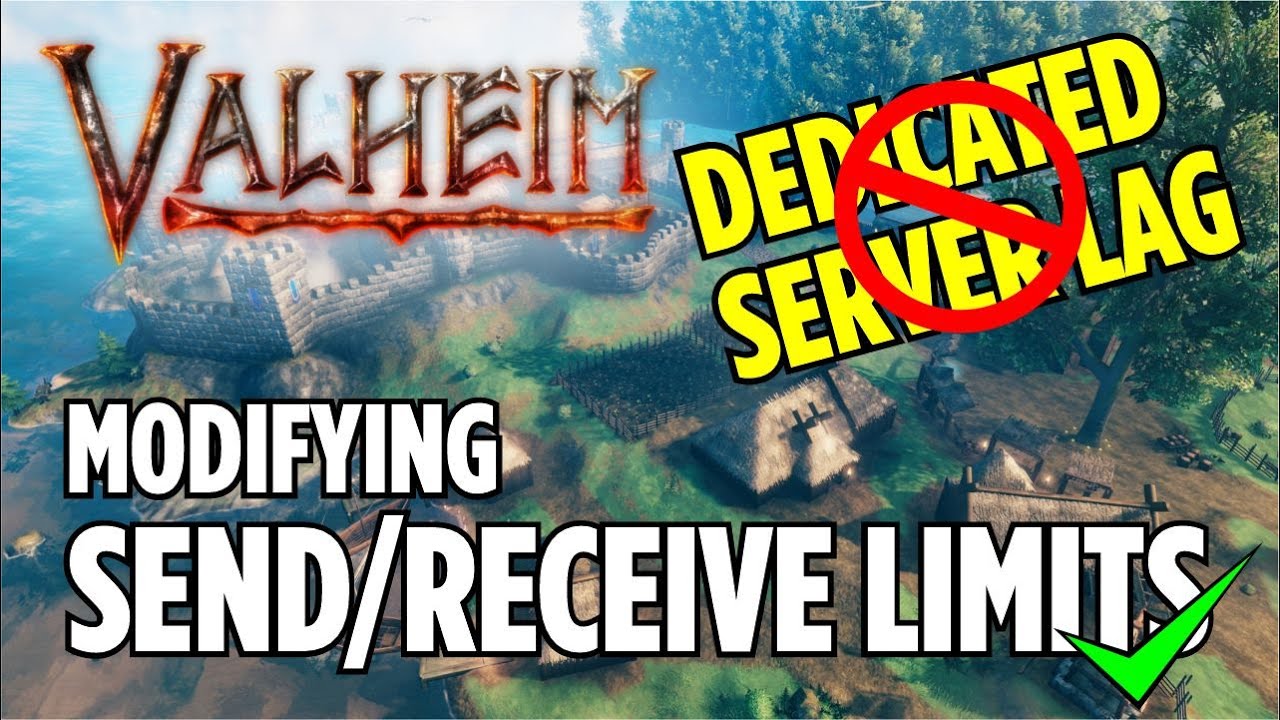
Article:
https://jamesachambers.com/revisiting-fixing-valheim-lag-modifying-send-receive-limits/
Modifying Send/Receive Limits via dnSpy program.
In this video, I modify the send/receive limits for a Valheim Dedicated Server on Bisect Hosting.
In Valheim, when you play multiplayer, the server lags really bad when you are close to other playe...
final current
timid rose
any way i can fix that>
On the CPU side, for each player, closing unused apps, switching the OS to a less energy efficient and more performance-optimized modes. If a laptop is used, ensure it is plugged in to power. Consider downgrading graphics modes. And finally, sometimes purchasing better hardware is the only option left.
On the network side, make sure neither player is on Wi-fi, try disabling any traffic shaping or QoS enabled on routers, disabling any Internet security software suites that might be acting as a transparent proxy, VPN, or anonymizing MITM. Stop any network-saturation activities like bittorrent or streaming any videos outward higher than 720p. If you don't have any Xbox players and the server operator is well-versed in networking, consider dropping the -crossplay option and using direct networking to the server ports instead.
final current
With the exception of the -crossplay dropping advice, all of what I have above is for the game/clients and not the server.
The server doesn't do much
timid rose
so the cause is people having worse pc and connection?
 copper pewter
hey guys , im having issues with my dicatied server , 2 friends can connect no issues , one friend trys to connect and has connections issues , nothing wrong on his end internetwise , seems to be down -crossplay , if i remove server doesnt boot , if i change to -crossplay 0 he still has connection issues, my ports are forward 2456-2458, we tested this on my other friends server , if he has -crossplay on if makes one of the friends have connections issues , if he changes it to -public 1 it all works , if i use -public 1 server doesnt load
final current
timid rose
so the cause is people having worse pc and connection?
Most commonly, yes. It could be you or it could be your friend, or both.
copper pewter
sames my server just wont load unless i have -crossplay in some form
timid rose
@final current im playing on wi-fi 5ghz
final current
copper pewter
hey guys , im having issues with my dicatied server , 2 friends can connect no i...
To disable crossplay, you must completely remove the -crossplay argument. There's no special 0 value treatment as far as I know. When crossplay is disabled and the server isn't public, players will stop seeing version information or player counts in the status icon for the server entry. This doesn't mean there's an issue, though.
final current
timid rose
<@287433598825660417> im playing on wi-fi 5ghz
Alright, that should be alright if you're in the same room as the access point. 5GHz is not very good with walls, so consider using a lower frequency band if you're in another room from the access point. Ultimately, wired networking will be better for gaming, but it's understandable if it's not physically possible.
timid rose
can It cause desync tho for others?
final current
With Valheim, definitely.
onyx fox
final current
If your console app is dissapearing, consider using the `-logFile` argument. You...
Okay, I will try that. Thank you
copper pewter
 final current
copper pewter
final current
copper pewter
All of that looks fine so far.
copper pewter
its just stays like that
doesnt go any further
thats ith -crossplay removed
or -public 1
 wild portal
On our server that is 100% vanilla some of our swamp creatures are bugged and not takikg any damagw. Is there a fix for this?
final current
wild portal
On our server that is 100% vanilla some of our swamp creatures are bugged and no...
I would recommending having the players restart their games. Chances are the player who is chunk-master for that chunk is bugged.
final current
copper pewter
its just stays like that
and you can't connect when it's in this state?
wild portal
Its showing hit points but the health bar doesnt go down and they dont die.
We restarted the the server. Some animals and creatures take damage but there was a couple that wouldn't.
final current
wild portal
We restarted the the server. Some animals and creatures take damage but there w...
Right, my recommendation still stands. These kinds of problems are more likely with the game clients and not the server.
wild portal
Ok thanks. There was 2 of us fighting the same skeletons and a blob that wouldnt take helth damage.
copper pewter
no failed to connect
final current
copper pewter
no failed to connect
Any messages further up that could indicate a problem in that log? And have you tried connecting with your loopback or LAN IP now that you have crossplay disabled? Sometimes routers and ISPs don't like a round-trip to your own external IP.
copper pewter
ok just tried my local ip for it
and it connected me
so atm i am on, but how can my friends join my local wont work for them right?
final current
Correct, they will need to use your external IP address. Time to double-check your port forwarding. Make sure the LAN IP hasn't changed from when you set up the port forwarding rules and make sure they forward UDP traffic (TCP-only forwarding will not work).
Also make sure you don't have any local firewall software that would be blocking the port from Internet access.
 final current
Looks good, assuming that's still your local IP
copper pewter
yea
final current
You can try your external IP in https://geekstrom.de/valheim/check/ for a 3rd-party assessment
final current
2456 is most important. 2457 is important if your server is set to public. Make sure you don't have specific firewall entries (both on router and local computer) that can be blocking the ports. I'm also assuming you're supplying your external IPv4 address. IPv6 will not do.
Also make sure your external IP address hasn't changed since you last checked.
copper pewter
will do
final current
And if all of the fails to yield anything useful, you might have to check if your ISP blocks certain inbound port ranges or is using CGNAT.
copper pewter
yea no improvement so far
will look into that
im with bt
so doesnt look like they use cgnat
timid rose
@final current can modifying server’s send/receive limit fix the problems?
my wifi seems very stable and fast
final current
timid rose
<@287433598825660417> can modifying server’s send/receive limit fix the problems...
In theory. Modifying the game assemblies would be one of the very last possible things I would want to try, though. Have you disabled crossplay on the server? If you're quite sure your own hardware and networking is good, it might be time to focus on the other players' setup.
timid rose
i didnt eneable it
everyone is on pc
what can i do
ban my friends because they have bad pc or internet? xD
i know that one friend has like 10 year old cpu
final current
hehe 😄 I wish I had more advice for you, perhaps others might chime in with ideas. If their hardware lags behind, that could end up being the ultimate culprit. Certainly have them run through some of the things we talked about here. They should close any browsers they have open at the very least.
If you are the first player to enter a new area, you are more likely to be the chunk-master for the area. They could still have some lag, but your own interfacing with creatures will be good in this case.
final current
In areas you commonly visit, like around your buildings, sure, you can destroy some of the world objects like rocks and trees or remove unnecessary structures. There is no gaurantee it will make a huge impact.
copper pewter
fuck me
timid rose
is 1000 too much?
copper pewter
its working
thank you so much justin arthur been at that all god damn day
must have been some kind of port blocking him
final current
Glad you got it working. Any idea what change finally fixed it?
final current
timid rose
is 1000 too much?
1000 sounds like a small number for a base building area. It's not something I commonly keep track of though.
timid rose
server restarts can fix lags?
final current
In rare cases. Unless you or the other player are seeing the network issues status icon on the top left, lag is more likely coming from player legs.
timid rose
@final current
what do u think about this https://www.nexusmods.com/valheim/mods/1570

Nexus Mods :: Valheim
Supercharge your multiplayer performance!Compatible with Valheim 0.217.28!
final current
timid rose
what do u think about this https://www.nexusmods.com/valheim/mods/1570
If you've exhausted other options, this looks interesting. I've never used it
onyx fox
final current
If your console app is dissapearing, consider using the `-logFile` argument. You...
Here is the log file and a copy of my current .bat file.
 cosmic umbra
i just transferred my world to a vps and everything's normal, except for some reason a bunch of built objects are inexplicably almost entirely broken, and all but two boars are dead. any clue what could've happened?
of note is that before i loaded this world up, i tried manually changing the files to edit the name of the world, causing the ground to generate anew (and far below where it was before), but for objects to be the same. the objects that are at 0 health seem to be the ones that ended up broken from that calamity, and the boars that survived are the same two boars that didn't die as well. is there some sort of cache that the server might've read when i deleted those files and replaced them with fresh good ones?
i just deleted the world files and replaced them yet again, and the stuff i repaired with the hammer stayed repaired somehow, with the rest of it all broken of course
cosmic umbra
i deleted the world files, generated a new world, saved the world, deleted the new world, and reloaded the world that i actually want to transfer. it's identical; the broken stuff is still broken, and the stuff that i repaired is repaired. i'm unbelievably confused.
 topaz heron
Was there a fresh linux server released in the public-test beta? I've successfully used the following command to install public-test before, but when I launch the server I am getting Valheim l-0.217.46 (network version 23) in the console output, rather than the expected 0.218.12. I am also unable to connect with my windows public-test install, as I get an incompatible version notice.
/home/${USER}/.local/share/Steam/steamcmd/steamcmd.sh +force_install_dir /home/${USER}/PublicTest -beta public-test -betapassword yesimadebackups +login anonymous +app_update 896660 validate +exit
final current
topaz heron
Was there a fresh linux server released in the public-test beta? I've successfu...
And you're sure you're running the executable found in the ~/PublicTest folder?
final current
onyx fox
Here is the log file and a copy of my current .bat file.
Well, the failure happens pretty quickly, with GameServer.Init() failed. Unfortunately not much to go on. You might want to make sure nothing else is using those ports (for example, a previously-launched instance of the dedicated server).
topaz heron
final current
And you're sure you're running the executable found in the ~/PublicTest folder?
Yes, very sure.
Have you successfully downloaded 0.218.12 to a linux box? What was your command line for steamcmd?
Ahhhhh.... Digging around in the Steam Depots data, it appears that the public-test branch (https://steamdb.info/app/896660/depots/?branch=public-test) that the linux dedicated server hasn't been updated in the last 19 days. That is a pretty strong indicator that there isn't a linux release of the 0.218.12 server: https://steamdb.info/depot/896661/


SteamDB
SteamDB record for Depot 896661 (Valheim dedicated server Linux). There are 10 manifests recorded.
final current
Guess you're right, sorry 🙂 Simplest explanation is easiest. or is it…
proven niche
topaz heron
Ahhhhh.... Digging around in the Steam Depots data, it appears that the `public...
I have a linux server running the PTB 218 release without any problem.
topaz heron
proven niche
I have a linux server running the PTB 218 release without any problem.
What was your command line to download it?
proven niche
I used the Steam GUI. I'm not using SteamCMD at all. I looked at SteamCMD a long time ago and decided it added an extra layer of complexity that I didn't need.
final current
@topaz heron you were close. -beta and -betapassword are arguments to +app_update specifically. They should go after the app ID in there.
I was able to use your command with those reordered and get to 2.218… on a Debian bookworm VM.
 thorn dove
how do i remove the killed troll key for individual players on my server?
ive tried removekeyplayer playername killedtroll
doesnt work. cant get it to work for me either
i wish i could just turn the troll raid off.
final current
thorn dove
how do i remove the killed troll key for individual players on my server?
ive tr...
Have you enabled player-based raids?
thorn dove
final current
Have you enabled player-based raids?
yes
topaz heron
final current
<@401598093809811466> you were close. `-beta` and `-betapassword` are arguments...
Thank you!
final current
thorn dove
how do i remove the killed troll key for individual players on my server?
ive tr...
Sorry, I don't know of a way to set a player's keys via the server. There may be such a mod out there. setkeyplayer and removekeyplayer both only take the key name, and are for your own character's local file. You may be able to use it from a local world with the same character. Alternatively, if a player is in the server's admin list, they can run the command from the server context if their game client has the Server Devcommands mod.
onyx fox
final current
Well, the failure happens pretty quickly, with `GameServer.Init() failed.` Unfor...
I will try restarting my PC but the issue only happens with the public test. I could get a normal server to work no problem
 tight bough
I haven't played since before Mistlands, but is there a way to prevent players from logging into a dedicated server with materials they've added to their inventory from another server/single player? I want to prevent a few people I know and want to play with from pulling over high-level material en-masse from other saves.
proven niche
tight bough
I haven't played since before Mistlands, but is there a way to prevent players f...
The only way to do that is with a mod. You can ask about it in the #mods-issues channel, if you want. 🙂
copper pewter
final current
Glad you got it working. Any idea what change finally fixed it?
only ones i hadnt opened where port 2457
 lusty egret
hi ! is ashlands public test available if i make a g portal server guys ? 🙂
 sharp mantle
sometimes we see the server lagging a bit and sometimes we do not. It doesn't seem to be a server resource problem (at all)
are their any known situations where this happens or reasons why it happens?
also confirmed it's not "player" related, as we play with 0.5ms ping
server runs super chill 0.4~0.6 avg cpu consumption on an i7 8core, with 4 players, 32gb, on nvme
multiple instances... ? ojects on the ground...? constriction...? number of mobs... ?
cosmic umbra
cosmic umbra
i just transferred my world to a vps and everything's normal, except for some re...
any ideas here?
 lusty jetty
Hi everyone, good night, i have an issue connecting to the server after reverting from public test, as i show in prints the server and client is in the same version, but when i try to connect say the server is using a old version. Anyone have an idea? ty


 jovial hedge
final current
<@401598093809811466> you were close. `-beta` and `-betapassword` are arguments...
jovial hedge
final current
<@401598093809811466> you were close. `-beta` and `-betapassword` are arguments...
@final current do you have a more detailed explanation of how you did it because I'm quite new on setting up a server for Debian especially on the ptb
 winter viper
How do you delete these

 feral grove
been searching this channel for information on how to steamCmd a Ashlands server. Found scattered info... I have the base dedicated server i ran last year, how do I update it to use "yesimadebackups" branch? Thanks in advance 😉
my current update bat: bat :start C:\steamcmd\steamcmd.exe +force_install_dir "C:\ValheimModdedServer\steamapps\common\Valheim dedicated server" +login anonymous +app_update 896660 -beta none validate +quit pause
 wide cipher
@modest hound don't use # so much.
Discord thinks you're trying to markup text
final current
wide cipher
<@188429965732216833> don't use # so much.
Discord thinks you're trying to marku...
Thank you! I had wondered why the server put me in timeout, and would stayed awake at night wondering 😄
wide cipher
😄
final current
jovial hedge
<@287433598825660417> do you have a more detailed explanation of how you did it...
if you're well-versed in containers, you might find one of the community images to be quicker.
Otherwise, the basics are:
- Install Steam or SteamCMD (the latter if this is a headless server).
- Use Steam or SteamCMD to download the Valheim Dedicated Server package (no login required)
- Pick places to store the dynamic server data (like the world DB+metadata) and logs.
- Decide how you want to manage the server lifecycle (e.g. systemd, supervisord, etc.), optionally wrapped with BepInEx for mods.
- Networking (port forwarding, IP reservations, dynamic DNS, etc)
My exact steps from the above validation discussion, run as a super user:
echo "deb http://ftp.us.debian.org/debian bookworm main non-free" > /etc/apt/sources.list.d/non-free.list
dpkg --add-architecture i386
apt update
apt install steamcmd libpulse0
/usr/games/steamcmd +force_install_dir /opt/valheim -beta public-test -betapassword yesimadebackups +login anonymous +app_update 896660 validate +exit
Then ran with /opt/valheim/start_server.sh. This only covers those first couple steps in the basics list. libpulse0 from the steps above is used by Valheim's embedded libparty.so if you enable crossplay.
final current
feral grove
my current update bat: ```bat
:start
C:\steamcmd\steamcmd.exe +force_install_dir...
Shut down your server (with Ctrl+C or sending SIGINT), make backups of your world metadata+DB (like the password hints), then replace the -beta none in your command with -beta public-test -betapassword yesimadebackups. It should replace your install dir's contents with the Public Test Branch.
When you no longer wish to participate in the testing process, switch back to the main public branch by removing the password and using -beta public. This will help avoid surprises a year or so later.
final current
winter viper
How do you delete these
Not sure what I'm seeing here, which probably means it's a better question for #valheim-public-test
feral grove
final current
Shut down your server (with Ctrl+C or sending SIGINT), make backups of your worl...
Thanks 😉
winter viper
Na its fine it was just too many hoes for me to handle 😂
final current
Ohhhhhh, gotcha 😛
final current
lusty jetty
Hi everyone, good night, i have an issue connecting to the server after revertin...
Any luck? I don't have a good guess off-hand unless your dedicated server installation dir ended up with a mix of assets from both versions.
 plucky oxide
I'm extremely new to all of this, those anyone know how to update latest server for a dedicated server?
lusty jetty
final current
Any luck? I don't have a good guess off-hand unless your dedicated server instal...
when reverting i had some issues, was only possible after delete steamcmd and download again, i delete all folders on server, and client, and created a fresh installation, at leastis what i think xD
lusty jetty
plucky oxide
I'm extremely new to all of this, those anyone know how to update latest server ...
add this in steamcmd command -beta public-test -betapassword yesimadebackups
plucky oxide
lusty jetty
add this in steamcmd command -beta public-test -betapassword yesimadebackups
Thank you I'll give that a try right now.
plucky oxide
lusty jetty
add this in steamcmd command -beta public-test -betapassword yesimadebackups
how do I go back to my original version (since I can't get to my dedicated server with the BPT)
proven niche
plucky oxide
how do I go back to my original version (since I can't get to my dedicated serve...
I think it's -beta default_old - Previous Stable no password.
plucky oxide
Thank you ❤️
final current
plucky oxide
how do I go back to my original version (since I can't get to my dedicated serve...
It's -beta public (without a password) for the latest stable release.
 gritty wind
timid rose
is 1000 too much?
gritty wind
timid rose
is 1000 too much?
A noticeable impact to gameplay starts at around 8k-10k instances. 1k is almost nothing.
 whole breach
Hello is there a document detailing what exactly all the world modifiers are and what they change? I know the manual pinned here lists some of them but is there a list of all of them?
knotty oracle

Valheim Wiki
World Modifiers allow the player to customize a variety of parameters to increase or decrease the challenge of the game. They can be found on the Join World screen. Modifiers can also be used via...
 clear raven
Hey everyone, I'm setting up a private server for my friends and I to play together on xbox via Nitrado (I've used them before and haven't really had any issues).
So far I have been able to successfully setup a non dedicated session that has the Ashlands content on xbox and play it with my friends. I have also successfully got a dedicated server running that several friends played on using pc and / or Xbox.
I'm curious if anyone has had any success getting the Ashlands expansion working on a nitrado server? I'm thinking the only way this is possible is to setup a local server via pc with the Ashlands public beta version, then copying the world over via ftp. I'm wondering if this public beta that's available on pc differs from the Xbox insider hub public test in a way that would prevent Xbox clients from accessing said server.
Any tips / help welcome! I'm learning as I go.
 round sleet
clear raven
Hey everyone, I'm setting up a private server for my friends and I to play toget...
round sleet
clear raven
Hey everyone, I'm setting up a private server for my friends and I to play toget...
Everyone playing the new content will need to have the PTB release installed, not just on the server. Your strategy of uploading an updated world will not work, as the current mainline release cannot load worlds that have been updated to the new PTB format. So you will need to get Nitrado to run the PTB version to access the content that way. That all said... it will almost certainly be easier for you to just wait a few weeks. There are still bugs in the Ashlands content that are being fixed, and you will have the full intended experience when it's fully released Soon( ™️ )
clear raven
Perfect thanks dude, follow up to this: if I'm playing a server without ashlands content, will I be able to integrate the expansion into an active server or will I have to start from scratch?
round sleet
clear raven
Perfect thanks dude, follow up to this: if I'm playing a server without ashlands...
As long as the group doesn't explore down to the Ashlands as it currently is, it should update fine. Same with the Deep North... just stay away from the most northern and southern parts of the map and you shouldn't have any issues when the update finally happens.
clear raven
Thanks for the timely help! 👍
!Related: Due to using the Xbox insider hub to get access to the test, my local game was updated to the new version that includes ashlands. I'm now trying to access a world that does not have that version. I have gone to the hub and "unsubscribed" from the public test. I also uninstalled and reinstalled Valheim. A friend who has not gone through the process of updating to the public test can access the server just fine but myself and others that did the update are unable to join. Anyone else experience this or known what may be causing this?
round sleet
clear raven
!Related: Due to using the Xbox insider hub to get access to the test, my local ...
Any worlds that have been updated will stay updated, so if you're talking locally it will cause issues. That's why the beta access tells you to make sure to make backups. By not accessing the server, is it telling you a specific message?
clear raven
Couldn't resolve join code. The nitrado server just has a vanilla version of Valheim running. Locally I updated to public test but have since uninstalled the whole game from my Xbox and re-installed. It still doesn't work.
round sleet
Restart the server again, make it regenerate the code. The join code is handled by Microsoft, that's not an issue with Valheim I don't believe.
clear raven
I believe I've tried this already but will definitely try again
 lucid marsh
Would having a dedicated server for a solo be worth it? My base is slowly becoming very laggy along with all the mods i have, so would setting up a dedi improve fps? I’ve seen some resources that it might not because a lot of math happens on the client, but i just wanted to ask
 raw leaf
Whos looking to team up
knotty oracle
raw leaf
Whos looking to team up
#1024264966712340510 has you covered.
versed smelt
lucid marsh
Would having a dedicated server for a solo be worth it? My base is slowly becomi...
It wouldn't help lag if it's caused by high instance count
 rugged trail
hi guys, i'm tryin for the first time to create my server with the dedicated app, and import a save to play with my friend, and i modified the start head less server file's name / world / passeword, but now when i launch the server's app, it finaly close up after tryin to download (i suppose) evrything, i saw in the cmd that he didn't success to download map i import (it's a map i created yesterday on the public test version), if someone got soluce to my issue, thanks u a lot :p
 frozen zephyr
You set server to use PTB? A world made on PTB will not load on older versions
onyx fox
final current
Well, the failure happens pretty quickly, with `GameServer.Init() failed.` Unfor...
When I attempt to connect to the server, now it is saying my version is incompatible. I know my client is updated to Valheim [public-test], so I am not sure what I have done wrong now.
 proven niche
onyx fox
When I attempt to connect to the server, now it is saying my version is incompat...
proven niche
onyx fox
When I attempt to connect to the server, now it is saying my version is incompat...
Is your server also on the PTB? Does the incompatible version message window give any information as to what the actual versions are?
onyx fox
proven niche
Is your server also on the PTB? Does the incompatible version message window gi...
No, unfortunately it is does not. This is all it says when I try to connect to my Dedicated Server.
 proven niche
I don't have any experience with SteamCMD but it looks like your server isn't loading the PTB version in spite of your start up command. You could check that by reverting your game to the current release version and see if it agrees with the server version then.
frozen zephyr
your bat file is messed up for starters
dir path needs to be after +force_install_dir
dir path has spaces in it and is not in ""
onyx fox
frozen zephyr
your bat file is messed up for starters
Sorry, I am new to doing this
onyx fox
frozen zephyr
dir path needs to be after +force_install_dir
What is dir path? If you mean directory path to the server, then it is after +force_install_dir
S:\SteamCMD\steamcmd.exe +force_install_dir +login anonymous "S:\SteamLibrary\steamapps\common\Valheim dedicated server" +app_update 896660 validate -beta public-test -betapassword yesimadebackups +exit
I also added the quotes. Is that correct?
frozen zephyr
S:\SteamCMD\steamcmd.exe +force_install_dir "S:\SteamLibrary\steamapps\common\Valheim dedicated server" +login anonymous +app_update 896660 validate -beta public-test -betapassword yesimadebackups +exit
frozen zephyr
onyx fox
What is dir path? If you mean directory path to the server, then it is after +fo...
you have it after the +login
onyx fox
frozen zephyr
you have it after the +login
Now it is crashing when I start it
frozen zephyr
not sure what is causing [Steamworks.NET] GameServer.Init() failed. or 05/01/2024 11:03:00: The WorldGenerator instance was null 05/01/2024 11:03:00: Builder started NullReferenceException: The WorldGenerator instance was null at Heightmap.Generate () [0x0001a] in <7eac174134e34f35836d089a912f31f4>:0 at Heightmap.Regenerate () [0x00007] in <7eac174134e34f35836d089a912f31f4>:0 at Heightmap.OnEnable () [0x00029] in <7eac174134e34f35836d089a912f31f4>:0
onyx fox
frozen zephyr
not sure what is causing `[Steamworks.NET] GameServer.Init() failed.` or ```05/0...
Ya, it is only caused when I go to the Public-Test
I can launch a normal server just fine
frozen zephyr
onyx fox
When I attempt to connect to the server, now it is saying my version is incompat...
this log file also has both of them errors also and never looks like server never fully loads
onyx fox
frozen zephyr
this log file also has both of them errors also and never looks like server neve...
I am at a loss... I have already tried uninstalling and reinstalling everything. Launched a non public-test just fine, was able to get in just fine. It seems like whenever I try to go to the public-test, it crashes... I played around with the .bat file to see if that would fix anything, and as you pointed out, broke it again. As soon as I fixed it, it crashes again 😦
frozen zephyr
you use -crossplay for the non public-test one
onyx fox
frozen zephyr
you use `-crossplay` for the non public-test one
What's that? Like crossplay with consoles? I can delete that from the .bat Our gaming group is PC only
frozen zephyr
if pc/steam only you can remove -crossplay from the bat
onyx fox
Ya I just read that in the manual... I will give it a go. Thank you
onyx fox
frozen zephyr
if pc/steam only you can remove `-crossplay` from the bat
I uninstalled and reinstalled everything. One thing I noticed was when it crashed, valheim server exe was still running in the background. So I killed that task in the manager. However, now I have an issue where every time I run the server, it wipes the .bat file and puts in the default... Not sure what's going on now.
frozen zephyr
onyx fox
I uninstalled and reinstalled everything. One thing I noticed was when it crashe...
make a copy of the bat and run it from that. the validate part of the steamcmd makes it check the files againts ones on steam so its probly replacing it thinking something is wrong with it because they dont match after you edited it
 final forge
Afternoon all, do player based raids work on dedicated servers?
 raven carbon
I tried to find the answer in the guides, not sure if this is just a me thing. On windows it used to list a server you would create with the .fwl and .db extensions, now it shows items as: _forestMask _heightTex and _mapTex... which of these do I now copy over to use as .db and .fwl? My assumption would be height and map
knotty oracle
Neither, those are not your world files.
round sleet
raven carbon
I tried to find the answer in the guides, not sure if this is just a me thing. O...
Those are new-ish cache files for the map, to make loading the world and map faster. They are not necessary for moving a world, they will be regenerated if needed.
raven carbon
I premake my world on windows, then transfer it to my linux hosting machine, so Ive needed these world files from this folder in the past ty for help
round sleet
raven carbon
I premake my world on windows, then transfer it to my linux hosting machine, so ...
Yes. Those aren't needed for the server, they are client-only.
raven carbon
round sleet
Yes. Those aren't needed for the server, they are client-only.
thanks again, i realize what step i missed, appreciate it
 sour edge
is this normal to see when firing up a dedicated server for the first time?
 round sleet
sour edge
is this normal to see when firing up a dedicated server for the first time?
round sleet
sour edge
is this normal to see when firing up a dedicated server for the first time?
Yes, that's the output of the world gen. It's placing all the various POIs in the world based on the rules.
 wind nebula
I have a server on nitrado (not sure if it was a good choice) but I cant find it or even join to it, I've tried joining through server IP and it tells me that that its incompatible version though it is all updated. I have looked up probably every guide with videos from YouTube and reddit forums but cant find a solution that works. I'm not amazing with software so its kind of difficult on what is what, if anyone could help that would be great thankyou
 proven niche
wind nebula
I have a server on nitrado (not sure if it was a good choice) but I cant find it...
proven niche
wind nebula
I have a server on nitrado (not sure if it was a good choice) but I cant find it...
Have you tried re-verifying your game files using your Steam Client library?
wind nebula
I have indeed, no luck unfortunately
proven niche
wind nebula
I have indeed, no luck unfortunately
Is it possible that your Nitrado server is using the PTB version of the server?
wind nebula
I’m not sure? what’s ptb? lol
proven niche
Public Test Branch, it's the currently active beta test version.
wind nebula
oh right, I’m not sure i don’t think so any idea where I can see that?
proven niche
wind nebula
oh right, I’m not sure i don’t think so any idea where I can see that?
I'm not familiar with Nitrado but it would be on one of their menus, if it was available at all.
And are you or the server using any mods that you know of?
wind nebula
Hmmm, it has an add on page for valheim plus as sort of like a base mod. I’ve tried entering the server with it un-installed still ran into the same problem 😦
 proven niche
wind nebula
Hmmm, it has an add on page for valheim plus as sort of like a base mod. I’ve tr...
proven niche
wind nebula
Hmmm, it has an add on page for valheim plus as sort of like a base mod. I’ve tr...
I would remove that mod, in case it's not working right. And you'll probably have to put in a support ticket with Nitrado, if you haven't already done so. I think you've already done everything you can do, unfortunately.
wind nebula
proven niche
I would remove that mod, in case it's not working right. And you'll probably ha...
okay and i shall keep trying, thankyou for suggesting solutions 🙂
proven niche
wind nebula
okay and i shall keep trying, thankyou for suggesting solutions 🙂
You're very welcome. And don't be afraid to re-start the server a couple of times. I'm sure you've already done that. 🙂
 hot mirage
Trying to set up a dedicated server from where I was playing peer to peer with friends. How can i use that worlds save data? i set up the dedicated using the right world name but its almost as if it used a different seed
proven niche
hot mirage
Trying to set up a dedicated server from where I was playing peer to peer with f...
You'll need to copy the world's two files (.db and .fwl) from the peer to peer PC over to the server PC. Just using the same name is not enough.
hot mirage
i'm using the same pc from the peer to peer; just setting up a dedicated so while i'm at work they can still join
do i need to move the world files to a different fold in the PC?
proven niche
hot mirage
i'm using the same pc from the peer to peer; just setting up a dedicated so whil...
No you shouldn't have to move the world files in that case. You can force the server's world location folder in the server's start up .bat file using the -savedir "...path\folder" to make sure it's pointed at the right location for the world files.
hot mirage
okay i'll try that. thanks
proven niche
hot mirage
okay i'll try that. thanks
If your world files are stored in the cloud you may have to move them to local storage. I'm not sure if the cloud storage might be a problem or not.
hot mirage
thats actually what i just did i had a local copy but the dedicated overrode it so i backed up the one from yesterday and replaced the files and that worked. Thanks!
 tender oyster
anyone know of a guide to install mods on a dedicated server?
 acoustic wyvern
tender oyster
anyone know of a guide to install mods on a dedicated server?
acoustic wyvern
tender oyster
anyone know of a guide to install mods on a dedicated server?
Using a host?
acoustic wyvern
tender oyster
the same one that i use to play the game
Have you installed BepInEx yet?
acoustic wyvern
https://thunderstore.io/c/valheim/p/denikson/BepInExPack_Valheim/ it's the framework that loads mods for Unity games like Valheim. It's necessary to install mods and there's an installation guide there.

Thunderstore
BepInEx pack for Valheim. Preconfigured and includes unstripped Unity DLLs.
tender oyster
And this is for dedicated servers?
acoustic wyvern
Yes if you want to mod the server you need to install that first.
tender oyster
Running on windows10
acoustic wyvern
BepInEx injects itself into a game when launched, creating a framework that other mods and plugins can hook into.
The basic process is to install one mod at a time. You do that by stopping the server instance/game, copying the mod file(s) to the proper BepInEx directory, then starting the server which installs the mod and generates a config file for it. Make sure to stop the instance before each mod installation. You'll get the hang of it through trial and error when you get that far.
tender oyster
Thank you so much!
Were doing a mostly vanilla playyhrough, since its our first time playing valheim, but the farming was so tedious, that we collectively decided we needed a QoL mod for it
acoustic wyvern
Some mods will have dependencies listed. They are prerequisite plugins or patchers you need first for the mod to work. Be on the lookout. 👀
 celest hare
Hello guys, im looking to rent a dedicated server for me and my buddies to play on. the question i have is, if i go ahead now and start renting it, will it update to ashlands update upon release? Or will i need to delete and re-make? thank you!
 opal saddle
Generally we don't give tips on 3rd party servers (read the channel description). But all sensibly set up servers should update, but you really need to ask the service provider. There is no way to know how they've done their setup.
If I were to rent a 3rd party server, my requirements would be to have an SSH connection or some other way to manage it's files to let me tinker/mod to my hearts content in addition to a web UI (or whatever they provide to make settings). But I self host my servers, it just suits my use case best. I have no experience with rented ones.
sour edge
i just loaded my server up and it looks like i lost my whole house and everything in it. like it reset the land and everything. Why would that happen?
proven niche
sour edge
i just loaded my server up and it looks like i lost my whole house and everythin...
Usually, that's caused by the server didn't get properly loaded up. What did you do, exactly?
sour edge
I think i accidently clicked the server option when loading into it. Its a dedicated server running on my pc, but i dont think i need to have that checked for ppl in my local network to play do i?
proven niche
Are all of your worlds in local storage or are some in the cloud storage?
sour edge
the dedicated server show a Disk instead of a cloud
reading through the server cmd it looks like i keep getting an error and its restarting :/
proven niche
sour edge
the dedicated server show a Disk instead of a cloud
The world in the cloud might be different than the same world in local storage. See if you have another world of the same name.
proven niche
Did you look in Manage Saves on the World tab there?
 worn loom
@wide cipher make @proven niche a helper already
knotty oracle
worn loom
<@260480620054970378> make <@449765565507043329> a helper already
I second this. And MaCarBre too.
proven niche
worn loom
<@260480620054970378> make <@449765565507043329> a helper already
I vote for @upper salmon! He's got a much steeper hill to climb with those Xbox and gamepass users and he never loses his patience! That guy is a treasure! I dunno how he does it...
sour edge
So, 3 of us got kicked out of the server. I closed the server and restarted in and now its a brand new map... What am i doing wrong here?
proven niche
Where is the server? At a hosting company site? At your house? Someone else's house? How long has the server been up without being restarted? Is it hosted on Linux or Windows?
sour edge
My home PC is running the server
hosted on windows, it has been running since yesterday
proven niche
Is this the in-game server you start up after you start the game? Or a dedicated server just happens to run on the same PC as your game?
sour edge
dedicated server using the steam tool, running on the same pc that is running the game
We were playing for the last 4 hours, and all got disconnected, then when we went to Join Server, it was a brand new map
proven niche
Are you using any mods on the server?
sour edge
zero mods
The server has the same name it did when we first joined it but its not the same world
proven niche
The server would create a brand new world, if it couldn't load the regular world for some reason. If it's running on your game PC then it's probably using the same worlds folder as your solo game does. Are you saving your worlds in the cloud or locally?
 crimson rock
Excuse me, please give me some wisdom on my own server in Valheim.
I've been having fun with my little Valheim world for years with two friends.
However, my friends put up with my activities when I'm not playing.
I'm sorry, but I wanted to build a server, but I don't have any basic SE knowledge.
I have a Syonology NAS DS920+, so I was hoping that if I started a Valheim server with Docker, my friends would be able to play it anytime like Minecraft.
I've been struggling for the past few days, but today I was finally able to access the server.
However, after a few minutes of connecting, I am always returned to the title screen.
At that time, you will see the USB and computer icons you see for the first time in the upper left.
What is this icon?
Why am I being kicked out of the game?
 sour edge
This is what the server looks like, not sure that helps

and this is my worlds screen, we were playing on Jormundandr
 proven niche
sour edge
and this is my worlds screen, we were playing on Jormundandr
proven niche
sour edge
and this is my worlds screen, we were playing on Jormundandr
The disc symbol on the right end of the server's line there means it's stored locally. Have you tried using that world in your solo game? What happens if you do?
sour edge
When I load it solo it load in the brand new map
proven niche
Try going to the last backup copy in the Manage Saves window and see how old the last one was?
sour edge
Will do. Thank you. Very frustrating so far.... i dont think hosting the dedicated server on my end is working out very well 😦
proven niche
sour edge
Will do. Thank you. Very frustrating so far.... i dont think hosting the dedicat...
Make sure your PC has enough disc space for the server to save the world properly. Can you think of anything that might have caused the world to become corrupted? Usually, that's mod related but you said you guys aren't using mods. Could one of the other players have mods and maybe did something accidently?
sour edge
Disc space shouldnt be an issue, internet can be.... spotty
OK. Baby Steps, I got the world to load in solo
proven niche
crimson rock
Excuse me, please give me some wisdom on my own server in Valheim.
I've been hav...
@crimson rock Your server appears to be having communication problems. The link between the server and player is timing out and disconnecting. Could your Firewall be blocking traffic? Or maybe a VPN?
sour edge
no VPN issue, and I have allowed access to the ports through my firewall
lol taht was for the other question, my bad
proven niche
sour edge
OK. Baby Steps, I got the world to load in solo
I'd recommend making an archive copy of your world's two files (.db and .fwl) and put it out on your desktop or somewhere safe.
sour edge
does closing the server from steam, and restarting it cause any issues?
proven niche
sour edge
does closing the server from steam, and restarting it cause any issues?
As long as you're closing the server 'gracefully' and not pulling the rug out from under it. It doesn't hurt to do a Save before shutting it down.
sour edge
hmmm is the server having trouble locating the world?
 proven niche
sour edge
hmmm is the server having trouble locating the world?
proven niche
sour edge
hmmm is the server having trouble locating the world?
Yes! Well spotted! You need to find out why it can't find the world files down that path it's complaining about. 😄
sour edge
❤️
small victories
Looks like its looking for specifically "Jormundandr.db" but the back ups all have different file names

there is no simple ".db"
 full seal
Make a backup of the .old file and then remove the .old from it and try again to load the server
proven niche
sour edge
Looks like its looking for specifically "Jormundandr.db" but the back ups all ha...
That could be due to an interrupted save at the server. Go to Manage Saves and restore the newest backup copy. It shouldn't cause you to lose too much progress if it's recent.
I think Evil Landshark's idea would probably work as well. 🙂
full seal
proven niche
That could be due to an interrupted save at the server. Go to Manage Saves and...
Different ways of doing the same thing pretty much hahaha
proven niche
sour edge
small victories
If you're using -crossplay on the server, then an internet interuption at your house could have caused all the players to time out and disconnect. Then, when you restarted the server it might not have made a good save. You have to be gentle with the server shutdowns and give it time to do a proper save first. I learned that lesson a while back myself. 🙂
sour edge
I will def be more cautious in the future
crimson rock
proven niche
<@336860711408107520> Your server appears to be having communication problems. ...
wonderful! thank you!
I left my VPN on!
When I turned it off, it no longer disconnected.
proven niche
crimson rock
wonderful! thank you!
I left my VPN on!
When I turned it off, it no longer disco...
Awesome! Glad you got that sorted. 😄
 zinc heath
IDK where to ask this, so perhaps here since i'm running a dedicated server. My friend within the last week is no longer able to maintain a stable connection to my server. When he joins, the communication between his client and my server are very chatty over UDP. Then after about 1-3 minutes, his client gets the disconnect icon and continues to (attemp to) send data to my server. But after about 30 seconds from when the icon kicks on, his client sends a "A application closed connection" packet to my server, and then my server immediately responds.
Because of the fact my server always responds to this event, I'm not convinced this is a classic case of "UDP packets arn't guaranteed to make it" due to the high level of consistency and reproducability--even after restarting computers, routers, reinstalling game, allowing valheim into windows defender firewall, etc... you name it...
My other friends don't appear to experience this problem. Just one of them.
I havn't monitored packets on my network yet to see if my server is attempting to send packets as well. But again, the fact my server sends that last packet after receiving a client disconnect packet from my friend + the initial chattiness kinda tells me there may be something more at play here.
proven niche
zinc heath
IDK where to ask this, so perhaps here since i'm running a dedicated server. My ...
So, the friend's disconnects began to occur just this past week? Before that he could play normally? And, it's only the one friend who has this problem?
That seems to indicate the problem is on his end or with the comm link (route) between him and the server.
What has changed when the problem arose? He install a new VPN? Did he get a Windows update that reset some of his security settings? Did something change with his network environment? Is he now on Wifi with a new laptop instead of ethernet on his old desktop PC?
So many possibilities. Most of which point to his end. Overwhich you may or may not be getting the full story. He may be accidently leaving out information about change(s) at his place. At least, that's the next place to look for the cause.
zinc heath
The only thing that I'm aware of was the valheim update. He doesn't use VPN. He's on wifi now, but is going to try an eithernet connection. (though, i found out tonight his nic may be broken due to age)
proven niche
zinc heath
The only thing that I'm aware of was the valheim update. He doesn't use VPN. He'...
Is anyone, including the server, using mods?
zinc heath
nope. we're all vanilla
proven niche
zinc heath
nope. we're all vanilla
Ask him to re-verify his game files, if he hasn't already done so.
I should have asked before but I forgot, sorry. Does your server use -crossplay?
zinc heath
He's already gone through at least two uninstall and reinstalls, but there could be some caches left around somewhere. yeah i know this is a real head scratcher. part of me thinks spectrum internet is messing with him. because this is just way too consistent.
It's a default docker container from unraid. I can double check this, but i never explicitly supplied that param myself
proven niche
And, your friend can use traceroute to analyze the comm link between him and the server. It might show up a problem there.
Does your server have a Join Code?
zinc heath
he's able to play other games on my server, but not recently. I offered to have him try VRising, but he had to hop off. I just turned off my server. I can turn it back on and grab one.
proven niche
If the server has a Join Code, then -crossplay is enabled. That means that all comm links don't go directly to the server but instead everyone connects directly to the MS playfab lobby.
zinc heath
in that case, i woudln't be seeing my server's IP address + valheim port in the pcap file, right?
proven niche
zinc heath
in that case, i woudln't be seeing my server's IP address + valheim port in the ...
I don't know about pcap. But when you join the game on the server, -crossplay will give you a Join Code above the game menu for a minute or so.
zinc heath
lets find out.. my server is botting up. it takes a while with all the BIOS checks
proven niche
zinc heath
lets find out.. my server is botting up. it takes a while with all the BIOS chec...
If there is no Join Code, and thus no -crossplay, you can do a traceroute from your PC to your friends WAN address and see if there's anything wonkers in there.
zinc heath
one second. trying to get into the container at the moment to find the launch script
proven niche
I run 3 valheim servers on a headless Linux host and I'm SO glad I decided to not use containers or SteamCMD. 😄
zinc heath
yeah... there's at least two different start scripts i see, and IDK which one is being called because my password is certainly not "secret"
anyway, i joined the server. I don't see anything about a join code
proven niche
Ok, then it's not using -crossplay. That's good. Consider the traceroute between you and your friends WAN address.
zinc heath
darn. i don't have that. i only have his local in the pcap i had him make from wireshark
guess i can try it tomorrow. but i have a feeling it'll be just fine
proven niche
zinc heath
guess i can try it tomorrow. but i have a feeling it'll be just fine
Think about any trouble shooting questions you want to discuss with him, too. The problem really does seem to be on his end.
zinc heath
i know... and it's driving me mad!
i came on here hoping this was something others have encountered too
proven niche
zinc heath
i came on here hoping this was something others have encountered too
It may very well turn out to be. There's just not enough data to draw any specific conclusions yet.
zinc heath
here we go! I found the cli cmd:
${SERVER_DIR}/valheim_server.x86_64 -name "${SRV_NAME}" -port ${GAME_PORT} -world "${WORLD_NAME}" -password "${SRV_PWD}" -public ${PUBLIC} ${GAME_PARAMS} > /dev/null
so confirmed no -crossplay
proven niche
zinc heath
here we go! I found the cli cmd:
```
${SERVER_DIR}/valheim_server.x86_64 -name "...
Excellent! Ummm.... unless it's part of the ${GAME_PARAMS} variable. But you already answered that -crossplay question when you joined the server and it didn't give you the Join Code on your game screen. 🤦♂️
zinc heath
zinc heath
here we go! I found the cli cmd:
```
${SERVER_DIR}/valheim_server.x86_64 -name "...
firoot@b26e5b177838:/opt/scripts# env | grep  GAME_PARAMS
GAME_PARAMS=
Yep, that's pretty conclusive. I can tell you've been around Linux a lot longer than I have. Cool! 👍
zinc heath
you've been helpful. its always good to talk these things out. at least i know i'm not the only one that finds this too weird
proven niche
zinc heath
you've been helpful. its always good to talk these things out. at least i know i...
Thanks, I appreciate that. A second viewpoint never hurts. 🙂
zinc heath
i think an interesting test would be for me to open up a port on my machine, and have a script from his end randomly sending crap via UDP to/from my server. if it falls apart there, then it's 100% a spectrum problem
proven niche
zinc heath
i think an interesting test would be for me to open up a port on my machine, and...
LOL Let's call that 'Plan B'. And just go with the traceroute thing first. 😄
proven niche
zinc heath
i think an interesting test would be for me to open up a port on my machine, and...
If you get this resolved tomorrow with your friend, please let me know. It'll be rattling around in my brain until then... 
zinc heath
will do. i should call it a night as well
 worthy imp
Hello, I think this question has already been asked but I updated the Valheim dedicated server with steamcmd and I used the map from the live server and not from the test server, are the Ashlands updates are present or do you have to recreate a map from scratch? Thanks in advance
knotty oracle
worthy imp
Hello, I think this question has already been asked but I updated the Valheim de...
Ashlands is still in testing.
worthy imp
knotty oracle
Ashlands is still in testing.
Ok so when i install the dedicated server with steamcmd (+app_update 896660 -beta public-test -betapassword yesimadebackups) and i launch the server with the same .bat, i can join the server with the last version but idk if the new biome are on the map :/
knotty oracle
worthy imp
Ok so when i install the dedicated server with steamcmd (+app_update 896660 -be...
If you had unexplored Ashlands in the map it'll update.
worthy imp
Ok thanks for your answer 🙂
 naive mesa
i cant create a server in public testing idk why
zinc heath
apropos to my discussions last night. Do valheim servers have anti-cheat? it looks like from searches online that that's a moddable thing, and not baked into the server. Then one other thing I can think of--as it could be related to anti-cheat or otherwise, but could my friends toon be corrupted on my server's save file in some way? And when the server recognizes some mismatch, just stops all communication with my friend until his client sends the "i'm going to disconnect" packets?
the server is on a 6.1 kernel, and the docker container overlays ontop of a XFS filesystem. So I wouldn't be surprised if there was some corruption. I'll need to check dmesg for any alerts if there was actual FS corruption, but I don't think there is. Could just be data-related
proven niche
zinc heath
apropos to my discussions last night. Do valheim servers have anti-cheat? it loo...
The anti-cheat mod would need to be added to the server and all the player's games. There's nothing like it on the vanilla server or game.
The game characters are used and stored strictly on the game client. Unless the ServerCharacters mod is used on the server. Again, nothing saved on the server for characters in vanilla server.
I think any server corruption would show up for all players equally. Not just the one friend. 🙂
zinc heath
just to be sure. (and i'll confirm with the server guide.pdf) but can the server repair the world save file? or is that a function of the steam client on the server?
proven niche
I'm not sure what you mean by 'repair' the world save file. I don't think the server or client can do that at all. As far as I know, if a world file becomes corrupted, it's done for and you need to go to a backup. Although, it does depend on what corrupted the world. Some things can be fixed, actually. Usually with a mod of one sort or another. Hardly ever in vanilla game.
zinc heath
yeah. just trying to rule out the recent update. oh well. i have some ideas to think about.
proven niche
zinc heath
yeah. just trying to rule out the recent update. oh well. i have some ideas to t...
Good luck with it! I have a feeling you'll figure it out sooner or later. 🙂
zinc heath
networking is hard--who knew
zinc heath
oof: #valheim-help message
@slender gorge i'm trying to get to the bottom of this myself let us know what you find in your player logs
to add @slender gorge if you're fine with installing Wireshark and adding a ip.addr filter to it to your friends IP address for the game, it'd be helpful to know if you're also in a situation where youre chatty with the server, and then disconnected after 30 seconds of you just sending out packets. i'm curious if it's the exact same issue my friend is in
 humble yacht
how to give other player admin permission?
proven niche
humble yacht
how to give other player admin permission?
They have to be added to the server's adminlist file. It's in the same folder as the server's worlds_local folder. 🙂
humble yacht
me and my friend are using r2modman and he has the serverdevcommands installed
humble yacht
proven niche
They have to be added to the server's adminlist file. It's in the same folder a...
thanks, do i have to reopen the server to have it working?
proven niche
humble yacht
thanks, do i have to reopen the server to have it working?
Yes. The server only reads the adminlist file when it starts up.
sour edge
After much trail and tribulation, it would seem that I am unable to host my own dedicated server.
Does anyone know of a free or inexpensive third party server hosting that I could play on with my sons?
full seal
I used to use G-Portal with no issues. At the time (2 years ago) I think it was pretty well the cheapest option
 soft ridge
We have a dedicated server, but my PC friend gets a disconnect every 5 seconds. What can this be? I’m on Xbox
He gets a disconnect immediately. I have tried this with a server I rented from net4players, and with a virtual machine in the cloud.
No package loss on his side, all other games work, no firewall
We also have this issue when he created a world and I join via joincode on Xbox, in this case I get the disconnect
proven niche
soft ridge
He gets a disconnect immediately. I have tried this with a server I rented from ...
It sounds like the comm problem may be on your friends side, since you have no problem connecting to the net4players server. And, if that's the case, he should be the one in here asking for help. You may not have the same information about his circumstances that he does and that makes it harder to identify the problem and fix it.
soft ridge
proven niche
It sounds like the comm problem may be on your friends side, since you have no p...
Thanks. Well yes but he’s not so technically knowledgeable. I suppose I will tell him to reach out. Thx
proven niche
soft ridge
Thanks. Well yes but he’s not so technically knowledgeable. I suppose I will tel...
You're a good friend to him. I hope you guys can get it straightened out. 🙂
 compact slate
what is the correct syntax for savedir and logFile paths? i have the following but it gave an error
-savedir "../%USERPROFILE%/ValheimWorlds"
-logFile "../%USERPROFILE%/ValheimWorlds/logs/log.txt"
folders and file do exist & are writeable
i see the full path it generated is:
C:\Program Files (x86)\Steam\steamapps\common\C:\Users\***\ValheimWorlds\worlds_local
i tried ~/Valheim... and hardcoding profile with ../../../../../Users/***/Valhei... too but both crashed cmd
zinc heath
okay. so the issue here is the ../ if %USERPROFILES% resolves to an absolute path, you're basically telling this to resove to a absolute path twice
compact slate
i noticed that, can it be put directly in the users folder though? If not then I'll just use default paths (isnt that in appdata already?)
nvm, -savedir "%USERPROFILE%/ValheimWorlds" crashes the cmd too
zinc heath
is valheimworlds under C:\Users\***\?
compact slate
yeah, c:\Users\d11z\ValheimWorlds
zinc heath
can you paste exactly what you're typing + error message you're getting? is it a permission problem? as in the game isn't allowed to write to that folder?
compact slate
sorry, windows
latest attempt was -savedir "%USERPROFILE%/ValheimWorlds" -logFile "%USERPROFILE%/ValheimWorlds/logs/log.txt"
logs give a few dozen errors starting with: memorysetup-bucket-allocator-
looks like the script converts / to \ from the log, but i switched it to \ in the start_headless_server.bat file
Tried %AppData%\LocalLow\IronGate\Valheim\worlds_local and still get the memory-setup error 🤷🏼
fwiw this is why i had the double absolute path, from the game's pdf manual:
 zinc heath
idk. you really should give us the errors.
compact slate
"Starting server PRESS CTRL-C to exit"
[UnityMemory] Configuration Parameters - Can be set up in boot.config
    "memorysetup-bucket-allocator-granularity=16"
    "memorysetup-bucket-allocator-bucket-count=8"
    "memorysetup-bucket-allocator-block-size=4194304"
    "memorysetup-bucket-allocator-block-count=1"
    "memorysetup-main-allocator-block-size=16777216"
    "memorysetup-thread-allocator-block-size=16777216"
    "memorysetup-gfx-main-allocator-block-size=16777216"
    "memorysetup-gfx-thread-allocator-block-size=16777216"
    "memorysetup-cache-allocator-block-size=4194304"
    "memorysetup-typetree-allocator-block-size=2097152"
    "memorysetup-profiler-bucket-allocator-granularity=16"
    "memorysetup-profiler-bucket-allocator-bucket-count=8"
    "memorysetup-profiler-bucket-allocator-block-size=4194304"
    "memorysetup-profiler-bucket-allocator-block-count=1"
    "memorysetup-profiler-allocator-block-size=16777216"
    "memorysetup-profiler-editor-allocator-block-size=1048576"
    "memorysetup-temp-allocator-size-main=4194304"
    "memorysetup-job-temp-allocator-block-size=2097152"
    "memorysetup-job-temp-allocator-block-size-background=1048576"
    "memorysetup-job-temp-allocator-reduction-small-platforms=262144"
    "memorysetup-allocator-temp-initial-block-size-main=262144"
    "memorysetup-allocator-temp-initial-block-size-worker=262144"
    "memorysetup-temp-allocator-size-background-worker=32768"
    "memorysetup-temp-allocator-size-job-worker=262144"
    "memorysetup-temp-allocator-size-preload-manager=262144"
    "memorysetup-temp-allocator-size-nav-mesh-worker=65536"
    "memorysetup-temp-allocator-size-audio-worker=65536"
    "memorysetup-temp-allocator-size-cloud-worker=32768"
"memorysetup-temp-allocator-size-gfx=262144"```almost all path attempts gave this before crashing
zinc heath
dubm question, but why would boot.config be in a save dir?
compact slate
boot.config is still in C:\Program Files (x86)\Steam\steamapps\common\Valheim dedicated server\valheim_server_Data
i dont get errors with any new path attempts. gimme a sec and i can try the original path again
zinc heath
@proven niche I got the player log from my buddy. So things we tried tonight:
- verfied steam files
- version is 0.217.46
- created new character
- remove server from list & readd
But that's not what's interesting. What's interesting is this:
05/03/2024 20:24:20: ZRpc timeout detected
05/03/2024 20:24:20: Closing socket [some file descriptor]
05/03/2024 20:24:20:   send queue size:0
05/03/2024 20:24:21: Got status changed msg k_ESteamNetworkingConnectionState_None
05/03/2024 20:24:21: Disposing socket
05/03/2024 20:24:21: Last socket, unregistering callback
05/03/2024 20:24:21: ZSteamSocket  UnregisterGlobalCallbacks, existing sockets:0
05/03/2024 20:24:21: Disposing socket
05/03/2024 20:24:21: Last socket, unregistering callback
05/03/2024 20:24:21: ZSteamSocket  UnregisterGlobalCallbacks, existing sockets:0
05/03/2024 20:24:21: Lost connection to server:ErrorDisconnected
Am I Host? False
seems like this is fairly common problem post patch updates heh
proven niche
It appears to be a time-out error. Most likely due to a comm link problem. These are often caused by a Firewall blocking the traffic or a VPN on the player PC or a home router not forwarding the traffic properly, although since you're using -crossplay, you don't need to worry about the port forwarding. There are other causes like ISP blocking ports or using CGNAT on the player's internet. There's a few other similar problems related like that, too. All leading to the player's game not communicating through to the server as it needs to. A Windows security setting at the player PC could also block his Valheim game.
Is your friend able to log into Steam without any problem? Or is he using the gamepass version on his PC?
zinc heath
yeah. i was just watching my characxter run around his in the game. we also did a trace route both ways. i can get to him, he can get to me no problem
it's just at some point zgrpc just does not work
i also tried CPU affinity pinning on my container to make sure the server is getting dedicated CPU's
proven niche
Is your friend able to get to any other Valheim servers?
zinc heath
are any available?
because he is able to connect, run around, muddle with inventory in boxes. it's just after some point within 1-5 minutes he disconnects
proven niche
You would have to find one in the #1024264966712340510 channel to join. And whether he's using PC gamepass or not would make a difference.
zinc heath
not gamepass. all steam
proven niche
IIRC you already said he couldn't join the net4players hosted server, right?
zinc heath
someone else said that, i think
proven niche
Oh, sorry.
Well, I guess his PC could be blocking the specific port traffic, too. Can you switch the server's ports to something else and try that?
zinc heath
its not because of the pcap file. packets are going to to router
proven niche
I don't know what else to suggest. Maybe someone else in here can suggest something. Sorry.
zinc heath
okay, we tried a different server. seemed okay. went back to mine. disconnect
humble yacht
proven niche
Yes. The server only reads the adminlist file when it starts up.
do i add their ingame name? or steam ID or steam user name
it says "players ID", or do i have to get their valheim ID from some files...idk
 main bear
hello if someone know about this please help me, I try my local world and upload to my server and work fine. But when I want use my world which is save on cloud before and my server cant run at all and always stopped like that.
ps : im already download locally, change name, login and walk around when saved on local, still no hope

 torn bramble
Hello, did someone here succesfully hosted a server on an arm64 linux machine? Because i have this free tier at Oracle cloud but i can't find any good guide.
Thanks
 surreal atlas
torn bramble
Hello, did someone here succesfully hosted a server on an arm64 linux machine? B...
surreal atlas
torn bramble
Hello, did someone here succesfully hosted a server on an arm64 linux machine? B...
You may need to use qemu with x86 translation if arm server is not present
 brittle merlin
Anyone get a deticated server running on a steam deck?
 vagrant fossil
I have a Server Running on Linux remote. I can see it in the Steamserver Browser i cannot connect tho all i get in my server logs is
May 04 09:34:55 start_valheim_server.sh[633617]: 05/04/2024 09:34:55: Server 'OspuzeWorld' begin PlayFab create and join network for server
May 04 09:35:25 start_valheim_server.sh[633617]: 05/04/2024 09:35:25: PlayFab reconnect server 'OspuzeWorld'
May 04 09:35:25 start_valheim_server.sh[633617]: 05/04/2024 09:35:25: Server 'OspuzeWorld' begin PlayFab create and join network for server
proven niche
humble yacht
do i add their ingame name? or steam ID or steam user name
Add the Steam64 ID (the one with 17 numeric digits). You can see it in the game's F2 information window when you're both in the game. You just need to add the numeric part to adminlist. 🙂
proven niche
vagrant fossil
I have a Server Running on Linux remote. I can see it in the Steamserver Browser...
If you don't need to support Xbox users, remove the -crossplay option from the server's start up file.
proven niche
main bear
hello if someone know about this please help me, I try my local world and upload...
I think the important information in your server log appears before the section you showed here. Are either your server or your game using the PTB branch of the game for Ashlands? And are you using any mods for the server or your game?
 swift stag
Is there a way i can reduce skill loss on death in my dedicated server with the console? I type setkey and theres no output
proven niche
swift stag
Is there a way i can reduce skill loss on death in my dedicated server with the ...
There don't appear to be any setkey console commands that would reduce skill loss on death.
swift stag
proven niche
There don't appear to be any setkey console commands that would reduce skill los...
SkillReductionRate
proven niche
swift stag
SkillReductionRate
Yes, I see that now. Try setkey SkillReductionRate 50 to cut the skill loss by half.
swift stag
proven niche
Yes, I see that now. Try **setkey SkillReductionRate 50** to cut the skill lo...
No Output
proven niche
When you type in devcommands what's the response to that?
swift stag
proven niche
When you type in **devcommands** what's the response to that?
That it's set to TRUE
proven niche
Try listkeys it should tell you whether the SkillReductionRate key has worked.
swift stag
proven niche
Try **listkeys** it should tell you whether the SkillReductionRate key has worke...
No Output
proven niche
I think your console settings have been adjusted to not show some of the message type options. Like "Fatal, Error, Warning, Message, Info, Debug, All", You can change those options in the BepInEx.cfg config file.
swift stag
proven niche
I think your console settings have been adjusted to not show some of the message...
Well... idk. Still not working
proven niche
You could try deleting the server's and your game's .cfg config files for BepInEx and for ServerDevcommands and run the game and restart the server to let them reinstall their default configs.
 round fable
having issues getting my dedicated to list in community servers, -public is set to 1 and ports are forwarded.. can anyone find "big game hunters" in the list?
 limpid dirge
Anyone else getting crazy desync on a dedicated when multiple players are in the same area?
Server is a 9900k, 64gb, nvme ssd and 1g fiber internet, even on LAN I get crazy desync with other WAN based players in the same region and even another client on the LAN as well
I saw there is some sort of chunk-master system where a player takes control of an area, any way to disable that and have the server always be the master?
Extremely difficult to do anything at all in Ashlands when all the creatures are teleporting all over and block/parry timings are constantly changing
 candid spire
I have myself and 3 others listed on the server admin list.. but when i try save on our dedicated server, it tells me i'm not an admin, how can i fix this?
candid spire
nvm
 lethal pilot
Any new dedicated servers out there?
knotty oracle
Probably plenty in #1024264966712340510
proven niche
limpid dirge
Anyone else getting crazy desync on a dedicated when multiple players are in the...
If you don't need to support Xbox or gamepass players, remove the -crossplay option and make sure the server's ports are forwarded in it's router. There is no way to disable the chunk master system. Was this happening before playing on ashlands or just since you joined the PTB?
limpid dirge
proven niche
If you don't need to support Xbox or gamepass players, remove the -crossplay opt...
Crossplay option is disabled, cannot seem to join the server via IP with it on - so turned that off awhile ago. Not sure if its PTB specific as my previous playthrough was solo for combat (wife enjoys building/base management vs exploring/fighting) on dedicated. Ports are definitely forwarded (I host other dedicated servers on the same machine from time to time) properly as others can connect - just the desync problems. I did find a networking-related mod and a reddit post from someone that hosts another dedicated that improved it significantly - will test this out tonight
versed smelt
round fable
having issues getting my dedicated to list in community servers, -public is set ...
Sometimes it takes days. If it's not cross play have people join through IP. That is what I did
main bear
proven niche
I think the important information in your server log appears before the section ...
thanks for reply, how I can see server log ? any command to do that ? Im not using ptb branch, and not using any mods.
proven niche
There is a player.log file next to your worlds_local folder. You may only see the Player part, if your File Manager hides file extentions.
 abstract socket
When restoring a backup file from gportal, should I have the server offline when I do that?
 subtle bronze
Need help. I'm using a Nodecraft server. Turned on setkey nobuildcost for a bit while building a base I really didn't want to farm black marble for, but when I was done I deleted the startup argument for it and restarted, yet it's still active. How do I disable it?
proven niche
abstract socket
When restoring a backup file from gportal, should I have the server offline when...
You don't need to shut down the server to take a backup but, if you did, the backup world might be 20 minutes or so newer. Not a big deal.
proven niche
subtle bronze
Need help. I'm using a Nodecraft server. Turned on setkey nobuildcost for a bit ...
Try using the "setworldpreset default" command.
proven niche
main bear
thanks for reply, how I can see server log ? any command to do that ? Im not usi...
You can add the -logfile " ...path\filename" option to the server's startup file. You won't see the log entries going by but they will be stored in the file instead. Each time the server is started it rewrites the logfile.
 pure prawn
hi im running lgsm server
and want to add skillgainrate modifier

it doesnt give me that modifier and much more too
can i add it anyway?
thats sensible ty
proven niche
pure prawn
I'm not familiar with LGSM so make a backup before you try anything. I think it's giving you examples of how to set modifiers not an inclusive list. Try your modifier in the same way you'd do one of the ones in it's list.
proven niche
pure prawn
thats sensible ty

proven niche
 surreal mural
heya is 4gb really enough to hold up to 10 people?
surreal mural
heya is 4gb really enough to hold up to 10 people?
Probably not. 🤷♂️
 strong jackal
Hey all! So, i run a couple game servers, but never opened a Valheim server. I did open one for me and some close friends to play and learn about the game. Its hosted on my dedicated machine. But im still kind lost about what kind server config i can change and admin powers. Theres anywhere that i can learn that?
Im also interested in learn how to do whitelist, add plugins/mods and stuff like that, if i really want to add some.
My dedicated machine is windows, just to be clear
proven niche
strong jackal
Hey all! So, i run a couple game servers, but never opened a Valheim server. I d...
Be sure to review the .pdf manual that comes with the server tool's download. By default there is no admin on a server at all unless you add them, including yourself, in the server's adminlist file. It's alongside** the server's worlds_local folde**r.
To have a white list you'll need to use mods. More information on that can be found in the #mods-issues channel here.
And, if you don't need to support Xbox users, you should remove the -crossplay option in the server's startup .bat file.
opal saddle
proven niche
Be sure to review the .pdf manual that comes with the server tool's download. B...
For a basic whitelist (as I understand it) all you need it to edit the permittedlist.txt. But it's all in the documentation PDF also in the pinned message on this channel. You don't need a mod 🙂
strong jackal
proven niche
Be sure to review the .pdf manual that comes with the server tool's download. B...
I just opened the pdf file, did not notice that before to be honest lol.
strong jackal
opal saddle
For a basic whitelist (as I understand it) all you need it to edit the *permitte...
I was about to ask that, cause i read that line saying about this file
Another question, i want to make it easier to find and manage the data from the world file. If i want to use -savedir [path], should i include the path since the C: tiill the designated folder, correct?
proven niche
strong jackal
I was about to ask that, cause i read that line saying about this file
Yes, the permitted list works fine. Just keep in mind that adding even one ID to the permitted list, automatically bans everyone else. There is no grey area there.
opal saddle
pure prawn
it doesnt give me that modifier and much more too
LGSM doesn't do that much special, you just need to give the parameters to it a s you'd do on a regular (manually ran) dedicated server.
But the documentation doesn't list how to set the modifier you want from command line. The wiki states that it should be possible: https://valheim.fandom.com/wiki/World_Modifiers - but doesn't state how / with what parameters (for a dedicated server).
I did a quick search and seems there are other people with the same problem 😆 . Some users make the world on a regular user, save, and export the world to their dedicated server. That's certainly not optimal.
If you find out how to set modifiers (other than those already mentioned in the .pdf and in the lgsm comments) please tell us. I'd be interested, too, as I'll start a new server once Ashlands hits the main branch
strong jackal
proven niche
Yes, the permitted list works fine. Just keep in mind that adding even one ID t...
Copy that, so if i add/remove one or more steamids there, do i have to restart the server to make the file effect?
proven niche
strong jackal
Copy that, so if i add/remove one or more steamids there, do i have to restart t...
Yes.
opal saddle
strong jackal
Copy that, so if i add/remove one or more steamids there, do i have to restart t...
I believe Valheim does not have any kind of reload mechanism. So yes, a restart is needed
strong jackal
Copy that
strong jackal
strong jackal
Another question, i want to make it easier to find and manage the data from the ...
Just want to clarify this before i proceed with my changes
And thank you guys for the assistance!
proven niche
strong jackal
Just want to clarify this before i proceed with my changes
Yes, enclose the -savedir "path in quotes"
opal saddle
strong jackal
Another question, i want to make it easier to find and manage the data from the ...
I'm not sure what you are asking here... but I'd assume it is -savedir DRIVELETTER:\path\to\whereever\you\waaaant , not sure what else to put there?
strong jackal
proven niche
Yes, enclose the -savedir "path in quotes"
Perfect!
opal saddle
(Also, I don't use Windows. You could probably use relative paths on Windows or Linux, the only difference is ... there are no drive letters in *nix, and it's / instead of \ 🙂 )
proven niche
strong jackal
Will apply my changes and see what happens!
Just remember that if you leave the default -crossplay in the server's start up .bat, then you can't connect to it unless you use the server's WAN address and port or the Join Code it creates at the end of it's log file. And, if you do remove the -crossplay then the server's internal address and ports need to be forwarded in your home router. And then you can connect to it from your LAN with the server's internal address.
strong jackal
proven niche
Just remember that if you leave the default -crossplay in the server's start up ...
The server is already open to "public", thats the same process i have with my other servers. I have Ark, Rust and Palworld servers with a decent pop. The Valheim now is for a group of friends and who knows to the public in the future lol
proven niche
strong jackal
The server is already open to "public", thats the same process i have with my ot...
That's good. Just remember that with -crossplay, everyone has to connect to the MS playfab lobby first. Including the server itself and all the players. It adds an extra layer of complexity to the comm traffic between server and players. That's the price you pay to be able to support Xbox or PC gamepass players.
strong jackal
proven niche
That's good. Just remember that with -crossplay, everyone has to connect to the...
Gotcha, everyone here is on steam. I dont think ill support Xbox or PC GamePass, never done on any of my servers anyways. It changes a lot stuff and give me way more work to get stuff done anyways lol
pure prawn
opal saddle
LGSM doesn't do that much special, you just need to give the parameters to it a ...
Yea sure, its piece of cake actually, you should navigate yourself in vhserver file with “cd” command.
cd lgsm
cd config-lgsm
cd vhserver
Then there is common.cfg file that contains our server properties.
Hit “vi common.cfg” command and get in there. If it ask for read only or edit? Hit edit this time and enter. There is information part about modifiers, then in command line you should use like “ -modifiers combat hard -setkey skillgainrate 150 -setkey nomap” and so.
Thats all cheers. Press ctrl+c for get in spectate and shift+ . for : and write exit , qa! Or qa in line.
opal saddle
pure prawn
Yea sure, its piece of cake actually, you should navigate yourself in vhserver f...
I know hot to do it. The documentation lists as valid keys the following: nobuildcost, playerevents, passivemobs,
nomap. Can you confirm that the other keys also work (as in, take effect)?
pure prawn
opal saddle
I know hot to do it. The documentation lists as valid keys the following: *nobui...
Yes all of them works. E.g however “skillgainrate” doesnt show in the document it still works.
Document has lack of knowledge
 floral solstice
Hi, I am playing the new ashlands preview update with friends but want to make that game 24/7 without running it on my pc, I learned about dedicated server and wanted to know if it was possible to use that software to run the ashlands update at the current time
proven niche
floral solstice
Hi, I am playing the new ashlands preview update with friends but want to make t...
Yes, it is. The Valheim Server Tool is the dedicated server and it chooses beta versions the same way your Valheim game does on Steam.
floral solstice
proven niche
Yes, it is. The Valheim Server Tool is the dedicated server and it chooses beta...
I only need to go into the beta setting right?
feral grove
floral solstice
I only need to go into the beta setting right?
someone should pin this! #dedicated-server message
 unreal sapphire
what happens if I (the host) join the world in the normal menu while the dedicated server is open? will i just join the server?
 fervent swan
Theres probably a minimal amount (if any), but are there any server-side mods I could add to my server so I am the only one that would need to download it?
Such as no rain damage 😉
proven niche
fervent swan
Theres probably a minimal amount (if any), but are there any server-side mods I ...
The guys in the #mods-discussion channel would have more info about that.
fervent swan
I've already asked there, I was just wondering if anyone here had any
worn loom
fervent swan
Theres probably a minimal amount (if any), but are there any server-side mods I ...
There are some but limited, I had to make my own for my community where the goal is to never have players need to install mods

Thunderstore
Mod database and API for downloading Valheim mods
 silent sierra
Who's dedicated server platform do u recommend for valheim public test?
 young gate
silent sierra
Who's dedicated server platform do u recommend for valheim public test?
young gate
silent sierra
Who's dedicated server platform do u recommend for valheim public test?
I've use cmd for any dedicated server for years on windows and linux
 glad scaffold
Hello all. I'm running a dedicated server via aws/lightsail/docker and was wondering if anyone knew what env var I needed to set the version number in order to run the beta? Currently out of sync and getting an "incompatible version" error message.
glad scaffold
I've figured it out, using
- USE_PUBLIC_BETA=1
in the docker-composer.yml file is the solution for anyone who runs into this :~)
proven niche
glad scaffold
I've figured it out, using
- USE_PUBLIC_BETA=1
in the docker-composer.yml file ...
Good information. Thanks for sharing it here. 🙂
neon cargo
Could anyone help me? I dont know how to change my version to a previous version to join a server.
proven niche
neon cargo
Could anyone help me? I dont know how to change my version to a previous version...
If you're a Steam user, it's in the games beta options.
 verbal delta
okay, everyone is probably sick of people asking this, but how do i get the ashlands PTB to run on my dedicated server, specifically on a remote hosting service? i cant use the commmand line to edit files as i do not have access to the pc.
thanks
proven niche
verbal delta
okay, everyone is probably sick of people asking this, but how do i get the ashl...
How to change the version of your hosted server depends entirely on how your hosting company has set it up for you. They may have an option in one of their menus for that. Or they may do it for you if you put in a ticket with them. And they may not even be willing to allow it at all. So, it all depends. 🤷♂️
verbal delta
yeah, they advertised the servers as been ready to go for the ashlands but it seems they would rather ignore me and my ticket requests. there are options for enabling the PTB but they do not work


are these configured correctly? if they are im just going to give up for today
proven niche
verbal delta
are these configured correctly? if they are im just going to give up for today
That seems to be correct, as far as I know. But, again, it depends on how they set up their servers.
verbal delta
alright, thanks for taking a look'
strong jackal
Hey guys, is there a way to increase player limit on the server? I host my own server, its not on steam dedicated.
knotty oracle
No.
opal saddle
strong jackal
Hey guys, is there a way to increase player limit on the server? I host my own s...
Maybe with mods, ask in #mods-discussion
strong jackal
opal saddle
Maybe with mods, ask in <#1202934289898151966>
Thanks
 boreal forge
hey, so im running my own dedicated server and understand doing daily restarts in task scheduler. I however dont understand how to make it save before closing the cmd window. i know cntrl+c, but since its headless it wont do it. I was hoping for a workaround like save 1 min before shutdown then it wont matter. How would i make the game save via control pannel (not in the game).
opal saddle
boreal forge
hey, so im running my own dedicated server and understand doing daily restarts i...
I'm surprised task scheduler does not close it properly or give it the correct signal. Try to see if there are settings in the task scheduler to achieve what you want. I don't use Windows so I wouldn't know, but a quick search came up with this: https://superuser.com/questions/959364/on-windows-how-can-i-gracefully-ask-a-running-program-to-terminate
FWIW you don't need daily restarts, but I suppose it would not hurt.
(in Linux, SIGTERM works, and I suppose taskkill does the equivalent on Windows)
boreal forge
honestly its not a daily restart i plan to shut the server down at 2am and open it at 8
but its really just a complicated daily restart lol
opal saddle
Ah, makes sense to not run it all the time. Anyways, it's a valid thing to do regardless, one needs to be able to close the server automatically
boreal forge
ill try taskkill
opal saddle
Check out if there are any settings in scheduler, it's much cleaner that way. I suppose it is giving it a KILL signal (or equivalent) instead of SIGTERM, since it doesn't save.
boreal forge
heres all the possible settings i might have missed it, but ive looked here at least 20 times today lol


 opal saddle
Just in case some Linux user is reading this: Oops seems like the proper signal is SIGINT on Linux (in case someone is reading this). SIGTERM could work, haven't tested.
boreal forge
i tried sigterm on windows and it gave errors lol
opal saddle
What errors? Perhaps it's the wrong signal for graceful exit after all. See:
(honestly, seems like Linux is much better for running server tasks. However if already running Windows then why not...)
Seems like there is something called Valheim server warden out there. Never tried it, and it's a third party software.
boreal forge
ill give it a go when i get home im headed out the door. appreciate the help
opal saddle
nb
Seems like here are some generic solutions for sending signals on Windows: https://stackoverflow.com/questions/813086/can-i-send-a-ctrl-c-sigint-to-an-application-on-windows
Gaaah this is so much simpler on Linux; on Windows seems like this will involve downloading some binary application made by some hacker, or alternatively running a little bit of Python or something (I'd much more recommend the latter albeit being a little bit paranoid). Honestly, if you have even a little bit of rudimentary programming skills and can copy+paste, it's quite easy to do, but still, way much complicated than it should or could be...
EDIT: some of the downloadable alternatives are open sourced, and probably somewhat widely used, so someone has bound to have red their source. And even if they hadn't their source is quite short.
frozen zephyr
opal saddle
Just in case some Linux user is reading this: **Oops** seems like the proper sig...
kill -2 is what I use, I believe -2 is SIGINT
full seal
@boreal forge TASKKILL /IM valheim_server.exe is what I use in a batch file for my automated shutdown and it seems to do a graceful shutdown. If you include the /F argument, that will force close it without saving.
I made a batch file with that command and then used Task Scheduler to run that on the schedule that I decided on.
 fallen flax
thex are tuto for install self host server on windows with valheim plus ?
 scenic mesa
Hi, I just installed the new public test realm on my root server, was struggling to manually install all the dependencies but now I got it to a point where it doesn't show me any errors during startup.
However, I can't connect to the server using the root server's IP and it doesn't ask me for a password even though I set one. (I have the PTR on my PC aswell)
The master server shows unlisted, but in the config it's listed.
Also the IP shows 0.0.0.0
I used the server's true IP in "display IP" but it doesn't let me connect still.
Can anyone help out? I'm desperate right now.
 opal saddle
Where did you get that output? Are you using LinuxGSM?
Post the exact command line you start vhserver (minus the password unless you don't mind sharing it)
Whatever made that output can not determine your public IP, so something is wrong - probably with your network setup. Could be many things based on this information...
Password needs to be long enough, so that could be one thing (AFAIK the server executable does not give any sensible error message if the password is too short, it just fails). Don't remember the limit, but try something like 8 characters, it should accept that.
scenic mesa
fun fact: I had a typo in my IP. It works now
opal saddle
That output sure looks like it's from LinuxGSM. It should display the command line further below, you can find it also from a process listing.
Another thing: depending on your HW, initializing a new world might be really slow. Git it a (literal) few minutes. If it has not settled in 5 minutes, then something is off. Of course the server process should be running all the time and you should be able to look at the console 🙂
(vhserver c)
scenic mesa
I am using linux GSM. hardware is fast so it shouldn't take long for the world to create. But having the wrong IP is definetely a factor lol. How do I list it on the master server though?
opal saddle
You don't, the list is populated automatically, but of course requires your routing (port forwarding etc.) is working.
I assume the server is behind some (IPv4) NAT and does not directly have a public IP?
If you are playing from the same subnet, you could try ocnnect directly with the local IP
You should have a line "Internet IP" below "Server IP", but I don't remember how LiunxGSM figures that out, it migh be some dependency (a computer does not typically "know" it's public IP)
So the fact you are missing it does not necessarily mean something is wrong
scenic mesa
it's a dedicated server I rent so it should be public IP
fallen flax
server work better with linux or windows ?
scenic mesa
the config I set up doesn't seem to work. I have
worldmodifiers="-modifier raids none -modifier resources muchmore -modifier combat hard -modifier deathPenalty casual"
in my config at vhserver/lgsm/config-lgsm/vhserver/common.cfg
and I still drop all my non equipped items on death. Is there a syntax error perhaps?
I also tried pasting all the data from the common.cfg into the vhserver.cfg
scenic mesa
opal saddle
You don't, the list is populated automatically, but of course requires your rout...
do I need a difficulty preset for modifiers to work?
resource modifier seems to work, I get 2 flint for picking up one
opal saddle
@scenic mesa so you got the server working? I haven't taken a look into modifiers. From a quick glance it looks like they should work
scenic mesa
yeah server works, I had a typo in my IP...don't ask
seems to be fine even with the IP 0.0.0.0 and non listed I can join via IP
and it's not supposed to be a public server anyway so I guess it's fine
opal saddle
fallen flax
server work better with linux or windows ?
There's no difference, the server is the same on both and it should work equally well on both.
However, on Linux it is much more easier to manage server-like stuff in the long term. However ( 😅 I like howevers ) - if you are not familiar with Linux, you might not want to learn it just for a Valheim server. However, it's a nice skill to have overall.
boreal forge
full seal
<@464636564857683979> TASKKILL /IM valheim_server.exe is what I use in a batch f...
Thank you I was struggling over here lmao
scenic mesa
I'm trying to get the admin list generated, currently I have
-savedir /home/vhserver/serverfiles/
written in my start-server.sh, but the list files are not being generated upon restart and they're nowhere to be found.
I'm running the server through linuxgsm. Do I need to edit another file?
 pine swallow
Hola a todos!
Should we start the server with the latest release of Mistlands or with Ashlands (Public Test)?
We want to move to the stable branch as soon as possible, so what do you guys suggest?
 storm forum
Hello all, I have been running a little dedicated linux server at my house for my friends and I, but recently they haven't been able to connect. I can connect from my house. Crossplay is enabled, and I installed the server using lgsm. So far I have downloaded the world and clean installed the whole thing, to no avail. The Allfather no longer looks down upon us, what can I do?
storm forum
pine swallow
Hola a todos!
Should we start the server with the latest release of Mistlands o...
personally I would recommend sticking with the latest official release. It won't be long at all before ashlands is out of beta and swapping between beta and release can be a pain
final current
storm forum
Hello all, I have been running a little dedicated linux server at my house for m...
How did you first connect? IP or join code? And how are they connecting? If your IP changed, you might need to have them connect via your most recent join code.
storm forum
Join code. I gave them a new join code and it worked! for some reason. I wish I knew what happened, but a clean install and a new join code seems to have worked
I used to have a port forwarded but then crossplay happened and it was no longer necessary
final current
Alright. Not sure what might have happened, but their Recent entries created for this new join code hopefully will persist across your next restarts.
opal saddle
storm forum
I used to have a port forwarded but then crossplay happened and it was no longer...
If none of them use consoles, doing it without crossplay might work better. I've red there are some random hiccups with playfab.
 torn cloak
how to update valheim in steam? i dont know
frozen zephyr
The same way you installed it, and last update was a month ago
 frozen breach
Can anyone help me with Valhost mod support? I am just trying to install ServerDecommands. I have checked it on valhost website, and downloaded it and its dependancies on r2modman. But when trying to join my dedicated server with them it will not let me join.
proven niche
frozen breach
Can anyone help me with Valhost mod support? I am just trying to install ServerD...
I see you've already posted this to the #mods-issues channel. We'll discuss it there.
 wooden mountain
how do I load a backup save on a server from a backup file - when running on Headless Linux
Is it as simple as deleting the main world, and renaming the backup save files to the main world original saved names?
proven niche
wooden mountain
Is it as simple as deleting the main world, and renaming the backup save files t...
That should work. Make sure you keep both files together for the world's file pair.
wooden mountain
Okay yep sounds good!
pure prawn
hello i have a google cloud server has lgsm valheim server. i gave myself admin role and tryed to use listkeys command and it doesnt show me anything
 green gazelle
Ok so I have problem I hope someone can help me with. I cannot create a character. Whenever I do, it just disappears. When I log into one my old characters, I'll play for a while on a server then log off. When I log back onto the server, I roll back and start at the starting area as if I did not even play. This is what I have done to try and fix it. I have validated my game files, I have uninstalled the game completely using revo uninstaller. So there were no traces of valheim left after the uninstall. I reinstalled the game. I am not using any mods. I am not sure what else I can do. Please help. I would like to play with my friends.
boreal forge
green gazelle
Ok so I have problem I hope someone can help me with. I cannot create a characte...
Try validating game files first as it sounds like a local file or the cloud is messing up for you. Let’s assume it’s local for now.
proven niche
I don't think you can tame necks in the vanilla game.
Are you playing on the test PTB server?
I don't know how that could happen in the release version of the game without mods. Sorry.
Can you go back to a recent backup copy of the world?
You would need to restore a recent copy of your world file pair. Not your game. Then, also go to Steam client and reverify the game files.
I don't know any Russian so I think we are having translation problems. Maybe someone else in here who understands Russian can help you. Sorry.
But it does look like you're playing on the public test beta version and may be running into bugs there. If so, you should report them in the #valheim-public-test channel. I think that's the right channel. I'm not sure.
Yet your screenshot says "Valheim Ashlands". But I'm easily confused. So that's probably it.
knotty oracle
This is still the beta...

I've now watched the entire video and I still can't see where you've tamed a Neck.
proven niche
There was a tamed neck running around during the troll raid in his first video along with 20 or so 2* wolves (scroll back a good bit) and it showed a roof tile (floor tile being used as a roof??) that later had almost no health.
But he's not using any mods and isn't on the PTB. So the only thing left to do is to delete everything, resinstall the game, and restore the world from a recent backup and pray that the current solar storm doesn't strike harder in the east than it will here in the west.
These are, indeed, interesting times we live in!
knotty oracle
Given the wolves weren't attacking either, that's just passive mode.
proven niche
Your answer wasn't rude and your text wasn't useless. Just confusing.
proven niche
knotty oracle
Given the wolves weren't attacking either, that's just passive mode.
Those trolls didn't look too passive to me.
And as I said, it's time to go with Plan B which is " So the only thing left to do is to delete everything, reinstall the game, and restore the world from a recent backup and pray..." The prayers are optional but highly recommended.
knotty oracle
You're not annoying anyone, don't worry about that. Sometimes bugs are just tricky to figure out.
proven niche
You are not annoying! A little confusing perhaps but indeed who among us can justly cast blame for that? (Don't forget to add the prayers to your evening vespers!)
I wouldn't worry too much about it. And this channel is much more interesting then that other one, anyway. Mostly... 🙂
Personally, I wouldn't go back there again even if I was allowed.
strong jackal
Hey guys, theres a way to increase the gathering rate of the server? I run my own server on my dedicated machine, not on steam. Thanks.
proven niche
strong jackal
Hey guys, theres a way to increase the gathering rate of the server? I run my ow...
Yes, there are two ways you can increase the resource rate on your server. By console command or by adding an option to your server's start up file.
The command from the console would be setkey ResourceRate 200 to double the resource rate or setkey ResourceRate 300 to triple it.
And as an option to add to the server's startup file's exec line ** -modifier Resources more** or -modifier Resources muchmore if that isn't enough. You'd need to restart the server if you add the option in the start up file.
This website shows all the -modifiers and setkey commands:
https://valheim.fandom.com/wiki/World_Modifiers 🙂
strong jackal
proven niche
Yes, there are two ways you can increase the resource rate on your server. By c...
Thank you very much, just wanted to increase a little bit!
proven niche
Then you can use the setkey ResourceRate 150 to get 1.5 times the normal rate.
 cunning oar
Are there instructions for setting up Valheim Ashlands dedicated server for the public test?
proven niche
cunning oar
Are there instructions for setting up Valheim Ashlands dedicated server for the ...
The instructions would vary depending on how you setup the server. Is the server remotely hosted by a hosting company? Or on a seperate pc on your LAN? Or on your game PC? If it's on your LAN did you use SteamCMD or LinuxGSM? But basically, you select the beta version from Steam one way or another. Then restart the server.
cunning oar
The setup is a headless linux server on my LAN using SteamCMD.
proven niche
cunning oar
The setup is a headless linux server on my LAN using SteamCMD.
I don't use SteamCMD myself but I believe there's an option in there like -beta none which you would need to change to ** -beta public-test -password yesimadebackups**. And, then restart the server.
But I'm not certain of that. You can do a search here for "public" and see what comes up there. There are older posts in the history here dealing with exactly your question.
Or you can just wait for someone more knowledgeable to come along and help you. Although, it gets pretty slow around here this time of night.
 zinc crest
Hello, I have a personal server I run on my own system and just recently the server just won't save anymore. I keep getting this error message and I am at a loss, not sure how to go about fixing this
 proven niche
zinc crest
Hello, I have a personal server I run on my own system and just recently the ser...
proven niche
zinc crest
Hello, I have a personal server I run on my own system and just recently the ser...
You need to change the permissions for that folder and it's files that it's complaining about. Also, make sure there's enough free space on your disk, too.
zinc crest
I'll try that now but I was sure I gave it administrator rights.
zinc crest
proven niche
You need to change the permissions for that folder and it's files that it's comp...
... Okay so no Idea what I jsut did but it finally worked wow
proven niche
cunning oar
The setup is a headless linux server on my LAN using SteamCMD.
Also, keep in mind that any world that you load with the Ashlands version won't be compatible any more with the older current release. So make a back up of your world just in case you decide to go back.
zinc crest
Okay so it saves on initial request, but after the error comes right back after setting the administrator rights and such
 proven niche
zinc crest
Okay so it saves on initial request, but after the error comes right back after ...
proven niche
zinc crest
Okay so it saves on initial request, but after the error comes right back after ...
Are you on the same login ID the whole time?
zinc crest
Yes
proven niche
And your world saves are all local?
zinc crest
Yes sir its all on my own machine
proven niche
It looks like something with the Windows OS. If not different userIDs maybe some security setting?
zinc crest
What I ended up doing now is sharing the files where the local saves are with everyone on the computer (even though it's just my profile with admin rights) and So far was able to save it twice
proven niche
I've been tangled up in Windows file permissions more than once. So not surprising... 🙂
zinc crest
proven niche
I've been tangled up in Windows file permissions more than once. So not surpris...
Really though lol well so far so good saved it for a 3rd time with no errors or issues at all.. Will just leave it on and check on it later. Thank you for the helpp 🙂
proven niche
zinc crest
Really though lol well so far so good saved it for a 3rd time with no errors or ...
 cunning musk
Hey @proven niche, you gonna host again? I miss my island.
proven niche
cunning musk
Hey <@449765565507043329>, you gonna host again? I miss my island.
Hi, Marplot. Good to hear from you again. No one has been interested in the server for months now so probably not. But thanks for asking. 🙂
 crystal sonnet
proven niche
I've been tangled up in Windows file permissions more than once. So not surpris...
crystal sonnet
proven niche
I've been tangled up in Windows file permissions more than once. So not surpris...
just because of that i've got myself 3 dedi's running on ubuntu , and all services dockerized, aint messing with windows anymore :p
proven niche
crystal sonnet
just because of that i've got myself 3 dedi's running on ubuntu , and all servic...
Awesome! And for anyone scared of having to "learn Linux", try Linux Mint Cinnamon edition. Almost no learning curve and just does everything easily right out of the box. 🫶
crystal sonnet
indeed.. currently fumbling around with Mint on my "learning" device :p
proven niche
crystal sonnet
indeed.. currently fumbling around with Mint on my "learning" device :p
cunning oar
I kinda like terminal tinkering ubuntu/debian.
proven niche
cunning oar
I kinda like terminal tinkering ubuntu/debian.
Aye. Ubuntu has been the hands down leader of the Linux pack now for so many years I hate to count. Not the friendliest but the most fun for sure. 🧐
cunning oar
Installing Valheim servers on linux was a great learning experience. Valheim runs on linux like glass. Much better than running Windows vms.
I'm trying to install Valheim Ashlands test server while keeping current Valheim dedicateds intact.
proven niche
cunning oar
I'm trying to install Valheim Ashlands test server while keeping current Valheim...
Shouldn't be a problem. Just give them their own worlds as there's no going back once your world has gone PTB (you can use a copy of your old world, if you want).
cunning oar
And I want the non-ashland dedicated servers to stay current as family still play on them.
proven niche
cunning oar
And I want the non-ashland dedicated servers to stay current as family still pla...
The only complicaton I see with that would be that you yourself would need to switch versions back and forth for whichever version you want to visit.
But you might be able to work around that with a 2nd directory and a new character for one of your game versions. Maybe... 🤷♂️
cunning oar
Yep, working that angle now "...Steam2" kinda idea. Will let you know.
cunning musk
proven niche
Hi, Marplot. Good to hear from you again. No one has been interested in the se...
It might be an interesting experiment to run it as an open community server and see what it becomes organically.
 proud crag
before I dive too deeply into it, has anyone managed to get uptime kuma to monitor your valheim server using your steam api key? Mine is failing, and I don't want to spend hours on this if it just isn't possible and I haven't realized that yet
zinc heath
@proven niche just reporting in here. So apparently Cloudflare warp fixes the networking problem for my buddy.
proven niche
zinc heath
<@449765565507043329> just reporting in here. So apparently Cloudflare warp fixe...
Thanks for that info, @zinc heath I never would have thought of that. Most VPNs create problems for Valheim, not solve them. And I know Warp isn't 'exactly' a VPN but it does sort of act like one in many ways. I'm really amazed that it's free. 🙂
zinc heath
yup! i was talking with a buddy yesterday. we suspected a combination of routing & interface settings. warp was a low hanging fruit because it sets up a virtual interface with its own settings, and CF handles the routing
proven niche
zinc heath
yup! i was talking with a buddy yesterday. we suspected a combination of routing...
Is your friend using Warp with crossplay on his game? I have a hunch those two might not work well together. 🥸
zinc heath
sure, but my server doens't do the cross play. sofar everything is fine. i havn't tested the cross play stuff with him
proven niche
zinc heath
sure, but my server doens't do the cross play. sofar everything is fine. i havn'...
I could very well be wrong about that. It's just a hunch. 🙂
thorn dove
Hello. I have player based raids on and I have a player who's getting oozer and blobs a foul smell from the swamp which is only suppose to happen once you kill bonemass.
Any idea why he would be getting those if he hasn't even come into contact with iron. He's mined chitin that's it. IVE liked bonemass
I know we got the forest is moving when we picked up copper before killing eikthyr
proven niche
thorn dove
Hello. I have player based raids on and I have a player who's getting oozer and ...
No idea. But, if you're admin on the server, you can do listkeys to see if any keys need to be reset or removed. I havn't had a lot of success with that myself but it's free and easy and won't hurt even if it doesn't help. Hmmm... Free and easy and only mostly helpful... Just like me! 😄
thorn dove
proven niche
No idea. But, if you're admin on the server, you can do listkeys to see if ...
The problem is I can see world keys and my player keys. If they are player based, I'm not even sure if there's going to be any works keys listed. But I'll look.
 jolly hawk
The dedicated server isnt reading my admintext file
proven niche
jolly hawk
The dedicated server isnt reading my admintext file
Are you sure it's in the right place and filled out correctly? If you DM me a copy I'll take a look at it for you. You know it needs to go along side your worlds_local folder, right?
jolly hawk
proven niche
Are you sure it's in the right place and filled out correctly? If you DM me a c...
I think so but I used a tool to get it to work, so all good
proven niche
jolly hawk
I think so but I used a tool to get it to work, so all good
Excellent! 🙂
candid spire
I have a dedicaed server setup, but we are getting a lot of lag and before we wasnt, does anyone know what i can do to stop this lag?
 runic oxide
What's the best way to play with friends? I would like to own a 24/7 server, is it expensive? Why does the game not have that option?
knotty oracle
Have what option? The dedicated server tool let's you set up a 24/7 server and you can use your own machine for it.
runic oxide
knotty oracle
Have what option? The dedicated server tool let's you set up a 24/7 server and y...
For real?
Well I need my pc to be active at all times though
I can't turn it off
Can I use mods on it?
opal saddle
runic oxide
Can I use mods on it?
Sure, you can mod servers
All games need someone to host the servers. Games which are hosted by the developer / publisher, are mmo's, subsricption based or have some form of monetizing from the player activity on the servers. Valheim does not fall into that category, as does a whole lot of other games. So, yes, "for real", and there's nothing special in that.
opal saddle
AFAIK the raids and progression is server-wide. That's by design, this is supposed to be a co-op game
If you want to progress at your own pace, you should play on your own server, at the moment at least. I suspect it is not going to change.
Hmm turns out I got out-dated information. Mayby there's an official documentation somewhere (in the wiki?), but: https://www.reddit.com/r/valheim/comments/162gvp7/player_based_raids_questions/
But seems like it's a feature which will easily seem to break by user actions by accident, and a bit clunky. Of course it's possible you've found some bug.
 thick mango
is there a way to put the ptr on a gportal server?
opal saddle
Also, https://valheim.fandom.com/wiki/Events
An important question regarding:
We've got a server where the option was initially turned off, then turned on.
When did you do this? I'd assume that switching it mid-play is not well defined or might just "copy" the world based status to all players.
Anyways, I'd try the tips in the reddit post.
opal saddle
thick mango
is there a way to put the ptr on a gportal server?
You should ask gportal (see the channel description)
 inland hare
Hello, i want to set up a dedicated server in such a way that vanilla players can join in no problem but if modded players want to join they will be flagged by the azumatt anticheat. Any ideas on how i can make this?
 main fractal
Has someone created version 0.218.14 of the server?
 cunning yoke
opal saddle
Also, https://valheim.fandom.com/wiki/Events
An important question regarding:
>...
cunning yoke
opal saddle
Also, https://valheim.fandom.com/wiki/Events
An important question regarding:
>...
scroll down to the "player based events" table. It's supposed to look at the item progression of individual players, that's what that setting is for
main fractal
Can tell me what is the command to download 0.218.14PTB with steamcmd?
i did use "app_update 896660 validate -date public test "
but version still 0.217.46 , not 0.218.14
cunning yoke
ah, i think I've found my problem. somehow the admin didn't toggle the setting correctly
 lament ledge
created a valheim dedicated server following the support guide https://valheim.com/support/a-guide-to-dedicated-servers/. started it once then added the flag -modifier raids none to the server startup command, however, i still get raids. am i misunderstanding something or is the feature not working as intended?
 stable raven
So question, I had a dedicated server and then cancelled the sub because everyone stopped playing until ashlands was on the horizon. With it now being almost here(hopefully) I got the backups from the server provider and I'm trying to just access the server personally but everytime I drag the previous backups over to the folder, it doesn't populate in the game. Am I doing something wrong?
proven niche
main fractal
Can tell me what is the command to download 0.218.14PTB with steamcmd?
Try "-beta public-test -password yesimadebackups" and lose the quotes.
proven niche
stable raven
So question, I had a dedicated server and then cancelled the sub because everyon...
When moving a world from one place to another, you need to copy/paste both world files (the .db and the .fwl files). You must keep the pair of files together to have the world properly copied.
stable raven
proven niche
When moving a world from one place to another, you need to copy/paste both world...
It's not so much the world copying, because I can access the world, but since I switched it to dedicated server, it saved separately. So I just need to load in those backups but it doesn't show those backups.
proven niche
stable raven
It's not so much the world copying, because I can access the world, but since I ...
I'm not entirely clear on exactly what you did. Or exactly what your issue is. But if you copied the world's file pair to the server's folder where it keeps it worlds, then the server will use the files that you copied in when you give it the right name in it's start up file.
stable raven
It's fine, its not an issue on the world file or anything. It's the save file from the dedicated server.
young gate
stable raven
It's fine, its not an issue on the world file or anything. It's the save file fr...
are you tring to load the save from the game or a home dedicated server?
if you put the save in the right folder ,on the game it will show in the list ... if it's a dedicated server then you must put the server name in the .bat or what ever you start the server with
stable raven
young gate
are you tring to load the save from the game or a home dedicated server?
Let me try to explain again…
I had a dedicated server through a provider. I closed the server down when my friends stopped playing so I don’t keep paying. I reached out to them for the backup files and they sent them to me. When I downloaded them, i opened my saved worlds folder where the back ups are already. I then start the game up, and the files that i just moved in aren’t there.
proven niche
stable raven
Let me try to explain again…
I had a dedicated server through a provider. I cl...
You should move them to your "worlds_local" folder.
young gate
that has something to do with steam cloud .. it has done it to me
i always make a back up of the backup
but then again i dont backup my server to steam for this reason
 lucid plume
Anyone else having an issue when they upload their dedicated server and the world just gets flooded with water and land masses pop up into the sky
proven niche
lucid plume
Anyone else having an issue when they upload their dedicated server and the worl...
That sounds like your world's two files (.db and .fwl) have become mixed up and your server isn't getting a proper pair. They need to be kept together and both need to be placed on the server together.
 warm ermine
if I were to install no weather damage as a mod would anyone else have to run bepinex?
proven niche
warm ermine
if I were to install no weather damage as a mod would anyone else have to run be...
The guys in the #mods-discussion channel might know the answer to that.
 cobalt vortex
Question, I have an optiplex that I use for a dedicated MC server and it's always been stellar. For anyone who would know are MC servers and Valheim servers relatively similar in their hardware requirements for server hosting?
i5-4590t and 16gb ram are the specs for the server hosting pc
 pastel lion
Hey, guys!
I've encountered an issue while setting up a dedicated server
Just configed the start_headless_server .bat file, and for some reason there appears a bunch of GPU errors in the console on server startup, and then it immediately closes
GPU drivers are fresh, the game itself also works completely fine
Does anyone knows why it may happen?
proven niche
When you say "a bunch of GPU errors" do you mean the shader info msgs?
proven niche
That's normal. You can ignore them.
pastel lion
Oh, ok, thanks!
At first I thought that it's the reason why server is not running, will continue research then
proven niche
pastel lion
Oh, ok, thanks!
At first I thought that it's the reason why server is not runnin...
You can add a log file to the server by adding this option in it's start file: -logfile "...path\logfilename" the quotes around the path and file name are needed. Then, restart the server and check it's log for errors.
Also, make sure you give it a password of at least 5 chars and not including the world name.
pastel lion
proven niche
You can add a log file to the server by adding this option in it's start file: ...
Thank you, that was super helpful!
Probably the issue appears cause VDS can't access the worlds folder
Just tried to change the path to it in the bat file, but it still refers to the old one for some reason
proven niche
pastel lion
Thank you, that was super helpful!
Probably the issue appears cause VDS can't ac...
You used -savedir "...\path\folder" ?
pastel lion
Yep
proven niche
And the permissions for the folder are ok?
pastel lion
Should be
proven niche
Check the server log for an error when it tries to load the world.
pastel lion
Previous one may have issues with access cause my username folder's name isn't in English
pastel lion
proven niche
Check the server log for an error when it tries to load the world.
Yeah, there're several "The WorldGenerator instance was null" msgs popping out
proven niche
Try just using ASCII characters and then re-install the server, if you have to.
pastel lion
Will try it
Thanks a lot!!!
proven niche
pastel lion
Will try it
Thanks a lot!!!
🙏 🙂
 vivid root
hey! what does it mean "spawn is not valid in the current context"? I'm admin on my current dedicated server and im trying to spawn something in. please let me know!
proven niche
vivid root
hey! what does it mean "spawn is not valid in the current context"? I'm admin on...
You need to have ServerDevcommands installed on your game as well as have your Steam64ID added to the server's adminlist file. Then, type in "devcommands" to get access to the dev commands.
vivid root
proven niche
You need to have ServerDevcommands installed on your game as well as have your S...
server devcommands is the mod right? sorry how do i install that? i have it pulled up right now, i run my server through Apex Hosting
proven niche
I don't know about Apex Hosting at all. Some providers make it a simple menu option while others forbid it entirely. And there's all kinds of possibilities in between. You need to explore their menus and server descriptions and maybe put in a support ticket with them.
vivid root
proven niche
I don't know about Apex Hosting at all. Some providers make it a simple menu op...
do you know if it matters which one i choose?
 proven niche
vivid root
do you know if it matters which one i choose?
proven niche
vivid root
do you know if it matters which one i choose?
Choose Valheim (BepInEx) it should lead you to installing mods such as ServerDevcommands.
BepInEx is a mod loader and is needed to install any mods.
proven niche
vivid root
do you know if it matters which one i choose?
IIRC, it may not matter whether you have ServerDevcommands or BepInEx installed on the server as long as you have it on your game. And, of course, also have your Steam64ID put in the server's adminlist file.
vivid root
proven niche
IIRC, it may not matter whether you have ServerDevcommands or BepInEx installed ...
so i added the mod onto my server, and now it's not letting me join...do i start panicking?
proven niche
vivid root
so i added the mod onto my server, and now it's not letting me join...do i start...
No, you can just remove BepInEx and the mod from the server with their menu's 'Valheim Standard' button. But put the mod on your game and your ID in the server's admin list. Make sure the server is restarted whenever you make a change like these.
vivid root
proven niche
No, you can just remove BepInEx and the mod from the server with their menu's 'V...
okay lemme try some more things
proven niche
vivid root
okay lemme try some more things
Your Steam64 ID is the one with the 'Steam_nnnnnnnnnnnnnnnnn' the 17 numbers is all you need there in the server's adminlist file. It shows up in the F2 window when you're in the game.
vivid root
proven niche
Your Steam64 ID is the one with the 'Steam_nnnnnnnnnnnnnnnnn' the 17 numbers is...
it is still not working T-T
proven niche
vivid root
it is still not working T-T
The server or your spawn command?
vivid root
proven niche
The server or your spawn command?
the server]
ive downloaded everything onto the server, into my game, steam64id
and its still not letting me in
proven niche
Lets start at the beginning. Is the server up and running? Are you able to Join the server's world? If not, what it the error msg that you get?
vivid root
proven niche
Lets start at the beginning. Is the server up and running? Are you able to Joi...
okay so right now if i try to join the server, it just leads to "failed to connect"
proven niche
Ok. Two things... First, go to the geekstrom.de/valheim/check website and give it the server's IP address to see if the server is up and running. Second, delete the server from your game's Favorites list and re-add it with it's IP address.
vivid root
okie dokie one second
vivid root
proven niche
Ok. Two things... First, go to the geekstrom.de/valheim/check website and give...

but...it says my server is online
proven niche
...it?
vivid root
SORRY the hosting site lol
proven niche
Ok, make sure you've set the 'Valheim Standard' option in their menu and then stop the server with their menu command and restart it again. Give it 3 or 4 long minutes to come back up.
vivid root
proven niche
Ok, make sure you've set the 'Valheim Standard' option in their menu and then st...
If i want to use the mods because i am not a quitter, do i set it to bepinex?
proven niche
No.
proven niche
Good.
vivid root
proven niche
Good.
turning it on right now
vivid root
proven niche
Good.
still not working </3
proven niche
You've done everything right. It appears to be tangled up somehow anyway. Check it again in a few more minutes and then, if the website still says it's not up, put in a ticket with the hosting company.
vivid root
proven niche
You've done everything right. It appears to be tangled up somehow anyway. Chec...
okay!
do you think if i back it up to a previous version of the world it would work?
proven niche
vivid root
do you think if i back it up to a previous version of the world it would work?
You can try certainly. But it's not likely. Unless somehow you've gone back and forth to and from the PTB version.
vivid root
at this point i dont care about the mods i just want to go back to grinding!
 verbal geode
pastel lion
Yeah, there're several "The WorldGenerator instance was null" msgs popping out
verbal geode
pastel lion
Yeah, there're several "The WorldGenerator instance was null" msgs popping out
I'm getting this exact problem in the error log. Haven't found a solution yet, I even tried uninstalling valheim and valheim dedicated server, deleting the game and data folders, then reinstalling. No luck.
My folder paths are using only ASCII characters, english characters.
My user has "Full Control" permissions to all the folders/subfolders
proven niche
Where is your server? If it's at your home, did you install it with or without SteamCMD?
verbal geode
My server's at home. I installed without SteamCMD. I installed Valheim Dedicated Server and Valheim directly through steam, and am adjusting the .bat files in there
proven niche
Can you use your File Manager to access the server's world files ok?
verbal geode
Yeah I downloaded them locally and they are sitting in ...\AppData\LocalLow\IronGate\Valheim\worlds_local
both the .db and .fwl
proven niche
And you and the server are both using the current release version 0.217.46 ?
Have you set a log file option for the server? Have you gone to the geekstrom.de/valheim/check website to make sure the server is or isn't running?
Did this server ever work ok?
verbal geode
proven niche
And you and the server are both using the current release version 0.217.46 ?
My valheim installation is 0.217.46, I'm trying to check the dedicated server version
Yes I've set a log file option for the server.
My server is not up, it crashes about 20 seconds after starting the server.
Yes this server worked before. I hosted a dedicated server on this same PC about 1 year ago with no issues
proven niche
Can you post your start.bat file here. Or DM it to me, if you'd rather.
verbal geode
proven niche
It looks fine to me. I don't use -batchmode anymore but I doubt that's the problem.
verbal geode
Yeah I've never encountered this "The WorldGenerator instance was null" error before, and I've hosted 3 dedicated valheim servers before. Very strange
anyways, I'll keep digging. Thanks for the info thus far
proven niche
There are some reports of this same error lately. No one seems to have a specific solution for it. Some have reported success by deleting and reinstalling the server. Others have said it solved itself after a period of time.
Can you log into Steam ok on the server's PC to try that as a test?
I'm thinking that if Steam is having problems with it's back end maybe that could cause it.
verbal geode
Yes, the server is a tower PC. I can log into steam there
Interestingly I also did a fresh download of "Valheim" and "Valheim Dedicated Server" on my gaming laptop. The laptop gets the exact same error
proven niche
One thing both computers have in common is your Steam ID. Don't know if that's significant. They both share a WAN IP address, too. Has your server's internal IP changed? I don't know if port forwarding makes any diffenence here at all...
Is the Windows host a VM ?
verbal geode
The IPv4 address changed since I moved locations in the past year.
The windows host is not a VM, it's running directly on the PC
proven niche
Did you update the router's port forwarding? Although, I doubt that's the problem.
I'm pretty much out of ideas. Maybe change the server's port and try that?
You could try using a world name that doesn't exist and see if it can create that from scratch.
I'm off to bed now. Sorry. Good luck with it!!
verbal geode
Thank you. I've written down the suggestions you made. I'll give those a try tomorrow!
pastel lion
verbal geode
I'm getting this exact problem in the error log. Haven't found a solution yet, I...
Can you send the log here please? In my case there was an issue with reaching the world's folder, and null instance msg was an aftermath of it
worn loom
verbal geode
Thank you. I've written down the suggestions you made. I'll give those a try tom...
is ur password longer than 6?
theres different reasons to the msg, but if the set pw is invalid then this message will occur
 night sorrel
Hi all,
Not sure if this is the right channel to ask for help? But, does anyone have experience with running a dedicated Valheim server on oracle cloud arm instance?
Since the Valheim Unity 2022 Update (PATCH 0.217.28) my server gets disconnected after 3-4minutes. When I try to reconnect, I receive the "Failed to connect" message.
This (similar) issue was described at a reddit post : https://www.reddit.com/r/valheim/comments/17siqf5/dedicated_server_disconnect_and_failed_to_connect/?share_id=MEYXLW2xRqIDsfVD0_qHH&utm_content=1&utm_medium=android_app&utm_name=androidcss&utm_source=share&utm_term=1
Here they made the comment that is was,according to the Valheim discord, an Box 64/ 86 issue. But alas no further details/ solutions provided. So I was hoping someone here on the official Valheim discord would be able to provide me with a bit more information? 😅
Thanks in advance.
 worn loom
start the server with >> log.txt at ending, then start the server and play until it happens
when it has, upload the log.txt file here
 barren pebble
Hi all, I'm new here, I'm looking for a short guide on option/parameters/settings for a dedicated server (other than Valheim_Dedicated_Server_Manual.pdf) thanks 😉
 finite ruin
anyone interested in this domain valheimserver.com ?
 lyric veldt
Morning!
As a server admin, is there a command that you can use to target a specific player and reset their known items? I had a mod go bad, and in the process my players have a crafting menu flooded with bad recipes. Thanks in advance for the help!
proven niche
lyric veldt
Morning!
As a server admin, is there a command that you can use to target a s...
I think the best you can do is have the players restore their characters from a recent backup before the mod went bad. They can do that with their game start up menu option for Manage Saves and select a Character there.
lyric veldt
Thank you for the help!
proven niche
lyric veldt
Thank you for the help!
You're very welcome. Sorry there wasn't a better option for you.
 sharp basalt
Since today, the dedicated server (on linux, no docker) won't start.. it just says:
...
    "memorysetup-temp-allocator-size-audio-worker=65536"
    "memorysetup-temp-allocator-size-cloud-worker=32768"
    "memorysetup-temp-allocator-size-gfx=262144"
There is no data folder
Memory Statistics:
[ALLOC_TEMP_TLS] TLS Allocator
  StackAllocators :
...
has anything changed recently? I haven't moved any folders, everything used to work fine.
there is a folder valheim_server_Data with the data files and worlds_local with the worlds (always has been...)
 vestal lance
anyone know if the setkey for fire hazard is just -setkey firehazard ?
knotty oracle
vestal lance
anyone know if the setkey for fire hazard is just -setkey firehazard ?
Why not ask in the PTB channel?
proven niche
sharp basalt
Since today, the dedicated server (on linux, no docker) won't start.. it just sa...
The text you posted doesn't show anything significant. You can add a log file to the server by adding this option in it's start file: -logfile "...path\logfilename" the quotes around the path and file name are needed.
Then, restart the server and check it's log for errors. Also, make sure you give it a password of at least 5 chars and not including the world name. 🙂
 astral plover
So I want to download dedicated server and make it local save, but I am not the admin
help is needed
proven niche
astral plover
So I want to download dedicated server and make it local save, but I am not the ...
You'll have to get it from the server owner.
astral plover
proven niche
You'll have to get it from the server owner.
THe issue is I do not know if he downloaded right files and where do I put these files. I have two files with extension db and fwl, is that correct?
proven niche
astral plover
THe issue is I do not know if he downloaded right files and where do I put these...
Yes, those two files must be kept together. Put them into your worlds_local folder.
astral plover
proven niche
Yes, those two files must be kept together. Put them into your worlds_local fol...
Can I change the name?
sharp basalt
proven niche
The text you posted doesn't show anything significant. You can add a log file t...
Thanks, I'll try that tomorrow 🙂
proven niche
astral plover
Can I change the name?
No, leave the **world's name ** and the files names the same and you can make the server name anything you like.
proven niche
sharp basalt
Thanks, I'll try that tomorrow 🙂
Good luck with it! 🙂
astral plover
proven niche
No, leave the **world's name ** and the files names the same and you can make th...
Not sure what this means, but I can see it in game now as "dedicated", I assume it's safe to move it to cloud?
proven niche
astral plover
Not sure what this means, but I can see it in game now as "dedicated", I assume ...
No. Dedicated is not good. In your start file, you need to have the -world option the same as the name of the two files. And then the -name option can be any name for the server that you want. Both need to be in quotes. Also, make sure you have a -password of at least 5 characters and the password can't be the same as the world name.
astral plover
Honestly I have no idea what this means. Sorry
I have copied db and fwl files to world folder, and it appeared in game as dedicated. I have googled some and it seems that name cannot be changed without https://geekstrom.de/valheim/fwl/ . From what you have said I am not sure what start file means, where the -name option is and why do I need password.
What I want to do is save world files and maybe play a bit since dedicated server rent is ending and no one else is playing anyway. Might as well leave it as dedicated in case we come back to it.
knotty oracle
All servers need a password, so you can't omit that step.
astral plover
Yes, but this would not be a server, it would be a local save, most of my worlds I can enter without password?
Unless I make it server so someone else can join
knotty oracle
I'm confused, are you or are you not making a server? (if not, this might not be the channel to ask)
astral plover
I've had a dedicated server, now I want to make it local and play it alone
knotty oracle
Then just move the world files into your local worlds folder and just join the world from in the game.
 steel bluff
Random question but is there any way to remove or to lower the spawn protection on my dedicated server?
astral plover
Yes, currently I see option in game with name "dedicated", my question was can I change the name and since I dont see it in world list is it safe to click move to cloud now?
 smoky tusk
going to buy a dedicated server for ashlands update. whats everyones favorite dedicated host?
sharp basalt
@proven niche thanks, the problem was that the binary was not in the same directory as the data.. some previous update broke that 😕 works again now, thanks for the help!
steel bluff
steel bluff
Random question but is there any way to remove or to lower the spawn protection ...
Anyone know this?
 feral temple
Is Nitrado a legit service? Looking to start a dedicated server on Xbox
verbal geode
proven niche
I'm off to bed now. Sorry. Good luck with it!!
@proven niche @pastel lion @worn loom Thanks for the help. Last night the "The WorldGenerator instance was null" error on my dedicated server appeared to either have resolved itself, or it was because the the status of the Steam account on the server was set to Invisible. As soon as I changed it from Invisible to Online it started working on both of my servers, and they use the same Steam ID. Either that or it was coincidence and the issue resolved with time.
Strange part is that if I change it back to invisible it still works. But it had been in Invisible status for around 2 months I think
proven niche
verbal geode
<@449765565507043329> <@769639386588774402> <@262362431722881035> Thanks for the...
I think there was a Steam update at about the same time you got this error. It may be that your Steam account got whacked somehow by that update and then it cleared itself when you did the change in your Steam account. 🧐
In any event, I'm really glad it's working fine now. 
proven niche
steel bluff
Anyone know this?
I don't understand what you're asking for here. Do you want more protection from mobs? Do you want the existing protection removed? Are you talking about mob raids or just the regular mobs wandering around in the world as usual? Please clarify. 🙂
proven niche
feral temple
Is Nitrado a legit service? Looking to start a dedicated server on Xbox
@feral temple and @smoky tusk You guys need to look for hosting company reviews on line. Some are better for one thing, others are better for different reasons. So it's personal to you. Check their prices, locations, levels of support and a history of user satisfaction. There's no one best hosting company.
 empty oak
does making a dedicated server reqiure me to spend money?
proven niche
empty oak
does making a dedicated server reqiure me to spend money?
No. Not at all. Unless you decide to pay a company to do it for you. Many dedicated servers are made for free by players at their own homes. 🙂
empty oak
proven niche
No. Not at all. Unless you decide to pay a company to do it for you. Many ded...
ok perfect thanks for the help Jaga
proven niche
empty oak
ok perfect thanks for the help Jaga
empty oak
proven niche
<:skol:784053936108732466>
Im gonna assume you've done this before. Im having trouble following the manual do you know of a good vid
proven niche
empty oak
Im gonna assume you've done this before. Im having trouble following the manual ...
I do know that there's a couple good videos on how to set up a Valheim dedicated server but it's been quite a while since I watched them and now I can't remember which ones I liked.
For me, it depends on how the guy in the video comes across for you. Is he easy to understand? Does he present each step of the process clearly? The good ones do stand out when you go through the videos that come up in your Youtube search.
empty oak
ok I think I found a good video. I was getting a little impatient bc it was too complicated. Thanks again Jaga
proven niche
empty oak
ok I think I found a good video. I was getting a little impatient bc it was too ...
You're very welcome. And hang in there, it gets a lot easier after you've spent a little time with it. 😄
vivid root
@proven niche i wanted to update you! uh what ended up happening is that something fucked up in the system and we had to completely transfer ips everything it was so confusing
but we ended up to a back-up from like two days ago LOL
safe to say i will not be trying to install anything else for now
proven niche
vivid root
<@449765565507043329> i wanted to update you! uh what ended up happening is that...
Sorry you had to go through all that. I know it's frustrating and annoying. Glad you got it sorted, though.
 fallen vector
Is it possible to host a dedicated ptb server? I’ve hosted a regular server but I can’t find a tutorial on how to host a dedicated ptb server anywhere
proven niche
fallen vector
Is it possible to host a dedicated ptb server? I’ve hosted a regular server but ...
Basically, it's just a matter of using your Steam client to go to the server tool's properties and choose the beta. Just like you would do to change to the PTB version for your game. Don't plan on using many mods on the server as the PTB isn't really ready for them.
However, if you're using SteamCMD to install the server, I won't be of much help as I'm not really familiar with that. Others in here may be, though. And I know you can also change that to the PTB version as well. And you can do a search in this channel for "-beta public-test" for some discussion on how to do it with SteamCMD.
fallen vector
proven niche
Basically, it's just a matter of using your Steam client to go to the server too...
Thank you I will give this a shot!
sharp basalt
How would I install mods on a headless (cli) dedicated linux server?
 lusty rivet
sharp basalt
How would I install mods on a headless (cli) dedicated linux server?
lusty rivet
sharp basalt
How would I install mods on a headless (cli) dedicated linux server?
in the simplest of cases, manually download and install the bepinex framework and the mods. description of the bepinex pack for valheim on the usual mod sites also has a linux server install guide
so either sftp or wget the files
get insights on modding in #mods-discussion
 gilded lintel
Copy pasted this from the #valheim-help channel and hopefully you guys can help out - I was hoping someone could help me out with updating a server for the Ashlands ? we last played on the server during mistlands and I was wondering if theres anything I have to do to make it ready/ updated for the ashlands ? thanks a ton !
lusty rivet
im at work so i cant really commit. what kind of server are we talking? linux, window, docker? if the server is installed per steamcmd, something along the lines of steamcmd +login anonymous +app_update 896660 +quit would work, possibly with +force_install_dir <path/to/serverdir> if you installed in a nondefault location
opal saddle
gilded lintel
Copy pasted this from the <#1202320491377856512> channel and hopefully you guys ...
Yes, depends totally on your setup. If it's a 3rd party server, ask them to update, if it hasn't updated automatically, unless you get a full-blown access to it to DIY (note, we can not give support for 3rd party servers here).
gilded lintel
Its the steam windows server, and I totally forgot about it, I just updated the server and it works, excited for the ashlands and thank you for the help!
 balmy turret
my world settings are being ignored (locally changed, uploaded, result = unchanged) - what is wrong?
opal saddle
balmy turret
my world settings are being ignored (locally changed, uploaded, result = unchang...
What did you exactly do? I.e. which files did you copy, and to where?
A suggestion: A while back it was determined (tested) you can change all modifiers from command line (even those not listed in the manual). You might want to do that instead. It's less hacky and the intended way.
balmy turret
opal saddle
What did you exactly do? I.e. which files did you copy, and to where?
**A sugge...
I changed the fwl file (using ingame GUI for world modifiers) and overwrote the fwl on the server with the new one, restarted.
by the way I am trying to change setkey / setworldmodifier as an admin after devcommands to no avail. do I have to restart to see the console initiated changes?
after

 opal saddle
balmy turret
I changed the fwl file (using ingame GUI for world modifiers) and overwrote the ...
opal saddle
balmy turret
I changed the fwl file (using ingame GUI for world modifiers) and overwrote the ...
Yes, you always need to restart after changes. Actaully, you need to stop the server before you copy any files from outside! It will override any changes as it will always save when you stop the server.
Look at the server manual (pdf in pinned messages). All settings set at command line will override any changes you may have done via the GUI.
balmy turret
Oh I see, I typed invalid values for Combat. sorry and thanks!
opal saddle
Oh I also misred your message... AFAIK on a dedicated server you can not use any cheats, but the admin commands should work? And this should include flags world modifiers? I'm not sure (I haven't changed any flags....).
Main thing you got it working 😉
knotty oracle
They're not using cheats?
balmy turret
Is there a complete name / value listing?
opal saddle
balmy turret
opal saddle
Oh I also misred your message... AFAIK on a dedicated server you can not use any...
I stopped the server before changing fwl file.
by the way, the wiki does not reflect the console values (just the GUI labels). from the logs:
Remote admin '..' executed command 'setworldmodifier Combat Normal' remotely.
Console: Error executing command: Invalid input, possible valid values are: Default, None, Less, MuchLess, More, MuchMore, Casual, VeryEasy, Easy, Hard, VeryHard, Hardcore, Most
opal saddle
The pdf is a bit lacking in examples, but a while back a user was able to use -setkey (or was it -modifier 🤔 ) for keys/modifiers not listed in the pdf. I think the pdf file should be updated to reflect all options it can accept.
balmy turret
or maybe the console errors contain typos, idk
opal saddle
The wiki is reflecting the GUI. It seems that the command line takes different values. Look at the pinned pdf for correct values (why they those to have discrepancies between the command line and GUI... don't ask me 🙂 )
Also, the error message is listing the valid values (which is handy!). As you can see, "Normal" is not a valid input (probably Normal (in GUI) = 'Default' from command line;
Also, probably "None" means don't set, use whatever is in the worldfile if the modifier has been saved previously? I'm guessing here a bit, but these options may exist to make scripting easier.....
 ruby viper
Hi! Anyone who can guide me in hosting dedicated server in Microsoft Azure? Got free credits and wanted to make one.
 fierce sandal
Hi, I can't seem to enter in a GPortal server, it might be related to whitelist; upon entering the password, I get "banned" message. I did put myself in the whitelist, like Steam_(myProfileName), is this format correct? edit: fixed, its not the profile name the has to be input, is steam ID, which can be found in the Steam's account details. It would be Steam_(numbers)
 knotty galleon
its somehow possible to have more than 10 players on dedicated (dathost) server?
knotty oracle
Not without mods, no. Not that you'll get much of a game experience with much more than that.
 steep mountain
Hello, I Need Little Help, I Can't Connet To My Server Due To Incompatible Server, Any Suggestion To Fix This Thing? I Already Updated The Latest Version From Steam On My Dedicated Server.

 frozen zephyr
The server version in that screenshot is old
 wet rose
Hello all, I'm currently hosting a server on ptr for my friends. Do I need to do anything special to move that server to live? If I remember correctly from mistlands, I just update and restart the server on live version?
proven niche
wet rose
Hello all, I'm currently hosting a server on ptr for my friends. Do I need to do...
Yes, update the server and restart it.
wet rose
Thank you!
steep mountain
frozen zephyr
The server version in that screenshot is old
Yes I Know, That's Why I'm Confused. I Already Update It But Somehow On My Server Log It still On Version 0.217. Is There Any Correct Way To Update Server Version?

 frozen zephyr
It's same command you used to install it
If you used force install dir when you installed it you need to use that again or it will just install a new copy to default location
 smoky ibex
for some reason when I try and start my dedicated server this morning it goes through a bunch of stuff then just automatically closes the window
I tried adding -logfile so I could see the output but that seems to break it
frozen zephyr
With -logfile option it won't show anything in the console window
And that option needs path and file name
smoky ibex
ah, yeah I added the path and filename
okay I'll try that again
can I upload the txt file here?
the last thing I see is a bunch of like [ALLOC_TYPETREE] stuff
proven niche
smoky ibex
the last thing I see is a bunch of like [ALLOC_TYPETREE] stuff
That's normal. The actual log info goes to the log file you set up.
smoky ibex
yeah that's the last set of stuff in the log file
proven niche
You can verify the server's status here: geekstrom.de/valheim/check
smoky ibex
i mean I know it's not working, the cmd window closes itself, the process stops
steel bluff
proven niche
I don't understand what you're asking for here. Do you want more protection fro...
The spawn build protection. The message that says "A mystical force prevents you from building here"
frozen zephyr
smoky ibex
the last thing I see is a bunch of like [ALLOC_TYPETREE] stuff
You have to look for something before that, and if your getting that the server is doing a shutdown, don't think that stuff shows in a crash
 weary estuary
My apologies if this has been asked before, i tried searching and reading upwards but couldnt find the answer.
If we started a new world on a dedicated server (unraid docker) just for the PTB, Is it recommended to switch everything over to the live version and off the PTB now that ashlands is released? And, do i just remove the beta flags from the Game_ID variable?
 swift girder
I have a vhserver on ubuntu, when I did the ashlands update it will start up, but then stop. Was there something I'm missing?
proven niche
steel bluff
The spawn build protection. The message that says "A mystical force prevents you...
You would need a mod for that. Check in the #mods-issues channel.
 fair lagoon
So just to be clear. If I have a Windows box, running a dedicated server through steam, I should be able to update and then switch to a new .bat file to start up a new world for Ashlands, correct?
proven niche
weary estuary
My apologies if this has been asked before, i tried searching and reading upward...
You'll want the server to be on the current released version. So, yes, remove the beta flags.
proven niche
swift girder
I have a vhserver on ubuntu, when I did the ashlands update it will start up, bu...
Check the server's log file for errors. If your server doesn't have a log file, give it one with the -logfile "...path/filename" start up option.
gilded lintel
Do i need to run the dedicated server on my pc that i play on to update it or can i do it on a seperate pc that is running on
proven niche
gilded lintel
Do i need to run the dedicated server on my pc that i play on to update it or ca...
Do it on the server's PC. You may need to login to Steam there.
gilded lintel
proven niche
Do it on the server's PC. You may need to login to Steam there.
Could i just carry the file over to my gaming pc update it like that as well
weary estuary
proven niche
You'll want the server to be on the current released version. So, yes, remove t...
Removed the flags, set my game to none for betas and everything looks good! Thanks for the help 🙂
proven niche
gilded lintel
Could i just carry the file over to my gaming pc update it like that as well
That would work as long as you get all the right dedicated server's files in the right place (delete or archive the old ones).
 ripe anvil
Hey I’m on Xbox and I have a dedicated server and it’s saying my game is outdated I have reinstalled the game and there is no update
 muted oyster
ripe anvil
Hey I’m on Xbox and I have a dedicated server and it’s saying my game is outdate...
muted oyster
ripe anvil
Hey I’m on Xbox and I have a dedicated server and it’s saying my game is outdate...
I think Xbox updates aren't ready yet. You're still stuck with the most recent mistlands update.
ripe anvil
muted oyster
I think Xbox updates aren't ready yet. You're still stuck with the most recent m...
How long u think
 dull vigil
Hi all, The last two days I've had issues disconnecting from a rented dedicated server. Multiple others are able to join and play, but it's just computers in my household unable to join. I can play for 2-3 minutes, but then get disconnected. This was happening before today's update. I've tried all the normal troubleshooting, but am unable to figure it out. Please let me know if you've found solutions or might know what else to try. Thanks!
Some information from console in case that helps!
 pure prawn
hello, my server is on public beta. ashland officaly released and i want to quit from beta. What will happen if i remove beta key from server properties? my world save will be reset????
knotty oracle
No, your world should work fine in the live version.
jolly hawk
@Jaga I had no idea Ashlands would be coming out so soon. We still have the dedicated server in the regular early access branch. In order to update the server but keep the world and progress, what do I have to do?
proven niche
jolly hawk
@Jaga I had no idea Ashlands would be coming out so soon. We still have the dedi...
If you downloaded the server tool and installed it that way, just set the Beta choice in the tools properties to None. If you used SteamCMD, then just do whatever Stolenvw told you. 🙂
 vernal radish
Good afternoon. And how to prescribe a modifier for ignite to the server? In the PDF file I didn't find information for this.
smoky ibex
is there a good FAQ/list of stuff you can do on a dedicated server to help prevent a built up place from getting laggy?
knotty oracle
Have less stuff in general and be sparing with the use of lights.
 candid halo
Hi all, today my dedicated_server.bat stopped working. I reinstalled everything and it seems that my world somehow is broken. The command line tool freezes as pic related. It's kinda weird because the world runs normally when launched from game normally
 frozen zephyr
That looks like a fully started non crossplay server to me
proven niche
You can check the server status at geekstrom.de/valheim/check
candid halo
usually it shows me join code somewher
but I cant find the join code anywhere in the console
hmm... i enabled crossplay and now it seems fine
frozen zephyr
candid halo
hmm... i enabled crossplay and now it seems fine
Join code is a crossplay only thing, non crossplay servers don't have a join code
candid halo
okay, thx
 hot wasp
Hey, running dedicated steam, others can join my game but I cant, not even local.
If i disable crossplay I can join, but other user cant, all steam.. wuut?
frozen zephyr
hot wasp
Hey, running dedicated steam, others can join my game but I cant, not even local...
With crossplay you have to use your public IP or join code to join it, can't use lan ip