#dedicated-server
1 messages · Page 2 of 1
 summer moon
 arctic furnace
Might be the space in the server name then, someone else can confirm that
summer moon
sorry, I have a space in both cases in the server name
Could it be that the password and server name may not be the same? Even if its like -name "Cat Gaming" -port 2456 -world "Cat" -password "CatGamingNice" cause when I put the password to something like C4t it suddenly works
 knotty oracle
summer moon
Could it be that the password and server name may not be the same? Even if its l...
knotty oracle
summer moon
Could it be that the password and server name may not be the same? Even if its l...
I believe it's something like that, yes.
 modern turtle
How do you get a dedicated server?
 proven niche
You rent one or create one on an unused PC that's on your LAN.
 orchid lagoon
I finally got a chance to try and connect to the sever again. No luck, the hammer spins and just says 'Failed to connect' never prompted for a passowrd
The headless server says "Game server connected" but doesn't register that someone is attempting to connect
 trim locust
Yea I had to try like 5 or 6 times sometimes
orchid lagoon
Okay. I have someone on a separate home network trying to connect (trying to pin down where my issues are). He just tried 6 times, and I asked him to try 4 more times (just to round it out to an even 10)
Am I correct in assuming that I only need the IPV4?
orchid lagoon
modern turtle
How do you get a dedicated server?
He is a pretty good resource. Jaga is correct, you either use your own hardware or you can rent server space online.
You will get a guide download when you install 'Valheim Dedicated Server" from Steam too.

Valheim Wiki
orchid lagoon
trim locust
Yea I had to try like 5 or 6 times sometimes
I figured it out. The Host server I was using apparently lost its local IP so my Router Port forwarding rule was not pointing to the correct device, I updated my Port Forwarding rule to point to the correct device and we are able to get in.
Thanks for your help!
 barren oasis
Hi.... Trying to set up my own server, and I'm doing something wrong since I can't connect to it.
What I've done: I have a microPC as my server. It has valheim and valheim server installed. Win11. I've logged into my router and created port forwarding for 2456-2458 TCP and UDP. I think I did it correctly....
I created exceptions in windows firewall for these ports.
I copied my files into the local directory of my server so it has access to the world that I want to run as a server.
I've edited the bat file to make it refer to the correct world, renamed the server, and made a password.
I try to connect to it with my own desktop (on the same network) using the ip:2456 And I get failed to connect.
barren oasis
Okay, just tried the local ipv4 address and that didn't work either... I'm just sort of at a loss here.
proven niche
Is your server using crossplay?
proven niche
It's an option that you can put in the startup file.
You use it to support Xbox players.
barren oasis
yes I've got -crossplay
proven niche
Then, you must connect to the server with it's Join Code, which is in it''s command window messages or you can use it's WAN IP and port. The local IP won't work.
Is the server PC using a VPN?
proven niche
If the server starts up successfully it will be near the end of the stuff in the server's command window. Also, that's where you'll see any errors that might be preventing the server from starting up.
barren oasis
I see "server 'name' begin playfab create and join network for server
Playfab reconnect server 'name' over and over
proven niche
Remove the crossplay option and try starting it again. There won't be a Join Code but you may be able to connect with the server's internal IP address and port.
If that doesn't work either, try disabling the server's Firewall temporarily to see if that's the problem.
If you don't need to support Xbox users, just leave the crossplay option out.
barren oasis
okay.... connected via local ipv4 address.
So the server is running. Now.... hopefully I can get my friends to connect using the ip address. Would I be able to connect to my server using the ip address when I'm on the same network?
proven niche
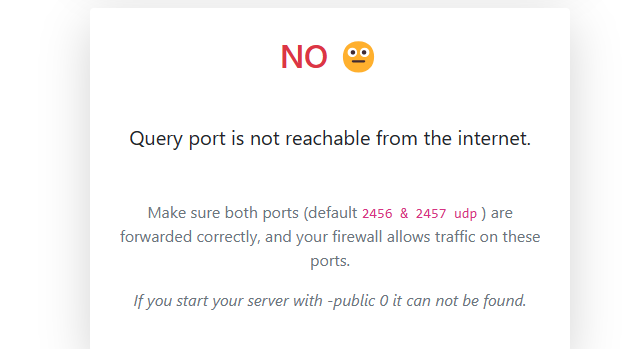
Some home routers won't let you use the external IP address from the same LAN. External users would use the external address and internal users would use the internal address. The server's ports need to be forwarded in your router correctly for the external users to connect. You can check that by going to the geekstrom.de/valheim/check site and putting in the server's external ip address and make sure that the site 'finds' the server running.
barren oasis
hmm website doesn't show me anything. Is that the right link?
nvmind found it
hmmm doesn't look to be discoverable.... I'll try disabling firewalls on the server
proven niche
Right. And double check your router's port forwarding. The server's internal IP address must be correct there.
The server uses the UDP protocol but forwarding both UDP and TCP doesn't hurt.
barren oasis
okay.... So I think it is my router settings.. Firewall is off and I still can't see the server from the website.
My router gives me the following options when I'm creating a definition: Protocol, TCP or UDP (I can't select both). Protocol timeout, Map to host port, application type. I know I'm supposed to put 2456 - 2458 in the range (I've done that for both TCP and UDP). I'm not sure if there is anything else I'm supposed to input into the other fields
application type options are FTP, H.242, Direct X, IRC PPTP SIP
err H 323
proven niche
You can eliminate the TCP forwarding. And try forwarding the 2456 and 2457 ports separately. I don't know what it wants with the 'application type' options. Can you leave that blank or default, maybe? And Protocol Timeout is new to me as well. Again, try the default or the higher number if there's a range.
barren oasis
I can leave it blank. I'll try forwarding 2456 and 2457 separately.
how do I make sure that my server is a public server so it can be searchable through the website?
proven niche
If the geekstrom.de site finds it, then it's public.
barren oasis
yeah it's not finding it, and I think I've set up the router port forwarding correctly
proven niche
If you can connect to the server from your local PC then the server is running. The startup .bat file for the server doesn't need the 'public' option as it defaults to being public without it. Could your Windows security options be preventing external access?
 formal flare
what does dedicated server mean
proven niche
barren oasis
yeah it's not finding it, and I think I've set up the router port forwarding cor...
You can add the "-public 1" option to the startup bat file for the server, to be sure. (Don't use the quotes.)
proven niche
formal flare
what does dedicated server mean
Dedicated servers use a separate program to run. They aren't the server that you start up from the game's menu.
barren oasis
mmok
proven niche
formal flare
oh
Find one you like in the #1024264966712340510 channel here and they will tell you how to join their server.
formal flare
Thanks, sorry
 stuck remnant
How expensive is hosting a server locally, system resources wise?
barren oasis
@proven niche btw, thanks a lot for all the help so far
proven niche
About 6-7 USD/mo. Usually.
stuck remnant
stuck remnant
How expensive is hosting a server locally, system resources wise?
Is it possible to run with on the same PC you're currently playing off of?
proven niche
Yes. You'd have to leave the PC on while you want the server up, of course.
And the server will use about 3-5GB Ram on the PC.
barren oasis
gah.... I can't get the website to see my server
proven niche
Make sure the server's internal IP address hasn't changed and that you're forwarding the ports to the right PC. Also, check the Windows security settings to see that they aren't blocking the comm traffic.
barren oasis
I turned windows firewall just off entirely.
proven niche
Yes, but I think it also has some other security options that might block the traffic.
And you can still connect locally from your other PC on the LAN?
barren oasis
Yeah I can still connect lan
proven niche
Could your ISP be blocking the ports? Some ISP's will do that, although not usually.
barren oasis
I'm not sure how I would find that out
proven niche
Call their support and ask them. Also, does Windows think your LAN is 'public'?
barren oasis
not sure. how would I check that?
proven niche
Can't remember exactly... It's somewhere in the network settings.
If you DM me your WAN IP address, I'll see if I can connect. The website might be broken or something. I don't need the password.
Nope. Can't connect. Somethings blocking the comm traffic.
barren oasis
hmm. Am I finding my own IP correctly? I just put in findmyip in google, and it gives me that address.....
My computer, and my server computer is giving me the same ip address via google that way....
proven niche
Yes. That would be your correct WAN address. You can double check the server's internal IP by going to the server PC and opening a command window and put in ipconfig and find the IPv4 address for the server PC there.
barren oasis
looking for more help to set up a server... if anyone has some time on their hands and is willing to help me do it, I'd be appreciative
 vapid bobcat
Running phvalheim with crossplay enabled. Mostly it works great. But sometimes have those playfab issues. Today the server has crashed for 3 times already.
Pastebin
Pastebin.com is the number one paste tool since 2002. Pastebin is a website where you can store text online for a set period of time.
 gilded vine
barren oasis
looking for more help to set up a server... if anyone has some time on their han...
gilded vine
barren oasis
looking for more help to set up a server... if anyone has some time on their han...
If you run the server with crossplay enabled, can you connect to it with the server's external (WAN) IP address? And with crossplay enabled can the geekstrom.de/valheim/check web site find the server ok?
If that works for the crossplay enabled server but not the same server without crossplay enabled, then I think the problem is almost certainly with the port forwarding in your router or the comm traffick being blocked somewhere like PC Firewall, Windows security settings, or ISP port blocking.
gilded vine
vapid bobcat
Running phvalheim with crossplay enabled. Mostly it works great. But sometimes h...
I don't think there's a fix yet for the MS playfab network instability issues, if that's what's causing your disconnect problems. It's been a known problem for months now.
gilded vine
barren oasis
even on LAN
But you can still connect to the server locally (from the same LAN as the server) with and without crossplay? Or just locally with crossplay disabled?
barren oasis
just locally with crossplay disabled.
gilded vine
barren oasis
just locally with crossplay disabled.
Then, You don't have a 'server' problem. The problem is with your comm route to the server from outside your LAN. So, the problem is almost certainly with the port forwarding in your router or the comm traffic being blocked somewhere like PC Firewall, Windows security settings, VPN, or ISP port blocking.
 frozen zephyr
barren oasis
even on LAN
frozen zephyr
barren oasis
even on LAN
crossplay server will never work when trying to using lan ip to connect to it
vapid bobcat
I use external ip always. The port forwarding theory can be it as there are lots of hops due to my special networking setup… will try to monitor it…
Though other things on the same server work.
vapid bobcat
So the server state is kept on playfab also? As the world resets to latest save after the disconnect.
barren oasis
So when I turn on -crossplay in the bat file, the server keeps giving me a repeated message about playfab
knotty oracle
Well, Crossplay uses Playfab to communicate so that's not surprising.
barren oasis
Well, I'm just wondering if it has something to do with why I can't have other people connect to my game from outside my LAN
gilded vine
barren oasis
Well, I'm just wondering if it has something to do with why I can't have other p...
Forgive me if you've already been over this before but I think your server is installed on a 2nd PC on your home LAN running Windows10 or 11.
Did you install the server in a docker container or a VirtualMachine on that PC? And did you install it with SteamCMD or LinuxGSM? Or did you simply download the Valheim Server Tool from steam and install it per the Inst. Manual that cones with it?
I know that's a lot of questions but those things will help folks who are trying to help you with it.
barren oasis
It’s installed on a micropc running windows 11. I downloaded steam full, downloaded valheim dedicated server. Edit the bat with the world info. Opened up the ports both tcp and udp on my router. Made exceptions in windows firewall.
I was just working with someone who had their own server, and he was stumped as to why it wasn’t working. We copied all of his settings in my setup and it didn’t work (he had a few more ports open than I).
I’ve been following a guide on Reddit who set up a valheim server with an old laptop. I can see my game via LAN, but nobody outside the LAN can see it.
It doesn’t populate from the friends list in game. You can’t join using steam.
gilded vine
barren oasis
I was just working with someone who had their own server, and he was stumped as ...
Have you been able to contact your ISP about the possibility that they are blocking your server's ports? That's fairly rare but does happen.
barren oasis
I did, they aren’t blocking any ports.
gilded vine
And you've already gone through your router's settings in general and in particular regarding the necessary port forwarding. Does the router let you establish a temporary 'demilitarized zone' for testing purposes?
barren oasis
I used a port forwarding website that listed a bunch of routers to help me with port forwarding. I’m pretty sure I did it correctly. There is a DMZ option, but I’ll not sure how to use it.
 novel crypt
Is there server management software for valheim like pterodactyl for minecraft?
gilded vine
novel crypt
Is there server management software for valheim like pterodactyl for minecraft?
Yes, apparently there is. You can find options for it with a github.com search.
novel crypt
gilded vine
Yes, apparently there is. You can find options for it with a github.com search.
Yeah I've seen a couple, wondering which one is the most popular/the best
 tall grove
how can I host a dedicated server? 🙂
proven niche
You rent one or create one on an unused PC that's on your LAN.
 opaque kindle
stuck remnant
Is it possible to run with on the same PC you're currently playing off of?
opaque kindle
stuck remnant
Is it possible to run with on the same PC you're currently playing off of?
I run a dedicated server on my PC through port-forwarding. One-time cost of $39 for the port-forwarding software instead of a monthly charge. Also, if someone tries griefing, I just hit the little "X" on the server, go into the start.bat file to change the password, and the problem is solved.
proven niche
opaque kindle
I run a dedicated server on my PC through port-forwarding. One-time cost of $39 ...
Just curious... What is that $39 software? What does it do that using your home router to do the port forwarding for free doesn't do? Does it give you a domain name or something?
barren oasis
Would putting my server in my router’s DMZ effectively let other people access my server?
barren oasis
Hmm okay, I’ve put my server into my router’s DMZ. I turned off the windows firewall, and I still can’t get the geekstrom valheim server checker to find my server.
I can still access my server via LAN though
 worn loom
i got the seed on player based raids, but what about the night spawning monsters? had a french char being chased by a Fuling in meadows
gilded vine
barren oasis
Hmm okay, I’ve put my server into my router’s DMZ. I turned off the windows fir...
Turn the DMZ off, if you haven't already done so. That test is over with. There is something odd going on with your server port access. Is your server PC running any other program or applicaton that could affect it's ability to communicate over the internet? Anti-virus or something else accessing the internet on that PC?
vapid bobcat
barren oasis
Hmm okay, I’ve put my server into my router’s DMZ. I turned off the windows fir...
When you run netstat -ano in cmd or powershell on the server, does it show the Valheim server listening on correct ports that you have forwarded? Does it show 0.0.0.0 as local address or is there some kind of ip? Can you show port forwarding screenshots of configuration? Do you have server and client logs? You can send all that stuff to me privately if you want me to help you figure it out and not spam others.
proven niche
barren oasis
Hmm okay, I’ve put my server into my router’s DMZ. I turned off the windows fir...
It might also be interesting for you to ping the geekstrom.de site to see whether you can get to that site at all. And you can also do a trace route to the site, too.
To do those things you would open a command prompt window and type in a command there. For the ping operation, type in 'ping geekstrom.de'. And for the trace route, 'tracert geekstrom.de'.
The trace route command could show you how far you're getting when trying to reach the website.
barren oasis
I figured it out!!!!
My network settings were set to private under Network & Internet > Ethernet on my server. Switched it to public and voila! Everything worked!
proven niche
Good to hear it. Thanks for sharing the info with us. 🙂
 rigid plank
hello.
can you help me?
i cant update my server to version 0.217.38 from 0.217.22
server in container docker on ubuntu 22.04
i did restart, remove, rmi lloesche/valheim-server
proven niche
Go to the github.com repository where you got the container image and see if there are update instructions in there. You may have to scroll down quite a ways to come to the instructions.
rigid plank
proven niche
Go to the github.com repository where you got the container image and see if the...
I did the same actions:
stopped the container, removed the container, started it again
but via CLI.
Also, I didn't quite understand through which program the container is launched in the screenshot in the GitHub instructions.
I also completely cleaned up the data inside the folders where the container is located
performed "rmi lloesche/valheim-server".
If it helps somehow, I run the container using this script:
#! /bin/sh

if ! docker run -d \
    --name valheim-server \
    --cap-add=sys_nice \
    --stop-timeout 120 \
    -p '2456-2457:2456-2457/udp' \
    -p '9001:9001' \
    -v $HOME/valheim-server-config/config:/config \
    -v $HOME/valheim-server-config/data:/opt/valheim \
    -e SERVER_PORT="2456" \
    -e SERVER_NAME="server-name" \
    -e WORLD_NAME="Dedicated" \
    -e SERVER_PASS="secret" \
    -e SERVER_PUBLIC="true" \
    -e RESTART_CRON="0 6 * * *" \
    -e TZ="Europe/Moscow" \
    -e BEPINEX="true" \
    -e SUPERVISOR_HTTP="false" \
    -e SUPERVISOR_PASS="0000000000" \
    -e ADMINLIST_IDS="00000000000000000" \
    -e BACKUPS_MAX_AGE="10000" \
    -e BACKUPS_MAX_COUNT="5" \
    -e BACKUPS_IF_IDLE="false" \
    -e BACKUPS_CRON="0 0 * * *" \
    -e UPDATE_CRON="*/15 * * * *" \
    -e BACKSUPS_IDLE_GRACE_PERIOD="86400" \
    lloesche/valheim-server; then
  echo "Failed to start container"
  exit 1
fi
What am I doing wrong?
opaque kindle
proven niche
Just curious... What is that $39 software? What does it do that using your hom...
You know, I don't remember the actual name of the program. A friend of mine helped me do the processes on the router. I think it had to do with the static IP address? Sorry. I'll do some research to see if I can find the name of the program. Sorry about that.
 wicked cipher
Hello, I'm trying to host a server without a password but it still requires a password, isn't it possible to put one without or how to do it?
knotty oracle
Nope, passwords are always required on servers, for your own safety.
wicked cipher
knotty oracle
Nope, passwords are always required on servers, for your own safety.
We have lot of moderators who can keep server safe. Sad story if can't :/
knotty oracle
Huh?
frozen zephyr
With 10 player cap and lots of moderators it be full with just mods 🤣
knotty oracle
That doesn't sound fun at all.
wicked cipher
What, only 10 player cap? More sad story..
knotty oracle
It's mostly a solo/co-op game.
wicked cipher
32 player cap would be awsom, no can do
knotty oracle
Well, it's not an MMO and isn't built as one.
frozen zephyr
Also doesn't factor in that admins can only really kick/ban people. No flying around or spectating or spawning things
rigid plank
rigid plank
I did the same actions:
stopped the container, removed the container, started it...
anyone can help me?
worn loom
wicked cipher
Hello, I'm trying to host a server without a password but it still requires a pa...
you can make a server-side only mod to allow it
 sinful turret
Howdy, how does one host a server with the Valheim VR mod?
not everyone will be in vr, but want them to see the movement n shizzle
proven niche
sinful turret
Howdy, how does one host a server with the Valheim VR mod?
They might know in the #mods-discussion channel. 🙂
proven niche
rigid plank
anyone can help me?
I thought the lloesche Valheim docker container would auto-update the valheim server tool. Apparently, that's not working for you.
Does he have more than one container on docker hub? Does he have any contact info there where you could ask questions or get support?
 final current
@rigid plank that container should have a cron job running that updates your server app every 15 minutes if no one is connected, there's an update, and there's enough free space in the container's file system and your /opt/valheim bind mount. Your -e UPDATE_CRON=… sets the default here, which is fine.
That container uses the server app in your ~/valheim-server-config/data dir, and that's what it would update. If it's not, try looking at the container's logs. If this is being done from a shell, you can docker run without the -d, perhaps using -i -t instead to run it in the foreground and follow the logs as they happen that way.
And it would help if you should us the docker pull command you used to grab the container in the first place
And you can try triggering it yourself manually. Maybe something like this while it's already running:
docker exec -i -t valheim-server /usr/local/bin/valheim-updater
Hi!
sure
$docker pull lloesche/valheim-server
Using default tag: latest
latest: Pulling from lloesche/valheim-server
Digest: sha256:972cd120f3ce875aff4f8a4a8b79c8cb9fa89f23480df514feda479ac598ddfa
Status: Image is up to date for lloesche/valheim-server:latest
docker.io/lloesche/valheim-server:latest
here information from logs about auto update
Mar  9 11:45:07 supervisord: valheim-updater Looks like steam didn't shutdown cleanly, scheduling immediate update check
Mar  9 11:45:07 supervisord: valheim-updater [  0%] Checking for available updates...
Mar  9 11:45:07 supervisord: valheim-updater [----] Verifying installation...
Mar  9 11:45:07 supervisord: valheim-updater UpdateUI: skip show logoSteam Console Client (c) Valve Corporation - version 1709846822
Mar  9 11:45:07 supervisord: valheim-updater -- type 'quit' to exit --
Mar  9 11:45:07 supervisord: valheim-updater Loading Steam API...
Mar  9 11:45:07 supervisord: valheim-updater OK
Mar  9 11:45:07 supervisord: valheim-updater
Mar  9 11:45:07 supervisord: valheim-updater Connecting anonymously to Steam Public...
Mar  9 11:45:10 supervisord: valheim-updater OK
Mar  9 11:45:10 supervisord: valheim-updater Waiting for client config...OK
Mar  9 11:45:10 supervisord: valheim-updater Waiting for user info...
Mar  9 11:45:13 supervisord: valheim-updater OK
Mar  9 11:45:13 supervisord: valheim-updater  Update state (0x5) verifying install, progress: 0.00 (0 / 1396527811)
Mar  9 11:45:13 supervisord: valheim-updater  Update state (0x5) verifying install, progress: 49.29 (688286990 / 1396527811)
Mar  9 11:45:13 supervisord: valheim-updater Success! App '896660' fully installed.
Mar  9 11:45:13 supervisord: valheim-updater .d..t...... ./
Mar  9 11:45:13 supervisord: valheim-updater INFO - Valheim Server is already the latest version
@rigid plank well, I have two guesses for you. Either you have another Valheim Dedicated Server process running and exposing that port or your server assets have gotten conflated with a botched update.
In the case of botched update, you can optionally back up ~/valheim-server-config/data then create a fresh directory to bind-mount to /opt/valheim. The container should download a fresh copy from the Steam depot on startup.
rigid plank
hmm. i renamed server in config for docker. but in game server name do not change. why that possible?
rigid plank
final current
<@313110298825588738> well, I have two guesses for you. Either you have another ...
i remove full directory with server and remove docker image for server.
latest i restart docker -> create new folder for server -> change my config for docker container -> run config.sh -> search my server in game. and he has old server name with old version. may be problem in cache?
final current
It can be, yes. I don't know how the public lobby beacons work client-side. I have definitely seen a delay in the client side getting fresh version details from the server's A2S port
But definitely make sure you don't have another instance of this container still running or a raw server outside of docker. You can see currently running containers with docker ps. That is one disadvantage to using -d in the run command: daemons gone wild.
 outer idol
where can i find setworldkey guide?
i mean the setworldmodifiers
i remember there was a picture somewhere that had them all, but i cant seem to find it
final current
outer idol
where can i find setworldkey guide?
If you are planning on setting them from the server command line, you can download either the Windows or Linux version of the Dedicated Server locally to receive Valheim Dedicated Server Manual.pdf.
If you're operating on the world locally and looking to modify the world from the console, you'd have to check the Valheim Wiki.
 wide fiber
Hello all. I'm looking to set up a Valheim dedicated server on my home lab using Kubernetes/Helm. I found this repo https://github.com/adaliszk/valheim-server by @stray peak which looks pretty solid + has a monitoring companion service which I would like to try as well. However the url for the helm chart is failing SSL handshake and as such I cannot download the chart.
@stray peak this is mostly a heads up for you that I'm experiencing this issue. I can work around it for the time being by writing my own deployment spec but if you have any suggestions that would be much appreciated!

GitHub
A simple, lightweight and secure Valheim Dedicated Server docker image with Kubernetes Helm chart support. - adaliszk/valheim-server
 lofty saddle
Hello. I just started new Valheim server with crossplay function. It seems that i cant join server. Im not sure what im missing. I did start another server without crossplay and i got in first try. Crossplay servers console window keeps spamming "PlayFab reconnect server" , " Server XXXXXX begin PlayFab create and join network for server"
Console window didnt show my joining attempts at all.
What to do?
outer idol
lofty saddle
Hello. I just started new Valheim server with crossplay function. It seems that ...
Any mods installed on the server?
lofty saddle
outer idol
Any mods installed on the server?
Nope. And i solved this issue. I needed to download Microsoft Redistribute programs
 spark tusk
Hi everyone, trying to run a dedictaed server with our old map but we're getting an error where it saaays we're using incomptaible version of the map
We just get dropped in a brand new world
 spark tusk
Issue resolved, we used WeTransfer for the file and it autmatically zipped it
frozen zephyr
lofty saddle
Hello. I just started new Valheim server with crossplay function. It seems that ...
if on linux did you install the dependences
 willow pilot
what is the easiest way to reduce lag on a dedicated server? (steam dedicated server)
lofty saddle
frozen zephyr
if on linux did you install the dependences
Windows, Steam Cmd
willow pilot
Is modifying the .net code of the dedicated server still the easiest way to reduce all lag on the server?
lofty saddle
willow pilot
what is the easiest way to reduce lag on a dedicated server? (steam dedicated se...
I dont know if these things still helps but:
- Dont build massive builds next to each other.
- Prevent building near water
Anything what is "moving" object (animals, torches) affects if there is big amounts of them
willow pilot
im thinking about installing "betternetworking" mod
lofty saddle
willow pilot
im thinking about installing "betternetworking" mod
There is also one mod by Azumatt OptReload( or something like that) which should help lag issues
willow pilot
hey guys if i disable crosplay in the batch file for the dedicated server, my ip address with the port isnt allowing me to connect to the server anymore. anyone have any idea? do i have to join with a diff ip address now that im using steam only server?
willow pilot
nevermind. you have to wipe the server files and run it without crossplay enabled from the get go
it doesnt but thank you i will test
 vestal crow
Anyone got this problem? out of 10 player there one that have problem connecting and when he does his whole world is empty
outer idol
vestal crow
Anyone got this problem? out of 10 player there one that have problem connecting...
I got same issue when i use a vpn, when i turn the vpn off no problems. Its weird and annoys me that i cant use a vpn if i want to join a server.
vestal crow
No vpn in my case
 wind slate
Is it the same with hosting?
I run all traffic on my server rig through a VPN, as I use the machine for other things.
With the VPN on, it's awful. lag every few minutes, and disconnecting usually within 10 minutes.
When the VPN's off, there are almost no issues.
vestal crow
self hosting
spark tusk
Is there a way to disable building decay with commands on a server?
 fathom quail
No

 wise cargo
Hello. How do I change my dedicated server password? I copied a server from a local save to my dedicated. Hosting locally.
Ok found it in the batch file (interesting.)
 dusty laurel
I updated my dedicated server to the public test and now the start_headless_server.bat file is gone how can i fix this?
frozen zephyr
Use the copy of it that you made your edits in
dusty laurel
ive only got my world backups?
 round sleet
Sounds like you want to ask in #mods-issues . This is for issues with the vanilla game server.
 sharp mural
round sleet
sharp mural
round sleet
No worries. It just keeps confusion down when people come here looking for things.
 low iris
I'm looking for instructions on how to mod a dedicated server on a PC, not a rented server. I tried using r2modman to automate it, but it insists on launching the server through steam, then whenever I want to connect, I have to reboot the server to get around steam thinking I'm running the game on two machines at once.
I'd also like to know how to run two servers at once on the same machine
round sleet
low iris
I'm looking for instructions on how to mod a dedicated server on a PC, not a ren...
That would also be a question for #mods-discussion or #mods-issues
 opal saddle
low iris
I'd also like to know how to run two servers at once on the same machine
opal saddle
low iris
I'd also like to know how to run two servers at once on the same machine
For running two non-modded servers, there is nothing special to it. Just choose a different port for the server(s) and configure your network accordingly. The server itself has no DRM, and can be stared (and even downloaded without logging in, i.e. anonymously, with steamcmd).
Based on a quick glance on the r2modman scripts, this should not be an issue even when modded, but the discussion should indeed continue in #mods-discussion
low iris
opal saddle
For running two non-modded servers, there is nothing special to it. Just choose ...
do I need a second copy of the dedicated server folder or can I just copy the batch file and set the new world and port?
 spiral pivot
Hello.
Is there any way to increase the 10 player slots without using mods?
opal saddle
low iris
do I need a second copy of the dedicated server folder or can I just copy the ba...
You could just copy the script, but choose a different World obviously. You could choose another save directory, if you wish. The server saves nothing to the "dedicated server folder" if by that you mean the actual files downloaded by Steam.
See the documentation .pdf which game with the server., it's all explained there
low iris
Okay I have a new question. I followed the instructions to download the dedicated server via steamcmd, it looked like it worked, but it looks absolutely nothing like the Valheim dedicated server folder. It looks like it attempted to set up a steam folder under the server folder, but it never bothered to get any actual game files.
I'm starting to think the information on the wiki is out of date.
I cannot go to step two on the instructions because step one did not work as intended, I've tried multiple times and I don't get a single file that's related to Valheim in any way.
low iris
I figured it out, I spelled the folder name wrong in the batch files. :/
knotty oracle
low iris
I'm starting to think the information on the wiki is out of date.
It's unlikely. There's also the dedicated server manual which should have the instructions too.
opal saddle
Hi, I can not run the beta branch of the dedicated server currently. The normal branch runs just fine on the same computer (Arch Linux). A link to a log file will follow soon....
The log from a failed (fresh, no pre-existing world) run: https://gist.github.com/WildPenquin/a0d970e94f0b8eed67fe2d462c4dd899

Gist
./valheim_server.x86_64 -name MYSECRET -password MYSECRETPW -port 2456 -world MYWORLD -public 1 -savedir '/home/valheim/.config/unity3d/IronGate/BETA-NEW' - gist:a0d970e94f0b8eed67f...
frozen zephyr
opal saddle
Hi, I can not run the beta branch of the dedicated server currently. The normal ...
wrong channel and the steam_appid.txt is missing as pinned in #valheim-public-test
opal saddle
Oops sorry thank you anyways 🙂
I somehow though #valheim-public-test is only for the client or something
 lilac linden
dedicated server crashes with old .bat file. what do?
 wanton stone
If anyone who is interested in hosting a server. I highly recommend “BisectHosting” EXTREMELY FRIENDLY.
novel crypt
Is there an easy way to show people what mods you need to play on a server?
spiral pivot
Is there any way to increase the 10 player slots without using mods?
frozen zephyr
No
 wide cipher
spiral pivot
wide cipher
spiral pivot
Aight, just making sure.
Thanks 🙂
 crisp plank
Hello, anyone here with hardware knowledge? Would a OptiPlex 3050 with 16gb Ram and I5-7500T be enough to host a Valheim server? Trying to learn servers, networks etc so was thinking about purchasing one
round sleet
crisp plank
Hello, anyone here with hardware knowledge? Would a OptiPlex 3050 with 16gb Ram ...
It should be fine, but depending on your main hardware you should also be able to just run the server and the client on the same system. Do you have anything other than Valheim you're planning to use that machine for?
crisp plank
I know I can run it on my main PC, but the optiplex takes less power and so I can have it running 24/7 compared to my main rig
a Valheim server wont be the only thing I'd use it for so
round sleet
Ok. I would say it's a waste just for a single game, but if you have some other things you actually want to use it for it's reasonable hardware as long as you're getting it nearly for free. Your main PC should actually be fairly efficient overall, though, if not more so than an older Optiplex like that. Computers don't typically pull a ton of power when idle.
opal saddle
crisp plank
Hello, anyone here with hardware knowledge? Would a OptiPlex 3050 with 16gb Ram ...
Which CPU does it have?
Generally, Valheim is not a light process but anything remotely modern should be fine with it.
crisp plank
I5-7500T
Because I know I can host a Minecraft server with it for example but was just curious about Valheim's demands is all
opal saddle
You'll probably be fine with it, but if you run other heavy processes at the same time, you might run into problems.
Valheim can be more resource-intensive than Minecraft (JAVA). The latter is single-threaded, Valheim can and will use many cores. But even Minecraft can become resource-intensive if there are many players (whereas, unless I'm mistaken, Valheim server does not process that much but a lot of the heavy lifting is done by a client)
Both can hog many GBs of RAM. They'll be fine if run separately, probably even at the same time unless you have a huge playerbase on the minecraft server.
I'd say just go for it, but I wouldn't pay much for that PC, that HW is ancient by today's standard.
 mossy torrent
Currently running a dedicated server on my pc, is there a way to limit how much ram it uses? Ideally I want it using no more than 8gb
frozen zephyr
Put it in a VM that only has 8gb
 fluid pawn
I'm having an issue where me and my friend are disconnected from the server; I looked it up and it seems to be caused by crossplay; however, when I remove crossplay, we are unable to re-join the server - please help 😭
final current
fluid pawn
I'm having an issue where me and my friend are disconnected from the server; I l...
Crossplay's biggest advantage is that it tunnels you to a relay to avoid having to worry about network set up. When you disable it, you will have to set up the dedicated server as you would any listening IP server application. It's up to you how to host it, but a typical set up from a home might look like:
- Enter your router's administration tools and set up a DHCP reservation for the computer hosting the server to give it the same LAN IP address every time it connects.
- Read the Valheim Dedicated Server Manual included in the assets downloaded from Steam for the Windows or Linux version of the server, taking notes of the ports the game listens on.
- Forward UDP for the relevant ports from the router to the reserved LAN IP address set up in step 1.
- Optionally point a domain name at your router's Internet IPv4 address. Many newer routers have partnerships with Dynamic DNS providers to make this something you could configure from the router itself if you're willing to work with a 3rd party provider.
knotty oracle
The game doesn't use TCP.
final current
Corrected the post. It does, but not for the server hosting.
knotty oracle
Or anything really.
final current
I have my server up now, and it's listening on 39451 on the loopback. I forget if it's randomized or not.
sudo ss -n -l -p | grep -i valheim
Check your own if you don't believe, @knotty oracle.
It's an HTTP over TCP server.
proven niche
final current
It's an HTTP over TCP server.
Are you using a discord mod on your server?
final current
proven niche
Are you using a discord mod on your server?
I'm not. Vanilla server from the Steam depot Linux set.
proven niche
final current
I'm not. Vanilla server from the Steam depot Linux set.
Then what is the purpose of the HTTP over TCP server?
final current
Beats me. It uses a cache expiration time that was common in PHP tutorials from a while back. Root URL yields a 404. Luckily it's only bound to the loopback interface.
 dense panther
Can someone help me set this up
final current
dense panther
Can someone help me set this up
Where are you stuck?
dense panther
We have everything but it says its the wrong password
final current
Take a look at the server log to ensure the password was allowed. The server enforces some rules to prevent the use of easily guessable or iterable passwords.
dense panther
Can I screenshare and you help me set up a dedicated server?
I dont know if Im doing it right too
final current
I personally won't have time, but perhaps someone else. Most issues are fairly solve-able in here though
knotty oracle
If you're getting a password error, it sounds like everything is fine except hte password. I don't think you'd get that error if the server didn't connect properly.
You can always verify it with https://geekstrom.de/valheim/check/ though.
dense panther
What does this mean and how do i fix it? https://gyazo.com/f11b1ec5eea5346fef582079cffc8db9
 final current
And @dense panther, if you're not expecting a password, but you're using one of the out-of-the-box scripts to start the server, take a look at the script's contents in a text editor and you may find what you're looking for. The scripts are meant to be copied and pasted for your own customization.
 shy cedar
Hi all, i hope this is the right channel, a fitting discord for my problem and here is someone who can help me. If im wrong here, please point me in the right direction.
About my problem: I have set up a small home server with proxmox and two vms on it (to seperate the open services from my private ones)... it seems to run ok for the current state of my project (only the valheim server is up and running). On a debian vm i have "installed" that valheim server via docker (github.com/lloesche/valheim-server-docker) .... I choose the docker out of convenience i dont think its needed but makes it sooo simple 😉 (seemingly). First test showed that the server runs and i can connect to it.... and my home server took about 6.5W after that test. Yesterday i had a session with some of my friends and it took around 7W @8% cpu usage. But after we logged out, or perhaps sometime into the session, the power usage went up to 8.5W .... and stays there ever since, even after a full reboot. When i look into the processes i see 5 valheim-server processes with one taking around 13% and a second with 3% cpu of the vms cores constantly.
My questions: Has someone an idea what the problem could be or how i could further pin point whats going wrong there? Or should i ditch the docker and do a full "native" installation on my own… Normally the server should be on hold if there is no one connected or am I wrong?
Thanks for your help!
 narrow rock
Guys
How to add mods to dedicated server (Linux)
I only need to somehow prevent losing all items upon death, as it causes my friends to leave the game.
opal saddle
shy cedar
Hi all, i hope this is the right channel, a fitting discord for my problem and h...
In my experience, this is just how the server works. It will use many cores (which will show up as multiple processes) and it will use quite some CPU cycles even when no-one is connected. So what you are seing has nothing do to with the Docker image (probably). Someone else might want to correct me if I'm wrong (I'm running my servers currently without any container, though with a dedicated user).
- If no one is playing for prolonged periods of time, it's sensible to stop the server (to save electricity and environment at least). I use a privately shared method (among my friends only) to start the server, as we play quite seldomly.
- I believe the server could benefit from some improvements (AFAIK the Valheim world time, or anything actually, does not progress when no-one is connected, so why the CPU usage?)
 merry lance
Does anybody know how to change world settings in a hosted server i have acces to all the files but idk how to
I want to allow ores and other stuff through portals.
shy cedar
opal saddle
In my experience, this is just how the server works. It will use many cores (whi...
Than you ver much for your reply! Hmmm that doesn't sound right (not your answer but the server behavior).... Yeah i could implement something like an auto halt for the docker or maybe even the vm when no one is playing and a spin up via other means.............but i would prefer if the server would idle in a sensible way. What i dont understand is that i had low consumption after a quick test but cant get down to that after we played on it even when restarting the whole home server including the vm and the docker -> i find this totally strange.
Perhaps some one else has an idea 😄
Thanks a gain for your input @opal saddle .
 solemn jolt
Hello. I run a dedicated server for my friends. I needed to change some world settings but I have trouble to use those commands right. I can set any preset ie. Casual/Normal/Hard. But any single world modifier does not seem to take any action. I tried custom preset also but still single modifiers does not take place. I dont understand why? Please advice. Thank you in advance!
solemn jolt
Nevermind. I got them to work!
 vital dune
Hey I have most of my dedicated server steps done but I’m struggling with the connection and getting failed to connect anyone that could possibly help me in a 1 on 1 call in server would be amazing thank you
vital dune
solemn jolt
Hello. I run a dedicated server for my friends. I needed to change some world se...
If you don’t mind me asking did you use Steam CMD to set up your dedicated or are you doing paid version for hosting server?
 thorny lintel
How do I install anti cheat mod on Valhost? its not in their provided mod lisst
solemn jolt
vital dune
If you don’t mind me asking did you use Steam CMD to set up your dedicated or ar...
I dont. I run my own Unraid server. Installed it as a docker.
vital dune
gotcha
gilded vine
thorny lintel
How do I install anti cheat mod on Valhost? its not in their provided mod lisst
You could put in a ticket with their support?
final current
@vital dune how are you trying to connect and do you have crossplay enabled or disabled?
vital dune
nah its all good i figured it out thanks tho @final current
 alpine ore
I play on Xbox but rent a server. If I want to backup a save, do I only need the following files or more?
[servername].db
[servername].fwl
proven niche
alpine ore
I play on Xbox but rent a server. If I want to backup a save, do I only need the...
Just those two. Keep them together as a pair.
opal saddle
shy cedar
Than you ver much for your reply! Hmmm that doesn't sound right (not your answer...
I'm specualting here but it is possible it does not actually generate a world until a first connection is made. That's why you may have seen low CPU usage. But what you are seeing now is 100% normal (for Valheim server, not generally, desireable and cerainly not optimal). It used to be much, much worse previously (see the featureupvote site).
final current
If you use -setkey does it persist the world modifier in the world DB or is it only active while the server is running with that key?
 brittle crater
guys, i want to buy a dedicated server to play with my friends 24/7. One doubt, if there is no one playing, the world will keep running or it will be paused?
knotty oracle
Empty worlds will pause.
novel crypt
I was playing with someone on a world running on their local machine (I joined them using the join code). I got their two world files from them, put them into my dedicated server (ich777 docker container on unraid), and started the world. I spawned in the same place I was when I logged out of the world when it was running on their pc (I think anyway). Most of our stuff is here but we lost maybe an hour of progress. I got the world files after they had closed their game. Any ideas why the world wouldn't be the same as it was when they shut down their game?
 mystic linden
Has anyone had issues with items disappearing after being thrown out of inventory? I am playing with a friend on a dedicated linux server. I wasn't there to witness it myself but he said he was mining silver and threw about a stack (of silver) on the ground and the stack just disappeared in front of his eyes.
Also sometimes we have problems where we both see different ground elevations. I think this has also caused some item loss for us.
What could be causing such issues? Is it server desync? I will also add my friend is in EU and I am in the US. My ping is about 2ms while his is 100ms. I wondering if all these factors combined is causing our probleme, or is it just because its a beta server?
knotty oracle
mystic linden
Has anyone had issues with items disappearing after being thrown out of inventor...
I doubt any beta servers even still exist.
mystic linden
knotty oracle
I doubt any beta servers even still exist.
I am hosting one right now
i was following a guide to setup a server on oracle cloud using FEX and the instructions said to install the beta version
command i used to install server: ./steamcmd.sh +@sSteamCmdForcePlatformType linux +login anonymous +force_install_dir /home/ubuntu/valheim_server +app_update 896660 -beta public-test -betapassword "yesimadebackups" validate +quit
knotty oracle
The game left beta 3 years ago.
Oh, you're using the PTB. Might need to raise that in #valheim-public-test
mystic linden
knotty oracle
Oh, you're using the PTB. Might need to raise that in <#831071697817305128>
i dont have access to that channel
knotty oracle
You can add yourself from Channels & Roles.
mystic linden
got it, thanks
 woven plaza
Can anyone point me in the direction of something that might help with setting up a dedicated server please? I've allowed the UDP port range inbound but still cannot connect. I just want to make sure I have allowed the correct ports
The server is showing in community servers, I'm not sure what I have missed
Hold fire, I just found the manual in pinned
 candid spire
I plan on setting up my dedicated server on another pc, would i be able to copy and move our current world/seed to the other computer?
proven niche
candid spire
I plan on setting up my dedicated server on another pc, would i be able to copy...
Yes, just copy/paste the two world files (.fwl and .db) from one worlds_local folder to the other worlds_local folder. Keep the file pair together.
proven niche
woven plaza
Can anyone point me in the direction of something that might help with setting u...
The server port is assigned in the startup .bat file. Default is 2456. So you need to forward 2456 and 2457 in your home router.
If you use crossplay on your server to support Xbox or gamepass users, you don't need to forward the ports but the MS playfab network isn't stable for Valheim yet.
So, if you don't need crossplay, don't use it.
 fathom creek
proven niche
The server port is assigned in the startup .bat file. Default is 2456. So you ...
fathom creek
proven niche
The server port is assigned in the startup .bat file. Default is 2456. So you ...
"but the MS playfab network isn't stable for Valheim yet." could you expand more on this? links/info?
trying to setup my dedicated server for crossplay to allow a friend to connect but getting nothing but playfab connection errors. :/
is this simply not a fully supported feature yet?
proven niche
fathom creek
"but the MS playfab network isn't stable for Valheim yet." could you expand more...
Sorry, I don't know what's wrong with it or when they'll get it fixed. I do know it's currently unstable, as you already appear to be finding out.
If you get lucky, you may be able to play on it for a while but then get disconnected without any warning now and then. 🙂
frozen zephyr
fathom creek
"but the MS playfab network isn't stable for Valheim yet." could you expand more...
"getting nothing but playfab connection errors" in the server log is normally from missing dependences
fathom creek
stolenvw you nailed it ty!
lofty saddle
fathom creek
"but the MS playfab network isn't stable for Valheim yet." could you expand more...
I download 3 MS redistribute programs which made crossplatform server work. Cant remember which and where i get those 🤔
dense panther
Can someone help me set up a dedicated server?
trim locust
You’ll find most the stuff from google to get most the main stuff setup
Then it’s the saving of a world file is where I got stuck for a bit but figured out eventually
shy cedar
opal saddle
I'm specualting here but it is possible it does not actually generate a world un...
i was on the server with one other person before -> so it did load the world... hmm ill observe it again as im currently setting up a native (native in the vm) version.... than ill compare 😉
Thanks again and if there are any changes ill reply. If it was even worse... it was horrible. I would really like to know what the server is doing all the time when there is nothing to be done - listening on the ports can create so much overhead...
 surreal perch
Are there any confirmed downsides to enabling crossplay? Does it reduce performance?
I can find people saying yes and also people saying no...
knotty oracle
Crossplay requires using the Playfab network which is.... temperamental to say the least. Pretty much all of the issues I see reported are due to being through crossplay.
 meager raft
surreal perch
Are there any *confirmed* downsides to enabling crossplay? Does it reduce perfor...
meager raft
surreal perch
Are there any *confirmed* downsides to enabling crossplay? Does it reduce perfor...
If you don't have any xbox players joining you, you don't need it.
If you do have xbox players joining, then you absolutely need it, regardless of potential performance hits.
Can't you just leave it off until you need it, then toggle it on?
It's not supposed to cause issues, but having it on when you don't need it isn't going to boost performance, and might cause a problem, however unlikely.
 chilly crane
I am having trouble connecting to my own dedicated server hosted on my own machine. It keeps saying failed to connect. I tried joining the server using localhost:2457 under the game servers tab in steam. I also tried using 127.0.0.1:2456 in game. I followed guides to open ports 2456-2458 on my router and set up windows firewall for the same. I tried flushing my DNS, restarting my router and computer and I still get the same issue. -crossplay is on in my batch file. The tool "Is my Valheim server up" in the pinned tab above says my server is up.
final current
chilly crane
I am having trouble connecting to my own dedicated server hosted on my own machi...
When crossplay is enabled, you won't be able to connect to your server directly. Your public IP address will serve as an identifier to locate the associated Azure PlayFab Party Relay. You will not need to forward the ports in your router in this scenario, either.
chilly crane
So, to connect to my own server with crossplay, what would I need to do?
final current
chilly crane
So, to connect to my own server with crossplay, what would I need to do?
Use your public Internet IPv4 address or find the Join Code from the server logs.
chilly crane
I will give that a try. Thanks!
chilly crane
That did the trick. Thanks!
mystic linden
Does anyone know the command to install the current non beta version of the valheim server on linux? I had to reinstall my server and it seemed to download the most recent PTR (0.217.43). I do not wish to update my game to the PTB version so I am wondering if there is a way to install 0.217.38
arctic furnace
There should be a way to force it to update. I know my docker container has a validation feature, idk what the command line for that would be
mystic linden
i see
are beta worlds/characters safe to use then? i could update my client to current beta but i am worried about compatibility when the next major update comes out
arctic furnace
mystic linden
are beta worlds/characters safe to use then? i could update my client to current...
In the past some updates were not backwards compatible so make sure to have backups. I think this current ptb is safe, but can't confirm
final current
@mystic linden what method of installation are you using for the Linux dedicated server?
mystic linden
final current
<@846851149352665108> what method of installation are you using for the Linux de...
I was using steamcmd but I was unsure of what flags to use. However the folks over at #valheim-public-test helped me out so its all good now (:
novel crypt
Anyone ever get this? I shut down my docker server and now it's saying this when I try to start it. Even made a new docker container and it's doing the same thing.
 final current
novel crypt
Anyone ever get this? I shut down my docker server and now it's saying this when...
final current
novel crypt
Anyone ever get this? I shut down my docker server and now it's saying this when...
You'll have to either track down where your image grabs BepInEx or contact the image author(s) for support. If it's an actively maintained image, you might just want to pull the latest version of the image in and start a container with that (optionally after backing up your server data/config dir).
And if you're not using mods, consider following those instructions… re-starting the container without BepInEx enabled.
novel crypt
final current
You'll have to either track down where your image grabs BepInEx or contact the i...
ty! Do you have any idea how I'd find where that is in the ich777 docker container on unraid?
final current
novel crypt
ty! Do you have any idea how I'd find where that is in the ich777 docker contain...
If your image is built from the valheim branch, here is the source code for the building of that image:
https://github.com/ich777/docker-steamcmd-server/tree/valheim
you may find what you need in their README. But ultimately, the author will be a better source than us. You can find his support thread here:
https://forums.unraid.net/topic/79530-support-ich777-gameserver-dockers/
novel crypt
final current
If your image is built from the valheim branch, here is the source code for the ...
Hmm, I think I found where it checks it. The link in that code doesn't work anymore, maybe they need to change it to this one? https://thunderstore.io/c/valheim/p/denikson/BepInExPack_Valheim/
    echo "---BepInEx for Valheim enabled!---"
    CUR_V="$(find ${SERVER_DIR} -maxdepth 1 -name "BepInEx-*" | cut -d '-' -f2)"
    LAT_V="$(wget -qO- https://valheim.thunderstore.io/api/experimental/package/denikson/BepInExPack_Valheim/ | jq -r '.latest.version_number')"
    if [ -z "${LAT_V}" ] && [ -z "${CUR_V}" ]; then
        echo "---Can't get latest version of BepInEx for Valheim!---"
        echo "---Please try to run the Container without BepInEx for Valheim, putting Container into sleep mode!---"```
Thunderstore
BepInEx pack for Valheim. Preconfigured and includes unstripped Unity DLLs.
I should probably just wait for him to fix it lol
hmm my start_server.sh is not nearly as long as the one on github...
final current
That's likely correct re the URL. It sounds like the author doesn't use mods themselves, so they may not be aware of the issue unless someone from the community chimes in.
novel crypt
Alright ty! Yeah I put a post on that page
chilly crane
I used "-setkey nomap" in the start_headless_server.bat file. Deleting "-setkey nomap" still has the map disabled. Is there a way to reenable the map? I tried "-removekey nomap" and that didn't work
final current
chilly crane
I used "-setkey nomap" in the start_headless_server.bat file. Deleting "-setkey ...
Start the game with the -console command-line argument. Join the server as a player on the admin list. Press F5 to open the console and enter removekey NoMap
chilly crane
Thanks
final current
I had been wondering if the server command line key-sets persisted in the world's DB, and your experience helped answer that, so thank you!
 noble sphinx
Hello, need help setting up dedicated server but confused with the pinned:
this; #dedicated-server message and https://valheim.fandom.com/wiki/Dedicated_servers. The wiki one ask to install SteamCMD, but the pdf doesn't. Do I just need install Valheim Dedicated Server on steam tool only, or I had to have SteamCMD with and setup other stuffs?
final current
noble sphinx
Hello, need help setting up dedicated server but confused with the pinned:
this...
If you already have Steam (the GUI application), you can skip using SteamCMD. SteamCMD is for typical server setups, where you might not have a desktop environment, graphics libraries, possibly not a GPU.
noble sphinx
final current
If you already have Steam (the GUI application), you can skip using SteamCMD. St...
Ohhh alright, thank you
 drowsy ingot
Hello, I'm not sure whether to post this here or in #mods-issues, but I'll start here. I'm currently hosting a dedicated server, and trying to spawn in an object (leylines) and the console keeps telling me "You are not admin". I am an admin however. I have server_devcommands installed and can do any admin related tasks. Any ideas?
round sleet
drowsy ingot
Hello, I'm not sure whether to post this here or in <#1202550198174486599>, but ...
Yeah, that's more for the #mods-issues channel since it's specifically relating to the mod.
drowsy ingot
round sleet
Yeah, that's more for the <#1202550198174486599> channel since it's specifically...
I will move it to that channel then, thank you.
 worldly vessel
Hello there!
I'm having some issues with my dedicated server making use of the beta version (0.217.43) while the client is still on the most up to date default version (0.217.38).
I make use of SteamCMD to update the server and this is the command in the .bat file:
"C:\Program Files\SteamCMD\steamcmd.exe" +force_install_dir "C:\Servers\SteamCMD\Valheim" +login anonymous +app_update 896660 validate +exit
I have tried adding "-beta none", but this still does not work and the server is still making use of the beta version.
Does the dedicated server have to use the beta version, or am I possibly missing something?
lofty saddle
worldly vessel
Hello there!
I'm having some issues with my dedicated server making use of the ...
If you are playing beta as client server must be on beta too.
frozen zephyr
You put the -beta none in the right spot
worldly vessel
I'm opted out of the beta on the client (I would prefer to stay opted out as well). Problem is the server is using the beta version for some reason.
I put the -beta none here:
"C:\Program Files\SteamCMD\steamcmd.exe" +force_install_dir "C:\Servers\SteamCMD\Valheim" +login anonymous +app_update 896660 -beta none validate +exit
I believe that's the right spot but please let me know if it's not
frozen zephyr
Try it without validate
worldly vessel
frozen zephyr
Try it without `validate`
Will do.
Just give me a few minutes as I'm deleting the server files once more to do a clean install using the command without validate
frozen zephyr
worldly vessel
Will do.
Just give me a few minutes as I'm deleting the server files once more ...
Checked command I used for mine, and validate is only difference beside the install path
worldly vessel
Unfortunately the server is still booting up in the beta version. This is from the console window:
Console: Valheim 0.217.43 (network version 23)
final current
Try -beta public (no password).
worldly vessel
final current
Try `-beta public` (no password).
LEGEND! Thank you this seemed to work immediately
final current
Great. Do you know how your installation opted in to the public-test release in the first place? You're the second person I've seen recently who got the public-test without intending to. If you had tried out that branch at some point, it makes sense though.
worldly vessel
final current
Great. Do you know how your installation opted in to the public-test release in ...
I did opt into the beta at some point, but not sure if it counts as opting in since I made use of SteamCMD to force a certain install of the server.
Thought not specifying at all would default to the default branch and not the beta.
Regardless that worked so I'll remember that moving forward
frozen zephyr
final current
Great. Do you know how your installation opted in to the public-test release in ...
It still don't even make sense without a password it should not be downloading the beta
worldly vessel
frozen zephyr
It still don't even make sense without a password it should not be downloading t...
The public beta is actually just the default branch (I think)
final current
frozen zephyr
It still don't even make sense without a password it should not be downloading t...
My guess is steamcmd persists the branch if you've previously used it. In the case of my recommendation, -beta public doesn't actually use a beta branch. They should really rename -beta to -branch.
drowsy ingot
Is it possible for me to login to my dedicated server as a non-admin without removing my steam ID from the adminlist.txt each time?
proven niche
drowsy ingot
Is it possible for me to login to my dedicated server as a non-admin without rem...
No. But you can use the devcommands and debugmode console command toggles to turn the admin privileges on and off.
 onyx canopy
Heil Vikings!
I have a doubt. In terms of performance and latency, which is better: Playfab or Steam backend? Or are both the same?
frozen zephyr
Playfabs will add some latency
proven niche
onyx canopy
Heil Vikings!
I have a doubt. In terms of performance and latency, which is bet...
Steam is much better that playfab in almost all ways. IMHO, the only time you should even consider playfab is if you need to support Xbox users.
round sleet
XBox, or possibly to get around issues with NAT and various network/ISP configurations that make hosting difficult.
proven niche
round sleet
XBox, or possibly to get around issues with NAT and various network/ISP configur...
Yeah, I agree with that. Except that I'd still think playfab would be a* last resort* for solving any NAT or other network/ISP issues. 🙂
round sleet
proven niche
Yeah, I agree with that. Except that I'd still think playfab would be a* last r...
For sure. I just know there are some ISPs in various regions that have to use CGNAT to provide service to more people because they don't have access to enough blocks of real IPv4, and it's a way around that.
 true ferry
Is there a server hosting service that really outshines all the others? I'm kind of overwhelmed by all the choices.
knotty oracle
The one you can afford that's near your current location. Preferably that gives you full file access if you're interested in modding.
 unborn yew
any way to bind characters to our server?
proven niche
unborn yew
any way to bind characters to our server?
Not in the vanilla game, no.
 gray gyro
ZPlayFabMatchmaking::UnregisterServer - unregistering server now. State: Uninitialized```pls help :/
final current
gray gyro
```03/21/2024 18:55:30: PlayFab create lobby failed: /Lobby/CreateLobby: Service...
Do you need crossplay enabled or can you use direct networking? And what OS are you running the server on?
 drowsy flax
is there something wrong with dedicated servers ? my friends server just suddenly stopped working like 7 minutes ago "playfab cant create lobby" type stuff. is it on valheims devs end or ours ?
 warm stone
Same for me, getting failed to connect constantly and I am basically sitting on the server so I know there is nothing wrong with neither the machine nor the net, there must be something going on with the auth servers. Steam side?
Started maybe fifteen minutes ago
drowsy flax
Then we have same issue
warm stone
Is there anywhere to reach out to report this? @thorn pumice
 little summit
gray gyro
```03/21/2024 18:55:30: PlayFab create lobby failed: /Lobby/CreateLobby: Service...
little summit
gray gyro
```03/21/2024 18:55:30: PlayFab create lobby failed: /Lobby/CreateLobby: Service...
Getting same issue here. Just started about 30 minutes ago. Seems like there are others in the same boat. I would think this has to do with steam side then.
knotty oracle
What are you trying to report? ModMail is for issues with the Discord server.
Sounds like the Playfab network is down more than anything.
drowsy flax
warm stone
Is there anywhere to reach out to report this? <@575252669443211264>
I just connected to the server
Check if your works
knotty oracle
Welcome to PlayFab's home for real-time and historical data on system performance.
drowsy flax
Disconnected
warm stone
Nah can't connect
"High API error rate across multiple titles"
So yeah something going on, I'll go read a book instead then...
 mental jackal
something wrong with servers, can't connect anymore to my friends server. says "failed to connect" everytime we try, we didn't do any changes and theres no update pending.
knotty oracle
See the above ^
spiral pivot
mental jackal
something wrong with servers, can't connect anymore to my friends server. says "...
mental jackal
ah, ok
proven niche
There's nothing wrong with the Valheim dedicated server tool or with Steam. The problem is that the MS playfab network hasn't been stable since it was opened up for Valheim to support Xbox and game pass players.
They've been 'working on it' ever since but haven't been able to fix it. The current state of it is, as it has been, unstable. Even when they get it working for a while, it soon starts disconnecting you randomly for no reason.
I'm sure they'll get it fixed sometime but don't bet on anything 'soon'. This is why people have stopped using -crossplay on their servers unless it's absolutely necessary.
 violet compass
I've just disabled crossplay on my Nitrado server, shutdown and restarted it, does anyone know how long it takes before i can join?
final current
violet compass
I've just disabled crossplay on my Nitrado server, shutdown and restarted it, do...
If you've restarted it, it ought be operational within 5 minutes at most. Note that if you were previously using a join code to connect, that code will no longer work.
violet compass
final current
If you've restarted it, it ought be operational within 5 minutes at most. Note t...
Okay thanks sorry to be impatient aha will check it after a few more minutes 🤞
proven niche
violet compass
Okay thanks sorry to be impatient aha will check it after a few more minutes 🤞
How long does it usually take for the Nitrado server to come back up after you've restarted it?
violet compass
Maybe 10s
proven niche
That seems a little optimistic to me...
violet compass
proven niche
That seems a little optimistic to me...
Do you mean the server to restart or to show in the server this?
 echo spire
Hey, why i cant join to my friends. Reason is Failed to connect
final current
echo spire
Hey, why i cant join to my friends. Reason is Failed to connect
In the meantime if you are networking-savvy and don't have any Xbox players, you can consider disabling crossplay and making the server's ports available over the Internet directly.
proven niche
echo spire
Hey, why i cant join to my friends. Reason is Failed to connect
That's 'cause it's broke. Try again in 10s. Or maybe a little longer..
proven niche
Cool. Refunds are a hassle, anyway.
 dull lark
I have a server on nitrado, I have FTP access, I am the only one who plays the game and I would like to continue playing locally, could someone tell me how to move the map to local?
proven niche
dull lark
I have a server on nitrado, I have FTP access, I am the only one who plays the g...
The world's files are in the server's worlds_local folder. Keep the .db and .fwl files together as a pair and FTP them down to your PC's worlds_local folder. Don't rename them or break up the pair.
dull lark
proven niche
The world's files are in the server's worlds_local folder. Keep the .db and .fw...
Thank you very much, I will try it that way
proven niche
dull lark
Thank you very much, I will try it that way
Just be careful with it and you'll be fine. 🙂
violet compass
proven niche
How long does it usually take for the Nitrado server to come back up after you'v...
Just to clarify because i think i didn't understand what you meant, even with the Nitrado server shutdown, this is what shows when i enter the IP in to Valheim JOIN SERVER tab

This usually says players X/10 etc
so far this doesn't change even after 20 minutes of restarting the Nitrado server, and deleting and inputting the IP address again
(after unticking the CROSSPLAY button)
proven niche
Sometimes it helps to delete that entry from the Favorites tab and use the Community tab to search for it and then you can add it back to the Favorites tab.
violet compass
proven niche
Sometimes it helps to delete that entry from the Favorites tab and use the Commu...
I have tried but still just get the ? as above :/
proven niche
Also, you can put the server's IP address and port number in the geekstrom.de/valheim/check site to verify that the server has actually come back up and is running.
 gleaming narwhal
gray gyro
```03/21/2024 18:55:30: PlayFab create lobby failed: /Lobby/CreateLobby: Service...
gleaming narwhal
gray gyro
```03/21/2024 18:55:30: PlayFab create lobby failed: /Lobby/CreateLobby: Service...
I'm also experiencing the same issue.
violet compass
proven niche
Also, you can put the server's IP address and port number in the geekstrom.de/va...
Will try this thank you
gray gyro
gleaming narwhal
I'm also experiencing the same issue.
i just disabled crossplay and changed the password than it worked
proven niche
gray gyro
i just disabled crossplay and changed the password than it worked
Good news! Thanks for sharing. 👍
gleaming narwhal
gray gyro
i just disabled crossplay and changed the password than it worked
yeah i've seen that as a solution but i play w/ friends on xbox :/
thank you tho!
proven niche
gleaming narwhal
yeah i've seen that as a solution but i play w/ friends on xbox :/
thank you tho...
If you wait long enough, it'll fix itself. Might be a few minutes, though.
gleaming narwhal
proven niche
If you wait long enough, it'll fix itself. Might be a few minutes, though.
wdym? if i leave the server 'running', after a failed PlayFab connection?
proven niche
gleaming narwhal
wdym? if i leave the server 'running', after a failed PlayFab connection?
You can shut it down for a little while or not. If it doesn't come back on line in a half hour or so, then restart it.
violet compass
Changed password, turned off crossplay and now it works (using Nitrado)
proven niche
violet compass
Changed password, turned off crossplay and now it works (using Nitrado)
Excellent! Hopefully, not too much cursing was involved.
 median latch
Looks like PlayFab corrected the issue
violet compass
proven niche
Excellent! Hopefully, not too much cursing was involved.
aha no i knew something would eventually would work 💆♂️
violet compass
median latch
Looks like PlayFab corrected the issue
Oh ahaha 🤦♂️ nvm
median latch
I’m Xbox and finally connected
proven niche
median latch
Looks like PlayFab corrected the issue
More likely they just got it back up again for a little while longer before the next time it crashes.
median latch
Unfortunately true
 safe barn
is crossplay broken or something right now? my dathost server wont start
knotty oracle
See above.
final current
violet compass
Just to clarify because i think i didn't understand what you meant, even with th...
Unfortunately, server stats and version metadata are only available for a public server (via Steam A2S port) or crossplay (via Azure PlayFab lobby/party features). A private server that is connected to directly does not currently expose this in any way the community has been able to discern.
 near pike
Hi everyone, for some reason my server will show the disconnect icon for all users and boot everyone off. Logs show this around the time that it happens:
final current
near pike
Hi everyone, for some reason my server will show the disconnect icon for all use...
I didn't see anything obvious. I don't even see the server quitting in the logs. Is it staying up and just needs to be reconnected to? If so, connectivity would be likely be your first place to look. Also, if this happened today for the first time, consider the PlayFab services outage that affected Valheim's crossplay feature today.
proven niche
The log file seems normal. I think the problem is comm related. Where is the server located? Your LAN? Remote host?
near pike
Just my network
proven niche
Does your server use -crossplay?
near pike
final current
I didn't see anything obvious. I don't even see the server quitting in the logs....
Server stays up but we all need to connect again & it happens on other days
near pike
proven niche
Does your server use -crossplay?
I took crossplay off
proven niche
Is something about your internet preventing the server from communicating over the internet?
Are all of your players on your LAN?
near pike
They all connect to me from different areas
proven niche
All are external to your LAN, then.
near pike
Yes
final current
Are you connecting via LAN IP or loopback while also experiencing the same disconnection?
proven niche
Is anything else running on the server's PC that interrupts it's comm link? Like Anti-virus scan? Other apps running there?
Anything else going on that's on your LAN that would block the server's bandwidth?
near pike
final current
Are you connecting via LAN IP or loopback while also experiencing the same disco...
LAN IP i think? I connect the same way my friends do, I have a domain name and i point that to the computers ip
near pike
proven niche
Is anything else running on the server's PC that interrupts it's comm link? Lik...
Im hosting the server with amp by cubecoders, there's nothing else on the computer besides that
near pike
proven niche
Anything else going on that's on your LAN that would block the server's bandwidt...
Nothing that would stand out to me, the connection drop is fairly quick and then we can reconnect again
final current
Well, that gives you something to try at least. Instead of connecting by the domain name, which likely only leads to the external/Internet IP address, try connecting via the loopback at 127.0.0.1 if hosted on the same computer as you or if it's on a different computer in the same LAN, by using the internal IP address (usually starting with 192.168…)
If you don't experience the same disconnects while connected more locally, it's time to look to your router, modem, or ISP for answers. If you are in an apartment or condominium, consider that Wi-fi will not be a stable hosting option. It's not a great option, regardless.
near pike
Would that affect just me or all players? I'm not on the server right now and my friend has been booted off
near pike
final current
If you don't experience the same disconnects while connected more locally, it's ...
Ah I see
I'm going to try your suggestion out, thank you both for taking your time to reply to me. It's very much appreciated 
Also, something else that occurs when this happens is that parts of the building will decay to 0? Not sure if that hints to anything
final current
That's a new one to me. 50% is normal from the game's weathering system. If this disconnect coincides with game disk flush or asset cleanup events, there's certainly a chance you've become disk or CPU-bound for a short spell, exhausting responsiveness. Are you using AMP's container-based hosting? I am not an AMP user, so feel free to correct my assumptions on operations. If it's using containers, it's possible it's not giving it enough CPU quota. Unity is hungreh
proven niche
near pike
Also, something else that occurs when this happens is that parts of the building...
When the bldg piece health goes to 0, does the piece collapse? Does it's appearance change? Are you using any mods on the server or on any of the game clients?
near pike
final current
That's a new one to me. 50% is normal from the game's weathering system. If this...
The Valheim Server is in its own instance, oddly enough it reports cpu usage at 0% currently which is odd
near pike
proven niche
When the bldg piece health goes to 0, does the piece collapse? Does it's appear...
The appearance changes and not all parts decay just a few, some to 0 some others are low. No mods on the server
And it does not collapse
proven niche
I have seen that effect with the use of the InfinityHammer mod. Are you or any of the players using that mod?
near pike
None of the users have any mods
proven niche
And you aren't using it either?
near pike
None either
proven niche
Well, something is changing the item's health. The regular game doesn't do that. The effect you're describing happens when the item's health goes to a negative number. The game can show it as damaged but isn't able to destroy it like you would think it normally would.
near pike
proven niche
Well, something is changing the item's health. The regular game doesn't do that...
My Valheim instance is created from this template:
https://github.com/CubeCoders/AMPTemplates/blob/main/valheim.kvp
https://github.com/CubeCoders/AMPTemplates/blob/main/valheimconfig.json
https://github.com/CubeCoders/AMPTemplates/blob/main/valheimupdates.json
https://github.com/CubeCoders/AMPTemplates/blob/main/valheimmetaconfig.json (and maybe this one?)
final current
Well, it does seem to provide options for Valheim Plus (mod) and BepInEx (mod enablement layer)
near pike
There is a BepInEx Directory with a config folder inside but none contain any files
proven niche
Have you chosen to use any of the many options Amp offers that would change the vanilla game?
Expecially having to do with building vulnerability or weather damage, etc. Or anything like that?
See if there's a 'plugins' folder inside the BepInEx folder. And, if so, what's in it?
near pike
There's no plugin folder and the options that are available require Valheim Plus but I have not turned that on
proven niche
Excellent. But, the only remaining possibility I can think of is that one or another of your players is secretly using a mod that you don't know about. Barring that, I'm out of ideas. Sorry.
near pike
proven niche
Excellent. But, the only remaining possibility I can think of is that one or an...
No worries, I appreciate the help. I don't think they do since they are new. I'm trying Justin's suggestion to see if the server drops and take it from there again
novel crypt
I've added my steam ID to the adminlist.txt but when I try to do devcommands on my server it says I'm not an admin. Any ideas why?
proven niche
near pike
No worries, I appreciate the help. I don't think they do since they are new. I'm...
Good. And does Amp have a support system where you could put in a ticket there? Or maybe their own forum where you could ask about it?
 outer goblet
Did you enable the console with your Valheim client?
novel crypt
outer goblet
Did you enable the console with your Valheim client?
You mean the f5 menu? Yeah I can open it
proven niche
novel crypt
I've added my steam ID to the adminlist.txt but when I try to do devcommands on ...
You would need to add the ServerDevcommands mod to your game and the server. You can ask about that in the #mods-issues channel. 🙂
novel crypt
oh so you can't have an admin on a dedicated server without a mod?
proven niche
Right.
novel crypt
ty
outer goblet
Devcommands on a dedicated are limited to kick/ban
proven niche
outer goblet
Devcommands on a dedicated are limited to kick/ban
You're thinking of Admin commands. Devcommands are a different thing.
novel crypt
proven niche
You're thinking of Admin commands. Devcommands are a different thing.
So I'd still be able to spawn things and set the time of day and stuff?
proven niche
novel crypt
So I'd still be able to spawn things and set the time of day and stuff?
With the mod, yes.
novel crypt
What would be the best way to set up a server where we can build without having mats?
outer goblet
yeah, I think those are disabled for dedicated servers in vanilla. That way only people playing from the actual server computer can take over your server.
There is a world modifier for this...you just need to enable it when you start the server.
proven niche
novel crypt
What would be the best way to set up a server where we can build without having ...
Ask in the #mods-issues or #mods-discussion channels for info re: mods.
novel crypt
alright ty
knotty oracle
Don't even need a mod for that...
novel crypt
outer goblet
There is a world modifier for this...you just need to enable it when you start t...
you mean like a variable? I run my servers in docker containers in unraid
novel crypt
knotty oracle
Don't even need a mod for that...
O?
knotty oracle
Yeah, as Noob says, just use world modifiers.
outer goblet
 knotty oracle
nobuildcost
proven niche
knotty oracle
Yeah, as Noob says, just use world modifiers.
But the modifiers don't spawn things or set the time of day and stuff. 🙂
outer goblet
so in the file that launches the game (or with your container's .env you can add the "-setkey nobuildcost" variable and it will make it so you can build anything without it costing resources.
knotty oracle
proven niche
But the modifiers don't spawn things or set the time of day and stuff. 🙂
No, but the question was about not requiring build mateirals.
outer goblet
Alternatively, you can download your world save file, launch it locally, click on the world modifiers, select no build cost, launch the world, exit, copy it back to your server and it should be enabled.
knotty oracle
That was the old workaround before they fixed it.
outer goblet
The old workaround still works though, yes?
knotty oracle
Oh yeah, it's just so much more longwinded than doing it the proper way I don't know why you would anymore.
outer goblet
I absolutely agree...adding the nobuildcost option to the launcher seems easier, unless you don't know how to do it. 😉
knotty oracle
Well, you kindly linked them to the right part of the manual, so all is good.
outer goblet
ZZ Lop, do you use a premade Docker image?
novel crypt
outer goblet
ZZ Lop, do you use a premade Docker image?
Yeah the one from ich77, so not sure how to enable nobuildcost for that, haven't looked into it yet though
outer goblet
Does he have a Github?
novel crypt
GitHub
Simple Dockerfile that installs steamcmd and a selected game server - ich777/docker-steamcmd-server
outer goblet
It has an ENV paramater called "GAME_PARAMS" which I assume is the game parameters modifier. Try adding "-setkey nobuildcost" to the value ENV GAME_PARAMS= (should be line #27 in your dockerfile.
GitHub
Simple Dockerfile that installs steamcmd and a selected game server - ich777/docker-steamcmd-server
novel crypt
outer goblet
It has an ENV paramater called "GAME_PARAMS" which I assume is the game paramete...
ahhh ty! I found it here, I'll try it in a min when I can
 outer goblet
You may need to put quotes around the value..if it doesn't work.
novel crypt
worked without quotes, ty!
 limpid knoll
I would like to know if Valheim supports IPV 6 build server, if not temporarily, can you update the support later?😭😭
I tried to build a server with an IPV 6 address, but it didn't work!
knotty oracle
No, only IP4 IIRC.
limpid knoll
knotty oracle
No, only IP4 IIRC.
This is a very bad news, I do not know if the developers have any plans to support IPV 6.
I can only solve this problem with other auxiliary software now, but it's a hassle. You need both the server and the client to install the software. I'm so sad!
final current
Sorry :/
round sleet
limpid knoll
I can only solve this problem with other auxiliary software now, but it's a hass...
IPv6 would be ideal, but another workaround is to use Crossplay, which won't require IP translation software.
limpid knoll
round sleet
IPv6 would be ideal, but another workaround is to use Crossplay, which won't req...
I guess if valheim doesn't support IPV 6 build servers himself, Crossplay doesn't work? Minecraft supports IPV 6, and hopefully developers will get support in later updates as well.
final current
limpid knoll
I guess if valheim doesn't support IPV 6 build servers himself, Crossplay doesn'...
Valheim's crossplay tunnels your server to another server (a relay) that has an Internet-accessible IPv4 address.
https://learn.microsoft.com/en-us/gaming/playfab/features/multiplayer/networking/
Normally your own external IPv4 address can be used as a key for others to discover the relay you've tunnelled to, but if you are behind CGNAT, a Join Code should be present in your crossplay-enabled server's logs that will also allow others to discover your relay. They just put the numbers of the Join Code into the Join/connect prompt when starting a game session
limpid knoll
final current
Normally your own external IPv4 address can be used as a key for others to disco...
Thanks, I found a new solution.
onyx canopy
Hello!
Any top tips for transferring a world from a dedicated server to a local PC? Or just copy the world files?
novel crypt
Say I have two servers running in docker containers. Can I set one of the containers to use the normal 2456-2458 ports and the other to use 2459-2461 and port forward the second set of ports to the second machine? And then people outside my network could connect using "my.public.IP:2456" to connect to the first one and "my.public.IP:2459" to connect to the other one?
round sleet
novel crypt
Say I have two servers running in docker containers. Can I set one of the contai...
In theory that should be fine, yeah.
novel crypt
Alright, ty! Are people able to connect using any of the ports in the range? Ex. use my.public.IP:2456/7/8?
or do they have to use the first one in the range?
round sleet
You should actually be able to just leave the container ports untouched, and simply forward the ports from the external interface to the correct internal machine and port range, instead of having to configure them differently
They should always be connecting to the first one in the range
You can map 2456-2458 directly to container 1, and then map 2459-2461 to ports 2456-2458 on container 2, in my example.
Valheim uses each port for different things and keys that knowledge off of the one you specify for it to connect to, so it is important
novel crypt
round sleet
You can map 2456-2458 directly to container 1, and then map 2459-2461 to ports 2...
Uhh wat? I don't think I can do that in my router
round sleet
If you can't then your way will work, but most port forwarding should be able to map one range to a different range
It's just a way to keep the complexity to a minimum with the containers the way I'm suggesting 😉
novel crypt
I'll have to check, but if I can it would treat traffic going in on port 2459 as port 2456 on container 2?
round sleet
novel crypt
I'll have to check, but if I can it would treat traffic going in on port 2459 as...
Exactly. The router would just forward everything hitting publicIP:2459 to container2IP:2456, easy peasy.
novel crypt
alright ty! now that I think about it more I think I might have that option in my edgerouter x
round sleet
I'm running an ERX, I can guarantee that you do
novel crypt
haha nice ty
round sleet
Yeah, the "original port" settings are going to be different for each host, and then you just set the "forward-to port" to be the same, just different forward-to addresses for your containers.
final current
onyx canopy
Hello!
Any top tips for transferring a world from a dedicated server to a local...
First, force a save on the dedicated server. If shutting down the server, either use Ctrl+C or send an interrupt signal (SIGINT). Do not use a terminate or abort signal.
Then locate the server's current .fwl and .db file. If you only want to work with the world locally, copy both files to your client/game's Valheim/worlds_local directory.
If you'd prefer to have the world be cloud-backuped/managed, copy them to your Valheim/worlds directory instead, after which point you should no longer manually change those files.
onyx canopy
final current
First, force a save on the dedicated server. If shutting down the server, either...
Worked perfectly. Thanks!
 whole knoll
Hello. I have a dedicated server on a linux machine in my house where i want to enable god mode. I am on the steam admin list but i am not able to enable god mode etc. Is that not possible or am i missing something?
proven niche
whole knoll
Hello. I have a dedicated server on a linux machine in my house where i want to ...
You need to have the ServerDevcommands mod on your game client. And, optionally, on the server as well.
whole knoll
proven niche
You need to have the ServerDevcommands mod on your game client. And, optionally...
Ah ok. where can i find ServerDevcommands?
final current
whole knoll
Ah ok. where can i find ServerDevcommands?
Source at https://github.com/JereKuusela/valheim-dev
You can find a pre-built .Net library of it on thunderstore.io from the author. Like most mods, you'd need to run the game with the BepInEx mod-enablement layer.
If you run into issues, #mods-discussion may be helpful
whole knoll
proven niche
You need to have the ServerDevcommands mod on your game client. And, optionally...
Thank you sir. it worked like charm if i moved the save from the deddi linux to win.
whole knoll
final current
Source at https://github.com/JereKuusela/valheim-dev
You can find a pre-built .N...
Thank you. that helped me
 pliant hound
I'm running on a pi5 and while connecting is initially possible after some time everyone (3) is kicked and unable to reconnect. While playing alone on the server it takes much longer to occur.
Journalctl stops (no new entries while watching) while systemctl status says active. netstat also indicates ports are correct. What is the next diagnostic step?
Temp runs under 54c under load
should I watch top for a memory leak?
cpu and mem util 50%
Attempting to reconnect gives a local problem and connection timed out error.
final current
I ask this not knowing what your systemd unit looks like, but have you checked the out-of-the-box server.log yet, @pliant hound? Is the server process still running once you're in this state?
pliant hound
watch systemctl status valheim shows active and running, but in this state the journalctl entries stop on both this screen and journalctl -u valheim -f
Nothing anomalous shows in top either, whats the location of the log? Is the the same one shown in the BepInEx windo? I do have a copy of it on my clipboard
[Info : Unity Log] 03/22/2024 22:45:23: Got status changed msg k_ESteamNetworkingConnectionState_Connecting [Info : Unity Log] 03/22/2024 22:45:23: New connection [Info : Unity Log] 03/22/2024 22:45:33: Got status changed msg k_ESteamNetworkingConnectionState_ProblemDetectedLocally [Info : Unity Log] 03/22/2024 22:45:33: Got problem 5003:Timed out attempting to connect [Info : Unity Log] 03/22/2024 22:45:33: Closing socket 0 [Info : Unity Log] 03/22/2024 22:45:33: Closing socket 0 [Info : Unity Log] 03/22/2024 22:45:33: send queue size:0 [Info : Unity Log] 03/22/2024 22:45:33: Got status changed msg k_ESteamNetworkingConnectionState_None [Info : Unity Log] 03/22/2024 22:45:33: Disposing socket [Info : Unity Log] 03/22/2024 22:45:33: Last socket, unregistering callback [Info : Unity Log] 03/22/2024 22:45:33: ZSteamSocket UnregisterGlobalCallbacks, existing sockets:0 [Info : Unity Log] 03/22/2024 22:45:33: Disposing socket
any useful words I could potentially grep in the log?
final current
My quick answer is I don't know. If you are running the server with a BepInEx wrapper, that adds a few variables we may not be very helpful with. The socket timeout from your log could be from the lobby beacon if your server is public. I don't know what Iron Gate uses to host that, but if you think that might be causing some issues, you can try taking your server private.
Also, are you running with crossplay enabled or no?
pliant hound
bepinex is clientside not server wrapper I was wondering if the contents were the same. Cross play disabled. It didn't give a join code anyway
final current
Oh, that was client log? For server log, feel free to paste a short snippet from the end of your systemd unit's journal where it stopped. If you use the -logFile argument in your server command line, then that file will be your best bet for information.
Otherwise, I think the server's stdout and stderr are where the logging occurs, and where that's captured is up to your runner (e.g. systemd, supervisord, docker)
pliant hound
I see, journalctl just stops printing new entries it doesn't throw an errort
I'll look into the above ty
final current
Around the same time as the disconnects?
pliant hound
Yes at the same time
I dont think it showed disconnecting the users
just stops but process is listed as active
usually there are backup messages and stuff even when there are no connections but the entries just end abruptly
final current
Alright. When its in this state, would also be good to check on the listening ports, e.g. sudo ss -l -n -p | grep -i val. Check dmesg for processes killed for being out of memory. If you and your other players are all connecting via the external IP address, consider connecting via your LAN IP yourself to exclude ISP, WAN, routing, and IP change issues.
pliant hound
Is that the same as netstat -plunt ?
final current
It is similar, yes. netstat just a little older.
pliant hound
2456-58 and 9001 are listening
Though I never see activity on 9001 I was told to forward it
I dont have access to the logs right now but I'll dump them when I'm no longer afk.
final current
9001 is showing up in your ss or netstat listening output?
pliant hound
I believe so when I rtfm it said it was used for administrative purposes on top of the 245x
final current
Well, when it happens again, check to make sure those bindings are still active on the process. Will be one variable to eliminate
pliant hound
I will ty.
drowsy ingot
Hey there, I'm hosting a dedicated server, and our saves are quite hard, sometimes 3 seconds. Is there anything we can do about that? I do have the Smoothsave mod installed, set the ZDO's to copy at once to 9000, turned off logging.
drowsy ingot
It is on an NVE drive with 64gb of ram
outer goblet
I don't know what's causing the stutter, but often times with the Valheim saves, there is a stutter depending on how many players are online and how much data has accumulated in your save file (the more stuff you explore and build, the longer it takes to save). I don't know if there is any settings in Vanilla to address this, but if you are seeking help with mods, probably posting this in the https://discord.com/channels/391142601740517377/1202934289898151966 forum might get more of a response.
So if you have a lot of players online and a lot of the world explored and lots of building, 3 seconds is pretty typical. With our dedicated server, we usually have 3 people have only explored a little bit and have built a huge base and the world saves are typically 2.5-3 seconds. (unmodded, and on a much slower SATA SSD, and 8 gb of RAM)
noble sphinx
umm where can I find the invite code if using Public IP? I think the cmd just ends here, or am I missing something.
 frozen zephyr
you only get a join code when crossplay is enabled
noble sphinx
frozen zephyr
you only get a join code when crossplay is enabled
Ohh okay, but how do I join if the public ip though
frozen zephyr
use the ip
outer goblet
If you are connecting intra-LAN, then you can use your local IP. But if you are connecting outside of your LAN then you need your public facing IP address (and also to setup port forwarding on your router). YOu can visit a site like whatsmyip.org and it will report what your public facing IP is.
If everything I just said sounds like gibberish to you, then just enable crossplay and use the join code provided.
noble sphinx
outer goblet
If everything I just said sounds like gibberish to you, then just enable crosspl...
I recently request my ISP to change to public IP, already got them. But I'm still not able to enter using my public IP even after port forwarding. I think it has to do with the router problem not port fowarding properly or some shit, some other users complain same so yea.... sigh, I need to make a call soon
thank you btw
outer goblet
Yeah, make sure you forward ports 2456 to 2458 to your computer's LAN IP (or if you changed the ports your server is running on, forward all 3.) Sometimes people have issues with the firewall as well, but essentially if you forward the ports correctly, it should connect. As a troubleshooting step, you can try connecting from within your LAN using the local IP. If you can do this successfully, then it points to a disconnect in your router's port forwarding, and not something else with the server's host.
Also, if you enable crossplay and get the join code, can people join using that?
On my setup, I have my LAN router connected to my ISP's provided router. I had to enable port forwarding on both devices to connect to the host server. That is, my ISP provided router forwards to my LAN router and my LAN router forwards to the server's host IP. Just remember every step between the computer and your ISP needs to allow clients through.
noble sphinx
outer goblet
Also, if you enable crossplay and get the join code, can people join using that?
Yea my friends including me can join through the enabled crossplay thing, but I'm experiencing random lag spikes while others didn't, it won't happen if I did the normal peer to peer multiplayer.
Anyway, I forgot I had another friend who works with ethernet stuff, asked them for help and the port fowarding seems working. I can join my own server with my IP address... BUT others can't join, and the server name become the IP name... @_@
*update, I think I need to give them external IP instead. Will test again later
outer goblet
Yes, port forwarding is just telling your router IF you get any data on these specific ports, route the data to this specific device. It's a pretty simple concept.
If they are connecting via IP, then they need to type in the public facing IP. Your router will take this data and forward it to the correct computer in your LAN though port forwarding. If your friends are connected to your LAN (your own WIFI or plugged into your router) then they can use your internal IP address provided by the router.
Lag spikes have lots of causes, from your host computer, your client computer, and the network in between. But it is strange for you to have lag spikes if you are connecting via your local IP and your friends are not experiencing lag spikes.
Out of curiosity, are you running the dedicated server on the same computer as your client?
I'm just wondering, if you run the client and dedicated server on the same computer, does it use about the same resources as just hosting it peer-to-peer? Or is it a little bit more?
noble sphinx
outer goblet
Yes, port forwarding is just telling your router IF you get any data on these sp...
Ohhh,okay I think I get it now. About the public facing IP, is it also called External IP address? cause that works for me and my friends now after using that. It's confusing cause my router state many IPs number on the page EXCEPT for the external IP, found it by a quick googling. Ah well at least everything works now
Also yeah I'm running the server using the same computer. I didn't thought of checking the resources part, so I got no actual numbers to show right now. But, peer to peer does feel more smoother than dedicated (crossplay on). But, peer to peer also cause lags for others (if more than 5 players), while dedicated (crossplay) cause random lags only for me (the host). Right now we're using the Public (Steam backend?), so... will see how it goes for maybe couple of days~
outer goblet
Yeah, so I like to think of it this way: Your external or public facing IP is like your mailing address (city, street, country, zip code). When someone wants to send you a letter. They use your mailing address to make sure it gets to the right house/building. The address is provided by the postal service, just like your external IP is provided by your internet service provider (ISP).
The internal IP address provided by your router is like a butler inside your home that delivers the letter directly to your person. The butler (your router) only knows which rooms in your home (the internal IP addresses) they need to deliver the letters to. But the butler doesn't know anything outside of the house (that's why your router doesn't list your external IP address, you have to use a web tool to query it from your ISP). So you train your butler (your router) that whenever a letter comes regarding Valheim (ports 2456-2458) he needs to deliver it to (aka port forwarding) your bedroom (the internal IP address of the Valheim server).
If you want to deliver a letter from the bedroom to someone in the kitchen in the same home/building, there is no need to use the external/public IP address because it doesn't need to go outside of the house. The butler (your router) can just pick it up and walk it over to the next room. You could use the external IP (it should work), but then you are just adding more steps for the letter to travel from the butler to the postal service then back to the butler. But if your friends aren't in your home (on your local network), and they use the internal IP address, they are essentially writing a letter and sending it to the postal service with an address of "Bedroom 2" which the Postal Service has no idea what this means and delivers it wrong.
noble sphinx
outer goblet
Yeah, so I like to think of it this way: Your external or public facing IP is li...
Holy shit this a long reply, I think I get it now. Thank you for this example and helping me, truly appreciate it! 
pliant hound
I liketo think of it as "if you lived in an apartment, the building number is your external IP and apt number internal. You can tell your neighbor "can you bring this to apt 110" and they'll know what you mean but if it's outside your building you have to give them the entire building, plus the apt# to indicate where in the building it goes.
in this case the port would be the mailbox 🤔
 low swallow
i get lag spikes, frequently, on my server and it makes the game unplayable for 3-5 seconds. any way to fix this? its been an issue for a long time for me
No, its not the game saving. The game completely stops for a second when it saves, and that's not nearly as bad as what I'm talking about. The fps drops to less than one and inputs are delayed as hell.
 delicate depot
low swallow
i get lag spikes, frequently, on my server and it makes the game unplayable for ...
delicate depot
low swallow
i get lag spikes, frequently, on my server and it makes the game unplayable for ...
Can you confirm if it only happens when playing on a dedicated server? If you play on a single player world, does this happen at all?
low swallow
delicate depot
Can you confirm if it only happens when playing on a dedicated server? If you p...
i dont think so
...
nevermind, it happens a lot in mistlands, but it happens in other places too
and yeah i thought it was the server
apparently it is not. is there a solution to this issue without turning my graphics settings to shit
delicate depot
Okay at least you ruled out the server. Without clogging up this channel too much, I'd play around with updating system drivers, trying the Vulcan version of the game, removing all mods, fresh game install, etc.
low swallow
sure... can i ask what exactly vulcan is? also turning down active point lights and active point light shadows has massively improved the lag, although it still happens
frozen zephyr
its just a different graphic api, like opengpl and directx
 devout brook
pliant hound
` [Info : Unity Log] 03/22/2024 22:45:23: Got status changed msg k_ESteamNetwork...
devout brook
pliant hound
` [Info : Unity Log] 03/22/2024 22:45:23: Got status changed msg k_ESteamNetwork...
Did you ever find a fix for this? I am able to launch locally but just got a gportal server and am unable to connect to it with this same error message that kicks me out to the main menu
pliant hound
devout brook
Did you ever find a fix for this? I am able to launch locally but just got a gpo...
I haven't gotten around to further troubkeshooting. I'll post here when I do.
proven niche
devout brook
Did you ever find a fix for this? I am able to launch locally but just got a gpo...
Do you have the -crossplay option in your server's startup file? Or in your game's start up file?
devout brook
proven niche
Do you have the -crossplay option in your server's startup file? Or in your gam...
I ended up refunding and cancelling my gportal server as they dont support mods and am just going to continue hosting on steam, thanks
 hearty locust
devout brook
I ended up refunding and cancelling my gportal server as they dont support mods ...
hearty locust
devout brook
I ended up refunding and cancelling my gportal server as they dont support mods ...
If you need a dedicated server that supports mods I would love to assist you. I can also help getting them to work with you.
delicate depot
Hosting at home is worth a shot if you have access to a spare computer. Doesn't even have to be anything special.
whole knoll
I am added myself to my adminlist.txt year/years ago on ubuntu server and worked before but now i am not admin anymore somehow. Same steamid etc. from what i can see is that the world is now saved in worlds_local and not worlds folder. Is there something different with the adminlist in some update that i missed?. I do not use my admin rights that often 😄
 storm birch
Hi! Is there a way to disable world hopping on a dedicated server? I know g-portal lets you do some level of configuration but I wasn't able to find any actual config if it does exist at all
final current
@whole knoll press F2 while on the server to see what your player ID is currently reading as.
proven niche
storm birch
Hi! Is there a way to disable world hopping on a dedicated server? I know g-por...
I don't think the vanilla un-modded server provides any way to prevent server hopping.
proven niche
whole knoll
I am added myself to my adminlist.txt year/years ago on ubuntu server and worked...
As far as I know the adminlist.txt still works the same now as it always has. Make sure you have your correct Steam64ID in there on a line by itself. Use just the 17 numeric digits.
storm birch
proven niche
I don't think the vanilla un-modded server provides any way to prevent server ho...
That's sad news. Need to understand if I can apply it on g portal or i have to host myself. Thanks!
proven niche
storm birch
That's sad news. Need to understand if I can apply it on g portal or i have to h...
It's possible that someone in the #mods-issues channel may have experience with solving server hopping issues with GPortal servers.
storm birch
I ll ask there, thank you for advices!
 tough nebula
Failed to Connect. I have two Computers - a desktop that has ethernet hardwire and can network with wifi too. I bought a laptop a month ago. It runs good. But the laptaop cannot attach to the remote server. Always failed ot connect. I have done the following with no good result. Worse part is I can see the server and how many players are on it (my buddy's server). I have disabled security, I have port forwarded, I have released, flushed and reset my IP address. I have rebooted the router. Reinstall steam and valheim several times. Reinstalled netwrok adapters, used an ethernet cable, netsh as well. Both the machines are set up the same but only one can connect. weird. my buddy also re-booted the server twice
round sleet
tough nebula
Failed to Connect. I have two Computers - a desktop that has ethernet hardwire ...
You shouldn't need to forward any ports to connect to a remotely hosted dedicated server. That might actually be part of the issue.
tough nebula
Thank you for joining me PitaBredMon I did not initally have port forwarding. The I tried it - did not work and have since remvoed it
round sleet
With the desktop, it can connect to your buddy's server when it's hooked to either wifi or ethernet? Same wifi as the laptop I presume?
tough nebula
yes
round sleet
When you check your IP address on the laptop vs. the desktop, they're in the same block? Something like 192.168.1.xx or 10.0.0.xx, very similar and not vastly different?
tough nebula
let me check
round sleet
I presume other games work fine, it can surf the internet fine, etc?
I unfortunately need to bounce, but my only other suspicion is that the windows firewall (or some other one) may still be enabled and be blocking that app specifically on your laptop for some reason.
 latent crypt
tough nebula
Failed to Connect. I have two Computers - a desktop that has ethernet hardwire ...
latent crypt
tough nebula
Failed to Connect. I have two Computers - a desktop that has ethernet hardwire ...
It will be easier for anyone to help you out if you do screenshare and do as instructed to fix thr issue.
tough nebula
both IPs start with 192.168
latent crypt
That way the helper will have better understanding of your situation.
tough nebula
okay I will show you
latent crypt
tough nebula
okay I will show you
I would love to help you, it's 4:41 AM in my timezone(GMT+6) and I'm about to sleep, you can inbox me and I'll reach you out when i wake up.
tough nebula
okay
outer goblet
Typically only the server needs port forwarding, client computers don't need it. And if you need port forwarding to connect, then most likely nothing can connect to the server from outside of your LAN.
Are you using the same Steam ID/Account on both computers?
 crisp egret
hi folks, i have a dedicated server on my laptop and im connecting to it with my main pc. Both pcs are on the same network that have around 800Mbps up/150Mbps down and 7 ping (according the speedtest) but when i test the ping on my pc in-game, it shows ping 90 ! how is that possible when we are on same network? also when friends connect to the server (from other network ) they get around the same ping as me. Are there some settings/tricks/guides that i could take a look at to fix this high ping issue, or is this considered "normal" ?
frozen zephyr
In game ping is not just a ping to the server, it is also time it takes the game server/client to process data
 civic gust
Been awhile, but checking on the crossplay issue. Tried to run a linux dedicated server with crossplay enabled and it was dropping connections and such still - any patches coming or fixes I haven't seen yet?
knotty oracle
You'll have to hope sometime Microsoft get their act together and make Playfab usable.
civic gust
That's like pulling teeth for sure.
 sharp obsidian
Anyone ever run into issues using Avast firewall and people being unable to connect to the server despite Network rules for 2456-2458 being in place? If I disable Avast temporarily it all works fine, so I am sure it is the firewall but it seems like I filled in all the right info already.
Oh wow I think I finally got it... had to drag that rule to the top of the list. It must be a priority thing.
 lime moth
Quick question, how do you set the death penalty on a dedicated server? Are you able to do it in the .bat file or will it have to be in game?
knotty oracle
In the bat file.
lime moth
Thanks, is the command -modifier DeathPenalty xxxxx
knotty oracle
I believe so, should be in the manual.
lime moth
Okay, seems to not really make a difference. It is now showing the death penalty to casual but you still drop items on death. Going to keep testing with various settings and see if it makes any difference.
Maybe it is working as intended and I am just reading it wrong.
knotty oracle
Yeah, that's intended.
 trim urchin
hey - anyone know if I can display coordinates for players in my server?
im running a no map server and we need some kind of location identifier
 main trellis
I'm looking to start/rent a dedicated server. From experience, what's a good host? Connectivity, valheim performance, admin CP.
gilded vine
main trellis
I'm looking to start/rent a dedicated server. From experience, what's a good hos...
Depends on your location and your player's locations. And your need for support. Some hosts are better than others for that. Also, some allow you to use mods others don't. You can search for 'game hosts' on line to get some user reviews for your country or area.
main trellis
I appreciate the response. I'm in NA. Just looking for our discord families impressions as I don't trust reviews
delicate depot
If you have access to spare hardware and a good internet connection, I highly recommend running the server from your home.
main trellis
Of course. That's a goal
proven niche
main trellis
I appreciate the response. I'm in NA. Just looking for our discord families impr...
I think GPortal is ok. I've heard compaints about Nitrado. I'm sure there's others around that may or may not be better.
main trellis
I did some reddit diving. Seems valhost was discussed organically a couple times.
proven niche
main trellis
I did some reddit diving. Seems valhost was discussed organically a couple times...
De they support mods? Do you care about mods? Can you get a trial period where you can get your money back if you don't like them? And check where they're located.
main trellis
Good things to think about o7
 dapper barn
MIGHT be a dumb question, but I'm trying to get mods set up in a Valhost server using R2modman, but it's giving me the error of "Unable to locate valheim dedicated server installation directory". I've become aware that maybe I'm not understanding how to fix it. Advice? Guidance?
delicate depot
You're probably better off asking in #mods-issues
dapper barn
delicate depot
You're probably better off asking in <#1202550198174486599>
Fair enough, thank you
 radiant oxide
I used to host a dedicated valheim server for my family through ScalaCube a while back, mainly my brother, father and i would play. But unfortunately my father passed away due to cancer so we all stopped playing. I thought i saved the world file of which we played months on and had giant mountain castles and swamp villages before cancelling the subscription, but when i loaded in the other day, it was only the Seed or something, no buildings or structures. Would anyone know how to get it back?
dm me or @ me so i see a response please.
fathom quail
radiant oxide
I used to host a dedicated valheim server for my family through ScalaCube a whil...
sounds like you're missing the worldname.db, you only had the worldname.fwl. you need both
spiral pivot
Hello,
Is there a way to get creative/free build mode without mods on a dedicated server? 🙂
 past thorn
spiral pivot
Hello,
Is there a way to get creative/free build mode without mods on a dedicate...
past thorn
spiral pivot
Hello,
Is there a way to get creative/free build mode without mods on a dedicate...
-preset hammer
spiral pivot
past thorn
-preset hammer
How would that work?
past thorn
spiral pivot
How would that work?
in your start.sh there a line like "-name "My server" -port 2456 -world "Dedicated" -password "secret""
just add at the end
spiral pivot
past thorn
in your start.sh there a line like "-name "My server" -port 2456 -world "Dedicat...
Would that enable creative/free build mode?
past thorn
hammer would remove build cost
spiral pivot
Close enough. Thanks! 🙂
 dull breach
I've tried to research this a bit but not finding precise info. Is it still a known issue that crossplay-enabled dedicated servers (we're using GTXgaming) experience frequent disconnects? We're a mix of Windows/Steam/Xbox players and all three groups experience disconnects at seemingly the same time. In-game the ping isn't bad and we don't notice desync. The server appears to continue running everytime it happens and people are able to get in within 2-3 minutes of it happening, but it seems to have become more frequent (around 30m per disconnect) and the loss of items/resources/construction progess is starting to frustrate everyone. Just looking for any potential fixes or a "you're SOL!" message
proven niche
dull breach
I've tried to research this a bit but not finding precise info. Is it still a kn...
Two things... First, if the server has crossplay enabled, then all users connect to it via the MS playfab network regardless of whether they're using Steam or game pass or PCs or Xbox.
Second, there may be error messages in your playerlog file showing what the problem was caused by. Either connecting to play fab or some other problem.
round sleet
Please keep all server advertising and such to #1024264966712340510
proven niche
This channel is for help. Advertising your server is done in the #1024264966712340510 channel.
 austere dirge
round sleet
Please keep all server advertising and such to <#1024264966712340510>
austere dirge
round sleet
Please keep all server advertising and such to <#1024264966712340510>
Ah no worries mate! Appoligies for that just saw dedicated server and put one and two together lol! No stress I'll relocate it, have a good one guys!
dull breach
proven niche
Two things... First, if the server has crossplay enabled, then all users connec...
Thank you, I'll pay attention to the playerlog this afternoon and see if I find anything telling. Have you heard of server-wide player disconnects when failing to connect to playfab before?
proven niche
Yes, the server-wide crossplay disconnects have been happening ramdomly ever since Valheim started supporting cross platform playing. There's nothing you can to about it except to wait and keep trying until they fix whatever the problem was with the playfab network.
 floral holly
i need help with transferring local save files from my laptop to a vhserver running on debian vm, even when i set the correct name for the .db and .fwl files whenever i run ./vhserver-2 start both my vhserver-2.db and .fwl files which are the local save files transferred from my laptop and renamed are replaced by fresh worlds
proven niche
floral holly
i need help with transferring local save files from my laptop to a vhserver runn...
It sounds like the .db and .fwl world file pair aren't being seen by the server when it starts up. Are you sure you put them in the right folder on the VH server?
floral holly
is ~/.config/unity3d/IronGate/Valheim the right folder? from the common.cfg it seems so savedir="$HOME/.config/unity3d/IronGate/Valheim"
proven niche
floral holly
is ~/.config/unity3d/IronGate/Valheim the right folder? from the common.cfg it s...
Yes, the worlds_local folder that they belong in should be there in the Valheim folder.
floral holly
@proven niche found a fix, remove -world from the execute command in common.cfg and change the name of imported save file to Dedicated
floral holly
@proven niche how do i add server-side mods to a vhserver running on linux vm on google cloud?
proven niche
floral holly
<@449765565507043329> how do i add server-side mods to a vhserver running on lin...
I've never done that but I think you'd start by installing BepInEx on the server manually. And then add the mod(s) manually, too. If you have a ton of mods then you could use r2modman on your desktop PC and use it's profile to keep them updated. Then, you could use the profile's plugins, config, and patches folders and FTP them up to the server.
floral holly
Enter an addon/mod to install (or exit to abort): bepinexvh
Installing BepInEx Valheim
clearing mod download directory /home/vhserver/lgsm/mods/tmp...OK
creating mod download directory /home/vhserver/lgsm/mods/tmp...OK
curl: (3) URL using bad/illegal format or missing URL
FAIL
proven niche
Sorry, I just have no experience with that.
floral holly
anyone happen to have a clean serverfiles/start_server.sh
proven niche
floral holly
anyone happen to have a clean serverfiles/start_server.sh
Here you go:
floral holly
just start_server, no bepinex
pliant hound
what was the command to dump the server logs on a debian distro? i forgot
proven niche
pliant hound
what was the command to dump the server logs on a debian distro? i forgot
You could put -logfile "/...path.../logfile.txt" in your startup .sh as an option.
pliant hound
proven niche
You could put -logfile "/...path.../logfile.txt" in your startup .sh as an opti...
im looking for what you typed but im seeing a lot of >> /tmp/valheim_log.txt < /dev/null &
 reef marsh
Is it possible with more then 10 player slots unmodded??
proven niche
reef marsh
Is it possible with more then 10 player slots unmodded??
No. 😢
reef marsh
@proven niche why does someone tell me Gportal can do it??
pliant hound
reef marsh
Is it possible with more then 10 player slots unmodded??
wow, I dont even have 10 friends, nice.
proven niche
reef marsh
<@449765565507043329> why does someone tell me Gportal can do it??
I would assume that Gportal does it with a mod.
reef marsh
Yeah, thats what I assumed also...
pliant hound
is there any human readable info in a mono_crash file?
sudo nano doesnt seem to open anything on them
proven niche
pliant hound
is there any human readable info in a mono_crash file?
I dunno... I never tried to nano-ize a mono_crash file. I always go to straight to the server/client .log text files. I'm a sucker for taking the easy route.
floral holly
hi can someone help with setting up vhserver on headless linux, im following this post https://www.reddit.com/r/valheim/comments/16rwz7x/install_bepinex_on_dedicated_ubuntu_server_with/ but the step Edit lgsm-valheim-file sudo nano /home/vhserver/lgsm/config-lgsm/vhserver/vhserver-3.cfgand add executable="./start_server_bepinex.sh" cause ./vhserver-2 start
[ FAIL ] Starting vhserver-2: Unable to start LinuxGSM
proven niche
floral holly
hi can someone help with setting up vhserver on headless linux, im following thi...
Could it be looking for a mod's http: link that you're not giving it? That could be what the curl line is complaining about.
pliant hound
I added this to my script for starting valheim and I dont see a log file in /tmp: >> /tmp/valheim_log.txt < /dev/null &
proven niche
pliant hound
I added this to my script for starting valheim and I dont see a log file in /tmp...
You almost got it. Try losing the </dev/null & part.
pliant hound
ok, I was just following the wiki
proven niche
pliant hound
ok, I was just following the wiki
Do what I said before about adding the -logfile "/path.../logfile.txt" option in your start.sh file's exec line.
floral holly
proven niche
Could it be looking for a mod's http: link that you're not giving it? That coul...
no idea what curl line you are rereferring to...
proven niche
pliant hound
so ` -logfile "/tmp/valheim_log.txt" `
Yes.
proven niche
floral holly
no idea what curl line you are rereferring to...
Oh, never mind. I was thinking something else.
proven niche
pliant hound
am I replacing what I did before or appending?
You should replace it. The </dev/null part dumps it to oblivilon (not the game 'Oblivion')
pliant hound
ok
floral holly
i can paste my start_server.sh and start_server_ bepinex.sh here, pls help
proven niche
I always install my Valheim Servers by downloading the Server Tool from steam and configuring them manually. It's really pretty simple and comes with it's own instruction manual.
I only tried an LGSM install once and gave it up. Maybe someone else here has experience with it. You could also ask in the Linux channel, I guess. Sorry, I'm no help at all with vhserver.
pliant hound
proven niche
You should replace it. The </dev/null part dumps it to oblivilon (not the gam...
I did as you asked, this changes the journalctl?
Im not showing entries under journalctl - u valheim -f
proven niche
pliant hound
I did as you asked, this changes the journalctl?
Sorry, you lost me there. I have no idea what you're talking about. Are you running the server in a container, by any chance?
pliant hound

I added what you suggested and the server seems to hang here now
I assume I am, but im new to linux.
proven niche
It looks like you're running the server as a 'service' on a Raspberry Pi. Way over my head! 😟
pliant hound
D: i was just following tutorials
It worked, but after some time everyone got kicked and couldnt log back in
proven niche
That's alwyas the best place to start. I just never ended up with Valheim as a service on a Raspberry Pi. 🙂
pliant hound
so im trying to capture logs, and now that I added the log I cant get the server running again
how different is it?
netstat is normal
 proven niche
I'm a guy who runs his servers barefoot and manually on Windows or Linux PCs and it's never led me down any of those paths. Like I said, 'Over my head'.
pliant hound
gocha, can you answer a couple general linux questions for me?
proven niche
Maybe... 😛
pliant hound
lol
can I throw a -v onto the line you gave me earlier? The logs im looking at are nothing new and basically just storing the journal entries.
Im aware of verbosity in commands but never had to use it
proven niche
The line I gave you is an option for your start_server.sh file's exec line. Where that .sh file is embedded on your system and how it talks to your Pi OS is way beyond my experience or knowledge.
I wouldn't be surprised if the guys in the #linux channel would know more about it.
 proven niche
The .blob file extention doesn't appear to be anything in wide use. It's probably peculiar to Raspberry Pi OS or some other enviroment you're involved with there.
You can Google ".blob file" and see what comes up.
round sleet
.blob is quite often just a straight binary dump. Those being named "mono_crash.mem" tells me that they're just a dump of the mono allocated memory block(s) at the time of the crash, so likely almost impossible for anyone other than a developer to actually do anything useful with. And even then it's dubious.
proven niche
round sleet
.blob is quite often just a straight binary dump. Those being named "mono_crash....
Good info. Thanks.
knotty oracle
It's just Binary Large OBject.
proven niche
knotty oracle
It's just Binary Large OBject.
BLOB Cool. 😄
pliant hound
Is there a means of escalating an issue or do I just not get to run a server?
knotty oracle
Escalating to who? It's your server.
 cedar bobcat
knotty oracle
Escalating to who? It's your server.
cedar bobcat
knotty oracle
Escalating to who? It's your server.
you seem pretty knowledgeable, i have a lil question. i recently got a few friends into the game & paid for a server. does the server world day count progress even when nobody is on the server? someone told me it was paused but idk
knotty oracle
Nope, it'll pause.
cedar bobcat
that’s wonderful thank you, i was worried about needing to turn it off while we are away
appreciate ya
proven niche
pliant hound
Is there a means of escalating an issue or do I just not get to run a server?
I don't think there is a means of escalating an issue over what you are already doing by posting on this discord as you already have. Your circumstances may be a little bit out of the ordinary and that makes it harder for you to find folks with the knowledge and experience you need.
It will help for you to be really clear about the problem. What, exactly, is your situation? See if I'm right about this...
You are trying to install a new Valheim dedicated server on a Rasapberry Pi using LGSM (Linux Game Server Manager). And, this isn't a case of an already running server that has just lately discovered a problem. This is a fresh install issue. And you are unable to start the server, per the LGSM instructions, without it crashing. Is all that correct?
Have you done channel searches here to see if Raspberry Pi issues have come up before and been solved by other users in the past. Search in this channel and in the Linux channel for older posts would be your best bet for that.
Also, are there other external forums where you might find Raspberry Pi users with experience with your issue. Maybe search Google for "Valheim Raspberry Pi". Or even search on Youtube for experiences there.
Please excuse the wall of text here, but I just wanted to get all that out here. Good luck with it, in any event! 🙂
pliant hound
submitted here: https://valheimbugs.featureupvote.com/suggestions/543004/server-disconnects-and-prevents-all-players-from-reconnecting-after-x-minutes-de
Add and vote up suggestions for Valheim Bugs.
round sleet
I'm also pretty sure that a Raspberry Pi, while it technically may work, is not a supported or recommended configuration. Valhiem is built and distributed as an x86 application, anything on the Pi is running through a translation layer.
pliant hound
gotta run rq, no matches there
knotty oracle
pliant hound
submitted here: https://valheimbugs.featureupvote.com/suggestions/543004/server-...
It's not a bug though as far as I can tell.
pliant hound
its not a bug the server disconnects you after varying amounts of play time and disallows reconnection until the server is restarted?
frozen zephyr
pliant hound
its not a bug the server disconnects you after varying amounts of play time and ...
I don't consider it a bug when your running it in an unsupported platform
pliant hound
frozen zephyr
I don't consider it a bug when your running it in an unsupported platform
I might agree if there was a way to verify that was the source of the issue.
But if the emulation isnt the issue, then itd be a bug again.
frozen zephyr
My verification is there's not a bunch of people in here running it on a supported platform complaining about the same issue
pliant hound
Thats often how bugs work
knotty oracle
What bug? It doesn't work on a platform it's not available for? That's not a bug. Did you ask the guys in #linux? Seems like they'd be best placed to help.
pliant hound
I did.
I was told there was a bug about character slots on a server being used up. How do I tell if this is the case.
Giving up just because theres an obvious scapegoat wont identify new issues. And since 143 theres been a lot of connection issues just none specifically like mine.
Like going to a doctor and being told to lose weight as a fix to everything.
round sleet
The problem is that there are many other servers running on supported hardware that are not running into the same issues you are. So it doesn't really seem so much a Valheim issue as it is a "your specific configuration" issue. If it were replicated across other servers and such, sure.
Mono coredumps like you see could be caused by many things, bad hardware, translation library malfunction, driver issues with the networking returning bad sized frames, it's almost infinite what could be causing it. But the problem with running on a Raspberry Pi is that it makes it that much harder to isolate the issue, much like being overweight will complicate diagnoses and make it hard or impossible to figure out the true root cause.
pliant hound
I understand the material aspect of what you are saying but it doesn't parse as sound which is probably why I remain cynical.
Your argument is because you haven't seen someone asking the same question so your conclusion is the Pi is the problem.
I can say the same thing indicates the opposite, looks like everyone else running it on PI has gotten it to work.
And didn't need to ask questions
knotty oracle
Yes, all of 4 people have managed to get it working on Pi. Perhaps they could help you?
pliant hound
knotty oracle
Yes, all of 4 people have managed to get it working on Pi. Perhaps they could he...
excuse me, there's literally dozens of us.
I got it, I'll ask again later to see if someone else has. done it.
pliant hound
Okay wow was that a lot of reading. For anyone in the future, there is a solution at the bottom of the github, you do NOT need to read every comment 😭
I will be testing the changes before posting an update in the Linux channel with easily searchable terms
but tldr we don't know why it broke, but we have a proposed solution though it is not understood why it works.
is that Linux or what🤣
Thank you for sharing that github. I missed it and the makers comment both.
round sleet
I took a quick glance through the github comments, are you talking about the Box64 options that are being set?
opal saddle
To be fair, it's not Linux at all per se but specific to the emulation layer (box64). But nice you found the issue and possible workaround!
pliant hound
I suppose "dunno why it broke and dunno why it's fixed" is just a computer troubleshooting thing.
round sleet
It can be. But if I read it right the proposed fix is changing how the memory is allocated and freed via the translation layer, which makes a fair bit of sense as to how it can be related. Game engines do interesting things with memory a lot of times in the name of performance. Works fine on native hardware, but BOX64 converting it to ARM calls was the hangup in some edge cases, likely not freeing memory when X64 would expect it to and ending up overloading the memory and causing your coredumps.
 patent fiber
anyone know any mmo type valheim servers?
knotty oracle
There might be some available at #1024264966712340510 Seems to be a thing people are interested in.
round sleet
patent fiber
anyone know any mmo type valheim servers?
What Derek said. This is tech support for running a dedicated server, not for finding groups 😉
 versed smelt
I was thinking of setting up different days of the week for a different settings are unable or disabled. Has anyone ever had any trouble disabling portals and re-enabling them in a short period of time?
round sleet
Should not be an issue, just accompanied with a restart of the server.
 knotty mist
Hello everyone!
I've set up survival dedicated server, but wanted to make an event for easter for friends so they can build whatever they want without resources
So... I started server with -setkey NoBuildCost
Now I want to be back to default survival value 
and could not manage to do it, tried both in-game as admin via console resetkey (i want to preserve other flags) and starting server without this flag
Last resort I am thinking of is launching server save on desktop PC, ticking off "nobuildcost" and publishing it again on ded server, but you know, sounds like a loot of steps for a lazy admin 😂 Is this a known bug or something?
Any help appreciated!
versed smelt
I'm going to be using docker and I figured it'd be easy enough to execute the shutdown scripts automatically and start it back up the same way but use a different docker compose file that just has different configuration
I remember seeing somebody having issues turning it on and off from quick succession but I can't remember if that was on a dedicated server for local. This was shortly after the configurations were released
versed smelt
knotty mist
Hello everyone!
I've set up survival dedicated server, but wanted to make an eve...
If I remember correctly there is a 'removekey' command?
I'm pretty sure you should be able to go in game as an admin and set that key specifically without removing all of them
 knotty mist
versed smelt
If I remember correctly there is a 'removekey' command?
knotty mist
versed smelt
If I remember correctly there is a 'removekey' command?
That's the last configuration I ran server (think i googled this setting) and the nobuildcost persist 😐
I'll check going in-game as admin and removing the key but I reckon did it on weekend
 versed smelt
I would remove that key from your start scripts, set yourself as an admin and then go in game and run the remove key command while in game in the dev console you should then be able to use list keys and review the logs and see which ones are active
knotty mist
versed smelt
I would remove that key from your start scripts, set yourself as an admin and th...
I'll check that out
knotty mist
versed smelt
I would remove that key from your start scripts, set yourself as an admin and th...
04/02/2024 19:55:55: Remote admin 'Steam_<MYID>' executed command 'removekey nobuildcost' remotely.
Just checked logs from 02/04 and indeed, nobuildcost persist after logging as admin and setting it with removekey :l
Looks like a bug
versed smelt
knotty mist
`04/02/2024 19:55:55: Remote admin 'Steam_<MYID>' executed command 'removekey no...
If that's the case then your best bet is to use the list key command and keep track of the ones that are currently active and then do your original plan which is reset keys and then manually set the keys you want back
knotty oracle
Sounds like a known bug that's fixed in the current test version of the game.
 remote rose
Hello all. I recently spun up a server using Fozzy. (I am new to all of this). I would like to set World Modifiers of No Map for my friends and I next play through on the server. I have done the command /setkey nomap (while the server is running) into the console, but it doesn't seem to take. any effect.
knotty oracle
You should be setting world modifiers using the .bat file - see dedicated server manual for instructions.
remote rose
I did see this file in my install, but it is renderded much like this.
 knotty oracle
This is a PDF, it should be viewable in any PDF reader.
remote rose
Thank you Derek! I will keep working on this. Thank you for the quick response.
knotty oracle
remote rose
Thank you Derek! I will keep working on this. Thank you for the quick response.
If you can't read it, there's another copy pinned in this channel: #dedicated-server message
outer goblet
remote rose
Hello all. I recently spun up a server using Fozzy. (I am new to all of this). I...
If you changed it in your .bat file and you're using that to launch your server, then you may just need to restart the server for the setting to take effect.
remote rose
I did not create a local copy of the .bat file — but Im wondering how this effects Crossplayers? All I want to do is add setkey nomap for our cross play server, but from the documentation it seems like steam players need to point it at a new .bat file in order to get this setting.
outer goblet
It's a .bat file that launches the server in windows, but a .sh file in Linux. The nomap modifier is independent from the crossplay settings. I think both instructions are in the manaul PDF.
 remote rose
I have this in my .sh. But when I boot the server, it rewrites this file in the Files on Fozzy. I know this is 100% my own stupidity and not anything to do with the game. I think Im just in over my head.

 outer goblet
Hmm...if this is in your .sh/.bat file, you don't need the quotes. If you are setting a variable that will be input into the .sh file, then you probably want the quotes around the whole string "-setkey nomap".
Fozzy is the webhost?
remote rose
Yeah: https://games.fozzy.com/valheim-server-hosting
They use Pterodactyl(?) as the console and FTP.
outer goblet
From their wiki page: https://games.fozzy.com/wiki/how-to-connect-to-valheim-server-with-ip

Does this look familiar?
 outer goblet
try removing the quotes around "nomap"?
remote rose
it greys out the text, but i will relaunch the server and try that, i am unfamiliar with "shell"
outer goblet
I only suggest it because the PDF doesn't have quotes around it.
remote rose
I'll try that right now.
outer goblet
For a lot of these deployments, you don't need to change the startup script, but they often have optional parameters you can add elsewhere, like the "Settings" page seems like a likely candidate to me.
remote rose
I do have this in my settings but its an uneditable field
 outer goblet
Is that the only fields on that page? Is there a "modifiers" or "world modifiers" or "options" fields?
remote rose
Well, I did relaunch it all, and now the start_server.sh doesn't have any of the "no map" stuff I Had in there before. Just completely gone.
The only fields on that page are Hostname, Password, World Name and the Docker Image
outer goblet
Sounds like it is overwriting your changes with the original file.
On the "Settings" page, not the "Startup" page?
remote rose
Oh just SFTP DETAILS, and Server name and Description
outer goblet
Well, that is disappointing.
remote rose
Yeah.
Oh well. I guess just vanilla Valheim is good enough 😂
I thought I'd be able to alter it via the Console at the very least
outer goblet
Alternatively, you can try downloading the world to your local computer, launching it in Steam, setting the no-map option, load the world, save it, exit the game, then upload the save file back to Fozzy.
remote rose
Oh interesting.
outer goblet
That was the old way of doing it before they added the command line arguments. Maybe some of these hosting services haven't caught up to it yet.
remote rose
Maybe I'll switch my hosting.
outer goblet
Also, try reaching out to the Fozzy support for how to set the command line arguments or launch variables for your server.
remote rose
Thank you NoobGoldberg! You are a noob only in name, you rule.
outer goblet
My cursory search on their website brought up bupkis...but maybe a paying customer might have better luck.
So, I did some testing on my dedicated server. With admin settings and devcommands I could set the nomap key and it removed the map, but I couldn't unset the nomap key and bring the map back. I managed to remove the "nomap" setting with "setkey nomap 0" but it never brought the map back.
And it seems like stopping and starting the server didn't fix the problem either. I may have hosed my server if I can't get the map back.
However, I downloaded the world file and save it locally on my computer, opened the world locally, setting the "nomap" option to off, launched the world, saved it, exited the game and copied it back to my server and that seems to have reset the map again. phew
So it seems like the devcommands for setkeys is only partially working, which is probably why they warn you to use the devcommands at your own risk. 🙂
final current
outer goblet
So, I did some testing on my dedicated server. With admin settings and devcomman...
Had you tried removekey?
outer goblet
"removekey nomap" did the trick! Thanks @final current
final current
Sweet!
 nocturne cairn
Hello, any good hex reader/editor to change my world name?
 spare crown
what's the flag for linux server command line for ptb?
 hardy summit
Good afternoon, I enabled crossplay for my dedicated server and one of the PC players can no longer connect. They get the error "PlayFab could not load" when starting Valheim on Windows 7. We have tried to install the newest Microsoft Visual C++ Redistributable but they still recevie the error when launching the game.
round sleet
hardy summit
Good afternoon, I enabled crossplay for my dedicated server and one of the PC pl...
Windows 7 support ended in 2020, and given that Playfab is a Microsoft product that's not super surprising... unfortunately, the issue is likely just the OS.
versed smelt
Has anyone ever experienced difficulty with port forwarding or network settings when going from a bare Bones native host machine to a dockerized environment? Curious if there any hurdles I should expect to overcome
round sleet
versed smelt
Has anyone ever experienced difficulty with port forwarding or network settings ...
Not really. A lot of it depends on how you set up the Docker network. I generally would suggest bridge or Macvlan setup for the images so they have their own IP addresses on your network to forward to instead of sharing the host IP
 flat flare
hey do you guys have any solutions to game crashing and logging off a server? I have full bars and strong wifi and it keeps kicking me after a few good minutes from Valheim
versed smelt
Is this a server you are hosting or joining?
flat flare
versed smelt
Is this a server you are hosting or joining?
I have joined
proven niche
flat flare
hey do you guys have any solutions to game crashing and logging off a server? I ...
Do you play on PC with Steam or Xbox with gamepass? Does this happen on every server you've played on or just this one server? Is there an error msg on screen when you've been disconnected?
Check your playerlog file for errors that might explain the disconnect. It's in your %userprofile%\AppData\LocalLow\IronGate\Valheim folder next to your worlds_local folder.
versed smelt
If this is not your dedicated server or your friends or something you are helping with I think your question belongs in #valheim-help
proven niche
versed smelt
If this is not your dedicated server or your friends or something you are helpin...
I disagree. This is the perfect channel to discuss issues involving dedicated servers. Besides, the #valheim-help channel is already crowded with questions about 'how to tame a pig', 'is it better to use a sword or mace when fighting bonemass', and 'why can't I find any turnips'?
versed smelt
proven niche
I disagree. This is the perfect channel to discuss issues involving dedicated s...
I don't really care just trying to reduce noise. My thought was that there's a request for technical assistance but it might not have anything to do with the dedicated server. And even if it did if you don't have any way to inspect the logs or check anything with the server itself then it's no different than any other technical help requests. Is there a channel specifically for technical assistance? Maybe there should be if there isn't. Like, the way the question was asked gives me reasonable suspicion that a dedicated server is involved at all. But let's see, @flat flare do you have anything in the logs that would indicate what the problem would be?
 blazing dust
Is there someone here familiar with GPortal dedicated servers?
I just created one for my friends and I to play. I'm the current host, and want them to play when im offline.
I'm stuck where I want to make sure the server is running smoothly. In the step to add via Steam Game Servers. When I add the IP address, i get this server message.
Could someone help direct me towards the right steps? Not sure how I got lost here.

or is there a better dedicated server tool i should use?
versed smelt
@blazing dust
Nobody here is going to recommend a provider because it might appear as favoritism. I wish I could help but I'm not familiar with g portal though I am familiar with using the steam server list. If you don't get any response here you should be able to ask g-portal. Paying users have 24/7 support and this sounds like it's something they would help with.
flat flare
Hi sorry for the late reply, it is my friends server, there is no error message the only indication that I am being dropped from the serve it a PC symbol in the top left blinking with an red X over it. I am playing on a PC in Steam. This has happened from time to time due to internet issues but I have resolved those internet issues and it has been happening every 5 minutes today, can't even explore without the fear of dropping in the middle of a figth
I just wanted to reach out to see if anyone has encountered this problem and what solutions helped with resolving the same issue.
blazing dust
What is this join code? Any insight is welcome, appreciate your help in advance 🙂
Context: Returning player after months break, only played mistlands a couple of times
 flat flare
blazing dust
What is this join code? Any insight is welcome, appreciate your help in advance ...
flat flare
blazing dust
What is this join code? Any insight is welcome, appreciate your help in advance ...
join code is for people to join the server specifically
versed smelt
flat flare
Hi sorry for the late reply, it is my friends server, there is no error message ...
The best bet is to correlate the logs. Keep track of what time you drop and get the dedicated server logs from your friend and see if there was anything going on at the same time. Might not be your fault. Can you join other people or dedicated servers?
flat flare
I can join other servers, its just not staying in, I will mess with it again
round sleet
blazing dust
What is this join code? Any insight is welcome, appreciate your help in advance ...
It's a Playfab join code, when you set up your server with Crossplay that's how other players connect. If you don't have any XBox players it's better to run without it as it can introduce some lag.
hardy summit
Has anyone had it where if you turn crossplay on and then try to turn it back off no one can connect to the server via the ip address anymore?
I removed and re added the server in valheim with just the IP and it still wont connect but if I turn crossplay back on I can connect again
is it a one way trip? 😕
proven niche
hardy summit
Has anyone had it where if you turn crossplay on and then try to turn it back of...
Have you forwarded the server ports in your home router, per the instructions in the server's PDF manual?
 boreal willow
can anyone help with getting admin on my own dedicated server im hosting on my other pc?
i cant even kick people if i need to
proven niche
boreal willow
can anyone help with getting admin on my own dedicated server im hosting on my o...
Add the ServerDevcommands mod to your game. And add your Steam64 ID to the server's adminlist file.
boreal willow
gotcha thank you !
proven niche
boreal willow
gotcha thank you !
Actually, just the adminlist file addition will get you the limited 'Admin' commands you want. Then, the devcommands will get you a bunch of additional commands that make administering the server easier.
dull breach
There's a player on our dedicated server who has started using wards in kind of trollish places.. since it's a dedicated server and devcommands aren't accessible do we just have to deal with it, or is there any way to disable them?
knotty oracle
dull breach
There's a player on our dedicated server who has started using wards in kind of ...
Obviously you need to speak to the first, maybe they're not even aware that they're causing problems. After that, if they don't stop their behaviour you can first kick them and then ban them using admin commands. You don't need dev commands for this.
dull breach
knotty oracle
Obviously you need to speak to the first, maybe they're not even aware that they...
RIght, right. I assumed this was about as much as could be done. It's a close group of friends so I don't think I'll end up doing that and will just deal with it unfortunately. He's played the most Valheim of the group and has some type of elitist mentality because of it. Always builds a room fit for a king and has started a private armory/treasure room and now he's blocked it off. Isn't a big deal I guess, the base is plenty big for people to do the same but it just rubs people wrong when we're all essentially living communally except him. Bleh - enough venting I appreciate the response!
knotty oracle
Yeah, it's a tricky situation. We had someone like that in our server and eventually we had to ask him just to not play again. We're still suffering from that fallout.
 knotty rover
Anyone running valheim on unraid docker? i'm trying to port my wolrd but can't find the world folder
trying to find it via FTP
arctic furnace
knotty rover
Anyone running valheim on unraid docker? i'm trying to port my wolrd but can't f...
Not sure if it's the same for you, but mine is under .config\unity3d\IronGate\Valheim\worlds_local
knotty rover
Yeah it seems to be i just can't access that directory 😄
/root/.config/unity3d/IronGate/Valheim" -v "$PWD:/irongate" "${DOCKER_IMAGE}" "$1"
Docker is wonderful, just new to it
Found it!
versed smelt
dull breach
RIght, right. I assumed this was about as much as could be done. It's a close gr...
The rule on my server is that wards have to be agreed upon collectively
hardy summit
proven niche
Have you forwarded the server ports in your home router, per the instructions in...
Yes, we were able to connect with crossplay off prior to turning it on.... now that it was flipped to crossplay on if I flip it back to crossplay off no one can connect
inclduing myself on the same pc
proven niche
Double check the server PC's internal IP address and make sure that hasn't changed since you routed it's ports in your router. Also, check your WAN IP address to make sure that hasn't changed either.
If you can't connect to the server when playing on the same PC as the server, you need to make sure the server is actually up and running properly. Check the server log file and make sure there's no unexpected errors happening there.
If your server isn't creating a log file, add the -logfile "...path...\logfile.txt" to your server's start up file. And, you can use the geekstrom.de/valheim/check website with your WAN IP address and the server's port number to make sure the server can be accessed from outside your home LAN.
versed smelt
I'm going through the setup phase of this and building out the docker compose file. I'd like to set up a webhook to let my players know when the servfer is up and such. Does anyone know what i need to do in discord? The link to the tutorial in the repo is broken https://github.com/mbround18/valheim-docker?tab=readme-ov-file#running-with-docker

GitHub
Valheim Docker powered by Odin. The Valheim dedicated gameserver manager which is designed with resiliency in mind by providing automatic updates, world backup support, and a user friendly cli inte...
versed smelt
^ nvm got this working. My next problem is figuring out where the logs are being stored
 civic summit
hello guys, i tried to lure wife into Valheim today but all of sudden stumbled with problem that we can't connect to each other's worlds. After half of the day spent for solving this issue I figured that Valheim just doesn't listen to any ports at my pc - i tried to set up dedicated server and specify different port from wide range, but still no luck. Windows firewall completely disabled now, PC rebooted, i just don't know what's going on, can someone help me please?
opal saddle
civic summit
hello guys, i tried to lure wife into Valheim today but all of sudden stumbled w...
Do you have crossplay enabled? If yes (but you are both on PC), disable Crossplay.
Alternatively, you can enable Crossplay/keep it enabled and then use the join code (never used it myself that way but it is supposed to work that way). No need to do any firewall configuration if using Crossplay/Playfab. With crossplay enabled, Valheim is not supposed to listen to any ports.
With Crossplay disabled, check your router or ISP settings. Opening ports has nothing to do with Windows Firewall.
Using Crossplay has no gains (in terms of performance / reliability) though if you are both on PC.
opal saddle
civic summit
hello guys, i tried to lure wife into Valheim today but all of sudden stumbled w...
Also, from your message it is unclear if you are actually using a dedicated server? But even if you are, the same principles apply. See the dedicated server documentation. (if not, this is the wrong channel)
civic summit
opal saddle
Also, from your message it is unclear if you are actually using a dedicated serv...
yes, i try to set up dedicated server now, and can't get it working too, thanks, I'll try it without crossplay
civic summit
opal saddle
Also, from your message it is unclear if you are actually using a dedicated serv...
just tried it without -crossplay, but sadly it's all the same, server doesn't listen for the port and i can't connect to it
proven niche
civic summit
just tried it without -crossplay, but sadly it's all the same, server doesn't li...
Did you forward the server's ports with UPD protocol in your router? Are you using the server's internal IP address to join it? If you have forwarded the server's ports correctly, you can use the geekstrom.de/valheim/check to verify that the server is up and running properly.
civic summit
proven niche
Did you forward the server's ports with UPD protocol in your router? Are you u...
yes i forwarded ports and i know they are closed when i check fron outside through similar service, so i decided to check if valheim is listening for the selected port localy, via 'netstat -ano |find /i "listening"' - and it's not listening
also when we try to connect via invite code game says it can't resolve invite code
i really don't get it - it looks like server starts up, registers in the lobby, gets invite code and then stops listening for connections and gets removed from server list, something like that
 green nymph
Friends, do you know how to fix this?

the connection is excellent, the firewall is disabled, I don't know what the problem might be
proven niche
civic summit
yes i forwarded ports and i know they are closed when i check fron outside throu...
Are you using the server's internal IP address and port number to join it?
proven niche
green nymph
Friends, do you know how to fix this?
Are you using a VPN?
green nymph
proven niche
Are you using the server's internal IP address and port number to join it?
we have always used the connection via the northern friendly list
green nymph
proven niche
Are you using a VPN?
no
green nymph
proven niche
Are you using the server's internal IP address and port number to join it?
Everything worked fine for us until my mother-in-law came to my wife.
Could it be a curse?
civic summit
proven niche
Are you using the server's internal IP address and port number to join it?
i tried using internal ip, localhost ip, external ip - it all makes no sense as long as server doesn't listen ports
but i tried it all many times anyway
i thought it might be some internal windows-based restriction to open ports so i stopped firewall and checked list of restricted ports - it is empty, but still no luck
one more question - would valheim dedicated server normally be availaible if i connect from other PC inside my LAN by local IP and port?
proven niche
civic summit
one more question - would valheim dedicated server normally be availaible if i c...
yes
 outer mortar
Anyone else having problem getting the NOMAP setting to work? Im on G-portal servers
proven niche
outer mortar
Anyone else having problem getting the NOMAP setting to work? Im on G-portal ser...
Are you adding it as a start up file opton or using it as a console command?
outer mortar
proven niche
Are you adding it as a start up file opton or using it as a console command?
 proven niche
outer mortar
proven niche
outer mortar
So, you select it on that menu and then restart the server and it doesn't hide the map?
outer mortar
proven niche
So, you select it on that menu and then restart the server and it doesn't hide t...
yes
 lament trellis
outer mortar
lament trellis
outer mortar
What is this app/website?
opal saddle
civic summit
i tried using internal ip, localhost ip, external ip - it all makes no sense as ...
How do you start the server (the exact command and batch file)? How have you determined it is not listening to any ports? What's in the dedicated server logs?
civic summit
opal saddle
How do you start the server (the exact command and batch file)? How have you det...
first of all i tried it with default setting, now it looks so:
"valheim_server -nographics -batchmode -name "MyTestServer" -port 51500 -world "Dedicated" -password "secret" -crossplay -public 1"
about ports listening - i check it with netstat command like this:
"netstat -ano"
this is what i get when terraria is running:

uh, all of sudden valheim started listening too!
 civic summit
well, issue resolved, i don't even know what it was but bow valheim is listening and i can connect via both local and external IP. For me it looks like accidental Terraria launch helped to cure this issue
blazing dust
Do spawning items not work on the devcommands line of code?
I know that devcommands and spawning items work on start servers/single player servers, but not multiplayer dedicated server? Is Devcommands only for kick/banning players?
My dedicated server is up and running smoothly, my friends and I want to build a large base collectively but only need materials and gathering takes too much time for us while we work and have other priorities. Spawning items to build would efficiently help our building process.
knotty oracle
Admin commands do kick and ban etc. Dev commands are not available on a dedicated server.
World modifiers are still available of course though.
blazing dust
knotty oracle
Admin commands do kick and ban etc. Dev commands are not available on a dedicate...
So there is no other way to spawn items on a dedicated server?
versed smelt
blazing dust
So there is no other way to spawn items on a dedicated server?
Correct.
Workarounds...
You can spawn carryable items on another local instance and bring them in.
I once brought the server down and loaded the game up locally and invited friends and I used dev commands to add some dev only stuff and then re-uploaded that world to the dedicated server
blazing dust
versed smelt
Correct.
Workarounds...
You can spawn carryable items on another local instance...
How did you re-upload that world with dev only stuff to the dedicated server?
blazing dust
versed smelt
Correct.
Workarounds...
You can spawn carryable items on another local instance...
Yeah for now i have been bringing items from another instance, was trying to find other ways instead of logging on and off multiple times
proven niche
blazing dust
Do spawning items not work on the *devcommands* line of code?
I know that devc...
Try the server start option "-setkey nobuildcost". See if that does what you want. 🙂
knotty oracle
Set key is a dev command so they won't be able to do that.
proven niche
Right. But you can put the option "-setkey nobuildcost" in your server start file with the other options. I should have said that in the first place. I'll edit my post. Sorry. 🙂
knotty oracle
knotty oracle
World modifiers are still available of course though.
I could have been clearer here too.
blazing dust
proven niche
Try the server start option "-setkey nobuildcost". See if that does what you w...
Setkey nobuildcost works with no resources! I do have to place a workbench to build compared to the debugmode + noreplacement cost in creative mode

It's a start! But thank you @proven niche!
proven niche
blazing dust
Setkey nobuildcost works with no resources! I do have to place a workbench to bu...
Yeah. At least you're not hauling tons of wood and stone all over the place. 😛
versed smelt
blazing dust
How did you re-upload that world with dev only stuff to the dedicated server?
Dev only stuff as in ... While I was on local I spawned rocks and things that can't be set in the build menu and when I copied the word file back when putting back on the dedicated server those things persisted
proven niche
blazing dust
Do spawning items not work on the *devcommands* line of code?
I know that devc...
If you decide you want devcommands to work on your server anyway, DM me there may be a way to do that. 🙂
versed smelt
proven niche
If you decide you want devcommands to work on your server anyway, DM me there ma...
I mean, I'd be interested as long as it's not modding
 proud crag
I've got my dedicated server up and running in a docker container on my raspberry pi 5. Seems to work fine so far, but I wanted to see if anyone had experience with this set up with more than 2 or 3 people playing at once and how well it performed
proven niche
proud crag
I've got my dedicated server up and running in a docker container on my raspberr...
You might want to do a channel search for "Raspberry Pi" in this channel as there have been a few other folks posting about Raspberry Pi's in here. 🙂
proud crag
I searched through last night when I was trying to get it up and running. Got some very helpful info while debugging but didn't see much on actual performance. I'll keep looking, thanks!
proven niche
proud crag
I searched through last night when I was trying to get it up and running. Got s...
I do recall some issues with RAM availability/capacity related to number of players or instance counts but I don't recall the details. Sorry.
I was considering buying a Raspberry Pi myself just for running a dedicated server. But then I found a rebuilt OptiPlex with 32gb RAM, a decent CPU and a 1tb SSD for just under $200. The Pi's were going for about $175 so it was really worth the additional $25. 🙂
proud crag
That's very fair. I just stumbled across the docker container and decided to see if I could get it up and running just for fun. Now I'm thinking of all the other game servers I might want to host and considering if I want to put together an x86_64 box for them
proven niche
proud crag
That's very fair. I just stumbled across the docker container and decided to se...
The OpriPlex runs three servers and my home security system with 3 cameras and has been trouble free and stable for over a year now. 🙂
 fresh phoenix
hello, i have a new server set up on a local machine, but i use to run an older server. the new server i installed in another folder on the c drive. i am trying to find the admin.txt file in the local%low files and all i have is the admin.txt file from the old server. i cannot seem to find any of the new server. i have scanned my pc and the only admintxt file i found is for the old server. if anyone can help me i would apperciate it.
proven niche
fresh phoenix
hello, i have a new server set up on a local machine, but i use to run an older ...
You can put the -savedir "...path..." option in your start up file to give the new server a non-default place to store it's worlds_local and all the other stuff in there including the adminlist file. It's mentioned in the dedicated server instruction manual .pdf that came with the server tool when you downloaded it. 🙂
fresh phoenix
litteraly looked over the the rest after i made the password. ty
when adding a new a save path, can i just add it after -crossplay? so (-crossplay -savedir(my path)
proven niche
Yes. Space before the - characters, of course. The default setting, as an example, would be:
-savedir “../%USERPROFILE%/AppData/LocalLow/
IronGate/Valheim”
You'd just need to change the last item in the path to the name of the new server's folder.
 lime skiff
im having trouble diagnosing an "incompatible version" error on my self hosted linux dedicated server:
both the linux dedicated server and the game in steam are validated to the latest version.
I dont use any mods.
server and client do NOT have public test branch enabled
everything was working fine when I last played back in January, and my server has been running since then passively with no changes. some recent update must have borked things.
not quite sure where to go from here. any tips?
according to steamdb, last dedicated server build is in december:
https://steamdb.info/patchnotes/12959252/
there have been tons of updates to dedicated server the last several months, no idea if they were pushed to public:
https://steamdb.info/app/896660/history/
there doesnt seem to me a massive amount of people posting about their dedicated servers also being broken so something on my setup has to be broken and I'll have to find what it is i suppose.
SteamDB
Curated patch notes for Valheim Dedicated Server on Steam for build id 12959252.

i might have a look into this error on the server:
[S_API FAIL] Tried to access Steam interface SteamNetworkingUtils004 before SteamAPI_Init succeeded.
final current
@lime skiff what version is being printed in the server log? It's been frequently reported here from folks not realizing they were on the public test branch and finding updating switched them to the new public-test-build. It would have been hard to notice because the builds matched for a long time.
lime skiff
good idea. I'll check.
i know i did enable the public test on this server when mistlands was released, so you might be right. but i rememeber it was a specific flag you had to include in the server, which it does not now have.
im not seeing much in logs, or a version number anywhere
however, just found possibly some config files saying its on the public-test beta branch. gonna mess around with those and see what happens
proven niche
Why can't you simply go to your Steam client and check the current version of the Valheim Server Tool in it's Properties menu?
lime skiff
cause its installed via command line, steamCMD, accessed on a unbuntu server via ssh
but that probably also has an obvious location for the version number that i havent found yet 😂
proven niche
I thought SteamCMD had a CLI command to verify the current version. I could be wrong about that, since I don't use SteamCMD anymore. 🤷♂️
lime skiff
it might, i'll have to look. it also has a +validate command on app launch to verify an app is at its latest version
but i think Justin might be right, I think im actually on public test branch withouth knowing it