I am experiencing random pc shutdown more and more frequently since about 2 months, maybe a little more. I can run other games no problem with high/ultra settings all day long, but Valheim just crashes the whole pc randomly. It looks like when playing in the graphics menu and pushing the "test" button, it crashes the pc. Sometimes I can play for 20 minutes before a shut down, but it's been awhile since I could play for longer than that. Now most of the times I have trouble going passed the loading screen before entering my own server. I host a server with a friend and we've played for a few hundred hours without issue. It seems like ashlands will be a whole new challenge to overcome, and it's not because of the biome itself. No recent hardware changes, and I tried another PSU and a fresh windows install, but the same crashes happens. My mobo does have an auto-overclock option enabled, but it is stable with everything else and not aggressive. CPU and RAM tested with no errors. At this point, I came to think it may be some software issue. Any suggestions?
#steam-bugs-discussion
1 messages · Page 3 of 1
 daring cipher
 solar slate
This keeps happening to a friend of mine, and we dont know any idea why its happening. Its only for him, hes got a way better PC then me, and all that. So all in all, he cant play Valheim, because his PC is appearently not compatible with the game or something.
I've been researching, and this problem has been going on for so long already, and its not fixed still?
Even tho there were engine fixes and tweaks, this crashing problem is still not fixed? Amazing...
 random fern
There's a portal bug where when I go through the portal, I'm unable to go back. I have to fix it by changing the portal names repeatedly on my side. This is in multiplayer./
 stark meadow
@daring cipher @solar slate There a Valheim guide on how to resolve crashes and the link is pinned under this channel: https://www.reddit.com/r/valheim/comments/uq9b8x/my_valheim_is_crashing_fix_for_crash_guide/
Crashes that affect entire system are listed in Section6 of the guide. 99% of crashes in Valheim are related to system stability between the system and Unity engine. Crashes that result in system shutdowns are 100% related to unstable systems, and not Valehim in-game logic.
stark meadow
random fern
There's a portal bug where when I go through the portal, I'm unable to go back. ...
It should be fixed on public beta version of the game (Ashlands).
solar slate
but any other game running fine, but Valheim is a bit wierd. Having to do all theese adjustments to play a game, is a bit absurd. He didnt have problem with any other game, old or new. Just Valheim doing this
stark meadow
solar slate
but any other game running fine, but Valheim is a bit wierd. Having to do all th...
Why is that, is also explained in Section6 of the guide. I'm helping players resolve their crashes since the game launched.
Please send your friend the link to the guide, ask them to read most common causes in Section1, Essentially Section1Point6 if their entire system is crashing.
Tell them co come here if nothing written in the guide helps, posting their system specs information.
solar slate
i'll try, but he kinda gave up on the game cuz of this.
stark meadow
solar slate
i'll try, but he kinda gave up on the game cuz of this.
I'm sorry to hear that, but from my experience helping players with crashes, they'll start having problems in other games as well, espetially if their entire system is crashing. It would be best to look at this sooner than later. Valheim is often one of those games that can put stress on certain aspects of a system, revealing it's instabilities, like power draw from the GPU. Any kind of change in Valheim game logic that would result in putting less stress on one's system, would result in less performance for other users with stable systems. There a simpler tests that one can do, like enabling FPS limiters to reduce crashes, but that's just masking the problem and in severe cases it doesn't even help.
You can DM me and add me to a conversation with your friend, if you think would it be a good idea to speed up the troubleshooting process.
solar slate
ok thanks, i'll try to make contact
daring cipher
I'll read the guide too, and I haven't gave up on the game at all. In fact, I bought another system to play it for now. I'll keep trying to repair my old one because it is way faster. 25-30 fps at minimum settings is hardly a definitive solution. I'll post again if I can stop the game from crashing. Thanks MaCarBre for the help.
stark meadow
daring cipher
I'll read the guide too, and I haven't gave up on the game at all. In fact, I bo...
Let me know if you manage to fix it or find something interesting. Also be free to DM me if you need extra help. I hope that it's not hardware related. That conclusion is usually definitively reached after limiting input devices (faulty USB connector, cable or device can cause power spikes), OS re-installation, BIOS resets, BIOS updates. Valheim's Discord got nuked due to hacks few months back, so can't link those hardest to troubleshoot cases, but some players went on a buying spree to figure out which hardware was causing their issues. Although they figured it out in the end, I can't recommend doing that 😅 Usually contancting the closest repair shop where they can swamp few components is a best course of action. Good thing that you have a spare system which you could make use of to component swap as well.
 balmy garnet
anyone got the issue where it trys to autostack chests? i cant seem to turn it off
stark meadow
balmy garnet
anyone got the issue where it trys to autostack chests? i cant seem to turn it o...
The moment you open you chests the items get autostacked?
If you hold E while opening chests the items will get quick stacked.
balmy garnet
It’s all good now it fixed itself , it just seemed to be stuck on auto stack
 graceful lintel
Have a bizarre bug where a ydrassil tree will sometimes physically move from where it normally exists
 unique island
in a multiplpayer world i killed a troll and it spawned like 10 more dead trolls and duped loot
stark meadow
unique island
in a multiplpayer world i killed a troll and it spawned like 10 more dead trolls...
Ashlands patch should prevent that from happening. Can't fix it retroactively tho. You'll have to restore a backup of your world.
stark meadow
graceful lintel
Have a bizarre bug where a ydrassil tree will sometimes physically move from whe...
Are you referring the tree in the sky, yggdrasil roots or yggdrasil trees that you can cut?
graceful lintel
Ones you can cut
I undermined it a bit its coming out of stone
I guess sometime when its loading the stone terrain, the tree shifts down a couple feet randomly at times.
graceful lintel
 graceful lintel
Sometimes this yggdrasil shoot will shift down like 5ft when I come back to base
 cloud drum
Hi guys, I am playing on a valheim dedicated server and i encountered a severe bug. One chest's content was literally copied to another chest at my base and i want to report this issue. Am i in the right place?
stark meadow
cloud drum
Hi guys, I am playing on a valheim dedicated server and i encountered a severe b...
Are you running mods? There is no record of a bug like that happening.
cloud drum
No I don't
i have two chests: one on the first floor and one the second and they somehow copied each other
stark meadow
cloud drum
i have two chests: one on the first floor and one the second and they somehow co...
I can't think of a way how this could happen in vanilla Valheim without a intermediate that would carry the duplicated item from one chest to another.
Check with players if anyone is playing with client side mods or if anyone has connection problems
cloud drum
Great idea, thanks
 toxic river
PTB issues to PTB channels, please
daring cipher
stark meadow
Let me know if you manage to fix it or find something interesting. Also be free ...
Found the problem; my PSU have a physical switch to toggle between Multiple and Single PCIE 12V rails. Mine was on multiple, but capped my GPU so it triggered my OCP on game spikes. Looks like I am stable.. for now, so back to 4k ultra. Thanks for the great input!
stark meadow
daring cipher
Found the problem; my PSU have a physical switch to toggle between Multiple and ...
Thanks for letting me know 👍
 deft jacinth
There's a bug that if you type nomap in f5 menu your map Will be disappear for ever
Even in other servers and new world for that account
stark meadow
deft jacinth
There's a bug that if you type nomap in f5 menu your map Will be disappear for e...
Might be a incompatibility between the command and the new map caching features.
Enabling the map back again with "nomap" command might not be displayed as working immediately, but should wokr when you reload the world.
Be careful to not to run the command 3 times or an odd number of times, as then you would disable it again.
deft jacinth
stark meadow
Might be a incompatibility between the command and the new map caching features....
It didn't worked 😦
( But thank you)
stark meadow
deft jacinth
It didn't worked 😦
( But thank you)
Are you using mods?
Tried restarting your game?
And do you get this message:

When you get this message, don't run the command again, rather re-logg into the world.
 noble anchor
hi guys, i have an error when trying to connect on valheim but an unity error appears and it doesnt work, i tried to reinstall and still the same problem, anyone know whats happening?
unity 2022.3.17f1_4fc78088f837 This is the error
stark meadow
noble anchor
hi guys, i have an error when trying to connect on valheim but an unity error ap...
The error pops up when you try to join a server or sooner?
Which OS?
noble anchor
I found the solution
I share with you what i did:
- Open your Valheim installation folder: Steam library → right mouse click on Valheim → Manage → Browse local files[i.imgur.com]
- Keep that installation folder opened, so don't close it yet.
- Uninstall Valheim from Steam (Steam library → right mouse click on Valheim → Manage → Uninstall[i.imgur.com]).
- Go back to the installation folder that you left opened, and delete any leftover files that un-installation didn't manage to remove, if there are any.
- Install Valheim on Steam again.
 gilded sluice
noble anchor
I share with you what i did:
1. Open your Valheim installation folder: Steam li...
gilded sluice
noble anchor
I share with you what i did:
1. Open your Valheim installation folder: Steam li...
sounds like you had mod-issues
 charred tinsel
this bug still exists:
sometimes drinking mead after a secondary attack or dodge roll queued somewhat closely together triggers a bug of being stuck in a mead drinking animation for 6-8 seconds being unable to dodge or move faster than a snail, resulting in death quite often
 dense garnet
um. i cant luch my game. just black screen, only can see in game cursors (sword). just reinstaled. still dosnt work. any suggestions?
stark meadow
dense garnet
um. i cant luch my game. just black screen, only can see in game cursors (sword)...
There's a crash guide linked in the pinned comment section. Try doing the clean short reinstallation described in Section 5.
 peak meteor
Am I the only one who takes fall damage while using "god" command?
dense garnet
stark meadow
There's a crash guide linked in the pinned comment section. Try doing the clean ...
i dont think it will help. i were playig normaly valheim. after 2 days break it just dont wanna launch. while clicking start game i can only see black screen
stark meadow
peak meteor
Am I the only one who takes fall damage while using "god" command?
God command doesn't block damage, just makes your HP never fall below 1.
stark meadow
dense garnet
i dont think it will help. i were playig normaly valheim. after 2 days break it ...
How do you exit the black screen, by killing the process via task manager or you have to restart your system by pressing a button on the case/laptop?
stark meadow
dense garnet
i can onyl see my mouse cursor on that screen. waiting dosnt do anything
If you can still exiting the game with alt+f4, then there probably isn't a driver failure, rather something wrong with the game files, hence you should start by doing what I mentioned.
It's not a matter of it would help or not. You gain information by definitively knowing if it helps or doesn't, which allows you to proceed with troubleshooting further
dense garnet
reinstalation didnt help. but if you say i should do what is in 5section i might try it
okey sir
stark meadow
dense garnet
reinstalation didnt help. but if you say i should do what is in 5section i might...
There is more than one kind of reinstallation. Regular reinstallation what you probably did on the Steam rarely helps.
dense garnet
did section 5 nothing happened
stark meadow
dense garnet
did section 5 nothing happened
Did you do the registry part also or not?
Next I would recommend sending me your player.log file (how to get it is described in Section2 of the guide), which might gave us more info into what could cause you black screen issue. Also post your system specs.
dense garnet
stark meadow
Did you do the registry part also or not?
i did
 delicate vault
Hi, I'm not sure which help section is best for this, but I just want to get Valheim working again.
I play on a dedicated server, everything was fine until earlier - I thought I would try some mods in a single player game. All was well, until I tried to load back vanilla. I wanted to see if the new character I made in the single player modded version, could go to the dedicated server without any issues before I used my normal character. It said 'incompatible version'.
To cut a long story short - I have tried everything I can to restore my game so that I can rejoin the dedicated server, but keep getting 'incompatible version'. The version numbers are the same. This happens with any server I can find - even if it's the same version, it still says it's incompatible.
I have reinstalled Valheim many times, including deleting all files and folders I can think of - Valheim, locals and even the Iron Gate registry files. Even restored my PC to a week ago. Still 'incompatible version'.
I originally got mods from nexus, but after seeing some of the mods I wanted were updated on Thunder I got some there - so I had an addon folder built. I've been at this for 6 hours or more now and can't quite remember how, but I ended up using the r2modman after that and booting from there.
I tried to delete all existence of the mods and r2modman before doing fresh installs and deleting the Irongate registry items.
I'm not as concerned with getting the mods back as I am with being able to join servers again.
 lapis nimbus
Anyone know how to fix the audio choppiness and stuttering >
stark meadow
lapis nimbus
Anyone know how to fix the audio choppiness and stuttering >
Happens at low FPS, so decreasing your graphic setting is the only workaround, until this is fixed by Unity (engine bug).
stark meadow
delicate vault
Hi, I'm not sure which help section is best for this, but I just want to get Val...
Which version is displayed in your starting menu atm, and which verison for the server when you see it in your favorites tab?
Are you the owner of the server? Server still moded?
delicate vault
stark meadow
Which version is displayed in your starting menu atm, and which verison for the ...
I'll reintstall now and check - there was 2 main version I could see, one with a 7 and the other with an 8, en-23. I'm guessing normal and PTR versions.
Server is vanilla, and I am also back to vanilla. Both completely unmodded - it was woring fine before I tried out the mods.
stark meadow
delicate vault
I'll reintstall now and check - there was 2 main version I could see, one with a...
Check which exact version is your client on 0.217.46 or 0.218.14
delicate vault
stark meadow
Check which exact version is your client on 0.217.46 or 0.218.14
loading up, but pretty cettain it's 0.217.46
same with the server
0.217.46 en-23
stark meadow
delicate vault
loading up, but pretty cettain it's 0.217.46
Ok, next test joining some random server in the community tab that has that version 0.217.46, but with a new character.
delicate vault
stark meadow
Ok, next test joining some random server in the community tab that has that vers...
also tried, same result
I will try another
stark meadow
delicate vault
also tried, same result
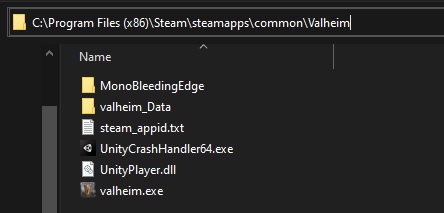
Is this how your Valheim installation folder looks like atm?
https://i.imgur.com/vdpdeOA.jpg
 delicate vault
 stark meadow
delicate vault
stark meadow
delicate vault
Seems fine. Try new character again + some random server (not your server).
Server from community tab, not from your favourites list nor recent list.
delicate vault
stark meadow
Seems fine. Try new character again + some random server (not your server).
Serv...
will do - it usually tells me incompatible version before i try to join
Server..... Hosting Valheim g=0.217.46,n=23,m= on Windows
Will try another new character, back shortly
stark meadow
delicate vault
will do - it usually tells me incompatible version before i try to join
Server....
Will send you a join code to my server.
delicate vault
stark meadow
Will send you a join code to my server.
thank you, I will try now
It actually worked
stark meadow
So then everything is fine at your end.
You can now try moeed character to that same world of mine.
delicate vault
stark meadow
You can now try moeed character to that same world of mine.
All worked fine
Thank you, I thought I was going crazy - must be a server/host issue? - not sure why I get it on all the servers I've tried but yours definietly works
stark meadow
delicate vault
Thank you, I thought I was going crazy - must be a server/host issue? - not sure...
It might be wrong information in your favorites list tab. Try deleting the server you have there and re-adding them.
delicate vault
stark meadow
It might be wrong information in your favorites list tab. Try deleting the serve...
I have tried that - but I will try again and if not, will check with the hosts.
Whatevever it ends up being, I'm just happy my game/drive isn't corrupted and my character is still usable 😄
 odd oracle
i and all my buddies cant run the public test? just crashes and tells us its not responding
same issue with the normal game
stark meadow
odd oracle
i and all my buddies cant run the public test? just crashes and tells us its not...
You must not interact with your PC while the world generation/loading process starts. Otherwise you might force your OS to try to activate the window at the wrong time and disrupt the loading process.
odd oracle
stark meadow
You must not interact with your PC while the world generation/loading process st...
im sitting on my phone while its loading
stark meadow
odd oracle
im sitting on my phone while its loading
Try new world + new character, don't touch anyhting once loading process starts.
odd oracle
stark meadow
Try new world + new character, don't touch anyhting once loading process starts.
okay so
i think i figured it out thanks just gotta try on the public test
odd oracle
stark meadow
Try new world + new character, don't touch anyhting once loading process starts.
hey thank you so much man got it work youre a life saver
 cosmic fulcrum
I'm not sure if this is a known issue, but my world map is inaccurate. It seems like the playable zones and the world map are from different seeds. Has anyone encountered this issue?
There are stretches of ocean biome that on the map look like Meadows, for instance.
toxic river
cosmic fulcrum
There are stretches of ocean biome that on the map look like Meadows, for instan...
Go into your world save files, find these minimap cache files for your world, and delete them
 deft jacinth
stark meadow
Might be a incompatibility between the command and the new map caching features....
deft jacinth
stark meadow
Might be a incompatibility between the command and the new map caching features....
It actually worked
Thanks a lot
cosmic fulcrum
toxic river
Go into your world save files, find these minimap cache files for your world, an...
Haven't been able to find those files, but I will keep trying. Thank you for your help.
cosmic fulcrum
toxic river
Go into your world save files, find these minimap cache files for your world, an...
Actually, just found them and it worked--THANK YOU! I actually know where the Mountains are now
toxic river
Cheers! Glad to know it worked for ya~
 celest island
It happened twice so far but my pc restarts during world save. Might be just me just odd
stark meadow
celest island
It happened twice so far but my pc restarts during world save. Might be just me ...
Check Section1:Point6 in this guide: https://www.reddit.com/r/valheim/comments/uq9b8x/my_valheim_is_crashing_fix_for_crash_guide/
delicate vault
stark meadow
It might be wrong information in your favorites list tab. Try deleting the serve...
hey, got an update - the srver is fine. Others can join it. It's just me that can't join - even though I can join your server.
stark meadow
delicate vault
hey, got an update - the srver is fine. Others can join it. It's just me that ...
If the server is running mods, you won't be able to join it without those same mods installed.
delicate vault
no
the server is running no mods and neither am I
this all happened because I wanted to try some mods on a solo gamre, now my game appear to be broke
other tha building a brand new PC, I don't know what rto do
stark meadow
Let's continue this in DMs
delicate vault
cool
 lone parcel


 buoyant ginkgo
Hi guys, I've started playing the new public test branch with ashlands and the problem is that the game crashes so frequently that it is impossible to play at all. Any idea where can I find more help on the topic, any recommended solutions, what I should try or so?
stark meadow
buoyant ginkgo
Hi guys, I've started playing the new public test branch with ashlands and the p...
Best place to start is checking out the most common crash causes in Section 1 of this guide: https://www.reddit.com/r/valheim/comments/uq9b8x/
Meanwhile posting your system specs is a good way to go about it also.
Explore this post and more from the valheim community
buoyant ginkgo
I tried a bunch of stuff listed in the reddit and nothing seems to have any effect. Now that I think about it, I had very similiar issue while playing Talos Principle 2 (also random crashes after game has been running for some time). Sadly gotten no help from talos 2 devs but maybe here I'll be more lucky. Other games, even the more graphically advanced ones are running no problem.
I tried switching to Vulkan but seemingly no change. System specs:
Intel(R) Core(TM) i9-14900KF 3.20 GHz
32gb ram
NVIDIA GeForce RTX 4070
1 TB ssd
z790 gigabyte x ax motherboard
I attach a player log of the crash, can also send one generated by Vulkan
I got newest drivers for the gpu and everything else
tried running the game at max low specs with everything disabled, still no fix
stark meadow
buoyant ginkgo
I tried a bunch of stuff listed in the reddit and nothing seems to have any effe...
Since you are using mods, that might be the reason for crashing, and we can't help with troubleshooting process.
Under assumption that you are experiencing crashes in vanilla environment, whcih you should test if you do, since you have a good system, the first thing your should try is to reset your BIOS settings to default. Have you tried that?
 marble wolf
If it's happening after a while, this could be a power supply or overheating issue.
buoyant ginkgo
Vanilla crashes same as modded
temperature is stable
This all feels to me like some obscure setting in either gpu, cpu or bios that interacts shittly with the newer render mechanics shared between talos principle 2 and valheim
I'll try fiddling with bios
(but I also did a bunch of bios fiddling when same thing happened for talos2)
stark meadow
buoyant ginkgo
I'll try fiddling with bios
Don't try fiddling 😅 Just reset it to default and nothing else. You can fiddle later when you are sure that the system is stable on default or not.
buoyant ginkgo
okay
stark meadow
If you get presented with an option which default to load, be sure to load defaults based on CPU model, and not motherboard suggested optimised defaults.
Btw. in which manner asre you crashing? App crashes to desktop?
buoyant ginkgo
three options, either full pc crash requiring hard restart, crash with 0 info to desktop, crash to desktop with a brief small window sth like "error handler" and valheim logo. I assume cases 2 and 3 might be the same just the crash handler window disappears quickly enough for me not to see it
stark meadow
buoyant ginkgo
three options, either full pc crash requiring hard restart, crash with 0 info to...
Yeah, but scenario 1 is more worrisome. Might be clock connected, but as Derek said, it might also be power related. Just the other day we had a case: #steam-bugs-discussion message where crashes were caused by GPU being hooked up via pigtail power cable which probably didn't provide enough power to the GPU. Only few good brands make good enough pig tail cables that can supply enough power, otherwise the safe bet is to use separate cable for each power slot on the GPU.
buoyant ginkgo
What's a pigtail table?
also, resetting bios to default will disable XMP profiles for my ddr5 ram
stark meadow
buoyant ginkgo
What's a pigtail table?
This one.
 buoyant ginkgo
Oh yeah, I have those but they are plugged from power to gpu directly
so I got the bit on the left unconnected to anything
stark meadow
buoyant ginkgo
Oh yeah, I have those but they are plugged from power to gpu directly
Are all of your power connectors on 4070 connected to PSU with separate cables?
stark meadow
buoyant ginkgo
also, resetting bios to default will disable XMP profiles for my ddr5 ram
Yeah, but it you are doing it more so as a test. Use the defaults for couple of days, see if you crash.
buoyant ginkgo
I mean I'm pretty sure there's only 1 power socket on my 4070
and it's connected directly to the power source via the exact same cable you posted in the picture
I will of course try resetting bios but thinking about it now. Since the game crashes the same even on lowest graphical settings
Wouldn't that kinda rule out all the "overheat", "lacks power" etc. ideas?
stark meadow
buoyant ginkgo
Wouldn't that kinda rule out all the "overheat", "lacks power" etc. ideas?
Best to do one change at the time, so first BIOS to default, as that's the most likely cause of crashes. There's a reason I listed it on top of the guide.
buoyant ginkgo
for now no crashes but i have limited time to test, maybe just got lucky
will report later but looked promising, maybe the xmp profiles on ddr5 were the culprit all along
stark meadow
buoyant ginkgo
will report later but looked promising, maybe the xmp profiles on ddr5 were the ...
If it goes ok after couple of days on default, switch to default XMP then. If default XMP is unstable, it might be due to increased power requirements on not enough voltage, usually on CPU. I've only seen one case so far, where even a default non-XMP profile was unstable and voltage on CPU needed to be raised to make it stable.
buoyant ginkgo
Now that I think about it. For some time, whenever I shut down my desktop I have gotten explorer.exe error prompt "fail to read memory address xxxxx" just b4 the computer turns off. In hindsight it kinda makes sense to be a symptom of problem with RAM
 chrome falcon
Please let me know if I'm in the correct channel. I'm building in the Mistlands with my newly acquired Shield Generator. Because the shield blocks "projectiles", it is also not allowing rain to get in while it's storming, therefore I do not get wet. However, my fire goes out due to it raining above it. I'm wondering if this is a bug/oversight?
 stark meadow
chrome falcon
Please let me know if I'm in the correct channel. I'm building in the Mistlands ...
stark meadow
chrome falcon
Please let me know if I'm in the correct channel. I'm building in the Mistlands ...
Fire gets put out by wind, and the shield doens't block wind.
 leaden timber
Why are the flametal ore towers so slippery
stark meadow
leaden timber
Why are the flametal ore towers so slippery
Due to how they interact with physics (like water leviathans) their collision meshes can appear slightly below what you see, causing players to get stuck in falling animation. In my testing, usually happens depending on how you load the leviathan and if they interact with any other objects in that moment when you load them (step into render distance). It's not easily fixable, but hopefully will be at some point.
 edgy prairie
valheim crashes when i try to start a server
stark meadow
edgy prairie
valheim crashes when i try to start a server
Fedora 40 OS? Tried starting new world in singlepalyer? Whene world generating process starts, be sure to not use your PC from that point forward, until it finishes.
By interacting with the game window at wrong times, you can cause windows to start meddling into how the engine works with RAM, whcih can cause crashes.

 ancient cypress
Sooooo...I've just logged into my server and the world is stuffed.
ancient cypress
 pallid rain
anyone else got thier base raised to the sky on the ashlands update?
pallid rain
anyone else got thier base raised to the sky on the ashlands update?
Yes...I've got the same issues.
In places all the land has disappeared and it's just floating rocks and stuff...
stark meadow
pallid rain
anyone else got thier base raised to the sky on the ashlands update?
It's a unfortunate consequence that couldn't be avoided in old worlds.
All areas close to Ashlands and Deep North got sunken on purpose so that the islands become accessible by boat only.
Old worlds are unfortunately incompatible with this change and there was no easy fix.
You'll probably be able to use mods to re-allocate your bases manually and wipe those explored areas close to Ashlands to return them to normal.
PlanBuild mod (build re-allocation features) and UpgradeWorld (resets specified world areas) mod are the mods I would investigate further.
ancient cypress
Unfortunately it's not just places close to the Ashlands that are affected...I'm still investigating, but so far even the northern end of the map is affected.
pallid rain
stark meadow
PlanBuild mod (build re-allocation features) and UpgradeWorld (resets specified ...
thx for the tip will check it out ^^
stark meadow
ancient cypress
Unfortunately it's not just places close to the Ashlands that are affected...I'm...
Yeah, sry, both Ashlands and DeepNorth intentionally received this change.
ancient cypress
stark meadow
Yeah, sry, both Ashlands and DeepNorth intentionally received this change.
Thanks for the heads up. Fortunately I only have 1 minor build location next to the Queen, which close-ish to the Deep North. We avoided the Northern and Southern ends of the map...so hopfully the impact will be minimal 🤞
 eager pawn
Was about to report what I think was a bug but it fixed itself. 🙃
Anyway, The window turned unresponsive as it was generating the Ashlands part of an old world I am playing it which I haven't reached that area yet. Thankfully, generating the new areas does takes a bit of time and I finally got back with no issues.
To anyone who might have a similar issue, just try to let it run its course. It took like a few minutes for me.
stark meadow
eager pawn
Was about to report what I think was a bug but it fixed itself. 🙃
Anyway, The ...
Yes, due to how Unity engine loads/generates as world, it's important to wait and not interact with the game window.
Do you have lots of grausten pieces in the base?
 ember pendant
Hello, I'm playing on Steam on Windows and I'm having some audio issues. I swapped over to launching with Vulcan but it's still an issue. I'm also on the latest patch 0.218.15. Any help would be appreciated!
stark meadow
ember pendant
Hello, I'm playing on Steam on Windows and I'm having some audio issues. I swapp...
What kind of issues?
ember pendant
stark meadow
What kind of issues?
There's a little stuttering, but mostly it sounds off... like they're playing through bad speakers, but they're not
stark meadow
ember pendant
There's a little stuttering, but mostly it sounds off... like they're playing th...
How much FPS do you have when this is happening?
ember pendant
stark meadow
How much FPS do you have when this is happening?
between 25 and 35
stark meadow
ember pendant
between 25 and 35
Test if it stops happens whne you lower your graphic settings.
It's a known engine issues that Unity has to fix, where audio starts stuttering when on low FPS if there's a lot of sound emitters.
ember pendant
stark meadow
Test if it stops happens whne you lower your graphic settings.
It's a known engi...
I did try this, lowered all settings to lowest. It didn't help
This is only happening since the Ashlands update. It was happening on the public beta as well. When I swapped back to not-beta (before the update today) it was fine.
tbh, not sure why my FPS is so low... I have a nvidia rtx 3080, should have no problem
stark meadow
Seems like it was just related to build piece position attempt.
I believe this is the case while building for all build pieces. E.g. portal positioning process can have high FPS impact as well.
Wasn't aware that Drakkar has such a strong effects. Think this might be looked at in more depth now.
stark meadow
ember pendant
I did try this, lowered all settings to lowest. It didn't help
The question is by how much did your FPS improve when you lowered you settings?
ember pendant
stark meadow
The question is by how much did your FPS improve when you lowered you settings?
Got about +10 fps
 last shard
stark meadow
The question is by how much did your FPS improve when you lowered you settings?
last shard
stark meadow
The question is by how much did your FPS improve when you lowered you settings?
I have this audio problems, and i have 60fps all time, so it's not low fps related.
stark meadow
ember pendant
Got about +10 fps
That not a big improvement. Were you in your big base at the time?
ember pendant
Yes. However, I have tested on other servers with small houses. Same issue.
stark meadow
last shard
I have this audio problems, and i have 60fps all time, so it's not low fps relat...
You might not have the same problem. Can you record the issue with your FPS showing?
last shard
will try to record as it's not consistent
stark meadow
I would appreciate if anyone would record what's happening actually. FPS has to be showing.
ember pendant
Ok, I left my base, went to the spawn. FPS is now 180ish. Still sounds off
stark meadow
ember pendant
Ok, I left my base, went to the spawn. FPS is now 180ish. Still sounds off
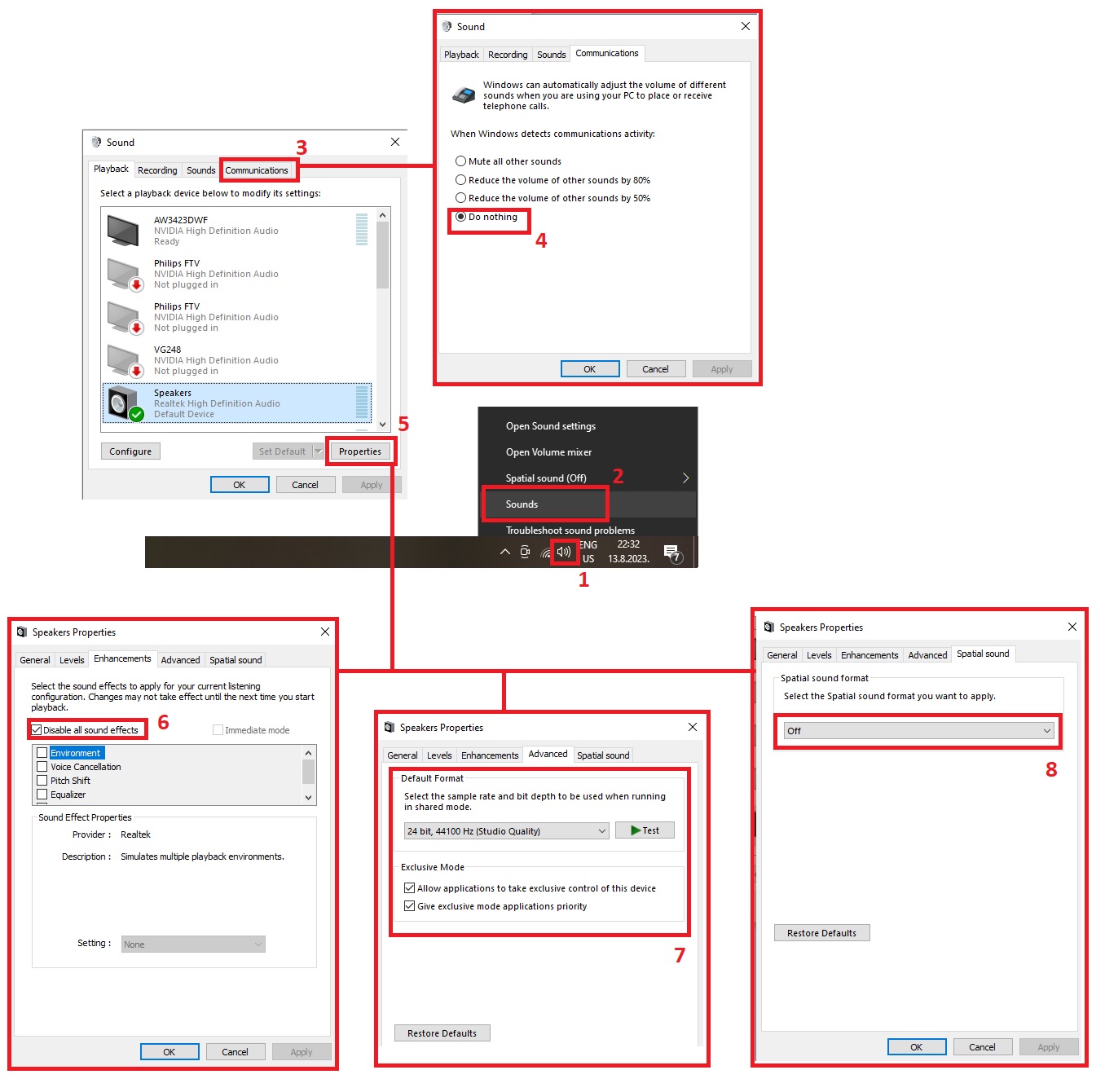
Played with mods before? Try doing the following: https://i.imgur.com/jN3asnT.jpg Restart the game.
 ember pendant
stark meadow
Played with mods before? Try doing the following: https://i.imgur.com/jN3asnT.jp...
ember pendant
stark meadow
Played with mods before? Try doing the following: https://i.imgur.com/jN3asnT.jp...
All of those settings were already correct
stark meadow
ember pendant
All of those settings were already correct
By correct you mean the same as in the screenshot? Even the sample rate?
 muted jackal
Munin has a floating "s" in his fragment of the past dialouge
ember pendant
stark meadow
By correct you mean the same as in the screenshot? Even the sample rate?
The sample rate was a little lower. But I changed it and no effect. I don't think this has anything to do with it tbh. These settings were not changed between this patch and the last. And my sound was fine on the last patch.
stark meadow
ember pendant
The sample rate was a little lower. But I changed it and no effect. I don't thin...
Have you use mods before? Send me your world file in DM, specifically the .db and .fwl file that looks like worldname_backup-todaysdataandtime
ember pendant
Here's a video of what's going on
ember pendant
stark meadow
Have you use mods before? Send me your world file in DM, specifically the .db an...
I have. They aren't on currently though.
stark meadow
ember pendant
I have. They aren't on currently though.
I don't hear the audio stuttering. Are you referring to the new fire burning sounds being too loud?
ember pendant
stark meadow
I don't hear the audio stuttering. Are you referring to the new fire burning sou...
It only stutters occasionally. It's the fire being too loud. The footsteps being too loud and low pitched. The chests sometimes don't sound off. The spatial audio is wrong.
stark meadow
ember pendant
It only stutters occasionally. It's the fire being too loud. The footsteps being...
I can only hear the torches being too loud in this video.
ember pendant
stark meadow
I can only hear the torches being too loud in this video.
When I jump, the torch sounds fade out and back in. When I land it sounds really heavy and loud. When I turn the torches don't sound in the right place. If none of that sounds off to you then maybe it's my speaker driver or something?
stark meadow
ember pendant
When I jump, the torch sounds fade out and back in. When I land it sounds really...
It would probably help to hear it in game rather then the video. Send me that file I mentioned above if you can.
ember pendant
stark meadow
It would probably help to hear it in game rather then the video. Send me that fi...
I sent you the .fwl, I can't send the .db because it's too big
 normal comet
did cape physics change? doesn't feel as flowy as before
last shard
Here you can hear environmental sounds skipping. In other places is not that bad. We have this on multiple worlds and multiple different computers
 warped lintel
https://clips.twitch.tv/HeadstrongShortLyrebirdGOWSkull-9KzUYT2s6NwVl2QR ... going through a portal, ending up on a place, where no portal is placed
 stark meadow
warped lintel
https://clips.twitch.tv/HeadstrongShortLyrebirdGOWSkull-9KzUYT2s6NwVl2QR ... goi...
stark meadow
warped lintel
https://clips.twitch.tv/HeadstrongShortLyrebirdGOWSkull-9KzUYT2s6NwVl2QR ... goi...
Playing after Ashlands update or before?
warped lintel
yes, map created before ashlands updated. today, after the update this happens. but it seems they fixed it. there's another clip in #memes-and-clips where the base drops because there is a lack of land. i'm watching a stream (still live) where this happened. and since it's replicable, it's considered a bug
 ruby sandal
So I arrived at the Ashlands in my fancy new ||Drakkar ||boat, all ready to do cool stuff, and as I was sailing between ||the spikes||, my boat (undamaged by any obvious thing) instantly went straight to the bottom of the water and locked me into a death loop where even when I logged out and in again I just kept being sucked to the bottom, not dying but not able to swim in any direction or even drown or do anything at all - went on for like 5 minutes until I logged completely out to the desktop. When I came back in I was swimming on the surface and boat was also on the surface but as soon as I got back on it, straight to the bottom of the water it went again - aaarrrggghhhh!!!!! I had not hit any rocks or been attacked by any creature and it was the new boat so supposedly had more HP etc - has anyone else had this problem (boat sinking for no good reason)? I am on PC Steam.
stark meadow
ruby sandal
So I arrived at the Ashlands in my fancy new ||Drakkar ||boat, all ready to do c...
Remove mods. So far the only instances of this happenins were related to mods.
ruby sandal
stark meadow
Remove mods. So far the only instances of this happenins were related to mods.
I have turned off all but the most necessary mods. I noticed when I googled to look for an answer that in the past, the longship may have had the same problem (although I never experienced it before)
stark meadow
ruby sandal
I have turned off all but the most necessary mods. I noticed when I googled to l...
As far as we know, it's related to mods. Not a single report of this happening on vanilla setups and like few dozen reports of it happening on modded setups. Try to check with #mods-discussion if anyone has figured out which mod causes this.
ruby sandal
stark meadow
As far as we know, it's related to mods. Not a single report of this happening o...
Ok thankyou - hopefully in a few days or so when the mod authors do their thing it might stop happening. Hopefully.
 undone crypt
Hello, i have already posted this topic on the steam forums, i didn't know if it's a bug or on purpose. I startet a complete new world with a complete new char on highest difficulty in nearly everything, gathered some wood, some stones, killed a few greylings, boars and deers, build a small shack, after approximatly 10minutes in i got raided from surtlings
solo world, local, no mods
here my world settings:


 wet bolt
Our characters keep blowing off smoke after visiting ashlands. Swimming in water does not diminish it... I suppose it's a bug?
stark meadow
wet bolt
Our characters keep blowing off smoke after visiting ashlands. Swimming in water...
Screenshot?
wet bolt
 stark meadow
undone crypt
Hello, i have already posted this topic on the steam forums, i didn't know if it...
stark meadow
undone crypt
Hello, i have already posted this topic on the steam forums, i didn't know if it...
It's a known bug I believe, if you played in another character in the same game instance prior to creating new character and world.
wet bolt
stark meadow
And this happened to everyone? Anyone playing with mods?
yes, everyone (they played on the server before). no mods.
stark meadow
wet bolt
yes, everyone (they played on the server before). no mods.
You mean it happened to everyone, but at different times?
How is the server being hosted? (dedicated, in-game hosting by someone)
Do you have an idea as to what event caused this?
undone crypt
stark meadow
It's a known bug I believe, if you played in another character in the same game ...
you mean, if i play with my high level char on another world, logout but don't close the game, start a new char and a new world, this can happen?
stark meadow
undone crypt
you mean, if i play with my high level char on another world, logout but don't c...
If you kill an enemy with one character, the character key that is responsible for storing that you defeated a surtling, doesn't get saves immediately, rather after logout and stays in cache, so if you start another character that key will aslo transfer to them, and if you start a world with player based modifer, you can immediately get the raid.
You can remove the key with listkeys and removekeyplayer commands in singleplayer world.
wet bolt
stark meadow
You mean it happened to everyone, but at different times?
How is the server bein...
same time (we explored together).
it's a dedicated hosted by g-portal (no genloc or upgrade world used).
no idea actually. just noticed when getting back to base and the smoke covered our vision / impairing build view etc.
stark meadow
wet bolt
same time (we explored together).
it's a dedicated hosted by g-portal (no genloc...
Hm...
Do you remember if the server was restarted at some point, you getting disconnected, waited in starting screen and then joining back
How far is your base from the Ashlands waters?
wet bolt
stark meadow
Hm...
Do you remember if the server was restarted at some point, you getting dis...
only the usual restart (changing world modifiers, backing up).
no disconnect problems, no long waiting screen.
base is very far from ashlands entry.
bug report sent
 queen orchid
I'm playing on a GTX gaming hosted server. I've updated the server. When I try and connect to the game, I get through to the password entry, then it starts to load. A half spin of the sword handle indicating loading... then it hangs and I have to force quit the application. Last update I needed to modify the config files on the server; is there something for this update?
Made it in.
wet bolt
queen orchid
I'm playing on a GTX gaming hosted server. I've updated the server. When I try a...
make sure you wait long enough, my world took more than 2 minutes to load
queen orchid
Just took a long long load
 ruby island
Idk if this is the right chat but I found a dupe and more with catapults
 queen verge
I was hoping that the Hidden/ShieldDomePass shader would behave in the stable release, but unfortunately it still goes full bananas when you activate the generator 😬 long shot and on an unsupported platform: but if there's any way to make that shader fallback gracefully, that'd be awesome 😊
ruby island
ruby island
Idk if this is the right chat but I found a dupe and more with catapults
So you can dupe any Stackeble item that goes into the Catapult, becuase it drops/shoots the amount you have in your inv, not the single one you put into the catapult.
Also heres a clip where we put a stone into a catapult and it spawned arrows every second/tick (idk), have fun watching
(I am on the public test branch tho - idk if that changes anything right now tho)
 uncut pine
Hi, weird bug here, I am playing multiplayer with a group of friends and one of my friends crashes quite regularly. He seems to freeze without warning and his freezes causes a small area around him to desync with the server and becoming uninteractable. His character will be stuck in the action of whatever animation he was doing before the crash and on his first attempt to rejoin he will get a failed to join message and his crashed character will dissapear, on the second rejoin his character will join as normal but he will lose about 5-10 minutes of progress on his character. His crashes are very regular and he has crashed 4 times in the last 10 minutes, he does not get any crash report or error message.
stark meadow
ruby island
So you can dupe any Stackeble item that goes into the Catapult, becuase it drops...
Yeah, it was reported on PTB also but since the tight release schedule live version unfortunately had to be shipped with that exploit present.
Will be fixed in next hot fix.
stark meadow
uncut pine
Hi, weird bug here, I am playing multiplayer with a group of friends and one of ...
Forward this link to your friend: https://www.reddit.com/r/valheim/comments/uq9b8x/my_valheim_is_crashing_fix_for_crash_guide/
Tell them to check out the most common crash problems. They are ordered by frequency of occurrence.
stark meadow
queen verge
I was hoping that the `Hidden/ShieldDomePass` shader would behave in the stable ...
Using bootcamp? Will ask around if something can be done about it
 loud skiff
Hi, just ran into a bug in the ashland morgen cave, the morgen killed me and knocked my tombstone into the cave wall, now i cant get my items back from the tombstone.

 stark meadow
loud skiff
Hi, just ran into a bug in the ashland morgen cave, the morgen killed me and kno...
stark meadow
loud skiff
Hi, just ran into a bug in the ashland morgen cave, the morgen killed me and kno...
Singleplayer or multiplayer?
The easiest solution would be to store you present equipment in a chest then restore previous backup save for your character.
(manage saves button in starting menu)
 marsh breach
Anyone else having the same issue? the pick up prompt wont come out so I cant pick colleectibles from the wild.
 queen verge
stark meadow
Using bootcamp? Will ask around if something can be done about it
queen verge
stark meadow
Using bootcamp? Will ask around if something can be done about it
this is a custom-stitched together build for macOS, which has a cap of OpenGL 4.1 (which, granted, is ancient 😬 ). likely would've worked fine via bootcamp, but that's no longer supported on the more recent chipsets.
marsh breach
[Error : Unity Log] MissingFieldException: Field not found: int .Pickable.m_respawnTimeMinutes Due to: Could not find field in class
Stack trace:
(wrapper dynamic-method) Pickable.DMDPickable::GetHoverText(Pickable)
Hud.UpdateCrosshair (Player player, System.Single bowDrawPercentage) (at <67f3c386e04446c49523ecfd5b8921c2>:0)
(wrapper dynamic-method) Hud.DMDHud::Update(Hud)
undone crypt
stark meadow
If you kill an enemy with one character, the character key that is responsible f...
thank you
stark meadow
marsh breach
Anyone else having the same issue? the pick up prompt wont come out so I cant pi...
It's mod related. Vising #mods-discussion and check if anyone has identified the mod already.
 orchid dragon
Anyone else having the issue where parts of already discovered biomes in the map are loading weird? A mountain biome has floating rocks and ore vanes, trees were floating but slowing drifted down after a few seconds. It has effected the discovered moder location as well.
 stark meadow
orchid dragon
Anyone else having the issue where parts of already discovered biomes in the map...
stark meadow
orchid dragon
Anyone else having the issue where parts of already discovered biomes in the map...
Yeah, same as this one: #steam-bugs-discussion message
 modest thistle
When launching items out of the catapult, sometimes they will be permanently deleted. This happened with both a spear and a sword. We launched a club, and it wasn’t deleted, but the spear and sword were.
stark meadow
modest thistle
When launching items out of the catapult, sometimes they will be permanently del...
Yeah, it's known issue. It happens if you freshly load into the world an launch the first item.
modest thistle
Okay, thank you.
 lean shard
There's a yuuuuge bug with the Ashland waves and floating rocks. You'll get stuck inside the rock by the waves. Logging in and out fixes it though.
stark meadow
lean shard
There's a yuuuuge bug with the Ashland waves and floating rocks. You'll get stuc...
You can check the same asnwer I gave here: #steam-bugs-discussion message
lean shard
oh I see, what mod could re-allocate my base?
stark meadow
lean shard
oh I see, what mod could re-allocate my base?
Look into PlanBuild a bit more. I believe it has features that allow you to select a large area, copy it, store it as a buildplan, then build that base on another location with one click. You probably won't be able to use the mods on current Ashalnds update until those mod authors update their work.
lean shard
Gotcha, thanks
I somehow managed to get to the coast of ashlands > immediately died > and now I'm falling infinitely because I tried to rescue my gear that was lost. This is hell
 summer tendon
Naming capitalization is bugged. If using capital letters, it still makes every other letter lowercase.

 vital stratus
Anyone else see this issue when using an old world save file upgraded after the patch? Is there any way to fix it? (I started a new world, and noticed the starting stones had even gaps between them). Not game breaking, but it just bugs me. 🙂
 last shard
stark meadow
I would appreciate if anyone would record what's happening actually. FPS has to ...
last shard
stark meadow
I would appreciate if anyone would record what's happening actually. FPS has to ...
I've managed to record this audio problem outside the base. In the video you can hear sound skipping, especially around 0:20. Started getting this distortions after mistlands came out.
 feral pumice
orchid dragon
Anyone else having the issue where parts of already discovered biomes in the map...
feral pumice
orchid dragon
Anyone else having the issue where parts of already discovered biomes in the map...
Should terrain of explored areas toward the north be changing? At least two of our well established bases are destroyed because the terrain supporting them has sunk into the sea. I thought this was only happening near the ashlands? We don't use mods.
stark meadow
feral pumice
Should terrain of explored areas toward the north be changing? At least two of o...
The terrain height map changes are expected near deep north aslo.
stark meadow
vital stratus
Anyone else see this issue when using an old world save file upgraded after the ...
Also something that couldn't be avoided on older world at this moment. Might be fixed in the future, might not.
feral pumice
stark meadow
The terrain height map changes are expected near deep north aslo.
Thank you. Is there a way to explain precisely where the changes will happen? The preparation guides and notes suggested around the ashlands. Is it the north and south poles? The edge of the map? Vicinity to certain biomes?
 vocal epoch
hey, why is my game crashing when I start a world?
 cursive mango
is it supposed to happen when destroying a ashlands pot not dropping the charcoal resin? only the shards?
stark meadow
feral pumice
Thank you. Is there a way to explain precisely where the changes will happen? Th...
Anything close to Ashlands and Deep North biomes if you look at the old map of the world, like couple of hundred meters. Can't define it more precisely than that. If you are thinking about moving the base with plan build mod, you would have to save the build on preAshlands verson of the game, then when to mode gets updates use to mod to craft the build on the unaffected area. Then wipe affected areas with UpgraWorld mod that don't have player bases in them.
 heady briar
🪲 report: When you enter / exit a dungeon (infested mine specifically) everything has a hazy-gray blue sheen to it for a few seconds. never noticed before update.
vital stratus
vocal epoch
hey, why is my game crashing when I start a world?
Sometimes the world creation script takes a long while and the game times out, so if you click on it a few times it'll pop up with that "This program is not responding, close or wait for it to respond?" If you click wait and just wait a long long time it may continue (let it run for like 5 minutes before giving up and submitting a bug report). NOTE: It shouldn't take five minutes, but if it hasn't continued after 5 minutes, I would say there really is an issue that is crashing your game.


 stark meadow
cursive mango
is it supposed to happen when destroying a ashlands pot not dropping the charcoa...
stark meadow
cursive mango
is it supposed to happen when destroying a ashlands pot not dropping the charcoa...
It's luck based. Sometimes you can get other drops than shards.
stark meadow
vocal epoch
hey, why is my game crashing when I start a world?
Probably due to mods or you interacting with the game windows while it's trying to generate new area in a world. Once the loading process stats it's best to not use PC in any way.
stark meadow
heady briar
🪲 report: When you enter / exit a dungeon (infested mine specifically) everythi...
It happened before when getting out of duneons, but now therei's a delay before enviromental lighting gets applied when getting in. Happens to all dungeons.
heady briar
hm
 solar thistle
Just a little sound glitch...where the sound of the placed beehive goes away during the day
peak meteor
catapult is moving while rearming WITH lowered legs
feral pumice
stark meadow
Anything close to Ashlands and Deep North biomes if you look at the old map of t...
Thank you for your help. I think we do want to try to preserve the building. Can you clarify what you meant by this: "Then wipe affected areas with UpgraWorld mod that don't have player bases in them."? Thank you!
stark meadow
peak meteor
catapult is moving while rearming WITH lowered legs
If the ground is unstable build something beneeth it to make it leveled.
stark meadow
feral pumice
Thank you for your help. I think we do want to try to preserve the building. Can...
I can't really offer support for mods here, just give you a general idea of what they do because player use them.
You can visit #mods-discussion about this subjects, visit mod webpages and watch youtube videos of how to use them.
The World upgrade mode can render already explored areas unexplored, which would be a good way to normalase all weird floating problems a world might have, provided that you first move your base somewhere else.
stark meadow
solar thistle
How much fire sources do you have in your hut there?
 stiff jackal
question, I drained the tar pit but am unable to interact with any of the tar on the bottom of it, mod issue or bug?

 pale dock
Is audio not working for anyone else using vulkan/openGL?
this happened on mistlands update, thinking it's same issue
feral pumice
stark meadow
I can't really offer support for mods here, just give you a general idea of what...
Thank you. I wasn't sure what you meant by wiping the affected areas. I now understand. I appreciate your help!
stark meadow
stiff jackal
question, I drained the tar pit but am unable to interact with any of the tar on...
Nobody else reported something similar so probably a mod issue
stark meadow
pale dock
Is audio not working for anyone else using vulkan/openGL?
There's a known issue when main audio device gets switched after you launch the game. Just switch it back manually as workaround.
 compact tapir
Is it known it takes forever to load in to your world when you start it up? or i guess that is just the first time after the update?
stark meadow
compact tapir
Is it known it takes forever to load in to your world when you start it up? or i...
It's known. First load is world generation
pale dock
stark meadow
There's a known issue when main audio device gets switched after you launch the ...
Mine didn't get switched on linux side and there is no way to switch in game is there?
stark meadow
pale dock
Mine didn't get switched on linux side and there is no way to switch in game is ...
Switch is from what ever it is right now, while the game is running, then switch back. No way to do it in game. You can launch in proton compatibility mode to avoid the issue.
compact tapir
stark meadow
It's known. First load is world generation
Ah gotcha, thanks for the reply
pale dock
stark meadow
Switch is from what ever it is right now, while the game is running, then switch...
not working for me
wait, fixed it
i was switching the audio device in the system, not application specific. worked when i went there
thanks
peak meteor
stark meadow
If the ground is unstable build something beneeth it to make it leveled.
nice try. It is moving while lowered legs on new grausten 4x4 floor
stark meadow
peak meteor
nice try. It is moving while lowered legs on new grausten 4x4 floor
Fullscreen screenshot of your setup?
 long berry
game crashing when i try to load into a new world, friends are also having this issue
vital stratus
long berry
game crashing when i try to load into a new world, friends are also having this ...
Is it crashing to desktop or just unresponsive? New worlds take a bit longer to generate now...give it like 5 minutes without clicking or switching windows.
 safe verge
is anyone having issues where the game is really slow after the update? with huge frame loss
stark meadow
safe verge
is anyone having issues where the game is really slow after the update? with hug...
Which updates are you comparing? PTB Ashlands vs Live Ahslands? Or preAshlands vs Ashalnds?
safe verge
stark meadow
Which updates are you comparing? PTB Ashlands vs Live Ahslands? Or preAshlands v...
live ashlands. my friend is having massive frame loss and his network seems to be getting throttled as soon as he hits the loading screen
stark meadow
safe verge
live ashlands. my friend is having massive frame loss and his network seems to b...
When was the last time you played Valheim prior to this live update?
What do you mean by his network getting throttled? Network lag is something different than performance lag.
safe verge
stark meadow
When was the last time you played Valheim prior to this live update?
What do you...
he checked his network and its good. probably about 2 weeks since he played last. the strange thing is, when he loads in, voice chat starts to drop. goes away as soon as he leaves the game
stark meadow
safe verge
he checked his network and its good. probably about 2 weeks since he played last...
Send them this link so they can test their buffer bloat: https://www.waveform.com/tools/bufferbloat
No other apps should be networking while the testing is being done.
safe verge
stark meadow
No other apps should be networking while the testing is being done.
here are his results
https://www.waveform.com/tools/bufferbloat?test-id=5d84dda9-cea5-4ffd-afc7-f69896c6874d
View the full results, and test your own bufferbloat

 stark meadow
safe verge
here are his results
https://www.waveform.com/tools/bufferbloat?test-id=5d84dd...
stark meadow
safe verge
here are his results
https://www.waveform.com/tools/bufferbloat?test-id=5d84dd...
There's a huge upload lag when a download is active.
This is probably a router problem as the website would suggest, and this is the reason why they lag on Discord when Valheim is uploading game calculations to other playerse in multiplayer.
They should check if they have any VPN services running in the background as they can also be the cause of such problems, althouhg unlikely considering high speeds.
If they were to open task manager → performance → resource monitor (blue link or 3dotson w11) → network → network activity per process
They can then also see which app uses the most upload bandwidth. Another device on the home WiFi could also be considrered responsible, so temporarily turning off home WiFi and connecting via cable would be a good test.
safe verge
okay thanks for your help, have sent this over. he does play on ethernet
 worthy dirge
observed bugs; could not repair rain soaked wood but friend could, also cannot destroy cooking stands.
stark meadow
safe verge
okay thanks for your help, have sent this over. he does play on ethernet
Btw. please ask them what kind of beard they've chosen for their character. It probably unrelated, just investigating something.
stark meadow
worthy dirge
observed bugs; could not repair rain soaked wood but friend could, also cannot d...
Dedicated server?
 bright drift
Hello i am having an issue after updating the patch
when updated the server and client after connecting i get disconnect icon
but when i lunch a new world i dont get the issue
safe verge
stark meadow
Btw. please ask them what kind of beard they've chosen for their character. It p...
behold his beard
 stark meadow
bright drift
when updated the server and client after connecting i get disconnect icon
stark meadow
bright drift
when updated the server and client after connecting i get disconnect icon
Probably an issue related to crossplay. Tell the host to omit the crossplay option before starting their server.
VPN services that run in the background can be incompatible with crossplay (e.g. NordVPN)
bright drift
stark meadow
Probably an issue related to crossplay. Tell the host to omit the crossplay opti...
i am the host it turned out the issue is with the mods
 safe verge
stark meadow
Probably an issue related to crossplay. Tell the host to omit the crossplay opti...
safe verge
stark meadow
Probably an issue related to crossplay. Tell the host to omit the crossplay opti...
no vpn, trying again without crossplay
bright drift
stark meadow
Probably an issue related to crossplay. Tell the host to omit the crossplay opti...
crossplay didnt work with me
every time i try it just keeps disconnects me
is there a fix for it ? ive searched all over reddit and YT for it
fresh windows 7 only antivirus is running
 safe verge
he has the issues even sitting in the menu... solo world too that he hosts. says it happens in waves
stark meadow
bright drift
crossplay didnt work with me
You mean, disabling crossplay didn't help? Did you reach **beyond **password prompt when you disabled crossplay?
Crossplay in not compatible with Windows7 naively. What ever you do, you should do it without crossplay argument enabled in start server config file. When crossplay is disabled, then you must have proper port forwarding done.
bright drift
stark meadow
You mean, disabling crossplay didn't help? Did you reach **beyond **password pro...
good to know
win7 = no crossplay :)
toxic river
Mind that windows 7 is no longer supported by Steam
bright drift
but it still wok :0
bright drift
i have antivirus
i have Bitdefender idk if its good or nah
i run my server on my fathers workplace where it have fiber optic :)
ive recreated the issue its turned out when lunching the game in thunderstore mod manager vanilla/modded i keep getting disconnected unless i run it from steam
 hybrid tinsel
i can't join any of my worlds. any advice?

 dense jacinth
Same issue trying to play Ashlands on PC
stark meadow
hybrid tinsel
i can't join any of my worlds. any advice?
@dense jacinth Once the world loading process starts, be sure to not interact with your PC, so world generation can be done without interruption. Remove mods, such as plant everything or switch back to previous game version if you want to continue playing with mods.
hybrid tinsel
stark meadow
<@282309812711325698> Once the world loading process starts, be sure to not inte...
it worked! thank you
heady briar
New boat: the central mast line likes to clip in an ugly way - look at the top middle
it kind of jumps from right to left
 topaz blaze
Anyone having problems joining a world, me and my brother have both tried to start old worlds and make new ones but when we get into the pregame loading, valheim crashes
stark meadow
topaz blaze
Anyone having problems joining a world, me and my brother have both tried to sta...
Plase read few comments above
heady briar
topaz blaze
Anyone having problems joining a world, me and my brother have both tried to sta...
It took a long time for mine to load up first time today]
 median crater
You shouldna shot that hes just a boy

 crisp crane
idk if this is the right place to report bugs, but hanging braziers fire inside protection aura will go out during rain
stark meadow
crisp crane
idk if this is the right place to report bugs, but hanging braziers fire inside ...
Shields don't block the wind, which also puts down fires.
 knotty stone
Hello, when I start a new game (singleplayer or hosting a server) only a small area around the starting point is loading. After that I only see terrain with nothing in it (e.g. trees, structures, creatures etc) All mods are disabled. Has anyone have the same problem or might know if I'm just doing something wrong here?
 normal mauve
My game crashed twice after the latest patch. Both times with a new char & new server. Third time it worked..
stark meadow
knotty stone
Hello, when I start a new game (singleplayer or hosting a server) only a small a...
Mods don't have have to be disabled but uninstalled from the installation folder.
Double check that you installation folder looks like this: https://i.imgur.com/vdpdeOA.jpg
knotty stone
stark meadow
Mods don't have have to be disabled but uninstalled from the installation folder...
Thank you SO much, it worked! I am completely new to using mods, I would have never figured that out.
 signal coral
Hey, cant do damage on mobs and mobs me, what can i do?
stark meadow
signal coral
Hey, cant do damage on mobs and mobs me, what can i do?
Are you the host of the server?
signal coral
Yes
stark meadow
signal coral
Yes
Does it get fixed when you restart the world?
signal coral
No, i tried new world too
stark meadow
signal coral
No, i tried new world too
Probably related to mods then
See the upper comment 👆
 vivid warren
Does anyone know why the game crashes while entering the world?
I tried to create a new world, a new character, reinstalled the game and it didn't help.
stark meadow
vivid warren
Does anyone know why the game crashes while entering the world?
I tried to crea...
Once the world loading process starts, be sure to not interact with your PC, so world generation can be done without interruption. Remove mods, such as plant everything or switch back to previous game version if you want to continue playing with mods. Double check that you installation folder looks like this: https://i.imgur.com/vdpdeOA.jpg
peak meteor
stark meadow
now record 2 consecutive shots and pay attention to trajectory. If you are sure that it's not moving - you'll be surprised
stark meadow
peak meteor
now record 2 consecutive shots and pay attention to trajectory. If you are sure ...
Nothing is moving when it's leveled. The catapult has RNG to the spread when it fires, similar to how crude bow has.
peak meteor
stark meadow
Nothing is moving when it's leveled. The catapult has RNG to the spread when it ...
OMG, you serious? I'm literally sieging right now and my cata on the 3x3 floors 4x4 is sliding to the right
It's not RNG trajectory
Finaly able to do a screenshot

after a couple of shots - pay attention where back left leg is now

BTW can we STOP using regular items on cata - lost a couple of staffs in such way
stark meadow
peak meteor
OMG, you serious? I'm literally sieging right now and my cata on the 3x3 floors ...
The catapult in my example wasn't moving even after 50 shots.
However after building it on few more dozen places I did notice it moving.
gilded sluice
stark meadow
The catapult in my example wasn't moving even after 50 shots.
However after buil...
I think it's the "sliding" issue
peak meteor
Unlucky me - each time I build a cata it slided
gilded sluice
even if something stand still on a slope. it will still sloooowly slide
@stark meadow mine moves
stark meadow
gilded sluice
<@196192010581835776> mine moves
Most of mine move also now. Just had luckly few examples that didn't.
 jagged hamlet
Slide to the right now,
Slide to the left now,
take it back now y'all
one slide this time,
one slide this time,
Cha cha real smooth.
gilded sluice
stark meadow
Most of mine move also now. Just had luckly few examples that didn't.
yeah. it "shuffels" around
but very very little
 fiery marsh
possible to go back to the version before the update ?
marble wolf
Yep, just select pre-Ashlands from the beta drop-down menu.
 buoyant lantern
So this is probably minor but I noticed the magmafish aren’t biting in the Ashlands water at all - they were zooming around the bobber like they usually do when they detect it but zero bites over an hour and a half or so.
jagged hamlet
buoyant lantern
So this is probably minor but I noticed the magmafish aren’t biting in the Ashla...
Got the right bait?
buoyant lantern
jagged hamlet
Got the right bait?
Yeah, and if I hadn’t it would have been “it’s not taking the bait” but there was nothing
I have been fishing a lot in this game and it is pretty obvious when the fish has locked on to the bait - they do the deathsquito / boar loop and then bite - I saw the movement but no biting at all
It was mostly stormy seas but even when the waves stopped they’re not biting
I don’t know if the actual sea level has changed and they’re not at the right y coordinate to bite anymore
jagged hamlet
buoyant lantern
Yeah, and if I hadn’t it would have been “it’s not taking the bait” but there wa...
Let's hope it gets fixed quickly then.
buoyant lantern
I am really curious if they updated the loot table for the “fishing bonus item” to FlametalOreNew or if they will drop glowing ore/ancient metal
marble wolf
Y'know, I don't think they have.
jagged hamlet
Should we inform Smiffe?
marble wolf
Have just done so in the PTB channel.
options: [
{ item: 'FlametalOre', num: [1, 2] },
{ item: 'SurtlingCore', weight: 0.5 },
] -- looks like no.
dense jacinth
stark meadow
<@282309812711325698> Once the world loading process starts, be sure to not inte...
Ah, the game world is just taking longer to generate than usual, Im guessing? The prior versions had almost no load time for me
jagged hamlet
dense jacinth
Ah, the game world is just taking longer to generate than usual, Im guessing? Th...
First time opening the game since update?
If so, that is normal.
After the initial load it should become faster again.
balmy garnet
I can’t go into my world in which I played before, but if I create a new world, it comes in after 5-6 minutes
Who will help you decide?
marble wolf
Decide what?
stark meadow
buoyant lantern
So this is probably minor but I noticed the magmafish aren’t biting in the Ashla...
Yeah, known problems they don't bit. Some last minute changes were made to make them drop other loot and they stopped biting apparently.
stark meadow
balmy garnet
Entering the world
Were you using mods in your older world?
balmy garnet
stark meadow
Were you using mods in your older world?
Yes.. please don’t tell me that I need to remove mods...
stark meadow
balmy garnet
Yes.. please don’t tell me that I need to remove mods...
If you are still using them, you don't have to remoe them, but you'll then probably have update them or wait for the mod author to update them.
You also have an option to play on previous version of the game until mods get updated.
balmy garnet
Understood thanks
 terse forum
Anyone else log into the new update all excited, and log in to their demolishing base and end up in the deep water... spent A lot of resources and time on my base to have the whole area disappear and my entire base breaking 20 feet in the air
toxic river
How close is your base to the southern edge?
gilded sluice
marble wolf
options: [
{ item: 'FlametalOre', num: [1, 2] },
{ item: 'Surtli...

@jagged hamlet ^
gilded sluice
buoyant lantern
Yeah, and if I hadn’t it would have been “it’s not taking the bait” but there wa...
and that we just fixed today. so it will be fixed in the next patch 🙂
stark meadow
terse forum
Anyone else log into the new update all excited, and log in to their demolishing...
You can check this response of mine for more details: #steam-bugs-discussion message
 wide orbit
I have no idea how to describe this issue. I build a castle on a mountain and went there, and when I walked out of the portal I fell through the crumbling castle and now I'm here.
Way to fix this?
 stark meadow
wide orbit
I have no idea how to describe this issue. I build a castle on a mountain and we...
stark meadow
wide orbit
I have no idea how to describe this issue. I build a castle on a mountain and we...
See the link in the comment above yours 👆
marble wolf
gilded sluice
Nice!
gilded sluice
wide orbit
I have no idea how to describe this issue. I build a castle on a mountain and we...
nope
they are going to float like that until end of time
wide orbit
gilded sluice
they are going to float like that until end of time
Understandable! I'll make my Castle in the Sky work 
gilded sluice
wide orbit
Understandable! I'll make my Castle in the Sky work <a:skol_splash:7855148889900...
it's going to be unique and never happen again 🙂
stark meadow
 lyric mirage
Has this been reported already? It must have.
lyric mirage
Has this been reported already? It must have.
Yeah, two more people reported it. Still not sure how it happens tho. Did you also portal back to base while steaming or died while steaming?
lyric mirage
Possibly portaled. Not died.
lyric mirage
stark meadow
Yeah, two more people reported it. Still not sure how it happens tho. Did you al...
Thanks for confirming, though. Much appreciated 🙂
stark meadow
lyric mirage
Thanks for confirming, though. Much appreciated 🙂
Can you capture the screen of how the map looks where you landed on Ashlands?
lyric mirage
stark meadow
Can you capture the screen of how the map looks where you landed on Ashlands?
I never reached Ashlands (at least based on my minimap biome identifier). I did encounter some red-ish broiling water, but the biome was still Mistlands.
stark meadow
lyric mirage
I never reached Ashlands (at least based on my minimap biome identifier). I did...
Was it an old world?
lyric mirage
stark meadow
Was it an old world?
Oh yes. I've been playing this world since well before H&H.
stark meadow
lyric mirage
Oh yes. I've been playing this world since well before H&H.
Do you remember if the path you took to Ashlands was an already explored one or you picked a rouhter on the map you haven't went through?
lyric mirage
stark meadow
Do you remember if the path you took to Ashlands was an already explored one or ...
As I said, according to my minimap, I wasn't in Ashlands. But, yes, I was recovering a boat that I left on what was a Mistlands shore before the update (when I got there it was still Mistlands, but the water was red and turbulent).
lyric mirage
stark meadow
Do you remember if the path you took to Ashlands was an already explored one or ...
Ok, quick update. When I recovered my boat it was taking fire damage, so not technically in Ashlands, but close.
stark meadow
lyric mirage
Ok, quick update. When I recovered my boat it was taking fire damage, so not te...
Do you stop steaming when you restart the game or log out?
Nvm, figured out at least one way of how it might happen.
buoyant lantern
stark meadow
PlanBuild mod (build re-allocation features) and UpgradeWorld (resets specified ...
World edit commands can also spawn locations which have a tether to the ground and can pull it up with them
I have a small mistlands island close to the border of Ashlands and was able to spawn a stoneCircle and pull the earth back up to its former height and I’m growing mushrooms on it now
But some preparation was needed before opting into the PTB
It is the only way I know of to alter the heightmap beyond +/- 8m - and IG themselves hinted at this since in their warning posts for Ashlands they showed locations sitting on a tall pillar of earth
stark meadow
buoyant lantern
World edit commands can also spawn locations which have a tether to the ground a...
You can use "location devground2 SAVE" to pull up a clean slate of ground up. Not something we would recommend as we are not sure of consequences it might have in the future.
buoyant lantern
stark meadow
You can use "location devground2 SAVE" to pull up a clean slate of ground up. No...
Oh cool, that wasn’t on the locations list I was looking at; the only weird thing now is sometimes the stones show up but mostly they’re not even visible
 random estuary
Hi there! I cannot load into the game at all, get a quick window with a V! that disappears and then it doesnt even show the game loaded at all, has anyone encountered this and if so has a solution been discovered?
toxic river
random estuary
Hi there! I cannot load into the game at all, get a quick window with a V! that ...
That error window is most often a modded game issue, either update your mods to the latest update or delete them cleanly via the instructions on the pins in #valheim-help
If your game isn't modded, following the same instructions to cleanly reinstall the game usually works as well
random estuary
toxic river
That error window is most often a modded game issue, either update your mods to ...
thank you, yes this worked 🙂
 autumn plover
anyone else has the same issue as me? as i enter ashlands, my boat instantly goes down below the surface of the sea but not destroyed. Its like the water entity doesnt exist and i fall down with it. I log out and try again and the boat appears on the ocean but after few seconds me and the boat falls beneath the surface once more. im using the new boat. i had to do console command and flew out of there
stark meadow
autumn plover
anyone else has the same issue as me? as i enter ashlands, my boat instantly goe...
Happns due to mod. Most likely that touch upon the inventory, which can make certain item float that shouldn't.
 severe moat
can't build ashlands portal on stone floor or black marble.
autumn plover
stark meadow
Happns due to mod. Most likely that touch upon the inventory, which can make cer...
thanks very much, that did it
stark meadow
severe moat
can't build ashlands portal on stone floor or black marble.
Yeah, known issue.
 mighty stag
Hey everyone, i've got a problem with my game. Every time I try to launch my server, the game crash during the loading screen.
Can someone help me ? (my game isn't modded, and I already tried to uninstall and reinstall, updates my graphics etc...)
stark meadow
mighty stag
Hey everyone, i've got a problem with my game. Every time I try to launch my ser...
Try to launch a new world in single player first. Once the loading/generating process starts, do not use your PC until the process is done.
mighty stag
stark meadow
Try to launch a new world in single player first. Once the loading/generating pr...
And then, i try to re-launch my server ?
vital stratus
mighty stag
And then, i try to re-launch my server ?
The first time you open an old world, it will take a while to update with all the new Ashlands stuff. You need to give it a few minutes. If it takes longer than 5-10 minutes there may be something else causing an issue.
stark meadow
mighty stag
And then, i try to re-launch my server ?
Then tell me first if it works or not. If it works, try launching that new world as a server. If that works, try launching your old word in singleplayer. If that works, try launching your old world as a server. In each scenario don't use your PC from the moment loading starts until if finishes.
vital stratus
If you are launching a dedicated server, the stdout to the console will show a bunch of processes that update the world (this takes a few minutes to complete) and you won't be able to join the dedicated server until that process finishes.
But I'd imagine if you tried to join and it wasn't available, the connection would eventually time out and you'd be booted back to the join a world screen.
mighty stag
Alright, everything get back. I finally managed to re-launch my server. Thank you all !
 forest yoke
When they fix the Xbox issue, if I hop on the ptb for the time being will it delete my progress or will it carry over automatically?
Wrong chat mb
stark meadow
forest yoke
When they fix the Xbox issue, if I hop on the ptb for the time being will it del...
I replied to you in the Xbox channel
 spiral lion
I just reinstalled the game and i cant get into my world, i got the loading screen and nothing happens
stark meadow
spiral lion
I just reinstalled the game and i cant get into my world, i got the loading scre...
Start over, and when loading process starts, don't interact with your PC until the game finishes loading. If you used mods at any point in the past, or mod managers, you might need to do a different kind of reinstallation.
 amber warren
I feel like workbenches are no longer inhibiting enemy spawning. Even when scattering them everywhere in the Ashlands I still have enemies spawn maybe 10 feet from them. Happened in the Mistlands too when I cleared out a dvergr outpost. I walk just far enough away to cut down a yggdrasil tree, come back, and there's a seeker soldier and gjall waiting for me at my portal/workbench.
stark meadow
amber warren
I feel like workbenches are no longer inhibiting enemy spawning. Even when scatt...
Enemies can get attracted by stone picking and tree cutting sounds from far away.
It's never a good idea to chop in a place you want to be secure in.
When it comes to placing workbenhes for spawn suppression purposes, be sure that you are aware of the following: https://i.imgur.com/pGRZPun.jpg, which is important to know for Mistlands than Ashlands
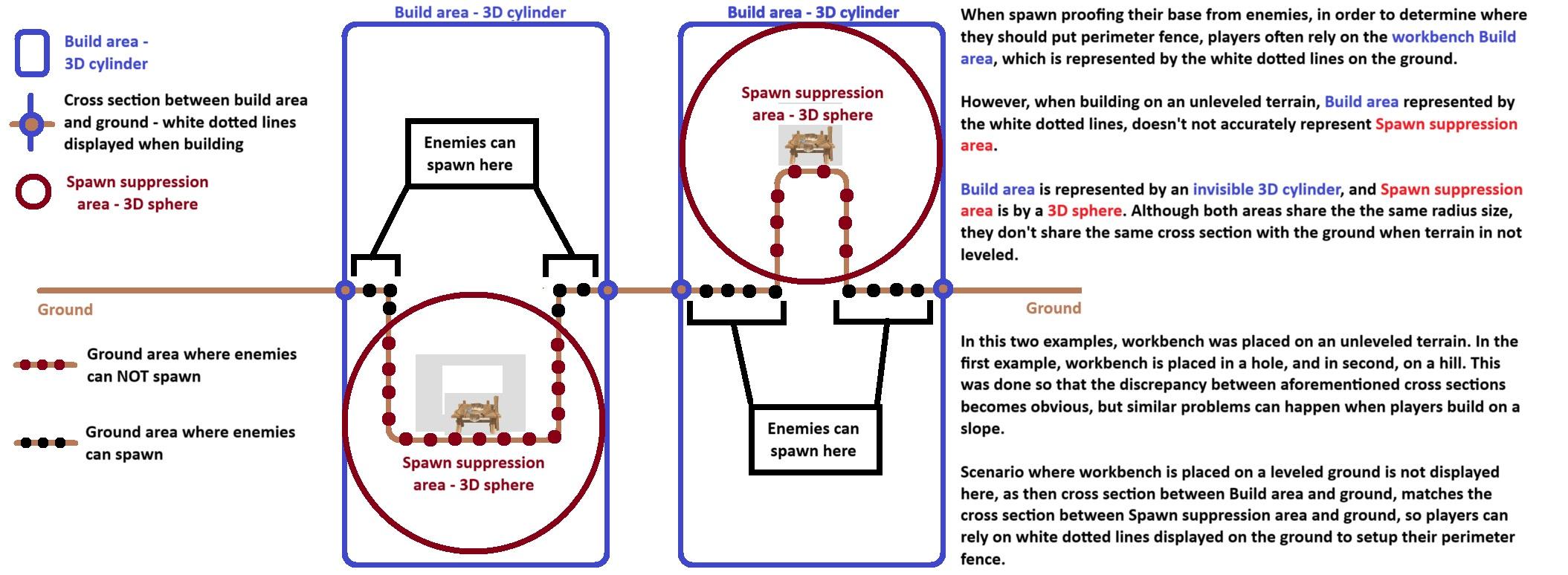 amber warren
I get what you're saying, but I haven't cut down/mined anything in the ashlands yet because of this, but they still keep coming. And the mistlands incident, this was on an island by the edge of the biome. I went further inland to cut down maybe 2 trees, and came back to the edge of the island, and they were waiting for me. They weren't drawn to the sound of my harvesting, they just showed up
severe moat
@stark meadow isn't the suppression area changed to a cylinder with infinite height now?
stark meadow
amber warren
I get what you're saying, but I haven't cut down/mined anything in the ashlands ...
Well I can tell you that there's a reason I made this info-graphic in paint, as that reason is players often reporting that spawn suppression doesn't work, and then me probably wasting dozens of hours testing and always coming to a conclusion that they either weren't aware of how it works or misses a spot.
Here's me doing yet another quick test to confrim it works properly:

You can guess which area wasn't deliberately protected.
stark meadow
severe moat
<@196192010581835776> isn't the suppression area changed to a cylinder with infi...
No, not yet. It's in progress, as you can barely see here: https://valheim.com/support 😅 at known issues tab. (column width needs adjusting)
👇

Full name is: "Unify workbench build radius and PlayerBase effect area"
 vestal night
Idk if I would call it a bug or not, but it's driving me nuts so I'm bringing it up in here.
The update changed or increased the SFX for when you land on hard surfaces (stone/marble/etc). Weather you're crashing down from a jump, stepping out of a portal, or running around your stone builds you'll consistently hear the same sound at the same volume.
The SFX in question is now so loud and electronic sounding that, for a few hours, I assumed I was experiencing an audio GLITCH as I crossed between zones.
I like having the Effects volume high so as to hear mobs before they hear me, but the change made to this SFX in particular is like nails on a chalkboard for me now.
Has anybody else been experiencing this?
TIA
stark meadow
vestal night
Idk if I would call it a bug or not, but it's driving me nuts so I'm bringing it...
Can you record how it sounds? Do you have many sound emitters in your base, like torches and sconces?
vestal night
stark meadow
Can you record how it sounds? Do you have many sound emitters in your base, like...
I'll have to get back to you on a recording. I keep x9 torches, x2 hearths, x2 ovens, x2 hottubs, x2 braziers, and x1 campfire lit pretty much consistently. I spawnproof with covered wooden torches because they're easier to conceal than benches so there are a TON of those around, but they are not lit/don't get refueled.
 fair ice
Hi all,
Not really a bug, I guess I kind of screwed myself. Died in a really dumb way, and I didn't want to have to spend hours restoring my progress, so I tried to load a backup save. That turned out to be a bad idea, because for some reason the backup did not actually "back up" properly. It's hard to describe how exactly it went wrong, basically it reloaded my character in whatever they were wearing, but everything outside was left in the state of later progression.
As an example, I had a full set of Carapace armor and Eitr-weave robes. The save I started from had me start wearing the latter. I left that on an armor stand and went out on that failed trip in Carapace armor. When I loaded the backup, I now had the Eitr Armor on again, but the armor stand also had the Eitr Armor on it (i.e accidental dupe, while my other stuff was just gone forever)
This error then "propagated". I tried to load an earlier backup, and now my Queen drops also disappeared (I picked them up to see what buildings would be unlocked)
So basically I now have several "corrupted" backup saves, and probably no hope of recovering the items. Even the save I had from when I died is now missing items
Do I just bite the bullet and use cheats to get my stuff back? At this point I'm worried I may have broken the whole world
stark meadow
vestal night
I'll have to get back to you on a recording. I keep x9 torches, x2 hearths, x2 o...
Post a video when you have the time. It's probably the same issues as here: #steam-bugs-discussion message
vestal night
stark meadow
Post a video when you have the time. It's probably the same issues as here: http...
exactly
stark meadow
fair ice
Hi all,
Not really a bug, I guess I kind of screwed myself. Died in a really du...
When loading backups, if you want your character to be in sync with the world, you have to restore both the character saves and the world saves separately. Both saves have to have the same timestamp if you want them to sync. The latest saves show up closer to the top. Saves that have restore in the name are backup saves of the main save you overwrote with restoration. Your best best is to restore the top most autobackup saves for both character and the world that has the same timestamp. At max, the amount of progression you might lose is 2h.
fair ice
stark meadow
When loading backups, if you want your character to be in sync with the world, y...
oh...
Ok, how do I do that? Since I was such a dummy, I loaded several backups already, trying to fix it
I didn't delete anything thankfully
stark meadow
fair ice
Ok, how do I do that? Since I was such a dummy, I loaded several backups already...
Backups you tried to load don't get deleted, so anything that I said still applies.
I hope that you are using the in-game manage saves button to restore saves, and that you are not manually renaming files.
fair ice
stark meadow
Backups you tried to load don't get deleted, so anything that I said still appli...
No none of that, I was using "manage saves"
But basically yeah, it feels like it reloaded my character but the world was in whatever state I left it in after the 2h of progress I lost
stark meadow
fair ice
No none of that, I was using "manage saves"
This is the key sentance: Your best best is to restore the top most autobackup saves for both character and the world that has the same timestamp.
fair ice
Oh right, I see it
stark meadow
Focus on top most autobackup for both saves. It's in the format savename_auto_backup-timestamp
fair ice
Oh my god I think I did it. Thank you so much ❤️
Yeah I managed to find the backup that I started from 2h ago. Backed up both character and world. All is well
 stable tiger
Hey everyone. I'm not sure if this is here but I am getting the "Incompatible Version" whenever I try joining my friend's server/world. They are on Xbox.
is there a way I can go down a version?
stark meadow
stable tiger
Hey everyone. I'm not sure if this is here but I am getting the "Incompatible Ve...
They can also go up a version, by downloading Xbox Insider Hub app from the store and signing up for the Valheim preview., or you can go down by selecting BETA → pre Ashlands version at Valheim properties in Steam library. If you tried loading your saves already to Ashalnds version, you would also have to restore your backups for both world and character to the poing when they were saves on previous version.
vestal night
stark meadow
Post a video when you have the time. It's probably the same issues as here: http...
I believe the person in this video and I are referencing the same sound effect. My video would look exactly the same. Did this user find a resolution?
although his issue seems more tied to attenuation w discord or smt
it's a very static-y metallic noise whenever you land on stone
stark meadow
vestal night
I believe the person in this video and I are referencing the same sound effect. ...
The workaround is to limit the number of light sources in the base and decrease graphic setting in bases that don't have much instances (won't help for larger bases). This issue is specific to Unity engine and might not be solved soon. What can be done is reverting some sound changes that were done in Ashlands that made the original issue even worse.
marble wolf
No, the optimisation has improved things.
 marsh sparrow
Anyone else experiencing choppy audio? Seems to be tied to ambient sounds mostly. I'm not sure how to describe it. I've uninstalled and reinstalled and verified but the sound will not go back to normal. Its pretty constant. It's happening in the main menu and when I hop onto a game.
stark meadow
marsh sparrow
Anyone else experiencing choppy audio? Seems to be tied to ambient sounds mostly...
Does it happen in the main menu even after you restart the game?
That doesn't sound right. How much FPS do you have in the main menu when you press f2? Are you using any mods?
marsh sparrow
stark meadow
That doesn't sound right. How much FPS do you have in the main menu when you pre...
Ah so issue is my headphones I think. They may be kicking the bucket.... not even that old 🥲
Valheim was just the first thing I listened to since getting home.
Thanks for a quick response though!
 bleak otter
Please help.
Crashed all morning until I read somewhere to just leave it alone (Valheim not Responding) for like 20 mins, so I left it alone for an hour.
After an hour, it was still at "Valheim not Responding"
I ended that task, and Steam and restarted the game (via Steam)
Then it worked until tonight:
I logged on tonight, had a friend jump in my game.
Everything was working fine for about 2 hours and then I got the same issue "Valheim not Responding".
Left it alone for 10-15 mins, restarted but it just kept crashing after about 1-2 mins.
This only began after the Ashlands patch/release.
I have zero mods.
I don't overclock, I have a fairly new computer, no customized blah, blah....this issue has something to do with the patch. Is there anything else you need from me so you can help diagnose?
Processor Intel(R) Core(TM) i7-14700KF 3.40 GHz
Installed RAM 32.0 GB (31.8 GB usable)
System type 64-bit operating system, x64-based processor
NVIDIA GeForce RTX 4060 Ti
Standard SATA AHCI Controller
1.59 TB of free storage
stark meadow
bleak otter
Please help.
Crashed all morning until I read somewhere to just leave it alone (...
Do you get not responing error only when you try to load worlds or in the middle of a play session also?
bleak otter
I'm assuming that the first 2 minutes of the game is the "loading worlds" time?? this morning that's when it crashed. (within the first 2 mins of game loading)
Tonight however, it crashed after about two hours of play
and then subsequently after rebooting the game it kept crashing every 1-2 mins
stark meadow
bleak otter
I'm assuming that the first 2 minutes of the game is the "loading worlds" time??...
World loading time is just the time it passes between you clicking start on a world file to loading into that particular world.
Crashes that happens during gameplayer are different. Did you check the crash guide already?
bleak otter
yes, (checked crash guide). I honestly don't know what to do. the game behaved fine pre-expansion. I haven't made any changes to anything. I'm new to this game (barely had it a week). And again, I don't run mods (never have)
 cloud frost
Hi, for the past week and more (incl. before ashlands update) I (vanilla,no mods) have been unable to connect to ANY server except one I am hosting locally. Dedicated, non-dedicated, all give the same "disconnected" issue. We all know this kind of thing happens for people with Valheim, but in over a year of playing, it hasn't for me. I didn't change anything on my end except regular updates when steam prompts. I have been getting the "k_EResultNoConnection" error, not ZRpc Timeout. Uninstalled, reinstalled, etc. still same 05/15/2024 19:15:29: client got keys 2 05/15/2024 19:15:29: client got location icons 05/15/2024 19:15:29: Icons:1 05/15/2024 19:15:29: Session auth respons callback 05/15/2024 19:16:09: Generating new world minimap done [39741ms] 05/15/2024 19:16:09: Starting respawn 05/15/2024 19:16:09: Failed to send data k_EResultNoConnection 05/15/2024 19:16:09: Failed to send data k_EResultNoConnection 05/15/2024 19:16:09: Failed to send data k_EResultNoConnection 05/15/2024 19:16:09: Failed to send data k_EResultNoConnection 05/15/2024 19:16:09: Got status changed msg k_ESteamNetworkingConnectionState_ClosedByPeer 05/15/2024 19:16:09: Socket closed by peer Steamworks.SteamNetConnectionStatusChangedCallback_t 05/15/2024 19:16:09: Closing socket 76561198894876146 05/15/2024 19:16:09: Closing socket 76561198894876146 05/15/2024 19:16:09: Failed to send data k_EResultNoConnection 05/15/2024 19:16:09: send queue size:32 05/15/2024 19:16:09: Got status changed msg k_ESteamNetworkingConnectionState_None 05/15/2024 19:16:10: tip:$loadscreen_tip23 05/15/2024 19:16:10: Disposing socket 05/15/2024 19:16:10: Last socket, unregistering callback 05/15/2024 19:16:10: ZSteamSocket UnregisterGlobalCallbacks, existing sockets:0 05/15/2024 19:16:10: Disposing socket 05/15/2024 19:16:10: Last socket, unregistering callback 05/15/2024 19:16:10: ZSteamSocket UnregisterGlobalCallbacks, existing sockets:0 05/15/2024 19:16:10: Lost connection to server:ErrorDisconnected
Anyone have guidance?
I've been all over the internet looking for a solution to these specific errors, but found nothing.
 rocky stag
Magmafish aren't eating hot bait, I have hot bait in inventory, rod in pond, magmfish visable, they swim up to it, but not eat it. I can't get any bites
 finite fractal
hi, i'm stuck on loading screen when i try to enter in my friend's server(the one we already were playing before the update). I reinstalled the game, clean from mods, waited 30+minutes, checked files, but nothing, still can't enter in server.
CPU: i7 10700k
RAM: 16gb ddr4 4200MHz
VGA: RTX 3060
Archive: M.2 Evo 970
 eternal moss
Anyone else experiencing some map gen issues? Areas near the north of the map seem to have moved or possibly submerged underwater?
 lucid geyser
eternal moss
Anyone else experiencing some map gen issues? Areas near the north of the map se...
lucid geyser
eternal moss
Anyone else experiencing some map gen issues? Areas near the north of the map se...
By design, as with the Ashland
jagged hamlet
eternal moss
Anyone else experiencing some map gen issues? Areas near the north of the map se...
That is normal in older worlds anything close to deep north and ashlands got reworked a tad.
eternal moss
Ah great
And ive seen people falling through the map trying to get near the ashlands.. seemingly cause by the bonemaw
gilded sluice
eternal moss
And ive seen people falling through the map trying to get near the ashlands.. se...
falling through map is a mod issue
stark meadow
bleak otter
yes, (checked crash guide). I honestly don't know what to do. the game behaved ...
Did you reset your BIOS setting yet?
stark meadow
cloud frost
Hi, for the past week and more (incl. before ashlands update) I (vanilla,no mods...
Most connection problem are related to one being behind NAT and crossplay it being probmeatic for crossplay.
Have you tested non-crossplay (steam only) servers?
stark meadow
rocky stag
Magmafish aren't eating hot bait, I have hot bait in inventory, rod in pond, mag...
Yeah, known problems they don't bite. Some last minute changes were made to make them drop other loot and they stopped biting apparently.
stark meadow
finite fractal
hi, i'm stuck on loading screen when i try to enter in my friend's server(the on...
Have you tried loading into your singleplayer world? What's important isn't to wait a long time, but to not ineract with your PC as soon as loading process starts. If you get not responding message in Valhiem and Valheim is launched in Vulkan, there's no point in waiting. Loading process has to be started again.
finite fractal
stark meadow
Have you tried loading into your singleplayer world? What's important isn't to w...
yes, i thinked the same thing and tried to log in single player map and it worked, but not in multiplayer
stark meadow
finite fractal
yes, i thinked the same thing and tried to log in single player map and it worke...
Which OS? Ever successfully played on in that server? Do you get pass the password prompt? Tried new character and that server?
finite fractal
Windows 11, played untill update without problems
no mod, no cheats, nothing of nothing
finite fractal
stark meadow
Which OS? Ever successfully played on in that server? Do you get pass the passwo...
yes, password inserted, correct password, Loading Screen (the one with the troll wallpaper), but infinite loading (waited for 30+ minutes)
 marsh tinsel
Hey guys, I just picked up on a game I was playing before the Ashlands patch rolled out, and the map is completely covered in fog of war and lost all my markers, although my buildings are all there. Any ideas? Playing stable in a local save with no mods on Linux.
stark meadow
finite fractal
yes, password inserted, correct password, Loading Screen (the one with the troll...
Please DM me a playerl.log after a minute of hanging there for that server
It's located in %username%\AppData\LocalLow\IronGate\Valheim
stark meadow
marsh tinsel
Hey guys, I just picked up on a game I was playing before the Ashlands patch rol...
Are you sure that you are using the same character? Try to wipe minimap cache files and restore an earlier character backup. Minimap cache files are located in: /home/steam/.config/unity3d/IronGate/Valheim/worlds_local
marsh tinsel
I'm currently backing up and restoring to see what happens.
finite fractal
stark meadow
Please DM me a playerl.log after a minute of hanging there for that server
as soon as i go back home(in 9h), i'll send you logs, thank you
marsh tinsel
stark meadow
Are you sure that you are using the same character? Try to wipe minimap cache fi...
All fixed, sorry for the time waste. It had defaulted to an older character as you suggested
cloud frost
stark meadow
Most connection problem are related to one being behind NAT and crossplay it bei...
Thanks for responding. Yes the main dedicated server I have been playing on has cross play disabled. Other servers I have tried also have it disabled. I have tried 5 different internet connections at this point. Including ones that used to work. What do you think is the next step?
stark meadow
cloud frost
Thanks for responding. Yes the main dedicated server I have been playing on has ...
Which OS? Do you have any VPN services running in the background? When you google your IP, do you get IPv4 or IPv6 result?
gilded sluice
cloud frost
Thanks for responding. Yes the main dedicated server I have been playing on has ...
diffrent internet points? 🤔
sometimes, the country you are in and where you try to connect do. is blocked
 quick loom
after the update I can't play in my gf's world, she can join to mine, but if i try to join hers, it fails, why could this happen? we restarted both our pcs and steam several times, and i kept being unable to connect with her 😭
bleak otter
stark meadow
Did you reset your BIOS setting yet?
I don't recall reading that in the "crash guide" - how should i change my Bios setting?
stark meadow
bleak otter
I don't recall reading that in the "crash guide" - how should i change my Bios ...
It's the Point2 in the Section1 of the guide. The points are ordered by the frequency of occurrence. For experiencing random crashes, which you are, crash cause is often related to unstable system clocks set in BIOS and on various other locations (some blotware software that optimises performance).
Have you ever been to BIOS settings? What I would recommend doing is just loading into BIOS (by pressing F2 or DEL key when system is booting), then check for shortcuts for F keys on the keyboard. One of the keys will be designated to restore BIOS defaults, which you should press and save the changes with a restart.
bleak otter
stark meadow
Have you ever been to BIOS settings? What I would recommend doing is just loadin...
My computer was built in Dec 23 and I've never made any changes to my Bios, but I'll give it a whirl.
stark meadow
bleak otter
My computer was built in Dec 23 and I've never made any changes to my Bios, but...
If you haven't built your PC yourself, all the more reason to reset BIOS to default.
It's not listed as one of the most crash causes for no reason. I can probably link you dozens of examples where people were crashing on new system that were imporoperly configured. Valheim among other few games tends to expose those instabilities. It's usually benchmark programs that are designed to expose such things.
Be free to DM me for more support, so we don't spam the channel.
Resetting BIOS to default is a safe practice, unlike adjusting anything specific in it.
bleak otter
stark meadow
Resetting BIOS to default is a safe practice, unlike adjusting anything specific...
it's UEFI on my computer right?
 olive oriole
Hello !
I play solo under Windows 10.
With the last version, I have a lot of crash (game freeze)
With the old version, I have no problem.
stark meadow
bleak otter
it's UEFI on my computer right?
Yeah, UEFI is the new name for BIOS basically.
stark meadow
olive oriole
Hello !
I play solo under Windows 10.
With the last version, I have a lot of cra...
At what times are you crashing and freezing? System specs?
olive oriole
I have crash anywhere (4 times in my Drakkar and 2 times in the land)
CPU: Ryzen 7 5800x
MB: ASUS B550-M with 32 Go DDR
GC: MSI GTX-3600 Ti GAMING X TRIO
stark meadow
olive oriole
I have crash anywhere (4 times in my Drakkar and 2 times in the land)
CPU: Ryzen...
So it seems like you are experiencing random crashes also, although in your case they might be more related to the water (stresses GPU). In what manner are you crashing? (CTD, freeze, system shutdown, freeze that forces manual system shutdown).
The most often solution for this is resetting BIOS and GPU clocks to default? Have you ever tweaked those?
olive oriole
The game just freeze.
And I have to kill the process.
I haven't touched the clocks and the GPU is not overclocked.
I doubt it comes from the GPU because, among other things, in ARK 1.5 they work well.
I'm going to look at the card's performance in Valhiem game
rocky stag
stark meadow
Yeah, known problems they don't bite. Some last minute changes were made to make...
thought that might be the case, thanks
bleak otter
stark meadow
Yeah, UEFI is the new name for BIOS basically.
Update: so in the game now for 10 mins and no issues. I also lowered my FPS (in game) to 60. (also made sure Vsync was deselected).
stark meadow
bleak otter
Update: so in the game now for 10 mins and no issues. I also lowered my FPS (in...
Try playing for couple of days like that, they if you feel you have low FPS in some games, you can revisit BIOS setting and try the optimised XMP profile again. It usually give more performance in games at minimal risk of crashing. In rare cases does it need to be additionally adjusted.
bleak otter
stark meadow
Yeah, UEFI is the new name for BIOS basically.
UPDATE: Also deselected "crossplay" too. Not sure which of these changes made the difference, but thanks for the help. I appreciate it.
spiral lion
stark meadow
Start over, and when loading process starts, don't interact with your PC until t...
ok thank you !
lyric mirage
Man, my world is sooo busted. All of the world area that updated in Ashlands is just the old land but it's all underwater; I've got trees sticking out of the water all over the place.
stark meadow
lyric mirage
Man, my world is sooo busted. All of the world area that updated in Ashlands is...
It's a unfortunate consequence that couldn't be avoided in old worlds.
All areas close to Ashlands and Deep North got sunken on purpose so that the islands become accessible by boat only for present and future game design choices.
Old worlds are unfortunately incompatible with this change and there was no easy fix for it.
A fix would require somehow deleting explored areas, but not player bases, rather automatically moving player bases to safe areas in the world. Coming up with a solution for this would require excessive workload, and come with minimal benefit. Mistlands suffered similar terrain changes, but the Devs game design ideas were still handicapped by trying to make old worlds more compatible.
I would suggest looking into mods that allow base re-allocation manually and those that can wipe out explored areas close to Ashlands so that Valheim can organically generate them again upon new exploration.
PlanBuild mod has good build re-allocation features, and UpgradeWorld mod can reset specified world areas. Those are the mods I heard players using the most.
lyric mirage
stark meadow
It's a unfortunate consequence that couldn't be avoided in old worlds.
All areas...
I appreciate the feedback. I'll check that out.
 lost falcon
hello since the update i can't connect to my servers the game doesn't respond but i can play with my friend on their server, I don't understand... Someone have the same issue?
marble wolf
Have you updated your servers?
lost falcon
what do you mean? it's just my world it was save on my computer
it's not a server it's just my world
marble wolf
You just said you can't connect to your servers....
lost falcon
yes sorry bad word my english is not really good i'm french
stark meadow
lost falcon
hello since the update i can't connect to my servers the game doesn't respond bu...
Once the world loading process starts, be sure to not interact with your PC, so world generation can be done without interruption. Remove mods, such as plant everything or switch back to previous game version if you want to continue playing with mods. If you believe you don't have mods installed, double check that you installation folder doesn't have any other files than these: https://i.imgur.com/vdpdeOA.jpg
lost falcon
stark meadow
Once the world loading process starts, be sure to not interact with your PC, so ...
i reinstall the game and it works but thank you anyway
 frank hill
anyone struggling to join servers otr host them?
 gusty elk
Has anyone else noticed a kind of default movement bug while using the cauldron? Seems like I randomly drift away from it as I make things.
stark meadow
gusty elk
Has anyone else noticed a kind of default movement bug while using the cauldron?...
How does the ground on which you stood look?
gusty elk
stark meadow
How does the ground on which you stood look?
It's all normal dirt and grass. Some parts more sloped than others, but even on the flat part I seem to be drifting.
stark meadow
frank hill
anyone struggling to join servers otr host them?
There are no general issues. Test if you can reach the password prompt in the community tab for some random servers. Test both Steam (key icon🔑 ) and Crosspaly servers (have arrow icon + key icon 🔑 🔀 )
stark meadow
gusty elk
It's all normal dirt and grass. Some parts more sloped than others, but even on...
Try building some wood floors around.
gusty elk
stark meadow
Try building some wood floors around.
Eventually. Guess I'll report back later if I still drift on flooring.
 deft gulch
hey guys, not sure if this is considered a bug. doing ashlands on an older world on two pcs. at my home pc, the world map (when you hit m) is inaccurate, shows the old ashlands, but on my work pc it shows the correct updated seed, with the new ashlands and new borders. anyone know how to fix this for my home pc?
 lunar raft
I honestly dont know why my game keeps crashing anymore, feel like ive tried all the different fixes ive read. When i first played the game 2 or so years ago I never had any crashing problems. but last summer when I picked up the game again valheim would freeze and then crash at random points in game, sometimes pretty quickly once loading in, and other times after hours of playing. I gave up playing for a while since the crashing caused items to basically be deleted from existence if I moved an item from a chest into my inventory between autosaves.
stark meadow
deft gulch
hey guys, not sure if this is considered a bug. doing ashlands on an older world...
Some kinds related to map cache files have to be ironed out still. You'll have to delete the cache files when you switch a device. They are located in this folder: https://i.imgur.com/NjqMdru.jpg

There's 3 of them and have world name and chace tag in the file name.
stark meadow
lunar raft
I honestly dont know why my game keeps crashing anymore, feel like ive tried all...
In your search for resolving this issue, did you stumble upon this guide: https://www.reddit.com/r/valheim/comments/uq9b8x/my_valheim_is_crashing_fix_for_crash_guide/ ?
And if so, what have you tried from the things listed there?
lunar raft
stark meadow
In your search for resolving this issue, did you stumble upon this guide: https:...
I have looked through that guide. Ive tried most things that applied to my crashes outside of using DDU to uninstall and reinstall drivers. which im just nervous to do.
deft gulch
stark meadow
Some kinds related to map cache files have to be ironed out still. You'll have t...
omg i love you so much! tytytyty!
 zinc prism
whats going on lines appearing all over since patch mainly plains but now in meadows and i cant plant on top of them ????

 stark meadow
zinc prism
whats going on lines appearing all over since patch mainly plains but now in me...
stark meadow
zinc prism
whats going on lines appearing all over since patch mainly plains but now in me...
Enable console: https://i.imgur.com/e8Vpfhx.jpg, open console in game with F5, type and run "devcommands" command, then type and run "optterrain" command in areas where you see this problem
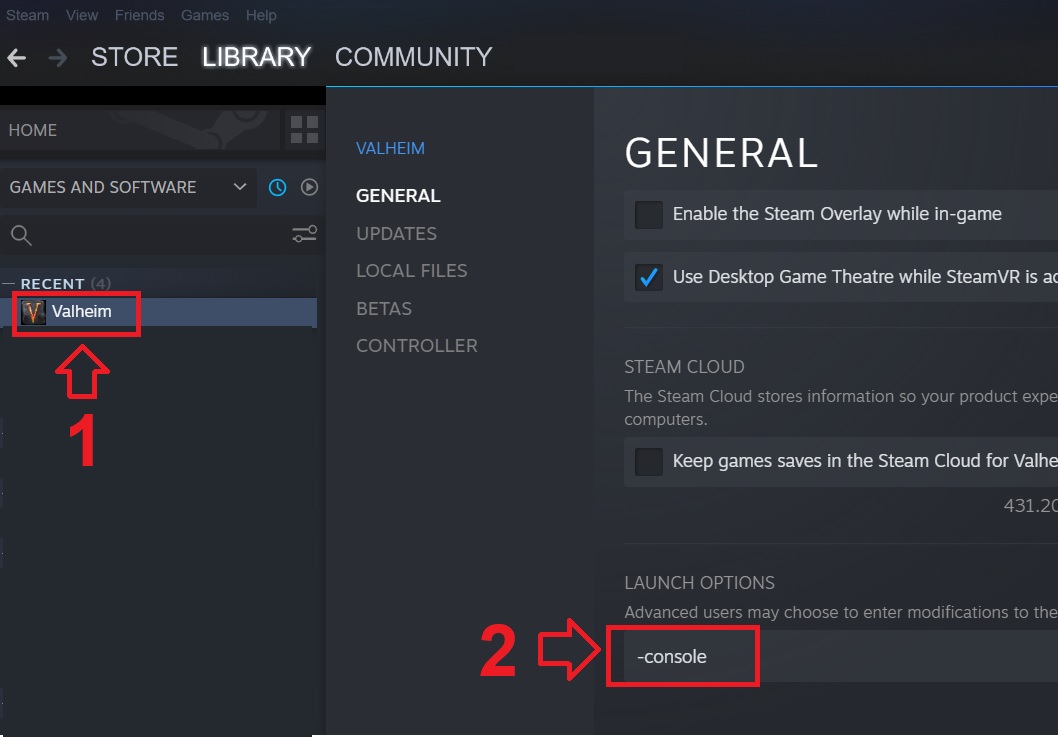 zinc prism
i can work around it ,, do you think it`s going to be a hotfix thing
stark meadow
lunar raft
I have looked through that guide. Ive tried most things that applied to my crash...
Section1:Point2 covers random crashes which you are experiencing. The first fix one should do to fix those, is the reset BIOS setting to default. Here's the last person that has the same issue, and probably resolved it couple of hours ago: #steam-bugs-discussion message
I'm guessing you didn't try resetting your BIOS setting to default, if you are afraid to tackle driver re-installation, whihc many would say seems less scary that going into BIOS settings.
stark meadow
zinc prism
i can work around it ,, do you think it`s going to be a hotfix thing
What I posted that you should do, is the hotfix.
zinc prism
yes i know you said that will fix it, and thats great thanks , but for the rest of the games life cycle do you have to do that all the time ,, i wouldn`t think so or thats going to be be really bad if you have to do that all the time .
anyway thanks for the help
stark meadow
zinc prism
yes i know you said that will fix it, and thats great thanks , but for the rest ...
The issue manifested for all cultivated areas before Mistlands update, so in all this areas you have to run the command to fix them.
lunar raft
stark meadow
Section1:Point2 covers random crashes which you are experiencing. The first fix ...
i had reset my bios(since i had changed some ram stuff) but that didn’t fix it. so i just figured out how to do driver-reinstallation and i shall see if that fixed the problem
buoyant ginkgo
stark meadow
If it goes ok after couple of days on default, switch to default XMP then. If de...
Hi MaCarBre. Some days ago I reported an issue with random crashing of the game. After I reverted bios setting to default the game worked stable for few launches but started crashing again even with default bios settings (no XMP profile). I still have the gut feeling that it might be somehow connected to a memory issue. I found something vaguely similiar here: https://forum.lastepoch.com/t/game-crashes-with-unityplayer-dll-error/63235/24?page=2
(different game but same unity error "SymGetSymFromAddr64")
Any tips on what should I try next? Maybe there's some magic bios ram setting that will fix it all

For me nothing seems to work. I have tried everything. Sometimes i can play for hours without crash and sometimes it crashes ever 30min or so. This error is so old yet its still here.
stark meadow
lunar raft
i had reset my bios(since i had changed some ram stuff) but that didn’t fix it. ...
Be sure to grab a player.log file next time you crash
buoyant ginkgo
buoyant ginkgo
Hi MaCarBre. Some days ago I reported an issue with random crashing of the game....
I read a bunch more on the valheim crash guide and see that SymGetSymFromAddr64 is not something rare lol
Excuse my poor detective skills but still. No solution for me
stark meadow
buoyant ginkgo
Hi MaCarBre. Some days ago I reported an issue with random crashing of the game....
Will DM you so we can talk about bunch of stuff there.
uncut pine
Hi, in our multiplayer server one of our members constanly gets disconnected, and as far as we can tell its not a wifi/internet issue. Any easy fixes or common problems?
stark meadow
uncut pine
Hi, in our multiplayer server one of our members constanly gets disconnected, an...
Send them this link and have them test their connection when nothing else other than the test is using it:
https://www.waveform.com/tools/bufferbloat
lunar raft
stark meadow
Be sure to grab a player.log file next time you crash
the previous crash was a D3D11 Failed to create Texture. but this most recent one after doing stuff with the drivers didnt show up on the player.log file
uncut pine
Thanks, we actually solved it, turned out he was tabbing out during the loading process, which wasn't doing the game any favours
stark meadow
lunar raft
the previous crash was a D3D11 Failed to create Texture. but this most recent on...
How did you reinstall the driver, by using DDU software, regular install or regual install + custom installation + perform clean reinstallation option? Check how the last crash flagged in realiability monitor. Actually send me a screenshot of that in the DM please
lunar raft
stark meadow
How did you reinstall the driver, by using DDU software, regular install or regu...
I used DDU software
 bronze monolith
Is anyone having their ship hit the ocean floor when trying to enter ashlands?
balmy garnet
Hey question: checked my error code (this has been happening with ashelands..)
ERROR_CODE: (NTSTATUS) 0xc0000005 - The instruction at 0x%p referenced memory at 0x%p. The memory could not be %s.
EXCEPTION_CODE_STR: c0000005
EXCEPTION_PARAMETER1: 0000000000000000
EXCEPTION_PARAMETER2: ffffffffffffffff
Would this imply that i need to give the game more memory?
Typically if i crash its been going through teles/exiting dungens
stark meadow
bronze monolith
Is anyone having their ship hit the ocean floor when trying to enter ashlands?
Caused by mods. Either BepInEx or Valheim+
stark meadow
balmy garnet
Hey question: checked my error code (this has been happening with ashelands..) ...
Usually related to general crashes in Unity engine related to CPU clocks.
What are you system specs?
Are you using thunderstore mod manager?
balmy garnet
No mods what so ever
System specs (From steam)
Processor Information:
CPU Vendor: AuthenticAMD
CPU Brand: AMD Ryzen 7 5700X 8-Core Processor
CPU Family: 0x19
CPU Model: 0x21
CPU Stepping: 0x2
CPU Type: 0x0
Speed: 3400 MHz
16 logical processors
8 physical processors
Hyper-threading: Supported
FCMOV: Supported
SSE2: Supported
SSE3: Supported
SSSE3: Supported
SSE4a: Supported
SSE41: Supported
SSE42: Supported
AES: Supported
AVX: Supported
AVX2: Supported
AVX512F: Unsupported
AVX512PF: Unsupported
AVX512ER: Unsupported
AVX512CD: Unsupported
AVX512VNNI: Unsupported
SHA: Supported
CMPXCHG16B: Supported
LAHF/SAHF: Supported
PrefetchW: Unsupported
Operating System Version:
Windows 10 (64 bit)
NTFS: Supported
Crypto Provider Codes: Supported 311 0x0 0x0 0x0
Video Card:
Driver: NVIDIA GeForce GTX 1080
DirectX Driver Name: nvldumd.dll
Driver Version: 31.0.15.5244
DirectX Driver Version: 31.0.15.5244
Driver Date: 5 7 2024
OpenGL Version: 4.6
Desktop Color Depth: 32 bits per pixel
Monitor Refresh Rate: 74 Hz
DirectX Card: NVIDIA GeForce GTX 1080
VendorID: 0x10de
DeviceID: 0x1b80
Revision: 0xa1
Number of Monitors: 1
Number of Logical Video Cards: 1
No SLI or Crossfire Detected
Primary Display Resolution: 1920 x 1080
Desktop Resolution: 1920 x 1080
Primary Display Size: 23.50" x 13.23" (26.97" diag), 59.7cm x 33.6cm (68.5cm diag)
Primary Bus: PCI Express 4x
Primary VRAM: 8191 MB
Supported MSAA Modes: 2x 4x 8x
Sound card:
Audio device: Headphones (HyperX Cloud Alpha
Memory:
RAM: 32694 Mb
stark meadow
balmy garnet
No mods what so ever
System specs (From steam)
Processor Information:
CPU Vend...
Will DM you about this one also
 vague dust
bronze monolith
Is anyone having their ship hit the ocean floor when trying to enter ashlands?
vague dust
bronze monolith
Is anyone having their ship hit the ocean floor when trying to enter ashlands?
Yes! This just happened to my group twice. Everyone died, now we have no gear and when we go back not only do the ships sink to the bottom but the characters that make it onto spires slip off and die. The game is unplayable right now.
We do have a modded server but nothing crazy.
heady briar
Snapping on either the wall or arch is a lil messed up
 gilded sluice
vague dust
We do have a modded server but nothing crazy.
gilded sluice
vague dust
We do have a modded server but nothing crazy.
sorry to tell you.
but mods do this 100%
seen it and helped multiple people.
all had mods installed
 woeful hazel
https://youtu.be/Lo0MXE47LPA after breaking some of the ore deposit, they're just disappearing, as I see they are going underground
 balmy garnet
my grass in the game is blurry in patches and clear in others, is it a bug of just how the game looks?
jagged hamlet
balmy garnet
my grass in the game is blurry in patches and clear in others, is it a bug of ju...
Screenshot would be helpful, it could be that the grass is still rendering and that is why it is blurry or something along those lines.
balmy garnet
its my ssao, with it on the grass looks like its been blurred our
like its been censored
here is what it looks like
 jagged hamlet
It can look like that depending on graphic settings or still rendering in, normally it looks crispier though.
balmy garnet
thats whats weird, its only patches that look like this
some look normal and crisp
when i turn ssao off it looks good all around but looks terrible with shadows
jagged hamlet
Yeah, that's kinda normal, just get used to it, it might get changed with optimization.
balmy garnet
damn lol
 latent latch
hey guys i was playing valheim for past week nomraly and nothing happened but lastnight i couldn't join anyone server cuz i keep getting faild to connect for mods and vanilla can anyone help me with this

i keep getting this msg for many servers and it doesnt even go to password when i write the server ip it be like 10sec then i get this without putting password
and i deleted the game 3 times
stark meadow
latent latch
hey guys i was playing valheim for past week nomraly and nothing happened but l...
Currently you have mods installed and that's visible on the screenshot.
Thoubleshooting is not smart while you have mods installed.
Please remove the mods and attempt to connect to some random server in the community tab.
Test both Steam (key icon🔑 ) and Crossplay servers (have arrow icon + key icon 🔑 🔀 )
latent latch
stark meadow
Currently you have mods installed and that's visible on the screenshot.
Thoubles...
i did all of that
stark meadow
latent latch
i did all of that
And what did you conclude from all of that?
stark meadow
latent latch
i keep getting this msg - daild to connect-
Do you get that message for both types of servers?
latent latch
yes modded and vanilla
same msg and i cant even get to password and yes i copy ip right
stark meadow
latent latch
yes modded and vanilla
I'm not talking about modded vs vanilla, but steam vs crossplay servers.
stark meadow
latent latch
i was in both and same msg
Ok, remove your mods again. I won't help while you have mods installed.
Then I'm gonna start a test server for you.
In the meanwhile also go to google and type "my IP" to see if it's IPv4 or IPv6
IPv4 consists only of numbers, and IPv6 can have letters
stark meadow
latent latch
ok i started vanilla now
I will DM you then
 frozen jetty
man... i wanna play but failed to connect
sharing internet with phone, was not a problem first time i bought the game
i refunded, waited a year, now i wanna play, failed to connect
my 2hours are gone also so i guess i supported a game that doesnt fckn work
im frustrated if anyone can help
stark meadow
frozen jetty
man... i wanna play but failed to connect
Your connection might not be compatible with crossplay servers only. Test connecting to a Steam only server that has crossplay disabled. You can recognise such servers in the join tab, community servers sub tab, as try seeing if you can reach the password prompt for one such non-Crossplay server (they don't have the arrows icon that looks like this: 🔀 )
frozen jetty
can you say a server i should try?
we've tried everything from dns 8.8.8.8 8.8.4.4 to disabling firewalls etc
stark meadow
I don't see the same servers as you in the community tab.
Try any servers there that **don't **have the arrows icon. If you can't connect, I'll start one for you after you try on your own.
frozen jetty
ok im trying
but now every server has a password
can you start a server macarbre
failed to connect
stark meadow
frozen jetty
ok im trying
Will DM you.
 jaunty steppe
Was the goal for Ashlands to make the whole new territory inaccessible?
marble wolf
Um, of course not. That would have been stupid.
jaunty steppe
I'm so frustrated. I've logged 760 hours in the game; had a base built in the Ashlands, log-in and no more shore.
I can't even recover my gear..
stark meadow
jaunty steppe
I'm so frustrated. I've logged 760 hours in the game; had a base built in the As...
You can check my response here that might help a bit: #steam-bugs-discussion message
Additionally you can restore a pre Ashalnds backups and save your base with some devcommands by spamming the flat ground beneath your base. But everything else around the base will still sink when its gets updates and it will look ugly. I suggest looking into Mods more for more elegan solution.
jaunty steppe
stark meadow
Additionally you can restore a pre Ashalnds backups and save your base with some...
Tyvm for the assist 😊
 proven gate
Just curious if there is some kind of change/issue regarding framerate in terraformed areas like bases? Before ashlands I was getting roughly 140-170fps in a medium/large size base and now I am only getting around 70fps with little to no changes. Currently I have around 8100 instances
stark meadow
proven gate
Just curious if there is some kind of change/issue regarding framerate in terraf...
How old is your base? (at which version of valheim was terraforming done)
 urban bluff
The game is taking a long time to enter the world, is it global or is it just me
It happens when I open the server
 pearl osprey
anyone have any idea on a fis for random pc crashing?
 red rain
Is anyone else getting this bug where a burial chamber kinda spawns in the wrong spot and the mobs fall to the ground?
 stark meadow
red rain
Is anyone else getting this bug where a burial chamber kinda spawns in the wrong...
stark meadow
red rain
Is anyone else getting this bug where a burial chamber kinda spawns in the wrong...
I've seen one more werid example of that
Played with mods? New world? Old world? Singleplayer?
red rain
stark meadow
Played with mods? New world? Old world? Singleplayer?
dedicated server, lots of mods. Tried resetting all crypts, didn't help
stark meadow
red rain
dedicated server, lots of mods. Tried resetting all crypts, didn't help
Old or new world?
red rain
stark meadow
Old or new world?
new, started it after Mistlands launched
might be that the game has generated more than one dungeon
stark meadow
When you type printseeds command, do you get a result for two dungeons being close by?
red rain
 stark meadow
The other crypt is 140 meters away, so probably not overlayed on top one another
This one is probably mod related, but send me the world files if you can, the bakcup before it updated to ashlands
should be in the format of worldname_backup-timestamp with the date when you updated to Ashlands
red rain
this is a fresh world than we created AFTER Ashlands
I meant Ashlands earlier, sorry. I got confused
stark meadow
Oh, yeah, I can see the seed here then, so no need to send it to me then
maybe just position os screenshot on the map where the duneon is
red rain
 stark meadow
urban bluff
The game is taking a long time to enter the world, is it global or is it just me
stark meadow
urban bluff
The game is taking a long time to enter the world, is it global or is it just me
It's global. Once the loading process starts you shouldn't touch anything on the PC until the process finishes, or else you might break the loading by activating the game window at wrong time.
red rain
stark meadow
maybe just position os screenshot on the map where the duneon is
did you figure out what it was? We're going to disable a few mods and reset the dungeons again
 spring moon
Hey guys, i just found smth (idk if it's a bug or it's supposed to). I was mining in the black forest for copper, and then every time i mined copper, the copper and stone are placed inside the copper deposit or under the ground. Idk if this has been for a long time but let me know if y'all noticed this too. Edit: I'm playing on pc Steam with a 16gb ram, but I don't think it's the ram that is the cause.
 stable mason
Anyone see the bug where an unnamed portal connects with a random spot in the world with no portal? It seems to happen frequently when the portal it was connected with gets destroyed
spring moon
stable mason
Anyone see the bug where an unnamed portal connects with a random spot in the wo...
Have you tried entering it?
And can you go back?
You might have an portal that maybe destroyed by creatures and your not near it and the game doesn't know where it should connect to.
stable mason
spring moon
Have you tried entering it?
We’ve gone through it and it drops us in someplace with no portal. The first time it was another part of our base, the second was in Ashlands in an area near where we had explored, but still hadn’t been explored yet
We know there has never been a portal in the second location
spring moon
stable mason
We’ve gone through it and it drops us in someplace with no portal. The first tim...
It must have been an ashlands bug
Where is your portal located?
stable mason
If we destroy the portal and rebuild it, it works properly
spring moon
Is your world an old one?
stable mason
spring moon
Where is your portal located?
In our main Meadows base
stable mason
spring moon
Is your world an old one?
Started in January 2024
spring moon
stable mason
Started in January 2024
It is an ashlands bug
I have created a ton of worlds in january 2024
Oh so it's an multiplayer world?
stable mason
spring moon
Oh so it's an multiplayer world?
Yes, we have a dedicated private server
spring moon
stable mason
Yes, we have a dedicated private server
It may have been a glitch. I don't really play multiplayer
stable mason
Two players regularly, others that visit occasionally
spring moon
stable mason
Two players regularly, others that visit occasionally
Probably some of your friend built one
stable mason
So far it’s happened three separate times
stable mason
spring moon
Probably some of your friend built one
No, no one on the server had even been to the second location
spring moon
Maybe you entered a portal that is actually connected to another but i think it was destroyed by the time you enter it
stable mason
No, it definitely was not connected to another portal at the time. The bug happened when we destroyed the portal it was connected to, and the location it took us to was different than the previously connected portal
It is repeatable
spring moon
So there were two portals connected to each other?
Or the one portal randomly connected to an unknown place?
stable mason
Yes, and then we destroyed one of them, which should have disconnected the other, but instead it connected to a random place with no portal on the other end
spring moon
It was a delay
Portals have a 3 second delay when the connection of both portals is cut
stable mason
The portal that was destroyed was in close proximity to the remaining portal. It remained open until we destroyed that portal as well
It wasn’t just a delay
stable mason
If we destroyed it and rebuilt it, it behaved normally
bronze monolith
Hey all, has anyone had an issue of being pulled into the ocean, unable to move when interacting with a bonemaw? I'm in a local save with some friends, no crossplay. Whenever we interact with a bonemaw, our character freezes and gets sucked into the ocean staying against the ground (si underwater). it's happened vanilla and with light mods. We aren't sure what to do other than wait for a patch. Has anyone else experienced this, and if so, do you know a fix? thanks
 hybrid cipher
Getting weird seams in the water near spawn, not using any mods. Seed is "YGGDRASILL".

 frank island
hi, is this issue known? https://imgur.com/7ABucES
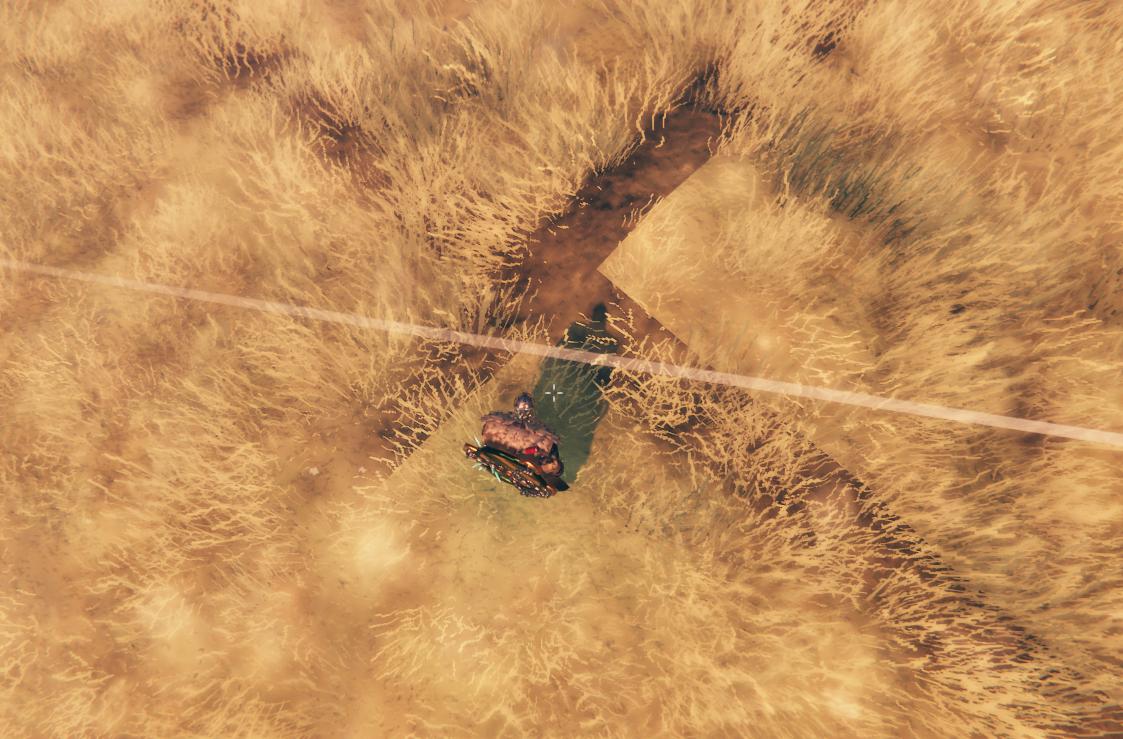
my friend and i both see it - and it's in multiple different areas in the plains
red rain
stable mason
Anyone see the bug where an unnamed portal connects with a random spot in the wo...
Yes! It had something to do with the Portal Everything mod for us (or similarly named). It was routing the new portal to a recently deleted portal spot.
It might help to restart your server and disable any mods about portals
 grizzled flame
Does anyone know what to do if Valheim crashes when I start the world?
 signal pecan
The Smoldering Tombs are missing from our map. They show the location, but when we arrive nothing is there. How do we fix this? Running on my own PC and no mods. Thanks!!
stark meadow
signal pecan
The Smoldering Tombs are missing from our map. They show the location, but when...
Remove those pins are interact with the Hildir table again. Pins don't get updated after Valheim world gets updated.
stark meadow
grizzled flame
Does anyone know what to do if Valheim crashes when I start the world?
Once the loading process starts you shouldn't touch anything on the PC until the process finishes, or else you might break the loading by activating the game window at wrong time.
stark meadow
frank island
hi, is this issue known? https://imgur.com/7ABucES
It's known issuse, yes.
stark meadow
bronze monolith
Hey all, has anyone had an issue of being pulled into the ocean, unable to move ...
It for sure hasn't happened to anyone in vanilla yet. So far the skinniest mod list trat triggered it was BepInEx and Valheim+
Chances that someone in your team hasn't removed BepInEx from their folder is more than high
stark meadow
stable mason
Anyone see the bug where an unnamed portal connects with a random spot in the wo...
Known issue.
 tough grove
Just experienced a bug where the terrain at my spawn point (in Zone -6, 1) got reset to where it was before I modified it with a hoe. This created seams at the zone borders and left part of my build floating. I created this world during the public test of Ashlands, but this issue didn't occur until well after I updated to the current version.
Before noticing the seams, I had returned to my house after looting some dungeons.
After all this, I logged out and back into the world, and the terrain was back to normal. No more seams or other issues.
Anyone else had this weird bug?

 simple fox
Hi , after i try to start a server my game stop responding
simple fox
is there anyone who can help me or ?
stark meadow
simple fox
Hi , after i try to start a server my game stop responding
Once the loading process starts you shouldn't touch anything on the PC until the process finishes, or else you might break the loading by activating the game window at wrong time.
simple fox
stark meadow
Once the loading process starts you shouldn't touch anything on the PC until the...
ohhh ,thx i was pressing click *
stark meadow
tough grove
Just experienced a bug where the terrain at my spawn point (in Zone -6, 1) got r...
Did you build that hose on a location that previously had pre-generated structure there? Like a wood cabin?
tough grove
stark meadow
Did you build that hose on a location that previously had pre-generated structur...
I did not. No structures in that zone
signal pecan
stark meadow
Remove those pins are interact with the Hildir table again. Pins don't get updat...
that worked!! Thank you!!!
 south lance
Posting this here despite it probably not being a bug and more like an oversight. Grausten payload deals around 20 blunt (?) damage while explosive one deal 550 blunt (?) + 250 fire damage. They must've missed an extra zero so it should actually be 200 damage instead
It also shows what someone mentioned a while ago about catapults slightly sliding to one side. Here is doing it in the interval between readiness for next shot
proven gate
stark meadow
How old is your base? (at which version of valheim was terraforming done)
sorry for the late reply. It was made a few weeks before the Hildir update
 fresh coral
system crashes when sailing. drivers up to date. other games works fine. as soon i start sailing system crashes. any ideas?
stark meadow
fresh coral
system crashes when sailing. drivers up to date. other games works fine. as soon...
Check Section1:Point6 in the crash guide, which is linked iin the pinned comments section.
stark meadow
proven gate
sorry for the late reply. It was made a few weeks before the Hildir update
So somewhere between Mistlands and Hildir?
There shouldn't be any difference in performance then. I suggest rolling back game version and restoring preAslands backup to test again. Or send me a backup and I'll check.
stark meadow
south lance
Posting this here despite it probably not being a bug and more like an oversight...
Will have to check
 indigo briar
So, the Catapult doesn't appear to be doing any damage to this charred fortress I've found. Explosive and grauten payload both do nothing to it.
south lance
I wasn't directing you to this channel, I was directing you to essentially the projectile stats/damage numbers
In short: Grausten ammo is completely useless right now, use explosive ammo
indigo briar
Oh, that's not something I would have gotten from just a channel link my man
thanks
south lance
It's a message link, not a channel one. If it only directed you to the channel and not the message, it must've been discord being discord
 gusty vortex
So I want to know if anyone has experienced this.... We got all the Hildir location prior the Ashlands update and since the update a few people have went to those locations only to find that the tombs are no longer there. I have to imagine this is something that can happen but is there any way to remedy this problem?
spring moon
Hey guys, i just found smth (idk if it's a bug or it's supposed to). I was mining in the black forest for copper, and then every time i mined copper, the copper and stone are placed inside the copper deposit or under the ground. Idk if this has been for a long time but let me know if y'all noticed this too. Edit: I'm playing on pc Steam with a 16gb ram, but I don't think it's the ram that is the cause.
 rapid peak
some issues on the Wild Staff:
- The dmg value displayed on the panel are significantly different from the actual dmg from summoned roots.
- After upgrading the staff, the panel dmg change, but the actual dmg remains the same as before.
- The dmg from summoned roots varies with the game difficulty level (e.g. on VeryHard combat difficulty, the roots dmg would increases to 200% of the original).
- The Troll Staff also has the same dmg increase issue mentioned in point 3.
 white jackal
Have the servers just been really bad lately, I havent been able to play with my gf for about 2 or 3 weeks. I live in europe right now and she lives near the center of the US but we didnt not have this issue till some weeks ago. I tried using a vpn but the doesnt fix anything. It just kicks the one the joins the server really quick. It used to happen some times but it happens EVERY time now
 civic ravine
We have a vanilla server on west coast USA. Our friend joins us from East coast. She is disconnecting now when we are in ashlands . We didn't have this problem in other zones. Once was just while sailing in. Other times after fights not during.
balmy garnet
anyone having problems with threads disappearing as soon as they are made?
 teal tusk
Is anyone else having issues with the drakkar and bonemaws in the Ashlands? This happened to me and the other two playing at various points, and the only thing that fixed it was a relog.
It also only happened when the bonemaw was nearby
https://clips.twitch.tv/SmoothBusyEndiveKeyboardCat-GYyuZRdCYpLCJZae

 errant loom
why is my server lagging so much? i have a really good internet connection and a good pc and server.
 versed spruce
since i did the last update, i can't load my servers
balmy garnet
errant loom
why is my server lagging so much? i have a really good internet connection and a...
Can be issues with server and not your internet
errant loom
im just hosting on my pc
cursive mango
is there any possiblility or command to space the new boss stone correctly?
south lance
Yes: Create a new world
cursive mango
oof
 timber belfry
The catapult dupicates meat
Oh no the Catapult duplicates cooked food too! This needs to be patched
Oh that is so busted! the catapult duplicates stacks of pretty much anything
Okay so if I put a stack of an item, the catapult takes one from my inventory and returns the remainder instead of just one.
 worldly notch
Unsure if bug or not: Every time I die in ashlands and retrieve my gear from the tombstone, if my weight exceeds 300 I still end up encumbered even with corpse run active. I thought there was a patch that addressed this?
 lucid sage
So, there seems to be significant issues with CPU task distribution with the latest patch, using fixes for allowing the GPU to take on some of these tasks and completely remedied scenarios where I was diving from 60ish fps into low single digits.
gfx-enable-jobs=1
gfx-enable-native-gfx-jobs=1
Add to boot.config in Valheim_Data
Dearest Devs, please investigate, danke.
 low osprey
For some strange reason just 1 hen can make a whole stack of seeds disappear when I give it to them in a matter of a couple seconds? And then they are still hungry!?!?!?!
 lilac pond
teal tusk
Is anyone else having issues with the drakkar and bonemaws in the Ashlands? This...
lilac pond
teal tusk
Is anyone else having issues with the drakkar and bonemaws in the Ashlands? This...
i had this issue tonight on my personal server, except my boat sank to the bottom of the ocean with me and another player on it because of it, couldn't move, couldn't swim, we're so lucky the world saved just before it happened, i was able to restart the server and regain my boat.. it may be best to avoid bonemaws at all costs until this is fixed
 safe pagoda
I have been having this unity crash error that hasn't seemed to affect anyone else online since 2022.
What I have:
-running Endeavor OS (linux)
-Valheim public test
-Affects both single player and multiplayer
-I do not have any mods (nor have I ever)
-I typically run on normal amd not Vulcan (Vulcan doesn't even run)
-Running an AMD graphics card
-sometimes happens on start up, ALWAYS happens when mining, trees falling, or house breaking (so big sudden changes)
-player.log error is "curl error 7: failed to connect to 6e223.playfabapi.com port 443 after 0 ms: couldn't connect to server" player.log also has not updated since 4/30/24 (I have tried to play since then, this might even predate the crashing) no error.log folder
What I have tried:
-full uninstall (which did involve me checking all my files for anything that wasn't unistalled) and reinstall
-Updating my pc
-Enabled steam overlay
-Messed with my graphic settings
-Made sure bepinex wasn't installed (it wasn't, I think it's a mod thing but it was a popular answer)
-changed my proton settings
Anyone else got any ideas? It worked with no issues for the first 10 hours of game play.

 shut quest
Does anyone knows how to fix connection issues in game. There's a blinking connection in the top left, my internet is fine and all but still keeps me disconnected
 brisk crest
hi there, hello, i have a question about older worlds, from previous versions.
back in november i created a world i played in for a couple of months, and then took a break.
now, when i came back to continute playing on it, the world is nt loading and the game freezes.
how did the world get corrupted? i did not use any mods whatsoever, only the modifier changes which were implemented in the game
deft jacinth
Hi everybody
I have a serious problem
About 80 percent of my portal's bugged
I didn't even change their names, but they don't connect
Some how it's fixed
I can't just changed about 20 portal's name one by one
It's a hardcore server!
 clear raptor
I think I should post this here, I'm assuming it's a typo.

 sonic vapor
lilac pond
i had this issue tonight on my personal server, except my boat sank to the botto...
sonic vapor
lilac pond
i had this issue tonight on my personal server, except my boat sank to the botto...
we just had this issue and we lost everything
 sinful sorrel
lilac pond
i had this issue tonight on my personal server, except my boat sank to the botto...
sinful sorrel
lilac pond
i had this issue tonight on my personal server, except my boat sank to the botto...
this just happened to me 😦
sonic vapor
lilac pond
i had this issue tonight on my personal server, except my boat sank to the botto...
bonemaw came up to the boat and we all died
sonic vapor
bronze monolith
Hey all, has anyone had an issue of being pulled into the ocean, unable to move ...
same thing just happened in our server
brisk crest
brisk crest
hi there, hello, i have a question about older worlds, from previous versions.
...
At least you didn't have this problem here
marble wolf
clear raptor
I think I should post this here, I'm assuming it's a typo.
That's their name.
 placid ridge
Upgrading the trollstav seems to have no effect except durability. This seems unusual, given all the others staffs have some useful effect.
stark meadow
teal tusk
Is anyone else having issues with the drakkar and bonemaws in the Ashlands? This...
@lilac pond @sonic vapor Ship getting pulled into the ocean is caused by mods. Either remove them or check with #mods-discussion which mod causese it. I've seen reports with just BepInEx and Valheim+ triggering it.
stark meadow
brisk crest
hi there, hello, i have a question about older worlds, from previous versions.
...
Once the loading process starts you shouldn't touch anything on the PC until the process finishes, or else you might break the loading by activating the game window at wrong time. Before doing that however, you should ensure that you don't have any extra files in your installation folder other than these: https://i.imgur.com/vdpdeOA.jpg
stark meadow
shut quest
Does anyone knows how to fix connection issues in game. There's a blinking conne...
You probably can't connect to crossplay servers due to being behind strict NAT. The issue is often caused by connecting though the VPN (e.g. NordVPN), but the Internet services provider can be problematic also. Mods can cause similar issues. What you should test next, is connecting to the Steam server that doesn't have crossplay enabled. DM me if you want me to start a test server.
 vast plover
Hi. can I please ask for some help with my Valheim world, following the Ashlands update? I just went through the update process and have encountered the changes to the terrain near my Mistlands base which has been radically affected as described in the docs. I was wondering if there is a way to revert to an earlier version of Valheim (and to prevent updates), so I can continue playing without the terrain changes? I've poured hours of time and energy into creating the buildings and surrounding areas, and it's really painful to see the effect of this update :/
stark meadow
safe pagoda
I have been having this unity crash error that hasn't seemed to affect anyone el...
What happens when you try deleting the player.log? Does the game make a new one upon launch?
I didn't yet include may crash solutions for Linux system, but I would still recommend to go though the guide: https://www.reddit.com/r/valheim/comments/uq9b8x/my_valheim_is_crashing_fix_for_crash_guide/
stark meadow
vast plover
Hi. can I please ask for some help with my Valheim world, following the Ashlands...
You can go to Valheim properties in the Steam library → beta → select preAshlands version. Once you load the game, you won't see your character, so you'll have to go into manage saves menu and restore earier backups for your world and character. The backup that you are looking for has the following name format: savename_backup-timestamp where the timestamp related to year/date/time when you switched to Ashlands for the first time.
I also recommend checking this comment: #steam-bugs-discussion message
vast plover
stark meadow
You can go to Valheim properties in the Steam library → beta → select preAshland...
🙏 thank you, that's really appreciated.
stark meadow
lucid sage
So, there seems to be significant issues with CPU task distribution with the lat...
Do you have a screenshot with a performance difference for the same scene with the tweak and without it?
Having single digit FPS is not something anyone reported so far.
stark meadow
worldly notch
Unsure if bug or not: Every time I die in ashlands and retrieve my gear from the...
Picking up the tombsone won't make you not over-encumbered. With corpse run buff you get +150 to your carry weight.
Please provide the necessary information of how your inventory looks like next time it happens, if you are not using mods.
safe pagoda
stark meadow
What happens when you try deleting the player.log? Does the game make a new one ...
I deleted the player.log and a new one was not made, and also it didn't crash in the ~5 minutes I played doing the things that make it crash. So that might of fixed it somehow?
I had also done a lot of the things in the guide; I only skipped the ones whose titles didn't match my situation at all (like having the whole pc crash)
stark meadow
safe pagoda
I deleted the player.log and a new one was not made, and also it didn't crash in...
Seems like either it might be a file permission issue (like if you installed in root folder), or borked installation from proton.
I would recommend wiping Steam, installing it in home folder. I had messed up proton installation on Linux Mint couple of times now, where Steam breaks.
safe pagoda
stark meadow
Seems like either it might be a file permission issue (like if you installed in ...
By wiping steam you mean clearing the whole thing out + games and doing a fresh install? You might be on to the right solution since I am installing steam games in multiple locations due to storage reasons.
lucid sage
stark meadow
Do you have a screenshot with a performance difference for the same scene with t...
Sadly I've no formal documentation, but to describe what I was experiencing, after digging out a big chunk around a copper deposit with a friend for a bit we both we experiencing massive stutters and an overall crushed framerate, as described somewhere in the single digits with we both normally get 40-60ish. I'd been experiencing lesser forms of this earlier in the day and had been investigating the issue for a minute. Normally for the stutters restarting would fix it, but in this case it was persisting to a degree and even from our new baseline of some improvement, it was degrading to not so great levels like before.
Valheim, near as I can tell. IS multi-threaded, but from what I've found online has not the best implementation of spreading out the tasks on those threads, leaving much of the CPU on the table and thus what I've been seeing, chugging and poor performance, with like, 30% CPU and 30% GPU usages, it isn't great.
But the commands mentioned before, which seem to allow task offloading from the CPU onto the GPU, sort of bipassing the CPU threading issue, or at least helping aid it, has largely fixed the worst of the current performance issues. I still encounter occasional stutters, frame rates of 60 but dropping down to 40 for a few moments. Only thing I can find to fix it is restarting, but it doesn't dip as low as it did before.
The whole situation is certainly frustrating because it's hard to tell what is going on, all of what I've stated are emergent observations at best and not helpful for truly diagnosing WHY these things are happening, but well, there it is.
(As an addendum, I'm using some mods, so while that could invalidate all of this, I think some of the foundational issues might still be relevant)
stark meadow
civic ravine
We have a vanilla server on west coast USA. Our friend joins us from East coast....
Are they connected over WiFi to their router? Have your friend do this test and report back on the score: https://www.waveform.com/tools/bufferbloat
The test has to be done while not using the internet in any other way as much as possible.
stark meadow
balmy garnet
anyone having problems with threads disappearing as soon as they are made?
Tried restarting the server?
 compact fiber
anyone have an idea why when I boot up of my worlds it just says loading and then it crashes, I have tried to get in multiple times
brisk crest
stark meadow
Once the loading process starts you shouldn't touch anything on the PC until the...
I had waited for more than 10 minutes with nothing changing, but i will check for foreign folders in the game
compact fiber
brisk crest
I had waited for more than 10 minutes with nothing changing, but i will check fo...
the same had happened to me but it just crashes at the end
stark meadow
white jackal
Have the servers just been really bad lately, I havent been able to play with my...
Valheim don't upkeep servers. Multiplayer is based on player to player communication, so connection issues are usually related to one particular player. Using VPN will only make connection issues worse.
If you are both on Steam, try disabling crossplay first. Both of you should perform this test: https://www.waveform.com/tools/bufferbloat and see which score you get, while not using the Internet for anything else intensive other than the test itself.
stark meadow
compact fiber
anyone have an idea why when I boot up of my worlds it just says loading and the...
Once the loading process starts you shouldn't touch anything on the PC until the process finishes, or else you might break the loading by activating the game window at wrong time. Before doing that however, you should ensure that you don't have any extra files in your installation folder other than these: https://i.imgur.com/vdpdeOA.jpg
compact fiber
any idea how to access that?
stark meadow
spring moon
Hey guys, i just found smth (idk if it's a bug or it's supposed to). I was minin...
I'm not sure if I'm understanding what you meant here. You items are falling through the ground while you mine them?
stark meadow
gusty vortex
So I want to know if anyone has experienced this.... We got all the Hildir locat...
If you haven't discovered those locations by getting close to them, you will have to interact with Hildir map table again to get correct pins.
stark meadow
compact fiber
any idea how to access that?
You can see the detailed steps described in the Section5 (short reinstallation) of this guide: https://www.reddit.com/r/valheim/comments/uq9b8x/my_valheim_is_crashing_fix_for_crash_guide/
compact fiber
stark meadow
You can see the detailed steps described in the Section5 (short reinstallation) ...
thanks a lot it worked major W
versed spruce
brisk crest
At least you didn't have this problem here
i got it
worldly notch
stark meadow
Picking up the tombsone won't make you not over-encumbered. With corpse run buff...
will do. Yeah, I respawned, went through the portal, totally empty inventory, grabbed the tombstone, immediately encumbered. No mods, completely vanilla settings on the wordl (no modifiers)
versed spruce
stark meadow
Once the loading process starts you shouldn't touch anything on the PC until the...
i don't get extra files so why i got that. my games stop when i load my server
stark meadow
versed spruce
i don't get extra files so why i got that. my games stop when i load my server
Are you making sure that once the loading process starts, that you are not interrupting the loading process by clicking someting on your PC?
Don't try to start your worlds as servers first, rather try to just start them (offline singleplayer).
 unkempt wedge
Has anyone else noticed that when building an ashwood stakewall, when the stakewall is destroyed, you don't get the materials?
 twin pawn
Keep getting this message when trying to join a friend, any ideas why?

 manic abyss
teal tusk
Is anyone else having issues with the drakkar and bonemaws in the Ashlands? This...
manic abyss
teal tusk
Is anyone else having issues with the drakkar and bonemaws in the Ashlands? This...
This has happened to me multiple times. Normally it's when you're in the boat, but I also got pulled off the beach and way out into the water once. Most recently I got pulled out of the boat and got stuck to a submerged bonemaw being dragged around taking no hot water damage. Server reset fixed it, but it's very frustrating.
 dense sandal
After Ashlands update it seems that spawn rates for creatures (boars, elks and necks) is dialed to 11. Is this a known issue or intentional? It's annoying TBH.
 zinc geyser
running into a blank start screen
zinc geyser
nvidia geforce rtx 2060 super with fw 552.44
 valid hollow
Has anyone else been getting invincible lizards or something similar happening? Its always the same ones around the bridge I cross and not even my dogs can damage them
stark meadow
manic abyss
This has happened to me multiple times. Normally it's when you're in the boat, b...
Ship getting pulled into the ocean is caused by mods. Either remove them or check with mods-discussion which mod causese it. I've seen reports with just BepInEx and Valheim+ triggering it.
stark meadow
twin pawn
Keep getting this message when trying to join a friend, any ideas why?
Can be multiple reasons, usually related to crossplay. Try new character and tell the friend to try disabling crossplay before starting the server.
stark meadow
dense sandal
After Ashlands update it seems that spawn rates for creatures (boars, elks and n...
Are you playing with mods? Playing on a dedicated server?
stark meadow
zinc geyser
running into a blank start screen
Have you checked the crash guide already?
https://www.reddit.com/r/valheim/comments/uq9b8x
stark meadow
valid hollow
Has anyone else been getting invincible lizards or something similar happening? ...
The server will have to be restarted.
dense sandal
stark meadow
Are you playing with mods? Playing on a dedicated server?
I've dedicated server which I modded eventually with some QOL mods like (craft from chests).
But I also tried creating a new game with new character without mods to verify and it was same - basically whole meadow shores are filled with Necks, boars and elks are abundant just can't miss them 🙂
this does not affect Dark Forest tho 🤔
rapid peak
#steam-bugs-discussion message @gilded sluice not sure if you have seen this, so Im @ you just in case.
gilded sluice
rapid peak
https://discord.com/channels/391142601740517377/1202549675924787220/124140689898...
🫡
gilded sluice
rapid peak
some issues on the Wild Staff:
1. The dmg value displayed on the panel are signi...
altho.. Magic don't do full damage unless you are level 100.
This includes summoned creatures
rapid peak
gilded sluice
altho.. Magic don't do full damage unless you are level 100.
This includes summo...
nonono, the dmg shown on panel of WildStaff is "20 blunt + 20 poison", but actually the roots summoned by the staff could cause "70 blunt + 40 poison" dmg
rapid peak
zero in debugmode
In actual combat, I suspect it isn't affected by skill level at all.
gilded sluice
are you hitting the training dummy to test?
rapid peak
yes
The issue of the summoned roots dmg varies with the game difficulty level is more severe. In VeryHard combat difficulty, the dmg of all the melee weapons would decrease to 70%, but the dmg of summoned roots would increase to 200%. It make the mages absolutely advantage at high difficulty level.
gilded sluice
yeah.. that's like the oposite
stark meadow
dense sandal
I've dedicated server which I modded eventually with some QOL mods like (craft f...
Chances are you haven't cleaned you game properly when you tested vanilla. Restoring the vanilla version of the game, requires additionally deleting leftover files from the installation folder, after you uninstall the game. Only after doing that can you install it again.
Just for reference, seeing this many boars next to runestones is normal:
 stark meadow
gilded sluice
yeah.. that's like the oposite
stark meadow
gilded sluice
yeah.. that's like the oposite
Probably the main reason the staff is overtuned atm and needs nerfing.
rapid peak
summoned creatures have become more like a faction of Dverger, receiving a 200% damage boost instead of players' 70% damage reduction.
gilded sluice
since I tried it versus spawned trolls. and it's.. a wierd interaction
skill level in elemental damage matters
my level 9 did ~80. while level 100 does ~200 damage
the "damage" numbers you see. is the ball you fire 🤔
which is rather unclear probably
gilded sluice
that's probably unintended
since it should go the other way. but it's a copy from the elder spawned anyways
rapid peak
gilded sluice
since it should go the other way. but it's a copy from the elder spawned anyways
will it be considered to fix in the future?
gilded sluice
rapid peak
will it be considered to fix in the future?
testing and adding atm to our issue board 😄
 coarse crystal
Cooked Deer turning into torch?
Over the last few days I've experienced a bug where 2 different items in my inventory changed completely. I organize my inventory the same way every time and realized that at some point after teleporting, my cooked deer meat turned into a torch and so did the item next to it in my inventory (I don't remember what that item was but it wasn't a torch). I don't use torches and I don't pick them up ever. None of the mobs drop them and I don't destroy chests inside of tombs/dungeons, so I couldn't have just randomly got them and not noticed. This has happened 2 times over the last 48hrs of my play. Anyone else experience this bug? Or something similar?
gilded sluice
coarse crystal
Cooked Deer turning into torch?
Over the last few days I've experienced a bug w...
running any mods?
sounds very... mod... related...
coarse crystal
gilded sluice
running any mods?
No mods. I'm running vanilla on the latest version
gilded sluice
coarse crystal
No mods. I'm running vanilla on the latest version
but you had mods previously?
coarse crystal
Never had mods installed ever and never joined a server with mods installed.
gilded sluice
send me your player and player-prev files
In this hidden folder in windows:
C:\Users\ <username> \AppData\LocalLow\IronGate\Valheim
coarse crystal
gilded sluice
send me your player and player-prev files
Okay I will but probably tomorrow I'm currently AFK and bout to go to sleep 😴
gilded sluice
ah np
just drop them in a DM to me whenever you got time
and don't start valheim before you send them
coarse crystal
Greatly appreciate ur speedy response 🙏 and okay 👍
sinful sorrel
sinful sorrel
this just happened to me 😦
These are the best screenshots i could get last night when the boat sunk for no reason entering ashlands.
So the boat sunk, 2 died to the water as expected. but the boar just went down when bonemaw appeared. i then fell off and started flying along the sea floor.


 stark meadow
sinful sorrel
These are the best screenshots i could get last night when the boat sunk for no ...
stark meadow
sinful sorrel
These are the best screenshots i could get last night when the boat sunk for no ...
Check with your teammates if any of you have extra files in the installation folder: https://i.imgur.com/vdpdeOA.jpg
This issue is caused by mods.
sinful sorrel
ill find out thank you
 naive bloom
If you have any mod that makes things float in water, disable that or disable the mod entirely. This is what is causing the problem
sinful sorrel
ill check with the team and try to get everyones bodies back thank you so much
 unique vault
Anyone have any clue why steam is not generating the DB file in the worlds_local folder? All I have is this:
And I'm able to play the game just fine and the world loads in
 stark meadow
unique vault
Anyone have any clue why steam is not generating the DB file in the worlds_local...
stark meadow
unique vault
Anyone have any clue why steam is not generating the DB file in the worlds_local...
If you have Steam Cloud saves disabled, they are getting generated in a different folder:
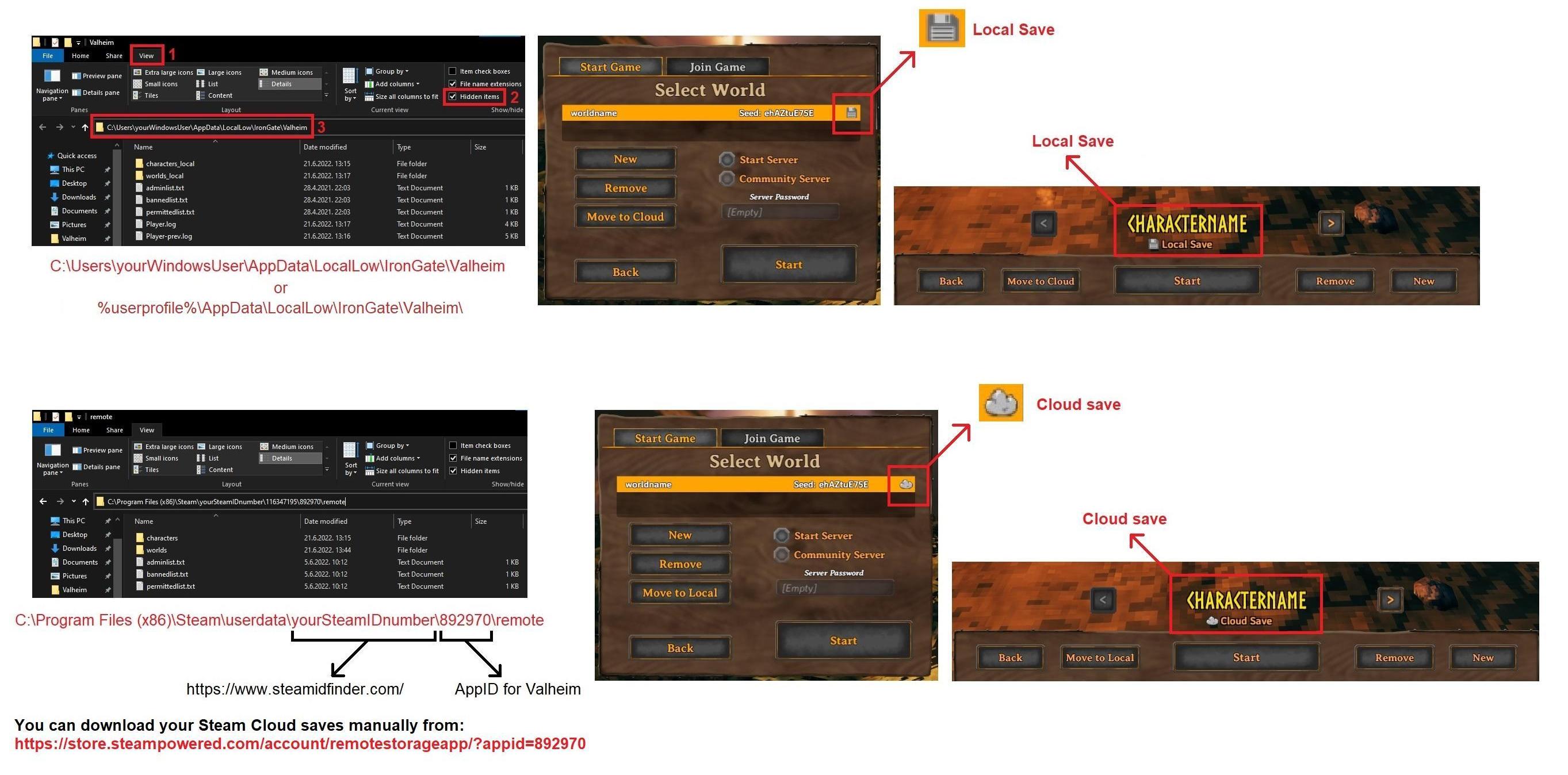
If you move them in-game from Cloud to Local, they will appear in worlds_local folder for example.
unique vault
That actually helped me a lot. Thank you. I had no idea they were stored there
 sturdy phoenix
Is it a recorded issue that Ashvine fruit disappear on save reload? Had a full crop ready to pick last night, and now they're empty. Probably those Fulings getting in and eating them all while I'm away...
stark meadow
sturdy phoenix
Is it a recorded issue that Ashvine fruit disappear on save reload? Had a full c...
Yeah, known issue. They start spawning back after 1.5 days, if you don't logout.
sturdy phoenix
epic, no fuss either way, I have a LOT of plants, so any crop is a lot of crop after a few days.
 stark meadow
 young trout
It can't be placed on some of the stone blocks. Known issue.
young trout
stark meadow
It can't be placed on some of the stone blocks. Known issue.
ok boss

 patent snow
The Sealed Towers are not spawning. I started a new map between Hildir’s Quest and Ashlands updates and when I go to the marked spots for the Sealed Towers I can’t find them. I’ve visited two spots. I have not fought Yagolith yet but I have beaten Moder and the other mini bosses.
stark meadow
patent snow
The Sealed Towers are not spawning. I started a new map between Hildir’s Quest a...
It's not that they are not spawning, rather that for or undiscovered locations, map pins stop being useful when the game updates to new version of the world, and locations get redistributed around the world. You'll have to interact with Hildir table again to get correct map pins.
patent snow
stark meadow
It's not that they are not spawning, rather that for or undiscovered locations, ...
Good to know, will try later.
 subtle gate
is there a problem that drops the fps after playing for 2-3 hours? I got from 90 to 25 in 2-3 hours, restarted the game, back to 90, the GPU was doing down in usage in task manager, other games are not impacted
stark meadow
subtle gate
is there a problem that drops the fps after playing for 2-3 hours? I got from 90...
Were you playing in Vulkan or d3d11 (default)? Were you miging silver veins or some other resource that spwns in large quantities?
stark meadow
Visited a crypt already?
zinc geyser
stark meadow
Have you checked the crash guide already?
https://www.reddit.com/r/valheim/comme...
yup, extensively.
i don't run mods.
been having nothing but grief with this nvidia graphics card that i got RMAed back (2060 super)
they overclock from factory so i had to take that off with afterburner. now every update via windows or nvivdia fucks it all up.
any known stable AMD processor builds out there that wont break the bank?
stark meadow
zinc geyser
yup, extensively.
i don't run mods.
been having nothing but grief with this nvid...
Have you tried this?
Try lowering your FPS by using graphic card control panel to 20 or lower, and lower the game resolution by adding the following Steam argument to Valheim properties on Steam library: "-screen-fullscreen 0 -screen-height 270 -screen-width 480", just to test if the game becomes more stable by doing so.
zinc geyser
nice that gets me a stamp sized proper opening
screen
went to fullscreen (alt+tab)
entered my last game
few seconds atempted to move got a garbled sound then crashed discord and blank screen with sounds still going.....
fun days might have to nuke windows....
stark meadow
zinc geyser
nice that gets me a stamp sized proper opening
Seems like you are only stable when GPU is on much lower load. This kind of issues are usually related to power.
Do you have something weird going on with you power supply and GPU?
No using recommended PUS cable, vertical mount, pig tail sable that doesn't deliver enough power, too old PSU?
This kinda of issues are covered in Section1:Poin6 of the guide, and are most difficult to troubleshoot.
In 99% cases related to hardware.
 delicate turret
Hello, I'm having issues with the game crashing when going through a portal or walking around. Sometimes it crashes with a unity error and sometimes without. I already tried reinstalling and changing settings but that didn't seem to help.
stark meadow
delicate turret
Hello, I'm having issues with the game crashing when going through a portal or w...
Check the most common crash causes in this guide:
https://www.reddit.com/r/valheim/comments/uq9b8x/
What are you PC specs?
Explore this post and more from the valheim community
delicate turret
stark meadow
Check the most common crash causes in this guide:
https://www.reddit.com/r/valhe...
Yup checked that guide, nothing I tried from there seemed to help. I got a 4080 graphics card and 13900k cpu
stark meadow
delicate turret
Yup checked that guide, nothing I tried from there seemed to help. I got a 4080 ...
You issue is mostly described in Section1:Point6. Power spikes when FPS changes drastically.
Try with limiting your FPS to 60 first via in-game menu, in-game vsync set to OFF. While playing enable Steam FPS overlay and pay attention to your FPS and if you will be seeing it going over 60 during pause menu, loading or saving.
Due to you having 13900k, and a lot of this CPU being overclocked too much from the get go, the first thing I would recommend doing is installing HWiNFO and monitor checking your CPU MAX temperatures after you crash.
The next step would be loading Intel defaults for the clocks in the BIOS settings.
delicate turret
stark meadow
You issue is mostly described in Section1:Point6. Power spikes when FPS changes ...
I already set the cpu to default but I'll try lower fps to see if that helps, thanks for the advice.
stark meadow
delicate turret
I already set the cpu to default but I'll try lower fps to see if that helps, th...
There's multiple defaults tho. E.g. for an Asus board:

The second option should be choosed - enforce all limits.
zinc geyser
stark meadow
Seems like you are only stable when GPU is on much lower load. This kind of issu...
thanks for that i think the psu id a 800 watt. but i'll check
delicate turret
stark meadow
There's multiple defaults tho. E.g. for an Asus board:
I seem to only have one default for my motherboard. Just crashed again with vsync off and fps limited to 60. Any other ideas?
stark meadow
delicate turret
I seem to only have one default for my motherboard. Just crashed again with vsyn...
Will DM you.
 delicate crater
anyone knows how to fix my fps going from stable to 3-5fps, it keeps happening every 2-4 minutes
stark meadow
delicate crater
anyone knows how to fix my fps going from stable to 3-5fps, it keeps happening e...
Probably related to temperatures. Playing on a laptop?
delicate crater
stark meadow
Probably related to temperatures. Playing on a laptop?
yes
 deep sigil
Is there any way to fix the bug where ||the citadel (the queens ||boss arena) doesn't spawn on the marked location?
stark meadow
delicate crater
yes
Do you know the laptop model number and manufacturer? (you can check at start → type system information)
I recommend dedusting your PC, locking your FPS to 60fps, and installing HWiNFO to check which components is overheating.
Depending on the laptop model, you can attempt to disable integrated GPU which is probably overheating the CPU.
stark meadow
deep sigil
Is there any way to fix the bug where ||the citadel (the queens ||boss arena) do...
For undiscovered locations, map pins stop being useful when the game updates to new version of the world, and locations get redistributed around the world. You'll have to interact with Queen vegvisir again to get correct map pins.
deep sigil
stark meadow
For undiscovered locations, map pins stop being useful when the game updates to ...
that doesnt seem to be the issue (i checked my creative world which has the same seed, but with the location undiscovered in both and was able to find it there without issue)
stark meadow
deep sigil
that doesnt seem to be the issue (i checked my creative world which has the same...
Two worlds with the same seed don't have the same map if those world are created on different versions of the game.
deep sigil
stark meadow
Two worlds with the same seed don't have the same map if those world are created...
they were created on the same version of the game
stark meadow
deep sigil
they were created on the same version of the game
Does the following apply to your case: have a preAshlands world where you interacted with the Queen Vegvisir to get the pin, but you haven't visited the location? If the answer is yes, you will have to interact with the vegvisir again, because of the reasons I stated.
deep sigil
stark meadow
Does the following apply to your case: have a preAshlands world where you intera...
that explains why i wasnt able to find it in my main world
but not why i was able to find it in my creative world
(and the location in creative definitely wasnt discovered before cause i had to fly there and only then used the explore map command to better compare with my main world)
stark meadow
deep sigil
that explains why i **wasnt able** to find it in my main world
but not why i **w...
Did you update one world via dedicated server and the other world via client in singleplayer?
deep sigil
stark meadow
Did you update one world via dedicated server and the other world via client in ...
both singleplayer
and never even started as a server on either
stark meadow
deep sigil
both singleplayer
and never even started as a server on either
So you made 2 worlds, prior to Ashlands update, with the same seed, both worlds for singleplayer. You use one world for survival gamplay and the other world for creative gameplay? If you explored both worlds in different ways, they won't update the same way.
delicate crater
stark meadow
Do you know the laptop model number and manufacturer? (you can check at start → ...
Everything seems to be ok. Its just that valheim has this issue and no other game has ever had this issue with this type of fps problem
deep sigil
stark meadow
So you made 2 worlds, prior to Ashlands update, with the same seed, both worlds ...
the maps had been explored marginally differently but with the area where the issue occurred not even being close to explored in both
stark meadow
delicate crater
Everything seems to be ok. Its just that valheim has this issue and no other gam...
What do you mean by everything being ok? You've monitored you temperatures, concluded that they are ok, but you are still experiencing 3-5FPS? Unlike most games out there, Valheim tends to use 100% the GPU, which many laptops with bad thermal management can't handle. On top of that some laptops can have extra issues where they start to use iGPU unnecessarily, additionally overheating the system.
proven gate
stark meadow
What do you mean by everything being ok? You've monitored you temperatures, conc...
thats weird, @1440p it only uses about 30% of my gpu power
stark meadow
proven gate
thats weird, @1440p it only uses about 30% of my gpu power
That's shouldn't be the case. It might be that you card isn't properly recognised, so CPU does all the work.
Open starting menu, click on Show player log button (white button) on the left, whcih will lead you to Player file. DM me that player file
proven gate
stark meadow
That's shouldn't be the case. It might be that you card isn't properly recognise...
i have a 3080ti and 5950x so it can't be onboard graphics
sorry didn't mean to jump in as i know it was someone else who asked
stark meadow
proven gate
sorry didn't mean to jump in as i know it was someone else who asked
Oh, lol. Yeah, you've managed to confuse me there.
Do you have FPS limiter set? How much FPS do you get in the ocean and what GPU usage?
proven gate
I will test
proven gate
stark meadow
Do you have FPS limiter set? How much FPS do you get in the ocean and what GPU u...
I do normally @ 200fps but I can remove it
reason i am asking all this is because in my base i am only getting between 70-100fps with mid settings and 9000 instances
stark meadow
proven gate
reason i am asking all this is because in my base i am only getting between 70-1...
Those are the areas where CPU is bottle-necked as it gathers data on the main thread, so it doesn't have time to feed the GPU on time, so you'll always see low GPU usage. You can slightly improve this by adding this two lines in the boot.config or by playing in Vulkan:
https://i.imgur.com/Atd2zaE.jpg
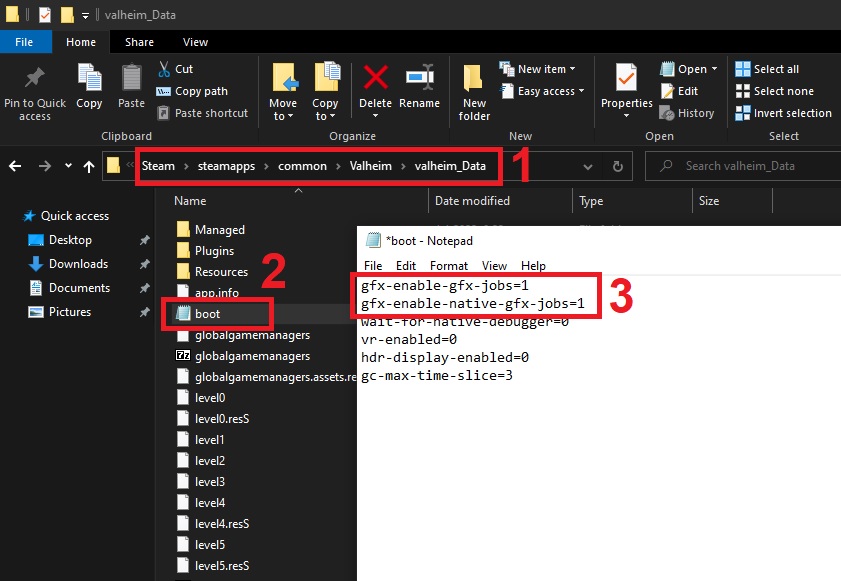


 proven gate
stark meadow
Those are the areas where CPU is bottle-necked as it gathers data on the main th...
proven gate
stark meadow
Those are the areas where CPU is bottle-necked as it gathers data on the main th...
I have already added those lines prior. In the ocean I am getting between 250-280fps and gpu usage sits at around 90%
its foggy and stormy aswell though
 keen spindle
i have a question when i want to join or host a game a message popps up it says valheim exe doesnt react, i reinstalled this game but it keeps sayingg the same
 stark meadow
proven gate
I have already added those lines prior. In the ocean I am getting between 250-28...
stark meadow
proven gate
I have already added those lines prior. In the ocean I am getting between 250-28...
That's normal ocean doesn't have any CPU related tasks so GPU gets used close to 100%, in bases there's a lot of CPU related tasks so performance drops significantly the more instances one has. Lots of animals and particle emitters impact the FPS the most.
stark meadow
keen spindle
i have a question when i want to join or host a game a message popps up it says ...
Once the loading process starts you shouldn't touch anything on the PC until the process finishes, or else you might break the loading by activating the game window at wrong time. Before doing that however, you should ensure that you don't have any extra files in your installation folder other than these: https://i.imgur.com/vdpdeOA.jpg
keen spindle
thank you finally i can play it with my friend
 vapid tinsel
anyone have any settings reccomendations? Ive been getting heavy frame drops in the ashelands just me?
 gray dome
when did valheim introduce flying fish? 😄
 gray dome
vapid tinsel
anyone have any settings reccomendations? Ive been getting heavy frame drops in ...
gray dome
vapid tinsel
anyone have any settings reccomendations? Ive been getting heavy frame drops in ...
try this, boosted my fps by 50% (from 100 to 150)
gilded sluice
gray dome
https://www.reddit.com/r/valheim/comments/1ccum0s/better_valheim_fps_with_newer_...
um. that one is.. not super-good
gc-max-time-slice=12
no no no
always uneven numbers
but don't use numers people "tell" you to
gray dome
gilded sluice
but don't use numers people "tell" you to
oh... what would you recommend me to do then? I should do 11 or?