#networking
1 messages · Page 251 of 1
 desert briar
Sounds like you need an exorcist tbh
 lean pebble
Bios is ok time and all the rest
desert briar
The certificate is signed, right? By a CA.
What if you try to curl instead of wget? Or Invoke-WebRequest on windows
lean pebble
Ya
My domains behind cloudflare and runing with let's encrypt + cloudflare ssl
Running on full strict
If the let's encrypt not working then no one can surf to this domain
desert briar
Right... hypothetically. What if you try without cloudflare?
desert briar
^
lean pebble
Even with rsync same issue
desert briar
Does this issue persist when you go everywhere with ssl/tls enabled? Or just your domain
Does the connection just slow down when downloading? Or is it outright terminated
lean pebble
I'm pretty sure that the same issue going in background while using epic games / steam etc.
I decided to try with wget because I wanted to check if I get any error
desert briar
🤔
Are we sure its not the dns
Its always the dns

Yeah well, i guess im running short on ideas. Probably wont be able to help 😦
lean pebble
Happen on wifi to
desert briar
Id recheck locally
With something that uses TLS
If it happens locally then I don’t know
Seems like an ISP issue to me.
If your clock time is synced, certificates are signed and you are using a wired connection. Yeah
Ill need to head off, but if I were you my next troubleshooting step would be to check if it happens locally too (ideally from multiple machines). Goodluck, I hope you get it resolved. I will check back in tomorrow
lean pebble
Copying file over network working good
desert briar
Smb?
lean pebble
Yap
lean pebble
Scp seems like working
 tribal ferry
Any tips for UniFi setup and UniFi wireless setup?
I’ll be swapping over my network tomorrow.
 thick minnow
Since i have fiber speeds now might as well get the highest speed i can get with it
 peak cloak
idk any good all-in-one routers with wifi 6
thick minnow
dang ok
 unborn sluice
dang
lean pebble
Someone can help me find a good vdsl2 b35 modem?
 versed nebula
I want to reduce my internet bill. I am on 400/50 now for $90 and plan to switch to 60/10 for $45
I am living alone
I dont have a 4k tv
I use teams for work and meetings
I dont game
Is 10mbit upload enough?
peak cloak
yeah, it should
versed nebula
I wonder if ill regret it
 primal ice
@lean pebble https://www.tp-link.com/us/home-networking/dsl-modem-router/td-8616/ worked good for my adslv2 - but that was here in the USA.
ADSL2+ Modem
 coarse storm
what’s the fastest free dns server ?
thick minnow
coarse storm
what’s the fastest free dns server ?
Trust me, PIA is worth it
coarse storm
i have ¢17 to my name lol
this is standing directly next to my router
i honestly don’t know what to do anymore i’m failing online school due to my internet being so bad i can’t turn in assignments half the time
it’s so bad
coarse storm
the one verizon gave me
thick minnow
same thing happened to ke
me
if u use ethernet it goes to like 90mpbs
mbps*
is there a reboot function?
coarse storm
no mine goes to 2 maybe 3 mbps on ethernet
thick minnow
oh
thick minnow
coarse storm
no mine goes to 2 maybe 3 mbps on ethernet
that's impossible
coarse storm
we pay for the highest internet package where we live and this is all we get
coarse storm
how do i log into my router
coarse storm
yes but how do i do that
coarse storm
i know my ip
coarse storm
where do i find that
coarse storm
yes
thick minnow
go to command promp
thick minnow
coarse storm
where do i find that
on iOS go to wifi and press the i icon, then scroll down to find your ip
or that
thick minnow
1.1
try 1.1
or for windows go to command prompt, type in netstat, and wait for that slow shit to load
1.5 is another ip for your router to recognize the device
coarse storm
when i copy and pasted it brought me into log in setup on verizon.com
coarse storm
it’s not technically my internet it’s my parents idk if they would get mad if i made an account and had the log in or whatever they’re weird like thst
thick minnow
that account will be the admin account for you to access your router's internal settings. you can config your network SSID and password there
SSID = Network Name
coarse storm
should i just say whatever and make the account?
thick minnow
you can make an account or you can change an router
that's the only 2 choice you have rn
coarse storm
i’ll make an account
thick minnow
im glad im not in USA rn ;-;
coarse storm
uh it gave me a pink screen that says 400 bad request
thick minnow
ur router got a client error
coarse storm
home,status,quick setup ,wireless setup, utility’s , advanced setup
thick minnow
utility's
coarse storm
it just gives me a reboot option
thick minnow
how about wireless setting
coarse storm
thick minnow
change the 3.
coarse storm
change network channel?
coarse storm
ok i did that and hit apply
coarse storm
my internet turned off
thick minnow
it should happen
cause ur changing the channel
it'll be back
then reboot router
coarse storm
ok i just clicked reboot
coarse storm
what do i do when it comes back on
thick minnow
just do a speed test
 tawdry token
 coarse storm
i tried using cloud flare and my internet went out
normal?
@thick minnow
my pc won’t connect to my internet anymore what do i do
 empty urchin
Maybe try talking to your ISP, its worth a shot
coarse storm
empty urchin
Maybe try talking to your ISP, its worth a shot
well now the internet only works on my phone after i changed dns settings to cloudflare settings on my pc
i’m kinda freaking out
empty urchin
Try changing them back
empty urchin
Ok, well thats good. You can at least use the internet again for the time being, but do talk to your ISP cause even "bad" internet shouldn't be that slow. There may be some router issues but it could also be some throttling on their end or something.
 tall pagoda
After a few days of problems i managed to fix Ipv6 again
I fucked it up with DNS management
thick minnow
good afternoon, i need a small help i forgot my AirOS login creds and is there any way to recovery them other then resetting the device?
unborn sluice

 opaque stirrup
would these devices work togethert
trying to get faster internet to a shed outside
desert briar
Might encounter some issues as the adapter uses sfp whereas the transceiver is sfp+
sometimes you can get it working backwards, but its 50/50. I didnt have that luck on my mikrotik switches 😄
I'd also check with the seller / brand if HP transceivers work in their device. Some vendors are pretty pricky with what they like and what they don't. For example with mikrotik you can use almost any transceiver, whereas cisco will usually take nothing but cisco
 tame carbon
@desert briar Cisco needs "cisco" modules
mikrotik happily uses whatever you throw at it, with the major exception of PON modules
opaque stirrup
@desert briar only reason i selected the hp modules is the server is hp and i thought the 2 modules had to be the same
tame carbon
same laser spec yeah
but modules themselves can be branded for whichever they plug into
desert briar
yeah, exactly
desert briar
I think I got a DELL module working with an old cisco 3560x once
but yeah, cisco takes cisco
tame carbon
there's really no reason why cisco requires this
desert briar
$$$
tame carbon
its just their way of 🖕
opaque stirrup
so should i change to just sfp modules?
as if the port is sfp+ it should just work
tame carbon
SFP+ slots are backwards compatible with SFP
desert briar
Theoretically
tame carbon
Not the other way around
@desert briar I have 1G RJ45 modules in 10G ports
works just fine
opaque stirrup
do cisco modules work in non cisco equipment
desert briar
anyways, i guess the transceiver will be for the converter? In that case you need sfp
opaque stirrup
alright so my server has 2 sfp ports on it i didnt know this when i bought it
tame carbon
SFP or SFP+ ?
 clear igloo
@opaque stirrup 10G or 1G ports
tame carbon
basically ^
tame carbon
thats 2x 10G
opaque stirrup
the problem is the server is out in a shed lmao
clear igloo
I've got some 10g SFP+ cisco modules that I've used in solarflare and TP-Link 10G NICs without issue
opaque stirrup
about 10 metres away from my house
tame carbon
@opaque stirrup Are you thinking about running fiber between the shed and your house?
tame carbon
Are you planning on 1G or 10G ?
tame carbon
its not a bad question ;)
desert briar
10g isnt that expensive
tame carbon
I have 250M WAN and 10G LAN
tame carbon
ye
opaque stirrup
its not that its just wasted
unborn sluice
not if you transfer internally
opaque stirrup
lmao
tame carbon
My little server box can do ~3gbit/s transfer speed (I use it as a NAS)
tame carbon
so 1G would saturate the link
desert briar
honestly if you dont mind the money and you dont need a switch (just a direct plug) then 10gbit will be like 50$ more expensive?
if you already have an sfp+ NIC
tame carbon
@opaque stirrup what length of of distance?
tame carbon
Are you sure copper isnt just easier at this point?
opaque stirrup
lmao what just ethernet?
tame carbon
fiber is ethernet too
tame carbon
copper can do 1G up to 100 meters on Cat5e
desert briar
cat5e can do 10gbit, believe it or not
tame carbon
You can invest into fiber, be my guest. I didnt need 10G here, but I just did it for the hell of it
opaque stirrup
yeah but i would need ethernet modules and they are some how more expensive than the light ones
desert briar
on small distances 😄
tame carbon
wanted to learn how 2 fiber
opaque stirrup
my old server was only 10/100
so i could do it over powerline
but i aint having that anymore
desert briar
ouch, a pi?
opaque stirrup
no lmao some old dell thing
desert briar
those are 10/100 I think
tame carbon
@opaque stirrup simplest solution for you would be singlemode bi-di SFP
opaque stirrup
2x amd opteron 2373
16gb ddr2
tame carbon
It uses a single fiber, with two wavelengths
Multimode fiber
the cheapest modules have a range of 10km
clear igloo
you mean singlemode fiber
tame carbon

FS Germany
Check Cisco GLC-BX-U Compatible 1000BASE-BX-U SFP transceiver module data sheet (SMF, 1310nm-TX/1490nm-RX, 10km, LC connector) and price list on FS.COM, buy now!
desert briar
shouldnt bend fiber 😄
tame carbon
Sorry, I ment singlemode yes
opaque stirrup
i cant exactly not bend it at some point lmao
tame carbon
SMF on OS2 fiber
clear igloo
I bend fiber all day 😛
desert briar
lol
opaque stirrup
i can try make it less of an angle but its gonna have to go a 90 degree
tame carbon
Fibers have a minimum bend radius
desert briar
yeah than you are fine
clear igloo
Just can't do sharp wrap around the pencil and pull hard type bends
desert briar
below 90 is fine
thick minnow
my town is getting fiber soon
tame carbon
any tighter than the min radius, and the fiber snaps
thick minnow
i saw them running the lines out in the country
desert briar
however anything close to 90 is a dangerous playground 😄
opaque stirrup
lmao this setup of mine is so ghetto
tame carbon
@opaque stirrup https://i.imgur.com/0FmRjqm.png
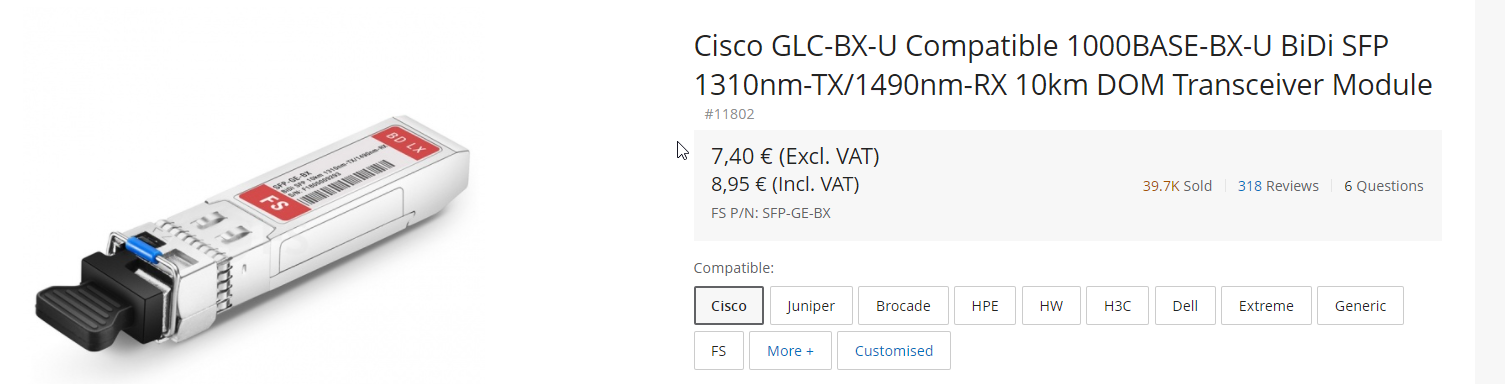
@opaque stirrup You'd need two of those ^
thick minnow
my setup is a old dell optiplex with PFsense on it
tame carbon
VERY IMPORTANT: Make sure you get two different kinds of modules
thick minnow
better than any walmart router
tame carbon
BiDi interfaces are specific to which side they are on
tame carbon
@opaque stirrup https://www.fs.com/de-en/products/11795.html

FS Germany
Check Cisco GLC-BX-D Compatible 1000BASE-BX-D SFP transceiver module data sheet (SMF, 1490nm-TX/1310nm-RX, 10km, LC connector) and price list on FS.COM, buy now!
FS Germany
Check Cisco GLC-BX-U Compatible 1000BASE-BX-U SFP transceiver module data sheet (SMF, 1310nm-TX/1490nm-RX, 10km, LC connector) and price list on FS.COM, buy now!
Note: they look extremely similair, but look at the wavelengths
1310nm-TX/1490nm-RX
and
1490nm-TX/1310nm-RX
See how RX and TX are flipped?
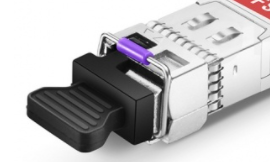 opaque stirrup
so what cable would work
tame carbon
They use a single fiber, and two wavelengths of light

FS Germany
FS offers 1m LC-LC duplex OS2 single mode fibre patch lead for 1G/10G/40G/100G/400G fibre cablings that can transport data up to 10km at 1310nm and 40km at 1550nm.
You can customize lengths here
opaque stirrup
what is fs?
tame carbon
You'll want LC UPC connectors on the end
opaque stirrup
some network company
tame carbon
fiber store
opaque stirrup
oooh
tame carbon
Yeah they have good pricing
desert briar
while being reasonably priced
clear igloo
Honestly I'd just get two of these:
https://www.fs.com/de-en/products/11775.html

FS Germany
Cisco SFP Module-GLC-LH-SM 1000BASE-LX/LH single mode sfp lc Fibre Transceiver (SMF/MMF, 1310nm, 550m/10km),MSA-compliant Gigabit Ethernet SFP Manufacturer, Best price!
tame carbon
@clear igloo with a duplex fiber?
desert briar

FS Germany
FS N9500-32D 32 Port 400G Switch caters for industry leading 400G rate and future development trend. The 400Gb Switch with rich choice of port speed and density including 25G, 40G, 50G, 100G, 200G and 400G enabling consistent network architectures ensures exceptional reliability, serviceability and high availability for data Centre mission-criti...
clear igloo
Yah
tame carbon
That could work
desert briar
one day haha
tame carbon
@opaque stirrup you can either do 'Duplex" fibers, where you have 2 fibers, one for each direction
or use BiDi where you have two different modules on a single fiber
with two wavelengths
Duplex modules are cheaper, but you'll need a duplex fiber as well
Duplex fibers can easily be identified
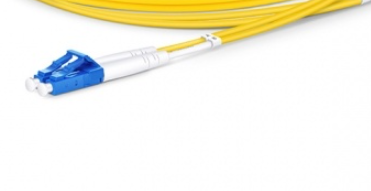 opaque stirrup
BiDi would mean the cable was smaller?
opaque stirrup
alright
tame carbon
with duplex fibers
opaque stirrup
so i take it these wouldnt be good outside
tame carbon
you just twist the connector on one side
opaque stirrup
you know exposed to the elements
opaque stirrup
lmao
tame carbon
You need a pipe or a tube to put it in
But shouldnt be exposed to elements
though.. maybe
lemme check if they sell rugged OS2 fibers
desert briar
well then get a fiber which is rated for outside
(if its a thing? I never really researched that)
or as crystal said, run it through a tube, pipe which can withstand hardships
tame carbon

FS Germany
10m (33ft) LC UPC to LC UPC Duplex OS2 Single Mode Industrial/Tactical Armored Fiber Optic Patch Cable,Product Specification,Product Specification:Connector Type:LC to LC:Polish Type:UPC to UPC,Product Specification:Connector Type:LC to LC:Polish Type:UPC to UPC:Fiber Mode:OS2 9/125μm:Wavelength:1310/1550nm
clear igloo
Yah, there is outdoor rated fiber cables
tame carbon
shit gets expensive ^
opaque stirrup
its armoured lmao
tame carbon
You can get "Military grade" outdoor cables
opaque stirrup
its gonna be hanging from another wire surely i could just ziptie it lmao
its not like the fibre is gonna short out
it will just break
tame carbon
@opaque stirrup those ^ are armored, and can withstand some wear
clear igloo
Sun will degrade the shielding
tame carbon
Photodissociation, photolysis, or photodecomposition is a chemical reaction in which a chemical compound is broken down by photons. It is defined as the interaction of one or more photons with one target molecule.
Photodissociation is not limited to visible light. Any photon with sufficient energy can affect the chemical bonds of a chemical c...
opaque stirrup
im fine
desert briar
lol
if you want to run fiber run it properly
😄
so you dont need to change it in 6 months time 😛
tame carbon
I just used a hard PVC tube under the pavement
opaque stirrup
how deep
desert briar
:d
opaque stirrup
what if i get a really long bit of emm whats it called
heat shrink tubing
and put the fibre inside it
desert briar
i have my servers in the basement right under the water pipes
opaque stirrup
boom
desert briar
living a dangerous life as well
tame carbon
@opaque stirrup just get flexible hardtubing ment for outdoor water supply
they have like 2cm diameter
and 0.5cm plastic wall
opaque stirrup
my dad electrical taped an extension cable to a rope and hung it between the house and shed
its so sketchy
 opaque stirrup
bruh i just noticed this transceiver thing says 10km
opaque stirrup
this stuff is so cheap and over kill
tame carbon
10km is shortest
ZR+ can do like 80km+
multimode fibers are limited to like 100-300 meters
and have lower speeds at longer distances
singlemode fibers can do 200G easily
clear igloo
800G*
tame carbon
I thought 400G was the latest and greatest?
we can stuff 800G on a single wavelength now?!
clear igloo
That's what I love about single mode, it can do Tbps without issue 😄
desert briar
and then it all goes to my 10k SAS drive
tame carbon
for like theoretical max of 18Tbit/s
clear igloo
Yup
desert briar

clear igloo
Ciena and a couple others have 800G optics for backhaul stuff iirc
tame carbon
@opaque stirrup be glad this stuff is finally in reach of consumers :)
as the enterprise upgrades to 100, 400 and now 800G
opaque stirrup
yeah its really cool
clear igloo
800G in the enterprise is about a year or so away :(
400G is just rolling out in that space
tame carbon
https://cdn.discordapp.com/attachments/776722183119699988/777646103775674368/IMG-20200922-WA0001.jpg
 desert briar
^ 10gbit is a viable choice if people know what they are doing Id say
tame carbon
^ my 10G capable router
desert briar
which one? the 2U machine?
tame carbon
@opaque stirrup as you can see here, I use bi-di interfaces
@desert briar the tiny 1U thing at the top
the server underneath is also 10G connected
opaque stirrup
you actually have a nice networking setup lmao
tame carbon
the switch is not visible in this picture
desert briar
ah
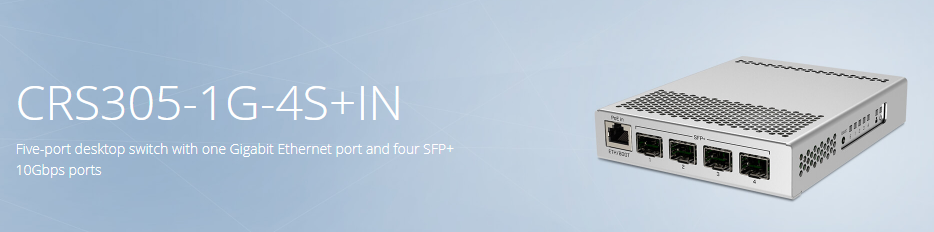 peak cloak
I have a janky setup
desert briar
let me get a pic 😄
clear igloo
Firewall (~6Gbps throughput) and mGig switch among other things 🙂
peak cloak
I'll get an updated pic
clear igloo
Only 1Gbps internet though 😦
tame carbon
@clear igloo hack more wavelengths
desert briar
i like it
tame carbon
upload more ram
clear igloo
@tame carbon haha, yes! 😄
clear igloo
3560 needs moar data!
tame carbon
after I bought my RB4011
I got hooked on mikrotik

3 more devices got added
I am never going back to tplink 
tame carbon
that was a power outage, a planned one that is
desert briar
Meh, I dont even have a UPS
tame carbon
I have a UPS here, but we never really get outages
desert briar
all went for that 10gbit switch
tame carbon
mikrotiks don't like being hard-resetted
desert briar
I could've just used the 2 10gbit ports in the cisco switch
peak cloak
I need to get myself a ups
desert briar
but go big or go home
peak cloak
tame carbon
@opaque stirrup as for your last comment you get on that wishlist you posted
peak cloak
Now with fiber
opaque stirrup
tame carbon
@opaque stirrup media converter, any 1G SFP will work
opaque stirrup
could just use this lmao
desert briar
that cable management hurts my eyes
tame carbon
@opaque stirrup Like I said, copper is easier than fiber
less parts
Gigabit Ethernet Media Converter
This is the media converter I use
opaque stirrup
@tame carbon yeah ill go copper just now might do fibre in the future
tame carbon
MC220L
peak cloak
@opaque stirrup tbh I would go fiber rn as it's not that much more expensive and if you use copper make sure to buy the shielded stuff for outdoors and ground it to the main electrical ground
opaque stirrup
if this gigabit card doesnt work in the server ill go fiber
its coming today lmao
tame carbon
@opaque stirrup think of it this way
@opaque stirrup that fiber can do 1G but also 10G, or even 100G
so you lay the fiber once
desert briar
and if you're there you can also go 10gbit as ur server uses sfp+ anyways. Gonna cost you like extra 30$
clear igloo
@tame carbon What I'm working on right now
tame carbon
and can upgrade later on
clear igloo
tame carbon
@clear igloo oof
 dusty osprey
what the fuck
clear igloo
All the gigabits 😄
tame carbon
@clear igloo those fibers are a mess
clear igloo
They were so much worse 😦
opaque stirrup
i might rebuild my shed then do fiber and actually put a network inside of it
infact i have an underground part to my house
i could put them inside there
tame carbon
@opaque stirrup thats what we had at our old house
we dug a hole next to the wall of the basement
drilled a hole into the wall
stuck a pipe through it
opaque stirrup
the attic would be too sketch
tame carbon
and ran that underground outside to the other building
@opaque stirrup lol. my networking rack is in the attic XD
all cables run across the roof to the other side
opaque stirrup
lol i was reading that some nerds got a police search as the police thought they had a drug lab
tame carbon
when the $isp came to check the installation before it went live
opaque stirrup
in there attic
tame carbon
they were all befuddled it was in the attic
opaque stirrup
but they had 3d printers and exotic animals
opaque stirrup
im gonna speak to my dad actually and see if it would be better underneath the house
as its seems more weather tight than an old wooden shed
tame carbon
permanent wiring should be underground
except in america where they put fibers on poles
?!
opaque stirrup
only scary thing about putting it down there is the water main is located there
tame carbon
Just dig carefully?
opaque stirrup
and i burst it open as a kid lmao
tame carbon
digging the trench in our road here
was a whole-day ordeal
cus we had to get a special machine to cut the asphalt
and then an excavator to remove it
afterwards the missing pavement was replaced by bricks
tame carbon
@opaque stirrup if you plan on doing that, get one of those polyethylene pipes
it helps protect the cable inside from accidental shovels being jammed in
opaque stirrup
its like a room directly under my house
that you access from outside
its already been dug out lol
versed nebula
hey guys, are puma5 intel chips affected with the security high ping (latency) issues?
dusty osprey
 waxen scroll
Nobody going to talk about that one million dollar device in the pic?
waxen scroll
Nobody going to talk about that one million dollar device in the pic?
which
waxen scroll
spirent
dusty osprey
ah that router 😛
waxen scroll
its no router. its a traffic generator
you can get really specific like you need 1000 mac addresses that look a certain way
make fake BGP routes, whatever
@clear igloo sorry bro but ixia is better
👀 
clear igloo
Ixia bad!
 quartz warren
can anyone help me with this: https://linustechtips.com/topic/1279918-rubberbanding-on-low-ping-and-high-fps/
Linus Tech Tips
Can someone help me solve why I am rubberbanding? I have good ping and fps but I rubberband every so often. Even in nearby servers I rubberband. I tried on 3 games (TF2,Valorant,Rocket League) and all have the same issue. I am using a usb dongle for wifi but this issue has only cropped up today. ...
 zealous dock
Anyone here that can help me?
peak cloak
with what
 hollow marlin
waxen scroll
<@!291198741862416384> sorry bro but ixia is better
hollow marlin
waxen scroll
<@!291198741862416384> sorry bro but ixia is better
Who needs a generator when you have live customer traffic to test with 🤷♂️
 soft estuary
Hi, I was trying to fix a problem with a virtual machine on my computer and when ever I enable VT-x in BIOS it would disable input from USB and Bluetooth devices. but when I go onto a RDP connection everything works. I already tried to update my BIOS and drivers. I have an 8700k and a ROG maximums XI hero (wifi). im trying to use windows WSL2
clear igloo
hollow marlin
Who needs a generator when you have live customer traffic to test with 🤷♂️
Production is best testbed 😄
 little schooner
@clear igloo my professor can get behind that
hollow marlin
clear igloo
Production is best testbed 😄
Cannot get closer to the real deal lol
tame carbon
@quartz warren what about packet loss?
 nocturne harness
clear igloo
Production is best testbed 😄
nocturne harness
clear igloo
Production is best testbed 😄
Heh, I’ve worked on systems where we used mirrored production flow and compared results to see if changes worked as intended
Very interesting way to test your changes, especially when dealing with hard to test code
 heady sentinel
Probably a dumb question but should I turn on ipv6 on my eero router?
peak cloak
if you have ipv6 service from your ISP why not
tribal ferry
How do I check if my Ubiquiti AP's are in repeater or wired mode?
Network topology shows them as not having a direct connection but I know that page is buggy.
 rocky badge
@tribal ferry what does the uplink show
If the uplink is gigabit wired, it's using the ethernet connection
tribal ferry
rocky badge
If the uplink is gigabit wired, it's using the ethernet connection
Alright, looks like it's wired.
rocky badge
Yup
tribal ferry
Just walked all around my house with my phone on a call and it never dropped once
Fast roaming is incredible
rocky badge
👌
little schooner
k and r and another letter is at work for that Roaming feature
tribal ferry
Just got my network rack finished!
 limber lion
Nice
rocky badge
https://blob.rocks/ygonMAIYQv.mp4 😩 iDRAC so slow
 lunar spade
is 20 19 19 43 good ram timings?
 frosty jasper
no lol
 solemn nymph
https://www.tp-link.com/pl/business-networking/easy-smart-switch/tl-sg105e/#overview
https://www.tp-link.com/pl/business-networking/easy-smart-switch/tl-sg108e/
Do these switches support port trunking?
or link aggregation
it's pretty the same
lean pebble
Well there is an improvement with this issue.
Now the download just failing after 3 minutes and I still able to ping my router.
I can ping to google.com but with timeout while downloading.
All timeouts is right before the download failed
limber lion
I believe my router is configured incorrectly or something. Can anyone help?
I am having an issue with playing online on warcraft 3. every time i try to join a custom game this pops up

The weird thing is that this only happens when i am connected to my router. if i hotspot from my phone i can joingames jsut fine
i always rn game as administrator. I have tied to run with windows firewall off. i have opened my port forwarding 6112-6119. i have UPnP enabled
i also have DMZ enabled for my PCs ip address in the routers configuration
im curious what these configurations are in my router.

My router is a TP-Link AX1500 and my Modem is a Arris SB6183. THank you ahead of time! any help is appreciated!!!
thick minnow
Guys randomly while i am working or gaming, my wifi disconnects for no reason for about 2 mins. I do not know the cause or what to call it but while I am playing fortnite, it kicks me out of the mathc and says network connection lost. Is there any fix to this ?
limber lion
Router board?
tame carbon
@limber lion yep

MikroTik is a Latvian company which was founded in 1996 to develop routers and wireless ISP systems. MikroTik now provides hardware and software for Internet connectivity in most of the countries around the world.
limber lion
I’m going to have to look into that @tame carbon
tame carbon

@limber lion ^
I'm setting up a replacement router for someone
they have a tplink router with ~30% packet loss
thick minnow
a question about mobile hotspots:
if i connect my pc to my cellphone's hotspot and download, let's say a 5gb file,
is that the same as using 5gb of my cellular data?
tame carbon
yes
thick minnow
okay. so using any amount of data is a 1 to 1 equivalent
tame carbon
your phone just masquerades any traffic your computer sends
eg. your ISP sees this as regular cellular traffic
thick minnow
alright. thanks for the reply!
i'm currently on a limited data plan for the next month so i'll need to be careful of data usage
and no wifi here
tame carbon
no streaming 4 u
thick minnow
yup F
dusty osprey
Why do u need that routah 😛 crystal
tame carbon
tame carbon
I'm setting up a replacement router for someone
^
dusty osprey
Oh 😛
limber lion
I typically setup controls systems and networks for power plants so home stuff isn’t my forte
tame carbon
@limber lion home routers are shit
limber lion
Why’s that? Lol @tame carbon
tame carbon
Lacks features, implementation is buggy/incomplete
don't get support, don't get updates
etc
I could go on
limber lion
I gotcha.
dusty osprey
I mean it does work fine for most ppl tho :/
limber lion
Not for me
tame carbon
@dusty osprey yeah but most home users don't need special things
99% of home connections is a NAT and a LAN + DHCP
Firewall is rarely configurable
with the exception for NAT forwarding
dusty osprey
Ye home woifoi is simple actually, but for some people who are a bit complex and have few servers and stuff maybe for them, what im looking for Yeah HOMELAB if u have that then a mikroititik is pretty cheap i also want a Hex S but it's 200% overprices in my local amzn
limber lion
tame carbon
with support for the next 5 years, 10 years security patches
Hex S is very well priced
compare that to the "top tier" consumer routers
those "nighthawk routers" with so many antennas it looks like a spider
tame carbon
are they reliable?
dusty osprey
gaming router
dusty osprey
tame carbon
are they reliable?
Mine, sure some led's broken but its PRETTY ok
dusty osprey
I expected it to die, the connection randomly breaks at times requeing a reboot
tame carbon
idc how my networking stack looks
as long as it works
and reliability is more important than anything else
tame carbon
Yeah... that is unacceptable
dusty osprey
;-;
Can we install routeros on any computer
Like x86 based dell optiplex and shit
tame carbon
you can
dusty osprey
wow. Amazing
tame carbon
though you need to get a license
dusty osprey
Aah hmm
Yea one of my friends has asr 1004 up the rack and a mikrotik 1000$ some router he was showing me
tame carbon
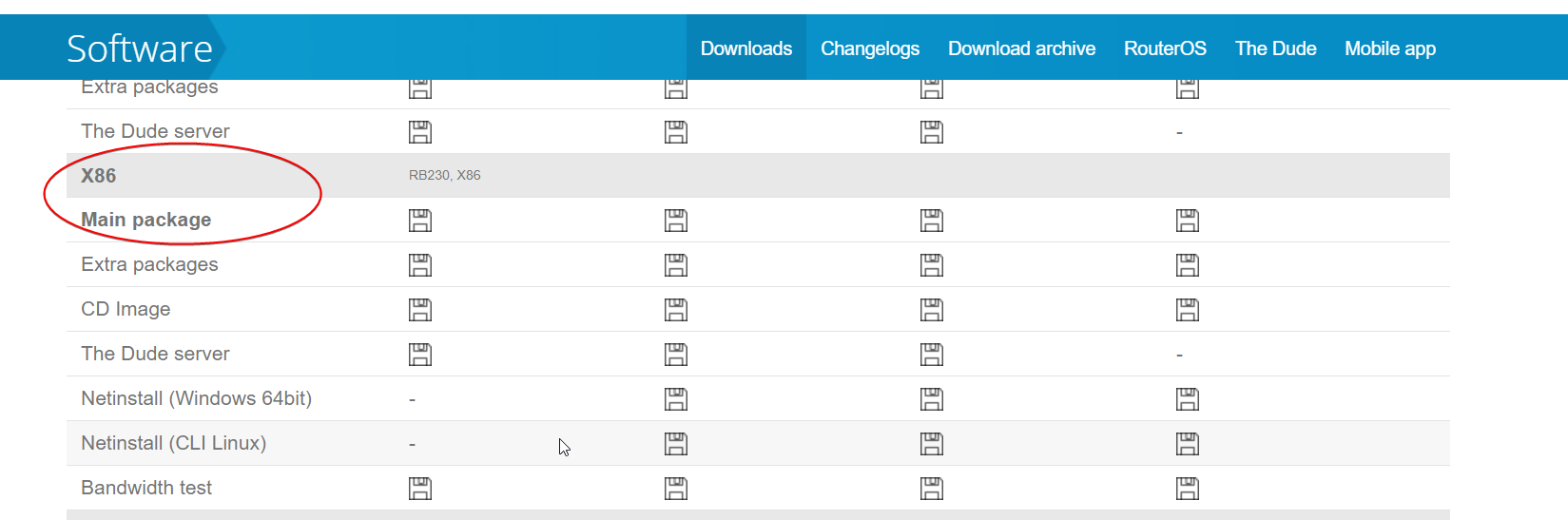
@dusty osprey though installing this on an x86 system will be inefficient
since routerOS is ment for purpose-built hardware
dusty osprey
Then maybe some other open source router software will do if i plan to have a rack at a dc anytime :/
tame carbon
pfsense
dusty osprey
Or just buy a nice mikrotik itself 😛
tame carbon
but you are still constrained by the same thing
dusty osprey
I need the BGP functions😛
tame carbon
@dusty osprey rack mounted mikrotiks are superior to a rack based x86 router os server
MikroTik is a Latvian company which was founded in 1996 to develop routers and wireless ISP systems. MikroTik now provides hardware and software for Internet connectivity in most of the countries around the world.
For that cost, and the power usage it has, max 26 watt
it does 10gbit/s
dusty osprey
Sure 😛 thats what that friend had, he told me its pretty decent
tame carbon
no DIY server you can build, will route at that speed
dusty osprey
But he still uses a asr1004 for his main router
tame carbon
pfsense is garbage in performance
@dusty osprey the mikrotik flagship router has 8x 10gbit
costs 3000 bucks
routes 120 million packets/second with an effective speed of 80gbit/s
CRS1072
dusty osprey
His asr 1004 costed him 4k$ used, but that's with few of those "addon cards" which cisco has a lot of them i believ
tame carbon
MikroTik is a Latvian company which was founded in 1996 to develop routers and wireless ISP systems. MikroTik now provides hardware and software for Internet connectivity in most of the countries around the world.
@dusty osprey yeah those are modular platforms
like Juniper also sells modular routing platforms for their MX-series
peak cloak
dusty osprey
Then maybe some other open source router software will do if i plan to have a ra...
vyos?
cli only
tame carbon
fuck. how do you even configure a wireless AP on a mikrotik without CAPsMAN
never done it without xD
lean pebble
tame carbon
I'm still waiting for my mikrotik hex-s and I need to replace my modem to
Someone have any recommendations for a good vdsl2 modem
primal ice
just find some cheap in your area modem that converts vdsl2 to ethernet. here in the USA 4-5 years ago the TP-link 8616 worked great - 1000% better than the ISP modem.
lean pebble
I'm thinking about the tplink vr600/400 as modem
lean pebble
Funny I bought 6 years ago netgear dm 200 modem from vendor in my country and I can't find my country in his list
primal ice
the netgear thing should still work. 🤷
hollow marlin
lean pebble
Someone have any recommendations for a good vdsl2 modem
Last position we used Visonnet. Not sure how easy there are to get from a consumer standpoint but it you go with the higher end models they are pretty solid. No modem will fix bad quality copper though
lean pebble
It looks like deeper issue
Getting timeout while pinging to google while downloading a big file
hollow marlin
That could just be because you are saturating your link
lean pebble
It's like this for more than 2 months
Omg this modem making noises
At the beginning I couldn't ping my router while downloading at least now I can do it
 quasi bramble
Can anyone point me to a good tutorial/instructions for configuring a second router downstream from the main access point?
I can access the nas on the main access point from the downstream router no problem but plex doesnt like the double dhcp and basically won't work for clients on the main access point
peak cloak
um, make sure it's an AP and not doing any NAT or DHCP
 rotund sandal
Setting up static ip for plex? Idk
quasi bramble
I have nat off for the downstream router and it has a static ip on the main access point but when I change the downstream router from dhcp to static ip it always seems to lose internet connection
peak cloak
ip conflict?
quasi bramble
Its outside the dhcp pool
But I have the downstream router on a different subnet, do they need to be the same if I use static ip instead of dhcp?
peak cloak
make a diagram with everything
so I can understand it
ip's, dhcp settings, etc
I'll make an example
of my network
simplified
quasi bramble
What's vif?
tame carbon
wat
rocky badge
@peak cloak Debating on whether doing 802.1X wired....
peak cloak
quasi bramble
Ah ok, I don't have any vlan
I think I see the problem, after class I'll explain
what's the subnet's and deafault gateway of each
and is the pysical wiring "chained" like you showed
or is it a wifi bridge
peak cloak
rocky badge
<@!222482269829332992> Debating on whether doing 802.1X wired....
I mean I don't have a point
just another thing that can go wrong
tame carbon
@quasi bramble is that on purpose, that you have two different subnets?
rocky badge
@peak cloak lol
tame carbon
@peak cloak ezmoney. underhanded help to deploy a home network
got 150 bucks for that lol
peak cloak
nice
tame carbon
just got back home
deployed a hAP ac2
reconfigured NAS and printers
@peak cloak I was digging through documents trying to find the password for their NAS shares
turns out... there wasn't one
primal ice
heh
tame carbon
no password
quasi bramble
tame carbon
<@!695229030684950610> is that on purpose, that you have two different subnets?
Kind of but I dont have any reason for it. Was just the easiest way to get them setup and it worked fine until I wanted to use plex
primal ice
eh I don't have passwords to access my shares but you can only read. if you want to writes or change anything you need a password.
quasi bramble
Should I change them all to 192.168.1.x?
peak cloak
quasi bramble
Kind of but I dont have any reason for it. Was just the easiest way to get them ...
you can't have multiple subnets on one interface unless you have vlans
what's the CIDR of your main DHCP server
the one on the modem/router
quasi bramble
Is that the same as subnet mask
peak cloak
/24 is a CIDR 255.255.255.0 is a subnet mask
quasi bramble
/24 then
primal ice
quasi bramble
Should I change them all to 192.168.1.x?
yeah I would just use one subnet, I tend to go 192.168.1.1-9 as gateways 192.168.1.10-100 as services(static IPs) 192.168.1.101-253 clients (dhcp pool)
peak cloak
192.168.2.1 and 192.168.0.1 are outside of 192.168.1.1/24
quasi bramble
I'm a total noob at networking, usually just resort to trial and error
Yeah I see, so if I switch it to /16 aka 255.255.0.0 that should also work?
primal ice
it would but you are just making a bigger mess then. :p
quasi bramble
Yeah lol not going for that, I'm just gonna switch to one subnet and try and lose all dhcp aside from the modem
Just wanted to make sure I understood
rocky badge
/16  why
why
peak cloak
you never want more than one DHCP server on a single L2 network
quasi bramble
Yeah I realize, just stupidly overlooked the fact that they all need the same subnet to connect via static ip instead
Thanks for the help! Hopefully you guys at least got a laugh out of my shitshow of a network config lol
primal ice
we all started somewhere.
quasi bramble
One more question, should the gateway for each router be the ip of the router it's a client of?
peak cloak
gateway is the ip of the router connected to the internet
primal ice
generally just one gateway for home networks.
primal ice
yup
quasi bramble
Oh okay makes sense
peak cloak
It is basically where all the traffic goes to get out of your NATed network @quasi bramble
So when your computer makes a request to an ip, the first hop is to your default gateway (aka your router connected to the WAN)
there is only one route
routers on the public internet are much more complex with multiple routes using things like bgp which I don't understand
quasi bramble
But there's no path from my downstream router that doesnt go through the main one before reaching the modem
peak cloak
how are they connected? ethernet?
quasi bramble
Yeah
peak cloak
connect it directly to your main router
can you run another wire
if not you would need to do some passthrough things
which not all devices support
quasi bramble
My "modem" is a cheap alcatel lte access point. It has wifi off and the only ethernet port goes to my main router. That router has 3 wired clients and wifi on. One of the 3 wired clients is the downstream router's wan port
Downstream router has wifi off and 4 clients connected to it
peak cloak
put the modem in passthrough mode if not already
only have your main router do NAT
and dhcp
primal ice
you could turn the wifi on if you wanted on the downstream router just turn dhcp off. so the main router does all the dhcp. or DHCP forwarder. that is how it is worded in dd-wrt. only other thing you would need to change is the wan port on the downstream router if you can so that its part of the switch so its not trying to NAT.
quasi bramble
I don't care about the wifi on the downstream router, it's in the same room as the main one. Basically just using it as a switch with nas support
But I'm gonna go try some of this and get back to you guys later. See if I can't get everything on 1 subnet with the modem in passthrough mode
 near meteor
is 8.5mb/s on average good for home wifi? or is my internet dog
peak cloak
@near meteor well what are you paying for
near meteor
honesly not sure but thats what steams giving me
Its like this T-Mobile kickstarter thing
quasi bramble
8.5Mb/s or 8.5MB/s?
peak cloak
oh yeah do a proper speedtest on https://www.speedtest.net/#

Speedtest.net
Test your Internet connection bandwidth to locations around the world with this interactive broadband speed test from Ookla
quasi bramble
If its bits then that's pretty trash, if its bytes that's decent but you'd have to look into other local isp speeds to really confirm
near meteor
lemme check rq
On steam its MB/s
lemme do speed chek
No download running this time
peak cloak
that's pretty good
not really really fast, bu good enought for most things
that ping tho
not that good
little schooner
The upload speed is good. concast should consider my neighborhood for an upload boost
near meteor
oh nice
tame carbon
@quasi bramble ideally, you'd just bridge the two networks together, disable the DHCP server on the 2nd router, use it as a switch instead
two NATs in series, makes port forwarding hell
 idle acorn
Check this guy out he is awesome: https://www.youtube.com/NetworkChuck

YouTube
Welcome to NetworkChuck!
I LOVE Information Technology!! My goal is to help as MANY PEOPLE AS POSSIBLE jump into a career in the IT field through obtaining IT Certifications. I talk about Cisco Certifications, CompTIA, AWS, Microsoft...pretty much EVERYTHING in IT. As a CBT Nuggets Trainer, it's also my passion to TEACH information technology a...
peak cloak
He's alright
hollow marlin
Only if it comes in popup book formats
 silent spruce
hi, did someone try to conect to the internet with Bluetooth?
unborn sluice
I mean technically internet sharing over bluetooth works (like hotspot)
silent spruce
because i do that rn with 2-3 Walls betwen and Some around 6-7M
 silent spruce
and i get 40-60KB/s Download and 110KB/s upload. (Last test.)
unborn sluice
I'm surprised it even works
silent spruce
i Bricked my Wifi Sticks.
While i tried to Solder a Cable to a USB Wifi Stick.
either i Shorted the 5V Line or it did not get detected.
well, it is slow, But better then no HTTPS tethering.
unborn sluice
HTTPS tethering
Say wjat
silent spruce
i tried easytethering and it is Blocking all HTTPS transfer...
and i turned on Bluetooth Tethering on my Phone.
it is Rather "ok" ish.
i have a Tablet that can be accessed on ADB but there is No USB/Bluetooth Tethering in the Settings.
and i tried EasyTethering lite and it did not help a little about the issue.
welp, that is not great...
well, Weridly i was Able to conect to the BLuetooth Tethering of my Phone is at least something.
unborn sluice
silent spruce
and i tried EasyTethering lite and it did not help a little about the issue.
not easy enough
little schooner
@waxen scroll I ruined my first quick-connect rj45 jack because the punchdown tool I was using did not properly click to cut the CAT6 wire into its wire slot. It ended up snapping the plastic bit of the wire slot during punchdown, but surprisingly, it still works. I hate my punchdown tool.
 hardy flame
Anyone here use TNSR?
 thorny vector
@hardy flame What about it?
hardy flame
@thorny vector I'm trying to ping out a certain interface
but it keeps saying
traceroute to 216.230.227.34 (216.230.227.34), 30 hops max, 60 byte packets
setsockopt SO_BINDTODEVICE: No such device```Are you typing in interfacename, or the actual name of the interface?
@hardy flame
All the documentation you'll ever need
hardy flame
no the actual interface name
thorny vector
Can you paste in your syntax? As well as a "show interface"
hardy flame
@thorny vector can I PM you
thorny vector
Yeah
 glass rivet
hoping my server only has a psu problem has a binking red led
 upper garnet
Anyone here who can fix a problem I am having here
I am trying to download GTA V from epic games
Because it got free a while back and my broke ass couldnt afford to buy it on Steam
but epic games servers are mad slow
Any way I can fix this
 bleak dock
@upper garnet ur WiFi twice my speed
be happy xd
but honest answer
if they appear to be slow,
just wait some time
restarting ur PC and closing out of all other programs could help a lil bit
but more importantly
bleak dock
upper garnet
nice ip
upper garnet
Lol I forgot to blur it out
bleak dock
xd
upper garnet
But I realised after putting it here
xD
my lazy ass didnt bother to fix it afterward
bleak dock
I'd honestly just be happy with ur download speed on epic games
upper garnet
Me too but the game is like 104 gb now with new update
so no way I can download it like this
I heard epic games install the game parallely while downloading it
I think toggling this off might help me so do u know where I can do so
thick minnow
at my college i get 900 down and 900 up i only get 100 down and 13 up at home though 😦
tame carbon
@thick minnow college probably has fiber on premises :)
peak cloak
@upper garnet epic reports in bytes, not bits. You are maximg out your internet speed
Speed test reports in bits
8 bits make a byte
unborn sluice
I heard epic games install the game parallely while downloading it
I think toggling this off might help me so do u know where I can do so
I mean this should make this faster
tall pagoda
🤔
Better than cable it seems
Actually quite interesting 🤔
Microsoft, Cloudflare, Discord, Apple and many more are customers
Even Amazon
peak cloak
@tall pagoda that's just the link speed, not the actual speed you get
So like when ethernet negotiates to 1000BASE T it's technically gigabit, but that doesn't mean you get gigabit speeds
If you go to https://bgp.he.net you can see your isps peers
The big ones I remember are he, telia,
I have less than 5ms latency to my he ipv6 tunnel ipv4 endpoint
That's because verizon fios peers with he directly
 small glade
Dad complains he can't print to networked printer
His pc cannot ping the printers ip
Can ping all other networked ips
Same ip same network one pinging from router diagnostic and one from his pc directly
All other devices on the network both wired and wireless have no trouble pinging the printers ip (192.168.0.65) or printing
What the hell is happening?
Firewall/antivirus?
upper garnet
unborn sluice
>I heard epic games install the game parallely while downloading it
>I think tog...
Not if either the data speed or HDD transfer rate are bottle necking one of them. In that case it would be quite the contrary
small glade
I think I found the problem for some reason it sees my 2.4ghz network as a public network
And he's usually on 5ghz
Still pings timeout after setting it to private reconnecting to the network and doing ipconfig release/renew
I switch to the fucking 5ghz network and it works
What the fuck
Seems my phone can't ping it either over the 2.4
Haunted
Will reboot router and upstairs ap
Doesn't seem like the printer is a dhcp client of the router
While rebooting upstairs ap it must have connected to the main router and pings started going through 2.4 again
Conclusion upstairs ap haunted
The upstairs ap is on some old ass firmware because it can't update itself because it's not connected to wan and tp link doesn't give firmware direct downloads so can't update it manually that's probably part of the reason
Nested Nat time
Bruh it worked it sees firmware update afailable
versed nebula
is there any disadvantage to install dd-wrt ?
small glade
 no wpa3 support on latest fw
is there some hardware security element to wpa3 so it cant be just added in firmware?
in other news updating main router too
bravo 6 going dark
versed nebula
what router are you looking to buy?
dusty osprey
@tame carbon someone wants nee router suggest mikrotik
 austere tartan
Hi! I just got a new TP Link Archer A6, but I don't know how to limit the bandwidth, and I want to limit the bandwidth for WIFI users, can someone teach me how to do this?
peak cloak
Depends if it supports that
peak cloak
Idk maybe, look in the manual or the docs
 south blade
These lines make any traffic going through the OpenVPN use these DNS server no matter what I have in PFSense? dhcp-option DNS 10.0.0.241
dhcp-option DNS 10.0.0.243
I'm trying to figure out why etsy isn't loading while on my network, tried disabling PFBlocker but I'm not seeing a difference.
 gusty dove


 dreamy spindle
Want to make a mesh wifi in my home. What is a good set? Tp link 90 seems good? And ax6000 or ax3000?
tall pagoda
Why I am still using this shit?
dusty osprey
Lol. Had that router back in an indian town, god i miss 2Mbps internet
I like how it advertises "2.4Ghz" as a good thing. It must be old
Prolly doesn't support v6 either
little schooner
@tall pagoda because it just works
 tribal pulsar
Why does this not redirect to youtube? Did i do somthing wrong?
thorny vector
Well... What did you set up the redirect in?
tribal pulsar
my personal domain
unborn sluice
thorny vector
Well... What did you set up the redirect in?
Not YouTube
thorny vector
Which registrar?
unborn sluice
Some DNS records take time to propogate
If you just set it, you need to be patient
tribal pulsar
ah
unborn sluice
Ah
thorny vector
No, redirect worked. But change the http to https
tribal pulsar
Oh ok
Because I'm only using that domain for my minecraft server, I just want it to rick roll you if you put it into google without the minecraft host
thorny vector
Easier to do redirects like that with a locally hosted webserver
finer grain control over what happens
tribal pulsar
Lol, I dont want to put too much effort into a rick roll
thorny vector
its a 5 min nginx config. And you can build it into something else later.
thick minnow
does anyone know a wifi extender that doesnt make u connect to a separate network .-.
im trying to rebuild by terrible wifi betwork
thick minnow
no like
i want a wifi extender that doesnt need me to connect to a separate network
so i want it to extend the range if my network under the same SSiD
unborn sluice
You can
unborn sluice
That's a question for another day
But seriously why wouldn't you want to run an ethernet cable
thick minnow
for my mobile devices
unborn sluice
Can't argue with that
 drowsy reef
My laptop can’t connect to the internet for some reason, it shows that it has a strong connection to the router, and I’ve even tried using ethernet but nothing works. I’ve turned off and on the router, turned the wifi and ethernet on and off, but nothing seems to work for me. Other devices work fine so I believe the laptop is the cause, but I don’t know what exactly went wrong
austere tartan