#networking
1 messages · Page 408 of 1
 peak cloak
 rocky badge
Yeah
peak cloak
apparently we have a HPC
rocky badge
We don't lol, we use AWS or ORNL's
I think you can request time on Summit if you need it
peak cloak
hmmmm lastpass
 rocky badge
ms mfa here
rocky badge
yeah
 peak cloak
really? I could at my CC
rocky badge
nope :(
peak cloak
rocky badge
 rocky badge
dang
they prefer if you use MS auth but they allow the rest

lol apparently that is a real ms account in the directory
@peak cloak What's your uni's network like
peak cloak
wdym
rocky badge
cisco, aruba, etc?
peak cloak
no clue
 tribal coral
i am trying to configure my truenas and i have a couple of questions. first of all i cant seem to get permissions to my main user(me) that i can make new maps in teh main map. i can only work in the map assigned to me. how do i change that? the second question is what is the best way to enable internet acces to the nas. this needs to be secure cuz i am storing some company data on there.
 chrome pollen
ide do it just for a project
 unborn sluice
do it for the memes
chrome pollen
xD
 cunning lion
 peak cloak
tribal coral
i am trying to configure my truenas and i have a couple of questions. first of a...
peak cloak
tribal coral
i am trying to configure my truenas and i have a couple of questions. first of a...
use a vpn
tailscale, zerotier are ones that are super easy since they are kinda centerlized, but still p2p
need central server for nat hole punch
tribal coral
peak cloak
use a vpn
do you know a good guide to set up a vpn on truenas? and wich ones are the safest
tribal coral
peak cloak
need central server for nat hole punch
i do want to run everything of my own system if posible, this is because of government regulation that no information might be stored outside of the eu(no american servers can be involved)
peak cloak
hmm, traffic itself doesn't go though thier servers
but there are selfhosted implementations
then you might as well host a wireguard server or open vpn server
 thick minnow
i have a problem. for some reason my ethernet is limited to 10MBs i cant find anything in router settings

i have no idea what to do
also idk what should i search in google
 waxen scroll
new cables?
thick minnow
its not cable
something in controllers is wrong
but idk what to do
prob smh in controller on pc
 astral spire
you might need chipset or lan drivers for your motherboard
thick minnow
i upgraded my pc today tech guy saw my motherboard and said that motherboard should be fine
astral spire
yeah just look up drivers for it
thick minnow
i look to driver but all that i can change is smh in ipv 6
i dont see where i can increase limit
peak cloak
thick minnow
i have a problem. for some reason my ethernet is limited to 10MBs i cant find an...
usually when that happens it's the cable or connector
astral spire
yeah if it's missing a pair it drops the speed
 sudden kayak
yeah it's almost certainly the cable or the switch/router on the other end
thick minnow
hold on i migh found it
i set it to 1gbit and still nothing
i can try neighbors cable
that might help trubleshooting
 twilit lichen
So my home server is up and running, my pc is able to access it but my fathers can’t. All are on the same network, all networks settings are the same, but it wont show up on my dads Pc
 ruby geyser
Hey everyone, I’ve recently started to get into networking and server stuff to improve my home network and smart home solution. I have some questions but don’t want to annoy anyone as I have a variety of questions. Would anyone be willing to help? Thanks
rocky badge
@clear igloo @peak cloak apparently my old school's IT didn't label all of the ports

like none of the ports are labeled
 clear igloo
yah, was just about to say

 clear igloo
Oh, thanks, WAP, so easy to locate, lol
not even numbers which could correspond to a more detailed sheet
clear igloo
Are they just labeled "copper" or "port"?
rocky badge
no
clear igloo
So properly labeled some things, I guess it's better than nothing?
clear igloo
Of course
clear igloo
yah, just a jumbled mess of stuff
rocky badge

here's a rack thats labeled
some of the labeling is printed and some is handwritten
but what F11 jack is it going to 

Then that orange fiber going into an converter at the top goes out to the football stadium
clear igloo
lol
 inland creek
that just scares me
I can't even keep my monitor cables neat
anyone got experience with the AmpliFi Alien by ubiquiti or whatever it is called?
 barren elk
has anyone worked with Syncthing? trying to set it up to work locally but it keeps randomly connecting only via relay
it appears to be working if its not set to dynamic ip to find the device automatically in the network, but i have a laptop for example that will use 2 different (but still permanent) local IPs depending on wifi or ethernet connection
 meager ginkgo
inland creek
anyone got experience with the AmpliFi Alien by ubiquiti or whatever it is calle...
meager ginkgo
inland creek
anyone got experience with the AmpliFi Alien by ubiquiti or whatever it is calle...
I have Ubiquiti access points but not the AmpliFi in specific
sudden kayak
iirc the amplifi stuff is nothing special. just an attempt to rebrand their existing stuff as gamery
meager ginkgo
I wouldn't trust Ubiquiti mesh that much either tbh
 tired imp
Friends, I got an old laptop from a friend with 1tb HDD, I will put proxmox on it, what would be a good OS to run as a VM to put most of this disk available on the network? I would make a ~30gb virtual disk to the VM and attach a 800gb virtual disk to it.
meager ginkgo
tired imp
Friends, I got an old laptop from a friend with 1tb HDD, I will put proxmox on i...
You're looking for NAS software?
tired imp
meager ginkgo
You're looking for NAS software?
I think so 🤔
unborn sluice
tired imp
I think so 🤔
why
meager ginkgo
tired imp
I think so 🤔
Look at TrueNAS or Nextcloud
tired imp
unborn sluice
why
I want to have some disks available to other compuer on my LAN, is this outlandish? 
meager ginkgo
You want TrueNAS I think then
tired imp
Is there something more lightweight around? This will be a VM, I wanted to give it 1 core tbh

 vagrant bay
tired imp
Is there something more lightweight around? This will be a VM, I wanted to give ...
vagrant bay
tired imp
Is there something more lightweight around? This will be a VM, I wanted to give ...
Lookup Open Media Vault
tired imp
vagrant bay
Lookup Open Media Vault
Found about it! Just installed and checking it out 😄 Cheers friends
 vagrant merlin
 hearty ferry
should i get a ethernet adapter?
vagrant bay
hearty ferry
should i get a ethernet adapter?
Wired is always better than wireless
hearty ferry
yeah im just wondering which one because my router is downstairs so i need help
astral spire
intel are usually the best bet, most compatibility
hearty ferry
alright
i have a ethernet port in my pc so im pretty sure that'd work with ethernet right
astral spire
yeah then you don't need a separate adapter
peak cloak
hearty ferry
do you know any good cables?
cat 6
that will work just fine
anything more is overkill and imo a waste of money, unless you are maybe doing in wall cabling you never want to open again
hearty ferry
alright
hearty ferry
my router is downstairs so im thinking of getting a usb ethernet adapter
rocky badge
@peak cloak

ah yes, Corporate.local
they don't even have Cortana disabled or anything lol
 drowsy fossil
where I work, the basic IT strategy is dont touch anything we dont need to
 cursive vine
drowsy fossil
where I work, the basic IT strategy is dont touch anything we dont need to
cursive vine
drowsy fossil
where I work, the basic IT strategy is dont touch anything we dont need to
basic knowledge
drowsy fossil
rocky badge
they don't even have Cortana disabled or anything lol
we dont touch cortana for example
 young parcel
Hi can someone help me? would it better to use mesh wifi or just use multiple AP configured with same ssid and different channels? i got ethernet line in the whole house
meager ginkgo
young parcel
Hi can someone help me? would it better to use mesh wifi or just use multiple AP...
Multiple APs would be preferable. Something like UniFi or TP Link Omada would suffice
young parcel
you mean tplink eap?
why choose multiple ap tho? im not really sure the advantages over the other
meager ginkgo
young parcel
why choose multiple ap tho? im not really sure the advantages over the other
Multiple APs are meant for applications where you have ethernet and are looking to expand the coverage of your wifi.
Mesh systems typically are designed for wireless communication between each other but since you have ethernet you wouldn't be using the mesh part so it would be kind of useless.
 solid patrol
Looking for a little help - A client has had new IP cameras installed but when the security company connects their switch, it shuts down the network.
Known factors:
The security company installed an NVR and PoE switch, but in separate rooms.
Their switch is in the MDF and was connected to the client's primary managed switch.
Disconnecting the security company's switch resolves the issue.
What is the most likely cause, and why do you think so?
rocky badge
broadcast storm?
solid patrol
I thought it was a bandwidth issue, but this makes more sense
 clear igloo
lol, wow
 clear igloo
lol
rocky badge
no clue what the device with the 7 segments is
waxen scroll
210 people tried to steal something
 lucid imp
rocky badge
<@291198741862416384>
lucid imp
rocky badge
<@291198741862416384>
That doesn't guarantee its all live stream data - if they have other BlackMagic devices on the network it could be the device to device traffic as the ATEM is often the center point
rocky badge
it doesn’t
the atem doesn’t send any additional video over the network
only the output RTMP stream, the rest of the network is just device controls
waxen scroll

eBay
Sale Includes: QTY 1 - Sensormatic ZP1060-W Anti-Theft System. Check compatibility with your system. We are not responsible for incompatibility or improper installation. Item is NEW.
 ocean knot
hi, is anyone looking for a free video editor for their youtube? lets link up, dm me :)
chrome pollen
umm, this is the networking channel dude
 lament ravine
i am
ocean knot
chrome pollen
umm, this is the networking channel dude
oh wow sorry thought it meant people networking lol
thick minnow
Hey guys I have a issue with my Internet Speed. I usually get 50 to 60 mbts download but when ever i download smth in steam it only uses 4 to 5 mbts can anybody help?
 clear igloo
Bits vs bytes
8 bits in a byte
Steam, Origin, etc show bytes (MB/s)
Internet speed is sold in bits (Mb/s)
You're getting the right speed just different units
thick minnow
So im getting 5 Megabytes?
clear igloo
Yes
Steam and the downloaders show in bytes by default, you can change it in settings to show bits instead if you want it to match your speedtest results but it's just a conversion is all
thick minnow
how can i make it faster?
clear igloo
You are getting the speed in the speedtests, there is no "faster" without paying for faster internet
thick minnow
ok im going to switch to fiberglas internet is it better? Or do u have anything i can add to get better internet like a router
peak cloak
thick minnow
ok im going to switch to fiberglas internet is it better? Or do u have anything ...
Fiber yes, it's generally faster, but it all depends on what package you have
thick minnow
peak cloak
Fiber yes, it's generally faster, but it all depends on what package you have
a 500Mbits
thick minnow
Is a 1Gbyte Internet speed getable?
peak cloak
Gigabit yes
thick minnow
byte?
peak cloak
Not really, that'll need 10gigbit
thick minnow
for me money is a notalk (no problem) i need FAST
peak cloak
Which is always possible with enough money, but we are talking in the thousands if your area doesn't have it, which it most likely doesn't have
thick minnow
I live in vienna
peak cloak
If it doesn't have it, it would prob require laying cable, etc. Which is very expensive, thousands of euros/dollars
Most people don't need 10gig
I don't even have gigabit, even though I can
thick minnow
I need it bc i have 2 Apartmants
and i am going to sell the internet
thats why i asked
peak cloak
Talk to local utility provider
You don't want to do it yourself unless you know what you are doing
Or it will be a mess and people will hate you
thick minnow
yes ofc
thick minnow
peak cloak
Or it will be a mess and people will hate you
Im planning to do a network base like a little room and all rooms in the apartmant will get Internet via fiber and they will pay me monthly
Is it a good idea?
 hollow island
I am setting up OpenWRT on my router and Desktops have a internet connection but connecting my phone to the wifi it connects but says "No Internet" but i'm able to login into the router from my phone, Firewall rules seem good and in the wireless interface it's assigning an IP to the device what could be the issue?
peak cloak
thick minnow
Is it a good idea?
That's very vague
Will they get public IPs? CGNAT? The specifics are more important
thick minnow
peak cloak
Not really, that'll need 10gigbit
eight
peak cloak
thick minnow
eight
Not one really sells 8 gig, it's either 1, 1.5, 2, 5, or 10
 hollow marlin
peak cloak
Most people don't need 10gig
hollow marlin
peak cloak
Most people don't need 10gig
We provide transit for a few smaller SPs and most of them have base packages starting at either 250/500mbps down and only one of them has finally exceeded their 10G waves and netflow shows around 8k unique souce IPs. So yes, 10G for apartment building is excessive.
rocky badge
i wonder what my isp has lol
thick minnow
peak cloak
Not one really sells 8 gig, it's either 1, 1.5, 2, 5, or 10
lol my isp does't have any of these
its 50, 100, 300, 600, 900, 1200, 6000
meager ginkgo
thick minnow
lol my isp does't have any of these
Comcast?
thick minnow
you know it
trying to convince my family to not rent the hardware
and not keep the ap in a cabinet
 ember basin
if im mostly doing casual gaming servers and some content streaming/hosting, would wifi be good enough for my servers? what cable is recommended for a new installation?
thick minnow
Well what speeds are you getting
i mean wired is much more reliable but if you don't need 99% uptime you're probably fine if you have decent speed
drowsy fossil
how many servers is "servers"
any more than 3 would be best suited by investing in a switch
 patent loom
I'm trying to change bundle mode to install mode on a Cisco 9200
What command I should use
I'm totally new to this and I have contact with Cisco product for the first time ever
Anyone can help me with this?
ember basin
drowsy fossil
any more than 3 would be best suited by investing in a switch
i have a 4 port switch and a 4 port router, but they're both gbe
clear igloo
patent loom
Anyone can help me with this?
conf t
no boot system bootflash:blah.bin
boot system bootflash:packages.conf
exit
copy r s
install add file bootflash:blah.bin activate commit
bundle mode boots from the .bin file itself
install mode boots from the conf file and expands the .bin into packages
patent loom

Alright....
I have 2 bin files rn
Because I messed up first install
And it switched to bundle mode
So I started following random web articles and tried doing it again
Now I have 2 bin files of different versions
clear igloo
ok, well you're booted into one version, which of the two do you want to boot off of into install mode?
patent loom
So... Right now it's running 17.03.05 from bundle mode
I heard I need to do a downgrade first so I'm trying to make it not boot from this, but from 17.03.03 I prepared
clear igloo
Nope
If you're booted in bundle mode you can still boot into install mode with the same version
patent loom
Sorry it's not a screenshot but I can't use discord on that machine
 patent loom
clear igloo
If you're booted in bundle mode you can still boot into install mode with the sa...
patent loom
clear igloo
If you're booted in bundle mode you can still boot into install mode with the sa...
Oh
With the commands you listed above?
clear igloo
Yup
There was a time when 'no boot system' wouldn't work and you had to specify the directory and image afterwards, I don't have a Cat9K on hand this moment to triple check but I think on 17.x you can just do 'no boot system' and it will clear it just fine
you can do show bootvar to check it's been cleared
patent loom
What is Copy R S?
clear igloo
copy run start, saves the config
So it writes the boot variable so it knows what to boot from on reload and doesn't boot back into the old image / bundle mode 🙂
patent loom
"ambiguous command"
clear igloo
or 'write' does the same thing
patent loom
That does it
clear igloo
Do a show bootvar and make sure it shows packages.conf as the only image, and no .bin files
clear igloo
No worries 🙂
Done hundreds of these installs of various types so some of the commands blur together
After it's done and you're booted into install mode it's always good to do a 'install remove inactive' and let it clean up the old .bin and package files to free up space
patent loom
I read about that, Def. Gonna do it
clear igloo
Yah, you can do it manually with just delete bootflash:(filename).extension or some regex patterns but that's a lot of repetitive junk 🙂
clear igloo
Excellent 🙂
 lost frost
Hello i have a question. I purchased a network switch Netgear GS108. i plugged router into the GS108 and the wifi router to the GS108. But now when plugging my ethernet into my pc it says unidentified network and wont connect through ethernet. iv watched many videos and tried a lot of things but still no luck on getting internet.
sudden kayak
can you clarify what you mean by "router" and "wifi router" and which ports you're plugging in where?
lost frost
so my internet i have one main router. then there is a wifi router
i have the router and then the modem i guess it would be called?
sudden kayak
right so you probably have a modem and then a router doing NAT
and if you have a second router plugged into the first one, it'll end up double NATing which will break some things
lost frost
if i plug my ethernet straight into the modem no issues
sudden kayak
is it owned by your ISP or something you bought
lost frost
the modem and router are from the internet company we just got fiber but the moden has one ethernet slot so we got a switch
 crystal oriole
so its like Wall - > Modem -> Switch -> Router ?
lost frost
Yes i actually finally just figured it out. i guess these modems and routers you have to plug the switch into the modem? lol
it is working now
clear igloo
lost frost
Hello i have a question. I purchased a network switch Netgear GS108. i plugged r...
You need to go modem > (WAN port) router (LAN Port) > (any port) switch
modem > switch > things will cause a ton of issues, mainly the first device to ask for a public IP will get it and nothing else will. You'll need to power cycle the modem usually to get it to refresh and give the router a new IP
lost frost
Thank you I really appreciate all the help
 obtuse cypress
waxen scroll
<#899753979108552774> might be better
obtuse cypress
waxen scroll
<#899753979108552774> might be better
huh?
waxen scroll
someone deleted the thing I replied to
obtuse cypress
oh ok
obtuse cypress
All pre-upgrade check(s) passed. You can proceed with the upgrade.
nsx-test>```
yaaaaas tidal spindle
Verizon 5G Router and Tmobile 5G Router plugged into Qnap server
Virtualize Openwrt (smoothwan edition) on Qnap
Qnap to unmanaged switch
Could I use my qnap as a router like this?
tidal spindle
peak cloak
Does it have multiple nics?
yes
tidal spindle
peak cloak
I wouldn't recommend it tho
elaborate please.
peak cloak
tidal spindle
elaborate please.
Prob bad performance, and also virtualizing core routers can be a pain
I would just get a dedicated box with dual wan support
tidal spindle
I have dual wan rn. I'm more interested in bonding them than failover or aggregation
Also my hardware is better than most routers. Not sure if that matters.
peak cloak
tidal spindle
I have dual wan rn. I'm more interested in bonding them than failover or aggrega...
You cant combine for higher bandwidth for a single connection
tidal spindle
I can.

GitHub
Internet bonding router with seamless failover using Speedify - GitHub - TalalMash/SmoothWAN: Internet bonding router with seamless failover using Speedify
Works beautifully with an rpi.
peak cloak
Unless it connects to a server on the other end
Idk what it does, but sure you can try
tidal spindle
peak cloak
Unless it connects to a server on the other end
Yeah speedify handles that. Smoothwan is a community hacked firmware image of Openwrt with Speedify integrated
I just didn't wanna do all this work and then the performance is ass
Because of my ignorance
sudden kayak
a free vpn service is almost certainly not going to work well or improve performance here
also it sounds like they have a data cap and block video streaming
use your own VPS and host the upstream end yourself
also if you're describing it as a hacked version of openwrt, it kinda sounds like you don't understand what openwrt is so maybe you should do a lot more reading first
bottom line is, multi wan bonding is complicated and usually not worth the trouble, unless you're already an advanced user
tidal spindle
@sudden kayak Huh?
It's not free.
They don't have a data cap or block video streaming
I've been using openwrt for a decade? They (smoothwan) literally describe it themselves as a hacked version of openwrt
No idea where you got those ideas from and it wasn't helpful at all, just passive aggressive. Move on.
sudden kayak
you can't really hack openwrt if it's open source. you don't really sound like you know what you're talking about...
tidal spindle
It's terminology. It's not hacked as in deob'd
I'm here for support, go do something
sudden kayak
I'm trying to help by pointing out that a commercial vpn is usually not a good idea or a good value relative to just using a VPS and running your own private & secure exit node, if multi wan bonding is really what you want
tidal spindle
You said it wasn't going to work and would have bad performance, which I already said the Rpi worked beautifully. Then you assumed a bunch of things about the service that wasn't true.
I'm asking about the cons of virtualizing router OS on my qnap
sudden kayak
if the rpi worked beautifully that still doesn't tell you much about how it will work on a qnap... especially virtualized. i really doubt it will go well
sudden kayak
I'm trying to provide an answer - it will probably not have adequate performance
tidal spindle
I'll take you and the last guys word for it but could you elaborate
Even if it's a tldr gross over simplification
sudden kayak
encrypting and decrypting as well as "breaking apart" the traffic into multiple streams for bonding takes a lot of cpu performance
that combined with the overhead of virtualization (aside from general inconvenience and reliability issues that virtualizing your router can cause) means it's probably gonna be heavily performance bottlenecked
i don't know the exact throughput breakdown between your wan connections, but I'd guess it won't get you much additional speed compared to just a single one
i would probably say to run the same software (openwrt with smoothwan) or something like pfsense/opnsense on a dedicated box on bare metal
tidal spindle
Alright. I'll go failover then. I'm having bufferbloat issues. Would and edgerouter 4 be good?
Just slap sqm on, dual wan failover, call it a day?
I'm on the er605 rn with no qos or sqm
sudden kayak
probably good yeah... i mean there's no reason you can't do multi wan bonding with more powerful hardware. just unlikely to do well on the qnap
failover will definitely be fine though even on the qnap since it's pretty much just standard forwarding... doesn't need to do anything tricky with the packets
tidal spindle
multi-wan bonding seems a bit out of my depths by myself. I'll double back to it when I get some more networking under my belt
Problem I'm having rn is ping. Bufferbloat is affecting it heavy.
sudden kayak
yeah it's niche enough that it's likely to cause more problems than it solves, even if the hardware is powerful enough
but yeah decent qos should help a lot there
tidal spindle
alright, I'll grab a edgerouter. Why is the solution always more money?
Ty for the help
sudden kayak
tidal spindle
alright, I'll grab a edgerouter. Why is the solution always more money?
lol that's the curse of homelab networking 😭 good luck though!
peak cloak
tidal spindle
Alright. I'll go failover then. I'm having bufferbloat issues. Would and edgerou...
bufferbloat is very rarely a router issue
most often than not it's upstream
.
tidal spindle
I haven't really got a good explanation on how bufferbloat is on the ISP's side. I've read people state it. Though, I travel a lot and sqm has fixed at least half a dozen of my home networks when it comes to stabilizing ping for gaming/voip calls. It's night/day.
@peak cloak
peak cloak
tidal spindle
I haven't really got a good explanation on how bufferbloat is on the ISP's side....
sqm?
tidal spindle
smart queue management. qos algorithm.
tidal spindle
I can set bandwidth limiters fine on my current routers. It doesn't do anything at any %.
So that bit of information isn't true.
peak cloak
idk much about qos and policing traffic, maybe @hollow marlin can answer your questions
tidal spindle
I can set my bandwidth at 5,10,15 or any % and it doesn't fix bufferbloat. It's also a known issue with these 5g routers.
I'll leave that here for him if he comes around.
 cinder whale
Is it possible to put a M.2 PCIE to PCI-e x 4 Adapter on motherboard And use M.2 wireless card like Intel AX210 on a PC?
 pseudo blade
You need an E-key M.2 slot adaptor but yes
hollow marlin
tidal spindle
I can set my bandwidth at 5,10,15 or any % and it doesn't fix bufferbloat. It's ...
It's because it has nothing to do with buffer bloat. As Present quoted my previous post, true buffer bloat is due to deep buffers (deeper than most consumer routers can handle) which cause traffic to be queued for too long
What most refer to as buffer bloat is basic queuing and congestion. If you saturate either upload/download, you're going to experience latency/loss and if frequent, no amount of QoS will solve the problem because traffic will have to be dropped or queued. This also varies depending on the traffic type (TCP/UDP)
tidal spindle
I've had toggling sqm stabilize various network setups over the last 5+ years. Off by default and I have voip issues. The problems were repeatable. I toggle sqm, I have no issues. Flent reflects that the changes are effective.
hollow marlin
@tidal spindle Yeah, basic QoS will alleviate VOIP issues and is pretty common practice, but again that's not true buffer bloat.
The major problems are on the ingress (download) direction. QoS is for shaping/policing OUTBOUND traffic. You have no control over inbound and if you're saturating inbound, your going to have latency/jitter from the provider queuing.
The only control you have is policing TCP downstream of your router in order to make use of TCP congestion algorithm to throttle back for other traffic.
Again, this can only be used to a point
tidal spindle
I have 5g home internet routers that are known to be bad. horrible. it's commonly fixed with shaping the outbound traffic.
plenty of anecdotal evidence on it.
hollow marlin
I'm not saying it doesn't work, it's standard QoS best practices. I'm just saying there is a limit.
tidal spindle
It also seems like Sqm shapes the ingress
A lot of threads about it on the wrt forums
 worn viper
Should I get tp link ax20 or Xiaomi ax3200 the tp link costs a bit more
 subtle knot
I've moved into a new house, and my Cat6 cable has gotten squished by the door it has to sneak under. RIP me I guess, capped at 100Mbps.
sudden kayak
i mean it's not the same level of bufferbloat as something you can cause by poorly configuring a big router upstream somewhere... but it's very much the same phenomenon and sqm can definitely alleviate it. that's the point
 shadow bluff
worn viper
Should I get tp link ax20 or Xiaomi ax3200 the tp link costs a bit more
shadow bluff
worn viper
Should I get tp link ax20 or Xiaomi ax3200 the tp link costs a bit more
currently using ax20 myself, its pretty good for medium sized houses. if you are in its range, the connection are very stable.
considering you might need it to reach longer ranges / have thick walls, access points/higher end routers should do the trick
worn viper
shadow bluff
currently using ax20 myself, its pretty good for medium sized houses. if you are...
Does it handle airlink / tv casting for example well?
Thank you btw
shadow bluff
worn viper
Does it handle airlink / tv casting for example well?
Thank you btw
at that point airlink will limit your bandwidth instead
generally the router can do anything really well
if you wanna have more confidence i suggest maybe going for tp link ax73
that cost much more though
hollow marlin
sudden kayak
i mean it's not the same *level* of bufferbloat as something you can cause by po...
Its not the same level nor falls under the same umbrella. Bufferbloat in the true sense is at the interface level that are congested and buffers are so deep and traffic queue long enough for timeouts to occur. This buffer is along the lines of 750ms to even 1s+.
When a customer has a plan for say 500/50mbps and the provider is shaping that rate, the buffers are far more shallow and during times of congestion, traffic may be queued for 10s of ms. This isn't bloated buffers, this is standard rate-limiting.
There is a stark difference between the two. One is misconfiguration or trying to combat over subscription, the other is standard rate-limiting. They are not the same and I hate that it the terms have been conflated with each other
QoS on the customer side can alleviate some of the symptoms but you're still subject to typically ingress (download) traffic patterns such as TCP windowing and briefly consuming the throughput or UDP streams consuming throughput because their lack of congestion algorithms
sudden kayak
that's not what I'm saying though - I've seen plenty of examples of actual bufferbloat in CPE in real life with 250-500ms latency (due to the same kind of misconfiguration). properly implemented QoS helps a lot because it's the same phenomenon - it's separate from rate limiting
i understand that rate limiting to a particular speed plan also impacts that - but I'm talking about actual bufferbloat just to a lesser degree because as you said, consumer routers usually don't have big enough buffers to see 1 or more seconds of latency
hollow marlin
Thats basic queuing during burst. If shaping is being done, you're going to have queued traffic which you can be prioritize at your discretion. If the provider is choosing to use policing instead, you'll instead experience packet loss. These are forms of rate-limiting.
Bufferbloat is revolved around total interface buffer. This is within the SP's network, not at the CPE.
 hollow marlin
The provider CPE is not always handling the rate-limiting though. From the customer's perspective, yeah shaping is best practice below line-rate
waxen scroll
I've found with MPLS carriers it makes things work so much better
its rarely line rate
 broken jetty
How can I test my LAN speed?
The speed to my Samba share is extremely slow and I'm not sure whether to blame Samba or the network yet.
I know I'm missing something because people edit videos over network shares, I just don't know what
But every piece of software that's related to home networking (including Samba) seems to not have been updated past the bare minimum since the 90s
waxen scroll
look into a tool called iperf
most people are keeping a local copy of the files they need to work on I think. the ones using a NAS to edit video direct usually have insane devices. 10G+, raid cards, caches, etc
peak cloak
I wouldn't port forward jellyfin. I use tailscale and VPN in. But if you insist, public is what IP it will listen on, IP is what it will forward to, and private port is what port it will forward to
So you can put 8086 for both. But if you expose it public, setting up HTTPS is very highly recommend
thick minnow
peak cloak
I wouldn't port forward jellyfin. I use tailscale and VPN in. But if you insist,...
I literally have never heard about that software nor know how to work it
thick minnow
peak cloak
So you can put 8086 for both. But if you expose it public, setting up HTTPS is v...
I am setting a linux VM for getting a certificate but will do that later first need to tackle this
peak cloak
thick minnow
I literally have never heard about that software nor know how to work it
Tailscale is a service that provides an easy VPN to access private internal networks . It's every easy to setup
When you put stuff public, you have to deal with keeping it up to date, secure, etc. I don't feel like doing that
Have to put an ip
thick minnow
peak cloak
Have to put an ip
I removed to take a screenshot but nothing the port is still closed
peak cloak
Your internal IP
That stuff is not identifying at all
10.x.x.x, 192.168.x.x are both ranges reserved for LAN
thick minnow
peak cloak
Tailscale is a service that provides an easy VPN to access private internal netw...
I am looking into this cuz i think it if i figure this out it'll be even easier
peak cloak
Initially easier maybe, sucure, it depends. As you get more into homelab and stuff, the easiest way isn't always the best way. There are multiple sides. Like exposing jellyfin is easier for the end user since they don't have to connect to VPN, but there would be measures I would take like putting it behind a reverse proxy so everything is on https and on port 443. Also behind a virtual host so someone needs to know domain as well to connect to it, not just scan the IP and be able to see it.
Fail2ban, etc.
thick minnow
peak cloak
Your internal IP
you talked about this right?
 peak cloak
Yes
thick minnow
i am clueless cuz i am using that value but still the port is showing its closed
thick minnow
peak cloak
Initially easier maybe, sucure, it depends. As you get more into homelab and stu...
without revesre proxy can tailscale be used to access remotely
peak cloak
thick minnow
without revesre proxy can tailscale be used to access remotely
yes
no portforwarding
broken jetty
waxen scroll
look into a tool called iperf
I did, it gave extremely erratic results.
peak cloak
you can either install tailscale directly on jellyfin, or install on seperate VM/Device as a subnet router that way you can access whole LAN remotly
broken jetty
waxen scroll
most people are keeping a local copy of the files they need to work on I think. ...
Fair enough, but it took me five minutes to transfer 60MB of files
peak cloak

Tailscale
Learn how to relay traffic from your Tailscale network onto your physical subnet.
broken jetty
broken jetty
I did, it gave extremely erratic results.
And there was very sparing documentation

 zealous ledge
another outlet
meager ginkgo
was it just a hole into the wall? that's likely for low voltage such as coax or ethernet
meager ginkgo
it's probably for ethernet or coax then.. check it next time u visit
zealous ledge
alright
if it is ethernet thats nice but its not on the side that i want it to be but at least i have it
meager ginkgo
zealous ledge
if it is ethernet thats nice but its not on the side that i want it to be but at...
Is carpet going there?
Just run the cable under the baseboard to where you want it
zealous ledge
meager ginkgo
Is carpet going there?
no idea
 blazing mantle
what’s a good wifi adapter that isn’t crazy expensive
waxen scroll
broken jetty
I did, it gave extremely erratic results.
you might have a cable issue
if one part is wireless you might have an oversubscribed channel issue
broken jetty
waxen scroll
if one part is wireless you might have an oversubscribed channel issue
The connection to the outer internet is fine, so I'm not sure if that's the problem. A cable issue I could see, though it could also be a switch issue as it's plugged into one that's definitely not on the fancy side.
My setup is quite cobbled-together
waxen scroll
can you do static IPs and test machine to machine?
take all the crap out of the equation and just a single wire
 tiny mulch
hello
is there a way to have customers automatically disconnect from my wifi after lets say 25 mins?
broken jetty
waxen scroll
can you do static IPs and test machine to machine?
N+1 reasons to buy an ethernet adapter, I guess
But thunderbolt to ethernet adapters on macOS are a mess right now.
waxen scroll
oh so part is wireless?
waxen scroll
yeah I would scan the wifi and see if there are too many people using your channel and maybe switch it
broken jetty
Would that be on a router admin panel, or...?
rocky badge
broken jetty
N+1 reasons to buy an ethernet adapter, I guess
But thunderbolt to ethernet ada...
why not a usb to ethernet adapter?
they work fine on macOS
but yeah, doing a wireless survey and finding the best channels will defo help
broken jetty
rocky badge
why not a usb to ethernet adapter?
It's something about them using RealTek drivers which only give about half the speed of what it should be, I can try and dig up the article.
waxen scroll

broken jetty
waxen scroll
if its set to auto cycle through channels 1, 6 and 12 to see if speed improves
The only button I've found so far as to do with the channel width, that wouldn't happen to be related, would it?
waxen scroll
related but not the setting
rocky badge
me who uses a usb to ethernet adapter based on a realtek chipset on macOS and its working fine with gigabit full duplex

@waxen scroll @clear igloo I was worried about Ubiquiti RMA but so far it's been fine lol
they advanced the rma too
broken jetty
rocky badge
me who uses a usb to ethernet adapter based on a realtek chipset on macOS and it...
https://overengineer.dev/blog/2021/04/25/usb-c-hub-madness.html
https://news.ycombinator.com/item?id=30914314

A short story of me trying out different USB-C hubs, taking them apart, and slowly descending into madness.
9oliYQjP
At least with respect to macOS, the Realtek 8153 chipsets in these docks suffer from having to use the built-in ECM driver. If you're on Apple Silicon, that's your only option. If you're on Intel, there are some flaky but more performant drivers from Realtek available. The ECM driver will cause high CPU load and for many users, will result in pe...
 Hacker News
·
rocky badge
Hacker News
·
rocky badge
oh huh, never noticed that for me lol
broken jetty
You might have the 8156 chipset, which is free of these issues
drowsy fossil
Are they at least functional enough to download a cert for example? (So that radius can start working)
broken jetty
waxen scroll
if its set to auto cycle through channels 1, 6 and 12 to see if speed improves
So, it appears my router does not support manual selection of channels, ostensibly because it's a mesh system (I know ethernet would be better but it's not an option for me just now)
 calm pagoda
Looking for a free tool which is peer-to-peer directly transfer files from me to a friend using TCP ports preferably with a resume support? does this exist ?
waxen scroll
oh mesh? thats your problem. Mesh slows things down from what I understand
@rocky badge is that your experience?
broken jetty
calm pagoda
Looking for a free tool which is peer-to-peer directly transfer files from me to...
I don't know what half of the things you said was, but maybe https://github.com/schollz/croc would help?

GitHub
Easily and securely send things from one computer to another :crocodile: :package: - GitHub - schollz/croc: Easily and securely send things from one computer to another
rocky badge
i've never had an experience with mesh personally but yeah
drowsy fossil
Nothing < mesh < wired
broken jetty
drowsy fossil
Nothing < mesh < wired
Well, we're currently at Nothing, so.
I don't understand why stuff out to the internet is fine, and LAN stuff isn't. Why can't people make more intuitive home-speedtest tools?
waxen scroll
I always go for access points and have not used mesh, I just have heard slowness can be an issue
broken jetty
Well either we're barking up the wrong tree, or I'm confirmation of that
waxen scroll
how fast is the internet?
waxen scroll
50 down is hard to compare with 1 gb to your NAS though
broken jetty
1GB would be ideal, at the moment I'm getting 1.7MB/s when transferring files to the NAS (and that's being generous). I've always found Samba to be very unintuitive, is that really what everyone uses?
waxen scroll
whats the NAS hardware?
broken jetty
It's an old Lenovo enterprise desktop that I bought for something else
It's never under any sort of CPU load though, so I'm doubtful that it's a hardware issue
waxen scroll
lol you got me, I was going to start asking about the CPU
broken jetty
Maybe I should monitor the CPU load when actually transferring something
One moment
waxen scroll
on older devices its easy to max a cpu with network
broken jetty
Interesting
I have noticed that even though my ping is 8ms, it does take quite a long time to setup an ssh session, far longer than my VPS on the internet
broken jetty
Sounds like my network has just been waiting to topple over
And to think I was just chuckling at someone else saying "That's the story of homelab, you always need to buy something else"
Yep CPU usage is up to 5%
So that's probably not an issue
 atomic root
waxen scroll
latency kills SMB transfers
atomic root
waxen scroll
latency kills SMB transfers
your right
waxen scroll
my printer from the early 00s which claims to support 802.11b gets 2ms over wireless
broken jetty
Interesting, the transfer was much faster when I sent a ZIP file instead of a folder with multiple files
Just to confirm, a ping command is a good way to measure latency, right?
waxen scroll
if you ask an ISP no... lol... but for this, sure
rocky badge
oh shit my ISP finally got default gateway ping lower than 7ms lol
 waxen scroll
rocky badge
oh shit my ISP finally got default gateway ping lower than 7ms lol
waxen scroll
rocky badge
oh shit my ISP finally got default gateway ping lower than 7ms lol
mines like 15ms 😦
rocky badge
not that it matters
broken jetty
Well, yep, 8-10ms ping
rocky badge
waxen scroll
mines like 15ms 😦
does your isp have ipv6
waxen scroll
yes
broken jetty
So just to check, SMB really is what people use for NASes?
Have we still not bested a technology from over 40 years ago, or is it more a case of manufacturers refusing to collaborate on a new standard because only nerds care about it?
peak cloak
tiny mulch
is there a way to have customers automatically disconnect from my wifi after let...
yes
waxen scroll
broken jetty
So just to check, SMB really is what people use for NASes?
Have we still not be...
because microsoft!
peak cloak
rocky badge
oh shit my ISP finally got default gateway ping lower than 7ms lol
I get 7ms to speedtest.net
rocky badge
nice
broken jetty
waxen scroll
because microsoft!
Why Microsoft, out of interest?
rocky badge
i just pulled 536Mbps from wifi
drowsy fossil
broken jetty
So just to check, SMB really is what people use for NASes?
Have we still not be...
I run 3.8GB/s to my nas over 40gbps lan using smb
It does function fast it's just inefficient
atomic root
my internet is usually blazing fast
drowsy fossil
broken jetty
Why Microsoft, out of interest?
Wrote the protocol, and only supports it natively
rocky badge
go little ap go
 atomic root
my internet is usually blazing fast
atomic root
atomic root
my internet is usually blazing fast
mine is usually 1 gigabit
peak cloak
rocky badge
does your isp have ipv6
Verizon is finally starting to roll it out in NJ
broken jetty
drowsy fossil
Wrote the protocol, and only supports it natively
so does macOS, as it happens
rocky badge
can confirm lol
 waxen scroll
 drowsy fossil
broken jetty
*so does macOS, as it happens*
drowsy fossil
broken jetty
*so does macOS, as it happens*
The point is Ms ONLY supports smb natively
Anything else needs extra installs
waxen scroll
Only other thing I can say on samba, make sure its using SMB2 or 3. If it's 1 thats gross
broken jetty
And are there any tools that make using Samba less painful than config files and janky Cockpit extensions?
broken jetty
waxen scroll
Only other thing I can say on samba, make sure its using SMB2 or 3. If it's 1 th...
Any good way to check?
atomic root
broken jetty
And are there any tools that make using Samba less painful than config files and...
itso
broken jetty
atomic root
itso
ITSO has been making travelling on public transport throughout the UK seamless and easier by enabling smart ticketing technology since 2002. Throughout our history, we have been where the opportunities are, supporting our members to grow smart ticketing and realise its potential.
Guessing I found the wrong thing :|
broken jetty
waxen scroll
dunno. last time I used samba was like 2004
What do you use now?
I have tried TrueNAS in the past but I never got it to work.
waxen scroll
local storage.
rocky badge
waxen scroll
 broken jetty
waxen scroll
local storage.
broken jetty
waxen scroll
local storage.
Right, right.
rocky badge
 waxen scroll
I dont really home lab anymore so its all stored on my desktop and I use plex on my TVs
rocky badge
no prefix hint works and shit lol
My ISP's parent company says they provide their customers with dual stack but my ISP directly hasn't said anything
tiny mulch
peak cloak
yes
Would u be able to direct me as to how to do it? Online resources would be appreciated if u can't do it urself
peak cloak
tiny mulch
Would u be able to direct me as to how to do it? Online resources would be appre...
It's product dependent. Any business line of APs should have that feature, but again it depends
tiny mulch
Ok


 fading gale
I have noticed that while I am pulling files from a friend's server, my transfer speed to my own server drops to next to nothing. Is there an easy way to improve these transfer speeds, like adding another network card, ect?
 copper adder
hey guys ive recently switched ips so i can get a fiber conection with is great went from 80mbps to 800-1000mbps. But my steam steam downloads are pretty much the same maby even worse i tried looking online but no solution. any help can be appreciated.
steam dowload speed keeps goin to 0 to 30 to 8 for a wile and stuff like that while having 800+ on speedtest.net


said it would take 10 mins its been 1 hour and its at 44%
 autumn bay
Can i use a dell tz300 as a router for my house ?
unborn sluice
autumn bay
Can i use a dell tz300 as a router for my house ?
is your house dell ready
waxen scroll
autumn bay
Can i use a dell tz300 as a router for my house ?
Sorry, this unit has been discontinued and is no longer available for purchase, please check out our SonicWall Gen 7 Firewalls. Last Order Day (LDO): 2020-01-22 - you can purchase available renewals below. End of Support (EOS): 2025-01-23 - we will no longer provide technical support, firmware updates/upgrades or hardware replacement for the product.
No.
Please check out Gen 7. Sounds nicer
 placid bough
i have a question, internet on my laptop has been very slow lately
i tried doing a speedtest on my phone i got aroud 30mps, on my laptop 5 mps, and on aother family members laptop 100mbps
usually my laptop gets around 30-40
could using mismatched ram(a 4gb stick and an 8gb stick) cause the problem?(i dont think so but i just did the upgrade so idk)
unborn sluice
placid bough
could using mismatched ram(a 4gb stick and an 8gb stick) cause the problem?(i do...
yikes why would you mix ram when using the internet
placid bough
huh?
still after u edited, ur message doesnt make sense
elaborate
nvm speed is high on my laptop again
thx anyway
 crimson dawn
placid bough
nvm speed is high on my laptop again
crimson dawn
placid bough
nvm speed is high on my laptop again
Don’t mix RAM. This does not affect wifi speeds though
crimson dawn
copper adder
hey guys ive recently switched ips so i can get a fiber conection with is great ...
Steam may have a download cap you can change in the settings
sudden kayak
copper adder
steam dowload speed keeps goin to 0 to 30 to 8 for a wile and stuff like that wh...
two things happening here - one, steam displays by default in MB/s not Mbps (megabytes vs megabits). 800 Mbps is 100 MB/s so the peak download speed in this screenshot is approximately correct. unfortunately, steam's servers also sometimes throttle the speeds any individual user can get, and since your 800Mbps is above the average home Internet speed, you may just be faster than steam's servers
the other possibility is that you're limited by disk write speed - usually that will be smoothed out by cache but depending on how fast your disk is, that could also be the problem
copper adder
sudden kayak
the other possibility is that you're limited by disk write speed - usually that ...
im also thinming this is the problem as i looked into it more and im using a laptop so there is not realy any fix but thanks for the help!
placid bough
crimson dawn
Don’t mix RAM. This does not affect wifi speeds though
I think 12 is better than just 8 though even if its mixed
crimson dawn
placid bough
I think 12 is better than just 8 though even if its mixed
Are both sticks the same speed?
crimson dawn
sudden kayak
two things happening here - one, steam displays by default in MB/s not Mbps (meg...
This is the correct answer. Ignore mine lol
autumn bay
autumn bay
Can i use a dell tz300 as a router for my house ?
can I actually not do anything with this ?
waxen scroll
its probably fine but I dont think anyone uses their products here so cant really advise. You have it, so put it in and see if it works
only thing is it probably wont work out of the box. you need to reset to default and configure from scratch
if you're not sure how then this might be a problem
 carmine moss
also it's a bit slow vs newer stuff 750Mbps
but should be fine for a home lab type setup i would say just probably wouldn't run it as a main router
rocky badge
@clear igloo lmao https://www.reddit.com/r/Ubiquiti/comments/w38puo/this_is_as_high_availability_as_my_budget_can/
reddit
116 votes and 44 comments so far on Reddit
waxen scroll
looking at that makes me dizzy
rocky badge
but the udmps aren't even sharing an arp table or anything 
and the 2nd udmp and 2nd usw aren't even plugged in so you're gonna have to wait
I can coach anyone through the disaster protocol of: Move power cord(s) to new unit(s). One-by-one move patch cables to the same position on the new switch. Same for the WAN on the UDM-P.
drowsy fossil
is it just me or is there only one internet connection there?
eh i suppose there could be something plugged into the cradlepoint that we cant see
oh nvm i cant read
blazing mantle
what do u guys think of Intel WiFi 6 AX200 Gig M2.2230 Kit
i looked at the specs and it seems too good to be true
meager ginkgo
blazing mantle
what do u guys think of Intel WiFi 6 AX200 Gig M2.2230 Kit
I'd get a WiFi 6E card (AX210) if I were to buy a new wifi card personally
shadow bluff
blazing mantle
i looked at the specs and it seems too good to be true
intel wifi cards are really good from the beginning
if you want to, you can get ax210 instead, that allows for wifi 6e or normal wifi 6
dont mind pulling more power from your laptop ? then go for intel killer
^if youre using amd systems tho, ax201/intel killer wont work as their pins are propiotery and is accustomed to intel only
blazing mantle
well my mobo doesnt come with wifi so im just tryna know the best bang for my buck type of thing
meager ginkgo

OKN WiFi Card AX210 WiFi 6E 5400Mbps Tri-Band PCIe WiFi Card, Expands WiFi into 6GHz with Bluetooth 5.2, OFDMA, MU-MIMO, Ultra-Low Latency, WPA3, Low-Profile Bracket, Supports Windows 10/11
this will probably work fine and is pretty cheap for what it is
meager ginkgo
that's not real world.. theoretical (which you will never get)
Also depends on your router and lots of other factors
meager ginkgo
AX210 should be fine with an AMD system
blazing mantle
i have an intel system sorry 😢
meager ginkgo
All good, it will work fine also on Intel 🤣
blazing mantle
Oh alright sounds good
ima see if i can find one at my local microcenter, thanks for the help
meager ginkgo
👍
 lyric sinew
Okay so atm I got 150mbps download but on upload it lags and freezes and goes up to 0 and 5. What could be the problem with superlow upload
crystal oriole
Uploading something somewhere else at the same time as running the test?
What should the upload be, what are you paying for.
 pale ridge
So what is your connection to start with?
 gray gulch
Anyone know why after setting a static route on my truenas, I can't access it from my local network anymore?
(I know very little about networking and am following a OpenVPN tutorial)
peak cloak
gray gulch
Anyone know why after setting a static route on my truenas, I can't access it fr...
Possible IP range conflicts
Gotta give us more information, what networks, IPs, etc
gray gulch
https://youtu.be/YEkfW4aC9Rk?t=1082
I just did this part from this tutorial
I used the current IP of my nas for the gateway and the same ip as his for the destination (which I believe is the IP I set for the OpenVPN server)
I still seem to be able to access the contents from my PC on my local network, but when I go to the IP where the GUI normally is, it isn't there
Configure and setup OpenVPN without a Jail on TrueNas 12 and allow remote access connections to the TrueNas Subnet or just to the TrueNas system itself safely and securely. Use this Virtual Private Network to securely connect back to your home network without worrying about hacker attacks on the connection!
https://mytechworks.online/?p=1
if y...
subtle knot
So I bought a 1gbps powerline kit and my connection caps out at 150mbps. Just gonna cry and give up.
tidal spindle
subtle knot
So I bought a 1gbps powerline kit and my connection caps out at 150mbps. Just go...
Powerline is horrible. (It can be great in perfect conditions)
Be grateful you're even hitting 150
meager ginkgo
subtle knot
So I bought a 1gbps powerline kit and my connection caps out at 150mbps. Just go...
Powerline is horrible like Cynic said, if you want a solution without running cables, MoCA is more complicated but the way to go.
peak cloak
assuming you have coax
thick minnow
subtle knot
So I bought a 1gbps powerline kit and my connection caps out at 150mbps. Just go...
Depends on what you mean.
Internet is sold as Megabits per second. Transfer speeds are measured in MegaBytes per second.
If you are getting 150MB/s download speeds you are getting a bit more than 1Gb/s
8x diff between capital B and lowercase b
gray gulch
gray gulch
https://youtu.be/YEkfW4aC9Rk?t=1082
I just did this part from this tutorial
I us...
Anyone have any ideas? Im not even sure how I can get my GUI back to undo this change
meager ginkgo
For you networking geeks - Dish had a limited launch of their 5G network and is now offering their hotspot for free with a hotspot plan.. $20/mo for fully unlimited.

Project Genesis is a 5G company building powerful 5G networks. See if your location qualifies for 5G speeds and find 5G near me!
might be worth it for WAN failover as it has an ethernet port
seems to be out of stock now
subtle knot
meager ginkgo
Powerline is horrible like Cynic said, if you want a solution without running c...
What is that?
Okay I looked it up. I can't fit a coax. If I could cope with coax I'd just use a cat6. I'm in rented accommodation and cannot drill a hole. I already broke one cat6 trying to route under doors.
meager ginkgo
subtle knot
Okay I looked it up. I can't fit a coax. If I could cope with coax I'd just use ...
Usually newer homes have coax in the walls, but if you're renting I wouldn't mess with it
subtle knot
also I'm in the UK, so our homes are made of brick
subtle knot
theres one coax from the tv aerial, and we're not using it
meager ginkgo
I wouldn't mess with it since you're renting
I typically only recommend MoCA to people who are comfortable rewiring some low voltage and own the home
rocky badge
@clear igloo @waxen scroll Adopted a RMA unifi switch unit remotely via VPN and internet sharing on my mac 🤣


it shipped with firmware 4.3.22.11330 😳
latest firmware is 6.2.14.13855
clear igloo
rocky badge
<@291198741862416384> <@186123993412141057> Adopted a RMA unifi switch unit remo...
Fun times 😄
 mental topaz
Roast me for this mod, I put almost no thought into it and yet it still freaking works somehow

Although those Noctua Fans would deserve a 3D printed shroud :/
thick minnow
my house is annoying lacking in network connectivity
there's 2 rj11 ports and that's it
I don't think they are connected to anything
waxen scroll
💁
drowsy fossil
thick minnow
I don't think they are connected to anything
If they are connected to each other you can use VDSL extenders in a pinch
waxen scroll
you can get 100mbit out of them as long as 4 wires are there
drowsy fossil
Yep
And it doesn't cut out when you turn on the vacuum cleaner or dryer or washing machine or fridge etc
shadow bluff
mental topaz
Roast me for this mod, I put almost no thought into it and yet it still freaking...
it aint stupid if it works yo
pseudo blade
mental topaz
Roast me for this mod, I put almost no thought into it and yet it still freaking...
I could say much, but it seems that router roasts itself and does not need my assistance in doing so.
 lethal creek
USB 3.0 over Ethernet. Is this a thing?
I see lots of 2.0 extenders like this
https://a.co/d/3xPbu8k
But no 3.0, any suggestions?

J-Tech Digital USB Extender USB Balun Over Ethernet CAT5e/6 99m/328ft PoC, Play and Plug, No Driver Needed, USB2.0 Cable for Game Controller, MAC & PC and USB2.0 Supported Devices [JTECH-BE100]
I need to get a USB connection from my computer to another room and the most optimal route would be through the Cat5e patches in my walls
rocky badge
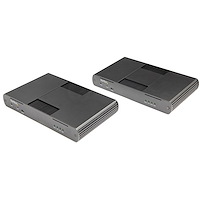
StarTech.com
4 Port USB 3.0 Extender Hub with 1x Gigabit Ethernet Port Extension over Single Cat6a/Cat7 Cable (RJ45), 330ft/100m, 5Gbps USB-A Extender Kit, USB Extender, USB 3.2/3.1 Gen 1 - Externally Powered (USB3004EXT2)
blazing mantle
i think this is an obvious question but pcie wifi adapters are better than usb ones right?
 keen flicker
my friend is going to kill me i need help
