#networking
1 messages · Page 97 of 1
 rose fable
 topaz patrol
They're like $15USD, Amazon is probably just selling it way to expensive
rose fable
Even the ISP provided stuff likely performs better
But I mean, it would be fine if you plugged in a TV to the port since even high end TV's these days still come with 100Mbps LAN ports
 tough delta
Am I better off building a NAS or buying an older used Dell or HP? I’d primarily want to edit video off of it on the local network and have lots of space for backup, but my concern is that a lot of those used office computers don’t have standard motherboards or power supplies. I’ve only ever built my own personal computer and the side of NAS computers is still new to me.
 stuck grove
what resolution of video, and for business or hobby
tough delta
stuck grove
what resolution of video, and for business or hobby
Mostly hobby and 4K60 video. I’ve been using a external SSD but thinking I should switch to a NAS
stuck grove
Older Dell/HP will be okay then, you'll likely want at least 2.5g networking
SATA SSDs if you can spare the budget, otherwise just get a couple SATA HDDs
tough delta
Hm, would it be worth parting used stuff off of eBay instead and building something?
stuck grove
Depends on what your budget is
and what your requirements for storage are
one thing to steer clear of no matter what your budget is used storage though
tough delta
About a thousand USD and I was hoping for at least 10 TB, but it doesn’t all have to be SSD
tough delta
stuck grove
one thing to steer clear of no matter what your budget is used storage though
Oh for sure
stuck grove
Yeah i'd go used Dell/HP, most recent Intel chip you can find for a decent price
AMD chips that are old enough to be cheap are also horrible
In that budget you're likely looking at HDDs though
You could do a mix though, say 2tb of SSDs and 8tb of HDDs, keep your current projects on the SSDs, old projects on the HDDs
tough delta
stuck grove
In that budget you're likely looking at HDDs though
Really? I mean I’ve found old dells for less than a hundred and I don’t recall storage being that expensive last time I looked
stuck grove
2tb SATA SSD is 200usd new, 4tb is 310
tough delta
Hm, fair enough
I’ll go for that then. Thanks!
As far as worrying about backing up and storage configurations, should I do something like double my storage between two drives or anything?
rose fable
stuck grove
one thing to steer clear of no matter what your budget is used storage though
Serverpartdeals is actually a decent place to grab storage.
They are recertified drives for a lot cheaper.
stuck grove
Recertified drives are far from your usual "used" drives, and i recommend them all day long
 pseudo blade
IMO for personal/home storage if flash is too expensive the issue is probably your goals :P
tough delta
pseudo blade
IMO for personal/home storage if flash is too expensive the issue is probably yo...
Nah I was leaning towards mostly flash and then some hard disks for archival purposes. Just trying to figure out what I need/want before I start buying stuff
 amber urchin
tough delta
Am I better off building a NAS or buying an older used Dell or HP? I’d primarily...
amber urchin
tough delta
Am I better off building a NAS or buying an older used Dell or HP? I’d primarily...
I love me some X99 for NAS but with DDR4 being so outrageous it really isn't a great time to want to build. Honestly, you may be interested in the Asustor M.2 NAS but I'm not sure that will meet the desired budget.
amber urchin
stuck grove
one thing to steer clear of no matter what your budget is used storage though
lol it's all I'll buy. My NAS is two 8 disk RaidZ3 VDEVs of 4TB SAS drives that cost me less than $14/ea.
Well, and also a pool of four 6 disk RaidZ2 VDEVs of 240GB SSDs.
That one is fun but really was quite a waste. It's an 80 watt 4TB SSD.
 opal pagoda
bought couple skyhawks, we will see how they behave

 zinc mortar
opal pagoda
bought couple skyhawks, we will see how they behave
zinc mortar
opal pagoda
bought couple skyhawks, we will see how they behave
It was 4 for 172?
 shut stag
amber urchin
lol it's all I'll buy. My NAS is two 8 disk RaidZ3 VDEVs of 4TB SAS drives that...
shut stag
amber urchin
lol it's all I'll buy. My NAS is two 8 disk RaidZ3 VDEVs of 4TB SAS drives that...
where do you get such cheap drives?? i thought i was winning with 7$ /tb
i do have 14tb sas tho
amber urchin
shut stag
where do you get such cheap drives?? i thought i was winning with 7$ /tb
I bought 10 drive lots on ebay. Unfortunately the first 2 lots from seller A had 7 that did not make it thru my pre-deployment test procedure of long smart test followed by data destructive badblocks checks. They refunded me for those drives but it meant I couldn't set up as quickly. That test runs a full pass of 0's, 1's, 01010101 and 10101010 checking to make sure it was able to store and retrieve the patterns properly. The lot from seller B was perfectly fine though.
As cool as it is to have so many drives for the performance, my pools are absolutely terrible power hogs. ~220 watts for 40TB HDD and ~80 watts for the 3.84TB SSD.
shut stag
i bought one drive lot for those 14tb drives, luckily i dont think my power consumption is unreasonable
im only running 8 of the sas drives though, along with 2 sata nas drives
my NAS is pretty decent but nothing insane. 96gb ddr4 with ~85tb between pools
pseudo blade
No humblebragging here, I see
pseudo blade
amber urchin
I bought 10 drive lots on ebay. Unfortunately the first 2 lots from seller A ha...
Yeah power consumption is a big part of why most of my non-work gear stays off and accumulates dust unfortunately
The ML350 gen9 in particular loses out to old the old 2nd gen intel SFF desktops for that reason - I don't need any more compute than they offer if I need to run a service for something
I run my stuff in a few small VMs on the hypervisor I run in my house for work as I have the luxury of classifying them as test workloads (and they don't contain anything sensitive or important nor impede the systems other duties)
The services in question feed into the work software and have actually proven useful for that
It's 10th gen intel core and uses about 30w with 4TB of SSD and 128GB RAM and I borrow a bit under 10% of that
I pay for the power it uses anyways
opal pagoda
shait, my hdd order got canceled due to no stock

 rocky badge
I just bought 8x 14TB drives for my NAS
The NAS system is a Supermicro 2U with dual E5-2650 v4s and 128GB of RAM
rocky badge
pseudo blade
Yeah power consumption is a big part of why most of my non-work gear stays off a...
The lab rn is usually ~550W 24/7. So around 13kWh a day? Which is roughly $50 a month
One server has dual Gold 6138, another is an EPYC 7401P, then I have a minisforum with Ryzen 9 7945HX, and the NAS with dual E5-2650 v4. Everything is SSD asides the NAS.
The Supermicro NAS has a Tesla P4 in it to accelerate plex & immich
I try to keep semi modern hardware to help with the electricity usage.
Better than my parents place... 250W for just networking & a single R620 with dual E5-2650s
stuck grove
rocky badge
The NAS system is a Supermicro 2U with dual E5-2650 v4s and 128GB of RAM
2650….
rocky badge
?
 twin pier
rocky badge
The NAS system is a Supermicro 2U with dual E5-2650 v4s and 128GB of RAM
twin pier
rocky badge
The NAS system is a Supermicro 2U with dual E5-2650 v4s and 128GB of RAM
what model is the supermicro and where did you get it from, curious as I need a new nas myself
 pseudo blade
rocky badge
The lab rn is usually ~550W 24/7. So around 13kWh a day? Which is roughly $50 a ...
pseudo blade
rocky badge
The lab rn is usually ~550W 24/7. So around 13kWh a day? Which is roughly $50 a ...
I'm paying about $9.60/mo for 30w
rocky badge
twin pier
I have an hpe dl180 gen9 at my dad's house and it is hell
Oh yeah this isn’t a quiet server but it’s not anywhere near me so I don’t care lol
 ivory egret
Can anyone recommend a good router that can take a 5G Sim Card?
opal pagoda
ivory egret
Can anyone recommend a good router that can take a 5G Sim Card?
what bands do you need + what is your budget
ivory egret
opal pagoda
what bands do you need + what is your budget
Hey, i have no specific brand in mind. I have looked at the GL.iNet GL-X3000 which might do the trick. Looking for something not too expensive though. I saw Netgear has one but thats a bit expensive
opal pagoda
ivory egret
Hey, i have no specific brand in mind. I have looked at the GL.iNet GL-X3000 wh...
Not brands, Bands
Not every region uses same band for wwan communication
ivory egret
opal pagoda
Not brands, Bands
Not every region uses same band for wwan communication
Ohh my bad aha mis read and good point i think 2ghz 5ghz is fine. Its going to be used globally
opal pagoda
ivory egret
Ohh my bad aha mis read and good point i think 2ghz 5ghz is fine. Its going...
not wifi bands either, 5g bands
https://en.wikipedia.org/wiki/5G_NR_frequency_bands
Frequency bands for 5G New Radio (5G NR), which is the air interface or radio access technology of the 5G mobile networks, are separated into two different frequency ranges. First there is Frequency Range 1 (FR1), which includes sub-6 GHz frequency bands, some of which are traditionally used by previous standards, but has been extended to cover ...
ivory egret
opal pagoda
not wifi bands either, 5g bands
https://en.wikipedia.org/wiki/5G_NR_frequency_ba...
ah okay so like 2g. 3g, 4g etc?
twin pier
No its like the specific frequency you're gonna be using for 5g access
opal pagoda
ivory egret
ah okay so like 2g. 3g, 4g etc?
this kind of bands
 ivory egret
Right gotcha. I'll have to find out. I guess theres not one for world wide?
opal pagoda
 ivory egret
opal pagoda
https://www.frequencycheck.com/
ivory egret
opal pagoda
https://www.frequencycheck.com/
Thanks for this. So do I line up the NR / LTE numbers with that checker if one of them lines with the for example this gateway .
https://www.gl-inet.com/products/gl-x3000/#specs
A WiFi 6 Dual-SIM 4G/5G Cellular Router that supports 5G NR Dual-SIM Failover & Multi-WAN, pre-installed with OpenWrt 21.02, OpenVPN and WireGuard.
opal pagoda
ivory egret
Thanks for this. So do I line up the NR / LTE numbers with that checker if one...
best is that all are supported
otherwise you wont have good coverage
you can always check on cellmapper which bands are used on your cell that is covering your home
ivory egret
opal pagoda
best is that all are supported
As in all cell providers in a particular country region? Currently looking around US and Europe for this to give an idea. Local sims can be used too though.
opal pagoda
this will be used on the move?
ivory egret
No, not on the move.
ivory egret
Well they are on the move but in specific countries only and thats it
 vast saddle
This new server is bad btw
 twin pier
What server are you referring to
vast saddle
Hostinger
Literally brand new. Popped up on Speedtest
Other server at similar distance (also connected to Ethernet)

 ruby bramble
Hey, can someone help me setup some old mikrotik gear, a set of SXT Lite2, cant get them to connect to winbox
topaz patrol
ruby bramble
Hey, can someone help me setup some old mikrotik gear, a set of SXT Lite2, cant ...

 lone crane
the more info the better
 umbral fossil
Museum donation should be with the big dog today!!!
lone crane
yay another one
 opal pagoda
lone crane
yay another one
opal pagoda
lone crane
yay another one
At least they finally fixed it with 7.4.11
 pulsar dawn
My Ethernet keeps disconnecting on my Xbox bro
It was fine till I died in call of duty
stuck grove
#1027757333117415424 provide as much info as possible
 silent flax
well, Realtek 8127 upgrade ended up in failure. The card works, but link is always down. Will have to try on Windows sometime, to see if it is a SFP+ module incompatibility or something else
(tried one RJ45 adapter and one direct link; both worked just fine with Mellanox card)
silent flax
ah great, i found out that patches for this card were only in late November 2025, and proxmox kernel was from late September 2025. I guess i will keep the card in storage for a while
opal pagoda
silent flax
well, Realtek 8127 upgrade ended up in failure. The card works, but link is alwa...
Have you tried it with transceiver or dac?
pseudo blade
Holy shit, SSD prices doubled while I wasn't looking. Glad I bought my extra storage in August and hope I don't need more at some point.
Perhaps my statement about all-flash NAS storage is obsolete
pseudo blade
Some crappier SSDs aren't as pricy but I wouldn't rush to put those in an array
 steep stirrup
i found a cheap-ish router that claims it can do 1000mbps over LAN
we are talking like 30 dollar cheap
stuck grove
1g over lan isn’t hard
at least routing, doing Intrusion protection, that’s a whole other ballpark
steep stirrup
stuck grove
1g over lan isn’t hard
ah well i literally only need it to crank up the bitrate for pcvr
the asus router i currently have can only do 100mbps and i think it was deadess more expensive
 lean palm
Lads yall are not ready to see how much networking hardware I’m getting for free next week
I think its a whole pallet of cisco wifi 6 and current cisco poe switches
steep stirrup
I'm assuming some places just give it away when upgradin
rose fable
steep stirrup
I'm assuming some places just give it away when upgradin
If you find the right IT person that don't give a fuck about corporate bull shit yes
I sold 100's or maybe 1000's of old machines for cheap to public. Corporate wanted to "recycle" them yet that was also complete BS. They just trashed them. 3 year old laptops, just sent to garbage. Perfectly usable and looking flawless in many circumstances since most were used with a docking station for 99% of their life and never left the desk. External keyboard, mouse, and monitors.
 peak cloak
pseudo blade
Holy shit, SSD prices doubled while I wasn't looking. Glad I bought my extra sto...
peak cloak
pseudo blade
Holy shit, SSD prices doubled while I wasn't looking. Glad I bought my extra sto...
I just happened to need storage around now, as I got into photography, not a great time..
lean palm
rose fable
If you find the right IT person that don't give a fuck about corporate bull shit...
yup
i was lucky to find the CTO of a large insurance company that just gives him all the 3 year old decommissioned gear
i'm ewaste for the guy lol
rose fable
I just kept it on the down low and didn't tell anyone.
Better someone who needs a laptop gets a good one for a reasonable price then it just going in the trash.
Take a 3 year old Dell Latitude with an i5, 500GB SSD, and 16GB of RAM for $300 or one with an i7 for $450. Sold within couple hours every time.
pseudo blade
It actually annoys me how expensive used gear is in reasonable quantities from recycling places
The best way is to trashpick or make the right friends
lean palm
I give out old used hardware under the condition you dont mention it on the books or come to me for support
pseudo blade
I took my server and desktops with the promise to handle secure erase for them
Most places wouldn't do that, but they didn't have in-house IT and I had the right friends at the time
They have an MSP who's got them on three year replacements for their desktops and server (which is always min spec as they run SMB on it for an accountancy package and that's it, for like 10 grand)
Less than 10 people.
Seems nuts to me, I'd probably do at least 5 years for both personally, and possibly more if I could extend parts and service
rose fable
lean palm
I give out old used hardware under the condition you dont mention it on the book...
Exactly. And most people buying used understand this.
Secure erase it rather overrated as well if you are installing a new OS on it. There has been little to no evidence data can be recovered without insanely expensive tools once a new OS has been installed overtop.
pseudo blade
I know :P
Also the insanely expensive tools haven't been proven to do anything to hard drives that have had zeroes written to them. Flash is of course more complicated due to FTL shenanigans
twin pier
well the data that doesn't happen to get overwritten by the new filesystem will still be there
pseudo blade
Of course, the point's more that a full erase is effective enough without patterns
SSDs have the secure erase functionality which I'd trust with all bar state secrets (it isn't perfect and can have bugs but it'll defeat all bar the most determined attackers and will lose the data from the controllers perspective)
For state secrets we have shredding
silent flax
opal pagoda
Have you tried it with transceiver or dac?
I think the SFP support is yet to be merged to the kernel for this subtype https://lore.kernel.org/lkml/4B0E7A890ED5AF50+57f079d1-0be3-4d27-8118-1216bef2076a@radxa.com/ . Would probably work in Windows just fine
opal pagoda
silent flax
I think the SFP support is yet to be merged to the kernel for this subtype https...
Rate deal i got
4x 1151 motherboards, 2 of them are mining ones and 2 are just regular h110
3x cpus (unknown currently)
2x8 gb ram
Total: 40€
I will try to mod the bios so it accepts 8th and 9th gen cpus
silent flax
opal pagoda
Rate deal i got
4x 1151 motherboards, 2 of them are mining ones and 2 are just r...
so you got the RAM for OK price and everything else is free
opal pagoda
silent flax
so you got the RAM for OK price and everything else is free
Lol yea you could look at it like that
 tame dragon
Anyone know about server rigs. Got old 24port switches and other bits along the same line ive been asked to through out at work. No problems in doing so? Or 😅
 ornate jungle
tame dragon
Anyone know about server rigs. Got old 24port switches and other bits along the ...
ornate jungle
tame dragon
Anyone know about server rigs. Got old 24port switches and other bits along the ...
So long as you have a recycling depot that accepts electronics, you should have no problems throwing out old server gear or network switches in your area.
tame dragon
ornate jungle
So long as you have a recycling depot that accepts electronics, you should have ...
Cheers 👍
 crystal shale
Ok i just tried something odd, but im absolutely failing at it
VPS with one public ip.. so i installed debian 13, slapped proxmox on it.. and was hoping i could put opnsense in a VM, somehow give it the IP, then put proxmox behind the opnsense.. buut shit dont work.
I did get some wierd masquerade system working.. but its useless for hosting stuff. My next idea is NAT-ing everything from the public ip to the opnsense except maybe one two ports.. buut im absolutely clueless about how to do that.
opal pagoda
crystal shale
Ok i just tried something odd, but im absolutely failing at it
VPS with one publ...
did you enable nested virtualisation in proxmox?
crystal shale
You only have to enable nested virtualization on the host, i do not control the host. However kvm_amd reports nested virtualization as 1
Also, the VMs do run and they are able to get into the Internet with some network config, as i said
The virtualization is fine, the network config i tried isnt.. and im kinda stumped as how to get what i actually wanted.
Public IP -> Proxmox NIC -> OPNsense VM -> OPNsense LAN on vmbr1 -> Proxmox GUI/Network
Ill need to run NAT on the OPNsense and thats fine
But im struggling getting the OPNsense VM to talk to the public IP or take it over..
I cant even open the opnsense webgui even though ive set allowrules and enabled listening on WAN
 formal ibex
Does anyone know what could be causing this? my games are unplayable lol
 ornate jungle
formal ibex
Does anyone know what could be causing this? my games are unplayable lol
ornate jungle
formal ibex
Does anyone know what could be causing this? my games are unplayable lol
Yes, a poor internet connection. Could be the outside connection from the ISP, could be the equipment from your ISP, could be your own networking equipment (router / switch / wall jacks, if you have any of these), or it could be just your wingle computer if all other devices work properly.
formal ibex
i have 600 mbps speeds
ornate jungle
Fast speed != good latency. What kind of internet connection is this? DOCSIS Coax (cable)? Fiber Optic? A/V/DSL? Cellular (4G / LTE / 5G)? Satellite? And do all your devices have this much latency when doing a ping test?
formal ibex
im on docsis cable the ping test is from the router so it is bypassing my pc
i unplugged my modem and for like 1 minute I had normal ping when I plugged it back in but it didn't last
ornate jungle
formal ibex
i unplugged my modem and for like 1 minute I had normal ping when I plugged it b...
Good troubleshooting and process of elimination. This means it's time to contact your ISP to ask why the latency is over 600ms. On DOCSIS, it's possible but uncommon to achieve sub-10ms latency, however, 600ms is way too high to be useful. 🙁 In my experience, a good DOCSIS connection should get between 10-30ms latency.
formal ibex
yea im not sure what is causing this. I've had this isp for atl 5 years now and this is the first time i can remember my ping being this consistantly bad
ornate jungle
formal ibex
yea im not sure what is causing this. I've had this isp for atl 5 years now and ...
As I mentioned, could be all kinds of things. Since it happens at the router level, that means it could be the router, DOCSIS modem, or the Coax cable feeding your residence. you could bypass the router by plugging your PC directly into the DOCSIS modem to rule out the router, but after that, it's up to your ISP.
formal ibex
ornate jungle
As I mentioned, could be all kinds of things. Since it happens at the router lev...
I tried this and couldn't access the internet or even the default modem admin page when connected directly to it. Not sure if this is a mac address issue or something else but it doesnt look like I can test directly off the modem
 tame storm
Hello guys, is this setup any good for a 140m2 apartment? It is a newly build house. Anything that im overpaying for?
 ornate jungle
tame storm
Hello guys, is this setup any good for a 140m2 apartment? It is a newly build ho...
ornate jungle
tame storm
Hello guys, is this setup any good for a 140m2 apartment? It is a newly build ho...
Without knowing the floorplan / layout of the building, hard to say for sure. You might be better off getting the UDR and 1x Access Point. I guess it depends on how soon you plan to expand, like say adding cameras.

 nova glacier
damn, that's a lot of money for a 2x2 + 2x2 + 2x2 AP setup. The Asus zenwifi BT10, a 2x2 + 4x4 + 4x4 AP with dual 10GbE is just $300
tame storm
ornate jungle
Without knowing the floorplan / layout of the building, hard to say for sure. Yo...
I want 2 APS as all the walls are concrete
 tame storm
nova glacier
damn, that's a lot of money for a 2x2 + 2x2 + 2x2 AP setup. The Asus zenwifi BT1...
tame storm
nova glacier
damn, that's a lot of money for a 2x2 + 2x2 + 2x2 AP setup. The Asus zenwifi BT1...
Im open to anything but i would prefer everything be ubiquity.
pseudo blade
tame storm
I want 2 APS as all the walls are concrete
Are the thinner interior walls on the right hand side also concrete?
pseudo blade
I'd try my luck with a single AP in an elevated position behind where the lounge is placed on the plans
nova glacier
tame storm
Im open to anything but i would prefer everything be ubiquity.
well, as long as you understand that you're spending an extreme amount of money for quite mid wifi. I'd only consider ubiquiti's premium to be justified in considerably larger setups
https://www.rtings.com/router/reviews/unifi/u7-pro-wired-backhaul-tri-band
https://www.rtings.com/router/reviews/asus/zenwifi-bt10

RTINGS.com
The UniFi U7 Pro is a tri-band Wi-Fi 7 access point designed for large offices that must be connected to a router or controller to function. In this review, we c...

RTINGS.com
The ASUS ZenWiFi BT10 is a tri-band Wi-Fi 7 mesh router. It's part of ASUS's ZenWiFi lineup of mesh systems. It uses AiMesh, so it's compatible with any other Ai...
tame storm
pseudo blade
I'd try my luck with a single AP in an elevated position behind where the lounge...
I can not get ethernet there as we have celing cooling. It need to be on the wall or Like a shelf.
pseudo blade
Yes, on the wall or a shelf
That said, I can't imagine how an air conditioner would prevent one from using a significant portion of your roof but I digress...
pseudo blade
tame storm
I can not get ethernet there as we have celing cooling. It need to be on the wal...
Where's the current AP and what's your experience with it now? Or is there nothing in yet/haven't moved in?
tame storm
Its not an AC it is basically work like floor heating but with cooling.
tame storm
pseudo blade
Where's the current AP and what's your experience with it now? Or is there nothi...
It has none, it a brand new building so I cant ask the previus owners what was their setup.
pseudo blade
If you can, borrow a router/AP and plug it in an do a Wi-Fi survey
Software to do so is cheap/free
Internet connectivity to the router is not required
Try a few positions
It'll beat any guesswork I can do
ornate jungle
tame storm
I want 2 APS as all the walls are concrete
ALL of the RED is concrete? Or is it perhaps dense drywall / chipboard on metal studs? And what about all the TEAL BLUE lines - are those Windows?
 pseudo blade
ornate jungle
ALL of the RED is concrete? Or is it perhaps dense drywall / chipboard on metal ...
pseudo blade
ornate jungle
ALL of the RED is concrete? Or is it perhaps dense drywall / chipboard on metal ...
Yeah it looks like different interior walls to me
ornate jungle
pseudo blade
Yeah it looks like different interior walls to me
Same. I can see the outside walls and the wall that runs down the middle being thick concrete... like, if this were 2x individual smaller units, it would make sense that the middle wall be entirely thick concrete. But I can't see them using concrete for the thin walls between rooms in the same unit. That's just... silly.
tame storm
ornate jungle
ALL of the RED is concrete? Or is it perhaps dense drywall / chipboard on metal ...
Yes, the blue are windows. The room in the end of the corridor does not exist in real life. But yes everything which red is concrete. The builders did not think about that when building it .
 frosty stone
In a modern apartment they'd be metal framed and drywall covered, with just the thick walls being concrete
Otherwise plumbing and electrical would be impossible
ornate jungle
Okay, I believe the information you've been given, I guess, but I don't believe the builders know what they're talking about... especially if there's electrical / plumbing in the walls. Unless they did the unthinkable and built all the walls, said "well shit fuckkity fuck we forgot something", then added electrical / plumbing to the surface of everything. 🤣
tame storm
frosty stone
In a modern apartment they'd be metal framed and drywall covered, with just the ...
It quite modern, it was just built a year ago but there was some problems with the city.
frosty stone
By modern I mean anything built in the last like 30 years
pseudo blade
ornate jungle
Okay, I believe the information you've been given, I guess, but I don't believe ...
Has me wondering how the connections for APs would be installed
tame storm
ornate jungle
Okay, I believe the information you've been given, I guess, but I don't believe ...
Yeah. But it is not drywall. So Idk, it has like a concrete solid sound. So I dont know they did it. There is electrical in there as well as ethernet so I think they lied to me or something
ornate jungle
tame storm
Yeah. But it is not drywall. So Idk, it has like a concrete solid sound. So I do...
So it's not at all concrete then. It sounds like hardened chipboard on metal studs. I will design accordingly.
pseudo blade
It is not practical to do electrical in a concrete wall
So probably it's a different material
frosty stone
if a concrete wall that thin could even exist, carve outs for conduit would make it not exist very quickly
tame storm
ornate jungle
So it's not at all concrete then. It sounds like hardened chipboard on metal stu...
Yeah, idk about that much building buildings so yeah.
pseudo blade
Honestly? Do the survey I recommended. Do a survey on 2.4+5 using any old AP/router you can find
frosty stone
Whereas the almost 200mm thick concrete bricks used for the main walls easily allow for conduit
tame storm
frosty stone
Whereas the almost 200mm thick concrete bricks used for the main walls easily al...
The outer ones are like 50cm Its bonkers.
pseudo blade
pseudo blade
Honestly? Do the survey I recommended. Do a survey on 2.4+5 using any old AP/rou...
Try a few positions based on convenience
ornate jungle
tame storm
Yeah, idk about that much building buildings so yeah.
Lastly, do the windows look thicc - rather, do they have hefty frames with those articulating hinges found on many modern European windows? (Germany is specifically known for this.)
Oh and do you know what material the interior doors are made out of? Do they sound solid or hollow when tapped?
pseudo blade
But if I'm correct on the wall material two APs on opposite sides of the middle of the building would be fine, and maybe even one
Otherwise it would need a more custom approach
frosty stone
The only wall spot to place it on the bedroom size looks to be above the door because the rest is storage
Talk to an electrician about running ethernet in the ceiling
pseudo blade
How about in the dead section of hallway in the middle?
tame storm
ornate jungle
Lastly, do the windows look thicc - rather, do they have hefty frames with those...
Yeah, here where I live in hungary its the same we have the same thing
tame storm
ornate jungle
Oh and do you know what material the interior doors are made out of? Do they sou...
To be honest I have no idea.
ornate jungle
tame storm
Yeah, here where I live in hungary its the same we have the same thing
kk, and for the record, I sadly do not have these luxurious windows over in North America, but I know quite a few people who have "rich people" homes that have the German style windows and glass doors, and damn, are they ever neat / robust / functional / freaking EXPENSIVE compared to the junk most NA homes have.
pseudo blade
pseudo blade
How about in the dead section of hallway in the middle?
Behind where the door opens to a smaller bathroom, cupboard maybe
@frosty stone 
Speak up
tame storm
pseudo blade
How about in the dead section of hallway in the middle?
I think we need 2 router because the thick wall in the middle is. for sure concrete.
frosty stone
What you're saying makes zero sense
There's literally only one spot on the bedroom side of the middle wall, and it's above the door
pseudo blade
tame storm
I think we need 2 router because the thick wall in the middle is. for sure concr...
I'm still saying two
tame storm
ornate jungle
kk, and for the record, I _sadly_ do not have these luxurious windows over in No...
Yeah, here also they cost so fucking much.
frosty stone
tame storm
I think we need 2 router because the thick wall in the middle is. for sure concr...
Two access points, not routers
pseudo blade
frosty stone
What you're saying makes zero sense
There's literally only one spot on the bedr...
Not true
tame storm
frosty stone
Two access points, not routers
Yes, my bad.
frosty stone
pseudo blade
Not true
Do you not understand building plans?
ornate jungle
tame storm
Yeah, here also they cost so fucking much.
I assume the measurements are in meters (or cm / mm) on this floorplan?
tame storm
ornate jungle
I assume the measurements are in **meters** (or cm / mm) on this floorplan?
Yeah, they are in meters.
pseudo blade
frosty stone
Do you not understand building plans?
Slightly "south" of that door, cupboard or similar
Also frankly buddy your shitty attitude is not helpful
frosty stone
pseudo blade
Slightly "south" of that door, cupboard or similar
Yeah no, it ain't going in the cupboard
pseudo blade
Why not? It's not exactly an auditorium and you're not precisely sure what they're doing
Why don't you let the person who'll actually live there speak on the matter
ornate jungle
tame storm
Yeah, they are in meters.
Sorry for more questions but also... do you know where the internet service enters the floorplan? It's likely with the electrical box, but might be somewhere else entirely. And is the unit wired for ethernet or no?
pseudo blade
Yeah if electrical retrofit is made difficult or impossible that's relevant
You might be stuck doing mesh
tame storm
ornate jungle
Sorry for more questions but also... do you know where the internet service ente...
Yes, the start of every ethernet cable is where the entrance door is.
Like next to it.
ornate jungle
On one of the red x's? which X? top left? top right?
 tame storm
ornate jungle
Sorry for more questions but also... do you know where the internet service ente...
tame storm
ornate jungle
Sorry for more questions but also... do you know where the internet service ente...
Yes, each room has 1 ethernet outlet. Besides the living room which has 2.
pseudo blade
Each room?
pseudo blade
Where do those ports aggregate?
ornate jungle
Each room being wired might be very useful if the walls truly are "made of concrete" OR are hardened chipboard / drywall on metal studs. Or worse... mudded walls on chicken wire mesh, creating a faraday cage.
pseudo blade
ornate jungle
Each room being wired _might_ be very useful if the walls _truly_ are "made of c...
-In which case just go for wired or a micro AP for the rooms if the living room one doesn't suffice
tame storm
ornate jungle
On one of the red x's? which X? top left? top right?
Top left. Also between top left and bottom left is some drywall that we had put in.
ornate jungle
tame storm
Top left. Also between top left and bottom left is some drywall that we had put ...
Oh, you mean there is now a solid wall where the red is?
 tame storm
ornate jungle
Oh, you mean there is now a solid wall where the red is?
tame storm
ornate jungle
Oh, you mean there is now a solid wall where the red is?
Yaeh something ike that
ornate jungle
And for sure you have no easy way to run ethernet through the ceiling? Not without ripping apart the ceiling, or stapling the cable to the ceiling, at least?
tame storm
ornate jungle
And for sure you have no _easy_ way to run ethernet through the ceiling? Not wit...
The whole ceiling would need to be ripped apart. We can run it maybe with cable trunking. But Conduitt does not fit as there is only 2 cm of room between the ceiling and like cooling pipes
ornate jungle
tame storm
Yes, each room has 1 ethernet outlet. Besides the living room which has 2.
Can you do your best to mark where the ethernet outlets are in each room? Preferably all of them if you can. Attach an updated map with something like RED x's where they are located.
tame storm
ornate jungle
Can you do your best to mark where the ethernet outlets are in each room? Prefer...
Yeah sure, just a second.
tame storm
ornate jungle
Can you do your best to mark where the ethernet outlets are in each room? Prefer...
Sorry, i dont konw how. I just switched to hackintosh and the screenshot thing isnt working.
ornate jungle
I definitely need to know to finish my present for you, so please figure it out, or use another / install an app from the MacOS App Store.
Or heck, use https://www.photopea.com/ in a web browser.
Photopea Online Photo Editor lets you edit photos, apply effects, filters, add text, crop or resize pictures. Do Online Photo Editing in your browser for free!
tame storm
ornate jungle
I definitely need to know to finish my present for you, so please figure it out,...

It's around that position

The main bedroom is here
I forgot to put that on
ornate jungle
tame storm
Simulate a complete UniFi system with our powerful visualization and planning tool.
tame storm
ornate jungle
Tada. https://design.ui.com/share/b5aae274-8a5b-46a9-981b-b6a610f34608?key=fb0cd...
Thank you so much!!
ornate jungle
If you enable WiFi on the map view, you can see a rough estimate of coverage.

Also... I realize the Ethernet ports are not exactly where I've placed the In-Wall units, but if you're allowed to make some... "modifications" or surface mount things later, you'll get better coverage. The In-Wall units will work okay if you put them on the walls where the ethernet jacks are now though.
tame storm
ornate jungle
Also... I realize the Ethernet ports are not exactly where I've placed the In-Wa...
Yeah, Thank you so much
I can not reitarite how helpful you have been
ornate jungle
Also also... this is over your initial budget, only because you can't ceiling mount. If you could ceiling mount 2x APs, then you might be able to go with your original plan.
If you haven't already, create yourself a Ubiquiti account and futz with the floorplan yourself. If you want to edit the floorplan I've created, I can invite you to it by email, but only if you are comfortable with this. It's not good to share your email with strangers...
tame storm
ornate jungle
Also also... this is over your initial budget, only because you can't ceiling mo...
Invite me can i DM you my email?
Send a friend request
*sent
ornate jungle
tame storm
Invite me can i DM you my email?
Got it, you've invited. For the record... think about where you'll use WiFi too. There's absolutely zero need to have full green coverage in all hallways... or in what I think is the food pantry end of the kitchen.
It's great that you're planning this out, but don't spend more than you actually need overcomplicate things...
tame storm
ornate jungle
It's great that you're planning this out, but don't spend more than you actually...
Yeah i dont want to spend like a few thousand euros for somewhere i wont use wifi.
silent flax
opal pagoda
Have you tried it with transceiver or dac?
btw confirmed it works just fine in Windows 11 (after installing the driver). So yeah, i need to wait for kernel patches to be merged. Not 6.19, maybe in kernel 6.20
opal pagoda
nice, atleast hardware is good
opal pagoda
silent flax
so you got the RAM for OK price and everything else is free
i have removed coolers,
cpus are i3 6100, i3 7100 and an random celeron
how can i best clean motherboards? put em in a dishwasher?
silent flax
spray them with isopropyl alcohol? Ultrasonic cleaner, butt that is expensive I think
opal pagoda

Follow der8auer:
https://www.instagram.com/der8auer/
Support me on patreon:
https://www.patreon.com/der8auer
silent flax
And at least it had CPUs at all
opal pagoda
i will use my own cpus anyway, i got 2x i7 8700k and a i5 6400
just need to mod the bios 
does anyone have experience with these hp network cards + custom adapters combos
https://www.ebay.com/itm/404580418144
they are very cheap

eBay
ETA 3 to 8 busines. The adapter card is a gold sinking process. The network card and adapter. interface is PCIe X8. If the character skipping black screen appears after. card are standard full height and will not exceed the shoulder.
chip on them is Broadcom BCM57810S
downside:
 silent flax
And power usage
silent flax
opal pagoda
does anyone have experience with these hp network cards + custom adapters combos...
to be honest, prefer not to touch broadcom due all of their firmware blob requirements (at least in case of WiFi).
pseudo blade
opal pagoda
how can i best clean motherboards? put em in a dishwasher?
I do the bulk of the nasty stuff with a compressor (bleed moisture out first) and a very slightly damp rag, and finer stuff with a small brush. if I need more (I usually don't) then other methods may be considered. Be careful using isopropyl as it can damage some surfaces, especially at high purity
opal pagoda
pseudo blade
I do the bulk of the nasty stuff with a compressor (bleed moisture out first) an...
i dont have iso avalibile atm, i do have ethanol at 70% which is less aggressive
pseudo blade
Probably overkill for cleaning away dust and crap and that 30% is going to be water anyways
opal pagoda
pseudo blade
Probably overkill for cleaning away dust and crap and that 30% is going to be wa...
Its pretty bad tbh

inner der8auer calls to me to stick it in a dishwasher lol
pseudo blade
Gross layout too lol, but that's mining boards
opal pagoda
pseudo blade
Gross layout too lol, but that's mining boards
its better than the asus one
there they are inline so you absolutely need risers
here they are lined up with regular pcie slots and behind ones are offset
lone crane
opal pagoda
Its pretty bad tbh

 trail imp
Hey all im having a bit of an issue im trying to use tailscale so i can asses my NAS/ Proxmox VE i set up the tailscale instance and my phone will not connect to etheir Proxmox or Truenas can somone help me out?

This is my phones side
 trail imp
Yes thats the port im using
lone crane
the LAN or tailscale ip?
trail imp
?
lone crane
LAN as in the one you use at home ip or the IP tailscale gives the proxmox server
trail imp
Im using my LAN
lone crane
 lone crane
trail imp
Im using my LAN
lone crane
trail imp
Im using my LAN
use tailscale
trail imp
Ohhhh ok i just need to add the port, thanks ill try that
 clear igloo
Wrong networking
stuck grove
we network computers together, not people
lone crane
wonder if any competent companies hire full stackers
pseudo blade
Sadly, very poor reading skills
pseudo blade
lone crane
wonder if any competent companies hire full stackers
What's a competent company? 🤣
Certainly not the largest ones
lone crane
you know something not microsoft
pseudo blade
And the tiny ones have no choice but to go full-stack if they realise outsourcing's going to go poorly
lone crane
yeeaa
 bright cedar
pseudo blade
Sadly, very poor reading skills
bright cedar
pseudo blade
Sadly, very poor reading skills
Thank you for your opinion ❤️
 undone condor
Hi guys. My mum tasked me with connecting my sister's house to the internet. It's basically next door, around 30 meters in straight line. I have clear view, no obstacles. I don't want to play with conduit. The solution is supposed to be temporary/maybe for 20 years. I want to use two outdoor ubiquiti access points and bridge them. The cheaper version of the ltt's airfibre solution. I have gigabit internet access and I would like to share as much as possible of this throughput. Is this viable solution or just some ramblings of sleep deprived person.
opal pagoda
undone condor
Hi guys. My mum tasked me with connecting my sister's house to the internet. It'...
What is your budget?
Solutions range from 150$ to about 500$
https://mikrotik.com/product/wireless_wire_cube_pro
These have very good performance but like all 60ghz products are a little hard to line up
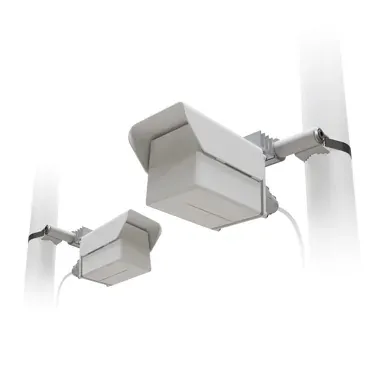
A preconfigured kit of two Cube 60Pro ac (802.11ay 60 GHz) devices: the
Wireless Wire Cube Pro. Just point the Cubes at one another and
power them on! They will form a blazing fast encrypted wireless
connection. Pure plug-and-play!
undone condor
Thank you looks promising. How the next price bracket looks like?
Would only the transfer speed be faster?
opal pagoda
undone condor
Would only the transfer speed be faster?
cube pro has about gigabit of throughput if lined up correctly.
if there is regulatory restriction on 60ghz products in your country then you must go with 5ghz p2p which will be 300-400mbps but they are little cheaper
 long scarab
The amount of BGP fuckery I have done is insane. I didn't wanna pay for a new VM so I used nspawn, did some fuckery with that, then some bullshit with internal routing, all this to upstream my second ASN
steep stirrup
i am speed
 crystal shale
lone crane
use that + :8006
crystal shale
lone crane
use that + :8006
I see mention of 8006 and exposed(?) proxmox instances..
 crystal shale
Not very secure-
A vpn connection into the local net would be better
(wireguard my saviour)
 crystal shale
lone crane
thats why he is using tailscale??
crystal shale
lone crane
thats why he is using tailscale??
Oh idk how tailscale works. I thought it's something like ngrok.
lone crane
how have you not heard of tailscale
crystal shale
Cuz i dont use third party stuff?
twin pier
tailscale is a wireguard wrapper with lots of auto configuration functionality
lone crane
are there any 1st party self hosted VPNs
crystal shale
Static ip or Cname domains is how i roll
twin pier
In the FOSS world everything is "third" party....
crystal shale
lone crane
are there any 1st party self hosted VPNs
Yea?
crystal shale
twin pier
In the FOSS world everything is "third" party....
Not if u verify the code urself.. well depends on how you define that
lone crane
proxmox does not have anything i know of
twin pier
crystal shale
Not if u verify the code urself.. well depends on how you define that
That doesn't change that technically it comes from the outside
but it's a pedantic point
crystal shale
twin pier
tailscale is a wireguard wrapper with lots of auto configuration functionality
Why would you need that? Wireguard setup is so easy.. i mean even the more complex opnsense gui makes it surprisingly easy..
lone crane
crystal shale
Why would you need that? Wireguard setup is so easy.. i mean even the more compl...
tailscale does not need open ports to work
it uses tailscals own external stuff
tailscale just makes life easy
crystal shale
lone crane
tailscale does not need open ports to work
So it IS just a exposed https tunnel, started on their servers, connecting to your internal lan. Not very secure. Its ngrok with wireguard ontop.
lone crane
exposed?
crystal shale
crystal shale
So it IS just a exposed https tunnel, started on their servers, connecting to yo...
(using https/tcp (possibly udp? Idk.
as a communication bridge as a kind of reverse tunnel to get data out..
Its just a long way around exposing a port imo
crystal shale
lone crane
exposed?
I say exposed, but im assuming only the "wireguard" tunnel is actually exposed
lone crane
all i know is A LOT of businesses use it and its just a fancy wireguard thing
crystal shale
crystal shale
Its just a long way around exposing a port imo
(which is handy when you cant expose a port on ur server side if its running on mobile data or such..)
lone crane
CG-NAT is also something
crystal shale
lone crane
all i know is A LOT of businesses use it and its just a fancy wireguard thing
Possible that they do, however data privacy laws in some countries could screw that up.. ask me how i know.. yes its stupid. My main grievance is that if tailscale servers are down the whole reverse tunnel cant work
crystal shale
Idk if that happened yet but.. when avoiding cloudflare because we cant afford their downtime it kinda becomes annoying
crystal shale
lone crane
but there is headscale aka you just use your own thing
So like u pay a 5€ fee for a vps where u host headscale on?
That could work ig
lone crane
yea
crystal shale
Meh maybe ill take a look at it once i turn my old mobile into an arm server...
Rn on x86 we always run opnsense/ipfire and a normal wireguard tunnel
Probably a bit overkill buut..
Industry standard or whatever, ignoring ipsec
topaz patrol
crystal shale
Possible that they do, however data privacy laws in some countries could screw t...
If the tailscale control plane is down everything should continue to work fine, minus any new connections
opal pagoda
crystal shale
Possible that they do, however data privacy laws in some countries could screw t...
You can run your own headserver
opal pagoda
crystal shale
Idk if that happened yet but.. when avoiding cloudflare because we cant afford t...
Why are you running critical infrastructure in your homeLAB
topaz patrol
Even if it's business critical, you can also probably still get away with it (cloudflare), since half of everyone else is also down
opal pagoda
topaz patrol
Even if it's business critical, you can also probably still get away with it (cl...
I run full mesh sd-wan between 12+ locations and our own vpn solution
But that is work and not for home use lol
twin pier
crystal shale
So it IS just a exposed https tunnel, started on their servers, connecting to yo...
No it uses wireguard and has NAT traversal features built in... nothing of that would have anything to do with https
opal pagoda
It has two ways of establishing tunnels
Primary method: p2p direct connection
Fallback: using relay server
crystal shale
opal pagoda
Why are you running critical infrastructure in your homeLAB
I don't only run homelabs :)
crystal shale
topaz patrol
Even if it's business critical, you can also probably still get away with it (cl...
Only because everyone else is down doesn't mean that there isn't work that can't be done
crystal shale
twin pier
No it uses wireguard and has NAT traversal features built in... nothing of that ...
My bad, i compared it to ngrok and roughly assumed simmilar working path, which did fit. Sure not https but a reverse tunnel no?
crystal shale
opal pagoda
It has two ways of establishing tunnels
Primary method: p2p direct connection
F...
P2p never worked for me.. always a struggle.. probably network related.
 neon olive
Are their any users of Ruijie's products
I set up my home network with Ruijie's Switch and AP. For most devices, roaming works well. But I have an iPad, which sticks to my bedroom AP severely, even if the AP kicked it out, it still tries to reconnect to the bedroom AP instead of the living room one. so outside my living room, the iPad will stuck in the vicious cycle of attempting to connect and being kicked out due to low RSSI, which means no internet access
 vivid plank
crystal shale
I say exposed, but im assuming only the "wireguard" tunnel is actually exposed
vivid plank
crystal shale
I say exposed, but im assuming only the "wireguard" tunnel is actually exposed
tailscale is literally just an app you install on a machine
when you have a few machines on the same network you can designate 1 or multiple to allow traffic through them to local services
crystal shale
vivid plank
tailscale is literally just an app you install on a machine
when you have a few...
Its not "just an app" it has a main server that it has to connect to, otherwise this stuff would not work.
Its an app that makes a reverse tunnel, that how it avoids needing open ports
(or p2p but that doesnt always work)
opal pagoda
P2p needs at least one side to not be behind cgnat and have upnp on
 kind void
any good choices for good and cheap home switches for 2.5 gig?
was on the fence of either the Unifi 2.5 mini or the Ugreen 2.5 one. Both are the same price.
peak cloak
opal pagoda
P2p needs at least one side to not be behind cgnat and have upnp on
no?
at least the upnp part
it's a bit more nuanced then that https://tailscale.com/blog/how-nat-traversal-works

Learn how NAT traversal works, how Tailscale can get through and securely connect your devices directly to each other.
I just checked my tailscale, neither endpoints are cgnat and neither have upnp on and I have direct connection
 livid shell
can a RB941-2nD be used as a WiFi (client) -> ethernet LAN bridge
livid shell
okie thank you
pseudo blade
It's 2.4ghz 802.11n/WiFi 4 only so it's not going to be exceptionally awesome
But yes it'll do it
livid shell
pseudo blade
It's 2.4ghz 802.11n/WiFi 4 only so it's not going to be exceptionally awesome
thats fine i only need it to be able to remotely control a PLC
the other reasonably cheap option i could think of was flashing some random router with OpenWRT and using that
rose fable
livid shell
the other reasonably cheap option i could think of was flashing some random rout...
OpenWRT One
opal pagoda
silent flax
to be honest, prefer not to touch broadcom due all of their firmware blob requir...
Ended up getting two of these

Maybe i will order some ocp2pcie pcbs too and solder them myself
 sly compass
Anyone good with unfi? I should be because have this setup in multiple different setups. But full unifi on the site that is problematic. Stopped working for me on latest early release (everything is).
My problem is, i have vlan 01 for ap1 and vlan 02 for ap2 and want them to stay on that network and their clients. So basically depending on ap you connect to you are on different networks even though you still on same wifi ssid.
opal pagoda
- its bad practice to use vlan 1 for anything as you are exposed to vlan double tagging
- did it work before your update?
sly compass
opal pagoda
1. its bad practice to use vlan 1 for anything as you are exposed to vlan double...
Obviously i don’t use vlan 01 or default network for anything. I just trying to explain. It’s like 178 and 182. Lots of firewall rules and there is a couple of other stuff.
- Yes but it is also a relatively new setup so i can have done something. That being said i setup like identical on other places. And even with self hosted unifi controller and sophos, opnsense etc routers
rocky badge
That's gonna suck for clients too
Roaming doesn't always trigger a DHCP re-request so clients will probably keep their current IP and not get a valid IP for the new network
sly compass
rocky badge
Roaming doesn't always trigger a DHCP re-request so clients will probably keep t...
It works fine on other networks i have
Just not last one i setup
 dreamy knoll
Hey i want to build a server to run some jellyfin and some other stuff. And i wanted some opinion's on my parts https://nl.pcpartpicker.com/list/rRKzK7 Do i need to change something or are there better (cheaper) options?
Part List - Intel Core i3-14100
shut stag
dreamy knoll
Hey i want to build a server to run some jellyfin and some other stuff. And i wa...
if you are using TrueNAS to run everything, lower the capacity of your nvme drive to like 128gb (needs like 20gb of storage), and use the savings to get some drives for media storage
sly compass
dreamy knoll
Hey i want to build a server to run some jellyfin and some other stuff. And i wa...
Looks great for a jellyfin setup, you can always add an intel gpu arc for transcoding if you want more speed. Most people are fine especially this generation.
You talking to someone with gtx 1080ti and i find it annoying to wait 2 seconds
I should read this also The MSI PRO-H610M-E-DDR4 Micro ATX LGA1700 Motherboard supports the Intel Core i3-14100 3.5 GHz Quad-Core Processor with BIOS version 7D48vAB. If the motherboard is using an older BIOS version, updating the BIOS will be necessary to support the CPU.
Make sure bios is updated or else it will actually be annoying af
Like you need an older gen cpu to flash bios
dreamy knoll
shut stag
if you are using TrueNAS to run everything, lower the capacity of your nvme driv...
I am going to run proxmox i think i already have a truenas one running but that one is build for saving enery that runs all the time this one can be shutdown at night or something
dreamy knoll
sly compass
Like you need an older gen cpu to flash bios
O damm you cant update it without a old cpu??
dreamy knoll
sly compass
Looks great for a jellyfin setup, you can always add an intel gpu arc for transc...
yes i want to but i will start without it and when i saved some more i buy a gpu. Thats why i bought a cpu with intergraded grapighs. Any recomendations for a gpu??
shut stag
you dont need much for jellyfin. im using a 1060 3gb
dreamy knoll
shut stag
you dont need much for jellyfin. im using a 1060 3gb
Will intergraded grapichs of my cpu be enough??
shut stag
yeah
dreamy knoll
@sly compass @shut stag Or is a prebuild better??
sly compass
dreamy knoll
<@877334763604697158> <@466747480655265792> Or is a prebuild better??
I mean you can score on that too
sly compass
dreamy knoll
O damm you cant update it without a old cpu??
Probably not, you have to dubble check
sly compass
dreamy knoll
yes i want to but i will start without it and when i saved some more i buy a gpu...
Look at that once it becomes relevant
Intel arc looks good
dreamy knoll
sly compass
I mean you can score on that too
whats better or is it just prefrence??
sly compass
Buy used gaming pc. Good bang for you buck 😎
I always do that, i mean i don’t even have to wait for parts just drive to local that sells it
 frozen canopy
hey guys who wants to be envious of my internet pipe?
frosty stone
 frozen canopy
ooh sorry
what is cool is that I had to get a new pcie x4 card to take advantage of that because my gigglybits X570 only had gigabit, so I got the most incredibly no name 5gbps card from aliexpress with an RTL8126
and it works
 silent flax
frozen canopy
what is cool is that I had to get a new pcie x4 card to take advantage of that b...
silent flax
frozen canopy
what is cool is that I had to get a new pcie x4 card to take advantage of that b...
i got the 8127 (10 gigabit) with SFP, which on Windows works fine, on Linux i have to wait for kernel 7.0 - they support the RJ45 version, but SFP one needs extra stuff in kernel
frozen canopy
nice man
silent flax
frozen canopy
also nearly the same package 😄
frozen canopy
silent flax
also nearly the same package 😄
you got the 3gbps from bell?
I know they had 8 but come on, who really needs that
silent flax
frozen canopy
you got the 3gbps from bell?
i meant ethernet card package
frozen canopy
oh ok
btwdid you get the new bel giga chub 2.0?
pun very much intended
it has wifi 7 nd boy that is wild on its own
I never messed too much with SFP tho
silent flax
 frozen canopy
hahahaha
silent flax
frozen canopy
btwdid you get the new bel giga chub 2.0?
i am in different country, different ISP etc
frozen canopy
silent flax
i am in different country, different ISP etc
ah ok no worries
im from Toronto Canada, but understand not everyone is comfortable sharing their location
same box
but thte PCB is quality and so is the heatsink
so no complaints
silent flax
well, very similar box yeah. I bought it for the server, which can then serve at 10gbps, while all the clients are 2.5gbps.
frozen canopy
although mine came witha bent pcie bracket so I had to shape to place, wasnt bad for 19 CAD
silent flax
all the china ethernet cards are fine for the price
frozen canopy
exactly
but how did you see it perform when it's multiple demands from different areas of the network at maybe 2.5+ gbps or more?
silent flax
this dual 2.5 gigabit was probably the nices one
 frozen canopy
oh yeah
I bought that one first toobecause intel was always more solid than realtek at anything higher than 1gig
but it was DOA
silent flax
frozen canopy
but how did you see it perform when it's multiple demands from different areas o...
the limitation is usually hard drives. But getting 2.5 gigabit vs 10 gigabit is not that much of price difference, so why not get a 10 gigabit
silent flax
frozen canopy
I bought that one first toobecause intel was always more solid than realtek at a...
all my 2.5 gigabits were fine. bought 4 or 5 different ones
frozen canopy
silent flax
the limitation is usually hard drives. But getting 2.5 gigabit vs 10 gigabit is ...
no I mean the card could handle all the different demands ?
the 5gb one?
on the feed side
just wondering how good is the 8126 at peek
silent flax
frozen canopy
no I mean the card could handle all the different demands ?
the cards are usually not the limiting factor. PCIe can be (if you have only PCIe 3.0 and you get a 10gbps x1 card) or the rest of networking
silent flax
4.0 x1 8127 in a 3.0 x1 gets limited to ~6Gbps. That's why i bought a 3.0 x4 8127 card, that one does 10gbps no problem
frozen canopy
just how the card can switch attention from different network asking for attention
frozen canopy
silent flax
4.0 x1 8127 in a 3.0 x1 gets limited to ~6Gbps. That's why i bought a 3.0 x4 812...
8127 is the 10G one, we're still talking 8126 5Gbps no?
of course all are x4
silent flax
frozen canopy
8127 is the 10G one, we're still talking 8126 5Gbps no?
just explaining that 3.0 x1 limits only the 10gbps one to something around 6Gbps. Thus 5gbps card won't be limited at all, so the next biggest limiting factor is your storage speed
frozen canopy
silent flax
4.0 x1 8127 in a 3.0 x1 gets limited to ~6Gbps. That's why i bought a 3.0 x4 812...
oh crap sorry I didnt read the full thing
so you have the latest and greatest
man does realtek take their sweet time to refine the drivers, any issues so far with that 8127?
frozen canopy
silent flax
just explaining that 3.0 x1 limits only the 10gbps one to something around 6Gbps...
oh i know, but it's good to highlight it again
vivid plank
silent flax
this dual 2.5 gigabit was probably the nices one
i have that exact one
got it bc its uncommon for nics to do 10G and 2.5G
stable
silent flax
vivid plank
i have that exact one
i used it for a while when my router mini PC refused to post due dead CMOS battery. Otherwise some of my 2.5g gear now sits in the storage drawer 😄
silent flax
frozen canopy
man does realtek take their sweet time to refine the drivers, any issues so far ...
that is not about Realtek, that is about Linux. 8127 with RJ45 connectors is supported since kernel 6.15. Only the SFP version is a problem. There is a high chance the out of kernel driver would work, but i won't deal with that on a server.
btw here is the 4.0 x1 vs 3.0 x2 test i seen https://lekuo.shop/blogs/news/10gbe-test-rtl8127-vs-aqc113-platforms

Lekuo
In-depth 10GbE network card comparison: RTL8127 vs AQC113 tested on PCIe 4.0 and 3.0 platforms. Real-world benchmarks, compatibility analysis, and performance insights for server hardware.
x1 card on 3.0 x1 is limited to 6.6 gigabit

x1 card on 4.0 x1 or x4 card (with x2 interface) on 3.0 x2 does 10 gigabit no problem
 frozen canopy
silent flax
that is not about Realtek, that is about Linux. 8127 with RJ45 connectors is sup...
frozen canopy
silent flax
that is not about Realtek, that is about Linux. 8127 with RJ45 connectors is sup...
I get you. Only talking winblows here
But it's okay. Thanks reminding me to get on Linux. I won't but thanks nonetheless
vivid plank
silent flax
i used it for a while when my router mini PC refused to post due dead CMOS batte...
if i ever want 10gbe i have an x540
frozen canopy
The card pulls 3gig no issue
vivid plank
that nic is just bc it autoneg 2500
frozen canopy
But I can't share that
vivid plank
its also in my homeserver not my actual pc
frozen canopy
Fair enough
silent flax
vivid plank
if i ever want 10gbe i have an x540
issues with X540: power usage & heat, no ASPM, no WoL
vivid plank
silent flax
issues with X540: power usage & heat, no ASPM, no WoL
the heat is crazy
it gets to like 95C instantly
if no fan
aspm would be nice
i actually dont want wol
silent flax
i do have an X540-T2. Sitting in drawer. Replaced by ConnectX-3 (fine for linux, not a good choice for W11), soon to be replaced by that Realtek (as soon as 7.0 lands in some form on Proxmox)
opal pagoda
silent flax
is this the box you got for your sfp+ card?
silent flax
opal pagoda
is this the box you got for your sfp+ card?
Yes
opal pagoda
interesting that they even bother printing shit on it
sly compass
vivid plank
the heat is crazy
I got two startech x540 and they decent. I got good airflow and i never had issues. However they do eventually get so hot i probably burn myself on them i think
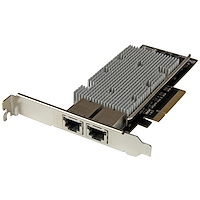
StarTech.com
Add two 10 Gigabit Ethernet ports (10Gbps) to a client, server or workstation through one PCI Express slot
They were like 20eu for both on ebay. Looked brand new. What a steal
opal pagoda
sly compass
They were like 20eu for both on ebay. Looked brand new. What a steal
Considering i got connectx4 for 25 x540 isnt a good deal at all
X540 idiles at 10w
sly compass
opal pagoda
Considering i got connectx4 for 25 x540 isnt a good deal at all
That’s so good, but rj45 just more expensive idk why.
I just needed that since i don’t have fiber in the house
sly compass
opal pagoda
X540 idiles at 10w
Yea probably
 peak linden
Whats a good way to be able to access TrueNAS from ios, android and windows? I need to to be able to be accessed from almost any device without internet. This is going on a ship.
opal pagoda
peak linden
Whats a good way to be able to access TrueNAS from ios, android and windows? I n...
Get an ap and staticly assign ip or a router
peak linden
I can get it access from windows but im unsure how to do it on android and ios
opal pagoda
You want to have file access or for movies, shows and other video media
peak linden
Probably file access. There wont be any streaming done on it.
Tv, movies, music and other stuff will be stored on it but it wont be used directly from the nas.
opal pagoda
Afaik you are able to mount smb shares on Android and ios
rocky badge
@clear igloo @waxen scroll I am debating moving us (work) over from firstname@domain.com (these were the emails before I got here) to first.last@domain.com.
I would have to change everyone's primary username from firstname to first.last but I would keep an alias for the firstname@domain.com so they still receive email but I would slowly train users to first.last@domain.com
We currently have 10 users that this would affect
 waxen scroll
firstname@ is pretty prestigious. usually company founders use that.
I work with someone at arista who has one
rocky badge
waxen scroll
firstname@ is pretty prestigious. usually company founders use that.
Well when the email system was first setup it was 4 people with accounts
We have 10 now, no duplicates but very close to having duplicates
ex: we have a brandon & brenden and we're looking at hiring more
waxen scroll
after years of experience I kind of like what ATT does where its first initial, last initial, random number. so da134@att
I dont know if this was their intent, but it protects against phishing attacks and sales people from looking at your job on linkedin and guessing your email
rocky badge
I don't think we're at that point yet lol
clear igloo
might as well start with something scalable to be safe
rocky badge
first.last seems safe enough for our scale
waxen scroll
im not saying keep firstname@ but theres no reason to change it for those 10
clear igloo
rocky badge
first.last seems safe enough for our scale
fred.smith seems commong
rocky badge
So you'd say keep firstname users as is and new hires get first.last?
waxen scroll
clear igloo
fred.smith seems commong
usually they do fred.smith1, and so on lol
rocky badge
My old K12 did first.last and duplicates got numbers on the end
clear igloo
waxen scroll
usually they do fred.smith1, and so on lol
true
waxen scroll
rocky badge
So you'd say keep firstname users as is and new hires get first.last?
yes
rocky badge
and the uni I went to did flast and added numbers
flast had more duplicates than first.last
and yeah VIP had first and older accounts kept their first
waxen scroll
I hated k12 emails.... it was like @schoolname.cusd.state..blablabla
rocky badge
I think if you had unique first & last you also just got first
rocky badge
waxen scroll
I hated k12 emails.... it was like @schoolname.cusd.state..blablabla
Yeah mine was student-xxxboe.net lol
idk why they didn't just do a subdomain off the xxxboe.net that they already owned
uni everyone's real mail address is mail.uni.edu but aliased to uni.edu
rocky badge
waxen scroll
yes
Do you like that fragmentation though?
waxen scroll
doesnt matter. they've already used it to sign up for stuff
rocky badge
Yeah
Even keeping it as an alias? I'm just trying to figure out if it its worth keeping it for the logon being the same
waxen scroll
sure, no harm
rocky badge
@waxen scroll @clear igloo Some people are recommending doing the flast naming to avoid long usernames especially for Windows
waxen scroll
ohhhhhhh I didnt pay attention
what most large business does is first initial, last name for username. the user gets jexample@business and then they map first.last
if two jexamples, then jexample2 for the next
rocky badge
So is first.last the email or jexample
waxen scroll
both, but they use first.last for emails
waxen scroll
my outlook shows both emails under my profile
vivid plank
sly compass
https://www.startech.com/en-us/networking-io/st20000spexi
i have this too
rocky badge
Damn
I might just do jexample
And make that the username and email
Keep user aliases of firstname for those who already have it
silent flax
waxen scroll
after years of experience I kind of like what ATT does where its first initial, ...
meanwhile my private email is in form of firstname@lastna.me (yes, my last name ends with an existing TLD, lucky me)
rocky badge
@waxen scroll @clear igloo Just tested the whole flow
Created John Smith in Active Directory with john@domain.com then let it sync to Entra ID
Let Entra ID provision the user in Google Workspace as john@domain.com
Changed John Smith's login in AD to jsmith@domain.com and then let that change sync to Entra ID
Let Entra ID update user in Google Workspace to jsmith@domain.com
User is now in Google Workspace as jsmith@domain.com and it kept john@domain.com as the email alias
peak cloak
waxen scroll
firstname@ is pretty prestigious. usually company founders use that.
my friend somehow has that at a somewhat well known company
waxen scroll
gg
peak cloak
but yeah most places I've worked at are first.last
peak cloak
ew
waxen scroll
yeah, they refuse to use any MS apps, including office
rocky badge
ew
tough delta
https://discord.com/channels/375436620578684930/1472801154072313958
I wanted to bring attention to this if anyone is able to help. I figured a forum post would be more appropriate.
peak cloak
You can use tail scales gateway feature
But also why are you funneling everything through pia
tough delta
peak cloak
But also why are you funneling everything through pia
So I can anonymize my outbound network traffic
tough delta
peak cloak
You can use tail scales gateway feature
I’m not familiar with the gateway feature. I’ll have to read up or watch a tutorial.
peak cloak
tough delta
So I can anonymize my outbound network traffic
I guess, but websites are more likely to track with other methods now. There's few vps I would actually trust since now they have you data
tough delta
peak cloak
I guess, but websites are more likely to track with other methods now. There's f...
True, PIA seems to be one people find reputable due to their no logs/auditing stuff. I guess I trust that over my ISP at this moment.
rose fable
peak cloak
I guess, but websites are more likely to track with other methods now. There's f...
That's why you encrypt it and don't log on the VPS.
peak cloak
rose fable
That's why you encrypt it and don't log on the VPS.
Wdym?
peak cloak
Oh like making your own
rose fable
Yes Via Wireguard
peak cloak
But websites can still track you by fingerprinting
rose fable
That's a browser problem then
peak cloak
Thr rabbit hole gets deeper and deeper I gave up for the most part
rose fable
Fingerprinting gets meaningless if there is no real data for them to use.
 gusty solstice
Need some help deciding what router i want to get.
I'm active duty military and I'm stationed out in the middle of nowhere where the only good provider is Xfinity but its just an internet service, and i wanted to get a router to, 1) get ethernet and 2) better connectivity. im on shore duty for the next 4 years in a studio apartment styled home. Help me decide and why please.
 pseudo blade
gusty solstice
Need some help deciding what router i want to get.
I'm active duty military and...
pseudo blade
gusty solstice
Need some help deciding what router i want to get.
I'm active duty military and...
The one on the left is newer and has superior specifications?
gusty solstice
pseudo blade
The one on the left is newer and has superior specifications?
im pretty sure im capable enough to discern that.
pseudo blade
Great, so uh... what else do you need us to do?
You gave two options
You didn't invite more
¯_(ツ)_/¯
Would you like me to pretend it's harder to choose between them? Ok.
I don't know how well it'll actually do 2.5gbps at that clock speed, particularly if any used technologies are not multithreaded. However, the Beryl doesn't have a multigig LAN port and both can exceed a gigabit on the CPU front so it's likely moot for comparison
ornate jungle
gusty solstice
Need some help deciding what router i want to get.
I'm active duty military and...
The GL-BE3600 is what I would pick because it's better overall.
gusty solstice
Ok but do i need that or is that like a "feature" rather than a "need"
twin pier
How are we supposed to know
opal pagoda
gusty solstice
Ok but do i *need* that or is that like a "feature" rather than a "need"
alternativly you can give us info about your budget, apartment size and any feature you want/need
gusty solstice
opal pagoda
alternativly you can give us info about your budget, apartment size and any feat...
Ok
So i don't mind spending 160 on the slate 7 but im not sure if I really need to spend that extra $60 or if its even worth it when the Beryl AX does the same (aside from wifi 7) I didnt even know wifi 7 was a thing yet. im going to be using xfinity now wifi which is just an internet plan so I want to get a router to use as a repeater for now so that if they have a proper home internet plan I can use it as a router.
If you need any info please ask me so I can specify. otherwise I know that the slate 7 is clearly better.
 sudden swift
gusty solstice
Ok
So i don't mind spending 160 on the slate 7 but im not sure if I really need ...
sudden swift
gusty solstice
Ok
So i don't mind spending 160 on the slate 7 but im not sure if I really need ...
just get the beryl ax, wifi 7 is super overkill for a studio apartment anyway
stuck grove
main benefit of wifi7 is its short range speeds and ability to use the 6ghz spectrum
wifi7 works best in small spaces given 6ghz doesn’t travel very far
 meager ginkgo
I wish AFC was more common
meager ginkgo
stuck grove
main benefit of wifi7 is its short range speeds and ability to use the 6ghz spec...
MLO also
once client implementations get fixed
sudden swift
meager ginkgo
MLO also
mlo is cool for latency but the beryl is probably enough for a studio
meager ginkgo
Yeah if he has under gigabit speeds WiFi 6 is fine tbh
I’d only recommend WiFi 7 if you have gigabit or higher speeds
and want the full speed over WiFi.
opal pagoda
stuck grove
main benefit of wifi7 is its short range speeds and ability to use the 6ghz spec...
6ghz is Missing from both of those models
nova glacier
meager ginkgo
once client implementations get fixed
Clients don't have PHYs dedicated to every band anyways. They have just 2 PHYs that must be shared. EMLMR won't accomplish what you might think it does.
The cooler features of WiFi 7 involve resilience against congestion and interference, like hole punching and MRUs. 4096-QAM and 320 MHz do improve short range speed though, so that's also true. Just 320MHz is 6 GHz only, which would be missing from the Slate 7.
meager ginkgo
nova glacier
Clients don't have PHYs dedicated to every band anyways. They have just 2 PHYs t...
Yeah I more meant the buggyness of it
it’s still not 100% stable on clients
and MLO often on certain hardware will actually be slower than going direct to 5Ghz or 6Ghz
nova glacier
meager ginkgo
and MLO often on certain hardware will actually be slower than going direct to 5...
It will practically always be slower. It necessitates padding to synchronize between links and account for link transitions. Under best case scenario, it will just be the same as without it.
sudden swift
gusty solstice
Ok
So i don't mind spending 160 on the slate 7 but im not sure if I really need ...
yeah beryl ax is plenty for a studio, save that sixty bucks
nova glacier
nova glacier
It will practically always be slower. It necessitates padding to synchronize bet...
for clients anyways*. APs with dedicated PHYs on chipsets for each band could do concurrent operation for increased bandwidth, but last I checked no AP even does that anyways. Probably because no client that exists today will ever be able to, since it's a limitation of hardware. They could make use of it for mesh wireless backhaul between APs tho.
stuck grove
opal pagoda
6ghz is Missing from both of those models
ew, fake wifi7 (technically still wifi7, but i hate that it counts)
opal pagoda
yea its ass, with wifi 6 you can slap wifi 6 label on 2.4ghz only device, not sure if wifi 7 mandates 5ghz or not
 weary marsh
what is wrong with my xerox, i cant do smtp or scan to destination
gusty solstice
sudden swift
yeah beryl ax is plenty for a studio, save that sixty bucks
Thank you (I read all the previous messages aswell)
sudden swift
weary marsh
what is wrong with my xerox, i cant do smtp or scan to destination
check if you need smb1 for the destination or an app password for smtp
weary marsh
i have tried checking app password but microsoft just throws up some weird error, saying something that it cant open security page on device
Please retry with a different device or other authentication method to sign in. For more details, please see this link
i keep checking cwis and testing everything for scan to dest. smb hosted on a win8.1 pc so maybe thats a problem, even when password is required and i input it in xerox settings it says some stuff like username or password is wrong
i cant even attach error
topaz patrol
Didn’t Microsoft kill basic auth ages ago?
pseudo blade
topaz patrol
Didn’t Microsoft kill basic auth ages ago?
It's been delayed over and over
Now they turn it off in December 2026 but you can re-enable it until mid 2027
topaz patrol
NCE all over again
pseudo blade
Of course if you have security defaults I think you lost it long ago
topaz patrol
Such a consistent company
pseudo blade

Microsoft likes playing deprecation chicken
Dealing with large enterprises reminds me that they move about as fast as tectonic plates and security is almost entirely theatre
Competence also costs more money per seat so they prefer to do without
Currently dealing with two companies blaming our software for performance issues and entirely lacking the ability to prove it 🤣
"You made our postgres migration slow!"
So it wasn't your >decade old disk-based SAN?
rose fable
pseudo blade
Dealing with large enterprises reminds me that they move about as fast as tecton...
Security is often a complete joke and very reactionary without any rhyme or reason as to why they are doing it.
 craggy summit
pseudo blade
"You made our postgres migration slow!"
*So it wasn't your >decade old disk-base...
craggy summit
pseudo blade
"You made our postgres migration slow!"
*So it wasn't your >decade old disk-base...
Seems very cause and effect for that to be the reason the migration is slow to me.
opal pagoda
pseudo blade
Currently dealing with two companies blaming our software for performance issues...
atleast they are not blaming the network
pseudo blade
opal pagoda
atleast they are not blaming the network
Blaming the network doesn't make it our problem
That said we have people trying to send multi-gig files to tens of thousands of computers and refusing to budget for more than single gigabit and that's also somehow our problem to deal with
Actually I think one has 100 meg to the download server and 20k computers
VPN shit
opal pagoda
pseudo blade
Blaming the network doesn't make it our problem
meanwhile us:
"please implement whole azure networking so we can vnet peer with someone"
tnx, deadline is asap
what we have on azure IaaS currently: nothing
pseudo blade
Gross
opal pagoda
pseudo blade
Actually I think one has 100 meg to the download server and 20k computers
lol
is it atleast DIA?
pseudo blade
Yes the sites have direct connectivity but refuse to run us direct and force routing through this VPN
opal pagoda

pseudo blade
Current hypothesis is they hate us
 rancid vine
.
topaz patrol
Fast mods 👀
long scarab
balls of fucking titanium to inject routes into tier 1 carriers
 rocky badge
@clear igloo @waxen scroll Parents now have 8 Gig at their site, I have 10 Gig on my end.
The ISP actually reused my patch panel line for "WAN"
The old 1 Gigabit ONT was outside and the new 8 Gig ONT is inside the rack now.
So they cut the CAT6 line going outside and pulled it back into the rack into the ONT. They didn't have to touch the router interface at all.
waxen scroll
RYOIS, LTD
stuck grove
sounds like a pretty average fart to me
rocky badge
Hope the ISP tech isn't in here
 tardy trench
Can I request some assistance from someone? If possible, id rather vc.
pseudo blade
tardy trench
Can I request some assistance from someone? If possible, id rather vc.
#1027757333117415424 and state your question fully
tardy trench
pseudo blade
<#1027757333117415424> and state your question fully
Oh, I forgot that was there. I actually managed to fix the issue. I'll see tomorrow if the things I did tonight did any good.
 modest hedge
Just watched Jakes video and it got me thinking.
I want to setup a NAS for myself and 2-3 other people.
Goals:
- Store about 40TB of film data on it.
- Run NextCloud on it, so we can edit files in a browser and work together
- Replace Google Photos with our own version
- Have a backup copy remotly.
- Have snapshots from today, this week, this month, this year
I can afford bigger setups, but I'd like to avoid it, if I don't have to.
So my idea now after Jakes video:
Buy a Mac Mini M-Chip with 32GB RAM ~400€
Buy an enclosure for 5 discs ~200€
This would leave me at 600€ for the "NAS" setup. Far cheaper than most premade systems, and much more power.
So now I'm wondering if this is actually a practical setup, or if having Apple in this mix will just make it a lot harder than going with a prebuilt system (Or a NUC, but they are a lot less efficient)
opal pagoda
If you want to make a nas for 600€ without drives that isnt a problem lol
Just currently you will spend arm and a leg for hdds and ssds
modest hedge
opal pagoda
If you want to make a nas for 600€ without drives that isnt a problem lol
What would you take for the housing then?
Looking around, NAS are easily 1000+ and those don't even seem that performantive.
opal pagoda
modest hedge
What would you take for the housing then?
Looking around, NAS are easily 1000+ a...
Do you have size constraint or can it be normal atx tower size?
This case has 12 3.5 bays https://de.pcpartpicker.com/product/x2RnTW/aerocool-cipher-atx-mid-tower-case-cipher-s-bk-v1

Aerocool Cipher ATX Mid Tower Case (Cipher-S-BK-v1)
Or of you want more convetional nas (hot swap bays, little bit smaller)
https://de.pcpartpicker.com/product/mMkH99/jonsbo-n4-microatx-desktop-case-n4-black

Jonsbo N4 MicroATX Desktop Case (N4 Black)
tardy trench
opal pagoda
Or of you want more convetional nas (hot swap bays, little bit smaller)
https:/...
Ive seen this one before. It is such a nice case. If I build a nas, imma use this one.
modest hedge
opal pagoda
This case has 12 3.5 bays https://de.pcpartpicker.com/product/x2RnTW/aerocool-ci...
Size not too bad, but thermal and power draw concerns.
Building a NAS with an Intel or even AMD GPU will have a much higher base power draw when idling
opal pagoda
you can also make it headless
thermal is no issue for nas type systems, even stock cooler can cool it easily since workload is so light
modest hedge
opal pagoda
you can also make it headless
Sorry, I meant CPU, not GPU.
modest hedge
opal pagoda
thermal is no issue for nas type systems, even stock cooler can cool it easily s...
More in the sense that I want to run it in a closed closet.
Mac Mini M4 has an idle draw of like 4W.
A comparable Intel NUC is probably closer to 20W
So way bigger power bill and it may overheat at some point
twin pier
how can 20w possibly have an impact on your power bill though, does it actually matter?
And BTW the hard drives will overshadow that power draw massively
modest hedge
twin pier
how can 20w possibly have an impact on your power bill though, does it actually ...
Yeah it's not too bad, but it still stacks when running 24/7.
And the HDDs are fine if you don't keep them hot, I won't use the system that often and don't mind it having to spin up a bit first before I can first access it
opal pagoda
modest hedge
More in the sense that I want to run it in a closed closet.
Mac Mini M4 has an i...
Have you added power consumption of tb3/4 accessories to get feature parity to custom build?
modest hedge
Yeah, that might be the killer to the power draw, especially if I can't remote deactivate them
opal pagoda
same can be true for x86 systems, cpu can be capable of insane power state look at this google docs https://docs.google.com/spreadsheets/d/1LHvT2fRp7I6Hf18LcSzsNnjp10VI-odvwZpQZKv_NCI/edit?gid=0#gid=0
but a network card with shitty c state support can ruin it all

Google Docs

WD Red Drives: https://www.westerndigital.com/en-us/products/network-attached-storage.internal
Follow me:
Mastodon https://mastodon.technology/web/@notthebee
GitHub https://github.com/notthebee
Twitch https://twitch.com/notthebeee
Support the channel:
Patreon https://patreon.com/WolfgangsChannel
PayPal (one time donation) https://www.paypal.co...
shut stag
anyone able to explain why my server takes around 500mb/s of bandwidth when the only thing thats accessing the internet is taking ~65mb/s?

 lone crane
shut stag
anyone able to explain why my server takes around 500mb/s of bandwidth when the ...
lone crane
shut stag
anyone able to explain why my server takes around 500mb/s of bandwidth when the ...
65X8 is 520
i have a strong feeling the app might be reporting in MB

 coarse island
I think I need to get a different WiFi/ Bluetooth antenna arrangement for my entertainment center PC — seeing some Bluetooth line-of-sight issues. Anyone here have a recommendation for one of those WiFi antennas that magnetically sticks to the computer case? Honestly anything to get the BT antenna a little height would work but I think a different antenna would be the best bet.
All I can find is a bunch of stuff on Amazon by the brand “eightwood” which I know nothing abobt.
vivid plank
shut stag
hmm yeah the download client is reporting MB
no thats just truenas
and how it displays on those widgets
mine is also screwed up
my network interface is showing as MBps despite being Mbps

same with widgets

 main hazel
or if you want removavle racks you can https://amzn.eu/d/09EL16ws

SilverStone SST-CS380 V2 Boîtier de rangement ATX Midi Tower pour ordinateur portable, support 8 baies de disque dur 3,5" ou 2,5" remplaçables à chaud, porte avant verrouillable, intérieur noir et extérieur noir
main hazel
vivid plank
my network interface is showing as MBps despite being Mbps
I thing you should take a good look where it says what , since to me they look fine on your screenshots 🙂 bits where bits and Bytes where bytes...
ps here is is one of mine:
 main hazel
speaking of truenas, if yoiu install an app it uses a docker container, wich has a weird way to do networking anyway to change that to an ip from the main dhcp server, not from some internal docker thing. and also is this possible: i can redirect traffic from a subdomain to an ip or a hostname, but i cant say
nextcloud.domain.net -> ip:port , or anything like that , wich when i was just running a rasberry pi with dietpi and apache and nextcloud was no problem...
vivid plank
main hazel
I thing you should take a good look where it says what , since to me they look f...
#networking message
the second image shows MB/s in text
and Mb/s on the graph
when it shows 4.99MB/s it is at ~5Mb/s on the graph
 pastel monolith
main hazel
speaking of truenas, if yoiu install an app it uses a docker container, wich has...
pastel monolith
main hazel
speaking of truenas, if yoiu install an app it uses a docker container, wich has...
You can bind host system ports to container ports typically use a -p flag when starting a container to bind the ports to host but depends on specific way you're launching the container and runtime
For microk8s/kubectl would be a port forward or setting up a "node port" to bind for a given service for docker compose type setup should be a ports section can define in the yaml if plain dockerfile and running with CLI then the -p 80:8080 for host to container port should expose things on the host system.... Do still need to be somewhat aware about which network interface it's using for that but so long as same one you can access by a given IP it will work (connection is IP+port combo)
I have personally been using pangolin for a bit now to handle tls termination and reverse proxy over VPN tunnel with Wireshark/web socket connection for exposing stuff "to the outside", if are just doing lan access don't need all that but if want secure wan access it's a way (can just ssh tunnel/port forward stuff too but more of an adhoc way to make secure connection). With pangolin basically end up with an extra container for each service that handles the "phone home" and setup/teardown of the VPN connections.
K8S can be somewhat painful to setup, microk8s makes it easier but if using docker or podman whatever for running containers and I have more than one then docker compose is usually a nice option for handling the container configs and startup/shutdown/log monitoring stuff as a group
Loosely tangentially related write up I stumbled on the other day kind of entertaining https://josephmate.github.io/2022-04-14-max-connections/
Joseph Mate
I hear the misconception that a server can only accept 65K connections or a server consumes a port for each accepted connection all the time. Here is a taste of some of them: A TCP/IP address only supports 65,000 connections, so you would have to have to assign around 30,000...
Oh also about the above I had found the article because I was looking at some stuff about arbitrary 20 samba/smb connections for regular windows (non server edition) and saw default docker desktop networking can limit to 30 container interfaces/IP addressees but pretty sure just a config change to increase that if need be
pseudo blade
pastel monolith
Loosely tangentially related write up I stumbled on the other day kind of entert...
Yeah I remember seeing that when it was first published. I can't say I'm sure I'd want that many connections going to a single instance and might desire to scale out instead considering that even if your sockets are lightweight, your other server behaviours probably aren't... but it really depends on the situation I guess
pastel monolith
Yeah I think unlikely to ever need so many open connections think just moreso interesting to see what practical limits are in terms of maximums
Even default docker network limiting to subnet with like 30 containers is pretty unlikely given RAM usage, it can happen but is pretty rare
pseudo blade
Never's a strong word :)
And if you have more than 30 containers for any serious (i.e moneymaking/anti-not moneymaking) workload you should probably consider k8s
pastel monolith
Yep
pseudo blade
I occasionally work with a few systems with half a million connections to one server but I'm not responsible for their architecture nor maintenance
pastel monolith
Yeah I'm sure system I'm working on now has more than 30 containers running too but k8s and as dev typically only running a handful of services working together at a time
main hazel
vivid plank
https://discord.com/channels/375436620578684930/387022787480387605/1476134390789...
here is what i think : somehow the text in that graph got cropped and it actually sais 50 Mb 🙂
, as you comparte to the units on my graph used and ita also uses 5mbit increments..
and as it happens to be 5MB/s ~40Mbit 🙂
nvm
vivid plank
main hazel
nvm
nvm indeed
main hazel
pastel monolith
You can bind host system ports to container ports typically use a -p flag when s...
comon that match of 5MB ~ 40MBit is just to good to not fall for it as i did 🙂 in any other univers that would have been the reason , but already had the feeling hat this universe is a fucked up one and one that loves irony :S
 coral marlin
Hello!
I would like to be shown the FQDN of the devices that are connected to my switches instead of just the switch IP Address.
And before you go : gOoGlE iT bRo.....
I did google it and I did chatGPT it.
Some of the solutions were : Set character lenght from 12 to 20 or higher.
I did that, no change.
I believe my main issue is that my network switches are C2960's, C2960X's and either the hardware has limited capability or ChatGPT is dumb as heck and can't figure it out.
As a refference this is an example of what is shown in the ports section for me after selecting Hostname, fallback to Sysname for IP's in the Global Settings > WebUI > Device Settings section:
-- Clicking on ports will show me the Switch's Sysname or for other switches it shows me their FQDN name but NOT the device's FQDN that is connected to said switch as so : Switch_SysName - FastEthernet / GigabitEthernet (port type) -Last Changed Status - Speed of said port - Traffic in - Traffic Out - Media ?( whatever the hell this is xD) , Description ( seems to be a mirror of Port) .
What I would like to be shown is this :
DeviceConnectedToSwitchPort ( for example of I have a computer connected in Port 1 of the switch I should be shown that device's FQDN name instead of the switch's IP / FQDN name).
The idea is to save some time for when all of the server racks will have their cabling redone to help with correctly labeling everything.
P.S. My bosses are cheap AF so any "paid" solution is off the table sadly.
pseudo blade
coral marlin
Hello!
I would like to be shown the FQDN of the devices that are connected to...
The 2960 is a museum piece from 2005, of course the hardware has limitations lol - not to mention the software...
The idea you're talking about (reverse dns lookup) sounded fun and is present on some newer tech so I did some digging and I'm pretty sure that's not possible on that switch
You could look into something like NAPALM and doing resolution elsewhere if you have infinite time but no money, and otherwise it's probably yet another reason to replace old junk
Maybe you can go gigabit this time if you literally meant the 2960
Also your bosses are dumb and undervalue the cost of staff
coral marlin
pseudo blade
*Maybe you can go gigabit this time if you literally meant the 2960*
Tell that to Germany that's still running on copper wires KEKW
coral marlin
pseudo blade
Also your bosses are dumb and undervalue the cost of staff
If our IT department doesn't come to work for 3 days, the company shuts down completely 🤣
Does this NAPALM thing come with a web interface like LibreNMS ? I am so confused.
Oh. Apparently it can be integrated in to LibreNMS. Welp another rabbit hole to go down. Thank you for the help !
Literal excitement for the rabbitholes ❤️ 😄
main hazel
pseudo blade
The 2960 is a museum piece from 2005, of course the hardware has limitations lol...
you can alwasys put the fqdn in the hosts files 🙂
pseudo blade
My experience with NAPALM was being annoyed that the routeros support was token, writing more parts for that and ultimately moving those to a custom tool that is sadly now the proprietary IP of a former company because the import time made it infeasible to use in AWS Lambda, which from experience I do not recommend using for nearly any purpose.
Great idea, fundamentally flawed (and expensive) product for anything more than a toy or some types of integration
And even then if you control the app on the other end just fix that
But as an extension for something like librenms with Cisco those problems aren't important
pastel monolith
pseudo blade
Great idea, fundamentally flawed (and expensive) product for anything more than ...
Huh you mean lambda or napalm? Can't say I've used lambdas much but for backing an Alexa skill it works well enough, general AWS web interface clunkiness but otherwise worked well
pseudo blade
Lambda
It's fine for skills because the code has to run somewhere and reply quickly - Lambda's pricing encourages that use case
Just don't do stuff that needs heavy DB work - but if you do it's not going to be a skill
If you're doing something thousands or tens of thousands of times a day probably do not use Lambda and consider provisioning something
pastel monolith
Yeah mine was a "ham study skill" for taking ham technician tests so pretty sure I just ingested the test info into flat file and used session for some storage on your scores after the quiz
pseudo blade
Yeah and that'd be very fast to do
coral marlin
main hazel
you can alwasys put the fqdn in the hosts files 🙂
As in store the fqdn's of connected devices on the switch itself and make LibreNMS take it from there?
main hazel
heh nah just as in /etc/hosts ,... you could make it a share on a central server so everyone syncs the hostfile at boot 🙂
pseudo blade
In your homelab, running on a HP Microserver next to your bonsai? Sure
Nah if you have a microserver you can implement DNS properly
pastel monolith
Heh yeah for my "homelab" stuff I use pi hole for blocking stuff but also has local DNS config so everything there
pseudo blade
main hazel
heh nah just as in /etc/hosts ,... you could make it a share on a central server...
Also I have vague recollections of people pulling that kind of shit and no, it's still stupid
One of those war stories that end up on some subreddit
pastel monolith
You'd probably be shocked how many places developing software require you to add entries to local etc hosts it's kind of embarrassing
pseudo blade
If they all point to localhost go nuts
pastel monolith
Sometimes pretty common to have invalid certs for local dev too, current client also has proxy that mitm injects its own cert and breaks like everything that needs to call out to install stuff or run anything (can download it with openssl and add to ca certs but am constantly doing that between windows wsl and podman containers)
For homelab stuff I just use a domain I own and got a wildcard cert setup so can use for whatever subdomains, mostly don't need tls for stuff on lan but things like docker registry and web hooks from gitea to droneci work without ignoring things only if have valid cert
Pretty unreal they even keep the proxy I can't imagine it's actually saving any cost and gigantic pita for every contractor they bring on (they know it and still ignore)
Netskope and crowdstrike can diaf as far as I'm concerned 🙂
main hazel
pastel monolith
You'd probably be shocked how many places developing software require you to add...
the fun thing with /etc/host ist that it shows really well that Microsoft just copied the unix network stack and pasted it in windows , c:\windows\system32\drivers\etc\hosts everything else in terms of config they put into the registry , the one place for all configuration but for /etc/hosts , network stacks are to complicated so if it works dont touch it 😄
 vale hound
im looking for a way to get better internet to my pc whats yalls opinion on powerline ethernet adapters
running a ethernet cable to my pc is not an option
my current speed is abt 90 download 18 upload and 100 ping

Extend your Ethernet connection through existing electrical wiring with the TP-Link HomePlug AV2 Powerline Adapter Kit (TL-PA7017P). Ideal for multi-story homes, basements, attics, and garages, it delivers AV1000 powerline speeds for wired connectivity to devices like desktops, smart TVs, and gam...
thats the one im looking at
shut stag
vale hound
my current speed is abt 90 download 18 upload and 100 ping
powerlines are fine if you cant run a cable, but for gaming the things that matter most to measure are your latency, packet loss, and your network Jitter. you can see these all on https://packetlosstest.com
peak cloak
vale hound
thats the one im looking at
Power line is iffy
vale hound
peak cloak
Power line is iffy
how
peak cloak
It's success or failure depends heavily on your home wiring
Even something like a heavy load like a washing machine on can possibly disrupt
It might be worth a shot but I would make sure you can return it if needed
rose fable
pastel monolith
Heh yeah for my "homelab" stuff I use pi hole for blocking stuff but also has lo...
Pihole is kind of heavy and unnecessary though when you can do the same thing via a proper DNSServer with filter lists. I won't day pihole is bad, but it adds an additional DNS step that isn't necessary when running a better architected DNS server.
Technitium DNS is a much better built DNS server to be honest.
Pihole just has a big name/people pushing it.
You could achieve a lot of the same via the lightweight DNSMASQ though.
opal pagoda
vale hound
running a ethernet cable to my pc is not an option
in most cases running ethernet cable can be done quite stelthy
pastel monolith
rose fable
You could achieve a lot of the same via the lightweight DNSMASQ though.
Oh yeah I've used dnsmasq before directly too but just convenience I was already using the pihole for ad blocking and so was already DNS for my machines the added local DNS just bonus
Pihole is big because it's useful for blocking ads 🙂
Modern internet is unbearable without an ad blocker of some sort and pihole takes it outside of any individual machine config
rose fable
pastel monolith
Pihole is big because it's useful for blocking ads 🙂
Yet basically every other DNS server can
pastel monolith
Right go put that DB together why waste effort
rose fable
It's not a pihole exclusive thing
rose fable
pastel monolith
Right go put that DB together why waste effort
No, it's just a list you sync to
clear igloo
rose fable
Yet basically every other DNS server can
Google DNS can block ads based on your own lists?
rose fable
clear igloo
Google DNS can block ads based on your own lists?
Google DNS might be one of the worst DNS when it comes to ads. But you could filter out before that yes
pastel monolith
rose fable
No, it's just a list you sync to
Still feels like reinventing the wheel and I don't see downside to running pihole
rose fable
pastel monolith
Still feels like reinventing the wheel and I don't see downside to running pihol...
It's just more technical and heavy than things need to be. That's why I gave the example of Technitium DNS. Way better technologically
pastel monolith
Fair but I mean pis are not terribly expensive and I already had spares looking for a use case 🙂
rose fable
That's fair.
It does seem heavy to need a Pi for😮
It's also an extra hop
That's an extra 1-5ms of time. People will lose there shit over that for gaming
pastel monolith
I typically have lowest latency out of anyone in rocket league games usually like 17-20ms but I also don't care that much about competitive multiplayer online
DNS is cached at OS and browser level too
Think rocket league and arc raiders only PVP games I've played recently usually more into single player or things I can play coop with couple buddies
The pihole just used as DNS lookup or mask too so isn't like extra hop for every packet going through proxy just looking up DNS then using that from cache
Plus less ads going to all the machines on network probably reduces background noise quite a bit
clear igloo
rose fable
That's an extra 1-5ms of time. People will lose there shit over that for gaming
Most (if not all) online games don't use DNS resolution outside of initial setup and the computer will cache those dns results for a period of time too, it's not extra latency 99.999999999% of the time
 manic cape
Is there a way to know if something is using local networking to move files vs non local? To a NAS, for example
rose fable
clear igloo
Most (if not all) online games don't use DNS resolution outside of initial setup...
Never said it was about games. DNS plays much bigger issue when just regular use of computer and doing things like browsing the web.
Cache also gets filled up and is only good for so long. Try ping something locally, then turn off your local DNS server. Try ping the local device again, it'll fail saying DNS resolution failed.
peak linden
I hate my motherboard. It disables ipv4 support everytime i restart it.
rose fable
Interesting timing
The Perfect Pi Hole Upgrade - Technitium Recursive DNS Server

Thanks to Meter for sponsoring today's episode. If you're interested in learning more about how Meter can help with your IT Infrastructure, go to https://meter.com/craftcomputing to book a demo today.
Grab yourself an Insulated Coffee Tumbler at https://craftcomputing.store
Follow me on Bluesky @CraftComputing.bsky.social
Years ago, I wrote a...
pastel monolith
Think dude there does decent job presenting the thing, but I still see no upside over pihole tbh fine for other projects to do a similar thing but seems kinda redundant when pihole exists
I like this comment

About 23% of DNS lookup blocked as of now and 20 local DNS entries
 lavish plank
I mounted my unas with smb to Jellyfin.
I can view and watch everything, but in the logs I get permission errors... how can it be fixed.
Also I cant change metadata and cache folder to unas, permission error.
pastel monolith
need to make sure the filesystem is writeable by whatever user the samba connection uses... pretty sure server side you can set some uid/gid to map the samba user to some local account on the machine that has permissions to access or read/write where necessary
force user = someuser
force group = somegroup
force create mode = 775
force directory mode = 775
^^ don't just blindly copy this but look for smb.conf docs for your distro or whatever (I'm not familiar with unas but jelly fin and samba setup here too)
chmod and or chown the commands for changing permissions on files/folders
waxen scroll
@rocky badge you going to cisco live this year?
rocky badge
waxen scroll
<@236237361703288842> you going to cisco live this year? <:pepoJuice:67004944453...
no
opal pagoda
waxen scroll
<@236237361703288842> you going to cisco live this year? <:pepoJuice:67004944453...
wasnt it few weeks ago?
opal pagoda
ah, i primarily look at amstardam one
 frail sandal
I need something that can do home networking for an old person (not in terms of performance, but ease of use)
I’ve heard ubiquiti is pretty good about that, but just wanted to see what y’all had to say. (There will be a NAS attached to this, but I’m not too worried about that part of it)
peak cloak
frail sandal
I need something that can do home networking for an old person (not in terms of ...
tp-link omada is also descent
basically their main competitor in the prosumer spce
that's what I run at home for APs
frail sandal
Mmm ok
frail sandal
peak cloak
that's what I run at home for APs
This is gonna be for my parent’s place and they already struggle with tech a bit. IIRC ubiquiti’s stuff can be accessed remotely via a password right?
peak cloak
frail sandal
This is gonna be for my parent’s place and they already struggle with tech a bit...
yeah they have a cloud gateway thing, omada does too. At home I don't use that but I have a tailscale route running so I access things like NAS remotly
frail sandal
peak cloak
yeah they have a cloud gateway thing, omada does too. At home I don't use that b...
Ahh ok. Yeah all this would be going in their attic bc they don’t have network cabling to each room (but the do have MOCA coax) and the old cable splitters are all up there. Working on building a little networking room up there so it’s in a somewhat dust-controller environment (plus adding AC up there)
zinc mortar
Anyone know if the built in fan is good enough on the X540-T2? It was super annoying to add a fan in the first time around and i'm getting another, wondering if I should just opt for the one built in

If it's not gonna last then I might as well deal with it and put it on again though it's gonna suck
^ about to say
pseudo blade
zinc mortar
Anyone know if the built in fan is good enough on the X540-T2? It was super anno...
Based on the heatsink config (non-chassis flow through) it's designed to be enough. Do you plan to operate it in an exceptionally hot environment or in a tight case with low airflow?
zinc mortar
stuck grove
how hot are you expecting it to get?
I dunno, it’s sitting in a standard ATX case with a couple 120mm fans running a 1070ti purely in there for jellyfin, I don’t think it’ll get quite hot. I do expect myself to be transferring large files on a regular basis where i’d see myself using most of the 10G, was thinking it would run quite hot
zinc mortar
pseudo blade
Based on the heatsink config (non-chassis flow through) it's designed to be enou...
Not in an exceptionally hot environment no, in an ATX case with tons of room and a couple 120mm fans
pseudo blade
zinc mortar
Not in an exceptionally hot environment no, in an ATX case with tons of room and...
Likely fine then
zinc mortar
pseudo blade
Likely fine then
Got it, thanks!
opal pagoda
stuck grove
it draws a whole 17.4w
Yea its bad, it will also stop cpu from going to higher c state
amber urchin
zinc mortar
Anyone know if the built in fan is good enough on the X540-T2? It was super anno...
I just use a nifty little bracket that gets screwed in with the PCIE slot screws and then you mount a fan to that.
#1404210632252854314 message
 wheat dome
CAT 7 or bust
peak cloak
no
opal pagoda
wheat dome
CAT 7 or bust
as a cat7 user i will tell you that you dont need it, its so ass to terminate
at home i just got cat6a 305m box and run that
topaz patrol
@pseudo blade
 lone crane
 pseudo blade
topaz patrol
<@191872034706292737>
pseudo blade
topaz patrol
<@191872034706292737>
Interesting! I wonder what they'll charge for it?
 celest salmon
@amber urchin yeah but the setting was complicated for me then and idk now but i think is and the openvpn and wireguard are banned in Russia.The blocks in Russia is ridiculous situation
You would laugh.That. Is why i am using that shi
Btw where do you the implementation of things
There is just apparently no good website ehich explains everything
Idk just complicated to lesrn for yourself unlike every other thing
I personally prefer to learn with also knowing the glossary on the other hand
This helps a lot
amber urchin
I know someone who would perfect to provide feedback. I do know how that particularly splinternet is developing - I thought they already block discord though.
Ultimately - from what I have heard, you pretty much would want to have your own personal VPN set up on your own personal VPS over there as most commercial stuff is already blocked.
amber urchin
celest salmon
<@241983763997917185> yeah but the setting was complicated for me then and idk ...
I put in a message with them, I'll let you know if they have a recommendation.
opal pagoda
topaz patrol
<@191872034706292737>
How much $ though
amber urchin
celest salmon
<@241983763997917185> yeah but the setting was complicated for me then and idk ...
ok so apparently the protocols are interfered with via deep packet inspection - there is no easy method for you - and anyone in the country that would attempt to help you would be considered a criminal. Sorry, can't be of more help than that.
zinc mortar
amber urchin
I just use a nifty little bracket that gets screwed in with the PCIE slot screws...
I see! I bought another fan and im going to 3d print a little bracket to screw the fan on
celest salmon
amber urchin
ok so apparently the protocols are interfered with via deep packet inspection - ...
good joke , pal. Lol that is funny , i will reveal that all of their threats are so freaking ridicillous , they scare no one - like literally a lot of people can easily outsmart them like they are soooooooo stupid that is unbelievable .
they only can ban some things that require official legal registration like tings that are closer to a law or something .
You have to be grandma to believe their words
THey just can't do anything
smart people leave this country
best talents do
whatever they do in IT is ultra untalented
unlike US or any west country
celest salmon
amber urchin
I know someone who would perfect to provide feedback. I do know how that partic...
there is a very talented person made an evade of the block
implementation as he descibed are called " tactics " or methods where your packets are changed in the way to satisfy packet inspection
amber urchin
celest salmon
there is a very talented person made an evade of the block
I am not saying it is impossible or even hard to do, just that it is not as simple as downloading proton vpn client and clicking a button and that change is what you said about the proxy stuff you were talking about. I just can't really help you with that because I don't need it so I have no idea how it is set up.
celest salmon
Anyone got an advice on beginner's source to read in computer #networking ?
opal pagoda
celest salmon
Anyone got an advice on beginner's source to read in computer <#3870227874803876...
just basics on layers?
this is decent overview on basics in entertaining way
https://www.youtube.com/watch?v=S7MNX_UD7vY&list=PLIhvC56v63IJVXv0GJcl9vO5Z6znCVb1P
but it doesent cover all of the topics which jeremy does https://www.youtube.com/watch?v=H8W9oMNSuwo&list=PLxbwE86jKRgMpuZuLBivzlM8s2Dk5lXBQ

FREE CCNA Course 200-301 - sponsored by the Boson Summer Sale 25% off: https://ntck.co/bnexccna (affiliate)
Watch the whole course: https://bit.ly/nc-ccna
Go deeper: https://ntck.co/ncccna
🔥🔥Join the NetworkChuck Academy!: https://ntck.co/NCAcademy
🔥🔥BOSON SUMMER SALE 25% OFF EVERYTHING🔥🔥
-CCNA Lab: https://bit.ly/bosonccna...

Free CCNA 200-301 flashcards/Packet Tracer labs for the course: https://jitl.jp/ccna-files
Check out my CCNA books, ACING THE CCNA EXAM Volume 1 and Volume 2!
🌴Amazon || Vol 1: https://jitl.jp/book1-az Vol 2: https://jitl.jp/book2-az Vol1/2 Set: https://jitl.jp/books-az
📖 Direct from the publisher || Vol 1: https://jitl.jp/book1-yt Vol 2: ...
celest salmon
Good daaaYyy
sly compass
topaz patrol
<@191872034706292737>
Looks awesome, except why the fuck only one 10gbe port???
topaz patrol
sly compass
Looks awesome, except why the fuck only one 10gbe port???
There is an SFP+
sly compass
topaz patrol
There is an SFP+
Ah yes missed the rj45 10gbe i guess it makes sense now
Wow looks perfect, i find it annoying af that they sold the hex s 2025 version with arm v7 instead of an proper 64bit arm architecture
topaz patrol
Unlike UBNT Mikrotik doesn’t do stupid things like making only one of them functional at a time
sly compass
Do ubiquiti do that on any version?
topaz patrol
They are combined ports on some products I think yeah
Hmm turns out Mikrotik does it on some switches too
pseudo blade
topaz patrol
Hmm turns out Mikrotik does it on some switches too
Yeah I was going to say it's a thing
But this one doesn't
So that's nice
pseudo blade
sly compass
Wow looks perfect, i find it annoying af that they sold the hex s 2025 version w...
Eh, it's gigabit and it's strictly fast enough. They likely didn't make it to push the envelope, probably they got an EoL on the chip they were using prior
sly compass
pseudo blade
Eh, it's gigabit and it's strictly fast enough. They likely didn't make it to pu...
I guess so but for containers it makes it very small use case
pseudo blade
sly compass
I guess so but for containers it makes it very small use case
It has basically no RAM anyways, I think the idea is basically to let you run pihole and that works on armv7
They certainly talked about Pihole a lot when containers were released and had no interest in maintaining containers for MMIPS for the original hEX...
sly compass
pseudo blade
It has basically no RAM anyways, I think the idea is basically to let you run pi...
Want to run Netbird, i seen some manged to run Tailscale on arm v7 so that approach might work. Still would be nice if everything worked in my life 🫠
pseudo blade
sly compass
Want to run Netbird, i seen some manged to run Tailscale on arm v7 so that appro...
Seems that has armv6 binaries which can run on armv7 (if suboptimally)
Mind you even if it didn't you could just use nginx or something instead
-or compile it
Netbird's stated minimum RAM req is 2GB - which feels unreasonable anyways
sly compass
pseudo blade
Netbird's stated minimum RAM req is 2GB - which feels unreasonable anyways
I just need the client
They even have armv6 for clients but obviously i need it for docker
That’s basically the workaround, run a docker which run a linux distribution that can run the armv6 or 7 client

GitHub
Tailscale for Mikrotik Container (build for ARMv5, tested on EN7562CT) - seanmamasde/tailscale-mikrotik
pseudo blade
I guess you could call that a workaround
You don't really need to have a "distribution" in your container
sly compass
What do you mean with i don’t need a distribution?
 placid igloo
Hello! Long time since I last been in here (been busy with college), but had an idea and am having slight difficulty with getting direction from googling.
Basically, I want a Cellular based POTS gateway of sorts. Something like what I believe is called 'POTS in a box' or a 'Analog PSTN to Cellular Gateway'. I want to be able to run my fax machine, an old serial PC modem, and a two-way radio phone bridge on it. I know I can do most of that using IP based phone service and patching/bridging to an interface driven by my computer, but I'd like to mess around some with the older more rudimentary way of doing it. If anybody has any suggestions for equipment I'd be super appreciative. It seems there's a lot of options, but I'm more 'tech enthusiast on a budget' than 'business with endless money'. But yeah any experience, wisdom, reccomendations, or suggestions are more than welcome!!!
celest salmon
opal pagoda
this is decent overview on basics in entertaining way
https://www.youtube.com/wa...

the guy talks sloooowwwww.....
opal pagoda
run him at 1,5x lol
 gusty dove
So I have 2 routers (1 on opposite sides of my house), and I think the second one (in the same room as me) is acting up. Like I'm getting 2x the speed from router 1, which is 60 feet away (17.5 m). No difference between wired and wireless either for router 2.
pastel monolith
Depends on lots of details first would probably be are they using the same channel or different and are there other sources of interference/noise around the channel one is using vs the other? Are they mesh routers with some link between each other or just two random routers? Do they both support same bands? Are you holding a giant metal shield between antenna 📡 etc 🙂
Radio stuff can be hard to figure out but some network analyzer or WiFi analyzer mobile apps or ideally router diagnostics stuff can help get some more insights
gusty dove
Interference shouldn't be an issue considering router 2 is literally 6 feet away in the same room as the device that the test was run on, and ethernet didn't change anything at all. It's also very inconsistent, sometimes it will be fine on router 2, but not other times, including via ethernet (so interference should be ruled out)

I think I should check the cable going between the two.
Or maybe some weird QoS setting that's giving one device way too much bandwidth.
 shut geyser
OK, weird one.
I have Trendnet unmanaged switch attached to an Eero Max 7. My PC, running Linux, is wired to the switch.
For some reason my Network Manager says that I am connected with limited connectivity.
I am trying to diagnose the limited connectivity part but have no idea where to start. Using the eero app, I see no indication of a limited connection.
Any ideas of where to start to try and diagnose this?
opal pagoda
shut geyser
OK, weird one.
I have Trendnet unmanaged switch attached to an Eero Max 7. My PC...
Only way to diagnose this is Wireshark
shut geyser
opal pagoda
Only way to diagnose this is Wireshark
now I just need to figure out what I am actually looking for. LOL
 serene karma
Xfinity just finished burying my 2gig symmetrical install.... Coming to Fiber from Starlink(wan1)/Centurylink DSL(wan2 failover) is freakin amazing. In south FL Starlink has been awful in the summer rains, multihour outages, CL was just as tempermental as they stopped maintaining/repairing the copper network in my area.
gusty dove
I currently have CL VDSL2. Thankfully my area should be getting Google Fiber soon.
opal pagoda
shut geyser
now I just need to figure out what I am actually looking for. LOL
red and black are bad
 pseudo blade
serene karma
Xfinity just finished burying my 2gig symmetrical install.... Coming to Fiber fr...
pseudo blade
serene karma
Xfinity just finished burying my 2gig symmetrical install.... Coming to Fiber fr...
My dad apparently wants the $70-80/mo Starlink for his place and I keep telling him "No... you can get the 500/50 NBN plans with no quota for roughly the same money..."
Unfortunately I suspect his reasons for wanting Starlink may be more related to its founder than its technology...
serene karma
Tell him how unstable it is.... upload speeds were garbage consistently
rose fable
serene karma
Tell him how unstable it is.... upload speeds were garbage consistently
Also how shit the latency is
 lavish hollow
we have it at camp up north in a cell limited area, it's fantastic for that
vast saddle

Spring, TX a suburb of Houston just had most of their small cells upgraded by Verizon! I saw over 10 of these with n77.
︀︀
︀︀Thread with pics.
︀︀
︀︀@SneedTech

 FixupX
·
FixupX
·


N77 5G
 keen ermine
Looking to upgrade some of my devices over to 2.5Gbps since Google hecked my plan and now I'm sort of stuck with it.
I know I have a bit of a jank network setup but was wanting to see what Network Switches to get and NICs for 2.5 at least for my OPNsense router and to connect my Cat5E/6 cables for certain devices (and at least 1 more NIC for a PC that doesn't support 2.5Gbps natively
keen ermine
Saw one of these cards but it doesn't look like a legit Intel Card despite claiming it uses it... https://www.ebay.com/itm/286833909425?_skw=i226+4+port&itmmeta=01KK4YSNMJSDVPZYS5H1441EKC&hash=item42c8a21eb1:g:vAEAAeSwmtFpcDfX&itmprp=enc%3AAQALAAAA8GfYFPkwiKCW4ZNSs2u11xCZP4OgOhWarjwRkUZpRF8BfR4n7OBex00dCpkskjDgttF4QPNjrG3Utv71cIXyylsdcxvC5DeZ6%2FXtFdd0R6Mc83GNlVwMZExnhmvDAWksKLFT%2FDZ4fUoAZk67VXgCgrBWh4YL2bE%2FjQRL5sTb4CCtSXjLR37PiqHuLu8rGEVr8svexlavSzt6dQ0fFlfC2iZszwWr8LAIN4CCtHb%2B0%2BdzIZqAaO6Hrs4tqqLGJ1rXBvOoSkktDI2SOIEV0jrh5vOpSu5SOyjzOMi8c5BAdDs13OfoEBXbz7YJBI6XGAVVGQ%3D%3D|tkp%3ABk9SR7La5p6ZZw

eBay
2.5G Gigabit Four Ports RJ45 Intel I226 Chip PCIE Ethernet Server Gaming Adapter Description: This card is a 2.5Gbps Ethernet PCI Express Card, which is specifically designed to plug into a desktop equipped with an available x4, x8 or x16 PCI Express slot. It supports high performance dual channel networking and full duplex communication to achi...
opal pagoda
keen ermine
Saw one of these cards but it doesn't look like a legit Intel Card despite claim...
well intel made the chip, not the card
keen ermine
ic
 smoky sleet
anyway is there a way to tell if your ethernet cord is a bottleneck on your network?
ornate jungle
smoky sleet
anyway is there a way to tell if your ethernet cord is a bottleneck on your netw...
Yes - if your devices only negotiate a connection at 10mbps or 100mbps when you are expecting 1000mbps, it could be the network cable. Your device will tell you what link speed the connection has.
smoky sleet
i have a cat 5e cable with a 1gb port on my pc and my network is advertised as 1 gig then i get 100mbs
ornate jungle
smoky sleet
i have a cat 5e cable with a 1gb port on my pc and my network is advertised as 1...
What Lurick said. Also, is this cable connected directly between the PC and your modem/router? Or are there things between, like other network devices (switches) or RJ45 wall jacks?
smoky sleet
sorry all speeds are in megabytes not mibi or whatever
smoky sleet
ornate jungle
What Lurick said. Also, is this cable connected _directly_ between the PC and yo...
straight to router
smoky sleet
clear igloo
100Mb/s to the internet or locally?
is there a way to test locally?
clear igloo
There are 8 bits in a byte, 100MB=800Mb
ornate jungle
smoky sleet
sorry all speeds are in megabytes not mibi or whatever
We're not talking Megabytes vs Mibibytes. We're talking Megabytes (MBps) vs Megabits (mbps.)
ornate jungle
smoky sleet
straight to router
Simplest way to rule out the cable is to try another known-good cable. Even if you only have shorter cables... you can temporarily relocate your PC to test this. Then you'll know if it's the cable, and thus can purchase a new one.
smoky sleet
ornate jungle
We're not talking Megabytes vs Mibibytes. We're talking Megabytes (MBps) vs Mega...
that is what i was refering to aplogise im having trouble remembering all this stuff
keen ermine
Honestly speaking, is it worth just adding 2.5Gbps (or a 10GB card that supports 2.5/5/10G) for just download speed on one PC and maybe local file transferring and VPN usage on a Proxmox NAS or am I overthinking this too much?
ornate jungle
keen ermine
Honestly speaking, is it worth just adding 2.5Gbps (or a 10GB card that supports...
If you have a need for 2.5Gbps speeds, sure. For most home users... it's a nice to have, not a need to have.
keen ermine
well I am getting 2.5Gbps for a month cause Google hecked up my equipment so I was hoping to get some stuff to benefit from it
maybe use it for a few months and see how it is
smoky sleet
ornate jungle
Simplest way to rule out the cable is to try another known-good cable. Even if y...
ok thank you for this i will test this later on
opal pagoda
keen ermine
Honestly speaking, is it worth just adding 2.5Gbps (or a 10GB card that supports...
get 10g card for server and desktop and one of those super cheap 4x 2.5g + 2x 10g switch
keen ermine
I see...
well it means getting 3 since I was planning on 2 for my OPNsense box and Proxmox server to add one for my gaming PC
though I feel I may need a CPU upgrade too as that i5-650 might overload itself on 10G :p
opal pagoda
issue is that switches with more than two 10g ports get pricy
or are old enterprise switches with suboptimal power consumption
clear igloo
or need SFPs and are cheap for the 5 ports itself
There is that 5 port Mikrotik switch with 10g ports for like $130
keen ermine
Doesn't Mikrotek require a subscription to even use it?
ornate jungle
clear igloo
Meraki is what you're thinking of
 keen ermine
My ISP only gives Ethernet after the ONT so basically it is just having to deal with Ethernet only
clear igloo
ornate jungle
https://tenor.com/view/cisco-licensing-gif-7757585361421490420
Hey now, the Nexus are all honor based at least 😛 (for now)
opal pagoda
ornate jungle
https://tenor.com/view/cisco-licensing-gif-7757585361421490420
my gif is spreading
clear igloo
Meanwhile the Cisco 8000 routers require all active ports be licensed or you can't even upgrade the code!
the duality of man
opal pagoda
clear igloo
Hey now, the Nexus are all honor based at least 😛 (for now)
im lucky there are 2 other suckers who deal with licensing 😈
keen ermine
I assume one of these is fine
X550-T2
though I heard you want to put a fan on them
if you aren't using a U rack
clear igloo
opal pagoda
im lucky there are 2 other suckers who deal with licensing 😈
I work there and even WE struggle to get licenses sometimes
clear igloo
keen ermine
I assume one of these is fine
`X550-T2 `
though I heard you want to put a fan o...
fan helps for sure but not needed unless you're slamming it with traffic usually
keen ermine
ah. its just every now and then local NAS pushes really and I have a case designed for airflow