#networking
1 messages · Page 92 of 1

 opal pagoda
ah yes a "gaming" router
 mild whale
opal pagoda
ah yes a "gaming" router
mild whale
opal pagoda
ah yes a "gaming" router
i mean, what else can i buy? a normie router?
honestly im just curious if they're any good or not
i have a linksys router currently, tri band thing but i don't know that it's all that good. works ok.
I get near LAN speed over wifi, so
opal pagoda
mild whale
i mean, what else can i buy? a normie router?
a smb router
they arent marketed towards consumers but features are excelent
mild whale
that's a pretty good rec actually
opal pagoda
at prices some consumers routers are charging you might be able to get a forti for same

 mild whale
what's the subscription for tho
opal pagoda
mild whale
what's the subscription for tho
FortiCare Premium and FortiGuard Enterprise Protection, you dont need that for home
mild whale
opal pagoda
FortiCare Premium and FortiGuard Enterprise Protection, you dont need that for h...
I might actually buy these, i was just being dumb but
I assume i'll need access points as well
opal pagoda
wifi 7 ap's are priced well

wifi 6 ones are 190
i use tp link omada at home and fortigates (with fortimanager and fortianalyzer) at work
opal pagoda
these ebay prices are tempting

 pseudo blade
Easy
 meager ginkgo
mild whale
I assume i'll need access points as well
meager ginkgo
mild whale
I assume i'll need access points as well
Look into Ubiquiti
WiFi 7 Ubiquiti APs start at $100. The higher end ones can be above $500. But even the $200 U7 Pro XG or XGS is very solid.
https://store.ui.com/us/en/category/cloud-gateways-wifi-integrated/products/ux7 - can also grab this which is a WiFi 7 Gateway + AP

Ubiquiti Store
Mesh-scalable, super-compact 10G Cloud Gateway with integrated WiFi 7.
 stuck grove
opal pagoda
these ebay prices are tempting
stuck grove
opal pagoda
these ebay prices are tempting
aren’t they known for security issues?
 topaz patrol
stuck grove
aren’t they known for security issues?
topaz patrol
stuck grove
aren’t they known for security issues?
Don’t worry, you don’t need a license to get the cves
 rough temple
Hai people,
I have question. What's your opinion about Mikrotik Router OS (as VM) for Homelab/Servers overall?
I have a lot of folks who mess in network and they always say I'm not sane for using mikrotik router os (controller licence) and not Linux Router or Pfsense.. curious how so?
Js curious why there's such hate around it atleast with people I talk, maybe I'm missing out something critical about it?
||I hope this question isn't considered as basic tech support one lol||
 silent flax
rough temple
Hai people,
I have question. What's your opinion about Mikrotik Router OS (as V...
silent flax
rough temple
Hai people,
I have question. What's your opinion about Mikrotik Router OS (as V...
i suspect because it is in the land of nowhere. It is not the simple UI home routers have, it is not performant or complex enough compared to enterprise solutions, it is tied to their own HW unlike openwrt/pfsense. Wouldn't call it hate, more like 'why bother learning yet another configuration/scripting language'
rough temple
silent flax
i suspect because it is in the land of nowhere. It is not the simple UI home rou...
I mean I'm using Mikrotik Router OS on my very own hardware on VM and it works perfectly fine,
But yeah I get it now.
 warm harness
Helloooesss, we currently have two routers in our house, which sadly also makes us have 2 networks. Is there a good way to make these two networks into one without losing loads of speed?
 rose fable
Turn one into an AP if you can and connect it via a wire to the other router.
warm harness
rose fable
Turn one into an AP if you can and connect it via a wire to the other router.
Cool thanks! Will I lose speed on the AP with it? And if I do is it minimal?
rose fable
warm harness
Cool thanks! Will I lose speed on the AP with it? And if I do is it minimal?
No you will not lose speed. It'll be the same as the other router.
warm harness
Okayyy thank you king 🔥
 peak cloak
rough temple
Hai people,
I have question. What's your opinion about Mikrotik Router OS (as V...
peak cloak
rough temple
Hai people,
I have question. What's your opinion about Mikrotik Router OS (as V...
Imo it's very convoluted. There's multiple ways to set things up and requires knowledge of the underlying Linux network stack
I much prefer vyos when I need a router os
rose fable
For a more simple home network, OpenWRT is also good and can handle the job well. I run it headless with no GUI and is very performant.
topaz patrol
rough temple
Hai people,
I have question. What's your opinion about Mikrotik Router OS (as V...
Mikrotik chr is especially great when you have many other ‘tiks, can streamline things a bit
warm harness
Ughhfh why does the setup wizard for my router whatever keep saying it's incorrect
Nvm I was entering the wrong password
i entered the settings password and its STILL incorrect 💔
is there a difference to logging in with my wifi password and logging in with my ISP login?
stuck grove
yes
pseudo blade
rough temple
Hai people,
I have question. What's your opinion about Mikrotik Router OS (as V...
It's an excellent way to learn RouterOS and if you're likely to use RouterOS professionally... why not?
pseudo blade
silent flax
i suspect because it is in the land of nowhere. It is not the simple UI home rou...
Well it's not, the main issue is that speeds above 1mbps are tied to buying a license
rough temple
pseudo blade
It's an excellent way to learn RouterOS and if you're likely to use RouterOS pro...
I use it already,
I mean that people who are working close with me saying im idiot for doing that
They have own Hostings or ASNs or IPv6/4 tunneling services or something
warm harness
stuck grove
yes
Oh.. 💔 whats the difference?
pseudo blade
Most people look at the UI and run away screaming because it's not exactly pretty
But functionality-wise it's lean and the hardware's cheap
rough temple
pseudo blade
Most people look at the UI and run away screaming because it's not exactly prett...
if this is not pretty

then im deadass curious how to name my ISP router UI
pseudo blade
Most people don't use the Winbox beta and only know it by Winbox 3
rough temple
pseudo blade
Most people don't use the Winbox beta and only know it by Winbox 3
I use webfig aka web ui
topaz patrol
pseudo blade
Most people don't use the Winbox beta and only know it by Winbox 3
sweet sweet windows 95 ui
rough temple

this is how my ISP router UI looks, I find mikrotik router os UI way better
I'm using mikrotik router os 7.20 (js updated from 7.19.4)
rough temple
I mean this UI is better than my older router from tp link
it had literally no css just pur js and html 😭 💔
pseudo blade
My main issues with Mikrotik is that the scripting language is genuinely shit, containers don't work on my stuff and are not stable and that I need one with a faster CPU probably
rough temple
I have never used scripting nor containers
pseudo blade
Modems are also moderately annoying to get working
rough temple
not used that either
pseudo blade
Scripting's something I used a lot because when I was working with Mikrotik I was programatically configuring them 20 at a time
I think I know most of the tricks for it by now
But it's shit
rough temple
ah
pseudo blade
I had a switch set up so you could plug devices in, they'd power up over PoE and a tool I built would use the APIs to pull information and make it boot into a generated config file
opal pagoda
rough temple
this is how my ISP router UI looks, I find mikrotik router os UI way better
I don't need no ui, all i need is vty
pseudo blade
But to make that I needed to know scripting
topaz patrol
rough temple
ISP router got no cli btw
Yes it does, just not for you
pseudo blade
that you know of
rough temple
topaz patrol
Yes it does, just not for you
Engineering page of it doesnt have it either
opal pagoda
rough temple
ISP router got no cli btw
You are comparing apples to oranges
opal pagoda
rough temple
Engineering page of it doesnt have it either
Its available on jtag
rough temple
I tried to find it for my router
as far as I'm aware theres no CLI for it
atleast the one user can access
pseudo blade
rough temple
Engineering page of it doesnt have it either
It'll have opensshd or probably dropbear on it somewhere even if you can't get at it
 rough temple
pseudo blade
It'll have opensshd or probably dropbear on it somewhere even if you can't get a...
rough temple
pseudo blade
It'll have opensshd or probably dropbear on it somewhere even if you can't get a...
No, I did port scan, SSH is not opened on it.
pseudo blade
Telstra and several others couldn't resist having a web frontend for a bash command with user input
opal pagoda
rough temple
I use UI, I don't like clis in router
Well i just spit out 10 lines of config and all works 
rough temple
I can redo it btw
pseudo blade
rough temple
No, I did port scan, SSH is not opened on it.
Oh no, you misunderstand
rough temple
let me boot up kali
pseudo blade
Port scans are not the be all end all :P
You certainly don't need Kali for that either
rough temple
pseudo blade
You certainly don't need Kali for that either
I dont know how to port scan on windows
pseudo blade
Install nmap
rough temple
I got that on ubuntu and kali
rough temple
I use rustscan
pseudo blade
But no I'm not telling you the port's open
I'm telling you it probably has opensshd or dropbear or something similar on it because embedded device image creators rarely think to remove it from openwrt in release firmware
And if it didn't it'd have a UART
rough temple
I dont think they use openwrt
pseudo blade
I think they use openwrt
 opal pagoda
rough temple
I cant even enable icmp
opal pagoda
rough temple
I cant even enable icmp
Its a locked down isp provided cpe!
You cannot compare it to a smb - sorta enterprise tik os
rough temple
im now curious about looking which ports are used by router
maybe theres indeed ssh one rustscan missed
and I could bruteforce inside somehow
Worst part its not rented ISP router , I kinda can do anything I want 💀
pseudo blade
Wrong approach
rough temple
pseudo blade
Wrong approach
yeah I don't feel like decompiling image they gave and try to somehow get cli there or etc
pseudo blade
Pop the case off and look for UART pins if you really care
rough temple
pseudo blade
Pop the case off and look for UART pins if you really care
still on warranty 💔
opal pagoda
rough temple
still on warranty 💔
Its not yours anyway
rough temple
opal pagoda
Its not yours anyway
it is indeed mine 💀
I bought it not renting, we bought it from ISP this is why its ISPs branded router
130+ EUR or so it costed
no wait nearly 190 or so
I don't remember price but ehh it was around 100-200 eur
rough temple
pseudo blade
What's the warranty worth
Well- I got replaced it twice already
opal pagoda
I wouldn't pay 10 for it
rough temple
this router gets bricked after DDoS
rough temple
opal pagoda
I wouldn't pay 10 for it
Otherwise they dont provide support if internet doesnt work
pseudo blade
I also wouldn't pay for it
rough temple
And it didnt work on costum one ironiccally
opal pagoda
Manufactured ewaste
rough temple
And they dont offer configuration for custom ones
rough temple
pseudo blade
I also wouldn't pay for it
I kinda had no choice
either telekom (better) or vodafone (worse)
pseudo blade
Interesting
opal pagoda
A1 is not there?
 carmine moss
in germany you are allowed to buy your own stuff tho every isp supports that
rough temple
carmine moss
in germany you are allowed to buy your own stuff tho every isp supports that
❌ they dont offer support if stuff dont work\
pseudo blade
And?
rough temple
atleast my ISP refused!
carmine moss
well if you know what you do you don't need support
rough temple
as it didnt worked somehow
rough temple
carmine moss
well if you know what you do you don't need support
well , fairs
gosh this isp router got ratelimits
warm harness
bro this is actually pissing me off
it keeps saying the password is incorrect
and now im getting rate limited
Hi everyone! I have an update - but still need help. Basically, I just found out my dad connected the routers via ethernet a while ago, buuuut didn't make it into an AP. Now, when I try the settings password from the router upstairs, it doesn't work. Should I try the settings password of the router downstairs (main)?
warm harness
Someone help me please 😔
peak cloak
warm harness
Hi everyone! I have an update - but still need help. Basically, I just found out...
It being in AP or router mode has nothing to do with config password
You may need to force reset it if you can't find the password
warm harness
peak cloak
It being in AP or router mode has nothing to do with config password
I know what went wrong :) the two routers being connected to eachother made me hop into the main routers setup, not the second one. All I need to do is disconnect the main router from the second one and it'll work :)
 nova glacier
@lunar jay please share the result of get-itemproperty HKLM:\SYSTEM\CurrentControlSet\Services\NlaSvc\Parameters\Internet
warm harness
update: im kinda pissed once again. Turns out, i cant make it an AP because its a booster 🙄 why do ISP's give us this SHITTT all i can do i change the wifi network name and password to the same thing, i heard it just switches over automatically and kinda tries to act like one network?
nova glacier
a booster can only be an AP
warm harness
i know i meant i cant make it one network
BUUUT i just found an old router which is from the same year which actually IS a router woohooO!!! so we just need to install the new bracket and then i can make THAT into an ap
nova glacier
warm harness
BUUUT i just found an old router which is from the same year which actually IS a...
unless it's got better specs, this won't make a difference. An extender is an AP. It's a WiFi device that is only allowed to be an AP. If you want an improved experience you need something that supports WiFi mesh (802.11s/802.11 amendment 10). This incorporates a mesh coordination function and QoS (among a few other things) that allows the network to work together well
warm harness
sighhhhh 😔
if youre interested ik its a dutch site but this is the one i found https://tweakers.net/pricewatch/789051/ziggo-connect-box/specificaties/
COMPAL CBN CH7465LG-LC
i think its that one but im not sure
nova glacier
what's the extender?
warm harness
no thats the one i found we have another one downstairs
the extender thats on rn is the uhhmmm
also this is the router we have downstairs but i cant find specs anywhere https://www.ziggo.nl/klantenservice/apparaten/wifi-modems/smartwifi-modem-zwart

Het zwarte SmartWifi modem is de opvolger van het SmartWifi modem Giga en heeft wifi 6. Bekijk de handleiding en specificaties!
i cannot find the extender anywhereee
warm harness
warm harness
if youre interested ik its a dutch site but this is the one i found https://twea...
its this one, but the extender version
basically - a summary.
We have a normal newer router downstairs, and currently plugged in upstairs is an extender. I did find a router though. But i dont know if connecting that upstairs instead of the extender and making it an access point will improve my situation.
nova glacier
warm harness
its this one, but the extender version
that is just a generic name. The ziggo connect box can be two different devices and whatever the booster is definitely not either of them. Those two are modem/wifi combo units, which wouldn't make sense for a booster
warm harness
i can look for a name on the extender
ill go do that

thats everything i can find on it
idk if a serial number helps you 😭
nova glacier
warm harness
Cool thanks! Will I lose speed on the AP with it? And if I do is it minimal?
If it's WiFi 5 like the modem/wifi units of the same generation, then the answer to this question posed quite a while back is actually yes. A WiFi 5 broadcast actually does degrade the performance of your WiFi 6 network being broadcast by your main wifi router.
warm harness
awh
it is wifi 5 yes
sooo could a solution be order a wifi 6 router and make that the AP?
peak cloak
Or just buy an AP
nova glacier
ideally get hardware with mesh capability, but that also requires your main router to be mesh capable. Mesh implementations have a bunch of optional features that make vendor interoperability rarely possible
warm harness
i mean i believe that ziggo supports a feature in their app where you can make two routers into one wifi network but not sure
yeah it supports mesh networks
the router
opal pagoda
nova glacier
ideally get hardware with mesh capability, but that also requires your main rout...
replace main router with mesh kit like deco
mesh without dedicated backhaul sucks ass
nova glacier
warm harness
i mean i believe that ziggo supports a feature in their app where you can make t...
https://www.ziggo.nl/klantenservice/internet-wifi/smartwifi
They do indeed. Just keep in mind even if they backported mesh capability to their older units (it's been an optional part of WiFi since WiFi 5), your WiFi 5 unit will drag down the performance of the entire network as I mentioned before
Met SmartWifi, ook wel mesh wifi genoemd, versterk en verspreid je het wifi-signaal door je huis. Hoe het werkt? We leggen het hier uit.
warm harness
nova glacier
https://www.ziggo.nl/klantenservice/internet-wifi/smartwifi
They do indeed. Jus...
yep ik.. i can try to convince my parents to get a new router tho 😭
like another one i mean
nova glacier
opal pagoda
replace main router with mesh kit like deco
TP-Link Deco is apparently the mesh implementation they've used for one their "amplifier" sets
warm harness
wait okay this is all very confusing to me, could i just get a TP link router aswell because its the same mesh implementation?
or would getting a ziggo router make it easier
nova glacier
warm harness
or would getting a ziggo router make it easier
Considering Ziggo provides them for free, I'd say go with Ziggo. That's probably quite easy to convince your parents lol
warm harness
nova glacier
Considering Ziggo provides them for free, I'd say go with Ziggo. That's probably...
wait what, they do?
like they offer an extra router for free??
how did i not know that 😭
nova glacier
warm harness
like they offer an extra router for free??
No, they only provide mesh APs. You do not need or want an extra router, an AP is a WiFi device without router functionality.
warm harness
ohhhhhh but does it have like an ethernet port 😭
or multiple idrc
you mean one of these correct? https://www.ziggo.nl/klantenservice/apparaten/slimme-wifi-versterkers/smartwifi-pods6
SmartWifi pods zijn slimme wifi-versterkers waarmee je eenvoudig je wifi-netwerk vergroot. Bekijk de specificaties en hoe je ze installeert.
it has 2 ethernet ports which i dont think is enough? It might be though. i forgot if the TV box has to be connected through ethernet
it doesnt have to be and we dont use it THAT much so i think thatll be okay
opal pagoda
warm harness
it has 2 ethernet ports which i dont think is enough? It might be though. i forg...
that might be separate lan and prob doesent work on main "user" lan
nova glacier
warm harness
you mean one of these correct? https://www.ziggo.nl/klantenservice/apparaten/sli...
The site is not specific about what mesh APs they provide, except when they provide a 3-pack where it'll be Deco pods
And the number of extenders they provide for free is dependent on your service plan
warm harness
idk we have the highest 1gigabit plan haaha
nova glacier
warm harness
it has 2 ethernet ports which i dont think is enough? It might be though. i forg...
gigabit ethernet switches are super cheap. You could just put that ahead of the mesh ap
warm harness
kay! just looked on the specs of the media box though, and it has wifi!!!!!!! and we barely use it so we are gonna be a-okay!
okay so i want to summarise this rq, i need to tell my parents to order the extra AP extender thingy and then thats it? 😭
nova glacier
warm harness
you mean one of these correct? https://www.ziggo.nl/klantenservice/apparaten/sli...
That does appear to be it
2x LAN-aansluiting tot 1000 Mbit/s
warm harness
okayy!! sadly im not logged into the ziggo account but thats fine lolol ill js ask my dad tmrw
i have to finish my school project now thankssss a lot
:D
opal pagoda
tnx mods
 lunar jay
nova glacier
<@338061352671379466> please share the result of `get-itemproperty HKLM:\SYSTEM\...
lunar jay
nova glacier
<@338061352671379466> please share the result of `get-itemproperty HKLM:\SYSTEM\...
ActiveDnsProbeContent : 8.8.8.8
ActiveDnsProbeContentV6 : fd3e:4f5a:5b81::1
ActiveDnsProbeHost : dns.google
ActiveDnsProbeHostV6 : dns.msftncsi.com
ActiveWebProbeContent :
ActiveWebProbeContentV6 : Microsoft Connect Test
ActiveWebProbeHost : www.google.com
ActiveWebProbeHostV6 : ipv6.msftconnecttest.com
ActiveWebProbePath : generate_204
ActiveWebProbePathV6 : connecttest.txt
CaptivePortalTimer : 0
CaptivePortalTimerBackOffIncrementsInSeconds : 5
CaptivePortalTimerMaxInSeconds : 30
EnableActiveProbing : 0
PassivePollPeriod : 15
StaleThreshold : 30
WebTimeout : 35
PSPath : Microsoft.PowerShell.Core\Registry::HKEY_LOCAL_MACHINE\SYSTEM\CurrentCon
trolSet\Services\NlaSvc\Parameters\Internet
PSParentPath : Microsoft.PowerShell.Core\Registry::HKEY_LOCAL_MACHINE\SYSTEM\CurrentCon
trolSet\Services\NlaSvc\Parameters
PSChildName : Internet
PSDrive : HKLM
PSProvider : Microsoft.PowerShell.Core\Registry
Sorry for the delay, just got home
nova glacier
lunar jay
ActiveDnsProbeContent : 8.8.8.8
ActiveDnsProbeContentV6 ...
set-itemproperty HKLM:\SYSTEM\CurrentControlSet\Services\NlaSvc\Parameters\Internet -name ActiveDnsProbeContent -Value 131.107.255.255
set-itemproperty HKLM:\SYSTEM\CurrentControlSet\Services\NlaSvc\Parameters\Internet -name ActiveDnsProbeHost -Value dns.msftncsi.com
set-itemproperty HKLM:\SYSTEM\CurrentControlSet\Services\NlaSvc\Parameters\Internet -name ActiveWebProbeContent -Value "Microsoft Connect Test"
set-itemproperty HKLM:\SYSTEM\CurrentControlSet\Services\NlaSvc\Parameters\Internet -name ActiveWebProbeHost -Value www.msftconnecttest.com
set-itemproperty HKLM:\SYSTEM\CurrentControlSet\Services\NlaSvc\Parameters\Internet -name ActiveWebProbePath -Value connecttest.txt
set-itemproperty HKLM:\SYSTEM\CurrentControlSet\Services\NlaSvc\Parameters\Internet -name EnableActiveProbing -Value 1
restart-service NlaSvc
It is possible that NCSI will work with those google requests, so just re-enabling EnableActiveProbing is probably sufficient but just in case these commands will reset to full microsoft defaults
warm harness
@nova glacier, i have okay-ish and bad news.
So, the okay-ish news is, if i can prove that our wifi upstairs is not good enough, they will send extenders.
The bad news is, theyre the pod 5's. Theyre not the extender version (pod 6's) of the Sagecom router. Theyre the small things that you plug into the wall, which is - dont get me wrong - totally fine. i'd just prefer if it were the sagecom extender
they do however have these wifi boosters but i cant translate it rn and idk if you speak dutch

BUT - i am opening a support ticket right now to ask if i can somehow get the wifi pod 6
nova glacier
warm harness
<@157685200917233664>, i have okay-ish and bad news.
So, the okay-ish news is, i...
The pod 5's will probably be nearly identical if not worse than what you have now. If they won't provide the pod 6 you might as well get a third-party mesh and set your smartwifi modem into bridge mode. Many manufacturers sell 2-packs around $180-240 (at least in the USA, idrk about nl pricing). Considering the cost, you may want to consider WiFi 6E/7 mesh if your client devices support it.
warm harness
👍
the ziggo website is absolute ass
"chat met ons" and the button outright doesnt work
time to do it on my phone ig
oh, well. their chat service is down
thats just amazing
😴
 nova glacier
Imo the 4 popular good 6E mesh platforms are TP-Link Deco XE75 (3 x GbE), Nest Wifi Pro (2 x GbE), Eero 6E (GbE + 2.5GbE), and Asus ZenWifi ET9 (2.5GbE + 3 x GbE). The former 3 are all 2x2 (i.e. 5400Mbps), while the Asus ET9 is 2x2 2.4GHz/5GHz but 4x4 on 6GHz (i.e. 7800Mbps). You'll have to check local pricing from all the different possible retailers you've got in NL
warm harness
yeah but i could potentially get the 6 for free though
but vodafone and ziggo decided they want to make the chat unavailable
or i could go to a physical store tomorrow (my dad)
or saturday tbh i could go with him
you typing for a while scares me but in a good way
nova glacier
warm harness
yeah but i could potentially get the 6 for free though
maybe. Tbc though, one of these 6E meshes is quite a massive upgrade over the ziggo smartmodem + pod 6 wifi. Though that's somewhat dependent if your devices support 6E/7, but even without that support it's still a significant upgrade
warm harness
hm fair. but would you recommend like switching out the main router altogether?
nova glacier
That's why you need a 2-pack. One of the two will be your new router. The ziggo smart modem will be configured into bridge mode since it's still needed as your DOCSIS modem
warm harness
fair. thansks. i might look into it, but idk if my parents want to spend money on it
nova glacier
The upgrade would likely improve things for them too. The new band added by 6E is very uncongested. If you've got lots of neighbor WiFi networks in range this can make a very noticeable difference during peak hours
warm harness
nova glacier
The upgrade would likely improve things for them too. The new band added by 6E i...
Two (actually 3) more questions. If my parents don't wanna buy new modems (are they modems? Idk), should I get the pod 6? Because it's free. 2nd off, how do I put the Ziggo router in bridge mode? Just via the modem interface? And third question is, should i get 2 modems, or three (i think 2 is sufficient, because with the two modems we have now we get good wifi, just have to switch it.. :/ )? And so, which ones?
warm harness
?
nova glacier
warm harness
Two (actually 3) more questions. If my parents don't wanna buy new modems (are t...
- Technically they still do modulate and demodulate... But modems in regular networking parlance refers specifically to VDSL/DOCSIS modems. Those mesh platforms don't have that. Only the ziggo modem has that.
- It's quite hard to beat free tbh.
- Yes, it's just a toggle in the admin interface. Extremely rarely WiFi+modem combo units are locked down and prevent switching but I've never encountered that before.
- If your home is being well covered right now with just the ziggo WiFi modem router and the extender, then 2 mesh units is definitely enough. Traditional extenders are usually underpowered in comparison to a proper WiFi router. The mesh systems I mentioned just have multiples of the same full power hardware. That's not the case for every mesh platform in existence though, some do have less powerful secondary nodes.
- Really it just comes down to pricing and availability in NL. All the options I mentioned are good. I might even be forgetting some other major platform. I have to head to bed now though
warm harness
nova glacier
1. Technically they still do **mo**dulate and **dem**odulate... But modems in r...
Okay thanks for everything :)))
lunar jay
nova glacier
```pwsh
set-itemproperty HKLM:\SYSTEM\CurrentControlSet\Services\NlaSvc\Paramete...
I executed it in powershell, I imagine I restart my pc
lunar jay
nova glacier
```pwsh
set-itemproperty HKLM:\SYSTEM\CurrentControlSet\Services\NlaSvc\Paramete...
Restarted, nothing is changed
Im now fully considering just transfering my stuff to my m.2 ssd and reformatting everything else and doing a fresh install
warm harness
@nova glacier I know youre asleep - but heres an update:
Since october 23 2024 you can only get the wifi pod 6 if you are a new (or returning) customer. We did sadlt get ziggo just a few months before this sooo no free pod 6.
nova glacier
lunar jay
Im now fully considering just transfering my stuff to my m.2 ssd and reformattin...
yea... you mentioned you only sent the registry changes that you thought were relevant but there's a lot of other places chatgpt could've fucked up your networking settings. At a certain point it's going to be easier just to reinstall than to investigate everything possible
nova glacier
warm harness
<@157685200917233664> I know youre asleep - but heres an update:
Since october ...
rip. If the device(s) you're trying to get an improvement on has ethernet (or a spare USB port for an adapter) you could always go that route instead. It's not cheaper than free obviously but it's cheaper than upgrading to a mesh. A small ethernet switch and some patch cables won't cost much, $10-15 for a 4/5-port switch, $3-4 per patch cable, $10 for a usb gigabit ethernet adapter
 lean palm
Anyone here good with aruba mobility controllers? having issues with joinging remote aps to a 7030 controller and want another pair of eyes on my config and logs
topaz patrol
lean palm
Anyone here good with aruba mobility controllers? having issues with joinging re...
 lean palm
lol
warm harness
nova glacier
rip. If the device(s) you're trying to get an improvement on has ethernet (or a ...
Yeah I mean we're gonna try one more thing, and that is: calling ziggo, acting like were gonna switch to kpn because of bad prices and networkspeeds upstairs, and hope they offer a discount and the pod 6
Why is this even an option 😭

AND they promise 8gbit upload and download??😭
nova glacier
sounds like XGS-PON. It's enormously better than DOCSHIT (DOCSIS)
 stuck grove
you plug in power, and network cables
 clear igloo
stuck grove
you plug in power, and network cables
clear igloo
stuck grove
you plug in power, and network cables
It's a managed switch, you need to console in and configure from the CLI
lean palm
You can also just reset it and use it as a dumb switch
clear igloo
lean palm
You can also just reset it and use it as a dumb switch
It depends because there are some where the default behavior is ports shutdown
lean palm
ah I never ran in to that on my cisco switches
then again i never left them in an unconfigured state for more than 20 mins lol
clear igloo
Yah, I believe it was old behavior on 12.x code and a 3560 could very well be running code that old
Haha, true
It's been so long since I've touched 12.x or even 15.x code from the old IOS days, hard to remember what the default was back then 🙂
lean palm
I remember I used a cisco switch once as a media converter for a wireless lan controller lol. didnt have enough cisco compatible rj45 to sfp so I used the switch as one
clear igloo
Haha, nice
 north spindle
Thanks
 royal loom
So, I've started hosting a Debian server for various games. I've been told before that opening and forwarding ports on my router is a security risk - how exactly? Is there anything I can do to mitigate this risk?
For example, if I open 25565 (default Minecraft Java UDP port) and forward it to my server, does that pose any notable security risk?
stuck grove
it means that theoretically it’s a vector of attack
because that port is no longer scanned for threats
royal loom
Is there a way to more specifically filter ports? Like somehow recognize game packets and forward them but not all traffic on the port?
Firewalls seem very all or nothing
clear igloo
You mean deep packet inspection which requires tons of compute power or tens of thousands of dollars on some beefy firewalls?
You're forwarding a single port to a single internal IP, not a single port to every ip
Depending on your firewall you could put rules to filter traffic before from locations (geolocation) first and block those from even attempting
But a firewall figuring out the "intent" of a packet such as if it's for gaming is not possible
royal loom
clear igloo
But a firewall figuring out the "intent" of a packet such as if it's for gaming ...
It couldn't have a field in the header or something? Why isn't it possible?
clear igloo
royal loom
It couldn't have a field in the header or something? Why isn't it possible?
I can spoof a packet in 2 seconds, what's the point
What's to stop someone from just throwing a random header on a packet, that requires extra processing by a firewall, and will serve no purpose in the end?
royal loom
Figuring out that that's what's getting through my firewall. I wasn't thinking it would be explicit security against malicious attacks but against bots an automated traffic it would screen that out
But if it's not really a concern to have the port open and forwarded to the one device that's fine
clear igloo
A possible "security risk" is just that, a potential
If you keep things updated and patched the threat vector and chance for exploit goes way down
Bots will ALWAYS scan for ports, you'll get thousands of hits a day by scanners just randomly crawling the web looking for targets.
If you have a firewall that can block known bots then put that rule first, it's how I have my network setup. Known bots/bad actors/etc are blocked before anything else is checked. It's all about the order of your rules
royal loom
I just have a home router then my server. I don't know exactly what the router's firewall is doing, I'll have to check
peak cloak
royal loom
I just have a home router then my server. I don't know exactly what the router's...
not much
royal loom
Wack
lunar jay
nova glacier
yea... you mentioned you only sent the registry changes that you thought were re...
Yea I’m moving stuff over to my secondary ssd and gonna reformat every other drive
 pastel monolith
royal loom
I just have a home router then my server. I don't know exactly what the router's...
pastel monolith
royal loom
I just have a home router then my server. I don't know exactly what the router's...
Really depends on specifics of the router and/or firewall in question, usually the ISP provided stuff has limited configurability. With regard to opening ports like others said it depends on what's on the server and how much access it has to other things on the network or can be used for "island hopping" in a network between hosts. If the server has ability to send out updates to clients then can become a security issue but is moreso good to be aware of and like not open port 22 with password based logins and nothing stopping brute force attacks (something like fail2ban can help there and cert only logins) or other rdp type things without understanding the potential issues.
silent flax
royal loom
So, I've started hosting a Debian server for various games. I've been told befor...
it is a security risk in the term of "if the game server has a bug, it could for example be used to install a remote access tool, which would then allow them control that machine, which would then see other things on your network". Which is why you update internet facing services ASAP, right as the patches are made available
warm harness
Hey guys, I want to use a raspberry pi as an adblocker, but idk if it's ahainst the rules to ask something about it here
mild whale
Is it really?
clear igloo
Please report to re-education camp for reprogramming to accept the will of our ad serving overlords
warm harness
clear igloo
Please report to re-education camp for reprogramming to accept the will of our a...
I have been re-programmed. I am against ad blockers and piracy should become a felony. Anybody downloading games, music, books etc. from the internet illegally should be sentenced to life in prison, if not the death penalty.
pastel monolith
warm harness
Hey guys, I want to use a raspberry pi as an adblocker, but idk if it's ahainst ...
Pihole is easy to setup and works well is just matter of adjusting DNS on client machines, do recommend
royal loom
pastel monolith
Really depends on specifics of the router and/or firewall in question, usually t...
I have an ISP modem but I own my router
pastel monolith
gotcha but still just depends on specifics of the router with regard to what kind of level of "rules" you can have for the firewall or port forwarding, a lot of the time it's just port+protocol allow or deny. If use tailscale or like a VPN server on your router to connect through then traffic is encrypted through the VPN and at least has some kind of auth around it but any way of opening up traffic into your network always comes with some amount of risk though, just cost/benefit thing, in lots of cases can be easier to just host things remotely even if private/dedicated server might cost a bit more (if light enough services then low cost VPS like digital-ocean "droplets" or similar can work).
royal loom
Alright, thank you. I'll look into my router's features and see what I can do just to make sure I'm being reasonably careful
 copper cedar
Guess who FINALLY got unifi for homeeeee
I am so happy
A UCG Fiber and 2 U7 Pro XG
silent flax
pastel monolith
gotcha but still just depends on specifics of the router with regard to what kin...
best situation is when a router has a "DMZ" setting
lean palm
Well boys my ruckus zone director got hacked and destroyed
opal pagoda
why is mikrotik releasing a switch with gigabit ports, and saying "you wanted a switch that can do more"

 ornate jungle
opal pagoda
why is mikrotik releasing a switch with gigabit ports, and saying "you wanted a ...
ornate jungle
opal pagoda
why is mikrotik releasing a switch with gigabit ports, and saying "you wanted a ...
Because maybe it "does more" relative to the 2x product models they reference? Not everyone needs more than gigabit speeds across all ports. Tis why companies make a variety of products for a variety of needs.
 amber urchin
opal pagoda
why is mikrotik releasing a switch with gigabit ports, and saying "you wanted a ...
amber urchin
opal pagoda
why is mikrotik releasing a switch with gigabit ports, and saying "you wanted a ...
I mean, I would want a switch with like 4x 100G and 24x 1G. There are only two things in my entire house that has a point in being faster than 1G.
opal pagoda
ornate jungle
Because maybe it "does more" relative to the 2x product models they reference? N...
i understand it compleatly but it doesent make sense since if usecase is connecting endpoints CSS318-16G-2S+IN exists with same IO at 1/4 the cost
ornate jungle
opal pagoda
i understand it compleatly but it doesent make sense since if usecase is connect...
One has PoE. The other does not. Believe it or not, PoE enabled gigabit ports are more useful for a lot of small to medium sized businesses (outside of say... the creative / media industry) than 10gig RJ45 ports are.
opal pagoda
add CSS610-8P-2S+IN and it is still half the price
ornate jungle
opal pagoda
add CSS610-8P-2S+IN and it is still half the price
That has less ports... You really should compare these side by side. And again, your needs != everyone's needs.
opal pagoda
ornate jungle
That has less ports... You really should compare these side by side. And again, ...
i slap c9200-24p everywhere as per bosses request 
ornate jungle
Ah yes, Cisco... the king of stealing all your money by way of licensing enterprise network equipment. (But I hear you - we also use a similar set of models at work too, alongside Meraki equipment. Hardware is pretty solid, but the licensing costs are out to lunch.)
 opal pagoda
ornate jungle
Ah yes, Cisco... the king of ~~stealing all your money by way of licensing~~ ent...
opal pagoda
ornate jungle
Ah yes, Cisco... the king of ~~stealing all your money by way of licensing~~ ent...
licensing and having a list price atleast 3x higher than actual price is a fav for entrerprise vendors
if cisco didnt make you buy mandatory dna license this would be price competative to that mikrotik switch

 waxen scroll
opal pagoda
if cisco didnt make you buy mandatory dna license this would be price competativ...
waxen scroll
opal pagoda
if cisco didnt make you buy mandatory dna license this would be price competativ...
did you see their email this week about "we listened to our customer and are making licensing easier" while not listening at all
I was so mad
we should not need licensing servers for network equipment. sell me the device and thats it.
opal pagoda
waxen scroll
did you see their email this week about "we listened to our customer and are mak...
maybe it is my cisco trash folder
waxen scroll
Reddit
Explore this post and more from the networking community
if you need training classes on licenses you DID NOTHING TO MAKE IT EASIER!
I'm in the process of replacing like 1000 ciscos with arista, so I hope arista never pulls this crap
opal pagoda
what the hell is this cursed thing
 waxen scroll
those are actually nice
waxen scroll
at least the UBNT version of it is fine. you power it and all the devices on it from one switch port upstream, no additional power cables
 waxen scroll
oh, never mind. that is cursed. there are other products as I have described though that eliminate the need for it
 twin pier
dang the cheap amazon poe managed switch i got just has a screw for the grounding
that one has a premade strap for you
although you could totally just not ground it
waxen scroll
opal pagoda
licensing and having a list price atleast 3x higher than actual price is a fav f...
Cisco tried to give me like an 80%+ discount on a huge order only after I made the decision to go to arista. This was after 3 years of warnings that their license game needs to end (or give 50% off my already discounted price)
They need to start at 80% off before I spend my time running POCs with other vendors
ornate jungle
waxen scroll
if you need training classes on licenses you DID NOTHING TO MAKE IT EASIER!
Someone should tell Microsoft this. 🤣 The fact that https://m365maps.com/ exists says all there is to say about how abysmally confusing their licensing schema is currently.
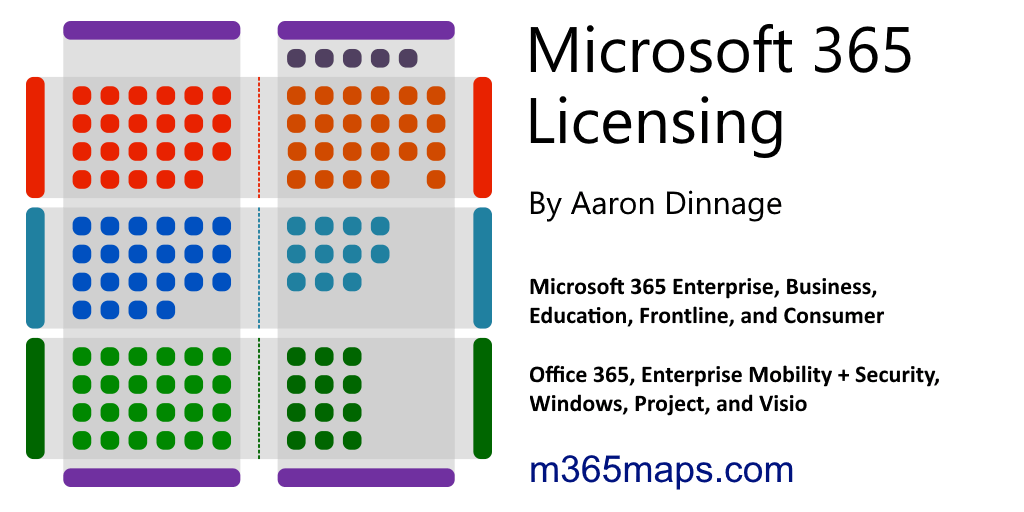
M365 Maps
A collection of Microsoft 365 licensing diagrams to view or download.
 ornate jungle
opal pagoda
what the hell is this cursed thing
ornate jungle
opal pagoda
what the hell is this cursed thing
Basically the same thing as this, but supports more than a single device.
https://ca.store.ui.com/ca/en/category/accessories-poe-power/collections/pro-store-poe-and-power-adapters/products/u-poe-plus?variant=u-poeplus

Ubiquiti Store
An adapter that can power UniFi PoE+ devices, reduce dependency on PoE switch power, and provide a Gigabit LAN connection.
opal pagoda
ornate jungle
Basically the same thing as this, but supports more than a single device.
https:...
could be, but i wouldnt trust it before taking it apart and seeing how it ticks
they also only sell it without power supply which is extra sketchy
 thick quest
Hey guys!
My cheap AliExpress 8 port 2.5Gb + 1 10Gb SFP+ switch died after 3 years of service.
I was thinking of replacing it with a Ubiquiti Flex 2.5G.
Good idea? I don’t have any other Ubiquiti gear
opal pagoda
thick quest
Hey guys!
My cheap AliExpress 8 port 2.5Gb + 1 10Gb SFP+ switch died after 3 yea...
did it release magic smoke? did you test if just psu died?
thick quest
Psu is fine… tested it on a LED strip that takes the same 12v power :’(
silent flax
thick quest
Hey guys!
My cheap AliExpress 8 port 2.5Gb + 1 10Gb SFP+ switch died after 3 yea...
blame realtek (no, seriously, the whole thing is 2 realtek chips plus few passive components)
there is barely anything in these boxes

4+2 ones are even less 😄
 ornate jungle
silent flax
4+2 ones are even less 😄
ornate jungle
silent flax
4+2 ones are even less 😄
Sometimes I'm surprised these things even switch on in the first place.
silent flax
well the chip does all the heavy lifting

and to be honest, if one dies, at the cost they are at, it's still cheaper to just buy the same thing over and over.
thick quest
I can get them for around 110€ now in France from a main brand supplier but I’m wandering if I could get a more reliable solution for around 200€ that I will only need to buy once…
thick quest
Does anyone have experience with the 8x 2.5G + 2x10G SFP+ one?
 rough temple
opal pagoda
why is mikrotik releasing a switch with gigabit ports, and saying "you wanted a ...
rough temple
opal pagoda
why is mikrotik releasing a switch with gigabit ports, and saying "you wanted a ...
mikrotik being mikrotik
By the way,
After my "sys admin" left my project who set up mikrotik VM mistakenly everything started to break! lol
In the end today spent hour to make everything work on brand new vm, and guess what it works. And our "sys admin" spent literally a week doing what I did in an hour
Now I'm asking myself, is he just a poser or sum 💀
DHCP Server with NAT IPv4 which comes from wireguard isnt that hard to setup
stuck grove
thick quest
Does anyone have experience with the 8x 2.5G + 2x10G SFP+ one?
it'll function just like any other unmanaged switch with those specs
silent flax
thick quest
Does anyone have experience with the 8x 2.5G + 2x10G SFP+ one?
thr 8x2.5 + 2x10 switch doesn't use Realtek chip, but can't remember which one
silent flax
thick quest
Does anyone have experience with the 8x 2.5G + 2x10G SFP+ one?
The MxL86282C is a highly integrated 2.5G Ethernet switch with eight integrated 2.5GBASE-T PHYs. The MxL86282C also supports two 10G/ 2.5G / 1G uplink por
silent flax
thick quest
Does anyone have experience with the 8x 2.5G + 2x10G SFP+ one?
^ that is the chip used by those 8+2 switches
opal pagoda
silent flax
https://www.maxlinear.com/product/interface/ethernet/ethernet-switches/mxl86282c
switch chip can do so much... too bad aliexpress ones are almost exclusivly unmanaged variaties
i wonder if its possible to mod it and attach a pi pico or esp32 to add managment features
 opal pagoda
and even with that it has lead time of 20w
thick quest
opal pagoda
switch chip can do so much... too bad aliexpress ones are almost exclusivly unma...
They have a managed version with 8 2.5g with POE and two 10g SFP+ ports.
Console and serial connections available. But it’s like 180€
Or the 8+1 managed
thick quest
thick quest
They have a managed version with 8 2.5g with POE and two 10g SFP+ ports.
Console...
Same switch without POE is 140€. Not too shabby
opal pagoda
thick quest
They have a managed version with 8 2.5g with POE and two 10g SFP+ ports.
Console...
web managed version of the chip is 27$ MXL86282S
its insane that it is 100$ more
thick quest
sure! the managed 8+1 at 55€ is looking very tempting
silent flax
in the end, these non-managed switches come down to very few parts:
- the chip itself
- PHY
- power stuff
- barely anything else
(the picture is an evaluation board, so probably bunch of that stuff doesn't exist in actual switches)
 opal pagoda
what the hell is this cursed thing
opal pagoda
opal pagoda
what the hell is this cursed thing
found internal photos of a simmilar poe injector from a same manufactuer


this is the only chip

Coilmaster Electronics Co., Ltd.
1000 Base-T magnetic transformer LAN module S48-5014-LF, LAN transformer normally have the T coils in the plastic case. First T core coil will be the Pulse transformer which used on electrical circuit isolation, signal transmission and impedance matching. Second T core coil will work as common mode choke to filter the noise. Wide range of SMD th...
pseudo blade
Looks like it sticks the DC voltage on both modes and lets the remote side sort it out
 icy dragon
anyoen got a good recommendation for an affordable router with a 2.5gig WAN and at least 1 2.5gig LAN (with multipel total LAN) ports? Need to get a new router to setup my modem in passthrough mode in order to use a DNS i control.
 fierce jay
opal pagoda
fierce jay
opal pagoda
One message removed from a suspended account.
opal pagoda
pseudo blade
Looks like it sticks the DC voltage on both modes and lets the remote side sort ...
On pcb it is printed mode B
The 6 port one has 2x dc inputs so you can select which mode you want to use
pseudo blade
Interesting
I meant the 6 port passthrough one but missed the extra DC jack
Considering isolation I suspect you could probably run both at once as long as the target devices are isolated to spec
Bad news for you if your chosen device isn't
 glass dove
what is the best source to learn networking from the basics?
nova glacier
glass dove
what is the best source to learn networking from the basics?
In my experience, it's experience. Setup a homelab that involves multiple VMs (across multiple computers if possible), run an opnsense or pfsense router, try bringing a cloud VM into your homelab's LAN with a VPN. It's more challenging to learn without a homelab to experiment in/with.
pseudo blade
glass dove
what is the best source to learn networking from the basics?
Could have a stab at this and report back...
https://www.netacad.com/courses/networking-basics?courseLang=en-US

Free online course to learn about Networking Basics - from Cisco Networking Academy. Sign up today!
I do like homelabs but I can appreciate how it can be hard to build skills in one when you don't have an idea of what you can do
nova glacier
I'm biased towards them because I just can't learn without actually doing
pseudo blade
I learned by CCNA coursework, a healthy interest in reading around topics and a good amount of labbing
I wasn't utterly clueless when I went in, I knew my subnetworking basics and that's something my peers struggled with endlessly during CCNA coursework
Most of them were big gamers fresh out of high school and seemed to think IT = gaming. This ended rather poorly for them :P
rough temple
People is wazuh any good?
as I get too many false positives and stuff from it, so curious if its just me issue or not ?
opal pagoda
nova glacier
I'm biased towards them because I just can't learn without actually doing
I was thrown into the cisco™️ branded fire not knowing a lick of ios syntax
And had to learn it asap with experience
I knew the theory from a few classes i had in hs and college but it was a good start
glass dove
Thank you guys! @nova glacier and @pseudo blade
copper cedar
Guys need urgent help
I’m at home trying to find out what CAT the Ethernet cables are in the walls
I pulled back the wall plate and can’t see any writing, except on the termination unit that ways “1135”
Can someone identify it by the wiring?
 pastel monolith
No way to really tell without pulling more of it out wiping off and finding the print on the wire, usually is every few feet so shouldn't be too far away
copper cedar
Yeh it’s kind of a tight connection :(
Could Unifi identify the cable once I get my new system
pastel monolith
Eh think you'd need dedicated cable tester that can check bandwidth to be sure one way or another, if it is running gigabit connection it could work if not much interference/distance for the run but it can't would just be spotty network connection
copper cedar
I am pulling the full 500/50 over it, so I assume at the very least that it’s not Cat 5
Like at least 5E
peak cloak
copper cedar
Can someone identify it by the wiring?
it looks like it has 8 wires so as long as there's no interference you should be able to get gigabit
 astral spire
looks like cat 5 to me, cat6 has tighter pair twisting and at least usually a separator
copper cedar
peak cloak
it looks like it has 8 wires so as long as there's no interference you should be...
Yeh definitely 8 wires
copper cedar
astral spire
looks like cat 5 to me, cat6 has tighter pair twisting and at least usually a se...
See if it’s Cat5, I don’t understand how it’s able to get 500/50 on the speedtest
Hence thinking 5E at least
peak cloak
Cat 5 can do 10 gig at shorter distances
The difference in the cables is interference protection really iirc
copper cedar
I see
See i want to get the 2 gig plan that just launched in AU (2000/100), but im a bit afraid now that the cabling in the house won’t be able to carry that speed
One of the APs is connected direct to the router whilst the other is through the house
peak cloak
Above gig you'll need to upgrade all the interfaces
copper cedar
So would be funny if one side of the house has the full 2 gig whilst the other doesn’t
peak cloak
Also it's criminal you only get 100 upload with that
copper cedar
I can easily get cat6 cables, and I have a UCG Fiber and U7 Pro XG, so the NICs are 10 gig lol
The only bottleneck would be the wiring within the building
Every endpoint In my house is wireless (apart from the APs)
copper cedar
peak cloak
Also it's criminal you only get 100 upload with that
Majority of Australians are either on FTTP (fibre) or HFC (coax)
I’m on HFC, and the max upload on the 2 gig plan is 100
People on FTTP get a max upload of 200
But yes even still, 200 upload compared to the download is criminal
The 1 gig plan has 100 up as well. So I could stick with 1000/100 if it’s max upload that I’m looking for
amber urchin
IMO if it's not at a minimum the higher of 10m or 10% of the download speed then it shouldn't be called broadband.
copper cedar
amber urchin
IMO if it's not at a minimum the higher of 10m or 10% of the download speed then...
So the 200 upload counts but the 100 up doesn’t
Rip
amber urchin
100 up on a 2000 down plan, no.
copper cedar
I hope they update the HFC network to support 200 upload in whatever future
amber urchin
100 up on a 1000 down plan, fine
copper cedar
Sounds like I should just move to the 1000/100 plan and forget about 2000/100. better value for money. For reference I am currently on 500/50
amber urchin
Basically 10/10 is the entry point for broadband and maintain not less than 10% of download for upload. Although I would say that anything sub 100 should be considered subsidy class where you only have to pay like $10/month.
Or even start the definition at 100/10
The whole point of the 10% is both for the benefit of the consumer and for the ease of future changes. If it's 100 today and in 5 years you want to make the minimum 200 then the upload always automatically follows and you don't even need to think about it.
pseudo blade
peak cloak
Also it's criminal you only get 100 upload with that
You can get 2000/500 on FTTP here but it is insanely pricy

I'm on the 1000/400 and that's already $150
I need uploads more than I need multigig down, though the idea is tempting
 tropic path
pseudo blade
You can get 2000/500 on FTTP here but it is insanely pricy
tropic path
pseudo blade
You can get 2000/500 on FTTP here but it is insanely pricy
oof, and here i thought me paying 90 dollars for 2000/1000 is bad. thats wild
nova glacier
tropic path
oof, and here i thought me paying 90 dollars for 2000/1000 is bad. thats wild
I think that's AUD, not USD. So about $143 USD. That's around what it costs for 1200/40 on DOCSHIT here, so it seems quite reasonable pricing to me, but I do know not far from here is 2300/2300 for $95/mo. So it's definitely not amazing pricing
tropic path
that makes it somewhat better. still not great, but more reasonable
 vast saddle
GoNetSpeed making clearance
 waxen scroll
@clear igloo hi fren. did you see F5 got hella hacked?
clear igloo
waxen scroll
<@291198741862416384> hi fren. did you see F5 got hella hacked?
lel, I had not
waxen scroll
we had to go on change lockdown and are upgrading all of them soon lol
clear igloo
lol, better upgrade twice

F5 disclosed Wednesday that it had been the target of what it’s calling a “highly sophisticated” cyberattack, which it attributes to a nation-state actor.
 obtuse hawk
copper cedar
obtuse hawk
copper cedar
could be identified is the cable has plastic thingy inside it

this thingy
if it has that it's probably cat6/cat6a
if not then high chance of it being cat5e
obtuse hawk
peak cloak
Also it's criminal you only get 100 upload with that
seems to be docsis
kinda normal for having high downloads while lower uploads
peak cloak
obtuse hawk
kinda normal for having high downloads while lower uploads
The ISP can allocate more if they want
obtuse hawk
peak cloak
The ISP can allocate more if they want
well they would have to lower the allocation for download speeds and up the upload that way
peak cloak
Yeah
nova glacier
peak cloak
The ISP can allocate more if they want
They still would need to replace any amplifiers to adjust the spectrum split
obtuse hawk
nova glacier
They still would need to replace any amplifiers to adjust the spectrum split
also this, and as we all know, ISP's HATE TOUCHING THEIR INFRA
obtuse hawk
opal pagoda
literally no reason not to go to ftth
well i am on DSL still lmao
i am still waiting for fiber
opal pagoda
obtuse hawk
well i am on DSL still lmao
one of my isps is dsl as i also cant get ftth
opal pagoda
i use loadbalalancing to reduce the pain
obtuse hawk
opal pagoda
i use loadbalalancing to reduce the pain
my bonded lines can do up to 250 down and 50 up
so it's kinda bearable
opal pagoda
obtuse hawk
my bonded lines can do up to 250 down and 50 up
you are close to the dslam
obtuse hawk
opal pagoda
you are close to the dslam
yea
opal pagoda
i am not...
obtuse hawk
well in reality it's 200-210 down
vast saddle
So glad Cox is doing Fiber to the home here
They are slowly shifting away from DOCSIS.
 topaz patrol
copper cedar
Majority of Australians are either on FTTP (fibre) or HFC (coax)
topaz patrol
copper cedar
Majority of Australians are either on FTTP (fibre) or HFC (coax)
FTTP or FTTN*
HFC is only 20%
copper cedar
topaz patrol
FTTP or FTTN*
HFC is only 20%
Oh really? Only 20%. Damn didn’t know that! And FTTN is being moved to FTTP.
And the fact there’s no free upgrade for HFC in the works
Kill me. Stuck with the 100 up forever
topaz patrol
copper cedar
Oh really? Only 20%. Damn didn’t know that! And FTTN is being moved to FTTP.
N2P upgrades have a very low uptake
topaz patrol
copper cedar
And the fact there’s no free upgrade for HFC in the works
Won’t be for at least a decade
copper cedar
topaz patrol
Won’t be for at least a decade
Pretty sure I read that they plan to upgrade the HFC network at some point m
Are you on whirlpool?
topaz patrol
nbn still has the rest of the multi technology mess to fix before hfc
topaz patrol
copper cedar
Are you on whirlpool?
Unfortunately so
copper cedar
topaz patrol
Unfortunately so
So or no? Haha
Cause yeh I may have seen u around there if u did mean so
topaz patrol
Hopefully you haven’t seen me there 😉
copper cedar
😂
topaz patrol
Whingepool 🙂
copper cedar
Well I’m pretty active on a lot of forums you may have seen my name
 wraith mango
would you guys recommend unifi for a small business office? If so, would this setup work: 2 U6 plus access points; 1 cloud gateway max; 1 Switch lite 16 PoE.
opal pagoda
wraith mango
would you guys recommend unifi for a small business office? If so, would this se...
is it a single office small business?
wraith mango
opal pagoda
is it a single office small business?
2 offices
opal pagoda
i mean office = one location
wraith mango
around 30 users, minimum simultaneously will be around 10 to 15
wraith mango
opal pagoda
i mean office = one location
ah, then yes
opal pagoda
i would nudge you towards getting a rack mounted equipment
as having network crap all over a table where everyone can fuck with it isnt ok with me
wraith mango
opal pagoda
as having network crap all over a table where everyone can fuck with it isnt ok ...
it is inside a locked cabinet that can fit racks
only I have the key for it
opal pagoda
what equipment do you have already
wraith mango
something like this
 wraith mango
opal pagoda
what equipment do you have already
wraith mango
opal pagoda
what equipment do you have already
isp provided router 😂
opal pagoda
wraith mango
something like this
that looks like 10 inch rack,
wraith mango
opal pagoda
that looks like 10 inch rack,
its not this one specifically
opal pagoda
ok
wraith mango
just a general idea of what it kind of looks like
opal pagoda
do you already have some experience configuring network devices?
wraith mango
opal pagoda
do you already have some experience configuring network devices?
i dont, no. but I dont mind watching some tutorials in order to configure it
I picked ubiquiti because it seemed to have the most user friendly ui
and doesn't seem very expensive
opal pagoda
is there already cables in the walls going to various endpoints including ceeling for ap
wraith mango
opal pagoda
is there already cables in the walls going to various endpoints including ceelin...
not sure if there are endpoints in the ceiling but there are cat5e cables installed yes
wouldn't mind installing aps in the wall
not the best for wifi but it is cheaper than having to call someone just to install endpoints in the ceiling
opal pagoda
wraith mango
wouldn't mind installing aps in the wall
optimal position is ceeling as then it has least interferance
wraith mango
opal pagoda
optimal position is ceeling as then it has least interferance
i'll check it monday since i'll only be in the office then
but lets say i do have it in the ceiling
opal pagoda
if you have drop ceiling it is not a big deal to remove couple of panels and run some cat6a
wraith mango
would the setup I sent "work"? as in the best for the price?
wraith mango
opal pagoda
if you have drop ceiling it is not a big deal to remove couple of panels and run...
cat6a is not needed rn, isp only gives us 1gbps
i was thinking of switching offices but that takes a long time to finalize so I want to get the wifi issues sorted out in the current office
opal pagoda
cat6a is not significantly more expensive
hell labour is the most expensive part
wraith mango
opal pagoda
cat6a is not significantly more expensive
hell labour is the most expensive part
exactly
i've never looked at the ceiling lol but im almost 100% sure it's drywall not panels
wraith mango
opal pagoda
cat6a is not significantly more expensive
hell labour is the most expensive part
even if it was cheap I dont really see a reason to install cat6a in this current office
maybe if we go up to 10gbps
opal pagoda
i would suggest this
USW-Pro-Max-16-PoE
UCG-Fiber
2X U7-Pro-XG
you will also need sfp+ DAC
wraith mango
opal pagoda
i would suggest this
USW-Pro-Max-16-PoE
UCG-Fiber
2X U7-Pro-XG
you will also nee...
Is the u7 pro better in terms of range or anything else besides wifi7? Most devices I have don’t even have WiFi 7 so I don’t really see a point in spending more
opal pagoda
pay once, cry once
it has 6ghz which enables it to have significantly higher real world performance
as you might seen that on wifi 6 (non e) and wifi 5 it is basically impossible to reach gigabit on regular devices without crazy antenna setups
wraith mango
opal pagoda
as you might seen that on wifi 6 (non e) and wifi 5 it is basically impossible t...
Are there other brands that are better than ubiquiti regarding what you get with the price? Not just for ap
opal pagoda
i run tp link omada at home for routing, vpn and load balancing and will get some ap-s soon
they are decently priced
for switching i am using older cisco catalyst switches
pseudo blade
topaz patrol
N2P upgrades have a very low uptake
I think most people I know are still on Telstra plans and legitimately unaware there are offerings better than 50/20 for $109
What a deal...
 opal pagoda
pseudo blade
*What a deal...*
opal pagoda
pseudo blade
*What a deal...*
 wraith mango
opal pagoda
i run tp link omada at home for routing, vpn and load balancing and will get som...
wraith mango
opal pagoda
i run tp link omada at home for routing, vpn and load balancing and will get som...
Omada is more expensive than ubiquiti where I live, might as well go with ubiquiti
Thank you for the help
opal pagoda
wraith mango
Thank you for the help
please also consider having a nas as backups are always good to have
wraith mango
opal pagoda
please also consider having a nas as backups are always good to have
Yeah, future upgrade though
Business doesn’t need one as of right now
we use one drive for documents
opal pagoda
antena 
 vast saddle
Lmaoooo wtf I didn’t even see that
Here’s the full picture for you all

Fiber distribution box next to taps next to an amplifier
Cox should honestly eventually force the rest of the coax people onto full fiber and decommission their HFC network
They are literally maintaining two different networks at this point
opal pagoda
vast saddle
Fiber distribution box next to taps next to an amplifier
i like fiber distribution that is in racks much more haha

 opal pagoda
vast saddle
I see another one that says 24
opal pagoda
vast saddle
I see another one that says 24
12 and 24 might be number of fiber cores, 15 does not fit so maybe 15 is label of the fiber run
opal pagoda
standard fiber counts are 1,2,4,8 and then multiples of 12 as each tube tipically maxes out at 12
makes it easier to ID too
vast saddle
Ok so it seems like it’s for port count
 dusk jay
If you were starting afresh today, what 10G hardware would you buy?
opal pagoda
All depends on how much money you/me are willing to spend
dusk jay
opal pagoda
All depends on how much money you/me are willing to spend
I'm in the UK and it's for my flat
Max internet speed is currently 1.5Gbps but 10G will be available within a few years apparently
No budget as I can price hunt and buy when it's a good price
Thanks for replying
 frosty stone
I'd just go all ubiquiti but I'm a nerd that doesn't care about the cost
pseudo blade
dusk jay
I'm in the UK and it's for my flat
Max internet speed is currently 1.5Gbps but...
I would wait until 10gbps was available to buy 10gbps hardware. It's rather expensive to do well right now but costs are coming down.
lean palm
dusk jay
If you were starting afresh today, what 10G hardware would you buy?
The homelabber in me says find some nice aruba switches
But for a flat ubiquiti will do fine
🤤 and only $100 more than the poe 16 pro max from ubiquiti with double the mgig ports

eBay
1x HPE Networking 2930M 40G 8 HPE Smart Rate PoE+ 1-slot Switch. 1x HPE Aruba 3810M 4SFP+ Module JL083A. 1x HPE Aruba 2930 2-Port Stacking Module JL325A.
And doubles as a heater in the winter time
pseudo blade
lean palm
And doubles as a heater in the winter time
Doubles as a moneywaster, you mean? :P
Meanwhile, my HP ML350 Gen9 crying in the corner for three years because I can't justify its operation
An i7-10700 with 128GB RAM does all my work stuff and my personal stuff is an afterthought to it.
dusk jay
My flat is wired for 10G already and my server is 10G and I do have two 10G basic switches but they have no access to do do anything with
I've never heard of these HP switches
Is Ubiquiti the go to now?
dusk jay
pseudo blade
*An i7-10700 with 128GB RAM does all my work stuff and my personal stuff is an a...
I hate a Xeon 1270p with 128gb ram but I can't boot my 9070 XT VM in Unraid still so I'm splitting the system, plus it'll lower my power bill
 ebon wasp
dusk jay
I've never heard of these HP switches
Is Ubiquiti the go to now?
ebon wasp
dusk jay
I've never heard of these HP switches
Is Ubiquiti the go to now?
HP and Dell are really focused on Enterprise solutions. Both Office and DCs.
Ubiquity is aimed at SMB and consumer who wants more than what the normal consumer brands offer
 granite oxide
is there someone that could hop on a call and help me fix my internet issue? please i really need help
opal pagoda
dusk jay
My flat is wired for 10G already and my server is 10G and I do have two 10G basi...
Are you using 10g base t or sfp+?
dusk jay
opal pagoda
Are you using 10g base t or sfp+?
Cat6 10G rj45
opal pagoda
if noise and slightly higher power consumption wouldnt be a problem i would go with Cisco WS-C3850-24XU or cheaper (with less 10g ports) Cisco WS-C3650-8X24UQ-L
if noise would be a problem then something from ubiquiti or mikrotik
ornate jungle
granite oxide
is there someone that could hop on a call and help me fix my internet issue? ple...
Before we even begin to entertain such ideas, you'll need to describe your issue. Otherwise, you may end up asking someone who has no idea how to solve your problem to help you... If it's a simple "yes/no" question, ask away.
Otherwise, create a post in #1027757333117415424 with your full system specs (make and model of all parts), your internet connection type / setup (including all network devices and how everything is connected), a description of the issue and any error messages observed, and any troubleshooting steps you've tried and their outcomes, then patiently await a response from a volunteer.
silent flax
pseudo blade
*Meanwhile, my HP ML350 Gen9 crying in the corner for three years because I can'...
i literally had to put a Z87/4670S/16GB RAM into work yesterday as my router because the minisforum n100 mini PC died (hopefully it is really just their bad design around the CMOS battery that is causing it not to work, otherwise i have to RMA it and then figure out a replacement as they don't sell the dual 2.5gbit nic version of their mini PC anymore)
pseudo blade
Not crash-hot efficient (It's no 10-15w like an N100 system) but it should be plenty powerful enough.
Maybe 30-40w idle whereas an ML350 gen9...
yeah... It's better than what came before it, but by most other metrics it's terrible for just running a few game servers or routing.
I suspect 16GB of RAM in your router might be overkill though :P
silent flax
pseudo blade
Not crash-hot efficient (It's no 10-15w like an N100 system) but it should be pl...
 silent flax
pseudo blade
Not crash-hot efficient (It's no 10-15w like an N100 system) but it should be pl...
silent flax
pseudo blade
Not crash-hot efficient (It's no 10-15w like an N100 system) but it should be pl...
but it is only while i wait for CMOS battery to arrive next week. If it doesn't work, i will RMA it and meanwhile grab one of the Acer Veriton N150 mini PCs with also dual 2.5 gigabit NICs, no RAM, no storage for 165 euros. Got spare RAM and the storage is the 1TB NVMe i use for the router anyway, so i just move it over
yes, it is more expensive than the aliexpress mini PCs, but i can have it next day anytime i choose
silent flax
pseudo blade
I suspect 16GB of RAM in your router might be overkill though :P
running docker on it, but still yeah. But it was already in the board, so whatever
 twin pier
I thought the 8G on my alpine router was overkill when it uses like 180M
silent flax
twin pier
I thought the 8G on my alpine router was overkill when it uses like 180M
again i just repurposed the already fully populated Z87 board. If i will have to go with that Acer N150 mini PC, i might drop in one of my spare 4 or 8GB sticks
pseudo blade
silent flax
again i just repurposed the already fully populated Z87 board. If i will have to...
Yeah it'll get you out of the woods
...And then some
opal pagoda
W
Passed CCNA first try
 waxen scroll
opal pagoda
W
Passed CCNA first try
waxen scroll
opal pagoda
W
Passed CCNA first try
I'm letting my certs expire
have half a CCNP atm lol
 sharp flume
Does anyone on here know anything about Jellyfin on Ubuntu Linux docker container? I had it running on my server for months, then I swapped the boot drive and now Jellyfin isn't loading some of my libraries and I don't understand why. I've spent hours on YouTube and Grok attempting to fix my issue and I keep going around in circles.
mild whale
sharp flume
Does anyone on here know anything about Jellyfin on Ubuntu Linux docker containe...
What have you tried already?
sharp flume
mild whale
What have you tried already?
I got it working finally. Nevermind.
mild whale
sharp flume
I got it working finally. Nevermind.
Okay, what was the fix?
Someone else might need it
sharp flume
When I switched from running Jellyfin on bare metal to Docker Container I didn't realize that was changing the paths for the libraries from /mnt/seagate (originally worked) to /home/media (is working now) and that's why the paths weren't even showing as an option in the drop-down menu when setting up the libraries.
mild whale
Ohhh that got me once too lol
 kindred phoenix
If i cant run a whole ethernet cable trough my house to a router is it best to just buy a mesh system?
 high dagger
Hey everyone, I have a startup idea which I want to clarify with people, please let me know if you are interested to hear and I will DM you the idea and you can provide your opinion. Thank you!
ornate jungle
high dagger
Hey everyone, I have a startup idea which I want to clarify with people, please ...
Just share your idea right here in the chat - that's how communities work best. 🙂
high dagger
Alright Thanks!
Me and my team have a SaaS startup idea that I wanted to check with you on whether it would be successful or not. It deals with an AI Teacher, and students can ask custom questions in the form of PDF's or pictures. The AI will create a slideshow which in detail explains the solution to the student, clearing their doubt rather than providing bulk text similar to ChatGPT. The AI imitates somewhat similar to a teacher teaching in a classroom. It is also true that some students learn better with some teachers rather than other teachers. So, we would provide multiple types of teachers to prioritize the learning method of the student. In the future, if the slideshow doesn't seem to work as well we would convert it into the form of reels where the AI (similar to Sora) would impersonate different teachers and the student can interact with the system engaging hands-on learning. Overall, this AI would theoretically replace tutors and would save time. The main purpose of this is to make learning easier for students, and more interactive.
This is the idea so far, please let me know your thoughts, and if I may ask, could you let me know websites that are cost-free where I could verify my idea legally without getting into trouble? Thank you so much!
ornate jungle
high dagger
Alright Thanks!
Me and my team have a SaaS startup idea that I wanted to check...
Okay, um, I'm not sure why you posted in #networking as this does not sound related to network equipment, but anyway... if this idea is meant to be a replacement for actual teachers, I cannot condone it, as it would detract from the number of jobs available for unionized teachers in my jurisdiction and elsewhere on the planet.
That said, if something like this helps lighten the teachers' load (freeing them up to help students who need the dedicated assistance) then perhaps it might work. Boils down to how well it's executed - so far, I've yet to see any Machine Learning algorithm's that I'd trust in the hands of anyone who doesn't have critical thinking skills.
ornate jungle
high dagger
Alright Thanks!
Me and my team have a SaaS startup idea that I wanted to check...
Regarding "websites that are cost-free" to verify this, no clue. That's something you'd want to incorporate into the costs of starting up this SaaS idea, alongside a full blown business plan. It's a research task you'd need to make time for, or hire someone (like a consultant, or full-time employee) to accomplish for you.
high dagger
ornate jungle
Okay, um, I'm not sure why you posted in <#387022787480387605> as this does not ...
The model is not meant to replace teachers, but to help students who don't learn well with their teachers. The AI changes depending on the learning skills of the students, and yes, it would lighten the teachers load. Altough it seems like it would be a ML model, it would be much better as a DL model, as it adapts to students based on responses. Training would take some time, but the idea itself should work. Let me know what you think about this, and sorry for posting in the wrong channel 😅
ornate jungle
high dagger
The model is not meant to replace teachers, but to help students who don't learn...
The model is not meant to replace teachers, but to help students who don't learn well with their teachers. The AI changes depending on the learning skills of the students, and yes, it would lighten the teachers load.
If so, then yeah it's something that I want to say might help certain students who need the varied assistance.
high dagger
Yes, more than imitating a teacher, it enabes assistance toward students whose teachers may teach diffrently than the way that a student understands. Thank you so much for your feedback!
pseudo blade
high dagger
Alright Thanks!
Me and my team have a SaaS startup idea that I wanted to check...
Just what the world needs - more AI slop
I've had plenty of experience receiving bullshit generated by OpenAI and am in no rush to tell people to take it at face value from a virtual instructor
You know what? My advice is to not build anything and take your idea directly to marketers and graphics designers for pitching to prospective investors. Have them mock together some shit in Figma and bodge the rest together using DALL-E. You can join thousands of others taking the investors for the longest possible ride in this stupid bubble before everything collapses.
You'll be in good company.
wraith mango
opal pagoda
please also consider having a nas as backups are always good to have
turns out we already have 2 ac pro aps in the office, I had no idea
nova glacier

The new Broadcom Thor Ultra is out bringing 800GbE networking on PCIe Gen6 x16 cards to AI clusters. We got to see it in-person at OCP Summit
PCIe gen 6
nova glacier
just gotta wait for EPYC 9006 too. (or w/e Intel has got next ig)
stuck grove
I think intel is most likely going to be next
It's only saving grace will probably be PCIe Gen6 if they include it
nova glacier
tbf, I think this kind of speed likely needs FPGA accelerators cards to do most useful things at line rate. CPU choice is far less of a concern
stuck grove
You'd still need a gen6 x16 link would you not?
or at least a gen5 x32
PCIE gen6 runs at the same clock speed, but at 4 levels of signal strength right? whereas gen5 ran at 2 levels,
IE -2,-1,1,2 for gen6, vs -1,1 for Gen5
nova glacier
yes and yes. PAM4 instead of a binary NRZ
stuck grove
Wouldn't the conversion get a bit messy?
nova glacier
I just meant you don't exactly need the most peak of CPU possible (within those that can do pcie gen 6), since you'll just be moving data from the NIC to an accelerator card
stuck grove
Ah, but you'd still need the PCIE Gen6 connectivity to the CPU would you not?
So at the very least it would require a new platform
nova glacier
indeed. I just think that you don't need your CPU to be the top of the line EPYC 9006. A "lower-end" Xeon 7 (diamond rapids) should do the job just fine
stuck grove
Ah, yes that makes sense
As long as it's a workload that allows the CPU to shirk it's responsibility in computation
Which is most workloads that could utilize 800g networking
nova glacier
A pcie gen 6 AMD-Xilinx Alveo card isn't out yet though, but presumably one will be eventually. The Alveo V80 is only gen 5 x16 (actually dual gen 5 x8), but on the networking side it's 200GbE x 4 so it perhaps could get an incremental upgrade to gen 6
https://www.amd.com/en/products/accelerators/alveo/v80.html
I suppose you could get two V80s, as insane of a statement that is. Only $19,000. Not even including the Broadcom Thor Ultra, which doesn't list a price but I'm sure is astronomical
nova glacier
Oh yeah, they could incorporate a soft PCIe gen 6 block in logic that uses transceivers instead of the gen 5 hard IP.
60x (56 Gb/s) or 30x (112 Gb/s) GTM PAM4 transceivers
nova glacier
oh versel gen 2 did get upgraded to gen 6 hard ip (same dual x8 config). alveo v80 is versal gen 1, so a versal gen 2 based v80 probably makes more sense than redoing the board to use the GTM transceivers for pcie.
oh damn, the transcievers might even be able to do pcie gen 7. Though "contact AMD for details" for the 128GT/s probably means experimental overclock. The IP would cost an unimaginable fortune too
 opal pagoda
nova glacier
A pcie gen 6 AMD-Xilinx Alveo card isn't out yet though, but presumably one will...
opal pagoda
nova glacier
A pcie gen 6 AMD-Xilinx Alveo card isn't out yet though, but presumably one will...
is that amd's response to nvidia dpu?
lean palm
https://www.facebook.com/marketplace/item/1492372451972476/
anyone need 300 aps
See posts, photos and more on Facebook.
lmao
lean palm
opal pagoda
W
Passed CCNA first try
hell yeah good job
nova glacier
opal pagoda
is that amd's response to nvidia dpu?
It's more accurate to say the BlueField is a response to Alveo. Xilinx has been making them before Nvidia bought mellanox for the BlueField and also before AMD even owned them.
 cunning lion
Hmm Raid 5 VS 5E?
5E would be 1 drive failure+24tB of storage while 5 would be 32TB of storage and 1 drive faiulure as well
opal pagoda
better do raid z2
cunning lion
5 8TB drives?
opal pagoda
cunning lion
5E would be 1 drive failure+24tB of storage while 5 would be 32TB of storage and...
5e is basically 5 with extra hot spare
z2 is tolerant of 2 drive failoures
topaz patrol
:(
 nova glacier
https://www.broadcom.com/products/ethernet-connectivity/switching/strataxgs/bcm78910-series
pfft 800GbE? peasant tech. 1.6TbE is the way

Optimized for scale-up / scale-out AI networks, Tomahawk 6 enables high network utilization and low job completion time.
twin pier
topaz patrol
:(
What's this
vast saddle
lol what an interesting looking box


Looks like a fiber splice enclosure but doesn’t look like the typical cylinder ones I see
 nova glacier
yea but consider fdee:b0b:dead:beef::cafe:d00d. Much better than 10.0.0.1
 silent spruce
how can i route RDP connection through HTTPS?
i wanna close up port 3389 other ports and route everything just through 443 and nginx
note that i really prefer not having to set up a VPN lol
pseudo blade
silent spruce
how can i route RDP connection through HTTPS?
i wanna close up port 3389 other p...
opal pagoda
topaz patrol
Too much IPv6 is what it is
Born to ipv6, forced to ipv4
stuck grove
Born to ipv4, forced to ipv4
silent flax
topaz patrol
well one doesn't have to use hexadecimal notation. But 2001:4860:4860::8888 is probably more digestable to human than 42541956123769884636017138956568135816 😄
opal pagoda
silent flax
well one doesn't have to use hexadecimal notation. But 2001:4860:4860::8888 is p...
this is easier
1111110111101110:0000101100001011:1101111010101101:1011111011101111:0000000000000000:0000000000000000:1100101011111110:1101000000001101
ornate jungle

I think the IETF hit the right balance with the 128 bits thing. We can fit MAC addresses in a /64 subnet, and the nanobots will only be able to devour half the planet.
 naive nest
Would it be possible to connect one of these to my opnsense appliance over USB and treat it as a failover WAN interface?
 opal pagoda
naive nest
Would it be possible to connect one of these to my opnsense appliance over USB a...
opal pagoda
naive nest
Would it be possible to connect one of these to my opnsense appliance over USB a...
if it uses standard AT interface then it shouldnt be a problem
naive nest
opal pagoda
if it uses standard AT interface then it shouldnt be a problem
Thanks. If this one doesn't, I'll find one that does.
 fervent brook
naive nest
Thanks. If this one doesn't, I'll find one that does.
fervent brook
naive nest
Thanks. If this one doesn't, I'll find one that does.
There were some ASUS routers that could do something like that, but I doubt the supported devices is very many
I think I've seen Linus recomend 3rd-party WiFi analizers, but is there anything wrong with Connectivity labs(Iabs?)
The part on the right is me putting my phone in my freezer and closing the door for about 10 seconds
Left side is me going to the bathroom with the door closed
 naive nest
fervent brook
There were some ASUS routers that could do something like that, but I doubt the ...
naive nest
fervent brook
There were some ASUS routers that could do something like that, but I doubt the ...
I did spot a pretty nice option from Teltonika
fervent brook
naive nest
I did spot a pretty nice option from Teltonika
Looks like the same class of devices where it's common to have a dialup fallback
 hard arch
needing some new routers
need something dual 2.5gbps
and wifi 6
and still all 5 eth ports (wan +4)
and cheap
anyone gotnany ideas
fervent brook
hard arch
needing some new routers
need something dual 2.5gbps
and wifi 6
and still all 5...
Humane Society, Watkins and Central
stuck grove
hard arch
needing some new routers
need something dual 2.5gbps
and wifi 6
and still all 5...
a router and a 2.5g switch
fervent brook
 fervent brook
stuck grove
a router and a 2.5g switch
fervent brook
stuck grove
a router and a 2.5g switch
All you've done here is tell him to also buy a switch...
stuck grove
That would be because i was looking for a specific model to recommend
fervent brook
stuck grove
That would be because i was looking for a specific model to recommend
Model of Router?
hard arch
i would get a switch aswell but this right from ont to router
and no spair plugs where its going aswell
stuck grove
does your router only have a single port?
fervent brook
hard arch
router atm is old and keeps randomly disabling wifi
Are you in a country that has thrift stores?
hard arch
ye but never any tech stuff in them
fervent brook
ouch
hard arch
closest to anything tech is a phone case
fervent brook
I was gonna say, you can at least get a new AX router until you can save up for 2.5gb
fervent brook
hard arch
closest to anything tech is a phone case
And only for random old iPhones?
hard arch
who knows there unlabled
 hard arch
dam that be cheap 😭
fervent brook
hard arch
dam that be cheap 😭
I've got like 5 AX routers and 1 WiFi7 device, but the WiFi 7 device seems to be locked to a service provider
 shut geyser
OK, smarter than me networking folks: I just switched my ISP from AT&T fiber to WOW fiber. It's a 3gb service and comes with the eero Max 7 router as part of the service.
For AT&T I use passthrough on the provided router and leverage a TP-Link Archer AXE75 because the controls are just far better and because I was able to pair it with an extender and set up as mesh.
Can any of you see a reason why I wouldn't use the eero Max 7 on it's own? Anyone hear of any privacy concerns? It being an Amazon product makes me a little skeptical.
Any thoughts/suggestions welcome.
pseudo blade
shut geyser
OK, smarter than me networking folks: I just switched my ISP from AT&T fiber to ...
Privacy concerns, Amazon's general confusion about whether you own products you buy and therefore charging a paid subscription to VPN into it and apply content filters...
However, your AXE75 is simply not going to be able to make use of those speeds as it is a gigabit router
I guess it's up to you what caveats you're willing to accept.
shut geyser
pseudo blade
I guess it's up to you what caveats you're willing to accept.
yeah, I am still trying to learn all of the caveats. I am in Discovery stage atm. I appreciate the input
pseudo blade
You can apparently actually do 3gbps off an Eero Max 7 on WiFi if you had a particularly capable client device, up to about 10 meters/30ft
-But yeah, Amazon wants you to pay them for anything beyond the basics and who knows what they'll take away and when
shut geyser
pseudo blade
-But yeah, Amazon wants you to pay them for anything beyond the basics and who k...
yeah, this is the part I despise.
pseudo blade
I have gigabit to my house and the option to go to 2gbps for no added cost through work... but I honestly can't saturate 1gbps on websites and actually achieving multigigabit speeds is kinda annoying hardware-wise because nearly everyone cuts corners that make no sense, like only having one multigig port
Hopefully the costs come down a little more (both for the hardware, and also the service because otherwise I'm going back to sub-gigabit if/when I leave this job)
shut geyser
pseudo blade
I have gigabit to my house and the option to go to 2gbps for no added cost throu...
yeah, the ONLY reason why I am moving to the new service is because they will lock in my price and not raise it as long as I am not a customer. I actually don't need 3g. But I am getting it for a few dollars less than my current 1g
pseudo blade
...Could always use the Eero until it ticks you off then buy whatever's cost effective then/switch back to your gigabit router
shut geyser
I do a ton of video conferencing and downloading and uploading of massive data sets, so unless I get into woodworking and quit, I will stick with 1g or higher.
pseudo blade
I work with datasets for my work and my main issue is that my work servers have slower internet than I do
shut geyser
pseudo blade
...Could always use the Eero until it ticks you off then buy whatever's cost eff...
true. I will at least give it a go. I will have to figure out parental controls , etc.
shut geyser
pseudo blade
I work with datasets for my work and my main issue is that my work servers have ...
good point! LOL
which is absolutely wild. Inconceivable 10 years ago
pseudo blade
Had a customer today with 1500 computers behind a 500mbps link
Meanwhile I just have faster to my house
shut geyser
so, just realized something: it seems that most hardware handles 1g, 2.5g, 5g. So why even offer 3g??
pseudo blade
Probably because it gives you the 2.5gbps after overhead
shut geyser
pseudo blade
Probably because it gives you the 2.5gbps after overhead
now we have to account for overhead.
shut geyser
man being a consumer kinda sucks sometimes
pseudo blade
shut geyser
so, just realized something: it seems that most hardware handles 1g, 2.5g, 5g. S...
Probably another part of it is promising bandwidth the customer is very unlikely to be able to use is very cheap to do
shut geyser
pseudo blade
Probably another part of it is promising bandwidth the customer is very unlikely...
yep. I just read that the ISP only needs to switch out the ONT for fiber connection to up the speed. Not sure if they regulate it elsewhere. So, it's a pretty inexpensive way to simply offer a range of service.
stuck grove
shut geyser
so, just realized something: it seems that most hardware handles 1g, 2.5g, 5g. S...
cause 3>2.5 duh
clear igloo
pseudo blade
Probably another part of it is promising bandwidth the customer is very unlikely...
Multiple 1G devices hitting at the same time
Also can do 5g interface and throttle to 3g
clear igloo
Because why not 😄
most consumers barely max a 1g connection so why spend money you can cheap out on 😄
shut geyser
what I absolutely hate is the ISP saying, "we have to put your ONT and router here because we have to"
vast saddle
I notice that fiber snowshoes are most commonly associated with fiber distribution boxes or fiber splice enclosures

Of course the snowshoe serves as the purpose for extra fiber
vast saddle
shut geyser
yep. I just read that the ISP only needs to switch out the ONT for fiber connect...
Yeah upping the speeds on fiber isn’t hard lol
You just need to change the ONT and OLT.
Certainly not as hard as upgrading DOCSIS
With DOCSIS you have to upgrade the node, potentially repair or replace tap housings/amplifier housings. Also upgrade the CMTS. This is for if your going to a totally new DOCSIS standard
amber urchin
ehh. my cable internet speed has been increased like 2 or 3 times in the last decade-ish and no one had to change anything in/on the house. So there is a benefit to that. (we did have a modem go bad and get replaced so it's possible that unintentional upgrade helped us)
vast saddle
Yeah I’m not talking about the house lol. I’m talking about the HFC plant
The house doesn’t really become an issue unless you go to pretty high frequencies on HFC. In that case the coax length is shortened and more focus is inside the house
amber urchin
Isn't the ONT in/on the house?
vast saddle
The ONT in this home is inside
Also with new DOCSIS generations (Like DOCSIS 4.0) with higher frequencies usually the fiber is pushed closer to the customer. With higher frequencies reducing the amount of amplifiers is beneficial.
There would also be more nodes because again each node has a less service group.
shut geyser
vast saddle
The ONT in this home is inside
the ONT is just on the outside of our home in a little plastic utility box.
vast saddle
Interesting lol
This is the plastic box on the outside of this home. Just for the extra fiber.

 opal pagoda
vast saddle
Of course the snowshoe serves as the purpose for extra fiber
opal pagoda
vast saddle
Of course the snowshoe serves as the purpose for extra fiber
its so splice boxes can be lowered to the ground so guy in a air conditioned van can splice it
opal pagoda
shut geyser
the ONT is just on the outside of our home in a little plastic utility box.
depends, some have ont's at the fiber enterance and then copper in the house
some have ont router combos and then they run fiber through your home
vast saddle
opal pagoda
its so splice boxes can be lowered to the ground so guy in a air conditioned van...
Yeah
Makes things easier
 velvet jolt
I want to make a super short cable run through my wall, like 5 feet. Do I need to buy a large spool of cmr rated cable that I need to terminate or can I just buy a normal Ethernet cable?
nova glacier
velvet jolt
I want to make a super short cable run through my wall, like 5 feet. Do I need t...
Will it go up or down a floor? Monoprice sells pre-terminated short lengths of CM rated cable, but not CMR.
FS sells some as well
velvet jolt
nova glacier
Will it go up or down a floor? Monoprice sells pre-terminated short lengths of C...
No, just behind the wall to my bedroom
velvet jolt
nova glacier
Will it go up or down a floor? Monoprice sells pre-terminated short lengths of C...
Found this. Is it good?

The Home Depot
Surround your home with the fast and reliable internet network by choosing this Syston Cable TechnologyOrange Cat CMR Solid Bare Copper Ethernet Network Cable with RJ for POE IP Camera Router.
nova glacier
velvet jolt
Found this. Is it good?
https://www.homedepot.com/p/Syston-Cable-Technology-10-...
Considering category "6E" doesn't exist, highly dubious about anything it claims to be
velvet jolt
nova glacier
Will it go up or down a floor? Monoprice sells pre-terminated short lengths of C...
Can you please send link because I cannot find pre terminated on their website
velvet jolt
nova glacier
Will it go up or down a floor? Monoprice sells pre-terminated short lengths of C...
Never mind. I found
Thank you
 tall otter
Linus would love this

The hidden home made nas
It used 3 USB hardrives and the boot drive is a Hitachi 500gb drive that's about 10-13 years old and may break any day now
But it's all for silly fun
Also not to mention the laptop only had USB grey
Idk what grey is
 open scroll
its like c lighter verion of black
open scroll
open scroll
its like c lighter verion of black
a*
 chilly sapphire
I really need someones help with my internet, could someone please help me
Ive tried everything i know
I cant find a fix
I think something is wrong with my computers ssl
mild whale
describe the issue in further detail
chilly sapphire
So it shows me that my ethernet is connected, but no matter what browser i try to acces (chrome or edge for example) not a single website loads
Google has given multiple errors, one says "google doesnt support a secure connection"
Other just being the standard cant connect to the website
Oh wait what i just connected and disconnected from a vpn and now stuff seems to work???
What on earth causes this
opal pagoda
Proxy and you didnt trust the certificate of it?
I wouldn't use whatever vpn you used as it could very well be man in the middle
chilly sapphire
Proton vpn
But i disconnected from it and everything works now
What should i do to check for any threats or something?
Should i install something
Everything on google says proton vpn is safe
 floral solar
Any users of reticulum or meshcore in here?
mild whale
chilly sapphire
Proton vpn
Few questions, I guess.
- where was the proton vpn installer from?
- did you install anything else along side it?
It wouldn't hurt to run malwarebytes
pseudo blade
chilly sapphire
Google has given multiple errors, one says "google doesnt support a secure conne...
Whatever it is seems to be decrypting everything, which is by no means typical behaviour and is not safe. I have heard of ProtonVPN and doubt this is typical of it so I'd be worried about malicious configured proxy servers, copycat VPN software or other malware. It's not safe to use a computer with mysterious software that interferes with proper use of HTTPS.
 rocky badge
vast saddle
This is the plastic box on the outside of this home. Just for the extra fiber.
rocky badge
vast saddle
This is the plastic box on the outside of this home. Just for the extra fiber.
They left so much extra fiber for my drop


 rocky badge
Fiber off the street into the NID to split off for the multi unit
vast saddle
Went from one little fiber cable to a thicker one with three splice enclosures
rocky badge

And then 5/6 of the units here have this fiber ISP so they just kept adding loops onto it lol
clear igloo
rocky badge
And then 5/6 of the units here have this fiber ISP so they just kept adding loop...
We heard you like loops so we looped the loop to add some loops onto your loop of loops with loops for loops
 regal plover
i need help ever since i moved my modem and router to my home lab closet every thing works but i cant connect to my proxmox server through my pc but i can access it through the app on my phone on local net
and internet is up
amber urchin
regal plover
i need help ever since i moved my modem and router to my home lab closet every t...
dhcp roll?
regal plover
my pc can't even reach the router page
i hit refresh on the router page for dhcp already and removed drivers
i can reach normal internet tho
and i dont have a fw
opal pagoda
rocky badge
They left so much extra fiber for my drop
Maybe your drop was a prefab
opal pagoda
Mechanical splice or fusion?
regal plover
does any one know what is a spi fw?
rocky badge
opal pagoda
Mechanical splice or fusion?
I know the split to unit is all mechanical idk what they did otherwise
opal pagoda
regal plover
does any one know what is a spi fw?
Provide some context lmao
regal plover
for a tp link router
this is weirded i can access proxmox on other devices on lan but not on my pc but i can access it using cloudflared
i did a chrome update before i moved the internet could that cause it
i found the issue..
i forgot to turn off adguard home dhcp
rocky badge
@clear igloo lmao this guy is selling our isp’s shit
 silent flax
vast saddle
Wow look at that difference lmao
silent flax
vast saddle
Wow look at that difference lmao
i still don't understand the "let's put everything on the pole" mentality for urban areas
 steep heart
silent flax
i still don't understand the "let's put everything on the pole" mentality for ur...
steep heart
silent flax
i still don't understand the "let's put everything on the pole" mentality for ur...
cheapest way to run wire
putting it in the underground is "hard" becuase you gotta drill the place its gonna go and send someone or have tools to pass the wire.
silent flax
steep heart
cheapest way to run wire
it is all relative. What you save on initial cost (digging) you pay repeatedly over the time every single time the cable snaps due weather/falling branches/broken poles etc.
steep heart
silent flax
it is all relative. What you save on initial cost (digging) you pay repeatedly o...
cheaper to buy new wire than buy the underground
amber urchin
And significantly faster and cheaper to repair when something catastrophic does go wrong.
silent flax
amber urchin
And significantly faster and cheaper to repair when something catastrophic does ...
but that is the point. While it is common for "something catastrophic" to happen to wires above ground, it is rare for wires underground. The most common danger is people digging with heavy machinery without checking the maps first. Which happens extremely rarely.
stuck grove
silent flax
it is all relative. What you save on initial cost (digging) you pay repeatedly o...
certain areas are also protected historical sites, especially in small towns, so you'll struggle to find places that you can drill
 nova glacier
barely more than a "hello world", but I made my first little design for connecting SGMII PHYs to the hard MACs in the MPSoC


 shut geyser
Question for those concerned with blocking certain content.
Without using a paid service, have you ever rolled your own "parental controls" on your home network?
If so, are there any resources that you find helpful for someone wanting to do this?
peak cloak
DNS blocking is the easiest but really easy to bypass
If it's for a kid, and they are smart enough they can eventually figure it out
There's diminishing returns and the real only way to do it is to be able to control every device like they do on corporate networks and with packet inspection
opal pagoda
peak cloak
There's diminishing returns and the real only way to do it is to be able to cont...
Yep, cheap 50$ er605 supports deep packet inspection and blocks work great
shut geyser
opal pagoda
Yep, cheap 50$ er605 supports deep packet inspection and blocks work great
so do you just set up your own block lists? And that is a VPN gateway, right?
shut geyser
got it. Thanks. I am tech savvy, but relatively new to the networking thing. So still learning the gear.
opal pagoda
shut geyser
so do you just set up your own block lists? And that is a VPN gateway, right?
https://www.tp-link.com/us/support/emulator/
btw you can launch a emulator and explore options that each device has
TP Link - TP-Link Emulators
peak cloak
opal pagoda
Yep, cheap 50$ er605 supports deep packet inspection and blocks work great
How fast is it with dpi?
opal pagoda
peak cloak
How fast is it with dpi?
my wan speeds are too shit to notice
sorry
peak cloak
And fyi a VPN on a client device will bypass the block
opal pagoda
unless you also block vpn
opal pagoda
i use application control to prioritise certain traffic (eg. discord) and deprioritise other (eg. steam downloads)
pseudo blade
opal pagoda
Yep, cheap 50$ er605 supports deep packet inspection and blocks work great
The MT7621, eh?
pseudo blade
peak cloak
How fast is it with dpi?
880MHz dual-core MIPS. Gigabit comes with caveats with NAT without hardware offload even before you get into adding features
opal pagoda
pseudo blade
880MHz dual-core MIPS. Gigabit comes with caveats with NAT without hardware offl...
nat should be offloaded
 pseudo blade
It has a NAT offload engine so yes
Most vendors still don't support it properly lol
But I've seen a ton of products based on that SoC and use one for my home network
It's definitely no speed demon
opal pagoda
pseudo blade
880MHz dual-core MIPS. Gigabit comes with caveats with NAT without hardware offl...
in ui it says 4 core
 opal pagoda
for me atm it is fine and i have every feature enabled
pseudo blade
How fast's your internet?
I have gigabit and get along mostly fine if I don't turn on anything fancy (I do have to put up with CPU NAT on RouterOS so pound for pound you'll get a bit more performance for other stuff)
opal pagoda
pseudo blade
How fast's your internet?
well below gigabit 🤣
pseudo blade
That SoC allowed full features up to about 250mbps for me
DPI would be less than 200mbps by some fraction
opal pagoda
i can do a gigabit transfer if you would like since i have DMZ
pseudo blade
Up to you really
opal pagoda
ill see how i can set it up
pseudo blade
I just chipped in because I'm moderately familiar with routers with the chip in question
opal pagoda
which tik uses same chip?
pseudo blade
hEX/RB750Gr3, plus a couple of routerboards
Ubiquiti also used it in the Edgerouter X
opal pagoda
it seems that all except top line er8411 and ER7412-M2 use dual core cpus
pseudo blade
Interesting. Quad-core ARM Router SoC's have gotten cheap
Maybe it's a product segmentation thing
opal pagoda
pseudo blade
Maybe it's a product segmentation thing
maybe they release something better
shut geyser
Perhaps this is a Linux specific question, so please don't beat me up. I am happy to redirect the question to the Linux channel.
I can see that on my current router, I have the 6GHz SSID set up and active. However, despite having a wifi adapter that can use 6g, I am not seeing that SSID listed as a network option.
I am seeing plenty on how to check my adapter, but not a lot of helpful info on how to root cause the issue.
Any ideas?
mild whale
shut geyser
Perhaps this is a Linux specific question, so please don't beat me up. I am happ...
firstly, sometimes the radio's "auto-negotiate," what band they're using depending on SNR
(among other thingies)
so even though your radio is putting out the 6GHz band, you may be:
- too far away, 6 GHz can pretty much be stopped by a fart
- Laptop's antenna isn't great (common on cheaper laptops,)
among some other things
also verify that you're confirming you have 6GHz and not just "wifi 6." it needs to be tri-band iir is the terminology they use.
a few clues to tell what you should look at is:
- does your router seperate the different radio bands? (ie, do you have three seperate wifi connections available,)
- in linux, i believe you can see the wifi standard being used by running:
iw dev <interface_name> link
shut geyser
mild whale
also verify that you're confirming you have 6GHz and not just "wifi 6." it needs...
yeah, it's 6GHz.
OH! I think I may have an idea. I have an extender closest to me that is part of the mesh network. Perhaps THAT doesn't support 6GHz.
I will have to check documentation
 shut geyser
mild whale
a few clues to tell what you should look at is:
- does your router seperate the...
shut geyser
mild whale
a few clues to tell what you should look at is:
- does your router seperate the...
Yes, it separates bands. 2.5/5 are on one band and 6 is on it's own
mild whale
shut geyser
yeah, it's 6GHz.
OH! I think I may have an idea. I have an extender closest to...
ye, what's the network extender.
that's probably your problem, if i had to make a random guess
I typically just let my router autonegotiate because it tends to work better lol
idk how other people feel about that, but idk.
shut geyser
And there it is. The extender only leverages 5/2.4 and autonegotiates between the two
Cest' la vie
mild whale
shut geyser
And there it is. The extender only leverages 5/2.4 and autonegotiates between th...
friggin wifi standards
shut geyser
thanks for talking through tht with me.
mild whale
I had an IT guy at work once pulling his hair out over not seeing the 6GHz band
and i was like, "bro there's only one wifi connection. it's auto-negotiating."
he quit that day.
shut geyser
I am going to try removing the extender and see if that changes things. I just want to know that that was, in fact, the issue. This is about understanding at this point and not necessarily fixing anything
mild whale
shut geyser
I am going to try removing the extender and see if that changes things. I just w...
well, really you should find out if your wifi card also supports 6GHz, again, needs to be tri-band.
but also, you may be too far away like earlier
if you needed an extender to get what you had, my guess is the router is on the other side of the house.
shut geyser
mild whale
well, really you should find out if your wifi card also supports 6GHz, again, ne...
yeah, the wifi card supports it

and unplugging the extender was a no-go. Still no view of that netowork. My phone can see it, though
mild whale
shut geyser
and unplugging the extender was a no-go. Still no view of that netowork. My phon...
did you run the above command?
I believe lshw -C netework shows supported standards
shut geyser
I did run the above command. That simply seemed to show my current connection, though.
 mild whale
iir linux mostly shows it in bitrate
which is kinda annoying, but so is Linux sometimes.
shut geyser
and lshw -C does confirm that I have an adapter that supports wi-fi 6E 80MHz
oh, well. I think I need a breadk
lol
my boss is gonna wonder why I am not working
mild whale
move closer to the router?
like i said, if you needed a network extender i assume you're quite a ways away from the router.
in my experiences, beyond 50 feet 6GHz is basically nothing; and my home's interior walls really don't help with their insulation.
in a wide open space, 6GHz can be nice. but outside my living room where the router is it's not really a good selling feature.
shut geyser
tough to do with a giant desktop. And the ISP said that the ONT MUST be put in the far back corner of my living room on an exterior wall. So that's where the router lives. LOL
Terrible placement.
mild whale
shut geyser
tough to do with a giant desktop. And the ISP said that the ONT MUST be put in t...
yeah, even if you did get 6GHz the desktop's network card is probably like "lmao why even bother."
if your phone can see it right where you are, you should do a speed test.
6Ghz versus 5GHz
shut geyser
yeah, can't move the computer since it's a desktop and of course the ISP said that they had to put the ONT in the back corner of my living room on an exterior wall, so that's where the router is. Blah!
lucky my house isn't large
mild whale
shut geyser
lucky my house isn't large
network extenders are kinda junk
shut geyser
mild whale
network extenders are kinda junk
yeah, I am kind of getting that
mild whale
I thought about putting one in my garage, but it was actually worse; that one was linksys, part of their "mesh" system but I just removed it because it didn't really help much
shut geyser
I am on tp-link. I did passthrough on the ISP provided router because it's garbage.
mild whale
What I'd lowkey like to do is run all new AP's and stuff with copper
but too lazy and the honey-do wouldn't happen if i told him to do it lol
shut geyser
I have a roll of 500 meters of Cat 6e cable in the garage. I am planning out how to run it to my office but the exterior wall thing sucks because of fire blocks.
mild whale
shut geyser
I have a roll of 500 meters of Cat 6e cable in the garage. I am planning out how...
floor cable lets go
I'd probably try to run my copper in the basement somehow, then go up into the walls.
shut geyser
ha! Same speed test and my phone download speed is twice as fast as my desktop
mild whale
shut geyser
ha! Same speed test and my phone download speed is twice as fast as my desktop
6GHz and 5GHz have the same download?
shut geyser
well my phone is on 6 and my desktop is being "negotiated" to 2.4
mild whale
shut geyser
well my phone is on 6 and my desktop is being "negotiated" to 2.4
well, do the 5GHz on your phone
2.4GHz is slower than a stone turtle
shut geyser
I will have to restart my router. The 2.4/5 bands are configured to use some smart connect feature. And of course, it is all going to 2.4
mild whale
shut geyser
I will have to restart my router. The 2.4/5 bands are configured to use some sma...
because that's how bad your reception is where you are
why 6GHz worked is a little weird
maybe it's that network extender being a network extender.
shut geyser
mild whale
maybe it's that network extender being a network extender.
well with the extender unplugged, I logged into the router to look at the network from the phone and it showed that the 6g signal strength was "very strong" . So, the phone is on that, but the computer is now on 5g. I turned off the auto-negotiating thing
oof. Speed test on the 5g doesn't look so hot.

shit. work meeting.
mild whale
shut geyser
oof. Speed test on the 5g doesn't look so hot.
oh that's not so bad
that's like, faster than some people's whole internet connection
shut geyser
mild whale
that's like, faster than some people's whole internet connection
but slower than I am paying for.
stuck grove
10x the upload i have with coax
mild whale
shut geyser
but slower than I am paying for.
eh, don't get too caught up in that.
stuck grove
those pings are unfortunate though
mild whale
wifi is limited. it just is how it is.
stuck grove
mild whale
eh, don't get too caught up in that.
i disagree, if you pay for a speed, you better get a speed
within reason
mild whale
stuck grove
i disagree, if you pay for a speed, you better get a speed
on wifi it's irrelevant. there's absolutely NO way to guarantee speed on a wireless connection without requring some crazy stuff.
 mild whale
as far as the ISP is concerned, if you get the 1gig uplink on copper, you're getting what you pay for.
too many variables to guarantee wifi speeds.
shut geyser
mild whale
as far as the ISP is concerned, if you get the 1gig uplink on copper, you're get...
I don't even know what that means

