#networking
1 messages · Page 87 of 1
 pseudo blade
The RB951 is a router only. Not a modem. So if you have a modem it's something else.
 noble frost
Tbh I have no idea how to use anything and till now we had internet from our neighbors so im not really good at networking and rn i just dont know what to get and if i should get a router or i also need a modem or if i should buy a modem router combo😭 Could you explain what u just said but for a guy thats dumb😂
pseudo blade
noble frost
Tbh I have no idea how to use anything and till now we had internet from our nei...
Your existing device does not have a modem in it. If you're using your neighbors connection via an ethernet cable between houses you don't need a modem of your own.
noble frost
pseudo blade
Your existing device does not have a modem in it. If you're using your neighbors...
I have a new internet now but i js foundout that the modem is already in this thingy

 opal pagoda
ah, a wisp
noble frost
MikroTik's hAP ax²
is this good?
pseudo blade
noble frost
MikroTik's hAP ax²
is this good?
It's pretty good though if you're an absolute noob at networking why are you trying to implement QoS you may find it more complicated to configure than a basic offering from a consumer brand. Same OS as what your RB951 has though.
Also that thing on the roof? WiFi. Might be in a licensed band, might not be. But WiFi. Technically it has a modem but not one as you'd call it and nothing you wouldn't find in a common WiFi router except a big ol' antenna.
Range is worse than an AX^3 or IMO the older AC^2 but is nonetheless very workable for small to medium-sized homes.
noble frost
pseudo blade
It's pretty good though if you're an absolute noob at networking ~~why are you t...
idk what ur trying to tell me bout the thing on my roof xd
 graceful birch
you know its shit when ur wifi is faster than ethernet with the extention cables I use

the ethernet gives me 80
 stuck grove
wdym "extension cables"
 jolly coral
rate my home setup

 ornate jungle
jolly coral
rate my home setup
ornate jungle
jolly coral
rate my home setup
1/10 due to the cable spaghetti.
 flint sage
I hate my isp SOOO MUCH THAT I WISH THEY GO TO HELL
flint sage
jolly coral
rate my home setup
2 becuse of MMMM SPAGETI and not using 90% of the network switch
 pastel monolith
Have always had really good service here but am not far from major city, Xfinity was spottier than at&t has been but both not too terrible here
flint sage
pastel monolith
Have always had really good service here but am not far from major city, Xfinity...
nah for another reason i hate my isp
pastel monolith
Forced to rent hardware or buy specific modem probably the worst of it but overall can't complain much here, what's the pain?
flint sage
pastel monolith
Forced to rent hardware or buy specific modem probably the worst of it but overa...
I WAS WONDERING WHY I CANT DO P2P PROPERLY ON MY 3DS, MY NAT TYPE is c and behind cgnat
pastel monolith
Ah nat pain
flint sage
yes ive tryed upnp dmz AND ALL THT I CAN THINK OF
flint sage
pastel monolith
Ah nat pain
when i called my provider they didnt know what it is and just hung up
ah wait
shit

i think they will charge extra
FOR NAT TYPE >B
my attempet at trying to trace spage_tti and sm questions

 compact thistle
jolly coral
rate my home setup
compact thistle
jolly coral
rate my home setup
4/10
 silent flax
jolly coral
rate my home setup
silent flax
jolly coral
rate my home setup
when i see racks like this for home users, i wonder, do you people have free electricity or how does one pay for all that 😄
opal pagoda
silent flax
when i see racks like this for home users, i wonder, do you people have free ele...
unlimited powaaa
 silent flax
opal pagoda
unlimited powaaa
silent flax
opal pagoda
unlimited powaaa
i hope that is not your home setup
cause in that case you would need a personal pover plant i suspect
opal pagoda
silent flax
i hope that is not your home setup
nah, this is my home setup
 silent flax
i am usually around 8-10kWh for my whole home (a Threadripper server, a 9950X+4080 Super desktop, fridge, other minor electronics etc). So on daily level you are probably at my rate, except you got solar panels to offset part of it
opal pagoda
silent flax
i am usually around 8-10kWh for my whole home (a Threadripper server, a 9950X+40...
My consumption is 35kwh ish per day as i got 2 ev's and a large household
 silent flax
sometimes it is 9, sometimes 11kWh per day
 opal pagoda
silent flax
sometimes it is 9, sometimes 11kWh per day
opal pagoda
silent flax
sometimes it is 9, sometimes 11kWh per day
I am monitoring power usage at the electric panel and not per plug, you probably have couple of kwh more of random appliances
 twin pier
opal pagoda
I am monitoring power usage at the electric panel and not per plug, you probably...
twin pier
opal pagoda
I am monitoring power usage at the electric panel and not per plug, you probably...
what do you use for this
opal pagoda
twin pier
what do you use for this
Huawei dtsu-666-H 250a

But shelly 3pm is also decent and i have installed it in the server room
twin pier
clamp meters?
 clear igloo
Yup
twin pier
actually that makes me curious whether its just measuring the apparent power or if it actually corrects for real power
clear igloo
My setup with Empira Vue clamps
 twin pier
actually that makes me curious whether its just measuring the apparent power or ...
twin pier
twin pier
actually that makes me curious whether its just measuring the apparent power or ...
Since I believe you generally only have to pay for real power in residential
opal pagoda
twin pier
actually that makes me curious whether its just measuring the apparent power or ...
Everything is measured and corrected
clear igloo
but my understanding is SUPER basic so I could 100% be wrong
opal pagoda
As it has hookups for voltage measurements of all 3 phases

 opal pagoda
twin pier
That's beautiful
opal pagoda
twin pier
That's beautiful
My inverter can actually compensate for all the apparent power. I have it turned off as it doesn't matter for me
opal pagoda
twin pier
Did you install this diy or can you pay an electrician to do it
Install was made by solar installer but they fucked up the phases on the energy meter so i had to fix it. Inverter was configured by me and i have installer access to it
 ocean tulip
jolly coral
rate my home setup
ocean tulip
jolly coral
rate my home setup
whats running on it
silent flax
opal pagoda
I am monitoring power usage at the electric panel and not per plug, you probably...
yes, but not much. What is not measured are one of the TVs (but that one is barely on), washing machine (but that one also doesn't run that much, like twice a week?), kitchen stuff (but i don't cook myself either) etc
 frosty stone
clear igloo
My setup with Empira Vue clamps
frosty stone
clear igloo
My setup with Empira Vue clamps
If I opened that to work on it, I'd instantly close it, walk out, and send you an invoice for $100 for ruining my day 
clear igloo
frosty stone
If I opened that to work on it, I'd instantly close it, walk out, and send you a...
Oh believe me, it's even worse when you figure out what goes where
But I can't expect much when 90% of the wiring was done in the 80s
silent flax
twin pier
Did you install this diy or can you pay an electrician to do it
in most countries if you actually wire something (and not using clamps), then you need certified electrician to install it, otherwise you might have issues with insurance if something happens
silent flax
frosty stone
If I opened that to work on it, I'd instantly close it, walk out, and send you a...
with the plastic cover
 silent flax
frosty stone
If I opened that to work on it, I'd instantly close it, walk out, and send you a...
silent flax
frosty stone
If I opened that to work on it, I'd instantly close it, walk out, and send you a...
and without
 frosty stone
That's a very normal looking panel
Though I can't tell which one the main switch is from either photo
Bad design
 silent flax
frosty stone
Though I can't tell which one the main switch is from either photo
silent flax
frosty stone
Though I can't tell which one the main switch is from either photo
absolutelyt main switch is outside the apartment, that is the one next to the electricity company power meter.
but the black one is the main 3-phase power cut switch inside the house
frosty stone
The fuck kinda design is that
silent flax
frosty stone
The fuck kinda design is that
apartment complex
you can see how 3 phases come in (black, brown, grey), plus grounding (yellow/green). The blue is neutral
 frosty stone
All this black wiring after the main switches... Please shoot whoever did this. Imagine having to trace which is which because they didn't colour them
opal pagoda
frosty stone
All this black wiring after the main switches... Please shoot whoever did this. ...
atleast it is black, i have seen some cabled with yellow-green wires 🤣
 tough tinsel
Planning on setting up a voip service for my parents  they want three phones line and its a headache with our isp because we have to use two modems. Now for the question. I'm planning to follow the network chuck tutorial. But is there any other resources you all recommended looking into before I attempt this?
silent flax
i was trying to solve weird internet issues all day, and in the end it was the main china switchs power adapter acting weird - if the extension cord it is plugged in was plugged in certain angles, the power would cut out, switch reboots, powers on, transmits few packets, reboots 😄
ornate jungle
tough tinsel
Planning on setting up a voip service for my parents <:hmmm:1001689590228332554>...

YouTube
Want to improve your networking skills? Easy to follow tutorials for best practice computer networking, WiFi, Voice over IP (VoIP), and related technologies! Chris Sherwood with Crosstalk Solutions has been providing educational and entertaining videos on YouTube for 8+ years - we have a HUGE back catalog of useful tutorials, product reviews, ...
opal pagoda
silent flax
i was trying to solve weird internet issues all day, and in the end it was the ...
the 10g/2.5g one?
silent flax
opal pagoda
the 10g/2.5g one?
yes. but it is not an adapter issue itself. It's just that when the plug is upside down, it doesn't have good connection it seems. But the space is very tight at that location where the switch & cable modem is
it is plugged in a power splitter like this

and it seems in certain angles the plug just "disconnects" from power it seems
but hopefully i "fixed it"
pseudo blade
tough tinsel
Planning on setting up a voip service for my parents <:hmmm:1001689590228332554>...
Twilio trunk and 3CX free would be pleasantly overkill and quite inexpensive for most use cases.
I don't know if I'd bother with an SBC, though I have set one up before to make some used Yealinks we bought work at an old workplace
Most of us preferred the mobile+web apps over the physical handsets anyways


 amber urchin
The fiber gets disconnected then the lever can open to release the transeiver. Be very careful of exposed fiber ends. If this is your internet connection, it's not likely to work by simply plugging into the switch.
opal pagoda
 bold stump
does anyone PLEASE know how to get this POS unstuck
bold stump
does anyone PLEASE know how to get this POS unstuck
you have messed it up
pull the lever marked in the red untill a lever marked in blue snaps behnind it

then you can press on the blue lever and pull the fiber out
after fiber is out you can pull the red lever and take out sfp module
bold stump
I did unfortanatly try it and there is not enough space it seams, and its hard plastic so it deforms very little, trying to get both things under this level just ends up leaving lever in the middle again

Pulling them out at this point also does not work unforatantly
opal pagoda
bold stump
Pulling them out at this point also does not work unforatantly
you can try moving lever labeled 1 laterally as proper position is on top
worse case scenario you can cut that part off as it is for getting a better leverage.

this is proper orientation of the levers
 bold stump
opal pagoda
you can try moving lever labeled 1 laterally as proper position is on top
worse ...
bold stump
opal pagoda
you can try moving lever labeled 1 laterally as proper position is on top
worse ...
That worked, thank you so much!
I owe you one
 thick mirage
Ok now for the stupidest question ever. Soo other than Cloudflare tunnels what super secure way is there to expose things like Nextcloud to the internet. I’m behind a double/tripple NAT. A VPS is definitely an option also.
ornate jungle
thick mirage
Ok now for the stupidest question ever. Soo other than Cloudflare tunnels what s...

Tailscale
Install Tailscale in minutes. Create your private network and manage any device, anywhere.
thick mirage
ornate jungle
https://tailscale.com/kb/1017/install
It charges per client though doesn’t it?
ornate jungle
thick mirage
It charges per client though doesn’t it?
Their pricing page explains, well, um, their pricing. https://tailscale.com/pricing

Plans that work for everyone. Free for personal use. Starter for $6 per user/month, Premium $18 per user/month. Contact us for Enterprise pricing.
thick mirage
ornate jungle
Their pricing page explains, well, um, their pricing. https://tailscale.com/pric...
That’s not bad
amber urchin
I'll be looking into Headscale myself.
@thick mirage You do know that it's real and not a joke right? "Headscale is an open source, self-hosted implementation of the Tailscale control server."
https://headscale.net/stable/

An open source, self-hosted implementation of the Tailscale control server.
thick mirage
I’m paying for the transporting and simplicity for now. I eventually plan on locking up a few nodes in different locations and setting them up as hipaa compliant.
It’s gonna be hell my setup I already know
😆
opal pagoda
thick mirage
Ok now for the stupidest question ever. Soo other than Cloudflare tunnels what s...
zero tier is also a option
but i havent tried it, i use tailscale when i need it
thick mirage
opal pagoda
zero tier is also a option
You mean Cloudflare zero trust
opal pagoda
thick mirage
You mean Cloudflare zero trust

ZeroTier is the best global networking solution and overlay for IoT infrastructure, SD-WAN, VPN, and remote access.
thick mirage
Tailscale is my gut feeling for now
opal pagoda
if you have that dolla dolla you could go with SASE provider like cato https://www.catonetworks.com/
Cato Networks
Cato SASE Cloud converges SD-WAN, security, global backbone, and remote access into a global cloud-native service. WE ARE SASE™
 south blade
Hey, I'm trying to make my network use AdGuard Home, but on my Spectrum box it wants a primary and secondary DNS, which can't be the same, what do?
 mystic latch
south blade
Hey, I'm trying to make my network use AdGuard Home, but on my Spectrum box it w...
mystic latch
south blade
Hey, I'm trying to make my network use AdGuard Home, but on my Spectrum box it w...
Go for some reputable, privacy respecting DNS service. Quad 9 is one. NextDNS would be a pretty good choice too, but there is a limit on the free tier. Which shouldn't get used much at all if your AGH is up all the time.
south blade
mystic latch
Go for some reputable, privacy respecting DNS service. Quad 9 is one. NextDNS wo...
I'll try that
south blade
Something isn't working, PC set to automatic DHCP, even tried ipconfig /renew seems to just do 192.168.1.1 as my DNS
I don't see a place to check what the phone is grabbing for DNS, but using WiFiMan and doing a speedtest shows an IPv6 address, the AdGuard home address, and quad9 DNS. I don't see anywhere on the Spectrum router to put any other DNS servers so don't know where the phone is getting that IPv6 DNS.
Actually it looks like my desktop is grabbing the same IPv6 address for DNS too -_-
 pseudo blade
south blade
Something isn't working, PC set to automatic DHCP, even tried ipconfig /renew se...
pseudo blade
south blade
Something isn't working, PC set to automatic DHCP, even tried ipconfig /renew se...
Your router is advertising it (see IPv6 router advertisements/RDNSS)
If you can't configure it, it may be time to look into bridge mode and another router/buying a suitably capable cable modem and router if necessary.
Unless you want to play with hacking the firmware to get sufficient access to make changes, but please make sure you actually own the device before doing something you might regret...
I understand that owning the router isn't an "always" thing in the US
Telstra here's kinda new to expecting to get them back if you cancel before two years but that's not the same as renting it forever
south blade
pseudo blade
I understand that owning the router isn't an "always" thing in the US
Yep don't own the router, in fact I don't think I was supposed to get this router I have now as I think it's their "business" one with 1WAN/4 LAN ports and I was supposed to get one with just 2, so might be switching it or getting rid of it completely once the 2 years are up...and this is fiber, so don't think I'm getting my own fiber modem. 😛
pseudo blade
south blade
Yep don't own the router, in fact I don't think I was supposed to get this route...
It's not as far-fetched a concept as you think... There are community solutions involving SFP tranceivers and custom firmware, saw one discussed here not long agk.
But it's on the harder end and bridge mode is often fine
 fringe void
All my Ubiquiti stuff came today

 unborn sluice
fringe void
All my Ubiquiti stuff came today
unborn sluice
fringe void
All my Ubiquiti stuff came today
infrastructure upgrade?
fringe void
unborn sluice
infrastructure upgrade?
Nah just home networking and camera upgrade
 native seal
me and my son have a new switch
 native seal
time to spent 4 hours terminating rj45's and cable managing lol
 native seal
one of the terminals of all time

u bin compuper
I put in my rack
might get a track pad for this
if not at least glue a trackball onto it lmao
opal pagoda
native seal
me and my son have a new switch
new switch is a relative term
opal pagoda
native seal
time to spent 4 hours terminating rj45's and cable managing lol
not very spec
 pseudo blade
opal pagoda
new switch is a relative term
pseudo blade
opal pagoda
new switch is a relative term
At least it's not yet another 2950?
opal pagoda
most senior members of server team do not understand change managment and just shuts down one of our most critical VM's 
 pseudo blade
An old boss of mine was adamant that nobody needs more than 100mbps to their desk. It was very inconvenient hooking up the steam pipes out to the boiler to run said Catalyst 2950 though.
Hello what's this
pseudo blade
opal pagoda
most senior members of server team do not understand change managment and just s...
If it's critical, you should have two or more of them :)
Looks like ISE allows exactly two
opal pagoda
pseudo blade
If it's critical, you should have two or more of them :)
it has
first he shut down the primary then shortly after (and after our warning) he shuts down the secondary
pseudo blade
Oh that's very fun
opal pagoda
later that day he shuts down all ise nodes on other sites too, one by one
pseudo blade
OK, in future dude does not get direct access to one of them and must ask a coworker
Or if he's got a taste for doing it maybe finding other employment
opal pagoda
pseudo blade
OK, in future dude does not get direct access to one of them and must ask a cowo...
 pseudo blade
Mmmmm identity services
opal pagoda
and today CIO has done this
 pseudo blade
NGL I kinda hate change management sometimes (some of the companies I work with can turn single endpoint software upgrades into multi-week endeavours) but then I am reminded that people like this exist
Tbh having the policy alone won't stop them but that's another problem
opal pagoda
pseudo blade
NGL I kinda hate change management sometimes (some of the companies I work with ...
look into change managment:
literally only network team changes and nobody else gives 2 shits
pseudo blade
Had one raise a case on our software last year and when we proposed a tool upgrade or troubleshooting we got a "Nope, it's November. Not until January end"
Ok case closed then lol, raise one when you're actually ready for help
Some companies take it very seriously
opal pagoda
pseudo blade
Had one raise a case on our software last year and when we proposed a tool upgra...
recently i wanted to update switches and got literally no response from prod managers untill i said "no response will be threated as acknowledgement that we can do it when it fits our schedule the best"
they responded real quick to that one 🤣
native seal
opal pagoda
not very spec
tests fine, get 950 down on that cable lmao
don't worrrry about it
right so I've a problem
router is configured as far as I can tell, I can ping local and I can ping cloudflare, and Vlans and trunk is cofigured
switch is configured and ports are assigned
but I don't get Internet out the switch
i imagine it's smth dumb I've overlooked but idk what it is
 pseudo blade
native seal
tests fine, get 950 down on that cable lmao
don't worrrry about it
pseudo blade
native seal
tests fine, get 950 down on that cable lmao
don't worrrry about it
It's just not correct and having all the strain on the individual wires means it'll break easily
You're posting in a #networking channel lol
Of course we notice things that are bad practice
native seal
yeah ik it's just a temp patch so my pc is running off the ISP router while i set up the rack, that cable will be replaced ASAP
the 3650 switch i've under my new one does get connection to the internet so i'd assume i've misconfigured the new switch but idk what i've done differently i'm almost certain i've done them the same
pseudo blade
Did you wipe the old config it had?
native seal
ye i fac reset the "new one" where idk how it was set up by it's last users
native seal
i know what i diiiiiiiiiid
the IP for the 2nd router changed so set to static and have to change the default gateway in the switch for each vlan
nope still borked no clue lmao
got it working but idk how lmao
whatever
just re-did the entire process i prolly did a typo
 molten cairn
hey guys
Can anyone advise what to use to implement a utility to search for the nearest access points and output some minimal amount of information like SSID BSSID protocol, in C
Preferably without third-party libraries
I've already tried using net sockets, but nothing worked, and in general there is almost no information about them
opal pagoda
molten cairn
hey guys
Can anyone advise what to use to implement a utility to search for the ...
is this ment for windows, linux or some MCU like esp32?
molten cairn
opal pagoda
is this ment for windows, linux or some MCU like esp32?
for linux
pastel monolith
Would take a look at this and iw source maybe https://github.com/bmegli/wifi-scan would probably check out iw and iwlist command source too see what they're doing
GitHub
nl80211 C/C++ library for monitoring signal strength of WiFi networks - bmegli/wifi-scan
Sockets are typically used as means of piping data from one system to another after a link is established so I think maybe not needed if only care about scanning for ssids
Broadly a socket is a IP/port pair and buffer for data being sent through a given connection
pseudo blade
molten cairn
hey guys
Can anyone advise what to use to implement a utility to search for the ...
Well if you do it like that you have to explicitly support every hardware type yourself, the abstractions (incl. Linux kernel ones) let you get away from that
 nova glacier
molten cairn
hey guys
Can anyone advise what to use to implement a utility to search for the ...
nova glacier
molten cairn
hey guys
Can anyone advise what to use to implement a utility to search for the ...
I hope you don't consider the Linux kernel's nl80211 interface as "third-party". Getting any closer to the hardware is much more complicated.
https://wireless.docs.kernel.org/en/latest/en/developers/documentation/nl80211.html
The "iw" CLI tool, which uses nl80211 should be a perfect example:
https://git.kernel.org/pub/scm/linux/kernel/git/jberg/iw.git
molten cairn
nova glacier
I hope you don't consider the Linux kernel's nl80211 interface as "third-party"....
Thanks
 random stream
can anyone help me choose a poe switch
ornate jungle
random stream
can anyone help me choose a poe switch
You need to share more information about what you're trying to power and any other needs for us to make an effective recommendation. Share make / models of the equipment you're going to connect to this PoE switch, where it's being mounted / setup, and the rest of your existing networking setup.
random stream
ornate jungle
You need to share more information about what you're trying to power and any oth...
Simple stuff, tplink decos and maybe a camera. I already bought a tplink 65w one but amazon shipped a different older version. So I am looking for something else...
ornate jungle
random stream
Simple stuff, tplink decos and maybe a camera. I already bought a tplink 65w one...

Or US, if you're US based. https://store.ui.com/us/en/category/all-switching?filter=poe%3Dtrue&sort=lowest-price
random stream
thanks, but is it made of gold lol? Way out of my price range. also i dont neet that much speed, 1 gb would be fine
ornate jungle
random stream
thanks, but is it made of gold lol? Way out of my price range. also i dont neet ...
Price was not included in your original request... Anywho, in that case, I would just re-order the TP-Link one you likely bought, but this time ensure you receive the correct model.
https://www.amazon.com/TP-Link-Compliant-Shielded-Optimization-TL-SG1005P/dp/B076HZFY3F

TL-SG1005P is a 5 10/100/1000Mbps ports unmanaged switch that requires no configuration and provides 4 PoE (Power over Ethernet) ports. It can automatically detect and supply power with all IEEE 802.3af compliant Powered Devices (PDs). In this situation, the electrical power is transmitted along ...
If you're okay buying off-brand / no-name / generic networking hardware (I wouldn't be, but you do you) then something like this could work... but you get what you pay for so up to you.
https://www.amazon.com/Ethernet-Function-Managed-Fanless-Desktop/dp/B099PKV69M/

Goalake 5 Ports PoE Switch, designed to meet the high demands of industrial use by reliably transferring data and power via a single cable. This 4 port poe+ switch features 4 PoE ports and 1 uplink port, making it ideal for IP cameras and access points. With a total power budget of 52W for all Po...
random stream
ornate jungle
Price was not included in your original request... Anywho, in that case, I would...
Thanks. I also thought of buying the tplink again, but idk if I want to risk it. I am buying from germany and I dont live there... Is maybe this from ugreen fine? https://www.amazon.de/-/en/gp/product/B0DXV9Y4B8/ref=ewc_pr_img_1?smid=AXZ3JQ1GVFPIF&psc=1 ?

PoE Switch 6 Port Gigabit LAN Switch with 4 PoE + 2 Ports 60 Watt, VLAN, IEEE-802.3af/at, Plug and Play Robust Metal Housing
ornate jungle
random stream
Thanks. I also thought of buying the tplink again, but idk if I want to risk it....
Yee. UGREEN's stuff is usually pretty good, though I'm unfamiliar with their network switches so read reviews.
random stream
ornate jungle
Yee. UGREEN's stuff is usually pretty good, though I'm unfamiliar with their net...
Yeah, I know their build quality is really good. There are not much reviews on this, but all of them are really good and people are happy with it...
ornate jungle
Then give it a go. Worst case, you return it in 30 days, claim warranty on it, or you're only out less than $50 USD. (I understand that may be a lot of money, but also... it's very cheap in network switch land.)
random stream
ornate jungle
Then give it a go. Worst case, you return it in 30 days, claim warranty on it, o...
Yeah I get it. Thanks a lot.
Also a question about poe. If I connect like this: Deco x50 poe as main router --- poe switch --- normal switch on other floor --- other deco. WIll that other deco still be powered by its own supply since there is normal switch between?
ornate jungle
random stream
Also a question about poe. If I connect like this: Deco x50 poe as main router -...
PoE only normally works when there's a direct connection between the source and destination. You can usually get away with small stuff in between, like keystone wall jacks or ethernet couplers, but adding another networking device between the PoE source and destination normally won't let PoE passthrough said device.
random stream
ornate jungle
PoE only _normally_ works when there's a direct connection between the source an...
good to know then. I will then get the ugreen switch and hope for the best. Thanks!
frosty stone
random stream
thanks, but is it made of gold lol? Way out of my price range. also i dont neet ...
If you think these are expensive switches..... You don't know switches
twin pier
ubiquiti switches arent made of gold, they're made of aluminum, that's why they're so cheap
frosty stone
And other ones are cheaper because... Plastic, and less effort
 ancient arch
Maybe they want unmanaged switch. Or have only checked unmanaged switches till now.
 topaz patrol
twin pier
ubiquiti switches arent made of gold, they're made of aluminum, that's why they'...
topaz patrol
twin pier
ubiquiti switches arent made of gold, they're made of aluminum, that's why they'...
Lots of (if not most) ubnt desktop switches are polycarbonate
twin pier
topaz patrol
Lots of (if not most) ubnt desktop switches are polycarbonate
Yeah but those are only the lower tier ones that don't have the expensive shock value I think
topaz patrol
$200USD on a network switch can be a lot to many people
 grave elbow
random stream
thanks, but is it made of gold lol? Way out of my price range. also i dont neet ...
grave elbow
random stream
thanks, but is it made of gold lol? Way out of my price range. also i dont neet ...
Well it's good devices with easy to use ui
 waxen scroll
opal pagoda
and today CIO has done this
waxen scroll
opal pagoda
and today CIO has done this
yeah VPs and CIOs are cute when they do that thinking it will solve anything
I had to go through at least 8 of them in the last few years
I had one tell us no more datacenter wiring work until weekends, when our cable vendor doesnt work
waxen scroll
pseudo blade
Some companies take it very seriously
I only work for places that end up taking it seriously. Those EOY freezes are so that they can guarantee no impact while accounting does their closeouts. For companies with the public as customers, it ensures no impact during the height of spending patterns
Unfortunately most companies tech stacks are not flexible to downtimes. Newer companies can get around it by not using poor practices for their apps
The app that makes us the most money has a long and complicated procedure to drain it of traffic and put the traffic elsewhere, so we cant just upgrade the A-side switches during the day because it will blow up their app
At best its 4hr of work
pseudo blade
Tbh if the process to drain nodes is that slow, maybe those systems need to be improved
waxen scroll
not gonna disagree but the costs are in the millions to rewrite apps with modern practices and many of the components are 3rd party
pseudo blade
Yeah unfortunately I am familiar with several banks' internal infra at this point
pseudo blade
They have a distinct smell to them
:P
Usually an IBM one
For your sake I hope yours isn't a big AIX user
waxen scroll
IBM, HP, AIX
pseudo blade
I'm sorry for your loss
waxen scroll
and on and on
the mainframes cant even fail to other DCs, I guess thats not a thing
you have to basically do a DR plan
pseudo blade
The mainframes are supposed to be HA in of themselves usually
But yeah multisite... no
frosty stone
I guess today we get a reminder that the world's important stuff is built on shit and it's a miracle it even works
waxen scroll
I asked them if I can do a highly impactful maintenance to their stuff and they laughed at me. Actually laughed.
pseudo blade
I loathe supporting the AIX stuff
waxen scroll
New ticket: AIX timeouts
pseudo blade
For all the talk of high uptimes the platforms have often not seen the slightest of love in over a decade
They also freak out over nothing and IBM are a pain about getting toolchains for the older stuff people insist on not upgrading
waxen scroll
frosty stone
I guess today we get a reminder that the world's important stuff is built on shi...
ive worked at a few major brands that almost everyone knows and you would be surprised. the apps are all held on with tape and fragile, yet they make it work
frosty stone
Sneeze wrong and the world burns
pseudo blade
It's enough of an ordeal just to get customers to install the stuff to make C++ compiled applications work
waxen scroll
It probably got better for new companies doing 100% cloud but now with vibe code coming I think computing is about to go to hell in a few years
pseudo blade
Tbh I have mixed opinions about the average competence of software engineers to begin with
waxen scroll
true, we kind of think "big tech" when speaking of them but thats not the average
waxen scroll
well, they all study leetcode instead of being productive and get chosen in the interview
I know someone IRL who works for meta and he was telling me he turned down a candidate for using AI during the interview
I was like, bro.... you make AI there
why are you making AI and then banning its use? dumb? lol
pseudo blade
Tbh if I was hiring engineers I'd like them to be able to use their own brains in the interview even if they did use AI in the job
Doing the job competently requires a decent understanding to begin with
Also every time I hear someone tell me about the output of copilot or any other LLM as an authoritative source I die a bit more inside
If you're stuck it's a fantastic rubber duck and it can sometimes generate glue code pretty well
waxen scroll
I dont really use AI myself. Dont even have a GPT sub or copilot. I know if I get used to using it my brain is going to rot.
But sure, stuck on a code problem for 15-30min, go for it
I have not really been making small one function scripts lately. I am doing complex ones so I cant even tell AI to build anything. It's all glued over multiple attempts if I did. v_v
pseudo blade
Yeah it's not proven competent at that in my experience
waxen scroll
I saw a demo at cisco live where they showed GPT in vscode and even when it builds smaller functions there can be all sorts of problems that you wont see if you arent good at code
one of the big ones was just plain security
pastel monolith
Lots of developers introduce security issues as well, not saying chatgpt is as good or better than all but always good to measure against current solutions (people) rather than compare with perfection too. I've been using LLMs since they became available for use and used lots of them so see the pluses and minuses to different models and where they fall short or what they can be good at with enough direction/prompting and guiding them on the rails
Helping a buddy at work who is wanting to separate out the colored parts of 3d model files from the "main body" that isn't painted to reduce waste from multi-color prints (effectively if can print the multicolor bit standalone and other part as a solid then glue together for little toys or whatever he wants to be able to print but not waste a ton of plastic).
Long long story short I now know way more about 3mf file format than ever really cared to know but also got chatgpt to slap together a script to convert the color data from the 3mf files into PLY files that I can import/use in Blender... ideally I'm going to just have the script split the 3mf file based on colored parts or not but am unsure if the print apps will deal with "non manifold" mesh in the 3mf or if I'll need to like manually boolean parts with boxes in order to maintain the "manifold shape". That last part kind of things ChatGPT or other LLMs really going to struggle with since is 3d spatial problem but up till that part is useful to have to bang out scripts: https://github.com/shusain/convert-bambu-3mf-to-ply/blob/main/convert_3mf_to_ply.py
GitHub
Contribute to shusain/convert-bambu-3mf-to-ply development by creating an account on GitHub.
Effectively if you already know something is possible with a given tech stack/libraries etc then can be useful to short cut to trying solutions but do need to know how to debug a bit and explain direction overall or else can end up wasting time relaying the wrong info to an LLM to try and get something corrected etc. still requires thinking just doesn't require so much manual looking up every method.
Also a blender add-on for importing/exporting 3mf files exists but isn't really maintained and has some bugs with working with bambulabs generated 3mf files, for my purposes here is sort of moot but was easier to just have chatgpt make standalone scripts that I can debug than go fiddling with the 50 forks from this addon to figure out what they tried to fix or which one will work
Semi-recently for work I had chatgpt throw together a script that would generate bulk inserts for a DB using JavaFaker and some custom bits to generate that data for the fields to be "valid enough" for doing some load testing against things, stuff like that is perfect use case for it, easy to check the result and non-critical path really but just need a utility to do a one off thing
would have probably been a few days if I were to have manually written the script vs like an hr working with LLM to get it done
I spent some time after documenting usage and how to check the actual performance (more time to focus on validation steps and explaining why the results are what they are etc. there's always more to do).
To bring it back to networking I think embodiment (putting AI into a body) is an important piece to understanding the physical world and being able to train with real world constraints/physics and outside forces etc. but is surprising how capable LLMs are given they are just living in the world of text salad
and as is still need bodies for moving wires around and whatnot 😄 think networking like plumbing or electric still has some future for people even once we have semi functional humanoids, long term maybe they can do all the jerbs too but at least in the near future there's still at least a few major challenges to overcome
"digital twins" or simulating reality with things like unreal engine are proving to be a great way to train models meant to operate in physical space but the simulations aren't perfect and always need to leave wiggle room for mapping things to reality.
 stiff steeple
within the openvpn configuration tools in ubuntu, how do i ensure that only traffic to 192.168.111.* flows down the VPN tunnel?
pastel monolith
can't say I've done it on Ubuntu with the GUI but looks like there's a checkbox and a panel for editing routes to direct down the tunnel or not https://superuser.com/questions/9586/how-do-i-setup-ubuntu-linuxs-network-manager-to-selectively-route-network-traff
@stiff steeple you may want to try in #linux too and just include some details about the networking tools and config you're using as is and/or screenshots (just fuzz WAN IPs if concerned LAN IPs barely matter, if someone is on your network that ship has sailed)
I personally don't think WAN IPs matter either since sent as source/response location for all packets leaving your network, just paranoid about keys
stiff steeple
pastel monolith
<@419339280582967327> you may want to try in <#899753979108552774> too and just ...
i'm an idiot. looks like the answer was as simple as a checkbox.

i tried this before, and didn't remember it having an effect.
pastel monolith
ah cool well good to hear is easy fix
stiff steeple
i guess i didn't cycle the network connection then.


 lofty hawk
Hi, I am sharing my current Network Diagram, Routers working in extended mode.
I just have two requirements.
- I want all the devices connected in Router 1 and Router 2 should not be able to access the NAS and Local Host IP for the ER605 Login Page
- IOT Devices connected in Router 2 cannot access anything else like AP Isolation.
 lofty hawk
Hi, I am sharing my current Network Diagram, Routers working in extended mode.
...
lofty hawk
lofty hawk
Hi, I am sharing my current Network Diagram, Routers working in extended mode.
...
BTW I have tried assigning IP adress using DCHP and then tried Blocking using ACL of OMADA doesnt work.
stiff steeple
lofty hawk
Hi, I am sharing my current Network Diagram, Routers working in extended mode.
...
uh
i don't think you can do that.
an unmanaged switch can't do VLANs. that's kind of the whole deal of a managed switch
so if you want to restrict traffic from router 2, it'd have to be plugged directly into the omada router. (or, change to an omada-managed switch).'
i assume they're just acting as access points, and leaving DHCP allocation to omada?
with regard to actually restricting traffic between vlans, let me know when you figure it out. i'm in the same boat, but not working on it very hard. I know it's possible, but i'm lazy.'
lofty hawk
stiff steeple
i assume they're just acting as access points, and leaving DHCP allocation to om...
Yes, My challenge is if I install a managed switch post omada, I cannot use my PC to connect to omada. I know the solution but wanted to know if any other ways are there to implement it. Like Dnsmasq or software based firewalls.
stiff steeple
lofty hawk
Yes, My challenge is if I install a managed switch post omada, I cannot use my P...
uh
use an omada switch
and control them both with omada SDN
replace your AP's while you're at it
if you leave your linux PC on 24/7, you can host the omada controller in a docker
pseudo blade
lofty hawk
Yes, My challenge is if I install a managed switch post omada, I cannot use my P...
Not true - you can configure access to networks based on ports. You realistically want multiple subnetworks to do this cleanly and you can't extend that through a single unmanaged switch securely.
You could of course directly connect the second AP to the ER605 and give it its own subnetwork
Neither of the routers route in that scenario because frankly they likely do not offer useful firewalling functionality anyways and the ER605 is likely much more capable. If the cable to the switch is long however and you can't cable to the AP... well not being able to segment traffic makes stuff hard doesn't it!
 thin hedge
lofty hawk
pseudo blade
Neither of the routers route in that scenario because frankly they likely do not...
thin hedge
lofty hawk
pseudo blade
Neither of the routers route in that scenario because frankly they likely do not...
@stiff steeple & @pseudo blade Now I was thinking of using both the routers as extenders of Single VLAN from ER605 Subnet and use MAC filter to stop anyone else acessing my Network.
The reason I wanted to stop others accessing my network is that WIFI is less secure than LAN.
What if I get my routers get compromised? Now I though if my wireless router gets compromised they might be able to reroute my traffic as per thier wish.
So I am trying to secure my network first. It is a time taking process to get MAC of 25-30 devices add one by one. I would simply let go of IOT (mostly cheap chinese chips inside). Update that into MAC filter of ER605. So any even if any new device gets connected they my wifi their packets drop.
clear igloo
lofty hawk
<@419339280582967327> & <@191872034706292737> Now I was thinking of using both t...
You can spoof a MAC address in seconds
If someone is on your WiFi and you're hosting servers locally unsecured or browsing in HTTP and not HTTPS then sure, there's issues
lofty hawk
clear igloo
You can spoof a MAC address in seconds
I was thinking of implementing Anti ARP Spoofing.
clear igloo
ARP has nothing to do with MAC spoofing, I can sniff your WiFi traffic and clone a MAC address in a snap
Sure a MAC filter might slow someone down for a minute but honestly it's more hassle than it's worth
 lone crane
just do WPA3 and if someone is able to read that data then O BOY
lofty hawk
clear igloo
ARP has nothing to do with MAC spoofing, I can sniff your WiFi traffic and clone...
Definetly Noob in Networking I am, Kindly give me a solution. I just want want my wifi devices to acess my plex and I can acess the Printer (wifi connected) on my lan PC.
 lone crane
just get a dedicated AP and do a VLAN for it
lofty hawk
lone crane
just do WPA3 and if someone is able to read that data then O BOY
Welcome to my world where my printer doesnt support WPA3 only WPA 2.
clear igloo
Seriously, unless you're some high value target nobody is hacking your wifi network and stealing traffic to get login credentials
Unless you have a wifi password of "password" or similar, nobody cares
lone crane
lofty hawk
Welcome to my world where my printer doesnt support WPA3 only WPA 2.
xd, dedicated AP for the printer
clear igloo
lone crane
xd, dedicated AP for the printer
Different SSID to VLAN mapping, no need for a whole AP
lone crane
o yea true
lofty hawk
clear igloo
Different SSID to VLAN mapping, no need for a whole AP
Thats what am on right now.
lofty hawk
lofty hawk
Thats what am on right now.
But I dont know I can still acess the other VLAN hosted NAS & Plex
lofty hawk
lofty hawk
But I dont know I can still acess the other VLAN hosted NAS & Plex
So I manually blocked that into the router.
clear igloo
Well yah, just having VLANs and a single router isn't going to stop access
You need to apply firewall rules or ACLs to block traffic from traversing the VLANs
lofty hawk
clear igloo
You need to apply firewall rules or ACLs to block traffic from traversing the VL...
I have tried maybe I am doing it wrong It doesnt work for me.
If you guys can come into vc and explain a bit, typing is time consuming and cant type the entire problems
Well No Vc's here
lofty hawk
clear igloo
You need to apply firewall rules or ACLs to block traffic from traversing the VL...
There are few things that i do want to traverse in VLAN's 1) Printer and 2) Plex
lofty hawk
lofty hawk
There are few things that i do want to traverse in VLAN's 1) Printer and 2) Plex
Currently what i did is have a seperate VLAN for the AP's but I am using the AP in router mode so it can have it seperate DHCP server. but the VLAN gateway to acess internet.
lofty hawk
lofty hawk
Currently what i did is have a seperate VLAN for the AP's but I am using the AP ...
just want to add, I dont want Plex and printer in router 1 only in router 2.
lofty hawk
Hello Everyone I want a simple gui tool where i can see what devices are connected to my network and manage them. Can someone guide me? I a newbie to networking so please highlight simple tools which i can maybe directly use on my linux pc or host on a linux server with a webgui to monitor. I have tried installing Wireshark on my Ubuntu 24,04, it is quite complex UI to understand something simple if you can please?
opal pagoda
lofty hawk
Hello Everyone I want a simple gui tool where i can see what devices are connect...
wireshark definitly isnt for you, that is a pcap tool mostly used for troubleshooting
what tf would you even manage in your network? ER605?
lofty hawk
opal pagoda
wireshark definitly isnt for you, that is a pcap tool mostly used for troublesho...
just monitor and check few iots and block them from accessing my internet or check if new devices pop up in my network
opal pagoda
lofty hawk
just monitor and check few iots and block them from accessing my internet or ch...
you should just use omada controller vm
lofty hawk
opal pagoda
you should just use omada controller vm
those licenses are costly 😦
opal pagoda
https://www.omadanetworks.com/us/business-networking/omada-controller-cloud-software/omada-software-controller/
what license, it is free
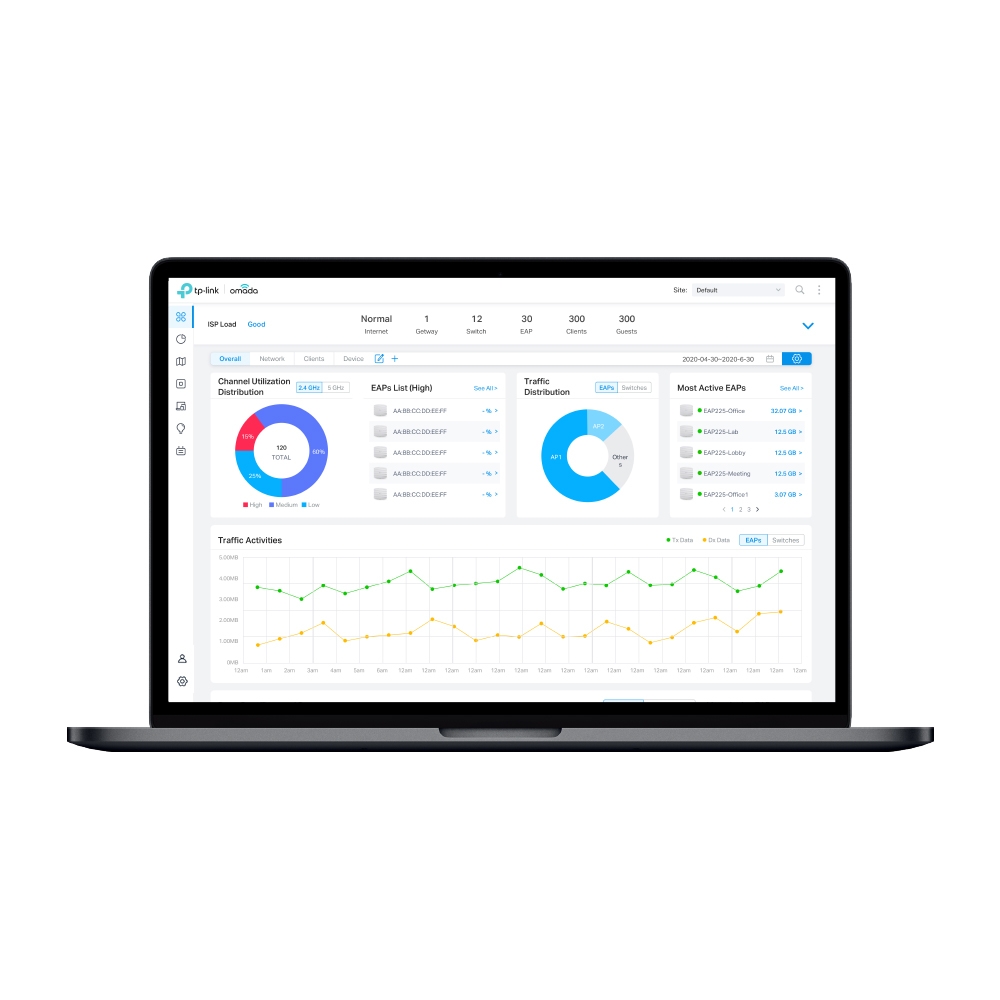
With the on-premises Omada Software Controller, Omada Cloud SDN offers cloud access to centrally manage of the whole network, including access points, switches, and routers. There is no additional hardware investment.
cloud controller is 9.99 per device per year for basic license and 49.99 for advanced
lofty hawk
i dont want to pay them, what about self hosted tools and snmp?
lofty hawk
opal pagoda
https://www.omadanetworks.com/us/business-networking/omada-controller-cloud-soft...
not available for Linux for mac and windows only

 lofty hawk
opal pagoda
lofty hawk
opal pagoda
not showing up for me 😦
lofty hawk
opal pagoda
https://tenor.com/view/spongebob-squarepants-spongebob-seriously-wow-omg-gif-304...
 opal pagoda
lofty hawk
opal pagoda
opal pagoda
lofty hawk
opal pagoda
they reroute me to India server where these files are not there.
lofty hawk
opal pagoda
https://support.omadanetworks.com/us/product/omada-software-controller/?resource...
❤️
lofty hawk
opal pagoda
https://support.omadanetworks.com/us/product/omada-software-controller/?resource...
Can they have a webhosted gui?
opal pagoda
google it, look for yt vids
 vagrant nimbus
Just sign into your router lol
 regal cloud
what are some nice but also cheap (not much more than 70€) access points, preferably with poe, and a decent enough range, doesnt matter if theyre used
also plus points if they pair well with home assistant
pastel monolith
@lofty hawk etherape is an alright if dated GUI for getting quick info about traffic being seen by a given client on the network https://etherape.sourceforge.io/ wireshark is really a great tool for getting deep on individual packets but you do need to filter by protocol or source IP or something or else it just looks like noise
ntop is another networking tool that can be installed on whatever distro and gives graphical/web interface similar to what omada looks like to me at least on the surface but you would still need to "mitm" have this wired inline somewhere to be able to really capture all traffic unless are only concerned with traffic from the client machine you're running it on
typically like @vagrant nimbus said there too though your router config will usually be easy way to get device list and overall stats and segment network for IoT things etc. if need tighter control than your router offers maybe worth looking at different router... you can run ddwrt or have your own DHCP server or whatever but just depends on how deep you want/need to get on that
lofty hawk
pastel monolith
typically like <@459914806271410182> said there too though your router config wi...
I was just looking on omada SDM monitoring tools probably will host it along with a few other tools and monitor it. thats my plan right now. Also I will check etherape & ntop.
pastel monolith
yea etherape is easy/tiny install and app doesn't do much but gives you high level idea of what is talking with what graphically which can be helpful for local stuff, ntop bigger to setup has a DB to track stats over time and all for the web interface
 carmine matrix
Finally finished racking everything up for my home lab. Just need cables. So far I love how it turned out.
 topaz patrol
lofty hawk
not available for Linux for mac and windows only
topaz patrol
lofty hawk
not available for Linux for mac and windows only
We have a heap of these running in Linux vms
pseudo blade
lofty hawk
not available for Linux for mac and windows only
I'm seeing builds for Windows and Linux but not MacOS (Terrible choice for a server anyways)
topaz patrol
pseudo blade
I'm seeing builds for Windows and Linux but not MacOS (Terrible choice for a ser...
If you were really desperate you could chuck it in a docker container on a Mac
silent flax
carmine matrix
Finally finished racking everything up for my home lab. Just need cables. So far...
i am missing cable clips and/or passthrough panels on that picture, but that might be just me
stuff like this
 carmine matrix
silent flax
i am missing cable clips and/or passthrough panels on that picture, but that mig...
carmine matrix
silent flax
i am missing cable clips and/or passthrough panels on that picture, but that mig...
I’ll be more worried about cable management once I get the cables. I’m gonna be using 6 inch cables to connect the switch to the patch panel so those won’t need clips or anything. As for the back I’ll probably do something but I’m not sure what as of yey
pseudo blade
topaz patrol
If you were really desperate you could chuck it in a docker container on a Mac
That's a Linux VM that runs docker like that, virtualisation doesn't count
Also if I were in a situation where my only option to run Linux software is in a VM (container or no) I'm going to have to pinch myself until I wake up (In reality it's probably a doctors office and I'm probably going to tell them to buy one of their controller appliances instead (god knows they can likely afford it))
I could even put an Apple sticker on it so they don't get too scared
 ionic grove
Weird, I would think an Apple would be the last thing a doctor's office would want around
pseudo blade
I see a lot of it, including a couple using some medical record application built on top of 4DSoftware's RAD/database application - indeed running on a dedicated Mac server
It's that, Intrahealth Profile (which I've also had the pleasure of administering and saw the worst of), or the niche EMR shit I've apparently long forgotten
opal pagoda
silent flax
stuff like this
zipties?
not in my rack
silent flax
opal pagoda
zipties?
not in my rack
i meant the metal thingies, not the zipties
opal pagoda
that looks suspiciously like install without patch pannels
ionic grove
pseudo blade
I see a lot of it, including a couple using some medical record application buil...
I can see medical applications using Mac, I think the only reason that it might come as a surprise is because you hear of hospitals running decades old Windows software and getting hacked
silent flax
opal pagoda
that looks suspiciously like install without patch pannels
i mean the various hooks that exist for cables for rack panels. Another design
 ionic grove
Weird, I would think an Apple would be the last thing a doctor's office would wa...
ionic grove
ionic grove
Weird, I would think an Apple would be the last thing a doctor's office would wa...
(I was trying to make a joke based on a common phrase)
silent flax
so you can do
 opal pagoda
silent flax
i mean the various hooks that exist for cables for rack panels. Another design
opal pagoda
silent flax
i mean the various hooks that exist for cables for rack panels. Another design
I use these from datwlyer
 pseudo blade
ionic grove
I can see medical applications using Mac, I think the only reason that it might ...
pseudo blade
ionic grove
I can see medical applications using Mac, I think the only reason that it might ...
Oh don't worry they can still run old garbage on old macs
silent flax
yeah, all i said i miss these from his rack 🙂
molten cairn
Hey guys, pretty easy questions, however with almost no normal answers, can libcap catch packets at the network card level before they are processed by the kernel?
opal pagoda
silent flax
so you can do
i kinda dislike plastic ones
opal pagoda
ionic grove
I can see medical applications using Mac, I think the only reason that it might ...
If you see IT and healtcare together run as fast as you can
ionic grove
opal pagoda
If you see IT and healtcare together run as fast as you can
Is it because it's particularly bad, or just because of the extra liability?
opal pagoda
both
with a dash of no budget
i havent heard a single soul who enjoyed healthcare IT
 hidden obsidian
Big facts lol
From all of my friends that've worked IT for healthcare (hospitals & clinics) its been rough. Lack of budget and time to do neccesary downtime for upgrades and patches, its part of why there are systems still running Windows XP (closed off from the internet of course)
carmine matrix
opal pagoda
i havent heard a single soul who enjoyed healthcare IT
⬆️
carmine matrix
silent flax
so you can do
But why if I have patch panels. This rack isn’t going to go to any ports in the house it’s just a little home lab
 peak cloak
hidden obsidian
From all of my friends that've worked IT for healthcare (hospitals & clinics) it...
peak cloak
hidden obsidian
From all of my friends that've worked IT for healthcare (hospitals & clinics) it...
Manufacturing too
carmine matrix
I’m in financial institution IT and it’s been good
opal pagoda
peak cloak
Many production machines are running 95
if that particular branch of manufacturing hasnt had any innovations then yes
peak cloak
opal pagoda
if that particular branch of manufacturing hasnt had any innovations then yes
We have machines running from the 1980s, it's paper so not much has changed
hidden obsidian
Makes me glad that I work in the service provider space. We get all the fun toys to mess with lol
ionic grove
What about university/college IT?
opal pagoda
ionic grove
What about university/college IT?
that is mostly fine, k12 and equivilant are bad just bc no budget at all
 rocky badge
opal pagoda
that looks suspiciously like install without patch pannels
rocky badge
opal pagoda
that looks suspiciously like install without patch pannels
It may be patch panels above or in a different rack
waxen scroll
opal pagoda
i havent heard a single soul who enjoyed healthcare IT
I enjoyed pharma IT

 worn gate
Hey all,
I am currently attending college and am looking at setting up a mini lab.
The way my college's network is setup is that to connect a device to the network I need to give a MAC address and I can only have 5 devices connected at a time.
I was wondering for wired devices anyway, i believe I could just connect a switch, give my college the MAC address of the port I connect on the switch, and I should be able to connect as many devices as I want wired.
I plan on mainly just having my PC and a NAS on the network with potentially a mini pc on the network running proxmox or something of the like.
I would like all my devices to have statically assigned network addresses and for them to communicate out to the internet (at least my pc). I am assuming the way I should go about this is setting up ACLs to direct any traffic on my "internal" network (ex. 193.167.x.x) to ports I choose and the rest of traffic to the outside network?
amber urchin
worn gate
Hey all,
I am currently attending college and am looking at setting up a mini l...
it would be the mac of the internet port of the router. But MACs also contain vendor IDs. And then you'd like be double NATted.
worn gate
I'm trying to avoid using a router and would only have a switch
I don't have the switch but I believe it to be either a 3560 or 3960
amber urchin
As long as you know that you'd still be giving the 5 MAC addresses of the clients you connect to the switch.
Also - 193.167 is public address space. Did you mean 192.168?
nova glacier
worn gate
I'm trying to avoid using a router and would only have a switch
That requires NAT, which needs a router. You don't need a consumer or enterprise grade router though, any linux machine can be a simple router for NAT using nftables.
amber urchin
Honestly, if the point is to learn and to have fun, a VM with opnsense or heck the mini PC being the opnsense router is fun.
worn gate
amber urchin
Also - 193.167 is public address space. Did you mean 192.168?
I kinda just meant any generic private ip address that wouldn't be on our network, which I assumed 193.167 was which I am wrong about
amber urchin
worn gate
I kinda just meant any generic private ip address that wouldn't be on our networ...

Public vs. Private IP Addresses: What’s the Difference?
Is your IP address public or private – and why should you care? Learn about IP address ranges and key differences here.
I made one in a VM for an experiment that was pretty fun.
 nova glacier
If you aren't ready to be using nftables, I agree with ice to just setup a router VM on the proxmox machine. Just have two network adapters so one can be the "WAN" that you connect to the college network and the other goes to your switch
worn gate
amber urchin
Honestly, if the point is to learn and to have fun, a VM with opnsense or heck t...
This is meant to be a mostly permanent solution, at least until I graduate college
amber urchin
You could also run a local network that isn't connected to their infra at all. You are not limited to just one network card on a machine. My playtoy and desktop both have 25 gig cards that are directly connected to eachother with a direct attach copper cable.
Although then you have no updates and such so that part is a bummer and where the router would come in handy.
worn gate
amber urchin
You could also run a local network that isn't connected to their infra at all. ...
That's my other thought, but didn't like as much for the exact reasons you gave
And also was my original plan, but i'm getting an old 48 port switch through work
amber urchin
Do you really need that many ports?
worn gate
No, but it's free
amber urchin
Also - I'd like to circle back to my previous mention of the mac addresses containing vendor IDs. If you go the router route - clone the MAC address of your PC to it or something so you aren't just giving them a MAC that they will know is Linksys or whatever.
Unless they're OK with that anyway
worn gate
amber urchin
Also - I'd like to circle back to my previous mention of the mac addresses conta...
That's a good point, currently looking at old routers on ebay, seems to be about $60
amber urchin
Aren't new routers cheaper than that?
worn gate
I'm looking at 2911, which is what I have experience with in labs
nova glacier
but why buy an outdated potentially exploitable router when all you need is a NAT? Any linux distro using nftables can do a basic NAT. nftables isn't even 3rd party software, it's the networking system on linux. You could also use pfsense or opnsense if you'd rather have a GUI
amber urchin
I'm surprised, I figured there'd be like a $30 router without wifi but I'm not seeing anything of the sort.
nova glacier
I mean there is. It's called a raspberry pi 4
worn gate
amber urchin
I'm surprised, I figured there'd be like a $30 router without wifi but I'm not s...
Routers seem to be pretty expensive yet, which is why I wanted to use just the switch I'm getting for free
worn gate
nova glacier
I mean there is. It's called a raspberry pi 4
For the cost of a rpi4 and a second nic I'm getting to the price of an actual router
amber urchin
Yeah, I mean all you need is a single WAN and single LAN port since you already have a switch - although have you heard said switch actually powered on? Some enterprise switches sound like you're on airport tarmac
worn gate
amber urchin
I'm surprised, I figured there'd be like a $30 router without wifi but I'm not s...
I could buy a mikrotik hex lite for $40 or so lol
worn gate
amber urchin
Yeah, I mean all you need is a single WAN and single LAN port since you already ...
Yes, i am well aware of how loud enterprise equipment is
worn gate
worn gate
I could buy a mikrotik hex lite for $40 or so lol
Or a regular hex for $60
amber urchin
Part of me wanted a 9300 Cisco so I could have my 25gig on the main network but it's not worth the noise.
worn gate
Gonna be honest, I was just gonna buy an unmanaged switch and have the Nas be on its own separate network, but then I was told we had an old switch that was getting recycled, i believe it's a 2960 unfortunately, but I won't say no as it saves $100
amber urchin
There was one for $175 with 48 1000base-t, 4 SFP28 25gig and 2 QSFP28 100gig. Such a deal
worn gate
Looking at mikrotik stuff kinda got me jealous, theres basically that same switch, but with 4 10g sfp+ ports and 2 4gb qsfp+ ports brand new for $600
amber urchin
Yeah they have some decent stuff. There was a 4 port I had interest in but like 300$
nova glacier
worn gate
For the cost of a rpi4 and a second nic I'm getting to the price of an actual ro...
If you use your existing compute resources it'll cost just the price of an extra ethernet adapter
worn gate
From what I understand the cli is pretty shit, but it's pretty cheap
worn gate
nova glacier
If you use your existing compute resources it'll cost just the price of an extra...
Except this mini pc currently isn't with me as it's being used elsewhere to test different systems, and will probably be there for a while
pseudo blade
The Mikrotik one?
The CLI is fine, but don't ask about scripting
It's not an IOS clone, which is to many admins a great sin... but it's not like IOS's CLI isn't a quagmire anyways
worn gate
pseudo blade
It's not an IOS clone, which is to many admins a great sin... but it's not like ...
Everything I've read says it's confusing, but I haven't yet set anything up to test it
pseudo blade
worn gate
Or a regular hex for $60
I use one for my home network doing routing duties with an ISP router playing AP. The CPU simply isn't quite good enough for gigabit though and I'm maxed out at 900mbps with a bunch of features turned off
But for anything less or no nat it's alright, if a bit dated
worn gate
pseudo blade
I use one for my home network doing routing duties with an ISP router playing AP...
Interesting, going to be honest, all I'd be using it for is NAT with like 3 devices
pseudo blade
I bought the hex to run my homelab for university in what I vaguely remember to be 2018 🤣
worn gate
And only one of those devices would ever regularly be communicating outside of the "internal" network
Worst case scenario, i do what I planned anyway and just not even connect my Nas to the internet at all and just have an overkill switch
 nova glacier
I wonder if there's something for less money that would have a so much more RAM and CPU resources that it could actually do several other things at the same time as being a simple NAT router. Sorry, that's last comment 
peak cloak
worn gate
Everything I've read says it's confusing, but I haven't yet set anything up to t...
yeah I tried, it's confusing
I'm a fan of vyos
worn gate
Again, we will see, i might just be lazy and never connect the Nas to internet
pseudo blade
nova glacier
I wonder if there's something for less money that would have a so much more RAM ...
Used computers off scrap heaps, because that is AUD and is peanuts for anything new
Tbh they are now like $100 due to our weakening dollar lol
nova glacier
pseudo blade
Used computers off scrap heaps, because that is AUD and is peanuts for *anything...
I mean yeah, my shtick I keep driving is that a simple NAT device is doable on linux with nftables really easily. Can run on any junk, given the competition (microtik hex) is running dual core MIPS cpu and 256MB ram
pseudo blade
Mikrotik have the hap AC2 which is basically perfect for not much more - just turn WiFi off if you don't want it or remove the wireless package
worn gate
pseudo blade
Used computers off scrap heaps, because that is AUD and is peanuts for *anything...
Yeah, I picked up a mini pc from my unis surplus, but even that was $60
pseudo blade
nova glacier
I mean yeah, my shtick I keep driving is that a simple NAT device is doable on l...
RAM's not the problem for routing, but CPU starts being a problem at 200mbps and even getting it to 900mbps while still firewalling required me to throw away multiple features and part of said firewall
worn gate
pseudo blade
Mikrotik have the hap AC2 which is basically perfect for not much more - just tu...
The ac2 seems to be a more expensive but probably more powerful version of the hex?
pseudo blade
AC2's also old but it's ARM and legitimately quad core vs 2 with 2 threads
Plus the WiFi antenna design on it's pretty good if you decided to not buy a WiFi router and disable the headline feature :P
It's only like $20 more than the hex
worn gate
pseudo blade
Plus the WiFi antenna design on it's pretty good if you decided to not buy a WiF...
I think I'll probably just not have it be connected to the internet until I graduate college and can setup a more long term network solution which will probably be ubiquiti
worn gate
I was already accepting that kinda jank solution, but figured it would be worth seeing if I could use the switch to act as a router of sorts
pseudo blade
worn gate
Hey all,
I am currently attending college and am looking at setting up a mini l...
If your hypervisor has two nics you could run opnsense on it and pay $0
worn gate
I'm still gonna take the switch as it's free, and is managed compared to the one I was looking at
pseudo blade
If it has one, you can route on a stick off it
worn gate
pseudo blade
If your hypervisor has two nics you could run opnsense on it and pay $0
It only has one nic, and isn't currently in my possession, i am using it at work to simulate different devices to see the cli
pseudo blade
Take your switch, (take the top off and cool it directly with a larger fan) and trunk two VLANs to the hypervisor
amber urchin
Why not get some dumpster trash Dell and put a second network card in it?
worn gate
amber urchin
Why not get some dumpster trash Dell and put a second network card in it?
Because that takes up a lot of room and I'm living in university dorms
amber urchin
opnsense has quite low system requirements iirc
worn gate
pseudo blade
Take your switch, (*take the top off and cool it directly with a larger fan*) an...
My brain is still trying to process how that would work
nova glacier
most hypervisors main network method is a NAT
peak cloak
worn gate
My brain is still trying to process how that would work
Except one of these is connected to your wan

Pretty ingenious tbh
worn gate
peak cloak
Except one of these is connected to your wan
Yeah, I understand router on a stick, just trying to wrap my head around connecting the "internet" to the switch as opposed to the router
nova glacier
the router gets the WAN port through one of the network interfaces attached to the VM host
peak cloak
Doesn't even need to be a vm
nova glacier
true, it could be dedicated
peak cloak
On any major router os you create a virtual interface (basically interface on a vlan) and then you can have it get a DHCP lease from upstream
And do all the nat and routing from lan which can be a separate virtual interface
worn gate
Would I still need to connect my incoming internet connection to the mini pc, needing a second Ethernet port
peak cloak
No
Just a switch that supports vlans
Your basically using the switch to extend that one physical interface into many
nova glacier
You'd be making that link effectively half duplex though. The NAT'd packets destined to/from the WAN would go back and forth.
worn gate
So I'd give the interface connected to the internet on my switch something like vlan 10, and any devices on my "internal" networking vlan 20, with a trunk link between my switch and proxmox machine allowing both vlans
peak cloak
nova glacier
You'd be making that link effectively half duplex though. The NAT'd packets dest...
I mean yeah, but I I doubt in a dorm there's more than 500 Mbps
Mine was capped to 300
peak cloak
worn gate
So I'd give the interface connected to the internet on my switch something like ...
Basically, yeah
worn gate
Sorry, i don't have much experience outside of classroom networking stuff
And especially any experience using virtualization stuff
peak cloak
I mean we were all there before, I self taught myself and I'm not even going into IT
worn gate
Looking at ways I can simulate this now
 worldly garnet
Good morning, could someone please tell me how I can determine/calculate the best network speed and hardware needs for my wife and I to be able to edit 1080-1440p video off our NAS? Is there a site that's easily digestible to help with this?
We currently use HDDs with an old i9-9700k and 32gb ram (yes, my old gaming machine became our NAS/extra computer for LAN gaming) I'm not sure if 2.5gb is too little for two people to hit the NAS at the same time or if HDDs would struggle sending stuff to two people.
We wouldn't need to render simultaneously, just sometimes edit simultaneously.
Thanks for any help!
lone crane
i7
lone crane
worldly garnet
Good morning, could someone please tell me how I can determine/calculate the bes...
i know my stuff that is 1080p but high bitrate only at max is like under 1gig
1440p high bitrate i would imagine for 2 people can be done ezpz at 2.5 gig
but worst case that pc can do 100gig even without any major issues, but do not go for that as its HELLA spensive and only really worth it for NVME storage
worldly garnet
lone crane
i7
You're right, I had my i9-9900k my other machine in mind.
worldly garnet
lone crane
but worst case that pc can do 100gig even without any major issues, but do not g...
Thanks for the tips! I was eyeballing stuff on Prime Day sales.
We've been pulling stuff off the NAS to our individual computers and editing there and sending it back to the nas after rendering.
It can make working on shared projects difficult if folders/names get any changes.
The NAS is overkill now, but my current editing rig's i9-9900, Motherboard, and RAM are gonna get upgraded soon. Not sure what I will do with them. 5-6yrs old stuff there.
THANKS AGAIN!
 full storm
don't you love it when your ISP does some weird validation thing with their OEM routers and they also don't support bridge mode so you have to run a dual NAT setup
also a moment of silence for the people working at linksys that spent a while adding firmware utilities like backups and reverts in the troubleshooting tab and then decided to put the firmware upgrade section in the mf connectivity section 
amber urchin
worldly garnet
Good morning, could someone please tell me how I can determine/calculate the bes...
Pretty sure you answered your question at HDDs. Without SSDs you've already lost.
That is unless you're using proxies, you might be able to get away with that.
worldly garnet
amber urchin
Pretty sure you answered your question at HDDs. Without SSDs you've already los...
I had a possible solution for that if needed, a 2tb SSD for current projects that gets nightly backups to the HDDs.
With that, is a 2.5gb network good enough to simultaneously work on 1440p videos?
pseudo blade
worldly garnet
I had a possible solution for that if needed, a 2tb SSD for current projects tha...
Depends on your content and settings. If you're using an NLE and have multiple channels of uncompressed/mimimally compressed video they have to be read off the disk and transmitted over the network
Go do some editing locally. Scrub around a bit. Have a look at the disk IO you see to the SSD (can use Task manager or Resource Monitor). Decide if the performance is adequate and if so... convert the bandwidth needed to megabits. Can also look at your source bitrates to get a hint about it too. Then decide if proxy editing is suitable and reduce the bandwidth estimate proportionally
 haughty spruce
I tested my old router (TP-Link Archer C6 V2) vs new AP (Ubiquiti U7 Lite) in my apartment today and came to an interesting conclusion... Archer seems to be better in most cases (signal strength and 2.4GHz speeds).
I tested everything with the same laptop in NetSpot and the transmitters were both in the same place (Archer about a meter from the ground on a table and Ubiquiti on the ceiling) with an interval of about half an hour.
Could someone explain to me why the U7 Lite is a significant amount weaker in performance and why the 2.4GHz band is more than half as slow (download)? It seems to me that an AP from this year should at least be on par with an X-year-old router that has identical (or worse) specs on paper (both in terms of performance, standards and max speeds).
The only explanation I can think of is that the U7 Lite is focused mainly on the 5GHz band in which it beats Archer even with a weaker signal. But it seems to me that there is only a difference between WiFi 5 and 6.
Note: I also have U7 Pro XG that will be located in Living Room (I want 6GHz band for my Quest 3 that I play in there), so at the end, my signal will be good enough in all rooms. I am just courious why is the U7 Lite worse than the Archer 😄

 pseudo blade
haughty spruce
I tested my old router (TP-Link Archer C6 V2) vs new AP (Ubiquiti U7 Lite) in my...
pseudo blade
haughty spruce
I tested my old router (TP-Link Archer C6 V2) vs new AP (Ubiquiti U7 Lite) in my...
You can't compare dBm values and get percentages like that, they're exponential
The absolute power received differences are actually much larger
Anyways... can highly depend based on how you have the AP positioned. UAPs are meant to be roof-mounted and the archers are not
Bandwidth also depends on channel configs and bandwidth - perhaps you are using a 40mhz channel on the Archer and a 20mhz channel on the UAP?
haughty spruce
pseudo blade
The absolute power received differences are actually much larger
Yeah... That means its even worse 😄
haughty spruce
pseudo blade
Anyways... can highly depend based on how you have the AP positioned. UAPs are m...
I do have the U7 Lite on ceiling, but its appartement so its "only" around 2.55m high.
haughty spruce
pseudo blade
Bandwidth also depends on channel configs and bandwidth - *perhaps you are using...
I've set both to same fixed channel and both to max width as they allowed. I ofc had one of them disabled when testing.
worldly garnet
pseudo blade
Go do some editing locally. Scrub around a bit. Have a look at the disk IO you s...
Thanks!
pastel monolith
haughty spruce
I've set both to same fixed channel and both to max width as they allowed. I ofc...
Could have different power amplification settings or just different set of antenna the amplified signals are being transmitted with, or possible more of the CPU is dedicated to other signals/antenna
Pretty sure WiFi routers/APs will dynamically adjust power output to try and limit interference too but usually some ability to adjust the max transmission power (can depend on region/local RF laws)
full storm
my main router will not recognise my openwrt router but it did recognise it when it was running the linksys firmware...
won't do dhcp, won't allow static IP via MAC
opal pagoda
haughty spruce
I tested my old router (TP-Link Archer C6 V2) vs new AP (Ubiquiti U7 Lite) in my...
one explanation would be that archer has higher transmit power on 5ghz

u7 lite:
 haughty spruce
opal pagoda
one explanation would be that archer has higher transmit power on 5ghz
haughty spruce
opal pagoda
one explanation would be that archer has higher transmit power on 5ghz
But the Archer is actually slower in 5GHz speeds. So that comes to the Wifi 5 vs 6?
What I dont understand is why 2.5Ghz is so much slower on U7 Lite when it has much more output power
opal pagoda
haughty spruce
But the Archer is actually slower in 5GHz speeds. So that comes to the Wifi 5 vs...
yep
haughty spruce
Uploads from wifi device -> iperf3 server are +- fine, but downloads (AP transmits) are like 50-80% slower
opal pagoda
haughty spruce
Uploads from wifi device -> iperf3 server are +- fine, but downloads (AP transmi...
have you tried lowering ap power?
 haughty hound
Let's see yer racks
full storm
meanwhile: my router thinks my phone is connected via Ethernet 😃 the weird part is that it gave my phone 2 names for the different APs running, different name for 2.4 GHz than for 5GHz and also 5GHz is some how connected via ethernet and also my 2.4GHz doesn't do IPv6 for whatever reason but it's not that deep ig 

 ancient path
so i just got a home and was told the Ethernet jacks were already ran through the house, i take it these are the cables for it?
 lone crane
Yup
ancient path
Guess it’s time to get a cable tester and figure out this mess of cables and which jacks they go to.
full storm
ancient path
Guess it’s time to get a cable tester and figure out this mess of cables and whi...
if you've got one, plug them all into a switch and then you can go around finding cables and plugging something in noting down which port it came up on and boom
probably not the most efficient way of doing it but it could work in a jiffy
hell you could even leave them all plugged into the switch and just label the ports on the switch
then your switch is labelled too, less effort solutions
also, unrelated; where does one buy ECC SODIMM DDR3 ram sticks for cheap
ornate jungle
ancient path
so i just got a home and was told the Ethernet jacks were already ran through th...
I love when new homes are built with media cabinets... made entirely of metal... which the ISP technicians (or homeowners) then leave the WiFi router / modem inside... I hear that helps improve the signal! /s
ornate jungle
ancient path
so i just got a home and was told the Ethernet jacks were already ran through th...
More seriously though, if there's room, you could get a "Pass-through" patch panel to attach each of those terminated(?) cable runs to. You would then use short 1-2ft "patch" cables between the patch ports and your router/modem or switch(es).
https://www.infinitecables.com/collections/cat6-patch-panels?sort_by=manual&filter.p.m.custom.product_type=Pass-Through

Infinite Cables
ancient path
ornate jungle
More seriously though, if there's room, you could get a "Pass-through" patch pan...
i forgot patch panels exist, i may just do that
 weary marsh
why does technicolor make routers
anyways my one (dga0122) has a usb a port, don’t know what it is for but in the gateway it says something about keeping a log file in the usb but can you use it for network storage?
 tight pecan
weary marsh
anyways my one (dga0122) has a usb a port, don’t know what it is for but in the ...
tight pecan
weary marsh
anyways my one (dga0122) has a usb a port, don’t know what it is for but in the ...
Probably does exactly what it says. You can plug external storage into the USB port and either use it to store logs or share the drive on the network
weary marsh
I don’t think it says anything about sharing the drive
tight pecan
weary marsh
I don’t think it says anything about sharing the drive
Check all the menus and see if it's tucked away for some reason
It's pretty much supported by most of the aio router/ap boxes
Or check the user manual ig
vagrant nimbus
ancient path
so i just got a home and was told the Ethernet jacks were already ran through th...
Whoever did this needs to be fired
I’d fire an employee if I saw them leave that shit
frosty stone
It's the homeowner's responsibility to do something with the cables... But most homeowners don't have a damn clue, and are too cheap to hire anyone as long as their wifi works at all
ancient path
It’s a new home builder so it’s more on me for that stuff, but I plan on getting a patch panel to get it all sorted in the next week hopefully.
opal pagoda
full storm
can i install pfsense in a proxmox vm
sure
full storm
opal pagoda
sure
aight bet
 high bronze
you can, but if you want high speeds (10g+) you'll need to do pci passthrough with a network card
full storm
high bronze
you can, but if you want high speeds (10g+) you'll need to do pci passthrough wi...
i only have gigabit infrastructure currently so it should be fine, it's odd though, my server has 9 eth ports, 5 on the motherboard, and a 4 port card so i might pass through the pci card and then reserve the other 5 for whatever else i need, or pass them through for maybe a WAN backup or something idk yet
well, i have a switch with 2 x 10GB SFP+ ports on it but i think i'll use those to connect to another switch if i need more ports, then again i don't think i'll be using 24 switch ports but who knows xD
managed switches are cool
opal pagoda
full storm
i only have gigabit infrastructure currently so it should be fine, it's odd thou...
just LACP together multiple interfaces and use it as a router on a stick
full storm
opal pagoda
just LACP together multiple interfaces and use it as a router on a stick
haha yeah
pseudo blade
Probably 8 and an OOB management port
full storm
pseudo blade
Probably 8 and an OOB management port
nope, its not a management port
that's what i thought at first too
or atleast it's not labelled as one, it's labelled as an actual ethernet port
and the bios doesn't mention anything about it being a management port but then again it does only show 4 ethernet ports in the bios so maybe actually idk
 delicate yew
Yo anybody got suggestions for a new wifi mesh system
This shit is fucking garbage and I’m tired of it


I love when my super advanced technology that costs an arm a leg and half my kidney only lasts 3 years until it decides it wants to become ewaste
delicate yew
Aaaand it connected to a satellite that doesn’t even exist
full storm
delicate yew
Yo anybody got suggestions for a new wifi mesh system
This shit is fucking garba...
unifi
delicate yew
🎊
full storm
unifi do some great wifi gear
lil bit expensive but sometimes you can find them on ebay for cheap
delicate yew
full storm
unifi
Thanks
full storm
delicate yew
Thanks
 no problemo
delicate yew
Imma find some YouTube videos on it
full storm
delicate yew
Imma find some YouTube videos on it
aight
peak cloak
delicate yew
Yo anybody got suggestions for a new wifi mesh system
This shit is fucking garba...
wifi mesh will only get you so far if you have a bad radio enviroment
run ethernet if you can
delicate yew
Can’t
If I had it my way this entire house would have cat 6
But unfortunately when we remodeled the owners didn’t think about or didn’t want to
ornate jungle
delicate yew
Imma find some YouTube videos on it

If you're looking to dive into UniFi Network, but you don't know where to start, or you're confused about all of the different models of gateways, access points, and network switches available, this is the video for you!
Build your own!
UI Product Selector: https://uiproductselector.com
(or if that link doesn't work because it's a re-direct -...
Also this, though some of these "basic" setup videos go way above and beyond what home users need. https://www.youtube.com/watch?v=vG2Lc_WM5JA

In this video I go through the full setup of UniFi Network application. The UniFi OS version I am running is 4.2.12 and the network application is 9.1.120. Im sure there were some things missed in this video as its is a lot to go through
Hire Me
https://mactelecomnetworks.com/
▶ Ubiquiti affiliate link :
https://store.ui.com/us/en?a_ai...
delicate yew
Awesome thanks!
ornate jungle
delicate yew
I love when my super advanced technology that costs an arm a leg and half my kid...
Keep in mind, you may only ever pick 2: Good | Cheap | Fast
This doesn't mean you need to spend $10,000 for a network setup, especially at home, but expect to spend a few hundred if you want a capable system that will last. Also, prosumer setups from Ubiquiti or TP-Link should last at least 5 years, potentially up to 10 years, but that's only if you don't want or need the latest WiFi version.
delicate yew
Oh trust me
I’m done with cheap I’ve gone cheap all my life and have recently been putting in the extra effort for good stuff
clear igloo
ornate jungle
This doesn't mean you need to spend $10,000 for a network setup, especially at h...
It means you need to spend at least $100,000 😛
Definitely need some service contracts and support with 4 hour on-site replacement
pseudo blade
ornate jungle
Keep in mind, you may only ever pick 2: **Good | Cheap | Fast**
...And just because you paid a lot of money for something doesn't mean it wasn't made cheaply by the manufacturer.
 kind pivot
Are there pcie cards that does wifi + 10GbE ethernet (at a human price) ?
If no, maybe with USB ?
I think I'll use my linux home server directly to make a wifi AP and since I also need (well, "want" more than "need" ) 10GbE ethernet ...
pseudo blade
kind pivot
Are there pcie cards that does wifi + 10GbE ethernet (at a human price) ?
If no...
I don't think it's a common ask for both on one card and definitely do not know of a single-chip solution.
That said, I think it's something that could be made at some expense...
With bifurcation you could just get a PCIe card with two A-key slots on it and then just use one for ethernet with an m.2 ethernet adapter
kind pivot
Yeah it would be cool, though I don't think it exists indeed
pseudo blade
You'd have to basically make it from parts like so
kind pivot
Probably a better idea to have one of them with an usb adapter and the other with pcie
pseudo blade
Tbh I've never particularly liked USB solutions for either but it'd work sure
If I had to pick one to be USB it'd be the ethernet. How exactly do you have a system lacking an ethernet port but with PCIe options?
Oh as a router?
Idk depends on which you care about most
Be aware that wifi cards typically will only do wireless on one band at a time and multiple are needed for multiple bands
Go ethernet. Buy an AP.
It's by far the best solution if you're building a router from a regular computer
silent flax
so now i see 8x2.5 + 2x10 SFP+ switches. Wondering what Realtek SKU this one uses. Also makes my purchase of 8+1 switch a year and half ago "questionable"
(i mean i could have 10G link now from my desktop to the server)
also just 50-ish euros

 onyx bobcat
file transfer over network to my NAS 🤑
 pseudo blade
Low-port 10 gig is getting cheaper
 nocturne comet
Anyone wanna tell me how ancient this is?

So I can tell my grandparents they should upgrade
clear igloo
Why do they need to upgrade? If it works for them
silent flax
nocturne comet
So I can tell my grandparents they should upgrade
there are few reasons to upgrade, but none of that might apply:
- higher networking speeds - but if they have only let's say 100 mbit internet, then 802.11n is more than enough.
- security - many routers/APs are abandoned from security standpoint by their manufacturers, but i suspect that the belking thingy is just an AP, so whatever
silent flax
nocturne comet
Anyone wanna tell me how ancient this is?
and the belking box could be anything. Belking Surf+, Belkin Share N300, Belkin Play N600, Belking Play Max... they all have the same design.
but again, an 802.11n router/AP could be all they need
nocturne comet
Speeds or like 30 Mega bits a second😭
nocturne comet
silent flax
and the belking box could be anything. Belking Surf+, Belkin Share N300, Belkin ...
I’m staying here for a few years for college and I believe it needs an upgrade for me at least downloads speeds are below average and constant lag lol i get like 30 mbit on wifi
silent flax
nocturne comet
I’m staying here for a few years for college and I believe it needs an upgrade f...
but what is the internet speed, if the intenet itself id 30mbps, a different router won't help
nocturne comet
silent flax
but what is the internet speed, if the intenet itself id 30mbps, a different rou...
I meant upgrading the speed
silent flax
well, that is between you and them. Tell them that you will foot the cost of the difference for example 🤷♂️
nocturne comet
silent flax
well, that is between you and them. Tell them that you will foot the cost of the...
Well yea lol I was gonna pay for it that would be disrespectful
silent flax
then just tell them you need faster internet for the school (figure out the reasons)
waxen scroll
 full storm
stupid server won't POST i don't think, BMC light is blinking (it was sold with IPMI broken so i can't login to IPMI even though the web interface is online)
either way i have no VGA signal
full storm
just ordered a serial cable, comes tomorrow so i'll find out if it's giving a serial output
 royal loom
Can anyone help me figure out if the switch's controller signals are
A) Bluetooth. I know that's how it communicates when used on PC but I'm not sure that's what it uses natively on the switch
B) Encrypted in a way I can't decrypt.
I'd like to see if I can sniff and then mimic the packets it sends to make my own controller from scratch
I figured someone in here might have both a switch pro controller and some way of intercepting/reading bluetooth signals
ornate jungle
royal loom
Can anyone help me figure out if the switch's controller signals are
A) Bluetoo...
I'd love to, but you'd have to send me a Switch first.
royal loom
are you in reasonable driving distance of north carolina
ornate jungle
Nope. Opposite side of the continent.
full storm
royal loom
Can anyone help me figure out if the switch's controller signals are
A) Bluetoo...
what switch are you testing with
royal loom
I have a switch 2, an HAC-001 switch I built myself, and a retail later generation switch
I haven't tested yet. I would likely need to buy equipment to do so (unless a conventional PC can test some of this) so I wanted to ask where to start poking
full storm
wait nintendo switch?
royal loom
Yes sorry lmao
full storm
ornate jungle
royal loom
I figured someone in here might have both a switch pro controller and some way o...
Actually, according to the internet, Switch joycons and controllers are just using Bluetooth. Switch 2 joycons might need special drivers to work on Windows though. https://www.reddit.com/r/Switch/comments/1l5zben/pairing_joycon_2s_to_pc/
 royal loom
Yeah dude it's using network packets to convey input information!
Totally fair I should have included the nintendo word in the initial ask lol
full storm
for reference though they use BLE
royal loom
Sick, that's useful to know.
full storm

GitHub
Allows the Nintendo Switch Pro Controller, Joycons and SNES controller to be used with CEMU, Citra, Dolphin, Yuzu and as generic XInput - Davidobot/BetterJoy
royal loom
whoa google a little off with the predictions there
 full storm
LMAO
full storm
royal loom
whoa google a little off with the predictions there
you can, if you have an ESP32 or something you can write some code to sniff it pretty easily
ESP8266 might work too
nova glacier
full storm
you can, if you have an ESP32 or something you can write some code to sniff it p...
The massive caveat is that you can only sniff the unencrypted advertisements sent from the pairing process or Find My if switch controllers implement that. I don't think that's what @royal loom is looking for.
It's also fairly popular for devices to use BLE as a control plane for pairing, updates, config, etc only. While using a 2.4GHz proprietary protocol for the data plane
full storm
nova glacier
The massive caveat is that you can only sniff the unencrypted advertisements sen...
yeah but by getting the advertisement you can start reverse engineering the protocol
nova glacier
No you can't. That would just be standard BLE you could learn from the spec already. Anything proprietary would be done after pairing and encrypted
royal loom
That is what I'm hoping is possible
Do you think game controllers really encrypt their transmissions?
It's a use case where latency is KING and the information is extremely non-sensitive
full storm
its nintendo
nova glacier
royal loom
Do you think game controllers really encrypt their transmissions?
Absolutely. That's just how bluetooth works already. Maybe they use an unencrypted 2.4GHz proprietary protocol, but I highly doubt that. It's Nintendo
royal loom
So essentially what I'm trying is a man in the middle attack to break the encryption, if that's even possible, right?
royal loom
hm
full storm
you'd have more luck trying to find out where the key is
nova glacier
You'll want to try to jailbreak the wireless SoC (MT3689BCA) on the controller or the Switch 2 itself. That's the only way you'll be able to get at the data before it's encrypted
royal loom
would it be any easier to break if I knew both the original information and the encrypted version or does modern cryptography make that still very complicated
nova glacier
royal loom
would it be any easier to break if I knew both the original information and the ...
That's how they broke Enigma in WW2 lol. Encryption has mostly fixed known plaintext attacks these days although sometimes issues still have been found in specific crypto implementations
royal loom
I was literally thinking about enigma when I wrote that lol
Ok, so jailbreaking is specifically the process of getting root access to a device that one is otherwise not able to have, correct?
nova glacier
yes
royal loom
It's funny, I'm trying to hack a system where I own and control both endpoints and the signal and it's still going to be a nightmare
full storm
nova glacier
That's how they broke Enigma in WW2 lol. Encryption has mostly fixed known plain...
das wetterbericht and keine besonderen ereignisse
plus that other one that i'll refrain from saying here ain fear of being banned haha
royal loom
physical access to the device is supposed to be the biggest breach in security!!!!!
nova glacier
Apparently there's some others wishing to break into the controller's SoC with a potentially pre-existing vulnerability: https://github.com/bkerler/mtkclient/issues/1500

GitHub
Hello mtkclient team, thank you for this fantastic tool. I'm trying to analyze a MediaTek MT3689BCA Bluetooth SoC (from a Nintendo Joy-Con 2). My goal is to dump the flash memory to reverse eng...
nova glacier
royal loom
Ok, so jailbreaking is specifically the process of getting root access to a devi...
though ig I should probably say, Nintendo can and does brick consoles that have signs of tampering. I don't know what they'd do about a controller but I'd be extremely cautious
royal loom
aw shit yeah you right
nova glacier
might be part of why the controller's aren't backwards compatible. There are jailbroken switch 1's that nintendo can't brick (afaik) that would've been viable for reversing the new controllers
royal loom
Yeah the fusee gilee exploit let day 1 gen 1 switches have code injection before a hardware DRM fuse was checked
The nintendo switch 1 has micro fuses in it that the system purposefully burns out with major system updates. Then it checks how many fuses are blown to ensure it hasn't been downpatched, and totally shuts down if it has
The original hardware had an architecture fault that allowed "malicious" actors to pre-empt the checking of the fuse with code, which shouldn't be possible at all, to then spoof a number of burnt fuses, allowing them to mod and downpatch however they want while circumventing the fuse burnout tracking
downpatch and modify, obviously
royal loom
Ok so this project might be DOA. But there are third party controllers! Are they just licensed?
nova glacier
What if it just supports the bluetooth HID profile? You wouldn't be able to do anything proprietary that the joy-cons can do, but generic gamepads would be fine
pseudo blade
royal loom
would it be any easier to break if I knew both the original information and the ...
With modern key sizes and algorithms it's infeasible
 spice sage
hello..guys
 lean bronze
Hey guys, I got a somewhat weird thing going on with an Edge-Core AS5712-54X (eUSB) switch. When I turn the switch on, all 10G ports are orange and the 40G ports are green. The serial port does not give any output on any logical baud rate. The fans are blowing at full speed, so I think the switch is stuck somewhere in its boot, but I cannot see where. I have tried creating a diag and a recovery USB, but booting with those in didn't change anything.
I tried the software from: https://support.edge-core.com/hc/en-us/sections/360005141233-AS5712-54X
What could I try next?
opal pagoda
On cisco i would say its stuck in romon, i have never used that brand switch
pseudo blade
opal pagoda
On cisco i would say its stuck in romon, i have never used that brand switch
It apparently supports at least four switch operating systems so who knows
pseudo blade
lean bronze
Hey guys, I got a somewhat weird thing going on with an Edge-Core AS5712-54X (eU...
I'd try to get logging from the bootloader, most likely it has an internal serial port/JTAG that has it
opal pagoda
pseudo blade
It apparently supports at least four switch operating systems so who knows
ah one of those broadcom whitelabel jobies
flint sage
holy ping, HOLY PING, HOLY PINGGGGG

 lone crane
flint sage
holy ping, _HOLY PING_, *HOLY PINGGGGG*
lone crane
flint sage
holy ping, _HOLY PING_, *HOLY PINGGGGG*
no thanks i want unholy ping
nova glacier
reflects all? At that distance it's gonna load the fuck out of the antenna and make it almost useless
ornate jungle
 wet aspen
Needs to be unbolted, spun around 180 degrees, then rebolted. That's how it was intended to be installed anyway - you can tell by the cable + carabiner being used to "earthquake proof" it.
frosty stone
It looks loose already
And base on the marking on the pole, it can easily be spun back around without touching any bolts
So spin it back around then get some rust converter for the pole
stuck grove
wet aspen
Do they genuinely only make 1 kind of safety chain?
This is the only safety chain i have ever seen used in theatrical/performance settings
 weary mirage
anyone know how to set up lancache to display on netdata the way jake had it in the most recent lancache LTT video?
wet aspen
ornate jungle
Needs to be unbolted, spun around 180 degrees, then rebolted. That's how it was ...
Yep lol It was in the way when we put up new truss and lighting fixtures so we moved it and now its relocated to a better place!
wet aspen
stuck grove
Do they genuinely only make 1 kind of safety chain?
Yes for the most part rated for usualy a few 100lbs to catch a fixture if it fallsm its that or GAC
stuck grove
wet aspen
Yes for the most part rated for usualy a few 100lbs to catch a fixture if it fal...
I've seen em used in super cheap school setups, and included with several thousand dollar moving lights, it's wild how ubiquitous they are
topaz patrol
There aren't too many ways you can make a metal cable with loops on the ends
stuck grove
the weird bit isn't that they're super similar, it's that they're all identical
pastel monolith
if it ain't broke, plus probably is down to handful of places actually manufacturing em for everything
all paperclips look the same too 😛 I've literally seen my same pair of generic scissors on like 10 videos on Youtube too, once some place in China wins the race to the bottom on things think they become the "winner for life" in lots of cases
silent flax
pastel monolith
all paperclips look the same too 😛 I've literally seen my same pair of generic ...
that is Realtek in 2.5G (+1 or 2 10G SFP) switch space.
 tough crown
👍
lone crane
weary mirage
anyone know how to set up lancache to display on netdata the way jake had it in ...
I tried to do lancache but failed
I should have another go at it soon tho but not sure how much I even care really
 sleek patio
wet aspen
sleek patio
wet aspen
Took me a second me a second to process what I was looking at
Interesting to say the least
 rocky sapphire
hey upppp writing in need of help 😄 having this issue for the first time , got ac gt 5300 I moved to a new house and im struggling with a signal very bad on the cable i have 999mbs on speedtest and on wifi i get from 40 -100 and up stairs 1 maybe 5 , is there anyone here that could link me up and sherlock with me whats going on :D?
peak cloak
rocky sapphire
hey upppp writing in need of help 😄 having this issue for the first time , got ...
Building material and the surrounding radio environment plays a big part
You may need to run cable and have multiple access points
 real spade
Random - but Cloudflare DNS is down in the UK if you're having network issues
First of it's kind AFAIK, I've never seen it go down before
 nova glacier
down in US-East too
rocky sapphire
its hitting bad and i was wondering what is going on with my broadband for last 3 days
rocky sapphire
real spade
Random - but Cloudflare DNS is down in the UK if you're having network issues
Fi...
shit is it the 1.1.1.1 ?
fuck i might have it on too
real spade
it is the 1.1.1.1
rocky sapphire
ffs -,-

 crisp nacelle
Anyone have a network adapter recommendation for MacBook with USBC? Like an Ethernet to USBC adapter?
nova glacier
crisp nacelle
Anyone have a network adapter recommendation for MacBook with USBC? Like an Ethe...
Determine the chipset of the adapter and just google "<chipset> macos". There are some chipsets that do not work, some that work but poorly, but most do work fine.
crisp nacelle
nova glacier
Determine the chipset of the adapter and just google "<chipset> macos". There ar...
Ty
 cosmic steeple
I currently have 2.5 up and down fiber. I can affordably get 10. My backbone is currently my gt be980 pro. I want to start setting up with more redundant topology and set up my own rack that I’m looking to buy. First thing I want to do is get a core layer three switch as my backbone. Any recommendation.
I will be running cables and having a patch panel for ethernet. I am uncertain on the module that would be placed in a server rack as the modem that can replace my ISP little box.
I have home renovation budget.
pseudo blade
cosmic steeple
I currently have 2.5 up and down fiber. I can affordably get 10. My backbone is ...
Probably won't surprise you to learn that what you should buy depends somewhat on what you want to do with the result and what you expect where. Putting 10 gigabit to your games consoles would be a terrible waste of money, for example
Also... Layer 3 switching hardware's utility is scenario-dependent. Can be fantastically efficient if you're willing to play by the switch chip's rules.
Kinda does nothing much for you if you want something that specific chip doesn't offer, and if the underlying CPU is poor expect miserable results.
Decide how many ports of each speed and type you need and answers become easier.
nova glacier
cosmic steeple
I will be running cables and having a patch panel for ethernet. I am uncertain o...
The ISP ONT may not be replaceable. You often need to get hardware that can spoof the original so the ISP can be tricked into provisioning it. Unless you've got a pretty good reason to be replacing it, imo it's not worth doing.
 thorny osprey
how to fix dis ion understand nun

 mystic mortar
 I'm planning to install some outdoor solar cameras on a countryside home but I'm in a bit of a pickle as the camera will sit far away from wifi range (around 250m or 0,12miles AKA freedom units) and no access to electricity (main reason cameras gonna be solar)
I wanted to use smth linus used on a 4y old video (links below) but no electricity on the other end gonna be an issue  so uhm
  Any suggestions?
https://store.ui.com/us/en/category/60ghz-wireless-airfiber/products/af-60-lr
https://store.ui.com/us/en/products/uap-nanohd
https://store.ui.com/us/en/products/es-10xp

Ubiquiti Store
Long-range 60 GHz radio system that pairs in PtP mode or connects to a Wave AP as a client in PtMP mode.

Ubiquiti Store
Compact, ceiling-mounted WiFi 5 AP with 6 spatial streams ideal for smaller offices.

Ubiquiti Store
Compact WISP switch sporting (8) Gigabit RJ45 ports, each equipped with a 24V passive PoE output, and (2) SFP ports.
opal pagoda
mystic mortar
<:hm:1158412406167457802> I'm planning to install some outdoor solar cameras on...
For your application cheap litebeam 5ac is good enough, you don't need to go with 60ghz
mystic mortar
 thank you very much
opal pagoda
mystic mortar
<a:Notes:1276684183716237312> thank you very much
Why do you need that ap though?
mystic mortar
opal pagoda
Why do you need that ap though?
Welp going onto this entirely blindfolded and thought overkilling was the right call since it's a decent distance and router a bit crappy 
opal pagoda
mystic mortar
Welp going onto this entirely blindfolded and thought overkilling was the right ...
I am just wondering why do you need it, is that security camera wireless?
You will also need power for switch and p2p link
It would be best if you could draw a site plan
mystic mortar
opal pagoda
I am just wondering why do you need it, is that security camera wireless?
You ...
Oh yea, all cameras are gonna be wireless, gonna be using Tapos solar cams
it's gonna be just 2
peak cloak
mystic mortar
Oh yea, all cameras are gonna be wireless, gonna be using Tapos solar cams
Cellular may be the better option
mystic mortar
gonna be drawing on paint 1 sec
So router is there, point A and B are where cameras gonna be located and after the line there is no electricity what so ever, so it's gonna be around 200m from router to point A and B

Issue about setting up a wifi extender is that, there is some steel steel beams on the wall of point A so I fear it might deny the signal
mystic mortar
mystic mortar
Issue about setting up a wifi extender is that, there is some steel steel beams ...
This being the reason I wanted to use dishes instead of going for wifi extenders I could always get a battery and use it to power any switch if needed but protecting it from rain gonna be tough 
nova glacier
would there be line sight to A and B if you put pole above R or in that corner area around R?
mystic mortar
nova glacier
would there be line sight to A and B if you put pole above R or in that corner a...
Yuh
nova glacier
is putting a pole a possibility?
mystic mortar
Yea, and can go as high as needed
nova glacier
Line of sight specifically to the cameras themselves to be clear, not just that general area
 nova glacier
mystic mortar
<:thinkPeepo:754149648712859719> Should really be doable, shouldn't be any issu...
nova glacier
mystic mortar
<:thinkPeepo:754149648712859719> Should really be doable, shouldn't be any issu...
200m is right at the edge of what's reliable from what I've seen and read, so I don't want to make any promises but that might be possible with just a directional outdoor AP like the U7 Pro Outdoor. I'm assuming you'd be doing PoE for the outdoor stuff, so you could place that pole at a closer more strategic location so that it's not at the limits. I don't know what the property terrain is like, so idk whether trenching some cable runs is practical or not. As a plus over a PtP link, the outdoor AP would be providing all your devices in range with some wifi.
mystic mortar
nova glacier
200m is right at the edge of what's reliable from what I've seen and read, so I ...
Thank you very much!
I will look it up  But possibly the best i can go for
nova glacier
The Pro version just adds 6GHz btw. If you don't really need/want general outdoor wifi and only care about getting those cameras connected, then just get the U7 Outdoor
6GHz outdoor is also currently only relevant in the US afaik. Not to mention you'd need your client devices to support it for it to even be used, but Wifi 6E and 7 6GHz capable clients have become pretty standard the past few generations of devices
mystic mortar
roger
opal pagoda
mystic mortar
So router is there, point A and B are where cameras gonna be located and after t...
I would do the following
Install one litebeam on main building where router is
Install one litebeam to somewhere with line of sight to litebeam on main building
Install an enclosure near cameras where solar charge controller and battery would be (lifepo4)
Install a dc powered poe switch in the same enclosure
Install poe cameras
Use a regular 3-400w solar pannel with it since they are cheap af and extra output wont hurt anything and it should provide enough energy during the winter
pseudo blade
mystic mortar
<:hm:1158412406167457802> I'm planning to install some outdoor solar cameras on...
The dishes you're pointing out here are very overkill
You need what? 5mbps stable?
I'd actually use 2.4ghz over 5/6 for stability, not use a repeater but line-of-sight dish-to-dish with something like a Mikrotik SXT on your roof off a J-pole or similar. Could also run ethernet to the close side of your building to the remote side assuming scale.
We've ran cameras on farms up to 5km off SXT2 and they're sub-$100. The connections were consistently fine as long as line-of-sight was maintained.
But nearly anything directional works at 200 meters lol
nova glacier
mystic mortar
<a:Notes:1276684183716237312> roger
oh, one other thing. That PoE switch you shared isn't the right kind for the U7. Some PoE hardware, like the U7 Outdoor, is standard negotiated PoE (~48V nominal). Passive 24V PoE isn't compatible with standard negotiated PoE devices. Always check the tech specs
 fervent brook
I think I just bought a Netgear Nighthawk 8 port Switch...not even sure what a "nighthawk" device is that isnt WiFi... sounds kinda stupid...weights a "ton"(read: about 3/8 to 15/16 kilogram).
Weight 0.74 kg (1.63 lbs)
And people say Americans don't understand metric
If this thing doesn't support link aggregation...im gonna be upset
"Link Aggregation/port trunking provides up to 4Gbps connection to link
aggregation-enabled devices such as ReadyNAS®"
Oh good. If that wasn't a feature I'd really be questioning what a "high end" switch has....besides a logo
"Multi-language GUI support (English, German, Japanese)"
The three most hated "countries" in WW2?
 cunning lion
 fervent brook
cunning lion
fervent brook
cunning lion
Does this imply your dellow engineers don't keep a crimping tool in their armrest in their car?
 thick minnow
Should i get used U6 APs? I already have a unifi switch and router
 copper cedar
Anyone open to helping me troubleshoot a supposed firewall issue? (Unifi firewall and Windows)
topaz patrol
copper cedar
Anyone open to helping me troubleshoot a supposed firewall issue? (Unifi firewal...
 copper cedar
So I have a license server PC on 1 VLAN (192.168.1.X), and then user desktops on another VLAN (Ethernet 192.168.5.X)
For whatever reason, the user desktops are not receiving anything back from the license server pc
When I put the same laptop on WiFi, which is a different VLAN from the 2 above (192.168.2.X) connection works perfectly fine and it can get a license from the server
Both are windows pcs and I have a Unifi set up
I also tried changing the VLAN of the Ethernet port of the laptop to .2.X, and communication works perfectly with Ethernet in that VLAN
In Unifi, both VLANs are set to internal and are allowed to openly communicate
So I installed wireshark on both devices
When on the working VLAN (.2.X), I see a send and receive UDP packet on the laptop, and a receive and send UDP packed on the desktop server (.1.X)
When on the Ethernet VLAN (.5.X), I see send packets only on the laptop, and on the desktop server (.1.X), I actually receive the packet, but there’s no send packets
So I’m thinking maybe it’s windows firewall blocking anything from being sent back to that VLAN?
But I tried turning off the firewall and it didn’t fix it
Also, the license manager software has an entry in Windows firewall to allow all traffic on all ports. If this is turned off, then .2.X doesn’t connect to the license server. So clearly the Windows firewall entry is doing its thing
And what may also help to know. I tried another software with a license server running on the same PC. This works perfectly fine and shows send and receive packets in wireshark
The only difference between the 2 software, is broken software uses UDP, while working software uses TCP
opal pagoda
copper cedar
So I have a license server PC on 1 VLAN (192.168.1.X), and then user desktops on...
license server for windows or some other propriatary software?
flint sage
i have a plan for my set up (future)
fiber+ap --> lan 1 (random tp link acting as a switch) --> lan1 (tp link) nas --> lan2 (tplink) mc server
fiber+ap --> lan2 dvr, thats it for now
the tp link is there cuz the fiber is in a differnt place and the nas nd stuff are in a differnt place
and the tp link acts as a repeater for my 3ds cuz of NAT ISSUES
potato setup
also they will be living in a cupboard 7.5 cubic meters
but downside is the cupboard is fitted to the wall so the back is concrete...
copper cedar
opal pagoda
license server for windows or some other propriatary software?
Other proprietary software
twin pier
thick minnow
Should i get used U6 APs? I already have a unifi switch and router
Sure, if the price is right. Compare how much it costs to new stuff like the U7-lite
copper cedar
I have awoken
and now back to troubleshooting this damn thing ugh
if anyone has any ideas on what I should try next I would be so grateful!
lone crane
im going to sleep
pastel monolith
copper cedar
When I put the same laptop on WiFi, which is a different VLAN from the 2 above (...
Since the connection with wifi seems to work I'd think license server side everything is okay otherwise that wouldn't have worked only thing really popping to mind is if there is some kind of check on the "Trusted clients" within the license server service/application code or something along those lines that is somehow restricting it to responding only on the same VLAN (or rather only on the two that are working...). Guess would be checking for application specific log files to see if any info about connections to see if it's just deciding not to respond to those incoming UDP packets for some reason. They could still be getting blocked by windows firewall too but you'd see them in wireshark I believe so just knowing if service is getting "access/requests" would probably be helpful.
also sort of tangential but sometimes can be helpful to just spin up some web server like python -m http.server 8000 for a server serving up files from current folder on port 8000 can just be useful for open simple service on port and monitor for incoming connections, this feels to me like some kind of license server config issue maybe? but hard to say so would look for logs
copper cedar
pastel monolith
Since the connection with wifi seems to work I'd think license server side every...
Yeh will try and figure out logging on this license server.
I did try blocking the app on Windows firewall, to see how that would look on Wireshark. When doing this with the device on the wifi vlan, it obviously stopped working, and wireshark didn’t show a return packet
So clearly for some reason, Wireshark is only seeing packets after it’s got through Windows firewall
If there’s a way to change this so Wireshark could see packets before the firewall that would probably be more helpful, so I can see if a return packet at least is attempting to be sent by the device
pastel monolith
Think if Wireshark using the pcap drivers is like direct packet capture before any application/service layer stuff like firewall would mess with it but may depend on how the network interface is setup in Wireshark too on that
 dawn reef
hello all!!! i am currently in school for cybersecurity and I am taking 100 level(entry level) network classes right now. so if i ask dumb questions its because i dont know nuffin. hoping to learn all i can so any help yall can give (and no i dont wanna cheat ill just have like general questions) id greatly appreciate it!!
opal pagoda
dawn reef
hello all!!! i am currently in school for cybersecurity and I am taking 100 leve...
Just ask, i have been prepping for a CCNA exam last few months so things are still quite fresh
dawn reef
opal pagoda
Just ask, i have been prepping for a CCNA exam last few months so things are sti...
heckin yeah!!! thank you so much!! i will be taking that exam eventually!!
copper cedar
pastel monolith
Think if Wireshark using the pcap drivers is like direct packet capture before a...
I’ll figure it out then!
lone crane
 copper cedar
pastel monolith
Think if Wireshark using the pcap drivers is like direct packet capture before a...
copper cedar
pastel monolith
Think if Wireshark using the pcap drivers is like direct packet capture before a...
it looks like wireshark capturs packets before firewall inbound
but outbound, it is last to see it
pastel monolith
Ah right that makes sense
copper cedar
Yeh it does. Like incoming the Nic sees the traffic first, but before the NIC sends the traffic, the firewall hits it first
But that’s still so weird like. If the firewall is set to allow all traffic from any IP or port to the program, why is it still blocking traffic to that one subnet
In the license server app, I can at least see, when it receives the packet to take a license, it says 1 license in use and the license is taken out of the pool and assigned to my user
But then obviously it doesn’t hear back and releases the license
What sucks the most is that it’s one of those software Licenses where if u don’t pay for a maintenance subscription on ur perpetual license, they won’t give u technical support lol
OMG I FIGURED IT OUT
the damn alway on VPN was running since the pc was enrolled in Intune
I turned off the always on VPN and bam its working perfectly fine between the .1.x subnet and the .5.x subnet
pastel monolith
Ah nice 👍
copper cedar
I wonder why that would happen tho
Im guessing maybe it was coming in through the ethernet adapter but then coming out through the VPN adapter?
but I cant find the AOVPN in wireshark
nvm yes I did lol
YEP YEP YEP. what do u know. the return traffic is being sent through the VPN LOL
Should probs fix that up anyways for VPN traffic to be able to see this subnet
U know what I think it might be. I think is probably UDP breaking because traffic is being sent from 1 IP, and then being received from another. The firewall is set to allow all traffic between VPN and Internal already
Yep can confirm thats whats happening. Wireshark on the end user device shows the UDP packets being received from the VPN address. If I try the VPN address on the end user device on the .5.x subnet, it works perfectly fine
I guess ill just build a policy to exclude desktops from AOVPN lol
thanks everyone for the help <3 I cant believe i was stuck on this for days. Didnt even notice the VPN was on 🤦♂️. That is so embarrasing
lone crane
and another one but this time microsoft

well almost another 10/10
what next are we gonna see anything with ipv6 get nuked tomorow
clear igloo
lone crane
what next are we gonna see anything with ipv6 get nuked tomorow
w0t?
oh, nvm, I can't read 🤣
Yes, an 11/10 where IPv6 exposes everything risking the internet as we know it
pseudo blade
clear igloo
Yes, an 11/10 where IPv6 exposes everything risking the internet as we know it
Hey guys what if
...We explicitly forbid new connections in from remote addresses to devices in our subnetworks except on whitelisted ports and addresses
Or uh...
Treat all devices as if they were in a coffee shop in <enemy_country> and provide very restricted access via some sort of system where we don't trust devices or users more than strictly necessary, perhaps requiring continual verification via some sort of hardware token?
Or even both? That'd be pretty crazy huh?
clear igloo
pseudo blade
Hey guys what if
...We explicitly forbid new connections in from remote address...
Nonsense
Like a wall of fire or something?
pseudo blade
Wild idea!
clear igloo
Never take off
pseudo blade
Imagine that, then you'd have a central device that controls access to the network with a set of configured rules
clear igloo
It needs to be AI run and distributed to even have a chance
pseudo blade
Nobody's ever considered the concept, hence why nobody uses public IPv4 addresses
pseudo blade
I'll ask GPT4 how to make one posthaste
opal pagoda
clear igloo
Fog firewall?
Sounds stupid
yeah, needs to be compatabile with smart ai fog
clear igloo
opal pagoda
yeah, needs to be compatabile with smart ai fog
Well of course, that's not even a question
Maybe throw in RGB of some kind to signal
opal pagoda
what shape should it be?
i propose a trashcan shaped device
clear igloo
Maybe a dodecahedron or some MC-Esher style
pseudo blade
Clearly it should be cloud-shaped
clear igloo
We shall call it the AI Blockinator Wallfire Machine
And of course, subscription only licensing
opal pagoda
pseudo blade
Clearly it should be cloud-shaped
what about
ball

2 can be put into HA cluster so it can become balls
pseudo blade
clear igloo
And of course, subscription only licensing
Three tiers of licensing starting at only blocking threats from even-numbered addresses, SAML/AD/network auth in a fourth, enterprise-only tier we won't tell you the cost of
clear igloo
pseudo blade
Three tiers of licensing starting at only blocking threats from even-numbered ad...
$0.05 per block and $0.01 per permitted connection
Sold in blocks of 50K
If you run out then it permits all
opal pagoda
clear igloo
If you run out then it permits all
nah, if license expires tier 1 blocks all, tier 2 permits all and tier 3 uses rng to let through/block connections
stiff steeple
I want to take an existing Nextcloud AIO install (docker), and move it behind a reverse proxy (again, docker, probably npm).
I have:
- A domain name
- An account on cloudflare, for pointing the domain name (or rather, subdomains. the main domain doesn't go anywhere.)
- A VPS (cloud.domainname.xyz goes here), running HAproxy, shoving all traffic on 80/443 down a wireguard tunnel connecting to...
- An ubuntu webserver on my local network, running...
- Nextcloud AIO in a docker.
I want to place a reverse proxy between the webserver and the NextCloud AIO. Reason being, I want to host other services for personal use (e.g., searx, wger), and i want to secure them... and with the Nextcloud AIO taking all traffic coming in over port 80, I can't do the certificate challenge for any other subdomain.
How do I go about this?
tight pecan
stiff steeple
I want to take an existing Nextcloud AIO install (docker), and move it behind a ...
Check nextcloud-aio's documentation on reverse proxies. It requires changing the published ports along with a couple env vars. This allows you to run nc-aio on whatever port you want
After that, you can just run your reverse proxy on port 80 and 443, then configure your (sub)domains as needed
 lime sundial
I think I just managed to "hack" into the homeserver of my friend (with his consent) via radio waves. He knew I'd do it and checked devices connected. Out of pure spite for the idea I daisy chained Lora devices with meshtastic and managed to send payloads for connection via Lora 
That was the most inefficient stupid way you could've done it but that was definetly fun

 thick minnow
opal pagoda
do a little cable managment so it isnt a trip hazard
thick minnow
opal pagoda
do a little cable managment so it isnt a trip hazard
fuck that shit
no one is steping there lol
lime sundial
thick minnow
no one is steping there lol
its just like my "dont touch" corner
thats where i put shit because i know i wont go there
 tardy trench
Any of you guys know snort?
thick minnow
lone crane
LETS GOOO PI 1
original Pi 1 with 256MB ram
thick minnow
lone crane
what is the pi1 for
pi-hole
lone crane
it can really do pi hole
i did not know that
no clue what i should do with mine, considering NUT
thick minnow
also hae a pi 5 running qbittorrent and plex and a samba file server for NAS purposes
pastel monolith
Yeah pihole purposes it just needs to be DNS and DNS cache, imagine the web interface a bit slow on pi 1 but can do basic networking stuff and DB without issue still
thick minnow
yeah
I like the redundancy of having pie hole on its own system, in case I fat finger something on the pie five which prevents it from booting
certainly haven't done that when I was trying to run fucking proxmox
pastel monolith
I like the proxmox but if using zfs do need to have a silly amount of memory free, imagine setup on pi is a bit of a struggle, have just done it on a desktop a couple of times here.
Recently setup pihole as a docker service on one of the VMs on there but I've been running it for a few years and have dealt with some disk failures and recovery so am pretty confident can keep it chugging, most of the docker services I setup a couple of weeks back have still been running since then although I just shut them all down to move directories just to make it easier to find stuff...
Pihole so far blocked like 20% of the requests going through it and I appreciate it immensely, does make the Internet a more usable thing
amber urchin
I just passed my HBA thru to the truenas vm rather than trying to set up the pool in the hypervisor.
lone crane
Never had any issues with zfs here
clear igloo
zfs is love ❤️
opal pagoda
lone crane
Never had any issues with zfs here
Ceph 😈
thick minnow
for a while i had a old dlink nas and just mounted it in my VMs for storage
nas died and i sold the pc i was running everything on and bought the Pi 5, and now the pi just runs raspbian lite and i have samba set up on it
waxen scroll
@pseudo blade all this cisco AI stuff they're announcing, you need to be ALL IN with like 5 products to make it work
splunk included
pseudo blade
Oh?
That doesn't stun me, "AI" and sales are often joined at the hip
Incentivising increasing adoption of their products with the day's buzzword isn't a new idea from Cisco
 thick minnow
are unifi U6 mesh or U6 pro better for home use?
free standing house with 2 floors.
lone crane
thick minnow
are unifi U6 mesh or U6 pro better for home use?
free standing house with 2 floo...
Well you see one is best suited for the mesh the other one not
But serious, the "unfifi" u6 pro could be best if it's a small house but I would maybe go for the mesh if it's big enough and not with any ethernet plugs around
cunning lion
Say a 2500+square foot place with multiple floors would benefit from mesh for example
But a single floor that is less then 2000 square feet the non mesh should be plenty i would think
That is how I look at things honestly
 exotic briar
Do any of you know any 8-10 outlet 1U rack mountable PDUs that are good?
thick minnow
cunning lion
But a single floor that is less then 2000 square feet the non mesh should be ple...
Its about 1900sqft and 2 floors but all the walls are made from thick bricks
I use 4 apple AirPorts now and i still get bad coverage in some rooms
the wifi channels in my area are very quiet so thats not and an issue
opal pagoda
exotic briar
Do any of you know any 8-10 outlet 1U rack mountable PDUs that are good?
They are all pretty much the same
Are you looking at ones with regular outlets on it or c13?
exotic briar
Regular outlets.
 inland orchid
I've seen Jake reflash fiber optic transceivers from one manufacturer to use in another manufacturer's switch. What tool is he using to do that?
clear igloo
inland orchid
I've seen Jake reflash fiber optic transceivers from one manufacturer to use in ...
Depends but fs.com and flexoptics have tools for generic unbranded SFPs that can do it
cunning lion
thick minnow
Its about 1900sqft and 2 floors but all the walls are made from thick bricks
In that case yeah Mesh would certainly be better thanks to the double floor and the thick brick walls that cause headaches with wifi.
thick minnow
cunning lion
In that case yeah Mesh would certainly be better thanks to the double floor and ...
thank you very much for your help, much appreciated
cunning lion
I would honestly and use MOCA as a backend if you don't have ethernet ran throughout the place
stuck grove
cunning lion
I would honestly and use MOCA as a backend if you don't have ethernet ran throug...
backhaul *
thick minnow
cunning lion
I would honestly and use MOCA as a backend if you don't have ethernet ran throug...
i have ethernet everywhere luckily
cunning lion
and even then you would want to play around with the positioning of the different access points
yeah plug the mesh directtly into the ethernet ports around the place and
thick minnow
i only have one AP that needs to be ceiling mounted, ill probably use a u6 lite or plus for that.
its in the kitchen
 honest merlin
my internet speed tops out at 35 MB/s when downloading despite being direct connected to my modem/router and having a 1 GB line. though i can download multiple items at that same speed so i dunno. guess it depends on the HDD its writing to?
thick minnow
mb/s =/= mbps
cunning lion
@honest merlin also depends on the server side honestly
honest merlin
AllDebrid for example
cunning lion
you can only grab as fast as the server is willing to send
thick minnow
some servers are dog slow
cunning lion
FTP anyone?
honest merlin
JDownloader2 was quick but i have no use for it now
cunning lion
@honest merlin likely allowed for multiple connections to the server which allowed for a higher speed
I use JD all the bloody time here personally and yeah you can set the amount of connections to a service and pretty sure default is like 3 or something
clear igloo
thick minnow
mb/s =/= mbps
That's the same thing
thick minnow
no?
clear igloo
It's captial b for bytes
honest merlin
thick minnow
use speed test
 honest merlin
thick minnow
mb/s =/= mbps
honest merlin
thick minnow
mb/s =/= mbps
 thick minnow
perfectly normal for gigbit fibre