#networking
1 messages · Page 84 of 1
 wide shadow
Just dunno if it's any good idea... could be interesting to cram 20x8TB + 4x8TB (total 192TB) on that poor NAS 😈
Make it raid6, 176TB total usable storage, 2 disc failure.
Something tells me that it's bad idea and that pcie will be bottleneck.
I mean... if i can split that pcie x16 to pcie 4x4 i could make it storage monster with little to no bottlenecks...
But dunno if that motherboard supports it
wide shadow
wide shadow
Make it raid6, 176TB total usable storage, 2 disc failure.
Soo... mobo supports raid 0,1,5,10... will go with raid 5 i guess
But does this work with raid5???
Someone help
wide shadow
wide shadow
I mean... if i can split that pcie x16 to pcie 4x4 i could make it storage monst...
Soo... mobo has only pcie x16 gen3 but i should be able to get x16 to 4x pcie x4 card
Please someone tell me if i am wrong...
Updated list:
pcpartpicker:
https://pcpartpicker.com/list/TXq6db
4x pcie x4 of this:
https://a.aliexpress.com/_EuwSx3Y
1x this:
https://a.aliexpress.com/_EGtl5ZG
Part List - Intel Core i3-9100
 lone crane
wide shadow
Updated list:
pcpartpicker:
https://pcpartpicker.com/list/TXq6db
4x pcie x4 of ...
lone crane
wide shadow
Updated list:
pcpartpicker:
https://pcpartpicker.com/list/TXq6db
4x pcie x4 of ...
those cards are 10000% fake
wtf is dis

 topaz patrol
lone crane
those cards are 10000% fake
topaz patrol
lone crane
those cards are 10000% fake
No?
lone crane
topaz patrol
No?
mhm
 topaz patrol
lone crane
how tf would this work
topaz patrol
lone crane
how tf would this work
At a lower speed
lone crane
the issue is that they use sata splitters
O DEAR LORD


imagine paying like 1k for a shit ton of HDDs and using em with this
lone crane
wide shadow
Updated list:
pcpartpicker:
https://pcpartpicker.com/list/TXq6db
4x pcie x4 of ...
o yeah also, why get a motherboard that supports ECC one of em super rare ones and you know not using it
lone crane
topaz patrol
But it'd probably work
fine it would work just super dumb doing it
this is a legit sata thingy https://www.aliexpress.com/item/1005006677307588.html
topaz patrol
I would suggest instead of getting so many drives they invest that money into something offsite
lone crane
eh i dono, i like my on site shit
like if im hosting a SMB share for video editing WAY WAY rather wanna have that on site then off
topaz patrol
Do backup for 8 - 12 devices
Be used as cloud storage
If it's only in one place, it is neither of these things
topaz patrol
I mean for when their house burns down
topaz patrol
It's not a backup when everything is all in the one spoit
lone crane
i meant backup for the one in main
aka 3 1 1
as in ofc the data is on the client then the client backups to the main server and then main server backups to the backup server that is offsite
this is what i do
topaz patrol
lone crane
as in ofc the data is on the client then the client backups to the main server a...
They are only getting one machine
lone crane
they can get a normal board and 32GB of ram and buy some used workstation and make a basic offsite server
topaz patrol
That is essentially what I am suggesting, instead of having 20 slow drives
lone crane
yea
topaz patrol
Or putting it in B2
lone crane
also i was joking about the pcie card but now read above and jesus wtf
he should also rather go 12100
i suspect he wants to stream jellyfin
topaz patrol
aka not old crap :p
lone crane
yeeaa
topaz patrol
🤣
lone crane
like the 9100 is fineee but it does lack a good few things and the small issue of it being deprecated
well the quick sync stuff about it
 amber urchin
lone crane
mhm
amber urchin
lone crane
mhm
It's for Chia mining. Not suitable for NAS.
lone crane
amber urchin
It's for Chia mining. Not suitable for NAS.
The thing that died a long time ago
Also I swear you still want speed
I can send a link to a good 16i card
amber urchin
Nah, the speed really isn't all that important once the disks have been plotted. I think with the current filter, 1 in 128 plots pass the filter so most disks don't even have a plot to check
wide shadow
@lone crane @topaz patrol @amber urchin
Soo two things:
- Someone suggested this:
https://a.aliexpress.com/_EyOdFHU - What would you suggest?
lone crane
wide shadow
<@577552639508873231> <@468560894352162846> <@241983763997917185>
Soo two thing...
tell me every single thing it will be used for
any size limitations
is the data SUPER important to the point you would require ECC
amber urchin
My build is an X99 Taichi with a 16c Xeon e5-2697a v4, 256gb registered ecc. Not much more expensive than that combo.
Well, I mean aside from the ram that isn't included in that bundle
lone crane
ngl if you do not need ecc i would just go 12100
amber urchin
12100 supports ECC. Just UDIMM version, not RDIMM. Although it apparently now needs a special chipset.
https://www.tomshardware.com/news/intel-enables-ecc-on-12th-gen-core-cpus
Tom's Hardware
You need a W680 chipset, though.
lone crane
yeah was gonna say that
but the price for those boards and availability makes it a hard buy for me at least due to not really having anything that needs ECC anyways
amber urchin
Yeah. The W680 thing was an L. X99 was the last great platform and I'm not sure if we'll ever have something so wonderful again.
amber urchin
X299 has some perks like bifurcation that isn't supported on X99, but not being able to drop in a Xeon and ECC really hurt it incredibly.
lone crane
yeeaa and no igpu at all
tbf on both that is the case
but its the reason why i changed to a 11900
amber urchin
I'd be more willing to pay the crazy Lite Workstation pricing they have going on now if I was able to get a dirt cheap server CPU to plop in later like with X99, but I mean even if I could then I'd need to navigate the vendor lock minefield. So much down in the compute space that people overlook in the last 10 years.
lone crane
i kinda just love the high price for it now since i got a good deal on some shit a while ago sooo im gonna sell the old shit
my stufffffff #networking message
wide shadow
lone crane
tell me every single thing it will be used for
Backup, streaming, download, archive.
Main idea is to archive apps/programs/videos/photos/audio that might get whipped from internet later on or could be impossible to acquire legally later on. Mainly will be used by me, family and few selected friends.
Imagine own private Netflix/g-drive/Spotify/Steam substitute so that i can for example:
- give a link to my cousin and they can download Driver: San Francisco (game that can't be bought anymore as far as i am aware).
- Press button and move photos/videos somewhere protected
- Could watch any tv show or movie i have copy of from anywhere without having to rely on either scatchy website cuz the movie isn't streamed anywhere, cds aren't made nor sold anymore (or like some ancient movies VHS).
Basically just want access to media that might disappear one day cuz big companies don't care anymore.
lone crane
wide shadow
Backup, streaming, download, archive.
Main idea is to archive apps/programs/vid...
ok so n100
that is it
just n100 and grab BIG HDDs
wide shadow
lone crane
ok so n100
Maybe part list?
wide shadow
lone crane
could just get a NAS
would by they seem too expensive
like... i could copy what they use and get it cheaper that way
but still
lone crane
no just go with a proper NAS or 12100 stuff
amber urchin
wide shadow
would by they seem too expensive
You're not in a cheap playground. You pay either way. Either in hardware or in electricity. My 'NAS' for example is easily over 300W because it's 16 hard drives on an older platform. His suggestion of the 4 bay n100 (4 'e' core intel CPU) type NAS likely uses about as much power as just the RAM in my system (before adding drives).
It's a shame the Del Precision 3660 Workstation doesn't have a nice heap of drive bays. It supports ECC although not with i3 processors. Kinda strange. It used to be the opposite back in the day - only the i3's supported it.
lone crane

 waxen scroll
@rocky badge did you ever get into ansible?
 stiff steeple
how do i set up an openvpn connection in ubuntu such that only LAN connections (192.168.*.*) run over the VPN?
amber urchin
I'm confused. Are you trying to encrypt all your LAN traffic that way locally thru a private VPN?
stiff steeple
okay, such that only connections on a couple specific subnets (192.168.111.*, 192.168.112.*) run through the VPN.
my ip address to the router here is on 192.168.0.*
but the VPN connection gives me a 192.168.111.* address.
the issue is, connections outside (say, steam download servers) are routed through the VPN.
which i don't want.
amber urchin
Sounds like a routing table thing.
 clear igloo
split tunneling is what you want
 stuck grove
2.5g networking my beloved
 lone crane
stuck grove
2.5g networking my beloved
lone crane
stuck grove
2.5g networking my beloved
Ama need to buy some cat 6 ans then I can do 4x as much as you
 wet wigeon
stuck grove
2.5g networking my beloved
wet wigeon
stuck grove
2.5g networking my beloved
🥱
 amber urchin
wet wigeon
🥱
amber urchin
wet wigeon
🥱
Jake likely already won this constest while doing the pi video
stiff steeple
my VPN config ip pool today assigned me an IP address that should belong to infrastructure.
i try to limit users to IP addresses greater than .100
but i got .10...
how do i change the IP pool?

NM
192.168.111.128/25
 opal pagoda
stiff steeple
192.168.111.128/25
opal pagoda
stiff steeple
192.168.111.128/25
thats an diffrent subnet
you wont be able to reach the "infrastructure" ip's without router in between
 twin pier
opal pagoda
thats an diffrent subnet
you wont be able to reach the "infrastructure" ip's wit...
twin pier
opal pagoda
thats an diffrent subnet
you wont be able to reach the "infrastructure" ip's wit...
Idk what they're using but if its wireguard, subnet doesn't matter since you're just writing out IP ranges
I wonder if stuff like openvpn would be the samd
 muted needle
opal pagoda
thats an diffrent subnet
you wont be able to reach the "infrastructure" ip's wit...
muted needle
opal pagoda
thats an diffrent subnet
you wont be able to reach the "infrastructure" ip's wit...
IP pools also sometimes use CIDR notation, which doesn't affect the subnet values for the network in any way
 waxen obsidian
update: powerline network adapters are actually the most ass thing i ever bought even when being used on the same circuit. returning these on the third of june. i found a better solution for free using a switch and a spare router. I advise against this product unless your house is like really low of "noise", like coming from routers and stuff
topaz patrol
waxen obsidian
update: powerline network adapters are actually the most ass thing i ever bought...
You were warned lol
 fallow cloak
Can be useful in some situations but yeah almost certainly shit, also introduces a lot of noise on your power circuits. Seens ome extremely weird behaviour when powerline adaptors are plugged in.
stuck grove
powerline is extremely susceptible to noise on the circuit it’s on or other circuits
you can get decent performance out of it, like a gigabit ish, but that’s extremely hard to see in practice
 meager ginkgo
waxen obsidian
update: powerline network adapters are actually the most ass thing i ever bought...
meager ginkgo
waxen obsidian
update: powerline network adapters are actually the most ass thing i ever bought...
Use MoCa Adapters instead if you have coax ports
1000x more reliable and almost guaranteed to give you the full MoCA bandwidth your adapter is capable of.
waxen obsidian
meager ginkgo
Use MoCa Adapters instead if you have coax ports
I wanted to do this but unfortunately I don't have coax. Will remember for the years to come
waxen obsidian
stuck grove
you can get decent performance out of it, like a gigabit ish, but that’s *extrem...
Well, my internet plan is like half a gigabit, when on the same circuit as the router I only get likeee 12ish mb/s. I gave up on those adapters and just hooked a switch up to my modem and hooked a second router up in my room giving me full speeds. Circuitry and space worked out cause the modem is right outside my room.
stuck grove
waxen obsidian
I wanted to do this but unfortunately I don't have coax. Will remember for the y...
if you’re ever doing new runs, do ethernet not coax
fallow cloak
waxen obsidian
Well, my internet plan is like half a gigabit, when on the same circuit as the r...
Why did you hook up a second router? You're probably double NAT'd now which in theory is fine but not ideal
 torn barn
A ubiqity ap should be able to work on a 500ft cat6a cable right? I have tested that the cable has data without too much packet loss (<1%) and the poe works too. But the ap refuses to acknowledge the wired network.
im aware that 500ft is far beyond the recommended length and am planning to cut ot down to about 350ft, but i want to make sure the setup works before i cut custom length cables cus i only really have one shot at this. Should i just pray to the ubiquity gods that by cutting the cable down the ap will recoginize the network or is there something i can try to get it to use the wired connection before i cut and burry this cable across my property
 peak cloak
torn barn
im aware that 500ft is far beyond the recommended length and am planning to cut ...
peak cloak
torn barn
im aware that 500ft is far beyond the recommended length and am planning to cut ...
why can't you test the AP on a much shorter cable just directly connected
torn barn
i can, and when i use a shorter cable it works
peak cloak
which AP is it btw?
torn barn
its the unifi AC mesh
peak cloak
ok so seems like it's just POE, that'll work for 100m or 328ft
torn barn
the thing is that there is enough power for it to turn on and boot, but it just stays in an isolated state or tried to wirelessly mesh into the network, neither of which are the desired behavior
peak cloak
could be some fuckery with the cable being so long, I'd think it would work with a proper cable length assuming no defects in the cable
torn barn
ok, so we pray to the ubiquity and the cable gods that it just works after i cut the cable to length
peak cloak
you tested the cable you said?
torn barn
i currently have my laptop plugged into it and have run a few basic tests
i get about 10mb up and down, and when i did a ping test to the network swich im pluged into i only had about 1% packet loss
peak cloak
hmm yeah I mean worth a shot I guess
torn barn
Looks like it was just some cable fuckery, I cut it to length and its happy now
waxen obsidian
fallow cloak
Why did you hook up a second router? You're probably double NAT'd now which _in ...
Well it's full speed rn so it's not really an issue. I just split my modem using a switch. I'm not daisy chaining routers
There's like 0 latency too
stiff steeple
twin pier
I wonder if stuff like openvpn would be the samd
this is openvpn; config is occuring in tplink omada SDN.
for some reason, it specifies the IP pool for VPN clients in CIDR notation.
after i set that notation, and reconnected, it assigned me the IP address of .143, and i could still access the infrastructure IP's without issue.
 lavish eagle
anyone know of like a modem/router that i could buy for like $100 and have good connection?
stiff steeple
lavish eagle
anyone know of like a modem/router that i could buy for like $100 and have good ...
separate your modem from your router.
don't buy combination devices.
lavish eagle
do yk of a good one for both thats cheap?
i have absolute 0 clue with anything networking
i just have a problem w my computer where it drops while gaming and will cut back in and out
stiff steeple
not really. cheap networking equipment is an endless source of frustration, at least for me in the past.
stuck grove
the one from your ISP
stiff steeple
buy an appropriate modem for your ISP. they generally publish a list of compatible modems.
lavish eagle
we have fiber internet i just need another modem to plug into
stiff steeple
you have fiber... doesn't the ISP provide the modem?
at that point all you need is a router.
lavish eagle
we have a modem but its in living room and mom dosnt want me to move it at all
and we had the extender modems but they discontinued them to make us pay for them monthly
stiff steeple
...i'm confused. what are you calling a modem?
lavish eagle
idfk the big att thing in my living room XD
stiff steeple
your ISP will only recognize one modem. you plug an ethernet cable from the modem into the router's WAN port.
then any other wired devices into the router's lan ports.
lavish eagle
yeah so i got a modem but no routers
stiff steeple
lavish eagle
for ethernet plugin
wait, what?
does your personal device connect to the network over wifi, or wired?
and how far is it from your personal device to the modem?
lavish eagle
stiff steeple
wait, what?
i just dm'd u a pic of it
lone crane
he is just looking for a AP
clear igloo
If you have AT&T fiber you have the BGW210 or BGW320
Likely the 320 if it's a newer install in the past couple of years and that's the ONT/Router
There is no modem with fiber installs
The question is do you need ethernet from their device to your device or do you need to do WiFi to connect your PC to the router and just need better signal?
stiff steeple
clear igloo
If you have AT&T fiber you have the BGW210 or BGW320
googling, the photo he sent me is a BGW320, and he had a wifi range extender that apparently got discontinued.
or ATT stopped supporting/took it back
not sure.
stiff steeple
lavish eagle
they discontinued it
manufacturer discontinued?
do you own the range extender?
or did ATT?
lavish eagle
i own it i think bc they didnt ask for it back
stiff steeple
then what's stopping you from continuing to use it?
clear igloo
The extender is likely the AirTies 4920 or 4921 which is dead because it's WPS connected and the BGW320 software was updated to remove WPS support
clear igloo
lavish eagle
they stopped it on their end from connecting to modem
Do you need wireless connectivity to your router or does it need to be hardwired?
lavish eagle
clear igloo
Do you need wireless connectivity to your router or does it need to be hardwired...
uhhh like i need another wireless airties to then connect my pc to
lavish eagle
i got like $100
clear igloo
yah, it's wired only into the node which is wifi back so you're basically on wifi
 clear igloo
Yup
lavish eagle
u think i will have to call att to get it approved?
clear igloo
Nope
lavish eagle
so itll be plug n play for most part?
clear igloo
Pretty much, yup
There might be some settings you'll want to change to avoid double nat with the mesh system connected to the AT&T box but honestly, not a huge deal if you're not port forwarding
 honest plover
I just moved to my parents and they pay for decent wifi but it's routed through the top floor and that's where the router is, I have a tp link for my pc in the middle floor but my TV in the same room struggles to watch 1080p sometimes as the connection is quite bad, and bottom floor gets basically no connection. Although there's just 1 room on bottom floor.
Is there anything that we csn get to fix the wifi signal on the 2nd floor? The TV i have is a 4k oled so want to be able to watch 4k but like I said struggling to even do 1080 at times
In the UK if that helps
stiff steeple
honest plover
I just moved to my parents and they pay for decent wifi but it's routed through ...
MOCA + mesh wifi?
if they own the house, run an ethernet cable
if the wall near where the box is on runs through all 3 floors, pull a cable to each floor through the same wall.
meager ginkgo
stiff steeple
MOCA + mesh wifi?
This would be my recommendation, UK typically doesn’t have the same level of coax infrastructure most US houses have unfortunately however.
topaz patrol
Keep in mind having someone do a run of cat6 will often about the same price as a pair of MoCA adapters
meager ginkgo
topaz patrol
Keep in mind having someone do a run of cat6 will often about the same price as ...
true, but in majority of cases, it's almost impossible to run cabling without doing some kind of damage.
Can also grab a two pack of 2.5gig moca adapters for around $60 on ebay new.
opal pagoda
meager ginkgo
true, but in majority of cases, it's almost impossible to run cabling without do...
you can stealth run the cable in most cases
you will just need to drill small hole in the wall in between rooms
 topaz patrol
meager ginkgo
Can also grab a two pack of 2.5gig moca adapters for around $60 on ebay new.
topaz patrol
meager ginkgo
Can also grab a two pack of 2.5gig moca adapters for around $60 on ebay new.
At least $200 here ¯_(ツ)_/¯

 ruby geyser
honest plover
I just moved to my parents and they pay for decent wifi but it's routed through ...
ruby geyser
honest plover
I just moved to my parents and they pay for decent wifi but it's routed through ...
You could try the Devolo powerline lan kit. The 'Magic 2' is meant to be 2.4Gbps (ideal). It's a bit spendy (made in Germany), but might help. Amazon UK has it.
They do ethernet-only ones, along with units with WiFi APs.
honest plover
stiff steeple
if they own the house, run an ethernet cable
If it was an option I would
honest plover
stiff steeple
MOCA + mesh wifi?
Not sure what that is
Hoping to get something thatll fix the issue but not be annoying to setup, no drilling etc
Or putting holes anywhere
topaz patrol
honest plover
Not sure what that is
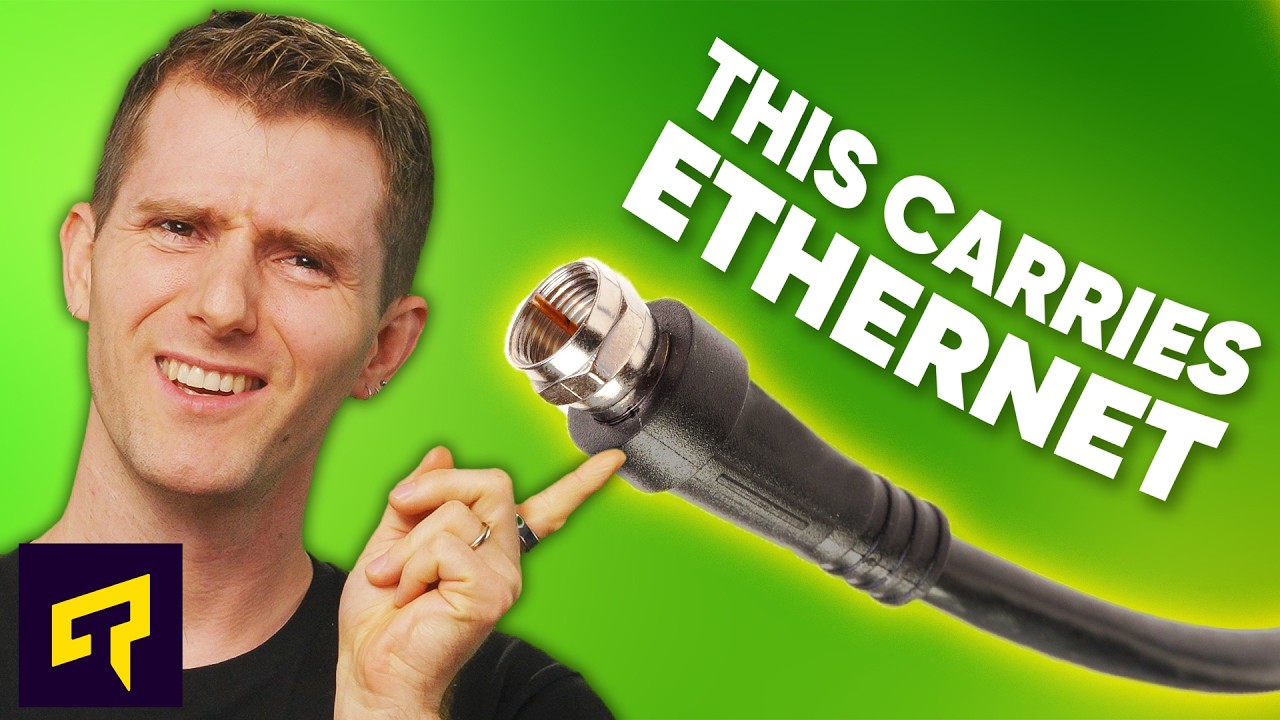
Try Pulseway FREE today, and make IT monitoring simple at: https://lmg.gg/LTT24
Did you know the coaxial cables in your house that carry cable TV signals and cable Internet can also carry ETHERNET? Learn about the standard that enables this - MoCA - and how it can give your devices a WIRED internet connection even if you don't have Ethernet out...
opal pagoda
360 noscope right through my cables

 clear igloo
opal pagoda
360 noscope right through my cables
clear igloo
opal pagoda
360 noscope right through my cables
ouch, that's a bad no scope 😦
 flint sage
whats the loweset internet speed you guys had?
 pastel monolith
28.8 modems, we had a 14.4 but it got replaced pretty quickly to 28.8 then 56k then the jump to broadband/coax became available
stuck grove
200mbps
lone crane
opal pagoda
360 noscope right through my cables
Get rekt, how much of the building got nuked, and god dam do I hope those were cat 5 so it at least can get a upgrade
twin pier
flint sage
whats the loweset internet speed you guys had?
5 kbps via verizon
cell service sucks at my house
flint sage
twin pier
5 kbps via verizon
i have the fastest
twin pier
Hmmmm
stuck grove
flint sage
i have the fastest
did you not hear the “You are 100% no[t] allowed to show that” bit?
lone crane
Also what is that file format
stuck grove
a “pre-rendered video file” format
lone crane
O wow
flint sage
stuck grove
did you not hear the “You are 100% no[t] allowed to show that” bit?
what bit
opal pagoda
lone crane
Get rekt, how much of the building got nuked, and god dam do I hope those were c...
Just access controll and couple of cameras
flint sage
oh shit
stuck grove
flint sage
what bit
the message sim sent in response to you posting that image
flint sage
hell no
flint sage
stuck grove
the message sim sent in response to you posting that image
i realised my mistake
it was for my 3ds thats why its .moflex
opal pagoda
lone crane
Get rekt, how much of the building got nuked, and god dam do I hope those were c...
When building was built cat6a was used, we use cat7 now
flint sage
stuck grove
a “pre-rendered video file” format
its for 3ds
flint sage
lone crane
Also what is that file format
3ds, its for the 3ds
flint sage
stuck grove
did you not hear the “You are 100% no[t] allowed to show that” bit?
i realised my mistake
lone crane
opal pagoda
When building was built cat6a was used, we use cat7 now
O wow not seen any deployments using gg45 yet
flint sage
stuck grove
but video piracy gets weird with formats sometimes
it FOR the 3ds becuse nintendo hates normal stuff so .moflex files are made by nintendo
opal pagoda
lone crane
O wow not seen any deployments using gg45 yet
We use cat 7 with regular shielded rj45 cat6a connectors due to it having enhanced shielding which is benaficial for our usecase
lone crane
Nice
stuck grove
i wonder how far they’ll go with increasing ethernet speeds before fiber becomes more ubiquitous for the general public
lone crane
But why did they need to make this holes in the first place
lone crane
stuck grove
i wonder how far they’ll go with increasing ethernet speeds before fiber becomes...
Ngl even 10gig you should go fiber
flint sage
opal pagoda
We use cat 7 with regular shielded rj45 cat6a connectors due to it having enhanc...
whats the use case
stuck grove
Yeah that’s what i’ve done at home
lone crane
And there is no rj45 over 10gig
opal pagoda
lone crane
But why did they need to make this holes in the first place
Something relating to the new chiller instalation
lone crane
flint sage
whats the use case
Long runs in a higher emi place
flint sage
lone crane
Long runs in a higher emi place
ohhhh got it
flint sage
lone crane
Long runs in a higher emi place
that explaines the hole
lone crane
opal pagoda
Something relating to the new chiller instalation
I wonder how you are going to rerun it now
stuck grove
pull a new run
opal pagoda
flint sage
whats the use case
Runs in cable trays which are sometimes shared with electrical, industrial enterprise use
honest plover
topaz patrol
https://www.youtube.com/watch?v=2UUkewknce4
Since I can't do coax, what mesh would work. Hoping I don't need to spend a ton to get one that'll do what I want, which is to be able to watch in 4K without buffering
stuck grove
or curse out whoever drilled the hole and make them pay for a contractor to come out and do it
stuck grove
honest plover
Since I can't do coax, what mesh would work. Hoping I don't need to spend a ton ...
4k video is such a low bar
that’s like peak 20mbps
flint sage
opal pagoda
Runs in cable trays which are sometimes shared with electrical, industrial enter...
oh so u bought that to hopefully not get noise
opal pagoda
stuck grove
or curse out whoever drilled the hole and make them pay for a contractor to come...
Good luck with that lmao
This will be paid from our opex
lone crane
No like they need that hole but that hole has the plastic run thingies in the concrete
stuck grove
lone crane
No like they need that hole but that hole has the plastic run thingies in the co...
probably have to drill some new holes for conduit
lone crane
I wanna see how it ends up
opal pagoda
stuck grove
probably have to drill some new holes for conduit
Or just wall mounted cable tray to make it extra ugly 
lone crane
What I was imagining
fallow cloak
tik at night looking 

 random siren
lone crane
And there is no rj45 over 10gig
random siren
lone crane
And there is no rj45 over 10gig
cat 8.1 is theoretically specced for rj45 25gig iirc but only with a cable length of 30m max instead of the usual 100m
(would personally start using fiber at 10gig+ though)
clear igloo
lone crane
And there is no rj45 over 10gig
My 10G RJ-45 with POE++ would beg to differ
or did you mean above 10g speeds (ie 25g) with RJ45?
clear igloo
random siren
cat 8.1 is theoretically specced for rj45 25gig iirc but only with a cable lengt...
It's only theoretical, there is not a single device in the market that does 25G over 8p8c RJ45
8.2 is 40g too for 30m
lone crane
clear igloo
My 10G RJ-45 with POE++ would beg to differ
or did you mean above 10g speeds (ie...
Yes
clear igloo
lone crane
Yes
Yah, I can't read good today either so I had to second guess myself after my first sentence, lol
random siren
clear igloo
It's only theoretical, there is not a single device in the market that does 25G ...
oh ye absolutely its only theoretical. and i dont think this will ever change aslong as 1gig is not replaced as the cheap default or maybe ever
clear igloo
random siren
oh ye absolutely its only theoretical. and i dont think this will ever change as...
Even then it would take a miracle to get the heat output down too
10g fiber SFP outputs like 1 watt of heat or less
10g copper SFP up to 2.5w depending
Integrated 10g rj45 though, no SFP, is still power hungry though so I imagine 25g would be worse
honest plover
stuck grove
4k video is such a low bar
There's not much else I can think of that I need, Im using a powerline av for my pc in the same room, I only get about 40 upload 30 download or whatever, but the TV struggles to do 4K with how crap the signal is in here for wifi, which is why I wanted to try get something to fix it.
honest plover
stuck grove
for 75euro it isn't bad
GBP
stuck grove
pounds, euros, and usd are all pretty close anyways
honest plover
And whats the difference between wifi5 vs wifi6? Do I really need it if my goal is just to be able to stream 4K on my tv
stuck grove
not really tbh
honest plover
Just need to see if I can actually fit the mesh if I get it, one of the outlets in the socket is broken. The other one has my powerline av in and inside that is the extension lead which I think the router is plugged into
Which if that's the case I don't have anywhere I can put the first mesh, as it ideally needs to go into the router with ethernet to be more stable (from what I saw online)
amber urchin
lone crane
Ngl even 10gig you should go fiber
Only depends on the run. You can get passive direct attach copper cables up to 3 meters for speeds up to 800gig / 2 meters for 1600gig (in development) and it is better to use them than fiber for most applications.
https://www.optcore.net/what-is-direct-attach-copper-cable/

Optcore
Initial Published: May 5, 2017 Although DAC cables were widely used in data centers and computing networks, some are still unfamiliar with this term. So,
lone crane
amber urchin
Only depends on the run. You can get passive direct attach copper cables up to ...
Ofc, but I meant as in 8p8c due to hoe common it is
opal pagoda
amber urchin
Only depends on the run. You can get passive direct attach copper cables up to ...
They are excelent for connecting server to leaf but outside of rack is questionable
lone crane
Yeeaa
And ofc if ya wanna go more then like 10-20m got to be fiber
But then it's a fiber dac
pastel monolith
honest plover
Which if that's the case I don't have anywhere I can put the first mesh, as it i...
Yeah ideally is just the mesh router setup really and turn off other WiFi APs usually main mesh router acts as the configuration point and can directly hook to a modem (or other router acting as "bridge" or with "passthrough" to the main mesh router)
Power wise can always get a splitter though too
Ideally want each access point you have about mid way between the target device and the main router but is always matter of where is there power and where can it live too
About WiFi protocols like a/b/g/n/5/6/7 you can only really make use of those if the radio on both sides supports a given protocol, only reason I've seen to go with the latest ones is VR streaming from PC, for all other cases it's pretty much negligible anything like "802.11n" or better can support the bandwidth for 4k (assuming not shite signal)
I guess if moving big files over wireless is worth having the extra bandwidth but above like 25-30mbps should be all that's needed for a 4K stream
honest plover
pastel monolith
Yeah ideally is just the mesh router setup really and turn off other WiFi APs us...
Thanks for the info, ideally the mesh would go in the hallway outside the room with the router in, and ethernet those 2 together, only issue is that if they shut the door the cable is gonna get trapped and don't want it to break. Otherwise it would be in their room, and if the door is shut not sure if that will make a big impact. As for the second one, I'd just put it outside our room assuming that's the best place for it to go
And I assume that'd all you need to do for it to be setup?
Just want to try understand it a bit better snd make sure i know where they can actually go before buying it
pastel monolith
Yep for sure and yah they each just need power outside first one that needs some wired connection
amber urchin
lone crane
But then it's a fiber dac
The fiber version of a DAC would be AOC (active optical cable). Personally, I would go with transceiver plus fiber over AOC (most likely OM3, though OM4 is also a possibility for a bit longer distance).
pastel monolith
About the door would probably just do some testing and see if worth it to snake a wire out somehow or punch a hole to pass the connection through, WiFi always finicky and depends a lot on the materials if it'll reflect or get absorbed so always just takes some hands on checking.
Also about passing through is just usually the best option if the routers aren't made to mesh or else end up with more noise on WiFi bands so can make overall bandwidth worse (again depends on a lot of factors, using different WiFi channels far from each other can help for example but is extra config most people don't do, my latest router has some auto optimize thing that picks the channel based on noise)
honest plover
pastel monolith
About the door would probably just do some testing and see if worth it to snake ...
grv9517uac34-a-sa
That's out router if it helps in any way
twin pier
stuck grove
that’s like peak 20mbps
if you want shitty YouTube quality 
actually decent 4k is like 50-80 Mbps
stuck grove
twin pier
if you want shitty YouTube quality <:trol:1185006101759012934>
which is most likely what they meant
twin pier
what if they jellyfin
stuck grove
then that's unfortunate
 twin pier
topaz patrol
twin pier
topaz patrol
I should say streaming quality then
actually I wonder if you use av1 if they also use the same cap so its way higher quality
topaz patrol
twin pier
actually I wonder if you use av1 if they also use the same cap so its way higher...
Wdym? Netflix doesn't limit itself to only 15Mbps
twin pier
Oh then even better
When you posted that I thought you were saying that Netflix was also low bitrate like youtube
topaz patrol
twin pier
When you posted that I thought you were saying that Netflix was also low bitrate...
I don't think Netflix cares too much about bandwidth, they've already got open connect boxes everywhere
 weak spindle
just upgraded my home network to a full ubiquiti setup, got everything at the santa clara micro center that just opened in the bay area (finally)

unfortunately this is the fastest speed my ISP offers rn thanks to high split cable only and no fiber
ATT is rolling out its 8gbps fiber nearby though, and everything I have is ready for 10GbE ethernet + WiFi 7 when that arrives
when my house was custom built in 2018 I had every single room wired with at least 1 ethernet port with cat 6a runs for all of them, some rooms have 3 lol, but tbh I shouldve done some fiber runs I didnt anticipate the wildly increasing data usage after the covid era
my unifi controller/network server is a jailbroken fanless chromebook with a Y series i5 and a ethernet adapter i stuffed in a closet but if it works it works
meager ginkgo
weak spindle
ATT is rolling out its 8gbps fiber nearby though, and everything I have is ready...
AT&T doesn’t offer 8gbps fiber? It’s up to 5gbps
peak cloak
weak spindle
unfortunately this is the fastest speed my ISP offers rn thanks to high split ca...
It's more than enough for most people
I have 300/300 because it's cheap
No real need for more
weak spindle
meager ginkgo
AT&T doesn’t offer 8gbps fiber? It’s up to 5gbps
Gosh I confused it with Google fiber again
weak spindle
peak cloak
I have 300/300 because it's cheap
That’s good tho and fiber has low latency
flint sage
weak spindle
just upgraded my home network to a full ubiquiti setup, got everything at the sa...
i cry at myself after seeing your internet speeds 😭
u have infinite money
honest plover
stuck grove
which is most likely what they meant
4k for everything, currently only have netflix but thinking abt disney+.
Well "everything", I mean netflix for now, not sure what other services are actually worthwhile to pay for
fallow cloak
flint sage
u have infinite money
Depends on region ig. I pay £60 for 5Gb/5Gb
1Gb sym would be £20
flint sage
fallow cloak
Depends on region ig. I pay £60 for 5Gb/5Gb
The fucj I've got a 40mbps unlimited data pac for $10 and have been using a python script to bypass the speed
fallow cloak
flint sage
The fucj I've got a 40mbps unlimited data pac for $10 and have been using a pyth...
sadge. how does the bypass work?
meager ginkgo
weak spindle
just upgraded my home network to a full ubiquiti setup, got everything at the sa...


Upgraded to the U7 XG APs recently
flint sage
fallow cloak
sadge. how does the bypass work?
basically the provider im using brags about its speeds in speedtest.org, but when i go to other internet speed test, its shit, absolute dog water. so i was like hmm if i start a download and load speedtest, will it increase the speeds, and yes it does. But after 1 minute it would slow down again, that can be fixed by reloading the page. so i made a python program that opens a insistence of crome and refresh speedtest every 40 seconds
i never had speed issues since
 steep tartan
anyone have exp with Powerline adapter?
lone crane
steep tartan
anyone have exp with Powerline adapter?
not me personally but heard dam bad things.
 eager urchin
not really a network thing, BUT...
(( caution : big ahh chat ))
so... i didn't like the fan noise of my gaemeng pc, so since i have good network and internet overall, i installed my pc in the same cabinet as my router (my pc's in a small custom cardboard box, and connected via ethernet, to stream it to my mac upstairs.
and i have an access point/repeater upstairs which is also connected by ethernet to the router downstairs (shielded CAT6 cables in walls)
the cabinet really isolates the sound and it doesnt come upstairs, it could've since my house has like a big empty space in the living area, between the first and second floor.
and yeah, im streaming it rn with parsec and the latency aint that bad actually, and it isnt that important to me
btw, any tips about how to turn on my pc by ethernet ? (it has an aliexpress intel X99 mb, with E52630V4)
lone crane
WoL
eager urchin
nvm at 50percent fan speed its heard a bit
i'll put it in the basement there's ethernet cables there too
 cunning lion
The Problem I see with a 3 M.2+2 5.25" bay NAS is that M.2 ssds do NOT have the same capcity as 5.25" HDDS
https://a.co/d/5hx6oHr something like this basically

TERRAMASTER D5 Hybrid HDD NVMe Enclosure - USB 3.2 Gen 2 10Gbps Type C 5Bay USB Storage Supports RAID 0/1/Single/JBOD Exclusive 2+3 RAID Hybrid Disk Array (Diskless)
amber urchin
2.5" ssd, 3.5" hdd, 5.25 optical
cunning lion
You know what I mean
lone crane
cunning lion
The Problem I see with a 3 M.2+2 5.25" bay NAS is that M.2 ssds do NOT have the ...
5.25 HDDs?
lone crane
cunning lion
You know what I mean
no
lone crane
cunning lion
The Problem I see with a 3 M.2+2 5.25" bay NAS is that M.2 ssds do NOT have the ...
i think the point is to have a large pool for like 20TB HDDs then another for 2 4TB nvmes in raid one for some dam fast stuff and then in the end using that last nvme slot for caching
cunning lion
At this point I am thinking I may repalce my old i5 3570k+2060 Super system with an AMD based MiniPC+DAS for HTPC/NAS setup
There are plenty of Ryzen 9 based ones I can pickthrough
lone crane
cunning lion
At this point I am thinking I may repalce my old i5 3570k+2060 Super system with...
install bazzite on the old boy and do steam streaming from the main server
cunning lion
Already running Bazzite LOL
Its a Large ATX build that I would love to miniaturize into something smaller

as can be seen currently sitting on the floor lol
lone crane
NUC time
cunning lion
Yeah I am thinking an AMD based mini PC wpuld be a great replacement
 ornate jungle
steep tartan
anyone have exp with Powerline adapter?
ornate jungle
steep tartan
anyone have exp with Powerline adapter?
Yup. I've setup powerline AV adapters in various people's homes. Sometimes they work well. Sometimes they're complete garbage. And sometimes they work until someone turns on a high-power device, like a vacuum.
flint sage
eager urchin
(( caution : big ahh chat ))
so... i didn't like the fan noise of my gaemeng pc...
u can buy onenna those thingis where you can turn your pc on remotely like a pokeball or smh
topaz patrol
ornate jungle
Yup. I've setup powerline AV adapters in various people's homes. Sometimes they ...
Treadmills too
cunning lion
Yeah powerline is hit or miss at best of times. Honestly MOCA is a better option if you have coaxail in the house
 prisma scaffold
I am setting up a lancache using lancache.net as a Truenas Application (after several failed attemps with a regular ubuntu vm). So far i get sent to the cache when using nslookup and i also recive an answer, yet steam is stuck at 0 bits per second. Any fixes?
lone crane
o yeah i wanna try the same some time
 granite idol
I have a cheap annke NVR and camera set and the interface / mobile app kinda of sucks. I want to sell it and get something else. Noticed that Ubiquiti unifi has this and people say it's overall high quality but a bit on the pricier side, which is not a problem for me.
Also since their UNVR is part of their unifi lineup... it made me look more into their gateways, which would provide an easier interface to work with for all of the network in my house, and their switches are pretty nice, they seem to be having quite cool stuff, which made me think of things that I could do with this tech.
I'd like to be able to power on my computer remotely, it already automatically launches sunshine, so I could access it from wherever. I'd also like a easy to access NAS, not sure if unifi provides tools for that. They do have a NAS they are marketing now, but it has way too many bays I don't need and cannot run apps like plex or qbittorrent for my linux ISOs like stuff synology offers :/
Not sure how to go ahead and figure out what I need for it.
 worn hollow
 untold idol
can anyone tell me if this https://www.amazon.com/gp/product/B0DC99N2T8?smid=ATVPDKIKX0DER&psc=1 with this is a good combo https://www.amazon.com/gp/product/B07M8BNVSD?smid=A1KWJVS57NX03I&psc=1


The SURFboard SB8200 is compatible with major U.S. cable internet providers including Cox, Spectrum, Xfinity and others. It's approved for cable internet speed plans up to 1 Gbps. Check your cable ISP website to confirm compatibility.
topaz patrol
untold idol
can anyone tell me if this https://www.amazon.com/gp/product/B0DC99N2T8?smid=ATV...
If you want wifi 7 that is barely wifi 7
Doesn’t even have 6ghz
ornate jungle
topaz patrol
Doesn’t even have 6ghz
Technically, if it doesn't have 6GHz... can it legally be called "WiFi 7" as per the IEEE 802.11be spec? 🤔
(I'm aware TP-Link and ASUS have a few models like this. Just seems weird they're even allowed...)
untold idol
topaz patrol
If you want wifi 7 that is barely wifi 7
i dont want wifi 7 just wifi 6
twin pier
ornate jungle
Technically, if it doesn't have 6GHz... can it _legally_ be called "WiFi 7" as p...
i dont think its required
topaz patrol
ornate jungle
Technically, if it doesn't have 6GHz... can it _legally_ be called "WiFi 7" as p...
It’s probably TP-Link purposely ignoring the definitions in rfc2119
ornate jungle
twin pier
i dont think its required
It is to be certified... https://www.wi-fi.org/wi-fi-macphy
Wi-Fi Alliance® drives advancement and adoption of each generation of Wi-Fi®, such as Wi-Fi CERTIFIED 6® and Wi-Fi CERTIFIED 7™.
ornate jungle
untold idol
can anyone tell me if this https://www.amazon.com/gp/product/B0DC99N2T8?smid=ATV...
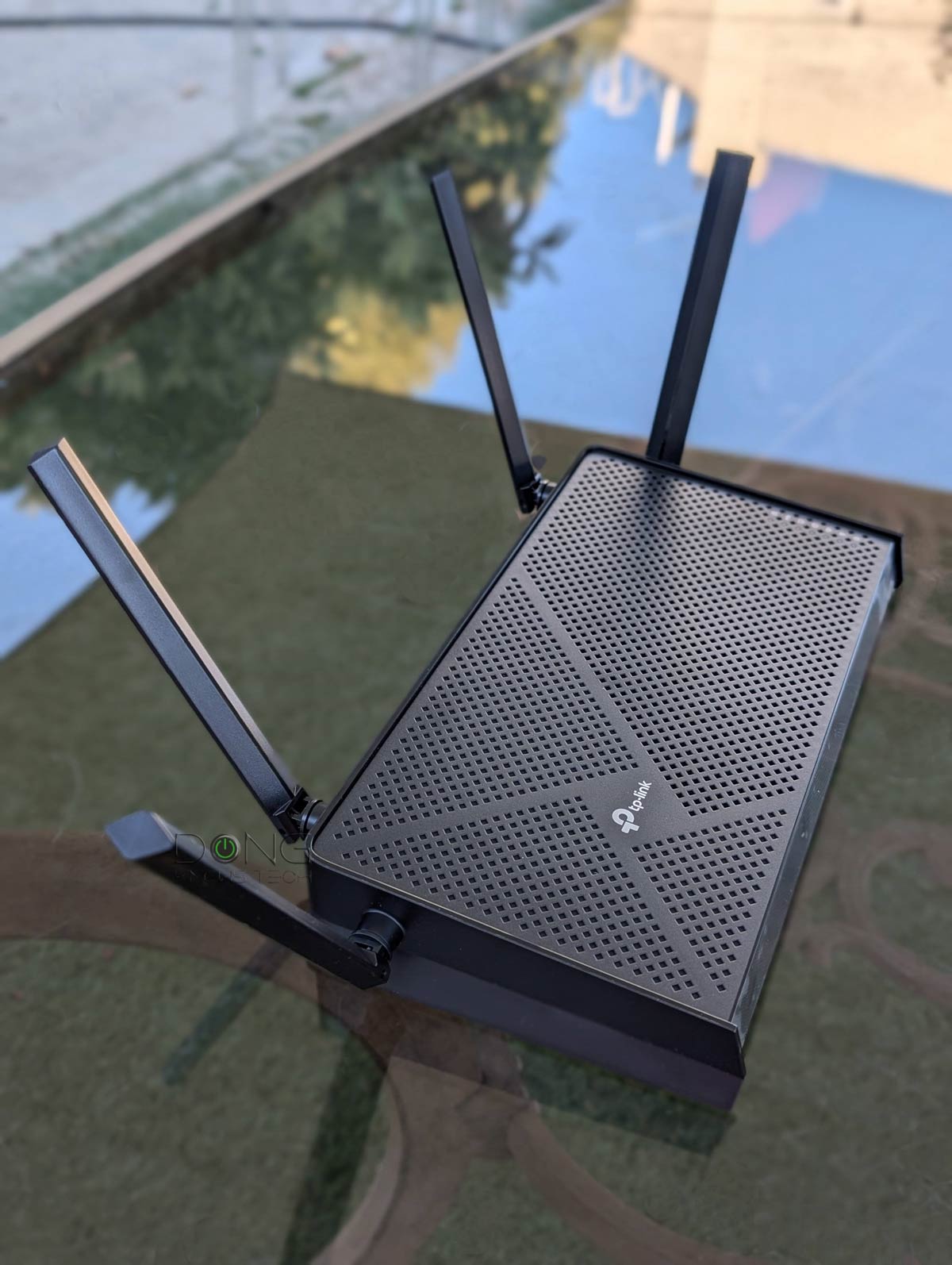
At $99, the TP-Link Archer BE3600, a.k.a. Archer BE230, is the most affordable Wi-Fi 7 router to date, and it's not a cheap device. Get one today!
topaz patrol
Those pesky should/may/must/shalls
I think there was an argument about auto negotiation here involving a similar confusion
untold idol
ornate jungle
https://dongknows.com/tp-link-archer-be3600-wi-fi-7-router-review/
so is it good?
ornate jungle
untold idol
so is it good?
No idea. Just thought I'd link you to a place that compares these things so you can formulate your own opinion about the product depending on your needs.
untold idol
i mean i use ethernet on xbox and my pc then i have wifi hooked up with everything else so im just looking for soemthing that doesnt brake the bank and the range isnt anything i need to worry about. but also 1 gig is the highest speeds ill get up here
topaz patrol
untold idol
so is it good?
It’s not a horrible deal, especially with 2.5GbE ports
 unborn sluice
Ok
random siren
ornate jungle
Technically, if it doesn't have 6GHz... can it _legally_ be called "WiFi 7" as p...
Looks like 6ghz isnt mandatory. But this https://mrncciew.com/2024/12/14/wi-fi-7-overview/ is the only source ive found that even says anything about 6ghz being mandatory or not. most say neither, just that its available since 6e.
from what i can find, most are saying wifi 6 was mostly about ofdma. 6e was about supporting, but not making mandatory 6ghz ofdma. and wifi 7 is about mlo and mru.
ornate jungle
random siren
Looks like 6ghz isnt mandatory. But this <https://mrncciew.com/2024/12/14/wi-fi-...
Ah yes. Good old https://xkcd.com/927
Why bother standardizing things when we can just make exceptions to the rules? I understand that 6GHz isn't available in all countries but this kind of undermines the entire purpose of standards so... 🤷

Fortunately, the charging one has been solved now that we've all standardized on mini-USB. Or is it micro-USB? Shit.
twin pier
random siren
Looks like 6ghz isnt mandatory. But this <https://mrncciew.com/2024/12/14/wi-fi-...
wikipedia says its required and cites this page, but i don't see where they got it from on the page https://documentation.meraki.com/MR/Wi-Fi_Basics_and_Best_Practices/Wi-Fi_7_(802.11be)_Technical_Guide
i would love to read the actual document to see for sure but i'm not rich
anyone here have $380 to spend on a discord argument
opal pagoda
random siren
Looks like 6ghz isnt mandatory. But this <https://mrncciew.com/2024/12/14/wi-fi-...
it is optional
just like 5ghz is optional in wifi 6
opal pagoda
ornate jungle
https://dongknows.com/tp-link-archer-be3600-wi-fi-7-router-review/
it is not 6ghz capable

 random siren
twin pier
wikipedia says its required and cites this page, but i don't see where they got ...
random siren
twin pier
wikipedia says its required and cites this page, but i don't see where they got ...
wikipedia does not say 6ghz is required and that link also does not say 6ghz is required
random siren
ornate jungle
Ah yes. Good old https://xkcd.com/927
Why bother standardizing things when we c...
i just dont like that it isnt very obvious what is mandatory and what isnt
ornate jungle
random siren
i just dont like that it isnt very obvious what is mandatory and what isnt
Right? It's like USB-C all over again. The problem with optional features is most consumers don't even know they're a thing to look out for, let alone know where they should look.
opal pagoda
random siren
i just dont like that it isnt very obvious what is mandatory and what isnt

https://www.scribd.com/document/782509184/Wi-fi-7-in-depth
it is from this doc but it is ass to search in

Scribd
Scribd is the world's largest social reading and publishing site.
twin pier
random siren
wikipedia does not say 6ghz is required and that link also does not say 6ghz is ...

IEEE 802.11be, dubbed Extremely High Throughput (EHT), is a wireless networking standard in the IEEE 802.11 set of protocols which is designated Wi-Fi 7 by the Wi-Fi Alliance. It has built upon 802.11ax, focusing on WLAN indoor and outdoor operation with stationary and pedestrian speeds in the 2.4, 5, and 6 GHz frequency bands.
In a single band,...
Idk why the link doesn't say its required though but I already said that
random siren
twin pier
https://en.wikipedia.org/wiki/Wi-Fi_7
bro, everybody already said its not mandatory. show me the line that says it is
twin pier
random siren
bro, everybody already said its not mandatory. show me the line that says it is
Huh I can't find it anymore
Now I'm confused
I also thought it wasn't mandatory but I couldve sworn it said so on that page
clear igloo
Don't worry Wi-Fi 8 will fix it 😄
twin pier
they'll add 40 GHz and then make it not mandatory
clear igloo
Nah, 8 is focused on stability and not new frequency thankfully
Wi-Fi 9 will add 1THz and make it optional on Tuesdays
twin pier
That's sound
lone crane
clear igloo
Nah, 8 is focused on stability and not new frequency thankfully
i BADLY hope 6GHz becomes mandatory then
wet wigeon
clear igloo
Wi-Fi 9 will add 1THz and make it optional on Tuesdays
mmm i can feel the radiation wifi
opal pagoda
twin pier
I also thought it wasn't mandatory but I couldve sworn it said so on that page
for 6e it is mandatory
 fickle lily
anyone have used rconfig with mikrotik to back up your router and switch ?
topaz patrol
fickle lily
anyone have used rconfig with mikrotik to back up your router and switch ?
That’s a bad question
What are you wanting to achieve, or what do you want to know?
 thick mirage
Is there a way to open ports on a main router to only specific devices?
The main router will be down the line for locational reasons within my parents house
fickle lily
topaz patrol
What are you wanting to achieve, or what do you want to know?
i am havign problem with mikrotik on rconfig back up . the template seems to only allow 10 second of timeout and it would logout the ssh connection before it finish the back up .
topaz patrol
Much better question 🙂
peak cloak
thick mirage
Is there a way to open ports on a main router to only specific devices?
Yeah
That's how all port forwarding basically works
stuck grove
just got me a ubiquiti aggregation switch and u6 pro from microcenter
opal pagoda
stuck grove
just got me a ubiquiti aggregation switch and u6 pro from microcenter
what will you use aggregation switch for?
stuck grove
top of rack switch for my server rack
stuck grove
just gotta get some more DACs so i can actually use the damn thing
i kinda forgot i have like no SFP+ cables/transceivers laying around
stuck grove
anyone got a link to something like this but on amazon
 opal pagoda
stuck grove
anyone got a link to something like this but on amazon
opal pagoda
stuck grove
anyone got a link to something like this but on amazon
Just mount your ag switch "backwards" in the rack (on the rear 2 rack posts)
lone crane
opal pagoda
Just mount your ag switch "backwards" in the rack (on the rear 2 rack posts)
yeah no got no clue what you mean
topaz patrol
stuck grove
anyone got a link to something like this but on amazon
Air works quite well
stuck grove
opal pagoda
Just mount your ag switch "backwards" in the rack (on the rear 2 rack posts)
Not an option, i have some stuff directly behind my rack
opal pagoda
lone crane
yeah no got no clue what you mean
you take a switch (preferably a port side exaust one) and mount it in the back of the rack
it ends up looking like this
 lone crane
o wow
 silent flax
opal pagoda
it ends up looking like this
silent flax
opal pagoda
it ends up looking like this
this is end result of network addiction. You start with a single switch, and end up with a full height rack
 halcyon elm
setting up a Landing page for a Unifi Network. for more control of the page looks would coding my own page be worth it or would using unfi built in captive portal work fine. i will be running pi hole on the network so i can run the page through that.
meager ginkgo
 crystal viper
question is a ubiquity mesh worth it?
crystal viper
question is a ubiquity mesh worth it?
Ideally you wouldn’t use mesh
you’d wire each unit back to the router via Ethernet or MoCA adapters (coax)
stuck grove
so pretty

 cosmic shore
Just joined sharing my networking stuff I'm only 15 and I'm got a pretty nice setup for only paying around a hundred bucks for everything


 cosmic shore
should i change the fw port num for my minecraft server, it got hacked
amber urchin
firewall blocks all non essential ports from the outside, change passwords, start server from scratch and only install from official sources
wet wigeon
Speed


Result 1 is my u6 enterprise, 2nd is my u6+
However, I gotta properly mount them, and maybe I'll get better results
lone crane
wet wigeon
Speed
how to tell someone is in Australia without them telling you it, do not even need the logo
topaz patrol
lone crane
how to tell someone is in Australia without them telling you it, do not even nee...
I mustn't be in australia
 lone crane
topaz patrol
I mustn't be in australia
lone crane
topaz patrol
I mustn't be in australia
its not sym
topaz patrol
lone crane
its not sym
It can be, just shape it down to 500/500
We do that for 100/100, 200/200 and 400/400
:p
twin pier
Placing my bets on the original guy being from Midwest USA
topaz patrol
twin pier
Placing my bets on the original guy being from Midwest USA
Zekrom? He’s Aussie
 pseudo blade
topaz patrol
It can be, just shape it down to 500/500
pseudo blade
topaz patrol
It can be, just shape it down to 500/500
And I guess a plane can be a very tall car if we just take the wings off
topaz patrol
pseudo blade
And I guess a plane can be a very tall car if we just take the wings off
Also true!
pseudo blade
Would it kill NBN co to stop trying to gating upload speeds behind ludicrously expensive plans just in case we might be making any money off the connection?
topaz patrol
pseudo blade
Would it kill NBN co to stop trying to gating upload speeds behind ludicrously e...
Too bad no symmetrical speeds for the next 15+ years
pseudo blade
I just signed up for 1000/400 because FTTP went live on my street today
$200 a month
Fucking insane
Company's paying for it or I'd never consider even that
topaz patrol
topaz patrol
Too bad no symmetrical speeds for the next 15+ years
The new F-NTDs aren’t even capable of symmetric above 800mbps or something
pseudo blade
Eh? GPON can do symmetric gigabit
It's like 2.5 down and 1.something up on the link
But obviously not for individual consumers
topaz patrol
pseudo blade
Eh? GPON can do symmetric gigabit
The F-NTDs are the limitation now, politics aside
The new F-NTDs have a maximum upstream capacity of 900mbps or something
topaz patrol
I can show you part of a doc
pseudo blade
I'll take what I can get and then I can do my own digging from there
topaz patrol

I'm sure someone has leaked it on whirlpool if you want the full document
1100mbps
pseudo blade
Because I know GPON is the underlying technology and the NTDs have to obey that
Yeah but from that I can't tell if it's policy or hardware
I'd be tempted to say policy
topaz patrol
pseudo blade
Yeah but from that I can't tell if it's policy or hardware
It's hardware, see W-NTD specs
8.89Mbps isn't policy, that's hardware
pseudo blade
Could still be a mix of the two
God the first gen fixed wireless NTDs were shit though
topaz patrol
Likely. But I doubt they can do symmetrical 2gig
Still a couple hundred out in the wild. They're a pita because orders need to be done manually with a trouble ticket
topaz patrol
pseudo blade
No the technology forbids it
Exactly what I was saying
topaz patrol
pseudo blade
2.5 down, 1.25 up
xgspon is being rolled out on demand
Has been for the last 12 months or something
pseudo blade
You can't just upgrade one terminal, you have to upgrade all subscribers on the fiber
To my understanding
pseudo blade
Is it a module on the NTD?
topaz patrol
pseudo blade
Is it a module on the NTD?
OLT, the head end
pseudo blade
Ah yes
Well you'd still need to switch out the NTDs
topaz patrol
And that will be done when ordered
pseudo blade
All of them, even those not desiring the speeds to my understanding
topaz patrol
Incorrect
pseudo blade
Oh look at that
topaz patrol
Nokia has some fancy name for it
pseudo blade
Combo PON
topaz patrol

As bandwidth usage increases, learn what fiber providers need to consider when making decisions on whether to use GPON or XGS-PON for fiber deployments.
topaz patrol
pseudo blade
Combo PON
Yeah something like that
pseudo blade
Funny what you can find only once you confidently state the contrary
topaz patrol

pseudo blade
Me
pseudo blade
Yeah
 frosty stone
pseudo blade
$200 a month
Fucking insane
frosty stone
pseudo blade
$200 a month
Fucking insane
Yikes, you can get symmetrical 4gbps on XGSpon for less than that here in nz, Gpon max (~900/~500) is usually $100-120nzd
topaz patrol
Opticomm has 4000/50 or something stupid like that
Just be glad you're not stuck with opticomm lmao
frosty stone
topaz patrol
Opticomm has 4000/50 or something stupid like that
The fuck kinda cable spec speed is that
pseudo blade
"Don't you dare run a business on this"
topaz patrol
frosty stone
The fuck kinda cable spec speed is that
Don't worry, it's fibre! 🤣
Sorry. 4000/100
frosty stone
topaz patrol
Don't worry, it's fibre! 🤣
Burn their office to the ground
 topaz patrol
They make it cheap for the developer then fuck over the RSPs and end users
pseudo blade
Be glad they're not maxing out at 50/20 for $150 I guess
topaz patrol
I'm sure they would be if the ACCC let them
frosty stone
Annoyingly the only way to get the SFP ONT module is with a high priority access business plan which is 1000/1000 for $580nzd/month
pseudo blade
What we see here a bit is in-town folks using 4/5G instead because NBN pricing is so uncompetitive it has a chance
topaz patrol
frosty stone
Annoyingly the only way to get the SFP ONT module is with a high priority access...
You can get an SFP ONT if you're a traffic light or smart bin in Australia, does that count?
frosty stone
topaz patrol
You can get an SFP ONT if you're a traffic light or smart bin in Australia, does...
Wtf
topaz patrol
frosty stone
Wtf
Not joking
pseudo blade
topaz patrol
You can get an SFP ONT if you're a traffic light or smart bin in Australia, does...
Everything I've seen is cellular
For smart bins
pseudo blade
pseudo blade
For smart bins
Some are Bluetooth
topaz patrol
pseudo blade
For smart bins
Yeah, because smart places is ridiculously expensive, but nbn would love all the smart bins to use their product
pseudo blade
frosty stone
I now identify as a smart bin
I suspect that product pitch is more... aspirational... than practical
pseudo blade
topaz patrol
Yeah, because smart places is ridiculously expensive, but nbn would love all the...
Yep
topaz patrol
lol
 pseudo blade
NBN co would of course like you to pay wholesale rates to connect your random pieces of garbage to the internet
In reality NB-IOT or CAT-M are the way to go for a myriad of reasons
topaz patrol
Makes sense for traffic lights and cameras, and public wifi
Not much else
pseudo blade
If it's suitable for the use case LoRAWAN
frosty stone
Oh so there is another SFP option for normal business plans

But I can't find anyone that actually provides it
topaz patrol
I’m glad chorus at least has equally shit speed tier names
Home fast super fast ultrafast hyper fast
Next we’ll have home hyper fast pro max
frosty stone
The 300/100 just got upped to 500/100 for free
topaz patrol
Similar thing is kind of happening here
pseudo blade
Home fast but not upload fast fast super ultra mega 50
 frosty stone
Petition to ban HFC branding
Actually, petition to ban marking anything other than FTTP as fiber/fibre
topaz patrol
It’s more transparent than some places in the US where it’s advertised as fibre but it is still docsis
And I’ve seen some dodgy ads from American wisps essentially saying their diy ubnt crap is fibre
That Facebook group is hilarious
opal pagoda
topaz patrol
Sorry. 4000/100
i live in the datacenter walls
 topaz patrol
opal pagoda
i live in the datacenter walls
topaz patrol
opal pagoda
i live in the datacenter walls
You need to shape that upload speed. Unacceptably high!
opal pagoda
topaz patrol
You need to shape that upload speed. Unacceptably high!
clearly
 ionic grove
topaz patrol
Makes sense for traffic lights and cameras, and public wifi
Not much else
ionic grove
topaz patrol
Makes sense for traffic lights and cameras, and public wifi
Not much else
I could see if in the future places started attaching ev chargers to electric poles it could also make sense
Not sure how high up the scale of hypothetical that is tho lol, iirc I heard the idea in a Technology Connections vid
topaz patrol
ionic grove
I could see if in the future places started attaching ev chargers to electric po...
No it wouldn’t, the pricing isn’t very competitive compared to LTEM and NBIOT
opal pagoda
ionic grove
I could see if in the future places started attaching ev chargers to electric po...
in reality if chargers are dense enough a zigbee like mesh network with one acting as a gateway would be cheaper
so a cluster of up to 50 chargers on one street with one acting as a gateway (this could also be a payment terminal)
cosmic shore
In my opinion 250 megabit fiber internet is better than 1 GB cable internet
twin pier
why
 sleek patio
opal pagoda
i live in the datacenter walls
sleek patio
opal pagoda
i live in the datacenter walls
Nasa internet be like
cosmic shore
Fiber in my areas a million times more reliable than cable
cosmic shore
I got a Cisco ASA 5510 for free is it any good?
pseudo blade
cosmic shore
I got a Cisco ASA 5510 for free is it any good?
Not really?
It's pretty old
If you wanted to lab an ASA or perform basic low-speed networking it can do that but the firmware's likely very old so kinda defeats the point of a "security appliance"
cosmic shore
would it be good to learn the cisco software on?
pseudo blade
Well... it's obsolete and the newer stuff does newer things
So in the event of you working at a place that doesn't refresh their stuff sure... do you want to work there though, and would they hire a newbie and treat them properly? anywhere else... No, you would be ripping and replacing these and either going for another vendor or the much newer stuff
End of support for the 5510 was September 2018
cosmic shore
ok, do you now anything about the nanopi r3s I was looking at it to replace my router
pseudo blade
Bit spartan, no WiFi and only two ports
Could route on a stick I guess if you want homelab stuff
cosmic shore
ya I was going to get the u7 lite if i got it
pseudo blade
I presume you want openwrt or something
cosmic shore
or should i make my own router
pseudo blade
That depends on you I think
It's usually a more expensive approach than buying an integrated option
pseudo blade
You'd have to arrange that yourself, it doesn't have a built-in option
cosmic shore
ok
pseudo blade
No firstparty phone app
pseudo blade
cosmic shore
what do you think about the Cloud Gateway Ultra?
No WiFi, cheap for a security gateway, bit expensive for an (effectively) gigabit ethernet router if you weren't using IPS.
Is the UniFi Express 7 a better option for you? Less ports, higher price, but more highly integrated (you could skip the AP)
 split jewel
does anyone know a good alternative exactly like the matrox Extio F2408 that is rack mountable,i am looking to send the 8 diplays from my rackmounted pc to each of my workstations in my home for audio production and gaming
so basically a kvm extender with 4 monitor outputs each
pseudo blade
cosmic shore
that would work i would only have to buy 1 u7 lite
If you need multiple APs and want any features other than networking the gateway ultra can do that, express does only networking. I don't think the express 7 is any different speed-wise though, so it'd be based on if any of the other apps appeal enough to pay the difference
cosmic shore
ok thanks
crystal viper
meager ginkgo
you’d wire each unit back to the router via Ethernet or MoCA adapters (coax)
why not use the business ones which dont require ethernet
meager ginkgo
crystal viper
why not use the business ones which dont require ethernet
huh?
crystal viper
its more ideal for my situaton
meager ginkgo
business ones do use Ethernet.. 99% of businesses use a wired connection
crystal viper
meager ginkgo
huh?
the ones linus used for his house in that one video
meager ginkgo
crystal viper
the ones linus used for his house in that one video
Those have Ethernet behind them…
Mesh is garbage most of the time.
crystal viper
meager ginkgo
Those have Ethernet behind them…
not the access points
meager ginkgo
crystal viper
not the access points
Sure do.
I have UniFi installed in my house, I would know lmfao
crystal viper
meager ginkgo
I have UniFi installed in my house, I would know lmfao
wait the enterprise need it?
topaz patrol
crystal viper
not the access points
They do, it’s just hidden in the wall and ceiling cavities 🙂
meager ginkgo
crystal viper
wait the enterprise need it?
Yes. Wireless networking is not 100% reliable
crystal viper
topaz patrol
They do, it’s just hidden in the wall and ceiling cavities 🙂
i dont have ethernet conduits upstairs rip
crystal viper
you mean the tv ethernet cable thing
meager ginkgo
yes
crystal viper
yea i have those
meager ginkgo

eBay
Model: FCA252. Frontier MoCa 2.5 Ethernet Network Adapter. Includes: Ethernet Cable, Power Adapter, and Manual. LOT OF 2 (two units per order).
crystal viper
meager ginkgo
https://ebay.us/m/CxnPxr
is it even worth it
meager ginkgo
those hook up on each end, and you get 2.5gig Ethernet
crystal viper
its not even my house its my parents and we need a better wifi because we a ton of devices @meager ginkgo
meager ginkgo
crystal viper
is it even worth it
yeah..
MoCA is basically guaranteed to give you a good connection as long as you don’t have crap coax in the walls
crystal viper
meager ginkgo
those hook up on each end, and you get 2.5gig Ethernet
i aint going that high tho i think like the plan is 500 mb/s
meager ginkgo
crystal viper
i aint going that high tho i think like the plan is 500 mb/s
that’s fine
that’s just the limit
crystal viper
meager ginkgo
that’s fine
wish i had fiber 😭
crystal viper
meager ginkgo
that’s fine
why were some people saying that mesh sucks
topaz patrol
Eero or TP-Link mesh will be better than UBNT mesh
meager ginkgo
Would avoid eero at all costs
topaz patrol
They are designed for mesh, UBNT mesh is sort of an afterthought
meager ginkgo
TP-Link is ok though
crystal viper
topaz patrol
Eero or TP-Link mesh will be better than UBNT mesh
house is big so thats the issue
lets say not to doxx myself 3000+ sqft
meager ginkgo
crystal viper
house is big so thats the issue
Yeah you’re going to want a wired connection then
topaz patrol
meager ginkgo
Would avoid eero at all costs
Eero is great for people who just want their shit to work and don’t want to touch it ¯_(ツ)_/¯
meager ginkgo
Mesh in larger homes is just a band aid
meager ginkgo
topaz patrol
Eero is great for people who just want their shit to work and don’t want to touc...
Oh yeah for sure. There’s just way better options for cheaper / the same price
crystal viper
meager ginkgo
Yeah you’re going to want a wired connection then
i was just looking around after seeing that linus video where he used ubiquity mesh and showed that it worked fine
i dont know if he made a follow up
meager ginkgo
If you only have 500mbps, just grab a tp link mesh system but instead of using mesh to connect the units, use MoCA adapters to send Ethernet to each.
crystal viper
meager ginkgo
If you only have 500mbps, just grab a tp link mesh system but instead of using m...
would it even matter given i dont have fiber
meager ginkgo
yes. Wireless signals degrade through walls
topaz patrol
meager ginkgo
Mesh in larger homes is just a band aid
Why are you suggesting people run two pair security cable in their new homes lol
crystal viper
meager ginkgo
yes. Wireless signals degrade through walls
placement is hideous because the adapters are outlet level
meager ginkgo
topaz patrol
Why are you suggesting people run two pair security cable in their new homes lol
Huh?
Because wireless in general is inferior to wired?
topaz patrol
meager ginkgo
Huh?
In your bio
meager ginkgo
Wired gives you more options instead of proprietary wireless systems
crystal viper
meager ginkgo
Huh?
how is it gonna work tho because i would have to run those ugly wires up the wall or somthing since they are outlet level
so i mean like 4 inches from the floor
meager ginkgo
meager ginkgo
Wired gives you more options instead of proprietary wireless systems
Also not jammable
topaz patrol
meager ginkgo
Wired gives you more options instead of proprietary wireless systems
Cat6 gives you more options than two pair security cable :p
meager ginkgo
topaz patrol
Cat6 gives you more options than two pair security cable :p
That’s not the industry standard
for security systems
crystal viper
meager ginkgo
That’s not the industry standard
are you listening
meager ginkgo
crystal viper
how is it gonna work tho because i would have to run those ugly wires up the wal...
Are you talking about Ubiquiti?
If you don’t have Ethernet already in the walls, I wouldn’t recommend it
crystal viper
meager ginkgo
If you don’t have Ethernet already in the walls, I wouldn’t recommend it
i have the thing i need an adapter
meager ginkgo
What thing?
crystal viper
the issue is its really low on the floor meaning i would have to run a wire and tape it to the wall
crystal viper
meager ginkgo
What thing?
the tv- ethernet
meager ginkgo
Coax?
crystal viper
yea
meager ginkgo
You shouldn’t really have to mount anything on the wall lol
crystal viper
meager ginkgo
You shouldn’t really have to mount anything on the wall lol
for acess points?
crystal viper
meager ginkgo
For access points you do yes.
so you are saying buy individual routers?
meager ginkgo
Just get a WiFi 6 or higher mesh system off Amazon / BestBuy / w/e
then a pair of MoCA adapters to connect them to the internet
crystal viper
meager ginkgo
Just get a WiFi 6 or higher mesh system off Amazon / BestBuy / w/e
because there is a lot fo stress cause its like 16 devices right now tied to 1 5g adapter
meager ginkgo
What’s your current setup?
stuck grove
what’s your isp provided speed
meager ginkgo
500 he said
crystal viper
meager ginkgo
What’s your current setup?
1 5g t-mobil adapter downstairs
crystal viper
meager ginkgo
500 he said
*it should be 400
meager ginkgo
crystal viper
1 5g t-mobil adapter downstairs
Oh, you’re on 5G internet?
crystal viper
meager ginkgo
Oh, you’re on 5G internet?
yea
meager ginkgo
that’s naturally gonna fluctuate
stuck grove
does it say “up to 400mbps”?
meager ginkgo
meager ginkgo
that’s naturally gonna fluctuate
5G doesn’t give you a guaranteed speed like a wired ISP would
stuck grove
i guarantee you it’s an isp internet connection issue, not a home network topology issue
meager ginkgo
^
can test that by plugging into Ethernet on the T-Mobile gateway and doing a Speedtest.
stuck grove
you could spend 10k on the best home networking gear and not see much benefit
topaz patrol
meager ginkgo
5G doesn’t give you a guaranteed speed like a wired ISP would
Very few residential internet connections will ever guarantee speed
meager ginkgo
topaz patrol
Very few residential internet connections will ever guarantee speed
They don’t necessarily “guarantee” but they do make sure you get around the speed you pay for.
At the gateway level at least
internal networking is different
topaz patrol
Not saying that fibre etc is worse than 5G, but no residential connection is guaranteed
topaz patrol
meager ginkgo
They don’t necessarily “guarantee” but they do make sure you get around the spee...
Best effort 🙂
crystal viper
meager ginkgo
internal networking is different
so i should get better results
with 1 router? with isp instead of t-mobile
meager ginkgo
? - 5G internet is naturally gonna vary.
crystal viper
meager ginkgo
? - 5G internet is naturally gonna vary.
it sucks hence why the switch
stuck grove
are you switching to a new ISP?
crystal viper
200 base is bad
meager ginkgo
200 isn’t really that bad
crystal viper
stuck grove
are you switching to a new ISP?
i was using t-mobile but now maybe switching
crystal viper
meager ginkgo
200 isn’t really that bad
its bad enough to where we couldnt get a doorbell
stuck grove
wired internet would most likely have a benefit
crystal viper
because of lack of signal strength
stuck grove
crystal viper
its bad enough to where we couldnt get a doorbell
yeah that isn’t the reason
meager ginkgo
crystal viper
because of lack of signal strength
That’s a WiFi issue
stuck grove
where the access point is the issue, not the network speed
crystal viper
meager ginkgo
That’s a WiFi issue
hence the switch
crystal viper
stuck grove
where the access point is the issue, not the network speed
no accesspoint
meager ginkgo
crystal viper
hence the switch
You’re misunderstanding lol
crystal viper
a single router for the whole house
stuck grove
crystal viper
no accesspoint
If you have wifi, you have an access point
meager ginkgo
I mean physical hardware issue.. not the ISP
crystal viper
meager ginkgo
I mean physical hardware issue.. not the ISP
ohh
stuck grove
it’s usually bundled in with the router for isp provided hardware
meager ginkgo
^
crystal viper
stuck grove
it’s usually bundled in with the router for isp provided hardware
so take it up with t-mobile?
meager ginkgo
Most “wireless routers” are an Access Point + Router + Switch all in one
crystal viper
meager ginkgo
Most “wireless routers” are an Access Point + Router + Switch all in one
ic
stuck grove
no, you pay for the hardware you got
it’s doing what you were promised, so there’s no issue as far as t mobile is concerned
crystal viper
stuck grove
it’s doing what you were promised, so there’s no issue as far as t mobile is con...
then why the doorbell not connecting
meager ginkgo
because your wireless strength isn’t enough at the front door
stuck grove
signal strength is too weak
crystal viper
and having constant connection issues all over the house
stuck grove
You can get more access points and connect it to your router using a wired connection preferably
crystal viper
stuck grove
signal strength is too weak
so then i should switch right and get access points around the house
crystal viper
stuck grove
You can get more access points and connect it to your router using a wired conne...
they charge for it
meager ginkgo
Switch what exactly?
stuck grove
switching ISPs won’t change your signal strength…
crystal viper
meager ginkgo
Switch what exactly?
from t-mobile to local isp and buy my own aps
because if i want it from t-mobile they want you to "upgrade"
stuck grove
don’t buy it from t mobile
meager ginkgo
Well how much is the local ISP? If it’s the same price or cheaper and you get similar or higher speeds, that could be worth it but won’t necessarily fix the issue
stuck grove
buy your own, and wire it to the t mobile provided router
meager ginkgo
also that ^
crystal viper
meager ginkgo
Well how much is the local ISP? If it’s the same price or cheaper and you get si...
50 for the service no router included
t-mobile is 45 with a router and 55 with 1 ap
meager ginkgo
crystal viper
50 for the service no router included
t-mobile is 45 with a router and 55 with 1...
what speed?
Again though, this is kinda unrelated and won’t necessarily fix the WiFi issue
crystal viper
meager ginkgo
what speed?
isp: 500
t-mobile 100-400 but i only get 120 and 200 max if its kind
meager ginkgo
crystal viper
isp: 500
t-mobile 100-400 but i only get 120 and 200 max if its kind
oh yeah. Do the local ISP then.
crystal viper
meager ginkgo
oh yeah. Do the local ISP then.
thats why i was asking about aps
because i would need those even when switiching
meager ginkgo
APs doesn’t really have anything to do with ISP?
crystal viper
meager ginkgo
APs doesn’t really have anything to do with ISP?
no for signal
maybe a router will work idk
meager ginkgo
Yeah, just grab a WiFi 6 or higher mesh system. Some MoCA adapters and call it a day.
crystal viper
meager ginkgo
Yeah, just grab a WiFi 6 or higher mesh system. Some MoCA adapters and call it a...
so no aps?
meager ginkgo
The “mesh” system has that built in
meager ginkgo
You’d be using the system as basically just APs. It’s just cheaper usually then buying dedicated AP devices (and easier for the common user)
crystal viper
like if i want signal upstairs
meager ginkgo
crystal viper
then how does the signal go farther>
It uses the coax cable already in the wall to carry the signal from unit to unit
crystal viper
meager ginkgo
It uses the coax cable already in the wall to carry the signal from unit to unit
oh you you are saying to use coax cables and plug in via ethernet?
im confused
meager ginkgo
MoCa Adapters just convert Coax to Ethernet essentially in easy terms
crystal viper
meager ginkgo
MoCa Adapters just convert Coax to Ethernet essentially in easy terms
second issue now is that my computer doesnt have ethernet
meager ginkgo
First MoCA adapter gets installed by your router and connects to a coax jack on the wall, then Ethernet into the router. The other one gets installed by the other “mesh” unit and converts the coax to Ethernet so the other unit has a wired Ethernet connection.
meager ginkgo
That’s fine, they’re usually around only $10
crystal viper
meager ginkgo
That’s fine, they’re usually around only $10
i have 3 ports bro
all usb-c
meager ginkgo
You don’t have to switch completely to Ethernet, I’m just saying make sure the WiFi system is using Ethernet
crystal viper
one is already used for power
second is usbc- displayport
third is their default hdmi and 1 usb-a adapter
meager ginkgo
Typically a mesh system uses wireless signals between units to “extend” the connection. I’m suggesting that you use MoCA adapters between units instead so the signal doesn’t deteriorate and is more reliable.
crystal viper
wait let me send a photo of this cursed shit

@meager ginkgo
Yes it’s an adapter plugged into an adapter
meager ginkgo
Not sure why that’s really relevant?
crystal viper
meager ginkgo
Not sure why that’s really relevant?
Point is I don’t have many ports
Therefore I can’t use Ethernet
meager ginkgo
You don’t need to use Ethernet on your laptop like I already said lol
crystal viper
meager ginkgo
You don’t need to use Ethernet on your laptop like I already said lol
Wait what then what do I need on the coax thingy
 meager ginkgo
You don’t have to switch completely to Ethernet, I’m just saying make sure the W...
meager ginkgo
meager ginkgo
You don’t have to switch completely to Ethernet, I’m just saying make sure the W...
.
Reread from here
crystal viper
meager ginkgo
Reread from here
So MoCA adapters work like a cheap mesh?
meager ginkgo
crystal viper
So MoCA adapters work like a cheap mesh?
They just allow you to get an Ethernet connection from Coax
it’s not really a mesh
crystal viper
meager ginkgo
They just allow you to get an Ethernet connection from Coax
Oh
Ok so I guess just stick to getting a router first @meager ginkgo
Let’s go step by step
Let me find a good one
 crystal viper
meager ginkgo
https://a.co/d/8iOvYsy
crystal viper
meager ginkgo
https://a.co/d/8iOvYsy
read my mind
ok just use that and call it a day
i might need 3
meager ginkgo
You can try it, but I’d still recommend using MoCA adapters in addition
crystal viper
meager ginkgo
You can try it, but I’d still recommend using MoCA adapters in addition
yea thats the plan
god this is gonna add up
2 adapters (already have 1) + 2 ethernet cables (already have 1) + the mesh
meager ginkgo
Grab the adapters from that eBay link I sent earlier
they’re way overpriced on Amazon
crystal viper
meager ginkgo
they’re way overpriced on Amazon
i dont trust ebay
i would rather pay more on amazon
meager ginkgo
You’ll be paying $120+ for the same thing on Amazon
crystal viper
meager ginkgo
You’ll be paying $120+ for the same thing on Amazon
bad experience with ebay
meager ginkgo
You do you lol
crystal viper
meager ginkgo
You do you lol
bet
meager ginkgo
I’ve had people buy that exact listing before and had no issues though lol
crystal viper
K
 rocky badge
@clear igloo Got the homelab for the apartment down to 70W
stuck grove
crystal viper
bad experience with ebay
ebay has really good buyer protection policies
its exceedingly rare that you get scammed, and if you do, you just get a refund from ebay
crystal viper
Yea but it’s whatever my parent say @stuck grove
clear igloo
rocky badge
<@291198741862416384> Got the homelab for the apartment down to 70W
Up the power!!!!
silent flax
crystal viper
wait let me send a photo of this cursed shit
from aliexpress you can get this for like 18 euros
 lone crane
yeah i should
lone crane
silent flax
from aliexpress you can get this for like 18 euros
2.5 gig networking?
a usb one is like 25$ and that is only the 2.5gig port
silent flax
lone crane
2.5 gig networking?
a usb one is like 25$ and that is only the 2.5gig port
that is a hub, card reader, can pass through USB-PD (power input into that rear C port), audio, HDMI and 2.5g ethernet, yes
silent flax
lone crane
2.5 gig networking?
a usb one is like 25$ and that is only the 2.5gig port
https://www.aliexpress.com/item/1005005612524605.htm ( IDPW-9P25R-GY is what i bought)
lone crane
silent flax
https://www.aliexpress.com/item/1005005612524605.htm ( IDPW-9P25R-GY is what i b...
o no wait the old one i was looking at without extra stuff i maybe confused NOK and USD i dono but its more like 8$ for dat
anyways yeah might get that
rocky badge
clear igloo
Up the power!!!!
Nah I like it
@clear igloo UPS lasts like 2 and a half hours. No heat. No noise
rocky badge
Dell OptiPlex micro running proxmox with Debian PowerDNS recursor, home assistant, and a Minecraft server
Yeah truenas box and dell epyc server at parents place
That stuff consumes like 350W and loud
clear igloo
hehe, nice
rocky badge
Truenas box is fully contained
It runs its own plex with GPU and Nextcloud with a cloudflared tunnel container
No external server needed to serve those services
So realistically truenas at parents can be on a gigabit port
But I’ll probably put it on a 10G in case I wanna use it as backup storage for the proxmox nodes
clear igloo
nice, very well setup indeed
crystal viper
silent flax
from aliexpress you can get this for like 18 euros
I need more than 2 usb a
I don’t even need hdmi
Like a mix of usb c and usb a
silent flax
crystal viper
I need more than 2 usb a
well there are other types too. But in general with USB-PD you get one upstream USB-C and then via hub two USB-A and one USB-C
crystal viper
I don’t need sd either
crystal viper
silent flax
well there are other types too. But in general with USB-PD you get one upstream ...
I wish I had like 4 usb a and 2 usb c
Nothing else
Current setup works fine tho
silent flax
crystal viper
I wish I had like 4 usb a and 2 usb c
only gigabit tho

nevermind, only 100 mbit
but if you need USB-PD, it is very limiting
without USB-PD, you can get stupid stuff like
 crystal viper
Thx
 lofty hawk
I had PON combined router with Ipoe connection. but I switched to a Tp Link XZ000G7 and ER605, Unable to configure settings help.
silent flax
crystal viper
Thx
https://www.aliexpress.com/item/1005006375638399.html not even expensive
opal pagoda
lofty hawk
I had PON combined router with Ipoe connection. but I switched to a Tp Link XZ0...
what do you mean "unable to configure settings"
you aren't able to access router UI?
lofty hawk
opal pagoda
you aren't able to access router UI?
I don't know how
lofty hawk
opal pagoda
what do you mean "unable to configure settings"
Wan can ping google 8.8.8.8 but I cannot access the internet through lan
opal pagoda
have you gone through quick setup?
lofty hawk
opal pagoda
have you gone through quick setup?
Yes I did
opal pagoda
what does it say in network/lan
 lofty hawk
@opal pagoda but I can access webui and ping on the wan profile in settings diagnostic


 opal pagoda
lofty hawk
opal pagoda
lofty hawk
yea this is normal behaviour

there is no device with ip of 1.1.1.1 connected to that interface
lofty hawk
But google.com isn't working on LAN how to get internet out of the device to other wifi routers
opal pagoda
lofty hawk
But google.com isn't working on LAN how to get internet out of the device to oth...
are you able to ping 1.1.1.1 or 8.8.8.8 from device connected to lan?
please run a "nslookup google.com"
do you get any output?
smells like misconfigured dns
lofty hawk
I am currently in a different space and do not have access to it RN
Just guide me on how to share internet over lan?
peak cloak
lofty hawk
Just guide me on how to share internet over lan?
That's not really how it works
I can show you my settings in a bit
lofty hawk
peak cloak
That's not really how it works
Please can you make a step by step guide?
peak cloak
lofty hawk
Please can you make a step by step guide?
no, don't have the time. It's just kinda general networking knowledge
@lofty hawk did you use the quick setup?
 elder hazel
My 8TB spinning rust drives just hit 6years lol
 silent flax
elder hazel
My 8TB spinning rust drives just hit 6years lol
silent flax
elder hazel
My 8TB spinning rust drives just hit 6years lol
counts as brand new disks... look at mine 😄

 hazy peak
 lone crane
intel NUC NASing
 elder hazel
silent flax
counts as brand new disks... look at mine 😄
elder hazel
silent flax
counts as brand new disks... look at mine 😄
Damn son
 thorny osprey
how do I turn on sqm cake only for upload?
and keep download speeds with hardware offloading?
pseudo blade
thorny osprey
how do I turn on sqm cake only for upload?
and keep download speeds with hardwar...
What Router OS?
thorny osprey
pseudo blade
What Router OS?
openwrt
pseudo blade
thorny osprey
openwrt
I'd look for you but I only know the generic stuff and their wiki insists that I am a bot
thorny osprey
pseudo blade
I'd look for you but I only know the generic stuff and their wiki insists that I...
their wiki for sqm has no tuto for my specifdic question ;-;
pseudo blade
You don't need a tutorial lol
You need to know how their interfaces represent queue targeting
thorny osprey
no idea wat dat means
silent flax
elder hazel
Damn son
i got only 1.24TB data on that 6TB WD Red, 140GB of that are temporary files from transcoding, 880GB of that is File History/Time Machine. So i could easily replace it with a 1TB SSD for temporary stuff and move the File History/Time Machine elsewhere
elder hazel
silent flax
i got only 1.24TB data on that 6TB WD Red, 140GB of that are temporary files fro...
My friend has a old wd red 4tb from me and last time we checked it had like 700 pending sectors xD
 safe orbit
Hi, I'm trying to setup a NAS (or probably host https://immich.app/) but my internet provider does not provide reserved IP so I'm thinking to use either Ngrok or route my traffic through a VPS using ssh tunnel.
Which one should I go with? Are there any other options which I'm not able to think of?
silent flax
elder hazel
My friend has a old wd red 4tb from me and last time we checked it had like 700 ...
this one is mostly perfect, it only has few Ultra DMA CRC errors from cable issues
 silent flax
safe orbit
Hi, I'm trying to setup a NAS (or probably host https://immich.app/) but my int...
silent flax
safe orbit
Hi, I'm trying to setup a NAS (or probably host https://immich.app/) but my int...
- if you only want it for yourself, you could consider setting up Tailscale instead to allow access to that NAS from elsewhere
- if you need public access, i personally used VPS - the method of connecting that VPS to your NAS is then your choice. Either also Tailscale, or you could set up the SSH tunnel from your NAS to the VPS and port forward the required hosts/ports
honest plover
I was gonna get the TP-Link Deco M4 2 pack which is 74.99 and a cat6 cable, but is this better than the m4? it's cheaper by a tad https://orders.ebuyer.com/customer/products/index.html?action=c2hvd19wcm9kdWN0X292ZXJ2aWV3&product_uid=1542389
Ebuyer.com
Get a great deal on a TP-Link HALO H50G (2-PACK) - AC1900 Whole Home Mesh Wi-Fi System as well as thousands of products at Ebuyer!


I didnt have a set budget but also just need better internet from upstairs to middle floor as it's so bad that I cant even watch tv in stable 1080p so want to be able to watch in 4k.
My powerline speeds on my pc in the living room are 42 download, 42 upload (which is the same room I want better speeds for my TV)
safe orbit
silent flax
1) if you only want it for yourself, you could consider setting up Tailscale ins...
I'll see what's tailscale. I mainly need it for friends & family
silent flax
safe orbit
I'll see what's tailscale. I mainly need it for friends & family
free Taiscale is limited to 3 users/100 devices. I use it for myself (connecting to my home network from away from my own devices), so not an issue there. You can still combine it with VPS tho. VPS being the "public access", and then you use tailscale for both your personal access and to let the VPS connect to the required server.
In the end, both options are valid, i actually use both
i have some publicly accessible servers tuneled to VPS via SSH, and i use Tailscale to access everything else
peak cloak
I like the additional security of having it behind a vpn
 frigid night
hi, everyone iam going to build a network and nas for my dads business. Because my dad is 60 year old he wants "extra nas security" so I invented this solution: I would use TP-Link TL-SG1016DE and some router. I would make 2 vlans "nas" and "main" with tunnel only for samba. I am attaching a diagram.

is it a good idea?
crystal viper
saw this on reddit 😂


yes this is an actual restroom
Reddit
Explore this post and more from the Ubiquiti community
the lmgstaff would love this post
wan show worthy
honest plover
crystal viper
saw this on reddit 😂
😭
 peak cloak
frigid night
hi, everyone iam going to build a network and nas for my dads business. Because ...
peak cloak
frigid night
hi, everyone iam going to build a network and nas for my dads business. Because ...
yeah that can work
don't even need to use vlans
just need two subnets
crystal viper
honest plover
😭
didnt even notice that 🤣
opal pagoda
frigid night
hi, everyone iam going to build a network and nas for my dads business. Because ...
replace "router" with pc running opnsense and it is good
or some other firewall
peak cloak
opal pagoda
replace "router" with pc running opnsense and it is good
if it's a good enough router it's fine
opal pagoda
peak cloak
if it's a good enough router it's fine
yea, just dont expect isp provided router to do it
it has to atleast support acl
 ashen plover
upgraded to 10g, what services support that speed? sad steam is limited by my cpu because of decompression

 peak cloak
ashen plover
upgraded to 10g, what services support that speed? sad steam is limited by my cp...
peak cloak
ashen plover
upgraded to 10g, what services support that speed? sad steam is limited by my cp...
torrent
ashen plover
stuck grove
*also i’m so jealous*
ordered 2.5g because that was supposedly the max speed, but this was what i got. can´t complain
btw any of you guys experiencing, ipv6 not working after 10min, then reseting internet connection fixes it for about 10min again... (running gt-be98 pro with asus-merlin). should have gone with something else i can see now, in the future, i´ll prob use this router just as an ap, and a separate system for routing and a 100g switch. with 25g 50g 100g in the horizon.
stuck grove
ashen plover
btw any of you guys experiencing, ipv6 not working after 10min, then reseting in...
i don’t use ipv6 ever
only ever ipv4
ashen plover
my isp offers 10 Gbit, IPv6, BGP, static IP-adresse, etc, whatever you want, just request it
stuck grove
i personally don’t like ISP provided routers
i’d much rather use my own and have all the control i want
i ditched my spectrum provided router for a UDM SE a while back and it’s been great

 twin pier
:/
topaz patrol
twin pier
:/
Can't hide from the truth! :p
twin pier
It seems you are able to
frosty stone
"ipv6 will be the future"
CGnat suddenly exists
topaz patrol
IPv6 should be illegal
Trump needs to sign an executive order that prevents US companies from using IPv6
 native seal
I know I know, switch goes to FE 0/1, not whatever I did
either way, rack was free, router was free, switch was £35
just need some AP's and an NVR for my cctv and we golden

rest of this rack is going to be for UPS's and pilontech batteries
gon do the ol' charge overnight and don't draw from grid at day thing

I yoinked a broken PV inverter too lol
fixing that up soon
 topaz patrol
native seal
rest of this rack is going to be for UPS's and pilontech batteries
gon do the o...
topaz patrol
native seal
rest of this rack is going to be for UPS's and pilontech batteries
gon do the o...
Where are you that electricity is still cheaper at night?
pseudo blade
topaz patrol
Where are you that electricity is still cheaper at night?
NSW still does despite it making no sense whatsoever
Peak pricing from 2PM, meanwhile wholesale pricing for energy is negative
topaz patrol
pseudo blade
NSW still does despite it making no sense whatsoever
Really?
Crazy
Especially when FiT goes to basically zero or negative
pseudo blade
Yep
I imagine it's because they'd prefer to make more money from times where people are more likely to have no choice but to use power
After all there's no particular reason an infrastructure monopoly's supply costs need to follow demand costs if supply is cheaper
 jolly coral
rate my home setup
