#networking
1 messages · Page 83 of 1
 topaz patrol
 main hazel
let me rephrase that , they should add tabbed content to the markdown used in discord :0
topaz patrol
main hazel
let me rephrase that , they should add tabbed content to the markdown used in di...
 main hazel
okay im not getting that one ,... there is ||hidden content|| , so tabbed content would just be that but displaying a number of different texts , clips or images , in the same spot instead of hiding it lol
topaz patrol
main hazel
okay im not getting that one ,... there is ||hidden content|| , so tabbed conte...
Why would Discord waste time doing that when they could spend time adding more microtransactions? :P
 main hazel
why would discord need to add that i assume they use a library for that,... so whatever version of markdown extended lib they use , someone should add it there, secondly how much do you expect that adding something like that would cost, css exist , html exist , and there are markdopwn implementations that support integrating html and css to do markup on the markdown... seems to me that 80% of the work is already done , as they already implemented markdown and , their platorm ships on a webengine that by its verry nature can already parse display html and css so :S
tabs in html and css need maybe 6lines html and 8css + (2html for each tab) for it to work ...
topaz patrol
that would cost, css exist , html exist , and there
Dev time isn't free (at least I hope Discord is paying their developers)
I also don't think Discord is using a library for markdown. Links etc are quite new features
And it took an awfully long time for them to allow servers to disable markdown for links etc to prevent people getting pwned - Adding full on html sounds like a nightmare```[https://google.com]
(https://sketchy.site)```
 dense moat
topaz patrol
And it took an awfully long time for them to allow servers to disable markdown f...
dense moat
topaz patrol
And it took an awfully long time for them to allow servers to disable markdown f...
They never really did. Doing it via automod is a bit of a hack...
topaz patrol
LMAO of course
 peak cloak
this is one of his most misleading videos
sometimes I hate veritasium

Veritasium’s electronic question disturbed the nation! But was he wrong?
Visit https://audible.com/electroboom or in US text electroboom to 500-500 and give yourself the gift of listening.
The references in the video:
Veritasium’s video: https://youtu.be/bHIhgxav9LY
Science Asylum’s Video: https://youtu.be/C7tQJ42nGno
Professors’ Line A...
 twin pier
yeah the original question is not well written and doesn't make much sense
However the video is very good and has some insights you might never have thought of
He has a follow up video
main hazel
peak cloak
this is one of his most misleading videos
ha thats one youtube didnt list in my search, the others i bosted right below the previous (had to remove the embeds) are also all followups on that vid)
i dont know if it actually misleading intentionally 🙂 , i think that its merely a reaction on when you learn something weird curios and unexpededly new , that you are exited about and want to share with your friends ,... but the topic is so obscure you know in advance not a single one will actually be intrested or be listinening after the first scentence so you you devise a test that they think they know the answer to and then show them their wrong and why that is, amzing them in the process, unfortunatly dong a test with an everyday situation rarely lines up with what you wnant to beshowing so you make it extreme , and in doing so you dont notice that some deteail of the original setup no longer holds true 🙂 "or atleast that is alteast a possible explanation, and i rather not attribute to malice what is incompetence 😛 , his goal was to demonstrate that electrons dont actually move thta much in the wire , lets say compared to water or so ... and that the energy is transferred in a not so obvious way
||
https://www.youtube.com/watch?v=bHIhgxav9LY
https://www.youtube.com/watch?v=iph500cPK28
https://www.youtube.com/watch?v=O-WCZ8PkrK0
https://www.youtube.com/watch?v=VQsoG45Y_00
https://www.youtube.com/watch?v=gezZklOsGbg
https://www.youtube.com/watch?v=2Vrhk5OjBP8
https://www.youtube.com/watch?v=oI_X2cMHNe0
||
damn the list but out of order 🙂
 thin hedge
main hazel
let me rephrase that , they should add tabbed content to the markdown used in di...
thin hedge
main hazel
let me rephrase that , they should add tabbed content to the markdown used in di...
o: that would be nice
 naive nest
My dad wouldn't let me drill the ceiling 💀

 silent flax
naive nest
My dad wouldn't let me drill the ceiling 💀
silent flax
naive nest
My dad wouldn't let me drill the ceiling 💀
why not just put it on top of the rack and call it a day ?
 lone crane
silent flax
why not just put it on top of the rack and call it a day ?
lone crane
silent flax
why not just put it on top of the rack and call it a day ?
its meant to be mounted that way, unless that is the basement speeds will be A LOT worse if its just on top of the rack
silent flax
lone crane
its meant to be mounted that way, unless that is the basement speeds will be A L...
i mean you can still point it downwards, or on top of nearby cabinet. But whatever, his choice
lone crane
point it on the metal
or do you mean make a metal bar to the side and mount it that way

 silent flax
exactly
lone crane
jank 100
twin pier
silent flax
also i should have not googled unify ap
this looks like it would have awful signal
 opal pagoda
lone crane
HMMM
opal pagoda
lone crane
HMMM
suboptimal
naive nest
All that effort and it looks like the AP's radios are dead 😑
 lone crane
why not the normal webui
opal pagoda
lone crane
why not the normal webui
cli supremacy
lone crane
NAUUUUUUUUUU
opal pagoda
i do everything in cli anyway
atleast on cisco
lone crane
😦
opal pagoda
on forti its 50-50, some features arent visible in gui
lone crane
wat
opal pagoda
lone crane
wat
fortigate
opal pagoda
stuff for diag is 100% only in cli
lone crane
sad
opal pagoda
if everything is operating nominaly then gui
but when wired stuff come up then switch to cli and dig in
lone crane
at least its not a shit ton of stuff you need to do in the cli
like for me doing basic pinnging and such is what i feel happy enough to do in cli more then that ehhh
opal pagoda
i wouldnt configure firewall rules on cli except in some mass configuration change scenarios where it is easier to export config, mass edit it and then import it back in
lone crane
yea
opal pagoda
notepad++ my beloved
opal pagoda
naive nest
All that effort and it looks like the AP's radios are dead 😑
disasemble it to find if anything obious failed
 clear igloo
opal pagoda
disasemble it to find if anything obious failed
clear igloo
opal pagoda
disasemble it to find if anything obious failed
sacrifice to the volcano and pray for new hardware 😄
opal pagoda
clear igloo
sacrifice to the volcano and pray for new hardware 😄
no point in scaraficing it, you need to throw in a brand new unit
clear igloo
opal pagoda
no point in scaraficing it, you need to throw in a brand new unit
But sacrificing the dead in some manner grants a performance buff
Usually +15% speed or -10% to latency
opal pagoda
you cant sacrafice already dead, it has to be alive
clear igloo
Well not with that attitude you can't
clear igloo
opal pagoda
notepad++ my beloved
notepad++ or sublime text ❤️
opal pagoda
never tried sublime
clear igloo
I remember notepad++ was having some issues a while ago and I found sublime to be a solid replacement for it but now I can't remember why I jumped
opal pagoda
loicense
 clear igloo
I think it had something to do with the devs saying if you have a period in the filename they would no longer append file extensions
for notepad++, but sublime lets you do it
twin pier
opal pagoda
i do everything in cli anyway
atleast on cisco
Cli sucks so much on unifi, I'd be curious if you used unifi network and itd magically start working inexpkicably
opal pagoda
twin pier
Cli sucks so much on unifi, I'd be curious if you used unifi network and itd mag...
never touched the stuff
twin pier
if you havent yet I would try the actual unifi network program or the phone app
a small chance of something magically working
opal pagoda
i avoid unify as long as they avoid making their cli good
twin pier
Guess you'll be avoiding them
you might be able to get some money if you sold it on ebayor somethinf
naive nest
opal pagoda
disasemble it to find if anything obious failed
I'll just ask the seller to exchange it for a working one
peak cloak
opal pagoda
i avoid unify as long as they avoid making their cli good
edgeos was descent
I actually liked that cli
but they basically stopped supporting it
 pseudo blade
Too Mikrotik, not sufficiently Apple-esque for their roadmap lol
opal pagoda
pseudo blade
Too Mikrotik, not sufficiently Apple-esque for their roadmap lol
can you even install openwrt on unify stuff?
 amber urchin
opal pagoda
can you even install openwrt on unify stuff?
amber urchin
opal pagoda
can you even install openwrt on unify stuff?
I think the point of buying unify stuff is for their software, not the hardware.
pseudo blade
opal pagoda
can you even install openwrt on unify stuff?
The answer is usually the opposite of "Is anything in it Broadcom"
Obligatory fuck Broadcom moment
Looks like a number of their access points are supported on recent OpenWRT firmware
The Qualcomm ones
 wet wigeon
got this new network card for my desktop, and the speed is quite good for it coming from aliexpress

uses the aqc113 chip
running at pcie gen 4x1
test running between my desktop and UDM-PRO-MAX
wet wigeon
That's 4 tests running in parallel
 stuck grove
Finally got it working again, upgraded to a 3 drive raidz1 config for my pool so now i have actually redundancy

gotta transfer the files back over though, so it's gonna take a minute
also is only transfering at 1g, and not 2.5g like it's supposed to, but it's probably network topology issue
 sonic lynx
can anyone help
 amber urchin
stuck grove
also is only transfering at 1g, and not 2.5g like it's supposed to, but it's pro...
amber urchin
stuck grove
also is only transfering at 1g, and not 2.5g like it's supposed to, but it's pro...
Can be network, can be drives too. I got 25gig but only had four HDDs so I capped out below even 10gig.
Fixed that by gettin an HBA and 16 HDDs. lol
stuck grove
amber urchin
Can be network, can be drives too. I got 25gig but only had four HDDs so I capp...
it did 250MB/s for a second then immediately dropped to 100MB/s
CPU utilization isn't anywhere near max on any cores, so probably a drive speed thing
amber urchin
yeah cpu is another possibility.
stuck grove
given it did 250mb/s for a second, it probably filled the drive cache super quick then had to slow down
so it's probably a drive speed thing, they aren't exactly the best drives
they're recertified constellation drives
lone crane
stuck grove
Finally got it working again, upgraded to a 3 drive raidz1 config for my pool so...
not enough ram
lone crane
sonic lynx
can anyone help
use wired internet
sonic lynx
lone crane
use wired internet
i am
lone crane
use it harder
lone crane
stuck grove
given it did 250mb/s for a second, it probably filled the drive cache super quic...
if i remember right there is some thingy about a arrays speed being dependent on the fastest drive in each vdev or some shit but i do not really remember.
but each drive should be able to do like 150/250MB speeds alone
sonic lynx
lone crane
use it harder
???
sonic lynx
lone crane
might just be roblox things
happens on ever game
sonic lynx
lone crane
or you doing dumb things like a VPN or such
i dont have any'
lone crane
stuck grove
Finally got it working again, upgraded to a 3 drive raidz1 config for my pool so...
i also wonder why so much ram but only 2.5g and 7TiB usable
sonic lynx
lone crane
are you on DSL or fiber?
i dont know
sonic lynx
lone crane
since i think you are wireless
im not wireless

 lone crane
sonic lynx
im not wireless
lone crane
sonic lynx
im not wireless
are you connected to a extender or straight to the modem
sonic lynx
lone crane
are you connected to a extender or straight to the modem
straight to the modem
lone crane
is that modem using fiber or DSL or mobile network
topaz patrol
Send through a picture of the modem, that's easier 🙂
lone crane
yeah was about to say
lone crane
sonic lynx
straight to the modem
but i think he died
sonic lynx
lone crane
is that modem using fiber or DSL or mobile network
idk
lone crane
sonic lynx
idk
pls take picture of it so i can help you
 lone crane
ffs
stuck grove
lone crane
i also wonder why so much ram but only 2.5g and 7TiB usable
wanted to populate every memory channel
that’s 1dpc
lone crane
what like 500-1000$ in ram and like 200 in storage or something like dat
lone crane
aaaa ddr3
stuck grove
yeah…
 west cobalt
I bought a network card and got only the network chip. Where do I get a PCI to insert the chip?
I was trying to buy a chip compatible with OpenBSD.
lone crane
west cobalt
I was trying to buy a chip compatible with OpenBSD.
What???
 keen urchin
west cobalt
I bought a network card and got only the network chip. Where do I get a PCI to i...
keen urchin
west cobalt
I bought a network card and got only the network chip. Where do I get a PCI to i...
That's not how that works. That's not how any of this works
twin pier
west cobalt
I bought a network card and got only the network chip. Where do I get a PCI to i...
can you show a picture of what you have?
lone crane
just shows a IC
twin pier
that would be funny
lone crane
west cobalt
I bought a network card and got only the network chip. Where do I get a PCI to i...

 lethal gust
Hey so I'm doing a job for a small business with a friend, setting up their network and I want to get some advice, do I setup a captive login portal or PEAP and MSCHAP?
Please @ if you respond otherwise I likely won't see it 🙏🏼
west cobalt
@lone crane @keen urchin @twin pier this
 lone crane
M.2 wifi card
Why did you not just get a normal intel ax whatever wifi card as in the whole darn thing with the antennas and pcie board
topaz patrol
west cobalt
<@577552639508873231> <@707767345019486239> <@115076234869735428> this
You need something like this
 west cobalt
I am building an OpenBSD server. It accepts specific hardware.
topaz patrol
west cobalt
I am building an OpenBSD server. It accepts specific hardware.
That is just a dumb carrier board
Not sure a server running openbsd needs wifi, but you do you I guess
lone crane
o yeah, most servers cant even use wifi
lone crane
i kinda wanna try myself but i think its possible to get proxmox to do wifi
west cobalt
It is a good point that a server does not need WiFi.
I guess this is what was shown. @topaz patrol https://a.co/d/3k3cuS4

 onyx bobcat
ive got a home game/plex server and i'd like to set up a static IP. my ISP charges for this and I was wondering if there is an online service that routes a static IP to my changing one. if not free, cheaper than $15/m would be awesome
 ornate jungle
onyx bobcat
ive got a home game/plex server and i'd like to set up a static IP. my ISP charg...
ornate jungle
onyx bobcat
ive got a home game/plex server and i'd like to set up a static IP. my ISP charg...
Technically there's no need for a static IP if you're just trying to host basic stuff for fun / testing. https://www.cloudflare.com/learning/dns/glossary/dynamic-dns/
onyx bobcat
well im hosting an ark server and its annoying for people to lose the favorites or battlemetrics to lose my stats when the IP changes
ornate jungle
No idea how BattleMetrics handle stats, but if you're using a Dynamic DNS hostname from one of the many free providers (or you buy a domain and set it up in Cloudflare), you can have it automagically updated with your public IP address. That way users only need type in the domain, rather than an IP address.
onyx bobcat
reading up on No-IP right now. seems like the free option is good enough for what i need. any experience?
ornate jungle
I've been using No-IP since DynDNS stopped offering free Dynamic DNS options. (Though I only use it as a backup - everything I regularly access is mapped to subdomains off one of my main domains via Cloudflare.)
onyx bobcat
neat
stuck grove
no-ip is great, i’ve used em before
topaz patrol
There are also scripts available that update your IP using Cloudflare's API
topaz patrol
GitHub
Dynamic DNS (DDNS) service based on Cloudflare! Access your home network remotely via a custom domain name without a static IP! Written in pure BASH~ - K0p1-Git/cloudflare-ddns-updater
west cobalt
onyx bobcat
reading up on No-IP right now. seems like the free option is good enough for wha...
A free account requires monthly logins. An affordable plan allows longer gaps between logins.
onyx bobcat
so i got No-IP set up, and the port forwarding has been working on my server for a long time. my remote desktop connection works through the No-IP one, but the ark server ports arent working (on neither steam nor port checker)
do i need to configure something else for use of steam ports?
west cobalt
I think other ports are a premium service, on No-IP.
onyx bobcat
so is the remote desktop one offered for free?
west cobalt

Support | No-IP Knowledge Base
Use the No-IP Port 80 Redirect if your ISP is blocking Port 80. Port 80 is the default port for HTTP (Hyper Text Transfer Protocol). No-IP Knowledge Base.
Redirection allows TLS ports, and port 80 is a service. Web Redirect is what you are describing.
topaz patrol
onyx bobcat
so i got No-IP set up, and the port forwarding has been working on my server for...
Please please please don't open port 3389
onyx bobcat
topaz patrol
Please please please don't open port 3389
is there a better way for remote desktop?
west cobalt
What OS?
onyx bobcat
Win 11
west cobalt
I am not sure.
onyx bobcat
unless theres a way to make it not use the common remote desktop port
topaz patrol
onyx bobcat
is there a better way for remote desktop?
Either use a VPN tunnel (either directly, or something like Tailscale) or implement proper RDP MFA with something like DUO (wouldn't recommend for home use)
topaz patrol
onyx bobcat
unless theres a way to make it not use the common remote desktop port
Doesn't matter what port. RDP should never be exposed to the internet
onyx bobcat
even with account restriction and network level authentication?
topaz patrol
Yes. Unless it's a strict IP whitelist with DUO/ Windows Hello for Business MFA, it shouldn't be open to the internet
pseudo blade
onyx bobcat
well im hosting an ark server and its annoying for people to lose the favorites ...
Buy a cheap domain instead of using the IP address directly to join, should just work
pseudo blade
A free option is duckdns.org, if you want it to keep up with your dynamic IP
Same deal as no-ip I think
pseudo blade
onyx bobcat
idk much about domains. would 1 domain be for each port
God no, you can make as many subdomains as you want, and they point at an IP address ergo all ports
onyx bobcat
so would it be like a regular ip like
west cobalt
Dynamic DNS does sell every subdomain. But that is not the case in registering IP addresses.
onyx bobcat
exampleipthing:42069
topaz patrol
west cobalt
A dynamic dns service sells every subdomain, like No-IP.
onyx bobcat
topaz patrol
example.com:8080
example.com:2928
wierd, wasnt working for my server ports from no-ip
west cobalt
A DNS registar does sell the domain and every subdomain.
topaz patrol
onyx bobcat
wierd, wasnt working for my server ports from no-ip
Likely because no-ip works in some strange way
onyx bobcat
omg duckdns works
Meagus you are my hero 🙏
any security i should add while using it?
topaz patrol
Close 3389
onyx bobcat
i'll figure the remote stuff out. anything other than that?
topaz patrol
lol
 west cobalt
Use end-to-end encryption, like SSL
onyx bobcat
west cobalt
Use end-to-end encryption, like SSL
this would just be for the remote stuff? or should it also apply to my other ports for my server
west cobalt
Certificates are available for communication over ports.
peak cloak
Rdp isn't encrypted
Unless you use rd gateway
Also @west cobalt don't say things you don't know or aren't confident in
 pastel monolith
onyx bobcat
ive got a home game/plex server and i'd like to set up a static IP. my ISP charg...
pastel monolith
onyx bobcat
ive got a home game/plex server and i'd like to set up a static IP. my ISP charg...
So a domain itself should only run about $20 a year not $15 a month, you could probably find cheaper but if getting "just domain" no hosting no email no certs then shouldn't cost much for registering a name itself (just need to find something not taken). Then you can go into the domain admin pages and point the top level domain or any sub-domains to IPs, still need to go update it there if your WAN IP changes but at least for ISP I have that's like once a year maybe.
With regard to SSL/TLS certs, using them depends on the server/service being able to encrypt the data and handle the SSL/TLS handshake to exchange secure keys with the client it's communicating with (so the data in flight between the two is encrypted/scrambled), so they are especially good for anything that needs to be secure and sent across networks, for "internal only" it is less important but if is an option usually a good idea. SSL/TLS certs you can get from "lets encrypt"/eff.org for free once you have a domain pointed to a server, but again only applies to certain services that can use the certs to encrypt traffic. (sort of related to this you can SSH tunnel and port forward to have an encrypted channel on whatever port over the SSH connection).
Separate from the SSL/TLS type encryption you can use something like "tailscale" or wire-guard the underlying tech to setup a VPN connection (tailscale web service simplifies sharing the connections with others and managing through a web interface for a small fee). With VPN connection into your network as the "Exit node" you are effectively allowing others to have encrypted connection into your network, but they have pretty good UIs for managing access and whatnot (some routers offer some amount of VPN connectivity too so maybe worth checking)
onyx bobcat
yeah the $15 a month was my ISP for static ip
pastel monolith
ah
onyx bobcat
hell to the no 😭
pastel monolith
about the whole blocked ports thing, it varies from one ISP to another but if able to connect by IP then that kind of port blocking/re-routing stuff shouldn't be necessary typically
topaz patrol
Honestly, that's fair. Static IPs are a massive PITA to administer (unless you're able to have entire subnets of static addresses)
onyx bobcat
i mean afaik
the ark ports shouldnt be a big deal
should i worry about plex ports?
pastel monolith
idk, typically I've only seen like email ports blocked or sometimes web traffic so like 25, 80, 443, sometimes 80/443 are just used for remote admin of routers too, again it depends
topaz patrol
These are usually all that is blocked
Outbound
TCP/25 (Except to
Inbound
TCP/80
TCP/443
TCP/25
UDP/135
UDP/137-139
pastel monolith
buddy of mine who hosts plex server for a few of us does it on VPS service so non issue there, for ark I've run the server at home too before, know it was a bit of a chore to setup but don't recall if I ended up pointing domain over to it here
onyx bobcat
its helpful to just have the 1 ip for my members otherwise they lose it in favorites
opal pagoda
onyx bobcat
its helpful to just have the 1 ip for my members otherwise they lose it in favor...
Just use a domain name
Then you can point it wherever with A or AAAA records
peak cloak
onyx bobcat
yeah the $15 a month was my ISP for static ip
I just use a dynamic dns, and also my IP like never changes
very rarely
 warm cradle
if I plug something like this in my laptop, can it improve my wifi signal?
 stuck grove
Potentially
opal pagoda
warm cradle
if I plug something like this in my laptop, can it improve my wifi signal?
 stuck grove
those work by having their own wifi chip onboard, so it entirely depends on how bad your wifi is
those things are usually utter garbage, with almost any laptop having better wifi
opal pagoda
stuck grove
those things are usually utter garbage, with almost any laptop having better wif...
Maybe his internal antennas got disconnected for some reason and that's why its bad
stuck grove
Could be, or could be an ancient laptop
warm cradle
My wifi signal is just super unstable, but I think I am going for a powerline adapter with mesh wifi for my room
stuck grove
ethernet or moca not possible?
opal pagoda
warm cradle
My wifi signal is just super unstable, but I think I am going for a powerline ad...
You can also always get a better wifi card if its mini pcie or m.2
Intel ones are excellent
warm cradle
its a laptop
stuck grove
laptops usually have m.2 on the inside
though i’d verify the onboard wifi antenna is connected properly
opal pagoda
stuck grove
laptops usually have m.2 on the inside
Unless its el cheapo
stuck grove
opal pagoda
Unless its el cheapo
or el oldo
opal pagoda
stuck grove
or el oldo
El oldo will just have a mini pcie one, still replacable
warm cradle
I dont think my laptop is the problem, when i am next to the router, I get 300Mbps (thats my subsription) but when I am in my office it rangers from 50 Mbps to 50kbps
opal pagoda
Maybe you should contact IT at your work as ap near you could have some issues
warm cradle
*home office
peak cloak
warm cradle
I dont think my laptop is the problem, when i am next to the router, I get 300Mb...
what type of house are you in
wood, concrete, etc?
could just be really bad wifi coverage due to that. Check out the wifiman app to see your actual signal strength
lone crane
warm cradle
My wifi signal is just super unstable, but I think I am going for a powerline ad...
why not just mesh to the room
then use the mesh node in your rooms rj45 port
pastel monolith
warm cradle
I dont think my laptop is the problem, when i am next to the router, I get 300Mb...
50kbps is an issue, 50Mbps isn't really, but mesh routers are usually a good option if need to get better range/coverage across an area, if mesh router is "too much" then can consider relocate router (ideally away from windows and somewhere "centralized").... I moved mine and was better here but then decided to just upgrade to mesh router setup so one for ground floor/basement, one for upstairs
56kbps modem should always come with funky handshake sounds, 50Mbps is enough to stream whatever content and be fine, 25Mbps is basically consensus on good for 4K content
 steady yacht
welp i have a new ish router on the way
 wet wigeon
I have gone 10gbps on the internal network

Server has this connectx-3 up top
And my desktop has a aqc113 10gbps nic
steady yacht
nice im using a HP 561T 10Gb in my desktop not the most fancy but works for what i need
wet wigeon
I specifically wanted a aqc113 cause it runs over pcie gen 4x1
Cause the pcie slots on my desktop is kinda wack
 candid violet
so i recently bought some cheap motherboards from ali express, using which i really want to setup the home lab, but the problem im facing is regarding the case, as i want to move forward with the server chasis, which i literally dont have any idea about.
is there any DIY server chassis or design which i can follow.
im hoping this clearly states what i really wanted to ask
 native kettle
I have a D-Link xStack DES-3526. I don't know the username or password and any available manuals doesn't tell me how to factory reset it. I want to put the 2 Gigabit ports in a link aggregation. Does anyone know how to reset it to factory defaults?
pseudo blade
candid violet
so i recently bought some cheap motherboards from ali express, using which i rea...
Like rackmount?
stuck grove
native kettle
I have a D-Link xStack DES-3526. I don't know the username or password and any a...
you can always try the handful of ole reliable usernames and passwords
ex. ADMIN ADMIN, admin password, admin PASSWORD, root Password, etc
a lot of people never switch the logins like they're supposed to
 thick minnow
 pastel monolith
Nice wewd
silent flax
native kettle
I have a D-Link xStack DES-3526. I don't know the username or password and any a...
possibly in similar way to this ? Still via console, but with some key combo https://www.youtube.com/watch?v=yoypT4iyKPw

 high wren
Anyone experience with eap tls?
topaz patrol
high wren
Anyone experience with eap tls?

 weary marsh
is moca a good option for internet? currently i use a wifi extender upstairs and then connect many routers to its single ethernet pport
and if i can use moca, would i be able to use a diplexer for tv too
 astral mason
weary marsh
is moca a good option for internet? currently i use a wifi extender upstairs and...
astral mason
weary marsh
is moca a good option for internet? currently i use a wifi extender upstairs and...
I've just installed MoCa today as I have a spare coax line running to the back of the house

MoCa supports up to 2.5 G but my ISP plan is gigabit so pretty much saturated
ornate jungle
high wren
Anyone experience with eap tls?
I know what EAP TLS is, however, unless you provide more specific details, any attempts to ask me for further assistance with this may result in you receiving an answer of "no idea." It's best to ask your full question in as much detail as possible so that others have context, and thus would know if your question is even something they'd have a chance at answering.
ornate jungle
weary marsh
is moca a good option for internet? currently i use a wifi extender upstairs and...
Assuming the ISP placed a MoCA filter on the incoming Coax line, yes, they can be a good option to run wired network connection in homes that don't have existing Ethernet runs.
 cinder sapphire
my site that connects to cloudflare for DNS and proxies wont come back up and I don't know whats wrong with it ;-;
 frosty stone
cinder sapphire
my site that connects to cloudflare for DNS and proxies wont come back up and I ...
frosty stone
cinder sapphire
my site that connects to cloudflare for DNS and proxies wont come back up and I ...
Severe skill issue... If you want help maybe provide some info
 crude aspen
Does MoCa work in the UK and co-exist with Freesat TV? I have coaxial cables for freesat (which I don't use in the room I plan to ethernet up) so thought that might be an easy way to get it ethernet but am worried it might muck up my Freesat tv in other rooms or if it even works in the UK because all the adapters I could find are US.
astral mason
crude aspen
Does MoCa work in the UK and co-exist with Freesat TV? I have coaxial cables for...
I live as inland into England as you can get. However, you may have isolators and filters on your coax line to reduce interference for your freesat connection. I had a couple of filters that restricted signals over 1.5Mhz which would block MoCa. I cut them out and recrimped the cable.
I have 2x of these https://www.amazon.co.uk/dp/B08XP8MMFG


 opal pagoda
cinder sapphire
my site that connects to cloudflare for DNS and proxies wont come back up and I ...
opal pagoda
cinder sapphire
my site that connects to cloudflare for DNS and proxies wont come back up and I ...

Check logs haha
cinder sapphire
frosty stone
Severe skill issue... If you want help maybe provide some info
I just needed somewhere to exclaim my pain but if I could get some help with it than id appreciate it.
I run a jellyfin server on a Windows machine. I run most of the Starr programs, NPM, and Cloudflare DDNS through docker. Everything was working perfectly fine until yesterday when I discovered none of my proxied websites were reachable. I'm not sure where to start looking for issues or potential fixes.
It is almost 100% a skill issue
 waxen saddle
Common denominator is the proxy?
opal pagoda
cinder sapphire
I just needed somewhere to exclaim my pain but if I could get some help with it ...
provide cloudflared logs, without logs it is just an guessing game
cinder sapphire
opal pagoda
provide cloudflared logs, without logs it is just an guessing game
I'm not sure where I can go for logs. I was looking through the analytics and logs tab but there wasn't much information
opal pagoda
cinder sapphire
I'm not sure where I can go for logs. I was looking through the analytics and lo...
how do you run cloudflared?
if just on linux command is cloudflared tunnel diag

Cloudflare Docs
Cloudflare Tunnel generates a set of diagnostic logs that can be used to troubleshoot issues with cloudflared. A diagnostic report collects data from a single instance of cloudflared running on the local machine.
if on home assistant there is a log tab in the add ons info
cinder sapphire
I'm using docker-compose to run DDNS with my API key
I can send my compose file after redacting some info
I use the Cloudflare dashboard on their website to manage it
opal pagoda
cinder sapphire
I'm using docker-compose to run DDNS with my API key
in that case api key most likely expired
i tought you were using cloudflare access aka cloudflared
cinder sapphire
The logs in docker seem to state it's connecting. It's able to update the IP address
cinder sapphire
opal pagoda
i tought you were using cloudflare access aka cloudflared
Not even sure what that is lol
opal pagoda
cinder sapphire
Not even sure what that is lol
its a way of hosting sites without opening ports and without ddns
cinder sapphire
I'm just paying for the domain through them and making records for my subdomains. It worked for a couple of months
opal pagoda
have you checked if your isp put you behind cgnat overnight?
peak cloak
cinder sapphire
The logs in docker seem to state it's connecting. It's able to update the IP add...
so you port forwarded?
make sure that works still
cinder sapphire
peak cloak
so you port forwarded?
Think so. I just have my https ports open on my router for NPM
cinder sapphire
opal pagoda
have you checked if your isp put you behind cgnat overnight?
Not sure what this means
 hasty plinth
anybody know a good way to get my VM and my PCs network to interact smoother? trying to do some network based audio routing and its been kind of a mess so far. seems like a bit of a waste to send this data out to my router or further just for it to come back but both are on the same hardware and VMware bridge mode is obscuring it from my main network I believe.
could be mistaken though, I have gotten it to send from my VM to my host, but not the other way around strangely.
opal pagoda
cinder sapphire
Not sure what this means
Log into your router and look for its WAN/Internet IP address. If it's any of the following, then your router doesn't have a public IP address and is on cgnat
192.168.x.x
10.x.x.x
172.16.x.x through 172.31.x.x
100.64.x.x through 100.127.x.x
cinder sapphire
opal pagoda
Log into your router and look for its WAN/Internet IP address. If it's any of th...
It starts with 76 so I believe it's public
weary marsh
I am planning the same thing, if I just run a coaxial line will I be able to do moca and satellite tv at same time through a diplexer?
peak cloak
weary marsh
I am planning the same thing, if I just run a coaxial line will I be able to do ...
yes you should be able to
they run on different freqencies
weary marsh
Ok thanks
opal pagoda
cinder sapphire
It starts with 76 so I believe it's public
Have you checked ip in router UI or with some website?
cinder sapphire
opal pagoda
Have you checked ip in router UI or with some website?
The router's UI is Google Home and it reported a 76 number
native kettle
silent flax
possibly in similar way to this ? Still via console, but with some key combo htt...
This worked. Thank you so much
 lethal charm
I dont understand why cloudflare tunnels say public hostnames can be used to expose http in the docs but in the configuration ui it gives you tcp ssh rdp and more options. Is it actually http only ???
im trying to put an xmpp server behind cloudflare tunnel and it slowly appearing to be impossible
opal pagoda
lethal charm
I dont understand why cloudflare tunnels say public hostnames can be used to exp...
iirc other ports can be exposed but you need to install a client on the other side
lethal charm
yeahh thats what I thought after doing some more research. Dang. I think I'll need to get a VPS or something and use it as a proxy sort of thing
opal pagoda
lethal charm
yeahh thats what I thought after doing some more research. Dang. I think I'll ne...
which ports do you want to publicly expose?
lethal charm
opal pagoda
which ports do you want to publicly expose?
xmpp wants 5222 and 5269 at minimum
I think there are a few alternates you can use but the basic spec is those 2
Right now I just use conversations.im for a public account but I want to self host it while not exposing my home ip, so the original plan was cloudflare tunnel while hosting on my home server
opal pagoda
yea a proxy is your best bet, for communication between your proxy and home you could do wireguard or tailscale
lethal charm
yeh ill have to research my options, ive done wireguard for accessing my home network so that will probably be easiest
I figure that would be something like wireguard server + nginx on the VPS and then xmpp + gluetun on the home server or something maybe
opal pagoda
or just host xmpp on the vps itself
lethal charm
Yeah I guess no real reason why I cant just do that, would be simpler for sure
U can run like hundred thousand users on a few gb of ram lol
lethal charm
zero for me, i wont be saving chat logs
well ok basically zero, needs to store the login information of course..
opal pagoda
well then, thats solved
lethal charm
can recommend a vps provider? Low price definitely the goal for this
opal pagoda
for my stuff i use oracle for price of free99
there is a neet search engine for vps providers
https://www.serverhunter.com/

Easily browse over 51,000 virtual and dedicated servers offered by hundreds of hosting providers to find your perfect server at the lowest price.
 tight pecan
lethal charm
can recommend a vps provider? Low price definitely the goal for this
tight pecan
lethal charm
can recommend a vps provider? Low price definitely the goal for this
Oracle cloud infra free tier
Highly recommend
topaz patrol
opal pagoda
there is a neet search engine for vps providers
https://www.serverhunter.com/
At least for Aussies, this is missing pretty much everything
 native geyser
i think my question fits here. i remember watching an ltt vid where they used a device that uses the coax cable to transmit internet to another coax cable to then plug a pc with ethernet. is that still viable if so what are recommended products. I purchased a home and my gaming room is far from my fiance gaming room. idk best ways to connect both pc to ethernet cable
topaz patrol
native geyser
i think my question fits here. i remember watching an ltt vid where they used a ...
MoCA
native geyser
topaz patrol
MoCA
any recommended brand. there are a lot of option and i rather nail buying the first time around. option i am seeing on amazon are. Hitron, goCoax, ScreenBeam, and asus. also is moca the way to go or are there different options?
topaz patrol
Unless you want to run cat6 cable, MoCA is your best option
I can't recommend any particular brands
native geyser
topaz patrol
Unless you want to run cat6 cable, MoCA is your best option
I am glad to hear this. I am getting 1gig internet. what should i look for in when purchasing?
cinder sapphire
opal pagoda
Have you checked ip in router UI or with some website?
Update: Updating docker fixed it
I have no clue what went wrong
But docker was throwing a tantrum and updating it fixed it
frosty stone
opal pagoda
there is a neet search engine for vps providers
https://www.serverhunter.com/
Absolute no trust in anything that would allow contabo to advertise
pastel monolith
cinder sapphire
But docker was throwing a tantrum and updating it fixed it
docker networking stuff and disk access always bit of a mess, when it works is great and is usually the case but some weird edges/bugs that crop up now and again, anyways nice to hear you solved it
cinder sapphire
been bashing my head against a wall for the last couple of days
docker is a mess. Idk if truenas woudlve been any better
pastel monolith
most recent one was at work using Quarkus Java framework and some issues with how it auto sets up/tears down containers related to networking stack on Aarch64 mostly it seems
Rancher managed containers work okay, Colima took some extra doing to get to function with their test parts though, anyhow feel the docker networking pain 😄
opal pagoda
frosty stone
Absolute no trust in anything that would allow contabo to advertise
I dont use contabo, is it bad?
frosty stone
It's as close as you can get to being a scam without legally being one apparently
Also they do dodgy stuff
topaz patrol
opal pagoda
I dont use contabo, is it bad?
If you're in Australia or Singapore Binary Lane is worth looking at
twin pier
contabo was pretty bad when i used to use them a long time ago (not for a very long time, you can guess why)
they seemed to be extremely overprovisioned because my vps was getting upwards of like 90-98% cpu steal time, to the point that entire cores were hanging for minutes
lethal charm
I have finished the networking... It is deeply evil feeling and yucky.
Got an oracle free tier a1 vps thing working. I found the easiest way to do the proxy I wanted is actually ssh reverse tunneling. Dunno how trustworthy that is. Regardless had to make a custom docker image to hook into there and expose 5222 and 5269 for xmpp. Also port 80 for certbot, but you actually cant reverse ssh onto port 80 so I had to set up nginx on the vps to map 80 to localhost:8080 and then the ssh tunnel makes 8080 jump to the home server's certbot on port 80. Kinda wacko. Bingo bango 5 hours later I am logged into my xmpp and can send messages
frosty stone
topaz patrol
https://www.reddit.com/r/VPS/search/?q=flair%3ABAD%2BEXPERIENCE+contabo&
lol that top one
this was like 8 years ago so I can't remember exactly but someone told me to run a command to check the disk type... and they weren't ssds
topaz patrol
LMAO
opal pagoda
lethal charm
I have finished the networking... It is deeply evil feeling and yucky.
Got an or...
btw make everything autostart as in last few years they had sent me a reboot request on email.
if you dont comply and reboot it yourself they will do it for you and if your service doesent auto start it is down
lethal charm
wtf!!!!
thanks for the tip
 fervent brook

 tender lantern
What is the name of this? I need to find one but for S/FTP
 peak cloak
tender lantern
What is the name of this? I need to find one but for S/FTP
peak cloak
tender lantern
What is the name of this? I need to find one but for S/FTP
keystone
trueCABLE
This high-performance Cat6A toolless keystone jack was designed for both stranded and solid conductor shielded Ethernet cable. Buy in bulk online.


 stiff herald
Thats nuts.
peak cloak
not really
opal pagoda
 white dragon
you needed to write everything in binary and not hex
 strong remnant
Yo can anyone help?
I moved my ssd to my new system and i cant connect to the internet
 opal pagoda
wifi?
strong remnant
Yea wifi
opal pagoda
if you can connect it with a ethernet cable temporarily it will automatically grab drivers for wifi card
strong remnant
I got the drivers too but they wont install

 hidden obsidian
They aren't installing while you're connected via Ethernet?
strong remnant
Im not connected to any ethernet
opal pagoda
strong remnant
I got the drivers too but they wont install
were you using windows 11 before?
strong remnant
No
 strong remnant
Yea it is
Oh damn it only supports win 11?
I dont wanna go to 11 i like windows 10😭
opal pagoda
its eol in few months anyway
you can always throw that qualcomm card away/sell it and get a intel one
hidden obsidian
There's also cheap USB wifi adaptors you can get at local retail stores for cheap. They likely won't be on Wifi 6e and still on 5, but its fine enough to get started. Ethernet will continue to be the best if you want the best speed/latency for performance tho
opal pagoda
best and sometimes easiest way is to get a long ethernet cable and connect it directly to a router
hidden obsidian
Wired connections will always be better than wireless if you can make it happen
But if you aren't doing any online gaming that would be beneficial with low latency games, then the convenience of Wifi could be fine.
opal pagoda
hidden obsidian
Wired connections will always be better than wireless if you can make it happen
fiber is technically wireless
hidden obsidian
I mean its a long glass tube for lazers, but its fine lol
opal pagoda
high frequency isolated enviroment where EM can traverse
hidden obsidian
Relatively speaking yeah, just have to deal with some loss over longer distances and other frequencies of light if you're doing stuff like CWDM/DWDM
strong remnant
strong remnant
I got the drivers too but they wont install
i got on ethernet and now msi utility installer is installing a buncha drivers and one is wifi
ill see if it works
opal pagoda
leave it for a bit to do its thing
 abstract cipher
Hey! So a coworker was looking to replace an ancient airport express as a router/AP for a stage sound and lighting rig he controls with an iPad. The old airport has been dropping connection and seems to be on it's way out, frequent dropouts and requiring reboots.
I was thinking about getting a unifi express 6 to replace it. I'm assuming it won't have any issues working offline, just providing lan access and an AP for one security camera, iPad, and laptop?
pseudo blade
abstract cipher
Hey! So a coworker was looking to replace an ancient airport express as a router...
Doesn't look like it offers a lot of value for money as a standalone AP for that use case, rather pricy for a 2x2 AP and a lot of unnecessary functionality... but I can't see any reason why it wouldn't work!
abstract cipher
pseudo blade
Doesn't look like it offers a lot of value for money as a standalone AP for that...
He's a big apple guy so ubiquiti felt like a pretty good replacement for the airport lol. Plus it's in the same footprint as the old express, and is type c powered which is a plus for the setup
abstract cipher
Part of it is that it's also getting paid for by work and I wanna dip my toes into ubiquiti
I already manage one kinda jank unapproved network at my site, if I have another it'd be nice for it to be less jank
pseudo blade
It's still going to be standalone though
abstract cipher
Yeah I was looking at maybe getting a uxg-lite, cloud key, and probably one of their wifi 6 aps but that's blowing the budget a little
And there's not really space where it all needs to go to set up an extra computer as a controller
pseudo blade
abstract cipher
Yeah I was looking at maybe getting a uxg-lite, cloud key, and probably one of t...
Also overkill and poor value for that one job
abstract cipher
Oh way overkill
It's a situation where there is money that needs to be used or it will no longer be available to us
pseudo blade
Hence why you give it more responsibility and integrate more stuff and do networking right at a venue level ideally
Or is this a road kit?
abstract cipher
Elementary school stage lmao
pseudo blade
Pfff
abstract cipher
But the stage manager/music guy sets it up like a road kit
pseudo blade
So what's the security asks for
abstract cipher
It's ridiculously overkill
abstract cipher
Nah network services won't let us have fun
pseudo blade
Have them cover an AP and a small switch and make them do routing at the school network level
abstract cipher
Big school district they have THEIR standard and there will be NO deviation
pseudo blade
Bring in management and point out the shadow IT problem then
abstract cipher
So separate offline networks for little stuff like this ends up being the best solution
pseudo blade
Shadow networking is especially bad
abstract cipher
Eh I just have it not touching the internet or any of our computers, same with a security system up front, it's just a desktop running as nvr with a few security cameras
The stage network will never touch any of the school equipment, same with the security cams
 frozen cobalt
is it possible to build a mesh network with just routers from different brands?
lone crane
no
 dense osprey
better to just use them as access point
lone crane
topaz patrol
https://www.wi-fi.org/discover-wi-fi/wi-fi-easymesh
anything able to do it?
topaz patrol
lone crane
anything able to do it?
Yes.
lone crane
like what
topaz patrol

TP-Link
TP-Link consistently provides products with high safety. UL listed means UL has certified a product will safely perform its job as intended. Products earn that certification by undergoing rigorous testing against standards developed by UL. Apart from below products, the power adapters in TP-Link products' box are also UL Listed.
Like every SOHO product TP-Link has made in the last 5 years
lone crane
topaz patrol
Like every SOHO product TP-Link has made in the last 5 years
other then TP link too and ofc the main part of working together
topaz patrol
Here's a non-exhaustive list:
https://wikidevi.wi-cat.ru/List_of_Wi-Fi_EasyMesh_Hardware

WikiDevi.Wi-Cat.RU
"Wi-Fi CERTIFIED EasyMesh brings a standards-based approach to Wi-Fi networks that utilize multiple access points (APs), combining the benefits of easy to use, self-adapting Wi-Fi with greater flexibility in device choice that comes with interoperable Wi-Fi CERTIFIED devices. Wi-Fi EasyMes networks employ multiple access points that work togethe...
topaz patrol
lone crane
other then TP link too and ofc the main part of working together
ASUS AiMesh is just EasyMesh
lone crane
aaaaa
topaz patrol
I bet you Cudy Mesh is also just EasyMesh
lone crane
welp i suspect what he has does not use dis stuff
topaz patrol
It would be a similar story everywhere. EasyMesh certification is likely just too expensive
lone crane
also came out in 2024
topaz patrol
Looks like Mercusys also has EasyMesh certified products, but that's kinda cheating
Trendnet has EasyMesh gateways
It's pretty common
 mild crescent
opal pagoda
mild crescent
mild crescent
opal pagoda
mild crescent
ok, and?
mild crescent
just WiFi
topaz patrol

 nova glacier
Got kinda curious about the unused mediatek rz616 in my desktop and how exactly it would compare to Gbe. Router is a asus zenwifi et8 with 4x4 160MHz 6GHz. Links were all 160MHz 2x2 @ MCS 11 (ie. ~2400Mbps)
BCM4388 <-> RZ616
[SUM][TX-C]   0.00-10.00  sec   615 MBytes   516 Mbits/sec  1993             sender
[SUM][TX-C]   0.00-10.01  sec   613 MBytes   513 Mbits/sec                  receiver
[SUM][RX-C]   0.00-10.00  sec  1.09 GBytes   936 Mbits/sec    0             sender
[SUM][RX-C]   0.00-10.01  sec  1.07 GBytes   922 Mbits/sec                  receiver
BCM4388 <-> Gbe
[SUM][TX-C]   0.00-10.00  sec   625 MBytes   524 Mbits/sec  2698             sender
[SUM][TX-C]   0.00-10.06  sec   623 MBytes   519 Mbits/sec                  receiver
[SUM][RX-C]   0.00-10.00  sec  1.09 GBytes   934 Mbits/sec  129             sender
[SUM][RX-C]   0.00-10.06  sec  1.07 GBytes   911 Mbits/sec                  receiver
RZ616 <-> Gbe
[SUM][TX-C]   0.00-10.00  sec  1.06 GBytes   906 Mbits/sec  569             sender
[SUM][TX-C]   0.00-10.01  sec  1.05 GBytes   899 Mbits/sec                  receiver
[SUM][RX-C]   0.00-10.00  sec  1.03 GBytes   885 Mbits/sec  1212             sender
[SUM][RX-C]   0.00-10.01  sec  1.02 GBytes   879 Mbits/sec                  receiver
Gbe <-> Gbe sanity check
[SUM][TX-C]   0.00-10.00  sec  1.06 GBytes   908 Mbits/sec  361             sender
[SUM][TX-C]   0.00-10.01  sec  1.05 GBytes   901 Mbits/sec                  receiver
[SUM][RX-C]   0.00-10.00  sec  1.04 GBytes   897 Mbits/sec  851             sender
[SUM][RX-C]   0.00-10.01  sec  1.04 GBytes   889 Mbits/sec                  receiver
 thorny osprey
which usb to ethernet adapter is good for routers?
clear igloo
thorny osprey
which usb to ethernet adapter is good for routers?
Why would you use a USB to Ethernet adapter on a router?
thorny osprey
clear igloo
Why would you use a USB to Ethernet adapter on a router?
Im turning my old laptop into a router bcz it has a cpu way stronger than the router Im using rn
problem is it only has 1 ethernet port
i need two for a WAN and a LAN
clear igloo
thorny osprey
Im turning my old laptop into a router bcz it has a cpu way stronger than the ro...
So then the question is why do you need a powerful CPU in your router?
thorny osprey
clear igloo
So then the question is why do you need a powerful CPU in your router?
LOWER LATENCY!!!
880mhz cpu on router aint cutting it vro
clear igloo
So what are you doing on your router that's hammering your CPU? Because unless you're doing tons of QoS statistics and whatnot it's not hitting the CPU
Also USB to Ethernet is going to add more latency than anything you're getting on the router alone
 radiant linden
its going to be like 1-2ms more tho?
not much right? ( asking cause I also use usb to ethernet)
clear igloo
radiant linden
not much right? ( asking cause I also use usb to ethernet)
Depends but it could be more depending on how the USB chipset is wired up to the CPU or not
But if the whole goal is lower latency, adding latency is the opposite direction
radiant linden
well, its a thunderbolt (idk) but it surely is a usb4 typeC port
topaz patrol
lol
clear igloo
Then that's going to be 1-2 ms of latency on thunderbolt compared to a USB A port which is wired different
radiant linden
the actual usb to ethernet adapter is only usb3 tho (typeC)
thorny osprey
clear igloo
So what are you doing on your router that's hammering your CPU? Because unless y...
idk I cant see whats going on in the router as im using stock firmware but
(1) its definitly increasing my ping as my friend (same block I can walk to his home)
(2 )who has the same router lineup (TP LINK AX) and
(3) the same isp but inferior package but his cpu sounds faster
(4) plus he gets lower latency in the same game server
thorny osprey
clear igloo
Depends but it could be more depending on how the USB chipset is wired up to the...
is there like hardware offloading or something
with ethenret adapters
clear igloo
thorny osprey
is there like hardware offloading or something
No
thorny osprey
sooooooooo how do I add another ethernet port vro
I cant find any other ideas
radiant linden
on a laptop, you need to get a usb-ethernet adapter
but I don't think you will have any improvements running a "powerful" cpu as your router
except for wasting more electricity (W improvement xD)
clear igloo
thorny osprey
idk I cant see whats going on in the router as im using stock firmware but
(1) i...
Is your friend hardwired and you're on WiFi?
thorny osprey
clear igloo
Is your friend hardwired and you're on WiFi?
He's on wifi and im on ethernet
yes you heard that right
radiant linden
how much of a ping difference are we talking btw? is it like 50ms and 150ms? or 50ms and 60ms?
thorny osprey
he gets the same with ethernet now tho
First he was using wifi (still lower latency than me)
then he started using ethernet which jst boosted his up and down speed
thorny osprey
radiant linden
how much of a ping difference are we talking btw? is it like 50ms and 150ms? or ...
50 ms vs 80 ms
sometimes i reach 90 or 100
and he stays chillin at 50-60
radiant linden
I mean, I wouldn't mind a stable 80ms if it doesn't make sinewaves everywhere
I am not clicking heads anyways on my FPS games, doesn't matter if I get 1ms or 100ms or my PC costs 5k USD 💀
thorny osprey
I would appreciate the lower latency so much in a melee combat game vro
specially for parrying and dodging
is the chipset ASIX AX88179 gud
it has hardware offloadin
clear igloo
thorny osprey
I would appreciate the lower latency so much in a melee combat game vro
special...
If you really want to go this route I would look at a mini-PC or fanless NUC of some kind
It's not about the chipset on the adapter, it's about the USB to CPU latency and handling of that path which could go through other chipsets on the laptop before making it to the CPU even
thorny osprey
clear igloo
If you really want to go this route I would look at a mini-PC or fanless NUC of ...
how can I know how well the latency is on my laptop? the one im tryna convert into a router
radiant linden
also, if you really want, you could just buy a cheap enough router that supports openWRT
thorny osprey
mine supports openwrt
but shares if not higher latency than stock somehow
the only thing I would be benefitted by installing it rn is adblocker on all devices lol
anyone
theres a free mini pcie slot on the mobo on the laptop
can I make sure of that
topaz patrol
Lmao
thorny osprey
??????????
naive nest
Please can I get some recommendations for Wi-Fi 6e access points? Ideally something with free cloud management or a controller I can host in a VM.
clear igloo
naive nest
Please can I get some recommendations for Wi-Fi 6e access points? Ideally someth...
TP-Link EAP7xx series
The WiFi 7 APs are cheaper than their 6E ones, or about on par price wise
naive nest
clear igloo
The WiFi 7 APs are cheaper than their 6E ones, or about on par price wise
Thanks, I'll check them out.
 waxen obsidian
opinions on the tp-link powerline network extender AV1000? I plan to use it on separate electrical circuits, so i hope it will work fine
gonna buy it at micro center today, hope it works out
opal pagoda
waxen obsidian
opinions on the tp-link powerline network extender AV1000? I plan to use it on s...
if you can run ethernet cable do it
powerline is mid
waxen obsidian
opal pagoda
if you can run ethernet cable do it
Unfortunately I can't
Power line it is
opal pagoda
waxen obsidian
Power line it is
maybe moca if you have coax
 desert sequoia
how do meshes work?
like is it unified with the original router? Or is there a separate connection to it
twin pier
all routers can connect to eachother and form the most efficient path automatically instead of hardwiring everything directly to the main router
opal pagoda
desert sequoia
how do meshes work?
Bad ones: little bit smarter than the old repeater
Good ones: uses a dedicates backhaul band
 hearty lily
Not sure if this is best channel. I'm looking for a thermostat that has a remote sensor. I have 1 furnace but supply to 2 separate apartments. I intentend to move out of one of these apartments so not exactly wanting WiFi
opal pagoda
What do you have currently?
hearty lily
Just a regular programmable thermostat
Issue is the upstairs and downstairs are very different in terms of temperature. Ive also been looking into 'smart vents' but all seem to need wifi
opal pagoda
hearty lily
Issue is the upstairs and downstairs are very different in terms of temperature....
You need to install zone hvac dampers on supply ducts and controll those
Controll board: https://zoningsupply.com/buy/smartzone-2l

ZoningSupply.com - Zone Control
NEW! Zone control from Ecojay Same great reliability and functionality as 2X in the most simple design yet. ZS2L (No temp sensor) ZS2L-T (Temp sensor included - RECOMMENDED) LEARN MORE
hearty lily
opal pagoda
You need to install zone hvac dampers on supply ducts and controll those
Thanks I'll look into this trying not to really demo anything
opal pagoda
hearty lily
Thanks I'll look into this trying not to really demo anything
you will need to install 2 dampers anyway, as for thermostats i believe some can be gotten that are wireless (non wifi)
hearty lily
opal pagoda
you will need to install 2 dampers anyway, as for thermostats i believe some can...
Yeah and I think this also needs a special piece of duct but will look into this more
 wooden grail
i have a PIA openvpn configuration but my school network blocks vpns how should i go about getting my vpn working?
originally i got around this issue with the built in shadow sock feature in the PIA client but i cant use that client anymore becuase bazzite is immutable 
opal pagoda
wooden grail
i have a PIA openvpn configuration but my school network blocks vpns how should ...
well there is 2 main ways it can be blocked
dns
port
find out which it is
wooden grail
i cant connect to the vpn to begin with
opal pagoda
then dns
opal pagoda
try using 4g to establish the vpn connectivity and then turn wifi on and after short time turn 4g off
wooden grail
i dont have any data or cellphone to do that
opal pagoda
any logs from the client?
desert sequoia
Wifi router is the blue, my room’s the green
PC is on the other side of the room literally facing the window, im getting like only 250mbps on wifi vs the closest room to the wifi (In purple) getting 700-800
Do I get a mesh to place either at my door or at the orange spot?

I have no idea how my speed and latency will be affected if I do so VS getting a new motherboard, where Ill use the one mobo as a testbench
pastel monolith
Yep basically want main station to be "near the middle" ideally and put mesh extension points half way between the main station and whatever you're extending to.
All wireless stuff always sort of a matter of guess and check too though, once have it on hand and connected just try in a few spots to see what works best
 random siren
wooden grail
i have a PIA openvpn configuration but my school network blocks vpns how should ...
random siren
wooden grail
i have a PIA openvpn configuration but my school network blocks vpns how should ...
even flatpacks get removed/cannot be installed?
topaz patrol
wooden grail
i have a PIA openvpn configuration but my school network blocks vpns how should ...
What if you just didn’t :)
Not your network, not your rules
wooden grail
then i cant even use startpage
wooden grail
random siren
even flatpacks get removed/cannot be installed?
it doesnt have a flatpak release
topaz patrol
Oh well
wooden grail
could you give anything helpful?
topaz patrol
Yes. Not your network, not your rules
wooden grail
whats the point in even responding to my message if all your gonna say is that
topaz patrol
Use a personal hotspot if you’re desperate
wooden grail
i dont have a cellphone
also i signed a contract thing when signing up to bring a device to school and use the network and no where did it state not being able to use a vpn
 ornate jungle
wooden grail
also i signed a contract thing when signing up to bring a device to school and u...
ornate jungle
wooden grail
also i signed a contract thing when signing up to bring a device to school and u...
It doesn't need to - if it's not your network, you're subject to the network's rules. That said, you could always ask the network's administrators for a copy of the network's Acceptable Use Policy.
crude aspen
Hey. I've been getting more into an online multiplayer game recently so looking to connect my office to ethernet to improve latency and also improve local Moonlight game streaming to the TV in my living room. I connected my gaming PC via ethernet by physically moving it near the router to test and Moonlight streaming was a lot better.
I may also occasionally do VR streaming from my PC to my Meta Quest 3 but not a big priority.
For the local game streaming use case, I'm better using Moonlight right? 20m would be too far for a HDMI cable and I'd need DP to HDMI anyway because my GPU only has one HDMI port and I use that for my office TV.
I currently have a EE 4G WiFi router and three BT Whole Home mesh discs (5ac). The mesh discs are wireless backhaul so I imagine that's not helping the latency combined with my 4G internet.
No idea how my EE router matches up but since I need to use a 4G SIM, thought sticking with stock would be best. I've disabled the WiFi and just use the mesh.
I figure I should probably upgrade to 6E mesh discs in the future but thought getting ethernet would be more beneficial and also being able to backhaul them (assuming it works through switches).
Flirted with MoCA but that wasn't plug and play so decided to bite the bullet and am looking to get my local sparky to lay some ethernet cables (likely under the floorboards since I want to get some more power sockets in my office since I can't plug everything in even with extension cables).
Would love to get some advice about my plan to check it's sound before asking the sparky to make sure I'm not missing anything since I don't know much about networking.
I bought this Ugreen 30m Cat 6 cable for the run: https://www.amazon.co.uk/dp/B0C77JDKKT
Do I need to run another cable as a backup or more cables? I've read about running as many as possible but I won't be able to connect them from my router so I'll need to use a switch anyway?
I already own this unmanaged Gigabit switch: https://www.amazon.co.uk/dp/B00AYRZYG4 and plan to buy another. Is there any benefit to using the Ubiquiti Unifi Switch Mini Flex instead if I plan to just use it as a plain unmanaged switch without the vlan homelab stuff?
The rough network layout I'm planning is:
Router
Mesh Disc 1,
Hue Hub,
Switch 1Media Client PC,
Steam Deck (Ugreen 6 in 1 Dock),
Switch 2
Media Server PC,
Gaming PC
Mesh Disc 2
Steam Deck (Handheld)

1G movie transferred in 8s: With UGREEN Lan cable, you can theoretically download a 1GB movie in 8 seconds to save time. Super-fast transfer rate: The Ethernet cable supports data transfer rate up to 1Gbps, bandwidth up to 250MHz. In addition, the network cable is compatible with the Cat 8, Cat 7...
 peak cloak
crude aspen
Hey. I've been getting more into an online multiplayer game recently so looking ...
peak cloak
crude aspen
Hey. I've been getting more into an online multiplayer game recently so looking ...
For structured cabling (anything that goes in the wall or floor) you don't want that cable
Also electricians typically suck at data
You would want some sort of cat6 roll, run it, then terminate at each end
crude aspen
peak cloak
For structured cabling (anything that goes in the wall or floor) you don't want ...
Thanks for the info :). What sort of profession should I be looking at? A networking person? I'm very much hardware inept and live in the middle of nowhere.
peak cloak
crude aspen
Thanks for the info :). What sort of profession should I be looking at? A networ...
It depends, sometimes they advertize themselves as does things like AV (speakers and stuff). If you feel up to the task it could be pretty easy to do yourself
get some cabling like this https://www.monoprice.com/product?p_id=13674 and then a jack for each side https://www.monoprice.com/product?p_id=310
don't run right next to high voltage and you should be good
thorny osprey
if there anything I can do to reduce latency in game? Like I get worse ping than my friend even though his setup is inferior (except for his router cpu strenght)
and I get sudden lag spikes (90 ms to 130 or even 270)
also I use ethernet
thorny osprey
the spikes r really annoying
 golden plume
can someone tell me why with my internet on cod im getting high ms? I moved my setup lke 10 feet away from my router and now i'm just getting high ms. if i put my laptop legit ontop of my router i get good ms. makes no sense
In the same room as well.
pastel monolith
Well so a few things...
- latency is a product of all the devices in a given route from your end device to whatever server you're connected to
- if you eliminate a piece of hardware say hardwire directly to modem/router, disable router portion and just passthrough connection from modem to device you can determine what the latency is with or without the routing
- Wireless is a fickle beast, there can be points of convergence of waves that create higher amplitudes at different specific locations based on how waves are reflecting off of surfaces and around the room, so "directly on top of antenna" might have the highest in theory power of waves hitting it but different minor offsets in the relative position of antennas or angles etc. can affect the attenuation and actual signal a receiver gets
if you try different "speed test" services or even just pick different servers to hit you'll get different bandwidth and different latency values, if you want to check "local only" you'd need to run the speed test server on the LAN, haven't used this one myself but one open source project for running the speed tests locally here https://github.com/openspeedtest you can use lots of linux networking utilities for getting some rough info with regard to bandwidth etc. as well just wget/curl request output or other more advanced tools, but is sort of meaningless to talk about latency without narrowing down the client to server path or making sure are connected to the same game server, even then routes for packets are not fixed
If want to get into the nitty gritty of it too usually traceroute and or wireshark are some of the lower level network utilities that can be used but takes some doing to understand how to use them and what they are showing you https://kadiska.com/using-traceroute-to-measure-network-latency-and-packet-loss/
For wireless signals there are phone apps (wifi analyzers) that can help to visualize some of the info about overlapping networks (on the same frequency/channel) and network signal strength/amplitude that can be handy to adjust router settings and whatnot, but answer for why is latency X is always a whole lot of things
opal pagoda
thorny osprey
if there anything I can do to reduce latency in game? Like I get worse ping than...
qos if congestion is an issue
golden plume
pastel monolith
if you try different "speed test" services or even just pick different servers t...
does this look good?

wifi speeds
pastel monolith
Yeah looks fine 20-60ms ping still in barely noticeable territory... Again though comes down to where a game server or test server in this case is located in terms of the network routes and response times to your client device.
At 60 fps it's 16ms per frame, so if 20ms "behind" is a bit over a frame so unless doing "frame perfect speed runs" this kind of thing doesn't matter... When gets up into 100+ or 200ms it becomes a delay you can get screwed by in competitive online games, extra quarter second to start reacting... Average blink is between .1 and .4 seconds so ya know don't blink
lone crane
am i doing something dumb here
 ornate jungle
lone crane
am i doing something dumb here
ornate jungle
lone crane
am i doing something dumb here
So technically, what you're after is possible - our setup uses xFinity's XB7 potato modem that is currently NOT bridged, to which I have a FreshTomato (OpenWRT) router connected at the moment.
- XB7 has a DMZ entry for the Static IP assigned to the FreshTomato router.
- FreshTomato router then has all my port forwarding / NAT / firewall rules.
lone crane
welp yolo, first gonna set a static for my own gateway/ modem so one day one of their devices does not just get exposed to EVERYTHING
ornate jungle
It's not a great setup, and regularly breaks itself because Comcast's modem firmware feels like it's written by developers on behalf of a sales & marketing team who hasn't a clue how anyone might want to use their modem. (For example, half the settings CANNOT be managed from the XB modem's web-based admin pages - you must use their mobile app, which itself relies on Comcast's backend and requires internet access to function.)
lone crane
the point of the unifi gateway is to not need to deal with it
lone crane
ornate jungle
It's not a great setup, and regularly breaks itself because Comcast's modem firm...
oo yeeaa that kinda stuff is pure pain
altibox does that
ornate jungle
lone crane
welp yolo, first gonna set a static for my own gateway/ modem so one day one of ...
You'll need access to the ISP modem to configure DMZ for your own router / gateway's IP address, after which, this whole concept should work.
lone crane
well yeah that is why im saying i wanna do dat, since i can access it but i would imagine i cant ask about port forwarding every other day
 signal jay
Network 'noob' here. Asking about External hardware from my ISP.
TLDR, I have a router (A server) that has SFP+ 10GigE port that I'd like to use as my main input from my ISP. At the moment, there is a fiber line ran up from their road junction stuff, and then into an external box (with a AdTran Total Access 354E). I would IDEALLY just run the fiber straight into my system and skip all their exterior crap, saving them from having to spend money on upgrading my hardware pretty much ever(?) and allowing me a (theoretically?) nicer connection.
MORE CONTEXT:
They're upgrading my entire system this year sometime to 2gig (Currently 1gig).
I asked them if they would run the fiber (or allow me to run the fiber) from their panel to my basement (Via a Fiber jumper, my own switch or however it would be ideally accomplished) and they essentially just told me that "They do not offer that as a service".
I plan to bug the actual techs once they're here upgrading me, but if for whatever reason there is a real technical reason this isn't possible, I'd love to hear it.
Roast me, yell at me, tell me I'm being unreasonable or dumb. BUT give me the deets! I want to understand better the limitations from their end, the benefits/pitfalls of bypassing their exterior stuff, all the nitty gritty. I want to be informed and understand.
topaz patrol
End users using their own ONT seems like it would cause nothing but issues
They will also still want an exterior device where the lead in terminates
 ocean kettle
im moving soon for uni and my room wont have a dedicated Ethernet port and i want to make shure my desktop can still connect to the internet.
I found a Fenvi ac1200 wifi 5 adapter on aliexpress for 10$ cad it uses a intel wifi 5 chipset im just making shure im not burning 10$ for no reason.
using a r9 5950x on a aorus ultra gaming x470 board with 32gb ddr4 and a 9070xt any other specs needed just lmk.
hidden obsidian
Usually the ONT is hard coded into the OLT so you can't replace it without the ISP doing it on their end. I work for a FTTH ISP and they are like this
 meager ginkgo
signal jay
Network 'noob' here. Asking about External hardware from my ISP.
TLDR, I have a...
meager ginkgo
signal jay
Network 'noob' here. Asking about External hardware from my ISP.
TLDR, I have a...
You can skip / use your own ONT with a little bit of work. Look into the 8311 discord for more details. I’ve been running my AT&T fiber with a GPON SFP ONT for about a year and it works great. Just gotta clone some of the original ONT details
Now.. you aren’t 100% guaranteed to be able to do it, some ISPs do weird things with their wavelengths (AT&T Alt-Optics) or have certain brands that make it near impossible but a lot of ISPs can have their hardware bypassed.
topaz patrol
Expect to receive no support and expect a bill if you break something
 signal jay
I assumed those two bits at least, but nows the real question- is it worth it? Their infra wont allow me to go over 2gig currently, but eventually they will (It’s in their timeline for a good 5-6 years down the road, but still).
So then do I just do sfp+ -> rj45 on a short cat6e run to their crap? Or heck. Cat8 lol
meager ginkgo
signal jay
I assumed those two bits at least, but nows the real question- is it worth it? T...
If the ISP gives you an ONT with no need for anything else, I’d honestly say probably not
topaz patrol
Yes. Just run cat6a to their equipment, 1000x easier
meager ginkgo
for me it was worth it, because AT&T requires you to use their gateway with an integrated ONT and I hated having a big brick sitting in my network rack wasting power
signal jay
Yeah they aren’t charging me for the new ONT
Idk what they’re installing, but it’s new hardware
meager ginkgo
In that case, i'd stick with the ISP's ONT then
signal jay
So then cat6e -> sfp+~rj45 adapter?
meager ginkgo
cat6 is also fine. CAT6e isn't a real thing 😛
signal jay
Or maybe it’d be more cost effective just to get a 2.5gig nic and use it until I actually get 10gig
meager ginkgo
signal jay
Or maybe it’d be more cost effective just to get a 2.5gig nic and use it until I...
10 gig SFP+ ethernet adapters shouldn't be terribly expensive
i'd just get a 10 gig one, lots of equipment doesn't natively support 2.5gbps sfp
signal jay
meager ginkgo
cat6 is also fine. CAT6e isn't a real thing 😛
Currently everything I have ran is cat5e, so I’m rerunning it all anyway
Cat8 when
meager ginkgo
never
signal jay
Brb dropping $700 on a 250ft spool
signal jay
It’s the r630 10gig nic, so any fancy sfp+ I need?
meager ginkgo
Just make sure it works with whatever hardware brand you're using
signal jay
Hmm
meager ginkgo
meager ginkgo
after that run singlemode fiber
SM Fiber can easily do 100gbps in most cases, likely even more.
CAT6/6A up to 10 gig, anything after SM Fiber 🙂
topaz patrol
meager ginkgo
SM Fiber can easily do 100gbps in most cases, likely even more.
400gig gear is common now :)
meager ginkgo
topaz patrol
400gig gear is common now :)
The capacity of SM is crazy
I feel bad for all the people who installed multimode now
meager ginkgo
As of right now, i'd say kinda.
topaz patrol
You don't need it lol. It's just a pita
meager ginkgo
But it's mainly for futureproofing
Think 10+ years from now when Fiber Internet is way more widespread
signal jay
https://www.fs.com/products/66616.html?country=US¤cy=USD&languages=English&paid=google_shopping&gad_source=1&gad_campaignid=17929588539&gbraid=0AAAAAoz-wfSzSoYfHPTJ2GEFbyRSc9lcj
this what I’m after?
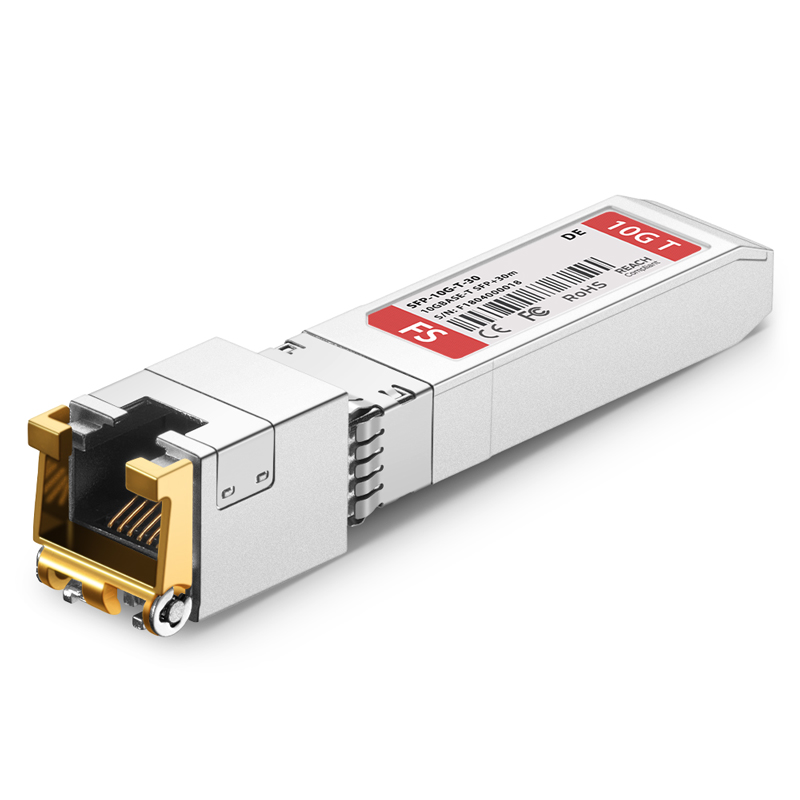
FS.com
Check FS 10gbe SFP+ transceiver module compatible Dell GP-10GSFP-T datasheet (10GBASE-T SFP+ module, RJ-45, 30m) and price list. 100% compatible, Order Now!
Or, essentially at least
meager ginkgo
Should be fine, just triple check it can
- Support 2.5gig link speed (if needed)
- Works fine with your hardware
signal jay
oh hm
meager ginkgo
(Seems like that one does support 2.5gigabit auto negotiation)
signal jay
why do they not all support 1-10
meager ginkgo
2.5gigabit is a newer standard, some older hardware doesn't support it
topaz patrol
Because 2.5GbE is a new and arguably stupid standard
signal jay
Can I be a zuck sinner and buy from amazon lolll
$30 instead of $80 😢

10G copper SFP transceiver module compatible with Dell GP-10GSFP-T is equipped with an RJ45 connector, reaching a link up to 30m at 10GBASE-T data rate over cat6a/cat7 Ethernet copper cabling. Besides, the 10 Gigabit copper module is backward compatible with 1GBASE-T, and intermediate rate 2.5GBA...
Also can do 2.5
meager ginkgo
ethernet and SFP sticks (and some other gear) has link speeds the connection can link at:
Common link speeds are 100Mbps, 1000Mbps, 2500Mbps, and 10,000Mbps
2500mbps is a newer link speed standard
meager ginkgo
signal jay
https://a.co/d/0WyrHek
It's amazon, i'd try it and just return if it doesn't work 🤣
signal jay
Bro’s got bigger balls than me
meager ginkgo
That should be fine from a quick glance though
signal jay
It says dell as the option selected
I’m tempted to get more than one. Server has 2, then I can use it as the router and move my existing one elsewhere
signal jay
meager ginkgo
cat6 is also fine. CAT6e isn't a real thing 😛
What’s the difference between cat5-cat6(e?)
Everything is cat 5e currently. Is it worth rerunning 8 or so runs? (One hour tops for the runs, then just time keystones)
meager ginkgo
signal jay
What’s the difference between cat5-cat6(e?)
CAT5 (non E) only technically supports speeds up to 100mbps officially. CAT5e is gigabit, CAT6 10 gig up to a certain distance, and CAT6A is 10 gig up to a longer distance
Now, you can get more speed out of lower spec cables (some report 2.5gig works on 5e etc) but it depends on the quality/length of the cable
signal jay
Old spool I pulled out of a contractors dumpster. Was throwing away 600+ft so… questionable at best
meager ginkgo
signal jay
Old spool I pulled out of a contractors dumpster. Was throwing away 600+ft so… q...
the 5e?
signal jay
I ran it all originally, barely any actually in a wall or cavity that requires any difficult fishing. I have fiberglass push and pull rods so not concerned really
One is tricky but it’s running a 1gig router, so it’s staying regardless
most of what I would rerun is patch panel and or from the ONT
meager ginkgo
The cable jacket (outer layer) should say how many mHz the cable supports, if it's under say 250 - it may not be able to do above gigabit
meager ginkgo
either way, probably a good idea to replace it just so you can futureproof a bit. Since you already have fiber optic internet...
signal jay
Fun fact, if you pay your electric company to remove the coax wire the ISP already had ran to your house(and the entire pole it was on), they’ll willingly run you a new fiber in your fancy underground conduit to ‘future proof’ me
Totally didn’t do that to my isp tho, no way
350mhz
meager ginkgo
We got lucky that the builder installed a conduit to the outside of our house for the ISP to bring our fiber in
meager ginkgo
signal jay
350mhz
Might not hurt to try to run 2.5gig on it, if it's not stable just replace it with CAT6 (or do it anyways lol)
signal jay
I would have ran it originally but our local supplier told us the minimum role size they sell is 5,000ft
regret not ordering online but hey. You win some you lose some
thorny osprey
opal pagoda
qos if congestion is an issue
my cpu dies with qoa ;-;
pastel monolith
I don't have qos enabled and speeds and latency tests look fine, if want to prioritize some traffic then can use qos but isn't necessary for good speeds or latency
Couple of random speed tests, I'm on at&t fiber, the one that has three ping timings does one before download/upload bandwidth tests and one during download one during upload

 opal pagoda
meager ginkgo
The capacity of SM is crazy
opal pagoda
meager ginkgo
The capacity of SM is crazy
You can mux 64 wavelengths with a fs.com box with each channel having a 25g connection
(1.6Tbps)
pastel monolith
Here I just shut off the at&t modem/routers WiFi and am passing through to deco 5000/WiFi 7 mesh routers, for the WiFi link speed on phone shows about 1900Mbps up or down max, but limited to 1Gbps/1000Mbps for ISP/internet connections.
There's an older trendnet (like $10-15) 1Gbps switch used for splitting the wired connection for a few machines then handful of TV's and tablets/phones that are on the network, but moderate usage all around. Most I use the bandwidth for is streaming content and downloading games, occasionally play online but usually not in competitive games where any of this kind of timing would matter.
 fallow aurora
Hi, randomly my windows install like disconnects from the internet so I cant search or anything but my ethernet cable is plugged in but I saw this program reviewed quite well "NetAdapterRepair" and when the connection issues happen sometimes I click "return networking services to default settings" and sometimes that solves the issue until randomly it starts again but other times I click "advanced repair" reboot and it works. I'm confused please help.
 ebon wasp
Sounds like your networkcard is crashing
fallow aurora
its plugged into the motherboard
ebon wasp
Then your network card is build into the motherboard
it still can crash
Try to get the latest driver from the motherboard manufacturer
lone crane
yeah just resolder it
fallow aurora
🤣🤣
 high needle
Server related, can someone help point me in the right direction to how ive royally fucked my networking in a vm migrating from proxmox -> esxi
Initially VirtIO adapter in proxmox was disabled (esxi used sr-iov, ive shut down the vm in esxi and re-used the mac addreess for VirtIO adapter as I have DHCP reservations)
Re-enabled it, networking now works but the VM will not ping IPs seemingly at random (some IPs ping fine others dont and I cant curl their webui either?)
Said IPs when pinged show "Destination Host Unreachable", curl shows "No route to host", but ping fine both in another linux vm on the same proxmox server and in the proxmox shell
Disabled UFW no difference, compared ip routes with a near identical linux vm still on esxi that can ping that ip both are identical, firewall is disabled on the proxmox adapters
Completely lost and would appreciate any and all guidance 🙃
HAOS I just had to bring the adapter back up and its fine, this doesnt seem to quite be the case?
high needle
Okay nevermind the answer was to reboot esxi after the migration?
I dont get it either but hey its fixed now
peak cloak
why esxi?
signal jay
Makes sense to me, pretty much always have to reboot
@meager ginkgo what’s the easiest way to add a external SAS/Sata backplane or hotswappable to a server? I wondered about just buying a old server SAS backplane from a different server and building the needed box to hold it all… but I’m unsure
Figured I’d do a hba330(Or hba310) or similar as my actual raidcard
but idk about the other hardware
Maybe wrong chat but hey this is networking if I use ethernet ;)
meager ginkgo
signal jay
<@390856614942474241> what’s the easiest way to add a external SAS/Sata backplan...
Honestly Ive never messed with SAS, so not really sure.. sorry
amber urchin
signal jay
<@390856614942474241> what’s the easiest way to add a external SAS/Sata backplan...
Disk shelf and external SAS card?
signal jay
Maybe yeah
 cunning violet
Any good spoilers from uwc
 lone crane
looks great on paper but with stuff like this the software can be a issue
i have not been able to really check it but possible it might not have the modern supported TLS version
 fallow cloak
 compact flint
I wouldn't bother, probably quite loud, no available fw
And there are other options for that price
Look at a CRS328-24P-4S+RM which is cheaper MSRP, has PoE and 10GbE
24 port Gigabit Ethernet router/switch with four 10Gbps SFP+ ports in 1U rackmount case, Dual Boot and PoE output, 500W
fallow cloak
signal jay
<@390856614942474241> what’s the easiest way to add a external SAS/Sata backplan...
I just built a DAS that hangs off my NAS and it supports SAS, though just from breaking out. Do you require a backplane?
signal jay
fallow cloak
I just built a DAS that hangs off my NAS and it supports SAS, though just from b...
Not necessarily, just extra drives
Ideally expandable to until I run out of pcie lanes lol
I’m open to anything as long as I get good bandwidth and connectivity
fallow cloak
signal jay
Not necessarily, just extra drives
Currently writing my blog post about how I expanded my NAS by building a DAS, but baiscally it's this:

You can get a whooooooole lotta drives if you use expanders, which unless you're doing nvme you should be.
In practice that looks like this, top is my NAS and bottom is the same case but just without any actual hardware, just the expander and disks


I only have 2 extra disks in the DAS right now out of a potetial 16 and I'm at about 120TB RAW
signal jay
fallow cloak
I only have 2 extra disks in the DAS right now out of a potetial 16 and I'm at a...
Absolutely gorgeous. You’re a madlad
120TB of RAM? 
fallow cloak
Storage lol, I wish I had that much personally.
signal jay
I find it mildly comical you use the AMD stock cooler btw
fallow cloak
Have over 1PB of RAM at work over a few clusters though 
fallow cloak
signal jay
I find it mildly comical you use the AMD stock cooler btw
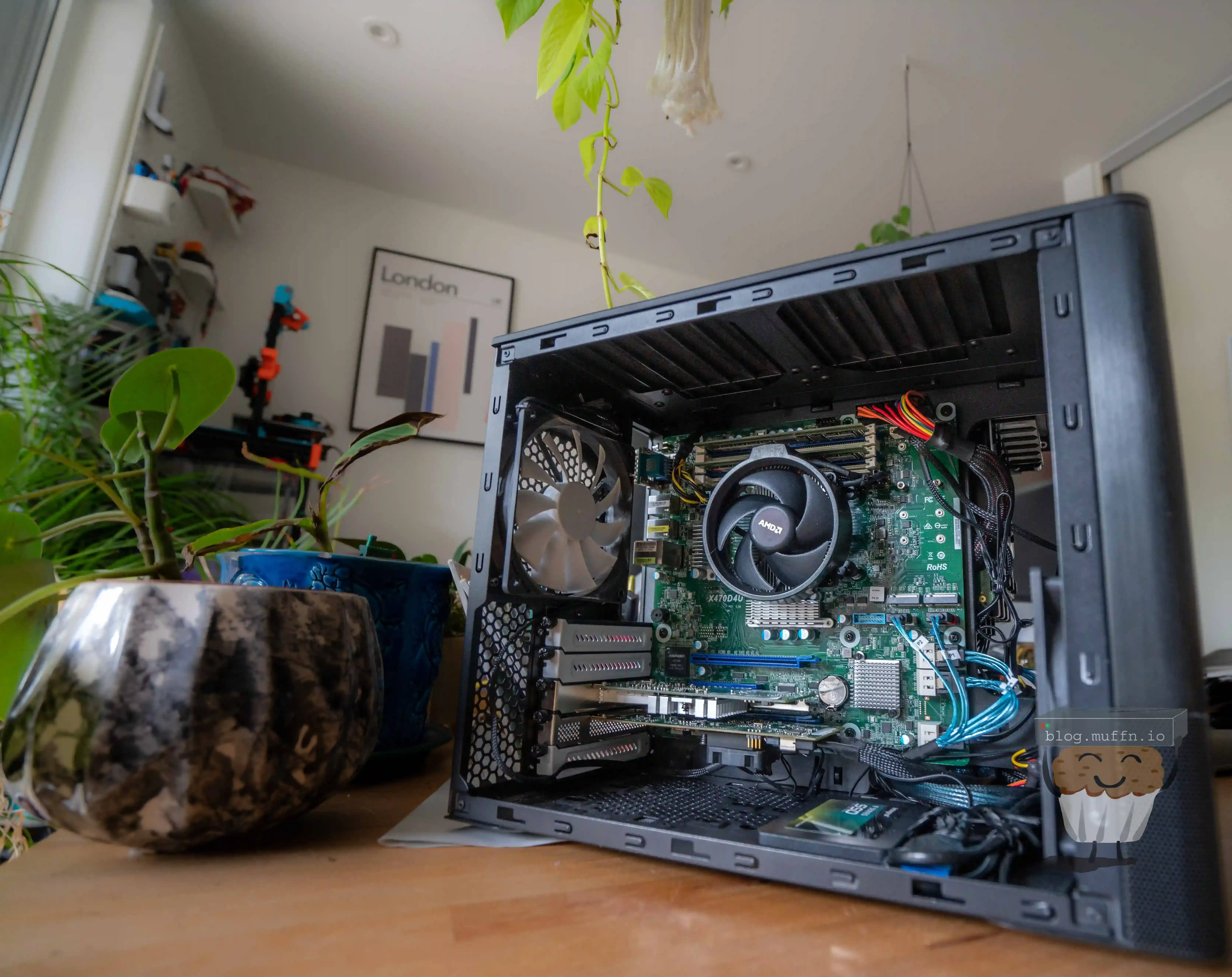
🎬 Intro # Cheap cloud storage is dead. :saluting_face:
Storing vast amounts of data in the cloud at an affordable price is currently not feasible. Although it served its purpose for a while, I’ve decided to just build my own dang cloud again.
I don't usually I just didn't care and was being cheap lol
signal jay
I have two 8bay servers with small ish drives currently, setup mostly for miscellaneous stuff. But I am wanting to expand to a offsite backup for friends and family (Several have asked since I have 90% of the infrastructure already) . So I will be expanding to more soon ™️
I sincerely appreciate all the details and info
i will readup
fallow cloak
Just build something IMO. If it's for backups and stuff go ZFS for sure.
Also have another NAS I built for that site for backups and shit, using TrueNAS, reccommend the Jonsbo cases
 signal jay
fallow cloak
Just build something IMO. If it's for backups and stuff go ZFS for sure.
signal jay
fallow cloak
Just build something IMO. If it's for backups and stuff go ZFS for sure.
You mean a NAS?
fallow cloak
Build a NAS, yeah
signal jay
The two servers already have ample horsepower to handle the traffic/run as essentially a NAS- what would the benefit be of adding another system?
R710 with 76GB of RAM as media server, r630 with nearly halfa terrabyte or RAM with duel e5-2679av4’. I could see being limited in PCIE, but otherwise my throughput should be plenty with a DAS, unless Imm mistaken?
fallow cloak
Okay yeah that should be plenty, I'd hang it off the r630 personally. Do you have the 630 set up as a hypervisor?
I'd personally depreciate the 710 now though, those CPUs are getting really old and the performance:watt is awful
 green meadow
Wdyt about my first server rack?🥲
 hidden obsidian
Do a before and after with solid cable management. It'll look glorious
green meadow
hidden obsidian
Do a before and after with solid cable management. It'll look glorious
I'm well aware, the patch panels, cat6 spool and the dohikey for ending the RJ45 conventions are in shipping
fallow cloak
green meadow
Wdyt about my first server rack?🥲
Is that G6/7 sitting ontop of the switch?
Or a shelf?
green meadow
fallow cloak
Is that G6/7 sitting ontop of the switch?
Yeah itsa a G6, and at the bottom too
fallow cloak
green meadow
Yeah itsa a G6, and at the bottom too
yeah didn't even clock that. Been a while since I had a proper rack, had to majorly downsize a few years go
green meadow
Zamn
fallow cloak
This was it at one point tho
 green meadow
fallow cloak
This was it at one point tho
green meadow
fallow cloak
This was it at one point tho
Are those G8s in the middle?
fallow cloak
aye
green meadow
Damm nice
But yeah the top will will be running my router, website, DB, and WHCMS
And the bottom one will be a NAS for all the computer servers
fallow cloak
Noice, I still have my 60 bay lmao. Been trying to sell it for ages
green meadow
fallow cloak
Noice, I still have my 60 bay lmao. Been trying to sell it for ages
Sadly I'm from Poland 🥲
fallow cloak
Closer than most :P. Was much easier to buy/sell stuff like this before Brexit
green meadow
Yeah
high needle
peak cloak
why esxi?
Im moving away from esxi :P
Homelab so proxmox is perfectly fit for purpose
And infact seems much less buggy than my esxi install ironically
But originally, its all I really knew existed when I started homelab stuff
lone crane
anybody got a clue how i can get truenas to do spindown on a pool with raidz
topaz patrol
green meadow
But yeah the top will will be running my router, website, DB, and WHCMS
And the...
WHMCS :(
 lone crane
MOAR aliexpress 10gig shit


 sly compass
Ugh finally after a couple of months i solved my dns issues.
If you guys run https://dnscheck.tools/
What is your average ping time? I had like really high. Now im down to 20-25ms. All grean dnssec and using doh even devices that are hardcoded to use google or some other dns will get pulled doh
A tool to test for DNS leaks, DNSSEC validation, and more
thorny osprey
how can I reduce latency and lag spikes? I have a tp link ax23 and I'm connected by ethernet
my friend with an ax15 gets less ping than me somehow
 stable jackal
hard to determine without knowing more details about whats causing it
thorny osprey
stuck grove
get a better isp
Same isp as my frend
thorny osprey
stuck grove
and/or move to a new house
how the hell is that gonna help?
stuck grove
Physical distance and network topology of how the isp gets internet to your home
stable jackal
could be routing issues or physically the cables are crap and you're getting loss
thorny osprey
stuck grove
is it just your pc, cable, then router?
ya
thorny osprey
stuck grove
Physical distance and network topology of how the isp gets internet to your home
My friend and I in the same block
stuck grove
Move your pc to your router, and try a different cable
i assume there’s some sort of wall run you’re using?
in-wall ethernet i mean
thorny osprey
its ethenret vro
gigabit cable
and im in the same room as the router
actually I could touch my router without a step
stuck grove
Only one router in the home?
thorny osprey
yup
stuck grove
try a different cable
thorny osprey
does cable rlly matter in latency?
stable jackal
it could
stuck grove
it can
thorny osprey
dang ok
stuck grove
any half decent cable should have little impact on latency, but not always the easiest to tell if you have a good cable
stable jackal
if ur getting random spiked might be your windows install
might be something running in the back or something messed up causing it
like bad/old network drivers?
thorny osprey
how do I check?
stuck grove
it’s basically a matter of “keep updating potential problems till it goes away”
thorny osprey
stable jackal
if ur getting random spiked might be your windows install
Ik my windows a lil wack since snipping tool takes some seconds to load and idk y but idk about my network
stuck grove
as far as windows install or drivers go
thorny osprey
should i turn dis on lol?
 thorny osprey
should i turn dis on lol?
thorny osprey
thorny osprey
should i turn dis on lol?
doesnt sound that great
stable jackal
if you want a quick way to see if its ur install/machine or your network you could try doing a live boot of linux and seeing if you see the same problems
if you can see it happening on speedtests or something
thorny osprey
da cable im using rn is cat 5e utp
and i dont have any extra cables rn of the same or higher grade so yall got any other alternatives ;-;
thorny osprey
stable jackal
if you want a quick way to see if its ur install/machine or your network you cou...
Could I dual boot
stable jackal
you dont need to install linux, no need to dual boot. You can boot into a live media, temporary instance of linux without having to install it to your drive
peak cloak
thorny osprey
how can I reduce latency and lag spikes? I have a tp link ax23 and I'm connected...
coax? fiber?
thorny osprey
peak cloak
coax? fiber?
Fiber
thorny osprey
peak cloak
what type of lag spikes are we talking about?
like today I recorded like 300 ms ping to 1.7K or 700 or even my game jst stopped responding but then started to with 12K ms ping then back to 300 then back to 2K then back 300 and then I stopped recording because I can't bother to
stable jackal
seems like to me its not a physical issue probably somethign going on with your windows install
stable jackal
 thorny osprey
holy shit wtf my pc can't even take over 1G
lone crane
im doing lots of 10gig
 ionic grail
How can over-provisioning happen on a 1 Gb plan using a 1 Gb NIC?
(i.e. 1.2Gbps down on a speed test)
peak cloak
ionic grail
How can over-provisioning happen on a 1 Gb plan **using a 1 Gb NIC**?
(i.e. 1.2G...
what speed test are you using?
ionic grail
peak cloak
what speed test are you using?
clear igloo
ionic grail
fast.com
they do weird caching on the client side where it can do that
 daring cloud
just saw this on Reddit https://www.reddit.com/r/Tailscale/comments/1ksy3xy/someone_just_randomly_joined_my_tailnet/
looks like tailscale just guesses if you're on a company domain or not rather than requiring DNS verification, and just auto-joins users of any free mail providers they're not aware of to the same VPN network
ionic grail
peak cloak
Try a different one
speedtest.net by Ookla works properly (not like fast.com)
Thanks!
 marble nova
thorny osprey
how can I reduce latency and lag spikes? I have a tp link ax23 and I'm connected...
marble nova
thorny osprey
how can I reduce latency and lag spikes? I have a tp link ax23 and I'm connected...
use mtr to make sure that you and your friend have the same first hop and first hop ping times. Even though you're physically close, you could be very different topologically.
thorny osprey
marble nova
use mtr to make sure that you and your friend have the same first hop and first ...
mtr?
marble nova
traceroute. mtr does it on a repeating basis.
thorny osprey
wat is mtr
marble nova
mtr is like the traceroute command --- but far more useful information.
mtr -t somewhere.com
(-t forces it to stay in the terminal)
twin pier
thorny osprey
should i turn dis on lol?
I'm curious what exactly this mean
Is it perhaps like toggling promiscuous mode
I assume you'd always want that setting in the image toggled on
twin pier
ionic grail
How can over-provisioning happen on a 1 Gb plan **using a 1 Gb NIC**?
(i.e. 1.2G...
It can't. Fast.com is known to be very inaccurate
most you should be able to get is like 950 megabits per second of actual data throughput
peak cloak
twin pier
Is it perhaps like toggling promiscuous mode
TCP offload engine (TOE) is a technology used in some network interface cards (NIC) to offload processing of the entire TCP/IP stack to the network controller. It is primarily used with high-speed network interfaces, such as gigabit Ethernet and 10 Gigabit Ethernet, where processing overhead of the network stack becomes significant.
TOEs are oft...

Overview of hardware offloads in NetAdapterCx
 sullen coral
Can someone help me I am looking to buy a network switch and I have like 6 criteria and I am wondering if someone can help me find something that matches it.
- Cisco brand it's what I am familiar with and like.
- 10" rack mount( most flexible but still I want a mini rack instead of my full size one
- managed
4)16-24ish port - 2 gigabit ports at least
- avaliable used and not for thousands of dollars
I keep finding stuff with some combination but like I would think there would be something that checks all the boxes somewhere. My intellenet switch died and I wanna downsize a bit. Fillsize racks stuck in a small room
ionic grail
twin pier
most you should be able to get is like 950 megabits per second of actual data th...
Thanks! I'll just stick to Ookla's speed test
 rocky badge
sullen coral
I keep finding stuff with some combination but like I would think there would be...
rocky badge
sullen coral
I keep finding stuff with some combination but like I would think there would be...
 clear igloo
Aside the C1300 series which which is still going to be a few hundred bucks, not really happening for a half width switch
C1300-16P-4X is 20 ports though but you're not getting rack mount stuff so be ready to print your own
Actually the C1300-16P-2G comes in at 18 ports and is about $300
 lean palm
rocky badge
lean palm
rocky badge
Literally
There is no such thing as a 10” rack switch from cisco that has 24 ports
Much less for less than a kidney
ornate jungle
sullen coral
1) Cisco brand it's what I am familiar with and like.
2) 10" rack mount( most fl...
EOL - https://www.ebay.ca/itm/276567720732
EOL - https://www.ebay.ca/itm/305905921779
Not EOL (yet) - https://www.ebay.ca/itm/187118286081

eBay
Find many great new & used options and get the best deals for Cisco C1000-16P-2G-L Cisco Catalyst 1000 Switch 120W 16 PoE+ Ports 2 Gigabit SFP at the best online prices at eBay! Free shipping for many products!

eBay
Find many great new & used options and get the best deals for Cisco Catalyst WS-C2960L-16PS-LL 16-Port Gigabit Ethernet Switch PoE 2960 Series at the best online prices at eBay! Free shipping for many products!

eBay
Find many great new & used options and get the best deals for Cisco Catalyst C1300-16P-2G Ethernet Switch, 16 Ports - Manageable - Gigabit Eth at the best online prices at eBay! Free shipping for many products!
sullen coral
ornate jungle
EOL - https://www.ebay.ca/itm/276567720732
EOL - https://www.ebay.ca/itm/3059059...
Thanks the 2nd one is exactly what I want basically eol is fine a lot of my stuff is
sullen coral
lean palm
There is no such thing as a 10” rack switch from cisco that has 24 ports
I've seen them from other companies so I was hopeful
ornate jungle
sullen coral
I've seen them from other companies so I was hopeful
"Other companies" sure, but you're asking Cisco to cater to a market they'd make no money from so... 😛
Cisco is in the business of charging businesses way too much for the privilege of using standardized Cisco management software / systems. If this is you or your company's thing, great - go ham; spend the money, and "enjoy" Cisco's iOS. Otherwise, I usually recommend Ubiquiti gear for homelab / enthusiast setups.
lean palm
ornate jungle
"Other companies" sure, but you're asking Cisco to cater to a market they'd make...
ubiquiti is making a compact 16 port for homes so why isnt cisco /s
sullen coral
ornate jungle
Cisco is in the business of charging businesses _way too much_ for the privilege...
Yeah it's pricy but I just like their software I have experience in with it from college and I like it a lot more than any other I've used
lone crane
@topaz patrol
 topaz patrol
lone crane
<@468560894352162846>
topaz patrol
lone crane
<@468560894352162846>
UBNT? Or Omada
lone crane
i swear you said something about not liking their stuff due to BGP
well also a lot of other reasons too
lone crane
yay i got something omada shit does not have
topaz patrol
lone crane
yay i got something omada shit does not have
But can you cluster your Unifi controller? That's what I thought :p
 lone crane
well there was something new added now where you can do something like that i think it was
Shadow Mode
sooo yes i kinda can
topaz patrol
No, that's for the gateway, not the actual controller
Also last I checked it wasn't actual HA and more just failover
lone crane


In this video we'll take a look at the brand new Automatic Shadow Mode feature that will soon be coming all rackmount UniFi Dream Machines with the release of UniFi OS 4.0! This feature finally allows a pair of UDMs to be configured in a high availability pair to facilitate automatic failover in the event of the failure of a single UDM.
Buy fr...
topaz patrol
That is not for the controller though
lone crane
aint the gateway the controller?
topaz patrol
Only really for one site
topaz patrol
This or the software controller

The controller built into the dream machines etc is fine for just one or two sites but not really for 10s or 100s of sites
lone crane
soo it gets offloaded to the cloud?
topaz patrol
fallow cloak
Just host the controller yourself?
No high availability :(
fallow cloak
topaz patrol
No high availability :(
Ah sorry I missed that, why do you need HA out of interest?
topaz patrol
fallow cloak
Ah sorry I missed that, why do you need HA out of interest?
We manage almost 100 sites in Omada, and a controller going down wouldn't be fun
fallow cloak
The controller is just the management plane though, you can very easily bring that back with a backup
The network itself will be fine
Run it in docker, copy the volume mount every hour or something
topaz patrol
But do you want to?
Proper roaming and mesh also kinda doesn't work when the controller is offline
fallow cloak
Really? Roaming should be using 802.11r and meshing does work when the controller is down
One of my sites has 5 meshed APs and they are just fine once established, that site is on starlink and loses controller access all the time
topaz patrol
Also makes managing multiple controllers easy, since it's just the one dashboard, not sure if UBNT is like that
topaz patrol
fallow cloak
Really? Roaming should be using 802.11r and meshing does work when the controlle...
Fast roaming is borked on omada without a controller
Mesh works, but it won't "self heal" (I think)
fallow cloak
I can't speak for TP stuff but the UniFi controller is just for management, it's not orchestrating anything.
fallow cloak
topaz patrol
Mesh works, but it won't "self heal" (I think)
I don't think this is the case but I'll take your word on it. I am fairly certain the APs manage that themselves.
topaz patrol
 fallow cloak
Anyway. if you need HA controllers I would go with something more enterprise
fallow cloak
topaz patrol
I'm talking about UniFi stuff, I have absolutely 0 experience with Omada
topaz patrol
fallow cloak
Anyway. if you need HA controllers I would go with something more enterprise
If UBNT wants to call themselves enterprise they should have HA :p
¯_(ツ)_/¯
fallow cloak
I mean, I wouldn't call them enterprise. If I brought up using unifi stuff at work they would almsot certainly laugh at me.
I agree though, alas.
Look at Ruckus stuff, use it heavily at work and it's p. good
topaz patrol
topaz patrol
If UBNT wants to call themselves enterprise they should have HA :p
It makes me laugh

I'm a good hater :)
topaz patrol
fallow cloak
Look at Ruckus stuff, use it heavily at work and it's p. good
Too far down the rabbit hole! Plus it's cheap. Their GPON stuff is really nice
ornate jungle
topaz patrol
If UBNT wants to call themselves enterprise they should have HA :p
To be fair, even the Cisco Meraki ecosystem isn't what I would call enterprise. It's good, but the Cloud Management site is riddled with JavaScript bugs and inconsistent UI blunders that make me want to pull my hair out. And it's slow AF.
IMO, Enterprise is just a marketing term to justify charging outrageous prices for something anyway. Cisco's saving grace is how quickly and effectively their TAC teams have handled our support tickets - that's worth it alone for us.
clear igloo
ornate jungle
To be fair, even the Cisco Meraki ecosystem isn't what I would call enterprise. ...
Are you on the new UI or legacy still?
The new one is a bit snappier but the redirects from legacy to new and other quirks still remain
ornate jungle
clear igloo
Are you on the new UI or legacy still?
The new one is a bit snappier but the red...
"Yes." Some screens automatically give us the newer UI. Some flash the new UI for a second before fully reloading the page a second time with the old UI. Some pages don't have a new UI at all. And some features we use are either missing from or more labourious to access in the new UI.
clear igloo
ornate jungle
"Yes." Some screens automatically give us the newer UI. Some flash the new UI fo...
Yup, that's about right 😄
I do know a lot of resources are going into uplifting everything towards the end of the year as IOS-XE based Meraki mode starts rolling out on more platforms
So there is still plenty of time for things to get worse 😄
random siren
ornate jungle
IMO, Enterprise is just a marketing term to justify charging outrageous prices f...
enterprise is mostly just quality and amount of support you are paying more for. if thats not the case for smth its not worth paying for in almost all cases
opal pagoda
ornate jungle
"Yes." Some screens automatically give us the newer UI. Some flash the new UI fo...
i dont need no UI
just give me a good cli that i can ssh into and i will be happy
opal pagoda
random siren
enterprise is mostly just quality and amount of support you are paying more for....
real definition is standardisation and documentation
random siren
opal pagoda
real definition is standardisation and documentation
would be nice but no. most enterprise software ive interacted with is absolutely not that
open source projects have the by far best docs by far in my experience
native kettle
Having an interesting issue. Loosing internet connection but can still access local device online yet the internet is still accessible on everything else.
pastel monolith
Could be DNS
 wide shadow
Is this good enough for TrueNAS?
Want to make it be able to:
- Do backup for 8 - 12 devices
- Stream 4x 2K video
- Be used as cloud storage
While i want max capacity for lowest possible price.
So far i made this:
https://pcpartpicker.com/list/BWKJZc
(Please ping when replying or i might not notice replies.)
Part List - Intel Core i3-9100
I will be sincing replies across servers too. So that everyone replying will be up to date with others suggestions.
wide shadow
I accidentally used united states instead of Slovakia...
Soo... apparently i need new list...
...well that's ton of effort down the drain...
stuck grove
get two sticks of ram
wide shadow
I don't care if it's "top of the line" or if it's "plain garbage"
All i need is so it gets the job done for minimum price.
stuck grove
get two sticks of ram
you will see a noticeable improvement with dual channel vs single channel
wide shadow
stuck grove
get two sticks of ram
Would but two issues:
- I selected wrong country so i need to remake whole list
- That 1x 16GB was best €/GB
topaz patrol
wide shadow
Is this good enough for TrueNAS?
Want to make it be able to:
1. Do backup for 8 ...
Why are you buying such old parts new
stuck grove
also that, get used
wide shadow
stuck grove
you will see a noticeable improvement with dual channel vs single channel
I know... already have experience with that type of boost
topaz patrol
No point buying crap that's been sitting on a shelf for 7 years
stuck grove
other than hdds, i’d buy those new or recertified
psu and hdds new, ssd new if you really feel like it, the rest get it used
stuck grove
how is that relevant or a response at all?
wide shadow
Plus old can be found used for shitty low prices
stuck grove
they’re saying get those old components, but buy them used, not brand new
topaz patrol
You can get much less crap stuff for the same price if you get used
wide shadow
Also... shittalking won't help... either provide useful information or just don't reply. So we don't spam this with stuff that is 1. known by many 2. doesn't address the issue directly.
topaz patrol
I'm not shittalking...
stuck grove
we’re giving you actually helpful advice mate…
wide shadow
I know that new can last longer, has better performance, can have the warranty, etc. But that's not main concern. So no... it's not as useful as you might think.
topaz patrol
I'm not telling you to buy new. I am telling you to buy newer used gear
pastel monolith
wide shadow
Is this good enough for TrueNAS?
Want to make it be able to:
1. Do backup for 8 ...
1/3 depends on usage really but if incremental backups only first ones should be large/take a while, 2 is only one where vid encoding/decoding speeds can limit things or bandwidth
topaz patrol
Instead of older "new" gear
wide shadow
wide shadow
I know that new can last longer, has better performance, can have the warranty, ...
I would rather use 10y.o. parts than off the shelf as long as it's good enough and gets the job done.
pastel monolith
also if just give what target budget is might be easier to get suggestions on alternative setups
stuck grove
wide shadow
I would rather use 10y.o. parts than off the shelf as long as it's good enough a...
are you reading the messages we’re sending? you sent a list of all brand new components, and we told you to instead buy used, but your messages imply that we’re saying the exact opposite when we aren’t
topaz patrol

wide shadow
pastel monolith
1/3 depends on usage really but if incremental backups only first ones should be...
Well... backups would be ideally when noone would be using it soo maybe between 2am and 4am an probably in way git does sinc stuff... but unsure yet
pastel monolith
rysnc is a good way to go for incremental backups, but yeah does seem like ya'll might just be talking past one another a bit too 🙂
wide shadow
stuck grove
are you reading the messages we’re sending? you sent a list of all brand new com...
I barely woke up so might misread... my bad...
twin pier
If you want new instead of used then that's fine too but it doesn't connect to wanting the minimal price without limits
wide shadow
wide shadow
I barely woke up so might misread... my bad...
Yep... i see it now...
wide shadow
topaz patrol
Why are you buying such old parts new
I misread this and my sleepy brain based all context off that... i missed the "new" at the end...
stuck grove
grab a second stick of ram, swap to an nvme m.2 instead of sata, and i’d say it looks pretty good
topaz patrol
All good mate :)
wide shadow
stuck grove
grab a second stick of ram, swap to an nvme m.2 instead of sata, and i’d say it ...
I still need to figure out prices for eastern Europe
Also was thinking about adding this:
https://a.aliexpress.com/_EuwSx3Y