#networking
1 messages · Page 68 of 1
 pseudo blade
 somber sandal
Try and ping your default gateway, that will at least limit your trouble shooting to your pc or your equipment between you and your home router.
 lunar mist
Yeah I had to do "systemctl restart NetworkManager" in the terminal
 safe mauve
Is a router the best choice for a WireGuard server?
Also can anyone recommend a good firewall? Also do I need one?
 mystic latch
safe mauve
Is a router the best choice for a WireGuard server?
mystic latch
safe mauve
Is a router the best choice for a WireGuard server?
It's no better or worse than other options IMO. Just a choice. Could easily do a WG server on a random device (like a raspberry pi). I do mine directly on my router though.
mystic latch
safe mauve
Also can anyone recommend a good firewall? Also do I need one?
You can do OPNSense on pretty much any x86_64 device. I've repurposed an old enterprise thin client PC to act as my router.
 opal pagoda
safe mauve
Also can anyone recommend a good firewall? Also do I need one?
opal pagoda
safe mauve
Also can anyone recommend a good firewall? Also do I need one?
fortigate 90G
 clear igloo
opal pagoda
fortigate 90G
clear igloo
opal pagoda
fortigate 90G
7121F more like it 😛
 main stream
Hope this counts as "networking" with a cheeky meshtastic device recently acquired, it works like a charm! Made a ping from some dude in a plane lol
 pseudo blade
main stream
Hope this counts as "networking" with a cheeky meshtastic device recently acquir...
pseudo blade
main stream
Hope this counts as "networking" with a cheeky meshtastic device recently acquir...
LoRa's neat
 topaz patrol

 opal pagoda
clear igloo
7121F more like it 😛
opal pagoda
clear igloo
7121F more like it 😛
He said good and not excelent
pseudo blade
clear igloo
7121F more like it 😛


I'd turn my nose up at it with a 99% discount
I mean 300+gbps of inspected traffic is insane but still
topaz patrol
pseudo blade
Plus licenses
pseudo blade
Maybe it's an Australia thing
Even most ISPs here aren't paying for enough bandwidth in one place to warrant such a thing
pseudo blade
topaz patrol
Plus licenses
Indeed
pseudo blade
pseudo blade
I think my water-based mobile NOC is a more compelling spend
topaz patrol
They’ll be fine
Keep in mind the web UI won’t work anymore
So you’ll have to be comfortable using the CLI
I’m pretty sure the web UI used Java applets
If you don’t want the management features you’ll be fine
Yes, but no browsers have had Java applet support for like 7 years
They may have gotten updated then, but I was working with a procurve 2610 a couple weeks back from a similar era that wanted Java support
opal pagoda
pseudo blade
Even most ISPs here aren't paying for enough bandwidth in one place to warrant s...
btw firewalls arent only used at the edge, you also use them for controlling zone traffic
 ripe pendant
Can someone help me find a network switch, needs atleast 20 ports
opal pagoda
ripe pendant
Can someone help me find a network switch, needs atleast 20 ports
what is your budget, do you need poe? do you want higher than gigabit uplinks?
ripe pendant
What's poe?, and My buget is like 100$
1 gigabit is fine, we only got cat5E cables anyways
clear igloo
pseudo blade
What's a good size house these days, lol
clear igloo
opal pagoda
He said good and not excelent

ripe pendant
No, dont have a server rack
Can I still use the ports for normal ethernet at 1gb?
With POe?
How much more expensive are poe switches
Yeah
pseudo blade
clear igloo
What's a good size house these days, lol
It'd pay for a bit over twice my house
clear igloo
pseudo blade
It'd pay for a bit over twice my house
Who needs house when you have firewall 😄
pseudo blade
Me
clear igloo
Live in the box it came in, some sturdy cardboard there
pseudo blade
It'd better be sturdy
I can't imagine having your most-of-a-million dollar firewall get smashed up in shipping
topaz patrol
pseudo blade
It'd pay for a bit over twice my house
Cheap house!
opal pagoda
clear igloo
Live in the box it came in, some sturdy cardboard there
even better if it comes on a pallet in a crate
yesterday in one of my 200f clusters one fortigate was down for some reason
i got onsite tech to unplug it and replug it and it came back up
no logs anywhere on why it went down
just bunch of HA logs that it lost communication
clear igloo
crashes with no logs are the worst
opal pagoda
solar flare be like
opal pagoda
clear igloo
crashes with no logs are the worst
thats why everything except access layer is in HA
clear igloo
opal pagoda
thats why everything except access layer is in HA
oh definitely, it just is annoying when something crashes and you can't even get support on the phone to figure out why since there aren't logs or anything
opal pagoda
clear igloo
oh definitely, it just is annoying when something crashes and you can't even get...
also you would guess that it would display a big ass warning "hey one of your HA clusters has lost a member"
but nooo just a tiny red arrow and nothing on a dashboard
clear igloo
opal pagoda
also you would guess that it would display a big ass warning "hey one of your HA...
yah, well of course, don't want to alarm anyone 😛
opal pagoda
clear igloo
yah, well of course, don't want to *alarm* anyone 😛
aw yep
find a waldo moment

 topaz patrol
so speedy
 main stream
pseudo blade
LoRa's neat
main stream
pseudo blade
LoRa's neat
Sure is!
ripe pendant
Can you recommend one?
ripe pendant
Yeah
Can I get 1 with and 1 without?
So I can see the price difference
Thats a huge difference
I'll stick with non poe in thag case
opal pagoda
ripe pendant
I'll stick with non poe in thag case
https://www.senetic.de/product/R8R50A?configurator=enable
Poe is possible on that budget but it will have to be used, example : WS-C2960X-24PS-L on ebay
HPE Aruba Instant On 1430 Unmanaged 26G 2SFP Switch R8R50A - Preis (exkl. MwSt. zzgl. Versandkosten): 74,83 €.
 errant crown
yo i’m lookin to set up sum diy home security with a local nas storage. would prefer to talk to someone with actual experience in this area
ping me pls
 modest fox
Hey, what's an ideal setup for an older condo unit?
Currently using the modem/router Rogers provides with gigabit ignite (XB7), can't change settings, channels, etc. Looking to go bridged mode. WiFi speeds are okay but gaming is super unreliable. (I know wired is best but I'd really like to exhaust some wireless options. Running a cable is out of the question...)
Thanks friends!
opal pagoda
modest fox
Hey, what's an ideal setup for an older condo unit?
Currently using the modem/r...
If you have coax in your walls you could use MoCa
errant crown
or powerline but it mega sucks compared to moca
opal pagoda
even tho "running a cable is out of the question" a stealth run could probably be done
modest fox
the PC is in a separate room from where the coax lines are so the cable run would be shorter but still not ideal
 old widget
so i could use some switch suggestions. my old router died and the spectrum one is trash so it's time for upgrades which i've needed for a bit. so far i have an m720q + x520-da2 + 1Gbase-t transceiver to serve as the opnsense router (still debating on hw or vm), and a tp-link eap225 ap. would prefer at least 1 sfp(+) port. i'm not worried about poe at the moment and would prefer something equal to or quieter than my eaton 5p ups' and NO licensing/subscription bs.
topaz patrol
Calling licensing bullshit is a stretch lmao, but I understand if you don’t want it
You also provided very few requirements
old widget
well i have 3x intel x520's so the more sfp+ ports the more of my network i can run at 10g speeds. its for my home so requirements arent that extreme. i would prefer rackmount just for organizing purposes
pseudo blade
Licensing is bullshit when you're paying inflated prices for the hardware
My hardware shouldn't stop working because I've stopped paying money
 viral meteor
what is the best ethernet cable for maximoum speeds i currently have an cat 5E cable
 delicate ice
CAT 6, but it also depends on your networking needs and primarily distance.
delicate ice
viral meteor
what is the best ethernet cable for maximoum speeds i currently have an cat 5E c...
your 5e is likely more than enough at home unless you're getting into multigig.
viral meteor
ok thanks
delicate ice
viral meteor
ok thanks
no worries
delicate ice
viral meteor
ok thanks
here's a chart for reference.
 viral meteor
thanks this chart is actually really usefull
delicate ice
viral meteor
thanks this chart is actually really usefull
No problem
opal pagoda
delicate ice
here's a chart for reference.
This chart is wrong, cat6a can do 10g at 100m
delicate ice
opal pagoda
This chart is wrong, cat6a can do 10g at 100m
ah yea nice catch, 500mhz probably wasnt factored.
 hollow totem
Guys, for WiFi sages here, a quick question
How much range would an m.2 WiFi card have if you don't attach the antennas?
Would it be okay if you plan to use the wifi/bluetooth for Earbuds only i.e you'll be right next to the case without any obstruction apart from the case glass?
opal pagoda
old widget
so i could use some switch suggestions. my old router died and the spectrum one ...
if you want new switch then
https://mikrotik.com/product/CSS326-24G-2SplusRM
or
https://mikrotik.com/product/CRS326-24G-2SplusRM

SwOS powered 24 port Gigabit Ethernet switch with two SFP+ ports in 1U rackmount case

24 Gigabit port switch with 2 x SFP+ cages in 1U rackmount case, Dual boot (RouterOS or SwitchOS)
opal pagoda
hollow totem
Would it be okay if you plan to use the wifi/bluetooth for Earbuds only i.e you'...
you can get internal antennas if you dont want stuff sticking out but running one without anttenas will get you no range at all
hollow totem
opal pagoda
you can get internal antennas if you dont want stuff sticking out but running on...
How much is no range at all
Because I'm about a meter or so away from the case already
The Motherboard has sockets at the back I/O for antennas but running them requires the dismantling of the entire case, which I do not want to do
opal pagoda
hollow totem
How much is no range at all
no range at all = wireless module will probably shut down to protect itself
hollow totem
...why would it shut down to protect itself
opal pagoda
if you want only bluetooth just get one of those small usb dongles from tplink
hollow totem
Yeah I suppose more convenient
I basically need something like this:

Except; the module I want to buy does not come with the antennas, or the wires
What is the name of the screw-in connectors that the antennas use?
opal pagoda
hollow totem
What is the name of the screw-in connectors that the antennas use?
ipex on the module, sma on the big side
 opal pagoda
hollow totem
...why would it shut down to protect itself
opal pagoda
hollow totem
...why would it shut down to protect itself
i know that Cisco c9130AXI-E will not even boot without antennas
hollow totem
Hmm
opal pagoda
hollow totem
So the IPEX goes to m.2 module and the SMA is the big screw in one
sometimes it is rp-sma, at the end it doesn't matter and just get matching cable and antena
hollow totem
I think I'll just get a wifi-bluetooth combined USB module
I don't want to bother taking off the GPU, motherboard, cpu cooler just to install and screw some 2 wires
opal pagoda
i have used UB500 before, it is deacent
hollow totem
F*ck you Asrock for skimping out on $8 worth of hardware
They couldn't have included it could they? Sigh
Cheapos.
Sorry for vent.
opal pagoda
hollow totem
F*ck you Asrock for skimping out on $8 worth of hardware
they have variant with and variant without it
hollow totem
I doubt it
topaz patrol
Just put one of these fellas inside your case
 hollow totem
Not found on their website
opal pagoda
topaz patrol
Just put one of these fellas inside your case
thats what i suggested...
hollow totem
Nah man I'll just get an USB dongle
Thank you for the information though
I'm quite fluent in hardware, however, I have not once meddled with ngff wifi cards
topaz patrol
next gen
hollow totem
This is the rig

I am not going in there undoing stuff 1 by 1 just to install 2 skimpy ass wires
opal pagoda
hollow totem
I'm quite fluent in hardware, however, I have not once meddled with ngff wifi ca...
when you have to diagnose it
 hollow totem
What is the most recent protocols nowadays
opal pagoda
hollow totem
I am not going in there undoing stuff 1 by 1 just to install 2 skimpy ass wires
if connectors are at the back and not just holes wires are already there
hollow totem
Just holes
opal pagoda
ah
hollow totem
Fairly certain I need to take off the I/O assembly to run the wires and screw connectors
Including 20 cent connectors too expensive
Asrock ™
Anyhow, plan m.2 wifi is a no go
USB it is. Wifi 6 & Bluetooth 5.3 is the recent ones I suppose?
opal pagoda
hollow totem
What is the most recent protocols nowadays
wireless 802.11be (wifi 7)
fiber 800GBASE-DR8-2 802.3df-2024
hollow totem
Hm, not sure if I need whatever advantage wifi 7 offers
Honestly I just need the bluetooth for my IEMs
opal pagoda
then just get that tplink UB500
clear igloo
opal pagoda
wireless 802.11be (wifi 7)
fiber 800GBASE-DR8-2 802.3df-2024
802.3dj is in the works too
hollow totem
Is that okay for sound stuff?
opal pagoda
clear igloo
802.3dj is in the works too
yea but still in development
opal pagoda
hollow totem
Is that okay for sound stuff?
yes, i have used it before
topaz patrol
hollow totem
5.0 is a bit outdated no?
Bluetooth 5.0 is the mainstream
hollow totem
Earlier I've had issues with multi-channel audio when gaming (Game, Discord, Chrome)
clear igloo
opal pagoda
yea but still in development
fair, yah, probably next year or so
hollow totem
Pretty sure that was a 5.0 device with 5.3 compatible earbuds
clear igloo
opal pagoda
yea but still in development
Although fs.com has a 1.6t DAC already out, lol
hollow totem
Is there not an upgrade to 5.2 or 5.3 over this?
opal pagoda
clear igloo
Although fs.com has a 1.6t DAC already out, lol
are switches or nics also avalibile?
clear igloo
opal pagoda
are switches or nics also avalibile?
Not that I know of
topaz patrol
In other news - are there any softphones for android and iOS that don't suck? (And aren't 3cx)
Every single one I've tried seems to either have a UI looking straight out of 2010, or it just doesn't work.
opal pagoda
clear igloo
Not that I know of
in few years we will upgrade the core, maybe it will be avalibile then
clear igloo
opal pagoda
in few years we will upgrade the core, maybe it will be avalibile then
oh yah, with how fast everything is moving due to AI Hype then I definitely think 1.6 or even 3.2 will be out in a few years time
opal pagoda
yea but i definitly dont need it
even 100g that i have rn is overkill
clear igloo
Already have 100G SFP-DD out on the market
hollow totem
So ugh one last question
I shouldn't run into any issues if I get a 5.0 module instead of 5.3 right?
Because UB500 is more readily available from TP-Link whereas 5.3 ones are offered by off-brands such as Ugreen
opal pagoda
hollow totem
Because UB500 is more readily available from TP-Link whereas 5.3 ones are offere...
bluetooth is backwards compatabile
hollow totem
That wasn't exactly my concern, but
Odd, UB500 shows as BT 5.3 in other regions but 5.0 in my region
Old stock dump 
ripe pendant
opal pagoda
https://www.senetic.de/product/R8R50A?configurator=enable
Poe is possible on tha...
Are those 10g switches?
 clear igloo
ripe pendant
Are those 10g switches?
clear igloo
ripe pendant
Are those 10g switches?
1g only
ripe pendant
I was confused with fiber optic thing
clear igloo
Those are SFP ports, they're 1g only
SFP+ would be 10g but the switch doesn't have that
 zinc fog
I bough an Acer wave 7 in hope to get better network speed between floors, the two boxes are in direct line between the floors. The speeds are awful. It was a downgrade from my Google Nest. Can anybody recommend anything beside running cable?
I get around 300 down, my router get 500
opal pagoda
ripe pendant
I was confused with fiber optic thing
If you want 10g you would need to pay 60-100$ more
If you have a decent nas it is useful
Even in enterprise i often uplink with just 1g as there is just no demand for more
And since you want redundancy i lacp 2 1g connections together
ripe pendant
opal pagoda
If you want 10g you would need to pay 60-100$ more
I def don't need 10g
 young knot
opal pagoda
Even in enterprise i often uplink with just 1g as there is just no demand for mo...
young knot
opal pagoda
Even in enterprise i often uplink with just 1g as there is just no demand for mo...
I think 10G is the minimum I’d accept for an uplink at this point.
At $work, we have 1G access for 99% of endpoints, 10G/25G for the last 1%. 25G uplink to two switches, using LACP. Dual 40G/100G in LACP to the core. 40G is being phased out for 100G.
topaz patrol
My IP phones need 10G I swear!
opal pagoda
young knot
I think 10G is the minimum I’d accept for an uplink at this point.
yea for lots of office/admin people
makes no sense for industrial aplications
ripe pendant
Whats the difference betweeen a managed and unmanaged switch?
topaz patrol
Search the world's information, including webpages, images, videos and more. Google has many special features to help you find exactly what you're looking for.
young knot
opal pagoda
yea for lots of office/admin people
makes no sense for industrial aplications
But you’re talking about uplinks, supporting 24-48 1Gbps ports.
ripe pendant
topaz patrol
https://youfailedyourselfatgoogling.com.au
is a managed switch really needed for a tipical home network because I'm not expecting to get ddosed or anything
topaz patrol
You’d know if you needed one 🙂
opal pagoda
young knot
But you’re talking about uplinks, supporting 24-48 1Gbps ports.
even more
there was one stack with 8 24 port switches in it that i recently upgraded uplinks on
previously it was a single 1g uplink
now it is dual 10g
i have no idea why it wasnt upgraded before i came
young knot
Yeah, but this is my point
For minimum 24 1Gbps ports, I’d want at least 10Gbps uplink
young knot
ripe pendant
is a managed switch really needed for a tipical home network because I'm not exp...
For the love of god, just don’t daisy chain hubs.
opal pagoda
young knot
For the love of god, just don’t daisy chain hubs.
he should make a ring from unmanaged switches
ripe pendant
young knot
For the love of god, just don’t daisy chain hubs.
router>switch>router>switch ETC till I hit the 2nd floor
young knot
I walked into an end-user area reporting weird network issues last week. They had hundreds of netgear switches connected to our access switches.
Another admin had disabled NAC on all of the ports.
ripe pendant
Nah but I'm only getting 1 switch
opal pagoda
young knot
I walked into an end-user area reporting weird network issues last week. They ha...
i have heard stories about simmilar thing on one of our locations way back
bunch of unmanaged switches, daily issues with various industrial programs, plcs etc
after we pushed them to switch to cisco all of the issues went away
young knot
Many of the unmanaged switches connected to each other. When I asked about it, they told me “years ago IT just handed us a bunch of these and it seemed to work”
opal pagoda
young knot
Many of the unmanaged switches connected to each other. When I asked about it, t...
key word "seemed"
young knot
Oh, it “works”.
Every minute or so everything blocks traffic for spanning tree, but it “works”.
They won’t let me fix it either because “somebody from IT tried to replace it with a fancy $10,000 switch but it didn’t work when we connected new equipment”
And of course none of their equipment has a certificate or has its MAC in the NAC.
opal pagoda
what kind of hellhole is that
young knot
I’d rather not say, and you’d rather not know.
opal pagoda
understandable
young knot
Doesn’t matter anyway. They’re moving to a new building in a few months to a year, and the new room will be done right from the beginning.
opal pagoda
i love when they buy timelapse camera that costs 3k but doesent even support 5ghz wifi so i refuse to connect it
as all ap-s have 2.4 turned off
young knot
We don’t have wifi on any of my networks, security concerns.
opal pagoda
young knot
We don’t have wifi on any of my networks, security concerns.
we have 3
corporate (certificate auth)
iot (password+mac address whitelist)
and guest with everything isolated
young knot
My home network is a bit like that though. Both my girlfriend and I like some things on older consoles, so I have a 2nd SSID for legacy equipment.
2.4GHz, disable some newer roaming features
It’s on a VLAN by itself, because the consoles just need to connect to each other 🙂
topaz patrol
young knot
We don’t have wifi on any of my networks, security concerns.
As in no wifi at all, or just isolated?
opal pagoda
i belive 2.4g is turned off bc if you connect antenna via dart and with 4 connectors on top of ap you can only use 5ghz on c9130axe
but i dont really deal with wireless as that is what my colleague deals with
young knot
topaz patrol
As in no wifi at all, or just isolated?
None at all. We have a few links where wifi is used, but with IKEv2 tunnels wherever wifi is used.
And those are point to point.
topaz patrol
What kind of environment is this?
young knot
It’s a corporate environment that’s theoretically supposed to be secure.
opal pagoda
do you even IPS?
young knot
Yes.
topaz patrol
young knot
It’s a corporate environment that’s theoretically supposed to be secure.
And no wifi devices at all?
No mobile phones, no laptops?
young knot
Any devices with wireless capabilities must have the wifi removed where possible, or at least disabled.
opal pagoda
young knot
Any devices with wireless capabilities must have the wifi removed where possible...
is this a bank?
young knot
No, banks aren’t that secure.
topaz patrol
Bank branches don't care that much lmao
young knot
If a bank gets breached like that, they’ll just blame the vendors.
opal pagoda
topaz patrol
Bank branches don't care that much lmao
even bank hq dont care that much
topaz patrol
So no laptops or mobile phones?
young knot
Mobile phones can be brought into the building, but must be stored in designated areas.
opal pagoda
young knot
Mobile phones can be brought into the building, but must be stored in designated...
bro works in 9th layer of hell
topaz patrol
#networking message
Military or something?
topaz patrol
I carry three phones half the time lmao
young knot
I still carry a pager.
topaz patrol
calm
 young knot
When paged, I can walk to the closest phone to see what’s up. (Assuming it’s not an automated message from my monitoring scripts)
There’s a phone every 50ft or so in the hallways.
topaz patrol
What deskphones do you use?
topaz patrol
Yes we have done that a couple times
opal pagoda
young knot
Cisco 8841s
meanwhile we removed most of them...
young knot
Send them my way.
topaz patrol
DECT too insecure for you guys :p
young knot
We never had DECT, but we definitely wouldn’t use it.
I have tried to talk security into allowing wifi so long as it isn’t accessible outside the building and Cisco wifi phones though. They said no.
I wanted to have wifi for my laptop, make it easier when going around and consoling into things. No.
We can’t even run an IPSec tunnel on the same hardware as the wifi connections, they wanted it on a separate device.
 peak cloak
young knot
Something like that.
peak cloak
young knot
Something like that.
Sounds like classified facility
young knot
8841s are nice phones.
young knot
opal pagoda
meanwhile we removed most of them...
What did you replace them with?
topaz patrol
You'd scoff at our chinese phones with cameras on them lmao
opal pagoda
young knot
What did you replace them with?
webex (teams soon)
young knot
I’m pretty sure 8841s are made in China.
young knot
peak cloak
Sounds like classified facility
There’s a balance between convenience and security. Wifi is a convenience.
topaz patrol
young knot
I’m pretty sure 8841s are made in China.
We use a mixture of Yealink and Grandstream 🙂
young knot
I’ve worked with those before. Not where I work now, but as an independent contractor.
opal pagoda
young knot
There’s a balance between convenience and security. Wifi is a convenience.
meanwhile here wifi is a critical service that must run 247365
topaz patrol
Fantastic things, other than the Grandstream ATAs, they seem to disconnect from our ACS often and not respond to provisioning requests
young knot
opal pagoda
meanwhile here wifi is a critical service that must run 247365
That’s true many places, but wifi is still a convenience.
In most cases, it could still be wired.
opal pagoda
young knot
In most cases, it could still be wired.
would love to see these wired
 young knot
I have seen things like that wired
opal pagoda
young knot
I have seen things like that wired
if they are on a rail then they can be
these are laser guided vehicles and are compleatly unthethered
young knot
Neat. Yeah, the ones I’ve seen were on a rail.
topaz patrol
Speedy
 young knot
I get the feeling I’ll end up supporting wifi at work in ~20 years.
young knot
topaz patrol
Speedy
Full Duplex!
I’ve actually seen network products advertised at twice their rated bandwidth because they’re full duplex.
Marketing people will do anything.
opal pagoda
young knot
I’ve actually seen network products advertised at twice their rated bandwidth be...
i have seen a unmanaged 8 port switch advertised as 16gbps
young knot
Haha
 topaz patrol
https://www.navytimes.com/news/your-navy/2024/09/03/how-navy-chiefs-conspired-to-get-themselves-illegal-warship-wi-fi/
This is what happens when you don't give the people wifi

Navy Times
A scathing Navy investigation reveals how USS Manchester's enlisted leaders endangered their ship with an unauthorized Starlink Wi-Fi setup.
topaz patrol
lol what a poor solution
 opal pagoda
no qr password sharing?

 mystic latch
topaz patrol
https://www.navytimes.com/news/your-navy/2024/09/03/how-navy-chiefs-conspired-to...
mystic latch
topaz patrol
https://www.navytimes.com/news/your-navy/2024/09/03/how-navy-chiefs-conspired-to...
The philippino mafia strikes again
 earnest orchid
does this work with a pcie 4.0 x16 slot with 4x bandwith? https://www.amazon.com/Ethernet-Broadcom-BCM57810S-Controller-Interface/dp/B06X9T683K/

BCM-57810-2S based on Broadcom BCM57810S, is the solution of choice for workload intensive computing environments, providing a reliable, high-performance 10GbE connectivity solution. Features: Dual-port 10GbE connectivity for rack and tower servers x8 PCI Express; (PCIe;) V2.0 (5 GT/s) support Fu...
pseudo blade
earnest orchid
does this work with a pcie 4.0 x16 slot with 4x bandwith? https://www.amazon.com...
Does it work? Idk it's some generic card from Amazon and anything's possible, I guarantee nothing.
Per part No. and spec sheet? Very likely, but it won't be able to saturate both 10 gigabit interfaces simultanously due to running at PCIe 2.0 x4 in that configuration.
 pseudo blade
ripe pendant
I just googled it and it said it can help detect attacks or sum shit
pseudo blade
ripe pendant
I just googled it and it said it can help detect attacks or sum shit
No not at the level you're thinking
They can be configured to block access to unknown local devices by MAC, or ports with unapproved switches connected to them. It's possible to go further with network access control like dot1x but that requires much more than the switch.
pseudo blade
ripe pendant
is a managed switch really needed for a tipical home network because I'm not exp...
No.
Protecting yourself from a DDoS requires much more planning and would typically require you to use a provider like CloudFlare to sit between you and incoming requests so it can take the DDoS traffic for you. Otherwise the weakness is just your internet speed vs. Theirs.
It's also useless if someone knows your IP and can saturate your connection.
There are other types of Denial of Service which cleverly break applications using design flaws rather than sheer bandwidth, but for that issue you want a firewall with IPS capabilities (there are other techniques too), which is not something switches can/should generally do.
You know those fancy Cisco switches with Xeons in them could definitely run an IDS but that's not in your price point and is also a very "hammer in screws" approach
 gusty basin
If you want to host things publicly, it is recommended to use a hosting provider that always offers protection or higher capacities. Furthermore, you can always configure pfsense with wireguard (in cases of self hosting)
 thin raptor
anyone in here have experience with xfinity port forwarding just randomly closing the port?. i deleted and re added the port aswell and its still closed rebooted twice no dice
 covert glen
can anyone identify that LAN port and how fast it is? it's from an optiplex 3010 i have running as a NAS but for whatever reason it's only giving me sub-100mbps speeds, and it's not anything else, all the cables and connectors and stuff are rated for 1gbps+

If it helps, i have a CAT5e cable running from it into a TP-LINK 8-port 1gbps managed switch, and my pc has a cat6a cable connected to a TP-link 10gbps network card
topaz patrol
What speed is it negotiating at?
 jaunty lake
may be a dumb question but I have little knowledge on home networking. If I run an Ethernet in the attic to a bedroom with wall plate, can I plug a switch into that for multiple Ethernet outlets in that bedroom?
 pseudo zinc
 young knot
Now bridge them all together…
topaz patrol
jaunty lake
may be a dumb question but I have little knowledge on home networking. If I run ...
Yes
 mild turtle
Can someone explain to an idiot. Was having issues with the the Ethernet only supplying 100 or less, but pulling the cable from the modem and resetting the switch resolves the issue and starts supplying up to 1000 again. What causes or rather what is the issue/s for devices not being supplied the maximum bandwidth?
thin raptor
can someone also help this idiot with xfinitys stupid portforwarding lol
 thorn delta
mild turtle
Can someone explain to an idiot. Was having issues with the the Ethernet only su...
thorn delta
mild turtle
Can someone explain to an idiot. Was having issues with the the Ethernet only su...
When you connect a device, both devices will negotiate a speed. If the devices start seeing errors because of a bad quality / damaged cable, they may drop the speed down from 1000M to 100M to give a steadier connection.
mild turtle
thorn delta
When you connect a device, both devices will negotiate a speed. If the devices s...
What if the device has maintained a higher connection for months on end? I get between 400-500 at peak times consistently. It's just recently. Though recently both my brother and I got a "Ethernet doesn't have a valid IP configuration" but I managed to fix both.
thorn delta
mild turtle
What if the device has maintained a higher connection for months on end? I get b...
Gigabit ethernet can negotiate to 10, 100, or 1000 mbps. The cable could have been damaged or got loose after a while
If it's a copper clad aluminum (CCA) cable, which are annoyingly common on places like Amazon, the wires are pretty brittle and cause issues after a while especially if it sees movement
mild turtle
thorn delta
Gigabit ethernet can negotiate to 10, 100, or 1000 mbps. The cable could have be...
Hadn't thought about that. That would probably explain why it coincided with the modem being moved. I had to do a lot of maintaince on an aquarium and moved it out the way to avoid water damage. I did also happen to as mentioned remove the cable and reconnect, that might've just fixed it on its own.
As for the quality of the cabling, I actually don't know on that front. I had someone wire it up for me because I couldn't be fucked to deal with all the hassle. As far as I'm aware he bought a spool of it from a trader locally.
I did have to strip on of the cables to attach another connector because I snapped the prong on one of the cables and I do think from memory that it was copper underneath the sheething. What cabling is better?
Probably won't respond for a bit, I've got to pop out. I do appreciate you answering my questions though.
thorn delta
mild turtle
I did have to strip on of the cables to attach another connector because I snapp...
It's hard to tell visually if you're not looking for it. Copper clad aluminum will still be copper on the outside, but with an aluminum core. Also, less than perfect RJ45 terminations can also cause issues if you have things untwisted too far, or not quite crimped down all the way, wrong pinout, ect
 left oxide
I've been having a weird issue on my home net. The VPN I use has stopped working on my home net specifically. At my school it works perfectly fine and I can't understand why it does this. Can someone help me with the issue
Also to add when I connect my mac to the VPN at school and come back home it works fine too so I don't know what could be causing my home network to not work with the VPN
covert glen
topaz patrol
What speed is it negotiating at?
i tried to send over like 300-ish files from it to an hdd on my pc(tried it with an nvme too, its not on my pc's side), and max i got like 80mbps
covert glen
(thats what windows file transfer says)
 low gate
It's official, wifi is faster than ethernet for devices that are limited to GBE

Bell Gigahub on Wifi 6
covert glen
nice
topaz patrol
covert glen
i tried to send over like 300-ish files from it to an hdd on my pc(tried it with...

Pure Storage
Megabits vs. Megabytes! This article looks at data units, what they measure, and how they apply when choosing enterprise storage solutions.
covert glen
topaz patrol
https://blog.purestorage.com/purely-educational/understanding-digital-sizes-mega...
yeah i figured it out, lol thx
turns out i'm a bit silly in the head and forgot the metric was in megabytes, not megabits
turns out it's fine lol
topaz patrol
It’s confusing don’t worry :)
topaz patrol
Network speeds have been measured in bits per second for a very long time
The 56k in 56k modem represents the max speed of 56 kilobits per second
covert glen
nice, never knew
 junior stone
i'm stupid in networking. im pinging from my device (network-1) 192.168.1.35 to 192.168.50.252 (network-2). didnt work even tho i've tunneled it and pinging to 192.168.50.1 is possible
any idea how to connect to it?
junior stone
but pinging from 192.168.50.252 to 192.168.1.1 doesnt work
 prime summit
Guys I have a question, even though it’s pretty simple and should just be a Google search.
So I have a orbi RBR50 with 2 satellites. I just set up a nas and I want to set a DNS manually. With ATAT you can’t do that, but the option is grayed out on Orbi because im running in AP mode.
Anyway I can still have connectivity with being able to set a manual dns?
You have to run with atat gateway or you won’t get connection. And if I manual set DNS on specific device I lose connection
opal pagoda
prime summit
Guys I have a question, even though it’s pretty simple and should just be a Goog...
you would have to set dns on dhcp server which runs on a router
prime summit
opal pagoda
you would have to set dns on dhcp server which runs on a router
Right but in this specific case I don’t think it’s going to work
 safe spear
Okay, i will try here. Can anyone suggest me a way to get around the fact i dont have my own public static ip address? im trying to host a minecraft server (its running on my ubuntu desktop) - locally it works perfectly but i cannot port forward because i dont have a public ip (isp uses cgnat because of limited ip addresses, i have to pay extra on my internet bill to get one) - so im trying to find a way to still host my minecraft server externally without paying for a vpn or buying a virtual server... and ddns doesnt work with cgnat. i am so stuck
 quiet minnow
safe spear
Okay, i will try here. Can anyone suggest me a way to get around the fact i dont...
quiet minnow
safe spear
Okay, i will try here. Can anyone suggest me a way to get around the fact i dont...
Since you won't buy a solution your only option left is a free virtual WAN app which people on the other end would have to use.
safe spear
I see
So just trying to get a public static ip through my isp is probably the best option then
Not even hosting through ipv6 address is feasable?
quiet minnow
Funnily ipv6 statics are plentiful only v4 is the issue. Some ISPs charge different prices for them.
safe spear
quiet minnow
Funnily ipv6 statics are plentiful only v4 is the issue. Some ISPs charge differ...
Yeah i mean isnt that the whole point of ipv6.. yet when im trying to host with one, it seems like there is no documentation to actually get people to connect to it
 vivid ether
hi guys, im encountering many problems with my truenas scale server recently, ranging from many different aspects. things that used to work now completely dont. my current issue is im trying to setup a MineOS app to host a mc server (i tried the minecraft app, but also didnt work) i get this error Startup probe failed: dial tcp 172.16.0.22:30015: connect: connection refused
with the minecraft app, it had problems with fetching the software, like bukkit, paper, purpur. so it seems this all has to do with network/internet.
accessing plex via internet also seems a bit bricked, while downloading torrents with qbittorent works fine
im really considering reinstalling truenas altogether, but this would be a serious job bcs there is lots of data and other stuff
also i cannot in any way access smb shares, even with everyone@ access, sometimes asks for some certificates, and asks 3 times to give credentials. any help would be very much appreciated!
 autumn bay
What would you guys recommend as a home router from ubiquiti?
I would need it to have wifi if possible
 restive kelp
autumn bay
What would you guys recommend as a home router from ubiquiti?
restive kelp
autumn bay
What would you guys recommend as a home router from ubiquiti?
My dad got the UniFi Express and hasn't had any issues with it. It has WiFi 6 built in, and then has your GbE WAN port, and the GbE LAN port
So you won't be getting 10gig or even 2.5gig on it, but if you're not as interested in that, then it's a solid little router
autumn bay
I have a switch and a AP from Ubiquiti so I just wanted to get all the gear
restive kelp
Otherwise, the Dream Router is also an option. Has 128gb SSD for NVR, has again only a gigabit WAN port, but it also comes with a 4 port switch and 2 PoE ports if that interests you, and it's only $50 more
Yeah so if you already have a switch and an AP and you need a router with built-in wifi, the Dream Router or the Express would work. The former would have a built-in switch for devices near itself or getting other lines run, the Express is great if all you need is the little box
autumn bay
I need to connect my smart heating and cameras
restive kelp
Otherwise, if you didn't absolutely need the WiFi, you could get something like the Dream Machine which is what I have. They're great, but they lack wifi, so you'd need to either just use the one you have, or get a second
but yeah the Express and the Dream Router are good options if you just need a simple AP, don't mind only having 1gig, and need WiFi on that box
autumn bay
both seem like really nice options
restive kelp
Yeah, like I said my dad likes his Express, but if you want a bit more flexibility out of it the Dream Router might be better, but it'll take up more space than the Express
autumn bay
ill look for a nice deal. Im fed up with this dam ISP router
autumn bay
restive kelp
Otherwise, the Dream Router is also an option. Has 128gb SSD for NVR, has again ...
What else can I use the storage for?
restive kelp
Not much I don't think. I have a drive in my dream machine and haven't found any use besides an NVR
which I'm not currently using anyway so it's just sitting there
 severe linden
Anyone know a good ethernet cable to get or should any from Amazon be fine?
I also dk what category I should get
autumn bay
severe linden
Anyone know a good ethernet cable to get or should any from Amazon be fine?
Most are good it depends on the speeds you wanna run.
But CAT5E is most popular and common to use
severe linden
autumn bay
Most are good it depends on the speeds you wanna run.
I don’t need the fastest speeds but maybe something that is future proof if I end up getting a faster WiFi plan in the future
Does the brand matter?
autumn bay
nah not really
just dont get the cheapest one sometimes the outer plastic is very crappy
 lost lily
PoE has gone too far
 topaz patrol
autumn bay
But CAT5E is most popular and common to use
topaz patrol
autumn bay
But CAT5E is most popular and common to use
There is just about 0 point buying Cat5e in 2024
topaz patrol
lost lily
PoE has gone too far
There are PoE all the things
autumn bay
topaz patrol
There is just about 0 point buying Cat5e in 2024
cheap
topaz patrol
Not really
autumn bay
Oh dam CAT6 is cheap
clear igloo
plus these days Cat5e is more likely to be cheaper aluminum based garbage (CCA), if you run PoE over that you're in for a bad time 😄
 tribal sequoia
copper clad aluminum should be illegal lol
restive kelp
severe linden
Anyone know a good ethernet cable to get or should any from Amazon be fine?
cut your own
just buy a big ol spool of cat6, get a little cable cutting kit, and never buy cables again
peak cloak
restive kelp
cut your own
not if you need a patch cable
where it's stranded instead of solid
solid mainly for in wall
restive kelp
oh yeah I buy patch cables
but I bought 1000ft of Cat5e a while back and the amount of money I've saved by not having to buy/ship/pickup ethernet cables has paid it off, and I think I still have 500ft left
opal pagoda
Yea it is fine
pseudo blade
Yeah barring the cloud stuff it's simply a question of: "do the devices have a risk of being compromised and causing harm" and that risk is equal to "Are there users/software on my home network who might hack my switch"
For most the answer is that isn't a real risk
The only other issue about the old stuff is that some of it's not very power efficient, actively cooled and therefore a bit noisy
Esp. If the fan bearings are dying from a decade of abuse
opal pagoda
pseudo blade
Esp. If the fan bearings are dying from a decade of abuse
Fans can be replaced with much quieter ones
opal pagoda
Just give them some compressed air, you never know what environment they ran in all these years
Yup
These switches were in idf for just 1 year
 severe linden
restive kelp
just buy a big ol spool of cat6, get a little cable cutting kit, and never buy c...
severe linden
restive kelp
just buy a big ol spool of cat6, get a little cable cutting kit, and never buy c...
Is it that much cheaper though?
restive kelp
severe linden
Is it that much cheaper though?
I guess it depends on where you buy cables from. In my mind, I'm thinking time cost as well. You could probably buy some online for about the same price, maybe marginally more expensive than cutting it yourself, but you have to wait for delivery. If you need a cable now, you can run to a store but they'll be way overpriced
severe linden
restive kelp
I guess it depends on where you buy cables from. In my mind, I'm thinking time c...
I don’t really need it that fast and Amazon most come the next day
restive kelp
Yeah then in that case infinite cable or Amazon is fine. i just like cutting them myself for odd lengths
 tranquil plover
i have problem with my aps from ubiquiti, i got 700Mbps fiber connection, but my aps over wifi got max 150Mbps. i have uap lr
severe linden
restive kelp
Yeah then in that case infinite cable or Amazon is fine. i just like cutting the...
Does the brand matter?
And i should just get a cat6?
tribal sequoia
opal pagoda
Just give them some compressed air, you never know what environment they ran in ...
i got a datto poe switch that the company no longer cared about and that fucker had spiders in it
restive kelp
severe linden
Does the brand matter?
probably not? Like maybe don't buy the cheapest garbage possible but it's ultimately twisted pairs of copper so if it works it works
severe linden
restive kelp
*probably* not? Like maybe don't buy the cheapest garbage possible but it's ulti...

so something like this would work?
i kind of need a flat cable
opal pagoda
restive kelp
*probably* not? Like maybe don't buy the cheapest garbage possible but it's ulti...
it could be fake "copper" aka CCA
dont buy that ever
severe linden
opal pagoda
dont buy that ever
that cable?
opal pagoda
i dont know, need to see description
but flat cables arent known for exceptional performance, especially sketchy when it has 4 diffrent categories in its name
severe linden
opal pagoda
but flat cables arent known for exceptional performance, especially sketchy when...
what brands are known to be good
severe linden
opal pagoda
fs.com
monoprice
infinite cables
datwler
these in the uk?
opal pagoda
severe linden
these in the uk?
how long do you need it?
severe linden
opal pagoda
how long do you need it?
like 30m i'd say or maybe even more
i might have to route it across my ceiling
opal pagoda
if you are running them throught the walls it makes more sense to terminate it yourself as you need to drill much smaller hole
severe linden
opal pagoda
if you are running them throught the walls it makes more sense to terminate it y...
i wouldn't be drilling anything
i can get it through the gaps in the door
oh wait actually maybe it will be hard to do that
might have a problem 😭
what do i need to install in order to be able to put my router in the same room?
opal pagoda
severe linden
oh wait actually maybe it will be hard to do that
you can also run cables behind these
 severe linden
i think my best bet would be putting my router in my room
but it has fiber so idk how hard that would be
opal pagoda
what are you trying to achieve?
better wifi?
opal pagoda
you can install a access point
severe linden
are they expensive?
opal pagoda
depends
ac is 35$ and up
ax is more
severe linden
opal pagoda
depends
ac is 35$ and up
ax is more
that's not too bad
but is it better than an ethernet?
opal pagoda
nothing is better than hardwired ethernet (except fiber)
severe linden
opal pagoda
nothing is better than hardwired ethernet (except fiber)
i have fiber but i use wifi on my pc
which is why i need ethernet for my pc to maximise speed and make it more stable
i dont know much about this stuff
restive kelp
I mean the best way to do this is to run it through the walls, but if that's not an option, you can get a super long cable, otherwise you can get something like a repeater or an access point that has a LAN port and you can get it from that
severe linden
restive kelp
I mean the *best* way to do this is to run it through the walls, but if that's n...
i'll probs end up going with the first option icl
restive kelp
the hard part about that is you have to open the walls
that said, if you happen to have an attic or a crawlspace, you can try running cables through that and drop it down, but if you have a fire break in your walls it can be annoying to punch through
opal pagoda
restive kelp
I mean the *best* way to do this is to run it through the walls, but if that's n...
tier list would be
wired>moca>powerline>wifi>wifi repeaters
severe linden
so there's no way of putting my router in my room really
restive kelp
well you don't need one, but it would be hard
severe linden
and then just hooking it up to a short ethernet
restive kelp
if your router is a modem combo, you'll need to get your internet drop to the new room which can be hard depending on your internet setup, and you might need to pay someone for it
if you have a separate modem/router like I do, you can do that, but then you still have to run a long cable from the modem to the router
so what you'd probably want is to get something like an access point that has a direct connection, then drop that to a switch that goes to your PC, that way you still have wired internet, but you also get better wifi
or you can ignore the access point and just go from the router to a switch via a really long cable, and then go from that to the PC
or, again, straight to the PC from the router with the long cable, I prefer putting a switch in for versatility
restive kelp
maybe in text format, but basically your internet goes:
ISP -> Modem -> Router -> Switch -> Whatever else
though you might have a router/modem combo, in which case you just merge those two
severe linden
restive kelp
though you might have a router/modem combo, in which case you just merge those t...
how can i know what type of setup i have?
restive kelp
A switch just allows you to take one input and spread it out among multiple outputs, so say you had a wifi access point, your computer, a printer, and an Xbox, you could hook all of them up to a switch that then takes one line back to the router
severe linden
restive kelp
A switch just allows you to take one input and spread it out among multiple outp...
oh i get it
restive kelp
You don't really need to worry if you have a router/modem combo unless you plan on moving the router, which I don't really recommend for now
the big thing you need to do is get an extra long ethernet cable, and if you can run it through the walls/attic/crawlspace, do that, otherwise you can staple it to the ceiling or on the floor, it's up to you
severe linden
restive kelp
the big thing you need to do is get an extra long ethernet cable, and if you can...
might be able to do the floor
restive kelp
then hook that up to your PC. Adding a switch in front of the PC becomes super easy after that but if you only care about the PC, then just do that
floor works, but make sure you either tuck it away or hide it, because if you pinch it, trip on it, or a cat eats it, you'll lose your internet line to your computer
severe linden
restive kelp
then hook that up to your PC. Adding a switch in front of the PC becomes super e...
yeah it's only for my pc
restive kelp
my dog chewed through mine before I moved my setup to a different room and didn't need the cable on the floor
severe linden
i don't have a pet atm lol so i don't need to worry about that yet
restive kelp
Yeah then in that case make sure you don't trip on it. If you do it bad enough, you could bust your ethernet port on one or both ends of devices. Just gotta make sure it's "safe", however you want to do that
restive kelp
I mean I wouldn't stomp on it with heels but if it's under the carpet then that should be okay, as long as it's not sitting on a carpet tack
restive kelp
and if you have the option to punch it through a wall, it's not too hard to add an RJ45 keystone panel into a wall, you just have to know where a stud is and make sure you clean it up
but that's more advanced
restive kelp
I doubt you'd collapse it, but if running it on the floor/under the carpet/similar, then I'd just do that
it's easy to install, easy to uninstall
severe linden
restive kelp
I doubt you'd collapse it, but if running it on the floor/under the carpet/simil...
yeah lol i was only jk but it could definitely go wrong
 sleek saffron
Delete if not allowed. I'm looking to setup my home lab. The issue I have is I can't interupt my family network So I am trying to setup a Opnsense firewall behind my main family router. I want to have to internet facing services such as game servers. I am just running into an issue on the be way to do this. Any ideas on how to properly do this?
 peak cloak
sleek saffron
Delete if not allowed. I'm looking to setup my home lab. The issue I have is I ...
peak cloak
sleek saffron
Delete if not allowed. I'm looking to setup my home lab. The issue I have is I ...
there's two options, one of them is more elegant, but requires static route support
-
Double-Nat, so just generic router behind router. If you want anything open to internet you will need to port forward on both routers
-
You setup the opnsense router, but without NAT. Then setup a static route in your family router that tells it where the subnet behind opnsense is (the opnsense router IP). Then you only need to portforward once, on the main router
sleek saffron
peak cloak
there's two options, one of them is more elegant, but requires static route supp...
Is there an easier way of doing this all that you would possibly recommend?
peak cloak
sleek saffron
Is there an easier way of doing this all that you would possibly recommend?
both are pretty easy imo
words may seems complicated, but it's basic networking
sleek saffron
I'm talking if I should even bother with the Opnsense router behind the Main Router.
peak cloak
sleek saffron
I'm talking if I should even bother with the Opnsense router behind the Main Ro...
depends what you want to experiment with
more on the networking side, then yes
more server stuff it may not be needed, but it allows for some isolation of the servers with firewall rules from the home network
either way it's good to know
 lucid marsh
Is the default gateway the same as public IP???
peak cloak
lucid marsh
Is the default gateway the same as public IP???
no, it rarely ever is
I can't actually think of a home network scenario where it would be
sleek saffron
@peak cloak Thanks for the assistance, That helped me get my rules figured out
 turbid umbra
Hey guys I recently picked up a AX58U to replace my ISP provider router and I have one problem that really bugs me for what ever reason when I try using the cable that came with the router as the WAN cable the router always reports the network cable as unplugged however all other cables work and then to throw me off again that same cable works completely fine as a LAN cable but whenever I try using it in the WAN port it refuses to connect
Does anyone have any idea
pseudo blade
turbid umbra
Hey guys I recently picked up a AX58U to replace my ISP provider router and I ha...
"My arm hurts when I touch it"
Don't touch it then
It's likely a bad cable and you're just having unusual luck with it
turbid umbra
I’m serious though every time I try it on WAN it fails but works perfectly fine on LAN
pseudo blade
Just because you're observing something in a comparative situation does not mean that it's happening due to the observed difference between the two. Could be that half twist you put in it, or the other device doesn't put up with the same BS on the CPE side
Either way, probably don't use unreliable cables
turbid umbra
The cable that doesn’t work in WAN is the one that came with the new router
 long thistle
turbid umbra
The cable that doesn’t work in WAN is the one that came with the new router
long thistle
turbid umbra
The cable that doesn’t work in WAN is the one that came with the new router
so use one that does work
 tacit birch
is the Asus 4G-AC86U a good modem?
opal pagoda
tacit birch
is the Asus 4G-AC86U a good modem?
for 4g?
tacit birch
opal pagoda
for 4g?
Yes
pseudo blade
If you're not buying new kit or improving the physical conditions you're probably not going to get speed improvements.
What is the modem's model?
How are you connecting to the modem?
But yeah I'm not going to be able to say "Yeah here's your awesome 2x speed code", the best you can do is deal with physical factors if WiFi or 4G is involved.
topaz patrol
You'd have to know somebody with a support contract willing to send you the file, or have faith in some random post online
pseudo blade
Depends on your standards I guess, but it's definitely servicable for home use.
If it has a fan that might be annoying
Well in that case it'll do home stuff
For a homelab it's not going to teach you a lot you couldn't learn without it
It's seemingly a fairly basic managed switch, so you've got VLANs and some basic security features
If you want to learn those sure but you can do that in a virtual lab if that's all you wanted
Have fun
 forest stream
Recently moved and my office will not be able to have ethernet in it because it is an old house. That being said, the WIFI is pretty stong. I have a few smaller computers that do not have WIFI built in, is it possible to plug those into a router if I make it into and access point, wire those PCs in via ethernet, but connect via the router to the network over WIFI?
opal pagoda
forest stream
Recently moved and my office will not be able to have ethernet in it because it ...
Some routers and ap's include option called client mode so you can connect endpoints to it or via switch
forest stream
opal pagoda
Some routers and ap's include option called client mode so you can connect endpo...
is it marketed as client mode if I were to try and look for one online? its basically a "reverse access point"
opal pagoda
forest stream
is it marketed as client mode if I were to try and look for one online? its basi...
Most of the time it isnt marketed
But you can always use openwrt https://openwrt.org/docs/guide-user/network/openwrt_as_clientdevice
forest stream
opal pagoda
Most of the time it isnt marketed
does openwrt work in place of firmware on a router or in addition to?
opal pagoda
Fully open source replacement
forest stream
opal pagoda
Fully open source replacement
I currently have a verizon router, is that an issue?
opal pagoda
As a primary or one that you want to use for this?
forest stream
primary. this wifi access point thing would be a router i buy
opal pagoda
It shouldn't be an issue
If you want to buy a router preflashed with openwrt you can buy one of the gl.inet devices
peak cloak
forest stream
Recently moved and my office will not be able to have ethernet in it because it ...
I know mikrotik APs can do this
routerOS is kinda a mess tho
 karmic marten
peak cloak
routerOS is kinda a mess tho
karmic marten
peak cloak
routerOS is kinda a mess tho
nah, router OS is as good as it can be
Anyone experienced with XDP eBPF?
peak cloak
karmic marten
nah, router OS is as good as it can be
powerful but an ugly mess
I prefer something like vyos
karmic marten
peak cloak
powerful but an ugly mess
dont use winbox if you dont like it. I use ssh as well..
peak cloak
karmic marten
dont use winbox if you dont like it. I use ssh as well..
I don't mean the UI, the actual architecture
karmic marten
well, in price/performace mikrotik products are the best
peak cloak
like sometimes there's multiple ways to do one thing, or certain things are overly complicated
I haven't used it for a while now so I forget specifics
karmic marten
I got a CCR2004--.........XS
pseudo blade
peak cloak
powerful but an ugly mess
That's your opinion
Not everything needs to look like MacOS or a Linux terminal, I just need it to do what I want
peak cloak
pseudo blade
Not everything needs to look like MacOS or a Linux terminal, I just need it to d...
Look what I said below, IDC what it visually looks like but the architecture is pretty crude and annoying to work with imo
karmic marten
So cisco is crude as well?
pseudo blade
Cisco's is dreadful, and every vendor I've seen either rips that off or is home networking++
peak cloak
I like the vyatta style cli
karmic marten
pseudo blade
Cisco's is dreadful, and every vendor I've seen either rips that off or is home ...
Mikrotik rips it off. Right?
right?
pseudo blade
peak cloak
I like the vyatta style cli
Cisco/Bare Linux hybrid :P
I've certainly seen many worse
pseudo blade
karmic marten
Mikrotik rips it off. Right?
No
They do directory-style context sensitive
It's bloody annoying to script, I will say
karmic marten
That, i agree with
peak cloak
pseudo blade
Cisco/Bare Linux hybrid :P
I've certainly seen many worse
I find it really easy to setup what I want in vyos or edgeos, unlike routeros where I need to learn the details of the Linux stack and then there's like 3 different ways to do what I want
pseudo blade
Copy run start is at least readable
karmic marten
pseudo blade
Cisco/Bare Linux hybrid :P
I've certainly seen many worse
Well, for firewalls, bsd with xdp/dpdk with a mellanox smartnic is good
pseudo blade
pseudo blade
Cisco/Bare Linux hybrid :P
I've certainly seen many worse
NGL if I go > gigabit for home networking I've considered just going bare linux
karmic marten
But gn. My first class is fucking PE and its almost 5AM and Ill pass out in class
pseudo blade
When I don't have to have VDSL anymore
FTTP for September 2025...
Counting the days
topaz patrol
karmic marten
I got a CCR2004--.........XS
Ooooh - Running BGP?
karmic marten
topaz patrol
Ooooh - Running BGP?
No . I dont have an as
topaz patrol

long thistle
peak cloak
I find it really easy to setup what I want in vyos or edgeos, unlike routeros wh...
I had a networking exam on mikrotik in June
the only routers that my school has
 solemn otter
i just bought 2 cisco AIR-CAP26021-E-K9 and i dont know how to config them. I go to the IP and nothing. Does it need a certian device ? like a special switch
opal pagoda
solemn otter
i just bought 2 cisco AIR-CAP26021-E-K9 and i dont know how to config them. I go...
You need a poe switch and a wireless controller or flash them to standalone
solemn otter
how do i flash them to stand alone?
solemn otter
opal pagoda
You need a poe switch and a wireless controller or flash them to standalone
i have a poe injector
opal pagoda
Do they boot up?
solemn otter
they flash
opal pagoda
There is a console port on the back
solemn otter
i have that plugged in
opal pagoda
Do you get any logs?
solemn otter
how to i acsess them
opal pagoda
Connect to that com port with putty
 south blade
I've got an odd issue, my PC is locking up around the time of going to sleep while hooked up over wired LAN. My WiFi USB adapter was disconnecting me a lot so I hooked up a router setup as a repeater to get internet wirelessly off of that. How do I go about figuring this out?
Sometimes it's actually asleep and other times display is just off, power light isn't blinking like in sleep, but it just won't show anything on display so I force power off and turn it back on.
Without it wired to the router (the router setup as a repeater) it seems fine, even the WiFi adapter that keeps disconnecting intermittently, so it seems to just be a wired LAN issue.
tribal sequoia
i wouldn't even flash them to standalone tbh, the mobility express works well enough and is easy to use
well, i guess i need to check if 2602i's can run a mobility express firmware
i see they can only join ME controllers up to version 8.5
yeah they can't, so either you run them standalone (autonomous firmware image) or you connect them to an old controller
or you buy like an 1852i and setup mobility express (version 8.5 or lower) on it and connect them to that
topaz patrol
Hmmm. I have a feeling that switch uses Java applets for the web UI. You’d be best to use the CLI for management
Ah
 hallow junco
100 Mbit/s ethernet jacks on HDTVs should be a crime
 ocean pivot
hallow junco
100 Mbit/s ethernet jacks on HDTVs should be a crime
ocean pivot
hallow junco
100 Mbit/s ethernet jacks on HDTVs should be a crime
it's cause it costs nothing
 meager ginkgo
AT&T BGW620 Manual - https://manuals.plus/vantiva/bgw620-wi-fi-7-gateway-manual
has WiFi 7 and 2 10G ports
 ornate jungle
hallow junco
100 Mbit/s ethernet jacks on HDTVs should be a crime
ornate jungle
hallow junco
100 Mbit/s ethernet jacks on HDTVs should be a crime
Eh, yes and no. Extremely few streaming services actually require more than 50mbps to function, so opting for a 10/100mbit port instead of a 10/100/1000mbit port can save the manufacturer let's say $5-$10 per TV. Multiply that by say 100,000 TVs sold, and they save $$$$$, allowing the TV itself to be cheaper for the consumer. To be clear, I also find it "annoying" but it does make sense from a manufacturing standpoint.
 carmine trench
hey folks quick question does anyone have google fiber? I have a question about router settings
topaz patrol
carmine trench
hey folks quick question does anyone have google fiber? I have a question about ...
 carmine trench
topaz patrol
https://dontasktoask.com
carmine trench
topaz patrol
https://dontasktoask.com
yoooo ur so cool bro holy shit thats insane
 thick minnow
having odd issues across all our wireless devices, random "Authentication failure" messages
in some cases it acts like the password's wrong, but we know it's right since the device had been connected only seconds ago
affected both a Technicolor CGM4331 and our TP-Link Archer AX3000
network is WPA3/WPA2
this has literally been driving me up a wall for months
doesn't matter if it's a fire tv, an iphone, a laptop, etc
thick minnow
thick minnow
this has literally been driving me up a wall for months
doesn't matter if it's a...
there are no commonalities in wifi chip, hardware, or software between them, making me think it's a network issue
what's interesting is that when i made the network open, nothing could connect
all devices gave authentication failure messages
topaz patrol
 hallow junco
ornate jungle
Eh, yes and no. Extremely few streaming services actually require more than 50mb...
hallow junco
ornate jungle
Eh, yes and no. Extremely few streaming services actually require more than 50mb...
gigabit ports cost less than 5-10$, especially for manufacturers at scale.
Sure its cheaper. but the difference is much less.
And maybe im not streaming over the internet (even though the internet can saturate the port) but locally!
mystic latch
thick minnow
all devices gave authentication failure messages
Have you tried doing wpa2 only?
thick minnow
mystic latch
Have you tried doing wpa2 only?
yes, didn't fix it
pseudo blade
ornate jungle
Eh, yes and no. Extremely few streaming services actually require more than 50mb...
To my understanding It's the other way around now and gigabit interfaces are actually more common and cheaper for new designs.
I understand it to be more a lack of desire to redesign the platforms around newer parts since that's been true. (Still saving money in the end I guess)
opal pagoda
topaz patrol
<:Sadge:929041335074312192>
There is always crackheads selling modems/cpe that have no use after removal from original locations
 drowsy fossil
pseudo blade
To my understanding It's the other way around now and gigabit interfaces are act...
drowsy fossil
pseudo blade
To my understanding It's the other way around now and gigabit interfaces are act...
not yet, only the tv controller chips new on the market after ~2020 have built in gigabit, and the older chips are still quite popular
topaz patrol
opal pagoda
There is always crackheads selling modems/cpe that have no use after removal fro...
Not just crackheads - mostly just normies who can't fucking read
solemn otter
i have been wondering for like 10 mins and google isnt any help. does it matter what orentation the wires are in a rj45 connector as long as there the same on each end ?
topaz patrol
Yesn’t
 crude scroll
Hey guys, I have a question about routing Ethernet. I'm planning on routing about 12-15 Cat 6a cables through my walls (concrete) which will all terminate in my room where they will connect to my network switch. I want to have them in conduit so that if in future I need to replace any of them I can pull a replacement through. But how would I do that though? What I'm most concerned with is the junction where all the cables will have to split off to go to their respective termination points, how do I make sure they don't get caught in a junction, as this junction will likely not be in an easy to reach area
topaz patrol
crude scroll
Hey guys, I have a question about routing Ethernet. I'm planning on routing abou...
Can you just bring the smurf tube into the back of the rack?
crude scroll
topaz patrol
Can you just bring the smurf tube into the back of the rack?
I'm sorry, I don't quite understand. What is a Smurf tube
 crude scroll
I see, but my issue isn't going to the switch. It's halfway between the switch and all the terminations where it branches apart. I don't really know how to explain
topaz patrol
crude scroll
I see, but my issue isn't going to the switch. It's halfway between the switch a...
 crude scroll
topaz patrol
crude scroll
topaz patrol
Do i get that from normal hardware stores? I can only find T splitters
long thistle
is there any cheap a'la-enterprise ethernet card worth of buying?
I need something that would restart immediately when restarted through control panel
so there won't be 10-second lag like with integrated realtek
forest stream
Any ubiuiti pros out there? Looking to find a network switch that will access my router via wifi, thus connecting my non-wifi LAN only devices to the network
mystic latch
forest stream
Any ubiuiti pros out there? Looking to find a network switch that will access my...
Just to be clear, you want a switch to be connected to a router via only wifi?
drowsy fossil
anything from the ui iw series
 nocturne thorn
anyone know an easy way to find the main coax cable to use it to ethernet my house with bridges
opal pagoda
nocturne thorn
anyone know an easy way to find the main coax cable to use it to ethernet my hou...
wut
does not compute
nocturne thorn
opal pagoda
wut
does not compute
🤣
im new to this stuff i may not be using the right terminology
@opal pagodamy house used to use coax cables for internet using ethernet bridges but now it has one cat 6 cable to get internet?
i want to reactivate the coax cables using this instead of wiring the whole house with cat6
opal pagoda
nocturne thorn
<@203950587471986688>my house used to use coax cables for internet using etherne...
isp probably installed a fiber modem (ont) on the exterior wall or in attic and ran wired ethernet to where you had router
nocturne thorn
 opal pagoda
the ting with those is that one pair is good but more you add the shittier it gets
it acts like a hub
nocturne thorn
opal pagoda
isp probably installed a fiber modem (ont) on the exterior wall or in attic and ...
yes they did its in my garage
ohhh ok
i wanted to use one to get my office upstairs wired
it sucks because it was working before until he cut something and installed the one cat 6 cable
opal pagoda
installer might had removed some coupler in there
nocturne thorn
in the attic or something huh
opal pagoda
do you know where all the coax lines go to?
like a communication panel?
might look something like this

 opal pagoda
tbh it might be easier, cheaper and more reliable in the future to just run a cat6 cable to your upstairs office
nocturne thorn
honestly yeah i was going this route or cat 6 one
cat 6 option was expensive only because of the 500ft wheel but way better
thanks for helping buddy!
opal pagoda
nocturne thorn
cat 6 option was expensive only because of the 500ft wheel but way better
you can buy it in smaller quantaties too
i know that stores here sell it by meter, 100m reel or 305m box
just dont get cables that are "CCA" which means copper clad aluminium
they are awfull as they easily break and arent technically in spec for any category cable
 river sun
Hewo, Anyone able to recommend a good 10gig nic? As the asus one i have right now is only pulling in 3gig and i have gotten my isp to check my network and is 7gig up and 9gigs down
 compact thistle
what router OS do y'all use?
opal pagoda
compact thistle
what router OS do y'all use?
Cisco iOS
 sacred sentinel
so my router just went kaputs, any recomendations?
 polar coral
Hey any of y'all take the Comptia Net+? I scheduled my exam for the 2nd, any advice? I know its only somewhat relevant here sorry
pseudo blade
Nothing special. Read the material, do practice tests, ideally try stuff in a lab or simulator.
 fervent brook
If I have my Google TV connected via Ethernet, should I leave Wi-Fi enabled in case I need it for things that use wifi that aren't nececarilly the "internet connection"? Like i gues WiFi Direct if that's still a thing?
drowsy fossil
theres no need if your wifi and wired network are the same
 fathom nimbus
I need some help im a avid gamer and wifi is everything i need good wifi isnt satellite (i live just barley outside the city) and cant find any wifi that works
peak cloak
fathom nimbus
I need some help im a avid gamer and wifi is everything i need good wifi isnt sa...
internet service?
in the US: https://broadbandmap.fcc.gov/home
 thorny osprey
Im getting a "XHR Request time out" error in Luci openwrt
ive been trying to setup adgaurd home on my router and i need to put my adgaurdhome dns server into da router
but y am i getting da error??
?????

??
 thorny osprey
wtf

 topaz basin
good looking switch for the price? looking for the 10 gig sfp+ primarily but the PoE is nice, saves me from getting another switch


honestly would like a 2.5 gig switch and use PoE+ injectors if needed because realistically the only thing i would power with PoE is an access point or 2
meager ginkgo
compact thistle
what router OS do y'all use?
UniFi OS
pseudo blade
topaz basin
good looking switch for the price? looking for the 10 gig sfp+ primarily but the...
Looks cheap, especially for PoE. As long as there's nothing wrong with them. the only annoyance might be noise (as I doubt it's fanless and the bearings would have a life of wear on them)
pseudo blade
compact thistle
what router OS do y'all use?
I have RouterOS, (involuntary) OpenWRT and an Ubuntu Linux VM doing routing in my house at the moment.
The day I can kill off the ISP router will be a happy one. 12-ish months to go.
topaz basin
pseudo blade
Looks cheap, especially for PoE. As long as there's nothing wrong with them. the...
I’m pretty sure it’s MSRP ~$300, but it’s old enough where it’s cheap as used enterprise gear
Yeah the fans are probably loud but they’re replaceable so I can change them to noctua ones
pseudo blade
Sounds fine to me then
I'm seeing them retail for ~$2k
Oh I just realised the 10 gigabit ports need licenses to activate
That's bullshit actually
pseudo blade
topaz basin
I’m pretty sure it’s MSRP ~$300, but it’s old enough where it’s cheap as used en...
Yeah do keep in mind the 10 gigabit ports need extra licensing
I don't think this is $300 switch behavior

The cheaper ones tend to just give you what you paid for https://mikrotik.com/product/crs328_24p_4s_rm
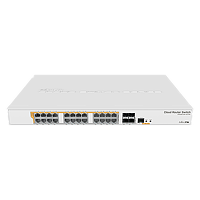
24 port Gigabit Ethernet router/switch with four 10Gbps SFP+ ports in 1U rackmount case, Dual Boot and PoE output, 500W
And even they aren't $300 with PoE
pseudo blade
Oh this is new

It's still not a home router UI but I'm sure it'll quell some of the whining about it looking like Windows 95
Noob Mode
 topaz basin
pseudo blade
Yeah do keep in mind the 10 gigabit ports need extra licensing
topaz basin
pseudo blade
Yeah do keep in mind the 10 gigabit ports need extra licensing
Oh what the hell
tribal sequoia
pseudo blade
Oh I just realised the 10 gigabit ports need licenses to activate
Yep..they do..and it's hilarious.
The ports wouldn't even let me set different 1 gig speeds without licensing
It's like it locks you out of the speed command entirely
I had to find a 1gig speed that would link up on the switch on the other end instead.
 languid river
so i just got new wifi but it cant reach to my room. im thinking about either getting a long ethernet cable or just get a wifi mesh system. i just want your opinions on what i should do
tribal sequoia
Mesh works well but remember if you want speed. Mesh back haul basically halves bandwidth for clients
You won't get gigabit with mesh with anything less than wifi 7 ap's
languid river
yea i know thats why i wanted to get ethernet and i also have 2 gigabit internet
 warm heart
languid river
yea i know thats why i wanted to get ethernet and i also have 2 gigabit internet
warm heart
languid river
yea i know thats why i wanted to get ethernet and i also have 2 gigabit internet
You pay for 2gb and how much are you getting?
topaz basin
pseudo blade
Yeah do keep in mind the 10 gigabit ports need extra licensing
i wonder if this would work https://forums.servethehome.com/index.php?threads/brocade-icx-series-cheap-powerful-10gbe-40gbe-switching.21107/page-143#post-248899
cc @tribal sequoia
seems like its for the FCX series but there may be something that can make it work like that command
oh this can be used on the one i sent above

and apparently one of the fans is sufficient to cool it if you're not using much PoE, but i would likely swap with some noctuas
 vale path
Hi, so my college dorm has its own authentication for the network (Secure W2) which only works for mainstream OSs, which means FireOS, SteamOS, even Android on Google pixels arent able to connect to the network.
I had an idea what if I created a WiFi hotspot with a Raspberry Pi, which would connect using wifi and then other deviced could connect to its hotspot using basic WPA2 credentials.
Now I have two questions:
- Which model of the RP would suffice
- If I were to run PiHole could that be done on the same RP and how would it work, would it be its own DNS?
tribal sequoia
topaz basin
seems like its for the FCX series but there may be something that can make it wo...
I can go try to run it.
Don't forget to update past the stupid dual-mode firmware too
Can't stand the dual-mode functionality. It's silly to function like that.
topaz basin
what is dual mode?
tribal sequoia
You either set them where they're are access or trunk
Or "dual mode"
Which literally just means it now supports tagged and untagged VLANs lol
Access and trunk simply being either all VLANs on port are tagged
Or you set one VLAN to untagged.
topaz basin
ah ok
tribal sequoia
Yeah. It's like ok cool..but it's tedious for no reason in the CLI lol
You gotta enable dual mode set the dual mode native lan. But first remove it from any untagged vlan membership if it had one then add your tagged memberships
Later firmware you just don't have to run dual mode command. It doesn't exist. just the untagged vlan membership and you can tag to your hearts content
topaz patrol
pseudo blade
The day I can kill off the ISP router will be a happy one. 12-ish months to go.
Why are you still using a supplied router?
 spring rampart
yo, can anyone help me
my pcs wifi was fine but then it went from this to this


i would use ethernet but im in the basement, for now i want solution from inside the pc not add ons like another router
also my pc randomly disconnects from the wifi and to reconnect i have to click “get help” and from there click restart router, only way the internet works again
does anyone know a solution
 wind rampart
if you have a circuit that runs upstairs at well you could try power line
spring rampart
can you elaborate
spring rampart
spring rampart
yo, can anyone help me
my pcs wifi was fine but then it went from this to this
also another thing abt my situation, my ping goes from 8 to 130 to 20 to as seen here a wopping 1200
and my routers thingy is 1gb, although the router itself is bad i dont think thats whats causing these enormous spikes, maybe it is tho idk
spring rampart
bro wtf its back to 3 ping 256 download
how does it go from 1200 ping 0.3 download 0 upload to 3 ping 256 download 303 upload
pseudo blade
topaz patrol
Why are you still using a supplied router?
Don't want to spend for anything better than the Smart Modem Gen 2 honestly
When I get FTTP I'll ditch it
topaz patrol
Ah
They're quite good actually
I hope you're not on Telstra though...
Telstra just charges an ungodly non return fee for them
pseudo blade
I have two of them and they have a habit of bootlooping if they lose power. They're mostly OK if left powered
Oh no not with Telstra
topaz patrol
Good if you're on an unreliable connection
pseudo blade
I prefer them to any cheap VDSL modem
topaz patrol
I keep forgetting about FTTN, in that case they'd be one of the best you can get
 fickle lily
what will happen if ISP only provide ipv6 and you connect your router with ipv4 connection support only. I have a prepaid router which uses sim to provide internet and it seems it only provide ipv6 address since if i directly connect on it via Ethernet Port and disable IPV6 it lose the internet connection .
pseudo blade
I've never heard of an ISP offering only IPv6 and would put forward that it's likely a misconfiguration of some kind.
There are ways to make it work using translation gateways and the like but as an end user you'd be wanting to contact your ISP and ask for assistance
topaz patrol
The real question is why do you want an IPv4 address
The ISP should be running NAT64/DNS64 meaning you'd be able to access IPv4 only services anyway
But yes just bother your ISP
wind rampart
honestly ive faced a similar issue with a client where he had a router that did dsl and had a lte backup but as long as that was enabled he couldnt acces ipv6
but isps are weird
pseudo blade
You want an IPv4 address of some description for compatibility, but the ISP should be doing NAT and NAT64 anyways
Otherwise some stuff doesn't work properly
wind rampart
yea whats isps do and what they should do thats 2 worlds
pseudo blade
I find most of them like to retain customers
wind rampart
my isp for example likes to f arround with peerings and other stuff so our ethernet is really weird and slow since the last few months as they are currently building out fiber here and also stopped peering with someone and idk its a 💩 storm rgnw
fickle lily
topaz patrol
The real question is why do you want an IPv4 address
trying to put a router on the prepaid internet . It is not permanent since i would get a fibr line soon but just weird that for some reason my tplink router do not produce internet . Welp for now it works i just turn on IPTV/VLAN to internet for both port and put IPV6 setting to pass through . I think that solves the problem and router giving my pc an ipv6 address which idk why i have internet if i enable it lmao.
fickle lily
pseudo blade
You want an IPv4 address of *some description* for compatibility, but the ISP sh...
Thus it has something to do eith NAT? I have a setting that says what NAT to choose , a cone and the other one . I choose the cone since it is the recommended one
pseudo blade
So if you don't get your own public IPv4 address the ISP should be giving you a "private" IPv4 address, the carrier does NAT from their pool of public IPs. As said... you'll want to ask them about why you're not getting an IPv4 address and how to fix that
topaz patrol
I ❤️ CGNAT - For both on and off label uses
tribal sequoia
pseudo blade
You want an IPv4 address of *some description* for compatibility, but the ISP sh...
This. They should be doing NAT 6 to 4. And in like basically all cases they usually are
tribal sequoia
They had a big outage recently from a hurricane and I noticed one wireless ISP was handing out cgnat addresses instead of ipv6 on their 5g modems heh
fickle lily
pseudo blade
So if you don't get your own public IPv4 address the ISP should be giving you a ...
For now everything works . Other than the signal and internet speed lmao . But yea
or probly not ipv6 /ipv4 related and might be DNS thing. after changing dns provider here . IPV4 now provides internet . Probly it is really dns problem lmao
 wind rampart
is any body else also really struggeling with the vpn config for both OpenVPN and Wireguard in opnsense?
 shy gulch
Which guide are you following ?
And are you trying to do standard “clients connect to my OPNsense to get access to my LAN” or something different /specialized ?
wind rampart
ive watched a few yt videos now and also looked at the opnsense Documentations and im just doing a basic vpn setup where you got one server and then just clients that are desktops
no site2site or other speicalties
pseudo blade
vivid ether
or networking in general
No. We all know nothing about networking or TrueNAS Scale.
...Just ask your question. Either someone knows the answer or they don't.
Also this is kinda sad
 opal pagoda
pseudo blade
Also this is kinda sad
opal pagoda
pseudo blade
Also this is kinda sad
wut the hell
1x1 enjoyer
opal pagoda
pseudo blade
No. We all know *nothing about networking or TrueNAS Scale.*
...Just ask your q...
this link really needs to be put in chanel description
https://dontasktoask.com/
pseudo blade
opal pagoda
wut the hell
1x1 enjoyer
It's not even big enough of an area to warrant not using the standard antennas, it's stupid
opal pagoda
pseudo blade
It's not even big enough of an area to warrant not using the standard antennas, ...
i would bet that better range would be achieved by using standard antenas that are angled properly
pseudo blade
Maybe 25 meter radius tops
opal pagoda
less than standard range haha
clear igloo
pseudo blade
Also this is kinda sad
Didn't pay for the extra three antenna license 😛
vivid ether
pseudo blade
No. We all know *nothing about networking or TrueNAS Scale.*
...Just ask your q...
I have problems with smb share on scale, and i have tried everything i can think of and what i could find on the internet. this issue begun many months ago and i cant figure it out. SMB shares are discoverable and seem to work except for auth. it asks for username and password then it accepts it but continous to ask a auth but now filled in with a microsoft account this happens 3 - 4 times, sometimes it also asks a certificate in between, and then is just says no connection possible
acl are set on both filesystem and share, now even with everyone access on both
and still it doesnt want to work
please someone help me bcs i need access to those files, and I already asked in here and other servers but no one wants to help me, im getting a bit desperate atm
vivid ether
vivid ether
I have problems with smb share on scale, and i have tried everything i can think...
now i have created new user with its home dir inside the shared dir and the auth worked flawwlessly but there are no files in there except some hidden files, so i think its the home dir of that new test user
opal pagoda
vivid ether
I have problems with smb share on scale, and i have tried everything i can think...
sounds like windows issue (automatically using ms account for auth)
try looking for "sign in as other user" option
or check this
 vivid ether
opal pagoda
sounds like windows issue (automatically using ms account for auth)
try looking ...
vivid ether
opal pagoda
sounds like windows issue (automatically using ms account for auth)
try looking ...
ive tried that many times, both
opal pagoda
have you tried connecting with 2nd pc
vivid ether
i also cant connect using ios or mac
vivid ether
opal pagoda
have you tried connecting with 2nd pc
yes also windows with different ms acc
i think im prolly deleting that user and group and making a new one, but for now ill access it via the test user
the test user sadly didnt resolve the ios connection
opal pagoda
vivid ether
the test user sadly didnt resolve the ios connection
tbh could be ios issue,
i cant access samba share (casa os) from ios but i can use web interface to access all my files so i didnt bother investigating it further
vivid ether
opal pagoda
tbh could be ios issue,
i cant access samba share (casa os) from ios but i can u...
i used to be able to access it fine with ios
nvm now ios also works with the test user
so ill guess il go with that atm
shy gulch
wind rampart
ive watched a few yt videos now and also looked at the opnsense Documentations a...
What specific issue are you running into? Setting up the server ? A client? Connecting to Wg? Reaching LAN devices once on the VPN?
wind rampart
the issue is connecting to the server as im getting multiple errors depending on what i change in a attempt at debugging
shy gulch
What client OS/software and what error ?
wind rampart
client os is windows and the errors im seeing are the following taken from the opnsense log)
2024-09-29T16:00:40    Error    openvpn_server1     tls-crypt unwrap error: packet too short

2024-09-29T15:58:01    Warning    openvpn_client2     NOTE: the current --script-security setting may allow this configuration to call user-defined scripts
2024-09-29T15:58:01    Warning    openvpn_client2     WARNING: No server certificate verification method has been enabled.  See http://openvpn.net/howto.html#mitm for more info.
2024-09-29T15:58:00    Notice    openvpn_client2     Restart pause, 1 second(s)
2024-09-29T15:58:00    Notice    openvpn_client2     SIGUSR1[soft,tls-error] received, process restarting
2024-09-29T15:58:00    Error    openvpn_client2     TLS Error: TLS handshake failed
2024-09-29T15:58:00    Error    openvpn_client2     TLS Error: TLS key negotiation failed to occur within 60 seconds (check your network connectivity)
2024-09-29T15:57:48    Notice    openvpn_server1     MANAGEMENT: Client disconnected
2024-09-29T15:57:48    Notice    openvpn_server1     MANAGEMENT: CMD 'quit'
2024-09-29T15:57:48    Notice    openvpn_server1     MANAGEMENT: CMD 'status 2'
2024-09-29T15:57:47 Notice openvpn_server1 MANAGEMENT: Client connected from /var/etc/openvpn/instance-48055be0-5e43-4c5b-8906-ba24416d829a.sock```The “packet too short” message and TLS handshake failure make me think you didn’t give the client the --tls-crypt key-file parameter
wind rampart
tbh i just used the client exporter from opnsense i dont really know that much about opnvpn and when wanting to use the full archive so ssl cert with opnvpn config it would throw the following error when trying to import the config: static_key_parse_error
lost lily
fuck ISP ONTs

FS.com
Generic Compatible XGSPON ONU SFP+ 1270nm-TX/1577nm-RX 9.953G-TX/9.953G-RX Class N2 20km DOM Simplex SC/UPC SMF Optical Transceiver Module (Industrial), Product Specification:Part Number - XGS-SFP-25-20N2 , Vendor Name - FS , Form Factor - SFP+ , Max Transmission Distance - 20km , Wavelength - 1270nm-TX/1577nm-RX , Data Rate - 9.953G-T...
the only question i have is: can XGS-PON (10Gbps) transceivers work with GPON (1Gbps) too?
I'm thinking no
oh they're different wavelengths
why are PON transceivers so expensive
thorn delta
lost lily
why are PON transceivers so expensive
they're pretty complicated on the inside compared to a regular SFP. They're sharing the segment of fiber with other devices, have to untag/tag VLANs, ect
lost lily
can't you delegate that to the host
thorn delta
On the ISP side, we don't want to expose more of the network than the customer needs access to, so the CPE has to be able to do all that.
lost lily
i mean yes but the transceiver is at my house, it's trivial. it's like client side form validation for websites
or like hiding stuff as html comments, like you're still sending it to me, i can see it if i go look
thorn delta
I'm not sure of all the fancy protocol behind the scenes stuff, but the provisioning is still done on the ISP side, so even if you clone your ONT, the OLT side will still only send the traffic that it's authorized to receive
lost lily
well yeah, as expected, but then why make the transceiver do L2&L3 stuff when it could just be a MAC
thorn delta
It allows for more flexibility, so that I can untag a VLAN towards your router, so your router doesn't need to be vlan aware. Or split out one VLAN for internet, another for phone, IPTV, ect. ONTs can typically do this at wirespeed and meet pretty intensive RFC2544 testing
on the GPON networks I manage, I pushed for a pretty dumb L2/bridge only CPE so we can provide the same routers that we do for fixed wireless/cable/DSL. No performance difference compared to the normal SFP modules. It's pretty gross when fiber ISPs will just not give a working bridge mode option
tribal sequoia
^^ that is exactly why the managed xgspon transceivers with a little arm soc in them exist lol
delete your modem and use whatever firewall you want with it
lost lily
aren't PONs supposed to be cheaper in general? where is the cost saving? on the PON switch?
peak cloak
lost lily
aren't PONs supposed to be cheaper in general? where is the cost saving? on the ...
the infrastructure
honestly I have gpon service and the ONT isn't a big deal, it's just a dumb box and gives me an ethernet output that goes to my router
 vale night
peak cloak
the infrastructure
vale night
peak cloak
the infrastructure
no way its the dog of wisdom
 rocky badge
@waxen scroll @peak cloak I changed up apartment network big time lol
Cisco Nexus N9K is the actual router now, Fortigate is just doing WAN Firewall and NAT duties
 waxen scroll
Wtf that's not going to be quiet
rocky badge
waxen scroll
Wtf that's not going to be quiet
it is surprisingly quiet
the supermicro superserver 2u is louder than it
opal pagoda
rocky badge
the supermicro superserver 2u is louder than it
Wtf how
N9k is literally loudest thing in our dc, doesn't help that there are 2 of them
lost lily
peak cloak
honestly I have gpon service and the ONT isn't a big deal, it's just a dumb box ...
well i dont want 10GBase-T, it's power hungry and expensive
topaz patrol
lost lily
well i dont want 10GBase-T, it's power hungry and expensive
Not at that scale lol
topaz patrol
You can't just skip the ONT
lost lily
i can
topaz patrol
And how do you plan on doing that
lost lily
- get an ONU
- call my ISP
- profit
topaz patrol
I have a feeling you're going to get stuck on steps two and three
lost lily
here its required by law that ISPs allow you to ditch their box
topaz patrol
Sounds like a shitty law
topaz patrol
"their box" is incredibly vague
lost lily
it was a lawsuit between an org and an ISP, on having a custom DSL modem router when the ISP didn't want them to, they won and now all ISPs are required by law to help you set up your own thing. the judgement carried over to fiber too. the judgement said that literally as soon as the wire/fiber enters your house you should be allowed to use your own (compatible) gear
and the ISP is mandated to give you the "configuration options" to make it work
topaz patrol
Ew
lost lily
i don't see what's so bad about that
topaz patrol
It just sounds like an absolute nightmare
lost lily
i don't necessarily disagree
peak cloak
lost lily
here its required by law that ISPs allow you to ditch their box
Their box as in router or just ONT?
It may just not be possible
lost lily
both
like currently if you want (i know because i've seen it done), you can just get your own router with PON input and just use the ISP's box as a frisbee if you so wish
peak cloak
lost lily
like currently if you want (i know because i've seen it done), you can just get ...
PON isn't a standard, every system is different
Unlike dociss
lost lily
idk then, but i have seen it done
peak cloak
lost lily
idk then, but i have seen it done
What I've seen done is getting an SFP module from ISP
lost lily
that is also a thing yes
peak cloak
Still technically a box that's the ISPs/ISP required
Just in a much smaller form factor
lost lily
yeah technically
topaz patrol
peak cloak
PON isn't a standard, every system is different
I’m looking at you, Ubiquiti
opal pagoda
peak cloak
Just in a much smaller form factor
Literally, it even runs Linux
 frosty stone
peak cloak
What I've seen done is getting an SFP module from ISP
frosty stone
peak cloak
What I've seen done is getting an SFP module from ISP
You'd be very unlikely to get support from any ISP to have such a setup for a residential connection
rocky badge
The supermicro is louder
rocky badge
opal pagoda
Wtf how

Getting 10G cards for the servers
For a full 10G network
All I need now is 10G private transit between home and apartment 😂
topaz patrol
Run some guerrilla dark fibre 
rocky badge
That’s like a 150mi fiber lol
topaz patrol
Maybe not then
rocky badge
Rn it’s an IPsec on the fortigate site so site over gigabit WAN
peak cloak
frosty stone
You'd be very unlikely to get support from any ISP to have such a setup for a r...
Yeah, very rare
fickle lily
hi good sir . Running pihole in docker and trying to make it work with TL-WR820N but i cant for some reason ,. already added the dns on DHCP server .
fickle lily
figured . i just selected to only accept request from local or 1 hop away lmao . Also if i nslookup was able to see that i use my server IP where pihole is running .
opal pagoda
rocky badge
very nice, soon you will need a CRAH

 tribal sequoia
rocky badge
Rn it’s an IPsec on the fortigate site so site over gigabit WAN
tribal sequoia
rocky badge
Rn it’s an IPsec on the fortigate site so site over gigabit WAN
be surprised if you get anywhere near 1g on a 40F, i guess without any inspection at all
rocky badge
tribal sequoia
be surprised if you get anywhere near 1g on a 40F, i guess without any inspectio...
Yeah I don’t do any of that
opal pagoda
rocky badge
Yeah I don’t do any of that
are you even logging traffic?
rocky badge
tribal sequoia
be surprised if you get anywhere near 1g on a 40F, i guess without any inspectio...
Oh you meant under the IPsec
I get about 400mbps but considering home is actually gig/500 that’s not bad imo
vivid ether
2 apps on my brand new scale install always give this error, someone who knows why this is and how to fix this?
 thorny osprey
guys why is the 5G band showing up for some devices and not showing on some other devices (5G supported phones too)
 low pond
thorny osprey
guys why is the 5G band showing up for some devices and not showing on some othe...
low pond
thorny osprey
guys why is the 5G band showing up for some devices and not showing on some othe...
Probably setting based, modem or carrier side support, it's much complicated with 5g
karmic marten
rocky badge
Just using it as a firewall and NAT out to the Internet
Why tf did you buy a fortigate then?
A simple mikrotik / opnsense router/firewall can do that
tribal sequoia
so you're just basically doing utm/nat, fortigates are cool, when you're actually using features. a 40f is unfortunately not capable of using them and getting throughput over a couple hundred mbps
rocky badge
karmic marten
Why tf did you buy a fortigate then?
Because I used it before as a full router and firewall? lol
Plus I have fortigates in other sites so it’s super easy to site to site
opal pagoda
rocky badge
Plus I have fortigates in other sites so it’s super easy to site to site
We are migrating from dmvpn to fortinet sd wan right now
About 10 sites
mystic latch
All these fortigate zero days don't make your guys' org nervous?
thorn delta
We're not using Fortigate, but it's what I'm leaning towards picking on an upcoming refresh. Most of the vulnerabilities that I've seen make headlines are in the web management and other management interfaces, which should not be exposed to the internet or users.
tribal sequoia
mystic latch
All these fortigate zero days don't make your guys' org nervous?
everyone has zero days, it's about how they handle it
we have hundreds of gates out there
rocky badge
got the new UPS and cables lol
 mystic latch
tribal sequoia
everyone has zero days, it's about how they handle it
mystic latch
tribal sequoia
everyone has zero days, it's about how they handle it
Of course. Just seems the prevalence of fortigate ones seems a lot higher than others.
opal pagoda
rocky badge
got the new UPS and cables lol
You should get one of those 1u slide out kvm+monitor
 rocky badge
opal pagoda
You should get one of those 1u slide out kvm+monitor
rocky badge
opal pagoda
You should get one of those 1u slide out kvm+monitor
Nah
I never use anything at the actual rack
I do it all through the network
rocky badge
@waxen scroll @clear igloo I need mental help
 clear igloo
rocky badge
<@186123993412141057> <@291198741862416384> I need mental help
clear igloo
rocky badge
<@186123993412141057> <@291198741862416384> I need mental help
We all do, get in line 😛
clear igloo
I mean you're running BGP
clear igloo
EVPN when?
rocky badge
BGP from Fortigate over IPsec WAN to Fortigate at home
Static route from home Fortigate to network services VM
Zerotier from VM to AWS EC2 instance
All so I can send emails
 boreal sail
Finally got fiber to my house, so I set up the network rack, ONT is on the wall behind everything, UPS, router, switch, patch panel (bottom to top). I still need to fill the hole between the router and switch and get the fiber patch for the top. Router's wifi antennas relocated to the bottom of the rack so I still have my AP isolation network. Deco X50-PoE hanging off the left side in temp location waiting for the wall to get rebuilt that I had to remove for floor redo. Not in this picture, but I have the router's LTE antennas on the top of the rack now, but plan to move them outside at some point.
Switch is 28 port (24 PoE+/2 SPF). PoE everything, Nest cameras, Hue Bridge, Router, and ONT all on PoE using splitters. Wi-Fi APs (minus the one on the other end of the fiber to the detached garage) are using their built in support for PoE.
 spring rampart
my ethernet is getting 1 ping but only 90 upload and download, anyone know a fix
cuz its getting 400-500 on my phone via wifi
ethernet is on 100mps full
wifi plan is 1gb, cable is cat6
so my specs are all up, but the download and upload just isnt
 tight pecan
spring rampart
ethernet is on 100mps full
tight pecan
spring rampart
ethernet is on 100mps full
100Mbps on your ethernet would be the problem
Check your network card and switch/router ports and make sure they support 1Gbps
ornate jungle
spring rampart
ethernet is on 100mps full
If you mean your network card is negotiating a 100mbit link instead of a 1000mbit link, that'll be where your speed problem stems from. In addition to the above suggestions, I would bypass any intermediary connections (switches, wall jacks, etc.) and ensure your device is plugged directly into the router/modem.
spring rampart
tight pecan
100Mbps on your ethernet would be the problem
how, the only options on my speed for the ethernet settings on my pc js 100mbps full and balf then 10mbps full and half then a 2.5 half
i tried them all and the results were the same
spring rampart
ornate jungle
If you mean your network card is negotiating a 100mbit link instead of a 1000mbi...
yes it is directly connected to the router to my pc
spring rampart
tight pecan
Check your network card and switch/router ports and make sure they support 1Gbps
router port said 2.5
i made it 2.5gbps full, it is still in the 90:
there is no option for 1gbps
yup got exactly 94.9 download and 94.9 upload
ornate jungle
spring rampart
i made it 2.5gbps full, it is still in the 90:
What does the Link Speed say for your ethernet port in Windows Settings?
 spring rampart
lemme check
its still on 100mbps even tho i changed it to 2.5gbps
bro there was a 1gbps option i just had to scroll, 😭
still saying 100mbps tho
spring rampart
ornate jungle
What does the Link Speed say for your ethernet port in Windows Settings?
^
ornate jungle
spring rampart
still saying 100mbps tho
Something is causing the link to negotiate at slower speeds. Could be the cable. Could be the network port on the router / modem / switch. Could be bad drivers. Could be a bad motherboard ethernet port.
spring rampart
so theres nothing i can do from the pc
ornate jungle
Aside from reinstalling network drivers, not really. I'd be testing from the source though first. Plug another known good working PC into the same ethernet cable and see what it gets. If it too gets 100mbps, bingo, you know it's not your PC. Try swapping the network cable. Try plugging into another router port.
Network troubleshooting is 99% process of elimination, one variable at a time. The other 1% is your coworkers making network changes without consulting the team, usually on a Friday at 1430 in the afternoon.
spring rampart
well im in the basement, replacing the cable is gona be a huge pain since its going through the roof and if its not from the cable and something with my pc or router i cant fix that so im basically just cooked
ornate jungle
spring rampart
well im in the basement, replacing the cable is gona be a huge pain since its go...
Wait, how exactly is it going through the roof? Is it just a cable sticking out of the ceiling or something? Highly suspect this is a wiring issue between your PC and the router / modem.
tight pecan
spring rampart
how, the only options on my speed for the ethernet settings on my pc js 100mbps ...
What network card do you have?
If you're using your mobo's ethernet port, it should support 1Gbit just fine if it's relatively modern, in which case your issue is with something between the router and your pc (cable, wall ports, etc)
You can try getting an ethernet tester and plug it on both ends of your wall jacks
If you're down to get your hands dirty, maybe try getting new keystones for both sides and re-terminating the cables
If you even have enough slack in there
spring rampart
ornate jungle
Wait, how exactly is it going through the roof? Is it just a cable sticking out ...
no roofs tiles and above that is another floor, theres a small hole in the ground upstairs that brings the cable to the router and downstairsits just neatly passing through a tile
if i had to guess i probably damaged the tip of the ethernet cable while pulling it down from upstairs to down because i did have to use a little bit of force
ill check it and if it is busted ill recrimp it, if its not that then idk anymore
spring rampart
tight pecan
If you're using your mobo's ethernet port, it should support 1Gbit just fine if ...
ye my mo is and everything abt specs is fine
supports 2.5
spring rampart
tight pecan
What network card do you have?
idk what that is
ornate jungle
spring rampart
ill check it and if it is busted ill recrimp it, if its not that then idk anymor...
If it still only workst at 100mbps, bypass the cable by connecting your computer to the router using a known-good working pre-made cable, even if this means temporarily relocating your computer.
Better to find out what the problem is, even if you can't permanently leave your PC physically in the same room as the router. That way you at least know where the problem is.
spring rampart
just check
ed
my cables are perfectly fine
im gona try connecting it to smthn else and see what it does there
karmic marten
rocky badge
got the new UPS and cables lol
Nice, I have the same. Did you get a surplus one from ebay?
karmic marten
rocky badge
<@186123993412141057> <@291198741862416384> I need mental help
use mtrrrrrrrrrrr
 cold cliff
im trying to get some ethernet cabling but without the rj45 connector does that like exist and what is it called because i only see ones that have the connector
tight pecan
cold cliff
im trying to get some ethernet cabling but without the rj45 connector does that ...
Generally just "bulk" boxes of something like CAT6 for example
rocky badge
karmic marten
Nice, I have the same. Did you get a surplus one from ebay?

eBay
SURPLUS NEW - Only opened to install NEW CSB batteries! Switchgear (GE, Square D, ASCO). Generators (Cummins, Generac, Caterpillar, MTU). Rigging Installations. Sizing Calculations. National Turnkey Services Budgets.
karmic marten
rocky badge
https://www.ebay.com/itm/335131585478
So the answer is yes.
 spring rampart
updated bios its still capped at 100 @ornate jungle
had microsoft support team take over even after 2 hrs they couldnt do it
only possible options left is my cable or pc is faulty in some way
opal pagoda
rocky badge
https://www.ebay.com/itm/335131585478
Did you check what year batteries were manufactured?
lost lily
chat is this good

good lord what did they do to this poor thing
that's all dust and garbage, it didn't catch on fire
opal pagoda
lost lily
chat is this good
needs a good dunk in brakleen