#networking
1 messages · Page 66 of 1
 wary olive
 heavy yoke
I wanna set up a NAS with a couple of security cameras for my family, any recommendations on hardware / software?
 high spade
Hey guys, I've got a ethernet cable that I want to run through the wall so it's no longer running down the hall. My question is about using those network wall jacks, do those cause a lot of loss? If I have to go from router INTO a jack to go into the wall, run the cable then OUT of another jack to connect to the device, that's not going to cause a big drop is it?
 peak cloak
high spade
Hey guys, I've got a ethernet cable that I want to run through the wall so it's ...
peak cloak
high spade
Hey guys, I've got a ethernet cable that I want to run through the wall so it's ...
no, as long as the length is short enough
as in total length is less than 100m
 topaz patrol
Not even g.fast? Assholes
 glad ferry
heavy yoke
I wanna set up a NAS with a couple of security cameras for my family, any recomm...
glad ferry
heavy yoke
I wanna set up a NAS with a couple of security cameras for my family, any recomm...
Have you looked at Synology w/ Surveillance Station
Other options would be standard hardware/server/nas with Blue Iris
heavy yoke
glad ferry
Other options would be standard hardware/server/nas with Blue Iris
this would maybe work better yeah
thank you!
 misty flame
Not sure if this is the correct place for this. But I'm working as an IT administrator at a school and trying to accommodate Teachers not wanting to use the provided iPads but also keep our network secure. Is there a way to not have the network password saved on Windows 11 while not forgetting the password?
peak cloak
misty flame
Not sure if this is the correct place for this. But I'm working as an IT adminis...
Wdym? Are you trying to make it that users can't view Wi-Fi password to connect other devices?
misty flame
Yes
We had an issue last year with some students finding out the Teacher network password while trying to help them. Ended up having about 24 student cell phones connected that were not supposed to be there.
 silent flax
misty flame
Not sure if this is the correct place for this. But I'm working as an IT adminis...
silent flax
misty flame
Not sure if this is the correct place for this. But I'm working as an IT adminis...
isn't that what captive portal is meant for ? https://en.wikipedia.org/wiki/Captive_portal
i mean you are trying to solve a security issue on wrong end - you should solve it in a way that password is not on end device at all
misty flame
Most definitely. Was just trying to see if there was another way of doing it. Since it would cost about $10k each year.
silent flax
what ? a captive portal ?
peak cloak
misty flame
We had an issue last year with some students finding out the Teacher network pas...
setup enterprise wifi?
each person uses their own login
iirc though you can't see password without admin rights though in windows?
nevermind, I'm wrong about that, looks like it changed
misty flame
Ok. Thank y'all for your help. I'll have to keep these solutions in mind. I might be able to implement them in the coming school years. Unfortunately I think I will just need to try to move the stubborn mules to use the provided devices for this school year.
Wish me luck 😅
 opal pagoda
misty flame
Not sure if this is the correct place for this. But I'm working as an IT adminis...
opal pagoda
misty flame
Not sure if this is the correct place for this. But I'm working as an IT adminis...
you want to create a byod enviroment?
 manic crystal
I did a Speed test on my new Galaxy S24. I also have fiber optic internet.
 topaz patrol
misty flame
Not sure if this is the correct place for this. But I'm working as an IT adminis...
topaz patrol
misty flame
Not sure if this is the correct place for this. But I'm working as an IT adminis...
It’d probably be helpful to know what gear you’re using right now
 tribal sequoia
misty flame
Not sure if this is the correct place for this. But I'm working as an IT adminis...
tribal sequoia
misty flame
Not sure if this is the correct place for this. But I'm working as an IT adminis...
Start using 802.1x authentication...
Please!!!
Then setup a guest/byod with traffic shaping for the big media streaming sites since generally there's WAY more devices on it.
 pseudo blade
misty flame
Not sure if this is the correct place for this. But I'm working as an IT adminis...
pseudo blade
misty flame
Not sure if this is the correct place for this. But I'm working as an IT adminis...
802.1x as said, you might like this? https://www.packetfence.org/about.html#/overview
Say.. require intune, block intune from registering on BYOD or something like that
topaz patrol
Does anybody know an open source (or cheaper) alternative to Cisco SamKnows? They charge ridiculous fees (we're looking to monitor the speed and availability of internet connectivity at a few sites)
 young knot
What does SamKnows actually do? Monitor the traffic to determine speed and availability, or run speed tests between sites occasionally?
At $work, I use a combination of MRTG and Nagios with https://exchange.nagios.org/directory/Plugins/Network-Connections%2C-Stats-and-Bandwidth/check_iperf3/details
Nagios Exchange - The official site for hundreds of community-contributed Nagios plugins, addons, extensions, enhancements, and more!
topaz patrol
young knot
What does SamKnows actually do? Monitor the traffic to determine speed and avail...
All of the above
I'll have a look at check_iperf
Hmm this looks like pretty much what we need, thanks!
Now to get someone to make it work and look pretty
topaz patrol
https://www.jeffgeerling.com/blog/2021/monitor-your-internet-raspberry-pi
Red shirt Jeff has got my back
 sterile galleon
topaz patrol
Not even g.fast? Assholes
sterile galleon
topaz patrol
Not even g.fast? Assholes
I live at the very top of a housing estate, roughly a mile from the cabinet box, so no gfast unfortunately, that's only rated up to ~250m
topaz patrol
sterile galleon
I live at the very top of a housing estate, roughly a mile from the cabinet box,...
Ah, I assumed you were calling the MDF in your building the "cabinet box" lol
Fibre one day 😢
sterile galleon
topaz patrol
Ah, I assumed you were calling the MDF in your building the "cabinet box" lol
Fi...
Fttp install on the 23rd! Can't wait 🙂
topaz patrol
Exciting
 last tiger
you aren't gonna have great networking performance if you are doing multigig routing/switching on a pfsense/opnsense firewall unless you got some crazy xeons for a network appliance. recommend ya to look at level 3 switches to actually handle multi gig with dedicated ASICs made for routing.

Level1Techs Forums
Looking to buy a 10Gbe PfSense box. The situation: I host a few applications on an Unraid server on my home LAN. I had 1G fiber from my ISP. I regularly saturate that link and was able to upgrade my internet to 5Gbps. So with that there is now a need for 10Gbe interfaces and layer 1-3 changes to support this. I would target 5Gbps equipment bu...
it'll be expensive and doing 5gbps gets a little rough unless you route on a layer 3 switch
I would take a look at these maybe (I just got a ICX6610-48P)
 signal thistle
last tiger
you aren't gonna have great networking performance if you are doing multigig rou...
signal thistle
last tiger
you aren't gonna have great networking performance if you are doing multigig rou...
I have ubiquiti's 24poe switch.
The VR headsets are connected to the U6 pro, which is then connected to Unifi POE 24
At the moment only one desktop is going to be connected via ethernet.
To be honest, I'm not actually expecting 10Gbe.
just wanted to use the fibre just because and the card wasn't that expensive XD
last tiger
signal thistle
I have ubiquiti's 24poe switch.
The VR headsets are connected to the U6 pro, wh...
you aren't gonna use more then 250-300mbps on quest streaming, get a dedicated AP and bands for it. (works great for me even on 5ghz) unless you have faster then 1gbe internet, probs is 2gbe, but you'll be really cutting it close to make a firewall handle serious routing
but if you have unfi gear, just get a UDM used for a good deal man
signal thistle
last tiger
you aren't gonna use more then 250-300mbps on quest streaming, get a dedicated A...
Three people use the same network for VR at the same time (we play together)
So I was trying to get something that could do the 2.5Gb
last tiger
signal thistle
Three people use the same network for VR at the same time (we play together)
So...
https://www.amazon.com/NETGEAR-WiFi-Access-Point-WAX214v2/dp/B0BVGJQ6JP literally get a dedicated AP per person, dedicate bands for each ap and wifi networks. I did this, it works fantastically on these

The NETGEAR WAX214 WiFi 6 AX1800 PoE Wireless Access Point delivers high-performance WiFi for customer-facing or home office locations. It is ideal for retail showrooms, lobbies and waiting areas at healthcare and other professional offices and more. This access point is engineered with the lates...
I got one of mine used for like 20 bucks, other one was 40
signal thistle
Brb I want to see if there's something for using the 10Gb fibres to get a 2.5Gbe
No, nvm I don't have an injector
signal thistle
last tiger
https://www.amazon.com/NETGEAR-WiFi-Access-Point-WAX214v2/dp/B0BVGJQ6JP literall...
My father isn't pleased already for me having ONE and he only allows it because I setup everything XD
signal thistle
last tiger
I would take a look at these maybe (I just got a ICX6610-48P)
Is there anything you'd recommend that has fewer ports?
As I mentioned, I have the 24 Poe switch but I have a UDM and could probably just use the switch connected to that and have the UDM do my routing
signal thistle
last tiger
https://forum.level1techs.com/t/pfsense-10gbe-build-recommendations/184106
I might do what Madmatt suggested because I wanted to run a NAS as well
For family photos and "cloud" photos
And Plex media
last tiger
signal thistle
I might do what Madmatt suggested because I wanted to run a NAS as well
to be honest, I still don't see why you need multigig for APs. I can see it for stacking to other network components, but a 10gbe tunnel would likely be enough for you even.
signal thistle
10gbe tunnel?
last tiger
signal thistle
10gbe tunnel?
well, if you are only talking multi gig speeds to your server to maybe your main desktop, you don't need many multi-gig ports. VR streaming with even 3 headsets on one AP (which man the latency spikes owie) wouldn't even saturate 1 gig likely.
signal thistle
Well, to make your head hurt two of the PCs are on WiFi lol
last tiger
signal thistle
Well, to make your head hurt two of the PCs are on WiFi lol
there's no world where you are gonna do 2 passes over wifi for vr streaming unless you get dedicated APs for both the computer, and vr headsets even if there are enough bands left over that aren't polluted.
signal thistle
But I wanted to use PF sense because I had some spare PCs that I wanted to use up
last tiger
signal thistle
But I wanted to use PF sense because I had some spare PCs that I wanted to use u...
pfsense isn't going to help you in this situation, you need to wire these computers, be it MOCA, powerline, or drilling holes into walls.
2 low latency jumps for vr streaming is insane, even 1 with multiple different people doing the same thing on the same network
lotta routing
signal thistle
Omg, why didn't I think of using power line for the PC?!
I even kept talking about using power line to bring meshnet to the hangar instead of WiFi
last tiger
signal thistle
Omg, why didn't I think of using power line for the PC?!
I even kept talking ab...
I uh, wouldn't expect multiple powerline "runs" to work well for you.
probs would be limited to a 100-200mbps at most.
signal thistle
Yes, but having one less on the Wi-Fi
last tiger
signal thistle
Yes, but having one less on the Wi-Fi
3 vr stream "runs" is a lot, and technically 4 on even wifi 6e would be pushing it
3x headsets wireless
1x PC wireless
that is the amount of streams I see around 200-300mbps each with hopefully no interference
you will spend a lot more to get wireless to work then running good ole ethernet will be, trust me
especially since 6ghz the less physical walls the better obviously
I personally trust my Netgear APs (WAX214 personally can say is excellent 1 gig grade 5ghz, WAX630E is great 2.5gig max 6ghz though I havent personally tested, but seen great things.)
signal thistle
So for me to handle 2.5 GBE I should have just bought a new router then?
Instead of network cards?
The switch was needed for Camera
But to be honest I just wanted to say I used an old pc as a router. 
last tiger
signal thistle
So for me to handle 2.5 GBE I should have just bought a new router then?
Instea...
No, layer 3 switches are "routers" since they are able to control advanced configurations and switching between local resources very quickly. pfsense is firewall software, it is made to manage incoming and outgoing connections from your network.
signal thistle
Oooh.
I apologise for making that error
So just having the high throughput switch should be okay for the most part?
last tiger
signal thistle
So just having the high throughput switch should be okay for the most part?
If you don't have more then 1 gig internet, and WiFi 6e clients, you really don't need more then 1gbe on your APs inputs, because getting 2.5gbe network switches was never a thing in servers, since they went straight to 10gbe in enterprise and datacenter from 1gbe
Plus, you can probably get 3x of nice WiFi 6 (5ghz) APs for the price of 1x WiFi 6e AP
And sfp+ transceivers (that convert the SFP+ to RJ45) that support 2.5gbe are like $40-50 each usually.
signal thistle
last tiger
And sfp+ transceivers (that convert the SFP+ to RJ45) that support 2.5gbe are li...
The only issue I had was that I don't have an injector for the u6
last tiger
signal thistle
The only issue I had was that I don't have an injector for the u6
They are like 20 dollars a pop on amazon. You don't really need to invest into PoE until you have enough devices a PoE switch becomes cheaper.
(Unless the PoE version of a switch you are looking at is only like $20 dollars more, then why the hell not)
last tiger
signal thistle
Oops, because I already got it
I will say, if you use their APs, Security Cameras (including doorbell camera), and want to know networking, but not too much (and have the money for it) the ecosystem isn't that bad. I then would for sure at minimum get either a UDM (Depending on which one fits you best), or Cloud Gateway Max (when the no added storage option becomes available due to the insane SSD pricing) but I'm not sold on them just because access points. (I mean I got spoiled with how darn simple the Netgear business ones are, I mean at scale not the most incredible but for 90% of people, fantastic)
Not telling you to sell your stuff, but rather you already got some stuff, you might as well enjoy their ecosystem since their stuff meshes well (for the price)
signal thistle
But I think I'll either use my spare UDM for my personal network.
last tiger
signal thistle
But I think I'll either use my spare UDM for my personal network.
Are you.. Doublenatting or are you running a DMZ? VLAN?
I don't exactly get why you'd segment it other then unless you had enough server equipment and don't want to easily share content to other people on other segmented parts of your network (it's possible but not easy)
signal thistle
I don't think I'm double nating.
I live in a rural area and one of my neighbours buys some of my bandwidth so the UDM I have here is the remote side of the microwave link (setup before starlink was a thing in my area) to separate the networks more easily.
signal thistle
But thank you very much for your advice and just bringing me to realisation about my setup.
signal thistle
@last tiger I should ask.
Should I just use my TP link WiFi 6 router (with it's WiFi turned off) and my u6 pro AP?
Poe switch for the extra ports
Then start wiring more things around the house.
Still have a spare injector somewhere and that should be good for 2.5Gbe.
Because then I can use the SFP 10G with one of those 2.5g rj45s you suggested
I got a roll of multi strand direct bury fibre (from an auction lmao) that I'll run to my hangar workshop
young knot
To clarify, pfSense or OPNsense should be fine for your internal routing too. My home network runs on two old Dell R210 IIs in HA, and I get consistent 10Gbps between VLANs.
opal pagoda
young knot
To clarify, pfSense or OPNsense should be fine for your internal routing too. My...
And that is a firewall, just straight routing is even less resource intensive
young knot
Yeah, disabling firewall features is always an option with either pfSense/OPNsense if it’s just internal. But even running a firewall between VLANs (which I want), it’s not using a lot of CPU.
Load average: 0.42, 0.22, 0.12
Admittedly, that is a Xeon, from a decade ago.
Intel(R) Xeon(R) CPU E3-1240 V2
I haven’t seen any issues with an i5 with the OPNsense based firewall I built for my dad’s home. Similar load average, and it’s far more energy efficient than mine.
opal pagoda
young knot
I haven’t seen any issues with an i5 with the OPNsense based firewall I built fo...
on fortigates i get few precent cpu usage while hundreds of people and 10's of servers are behind it
young knot
Yeah, that’s not too surprising.
At $work, we use a Cisco C9500-32C as our core router. It’s a high end Xeon and this one certainly does have an ASIC for routing, but CPU usage is rarely over 12% with hundreds of people, dozens of servers and hundreds of VMs. It’s usually passing around 300GB/s across the chassis. CPU usage would be even lower if we didn’t run ACLs and dynamic routing.
The point being, you don’t need an incredibly powerful CPU for routing in most cases. Just try to avoid scenarios where the traffic has to be handled by the CPU.
opal pagoda
young knot
The point being, you don’t need an incredibly powerful CPU for routing in most c...
when using mikrotiks this is really important
young knot
Even on their switches.. I made the mistake of enabling LACP on one of their switches without reading the datasheet. All of my traffic was being switched by the CPU.
opal pagoda
was the switch atleast x86 based?
young knot
32 bit ARM
 normal sparrow
hello nerds
need help with my modem and stuff
how do i get attainable rate

its almost double my regular
opal pagoda
normal sparrow
how do i get attainable rate
call your isp
as a user you cant change those settings
normal sparrow
opal pagoda
call your isp
what do i ask them to do
opal pagoda
normal sparrow
what do i ask them to do
"i have noiced that on my router it says attainable downloads speeds are double what i am currently getting, could you increse my speeds?"
normal sparrow
can attainable speed be up to the citys connection
or they reduced it on their own
opal pagoda
atainable means that the wire towards your house can deliver x bandwidth
 late void
opal pagoda
as a user you cant change those settings
late void
opal pagoda
as a user you cant change those settings
unless you like hardware hacking
then it doesn't matter since you have the superadmin account
opal pagoda
late void
unless you like hardware hacking
but you still cant control device on the other side of the wire
late void
opal pagoda
but you still cant control device on the other side of the wire
true
but I doubt the ISP side has it set up the same
but yeah call the ISP
normal sparrow
late void
then it doesn't matter since you have the superadmin account
you think i do have
i gotta wait till tmrw to fix wifi
cause its late and they dont work on sunday
late void
normal sparrow
you think i do have
most shitty isp's have them
normal sparrow
how can i tell
late void
though the password stored in the firmware
normal sparrow
then how can i change the thing
late void
late void
but yeah call the ISP
^ @normal sparrow
normal sparrow
cant rn
 tiny jasper
Idk if this is where I ask this but can I connect the modem/router combo that my ISP provided to a gigabit switch? The modem only has 2 ethernet ports and we need more.
Can one ethernet cable go directly from modem to switch and then plug the rest in? Or is that not how it works.
tiny jasper
ChatGPT says it works like that haha. I guess I'll buy one and try it. Can always return it.
signal thistle
signal thistle
<@1169486999686762538> I should ask.
Should I just use my TP link WiFi 6 router...
Greeeeaaat
TPlink router only supports static aggregation.
UI POE24 switch does not support static aggregation

 fierce kiln
tiny jasper
Can one ethernet cable go directly from modem to switch and then plug the rest i...
fierce kiln
tiny jasper
Can one ethernet cable go directly from modem to switch and then plug the rest i...
Absolutely yes
The switch can be thought of as simply a USB hub for Ethernet
tiny jasper
Okay sweet tysm
fierce kiln
All you need for a full networking setup is a gateway, a switch, and an access point
(routers do this all in one)
 shadow sundial
Anyone have any Plex experience. I’m using it on windows. For some reason today when I opened it my media was not there in its place was a screen asking to download plex media server…. See g as I have that ready I just uninstalled it then clicked the link to go to the page and Reinstalled it …. Now it’s still asking for me to installl it. I’ve checked for updates I’ve restarted my pc idk what to do
 south blade
I've got a router with DD-WRT setup as a repeater, should the channel on it be the same as on the main modem/router?
last tiger
signal thistle
psst brocade brother
Iirc most of the switches you have are just level 2
signal thistle
last tiger
Iirc most of the switches you have are just level 2
I think all of them are
signal thistle
last tiger
*psst* brocade brother
I've already used up my tech budget for this month XD
 thorn delta
 upper sail
I got an interesting one here. I have an x570 ace motherboard with 2 ethernet ports on the back. One controlled by an intel chipset running at gig. And one controlled by a Realtek chipset running at 2.5gig.
Basically wondering if the two of these will share a MAC address or will each have their own?
 clear igloo
upper sail
I got an interesting one here. I have an x570 ace motherboard with 2 ethernet po...
clear igloo
upper sail
I got an interesting one here. I have an x570 ace motherboard with 2 ethernet po...
two ports = two mac addresses
upper sail
Perfect
upper sail
clear igloo
two ports = two mac addresses
By that logic, will my on board wifi also have a different MAC address?
clear igloo
Yup
 solemn otter
how do i make proxmox servers automatically start ?? if that makes sense ?
thorn delta
solemn otter
how do i make proxmox servers automatically start ?? if that makes sense ?
like, you want VMs on proxmox to automatically start when the physical machine boots? It's in the options, labelled "start at boot"

 cinder plank
I have seen that most of the affordable Omada switches are only L2+. Is this suitable. or is a ICX7150-C12P better?
topaz patrol
cinder plank
I have seen that most of the affordable Omada switches are only L2+. Is this sui...
I’ll tell you now, I’m a sales and operations guy. not a networking guy, but I’d say that the ruckus is probably a better product
FYI TP-Link support is free forever, ruckus will make you buy a support license
cinder plank
what is "Support"?
topaz patrol
However the internet is a fantastic resource, so support isn’t as important
topaz patrol
cinder plank
what is "Support"?
A phone number you can call if things aren’t working and you need help, and firmware updates
I’m not sure about how ruckus handles firmware upgrades
cinder plank
topaz patrol
A phone number you can call if things aren’t working and you need help, and firm...
Oh, I see. I can hopefully figure most problems out with internet resources, fail that ask on discord. I haven't used support before, but I can imagine it just morphing in a sales call for me to buy their other product as the solution 😆
cinder plank
topaz patrol
I’m not sure about how ruckus handles firmware upgrades
It is 7years old so hopefully there is enough online by now
topaz patrol
Lmao
topaz patrol
cinder plank
It is 7years old so hopefully there is enough online by now
I’m sure you can privateer a copy
cinder plank
how tf is 2017 7 years ago!
topaz patrol
Yikes 😧
topaz patrol
Anybody know of a SIP compliant loud ringer so that an incoming call can be heard in a loud environment?
I’ve found a few, but they all seem to be like $800 and frankly, that’s ridiculous
opal pagoda
hook it up to a air horn
topaz patrol
Yeah it looks like I'm going to have to DIY something using an ATA :(
 red oracle
If you work out something cool definitely let me know. I work with conferencing equipment very often and would be interested to see what you whip up.
tribal sequoia
topaz patrol
Yeah it looks like I'm going to have to DIY something using an ATA :(
literally every company i know of uses some Analog loud speaker with an analog over ip converter
i think the market for the type of device you're talking about isn't there somehow it's wild
because i feel like it doesn't exist haha
topaz patrol
I hate using ATAs, especially when everything else is all new lmao
tribal sequoia
like, all the cloud phone systems i've used have the ability to control speakers like this for paging
but the speakers don't exist lol
topaz patrol
Exactly
tribal sequoia
maybe someone will come in here and be like "oh i used this" and we can rejoice
topaz patrol
Why the fuck is this $1k
 tribal sequoia
mother of god haha
topaz patrol
tribal sequoia
like, all the cloud phone systems i've used have the ability to control speakers...
I thought it would be a simple thing that grandstream or yealink sell
But apparently not
tribal sequoia
looks like there IS a market for them haha, it's just an entry level of 800+ dollars
tribal sequoia
i understand why they all have aoip converters for their analog speakers now
topaz patrol
Looks like I’m getting a cheap ringer and adding an ATA to an otherwise perfect IP native setup :(
 tribal sequoia
😦
i have some fortiswitches in the office i haven't ever touched before, don't usually get higher end ones
topaz patrol
Fancy
tribal sequoia
some 2048f's
48 sfp28 and 8 qsfp28
they're replacing dell sf5248f-on i think?
which were configured massively wrong and i can't wait to rip them out lol
couldn't get 25-gig to reliably work with them with fortinet branded sfp28 dac's
and they were configured in vlt but somehow they did it way wrong and the company would rather have matching gear with their firewalls at this point
topaz patrol
"critical priority"
 tribal sequoia
oof
topaz patrol
A couple days of doing a whole lot of not much I guess
tribal sequoia
critical priority and multiple days must mean whatever it is is absolutely fucked lol
topaz patrol
Yeah lmao
It's the ordering API and portal that's broken so it must be really really fucked because 3 days of that being down is very expensive
thorn delta
tribal sequoia
critical priority and multiple days must mean whatever it is is absolutely fucke...
Had a few like that over the years... My tech rolls up to a tower site that went down after a storm. Before even entering the equipment shelter, he sees the outdoor light just exploded and knew we were fucked
 tribal sequoia
boom
 surreal pilot
bruh, is it possible that my minecraft server is exposing me to a ddos attack
its really weird, but my internet keeps cutting out here and there - it works as fast as it usually does in like steam and when checking internet speed, but youtube videos are stupid slow
cinder plank
What 10G NIC should I get for a N100 NAS? It needs all the VLAN stuff
fierce kiln
surreal pilot
its really weird, but my internet keeps cutting out here and there - it works as...
How much speed you paying for
 low pond
surreal pilot
its really weird, but my internet keeps cutting out here and there - it works as...
low pond
surreal pilot
its really weird, but my internet keeps cutting out here and there - it works as...
If it happens commonly with all your devices, and google services as a whole appear slow (so for example say downloading from Gdrive) this might actually be a higher level issue out of your control, but something with congestion maybe or bad routing's from ISP's side. Just a wild guess though I really doubt it's this
low pond
surreal pilot
bruh, is it possible that my minecraft server is exposing me to a ddos attack
But yeah if you are being DDOS'd everything should be slow, don't think speedtest.net would fly but google services slow down
cinder plank
I am looking on Ali for stuff to cut an re-terminate a OM3 Fiber. Are all the LC connectors the same, should i just go with the cheapest, or are there a better/recommended style?
cinder plank
will these (https://www.aliexpress.com/item/1005005199153737.html) likely work in a SFP+ port, why are they so cheap?
what 10G NIC should I get to go with a N100 motherboard for a NAS? (It needs to do all the VLAN stuff)
clear igloo
cinder plank
will these (https://www.aliexpress.com/item/1005005199153737.html) likely work i...
they're 1 gig SFPs for starters, they'll work in an SFP+ slot though
opal pagoda
cinder plank
will these (https://www.aliexpress.com/item/1005005199153737.html) likely work i...
you can get original cisco sfp+ (10g) from ebay https://www.ebay.com/itm/315216591506

eBay
Find many great new & used options and get the best deals for New Sealed Cisco SFP-10G-LR 10GBASE-LR SFP Plug-in Transceiver Module at the best online prices at eBay! Free shipping for many products!
but if you are running short distances you also need a attenuator or get multimode ones (SR) with appropriate multimode patch cable
clear igloo
That's still a gigabit SFP
opal pagoda
clear igloo
That's still a gigabit SFP
corrected
 thorny osprey
is my adblocker service working idk lol
 shadow sundial
topaz patrol
Why the fuck is this $1k
shadow sundial
topaz patrol
Why the fuck is this $1k
casue it BIG NOISE
topaz patrol
That’s a $50 horn with maybe $150 worth of circuitry
shadow sundial
butt....does it make BIG NOISE?
topaz patrol
lmao
shadow sundial
lol. that price tag is crazy though. for $1k you cna build abotu 100 of them and wire them all together......and hire Johnny depp to poush the button!
 waxen saddle
surreal pilot
its really weird, but my internet keeps cutting out here and there - it works as...
waxen saddle
surreal pilot
its really weird, but my internet keeps cutting out here and there - it works as...
Youtube has recently been playing games where if it thinks you are blocking ads, video playback will be absolutely horrid. I’ve especially noticed this with Firefox.
Probably best to seek content elsewhere, like Rumble or others.
 limpid vault
Been looking to replace my Netgear Orbi system for a while now, it's been giving me trouble ever since I got it.
Looking to get a reliable mesh systen setup. Have very thick walls, definitely will not be running any PoE system because of this.
Hoping to get a system that has satellites with ethernet ports on then so my non-wifi systems can be wired directly in.
Hoping to stay under $500
Wanting Wifi 6 minimum
Any suggestions?
pseudo blade
WiFi 6 and competent mesh both raise the price
Depends a lot on your home's layout too
topaz patrol
I think I found my new favourite WAP

Cheap, PoE out and don’t look horrible
Also easily retrofitted without any modifications to the building
pseudo blade
Yeah Mikrotik has kinda similar ones
A neat way of retrofitting WiFi
Won't quite match roof mounted APs but perfectly good for smaller spaces
topaz patrol
pseudo blade
Won't quite match roof mounted APs but perfectly good for smaller spaces
We have one in every room, so I think it'll do just fine haha
But yeah certainly less coverage than ceiling mounted options
cinder plank
opal pagoda
you can get original cisco sfp+ (10g) from ebay https://www.ebay.com/itm/3152165...
I only need 1g sfp to a sfp switch atm.
But will these https://aliexpress.com/item/1005005785147911.html do the same thing when I need 10g sfp+?
cinder plank
opal pagoda
but if you are running short distances you also need a attenuator or get multimo...
I did consider bidi but I'm thinking of sticking to multimode, Is it right that multimode is easier to terminate/get working since the fiber is bigger?
opal pagoda
cinder plank
I did consider bidi but I'm thinking of sticking to multimode, Is it right that ...
Termination difficulty and tools are same but single mode fiber is easier to buy
cinder plank
opal pagoda
Termination difficulty and tools are same but single mode fiber is easier to bu...
Isn't the chance of misalignment and the effect of dirt higher since the area the light is going through is far smaller?
opal pagoda
cinder plank
Isn't the chance of misalignment and the effect of dirt higher since the area th...
Will you fusion splice or mechanically splice it?
topaz patrol
I'm gonna take a wild guess and assume they're mechanically splicing
opal pagoda
Yea probably but you never know
cinder plank
opal pagoda
Will you fusion splice or mechanically splice it?
Not splicing since the tools look very expensive? Just putting new LC connectors on with a cheap cleave tool, after putting it though a tube.
cinder plank
opal pagoda
Termination difficulty and tools are same but single mode fiber is easier to bu...
Some OM3, is one of the first parts I got. I saw a bargain and so picked up 2x 200ft OM3 for £10 each.
cinder plank
Alos, What 10G NIC should I get to go with a N100 motherboard for a UnRaid NAS? (It needs to do all the VLAN stuff)
pseudo blade
N100 is PCIe gen3 so if 80% isn't good enough you'll want an older product on >=2 PCIe lanes
opal pagoda
cinder plank
Not splicing since the tools look very expensive? Just putting new LC connectors...
i have these and i havent seen multimode ones, they have magic woodo gel inside that makes it have leeway regarding positioning and cleave quality
if you will "Just putting new LC connectors on" it isnt that simple. they need to be epoxied in place and polished
 pseudo blade
cinder plank
Alos, What 10G NIC should I get to go with a N100 motherboard for a UnRaid NAS? ...
pseudo blade
cinder plank
Alos, What 10G NIC should I get to go with a N100 motherboard for a UnRaid NAS? ...
I'd be looking at the intel ones myself, a used server NIC
opal pagoda
intel or melanox connectx 3 or 4
pseudo blade
Sensible choices
If looking at connectx, choose carefully to avoid buying infiniband
opal pagoda
pseudo blade
I'd be looking at the intel ones myself, a used server NIC
as with all used server nics he might need to block off few pins from pcie (smbus)https://youtu.be/bEd3NbJFBc8
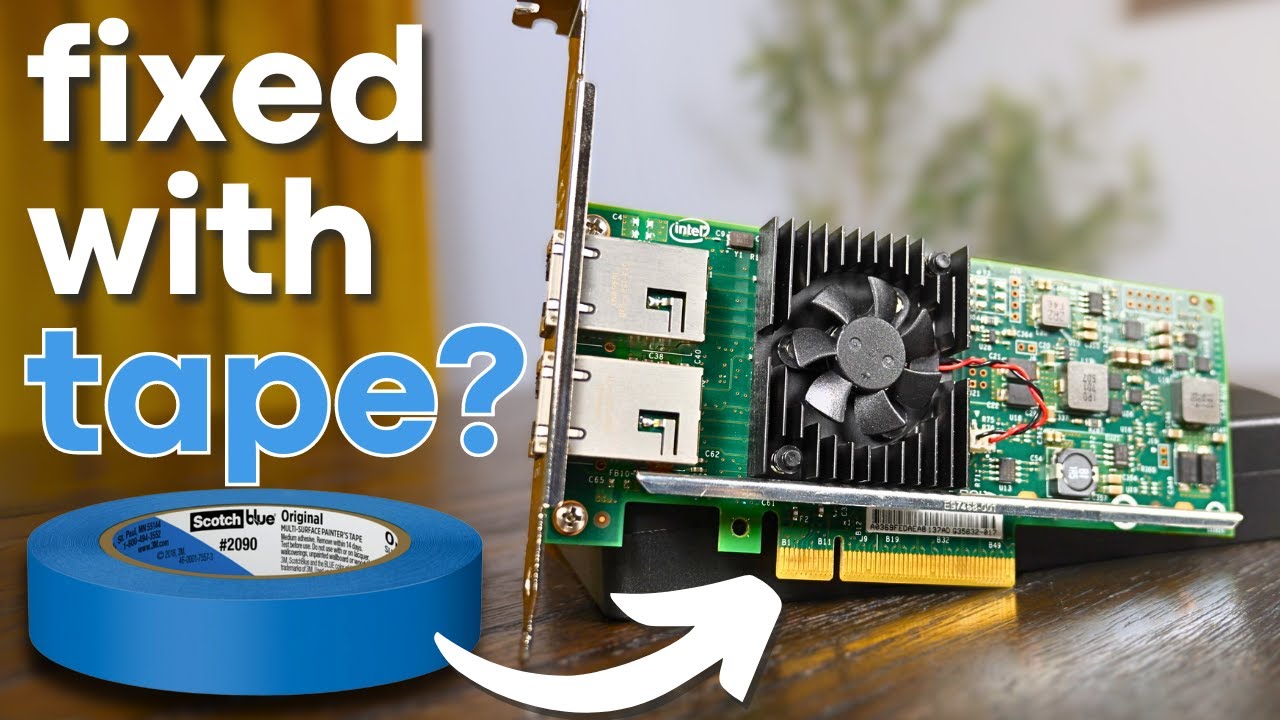
► Want to support the channel and unlock some perks in the process?
Become a RAID member on Patreon or YouTube!
🔓 Patreon: https://www.patreon.com/hardwarehaven
🔓 YouTube: https://www.youtube.com/channel/UCgdTVe88YVSrOZ9qKumhULQ/join
► Checkout items I used (affiliate links):
🛍️ 10Gb NIC: https://ebay.us/TsRacs
-------------------------------...
pseudo blade
Oh apparently you can run the IB ones in ethernet mode
opal pagoda
pseudo blade
Oh apparently you can run the IB ones in ethernet mode
yea you def can
pseudo blade
And they're about $30
opal pagoda
even less
 pseudo blade
cinder plank
Alos, What 10G NIC should I get to go with a N100 motherboard for a UnRaid NAS? ...
pseudo blade
cinder plank
Alos, What 10G NIC should I get to go with a N100 motherboard for a UnRaid NAS? ...
Also: another caveat of the N100 specifically is that you have 9 PCIe lanes total and some will be lost to internal peripherals. If your NAS will be NVMe temper your expectations accordingly.
pseudo blade
opal pagoda
even less
Australia's fun that way
Hell I can see a 40 gig one for near $20USD on further review
Losing 8 lanes for it kinda sucks but it'd be fun if I had a switch of that caliber
opal pagoda
pseudo blade
Losing 8 lanes for it kinda sucks but it'd be fun if I had a switch of that cali...
or you can split it out to 4x 10g links 🤔
pseudo blade
That too
opal pagoda
splicing setup that contractor that splices and runs fiber for us has
 cinder plank
pseudo blade
N100 is PCIe gen3 so if 80% isn't good enough you'll want an older product on >=...
cinder plank
pseudo blade
N100 is PCIe gen3 so if 80% isn't good enough you'll want an older product on >=...
Wdym 80%. (are most new NICs only Gen 4 x1?). The N100 is Gen3 x2...
 pseudo blade
8gbps per lane on PCIe gen 3
cinder plank
opal pagoda
i have these and i havent seen multimode ones, they have magic woodo gel inside ...
what type of connectors are in this video... does the fiber poke out the end (and touch the transceiver) or are there optics inside the connector? https://www.youtube.com/watch?v=CHh6zx3T6To
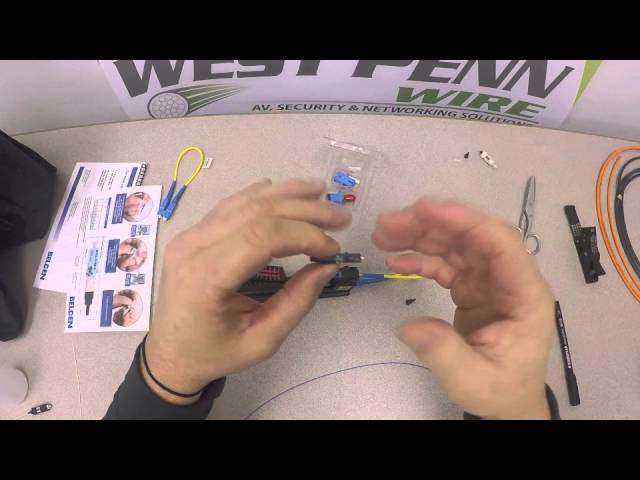
Termination of LC Style Connector for 900micron Fibers
pseudo blade
single lane (newer) products will not saturate in that scenario
cinder plank
pseudo blade
single lane (newer) products will not saturate in that scenario
are newer Gen4?
pseudo blade
Theoretically but the used gen3 ones are such a good deal in that scenario I haven't even bothered looking
You will need one capable of using at least two gen3 lanes (per port) for the chipset in question
Or just accept lower perf in the event of saturation
Like say if you get a 2 port 10 gigabit card you'll need >2 lanes to actually saturate them both but not one
cinder plank
I only need 1 port to go to the switch
pseudo blade
So be it
cinder plank
I want it to be low power. Are they all similar, does SPF+ draw more power than a 10G Ethernet option?
pseudo blade
If you use DAC it's not much
SFP+ to 10gbase-t does run hot but in the scheme of power consumption it's only a few watts max anyways
cinder plank
Will it be data rate dependent? I.e. will it use less power doing IOT stuff, vs when it is doing a file transfer?
pseudo blade
That depends on more than the NIC
cinder plank
I mean, will it draw the same amount of power all the time
i.e. does it draw very little when it isn't doing much
pseudo blade
I don't think the savings are significant between the two scenarios
It'll be a couple of watts total no matter what, power draw variation will be more significant for the SSDs, CPU etc
DAC doesn't really do anything and is most efficient, with length limitations
cinder plank
I read about it needing to support ASPM for "C states" I'm not quite sure when this will apply? If the NAS is constantly doing IP camera recording and has Tailscale and Home assistant running will it ever go into a C state?
pseudo blade
Won't be applicable
No
Can't sleep the NICs on a server/the server itself and have the result be practically useful
cinder plank
Atm there is only a cat6a run (no fiber yet) so id end up using a SFP+ to 10gbase-t for a while. Is a SFP+ NIC a good choice even if i never end up switching to fiber?
pseudo blade
Those do run hot
The converters are the least efficient, so if your NAS lacks a fan that can cool the expansion card and SFP+ module consider getting a little heatsink for the SFP+ cage
Otherwise: review 10gbase-t NIC options
10gbase-t options tend to be pricier than SFP+ used
cinder plank
pseudo blade
Those do run hot
So they run hotter/use more power than a 10gbase-t NIC?
pseudo blade
They have a chip in the module that is practically a full NIC of itself
cinder plank
pseudo blade
10gbase-t options tend to be pricier than SFP+ used
As in 10gbase-t are pricer than SFP+ and 10gbase-t converter. or pricer than SFP+ fiber?
pseudo blade
Seems if you shop around: no, but options are more limited
pseudo blade
Haven't tested them, I'm probably not going to do comparative analysis on them by spec sheet right now as it's rather late here
But you certainly can do so
I know that as a rule for all modules I've seen used by others they will get hot without some additional cooling over convection on the cage
cinder plank
pseudo blade
Haven't tested them, I'm probably not going to do comparative analysis on them b...
I was just sharing them as a price reference
They are both 10G so I presume they are the same performance wise?
pseudo blade
If they work
cinder plank
?
pseudo blade
Not sure what's confusing about the statement. I haven't reviewed the modules. They may function identically or may not work at all
I can't offer promises to you in this scenario
cinder plank
Other than being broken (i.e. id get a replacement), is there a reason why they might not work?
I get the impression that SFP+ has compatibility requirements?
pseudo blade
counterfeit, switch compatibility, power consumption, thermal variance
cinder plank
ah, ok. I'll check those things. thx. I'll see what my switch info says about compatibility
As for VLANS stuff, should most SFP+ NICs do everything?
cinder plank
opal pagoda
intel or melanox connectx 3 or 4
what merits do these have, is it mainly driver stuff?
cinder plank
opal pagoda
i have these and i havent seen multimode ones, they have magic woodo gel inside ...
I now see what you mean about epoxy and polishing https://www.youtube.com/watch?v=I5PEAfDUugo
I've found these https://www.aliexpress.com/item/1005006285202583.html
Although, are there connectors with matching fluid that also have a crimped strain relief like the proper connectors?


How to terminate and polish fiber optical connectors. Step by step guide. Instructions how to terminate optical fibers by attaching connectors with an adhesive, and polishing the ferrule.
Termination procedures for single-mode and multimode Mountable Connectors using glue.
For any question or suggestion leave a comment
-------------------------...
solemn otter
Does anyone know how to slow down the HP DL120 Gen9 Fans Down there on 100% for zero reason the temps are fine and no errors and its on the slowest cpu in the world idk what its problem is
opal pagoda
cinder plank
I now see what you mean about epoxy and polishing https://www.youtube.com/watch...
i dont know if multimode version exists
topaz patrol
solemn otter
Does anyone know how to slow down the HP DL120 Gen9 Fans Down there on 100% for ...
Google 😉
 cinder plank
opal pagoda
i dont know if multimode version exists
cinder plank
opal pagoda
i dont know if multimode version exists
https://www.aliexpress.com/item/1005004814643714.html some do. I just can't find any with nice strain releif
opal pagoda
cinder plank
https://www.aliexpress.com/item/1005004814643714.html some do. I just can't find...
another option is using these and use pigtail on the other end
 cinder plank
yeah, no, more expensive and less durable, vs a nice single strain reveled termination
opal pagoda
they are like 1$ a piece
cinder plank
oh. less than the ones ive seen. + the pigtail
are there pigtils with kevlar?
oh, i can use the end i cut off
🤔
opal pagoda
you should really use a patch cable at the movable end
sfp transciever <- patch cable-> lc coupler <-fixed fiber with mechanical splice-> lc coupler<- patch cable-> sfp transciever
opal pagoda
cinder plank
oh, i can use the end i cut off
get any cable and cut it in half lmao
cinder plank
😣 /
cinder plank
opal pagoda
you should really use a patch cable at the movable end
sfp transciever <- patch ...
is that just because the patch cables are more flexible?
opal pagoda
and easily replacable if they break
cinder plank
ah, I see. I will probably do it the improper way. since the cable comes out the tube right next to the switch.
topaz patrol
:(
topaz patrol
cinder plank
ah, I see. I will probably do it the improper way. since the cable comes out the...
This you?
 cinder plank
I also think having the fiber go into the switch will have it in a far safer place than having a random lc couple on the floor. A fiber wall box will be overkill.
opal pagoda
cinder plank
is that just because the patch cables are more flexible?
fixed fiber is tipically G.652.D spec which has really low attenuation per km but bend radius is kinda huge.
at the other hand G.657.A2 has so much better bend radius at cost of attenuation per km
 topaz patrol
Fiber in general is probably overkill...
cinder plank
topaz patrol
~~This you?~~
In a rack 😂 ... no on the floor in a cupboard
Maybe ill screw the switch to the wall
cinder plank
topaz patrol
Fiber in general is probably overkill...
it is mainly because it is sharing a long conduit with a power cable
opal pagoda
topaz patrol
Fiber in general is probably overkill...
fiber for lan at home is only usefull in building to building underground connection
cinder plank
opal pagoda
fiber for lan at home is only usefull in building to building underground connec...
it is this
topaz patrol
opal pagoda
fiber for lan at home is only usefull in building to building underground connec...
Still very niche
opal pagoda
cinder plank
it is this
did you buy fiber rated for outdoor aplication?
cinder plank
opal pagoda
did you buy fiber rated for outdoor aplication?
it'll be in a tube
not swa reinforced but better than nothing
opal pagoda
bc if it gets wet it will defo stop working
cinder plank
opal pagoda
bc if it gets wet it will defo stop working
why?
opal pagoda
cinder plank
why?
air-glass becomes water-glass which has diffrent refraction factor
cinder plank
isn't the sheath water proof?
opal pagoda
outdoor cables are tipically gel filled
and when gel gets in contact with water it swells up and blocks further water intrusion
cinder plank
topaz patrol
It'll get even more wet in conduit
because of condensation?
cinder plank
opal pagoda
and when gel gets in contact with water it swells up and blocks further water in...
is this if in case the conduit cracks?
 opal pagoda
cinder plank
is this if in case the conduit cracks?
opal pagoda
cinder plank
is this if in case the conduit cracks?
water will find the way and if you didnt angle it so water can drain it will just accumulate and sit there
cinder plank
opal pagoda
water will find the way and if you didnt angle it so water can drain it will jus...
but the fiber sheath is waterproof, no?
It is plumbing pipe so there won't be any ingress, it would have to get in one of the ends (that would be indoors)
cinder plank
opal pagoda
you can get premade outdoor cables so cheap
damn that is cheap
topaz patrol
cinder plank
because of condensation?
It's always best to assume conduit is constantly submerged, because in 12 months it will be
cinder plank
cinder plank
damn that is cheap
i thought that said 327eur
opal pagoda
cinder plank
but the fiber sheath is waterproof, no?
It is plumbing pipe so there won't be an...
if it isnt rated you cant trust it
topaz patrol
Even then, I'd run two
 weary marsh
i dont know what settings to put in iventoy
opal pagoda
weary marsh
i dont know what settings to put in iventoy
not network related go to other chats
topaz patrol
Easier to run two now than have to redo it later
cinder plank
but would it'd still need to go in conduit?
 weary marsh
opal pagoda
not network related go to other chats
weary marsh
opal pagoda
not network related go to other chats
but its pxe boot and it has to do with ip and stuff
opal pagoda
cinder plank
but would it'd still need to go in conduit?
either in conduit or as said you can run it aerial-y
cinder plank
So is there gel inside that cable?
opal pagoda
cinder plank
So is there gel inside that cable?
no, gel is used in loose tube fiber designs
cinder plank
"coating is fully resistant to UV radiation" "reinforced with a steel rod"
so why would that be any better sitting in water in a conduit?
cinder plank
opal pagoda
if it isnt rated you cant trust it
is it right that that aerial stuff isn't rated for conduit?
opal pagoda
aerial just means extra steel supporting rod
cinder plank
so what fiber is rated to go through conduit? i.e. possibly sit in water like you suggest
opal pagoda
specific cable type is "duct"
but you wont find prefab cables
and smallest cable has 12 fibers
cinder plank
what do you suggest i use?
opal pagoda
cinder plank
what do you suggest i use?
i could tell you get this https://fibrain.com/product/ddc-ci-4-kn-double-jacket-duct-cable/ but you would need to find a distributor and minimum order quantity is probably a whole spool
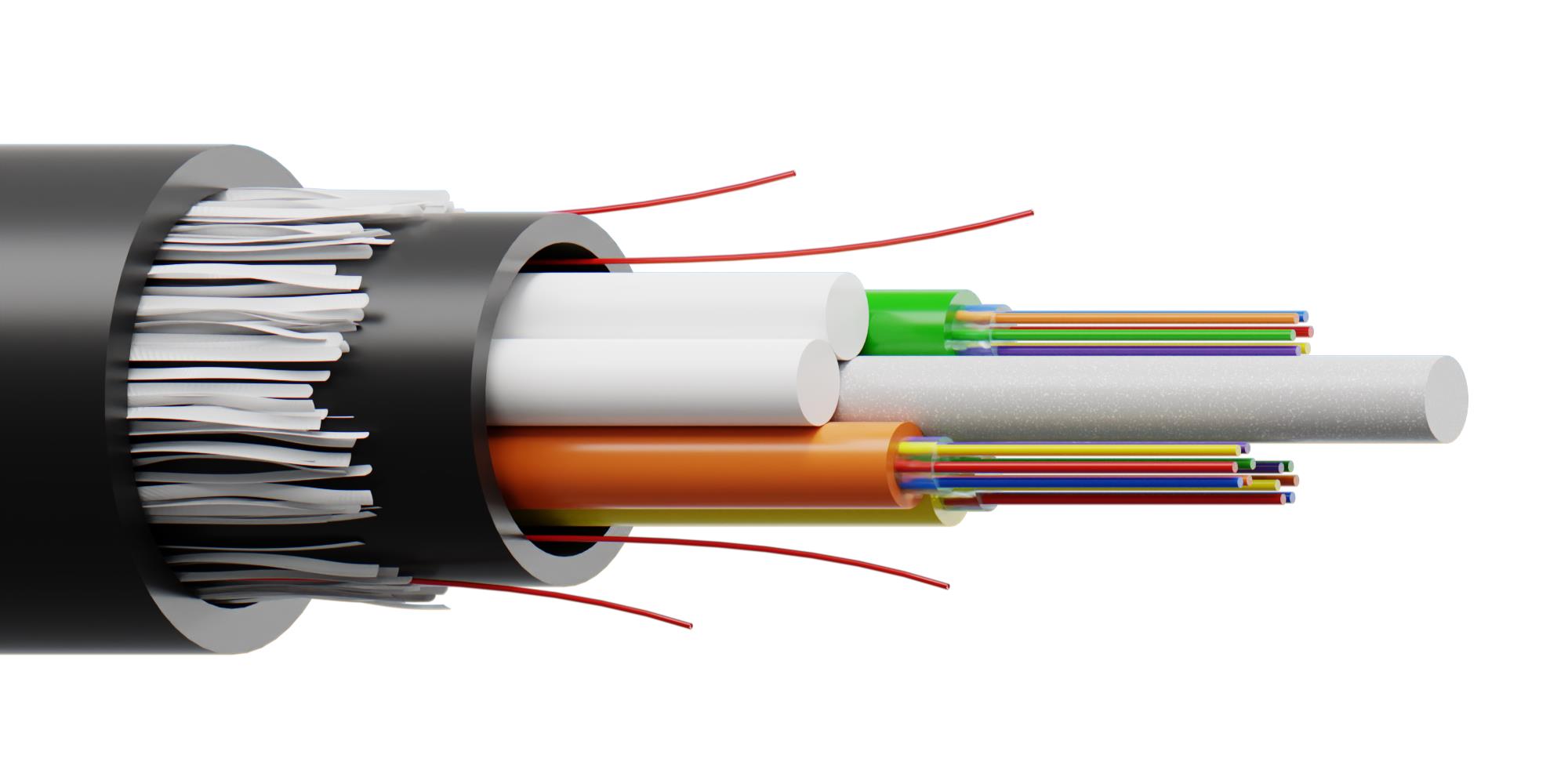 cinder plank
Erm, I need 2 fibers
opal pagoda
even tho aerial isnt quite right cable type for home it is good enough
cinder plank
As it is as equally un-rated, I don't see the benefit over the OM3 I already have tho?
opal pagoda
https://shopdelta.eu/fiber-optic-cable-ult-fc-e-2sm_l2_p16231.html
maybe this would fit your needs
The ULT-FC.E-2SM is an universal fiber optic cable for indoor and outdoor applications.
The cable contains single-mode fibers in the G.657A2 standard with a diameter of 250 μm. The fibers are made in accordance with EN 50267-2-2, EN50268-2 and ISO 4892/2 standards.
cinder plank
opal pagoda
fixed fiber is tipically G.652.D spec which has really low attenuation per km bu...
how does the bend radius of OM3 compare
cinder plank
opal pagoda
https://shopdelta.eu/fiber-optic-cable-ult-fc-e-2sm_l2_p16231.html
maybe this wo...
So will this not also 'defo stop working' if it gets wet. It says "LSZH (or LSOH) jacket" - The OM3 is also LSZH
opal pagoda
cinder plank
how does the bend radius of OM3 compare
Look in datasheet of your cable
cinder plank
topaz patrol
~~This you?~~
I'll be able to do this with it just fine 🥳 😆
cinder plank
opal pagoda
The ULT-FC.E-2SM is an universal fiber optic cable for indoor and outdoor applic...
🤔 free shipping, the price of that is quite good. Is that price per meter?
opal pagoda
Yes
cinder plank
If I use one of these connectors how do i protect the fibers, because they don't each have their own tube/sheath. or would you use only use one fiber with a bidi transceiver?
https://shopdelta.eu/mechanical-splice-with-sc-connector-fast-sc-opton_l2_p12041.html
(with this) https://shopdelta.eu/fiber-optic-cable-ult-fc-e-2sm_l2_p16231.html
shadow sundial
im losing my mind for the last three days ive been trying to get plex to
let me add media to my plex. it keeps syaing i need to download plex media server but i did that idk what else to do
ive uninstalled ive loged out and loged back in. ive wiped program files i dont understand what is happeneingf and plkex dosent have a fucking number to dall so i have no idea
cinder plank
what os? have you pointed it to your media directory?
shadow sundial
it doesent even give me th option to do that it just says a"add plex media server" and windows 11
cinder plank
is that a plex client? do you have a plex server somewhere?
shadow sundial
what are you talking about.
 shadow sundial
ok im done talking to you. you didnt read anything
why even comment that? do you think my incapable of searching google??? i clearly did that and nothing is working so i came here. you comment was pointless
im glad you find this funny Troll
cinder plank
ok im done talking to you.
shadow sundial
why beacuse i called you out for being a troll?
opal pagoda
shadow sundial
im losing my mind for the last three days ive been trying to get plex to
You need to log in to same plex account on both server and client
shadow sundial
i know that......what i said and i suppose ill have to sya it again... IT DDOSNET SHOW UP AT ALL. i click to open plex server and nothing opens. i cnat change any server settings becasue it dosent open
oh i also see my orginal message never went through
Anyone have any Plex experience. I’m using it on windows. For some reason today when I opened it my media was not there in its place was a screen asking to download plex media server…. See g as I have that ready I just uninstalled it then clicked the link to go to the page and Reinstalled it …. Now it’s still asking for me to installl it. I’ve checked for updates I’ve restarted my pc idk what to do( this is og message that never went though )
opal pagoda
Please provide screenshots, blur info you don't want to share
shadow sundial
there nothing to scrteenshot IT DOSENT OPEN
cinder plank
shadow sundial
oh i also see my orginal message never went through
what a troll....
shadow sundial
yeha ill just block you
opal pagoda
Try this
shadow sundial
that just opens th eweb ui
opal pagoda
Yes now add library
shadow sundial
omg.
opal pagoda
I have used plex on windows, linux, in a docker
It is pretty straight forward
shadow sundial
yes i understand that IT KEEPS SYAING TO ADD PLEX MEDIA SERVER ......thats all it says
this is all i get over and over and over.
 cinder plank
opal pagoda
I have used plex on windows, linux, in a docker
It is pretty straight forward
cinder plank
opal pagoda
I have used plex on windows, linux, in a docker
It is pretty straight forward
does the server even ask that ("add plex media server")?
shadow sundial
i have done it beofr eand never had a issue this is compleat new and no idea what is happening
opal pagoda
Click that button to download server exe file
cinder plank
opal pagoda
Click that button to download server exe file
is that the client?
opal pagoda
cinder plank
is that the client?
Most likely
shadow sundial
yes i know i did that and it still says thais. noramlay the screen with change to wher ei can point it to the folder with the media. it dosent not change
ive followed every totorial. every reddit post i could ifnd. i compelastyl uninstalled everything and reinstalled it. ive done evertyhing and its stuck on this damn " get plex media server"
limpid vault
Been looking to replace my Netgear Orbi system for a while now, it's been giving me trouble ever since I got it.
Looking to get a reliable mesh systen setup. Have very thick walls, definitely will not be running any PoE system because of this.
Hoping to get a system that has satellites with ethernet ports on then so my non-wifi systems can be wired directly in.
Hoping to stay under $500
Wanting Wifi 6 minimum
Any suggestions?
topaz patrol
Realistically mesh will never work well, especially with thick walls
cinder plank
limpid vault
Been looking to replace my Netgear Orbi system for a while now, it's been giving...
Through my searching I saw getting one that uses and independent back-hall frequency is best, but ultimately I bit the bullet and installed 3 POE APs and never looked back.
opal pagoda
shadow sundial
ive followed every totorial. every reddit post i could ifnd. i compelastyl unins...
do you get this in hidden icons?
 shadow sundial
idk what happened i was sitting herer staring at the scren and now it says its initilizing plex media server idk what heppned but hope this fixes it
yep all my stuff is ther... i honestly dont understand what happendd. but ill be making a jelly find server as a bakcup i guess
@opal pagoda thansk for the help
limpid vault
cinder plank
Through my searching I saw getting one that uses and independent back-hall frequ...
Yeah, can't install a PoE system unfortunately.
cinder plank
opal pagoda
i have these and i havent seen multimode ones, they have magic woodo gel inside ...
I've just seen these are SC. Do you use SC transceivers, or adapters?
limpid vault
Well, I could do PoE if I ran conduit, but do I really want to run conduit along my walls? Kinda ugly
cinder plank
limpid vault
Well, I could do PoE if I ran conduit, but do I really want to run conduit along...
why can't you put it in the walls?
limpid vault
Got myself solid wood walls.
2x4s covered in 2x4 tongue and groove board that has 1/2 sheetrock on top
be a pain in the ass to try and run cat6 through that, no?
cinder plank
Can't you fish it up behind it...
cinder plank
limpid vault
be a pain in the ass to try and run cat6 through that, no?
Yeah, installing is a pain, but it only has to be done once...
limpid vault
The fiber comes in on a section of the house that was an addition, so the second floor isn't on top of it
cinder plank
I didn't say it would be easy 😄
I abandoned the mesh idea. So unfortunately i can't help more on that front, if that is the way you are dead set on going
limpid vault
I mean, what other option besides PoE do I have?
cinder plank
a cable or wireless are your only options.... well maybe a worm hole, but they are expensive
limpid vault
well, any idea where I can go to find out what wireless options are my best ones? Every site I visit for research has affiliate links for their top picks
cinder plank
There is also the abhorrent idea of going externally.
limpid vault
that is an awful idea, but man would that make my life easy
I have vinyl siding, so I could just fish it up behind the siding
maybe
cinder plank
limpid vault
well, any idea where I can go to find out what wireless options are my best ones...
reading forums and youtube videos and spec sheets... directly googling stuff like that is impossible nowadays
cinder plank
limpid vault
I have vinyl siding, so I could just fish it up behind the siding
or go from inside down... then gravity helps.
opal pagoda
cinder plank
I've just seen these are SC. Do you use SC transceivers, or adapters?
if using bidi you can find sc transcievers but for duplex you will have to adapt to lc
cinder plank
opal pagoda
if using bidi you can find sc transcievers but for duplex you will have to adapt...
what did you use?
opal pagoda
at work i use only lc
some legacy stuff has sc but then we adapt to lc
hell there is some fc aswell
all gets adapted to lc
cinder plank
Do you use mechanical lc terminations? shopdelta don't sell them
opal pagoda
no we get it fusion spliced and certified by otdr
cinder plank
I wish I knew someone with a fusion splicer. that would make this whole this so much easier 😭
Though they do sell mechanical LC on ali...
opal pagoda
get sc and adapt it to lc
sc are so much bigger so whole mechanical splice mechanism is easier to use
opal pagoda
also please dont pull fiber by outher sheeting
you need to pull it by tying a knot in a kevlar
cinder plank
opal pagoda
also please dont pull fiber by outher sheeting
you need to pull it by tying a k...
ye, i intend to strip a bit and do that. that is the other thing with the cable you linked... it probably has a lot more kevlar than the 2mm OM3 i got.
opal pagoda
cinder plank
I wish I knew someone with a fusion splicer. that would make this whole this so ...
i belive we pay around 10$ a splice
at both side that is 20$ per fiber strand , and mostly use 12f fiber so that is 240$ a cable (we provide all material)
cinder plank
opal pagoda
i belive we pay around 10$ a splice
at both side that is 20$ per fiber strand , ...
Oh, rip. I thought your work has the splicer.
opal pagoda
cinder plank
Oh, rip. I thought your work has the splicer.
nope, all fixed layer 1 is installed by a contractor
cinder plank
thats no fun 😄
opal pagoda
cinder plank
thats no fun 😄
plenty of fun left with active equipment and patching
cinder plank
I'm still waiting for my Ruckus ICX 7150 C12p to arrive so I can dive in and learn about all that stuff.
opal pagoda
cinder plank
I'm still waiting for my Ruckus ICX 7150 C12p to arrive so I can dive in and lea...
did you buy it used or new
cinder plank
used 😅
cinder plank
opal pagoda
did you buy it used or new
I don't have £600+ to spend on a switch 😣
opal pagoda
cinder plank
I'm still waiting for my Ruckus ICX 7150 C12p to arrive so I can dive in and lea...
if you want to play with fortinet stuff look for "fast tracks"
they are free and i have lots of fun with it
i have attended 2 and another one is scheduled next month
cinder plank
opal pagoda
if you want to play with fortinet stuff look for "fast tracks"
they are free and...
Looks interesting, Getting networking certs is on my list of things I would like to do if I had infinite time, so I'll keep them in mind 😁
opal pagoda
cinder plank
Looks interesting, Getting networking certs is on my list of things I would like...
they are simple for begginers as everything is explained step by step but more advenced you are less you can look at those step by step instructions
cinder plank
Seems like a good way to regulate difficulty to keep it challenging for everyone, otherwise I bet it'd be boring for some and impossible for others
opal pagoda
cinder plank
Seems like a good way to regulate difficulty to keep it challenging for everyone...
also i always see something new in fast tracks
first one was fortigate setup with all features and vpn
second one was more industrial OT systems related, fortigate + fortimanager + fortideceptor + fortiswitch
overall great for getting practise on forti stuff and has made me much more comfortable with tweaking our own forti-stuff
cinder plank
I hadn't heard of it before. Is that what all your work infra is based on?
opal pagoda
firewalls yes, but switches/ap are cisco
few years back it was 100% cisco
cinder plank
are you familiar with cisco stuff, i hear it is quite unintuitive
opal pagoda
cinder plank
I hadn't heard of it before. Is that what all your work infra is based on?
neither did i, i would definitly attend them before
they seem great to put in a cv
opal pagoda
cinder plank
are you familiar with cisco stuff, i hear it is quite unintuitive
with cisco i dont touch their gui, i go straight into ssh
configs are easy just copy paste and change couple of parameters
cinder plank
oh, i assumed they didn't have a gui
opal pagoda
they host a webpage (can be turned off if desired)
opal pagoda
cinder plank
oh, i assumed they didn't have a gui
this is what old ahh switch web interface looks like (i use this switch just for playing around at home)
 cinder plank
lol
 cinder plank
That doesn't look so bad. I had it in my mind that everything was done though some alien console interface.
So what does cisco certified mean, why is it such a big thing?
opal pagoda
cinder plank
So what does cisco certified mean, why is it such a big thing?
tipically means you passed ccna exam
if you want to work in networking world it opens lots of doors for interviews
cinder plank
So is most of it transferable knowledge to other brand equipment?
thorn delta
As someone who has hired network technicians, I take the CCNA cert with a huge grain of salt lol
It's a good baseline, but go "off script" a bit and you can really tell who just pumped and dumped on exam questions
opal pagoda
cinder plank
So is most of it transferable knowledge to other brand equipment?
most of the stuff that is tested is theory
but some are cisco specific
cinder plank
thorn delta
It's a good baseline, but go "off script" a bit and you can really tell who just...
I can't do that, it would be a nice trick to be able to do for the sake of exams, everything I learn is holistic and probably displaces some other knowledge.
opal pagoda
cinder plank
I can't do that, it would be a nice trick to be able to do for the sake of exams...
udemy course ftw
thorn delta
For sure, I've met some really smart guys with CCNAs, and a few who couldn't explain a typical setup of a home/small office router
peak cloak
thorn delta
It's a good baseline, but go "off script" a bit and you can really tell who just...
reminds me of that one instagram account I always see popup that quizzes students on useless computer info
all just memorization, not understanding
opal pagoda
peak cloak
all just memorization, not understanding
like comptia a+ hahaha
thorn delta
Like, I gave an interview question that was basically like "you have a blank Cisco IOS router. There's a cable modem that will provide a WAN IP address over DHCP, and an unmanaged switch connected to another port, with PCs connected to it. Explain the configuration you would do on the cisco router to give the PCs internet access"
It was a fairly entry level position, my bar was basically looking for something along the lines of: put a DHCP client on the WAN port, enable NAT overload, add an IP address on the LAN side interface, setup DHCP, ect
Caught a ton of people off guard
peak cloak
basically setup a home router
thorn delta
exactly
peak cloak

 cinder plank
thorn delta
Like, I gave an interview question that was basically like "you have a blank Cis...
cinder plank
thorn delta
Like, I gave an interview question that was basically like "you have a blank Cis...
is connecting cable modem cable to the pc and live on the edge, a valid solution?
thorn delta
cinder plank
is connecting cable modem cable to the pc and live on the edge, a valid solution...
hope the ISP is generous with their DHCP leases and that the PCs have firewalls enabled 
"Throw the cisco router into the street, connect cable modem to PC1, enable wifi hotspot mode"
opal pagoda
cinder plank
is connecting cable modem cable to the pc and live on the edge, a valid solution...
i have once raw dogged the DIA
was fun to prove our equipment was indeed not in falut rather isp was the issue
cinder plank
give the PCs internet access achieved, but internet given pc access also achieved....
opal pagoda
cinder plank
give the PCs internet access achieved, but internet given pc access also achieve...
you want to connect more pc-s?
simply buy more ipv4 addresses
thorn delta
I vaguely remember that being a thing on early cable internet
like you'd just buy a switch/hub and attach another PC, pay for another IP
opal pagoda
thorn delta
I vaguely remember that being a thing on early cable internet
i am sad due to not being able to experience raw unfiltered internet
born too late to see raw ipv4, born to early to see raw ipv6
cinder plank
thorn delta
like you'd just buy a switch/hub and attach another PC, pay for another IP
so could anyone ping everyones PCs?
opal pagoda
yea sure
peak cloak
before NAT
thorn delta
firewall software was pretty common, and it was bad in the XP days until SP1 or SP2 that came with the firewall by default
cinder plank
sounds like wild times
peak cloak
would you get a subnet? wasn't around back then
thorn delta
You'd just get a single public DHCP lease typically
I remember people demonstrating that you could leave an unpatched XP machine connected to the public internet and have it compromised in under an hour
Which is how worms propagated really badly
If your ISP was particularly jank, they wouldn't filter things like windows filesharing, so you could explore your "local network" and see a bunch of other PCs on there. My ISP was crap but they did setup that properly, at least
opal pagoda
thorn delta
If your ISP was particularly jank, they wouldn't filter things like windows file...
allow any/any
 cinder plank
thorn delta
If your ISP was particularly jank, they wouldn't filter things like windows file...
cinder plank
thorn delta
If your ISP was particularly jank, they wouldn't filter things like windows file...
so "hacker" was "be able to use a mouse and keyboard" back in the day...
thorn delta
Like 10 years ago when I started at this WISP I work at, we had a misconfigured AP on a tower that wasn't blocking DHCP servers from the CPE, and a customer that switched to cable internet without cancelling our service. They plugged our PoE injector into their new router, and was offering out DHCP leases into the VLAN for that tower site. We use PPPoE, so it was mostly fine, but there was a couple customers that were pulling DHCP leases from buddy's home router lol
We try to do a lot of port/customer isolation for the most part to entirely mitigate shit like that now.
opal pagoda
thorn delta
We try to do a lot of port/customer isolation for the most part to entirely miti...
you work for a isp?
thorn delta
Yeah, a fairly small one that does mostly wireless, some fiber and cable/dsl wholesale
opal pagoda
thorn delta
Yeah, a fairly small one that does mostly wireless, some fiber and cable/dsl who...
i deal with enterprise and fun things that come with that ||whole lot of hey port xxxxx is closed wth meanwhile firewall rule request never mentioned such port||
cinder plank
will i need an attenuator on these for 20km sfp transceivers for a 200ft?
https://shopdelta.eu/?page=shop/flypage&product_id=7293&category_id=436
opal pagoda
cinder plank
will i need an attenuator on these for 20km sfp transceivers for a 200ft?
https:...
i would
reminder that you cannot use same bidi transciever on both sides, you need a pair who tx and rx wavelenghts are swapped
thorn delta
most of the 10km ones will be able to take the full power of the transmit, the specs on that one don't say a "maximum" receive signal so it's going to be hard to tell, but chances are you'd want one
cinder plank
opal pagoda
i would
reminder that you cannot use same bidi transciever on both sides, you ne...
yeah, i realised that. almost slipped my mind tho 😄
thorn delta
I tested cheap cheap aliexpress gigabit bidi pair/kit and they worked pretty decently
cinder plank
cinder plank
thorn delta
I tested cheap cheap aliexpress gigabit bidi pair/kit and they worked pretty dec...
oh, do you know which ones?
they are a bit cheaper, so if they are okay, ill probably go with thoes 3km ones
thorn delta
https://www.aliexpress.com/item/1005005763851523.html looks like these, I imagine most are going to be pretty similar
I had them running about 600ft
cinder plank
🤔 i thought i saw them around that price... I don't know why i couldn't find them again.. thx
 thick minnow
hey i need help finding 10gig fiber cables and transceivers for my juniper EX 3300 and intel network card in my pfsense router

FS.com
Check Juniper Compatible QFX-SFP-10GE-SR-X Dual-Rate 1000BASE-SX & 10GBASE-SR SFP+ Transceiver module data sheet (MMF, 850nm, 300m, LC connector) & price list on FS.COM
wanna make sure i get this right

FS.com
Check FS 10gbe SFP+ transceiver module compatible Intel E10GSFPSR datasheet (1000BASE-SX and 10GBASE-SR SFP+ module, 850nm 300m DOM) and price list. 100% compatible!
is this what i buy
basically i have Telus 3 gig business internet and right now i wanna bypass the Telus Smart hub cause ive heard it can be used to limit my speed and can impact network performance
so i intend to plugin the fiber cable directly to my pfsense router
im having ping issues on my minecraft server and i dont think its my ddos protection provider
basically i wanna bypass this

put the fiber directly into my pfsense router then run a fiber cable to my switch in the other room
i dont know what cable to buy or if those are the right transceivers
ive seen people bypass the stock at&t router so im sure with telus its way easier
the fiber from out side goes directly to that white box on the wall
its in bridge mode but i think its making me have ping issues
my ping is good right now but ive seen it jump to over 300

and ping is important since many foreign players play my server as you can see

 stiff root
thick minnow
stiff root
thick minnow
wth
thick minnow
thick minnow
its in bridge mode lol i think its affecting my ping so i intend to take that little fiber cable instead of plugging it into the thing into its transceiver buy my own transceiver and plug it into my pfsense router
its called the "telus smart hub"
my isp is telus
i noticed with proxmox when i make a vm that has a different external ip it had a faster internet speed the full 3gig plus a bit extra
stiff root
3gb/s speed?????
thick minnow
ya
stiff root
3gb/s download?
thick minnow
and upload yeah
stiff root
my 500mb/s & 15mb/s internet plan costs 60$ a month 😦
thick minnow
 stiff root
oh Mbps
you need to divide it by 8
3000/8=375MB/S
but you also get 5 static ips :(((
mines only have a dynamic ip
cinder plank
stiff root
my 500mb/s & 15mb/s internet plan costs 60$ a month 😦
500mbps / 8 = 62.5mBps
cinder plank
why you saying he needs to divide by 8 if he never said GB?

 cinder plank
that is 3000mbps is 3gbps
cinder plank
stiff root
there is a bottleneck it should show 3000mbps not 599.72
stiff root
cinder plank
there is a bottleneck it should show 3000mbps not 599.72
i rent the house :/ cant change the plan
if each player takes 100KB/S of upload speed the server can hold about 20 players
cinder plank
*234
cinder plank
ah
stiff root
3MB/S upload
cinder plank
29

 cinder plank
stiff root
bruh.
cinder plank
stiff root
bruh.
I bet that is false marketing... it is mbps
stiff root
i am currently using this plan...
solemn otter
Bit of a weird question. anyone know how to make a Rust server in a proxmox VM ? Any tips or Vids would help.
thorn delta
thick minnow
its in bridge mode lol i think its affecting my ping so i intend to take that li...
You won't be able to bypass it with a standard SFP module. You're likely getting XGSPON service, which is different than what fiber SFP modules for enterprise switches/servers use. Though you might be in luck, since the actual fiber ONT is just that SFP module already in there.
At least with Bell Canada (on their older GPON service), you can remove the SFP module from the router and insert it to an SFP port router, tag a VLAN, and setup a PPPoE client on the router. Not familiar with how Telus does it, but you might be able to dig up some instructions, I think dslreports is still a good forum for stuff like that, maybe there's a Telus subreddit where people have talked about it
If you do that, it looks like you might need a longer fiber cable since the one in there is like 2" long. You'd need a single mode SC/APC patch cord, should be some on amazon/ect
pseudo blade
solemn otter
Bit of a weird question. anyone know how to make a Rust server in a proxmox VM ?...
Split into two tasks:
- Make a VM running any OS Rust's game server supports (e.g. Windows)
- Install and run Rust's game server on that OS (being in a VM is pretty much irrelevant)
Tutorials exist for those two tasks, I am confident
solemn otter
pseudo blade
Split into two tasks:
1. Make a VM running any OS Rust's game server supports (e...
all the rust server install tutorials are ass cuz steamcmd doesnt like me
stiff root
is it possible to set up PTR record on a dynamic ip address
 ornate jungle
stiff root
is it possible to set up PTR record on a dynamic ip address
ornate jungle
stiff root
is it possible to set up PTR record on a dynamic ip address
Support | No-IP Knowledge Base
In order to create a PTR record you will need to obtain a static IP address. It is NOT possible to create a PTR record while using a dynamic IP address. If you do not want, or cannot get, a static IP address you can use our Alternate Port SMTP service (click ‘self hosted mail’). …
Please don't tell me you're trying to run an email server on a residential internet plan with a dynamic IP address... even if you get it working, email services will blacklist your IP, and eventually the ISP's entire subnet block very fast if they detect spam, phishing, or other suspicious activity coming from their network.
stiff root
ornate jungle
Please don't tell me you're trying to run an email server on a residential inter...
but i am not spamming
its for my friends
we just want to have a email with a cool domain :/
topaz patrol
Your emails have a very low chance of getting delivered
pseudo blade
I have enough trouble with M365 at the moment, selfhosting is a time hog even with a static IP.
topaz patrol
Yeah it's a PITA even on MS365/GSuite
low pond
stiff root
we just want to have a email with a cool domain :/
There are free ways to host your email
 keen urchin
TIL, vhid=~ MAC address for CARP interfaces, so you have to have unique vhids within a MAC collision domain.
peak cloak
topaz patrol
Your emails have a *very* low chance of getting delivered
Somehow verizon lets me deliver email
Used it for email alerts for UPS status
clear igloo
Are you using an SMTP relay?
Or are you doing OAUTH via gmail or something?
opal pagoda
i use cloudflare email routing for custom domain mail but downside is that you cant send emails to non verified addreses which is fine for me
clear igloo
opal pagoda
i use cloudflare email routing for custom domain mail but downside is that you c...
Yah, I use that for a few domains to make SSL verification easier, lol
opal pagoda
super easy to setup too
clear igloo
yup, very
peak cloak
clear igloo
Are you using an SMTP relay?
Or are you doing OAUTH via gmail or something?
No relay, just direct from my ip
Not authenticated, but still surprised it even went into my inbox
 red oracle
stiff root
we just want to have a email with a cool domain :/
red oracle
stiff root
we just want to have a email with a cool domain :/
I pay for email through my domain registrar. Takes the headache away
stiff root
red oracle
I pay for email through my domain registrar. Takes the headache away
can’t afford 3rd party services:(
red oracle
Understandable.
opal pagoda
stiff root
can’t afford 3rd party services:(
do you just want to recieve them or send them out as well?
topaz patrol
stiff root
can’t afford 3rd party services:(
I believe Zoho free includes custom branded email :)
Nevermind looks like they removed mail from their free plan
stiff root
opal pagoda
do you just want to recieve them or send them out as well?
i need both
topaz patrol
As part of AWS Free Tier, SES offers a flexible free tier which enables you to try the SES email features you need, free of charge. Free tier customers receive up to 3,000 message charges free each month for the first 12 months after you start using SES.
Perhaps use Amazon SES for outbound to ensure deliverability
stiff root
topaz patrol
Perhaps use Amazon SES for outbound to ensure deliverability
the free tier only has 1 year
topaz patrol
1 year is much longer than you'd be able to DIY before getting blacklisted :)
And after that one year, it's probably the cheapest solution around
 stiff root
topaz patrol
And after that one year, it's probably the cheapest solution around
stiff root
topaz patrol
And after that one year, it's probably the cheapest solution around
what is this
opal pagoda
stiff root
what is this
aws ses pricing
 rocky badge
pseudo blade
I have enough trouble with M365 at the moment, selfhosting is a time hog even wi...
rocky badge
pseudo blade
I have enough trouble with M365 at the moment, selfhosting is a time hog even wi...
how lol
shadow sundial
cna i get a like.. router or somthing i can plug my
ISP coax signal into for my upstairs instead of running CAT 6A cable through my house i cna fun a coaxel outside the house andinto the hosue through a small hole
thick minnow
bro why tf when i click on site the site wont load on opera gx,chrome but on edge it does and also when i try to search something without clicking on a site it works
it says the site took too long to answer, but my internet is great
opal pagoda
shadow sundial
cna i get a like.. router or somthing i can plug my
ISP coax signal into for my...
MoCA?
shadow sundial
cna i plug that right into a coaxial cable plit off from my main one?
oh looks lik can with a splitter for MoCA specific ...neat thansk for the help!! didnt think about htat one!
pseudo blade
rocky badge
how lol
Business won't move their DNS somewhere not dogshit
It's literally on a compromised server with a one-man host that they acknowledge is compromised but won't authorise time spent on
They had their email on the same box until I at least convinced them of the benefits of not having 400MB mailbox limits on a known compromised server
topaz patrol
pseudo blade
It's literally on a compromised server with a one-man host that they acknowledge...
That sounds like a client that needs firing
 twin sphinx
Has anyone had any experience using the NetGear M6 Pro in a passthrough mode?
 sleek wasp
New home network build time...
Do I CAT8 or CAT6e?
Details are:
Wife and I live in the country (and there is no wired ISP available)
Starlink Mounted on garage roof
Currently digging a trench from garage to house for new 200A service in to the home to future proof a few things as well as upgrade service to the garage to allow for Type2 EV charger
I am not concerned with interference and will place the network cable in the same trench
Since the home is currently serviced by wifi so I will slowly add wired service where needed to each room. There is zero infrastructure in the home currently.
No plans to do huge amounts of internet gaming as its not my jam but do dabble as a crap content creator in the youtube...
Let me know your thoughts, opinions on either CAT6 or CAT8 for something like this.
peak cloak
sleek wasp
New home network build time...
Do I CAT8 or CAT6e?
Details are:
Wife and I live ...
cat8 is overkill
cat6a will be just fine
sleek wasp
peak cloak
cat8 is overkill
care to elaborate?
peak cloak
cat6a can do 10 gig, which for most people will be enough
sleek wasp
peak cloak
cat6a can do 10 gig, which for most people will be enough
I should be worried about choosing a 23ga or 26ga vs 22ga?
thick minnow
People who use Serva, what kind of Storage driver did you install for VirtualBox to recognize the storage? 😄
stiff root
why ISPs are banning port 25, it is just for mail receiving not sending...
thick minnow
Not really, port 25 is not for receiving
that's actually the SMTP server's default unencrypted port, so yeah thats why they are banning, as it's highly abused by attackers to connect to your PC and just bulk send emails
stiff root
what port(s) is for receiving?
 hollow pendant
587 i think
i'm only learning about these ports so yeah, but i think that's the one
stiff root
hollow pendant
587 i think
587 is client to server communication
25 is the port which server receives mails from other servers
ornate jungle
stiff root
what port(s) is for receiving?
stiff root
ornate jungle
https://www.cloudflare.com/learning/email-security/smtp-port-25-587/
i think 587 and 465 are for client to server connections
ornate jungle
These days, yes, but historically, email was sent (often unauthenticated and unencrypted) over port 25, which is why many ISPs block it. Inbound mail usually uses the following ports, depending on the configuration:
- IMAP (Incoming): Port 143 (with STARTTLS), Port 993 (with SSL/TLS)
- POP3 (Incoming): Port 110 (without encryption), Port 995 (with SSL/TLS)
stiff root
but clients use these ports too, will they conflict each other?
thick minnow
thorn delta
You won't be able to bypass it with a standard SFP module. You're likely getting...
i dont think its xgspon for me i remember showing my friend when i got the service its not xgspon its xgpon i think
thorn delta
ah weird, XGS seems to be a tad more common since it has better upload
thick minnow
only way to fix the ping issues is to call and bitch ig
This new offering of the Internet 3.0Gbp/s plan is currently rolling everywhere the previous PureFibre X Internet 2.5Gbp/s plan was offered. In my opinion, and only in my option here, I believe TELUS has created unnecessary questions with this new naming convention. A number of people are goin...
thorn delta
Not too familiar with Telus stuff, though
thick minnow
Unlike the GPON hardware where the GPON transceiver serial number is utilized to authenticate to the TELUS backend servers.
Now the NAH serial number will be utilized not the serial number of the silver transceiver like what was used on the GPON infrastructure.
perhaps i can spoof the serial number with pfsense ?
thorn delta
that's going into some cursed territory there
thick minnow
lol
well im tired of my ping being ass ass
45 ms is what im supposed to get to my own server
im regularly seeing over 300 thats unacceptable
thorn delta
Does your traceroute change at all?
thorn delta
If you try pinging other things when you're having the same problem, do you see the high ping there too? sometimes there might be a congested path somewhere along the line to certain providers/services
thick minnow
 thorn delta
usually that nokia stuff is pretty good
thick minnow
i got the NH20A
thats normal ping but itll do 300 + out of nowhere
its not on my end either
 thorn delta
A tool I like is pingtracer: https://github.com/bp2008/pingtracer
You can get a nice graph of every hop, so if your ping jumps to like 300 but it only happens further down the line, you can rule out your modem. Or if you see it also jump at your default gateway, it could potentially be your NIC
GitHub
Graphical pinging and traceroute application. Ping Tracer continuously pings each network host between your computer and a given destination, helping identify the source of connectivity problems. -...
stiff root
thick minnow
how much bandwidth does your mc server use?
thick minnow
under 100 mbps
stiff root
download or upload
thick minnow
both
stiff root
how many players?
stiff root
😱
thick minnow
someone i know who plays my server in the same city as me is having the same issue
 stray blade
Does anyone know would be the best way to handle this situation...
The property has 2 homes and a barn with an apartment loft. And I would like to share the ISP to each but have separate Lans.
Currently the ISP is run to house 1 at the bottom of the property and a fiber run from House 1 to the barn.
I would like to connect the barn to house 2 with a point-to-point bridge.
thick minnow
and ive been sent multiple complaints
thorn delta
MTR on linux is a decent tool too
stiff root
i host a web server too
thick minnow

its gotta be telus lol
like my server ive tried everything
i also noticed im not getting the full speed

could be my pc ?
thorn delta
Yeah, leave mtr running until you see the lag I guess, but if it doesn't show up on MTR it might not be the network
stiff root
how do u promote your server?
thick minnow
thorn delta
Yeah, leave mtr running until you see the lag I guess, but if it doesn't show up...
i run a quad core and had 2 mc instances open and im watching wan show rn
Ryzen 5 1400
could be that perhaps
maybe those other people were just the same sorta deal
i closed 1 mc instance and its going down
thick minnow
stiff root
how do u promote your server?
its popular in spain
thorn delta
I haven't done minecraft stuff in a while, can't help too much there lol
stiff root
do u use folia?
 thick minnow
yeah https://github.com/XeraPlugins/8b8tCore i have a developer team

GitHub
Folia Core Plugin for 8b8t and Anarchy Servers. Contribute to XeraPlugins/8b8tCore development by creating an account on GitHub.
XeraPlugins is our github org
thick minnow
thorn delta
I haven't done minecraft stuff in a while, can't help too much there lol
lmao players just timed out
including me
im under heavy attack tho so its prolly just a ddos
my competator will literally hire people to ddos me
whats interesting is i timed out and got kicked to my lobby server
stiff root
so is there any way to receive mails from other server while port 25 is blocked
 errant tinsel
Anyone know what I should get for bridging my connection from one building to another (about 50 meter distance, line of sight) All I know is Ubiquiti is good but im not sure what to purchase 😅, I see these here but they seem pretty pricey. Any advice is appreciated thanks
https://ca.store.ui.com/ca/en?category=wifi-building-bridge

I live rural and have starlink so having the fastest thing isnt a concern for me (just need something that will work for years)
thorn delta
errant tinsel
Anyone know what I should get for bridging my connection from one building to an...
I'm a fan of the nanobeam 5ac
I wouldn't bother with 60ghz if you have starlink
ah yeah they're sold out again in canada, drat. These are smaller, and the mount isn't as nice but will work just fine. They don't include an injector in the box, so you need a separate one:
2 x https://ca.store.ui.com/ca/en/pro/category/wireless-airmax-5ghz/products/loco5ac
2 x https://ca.store.ui.com/ca/en/pro/category/all-accessory-tech/products/poe-24

Ubiquiti Store
Compact, UISP-ready WiFi radio sporting a classic NanoStation design and an updated airMAX AC chipset.

Ubiquiti Store
Ubiquiti PoE Adapters provide a variety of features to help protect your PoE devices.
pretty straight forward to setup with the uisp app
make sure to use outdoor rated cat5e/cat6
errant tinsel
thorn delta
ah yeah they're sold out again in canada, drat. These are smaller, and the mount...
Ahh crap, well I'll look into those
Thanks btw
 lost lily
okay so i have an old PoE switch i still have to keep around, but it has SFP (1GbE) uplinks and i don't wanna waste 4 SFP+ ports just to have that plugged in. are there any small switches that have 4+ SFP ports and a single SFP+/SFP28 uplink? all i could find had RJ45 GbE, which is worthless to me given that SFP-RJ45 modules are insanely expensive
lost lily
even unmanaged is fine
shadow sundial
so i want to runn my coaxial cable outside. i dont might running it into a coaxal wall plate then to a MoCA, but are there MoCA wall ports that plug right into my coaxial, an i can plug my ethernet into that instread of a spereate MoAC box
 waxen scroll

 peak linden
So im thinking about making a nas for me and my family for all of our stuff. Is there a nas i can use that will do that plus be able to split up our files so we cant access each others stuff?
 tight pecan
peak linden
So im thinking about making a nas for me and my family for all of our stuff. Is ...
tight pecan
peak linden
So im thinking about making a nas for me and my family for all of our stuff. Is ...
You can just create a folder for each user and mount that for their respective devices
Most NAS operating systems have a built-in system for user permissions if you need more fine-grained control
pseudo blade
peak linden
So im thinking about making a nas for me and my family for all of our stuff. Is ...
Basically all of them will.
Synology and QNAP are popular everything-in-one boxes and are simple to set up... but a bit pricy, if you like DIY just take any old Windows computer, install your desired amount of storage factoring in redundancy, set up a mirrored disk and create folder shares on it (or instead install OpenMediaVault if you're comfortable installing a new OS on it for more flexibility)
lost lily
lost lily
okay so i have an old PoE switch i still have to keep around, but it has SFP (1G...
hmm so since SFP to RJ45 adapters are insanely expensive, it's a lot more cost effective to use a CRS106-1C-5S
it has 5 SFP+ ports for €59 MSRP, meaning that i can run 4 of them at SFP speeds and the last one as an SFP+ uplink
I'd need then one SFP+ DAC and 4 SFP DACs
feels like a bit of a waste, but this is a 48port PoE switch with stuff attatched to it, it'd be a lot more expensive to get a new one
wait it's just gigabit
crap
opal pagoda
lost lily
wait it's just gigabit
Do you really need 10g uplink?
lost lily
well that sucks
lost lily
opal pagoda
Do you really need 10g uplink?
well yes, since I'm plugging in 4 gigabit uplinks to it already
essentially i need a way to do 4x SFP to 1x SFP+
 golden edge
I've been messing around with my netword lately and I'm at a loss for where to look.
Lemme explain.
Once upon a time there was a router in a little home.
(my router in my home).
Anyway, basically it's hella slow and I want to test if it's actually the router or if i'm being stupid.
Oh yeah router in this case being a isp issued combo unit so router+switch+acces point.
So, whenever I try to transfer something to my newbuilt nas I have two options.
Examples being:
- laptop -> wifi -> router -> ethernet -> nas (between 8 and 15 mbps speeds)
- laptop -> ethernet -> router -> ethernet -> nas (between 70 and 100 mbps speeds)
Now my issue is that where my main pc is, I can't get wired internet, so I'm forced to use wifi.
Even though I'm literally 3 meters away from my router with only a wooden floor in between, I'm also getting those slow speeds on my PC.
I've had reddit tell me that it's absolutely not my routers problem cuz the almighty ISP can do no wrong, but i'm not buying it.
Note that i'm talking about lan so my up and download speed from my isp shouldnt matter.
I have a 100mbit subscription so I would expect my router to be capable of that to some degree (meaning not 10mbit when i;m sitting next to it).
What's y'alls opinion on where the problem might be?
waxen scroll
The wifi channel might be saturated, especially if its 2.4ghz. Use a scanner app to determine that and switch channels if one is more empty
golden edge
I have 9 devices on the network of which 4 are 5ghz doing practically nothing atm. At least, that's accordiing to my router
 halcyon flint
Anyone have suggestions for good Wi-Fi cards?
 orchid anvil
golden edge
I've been messing around with my netword lately and I'm at a loss for where to l...
orchid anvil
golden edge
I've been messing around with my netword lately and I'm at a loss for where to l...
Mesh networking is good. Like Orbi or Eero.
topaz patrol
Mesh networking is good sometimes*
golden edge
its good when you can actually run a cable to where you need the wiifi
orchid anvil
Yes.
 meager ginkgo
golden edge
I've been messing around with my netword lately and I'm at a loss for where to l...
meager ginkgo
golden edge
I've been messing around with my netword lately and I'm at a loss for where to l...
Do you have a coax port by the PC by chance? You could try a set of MoCA adapters
golden edge
unfortunately I don't
all the cabeling was redone just before I was born, and appearantly baby me didnt need coax or ethernet.
 hardy flame
I have a question over pfsense. Would it go here or in one of the #tech-chat-1 channels?
topaz patrol
hardy flame
I have a question over pfsense. Would it go here or in one of the <#381193783296...
If you want a fast answer, #tech-chat-1 , if you want a competent answer, here :)
hardy flame
I'm having an issue with IPv6/DHCPv6 Server in pfSense.
The issue is DHCPv6 doesn't appear to be sending the client the GW information. Only sending an interface IP and DNS info. But no GW.
well actually let me rephrase that. I can ping the GW IP but nothing past that.
If I do route -6 -n it doesn't show the GW IP.
If I ping one.one.one.one via IPv6 on pfSence -> Diagnostics->Ping -> Hostname. I get responce back and it works.
IPv4 works on this machine.
If I static assign an IPv6 with DNS and GW info. IPv6 works. So it appears something wrong with when it assigns the info.
topaz patrol
Just turn off IPv6
young knot
I didn’t even know DHCPv6 could advertise routes. Doesn’t that break IPv6?
young knot
Some things are IPv6 only now.
young knot
Yep. In fact, I have a backup service I can’t reach over IPv4. 🙂
My VPS provider also charges less if I don’t need IPv4.
young knot
Whole internet will slowly move that way.
topaz patrol
One day
hardy flame
also if IPv6 is configured on your computer / device. It will try to use that before IPv4 when reaching out to the interwebz
topaz patrol
And that is why you turn it off
hardy flame
shockingly lttstore.com doesn't have a v6 address
ornate jungle
hardy flame
shockingly lttstore.com doesn't have a v6 address
Needs to be configured. https://help.shopify.com/en/manual/domains/ipv6_support

Shopify Help Center
Learn how IPv6 can be used along your domain and how to disable IPv6 if necessary.
topaz patrol
Just turn it off
stiff root
looking for internet plans that include static ipv6 dynamic ipv4 and ptr records any suggestions?
(no xfinity)
topaz patrol
That's a very regional question
topaz patrol
stiff root
(no xfinity)
With IPv6 you'll probably just be provisioned a sticky range, however with v4 you may be behind CGNAT
stiff root
my current plan has a dynamic ipv4&6
but it’s too expensive and slow
and i also need a static public ip address
topaz patrol
Without telling the world your address, we can't help you :)
stiff root
ok i’m in california
topaz patrol
Not all ISPs can service 100% of California
topaz patrol
topaz patrol
https://broadbandmap.fcc.gov/
This is the link you want. Compare the plans from these ISPs
If you're in a regional area, check out https://www.getunwired.com/

unWired Broadband is Central & Northern CA's leading Internet provider for underserved areas, offering a suite of custom connectivity solutions for your business or home
stiff root
no pricing options… they will spam my inbox if i “get a quote”
if anyone needs my phone number in order to tell information, i will give them a rickroll number lol
topaz patrol
They can't have pricing and speeds beacuse it's highly variable depending on location
All I'll say is, if you don't have FTTH, they will likely provide the best service :)
topaz patrol
Fiber
stiff root
will it be cheaper?
topaz patrol
Not necessarily
stiff root
i don’t have it
topaz patrol
Okay
In that case it wouldn't be cheaper
unWired, if they're available in your area would probably be the best choice for you :)
stiff root
Will it be cheaper if my house has fiber?
topaz patrol
stiff root
Will it be cheaper if my house has fiber?
Since you don't have it, it's irrelevant
stiff root
because im currently renting i may move to other places
but not outside the city
just simply asking
topaz patrol
It's highly variable
topaz patrol
Holy shit
 pseudo blade
That's pricy but I've seen worse
topaz patrol
:(
 alpine lodge
I have a 5G network and have my router in my living room when i test the network speed at the living room its around 250mbps but when I go to my pc setup at my room its much less at 90mbps sometimes less

 opal pagoda
alpine lodge
I have a 5G network and have my router in my living room when i test the network...
opal pagoda
alpine lodge
I have a 5G network and have my router in my living room when i test the network...
Wifi being wifi
Get a Ethernet cable and possibly get even higher speeds
alpine lodge
do u know of a good pci-e wifi card?
topaz patrol
That won't really help
 knotty plover
Hi, can I setup an Open VPN server on a Windows VPS as quick and as easy as Linux?
for linux, I just use 1 code and done
do you have a tutorial for windows?
silent flax
 fickle plinth
it should just be an exe for windows?
fickle plinth
it should just be an exe for windows?
those are clients
silent flax
knotty plover
do you have a tutorial for windows?
golden edge
I have a question that I'm gonna ask now so I don't need to ask again in a year or so.
Is it possible to have two routers (for two seperate lan networks) om the same modum, preferably using a simple unmanaged switch?
Or is this just a stupid idea.
Reason: I might end up living in a house with a bunch of other people sharing the same network. And I DO NOT want my servers to be accessible by said other people.
Also so that I can mess and tinker with MY network without interrupting whatever the heck they might be doomscrolling at the time.
I'm gonna assume the answer is yes, but incase it's no I wanna have time to think of another solution
 olive jungle
golden edge
I have a question that I'm gonna ask now so I don't need to ask again in a year ...
olive jungle
golden edge
I have a question that I'm gonna ask now so I don't need to ask again in a year ...
cant you just use vlan
golden edge
olive jungle
cant you just use vlan
No clue what vlan is, I assume a virtual network, but that sounds like i'd have to mess with their router which is something i'd ideally like to avoid.
Like, if what I proposed works, to me that would sounds a hell of a lot simpler.
 random siren
golden edge
I have a question that I'm gonna ask now so I don't need to ask again in a year ...
random siren
golden edge
I have a question that I'm gonna ask now so I don't need to ask again in a year ...
This https://superuser.com/a/1201772 should work if you want to have a completely separate local network, note though that devices in this subnet also cannot access devices in the original one.

Super User
I would like to use a second router to set up a second network on my home network.
The first router is plugged into our cable modem. I have that plugged via Ethernet from one of the LAN ports on r...
golden edge
random siren
This https://superuser.com/a/1201772 should work if you want to have a completel...
Thanks! I don't mind not being able to access devices in the original network, that's their stuff, not mine.
All I cared about is that my stuff is seperate.
I did Google the question but everyone who asked it just ended up needing an access point lol so I never found an actual yes or no answer
random siren
Also another thing. If you want total privacy in that network, setup that second router to use a thirdparty dns service like google, cloudflare or quad9 with dns over tls active so that the others also cannot snoop on your outgoing traffic
For example in Windows with Quad9 and Cloudflare for ipv4. You would ofc see for yourself how it has to be configured in your router of choosing
 golden edge
random siren
Also another thing. If you want total privacy in that network, setup that second...
golden edge
random siren
Also another thing. If you want total privacy in that network, setup that second...
I'll remember that. I'm not too concerned about them snooping since I'm not expecting them to be too tech savvy.
To be honest the seperate network is mostly for my convenience and such than is it for privacy and or data protection
random siren
The most they would see anyway would be the sitename (google.com, amazon.com) and nothing else so not important if you arent concerned about snooping in the first place
 fallow coral
Does anyone know what this SSL error means? I'm trying to set up HTTPS on a nginx web server hosted on my local machine, and I created what I thought was a self-signed cert

nvm I just forgot to add ssl after the port in config
 zealous sinew
The Problem:
Blocking Issues: I’ve been using custom domains for my VPN, but the domains keep getting blocked. I can't keep buying new domains every time this happens—it’s getting expensive, and I’m not made of money.
Dynamic DNS: I know about Dynamic DNS services like No-IP, DuckDNS, and FreeDNS. These services let me create subdomains under their domains, and I can switch to new subdomains if one gets blocked. I'm not sure though, like on No-Ip, if ddns.net is blocked, it's not gonna work.
Cloud Services: I’ve been exploring cloud services like Azure and Google Cloud. Unfortunately, they don’t offer free custom subdomains for their VMs, unlike AWS, which provides a default subdomain but without SSL. Azure App Service does offer a subdomain (azurewebsites.net) with SSL, but it’s not really meant for VPNs.
What I’m Looking For:
Domain Management: Is there a service that allows me to get a domain that can be changed easily without having to pay for a new domain each time? Something that gives me flexibility to switch if the domain gets blocked, without extra costs.
SSL Compatibility: I need to be able to secure the domain with SSL. Whether it’s through Let’s Encrypt or another service. I can't use a self signed certificate.

Basically to summarize it I need a service that can give me a domain and can easily change the parent domain, not the subdomain, without any extra cost. There's AWS and it gives you a free subdomain, which is unblocked, but I tried using Let's Encrypt with that and it didn't let me with the AWS subdomain. If anyone knows how to get SSL (not self signed) on an AWS subdomain, that would be great. Also to anyone asking I'm bypassing a school firewall and have to disguise VPN traffic as HTTPS.```anyone know any answers for that ping me if so
 timid cypress
Any recommendations for a home camera system with no subscription?
I have been so busy with work lately I don’t have the time to deep dive into myself.
if you have used a diy system what did you use? What do you like about it? What do you hate about it?
timid cypress
timid cypress
Any recommendations for a home camera system with no subscription?
I have been...
Also I know it’s technically broader then networking but the was the most relevant channel.
twin sphinx
Started filling out the rack
twin sphinx
timid cypress
Any recommendations for a home camera system with no subscription?
I have been...
Unifi protect. Pricy hardware but it’s worth every penny imo. Prosumer grade with designer asthetics
timid cypress
twin sphinx
Unifi protect. Pricy hardware but it’s worth every penny imo. Prosumer grade wit...
I’ll look into it for sure. It’s a smaller home but I have thought about unifi so I can have a system I can upgrade when we move to a bigger place.
 frosty stone
timid cypress
I’ll look into it for sure. It’s a smaller home but I have thought about unifi s...
frosty stone
timid cypress
I’ll look into it for sure. It’s a smaller home but I have thought about unifi s...
You could easily start with like a ucg-max and a couple of cameras
 mighty basalt
Hey networking peeps, Emudeck needs help getting netplay working with pcsx2 (on steamdeck). If anyone feels up for a challenge, head over to their discord.
 alpine path
how do i eliminate double nat / split packets, long sessions playing games result in the ping getting higher overtime and its quite annoying
ZTE MC801A -> TP-LINK Archer AX23
opal pagoda
put zte into bridge mode and use pppoe on archer
you might need to call your isp tho
alpine path
opal pagoda
put zte into bridge mode and use pppoe on archer
you might need to call your isp...
archer is set to ap mode
ill try switching the zte to bridge mode
topaz patrol
Ewie PPPoE
 rain cedar
twin sphinx
Started filling out the rack
rain cedar
twin sphinx
Started filling out the rack
Do you have the link to where you bought this rack?
twin sphinx
I bought it on Marketplace, but it was made by APW Mayville @rain cedar
opal pagoda
alpine path
archer is set to ap mode
You aren't double nating then
alpine path
opal pagoda
You aren't double nating then
it's still detecting double nat
opal pagoda
alpine path
it's still detecting double nat
Your isp is probably doing cgnat
Call them and have them turn it off
alpine path
opal pagoda
Your isp is probably doing cgnat
even if it was cgnat it wouldnt explain the split packets anyways
lost lily
zealous sinew
```I've been setting up a VPN to bypass some network restrictions, but I've hit ...
you're better off using tor
tribal sequoia
twin sphinx
Started filling out the rack
 lone arrow
 cinder plank
opal pagoda
Yes
cinder plank
opal pagoda
Yes
It isn't free shipping, it is collection only 😭 . I was just about to buy some, but they don't ship to the UK. Is there somewhere else you'd recommend for me to buy that fiber, or similar fiber you can recommend?
peak cloak
cinder plank
It isn't free shipping, it is collection only 😭 . I was just about to buy some,...
cinder plank
peak cloak
fs.com?
which product?
peak cloak
cinder plank
which product?
wasn't following the whole convo and I'm a noob with fiber, but maybe this would work? https://www.fs.com/uk/products/29584.html?attribute=58260&id=1098857

FS.com
Buy LC/SC/ST/FC indoor/outdoor single mode multi-fibre pre-terminated cable assemblies from reliable fibre optic cable supplier - FS.COM.
cinder plank
peak cloak
wasn't following the whole convo and I'm a noob with fiber, but maybe this would...
they are pre-terminated, I just need un-terminated outdoor fiber. Like this #networking message to pull through a tube
peak cloak
ah
topaz patrol
@worn holly Crosspost here :)
 worn holly
crossposted!
 topaz patrol
Some of the people here actually know what they're doing, unlike #tech-chat-1 and #public-chat lmao
worn holly
topaz patrol
Some of the people here actually know what they're doing, unlike <#3811937832969...
lmao
UI makes things so easy, but im bad at advanced stuff
thick minnow
You are looking into ways to protect the wireless network in a small office. Allowing automatic network logins using certificates rather than passwords is one requirement. Which one of the following needs to be present?
A. MFA
B. EAP-EKE
C. AES
D. RADIUS
is it B or D ?
 unkempt mason
Idk
peak cloak
thick minnow
You are looking into ways to protect the wireless network in a small office. All...
Is this a test question?
pseudo blade
Blatantly
peak cloak
worn holly
crossposted!
idk unifi, but is it basically a vpn? Could you setup a static route so that for example everything for 192.168.1.0/24 goes to that vpn interface
 viral egret
My browsers are not to able to connect to some of the websites from the past few hours. Tried changing dns,renewing ip and restarting. Any other tips ?
 tawdry fern
hey guys im looking to get a mesh system for my home. any recommendations?
worn holly
peak cloak
idk unifi, but is it basically a vpn? Could you setup a static route so that for...
Possibly, realistically I'd like only traffic that needs to go to the other subnet to transit the VPN, not just have everything go
peak cloak
worn holly
Possibly, realistically I'd like only traffic that needs to go to the other subn...
Yeah I set that up before, just not with unifi
You would add a static route
When you create a static route what are your options
 cunning furnace

my wifi is being terrible for some reason? im using a wifi extender btw but still it has never been like this for a while
 dusk wave
viral egret
My browsers are not to able to connect to some of the websites from the past few...
dusk wave
viral egret
My browsers are not to able to connect to some of the websites from the past few...
if you are on windows double check in network and sharing center in control panel, that the ip matches up to what it says in your router and check the dns as well if it is static, if nothing is static then set it to determine automatically
dusk wave
cunning furnace
my wifi is being terrible for some reason? im using a wifi extender btw but stil...
how do you have the wifi connected, over wifi or connected with a lan cable
viral egret
dusk wave
if you are on windows double check in network and sharing center in control pane...
Tried these steps. What I observed is that my laptop is getting assigned ipv6 address through DHCP. Tried manual ipv4 setup and its working.
dusk wave
viral egret
Tried these steps. What I observed is that my laptop is getting assigned ipv6 ad...
you probably set the laptops ip to be static in the router which i have done before so that’s probably why it wasn’t working
viral egret
The address is being allocated dynamically. But it's showing ipv4 in router and ipv6 in laptop.
 topaz patrol
https://conference.apnic.net/58/elections/nc-election/voting/index.html
Don't forget to vote :)
tawdry fern

Got this wifi right next to the router

This is upstairs in my house. Is there any need for mesh wifi or a better router?
knotty plover
Hi, how do I activate killswitch on OpenVPN connect windows?
I can't find any options for that
And any method for IP leak protection (so other INCs can't acess web and can only connect to Open VPN client?)
this option doesn't work like a kill switch specially on startup
 knotty plover
tawdry fern
knotty plover
tawdry fern
the only speed I could get with 5G, but 5G is way too expensive here
 tawdry fern
Oh yeah no I can do that with 5G too but that’s my home wifi so
 regal shell
I'm only getting 1gbps upload speed through my switch. i have 3gbps connection that gives 3gbps up and down speeds.
please help.
This is the network switch: https://www.amazon.ca/dp/B0C8H8XRYT
This is the network access hub (its same one as this) https://www.reddit.com/r/telus/comments/1575h9j/what_is_the_port_speed_on_the_network_access_hub/

NICGIGA 4 Port 2.5G Ethernet Switch with 2x 10G SFP Uplink, Unmanaged 2.5Gb Network Switch, Plug & Play, Desktop/Wall-Mount, Fanless Metal Design.
Reddit
Explore this post and more from the telus community
topaz patrol
regal shell
I'm only getting 1gbps upload speed through my switch. i have 3gbps connection t...
Is the switch plugged into the 10gig port?
 topaz patrol
Ugh speedtests
anyway
Does the same happen if you bypass the switch/are plugged straight into the router?
Very poor naming of that switch lmao
regal shell
no, when im plugged straight into the hub/router, i get 3gbps speed for both up and down
topaz patrol
Then it's most likely the switch
regal shell
yeah, im not sure how to fix it since its my 1st time using a switch
tawdry fern
I’ve got some dead zones around my house and it’s slowing down my network to like 20mbps. I’m assuming mesh wifi is necessary at this point?
 tribal cape
If I want to move away from a combi wifi-router to dedicated network hardware what all would I need?
pseudo blade
tribal cape
If I want to move away from a combi wifi-router to dedicated network hardware wh...
- Wireless Access Point(s).
- Router.
- Media-specific Modem (where applicable) e.g A/VDSL, ISP Optical Network Terminals.
- A plan for configuring the above in a way suitable for your target environment.
But so you're aware... routers with WiFi are not all alike and some can be an excellent solution or component of a home or small business network.
Let's you avoid silly network designs like mine for example, which has the routing for my home and lab network being done on an ethernet-only router then doubling back on the ISP WiFi-router-modem that feeds it for use as a WiFi AP, a strategy I call "every time I look at buying an AP I decide I can't be bothered to pay for one expensive enough to be better than the ISP's boring old WiFi 5 one"
I've promised myself I'll buy a better setup when NBN co entertains allowing me to buy a speed better than 50mbps down without a 5-figure install fee and/or a monthly bill north of $400
tribal cape
Due to spacing and other factors. I have my non-router modem and a 16-port switch in my basement. But due to coverage/signal my Wifi Router is in my kitchen (on the other side of the house). And my main computer is in my basement, which I want to be plugged into the router's ports instead of the 16-port switch's ports. So that leads to a lot of back and forth cable runs to my kitchen and basement/office area. I want to consolidate and minimize those extraneous runs.
pseudo blade
Cheapest solution is to move the router to the basement and put an AP in your kitchen.
Ideally both WiFi APs woukd implement Fast Roaming but if you're OK with the connection dropping for a second when you move from one to the other you can save a buck
 clever tartan
anyone know how i can stop my cisco switch from blowing my ears out every time i turn it on? its in my bedroom and i cannot focus with it on
the fans are 50dBa
pseudo blade
Don't run an old enterprise switch in your bedroom? :P
clever tartan
pseudo blade
Don't run an old enterprise switch in your bedroom? :P
it was £30
i needed more than 5 ports and that was the cheapest option 🤣
pseudo blade
If you're OK with risking killing it, pop the top off and (ideally) install a larger fan over the top of the heatsink and run it at a constant lower voltage like 7V, disabling the internal fan
clever tartan
i have unplugged one of the fans in there (there are 2) but i am not risking taking both out because of the PSU, and it already gets noticably hot when running with 2 fans on
you know any cheaper 40mm fans that i can get that are quiet?
pseudo blade
No
Small fans are loud
Cheap fans are also loud
Hence a larger fan or give up and buy a passive 8+ port switch
clever tartan
hm alright
pseudo blade
8 port commodity switches are cheaper than 30 pounds if all that matters is ports lol
clever tartan
well i also need rackmount really