#networking
1 messages · Page 12 of 1
 glacial linden
 rocky badge
glacial linden
Oh I see... which router do you have? I've never seen a UI like that before
rocky badge
glacial linden
Oh I see... which router do you have? I've never seen a UI like that before
Fortigate 40F
 raven falcon
ive been looking at motherboards, and i havent found any that aren't limited to 1Gbps ethernet. Does this mean that you're better off using WiFi instead? I've seen some boards with 2.4Gbps wireless
rocky badge
@waxen scroll @clear igloo i love watching AP status LEDs change from green to blue when walking underneath them lol
 pseudo blade
raven falcon
ive been looking at motherboards, and i havent found any that aren't limited to ...
pseudo blade
raven falcon
ive been looking at motherboards, and i havent found any that aren't limited to ...
Generally no, and even if you didn't misread 2.4ghz as 2.4gbps it's a theoretical speed requiring uncontested frequency, diminished greatly and rapidly by distance.
raven falcon
~2400Mbps
raven falcon
interesting, thank yu~
 clear igloo
rocky badge
<@186123993412141057> <@291198741862416384> i love watching AP status LEDs chang...
clear igloo
rocky badge
<@186123993412141057> <@291198741862416384> i love watching AP status LEDs chang...
And when he walked underneath the AP and checked, it was ALREADY BLUE!!!!!
 sudden kayak
raven falcon
ive been looking at motherboards, and i havent found any that aren't limited to ...
sudden kayak
raven falcon
ive been looking at motherboards, and i havent found any that aren't limited to ...
just to clarify further even though meagus got it right - 2.4Ghz is the band it uses for the wifi, unrelated to the theoretical (let alone real world) speed you'll get. the most you'll realistically get on wifi is maybe 500Mbps if you have a higher end AP, unless you get into super fancy stuff with wifi 6E. and no matter how high end, the latency on wifi will always be worse than on ethernet which matters much more for many things (gaming included)
also I'm not sure where you're looking but there are many motherboards now with 2.5GbE or even 5/10G Ethernet if you look at fancy gaming motherboards
sorry for link gore but here's a direct link to a pcpartpicker search for mobos with better than GbE https://pcpartpicker.com/products/motherboard/#c0=2x10000-2x1000,2x10000-1x1000,2x10000,1x10000-1x2500,1x10000-2x1000,1x10000-1x1000,1x10000,1x5000-1x1000,2x2500,1x2500-2x1000,1x2500-1x1000,1x2500
Choose A Motherboard
 full monolith
i live in germany and the best provider i get here is vodafone with 1gbps cable internet. i have 2 lines with a older wifi ac router and a new one with wifi6. before i even tested the wifi from these routers i used 2 tc4400 modems and unifi. now i sold all my unifi stuff and the first time testing the wifi of both routers was kinda weird... the routers itself are littearly garbage but the wifi 6 one kinda blew my mind after giving me 900mbits over wifi6 2x2 160mhz
the older one with wifi ac gives only 550-630mbits
Until i get new gear for a whole new network i need to use these but running only 5ghz on the wifi6 model and 2.4 on the older one is working fine because those shitboxes littearly die with like 20 clients
Any ideas on what hardware i could use for my new network? i will still use my tc4400 modems but im not sure what i want to use behind that
 pseudo blade
full monolith
i live in germany and the best provider i get here is vodafone with 1gbps cable ...
pseudo blade
full monolith
i live in germany and the best provider i get here is vodafone with 1gbps cable ...
I guess to answer that I'd have to ask why you sold your Unifi gear?
Also are you're just using this for home use? what kind of coverage you need with WiFi, do you need wired networking...
If you're happy with your Wifi 6 router why buy new stuff I guess
If the routers are garbage what would make them not garbage? features etc.
full monolith
pseudo blade
I guess to answer that I'd have to ask why you sold your Unifi gear?
I sold my unifi gear because it had to many bugs and software issues... sometimes one or 2 accesspoints of 5 total just randomly gave only 9.5mbits upload speed and the udm pro just has so many issues that made me ragequit ubiquiti. I need to cover around 120m² with all stone walls. i prob get a xiaomi ax6000 and use it together with a modem. The ISP Router is just missing usefull stuff. You cant even change dns servers or just do basic network configuration. the only thing you can change is the wifi settings thats basiclly it it doesnt even have a dect station build in so i need to use a seperate dect station for phones.
I wouldnt need that but i live with my mom and she still uses nromal telephone instead using her smartphone for all that...
I dont really need wired lan at all because my cable connection is in my room.
Before i had the unifi gear i used a fritzbox 6600 and that was pretty fine tho.
Im not sure if i just get the latest fritzbox cable and call it a day lol
pseudo blade
Hm, ok
Why 5 access points for that small of a space?
If you weren't looking for full gigabit over WiFi I'd point you to the hAP AX2, but it's only 80mhz 2x2 and it seems you're able to benefit from 160mhz 2x2 based on that download speed
There is apparently two Xiaomi routers called the ax6000 and they're completely different, the Redmi and Mi
Go figure
 lime girder
Will a ethernet connection help my speeds even if it’s decent without?
pseudo blade
It will if your internet is faster than your current speeds over WiFi
It may also improve your latency if that's something you care about
lime girder
pseudo blade
It will if your internet is faster than your current speeds over WiFi
Even if it’s through an amplifier?
pseudo blade
Your question doesn't make much sense
If you plug directly into your router and test, do you get better results worth persuing?
That's your answer
 unborn sun
Hey- Is it normal for my parents to pay for gigabit internet and only top out at 300mbps up and down? I am on a wired connection so no wifi bottlenecks...
pseudo blade
It isn't
lime girder
pseudo blade
If you plug directly into your router and test, do you get better results worth ...
Ok thanks
unborn sun
hmm
pseudo blade
I would be very disappointed if I only got 300mbps and was paying for gigabit
Is the speed very consistent, regardless of the time of day?
pseudo blade
Probably either ISP shaping or your router's not cutting it
unborn sun
ive tried bypassing the router before when they werent home and still topped out
pseudo blade
Or you've left a VPN on - had a guy who did that recently and was wondering why his speeds sucked
unborn sun
then again it was a year ago
unborn sun
pseudo blade
Or you've left a VPN on - had a guy who did that recently and was wondering why ...
my proton is inactive atm
clear igloo
What kind of internet? Coax? Fiber?
unborn sun
Fios
pseudo blade
Sure it's not just the 300mbps plan? they have one
clear igloo
Was just about to say that
unborn sun
I hope it is cuz otherwise they are getting ripped off
rn we have this as a router-
https://www.amazon.com/Verizon-Fios-Updated-Version-Internet/dp/B08VMYKZFY

This pre-owned or refurbished product has been professionally inspected and tested to work and look like new. How a product becomes part of Amazon Renewed, your destination for pre-owned, refurbished products: A customer buys a new product and returns it or trades it in for a newer or different m...
 peak cloak
unborn sun
I hope it is cuz otherwise they are getting ripped off
peak cloak
unborn sun
I hope it is cuz otherwise they are getting ripped off
Verizon is usually pretty good
full monolith
pseudo blade
Why 5 access points for that small of a space?
I used lower power and lan connection to get better speeds
Because of the stone walls i only get like 300-500mbits after 2 walls
Or not even 300 sometimes
Depends on how thick the wall is
pseudo blade
Yeah it's kinda hard to beat that speed with consumer devices
900mbps is pretty much perfect performance out of 2x2 WiFi 6, literally anything not being perfect and it'll slow down
And 4x4 is rare in consumer devices
If it's worth it to you, get a WiFi 6/6e AP for each room
...Or just plug in when you need more than 500mbps
 steep stirrup
If a ISP was throttling my internet would it reflect on torrenting speeds?
rocky badge
clear igloo
And when he walked underneath the AP and checked, it was ALREADY BLUE!!!!!
lmao
rocky badge
he didn't ask about pterodactyl
 snow elk
Wait wrong image sorry lol
rocky badge
he replied to a screenshot fro my router
snow elk
Is that opnsense?
peak cloak
rocky badge
https://www.avfirewalls.com/FortiGate-40F.asp
https://www.fortinet.com/content/d...
.
 frank terrace
For anyone that uses process explorer/hacker, is it normal to look in the network tab and see a bunch of remote address: "kubernetes docker internal" (spaces are dots) remote address in the "time wait" state? It's a bit weird and idk if I'm accidentally running a vm or something with docker or if my system has been compromised? whenever I launch or close an application it seems to change to something like "FIN wait 2" and "close wait" and a bunch of them appear
(Also sorry if this isn't supposed to be here)
Just noticed that discord had one of those too so it might be a normal thing, but just in case
Forgot to say I'm on a windows 10 machine, that's probably important (and theres also a sleep related issue when plugged in that I already have in tech-support, could maybe be related to this network activity?)
rocky badge
@peak cloak @clear igloo Know iptables? Trying to get a VPS to route public IP -> zerotier private IP
peak cloak
rocky badge
<@222482269829332992> <@291198741862416384> Know iptables? Trying to get a VPS t...
barely
ik vyos rule syntax
but it should be a dnat and masq rule
rocky badge
hmm


 ruby bramble
 bold drum
No more crawling around in fiberglass!
bold drum
No more crawling around in fiberglass!
Show us your theatre
Also u need a bigger switch
bold drum
ruby bramble
Also u need a bigger switch
I know but I wanted multigig for the few things actually hooked up.
Full fat 10 gig switches are still overpriced even by enterprise standards. Forget consumer or used.
glacial linden
Tried using both openvpn and wireguard for full tunnel to my VPS as a VPN, both configured to use one of the two 1Gbps VNICs, download speeds are nice on my 100Mbps home network (getting 90 Mbps on both) but upload speeds are much slower - 20Mbps Up on wireguard, 27Mbps Up on openvpn with speedtest (to the same speedtest location too).
Any idea why uploads are this slow?
I have samba working on the VPS which I connect to using zerotier (encrypted vpn tunnel over port 9993) and uploading files there, I get near full 100Mbps speed (12.3 MB/s). Same 100Mbps upload speed if I connect to samba over wireguard too, but in speedtest it's slow
full monolith
upload is bullshit but i dont need much upload so im ok with it

sadly theres not more upload pssoible on my line so i need to wait untill they upgrade hardware
 meager ginkgo
full monolith
upload is bullshit but i dont need much upload so im ok with it
meager ginkgo
full monolith
upload is bullshit but i dont need much upload so im ok with it
What ISP is this
 torpid creek
i forgot to buy a motherboard with wifi and im on a tp link will getting super-wifi fix it?
meager ginkgo
torpid creek
i forgot to buy a motherboard with wifi and im on a tp link will getting super-w...
what’s super-WiFi?
You need a WiFi card for your pc
torpid creek
supeer wifi
torpid creek
its baisiclly a mini router in ur room
peak cloak
torpid creek
its baisiclly a mini router in ur room
an Access Point???
meager ginkgo
peak cloak
an Access Point???
 torpid creek
i got it built by a company and if i open my pc my warrenty is gone
meager ginkgo
Think it may be this..
peak cloak
meager ginkgo
idk, I also see this https://en.wikipedia.org/wiki/Super_Wi-Fi
Super Wi-Fi refers to IEEE 802.11g/n/ac/ax Wi-Fi implementations over unlicensed 2.4 and 5 GHz Wi-Fi bands but with performance enhancements for antenna control, multiple path beam selection, advance control for best path, and applied intelligence for load balancing giving it bi-directional connectivity range for standard wifi enabled devices ov...
meager ginkgo
peak cloak
idk, I also see this https://en.wikipedia.org/wiki/Super_Wi-Fi
Yeah I saw that too. Super confusing lol
peak cloak
full monolith
meager ginkgo
What ISP is this
i live in germany and this is Vodafone cable internet
meager ginkgo
full monolith
i live in germany and this is Vodafone cable internet
Interesting
peak cloak
at that point just allocate more channels to upload
I'd rather have like 1000/500 than 2000/50
torpid creek
is there anyway that i can get less than 200 ping without opening my computer or ethernet?
full monolith
its still 3.1
meager ginkgo
torpid creek
is there anyway that i can get less than 200 ping without opening my computer or...
200 ping is high. Sounds like you have a weak signal
full monolith
i only have that high download because i know someone really good working at vodafone so he littearly was able to get me near to 2gbps but the upload will prob be the same untill they change shit in their whole network
they wanted to go for 100mbps uppload this year already but yea
torpid creek
im on a tp-link
full monolith
germany and internet is a joke by itself
meager ginkgo
torpid creek
im on a tp-link
That’s just a brand.. doesn’t help much.
TP-Link makes thousands of models
meager ginkgo
full monolith
germany and internet is a joke by itself
Come to the US 🙂
full monolith
nah man
meager ginkgo
900mbps down and 20 up
full monolith
us is cool for a few weeks but i would never move there lol
 cobalt iris
meager ginkgo
900mbps down and 20 up
cobalt iris
meager ginkgo
900mbps down and 20 up
420 69 or bust
meager ginkgo
I think only like 10% have fiber here
peak cloak
meager ginkgo
900mbps down and 20 up
comcast?
meager ginkgo
peak cloak
comcast?
yeah, not my connection though
torpid creek
This one
 meager ginkgo
I’m one of the lucky few with multi gig fiber in my area
peak cloak
meager ginkgo
I think only like 10% have fiber here
verizon fios is honestly probably the best big ISP here
meager ginkgo
torpid creek
This one
We still can’t tell what it is. Is there a model?
full monolith
meager ginkgo
I think only like 10% have fiber here
here there are local isps that do fiber but also not for everyone
cobalt iris
torpid creek
This one
Circa 2004
full monolith
my city is like 40% fiber and only 200mbps or less over fiber
torpid creek
meager ginkgo
200 ping is high. Sounds like you have a weak signal
my peak is 25,455
meager ginkgo
peak cloak
verizon fios is honestly probably the best big ISP here
We have AT&T Fiber.. the reliability and speed is awesome. But having to use their equipment is total BS
 carmine moss
well using one of those usb stucks is never really good for wifi
torpid creek
meager ginkgo
We still can’t tell what it is. Is there a model?
threw the box away
peak cloak
meager ginkgo
We have AT&T Fiber.. the reliability and speed is awesome. But having to use the...
I mean I have to use verizon's ONT, but other that I can just plug my equipment in without any bridge bs
meager ginkgo
peak cloak
I mean I have to use verizon's ONT, but other that I can just plug my equipment ...
Yeah. We have to use one of their BGW gateways w/ an external ONT or a BGW320 with integrated ONT
I still have a G010 Nokia ONT with a BGW210
carmine moss
also where is the router in your place if it's one or two rooms away yeah makes it really bad connection and if's the a box that is like 5+years old and came from the isp it's for sure bad
torpid creek
torpid creek
is there anyway that i can get less than 200 ping without opening my computer or...
?
full monolith
thats the only contract with fiber here... its so expensive that you littearly can get gigabit from vodafone for only 40€ instead
 cobalt iris
meager ginkgo
We have AT&T Fiber.. the reliability and speed is awesome. But having to use the...
cobalt iris
meager ginkgo
We have AT&T Fiber.. the reliability and speed is awesome. But having to use the...
That's just how some work. They provide a switch that they program on their end.
peak cloak
I'm looking for a new router tho, the ER-X struggles sometimes
meager ginkgo
cobalt iris
That's just how some work. They provide a switch that they program on their end.
AT&T does dumb authentication on their gateways so you can’t directly plug your own router into the ONT
meager ginkgo
peak cloak
I'm looking for a new router tho, the ER-X struggles sometimes
Budget?
full monolith
peak cloak
I'm looking for a new router tho, the ER-X struggles sometimes
get a xiaomi ax6000
peak cloak
somewhat, like 100ish
full monolith
its a fukin monster
peak cloak
full monolith
get a xiaomi ax6000
nah, one without wifi
meager ginkgo
I’m assuming you don’t need built in WiFi
full monolith
oh ok
peak cloak
yeah no, just route + NAT
meager ginkgo
Yeah.. ok.
peak cloak
I already have wifi infa setup
full monolith
what about a mikrotik routerboard
meager ginkgo
I have an ER605 Omada router right now and it handles my gig fiber fine. I’m gonna be upgrading to a UDM Pro soon though.
peak cloak
I was looking a mtik, but I need something is more noob friendly
full monolith
meager ginkgo
I have an ER605 Omada router right now and it handles my gig fiber fine. I’m gon...
i have one but i dont use it. it has to many software bugs
peak cloak
meager ginkgo
I have an ER605 Omada router right now and it handles my gig fiber fine. I’m gon...
I was looking at that one
meager ginkgo
full monolith
i have one but i dont use it. it has to many software bugs
Were you using the controller or standalone?
full monolith
udm pro and 5 aps
cobalt iris
Comcast fiber comes with a switch with a 1g port enabled for the nighthawk router and a 10g port for the rest of your internet. Each have a static ip
peak cloak
Already using omada APs
meager ginkgo
peak cloak
Already using omada APs
Omada is coming out with a rackmount router soon. Probably out of your budget though
peak cloak
how's the ipv6 support?
peak cloak
meager ginkgo
Omada is coming out with a rackmount router soon. Probably out of your budget th...
if it's like 200ish I could still maybe justify it
meager ginkgo
I haven’t properly configured it. But I know it works with the “ghetto” setup I have it with right now lol
full monolith
or just save up a bit and get smth nice later
peak cloak
well this is for parents mainly now, so I need something that works well, but still has advanced features like vlans
meager ginkgo
peak cloak
if it's like 200ish I could still maybe justify it
Almost double
 peak cloak
ah yeah, I don't need 10 gig tho
full monolith
its good for future tho
meager ginkgo
Omada feels unpolished to me.
That’s the main reason I want to switch completely to UniFi. I already have U6-Pros
peak cloak
full monolith
its good for future tho
ehh, I doubt I will need 10gig anytime soon or ever in that house
peak cloak
meager ginkgo
That’s the main reason I want to switch completely to UniFi. I already have U6-P...
unifi hardware seems pretty good, I just don't like the software
meager ginkgo
peak cloak
unifi hardware seems pretty good, I just don't like the software
I prefer the software lol. Omada software feels very.. clunky
peak cloak
I like being able to setup APs standalone for example
full monolith
unifi is clean etc but with the bugs it has its just not better
meager ginkgo
peak cloak
I like being able to setup APs standalone for example
I’m pretty sure UniFi can do this now with the mobile app. No web UI though
peak cloak
meager ginkgo
I’m pretty sure UniFi can do this now with the mobile app. No web UI though
exactly, I don't want a mobile app...
meager ginkgo
full monolith
unifi is clean etc but with the bugs it has its just not better
I haven’t experienced any bugs over 4 years. And I have mine on auto update  😂
😂
peak cloak
maybe my boss has some sonicwalls they want to get rid of
full monolith
meager ginkgo
I haven’t experienced any bugs over 4 years. And I have mine on auto update <:Fe...
bro i have so many issues lmao it doesnt even saves the meshing settings i do to each ap
peak cloak
now that they are moving to sophos
full monolith
i want to change it to only connect to other aps or just nothing and it wont save it
meager ginkgo
weird. Some people have 0 issues with UniFi then others have tons I’ve found.
full monolith
or it just fucks up the whole network and dies
and its not my fault for doing wrong configs or so
meager ginkgo
What is your controller on?
full monolith
its like working fine 80% of the time and then when its the worst time to fail
it fails
i had to reset teh whole thing like 3 times after it broke down by itself
peak cloak
I really want just a updated er-x
I can do advanced things in cli, and then basic things can be done in the gui
even advanced things can be done in the config tree gui, but at that point I find cli faster
full monolith
my setup is littearly the most basic ever right now after selling all my unifi stuff... still need to find a better replacement
but i think ill go more simple this time
meager ginkgo
I want to try the FS WiFi gear
full monolith
dude im selling my udm pro for 370 and someone littearly just said he pays me 340 because he would get it new for like 20€ more
its not like you can even get a udm pro for less then 430 new here atm
even at europe store its nearly 460 rn
wait im dumb
nvm forget what i said my brain wont work
 waxen saddle
Place me in the camp of zero-issues with UniFi for 5+ years. The only issues I’ve had were due to unscheduled power outages and my own tinkering. Nothing that can be chalked up to Ubiquiti. I have also never had a custom config and I subscribe to stable updates.
rocky badge
@peak cloak I hate iptables
peak cloak
rocky badge
<@222482269829332992> I hate iptables
Who doesn't...
 waxen scroll
peak cloak
Who doesn't...
waxen scroll
peak cloak
Who doesn't...
I told him about connection marking and now his head hurts
waxen scroll
@clear igloo I once made a linux router that load balanced between 4 or so default gateways
without marking it would blow up
clear igloo
load balancing go brrrrr
waxen scroll
@peak cloak have you marked in iptables before?
peak cloak
waxen scroll
<@222482269829332992> have you marked in iptables before?
If you count copy and pasting
waxen scroll
@clear igloo I just realized that blob got more advice from me in 1hr than this whole chat in years
should have got paid 😐
clear igloo
rip
bold drum
ruby bramble
Also what is middle 1
Middle bedroom.
bold drum
ruby bramble
Show us your theatre and office lmao
It's been upgraded and I don't have a recent photo. No more ceiling wires.

@ruby bramble
 cobalt iris
 cobalt iris
bold drum
It's been upgraded and I don't have a recent photo. No more ceiling wires.
cobalt iris
bold drum
It's been upgraded and I don't have a recent photo. No more ceiling wires.
I has those lamps
rocky badge
waxen scroll
<@291198741862416384> I just realized that blob got more advice from me in 1hr t...
lmao
cobalt iris
blob tech tips
bold drum
cobalt iris
I'm trying to remember what that is. External SATA adapter IIRC.
cobalt iris
bold drum
I'm trying to remember what that is. External SATA adapter IIRC.
I'm referring to sitting on the floor
bold drum
Oh. So? No air intake down there.
cobalt iris
 bold drum
Never understood that mindset. It's quiet and out of the way. More desk space
cobalt iris
Idk can pickup a little more dust. I have my psu intake and have it raise on wheels lol
 cobalt iris
Air filters are fine. Just don't wanna clean em as often. Mines only raises by like 4 inches lol


I'll straighten it up better one day lol
btw 90° coax adapter makes cable management so much easier
bold drum
I need me some runners
cobalt iris

I also bought these for managing the cables inside the closet better and on the rack
Easier to add or adjust cables than the other ones
That bottom pic shows it as a strap for some reason but it's a clip
Oh nvm has 10 ties
meager ginkgo
cobalt iris
Is there a light in this closet.. if there is you can buy a combo outlet/switch and have power in there
cobalt iris
meager ginkgo
Is there a light in this closet.. if there is you can buy a combo outlet/switch ...
Nope
meager ginkgo
cobalt iris
Nope
bummer.
 radiant fable
is there a way to make a router be the same as the modem so the router is just an lan/wifi extender?
pseudo blade
radiant fable
is there a way to make a router be the same as the modem so the router is just a...
Make a router be the same as the modem so the router is just a lan/wifi extender Generally these two are mutually exclusive, so I'm going to skip the first part of your request and answer the second. Will you have ethernet where the second router will go, or should it connect to your existing router?
radiant fable
pseudo blade
`Make a router be the same as the modem` `so the router is just a lan/wifi exten...
there will be an ethernet cable to the router
pseudo blade
Plug the "extending" router's LAN ports into your computer directly, navigate to its config page, set it's IP to a static address in the range of your main router and prevent your main router from assigning it via DHCP. Disable DHCP on the "extending" router. Then connect the cable from the first router's LAN ports directly to the "extending" router's LAN ports.
So if your main router's 192.168.0.1/24, make router 2's IP 192.168.0.2/24 or something, and reserve that address or resize the DHCP pool on your main router to exclude it
If your routers are openwrt/mikrotik/otherwise actually good you can do it better, but the above works for consumer stuff lacking that flexibility
 topaz smelt
Alright I’m sure this is a common question, what’s the best Modem/Router for under $200? I’ll be in an apartment so I’m sure that’ll influence the signal.
Trying to pick something up from MicroCenter or Best Buy before Saturday.
I found this, open box for $217.

 faint bronze
Router + modem?
topaz smelt
Yes
faint bronze
DOCSIS modems are very dependent on who you have providing the internet.
I looked into why you can not just buy a box and use it, and found that it is because the internet providers need to use keys and they will not load their keys onto your box unless it is one of the ones they allow you to use. This sounds like the crypto they are using is symmetric. (Did not yet read the spec)
 empty tendon
i wouldnt be surprised if the modem i have is under 200usd these days, amazon has a openbox of it for 90 usd

 grand stratus
are we expecting the 4 or 5 port 2.5Gbit switches to be expensive forever? or can we expect them to drop down to the 1gbit switch prices within a reasonable amount of time?
faint bronze
grand stratus
are we expecting the 4 or 5 port 2.5Gbit switches to be expensive forever? or ca...
It will fall just not as fast as gbe since commercial companies are selling used hardware for gbe and they are not buying 2.5gbe as fast, so there will be a smaller used market.
carmine moss
commercial companies rather buy 10gigabit over 2.5 also
 neat quarry
Anybody got experience setting up a reverse proxy for docker services?
sudden kayak
topaz smelt
I found this, open box for $217.
not really a good deal, get a separate modem & something w/ wifi 6
sudden kayak
faint bronze
I looked into why you can not just buy a box and use it, and found that it is be...
it has to be docsis compliant, but i'm not sure there are actually any modern docsis modem models that aren't approved by your average cable company anyway
and yeah it does require your modem to be authorized - pretty sure it's certificate based PKI behind the scenes
as in, when the modem is manufactured and firmware is flashed, it gets a client cert verifying its exact MAC address - hence why to set up a COAM modem, you just call and tell them the MAC and they provision it
not my department though so i'm fuzzy on the details
topaz smelt
sudden kayak
not really a good deal, get a separate modem & something w/ wifi 6
I see where you’re at but I don’t have any devices that are 6 compatible yet, are there any that are reasonable at the moment or would I be paying a premium since it’s new?
sudden kayak
i mean it's been out for 2+ years so you're probably not paying a premium for it as much as they're discounting older wifi 5 stuff. $217 for that after the open box discount and considering it's a bit older is still pretty steep...
if you don't have anything with wifi 6 and aren't likely to upgrade in the next year or two, a wifi 5 router could be a good option, especially if you can find a good deal on it (like under $150) paired with a decent separate modem
my hot take is that docsis 3.1 is mostly pointless rn except for future proofing. docsis 3.0 is fast enough that most modems are still faster than your cable plan, and by the time we get above the performance ceiling of docsis 3.0, it'll be time for docsis 4.0 anyway
what cable provider & plan are you looking at? could help figure out what's worth it and what's overkill if you're ok sharing
topaz smelt
I definitely thought it was newer than that.
I’m kinda stuck with using Spectrum, the apartment I’m in is new construction and they aren’t letting anyone else run lines because they’ve got individual representatives for each property location on a contract or some dumb shit
I’ve got it scheduled for them to turn on the gig internet as soon as the building is right.
sudden kayak
yeah unfortunately MDUs tend to be stuck with one provider. im not sure what speeds they actually provision for their gigabit plan but I'd guess it's not worth going above gigabit ethernet (so the max real world speed you'll get is ~940Mbps)
cobalt iris
I get up to 1400 on my 1200 plan from Comcast
 thick minnow
anyone know how lan pc's work??
like i get the part until you keep it in the server room
but would'nt you need to connect it to your monitor somehow
and im not really to fond of a single long cable
peak cloak
thick minnow
but would'nt you need to connect it to your monitor somehow
thin client
thick minnow
hmm
out of curiosity how do things like input latency and all perform when using thin clients
peak cloak
thick minnow
out of curiosity how do things like input latency and all perform when using thi...
depends on the network quality. I actually use Azure VD for school rn, and it works pretty well for CAD and such
thick minnow
hmm
peak cloak
and I can remote into my PC anywhere on campus, and it's pretty good. Microsoft's RDP protocol is pretty good
thick minnow
im personally really interested in things like homelabs
and the idea of a quiet and cool room is nice so im doing some research
peak cloak
thick minnow
and the idea of a quiet and cool room is nice so im doing some research
problem I find is needing local access with USB devices and stuff
thick minnow
oh that is a problem...
peak cloak
I mean you can do USB share, which works for most people
but like for dev and tinkering it can cause headaches
thick minnow
i use the logitech's g stuff and im wondreing if it'd get any problems with it
since that would mean my dongle's would be in another room
peak cloak
no you would connect them to the thin client
and then that would share it over the network
thick minnow
hmm
peak cloak
that is if you want to do it the network way, there are other ways to connect peripherals long distance
I just assumed that since it's #networking
neat quarry
Like Linus's USB over fiber dock and optical display cable
(both of which are expensive af)
I'll probably mess around with HDMI over Ethernet and USB (2.0) over Ethernet just to see how it'll be, installing Ethernet around the house over the weekend, 2 drops for each plate
peak cloak
keep in mind over ethernet and over IP are different
thick minnow
i mean as long as it performs as well as if it was right next to me i think id be happy
 blazing karma
Just curious about something that’s related to Linus’s new vid
So I’ve been planning an OPNSense/pfSense build slowly to replace my ISP provided TP-Link router, and I plan to run it under proxmox with pcie passthrough of some network cards
I want to do 10GB to LAN, which in general costs about 60-80$ ish for a dual 10gbe card
But I also plan to add more network ports (1gb/2.5gb/10gb mixed) to make it a makeshift network switch cause 10gbe switches are really pricy, is that a feasible option compared to a dedicated 10gbe switch? (Something like the Flex XG 4 port)
I heard from multiple places that a cpu can’t get to the same level as a asic(? I forgot what’s it called) that is dedicated to just take on the task of a network switch
For my fibre box I plan to abolish that all together to do a SFP ONU GPON module that basically emulates fibre boxes to cut one more device from my chain of network devices, which I can technically just passthrough straight to my OPNSense/pfSense VM
 vital pilot
Guys, am thinking about using my old PC as a storage server (since it has 2TB of HDD storage just lying around and my laptop doesnt have another slot for any SSD/HDD). I watched "Your Old PC is Your New Server - LTT" on YT and they used Pulseway and Plex.
Now, do I need to buy Pulseway for this 'coz google says you can get a 14 day free trial only?
Or is there any other remote access application I can use?
clear igloo
blazing karma
I heard from multiple places that a cpu can’t get to the same level as a asic(? ...
Building a router is easy and pretty simple, trying to use a CPU as a network switch is a bad idea because a switch ASIC is much faster, lower latency, and higher throughput all around. It's possible with a beefy CPU but doing 10g or more is definitely going to hurt if you can even get close to that level of throughput
peak cloak
blazing karma
For my fibre box I plan to abolish that all together to do a SFP ONU GPON module...
You can't always do that
Yes gpon is technically a standard but not as much a dociss
You can't just use a gpon module and expect it to work
Some ISPs do provide a sfp module on request which will work but majority won't
sudden kayak
cobalt iris
I get up to 1400 on my 1200 plan from Comcast
technically it should be provisioned to 1500, if your router can handle it... what i meant was that i don't know what spectrum actually provisions for their gig plan, but it's probably not a big enough jump over GbE speed to be worth spending a bunch extra for 2.5GbE given he's on a budget
sudden kayak
vital pilot
Guys, am thinking about using my old PC as a storage server (since it has 2TB of...
pulseway is kinda dumb, they probably just sponsored the video. just set it up as a regular Linux server and you don't need any extra paid software
 sleek garnet
Can y’all confirm if this is an SC connector? Just moved to a place with fiber (yay!) but I’m not terribly familiar with fiber cabling. I’d like to relocate the AT&T gateway elsewhere in the apartment but I need a longer fiber to do that cable. I believe this is a multi-mode patch cable as well? Just not 100%.

 meager ginkgo
sleek garnet
meager ginkgo
sleek garnet
It’s a singlemode SC connector
sleek garnet
meager ginkgo
It’s a singlemode SC connector
Ty!
clear igloo
sleek garnet
Can y’all confirm if this is an SC connector? Just moved to a place with fiber (...
To be clear it's a single mode APC connector/cable
You specifically need APC cabling as well not UPC
vital pilot
sudden kayak
pulseway is kinda dumb, they probably just sponsored the video. just set it up a...
Can I use windows RDC on linux (ubuntu)
waxen saddle
vital pilot
Guys, am thinking about using my old PC as a storage server (since it has 2TB of...
TeamViewer (free for personal), VNC, etc…
peak cloak
vital pilot
Guys, am thinking about using my old PC as a storage server (since it has 2TB of...
you can also just ssh in if not running a GUI
also there are webuis such as like https://cockpit-project.org/
Cockpit makes it easy to administer your Linux servers via a web browser.
blazing karma
clear igloo
Building a router is easy and pretty simple, trying to use a CPU as a network sw...
So a dedicated switch like the Flex XG will be the feasible choice?
blazing karma
peak cloak
You can't always do that
There’s already been research on my specific ISP on how to emulate the fibre boxes
And I already have all the info, now just need to purchase the ONU module to verify if it’ll work with my solarflare SFP+ adapter
PLOAM password + ONT serial + ONT HW/SW version + model I have all the info needed for emulating my ISP provided box
Granted I’ll lose VoIP through RJ11 but I’ll experiment more once I get it setup to get the function back
And doing this also gives me more bandwidth from my ISP as people has reported being able to pull more than gigabit speed on a gigabit plan with some modification to OMCI info
sudden kayak
vital pilot
Can I use windows RDC on linux (ubuntu)
yeah you can get software that enables windows remote desktop but honestly something like cockpit is a much better recommendation for a beginner
sudden kayak
blazing karma
And doing this also gives me more bandwidth from my ISP as people has reported b...
I'm not sure that's worth the extra effort vs just using their gateway in bridge mode, especially since if you get caught trying to get speed you didn't pay for you'll be a bit screwed
blazing karma
I'm combining all my machines into one box
=lower power consumption running everything just under one hypervisor
and there's no point to NOT do it, we get the default 4 port fibre terminal, which only one port we use, so why not just shrink all that into one single SFP module
and getting caught? not really, you're not "hacking" the system so to speak, you're just changing OMCI value to get more speed, and with normal fibre terminal boxes, with a 1 gigabit connection getting 950mbps is already considered good, why not just get that speed and a little bit more
at least I don't view it personally as hacking the system as we're just trying to get the advertised speeds
https://forum.lowyat.net/index.php?showtopic=4982695&st=1980&p=104286872&#entry104286872
Something like this is just better in general compared to 2 boxes, that's if I was only to look to compress it into a single router from like mikrotik or unifi

TNB Allo Open Fibre Network Has Now Expanded to Certain Ipoh SuburbsAllo Technology Sdn. Bhd (AS45410)Main RoutesUpstream providers/transit partners:NTT Communications Asia & Hurricane Electric(HE) IPv4 PeersFibre modem(ONU) that is currently used by Allo Technology S/B for installations in Ipoh:Huawei Echolife HG8010HThe router being supplied a...
peak cloak
blazing karma
and there's no point to NOT do it, we get the default 4 port fibre terminal, whi...
There are
Putting everything in one box can be a pita, that's the whole reason I don't virtualize my main router
When you break the config or something and it's not accessible for example
blazing karma
I’ll have a high availability cluster available
So I’m not that concerned
Also OPNSense can automatically backup configs
pseudo blade
Gigabit routing+NAT's really easy on CPU, the gotcha for a converged setup like that is that if it breaks it's really easy to end up in a situation where you can't log in to start your router VM because your hypervisor/client can't get an IP, and if it really dies all is lost
All possible to plan around
Don't bridge multigigabit on a CPU. Use a switch instead
 junior lantern
you guys out there with 10 gigabit networking and i have barely 2mb :D
pseudo blade
lol tell me about it, my gigabit router's going to outlast me at this rate
 civic elk
What are u doing at home that u need more than 1gbps uplink/downlink 
pseudo blade
Wanting things to happen fast?
Not wanting to wait for downloads?
WFH uploading/downloading large files?
I don't think most people need multigigabit to their homes but it'd certainly be nice to have.
Tell me you wouldn't get this if it was available to you

It is stupid and insane
And I would build a network to compensate for it in a heartbeat
I am not convinced this person lives on the same planet as me https://michael.stapelberg.ch/posts/2022-05-14-http-and-https-download-25gbit/

Michael Stapelberg
Now that I recently upgraded my internet connection to 25 Gbit/s, I was curious how hard or easy it is to download files via HTTP and HTTPS over a 25 Gbit/s link. I don’t have another 25 Gbit/s connected machine other than my router, so I decided to build a little lab for tests like these 🧑🔬
civic elk
Well, i cant think of any service thats employed through the internet that supports those kinda rates. Maybe im ignorant
pseudo blade
Just use multiple services simultaneously
200 TV channels, 85 in HD? Watch them all at the same time, why not
Connect to AWS and get a block device faster than your local SSD
The internet may as well be next to your desk
Don't even bother with bulk downloads, using it in-place and streaming it is faster
I think part of the reason they can offer 25gbps for ~$100 is because nobody's going to be able to think of ways to saturate it for long
1000:1 contention? Doesn't matter
25gbps is more bandwidth than my local ISPs have for Sydney suburbs
waxen scroll
@clear igloo Your router sucks. Build your own instead!
civic elk
Good ol telstra, had some fun working on their projects for awhile in singapore. Its not that bad here, but ive heard the opposite in australia itself.
pseudo blade
Telstra's completely dysfunctional and surviving solely off the brand recognition and lack of options that aren't reselling the same shit
In a truly free market it'd be dead
civic elk
Their services on the international circuit isnt bad, id say.
topaz smelt
sudden kayak
yeah unfortunately MDUs tend to be stuck with one provider. im not sure what spe...
The offers I had from Spectrum went from 500 to 1 gig for a $10 difference in price
waxen scroll
clear igloo
nou!
why not? doesnt going from 5w to 300w usage make sense?
clear igloo
waxen scroll
why not? doesnt going from 5w to 300w usage make sense?
Yes, more watts = more speed
waxen scroll
save $50 and spend $300 in power?
pseudo blade
What would you fuck up badly enough to get 300W draw
blazing karma
pseudo blade
Don't bridge multigigabit on a CPU. Use a switch instead
yes ill do this, ill probably get a switch flex xg and use it with my either 48port gigabit poe capable switch or my tp-link 8 port with 4 poe ports, but for everything else (except ap) its gonna be esxi/vm
pseudo blade
Everything downclocks for efficiency, it'd be like 50w tops
 hollow marlin
blazing karma
at least I don't view it personally as hacking the system as we're just trying t...
hollow marlin
blazing karma
at least I don't view it personally as hacking the system as we're just trying t...
If you're paying for a gig plan and getting 950mbps, you're getting the advertised speeds.
And yes, its doesn't fall under hacking but it does fall under a malicious actor and they can take legal action. But there should already be provision in place that prevent this.
Most GPON vendors I've worked with have alarms enabled out of the box for config diffs (changes to the OMCI) and it's fairly easy to spot. But if they are not paying enough attention to it, they may not care.
Your biggest concern with GPON is you're introducing a 3rd party optic into a TDM medium. That means if your optic is faulty, you can take 31-63 customers down with you. At that point the ISP is not the only one able to take legal action, but depending on your laws, the gov will step in as well because your now interfering with e911 services. The risk to reward is not worth it.
blazing karma
Sure but you're talking about something that people has actively deployed in their own home, and for a year or two without any visible reports that I can see
pseudo blade
It's more likely they'll just tell you to stop
But 950mbps is pretty much the real world limit for a gigabit interface
blazing karma
If they tell me to stop of course I'll do it, but if it doesn't cause any problems, would they even care? Except OMCI ofc
pseudo blade
Using more bandwidth on GPON is also a bit of a jerk move because it can impact others
blazing karma
And honestly speaking if there really was failure, there's gonna be reports from multiple ISPs, cause the repo for this is open on github and there's multiple users from different countries that has successfully deployed it, but since the repo was publicized two years ago, there's not a single issue that has been raised about them being able to take down a whole infra that they're connected to
civic elk
Fiber optics is all fun and dandy until u realise its invisible laser weapon 
blazing karma
pseudo blade
Using more bandwidth on GPON is also a bit of a jerk move because it can impact ...
From my knowledge of following this, there's been reports that OMCI modification has been detected from ISP side, so I'll not be taking advantage of it of course
It was just an example
pseudo blade
blazing karma
And honestly speaking if there really was failure, there's gonna be reports from...
I'm not sure why you're pointing at a Github repo as a seal of quality
pseudo blade
Or that people would post issues saying "0/10, got sued for stealing bandwidth"
hollow marlin
blazing karma
And honestly speaking if there really was failure, there's gonna be reports from...
I'm not saying a failure will impact their entire infrastructure, it will impact the PON which is shared up to 32 or 64 customers depending on their deployment.
blazing karma
Still, if there's issues from users deploying it, ISPs here would actively hunt down these users since from your reference, they can detect OMCI modification right? But there's been no issues here
pseudo blade
*that you are aware of
hollow marlin
Depends on the ISP, many may not care or are not monitoring it. I am just pointing out the risk on the hardware side.
civic elk
I bring picture to discussion
 sudden kayak
topaz smelt
The offers I had from Spectrum went from 500 to 1 gig for a $10 difference in pr...
sudden kayak
topaz smelt
The offers I had from Spectrum went from 500 to 1 gig for a $10 difference in pr...
yeah I'm talking about equipment, not the plan price. as in, going with their gigabit plan, if they actually provision 1000Mbps, gigabit ethernet hardware will get around 940Mbps. spending double or triple the amount for 2.5GbE to remove that slight bottleneck and get ~60Mbps more probably isn't worth it
pseudo blade
I'd do it if the ISP actually overprovisioned their services to do so
But I'm in Australia and speeds over 70mbps are hypothetical to me
civic elk
To be fair, even if he did went ahead and did as he wanted. Its unlikely hes gonna consume 1gbps consistently. Unless...
sudden kayak
civic elk
To be fair, even if he did went ahead and did as he wanted. Its unlikely hes gon...
just to be clear this is a response to a different person who has DOCSIS spectrum broadband 1Gbps, not the GPON hacking person
civic elk
Oh yes, i was refering to the latter
sudden kayak
the GPON hacking is just generally a terrible idea, even if you don't care about equipment cost, but that person seems to have already made up their mind and seems really invested in rationalizing it so i don't think there's much i can do lol
pseudo blade
pseudo blade
But I'm in Australia and speeds over 70mbps are hypothetical to me
Currently working for a shop using a 2950 as a core switch and an 887 as a router
Though I would rather they did not
civic elk
What u working as
pseudo blade
Oh that's just a temp role, between jobs - Telstra retail stuff
sudden kayak
Telstra 
civic elk
Hey telstra gave my old company some pretty sweet contracts to work with. Cant complain bout them 
 nimble sable
anyone know of any benchmarks of protectcli stuff with pfsense/opnsense? i want to buy the one with 2.5Gbe but...is the processor good enough? how fast will the IPsec be?
pseudo blade
In my last role I actually got to interact with their senior IT staff a bit
It was dysfunctional
So many genuinely moronic decisions
I will say no more on that
sudden kayak
I think even we're probably doing better than them at this point
and one of our DCs is on fire as we speak
civic elk
Who are we
sudden kayak
telstra makes the whole industry feel better about itself :)
i technically shouldn't go around saying because I'm not supposed to do anything that could be construed as representing the company but ... a large and very unpopular american ISP
civic elk

sudden kayak
(granted the bar is pretty much on the floor for american ISPs already)
pseudo blade
sudden kayak
I think even we're probably doing better than them at this point
But they have to be the best, that's why they're one of the most expensive ISPs to peer with on earth!
civic elk
Hmmm
snow elk
does anyone know another way to peer to peer between two hosts at this moment?
over the internet, and unencrypted.
using the tunnel to assign a public ip address to a minecraft server and i have an antibot on it. problem is now with wireguard if there is a bot attack the cpu on the router jumps to 100% (the wireguard endpoint)
GRE for now is not happening since i am NATted
pseudo blade
I feel it's a pretty terrible idea to disable encryption for that reason, you're just going to move the denial of service somewhere else.
It's also quite fast as it is
 sharp elm
What do you guys think about TP-Link TG-3468
I'm planning to buy a Network card for under 30$
 proper peak
sharp elm
I'm planning to buy a Network card for under 30$
proper peak
sharp elm
I'm planning to buy a Network card for under 30$
building a router ayy ?
proper peak
sharp elm
I'm planning to buy a Network card for under 30$
it is good with spec but not with connectivity
sharp elm
proper peak
it is good with spec but not with connectivity
What do you recommend
I can't use Ethernet because I'm not allowed to move the router
proper peak
what are you planning to use the NIC for
sharp elm
Gaming
peak cloak
sharp elm
I can't use Ethernet because I'm not allowed to move the router
it's a ethernet NIC ?
I don't understand
sharp elm
peak cloak
it's a ethernet NIC ?
I saw some with antennas but people say NICs that are inside the PC are better
And I want to buy a NIC which detects my Wi-Fi without any wires
cobalt iris
tbh wifi is wifi. pcie ones can be faster but USB ones are typically easier.
I'd just use a good USB one with an extended USB cable
peak cloak
Pcie is more stable, I'd always recommend it over usb
cobalt iris
USB cheap af tho and can easily be shared. If you go pcie you can even get a longer antenna for better signal
sharp elm
I'll look for a PCIe NIC
cobalt iris

You can place the antennas somewhere for better signal. The ones attached to the back I wouldn't use
sharp elm
This is for 10$?
 carmine moss
can get the cudy ax5400 for cheap it's an intel ax200 card
sharp elm
Problem is I don't have 47$
carmine moss
that card is also 6e and can be upgraded as it's a laptop wifi card in a adapter
sharp elm
I'll look it up
carmine moss
that is 30 usd on amazon
sharp elm
Oh
carmine moss
it's as good as that gigabyte card for cheaper
carmine moss
the cudy card is a lot better then that as 6e vs 5 and it uses a good intel card
full monolith
Gigabit powerbank👍🏻😲
 carmine moss
for 8 usd more it's a better buy
sharp elm
Hmm okay
carmine moss
even if your wifi isn't 6e yet your set for the future by having support for it
carmine moss
sharp elm
Do they need bluetooth adapters?
that card also has bluetooth the cudy one tho needs an internal usb2 header
 crude scroll
Hey guys, I'm using openwrt on a Netgear r8000 to extend my network wirelessly through the relayd package. I'm just wondering, do the LAN ports still work on the back to connect wired devices or do i need to configure that first?
pseudo blade
crude scroll
Hey guys, I'm using openwrt on a Netgear r8000 to extend my network wirelessly t...
If you've already done it, why not just test it?
You'd have your answer in a minute or so
crude scroll
pseudo blade
If you've already done it, why not just test it?
Because it wasn't working, and i wanted a sanity check and i didn't find an online article talking about connecting a wired device to wireless relay, only wired to wired or wireless to wireless
In any case, only one port works apparently but screw it, I'm not using this network anyway
pseudo blade
Is your upstream router using openwrt as well?
crude scroll
Nope, it's stock firmware. The only reason i used openwrt on this router is because Netgear decided it didn't need wireless ap capabilities on a 400 dollar router
Now to see if i can put openwrt on the Huawei AP i have
 hardy fractal
everyone: has a switch
my solution: a lot of routers Etherneted together for a diy switch with their wireless disabled
faint bronze
What you are referring to as a "router" is actually a router + access point + switch combo. A router works on the IP layer and switches work on the Ethernet layer. Access points are in reality just a media converter from Ethernet to radio waves.
hardy fractal
i know
hardy fractal
hardy fractal
everyone: *has a switch*
my solution: *a lot of routers Etherneted together for...
heres a drawing from mspaint describing the solution
 pseudo blade
faint bronze
What you are referring to as a "router" is actually a router + access point + sw...
pseudo blade
faint bronze
What you are referring to as a "router" is actually a router + access point + sw...
I'm reminded a little bit of the "gnu/linux" copypasta lol
peak cloak
hardy fractal
everyone: *has a switch*
my solution: *a lot of routers Etherneted together for...
Those routers have internal switches
hardy fractal
peak cloak
Those routers have internal switches
i know but they are low in ports
pseudo blade
But yeah it's just a bunch of unmanaged 4-port switches at that point
I certainly hope you're not buying them for that use case, that's all I'll say
Especially because this solution results in... 7 ports between three routers if they have 4 lan ports each?
hardy fractal
pseudo blade
I certainly hope you're not buying them for that use case, that's all I'll say
i found all of my routers in device recycling bins and they work
so free routers
pseudo blade
Understandable

The NETGEAR 8-port Gigabit unmanaged switch provides an easy, reliable, and affordable way to expand your network connections in homes and small offices. It is plug-and-play and features a rugged metal case. Features also include Auto-MDI/MDI, LED indicator on each port, energy-efficient technolo...
hardy fractal
would the solution work??
pseudo blade
Of course, it's just three times the amount of equipment, more than three times the power and more than three times the size.
If none of that matters, using recycled routers is cost-effective
hardy fractal
would be tthere any impact on speed?
pseudo blade
Most switches have internal bandwidth greater than that of the interfaces (usually nonblocking, so fast enough to use all ports at full speed between eachother), so you get better performance out of connections between ports than between switches.
And if any of those routers use 10/100 ethernet they'd be significantly worse
hardy fractal
pseudo blade
And if any of those routers use 10/100 ethernet they'd be significantly worse
how so?
pseudo blade
It's one tenth the speed of a gigabit interface?
Anything connected to it for switching purposes would then have to share a 100 megabit/second uplink to the other switches
hardy fractal
ill risk it
 hard pier
Not sure if this is the place lol but is there a browser that does per tab vpn?
Trying to avoid going the route of emulation to have vpn on each
hard pier
Nice I’ll see if what I’m trying to do is tied to mac address
cobalt iris
hardy fractal
heres a drawing from mspaint describing the solution
It would actually be easier on the main router if one of the others handles the wifi and it only does routing
peak cloak
hard pier
Nice I’ll see if what I’m trying to do is tied to mac address
mac address is not visible outside LAN
aka outside of local L2 network
cobalt iris
peak cloak
mac address is not visible outside LAN
Unless the modem is plugged straight into the pc and you look at the ipv6 address :p
peak cloak
cobalt iris
Unless the modem is plugged straight into the pc and you look at the ipv6 addres...
even then it's not
and it doesn't matter if it's plugged straight into modem or not, ipv6 shouldn't need NAT
 fresh tinsel
Qos setting speed to max but another device still gets more than main device
cobalt iris
peak cloak
and it doesn't matter if it's plugged straight into modem or not, ipv6 shouldn't...
Yea. Most things don't need ipv6 yet. Even tho the ip would be different the last 64bits could easily be converted into figuring out the mac address. But even then it's just a mac address and it would be silly to have a pc plugged straight in.
peak cloak
cobalt iris
Yea. Most things don't need ipv6 yet. Even tho the ip would be different the las...
the most v6, the better
64bits could easily be converted into figuring out the mac address
false pretty sure
that was the whole point of EUI-64
peak cloak
cobalt iris
Yea. Most things don't need ipv6 yet. Even tho the ip would be different the las...
silly to have a pc plugged straight in
doesn't matter, even behind a router it will get a public IP address
cobalt iris
Isn't the ipv6 based on the mac with fffe added and just one decimal flipped
peak cloak
peak cloak
that was the whole point of EUI-64
or it may the privacy extensions
cobalt iris
It's too bad we been using ipv4 for so long tho tbh.
I wonder how long til we stop seeing :: replacing all them 0s. Probably won't go away within our lifetime
peak cloak
yeah
peak cloak
peak cloak
or it may the privacy extensions
yeah it's privacy extensions which is based on md5 it seems
cobalt iris
I kinda wanna build the son of a forbidden router that level1techs made but pretty sure it would be overkill lol. So might just use a Poweredge R330
Both would be a huge upgrade from my R210 II
Wish I knew someone that had free decommissioned servers lol
 wanton stratus
hello?
cobalt iris
wanton stratus
hello?
Hello
wanton stratus
so when I download games from steam and battle.net my internet speed is 11.9MBps and in chrome or the geforce experience the speed is 50KBs in these 2 photos you can see it when I have only chrome and I'm not getting the speed of other game lauchers its very wired, any ideas?

 wanton stratus
cobalt iris
Hello
wanton stratus
cobalt iris
Hello
I have this problem, Im on win11
cobalt iris
What does speedtest show
wanton stratus
cobalt iris
What does speedtest show
 cobalt iris
Have you tried restarting pc
cobalt iris
Different browser?
 peak cloak
It is always a possibility that Nvidia's cdn is just slow rn
cobalt iris
U got a antivirus?
wanton stratus
peak cloak
It is always a possibility that Nvidia's cdn is just slow rn
I did say that I have tried to download other things as well its the same
wanton stratus
cobalt iris
U got a antivirus?
windows defender
also youtube is fine and its full speed

this is heaven benchmark
 cobalt iris
U have a VPN?
wanton stratus
no
cobalt iris
I'd say try turning one on
If it's still not working then something has happened on windows
wanton stratus
cobalt iris
If it's still not working then something has happened on windows
that is what im thinking
i have the windscribe extension dose that suffice?
did nothing
 sly lark
How do I set up my Netgear N300 as a WEP connection????
sly lark
Ok so I can make my wpa connection with my arris router become wep using a netgear n300?
nimble sable
n300 is the wifi extender yea? i believe all that does is extend existing wifi, it can't change anything about it. if you want WEP your wifi has to be setup as WEP
meager ginkgo
sly lark
How do I set up my Netgear N300 as a WEP connection????
Why are you setting up WEP in 2022
nimble sable
meager ginkgo
Why are you setting up WEP in 2022
whats wrong with WEP btw?
meager ginkgo
nimble sable
whats wrong with WEP btw?
It’s an extremely old and insecure protocol for WiFi passwords
it goes back to 1997
 ornate jungle
WEP can be cracked in a matter of minutes with inexpensive hardware. May as well just leave your WiFi network completely unsecured.
https://www.aircrack-ng.org/doku.php?id=simple_wep_crack
meager ginkgo
You should be using WPA2 or WPA3 nowadays for your WiFi.
nimble sable
meager ginkgo
it goes back to 1997
ooh damn i thought they'd just improved it over time,wow
pseudo blade
ornate jungle
WEP can be cracked in a matter of minutes with inexpensive hardware. May as well...
Keeps the honest people out at least
Think of it like a Master lock - master keys work with all(well, multiple) locks, Master locks... well... if you're prone to losing the keys just keep a wave rake on you
ornate jungle
pseudo blade
Think of it like a Master lock - master keys work with all(well, multiple) locks...
"This is the WEP-key picking lawyer, and what I have for you today is a WiFi network secured by a WEP key..." 😄
bold drum
Yay all terminated 
 pseudo blade
No keystones for 15/16 with cables running through, don't like the big knot over the switch
At least it's not hanging everywhere and keeps to the space allocated
cobalt iris
I like using punch downs
rocky badge
 clear igloo
rocky badge
clear igloo
rocky badge
mr fancy rack over here!
rocky badge
lol
snow elk
pseudo blade
It's also quite fast as it is
not really... 300mbps on four cores and no more than 10k connections per second
faint bronze
rocky badge
What use does the small switch have?
rocky badge
faint bronze
What use does the small switch have?
PoE
faint bronze
Then I guess the 48 port switch is not a poe variant. Right?
pseudo blade
That would be a reasonable assumption
pseudo blade
snow elk
not really... 300mbps on four cores and no more than 10k connections per second
Gigabit wireguard is pretty easy to do even on quite pedestrian hardware
rocky badge
faint bronze
Then I guess the 48 port switch is not a poe variant. Right?
it is not
 wind edge
Hey LTT guys , there's some 100gbps network cards on eBay at a very good price QSFP28 4x25 gbps for 77 UK pounds/ 83 EUR : https://www.ebay.de/itm/124225301575

eBay
Entdecken Sie HP Ethernet 4x25gb Single-Port 620 QSFP 28 Netzwerkadapter 840134-001 817762-b21 in der großen Auswahl bei eBay. Kostenlose Lieferung für viele Artikel!
Review from servethehome here : https://www.servethehome.com/hpe-620qsfp28-4x-25gbe-single-qsfp28-port-ethernet-adapter-review/

In our HPE 620QSFP28 review we see what this unique 4x 25GbE single QSFP28 port low profile Ethernet adapter offers and some of the challenges
Passive DAC cables QSFP28 100g to 4 x 25g SFP28 start at around 63$ on fs.com (for 1m), 86$ for 2m, 109$ for 3m : https://www.fs.com/products/50494.html

FS
FS for Cisco compatible QSFP-4SFP25G-CU2M 100G QSFP28 to 4SFP28 direct attach cable operates over passive copper with a maximum reach of 2m, which is a cost-effective solution for high bandwidth and high-speed interconnection.
cobalt iris
Oh. Looks like the monoprice ones. Mine are orange lol
 cobalt iris

Similar with the clear parts and looks slim too
Someone told me they make their own cables. I'm not making those short cables if I don't have to lol
wind edge
0.9$ each in a bag of 50 (can't vouch for the quality though, never tried them) : https://www.digikey.com/en/products/detail/micro-connectors-inc/E08-001BL/16186477
bold drum
Bleh. Is a rack mount L2/L3 gigabit switch with PoE and >1G uplink too much to ask for these days?
cobalt iris
bold drum
Bleh. Is a rack mount L2/L3 gigabit switch with PoE and >1G uplink too much to a...
You mean without giving a leg?
bold drum
Yes. I need both my kidneys.
cobalt iris
Mines a 10 port 2.5g with 2 of the ports being 10g RJ45 or you can use SFP+ (can't use both at same time) only thing it's missing is any poe but I don't use poe
bold drum
cobalt iris
Mines a 10 port 2.5g with 2 of the ports being 10g RJ45 or you can use SFP+ (can...
That a Netgear MS510TX?
cobalt iris
It's also a managed switch so wasn't cheap
cobalt iris
bold drum
That a Netgear MS510TX?
QNAP QSW-M2108R-2C

The ubiquiti one was an option too but it's 10g were only the sfp+ ports and I wanted RJ45 as an option
bold drum
https://www.qnap.com/en-us/product/qgd-1600p
Not even going to bother looking at the price of their PoE stuff lol

QNAP Systems, Inc. - Network Attached Storage (NAS)
QNAP’s QGD-1600P is the world’s first PoE managed switch that supports Virtual Machines (VMs). It features 4-port 60-watt and 12-port 30-watt Gigabit PoE (with two PoE/SFP Combo ports) for highly flexible networking environment deployment. With a dual-CPU design, the QGD-1600P provides both Layer 2 management functions for VM and QTS application...
bold drum
The plain PoE switch is $800
 cobalt iris
They ain't cheap lol
bold drum
It would serve my needs almost perfectly but goddamn that wallet damage.
cobalt iris
 wind edge
$100 + shipping for Alcatel-Lucent OS6850E-P48 : https://www.ebay.com/itm/284532599009

eBay
Alcatel-Lucent OS6850E-P48 Omni Switch 6850E-P48 POE 48 Port Power over Ethernet. NO POWER CORD INCLUDED. Removed from previously working environment during wreckout. Tested to power-up ONLY (PASS). We cannot provide technical assistance with installation or use. Factory reset or any other software needs are the responsibility of the buyer. Buye...
maximum 410w poe power
bold drum
I need like 5 ports tho lol
wind edge
you were asking about rack mount, who the hell would do rack mount with 5 ports
look at microtik maybe
cobalt iris
I rack mounted with 10 ports lol
bold drum
https://smile.amazon.com/gp/product/B08MBFLMDC/ref=ox_sc_saved_title_1?smid=ATVPDKIKX0DER&psc=1
This would do me fine for PoE needs, but I wanted something with more ports for the rest of the network to save rack space and for less clutter.

Introducing the NETGEAR GS308EP PoE+ Gigabit Ethernet Smart Managed Plus Switch with 8 ports PoE+ and a total PoE budget of 62W to power PoE applications such as VoIP phones, IP cameras for surveillance, wireless access points and more. GS308EP also includes basic and advanced network management ...
 cobalt iris
How many poe do u need
bold drum
3 cameras at 10/100, 2 APs at gigabit
cobalt iris
Could just use injectors. Wouldn't be as clean of a setup tho
wind edge

The NETGEAR GS108PEv3 Gigabit Ethernet Smart Managed Plus Power over Ethernet (PoE) Switch is designed for desktop and features 8-Ports, 4 PoE ports with a 53W budget, ProSAFE Lifetime Protection and more.
bold drum
The cameras have injectors but I wanted to keep things clean as possible without just tossing money away. My patch cables are on order. Need more ports for the rest of the house as well, so a rack mount 16 port with half PoE and a multigig uplink would serve me nicely.
bold drum
wind edge
maybe https://www.amazon.com/NETGEAR-Gigabit-Lifetime-Protection-GS108PEv3/dp/B0...
Yeah I was going to get that but was really hoping for a 1 U.
cobalt iris
U want faster than 1g?
bold drum
my server is 10g capable. my desktop can do 2.5 but those are both on the fast switch I have now.
wind edge
Nortel BayStack 460-24T-PWR Power over Ethernet Switch - switch - managed 24 x 100mbps ports with poe and rack ears : https://www.ebay.com/itm/173406613769

eBay
Powers on, no further testing on the item, but came from working inventory. Comes with power cord.
cobalt iris
So you just want a cheap poe switch to add
bold drum
The whole house is wired for 10 gig but can't justify that cost yet lol
cobalt iris
10g switches can be cheaper than 2.5
But not all will be compatible with 2.5g devices
bold drum
24 port 10 gig is still in used car territory 
wind edge
$88 rack mountable HP JE008A ( 170w poe ) : https://www.ebay.com/itm/264536765964

eBay
HP V1910-24G-PoE 170W (JE008A) Rack-Mountable Switch Managed. Condition is Used. Shipped with USPS Priority Mail.
if you get optical 10g they're cheap
asked unixsurplus for a friend a couple weeks ago if they have something like that not listed on their site, got this in the mail : 273$ for Juniper EX4200-24T Dual Power SFP+ Switch 24-Port 10G w/ EX-UM-2X4SFP (4 x 1G SFP)
 marsh vine
hey does anyone know what would be better for me, i recently upgraded my internet from 24down to 550 down and like 36 up or something but my wired pc is only getting 100down where as my wifi is like 550, would i really get faster speeds on my pc just from wireless or a better eth cable
pseudo blade
marsh vine
hey does anyone know what would be better for me, i recently upgraded my interne...
~100mbps to me suggests you've got a 10/100 ethernet adapter or bad cable
Can't think of any AC 2x2 routers with 10/100 ethernet so it's probably not that on the router side
marsh vine
i think ive got cat 4 but not sure
faint bronze
marsh vine
i think ive got cat 4 but not sure
Cat4 has a max near 100BASE-T
So 100mbps
thick minnow
anyone know how to do dynamic bandwidth allocation such that when a device is not consuming a minimum amount of bandwidth it’s allocation is not active (ie if i’m downloading a game i will get full speed but if someone starts to watch netflix it allocates for them)
waxen saddle
Do you mean QoS?
pseudo blade
I generally do this by installing an operating system on my computers
bold drum


JetStream L2+ Managed Switch with 4-Port 10GE SFP+ and 24-Port PoE+. As a 10G switch that seamlessly integrates into the Omada Software Defined Networking (SDN) platform, TL-SG3428X allows for remote and centralized management, anywhere, anytime.
 wintry pike
not bad eh

 coarse rapids
What parts of a wireless setup on a motherboard affect whatever version of Wifi and/or Bluetooth is supported? Is it just the chip? or do the antennae and cables also affect this?
Next motherboard I'm getting supports it, but want to put the antennae on the left side of my desk when I PC is on the right, and route it in a way the cables aren't visible (other than at the edge of my desk.) So that probably means using an extension cable even if it comes with cables already.
I'm also not sure if it just comes with antennae that are screw in directly or come with cables, if it's the first I might have to use different ones.
pseudo blade
The chip determines supported WiFi version and offloads if applicable, the antennae have to be tuned to perform well in the required frequency bands.
Bluetooth is always 2.4ghz
coarse rapids
to be clear I care more about the BT than wireless
for my controller, I'd just use wifi for smartphone 4G hotspot if my connection goes down
pseudo blade
BT version is determined by the Bluetooth radio, implemented in silicon
pseudo blade
Of course it can.
If that matters or not is another question, you'd have to have a pretty long cable from the radio to your antenna for it to matter much
coarse rapids
I probably wouldn't need more than 5'/150cm
coarse rapids
I mean from the motherboard to the antennae
coarse rapids
well it depends on how far the signal reaches I suppose
pseudo blade
You could do it with the right cabling, but it doesn't really make sense to do in any use case I am presently aware of
What I will say is moving the radio is the more sensible approach if that length is needed
coarse rapids
PC on right side of desk, triple monitor, TV to the left of the desk where I'd be playing
pseudo blade
Bluetooth range isn't generally that bad
It can be behind the motherboard and it'd be fine
coarse rapids
I am coming from a USB BT adapter that has pretty shit range for my controller
I used to have it hooked up to a USB hub, but for some reason now it won't work anymore unless plugged directly into my PC
or I can use a shorter cable and put the antennae on the beefy backside of my middle monitor
it'll still be closer
pseudo blade
coarse rapids
can cable length affect signal integrity?
I think I misinterpreted your question a bit due to context. You mean USB cable don't you?
coarse rapids
no in this case I was talking about the cables for the antennae
coarse rapids
pseudo blade
Run a USB cable instead
well that was no longer working, hence looking to switch to mobo bluetooth
wasn't looking at getting a board that has one as much as the board that I'm thinking of getting supports it
pseudo blade
It's very likely leaving the antennas where they are will be fine for the same room
coarse rapids
I'll see how it works with the stock antennae and cables and go from there
thanks for the help
 sour pewter
Anyone know how I can share my internet connection from my wifi card in my PC with my NAS through my mellanox card??
 glacial steppe
thick minnow
does anyone know how to boot offline this guy is making fun of me
glacial steppe
thick minnow
does anyone know how to boot offline this guy is making fun of me
At the back of your computer should be this thing called an RJ-45 plug. Looks like a fat phone cord. Its what allows him to connect to you. Unplug that and he will be booted off
 bleak merlin
should i get a wired network adapter or a wireless one
waxen saddle
Wired is more reliable and consistent. Go with wired whenever you can.
waxen saddle
That’s an ISP problem, not a technology problem. There’s a reason all these ISP’s eventually aggregate on wired connections. Wired is faster, more reliable, and consistent.
wind edge
i have 500 mbps down / 25 mbps up cable
at work company gets fiber internet, they pay more for 20 / 20 through fiber , only because the company also bundles some VPN stuff for remote work
there's a competing company that has fibers in the same bundle with this company's fibers outside the company building, they offer 100 / 100 for like 20$ a month in local currency but they don't have good hardware vpn offerings and the non-it people at the company said 20 mbps is enough
I used my phone internet with usb tethering just for fun, got around 20-25 MB/s download through 4G/LTE but it was probably usb 2.0 limitation, downloading straight to phone is faster
 buoyant palm
20/20 doesn’t make sense for a business connection. You’re saying your whole office is on a single 20 down 20 up line?
What’s your latency like?
wind edge
Yeah, 20/20 for a office with around 10-15 people. It works well, because at most people are listening to online radios, so there's not much bandwidth used. Mail is using most of the bandwidth (mails with 20-50 MB of attachments)
buoyant palm
That is super shocking. I’m pretty sure my office has dual 10gbps links.
A couple hundred people so it is larger
That’s better than I thought
If you live somewhere where slow dsl is your only option then 5g is probably worth it
Is 400 pounds cheap for a 5g modem?
What if you went with another modem brand, similar price?
wind edge
Orange here has 4G internet / data plan for 9$ a month with free modem if you subscribe for 2 years ... it's a ... eh, whatever, Huawei B311-221 Flybox 4G with 150 mbps down / 50 mbps up : https://www.amazon.com/Huawei-B311-221-Unlocked-Mobile-Venezuela/dp/B07TK2X6NS?th=1

ROUTEUR Huawei B311-221
the plan has 200 GB of traffic included, and no metering between midnight and 7 am ... yeah, you can do better than that, but it's free instead $100+ if you stay subscribed for 2 years
 onyx hawk
hello, can i make own router? what specifically i need to do that? since i have 5G router but no traffic monitor where users downloading so i can check and limit to speed parameters
My 5G router zte mc801a , tell me if its bad , i can buy another router whats best router which you recommends 🙂 i've been searching but not sure what choose indoor or outdoor router :/
@royal estuary okay , what hardware i need to get? are Mini PC is enough and just add PCIe wifi 6 right?
and ill go just pfsense then,
@royal estuary i'll take ryzen mini pc since its enough powerful handles almost everything 😄 okay tomorrow i will do search 😄
what model you using? might have a look
how do you feel? its good?
wind edge
check the servethehome forums for great deals thread, there's some small computer deals posted there
sour pewter
Windows 11, both PC and server are on
wind edge
for example 80$ for HP T540 with Ryzen 1305g with ac adapter and keyboard (front usb ports not working) : https://www.ebay.com/itm/275444864184

eBay
Processor AMD RYZEN 1305G 1.50 GHZ. Graphics AMD RADEON VEGA. Internal Drive 16 GB SSD.
bold drum
@cobalt iris https://smile.amazon.com/gp/product/B0973TVGMR

JetStream 28-Port Gigabit L2+ Managed Switch with 24-Port PoE+

cobalt iris
Do you need 24 ports tho lol
bold drum
no but there's no 16 port version
cobalt iris
There's a 299 one thats 24 ports
sour pewter
Thank you!! It took some time to figure my particular needs but the bottom of that article you sent was exactly what I needed
 fringe saddle
I'm looking at getting a 150ft ethernet cable to connect my router and my PC. Is cat6 good enough? I saw a cat7 version but its double the price
Is there a difference between the two?
thick minnow
cat6 is easily enough
 frigid sphinx
6A is good to 10Gbe at that distance
but you'd probably get away with cat 6 but it might not 'certify'
wind edge
in theory cat6 can do 10gbps up to 55 meters ... but I wouldn't use it for more than 30 meters / 100 ft ... and of course, not the cheap CCA (copper coated aluminium / copper clad aluminium), don't use CCA cables with such long distances as the wires have higher resistance and therefore you have higher losses
With long CCA cables, on some cards you have to disable "green mode" / power saving features so that the card keeps transmission power higher for stronger signals
radiant fable
does anyone know how i can use a router to extend wifi from a modem/router?
and not be different wifi?
so its all the same wifi connection?
faint bronze
radiant fable
does anyone know how i can use a router to extend wifi from a modem/router?
What you are describing is called a mesh network (I think).
radiant fable
how does one make a mesh network then?
 shadow bluff
radiant fable
how does one make a mesh network then?
shadow bluff
radiant fable
how does one make a mesh network then?
usually your router will show you in its control center whether your router is mash capable or not (usually by going 192.168.1.1)
normally many new routers comes with AP mode instead of mesh which needs cables. but if your router has built in mesh for that particular model then its possible
faint bronze
You would have to have a router that can do that and then look it up on the web. The different brands make their routers support it on different pages and such.
peak cloak
radiant fable
does anyone know how i can use a router to extend wifi from a modem/router?
What you want is another wifi Access Point
peak cloak
shadow bluff
usually your router will show you in its control center whether your router is m...
Mesh is what doesn't need cables since it uses wifi to connect APs so it usually is less ideal than just a wired backhaul
peak cloak
faint bronze
You would have to have a router that can do that and then look it up on the web....
phone might not trust it
What??
That's not how it works.
You can have multiple APs with same SSID and the client device will choose which AP aka base station to connect to
shadow bluff
it depends on what he need. if he is going AP then yes hes gonna need cables anyways which is much ideal than using a mesh wifi. that doesnt account whether signals in his area is crowded already
peak cloak
It takes a second or two to switch between stations
faint bronze
Updated
radiant fable
so is it mesh or access point?
faint bronze
Depends on what you need.
If you cannot run a wire from one to the other then choose mesh network. If you can run a wire then AP.
faint bronze
Yes

NETGEAR KB
If you have an Orbi router, see How do I configure my Orbi router to act as an access point? You can set up your NETGEAR router to run in access point (AP) mode on the same local network as another existing router or gateway to expand the wireless coverage in your home. If you are installing your router with an ISP gateway that supports bridge m...
This might be helpful.
radiant fable
thank you!
faint bronze
If you have a Netgear router
radiant fable
in fact i do lol
also do i want dynamic or static ip?
also whats the different between ap and bridge mode?
faint bronze
AP mode for wifi. Bridge mode just acts like a switch.
I would say set it up with DHCP and then use your main routers static assignment page to put it at a predictable IP so you can change things later if needed.
radiant fable
so if i use ap i can still use the lan ports as well?
faint bronze
Bridge mode supports switching and AP mode supports wifi.
You might be able to select both.
radiant fable
faint bronze
Is it relaying the DHCP requests?
how do i check this?
faint bronze
Nevermind, it looks like Netgear disabled DHCP so that shouldn't be a problem.
radiant fable
ah okay
faint bronze
Can you log into both?
radiant fable
the other one i cant since idk the password to that one lol
but the ap router i can
also do i need to make the wifi on the ap router the same as the main modem/router?
faint bronze
As in what? SSID and password yes.
bold drum
cobalt iris
There's a 299 one thats 24 ports
Yeah but it drops to 1 gig uplink instead of 10
bold drum
The listing is wrong, it's sfp+ on their website but not Amazon
clear igloo
https://www.tp-link.com/us/business-networking/managed-switch/tl-sg3428mp/
I see gigabit SFP only
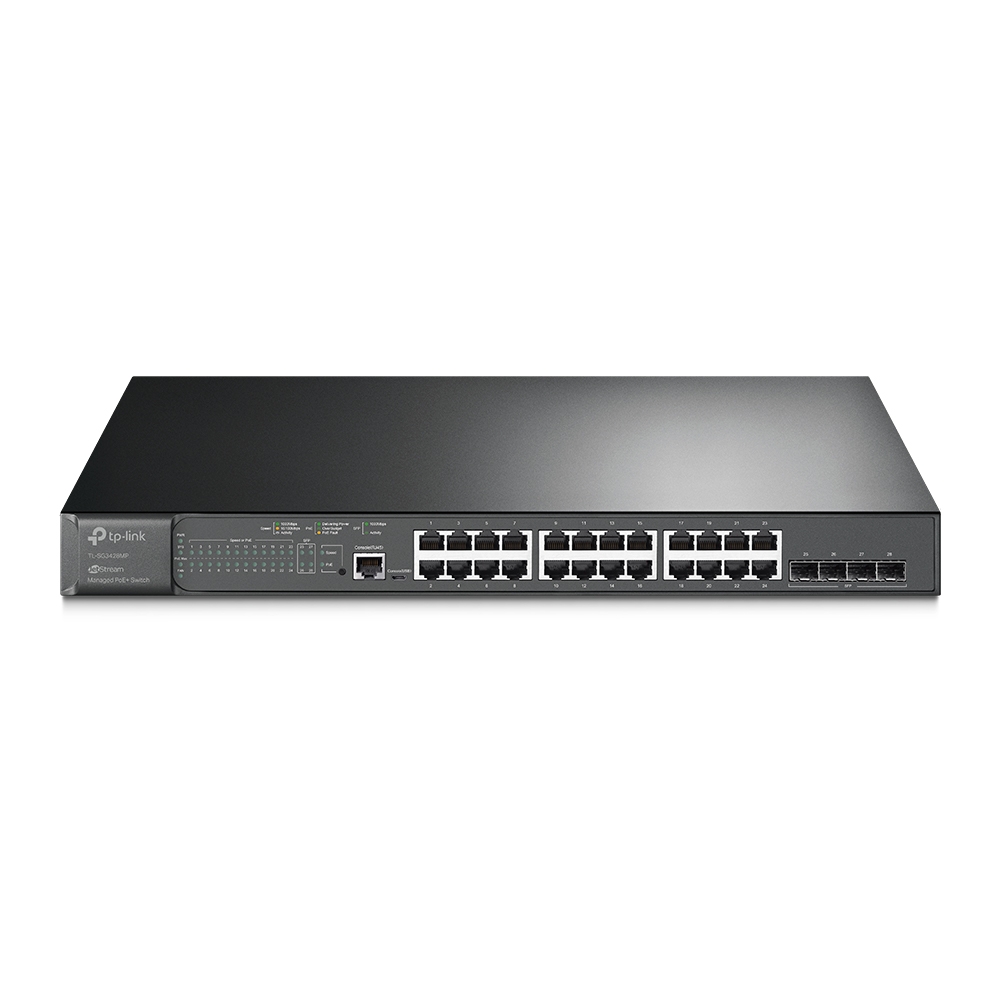
JetStream 28-Port Gigabit L2+ Managed Switch with 24-Port PoE+. As a switch that seamlessly integrates into the Omada Software Defined Networking (SDN) platform, TL-SG3428MP allows for remote and centralized management, anywhere, anytime.
The XMP version has 10gig but it's $600
clear igloo
Yah, the single letter in the name makes the difference
bold drum
Hate it when they do that. so the difference between the 2428 and 3428 is PoE vs Poe+
clear igloo
Yup, and for 10g vs 1g uplinks it's the 3248XMP vs 3248MP
bold drum

wait wat, the 3428 isn't PoE+, just a bigger power supply?
TP-Link needs to sort their shit out, that stat block is disorganized.

 nimble sable
I have a question, just watched a video where James installs a TP-Link router in his house. It includes a bunch of the usual cool stuff like parental controls, guest network etc... But also has IPS? How is it doing IPS? Gigabit IPS requires quite a powerful cpu, the router just has a Broadcom 1.5ghz, 3core soc
I've had to pay at least $300-$400 for an appliance device with a cpu good enough to IPS gigabit and even then it's a maybe
 limpid laurel
Guys I'm having trouble with my wifi motherboard. It seems like the adapter isn't working and it only gives me the option to hook up a Ethernet cable for Internet
Nvm just bought a long Ethernet cable I don't feel like messing with it tbh
meager ginkgo
nimble sable
I have a question, just watched a video where James installs a TP-Link router in...
Maybe via cloud processing? Or a subscription?
nimble sable
meager ginkgo
Maybe via cloud processing? Or a subscription?
oh, hmm cloud processing maybe...i assumed that's be too much delay?
meager ginkgo
nimble sable
oh, hmm cloud processing maybe...i assumed that's be too much delay?
I'm not sure haha. Just throwing out guesses
sudden kayak
i mean if it's passive IDS/scanning then cloud would be fine i guess
u sure that's not what it was?
nimble sable
sudden kayak
i mean if it's passive IDS/scanning then cloud would be fine i guess
Oh i have no idea that's why i'm asking
fringe saddle
Finally switched to ethernet. Ive been on wifi with my PC for two years but it's been bad with MW2. First pic was on wifi.


 ember badge
fringe saddle
Finally switched to ethernet. Ive been on wifi with my PC for two years but it's...
ember badge
fringe saddle
Finally switched to ethernet. Ive been on wifi with my PC for two years but it's...
wow grape
u connect to router or powerline adapter
fringe saddle
Connected to a TP Link Archer router
I’ve tired powerline adapters in the past. Didn’t really work well
ember badge
fringe saddle
I’ve tired powerline adapters in the past. Didn’t really work well
i am forced to use one right now, barley getting 10mbps
fringe saddle
ember badge
i am forced to use one right now, barley getting 10mbps
damn
shadow bluff
powerlines were never meant to be great even if it was rated for ax5000+. its just there to repeat signal or grab its proxy
its best to just long wire direct router connection instead

 prime dawn
i get 12 down at my desk, also DTAG
which is better than the 0 down vodafone gigabit cable gives me every now and then
thick minnow
full monolith
German 5G is the best no cap🗿
Telekom LTE+ (My pixel says that, dunno what the + means)
 full monolith
thick minnow
Telekom LTE+ (My pixel says that, dunno what the + means)
full monolith
thick minnow
Telekom LTE+ (My pixel says that, dunno what the + means)
Thats my max so far on real 5g
 full monolith
thick minnow
Telekom LTE+ (My pixel says that, dunno what the + means)
full monolith
thick minnow
Telekom LTE+ (My pixel says that, dunno what the + means)
- stands for advanced
thick minnow
full monolith
Thats my max so far on real 5g
I only had the fake 5g so far. But tbh: I don't need it faster than that ... LTE is faster then my dsl
thick minnow
full monolith
+ stands for advanced
Ah, okay...I don't know what that means either, but I guess small improvements. :D
full monolith
For me my internet at home is faster i get like 1800mbits but like 100-300 on mobile is enought
Idk why people cry about not having 3000000mbits on mobile
thick minnow
Yeah.....
I prioritize stability / coverage WAY over speed.
10mbps would (at the moment) be enough for my mobile device. Something around that.
But when I am somewhere, where no connection is (or Edge 🤮 ) I wanna die
Some may need a bit more, but for me it is not relevant
full monolith
thick minnow
Yeah.....
I prioritize stability / coverage WAY over speed.
10mbps would (at t...
10 is too slow but 100 is a great deal. Thanfully in my region theres no Edge anymore and i littearly have 5G out in the woods lmao
thick minnow
full monolith
10 is too slow but 100 is a great deal. Thanfully in my region theres no Edge an...
Yeah, can totally confirm. But for ME it is enough.
I have nothing against more. Without any doubt.
Yeah, I nearly got everywhere 5g/LTE....but when I am in the building of my company, there are some places where the LTE signal can't reach, but edge does....so edge it is .... Sadly...
 fathom river
Hi There
im thinking about changing my home networking gear to 2.5G
do you think OPNSense Router such as the topton miniPC from aliexpress will do?
anyone tried them?
how can i know if it will handle the throuput?
faint bronze
fathom river
Hi There
im thinking about changing my home networking gear to 2.5G
do you think...
I got a 2.5gbe router off of Amazon and so far it was amazing although I am still setting it up.
full monolith
You prob need more cpu power a celeron, pentium or a atom prob wont do it
I got 10G local and use a ryzen 5 3400g as router cpu
But i3 or smth is prob enought for 2.5gbps
fathom river
full monolith
You prob need more cpu power a celeron, pentium or a atom prob wont do it
this is what i worry about
full monolith
I would rather get a used i5 pc with like 4000 gen i5s or smth
For like 100$ or smth
And a dualport 2.5g pcie card
faint bronze
full monolith
You prob need more cpu power a celeron, pentium or a atom prob wont do it
1/2 correct. Routing takes little effort if you are talking about 2.5g, but VPN or the like takes more effort. On a 2.5 gbe I sit at maybe 10% when routing with an i3. I got the i3 so I can use it to host a VPN.
full monolith
Yea you right but i still wouldnt use the cpus i said lol
Already because of future proof for more later
And getting a normal pc you can just switch out lan cards or sfp cards and u good to go with more or whatever
Getting one from aliexpress with like 4 ports you cant upgrade anything
fathom river
full monolith
And a dualport 2.5g pcie card
do you have something to recommend?
or i just need to find a pcie card with a good enough NIC?
full monolith
I would just get a like optiplex or smth with 2 or more pcie slots and get 2x 1 port 2.5gb nics
I have a 2x1g card and sometimes it cant even do 1.5gbits over the 2 ports at the same time
faint bronze

eBay
For DESKTOP PC or server on PCIe 4x port. Compatible with all MAXI 2.5 Gigabit networks. Windows 8, 10, 10S, 10RS5+ and +, Server 2019 and +, Unbutu 19.04 and +, Linux 4.2/5.x and more. PCI Express revision 2.0 type 4x card (compatible with 4x, 8x, 16x slots). Integrated MAC/PHY for 10BASE-Te, 100BASE-TX, 1000BASE-T and 2500BASE-T 802.3. Interru...
Maybe...
pseudo blade
Can I get 0.3428 ounces of network card, please?
waxen saddle
Lol!
 unborn sluice
Lol
meager ginkgo
fathom river
do you have something to recommend?
or i just need to find a pcie card with a go...
Anything based on Intel I225-V should be fine
fathom river
meager ginkgo
Anything based on Intel I225-V should be fine
Cool thanks.
full monolith
faint bronze
https://www.ebay.com/itm/304687472639
Looks good 👍🏻
 novel dome
I bought a Netgear N300 WNR2000v3 for $5 the other day and the plan is to deploy TrueNAS on my old laptop with a 1TB external HDD attached and run that network parallel to my home internet
thick minnow
full monolith
German 5G is the best no cap🗿
Lmao, German cellular internet is horrible in general. You don't get good coverage outside of cities and towns too.
thick minnow
full monolith
Thats my max so far on real 5g
Is this n78?
prime dawn
thick minnow
Lmao, German cellular internet is horrible in general. You don't get good covera...
what i find hilarious is that supermarkets are like perfect shelters from 5G
full monolith
thick minnow
Lmao, German cellular internet is horrible in general. You don't get good covera...
Its better lol i live in the middle of nowhere and there no bigger city then 1k people and i have like 350mbits eveywhere
prime dawn
you enter your local Rewe or Netto and wham, you get EDGE at best
full monolith
Even in the middle of a forest
prime dawn
while on the parking lot, 5G
thick minnow
prime dawn
you enter your local Rewe or Netto and wham, you get EDGE at best
I only had that happen to me once, in Hofer.
So the Austrian Aldi
thick minnow
full monolith
Its better lol i live in the middle of nowhere and there no bigger city then 1k ...
On 5G or LTE+?
thick minnow
I get 280mbps on 2CA LTE with 3AT here, in the middle of nowhere
full monolith
Thats in the middle of a forest lmao
 thick minnow
full monolith
Thats in the middle of a forest lmao
thick minnow
full monolith
Thats in the middle of a forest lmao
Nice, is your plan unlimited?
full monolith
Yes
thick minnow
full monolith
Its better lol i live in the middle of nowhere and there no bigger city then 1k ...
But the coverage maps show villages without 3G, 4G and 5G
thick minnow
full monolith
Yes
How much do you pay for it?
full monolith
Coverage maps show alot of crap sometimes lmao. I pay 65€ for it
Its so much but i cant live without it
thick minnow
Mine is 27€ a month and I have unlimited 5G
but Austria has speed caps on all plans. Mine is up to 350mbps
thick minnow
full monolith
Its so much but i cant live without it
Do you use it instead of DSL?
I have an extra plan for LTE so I can use it instead of slow DSL
full monolith
thick minnow
Do you use it instead of DSL?
Nope in general when im not home i mean
I have 2 cable gigabit connections
In bonding
thick minnow
How much is that?
full monolith
Get like 7-11Ping 1870mbits down 110 upload
thick minnow
Better than 40mbps DSL by T-mobile

 full monolith
thick minnow
How much is that?
full monolith
thick minnow
How much is that?
80€ monthly and 40 for the bonding server i use
thick minnow
That's a scam bruh.
full monolith
Nah lol
Normal here for some readon
I mean i need a backend server capsble of 2gbps or more
thick minnow
full monolith
80€ monthly and 40 for the bonding server i use
80€ pre paid sim card
 full monolith
Thats expensive
thick minnow
It's Dubai soo
full monolith
Lol
thick minnow
But it's 2gbps
My dad actually constantly had issues with signal on German highways.
prime dawn
i pay 49.99 for "1 gigabit" over DOCSIS
thick minnow
Calls dropping constantly, slow internet and so on.
thick minnow
prime dawn
i pay 49.99 for "1 gigabit" over DOCSIS
Yeah but you share that bandwidth
prime dawn
yeah
thick minnow
3AT has 5G+ plans with guaranteed speeds.
prime dawn
that's why the scarequotes
peak cloak
you share bandwidth regardless of medium
full monolith
yea i mean you csnt have good mobile internet if i dont use telecom
thick minnow
The first carrier on earth to do that
thick minnow
full monolith
yea i mean you csnt have good mobile internet if i dont use telecom
I avoid Telekom usually but I'm stuck with 2 internet contracts so I got my sim only plan there too, because it's cheaper.
prime dawn
for any issues one may have with DTAG at least their mobile internet always worked for me when vodafone shat themselves locally or nationally

 full monolith
You know 5g isnt 5g lol
thick minnow
full monolith
Wanna see where i am and my speeds?
I am surrounded by my mountains and 3 has almost 300mbps on LTE
full monolith
Most times its dss and its basiclly 4g
thick minnow
full monolith
You know 5g isnt 5g lol
It's NSA, I know but the LTE is 3ca
full monolith
Ok
thick minnow
So technically, it should still be faster.
It has more BW too.
Drei has 15mhz+15mhz
Telekom is the slowest here, in fact
 full monolith
Ok sec
so my city is like not even 3 or 4k people we have 4 towers and like littearly 300+ mbits everywhere... ik theres better speeds but for a small ass shithole thats good lol
 thick minnow
That's a huge town for Austria
Ofc it's 300mbps.
But I'm in an actual rural area, where there isn't much here.
thick minnow
full monolith
so my city is like not even 3 or 4k people we have 4 towers and like littearly 3...
Only 375mbps?
and LTE seems to be 2ca 2x2mimo too
full monolith
yea but they built a new tower with n78 i think but i will get online in jan or feb next year
lemme see if i got drone pics of it
cant remember if i still got them
thick minnow
Yeah so if it's n78 it's not a small town.
full monolith
its small my city just spends more for it
thick minnow
I have the rural b1 and b20 site here on Tmobile and it's barely acceptable for 2022
full monolith
our city is not big they just want better mobile internet lmao
i mean its like 11 small citys combined our idk what its called and thats all together like not even 6k people
thick minnow
https://tyler-will.shutoffyourinter.net/📸/ypamj7wm.png They didn't even cover the capital city in 5G yet
 full monolith
lol that looks funny
thick minnow
https://tyler-will.shutoffyourinter.net/📸/f7c8cxne.png embarrassing carrier
 thick minnow
full monolith
i mean its like 11 small citys combined our idk what its called and thats all to...
thick minnow
full monolith
i mean its like 11 small citys combined our idk what its called and thats all to...
They only care about population size I think
full monolith
 full monolith
thick minnow
They only care about population size I think
full monolith
thick minnow
They only care about population size I think
nah telecom has a like extra thing where they build out smaller towns
and we are luckly a part of that programm
thick minnow
full monolith
Yeah, do you see the holes in coverage?
full monolith
yea but who cares theres nothing anyways
full monolith
show me


