#networking
1 messages · Page 10 of 1
 pseudo blade
 high sparrow
pseudo blade
Framerate stutter?
high sparrow
pseudo blade
Framerate stutter?
the problem I am having is with Red Dead Online, it ran smoothly on the same hardware before. the crazy stutter started recently all of a sudden. It happens only when other online players near me. so i think its related to network
pseudo blade
But by stutter you mean the game suddenly loses frames?
high sparrow
it doesnt looks like frame drop
pseudo blade
Not anything indicating packet loss like rubberbanding
high sparrow
it looks like freezing
pseudo blade
Is this a VM by any chance?
high sparrow
no
pseudo blade
Weird
The RTL8139's not very common anymore because it's absolutely ancient
10/100, PCI...
high sparrow
pseudo blade
The RTL8139's not very common anymore because it's absolutely ancient
yeah
but it ran the game without any issue
pseudo blade
I'm wondering what kind of system you're using that has PCI, seemingly no other onboard networking and is also worth gaming on
Is this the onboard NIC?
high sparrow
also I am not sure yet if this is creating the problem, did u see the diagnostic tool report?
pseudo blade
Or something you've added on a card
The diagnostic report's tbh not what I'd look at first
If the NIC otherwise seems to work it's trivia at best and the issue as you've described it isn't properly isolated
What motherboard are you using?
high sparrow
I need to know the two test fails are a major issue or not
high sparrow
im not concerned about my other hardware or game, only need explanation on my network card diagnostic report. Why are they not important? can u explain? Im concerned about FIFO
pseudo blade
You're not giving me any information I can use to help you, sorry
high sparrow
pseudo blade
You're not giving me any information I can use to help you, sorry
I think you dont have the knowledge either
pseudo blade
That's nice
high sparrow
a real professional will always go for diagnostic report
pseudo blade
When asked to troubleshoot, a real professional will find the root cause of an issue, and resolve it.
Anyways, I think your question may be better suited to #1027757333117415424
high sparrow
pseudo blade
When asked to troubleshoot, a real professional will find the root cause of an i...
if you are genuinely expert on network hardware then please answer the question, i need the brief explanation about it. forget about my pc or gaming. I just need to know about my network card. why these two fails occurred and why isn't a big deal. is it common for any other card?
 high sparrow
pseudo blade
In isolation, they are trivia
high sparrow
pseudo blade
In isolation, they are trivia
explain FIFO fail, why isolation matter there?
pseudo blade
FIFO is First-In-First-Out, describing a queue.
What does that mean for you? Who knows?
Who cares?
You were experiencing issues in a specific game, which may or (most likely) may not be related to this relatively arcane trivia from your driver test utility, and you have refused to elaborate on anything I asked and have in fact been needlessly rude instead.
high sparrow
stop please, you don't have it in you.
I need some real professionals here please. really need to know on my Network card issue here
 clear igloo
pseudo blade
FIFO is First-In-First-Out, describing a queue.
clear igloo
pseudo blade
FIFO is First-In-First-Out, describing a queue.
FIFO fail would likely mean the buffer cache on the card is screwed up and can't cache any info so if it's receiving too much data then it will start to drop packets in all likelihood but OP needs "professional" so I guess my smooth brain no good either
pseudo blade
So sad
high sparrow
clear igloo
FIFO fail would likely mean the buffer cache on the card is screwed up and can't...
its not a crime to ask for professionals is it? anyways, appreciate your answer and it has explained what I needed to know. The server should help people with right knowledge like you did. not wasting peoples time. Thanks anyway
 waxen scroll
I charge a big fee if you want pro advice from me tho 
@hollow marlin status of test, pls
high sparrow
waxen scroll
I charge a big fee if you want pro advice from me tho <:thonk:717979132549660693...
if you seek money in discord then you aren't a pro, also I wouldn't pay a real Professional without knowing his work and academic background. anyways, this was just a provoking comment from you. completely unnecessary and childish
 hollow marlin
waxen scroll
<@462711605063450628> status of test, pls
hollow marlin
waxen scroll
<@462711605063450628> status of test, pls
39 days remaining until test
hollow marlin
high sparrow
a real professional will always go for diagnostic report
A real professional would first gather all the symptoms and use their experience and knowledge to determine where the issue may lie. Only then is it beneficial to look a debug/logs
pseudo blade
Otherwise you get lost in the weeds and apply fixes that don't help fix your problem.
 magic berry
Hello, this is more networking related than just tech support so I'm posting this here, but if that's wrong then I'll post it there. Is there anything a consumer can do about very high latency between 2 locations (different ISPs) that are only about 60km away from one another other than just hopping between ISPs to find one that doesn't route the traffic through a different country? One location is my parents' house with a 2 year contract that was renewed recently and that specific ISP charges stupid rates for service in the other location so I can't just choose the same ISP.
pseudo blade
How high's the latency?
magic berry
80-90ms, and my use case is remote gaming through parsec so not ideal
pseudo blade
Does sound a tad rough
It may be that those two ISP's don't peer well and/or as said route through another country to do so
magic berry
I get 30ms to my university's homepage which is hosted right next to where I live from my parents' house and tracert from here goes through frankfurt when i'm in eastern Poland
pseudo blade
You could try passing the traffic to an AWS(or Google)-hosted VPN from one side or the other
They might peer to AWS better than to each other - I have seen that happen
Warsaw's in preview for AWS, not GA but it could be a fun experiment to try
magic berry
I think the closest AWS location to me is Frankfurt, my friend has a server (not AWS) there and for some reason my ISP decides to route the traffic to there through San Jose (i wanted to scream when I saw that in tracert)
pseudo blade
Google Cloud is GA in Warsaw
 peak cloak
magic berry
I think the closest AWS location to me is Frankfurt, my friend has a server (not...
peak cloak
magic berry
I think the closest AWS location to me is Frankfurt, my friend has a server (not...
what ISP is your friend on
magic berry
i'm on UPC and my parents are on Orange
magic berry
pseudo blade
Google Cloud is GA in Warsaw
I get 16ms and 28ms to my Google Cloud instance, thank you for the suggestion! 40-50ms should be acceptable for most games
pseudo blade
No problem.
 flint drift
can some1 help me out? im having trouble with my ethernet
 unborn sluice
no
waxen scroll
unborn sluice
no
You can't ask for money in discord. It's not professional

 thick minnow
Hi am trying to figure out why my wifi is faster then connecting it to the modem with a cat cable
Dose anyone know what could be wrong?
unborn sluice
Why is a radio faster than a human connecting wires
thick minnow
Nvm it found out what the problem was my cat 5 cable is crap
thick minnow
Nvm it’s still crap I just went and bought another cable and it’s still crap
unborn sluice
define crap
clear igloo
thick minnow
Dose anyone know what could be wrong?
What model router are you using?
What motherboard model or device model do you have?
thick minnow
clear igloo
What model router are you using?
What motherboard model or device model do you h...
nvm sorry for late reply i fixed it by plugging the powerline into a different power switch but thats all
clear igloo
thick minnow
nvm sorry for late reply i fixed it by plugging the powerline into a different p...
Ah powerline is the issue, yah that makes sense
 neon fiber
i got 2 items on my network i dont know what it is 😛 anyone know if any devices uses these chips?

 gleaming granite
samotech does a lot of security/alarm/home automation; could be anything from lights to alarm to cameras to thermostats.
 silk spire
hey so my friend has a house on a lake, and wants to get wifi to his dock thats ~200ft away from the house
what's the best way to do this?
wireless would be preferred due to the logistics of running a wire being complicated
peak cloak
best as in what?
best for speed would be to run fiber / shielded ethernet
or you can do wireless p2p
silk spire
more like easy/cost effective
peak cloak
yeah then p2p wireless
silk spire
yeah thats what i was looking at
https://www.amazon.com/TP-Link-CPE210-300Mbps-dual-polarized-directional/dp/B00P4JKQGK/ref=sr_1_4?crid=19FPWY2E2WY7S&keywords=wifi%2Bantenna%2Boutdoor&qid=1665444250&qu=eyJxc2MiOiI1LjUyIiwicXNhIjoiNS4wNCIsInFzcCI6IjQuMzkifQ%3D%3D&sprefix=wifi%2Bantenna%2Caps%2C110&sr=8-4&th=1 i was looking at this specifically but the range seems really overkill

TP-LINK's 2.4GHz 300Mbps 9dBi Outdoor CPE, the CPE210 is dedicated to cost effective solutions for outdoor wireless networking applications. With its centralized management application, it is ideal for point-to-point, point-to-multipoint and outdoor Wi-Fi coverage applications. Professional perfo...
peak cloak
idk much about p2p products and how good they are
I would say don't go for tplink unless it's omada
silk spire
alright
 granite rover
i saw some mesh wifi setups at target yesterday im intersted to know on what i need to get one running and how hard it is to install
also what are good options
pseudo blade
silk spire
yeah thats what i was looking at
What kind of speeds/use cases are expected at the dock? Do you have power there?
I'm not fond of cheaper tp-link stuff and the device you've found is as cheap as it gets
silk spire
pseudo blade
What kind of speeds/use cases are expected at the dock? Do you have power there?
just like general use, they just want wifi at the dock, and yes there's power
pseudo blade
What kind of speeds are necessary?
silk spire
no clue really, just needs to be good enough to stream and browse etc
pseudo blade
Whatever.
Outdoor-rated AP: https://mikrotik.com/product/RBwAP2nD
Point-to-point(*2): https://mikrotik.com/product/sxtsq_lite2
J-pole for mounting PtP off the house, outdoor-rated cabling for house to PtP off roof assuming that's valid for your scenario + PtP to outdoor AP, power cabling and weather resistant power, optimal radio positioning and other installation and planning work: Left to your imagination.
silk spire
ok thanks that looks like it'll work
 rocky badge
@peak cloak @waxen scroll ~125Mbps of audio over the network at 2ms or less latency

👀
 swift creek
hey any recommended non wifi routers?
thick minnow
swift creek
hey any recommended non wifi routers?
Non wifi routers?
peak cloak
swift creek
hey any recommended non wifi routers?
What features are you looking for
Mikrotik has a whole lineup of routers
thick minnow
th is a non wifi router
peak cloak
A router just routes
Router does not mean wifi

That is a router
But yeah, I heard descent things about the TP-Link omada VPN router
thick minnow
peak cloak
Somehow have never heard of this
peak cloak
I personally use the ubiquiti er-x at home, but wouldn't recommend it anymore
As it's basically eol and doesn't get updates anymore
peak cloak

MikroTik makes networking hardware and software, which is used in nearly all countries of the world. Our mission is to make existing Internet technologies faster, more powerful and affordable to wider range of users.
peak cloak
swift creek
just needs like 4-5 ports
Well that you can achieve with a switch for getting access ports
But the hex has 5 ports
What do you need it for
swift creek
dont modems only dish out a small handful of IPs? I just need to feed 2 firewalls and plug in to control now and again
peak cloak
thick minnow
Somehow have never heard of this
ISPs and big companies have hundreds of routers that your connections go through
peak cloak
swift creek
dont modems only dish out a small handful of IPs? I just need to feed 2 firewall...
Depends on the config, normally your ISP will only give you one public IP address
thick minnow
peak cloak
ISPs and big companies have hundreds of routers that your connections go through
I was wondering what those were lol
swift creek
my potential modem only has 1 outbound ethernet jack id imagine I cant just plug in a dumb switch there and sent to my firewalls lol
cause thatd be easy lmao
peak cloak
I mean that's basically what @rocky badge did since his ISP gave him many public IPs
peak cloak
swift creek
my potential modem only has 1 outbound ethernet jack id imagine I cant just plug...
What's the point of multiple firewalls
pseudo blade
swift creek
different networks
You can have one firewall with differring rules for given internal networks - which is how you normally do this kind of thing.
You can of course have multiple firewalls behind one router if you really wanted to but unless you - say - had multiple businesses behind one router and wished to provide each their own box to mess with, it's generally needless duplication.
swift creek
pseudo blade
You can of course have multiple firewalls behind one router if you really wanted...
Thats pretty much it. We have a trusted network and an untrusted network for one firewall then the other is entirely for an internal team to toy with.
pseudo blade
So yeah needless duplication
Just add NAT for the new subnet, add rules to prevent accessing the prod subnet
Disable management from the untrusted network
 tidal frost
So if my pc and server both support gbit, but im only writing to my array at 50mbs, that means its my comcast box causing the bottleneck right? All over ethernet lan. Whats my cheapest solution to fix it? Was thinking a new dual nic for each that way they can keep their existing connection, and then have the 2nd one to direct link to eachother?
Tried using an unmanaged gbit switch, but something doesnt quite work with an unmanaged switch and up to 3 different connections trying to do stuff off the one port. (Lan, wireguard, mullvad)
pseudo blade
tidal frost
So if my pc and server both support gbit, but im only writing to my array at 50m...
It doesn't mean that
Could be the types of file copies you're doing to the array - small files
Could be >1 stream to an array of mechanical disks
Could be a software limitation
Could be some sort of terrible misconfiguration with your VPN
tidal frost
Thats why i posted before buying anything. Files are each around 1G. It is all mechanical disks yes. The system wasnt really heavy enough for me to worry about connection speed till i had to move a TB between systems
pseudo blade
Oh yeah could be antivirus on either side
Check array IO usage during a copy.
Avoid concurrent copies [on mechanical disks], prefer serial
Ensure the array has caching
tidal frost
Array write is showing the same as windows. I do need a cache, but havent had the money. Interface on Unraid is showing 500mb, which is more then i thought. Still feels like i should be getting more then 50mbs writes but maybe thats to be expected for my setup then
pseudo blade
50MB/sec, by any chance?
tidal frost
Yes, and unraid showing 500 Mbps/sec on the interface. Sorry, should properly format that
pseudo blade
The 500 would be mbps, megabits/second
Not megabytes
But the file transfer likely shows megabytes a second, hence the lower number.
Tell me more about your array, server
You said unraid
tidal frost
 pseudo blade
And via - probably SMB
tidal frost
tidal frost
Windows to unraid
Reading the same on both sides
pseudo blade
6 disk RAID 5
tidal frost
Its not raid 5 is it? I thought the point of unraid was that its not raid
Or is it considered some kind of proprietary raid 5 thats only not raid in name
tidal frost
pseudo blade
Are you using SMB for network sharing?
My biggest takeaway from my first server...take notes while i set stuff up so a year later when its having issues i know whats in my own system lol
pseudo blade
From what I'm reading here their parity implementation's much the same as a RAID 5, if anything it's inferior for write-heavy workloads
A few idiosyncrasies like putting all parity on one disk
But it might not be an array perf issue, check to see if the disks are maxing out in Unraid, not the network interface
tidal frost
pseudo blade
But it might not be an array perf issue, check to see if the disks are maxing ou...
Writing to Parity drive+Disk 1 at the same speeds windows shows.
So technically writing closer to 100MB/s since 2 drives being written, even tho 1 is parity
pseudo blade
But is it the bottleneck?
tidal frost
Thats....thats why im here....bc i dont know the bottleneck and would like to know so i can fix it
pseudo blade
Unraid will tell you, go look at disk iops and utilization % during a transfer
tidal frost
Is that extra addons? Im not seeing all that
pseudo blade
 tidal frost
Ohhh that. The disk currently being written to is 83% full
pseudo blade
Oh is that just storage used
I don't use unraid, guessed
You might want #1027757333117415424 if you want your hand held
tidal frost
From what im finding on Reddit, all that info is extra stuff. Lemme do some looking and ill see if i can get it
Dont necessarily need my hand held, you just asked for it as if you knew where to find it already
pseudo blade
It's usually pretty easy to get
tidal frost
Netdata installing now
tidal frost
pseudo blade
It's usually pretty easy to get
Its showing me what i already told you. Closer to 100 writes split in half between the parity and disk 1
Netmap seems cool either way, probably add my main machine to it as well.
Iowait is only like 12-15 which doesnt seem super high but what do i know
Softrq sub 1%
pseudo blade
Those are CPU metrics and are only indirectly relevant.
tidal frost
Only disk specific info it gives is what unraid already gave me without it
 glacial linden
If I set forward zone in Unbound, will it forward everything or just forward once and reply from cache without forwarding like it's supposed to?
swift creek
do netgear nighthawks need routers? The port says LAN on the back making me think I can just plug a switch and go

why does any mention of routing return wifi results. grumble grumble
pseudo blade
swift creek
do netgear nighthawks need routers? The port says LAN on the back making me thin...
Which Nighthawk? Tons of models now
If it's one of these the short answer is no. https://www.netgear.com/home/wifi/modems/cm2050v/

NETGEAR
Discover the Nighthawk® CM2050V 2.5Gbps Internet Speed Cable Modem for XFinity Voice for smoother browsing, streaming, and gaming experience. Buy now!
It is intended to be used with an ethernet router.
Can you connect it to a computer? Sure, routers are computers after all. But said computer would probably have a public IP.
 echo iris
pseudo blade
If it's one of these the short answer is no. https://www.netgear.com/home/wifi/m...
echo iris
pseudo blade
If it's one of these the short answer is no. https://www.netgear.com/home/wifi/m...
doesnt have wifi lol
peak cloak
echo iris
doesnt have wifi lol
yeah? it's a modem, not a router/ Access point
 waxen relic
What’s the best prosumer 4G modem?
 sudden kayak
modem just modulates/demodulates the docsis signal
if you want NAT and a local network (and if you have to ask this question, you do) then you need a router
waxen relic
I need something to use a SIM card to get my wired network I have routers if needed
I was looking at some model hotspots but I don’t need WiFi, Nat would be nice
@sudden kayak
peak cloak
waxen relic
What’s the best prosumer 4G modem?
Cradle point?
But that's $$
although you can find some used
but IP passthough needs to be configured
swift creek
pseudo blade
If it's one of these the short answer is no. https://www.netgear.com/home/wifi/m...
It would be the CM1000 or 2000
sudden kayak
waxen relic
I need something to use a SIM card to get my wired network I have routers if nee...
i was responding to the other person who was confused about modem vs router, I'm sorry but i don't know anything 4G
sudden kayak
swift creek
It would be the CM1000 or 2000
but yeah that's just a modem it's in the name
CM (cable modem)
pseudo blade
waxen relic
What’s the best prosumer 4G modem?
How's local coverage - does your use case warrant external directional antennas? Will this be your primary or fallback connection? Sounds like the modem will be in a fixed position, no battery needed? What region are you in?
And all the other fun questions :)
Heck, I'll even ask what your budget is just in case you baulk at paying a grand or more for one
No point paying for cat20 when you only need cat4/6 lte
pseudo blade
swift creek
It would be the CM1000 or 2000
No difference, buy a router
waxen relic
If they make a router with a cellular modem that’s fit for small servers that’s what I need ideally under 500
peak cloak
What's wrong with FiOS
waxen relic
Don’t like sharing with someone
waxen scroll
 clear igloo
On what planet will you be using a 16Gbps 4G LTE connection? Because it's not Earth that's for sure.
waxen relic
I do that some times in a week @clear igloo I work with custom software
That’s in volume not speed
unborn sluice
waxen scroll
"not my job"
clear igloo
unborn sluice
"not my job"
"not my hula-hoop"
 modest cedar
I mean they also just drilled a hole in the wall and jammed a cable in there. Seems like a bargain basement job
waxen scroll
modest cedar
I mean they also just drilled a hole in the wall and jammed a cable in there. Se...
That's common with a building that has walls up and no previously existing coax. They also do this hack if you have coax inside but want a new jack elsewhere. They love putting a hole in closet ceilings and running the cable exposed through the closet
gleaming granite
waxen scroll
ive done shit like this... on my own home improvements - need cable to go here... completely oblivious to whats around.
 sullen bloom
how do i fix: ethernet is missing vaild ip configurtion
unborn sluice
fix: add a valid ip configurtion
 novel vault
Anyone have anything to say about the TP-Link TL-SG3428XMP? I'm looking for a PoE switch with SPF+ uplinks and came across this one
My other pick would be the Mikrotik CRS328-24P-4S+RM, but those are kind of hard to find around here
 neat whale
Is it normal for my 5Ghz connection to be slower after setting the pre-amble to Short?
neat whale
Also, I'm seeing 2 5Ghz signals coming from our router, as well as the standard 2.4 ghz. But I don't see an option to change the settings on the second 5Ghz band.
Can't even change the name.
Using netgear nighthawk RAX43
 mystic gazelle
hey guys, not too sure on the PoE but most good routers switch based on what's needed at the time and then they dish out whats needed
i have a tplink ax74 nothing special but amazing route, aswell as a pfsense box sitting behind it, as sort of a hardware firewall
A73* sorry, really good value for money
 main tartan
Hi there, does anyone have a good suggestion on a €100 router that has a sim card slot?
We’re moving next week, and the ISP has removed the copper internet connection and is busy installing fibre optic at the new house. But they said it could take another two months.
pseudo blade
Alas, 100 EUR isn't what it used to be
For two months, what will you put up with? Want a proper fixed setup with ethernet? Should the modem be portable for future travel use? Is a USB modem plugged into your existing router a possible solution?
tidal frost
modest cedar
I mean they also just drilled a hole in the wall and jammed a cable in there. Se...
Comcast did this when i got service at my last place. We wanted the box upstairs anyway, so they pretty much just ran a line from the pole to the house, did whatever they had to do just outside of it to make it secure and work or whatever, then drilled in right in the corner of the room
tidal frost
main tartan
Hi there, does anyone have a good suggestion on a €100 router that has a sim car...
Depending on how many devices you need connected and what speed you expect, an android device would do the trick temporarily
 soft kraken
can anyone suggest good router
preferably with wifi 6E
should i wait for wifi 7 router to release so that wifi 6E routers will be cheaper
mystic gazelle
TP Link Archer AX73 imo best bang for your buck i got it for £150 but i see its risen a bit

Enjoy Wi-Fi 6 connectivity for every device with the Archer AX73 tri-band Wi-Fi 6 router.
mystic gazelle
main tartan
Hi there, does anyone have a good suggestion on a €100 router that has a sim car...
Also do you reckon that you could use your mobile phone as a hotspots for your internet whilst it is getting installed? or is that not a option
soft kraken
mystic gazelle
TP Link Archer AX73 imo best bang for your buck i got it for £150 but i see its ...
its wifi 6 not 6E
mystic gazelle
soft kraken
its wifi 6 not 6E
ahh i see, yeah 6e has been a thing for nearly a year now i think and a lot of modern devices (clients like mobile phones etc) can use it
i think if you can get a good deal on one then youre okay
soft kraken
mystic gazelle
ahh i see, yeah 6e has been a thing for nearly a year now i think and a lot of m...
can u suggest some?
mystic gazelle
6e will future proof shit but i think you just gotta wait for the right deal
hmm lm check your u 2 min 🙂
soft kraken
mystic gazelle
6e will future proof shit but i think you just gotta wait for the right deal
Thanks
soft kraken
mystic gazelle
like reasonable right
182 USD
mystic gazelle
thats cool id stick with tplink but they are all good its a hard one, i just found out they have a 6e model of it https://www.tp-link.com/us/home-networking/wifi-router/archer-ax75/
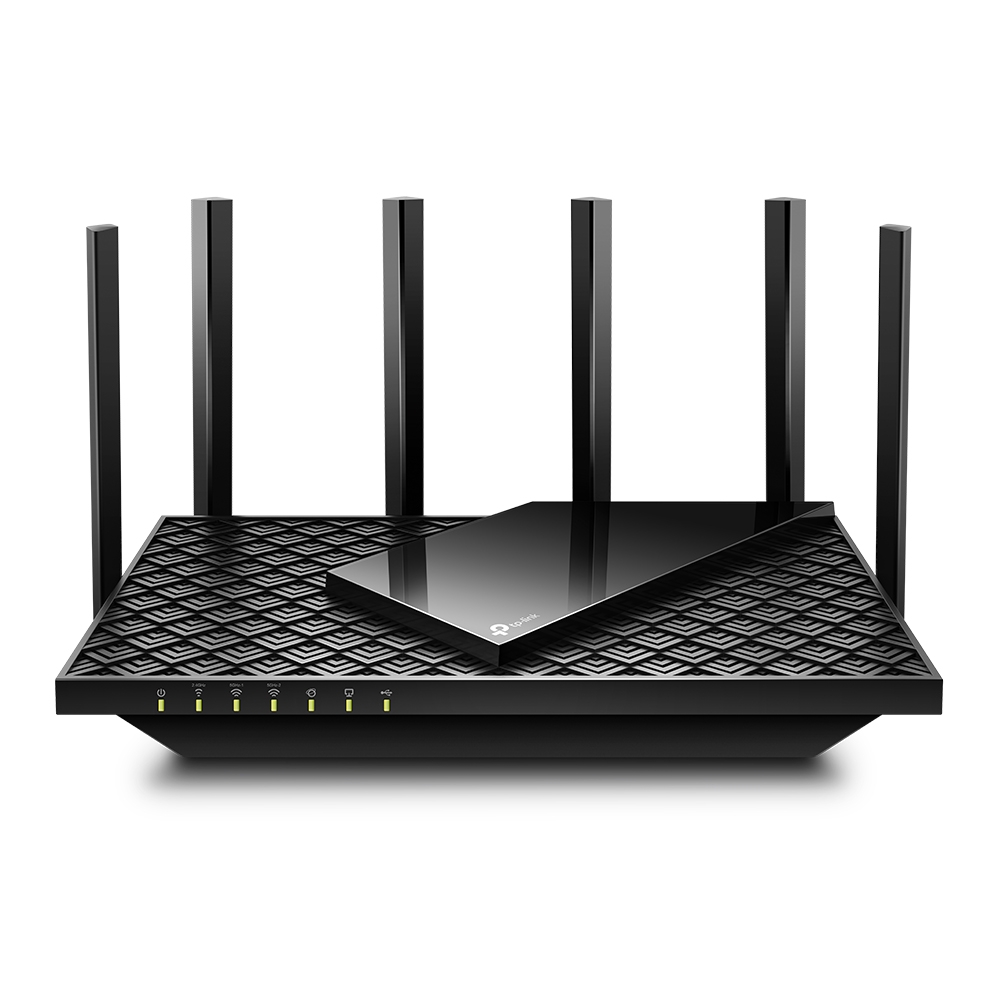
Enjoy Wi-Fi 6 connectivity for every device with the Archer AX75 tri-band Wi-Fi 6 router.
damn im thinking to return this and buy that lool
idk im biased tplink are solid and never had issues even tho my setup is custom, asus make good ones
soft kraken
that is not there in India
soft kraken
mystic gazelle
idk im biased tplink are solid and never had issues even tho my setup is custom,...
any Asus ones?
soft kraken
mystic gazelle
oh are you trying to buy from india?
yes im from India
soft kraken
Asus routers are fancy and their UI looks cool
mystic gazelle
lol they are around $400-500
soft kraken
shit
mystic gazelle
im actually considering buying this tplink one myself ArcherEX75
do you have a lot of devices connected to your networok, thatll utilise on 6e
soft kraken
mystic gazelle
do you have a lot of devices connected to your networok, thatll utilise on 6e
no just for future proof
actually when im tormenting linux iso normal routers stops working after few hours
mystic gazelle
what do you have atm
also it might be worth waiting for like the 'special deals and offers', prime day and shiz like that. you might be able to get a bargain but rn they are over 200
i wonder what difference my device on a 6e band will actually make
id always stick with tplink tho
asus r expensive imo, and synology are over priced
says this while hes got two fucking 980ti's asus strix in sli and a asus rampage v extreme mobo 😆 🤣
soft kraken
mystic gazelle
also it might be worth waiting for like the 'special deals and offers', prime da...
can u say the models
so that i can buy those those routers @ right time
mystic gazelle
if i was you i'd go with the TP-Link Archer AXE75
i might have to return my AX73 and get a 75 if the price difference is not that bad
man some of these are 500
i feel like not a lot of people have cared for 6E and the benefits
soft kraken
mystic gazelle
man some of these are 500
how to decide the range of a router any specs to look out for?
soft kraken
mystic gazelle
if i was you i'd go with the TP-Link Archer AXE75
why didnt they mention Memory and RAM
mystic gazelle
lol
well on routers its usually the bands and how good its wireless is
rather then pushing for the cpus and chips that are inside them
i think anyway
just look for a 6E compatiable router
the rest will be fine 🙂
peak cloak
internals still matter
mystic gazelle
yeah but any tplink router wifi 6e or no wifi6 will have a solid cpu in there
its never let me know works amazingly
 vast parrot
hi guys pls help
my wifi has been acting up recently
even if i use ethernet it still is very bag and gives me high ping
When I try to run fps games like valorant or cs:go val gives me error code 5
cs:go just straight up dequeues from matchmaking
im just shy of resetting this whole computer so anything would help
rocky badge
@clear igloo @waxen scroll ndi go brrr
 waxen scroll


 amber vector
Any recommendations on Wifi routers with 8 ports which are not split across two controllers? My RT-AC88U has a habit of just dropping ports 5-8 until it's power drained.
peak cloak
Get a switch if you need more ports
waxen scroll
my experience with asus routers isn't great either
pseudo blade
amber vector
Any recommendations on Wifi routers with 8 ports which **are not split across tw...
MikroTik makes networking hardware and software, which is used in nearly all countries of the world. Our mission is to make existing Internet technologies faster, more powerful and affordable to wider range of users.
But not really, it sucks
Just buy a switch.
 carmine moss
a switch is a better option and asus and other brands are just bad
most stuff in a store are meh some stuff is fine
pseudo blade
pseudo blade
https://mikrotik.com/product/CRS125-24G-1S-2HnD-IN
We had one of these in our TAFE lab - it does everything... badly
It routes, but the CPU's 600mhz so it doesn't route much.
WiFi, but it's 802.11n and the bridging taxes the shit CPU even more
USB for a modem, USB HDD... but it's microUSB and services need CPU.
peak cloak
pseudo blade
It routes, but the CPU's 600mhz so it doesn't route much.
It's a switch, wouldn't expect it to route well
Mtik makes some weird products
Like the pcie router
Was it like a request by another company?
pseudo blade
pseudo blade
USB for a modem, USB HDD... but it's microUSB and services need CPU.
...And the switch ASIC isn't so good either
pseudo blade
peak cloak
It's a switch, wouldn't expect it to route well
I'm highlighting it because Mikrotik describes it as a jack of all trades kind of device
They put all that in there
If you read the description, they mention running a VPN on the thing and describe it as a SOHO gateway router
pseudo blade
peak cloak
Mtik makes some weird products
As far as networking goes the main limit on Mikrotiks is the depth of your own depravity lol
carmine moss
mikrotik makes weird products yeah. their pci-e router is usefull in specific usecases. the rb3011 has space for an internal psu and there is a cutout for the cable connector
pseudo blade
Enjoy my single-L2 router on a stick using my ISP router to provide WiFi and upstream networking while a hEX does the routing, DHCP and firewalling

I will buy a WiFi capable router eventually
carmine moss
just get an ap it's a better option
pseudo blade
Nah, that costs money
carmine moss
a router with wifi isn't much different in price tho for good wifi
peak cloak
pseudo blade
If you read the description, they mention running a VPN on the thing and describ...
True
pseudo blade
Oh yeah and it's doing routing and NAT from 192.168.0.0/24 to 192.168.0.0/24
For fun
I could make the hEX have a second subnet but didn't
peak cloak
pseudo blade
Enjoy my single-L2 router on a stick using my ISP router to provide WiFi and ups...
How does that work
Or are you just double nating
pseudo blade
It's a double NAT
peak cloak
🤮
pseudo blade
I don't do anything that makes it a problem lol
Technically when the ISP router kicks into LTE backup it becomes a triple NAT
 alpine robin
I have a question not sure if this is the best channel for it! I am hosting a postgresql database on a hetzner server. I need to add SSL to database connection but I can't get it to work ... I have a website running on the same server that has SSL working (used HestiaCP and the inbuilt SSL function) can I reuse the same certificates from the website for my Postgres Database?
^ as you can probably tell very very new to all this, so any noob friendly tips will be appreciated!
glacial linden
rocky badge
<@291198741862416384> <@186123993412141057> ndi go brrr
Somewhat there with my personal 16TB at-home storage server...
 pseudo blade
alpine robin
I have a question not sure if this is the best channel for it! I am hosting a po...
pseudo blade
alpine robin
I have a question not sure if this is the best channel for it! I am hosting a po...
You can from anywhere the certs are valid. I certainly hope you're not just exposing your Postgres server to the internet?
Postgres clients should check if the cert is valid against their trusted root certificates.
alpine robin
pseudo blade
You can from anywhere the certs are valid. I certainly hope you're not just expo...
Currently it is exposed I guess but no one will have access unless they know the sever ip, username and password?
alpine robin
I am trying to use it with power bi and that's what's causing the issues for me hence why I even went down this road of using ssl lol
alpine robin
pseudo blade
The IP will be on shodan.io within the week
Right I see
pseudo blade
The server's security is only as good as your config and patching, minus any zero days that might be found at some point.
alpine robin
Makes sense, totally new to all this so very steep learning curve atm
So I found the certificates folder for my website and it has a crt file, ca file and pem file
But postgres need a crl file?
Any ideas if the crl can be generated from the other files?
pseudo blade
You can't.
rocky badge
💀 😬 db on the web
alpine robin
pseudo blade
You can't.
Got it, so I will need to generate new certs for the database then
glacial linden
alpine robin
Got it, so I will need to generate new certs for the database then
Yup I've recently setup ssl and https on two subdomains, should be easy. I used LetsEncrypt with certbot on ubuntu linux
Make sure you keep http and https (80, 443) open to all in both linux firewall and cloud firewall
glacial linden
Already have nginx, pihole admin panel, etc working on the vps. Now I want to add nextcloud as a page in the same domain. Unzipped the latest file, added the /nextcloud entry in the example.website.com nginx conf file, but opening the page gives forbidden 403. Pihole admin panel is configured the same way and works perfectly fine. What am I missing here?
Error log simply says "/var/www/html/nextcloud/index.php" is forbidden (13: Permission denied),
glacial linden
peak cloak
`ls -l /var/www/html/nextcloud/`
oh thanks, had to chown -R to change permissions of everything inside the dir as well.
Still didn't fix it though, nginx still says the same thing
peak cloak
did you setup nginx for php
glacial linden
Yes... finally got something more than 403 or 404
There were multiple problems (still are)
Owner inside nextcloud folder was still root - fixed with chown -R
Permissions for everything inside nextcloud were wrong, also fixed with chmod -R
Root path was wrong. Had to be /var/www/html but was set to /var/www/html/nextcloud
Installed some missing php modules, setup mysql DB, used nextcloud's docs to see how to add nextcloud as a path on existing nginx website and it's all working perfectly 😄
Thanks for the help ^^
 robust hamlet
I am switching to a fiber optic internet provider. I currently use Moca adapters for my upstairs bedroom so that I can use ethernet up there. Will this still work?
peak cloak
depends how it's setup
robust hamlet
peak cloak
depends how it's setup
I currently am using spectrum which is setup as follows:
coax cable from spectrum enters house
moca adapter in between router and wall
moca splitter in the box
moca adapter upstairs in bedroom connected to PC
peak cloak
yeah it will be fine, just plug moca adapter into new router
as long as all the coax splitters stay the same
robust hamlet
peak cloak
as long as all the coax splitters stay the same
Alright awesome thank you
robust hamlet
I currently have 400mbps down and 25 up internet using coax. But I am switching to fiber internet with 300mbps down and 300 up. Am I making a good choice.
 ocean pivot
robust hamlet
I currently have 400mbps down and 25 up internet using coax. But I am switching ...
ocean pivot
robust hamlet
I currently have 400mbps down and 25 up internet using coax. But I am switching ...
for gaming, fiber will most likely have a slightly lower ping. For downloading games you will have a little slower speeds
pseudo blade
25% slower download speeds for 1200% faster upload.
I know which one I'd pick, price being identical.
soft kraken
does the asus router router provide good range?
TP-Link Archer AXE95 AXE7800 Tri-Band WiFi Wireless Wi-Fi 6E Router |8K Streaming |6 GHz |1× 2.5 Gbps WAN/LAN Port,1× 1 Gbps WAN/LAN Port,3× Gigabit LAN Ports,1× USB 3.0 Port & 1× USB 2.0 Port https://amzn.eu/d/dIhyOes

With the new 6 GHz band, experience more bandwidth, faster speeds, and lower latency for AR/VR gaming and 8K streaming on your WiFi 6E devices.
soft kraken
soft kraken
TP-Link Archer AXE95 AXE7800 Tri-Band WiFi Wireless Wi-Fi 6E Router |8K Streamin...
Does this router provide good range?
 onyx hawk
I have questions about 5G. its on my area, but speedtest seems dropping and jitter worse. when i took sim and put my mobile and drive at center of city and still good fast around 600Mbps . indoor router not worth?
peak cloak
Any type of cellular works best with direct LOS
So you want it near an exterior wall
Closest to the tower
Best solution is an outdoor antenna, but those are more expensive and requires more time and money to install
rocky badge
@clear igloo @peak cloak 👀
 clear igloo
That's a lotta noise!
onyx hawk
peak cloak
Any type of cellular works best with direct LOS
Direct LOS? and i can install myself but not sure if it worth outdoor antenna xD
no need for service
you mean directional antenna?
thick minnow
Which is better 802.11 n or 802.11 BGN? recommand
sudden kayak
those are almost certainly the same and just a mistake/omission in the product description
N is wifi 4, it's essentially always backwards compatible so anything that supports N supports B (wifi "2" even though it was never called that) and G (wifi "3")
peak cloak
onyx hawk
Direct LOS? and i can install myself but not sure if it worth outdoor antenna x...
I would just find the cell tower and put it near the wall closest to it. If you still have issues and conventional wired internet is better, I would stick with wired
thick minnow
sudden kayak
N is wifi 4, it's essentially always backwards compatible so anything that suppo...
do u think 802.11 n is better ?
neat whale
Anyone know any LEGIT Cat 6A cables that are shielded? And fast shipping? So far only found 1 on Amazon but they want $18 for expedited shipping on a $70 item. And that'll only give me a window of October 18th-October 21st. Otherwise its the 24th-25th.
So far I keep finding scam Cat6A cables that are actually Cat5 or Cat5e
neat whale
From what I've found online apparently Cat 7 cables can give you slower speeds as it doesn't have a set standard yet. Like some guy got an amber light and slower link speeds on the cat 7 cable, whereas their cat 5e cable got a blue transfer light and faster speeds.
peak cloak
Cat 7 is technically a standard, just none of the cables are up to it's spec
neat whale
I'm wanting to stick to cat 6a
neat whale
Is it fast shipping?
peak cloak
do you need terminated or a spool/box ?
neat whale
Pre built
peak cloak
what length?
neat whale
100ft, shielded.
peak cloak
that's pretty long

Save the time and hassle of building Ethernet cables by using fixed-length STP Cat6A Ethernet Network Cables from Monoprice! Monoprice Ethernet cables are made of 100% pure bare copper wire, as opposed to copper clad aluminum (CCA) wire, and are therefore fully compliant with UL Code 444 and Nati...
neat whale
It's coming from the router, across the floor, down a set of stairs, through the basement, and to my switch.
Just to be clear you have heard good things about monoprice?
neat whale
Thing that worries me is one guy is saying he only got 100 mbps in the reviews
peak cloak
it's amazon reviews, there's a lot of people who don't know what they are talking about. Their router could only support 100, or maybe NIC, who knows
neat whale
That and people are saying the cables are dropping packets.
Upon switching to another cable no issues
peak cloak
and if anything, you can always return it, it's amazon
neat whale
Well I'm worried if I set it up, and then it starts failing, I'd have to take everything down again. I use zipties to manage cables. And ziptying 100ft is a pain as is.
peak cloak
I find you can't read too much into the reviews
peak cloak
neat whale
Well I'm worried if I set it up, and then it starts failing, I'd have to take e...
test it, then secure it
neat whale
Well I mean like if after 2 days it fails
peak cloak
I doubt that would happen, it's a cable...
neat whale
I bit the bullet. Hopefully it pays off
Should I run it alongside the existing cat 5e cable in case things go wrong?
Ignore that stupid question. Got another. Should I disable flow control?
 tidal spindle
Dumb question:
I have a qnap machine with eight 16tb HDD's in Raid 5. I'm getting 2GB Fiber installed here in a few days. With a self-hosted cloud file sharing app, would downloading my media onto my other machines (with SSDs) be faster than smb/nfs shares because of read/write speed?
tidal spindle
Or actually, I'd only be able to download as fast as my server can read/write huh
tidal spindle
peak cloak
Is your local network over gig?
yeah
peak cloak
If you have like 2gb nics and network equipment theoretically yeah as long as the drives can keep up
neat whale
Lucky son of a gun. Highest we're offered on fiber here is 1 gig. Even then we're on 500/500.
tidal spindle
neat whale
Lucky son of a gun. Highest we're offered on fiber here is 1 gig. Even then we'r...
1gb fiber is great. I could get 5GB but I don't wanna upgrade my network from 2.5 to 10
neat whale
I use Metronet. 2 gig is only available in the city. I'm in a suburb of that city.
peak cloak
I could get gig, but 300/300 is enough for me
neat whale
500/500 is where its at
Why is having flow control enabled helping my speeds? I thought it'd worsen it
Should I disable all the offload settings on my network card?
peak cloak
Why
neat whale
To try and up performance
tidal spindle
neat whale
To try and up performance
Are you on Windows?
neat whale
Yes, win dows 10
tidal spindle
Grab tcp speed optimizer, set it to 100mbps+ speed and optimal settings
neat whale
That in adapter settings?
tidal spindle
I only play with nic settings 1 by 1 in linux
peak cloak
neat whale
To try and up performance
If anything offload should help
tidal spindle
neat whale
That in adapter settings?
its an external program. google it.
neat whale
It doesn't wanna launch in admin mode
oop nvm
But it's not letting me do 100+ mbps
Any other application that's not stuck in the stone age?
Did me changing any settings hurt my download? Now i'm getting well below 200 mbps when I was previously getting 400+.
tidal spindle
neat whale
Any other application that's not stuck in the stone age?
its still pretty standard. wdym its not letting you
neat whale
tidal spindle
its still pretty standard. wdym its not letting you
It says 100mbps
 neat whale
Ah
neat whale
Would avast cleanup fuck with the registry changes TCP optimizer made?
pseudo blade
Avast cleanup, tcp optimiser...
NGL I mentally put these in the same box as "fuel additives"
sudden kayak
thick minnow
do u think 802.11 n is better ?
no they're the same but they're both bad
peak cloak
thick minnow
do u think 802.11 n is better ?
BGN just means wifi B wifi G and wifi N, all pretty old standards
I would not get anything that's not at least AC now
if you want the latest, AX aka wifi 6
carmine moss
Only reason to get something WiFi 4 or older is if it's free or really cheap
Like a year ago I got a ubiquity uap pro the original model for 5 euro that's a good price even for not supported gear. But if was a consumer device nah don't
onyx hawk
peak cloak
I would just find the cell tower and put it near the wall closest to it. If you ...
i found cell tower. its approx 2km away from my home. i had driven there. i did save coordinates.
i always use wired
 fast valve
Hello people i need someones help that knows connection problems more then me
pseudo blade
fast valve
Hello people i need someones help that knows connection problems more then me
We might be able to help you if you give us more information. This might be helpful to you: https://dontasktoask.com/
 fast valve
xD i tried to fix it with people in tech chat but nothing
 glossy spindle
Does anyone have a dream machine pro?
I have one but I'm time poor lately so I've done nothing more but set it up as a modem.
I'm just wondering what are some features I should look at utilising?
It just runs on a home network of about 20 personal devices, 2 servers then 3 APs.
pseudo blade
You could set up IPS?
Other than that just use it to solve problems you already have, rather than finding more things to do with it and making problems instead :)
glossy spindle
pseudo blade
Other than that just use it to solve problems you already have, rather than find...
You are probably right, instead of messing with this device that's been running my internet flawlessly I should leave it to do its job 😂
 tulip basin
If any network guru could help me on this, I would really appreciate because it's driving me crazy.
https://linustechtips.com/topic/1461466-home-network-loses-internet-access-when-downloading/
Linus Tech Tips
Hello, I have recently updated my home network. In the image bellow you can see how it is set up. The 3 cat 6a cables all have at one point a lot of strain (possible cable damage?). Here is my issue: On my PC when I m downloading at full speed, the router will lose internet access after about 10-...
 cobalt iris
Was fine before?
cobalt iris
tulip basin
If any network guru could help me on this, I would really appreciate because it'...
You have your modem plugged directly into the switch? If it has multiple ports just use the modem directly. It's best to have the modem just as a modem and use a separate purpose built router that goes to the switch.
Modems typically suck as routers
tulip basin
cobalt iris
You have your modem plugged directly into the switch? If it has multiple ports ...
It would take a bit of work but I could manage to set up the cabling to be like that but right now I want to figure out the issue because if it's cable damage then it will have issues in the future
clear igloo
If you have issues when the switch is in the path then it's either the switch is junk or it's overheating
cobalt iris
I'd try plugging straight into the modem and diagnose from there
cobalt iris
clear igloo
If you have issues when the switch is in the path then it's either the switch is...
Yeah. Cheap switches have crappy cooling
clear igloo
and by junk I mean it's either crappy design/cooling or just dying but hard to say for sure
cobalt iris
My qnap switch has 2 40mm fans lol
tulip basin
Is there a way to make sure the issue is from the switch. I have a cheap switch (<10€) so I dont mind upgrading but I want to be sure because I don't want to spend money unnecessarily
I dont think my switch has any fans xD
clear igloo
I mean if, as you said, going direct to the modem/router combo unit doesn't trigger the issue then it's likely the switch
cobalt iris
Plus if you don't need the switch I'd just remove it
clear igloo
The only other thing I can think of is the Xiaomi AX3000 causing issues, maybe try disconnecting that for a bit?
tulip basin
clear igloo
The only other thing I can think of is the Xiaomi AX3000 causing issues, maybe t...
OK I can try that
BTW is there a way that's not too expensive to test that the cables have no damage at all?
clear igloo
Not really but if the same cable going to the router/modem works, then it's likely not that
I mean you can check link speed but that's not really much of an answer, the other option would be iperf between two wired machines
cobalt iris
tulip basin
BTW is there a way that's not too expensive to test that the cables have no dama...
Did you do the cables yourself
tulip basin
clear igloo
Not really but if the same cable going to the router/modem works, then it's like...
The cable I used when I connected directly to the modem is different one. iperf hmm ok ty now I need to find a laptop xD
tulip basin
cobalt iris
Did you do the cables yourself
yes
cobalt iris
Could use a cheap tester but they will only tell you if it's wired correctly and not the strength
Also make sure it's real cat6a
tulip basin
Well the wiring is correct since I bought the cables with RJ45 connecters already installed
tulip basin
oh that's what you meant, then no I bought them ready. They are made by lanberg
hmm the switch overheating might make sense, I ve been directly connected to the modem all day and am trying for a some time now with the switch to try replicating the issue and it still hasn't happened. Since it was cool it might take longer, I ll keep monitoring the issue and let you know if anything new happens. Thank you guys for the help.
 drowsy dagger
pfsense- should i be using CARP or firewall rules to failover (load balancing, dual wan, yadda yadda yadda)
drowsy dagger
gotcha
thick minnow
does anyone know anything about cisco packet tracer? i can pay u lol (pls dm need help within few hrs)
 sudden needle
Hi, i pay a 5gbps internet, and behind the modem there is 1 port 2.5G 1x1G and 1x1G poe. The remaining 500mbps is for the modem wifi. So can I get 4.5G network if I plug the 3 ports in one switch ?
peak cloak
no
 jade canopy
so i have a quick question what are some good rural isp besides starlink
drowsy dagger
jade canopy
so i have a quick question what are some good rural isp besides starlink
(insert cellular provider provider here) home 5g
 idle hornet
jade canopy
so i have a quick question what are some good rural isp besides starlink
idle hornet
jade canopy
so i have a quick question what are some good rural isp besides starlink
EE
cobalt iris
sudden needle
Hi, i pay a 5gbps internet, and behind the modem there is 1 port 2.5G 1x1G and 1...
If both modem/router and switch support link aggregation then yes
If you have 5gb internet your modem should have either 5g or 10g port tbh
Most consumer hardware won't support it tho
peak cloak
cobalt iris
If both modem/router and switch support link aggregation then yes
link aggregation doesn't increase since connection speeds
cobalt iris
peak cloak
link aggregation doesn't increase since connection speeds
It will increase the total throughput available locally overall but obviously not to each device
peak cloak
yes, but what I also assume they have is a modem/router
cobalt iris
Yea. And probably doesn't support it
Would need a faster port with a decent router like a pfsense one
peak cloak
so I doubt it even has more than 2.5G dociss support, not to mention if it has service to it
cobalt iris
If they have 5gbps I'd imagine it's fiber
Maybe it has a faster port but the switch is limiting it to 2.5
I also find using the AIO modem by the ISP bad. I always bridge mode or buy my own
peak cloak
yes, so do I
peak cloak
cobalt iris
If they have 5gbps I'd imagine it's fiber
who said they have 5gpbs
cobalt iris
What isp is currently doing 5gbps over copper
Yeah docsis 3.1 can do that speed but they are all 1g-2.5g ports so it would be silly
peak cloak
oh wait yeah my bad, I misread
cobalt iris
I imagine docsis 4.0 having 10g ports when they're available
Which I'll gladly upgrade to lol
sudden kayak
yeah docsis 3.1 can do those speeds but afaik all production modems have at most a 2.5Gbps port
most likely by the time we get any faster than that on docsis, we'll already be at 4.0 so there won't be much point to anyone manufacturing 3.1 modems with 10GbE
peak cloak
Really pushing out as much as possible out of copper
cobalt iris
Comcast is supposed to be doing 2000/200 by end of year over copper. Sure that's not as good as fiber for uploads but it's definitely an improvement
tulip basin
My home network has some issues and decided to replace my cheap switch. Do you have any recommendations for a proper switch for my home network (5 ports are enough)
sudden kayak
cobalt iris
Comcast is supposed to be doing 2000/200 by end of year over copper. Sure that's...
i mean this is specifically what is possible to deploy with existing infrastructure built for mostly downstream capacity. I've seen lab demos of symmetrical 5Gbit over coax (albeit not on anything close to production hardware yet)
we're not really near the fundamental limitations of copper as a medium. it's more working within the constraints of physical plant that was built for a world of mostly downstream linear tv
cobalt iris
sudden kayak
we're not really near the fundamental limitations of copper as a medium. it's mo...
Yeah. Comcast was able to get 10g over copper using docsis 4.0. In theory we can do that with 3.1 but everyone knows we typically don't see the top speeds. Even 4G is a good example it was originally limited to about 300meg but rarely ever met that
I'm just excited for faster upload speeds finally lol. Their current max speed over copper is 35meg
LTE is even capable of up to 2000meg. But will likely never see those unless using 5G
sudden kayak
yeah we've already done a lot of work improving plant to be able to handle mid split (using more bandwidth for upstream), docsis 4 takes that further for symmetric gigabit at least
cobalt iris
iirc docsis 3.1 is supposed to be up to 10g down and 2?g up.
Unless full duplex then 10/10
And Comcast is now finally giving us 200 up woooo way to go lol
sudden kayak
so FDX is the full duplex version, docsis 4 comes in two flavors
the other one is ESD (extended spectrum) which goes up to 1.8 ghz
that requires more changes to physical plant
cobalt iris
The only fiber option available where I live lol

Used to be 1000, 2000, 3000 now 6000
And the price remained the same. Actually makes it worth it now. Upload supposed to be the same
sudden kayak
yeah I'm not sure what's up with the pricing tiers on the high end fiber stuff
i think there are more reasonable lower speed fiber tiers coming eventually
cobalt iris
I think its because they don't wanna spend lots of money on the line to the house and only charge $50 a month lol. Customer only pays like up to 1k install fee I think and if it's more than 8k total they either won't install it or make you pay the difference
peak cloak
tulip basin
My home network has some issues and decided to replace my cheap switch. Do you h...
unmanaged I assume?
something like this should be fine https://www.amazon.com/Ethernet-Splitter-Optimization-Unmanaged-TL-SG105/dp/B00A128S24

TP-LINK 5 port Gigabit Ethernet network switch | Ethernet Splitter | sturdy metal w/ Shielded ports | life time | plug-and-play | traffic Optimization | unmanaged (TL-SG105).
sudden kayak
cobalt iris
I think its because they don't wanna spend lots of money on the line to the hous...
yeah i mean the bottom line is that it's an extremely niche service making use of places where the existing fiber backhaul happens to pass close to residential areas and has excess capacity
it's never going to be mainstream so it's priced accordingly
tulip basin
peak cloak
unmanaged I assume?
I have no idea what the difference is appart from the price. I don't mind getting a managed one if the price is reasonable and if it's actually needed for my home network
tulip basin
peak cloak
something like this should be fine https://www.amazon.com/Ethernet-Splitter-Opti...
WIll this be able to withstand a hot summer without overheating. The current one (cheap) I have I think is overheating and it's under 20celcius outside
peak cloak
tulip basin
I have no idea what the difference is appart from the price. I don't mind gettin...
for a basic network there is no need for managed, features such as VLANs, etc.
peak cloak
tulip basin
WIll this be able to withstand a hot summer without overheating. The current on...
honestly idk, I don't personally have such switch at home, although I've used similar cheap switches at work with no issues
tulip basin
This is my current network (In the future there will be PC serving as NAS/Media server). The switch is on my attic with no insulation from outside temperature. So I want something that will be able to transfer data for many hours straight and take the heat. I have no idea what to choose :/

 cinder plank
I took your advice and got a hAP mini, It looks great. It has a overwhelming amount of configuration options. I think I have figured out how to setup the connections and interfaces. I've setup ether1 and wlan1 as a bridge1 and ether1 as interface WAN(ether1 is connected to the home network and wlan1 is configured as an AP). Then for the TV box I have setup the ether2 and ether3 as a bridge2 as interface LAN(ether2 will connect to the tv box and ether 3 is there for other devices to be on the same network as the tv box in future). How do I configure the firewall and NAT so the tv box (LAN interface) can only access the internet and not the whole home network?
cinder plank
do i just add?
 thick minnow
Can I have help figuring out why when my chromebook for school connects to my wifi all other devices slow down on the wifi and get disconnected from games
unborn sluice
Cause it’s home not wifi for school
pseudo blade
cinder plank
I took your advice and got a hAP mini, It looks great. It has a overwhelming amo...
There are a lot of options, but you can get 95% of the way there by just going to Quick Set at the top and selecting the "Home AP" preset and putting in something like this as a config for it

That will set up your bridging, NAT etc. and set up eth 1 as your WAN port, which will face your outside network
Then you pretty much just need to make a non-nat firewall rule that looks like this on the forward chain, assuming 192.168.1.0/24 is the subnet you wish to keep private from the untrusted box. Make sure it's at the top of the rule list.


I didn't test doing that properly because I'd rather not tear up my config but it's something very much like that
You also probably want to adjust the ip/service and firewall rules so you can manage it from ether1 but nowhere else
pseudo blade
Be aware that using quickset will blow away your config changes
cinder plank
Thanks for the reply, I think that is what I had ended up with after lots of trial and error. I ended up editing the firewall rules.
input | accept | !LAN
forward | accept | existing | !192.168.1/24
forward | drop |new | 192.168.1/24
I was confused for a while trying to get it to load pages reliably but block the home network and of course it was due to the DNS. I needed to set a static DNS for the hAP router if i am blocking it from using the home network router DNS.
I got there in the end and the device is soo much smaller than I expected. I got one second hand, so it definitely wouldn't have been worth it waste time with openWRT.
cinder plank
I had to reset it a few times after blocking myself out the config. soo annoying... then at the end i realized there is a direct mac address access that is always open 🙄
cinder plank
pseudo blade
That's the NAT section [in the screenshot you deleted]
yes
pseudo blade
There's also a feature called "Safe Mode"
Which just reverts your config changes since you pushed it if you get locked out so you can test stuff without losing access.
...Just make sure you disable it after you're done configuring or it'll wipe your config changes once you log out
cinder plank
Ah, I saw that but never used it. probably for the best otherwise i would have got it working then closed the config and lost it all.
the default config has access rules for ipsec, do i need to keep them?
pseudo blade
Not if you're not doing ipsec
cinder plank
Would the tv box use it? is it like upnp?
or is it something i would need to configure?
pseudo blade
No, it's an encrypted VPN tunnel
cinder plank
Is it setup on the clients or do i have to set it up on the hAP to make use of it?
pseudo blade
To set up ipsec?
That's largely up to how you want it to work, if you ever do.
It can be either
cinder plank
What i mean is, If i disable it in the router, would it stop a device that is expecting the router to have it enabled from functioning properly?
pseudo blade
Yes
cinder plank
👌
pseudo blade
The answer is actually yes
But IPsec NAT-T with a double NAT is really messy and you probably don't want to use it
pseudo blade
You should leave them.
They significantly increase router performance when advanced configuration is not required
You could probably do without but it'd limit effective routing performance a bit
This router is not fast or powerful hardware-wise
Don't get too lost in what it can do unless you want to get lost and come out the other side 6 months from now with an MTCNA :P
Unless you do want that lol
 pine relic
Can anyone identify this AP?

 cinder plank
😆 From when i opened the config i realized it does allot more than i was expecting. Definitely a good learning platform, but ill save the learning for when I used another as my go to in the future.
In terms of limiting access form the lan to the wan will the forward DROP rule override other rules like the fasttrack in terms of keeping it secure?
cinder plank
pine relic
Can anyone identify this AP?
I think it is an NEC access point.
possibly one of there dual band versions
pseudo blade
The drop rule must be above the fasttrack and default accept rule
Else it won't work. Just drag it there
You can just test if it works if you plug into ether3 and try stuff
cinder plank
above as in lower index?
pseudo blade
If you mean the column identified by "#", yes
cinder plank
pseudo blade
You can just test if it works if you plug into ether3 and try stuff
I have tested it, and i cant ping any devices or see any ports. I'm just worried there is more to it than that in terms of access and security.
pseudo blade
There is, including MAC-winbox access like you're using to manage the router
pine relic
cinder plank
I think it is an NEC access point.
Yes I have determined that lol
But NEC does not have access points listed on their site, nor can I find any photos or products similar to what I've got here.
pseudo blade
Are you just spotting APs or is this something you're supposed to manage?
pine relic
pseudo blade
Are you just spotting APs or is this something you're supposed to manage?
It's at my Work, too high up to get down and inspect the model.
If I can figure out what it is I can advise on whether it's even usable.
cinder plank
pine relic
Yes I have determined that lol
But NEC does not have access points listed on th...
Do you have an in-between zoom, (revers google image search)
pseudo blade
Do you know where it patches back to? it doesn't look powered right now
If you do you can probably power it and use nmap or something to identify it
pine relic
pseudo blade
Do you know where it patches back to? it doesn't look powered right now
It goes somewhere here, port isn't labelled on the AP end sadly.

There are also 400 ports here, might take a while lol
pseudo blade
Doesn't matter too much what it is if you can't power it or know where it connects to lol
Sounds like you have some documentation and tracing to do
cinder plank
pseudo blade
There is, including MAC-winbox access like you're using to manage the router
I mean in terms of connecting to the other devices in the home network. I was hoping a password was sufficient security for the mac access? can/should i disable it instead?
pseudo blade
That would depend on your personal level of paranoia
But if you really don't trust a device it shouldn't be able to get at your router's management interfaces
cinder plank
pseudo blade
But if you really don't trust a device it shouldn't be able to get at your route...
good point
pseudo blade
pine relic
Can anyone identify this AP?
My best guess is intended for IP-DECT, so telephony
pine relic
pseudo blade
Sounds like you have some documentation and tracing to do
Yeah previous tenants shredded all documentation, left us nothing.
I've attempted to trace cables but they are all shielded CAT6 with alluminum foil sheath inside each cable jacket. Standard cable tracers do not work so I'd need to plugin to each patched port manually.
pseudo blade
Yeah my suspicion is the controller for that AP would have went with them and is therefore completely useless to you
Just replace it
pine relic
I could maybe figure out the port but I don't have anything to power it, part of why I'm trying to figure out what it is before recommending a PoE switch that isn't compatible, also expecting it to need a wireless controller.
There are a dozen of them though so it would be a waste to replace
pseudo blade
You say that but then there's the amount of time you'd spend trying to get power adapters for them, find a controller, research if they're even viable otherwise or if they're indeed intended for a very specific single purpose...
APs are dirt cheap if you're not picky.
Then you'd have a known device you can just manage
pine relic
In this case price is a huge obstacle.
Entire office is currently running off multiple 5G hotspots with 400GB data caps, non-profit company, not my decision.
pseudo blade
If your business is willing to waste a month of man-hours for a tech to figure out what might be an 802.11a/b/g access point with a proprietary controller, you have far bigger problems than I could hope to help you resolve
cinder plank
pseudo blade
My best guess is intended for IP-DECT, so telephony
The labels are 5GHz and 2.4GHz would that mean AP instead? or are IP-DECT on those frequency?
pseudo blade
2.4 and 5ghz are pretty standard license-free frequency bands
They're used for all sorts of things, including WiFi, Bluetooth and DECT. These are almost certainly WiFi but a quick Google leaves me suspecting they're probably for a very specific use case DECT, which runs on both those frequencies
pine relic
pseudo blade
If your business is willing to waste a month of man-hours for a tech to figure o...
It's more of my personal project, I'm not being paid for it, just something I look at during breaks.
pseudo blade
In that case, get one off the roof and have a poke at it
pine relic
pseudo blade
They're used for all sorts of things, including WiFi, Bluetooth and DECT. These ...
This was previously a radio station, is it possible it may have been used for wireless mics or something?
pseudo blade
Hm actually after more Googling if they they are indeed part of an IP-dect system they're actually not WiFi
It's just IP on the ethernet side
pine relic
I looked a bit into that, they seem to all be of a different design
pseudo blade
pine relic
In this case price is a huge obstacle.
Entire office is currently running off mu...
One thing: Businesses that pull these kinds of stunts don't tend to be good to work for. Don't waste all your free time trying to improve their stuff as it'll be completely thankless
Do it for your own personal curiosity sure
pine relic
pseudo blade
One thing: Businesses that pull these kinds of stunts don't tend to be good to w...
Yeah, there's some days where they send 60 people home because they ran out of data lmao.
pine relic
pseudo blade
One thing: Businesses that pull these kinds of stunts don't tend to be good to w...
I am actually looking for a job with a "real company", interview tomorrow actually, but I'm still studying for CCNA so not expecting anything out of it.
pseudo blade
Good luck

 pine relic
I know lol
Was just funny trying to explain
On another note, does anyone know what this thing might be?
 pseudo blade
Prehistoric
it's for providing ISDN services from optical fiber and is probably long dead
pine relic
Jeez yeah.
pseudo blade
Ask Telstra to remove it
pine relic
It's a whole rack, wonder if they'd bother.
 pseudo blade
I doubt they'd want the rack back
Bit surprised to see it having its own breaker and all
pine relic
It's got like 6 batteries in it too that are all leaking
 pine relic
Probably yep
nobody would be f'd making the call, this room isn't used for anything at the moment
cinder plank
It just the dedicated fire starter room
pseudo blade
Does the NVR in the rack do anything?
pine relic
pseudo blade
Does the NVR in the rack do anything?
Yes
1 camera works
The rest all have an unknown password
I was hoping some of the Fibre would be useful
pine relic
cinder plank
It just the dedicated fire starter room
fr tho
cinder plank
Holy crap they have the new high speed internet. 2Mbit!!!
pseudo blade
The fibre would be useful if you had any infrastructure to connect it to
pseudo blade
What's the approximate headcount?
pine relic
About 70
cinder plank
What connectors are those?
pine relic
The fibre?
pine relic
These?


 cinder plank
sdi?
cinder plank
Wait. are they all 1/4 Phone connector?
pine relic
Repurposed radio station
 pseudo blade
They're all cut at the back, why not just remove them from the rack at that point
pine relic

 pseudo blade
I sure hope you don't mind that you pretty much just gave us your location
pine relic
Think there's 8 studios total
pine relic
pseudo blade
I sure hope you don't mind that you pretty much just gave us your location
Come get me
pseudo blade
nah
cinder plank
I concede. I can't find what that access point thing is.
pine relic
Building being demolished at end of year, I won't be working here over a month from now
pseudo blade
I am Australian but I'm pretty far away
pine relic
cinder plank
I concede. I can't find what that access point thing is.
There's another one here
 cinder plank
nah, different i have fount that one
pine relic
pseudo blade
I am Australian but I'm pretty far away
Hello fellow australian
cinder plank
I literally couldn't be further away form you unless i jumped
pine relic
pseudo blade
I am Australian but I'm pretty far away
You know the stations?
pseudo blade
I know enough to know the address of that building
pine relic
Ah nice.
Building is built like a tank, shame that it's been destroyed, anything worth taking.you think?
cinder plank
hes on his way now to steal your ar130 router
cinder plank
there racks look good
pseudo blade
Could take a rack if you're crazy+have space but I really don't recommend it
 pseudo blade
lol is the back of it actually propped up by that cassette case?
pine relic
Yup
Cassette cleaning kit*
The cables are probably worth the most then I guess.
There'd be a few km of Cat6 here, annoyingly cut in a bunch of places tho
cinder plank
scrap copper at least
pseudo blade
yeah 70 people don't need that much infrastructure
pseudo blade
I know
glacial linden
Has anyone tried to run zerotier and/or tailscale on a rooted android phone? since android doesn't have a built in package manager, maybe with Termux? I want either (or both if possible) to run as root without their apps as VPN tunnels that don't route all data but if an app connects to an IP they can reach through the tunnel, it'll work.
Works the same on my ubuntu server - all 3 (openvpn comm server, zerotier tunnel, tailscale tunnel) exist while neither routes entire network traffic
pseudo blade
Why not just use zerotier/tailscale's app?
They both have apps on Google Play
I know you said without the apps, but not certain why you'd go that route
You can set up split tunnel with zerotier at least
glacial linden
pseudo blade
Why not just use zerotier/tailscale's app?
The apps drain battery quite fast since I think they process all network traffic... Android's "Secure DNS" doesn't work when any VPN is connected even if it's "NoRootFirewall" (I have my own DoT / DoH / pihole server properly set up)
Tailscale can connect to iOS devices but it has 100.x.x.x IPs which are considered as "internet" by most firewalls, and each client has a random IP assigned when they join the network so I have to manually configure all my device's firewalls to allow (or block) each IP precisely. Tailscale uses wireguard but it's actually much slower (I get ~30 MB/s copy speed with SMB over tailscale on my 1Gbps wired localnetwork, 120 MB/s otherwise)
Zerotier has 192.168.x.x IPs which I can manually hand-pick for each device so it's much easier to set these up in firewalls. ZT also uses some implimentation of wireguard (iirc) but is much faster than tailscale (reaches around 100 MB/s when SMB runs over ZT)
And at last I'm used to having both of them connected between all my devices besides the android phone...
pseudo blade
100.x.x.x is public bar the cgnat block
glacial linden
Yes... still considered as "internet zone" in firewalls
pseudo blade
Because it is
glacial linden
I also have my VPS set up as a relay node for both ZT and TS... Either one would work fine
pseudo blade
Perhaps this might help you: https://wiki.debian.org/ChrootOnAndroid
Set up a debian chroot and then just install zerotier on that
glacial linden
pseudo blade
Set up a debian chroot and then just install zerotier on that
has anyone ever tried this on android before?
glacial linden
pseudo blade
But if you insist on doing so, become a trailblazer
Yeah thought so... 😂 Will have to go all in with this while also keeping a proper backup of the entire phone in case I mess something up
pine relic
glacial linden
has anyone ever tried this on android before?
What phone are you on?
glacial linden
pine relic
What phone are you on?
ROG Phone 5. Rooted with magisk
Android 11. Also used SystemRW script to make /system mountable as rw so I can write persistent changes to /system
pine relic
Don't see why it wouldn't work then lol
glacial linden
pine relic
Don't see why it wouldn't work then lol
Both ZT and TS have instructions that use a package manager
pine relic
pseudo blade
Set up a debian chroot and then just install zerotier on that
Referring to this
pseudo blade
The debian chroot is relatively uncomplicated
The networking part might be interesting
glacial linden
pine relic
Referring to this
oh ok... will try it out, hope it works
pseudo blade
The Debian chroot will give you apt as a package manager
glacial linden
pseudo blade
The networking part might be interesting
I've seen that Android doesn't allow more than one "tun" adapter at a time
but that might be for routing all traffic
pseudo blade
If you're going this route you're dealing with the underlying kernel
Which could cause all kinds of fun things to happen
I'd just use the apps
glacial linden
pseudo blade
Which could cause all kinds of fun things to happen
Worst case I have to restore a complete sector by sector backup
pseudo blade
Unlikely.
glacial linden
I've done some stupid things... 😂
Playstore won't install an app (click install, downloads, says install again)
Saw it's something with Greenify iirc
pseudo blade
But it's still not something I'd recommend when alternatives are likely viable and there are apps
glacial linden
glacial linden
I've done some stupid things... 😂
Playstore won't install an app (click install...
To which I landed on an xda forum post at 3:30am that said "delete packages.xml here"
and I was like ok 🤷♂️ deleted packages.xml, restarted and all apps were gone
Even permission manager was gone... I was locked out of my own folders (like DCIM/camera)
Had to "factory reset" from recovery and set everything up again
glacial linden
pseudo blade
But it's still not something I'd recommend when alternatives are likely viable a...
I've messed around with all sorts of stuff since I was 12... Not afraid of making mistakes since I'll get back up and try again eventually. Just that I don't think ill have enough time for this between college+work
pseudo blade
Solution: Do something less time consuming
 empty bronze
Does anyone know of any app that does UDP to websocket tunneling?
Preferably an alternative to this : https://github.com/erebe/wstunnel
 hallow junco
Anyone have any insight to people who refuse to accept cookies to setup an ASUS router?
unborn sluice
hallow junco
Anyone have any insight to people who refuse to accept cookies to setup an ASUS ...
Probably muffins
waxen scroll
pretty sure you cant login anywhere on the internet without accepting cookies
peak cloak
Everyone thinks now that cookies = tracking
clear igloo
peak cloak
Everyone thinks now that cookies = tracking
Wait until they learn cookies can hold things like that you logged into the site 😛
peak cloak
Yeah, I guess technically yes it is tracking...
Tracking your session and keeping you logged in
clear igloo
Yah, not tracking you across the web though in most cases
peak cloak
The whole cookie tracking was because of iframes right?
Embedded 3rd party content like Facebook or Google
clear igloo
I believe so, yah
pseudo blade
waxen scroll
pretty sure you cant login anywhere on the internet without accepting cookies
You can use javascript without cookies to do it
 jaunty fable
anyone have a recommendation on a 24 port managed switch that is reasonably priced (1 gig, no POE required)
pseudo blade
Want L3?
jaunty fable
Yes
pseudo blade
CRS326
peak cloak
pseudo blade
You can use javascript without cookies to do it
Local storage api?
pseudo blade
Yep, or similar
jaunty fable
pseudo blade
CRS326
That's perfect. I'm not a complete networking genius by any stretch of the imagination, but L3 switch has routing capabilities. It's just for home use, 300Mbps internet coming in (verizon FiOS) direct RJ45 to the switch, then from the switch I can separate VLAN's and such as needed, right?
I'm just "assuming" Verizon will only give me 1 IP address from that cable coming from their media converter
jaunty fable
Yeah
So this will allow me to have multiple devices still. I'm trying to simplify my network closet gore and put everything into a rack mount.
pseudo blade
I don't recommend using it for NAT or gateway purposes
peak cloak
Yeah, consider a dedicated router
jaunty fable
I do have a QNAP I could install PFSense, would that be a good solution to put inbetween the switch and the verizon?
pseudo blade
Probably fine as an idea
peak cloak
It would work, but I'm personally not a fan of software / virtual routers for the core router
pseudo blade
A VM would be fine for 300mbps nat unless the qnap's super low end
jaunty fable
That has OpenWRT on it
peak cloak
Could get like a HEX , I have a er-x personally but don't recommend it anymore even though I like it for the most part
pseudo blade
The hEX isn't bad but go for a hap AC^2 or hap ax^2 instead
Both have much faster CPUs and the former is only a little more expensive
jaunty fable
What would be a dedicated one you'd recommend that is just plug and play
peak cloak
All mtik ones are basically plug and play
Through the wizard
It well setup a basic NAT
But any additional config requires some knowledge
jaunty fable
I don't need anything with a wireless access point
pseudo blade
The hEX doesn't have one, but it's not much cheaper than a hap ac2, dual-core 880mhz mips vs quad-core arm
And you can simply disable the ap if desired
I use a hEX for my network
jaunty fable
There is a hAP lite, that is $24
pseudo blade
Not the same product, and only 10/100mbps ports
jaunty fable
pseudo blade
Not the same product, and only 10/100mbps ports

hEX is a five port Gigabit Ethernet router for locations where wireless connectivity is not required. The device has a full size USB port. This new updated revision of the hEX brings several improvements in performance. It is affordable, small and easy to use, but at the same time comes with a ve...
Is that what you were talking about
pseudo blade
That's a Mikrotik hEX yes
That's what I use for my setup, it's good for ~250mbps NAT without fasttrack, gigabit+ with it
The hap ac2 is more powerful
jaunty fable
pseudo blade
That's what I use for my setup, it's good for ~250mbps NAT without fasttrack, gi...
250Mbps shouldn't be an issue. I just ordered, hopefully everything works. I'll update with pictures when I get it all installed
cobalt iris
Oh yall talking budget friendly stuff. I was gonna recommend a good switch but it's definitely not cheap (compared to those) lol

What I use lol
Looks good in a rack

 buoyant shell
So I have a PC, Wifi extender that I’m using as an access point, Router and Switch, I’m trying to make it so when I plug my PC in I can transfer data between the extender and PC, and the Router and the PC have internet so I want the Extender isolated for data transfer only for VR, is that possible? Here’s a rough design, and here’s my switch https://us.dlink.com/en/products/dgs-108-8-port-unmanaged-gigabit-metal-desktop-switch


Economical, plug-and-play 8-Port Gigabit Desktop Switch for SOHO and SMB
 digital wren
If you have 2 NICs from the desktop to the switch? You could potentially fake it.
The Extender and the Computer would need a NIC Interface that's on a separate logical network from the router.
Example:
If the router is 192.168.1.XXX?
You'd need a second network card in the PC on:
192.168.55.XXX
And hard code the IP and subnet, and do the same on that network for the Extender.
pseudo blade
buoyant shell
So I have a PC, Wifi extender that I’m using as an access point, Router and Swit...
https://www.diagrams.net/ is a wonderful thing
A second NIC added to the desktop is likely how you'd achieve your goal
buoyant shell
pseudo blade
https://www.diagrams.net/ is a wonderful thing
Lmao, anyways I got it to work
I had a spare router and used this

Works so well
peak cloak
So you just wanted a AP
 lyric sierra
Is a gateway a good idea
Or is it better to have them separated
And any suggestions for a good home networking set up?
pseudo blade
lyric sierra
Or is it better to have them separated
Be a bit more specific about "them"
Your question doesn't make much sense to me. Perhaps you should explain your situation a bit better?
lyric sierra
pseudo blade
Be a bit more specific about "them"
Gateway is broken and i am curious if it is better to separate the modem and router
pseudo blade
Only if you can't get a good modem for your connection type.
I'm not super fond of cable modem-routers for example
VDSL's even worse
buoyant shell
peak cloak
So you just wanted a AP
Yup with Ethernet ports because the PC and router have a dual purpose of network and data transfer such as

These are other connections options
sudden kayak
you understand that wifi is a shared medium right
having two APs in the same room on the same channel will make your connection worse not better, even if one of them is a separate SSID for the quest
buoyant shell
sudden kayak
having two APs in the same room on the same channel will make your connection wo...
The application me using solely connects my quest to my PC for data transfer, and Router 1 to PC is a bridge for the network, also quest hitchhikes off of the wifi from the router so I get internet with it
buoyant shell
sudden kayak
having two APs in the same room on the same channel will make your connection wo...
Seperate room
sudden kayak
or in the same building. or even down the block. the point is that a separate SSID does nothing to improve performance unless you also have a totally separate channel that nothing else in the area is using
pseudo blade
sudden kayak
having two APs in the same room on the same channel will make your connection wo...
Tbh that's only a concern if you're in a dense area, otherwise you can just use a different channel
sudden kayak
at this point even in quiet residential suburban neighborhoods, all the channels are at least somewhat occupied in my experience
regardless though, a separate SSID does nothing unless you also manually pick a clear channel
pseudo blade
My 2.4ghz channels are a bit of a mess but 5ghz is pretty much clear

RIP to the poor bastard on channel 11
I wish consumer devices forbade channels other than 1,6,11.
cobalt iris
Too lazy to add the devices after the switch it's not easy using mobile lol

 hardy python
buoyant shell
Yup with Ethernet ports because the PC and router have a dual purpose of network...
hardy python
buoyant shell
Yup with Ethernet ports because the PC and router have a dual purpose of network...
To enhance the connection, you'd want a extender not an AP. Like Andrew said, it only makes it worse. There is no spread in frequency.
thick minnow
should i let enabled ALG by default ?
 buoyant shell
hardy python
To enhance the connection, you'd want a extender not an AP. Like Andrew said, it...
buoyant shell
hardy python
To enhance the connection, you'd want a extender not an AP. Like Andrew said, it...
Yup but I got this method to work with my spare router https://eu.dlink.com/uk/en/products/dir-890l-ac3200-ultra-wifi-router
Smartphones, laptops, tablets, phones, Smart TVs, game consoles and more – all being connected at the same time. That’s why we created the new AC3200 Ultra Wi-Fi Router. With Tri-Band Technology and speeds up to 3.2Gbps, it delivers the necessary ultra-performance to power even the most demanding connected homes, making it the best wireless home...

No switch needed
hardy python
The link goes to the product and says nothing about using seperate APs for performance gain
Again, no performance will be gained by using to AP's
clear igloo
hardy python
To enhance the connection, you'd want a extender not an AP. Like Andrew said, it...
You do NOT want a wireless extender/repeater/etc.
cobalt iris
AP with meshing
clear igloo
Or did you mean an extension of the cable with a switch?
clear igloo
Ah, ok
cobalt iris
How long is the run
buoyant shell
From my room to the basement
hardy python
How many feet from your room to your basement?
hardy python
If it isn't much from the room to the basement, you'd be better off creating a hole from your room to the basement and using a USB-C cable and wiring it down to your quest.
Or you could use a TP-Link circuit and connect it to your PC. If your PC can discover WiFi connections, connect to your Quest that way.
cobalt iris
Adding another router if you don't really need it can cause slight unneeded ping increase. Maybe only a few ms but every bit helps lol
I only use my old router as an AP everything else goes straight into the switch
carmine moss
a router in ap mode adds basically no extra ping it's just put it in ap mode not router mode
hardy python
I mean hell, you can isolate the AP only for your PC and Quest. You can still have the other network being a primary for internet access. You will have to change the channel the isolated AP is on.
buoyant shell
This is my solution right now in laments terms
 hardy python
Does your PC have WiFi?
buoyant shell
hardy python
I mean hell, you can isolate the AP only for your PC and Quest. You can still ha...
The thing is if I use my primary router my bandwidth gets chocked
buoyant shell
hardy python
Does your PC have WiFi?
Yup
hardy python
Do you have the Oculus Software installed on the PC?
buoyant shell
hardy python
Do you have the Oculus Software installed on the PC?
Oculus, SteamVR, and Virtual Desktop Streamer
carmine moss
Would still hardwire the pc into the dedicated router and WiFi for the quest
buoyant shell
This is running through Virtual desktop
buoyant shell
carmine moss
Would still hardwire the pc into the dedicated router and WiFi for the quest
Yup that’s what I’m doing
LAN #1 is Main Router, LAN #2 is direct to PC
sudden kayak
hardy python
To enhance the connection, you'd want a extender not an AP. Like Andrew said, it...
nope lol an extender is the same as an AP
you don't want any additional APs because the concept of a "dedicated" connection just fundamentally doesn't make sense for wifi when it's on a shared medium (the air)
all you're doing is adding another radio and more overhead for the same channel(s)
carmine moss
an extender is worse as uses wifi to extend wifi not a wire that an ap uses
sudden kayak
🤦
an extender is a marketing term for an AP with software to connect to an existing SSID as the backhaul
carmine moss
also having multiple ap's is usefull just depeds on the ssid
buoyant shell
hardy python
How many feet from your room to your basement?
Idk like 50ish
hardy python
Correct, I meant using an ap point backed by a network switch.
sudden kayak
in terms of trying to get a better "dedicated" or isolated connection for one particular device in a busy RF environment there is literally no situation where adding more radios helps
hardy python
On seperate channels ofc
carmine moss
extender is never in wording it's only consumer products that use that name
sudden kayak
the only way to improve that is using a different channel that nothing else in the area is using
which is unlikely to be doable unless you live in the middle of the woods. or in a giant faraday cage
buoyant shell
hardy python
If it isn't much from the room to the basement, you'd be better off creating a h...
Virtual Desktop runs way smoother than my Oculus link I optimized everything on my PC and it would still stutter with USB C
carmine moss
also if your router has only 100mbit the ap has to connect to it to route the network
also if it's about vr and quest wireless you should probably use #virtual-reality
buoyant shell
sudden kayak
which is unlikely to be doable unless you live in the middle of the woods. or in...
I live in an area where it’s only my SSID that shows up
sudden kayak
what channels is your existing wifi on
buoyant shell
It’s on auto cause I don’t have an android to check channels
carmine moss
iphone also has apps for it
carmine moss
well now you can see what channels are empty
also what your main router as that matters as an ap routes trough the router
buoyant shell
I’m just happy that it works at this point
 crude silo
Anyone know any web APIs that I can use to ping an IP? One that preferably returns a boolean
pseudo blade
Can you just use ICMP from your application directly?
Or failing that attempt a connection to a TCP service hosted on the device in question?
It's going to be more robust if you can.
 snow elk


 tidal flower

 crude scroll
hey guys, just wondering if anyone here can help me with OpenWRT. I'm trying to make my Netgear R8000 a wifi repeater since I have it lying around. After following some Youtube videos and also reading the guide on the OpenWRT website, I keep running into the same problem. Once I have created the relay bridge and I try to create the actual Wifi connection, OpenWRT shows that the new wireless network does not have wireless associated with it.
Is there anything I can do? I've tried rebooting, I've tried changing the channel
Any help would be greatly appreciated
 bitter kayak
what soft wear do people use to check internet speeds
 waxen saddle
bitter kayak
what soft wear do people use to check internet speeds
waxen saddle
bitter kayak
what soft wear do people use to check internet speeds
Would a website qualify?
bitter kayak
yes
unborn sluice
bitter kayak
yes
Okay great
waxen saddle
https://speed.cloudflare.com/ is a pretty good one. Honestly, I don't bother with any speed test that doesn't measure Jitter as well.

Test your Internet connection. Check your network performance with our Internet speed test. Powered by Cloudflare's global edge network.
bitter kayak
thanks
pseudo blade
bitter kayak
what soft wear do people use to check internet speeds
Haven't found any t-shirts capable of measuring internet bandwidth.
bitter kayak
what
idle hornet
bitter kayak
what
soft wear vs software
waxen saddle
Naw. We all make mistakes. 🙂
For example, the other day, my co worker and I spent way too long trying to figure out how a shortcut was issuing a custom start location for Windows Powershell. We had both missed it - 3x... staring us right in the face in the shortcut properties. It wasn't until I opened the shortcut itself in notepad and examined it that I determined that it had to be there in the properties. Then we found it.
...and all you did was misspell something. Psh.
peak cloak
Spent 2 hours stumped over why my program wasn't working
After finally debugging I figured out I missed that I put a = instead of == in an if
 lethal flicker
waxen saddle
https://speed.cloudflare.com/ is a pretty good one. Honestly, I don't bother wit...
lethal flicker
waxen saddle
https://speed.cloudflare.com/ is a pretty good one. Honestly, I don't bother wit...
oh that is a nice one
 placid elm
Does anyone know which video it is where Linus was talking about the details of the server and networking details they use for real time video editing?
 gritty garden
what does “will not connect on the current network” mean? did my school finally figure out a way to somehow block all protocols of vpn?

I tried ikev2, wire guard, openvpn tcp and udp, I tried everything there
it’s worked for the past year and now all of a sudden it isn’t
clear igloo
Well unless you're not using well known ports it's easy to block that stuff
gritty garden
dammit
maybe surfshark support could do something idk
if not then this vpn I payed 2 years for is useless
thick minnow
hi
so i recently got some powerline router things or whatever they’re called and they’re only getting 30mb/s when i should be getting 100
and i don’t know how to improve internet speed
peak cloak
powerline won't wok perfectly all the time. It depends heavily on electical interference, power line quality, etc.
best way is ethernet
thick minnow
ye but i don’t have that in my house
what’s the next best way then?
if there is one
peak cloak
well do you have coax in the walls?