#virtual-reality
1 messages · Page 91 of 1
 haughty thistle
And like I said, I got the 0.9m/3ft Anker USB-C cable, and I did hear from others that they had trouble extending longer variants of that Anker cable, so I'd suggest you go with the shortest one too
 sullen linden
Im gonna buy a usb c right angle adaptor for the quest end of the cable @haughty thistle
just to reduce potential damage whilst playing
@haughty thistle You say that charging the quest whilst playing depends on the hardware, so if I were to use usb-c over usb 3.0, would that provide more power?
haughty thistle
Again, that depends on your PC and motherboard. I already said how the power delivery is on mine (Asus Z370-F Gaming), so your milage may vary. Charging is only as powerful as your weakest link, and it's most likely going to be your PC. The most amount that I've seen so far delivered directly from a motherboard was 2A at 5V, so about 10W. That was on a Gigabyte Motherboard years back and only on 2 special "Power delivery ports" on the back
The situation might've changed, so look up the specs for USB power on your motherboard to know how much it can deliver. If they don't state the power delivery (which they probably won't), then the only way to figure that out is to test it out. Often the USB Type-C port on motherboards is just the same as the neighbouring USB 3.1 Gen2 port except with a different physical port, so using an adapter in that case probably will not change the outcome
sullen linden
haughty thistle
The situation might've changed, so look up the specs for USB power on your mothe...

thats all it says
haughty thistle
Yeah, only way is to try then
sullen linden
I may as well just go with the USB one that you linked to be safe
what about something like this @haughty thistle ?

a lot cheaper option
haughty thistle
That is not an active extension cable and will likely not work
USB 3.0 is very sensitive to signal interference, and you want an active extension cable when going beyond certain cable lengths. I think about 5m of consecutive cable is like the longest you should go. So a 5m passive extension cable will probably not be a good idea to invest.
Besides, Quest Link is apparently very picky when it comes to cables, so make sure people said that the cable worked for them before you buy it
sullen linden
its just that the cable you suggested is very pricey
haughty thistle
A good cable is expensive
sullen linden
the one you suggested has the massive amplifier on it which would dangle down on a 0.9m cable, wouldnt that be too heavy?
haughty thistle
I just checked and I paid 21.99€ for the cable, so it did went up in price since I bought it. But tbh it's actually a quite high quality cable and never had any issues with it (unlike the previous extension cable I had, which broke after 2 months)
The actiove part of an extension cable is always kinda bulky, so you kinda have to live with that
Alternatively, you can always just go for a single 5m cable like the Partylink one or the official Link cable 
In case you're wondering, this is the one that broke after 2 months completely without my input. It just stopped working for USB 3.0 transfers...

 haughty thistle
I'm looking into it
I haven't seen anyone in the reviews talk about Quest Link compatibility, but I guess you can try
 haughty thistle
Oculus Rift Cameras/Sensors is what most people talk about, but I have found that the aspects that Oculus is picky about differs for Quest Link compared to the CV1 sensors
I've checked back on the CSL cable that broke on me and I can see quite a few people talk about how it worked for them too
sullen linden
maybe you got unlucky
haughty thistle
According to Reddit, I wasn#t the only case
I can't find it anymore, but there used to be this Spreadsheet where Redditors collected what extension cables worked and which didn't. This specific CSL cable I had, had listed in it's notes
Works for some people, but not everyone. Seems to break after a short while
Guess people just don't update their reviews
sullen linden
could you send me that thread please?
haughty thistle
I can't find it anymore
I would've loved too tho...
Aha! Found it eventually: https://docs.google.com/spreadsheets/d/1NZCIkucxceUkF9OesY0MGDoDDgiRZ3P-7wetQ_i9ZLw/edit#gid=0

Google Docs
Cables
Cable Name, Length,PC Connector Type
Anker 56k Ohm Pull-up Resistor (A8166011),1-3M,A,All cables reported in this spreadsheet were user submitted, and are not guaranteed to work, but what other users have had luck with.
Official Oculus Link Cable,5M,C
Party Link,3-5M,A/C
AmazonBasics Doub...
sullen linden
Sweet thank you!
haughty thistle
But I see them only listing cables that work
haughty thistle
Cables listed there all seem to have been validated working by Reddit users on r/OculusQuest, so you should be golden
sullen linden
there is a more expensive version with a signal booster, is that worth it?
haughty thistle
Depends on how good your PCs USB ports are
sullen linden
i think theyll be pretty good
haughty thistle
With it is probably a safer option, but you can safe a buck by notgoing with the signal booster
sullen linden
i have a usb 3.1 port
haughty thistle
Ha. Haha. Hahaha. Tell that to my Intel USB 3.1 ports. They are so unreliable. They work for Quest Link and are required for some headsets like the Rift S or Lenovo Explorer, but don't work at all for other headsets like the Reverb G2
With what I mean "required" is that the HMD didn't get enough power on any other port to function or flatout refused to accept USB signals on that port
 turbid stag
e
 gentle coral
@sullen linden you said your able to charge your phone with your USB ports on your computer while transferring data, check if any of the ports trigger fast charging on your phone as that would mean that port probably can send 10 or 15 watts.
sullen linden
I don’t think Apple supports fast charging lol
gentle coral
Apple does on most recent models, it just is not called fast charge. If you can charge your phone from dead, and check how long it takes to get to 50% battery, you can calculate how much power your USB port was supplying
It's not exactly the most accurate, but it can at least identify the ports you will probably want to try.
sullen linden
Hmm okay, I’ll try tomorrow!
gentle coral
There are also a few ways to identify if a USB port is for high speed charging.
They might be a weird color, or have a battery or lightning bolt symbol next to them


 violet charm
anybody here know of a good usb c port extension thing for quest 2 so I can plug 2 usb c cables into the one port on the headset
 echo wyvern
violet charm
anybody here know of a good usb c port extension thing for quest 2 so I can plug...
echo wyvern
violet charm
anybody here know of a good usb c port extension thing for quest 2 so I can plug...
why do you need two?
gentle coral
Hey after looking at some of the OpenBCI and Valve articles, I found that there is already a picture of what the facial interface PCB will probably look like for the upcoming Galea and Valve headset. Here it is attached to a Hololens.
Found it in this article posted a month before OpenBCI announced Galea.
https://openbci.com/community/affective-computing-and-mixed-reality-guillermo-bernal/


OpenBCI | Community
Guillermo Bernal
Backstory
One of the advantages of being an open source company is that it enables unique opportunities for collaboration which would otherwise not be possible. Over the past 2 years, OpenBCI has been collaborating with MIT Media Lab PhD candidate Guillermo Bernal on exploring
sullen linden
gentle coral
There are also a few ways to identify if a USB port is for high speed charging.
...
I have some blue 3.0 ports and some red 3.1 ports
Is 11 volts enough to keep it charged?
Whilst playing that is
sullen linden
oo quest getting that 120hz?
sullen linden
sullen linden
oo quest getting that 120hz?
Hell yeah
 white night
hi everyone, im looking at getting a VR headset and was thinking of the quest 2, what are your opinions?
 thick nest
white night
hi everyone, im looking at getting a VR headset and was thinking of the quest 2,...
thick nest
white night
hi everyone, im looking at getting a VR headset and was thinking of the quest 2,...
its very nice
sullen linden
white night
hi everyone, im looking at getting a VR headset and was thinking of the quest 2,...
I’m getting one in about 3 weeks today , I’ll let you know how it is
violet charm
@echo wyvern sorry about late reply, reason been I'd I dont have a offical link cable so my link cable doesn't really charge my quest 2 good whilest connected to pc so 1 would be for my third party link cable other one will be for my powerbank and I could even if I get third party accessories what need to connect to the USB c port have power bank and like cyber shoes or stuff like that connected at the same time
 harsh niche
if you have a virtualink port on your gpu use it it puts out a ton more power than motherboard ports
mine stays at 100% constantly, and while playing through the mobo port it didn't charge at all and fell to like 75% after half an hour
 tardy turret
i was having this issue where i ran my htc vive pro on a laptop i bought and every time i rebooted it had a different issue ranging from all movement being inverted, tilt, constantly losing connection, and even violent shaking and i have no clue what caused it i have no way of testing it now but if anyone has a clue as to what was wrong it would be interesting to know
haughty thistle
Sounds like an issue with the lighthouses
Have you tried each lighthouse alone and see if that helped?
tardy turret
yeah i did do that and the issues were still there
yet when i got home and ran it on my pc everything seems to work just fine
oh and one thing it was running through a adapter from usb c alt mode to DP mini and then a normal DP mini cable into the link box
 icy agate
white night
hi everyone, im looking at getting a VR headset and was thinking of the quest 2,...
icy agate
white night
hi everyone, im looking at getting a VR headset and was thinking of the quest 2,...
If you don't like it spying on you to a kinda nuts degree buy a Vive otherwise buy a quest 2
haughty thistle
tardy turret
yet when i got home and ran it on my pc everything seems to work just fine
Sounds like there was something in the vacinity that caused the Lighthouse tracking to go nuts. Reflective surfaces of all kinds can cause tracking issues with the Lighthouses, so be careful about that
tardy turret
yeah i thought about that but i couldn't find anything reflective
 glad sand
Yeah that issue sounds like lighthouse tracking issues tbh, had that happen to me once in a room directly next to two massive mirrors......needless to say I learned my lesson 😂
 dull tide
Are games on Virtual Desktop + Quest 2+ WiFi generally harder to run than in an index?
Would seem like it due to the resolution.
sullen linden
@haughty thistle what do you think of this case?
https://www.amazon.co.uk/dp/B07SRLXN3T/ref=cm_sw_r_cp_api_fabc_2DX6S2C43AMDTGQJNR60?psc=1
I’m not sure if it’s a marketing scheme are something but all of the videos on YouTube are just slideshows of the review pictures with a robot voice over it saying it’s good

https://amzn.to/3qZsxqd - HIJIAO Hard Travel Case for Oculus Quest 2 & Quest VR Gaming Headset and Controllers Accessories Waterproof Shockproof Car...
Please note that we will earn a small commission if you get the product via the link in this description as we are participant in the Amazon Services LLC Associates Program, an affiliate adverti...
 pastel echo
Bro that one looks like dog cheeks
pastel echo
sullen linden
I’m not sure if it’s a marketing scheme are something but all of the videos on Y...
It's what I use I love ot
sullen linden
pastel echo
Try this one
https://www.amazon.com/dp/B07THTLDWB?ref=ppx_pop_mob_ap_share
The description says “Cautions: DOES NOT FIT OCULUS QUEST 2”
 lofty minnow
Is rtx 3060 better than a 3070 for vr because of the vram capacity ?
sullen linden
lofty minnow
Is rtx 3060 better than a 3070 for vr because of the vram capacity ?
no
sullen linden
lofty minnow
Is rtx 3060 better than a 3070 for vr because of the vram capacity ?
vr just runs like a normal game but puts the same thing in 2 eye shaped displays, the 3070 would have a drastic improvement in fps, you never really hit the max VRAM usage unless you’re at maxed out settings but even then it’s not the biggest of issues
pastel echo
sullen linden
The description says “Cautions: DOES NOT FIT OCULUS QUEST 2”
I own it
And it fits my quest 2
sullen linden
What about the elite strap too?
pastel echo
That I do not know
sullen linden
Yeah it says that it either doesn’t fit or is a massive tight struggle
Imma just stick with the one I found, thanks though!
pastel echo
Fair
sullen linden
It doesn’t need to be protective, it’s just to get my quest to my friends house and stuff
 crisp nymph
lofty minnow
Is rtx 3060 better than a 3070 for vr because of the vram capacity ?
crisp nymph
lofty minnow
Is rtx 3060 better than a 3070 for vr because of the vram capacity ?
nope, it probably won't use all of that vram (and it's a weaker card overall)
haughty thistle
sullen linden
vr just runs like a normal game but puts the same thing in 2 eye shaped displays...
Well... hate to say it, but with the super high res headsets like the Reverb G2, you do run into VRAM bottlenecks. But 12GB are not enough for the G2 at 100%. For that you'd need at least 14GB
haughty thistle
dull tide
Are games on Virtual Desktop + Quest 2+ WiFi generally harder to run than in an ...
It is. But the Quest 2 renders at something comparable with a 1440p headset like the Index. The reason it's harder to run is because of the encoding of the Image. Even the OG Quest runs into the same issue and that renders at a lower res then the Index. I get about half as many frames on my OG Quest (both via Link and VD) compared to my Index, if that's the kinda numbers you're looking for...
haughty thistle
sullen linden
<@202504214163881984> what do you think of this case?
https://www.amazon.co.uk...
I got the offical case and am pretty happy with it. It only really has space for the headset controllers, charging cable + charger and 2 replacement batteries, but it's very compact, barely any larger then the headset itself
lofty minnow
haughty thistle
Well... hate to say it, but with the super high res headsets like the Reverb G2,...
so a g2 cant run at 100% res even on a 3080?
sullen linden
haughty thistle
Well... hate to say it, but with the super high res headsets like the Reverb G2,...
He didn’t exactly specify the headset, I just assumed he was on a rift or quest
haughty thistle
You have to keep in mind that the Reverb G2 at 100% resolution is somewhat equivalent to playing a game at 6-8k. So requiring this much VRAM is understandable.
Many people with RTX 2080Ti and 1080Ti cards (both having 11GB of VRAM) report to only be able to play at something of around 80% resolution or otherwise they get heavy framedrops (going from like 80-90 fps down to less then 30fps). A typical symptom of not having enough VRAM for the framebuffer and other game assets
 mortal briar
@haughty thistle ahh I have had the same problem
I remember there was a program that turned none VR games in to VR games
Lol steam went to put my default reslotion to %150 XD
Please @ me if you know.
I want to ay the crew 2 in vr
dull tide
haughty thistle
It is. But the Quest 2 renders at something comparable with a 1440p headset like...
Yeah I knew the encode/decode had a hit, it’s noticeable, but not as bad as I thought it would be. Was wondering if a GPU upgrade would brute force better encode or is it CPU based
haughty thistle
dull tide
Yeah I knew the encode/decode had a hit, it’s noticeable, but not as bad as I th...
It is CPU based, even on Nvidia cards. If I had to guess why, it's probably so it's the same experience on all systems
dull tide
Yeah that’s what I’m guessing too. I know there even touted to work in laptops. I got a 1070, frametimes are 3.4-6.9.
gentle coral
mortal briar
Lol steam went to put my default reslotion to %150 XD
Any games can be run in VR in theater mode, but if you are talking about full immersion VR mod to some games that don't support it natively, you are thinking of VorpX. It is what allows Cyberpunk 2077 to be "playable" in VR, and has mods for many other games.
Here is the official list.
https://www.vorpx.com/supported-games/
And here is the unofficial list of supported games
https://rjkole.com/gamestuff/engines/
This list contains the most important games that vorpX allows you to play in Stereo 3D. Many more DX9-DX11 titles do work out of the box, just without Stereo 3D. A Hat in Time ABZÛ Alan Wake Aliens – Colonial Marines Alien Isolation Alice Madness Returns American McGee’s Alice Amnesia Amnesia – A Machine for […]
 upper flare
How is VorpX? I know it depends from game to game, but is it worth the forty bucks?
And what are the approximate minimum specifications?
 dry lichen
i need help deciding. Do i buy a quest 2 for 600. or save up another 700 to buy the index
upper flare
I'd buy the Quest 2. The Index is better than the Quest 2 in so many ways, but it's just not worth more than double. That being said, the Quest 2 is owned by Facebook, so...
If you value privacy a lot, go for the Index. If you're looking for a decent VR experience without breaking the bank, I'd go for the Quest 2.
dry lichen
@upper flare okay thank you
upper flare
By all means, shoot me down if this is a dumb idea, because it probably is, but could you hook up some Raspberry Pis to a Quest 2 to boost portable performance?
 strange jewel
probally not
 drifting nymph
i want to ask if its a better decision to buy the quest 2 with a link cable or buy a rift s for pc vr. i dont have a usb c port so id have to use a third party link cable. my mobo has usb 3.2 gen 1 and 2 ports. i want to know so i dont regret anything.
dull tide
Quest 2 isnt as plug and play and as seamless as Index.
But Quest 2 can be basically used in any room in your house much faster.
Knuckles are the Index's killer peripheral. and its damn comfy.
I really need to return my 256 GB Quest 2 soon. Ive done several recordings and downloaded like 3 games and never even got close to 64 GB, let alone 256.
im still getting used to the granularity of scaling in steamVr and PCVR in general. for years i've been used to 'native resolution is best resolution' or some default presets in reducing effective resultion. But being able to go from 1.00 native to 1188x2014 or some intermediate resolution is just something to get used to
 brave goblet
yo, i have a question for all of you
why don't people make more quest VRChat avatars?
I already kinda know the answer after i tried porting my avatar to Quest... but i wanna see why you guys think there arnt many
haughty thistle
drifting nymph
i want to ask if its a better decision to buy the quest 2 with a link cable or b...
Depends on your PC specs. Yes, the Quest 2 is in total the better headset, but it's also significantly more resource intensive for PCVR.
To give a rough idea, I get about half the framerates when using my OG Quest compared to what I get on my Index (ex. Index running at 100-144fps, Quest stuck at 36fps only rarely going to 72fps). And this is on a system with an 8700k and a 3090.
Both Quest Link and VD are extremely CPU heavy. While VD does allow you to use GPU encoding, it doesn't lift the performance overhead that I've experienced, so your milage may vary
haughty thistle
brave goblet
why don't people make more quest VRChat avatars?
Because avatar makers are lazy, and the requirements for Quest Avatars are very restrictive. It's a very similar reason why VRC on PC performs so badly: because people don't optimize their $hit.
If you really want the full VRC experience, there's no way around using the PC version. even if it's "only" on desktop
drifting nymph
would rift s be better or quest with link
haughty thistle
How good your experience with Quest Link/VD is going to be heavily depends on what kind of games you wanna play. More CPU intensive games will suffer more then less CPU heavy games. My example numbers were measured in a GPU heavy world in VRC with no other people besides me in the instance. VRC is traditionally CPU bound, but that's usually due to the nature of how the dynamic bones are calculated, so I don't think I was CPU bound in this instance
brave goblet
haughty thistle
Because avatar makers are lazy, and the requirements for Quest Avatars are very ...
yeah, exacly that
sullen linden
As a nintendo labo owner, it’s good
 sullen linden
I don’t see a problem
haughty thistle
Honestly, the Quest version of VRC is more of an afterthought then anything else tbh
I tried optimising Nanachis for the Quest, but gave up pretty quickly
brave goblet
Considering that the PC version looks like this
 haughty thistle
Pro-Tip: if you don't want to re-make the visemes, don't decimate the head-polygons
haughty thistle
The Quest will only show avatars that have less then 10k polys by default. Everything above will be perf-blocked and has to be activated manually by the user
haughty thistle
No shaders, no audio, no dynamic bones, basically everything that makes avatars feel alive are disallowed on the Quest. And honestly, at that point it's not even worth trying. At least imo
brave goblet
yep yep and yep
i did it because there are a few of my mates who have a Quest and they cant see my sona
so i made the effort to add the base model so at least they've got something other than the default robot
to look at
because im nice like that ya know?
XD
haughty thistle
brave goblet
it's honestly worth it for my mate who has learning disabilities, he's only ever seen me in my fursuit, and he doesn't really understand names too well
just looks at you and makes his judgment that way
 celest breach
Does anyone else have problems with Steam VR? It does not even start the menu for me. And if I try starting Beat Saber directly I get the most intense coil whine that I've ever heard and nothing happens on the headset.
sullen linden
Anyone know if the index base stations will even matter with the index 2?
 mental ice
Hey I want to get into VR what headsets would work if I wanted to use the Valve Index controllers?
sullen linden
Lmao my man deleted his message so his question might come up before mine
Honestly though, you can use the index controllers for pretty much most headsets though
It pairs with vive, but you'll need extra hardware and setup with oculus
thick nest
upper flare
By all means, shoot me down if this is a dumb idea, because it probably is, but ...
i dont think it would help
haughty thistle
mental ice
Hey I want to get into VR what headsets would work if I wanted to use the Valve ...
Technically any headset would work with the Index controllers. However it's not going to be the greatest experience with Inside-Out Tracked headsets like the Quest or WMR headsets. What I mean by that is that Inside-Out tracked headsets rely on the controllers to drift the same amount with the headset for the drift to be not visible. But once you introduce a perfectly accurately tracked device using Lighthouse tracking, this "Tracking drift" of the Inside-Out tracked headset will show up. It may seem like the Controllers are sometimes further away or closer to you, often depending on how much you moved during a session. WMR has actually less of this "drift" compared to Oculus headsets in my experience, so if it has to be a non Lighthouse tracked HMD, I'd say go for the HP Reverb G2.
Besides that, to use the Index controllers wirelessly you'd need either a headset that uses Lighthouse tracking or 2 Watchmen dongles, the latter being not the easiest to get hold of.
Overall I'd say, if you want to use the Index controllers, just get a lighthouse tracked headset...
pastel echo
One day I hope hot swappable computing power will be feasible
haughty thistle
pastel echo
One day I hope hot swappable computing power will be feasible
I mean technically PCIe is already hot-swappable and this is exactly what Thunderbolt uses to it's advantage. The problem lies in OS support for PCIe hot-swap. Microsoft keeps most of this feature to their Windows server branch, as it's not really important to a consumer
*or even to a Workstation for that matter
pastel echo
I mean across the board boosters
Like oh my CPU having a little trouble
Plugs CPU booster into booster port
Oh my GPU is struggling
Plugs GPU booster into booster port
I dream of the day that isn't just an idea
haughty thistle
sullen linden
Anyone know if the index base stations will even matter with the index 2?
Oh and to answer that question: Valve has shown no intentions of letting go of the Lighthouse Tracking system. So I'm pretty sure that for the foreseeable future, all Valve headsets will support the Lighthouse tracking system
haughty thistle
pastel echo
I mean across the board boosters
I dunno man. It sounds like a neat idea for Laptops, but for those you can already get Thunderbolt docks to improve their GPU power. And for a desktop, honestly I don't see why you wouldn't just upgrade it
pastel echo
It's more about the capability
sullen linden
Quest 2 arrives on the 19th, sweet.
Ordered the elite strap, third party link cable and carrying case too
I’ll order a power pack once we’re actually allowed out the house lol
thick nest
nicee
 grand cape
Anyone know how to get small scratches off lense of rift s?
sullen linden
A youtube channel called thrillseeker torture tested quest 2 lenses with sandpaper and was able to restore them with polywatch I think
Yes that
haughty thistle
One word of caution about Polywatch tho: Lenses on VR headsets often have a coating on top for protection against body Oils and similar. Polywatch works by scrubbing off the top layers of the lens to buff out the scratches.
So after you've used Polywatch, be extra careful with your lenses. A good way would be to use Plenar-Lens inserts from for example VROptician
I've read is some people who used Polywatch on their Index and had their lenses get permanently stained from body Oils later on
thick nest
haughty thistle
One word of caution about Polywatch tho: Lenses on VR headsets often have a coat...
yeah i guess this is expected
its not like some miracle
haughty thistle
I just wanted to mention it, as it's not common knowledge
grand cape
Cheers guys for the help 🙂
 flat pawn
haughty thistle
No shaders, no audio, no dynamic bones, basically everything that makes avatars ...
flat pawn
haughty thistle
No shaders, no audio, no dynamic bones, basically everything that makes avatars ...
isn't it possible to upload a quest avatar with some of those things and have it still be quest compatible?
I have seen dynamic bones on a quest avatar for instance
and audio
haughty thistle
Basically, if you upload the Avatar for the Quest, the SDK will check if the ID already has a PC avatar linked. If that's the case, then it will only upload a Quest compatible version of the Avatar. If there is no PC version linked to the Avatar ID, then it will upload both a Quest compatible as well as a PC compatible version. Because every single avatar has to be compiled for x86/ARM seperatly. If only one of the 2 exists, the avatar will not work on the other platform. It actually used to be that the SDK did not automatically upload a PC version of the avatar so you could actually have avatars that did not show up on PC, but showed up on Quest. Those avatars have since been removed and the flaw in the SDK patched.
This disparity in platform compatibility obviously means that you could use this to your advantage and upload a significantly more advanced avatar for the PC and then a stripped down version for the Quest.
My post in what's possible and what's not was strictly for what is possible on the Quest. Audio and Shaders will not load because of the Walled-Garden that is the Quest store. Basically Facebook would kick the app out of the store if either was possible. And dynamic bones don't work because of performance and script compatibility. The Dynamic bone script was done by some random dude on the Unity asset store, and his script is only tested against x86. So there's a good chance it will have bugs on ARM. But the performance is probably the bigger issue, as it's what causes <40fps even on higher end PCs in VRC...
flat pawn
Going to try making my first quest compatible version of an avatar
Will probably need to delete the particle systems
gentle coral
upper flare
By all means, shoot me down if this is a dumb idea, because it probably is, but ...
If the Quest or Quest 2 supported DP alt mode (displayport alternate mode over type C with HBR3 and DSC) (which both the Quest and Quest 2 chipsets can support if chosen to) then there would be a chance that a single board computer like the raspberry Pi (though preferably a lattepanda, Atomic Pi, Android phone, or NUC), could run some or all quest games at native or better ability. Though also if it supported DP alt Mode, then when plugged into a desktop it could run as a full PCVR headset with none of the compression issues it currently has.
 ivory parrot
I need a new headset, quest 2 or index, im coming from a og rift, tracking has been awful
 edgy steeple
ivory parrot
I need a new headset, quest 2 or index, im coming from a og rift, tracking has b...
edgy steeple
ivory parrot
I need a new headset, quest 2 or index, im coming from a og rift, tracking has b...
those are 2 vastly different headsets. Do u have a budget? do u want to take it on the go? what are things that matter to you
edgy steeple
ivory parrot
It wont move
the tracking won't work at all? have u contacted oculus about this or looked into it?
 solid compass
can anyone tell me if this would be vr ready? https://pcpartpicker.com/list/KmnHDc
 surreal tundra
yes it should be if you can get a 3070
upper flare
gentle coral
If the Quest or Quest 2 supported DP alt mode (displayport alternate mode over t...
I have no idea what this means, but I trust you're smarter than me so I'll take your word for it.
surreal tundra
then again if youre building a system just for vr you should buy a quest 2
ivory parrot
Tracking works 30% contacted many times, they always say to readjust sensors which never works@edgy steeple
edgy steeple
ivory parrot
Tracking works 30% contacted many times, they always say to readjust sensors whi...
have u contacted oculus about it or anything like that
ivory parrot
Yes
Many times
They just give up
Also seems that oculus has pegged a core at 100
Even after full restart and closing
Its stuck at 100
edgy steeple
ok
well i mean both have diff tracking systems, oculus quest uses built intracking, which is easy to set up (since theres no sensors to put up) altho there are some limits. Altho i have a quest 1 and the tracking works good enough for me
but the index uses base stations which should at least in theory give more tracking, altho it depends kinda. Also its quite difficult to set up
ivory parrot
How does oculus link work? Is it any good
edgy steeple
ivory parrot
How does oculus link work? Is it any good
it works fine for me, altho make sure the cable (and extension if u are using one) works with link
it is a bit buggy sometimes tho
so theres that
haughty thistle
Inside-Out Tracking (like on the Quest) always has the issue that it needs plenty of room detail to work properly. So if your room is sparsly decorated, there's a good chance that you might run into tracking issues. If your top priority is good tracking, then there's no way around Lighthouse Tracking. It might be more expensive, but once the lighthouses are on the ceiling, and mirrors and such are moved away, you'll pretty much never have to think about the tracking ever again
There's a reason why the Quest always asks you to look around the room. It's so you can make sure that your guardian didn't move. It did for me a couple of times, and if it wasn't for this confirmation at the start of the session, I probably would've ended up in my closet more often then just once...
ivory parrot
Thank you, saved me from quest
solid compass
surreal tundra
yes it should be if you can get a 3070
yea im not getting a 3070 even if i tried
scalpers man
surreal tundra
yep very annoying
flat pawn
I've never had any issues with the inside out tracking on the rift s
everyone keeps saying outside in tracking is the best but
if we're not talking about holding our hands behind our back for extended periods of time
or right under our chin or something
how else is it better?
I've also not had any issues llike what you mentioned with needing to look around the room or being sparsely decorated
I just need to make sure I have a light turned on
sullen linden
is the quest 2 worth it to get into pc vr?
 zinc timber
haughty thistle
Inside-Out Tracking (like on the Quest) always has the issue that it needs plent...
zinc timber
haughty thistle
Inside-Out Tracking (like on the Quest) always has the issue that it needs plent...
but if you can afford the trackers and stands
you can afford like, some posters and shit
 rugged solar
sullen linden
is the quest 2 worth it to get into pc vr?
rugged solar
sullen linden
is the quest 2 worth it to get into pc vr?
i have a oculus rift cv1, i got it the other day
its super fun
im sure the quest 2 would be great
 oak field
crisp nymph
oak field
crisp nymph
quest 2 + link cable
sullen linden
zinc timber
but if you can afford the trackers and stands
you can afford like, some posters ...
But that doesn't matter with lighthouses
haughty thistle
Another issue I don't see often talked about is tracking latency. It's not too obvious thanks to software trickery, but the hand controllers on Inside-Out tracked headsets often have an actual tracking latency of up to like 200ms.
Why isn't this the case on the CV1 which also uses cameras? Simple: the position of the headset doesn't need to known to calculate hand position.
The software trickery I mentioned are algorithms and AI trying to predict movement before it even happens. If you have issues selecting things with a virtual laser pointer on an Inside-Out tracked headset, it's this algorithm (and in parts accumulated inaccuracies from multiple IMUs). There's always minor, sub-millimeter jittering happening. Outside-In tracking, no such issues as every position is directly refered from either absolute data, or from one IMU.
And if you are in for PCVR only in the budget market, you probably don't have too powerful of a PC. A used older headset that doesn't need to compress the image like the Quest (2), is probably a better choice FPS wise...
 distant moon
what is the best cheapest headset out there?
pastel echo
I always see headset in this chat and then think audio headset 😔
pastel echo
distant moon
what is the best cheapest headset out there?
Personally I think used Rift or admittedly Quest 2 64Gb when it comes to "best" and "cheapest"
haughty thistle
It really depends. For PCVR the cheapest is WMR. The best Budget option for mid- to lower end gaming systems is the Rift CV1. The best Budget option for higher end gaming systems and non-PCVR is the the Quest 2.
All of these love in the price range of up to 350 bucks. WMR sets can often be had for less then 200 bucks, so if money is really tight, that's the cheapest you can get
haughty thistle
Since the TP-Cast is very rarely being sold, I guess you can ask quite a bit for it. The typical price range for a well-maintained 3-camera CV1 (without wireless) is somewhere between 250-300 (sometimes as high as 350) bucks. At least here in germany. I haven't seen a single live listing for the TP Cast or a Rift with a TP Cast, but then again, I'm not exactly looking for one
haughty thistle
Honestly seeing how complicated the setup is, and what the downsides of the TP Cast are vs using the cable, I can see why. Especially with the Vive Version, as the Vive Wireless adapter was already announced by the time the TP Cast came out and promised to be better in pretty much every way...
Just the fact that you have to not just run the 60GHz antenna, but also a seperate router and the battery life on a 20AH battery, were probably the 2 biggest factory for why the TP Cast failed
The Vive Wireless Adapter in comparison works with the full FOV, only has that one PCIe card and antenna to install, runs even on higher res headsets like the Vive Pro and works with any battery that can output 18W at 12V (1.5A).
For Oculus, sure, it's the only way to get the CV1 wireless, but I'm not willing to do that due to the unnecessary complex setup. And that's from someone who has a second CV1 HMD to waste on it...
 pale orbit

Microsoft released its Microsoft Mesh announcement trailer which showcases how Microsoft Mesh enables presence and shared experiences from anywhere, on any device, through mixed reality applications.
The new mixed reality platform, powered by Azure, was introduced at Ignite. Microsoft Mesh will allow people in different physical locations to ...
 ruby ermine
well its not like i have a budget its just i dont want to spend a ton and i want something that will satisfy me for a good pricve @flat pawn
crisp nymph
ruby ermine
guys whats the best budget vr
quest 2
ruby ermine
alright, should i wait before buying? i heard they are trying ot make it 120hz
flat pawn
if you're going to wait you might as well wait for the quest 3 / quest 2 pro
harsh niche
120hz is coming out this month the quest 3 or whatever would come out in like october at the earliest
 barren plaza
pale orbit
https://youtu.be/CC13DcdAY_s
barren plaza
pale orbit
https://youtu.be/CC13DcdAY_s
so holographic game?
haughty thistle
ruby ermine
guys whats the best budget vr
Just to give a second opinion, I'm going to refer to this message I posted a few days ago: #virtual-reality message
If you want to play PCVR only, it really depends on the specs of your PC, whether or not the Quest is a viable option...
As an alternative, you could get a used CV1 as that also moves in the same price bracket. Overall, I'd say the CV1 is better headset if you don't care about the standalone stuff, and can live with a lower resolution...
 stiff hull
harsh niche
120hz is coming out this month the quest 3 or whatever would come out in like oc...
stiff hull
harsh niche
120hz is coming out this month the quest 3 or whatever would come out in like oc...
I don't think the Quest 3 will come out this year, considering the quest came out just last year, but hey! prove me wrong :)
pastel echo
haughty thistle
As an alternative, you could get a used CV1 as that also moves in the same price...
Just wanna point out to anyone curious that lower resolution does make a noticable difference though
crisp nymph
might be fine for things like beat saber, but a low res screen does looks really ugly (and it's a noticeable difference for me)
pastel echo
Yeah I can't go back to the rift now that I've gone beyond
crisp nymph
yeah
I'm either getting a reverb or wait for the new index
maybe a pimax 8k/5k+ if I can find it for a good deal?
haughty thistle
I honestly don't know what everyone's issue is. I can go just fine from my G2 over the the CV1 and won't really miss the higher res. As long as I crank the Super sampling to 2x (200% for SteamVR headsets; pixel per display overwrite in Oculus), the image is sharp enough to make out a good amount of detail...
And a CV1 at 2x SS is about the resolution to push as the Index or a Vive Pro...
ruby ermine
is the quest 2 good for playing pn pc wired?
harsh niche
stiff hull
I don't think the Quest 3 will come out this year, considering the quest came ou...
I hope it doesn't, I would get pretty sad that I just bought the quest 2 lol
ruby ermine
harsh niche
I hope it doesn't, I would get pretty sad that I just bought the quest 2 lol
its ohnly getting higher refresh
harsh niche
huh?
ruby ermine
refresh rate
harsh niche
yeah that's this month on the quest 2
ruby ermine
you know what that is?
harsh niche
but the quest 3 /pro or whatever doesn't have a release date
ruby ermine
wait.? its getting that on the quest 2
harsh niche
yeah 120hz
ruby ermine
harsh niche
yeah that's this month on the quest 2
so they amking the quest 2 have highr refresh rate?
cuz i will buy it if it does
harsh niche
they are but idk how they're going to make it work
it is a mobile processor after all
maybe it's an option at the cost of worse graphics? or you can only use it on link? idk
ruby ermine
idk if i should get quest 2 or rift s cuz i will mostly play it on pc and the quest i think is better without pc
haughty thistle
ruby ermine
idk if i should get quest 2 or rift s cuz i will mostly play it on pc and the qu...
It really depends. The Quest is much heavier on the CPU as it has to encode the image being rendered by the game and send it via USB or Ethernet to the Quest. So if you have a mid- to lower-end VR rig, you'll probably going to have much better framerates on the Rift S then on the Quest
haughty thistle
sullen linden
is there a like video suggestion channel?
This ain't it chief
haughty thistle
Now you peaked my interest. I don't think Linus would ever do VR content these days, unless it's sponsored or a personal rig upgrade
sullen linden
and not that cardboard crap
sullen linden
haughty thistle
Now you peaked my interest. I don't think Linus would ever do VR content these d...
aw rip
sullen linden
haughty thistle
Now you peaked my interest. I don't think Linus would ever do VR content these d...
its vr 19 dollars USD
23 CAD
haughty thistle
Yeah, like what headset is it. Don#t jkust keep repeating the "19$ VR" thing...
flat pawn
would having a glass desk and a glass side panel on my PC be issues for lighthouses and tracking?
flat pawn
and a glass sliding door
sullen linden
maybe
flat pawn
what does it depend on then
I know the answer is maybe
I'm trying to see if it's a yes or a no
sullen linden
if the glass is like a mirror
flat pawn
I have my keyboard/mouse/mousepad/work laptop on my glass desk
sliding door is mostly covered by a curtain, but not completely
pc is on top of a rolling cabinet thing
which also has glass doors actually
let me just take a picture
flat pawn

I was hoping someone would have more insight than a maybe though lol
I am already not sure
sullen linden
if theres anything in your room that is reflective, its probibly that
flat pawn
probably not as in no problems?
or probably not as in it probably won't work well
also you can see anything that may be reflective in the room in this picture
sullen linden
no if theres anything reflective its the problim
flat pawn
so no need to wonder about that anymore
sullen linden
k
flat pawn
so there's not even a good place I could put the lighthouses that could mitigate the issue?
I'm just fucked? lol
sullen linden
you can try covering anything reflective with a non-reflective material
when you wanna play VR
flat pawn
you think the desk is covered enough?
closing the curtain for the sliding door is easy enough
sullen linden
yeah ur desk is fine
flat pawn
if the desk is covered enough then that's good
and draping something over the front of the pc (lol) could be an option
sullen linden
yeah
flat pawn
however it would be better if I could just position lighthouses in a way that avoids the glass
flat pawn
I was wondering if anyone here had any hands on experience with the interference
sullen linden
yeah
flat pawn
you do?
sullen linden
no
flat pawn
how are you going to help me then lol
sullen linden
sullen linden
i already did
well not rly
flat pawn
this is a very VR question though
I'll just wait until someone who has lighthouses comes on and sees this
I appreciate you trying but I want more than maybes
flat pawn
thank you
sullen linden
yw
haughty thistle
flat pawn
would having a glass desk and a glass side panel on my PC be issues for lighthou...
Sorry for the late reply, I was gone for dinner.
Certain types of glass can be reflective to IR light, even though they seem transparent to us. But generally speaking, it should not be a problem. I have a pretty large window and a glass door right next to it and have 0 problems. But I've also have talked to someone who did have issues with his window and the only way he could fix his tracking was to pull down the blinds that were installed on the inside...
In fact, most people have had 0 issues with glass windows and tempered glass side panels on PCs. A certain minority might cause issue, but it's usually easy to cover the problematic surface and you're off to the races
flat pawn
If you had to place lighthouses in the room where would you put them?
If I put on at the back left corner in the photo then I could avoid needing to cover my pc and cabinet?
Or actually the back right corner + to my immediate left
Behind the dual monitors
haughty thistle
I'd place them in 2 opposite corners, the ones with the most accessible power sockets
One thing I'd make sure is that they are far enough in that I don't have any blind spots close to objects that are close to my playspace
They have to be outside the playspace at least in one direction. While it's better to have them diagonally away from the corner, just in one direction is fine I found
flat pawn
By the time I upgrade to a new headset I may not have the glass desk anymore
I'll end up messing around with it a bit then
 burnt vault
I've been using an Oculus Rift I borrowed from a buddy, and I'm absolutely loving it. That said, my wires are a pain in the ass, and I wish they were 3-4 feet longer. Any recommended purchases to extend it?
Furthermore, as soon as I get a 3080 (rest of the computer is done, 5900x, 32GB RAM, 2TB NVME, etc), I think I want to get a really nice VR set, or at least something mid-range that's newer. What's that currently look like, or is there anything on the horizon (any time in 2021 is fine by me)? Does that recent update to the Quest 2 make it more desirable? Definitely want to keep all / most of my games on Steam, if possible.
haughty thistle
Honestly it's either a Quest 2 or Index right now. There's nothing really in-between. If you belive that the 120Hz Update for the Quest will come out soon and that it will be supported on link as well, I fear that the entire industry will be in big trouble, 'cause that can't be beat without heavy subsidizing...
Then again, the Index is probably still the more comfortable option with better tracking, audio and controllers...
burnt vault
I wish I could try them all at home before buying haha
Such an investment to not get it right.
Which is actually partially why I've considered grabbing a Quest 2 through Costco, since their return policy (not sure if this would be an exception) is so good.
haughty thistle
Not to mention that the Index has a higher FOV (if you crank the lenses). And tbh I personally think that the industry should more focus on FOV rather then resolution or refreshrate. VR is all about immersion, and I personally believe that a higher FOV is much more immersive then just a higher res screen...
The only reason I don't have a PiMax headset, is because I honestly hate that company with their BS marketing...
burnt vault
Haven't played enough to know. I know the resolution of this original rift could use some work, but I know that the Quest 2 has a much higher res, and that's probably more than enough to more or less cap out.
Like, looking out into a landscape is neat, but you can clearly see the screen door effect, would live to get rid of that.
I'm also iffy about getting a Quest 2, when I have such a powerful computer, seems like a waste.
haughty thistle
From all the headsets I've used and own, the only benefit I see with the higher resolution on the G2 compared to the index is that the screendoor effect is almost gone while it's a bit more visible on the Index. Other then that, the added detail only benefits simulation games. Most VR games are made with a resolution somewhere between 1080p and 1440p in mind and they play fine just fine on the Index
The Index SDE already is so low tho, that I only really notice it directly after I used my G2...
But yeah, if you have a decent PC and the money for an Index, why settle for something else?
 golden silo
anyone know what this is or how to fix it? tried to launch dcs in vr
 sullen linden
Hey guys
Y'all think the base stations and controllers of the index will carry over to the next generation?
Or will it all just not be compatible anymore
 inner oak
i need a new game but idk what to play
haughty thistle
Lighthouse tracking has always been backwards compatible. Any device being able to track their position with 2.0 Lighthouses can also use 1.0 lighthouses.
Valve has shown no intentions to deprecate the lighthouse tracking system, so you will be able to continue to use your Index controllers and lighthouses as usual even in the future
I personally believe that the 2.0 lighthouses are kinda the final form of the lighthouse base stations. Unless Valve wants to support more then 16 lighthouses per playspace, I don't think they'll release any new models. Maybe with a larger tracking area, but I dunno how they would achieve that...
sullen linden
 acoustic pilot
pros cons?
acoustic pilot
pros cons?
Only real cons is the Facebook requirement, crap base head strap, rough facial interface, short battery and crap speakers
But other than that, worth the price
Most popular headset used on steam VR atm

Nearly 23% of VR users on steam own the oculus quest 2.
Pretty cool if you ask me
 hardy belfry
Yea I own the rift S its pretty good too
 rich briar
I still use the original rift. Have been thinking about the Index but i have been traveling to much right now
 torpid wren
Are you able to super sample more with a 3090 vs a 3080, curious if the 3090 is worth
haughty thistle
I'd guess so...
After all SS is rendering a higher resolution then downscaling it. I have barely a noticable performance impact on most games going from 100% SS to 200% SS on an Index
sullen linden
i have a question
does anyone know the fact you can emulate VR
its 19$ USD
and not that stupid cardboard thing
haughty thistle
The whole point of VR is to be immersed into the game. You can't emulate that...
ruby ermine
can you not use quest 2 on this game?
 crisp nymph
what game?
ruby ermine
boneworks, im new to vr and i am just wondering but i think if i plug it in and use pcvr on it it will work? @crisp nymph
haughty thistle
ruby ermine
boneworks, im new to vr and i am just wondering but i think if i plug it in and ...
Yeah. Basically All it states there is that the game will only work on Oculus Desktop
crisp nymph
ruby ermine
boneworks, im new to vr and i am just wondering but i think if i plug it in and ...
yep
gentle coral
haughty thistle
I personally believe that the 2.0 lighthouses are kinda the final form of the li...
The 3.0 lighthouses are going to come out at some point. Not sure if they will do higher FOV, or just wait for solid state lidar scanners to get to the fov they need. Solid state lidar scanning would remove the last few moving parts (better durability), make it a bit smaller, and lighter (more portable), and easier to manufacture (cheaper).
pale orbit

UploadVR
Doom 3: VR Edition, an official VR version of id's horror shooter, is launching on PSVR this month. The news was just announced over on the PlayStation Blog.
 open ibex
gentle coral
The 3.0 lighthouses are going to come out at some point. Not sure if they will ...
open ibex
gentle coral
The 3.0 lighthouses are going to come out at some point. Not sure if they will ...
or they might go inside out. don't get me wrong lighthouse is a technological marvel but for strictly gaming the accuracy is not needed
pale orbit

DOOM 3: VR Edition transforms id Software’s critically acclaimed action-horror shooter into a white-knuckle VR experience, immersing players in a terrifying world where Hell lurks around every corner.
A demonic invasion has overwhelmed the Union Aerospace Corporation’s Martian research facility, leaving horror and death in its wake. You are on...
dull tide
Quest 2 has been sitting in the top 3 for a while. So it finally nailed #1?
sullen linden
@haughty thistle I just changed my Facebook DOB to my real DOB for when I get the quest. Because my DOB is set below 18 years old, will I still be able to play games rated 18 or not?
haughty thistle
sullen linden
<@202504214163881984> I just changed my Facebook DOB to my real DOB for when I ...
Prolly not. Stores are legally not allowed to sell 18+ content to people under 18. If they still allow that then they're in trouble...
pastel echo
@sullen linden Your local countries rating and such will be relevant, ensure whether it's an advisory warning or restricted content
sullen linden
I did a little reading and it said that oculus doesn’t care as the PEGI rating on games is just like a parental guidance type of thing
My Microsoft account is my actual age and that still allows me to buy and download games I’m not old enough for, but just asks for say a parental code or to solve a simple math equation to prove I’m not like 5
sullen linden
pale orbit
https://youtu.be/fWwNBhcxvlQ
better come to quest
ruby ermine
i saw a video on youtube and someone said that the quest 2 is super laggy when on link or vd
is that true?
sullen linden
ruby ermine
i saw a video on youtube and someone said that the quest 2 is super laggy when o...
there’s some delay on VR but they probably just had a shitty pc, link isn’t laggy as it basically just depends on your pc capabilities
ruby ermine
alright, im new to vr and i just keep getting mixed reviews
i dont really know where to go, rift s or quest2 cuz i hear good and bad about both
burnt vault
On that note, I was just reading that when you do link it to your PC, it does use your PC hardware? I was worried about "wasting" my PC with a Quest 2, but if it uses it, and is standalone, that's best of both worlds.
 soft hound
Yes, when linked, it acts the same as any other PCVR headset
burnt vault
How all is the tracking if it doesn't use cameras like the original rift?
I'm borrowing a normal rift right now, but the GF wanted to buy me a Quest 2 for my birthday, and I said no.
burnt vault
Is it troublesome with something like Expert+ BeatSaber?
soft hound
It can be, yes
burnt vault
Because my primary use right now is fitness.
Love me a good puzzle / immersive game, but the fitness aspect is killer.
soft hound
Plus the latency and "jelly effect" over link is another thing
burnt vault
Alright, I think I'll just avoid it then, keep borrowing this, and wait for the next big thing.
I LOVE this rift, and can borrow it indefinitely.
My buddy lives in a new apartment too small to use it.
 broken tulip
maybe a rift s?
ruby ermine
can some one explain the big difference between the rift s and quest 2
i want to get just a vr that can play vr games simple on pc, nothng else
haughty thistle
The Rift S is the older of the two headsets. It has better comfort out of the box, will be easier to run by your PC and in general is built with PCVR in mind.
The Quest 2 on the other hand has a higher resolution screen (meaning less SDE) and can run games on it's own, but as a trade-off it's way harder to run for your PC, and due to the image having to be compressed, it won't look as sharp and you might be able to see compression artifacts at times
The Former requires a DisplayPort and a USB connection while the latter only uses USB for the PCVR functionality
ruby ermine
alright so basically i should get rift-s? i dont want to use it without pc so it will be a hassle having to buy all the cords and VD
haughty thistle
Ultimatly it's up to you. If your IPD doesn't line up with the lens distance in the Rift S, the Quest 2 might be the better option as it has at least some form of physical IPD adjustment
ruby ermine
alright i will go for rift s and if i dont fit the ipd i guess its quest 2 time, but is the quest unplayable when it comes to link cable?
haughty thistle
ruby ermine
alright i will go for rift s and if i dont fit the ipd i guess its quest 2 time,...
Not really. It's very CPU heavy, so if you want to play CPU heavy titles like Boneworks or VRChat, you might be better off with the Rift S. As a little test I had loaded up a GPU heavy world in VRC with both my Index and OG Quest and while the Index ran somewhere between 90 and 120fps, the Quest was stuck at 36fps. The system I tried this on had an 8700k and a 1080Ti in it
ruby ermine
oh shit
ok so rift is better i have a ryzan 5 1600 and a 2060, thanks for clarifying that up
haughty thistle
This is just VRChat mind you, a notoriously CPU heavy title.
Beat Saber runs at the Refreshrate of both headsets on my system. Although, Beat Saber is an extremely easy title to run...
ruby ermine
yea honestly rift would be good for me at the moment, although it sucks they dont get updates but oh well, thanks
haughty thistle
HTC recently teased a new Vive headset and other leaks suggested HTC will bring a new standalone Vive headset this year. No more details given
And then there's obviously the DecaGear, but I'd still take that one with a grain of salt
haughty thistle
lofty minnow
im tryna buy one that aint the index
Why does it have to not be an Index? Any problem with Valve?
lofty minnow
yes I sold my index cus I wasn't really satisfied with it
anyway I got around 900 euros for it
haughty thistle
With what weren't you satsified? Maybe I can help find a suitable alternative, so that same problem doesn't occur again..
lofty minnow
well i spent most of my time in bigscreen so the resolution but everything else was pretty awesome especially the controllers which I hit like 10 times and still worked perfectly
haughty thistle
Hmm... for resoultion there isn't really an alternative out there (in the PCVR sector) other then the Reverb and Reverb G2. The Index is pretty much the second best when it comes to screens right now...
lofty minnow
yea that's why I was excited about deca gear releasing in May but they delayed it and honestly being back to pancake mode is painful so I wanna get my hands on an hmd soon
crisp nymph
reverb is like the opposite of index, amazing screen, but everything else is kinda meh
and there's the pimax, which well... is interesting
lofty minnow
g2 is not a great value
haughty thistle
Well... That an PiMax also has pretty high res headsets. Although you'd need to go all the way to the PiMax 8k (X) to get a similar physical resolution as with the HP Reverb, even more you only get access to the full resolution with the 8k X, which is like over 1k for the HMD alone
haughty thistle
lofty minnow
g2 is not a great value
It is. Just the included controllers are garbage. And naturally for the price you also get a cheaper build-quality, but that is to be expected
lofty minnow
tbh I was looking at the quest 2 cus it would be able to run on a 3070 but yk facebook
haughty thistle
The thing with the Quest 2 is, the actual image sent down the cable is resolution wise more comparable to what you get in terms of detail on the Index
The Quest then has to upscale that image which will make the image blurry. The same thing actually happens with the Index if you set the render scale to below 100%. I don't know why, but the Index looks quite blurry at 100% resolution. I recommend to get the best image quality out of the Index is to set the render scale to 150% or higher
pale orbit
the reverb G2 is also as comfortable as the index, and it has the same audio solution as the index (the best built in speakers of any headset)
something like 140% in steam vr for the index is how you get native res to it's screen, that's to correct for rendering distortion etc
at 100% the output to the index will be lower then native afaik
pincushion/barrel distortion. basically the image needs to be rendered at a higher native image before being pushed to the headset and corrected to look proper. so if it's not rendering higher then the native display res of the headset, the resulting image displayed will be blurrier then it should be.
ruby ermine
what has the better resolution the quest 2 or rift s?
crisp nymph
quest 2
 thick nest
haughty thistle
Hmm... for resoultion there isn't really an alternative out there (in the PCVR s...
thick nest
haughty thistle
Hmm... for resoultion there isn't really an alternative out there (in the PCVR s...
quest 2 ????
you can use wireless too
and it looks amazing in my opinion
so i didnt notice any wierd stuff
pale orbit
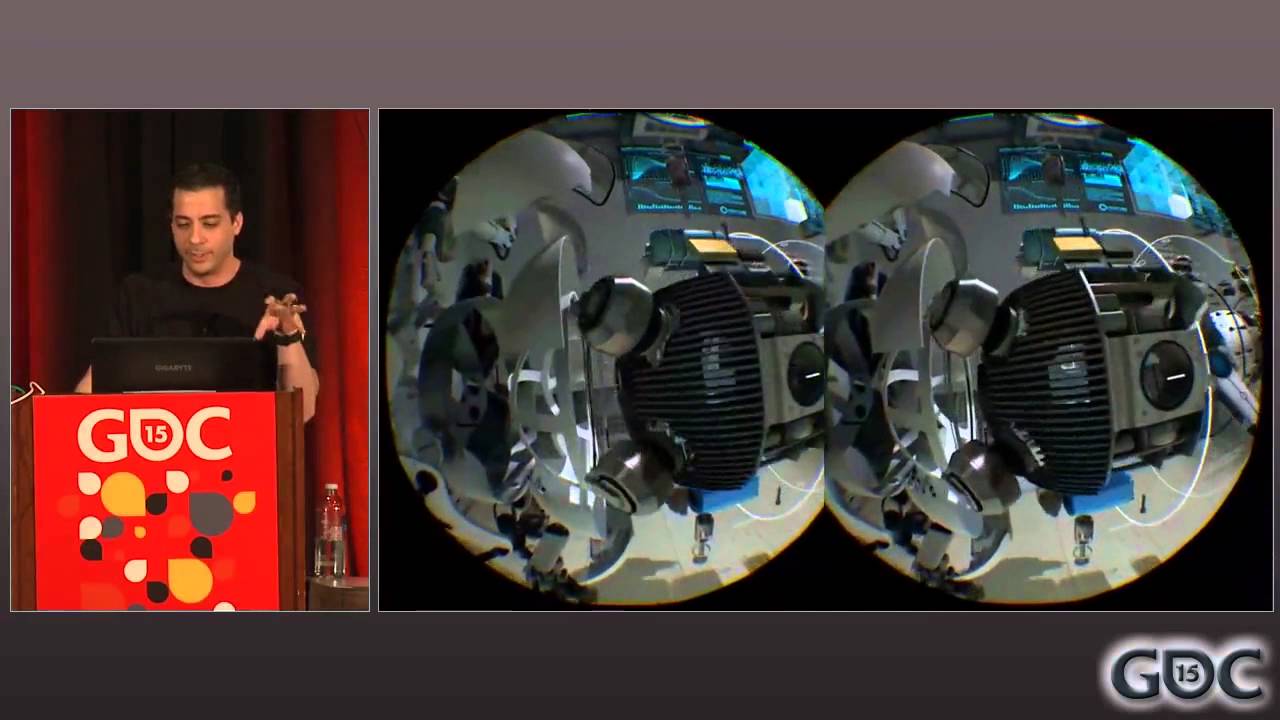
"Valve has been creating advanced prototype VR HMD's since mid-2013 that are more advanced than other developers currently have access to, and this head start has granted them a VR-specific rendering knowledge that they'd like to share with developers who are actively working on VR or plan to in the near future. Alex Vlachos begins with the base...
haughty thistle
thick nest
quest 2 ????
I was specifically talking about PCVR headsets there. And if you scroll down a bit, you can see that I did talk about why the Quest 2 might not be the best choice for PCVR
sullen linden
crisp nymph
So the quest 2 actually has pretty good res
wow
Can’t wait to get mine now
thick nest
thick nest
and it looks amazing in my opinion
.
thick nest
thick nest
you can use wireless too
.
haughty thistle
The thing with the Quest 2 is, the actual image sent down the cable is resolution wise more comparable to what you get in terms of detail on the Index
The Quest then has to upscale that image which will make the image blurry
Quoted from here: #virtual-reality message
thick nest
well i dont notice any of that like i said
it looks amazing in my opinion
and the other 2 headsets better than that are the G2 and pimax headsets
haughty thistle
As someone who has bad eyesight, any sort of blurryness is really distracting to me. It makes me feel like I'm not wearing my glasses correctly or something. And when I say any sort I mean it. Even just running my G2 at like 90% res makes me feel like that (and that's still more detail then what you get on the Quest 2 in PCVR mode)
crisp nymph
sullen linden
So the quest 2 actually has pretty good res
on paper, yes, but there's some compression through the Oculus link (it's upscaling iirc)
but yeah Chickenbread explained it
sullen linden
@haughty thistle Is there any way to show my quest 2 screen in a discord VC through oculus link?
haughty thistle
When running SteamVR, you can use the desktop mirror to show whatever SteamVR is rendering
Audio will not be captured tho
sullen linden
How do I capture audio? is there a way
haughty thistle
It's a limitation by discord
You have to capture the actual game desktop mirror for audio to be transmitted
sullen linden
It captures it in OBS though so what if i used OBS virtual cam to stream it through, would that work?
haughty thistle
Won't work either. When you select a window in Discord to capture, it will take whatever audio that application is outputting as audio and will transmit that
sullen linden
uhh what if i livestreamed directly to facebook and then just shared my screen on that window?
haughty thistle
Could work...
But then again, what kind of VR game are you playing that doesn't have a desktop mirror?
sullen linden
hmm good point.. I wanted to play phasmaphobia VR on a discord call so could I just share the preview that appears on the monitor whilst playing?
haughty thistle
Yep. That should also capture audio
sullen linden
interesting. I may need an external mic though, or will it pick up my quest microphone?
haughty thistle
There should be an option called "Oculus Virtual Audio" in Discord. Select that and you should have your Quest Mic in Discord
sullen linden
yay, cool! thanks 
Getting my quest 2 in 11 days.
First games im going to get are Beat Sabre, Onward and superhot.
What else should I get if I had one choice out of:
Pavlov
Half Life : Alyx
Saints and sinners
I expect you to die
blade and sorcery
POP:ONE
Vader immortal series
crisp nymph
sullen linden
Getting my quest 2 in 11 days.
First games im going to get are Beat Sabre, Onwar...
definitely try the half life alyx
sullen linden
crisp nymph
definitely try the half life alyx
Do you think I could run it with these specs:
 crisp nymph
should be fine tbh
sullen linden
Just watched LTT play it on a 2070S and it played perfectly fine on high fidelity @crisp nymph
ruby ermine
hey guys, im gonna get the rift s and if i dont liek it or if doesnt please me then i will go get the quest 2
also is the oculus branded link cable worth it or is it just overpriced
haughty thistle
3rd Party cables can be hit an miss. The official cable will work 100%. I had one 3rd party cable fail on me and a second one that is still working. Your milage may vary
thick nest
sullen linden
Do you think I could run it with these specs:
your goooddd
sullen linden
thick nest
your goooddd
LTT did a video with the same card and he ran it on high settings perfectly 😳😁
thick nest
yeah half life alyx isnt necessarily the most demanding game
if you can run vrchat smoothly you can probably run half life alyx
sullen linden
Bingo
drifting nymph
would i be good with oculus link with a ryzen 5 3600 and an rx 5600 xt or should i go with the rift s? ive heard using oculus link is pretty cpu intensive so im not sure. also id have to use a 3rd party link cable
 uneven lichen
anyone good with oculus vr?
lofty minnow
sullen linden
Getting my quest 2 in 11 days.
First games im going to get are Beat Sabre, Onwar...
get hla and crack the others, most of em are on igg games
 pastel echo
Rather foolish imo but Amazon got good returns so 🤷♂️
crisp nymph
you got any other recommendations for the price?
besides that facebook is a schiity company, a quest 2 is about the best you could get for sub $700 until you get something higher up such as the reverb or maybe a used index
uneven lichen
index is only like $1200 right?
if your getting a $700 quest 2 then surely you can save for an index
crisp nymph
that's like hey if you got a 3060 why not upgrade to something like a 3080
I put that $700 there because it's like the average price of reverb
pastel echo
I mean honestly if you can afford a 3080 why not just save for 2 quaddros?
And if you save for 2 quaddros why not just sleep on the ground and reinvest your rent money into crypto
Then you'll be a millionaire and rinse repeat
crisp nymph
lol
pale orbit

reddit
41 votes and 24 comments so far on Reddit


I’ve got good news! HTC Vive is indeed planning to launch a standalone VR headset in 2021. This got confirmed by the president of Vive @AGraylin in an interview with TeliportMe. He also spoke about if their hmd is competition to the Oculus Quest or not. Either way exciting stuff! https://t.co/6H13jcPlcE
Likes
180
 Twitter
·
sullen linden
lofty minnow
get hla and crack the others, most of em are on igg games
Twitter
·
sullen linden
lofty minnow
get hla and crack the others, most of em are on igg games
Don’t fancy being banned really
harsh niche
oculus doesn’t ban for that now but who knows if they ever will
haughty thistle
crisp nymph
besides that facebook is a schiity company, a quest 2 is about the best you coul...
Well... Used WMR headsets are a thing. And the standard WMR controllers are 1:1 Compatible with the Vive Wands, so you won't miss out on any experiences either. It's not the best, but those headsets can be had for even less then a Quest 2...
sullen linden
Yoo dude used vr market is booming
 acoustic gate
It is, a lot of cheap vr headsets you can find here in The Netherlands
Sadly have to invest money into other things atm
 echo marlin
acoustic gate
It is, a lot of cheap vr headsets you can find here in The Netherlands
echo marlin
acoustic gate
It is, a lot of cheap vr headsets you can find here in The Netherlands
Marktplaats?
acoustic gate
Tweakers and Marktplaats yeah
echo marlin
So is there a tier list or something of VR headsets
haughty thistle
It really depends on what you value more
haughty thistle
Generally speaking the Index is the best Consumer headset that one can get. PiMax headsets are a bit more fiddly, but can get you better immersion with a larger FOV. The Vive Pro and Vive Cosmos can give you no compromises Wireless PCVR.
The Quest 2 is the budget King if you don't mind worse frame rates for worse visual quality in PCVR mode and don't mind modding it a bit.
Best Resolution is the HP Reverb G2, but that got shitty controllers
echo marlin
So basically, if I really want one probs should save up for an index if I can?
haughty thistle
Going onto the used Market, the best option there is the Rift CV1, and the OG Vive is the more long-term option as it's easily upgradable inside the lighthouse Eco-System.
WMR is just plainly the cheapest option. Period.
haughty thistle
echo marlin
So basically, if I really want one probs should save up for an index if I can?
If best overall experience is what you want, yeah
haughty thistle
One thing to note is that PiMax, Valve and HTC all use the Lighthouse Tracking, so you can mix and match controllers and HMDs between the brands. But it's obviously cheaper to buy everything as a single kit
pastel echo
echo marlin
So is there a tier list or something of VR headsets
Here is mine:
Used Rift CV1 - Tracking A | Controller A | Gameplay A | Screen C | Upgrade path D-
Oculus Quest 2 (SA/PC)- Tracking B/B | Controller A-/A- | Gameplay A+/A- | Screen B+/B-
| Upgrade Path C/B
Used Vive - Tracking A+ | Controller B- | Gameplay A | Screen C |Upgrade Path A
Reverb G2 - Tracking C | Controller C+ | Gameplay B- | Screen (S class) | Upgrade Path B |
Valve Index - Tracking A+ / S | Controller S | Gameplay A+ | Screen A | Upgrade Path A
Vive Pro (Wired/Wireless) - Tracking A | Controller B | Gameplay A/(S class) | Screen B+ | Upgrade path A/B
Vive cosmos - dog ass tracking, otherwise see above
haughty thistle
I'm honestly quite hyped to see how much movement is getting into the VR market. HTC coming back recently having teasered a new Vive device (a possible Quest 2 competitor), Tundra making proper full body tracking more affordable, and overall the public being more accepting of VR. It's all super exciting.
On the other hand, I fear that with how much Facebook has been pushing the Quest 2, that competitors will be forced to either throw in the towel or to make a loss on their products. For sure there will always be a market for facebook-less devices, but that market, I'd argue is too small to be profitable...
sullen linden
harsh niche
oculus doesn’t ban for that now but who knows if they ever will
They won’t ban for pirating and running via link?
harsh niche
not at the moment but i don't know if they will change that
so if you don't want to risk it... don't
 maiden trench

pcgamer
Some cheap and cheerful innovation for out-of-pocket VR enthusiasts.
haughty thistle
Interesting...
It seems pretty similar to how some industry solutions like ARTrack work. ARTrack also uses IR emitters and cameras in their base stations, and the trackers are purely passive. Although the difference here seems to be how the different trackers are distinguished. In the case of ARTrack, I can only guess, but based on their demos it seems to be shape based, whereas here it seems to be some sort of color differentiation...
sullen linden
Yo! About to order my Q2. What are some recommended accessories? I want to fitness game (standalone and pc) and pc game with ut
crisp nymph
3rd party link cable (if you are using it on pc)
elite/custom headband
maybe a face cover
sullen linden
How does the link cable integrate with the graphics card over usb???
haughty thistle
The Link cable does not. The game is rendered on your GPU into a virtual framebuffer. This framebuffer is then read by a software running on the CPU, compressing the image down and sending it over a standard USB 3.0 connection to the Quest. The Quest then decompresses the image, does some lens correction and whatnot on the image, overlays the guardian and you got your the image rendered on the PC showing on the Quest
So not just is your game performance hindered with Quest Link as the CPU is pre-occupied with compressing the image, it's also hammering the PCIe link. The latter shouldn't affect game performance much, but it could potentially become a bottleneck in systems that have the GPU slot bifurcated and only running PCIe 3.0.
As a sidenote about bifurcation: I found out by accident that my Z370-F Gaming from Asus bifurcates the first PCIe slot, automatically if any PCIe device is plugged into the second 16x slot. Meaning my GPU was running on an 8x Link while I had the Vive Wireless Adapter card installed int he 16x slot underneath my GPU. Fixed it by moving it in the slot above the GPU. Reason I didn't had the card installed above was because the Antenna screw is basically inaccessible in the top slot, so I had to screw in the antenna before installing the card...
 manic wind
I have a question regarding hardware and VR. On HMDs like the Valve Index, it's running two displays. Wouldn't this eat up more vram than a traditional display? Makes me wonder if the current 8gb standard is actually suitable for VR or not, or if it's better to splurge for an AMD card or the 3080. Running out of memory would be a real bad thing for VR.
 silver holly
maiden trench
https://www.pcgamer.com/swedish-teens-start-up-brings-us-the-most-affordable-vr-...
silver holly
maiden trench
https://www.pcgamer.com/swedish-teens-start-up-brings-us-the-most-affordable-vr-...
Getting Feel VR vibes here
pale orbit

 haughty thistle
manic wind
I have a question regarding hardware and VR. On HMDs like the Valve Index, it's ...
haughty thistle
manic wind
I have a question regarding hardware and VR. On HMDs like the Valve Index, it's ...
Generally speaking, you're right. But it doesn't necessarily double the VRAM usage compared to flat rendering.
10GB of VRAM are more then enough for the Index and other HMDs with a similar resolution.
For a long time the recommended minimum amount of VRAM for VR was 4GB, but I'd argue that's already too little for 1440p headsets like the Index...
The only HMDs on the market right now that for sure need more then 10GB (about 14GB I've found in my own testing) are the HP Reverb line of headsets. Both render the image at something much higher then 4k, so the additional VRAM of the 3090 pays off here. 16GB like on the AMD cards is fine for sure, but already scratching the limits too...
gentle coral
crisp nymph
I have seen this display resolution image many times, but I think a render resolution comparison image would be better, I think I will make one next week, as I think that will be useful for some people here.
haughty thistle
A metric like Pixel Per Degree would be much more useful imo.
You can have 2 headsets both with the same resolution, but one looks sharper then the other. To mention one example I found out myself:
The Vive Pro and Index have the same on-paper resolution. But the Vive Pro has a lower resolution for Blue/Red due to its Pentile subpixel arrangement. Yet, the Vive Pro looks sharper and higher resolution in regular use because it's resolution is compressed to a smaller FOV. In regards of SDE, the Index is the clear winner as it has a larger Pixel to screen area ratio.
What I'm trying to say is that resolution isn't everything
Well, PpD and Pixel ratio are the two important metrics
sullen linden
crisp nymph
3rd party link cable (if you are using it on pc)
elite/custom headband
maybe a f...
I’m getting mine in 9 days. I got a link cable and the elite strap with it.. damn I can’t wait
ruby ermine
what are some good vr's right now
haughty thistle
ruby ermine
what are some good vr's right now
HMDs or games?
haughty thistle
HMD = Head Mounted Display.
It's the term I prefer to use for the actualy device you put on your head for VR, as HMD is not as confusing as headset
ruby ermine
ah ok well something like index or rift s type of style you know?
i like the hp reverb but is it outdated?
haughty thistle
The HP Reverb G2 just came out. The actual headset is really nice, but it's controllers suck imo
ruby ermine
i could get the headset and then valve knuxckes
i heard people do that
but is it worth it
haughty thistle
Yep. But for that you'd also need to buy a pair of Lighthouses, and at that point you're well above the asking price of a full Index kit
ruby ermine
the valve index here in canada is around 1200 for the kit
haughty thistle
And if I gotta be totally honest with you, it's not the greatest thing in the world, as the controllers will shift slightly in comparison to the headset as you move around your space, so the hand position will always feel a bit off.
Besides the screens there's also lenses to consider, and the lenses in the G2 aren't as nice as the ones in the Index.
haughty thistle
ruby ermine
the valve index here in canada is around 1200 for the kit
In Euros, the Reverb G2 plus Knuckles plus Lighthouses is 1300€, a Full Index kit is 1080€.
haughty thistle
If you play games where a higher resolution makes a meaningful difference, yeah. Games like MSFS2020 or Assetto Corsa do benefit from the higher res of the G2, but those games are also played with more purpose built controllers like a Flight-Stick or Steering wheel
ruby ermine
i think i will go with my original plan, im gonna go try out the rift s and then go for quest 2 if not with link
pale orbit
saw someone talking about going from an index to a G2 and they replayed half life alyx. said they stopped for a few minutes just to stare at some of the alien growth in some levels because it was like they were seeing it for the first time with the huge increase in detail
flat pawn
that could be exaggeration honestly
technically you'd see the same detail if you just got closer to it
manic wind
haughty thistle
Generally speaking, you're right. But it doesn't necessarily double the VRAM usa...
Thanks for the thorough answer! I much appreciate the insight.
gentle coral
haughty thistle
A metric like Pixel Per Degree would be much more useful imo.
You can have 2 hea...
I agree that on the HMD side those are more important metrics, but when deciding if you computer is powerful enough for any HMD, render resolution is more useful then actual screen resolution.
 hushed pond
well id say if you get 30 series card of any kind it will be powerful enough
as long its gtx 1070/80 lvl of performance
haughty thistle
Eh. Really depends on the type of game you wanna play. The Reverb and Reverb G2 run at a render-resolution which is somewhat equivalent to 5-6k in terms of what load it puts on the GPU. LTT has shown in the past that even for the 30-Series cards this is quite a challenge (granted with flat games, but you get the idea)
I have a 3090 and still run into massive framedrops in the more beautiful looking VR games on my Reverb G2...
hushed pond
i am myself on a 3080 and some game will lag regardless of hardware, but the majority of games will work on a 1070 just fine on a index,
1070 was my previous gpu and it was fine for all my vr game except vrchat
what the point of making a game if none of your audience can play it except that 1% elite with their 3090/3080
of course you should alway aim for the best gpu you can get for vr but 1070/2060 performance or more is a good entry level performance for vr
acoustic gate

this is so fucking pain, a cv1 bundle for 175 (cheapest second hand i've seen so far in my country)
i have the money, but i cannot spend it 😔
ruby ermine
bruh
welp looks like im stuck with a rift s cuz the fking quest 2 went to 600 in canada cuz of the mass buying of them
like wtf
i thought they supposed to be cheap
crisp nymph
wtf?
haughty thistle
The silicon shortage affects everyone and everything, so I'd be majorly surprised if the Quest 2 is unaffected by the shortage...
pale orbit


`HTC Vive Tracker 3.0
Lighter and smaller than ever
Create a seamless connection between real objects and the virtual experience. Capture the movement of the whole body with accuracy. Integrate external devices easily. Take your VR experience to a new level with VIVE Tracker (3.0). Now smaller and lighter than ever.
Now up to 75% better battery life than the previous VIVE Tracker.
Included:
VIVE Tracker (3.0)
Dongle
USB cable (USB-C)`
possible leak according to webhead on the VR discord
sullen linden
And they still possibly have that awkward shape lol
haughty thistle
It's a Vive Product alright
pastel echo
Vive is really good at making things that sound good on paper that I don't want
acoustic gate
wonder if the new vive is going to be as good as the original htc vive again
thick nest
pale orbit
`HTC Vive Tracker 3.0
Lighter and smaller than ever
Create a seamless connectio...
and.. its 100% more expensive
reminds me of apple to be honest
the new tracker has screw holes that look like the holes in your wallet after you buy them
all of which we don't implement into our products
-HTC
Got a router and now been running Quest 2 Virtual Desktop
Wireless PCVR really is a different animal
It's also one more piece of my entirely wireless puzzle
haughty thistle
For me personally, Wireless PCVR is a nice-to-have, but never something, I'm willing to loose visual fidelity over. A long cable can do the job just as well imo...
Imagine the new Vive headset to have like the Vive Wireless Adapter built-in xD
haughty thistle
pale orbit
possible leak according to webhead on the VR discord
According to the german VR-News page "Mixed", HTC themselves have leaked the new tracker on their own swedish webstore. There was no mentioning of a Type-C connection in the news article, but it did mention that it was listed for roughly 140€. For context, the current Vive Tracker was introduced for 120€ here in Europe.
https://mixed.de/htc-vive-store-leakt-neue-produkte/

Das Rätselraten um HTCs geheimnisvolle Tweets hat ein Ende: Ein Store-Leak enthüllt die neuen Vive-Produkte vor der offiziellen Vorstellung.
pastel echo
haughty thistle
For me personally, Wireless PCVR is a nice-to-have, but never something, I'm wil...
I'm not noticing this issue in my personal experience, but I also have a long cable that I can't even feel when it's on my head. What I like though is options. My entire set up from my computer to my peripherals to my VR now is wireless capable and it makes me very giddy
acoustic gate
Is there anything known about the headset itself so far
haughty thistle
acoustic gate
Is there anything known about the headset itself so far
Other then that an HTC representitive said that it's not going to be a direct Quest 2 competitor and that it's going to be standalone, no.
acoustic gate
hmm, ok
i hope it'll be around maybe g2 price if it's actually gonna be decent unlike the last few that they released
 agile abyss
haughty thistle
For me personally, Wireless PCVR is a nice-to-have, but never something, I'm wil...
agile abyss
haughty thistle
For me personally, Wireless PCVR is a nice-to-have, but never something, I'm wil...
I agree
 surreal bobcat
for things like flight sims and racing games, is the G2 or index still my best bet? or is there something new on the horizon i should consider waiting for?
haughty thistle
For Simulation games that don't use VR-Controllers, the G2 is the best option. Except for when you want maximum immersion, then something with a larger FOV like the Index of one of the PiMax headsets might be your better bet
Other then that, there's the DecaGear, but all things considered, it's rather unlikely it'll actually ship for the advertised price, or if it will, the company behind it won't be able to sustain that price... (aka they might end up resorting to something usually seen in B2B products, where a subscription is required to even use the headset)
surreal bobcat
haughty thistle
For Simulation games that don't use VR-Controllers, the G2 is the best option. E...
cool, good info, i'll check this stuff out. thank you!
flat pawn
thick nest
``` the new tracker has screw holes that look like the holes in your wallet afte...
💯
flat pawn
torpid wren
anyone here use amd gpu's for vr?
I use a 6800XT
so far so good
you'd probably get the same behavior and very similar performance
 crystal needle
dont know if these new trackers are worth it
haughty thistle
I'm just going to repeat my post from another discord about the new Vive Tracker 3.0:
The only 2 benefits I see with going with the Vive Trackers at this point over the Tundra ones, is if you want FBT now or if you have any use for the Pogo-Pins on the bottom of the Vive tracker. The latter can be useful for a strap on battery pack, without the need of a wire. But such battery packs are rare to find sadly...
 rain walrus
Do you guys think vr has a huge benefit in performance going from 8gb to 16gb of ram?
haughty thistle
Depends on the game and how much your background tasks take up. On my system for example, I have quite a number of applications running in the background and my idle memory usage is somewhere close to 6GB, so for me it would be a huge difference. But if you idle memory usage is less then 4GB, I don't think it's going to make a huge difference.
In terms of regular RAM, there's not really a difference between VR and flat games (unless we're talking Quest Link/VD)
rain walrus
haughty thistle
Depends on the game and how much your background tasks take up. On my system for...
Yeah i would be running quest 1 with link. You think then that would make a big difference?
sullen linden
All right, don't crucify me for the question, but is Roblox VR any good?
I guess it's official
https://www.vive.com/us/accessory/tracker3/

Go beyond controllers. Track movement and bring objects from the real world into the virtual universe.
rugged solar
sullen linden
All right, don't crucify me for the question, but is Roblox VR any good?
that exists?
manic wind
damn Chickenbread, you have a 3090 and a Reverb G2 and still get framedrops. I guess that super butter smooth all the time VR experience is still yet to come
rugged solar
rain walrus
Do you guys think vr has a huge benefit in performance going from 8gb to 16gb of...
i think in today's world you'd have a benefit in a lot of things going from 8gb to 16gb
hushed pond
sullen linden
I guess it's official
https://www.vive.com/us/accessory/tracker3/
shit theyre more expensive than the 2.0
sullen linden
I mean it's vive after all so yeah
sullen linden
rugged solar
that exists?
Yep. I heard about it, and I'm kinda interested, only because Roblox is one of those do-anything games, and I'm kinda interested to see a VR game with a heavy emphasis on user-generated content, but at the same time, it's Roblox, so it's like, how good can it be, really?
 signal snow
sullen linden
All right, don't crucify me for the question, but is Roblox VR any good?
signal snow
sullen linden
All right, don't crucify me for the question, but is Roblox VR any good?
theres only 2 or 3 quality games that are made for VR, everything else is just a really uncomfortable "vr compatible" thing.
but dont get me wrong, the 2 games are really good lol.
VR Hands is a lot of fun, flinging people around like you are god, smacking the other vr players.
sullen linden
2 or 3 games... in Roblox? Or in existence? Sorry, just not clear how general your statement was.
signal snow
2 or 3 quality games that are made for VR in roblox
sullen linden
Ah, I see.
harsh niche
sullen linden
All right, don't crucify me for the question, but is Roblox VR any good?
it's terrible
just roblox but vr
99.99999% of games barely work at all
but it's free
so
whatever
torpid wren
@flat pawn I secured a sapphire nitro 6800xt this morning :)
haughty thistle
manic wind
damn Chickenbread, you have a 3090 and a Reverb G2 and still get framedrops. I g...
I'm really looking forward to VR games to start supporting DLSS, as that's when the G2 really starts to become fully usable in all games.
The Index and other lower res headsets are basically a non-issue. It's just the G2 with it's pixel count of over 4k
manic wind
dlss would be awesome
torpid wren
Does the 6800xt come with a display port cable? Or is that usually included on a 165hz monitor?
flat pawn
torpid wren
<@86982287710785536> I secured a sapphire nitro 6800xt this morning :)
hell yeah, that's the same one I have
haughty thistle
torpid wren
Does the 6800xt come with a display port cable? Or is that usually included on a...
The monitor should come with a cable. Never heard of a GPU coming with a display cable...
torpid wren
Yeah I had my wife check, I'm overseas on deployment so I've been ordering everything from this side
gentle coral
I am hoping that the new standalone HTC VR HMD, is not just a slightly updated version of the HTC Vive Focus, or Focus Plus. But a full overhaul of tracking, processing and ergonomics.
Though I doubt the processing will be all that much better then the Quest 2, as even if you move the battery to the back of the headset, you are still very limited weight wise, even if you can fit a bigger more power hungry SOC.
If more people were alright with pocket computers then it would be easy to make a really powerful (and upgradable standalone VR headset).
haughty thistle
Wasn't it that the Quest 2 has its XR2 significantly downclocked to not overheat?
 safe elbow
Is anyone else experiencing bad frame times (CPU side) since updating to F33c using a Valve Index on an Aorus x570, 3700x and an Aorus 5700xt? I'm getting some melty spikes seemingly random.
manic wind
you're the first person I've heard of using an AMD GPU for VR
seems everyone i hear of is using nvidia. i wonder if AMD is better..
hmm. do you guys think it's worth upgrading to a ryzen 5600x from a 3700x for VR specifically? the improved IPC and clock speeds should be an improvement. i wonder if it would be noticeable, though
soft hound
manic wind
you're the first person I've heard of using an AMD GPU for VR
I've been using a Vega 56 for a couple of years now with my Index. As for the CPU thing, it would definitely be an improvement, but whether or not it's within your budget, that's up to you, and what games you play
manic wind
oh nice! and how is the experience?
im really tempted to sell my 3070 and try and snag a 6700XT when they come in stock but i feel like im just playing with fire at that point
like why should i do that when i already have a great GPU.. lol
soft hound
I've had 0 issues with it, and has been great. But I suggest you stick with the 3070, unless you're really bumping into VRAM issues
manic wind
im definitely not. ive got an index like yourself
my main issue right now seems to be with the nvidia drivers, i get stuttering at times. its infrequent but enough to break immersion in certain games
but like.. first world problems amirite
soft hound
Interesting, can't say I've heard of any issues like that from others, but who knows. I mean, I've had that happen before myself, like a half second spike once in a while, but not in all games
manic wind
thats basically what happens, and its only when you're turning your head i think. at least thats when i notice it
in alyx its especially bad with continuous movement
soft hound
I was going to say, that's one of the few games it happens in
manic wind
oh its a known problem in alyx eh
soft hound
I think it's loading in the assets to render when you change your view
manic wind
funny, considering its a built-for-VR game on the index lol
soft hound
Causing a stutter
Yeah, it looks great, but they must have had to do something to keep it running at decent framerate
Stutters like that will only happen when changing view
manic wind
yeah, thats when i notice it
the lab seems to be okay? I don't really notice it there. phasmophobia i have definitely seen it there but, thats an indie game so
soft hound
Yeah, I don't have anything like that in games like The Lab, or Beat Saber, but Alyx, Elite Dangerous, Phasmophobia, and VRChat definitely do
manic wind
yeah exactly! ok.. good to know im not the only one
i imagine some of it has to do with optimizing code well for VR
 pale orbit

#AMD #AGESA Combo-AM4v2Pi 1.2.0.2 fixes:
- USB port dropout
- USB 2.0 audio crackling (e.g., DAC/AMP combos)
- USB/PCIe Gen 4 exclusion.
Twitter
·
strange jewel
rift s is fun af
agile abyss

Tundra Tracker Pricing Revealed, Here's How it Compares to Vive Tracker https://t.co/aSDXzY400d @Tundra_Labs
 Twitter
·
haughty thistle
Twitter
·
haughty thistle
Early backers also get some additional accessories for free included with their order of a set of Tundra Trackers
 haughty thistle
Thanks to a post from Twitter, I now know what to do with my Vive Trackers, once the Tundra ones arrive: https://twitter.com/shen/status/1369843343501369345?s=19


 flat pawn
They seem to be just about as expensive as vive trackers just better
haughty thistle
Actually no. The old Vive Trackers were 120$ a piece if I remember correctly. At least here in germany they were 120€ a piece...
So they are cheaper on top of being better
flat pawn
I saw the price comparison thing on their own site and it was 300 bucks for 3 trackers and the 3 way dongle
next to the same price for vive

the second row there
most people will go for the 3x
not sure what the difference between 2.0 and 3.0 vive trackers are though
 green crypt
2.0 are the old ones 4 hour battery life
3.0 launched a few days ago 7 hours of battery life and smaller
flat pawn
definitely better
but still, idk why I was expecting tundra to be much cheaper
they are just a bit cheaper
green crypt
It's cheaper in EU by a lot
flat pawn
as long as the quality is on par then the vive trackers are obsolete at that price
green crypt
250 euro vs360 minus chance on tax but still cheaper with 50 euro tax
flat pawn
would there be any benefit to using vive trackers over tundra
green crypt
Maybe better fov
flat pawn
I'm gonna try setting up a kinect next week just for the hell of it
green crypt
Don't have fov info of tundra yet
Use the free software kinnect to vr then don't buy driver4vr
safe elbow
@manic wind only just saw your reply mate, yeah the 5700xt can handle 120hz with a 120% SS on most games, I just keep getting random CPU spikes that breaks all immersion, it's almost like a fast sneeze and it's completely random.
manic wind
interesting. im using a 3700x too, i dont know if im getting CPU spikes myself but im using an index as well
haughty thistle
Maybe this could be related: #virtual-reality message / https://twitter.com/planet3dnow/status/1370098442224201731
#AMD #AGESA Combo-AM4v2Pi 1.2.0.2 fixes:
- USB port dropout
- USB 2.0 audio crackling (e.g., DAC/AMP combos)
- USB/PCIe Gen 4 exclusion.
Twitter
·
 flint monolith
safe elbow
<@!440610285644939274> only just saw your reply mate, yeah the 5700xt can handle...
flint monolith
safe elbow
<@!440610285644939274> only just saw your reply mate, yeah the 5700xt can handle...
i had the same thing, turned out to be insufficient cooling, i reseated my CPU and bought a new cooler and replaced the thermal paste and it got rid of the lag spikes
 worldly lily
is minecraft vr coming to the quest 2
 lavish hamlet
Does anyone have any good recommendations for in-ear earbuds wired or wireless for the rift s?
haughty thistle
Any type of earbuds work with the Rift S. Maybe direct your question to #audio-tech. Thos guys know a lot more about audio. Don't forget to mention your budget for the earbuds, or you might end up getting recommendations for like $400+ IEMs 😉
flat pawn
keep in mind that the 3.5mm port on the rift s is not a hybrid port
if your earbuds/headphones have a mic with them it will not work
it's output only
pastel echo
Quest 2 Virtual desktop is freaking awesome
ruby ermine
hello
are their any different versions of the rift s? im about to pick one up at best buy and im wondering if its like the logitec gpro wireless where there is a newer version or older
sullen linden
pastel echo
Quest 2 Virtual desktop is freaking awesome
How laggy is it?
And do you need to be near either your pc or router?
haughty thistle
ruby ermine
are their any different versions of the rift s? im about to pick one up at best ...
Nope. Afaik, all revisions to the Rift S were more like updates to the hardware (like on that fixed an early camera bug I belive), but the newer revisions have completely replaced the older ones
ruby ermine
alright hopefully the on eat bestbuy isnt was ne of the old ones?
haughty thistle
sullen linden
And do you need to be near either your pc or router?
For the best VD experience, you want to be close to your router with no walls in between. The better spec your router is, the closer you can get to Link cable quality. But due to limitations with Wifi, it's never going to be exactly as good as a link cable I found...
 cunning depot
i was keen the quest 2 till bookface screwed it up
wish there is an alternative
facebook being a requirement is a hard no
haughty thistle
ruby ermine
alright hopefully the on eat bestbuy isnt was ne of the old ones?
Like I said, the old ones have been gone from shelves. I don't know how many revisions there were, but most of the revision updates were in the early days of the Rift S, as engnieers at Facebook were still fixing some bugs. But the Rift S you can get now everywhere is the latest revision
ruby ermine
alright
sullen linden
haughty thistle
For the best VD experience, you want to be close to your router with no walls in...
My pc is connected to a power line adapter which connects to my router 3 floors down.. would it work in the same room as my pc,
ruby ermine
wait.
haughty thistle
Probably not. Powerline is already quite a latency adder, and for VD you want to cut out as many points of latency as possible. The best experience you can get is by plugging your PC directly into the router and you want the router with you in your room
ruby ermine
what happened with the quest2
haughty thistle
The Quest 2 has Facebook as a requirement for log-in
ruby ermine
why are they sold out everywhere
haughty thistle
Global Chip shortage
ruby ermine
and idk how it is for you guys but the price skyrocketed
haughty thistle
It's the same problem as with GPUs that is also affecting the Quest 2
sullen linden
ruby ermine
why are they sold out everywhere
Literally not sold out anywhere in the UK
ruby ermine
sullen linden
Literally not sold out anywhere in the UK
lucky
sullen linden
I got a 256gb for £375 from Amazon
ruby ermine
i was gonna buy rift s and if i dont like it return to get quest 2
sullen linden
There’s hundreds in stock
ruby ermine
but i guess im stuck with rifts, hopefully i like it i should though
sullen linden
haughty thistle
Probably not. Powerline is already quite a latency adder, and for VD you want to...
I can’t run a cable from the router to my pc on the third floor
haughty thistle
You could get a separate router, set it up to act as a Wifi-Accesspoint and plug it in-between your powerline adapter and PC
sullen linden
Hmm, I guess so..
Would it work if I just played by the router with my pc upstairs still?
haughty thistle
Probably not. I've tried with my main router just a room over, and it was horrible. Maybe 5fps and compressed to hell
torpid wren
Curious question about gpu
Sapphire nitro+ 6800xt or Asus strix LC 6800xt for VR
Only difference is strix has a usb-c port on the gpu
Heard if you don't have a usb-c port you have to use 3 USB ports for your headset
haughty thistle
Not really
The only problem you might end up having is that your Quest slightly discharges on some systems. It really depends on how much power output your USB-Ports have, as even on a Type-C port the Quest can discharge while in use
 fluid prawn
gorilla tag
safe elbow
For anyone who suffers from random "Display Errors" using a Valve index with an AMD CPU, check your cooling! I recently troubleshooted everything, even a clean install of Windows and some trial and error of GPU drivers did nothing, yet changing my CPU cooler from the Wraith Prism to a Vetroo V5 fixed everything! I now don't get ANY random purple "Display errors" in VR and my CPU no longer spikes in the red. (I'm pretty sure a re-paste of the wraith prism would yield similar results, this is after 1 year of use)
 lofty minnow
what vr headsets are releasing this year
 coral mantle
safe elbow
For anyone who suffers from random "Display Errors" using a Valve index with an ...
coral mantle
safe elbow
For anyone who suffers from random "Display Errors" using a Valve index with an ...
holy jesus that paste is gone
hushed pond
safe elbow
For anyone who suffers from random "Display Errors" using a Valve index with an ...
bruh is that rust?????? (edit: nvm its copper, im dumb)
yea i have the wraith prism as well and my thermal are pretty good
pastel echo
sullen linden
And do you need to be near either your pc or router?
Ethernet connection from router to PC
Router capable of 5Ghz
Router that can operate at 866Mbps or higher
Line of sight or within 20ft if through a wall
I bought a second router to get the best experience and I can honestly say in games like Blade and Sorcery I don't notice a difference in gameplay between my Quest 2 through VD and when I played on my Oculus rift CV1
It's pretty amazing
I get the ideal of about 30ms latency so that's also part of it
lofty minnow
i just formatted my drives reset my pc and my cpu went from 70 on idle to 37-43 on idle
same cooler
5600x cpu
probably had some shady software mine crypto in the background
 turbid mango
loot secured
 sullen linden
I recently heard of a long-abandoned project to emulate PSP games in VR. It's been discontinued, but I was wondering if anyone knew of a mirror or could even upload the relevant files to MEGA, because I've been wanting to try it out.
lofty minnow
manic wind
oh, maybe thats why my mining efficiency dropped recently
lolll
 drowsy basalt
turbid mango
loot secured
drowsy basalt
turbid mango
loot secured
congrats on giving up everything that was left of your privacy
sullen linden
drowsy basalt
congrats on giving up everything that was left of your privacy
tbh that's probably not a lot anymore, if facebook doesn't have your data someone else does
Also does anyone know why Oculus are forcing people to link a Facebook account? Do they really make that much money off ads? I thought the sales lost would be more than the money they gained from the people that would make an account
drowsy basalt
sullen linden
Also does anyone know why Oculus are forcing people to link a Facebook account? ...
they make way more off of ads and selling your data than you might think
haughty thistle
sullen linden
Also does anyone know why Oculus are forcing people to link a Facebook account? ...
It's actually about the motion data and whatnot. If you have an Oculus account all of that has to stay within Oculus and Facebook has virtually no access to it. When you use a Facebook account however, you agree that Facebook and Oculus can share your usage data of your device.
TL;DR: If you use a Facebook account, Facebook knows exactly how you react to ads in VR, and can probably Identify you, even when you're not logged in on a different headset
 upper delta
Question. I bought a rift s and I absolutely love it. I set it up an everything. But in games, the in-game floor is lower than what my floor actually is. Any way to fix this?
manic wind
couple of suggestions - resetting the guardian helps but i would also mess with the lighting in that room if you can. try it with dimmer/brighter lights. the cameras may pick up the floor better
sullen linden
If you're lazy and want a quick fix (assuming you play through steamvr) you can get OVR advanced settings from steam and while you're playing just change the floor offset the appropriate amount.
 rustic garnet
GUYSGUYS I just found a used cv1 for real cheap, but y'know with the Facebook developments since last time i had one I'm wondering if there's any way to use it with just steamvr?
Or at least as little facebook stuff as possible
man, if it turns out my computer was the issue all this time im gonna get real peeved
I'll just hang onto both kits for spares i guess
haughty thistle
If you still have your old Oculus account, you can continue to use the CV1 with that
haughty thistle
Facebook legally can't lock your out of your product, just because they've migrated to a different login and you refused to switch
rustic garnet
Stupidly i bought all my software on the rift store
haughty thistle
So even in 2023, when Oculus Accounts are officially "dead", you should still be able to use the headset with SteamVR with an Oculus account
haughty thistle
rustic garnet
Stupidly i bought all my software on the rift store
Yeah, many did so. And this is the reason why I never recommended people to buy in such closed eco-system stores...
rustic garnet
Lesson learned...
Honestly in retrospect i feel like i should have gotten a vive originally
ugh im gonna have to get a usb hub
Cuz i got like three more usb devices
(thanks, corona)
Okay but there's no open source driver or anything?
haughty thistle
Sadly no. You'll still have to use the Oculus software and still have to be logged in to use the headset. But like I said, Facebook can't lock you out of your existing purchases, so the only restrictions you'll notice starting in 2023 is that you won't be able to use Multiplayer games with a regular Oculus account (at least I hope so, that's their word)
rustic garnet
Here's hoping somebody cooks up some OSS
haughty thistle
Depends on how hackable the Oculus software is. After all, the Tracking system is an integral part of the Oculus software, and without it, the CV1 is just a 3DOF headset. Not really usable nowadays...
But I do agree it'll be the best way of preserving the CV1 as a Facebook-less Oculus device, if someone manages to bypass the Oculus software login requirement to set up and use the headset with SteamVR
rustic garnet
I remember someone hacked the cameras years ago
Got them to work as usb webcams
Should be pretty simple MV and easy trigonometry after that
Do you know if the oculus home is stored on some server somewhere or if mine got deleted when i moved my C: drive
Also any tips on taking care of the cable?
I was thinking like, electrical tape around it through the clip on the strap
Or wrap it in one of those like spiral cable wraps all the way through and fasten it to the strap with a ziptie or lttstore dot com velcro cable tie
Also is there any comparison of the included headphones in comparison to some audiophile stuff? Cuz i have grado sr80e:s now
crisp nymph
rustic garnet
Also is there any comparison of the included headphones in comparison to some au...
haughty thistle
rustic garnet
Also is there any comparison of the included headphones in comparison to some au...
The included audio on the CV1 is pretty bass-y. Other then that, I'd say it's decent enough to not require a replacement imo.
About the cable, from what I've heard there's nothing super effective you can do about it, other then being careful with it.
And about the software, if you've moved your C: drive, you'll probably want to re-install the software anyways, as the Oculus software requires some background tasks that are always running, that you might be missing now...
crisp nymph
You could always mod it to something like a ksc75, but yeah it's usable (no where near the audiophile standard)
sullen linden
From what I remember the CV1 audio isn't bad at all but then again the best headset I've listened to are the DT770 Pro's that I own
 vague cedar
we are living in a virtual world and I am a virtual boy
 dark tusk
Hello there, i want to get into vr and i would like to get a gpu that supports decent frames and is quite fair on price, any recommendations?
upper delta
sullen linden
If you're lazy and want a quick fix (assuming you play through steamvr) you can ...
This fixed it
sullen linden
upper delta
This fixed it
Yeah, it's a really nice addon to steamvr
upper delta
It is. Legit, a quick fix
gentle coral
dark tusk
Hello there, i want to get into vr and i would like to get a gpu that supports d...
If you are patient then wait tell stock of the RTX 30 series and current AMD 6000 series get better. If you need a graphics card soon, then RTX 20 series, and AMD 5000 would also work find with most current headsets.
The lowest I would easily recmmend is really the GTX 1070.
As long as you budget is at least 200, you should be fine, but the more money the better the experience.
But make sure you have a balance computer overall, or you might end up wasting money.
haughty thistle
dark tusk
Hello there, i want to get into vr and i would like to get a gpu that supports d...
Also of note is that Nvidia Drivers generally tend to stay more stable when it comes to VR.
If you intend on streaming or recording VR footage, NVENC is kinda a requirement imo, as CPU encoding has an extreme impact on VR performance I found...
Other then that, what py above me said
rustic garnet
dark tusk
Hello there, i want to get into vr and i would like to get a gpu that supports d...
gpu prices are fucked rn due to a silicon shortage
but a gtx 1660 is a start
 fringe jay
Can confirm that the 1070 is pretty decent at VR even for how old it is. You aren't going to be hitting even medium settings on some games but it works.
green crypt
tbh it also depends on the games you want to play in vrc there is a difference between a 1070 and a 3090 but in the end you are always bottlenecked by the cpu you will get more fps and better frametimes but in a stresstest with 80 people its 30 fps vs 35 fps
rustic garnet
btw guys do you know if the cable in the cv1 uses a different voltage or anything?
or if it could take just a regular hdmi input
and usb
idrk what the spectra 7 chip does
basically my question is "is it feasible to solder an adapter for a cv1 to two separate hdmi/usb cables
agile abyss
haughty thistle
Also of note is that Nvidia Drivers generally tend to stay more stable when it c...
I want to record/stream my vr content how would I go about it
flat pawn
same way you'd record any other PC content?
just have the headset content mirrored onto your monitor
 visual mesa
Stream labs OBS is the easiest way to do exactly that, from what I've found.
sullen linden
dark tusk
Hello there, i want to get into vr and i would like to get a gpu that supports d...
When they come in stock you should get a 3070 or a 3060ti but if those are out of budget maybe a 2060 super or a 1070
haughty thistle
agile abyss
I want to record/stream my vr content how would I go about it
Yeah, I'm just using OBS with a plugin called "OVR Capture". I have then set OBS to use NVENC as the encoder. NVENC is only available on Nvidia GPUs
haughty thistle
rustic garnet
btw guys do you know if the cable in the cv1 uses a different voltage or anythin...
The CV1 uses a proprietary connector on the HMD end, so you're probably out of luck. But if it helps ya any, the CV1 just connects via standard USB and HDMI on the PC end. USB runs on 5V (dunno what voltages HDMI uses)
agile abyss
haughty thistle
Yeah, I'm just using OBS with a plugin called "OVR Capture". I have then set OBS...
Thanks
haughty thistle
OVR capture just takes whatever the SteamVR compositor renders for the HMD, meaning it will not just capture your game but also the SteamVR dashboard, desktop and any overlays you might have running. But the benefit is that it's much less resource intensive I've found, then to having to crank the desktop mirror resolution and capturing that
flat pawn
crank the desktop mirror resolution?
I haven't seen any games that default to having it low
usually 1080p or something
haughty thistle
I think Beat Saber does, but i'm not sure on that. In general, if you want to maximize VR performance, reduce the desktop mirror resolution, or even better turn it off alltogether if possible
rustic garnet
haughty thistle
The CV1 uses a proprietary connector on the HMD end, so you're probably out of l...
Yeah but the hmd connector has all the same pins as a usb 3 + hdmi cable, right?
Im talking about just like
Cutting up the connector and soldering a hdmi and usb to its exposed pins
haughty thistle
We don't know for sure. Outside of Facebook/Oculus, the only people to ever have seen any sort of official documentation regarding the connector are the peeps who've build the TP-Cast
rustic garnet
I wish everything was open source
haughty thistle
rustic garnet
Im talking about just like
You might not even get that far. Afaik, the CV1 uses an Optical cable, so there's a good chance the pins inside the connector wire up directly to an electrical to optical converter...
rustic garnet
Im pretty sure it doesn't

Brian Dorey Blog
I purchased my Oculus Rift headset back in July 2016 and since then it has had a lot of use. Last month I started to get an intermittent...
If that was the case it wouldn't break so fucking easily
haughty thistle
You underestimate the fragility of optical wires...
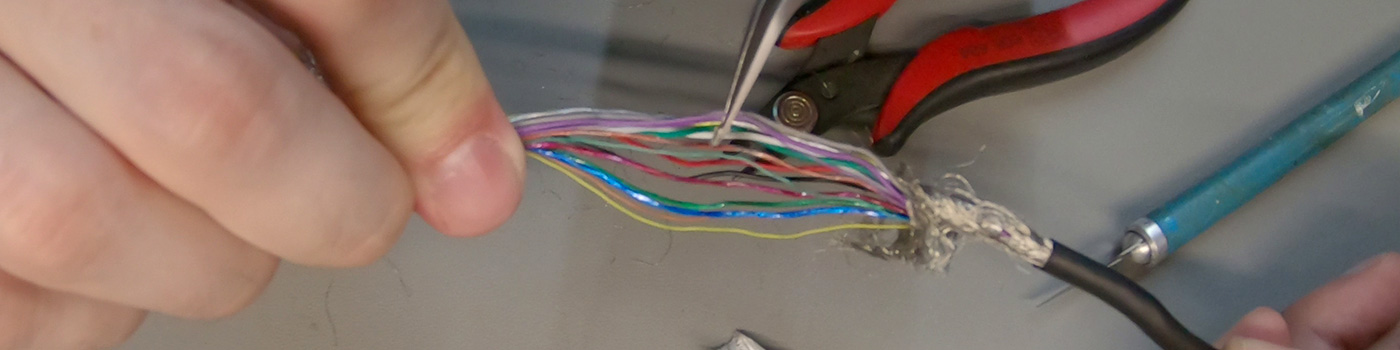 haughty thistle
I've got two OEM CV1 cables, and I legitimately thought their both close to the end of their lifespan, based on how kinked they are at the back. That is, if they would've been optical. Since their Copper, I feel a little better about the two I got
rustic garnet
The cables are literally hair thin though
haughty thistle
Ofc. Do you want to carry a thicc cable around with your in VR?
haughty thistle
Yeah, but there's a reason why the Vive Pro weight almost the same as a bone stock OG Vive, even though the Pro had a proper headmount and everything
rustic garnet
(And a usb male-male which is kinda unsettling)
(two in fact)
Idk i guess i value repairability over qol
haughty thistle
All these connectors add bulk and weight. I like the direction that Valve went by using Oculink as a connector on both ends. The Cable is still proprietary ofc, but at least some 3rd Party could engineer a solution for it. In-Fact, the OEM that is manufacturing the cables for Valve is selling them themselves on Amazon
rustic garnet
Open ecosystems ❤️
This oculink?? https://en.m.wikipedia.org/wiki/PCI_Express#OCULINK

PCI Express (Peripheral Component Interconnect Express), officially abbreviated as PCIe or PCI-e, is a high-speed serial computer expansion bus standard, designed to replace the older PCI, PCI-X and AGP bus standards. It is the common motherboard interface for personal computers' graphics cards, hard disk drive host adapters, SSDs, Wi-Fi and Eth...
haughty thistle
rustic garnet
(And a usb male-male which is kinda unsettling)
HTC loves their Male to Male USBs. Even the Wireless Adapter uses such a cable, just a super thin one. Once that cable breaks, good luck trying to find a replacement... (well you could just use the one from the Linkbox, but then you loose lighthouse power management)
haughty thistle
rustic garnet
This oculink?? https://en.m.wikipedia.org/wiki/PCI_Express#OCULINK
Yep. The Oculink: https://www.reddit.com/r/ValveIndex/comments/eae7au/tested_valve_index_uses_the_oculink_connector/

reddit
41 votes and 28 comments so far on Reddit
rustic garnet
You can get a usb c m-usb a m cable and a usb a m-usb c f adapter
Also somebody on ali definitely sells it
haughty thistle
It's not like there aren't options out there. It's similar with 2.5mm jacks on headphones. There are 3rd party cables out there, but you really have to look for them to find a good quality one...
rustic garnet
Lmao that was super easy https://www.kjell.com/se/produkter/dator/kablar-adaptrar/usb/usb-kablar/anslutningskabel-for-usb-5-m-p69142

Anslutningskabel med USB 3.0 (USB-A) till USB 3.0 (USB-A). Stöd för 4.8 Gb/s
And this is in sweden
We have no funny cable things here
This is out of usb spec why does it exist
rustic garnet
haughty thistle
It's not like there aren't options out there. It's similar with 2.5mm jacks on h...
Dude it's just a digital signal
Also I'm pretty sure 2.5 mm has never been a widespread standard for headphones
haughty thistle
rustic garnet
Also I'm pretty sure 2.5 mm has never been a widespread standard for headphones
Bose, Sennheiser, AKG and JBL all use 2.5mm on their headphones afaik.
Bose and Sennheiser for sure as I got a pair from both. Sennheiser goes a step further with their proprietary locking connector, so the 2.5mm cable you buy has to be no more then a certain width...
haughty thistle
Nope. 2.5mm. On the headphone end
rustic garnet
Oh okay