#palera1n
1 messages · Page 115 of 1
 upbeat python
 bleak mason
trollstore lite i installed
 urban spindle
i think because you jailbreaked rootlessly and when your phone dies (0%) then the jailbreak goes away. So you need to jailbreak again. I THINK!
 cosmic niche
urban spindle
i think because you jailbreaked rootlessly and when your phone dies (0%) then th...
cosmic niche
urban spindle
i think because you jailbreaked rootlessly and when your phone dies (0%) then th...
rootless does not have in common with this anything
urban spindle
i jailbreaked my iphone X with palera rootless and everytime my phone dies palera disappears and only troll store remains but i cant open it
bleak mason
upbeat python
Please reboot your phone to an unjailbroken state and try to use it
true, but i only have to click dopamine jailbreak again and then i have everything back, takes 3 seconds
cosmic niche
urban spindle
i jailbreaked my iphone X with palera rootless and everytime my phone dies paler...
!t jbtypes
 stiff treeBOT
Hey @urban spindle, have a look at this!
jbtypes
Types of jailbreaks:
Tethered
The device must be booted using a computer every time, otherwise it won't boot at all. This type of jailbreak is uncommon. (e.g.: redsn0w, 4039)
Semi-tethered
The device must be jailbroken using a computer every time it's rebooted, otherwise it will boot in unjailbroken state. (e.g.: checkra1n, palera1n)
Semi-untethered
The device must be jailbroken using an app every time it's rebooted, otherwise it will boot in unjailbroken state. A computer is usually used for the initial installation, but it's not strictly necessary. (e.g.: unc0ver, Odyssey, Taurine, Dopamine)
Untethered
The device will stay jailbroken after a reboot, no additional action is required. This type of jailbreak is uncommon. (e.g.: Pangu9, Fugu14)
Added by nyuszika7h#0001 | Used 1,193 times
·
cosmic niche
it is because it is semi-tethered/semi-untethered, not because of rootless
 supple pagoda
hey y’all trying to jailbreak an ipad 6th gen iOS 17.7.11 ; been trying to get the sequence of buttons shown on the mac correctly for an hour now and no luck, any tips?
 warm wadi
supple pagoda
hey y’all trying to jailbreak an ipad 6th gen iOS 17.7.11 ; been trying to get t...
warm wadi
supple pagoda
hey y’all trying to jailbreak an ipad 6th gen iOS 17.7.11 ; been trying to get t...
What cable are you using
supple pagoda
im using a lightning to type c cable i believe its what its called
i don’t believe the cable is the issue because my buddy had success, but no luck for me
warm wadi
supple pagoda
im using a lightning to type c cable i believe its what its called
!t usbcmoment
stiff treeBOT
Hey @supple pagoda, have a look at this!
usbcmoment
TLDR: You'll need a USB-A to Lightning cable.
USB-C to USB-A adapters will work fine.

Added by Cryptic#6293 | Used 508 times
·
urban spindle
cosmic niche
it is because it is semi-tethered/semi-untethered, not because of rootless
ahh okay. Thank you for the information👍🏻😙
cosmic niche
why are you replying to other post
 waxen osprey
i finaly got my ipad 7th gen jailbroke. What is the best repository to try out?
warm wadi
!t noob
stiff treeBOT
warm wadi
!t noob
noob
[Latest iOS/iPadOS version with jailbreaks available](#bot-commands message)
[Glossary of terms](#bot-commands message)
[Big free tweak & Repo List](#themes message)
Recommended Repos:
- Havoc | Add to Sileo | Add to Zebra
- Chariz | Add to Sileo | Add to Zebra
- SparkDev | Add to Sileo | Add to Zebra
- BigBoss | Add to Sileo | Add to Zebra
- TIGI Software | Add to Sileo | Add to Zebra
Recommended Guides: - Complete guide to iOS modification, from stock to jailbroken
- [palera1n](#bot-commands message) | Palera1n Guide |
- [palen1x](#bot-commands message) |Palen1x Guide
- [Remove a jailbreak](#bot-commands message)
- Sideloading with Sideloadly
- Sideloading with SideStore
- Saving Blobs
Recently Released
DockCuts - Add customizable shortcuts to keyboard dock
SleepSaver 2 - Add customizable screensavers
BoardSwipe - Easily switch and control keyboards
RotatePro - Screen rotation control with floating button
Planetes - Edge panel for quick use
Floaty - Customize your app banners
Looky - See notifications from far away
LSLyrics - Displays time-synced lyrics for the currently playing track on your lock screen background.
KonbanXV - Swipe right on Home screen for an app
Nazuna - Powerful PIP enhancer
Reboot Helper - Automate system maintenance with precision timing and button sequences.
Rode - Scramble Passcode
CanvasSync - Artwork as wallpaper
SpawnMe - Custom notification manager
SpotifyOpensOnPlaylist
MuffinStore -iOS App Store downgrader
Added by sahmoee | Used 718 times
·
waxen osprey
Thank you!!
 fossil wolf
how can i jailbreak my phone
waxen osprey
Depends on the Phone version and iOS Version.
fossil wolf
bro can i jailbreak my iphone 11
fossil wolf
26.5
 vital apex
Can't jailbreak
warm wadi
fossil wolf
26.5
You can't jailbreak
vital apex
Can't downgrade to a jailbreakable version either
fossil wolf
why not?
fossil wolf
like why can't i downgrade ethier
stiff treeBOT
vital apex
!t canidowngrade
canidowngrade
Looking to downgrade your device? Check if you can below.
Unsigned firmwares
If you're trying to downgrade to an unsigned version of iOS, you will need to meet specific requirements in order to downgrade.
These requirements include having a Jailbroken device, [Blobs](#bot-commands message), and being in the SEP/BB range of downgrading. (If you're on A11 or below the jailbreak requirement isn't needed, additionally, TrollNonce can be used on 15.0 - 15.5b4).
If you meet these specific requirements, check out [FutureRestore](#bot-commands message)
Signed Firmwares
You can fortunately downgrade to a signed iOS version, you can use iTunes / Finder, or iDeviceRestore with a signed version from https://ipsw.me/ or AppleDB (includes beta and RC firmwares).
Legacy
For legacy Devices, please ask in legacy and Legacy Jailbreak if you need help.
Useful links: iOS 14/15 upgrades/downgrades, Other iOS upgrades/downgrades, and Guide to saving blobs
Added by Night#1337 | Used 551 times
·
fossil wolf
thx anyway
 tulip terrace

 inland sparrow
Can you downgrade ios 16.7 to 16.1?
cosmic niche
inland sparrow
Can you downgrade ios 16.7 to 16.1?
no
 oak escarp
dopamine
inland sparrow
oak escarp
dopamine
mind giving guides?
oak escarp
!t guide
stiff treeBOT
oak escarp
!t guide
guide
Added by eric#1997 | Used 3,131 times
·
cosmic niche
inland sparrow
PlumeImpactor (im using windows)
so download windows version
inland sparrow
You can?
 inland sparrow
cosmic niche
most probably this
inland sparrow
cosmic niche
most probably this
Authication extra steps: repair
how to fix
when i try to log in
it kept saying that

 trim monolith
inland sparrow
Authication extra steps: repair
trim monolith
inland sparrow
Authication extra steps: repair
@ebon lake ur alt?
 ebon lake
i love them too
 mental pebble
ebon lake
i love them too
mental pebble
ebon lake
i love them too
Blood cell i think
 pure idol
Hello, is iOS 16.7.15 working on iphone X?
omg I just checked... you cant be serious... this fucking update made turn on passcode and now I have to factory reset the whole phone?
 obtuse forge
no
just use dopamine now
palera1n is useless now since dopamine supports ios 16/17/18 for arm64
and you can use it with a passcode on A11 as well
pure idol
obtuse forge
and you can use it with a passcode on A11 as well
Yes thank you, but I got issues with dopamine now.. imma head to #dopamine
 slim pulsar
palera1n works with 10.3.3 A7? i know it works with 12
upbeat python
slim pulsar
palera1n works with 10.3.3 A7? i know it works with 12
palera1n works on neither
Do not know what you're smoking
Follow https://ios.cfw.guide
A complete iOS modding guide, from stock to jailbroken.
 trail raptor
upbeat python
palera1n works on neither
Do not know what you're smoking
Follow https://ios.cfw...
trail raptor
upbeat python
palera1n works on neither
Do not know what you're smoking
Follow https://ios.cfw...
By the looks of it they are smoking weed
 vital apex
cat smoking a joing
upbeat python
trail raptor
By the looks of it they are smoking weed

 frigid stone
trail raptor
By the looks of it they are smoking weed
frigid stone
trail raptor
By the looks of it they are smoking weed
or a candle.. kinda
 willow sphinx
My home button broken is there a dongle it can put my iPad in dfu mode
oak escarp
no
warm wadi
oak escarp
no
False...
oak escarp
im going to touch you
warm wadi
willow sphinx
My home button broken is there a dongle it can put my iPad in dfu mode
yes but it's not easy for you to use so the general answer is going to be no
willow sphinx
warm wadi
yes but it's not easy for you to use so the general answer is going to be no
When you say it’s not easy so it might be more then one attempts
warm wadi
willow sphinx
When you say it’s not easy so it might be more then one attempts
No I mean it requires a lot of knowledge on how to use the tools and additionally we can't even help with using them here because it's only meant to be used by apple
What ios and device is this though
willow sphinx
@warm wadi It’s meant for iPad 6 running 17.7.1
My home button and connector are not clicking in it probably needs soldiering so I figured I heard this dongle takes device in dfu state which is needed for palera1n
I ordered one if it works I let you all know
warm wadi
willow sphinx
<@728610526891868201> It’s meant for iPad 6 running 17.7.1
My home button and c...
Ordered a new home button?
Good luck
 hybrid tiger
Why does my iPad say I have bakera1n? I installed palera1n, I know it’s by the same guys but is this a wording error or am I actually running an experimental JB?
 cosmic niche
hybrid tiger
Why does my iPad say I have bakera1n? I installed palera1n, I know it’s by the s...
cosmic niche
hybrid tiger
Why does my iPad say I have bakera1n? I installed palera1n, I know it’s by the s...
I had the same issue and dont know why but it is ok
hybrid tiger
Thank you Thomas you are goated.
cosmic niche
it is normal palera1n
hybrid tiger
Swag.
 wet ruin
Can I iPhone 13 pro at IOS 17.5.1 be jailbroken?
oak escarp
wet ruin
Can I iPhone 13 pro at IOS 17.5.1 be jailbroken?
no
 shut stone
@vital apex Hi
shut stone
Bro
oak escarp
@vital apex Hi
 spark sparrow
why isnt this shitass palera1n working
 upbeat python
spark sparrow
why isnt this shitass palera1n working
upbeat python
spark sparrow
why isnt this shitass palera1n working
What device is it
spark sparrow
upbeat python
What device is it
apple M3 + iphone 7 plus
upbeat python
spark sparrow
apple M3 + iphone 7 plus
Just use Dopamine
spark sparrow
upbeat python
Just use Dopamine
im trying to get into pongo shell
oh nevermind it worked magically now
warm wadi
for what
spark sparrow
 warm wadi
why do u need pongo
spark sparrow
warm wadi
for what
curious also i wanna see if i can get like linux on it
spark sparrow
shut stone
https://discord.com/channels/349243932447604736/688122301975363591/1381357869152...
interesting
 pastel sun
Which is the latest iphone that can be jailbroken
cosmic niche
pastel sun
Which is the latest iphone that can be jailbroken
!t latest
stiff treeBOT
Hey @pastel sun, have a look at this!
latest
Latest released iOS versions that are able to be jailbroken
If your device is older than the ones listed here, it's jailbreakable on the newest version.
If your device is newer, it is unable to be jailbroken at all.
No iOS/iPadOS device can be jailbroken on 26.0 or later.
iPhones / iPods
iPhone 15 Series (A16 - A17) N/A (semi-jailbreak: 17.0)
iPhone 13 Series - 14 Series (A15 - A16) 16.5 (semi-jailbreak: 17.0)
iPhone SE 3 (A15) 16.5 (semi-jailbreak: 17.0)
iPhone XS/XR Series - iPhone 12 Series (A12 - A14) 16.5.1 (semi-jailbreak: 17.0)
iPhone SE 2 (A13) 16.5.1 (semi-jailbreak: 17.0)
iPhone 8(+), X (A11) 16.7.16
iPhone 6s(+), SE 1, 7(+) / iPod 7 (A9 - A10) 15.8.8
iPads
iPad Pro 6 / iPad Mini 6 (A15 / M2) 16.5 (semi-jailbreak: 17.0)
iPad 8 - 10 / iPad Pro 3 - 5 / iPad Air 3 - 5 / iPad Mini 5 (A12 - A14 / M1) 16.5.1 (semi-jailbreak: 17.0)
iPad 7 (A10) 18.7.9
iPad 6 / iPad Pro 2 (A10(X)) 17.7.11
iPad 5 / iPad Pro 1 (A9(X)) 16.7.16
iPad Air 2 / iPad Mini 4 (A8(X)) 15.8.8
Use the /canijailbreak command or the buttons below for more information.
Added by Rick.#1738 | Used 2,988 times
·
stiff treeBOT

LG ThinQ
You can use Shadow!
Powered by ios.cfw.guide • Bypass 1 of 1
 dusty depot
stiff tree
dusty depot
stiff tree
nuh uh
 heady mica

hey folks tryiing to jailbreak appletv5/3 on os 26
I am stuck on this for whole day
https://ios.cfw.guide/installing-palera1n-atv-18-2/ following this
Guide to installing palera1n for Apple TV on tvOS versions 18.2-26.0.1
can someone help
vital apex
did you try this
 heady mica
did that
still doing same

stuck boot i guess
any idea what should i try next
Its rootful and I tried creating fake fs as well
 wanton turret
!t latest
stiff treeBOT
wanton turret
!t latest
latest
Latest released iOS versions that are able to be jailbroken
If your device is older than the ones listed here, it's jailbreakable on the newest version.
If your device is newer, it is unable to be jailbroken at all.
No iOS/iPadOS device can be jailbroken on 26.0 or later.
iPhones / iPods
iPhone 15 Series (A16 - A17) N/A (semi-jailbreak: 17.0)
iPhone 13 Series - 14 Series (A15 - A16) 16.5 (semi-jailbreak: 17.0)
iPhone SE 3 (A15) 16.5 (semi-jailbreak: 17.0)
iPhone XS/XR Series - iPhone 12 Series (A12 - A14) 16.5.1 (semi-jailbreak: 17.0)
iPhone SE 2 (A13) 16.5.1 (semi-jailbreak: 17.0)
iPhone 8(+), X (A11) 16.7.16
iPhone 6s(+), SE 1, 7(+) / iPod 7 (A9 - A10) 15.8.8
iPads
iPad Pro 6 / iPad Mini 6 (A15 / M2) 16.5 (semi-jailbreak: 17.0)
iPad 8 - 10 / iPad Pro 3 - 5 / iPad Air 3 - 5 / iPad Mini 5 (A12 - A14 / M1) 16.5.1 (semi-jailbreak: 17.0)
iPad 7 (A10) 18.7.9
iPad 6 / iPad Pro 2 (A10(X)) 17.7.11
iPad 5 / iPad Pro 1 (A9(X)) 16.7.16
iPad Air 2 / iPad Mini 4 (A8(X)) 15.8.8
Use the /canijailbreak command or the buttons below for more information.
Added by Rick.#1738 | Used 2,989 times
·
dusty depot
Shadow doens't work for lg thinq
 warped horizon
heady mica
hey folks tryiing to jailbreak appletv5/3 on os 26
warped horizon
heady mica
hey folks tryiing to jailbreak appletv5/3 on os 26
which tvos version
like just 26.0?
warped horizon
yeah palera1n is broken on anything newer than 26.0.1 without manual fixing
heady mica
instructions ?
warped horizon
need to compile pongoos manually, but palera1n is completely broken on 26.4+
would probably find more info in #tvos-jailbreaks
 strange vault
warped horizon
need to compile pongoos manually, but palera1n is completely broken on 26.4+
strange vault
warped horizon
need to compile pongoos manually, but palera1n is completely broken on 26.4+
so can I use it on 26.3
warped horizon
strange vault
so can I use it on 26.3
if you compile pongoos and use it on an apple tv yes
 primal jay
Keep getting this, any help? Time-out constantly

 keen field
is it normal for the palera1n app to take a while to appear after jailbreaking rootful on a laggy device
 solemn verge
primal jay
Keep getting this, any help? Time-out constantly
solemn verge
primal jay
Keep getting this, any help? Time-out constantly
!t pogo
stiff treeBOT
Hey @primal jay, have a look at this!
pogo
We will not assist with Pokemon Go hacking/cheating/spoofing. There are dedicated servers for those kinds of tweaks, and this server is not one of them. However, we can assist with jailbreaking a device if it is a device and iOS version supported by a current jailbreak utility.
-# This includes asking for assistance with downgrading to older palera1n versions in order to spoof in Pokemon Go (it’s a tweak-specific issue).
Added by kittymaxine | Used 213 times
·
solemn verge
keen field
is it normal for the palera1n app to take a while to appear after jailbreaking r...
I mean no but there’s also no reason to use rootful to begin with generally
what device/iOS is this
keen field
solemn verge
I mean no but there’s also no reason to use rootful to begin with generally
wha...
ipad 5 latest ios 16
solemn verge
there’s no reason to use something like rootful when you can use rootless perfectly fine (almost certainly has less issues)
 lost gull
!latest
vital apex
!t latest
 mortal palm
How to install on Apple TV
warm wadi
mortal palm
How to install on Apple TV
Which apple tv is it and what version is it on
mortal palm
warm wadi
Which apple tv is it and what version is it on
4K 1st gen and iOS 18
Wait sorry not iOS tvOS
warm wadi
mortal palm
4K 1st gen and iOS 18
what version specificaally of tvos 18
mortal palm
warm wadi
what version specificaally of tvos 18
uhh idk
warm wadi
go check
mortal palm
18.3
warm wadi
Guide to installing palera1n for Apple TV on tvOS versions 18.2+
mortal palm
warm wadi
go follow https://ios.cfw.guide/installing-palera1n-atv-18-2/
thx I guess im gonna need some type of special cable
warm wadi
mortal palm
thx I guess im gonna need some type of special cable
yeah
aliexpress is probably the best place to check
 median pawn
1
 silent anchor
1st
median pawn
YES
 valid plume
lol
 prisma spire
fuk
 median pawn
got em
 mystic heath
rip
 severe oasis
SOMEONE DELETED MU MESSAGE
 visual ridge
🌮
median pawn
fastest ENTER key press in the west
silent anchor
L dance
 left citrus
Epic
silent anchor
gamer moment
 prime lance
bruh
silent anchor
is it worth the $10??
 zealous drum
make sure it works before you buy it. It does not work on ipad mini 1g
and packix refuse to refund me
 next mica
many tweaks wont work on older devices
then again theres a lot that will only work on older devices
 split siren
I have iPega 9129, why isnt it showing up in nControl at all? Is there any fix?
 quaint cradle
some ipega controllers just wont work. two of my ones did thankfully
ipega 9023 works
9087 and 9083s did not work
9021 also works
but its a bit wonky on ios 13x sometimes creates multiple controller entries
and have to figure out which one is the active one
split siren
Oh, I thought all of them should work. I mean, they all use dinput in Android mode, right? So why wont they work?
Thanks for the reply tho
I hope there will be an update
quaint cradle
there are some gamepads that operate with ios in a different mode (but this requires some other third party remap tool I think and aimed mainly at fortnite or similar
but for it to function and redirect to mfi, it needs to show the device in ncontrol
 bronze urchin
@quaint cradle is there a compatible controller list?
quaint cradle
there may be, but i don't recall seeing one. i think it seems the 902x ipega's are more compatible compared to the 908x series
for me the 9021 and 9023 works and shows in ncontrol. but 9087 and 9083s dont
 quiet goblet
.
bronze urchin
@quaint cradle I think I’ll go for 9023, is it good?
quaint cradle
yes I can confirm it works (make sure its not another variant, just incase) for example 9083 vs 9083s (which is not compatible)
but regardless, it is flakey. it seems bugged on ios 13.x
multiple controllers appear sometimes
9023 works, cant remember what mode you need to pair it in, but works once it works
 oblique cloud
Any one know how to get provanance
 limpid ruin

GitHub
iOS & tvOS multi-emulator frontend, supporting various Atari, Bandai, NEC, Nintendo, Sega, SNK and Sony console systems… Get Started: https://wiki.provenance-emu.com | - Provenance-Emu/P...
 shrewd snow
Wait, many pardons but what even is ncontrol?
limpid ruin
A tweak that allows you to use PS4/Xbox one controllers without being on iOS 13
quaint cradle
and a few other third party ones such as ipega
but if you only intend to use ps4 or xbox and have ios 13, then no point in using ncontrol
 dusky mortar
oh just realised there is a channel specific to it.
I have brought ncontrol cause well I used dirty method to try it before hand, I am glad of it really but since I updated to ios 13 my Nintendo Switch pro controller would not stay connected like it did on ios 12, is there a work around for that? 🙂
silent anchor
Im kinda dumb, but doesn’t iOS 13 allow all Bluetooth controllers to connect natively?@dusky mortar
Or is the pro switch controller an exception?
 olive sage
go ahead. tell us what the n stands for @prisma swift
 olive sage

dusky mortar
@silent anchor no since ios 13 it instantly close connection with nintendo switch pro controller, while on ios 12 it was just fine
quiet goblet
.
shrewd snow
.
 wind blaze
.
 quick igloo
.
 rapid sundial
.
dusky mortar

dusky mortar
none of them
silent anchor

silent anchor
shrewd snow
Copycat
dusky mortar
seriously, still no informations about switch pro controller and ios 13 :)?
or (sorry for out of context) is there a way to tether downgrade an ipad air 2 with checkra1n?
silent anchor
@static basin
silent anchor
wut is ncontrol
limpid ruin
A tweak that allows you to use PS4/Xbox one controllers without being on iOS 13
 lapis blaze
wut is ncontrol
@silent anchor
Nut controll
 stuck parcel
Not just ps4 and xbox, many other that aren't "mfi"... in the past iirc it supported all those that ControllersForAll did, which means even wiimote, gamecube, dualshock3 etc.
limpid ruin
It never supported wiimote or DS3 controllers
limpid ruin
You can if you have ncontrol if you're on an iOS under 13, but above you can use a ps4 controller natively

 prisma swift
who
olive sage
Mike Jones
 queen venture
@limpid ruin I want to use it on Apple TV 4 I installed some old games in provenance. With checkra1n jb
limpid ruin
Open ncontrol and put the DS4 into pairing mode, should appear then connect to it
limpid ruin
Should just be able to connect the controller directly through settings
queen venture
And it will work with the games of provenance?
queen venture
Ok thank you I’ll try that when arrives the ps4 controller
limpid ruin
Good luck
limpid ruin
You can use it straight from the box
queen venture
🙏
limpid ruin
When you get it hold the share and ps button at the same time until the light on the back blinks
queen venture
Ok
limpid ruin
Then go to settings and connect it as any other bluetooth device
queen venture
🙏
queen venture
Hey bro. @limpid ruin
I just pair the ps4 controller but didn’t work in any old game
It could be a bad rom?
From where did you get the roms for provenance?
limpid ruin
Shouldn't be a problem with the ROMs, where did you get provenance from?
And did it work with some or none?
queen venture
I got it from nitotv repo But I don’t know if I need to adjust something if provenance option to work. Because nothing response in any game
Can you sent me a DM
Or what is the web to download the Roms?
@limpid ruin
 grave monolith
@queen venture nControl still needs to be updated
queen venture
I’m not using ncontrol. @grave monolith
grave monolith
I see. Just FYI
plus, we don't disclose any type of downloading of piracy here @queen venture, including ROMs
queen venture
👍
quaint cradle
ncontrol does work somewhat on ios 13.x but sometimes generates more than one controller ID, so you would need to use some mfi gamepad tester to see which one it is allocated to
(if you have ds4 or xbox, then no need to use ncontrol) but can come in useful if you need to use a ipega controller or so (some are supported) on ios 13 and ncontrol
 bronze egret
what is ncontrol?
limpid ruin
A tweak that allows you to use PS4/Xbox one controllers without being on iOS 13
Also has support for switch pro controllers
limpid ruin
I don't believe there is one for iOS 12 and above.
Although I think I've heard Controllers4All does allow you to use DS3s
dusky mortar
well on ios ncontrol does support switch pro controller but not ios 13 itself.
it instantly cut the bluetooth connection when you try to connect it 
 tranquil pecan
Need some opinions
limpid ruin
Not bad, but if you're on iOS 13 or planning on moving to it it's not very useful
 elfin sage

 thick dove
Switch pro controller is not working for me on ncontrol, it connects for one or two seconds then disconnects
limpid ruin
If you're on iOS 13 that is a known problem
thick dove
Any known workarounds?
limpid ruin
Other than waiting for NitoTV to update it I don't believe there is
dusky mortar
That not ncontrol issue but ios 13, ios close the connection with pro controller on purpose.
Ncontrol work just fine with pro controller on previous ios version.
That the only thing that make regret updating to ios 13.
(Pretty much miss playing oot on my ipad  )
)
 fossil stream








quaint cradle

got iOS and tvOS 13 support mostly covered for #nControl now :) got switch pro controller paired on 13.2, 13.3.1 but have up to 13.4.1 covered. should be able to release tomorrow.
 Twitter
hopefully release coming up very soon
dusky mortar
niiiice what a great news
 rigid smelt
Guys, any tip for using ncontrol on carbridge? When I use on carbridge my controller doesn’t work, only if I unlock the iPhone
 burnt river
hey sorry i have been inactive in here for so long everyone. been busy on this update
and tons of other things
thank everyone for their patience. as soon as i can figure out how to get an update on packix ill submit a new version there and i gotta get some server issues fixed for the tvOS version but that will put up tomorrow as well hopefully.

 quick igloo

burnt river
the good news is 13 support is fixed across the board on iOS and tvOS and SHOULD hopefully continue to be covered in subsequent updates without me doing anything. until 14 hits and it likely changes again.
the bad news is tweaks are required for nControl to work now, that wasnt the case < 12.x
also in next update it will no longer make virtual controls for PS4 and xbox one supported ones, theres no reason i can think of to attempt to override their ps4 and xbox one support. if people disagree i can make it a feature to toggle on and off in the future version.
but in the meantime now that i think this works really well i want to get a release out asap because this has taken wayyyy too long to get to.
working on getting Xbox Elite 2 controller support in there too. wont necessarily be in this release but the next follow up release will be much closer than this release was to its last.
then throughout next couple of weeks ill try and get more updated provenance and retroarch builds up and ill entertain the idea of trying to get the separate dolphin app working if there isnt a module that works with either provenance or retroarch by now. will take a look at cores as well to see if any experimental ones need updating or if there are any new ones in general. this will be periodically as i can. im really hoping to keep most things done through one of those two emulator systems OR a brand new one that is best of both prov and retro. but someone else would have to spearhead that. dont have time for a new project rigth now.
 rapid osprey
I have a suggestion if you can do it
What if you can find a way to turn off the dam light bar on the PS4 controllers it’s eats up so much battery
burnt river
the only issue with that is thats how you know its currently on and connected, aside from it could still just be working. not sure if that is possible or not tbh.
burnt river
1.4.0-2 is live for tvOS and iOS now. 13 support is working 🙂
or it might be 1.4.0-1 on iOS but either way its the same version.
rapid osprey
I’m combining nControl with DolphiniOS to make my phone a GameCube/Wii portable
rapid osprey
burnt river
dope 🙂
yeh i gotta mess w/ dolphin on tvOS i was really hoping someone would make a workable core for retroarch or provenance
its a hassle mananging so many emulators lol
 vital basin
@burnt river Hey sorry for the @ I’m having some big issues with nControl and I DMed you about them
quaint cradle
@rapid osprey ah yes works fine on that. However on the newer ipega ones such as 9083s and 9087, nothing is detected
 torpid violet
Hey I just tried to connect my switch pro controller to my phone using ncontrol but it connects for like a second and then immediately disconnects as the lights on the controller turn off
okay idk what I did but I got it to connect and now none of my apps will even recognize there is a controller connected
torpid violet
I don't own a ps4 I only own a switch
burnt river
@vital basin just woke up and answered to your DM's will do my best to get ya workin
@quaint cradle we can fix that if you have some free time and patience. i hope you are good with SSH 😉
other ipegas not being supported. i can only support the ones i've been given access to or appropriate raw data on
i think this i perfect time for me to update the iOS nitoUtility to help make some of this data collection easier. didnt even think of it lol
quaint cradle
@burnt river great news. thanks. yes i am fine with ssh
i have 4 ipega devices. two of them (9021 and 9023 work fine) the other two (9083s and 9087) are not detected by ncontrol (but can be paired via bluetooth settings in ios settings)
burnt river
@quaint cradle the starting point to get moving on these controllers is outlined here: https://wiki.awkwardtv.org/wiki/NControl#Troubleshooting
getting me the vid/pid/descritor of each device is the first step
found device: EVO VG010 with vid: 6473 pid: 1026, reportDescriptor: <05010906 a1018501 75019508 050719e0 29e71500 25018102 95017508 81039505 75010508 19012905 91029501 75039103 95147508 150026ff 00050719 0029ff81 00c0050c 0901a101 85037508 95018101 15002680 0319002a 80037510 95048100 c0050109 02a10185 060901a1 00050919 01290315 00250175 01950381 02750595 01810105 01093009 31158125 7f750895 02810609 38158125 7f750895 018106c0 c0050109 05a10185 070901a1 00093009 31093209 35150026 ff007508 95048102 c0093915 00250735 00463b01 65147504 95018142 75049501 81010509 1901290f 15002501 75019510 81020502 150026ff 0009c409 c5950275 08810275 08950181 01c0>
vid & pid help me add initial support so nControl recognizes them the HID descriptor gives me the data structure details but then i still need a bit of raw data after that to complete the support
descriptor gives more than that, but thats the best i can parse out of it for now. lol
but yeh once i have vid/pid etc. i can rig up a custom ncontrol that will spit out report details for said controller and then i can step you through the rest of the process. i should really document that part as well so i dont have to keep writing it up each time lol
quaint cradle
ok first one is 9087s
found device: PG-9087S with vid: 6473 pid: 1026, reportDescriptor: <050c0901 a1018503 75109501 1501269c 0219012a 9c028100 c0050109 05a10185 040901a1 00093009 31093209 35150026 ff007508 95048102 c0093915 00250735 00463b01 65147504 95018142 75049501 81010509 1901290f 15002501 75019510 81020502 150026ff 0009c409 c5950275 08810275 08950181 01c0> pu: 1
this device has multiple switches for different modes though. may these be different dependant on the switch position?
via pressing home + X or home + Y etc
next one is the 9083s
found device: PG-9083S with vid: 6473 pid: 1026, reportDescriptor: <050c0901 a1018503 75109501 1501269c 0219012a 9c028100 c0050109 05a10185 040901a1 00093009 31093209 35150026 ff007508 95048102 c0093915 00250735 00463b01 65147504 95018142 75049501 81010509 1901290f 15002501 75019510 81020502 150026ff 0009c409 c5950275 08810275 08950181 01c0> pu: 1
with switch in the bottom mode. but i can try the two other modes if need be
is it normal for both of these to be identical? the 9087s and 9083s entry?
perhaps they are internally identical but one has manual switch to select mode, while the other requires X,Y,A + home to select mode
burnt river
so the mode you generally want to use when these devices have multiple ones is whatever mode is suggests for using it with android devices
quaint cradle
thats correct yes
burnt river
@quaint cradle
quaint cradle
thats what (i think) i have set to by default. gamepad mode (android) in one, and X + home (gamepad) mode on the other
burnt river
the keyboard and mac and icade modes arent appropriate for the output we need from them to add proper support
quaint cradle
i can make sure if you want. or would the above pid'/vid's be ok for now
burnt river
@quaint cradle yes and if you are in the proper modes those descriptors will get me part of the way as well
thank you
btw im going to share these notes in the open in a hopes it partially documents them 😉
after i get you a custom version later for logging out the remaning data you'll eventually be creating a text file like this for me
essentially once i give you a custom version that has 'support' for those controllers you'll tail the error log and then type in A B X Y L1 etc before clicking the appropriate button on the targeted controller and itll spit out report information that i need
this is a very inelegant method, but its better than sending me the controllers 😉 haha
its on my todo to clean this up in some way i just havent had time
quaint cradle
no problem
burnt river
oh and to 'tail the log' as i mentioned its very simple
tail -f /Library/Logs/controllersupport-Error.log
and it will actively watch the log file as it changes in real time. and you can type in there as well before you press buttons. thats how you add teh buttons prior to clicking the output.
i figure ill give you those instructions now to mentally prepare. i gotta get some food and do some of my 9-5 work for a bit but ill get you a custom version to do the rest later today. and hopefully we'll have a new version supporting both controllers by the end of the day 😉
quaint cradle
great, thanks
burnt river
np and thank u
i have no problem supporting as many controllers as possible. just need a little effort from you all ocasionally haha
vital basin
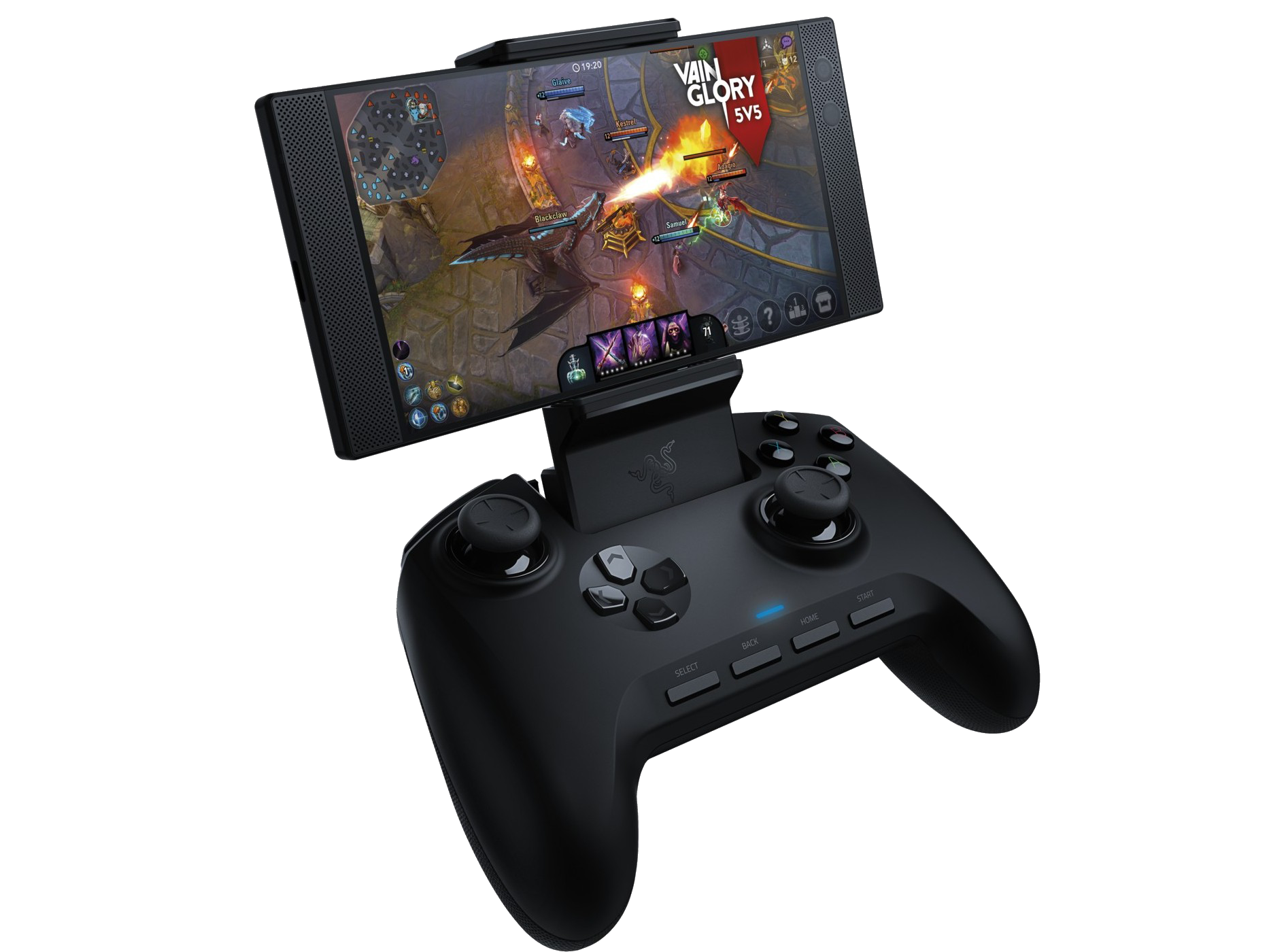
Imagine being able to use this on an iPhone https://www.notebookcheck.net/fileadmin/Notebooks/News/_nc3/Razer_Raiju_Mobile_Teaser.png

It pairs, but no response whatsoever
burnt river
dont worry if its bluetooth and ya have access amd patienc i promise to atfempt to add support 😃
i want ncontrol to support as many controllers as possible
 umbral schooner
Is it possible to edit the deadzones on the switch pro controller with the new version of nControl? The left joystick seems to input left in its idle position.
burnt river
@umbral schooner there is not 😦 ive been trying off and on to parse their actual stored calibration data but its in the weirdest format ever. improving that experience is really high in my priority list i just havent had any luck with it yet
sorry about that
its definitely on my radar
umbral schooner
that sounds annoying lol, I appreciate everything you've done so far though :)
burnt river
its very annoying lol and the RE documentation on it is really detailed but still a little hard to understand. i wanted to spend time on it in the latest round but i was busy firghting against apples protections a lot of this time around lol
rapid osprey
COD mobile is fun
burnt river
haha nice
rapid osprey
Who needs a switch when you got emulation and steam link
 arctic elbow
What emulator
silent anchor
Perhaps DolphiniOS?
 fallen hazel
suggesting its steam link (so basically, the emulators actually on a pc), probably not
most likely its cemu (wii u emulator) or yuzu (nintendo switch emulator)
burnt river
finally getting to adding this 🙂 https://twitter.com/nitoTV/status/1260030852970381312/photo/1


test out your controler support without a separate app, and FINALLY the start of being able to remap button layouts 😉
rapid osprey
suggesting its steam link (so basically, the emulators actually on a pc), probably not
most likely its cemu (wii u emulator) or yuzu (nintendo switch emulator)
This man knows what he's talking about, I am using cemu then streaming that to my iPhone
 glacial crest
Perhaps DolphiniOS?
@silent anchor dolphinios is for wii games
and gamecube games
that game is neither
thick dove
I’m trying to connect my switch pro controller to my iPhone but it connects for a second then immediately disconnects
Same thing on my iPad
limpid ruin
If you're on iOS 13 it's a known problem, NitoTV is working on a fix and it should be out soon hopefully
thick dove
He already pushed the update on the 7th
 fickle frigate
Guys sorry for my ignorance, but do the share, ps button and options on ds4 work properly?
Tried them on emulators and they all seem to act weird
I’m on iOS 12.4
 loud bridge
they don't
mfi controllers don't have a start or back button
they're set up so they act as the start and select button in provenance
 old stream
can my ipad air 3 v13.4.1 support nControl?
limpid ruin
Unless you're using it for switch pro or joycon controllers on their side there isn't much use
Since you're on iOS 13
old stream
@limpid ruin i have the switch pro control and i purchased nControl and linked my device but its not installing the app =/
not sure if im doing something wrong
 strange swallow
It definitely worked on iOS 12.4 last time I remember
 heady nacelle
Guys
Ncontrol can’t find my ipega 9129 controller
Help?
I can find the controller on my bluetooth settings but not on ncontrol
burnt river
@heady nacelle i still have yet to put out the new version that supports that controller i think. it should be out soon. just waiting on some server stuff to get QA'd so i can get updgrade that first.
heady nacelle
I see. Thanks!
 proper flax
Is ncontrol worth it? Im asking because its pretty pricy
proper flax
Um my ipad cant seem to find my switch joycon controllers, is there anything i have to do before connecting?
limpid ruin
Are your joycons being put into pairing mode?
proper flax
Ooooo im stupid, thanks
limpid ruin
lol
proper flax
Omggg my left joycon isnt connecting
 nimble pecan
what is this?
 velvet gyro
ncontrol tweak
nimble pecan
what does it do
velvet gyro
allows you to use console controllers on phone
proper flax
Oml
So uh im trying to pair my left joycon but when i connect it, it doesnt work and when i return to the “Available Device” menu, its gone
OMG
Nvm it worked finally
 random dawn
does nControl work on tvOS?
burnt river
@random dawn yes but its a separate purchase right now because i dont control both infrastructure for iOS and tvOS purchasing yet. eventually there will be a way to buy them bundled. just havent gotten there yet
re: joycon questions i tried to spend time yesterday with both and a grip for the first time to make them work as one. its going to be a LOT of work and i just havent had time to get it knocked out yet. still in the proces of a massive UI upgrade
heady nacelle
When will the next ncontrol update come out?
split siren
@heady nacelle Oh, finally someone with the same controller as I have. 😂 I really hope he is gonna make it work
heady nacelle
@split siren yep same, hopefully soon
 distant jay
I don’t understand why did my message get deleted. If I’m breaking any rule tell me, thanks. I can’t connect my joycons or nintendo switch pro controller to my 11 Pro Max on iOS 13.5 with NControl. Can anyone help?
 hardy totem
@burnt river Nito seems to be any problem with the last nControl update
I canˋt even open it
 cosmic grail
What is ncontrol used for?
Since 13.5 can natively support it
Controllers*
13 in general matter of fact
limpid ruin
Switch controllers can't be used, but it's still useful for those on 12 and below
 quick kite
@burnt river Nito seems to be any problem with the last nControl update
@hardy totem having the same issue, on ipadOS 13.5 if I rollback it works.
 digital raptor
@hardy totem I'm having the same issue as well. If I downgrade it, it works. Still not picking up my ipega controller though...
limpid ruin
Mate the guy is having the same problem, he hasn't said he found a fix. Just be patient about it and Nito will eventually post an update about it
 dim talon
What is N control
limpid ruin
Tweak that allows you to use most mainstream non MFI controllers
heady nacelle
What’s the changelog for the latest update?
heady nacelle
@split siren ipega 9129 finally works btw in the latest update
split siren
Yeah it works almost great. The only problems I have are, that you cannot press multiple d-pad buttons at once, you cannot press L3 and R3 at the same time. And also that there is no menu button. Because when I press start it shows this (first pic) and when I press back it shows this (second pic). But other than it works great, now I can finally play Minecraft 😂
It also crashes when I try to rebind something
But thanks for the good work 😊
quick kite
using an ipega 9023 here, also cannot do diagonals like Chytris just said. Would any logs help on this ?
thick dove
Same for me it crashes when trying to reconfigure the buttons, it’s driving me insane
 distant wagon
Can I use ncontrol to play cod mobile with ps4 controller?
 frozen granite
Can I use ncontrol to play cod mobile with ps4 controller?
@distant wagon there’s a tweak called codmc that adds controller support. It’s on the nito beta repo
If you’re on iOS 13 or later PS4 controllers are supported anyway
 mossy marlin
I don’t know if this has been mentioned, but Xbox Elite S2 does not work on ncontrol v1.4.0-15 - v1.7.0-5/iOS 13.5 (ipad pro or iphone 11)
It will connect momentarily, then DC, and repeat.
CS-error.log:
2020-05-31 13:41:16.192 controllersupportd[1350:25992] the error: (null)
CS.log: empty
distant wagon
@frozen granite ah wow really, thank you do u know what repo its on its worth a try!
frozen granite
@frozen granite ah wow really, thank you do u know what repo its on its worth a try!
@distant wagon https://nitosoft.com/beta2/
I’m not sure if it still works but it’s on this repo
limpid ruin
You actually don't need the tweak anymore I'm pretty sure
random dawn
does nControl work with wired ps3 controllers using an adapter?
limpid ruin
It does not
random dawn
Nice
 ancient escarp
I have a problem with connecting joycon on a12x device on iOS 13.5. The joycon was recognised by nControl but it was unable to connect. Precisely when my joycon connect to iPad it immediately shuts down. How can I resolve?
 sly spoke
i’m having problems configuring my ps4 controller through ncontrol could someone help me?
 severe wave
Can I use nControl to map functions to PS4 buttons? I’m on 13.5 and can already connect the controller. I have a number of AutoTouch scripts (screen macro recorder/programming and playback) that I’d like to map to various buttons on the controller.
 warped timber
@ancient escarp I’m having the exact same issue connecting my joy-con on my iPhone SE 2020 iOS 13.5
ancient escarp
So, probably there is a bug with a12-a13 device @warped timber
 flat girder
I have a problem with connecting joycon on a12x device on iOS 13.5. The joycon was recognised by nControl but it was unable to connect. Precisely when my joycon connect to iPad it immediately shuts down. How can I resolve?
@ancient escarp same here
mossy marlin
Same here
 fervent sparrow
i deleted the ncontrol tweak but the app icon remains on my home screen. unable to delete manually. rebooted and it’s still there.
 woeful python
Is there a point in getting this tweak on iOS 13+
 midnight grove
I’m having problems with 13.5 also on an a13 device, everything worked perfect on 12.4
Now it doesn’t even see the Pro controller
midnight grove
By restarting BT services I can see the controller but it won't connect properly
mossy marlin
Same. I think it’s not been updated for 13.5 specifically and not likely to, anytime soon, with everything going on
midnight grove
Well I requested a refund but i doubt I'll get it tbh
Whole tweak is useless, borrowed a PS4 controller for now, having some trouble pairing it but I'll play more when I get home
midnight grove
Paired no problem, works great
Hate that it's microUSB and the layout is way less nice than the pro controller or XBone, but it's free 🤣
mossy marlin
I only got it for elite s2 support but it don’t work on ios 13.5, lol. It might work on apple tv but i’m not sure
midnight grove
Yeah seems to be busted on 13.5
 timid cave
Ncontrol has latency fix?
midnight grove
I doubt it
Wireless will always introduce latency, as will emulation
It's also broken on iOS 13.4 and 13.5
At least it is for a12x devices
timid cave
Oh it’s to delayed like I press x, 7 years later oh he pressed x
midnight grove
Might be a performance issue, not latency
If you’re dropping frames you’ll have control issues
timid cave
What lit games support controller anyways except fortnite
midnight grove
Anything that supports MFi will support the ncontrol options
midnight grove
Are there any other support resources out there for ncontrol other than this channel?
Trying to pinpoint how widespread these issues are
mossy marlin
Not that I could find. NitoTV has a twitter, but ncontrol specifically does not. The wiki doesn’t list anything and there’s no support email from what I could find.
midnight grove
I requested a refund, but I doubt packix will oblige even though it's blatantly falsely advertised
split siren
You can still wait for an update. My controller wasnt supported for a long time. But he started posting updates about a week ago and now it works, for the most part
midnight grove
The problem isn't a controller, it seems to be broken on iOS 13 for a12x and a13 devices
So I'm hopeful, as Switch controllers are my preferred, but the whole process felt so shady I'm honestly not holding my breath
limpid ruin
@midnight grove you might be able to find some people on the provenance emulator discord
 warped aurora
Is there a way to connect two joycons as one controller
midnight grove
No
warped aurora
Rip
mossy marlin
That’s actually really hard. There were some devs working on making that work for dolphin way back when the switch first launched and I think they actually gave up. Not sure, haven’t looked in a while.
rigid smelt
Oh it’s to delayed like I press x, 7 years later oh he pressed x
@timid cave I have the same problem here, it’s terrible!
timid cave
Yup any solution cuz it’s very fun playing games with a controler but when it gets so delayed I can play
rigid smelt
And some time the delay starts after minutes or right away
I will try install the older version of the nControl
timid cave
Yup it’s so shit ncontrol sometimes man
rigid smelt
And it’s so strange because my switch pro controller does not have the latency
Only on ps4 controller
timid cave
I think it’s because you can just connect via Bluetooth normally with the pro controler
rigid smelt
Maybe because the Bluetooth protocol of the pro controller is more updated and more new
midnight grove
Ncontrol really needs some love
This should be a killer app
Instead it’s a clustertruck
rigid smelt
@timid cave I installed the version 1.4 and its working flawless ! No latency
On ps4 controller
midnight grove
You on iPhone 11 or iPad Pro?
old stream
Where can I suggest the ps4 scuf vantage 2 be supported in this app
midnight grove
This might go without saying, but is @burnt river aware of the 13.5 issues? Pretty bummed that I spent $10 on an app that doesn’t function still. Even though I have a ps4 controller I would vastly prefer switch pro
Seems to be a lot of confirmed cases. seems mostly a12/a13 though
Packix still hasn’t responded to my request
grave monolith
@midnight grove have you tried yourcontrol?
midnight grove
I have and it doesn’t do anything
It uninstalls Ncontrol
And doesn’t give me anything else in return
 onyx gazelle
Has someone a idea how I can use my Switch Pro Controller on my iPad Air 3 iOS 13.5
Had problems already connecting it with iOS 13.3
Annoys me so much
midnight grove
It seems borked
12.4 was a dream. 13.5 set my $10 on fire
@grave monolith is there something I’m missing with yourcontrol? As mentioned all it seems to do is uninstall Ncontrol
midnight grove
It’s in the nito repo
onyx gazelle
How's the url?
midnight grove
mossy marlin
Install yourcontrol with ncontrol < 1.4.0-xx
I don’t know if that actually fixes anything, I just know that’s how you install both
midnight grove
Well that lets me have them both but still accomplishes nothing
 ember atlas
On iOS 13.4.1 with iPad Pro 10.5 in nControl is working except for configure button mapping
As soon as i try to edit a key it crashes
Anybody have any fixes?
Or workarounds
ember atlas
Date: 6/10/20, 12:55 AM
Process: nControliOS
Bundle id: com.nito.ncontrol
Device: iPad Pro (10.5-inch), iOS 13.4.1
Bundle version: 2.0
Exception type: NSGenericException
Reason: Your application has presented a UIAlertController (<UIAlertController: 0x13a82aa00>) of style UIAlertControllerStyleActionSheet from UINavigationController (<UINavigationController: 0x13b808200>). The modalPresentationStyle of a UIAlertController with this style is UIModalPresentationPopover. You must provide location information for this popover through the alert controller's popoverPresentationController. You must provide either a sourceView and sourceRect or a barButtonItem. If this information is not known when you present the alert controller, you may provide it in the UIPopoverPresentationControllerDelegate method -prepareForPopoverPresentation.
Culprit: Unknown
Actually found a workaround for configuring controller button mappings on iPad
It works if you open nControl in popover/split view
midnight grove
Well that’s what the error message says to do so that makes sense
My a12 and a13 devices aren’t compatible
onyx gazelle
What's so hard about having working switch pro controller support without iOS blocking that?
Just asking with interest
midnight grove
Well iOS blocks most BT controllers
The nControl issues seem to be a bug in a12 and a13 devices on iOS 13
silent anchor
@ember atlas that error sounds like nControl needs to be updated for iOS 13.4+
oh wait I thought it's UIAlertView
midnight grove
It does need to get updated for 13.4 and a12/a13 devices. I paid $10 for it a week ago only to find it completely non functional and packix has ignored all my messages
I’ve tried pinging @burnt river but they havent been online
 sacred snow
Hey is there any way to get nControl to work with switch pro controller on fortnite the right stick seems to be borked
I am using unc0ver 5.0.1 becuase it fixes random ios crashes
and kernbypass to get around jailbreak detection
midnight grove
Borked as in non functional or not properly mapped?
 cedar wharf
I'm having an issue getting ncontrol to stay connected to an Xbox Elite Series 2 controller, it will connect for about 2-3 seconds then drop off. I'm using an Ipad Pro 11"
on ios 13.5
midnight grove
App is Broken on iOS 13.4+ in a12 and a13 devices
silent anchor
Is there a way to add support for ipega pg 9078 to ios 12.2?
My controller connects but its recognised as a keyboard
Maybe the support of pg 9023 or 9069 would make it easier in some way?
onyx gazelle
Anyone tested if nControl works on iOS 13.5.5 Beta 1 with Switch Pro Controllers?
midnight grove
It’s no longer signed so we’d need a very specific person 
quaint cradle
ncontrol works fine on a13 and ios 13.5 (i have tested it just now)
(on the ipega 9083 and 9087s
midnight grove
DS4, Switch Pro, and Joycons all fail to pair
 sly gale
Xbox Elite Series 2 controller will connect for 2-3 seconds and drop off using iPad Pro 12.9”
iOS 13.5 jailbreak
quiet goblet
So original
prisma swift
nice job
midnight grove
It’s only been about 2x weeks since the last updated, though I am annoyed that packix completely ignored my messages
sly gale
Everybody tweet him so he does something about it
midnight grove
Update came out today
Idk if it fixes it though
Won’t be able to test for a couple hours
mossy marlin
1.7.5-1 released - Elite S2 still won’t connect iP11P 13.5
 dapper igloo
NControl latest version, iOS 13.5; Trying to connect my switch pro controller and the joy cons however when I do it it connects for a split second then disconnects, how can I solve this issue
midnight grove
Sony PlayStation DUALSHOCK 4/Slim
Xbox One (Bluetooth model)
EVO VR Pro
EVO VR Controller
Nintendo Switch Joy-Con
Nintendo Switch Pro
iPega controller
I don’t think the elite works even if nControl were functional
dapper igloo
Nintendo controller aren’t working atm how can I fix it?
midnight grove
Device?
dapper igloo
iPhone XS Max
midnight grove
Try deleting it from your BT config. Was it working on the last version?
mossy marlin
Elite S2 was added in the change logs for 1.7.0-20, but its probably it doesn’t work
Its also the only controller I have that isn’t support by stock ios
dapper igloo
Tried that it isn’t working
I’ve only just downloaded it
Just connects then disconnects
midnight grove
Still broken for me
 stone escarp
Yo
so the new nControl puts me in a respring loop
I'll try to get logs if I got some
huh it might be cylinder wait
i'll try updating ncontrol again if it happens then it might be a conflict with cylinder??????????
odd
huh yeah
the new ncontrol update conflicts with cylinder in that it crashes springboard :/
odd
midnight grove
Wonder if he’s aware of the iOS 13.4 and 13.5 issues
dapper igloo
Does anyone have an email for him?
mossy marlin
You have to tweet him
I removed all my tweaks and reset network settings, so it’s not a compatibility issue, its just a13 ios 13.5 🤷♂️
mossy marlin
Everyone give me your idevice type, ios version, and attempted controllers and I’ll pass it on to nito. Ive opened a dialogue with him on Twitter
split siren
For me, the new version of nControl puts me into respring loop, even when I disable all other tweaks, iPhone 8 iOS 13.5
The older version works with my iPega 9129, except for diagonals, start and back button, pressing l3 and r3 at the same time and rebinding buttons
And I dont understand why doesnt he just read it here. I saw his messages once in this discord, so he knows about it
split siren
The new version does work on my iPad mini 2, iOS 12.4, but the issues are still the same
Start button is shown as L1+L2+R2+R1+X and back button as L1+L2+R2+R1+Dpad right
limpid ruin
Those are because iOS doesn't support start or select buttons
They're provenance shortcuts
split siren
They are shown in nControl tho
And iOS does support them
or atleast the "menu" button
limpid ruin
As far as I know, iOS itself doesn't have any recognition of the start or select buttons
split siren
Well yeah, but thats what nControl is for
there are 3 extra buttons in the middle
if the back and start butten were shown correctly, I could map them to them
limpid ruin
Ncontrol recognizes them as buttons, but by default they're bound to a shortcut for the provenance emulator
limpid ruin
That's just how NitoTV decided to have them by default
split siren
Seems pretty strange, but if thats true, that would mean that I should just be able to rebind them
if he fixes the crashing
A lot of apps and games use the menu button
for... accesing menu
 frosty tree
So, I just bought nControl and after installing it, it sent my iPad in to an endless respring.
I've got it uninstalled again but wondering if this is a bug or know issue before trying to reinstall it again
iPad 7 running iOS 13.5
midnight grove
@mossy marlin iPhone SE 13.4.1 and 11” 2018 iPad Pro 13.5
I’ve attempted switch Pro, Joycon, and DS4
frosty tree
I managed to get it working by clicking downgrade in Cydia and installing version 1.7.0-5
My Ipega 9083s works somewhat with this version but has funky mappings for the select and start buttons which can't really be used in their current form.
Not sure if newer versions fix this as I can't install newer than 1.7.0-5 without getting an endless respring.
Hoping a new working update will come out
@burnt river Sorry for the ping but FYI
stone escarp
Has anyone else tested that the new nControl does not do a respring loop?
mossy marlin
Chytris, do you have have filza or something like it? There’s 2 log files located at (/Library/Logs). “controllersupport-Error.log” and “controllersupport.log”
Would you mind seeing if those files are there/anything in them? I wonder if it will tell you whats up. Sounds like a tweak compatibility issue though
Sorry, for the late response, been a busy few days
split siren
The new version works good for me now. Even the start and select button show up correctly
The only problem is the crashing when trying to rebind them now
And the diagonals
silent anchor
Can anyone help me get my ipega 9078 to work on my device?
I have the latest version of ncontrol installed
When i connect it either shows up as a keyboard or as “misc” and does not work with terraria
silent anchor
When i try to configure it fails to create a report
I tried using the x input mode and the Y+home mode
Also i’m confused which button is my “hold menu” button
There is a controllersupport-error.log that has text in it
midnight grove
Problems still exist for a12 and a13 devices 
silent anchor
Can you help please :(((
mossy marlin
Hey chunga, I remember seeing someone talk about ipega9078 solution further up in the chat. You might scroll back and take a look
 lyric stone
how do i connect my joycons to my ipad?
silent anchor
It was me. Nothing has happened since
 hearty nexus
Is ncontrol for iPhone?
midnight grove
Yes it’s universal. Broken on iOS 13 a12 and a13 devices
quaint cradle
works here on my iphone 11 pro (13.5)
and ipad pro (a12x)
tested it with ipega9021, 9023, 9083s and 9087s
midnight grove
Idk about pega,
But I’ve tested SwitchPro, switch Joycon, and Ds4
IPad Pro and 2020 iPhone SE
frosty tree
Hey @quaint cradle what version of nControl are you using and does it map the ipega 9083s start and select correctly?
limpid ruin
Doesn't even load 😎
quaint cradle
@frosty tree I am using 1.7.5-9. Start and select do not work
but all the other buttons work with analogs and analog clickins
frosty tree
@frosty tree I am using 1.7.5-9. Start and select do not work<
@quaint cradle Ah ok. Are you working with nitoTV to fix the mappings for start and select? Or is it a case of it is what it is?
quaint cradle
i did that already with nitotv. but there were issues initially with start and select being automatically mapped to multiple buttons. he may have removed it until there is a fix
these both would map on automatically for some reason to a button, start/select and one of the dpads at the same time
@frosty tree
the ipega 9083s and 9087s are internally identical (apart from one having a manual switch for modes (rather than using combination of button and home for mode selection)
9021 and 9023 were already working before that update
midnight grove
Bought a new iPad. Hopefully it’s on 12.4.1 and I can have a usable nControl again
grave monolith
@midnight grove depending on the generation, i highly doubt it'll be on 12
midnight grove
It’s a 2018 pro so it’s pretty likely
50-50 odds I’d say
1TB so I have extra RAM for DolphiniOS
onyx gazelle
Switch still broken ?
 frail fable
Does this work with emulators like delta or retroarch?
 south adder
Hello everybody, just purchased nControl to use my Switch Pro controller on phone but it doesn’t work. It connects and instantly disconnects again. Reading up tells me this is a known issue. Any idea when it’ll be fixed?
I’m on iOS 13.4.1, iPhone SE 2020 so the A13 Bionic chip
south adder
Hm, don’t think I have Twitter. Thanks anyway man
midnight grove
Just tested 13.3.1 on iPad Pro (a12x) and also doesn’t work
onyx gazelle
We're all stuck
lyric stone
Hello everybody, just purchased nControl to use my Switch Pro controller on phone but it doesn’t work. It connects and instantly disconnects again. Reading up tells me this is a known issue. Any idea when it’ll be fixed?
@south adder SAME!
onyx gazelle
Got nControl to for my Switch Pro Controller
I love this controller
To bad Apple added support for Elite 2 Controller and Xbox Adaptive in iOS 14 but not Switch Pro
silent anchor
Ncontrol doesn’t work for ps3 controllers, right?
 dawn wigeon
ember atlas
dawn wigeon
ember atlas
@ember atlas that error sounds like nControl needs to be updated for iOS 13.4+
@silent anchor I've updated my iPad to iPadOS 13.5 and I still have the same issue, wherein I am able to connect my Switch Pro controller using nControl, but am unable to configure button mappings without opening nControl in Split-View with another app (I use Preferences on left and nControl on right). It has something to do with the popup that appears giving you the available options for remapping the button pressed.
As far as I can tell nControl simply hasn't been updated for iPadOS in general.
Specifically the UIAlertController action sheet hasn't been updated to fully support UIModalPresentationPopover style for iPadOS.
Previous message with log: #palera1n message
 ember spire
Does ncontrol work fine for pro controllers now ? Wanna get it for dolphin, but not waste $10
midnight grove
Not on a12 or a13 devices on iOS 13
A12 on iOS 12 was functional
It may work on earlier models but i don’t have any to test
ember spire
Hmm. My MFi controller grip I used for my 8 plus works on my XS Max
 inner flume
How do I restore my purchase for Ncontrol?
midnight grove
Link your device on packix probably?
inner flume
It is linked but it’s not showing that I purchased it despite me doing so
midnight grove
Did you use the wrong login info?
I’d say contact packix but they haven’t responded to any of my messsages
south adder
Any news on support for new chipsets?
midnight grove
No. Believe me I’ll be testing as soon as a new version lands. There’s no point in asking if there hasn’t been an update to the repo
midnight grove
From what I can tell it seems the dev doesn’t have an A12 or a13 device so probably doesn’t even have the capability to test our problems
south adder
Alright, alright, settle down, I’m sorry. 🙂 does suck he might not have the devices to test... 😮 and seeing there’s a fee you have to pay, I guess it’s not open source. 😦
onyx gazelle
lets save us some cash, like 300 bugs to buy this guy a iphone xr or something😂
just kidding
woeful python
theres really no point in using NControl once you are on iOS 13 as it adds native support to most bluetooth controllers
@south adder @midnight grove @onyx gazelle
midnight grove
Completely false
It adds native support to exactly 2x BT controllers
Ps4 and XBOne S
limpid ruin
2 of quite possibly the most popular controllers there are
And many 8BitDo controllers due to how they connect
midnight grove
2 controllers that do not charge via USB C and that are not as good as the controller that does
Saying NControl “isn’t worth it”depends whether you think $10 to use your existing controllers is better than $60 for a new one
And also, using a DS4 for GameCube games is just shit
limpid ruin
As far as I know there is nothing that will work well for gamecube on ios other than controllers that afaik aren't supported by ncontrol anyways
midnight grove
Switch pro is fine other than lack of analog triggers
Which is 100% the reason to own NControl today
Also, telling people it’s useless after they’ve already bought it and found it to not work is ESPECIALLY useless
limpid ruin
Why not use an Xbone controller then? same layout as a switch pro controller
midnight grove
The fact is many people have controllers other than Ds4 and XBOne S
You wanna buy me one?
limpid ruin
Good point
midnight grove
You buy Me one I’ll use that. Until then I make due with the garbage DS4 im borrowing. What SHOULD happen is the tweak I bought that explicitly marketed itself as working on iOS 13 should work
Then I and my partner can use the controller we prefer
And then I can also charge the controller via the iPad instead of needing a separate one
And also, microUSB is the devil
limpid ruin
That I do agree with
midnight grove
So I’d say there are many points to ncontrol still @woeful python , it’s not our fault packix/nitoTV won’t update the description at least
woeful python
i agree with that for use below ios 13 the only thing that doesnt work with ios 13 is nintendos controllers
and i never said ncontrol isnt worth it
MFI controllers work natively with ios to begin with
if im not mistaken
ncontrol allowed controllers that werent mfi to work with ios
midnight grove
Yes you are correct
woeful python
Switch pro is fine other than lack of analog triggers
@midnight grove the switch pros dpad is ass
midnight grove
Again, if you’d like to purchase one of those controllers for me then do it
Lolol it’s FAR better than XBOne or Ds4
woeful python
its to squishy for me
midnight grove
Those are embarrassing d pads
woeful python
i prefer the xbone dpad
midnight grove
Gross
woeful python
your opinion
woeful python
the DS4 is a sore excuse for a controller to begin with
midnight grove
Agreed which is what makes ncontrol ESSENTIAL
woeful python
i can agree with that statement on the SNES controllers
limpid ruin
Those are fighting words right there
woeful python
what about the DS4 being a sore excuse for a controller?
limpid ruin
Compared to the DS3 or even the Sixaxis it is amazing
woeful python
i hate the playstation controller
midnight grove
I’d almost rather not play GCN games than play them with DS4
woeful python
the layout is ass
woeful python
not to mention it does not fit that well in my hands it just feels od
odd
than again i do have a bias towards the xbox controllers so
woeful python
or the layout of the xbox controllers
midnight grove
The sticks have grown on me but the triggers have not
limpid ruin
I've grown up with playstation controllers, so it's most likely just the bias of that
woeful python
but unfortunately its the only controller i have access to at the moment
midnight grove
I have most but the only one I want to use doesn’t work and my XBOne controller is an old non BT one
woeful python
rip
midnight grove
So I borrow a Ds4 until ncontrol gets its shit together
woeful python
what controller do you have that doesnt work? pro controller?
midnight grove
Yes
woeful python
ahh
midnight grove
And Joycons of course
woeful python
if im going to spend $60 on a controller tho ill just get an xbone controller since i have a switch lite which doesnt dock
midnight grove
I will NEVER pay money for a microUSB product again as long as I live
Hard line
And I’m certainly not buying a SECOND XBOne controller when I don’t have an XBOne
midnight grove
Yes and USB C both of which work beautifully with the Swtich Pro controller
Again if you want to buy me an XBOne S controller I’ll gladly use it
woeful python
how much is the pro controller now?
midnight grove
$60
woeful python
maybe ill look into getting a used one and just deal with the dpad since my computer has a usb c port in it
so i have a few options to connect it since my pc doesnt have bluetooth
but than again id like to use a controller with my iPhone/iPad but ncontrol doesnt work on ios 13 yet so id be better off getting the xbone controller
midnight grove
I’ll be damned if I’m buying anything else
woeful python
nintendo did good adopting the xbox controller layout
midnight grove
If I were shopping today and didn’t already have all this I’d probably get XBONE S controller
woeful python
i feel like the fact that the xbone s controller is bluetooth is reason enough to spend the money
midnight grove
But without usb c I won’t buy anything these days
MicroUSB is more than enough reason to throw it in the garbage though
So pick your poison
woeful python
as long as you treat it good it will be more than enough
midnight grove
Less clicks dpad (which is actually much better for things like fighting games) or MicroUSB
No
MicroUSB is fundamentally flawed and literally degrades itself beyond repair by regular use
It’s a 1mm thick connector with moving parts for some idiotic reason
woeful python
what if apple came out with their own controller utilizing the lightning connector
midnight grove
The whole thing is embarrassing and requires it’s own controller in 2020. So then one is stuck with usb C, lightning, AND MicroUSB chargers? 🚮
woeful python
would you buy that
woeful python
apple is moving to usb c for their chargers
midnight grove
Emulators have input latency by definition so it’s not like that would matter
woeful python
i reckon the lightning cable will be obsolete in a few years
midnight grove
Depends who you listen to
I made the switch to a 2020 SE in spite of lightning because I don’t believe we will get a usb C iPhone any more
I had been holding out for exactly that
midnight grove
It’s already confirmed not to be usb C
woeful python
oh is it
midnight grove
I have 2x 2018 iPad Pros right here
midnight grove
Well I am selling the 256GB one
woeful python
for?
midnight grove
It’s listed on Swappa at 720 usd, I’m pretty flexible though
woeful python
ios version?
midnight grove
I just upgraded to a 1TB, so this one is just collecting dust
13.5, some idiot told me it was worth updating while 13.5 was still signed. Huge mistake imo, but everything other than ncontrol works
 marble horizon
 midnight grove
You can tweet at the developer. @kb
onyx gazelle
@woeful python Nintendo didn‘t stole the Xbox controller layout?
Gameboy had already (A) and (B) buttons and followed with the nintendo ds 2004 with the standard (A) (B) (X) and (Y)
woeful python
the gameboy does not have the xbox controller layout fuck you mean
the gameboy dont even have joysticks bruh
@onyx gazelle
limpid ruin
Layout as in where everything is placed, not button names/labels
Although neither could have stolen the design, as the offset joystick was introduced in the 6th generation I believe with both Nintendo and Microsoft doing it
woeful python
And for the record I never said anyone stole anything I just said that I prefer the layout
midnight grove
Also you seem to have forgotten the NES and SNES, ma9
onyx gazelle
@midnight grove I just wasn't sure about NES and SNES
midnight grove
Google is a thing. If you weren’t sure you probably shouldn’t be correcting others 😉
 tribal yarrow
This might be a little nit picky
The Lstick isn’t fully going to the center
This kinda screws with Minecraft
loud bridge
can’t you adjust ur deadzone
umbral schooner
@loud bridge Is there a way to do that?
 fluid pewter
Why whenever I try to connect to my Nintendo switch pro controller it doesn’t connect
onyx gazelle
Daily question
fluid pewter
Why won’t my controller connect
midnight grove
Because nControl is broken rn
limpid ruin
App that allows most mainstream wireless controllers to connect to iOS
 manic egret
@limpid ruin does it work is my next question
limpid ruin
I can only comment on the PS4 support for 12.4, which it works as well as I expected it to
Which is to say it connects and is a controller
I've heard there's problems with the Switch Pro controller on iOS 13 though
As can be seen if you scroll up a few lines
midnight grove
It works great on iOS 12. Worked perfectly with my switch controller
Upgraded my iPad though and it doesn’t work with 13.3.1 or 13.4
midnight grove
After escalating the refund through packix I did finally get my refund
silent anchor
nControl doesn’t work for iOS 13.3.1 :(?
midnight grove
Not with switch pro controller on a12 and A13 devices at least
 dapper whale
what is ncontrol?
silent anchor
Ohh @midnight grove
Cause it worked for me on the controller I helped him with and I was relieved
If you want I could ask him and help him with adding support for the Switch Pro controller for you @midnight grove
I think he will be happy to add support for as much controllers as he can get
And I personally will be happy to help
@dapper whale nControl is a tweak that adds support to gaming controllers that aren’t supported by default on iOS 13 such as Switch Pro controllers, Android only controllers, etc
midnight grove
Feel free. Switch Pro support was already added and worked great on iOS 12. The problem is iOS 13
silent anchor
works fine on 13.5 for me
dapper whale
Ohh shi what this is dope
is it customizable tho? Or is it only restricted to apps that can support a controller
midnight grove
It’s for any app that supports MFi controllers
The beta nitoTV repo has some game specific tweaks
@silent anchor with a switch controller on a12/a13 device?
dapper whale
supports joy cons?
limpid ruin
It does support them but only a single one on it's side
dapper whale
aw dang
 candid thistle
Does nControl work with ipega controller on ios 13.5?
candid thistle
??
 keen moat
wut is nControl
nControl is a tweak that adds support to gaming controllers that aren’t supported by default on iOS 13 such as Switch Pro controllers, Android only controllers, etc

midnight grove
Many ipega do work with nControl, but there are some issues with iOS 13 and certain controllers
midnight grove
Yes nControl supports single Joycons but is broken on iOS 13
candid thistle
I just got nControl on my ipad i I have an ipega controller and it's working fine, but when i try playing games it identifies the start button as select/share button, but when i go back to nControl and check, everything is fine, can anyone please help me?
candid thistle
Anyone else has this problem?
limpid ruin
You cannot sadly
midnight grove
Nope
shrewd snow
.
sly gale
FORGET THIS TWEAK AND JUST DOWNLOAD IOS 14 BETA
tribal yarrow
Tough luck
silent anchor
@midnight grove That's what I thought. They don't even connect on my iOS 13 device. They immediately disconnect when I connect them. But I wish NitoTV would be back their support 😦 I miss them so much.
Best travel gaming controllers. Easy to carry and use
Or maybe add support for the 8BitDos

 limpid ruin
Pretty sure you can connect them through iOS if they can be switched to MacOS pairing mode
Same method as pairing an SN30 Pro
midnight grove
FORGET THIS TWEAK AND JUST DOWNLOAD IOS 14 BETA
@sly gale I have no idea why you think this is a good idea. iOS 13 already supports DS4 and XBOne S controllers
silent anchor
@limpid ruin Really?!?!
Let me check
Nope, that was Zero 1
It doesn’t work now :/
Hmm a video on YouTube shows it connected to the iPad, but mine doesn’t even show on the bluetooth’s list
silent anchor
Damn I screwed up
It connected to my iPad now it ONLY connects to my iPad.
IT keeps asking for a passcode "0000" and only shows up on the iPad
torpid violet
ios 14 doesn't support switch controllers as far as I'm aware
 solemn lichen
Can I connect ps3 controller with ncontrol?
limpid ruin
You cannot
woeful python
Can I connect ps3 controller with ncontrol?
@solemn lichen only Bluetooth controllers
solemn lichen
It has Bluetooth
limpid ruin
It's due to the way the PS3 controller connects, rather than just supporting Bluetooth controllers
It's like how the wiimote connects through Bluetooth, but you have to do some extra work to get them to connect
 thin jungle
So from what I’m seeing on older comments... Switch Pro controllers and Joy-Cons do not work for nControl on iOS 13?
silent anchor
So from what I’m seeing on older comments... Switch Pro controllers and Joy-Cons do not work for nControl on iOS 13?
@thin jungle If you are using legit nControl, the latest version of it, they do. Am using my switch pro controller on it just fine.
thin jungle
I purchased it from Packix... and it doesn’t seem to work. My Joy-Con connects and then immediately turns off.
@silent anchor what firmware are you on?
silent anchor
@silent anchor what firmware are you on?
@thin jungle 13.5.1 Odysseyra1n, try connecting a pro controller and see if that works for you.
thin jungle
I have. It does the same exact thing. Connects briefly and then the controller shuts off.
silent anchor
I have. It does the same exact thing. Connects briefly and then the controller shuts off.
@thin jungle What jailbreak / ios version?
thin jungle
13.5 unc0ver
silent anchor
13.5 unc0ver
@thin jungle Might be something with 13.5, I was on 13.5 but didn’t work for me, on 13.5.1 it did work for me.