#futurerestore-help
1 messages · Page 265 of 1
 grim wren
 valid adder
linux_fix.sh will be the path to linux_fix.sh if theres no path it assumes linux_fix.sh is in the current directory @placid gorge
 surreal perch
So I just futurerestored my iPhone and the gui says it succeeded/ended but i've been on the apple logo for a few minutes now, should I be worried
valid adder
@celest basalt wym nothing happened the script printed out instructions for you to fullfill
valid adder
surreal perch
So I just futurerestored my iPhone and the gui says it succeeded/ended but i've ...
have you never updated an iPhone before? it takes a while its nothing exclusive to fr
then it didn't work any you should be asking for help not trying fr again
fucking ubuntu
dogshit as ever
just add bash after sudo
surreal perch
oh crud it's been bootlooping
valid adder
@surreal perch post full restore log please
 vocal basin

@compact venture I successfully updating to iOS 15.1 and the Apple Watch is still paired to the iPhone.
Note:
• I used future restore gui on a mac VM.
• Using Coolstar guide. On Step 3. I didn’t erase contents and settings on my iPhone.
surreal perch
valid adder
<@!135597845230125056> post full restore log please
unfortunately i'm a huge dummy and accidentally closed out of it, it does look like the end of miguelaka's picture though
valid adder
so it succeeded?
surreal perch
yeah it says succeeded but it's stuck in a bootloop
valid adder
did you remember to set custom latest
surreal perch
yes on 15.3.1
valid adder
what device
surreal perch
iphone 12 pro
valid adder
you selected latest sep and baseband?
surreal perch
yes
valid adder
you shouldn't been a bootloop unless you didn't rootfs restore before updating
surreal perch
fuck i didn't, i looked it up on google and a lot of results said it wasn't necessary
rip my iphone and my ipad
valid adder
it is unessary but you used update mode so it was necessary
@surreal perch
did you try exit recovery and hard reset
surreal perch
wait i did? i mustve checked that by accident, fuck
fuck me, now I gotta update both my ipad pro 2018 and iphone 12 to 15.3.1
grim wren
valid adder
did you try exit recovery and hard reset
Someone before did a bunch of force restarts and let their battery drain after bootlooping and it started working
After a update mode futurerestore that is
surreal perch
i guess i'll try that
 hot sorrel
is there a pin to show me how to update from 14.4.1 to 15.1.1?
 storm echo
I gave up. The ubuntu on vm does not have enough space to copy any files. and I had given it 20gigs.. I am done. 😦
hot sorrel
i have Set gen amd everything on my phone and i have rootfs it
i am all so using windows for this i might have to pull out my macbook
valid adder
there is no working windows version
hot sorrel
Well that makes a lot of sense
i was like what am i doing wrong here
ok i am gonna fire up the macbook and download all this Crap again
Thankyou
valid adder
there are important things so don't start the restore until you verify with us
 broken breach
is it stuck? it's been like this for around 5-10 mins

with the apple logo on the iphone
hot sorrel
Ok got the MacBook up
hot sorrel
valid adder
there are important things so don't start the restore until you verify with us
Ready for yeah
broken breach
broken breach
is it stuck? it's been like this for around 5-10 mins
what do i do now?

 broken breach
valid adder
<@!119024906691149824> you didn't follow instructions
broken breach
valid adder
<@!119024906691149824> you didn't follow instructions
i think i did, maybe i missed something that i didn't know.
hot sorrel
ops
broken breach
so there's no way to redo it?
hot sorrel
i have not installed fr on mac yet
grim wren
hot sorrel
Thanks for your Wifi and Bluetooth address 
valid adder
@broken breach show files, options, and settings tabs
hot sorrel
your welcome have at it lol
grim wren
hot sorrel
your welcome have at it lol
Don't even know what id do with it 
hot sorrel
lol


 valid adder
yah...
you were supposed to select custom latest
this fact was all over everywhere
here, multiple servers, twitter
so this is on you for now paying attention to the warnings
broken breach
yup.., so do i just force restore to the latest update?
valid adder
15.3.1 recommended
broken breach
ok thanks.
hot sorrel
hot sorrel
 valid adder
please screenshot...
hot sorrel
how?
 valid adder
enable beta in settings then press download futurerestore
 hot sorrel
 valid adder
now you can begin adding files
hot sorrel
ok
storm echo
cryptic any solution the ubuntu vm having less space in root.. I can paste or download the ispw
I have barely 800 mb out of 20gigs i allocated
valid adder
maybe don't put any files in root
hot sorrel
i have to wait for the 15.1.1 todownload on to this macbook
i should download 15.3.1 as well right?
to use sep and baseband?
valid adder
not at all
thats what custom latest option is for
it downloads latest based off that input
 hot sorrel
 valid adder
like I said enable custom latest for 15.3.1
grim wren
You should be good to proceed
hot sorrel
not the button i am asking whats next
ok
i am gonna do a backup first then i will click the button
after it updates should i set it up as new and not use backup?
or restore it from the latest backup?
from iclould

like that just want to be clear
valid adder
its fine
hot sorrel
ok i am on setup screen can i restore from iCloud back up? or will that cause problems ?
@valid adder i dont want to bother you but can i restore from iclould or set up as a new iphone ?
storm echo
has anyone FR without losing data on the device?
hot sorrel
i think i know my answer if you rootfs your phone then did a backup you are fine if you didn't then do not restorer am i correct?
grim wren
hot sorrel
<@!218213049381683200> i dont want to bother you but can i restore from iclould ...
iCloud backups force you to update
grim wren
storm echo
has anyone FR without losing data on the device?
You can use --update but there appears to be an on and off risk of bootloops
hot sorrel
i just have to reinstall all my apps
storm echo
grim wren
You can use --update but there appears to be an on and off risk of bootloops
Does this ensure no media is deleted?
Ty for answering
But i get the risk
grim wren
storm echo
Does this ensure no media is deleted?
Does the same thing that a regular OTA
storm echo
oh 
grim wren
What device do you have
storm echo
12 / 14.4 u0
grim wren
Ah was gonna say if you were on An X or below you would get a second chance at restoring
storm echo
but I have authenticated banking apps
grim wren
Minute or hour
grim wren
Ah
grim wren
If you're jailbroken just make sure you rootfs restore before proceeding
storm echo
ok
does the --update work .. but then I worry if I end up with bootloop i will lose it all
grim wren
I've only seen one or two people bootloop thus far
One a few weeks ago another just earlier today
It's weird
valid adder
if you don't rootfs restore update tends to fail
grim wren
It was interesting because both people who bootlooped allegedly rootfs'd
grim wren
Well, they were
grim wren
They allegedly rootfs restored
I don't know anymore
But one of them recovered the bootloop by force shutting down a bunch of times and even letting the battery drain
So idk
storm echo
 celest basalt
Not really a futurerestore question but I didn’t see the downgrade message in #common-issues until I noticed issues. Can I make an iCloud backup on 15.3.1 right now and then restore to it after I do a full restore
hot sorrel
man i realized i need a restore damn my ocd is kickicking in
storm echo

hot sorrel
its soo bad i have cdo thats ocd inorder
celest basalt
Oh shit alright. Will the iTunes backup not have any of the issues?
Apparently one of the issues is the health app not loading at all
storm echo
F
hot sorrel
F my life i never made a itunes back upo just icloud
storm echo
I feel like im being selfish being already on a jb
storm echo
hot sorrel
F my life i never made a itunes back upo just icloud
💀
I made a itunes windows backup
hot sorrel
i want to go back lol
oh well
all of my messages are gone from my dad that passed this is hard
storm echo
Question @grim wren what does itunes back up contain.. media too? I have an encrypted backup. But worried if it includes my hidden media.
grim wren
hidden media ( ͡° ͜ʖ ͡°)
storm echo
any help please
when i try to use the deb file
Ifaik the deb file is used to install the gui
storm echo
Can someone help
im ready
@grim wren u there bro
I can send snap
All ready after fighting it
for 12 hours
Can i use custom latest? 15.3.1
 real igloo
Hi guys
real igloo
storm echo
Can someone help
Whats your problem ? 🙂
grim wren
storm echo
<@!344291973030608897> u there bro
Ah I'm here sorry
real igloo
grim wren
I've only seen one or two people bootloop thus far
There where also 2 guys yesterday i saw bootlooping. Thats why i didnt use --update i just restored rootFS then did a iTunes Backup then jailbroke again the FR
 proud jewel
I have a question about setting the nonce.
I have Unc0ver JB
In the settings i can change the nonce value and once i click done it appears there, and remains when i close and reopen Unc0ver.
Does this mean the nonce is set?
Or do I have to turn off device and restart and open Unc0ver and then set nonce and then JB for it to actually set?
real igloo
valid adder
rootfs restore is what allows update mode to work
Okay i just did restore rootFS to have a "clean" backup
real igloo
proud jewel
I have a question about setting the nonce.
I have Unc0ver JB
In the settings i c...
Afaik u0 is setting the nonce to 0x11111 itself or ? You used another jb before when saving blobs ?
proud jewel
i entered a nonce there, that is from the blobs,
but i dont know if it actually set,
while phone is JB,
or
if it has to be set in Unc0ver right before you JB (not while its already JB)
 wild wagon
I futurerestored to 5.1 using the SEP and bb of 5.3.1. Ever since i updated to 5.1 the wifi shows as connected but no web pages actually load. the internet works on my laptop so i dont imagine it's the wifi.
Is it possible for futurerestore to have caused this issue?
valid adder
@storm echo doubt it
real igloo
storm echo
stuck in recovery
You can kick your device out of recovery mode
storm echo
how
storm echo
it just reboots to recoverry again
valid adder
post full restore log
storm echo
I think i fucked it up.. I did not do restroe root fs and tried to stop futurerestore.
I wanted to stop and go back
Now phone is stuck
real igloo
...
storm echo
Well bro I been workign on this since yeste
Skipped rootfs
fuck
What option do i have now
valid adder
none 15.3.1 you go
valid adder
yes it can
storm echo
phone not detected as in recovery
valid adder
replug the device
storm echo
will it help if i restore from backup
valid adder
you first need to update to 15.3.1
storm echo
fml.. i spent 7 hours on this and one mistake fucked it up
smh
well u live to learn
🙂
grim wren
storm echo
fml.. i spent 7 hours on this and one mistake fucked it up
Did the progress bar on the screen ever fill itself out by any percentage
valid adder
I've been doing this since 2016 I've had many mistakes @storm echo
you aren't alone
it sucks
valid adder
iPhone is so simple that it's hard™️
grim wren
valid adder
iPhone is so simple that it's hard™️
Simple when you do things apple wants you to do, anything else? Good luck having sanity
storm echo
is there no hardware key combo to try force restart
valid adder
@storm echo try futurerestore again many nonce didn't change
valid adder
yes and is stuck in recovery @grim wren
storm echo
i started realised i forgot rootfs
valid adder
but its worth a shot
grim wren
Ah, just getting up to speed
valid adder
run it again please @storm echo
grim wren
Did an apple logo ever appear on the screen after you hit start
storm echo
valid adder
<@!909661237200158800> try futurerestore again many nonce didn't change
How? ubuntu does not detect
Yes
storm echo
Odysseus for 32-bit support: yes
Odysseus for 64-bit support: yes
futurerestore: failed with exception:
[exception]:
what=can't init, no device found
code=17694728
line=270
file=main.cpp
commit count=273:
grim wren
storm echo
Yes
Did the on screen progress bar start filling in any way
storm echo
nope
valid adder
valid adder
run the pinned linux fix script on ubuntu
@storm echo
grim wren
valid adder
<@!909661237200158800>
Does the progress bar only start filling when sending fs or
valid adder
asr
storm echo
trying to run
valid adder
they just need to run the fix script
valid adder
sudo bash ~/Downloads/linux_fix.sh
grim wren
Epic addition of bash because Ubuntu is stupid
grim wren
valid adder
hence why I switched to arch
Should I dualboot arch on my MacBook
 stark gale
Currently in a bootloop, never used futurestore before. I've got it installed and running - how do I restore to my latest local iPhone backup?
valid adder
I just have a second desktop with arch
grim wren
Been thinking of slapping a distro on there for a while but haven't decided what would be practical
stark gale
iPhone X in recovery mode, FutureRestore GUI running on macos
valid adder
@stark gale press the exit recovery button u aren't in a bootloop
valid adder
ah
grim wren
stark gale
Currently in a bootloop, never used futurestore before. I've got it installed an...
For starters, do you have blobs
stark gale
I've got a local macos backup of my iPhone X, trying to restore to that rather than force update to iOS 15 and look my jb
I think I saved blobs - how do I check?
grim wren
What do you remember saving them with
valid adder
you have to update to 15 if you don't have blobs
stark gale
Thanks for helping me out with this - never had a bootloop I couldn't safe mode out of
storm echo
 valid adder
good
grim wren
stark gale
Thanks for helping me out with this - never had a bootloop I couldn't safe mode ...
Does tsssaver or shsh.host ring a bell
stark gale
Shit, I have blobs from iOS 12
grim wren
Or even @bleak birch
grim wren
storm echo
unplugged and repluggede
Try futurerestore again
storm echo

 storm echo
Should i try FR again now
grim wren
valid adder
F
stark gale
Think I used a web app
valid adder
@storm echo do what the script said
storm echo
I unplugged and replugged no changes
grim wren
stark gale
Think I used a web app
Again, is tsssaver or shsh.host ringing a bell
storm echo
apple logo
heart in my ass
omg
waiting
omg
yayyyyyyyyyyyyyy
fycj ytes
-[dfpofdkdkdkdwdkpdp
phone rebooted
omg
u guys are heros
i love u
valid adder
yw
grim wren
stark gale
Maybe tssaver
An online easy to use APTicket / SHSH2 blob saver and checker. SHSH2 blobs are used in unsigned iOS upgrades and downgrades. App available on https://repo.1conan.com
storm echo
@valid adder U are the best .. im teary jesus fuck
stark gale
@grim wren on that now, trying to get my ECID so I can check if I saved blobs
ideviceinfo | grep UniqueChipID isn't working
grim wren
stark gale
ideviceinfo | grep UniqueChipID isn't working
With what error
grim wren
storm echo
okay nothing has changed now should i do restore fs and do FR
So it's detecting your device now
Right?
stark gale
@grim wren no error, just gives me a new terminal prompt
grim wren
stark gale
<@!344291973030608897> no error, just gives me a new terminal prompt
Run just ideviceinfo real quick
And see if the device is actually connecting
grim wren
storm echo
do u suggest going for the FR
Yes, rootfs, then try
grim wren
Maybe because ideviceinfo is for normal mode
stark gale
Ugh
stark gale
installing irecovery
proud jewel
valid adder
ok
Cryptic, do you know if it matters if the nonce is set in Unc0ver before JB or after already JB?
(Already in JB) In the settings i can change the nonce value and once i click done it appears there, and remains when i close and reopen Unc0ver.
Does this mean the nonce is set?
Or do I have to turn off device and restart and open Unc0ver and then set nonce and then JB for it to actually set?
valid adder
nonce only needs to be set once
if you've jailbroken before then its set
you don't need to jailbreak again
proud jewel
Thank you so much 🙂
grim wren
Good good
 grim wren
GOOD, GOOD

 real igloo
storm echo
<@!218213049381683200>
real igloo
storm echo
<@!218213049381683200>
Device didnt get into the Recovery mode
grim wren

 grim wren
What 12
real igloo
12 mini pro etc ?
 grim wren
Yes but what phone do you have precisely
real igloo
What iphone 12 you have exactly
grim wren
12, 12 mini, 12 pro, 12 pro max
real igloo
Need this iPhone13,2,iPhone13,3_15.1.1_19B81_Restore.ipsw
grim wren
@storm echo are you sure you used a 15.1.1 blob
valid adder
Identified device as d53gap, iPhone13,2 @grim wren
storm echo
or norma
grim wren
Normal
storm echo
I used normal blob from tss saver
valid adder
blob is for iPhone13,2_d53gap
storm echo

 storm echo
🤔
grim wren
img4tool trippin?
valid adder
fr crashed the ipsw or blob is not the issue
grim wren
Oh
 grim wren
Strange
grim wren
I was wondering why it said restore succeeded
valid adder
find the folder that has the same name as the ipsw(not the ipsw its a folder) @storm echo
 valid adder
thats a file
storm echo
the folder
valid adder
you are looking for a folder with the same name as that ipsw file
storm echo
 valid adder
no
storm echo
I put all in this
real igloo
@storm echo there is a folder which has the same name as the firmware but its a FOLDER not a FILE
valid adder
ok then it doesn't exist if you can't find it
storm echo
seee i just downloaded the 6 gig file
there is no folder
i can extract this
if u want
valid adder
then it doesn't exist
no thats fine
run this command
rm -rf /tmp/{firmwares.json,futurerestore,tsschecker}
real igloo
On the vm terminal
valid adder
when was futurerestore ran on the phone?
real igloo
where you run the fr command
grim wren
Good
storm echo
ran nothing happened @valid adder
valid adder
good good
grim wren
Not supposed to output anything
storm echo
 grim wren
So good
storm echo
so what next
proud jewel
@valid adder
what=Device ApNonce does not match APTicket nonce```


I dunno why it did that, the nonce matched in Unc0ver

What do I do, i am in DFU mode i think with the charging cable icon and itunes logo

can i reboot back into ios? i tried home and power button but it keeps going back to DFU modeTry fr again
valid adder
proud jewel
<@!218213049381683200>
```[exception]:
what=Device ApNonce does not match APTic...
Do you have multiple blobs
proud jewel
i have blobs but for different ios versions
valid adder
Multiple blobs for the single ios
proud jewel
no just one save
 valid adder
Open it in a text edition @proud jewel
proud jewel
done
valid adder
search for generator
proud jewel
i copied it this way too via notepad
storm echo
is this okay
 storm echo
🤔 what should i do
man I am already content I did not lose my jb
so if u guys say leave i will leave it
valid adder
send the blob @storm echo
grim wren
Inb4 corrupt
valid adder
proud jewel
i copied it this way too via notepad
so yah you will have to set it in the jailbreak app then jailbreak
storm echo
is it safe to upload here
grim wren
storm echo
is it safe to upload here
If you want your ecid private then no
storm echo
can i dm u @valid adder
proud jewel
can you tell me of how i can make the phone boot back into ios?
i tried the press home+power button but it keeps going back to the cable and itunes screen
grim wren
valid adder
<@!416160012344229888> press the big exit recovery button in fr
Inb4 no device found
proud jewel
i am using ubuntu its all in terminal 😦
following this guide: https://www.youtube.com/watch?v=guYoMgQy3_c

Restoring futurerestore takes a very long time. You must be careful not to touch the terminal in the middle of the process, thinking it is stuck.
First, iOS / iPadOS 15.3.1 must be signed.
If the signature expires, the SEP will be incompatible with Face ID devices and Face ID will break.
For Touch ID devices, SEP is compatible and usable with i...
grim wren
proud jewel
i am using ubuntu its all in terminal 😦
"./futurerestore --exit-recovery" then
storm echo
I will try a different blob then
Just confirming not downloading the OTA blob but using the "preserve data"
I hope its okay @grim wren
proud jewel
grim wren
"./futurerestore --exit-recovery" then
@valid adder will this work?^ should i try?
valid adder
go aheadf
grim wren
storm echo
I hope its okay <@!344291973030608897>
No ota blob
That only works for checkm8 devices
grim wren
Knew it
 proud jewel
storm echo
I was in that coma
proud jewel
storm echo
I was in that coma
how did you get out of the recovery mode?
grim wren
@proud jewel #futurerestore-help message
storm echo
trying again
real igloo
Yep hydrate is correct its around 87kb for me with the normal blobs
grim wren
Maybe it just even got partially downloaded
proud jewel
@valid adder
normal mode is back, resetting nonce again, then JB and then gonna try again
proud jewel
grim wren
<@!416160012344229888> https://discord.com/channels/349243932447604736/688124783...
thanks 🙂
grim wren
No problem
proud jewel
thats odd
i am getting this:
[exception]:
what=can't init, no device found```when i type:
./futurerestore -t <.shsh2 file> -d -c 15.3.1 <15.1.x ipsw file> --latest-sep --latest-baseband
phone is on and in home screen icons unlocked
grim wren
proud jewel
phone is on and in home screen icons unlocked
Did you trust the pc
storm echo
in progress
grim wren
storm echo
in progress
Nice
storm echo
Downloading Se firmware
proud jewel
i think i will turn off passcode
 grim wren
Hm
storm echo
what do u suggest
grim wren
Run futurerestore in terminal
 grim wren
Run futurerestore in terminal
storm echo
how to preserve data
grim wren
Instead of with gui
real igloo
Use the Terminal version was working fine for me
storm echo
do u guys know the command for preserving
grim wren
storm echo
how to preserve data
In options you can check a box labelled preview command
storm echo
grim wren
In options you can check a box labelled preview command
I did
grim wren
It lets you copy exactly what you were doing now into terminal
storm echo
oh how
storm echo
Ok i have the nightly zip what to do next
storm echo
 grim wren
Open terminal now
storm echo
then
grim wren
cd ~/Downloads
storm echo
then
grim wren
Hit enter to cd into downloads
storm echo
i opened terminal in same folder
grim wren
Ah ok
Try just
./futurerestore
If it spits out a bunch of help information then we're good
real igloo
@storm echo post your command here before using it in the terminal
grim wren
storm echo
yes lots of commands
./futurerestore -t (blob) -d -c 15.3.1 --latest-sep --latest-baseband (ipsw)
That should be your basic futurerestore command
storm echo
bro what about update
grim wren
Oh shoot my bad
storm echo
grim wren
./futurerestore -t (blob) -d -u -c 15.3.1 --latest-sep --latest-baseband (ipsw)
storm echo
u want me to kms
grim wren
Of course replace (blob) and (ipsw) with your files
storm echo
(blob) is "name" right?
real igloo
Name of your blob yes
real igloo
Easiest is to rename the blob file just to blob.shsh2
 grim wren
And these files are inside the "Future" folder yes
storm echo
yes
grim wren
Named as such?
grim wren
And your blob is named "blob.shsh2" yes?
storm echo
yes
storm echo
 grim wren
Lol
Epic lines
That's all just one line but it makes a newline with every update of the bar so
 grim wren
Did you do the fix script
real igloo
@storm echo check whats in the folder
Send a screenshot pretty sure there is a folder with the name of the firmware
grim wren
Also do you have enough free space
storm echo
 real igloo
delete the folder iphone13,2
storm echo
 real igloo
And then try again
real igloo
grim wren
Not enough space, to finish the extraction
Thats his windows ! His vm has space i guess
real igloo
can you open terminal and do a df -h
 real igloo
That looks good. Please send output of df -h

 real igloo
@grim wren could be correct that there is also not enough space on sda5
real igloo
find / -size +500M -ls
storm echo
Yes but the vm is not there
grim wren
storm echo
Yes but the vm is not there
Could you at all try move some things temporarily to that drive
storm echo
I did bro.
real igloo
grim wren
Does it have any space on it?
Thats hard to extend the partition etc as a newcomer
proud jewel
grim wren
Not enough space, to finish the extraction
extend the vm hardisk space, i had to do that, or i did that as vm kept giving warnings about low space left on the orig 20 GB allocation
real igloo
@storm echo send output of find / -size +500M -ls pleasee
grim wren
proud jewel
extend the vm hardisk space, i had to do that, or i did that as vm kept giving w...
Nah I was just gonna suggest make a second drive and add it to the vm but that works
storm echo
 proud jewel
grim wren
Nah I was just gonna suggest make a second drive and add it to the vm but that w...
proud jewel
grim wren
Nah I was just gonna suggest make a second drive and add it to the vm but that w...
yea extending is not enough, then one has to use gpart to extend the original drive, i used these instructions.
proud jewel
storm echo
turn off vm
delete anysnapshots if u have any then expand will be available
real igloo
You could extend it by 5Gb but then he needs gparted etc thats hard 😄
storm echo
I should exit recovery right
grim wren
storm echo
I should exit recovery right
Nah you can leave it in recovery
storm echo
wtf
proud jewel
the VM needs to be turned off before hd can be expanded
go to right top side and find power button and shutdown
then come back to this screen
i just did this and it was a journey
proud jewel
find settings and the expand button should be available
real igloo
@storm echo go back to that screen where you see the size of the volume
real igloo
proud jewel
find settings and the expand button should be available
You used gparted to extend the drive ?
storm echo
 real igloo
"Expand disk capacity"
proud jewel
real igloo
You used gparted to extend the drive ?
yes i got good easy instructions
real igloo
proud jewel
yes i got good easy instructions
Yes ok just wanted to make sure we both think about the same way haha
proud jewel
Open sudo gparted from terminal
Rightclick on the swap partition, click "swapoff"
Delete swap partition
Extend your data partition, but leave enough space to create a new swap partition
Recreate swap partition with about the same size as before, select linux-swap as file system
Click that green tick in gparted to apply all operations. Then select "swapon" to enable swap again```

from: https://unix.stackexchange.com/questions/196512/how-to-extend-filesystem-partition-on-ubuntu-vm
Unix & Linux Stack Exchange
I'm running Ubuntu Desktop 14.04 as a VM on a mac with vmware fusion. I'm getting space warning issues and now want to expand from 20GB to 200GB.
I powered off the VM and on the vmware side incre...
proud jewel
storm echo
yes click expand button
proud jewel
how much did it say and how much did you type?
like what was the original hd value of the vm
 proud jewel
go to my pc
storm echo
ok
proud jewel
right click C drive and lets delete some temp files
storm echo
did all that
proud jewel
right click c drive then click properties
proud jewel
did u delete shadow copies?
storm echo
 proud jewel
clean up system files button?
real igloo
@storm echo is your iphone backup stored at C:\ ? Do you have a D:\ partition and can move your itunes backup there ?
storm echo
how to do that
proud jewel
right click c then properties
then general tab, then disk cleanup
then bottom left is clean up system files
storm echo
real igloo
<@!909661237200158800> is your iphone backup stored at C:\ ? Do you have a D:\ p...
DANG UR RIGHT
but what if itunes does not spot it
🤔
grim wren
storm echo
but what if itunes does not spot it
Just move it back to the appropriate place later
real igloo
I guess the itunes backup is very big move it to D:\ and then back to C:\ later
storm echo
yes like 21 gigs
grim wren
Symlink iTunes directory to location on D
real igloo
So not to C:\ directly i mean to the correct path where you took it from
real igloo
storm echo
yes like 21 gigs
Go to %appdata%\Apple Computer\MobileSync\Backup
 real igloo
There you should have your folder with the backup just move that folder to D:\ when youre finished with FR move it to D
storm echo
should i move it
real igloo
Yes !
proud jewel
just move it back later
speaking of itunes backup i have a question about that
is it alright if i restore local backup from itunes, if i was at 12.4 at the time of backup and am now 14.6 after futurerestore?@real igloo@grim wren
storm echo
moving it
real igloo
proud jewel
is it alright if i restore local backup from itunes, if i was at 12.4 at the tim...
You can do that yes BUT if you had jailbreak files in that backup you can run into trouble with apps detecting a Jailbreak even you dont have one
proud jewel
real igloo
You can do that yes BUT if you had jailbreak files in that backup you can run in...
ahhhh
can we extract pictures from a local Itunes backup, using some tools?
proud jewel
yes
real igloo
I guess imazing can edit the backup but i dont know if it can extract images. I saved photos to cloud
real igloo
storm echo
do I need to expand
Yes but wait until the itunes backup is copied
storm echo
ok
proud jewel
real igloo
I guess imazing can edit the backup but i dont know if it can extract images. I ...
ya my cloud is full and i dunno what all it updated, i will explore imazing later
real igloo
I mean you could restore your iphone from the backup then you have all photos on your phone and then copy them away and then start with new phone
proud jewel
ya but now im thinking the old JB files might show up too
old JB was unc0ver new one will be checkrain
real igloo
Wont matter afaik
proud jewel
as long as you bring back the files after ur done
proud jewel
lol dont worry this is easy stuff
real igloo
proud jewel
ya my cloud is full and i dunno what all it updated, i will explore imazing late...
https://imazing.com/guides/how-to-view-contents-of-iphone-ipads-backup seems like you can browse it but i dont know if you can extract pictures without license
 proud jewel
real igloo
https://imazing.com/guides/how-to-view-contents-of-iphone-ipads-backup seems lik...
proud jewel
real igloo
https://imazing.com/guides/how-to-view-contents-of-iphone-ipads-backup seems lik...
gotcha ! thanks 🙂
real igloo
storm echo
guys im afriad
Dont be afraid its easy stuff and i mean if it breaks your phone its your problem KEKW
proud jewel
let it finish
storm echo
ok
storm echo
real igloo
Dont be afraid its easy stuff and i mean if it breaks your phone its your proble...
 proud jewel
the good people in this server are so helpful
proud jewel
btw i added an extra 8 GB to the VM to be safe, so def add enough to be safe, i had originally 20 GB then added 8 more and it worked out, had like less than 1 GB free at 20 GB
storm echo
11 gigs to go
proud jewel
nice
real igloo
I mean @storm echo can add at least 15 GB when the itunes backup is moved
real igloo
I was able to FR and then i wanted to restore my backup with itunes. And guess what ? Itunes doing a backup of the complete fresh phone and then restore the old so i had to cleanup 40GB for that backup of the fresh phone
storm echo
How is it 40 gigs for u dang
real igloo
Took me fckn 3 hours to move files etc just to have enough space so itunes can create a backup i instantly deleted
real igloo
storm echo
mine is 25 gigs only
Depending on the phone size
proud jewel
pics and stuff can add up over time
 proud jewel
btw does anyone know if there is a way to use checkrain on a phone that has restarted? like how we can use uncover using altstore
proud jewel
go to 35
storm echo
dang lmao
proud jewel
25-> 35 at least give it 10 GB, to be safe
real igloo
Yes expand to 35 GB
proud jewel
not sure, but def follow #announcements and their advice on what iOS to stay at, if in that boat
real igloo
There are exploits so yeah there could come something sooner then later
storm echo
but moving to 15.1.
real igloo
storm echo
but moving to 15.1.
i did the same because i finally wnated to use my airtags
proud jewel
airtags dont work on 14?
storm echo
14.4 no
proud jewel
probably not
real igloo
On iOS 14 not
proud jewel
ya i thik they released when 15 was out so thats probably min version
storm echo
ok time to expand brb
proud jewel
expand to 35, then power up VM and let us know when in
real igloo
proud jewel
ya i thik they released when 15 was out so thats probably min version
Yep i always had to use my company phone which is on newest iOS always
storm echo
expanding virtual disk
ok how long does FR take
coz i got 15 mins
then i might stop as have to drive
proud jewel
once in the VM open terminal and follow the first answer on this page to add the space
https://unix.stackexchange.com/questions/196512/how-to-extend-filesystem-partition-on-ubuntu-vm
unless @real igloo recommends something else
i used the above method and was done in 2 mins, some pages had crazy instructions on iso and booting into things etc
Unix & Linux Stack Exchange
I'm running Ubuntu Desktop 14.04 as a VM on a mac with vmware fusion. I'm getting space warning issues and now want to expand from 20GB to 200GB.
I powered off the VM and on the vmware side incre...
real igloo
storm echo
ok how long does FR take
Not that long when its working
real igloo
proud jewel
once in the VM open terminal and follow the first answer on this page to add the...
That looks good im not that deep into Ubuntu im a Windows Server Admin so yeah 😄
proud jewel
oh nice, i just found that an hour ago and it worked well for me, so i recommend 🙂
real igloo
you can expand the drive as far as you want ? Or just the deleted swap size ?
proud jewel
i just clicked on the original 20GB partition and then extended it to the end
storm echo
wow this is takiong long
proud jewel
then save then restart and it was good to go
real igloo
Ah lol yeah sure i thought wrong way
 real igloo
Missing my jailbreak to use BioProtect 😦 But its okay lockscreen with the camera and flashlight also sucks as i always activate flashlight by accident 😄
storm echo
whats bioprotect tweak for
real igloo
you can protect every app with FaceID
real igloo
proud jewel
og tweak for fingerprint access to stuff
Yep and also power off protection its such a nice tweak using it since every 😄
proud jewel
@real igloo do you know if restoring icloud backup also restores some JB files?
real igloo
proud jewel
<@!271332067260760064> do you know if restoring icloud backup also restores some...
I guess restoring itunes backup force you to latest ios or ?
proud jewel
i was debating restoring the backup from PC itunes, but then figured ill just restore the latest i cloud backup, but now im thiking icloud will also dl some JB files
real igloo
Nope i did restore rootFS and then didnt use update but it should be fine
storm echo
oooof
proud jewel
hmm, i guess i can start new and just dl the apps manually
proud jewel
it can be tricky
sometimes when u right click the partition on the left, and then click expand it wont let u drag the bar
u have to click the partition graphic/bar a bit above it boundary and it will let u expand to the unallocated space

 proud jewel
u followed the instructions on that page right
Unix & Linux Stack Exchange
I'm running Ubuntu Desktop 14.04 as a VM on a mac with vmware fusion. I'm getting space warning issues and now want to expand from 20GB to 200GB.
I powered off the VM and on the vmware side incre...
the first answer
You do not need a live CD for this to work. I'm basically summarizing the other answers given here:

From Ubuntu (in VM) install gparted by executing sudo apt-get install gparted in terminal
Open sudo gparted from terminal
Rightclick on the swap partition, click "swapoff"
Delete swap partition
Extend your data partition, but leave enough space to create a new swap partition
Recreate swap partition with about the same size as before, select linux-swap as file system
Click that green tick in gparted to apply all operations. Then select "swapon" to enable swap again```right click partition 2 and see if it lets u click expand
storm echo
give me 10 mins
proud jewel
ill stay, i got help here from many, and ill pay it forward 🙂
just @tag me @proud jewel when back
real igloo
Ill be here also sitting in the homeoffice working and chilling at discord
storm echo
Sure
I’m driving
Guys I will ping u as soon as I’m home
Btw how is 15.1.1 different
@real igloo
real igloo
storm echo
<@271332067260760064>
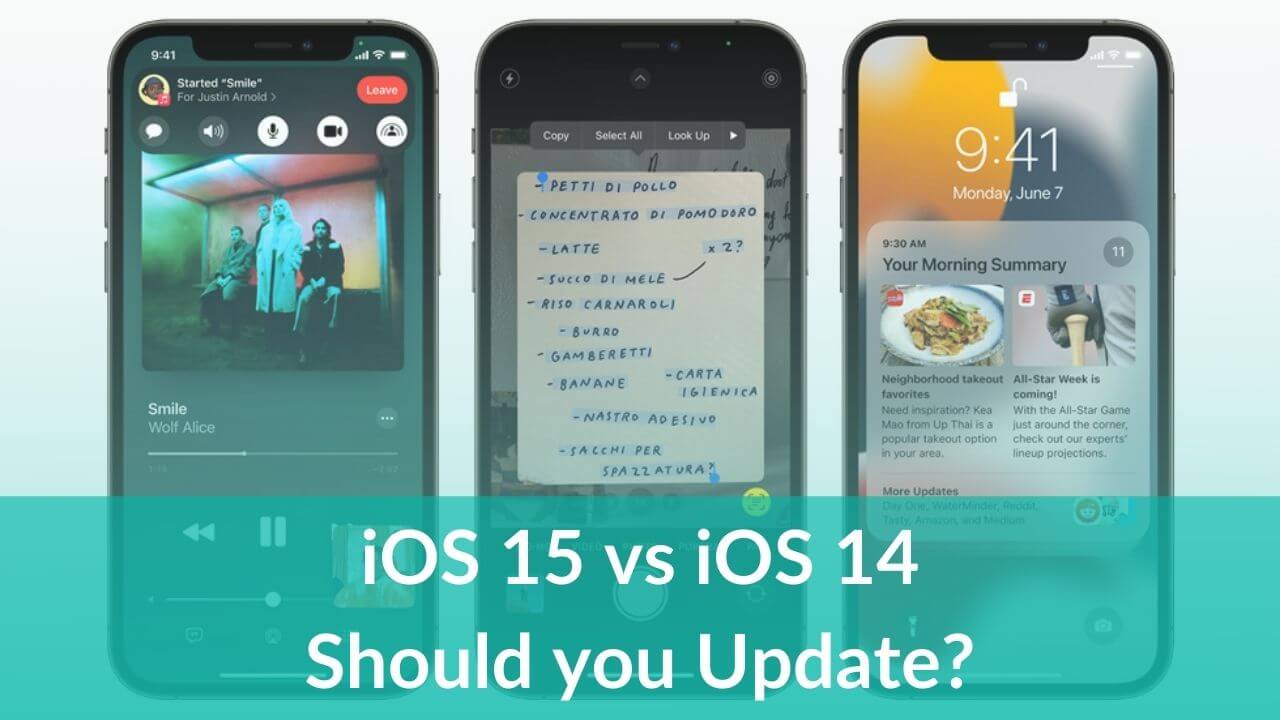
Here's the latest iOS 15 vs previous year's iOS 14. Check out the comparison to know if you should update your iPhone to iOS 15.
storm echo
Mainly focus etc
The reason I never updated
And how sure are u guys of a new jb
Is u0 have any chance
proud jewel
dont discord and drive lol just msg us when u home lol
real igloo
storm echo
Is u0 have any chance
There are exploits and the known guys are working on a JB but we never know
 strong beacon
@grim wren did the generator issue progress anywhere
 untold thistle
My battery is draining quick, iPhone 11, any known tweaks for that ?
untold thistle
strong beacon
<#688122301975363591>
Cheers
valid adder

strong beacon
it seems the
signing ticket file does not contain generator. But a generator is required for 64-bit pwnDFU restore
issue cannot be resolved, then
storm echo
untold thistle
My battery is draining quick, iPhone 11, any known tweaks for that ?
There is one excellent tweak for battery saving
The classic one
I forgot the name
Powercuff
strong beacon
alright
i jailbroke
i am currently using this guide https://ios.cfw.guide/futurerestore/
Guide to using FutureRestore to restore your device
my current ios ver is 14.8 and i want to upgrade to 15.1
i installed odysseyra1n and set the nonce using newterm and dimentio
question
do i need to unjailbreak now
real igloo
No
strong beacon
won't the jailbreak files remain though
i am currently using the preserve data flag
real igloo
I did a restore rootFS then did an itunes backup then jb with unc0ver then FR
strong beacon
it seems i have no choice but to backup, then
real igloo
But even with restore rootFS you can/will have some left overs from the jb but for me everything is working
Even my banking app which normaly was alsways crashing
strong beacon
got it, thanks
real igloo
Np mate
real igloo
storm echo
Let me know if preserve data works please
Doesnt mean it will work for you also

 proud jewel
storm echo
<:sadCat:640558688498614272>
proud jewel
storm echo
<:sadCat:640558688498614272>
were u able to get the VM hd extended?
proud jewel
still driving?
proud jewel
ahh alright np
storm echo
👍 ty bro
proud jewel
ur welcome, i think once u get the VM space increased u should be good to go 🙂
real igloo
storm echo
More than anything
Why ? Just do a backup then FR without --update or just go and update with --update
real igloo
storm echo
I will prolly be back 2-3 hours
Fingers crossed 15.3.1 is still signed then
storm echo
real igloo
Why ? Just do a backup then FR without --update or just go and update with --upd...
So I am going to try update anyway
And if that does not work I’m screwed
I have Authenticated banking apps
It’s not about iOS more than carrying on the data
real igloo
And ? You can restore the backup after FR without --update
i did that also and have anything on my phone 😉
real igloo
Yes
I did restore rootFS with unc0ver then i did a backup with itunes then i jailbroke with unc0ver again then used futurerestore
After that i just connected to my laptop and itunes and said "restore from backup" thats it
real igloo
You restored rootFS ?
storm echo
Yep
real igloo
And then did iTunes backup ?
storm echo
Yep
real igloo
and then jailbreak again ?
real igloo
So why would you want to use --update if youre angry it breaks things
storm echo
real igloo
So why would you want to use --update if youre angry it breaks things
Can you explain
real igloo
storm echo
Can you explain
Nothing to explain u restored rootFS did iTunes backupo (which is clean because of restore rootFS) then jailbreak to set generator then just go for FR with the command
sudo ./futurerestore -t (.shsh2 file) -d -c 15.3.1 (15.1.x ipsw file) --latest-sep --latest-baseband
storm echo
But I don’t want to lose data bro. My app is imei authenticated
So it’s not like the iTunes back up will fix it
It’s a session based login
real igloo
Dont understand that i would just go and restore from the backup with itunes after futurerestore
IMEI wont change its fixxed to your phone
storm echo
Does restoring fromiTunes restore complete restore app data?
storm echo
real igloo
IMEI wont change its fixxed to your phone
I know but each login is approved
Lol
real igloo
Okay but then just relogin ?
storm echo
real igloo
Okay but then just relogin ?
Does the app data also get backed up
If yes it should not be a prob
real igloo
Yes sure
storm echo

real igloo
Like ive said i have everything back on my phone after restore my banking app and the TAN app
storm echo
That should work
storm echo
real igloo
Like ive said i have everything back on my phone after restore my banking app an...
Thanks
real igloo
No problem mate
proud jewel
real igloo
Fingers crossed 15.3.1 is still signed then
what happens if its not? does it impact if someone is trying to get to ios 14 via futurerestor?
real igloo
If 15.3.1 is unsigned you cand FR to 15.1(x) anymore
storm echo
proud jewel
what happens if its not? does it impact if someone is trying to get to ios 14 vi...
You can’t

proud jewel
real igloo
If 15.3.1 is unsigned you cand FR to 15.1(x) anymore
but futurerestore from 13.5 to 14.6 would still be possible?
real igloo
proud jewel
but futurerestore from 13.5 to 14.6 would still be possible?
I cant tell you that sorry
proud jewel
no worries
strong beacon
storm echo
Let me know if preserve data works please
i didn't use it
but futurerestore worked