#futurerestore-help
1 messages · Page 196 of 1
 lilac wren
if it's checkra1n you can do nvram com.apple.System.boot-nonce=0x[generator] but dimentio is probably best
 spiral patio
in my mind , the nvram is not unlocked on iOS 14.2 instead of 14.6
So dimentio should work properly
spiral patio
lilac wren
if it's checkra1n you can do `nvram com.apple.System.boot-nonce=0x[generator]` b...
run this command nvram com.apple.System.boot-nonce=0x[1111111111111111] in the NewTerm?
if his generator=0x1111111111111111
lilac wren
no
nvram com.apple.System.boot-nonce=0x1111111111111111 or dimentio 0x1111111111111111
spiral patio
ok thank you guys
spiral patio
lilac wren
`nvram com.apple.System.boot-nonce=0x1111111111111111` or `dimentio 0x1111111111...
This is my device A11 jailbreak by Taurine on 14.3
but the nvram command can’t set? The dimentio work properly
 lilac wren
spiral patio
This is my device A11 jailbreak by Taurine on 14.3
but the nvram command can’t s...
lilac wren
spiral patio
This is my device A11 jailbreak by Taurine on 14.3
but the nvram command can’t s...
Taurine cannot unlock nvram, dimentio works
lilac wren
yes
spiral patio
lilac wren
yes
havent result log?
 lilac wren
spiral patio
havent result log?
lilac wren
spiral patio
havent result log?
nvram -p and see if it's there
spiral patio
run nvram -p behind this?
lilac wren
sure
spiral patio
lilac wren
sure
works fine
 lilac wren
Looks set
 low summit
Aye nice fr help after a while
spiral patio
lilac wren
Looks set
maybe the blobs file incorrect?
 lilac wren
spiral patio
maybe the blobs file incorrect?
lilac wren
spiral patio
maybe the blobs file incorrect?
Does your blob have a key called updateinstall
 celest basalt
wtf, this shouldn't be happening with v194
 spiral patio
lilac wren
Does your blob have a key called updateinstall
spiral patio
lilac wren
Does your blob have a key called updateinstall
he said havn't updateinstall key:(
celest basalt
oh wait this is your blobs
 plain mist
@spiral patio did you try without —preserve data
celest basalt
if his one doesn't then he can only futurerestore without -u
use the method in #common-issues to backup and then restore the data to the older version after futurerestore
spiral patio
plain mist
<@!719433379795304479> did you try without —preserve data
ok i will tell him and try it again
spiral patio
plain mist
<@!719433379795304479> did you try without —preserve data
succeeded
plain mist
spiral patio
succeeded
woohoo!
spiral patio
plain mist
woohoo!
something i'm not clear. he said it can use -u to keep data by this blobs before now. Why he must turn off preserve data to restore current. The blobs is same one.
plain mist
don’t know, @celest basalt does updateinstall being in the blob mean you can’t use -u?
celest basalt
no
if it's in the blob you can use -u
if it's not in the blob then you probably can't (unless it's an update-only blob which is rare)
plain mist

spiral patio

 viscid furnace
does anyone know how to use futurerestore v200 beta on mac?
 shy magnet
.
 zealous bridge
.
lilac wren
.
celest basalt
.
zealous bridge
could’ve sworn this was #futurerestore-help and not #futurerestore-troll
but yknow just an assumption
lilac wren
zealous bridge
could’ve sworn this was <#688124783400845336> and not #futurerestore-troll
used to be lol
zealous bridge
I knew it
viscid furnace
okay
viscid furnace
viscid furnace
does anyone know how to use futurerestore v200 beta on mac?
So anyone else?
zealous bridge
yeah it should be quite straightforward
download the gz, decompress it, chmod +x in terminal and run
viscid furnace
I'm getting a permission denied error
viscid furnace
you mean the xz file?
zealous bridge
xz file is the archive
you should be running chmod +x on the binary (which should have no file extension)
zealous bridge
it’s another type of archive
viscid furnace
I'm unziping the file using Archive Utility or something like that?
zealous bridge
yeah thats fine
viscid furnace
I'm seeing an, "Libhooker support" Line, which I never saw on futurerestore v194 before. Does this mean I've got the right one?
viscid furnace
Okay!
zealous bridge
and running futurerestore ––version should also give you the version
shy magnet
viscid furnace
I'm seeing an, "Libhooker support" Line, which I never saw on futurerestore v194...
huh
ohhhhh wait
u prob got libhooker and libipatcher confused
lmfao

 ornate spire
does downgrading from 14.4 and enableing —update break stuff
celest basalt
ornate spire
does downgrading from 14.4 and enableing —update break stuff
from 14.4? nope it shouldn’t
from 14.5 and above to 14.4.2 or below it would recovery loop you
ornate spire
ok
 fair socket
Do I need to manually specify anything (other than nonce) when futurerestoring 14.3 -> 14.3? Baseband maybe?
fair socket
sweeeet thanks!
Also does --update do what restoring rootfs does? Or do I need to do both?
lilac wren
I would restore rootfs first, otherwise you may run into issues
fair socket
will do, thanks again
lilac wren
ofc
fair socket
Just saw you wrote a huge tutorial on r/jb about futurerestoring. Good stuff. What's the most lightweight way to set nonce? I have unc0ver that I can use but I feel like jailbreaking may leave residual files when futurerestoring, no?
lilac wren
Most lightweight would be checkra1n using nvram. But not possible on other iOS 14 jbs. You'll have to use [[dimentio]] after using unc0ver or Taurine, and yeah it will probably leave files.
 mystic axleBOT

dimentio
PoC tool for setting/getting nonce without triggering KPP/KTRR/PAC. (requires tfp0)
 com.0x7ff.dimentio • Page 1/5
·
lilac wren
com.0x7ff.dimentio • Page 1/5
·
lilac wren
I suggest you make a backup, jailbreak to set nonce, FutureRestore without -u and wipe it, then restore the backup back onto the device
fair socket
I have backed up my files elsewhere and can completely wipe the phone. Does -u keep files?
lilac wren
-u means the device will preserve data, as if it was an update, not a restore
fair socket
gotcha. I've been in and out of the jb scene lately. Is m1stadev the latest fork of futurerestore?
lilac wren
Yep, that's the one you should use
fair socket
For some reason checkra1n is telling me my iPhone X 14.3 is not supported
I already restore rootfs and am in an unjailbroken state
celest basalt
fair socket
For some reason checkra1n is telling me my iPhone X 14.3 is not supported
you need to enable “Skip A11 BPR check” in options, but on 14.3 you should rather use Taurine (or unc0ver) because you can’t have a passcode with checkra1n
fair socket
I just need it to set nonce
celest basalt
then either disable passcode and enable Skip A11 BPR check, or just use checkm8-nonce-setter
celest basalt
 pallid roost
🦆
lilac wren
🐸
pallid roost
🦆
 soft turtle

 green onyx
soft turtle
green onyx
soft turtle
this really be airsquared's favourite emoji
lilac wren

green onyx

lilac wren
Lol
 viscid furnace
Guys
Let's say I went to shsh.host to get blobs for iPadOS 14.5(I did)
And I didn't actually save the blobs for some odd reason, but I can still dig up the download link from history
and I verify them with tsschecker(I did)
tsschecker says they're invalid
verify.shsh.host, the same website I got them from, says it's legit
Who's right?
lilac wren
you mean img4tool? don't think tsschecker can verify already saved blobs
also if this is a serious question you should probably ask in #853022249761374238 lol
viscid furnace
It might just be me having no roles, but that channel doesn't exist for me
lilac wren
edited
viscid furnace
oh I see it now
 spare holly
Do you have blobs for 14.3?
celest basalt
lilac wren
you mean img4tool? don't think tsschecker can verify already saved blobs
also if...

 viscid furnace
plot twist: it was a second futurerestore channel in the server that was actually deletedc
viscid furnace
 idle warren
Is it possible to update from 13.5 to 14.3 with Futurestore?
idle warren
Is it possible to update from 13.5 to 14.3 with Futurestore?
I don't get why people want to UPDATE tho
 full osprey
Because 14.3 is newer, more security patches, getting more new tweaks at this point, required for some hardware without tweaks, better possible battery life...
shy magnet
lilac wren
Most lightweight would be checkra1n using nvram. But not possible on other iOS 1...
most lightweight would be patching ibss/ibec (latter with nvram patches) and setting it in a recovery shell
:p
lilac wren
shy magnet
most lightweight would be patching ibss/ibec (latter with nvram patches) and set...
yeah that's what checkm8 nonce setter does right
shy magnet
yeah
celest basalt
@urban mango poooo
 toxic lotus

 valid adder
If only someone would respond to me in the libimobiledevice channel
plain mist
valid adder
If only someone would respond to me in the libimobiledevice channel
Can't you make an issue on the GitHub doe
viscid furnace
What are these?
 plain mist
ota blobs
viscid furnace
How do i use them? If it's the same process with futurerestore, I'm genuinly confused on the differences
zealous bridge
viscid furnace
How do i use them? If it's the same process with futurerestore, I'm genuinly con...
It’s not
OTA blobs require ––use–pwndfu and can only be used on devices with a bootrom exploit
viscid furnace
oh
valid adder
dead chat
valid adder
Dead chat
 shy magnet
dead chat
valid adder


 celest basalt
tf is a partial digest key
if there's no generator in the blob file itself it's fine as long as you can guess what the generator was
zealous bridge
 rustic blaze
can we restore with a partial digest key blob
rustic blaze
can we restore with a partial digest key blob
lol digest has nothing to do with the actual encoded values
and i dont think theres a digest for the (ap)nonce
 rare moss
trying to future restore from ios 13.3.1 to 14.3 rc1 . already started itunes backup process but i forget to install dimentio. should i cancel and install dimentio or let it backup and then install it?
btw system info is already showing same nonce do i even need to set it
zealous bridge
as long as futurerestore doesnt give you an error
also you can install dimentio after you backup that’s fine
but system info should be sufficient
rare moss
alright will try without dimentio . will report in few mins after backup done
i have select blob and ipsw and tick on preserve data (update) is there anything else?

btw should i close itunes?
zealous bridge
rare moss
btw should i close itunes?
if you want to, not necessary
zealous bridge
rare moss
i have select blob and ipsw and tick on preserve data (update) is there anything...
nope looks good
rare moss
launch initiated
lilac wren
3, 2, 1, blastoff 🚀
rare moss
ERROR: Unable to extract filesystem from iPSW
i think i have low space in defualt c partitation . window just give error
100 mb
let me make space
lilac wren
you need like 10 gb
rare moss
iphone is in dfu mode. should i turn it on. or can begin from here
lilac wren
You need to go to recovery mode
lilac wren
Then I think you're good to try again
plain mist
rare moss
ERROR: Unable to send iBEC
!t ibec
mystic axleBOT
plain mist
!t ibec
ibec
Fix for error code 3, 8, and 10 aka the iBEC error in futurerestore
- Uninstall all apple drivers via device manager.
- Uninstall all apple products including itunes and apple device support stuff via control panel uninstall a program. MAKE SURE TO CHECK UNINSTALL DRIVER WHEN UNINSTALLING
- Unplug and replug device.
- Check device manager for more apple stuff and uninstall if so with same driver checkbox.
- Disconnect device.
- Install itunes64 exe from apple.com itself, no windows store bullshit. This is the best version: https://support.apple.com/kb/DL1816?locale=en_US (It will be labeled windows 7, 8 but install it on windows 10, it works fine)
- Plug in device in recovery.
- iboot (recovery) driver should show up under usb in device manager. Uninstall it and check the with software box.
- Run futurerestore.
- Unplug and replug your device.
- Run futurerestore again
Added by Cryptic#6293 | Used 74 times
·
rare moss
i have run futurestore again but it didnot said to plug and unplug. its just saying unmounting filesystem
shy magnet
dead ch- oh there’s actually people talking
rare moss
and mobile showing apple logo with progress bar
lilac wren
shy magnet
dead ch- oh there’s actually people talking
we can fix that
zealous bridge
rare moss
and mobile showing apple logo with progress bar
thats normal
zealous bridge
should be fine, almost identical to stable
rare moss
btw do i have to restore itunes back up or not becauuse in futurerestore i have checked preserve data box
restore finished. device ask for code data recovery?
zealous bridge
rare moss
btw do i have to restore itunes back up or not becauuse in futurerestore i have ...
no you don’t need to
zealous bridge
rare moss
restore finished. device ask for code data recovery?
that’s normal, just follow the steps and let the device do it’s thing
rare moss
oka that would be great. if all my data is there without restoring
rare moss
looks like success. ios version is 14.3, apps and photos all there.
zealous bridge
congrats
valid adder
Joemama restore tool
 acoustic rain
um, for futurerestore i must have a JB?
spare holly
Yes
acoustic rain
ohh
acoustic rain
I CAN'T!
green onyx
why not
green onyx
are u using itunes?
acoustic rain
YES
green onyx
what errors
acoustic rain
and idevicerestore
green onyx
screenshot
acoustic rain
1100
green onyx
thats not helpful
acoustic rain
-1100
green onyx
bruh
acoustic rain
Verifying 'iPhone_4.7_14.6_18F72_Restore.ipsw'...
ERROR: File download failed (checksum mismatch).
acoustic rain
iphone 6s
green onyx
are u specifying ipsw in itunes or are u just clicking restore?
acoustic rain
specifying
green onyx
where are u getting ur ipsw from
acoustic rain
yes, from this
green onyx
the issue is u have the wrong ipsw
acoustic rain
verify failed
acoustic rain
isk
idk
i trying with
3
U
and
verify failed
:/
@green onyx
i tried with ios 15 IPSW
and\
THE IOS15 WORKING
BUT
THE IOS 14.6 NOT
acoustic rain
idk
green onyx
what OS?
acoustic rain
ios 14.6
toxic lotus
7zip i think
acoustic rain
name of catalog is wrong
acoustic rain

translate this: Nazwa katalogu jest nie prawidłowa.
from polish to english
The directory name is invalid.
@green onyx
 strong jungle
acoustic rain
strong jungle
acoustic rain
tjx
thx
um
What command?\XD
certutil -hashfile iPhone_4.7_18F7S_Restore.ipsw MD5
THIS?
@green onyx
oh fck
okay
acoustic rain
 green onyx
I dont know what that says
acoustic rain
The directory name is invalid. (hereafter the error number in the photo)
The file could not be found.
zealous bridge
whats going on
 zealous bridge
what device
zealous bridge
c8f3389ed0fec8a730d64722d9e69b80
zealous bridge
corrupted file
green onyx
Thats a different hash
acoustic rain
oh 😦
zealous bridge
delete and redownload
green onyx
zealous bridge
corrupted file
What i said
green onyx
zealous bridge
delete and redownload
Exactly but they claim that they did it multiple times
green onyx
acoustic rain
Can you give me a working IPSW?
I already did
acoustic rain
thx
 green onyx
http://updates-http.cdn-apple.com/2021SpringFCS/fullrestores/071-45224/8DA86D5E-...
green onyx
green onyx
http://updates-http.cdn-apple.com/2021SpringFCS/fullrestores/071-45224/8DA86D5E-...
.
green onyx
zealous bridge
<:TrollFront:790745323743477760>
Actually throwing
 zealous bridge
no
zealous bridge
how is your internet this bad
zealous bridge
@acoustic rain do a SHA1
zealous bridge
the same but replace MD5 with SHA1
 zealous bridge
That’s still wrong
acoustic rain
OMG..
fck
RLY?
;/
UGUUUGH
WHY-
Do you have the .ipsw 14.6 iphone 6s with right MD5 and SHA1?
i will download the ios 14.6 18F71
zealous bridge
acoustic rain
Do you have the .ipsw 14.6 iphone 6s with right MD5 and SHA1?
I gave the link to you already
Download it again
And use Ethernet if you can
zealous bridge
copy what
zealous bridge
no
acoustic rain
ot
zealous bridge
you have to download it again
zealous bridge
yes
acoustic rain
for the right MD5?
zealous bridge
yes
zealous bridge
error -1100 is fixed by going into DFU and then restoring
zealous bridge
But if your IPSW is corrupt then you should probably have a valid IPSW
acoustic rain
okay so i will use the right IPSW
 acoustic rain
UGH
acoustic rain
he/she unactive
yes
i must install the right
i can check w/ 3u
or i will make this tommorow
rly
XD
green onyx
zealous bridge
<@!489890032635871232> are you sure certutil is for actual files
Yes
Ive done it with multiple ipsws before
U can do it urself
acoustic rain
oh
that's long
operation..
i downloading the ipsw 3x
and any doesn't work
:/
i will download last
and i will download tommorow

 wary skiff
valid adder
wary skiff
valid adder
?
wary skiff
didnt mean to send that
does the checkm8 nonce setter on linux require the phone to be in recovery mode?
no
wary skiff
is there a fix for the restore getting stuck halfway?
im on an iphone x restoring back to 14.3 from 14.6
rustic blaze
My iPhone 4s baseband on stock iOS 9.3.6 was 6.0.00
After I downgraded to iOS 5.1.1 it changed to 6.17.00
Any way to preserve baseband while downgrading
Any command
Due to which I have constant signal issues
plain mist
wary skiff
is there a fix for the restore getting stuck halfway?
Still stuck?
It can take some time
zealous bridge
rustic blaze
Any way to preserve baseband while downgrading
Baseband needs to be signed
wary skiff
i think i was using the wrong version of futurerestore
i tried a different one and gave it some time and it worked all good
thanks
 vivid nova
rustic blaze
My iPhone 4s baseband on stock iOS 9.3.6 was 6.0.00
vivid nova
rustic blaze
My iPhone 4s baseband on stock iOS 9.3.6 was 6.0.00
this doesn't make sense when stock comes with 6.7.00
 valid hawk
I'm not on discord much, so do excuse if wrong place posted. Also would prefer replies on reddit, in case I dont open discord for days and the "replies" are scrolled away.
https://www.reddit.com/r/jailbreak/comments/o45w1j/question_does_appdata_of_unused_offloaded_apps/
[QUESTION] Does AppData of Unused "Offloaded" Apps saved on device survive an iOS Update?
Edit Details:
Would it be retained through an iOS Update? via these 3 ways:
OTA Update, Backup/ Restore via iTunes, or Fut Restore?
-
Wondering how iOS manages this App Data etc through iOS upates?
-
For e.g. Some Apps are way too big, and their use is infrequent/ once in a while,
-
But I'd prefer not to lose the; Logins/ Sign ins, Documents/ Data, App Data/ Settings created within that App during its use.
-
That's when I'd prefer to offload the App & down it when needed - work as before - use for few days/ a week - Off load again.
Even if restoring from iTunes backup or Fut Restore 🙄?
Then to keep those one has to download the offloaded apps before doing a backup so that can transfer the data for existing apps?
reddit
0 votes and 2 comments so far on Reddit
celest basalt
valid hawk
I'm not on discord much, so do excuse if wrong place posted. Also would prefer r...
don't crosspost
valid hawk
celest basalt
don't crosspost
Since this is mix of with FR and non FR, wasnt sure where to post; one or other, or both
Apologies
 vast sorrel
Even though I have saved shsh2 and I use the pwndfu method, I can’t seem to downgrade my iPhone 8 Plus to any 14.x version as I keep hitting this. Can anyone help?
zealous bridge
vast sorrel
Even though I have saved shsh2 and I use the pwndfu method, I can’t seem to down...
pwndfu doesn’t work rn
vast sorrel
 celest basalt
yeah, pwndfu restores are broken rn… are you using OTA blobs?
zealous bridge
196 definitely won’t work
zealous bridge
14.3+ restores only
celest basalt
if you have non-OTA blobs just do a regular futurerestore, not pwndfu
vast sorrel
Can you share the command?
celest basalt
just remove --use-pwndfu
zealous bridge
vast sorrel
futurerestore -d -t /home/timrashed/Downloads/test/iPhone10,2_d21ap_14.4-18D52_ota.shsh2 --latest-sep --latest-baseband /home/timrashed/Downloads/iPhone_5.5_P3_14.4_18D52_Restore.ipsw
So like this?
zealous bridge
don’t use ota blobs
vast sorrel
Ok
zealous bridge
they won’t work at all
if you’re unsure about the command you can use FutureRestore GUI
vast sorrel
So I just put the device in dfu
zealous bridge
but that looks good
vast sorrel
And not exploit with pwndfu
vast sorrel
So device just in recovery followed by that command?
zealous bridge
yes
 zealous bridge
it didn’t throw an error
?
you might have disconnected in the middle of the restore
make sure your USB cable is good
vast sorrel
It didn’t technical fail but keeps throwing out timeout errors
zealous bridge
thats normal

 brittle olive
does futurerestore work at this moment?
[DOWN] downloading file https://api.ipsw.me/v2.1/firmwares.json/condensed
[Error] failed to download file from=https://api.ipsw.me/v2.1/firmwares.json/condensed to=/tmp/firmwares.json CURLcode=28
futurerestore: failed with exception:
[exception]:
what=[TSSC] parsing firmware.json failed
any help guys !
zealous bridge
celest basalt
what version
14.4
zealous bridge
brittle olive
any help guys !
!t fwjson
mystic axleBOT
zealous bridge
!t fwjson
fwjson
Download this file from a browser: https://api.ipsw.me/v2.1/firmwares.json/condensed (right-click, Save as), rename it from condensed.json to firmwares.json, then put it in C:\Users\USERNAME\AppData\Local\Temp\ (Windows) or /tmp/futurerestore/ (macOS/Linux).
By: Tanbeer#4750
Added by Cryptic#6293 | Used 34 times
·
vast sorrel
celest basalt
what version
Was trying iOS 14.4
celest basalt
huh weird
vast sorrel
Yeah, now I have to figure out a way to set the nonce without restoring to 14.6 and using checkra1n
zealous bridge
vast sorrel
Yeah, now I have to figure out a way to set the nonce without restoring to 14.6 ...
checkm8-nonce-setter
are you sure the nonce has even changed @vast sorrel
brittle olive
mystic axle
Thanks, it worked
celest basalt
vast sorrel
Yeah, now I have to figure out a way to set the nonce without restoring to 14.6 ...
vast sorrel
zealous bridge
are you sure the nonce has even changed <@306459492516626433>
Yeah trying to restore again failed because the nonce didn’t match
zealous bridge
use what @celest basalt linked
vast sorrel
Checking it out, thank you to both of you for helping me
My iPhone8 plus doesn’t seem supported
 zealous bridge
oh
vast sorrel
Wait, sorry if this is a stupid question but should the phone be in dfu or recovery mode?
zealous bridge
balls
celest basalt
well, technically checkm8-nonce-setter expects the device to be in normal mode first but you can comment out that check… problem is iPhone 8 (Plus) doesn’t seem to be supported at all rn so that won’t help
celest basalt
zealous bridge
make a patched ibss and it should work
I wonder if you can start a pwndfu restore to set nonce and then just kick it into recovery before sending filesystem
zealous bridge
depends if you can restore before it times out
idk how long pwnrecovery takes to time out
vast sorrel
zealous bridge
cause ipwndfua11 works
Snap! I was able to change the nonce by patching the ibss and ibec
Dammit, it didn’t get set to the correct one I wanted
zealous bridge
vast sorrel
Snap! I was able to change the nonce by patching the ibss and ibec
you didn't enter ipwndfu?
 zealous bridge
yeah i dont think it worked
looks like the nonce isnt in nvram if it changes after a reset
you need to specifically have nvram patches
vast sorrel
Can you explain what that is please?
celest basalt
!t fwjson
mystic axleBOT
celest basalt
!t fwjson
fwjson
Download this file from a browser: https://api.ipsw.me/v2.1/firmwares.json/condensed (right-click, Save as), rename it from condensed.json to firmwares.json, then put it in C:\Users\USERNAME\AppData\Local\Temp\ (Windows) or /tmp/futurerestore/ (macOS/Linux).
By: Tanbeer#4750
Added by Cryptic#6293 | Used 35 times
·
 vivid nova
shy magnet
here’s a shit meme
vivid nova
shy magnet
here’s a shit meme
 valid adder
Leo dicapriception
green onyx
lmao dead
GitHub
Simple macOS script to dump onboard SHSH with a valid Generator for iOS devices - IlannM/deverser-linux
^does this require jb or nah
pretty sure u need it
oh wait
yes u do, bc u ssh into it
celest basalt
unless you already have a dump of /dev/rdisk1 from when you were jailbroken
shy magnet
also useless on a12+ unless you futurerestored and still have the generator for the blob
celest basalt
shy magnet
also useless on a12+ unless you futurerestored and still have the generator for ...
wdym, onboard blobs from rdisk1 include the generator, so unless they’re OTA they should be usable on A12+
 proven scaffold
is there a way to change the ap nonce of my iphone without bein my jailbroken?
i futre restored from 13.7 to 14.5.1 thinking i could go back but not i think i am stuck here until a hail break comes for .5.1 out because i cannot generate nonce
any help is greatly appreciated
shy magnet
- you wouldn't have been able to restore back to 13.7 anyways
- unless you're on A11 or below you won't be able to set a generator of your choosing without a jailbreak
proven scaffold
i mean i have 13.7 blobs saved, would those not work?
i mean i guess it doesn’t matter i’m on 11 pro
toxic lotus
proven scaffold
i mean i have 13.7 blobs saved, would those not work?
no those are useless
proven scaffold
okay good to know, thanks guys.
lilac wren
celest basalt
wdym, onboard blobs from rdisk1 include the generator, so unless they’re OTA the...
Without generator they're useless on A11 lower too though, right
zealous bridge
lilac wren
Without generator they're useless on A11 lower too though, right
unless the apnonce is like 27325... or 15400...
vast sorrel
zealous bridge
14.3+ restores only
I was able to downgrade to 14.4. Is there a reason why you said only 14.3+?
Why can’t I downgrade to 14.0 or 14.1?
zealous bridge
vast sorrel
I was able to downgrade to 14.4. Is there a reason why you said only 14.3+?
Why ...
Because SEP is incompatible
vast sorrel
zealous bridge
Because SEP is incompatible
Figured you’d say that and this is why I’m confused
 zealous bridge
bad website
vast sorrel
Oh! That explains it
zealous bridge
you should go to the official futurerestore readme
GitHub
A hacked up idevicerestore wrapper, which allows specifying SEP and Baseband for restoring - m1stadev/futurerestore
@vast sorrel
 vast sorrel
Yep! I missed that section
Thank you
I honestly appreciate your guidance and patience
@zealous bridge Now here’s the dilemma i have. Due to my idiocy, I missed saving the blobs for 14.3. What I DO have is the 14.3-RC blobs. Are they any use?
vast sorrel
Right but when I try to use it with the 14.3 ipsw, it says the ticket doesn’t match the image
zealous bridge
you need the 14.3RC ipsw
Download developer beta versions of Apple's iOS, iPadOS and tvOS firmware.
take a look here
vast sorrel
You’re the boss! That’s what I was looking for
zealous bridge
once you get the IPSW everything else is the same, just replace the 14.3 one with the 14.3RC one
vast sorrel
It sucked that I had to upgrade to 14.6 using a MacBook because the idevicerestore on Linux said it was success but caused a boot loop on my device. But once I was on 14.6, I used checkra1n to set the generator and downgrade to 14.4
zealous bridge
you should be good to downgrade to 14.3RC if you can go to 14.4
vast sorrel
I hope so, giving it a shot now
vivid nova
zealous bridge
bad website
excuse me?
zealous bridge
am i wrong?
vivid nova
yes
zealous bridge
how
vivid nova
how are you right
zealous bridge
you don't mention compatibilities for specific socs
which lead many to believe that they can restore even when they cant
vivid nova
I don't need to. The website does one thing and one thing only: checks compatibility
 left moat
Yo guys is there any place I can check all the jailbreaks that work on a specific iOS version and phone?
vivid nova
just because FR doesn't approve, doesn't mean it's not compatible
zealous bridge
wdym fr doesn't approve
vivid nova
meaning that FR errors or has issues with some devices
zealous bridge
how is 14.3 sep changes causing sks panics frs fault
zealous bridge
left moat
Yo guys is there any place I can check all the jailbreaks that work on a specifi...
vivid nova
zealous bridge
how is 14.3 sep changes causing sks panics frs fault
How is it not? it simply isn't updated to handle it. If the SEP wasn't compatible, then it wouldn't make sense that it works on other devices
zealous bridge
vivid nova
How is it not? it simply isn't updated to handle it. If the SEP wasn't compatibl...
you realise SEP isn't the same for all devices
it's meant to be
but it's not for some reason
you can reverse engineer yourself and confirm it
vivid nova
"it's not for some reason" isn't a good enough explanation for why it isn't
zealous bridge
vivid nova
"it's not for some reason" isn't a good enough explanation for why it isn't
ask Apple, not me
they added sep storage on A11+ but forgot to add it on A10-
plain mist
Let's hope they don't remember
low summit
dont remember what
plain mist
to add sep storage on a10-
valid adder
they didn't forget, also we don't even know what the cause of a11 is
its anything related to skgs
vivid nova
if only s0uth came back or someone related to them and fixed FR...
plain mist
vivid nova
if only s0uth came back or someone related to them and fixed FR...
Doesn't Joes mother maintain FutureRestore
valid adder
after ci is fully done, I will fix iBEC which affects windows mac and linux
its an implementation bug
valid adder
gj tihmstar
plain mist
!t ibec maybe
mystic axleBOT
plain mist
!t ibec maybe
ibec
Fix for error code 3, 8, and 10 aka the iBEC error in futurerestore
- Uninstall all apple drivers via device manager.
- Uninstall all apple products including itunes and apple device support stuff via control panel uninstall a program. MAKE SURE TO CHECK UNINSTALL DRIVER WHEN UNINSTALLING
- Unplug and replug device.
- Check device manager for more apple stuff and uninstall if so with same driver checkbox.
- Disconnect device.
- Install itunes64 exe from apple.com itself, no windows store bullshit. This is the best version: https://support.apple.com/kb/DL1816?locale=en_US (It will be labeled windows 7, 8 but install it on windows 10, it works fine)
- Plug in device in recovery.
- iboot (recovery) driver should show up under usb in device manager. Uninstall it and check the with software box.
- Run futurerestore.
- Unplug and replug your device.
- Run futurerestore again
Added by Cryptic#6293 | Used 75 times
·
low summit
isnt ibec drivers
plain mist
oh there's a tag for it
low summit
thats just the fix
zealous bridge
vivid nova
"it's not for some reason" isn't a good enough explanation for why it isn't
the two are different enough that you can call it incompat, if one soc panics when sepos is loaded and the other doesn't, thats already enough indication that the two arent the same
vivid nova
zealous bridge
the two are different enough that you can call it incompat, if one soc panics wh...
still doesn't mean the website is bad
zealous bridge
vivid nova
still doesn't mean the website is bad
so intentional false info?
vivid nova
it's not false
zealous bridge
how is it not, you're calling something compat when it's not
vivid nova
but it is.
vivid nova
it may not work as expected, but it's still compatible
valid adder
normal boot -> SecureROM -> LLB -> iBoot -> SEP/Kernel -> OS
restoremode boot -> SecureROM -> iBSS -> iBEC -> SEP/Kernel -> RestoreMode OS
^
zealous bridge
it's literally incompat
valid adder
until we find the fix
zealous bridge
let's fix Apple
vivid nova
this is the same logic as the 4K being able to downgrade but you cannot. It's not false information to state that it's compatible though
zealous bridge
vivid nova
this is the same logic as the 4K being able to downgrade but you cannot. It's no...
literally three people have said its not compat rn
until if/when there is a fix
plain mist
vivid nova
this is the same logic as the 4K being able to downgrade but you cannot. It's no...
but you literally can't bruh
valid adder
@vivid nova well you are certainly a helpful human being with these comments aren't you
zealous bridge
this guy literally saw someone get misdirected by his website, and he still argues that his site is providing good info
idk how much more in denial someone can get
plain mist
Can someone link me the website
zealous bridge
!t sep
mystic axleBOT
zealous bridge
!t sep
sep
How to check if the latest iOS version's SEP is compatible with a target iOS version: https://joshblah555.github.io/JoshTV/SEPCheckr.html
Added by eric#1997 | Used 130 times
·
plain mist
?????? I'm confused as fuck
 low summit
lol
zealous bridge
you have to drop it down and select the target version
not the most intuitive system
 low summit
to latest lol
plain mist
is the JTV guy the one who made it
 uncut wren
Futurerestore errors out because of an FDR error
zealous bridge
yeah
uncut wren
When you try anything below 14.0
plain mist
uncut wren
When you try anything below 14.0
Known issue if I'm being correct
uncut wren
Yeah. That I don’t believe is being worked on
plain mist
Can you decrypt it doe
valid adder
not a11
plain mist

low summit
so its dead indefinitely
valid adder
nope
we can't decrypt a11 because theres no sep exploit
same with a12
also a11 has barely any leaked proto's
a12 on the other hands has plenty of protos
so just decrypt a12 instead
low summit
most likely not
valid adder
no, you need a12 panic log from fdr panic if im going to look for the problem
I don't have a12 so someone needs to send me the log if I haven't found a log yet already
low summit
froggy has a12
zealous bridge
froggy will deffo not be restoring his a12 any time soon
low summit
true
plain mist
@valid adder what're you working on for fr rn
valid adder
CI
@zealous bridge its safe tho lol
FDR error
non fatal
if it somehow succeeds, cancel restore before filesystem
plain mist
How do you intentionally get FDR panic
zealous bridge
valid adder
<@!330016421817876490> its safe tho lol
froggy is paranoid asf
lilac wren
no
valid adder
thats literally what we've been talking about this entire time...
lilac wren
I just don't wanna restore on my main unnecessarily
valid adder
looool
a12 restore one 14.3 restore to 14.0-14.2
should fdr non fatal fail
same as a11
lilac wren
and you just need the log?
valid adder
I think I need last log
I don't know where system restore logs are kept
but we need to find those
lilac wren
oh the restore.log or something
valid adder
no
zealous bridge
W
valid adder
serial is just for live debug text view
you can view the debug log in a file iirc
but if it somehow gets past, FDR you should cancel before it gets to filesystem lol
@lilac wren
lilac wren
got it lol
 zealous bridge
np!
low summit
oh froggy actually testing
zealous bridge
wait someone explain to me what an A12 sepos panic log is gonna uncover
can you debug from the log itself
cause otherwise why don’t you just take an A11 log
low summit
joes mother can answer?
plain mist
vast sorrel
Finally!
Massive W king
vast sorrel
plain mist
Massive W king
With this massive win, I’m tempted to also downgrade my iPhone 6s Plus to 14.0 since it’s an A9
plain mist
vast sorrel
With this massive win, I’m tempted to also downgrade my iPhone 6s Plus to 14.0 s...
go for it
But 14.0 is a bit buggy
What iOS is it on right now?
vast sorrel
14.5.1
toxic lotus
isn’t 14.0 like the least stable ios 14 version
plain mist
low summit
6s can go anywhere
with blobs
plain mist
toxic lotus
isn’t 14.0 like the least stable ios 14 version
From what I've heard
low summit
i mean to the lastest
plain mist
So I don't think it's much of a good choice to downgrade to 14.0 on an A9
low summit
or its jailbreakable
zealous bridge
i' d rather 14.6 with semi-tether than 14.0 with a semi-untether
low summit
true
vast sorrel
zealous bridge
i' d rather 14.6 with semi-tether than 14.0 with a semi-untether
Yes I hate needing a PC to checkra1n when it reboots
valid adder
vast sorrel
Yes I hate needing a PC to checkra1n when it reboots
cringe
low summit
then use sentinel
valid adder
I had 21 day uptime, your phone does not need to reboot ever
toxic lotus
low summit
on my main i never reboot unless it bugs out
launchctl reboot userspace
 vast sorrel
If that was referring to me, I said “when it reboots” not “when I reboot it”
Many reasons it reboots (freezing temps while having 10% and a bad battery is one) but never intentional 😂
 verbal flame
hey guys, I'm on 13.5 with blobs saved for 14.1, currently using unc0ver
anything important I should be aware of?
zealous bridge
what device?
verbal flame
8 Plus
zealous bridge
blobs only saved for 14.1?
verbal flame
was going to use futurerestore to upgrade
verbal flame
zealous bridge
blobs only saved for 14.1?
indeed
so I assume I can only upgrade to 14.1 right?
 elder palm
he wants to use the fr update function
valid adder
verbal flame
anything important I should be aware of?
you should be aware that you shouldn't be using unc0ver
verbal flame
valid adder
you should be aware that you shouldn't be using unc0ver
yep :/
zealous bridge
yes, but there’s no point unless you need some specific iOS 14 features
toxic lotus
unc0ver on 13.5 isn’t bad
verbal flame
wanna upgrade first and deal with it later
zealous bridge
iOS 14.1 is buggy enough
verbal flame
zealous bridge
yes, but there’s no point unless you need some specific iOS 14 features
not particularly, do you recommend against it?
perhaps just to update my watch
zealous bridge
zealous bridge
iOS 14.1 is buggy enough
^
toxic lotus
verbal flame
perhaps just to update my watch
!t legizmo
elder palm
verbal flame
perhaps just to update my watch
[[legizmo]]
mystic axleBOT
toxic lotus
!t legizmo
legizmo
To pair your Apple Watch with an incompatible iOS version, you can get the Legizmo beta at https://www.patreon.com/lunotech11.
Added by nyuszika7h#0001 | Used 39 times
·
toxic lotus
paid tho
zealous bridge
unc0ver v5 is pretty solid for 13.5
elder palm
true
verbal flame
toxic lotus
that was my first jb
mine was ios 3 on the first iphone 😄
haven't followed the scene for a while
verbal flame
alright i guess i'm just staying on 13.5 till i upgrade my phone then, cheers guys
toxic lotus
verbal flame
alright i guess i'm just staying on 13.5 till i upgrade my phone then, cheers gu...
did you save 14.6 blobs?
verbal flame
is it gonna be jailbreakable soon or something?
verbal flame
might as well i guess
toxic lotus
so i would save blobs and update when a semi untethered comes out for it
lilac wren
Edit: was a nice 3 months and 3 weeks
shy magnet
https://github.com/libimobiledevice/libirecovery/blob/42766ec378643ffa412be8abefb523d83e922b49/src/libirecovery.c#L2622 irecv_send_file really out here being a wrapper for irecv_send_buffer
GitHub
Library and utility to talk to iBoot/iBSS via USB on Mac OS X, Windows, and Linux - libimobiledevice/libirecovery
valid adder
yep
shy magnet
well i *thought* i could take a look at irecv_send_buffer to understand how sending a file works but uhh

this scares me
 still urchin
question but im a dumbass. does future restore work with a12 devices?
zealous bridge
Depends what version
still urchin
well im on 14.6
zealous bridge
You need a jailbreak
still urchin
yeah thats what i thought. I just started saving blobs
as in only one i have is 14.6 and 15 beta
im new just looking for information
zealous bridge
Well once 14.6 becomes jailbreakable you can use futurerestore
still urchin
my question is if i was updated to a non jb firmware and i wanted to downgrade would i be able to? or would i have to sit on 14.6 until its jailbreakable
still urchin
okay so i should sit on 14.6 then lol
zealous bridge
yes
still urchin
shit. so cant downgrade a non jb device unless its already jb
still urchin
right on, thanks for the help
lilac wren
Hey it’s me
low summit
yay
 daring wedge
Trying to use futurerestore on a Mac to go from 14.6 to 14.3 but each time I try and do the restore iBEC fails to boot and I get the error unable to place phone into restore mode. Anyone any ideas how to fix this? Thanks
plain mist
daring wedge
Trying to use futurerestore on a Mac to go from 14.6 to 14.3 but each time I try...
Put the device into recovery mode manually
Then do the restore
zealous bridge
daring wedge
Trying to use futurerestore on a Mac to go from 14.6 to 14.3 but each time I try...
whats the file size of your blob
daring wedge
plain mist
Put the device into recovery mode manually
I have done that, it starts to do the restore but then stops shortly after iBEC fails to boot and says can not put the phone in restore mode
daring wedge
zealous bridge
whats the file size of your blob
30.2kb
zealous bridge
daring wedge
30.2kb
Yeah those are probably OTA blobs
you can’t use OTA blobs for an IPSW restore
daring wedge
zealous bridge
you can’t use OTA blobs for an IPSW restore
Yes they are. Will download my 14.3 blobs and give that a go tomorrow. Thanks for that.
green onyx
did u guys see this?
GitHub
Patch the iBoot64 with generic patches. Contribute to haiyuidesu/iBoot64Patcher development by creating an account on GitHub.
 pure bridge
Hi
Futurerestore funciona A14 ?
iphone 12 pro max Version 14.1 - I will update to 14.3
zealous bridge
no, you need v2.0.0
pure bridge
zealous bridge
no, you need v2.0.0
Where can I find the file 2.0.0
zealous bridge
pins
pure bridge
zealous bridge
pins
Did you succeed?
I don't want to risk losing the version
zealous bridge
i dont have an A14 but know some people who have succeeded
plain mist
pure bridge
Where can I find the file 2.0.0
bruh
 stiff hazel
green onyx
https://github.com/haiyuidesu/iBoot64Patcher
stiff hazel
green onyx
https://github.com/haiyuidesu/iBoot64Patcher
I know I’m late by 5 hours but what is that
On another note though I wonder did we ever figure out exactly why some upgrades to 14.0-14.2 succeed and others fail as well as why downgrades to 14.0-14.2 don’t work for A11+?
lilac wren
stiff hazel
On another note though I wonder did we ever figure out exactly why some upgrades...
Wow rubbing it in I see
/s
stiff hazel
lilac wren
Wow rubbing it in I see
/s

valid adder
We did find out it exclusively affects a11 @stiff hazel
stiff hazel
valid adder
We did find out it exclusively affects a11 <@!305546263578017793>
So the 14.0-14.2 stuff only doesn’t work/has issues on A11 and A12+ is perfectly fine?
valid adder
Yes
If it wasn’t for baseband it would also be 13.4
13.4-14.x are supported on a9-a13
A11 apple changed stuff exclusively for some reason
stiff hazel
valid adder
A11 apple changed stuff exclusively for some reason
Do we know how apple changed stuff and if it can be resolved or no?
shy magnet
something something i made inferius not bad again so i would appreciate it if yall would test and give feedback/report bugs https://github.com/m1stadev/inferius

GitHub
Create & Restore 64-bit custom IPSWs. Contribute to m1stadev/Inferius development by creating an account on GitHub.
 languid sandal
please help me with my device iPhone 11 ios 14.4.2
full osprey
You didn’t state an issue
plain mist
valid adder
we have a11 14.5
How did u decrypt a11 14.5 sep
 faint night
With iPhone X, can I downgrade from 14.4.2 to 14.2?
faint night
With taurine?
 boreal gate
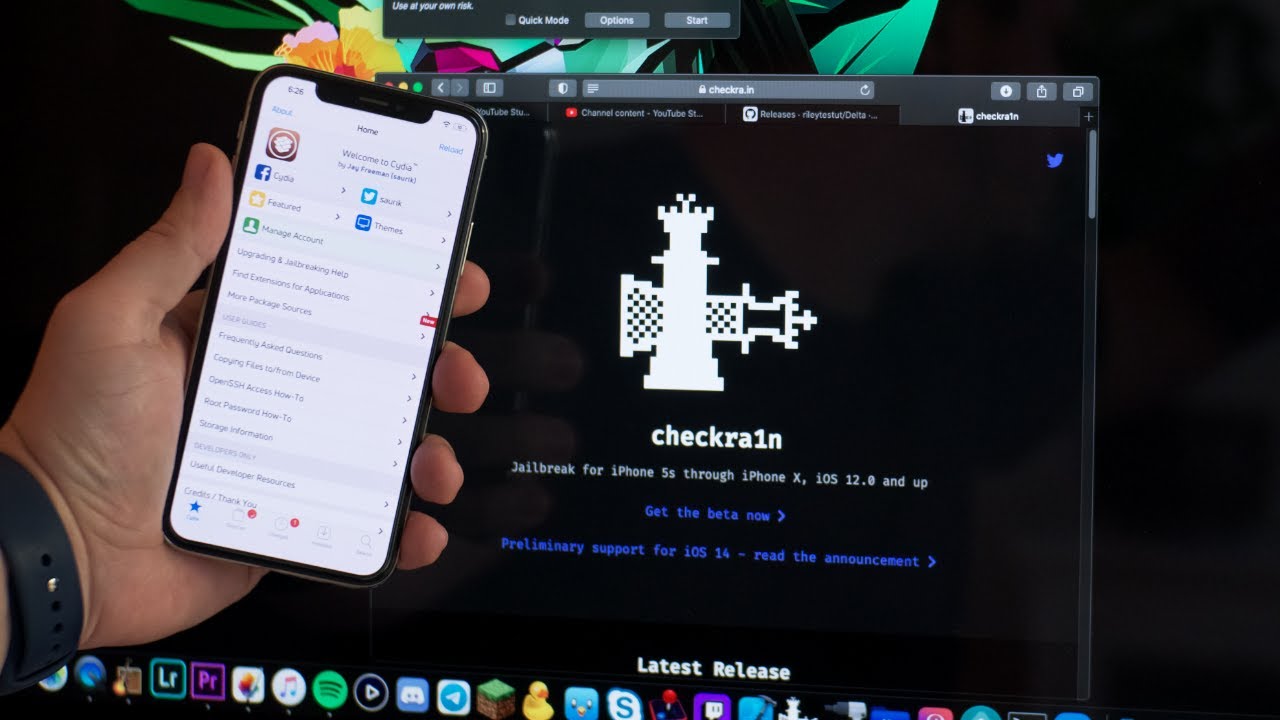
How To Jailbreak iOS 14.4.1 With checkra1n On Mac - iPhone Jailbreak 2021
Download checkra1n Here
https://checkra.in
JAILBREAK UPDATES
https://www.youtube.com/playlist?list=PL-gNdglaK1KsMTrQSct96KrUyGV4nD-XD
OFFICIAL JAILBREAK GUIDES iOS 5 - iOS 14.4.2
https://www.youtube.com/playlist?list=PL-gNdglaK1KsG7mK37J12L_4mI8qRBP1P
JAILBREAK iOS 14....
celest basalt
do i need to use tss saver if i have the blob file ?
is there a uptodate video to for downgrading to unsgined ios 14.3
send link pls
plain mist
celest basalt
is there a uptodate video to for downgrading to unsgined ios 14.3
you got blobs?
celest basalt
yess
plain mist
!t futurerestore
mystic axleBOT
plain mist
!t futurerestore
futurerestore
futurerestore allows you to upgrade/downgrade/restore to unsigned iOS versions if you meet certain requirements.
Added by Capt Inc#0001 | Used 44 times
·
plain mist
if you already have the blob file you wont need to use tss saver
celest basalt
i used futurerestore gui but there was problem
celest basalt
plain mist
if you already have the blob file you wont need to use tss saver
ohh
plain mist
celest basalt
i used futurerestore gui but there was problem
what was it?
celest basalt
plain mist
what was it?
something bceid problem
plain mist
!t ibec
mystic axleBOT
plain mist
!t ibec
ibec
Fix for error code 3, 8, and 10 aka the iBEC error in futurerestore
- Uninstall all apple drivers via device manager.
- Uninstall all apple products including itunes and apple device support stuff via control panel uninstall a program. MAKE SURE TO CHECK UNINSTALL DRIVER WHEN UNINSTALLING
- Unplug and replug device.
- Check device manager for more apple stuff and uninstall if so with same driver checkbox.
- Disconnect device.
- Install itunes64 exe from apple.com itself, no windows store bullshit. This is the best version: https://support.apple.com/kb/DL1816?locale=en_US (It will be labeled windows 7, 8 but install it on windows 10, it works fine)
- Plug in device in recovery.
- iboot (recovery) driver should show up under usb in device manager. Uninstall it and check the with software box.
- Run futurerestore.
- Unplug and replug your device.
- Run futurerestore again
Added by Cryptic#6293 | Used 76 times
·
plain mist
im sure youre talking about this issue ^?
celest basalt
plain mist
im sure youre talking about this issue ^?
yep thanks
rustic blaze
How to use ios-ota-downgrader script with manually saved blobs
zealous bridge
rustic blaze
How to use ios-ota-downgrader script with manually saved blobs
just do ./restore.sh
and when it prompts you with the option key in the corresponding number
rustic blaze
It’s asking me for the ipsw path
I have given that also
It’s asking me for the blob path
When I give that it says argument parsing failed
zealous bridge
put your path in double quotes
valid adder
One thing I need you guys to do
We tell you how to do something in terminal
Then you immediately forget
What’s the reasoning behind that?
You should try learning
Then things we tell you once you always know how to do
celest basalt
iphone 11 ios 14.4.2 downgrade to 14.3
low summit
not possible
celest basalt
what is the available ios for my device and apps to downgrade it
low summit
u cant downgrade period
low summit
u can't downgrade without blobs and a jb
valid adder
downgrading requires your device nonce to match your blob nonce
you need a jailbreak to set nonce
@celest basalt
low summit
i dont think he even has blobs
celest basalt
ohh ic.. i didn't yet try that one
daring wedge
daring wedge
Yes they are. Will download my 14.3 blobs and give that a go tomorrow. Thanks fo...
@zealous bridge you are a legend! Thanks for your help yesterday, using the correct blobs I have now got back to 14.3 from 14.6. Thanks again
zealous bridge
context he was using ota blobs for an ipsw restore
zealous bridge
daring wedge
<@330016421817876490> you are a legend! Thanks for your help yesterday, using th...
np, congrats