#macos-support
1 messages · Page 22 of 1
 molten grotto
 cursive creek
molten grotto
Settings > Output - mode is the top option
cursive creek
molten grotto
Settings > Output - mode is the top option
Okay, I've done that now, what's the next step?
molten grotto
cursive creek
Okay, I've done that now, what's the next step?
Try recording to see if things look better
 mortal yoke
Hi all. im running 30.0.2 and cant seem to get ndi to work. Im trying to use an ipad as a source. I installed 4.13.0 universal and its still not working
 soft yarrow
Hello everyone!
I'm brand new to OBS, I have the latest version just in case.
I have a problem that appears when I use the browser source. When launching a Netflix video, or even a live one from a TV channel, the OBS internal browser (Chrome) tells me that it needs to be updated because otherwise the videos won't launch.
I've already tried removing the 'Browser source hardware acceleration' but it doesn't work. Do you have any ideas?
Thank you very much!

 blissful kindle
ahh okay.
 tawny raptor
My camera is not showing up, but yesterday it was
 haughty marsh
OBS was working perfectly and today I’m dropping frames like crazy. Nothing has changed with my settings and my Internet is good so I am unsure what the issue is. Mac and OBS are up to date.
 dry vessel
hey guys i’m new to ons but i just bought a capture card and the card isn’t showing up on my video capture devices in obs any help?
 pseudo warren
My OBS has been acting really weird lately, to start off it's like I can't record anything on my Window Capture thats not directly correlated with OBS
It's almost like the apps themselves (Google Chrome for example), don't have the permissions to record their screens. But whenever I try to look in my mac settings I can never find out what to do
 daring kestrel
pseudo warren
My OBS has been acting really weird lately, to start off it's like I can't recor...
daring kestrel
pseudo warren
My OBS has been acting really weird lately, to start off it's like I can't recor...
r u sure the window capture has the correct window selected
daring kestrel
pseudo warren
it doesnt detect anything at all
in window capture it should have an option to select which window u want to record
in that bar u have to select the window (chrome in this case)
pseudo warren
Here's a imgur
OBS doesnt even show Chrome, or any of my other tabs
it just shows stuff directly related to it
and I guess stuff that's approved by OBS?
I'd think the problem is Google Chrome isn't approved to record or something, but Idk how 2 check
dry vessel
does any one have any advice for my capture card not showing up on obs but will show up on my tv
it’s not showing up in my video captur card area
capture*
daring kestrel
pseudo warren
I'd think the problem is Google Chrome isn't approved to record or something, bu...
check ur browser settings
pseudo warren
daring kestrel
check ur browser settings
yeah i did, the only thing is its not just google chrome, it's all my apps, like roblox, pycharm, chrome, Slippi, and a bunch of other stuff
daring kestrel
pseudo warren
yeah i did, the only thing is its not just google chrome, it's all my apps, like...
ok so thats the thing i was saying
when u want to use window capture for smth in the lil bar u have to change and select which window u want to capture
if u dont select the right one then its just gonna be a black screen
 latent brook
Im trying to record video off of a vhs tape to usb, i cant seem to get the audio to come into the computer any help?
 restive ore
Running on MacOS, how come about half the time I boot up OBS my XR1 capture card doesn’t pick up the audio even though I hear sound through my Xbox headset?
 dry coral
how do i fix the "insufficient space to continue recording" issue?
 wary lotus
dry coral
how do i fix the "insufficient space to continue recording" issue?
wary lotus
dry coral
how do i fix the "insufficient space to continue recording" issue?
How full is your hard drive?
wary lotus
Lucky guess 🙂
 ripe glen
dasz mi suba plsdopiero zaczynam tu masz link do finansów
https://youtu.be/SrghYNaVaHg
English: pls give me a sub I'm just starting
https://youtu.be/SrghYNaVaHg
 fading hareBOT
ripe glen
dasz mi suba plsdopiero zaczynam tu masz link do finansów
https://youtu.be/SrghY...
fading hareBOT
ripe glen
dasz mi suba plsdopiero zaczynam tu masz link do finansów
https://youtu.be/SrghY...
Self-advertisement or advertisement for others is not allowed on this server unless it's directly relevant to a discussion or question. Please read the rules in the #rules channel.
 vague ember
I've encountered some issues when using OBS. The recording itself is alright. It may be lagging with showing the input, but as long as it doesn't affect the game (since I'm using a capture card with a passthrough so that I could see the gameplay both on TV screen and in OBS), it's alright. The problem, however, is that from time to time while using OBS, MacBook crashes and automatically restarts. Is there anything I could do to prevent those crashes? Also, should I send the crash logs?
 cinder mural
obs방송중에 가끔씩 엄지 척! 이모티콘이나 그런것들이 나오는데 이거 버그 인가요?
fading hareBOT
cinder mural
obs방송중에 가끔씩 엄지 척! 이모티콘이나 그런것들이 나오는데 이거 버그 인가요?
Microsoft (detected: KO)
Occasional thumbs up during OBS broadcasts! Emoticons and things like that come out, is this a bug?
DeepL (detected: KO)
Sometimes during OBS broadcasting, the thumbs up! emoji or something like that appears, is this a bug?
cinder mural
Thumb emoji pops up during obs broadcast, is it a bug? I want to find a solution.
 plucky zenith
cinder mural
Thumb emoji pops up during obs broadcast, is it a bug? I want to find a solution...
plucky zenith
cinder mural
Thumb emoji pops up during obs broadcast, is it a bug? I want to find a solution...
new feature in sonoma, does this when it thinks you're doing a thumbs up on camera
should be possible to disable it in the top bar
https://support.apple.com/en-us/HT212950
cinder mural
감사합니다. 해결했습니다.^^
plucky zenith

vague ember
vague ember
I've encountered some issues when using OBS. The recording itself is alright. It...
I'd like to repeat my question.
 vapid fable
Can someone help me here about the screen not being full

When I pull the red bits wider it just makes the whole thing bigger
The black parts means those parts are cut off in the recording
 velvet topaz
vapid fable
The black parts means those parts are cut off in the recording
velvet topaz
vapid fable
The black parts means those parts are cut off in the recording
There's nothing being cut off, and the Windows support channel is not where you should be trying to get support, when you're on MacBook
The black bars on the sides aren't cutting anything off, your full screen is being shown
vapid fable
velvet topaz
The black bars on the sides aren't cutting anything off, your full screen is bei...
Then why when I look at the recording, it is cut off on the sides?
velvet topaz
It's not cut off, there's just black space on the
Sides
Try editing the transform to fit the size of the canvas
velvet topaz
I'm not sure if MacBooks have a ctrl button, but try using control f
velvet topaz
vapid fable
When I try to make it wider the whole thing gets bigger
Not using the red handles
vapid fable
How then?
velvet topaz
Right click on the source in your sources list, click transform, then click edit transform
velvet topaz
velvet topaz
I'm not sure if MacBooks have a ctrl button, but try using control f
If this doesn't work, try doing edit transform
vapid fable
Edit isn’t an option
velvet topaz
Unlock the source, click the little lock thing beside the source's name
 velvet topaz
No, not properties
vapid fable
Yes I right clicked
velvet topaz
Click the little lock beside the sources name
velvet topaz
 velvet topaz
Click that
vapid fable
Then what?
velvet topaz
When it's unlocked, right click on the source's name
Not on the preview, but on the source in your sources list
velvet topaz
When you right click on the name of the source, where the lock icon is, what happens?
Not twice, only once
vapid fable
Nothing
And do I fix the recording being frozen half way through by changing the recording quality?
@velvet topaz
velvet topaz
vapid fable
Nothing
I'm not sure then, sorry
There should be a list of options that pop up
fading hareBOT
vapid fable
Like what?
To help resolve your issue, we need to view a log file. Follow these instructions to upload your current log file:
- In OBS Studio, click the Help menu → Log Files → Upload Current Log File
- Click the Copy URL button
- Paste the URL into this Discord channel
 velvet topaz
If you're using trackpad, then that should work the same as a regular mouse
vapid fable
This?
velvet topaz
Do what the bot said
vapid fable
 vapid fable
fading hareBOT
vapid fable
https://obsproject.com/logs/sxPyo33m3osjpYEZ
vapid fable
fading hareBOT
vapid fable
https://obsproject.com/logs/sxPyo33m3osjpYEZ
🛑 Critical
- MP4/MOV Recording
⚠️ Warning
- Intel OBS on Apple Silicon Mac
ℹ️ Info
- macOS 13.0 (OK)
Hardware Check
Apple M1 (not in benchmark DB) / Apple Apple M1 (not in benchmark DB)
molten grotto
vapid fable
https://obsproject.com/logs/sxPyo33m3osjpYEZ
What resolution is your screen?
vapid fable
This won’t help fix the size of the recording on obs
It used to be the right size
But it randomly changed
 potent lark
please dont argue with support. powerfuldot needs to know what it is in order to assist
molten grotto
On win, the log says what res the screen is, but not mac, sadly.
Or at least not this mac haha
vapid fable
It’s 2880 by 1920
But I put mine lower for obs
Anyway I need to fix the screen on obs
potent lark
vapid fable
But I put mine lower for obs
what is it when you set it lower for OBS?
2880 x 1920 is 3x2 aspect ratio
molten grotto
vapid fable
1920x1080
That's a 16:9 aspect ratio. They don't match. That is why you have bars
vapid fable
 potent lark
that screen looks 3:2 to me, it doesnt look 1920x1080
velvet topaz
vapid fable
But that’s how many pixels the recording has
That's because you're not setting the base canvas lower
molten grotto
vapid fable
But that’s how many pixels the recording has
The canvas (base) resolution needs to be the same as your screen.
The output needs to be the same aspect ratio
vapid fable
I thought it needs to be the same
potent lark
though i may be seeing the bezel incorrectly
vapid fable
Base canvas
velvet topaz
potent lark
that screen looks 3:2 to me, it doesnt look 1920x1080
They haven't changed the canvas, they only changed the resolution for recordings or whatever
molten grotto
velvet topaz
They haven't changed the canvas, they only changed the resolution for recordings...
Their canvas is 1920x1080
velvet topaz
molten grotto
The canvas (base) resolution needs to be the same as your screen.
The output n...
I meant output, my bad
potent lark
velvet topaz
They haven't changed the canvas, they only changed the resolution for recordings...
their canvas size is in their log. 1920x1080, including the scaling/output
velvet topaz
I'll butt out
vapid fable
Has to be lower than my current bc otherwise it freezes /recording stops randomly
That just made it worse
molten grotto
vapid fable
Has to be lower than my current bc otherwise it freezes /recording stops randoml...
Make canvas your screen resolution.
Make output resolution the same aspect ratio, but smaller
vapid fable
Changing canvas
molten grotto
Try 1080x720 for output resolution
vapid fable
@molten grotto it’s now in the centre but the big black bars are still there
molten grotto
vapid fable
<@836687832600412170> it’s now in the centre but the big black bars are still th...
With the source selected, do Command +F
molten grotto
vapid fable
Fkey?
Is the source locked?
vapid fable
No
molten grotto
Is the Preview locked? Look in the View menu
vapid fable
No
molten grotto
vapid fable
No
Can you screenshot your screen?
vapid fable
Idk how
fading hareBOT
vapid fable
Idk how
How to take a screenshot - http://www.take-a-screenshot.org/
vapid fable
 molten grotto
vapid fable
molten grotto
vapid fable
Show us OBS with the screen capture source selected
 molten grotto
vapid fable
molten grotto
vapid fable
The source is locked.
Unlock it and then do Command+F again
vapid fable
Then how do I connect the red part to the thing?
molten grotto
vapid fable
Then how do I connect the red part to the thing?
I'm not sure what you mean. Just try what I said
molten grotto
vapid fable
How to make it wider?
By doing what I said to do. I'm not saying these things for no reason LOL
velvet topaz
They're saying that they did that, but that there's still black bars there, which is why I was trying to see if they could edit the transform, earlier
But apparently they can't pull up the list of options where it gives you the option to transform the source
Did you use command + f yet?
@vapid fable
molten grotto
velvet topaz
They're saying that they did that, but that there's still black bars there, whic...
I don't think they did the things yet.
They had the source locked when they did cmd+f
velvet topaz
kk
molten grotto
velvet topaz
But apparently they can't pull up the list of options where it gives you the opt...
I think their Mac doesn't have a right click button
molten grotto
vapid fable
How to make it wider?
Show us Settings > Video
molten grotto
Macs have historically only had one mouse button. I'm not sure about the modern ones. Check their photo of the KB
It's just like one pad, no buttons
velvet topaz
The photo just shows the trackpad, but I've had a trackpad before that didn't physically show any buttons, but could right click if you used the right top side of the pad
But my trackpad was on a Windows laptop, so I'm not sure
molten grotto
Yeah, it's an unknown so I am trying to atay away from instructions that include right click buttons haha
potent lark
molten grotto
It's just like one pad, no buttons
mac trackpads are like many other trackpads, they support left click, right click, multi-touch, etc. They have for maybe 15+ years now
potent lark
the trackpad and its corners are the "buttons"
molten grotto
Ah, good to know, thx!
velvet topaz
You still need to know if they've unlocked the source, used to command f yet, and we need to see their video settings still, apparently, lol
Or at least, that's what you've asked so far
molten grotto
Yup. Looks like the canvas may still be at 16:9.
velvet topaz
I'd ping them again, but probably wouldn't help, lol
molten grotto
Maybe they need a break. It's all good, we're in a text medium, can catch up anytime
velvet topaz
Ye
 molten grotto
vapid fable
molten grotto
vapid fable
You need to change these like we said
vapid fable
molten grotto
You need to change these like we said
To what?
molten grotto
vapid fable
To what?
Canvas to your screen resolution.
Output to 1080x720.
Feel free to scroll up and review the conversation if it helps.
molten grotto
vapid fable
It worked
Nice!
vapid fable
How do I get the apple silicon version?
@molten grotto sorry if I’m @Tinyou too much
molten grotto
vapid fable
How do I get the apple silicon version?
!downloads Check this page 👇
fading hareBOT
vapid fable
How do I get the apple silicon version?
OBS Studio can be downloaded:
- directly from the official OBS Project website: https://obsproject.com/download
- Microsoft Store (Windows)
- Steam (Windows, macOS)
- Flathub (Linux)
vapid fable
I have that downloaded
But not the apple silicon version
It says on my log
I should get that version
@molten grotto
potent lark
Powerful just linked to you how to download the apple silicon version
molten grotto
vapid fable
I should get that version
Download the one that is correct for your version. Both are on the Mac download page
molten grotto
I'm on mobile.
Do you see the two versions on the Mac download page like this?
 potent lark
download the second one
molten grotto
Yes
vapid fable
Who here has played rhythm doctor it’s the game I’m recording btw
 marsh violet
Can a M1 Mac Mini 16GB RAM good enough for OBS with a Camlink 4K feed? My video preview is a little choppy.
 narrow pendant
marsh violet
narrow pendant
marsh violet
hi
marsh violet
Is there a way to reset all settings without losing scenes?
 fossil kernel
new user here! Hope everyone is well. I cannot seem to get audio to work for me on my Mac Studio. It worked fine without third party apps on my previous MacBook but not working now. Can anyone point me in the right direction?
pseudo warren
daring kestrel
when u want to use window capture for smth in the lil bar u have to change and s...
hi
That's not exactly what I meant
When I go on OBS I don't see a single source for my window capture
no chrome, no roblox, no nothing
pseudo warren
pseudo warren
https://imgur.com/a/kXbM2lJ
I created a imgur
 uncut ice
Hi OBS team. I'm having an issue with being able to set and see OBS virtual cam as my Skype cam, but the call participants are not being able to see it. I had a Skype call where the virtual cam seemed to be working and visible for me, but upon asking other call participants they told me all they could see was my Skype profile picture. What am I missing here?
 sly heart
Hello it seems my mac is changing some sort of system/default audio when headphones are plugged in. I was just in https://discordapp.com/channels/348973006581923840/768389015484760106 so if u want more info look there. Thanks
marsh violet
Why is my preview video and recorded video a little laggy/jittery? FaceTime, Discord, Photo Booth all have smooth video previews and record fine. How can I troubleshoot?
sly heart
nevermind I got it working. I had to use a pair of bluetooth headphones
 grim cobalt
Video playback in OBS stopped during streaming.
Please tell me the possible cause.
 winter oriole
how do i make my iphone camera switch to portrait mode?

it's sitting in porttrait mode here, but for somereason the orientation doesn't affect it in OBS
 forest axle
unfortunately you can't. macOS will automatically rotate the feed back to landscape even if the phone is oriented vertically
your best bet for the moment is to orient your phone horizontally, then crop the feed as best you can in OBS
and then file feedback with apple
winter oriole
ah ok, thanks! good to know im just not blind haha
pseudo warren
hey how do i fix a permission
its saying i don't have any perms to change stuff in stream info
no idea how to fix this. and its a bit worryin
 forest axle
you'll probably need to unlink your twitch account from OBS and then re-link it if you need to reset the twitch docks
 boreal raven
@forest axle On the latest beta which is out, the Capture Card Device when added at 1440p for Elgato HD60X, the video is not showing up. Is it a bug ? All i can see is a Red Dot on the far left hand top corner for the video.
 forest axle
does that mean it is working at other resolutions and just not 1440p? or does that mean it's not showing up entirely?

 forest axle
does 1440p30 appear?
boreal raven
nopt. all fps for 1440p are not working
forest axle
is this unique to the capture card device source? is it the same behavior in the video capture device source, or the deprecated legacy video capture device source?
boreal raven
let me check that out.
forest axle
if you could please @boreal raven respond to that and restate the issue in #beta-testing-30-1-archive after you test
it is better for us to consolidate issues with the new version there
boreal raven
Sure. will report there. Thanks @forest axle
forest axle
if you're seeing a crash report popup, can you paste the report in here?
 peak prairie
Hey! Have you found a fix for this? I’m also using zv1 with mic on my computer and when I try to record our podcast, there’s Terrible frame rate in the final video. However if I have my screen small (about a quarter of the screen) like a Loom it records beautifully
peak prairie
peak prairie
Hey! Have you found a fix for this? I’m also using zv1 with mic on my computer a...
Hey guys! Need help fixing final video frame rate, when I max my video capture with the zv1 small about a quarter of my screen the final video is perfect. But when I make it the full screen size, the final video has terrible frame rate, it’s obviously too much for my Mac. Has anyone got a work around?
forest axle
i'm having a bit of a tough time envisioning the whole thing. could you show an example of a recording, along with an OBS log from that session?
!maccleanlog
fading hareBOT
To help resolve your issue, we need to view a log file from a fresh launch of OBS Studio containing an output session. Follow these instructions to upload a clean log file:
- Restart OBS Studio first!
- Start your stream/recording replicating any issues (meaning having any games/apps open and captured, etc.)
- Stop your stream/recording after 30 seconds or after the issue has occurred
- Click the Help menu → Log Files → Upload Current Log File
- Paste the URL into this Discord channel

 gaunt carbon
forest axle
if you're seeing a crash report popup, can you paste the report in here?
gaunt carbon
forest axle
if you're seeing a crash report popup, can you paste the report in here?
This is the data it gives me from the crash pop-up
forest axle
i think that's the youtube live control dock crash
you just need to close the youtube live control panel dock
until youtube fixes the dock or an OBS update addresses the behavior
gaunt carbon
okay thank you
 agile reef
@forest axle FB13623615
forest axle
agile reef
<@652014206845190175> FB13623615
thanks! cc @west cypress
 empty zodiac
how do i fix the black border on the left and right side of my screen?

i changed the resolution and everything and its still like this
fading hareBOT
empty zodiac
how do i fix the black border on the left and right side of my screen?
If you see black bars on your stream/recording, see the Aspect Ratio Guide for information on how to select the best aspect ratio for your content.
empty zodiac
why is my recording so blurry?
 forest axle
probably because the resolution you're recording at is lower than the resolution of your display
empty zodiac
forest axle
probably because the resolution you're recording at is lower than the resolution...
i fixed it thank you
 median vessel
Hello
I just bought Apple M3 Max 14-Core Chip 36GB 1TB SSD 14.2" MRX53
bought logitech brio 4k
installed logitech hub and logi tune
installed Obs 30.0.2
I added my camera source as logitech
max resolution I can see is 1920x1080
I have my logitech connected to a usb 3 adapter , that is connected with type c to the mac
I also tried connecting it with a type c type c cable which is also logitech directly without the adapter same thing
uncut ice
Hi OBS team. I'm having an issue with being able to set and see OBS virtual cam as my Skype cam, but the call participants are not being able to see it. I had a Skype call where the virtual cam seemed to be working and visible for me, but upon asking other call participants they told me all they could see was my Skype profile picture. What am I missing here?
 gentle bear
Looks like not much traffic in here…
I’m having trouble with my hot keys. I assign them and OBS uses them fine, but then eventually it just ignores them completely
I’m wondering what I might be able to do to get OBS to consistently respond to hotkeys
When OBS begins ignoring them, exiting OBS and re-launching immediately allows the hotkeys to work again, but obviously that isn’t a very good way of “fixing” the problem…
gentle bear
This has been going on for about a year:
https://obsproject.com/forum/threads/obs-hotkeys-frequently-stop-functioning-on-my-mac.166539/
forest axle
uncut ice
Hi OBS team. I'm having an issue with being able to set and see OBS virtual cam ...
if skype sees and displays the obs virtual camera feed on your end, but it's not visible to people in calls, then i don't know. that sounds like a skype issue
forest axle
median vessel
Hello
I just bought Apple M3 Max 14-Core Chip 36GB 1TB SSD 14.2" MRX53
bought lo...
are you saying that 4k resolution is not available in the dropdown for resolution selection in the video capture source, or that it is available and doesn't work? maybe just a screenshot of the entire video capture source properties window with resolution selected would be good
median vessel
forest axle
are you saying that 4k resolution is not available in the dropdown for resolutio...
exactly , not available
forest axle
can you screenshot the whole source properties window with resolution selected
median vessel

 forest axle
there are other values further down if you scroll. maybe change those and see if 4k becomes available
median vessel
no no , those are smaller values
median vessel


 forest axle
if none of those expose 4K, i don't know. is it exposed if you use presets?
median vessel
I did not play around with those properties I just sent,
with usePreset I only see those , and high is not 4k
 forest axle
i don't know. you'll probably have to ask logitech =/
median vessel
yes I already fired a ticket and chatted , they sent the ticket to technical support
but this exact web cam was opening as 4k in my old pc (ubuntu)
now on a 3200$ laptop it does not 😅
but tbh the quality is 10x better than ubuntu
forest axle
you'll find price is often inversely correlated with compatibility, unfortunately
though there isn't any reason this shouldn't work. logitech is also known for being "special" about their peripherals
median vessel
not that sad tbh , atleast I can download the logi software thats a plus
two : I can easily use obs plugins now , it was hard to install those on ubuntu
three : most important , computing power , now I have more options in encoding perfectly , so my editor can receieve clear video and audio , that wasnt the case on my poor desktop before
four: the videos are for tiktok and shorts , probably would not need 4k at all , I was just confused because all people I watch with logitech and mac , have 4k by default on obs
forest axle
there's a chance it's an issue with your connection. there are lots of type C cables that don't actually support usb 3 or greater
i've never seen that cause the camera to not expose 4k, but i suppose it's possible
median vessel
yes and btw since I was already asking , if I can kindly get help on another topic
I want to record sources individually , so record the camera scene alone, and the screen share alone so that I give my editor both
forest axle
OBS can't do that itself but i think there are plugins for that purpose like 'source record'
median vessel
forest axle
there's a chance it's an issue with your connection. there are lots of type C ca...
yes I have the cam connected to a hub , this mac does not accept anything except type c , however tried with a usb c to usb c directly also did not work , maybe I need a better cable also
forest axle
yeah i'd check your cable. it's not about usb C so much as usb 3
median vessel
the usb port in the hub is blue , but yes , would try if I want to buy a type c to type c and plugin direclty
as I mentioned my mac does not have any usb ports only type c
forest axle
i dunno what blue signifies. yes, you'll need a type C connector to your machine, but the important thing is that the type C cable is also usb 3-or-greater capable, so it can transfer at least 5gbps
median vessel
yes I agree , seems this is the issue , makes sense , currently I tried the type c cable of the logitech mouse , maybe its not usb 3 , dont know how to tell
forest axle
and if you want to use a hub, you'll likely want a thunderbolt-certified (and thunderbolt cable) one to ensure there's adequate bandwidth for the camera on top of other devices
forest axle
median vessel
yes I agree , seems this is the issue , makes sense , currently I tried the type...
a mouse cable is almost certainly not usb 3
median vessel
forest axle
i dunno what blue signifies. yes, you'll need a type C connector to your machine...
blue means usb 3
median vessel
forest axle
a mouse cable is almost certainly not usb 3
ahaaa , thats it then defo
I need a type C cable that is usb 3 and connected directly to the mac without a hub
forest axle
yep 👍
and things "should" work with hubs, but in that case i'd advise a thunderbolt cable and thunderbolt-capable hub (greater than usb 3 speed)
median vessel
yea mine is just a regular multi port hub , then yes either directly or the thunderbolt hub
Thank you very much yam great support appreciate your time mate
I will be setting my obs for videos soon , will let you know if I was blocked with any issue ,
probably not buying anything extra now , will go with fhd its enough for shorts , I just bought a mac , lg 34 wide screen , mic , cam , mouse keyboard haha . no more budget at all even for a 1$
totally upgraded my coding setup
thank you again 🙌
gentle bear
gentle bear
I’m having trouble with my hot keys. I assign them and OBS uses them fine, but ...
Anyone seen this?
forest axle
yes, people have. but not everyone and so it's difficult to look into
gentle bear
Ok
forest axle
there's a PR that is meant to help it, though is is somewhat old. you could test it if you wish and provide feedback, that would be useful
let me find it
gentle bear
Are there any more reliable ways to switch scenes/sources that doesn’t rely on hotkeys?
forest axle
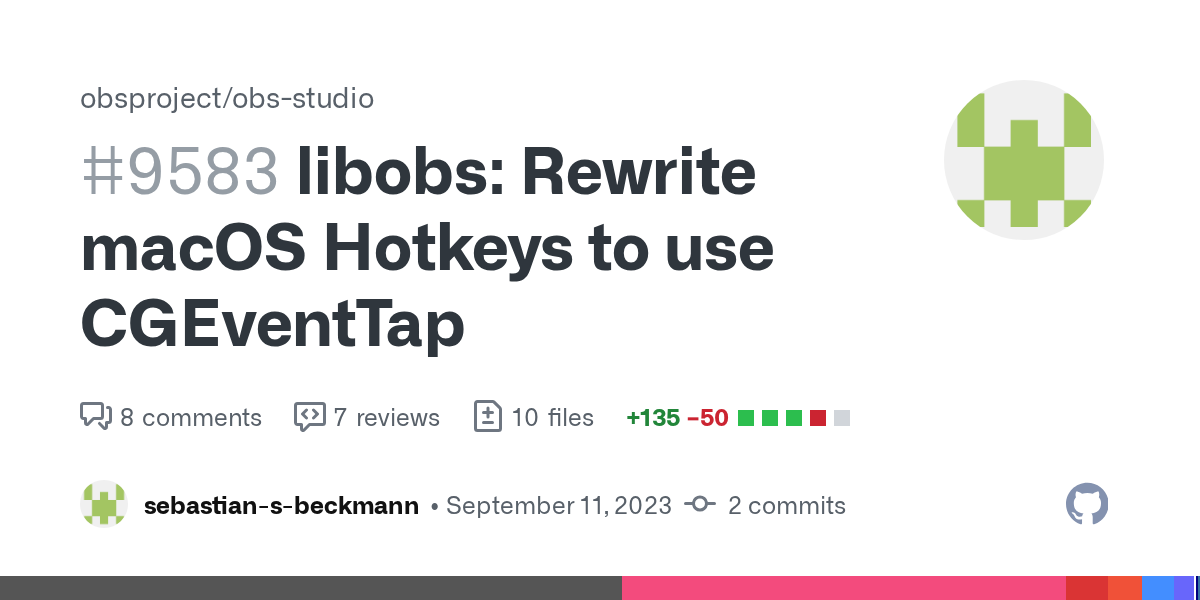
GitHub
Description
Using CGEventTapCreate instead of addGlobalMonitorForEventsMatchingMask to listen to global hotkeys has the advantage of tighter control over what permissions we need. Since we only l...
there is one indication that this doesn't help with the issue, but it may still be worth testing
restive ore
I have XR1 Pro, Xbox Series X, and M1 MacBook. I have tried multiple fixes and still can’t seem to get game audio. Any recommendations?
 acoustic crow
!macaudio
fading hareBOT
OBS Studio 30+ running on macOS 13 (Ventura) and later can capture desktop and app audio using the macOS Audio Capture source.
For previous versions of macOS and/or OBS Studio, see the macOS Desktop Audio Capture Guide.
 river bronze
maybe a dumb question, does OBS merge all the audio channels? For the life of me I cannot figure out how to have separate channels for desktop audio vs my mic audio.
I'm using the Focusrite Scarlett audio interface. My headphones are plugged into that so my mac's system sounds have the scarlett selected for audio.
restive ore
acoustic crow
!macaudio
Doesn’t really give much info. I’m on 30.0.2 on Mac
forest axle
have you added your card as an audio input capture device?
restive ore
Yes. I’ve tried it on two different OBS scenes as well as on Streamlabs. Garbled in each location.
forest axle
how do you mean garbled
restive ore
Sounds absolutely terrible. Don’t know how to describe it besides garbled. Sounds like aliens are interfering with it 😂
forest axle
sounds like macOS probably turned on voice isolation for you
with the card connected, find the purple or green capture indicator in the menu bar, then navigate to your capture card audio and make sure "voice isolation" is off
might need to toggle it
if it persists after that, please send us a clip
boreal raven
@forest axle Is there a way for us to see any pending cases you (OBS) raised against MacOS with Apple ?
forest axle
boreal raven
<@652014206845190175> Is there a way for us to see any pending cases you (OBS) r...
uh i wouldn't quite phrase feedbacks that way, but in any case no, there is not a standing list of FBs relevant to OBS
boreal raven
I am a bit newer to the developer side of things, including feedbacks submitted to Apple and how they would deal with it. But got your point.
In terms of testing the newer builds on the MacOS, how long will you try to record off of a source to see if something is lagging or otherwise ?
The other day i was recording some game content and i did not see frame drops/lag on the beta build for almost 30 mins, and then there was lagging right after continuously for 15 mins. Was wondering OBS is trying to showcase the frames it got from MacOS and its libraries, has any such thing was considered to send as a feedback for Apple.
Right now, the way things are, recording on OBS seems unusable due to these frame drops. I can certainly wait but i wanted to see if anything popped up in your collaboration with Apple.
forest axle
what source are you talking about? capture card or macos screen capture?
boreal raven
Capture Card Device.
forest axle
the best thing to do would be to document the issue with an OBS github issue, including clips of both smooth capture and the lag you're experiencing and an OBS log from the session
boreal raven
Do i need to post it under issues ?
forest axle
you should also probably isolate the issue to OBS first
which means making an extended recording with the same device and the same connection with quicktime
and seeing if the issue occurs there
boreal raven
I did try another piece of software called SwiftCapture, i see a different pattern of frame dropping there. its micro glitches. With OBS its lag for extended period of time, or else smooth game play.
for the sake of discussion, i did try quick time recording as well but the issue is not as much visible there ... but ya, i understood your point. probably will take time to raise the issue with details
forest axle
the important thing is to be thorough. if the issue does not occur in quicktime then it makes more sense as an OBS issue
if the issue does occur in quicktime then it may be appropriate as an apple FB and perhaps an OBS issue for tracking purposes
boreal raven
on the implementation side, is the frame grabbing style similar between Quicktime and OBS ?
forest axle
i didn't write quicktime
but probably not. it's probably geared more toward recording which means being more scrupulous about getting all frames
boreal raven
ha ha .. sorry, pardon my dumb questions, as i said i can understand technical things but probably cannot ask the questions right
boreal raven
forest axle
but probably not. it's probably geared more toward recording which means being m...
ya, exactly what i had in my mind when i asked that as in earlier discussions it was stated that OBS does things differently to Quicktime in general
forest axle
boreal raven
ha ha .. sorry, pardon my dumb questions, as i said i can understand technical t...
it's no worries
depending on the severity of what you're seeing, it could be an issue that needs solving or it could be a minor symptom of how OBS is designed. a thorough issue report that covers everything we've discussed, after isolating the issue to OBS, is a good starting point
boreal raven
understood
Also one more question, if i need some recommendation of software which does exclusively recording on mac platform .. alternatives to OBS in general .. which channel is apt to ask this question ?
its a MacOS related question but not related to OBS .. would #tech-talk help ? or perhaps #off-topic ?
Wanted to give some other software a try but only narrowed down to SwiftCapture so far.
forest axle
yeah either of those places are good. there aren't a whole ton of mac users in those channels but there are some, and some discussion is fine here too
if i was focused on capture card recordings getting all my frames, i'd probably just use quicktime and edit in post. if i needed to composite and record i'd use OBS
boreal raven
Quicktime is something i liked recording with initially but the only problem is i wanted to record at 1440p60fps, if not at least 1080p60fps. Quicktime sadly supports only 720p60fps which is a cruel joke.
forest axle
it should support 1440p60, did you try setting the quality to "maximum"?
it doesnt allow for fine tuning unfortunately though yeah
boreal raven
If i remember correctly its either between 720p60fps or 1080p30fps
i can go back and check again later today.
forest axle
word. but yeah feel free to ask around in the community channels
boreal raven
OBS capture to mkv and muxing to mp4 is a genius idea though .. LOL
forest axle
i know some people use camtasia. i don't know how well it works though
boreal raven
i did try camtasia and it does restrict the bitrate for sure but it came out nicely without any issues.
the trial version i mean.
they have a greedy yearly billing cycle 😞
Anyway. wont keep you long, i will ask around for sure. Thank you once again @forest axle for your time.
restive ore
Here’s an example of that audio issue @forest axle it wasn’t voice isolation
fading hareBOT
To help resolve your issue, we need to view a log file from a fresh launch of OBS Studio containing an output session. Follow these instructions to upload a clean log file:
- Restart OBS Studio first!
- Start your stream/recording replicating any issues (meaning having any games/apps open and captured, etc.)
- Stop your stream/recording after 30 seconds or after the issue has occurred
- Click the Help menu → Log Files → Upload Current Log File
- Paste the URL into this Discord channel
restive ore
fading hareBOT
restive ore
https://obsproject.com/logs/DMbzUg9QsqP2Q4bQ
🛑 Critical
- MP4/MOV Recording
ℹ️ Info
- 0.4% Rendering Lag
- Third-Party Plugins (5)
Hardware Check
Apple M1 (not in benchmark DB) / Apple Apple M1 (not in benchmark DB)
restive ore
Console audio sounds great through my headphones but not through OBS
forest axle
thanks, i'm not at my machine but i'll take a look when im free
forest axle
restive ore
Console audio sounds great through my headphones but not through OBS
in the meantime you should check if the issue occurs in a clean scene collection
with a single scene containing just your card and its audio
agile reef
forest axle
thanks! cc <@837462783460114442>
Now with these consumer HDMI 2.1 cards in the wild, I assume more people will find oddities.
restive ore
I tried and had the same issue each way, but can’t record it atm
forest axle
restive ore
I tried and had the same issue each way, but can’t record it atm
can you post a log from a clean scene collection where you reproduced the issue? it will be easier to read
restive ore
Now I was able to get cleaner audio but delayed and buzzing
 pearl yacht
what's the audio like when recording via QuickTime?
 novel shoal
Greetings. I am trying to download the OBS on my macbook pro with version ios 14 but i get this message when downloading

 forest axle
novel shoal
Greetings. I am trying to download the OBS on my macbook pro with version ios 14...
forest axle
novel shoal
Greetings. I am trying to download the OBS on my macbook pro with version ios 14...
Download OBS Studio for Windows, Mac or Linux
download the x86_64 version, not the apple silicon version
novel shoal
awesome thank you and where do i connect my device? i have a canon eos m50 id like to attatch!
fading hareBOT
novel shoal
awesome thank you and where do i connect my device? i have a canon eos m50 id li...
✨ If you're new to OBS Studio:
- follow the Quick Start Guide to set up your first scene and get streaming/recording
- learn more about the interface in the Overview Guide
- follow the Stream Layout Tutorial series to create a stream-friendly layout, including setting up alerts and a chat box
🎞️ If you prefer to learn with videos, check out:
- our OBS Studio Tutorials video series presented by EposVox
- EposVox's OBS Studio Master Class series
- Nerd or Die's How to Stream with OBS Studio series
forest axle
(you'll want the video capture device source. but the quick start guide is a good read if you are new)
novel shoal
all set thank you! Goodnight
 verbal locust
Hello, my OBS keeps crashing, I tried installing the latest and also updated the OS to latest (perhaps that had something to do with it), but I can't roll back
Process: OBS [54919]
Path: /Applications/OBS.app/Contents/MacOS/OBS
Identifier: com.obsproject.obs-studio
Version: 30.1.0 (7879259000)
Code Type: ARM-64 (Native)
Parent Process: launchd [1]
User ID: 501
Date/Time: 2024-02-17 14:44:19.6424 +0100
OS Version: macOS 14.3.1 (23D60)
anyone else also facing the same?
 desert stag
hi, im trying to use my elgato hd60s to record something on my fios tv box thing that i recorded on dvr, on my macbook pro 14" early 2023 (m2 pro apple silicon) and i downloaded obs studio and i made sure to press apple silicon on the downnloads page NOT the intel version but i cant see the content of my capture card in my obs: it only shows up on my tv
the hdmi out of the fios box is plugged into the hdmi in on the capture card, and the hdmi out on the capture card is plugged into the tv. and ofc the capture card usbc out is plugged into my mac

this is what i see
any help would be MUCH appreciated!
 wooden zinc
How to add year, month and clock on OBS on macos system?
desert stag
forgot to mention im on latest macOS (14.3.1)
wooden zinc
Do you have any solution?
desert stag
i dont know sorry
acoustic crow
!elgatomac
fading hareBOT
On macOS, some older Elgato capture devices may not be supported or require workarounds to use with OBS Studio:
- Game Capture HD and HD60 are not compatible with Apple Silicon-based Macs. On Intel-based Macs, use the Elgato Game Capture app in full screen, then capture it with a macOS Screen Capture/Window Capture source
- HD 60S is not compatible with Apple Silicon-based Macs. On Intel-based Macs, use the OBS Link app
- HD 60S+, HD 60X, Cam Link are compatible with all Macs and can be captured with a Video Capture source. Make sure you are using a USB 3-compliant USB cable or adapter, connected directly to your Mac if possible
gentle bear
Ok, I was able to figure something out on my hotkey issue
Figure’d I’d report back here about it
I did not have the accessibility permission turned on. As a result, EVERY TIME I minimized or maximized OBS, it would lose hotkey capability
I’m reporting this here in case it helps someone else
Also have another issue… I have a partial solution but I’m hoping someone else might have a better solution
I need to run OBS basically indefinitely for the purposes that I have. I want it to run for DAYS.
It does great now at that with one remaining issue
When I turn off my monitor, OBS remains running, but when I then turn the monitor back on, for some reason it will have “shrunk” the stream it is displaying into a corner. I can get it to auto resize by turning on any dock (I keep ALL docks turned off) and then turning that same dock off again.
Is there some alternative way to get this to either not happen or to auto-resize when I turn the monitor back on?
 somber mango
Is it possible to record smooth 25fps 1080p video on a 2017 MacBook Pro? I want to record my Sony ZV-e10 feed via capture card (not USB c direct connect).
That is, will it be a waste of time messing with settings and whatnot?
- Processor: 2.3 GHz Dual-Core Intel Core i5
- Graphics: Intel Iris Plus Graphics 640 1536 MB
- Memory: 8 GB 2133 MHz LPDDR3
gentle bear
Should be absolute cake, yes
forest axle
verbal locust
Hello, my OBS keeps crashing, I tried installing the latest and also updated the...
can you post the entire crash log?
 hot quiver
Hello! I had a quick question: is it possible to record at a higher FPS than what the screen is able to show as long as the FPS in game is high enough?
forest axle
no, it is not
hot quiver
forest axle
no, it is not
Oh, I see. Ty!
 pulsar field
hey hello! how do u get application audio output capture to pop up?
fading hareBOT
pulsar field
hey hello! how do u get application audio output capture to pop up?
OBS Studio 30+ running on macOS 13 (Ventura) and later can capture desktop and app audio using the macOS Audio Capture source.
For previous versions of macOS and/or OBS Studio, see the macOS Desktop Audio Capture Guide.
somber mango
gentle bear
Should be absolute cake, yes
Awesome. Thanks! Also... any hot tips on settings to get 1080p from a capture card looking buttery smooth? 🙂
 cloud locust
Hello, I'm a bit new to OBS and i've been having some problems with my mic sounding like a robot. For what I've seen in mac's sound settings, there really isn't a lot of functionality. I haven't found a way to get pass this issue other than buying a better mic. The mic I'm using now is a usb Bietrun. It very well could be the mic. It's a $20 mic so..... Any help would be awesome. I'm also looking at headset to use for streaming, any recommendations?
perhaps I need to look for a mic and headset thats compatible with Mac OS.
 shut ore
I am on Mac trying to use OBS on Ome.tv, a website like omegle, and everytime I change the video and audio sources on the browsers I use it does nothing and still defaults to the built in camera on the laptop even though that source is not selected, I have start virtual camera on and it doesn't work. Can anyone help me I've spent like 3 hours looking for a solution, would be much appreciated
thanks
 fierce rock
Using the virtual cam feature is against ome's TOS, and I believe they actively block it.
 eternal thorn
Hey everyone, i am trying to recor JUST AUDIO, but this thing pups up. It is in spanish but it says i have no space, what can i do? i hust want to record something quick and download it on my mac so i can edit it on imovie
 gentle bear
somber mango
Awesome. Thanks! Also... any hot tips on settings to get 1080p from a capture ca...
gentle bear
somber mango
Awesome. Thanks! Also... any hot tips on settings to get 1080p from a capture ca...
Turn it on?
1080p is like baseline these days. Even for old hardware.
shut ore
fierce rock
Using the virtual cam feature is against ome's TOS, and I believe they actively ...
That doesn't answer my question
fierce rock
It does. You won't receive assistance for bypassing their TOS.
shut ore
fierce rock
It does. You won't receive assistance for bypassing their TOS.
Maybe reread the question? That's what my 5th grade English teacher always told me when I gave stupid responses.
fierce rock
You say you want to use the virtual cam for ome. When you try it, it only shows you your default cam.
You turn on the virtual cam, and it still does not show up in ome.
You're trying to find a solution to allow the virtual cam to show up in ome.
shut ore
So why did you say this?
 fierce rock
Because that does answer your question in that no support will be given to circumvent ome blocking the usage of OBS' virtual cam. If it does not show up there, then that is by design.
 fierce rock
Yup, I triple checked before saying anything.
 neon lily
That's from the Rules page
And their Terms page says…

So that seems pretty clear. We won't be helping anybody to violate term 3.6 of their terms of service by violating their rule 3 :-)
Please use the service in accordance with their rules and terms of service. They provide it to you for free, so it's only fair you play by their rules. Thanks @shut ore 🙏
fierce rock
LOL, appreciate the backup. Was trying to keep it cordial. 👍
 summer sail
.
Hey all!
I'm using OSB plus Blackhole to record live mixing sessions of audio and video. Basically I'm playing youtube videos and soundcloud at the same time and recording the results.
This ...sorta works... but the resulting recording has very low audio.
I can bring the resulting recording into yet another software to boost the audio, but... it would be amazing if there was a tweak with OSB or Blackhole that did the trick.
Any ideas?
neon lily
They just record what they receive
If your volume is low, what they receive is low
Have you considered not using Blackhole at all?
fading hareBOT
OBS Studio 30+ running on macOS 13 (Ventura) and later can capture desktop and app audio using the macOS Audio Capture source.
For previous versions of macOS and/or OBS Studio, see the macOS Desktop Audio Capture Guide.
neon lily
eternal thorn
Hey everyone, i am trying to recor JUST AUDIO, but this thing pups up. It is in ...
Clear up some disk space. Seems fairly straight forward
forest axle
if they're recording on an exFAT or FAT32 volume, it'll fail in 30.0.2, and they'll need to use either 30.0.0 or 30.1 (cc @eternal thorn)
...or a network volume
pearl yacht
yeah that looks most probably like a non-HFS+ or non-APFS volume, I might be wrong though
cloud locust
Hello, I'm a bit new to OBS and i've been having some problems with my mic sounding like a robot. For what I've seen in mac's sound settings, there really isn't a lot of functionality. I haven't found a way to get pass this issue other than buying a better mic. The mic I'm using now is a usb Bietrun. It very well could be the mic. It's a $20 mic so..... Any help would be awesome. I'm also looking at headset to use for streaming, any recommendations?
perhaps I need to look for a mic and headset thats compatible with Mac OS.
pseudo warren
cloud locust
Hello, I'm a bit new to OBS and i've been having some problems with my mic sound...
i got the razer siren mini, I usually plug it into my iphone and share the audio to my mac, but I’m sure it works with the Mac itself too
 old mesa
cloud locust
Hello, I'm a bit new to OBS and i've been having some problems with my mic sound...
old mesa
cloud locust
Hello, I'm a bit new to OBS and i've been having some problems with my mic sound...
you might need to open Utilities/Audio MIDI Setup.app and change the hz format of your mic
like, 48k hz, 96k hz, etc.
 robust vault
Hi team! I've been fighting this issue for weeks and I've done everything I can find online. I've deleted plugins, I've ran in safemode, I've updated plugins, I've tried it all. The logs never really show much and I am at a brick wall about what to do/try next.
https://obsproject.com/logs/DfyggtHossb3zkjF
M2 Max Mac Studio
I also have the mac crash log. This crash happens on every close of OBS from normal mode. It does not crash in safe mode.
forest axle
robust vault
Hi team! I've been fighting this issue for weeks and I've done everything I can ...
can you post the crash log?
!maccrash
fading hareBOT
A crash log is required to investigate the cause of your issue. Please upload the most recent crash log.
- In Finder, click the Go menu
- Select Go To Folder, and type in
~/Library/Logs/DiagnosticReports/ - Upload the file prefixed
OBS_with the most recent date (format is year-month-day)
robust vault
This was the latest but I do have like 20 of these from the last few days.
oh sorry
i see what i was supposed to do
let me do that now
!maccrash
fading hareBOT
A crash log is required to investigate the cause of your issue. Please upload the most recent crash log.
- In Finder, click the Go menu
- Select Go To Folder, and type in
~/Library/Logs/DiagnosticReports/ - Upload the file prefixed
OBS_with the most recent date (format is year-month-day)
robust vault
oh nm. lol. I see.... it's been a long weekend
let me know if that was what we were looking for or not
 forest axle
 limpid root
my computer has space but obs keeps saying
limpid root
my computer has space but obs keeps saying
you'll probably need to use 30.0.0 or 30.1
limpid root
forest axle
you'll probably need to use 30.0.0 or 30.1
im not familiar with this stuff
are those obs versions?
forest axle
robust vault
This was the latest but I do have like 20 of these from the last few days.
looks like the "vertical_canvas" plugin is crashing
forest axle
limpid root
are those obs versions?
yeah. 30.0.0 is here https://github.com/obsproject/obs-studio/releases/tag/30.0.0, or if you would like to use the beta of the new version you can do that here https://github.com/obsproject/obs-studio/releases/tag/30.1.0-beta2
there is a bug in 30.0.2 (the current version) that returns incorrect disk space for certain kinds of volumes
limpid root
forest axle
yeah. 30.0.0 is here <https://github.com/obsproject/obs-studio/releases/tag/30.0...
will my mic settings still be saved
forest axle
yep, just drag and replace the current version in your applications folder
limpid root
which one do i download
 robust vault
forest axle
looks like the "vertical_canvas" plugin is crashing
robust vault
forest axle
looks like the "vertical_canvas" plugin is crashing
gotcha. thank you for helping find that nugget. I tried but could not. i'll reach out and see what they tell me. I appreciate you.
forest axle
limpid root
which one do i download
are you on an apple silicon machine (m1 or later) or intel?
 forest axle
then you'll want to download the -macOS-Apple.dmg one
also you may wish to update macOS but that's a side concern
 forest axle
replace is fine, yes
 humble finch
anyone know why I am getting this message when I try to open OBS after downloading it?
 forest axle
you downloaded the apple silicon version. you need the intel version
humble finch
forest axle
you downloaded the apple silicon version. you need the intel version
thanks i'll try that
 eternal oak
Hello! Im new to this group. I am trying to get OBS to recognize external recording devices to my Macbook Pro Sonoma 14.3.1. (silicone, not intel). At this time i can only use the laptops built in Camera or connect to my iphones camera in the OBS app. I would like to use my OBSBOT Tail Air. The tail air works in the OBSBOT Centre app, but it won't show up in OBS. Nor does the virtual camera. Is my Macbook update too ahead for OBS? Or is there something else that I'm missing. I would really like to start livestreaming, especially multi-platform stream which OBS can do, yet my expensive camera won't connect to it. Please help! I took a screen recording of this.
You can see here that the camera clearly connects to my computer, but it won't connect to the OBS app at all. I really don't want to use the OBSBOT for just regular recordings, i want to livestream but the app seems to be working against me
forest axle
i think you need to find some settings for "UVC mode"
in that control center app
and after that add it as a video capture device
or maybe follow these instructions https://www.obsbot.com/explore/obsbot-center/obsbot-center-macos-permissions-instructions
in any case, looks like peculiarities with how the camera talks to macOS that you'll need to sort out with its software
eternal oak

That prompt doesnt show in my settings from the link you sent
Ill keep playing around with your suggestions until something works and if it doesnt ill let you know. thanks for the helpful response
Hm it seems that neither of those options seem to work. Thank you anyways for the suggestions
forest axle
did you install their system extension?
 lament falcon
hi! im currently having a problem where my footage looks 'pixelated', if that makes sense? i provided just a basic screen recording of me just doing stuff, hopefully you can see the issue and help me 🤷♂️ thanks so much in advance
ive been using obs for about a year now and this problem occured when i turned on a color correction filter today because my recordings were turning out super unsaturated (i just found out you could do that 😭 ). once i noticed the problem, i deleted the filter, but the problem still exists. ive restarted my mac and obs already but the problem still exists.
forest axle
looks to me like you simply need to raise your recording bitrate
lament falcon
forest axle
looks to me like you simply need to raise your recording bitrate
would this be it?

oh oops the one above it
right?
thanks so much for your help @forest axle, it is fixed 🙏
 pearl blade
Hello, I was just recently doing a youtube stream on OBS Studio and everything was working as normal. After the stream, I decided to try to download the Move Transition Plugin. I downloaded it and wanted to see if it worked on OBS. I then tried to use the MacOS stream capture to show my screen but it does not work. I then deleted the Move Transition Plugin from OBS plugins because I thought that was part of the problem. Now it won't show my screen and I have updated OBS to the newest version. I also tried to make a new screen capture source. I have a M2 Max Macbook Pro and I am running MacOs Sonoma

 fading hareBOT
pearl blade
Hello, I was just recently doing a youtube stream on OBS Studio and everything w...
fading hareBOT
pearl blade
Hello, I was just recently doing a youtube stream on OBS Studio and everything w...
To help resolve your issue, we need to view a log file. Follow these instructions to upload your current log file:
- In OBS Studio, click the Help menu → Log Files → Upload Current Log File
- Click the Copy URL button
- Paste the URL into this Discord channel
forest axle
pearl blade
Hello, I was just recently doing a youtube stream on OBS Studio and everything w...
a log should show us what's going on ^
fading hareBOT
⚠️ Warning
- Intel OBS on Apple Silicon Mac
- Browser Not Accelerated
ℹ️ Info
- No Output Session
- Third-Party Plugins (1)
Hardware Check
Apple M2 Max 12 Core 3680 MHz - OK! / Apple Apple M2 Max (not in benchmark DB)
forest axle
hmm. is there a reason you're using intel OBS? you may want to download the apple silicon version if not. that's unrelated to your issue though
to solve that, you probably need to kill a macOS system process called replayd. the easiest way to do that is to open activity monitor.app (located in /Applications/Utilities), then search for "replayd"
pearl blade
Could downloading the Apple Silicon version of OBS fix my problem?
forest axle
once you find it, select it, and hit the X icon along the top bar, and force quit it
only standard app bundle energy usage is tracked
select any other tab
such as cpu or memory
pearl blade
I force quit replayd, what next?
forest axle
your OBS screen captures should work now
pearl blade
Thank you! It works now. By the way was deleting or "killing" replayd bad for my computer or make anything slower?
forest axle
nope. it's a background process responsible for screen capture. if you kill it, it's restarted just as it was before it crashed (which is what caused your blank captures)
pearl blade
Ok thanks for the help
 oblique coyote
How can i connect mobile phones display wivi wifi to obs ?
or mobile camera to obs via wifi
 cloud yoke
humble finch
thanks i'll try that
cloud yoke
humble finch
thanks i'll try that
My other thought if checking the Intel/Apple silicon version thing doesn't fix the problem is:
What macOS version are you using? If you are using an older macOS version you might need to download an older version of OBS.
(No I can't remember what the break point for OS vs OBS version is, but the site tells you which version.)
verbal locust
forest axle
can you post the entire crash log?
where can I find the full log? I looked inside /var/logs but thats not it perhaps
acoustic crow
!manualcrash
fading hareBOT
To find the OBS Studio crash logs, follow these steps:
- Press
WinKey+Rto open the Run dialog - Type in:
%APPDATA%\obs-studio\crashesand press Enter - Upload the desired crash log, usually the latest, directly to this Discord channel by dragging and dropping the file into the chat window
fading hareBOT
A crash log is required to investigate the cause of your issue. Please upload the most recent crash log.
- In Finder, click the Go menu
- Select Go To Folder, and type in
~/Library/Logs/DiagnosticReports/ - Upload the file prefixed
OBS_with the most recent date (format is year-month-day)
verbal locust
verbal locust
verbal locust
OBS Crashing every single time 😦
 humble valley
verbal locust
OBS Crashing every single time 😦
humble valley
verbal locust
OBS Crashing every single time 😦
try to run with administrator
does any1 here have the overlay with wasd and number for VALORANT, can I download it?
pearl yacht
humble valley
try to run with administrator
"running as administrator" is a Windows thing, we don't do that here 😉
that crash is already fixed in the next beta build
humble valley
pearl yacht
"running as administrator" is a Windows thing, we don't do that here 😉
oh my apologize
pearl yacht
nothing to apologise for
verbal locust
pearl yacht
that crash is already fixed in the next beta build
oh cool, so I should download the latest beta?
pearl yacht
no the latest one introduced the bug
we haven't released the next build yet
if you did not run the beta and got that crash, it might be a different bug we haven't figured out yet - the crash report looks similar to the one we fixed however
 warped mica
 nocturne willow
quick question: when i open obs there is no menu, as in I can't find the file tab to show my recordings
pearl yacht
the menu is at the top of the screen, as with all macOS applications - or is even that one missing?
nocturne willow
Yes that's missing
pearl yacht
does it appear if you click the main OBS window once?
nocturne willow
Nope, I've tried everything. force quitting the program, restarting my mac, re-downloading the app, etc
 pearl yacht
you omitted the little nugget that you're running OBS in full screen
move the mouse to the top of the screen, the title bar and menu should appear automatically
pearl yacht
can you post a screenshot of the entire screen with OBS in a windowed state and in focus?
 pearl yacht
there's the "File" menu, doesn't that work?
nocturne willow
Hahah yes, sorry about that. When I worked on OBS on windows it was different
pearl yacht
In full screen you just move the mouse to the top (as with all full screen windows)
plucky zenith
!macmenu @pearl yacht
if you don't want to record your own for next time
fading hareBOT
@pearl yacht
On macOS, the menu bar is located at the top of the screen, not the OBS Studio window. If you are in full screen mode and cannot see the menu bar, move your cursor to the top of the screen.

 dusky pewter
Hi there, I have updated OBS, and I have an issue with presenting the virtual camera on Mac (apple M1 pro v14.3.1 with OBS studio 30.0.2); everything looks fine, but the system uses the camera output and not the scene output. (scene output is selected, obviously)
any ideas? Thanks
 neon lily
Nothing in that screenshot is wrong
You’re looking at the settings for your webcam
What app are you using the virtual camera in? Nothing yet, by the looks of it
@dusky pewter ^
dusky pewter
neon lily
Nothing in that screenshot is wrong
All of them (zoom, teams etc.) in all of them the pass thorough is the c922 view and not the virtual camera. (Although the virtual is selected)
Prior to that the face time showed the virtual and not the c922 output.
neon lily
Can you show a screenshot of one of them, with the virtual cam?
 hexed marten
Hello
So my homeboy wants to record on Mac with the cheap ass capture card he has
But there’s nothing showing when he selects the capture card as the video capture device
dusky pewter
neon lily
Can you show a screenshot of one of them, with the virtual cam?
Thank you. It seems that setting it all up once again and deleting the ~/Library/ OBS files fixed the issue. Thank you @neon lily for your help.
 quartz spade
Anyone available to have a look at my settings?
Tried recording Xbox 360 with Elgato HD60S+ and it looks terrible.
M1 Studio, Ventura 13.6


 whole kayak
How do remote participants access the broadcast?
 opal sequoia
Downloaded obs not too long ago on Mac, my ps5 remote play wasn’t shown on sources, any clues?
fading hareBOT
quartz spade
Anyone available to have a look at my settings?
Tried recording Xbox 360 with E...
To help resolve your issue, we need to view a log file from a fresh launch of OBS Studio containing an output session. Follow these instructions to upload a clean log file:
- Restart OBS Studio first!
- Start your stream/recording replicating any issues (meaning having any games/apps open and captured, etc.)
- Stop your stream/recording after 30 seconds or after the issue has occurred
- Click the Help menu → Log Files → Upload Current Log File
- Paste the URL into this Discord channel
quartz spade
fading hare
fading hareBOT
quartz spade
https://obsproject.com/logs/Re44SmOHPwtBf2Is
🛑 Critical
- MP4/MOV Recording
⚠️ Warning
- Intel OBS on Apple Silicon Mac
- Wrong YUV Color Range
ℹ️ Info
- macOS 13.6 (OK)
- Third-Party Plugins (1)
Hardware Check
Apple M1 Max 10 Core 3200 MHz - OK! / Apple Apple M1 Max (not in benchmark DB)
forest axle
can you elaborate on how the output looks "terrible?" maybe with a clip? you also shouldn't be using full color range, but instead partial
these are also very different encoder settings than you posted above
 latent pier
@potent lark so we’re picking up a modem because I had a upload speed of 2 which was a third of what I’m supposed to get
quartz spade
forest axle
these are also very different encoder settings than you posted above
I switched to ProRes 422 Software - it's the only one that comes close to the passthrough quality. The x264 looks faded and digitally distorted/glitchy? That's what I mean by looks terrible.
forest axle
it's probable that your bitrate was simply too low. prores will do the job (though you should probably use hardware rather than software), but so will basically any hardware encoder, per this:
!local
fading hareBOT
For high-quality, no fuss recordings, use the recording quality presets in Simple Mode:
- In OBS Settings → Output, set the Output Mode to Simple
- In the Recording section, choose Indistinguishable Quality as the Recording Quality
- Set your Video Encoder to a hardware encoder, if available
quartz spade
forest axle
!local
H.264 or HEVC?
forest axle
hevc will be more space efficient for the same quality. h264 can be played back in more places. depends what you're doing with the footage
quartz spade
forest axle
hevc will be more space efficient for the same quality. h264 can be played back ...
Played back in more places? I use Photos and Quicktime - Want to be able to record Xbox audio to channel 1 and commentary to channel 2 and mix in FCPX. So I've been using .mov - will that still work with .mp4? It's telling me not to use .mov but I've never had it crash.
forest axle
hevc should be fine in final cut pro. either mp4 or mov is fine as well
quartz spade
forest axle
hevc should be fine in final cut pro. either mp4 or mov is fine as well
Great - thanks so much!
 rapid badge
Never happened before, but today frame rates have dropped to 10k. Happening all evening today.
acoustic crow
 slate talon
cant add sources ect
slate talon
cant add sources ect
Try right clicking in the dock area where the text is and see if you have the options there.
Though not being able to do it via the buttons is definitely weird.
gentle bear
Is there a way for OBS to have two sources each be in separate windows?
 wide hearth
So my game audio has decided to just not work and i have no idea why. I was using it literally a couple hours ago and it was fine. I have 0 clue why it wont pick up any of the audio 😭
forest axle
wide hearth
So my game audio has decided to just not work and i have no idea why. I was usin...
what type of source is it?
 forest axle
is your console audio output going straight to your capture card, or do you have something set up separately to use a headset?
wide hearth
forest axle
is your console audio output going straight to your capture card, or do you have...
it goes staright to my capture card
fading hareBOT
To help resolve your issue, we need to view a log file. Follow these instructions to upload your current log file:
- In OBS Studio, click the Help menu → Log Files → Upload Current Log File
- Click the Copy URL button
- Paste the URL into this Discord channel
wide hearth
fading hareBOT
wide hearth
https://obsproject.com/logs/sbi72BZOoM8NkBUo
⚠️ Warning
- Intel OBS on Apple Silicon Mac
ℹ️ Info
- macOS 13.4 (OK)
- No Output Session
Hardware Check
Apple M1 (not in benchmark DB) / Apple Apple M1 (not in benchmark DB)
 spare bay
why is my camera not wanting to stay on when i stream i have to re put the device it does the same thing 2 mintues later (i know its not my camera)
wide hearth
forest axle
let's see a log
okay so im ngl the problem just fixed itself. i tired opening obs back on and it just worked idk why it wasn't working before
😪
rapid badge
I can’t upload the log files at all when the frame rates drop to 2/60 FPS. i’ve tried uninstalling the app, reinstalling. Reinstalling my Mac OS software. switching encoders. It’s frustrating
plucky zenith
rapid badge
I can’t upload the log files at all when the frame rates drop to 2/60 FPS. i’ve ...
why can't you upload it? what happens if you try?
rapid badge
plucky zenith
why can't you upload it? what happens if you try?
it lags so bad it won’t highlight the upload part. My network speed download is 505.94 MBPS & upload is 41.60
Also add my Download speed is 505.94 & Upload is 41.60
gentle bear
I continue to have issues where my hot keys just suddenly stop working
It is SO frustrating. 😦
gentle bear
I thought I’d resolved it but it wasn’t actually solved
plucky zenith
rapid badge
it lags so bad it won’t highlight the upload part. My network speed download is...
!manuallog
send a log from a session where it happened
fading hareBOT
rapid badge
it lags so bad it won’t highlight the upload part. My network speed download is...
Please manually upload your log file.
(Windows)
- Press WinKey+R to open the Run dialog
- Paste the following into the box and hit OK:
%APPDATA%\obs-studio\logs - Find the desired log file (usually the latest) and drag/drop it into this channel.
Linux logs: ~/.config/obs-studio/logs
macOS logs: ~/Library/Application Support/obs-studio/logs
fading hareBOT
gentle bear
I continue to have issues where my hot keys just suddenly stop working
To help resolve your issue, we need to view a log file. Follow these instructions to upload your current log file:
- In OBS Studio, click the Help menu → Log Files → Upload Current Log File
- Click the Copy URL button
- Paste the URL into this Discord channel
 rapid badge
Hey @fading hare it won’t let me click upload current log file. I just said that
plucky zenith
rapid badge
Hey <@374674180722917377> it won’t let me click upload current log file. I just...
which is why the message I sent you does not require you to click that
rapid badge
Wait i was replying to that screen thing i didn’t see ur message. give me a minute sorry!
gentle bear
plucky zenith
!manuallog
send a log from a session where it happened
I’ll do that but I -JUST- restarted OBS to fix the issue
😦
I’ll definitely do it next time though
plucky zenith
rapid badge
Wait i was replying to that screen thing i didn’t see ur message. give me a minu...
the bot's message is the one I trigerred
rapid badge
where do i input the command? i tried terminal and nothing happened
forest axle
rapid badge
where do i input the command? i tried terminal and nothing happened
in finder, do go->go to folder, then paste in ~/Library/Application Support/obs-studio/logs
then send the most recent file in that folder
rapid badge
fading hareBOT
rapid badge
🛑 Critical
- NO LOG
Hardware Check
Apple M1 Pro 8 Core 3200 MHz - OK! / Apple Apple M1 Pro (not in benchmark DB)
rapid badge
When i use, my system CPU is never above 4%, rarely ever 3%
plucky zenith
that log doesn't have any output session
rapid badge
how is that possible? What do i need to do?
plucky zenith
find a log from when it happened, and send that
rapid badge
fading hareBOT
rapid badge
🛑 Critical
- NO LOG
Hardware Check
Apple M1 Pro 8 Core 3200 MHz - OK! / Apple Apple M1 Pro (not in benchmark DB)
plucky zenith
still no output in this?
rapid badge
crap, one sec lemme keep looking. only have 9 files
 cold slate
Sorry guys, I'm using a Streamcam to record and it works well in other applications, but in OBS I have like this auto-saturation that keeps changing the lights' color so while I'm speaking you can see the warm lights turning into cold
Any idea on how to fix it?
forest axle
probably need to check that macOS effects are disabled for the input
check the top menu bar for a green or purple capture indicator, then find the camera input and make sure stuff like studio light is disabled
rapid badge
forest axle
check the top menu bar for a green or purple capture indicator, then find the ca...
its green but no effects are open
cold slate
I have it but I like it, is there another way to fix it?
rapid badge
it gave me this link,,,, https://obsproject.com/logs/aOE6avSYo3qcJSst
fading hareBOT
rapid badge
it gave me this link,,,, https://obsproject.com/logs/aOE6avSYo3qcJSst
ℹ️ Info
- 0.1% Rendering Lag
- Dynamic Bitrate
- Third-Party Plugins (2)
Hardware Check
Apple M1 Pro 8 Core 3200 MHz - OK! / Apple Apple M1 Pro (not in benchmark DB)
plucky zenith
rapid badge
its green but no effects are open
that was not adressed at you
rapid badge
oh crpa
cold slate
forest axle
check the top menu bar for a green or purple capture indicator, then find the ca...
I tried to remove it, but I have the same problem
plucky zenith
rapid badge
it gave me this link,,,, https://obsproject.com/logs/aOE6avSYo3qcJSst
so, there's no issue when recording, but there is when streaming?
rapid badge
theres an issue with both
this has never happened before, Shoot yesterday i streamed for 3-4 hours and nothing happened
forest axle
cold slate
I tried to remove it, but I have the same problem
can you send a clip or recording of an example of the lights changing color?
spare bay
why is my camera not wanting to stay on when i stream i have to re put the device it does the same thing 2 mintues later (i know its not my camera)
cold slate
forest axle
can you send a clip or recording of an example of the lights changing color?
I tried to install the Logitech software and I can remove the auto exposure, so it seems fixed, but thank you anyway!
rapid badge
nothing is working, even tried obs thats installed on another hard drive and same issue
forest axle
it's probably one of your sources doing bad things
but it's not really possible to tell which one from a log
rapid badge
but dont understand what could have changed
forest axle
if it's a browser source, any number of things
i'd maybe create a new scene collection
and rebuild your scenes, testing at each stage to see when performance degrades
rapid badge
i know i get my scenes from Stream Elements so that could be the major problem is that would cause the severe frame drops?
forest axle
it's possible that browser sources like streamelements can misbehave and lead to slowdowns, yes
it's relatively common
rapid badge
oh crap, before i can even delete them the frames drop without me streaming or recording
its a pain the the you know what lmao
ill try
deleted all of them and the frames stopped dropping.... but so sad to see the beautiful scenes go lmao
forest axle
it's probably just one of them that's the problem
rapid badge
so sorry to bother everyone
forest axle
no worries! that's what this channel is here for
pseudo warren
what are the best settings for recording on mac?
fading hareBOT
pseudo warren
what are the best settings for recording on mac?
There are no "best settings." Please understand that every setup, for every use case, will be different. Any guides or videos that claim otherwise are misinforming at best.
We recommend that you start off by using Auto-Config to get a baseline of where your settings should be; click on the Tools menu in OBS, select Auto-Configuration Wizard, and then just follow the on-screen directions. You can test and adjust from there.
whole kayak
How do remote participants access the platform?
 charred monolith
I have OBS spamming the logs with these messages multiple times per second, even in safe mode, how could I find out where they are coming from? There are no GH issues on the topic.
00:40:21.105: QTextCursor::setPosition: Position '15941' out of range
00:40:21.124: QTextCursor::setPosition: Position '16011' out of range
00:40:21.143: QTextCursor::setPosition: Position '16081' out of range
00:40:21.162: QTextCursor::setPosition: Position '16151' out of range
00:40:21.182: QTextCursor::setPosition: Position '16221' out of range
 mortal matrix
Is there anyway to completely eliminate these artifacts? I don't think it is the OS I am using but maybe OBS itself. I am trying to record 1080p 59.94 FPS but these artifacts keep popping up in fast moving scrolling scenes. I use multiple capturing devices for each of the screenshots but these artifacts keep popping up. I also recorded some gameplay straight into Quicktime via an Elgato HD60X and the artifacts are not present. I record MP4 for multiple audio tracks and use the Apple VT H264 Hardware Encoder. I did use the "stream encoder" but that was the one that was causing the most video artifacts. Thanks if you can help.

 fading hareBOT
mortal matrix
Is there anyway to completely eliminate these artifacts? I don't think it is the...
fading hareBOT
mortal matrix
Is there anyway to completely eliminate these artifacts? I don't think it is the...
To help resolve your issue, we need to view a log file from a fresh launch of OBS Studio containing an output session. Follow these instructions to upload a clean log file:
- Restart OBS Studio first!
- Start your stream/recording replicating any issues (meaning having any games/apps open and captured, etc.)
- Stop your stream/recording after 30 seconds or after the issue has occurred
- Click the Help menu → Log Files → Upload Current Log File
- Paste the URL into this Discord channel
 snow herald
im trying to get my camera to work on a sight thts not listed how can i do this?
 hushed compass
The “Deactivate” button for my video capture device is nowhere to be seen on Mac
Is that a windows exclusive feature
neon lily
hushed compass
Is that a windows exclusive feature
Yes
hushed compass
🤦♂️ why
snow herald
what do i do when my website i want to use doesnt have a stream key?
 vestal iron
Sites almost always have stream keys. What site is it?
vestal iron
I'm confused as to what you're asking. Stream keys basically tell OBS where to send the video. If you're streaming to Facebook, you set up the stream on the Facebook Live setup page and copy your stream key to OBS's settings.
snow herald
i only want obs to take over my camera and not stream can it do that?
vestal iron
If you only want to use OBS as a virtual camera, the stream key is irrelevant.
snow herald
how do i get this please?
vestal iron
Be aware that some websites do not allow virtual cameras.
vestal iron
Omegle, for example, has a TOS term against using virtual cameras.
 covert garden
Can someone pls help me
vestal iron
Can we? I don't know. What's the problem?
covert garden
My obs doesnt have game capture
 west cypress
game capture is a windows concept
vestal iron
Someone can correct me if I'm wrong, but Game Capture, as far as I'm aware, is Windows only. You need to use Window Capture.
forest axle
nearly correct
the source that accomplishes the same thing as game capture on macOS is macOS screen capture @covert garden
snow herald
vestal iron
Omegle, for example, has a TOS term against using virtual cameras.
okay i see what you mean, it doesnt come up on my chrome camera options do you know why this is please?
vestal iron
snow herald
okay i see what you mean, it doesnt come up on my chrome camera options do you k...
You need to start the OBS virtual camera for Chrome to see the video source, but keep in mind that not every website allows the virtual camera.
Some are literally hardcoded against it.
 forest axle
i'd recommend updating macOS if you want to use macOS screen capture as well, its behavior on monterey isn't the greatest
that said, just make sure roblox isn't fullscreen, change the "method" to window capture, then select your roblox window
it may or may not work in fullscreen at that point, i don't remember what's broken in monterey and what isn't
covert garden
ok ty
spare bay
vestal iron
Someone can correct me if I'm wrong, but Game Capture, as far as I'm aware, is W...
Or display capture
forest axle
you should be in #windows-support . but if you mean the OBS UI, you just need to turn off studio mode
 crystal acorn
obs will stay open for a few seconds and crash m2 mac mini any fixes ?
forest axle
hmm could we see a crash log?
fading hareBOT
crystal acorn
obs will stay open for a few seconds and crash m2 mac mini any fixes ?
A crash log is required to investigate the cause of your issue. Please upload the most recent crash log.
- In Finder, click the Go menu
- Select Go To Folder, and type in
~/Library/Logs/DiagnosticReports/ - Upload the file prefixed
OBS_with the most recent date (format is year-month-day)
 nova ore
Hi.
I am having a situation with OBS 30.0.2 on a MacBook Pro on an M1 processor where random icons are popping up on the screen.
I do have several plugins installed but not sure which one (if any) is causing this problem.
I created a new scene collection and re-captured cameras and it is still happening.
Any ideas what could be causing this.
 forest axle
that's a macOS "feature"
forest axle
nova ore
Hi.
I am having a situation with OBS 30.0.2 on a MacBook Pro on an M1 processor ...
in order to disable it, you need to find and click the green or purple capture indicator in the menu bar, then find your camera input and toggle off "reactions"
crystal acorn
fading hare
nova ore
forest axle
that's a macOS "feature"
Thank you very much!!!
That worked!
forest axle
crystal acorn
looks like this is being caused by the vertical canvas plugin, you'll need to remove that plugin until it's addressed on their end
 willow tinsel
Hello I have a need for renaming cameras. CamRename only works for Windows. Mac os since 10.13 abdicated its ability to index identically named cameras.
I tried CamRename. It said "Invalid Format"
charred monolith
charred monolith
I have OBS spamming the logs with these messages multiple times per second, even...
Turns out it's coming from a Browser Source, it temporarily goes away if I disable and re-enable the source. The source just displays a simple status message. Any idea how I could debug this?
 wintry pollen
I run OBS on a MabcBook Pro under Sonoma during for live interview. From time to time, I guess when people make the right sign, some Mac video reactions ( firework for instance) appears on the output screen. It is pretty annoying because not aligned with the mood of the video. My question is how to disable this macos feature ?
gentle bear
forest axle
https://github.com/obsproject/obs-studio/pull/9583
Correct me if I’m wrong, but there isn’t any version of OBS available to use with this change embedded into it, is there?
 graceful pulsar
Hello guys, do you know why I configured OBS record output and video to 60 fps already, but seemed like my output records (after remux) is pretty bad, feed like just about 10-15 fps, not even close 30. My OBS settings are in the attachment images. Please help me to figure out, I’m really stuck with that. Thanks a lot.


 desert stag
hey all. what video encoder should i be using & why?

m2 macbook pro 14" (early 2023), 16g ram 1tb storage
forest axle
wintry pollen
I run OBS on a MabcBook Pro under Sonoma during for live interview. From time to...
fading hareBOT
graceful pulsar
Hello guys, do you know why I configured OBS record output and video to 60 fps a...
To help resolve your issue, we need to view a log file from a fresh launch of OBS Studio containing an output session. Follow these instructions to upload a clean log file:
- Restart OBS Studio first!
- Start your stream/recording replicating any issues (meaning having any games/apps open and captured, etc.)
- Stop your stream/recording after 30 seconds or after the issue has occurred
- Click the Help menu → Log Files → Upload Current Log File
- Paste the URL into this Discord channel
fading hareBOT
 soft lynx
i have a m2 macbook and my quality is very bad, can you help me
soft lynx
i have a m2 macbook and my quality is very bad, can you help me
Advanced output mode, while allowing for more fine-tuning of options, does not automatically mean that your stream or recording will have better quality. Often, it can result in lower quality, because it can allow changes to settings that really shouldn't be changed. In most cases, Simple output mode is the best option to get the most out of OBS.
To change back to Simple output mode:
- Go to Settings > Output in OBS.
- Change "Output Mode" from "Advanced" to "Simple".
forest axle
desert stag
hey all. what video encoder should i be using & why?
it depends what you want to do with the recordings. for performance, use a hardware encoder. if you're sharing the recordings directly, you probably want to use h264. if you're editing them locally and you want something more space-efficient for the same quality, use hevc
pearl yacht
wintry pollen
I run OBS on a MabcBook Pro under Sonoma during for live interview. From time to...
Apple Support
Use video effects such as Portrait mode, Center Stage, and reactions during a FaceTime call.
desert stag
forest axle
it depends what you want to do with the recordings. for performance, use a hardw...
ty for the response! wdym sharing the recordings directly?
forest axle
by that i mean if you're sending the file to a friend or uploading it in discord or something
desert stag
oh
so it has a small file size basically, which im assuming is going to sacrifice some quality
and the bottom line is dont use software encoding if im understanding correctly?
forest axle
generally no, you shouldn't use software encoding if a hardware encoder is available
and the filesize has more to do with the bitrate or quality setting than the encoder. you can have large h264 or HEVC files. HEVC is more efficient though, and gets the same quality at a smaller size
but it's less widely compatible than h264. so again, it depends what you're doing
desert stag
all i do is store them on my mac or upload to yt
it sounds like h264 is the way for yt, and hevc is the way for local storage?
forest axle
if you're uploading to youtube, hevc is fine
wintry pollen
forest axle
https://canary.discord.com/channels/348973006581923840/636682784156549152/121004...
Thank you, I didn't find any green or purple capture indicator in the menu bar, because I have no OBS camera activated. I have just a yellow dot for the micro.
forest axle
the capture indicator will only appear if the camera is connected to your mac
i think it needs to be active in an application as well
once you turn off reactions that way, it should save the setting, so you should only need to do it once
wintry pollen
The input video come from a Shogun, I don't have this Shogun at the moment so I cannot check. You mean when the Shogun is plugged it is viewed as a camera by macos and the capture indicator pops up.
forest axle
yes, if you have the camera plugged in and it's active in OBS, the indicator will appear
wintry pollen
👍 I check as soon as I can
forest axle
still can't believe apple turned that on by default
soft lynx
fading hare
the quality is still horrible
wintry pollen
forest axle
still can't believe apple turned that on by default
for sure, this creates some embarassing situations...
fading hareBOT
soft lynx
the quality is still horrible
To help resolve your issue, we need to view a log file from a fresh launch of OBS Studio containing an output session. Follow these instructions to upload a clean log file:
- Restart OBS Studio first!
- Start your stream/recording replicating any issues (meaning having any games/apps open and captured, etc.)
- Stop your stream/recording after 30 seconds or after the issue has occurred
- Click the Help menu → Log Files → Upload Current Log File
- Paste the URL into this Discord channel
fading hareBOT
soft lynx
https://obsproject.com/logs/Xlgl4LWKmJZRiv3H
🛑 Critical
- 65.2% Encoder Overload
ℹ️ Info
- Beta OBS Version (30.1.0-beta2)
- Third-Party Plugins (1)
Hardware Check
Apple M2 (not in benchmark DB) / Apple Apple M2 (not in benchmark DB)
fading hareBOT
soft lynx
https://obsproject.com/logs/04GooZtgGP239aO2
🛑 Critical
- 65.2% Encoder Overload
ℹ️ Info
- Beta OBS Version (30.1.0-beta2)
- Third-Party Plugins (1)
Hardware Check
Apple M2 (not in benchmark DB) / Apple Apple M2 (not in benchmark DB)
forest axle
well, you shouldn't be using display capture, you should be using macOS screen capture
i don't know that that explains your encoder overload though
what other programs are you running on your machine?
 crisp summit
Hello, I downloaded OBS a few days ago on a MacBook Pro with a M2 processor, I looked up good settings for it and the only thing that is popping up on my display window is a black screen with a red dot in the upper left corner. I've tried changing permissions and such but nothing changes. I have no other programs open that would be interfering with the capture. Can someone help me?
 fading hareBOT
crisp summit
Hello, I downloaded OBS a few days ago on a MacBook Pro with a M2 processor, I l...
fading hareBOT
crisp summit
Hello, I downloaded OBS a few days ago on a MacBook Pro with a M2 processor, I l...
To help resolve your issue, we need to view a log file. Follow these instructions to upload your current log file:
- In OBS Studio, click the Help menu → Log Files → Upload Current Log File
- Click the Copy URL button
- Paste the URL into this Discord channel
crisp summit
Log files aren't appearing on my help option
 forest axle
don't search. it's just an option in the menu
fading hareBOT
crisp summit
https://obsproject.com/logs/tm1YiLBGR22QeSy5
ℹ️ Info
- macOS 12.5 (OK)
- No Output Session
Hardware Check
Apple M2 (not in benchmark DB) / Apple Apple M2 (not in benchmark DB)
forest axle
are you sure that the card is connected with a USB 3 or greater connection on the entire path to your machine?
crisp summit
My capture card is plugged in with a USB-C directly into my MacBook
Is that the issue?
forest axle
is it a charging cable for something? what type of cable is it specifically
forest axle
that will not work. you need a cable specced for data, at least usb 3
not all usb-c cables are created equal
crisp summit
Ah ok
 storm solar
Hello! Would anyone be able to help me troubleshoot stuttering game capture preview and streaming?
I'm using an elgato hd60s+ with a ps5 and a macbook air. I've got the encoder set to hardware and everything is set up with LAN cables. However even when I'm not streaming and just the game capture preview is coming into OBS, it's not smooth. Of course, it's very choppy when I try to stream too.
limpid root
would someone mind vcing me for a bit to help in setting the mic a bit
just for like 5 mins
i'm really stuck
and i need it asap for a big release i've planned out for AP courses to help students
storm solar
forest axle
is it at least a usb 3 connection?
it should be but I'll try a different cable to be sure 😊
forest axle
make sure that you know it's a usb 3 or greater cable, whichever one you try
storm solar
forest axle
make sure that you know it's a usb 3 or greater cable, whichever one you try
It looks like I don't have any afterall. I must've misread the package when I ordered this new one. I'll pick one up tomorrow to test out and pop back in if I'm still having trouble. Thanks!
mortal matrix
fading hare
fading hareBOT
mortal matrix
https://obsproject.com/logs/xKYU6CyD6hJPNQ9Y
🛑 Critical
- MP4/MOV Recording
⚠️ Warning
- Intel OBS on Apple Silicon Mac
- Non-Standard Framerate
- Wrong YUV Color Range
ℹ️ Info
- 0.3% Rendering Lag
Hardware Check
Apple M2 Max 12 Core 3680 MHz - OK! / Apple Apple M2 Max (not in benchmark DB)
forest axle
you just need to raise your bitrate
fading hareBOT
mortal matrix
https://obsproject.com/logs/xKYU6CyD6hJPNQ9Y
For high-quality, no fuss recordings, use the recording quality presets in Simple Mode:
- In OBS Settings → Output, set the Output Mode to Simple
- In the Recording section, choose Indistinguishable Quality as the Recording Quality
- Set your Video Encoder to a hardware encoder, if available
mortal matrix
This helps so far, thanks
soft lynx
forest axle
what other programs are you running on your machine?
Nothing
soft lynx
forest axle
well, you shouldn't be using display capture, you should be using macOS screen c...
Ok
graceful pulsar
fading hare
Yes, here is log file link from my replicated issue: https://obsproject.com/logs/JhKLW7EvkAO9Naou
fading hareBOT
graceful pulsar
Yes, here is log file link from my replicated issue: https://obsproject.com/logs...
🛑 Critical
- 69.2% Encoder Overload
ℹ️ Info
- 1.6% Rendering Lag
Hardware Check
Apple M1 Pro 8 Core 3200 MHz - OK! / Apple Apple M1 Pro (not in benchmark DB)
graceful pulsar
fading hare
Yeah, even after I turned all the good and high quality settings, but my output video is still laggy, not enough fps
forest axle
well, you aren't the only one reporting that they can't record in 4k60 on the m1 pro lately
you may want to try adjusting your keyframe interval to something like 2, and seeing if that makes a difference
10 is pretty high
graceful pulsar
Yeah actually my current setting for keyframe interval is about 0s. i have attached my settings, can you please help me to have a look and see if anything wrong?


 forest axle
i wouldn't use CRF and bitrate limits simultaneously, i'd either do VBR and a bitrate target or CRF, and CRF at 100 is probably excessive
graceful pulsar
My rate control settings are have VBR option. So the fps is the known issue on Mac M1 Pro?
 forest axle
ABR is the same as VBR
well, roughly speaking
i would first try setting CRF to something more reasonable like 70, then unchecking "limit bitrate"
at that point, test and see if you still encounter overload
graceful pulsar
Yeah I did, here is my new settings and new log file: https://obsproject.com/logs/kG1hn4MdTZ8OKbvO
 fading hareBOT
graceful pulsar
Yeah I did, here is my new settings and new log file: https://obsproject.com/log...
fading hareBOT
graceful pulsar
Yeah I did, here is my new settings and new log file: https://obsproject.com/log...
🛑 Critical
- 94.0% Encoder Overload
ℹ️ Info
- 2.2% Rendering Lag
Hardware Check
Apple M1 Pro 8 Core 3200 MHz - OK! / Apple Apple M1 Pro (not in benchmark DB)
graceful pulsar
forest axle
at that point, test and see if you still encounter overload
I noticed it very laggy and low fps when I record on external screen, the record on Macbook Retina screen is looking good
forest axle
graceful pulsar
I noticed it very laggy and low fps when I record on external screen, the record...
cc @west cypress another user that cannot seem to record at 4k with normal settings on the m1 pro
forest axle
graceful pulsar
I noticed it very laggy and low fps when I record on external screen, the record...
if you disconnect your external monitor completely, is the issue still present?
graceful pulsar
I think it fine when I disconnected to my external monitor and record mac screen only. Here is the uploaded log for this scenario: https://obsproject.com/logs/Yge40suGXndjOcFq
fading hareBOT
graceful pulsar
I think it fine when I disconnected to my external monitor and record mac screen...
⚠️ Warning
- Non-Standard Aspect Ratio
Hardware Check
Apple M1 Pro 8 Core 3200 MHz - OK! / Apple Apple M1 Pro (not in benchmark DB)
forest axle
these are slightly different output settings in terms of resolution, but yes, it seems like that could be a possible culprit
mortal matrix
any way to set the duration of the recording clips in simple output settings?
graceful pulsar
forest axle
these are slightly different output settings in terms of resolution, but yes, it...
Yeah lets me see, thanks a lot
 pearl sun
Hi! I hope I'm in the right channel.
There's something I can't find an answer or solution to. Does anyone know how to make a video source start at a chosen second?
For example, when activating the scene, the video starts playing at second 00:30. This way, I can avoid having to edit the video with Final Cut and create new files. I've searched for a plugin, but I can't find anything.
 unreal lava
pearl sun
Hi! I hope I'm in the right channel.
There's something I can't find an answer o...
unreal lava
pearl sun
Hi! I hope I'm in the right channel.
There's something I can't find an answer o...
I don't think that's possible at the moment. You can use some tool like losslesscut that can cut the video for you in seconds
this avoids having to re-do anything in Final Cut or re-encode the video a 2nd time
(you still have two files tho)
 vagrant sable
Hello all 🙂 First time here... after spending 6+ hours searching online and fiddling around... I can't seem to get OBS to load Python. In OBS -> Tools -> Scripts.... it just keeps saying "python not currently loaded" no matter where I try to point it. Currently using OBS 30.0.2 on MacOS with Apple silicon. Would be great to know how to get OBS to recognize the path.... (I tried installing Python 3.11.4 and Python 3.10.9 through HomeBrew with PyEnv). And I am setting the path to: /Users/jason/.pyenv/versions/3.10.9/Library/Frameworks. This is what I had seen others doing online. But OBS refuses to load Python..... "python not currently loaded" Any ideas what to try?
 vagrant sable
I also happened to see some release notes of OBS 30.1 beta... talks about adding support for Python 3.11 for MacOS. I mean... I'm assuming that the current OBS 30.0.2 should already support earlier versions of Python (as I was attempting).... but I COULD theoretically try to install OBS 30.1 beta and see if that fixes anything. I just feel like maybe I'm doing something wrong from the beginning? Does anyone have experience getting their OBS 30 on MacOS to successfully point to any version of Python at all?
 opaque gulch
Hi everyone, is there someone I can get help from?
I lose the connection to the WiFi as soon as I launch my OBS and begin recording, I did contact the apple support and they did check on my MacBook they didn't find anything wrong with it, so it seems the problem from your site, oh by the way, when I change the network to my phone, the Internet working normal,
can somebody help me with this problem why I lose the contact to my Wi-Fi when I use the OBS, and how to fix it
quartz spade
vagrant sable
Hello all 🙂 First time here... after spending 6+ hours searching online and fi...
Double check you're running the Silicon version of OBS - I realized the other day that I was still on the intel version after migrating to silicon from an i9 macbook
vagrant sable
@quartz spade Well well well well...... I guess from the Info panel.... it seems I have been running the Intel version! 😮 That's what this screenshot woudl imply, correct?? The funny thing is I have been on apple silicon for the last 2 years! (So then the question is how did I get the Intel version of OBS installed... I'm curious if the new update detection in OBS window that I accepted automatically downloaded the Intel version.... because I was pretty sure I had the apple silicon version of OBS already.)
 quartz spade
vagrant sable
<@1204489752699474021> Well well well well...... I guess from the Info panel......
quartz spade
vagrant sable
<@1204489752699474021> Well well well well...... I guess from the Info panel......
Wow! Hope that fixes - that was a hail mary!
pearl yacht
vagrant sable
<@1204489752699474021> Well well well well...... I guess from the Info panel......
the updater only updates the same architecture as the variant requesting the update, we don't magically "upgrade" from Intel to Apple Silicon
because we cannot clearly identify user intent by just saying "pls update" and some users might want to keep the Intel variant for specific reason (e.g. plugin compatibility)
vagrant sable
pearl yacht
the updater only updates the same architecture as the variant requesting the upd...
Ok thanks - good to know. I guess I must have somehow accidentally installed the wrong one. Very surprising!
pearl yacht
Apple expects developers to ship universal apps, but because we bundle CEF that would make the download size baloon
usually when you see separate download links for the macOS app there's a very good chance the app is based on Electron, CEF, or ships CEF (like us)
vagrant sable
@pearl yacht But we are pretty sure that my screenshot above where it says "Application (Intel)" means it is just the Intel version? Not the universal app?
pearl yacht
correct, because OBS ships CEF so we need (or more precisely "want") to provide separate versions
if you never manually downloaded the apple silicon variant from the website you'd have stayed on the Intel version
soft lynx
vagrant sable
<@1204489752699474021> Well well well well...... I guess from the Info panel......
how did you get this ss?
vagrant sable
@quartz spade FIXED! Python has been loaded by OBS. That was it! Thanks so much for your suggestion. I was so sure I had the apple silicon version I didn't even consider to check it. lol. And now I also learned how to check apps are Intel or apple Silicon. Thanks also @pearl yacht for the additional info. 🙂 Now to get the "zoom and follow" OBS plugin working... the original goal. @soft lynx Finder -> Applications -> right click on OBS - Get Info.
quartz spade
vagrant sable
<@1204489752699474021> FIXED! Python has been loaded by OBS. That was it! Tha...
Beautiful! My good turn for the day
🎉👊🏻😎
shut ore
I am on Mac trying to use OBS on Ome.tv, a website like omegle, and everytime I change the video and audio sources on the browsers I use it does nothing and still defaults to the built in camera on the laptop even though that source is not selected, I have start virtual camera on and it doesn't work. Can anyone help me I've spent like 3 hours looking for a solution, would be much appreciated
thanks
 plain sequoia
Should i use the VT Hardware H.264 or VT Hardware HEVC encoder for streaming?
molten grotto
plain sequoia
Should i use the VT Hardware H.264 or VT Hardware HEVC encoder for streaming?
Most sites only let you use h264. YouTube does HEVC though, and it can be a good choice. It squeezes more video quality into a smaller bitrate
 north jetty
HOW FIX THIS

 spare shoal
Hello friends. I have a Focusrite Solo as an audio input capture source. The Solo is also set as my audio monitoring device. If I enable, Monitor and Output on the Solo source, OBS almost immediately starts freezing constantly.
M2 Pro Mac Mini
Ventura 13.6.4
Tried on OBS 29.1 and 30.0.2
soft lynx
vagrant sable
<@1204489752699474021> FIXED! Python has been loaded by OBS. That was it! Tha...
ty
 jolly niche
Hello
im trying to record some high quality videos but they just seem dont like that
jolly niche
maybe i didnt choose the best option?

 fast orchid
Id like some help on a streaming issue on Mac. I do live streams from airports of airplanes and I recently switched to a M3 Macbook Pro. The issue is I am experiencing stuttering and lag when streaming. I used StreamElements OBS, but the issue appears on regular OBS as well. I have one script running that is for a clock on screen. This is what it looks like https://www.youtube.com/live/_ctQoRj5hGc?si=xPCmTK2twbj9Qmah&t=10803
Bit rate is 5000 and its using Apple, H.264
If you look also, the text has jagged edges which I am also not sure what that is caused by
These are all my elements
 plain sequoia
What bitrate should I stream 1080p 60fps of non-gaming content on HEVC encoder to Youtube given that I have 36Mbps upload speed?
potent lark
plain sequoia
What bitrate should I stream 1080p 60fps of non-gaming content on HEVC encoder t...
30Mbps, but i would stream at 1440p (native or upscaled) to get the better codec after YouTube re-encodes your stream
plain sequoia
potent lark
30Mbps, but i would stream at 1440p (native or upscaled) to get the better codec...
would I just do this in the video part of settings by changing output resolution to 1440p?
Also 30Mbps is really high considering I only have 36Mbps
potent lark
yep, that should be fine. If your source material (overlays, camera, capture devices, etc) can handle 1440p, go with it native, otherwise just setting the scaled output dropdown to 1440p would be fine
potent lark
plain sequoia
Also 30Mbps is really high considering I only have 36Mbps
YouTube supports up to 51Mbps, and if you are not using your internet connection (upload) for anything other than your stream, 30Mbps out of your 36 is perfectly fine
go as high as you can go, as long as it doesnt become a problem for you.
if it becomes an issue, lower it down\
plain sequoia
potent lark
yep, that should be fine. If your source material (overlays, camera, capture d...
I don't get how scaling it up to 1440p would increase the quality if the source is only 1080p. Where is it getting the extra pixels from? Also wouldn't trying to stream such high quality content cause it to be harder to watch for people with not great internet?
potent lark
plain sequoia
I don't get how scaling it up to 1440p would increase the quality if the source ...
YouTube re-encodes everything. your source quality is never available to viewers
below 1440p, YouTube re-encodes using H.264
1440p and up, they use VP9, which is a much better codec overall
plain sequoia
interesting
potent lark
and it wont be harder to watch, since YT re-encodes at multiple quality and resolution levels. you viewers can just select what works for them
plain sequoia
so then it would just downscale the 1440p to 1080p/720p for people when it's time to watch and it would be better quality because it's using vp9?
potent lark
there is still going to be some degredation, just like blowing an image up in Photoshop, then back down.
unlike photoshop, we are dealing with video, and the type of video codec can make a huge difference.
but the goal is to get the better codec
plain sequoia
what is the benefit of the codec if there's gonna be degradation from the upscaling and downscaling?
potent lark
less overall artifacting and blockiness during the re-encoding process
because no-one will ever see the H.265 that you are sending, since there is no "source" quality on YouTube.
and if your content is going to be re-encoded anyway, might as well aim for the better codec to midigate any issues that you can
I believe if you send 8K (which i am NOT suggesting you do), YouTube will re-encode with AV1
plain sequoia
so basically I should change the output here to 1440p?
 potent lark
yes, 2560 × 1440 specifically
plain sequoia
potent lark
I believe if you send 8K (which i am NOT suggesting you do), YouTube will re-enc...
I have the option to encode with AOM AV1; would that better than HEVC?
potent lark
AOM AV1 is software encoding, which uses the CPU specifically
if your HEVC is using the GPU, leave it on HEVC
 potent lark
bicubic should be fine, but you can test each one yourself to see which one looks best to you after YouTube has their way with it
potent lark
thats about it. i mostly stream to Twitch, but hopefully after I get gigabit fiber in the near future, ill be doing more multi-streaming to other platforms
plain sequoia
what's your current upload speed?
potent lark
20Mbps upload. Spectrum is gonna get wrecked once more people switch to our local power company and their 1000/1000 for $100/month
plain sequoia
I'm planning on moving to Boston later this year and internet speed is gonna be one of my biggest priorities
Apparently a lot of people there get around 300/300 and 400/400 on Fios
I asked on the r/Boston subreddit
potent lark
good luck with that. a friend of mine is in Boston and he was shocked by the prices we are paying here in Northern Michigan (shocked as in the speeds for the low-ish prices)
plain sequoia
People say XFinity and Comcast suck
potent lark
yep, they always have sucked from what ive heard. ive only had Charter/Spectrum out here
plain sequoia
Apparently people were paying around $50-$100 for the 300-400Mbps range
 wind tartan
north jetty
HOW FIX THIS
wind tartan
north jetty
HOW FIX THIS
I get this all the time 🤦🏾♀️ 9 times out of 10 the virtual camera works fine. Interested to hear how to get rid of it though.
neon lily
By uninstalling OBS Studio
neon lily
north jetty
HOW FIX THIS
Did you follow the instructions in the screenshot?
 wispy shale
this is unrelated but i got gold award for making akinator guess obs
 frigid vine
how to upload videos on discord help!
 fast reef
Sorry in advance, I'm sure this has been covered a million times. Can't get the desktop audio to record. Went through the FAQ and macOS Desktop Audio Capture Guide already. No sound is registered in the Audio Mixer. Have tried single source (macOS Screen Capture) as well as double source (previous + macOS Audio Capture).
In Settings, Global Audio Devices has Desktop Audio set to Default, the rest are disabled
 tepid berry
Hello I need help. Why does OBS record so laggy. It says it records fine but when i look at the recording it is like 1 Frame per minute. Can anyone help me? The only way it partially works is when I put the bitrate down to 1000. And when I use the Apple Video Encoders it uses so much data.
tepid berry
Please help
plucky zenith
fast reef
Sorry in advance, I'm sure this has been covered a million times. Can't get the ...
what version of obs and macos are you on
fast reef
plucky zenith
what version of obs and macos are you on
Mac Sonoma 14.3.1 and OBS 30.0.2 (64 bit)
It's on a M1 Silicon chip if that matters
fading hareBOT
fast reef
Mac Sonoma 14.3.1 and OBS 30.0.2 (64 bit)
To help resolve your issue, we need to view a log file. Follow these instructions to upload your current log file:
- In OBS Studio, click the Help menu → Log Files → Upload Current Log File
- Click the Copy URL button
- Paste the URL into this Discord channel
fading hareBOT
fast reef
https://obsproject.com/logs/kIDygRZvMkZtYoLx
⚠️ Warning
- Non-Standard Aspect Ratio
Hardware Check
Apple M1 (not in benchmark DB) / Apple Apple M1 (not in benchmark DB)
fast reef
Yeah, I'm not streaming, just recording
forest axle
what application's audio are you trying to capture?
fast reef
Discord
tepid berry
tepid berry
Hello I need help. Why does OBS record so laggy. It says it records fine but whe...
@neon lily pls help
 smoky glade
So i'm trying to stream to discord, i'm using the vivitar capture card and know it works because i've had a friend use it just fine. With my switch, i've run into the same black screen when i plug everything into my macbook. Any reason i'd run into this issue?
 warped sparrow
hey does anyone have experience with this issue, "There is not sufficient disk space to continue recording" I have about 10 gigs free currently
neon lily
tepid berry
<@87118368078835712> pls help
Please don't ping support volunteers who aren't actively helping you, as per our server rules. I'm at work.
tepid berry
neon lily
Please don't ping support volunteers who aren't actively helping you, as per our...
Well then no who is helping
This Community Volunteer thing is crap
neon lily
Imagine complaining about something you get for free
neon lily
OK, I'm home now
fading hareBOT
tepid berry
Please help
To help resolve your issue, we need to view a log file. Follow these instructions to upload your current log file:
- In OBS Studio, click the Help menu → Log Files → Upload Current Log File
- Click the Copy URL button
- Paste the URL into this Discord channel
 verbal timber
Hey guys I’m getting some microphone distortion on my obs recordings on my Mac I have a really good quality microphone and this only just started happening when I use my mic on any other app their is no issue I’m not sure what the fix is? Anyone able to help me I’m happy to screen share etc
fading hareBOT
verbal timber
Hey guys I’m getting some microphone distortion on my obs recordings on my Mac I...
To help resolve your issue, we need to view a log file from a fresh launch of OBS Studio containing an output session. Follow these instructions to upload a clean log file:
- Restart OBS Studio first!
- Start your stream/recording replicating any issues (meaning having any games/apps open and captured, etc.)
- Stop your stream/recording after 30 seconds or after the issue has occurred
- Click the Help menu → Log Files → Upload Current Log File
- Paste the URL into this Discord channel

 hoary compass
Why is my image faded in so much how can I fix that?
forest axle
can you describe what you mean in a little more detail?
 uneven ether
Hello! Is there a signing key for me to verify with gpg tools? AND OR sha sum for the OSB file downloads?
forest axle
macOS takes care of this for you, but if you need special care for some reason, checksums are published with each release https://github.com/obsproject/obs-studio/releases
uneven ether
forest axle
macOS takes care of this for you, but if you need special care for some reason, ...
Awesome! Thank you!!!
 woven perch
Hi, can someone please help me
I have a long text that i put a scroll on and the text just dissapears
can someone please help me
 worthy peak
i've already submitted this before, but it's still getting in the way of me trying to stream, is there any option of having a window capture, but it only captures the part that is actuall on-screen?
pseudo warren
I find that some of my obs recordings are super smooth but others look like it has less fps, but they are both recorded with same settings and everything?
like i didnt change anything but two recordings can look completely different in terms of smoothness and frames
 barren spindle
I have a new Mackie mainstream deck and i have a 2019 intel macbook. I set the hot key up for a soundboard and it’s not connecting instantly to the F keys on the mainstream deck. Just curious if i’m doing something wrong?
 silk spire
Hello, I have a question about audio settings. I'm looking to monitor specific audio inputs in OBS Studio, and I want the monitoring volume to be different from the output volume. Can this be done with the default OBS Studio settings, or do I need a specific plugin? Any assistance would be welcome.
barren spindle
I’m new at OBS and just wondering what all plug ins and capture card yall use ?
north jetty
neon lily
Did you follow the instructions in the screenshot?
there isnot even that option jn settings
pseudo warren
I am trying to stream to twitch through obs, it was working fine two months ago and all of a sudden it won’t start my stream it twitch. It says I’m streaming but nothing pops up on twitch. What do I do??
neon lily
pseudo warren
I am trying to stream to twitch through obs, it was working fine two months ago ...
Try disconnecting in OBS Settings -> Stream, then connect again
 vale nacelle
Hey all - I was hoping someone can give me some tips on OBS for Mac.
I have a consistent issue for some reason that whenever I try to record or stream, the output is pretty laggy. Most recently, I've closed every application on my computer except for OBS and Safari to record a screen recording and although it worked well half of the time, the other half it still got laggy.
So I'm wondering what I can do or check to try to make it better
fading hareBOT
vale nacelle
Hey all - I was hoping someone can give me some tips on OBS for Mac.
I have a ...
To help resolve your issue, we need to view a log file from a fresh launch of OBS Studio containing an output session. Follow these instructions to upload a clean log file:
- Restart OBS Studio first!
- Start your stream/recording replicating any issues (meaning having any games/apps open and captured, etc.)
- Stop your stream/recording after 30 seconds or after the issue has occurred
- Click the Help menu → Log Files → Upload Current Log File
- Paste the URL into this Discord channel
pseudo warren
neon lily
Try disconnecting in OBS Settings -> Stream, then connect again
I tried that and it still doesn’t work