#plugins-and-tools
1 messages · Page 27 of 1
 obsidian agate
 ocean cliff
@potent sierra No advertising please. If someone asks or it comes up in conversation it may be okay based on the context but unprompted isn't allowed, sorry
 lethal stag
hey guys, I wanted to know how I would exactly split screen recordings on obs? Like for example, I want my game recording on one file, while on the other my webcam is being recorded so I'm able to crop out my webcam if I please to, Would anybody know how to do this and what plugin id need?
I remember using a certain plugin before I factory reset
 mortal harbor
lethal stag
hey guys, I wanted to know how I would exactly split screen recordings on obs? L...
lethal stag
mortal harbor
https://obsproject.com/forum/resources/source-record.1285/
mortal harbor
lethal stag
hey guys, I wanted to know how I would exactly split screen recordings on obs? L...
lethal stag
mortal harbor
https://obsproject.com/forum/resources/source-record.1285/
thank you so much, that'd be it
lethal stag
mortal harbor
https://obsproject.com/forum/resources/source-record.1285/
the file that is generated for both of them are corrupted, it wont output 2 files
mortal harbor
it probably has to do with the settings you are trying to use. i have never used the plugin so i won't be any help.
lethal stag
mortal harbor
it probably has to do with the settings you are trying to use. i have never used...
Alright ill try and figure it out
 potent sierra
ocean cliff
<@888548365875429416> No advertising please. If someone asks or it comes up in c...
potent sierra
ocean cliff
<@888548365875429416> No advertising please. If someone asks or it comes up in c...
I'm not advertising, StraemFX was missing for months, people were asking for it non-stop, and I provided you with a link to to a working download. I can't stand you uptight Karens.
ocean cliff
Linking to your own repository for any plugin, unprompted, is advertising. I know there's a lot of frustration around StreamFX and it's releases which is why I didn't issue a warning
lethal stag
I don't remember how to do the log thing
potent sierra
ocean cliff
Linking to your own repository for any plugin, unprompted, is advertising. I kno...
No, people were asking for months for the pre-build binaries for StreamFX and you're being a Karen and making it so people can't get StreamFX. You should go volunteer somewhere else because everyone hates Karen vounteers.
obsidian agate
potent sierra
No, people were asking for months for the pre-build binaries for StreamFX and yo...
the problem is, you just posted it unprompted today, rather than waiting to reply to someones specific request. That is the difference
You may consider the "prompt" to be the people who have been asking in the past, but your current post is not tied to any of those specifically.
And calling folks "Karens" is very much uncalled for
 wary escarp
potent sierra
No, people were asking for months for the pre-build binaries for StreamFX and yo...
wary escarp
potent sierra
No, people were asking for months for the pre-build binaries for StreamFX and yo...
You really don't make yourself friends with that kind of comment
please refrain from insulting people
 vale vine
And be nice to warchamp. Warchamp is a LEGEND 
obsidian agate
vale vine
And be nice to warchamp. Warchamp is a LEGEND <:doggolul:1059956953490673806>
i vote to have WarChamp be renamed WarLegend
 pale rock
How to use Red Giant Cosmo Effect in filter.... I'm trying since couple of months. I can't do this
obsidian agate
Red Giant Cosmo Effect? Do you have a link to an example?
pale rock
Wait I'm dropping here
https://www.maxon.net/en/red-giant/magic-bullet-suite/cosmo
That is like a beauty filter....
I have to use it in but i can't do it!!!
obsidian agate
off the top of my head, i dont believe there are any specific filters that can do that. Possibly some shaders, but that is outside of my area.
pale rock
How can we add or install effects in obs
obsidian agate
!plugins
 oblique yewBOT
OBS Studio supports a variety of plugins that provide new kinds of sources, filters, and additional features.
- For a list of plugins, see OBS Studio Resources: Plugins
- To learn how to install or remove plugins, see the Plugins Guide
- To see if the plugins you use are available for the latest version of OBS Studio, see the OBS Studio 28 Plugin Compatibility table
obsidian agate
look thru the OBS Studio Resources to learn about all of the available plugins. Make sure they are compatible with v28+ of OBS. There was a major change in OBS from v27.2.4 to v28 that required plugins to be updated for compatibility. Most v28 plugins will already work with v29+
 tepid radish
https://www.reddit.com/r/obs/comments/vpaty6/obs_source_record_with_multiple_audio_tracks/
hi is there a better way for this? Directly through source record
 radiant hollow
now that blur filter has been removed in OBS 29.1.0
how do I get a blur filter in a source / scene ?
obsidian agate
radiant hollow
now that blur filter has been removed in OBS 29.1.0
how do I get a blur filter ...
Blur filter was never built-into OBS, it is part of the StreamFX plugin
However, it was released as a separate plugin, let me find the URL
obsidian agate
radiant hollow
now that blur filter has been removed in OBS 29.1.0
how do I get a blur filter ...
radiant hollow
Oh ok then thank you
obsidian agate
welcome
there are a few StreamFX alternatives out now, including...
"3D Effect" - alternative to 3D Transform
"Source Clone" - alternative to Source Mirror
 fossil wyvern
there's a 3D transform alternative too
 fossil wyvern
ok, counterpoint : I just woke up
obsidian agate
good morning
fossil wyvern
💜
 red glen
Is there a midi plug in that works with the latest version?
fossil wyvern
red glen
Is there a midi plug in that works with the latest version?
this should work : https://github.com/nhielost/obs-midi-mg/
red glen
Thank you 🙂
red glen
fossil wyvern
this should work : https://github.com/nhielost/obs-midi-mg/
so this is the one i currently have and it keeps crashing...
fossil wyvern
red glen
so this is the one i currently have and it keeps crashing...
you have a crash log?
red glen
Yes just a sec
fossil wyvern
red glen
can you also send a "bormal" log, not a crash one?
also question, when does it exactly crahs? on startup, when doing something specific, randomly?
red glen
when trying to open the plugin
fossil wyvern
ouki, do send a log too
red glen
oblique yewBOT
red glen
🛑 Critical
- Hardware-accelerated GPU Scheduler
ℹ️ Info
- Windows 11 22H2 (OK)
- Not Admin
- No Output Session
- Windows Game Mode
- Third-Party Plugins (1)
Hardware Check
AMD Ryzen 7 4800H - OK! / GeForce RTX 2060 - OK!
fossil wyvern
ofc it doesn't state version in log...
mortal harbor
if a plugin isn't listing its version in the log, it's outdated (or not following the template)
fossil wyvern
which version of the plugin did you install?
2.3.1, the latest?
red glen
correct
fossil wyvern
red glen
correct
try installing 2.3.0, might solve it
https://github.com/nhielost/obs-midi-mg/releases/tag/v2.3.0
fossil wyvern
red glen
thats better haha
if you have the time, might be worth dropping the log and crash report in here to help with the issue in question
https://github.com/nhielost/obs-midi-mg/issues/65
red glen
will do!
oblique yewBOT
Self-advertisement or advertisement for others is not allowed on this server unless it's directly relevant to a discussion or question. Please read the rules in the #rules channel.
 static barn
Why is it in that display and tiny
 oblique yewBOT
static barn
Why is it in that display and tiny
oblique yewBOT
static barn
Why is it in that display and tiny
If you need help or have questions about OBS, check out our #support-portal first!
 tight blaze
Did anyone try to compile obs-streamfx for obs 29.1 ?
I am trying to compile it in github action, but I got this and i have no idea how to deal with it.
D:\a\obs-StreamFX\obs-StreamFX\source\encoders\encoder-ffmpeg.cpp(1048,32): error C2065: 'AV_CODEC_CAP_INTRA_ONLY': undeclared identifier [D:\a\obs-StreamFX\obs-StreamFX\build\ci\StreamFX.vcxproj] hevc.cpp
https://github.com/shugen002/obs-StreamFX/actions/runs/4918262437/jobs/8784383208#step:17:3278
D:\a\obs-StreamFX\obs-StreamFX\source\encoders\handlers\handler.cpp(12,50): error C2065: 'AV_CODEC_CAP_INTRA_ONLY': undeclared identifier [D:\a\obs-StreamFX\obs-StreamFX\build\ci\StreamFX.vcxproj] amf_shared.cpp
https://github.com/shugen002/obs-StreamFX/actions/runs/4918262437/jobs/8784383208#step:17:3543
By the way is there any better shader filter plugin, if support multiple input like shadertoy is better ?
fossil wyvern
if you just need the shader filter :
https://github.com/exeldro/obs-shaderfilter
tight blaze
fossil wyvern
if you just need the shader filter :
https://github.com/exeldro/obs-shaderfilter
WoW , Cool ! THANK YOU !
 spring ruin
anyone now of a plugin that will allow you to change transform and it resizes browser sources/etc properties?
fossil wyvern
spring ruin
anyone now of a plugin that will allow you to change transform and it resizes br...
I'd say websocket but I know you are aware of that plugin's existence, so what's the actual use case here?
spring ruin
it's just annoying to change a transform of a source like the browser source and have it stretch instead of resize
same for text, etc
i'm just lazy 🤣
but that's an option i suppose... listen to transform updates and change properties
fossil wyvern
what do you mean by "resize" exactly?
spring ruin
for example if i have a browser source set to 400x400px, and change the transform to fill the screen, it's still a 400x400 image sampled to 1920x1080
and for text, if i set to 10pt, and resize the transform, it'll get all blurry and not scale the font size accordingly
it's just not intuitive in most cases, was hoping someone built a workaround for it
fossil wyvern
nah, transform, which is tied to the seneitem, affecting the actual source's settings would go pretty much against the whole conceptual structure of it.
You can jury-rig things to work that way, but imo you shouldn't.
I don't see what's the exact use case though.
spring ruin
pretty straightfoward... say you have a chat overlay, you put it to full screen 1920x1080, then you want to size the source via transform.. this just stretches things, doesn't actually change the browser size... so you have to pull up properties and slowly change it there without the intuitive handles
alternatively, you have a text label you place at a small font and want to resize it 10x larger, you have to go tinker with properties and change font size rather than just scaling it with the handles
fossil wyvern
just calculate the size you want it at beforehand
spring ruin
i can tell you don't build products for users 😅 it's ok, you gave me enough of an idea to listen to some events and handle accordingly
fossil wyvern
honestly, having a sceneitem control the source is kinda a bad idea, esp if you just plop it down to users
you are building yourself a shitstorm of "I don't understand why it does X" because of interactions that shouldn't happen
spring ruin
i see it as the opposite... right now it's "why doesn't it do X".. .this is a workaround to make it more intuitive
fossil wyvern
and actually, I kinda do build quite a few things for users, and I generally try to teach them to do things cleanly and properly rather than just jury-rig things to fit their demands
spring ruin
literally any app you use for design, when you place text and resize, it resamples the font size... in OBS it just stretches and resamples the image... it's not intuitive
if you resize your browser, it changes the document size.. in OBS it stretches
fossil wyvern
spring ruin
i see it as the opposite... right now it's "why doesn't it do X".. .this is a wo...
ok, but intuitive is bad when intuitive goes against the way the program actually works. Teach them how sources and sceneitem works, that way they'll get the right intuition rather than jury rig obs to make it fit their mistaken intuitions
fossil wyvern
spring ruin
literally any app you use for design, when you place text and resize, it resampl...
no
spring ruin
users expect these behaviors, i see it daily multiple times
fossil wyvern
spring ruin
users expect these behaviors, i see it daily multiple times
and they shouldn't expect it here because what they're resizing is a sceneitem of the browser source, not the browser source itself
spring ruin
which is almost never what the user wants
fossil wyvern
then the user should resize the browser, not the sceneitem
spring ruin
and doing so is painful, having to move pixel by pixel or try random numbers until it's close... grabbing a handle and resizing is more intuitive, and what the users expect to do
literally just watch anyone use OBS doing so, it happens 10/10 times
anyway, doesn't matter.. i have enough ideas
fossil wyvern
eh, I guess
mortal harbor
spring ruin
i see it as the opposite... right now it's "why doesn't it do X".. .this is a wo...
as long as there are two separate sizes (properties vs. transform) there would always need to be two separate ways to control those. since dragging the size indicators on the source changes the transform with every other source type, it would be weird for it to behave differently here IMO.
i am reading the conversation after the fact so sorry if maybe i misunderstood something.
fossil wyvern
aaaaaa I remember someone worked on a script to do that but I can't find it anymore
fossil wyvern
@spring ruin there : #scripting message
they're still in this server, can try asking them for their shit if you want to
god I should be an archeologist
 prime sentinel
hey my alerts wont show up but i dont know why just trying to test them
fossil wyvern
if you take the URL from the browser source and put it in an actual browser (not in OBS) do they show up there?
prime sentinel
im on own3d and i have done everything he says but doesnt work
fossil wyvern
prime sentinel
im on own3d and i have done everything he says but doesnt work
if you take the URL from the browser source and put it in an actual browser (not in OBS) do they show up there?
fossil wyvern
prime sentinel
i dont think i understand
you're using a browser source for your alerts in OBS, right?
prime sentinel
uhhhh i think so
fossil wyvern
ok, take the URL from that browser source, then put it in a tab in chrome or opera or firefox or whatever you use as a browser and check if the alerts work there
prime sentinel
im using opera and obs
fossil wyvern
do as I said
prime sentinel
they do not
fossil wyvern
then the issues is with the amerts provider, own3d in your case
fossil wyvern
the issue isn't with the program, the issue is that own3d's alerts aren't working. I'd suggest you contact them for further support
prime sentinel
no i mean for overlays and stuff
fossil wyvern
there are other providers yes
oblique yewBOT
prime sentinel
no i mean for overlays and stuff
If you're new to OBS Studio:
- follow the Quick Start Guide to set up your first scene and get streaming/recording
- learn more about the interface in the Overview Guide
- follow the Stream Layout Tutorial series to create a stream-friendly layout, including setting up alerts and a chat box
If you prefer to learn with videos, check out:
- our OBS Studio Tutorials video series presented by EposVox
- EposVox's OBS Studio Master Class series
- Nerd or Die's How to Stream with OBS Studio series
 sly oriole
Is it possible to roll your own plugin without the plugin template? I can't get past the error ```Found package configuration file:
C:/Users/.../Documents/pythonProjects/obs-studio/build64/libobs/libobsConfig.cmake
but it set libobs_FOUND to FALSE so package "libobs" is considered to be
NOT FOUND. Reason given by package:
The following imported targets are referenced, but are missing:
OBS::w32-pthreads
 regal breach
sly oriole
Is it possible to roll your own plugin without the plugin template? I can't get ...
regal breach
sly oriole
Is it possible to roll your own plugin without the plugin template? I can't get ...
open the plugin folder, then type "pwsh" in the address bar of file explorer. now in the file explorer, go in .github or CI and find build-Windows.ps1 script, run that in the open PowerShell window. then, in the created folder build64, there will be a .sln with the name of your plugin, which you open in Visual Studio, and you can build the plugin from there
sly oriole
I'm now getting this error when I run the build-windows.ps1: ```CMake Error in CMakeLists.txt:
CMake Error in CMakeLists.txt:
IMPORTED_IMPLIB not set for imported target "OBS::libobs" configuration
"MinSizeRel".
CMake Error in CMakeLists.txt:
IMPORTED_LOCATION not set for imported target "OBS::libobs" configuration
"MinSizeRel".
 native pike
ok so for some reason my streamdeck wont allow obs studio to work ?
 fallow ravine
hello guys im having an issue where source record saves the camera and the stream but its not saving the full source of the gaming screen itself
 dreamy lion
Hello, I can't find the "DXGI" capture method in the window properties, what should I do?
I only have "BitBlt" and "windows 10"
 analog ruin
dreamy lion
Hello, I can't find the "DXGI" capture method in the window properties, what sho...
analog ruin
dreamy lion
Hello, I can't find the "DXGI" capture method in the window properties, what sho...
there is no DXGI in window capture 🙂 Thats in "Display capture". We only have those 2 in window cap
 hazy slate
hi, Is there an plugin in OBS that can add markers that can be used in Premiere Pro while recording videos? Infowriter is not very legible when the video is recorded in segments.
fossil wyvern
@sleek lynx when you need help in this server, don't ping people and just explain your issue
if people can help, they will
 pseudo hull
Replay source plugin is installed but on 29.1 and up it is missing from anywhere in OBS, is there a work around for this other than downgrading OBS?
oblique yewBOT
pseudo hull
Replay source plugin is installed but on 29.1 and up it is missing from anywhere...
To help resolve your issue, we need to view a log file. Follow these instructions to upload your current log file:
1. In OBS Studio, click the Help menu → Log Files → Upload Current Log File
2. Click the Copy URL button
3. Paste the link to this Discord channel
 pseudo hull
oblique yewBOT
pseudo hull
https://obsproject.com/logs/e9GwoyXgWkj9jspG
pseudo hull
oblique yewBOT
pseudo hull
https://obsproject.com/logs/e9GwoyXgWkj9jspG
🛑 Critical
- Hardware-accelerated GPU Scheduler
⚠️ Warning
- Wrong YUV Color Range
- Capture Interference
- Multiple Game Capture
ℹ️ Info
- Windows 11 21H2 (OK)
- Not Admin
- No Output Session
- Windows Game Mode
- Third-Party Plugins (4)
Hardware Check
Intel Core i9-9900K @ 3.60GHz - OK! / GeForce RTX 2080 Ti - OK!
pseudo hull
Yea im more than capable of reading the analysis file, the plugin in question is not listed
fossil wyvern
just to be clear you didn't download it from the github, right?
pseudo hull
I did not, i used the installer from the obs website, however my next thought was to try and install via github
fossil wyvern
nah, don't, the github's release is outdated, exeldro uses the website for releases
pseudo hull
thats what I thought
fossil wyvern
and you said it worked on 29.0.2?
pseudo hull
correct
I even tried it on a second machine to confirm and both machines saw the plugin in 29.0.2 and both machines cannot see it in 29.1 or 29.1.1
fossil wyvern
pseudo hull
correct
ok, so according to the log the plugin fails to load a library, what I'm guessing is that it's failing to load libobs because the version number changed.
Which means the solution is to revert till the plugin get updated, which shouldn't bee too hard, probably
pseudo hull
Yea 29.1 fixed a bug I had previously with an audio source, so I will just refrain from using replay until it is fixed
fossil wyvern
there are other tools that do similar things afaik
pseudo hull
I tried using source record in combination with folder media or something plugin, and it worked fine one time, but after the source record filter would crash obs every-time i made a change to it, and ultimately there was a lot more macros involved to get it to work so i decided it wasnt worth the effort
I will probably revisit the whole replay thing in the future
vale vine
Might be worth a pingy ping to the mighty @weak escarp
Does replay source plugin require an update to work with 29.1?
 pine terrace
Hi does anyone know if there’s a plugin that displays the current viewer count ?
fossil wyvern
pine terrace
Hi does anyone know if there’s a plugin that displays the current viewer count ?
on the stream's video or just for you?
pine terrace
Streams video and me
fossil wyvern
what service?
pine terrace
Twitch
fossil wyvern
pine terrace
Twitch
you can easily poll this API endpoint for that :
https://docs.decapi.me/twitch?endpoint=viewercount%2F%3Achannel
pine terrace
Thanks. Where do we find all the OBS plug-ins we can download?
fossil wyvern
pine terrace
Thanks. Where do we find all the OBS plug-ins we can download?
anybody can make a plugin, so there isn't one unified repository of all plugins.
The forum's resource pages lists all those that are "endorsed" by OBS.
pine terrace
Thanks
wary escarp
"endorsed" is a strong word
 vapid charm
Verified would probably be a safer word.
wary escarp
Pretty much any plugin can end up there, it’s just checked not to be obviously malicious
 iron escarp
is there a plugin that can hide/show an image source if it can find a selected game or not. or optionally if it can find a color at a selected pixel
 wooden anvil
hello is thier away to create a command using channel point to change the resolution of the stream for other viewer? e.g. for me its 1080 for all other users will be like 360 or so on....
 dusky basin
no
 proven vessel
Any plugin that "unlocks" the minimum size of the divider in the primary window?
it's taking up a lot of real estate, and I primarily just need to be able to see if 1) I'm recording, 2) if my audio sources are working, and 3) my preview
 vapid charm
There is not and even then I'm fairly certain some things may be "limits" of QT.
proven vessel
Another question: https://github.com/Davidj361/OBS-ChapterMarker does anyone know how to update this to 29? I assume it's not that complex a feat, but I know very little about coding
It was great having my markers be embedded in the file, they worked everywhere. Infowriter is quite cumbersome to use
vapid charm
Short answer is no idea.
However this may be the half closest "alternative" https://obsproject.com/forum/resources/infowriter.345/
proven vessel
Yeah, that's what I'm using now
The reason why I want to replace it, is because it's cumbersome and a bit annoying tbh
fossil wyvern
proven vessel
Another question: https://github.com/Davidj361/OBS-ChapterMarker does anyone kno...
the latest release says it's been updated to obs 28 so it should normally work with 29
does it not load?
 urban plover
I have gotten this plugin added to OBS: https://obsproject.com/forum/resources/input-overlay.552/
Following this tutorial however https://www.youtube.com/watch?v=7DTVIh3w6U8&ab_channel=univrsal^
I keep getting stuck on 12:40 where they/I openen the menu and this shows up.
 fossil wyvern
as they say you need to navigate to where you extracted the presets
urban plover
fossil wyvern
as they say you need to navigate to where you extracted the presets
Sorry for a late answer, friends wanted me to get busy with their things.
In any case, their "extracted presets" came from a type of file that was purple/blue/green...
It took me to join this personal catastrophe in order for me to find out that these files are the same? Just from different versions/computers? 🤣
 fossil wyvern
icon is irrelevant to file type
urban plover
Yes, well it still made me believe that this stack of books was a different type of file ("jar" as an example) while I myself had the beige version.
fossil wyvern
if you download the presets from the site, it's literally gonna be the same file.
also even if wasn't, it would be completely irrelevant as those are archive files, so what matters is what's inside
 spiral ruin
iron escarp
is there a plugin that can hide/show an image source if it can find a selected g...
spiral ruin
iron escarp
is there a plugin that can hide/show an image source if it can find a selected g...
No plugin comes to mind, but pretty sure Touch Portal and probably Streamdeck can do that magic.
urban plover
Yes I understand that, the logos don't change the purpose/actions of the files, it was just that one update that still made me think that I got the wrong file. 🤣
Remember something about the book-stack crashing whenever I tried to open it instead of extract it. 🫤
While this new icon had no issue being opened either.
Oh well, might just have been my own memory. 💀
fossil wyvern
do you actually have an issue?
oblique yewBOT
iron escarp
is there a plugin that can hide/show an image source if it can find a selected g...
An advanced scene switcher plugin, with options for timed switching, cursor detecting, and further automation options, is available for OBS Studio on Windows, macOS, and Linux. Download links and installation instructions can be found here: http://obsproject.com/forum/resources/395/
urban plover
Who knows from now, we'll see. Now that I have them extracted then I MIGHT have it solved.
pseudo hull
iron escarp
is there a plugin that can hide/show an image source if it can find a selected g...
Look into advanced scene switcher, it had macros that I sm fairly certain can do what your asking
urban plover
fossil wyvern
do you actually have an issue?
Tutorial:


My case:


I now do believe that I got it as I should, yet they still don't seem to show up.
I swear, I wish this plugin had a Discord server of it's own. 🤣
They however seem to have a Microsoft-Edge file while I have Google-Chrome file. Would that make a difference?


I don't believe so? They are both html... Yup, I am indeed starting to question everything. 🤣
obsidian agate
urban plover
They however seem to have a Microsoft-Edge file while I have Google-Chrome file....
Its just an HTML file. Nothing Edge or Chrome specific other than which app Windows is told to use to open it by default
fossil wyvern
urban plover
My case:
add a new browser source, don't change its settings, send a screenshot of its properties
urban plover
fossil wyvern
add a new browser source, don't change its settings, send a screenshot of its pr...

 solar abyss
I've been having issues with OBS websocket, OBS is version 29 and it won't connect to anything via the websocket, tried reinstalling, tried changing settings, no dice. Anyone else having that issue?
spiral ruin
solar abyss
I've been having issues with OBS websocket, OBS is version 29 and it won't conne...
Can you screenshot the websocket server settings window?
solar abyss
spiral ruin
Can you screenshot the websocket server settings window?
I'll have to after work today
spiral ruin
Yeah, first place to troubleshoot would be to see if the websocket server is starting correctly. Come back when you are at your PC and have time to spend in front of it.
oblique yewBOT
To help resolve your issue, we need to view a log file. Follow these instructions to upload your current log file:
1. In OBS Studio, click the Help menu → Log Files → Upload Current Log File
2. Click the Copy URL button
3. Paste the link to this Discord channel
urban plover
fossil wyvern
add a new browser source, don't change its settings, send a screenshot of its pr...
Did my screenshot suit your needs?
 brittle herald
Is it possible to have a dock take up the entire side of a screen? I'm trying to have my chat box display completely on the right side without having to pop it out but I'm not sure if it's possible. Picture for reference: The 'Controls' dock would be replaced by the 'Chat' dock completely on the right side.
 vale vine
brittle herald
Is it possible to have a dock take up the entire side of a screen? I'm trying to...
vale vine
brittle herald
Is it possible to have a dock take up the entire side of a screen? I'm trying to...
Yes but need to use the "source dock" plugin
It allows you to configure docks taking up a full side
brittle herald
That would be amazing, do you use it yourself?
vale vine
I do indeed
brittle herald
Was it pretty easy to implement?
brittle herald
I appreciate the info and the example a ton! 
Really appreciate the help, thank you so much.
vale vine
👍
urban plover
urban plover
So I just quit my series-membership because I found a job with video-editing and Youtube...
But apparently I might have to return to those series, seeing as OBS-plugins seem to have a great need of cutting me down. 🤣
urban plover
 boreal hearth
can you post your obs log?
boreal hearth
can you post your obs log?
I am so sorry, I don't know why but apparently I didn't get a notification of this message, I will be checking it out immediately.
urban plover
boreal hearth
can you post your obs log?
oblique yewBOT
urban plover
https://obsproject.com/logs/ukZ9OULWJT0ttbDA
ℹ️ Info
- Windows 10 22H2 (OK)
- Not Admin
- Windows Game Mode
- Third-Party Plugins (2)
Hardware Check
Intel Core i9-9900K @ 3.60GHz - OK! / GeForce RTX 3060 - OK!
urban plover
Third-party plugins (2)??? What could my second plugin possibly be? 🤣
Oh well, only want to know why number one doesn't work still.
mortal harbor
you only need to click the solutions button to find out.
urban plover
I already have.
mortal harbor
oh, well both plugins are listed there 😄
urban plover
Logi? Never heard of it.
mortal harbor
the logitech plugin that is bundled with GHUB.
urban plover
Input overlay doesn't work and then I have Logitech hiding from me for whatever.
Excellent...
urban plover
fossil wyvern
add a new browser source, don't change its settings, send a screenshot of its pr...
Someone told me that OBS wasn't capable of that by itself, so I Googled it up and found a solution, recorded the trick and
Sure it's not the right app, but it seems that I just needed the window to be shown in sources, doesn't matter if it is shown on the desktop, could be below the Google-window. 🤣 🤣 🤣
Gosh darn it, why didn't I know about this yesterday? 🤣
proven vessel
fossil wyvern
does it not load?
Nope! And before, I found out it was the reason it kept crashing after I closed, but it did actually function. I assume since it was loaded into 28.
Had I known, I would've just made a workaround, but now it just doesn't work anymore 😭
fossil wyvern
proven vessel
Nope! And before, I found out it was the reason it kept crashing after I closed,...
!log send a log from obs with it installed
oblique yewBOT
proven vessel
Nope! And before, I found out it was the reason it kept crashing after I closed,...
To help resolve your issue, we need to view a log file. Follow these instructions to upload your current log file:
1. In OBS Studio, click the Help menu → Log Files → Upload Current Log File
2. Click the Copy URL button
3. Paste the link to this Discord channel
proven vessel
fossil wyvern
!log send a log from obs with it installed
oblique yewBOT
proven vessel
https://obsproject.com/logs/yKS5C3xMMGqBzpCb
⚠️ Warning
- Mismatched Sample Rates
ℹ️ Info
- Windows 10 22H2 (OK)
- No Output Session
- Windows Game Mode
- Third-Party Plugins (4)
Hardware Check
AMD Ryzen 5 3600X - OK! / GeForce RTX 3070 - OK!
fossil wyvern
proven vessel
https://obsproject.com/logs/yKS5C3xMMGqBzpCb
unless I'm mistaken, it should work with obs 29.0.2
proven vessel
fossil wyvern
unless I'm mistaken, it should work with obs 29.0.2
Hmm, how can I figure out what's wrong then?
Whenever I made a hotkey for it, it crashed my OBS upon exit. Then I reset the whole thing, and now it doesn't even give me the option
fossil wyvern
well, first revert to obs 29.0.2, then if that causes issues, we can look at them
proven vessel
ohhh
it's a past version, fair, I thought you meant it worked on this new one
How do I revert back, and what other updates will it cost me to do so?
Has there been a lot done since?
oblique yewBOT
proven vessel
How do I revert back, and what other updates will it cost me to do so?
Need an older version of OBS? Go to https://github.com/obsproject/obs-studio/releases for OBS Studio versions back to 0.2.4
proven vessel
I just set up an alternative, that'll cost me a little more time, but it does work
fossil wyvern
you can see all that's done since in the release notes for obs 29.1 on that page
 lament steeple
Is anyone able to tell me how the source record replay buffer works? I want to record my game and facecam separetly and i have it set up to when recording but i have no idea how to do it with the replay buffer, i turned it on and set it to 90s in the filter but that's all what now?
 red shale
are there any plugins that automatically resizes a e.g. game capture to the canvas size?
fossil wyvern
red shale
are there any plugins that automatically resizes a e.g. game capture to the canv...
so that if the size of the game window you're capturing changes it still fills the canvas?
red shale
fossil wyvern
so that if the size of the game window you're capturing changes it still fills t...
yes, if I feel like stuff is too heavy for my pc and I adjust ingame resolution OBS will adjust the size of the capture. either it becomes too small or too big
fossil wyvern
red shale
yes, if I feel like stuff is too heavy for my pc and I adjust ingame resolution ...
don't need a plugin for that. select the source, press ctrl+e to open the transform window and set a bounding box the size of the canvas
red shale
fossil wyvern
don't need a plugin for that. select the source, press ctrl+e to open the transf...
that's handy, thanks a lot!
fossil wyvern
👍
 cunning swallow
I can't get my audio output to Zoom. This has recently stopped working. Worked last week, not sure what's going on.


It wasn't working so I updated my obs. Still nothing
oblique yewBOT
cunning swallow
I can't get my audio output to Zoom. This has recently stopped working. Worked l...
To help resolve your issue, we need to view a log file. Follow these instructions to upload your current log file:
1. In OBS Studio, click the Help menu → Log Files → Upload Current Log File
2. Click the Copy URL button
3. Paste the link to this Discord channel
cunning swallow
oblique yew
oblique yewBOT
cunning swallow
https://obsproject.com/logs/1mt7jxus1b9bkWke
🛑 Critical
- Audio Monitoring Device Failure
ℹ️ Info
- Windows 10 22H2 (OK)
- Not Admin
- No Output Session
Hardware Check
AMD Ryzen 5 PRO 2400G - OK! / Radeon RX Vega 11 - Possible bottleneck
cunning swallow
oblique yew
It is fixed, thank you
 spiral ruin
solar abyss
spiral ruin
solar abyss
What app are you trying to connect via websocket?
solar abyss
Firebot
I put the info in and nothing shows up in the connected websocket sessions.
and then it doesn't sync
spiral ruin
From your screenshot, the websocket server is started and running. Try without authentication, and if that doesn't work, check with Firebot support.
solar abyss
Appreciate it
 sleek lynx
using Zyphen's Now Playing widget, read the thread and saw a hack to make it appear briefly between tracks instead of always on... also using waveform, trying to think of how to make it mimic ZNP with adv-ss or move but not too sure how to go about it
yeah..... thats what i assumed id get
 glacial haven
is markdown in the forums only broken for me?

that's from the scenes and transitions plugin for example
but can be seen on many plugin descriptions
or bbcode or whatever this is called, it seems it's not interpreted anymore but just output as text instead
glacial haven
it's not all of the codes tho, mostly the headings and the HR, other's like tables and URLs are working
glacial haven
 hard jay
it might be due to them being all uppercase
hard jay
it might be due to them being all uppercase
I don't think so, the working ones like LIST are also all uppercase
there's also no way for me to fix it, if I go into edit mode and re-select heading then it looks good in the editor, but when I switch over to preview it again shows the tags as text
 strong remnant
yo guys! i'm trying to implement a feature on obs that requires the user's video stream and was wondering if it would be better to create a plugin or a script. i want to make something as light and as fast to develop as possible. saw that scripts were easier but had less functionalities, what would you say is better in my situation?
mortal harbor
strong remnant
yo guys! i'm trying to implement a feature on obs that requires the user's video...
something that already exists like spout wouldn't work for what you are doing? with these questions it's usually best to be more detailed about what you are doing.
hard jay
glacial haven
there's also no way for me to fix it, if I go into edit mode and re-select headi...
Try now.
strong remnant
mortal harbor
something that already exists like spout wouldn't work for what you are doing? w...
yea sorry for being vague. i want to have access to the user stream so that I can feed frames to a machine learning algorithm to detect certain content. i've never coded with the OBS before so I'm a total beginner
mortal harbor
well i think a plugin would be necessary then.
glacial haven
hard jay
Try now.
looking good now, thanks 👍
strong remnant
mortal harbor
well i think a plugin would be necessary then.
okok thanks for the answer! would you happen to know what modules would be useful for that or if you'd have any tips. i'm a bit lost in the docs but from what I've seen I'd need to use the api and the source objects, is that right
mortal harbor
you aren't in the wrong channel but it may be better to ask in #development
hard jay
I'd recommend just using the virtual camera output, or spout2
Or even NDI
most major programming languages/scripting languages have libraries to work with all of that already.
There's no real reason to reinvent the wheel, but it depends on what the actual end goal here is.
strong remnant
hard jay
There's no real reason to reinvent the wheel, but it depends on what the actual ...
yea basically I'd like to create a plugin that detects certain types of content from a livestream by feeding the frames to a machine learning algo and then process the video before it gets sent to twitch for example. I want to do that live while the user is streaming.
are you saying it would be possible to do so by using the spout2 plugin code?
hard jay
If you're trying to intercept, I don't think you can do that even with a plugin very easily.
You can also look at: https://github.com/SergeyKalutsky/vsc
strong remnant
ofh
strong remnant
hard jay
You can also look at: https://github.com/SergeyKalutsky/vsc
oh thx a lot!
strong remnant
hard jay
You can also look at: https://github.com/SergeyKalutsky/vsc
would you happen to know of something similar but with audio? like a real time audio censor or something that uses live audio?
hard jay
I do not.
 vast crest
trying to figure out why my activty feed plugin for facebook quit working today out of now where
 royal pecan
hello i am trying to do something in obs but i dont know can someone help me pls?
boreal hearth
urban plover
https://obsproject.com/logs/ukZ9OULWJT0ttbDA
looks like you didn't start the websocket server, the browser source can't access inputs without it.
oblique yewBOT
vast crest
trying to figure out why my activty feed plugin for facebook quit working today ...
If you need help with StreamElements products or services, please join their Discord server or submit a support ticket as we cannot provide further assistance here.
tight blaze
tight blaze
Did anyone try to compile obs-streamfx for obs 29.1 ?
I am trying to compile it ...
I compile obs-streamfx without FFMPEG function success !
Here is the link in case someone need it https://github.com/shugen002/obs-StreamFX/actions/runs/4946882139 .
I am not responsible for this build. Use at your own risk.
If anyone can fix the ffmpeg problem, just fork it and try.
oblique yewBOT
royal pecan
hello i am trying to do something in obs but i dont know can someone help me pls...
Welcome to the OBS community support channel. If you have a question, go ahead and ask it, and if someone is available to help they'll respond. Try to be detailed, and provide a log if you are having issues with streaming/recording (Help -> Log Files -> Upload Current Log). Please be patient if someone doesn't respond right away!
vapid charm
@weak escarp Best way to report an issue with 1.2.3 build of Vertical Canvas? Returning the same error as here https://user-images.githubusercontent.com/4380256/237356454-8af72c5d-a9f1-478a-b082-9bb6fe9e67e9.png #development message
I don't use it so not sure who/where to poke.
 weak escarp
!aitum
oblique yewBOT
For help with the Aitum OBS plugin or their tools and services, please join their community Discord server for direct troubleshooting.
vapid charm
.<
Was hoping to not have to go there since I don't use it and was just playing troubleshooter.
weak escarp
Send the people who have issues there, they can help us find the cause of the issue
 weak escarp
Other options would be create a GitHub issue if you have more specifics or post it on the OBS Forum, but we try to keep as much as possible on 1 place, our discord.
urban plover
boreal hearth
looks like you didn't start the websocket server, the browser source can't acces...
Sorry for the late response, where do I start that websocket? 🤨
obsidian agate
urban plover
Sorry for the late response, where do I start that websocket? 🤨
Tools menu in OBS. V28+ has WebSocket 5 built in. If you need WebSocket 4, you will need to install the 4.x-compat plugin for v28+
 hallow vale
urban plover
Sorry for the late response, where do I start that websocket? 🤨
hallow vale
urban plover
Sorry for the late response, where do I start that websocket? 🤨
Your version of OBS has it included.
This page from the plugin wiki has a section about websockets. I think you just need to enable it.
https://github.com/univrsal/input-overlay/wiki/Usage
urban plover
In any case, currently I tried to find an app that I hadn't yet seen. I will be checking this solution in 18 minutes.
urban plover
Well, apparently 20 minutes. Now I am back to check things out.
urban plover
obsidian agate
Tools menu in OBS. V28+ has WebSocket 5 built in. If you need WebSocket 4, you...
So where do I check what websocket I need/have?
obsidian agate
urban plover
So where do I check what websocket I need/have?
Tools Menu in OBS
WebSocket v5 is built into OBS and **NEVER ** has to be installed manually. If it doesnt appear, you may need to reinstall OBS or use the Help > Check File Integrity option

v5 uses port 4455
v4 uses port 4444
They both have different protocols that are not compatible with eachother, so some apps may need v4, others v5. StreamerBot supports both v4 and v5
OBS WebSocket V4.9.1-compat for OBS 28+ : https://github.com/obsproject/obs-websocket/releases/tag/4.9.1-compat
urban plover
obsidian agate
Seeing as I don't have any 4.x compat, does that mean I am going for v5 then?
 obsidian agate
urban plover
Seeing as I don't have any 4.x compat, does that mean I am going for v5 then?
obsidian agate
urban plover
Seeing as I don't have any 4.x compat, does that mean I am going for v5 then?
You can have both installed and running to be safe. I provided the link to 4.9.1 above
urban plover
Ah, I see.
obsidian agate
I run both all the time
(As well as about 40 other plugins)
(Dont do this unless you know exactly what you are doing, the 40 plugins thing)
urban plover
Well, only plugin I currently find any reason to have is this keystroke part, have otherwise been too scared to install sketchy 3rd-party apps (plugins in this case).
obsidian agate
urban plover
Well, only plugin I currently find any reason to have is this keystroke part, ha...
All the plugins I use are directly from the OBS website in the Resources section. None of them are “sketchy”
!plugins
oblique yewBOT
OBS Studio supports a variety of plugins that provide new kinds of sources, filters, and additional features.
- For a list of plugins, see OBS Studio Resources: Plugins
- To learn how to install or remove plugins, see the Plugins Guide
- To see if the plugins you use are available for the latest version of OBS Studio, see the OBS Studio 28 Plugin Compatibility table
obsidian agate
If they were sketchy, they wouldn’t be listed there
urban plover
obsidian agate
You can have both installed and running to be safe. I provided the link to 4.9....
Now having installed that, this shows up.
 obsidian agate
Good, its enabled. Do the same for the other websocket (v5), and then follow the instructions for setting up Input Overlay
urban plover
So I can just cancel this password-section?
obsidian agate
If you want it password protected, use a password. If not, disable Authentication for both v4 and v5
urban plover
What do they otherwise mean by "server port"?
obsidian agate
Leave those alone
Those are the ports that apps can use for connecting to the websocket server
And i already told you what they default to in the message above
Leave them as their defaults (4444 for v4, and 4455 for v5)
urban plover
Even if I do disable authentication, I am currently going to choose a password and press ok then?
obsidian agate
Whatever password you enter wont matter if “use auth” is unchecked
Since it wont be used anyway.
urban plover
Ah, now I found the "Enable authentication" category being just above password. 🤣 (Thought I had to hop in to some special menu.)
But even so, the app seems to warn about consequences of me disabling authentication. I suppose it wont make that much of a difference to me/the app if I do have it enabled?
obsidian agate
urban plover
Ah, now I found the "Enable authentication" category being just above password. ...
That warning is just a warning to make sure the user knows what is going on and what they are doing
urban plover
Welp, believe I got it fixed now then.
Back to trying to install that key-stroke plugin.
Excuse me, but I am going to be asking somewhat often for the steps to install the plugin in such case, @obsidian agate.
Which of these files are necessary to be downloaded?
 obsidian agate
If you are running the latest version of windows 10 or 11 on a modern pc, use “Windows x64 installer exe”
urban plover
That alone?
obsidian agate
Yes, each download is a different type of installer for different situations
urban plover
Alrighty, that being installed. What do I do next?
obsidian agate
urban plover
Alrighty, that being installed. What do I do next?
Follow the instructions for Input Overlay.
https://obsproject.com/forum/resources/input-overlay.552/ its all there and has included videos
urban plover
obsidian agate
https://obsproject.com/forum/resources/input-overlay.552/ its all there and has ...
Yup, tried to again follow it and it ends with the same luck.
sleek lynx
how can i get a action to trigger at the beginning of each song with adv-ss or move? I cant figure out how to structure the macro...
regal breach
sleek lynx
how can i get a action to trigger at the beginning of each song with adv-ss or m...
With adv-ss, if video > state is playing. Then turn on "perform on condition change" or something at the top of the macro
sleek lynx
what if its itunes? 😉
regal breach
No
sleek lynx
I get what you were saying, i just forgot to mention its an external player
fossil wyvern
sleek lynx
I get what you were saying, i just forgot to mention its an external player
for that then you'd need something that actually connects itune to adv-ss
adv-ss on its own can't know what happens in itunes
easiest there would probably to not actually use adv-ss, but have something that hooks into itunes API (if it even has one) and sends websocket commands to do what you're looking for
sleek lynx
this will probably be a dumb question, is there a way to say combine a browser source with an effect?(like somehow getting waveform to appear in the browser source) 🙂 lol
my brain naturally wants to think of this like html/css but I know some shits just not possible
guess it will just be always on, sounds like too much work for such a small effect
obsidian agate
sleek lynx
guess it will just be always on, sounds like too much work for such a small effe...
Make a new scene, add both the browser source and the waveform to that scene.
Add that scene to other scenes
(Also known as Nested Scenes)
sleek lynx
yeah, i know that route, but the browser source/script has the action im trying to mimic with waveform built into it(slide in at song start, slide out few seconds later), as well as the song monitoring, sooo its pointless, best I can do if change the html back to always on, and mimic the action with a nested scene, but I have no way to monitor itunes
i added waveform to a scene to see what it looks like, vlc playlist as source, and its blinking in and out like crazy, bug?
 tawdry palm
How would I go about manually removing "StreamFX" from my OBS ? There's no installer, not sure which files to remove from Plugin and data folders
fossil wyvern
tawdry palm
How would I go about manually removing "StreamFX" from my OBS ? There's no insta...
press windowskey + r, and in the field that appears, paste %ProgramData%\obs-studio\plugins then press enter.
That'll bring you to the folder where streamfx is installed
tawdry palm
yep I'm in there so I guess anything "StreamFX" just kill it ?
fossil wyvern
show me what you have exactly?
tawdry palm

 vagrant minnow
Should be good to just delete those.
tawdry palm
and then:
 fossil wyvern
yup deleting those will stop streamfx from loading
vagrant minnow
Yup, torch it, too.
tawdry palm
awesome, ty ty ty
vagrant minnow
You're welcome! 👍
 twilit thicket
My Stream deck is not finding OBS when looking to change my scene / anything OBS related just says waiting for OBS although OBS is open was all working well before different programs required updating now not working I've looked for the stream deck OBS plug in to redo that as it looks like there is no plug in on my OBS for it and cannot find it anywhere. please can anyone help, Thank you in advance
oblique yewBOT
twilit thicket
My Stream deck is not finding OBS when looking to change my scene / anything OBS...
To help resolve your issue, we need to view a log file. Follow these instructions to upload your current log file:
1. In OBS Studio, click the Help menu → Log Files → Upload Current Log File
2. Click the Copy URL button
3. Paste the link to this Discord channel
tawdry palm
@twilit thicket trying running your StreamDeck software as Admin, I have issues like this when it's not in Admin
@fossil wyvern was scene mirror a feature of StreamFX ? sorry: source not scene
vagrant minnow
It is, yes.
tawdry palm
hmm, is there alternative then
vagrant minnow
Glad you had that handy. I was trying to find it, but couldn't.
twilit thicket
tawdry palm
<@426722102528311296> trying running your StreamDeck software as Admin, I have i...
unfortunately i always run as admin for OBS / Streamdeck and any other streaming programs as i think this can help eliminate any problems that may arise
tawdry palm
twilit thicket
unfortunately i always run as admin for OBS / Streamdeck and any other streaming...
did you install the StreamDeck plugin for OBS ?
fossil wyvern
twilit thicket
unfortunately i always run as admin for OBS / Streamdeck and any other streaming...
please send a log as requested
twilit thicket
oblique yewBOT
twilit thicket
https://obsproject.com/logs/YVfMAIwQdB3jbVqP
Log contains debug or verbose error messages (browser/ftl/directshow/etc), for a filtered version click here
⚠️ Warning
- Capture Interference
- Multiple Game Capture
ℹ️ Info
- Windows 10 22H2 (OK)
- No Output Session
- Third-Party Plugins (6)
Hardware Check
AMD Ryzen 5 3600 - OK! / GeForce RTX 2070 - OK!
fossil wyvern
twilit thicket
https://obsproject.com/logs/YVfMAIwQdB3jbVqP
ok, so indeed you don't have the streamdeck plugin. normally it's automatically installed with the streamdeck software. try reinstalling it
vagrant minnow
Make sure OBS is closed when you do.
tawdry palm
ouch, so this https://github.com/prgmitchell/blur-filter/releases
sadly, it 'barely' blurs 😦
so, that won't work at all sadly
obsidian agate
tawdry palm
ouch, so this https://github.com/prgmitchell/blur-filter/releases
sadly, it 'bar...
Its just the StreamFX plugin made into a separate plugin
tawdry palm
obsidian agate
Its just the StreamFX plugin made into a separate plugin
I know, but sadly doesn't work 😦
cranked blur to 100%, nothing
obsidian agate
weird, screenshot the properties for the filter?

 fossil wyvern
tawdry palm
fossil wyvern
tawdry palm
can you send a log?
tawdry palm
tried everyting and just no worky
obsidian agate
 that is REALLY odd
oblique yewBOT
tawdry palm
https://obsproject.com/logs/atulDzYDgtiWCO35
🛑 Critical
- Hardware-accelerated GPU Scheduler
⚠️ Warning
- Multiple Game Capture
ℹ️ Info
- Windows 10 22H2 (OK)
- No Output Session
- Third-Party Plugins (7)
Hardware Check
Intel Core i9-9900K @ 3.60GHz - OK! / GeForce RTX 3050 - OK!
fossil wyvern
tawdry palm
https://obsproject.com/logs/atulDzYDgtiWCO35
does it work on another source, like just add an image as a source and try putting a blur filter on it
vagrant minnow
I would attempt to assist, but I've never used the blur filter, so I'll be no help at all, sorry.
tawdry palm
I think what's going on is the original source was blured by StreamFX, so because it's remembering that, even though I removed the sourc,e it's bugging out, I made a new one and blur's instantly
ah, yep that fixed it
in my 1st image I had the blur turned off, but it was originally for StreamFX
I just removed the old one, even though it was disabled, and it works on original source now ❤️
obsidian agate
Ah good. So it was just the old filter option that was lingering
fossil wyvern
I was expecting HDR shenanigans, not that
tawdry palm
so I removed StreamFX from my OBS folders
But the original "blur" was from streamFX
once I removed the old Blur filter created by STreamFX, my new one worked 🙂
fossil wyvern
tawdry palm
so I removed StreamFX from my OBS folders
But the original "blur" was from strea...
yeah, the scene collections still remembers that the filters are there even though streamfx isn't loaded. but normally that just means they do nothing
tawdry palm
hehe, yeah I didn't realize it did that even when turned off and I added a new one under the new blur hehe
was worried for moment 😄
obsidian agate
The majority of “its broken, OMG” issues tend to end up being “oh.. that was a simple fix due to a weird interaction”
tawdry palm
mmHmm 😉
fossil wyvern
ok, but this one is weird af
tawdry palm
original filter wasn't made by the new plugin so makes sense (though, I wasn't trying to use the old blur, was making a new one as I knew it had to be a new filter, not the old one - but because the old one was still there, OBS didn't like it) 😄
wait isn't OBS Clone the same as Mirror Plugin ?
fossil wyvern
tawdry palm
wait isn't OBS Clone the same as Mirror Plugin ?
the source clone plugin does the same thing as streamfx's source mirror
tawdry palm
fossil wyvern
the source clone plugin does the same thing as streamfx's source mirror
Ah ok, so the plugin is just working flawless then and I thought I was going to be looking for "Mirror...." source. But it's "Clone Source" 😂
fossil wyvern
obsidian agate
MUCH more
wink wink
tawdry palm
rock on!
now I just hope those who made these plugins keep them updated ❤️
obsidian agate
like “make a clone of the source, but at 1/4th the size”, which is great for doing more performant blurs
fossil wyvern
ooh noice
obsidian agate
Since bluring a smaller source will use less resources than a larger source
tawdry palm
bluring in-game chat box and then I have a full screen blur for when I'm logging into a game live, so helpful ❤️
tawdry palm
obsidian agate
like “make a clone of the source, but at 1/4th the size”, which is great for doi...
yeah that was my old method back in the day
obsidian agate
one of the tricks has been "use 3D Transform (3D Effect) to zoom out of the source, then use a blur filter, then zoom back in"
now you can skip the 3D Transforms, just Source Clone at 1/4th the size and blur that
the only thing Exeldro's "3D Effect" doesnt have that StreamFX's 3D Transform DOES have is the ability to Skew the source
tawdry palm
what made me move away from the trick you're mentioning was my "Instant Replay"
When that comes up it does a nice ZoomIn Blur on the life stream and slides in the Replay, which is quite pretty ❤️
obsidian agate
if you havent looked into it yet, check out "Scene As Transition" plugin by Andilippi. Combined with "Move Transition/Move Value" filters, you can make your own Stinger transitions using dynamically animated scenes instead
tawdry palm
is that near same as ASS ?
as that's what I currently use for the transitions for my Instant replay
it slides in an iPhone and replays the last 12sec on the screen of the iPhone but it blur's the live stream while it plays that, even has a neat sound effect when the iPhone slides in
tawdry palm
Hey guys! I cannot remember how I did t his and maybe it was in StreamFX. I'm trying to re-stretch, transform and pinch a source into the shape I want. I found 3D Effects Plugin but it's not quite what I was used too. Before I was able to move around and pinch, stretch a source to my liking in the viewer window. Anyone know how that was done ?
Previously, when on StreamFX, I could grab the corners of the source and pinch it to my liking to fit it into the monitor screen. I just don't know what plugin part that was, or if someone has made a new plugin for that feature. There is 3D Effects filter but it doesn't allow that pinching I need
i.e. Free Transform is what I'm looking for
 tawdry palm
omg, I was searching for free transform hehe. ok so they call it corner pin, ty ty ty!
twilit thicket
fossil wyvern
ok, so indeed you don't have the streamdeck plugin. normally it's automatically ...
reinstalled still nothing 😦
obsidian agate
tawdry palm
omg, I was searching for free transform hehe. ok so they call it corner pin, ty...
I forgot it also needs obs-shaderfilter plugin, but the one it links to is the older version. You will need the updates fork by Exeldro
doing a bunch of gardening stuff right now, so I’m not gonna be the best of help, I can assist later, if that’s all right
tawdry palm
got it @obsidian agate ty it's now working ❤️
obsidian agate
Welcome 🙂
fallow ravine
is there a fix for stream record? I stream and record at the same time but during the recording the camera is captured fine but the display screen only records until i start the game then its not recording anything
oblique yewBOT
fallow ravine
is there a fix for stream record? I stream and record at the same time but durin...
If you need help or have questions about OBS, check out our #support-portal first!
 limpid glade
Getting this Flicker Effect Using Move Transition, only when there are source clones in the scene though
 half frigate
does anyone know what OBS chat overlay extension for twitch Pobelter uses right now on stream? https://www.twitch.tv/pobelter
vagrant minnow
Why not ask them?
 lament leaf
half frigate
kapchat supports horizontal scrolling?
lament leaf
half frigate
kapchat supports horizontal scrolling?
Like I said, it looks like, but I also could be wrong
Like Xor said, easiest way is to ask the person
half frigate
seems like streamlabs chat widget does that, perhaps also streamelements
 wise bloom
Hi all, i after updating my OBS i ran into some issues with StreamDeck - OBS (waiting for OBS)
I did some google search and found this
https://obsproject.com/forum/threads/obs-29-1-elgato-stream-deck-waiting-for-obs.166357/#post-610985
It seems like it would be a solution for my problem but i do not understand completly what this guy means with:
Check %PROGRAMDATA%\obs-studio\plugins for the files from the system-wide plugin, be aware the directory structure is a little different. Files in the bin/64bit should be moved to obs-plugins/64-bit and data should be moved to data\obs-plugins\plugin-name..
Does one of you have the patience to help my old german brain to get things running again. I really dont want to f things up
Greetings and thanks, Triple
lament leaf
wise bloom
Hi all, i after updating my OBS i ran into some issues with StreamDeck - OBS (wa...
I believe what R1ch means is that if you're running a portable install, you would need to copy the contents of the folders from the system wide and put them into the portable install directory.
You would copy the bin/64bit from the system wide into the portable versions bin/64bit
If I read it right
wise bloom
lament leaf
I believe what R1ch means is that if you're running a portable install, you woul...
yes, thats how i understand it as well
But what about the second part? the data ... what does he mean with plugin-name? the bin/64 looks the same in both folders, the data part not so much
glacial haven
wise bloom
yes, thats how i understand it as well
But what about the second part? the data...
just to be sure, you are using portable mode, right?
glacial haven
I've never used anything else than portable for years, and also use two stream decks, I am just trying to remember what I had to do regarding the plugin
can't even remember that I had to manually copy something 😄
lament leaf

I would think you just go to that location, copy the data folder and then go to your portable install, and make a folder with the plugin name (unless if it exists already) and put it there in Data/obs-plugins/plugin-name
However, I am going to phone a specialist since I don't actually use portable install. @obsidian agate Sorry for the ping my friend, but are you able to educate me a bit?
obsidian agate
ah, with installing the streamdeck plugin from the ProgramData to the portable install
one sec, there was a post that I followed for this specific thing
lament leaf
It might have been posted already, I just wasn't sure if I was guiding correctly. xD
obsidian agate
wise bloom
dont want to seem unfriendly by not replying... but i just let u guys work ur magic and remain silent 🙂
obsidian agate
post #5 in that thread, by R1CH
obsidian agate
wise bloom
dont want to seem unfriendly by not replying... but i just let u guys work ur ma...
HI, I just got that forum post from your earlier post 😄
lament leaf
So it is as simple as just copying things over from one to the other, thanks Rob. 
I really need to experiment with portable installs to learn more, I just don't have enough time in my day haha
wise bloom
does the spelling of the ... plugin-name , matter?
StreamDeck , stream-deck , streamdeck ? Oo
obsidian agate
files from ProgramData/obs-studio/plugins/bin/64bit -> portable obs-studio/obs-plugins/64-bit
files from ProgramData/obs-studio/data -> portable obs-studio/data/obs-plugins/plugin-name
I just used the same name as the folder in ProgramData, that being StreamDeckPlugin
lament leaf
I think plugin name is just generic to whatever plugin you're actively bringing over. I would think it wouldn't matter. However if unsure, could just copy the name from the system wide install
obsidian agate
double check the thread, but i think i got all that typed out correct above
obsidian agate
portable installs are great, I switched over to them with the release of v28
every time I go to try out a new plugin, or update OBS, I just duplicate my Portable Install DIR, install to the copy, and test things out
lament leaf
Thanks Rob. 😄 You're the man! (also portable install master)
obsidian agate
I also use a BAT file as the launcher, since BAT files can work with relative paths. Shortcuts need absolute paths, which makes duplicating the folder more of a chore, since you need to fix the Shortcut each time as well
wise bloom
obsidian agate
every time I go to try out a new plugin, or update OBS, I just duplicate my Port...
we live in 2 diff. worlds ^^ everytime i read: Install new version of XY, i hope shit doesnt go south
obsidian agate
yeah, the moment i realized i could just duplicate the Portable Install folder, my eyes opened
my desktop has "OBS 29.0" and "OBS 29.1.1 TESTING" folders. I keep them both because they arent very huge folders overall, and i can go back to the old folder if i need to. I still have my 27 install, and my 28 installs
all portable mode now
if i need to make a new scene collection, i do it in a new Portable Install, run both copies with the --multi flag, and then copy between them as needed with Exeldro's "Source Copy" plugin
glacial haven
that's exactly how I work too and why portable mode is such a nice thing - you can throw this folder on your backup storage and you know you have everything about OBS ready to restore if needed - and you can test new versions and features with copies of the folder as needed and keep the old copies as long as you're not 100% sure everything works fine after a change
wise bloom
@lament leaf @obsidian agate @glacial haven it works ❤️ thank you all for your help
obsidian agate
wise bloom
<@168090227108347904> <@100288457162637312> <@247832836218814464> it works ❤️ ...
welcome 🙂
twilit thicket
so I uninstalled and reinstalled streamdeck and still no plug in appeared for OBS is there another way to retrieve the plugin or download it please. Thank you in advance
glacial haven
you followed the above discussion? do you use portable mode?
if you use portable mode it doesn't appear in OBS by itself, you need to manually copy the plugin file to your portable installation
glacial haven
obsidian agate
files from ProgramData/obs-studio/plugins/bin/64bit -> portable obs-studio/obs-p...
exact folders discussed here
what concerns me a bit more than the situation someone has when upgrading OBS to 29.1.X and running into this the first time is what happens when Stream Deck delivers updates to this plugin at a later time - most people will not notice or not think about this and keep on running an old version with whatever weird side-effects this might cause
this includes myself, don't know whether I will remember after every stream deck update to check whether it has thrown a newer version into the global folder, guess I will write myself a script for that
 sleek rain
Can you please tell me how to create a dynamic light mask for the entire scene?
those. I want to add an effect to all the bright areas of my stream scene, but not to the dark areas
because this is my final scene, it can have a lot of changes during my stream and the dynamic light mask should take them all into account
THX «3
 valid dove
Hello there !
Anyone using NDI for streaming which have 5 minutes to help me ?
mortal harbor
How can I get the websocket server url, if I have already setup the websocket in obs ?
regal breach
mortal harbor
How can I get the websocket server url, if I have already setup the websocket in...
The url is in the websocket server settings of obs. If you're going to use the websocket on the same computer (not another computer or an online service), you can type localhost instead of the IP (url as you call it)
regal breach
valid dove
Hello there !
Anyone using NDI for streaming which have 5 minutes to help me ?
Please state the issue right away
mortal harbor
regal breach
The url is in the websocket server settings of obs. If you're going to use the w...
Thanks, so basically the url is the ip address, so does that mean I don't have to specify the port number and the password ?
regal breach
mortal harbor
Thanks, so basically the url is the ip address, so does that mean I don't have t...
You do have to. What plugin are you using to connect to it?
mortal harbor
regal breach
You do have to. What plugin are you using to connect to it?
I'm using an autohotkey script to connect to websocket using wss://
regal breach
mortal harbor
I'm using an autohotkey script to connect to websocket using wss://
Based on the regex source code here, https://github.com/G33kDude/WebSocket.ahk/blob/v1-winapi/WebSocket.ahk#L132 you can include the username and password in the url, before the ip. However, I'm not aware of a username on the websocket server of obs. Does the websocket server settings have something of that sort?
Ah i see, you don't have to put password in the url
Just use the url that obs gives
And follow these steps to begin the connection with auth
twilit thicket
glacial haven
you followed the above discussion? do you use portable mode?
i have tried the info given still no luck. i cannot remember if i use portable mode since my last PC wipe is there a way i can tell if i am in portable mode please ive moved said files around and still 0 luck on it actually working/that ive done something wrong 😦
 dawn tusk
Hi there, i'm a developer working on a plugin for OBS. Do we know if there is a way to have a browser prompt like this open OBS? I'm checking out the launch parameters and just trying to see if anyone else has done this?
 twilit thicket
i have tried the info given still no luck. i cannot remember if i use portable m...
twilit thicket
twilit thicket
i have tried the info given still no luck. i cannot remember if i use portable m...
SO i seem to now be getting somewhere but now have this
Edit
I am on OBS Version 29.1.1
 mortal harbor
twilit thicket
SO i seem to now be getting somewhere but now have this
Edit
I am on OBS Versio...
mortal harbor
twilit thicket
SO i seem to now be getting somewhere but now have this
Edit
I am on OBS Versio...
does your streamdeck still work with OBS?
wary escarp
dawn tusk
Hi there, i'm a developer working on a plugin for OBS. Do we know if there is a ...
There isn’t, no
We don’t have a URL handler currently
It’s been talked about, but not made yet
 sacred storm
AI Voice Synthesizer anyone
mortal harbor
regal breach
Based on the regex source code here, https://github.com/G33kDude/WebSocket.ahk/b...
Afaik I don't think there's a user name included for websocket. I will just try using the ip address first then. Thanks for your help
twilit thicket
mortal harbor
does your streamdeck still work with OBS?
it is now but still get the failed to load on launch of OBS
mortal harbor
twilit thicket
it is now but still get the failed to load on launch of OBS
you have the QT5 (old) version trying to load also, you just need to remove that .dll
twilit thicket
mortal harbor
you have the QT5 (old) version trying to load also, you just need to remove that...
just the Qt5 dll or both the highlighted ?
 mortal harbor
yes you can remove both of those.
twilit thicket
mortal harbor
yes you can remove both of those.
thank you, so i ended up reverting back to 28.0.0 i think this is why the streamdeck is now working. i think if i download the new 29.1.1 it will just mess things up again ?
mortal harbor
the streamdeck plugin is the exact same for both of those versions.
twilit thicket
oh ok wonder why it messed up then 🤔 my brain is mushed today, well its like that most days lol but thank you for your help, im glad there's you guys around to help people whom get stuck. one day i may grasp and understand this side of it 🙂
obsidian agate
twilit thicket
oh ok wonder why it messed up then 🤔 my brain is mushed today, well its like th...
the technical side of it is OBS moved from QT5 to QT6 when the v28 update was released. QT5 and QT6 are not compatible with eachother, so any version of OBS from v28 and newer will not load plugins that used QT5. They will only use the QT6 plugin
 muted knoll
All working with OBS 29.0.2 and below.
in OBS Browser I configure URL: "https://vdo.ninja/?scene=1&room=ABC_TEST" and transfer of guest do not require copy and paste procedure, you instead click on button named "add to scene 1" in vdo.ninja.
This option stopped working in OBS 29.1. In vido.ninja you have 8 "add to scene x" buttons where x is 1 to 8. Using this technique you can invite guests with minimal reconfiguration using one click.
I love new feature in 29.1 but this is essential when you have live and 3 guests.
Example video:
https://drive.google.com/file/d/1-vYnvnNGaxjDjRmN0hfI4WiyzqHyVAni/view?usp=sharing
Is there bug reporting dedicated place for OBS?
mortal harbor
muted knoll
All working with OBS 29.0.2 and below.
in OBS Browser I configure URL: "https://...
i think this is something vdo.ninja would need to update.
EDIT: probably caused by this change, still something they would need to update for.
https://github.com/obsproject/obs-studio/pull/8345
 past ivy
Does anyone have experience with OBS Midi Controls? Not popping up for me under tools even with plugin and qjackctl installed.
 vague kettle
Any plugin for source subfolders?
fossil wyvern
vague kettle
Any plugin for source subfolders?
vague kettle
fossil wyvern
https://obsproject.com/forum/resources/scene-tree-folder-plugin-for-obs-studio.1...
Can I group resize all the sources?
obsidian agate
fossil wyvern
https://obsproject.com/forum/resources/scene-tree-folder-plugin-for-obs-studio.1...
Thats scene subfolders, not sources
fossil wyvern
oh mb misread, just woke up
obsidian agate
fossil wyvern
oh mb misread, just woke up
No worries, im about to pass out, lol
obsidian agate
vague kettle
Can I group resize all the sources?
OBS already has source subfolders, those being groups. But they are, weird and kinda messy and can possibly corrupt your scene collection. So its best to barely use them
vague kettle
obsidian agate
OBS already has source subfolders, those being groups. But they are, weird and ...
I mean subfolders in subfolders
obsidian agate
vague kettle
I mean subfolders in subfolders
Nope, that would be worse for the current Group feature
The plugin posted above is for grouping Scenes into SubFolders, and that one DOES support folders in folders. Just not for sources
vague kettle
obsidian agate
Nope, that would be worse for the current Group feature
I am asking since I was forced to downscale my video due to choppy recordings. The sources didn';t scale them to the proper size. Subfolders in subfolders would make good use in a situation like this
obsidian agate
vague kettle
I am asking since I was forced to downscale my video due to choppy recordings. T...
you can currently group just sources, and resize those.
You can also make what are called Nested Scenes. You make a scene called "Scene A", add stuff to it. Then in another scene (Scene B), you add Scene A to it as a source.
You can then add Scene B to Scene C, C to D, D to E, and so on
glacial haven
glacial haven
this includes myself, don't know whether I will remember after every stream deck...
I submitted a LUA script that takes care of this now, automatically keeps the stream deck plugin in the portable folder updated and also takes care of the initial copy after a fresh 29.1 upgrade - if anyone wants it before it's getting approved on obsproject just DM me (no fast responses guaranteed tho, will be off for a while now)
 deft sky
Hello everyone, I'm new in OBS development. I have few ideas of plugin I want to develop and I try to put in place my dev environment for OBS.
I have already un development environment working on Windows (with VS) allowing me to compile and run OBS based on master branch.
I tried to add a plugin using the plugin template that can be find in the documentation. I have clone it in the plugins directory, I have modified the buildspec.json and CMakeLists.txt of the plugin according to the documentation.
I have added a "add_subdirectory" line in the CMakeLists.txt of the plugins folder.
When I try to configure with CMake GUI, I have an error: "By not providing "Findlibobs.cmake" in CMAKE_MODULE_PATH this project has" I have tried to change my PATH and CMAKE_PREFIX_PATH with folder containing libobsConfig.cmake.in (libobs\cmake) but without success.
I looked at other plugins git and none of them use the CMakeList from the template and none of them use find_package(libobs REQUIRED). So is it necessary ?
Someone can help?
regal breach
deft sky
Hello everyone, I'm new in OBS development. I have few ideas of plugin I want to...
You need to run the build-windows.ps1 script in the plugin template, which will generate a build64 folder with a .sln
deft sky
Thanks you @regal breach: Here is what I did:
I put back the plugin folder at the same level than obs-studio and obs-build-dependencies.
I modified buildspec.json to changes the dependancies at the same version than I have already (2023-03-30), updated checksums also.
I run Build-WIndows.ps1 ===> I got an error at the step of Building libobs and obs-frontend-api:
error c2220 warning treated as error
D:\OBS dev\obs-studio\libobs\media-io\audio-resampler-ffmpeg.c(111,16): warning C4996: 'swr_alloc_set_opts': was declared deprecated [D:\OBS dev\obs-studio\plugin_build_x64\libobs\libobs.vcxproj]
Should I change the script to deactivate SDL checks ? I feel like I should not touch any script provided
regal breach
deft sky
Thanks you <@302774202887438337>: Here is what I did:
I put back the plugin fold...
i don't know that error, but if i were you, i wouldn't use updated obs dependencies. you should link against obs 28.0.3 and its corresponding deps version
this is my buildspec
if you link against obs 29.1, it won't be compatible with obs 28
deft sky
Thanks!
I try again
deft sky
@regal breach thank you very much, I had to go back from scratch but it work well, I have my VS solution.
Last question, this generate a sln with only the plugin. Which mean that I can not debug it (it generates dll files). Is there something already implemented to debug on a obs running?
regal breach
deft sky
<@302774202887438337> thank you very much, I had to go back from scratch but it ...
what i do is to create symlinks of the generated dlls in the rundir folder to the plugins directory of the obs build i want to debug with
then, add that obs executable to the solution explorer in vs
there's an option to Add Existing Project, where you can select the obs exe
regal breach
regal breach
then, add that obs executable to the solution explorer in vs
you add it in the vs solution of your PLUGIN
then, i would build my plugin, then i can right click the obs executable in vs and click Debug
that will launch obs and allow me to debug my plugin
by no means am i an expert in these things, but so far this workflow has worked for me incredibly well
you can make symlinks with LinkShellExt https://schinagl.priv.at/nt/hardlinkshellext/hardlinkshellext.html (it's actually a hidden built in feature in windows, but this program makes it much easier to use)
deft sky
I can reuse the obs-studio that have been downloaded by the plugin script (using script and CMake to generate the solution) or should I use an other copy of obs-studio code to do it?
regal breach
deft sky
I can reuse the obs-studio that have been downloaded by the plugin script (using...
you can reuse it
it's also the build i use when I write PRs for obs so it's fine
especially since dependencies can be very large
for one of my plugins though, i saved a copy of the obs build of a pending PR, so i don't have to checkout the PR branch whenever i need it
so i got 2 obs exes in the sln
deft sky
Perfect I will try to put all this in place.
Thank you very much for all your help!
regal breach
no problem
deft sky
regal breach
for one of my plugins though, i saved a copy of the obs build of a pending PR, s...
Yes I see why you do this ^^
regal breach
deft sky
Perfect I will try to put all this in place.
Thank you very much for all your he...
make sure to make the obs build portable
it has made me use my scene collections backups several times already
also, there's currently a problem with the paths of locale files generated by debug builds of the plugin template https://github.com/obsproject/obs-plugintemplate/pull/63
i suggest you apply this fix yourself
note that this doesn't actually affect installers, and installers don't have this issue, but debugging will be hell if you have to use installers all the time
deft sky
regal breach
make sure to make the obs build portable
Anything to do at building step? I thought it just needed the "portable_mode.txt" next the exe
regal breach
deft sky
Anything to do at building step? I thought it just needed the "portable_mode.txt...
as long as the obs launches in portable mode, it's fine. however, is it really supposed to be next to the exe? i'm not really sure where the text file needs to be
but i put mine in the root folder of the obs build
i also used to add the -p parameter in vs, but it is prone to error (such as when i have to re-add the exe, and i'd forget to add the parameter)
so the text file method is definitely better
deft sky
I think you are right about the root folder of the obs build. Will try after compilation.
regal breach
!portable
oblique yewBOT
Portable Mode allows the program to save and access configuration data from the program's base folder. To enable portable mode:
1.) Install/unzip to a custom directory outside of "C:\Program Files (x86)" or "C:\Program Files"
2.) Then either modify its shortcut with the --portable or -p command line parameter, or create a blank text file named "portable_mode.txt" in the base installation/unzip folder.
deft sky
@regal breach which project do you add to your plugin solution? Trying to add ALL_BUILD from obs-studio solution does not work because there is already a ALL_BUILD project in it
 timid drum
Hallo kann man sein Problem hier auf Deutsch stellen oder muss man Englisch schreiben ich kann leider kein Englisch
dusky basin
!english
oblique yewBOT
Welcome to the official OBS Community Discord server! Unfortunately, our support volunteers can only provide support in English. Most of our support documents and guides are also only in English. If you feel comfortable using a service like Google Translate, feel free to use that to send messages to us. We'll do our best to understand your intent, and we'll try to help you as much as we can.  Translate
regal breach
deft sky
<@302774202887438337> which project do you add to your plugin solution? Trying t...
You add the .exe of obs
 crystal edge
does anyone know of the nintendo ds input overlay? if so do you have the link or file of the overlay?

something like this
 queen sierra
I think the question i would have, is would that be input overlay, or something else?
deft sky
Hello @regal breach, just to let you know that everything works perfectly! Thank you very much for your help!
regal breach
deft sky
Hello <@302774202887438337>, just to let you know that everything works perfectl...
Great! You're welcome
 vital needle
where is the obs virtual cam plugin?
vagrant minnow
It's built-in to OBS.
vital needle
do i need to have two cameras bc im on laptop to use obs virtual camera on dc
obsidian agate
vital needle
where is the obs virtual cam plugin?
You dont need any physical cameras to use the virtual cam. The “start virtual cam” button is next to the “start recording” and streaming buttons
Then in an app like Discord, you select “OBS Virtual Camera” as your video device
 obsidian agate
vital needle
Theres no obs virtual cam
obsidian agate
vital needle
Theres no obs virtual cam
!virtualcamremove follow these instruction, but use the virtualcam-installer.bat file instead of the uninstaller.
Make sure OBS and Discord are completely shut down first before running it
oblique yewBOT
vital needle
Theres no obs virtual cam
To uninstall VirtualCam on Windows:
- Navigate to:
C:\Program Files\obs-studio\data\obs-plugins\win-dshow - Right click
virtualcam-uninstall.bat, and Run as Administrator.
If you have OBS installed in a different directory (or in portable mode), right click your OBS shortcut and choose "Open file location" to track down the location of the obs-studio directory.
 warm zenith
Hi here !
Plugin for record phone screen ? 👀
vital needle
thank u so much!
obsidian agate
vital needle
thank u so much!
Welcome 🙂
mortal harbor
how can i get my live settings on the left side back i removed itaccidentally?
 spiral ruin
mortal harbor
how can i get my live settings on the left side back i removed itaccidentally?
spiral ruin
mortal harbor
how can i get my live settings on the left side back i removed itaccidentally?
Do you mean the stats dock?
mortal harbor
spiral ruin
Do you mean the stats dock?
yea i think so left from game and live name and stuff
spiral ruin
Position doesn't determine the docks, as they can be moved and customized. Go to the Docks menu and you can see which ones are unchecked, meaning not currently open.
mortal harbor
spiral ruin
Position doesn't determine the docks, as they can be moved and customized. Go to...
ty got it
 lavish venture
Anyone having issues with the stream deck connecting to obs? My scene selection on the stream deck says "waiting for settings"! Any help?
lament leaf
lavish venture
Anyone having issues with the stream deck connecting to obs? My scene selection ...
Is it a portable install?
lavish venture
lament leaf
Is it a portable install?
After i did the obs and stream deck latest updates, it started doing it.
lament leaf
Is your OBS a portable install?
lavish venture
no
lament leaf
!log As far as I know there are no issues with Stream Deck from the global install source. Upload a log and someone can take a look. 🙂
oblique yewBOT
To help resolve your issue, we need to view a log file. Follow these instructions to upload your current log file:
1. In OBS Studio, click the Help menu → Log Files → Upload Current Log File
2. Click the Copy URL button
3. Paste the link to this Discord channel
lavish venture
oblique yewBOT
lavish venture
https://obsproject.com/logs/tthyyfWByUcYRtL1
ℹ️ Info
- Windows 10 22H2 (OK)
- No Output Session
- Third-Party Plugins (3)
Hardware Check
Intel Core i7-9700K @ 3.60GHz - OK! / GeForce GTX 1650 SUPER - OK!
lament leaf
lavish venture
https://obsproject.com/logs/tthyyfWByUcYRtL1
You have a portable install of OBS. https://help.elgato.com/hc/en-us/articles/15525011385229-Elgato-Stream-Deck-How-to-use-with-OBS-Studio-Portable-Mode
There is a guide on how to fix your issue.
lavish venture
thank you
 grim flicker
Hello just a question I’ll try and explain as best as I can so I have a DMX light controller as pictured with MIDI could I use this to control scenes on OBS


 reef yoke

 quick badger
grim flicker
Hello just a question I’ll try and explain as best as I can so I have a DMX ligh...
quick badger
grim flicker
Hello just a question I’ll try and explain as best as I can so I have a DMX ligh...
Most likely but will need to/ alot of setting up to do
spiral ruin
If it didn't, there would be a lot more people complaining about it. Like, riot-level
Make sure the SD plugin is updated
grim flicker
@reef yoke what is it
 languid lark
native pike
mines not working lol i install obs studio plug in and nothing
languid lark
native pike
mines not working lol i install obs studio plug in and nothing
Make sure your Stream Deck application is up to date and both are installed on your C drive.
native pike
languid lark
Make sure your Stream Deck application is up to date and both are installed on y...
they are on c drive and up to date
oblique yewBOT
native pike
they are on c drive and up to date
To help resolve your issue, we need to view a log file. Follow these instructions to upload your current log file:
1. In OBS Studio, click the Help menu → Log Files → Upload Current Log File
2. Click the Copy URL button
3. Paste the link to this Discord channel
native pike
oblique yewBOT
native pike
https://obsproject.com/logs/9WYkojEzY63VWSzx
🛑 Critical
- Hardware-accelerated GPU Scheduler
⚠️ Warning
- Multiple Game Capture
ℹ️ Info
- Windows 10 21H2 (OK)
- Not Admin
- No Output Session
- Windows Game Mode
- Third-Party Plugins (1)
Hardware Check
AMD Ryzen 5 3600X - OK! / GeForce RTX 2060 - OK!
native pike
?
fossil wyvern
native pike
https://obsproject.com/logs/9WYkojEzY63VWSzx
streamdeck plugin is loading correctly in OBS, so at this point if the streamdeck software fails to recognise obs, that's not on obs's side
native pike
ok
obsidian agate
 floral yoke
is there a pixelation shader working ?
floral yoke
is there a pixelation shader working ?
download Exeldro's port of OBS-ShaderFilter, it includes a bunch of shaders, "pixelation" being one of them
floral yoke
this guy is amazing
floral yoke
obsidian agate
download Exeldro's port of OBS-ShaderFilter, it includes a bunch of shaders, "pi...
thx
mortal harbor
is their a plugin that would allow me to insert ECPs like seen below (like the background would be a fixed image)

Or similar to
 mortal harbor
vale vine
downstream keyer maybe?
mortal harbor
vale vine
downstream keyer maybe?
ill have a go at it
im run a tv channel
and i want to recreate something like that
analog ruin
couldnt you just use a regular nested scene for that? 😅
mortal harbor
analog ruin
couldnt you just use a regular nested scene for that? 😅
it is meant to smoothly animate in and out
so the CA can speak over it
grim flicker
hello can some one tell me how to use media on the advanced scene switcher i cant get it to work
fossil wyvern
what are you trying to do and what doesn't work?
grim flicker
have a pop up on stream that comes up on its own with a timer
fossil wyvern
show me how you set it up
 fossil wyvern
use macros
grim flicker
still nothing
 fossil wyvern
grim flicker
still nothing
fossil wyvern
grim flicker
still nothing
show the whole macro
grim flicker
 fossil wyvern
grim flicker
fossil wyvern
grim flicker
well yeah, if the macro doesn't have any action to execute, of course it's not gonna do anything
by definition
glacial haven
native pike
mines not working lol i install obs studio plug in and nothing
are you using OBS in portable mode? if so, then you need to manually copy over the Stream Deck OBS plugin from the global folder to the respective portable OBS folders
once my LUA script is approved there will also be an automated solution for that
fossil wyvern
glacial haven
are you using OBS in portable mode? if so, then you need to manually copy over t...
the log shows they're loading the plugin so I don't think that's the issue here?
glacial haven
ah, thought that log was from someone else
yeah, also says it's not in portable mode and plugin version is the right version - weird thing then
grim flicker
@fossil wyvern so i got it working but only when i press run macro its not auto
@fossil wyvern
 fossil wyvern
grim flicker
<@766767315751665664> so i got it working but only when i press run macro its n...
fossil wyvern
grim flicker
<@766767315751665664> so i got it working but only when i press run macro its n...
make sure adv-ss is running in the general tab
 ebon smelt
Does Blur filter work on macbook? Was hoping to use my mac for streaming conferences but so far nothing but pain?
fossil wyvern
ebon smelt
Does Blur filter work on macbook? Was hoping to use my mac for streaming confere...
which blur filter are you using exactly?
and in what way does it not work?
mortal harbor
ebon smelt
Does Blur filter work on macbook? Was hoping to use my mac for streaming confere...
yes i released a macOS version that should work.
ebon smelt
@mortal harbor can you link it?
mortal harbor
ebon smelt
<@456226577798135808> can you link it?
https://github.com/prgmitchell/blur-filter/releases/tag/1.1.0
it is labeled with "macos" on this page
ebon smelt
fossil wyvern
which blur filter are you using exactly?
Was googling it first thing that popped was blur filter not working on a mac will dive deeper
I used a lot of stuff on windows, now switching some stuff to Mac OS. Hopefully it will be a smooth ride haha
mortal harbor
the blur-filter i have released is just taken out of the streamFX package with a few small changes. it is partially broken as the streamFX one is as well currently so lots of options aren't working on macOS but it should hopefully do the job for what you want
ebon smelt
mortal harbor
the blur-filter i have released is just taken out of the streamFX package with a...
Good job, tomorrow I will dive into it. As far as I know you need to pay for streamFX now... ugh
mortal harbor
ebon smelt
Good job, tomorrow I will dive into it. As far as I know you need to pay for str...
yes, to get the beta builds that work on the current version of OBS you need to pay or build it yourself.
ebon smelt
mortal harbor
yes, to get the beta builds that work on the current version of OBS you need to ...
Can we downgrade on OBS? I honestly don't care about newest version of OBS
fossil wyvern
ebon smelt
Can we downgrade on OBS? I honestly don't care about newest version of OBS
that won't give you access to a working version of streamfx either for other reasons
mortal harbor
yes the old builds were removed due to a license issue and they will not be returning.
fossil wyvern
they have gone into the west
 obsidian kindle
Hiya, does anyone know of a spotify widget that can appear when a new song starts playing and then disappears until the next song?
grim flicker
hello im try download websocket plugin for obs but it says i need to update can anyone help
oblique yewBOT
grim flicker
hello im try download websocket plugin for obs but it says i need to update can...
To help resolve your issue, we need to view a log file. Follow these instructions to upload your current log file:
1. In OBS Studio, click the Help menu → Log Files → Upload Current Log File
2. Click the Copy URL button
3. Paste the link to this Discord channel
grim flicker
oblique yewBOT
grim flicker
https://obsproject.com/logs/XEWg7Na1CdgZrtih
🛑 Critical
- Outdated Plugins (1)
- Hardware-accelerated GPU Scheduler
⚠️ Warning
- Capture Interference
ℹ️ Info
- Windows 11 22H2 (OK)
- Not Admin
- No Output Session
- Third-Party Plugins (2)
Hardware Check
Intel Core i9-9900KF @ 3.60GHz - OK! / GeForce RTX 2070 SUPER - OK!
obsidian agate
So obs-websocket v5 is already included with OBS v28+, and is never needing to be explicitly installed
You seem to have installed the version of v5 that is for OBS versions earlier than v28, which overwrote the proper v5 install.
!plugins follow one of the guides listed below for uninstalling the incorrect websocket plugin
oblique yewBOT
OBS Studio supports a variety of plugins that provide new kinds of sources, filters, and additional features.
- For a list of plugins, see OBS Studio Resources: Plugins
- To learn how to install or remove plugins, see the Plugins Guide
- To see if the plugins you use are available for the latest version of OBS Studio, see the OBS Studio 28 Plugin Compatibility table
obsidian agate
make sure OBS is not running while you do this. After that, open OBS and select the Help menu > Check File Integrity, and restart OBS.
WebSocket settings should appear in the Tools menu
If they still do not appear, reinstall OBS itself overtop of your current install. It should restore the proper WebSocket plugin
the only WebSocket plugin that may be needed for v28+ in some cases is the "WebSocket v4.9.1 Compatibility" plugin, which gives you a v4 WebSocket server in addition to the already included v5 server
grim flicker
@obsidian agate thank you so much 🙂 working
obsidian agate
grim flicker
<@100288457162637312> thank you so much 🙂 working
awesome 🙂
 stone delta
hello
I want to change the speed of a video dynamicly while showing it.
does someone has an idee how to do this?
fossil wyvern
stone delta
hello
I want to change the speed of a video dynamicly while showing it.
does som...
media source settings have a "speed" slider
 stone delta
yes but the video will always start from the beginning
fossil wyvern
oh, right
stone delta
I want to ram up to the interesting part and than go back to 100% speed or even go slower
spiral ruin
Use a video editor, and create a new clip that starts where you want, with the speed up and slow down. Then you won't have to control the speed manually in OBS.
spiral ruin
Ah well that is a twist. Not sure what the options are for that from within OBS, aside from the manual control in the properties window. How long are the clips?
fossil wyvern
can try changing the speed with websocket but I think it would restart too
stone delta
fossil wyvern
can try changing the speed with websocket but I think it would restart too
yes
stone delta
spiral ruin
Ah well that is a twist. Not sure what the options are for that from within OBS,...
one minute
spiral ruin
stone delta
one minute
You don't know how long you set the replay buffer?
stone delta
65s
regal breach
stone delta
hello
I want to change the speed of a video dynamicly while showing it.
does som...
i suggest you use a separate video player, like vlc, and just capture that in obs, because both the media source and vlc source in obs currently does not allow realtime speed changes
spiral ruin
So here's the thought process -
You save the clip
You want to replay the clip to stream
But you don't want to wait until the good part
You want to speed it up until you get there, then maybe slow it down...
Does that sound right?
stone delta
spiral ruin
So here's the thought process -
You save the clip
You want to replay the clip to...
right
at the moment I change the start point but sometimes there are 2 highlights that I wanne show and to brige the parts I want to speed up
spiral ruin
Okay, so you are entering the world of live sports production concepts for replays. In your case on a home pc, that can be done with at least one of these two things:
Hardware recording/playback controls for this kind of media (think Blackmagic Hyperdecks)
A person who can control of OBS to manually do the "rack that replay, highlight the highlights, speed up/slowdown when desired" in a media player app that is a source.
stone delta
do you mean something like vcl?
I also need to adjust the speed with hotkeys because I am an one man Produktion.
spiral ruin
Yes, control in another media player app, not from the source properties. So VLC or any media player that has the controls you want to use. If you can't set hotkeys from within in the media player for those controls, you could probably use something like Touch Portal or Streamdeck, which work with VLC Player.
Like I mentioned earlier, you are entering a different world if you want to do this. Can you do it as a one-man production? Probably. Will it be easy? Definitely not.
I've seen lots of tutorials that show how easy it is to create a clip, then replay the clip to live stream, even with automatic special effects. Manual speed control like you want is, well, manual. Means you have to doing what you regularly do to get the media queued up, speed up to the moment you want to show your audience, etc. Think about how that will look to your audience, and how you want that to look.
 whole karma
Exeldro's Dynamic Delay filter allows you to fast forward/rewind on a media source, this might be useful here. I've not used it personally but it sounds like it might be of use, provided there is enough RAM available for it.
 grand trout
Hello. I'm just now starting to venture into the plugins world and I'm trying to do something that sounds simple but I'm not finding the correct path.
I just want to add a callback to the video_render of a source I got by name. The idea is to access the image that is going to be in each frame of the source. I managed to do this via a filter modifying an existing plugin, but I feel like there's a much simpler way to do this. Can anyone point me in the right direction?
grim flicker
hello obs quick question is there a way to find out how long a media file has left to play when it is on a loop
oh lol just spotted it lol
😛
fossil wyvern
grim flicker
hello obs quick question is there a way to find out how long a media file has le...
https://github.com/obsproject/obs-websocket/blob/master/docs/generated/protocol.md#getmediainputstatus
the response has a "mediacursor" field that give you that info
ebon smelt
Is there a plugin that follows object? Such as person walking on stage (similar to face tracker)
 lucid thicket
Hello.
I was wondering if anyone here knows about Masks and stuff. I was planning on buying an Ultrawide monitor but the game I play has no scaleable or moveable ui, so it would look like this.


I'd rather not have those big black bars and I don't mind if the left and right are cut off, but id like the health bar to be visible in 16:9
fossil wyvern
lucid thicket
I'd rather not have those big black bars and I don't mind if the left and right ...
two sceneitems of that source, one cropped to fit the 16:9 by cutting the side, one cropped to the health bar only
lucid thicket
Yeah thats the idea but the health bar actually fades out too
And then you have that round icon next to it
Cropping to a round shape sounds like a nightmare and id like it to look as professional as possible as I stream for like 200+ people
fossil wyvern
to make sure we understand each other this is what I'm suggesting

if you want to only have strictly the ui and not the rectangle around, just put an alpha mask on it
assuming that part of the UI doesn't move or change size, it'll work
if you don't know how to make an alpha mask for it I can do that
lucid thicket
fossil wyvern
if you don't know how to make an alpha mask for it I can do that
That would be lovely, yes
The UI does not move but it does fade out and in
The blue icon does change for others
Such as red and green
Or grey
fossil wyvern
lucid thicket
That would be lovely, yes
ok imma go the absolute fuck to sleep rn but tomorrow I will
lucid thicket
Thanks, I canceled my order for an ultrawide monitor until I can figure this out
Streaming this game is my main income so id rather not shoot myself in the foot
Thanks for the help.
vapid charm
which game out of curiousity
 fossil lichen
Hello, is there anyway to get a delay for a video source? I noticed that a video capture device can have one, but I need it for game capture/window capture too.
I'm assuming there's a plugin of some kind since its not in the vanilla program.
lucid thicket
vapid charm
which game out of curiousity
Chivalry 2
 devout mural
hi im trying to use OBS teleport but my other computer wont show up when i press refresh why is this?
glacial haven
devout mural
hi im trying to use OBS teleport but my other computer wont show up when i press...
most probably a firewall blocking it, option 2 (a bit less likely but it does happen) would be that your network components (e.g. a router or a switch between the computers) don't support UDP broadcasts
so I'd disable the firewalls first for testing
glacial haven
grand trout
Hello. I'm just now starting to venture into the plugins world and I'm trying t...
a filter is exactly the way to go, it is what is used to access and modify video data of any given source
you cannot otherwise modify the video_render callback of the source, unless you have the source code for it and can just change the code of it and recompile
grand trout
glacial haven
you cannot otherwise modify the video_render callback of the source, unless you ...
Thank you!
I was under the impression that there was another way to do it. Thanks again.
devout mural
glacial haven
most probably a firewall blocking it, option 2 (a bit less likely but it does ha...
i was just doing it yesterday
ut today it not work
glacial haven
well, things usually don't break by themselves, I guess you need to try and remember what changes you made
devout mural
glacial haven
well, things usually don't break by themselves, I guess you need to try and reme...
how to do the firewall thingy
dm me
fossil wyvern
lucid thicket
That would be lovely, yes
there, putting this as an alpha mask should make it all transparent except the UI

 thorny quartz
How can I freeze my camera for effect, its not in Effect Filters?
lucid thicket
I'll give this a try lets see
glacial haven
thorny quartz
How can I freeze my camera for effect, its not in Effect Filters?
I don't think there is a default filter, but this should work: https://obsproject.com/forum/resources/freeze-filter.950/
fossil wyvern
thorny quartz
How can I freeze my camera for effect, its not in Effect Filters?
it's not builtin, you need to install its plugin to have it
https://obsproject.com/forum/resources/freeze-filter.950/
glacial haven
hehe
fossil wyvern
^^
glacial haven
that was within 500ms or so
fossil wyvern
shared braincell XD
lucid thicket
fossil wyvern
there, putting this as an alpha mask should make it all transparent except the U...

Pretty close, yeah
fossil wyvern
👍
lucid thicket
I can probably make the fine adjustments myself
I see how you made this and I can adjust it accordingly
fossil wyvern
yee, it's not hard to understand how it works XD
lucid thicket
However, I do wish there was a way to like...
Have it only show up when the UI is on screen
fossil wyvern
make sure you're using pure black and pure white colors or it'll be semi-transparent
fossil wyvern
lucid thicket
Have it only show up when the UI is on screen
so, it's complex, but there is a way
lucid thicket
I'm willing to do it, this is my job so it's worth the investment
thorny quartz
glacial haven
I don't think there is a default filter, but this should work: https://obsprojec...
How do I add the plugin after I download it lol
glacial haven
what's wrong with the installation instructions provided?
lucid thicket
fossil wyvern
so, it's complex, but there is a way
Should we take this to dms?
fossil wyvern
lucid thicket
I'm willing to do it, this is my job so it's worth the investment
the advanced scene-switcher plugin allows you to set macros that basically automatically perform set actions in OBS when a set condition is met.
Amongst the conditions it can use, there's a "video" condition that allows you to check whether part of a video source exactly matches an image or matches a certain pattern/object.
You can use that to detect when the game is showing the UI (though it'll probably require a fair amount of tinkering to get it exactly right), and use it to automatically hide/show the UI source.
https://obsproject.com/forum/resources/advanced-scene-switcher.395/
 lucid thicket
Would you be willing to help me work with this in a few minutes? I can even give you compensation.
fossil wyvern
glacial haven
what's wrong with the installation instructions provided?
download freeze-filter-0.3.3-windows-installer.zip,
unzip to get the .exe file
run the .exe file
thorny quartz
glacial haven
what's wrong with the installation instructions provided?
Whats wrong with it is that I didnt see it, so thank you
fossil wyvern
lucid thicket
Would you be willing to help me work with this in a few minutes? I can even give...
I'm always willing to help, no compensation at all.
I never personally used that specific condition, I only know that it exists and has been use for similar purposes as yours.
But yee, if you have a hitch while trying to use it, do pop in here and I probs can help you figuring it out
(also if you don't mind, keeping the convo here rather than DMs would be preferable)
lucid thicket
Sure.
Also offtopic question, I use a 1440p monitor and im wondering which version of downscaling looks better
Theres the one in the streaming encoding tab and the one in video tab.
Im not sure what the difference is and I've noticed text kind of looks bad on stream.
fossil wyvern
lucid thicket
Also offtopic question, I use a 1440p monitor and im wondering which version of ...
honestly, different people will have different takes on this. My personal take is that it changes very little except for very specific circumstances, so try them out and find which you prefer
lucid thicket
I can give it a small test next stream just for the sake of it, sure.
Back to the topic, ill see what I can do with that plugin.
fossil wyvern
lucid thicket
Theres the one in the streaming encoding tab and the one in video tab.
oh, that. I thought you meant which downscale filter.
100% use the one in video tab, the one in in the output tab forces the use of much less performant encoders
fossil wyvern
(also generally speaking, better to be in simple output mode rather than advanced, unless you need smth in advanced, but nowadays there's very little advanced does that simple can't)
glacial haven
also the one in the output tab doesn't even offer options on the scaling quality
lucid thicket
Last I checked, I do need Advanced rather than Simple.
fossil wyvern
what for?
glacial haven
and if you're not happy with the quality of text you definitely want to play with that

 fossil wyvern
lucid thicket
fossil wyvern
lucid thicket
yeah, deffo rescale in video
lucid thicket
Oh hey, "Track 2" is now an option in simple
glacial haven
it's the typical performance vs. quality trade-off, using Lanczos will look better in most scenarios but also use more resources
lucid thicket
I value stream quality a lot, my PC is a bit of a powerhouse (not top end anymore though)
I've got a 2080ti and i9 12900k
fossil wyvern
lucid thicket
I value stream quality a lot, my PC is a bit of a powerhouse (not top end anymor...
most cases simple will be better quality than advanced
glacial haven
Bicubic usually isn't that bad either though, just don't use Bilinear or Area
fossil wyvern
but test it out, check what you prefer
lucid thicket
fossil wyvern
most cases simple will be better quality than advanced
I can use Simple for streaming but I still need Advanced for recording.
fossil wyvern
what for?
lucid thicket
I use specific quality settings and audio track stuff, which I can only do in Advanced
but I can (or should) be able to use Simple for streaming now thanks to the extra options added.
fossil wyvern
multiple audio tracks are also available in simple
and out of sheer curiosity, which quality settings?
(I'm not trying to push you to use simple, just it's good to know what people use advanced for)
lucid thicket
I was using CQP at 20 to 25, depending for recording. I also auto-split the MP4s into chunks of 6GBs.
I upload all my recordings to a cloud server for editors to grab and splitting files at 6GB increments is really useful for them.
It doesn't appear that I have those options with Simple.
glacial haven
the cloud server isn't supporting restarting an aborted download I guess?
lucid thicket
I was using Advanced for the Twitch Audio Track 2 setting but now that is also on Simple so I don't need it.
fossil wyvern
oh yee afaik automatic file splitting is still confined to advanced
glacial haven
really annoying when you downloaded 190 of 200 gigs and then get a disconnect 😛
lucid thicket
Yeah exactly
My editor is in Australia.
😔
Slow downloads and "oops it gave up"
Anyway
Let me see what I can do with this Advanced Scene Switcher
I'm not sure how to use this exactly so I hope I can figure it out
fossil wyvern
from what I understand, what would probably work best would be to use the "matches pattern" with alpha as mask and use an image that is basically transparent, except for a specific part of the UI that will always be the same whenever the UI is there
but then again, never personally used that condition
mortal harbor
what is the condition you are talking about?
obsidian agate
mortal harbor
what is the condition you are talking about?
“Matches Pattern” condition i would guess
mortal harbor
i should've asked my question better. what are you trying to do in advanced scene switcher?
lucid thicket
mortal harbor
i should've asked my question better. what are you trying to do in advanced scen...
I have this game with a UI that cannot be moved
fossil wyvern
mortal harbor
i should've asked my question better. what are you trying to do in advanced scen...
activate when UI bit is showing.
"Video" condition with "matches pattern" descriptor
lucid thicket
I want to keep the game streaming at a 16:9 but I want to buy a 21:9 monitor since I have a single monitor stream setup (and have for a few years)
So I want to move the UI into view for the stream since it cannot be moved, but it would look horribly unprofessional to just have a section cropped out
mortal harbor
fossil wyvern
activate when UI bit is showing.
"Video" condition with "matches pattern" descri...
fossil wyvern
oh noice, didn't know there was a guide, ty
lucid thicket
I'll give this a try and come back if I am having trouble.
fossil wyvern
👍
mortal harbor
I am looking for a pop up and a text talk plugin for my weather livetreams
lucid thicket
fossil wyvern
👍
Having a small problem
Only one game capture seems to work at a time so I can't have it activate the alpha mask as I want via two capture sources
Yeah I'm having a real problem understanding this plugin, I feel like an idiot following this tutorial
fossil wyvern
lucid thicket
Only one game capture seems to work at a time so I can't have it activate the al...
oh, yee, mb, when you showed a picture of it working I thought you had figured that out.
Two solutions :
- use the source clone plugin and apply the filter to the clone https://obsproject.com/forum/resources/source-clone.1632/
- put the source in a nested scene and apply the filter to the scene
fossil wyvern
lucid thicket
Yeah I'm having a real problem understanding this plugin, I feel like an idiot f...
what part do you not understand?
and don't feel bad, it's not entirely intuitive, it's not abnormal that it takes a bit to get used to the way it works
mortal harbor
fossil wyvern
oh, yee, mb, when you showed a picture of it working I thought you had figured t...
Hey do you have anything for pop up and a text talk plugin for my weather livestreams?
lucid thicket
fossil wyvern
what part do you not understand?
The Macro creation seems really unintuitive, yeah. I'm having trouble getting a pattern to be detected, but let me install this second plugin really quick.
fossil wyvern
mortal harbor
Hey do you have anything for pop up and a text talk plugin for my weather livest...
as per server rules, please don't ping people you're not engaged in support with.
Can you describe a bit more what exactly you're wanting to achieve?
mortal harbor
Can I use a video for a example and sorry for pinging
fossil wyvern
I'd rather prefer if you used your words
videos tend to be less descriptive than they seem like
lucid thicket
The source clone works and also that's a really good plugin that I will be using going forward.
fossil wyvern
lucid thicket
The source clone works and also that's a really good plugin that I will be using...
yeah, it's pretty damn good.
For adv-ss, did you make sure the plugin is actually running, in the "general" tab
lucid thicket

(the image in question)

I'm not sure if there's a better way to make this work
and if youre curious, this is how the UI fades
fossil wyvern
first, show me the general tab too
lucid thicket


The health bar (the important part of this) fades in and out as its used
the little badge is the only thing consistently on screen
and theres four. A red, blue, green and grey.
mortal harbor
So I see a youtuber name Ryan Hall Y'all When he gets weather warnings or watch's it pops up and makes noises and sounds and the text talks
fossil wyvern
lucid thicket
The health bar (the important part of this) fades in and out as its used
so you want the scene to activate when the health bar shows?
lucid thicket
fossil wyvern
so you want the scene to activate when the health bar shows?
That would be nice but
I imagine that's even harder
cant exactly use an image of the health bar when it's like
got different values on it all the time
lucid thicket
fossil wyvern
first, show me the general tab too
 fossil wyvern
lucid thicket
cant exactly use an image of the health bar when it's like
fossil wyvern
lucid thicket
cant exactly use an image of the health bar when it's like
assuming you don't die, could use the bottom of the health bar
fossil wyvern
lucid thicket
That would be nice but
but first thing first, show me a pic of what the UI looks like when you want it to not show on stream and one of when you want it to show on stream


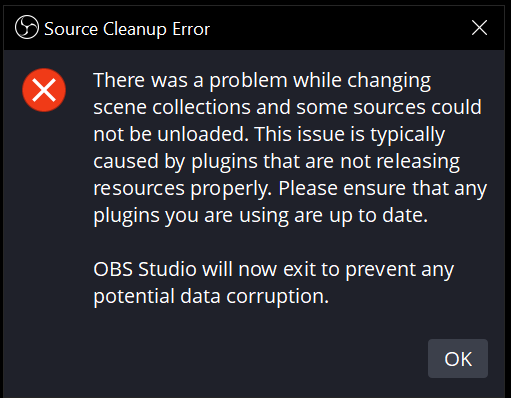 obsidian agate
lucid thicket
obsidian agate
lucid thicket
After that, could you post a screenshot of the health bar and stamina? bar at like 50% each and 25% each. Would like to see what that thin strip between the two looks like over the course of gamplay
fossil wyvern
ok, so the difference is the presence of the health bar, right?
lucid thicket
obsidian agate
After that, could you post a screenshot of the health bar and stamina? bar at li...
give me a minute, im just in the tutorial level so its not easy to take damage, let me load into a game
obsidian agate
No worries
lucid thicket
Thanks for all the help, this is quite the task to nail down
lucid thicket


I don't care about that little fire icon either don't worry
and just incase it's not visible on your end, there is about a 1 pixel gap between the health and stamina bar
obsidian agate
Ahhh, there is a thin part in the center that shows thru to the background/gampeplay
lucid thicket
I mean I could technically get a pattern of the very top of the healthbar
and then just ask the thing to look for that specifically
or the bottom
doesn't matter, really
obsidian agate
I dont use AdvSS much these days, but could a “if this or this or this” match possible? Could have a few conditions based on different spots being filled green, red or black
fossil wyvern
yee
using this would work until you're just about to die, that's a good place to start with, if it works with that, we can try refining

(make sure to select "use alpha channel as mask" so that it doesn't try to match the transparent parts)
lucid thicket
fossil wyvern
using this would work until you're just about to die, that's a good place to sta...
It's actually easier to get to 1 health than you'd think in this game actually
fossil wyvern
otherwise could be doable to use the lines around the bars
lucid thicket
Yeah I'll try that
obsidian agate
lucid thicket
It's actually easier to get to 1 health than you'd think in this game actually
1 hp and a dream
lucid thicket
Basically some sources of damage cant kill you but will leave you with 1hp
so its not uncommon to be left with no health on the bar
fossil wyvern
lucid thicket
It's actually easier to get to 1 health than you'd think in this game actually
yee, but you can try with this first, see if it works well, and if it does we can refine with something more elaborate, like the lines around
lucid thicket
Yeah sure

This did not work actually
show match does not detect the pattern
oh wait
i forgot to check the box
 fossil wyvern
up the threshold, since we're more or less going for perfect match?
lucid thicket
It doesn't seem to like it, I think it's because theres a lot of extra space in that
I can also specify to only check in that area of the screen
fossil wyvern
ok wait imma try shit on my own
 timid jacinth
aniyone can help me?
lucid thicket
 oblique yewBOT
timid jacinth
aniyone can help me?
oblique yewBOT
timid jacinth
aniyone can help me?
Welcome to the OBS community support channel. If you have a question, go ahead and ask it, and if someone is available to help they'll respond. Try to be detailed, and provide a log if you are having issues with streaming/recording (Help -> Log Files -> Upload Current Log). Please be patient if someone doesn't respond right away!
timid jacinth
I need help with one pluggin
obsidian agate
“Try to be detailed”
timid jacinth
is obs virtual camera
obsidian agate
OBS has a Virtual Camera built in. No plugin required
Do you see a Start Virtual Camera button next to your Start Recording button and the like?
timid jacinth
so why when I use it for google does it not let me
fossil wyvern
lucid thicket
ouki imma try again, gimme a screenshot of the game itself at a 1:1 scale
obsidian agate
timid jacinth
so why when I use it for google does it not let me
some websites block virtual cams
lucid thicket
fossil wyvern
ouki imma try again, gimme a screenshot of the game itself at a 1:1 scale
I'm trying something myself really quick but I can do that in a second
timid jacinth
I want for omegle I use mozilla and this close and in google this not change
fossil wyvern
sure dw
lucid thicket
fossil wyvern
ouki imma try again, gimme a screenshot of the game itself at a 1:1 scale
 fossil wyvern
<@&715347355565817879>
timid jacinth
talk me in private I share you screenshots for my problem bro
lucid thicket
lucid thicket
I'm trying something myself really quick but I can do that in a second

I've got this to try
very specific, unchanging UI elements
fossil wyvern
yeah that's what I was thinking too
obsidian agate
timid jacinth
talk me in private I share you screenshots for my problem bro
Omegle being one that blocks virtual cams at times
also support is not done in private on this server
fossil wyvern
lucid thicket
very specific, unchanging UI elements
works pretty well for me at a 96 threshold
lucid thicket
fossil wyvern
works pretty well for me at a 96 threshold
