
#technical-support
1 messages · Page 170 of 1
 strong summit
 gusty umbra
strong summit
Hello, I’m in a gaming community and they make merch for gamers and we get a cus...
gusty umbra
strong summit
Hello, I’m in a gaming community and they make merch for gamers and we get a cus...
We don’t have access to the merch stuff as volunteers. Can you submit a ticket please. https://support.streamlabs.com/hc/en-us/requests/new
 cinder kestrel
I've been having this issue on obs and streamlabs. No matter what setting I change, whether its bitrate, ingest destination, encoder, or any other solution I try to find. My stream is always dropping 80% of the frames at all times, I could stream my desktop and itd had 80% frames dropped. Idk why this occurs, my pc and my internet are plenty good enough to run it. Ive streamed on worse pcs and my streams were fine.
 gritty isle
cinder kestrel
I've been having this issue on obs and streamlabs. No matter what setting I chan...
gritty isle
cinder kestrel
I've been having this issue on obs and streamlabs. No matter what setting I chan...
Then you should reach out to your Internet Service Provider.
cinder kestrel
yea no, it aint my internet.
 abstract plazaBOT
 Having trouble? Want to see if anyone else is having the same problem?
Check out our #known-issues channel! We do our best to keep this channel as current as possible with new bugs and progress updates!
If you can't find what you need please submit a ticket at: https://support.streamlabs.com/hc/en-us/requests/new
gritty isle
cinder kestrel
yea no, it aint my internet.
Dropped frames is a network problem. It means the packets you send out are not reaching their destination. Totally an internet issue.
 lunar epoch
i have the same issue but i have cabled wifi... how is that possible
gritty isle
lunar epoch
i have the same issue but i have cabled wifi... how is that possible
Because there is an issue in the path the packets take from your cable modem to the platform ingest. There is large parts of the Internet that you don't control.
lunar epoch
how do i fix it?
gritty isle
lunar epoch
how do i fix it?
Are you streaming to Twitch?
lunar epoch
yes
 compact ridge
Hey there im streaming OBS on my Mac but after like 30 mins of streaming max it freezes and audio stops
 wispy latchBOT
@lunar epoch 🌐 Finding Your Best Twitch Server
To ensure the most stable and high-quality stream to Twitch, we recommend using a Twitch test tool to find the optimal server for your location and internet connection.
📋 How to Use the Twitch Test Tool:
- Access the tool here: Twitch Test Tool
- Run the test using either the Medium or Long duration. Short tests may not provide the most accurate results.
- Select your specific region from the listed options. If your exact region is not available, choose 5 to 6 servers closest to you.
- Aim for a quality score of at least 84. This indicates a strong and stable connection.
🛠️ Applying Your Settings in Streamlabs Desktop:
- Once you've identified a good server, navigate to your Streamlabs Desktop settings:
Settings>Stream>Stream to custom ingest. - From there, you can manually select your preferred server based on your test results.
compact ridge
if anyone knows how to resolve would be amazing
lunar epoch
ty
compact ridge
is streamlabs better for streaming on Mac ?
cinder kestrel
gritty isle
Dropped frames is a network problem. It means the packets you send out are not ...
my brother's computer runs it fine with zero issues
lunar epoch
@gritty isle okay so stupid question which one of these is best
 compact ridge
@gritty isle would you know why OBS freezes stream after 20 mins on mac ?
gritty isle
lunar epoch
<@301571565840236564> okay so stupid question which one of these is best
Use Medium or Long duration please.
gritty isle
compact ridge
<@301571565840236564> would you know why OBS freezes stream after 20 mins on mac...
Sorry, I don't. I don't have a Mac and can't find any Mac troubleshooting steps. I'd at least download a fresh installer and reinstall Streamlabs Desktop.
compact ridge
alright ill try streamlabs desktop
cinder kestrel
It has to be an issue with this pc, but what could cause that. Other computers in the house can stream without issues, I've copied every setting they have in streamlabs. No matter what I change in the setting, the lowest I can get is 65% dropped frames when I change the encoder to the new NVIDIA one

 plush finch
Is this a simple matter of the Chatbot being out of date and me needing to wait for it to get updated, or is something borked somewhere:
17:14:39.288: [obs-websocket] [WebSocketServer::onOpen] New WebSocket client has connected from [::ffff:127.0.0.1]:57255
17:14:39.288: [obs-websocket] [WebSocketServer::onMessage] Client [::ffff:127.0.0.1]:57255 appears to be running a pre-5.0.0 protocol.
17:14:39.288: [obs-websocket] [WebSocketServer::onClose] WebSocket client [::ffff:127.0.0.1]:57255 has disconnected with code 4010 and reason: You appear to be attempting to connect with the pre-5.0.0 plugin protocol. Check to make sure your client is updated.
gritty isle
cinder kestrel
Yeah, zero quality scores. Reach out to your ISP.
cinder kestrel
and tell them what?
gritty isle
plush finch
17:14:39.288: [obs-websocket] [WebSocketServer::onOpen] New WebSocket client has...
What OBS version are you using? OBS cmes with websockets built in so you have to disable the built in one and install the 4.9.1 compat version of websockets.
plush finch
gritty isle
What OBS version are you using? OBS cmes with websockets built in so you have t...
32.0.1
lunar epoch
gritty isle
Use Medium or Long duration please.
okay so which is best?
 gritty isle
cinder kestrel
and tell them what?
gritty isle
cinder kestrel
and tell them what?
That you are trying to stream to Twitch and are getting disconnected. If possible give them the date and time of your last stream when you experienced dropped frames and share the above screen shot with them.
gritty isle
lunar epoch
okay so which is best?
Are you're getting dropped frames? Is anyone else there streaming or uploading large files?
gritty isle
plush finch
32.0.1
OBS comes with websockets built in so you have to disable the built in one and install the 4.9.1 compat version of websockets.
cinder kestrel
Even if the problem is only on one computer? The other computers under the same internet are fine, all are wired into the same thing
plush finch
gritty isle
OBS comes with websockets built in so you have to disable the built in one and i...
Gotcha, I assume a google search will get me the how to I need on the disabling of the newer version and installing of the older version?
gritty isle
cinder kestrel
Even if the problem is only on one computer? The other computers under the same ...
Yours is the only computer with this issue? Is everyone streaming at the same time? Sounds like you may be saturating your upload bandwidth.
gritty isle
plush finch
Gotcha, I assume a google search will get me the how to I need on the disabling ...
Ask over at the Chatbot Discord or over on the OBS Studio discord. I'm not in a place where I can run OBS right now to give you exact instructions.
cinder kestrel
No we are not streaming at the same time. And yes mine is the only one with any issues at all
lunar epoch
gritty isle
Are you're getting dropped frames? Is anyone else there streaming or uploading ...
yes
gritty isle
lunar epoch
yes
Your answering question I sent to someone else which is confusing.
cinder kestrel
Could it be a bad Ethernet cord? I don't see how since my Internet is 1000mbs download and 50upload when I do a speed test
gritty isle
cinder kestrel
Could it be a bad Ethernet cord? I don't see how since my Internet is 1000mbs do...
Speed Test isn't a good test. Run the Twitch Test. That specifically tests the connection from you to the Twitch ingests.
wispy latchBOT
@cinder kestrel 🌐 Finding Your Best Twitch Server
To ensure the most stable and high-quality stream to Twitch, we recommend using a Twitch test tool to find the optimal server for your location and internet connection.
📋 How to Use the Twitch Test Tool:
- Access the tool here: Twitch Test Tool
- Run the test using either the Medium or Long duration. Short tests may not provide the most accurate results.
- Select your specific region from the listed options. If your exact region is not available, choose 5 to 6 servers closest to you.
- Aim for a quality score of at least 84. This indicates a strong and stable connection.
🛠️ Applying Your Settings in Streamlabs Desktop:
- Once you've identified a good server, navigate to your Streamlabs Desktop settings:
Settings>Stream>Stream to custom ingest. - From there, you can manually select your preferred server based on your test results.
cinder kestrel
Did that said the quality was 0
gritty isle
cinder kestrel
Did that said the quality was 0
A screen shot from the Twitch Test would be helpful even if the quality scores are all 0.
cinder kestrel
Its up above
gritty isle
cinder kestrel
Its up above
AH, my bad. Just a second
gritty isle
cinder kestrel
Killer's Software Suite is known for its poor performance and issues when trying to stream. Please download the package from https://www.intel.com/content/www/us/en/download/19779/intel-killer-performance-suite.html, completely uninstall all Killer NIC items and run the installer, choosing to only install the Hardware Drivers.
cinder kestrel
I'll try that
compact ridge
streamlabs desktop still froze for me after a few mins of streaming on MacOS
lunar epoch
gritty isle
Your answering question I sent to someone else which is confusing.
It pinged me
 idle egret
i cant buy ultra with promo code student can you help me?
cinder kestrel
gritty isle
Killer's Software Suite is known for its poor performance and issues when trying...
0 frames dropped after 30 minutes, Thankyou. Been dealing with this for 2 years. It actually worked
gritty isle
cinder kestrel
0 frames dropped after 30 minutes, Thankyou. Been dealing with this for 2 years....
You’re welcome!
gritty isle
idle egret
i cant buy ultra with promo code student can you help me?
Sadly we cannot assist with that here in Discord. Please submit a ticket for assistance: https://support.streamlabs.com/hc/en-us/requests/new
abstract plazaBOT
Having trouble? Want to see if anyone else is having the same problem?
Check out our #known-issues channel! We do our best to keep this channel as current as possible with new bugs and progress updates!
If you can't find what you need please submit a ticket at: https://support.streamlabs.com/hc/en-us/requests/new
 clever siren
ion know what to do
 gritty isle
clever siren
ion know what to do
gritty isle
clever siren
ion know what to do
I understand your frustration but you will need to reach out to TikTok on that. I also understand doing that is difficult.
Streamlabs has no input on decisions made by TikTok. Streamlabs cannot see why the grant, revoke, suspend, or deny access.
Please go through this guide: https://support.streamlabs.com/hc/en-us/articles/35259691237147-TikTok-Live-Streaming-Access-Revoked-No-Violations

Streamlabs
Date Reported: 3/19/2025Status: Awaiting Third Party
Important Note: Starting July 7,
2025, TikTok creators must stream at least 50% gaming content to keep
access to TikTok LIVE.  If...
 grizzled jackal
Cloudbot Redemption images not loading. the sound and names showing but not the image. what can i do to fix it. please help me.
abstract plazaBOT
Having trouble? Want to see if anyone else is having the same problem?
Check out our #known-issues channel! We do our best to keep this channel as current as possible with new bugs and progress updates!
If you can't find what you need please submit a ticket at: https://support.streamlabs.com/hc/en-us/requests/new
abstract plazaBOT
Are you knowledgeable about Streamlabs products?
 Get rewarded for helping the Streamlabs Community here in Discord!
👉 Apply to be a part of the Streamlabs Support Volunteer Program!
Application Link:
https://forms.gle/eKS29zWfFjGEzaRp7
For details, see our post in
#announcements message
Do you have a Streamlabs Ultra membership? Are you part of the Streamlabs All-Stars program?
Get your Discord roles by going to this page here: https://streamlabs.com/dashboard#/settings/integrations and clicking "Link" next to Discord! Ultra members and higher tier All-Stars members will have access to private channels for support!
Interested in Ultra? Check it out here: https://streamlabs.com/ultra?refl=discord
 halcyon rapids
can someone help me with streamlabs settting it up
abstract plazaBOT
Having trouble? Want to see if anyone else is having the same problem?
Check out our #known-issues channel! We do our best to keep this channel as current as possible with new bugs and progress updates!
If you can't find what you need please submit a ticket at: https://support.streamlabs.com/hc/en-us/requests/new
Are you knowledgeable about Streamlabs products?
Get rewarded for helping the Streamlabs Community here in Discord!
👉 Apply to be a part of the Streamlabs Support Volunteer Program!
Application Link:
https://forms.gle/eKS29zWfFjGEzaRp7
For details, see our post in
#announcements message
Do you have a Streamlabs Ultra membership? Are you part of the Streamlabs All-Stars program?
Get your Discord roles by going to this page here: https://streamlabs.com/dashboard#/settings/integrations and clicking "Link" next to Discord! Ultra members and higher tier All-Stars members will have access to private channels for support!
Interested in Ultra? Check it out here: https://streamlabs.com/ultra?refl=discord
gritty isle
halcyon rapids
can someone help me with streamlabs settting it up
With what exactly? We have a good getting started guide here: https://streamlabs.com/content-hub/post/getting-started-with-streamlabs-desktop
halcyon rapids
ita hard to explain i need to share my screen to explain
gritty isle
halcyon rapids
ita hard to explain i need to share my screen to explain
We can only provide support in this channel, for moderation purposes. We cannot screen share, DM, or video call. Screen shot your Streamlabs Desktop window and then take your time a describe what you need help with.
halcyon rapids
its like my display is up and down and side to side my display isnt fully showintg
my display isnt side to side
gritty isle
halcyon rapids
its like my display is up and down and side to side my display isnt fully showin...
Sounds like your Output Resolution is set for the vertical orientation.
Your Base Canvas should be what ever your monitor's resolution is at, for example 1920x1080.
Your Output Resolution is waht you want the stream or recording to be. Sounds like you have it 1080x1920, for example. Swap that around so its 1920x1080.
After that you may need to adjust your sources to fit the new resolution.
That's done in Streamlabs Desktop at Settings ⚙️ > Video
halcyon rapids
okay got it what should my fps vaule be
gritty isle
halcyon rapids
okay got it what should my fps vaule be
Definitely 60. And to prevent skipped or lagged frames, cap the the FPS in your game to 60 as well.
halcyon rapids
ok last thing how do i make the display it self like the theme side by side too
gritty isle
halcyon rapids
ok last thing how do i make the display it self like the theme side by side too
What do you mean?
halcyon rapids
like the theme isnt fitting the display correctly
abstract plazaBOT
Having trouble? Want to see if anyone else is having the same problem?
Check out our #known-issues channel! We do our best to keep this channel as current as possible with new bugs and progress updates!
If you can't find what you need please submit a ticket at: https://support.streamlabs.com/hc/en-us/requests/new
gritty isle
halcyon rapids
like the theme isnt fitting the display correctly
You might have to manually move them around the screen to get the right fit. If you have a capture source (game capture, display capture, window capture), try selecting that source by left clicking on it, then right click, choose Transform, then choose Fit to Screen.
 muted remnant
I accidental disabled my tiktok live stream and now I cannot find where my stream key is. I do NOT remember this being hard when I orignally set it up. Where can I find my tiktok stream key?
gritty isle
muted remnant
I accidental disabled my tiktok live stream and now I cannot find where my strea...
I see you posted over in #vip-support. A staff member should be along there to assist you.
 slender goblet
Hey guys! Is there a way to speed up the review times from my end? I'm really excited to launch my app and I'm hoping to get unlimited access on my oauth so it's no longer limited to the whitelist
 gritty isle
slender goblet
Hey guys! Is there a way to speed up the review times from my end? I'm really ex...
gritty isle
slender goblet
Hey guys! Is there a way to speed up the review times from my end? I'm really ex...
Nope, no work around. Just have to be patient. I get that that can be a frustrating wait, sorry.
slender goblet
I understand! Do you happen to know how long it took for other people? Just so I can get an idea?
I tried searching in here but I couldn't find anything
gritty isle
slender goblet
I understand! Do you happen to know how long it took for other people? Just so I...
No clue, sorry. Us Volunteers have no insight into that process since we're not Streamlabs employees.
slender goblet
I understand, thank you for the support!
I'll just wait patiently and hope for the best
gritty isle
slender goblet
I understand, thank you for the support!
You're welcome! Have a good evening!
 hollow halo
is there a way to do youtube redirects and super sticker alerts? youtube has had this feature for quite a while now but I still haven't seen alert settings for them and I've had some complaints on the lack of alerts
gritty isle
hollow halo
is there a way to do youtube redirects and super sticker alerts? youtube has had...
Don’t think we have support for that, sorry.
hollow halo
gritty isle
Don’t think we have support for that, sorry.
okay, probably the wrong channel to ask but are there any plans to add that? (or is there a feature request channel)
gritty isle
hollow halo
okay, probably the wrong channel to ask but are there any plans to add that? (or...
There’s a link to Google Form for product suggestions here: #welcome message
hollow halo
gritty isle
There’s a link to Google Form for product suggestions here: https://discord.com...
thank you, I have submitted them
gritty isle
hollow halo
thank you, I have submitted them
You’re welcome!
 sage siren
just started my free trial of streamlabs console and went live on my xbox and loaded up bf6 but my game capture remained black and no audio. am i doing something wrong?
screenshot for reference
 abstract plazaBOT
Having trouble? Want to see if anyone else is having the same problem?
Check out our #known-issues channel! We do our best to keep this channel as current as possible with new bugs and progress updates!
If you can't find what you need please submit a ticket at: https://support.streamlabs.com/hc/en-us/requests/new
 tacit fractal
Cloudbot isn't adding any vid to the queue. Says vid's rating is too low when it isn't

Fixed
I just disabled and enabled it
abstract plazaBOT
Having trouble? Want to see if anyone else is having the same problem?
Check out our #known-issues channel! We do our best to keep this channel as current as possible with new bugs and progress updates!
If you can't find what you need please submit a ticket at: https://support.streamlabs.com/hc/en-us/requests/new
abstract plazaBOT
Do you have a Streamlabs Ultra membership? Are you part of the Streamlabs All-Stars program?
Get your Discord roles by going to this page here: https://streamlabs.com/dashboard#/settings/integrations and clicking "Link" next to Discord! Ultra members and higher tier All-Stars members will have access to private channels for support!
Interested in Ultra? Check it out here: https://streamlabs.com/ultra?refl=discord
 solemn elbow
hi, i have a black screen when i try to stream cs2? all other games work. i have tried everything on the internet but nothing works
abstract plazaBOT
Having trouble? Want to see if anyone else is having the same problem?
Check out our #known-issues channel! We do our best to keep this channel as current as possible with new bugs and progress updates!
If you can't find what you need please submit a ticket at: https://support.streamlabs.com/hc/en-us/requests/new
Do you have a Streamlabs Ultra membership? Are you part of the Streamlabs All-Stars program?
Get your Discord roles by going to this page here: https://streamlabs.com/dashboard#/settings/integrations and clicking "Link" next to Discord! Ultra members and higher tier All-Stars members will have access to private channels for support!
Interested in Ultra? Check it out here: https://streamlabs.com/ultra?refl=discord
 desert plaza
Just found a new problem with Dual Output, audio is only being sent to vertical. Any sugggestions?
 ripe brook
I just became a Twitch Affiliate two days ago. When I streamed yesterday, none of my alerts were working. I received 3 subs and some new followers, but the alerts didn’t show up. I checked Streamlabs for recent activity, and it showed 0 subs even though I actually got 3. (I use my alerts on OBs)
 grave locust
How do I stop my webcam from taking sound
 digital acorn
I was trying to stream on yt but now i lost my chat side and i don't how to get it back. 😢 I don't how to get it back.
 meager quarry
hey guys, Im having trouble having problems with the follower goal and chat box widgets and I was wondering if somebody could help me out. the chat box widget works in the launch window in the streamlabs app but not on stream
abstract plazaBOT
Having trouble? Want to see if anyone else is having the same problem?
Check out our #known-issues channel! We do our best to keep this channel as current as possible with new bugs and progress updates!
If you can't find what you need please submit a ticket at: https://support.streamlabs.com/hc/en-us/requests/new
meager quarry
meager quarry
hey guys, Im having trouble having problems with the follower goal and chat box ...
Hey I was able to fix it by cleaning the OBS cache
 echo ember
Hey everyone 👋
I’m having trouble getting my mic to work in Streamlabs.
It works perfectly fine in Discord, FL Studio, and other apps, but in Streamlabs I get no input level at all (as you can see in the screenshot).
I’m using a Universal Audio Apollo Solo USB interface, so maybe that’s the issue?
I’ve already tried:
– selecting different inputs in Streamlabs
– checking Windows sound settings
– reinstalling Streamlabs
Nothing worked so far.
Any idea what might cause this or what else I could try?

 echo blaze
hey im having a really weird issue am i allowed to post a clip of it?
i cant unlink my streamlabs account from my youtube, it just asks me to buy ultra
echo ember
echo ember
Hey everyone 👋
I’m having trouble getting my mic to work in Streamlabs.
It work...
For everyone with the same problem, i find a solution !
https://www.youtube.com/watch?v=J1J-rmZC7rg&t=188s
 dry otter
Hey guess im putting my streamlabs widget into my obs when i test the alert it works but when i test it by having soemone subscribe to my yotube channel it doesent show the alert whys that do i have to be live or something
 open stratus
Yo
 lament flare
Has anyone had problems with the mobile app?, i press on start streaming, and it just gets into a loop and never conects
 fading night
Can somebody please help me with my streamlabs? I clicked obs import on the new streamlabs update by accident and it removed my all of sources and scenes, can someone please help me get it back?
I'm extremely worried that all of my stuff is gone
abstract plazaBOT
Having trouble? Want to see if anyone else is having the same problem?
Check out our #known-issues channel! We do our best to keep this channel as current as possible with new bugs and progress updates!
If you can't find what you need please submit a ticket at: https://support.streamlabs.com/hc/en-us/requests/new
 desert sequoia
Hey I haven't streamed in about 2 months and all of my settings were perfectly fine, I came back and all of a sudden my desktop audio will not capture on streamlabs when using voicemeeter but will capture if i use my headset output audio. Any fixes?
abstract plazaBOT
Having trouble? Want to see if anyone else is having the same problem?
Check out our #known-issues channel! We do our best to keep this channel as current as possible with new bugs and progress updates!
If you can't find what you need please submit a ticket at: https://support.streamlabs.com/hc/en-us/requests/new
abstract plazaBOT
Are you knowledgeable about Streamlabs products?
Get rewarded for helping the Streamlabs Community here in Discord!
👉 Apply to be a part of the Streamlabs Support Volunteer Program!
Application Link:
https://forms.gle/eKS29zWfFjGEzaRp7
For details, see our post in
#announcements message
Do you have a Streamlabs Ultra membership? Are you part of the Streamlabs All-Stars program?
Get your Discord roles by going to this page here: https://streamlabs.com/dashboard#/settings/integrations and clicking "Link" next to Discord! Ultra members and higher tier All-Stars members will have access to private channels for support!
Interested in Ultra? Check it out here: https://streamlabs.com/ultra?refl=discord
 noble trout
Hi. Please I keep seeing this on the twitch stream. I have logged out and logged in several times

The video download was cancelled
 daring creek
After 6-Months of pressing "Apply Again".. What do I do next?.. Make a ticket? They told me its streamlabs.. Streamlabs told me its tiktok..

 desert briar
Any way to get the desktop app or OBS plugin working on Linux without running all of OBS inside Wine?
gusty umbra
daring creek
After 6-Months of pressing "Apply Again".. What do I do next?.. Make a ticket? ...
TikTok alone approves or denies access. This previous known issue has a link to submit a ticket to TikTok about access. https://support.streamlabs.com/hc/en-us/articles/35259691237147-TikTok-Live-Streaming-Access-Revoked-No-Violations
desert briar
desert briar
Any way to get the desktop app or OBS plugin working on Linux without running al...
anyone?
gusty umbra
desert briar
Any way to get the desktop app or OBS plugin working on Linux without running al...
Streamlabs isn’t officially supported on Linux. I don’t believe obs is either. There may be some guides out there on how to get it to work (you can search this discord for “Linux” and take a peek). Most people run VMs or wine. Your best bet for optimal performance is to run a capture card to a windows machine and use that as the streaming box while your Linux is your “gaming” machine.
desert briar
gusty umbra
Streamlabs isn’t officially supported on Linux. I don’t believe obs is either. ...
OBS has a native linux build which I currently use
also I'd rather avoid using windows in any form at any cost
so I'll look for alternatives. Thanks for your help :D
 foggy horizon
I need help.... im new i to streaming and trying to stream from my Xbox using streamlabs. I have the ultra and all accounts linked and I go in and start a live stream on Xbox menu it's showing it started but it not streaming when I look up my twitch, kick, tiktok, etc accounts.
I can seem to find out why streamlabs isn't putting my live on platforms any help?
abstract plazaBOT
Having trouble? Want to see if anyone else is having the same problem?
Check out our #known-issues channel! We do our best to keep this channel as current as possible with new bugs and progress updates!
If you can't find what you need please submit a ticket at: https://support.streamlabs.com/hc/en-us/requests/new
abstract plazaBOT
Are you knowledgeable about Streamlabs products?
Get rewarded for helping the Streamlabs Community here in Discord!
👉 Apply to be a part of the Streamlabs Support Volunteer Program!
Application Link:
https://forms.gle/eKS29zWfFjGEzaRp7
For details, see our post in
#announcements message
Do you have a Streamlabs Ultra membership? Are you part of the Streamlabs All-Stars program?
Get your Discord roles by going to this page here: https://streamlabs.com/dashboard#/settings/integrations and clicking "Link" next to Discord! Ultra members and higher tier All-Stars members will have access to private channels for support!
Interested in Ultra? Check it out here: https://streamlabs.com/ultra?refl=discord
abstract plazaBOT
Having trouble? Want to see if anyone else is having the same problem?
Check out our #known-issues channel! We do our best to keep this channel as current as possible with new bugs and progress updates!
If you can't find what you need please submit a ticket at: https://support.streamlabs.com/hc/en-us/requests/new
 rain comet
hello
so ive been going live on twitch and tiktok using dual
however yesterday i was only able to stream on tiktok and twitch wasnt going live (everything shows normally but when i open my twitch it shows offline)
today i tried streaming from another pc using streamlabs dual and i was able to stream both twitch and tiktok
i just came back home and tried to stream again on my pc but i was only live on tiktok but twitch didnt work
i tried uninstalling and resinstalling streamlabs
i also tried logging out from twitch and logging in
i also tried to turn off dual and stream only twitch thats the only way it worked out and i was able to stream on twitch
when i turned dual on and tried streaming on both again it only streamed on tiktok
how can i fix this?
gritty isle
rain comet
hello
so ive been going live on twitch and tiktok using dual
however yesterday ...
Make sure your bitrate is not over 6000 which is the maximum that Twitch will allow. You might also consider logging out and logging in with your Twitch to refresh the auth token.
rain comet
gritty isle
Make sure your bitrate is not over 6000 which is the maximum that Twitch will al...
i use twitch to log into streamlabs
and i tried logging out then logging in but it still didnt work
and the bitrate it 4500
gritty isle
rain comet
i use twitch to log into streamlabs
and i tried logging out then logging in but ...
Have you changed your name on Twitch or changed your password or enabled 2FA on your Twitch channel?
rain comet
gritty isle
Have you changed your name on Twitch or changed your password or enabled 2FA on ...
nope i havent changed any
gritty isle
rain comet
i use twitch to log into streamlabs
and i tried logging out then logging in but ...
After logging out, did you log in by clicking the Streamlabs ID button or the Twitch button?
If the you clicked the Streamlabs ID button, log out again and log in by clicking the Twitch button. I understand that your Streamlabs ID is linked to your Streamlabs account which includes your Twitch. Logging in with your Streamlabs ID will not refresh the Twitch auth token.
rain comet
gritty isle
After logging out, did you log in by clicking the Streamlabs ID button or the Tw...
i logged in using the twitch button
i have never used the streamlabs id one
gritty isle
rain comet
i logged in using the twitch button
i have never used the streamlabs id one
And you Twitch set as the horizontal format, correct?
rain comet
gritty isle
And you Twitch set as the horizontal format, correct?
yess
gritty isle
rain comet
yess
Hmmmm, okay.
Let's refresh the connection between Twitch and Streamlabs.
Follow these steps in order, even if you already done any one of the steps before. Don't skip steps and don't perform them out of order. If you're unsure about any of the steps, don't assume anything, ask first before proceeding.
-
Log out of the Streamlabs web site on every device you access it: Click your PFP and choose Log out.
-
If you use Streamlabs Console, log out of the Streamlabs Console web site on every device you access it: Click your PFP and choose Log out.
-
If you use the standalone Streamlabels application, log out of that.
-
If you use Streamlabs Desktop or Streamlabs Mobile, log out in those applications.
-
Follow this guide: https://streamlabs.com/content-hub/post/how-to-disconnect-your-streamlabs-account. Just follow the section for Twitch.
-
Navigate back to the Streamlabs web site and log in with your Twitch. This re-establishes the connection. You can verify this by going back to https://www.twitch.tv/settings/connections, scrolling down to Other Connections and examine the Streamlabs connection. ** It should say "Connected a few minutes ago" other short period of time. **
-
IMPORTANT: Once you have completed the guide, go back to the Streamlabs web site https://streamlabs.com/dashboard#/recentevents, click the Live Actions tab, scroll all the way to the bottom and click the Reload Widgets button. ** PLEASE Don't skip this step! **
-
Log back in to all the other Streamlabs products you use.
desert briar
Hey, I want the first scene to only have graphics—I've already done that, but I don't know how to set it up so that the microphone is muted when switching to that scene. What should I do?
gritty isle
desert briar
Hey, I want the first scene to only have graphics—I've already done that, but I ...
You can setup a hotkeys to do that but there is noting that will automate that directly in Streamlabs Desktop.
If you happen to have a Stream Deck, you could do that easy with a Multi Action folder. https://www.elgato.com/us/en/s/explore-stream-deck
desert briar
gritty isle
You can setup a hotkeys to do that but there is noting that will automate that d...
I thought it would be possible to mute the Start scene and have the microphone turn on automatically when switching to the Game scene.
gritty isle
desert briar
I thought it would be possible to mute the Start scene and have the microphone t...
Not directly in Streamlabs Desktop. I mean you could make sure the Microphone is muted before you go live and when you switch scenes, hit the hotkey to unmute the Microphone.
desert briar
'ok
rain comet
gritty isle
Hmmmm, okay.
Let's refresh the connection between Twitch and Streamlabs.
Follo...
i just did these steps but it didnt work out
i will try it again tomorrow but if u have any other suggestions please tell me thank u
 sharp brook
Hi! Multistream not working
I started the live stream, just like every day. But it's not uploading to the respective websites. I've restarted my PC and internet. I've unlinked and relinked the accounts. I also tried using the Streamlabs key for custom broadcasts. The live stream doesn't upload on any platform. If I start it separately, I can normally.
gritty isle
sharp brook
I started the live stream, just like every day. But it's not uploading to the re...
Hi! Hop over to #vip-support for assistance and thank you for being a Streamlabs Ultra subscriber!
Ah, I see you already did.
desert briar
gritty isle
Not directly in Streamlabs Desktop. I mean you could make sure the Microphone i...
Everything works fine in this program, but I have a problem: when I add the End live scene and insert the end image, the same image also appears in the Start scene.
gritty isle
desert briar
Everything works fine in this program, but I have a problem: when I add the End ...
Then remove the Image Source in the End scene.
Add an Image Source in the End scene, make sure to toggle 'Add a new source'.
Fill out the properties.
If you add as existing source, they are tied together as you have found out.
I'm fixing to logoff Discord for the evening. 👋
desert briar
Is there a guide somewhere on how to do all this?
 tough fable
hi, im having issues uploading videos. the clips upload but then theyve been processing for the last hour and im unable to drag them into my timeline. these are short clips, one of them is 3 sec. it is impossible for them to be processing for this long. can someone please help me?
this assignment is due tonight. i need help as soon as possible please
abstract plazaBOT
Having trouble? Want to see if anyone else is having the same problem?
Check out our #known-issues channel! We do our best to keep this channel as current as possible with new bugs and progress updates!
If you can't find what you need please submit a ticket at: https://support.streamlabs.com/hc/en-us/requests/new
abstract plazaBOT
Having trouble? Want to see if anyone else is having the same problem?
Check out our #known-issues channel! We do our best to keep this channel as current as possible with new bugs and progress updates!
If you can't find what you need please submit a ticket at: https://support.streamlabs.com/hc/en-us/requests/new
abstract plazaBOT
Do you have a Streamlabs Ultra membership? Are you part of the Streamlabs All-Stars program?
Get your Discord roles by going to this page here: https://streamlabs.com/dashboard#/settings/integrations and clicking "Link" next to Discord! Ultra members and higher tier All-Stars members will have access to private channels for support!
Interested in Ultra? Check it out here: https://streamlabs.com/ultra?refl=discord
Are you knowledgeable about Streamlabs products?
Get rewarded for helping the Streamlabs Community here in Discord!
👉 Apply to be a part of the Streamlabs Support Volunteer Program!
Application Link:
https://forms.gle/eKS29zWfFjGEzaRp7
For details, see our post in
#announcements message
 spring dust
Hi, where can I make a feature suggestion?
gritty isle
spring dust
Hi, where can I make a feature suggestion?
There’s a link to Google Form for product suggestions here: #welcome message
noble trout
noble trout
Hi. Please I keep seeing this on the twitch stream. I have logged out and logged...
Anyone?
gritty isle
noble trout
Anyone?
This can be a number of things.
- The bitrate is too low for the output resolution.
- the bitrate is over 6000 which is the maximum Twitch will allow.
- Corrupted Twitch cookies in your web browser.
- Your connection to the ingest is not optimal.
I’d suggest running the Twitch Test.
wispy latchBOT
@noble trout 🌐 Finding Your Best Twitch Server
To ensure the most stable and high-quality stream to Twitch, we recommend using a Twitch test tool to find the optimal server for your location and internet connection.
📋 How to Use the Twitch Test Tool:
- Access the tool here: Twitch Test Tool
- Run the test using either the Medium or Long duration. Short tests may not provide the most accurate results.
- Select your specific region from the listed options. If your exact region is not available, choose 5 to 6 servers closest to you.
- Aim for a quality score of at least 84. This indicates a strong and stable connection.
🛠️ Applying Your Settings in Streamlabs Desktop:
- Once you've identified a good server, navigate to your Streamlabs Desktop settings:
Settings>Stream>Stream to custom ingest. - From there, you can manually select your preferred server based on your test results.
abstract plazaBOT
Having trouble? Want to see if anyone else is having the same problem?
Check out our #known-issues channel! We do our best to keep this channel as current as possible with new bugs and progress updates!
If you can't find what you need please submit a ticket at: https://support.streamlabs.com/hc/en-us/requests/new
spring dust
Hi, I have a problem. I created some codes for a chat. I gave them to a friend, but they don't work for him like they did for me. Everything works for me, but nothing works for him. The custom fields and everything are not working. What happened?
 inner spade
For Some reason, I just inexplicably lost my Streamlabs Ultra Membership.
 analog bison
inner spade
For Some reason, I just inexplicably lost my Streamlabs Ultra Membership.
analog bison
inner spade
For Some reason, I just inexplicably lost my Streamlabs Ultra Membership.
Oh, the same happened to me just now :/
inner spade
analog bison
Oh, the same happened to me just now :/
How did your's happen?
 frail sedge
oh its not just me? - i thought i was being stupid or something tbh
analog bison
inner spade
How did your's happen?
I just don't have it all of a sudden o_o
frail sedge
i suddenly dont have ultra, id just buy it twice tbh but that page just dont load so uh yea i raised a ticket for it but its super inconvenient
inner spade
Same here. Started a ticket too.
analog bison
frail sedge
i suddenly dont have ultra, id just buy it twice tbh but that page just dont loa...
Doesn't work for me too
frail sedge
well glad its not me being stupid then 😄
inner spade
Well mine was not supposed to expire until US Summer of 2026. So I do not know what is going on.
analog bison
Mine is until February 2026
inner spade
We are back now.
frail sedge
oh yea?
inner spade
Yeah. Just got it back working without having to buy it again. Just clicked enable multistream on Streamlabs Dashboard on Streamlabs.com
frail sedge
still being a bit weird the desktop UI has completely reverted to the original version
spring dust
spring dust
Hi, I have a problem. I created some codes for a chat. I gave them to a friend, ...
For some reason it seems that the account is not reading the json
 valid verge
hello im having issues with the editor mode not showing anything but blank screen
gritty isle
valid verge
hello im having issues with the editor mode not showing anything but blank scree...
Hop over to #vip-support for assistance and thank you for being a Streamlabs Ultra subscriber.
abstract plazaBOT
Are you knowledgeable about Streamlabs products?
Get rewarded for helping the Streamlabs Community here in Discord!
👉 Apply to be a part of the Streamlabs Support Volunteer Program!
Application Link:
https://forms.gle/eKS29zWfFjGEzaRp7
For details, see our post in
#announcements message
Do you have a Streamlabs Ultra membership? Are you part of the Streamlabs All-Stars program?
Get your Discord roles by going to this page here: https://streamlabs.com/dashboard#/settings/integrations and clicking "Link" next to Discord! Ultra members and higher tier All-Stars members will have access to private channels for support!
Interested in Ultra? Check it out here: https://streamlabs.com/ultra?refl=discord
 tribal igloo
Hi
desert sequoia
Hey I haven't streamed in about 2 months and all of my settings were perfectly fine, I came back and all of a sudden my desktop audio will not capture on streamlabs when using voicemeeter but will capture if i use my headset output audio. Any fixes?
abstract plazaBOT
Having trouble? Want to see if anyone else is having the same problem?
Check out our #known-issues channel! We do our best to keep this channel as current as possible with new bugs and progress updates!
If you can't find what you need please submit a ticket at: https://support.streamlabs.com/hc/en-us/requests/new
 abstract briar
I need help, how do I fix the Streamlabs plugin for OBS not installing properly?
When I install it and I try to open it it shows me a pop up saying that there was an error during the installation
 rough prairie
Hey, i need some help with my alerts please! They are playing twice and not to sure why this is happening? I have looked to see if there is a similar source and cannot seem to find anything? Thanks
muted remnant
Anyone know how to find my tiktok stream key? I had it before, but installed a second streaming machine and am unable to locate it
Also the settings on my streamlabs between the two PCs, although the same account are jacked up
like my dual streaming setup for mobile and PC
 waxen lotus
Hi all. I'm startungbtonuse the streamlabs chat widget for myvmultistream. But i'm seeing Twitch emotes are shown with very poor quality, while Kick emotes are shown in perfect quality. Can I solve it on the CSS/HTML editor at any way?
 swift zealot
Keep getting stuck here been trouble shooting this issue for an hour

 errant plume
swift zealot
Keep getting stuck here been trouble shooting this issue for an hour
errant plume
swift zealot
Keep getting stuck here been trouble shooting this issue for an hour
I have the same issue, i've tried everything: uninstall, delete cache, run as administrator, unlink and revoked permission to streamlabs. Nothing seems to work, I stuck in the update for ever.
 swift zealot
errant plume
I have the same issue, i've tried everything: uninstall, delete cache, run as ad...
swift zealot
errant plume
I have the same issue, i've tried everything: uninstall, delete cache, run as ad...
Sorry to hear guess we get a night off
errant plume
yeah, i hope to solve it in time for tomorrow, I can't afford to lose RedSec day 1
 candid ore
errant plume
I have the same issue, i've tried everything: uninstall, delete cache, run as ad...
candid ore
errant plume
I have the same issue, i've tried everything: uninstall, delete cache, run as ad...
I'm getting both of these errors. Maybe something's just up with streamlabs? I was streaming perfectly fine earlier though...

 abstract briar
I need help, how do I fix the Streamlabs plugin for OBS not installing properly?
When I install it and I try to open it it shows me a pop up saying that there was an error during the installation
errant plume
candid ore
I'm getting both of these errors. Maybe something's just up with streamlabs? I w...
I'm pretty sure it's something related to the OAuth, cuz yesterday all fine, today I logged out and log back with twitch for to update the stream goal and boom, no more live for me
candid ore
Well, when i turn off multi streaming for tiktok, i can stream to twitch. So at this point idk what it is. I've triple checked and I havent been suspended or anything, it's just... not working
 dusty ingot
Hey there! If anyone was having an issue going live specifically when using dual output, please restart the program and try again, as a fix has just gone out
 static osprey
how long ago
dusty ingot
Just a few seconds ago.
dusty ingot
Nice, you're welcome!
errant plume
Same here, solved 🔥
 agile dome

my link doesnt work anymore when I choose the second option, it only works on the first but whenever I change it to the second, the link just fails.


and how do u change ur streamlabs picture
 north burrow
Good evening, when I try to stream on various platforms (Twitch, Kick, TikTok, and YouTube), the broadcast starts without any issues. However, randomly (every time I try), it starts streaming on one but not on the others. I've already tried everything I've found online about disconnecting and reconnecting my accounts, both on the streaming platforms themselves and on Streamlabs, but the problem persists. Can you help me? Thanks.
agile dome
north burrow
Good evening, when I try to stream on various platforms (Twitch, Kick, TikTok, a...
is ur streamlabs plus subscription active?
 static flicker
trying to use a interactive overlay but it dosent reset when i start a new stream i dont use a capture card and do everything on one pc
abstract plazaBOT
Having trouble? Want to see if anyone else is having the same problem?
Check out our #known-issues channel! We do our best to keep this channel as current as possible with new bugs and progress updates!
If you can't find what you need please submit a ticket at: https://support.streamlabs.com/hc/en-us/requests/new
 agile owl
ty
north burrow
agile dome
is ur streamlabs plus subscription active?
Yes
 cosmic violet
Is anyone available right now
I’ve been trying to get my issue solved many different ways and my support ticket isn’t being answered either
Literally infuriating. No matter what I do cloudy responds in loyalty or games commands with double answers one of which is always wrong (outdated)
 mossy monolith
Newer issue is the stream runs fine but suddenly my ping in game soars to insane levels soon as I start streaming
mossy monolith
Seems Battlefield 6 just has God awful official servers. 1gbps net makes zero difference.
abstract plazaBOT
Having trouble? Want to see if anyone else is having the same problem?
Check out our #known-issues channel! We do our best to keep this channel as current as possible with new bugs and progress updates!
If you can't find what you need please submit a ticket at: https://support.streamlabs.com/hc/en-us/requests/new
abstract plazaBOT
Are you knowledgeable about Streamlabs products?
Get rewarded for helping the Streamlabs Community here in Discord!
👉 Apply to be a part of the Streamlabs Support Volunteer Program!
Application Link:
https://forms.gle/eKS29zWfFjGEzaRp7
For details, see our post in
#announcements message
Do you have a Streamlabs Ultra membership? Are you part of the Streamlabs All-Stars program?
Get your Discord roles by going to this page here: https://streamlabs.com/dashboard#/settings/integrations and clicking "Link" next to Discord! Ultra members and higher tier All-Stars members will have access to private channels for support!
Interested in Ultra? Check it out here: https://streamlabs.com/ultra?refl=discord
 wheat lily
Hi, i search for my answer before aksing but i can't find it and either its a reaaly stupid solution, or the webapp is broken for me.
I've set some alert variation but none of them seems to work, like when i test it, it always plays the default alert weither its for follows, tip or raid
Anyone knowing what i can do?
I created my alert on the webapp, nuked the cache in the desktop app, recreated them, idk what to do
desert briar
Hi, i changed from paypal lite to paypal standard now i can’t receive any donations/tips that are not BR$ and i had a whole subathon system with USD currency now its gone, please i need help
 finite current
Can someone help, my Elgato is set up from my Xbox to laptop and shows stuff on my tv, but when I got to capture my game on my laptop, nothing shows up, please help
 paper zodiac
My streamlabs is stuck on the loading screen
 loud vortex
can someone tell me if its possible to have a watchable stream whit 480p and upload speed of 2mbps
gritty isle
loud vortex
can someone tell me if its possible to have a watchable stream whit 480p and upl...
Not likely, sorry. The minimum bandwidth suggested is 5mbs.
loud vortex
danggg
i mean i just did as tream on my iphone 11 and it was watchable soo, i mihgt just need to upgrade my GPU to 1660 super
 humble zinc
Gone through research bar but still don't understand how you add music from Pretzel app in your stream
 violet marsh
all of a sudden i cant multi stream to fb. tried all the easy fixes...////???
 vivid ibex
Hi! I submitted my Streamlabs API application about 18 days ago for my website (itempin com), but it’s still under review.
My goal is to allow streamers to receive donations directly through my platform.
Could you please check the status of my application or let me know if you need any additional information?
Thanks in advance!
gritty isle
vivid ibex
Hi! I submitted my Streamlabs API application about 18 days ago for my website (...
We can't do that here. If you need more information, please submit a ticket: https://support.streamlabs.com/hc/en-us/requests/new
 junior granite
My ticket ID is :888747
Hey I've been having some issues connecting my twitch to streamlabs, I've been using streamlabs for almost 3 months with no issues, and for the last day I haven't been able to stream on twitch from streamlabs desktop! Any ideas? I tried updating my drivers, reinstalling streamlabs desktop, I contacted twitch and they told me it must be an issue through streamlabs. I'm running it as the administrator mode but that didn't seem to do anything either. I have a windows 11 apex zen PC with Intel arc a750 graphics card, I'm almost certain my PC specs are not the issue but if there's any more information I can provide please let me know! I recently reached affiliate status on twitch and have been trying to set up a stream for it
 oak prawn
I'm wanting to stream my gameplay to tick tock but I don't want the sides of the game to be cut off or the game to look distorted is there a way to do this
abstract plazaBOT
Having trouble? Want to see if anyone else is having the same problem?
Check out our #known-issues channel! We do our best to keep this channel as current as possible with new bugs and progress updates!
If you can't find what you need please submit a ticket at: https://support.streamlabs.com/hc/en-us/requests/new
sharp brook
Good afternoon. The problem you mentioned the other day hasn't been resolved yet. I'm paying for Ultra and I can't use it.
abstract plazaBOT
Are you knowledgeable about Streamlabs products?
Get rewarded for helping the Streamlabs Community here in Discord!
👉 Apply to be a part of the Streamlabs Support Volunteer Program!
Application Link:
https://forms.gle/eKS29zWfFjGEzaRp7
For details, see our post in
#announcements message
Do you have a Streamlabs Ultra membership? Are you part of the Streamlabs All-Stars program?
Get your Discord roles by going to this page here: https://streamlabs.com/dashboard#/settings/integrations and clicking "Link" next to Discord! Ultra members and higher tier All-Stars members will have access to private channels for support!
Interested in Ultra? Check it out here: https://streamlabs.com/ultra?refl=discord
 tender pulsar
Was multi steaming Tiktok not working as I've seen the notification also YouTube just stopped in it's track. Any ETA on fix
 worn swallow
hi 👋
i can't see my chat, who have solution please ?

 dull storm
Hello guys, I have one question. I am using streamlabs desktop, with a 3060 graphics card. I can stream a lot of games without any issues, but i downloaded the new Tormented Souls 2 game, and If I stream with 60 FPS it freezes, and lugging. If I reduce to 30 FPS all is good. Is there any way to have 60 FPS and stream fine? Or is it because this is a new game and is demanding?
abstract plazaBOT
Having trouble? Want to see if anyone else is having the same problem?
Check out our #known-issues channel! We do our best to keep this channel as current as possible with new bugs and progress updates!
If you can't find what you need please submit a ticket at: https://support.streamlabs.com/hc/en-us/requests/new
 sinful ivy
hey, i have a friend that came back to streaming, and his mini feed in streamlabs is not updating recent followers etc.. any ideas_
gusty umbra
sinful ivy
hey, i have a friend that came back to streaming, and his mini feed in streamlab...
You may need to refresh your connection between Streamlabs and Twitch. This refresh should allow new alerts to appear in your recent events, alertbox and update everything properly!
- Log out of Streamlabs and all Streamlabs software that you may be using.
- After logging out, go here: https://www.twitch.tv/settings/connections
- Then find Streamlabs (Twitch Alerts) or Streamlabs Dashboard & click Disconnect.
- Once you have done this, please log in to streamlabs.com or Streamlabs Desktop with your Twitch account
This will refresh your connection. However, events will not populate retroactively (so old events will not populate). However, this should resolve issues with them appearing going forward. You will need a new event (follow or sub), not a unfollow/refollow to test.
If this doesn't work, please submit a ticket: https://support.streamlabs.com/hc/en-us/requests/new
 dim quail
Hey I'm using obs with stream labs plugin (because stream labs obs program freezes everytime you try to add a camera or something) but that's another story. I'm using multi stream and it was going on yesterday. Today it shows there is an event scheduled for YouTube (4x) but it won't actually show a live feed on any of my channels. I tried reinstalling the program, and renewing my stream key. I did not change any other settings since it was working
gritty isle
dim quail
Hey I'm using obs with stream labs plugin (because stream labs obs program freez...
Hop over to #vip-support for assistance.
 solid bloom
I need help for stream labels idk whats wrong, but it only shows things from 7 years ago instead from now last week
 pastel oasis
my stream labs is refusing to open or stay open at all and i uninstalled and reinstalled it several times is anyone else having the same issue?
(update i fixed it! my system wonky i really cant explain what i did but it got it!)
abstract plazaBOT
Having trouble? Want to see if anyone else is having the same problem?
Check out our #known-issues channel! We do our best to keep this channel as current as possible with new bugs and progress updates!
If you can't find what you need please submit a ticket at: https://support.streamlabs.com/hc/en-us/requests/new
 scarlet heart
Does anyone know how to make it so a refollow dosent trigger the alert for streamlabs alert widget?
 twilit bobcat
Hello, I'm having trouble multistreaming on Twitch and TikTok.
 mental dirge
why does streamlabels take long to update? is there a way to make the labels update faster
abstract plazaBOT
Having trouble? Want to see if anyone else is having the same problem?
Check out our #known-issues channel! We do our best to keep this channel as current as possible with new bugs and progress updates!
If you can't find what you need please submit a ticket at: https://support.streamlabs.com/hc/en-us/requests/new
abstract plazaBOT
Are you knowledgeable about Streamlabs products?
Get rewarded for helping the Streamlabs Community here in Discord!
👉 Apply to be a part of the Streamlabs Support Volunteer Program!
Application Link:
https://forms.gle/eKS29zWfFjGEzaRp7
For details, see our post in
#announcements message
Do you have a Streamlabs Ultra membership? Are you part of the Streamlabs All-Stars program?
Get your Discord roles by going to this page here: https://streamlabs.com/dashboard#/settings/integrations and clicking "Link" next to Discord! Ultra members and higher tier All-Stars members will have access to private channels for support!
Interested in Ultra? Check it out here: https://streamlabs.com/ultra?refl=discord
dull storm
dull storm
Hello guys, I have one question. I am using streamlabs desktop, with a 3060 grap...
Can someone help me on this please?
 deft lion
hi can someone help me change email address on my account
gritty isle
deft lion
hi can someone help me change email address on my account
Here's the steps to follow:
- Use this link: https://id.streamlabs.com/security/email
- Log in to authenticate your original email
- Then, input your new email, and we will send a security code to the new email for you to verify.
deft lion
i no longer have access to the email thats on my account
wheat lily
Anyone having issues with alert variation? It always plays the default one when testing
gusty umbra
deft lion
i no longer have access to the email thats on my account
You will need to submit a ticket then, so a streamlabs staff member can assist you. https://support.streamlabs.com/hc/en-us/requests/new
 native iris
just wondering what is this all about cause this wasnt there the last time i streamed a few days ago

 true fern
Is it only for Xbox?
gritty isle
native iris
just wondering what is this all about cause this wasnt there the last time i st...
If you mean the informational message at the top of you screen shot, its just for your information. If you mean something else, please provide more context.
 icy glen
Hi
gritty isle
icy glen
Hi
Howdy.
native iris
gritty isle
If you mean the informational message at the top of you screen shot, its just fo...
the destinations i never had it show up like that before so im very lost on why its showing up like that
gritty isle
native iris
the destinations i never had it show up like that before so im very lost on wh...
The appearance has changed to accommodate the new Stream Shift feature. The functionality remains the same.
abstract plazaBOT
Having trouble? Want to see if anyone else is having the same problem?
Check out our #known-issues channel! We do our best to keep this channel as current as possible with new bugs and progress updates!
If you can't find what you need please submit a ticket at: https://support.streamlabs.com/hc/en-us/requests/new
 small kiln
Hi, I'm trying to separate my audio tracks so I don't have music playing during my replays, but I don't understand how to set a separate audio track for Discord or a specific game?
 proud stone
Hi, I'm having issues sharing one app (compared to entire screen) on streamlabs mobile on android. It won't allow me to go live and keeps giving me the error that streamlabs needs permission to enable screen sharing, but all permissions are allowed for streamlabs and draw on top is enabled. If anyone knows what might be going on, I'd be super grateful!

 sonic parcel
Hello, I'm trying to figure out multi track recording. I'm trying to set up a track for my game, mic, and discord. I followed the guide on the website and I was able to configure my tracks in the Output settings. How do I get those tracks to appear in the Mixer?
dull storm
Hello guys, I have one question. I am using streamlabs desktop, with a 3060 graphics card. I can stream a lot of games without any issues, but i downloaded the new Tormented Souls 2 game, and If I stream with 60 FPS it freezes, and lugging. If I reduce to 30 FPS all is good. Is there any way to have 60 FPS and stream fine? Or is it because this is a new game and is demanding?
gritty isle
sonic parcel
Hello, I'm trying to figure out multi track recording. I'm trying to set up a tr...
Only audio sources appear in the mixer.
Multitrack recording https://streamlabs.com/content-hub/post/how-to-use-multi-track-recording-in-streamlabs-desktop
Splitting Audio https://streamlabs.com/content-hub/post/how-to-use-application-audio-capture
abstract plazaBOT
Are you knowledgeable about Streamlabs products?
Get rewarded for helping the Streamlabs Community here in Discord!
👉 Apply to be a part of the Streamlabs Support Volunteer Program!
Application Link:
https://forms.gle/eKS29zWfFjGEzaRp7
For details, see our post in
#announcements message
Do you have a Streamlabs Ultra membership? Are you part of the Streamlabs All-Stars program?
Get your Discord roles by going to this page here: https://streamlabs.com/dashboard#/settings/integrations and clicking "Link" next to Discord! Ultra members and higher tier All-Stars members will have access to private channels for support!
Interested in Ultra? Check it out here: https://streamlabs.com/ultra?refl=discord
sonic parcel
gritty isle
Only audio sources appear in the mixer.
Multitrack recording <https://streamla...
Hi, thanks for getting back to me. Using the Splitting Audio guide I have assigned Application Audio Capture sources to my game and discord. I can see them in the mixer, and each one lights up with sound as expected. However, only my mic seems to come through in my recorded video. Do you know why that might be?
gritty isle
sonic parcel
Hi, thanks for getting back to me. Using the Splitting Audio guide I have assign...
Are you locally recording or is do yo mean the Twitch VOD?
sonic parcel
I am locally recording.
 pseudo vortex
Hi. Im trying to upload an alert sound (15kbps) but it doenst upload. it just keep a eternal loading.
gritty isle
sonic parcel
I am locally recording.
Then make sure the audio you want in the recording has track 1 enabled. The other tracks are just for isolating those audio sources so they can be edited in post production.
wispy latchBOT
📣 Alert Customization Guidelines
@pseudo vortex, when customizing your alerts, here are the recommended formats and sizes for your media files:
🖼️ Image Files
- File Size: Images should be between 200 KB and 45 MB.
- File Types: We support MP4, GIF, JPEG, PNG, and WEBM formats.
🔊 Audio Files
- File Size: Audio files should also be between 200 KB and 45 MB.
- File Types: We support MP3, OGG, and WAV formats.
- Heads up: Some mobile devices may have trouble reading certain audio files. We recommend using WAV format for the best compatibility.
sonic parcel
gritty isle
Then make sure the audio you want in the recording has track 1 enabled. The oth...
THANK YOU. I think that has been my problem. I appreciate your help.
gritty isle
sonic parcel
THANK YOU. I think that has been my problem. I appreciate your help.
You're welcome.
 fallen scroll
HI, I verified my youtube account and streamlabs console is still not letting me connect. Any advice?
gritty isle
fallen scroll
HI, I verified my youtube account and streamlabs console is still not letting me...
Thank you for being a Streamlabs Ultra subscriber!
Hop over to #vip-support for assistance.
sonic parcel
Hello again. I am trying to record discord on a separate track for post production. I've been trying to set up Application Audio Capture for this.
I tried a test recording and got nothing from my Discord. It seems like it was set to record a specific conversation?
When I double click the source and then I click on the Window drop down, it seems like I am able to see specific discord channels, but not all? And it seems like I have to restart Streamlabs to get an updated list of options? I would like to simply record all audio that might be coming from Discord (on its own track). Is there a better way to approach this?
 undone raptor
Hi, I got streamlabs console premium to stream from xbox series s, the image works fine but the audio goes "glitchy" and delays eventually. I tried downgrading relosution and bitrate but nothing changes
If you need it, I have a link to my stream where I tested it
abstract plazaBOT
Having trouble? Want to see if anyone else is having the same problem?
Check out our #known-issues channel! We do our best to keep this channel as current as possible with new bugs and progress updates!
If you can't find what you need please submit a ticket at: https://support.streamlabs.com/hc/en-us/requests/new
 vivid wasp
hello, I have an issue where random audio keeps playing on loop when i record or stream. Please help
 half raft
Hi my highlights recorded with streamlabs has a fade effect on it that i cannot remove for some reason. its only aplied after exporting. its not fading in preview
 somber moat
Streamlabs has apparently decided to just completely stop working with my headset for no known reason. The computer itself says its fine, but no longer recognizes my headset for Output, nor my Mic
 serene fog
need help
abstract plazaBOT
Having trouble? Want to see if anyone else is having the same problem?
Check out our #known-issues channel! We do our best to keep this channel as current as possible with new bugs and progress updates!
If you can't find what you need please submit a ticket at: https://support.streamlabs.com/hc/en-us/requests/new
abstract plazaBOT
Are you knowledgeable about Streamlabs products?
Get rewarded for helping the Streamlabs Community here in Discord!
👉 Apply to be a part of the Streamlabs Support Volunteer Program!
Application Link:
https://forms.gle/eKS29zWfFjGEzaRp7
For details, see our post in
#announcements message
Do you have a Streamlabs Ultra membership? Are you part of the Streamlabs All-Stars program?
Get your Discord roles by going to this page here: https://streamlabs.com/dashboard#/settings/integrations and clicking "Link" next to Discord! Ultra members and higher tier All-Stars members will have access to private channels for support!
Interested in Ultra? Check it out here: https://streamlabs.com/ultra?refl=discord
 hardy needle
does anyone know how to fix this grey screen? i've tried uninstalling, restarting my pc, and reinstalling and it won't let me in for some reason.

 primal wedge
hello, my games looks good but my camera is pixelated as hell
 glad surge
Hello, when I turn on DLSS my GPU does 2x whatever it is doing!?!
I have a 5070ti btw.


 marble wind
 mellow tide
im having issues with going into source propeties, keeps crashing
mellow tide
im having issues with going into source propeties, keeps crashing
this may be the same crash as what was found with obs-studio at some point, the cause was having older versions of the Unity virtual camera installed - or any other buggy DirectShow device; does that help?
gritty isle
mellow tide
then i get this
Click No.
Reboot your PC.
Launch Streamlabs Desktop.
Delete that video capture source from each scenes where it’s used and quit Streamlabs Desktop.
Go to Windows Device Manager, locate the Camera device, right click on it, and choose Uninstall device.
Unplug the camera from your system and reboot the PC.
Once the PC is back up, plug in the camera and let Windows detect it and set it up.
Launch Streamlabs Desktop as administrator and then add the Video Capture Device source back.
If you still have issues, try these steps again but move the camera to a different USB port. Don’t use a USB Hub.
wispy latchBOT
@calm flame
🚫 Advertising and self-promotion are not permitted in any of our channels or in direct messages with server members. For more information on our server guidelines, please refer to #rules. Thank you!
 untold adder
Anyone have this issue? Trying to start a stream through OBS plugin. I've restarted app, computer, uninstalled and reinstalled plugin, reset stream key, disconnected streamlabs account and deleted all data and reconnected. I've got a stream scheduled and all information entered already. The plugin pops up and I select the stream from the event box, Only streaming to youtube, and this pops up every time. Would appreciate any assistance, thanks.
 gritty isle
untold adder
Anyone have this issue? Trying to start a stream through OBS plugin. I've restar...
gritty isle
untold adder
Anyone have this issue? Trying to start a stream through OBS plugin. I've restar...
Refreshing the connection between Streamlabs and YouTube should resolve this.
-
Log out of the Streamlabs web site on every device you access it: Click your PFP and choose Log out.
-
If you use the standalone Streamlabels application, log out of that.
-
Follow this guide: https://streamlabs.com/content-hub/post/how-to-disconnect-your-streamlabs-account. Just follow the section for YouTube.
-
Log out in Streamlabs Desktop and Streamlabs Mobile.
-
Navigate back to the Streamlabs web site and log in with your YouTube. This re-establishes the connection.
-
👉 IMPORTANT: Once you have completed the guide, go back to the Streamlabs web site https://streamlabs.com/dashboard#/recentevents, click the Live Actions tab, scroll all the way to the bottom and click the Reload Widgets button. PLEASE Don't skip this step!
-
Log back in to all the other Streamlabs products you use.
It's not obvious when you log in, but one of the interstitials will say something like Streamlabs has access to x of 6 scopes. Click there and make sure that all 6 of the boxes are checked and then proceed through the rest of the log in process.
👇 👇 👇 👇
untold adder
gritty isle
Refreshing the connection between Streamlabs and YouTube should resolve this.
1...
I did everything listed twice. The issue seems to be with selecting an event that has already been created in the drop down. I can create a new event and start streaming with no issues. I submitted a ticket through support on the website. I appreciate the help.
gritty isle
untold adder
I did everything listed twice. The issue seems to be with selecting an event tha...
You're welcome.
 molten sphinx
It's probably dumb, but the sound bar doesn't appear and none of the audio input / output capture any sound
 gritty isle
molten sphinx
It's probably dumb, but the sound bar doesn't appear and none of the audio input...
gritty isle
molten sphinx
It's probably dumb, but the sound bar doesn't appear and none of the audio input...
Make sure you have the correct device selected. Based on that image, my gut tells me you had a Windows Cumulative Update installed and that changed the behinds the scenes device ID number, so your previous selection is now invalid.
molten sphinx
gritty isle
Make sure you have the correct device selected. Based on that image, my gut tel...
It's on default
 gritty isle
molten sphinx
gritty isle
molten sphinx
Choose the specific device please.
molten sphinx
gritty isle
Choose the specific device please.
 gritty isle
molten sphinx
gritty isle
molten sphinx
Is that the same device you use in Windows Sounds settings?
 gritty isle
molten sphinx
(Sorry it's in French)
gritty isle
molten sphinx
(Sorry it's in French)
I would reboot your PC then and also make sure that that device is not muted in the Windows Volume Mixer and the volume isn't zero.
Right click where the bottom red circles shows then choose Open volume mixer.
 molten sphinx
Alr let me reboot real quick
molten sphinx
gritty isle
A lot of the times weird audio issues can be fixed by a reboot.
Here ?
 gritty isle
molten sphinx
Here ?
gritty isle
molten sphinx
Here ?
Correct. That looks good.
molten sphinx
gritty isle
Correct. That looks good.
Oh
molten sphinx
gritty isle
Correct. That looks good.
Soooo from where else could the issues come from ?
gritty isle
molten sphinx
Soooo from where else could the issues come from ?
Is the device turned on and not physically muted?
molten sphinx
gritty isle
Is the device turned on and not physically muted?
Sorry, what ? 😅
gritty isle
molten sphinx
Sorry, what ? 😅
Is this a headset?
molten sphinx
Yeah
gritty isle
Some headsets you have turn on and some have a physical mute button.
molten sphinx
gritty isle
Some headsets you have turn on and some have a physical mute button.
Like for Microphone ?
gritty isle
molten sphinx
Like for Microphone ?
The Jabra headset I have here at work I have to toggle the slider to the middle postion for the audio to come through.
Are you expecting to use this for your desktop audio and microphone?
molten sphinx
gritty isle
The Jabra headset I have here at work I have to toggle the slider to the middle ...
No I want just to record the Desktop Audio, not the Input
gritty isle
I would thik you should have different devices then. Here's mine.

 gritty isle
Is this your device https://www.jabra.com/supportpages/jabra-elite-85t#/#100-99190000-20?
molten sphinx
I only have Casque (Jabra Elite 85h) for both
molten sphinx
gritty isle
Is this your device <https://www.jabra.com/supportpages/jabra-elite-85t#/#100-99...
No, can we send links in there ?
gritty isle
molten sphinx
No, can we send links in there ?
Yes, you can post a link. Is this a bluetooth headset?
molten sphinx
https://www.fnac.com/Casque-sans-fil-a-reduction-de-bruit-Jabra-Elite-85h-Noir-Titane/a13490715/w-4 (French website)
 gritty isle
molten sphinx
https://www.fnac.com/Casque-sans-fil-a-reduction-de-bruit-Jabra-Elite-85h-Noir-T...
gritty isle
molten sphinx
https://www.fnac.com/Casque-sans-fil-a-reduction-de-bruit-Jabra-Elite-85h-Noir-T...
If your audio is muting when you launch OBS, and you're using a Bluetooth headset, it's caused by the underlying design of Bluetooth. To fix this, you can either switch to a wired headset, don't use the Bluetooth headset's mic, or set your sound to go through the HFP device for your headset.
Note: HFP offers lower sound quality.
molten sphinx
gritty isle
If your audio is muting when you launch OBS, and you're using a Bluetooth headse...
Used to have HFP on windows 10 but idk why It deleted when I installed Windows 11$
gritty isle
Might have to see if there is a driver update for it for Windows 11.
gritty isle
Dang. Not sure if this will help: https://learn.microsoft.com/en-us/windows-hardware/drivers/bluetooth/bluetooth-classic-audio
molten sphinx
Yeah the HFP is merged with A2DP
 gusty olive
Hi im trying to get my stream to be 1080HD, but i can only get 720p, what do i need to change here to achieve that? thank you.
 molten sphinx
Uhhhhhhh
abstract plazaBOT
Having trouble? Want to see if anyone else is having the same problem?
Check out our #known-issues channel! We do our best to keep this channel as current as possible with new bugs and progress updates!
If you can't find what you need please submit a ticket at: https://support.streamlabs.com/hc/en-us/requests/new
gritty isle
molten sphinx
Fixed ! Still tysm for the help <@301571565840236564>
YAY! What was the fix?
molten sphinx
gritty isle
YAY! What was the fix?
Anti-virus (I knew it was going to be something really dumb)
It was apparently managing acces to desktop sound, I didn't even knew it did that
gritty isle
molten sphinx
Anti-virus (I knew it was going to be something really dumb)
Oh good grief! Glad you got it sorted!
molten sphinx
gritty isle
Oh good grief! Glad you got it sorted!
Yeah, have a good day !
gritty isle
molten sphinx
Yeah, have a good day !
You too!
molten sphinx
Uh well now I have sound but I can't stream at all ! (Great). Someone can help pls?

(The bot answer didn't worked, still need help if someone can)
 rigid spear
anyone know how to work streamlabs?
abstract plazaBOT
Do you have a Streamlabs Ultra membership? Are you part of the Streamlabs All-Stars program?
Get your Discord roles by going to this page here: https://streamlabs.com/dashboard#/settings/integrations and clicking "Link" next to Discord! Ultra members and higher tier All-Stars members will have access to private channels for support!
Interested in Ultra? Check it out here: https://streamlabs.com/ultra?refl=discord
Are you knowledgeable about Streamlabs products?
Get rewarded for helping the Streamlabs Community here in Discord!
👉 Apply to be a part of the Streamlabs Support Volunteer Program!
Application Link:
https://forms.gle/eKS29zWfFjGEzaRp7
For details, see our post in
#announcements message
 steep wasp
i need help with streamlabs anyone down
 junior geyser
Hello! I was looking for some guidance here... I havent been able to get my Mini-Feed to update in 2days- making my only source of thanking follow's, subs, etc the streamelements chatbot.
I've read a ton of different solutions and have tried the following: Uninstall/Reinstall SLOBS, Disconnect/Reconnect twitch accounts and running as administrator.
Any advice helps!
 junior moth
Q: I wanna use Sound Alerts but i already have donations set up trough Streamlabs and idk if theres a way to integrate the 2... I'm ok with solutions that involve coding.
 silver aurora
Q: Hello my esteemed gentlemen, I have a problem. I hadn't used Streamlabs for about a year since I stopped streaming, and a few days ago I wanted to start streaming again, but when I tried to log in, the program wouldn't load; it just stayed like that.


 tawdry robin
silver aurora
Q: Hello my esteemed gentlemen, I have a problem. I hadn't used Streamlabs for a...
tawdry robin
silver aurora
Q: Hello my esteemed gentlemen, I have a problem. I hadn't used Streamlabs for a...
have you tried logging out and then logging back in? i remember when it happened to me and also is the app up to date? (not tech support just trying to help)
silver aurora
tawdry robin
have you tried logging out and then logging back in? i remember when it happened...
Oh, I've got it! I've deleted all the data and now it's working. and tyms
abstract plazaBOT
Having trouble? Want to see if anyone else is having the same problem?
Check out our #known-issues channel! We do our best to keep this channel as current as possible with new bugs and progress updates!
If you can't find what you need please submit a ticket at: https://support.streamlabs.com/hc/en-us/requests/new
 pliant dagger
hi i can't seem to get game audio to work could someone assist me
 static idol
|||||||||||||||||||||||||||||||||||||||||||||||||||||||||||||||||||||||||||||||||||||||||||||||||||||||||||||||||||||||||||||||||||||||||||||||||||||||||||||||||||||||||||||||||||||||||||||||||||||||||||||||||||||||||||||||||||||||||||||||||||||||||||||||||||||||||||||||||||||||||||||||||||||||||||||||||||||||||||||||||||||||||||||||||||||||||||||||||||||||||||||||||||||||||||||||||||||||||||||||||||||||||||||||||||||||||||||||||||||||||||||||||||||||||||||||||||||||||||||||||||||||||||||||||||||||||||||||||||||||||||||||||||||||||||||||||||||||||||||||||||||||||||||||||||||||||||||||||||||||||||||||||||||||||||||||||||||||||||||||||||||||||||||||||||||||||||||||||||||||||||||||||||||||||||||||||||||||||||||||||||||||||||||||||||||||||||||||||||||||||||||||||||||||||||||||||||||||| _ _ _ _ _ _ https://i.imgur.com/mxeUVah.png
https://i.imgur.com/NmM11IS.png
https://i.imgur.com/ncKFtUh.png
https://i.imgur.com/wT47t79.png
agile owl
gusty umbra
agile owl
<:QuestionKev:1031991692775137350>
Tried image spam. Bot got them.
agile owl
ah
 storm crescent
I submitted a ticket yesterday but haven't heard anything. my recent events are not updating whatsoever. i have tried logging in and out and disabling the connections and nothing has worked.
gritty isle
storm crescent
I submitted a ticket yesterday but haven't heard anything. my recent events are ...
Please wait for a response on the ticket. The staff prefer us volunteers no work tickets in parallel here so we don't provide conflicting information or duplicate troubleshooting steps.
Tickets are answered in the order they are rececived. Be patient and they will get to you.
abstract plazaBOT
Having trouble? Want to see if anyone else is having the same problem?
Check out our #known-issues channel! We do our best to keep this channel as current as possible with new bugs and progress updates!
If you can't find what you need please submit a ticket at: https://support.streamlabs.com/hc/en-us/requests/new
tawdry robin
silver aurora
Oh, I've got it! I've deleted all the data and now it's working. and tyms
no problem glad i could help!
tawdry robin
pliant dagger
hi i can't seem to get game audio to work could someone assist me
did you get it figured out or are you still having issues with your game audio (not techsupport just wanting to help if i can)
 sour cedar
storm crescent
I submitted a ticket yesterday but haven't heard anything. my recent events are ...
sour cedar
storm crescent
I submitted a ticket yesterday but haven't heard anything. my recent events are ...
Sorry to ping you and potentially get your hopes up that I'm here to help, but I, too, am having the same issue. Recent events aren't updating, and alerts aren't working, either. So, when someone subs, follows, donates, etc., I'm not aware of it on any level from the Streamlabs side of things. I can see anything Twitch related through the Twitch activity feed, but if it stems from Streamlabs, there's nothing. Anywho, lemme know if you hear anything, please, and I'll keep an eye on this channel.
tawdry robin
sour cedar
Sorry to ping you and potentially get your hopes up that I'm here to help, but I...
is your cloudbot linked and given access to moderate on what platform you are using?
storm crescent
tawdry robin
is your cloudbot linked and given access to moderate on what platform you are us...
mine for sure is
tawdry robin
try unlinking everything then linking it back and removing moderation from cloudbot
 dim condor
|||||||||||||||||||||||||||||||||||||||||||||||||||||||||||||||||||||||||||||||||||||||||||||||||||||||||||||||||||||||||||||||||||||||||||||||||||||||||||||||||||||||||||||||||||||||||||||||||||||||||||||||||||||||||||||||||||||||||||||||||||||||||||||||||||||||||||||||||||||||||||||||||||||||||||||||||||||||||||||||||||||||||||||||||||||||||||||||||||||||||||||||||||||||||||||||||||||||||||||||||||||||||||||||||||||||||||||||||||||||||||||||||||||||||||||||||||||||||||||||||||||||||||||||||||||||||||||||||||||||||||||||||||||||||||||||||||||||||||||||||||||||||||||||||||||||||||||||||||||||||||||||||||||||||||||||||||||||||||||||||||||||||||||||||||||||||||||||||||||||||||||||||||||||||||||||||||||||||||||||||||||||||||||||||||||||||||||||||||||||||||||||||||||||||||||||||||||||| _ _ _ _ _ _ https://i.imgur.com/mxeUVah.png
https://i.imgur.com/NmM11IS.png
https://i.imgur.com/ncKFtUh.png
https://i.imgur.com/wT47t79.png
sour cedar
tawdry robin
is your cloudbot linked and given access to moderate on what platform you are us...
Forgive my ignorance, but when you say cloudbot, what do you mean exactly? I have Streamlabs linked to my Twitch and the alert box widget in OBS which displays my alerts. I also have Stream Labels on my desktop, and a dock in OBS that does the same thing. That's what allows me to see when someone subs, follows, etc. I've logged out and back in on the website, in Stream Labels, and in OBS, but nothing resolved the issue. I can only assume something broke on the back end which I can't see or access, of course.
tawdry robin
sour cedar
Forgive my ignorance, but when you say cloudbot, what do you mean exactly? I hav...
cloudbot is the program you use to link everything, it is an app you have to download from the desktop site and you give it moderation to your channels that you stream on. it is an auto mod and brings up the notifications of tips, dono's follows or subs while you are streaming
 icy pumice
sup does the cloudbot request command work in Kick chat?
sour cedar
tawdry robin
cloudbot is the program you use to link everything, it is an app you have to dow...
Ah, I see, I've been using Streamlabs for, jeez, nearly 10 years now? I never linked mine as I've always used Nightbot. Did they change something in the last 48ish hours to require Cloudbot to get alerts and such? ~48 hours ago was the last time I got an update on my end.
tawdry robin
icy pumice
sup does the cloudbot request command work in Kick chat?
not to sure about kick but i know it works on twitch and youtube
tawdry robin
sour cedar
Ah, I see, I've been using Streamlabs for, jeez, nearly 10 years now? I never li...
ive been using it for about 2 years and its always been cloudbot for me. but give that a shot and see if it works EDIT and it only shows the notification when they have their subscribers visable on youtube so if someone subs to you and they dont have their subscriptions public you wont get any notificaiton for it
icy pumice
tawdry robin
not to sure about kick but i know it works on twitch and youtube
it seems not to be working for some reason im gonna try sending a ticket for them
abstract plazaBOT
Having trouble? Want to see if anyone else is having the same problem?
Check out our #known-issues channel! We do our best to keep this channel as current as possible with new bugs and progress updates!
If you can't find what you need please submit a ticket at: https://support.streamlabs.com/hc/en-us/requests/new
abstract plazaBOT
Do you have a Streamlabs Ultra membership? Are you part of the Streamlabs All-Stars program?
Get your Discord roles by going to this page here: https://streamlabs.com/dashboard#/settings/integrations and clicking "Link" next to Discord! Ultra members and higher tier All-Stars members will have access to private channels for support!
Interested in Ultra? Check it out here: https://streamlabs.com/ultra?refl=discord
Are you knowledgeable about Streamlabs products?
Get rewarded for helping the Streamlabs Community here in Discord!
👉 Apply to be a part of the Streamlabs Support Volunteer Program!
Application Link:
https://forms.gle/eKS29zWfFjGEzaRp7
For details, see our post in
#announcements message
hardy needle
silver aurora
Oh, I've got it! I've deleted all the data and now it's working. and tyms
How did you delete the data? I have the same problem and even uninstalling and reinstalling didn't help
wispy latchBOT
⚠️ Streamlabs Desktop Crash Troubleshooting
@hardy needle, if you're experiencing crashes with Streamlabs Desktop, this guide provides a comprehensive troubleshooting walkthrough to help you resolve the issue: Streamlabs Desktop Crash Troubleshooting Guide
frail sedge
is there some issue going live with youtube?
its been happening since yesterday suddenly twitch + youtube "auth errors" with yt
 fickle ore
hello. Have problem going live on Youtube. Starting the stream, got error for uplading thumbnail....and stream just created event, but no livestream
primal wedge
hwllo if i click on test events nothing happens
frail sedge
two days in a row issues, unsubbed
 humble gale
frail sedge
two days in a row issues, unsubbed
humble gale
frail sedge
two days in a row issues, unsubbed
Did you try logging out > logging in with YouTube specifically (and/or after logging out follow the guide here for youtube https://streamlabs.com/content-hub/post/how-to-disconnect-your-streamlabs-account) > logging back in again? if you're getting "authorization" it's because youtube's info isn't right on streamlabs and the only way to fix that is it to make sure you reconnect the two
humble gale
fickle ore
hello. Have problem going live on Youtube. Starting the stream, got error for up...
youtube recently put a rate limit on thumbnails so if you've tried to go live a few times with a thumbnail that wasn't being accepted it would make it so you can't go live. I would suggest going live without it after a little bit and then add the thumbnail directly to youtube. you can try going live with a thumbnail again another day, but just make sure that it's 1280x720, under 2mb, and in either a jpg, gif, or png format.
humble gale
primal wedge
hwllo if i click on test events nothing happens
is this for the alertbox?
sour cedar
sour cedar
Sorry to ping you and potentially get your hopes up that I'm here to help, but I...
Wanted to update that donations come through fine, as do the alerts tied to them, but it looks like anything related to Twitch itself (e.g., subs, follows) aren't registering.
humble gale
sour cedar
Wanted to update that donations come through fine, as do the alerts tied to them...
log out of streamlabs > follow the guide for twitch https://streamlabs.com/content-hub/post/how-to-disconnect-your-streamlabs-account > log back in (with twitch). Then you won't get any events that already happened but it should show up any future events
sour cedar
Did that this morning, but it didn't resolve the issue.
humble gale
sour cedar
Did that this morning, but it didn't resolve the issue.
try it again and make sure you're logged out of anything that would be connected with streamlabs (if you're logged into streamlabs anywhere, it may not "register")
sour cedar
I logged out of Streamlabs on my browser, Stream Labels, and in OBS. Any recommendations on where else to look? I also disconnected Streamlabs on Twitch.
fickle ore
humble gale
youtube recently put a rate limit on thumbnails so if you've tried to go live a ...
I know that about limits. I just log off and login back, and its working again
humble gale
sour cedar
I logged out of Streamlabs on my browser, Stream Labels, and in OBS. Any recomme...
when you say OBS do you mean the plugin for obs studio? or do you mean for streamlabs desktop?
sour cedar
The plugin for OBS Studio.
humble gale
have you logged into Streamlabs Desktop before  may be good if you have (and it's still on your computer to log out). also, when you logged back in you logged in with twitch and not sl id?
sour cedar
No, but thank you for checking.
frail sedge
humble gale
Did you try logging out > logging in with YouTube specifically (and/or after log...
i have tried everything, login logout, unlink account relink account for two days, and mailing support is a waste of time all you get is these entirely generic email template responses.
humble gale
frail sedge
i have tried everything, login logout, unlink account relink account for two day...
the first response you get is a bot response afaik (cause it's always the same whenever i've submitted one). then you wait for a person to answer
frail sedge
humble gale
the first response you get is a bot response afaik (cause it's always the same w...
all good man appreciate the assist im sure I can find something that dual streams reliably
alright take it easy 🙂
desert briar
Hello.
I'm on Twitch, my channel name is disco_egzamin, and I use Streamlabs. I'm from Poland. I'm having trouble with my live stream because I'm experiencing terrible lag. I'd appreciate some help. I'm currently using my brother's used computer. please help.
 long patio
Random odd question, every time I press Go Live now the right hand of my screen moves across to open like a menu or something, its only recently started doing this, any way I can turn it off ? not even sure what it is, if i click the > it goes back to normal. Thanks in advance
desert briar
This is an urgent matter and I am asking for help.
desert briar
@gritty isleThank you very much.
gritty isle
desert briar
<@301571565840236564>Thank you very much.
You're welcome.
abstract plazaBOT
Having trouble? Want to see if anyone else is having the same problem?
Check out our #known-issues channel! We do our best to keep this channel as current as possible with new bugs and progress updates!
If you can't find what you need please submit a ticket at: https://support.streamlabs.com/hc/en-us/requests/new
tawdry robin
frail sedge
two days in a row issues, unsubbed
When that happens normally you need to log out of both twitch and YouTube in Streamlabs and then log back in. If that doesn’t work then go into your YouTube studio setting, click on go live in the top right corner and you should be able to access setting from
There, make sure it’s set to normal using the primary YouTube ingest server
tawdry robin
desert briar
This is an urgent matter and I am asking for help.
Sounds like a way to just self promo but… first off make sure your encoder isn’t being overloaded and you are using enough nitrate to sustain what you are currently trying to stream at. Twitch has a max but rate of 6000 but you can push it to 8000 with varying results
tawdry robin
long patio
Random odd question, every time I press Go Live now the right hand of my screen ...
Are you talking about the go live menu? It allows you to adjust your stream name add in a thumbnail and get the right hashtags and content category. If it’s something else I’d need a pic or video to see what you’re talking about
tawdry robin
fickle ore
hello. Have problem going live on Youtube. Starting the stream, got error for up...
Easiest solution I’ve found for that is logging out of everything on Streamlabs and then logging back in.
long patio
tawdry robin
Are you talking about the go live menu? It allows you to adjust your stream name...
whole area circled in red shifts over squashing everything up, click > circled in yellow and it goes back, never used to do this, happens when I go live or click <
 gritty isle
long patio
whole area circled in red shifts over squashing everything up, click > circled i...
gritty isle
long patio
whole area circled in red shifts over squashing everything up, click > circled i...
That's where the embedded chat dock should appear.
long patio
i dont use it as use SL chatbot, i never used to appear when i went live, its not the biggest issue just click > and it goes away just weird its never done it before and wondered if It could be disabled ?
gritty isle
long patio
i dont use it as use SL chatbot, i never used to appear when i went live, its no...
No, its not for Streamlabs Chatbot.
It should look like this 👇

Have you changed your Twitch name or changed your password on Twitch?
long patio
nope, same name for over 8 years
gritty isle
long patio
nope, same name for over 8 years
Then I would, in Streamlabs Desktop, log out, wait a minute or two, quit Streamlabs Desktop, wait a minute or two, launch Streamlabs Desktop as administrator, log in by clicking the Twitch button, and then see if the embedded chat dock appears.
long patio
ok, dont really need chat dock, but will give that a try, i read my chat from chatbot not slobs, thank you very much for you help though
gritty isle
long patio
ok, dont really need chat dock, but will give that a try, i read my chat from ch...
You're welcome. If you manually close it, it should stay closed.
tawdry robin
Okay yeah that should be the chat like he said, but seems you got it figured out lol
 deep mortar
Hi! New to here, looking for help with Twitch vod track + multi stream. The twitch vod track only appears when I’m streaming to Twitch only, when I go live on all platforms the twitch vod track only disappears and the music stays on the vod. Anything I’m doing wrong?
gritty isle
deep mortar
Hi! New to here, looking for help with Twitch vod track + multi stream. The twit...
Twitch VOD track is only available if you're logged in with your Twitch (not logged in with your Streamlabs ID) and streaming only to Twitch.
When you're multistreaming, you're actually streaming to Streamlabs and then Streamlabs is sending the stream along to the destinations you have enabled when you go live. Thus Twitch VOD track is not available when multistreaming.
abstract plazaBOT
Do you have a Streamlabs Ultra membership? Are you part of the Streamlabs All-Stars program?
Get your Discord roles by going to this page here: https://streamlabs.com/dashboard#/settings/integrations and clicking "Link" next to Discord! Ultra members and higher tier All-Stars members will have access to private channels for support!
Interested in Ultra? Check it out here: https://streamlabs.com/ultra?refl=discord
Are you knowledgeable about Streamlabs products?
Get rewarded for helping the Streamlabs Community here in Discord!
👉 Apply to be a part of the Streamlabs Support Volunteer Program!
Application Link:
https://forms.gle/eKS29zWfFjGEzaRp7
For details, see our post in
#announcements message
 clear crater
I’m trying to live stream to youtube from IOS, the app shows stream is running but it doesn’t appear on YouTube. Just the schedule stream post and nothing else.
 gritty isle
clear crater
I’m trying to live stream to youtube from IOS, the app shows stream is running b...
gritty isle
clear crater
I’m trying to live stream to youtube from IOS, the app shows stream is running b...
Please go through this guide: https://support.streamlabs.com/hc/en-us/articles/42782459816091-Mobile-Issues-going-Live-to-YouTube
And make sure you update Streamlabs Mobile to V 4.2.3.
 flat sierra
@gritty isle or @oak cloud One question!
If somebody makes a donate. Is there any option to get an email about it?
maybe there I can find their email address
or I need to upgrade to Ultra to see their email maybe? idk
 molten torrent
when i try to launch the streamlabs app it stuck like this
and not working at all
 gritty isle
flat sierra
<@301571565840236564> or <@115226547694206983> One question!
If somebody makes a...
gritty isle
flat sierra
<@301571565840236564> or <@115226547694206983> One question!
If somebody makes a...
With your PayPal account or Credit Card connected, you should get an email about the donation when it is processed. It has been a long time since my last tip and I can't find the email.
gritty isle
molten torrent
when i try to launch the streamlabs app it stuck like this
and not working at a...
Reboot your PC. And try launching Streamlabs Desktop as administrator.
flat sierra
gritty isle
With *your* PayPal account or Credit Card connected, you should get an email abo...
Yeah, but the problem is, the paypal account is the charity email, not mine. So they got emails, but I need the emails! 😄
and I can't request from them more than 500 emails after 1 month charity stream... :/
 thick sparrow
When I try to add a collectible to my scene it says "sorry, no matching options" is this a known bug or am I doing something wrong?
gritty isle
That's why you don't want to do it that way. 😉
gritty isle
thick sparrow
When I try to add a collectible to my scene it says "sorry, no matching options"...
Does it appear in your Inventory https://streamlabs.com/library/collectibles/inventory?
molten torrent
gritty isle
Reboot your PC. And try launching Streamlabs Desktop as administrator.
didn't work for me
i tried to reinstall and the same problem
thick sparrow
gritty isle
Does it appear in your Inventory <https://streamlabs.com/library/collectibles/in...
yes
gritty isle
thick sparrow
yes
And did you do this from the Streamlabs web site or from within Streamlabs Desktop?
gritty isle
molten torrent
didn't work for me
i tried to reinstall and the same problem
Please submit a ticket on this: https://support.streamlabs.com/hc/en-us/requests/new
thick sparrow
gritty isle
And did you do this from the Streamlabs web site or from within Streamlabs Deskt...
I tried to do it from streamlabs desktop but I got it to add from the website which re-opened desktop so I could add it
clear crater
gritty isle
Please go through this guide: <https://support.streamlabs.com/hc/en-us/articles...
This worked, thank you
gritty isle
clear crater
This worked, thank you
You're welcome.
flat sierra
gritty isle
That's why you don't want to do it that way. 😉
I have been doing this for the past 8 years, and until September, it displayed the email addresses of supporters perfectly. Therefore, it is not worth simply removing email addresses without explanation 😉
gritty isle
thick sparrow
I tried to do it from streamlabs desktop but I got it to add from the website wh...
In Streamlabs Desktop, when in your Inventory for the Collectables, do you see all your scenes here?
 thick sparrow
gritty isle
In Streamlabs Desktop, when in your Inventory for the Collectables, do you see a...
thick sparrow
gritty isle
In Streamlabs Desktop, when in your Inventory for the Collectables, do you see a...
Yes but it says "sorry, not matching options"
gritty isle
flat sierra
I have been doing this for the past 8 years, and until September, it displayed t...
I'm just a volunteer. I have no sway over how Streamlabs makes their products. You can submit product feedback here: #welcome message
gritty isle
thick sparrow
Yes but it says "sorry, not matching options"
Try restarting Streamlabs Desktop as administrator and try again to add the Collectable.
 vivid spruce
 gritty isle
vivid spruce
gritty isle
vivid spruce
What platform?
vivid spruce
gritty isle
What platform?
PC
Has a patch been released to fix the youtube streaming issue yet? As an older dad I pay for ultra do I dont have to deal with this technical stuff. I may as well go to OBS if I need to do technical rejiggs to get the thing working
 thick sparrow
gritty isle
Try restarting Streamlabs Desktop as administrator and try again to add the Coll...
thick sparrow
gritty isle
Try restarting Streamlabs Desktop as administrator and try again to add the Coll...
I did end up going to the website and was able to add it there, I have tried restarting streamlabs as administrator and it didn't help
gritty isle
vivid spruce
PC
Sorry, I meant Twitch, YouTube, Facebook, Trovo, X, Kick, or TikTok.
vivid spruce
gritty isle
Sorry, I meant Twitch, YouTube, Facebook, Trovo, X, Kick, or TikTok.
Youtube brother
gritty isle
vivid spruce
Has a patch been released to fix the youtube streaming issue yet? As an older da...
Click Show Details please.
vivid spruce
gritty isle
Click *Show Details* please.
Its a message that flickers up so fast and auto closes I had to be like Clint Eastwood on the draw just to screen shot it. It closes and opens this windows error window
 gritty isle
vivid spruce
Its a message that flickers up so fast and auto closes I had to be like Clint Ea...
gritty isle
vivid spruce
Its a message that flickers up so fast and auto closes I had to be like Clint Ea...
Could be you're running into the new YouTube rate limit for thumbnails. This is on YouTube's end; not an issue with Streamlabs.
If you're a Streamlabs Ultra subscriber, please link your discord per the tagged instructions below and ask in the VIP Support channel
Or if not an Ultra subscriber, please submit a ticket here: https://support.streamlabs.com/hc/en-us/requests/new.
wispy latchBOT
 Streamlabs Ultra & All-Stars Discord Access
@vivid spruce, are you a Streamlabs Ultra Subscriber or an All-Stars member? If so, you can link your Discord account to gain access to exclusive Ultra/VIP roles and private chat channels here in our Discord server!
🔗 How To Get Your Ultra/All-Stars Discord Role:
Link your Discord account under your Streamlabs integrations settings: Streamlabs Integrations Dashboard
Not Yet an Ultra Member?
You can learn more about Ultra and upgrade your membership here: Upgrade to Streamlabs Ultra
 muted spade
Hi all. Having an issue where I press anything to do with Video Capture, it loads the window to have me select the source, but it just sits there circling, never coming up.
I am on W11, most updated version, most updated SL Desktop, I only have my Logitech camera hooked up, my gpu drivers are all updated.
I can help with any other questions, but this is getting bothersome.
I just tried to upload a diag report, and it is giving me an generic error.
vivid spruce
This is ridiculous. Not your fault @gritty isle at all. But if theres a new limit on youtube thumbnail stats then streamlabs need to patch that in to give me an error message when trying to upload a thumbnail, like it does if its over 2mbs.
Streamlabs ticket open for 9 hours unanswered, the discord was closed and lockedm for technical help during the EU hours
I pay for ultra and use stream labs as it was advertised as a hassle free, low tech knowledge way to stream. I may as well cancel and use OBS if I need to stay up to date, savy, and rejigg my own tech end of stuff.
Making sure the tech end is working is literally the only thing I pay streamlabs for
gritty isle
vivid spruce
This is ridiculous. Not your fault <@301571565840236564> at all. But if theres ...
Then please link your Discord per the tagged instructions above and ask for assistance in the VIP Support channel.
gritty isle
muted spade
Hi all. Having an issue where I press anything to do with Video Capture, it load...
Reboot your PC.
Launch Streamlabs Desktop.
Delete that video capture source from each scenes where it’s used and quit Streamlabs Desktop.
Go to Windows Device Manager, locate the Camera device, right click on it, and choose Uninstall device.
Unplug the camera from your system and reboot the PC.
Once the PC is back up, plug in the camera and let Windows detect it and set it up.
Launch Streamlabs Desktop as administrator and then add the Video Capture Device source back.
If you still have issues, try these steps again but move the camera to a different USB port. Don’t use a USB Hub.
muted spade
gritty isle
Reboot your PC.
Launch Streamlabs Desktop.
Delete that video capture source from...
Did that, and am still just getting this for minutes on end
 gritty isle
muted spade
Did that, and am still just getting this for minutes on end
gritty isle
muted spade
Did that, and am still just getting this for minutes on end
Is this when you add the new Video Capture Source?
muted spade
gritty isle
Is this when you add the new Video Capture Source?
Yes. I get to name the source, then this pops up and nothing appears afterward. I can't even close the window. I need to end task to get it to leave
gritty isle
muted spade
Yes. I get to name the source, then this pops up and nothing appears afterward. ...
Make a new scene collection, then in there, add your Video Capture Source and see how it goes.
muted spade
gritty isle
Make a ***new scene collection***, then in there, add your Video Capture Source ...
Apologies. Not sure where that is at. Relearning everything after like a year of not streaming due to health issues
nvm found it
muted spade
gritty isle
Make a ***new scene collection***, then in there, add your Video Capture Source ...
Still the same thing in the new scene collection
gritty isle
muted spade
nvm found it
Ah, yay!
gritty isle
muted spade
Still the same thing in the new scene collection
Well damn.
gritty isle
muted spade
Still the same thing in the new scene collection
Follow these steps exactly, don't skip or perform them out of order. If you are unsure about a step, ask first and don't guess what I meant.
First, go through all your settings and screen shot them or make notes. Clearing the cache will reset all the settings so you'll need to apply them before you go live. TIP: You can drag the settings screen vertically to make all the settings appear in one screen shot.
Once all you have all your settings recorded:
- Quit Streamlab Desktop.
- Copy this string:
%appdata% - Press the Windows Key on your keyboard, Press CTRL + V then Press Enter.
- This will put you into your roaming folder, scroll down until you see " slobs-client ".
- Rename it to " _slobs-client ".
- Launch Streamlabs Desktop as Administrator when launching.
NOTE: At this point Streamlabs Desktop should download your scenes and sources from the cloud and recreate your slobs-client folder. Be patient and just let it sit for a few minutes.
- Try adding the Video Capture Source in the new scene collection.
- If that's good, try removing the Video Capture source in the new scene collection and add it back to the previous scene collection.
After all that, let me know how it goes.
muted spade
When I go to rename the folder, I am getting that the slobs-client folder is open in another location. I had to task manager it out before when I tried to load the source. I'm looking in task manager, and there is nothing else open for slobs
gritty isle
muted spade
When I go to rename the folder, I am getting that the slobs-client folder is ope...
Reboot your PC first. Sounds like there is a stuck Streamlabs Desktop process in there somewhere.
muted spade
gritty isle
Reboot your PC first. Sounds like there is a stuck Streamlabs Desktop process i...
Yeah, I did that after I typed it, still nothing. Even on the setup screen I get this for several minutes
 gritty isle
muted spade
Yeah, I did that after I typed it, still nothing. Even on the setup screen I get...
gritty isle
muted spade
Yeah, I did that after I typed it, still nothing. Even on the setup screen I get...
Okay, if you want, go ahead and put the old slobs-client folder back so your setting will be restored then submit a ticket on this: https://support.streamlabs.com/hc/en-us/requests/new
muted spade
gritty isle
Okay, if you want, go ahead and put the old slobs-client folder back so your set...
Thank you for your assistance in this, even though it didn't go anywhere, but I appreciate your time
gritty isle
muted spade
Thank you for your assistance in this, even though it didn't go anywhere, but I ...
You're welcome. Normally the steps here #technical-support message work which is why I had you try a new scene collection and then try forcing a reebuild of the slobs-client foler, neither which worked for some reason. The staff will assist via the ticket - be patient and they will get to you.
muted spade
gritty isle
You're welcome. Normally the steps here https://discord.com/channels/3467512855...
Hey, qq. I filled out the form, and I am not seeing anything under my "requests" when I logged in, and I have no email for it, but got the confirmation that it was sent
gritty isle
muted spade
Hey, qq. I filled out the form, and I am not seeing anything under my "requests"...
Did the form ask for your email address?
muted spade
gritty isle
Did the form ask for your email address?
Yes.
gritty isle
muted spade
Yes.
Then once the systems processes the form, you should get an email at that address. Sometimes it take a bit. Be sure to check your Junk/Spam folder.
abstract plazaBOT
Having trouble? Want to see if anyone else is having the same problem?
Check out our #known-issues channel! We do our best to keep this channel as current as possible with new bugs and progress updates!
If you can't find what you need please submit a ticket at: https://support.streamlabs.com/hc/en-us/requests/new
 vital mica
How do I fix the audio issues with Xbox using streamlabs?
 sleek flicker
Hi, I'm trying to hook up my Wii U to my obs/streamlabs
Nothing I'm doing is working and it keeps giving me a black screen
 unreal shore
|||||||||||||||||||||||||||||||||||||||||||||||||||||||||||||||||||||||||||||||||||||||||||||||||||||||||||||||||||||||||||||||||||||||||||||||||||||||||||||||||||||||||||||||||||||||||||||||||||||||||||||||||||||||||||||||||||||||||||||||||||||||||||||||||||||||||||||||||||||||||||||||||||||||||||||||||||||||||||||||||||||||||||||||||||||||||||||||||||||||||||||||||||||||||||||||||||||||||||||||||||||||||||||||||||||||||||||||||||||||||||||||||||||||||||||||||||||||||||||||||||||||||||||||||||||||||||||||||||||||||||||||||||||||||||||||||||||||||||||||||||||||||||||||||||||||||||||||||||||||||||||||||||||||||||||||||||||||||||||||||||||||||||||||||||||||||||||||||||||||||||||||||||||||||||||||||||||||||||||||||||||||||||||||||||||||||||||||||||||||||||||||||||||||||||||||||||||||| _ _ _ _ _ _ https://i.imgur.com/mxeUVah.png
https://i.imgur.com/NmM11IS.png
https://i.imgur.com/ncKFtUh.png
https://i.imgur.com/wT47t79.png
oak prawn
I'm wanting to stream my gameplay to tick tock but I don't want the sides of the game to be cut off or the game to look distorted is there a way to do this
gusty umbra
sleek flicker
Hi, I'm trying to hook up my Wii U to my obs/streamlabs
Nothing I'm doing is wor...
Are you using a capture card?
 rotund sluice
Hello, I have an issue that is annoying me too much I'm trying to use an alert on kick it's .mp4 but it keeps repeating and echoing I dont know why.
I made sure that the duration doesn't exceed what the video is actually is but it keep looping and the sound is very high even though I've set it to be lower on streamlabs.
 grim pecan
another question can you put tiktok goals in streamlabs
 lofty hound
Ok so I set up sub and member widgets in Streamlabs and place the URL in the OBS under browser source. I stream and it works fine. Next day the browser sources are still showing as present but on the stream there is nothing. Sub and member goal are no longer showing and in streamlabs the layout that I had is back to some default crap. Any idea wth I'm doing wrong? I spend more time trying to troubleshoot stuff that worked the day before but no longer works now than I do streaming
 worn jolt
Need help when I Open streamlabs it will stay in a Start Loop i deleted it and installed it new
 worn jolt
gritty isle
Reboot your PC. And try launching Streamlabs Desktop as administrator.
worn jolt
gritty isle
Reboot your PC. And try launching Streamlabs Desktop as administrator.
This dont work
abstract plazaBOT
Having trouble? Want to see if anyone else is having the same problem?
Check out our #known-issues channel! We do our best to keep this channel as current as possible with new bugs and progress updates!
If you can't find what you need please submit a ticket at: https://support.streamlabs.com/hc/en-us/requests/new
gritty isle
@worn jolt and @molten torrent Please submit a ticket on your issue: https://support.streamlabs.com/hc/en-us/requests/new.
 bitter pike
hello, im having issues trying to stream with streamlabs console, i click stream and it shows on twitch but not on tiktok
gritty isle
bitter pike
hello, im having issues trying to stream with streamlabs console, i click stream...
Have you applied for and been granted Live with Streamlabs?
Live with Studio is a completely separate permission and doesn’t automatically grant any other permission.
If you are wanting to stream to TikTok from Streamlabs Console, you need to apply for access.
You can do that at here: https://www.tiktok.com/falcon/live_g/live_access_pc_apply/result/index.html?id=GL6399433079641606942&lang=en-US
More information about our TikTok integration is here: https://streamlabs.com/content-hub/post/streamlabs-announces-integration-with-tiktok

Streamlabs
Streamlabs now enables creators to go live on TikTok, customize their streams, and monetize their content – all from one convenient place.
abstract plazaBOT
Having trouble? Want to see if anyone else is having the same problem?
Check out our #known-issues channel! We do our best to keep this channel as current as possible with new bugs and progress updates!
If you can't find what you need please submit a ticket at: https://support.streamlabs.com/hc/en-us/requests/new
abstract plazaBOT
Do you have a Streamlabs Ultra membership? Are you part of the Streamlabs All-Stars program?
Get your Discord roles by going to this page here: https://streamlabs.com/dashboard#/settings/integrations and clicking "Link" next to Discord! Ultra members and higher tier All-Stars members will have access to private channels for support!
Interested in Ultra? Check it out here: https://streamlabs.com/ultra?refl=discord
Are you knowledgeable about Streamlabs products?
Get rewarded for helping the Streamlabs Community here in Discord!
👉 Apply to be a part of the Streamlabs Support Volunteer Program!
Application Link:
https://forms.gle/eKS29zWfFjGEzaRp7
For details, see our post in
#announcements message
 vestal haven
Hi ! For un upcomming charity event (this weekend), we have setup overlays with streamlabs widgets
But I want to customize the eventlist one, to remove the "Streamlabs charity" part of thoses messages, as this will be only a evenetlist for thoses events
I'm talking about this widget. into the custom html, this is referenced as {from}, but I can't see any mean to customise this
 abstract plazaBOT
Having trouble? Want to see if anyone else is having the same problem?
Check out our #known-issues channel! We do our best to keep this channel as current as possible with new bugs and progress updates!
If you can't find what you need please submit a ticket at: https://support.streamlabs.com/hc/en-us/requests/new
abstract plazaBOT
Are you knowledgeable about Streamlabs products?
Get rewarded for helping the Streamlabs Community here in Discord!
👉 Apply to be a part of the Streamlabs Support Volunteer Program!
Application Link:
https://forms.gle/eKS29zWfFjGEzaRp7
For details, see our post in
#announcements message
Do you have a Streamlabs Ultra membership? Are you part of the Streamlabs All-Stars program?
Get your Discord roles by going to this page here: https://streamlabs.com/dashboard#/settings/integrations and clicking "Link" next to Discord! Ultra members and higher tier All-Stars members will have access to private channels for support!
Interested in Ultra? Check it out here: https://streamlabs.com/ultra?refl=discord
 shy burrow
I am trying to add a hot key to a video file but when I go to Hotkeys and select the file under Sources it tells me "This scene has not been converted for Dual Output. Please make the scene active to add vertical sources." I have enabled Dual output already. I am on a mac.
vital mica
My issue has been fixed. However, there is a small bug so if you start stream when not in a game or exit to home screen it breaks the audio. You have to be in the game before starting the stream for it to work properly. Hope this gets fixed.
-Streamlabs Console
abstract plazaBOT
Having trouble? Want to see if anyone else is having the same problem?
Check out our #known-issues channel! We do our best to keep this channel as current as possible with new bugs and progress updates!
If you can't find what you need please submit a ticket at: https://support.streamlabs.com/hc/en-us/requests/new
 wind spade
My Cloudbot is not working I am getting this Streamlabs is banned in this channel. You must unban this user before granting mod status. How do i Unbanned ? please can someone point me in right direction
gritty isle
wind spade
My Cloudbot is not working I am getting this Streamlabs is banned in this channe...
Make sure you toggle Cloudbot off for that platform first. You can do that here: https://streamlabs.com/dashboard#/cloudbot/mod-tools
Depends on the platform. If Twitch or Trovo, or Kick, you can type /unban streamlabs in chat.
For YouTube, you have to into your YouTube Studio, click Settings, then click Community Moderation, then click User Management, scroll down to Hidden Users and click the X on Streamlabs. See the image.
Note after that, you should then toggle Cloudbot on. Again, here: https://streamlabs.com/dashboard#/cloudbot/mod-tools
Then give it about 10 minutes to join your channel before trying commands.

And I'm about to head out for the evening and will be unavailable until much later tonight so please don't @ me. Thanks!
wind spade
gritty isle
Make sure you toggle Cloudbot off for that platform first. You can do that here...
Thank you for help
waxen lotus
Does someone know if there is a way to change emotes quality on streamlabs chat widget? I see them so blurry 🙁
gritty isle
wind spade
Thank you for help
You're welcome.
gritty isle
waxen lotus
Does someone know if there is a way to change emotes quality on streamlabs chat ...
Sorry, there are no quality controls for that. I'd double check your Output Resolution and/or bitrate to start.
 lyric cradle
Do you have a timeline to when the overlays with the game event reactions are going to be available on Mac?
 boreal sluice
Hey i need support
I downloaded streamlabs set up everything and now i have this
Insane lagg and freeze what is this?
 ornate parcel
hi there im unable to stream to kick even tho i have reconnected my kick account to streamlabs console many times already duel output is enabled but it doesnt show me streaming on kick
boreal sluice
@wispy latch
gusty umbra
boreal sluice
<@986719246065234021>
Please don’t tag things that aren’t actively helping you. That’s a bot and won’t respond. Being a gold member, head over to VIP support and post your question.
abstract plazaBOT
Having trouble? Want to see if anyone else is having the same problem?
Check out our #known-issues channel! We do our best to keep this channel as current as possible with new bugs and progress updates!
If you can't find what you need please submit a ticket at: https://support.streamlabs.com/hc/en-us/requests/new
 frail ivy
im Having an issue where when recording or streaming im getting no audio. ive gone thought all my settings and ive been going though forums for over an hour trying everything i can with no luck
 zenith vale
Who can help me on streamlabs console every time I try to go live nothing happenes it just disappears
gusty umbra
zenith vale
Who can help me on streamlabs console every time I try to go live nothing happen...
Do you have an active streamlabs console or ultra subscription?
 lean gate
How do I get the media to play. I get this error message but theres no clear cache option in the settings
 abstract plazaBOT
Are you knowledgeable about Streamlabs products?
Get rewarded for helping the Streamlabs Community here in Discord!
👉 Apply to be a part of the Streamlabs Support Volunteer Program!
Application Link:
https://forms.gle/eKS29zWfFjGEzaRp7
For details, see our post in
#announcements message
Do you have a Streamlabs Ultra membership? Are you part of the Streamlabs All-Stars program?
Get your Discord roles by going to this page here: https://streamlabs.com/dashboard#/settings/integrations and clicking "Link" next to Discord! Ultra members and higher tier All-Stars members will have access to private channels for support!
Interested in Ultra? Check it out here: https://streamlabs.com/ultra?refl=discord
gritty isle
lean gate
How do I get the media to play. I get this error message but theres no clear cac...
It is in the properties of the Media Share Widget.
Double click on the Media Share Widget, go to the Source tab, then click the Refresh cache of current page button.

Also consider checking the box for Refresh browser source when scene becomes active option.
lean gate
gritty isle
It is in the properties of the Media Share Widget.
Double click on the Media Sh...
I dont have this, I use OBS
gritty isle
lean gate
I dont have this, I use OBS
The Browser Source in OBS Studio will have the same options.
 gritty isle
lean gate
fixed it, thanks
gritty isle
lean gate
fixed it, thanks
You're welcome.
 velvet flare
hi im rob, could use some help please..... so i can stream to ticktok, with every platform but custom ingestion to rumble. connect to rumble just turns on and of super fast. but i can stream to rumble with every other platform.
gritty isle
velvet flare
hi im rob, could use some help please..... so i can stream to ticktok, with ...
Can you rephrase that? I don't understand what you're saying.
clear crater
On Streamlabs Mobile, why does the stream get automatically turned off with an error saying invalid session?
Even though I have disconnect protection turned on?
gritty isle
Please go through this guide: https://support.streamlabs.com/hc/en-us/articles/42782459816091-Mobile-Issues-going-Live-to-YouTube
And make sure you update Streamlabs Mobile to V 4.2.3.
velvet flare
gritty isle
Can you rephrase that? I don't understand what you're saying.
i can stream to all youtube,kick facebook twitch, rumble using the hor/vert, mode. at same time
clear crater
gritty isle
Please go through this guide: <https://support.streamlabs.com/hc/en-us/articles...
Is this for me?
velvet flare
but if i add ticktok rumble does not stay connected
gritty isle
clear crater
Is this for me?
Yes, sorry, forgot to directly reply to you.
velvet flare
all good were hapoy for help
gritty isle
velvet flare
but if i add ticktok rumble does not stay connected
Do you have a Streamlabs Ultra subscription?
velvet flare
i did i canceled it cause this would not work
clear crater
gritty isle
Yes, sorry, forgot to directly reply to you.
Well I am able to stream, but it gets automatically turned off say after 1 hour some minutes or 2 hours some minutes
gritty isle
clear crater
Well I am able to stream, but it gets automatically turned off say after 1 hour ...
Follow the guide I linked and make sure you've got the latest version of Streamlabs Mobile.
velvet flare
gritty isle
Do you have a Streamlabs Ultra subscription?
currently just test kick and rumble at same time works, but not tictok and rumble
clear crater
gritty isle
Follow the guide I linked and make sure you've got the latest version of Streaml...
I did follow the guide previously and I do have the latest version of Streamlabs Mobile.
gritty isle
clear crater
I did follow the guide previously and I do have the latest version of Streamlabs...
Then you'll need to submit a tickent on that: https://support.streamlabs.com/hc/en-us/requests/new.
velvet flare
gritty isle
Follow the guide I linked and make sure you've got the latest version of Streaml...
i will chill for a few so you can foucs on the gecko
gritty isle
velvet flare
currently just test kick and rumble at same time works, but not tictok and rumbl...
You're using Dual Output with TikTok in the Vertical orientation and Rumble in the Horizontal orientation?
clear crater
gritty isle
Follow the guide I linked and make sure you've got the latest version of Streaml...
Still same thing happening. Do I have to do the thing in guide everytime I try to stream on youtube? So whenever I try to stream, I do a few seconds of twitch stream then start youtube?
velvet flare
gritty isle
You're using Dual Output with TikTok in the Vertical orientation and Rumble in t...
correct
gritty isle
clear crater
Still same thing happening. Do I have to do the thing in guide everytime I try t...
If you're still getting the invalid broadcast message with the latest version of Streamlabs Mobile, please submit a ticket here: https://support.streamlabs.com/hc/en-us/requests/new
clear crater
Okay
clear crater
gritty isle
If you're still getting the invalid broadcast message with the latest version of...
I did 2 days ago. Still waiting for response
gritty isle
clear crater
Still same thing happening. Do I have to do the thing in guide everytime I try t...
Then I'm not sure why Rumble is terminating the stream. I've not tried streaming to Rumble but if they have the capability, you might try refreshing or generating a new stream key for Rumble and see if that helps.
velvet flare
gritty isle
Then I'm not sure why Rumble is terminating the stream. I've not tried streamin...
ya try that mulitple times.
gritty isle
clear crater
I did 2 days ago. Still waiting for response
Tickets are answered in the order they are received. We cannot offer an ETA on any response to a ticket. Volunteers don't have access to and don't work tickets; only Streamlabs staff can do that. Be patient and they will get to you.
clear crater
Okay thank you!
gritty isle
velvet flare
ya try that mulitple times.
The you too should submit a ticket: https://support.streamlabs.com/hc/en-us/requests/new>
Also include the Diagnostic Report Code in the body of your ticket. To do that 👇
Go to Settings ⚙️ > Get Support > and press Upload Diagnostic. Then, can you copy the code and paste that in the ticket body.
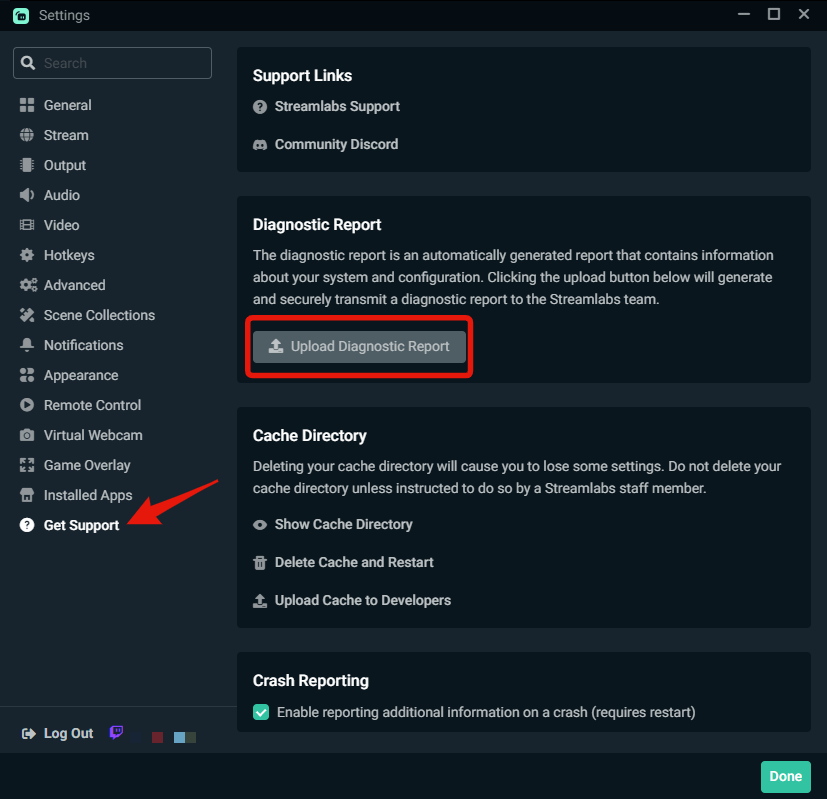 wispy latchBOT
@livid summit
🚫 Advertising and self-promotion are not permitted in any of our channels or in direct messages with server members. For more information on our server guidelines, please refer to #rules. Thank you!
gritty isle
Thanks Hislop!
agile owl
Yw
velvet flare
gritty isle
The you too should submit a ticket: https://support.streamlabs.com/hc/en-us/req...
thank you
gritty isle
velvet flare
thank you
You're welcome.
abstract plazaBOT
Having trouble? Want to see if anyone else is having the same problem?
Check out our #known-issues channel! We do our best to keep this channel as current as possible with new bugs and progress updates!
If you can't find what you need please submit a ticket at: https://support.streamlabs.com/hc/en-us/requests/new
 modest hedge
hi can some one help me set up my ai for stream labs
 paper fractal
"Hi, I've uninstalled the app three times and it still does this, I don't know why.

I paid for a subscription for the app to not work...
 azure scarab
Every time I press record or go live it says your mic is on but has no signal

 undone carbon
What happened to the multiple servers on Streamlabs? I tried to get my preferred server and I can't find it anymore. What happened?
pastel oasis
Would sl obsession have a issue if your pc isn't updated to windows 11?
gritty isle
undone carbon
What happened to the multiple servers on Streamlabs? I tried to get my preferred...
Settings > Stream > scroll all the way down > Stream to custom ingest
gritty isle
paper fractal
I paid for a subscription for the app to not work...
Thank you for being a Streamlabs Ultra subscriber.
I'm sorry the application is not starting up as expected.
Please link you discord per the tagged instructions below and ask in the VIP Support channel, which is one of your subscriber benefits.
wispy latchBOT
Streamlabs Ultra & All-Stars Discord Access
@paper fractal, are you a Streamlabs Ultra Subscriber or an All-Stars member? If so, you can link your Discord account to gain access to exclusive Ultra/VIP roles and private chat channels here in our Discord server!
🔗 How To Get Your Ultra/All-Stars Discord Role:
Link your Discord account under your Streamlabs integrations settings: Streamlabs Integrations Dashboard
Not Yet an Ultra Member?
You can learn more about Ultra and upgrade your membership here: Upgrade to Streamlabs Ultra
{1} ⛓️💥 Disconnecting Your Streaming Service
If you need to disconnect your streaming service (like Twitch, YouTube, or others) from your Streamlabs account, please follow these clear steps:
- Log out of Streamlabs.com (you can use this link to force a logout and any Streamlabs software such as Streamlabs Desktop (you can do so from the bottom left 👤)
- Follow this guide to disconnect the specific streaming service from Streamlabs
- Once you're done, please log back Streamlabs Desktop or streamlabs.com with the account disconnected
abstract plazaBOT
Having trouble? Want to see if anyone else is having the same problem?
Check out our #known-issues channel! We do our best to keep this channel as current as possible with new bugs and progress updates!
If you can't find what you need please submit a ticket at: https://support.streamlabs.com/hc/en-us/requests/new
 muted pine
can streamlabs ever turn on by itself without clicking the go live button and then all of that? my brain for some reason thinks it does even tho i dont open the app and i triple check my yt and other stuff and im not streaming. could streamlab turn on by itself or no?
gusty umbra
muted pine
can streamlabs ever turn on by itself without clicking the go live button and th...
It shouldn’t go live without somebody pressing a button. If you are concerned about it, make sure you close streamlabs when you’re done using it.
muted pine
gusty umbra
It shouldn’t go live without somebody pressing a button. If you are concerned ab...
yeah i do, idk if live streams still play tho when u close out of it, plus also i would have to press the title buttons and etc.
undone carbon
gritty isle
Settings > Stream > *scroll all the way down* > Stream to custom ingest
That's what I usually do. I went to it and scrolled. My preferred server is gone.
gritty isle
undone carbon
That's what I usually do. I went to it and scrolled. My preferred server is gone...
If you mean Twitch, the consolidated a lot of ingests a few months ago.
https://gamingcareers.com/newsletters/twitch-silently-removes-streaming-servers-worldwide/
undone carbon
gritty isle
If you mean Twitch, the consolidated a lot of ingests a few months ago.
<https:...
Yea....so Atlanta GA is gone. That was my Preferred/closest server
gritty isle
undone carbon
Yea....so Atlanta GA is gone. That was my Preferred/closest server
Same. Dallas is gone too.
undone carbon
gritty isle
Same. Dallas is gone too.
I had to set it to Default and not Auto. So far, Default has been giving less dropped frames.
undone carbon
gritty isle
Same. Dallas is gone too.
I'm going through Twitch Test now, to see which one will work with my preferred area and so far...Ashburn, VA (10) and Ohio (20) are my preferred ones.
muted pine
muted pine
can streamlabs ever turn on by itself without clicking the go live button and th...
idk why i fear it bc i have the windwo capture turned off and it isnt even streamiing my firefox


 granite beacon
i am trying to go from cloudbot to chatbot, i feel there are more customization on chatbot, how dod i export data from cloudbot to chatbot?
gritty isle
granite beacon
i am trying to go from cloudbot to chatbot, i feel there are more customization ...
Sadly, there isn’t an export from Cloudbot option.
 lofty pebble
Hey guys, ive seen this question asked on here but I cant find an answer. Cant find one on google either. Sorry if its something stupid simple, but my mod icons were on my streamlabs desktop chat. And I could easily delete messages etc. Now it is no longer there and I cant find the option to turn it on anywhere. https://i.imgur.com/RGiE45h.png this is what the setting for it show
 radiant vapor
hey can anyone help me out, i bought the streamlabs console version but when i go live. on my xbox and open the streamlab desktop version on my mac, i cant see my gameplay and it doesnt say im live
 simple tinsel
Hey guys, im new in this chat and ive been trying to stream from my macbook pro with my ps5 using a capture card but im having so many lagging issue. Would someone be able to help me out? Im fairly new to streaming with a capture card so i dont even know where to start or look. Thanks guys
abstract plazaBOT
Having trouble? Want to see if anyone else is having the same problem?
Check out our #known-issues channel! We do our best to keep this channel as current as possible with new bugs and progress updates!
If you can't find what you need please submit a ticket at: https://support.streamlabs.com/hc/en-us/requests/new
abstract plazaBOT
Are you knowledgeable about Streamlabs products?
Get rewarded for helping the Streamlabs Community here in Discord!
👉 Apply to be a part of the Streamlabs Support Volunteer Program!
Application Link:
https://forms.gle/eKS29zWfFjGEzaRp7
For details, see our post in
#announcements message
Do you have a Streamlabs Ultra membership? Are you part of the Streamlabs All-Stars program?
Get your Discord roles by going to this page here: https://streamlabs.com/dashboard#/settings/integrations and clicking "Link" next to Discord! Ultra members and higher tier All-Stars members will have access to private channels for support!
Interested in Ultra? Check it out here: https://streamlabs.com/ultra?refl=discord
 gaunt crypt
My Streamlabs says that my KICk account is linked to another Streamlabs account. I only have one account
 plucky cedar
hi everyone, im sorry to bother but i cant for the life of me figure this out, for some reasion any settings i try to set in the capture card resoirces just crashes my streamlabs
its never done this before and ive had this game capture for a while now, and ive tried uninstalling streamlabs, everythinngs updated, diffrent usb plugs, removing the sourse and adding it again ;-; helppp
 young river
hi, During my TikTok livestream using Streamlabs, the Super Fan sticker button does not appear for viewers. Everything else in the stream works normally, but the Super Fan feature is missing.
abstract plazaBOT
Are you knowledgeable about Streamlabs products?
Get rewarded for helping the Streamlabs Community here in Discord!
👉 Apply to be a part of the Streamlabs Support Volunteer Program!
Application Link:
https://forms.gle/eKS29zWfFjGEzaRp7
For details, see our post in
#announcements message
Do you have a Streamlabs Ultra membership? Are you part of the Streamlabs All-Stars program?
Get your Discord roles by going to this page here: https://streamlabs.com/dashboard#/settings/integrations and clicking "Link" next to Discord! Ultra members and higher tier All-Stars members will have access to private channels for support!
Interested in Ultra? Check it out here: https://streamlabs.com/ultra?refl=discord
clear crater
I do streams from my mobile, how can I control the stream from desktop when streaming?
abstract plazaBOT
Having trouble? Want to see if anyone else is having the same problem?
Check out our #known-issues channel! We do our best to keep this channel as current as possible with new bugs and progress updates!
If you can't find what you need please submit a ticket at: https://support.streamlabs.com/hc/en-us/requests/new
 keen gorge
hello, I have audio and stream interuptions on macos
abstract plazaBOT
Having trouble? Want to see if anyone else is having the same problem?
Check out our #known-issues channel! We do our best to keep this channel as current as possible with new bugs and progress updates!
If you can't find what you need please submit a ticket at: https://support.streamlabs.com/hc/en-us/requests/new
 river pebble
Greetings everyone ♥,
on my new windows 11 system I noticed a sound problem on Streamlabs OBS. whenever I am inside the program, my bluetooth headsets starts to make a lot of crackling sounds. but only when SLOBS is open. any ideas? ♥
abstract plazaBOT
Having trouble? Want to see if anyone else is having the same problem?
Check out our #known-issues channel! We do our best to keep this channel as current as possible with new bugs and progress updates!
If you can't find what you need please submit a ticket at: https://support.streamlabs.com/hc/en-us/requests/new
abstract plazaBOT
Are you knowledgeable about Streamlabs products?
Get rewarded for helping the Streamlabs Community here in Discord!
👉 Apply to be a part of the Streamlabs Support Volunteer Program!
Application Link:
https://forms.gle/eKS29zWfFjGEzaRp7
For details, see our post in
#announcements message
Do you have a Streamlabs Ultra membership? Are you part of the Streamlabs All-Stars program?
Get your Discord roles by going to this page here: https://streamlabs.com/dashboard#/settings/integrations and clicking "Link" next to Discord! Ultra members and higher tier All-Stars members will have access to private channels for support!
Interested in Ultra? Check it out here: https://streamlabs.com/ultra?refl=discord
 toxic raft
Hi can anyone help me with streamlabs console
 dusky jungle
Hello I need some assistance
abstract plazaBOT
Having trouble? Want to see if anyone else is having the same problem?
Check out our #known-issues channel! We do our best to keep this channel as current as possible with new bugs and progress updates!
If you can't find what you need please submit a ticket at: https://support.streamlabs.com/hc/en-us/requests/new
 fossil sand
hey anyone else having it when you open Stream Labs Desktop (SLD) that it full locks the Desktop? i am experiencing when i open SLD that it fully pixalates my monators i cant interact with it and then it will green screen after a minuet and after that it will full white screan both my monators. i have uninstalled and reinstalled SLD and have updated my AMD Drivers. i have power cycled and tryed everything i know to make it work. please any help would be appreachiated.
gritty isle
fossil sand
hey anyone else having it when you open Stream Labs Desktop (SLD) that it full l...
Please hop over to #vip-support for assistance.
fossil sand
thank you i will
gritty isle
fossil sand
thank you i will
You're welcome.
 raven yarrow
Is there anyone answering questions today?
 hallow nexus
i really hope this is getting to where it needs to go. i have StreamLabs Ultra and I am new to streaming. Can someone get me in touch with some personal tech support because Im a hair out of my depth and Im attempting to meet some of the schedule requirements of my brand new channel. Any help would be appreciated ! Thank you for your time!
gritty isle
hallow nexus
i really hope this is getting to where it needs to go. i have StreamLabs Ultra a...
Thank you for being a Streamlabs Ultra subsciber.
Please link your discord and ask again in the VIP Support channel which is one of your subscriber benefits.
wispy latchBOT
Streamlabs Ultra & All-Stars Discord Access
@hallow nexus, are you a Streamlabs Ultra Subscriber or an All-Stars member? If so, you can link your Discord account to gain access to exclusive Ultra/VIP roles and private chat channels here in our Discord server!
🔗 How To Get Your Ultra/All-Stars Discord Role:
Link your Discord account under your Streamlabs integrations settings: Streamlabs Integrations Dashboard
Not Yet an Ultra Member?
You can learn more about Ultra and upgrade your membership here: Upgrade to Streamlabs Ultra
hallow nexus
Thank you sir
gritty isle
hallow nexus
Thank you sir
You'ew welcome.
 dreamy quail
hello! i normally never have an issue with dropped frames when streaming, but recently i've started recording WHILE i stream so that i can easily edit my stream for a youtube video later, and because now i'm doing both at the same time i've been dropping frames in my stream
does anyone have any tips as to how to adjust my settings so my frames don't drop when i'm recording while streaming?
abstract plazaBOT
Are you knowledgeable about Streamlabs products?
Get rewarded for helping the Streamlabs Community here in Discord!
👉 Apply to be a part of the Streamlabs Support Volunteer Program!
Application Link:
https://forms.gle/eKS29zWfFjGEzaRp7
For details, see our post in
#announcements message
Do you have a Streamlabs Ultra membership? Are you part of the Streamlabs All-Stars program?
Get your Discord roles by going to this page here: https://streamlabs.com/dashboard#/settings/integrations and clicking "Link" next to Discord! Ultra members and higher tier All-Stars members will have access to private channels for support!
Interested in Ultra? Check it out here: https://streamlabs.com/ultra?refl=discord
 tidal tinsel
anyone know how to set it up to stream clash royale? my stream comes out mad choppy even tho my internet gb is 2gb upload n download
tidal tinsel
yeah ima need a refund

this is all i get everytime $150 for this?
***$189.00 for 12 month
i paid 189 n cant even access premuim support cause i dont want to go for 2027?
gritty isle
tidal tinsel
i paid 189 n cant even access premuim support cause i dont want to go for 2027?
Please link your Discord per the tagged instructions below. 👇
wispy latchBOT
Streamlabs Ultra & All-Stars Discord Access
@tidal tinsel, are you a Streamlabs Ultra Subscriber or an All-Stars member? If so, you can link your Discord account to gain access to exclusive Ultra/VIP roles and private chat channels here in our Discord server!
🔗 How To Get Your Ultra/All-Stars Discord Role:
Link your Discord account under your Streamlabs integrations settings: Streamlabs Integrations Dashboard
Not Yet an Ultra Member?
You can learn more about Ultra and upgrade your membership here: Upgrade to Streamlabs Ultra
worn jolt
The Support dont answer me since 6 days
gritty isle
worn jolt
The Support dont answer me since 6 days
Do you have a ticket number?
 dim estuary
@gritty isle hey man event list not working anymore
wispy latchBOT
@dim estuary ⛓️💥 Disconnecting Your Streaming Service
If you need to disconnect your streaming service (like Twitch, YouTube, or others) from your Streamlabs account, please follow these clear steps:
- Log out of Streamlabs.com (you can use this link to force a logout and any Streamlabs software such as Streamlabs Desktop (you can do so from the bottom left 👤)
- Follow this guide to disconnect the specific streaming service from Streamlabs
- Once you're done, please log back Streamlabs Desktop or streamlabs.com with the account disconnected
gritty isle
dim estuary
event list not updating
Not updating how? This process will not go back and capture events that were missed. Events are sent only once over the API. An unfollow/refollow will not trigger a follow alert.
dim estuary
right now someone followed me on the event list its not updating
gritty isle
dim estuary
right now someone followed me on the event list its not updating
You logged out of the Streamlabs web site and logged out of Streamlabs Desktop before performing the disconnect?
 gritty isle
dim estuary
here example
gritty isle
dim estuary
here example
Did you perfom this while you were live?
dim estuary
wthis is my live right now but already did trouble shoot
gritty isle
dim estuary
wthis is my live right now but already did trouble shoot
Please go to https://www.twitch.tv/settings/connections, scroll down to Other Connections, and screen shot the Streamlabs connection.
 gritty isle
dim estuary
this is kick im using right niow would that be tghe same?
gritty isle
dim estuary
this is kick im using right niow would that be tghe same?
Well, you never told the platform.
gritty isle
dim estuary
If you click on Streamlabs, does it tell you when it was connected?
dim estuary
nope it doesnt do anything
abstract plazaBOT
Having trouble? Want to see if anyone else is having the same problem?
Check out our #known-issues channel! We do our best to keep this channel as current as possible with new bugs and progress updates!
If you can't find what you need please submit a ticket at: https://support.streamlabs.com/hc/en-us/requests/new
gritty isle
dim estuary
nope it doesnt do anything
What is the link to your Kick channel? I can ask the staff to check your alert box in the system.
gritty isle
dim estuary
https://kick.com/monggorz
Thanks, one moment.
A staff member followed you on Kick and saw the alert.
dim estuary
see not updating
gritty isle
dim estuary
see not updating
I can't see anything.
dim estuary
here
 gritty isle
What is this notification you have?
 gritty isle
dim estuary
here
gritty isle
dim estuary
here
You had Custom Code enabled on your Event List and that was preventing it from updating. The staff disabled that optiobn and your Event List should now update.


 gritty isle
dim estuary
what code was that?i did not touch anything
gritty isle
dim estuary
what code was that?i did not touch anything
This was enabled on your Event List causing your issue.
 dim estuary
i see did not know how that happen but i can see its updating now
 tawdry crypt
I'm trying to go live on stream for my tiktok live and i'm getting this message even though i've been approved

i've tried it over and over but it's the same message popping up
gritty isle
tawdry crypt
I'm trying to go live on stream for my tiktok live and i'm getting this message ...
Please screen shot what you see after clicking the above link.
tawdry crypt
gritty isle
https://www.tiktok.com/falcon/live_g/live_access_pc_apply/result/index.html?id=G...
like i said, i've been approved

but the message kept popping up when i try streaming
gritty isle
tawdry crypt
like i said, i've been approved
Have you logged out and logged in Streamlabs Desktop by clickingt the TikTok button?
tawdry crypt
gritty isle
Have you logged out and logged in Streamlabs Desktop by clickingt the TikTok but...
yes, same issue
gritty isle
tawdry crypt
yes, same issue
Then please go through this guide: Please go through this guide: https://support.streamlabs.com/hc/en-us/articles/35259691237147-TikTok-Live-Streaming-Access-Revoked-No-Violations
Streamlabs
Date Reported: 3/19/2025Status: Awaiting Third Party
Important Note: Starting July 7,
2025, TikTok creators must stream at least 50% gaming content to keep
access to TikTok LIVE.  If...
No way to know, sorry. Go through the guide above.
tawdry crypt
it says i have it approved but my streamlabs isn't letting me go live, i've shown the screenshots
 tribal tapir
Please can some one help me get this set up, I've been trying for two years and I still don't understand what I'm doing wrong
tawdry crypt
gritty isle
Then please go through this guide: Please go through this guide: https://suppo...
the guide doesn't even help with my issue
ok now it work
gritty isle
tawdry crypt
the guide doesn't even help with my issue
Proceed with Step 2, then. Step 2: Contact TikTok
gritty isle
tribal tapir
Please can some one help me get this set up, I've been trying for two years and ...
We have a good getting started guide: https://streamlabs.com/content-hub/post/getting-started-with-streamlabs-desktop
tribal tapir
I am having trouble getting my capture card to show my Playstation on my stream.
I have the capture card HDMI plugged into my PS5 (input), HDMI plugged into my Monitor (output), and USB-C plugged into my laptop. I have the source correctly selected on streamlabs
Yet it does not show my PS5 screen behind my webcam screen
 uncut rapids
I haven’t used StreamLabs for awhile, and the reason was for whatever reason when multi-streaming to twitch and YouTube vertical at the same time, sometimes the YouTube vertical would crash and there was no way to restart it without ending my twitch stream.
Has anyone else had this issue, and has this been resolved, I’d love to re-use streamlabs again.
tribal tapir
on Streamlabs, I mean
 west flower
my stream freezing when i go live on battlefied 6
tawdry crypt
is there a way to show my streamlabs log? because i'm having a bit of performance issues with it. Basically when i was looking at my stream, it was skipping a bit and it looked a bit slow even though when i'm in game it's perfectly fine
 maiden siren
So I get this when I try to stream: Current settings
- Duel output
- I stream to youtube (Portrait) and to KICK (Landscape)
- When I switch off KICK my stream withs with YT (same settings) and X (Landscape)
- I tried to look it up but today is the first time I recieved this message
- I tried to log in and log out and restart PC and Streamlabs, Idk what else to do as this is a issue with KICK and Might be streamlabs side
 tawdry crypt
is there a way to show my streamlabs log? because i'm having a bit of performanc...
tawdry crypt
tawdry crypt
is there a way to show my streamlabs log? because i'm having a bit of performanc...
i've tried changing my output settings to see if it'd be better but it's the same
maiden siren
maiden siren
So I get this when I try to stream: Current settings
1. Duel output
2. I stream...
I hope someones got a solution cause idk and I apprciate any support ! thank you!
maiden siren
maiden siren
So I get this when I try to stream: Current settings
1. Duel output
2. I stream...
PS: I tried to only stream to kick and it worked fine, Idk might be a server issue for multi streaming? but if a dev can update me thank you!
abstract plazaBOT
Having trouble? Want to see if anyone else is having the same problem?
Check out our #known-issues channel! We do our best to keep this channel as current as possible with new bugs and progress updates!
If you can't find what you need please submit a ticket at: https://support.streamlabs.com/hc/en-us/requests/new
 night spear
Hi I am having an issue with my stream deck connecting to streamlabs on macos
gritty isle
night spear
Hi I am having an issue with my stream deck connecting to streamlabs on macos
Hop pver to #vip-support for assistance with that.
 open brook
roblox isnt showing up on game capture whether i put it on specific window or fullscreen anything it just doesnt show up unless its display capture any1 know how to fix?
agile owl
display captures the only way with Roblox
because of their anti-cheat it doesn't play nice with game capture
open brook
ahhh, ok thanks
 vocal raven
Does anyone know why this do not start transmission?
Its just stuck there n
 gritty isle
vocal raven
Does anyone know why this do not start transmission?
Its just stuck there n
gritty isle
vocal raven
Does anyone know why this do not start transmission?
Its just stuck there n
If you have Enhanced Broadcast check for Twitch, uncheck it.
tawdry crypt
I'm in need of some serious help
my frames keep skipping and i'm trying everything to have my stream run well but i don't know what to do
I've tried lowering my stuff but even that doesn't do anything
is there someone here that can actually help with my issue with streamlabs?
i just wanna stream without it skipping frames
abstract plazaBOT
Having trouble? Want to see if anyone else is having the same problem?
Check out our #known-issues channel! We do our best to keep this channel as current as possible with new bugs and progress updates!
If you can't find what you need please submit a ticket at: https://support.streamlabs.com/hc/en-us/requests/new
 flint wedge
a string of code
abstract plazaBOT
Do you have a Streamlabs Ultra membership? Are you part of the Streamlabs All-Stars program?
Get your Discord roles by going to this page here: https://streamlabs.com/dashboard#/settings/integrations and clicking "Link" next to Discord! Ultra members and higher tier All-Stars members will have access to private channels for support!
Interested in Ultra? Check it out here: https://streamlabs.com/ultra?refl=discord
Are you knowledgeable about Streamlabs products?
Get rewarded for helping the Streamlabs Community here in Discord!
👉 Apply to be a part of the Streamlabs Support Volunteer Program!
Application Link:
https://forms.gle/eKS29zWfFjGEzaRp7
For details, see our post in
#announcements message
 stray tide
Hi guys, I want to remove the vip badge from appearing on viewers in the chat box widget. Is that possible?
 jolly island
Havent been here, but switched to capture card a month ago, set up the whole streamlabs overlays, and now i found a thing i can not find on google or youtube... on to the question at hand...
Lets say i want to save replay 1...
But because it is busy i have no time to show it yet...
Something else happens and i want to save replay 2...
Its still to busy, so still cant show it...
So another thing happens, and i want to save replay 3...
And after that, things cool down, and i am able to show the replays...
Can i save multiple instant replays, to show them separately(even different scenes would be ok, if i give the play replay different hotkeys)
But the main question, can you save multiple instant replays, in different slots?
Edit: extra info, it is a simracing commentary/broadcast, so just like the F1 it would be awesome to have multiple replays you can show when the hectic start of a race is over...
 old spindle
Waited, got my access back only for a day to stream dual output to twitch and TikTok, got it revoked once again yesterday for, once again, no reason since I have no restrictions or violations on my TikTok account. Followed yalls thread guide exactly of this https://support.streamlabs.com/hc/en-us/articles/35259691237147-TikTok-Live-Streaming-Access-Revoked-No-Violations
kept getting automated messages with no help pertaining to my exact issue. They never even gave me an actual person to talk to no matter how hard I tried sending the emails. I’m frustrated and now it says I need to reapply again in 6 days. And I’ve already gone through this exact cycle already. I’m tempted to get streamlabs ultra subscription just for the support, but I won’t get it if I’m just gonna get the same response I just want some actual assistance please. Also I know it states to be able to stream to multiple platforms too but how if one of the platforms (dual output to TikTok) keeps getting revoked I just don’t see how that’s guaranteed if I buy it.
maiden siren
Streamlabs staff, your streamlabs wont connect to KICK servers, I tried to log out and reconnect my account and everything but this something either on yourside or with your software, Anyone has a idea please lmk what else I can do! please and thank you!
gritty isle
maiden siren
Streamlabs staff, your streamlabs wont connect to KICK servers, I tried to log o...
Use these settings
1280x720 output resolution
up to 3500 bitrate (higher bitrates can be VERY hit or miss)
HVEC.264 encoder if available.
undone raptor
Hi, I made a support request last week but I have received no answer yet, its for streamlabs console, I purchased studio pro version and I can't use it
maiden siren
gritty isle
Use these settings
1280x720 output resolution
up to 3500 bitrate (higher bitrate...
I use 1920x1080 output and 3000 kbs
And hvec 264 already
gritty isle
maiden siren
I use 1920x1080 output and 3000 kbs
And hvec 264 already
I'd strongly suggest lowering your Output Resolution to 1280x720. 1080p will look awful at a bitrate of 3000.
Then make sure you've set a stream title and category.
maiden siren
gritty isle
I'd strongly suggest lowering your Output Resolution to 1280x720. 1080p will lo...
Alr if i get a error message ill post here for yall
maiden siren
gritty isle
🤞
 gritty isle
maiden siren
gritty isle
maiden siren
Turn off Dual Output. Try and go live to each of the two platforms separately.
maiden siren
gritty isle
Turn off Dual Output. Try and go live to each of the two platforms separately.
already just did that gave me only the message for kick
gritty isle
maiden siren
already just did that gave me only the message for kick
In Streamlabs Desktop, log out, wait a couple of minutes, quit Streamlabs Desktop, wait a couple of minutes, launch Streamlabs Desktop as administrator, log in with your Kick. Try and go live to just Kick.
old spindle
old spindle
Waited, got my access back only for a day to stream dual output to twitch and Ti...
I’m tempted to just email streamlabs support at this point. I’m aware it’s TikTok’s issue but there needs to be some sort of intervention of assistance.
gritty isle
old spindle
I’m tempted to just email streamlabs support at this point. I’m aware it’s TikTo...
Feel free to submit a ticket: https://support.streamlabs.com/hc/en-us/requests/new
maiden siren
gritty isle
In Streamlabs Desktop, log out, wait a couple of minutes, quit Streamlabs Deskto...
same code
gritty isle
maiden siren
same code
Weird. Let's refresh the connection between Kick and Streamlabs. Please follow the Disconnect Service Guide below, but, before logging back in with your Kick, on Kick, reset your stream key.
wispy latchBOT
@maiden siren ⛓️💥 Disconnecting Your Streaming Service
If you need to disconnect your streaming service (like Twitch, YouTube, or others) from your Streamlabs account, please follow these clear steps:
- Log out of Streamlabs.com (you can use this link to force a logout and any Streamlabs software such as Streamlabs Desktop (you can do so from the bottom left 👤)
- Follow this guide to disconnect the specific streaming service from Streamlabs
- Once you're done, please log back Streamlabs Desktop or streamlabs.com with the account disconnected
tawdry crypt
tawdry crypt
I'm in need of some serious help
i still need help
gritty isle
tawdry crypt
i still need help
Skipped frames occur when the encoder is overloaded, often with high CPU usage.
Check for high CPU usage. If you’re using software x264 encoding, consider using a faster preset or start using hardware encoding (NVENC/AMD) and this will be less taxing on your CPU to encode the stream.
If you're already using a hardware encoder, then you should set your monitor's refresh rate, FPS in Streamlabs Desktop, and FPS in the game to 60. Uncapped FPS in games is often the cause of skipped frames.
 blazing juniper
Can anyone help with low stream quality? My exact issue is that when I turn around quickly in a game, the video quality becomes really pixelated.
Example streams: https://www.twitch.tv/videos/2604300874, https://www.twitch.tv/videos/2609798302
My settings:


 fringe fern
is anyone else just disconnecting constantly mid stream? its not an internet issue and im streaming to twitch and tiktok
i have the diagnostics code
gritty isle
fringe fern
i have the diagnostics code
Volunteers don't have access to the diagnostic reports. It's likely the Twitch side that is disconnecting.
wispy latchBOT
@fringe fern 🌐 Finding Your Best Twitch Server
To ensure the most stable and high-quality stream to Twitch, we recommend using a Twitch test tool to find the optimal server for your location and internet connection.
📋 How to Use the Twitch Test Tool:
- Access the tool here: Twitch Test Tool
- Run the test using either the Medium or Long duration. Short tests may not provide the most accurate results.
- Select your specific region from the listed options. If your exact region is not available, choose 5 to 6 servers closest to you.
- Aim for a quality score of at least 84. This indicates a strong and stable connection.
🛠️ Applying Your Settings in Streamlabs Desktop:
- Once you've identified a good server, navigate to your Streamlabs Desktop settings:
Settings>Stream>Stream to custom ingest. - From there, you can manually select your preferred server based on your test results.
fringe fern
its dropping on tiktok too
gritty isle
fringe fern
its dropping on tiktok too
Run the Twitch Test and screen shot the results please.
fringe fern
 gritty isle
fringe fern
gritty isle
fringe fern
Please choose all the US ingests.
fringe fern
 gritty isle
fringe fern
gritty isle
fringe fern
Interesting. I'd go ahead and hop over to #vip-support and see if they can assist with that. Have that diagnostic code ready; the staff there can access it.
abstract plazaBOT
Having trouble? Want to see if anyone else is having the same problem?
Check out our #known-issues channel! We do our best to keep this channel as current as possible with new bugs and progress updates!
If you can't find what you need please submit a ticket at: https://support.streamlabs.com/hc/en-us/requests/new
 sonic sable
Ok so my twitch account is indefiniteley suspended but I need to transfer my scenes to my kick account how do i pull over everything I have setup.
Note please don't query the ban - i've gone through alot more than any human should have to the ban will be eventually lifted but until then I need to set myself up with a different platform.
gritty isle
sonic sable
Ok so my twitch account is indefiniteley suspended but I need to transfer my sce...
If you are logged in the Streamlabs web site with your Streamlabs ID, you should be able to merge Kick then unmerge Twitch. Then in Streamlabs Desktop, log out and log in by clicking the Kick button.
sonic sable
gritty isle
If you are logged in the Streamlabs web site with your Streamlabs ID, you should...
problem I have is i cannot log into it with twitch , and that account is what has all of my scenes etc
gritty isle
sonic sable
problem I have is i cannot log into it with twitch , and that account is what ha...
That's why I started of If. Sounds like you're not logged in the Streamlabs web site, then.
Have you created your Streamlabs ID? https://streamlabs.com/content-hub/post/how-to-set-up-your-streamlabs-id
If so, log in the Streamlabs web site with your Streamlabs ID, not your Twitch. https://streamlabs.com/content-hub/post/how-to-manage-account-settings-streamlabs
sonic sable
gritty isle
That's why I started of *If*. Sounds like you're not logged in the Streamlabs w...
is there a way to find which email i used on the suspended account?
gritty isle
sonic sable
is there a way to find which email i used on the suspended account?
The email for your Streamlabs ID can be completely separate than the one you used for your Twitch channel. Volunteers can't assist with looking that up since we're not employees. Probably best to put in a ticket for assistance then: https://support.streamlabs.com/hc/en-us/requests/new
 loud mountain
Any estimate on how long till the streamboss works with Kicks? (I mean like is damaged by Kicks, they don't seem to be counting yet and i don't even see an option to toggle how much damage per kicks is done?)
tawdry crypt
gritty isle
Skipped frames occur when the encoder is overloaded, often with high CPU usage.
...
i don’t have NVENC/AMD as my options
maiden siren
gritty isle
Weird. Let's refresh the connection between Kick and Streamlabs. Please follow...
It worked so far, testing duel output for yt shorts and tiktok too rn!
tawdry crypt
my only options are the two Quicksync, Software z264 and two others but that’s it
gritty isle
tawdry crypt
my only options are the two Quicksync, Software z264 and two others but that’s i...
Then reduce the quality in your game or play at a lower resolution.
tawdry crypt
gritty isle
Then reduce the quality in your game or play at a lower resolution.
i’ve tried doing that, it still skips the frames
gritty isle
tawdry crypt
i’ve tried doing that, it still skips the frames
Screen shot the Encoder drop down please. Sounds like you have some older hardware.
open brook
is there a way to make my stream have no delay? or maybe just as least as possible
gritty isle
open brook
is there a way to make my stream have no delay? or maybe just as least as possib...
Nope. It takes time for your computer to encode the packets, for the packets to be transmitted over the internet to the ingest, for the ingest to assemble them in, and to finally deliver them to the viewer.
open brook
so the latency options are as low as i can get it?
gritty isle
open brook
so the latency options are as low as i can get it?
Correct.
open brook
k thanks
gritty isle
open brook
k thanks
You're welcome.
tawdry crypt
gritty isle
Screen shot the Encoder drop down please. Sounds like you have some older hardw...
these are my only options
 gritty isle
tawdry crypt
these are my only options
gritty isle
tawdry crypt
these are my only options
Choose QuickSync H.264
tawdry crypt
gritty isle
Choose QuickSync H.264
and then what? bc i end up switching from the two and i don't know what else
because i tried playing Fall Guys and lowered my fps but it still didn't change
plus i'm looking at my CPU and it's mostly changing numbers, mostly dropping down
gritty isle
tawdry crypt
and then what? bc i end up switching from the two and i don't know what else
Are you streaming or recording?
tawdry crypt
gritty isle
Are you streaming or recording?
streaming, i mainly stream
gritty isle
tawdry crypt
streaming, i mainly stream
Screen shot Settings > Video please
tawdry crypt
gritty isle
Screen shot Settings > Video please
 gritty isle
tawdry crypt
gritty isle
tawdry crypt
That looks okay. Cap the FPS in the game to 30 or 60.
tawdry crypt
gritty isle
That looks okay. Cap the FPS in the game to 30 or 60.
well my minecraft is at 120fps which is fine when im not streaming
gritty isle
tawdry crypt
well my minecraft is at 120fps which is fine when im not streaming
Cap it at 60.
tawdry crypt
gritty isle
Cap it at 60.
i'll let you know if it works or not
still the same issue

still telling me to lower my encoder :/
gritty isle
tawdry crypt
still the same issue
Well, you have multiple capture soures which is not recommended. Get rid of all of them except the capture source you're using for Minecraft.
tawdry crypt
it works now, just hope it'll work if i ever use discord when i'm in a VC with someone
and when using my pngtuber model
gritty isle
tawdry crypt
it works now, just hope it'll work if i ever use discord when i'm in a VC with s...
Yay!
jolly island
With replay buffer on, can i save multiple instant replays in different slots?
Or is it always just one instant replay save?
gritty isle
jolly island
With replay buffer on, can i save multiple instant replays in different slots?
...
There is only one. It saves then you press the hotkey for it.
https://streamlabs.com/content-hub/post/instant-replays-in-streamlabs-desktop
jolly island
gritty isle
There is only one. It saves then you press the hotkey for it.
<https://strea...
Yes, i have it setup correctly, and it works! Was hoping i could save multiple, and show them in different scenes using the hotkeys.
But one replay will do for now😜
gritty isle
jolly island
Yes, i have it setup correctly, and it works! Was hoping i could save multiple, ...
Ah, that would be cool.
jolly island
gritty isle
Ah, that would be cool.
Im trying to get a as close to irl racing broadcast done, but this will work for now. Thanks for the answer
gritty isle
jolly island
Im trying to get a as close to irl racing broadcast done, but this will work for...
You're welcome.
abstract plazaBOT
Are you knowledgeable about Streamlabs products?
Get rewarded for helping the Streamlabs Community here in Discord!
👉 Apply to be a part of the Streamlabs Support Volunteer Program!
Application Link:
https://forms.gle/eKS29zWfFjGEzaRp7
For details, see our post in
#announcements message
Do you have a Streamlabs Ultra membership? Are you part of the Streamlabs All-Stars program?
Get your Discord roles by going to this page here: https://streamlabs.com/dashboard#/settings/integrations and clicking "Link" next to Discord! Ultra members and higher tier All-Stars members will have access to private channels for support!
Interested in Ultra? Check it out here: https://streamlabs.com/ultra?refl=discord
 fleet pendant
Since i changed m'y twitch password my last recent event dont show on recent event list. Only BITS and FOLLOW displayed but any SUB and RESUB dont display. Only trouble with streamlabs. On twitch it works. Someone has an idea. I changed my twitch password 10 days ago
gritty isle
fleet pendant
Since i changed m'y twitch password my last recent event dont show on recent eve...
On the Streamlabs web site, log out by clicking your profile picture and choose Log out. In Streamlabs Desktop, log out, wait a minute or two, and then log back in.
fleet pendant
I already tested this but the event on this week dont appear
gritty isle
fleet pendant
I already tested this but the event on this week dont appear
Events that were missed won't be picked up, sorry. They are sent only once over the API. When you change your password on Twitch, you should always immediately log out and log back in on the Streamlabs web site, Streamlabs Desktop, and if you use them, Streamlabs Mobile, Streamlabs Console, and Streamlabels.
fleet pendant
Ah ok thx for this information. O didn't understand why sub and RESUB only be affect by this
gritty isle
fleet pendant
Ah ok thx for this information. O didn't understand why sub and RESUB only be af...
You're welcome.
abstract plazaBOT
Having trouble? Want to see if anyone else is having the same problem?
Check out our #known-issues channel! We do our best to keep this channel as current as possible with new bugs and progress updates!
If you can't find what you need please submit a ticket at: https://support.streamlabs.com/hc/en-us/requests/new
marble wind
@blazing juniper this is normal at such low bit rates, especially if you choose x264, hardware encoders usually prefer to blur the image to reduce visible blocking artifacts; try streaming at a lower resolution and/or frame rate
maiden siren
bruh this is becoming a headache, the stream says connected but kick isnt live now
I did everything yall sayd @gritty isle however the its like my client through streamlabs isnt connecting to kick servers
does anyone else have this issue atm with kick?
 short ibex
Can someone help me I’m trying to make donation link but I filled everything out and can’t find it I’m on mobile
 small mountain
HELP PLS!!! this issue is very well known, my alerts from alert box does not show up when i stream with obs+streamlabs on yt only when i test
ive tried to fix it for 3 hours and nothing works no matter what i try
please reply
maiden siren
maiden siren
bruh this is becoming a headache, the stream says connected but kick isnt live n...
For anyone with issuse with KICK, Make sure your b frames are 0 idk why but that lil cange fixed it for me ❤️
abstract plazaBOT
Having trouble? Want to see if anyone else is having the same problem?
Check out our #known-issues channel! We do our best to keep this channel as current as possible with new bugs and progress updates!
If you can't find what you need please submit a ticket at: https://support.streamlabs.com/hc/en-us/requests/new
abstract plazaBOT
Are you knowledgeable about Streamlabs products?
Get rewarded for helping the Streamlabs Community here in Discord!
👉 Apply to be a part of the Streamlabs Support Volunteer Program!
Application Link:
https://forms.gle/eKS29zWfFjGEzaRp7
For details, see our post in
#announcements message
Do you have a Streamlabs Ultra membership? Are you part of the Streamlabs All-Stars program?
Get your Discord roles by going to this page here: https://streamlabs.com/dashboard#/settings/integrations and clicking "Link" next to Discord! Ultra members and higher tier All-Stars members will have access to private channels for support!
Interested in Ultra? Check it out here: https://streamlabs.com/ultra?refl=discord
 fossil night
hey all, opened a ticket about a few months ago, which you closed, the problem still persist.
media share doesnt autoplay songs which i add. it needs to click on the "next" button everytime.

tried clearing my cache and still not working.
 versed flax
Helllo! is there a way to remove my background from my webcam without the greenscreen, and add an image? like the way you can change it on discord open cam?
wheat lily
Hello! I submitted a ticket days ago on the streamlabs website but haven't received even an emailed confirmation, is that normal?
gritty isle
wheat lily
Hello! I submitted a ticket days ago on the streamlabs website but haven't recei...
Check your Spam/Junk folder.
wheat lily
Thanks, i'll do that
abstract plazaBOT
Having trouble? Want to see if anyone else is having the same problem?
Check out our #known-issues channel! We do our best to keep this channel as current as possible with new bugs and progress updates!
If you can't find what you need please submit a ticket at: https://support.streamlabs.com/hc/en-us/requests/new
 noble mica
Hey so I’m new to this and it might be a dumb question but, I set up a bunch of scenes and overlays for my stream and I wanna know if that will work if I hit start streaming from my Xbox?
gritty isle
noble mica
Hey so I’m new to this and it might be a dumb question but, I set up a bunch of ...
Depends.
Are you speaking about computer with a capture card in it, or not?
If not, you'd only be able to stream to Twitch or YouTube using those built-in apps on the Xbox or use our subscription service Streamlabs Console but Streamlabs Console doesn't use any data setup in Streamlabs Desktop.
 formal valve
hi everyone. I'm currently streaming on Kick, so I've started using stream boss for my channel but when someone gifted the community a sub the last gifted person becames the boss not the gifter do you guys know how to fix it ?
gritty isle
formal valve
hi everyone. I'm currently streaming on Kick, so I've started using stream boss ...
I can't say there is a fix for that nor if that's the intended behavior, or not. I'll ask the staff for clarification.
formal valve
well I thought It's supposed to be gifter no ? 😄 thanks for help tho
gritty isle
formal valve
well I thought It's supposed to be gifter no ? 😄 thanks for help tho
That's what I don't know for sure, sorry. I asked for clarification. May I reply or ping you later if I get more information?
 obsidian sand
I’m using streamlabs console. Why won’t it stream to TikTok?
gritty isle
formal valve
well I thought It's supposed to be gifter no ? 😄 thanks for help tho
What you observe is the intended behavior and I understand there is 'fix' for that planned but I have no other information on when that will be fixed.
gritty isle
obsidian sand
I’m using streamlabs console. Why won’t it stream to TikTok?
Have you applied for and been granted Live with Streamlabs?
Live with Studio is a completely separate permission and doesn’t automatically grant any other permission.
If you are wanting to stream to TikTok from Streamlabs Console, you need to apply for access.
You can do that at here: https://www.tiktok.com/falcon/live_g/live_access_pc_apply/result/index.html?id=GL6399433079641606942&lang=en-US
More information about our TikTok integration is here: https://streamlabs.com/content-hub/post/streamlabs-announces-integration-with-tiktok
Streamlabs
Streamlabs now enables creators to go live on TikTok, customize their streams, and monetize their content – all from one convenient place.
formal valve
gritty isle
What you observe is the intended behavior and I understand there is 'fix' for th...
I see thanks
gritty isle
formal valve
I see thanks
You're welcome.
obsidian sand
gritty isle
Have you applied for and been granted Live with Streamlabs?
Live with Studio is...
I don’t see anything about streamlabs console in that article. Are you sure it’ll work once I’m granted permission to stream with streamlabs?
gritty isle
obsidian sand
I don’t see anything about streamlabs console in that article. Are you sure it’...
Yes, in regard to TikTok, it works the same once you have been granted access.
versed flax
versed flax
Helllo! is there a way to remove my background from my webcam without the greens...
up! I didnt have the graphics card required for the nvdia app listed here #1173607466068615270 message
I saw a way but its for obs studio, and I cant find a plugin folder for the streamlabs obs
 covert rune
Hello, why suddenly all my alerts changed? if i was an streamlabs ultra then my subscription ended will it change all my alerts? and does re-subscribing will change it back?
abstract plazaBOT
Do you have a Streamlabs Ultra membership? Are you part of the Streamlabs All-Stars program?
Get your Discord roles by going to this page here: https://streamlabs.com/dashboard#/settings/integrations and clicking "Link" next to Discord! Ultra members and higher tier All-Stars members will have access to private channels for support!
Interested in Ultra? Check it out here: https://streamlabs.com/ultra?refl=discord
Are you knowledgeable about Streamlabs products?
Get rewarded for helping the Streamlabs Community here in Discord!
👉 Apply to be a part of the Streamlabs Support Volunteer Program!
Application Link:
https://forms.gle/eKS29zWfFjGEzaRp7
For details, see our post in
#announcements message
 hallow dock
streamlabs super slow to load up, was told to update drivers among other things, I have updated the drivers, no difference
I have tried reinstalling it several times too, I might switch streaming software at this point
gritty isle
hallow dock
streamlabs super slow to load up, was told to update drivers among other things,...
Create a new scene collection but don't add anything beyond the default scene. Wait a minute or two then restart Streamlabs Desktop. See how it goes.
abstract plazaBOT
Having trouble? Want to see if anyone else is having the same problem?
Check out our #known-issues channel! We do our best to keep this channel as current as possible with new bugs and progress updates!
If you can't find what you need please submit a ticket at: https://support.streamlabs.com/hc/en-us/requests/new
 zinc cobalt
I just went to open streamlabs and literally ALL my settings are gone. I'm logged in and imported from the cloud. I have the right scene selected - its just ALL gone...
 fossil needle
I’m not sure where to ask this, but it says this is the place to ask questions. Is there anything on Streamlabs or in Streamlabs bot, that I can turn on and it’ll count time, then pause when I end stream, and start where it left off when I hit start stream again the next day? I’m trying to automatically count time I’ve been live in a week for charity and have it on screen in stream
 proper totem
I just went to open streamlabs and
 spice knot
hello i am having trouble with the chat box widget. When i test it, it is blank, and adding the url to my browser source does not make chat show up on my obs
 magic ice
hello, i just tried to go live on twitch and all i get is infinite loading when it says starting video transmission. plz help
spice knot
spice knot
hello i am having trouble with the chat box widget. When i test it, it is blank,...
The chat box test works but not when i apply the url to my browser source in obs. its at the top of my source list, eye icon "on"
gritty isle
magic ice
hello, i just tried to go live on twitch and all i get is infinite loading when ...
On the Confirm & Go Live Screen, UNCHECK Enhanced Broadcast.
magic ice
ur a life saver @gritty isle
gritty isle
magic ice
ur a life saver <@301571565840236564>
You're welcome!
gritty isle
spice knot
The chat box test works but not when i apply the url to my browser source in obs...
Make sure you are using the Chatbox Widget URL (red circle ⭕ ) and not the web browser URL (red X ❌ ).
Also, try these steps:
-Remove the Browser Source you have for the Widget from every scene where you have it
-Quit OBS Studio
-Hit windows key + R
-Paste this and hit enter %appdata%\obs-studio\plugin_config\obs-browser
-Delete the cache folder
-Start up OBS Studio again
-Add the Browser Source for the Widget in only one scene and set the following circled options in the Browser Source.


 wary tundra
Hello,
I am experiencing a preview performance issue in Streamlabs that started recently, even though my setup worked perfectly for many months. I constantly use Dual Output (16:9 + 9:16 for TikTok). The issue appeared only a few weeks ago, despite this configuration working without any problems before.
My setup: RTX 3090, Ryzen 9 5950X, 32 GB RAM, Windows 11, 165 Hz monitor.
The problem:
When a game is focused, the Streamlabs preview becomes very choppy, even though the game itself runs smoothly.
If I ALT+TAB and the game loses focus, the preview instantly becomes smooth. When I return to the game, the stuttering returns.
Dual Output is always enabled, and it worked perfectly in the past.
The biggest issue is canvas FPS:
– at 60 FPS the preview renders at about 3–5 FPS,
– at 120–160 FPS the preview runs at around 30–40 FPS,
– about five months ago, 60 FPS produced a fully smooth 60 FPS preview.
Streamlabs logs show zero dropped or lagged frames. CPU usage is only 3–4%, and GPU is not overloaded.
This appears to be a preview rendering or GPU scheduling issue introduced by a recent Streamlabs or Windows 11 update.
My questions:
– Is this preview stuttering issue at 60 FPS with Dual Output a known problem?
– Are any fixes planned for preview performance?
Thank you for your assistance.
 vocal snow
Lately every time I stream with streamlabs it drops frame rates. Why is this happening?! Also it's causing my game to mess up. I have updated EVERYTHING on my laptop before anybody says do that.
abstract plazaBOT
Having trouble? Want to see if anyone else is having the same problem?
Check out our #known-issues channel! We do our best to keep this channel as current as possible with new bugs and progress updates!
If you can't find what you need please submit a ticket at: https://support.streamlabs.com/hc/en-us/requests/new
 barren magnet
Hey, I can't unlink my tiktok account from my streamlab account since it's set as primary. I asked chat gpt and looked for solutions online but none can help me.
Any of you guys have any idea?
 mild swallow
Hey guys, I am having an issue right now with some of my alerts, the only alert that pops up on my account is the subscriptions. Any advice?
 worldly stag
I have been a streamer for a long time and I'm partnered on a well known streaming platform, I mainly stream Warzone, but the last couple of days Warzone has become unstreamable, I have tried everything with no luck, I have even used my other PC and the issue still persists and is the same on my wife's account as well.... Battlefield which is very labour intensive streams fine, along with Fortnite etc, but Warzone frame drops and lag. Is there a known issue with conflicts between Streamlabs and Warzone currently please? Or is it something you could research for me? I have always used Streamlabs and have been very happy with it
 primal kettle
Hey everyone i just downloaded stream labs but forsome reason my steam is set up virtically and idk how to fix it if someone could hop into a vc to help id rly appreacitate it
worldly stag
wary tundra
Hello,
I am experiencing a preview performance issue in Streamlabs that started ...
Did you get a fix for this?
abstract plazaBOT
Having trouble? Want to see if anyone else is having the same problem?
Check out our #known-issues channel! We do our best to keep this channel as current as possible with new bugs and progress updates!
If you can't find what you need please submit a ticket at: https://support.streamlabs.com/hc/en-us/requests/new
abstract plazaBOT
Do you have a Streamlabs Ultra membership? Are you part of the Streamlabs All-Stars program?
Get your Discord roles by going to this page here: https://streamlabs.com/dashboard#/settings/integrations and clicking "Link" next to Discord! Ultra members and higher tier All-Stars members will have access to private channels for support!
Interested in Ultra? Check it out here: https://streamlabs.com/ultra?refl=discord
Are you knowledgeable about Streamlabs products?
Get rewarded for helping the Streamlabs Community here in Discord!
👉 Apply to be a part of the Streamlabs Support Volunteer Program!
Application Link:
https://forms.gle/eKS29zWfFjGEzaRp7
For details, see our post in
#announcements message
 tulip lake
Hi I need help getting audio from my switch getting captured on streamlabs
Video is fine but no sounds are being heard, help would be appreciated
gritty isle
@minor lynx 👋
 minor lynx
I tried clicking disable dual output and it won't un check

Also when I click go live, it says I'm currently logged out. I try to login, and it won't open streamlabs desktop
gritty isle
minor lynx
I tried clicking disable dual output and it won't un check
Doesn't look you're logged in.
Click Log In in the lower left of Settings.
minor lynx
I did that, and then it opened on browser. I clicked open streamlabs desktop, and now it just sits buffering on the streamlabs desktop part... I've tried it several times
gritty isle
minor lynx
I did that, and then it opened on browser. I clicked open streamlabs desktop, an...
Having issues logging in/the login button is unresponsive?
Your default browser in Windows is causing issues with logging into Streamlabs Desktop. The login popup relies on the default browser set in Windows, so you won't be able to log in if it's blocked. Follow these steps to fix it:
- Press the Windows key on your keyboard or go bottom left and click the Windows logo.
- Search for "default apps". It may be different in Windows 10 and Windows 11.
- Find the default apps section and close Streamlabs Desktop
- Change your default browser to a new browser. For example, if you're currently on Chrome, you'll want to change it to Edge or Firefox. (Screenshot for reference: https://prnt.sc/48ZdLCQCgi8D)
- Once you've changed this, reopen Streamlabs Desktop and see if the same issue occurs when attempting to log in.
minor lynx
I did this and logged in via edge once changing default to edge. I logged in but still when I open streamlabs desktop it says I'm not logged in
gritty isle
minor lynx
I did this and logged in via edge once changing default to edge. I logged in but...
You're default browser was not Edge and you changed it to Edge? Did you quit Streamlabs Desktop before you changed your default web browser?
minor lynx
Yes
gritty isle
Yes to both questions?
minor lynx
Yes. And it's doing the exact same thing it was before
Maybe I should uninstall and re install streamlabs?
I never had this issue before signing up for streamlabs ID today
gritty isle
minor lynx
Yes. And it's doing the exact same thing it was before
Download and install Firefox if you don't have it. Quit Streamlabs Desktop. Switch your default web browser to Firefox.
minor lynx
I tried it that way too and still the same. Every time I click open streamlabs desktop the actual desktop version sits there buffering
Should I uninstall and re install streamlabs at this point?
I've also tried cloing the desktop version before clicking open streamlabs desktop. It will open it, but it opens it logged out
closing*
gritty isle
minor lynx
Should I uninstall and re install streamlabs at this point?
Weird. Yes, reboot your PC first though.
Download a fresh installer and run the installer as administrator. Let it install over your existing installation - no need to uninstall first. At the end of the installer, don't let it launch Streamlabs Desktop but rather quit the installer, reboot your PC again, and then try and log in with Twitch. Make sure that only Streamlabs Desktop is running when you try and log in.
minor lynx
Yeah I tried re booting my PC before even joining the discord
Okay thanks I'll give that a go
I was finally able to at least sign in
gritty isle
minor lynx
I was finally able to at least sign in
YAY!
Does Dual Output now successfully disable?
minor lynx
It actually finally let me unclick as well! Ty so much for your help. Saved me so much frustration
gritty isle
minor lynx
It actually finally let me unclick as well! Ty so much for your help. Saved me s...
Glad that all worked! You're welcome!
abstract plazaBOT
Having trouble? Want to see if anyone else is having the same problem?
Check out our #known-issues channel! We do our best to keep this channel as current as possible with new bugs and progress updates!
If you can't find what you need please submit a ticket at: https://support.streamlabs.com/hc/en-us/requests/new
gritty isle
@blazing cloud Dropped Frames are a network issue between you and the platform ingest.
What platform, Twitch, YouTube, Facebook, Trovo, Kick, X, or TikTok?
 blazing cloud
Thanks for redirecting. Sorry about posting in general. It is Twitch.
 torn berry
So I just paid for the Streamlabs console thing online I have both my twitch and TikTok linked yet it says I’m offline when I go online and won’t go online on TikTok.
gritty isle
blazing cloud
Thanks for redirecting. Sorry about posting in general. It is Twitch.
That's okay. #lounge is just for chatting.
Please run the Twitch Test per the tagged post below.
Select Medium or Long duration and select all the ingests in your region.
Once the test is fully complete, screen shot the results here please.
wispy latchBOT
@blazing cloud 🌐 Finding Your Best Twitch Server
To ensure the most stable and high-quality stream to Twitch, we recommend using a Twitch test tool to find the optimal server for your location and internet connection.
📋 How to Use the Twitch Test Tool:
- Access the tool here: Twitch Test Tool
- Run the test using either the Medium or Long duration. Short tests may not provide the most accurate results.
- Select your specific region from the listed options. If your exact region is not available, choose 5 to 6 servers closest to you.
- Aim for a quality score of at least 84. This indicates a strong and stable connection.
🛠️ Applying Your Settings in Streamlabs Desktop:
- Once you've identified a good server, navigate to your Streamlabs Desktop settings:
Settings>Stream>Stream to custom ingest. - From there, you can manually select your preferred server based on your test results.
gritty isle
torn berry
So I just paid for the Streamlabs console thing online I have both my twitch and...
Make sure you are logging in at the Streamlabs Console web site by clicking the Twitch button and not by clicking the Streamlabs ID button.
torn berry
gritty isle
Make sure you are logging in at the Streamlabs Console web site by clicking the ...
Do I need the Streamlabs id connected?
I have it connected right now but I’m not sure if I need to disconnect or what’s going on lol
gritty isle
torn berry
Do I need the Streamlabs id connected?
You can create and have a Streamlabs ID, but for Streamlabs Console subscription, you need to sign in with Twitch and not with the Streamlabs ID. If you log in with your Streamlabs ID in Streamlabs Console, it may not see your subscription.
blazing cloud
gritty isle
That's okay. <#1344017659041157152> is just for chatting.
Please run the Twitc...
I chose two servers closest to me, both had quality score of 0 doing a long test duration. I am running again with a couple of additional and can attach a photo, but that would at least explain it. I'm just not sure why it is all of a sudden an issue after the latest install of Streamlabs.
torn berry
I see the issue I don’t have ultra.
gritty isle
blazing cloud
I chose two servers closest to me, both had quality score of 0 doing a long test...
It's not a software problem. I'd like to see the screen shot but if you're getting a quality score of 0 with Medium or Long Duration, you'll need to reach out to your Internet Service Provider. Something in the path between you and the ingest is preventing a good connection.
gritty isle
torn berry
I see the issue I don’t have ultra.
You don't need Ultra. Did you purchase just the Streamlabs Console subscription?
torn berry
gritty isle
You don't need Ultra. Did you purchase just the Streamlabs Console subscription...
Yes I did
blazing cloud
gritty isle
It's not a software problem. I'd like to see the screen shot but if you're gett...
 gritty isle
torn berry
Yes I did
gritty isle
torn berry
Yes I did
Then log in by clicking the Twitch button.
 gritty isle
blazing cloud
gritty isle
blazing cloud
Okay, thanks. Yes, definitely reach out to your ISP on that. If you have date and times when you saw dropped frames, that might help them as well.
torn berry
gritty isle
Then log in by clicking the Twitch button.
Ok I did this on the console I want to stream from
blazing cloud
gritty isle
Okay, thanks. Yes, definitely reach out to your ISP on that. If you have date ...
Ok, thanks. I'll see what they say.
gritty isle
torn berry
Ok I did this on the console I want to stream from
Log in with your Twitch when you go to set up your stream.
On your Xbox, you select Streamlabs as the destination.
https://streamlabs.com/content-hub/post/streamlabs-console-update
gritty isle
blazing cloud
Ok, thanks. I'll see what they say.
Good luck! 🤞
torn berry
Alright I got it set to Streamlabs as destination, how do I get it to go live on TikTok now
gritty isle
torn berry
Alright I got it set to Streamlabs as destination, how do I get it to go live on...
Have you applied for and been granted Live with Streamlabs?
Live with Studio is a completely separate permission and doesn’t automatically grant any other permission.
If you are wanting to stream to TikTok from Streamlabs Console, you need to apply for access.
You can do that at here: https://www.tiktok.com/falcon/live_g/live_access_pc_apply/result/index.html?id=GL6399433079641606942&lang=en-US
More information about our TikTok integration is here: https://streamlabs.com/content-hub/post/streamlabs-announces-integration-with-tiktok
Streamlabs
Streamlabs now enables creators to go live on TikTok, customize their streams, and monetize their content – all from one convenient place.
torn berry
gritty isle
Have you applied for and been granted Live with Streamlabs?
Live with Studio i...
I just applied, so once it’s done is it possible to only stream on TikTok instead of dual streaming on twitch also?
gritty isle
torn berry
I just applied, so once it’s done is it possible to only stream on TikTok instea...
No, with Streamlabs Console you have to at least go live on Twitch.
torn berry
That’s fair, so once it’s approved do I just go live and it automatically start the TikTok live as well or is there something I need to do?
gritty isle
torn berry
That’s fair, so once it’s approved do I just go live and it automatically start ...
Nothing else to do. Just make sure you have TikTok connected here https://console.streamlabs.com/account#/stream-destinations.
torn berry
I do! So it’ll automatically start that’s pretty cool, I appreciate the help and I apologize if I was a pain, I hope you have an amazing day!
gritty isle
torn berry
I do! So it’ll automatically start that’s pretty cool, I appreciate the help and...
You're welcome and have an amazing rest of your day as well!
 rugged bear
Hey guys. Tried streaming but the chat box used to send comments in YouTube Live is missing
I can't send anything to my chat
abstract plazaBOT
Do you have a Streamlabs Ultra membership? Are you part of the Streamlabs All-Stars program?
Get your Discord roles by going to this page here: https://streamlabs.com/dashboard#/settings/integrations and clicking "Link" next to Discord! Ultra members and higher tier All-Stars members will have access to private channels for support!
Interested in Ultra? Check it out here: https://streamlabs.com/ultra?refl=discord
rugged bear
I can see YT chat replies but I cant make my own
abstract plazaBOT
Are you knowledgeable about Streamlabs products?
Get rewarded for helping the Streamlabs Community here in Discord!
👉 Apply to be a part of the Streamlabs Support Volunteer Program!
Application Link:
https://forms.gle/eKS29zWfFjGEzaRp7
For details, see our post in
#announcements message
gritty isle
rugged bear
I can see YT chat replies but I cant make my own
The API with YouTube doesn't allow the streamer to type in the embedded chat dock. Yeah, I know, that's not good. Open your live stream ina web browser and chat from there. Please be sure to mute that web page so as to avoid any audio issues with echoes.
rugged bear
gritty isle
The API with YouTube doesn't allow the streamer to type in the embedded chat doc...
Oh! Thanks for letting me know
gritty isle
rugged bear
Oh! Thanks for letting me know
You're welcome.
rugged bear
Why is that?
gritty isle
rugged bear
Why is that?
I don't know, sorry.
abstract plazaBOT
Having trouble? Want to see if anyone else is having the same problem?
Check out our #known-issues channel! We do our best to keep this channel as current as possible with new bugs and progress updates!
If you can't find what you need please submit a ticket at: https://support.streamlabs.com/hc/en-us/requests/new
 shell swallow
hello, could someone help me fixing my screen capture? so i want to stream CS2 in 1:1 but i have blackbars on stream, im idiot pls someone help
wary tundra
worldly stag
Did you get a fix for this?
Nope