#announcements

1 messages · Page 1 of 1 (latest)

olive bramble
#

This week we're highlighting Stand Up To Cancer in our Charity Spotlight. Every year, they host their #SU2C event, inviting you to fundraise during the month of August to help fund cancer research!

You can read more about how to join the #SU2CStreamTeam community with Stand Up To Cancer in our latest article:
https://streamlabs.com/content-hub/post/charity-spotlight-stand-up-to-cancer

Start your very own fundraiser for Stand Up To Cancer via Streamlabs Charity
https://streamlabscharity.com/stand-up-to-cancer

Take advantage of the free Stand Up To Cancer overlays and alerts in our library!
https://streamlabs.com/library?type=overlay&id=2546
https://streamlabs.com/library?type=widget-theme&id=1633

It’s #Up2Us to Stand Up To Cancer!

olive bramble
#

This week, our Charity Spotlight is on Do Good Points! Sign up to join their 24-hour event on August 17th to celebrate National Non-profit Day!

Read more about Do Good Points and how to participate, on our Creator Resource Hub.
https://streamlabs.com/content-hub/post/charity-spotlight-do-good-points

Start a fundraising stream for Do Good Points using Streamlabs Charity.
https://streamlabscharity.com/do-good-foundation

Add these free Do Good Points themed Alerts and Overlays to Streamlabs Desktop.
https://streamlabs.com/library?type=overlay&id=3136
https://streamlabs.com/library?type=widget-theme&id=2187

Join #CreatorsForGood and support critical initiatives around the world. KevHeart

clear rain
#

TheGameHERs Awards 2022 are here and we're thrilled to be a community partner. TheGameHERs awards is all about honoring amazing women & femme identifying people in the video game industry.

Being a community partner and presenting sponsor is our way of making sure that all the amazing people who deserve to be recognized for their contributions know that we see them, we honor them, and we think they are quite simply brilliant!

Nominations are open now here: https://thegamehers.com/awards-nominations-2022

olive bramble
#

This week we're shining some light on the Abortion Care Network and their work with independent abortion clinics.

You can learn more about the Abortion Care Network by reading their blog article on our Creator Resource Hub.
https://streamlabs.com/content-hub/post/charity-spotlight-abortion-care-network

Start a fundraising stream for the Abortion Care Network today using Streamlabs Charity.
https://streamlabscharity.com/abortion-care-network

Check out our free Abortion Care Network themed Alerts and Overlays.
https://streamlabs.com/library?type=overlay&id=3143
https://streamlabs.com/library?type=widget-theme&id=2195

olive bramble
#

The recent devastating crisis in Pakistan has impacted over 33 million people, with one-third of the country underwater due to monsoon rains and flooding.

Streamlabs is matching $10,000 in donations to charity campaigns fundraising in support of relief efforts in Pakistan. Learn about which organizations are lending a hand and how you can get involved here:
https://streamlabs.com/content-hub/post/how-to-support-pakistan-and-gain-access-to-usd10-000-in-donation-matching-for-your-charity-stream

To start a fundraising campaign for one of the charities supporting aid relief, visit
https://streamlabscharity.com/p/floods

olive bramble
#

Our newest feature Collab Cam is live! We are rolling it out in stages so keep an eye on your notifications in Streamlabs Desktop to add the Collab Cam source.

🗣️ Bringing guests and additional cameras onto your stream is now as easy as sending a link!

👥 Integrate guest video AND audio feeds directly into your scene!

🙏 Huge shout out to our beta testers on this one!

https://streamlabs.com/collab-cam

olive bramble
#

Great news, everyone!

Our newest Streamlabs Desktop feature, Collab Cam, is now 100% rolled out and available to all users! KevJam2

pine token
#

PumpkinKev Get $6.66 off your first month of Streamlabs Prime PumpkinKev

We've summoned our spookiest streaming ideas, overlays, and emotes to help you plan your next screa- uh... stream. It's not too late to join in on the Halloween fun!

Snag a month of Streamlabs Prime for under $13 (normally $19/mo). You'll get acccess to thousands of animated overlays, up to 4 guests on Collab Cab, Multistreaming, and so much more. Use code SCREAMLABS at checkout or click the link below:

https://streamlabs.com/goprime?checkout=true&promo=Screamlabs&refl=screamlabs&utm_source=discord&utm_medium=social&utm_campaign=halloween_promotion_22

olive bramble
#

In today's Charity Spotlight, we're highlighting virtual food drives with Feeding America.

To learn more about virtual food drives and how you can make a difference with Feeding America, check out our most recent Creator Resource Hub article at
https://streamlabs.com/content-hub/post/charity-spotlight-feeding-america

Starting a fundraising stream for Feeding America with Streamlabs Charity has never been easier. Get started here:
https://streamlabscharity.com/feeding-america

Add Feeding America themed Overlays and Alerts to your fundraising stream using Streamlabs Desktop in just a few clicks!
https://streamlabs.com/library?type=overlay&id=3252
https://streamlabs.com/library?type=widget-theme&id=2293

Join the movement in the fight against hunger!

pine token
#

KevFireworks2 We are excited to announce that starting TODAY streaming on Twitch from your Xbox 🎮 will be easier than ever! Go live directly from your Xbox console in less time by connecting your Streamlabs Console account by following these steps:

1️⃣ Update your Xbox version to enable cloud broadcasting - if update didn’t initiate automatically navigate to Available system updates and select Update manually: https://support.xbox.com/en-US/help/hardware-network/settings-updates/system-update-overview
2️⃣ From Xbox dashboard click on arrow up icon to open Capture and Share;
3️⃣ Navigate to Live streaming;
4️⃣ Select More options;
5️⃣ Among other settings of your choice, pick Streamlabs from the dropdown at the bottom;
6️⃣ Navigate back to Live streaming section and select Go live now

You should be live with your game of choice through the Streamlabs Console project and scene selected. With this change, the existing Twitch Xbox app will become a viewer-only experience.

To check your streaming status, open Dashboard again - you will see Live streaming and Live status next to it. To stop streaming, click on it and Navigate to Stop live stream.

To learn more about the change check our article here:
https://streamlabs.com/content-hub/post/streamlabs-console-update

If you have any questions, don't hesitate to contact us:
https://support.streamlabs.com/hc/en-us

clear rain
#

Introducing Streamlabs Ultra!

Streamline your content creation workflow with Ultra! Unlock our creator suite of 8 pro tools to level up your content game and increase your reach. Learn more here:
https://streamlabs.com/ultra

pine token
#

🚨 We have an opportunity we'd love to pass along! KevFireworks2

Our friends at Logitech are expanding their user research participant list for both remote and in person testing. They have opportunities for in person testing in Chicago and NYC before the end of the year. There will be opportunities in California in January, along with some remote options in 2023.

All participants receive compensation for their time. If you'd like to provide feedback on upcoming hardware and software experiences, please take 3 minutes to fill out the survey below.
https://forms.gle/up1SWCimzp7cwFdJ9

pine token
#

Hi Streamlabs Friends KevFireworks2

You may notice that things are moving around in Discord - we're rolling out updates to our community!

**KevGlasses2 Want to show off your Streaming setup? 🖥️ **
Head on over to our brand new #stream-setup-pics channel to show off your creative space!

Look for more updates soon!

pine token
#

Hi Streamlabs Friends KevFireworks2

More updates are live!

KevGlasses Community Channels Added: 🗨️
#pet-pics - Share pics of your favorite fluffy friends and family.
#1054843805557325974 - Get the community's input on what games you should check out.
#1054841011492364320 - Show off your newest or best collectibles.

Community Help Forums: ⚒️
Have a quick question but you don't want to open a ticket with SL Staff? Feel free to post here and another member of the community or a volunteer may assist you!

Onboarding
We've integrated Discord's new Onboarding to help new members find their way!

clear rain
#

Introducing Streamlabs Music! We're excited to partner with Lickd to bring DMCA-safe music for free directly in Streamlabs Desktop.

🎶Curated playlists for any vibe
🎵Quick and easy setup
🔥Focus on your content and not worrying about DMCA

https://bit.ly/StreamlabsMusic

olive bramble
#

Hi everyone! KevHeart

Streamlabs is starting a new Creator Charity Spotlight series for anyone interested in fundraising for charity during 2023.

We're currently seeking content creators for Black History Month (February) and Women's History Month (March).

Space is limited and all accepted applicants will be compensated for their time and effort!

If interested, please take a few minutes to submit your application through this form:
https://form.asana.com/?k=xESl08mO9mxAeLWXpfrMXg&d=388947643089894

clear rain
gleaming plume
sturdy lake
#

**We want to hear from you! **🫵

We are looking to work with creators to get their feedback on everything from products to the streaming industry!

Join the Streamlabs User Research Program now and help us shape the future of streaming!

http://streamlabs.com/research

pine token
#

<@&975129290670747658>

KevFireworks2 **Streamlabs Community, we're now accepting applications to join our Streamlabs Support Volunteer Program KevFireworks2 **

What do you do in the program?
You may have seen our friend Rufus and others with orange names (Volunteers) helping users in this server. The volunteer program allows you to formally help our community and ensure our Discord is safe, at your own pace while also receiving some pretty cool rewards!

So... what are those rewards?
If accepted into the program, you'll receive:
• Free Streamlabs Ultra membership for the duration of your tenure in the program
• Streamlabs and/or Logi G swag
• ...and more!

What are the requirements to join?
• Applicants must be at least 18 years of age and have a strong background with streaming tools & software.
• Applicants must fill out the application here: https://forms.gle/7D3ymSpTULLs1E6Q9
• Applicants must be in good standing within the Streamlabs platform and community.
• Applicants must pass an interview round, if their application was accepted. We will follow up with all applicants to notify them of acceptance/rejection.
• Members must maintain activity within the program

What else?
We're looking for Volunteers who are fluent in at least one of the following languages, for now:
• German (must also be fluent in English) 🇩🇪
• English 🇺🇸

Once we onboard our new volunteers, we will open the TicketKevin Community Forums TicketKevin

Questions? Please submit them here and we'll answer them when possible: https://forms.gle/SAewtT9CJtiWUcv79

pine token
#

Welcome to our new KevFireworks2 Streamlabs Community Volunteers:

@quaint haven
@wind nova
@dire hollow

You may notice some new faces assisting users in #technical-support . Speaking of Community Support, we've changed the original just-chatting channel to a Community Support chat where you can receive assistance from our Volunteers and other users. We've created a new #1095099104394223768 channel for all non-support related chatter.

Stay tuned for more announcements for further enhancements to the Streamlabs Support ecosystem.

digital kraken
#

Kevsunglasses We want YOUR feedback on an update to our app! Kevsunglasses
We have a new beta that is live on Cross Clip Mobile for iOS, and would love for anyone to test that has an iPhone and let us know any initial feedback, bugs, or feature requests!

if you would like to test this out, please react with the iOS in the #welcome channel!

clear rain
#

Collab Cam now supports up to 11 guests!

Invite friends to your stream, add additional camera angles, cohost teammates, without ever leaving Streamlabs Desktop.

Learn more:
https://bit.ly/3Ne36zU

steady moon
#

Streamlabs and Logitech G are teaming up to match the best streaming software with the best gear to help you level up your stream!

Starting today, Streamlabs All Stars unlock exclusive discounts on the Logitech G gear you need to give your content that boost in quality.
On top of all that, Ultra subscribers will unlock exclusive welcome gear bundles and exclusive monthly gear drops!

Head over to your Streamlabs All Stars dashboard to unlock your dealsl!

https://g.logi.link/SLxGDeals

Some product exclusions apply, see terms for details. https://logi.link/SLUltraTerms

steady moon
#

Streamlabs has expanded our creator capabilities with the addition of a brand new Podcast Editor tool!

You’ll be able to use our automatically generated text based editor to quick make cuts to your podcast, both video AND audio, utilize AI-assisted tools to remove ums, ahs, and any awkward pauses, AND quickly generate clips of your best moments to cross post them to social media, all from within a browser, no additional software necessary!

To learn more about this, and all the other tools that Ultra provides to make your life easier, click here: https://bit.ly/PodcastEditorDisc

clear rain
#

Hey Streamers! We've got something special for you to Kick off the weekend!

Streamlabs Cross Clip now supports Kick clips. Convert your greatest Kick moments into viral TikToks and Reels.

1️⃣Grab your clip
2️⃣Edit it in the Kick clip editor
3️⃣Publish it
4️⃣View the clip on Kick and hit the Streamlabs button in the corner

Your clip will automatically be imported into Cross Clip for you to easily edit into a vertical video for you to post everywhere. So get clipping, editing, and posting to grow your Kick community even faster!
https://bit.ly/CrossKickTWT

arctic zenith
#

📢 Beta testers needed: Streamlabs Desktop Dual Output - stream to vertical and horizontal platforms at the same time!

We’ve been hard at work for the past year on a new Streamlabs Desktop feature that lets you stream to both horizontal and vertical platforms simultaneously (e.g. YouTube and TikTok). We’d love for you to try it first and give us your feedback! If you are interested in receiving the Beta build, please sign up here: https://docs.google.com/forms/d/e/1FAIpQLScqg6Ies1l0-6afFZILx8oucmRkJ74USyylD25fNqA0mlqy9w/viewform?usp=sf_link

You can still test without a TikTok or Instagram stream key, but it is a huge bonus if you have a stream key for a vertical platform.

Please note: Streamlabs cannot provide a stream key to you, please contact the platform to inquire about a stream key if you believe you are eligible.

torpid plinthBOT
#
ghosteez
Question

We are looking to host a Lightning Talk on Collab Cam soon. You can now invite up to 11 guests and use mobile as another source on your stream! These can be easy ways to grow and diversify your stream. Which day of week & time would you be able to join us?

Choices

1️⃣ Thursday @ 3 PM PST
2️⃣ Thursday @ 5 PM PST
3️⃣ Friday @ 12 PM PST

Ends

Never

Mode

Single votes only

steady moon
#

Cross Clip Mobile now features our full editing tool for free!

We just released a new update that adds our full editing tool into the app so you can edit directly from your phone all for free! The functionality is the same as our web app. Just grab a clip, paste the URL, select the fields you want to show, and export. A couple minutes later and you'll have a clip ready to post everywhere! Learn more about this update on the Creator Resource Hub!

https://streamlabs.com/content-hub/post/cross-clip-mobile-editing-guide

Thanks to all the users who gave us feedback on our mobile app and asked for this!

olive bramble
#

This August, SU2C is launching the return of their #Up2Us to #StandUpToCancer streaming event, a month-long collaboration with streamers to support their groundbreaking cancer research. We want to invite the Streamlabs Community to join the incredible #SU2CStreamTeam.

Get ready to host epic live fundraising streams using Streamlabs Charity. You can support on platforms like Twitch, YouTube and Kick while streaming content that truly resonates with your amazing community, whether gaming, showcasing various talents, engaging in lively conversations, hosting a podcast, whipping up delicious dishes, or jamming to music.

If you’d like to join, sign up to stream any day from August 1st- August 31st, and let’s make an impact!

https://streamlabscharity.com/stand-up-to-cancer/event/up2us-to-stand-up-to-cancer-2023

steady moon
#

Quick update to Streamlabs Console!

Console streamers now have access to live bitrate/frame rate monitoring for their streams! Once you go live from your Xbox, you'll be able to see live stream health stats right on your phone or tablet. You can use this information to keep a closer eye on your stream stability and video quality. Check it out next time you go live from your Xbox!

Happy streaming!!!

steady moon
#

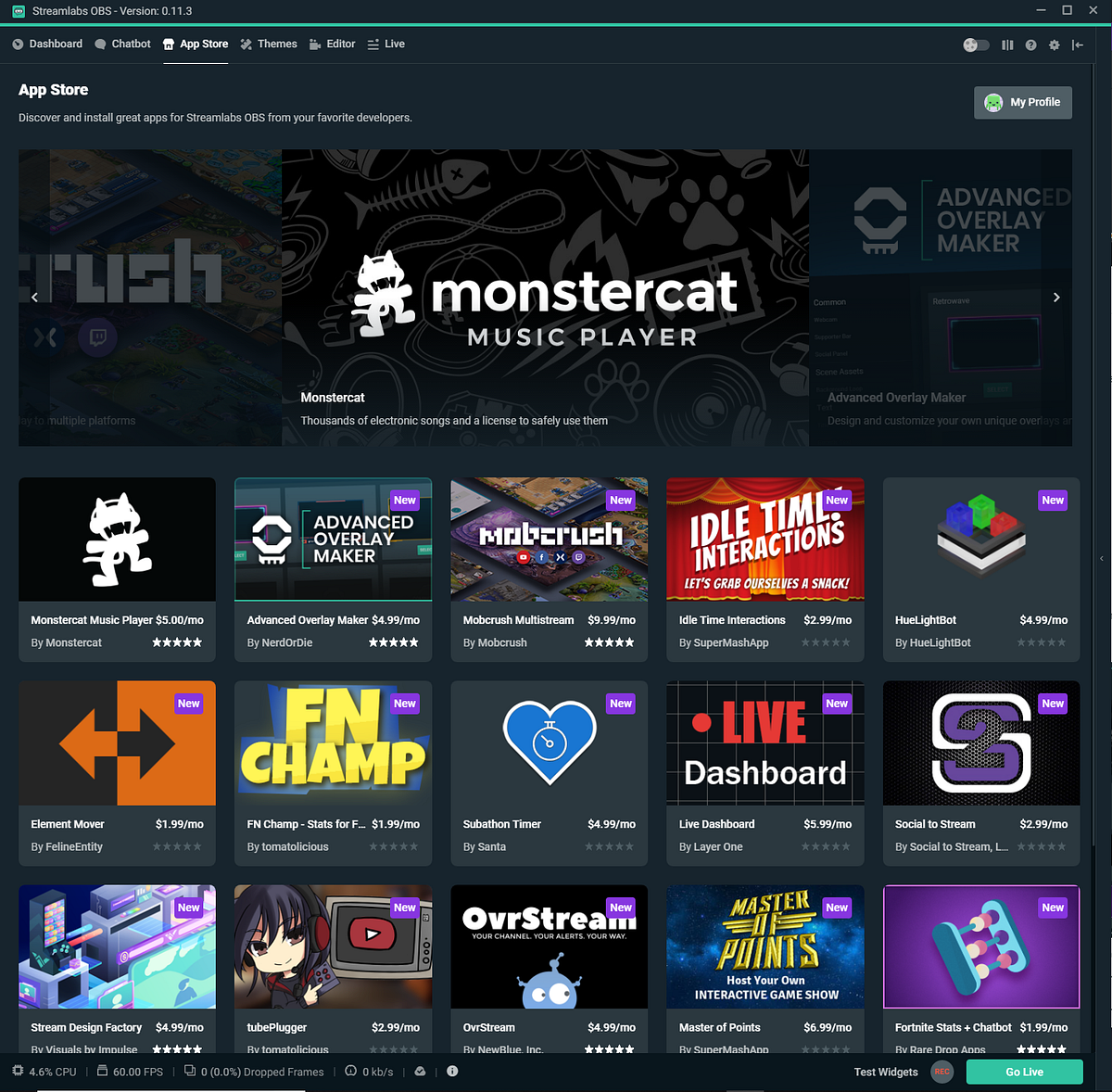
We are excited to announce that Streamlabs has teamed up with Crowd Control to bring an exciting in-game engagement tool to the Streamlabs App Store with exclusive features of Ultra members!

Crowd Control gives puts your viewers in control of your stream by allowing them to interact with the games you play in real time through Twitch bits, channel points, Global Coins, and now for Streamlabs Ultra members, tips generated directly through Streamlabs tipping platform!

To learn more about our new Crowd Control partnership, click here: https://bit.ly/SLxCCDisc

steady moon
#

Another new exciting partnership has entered the chat!

Streamlabs has partnered with Streambee to bring our users deep, actionable analytics about your channel to help you improve your craft! Unlock insights about your viewers, subscribers, the games you play, the days you stream, and so much more to help you make data-driven decisions about your stream and grow your audience!

To learn more, visit our creator resource hub: https://bit.ly/SLxSBDisc

olive bramble
#

The ongoing wildfire crisis in Maui is having a devastating impact; displacing countless citizens and destroying hundreds of buildings on the Hawaiian island.

Many non-profit organizations are requesting assistance in aiding the relief effort, and you can help by starting a fundraiser with Streamlabs Charity.

Choose a charity to fundraise for or to donate to from these approved Lahaina relief non-profits:
https://streamlabscharity.com/p/mauiwildfires

Or start a fundraiser for the American Red Cross's Maui relief campaign here:
https://streamlabscharity.com/american-red-cross/event/hawaii-wildfires

steady moon
#

Dual Output is officially live!

You can now stream to one horizontal and one vertical source at the same time, in their native aspects. It’s completely free with Streamlabs Desktop! Expand your reach and community by going live simultaneously on mobile-friendly platforms like TikTok, Instagram, and even YouTube and Facebook.

Simply activate Dual Output in Streamlabs Desktop, adjust your output for each size, select your horizontal and vertical platforms, then hit go live!

Learn more about Dual Output on our Creators Resource Hub and start growing your audience today!

https://bit.ly/DualOutputDisc

steady moon
#

Hey streamers!

We kicked off a new project today we're calling the seamless creator workflow!

The idea behind this project is to help you move your work across all of our apps quickly and easily, no need to download a file here just to reupload another file there. And that project starts with Streamlabs Desktop!

Now when you finish recording a session with Streamlabs Desktop, you’ll be able to click into your recordings on the left hand side of the screen. There you’ll see all of your previous recordings listed. Now you can select Clip or Transcribe. Selecting one of these options will open your video in either Cross Clip or Podcast Editor respectively!

To learn more, head over to our creator resource hub! https://bit.ly/CreatorFlowDisc

steady moon
#

Hey streamers!

Collab Cam is now on 🤳mobile!🤳

Invite guests to your Streamlabs Mobile streams now with Collab Cam in the app. Bring on a viewer to chat, take a friend on vacation with you, or incorporate a second camera angle to your mobile stream! And just like with Collab Cam on Desktop, all it takes is a single link.

When you create your scenes on Streamlabs Mobile, you’ll find an “Add a Guest” source! Once you add that source to your scene, we’ll generate a link. Send that link to whomever you want to join your stream, and they’ll be added to your stream entirely for free!

If you want to learn more about Collab Cam in Streamlabs Mobile, click here: https://bit.ly/MobileCollabDisc

primal apex
#

Hey Streamlabs family! 👋 we are hosting a Lightning Talk on Dual Output this Thursday 10/5 @ 4pm PST ⚡ We will walk through how to use our brand new Desktop feature Dual Output - where you can now stream to multiple destinations in vertical and horizontal format simultaneously! Please RSVP to make sure you don't miss it here: https://discord.gg/stream?event=1155917940089163788

gleaming plume
#

^^ Starting now! KevJam2

steady moon
#

We’ve built a plugin for Loupedeck! Loupedeck is a custom console that simplifies streaming with touch-sensitive buttons and tactile dials.

With the plugin active, you can easily set up your scenes, collections, and sources within Loupedeck, activate commands, directly control audio mixing, and keep tabs on the status of your stream, all without having to alt-tab away from the game!

Learn more about how to maximize your streaming experience with Loupedeck: https://loupedeck.co/45t2ZFN

Don't have a Loupedeck yet? Until 10/26, you can use code Streamlabs20 for 20% off your purchase!

plush crow
#

Hey Streamlabs Fam, Happy Tuesday!! KevHeart

We’re excited to announce Streamlabs Podcast Editor is live on Product Hunt today! 🔥

You can find out about all of the incredible features: from AI-assisted transcription, translation, and highlight clipping, there’s so much to explore and we hope you dive into Podcast Editor and use it to make editing your Just Chatting, interview, or podcast episode content seamless and efficient!

Check out the launch here and let us know what you think when you jump into the product! https://www.producthunt.com/posts/streamlabs-podcast-editor

steady moon
#

Today, we are thrilled to unveil an exciting evolution of Streamlabs’ brand identity. The new brand campaign pays tribute to live streamers who overcome obstacles of the ever-evolving creator economy to build a community around their passions while showcasing the tools and features built by Streamlabs to successfully adapt to meet this industry’s evolving demands and requirements.

Learn more: https://bit.ly/470Lpud

Streamlabs

Today, we are thrilled to unveil an exciting evolution of Streamlabs’ brand identity.

steady moon
#

📢 Beta testers needed!

We’ve developed a new feature that utilizes Text-to-speech alerts in an exciting way, and we want your feedback! We’re opening up the beta for this exclusive group to test, and here’s the criteria:

  • Should have TTS active today
  • 10+ TTS events per stream preferred
    If you would like to join the beta group and get more info, react to this message with a nb37 and we will pull you into a separate channel!
gleaming plume
#

<@&1160572831344623616> Sorry everyone sadCat ! Due to some unforeseen circumstances, we're going to be postponing our ⚡ Seamless Creator Workflow Lightning Talk ⚡ to <t:1701298800:f>. Hopefully, this will give more of you the opportunity to be there! We have updated the event accordingly so if you had already said that you were interested no need to do anything else. See you all then!
https://discord.gg/f9bbM6AQCN?event=1171884834474446848

loud ferry
#

<@&1160572831344623616> ⚡ Please join us for a Lightning Talk on Podcast Editor next Thursday at <t:1704132000:t>! ⚡ Our team will walk you through this nifty video editing tool using audio text transcriptions and other cool features. We’ll also be hosting another giveaway. 😉 More details in the invite.

https://discord.gg/stream?event=1179567161270878208

gleaming plume
#

<@&1160572831344623616> Hi everyone! Did you happen to miss the last talk? Or maybe you forgot a piece and want to review the talk again? No worries, we've got you covered! Check out our #1160575930838810674 to catch up on all the great discussions. KevJam2

primal apex
#

On the topic of Lightning Talks ⚡ .. Congrats @sonic cargo on winning the Logitech G streaming bundle giveaway (Litra Beam, Pro X Wireless Headset, + Yeti X microphone) 🥳 Thank you + everyone for joining yesterday's talk! We'll be hosting another giveaway during our next Lightning Talk next week on Podcast Editor, so you don't want to miss it 😉 .. Did someone say a Logi G Blue Sona 🎙️ ????

steady moon
#

We just released a new free Integration that helps import your VTuber model directly into Streamlabs Desktop! Hi res, zero latency model capture directly from Vtube Studio or VSeeFace helps keep your stream running smoothly.

Just add the new Spout2 source, connect it to your preferred Vtubing software, and go!

Learn more: https://bit.ly/Spout2DISC

steady moon
#

Excited to announce a new integration! You can now stream to X (formerly Twitter) without manually entering a stream key!

Additionally, you can:
☑️Monitor chat in Streamlabs Desktop
☑️Multistream
☑️Create custom alerts
☑️Use Streamlabs widgets
☑️ + more

Learn more here: https://bit.ly/4a79Rwi

Streamlabs

New integration revolutionizes the way viewers engage with their favorite creators on X

plush crow
primal apex
#

thanks everyone for joining today's Podcast Editor Lightning Talk ⚡ the winner of the Logi G Blue Sona mic is @vapid garden 🥳 congrats!!!

olive bramble
#

This December consider participating in Project Hopemas 2023 with Project Hope.

Sign up to fundraise for Project Hope before December 11th and choose a free holiday-themed DIY activity to complete during your fundraising stream! Start your campaign via Streamlabs Charity here:
https://streamlabscharity.com/project-hope/event/project-hopemas-2023

Learn more about Project Hopemas 2023 in our latest blog article:
https://streamlabs.com/content-hub/post/charity-spotlight-project-hope-and-hopemas-2023

And don't forget to check out the official Project Hopemas 2023 Overlays and Alerts in our Theme Library!
https://streamlabs.com/library?type=overlay&id=3826
https://streamlabs.com/library?type=widget-theme&id=2813

Help bring health and HOPE to those in need this holiday season with Project #Hopemas

gleaming plume
#

<@&1160572831344623616> Are you ready to start the New Year with a bang? Make streaming a part of your resolutions and join us for our first Lightning Talk of 2024 called "Back to the Basics". Whether you are new to streaming or planning to come back after a break, this talk will provide you with various ways to engage with your community through alerts, game widgets, polls, and more. Our Product Manager, Michelle Henderson, will be your guide, taking you step-by-step through these features and their benefits.

But that's not all! Jump-start your streaming journey with a Logitech Blue Sona (White) - the perfect addition to your setup. And the best part? We are giving one away! Don't miss out!

https://discord.gg/stream?event=1184567154486562888

civic jetty
#

Hi everyone! We've been working hard on a plugin for OBS Studio, and are excited to announce the plugin is now in beta!

We're eagerly looking for feedback, so if you'd like to give it a try, please join #obs-plugin-archive

The plugin allows you to add widgets and overlays in one click from inside OBS, view recent events and chat, you can fire test events directly from the plugin, and we'll be adding support for Streamlabels shortly.

steady moon
#

Hey everyone!

2023 is coming to a close and that means it’s time to look back on everything we’ve accomplished together

None of this would have been possible without all you amazing creators!

See and share your own Streamlabs Clipped stats here 👉https://bit.ly/3v5Up3w👈

steady moon
#

Happy new year everyone! We're kicking off 2024 with a huge Creator Bundle Giveaway featuring prizes from Loupedeck, LogitechG and of course, yours truly!

Click the link to get entered!

🌟 https://vast.link/Streamlabs 🌟

-

Streamlabs | Creator Bundle Giveaway Vast.gg: The Epitome of Generosity - Unveiling the Streamlabs Giveaway Extravaganza Embarking on the Vast.gg Odyssey: A Symphony of Giveaways and Sweepstakes In the vast and electrifying landscape of online giveaways, there exists a realm where the echoes of "Giveaway," "Giveaways," and "Sweepstakes" resonate...

gleaming plume
gleaming plume
#

<@&1160572726419914853> If you haven't checked out our live office hours, you're missing out! On <t:1705600800:f> Come join Nubbins and JaharaJayde to talk about Storyboarding. Learn about how to approach storyboarding so that you can connect with your audience in an engaging and exciting way. This is an open forum so come chat and ask questions. Who knows, maybe you'll meet a friend to bounce ideas off of later!

You can check it out on Twitch, YouTube, or Twitter !

gleaming plume
#

<@&1160572831344623616> <@&1160572726419914853> Our event, "Back to the Basics" is starting in 5 minutes. Join us as we talk about various ways to engage with your community through alerts, game widgets, polls, and more. Also don't miss out on our giveaway, the Logitech Blue Sona (White)!
https://discord.gg/stream?event=1184567154486562888

loud ferry
#

<@&1160572726419914853> <@&1160572831344623616> Hey streamer, are you wanting to get as many viewers as you can? Are you having a hard time deciding what platform to stream to? Well now, you no longer have to worry about these questions! Come learn about our multistreaming feature which allows you to stream to multiple platforms at once so you can excite all fans on their preferred platform! https://discord.gg/stream?event=1197214295784689834

gleaming plume
loud ferry
#

<@&1160572726419914853> <@&1160572831344623616> 1 month into the new year, and you have started to understand the ins and outs of streaming -- awesome! But your viewer count is still not where you'd like it to be. Don't worry, this happens to everyone! Come join our Office Hours on Feb 22nd to learn the best approaches to target viewers on each social media platform! https://discord.gg/stream?event=1203487407253626900

steady moon
#

<@&1160572726419914853> We are excited to announce that Streamlabs will be teaming up with our friend QTCinderella to help bring you all this year’s Streamer Awards as an official sponsor!

Join us and all of our streamer friends on Saturday February 17th at 6PM ET over on QTCinderella’s Twitch channel as we celebrate the best of the best in streaming from the last year. Mark your calendars, you’re not going to want to miss a single second of the most glamorous night in all of streaming.

www.twitch.tv/QTcinderella

See you all on the red carpet!

gleaming plume
#

<@&1160572831344623616> WaveBoye Come learn about our multistreaming feature which allows you to stream to multiple platforms at once so you can excite all fans on their preferred platform! It starts in 15 minutes! pughype
https://discord.gg/stream?event=1197214295784689834

civic jetty
#

<@&1160572726419914853> Hi everyone! 👋 👋 👋

We're excited to announce that the Streamlabs Plugin for OBS is now in open beta! If you'd like to give it a try, head to https://streamlabs.com/obs-plugin to download!

A few things to note:

  1. Right now, the plugin is only available on Windows
  2. The plugin includes Stream Labels, so no need to run the separate stream labels app
  3. This is a beta so there could be bugs. Please head to #obs-plugin-archive to report and we'll do our best to fix them quickly!
steady moon
#

<@&1160572726419914853> We have officially partnered with Throne, the privacy-first wishlist tailor-made for streamers and content creators!

Throne is easy to use, free to set up, and lets your community support you by sending you gifts from your wishlist without the risk of exposing your personal information. Sign up now and your community will get 10% off of eligible gifts for the first 5 days AND you will be fast-tracked for Throne’s Partner Program!

Get started by setting up your wishlist now: https://throne.com/signup?c=streamlabs

loud ferry
#

<@&1160572726419914853> <@&1160572831344623616> Exciting news! As you continue to grow your streaming journey and gain more followers, it's essential to set up your tip page. Join Kristen Maloney, a Streamlabs Project Manager, to learn how to do just that and encourage your community to support you through tips! 🌟 Don't miss out on this valuable opportunity to enhance your streaming experience. See you there! https://discord.gg/stream?event=1211827108943499294

torpid plinthBOT
#

Hey <@&1160572726419914853>! We're currently testing a new Preview build! A Preview build is a testing build that implements the latest and greatest that our team is currently working on. Here are all the changes coming in Preview 1.16.0-preview.8:

  • Dual Output Improvements (Filter Hotkeys and added tooltips for dual output source selector icons).
  • Added X (Twitter) Viewer Count
  • Added the Convert to Collection Tool
  • NVENC CPU presets are now p1-p7
  • NVENC Multipass mode
  • Preload RAM for stinger transitions (to help with FPS when using Stinger transitions)
  • AV1 encoder will be available (for recording only)
  • Game Capture sources will recognize when a user selects a non-game application
  • Studio Mode "black screen" issue resolved
  • Fix for Freezing triggered by using Mixer
  • Bug Fixes

The plan is that this will roll out on <t:1709660040:D>!

Want to help out? Click on the windows below to get the role and snag the download link from the pinned messages.

gleaming plume
#

<@&1160572782388719748> We understand how streaming can feel lonely at times, but one of the great things about streaming is building a community and finding like-minded individuals who help give you a support! Don't know where to start? Come join Nubbins and Izzykento at our Office Hours on Twitch to learn how to build and grow your community! Join us <t:1710435600:f> - <t:1710442800:t> on twitch Twitch, PlatformYouTube YouTube, or TwitterX X (Twitter)!

gleaming plume
#

<@&1160572831344623616> Sorry for the false alarm everyone! It's starting <t:1709839843:f>!

steady moon
#

<@&1160572726419914853> Are you watching @halotheseries? We definitely are. The new season is now streaming on @paramountplus!

We've teamed up with @halotheseries to offer a free limited-edition overlay and alert bundle inspired by the new season on @ParamountPlus. Just head to the link in our bio, download the overlay, get hyped with your community, and don’t miss #HaloTheSeries every Thursday! And make sure you use the code StreamHalo at checkout for a 7-day free trial of Streamlabs Ultra!

Get the overlay, Spartan 🪖 https://bit.ly/3v7QDa0

gleaming plume
#

<@&1160572831344623616> THIS IS THE REAL DEAL THIS TIME. PROMISE! I was just too excited to hang out with Kristen and learn about tipping.

The talk is starting in 15 minutes! Hope to see you there KevHeart

steady moon
#

Introducing: Logitech G PLAYDAYS
Official Trailer: https://www.youtube.com/watch?v=jXw5BZTAMdw&ab_channel=LogitechG

<@&1160572726419914853>: We are excited to share an update from Logitech G about a new series of community events powered by Logitech G — introducing PLAYDAYS!

PLAYDAYS is a collection of tournaments, contests, and community events that will be featured in the Logitech G Discord throughout the year. Each month, find new opportunities to play games, socialize, and win prizes across a variety of game titles and genres. PLAYDAYS will also feature participation prizes for players of all skill levels to win!

JOIN THE KICKOFF TOURNAMENTS!

🎮 Rocket League 1v1
📆 Saturday, March 16th
🌎 North America & Europe
Free to Enter + Cross Platform
💰 $2,000 Cash Prize Pool per Region
💸 Top 4 Players per Region win a cash prize
🏅 Top 2 Players per Region win the new ASTRO A50 X Wireless Headset + 1 Year of Streamlabs Ultra
🎁 1 Random Player per Region wins the new ASTRO A50 X Wireless Headset
⏱️ All players receive a free 7-day trial of Streamlabs Ultra

Click Here to Register!
Want to learn more? Join the Logitech G Discord!

Introducing PLAYDAYS — a new series of tournaments, contests, and events for the Logitech G community! Join our Discord and play for your chance to win cash and prizes!

🏆 ⭐ Discord.gg/LogitechG

https://LogitechG.com
https://twitter.com/logitechg
https://tiktok.com/@logitechg
https://facebook.com/logitechg
https://instagram.com/logitechg

▶ Play video
steady moon
#

<@&1160572726419914853>

We’re teaming up with our family Logitech G and Loupedeck for another giveaway!

3 broadcasting bundles, one grand prize and two runner ups!

To enter:
💻Jump in Podcast Editor
🎬 Edit/Export a video or clip
⏫ Grab the share link
🧾 Drop it in the entry form

Enter here: https://forms.gle/WpTjoVHq1TCWdCpy7

🎉Prizes🎉

Grand Prize:

2x @LogitechG Yeti Studio
2x Compass Boom Arm
2x Pro X2 headset
1x @Loupedeck Live
1x Free year of Streamlabs Ultra

Runner ups:
1x Yeti GX
1x Compass Boom Arm
1x Litra Beam
1x Free year of Streamlabs Ultra

loud ferry
#

<@&1160572726419914853> <@&1160572831344623616> Want to know how to make your stream come to life with automatic robust features? Leveling up your stream with Cloudbot commands is a way to automate welcome messages, announcements, protect your chat from spam, play minigames and more! Come join our Product Manager, Veronika Lisina, on April 11th at <t:1712862000:t> to learn about setting up your Cloudbot and adding commands! https://discord.com/events/346751285514469388/1221845344518930713

steady moon
#

<@&1160572726419914853> It’s official! Streamlabs is integrating with TikTok Live to stream gameplay directly from Streamlabs Desktop to TikTok Live! First, you’ll need to apply for TikTok Live integration access through Streamlabs Desktop. Once accepted, you’ll log into your TikTok account through Streamlabs Desktop and select TikTok as your destination when you go live.

Learn more: https://bit.ly/4atqnGK

loud ferry
#

<@&1160572782388719748> You got the act, you got the viewers, but still having trouble with tips? Come join Nubbins and SanaViibes while they talk about different ways you can go about monetizing your stream! Don't miss this chance to take notes and level up on <t:1713459600:F> on PlatformTwitch Twitch!

gleaming plume
steady moon
#

<@&1160572726419914853> The Streamlabs Plugin for OBS Studio is now officially live for all users!

This plugin will help seamlessly integrate your favorite Streamlabs features to help creators get started in OBS Studio quickly and easily! Alerts, widgets, overlays, Cloudbot, Stream Labels, and more are natively supported in OBS Studio to help streamers get up and running effortlessly.

We are so excited to help bring this plugin to streamers everywhere and give creators, both veterans and newbies, a more streamlined and efficient streaming experience.

Learn more: https://bit.ly/4aRmqf4

loud ferry
#

<@&1160572726419914853> <@&1160572831344623616> Guess what?! Streamlabs is now integrated with TikTok to make streaming on your fave platform easier! Come join our Product Manager, Veronika Lisina, on <t:1715796000:F> to see how YOU can stream to TikTok! Stick around to the end for a chance to win a Logitech G G915 TKL Keyboard! https://discord.gg/stream?event=1236451592803454976

steady moon
#

<@&1160572726419914853> GIVEAWAY ALERT!

We’re partnering with Mevo to give an incredible wireless 4K streaming camera kit to THREE lucky streamers!

1 Mevo Core 4k Micro Four Thirds camera
1 Olympus M.Zuiko 14-42mm f/3.5-5.6 lens
1 free year of Streamlabs Ultra

To enter: https://vast.link/Streamlabs-Mevo

loud ferry
steady moon
#

<@&1160572726419914853>

Blerp has officially landed in the Streamlabs App Store for all your sound alert needs!

📢 Over 100 iconic meme sounds
🎶 50 premium sounds
💻 No need to manually add browser sources

Use code UltraBlerp to get a 7-day free trial of Streamlabs Ultra and download Blerp now! https://bit.ly/SLBlerp

The Blerp app on the Streamlabs App Store allows you to:

  • Download curated sounds and then add to your streamlabs alerts
  • Quickly navigate and add chat timers to drive viewer engagement
  • Apply to be a Blerp affiliate
  • Submit your best Blerp moments and get featured on Blerp's socials

You can also navigate to your Blerp dashboard and set up...

steady moon
#

<@&1160572726419914853>

We’re excited to announce the next PLAYDAYS tournament, starting later this month!

Logitech G x PUBG: BATTLEGROUNDS

To celebrate the 10-year anniversary of the G502 mouse, we’re teaming up with PUBG to host a $10,000 Duos tournament for players in North America and Europe!

Sign Up
🇪🇺 Register for Europe
🇺🇸 Register for North America

Prizes
💰 $10,00 Cash Prize Pool ($5,000 per Region)
🪙 100,000 PUBG G Coin Prize Pool (50,000 per Region)
🖱️ Win a Special Edition G502 X PLUS Mouse (3 Teams per Region)

Schedule
📆 Europe: May 18-19 @ 4pm GMT
📆 North America: June 1-2 @ 4pm ET
🏆 Grand Finals: June 15, live on Twitch

Need help?
Join the Logitech G Discord server for additional tournament support and FAQs: Discord.gg/LogitechG

pine token
#

Twitch Studio broadcasting software is shutting down on May 30, 2024.

If you’re looking for a replacement for #TwitchStudio, we've got your back. Check out this blog to learn everything you need to know about getting your stream back up to speed in no time ⬇️
https://streamlabs.com/content-hub/post/twitch-discontinuing-twitch-studio-support

KevGlasses2
If you're interested in a 1:1 virtual meeting with a Streamlabs Team member to make your switch from Twitch Studio easier, please submit a ticket here and we'll work to schedule time with you:
https://support.streamlabs.com/hc/en-us/requests/new?ticket_form_id=473667

clear rain
#

We're excited to announce a brand new Twitch Studio importer.

This experimental feature allows new users to import key features like scenes, alerts, browser sources, and more from Twitch Studio into Streamlabs Desktop during onboarding.

If you're switching from Twitch Studio, we hope this new feature streamlines your setup process.

More info here:
https://streamlabs.com/content-hub/post/twitch-discontinuing-twitch-studio-support

loud ferry
#

<@&1160572782388719748> <@&1160572726419914853> One of the biggest personal challenges of streaming is keeping your mental health strong and staying positive! Going live can be scary, and it opens you up to vulnerability. Join NubbinsInc, Mina & Elspeth to learn their strategies for keeping their heads held high while going live! Join us on PlatformTwitch Twitch on <t:1716915600:F>!

steady moon
#

<@&1160572726419914853> We're partnering with Quadrant for this weekend's HCS London Major! To celebrate, we're running a giveaway for a bunch of Logitech G gear, a custom mini helmet from Quadrant, and a free year of Streamlabs Ultra!

Tune in this weekend May 31st at 11AM GMT to watch the best of the best fight it out for their share of $250,000!

To enter: https://gleam.io/dXaKc/streamlabs-x-quadrant-giveaway

loud ferry
#

<@&1160572726419914853> <@&1160572831344623616> Curious about our new OBS Plugin? Come join our product manager, Sean Kaiser, <t:1718215200:F> as he shows you the best way to access alerts, overlays, and more from inside OBS Studio! Stick around for a giveaway (Logitech G Pro X Superlight 2)! KevFireworks https://discord.gg/stream?event=1248280447985647706

gleaming plume
#

facebook Attention Facebook Streamers

<@&1160572726419914853>
Facebook has new criteria for going live starting today. The criteria is the following:

  • Your account must be at least 60 days old.
  • Your Page or professional profile must have at least 100 followers.
  • To go live from a Page, you need to have Facebook access or task access to create content.

You can read more about this change here: https://www.facebook.com/business/help/216491699144904?id=1123223941353904

If you are not eligible, you will see the error in the screenshot. If you do meet these requirements, please try relogging in the software. If you still have an issue, please verify your eligbility with Facebook support and reach out to us in a ticket

gleaming plume
#

<@&1160572782388719748> Social media can be cruel, we'd like to help you navigate safely. Join Nubbinsinc and MegKaylee on the Streamlabs Twitch channel~~ <t:1718902800:F>~~ as they discuss different tactics to intervene during tough comments and conversations!

Update

We're going to need to reschedule this. Sorry everyone! We'll post here when we have a new date!

gleaming plume
#

<@&1160572831344623616> Sorry everyone! We're going to need to postpone our Lightning Talk about the Streamlabs Plugin for OBS. When we have a new date we'll let you all know!

torpid plinthBOT
steady moon
#

<@&1160572726419914853> Where will you be on your creator journey this time next year?

Whether your goals involve landing that major deal, hitting partner or affiliate status, or just growing your community, start planning now to make them a reality.

Don’t miss out! Use code HotStreamSummer to lock in a 14-day free trial on an annual Ultra plan and save $79 a year vs the monthly plan.

Click here 👉 https://bit.ly/3KPtYUe

torpid plinthBOT
gleaming plume
#

<@&1160572831344623616> The Alert Box just got a BIG UPDATE making it much easier to create and edit your alerts. Plus, you can now manage alerts for all multistreaming platforms in one place.

Join our Product Manager Michelle Henderson on <t:1720544400:f> to learn more and level up your stream together. We also will be giving away a Logitech G 502X Plus Wireless Mouse to celebrate the new Alert Box changes!

https://discord.gg/stream?event=1259668161054376027

gleaming plume
#

<@&1160572831344623616> <@&1160572726419914853> Lighting talking starting at the top of the hour with Michelle!

torpid plinthBOT
gleaming plume
#

<@&1160572831344623616> We have a new date for our OBS Plugin Lightning Talk! Come join our product manager, Sean Kaiser, on <t:1723658400:f> as he shows you the best way to access alerts, overlays, and more from inside OBS Studio! Stick around for a giveaway (Logitech G Pro X Superlight 2)! KevFireworks
https://discord.gg/stream?event=1261033823626592437

torpid plinthBOT
gleaming plume
#

<@&1160572726419914853>

Streaming to X now requires a X premium subscription

Please note that this isn't an Ultra subscription through Streamlabs. This is formerly a Twitter Blue subscription. See X's tweet about it here: https://x.com/Live/status/1812291533162590577

Starting today, creating live video from an encoder with X integration will require Premium to continue going live.

https://t.co/4uy4Ju0Kcs

steady moon
#

<@&1160572726419914853>

Don't miss out on the TikTok live streaming experience!

Don't get left out of the TikTok live streaming game! Users who have had Streamlabs Desktop for the past 30 days and gone live at least once can now be fast-tracked for approval to stream to TikTok.

Learn more and apply now!
https://bit.ly/4aLCUF9

Streamlabs

Did you know you can go live on TikTok from your Desktop? Here’s everything you need to get started.

torpid plinthBOT
torpid plinthBOT
steady moon
#

<@&1160572726419914853>
Want to upgrade your streaming setup? Stream the Logitech G PLAYDAYS tournament on Brawlhalla for your chance to win!
📆 Saturday, August 10
🎬 1 Year of Streamlabs Ultra
🎤 Yeti GX
💡 Litra Beam LX
Join Discord.gg/LogitechG for more info!
Register for the tournament at https://start.gg/playdays-brawlhalla

start.gg

The best place for Logitech G PLAYDAYS x Brawlhalla brackets, streams, standings and schedules all in one place!

torpid plinthBOT
steady moon
#

<@&1160572726419914853>

We've teamed up with LogitechG and AbleGamers for this extra special challenge!

Join our team over on Streamlabs Charity and stream to help raise money for AbleGamers! The top three fundraisers along with 50 other participants can win some awesome prizes!

Click the link in our bio to join our Streamlabs Charity team and win some awesome prizes!
https://streamlabscharity.com/teams/join/705456104892666788

Streamlabs Charity is the online fundraising platform that enables creators to charity stream to Twitch, YouTube and others to make a real difference.

gleaming plume
steady moon
#

<@&1160572726419914853>

Back to school means back to streaming!

Summer vacation is over, family trips and travel are wrapped up, and that means it's time to get back on your streaming schedule!

Use code BTS24 to save on Streamlabs Ultra and kick your stream up a notch!

👉https://bit.ly/46NLh2n👈

torpid plinthBOT
steady moon
#

<@&1160572726419914853>

Crush the TikTok LIVE Streaming Challenge with Desktop!

Now through September 16th, stream to TikTok LIVE using Streamlabs Desktop and rise through the ranks to win rewards!

Streamlabs Desktop is the only multistreaming platform right now that supports TikTok LIVE, and you can add all your favorite overlays, game tags, and more when you stream from Desktop!

Head to the official streaming challenge page here and enter to learn more: https://bit.ly/4g0bQpg

torpid plinthBOT
gleaming plume
#

<@&1160572726419914853> **Updates to Multistreaming!**📣
✅ More Custom Destinations available on Streamlabs Desktop
✅ The ability to type in the Multistream Chat

Check out the updates in our article here!

steady moon
#

<@&1160572726419914853>

We've launched our Ultra Affiliate Program!

If you're streaming using Streamlabs tools and absolutely loving them, you can now earn some extra cash by sharing the love with your friends and community!

Learn more: https://bit.ly/4dQhadi

steady moon
#

<@&1160572726419914853>

We are building a tool to help automatically clip your most hype stream moments for you!

No hotkeys, no begging chat to grab the clip, no scrubbing through hours and hours of footage to try and find that one singular moment, just a bunch of easily browsable clips of your top moments ready for you to edit and upload to TikTok all thanks to our AI Game Highlighter!

Sign up to be informed the moment it goes live!
https://bit.ly/4da4dtD

torpid plinthBOT
pine token
#

<@&1160572726419914853>
kevinping New update to Streamlabs Desktop's native TikTok Go Live flow: kevinping
• You may now select your Audience for TikTok streams in the Go Live window, choosing between "Everyone" or "Adult Only" (18+)

Choosing "Adult Only" will allow you to more safely stream M-rated games to TikTok without being flagged.

If you haven't given TikTok streaming a try, make sure you learn more about it here: https://streamlabs.com/content-hub/post/streamlabs-announces-integration-with-tiktok

lone kindle
#

<@&1160572726419914853>
Hello IOS mobile streamers! wave

We currently have an opportunity for beta testing a new feature for our IOS mobile streaming app. The feature is dual camera capability, the ability to stream both a front and back camera simultaneously. If you are interesting in testing and providing feedback, please join the #ios-testing channel for more information!

steady moon
#

<@&1160572726419914853>

We're back with the spookiest sale of the year!

Use code **SCREAMLABS **at checkout and get your first month of Streamlabs Ultra for $6.66 or a full year for $96.66!

So don't be afraid, just click the link or use code **SCREAMLABS **at checkout and scare up some savings!

JackoKevJackoKevJackoKevJackoKevJackoKevJackoKevJackoKevJackoKevJackoKevJackoKev
JackoKev https://bit.ly/4h4MOpa JackoKev
JackoKevJackoKevJackoKevJackoKevJackoKevJackoKevJackoKevJackoKevJackoKevJackoKev

steady moon
#

<@&1160572726419914853>

The Collectibles Beta is here!

What are collectibles? They’re assets we’ve designed to let you personalize your stream beyond overlays and alerts! To get your collection started, and to celebrate the beta launch, you can claim your very first collectible by clicking the link below. And, as always, we want to hear from you! Please drop us your feedback on the Collectibles Beta in our Discord or in our comments. We’re looking forward to seeing what you think and want to see in the future.

Learn more about collectibles: https://bit.ly/3BXMk47

loud ferry
torpid plinthBOT
gleaming plume
#

Hey everyone!

We have created a new role called @knownissues. If you would like to get pinged to follow any issues that we post/update in the #known-issues channel, you can sign up for that role here: #welcome message

clear rain
#

<@&1160572726419914853>

🎁Give the gift of Ultra this holiday! 🎁

Forget the socks and candles; Streamlabs Ultra gift subscriptions are here!
(Also, totally cool to send this to your family if they don't know what to get you...)

https://bit.ly/4gEcOHa

Streamlabs.com

Give the special streamer in your life the gift of Streamlabs Ultra and help them succeed on their streaming journey by unlocking multistreaming, premium overlays, and more.

clear rain
#

<@&1160572726419914853> 🎉 Unlock Discord Nitro with Streamlabs! 🎉

EVERY Streamlabs user gets a free month of Discord Nitro, and Ultra subscribers get a full 3 months!

Take advantage of all that Nitro has to offer with Streamlabs!
https://bit.ly/3BHmOjS

steady moon
#

<@&1160572726419914853>

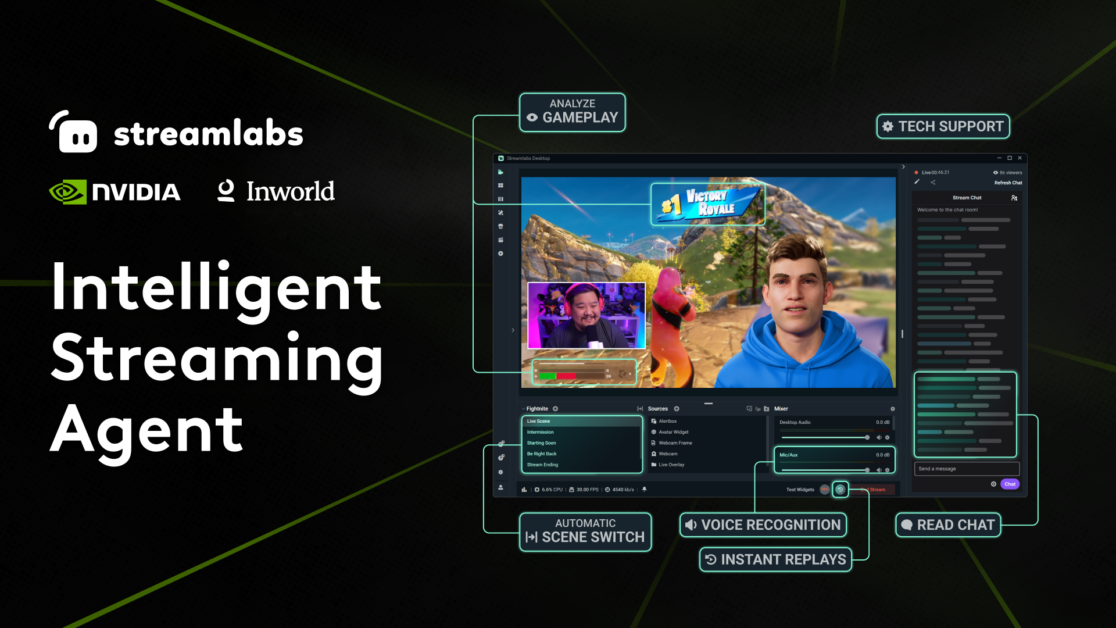
Streamers, get ready for an exciting new addition to your streams! We have partnered with NVIDIA and Inworld AI to bring you an AI-powered streaming assistant. This 3D sidekick can interact with your chat, adjust scenes, and troubleshoot technical issues. Stay tuned for its official release at CES 2025!

Read more about this innovative technology coming soon: https://streamlabs.com/content-hub/post/introducing-streamlabs-new-intelligent-streaming-assistant-in-collaboration-with-nvidia-and-inworld-ai

olive bramble
#

As many of you know, Los Angeles is currently facing devastating wildfires that have caused immense damage to homes, businesses, and the environment. Thousands of families have been affected, and many brave first responders are working tirelessly to contain the flames.

Consider organizing a fundraising effort with Streamlabs Charity to support those impacted by these wildfires. Donations will go directly to organizations providing immediate relief, shelter, food, and emotional support to those in need.

You can explore and support trusted organizations providing critical assistance here:
https://streamlabscharity.com/p/losangelesfires2025

For help getting started with Streamlabs Charity take a look at our Getting Started Guide:
https://streamlabs.com/content-hub/post/how-to-start-a-live-stream-for-charity

Every contribution counts, and together we can make a meaningful impact.
#LAFires #PalisadesFire #EatonFire

loud ferry
#

<@&1160572726419914853> This winter, we’re celebrating YOU, our amazing community, with Kevin's Winter WonderFest! ☃️💕

Join us in the #winter-wonderfest channel to get in on a week of festive challenges, starting <t:1737396000:f>! Don't miss out on a chance to win a prize and bragging rights! KevFireworks❄️

Head over to the channel now and snag your Winter WonderFest server role to stay in the know! WonderFestKev

gleaming plume
#

<@&1160572726419914853> <@&1329093963965272095> Oh no! Kevin got hit hard by a snowstorm and is unable to leave his house to start the first event for Winter Wonderfest! SnowmanKev

We're going to spend the day digging him out and we'll kick off the event at <t:1737482400:f>.

Stay warm and safe, and see you all tomorrow!

loud ferry
#

<@&1160572726419914853> <@&1329093963965272095> It's the day you've all been waiting for. Welcome to the first day of Kevin's Winter WonderFest! ❄️Emoji_Snumpus

The first challenge has just begun! Head on over to the #winter-wonderfest channel to check it out.

Want a special Winter WonderFest role? Click the blue button in the pinned message to get yours! Happy Winter WonderFest! WonderFestKev

torpid plinthBOT
gleaming plume
#

<@&1160572726419914853>

🎨✨ We Want YOUR Feedback! ✨🎨

Love Streamlabs' themed overlays and alerts? Want to make them even better? 💡 Take a quick survey and let us know how we can level up your experience! 🗣️ Your voice matters!

👉 Click here to share your thoughts!

pine token
steady moon
#

<@&1160572726419914853>

🎉 Do you want to go to TwitchCon Europe?🎉

We've got two free passes to this year's TwitchCon EU in Rotterdam to give away to two lucky winners! Click the link and follow the directions to get entered!

https://gleam.io/wrFFr/twitchcon-eu-badge-giveaway

loud ferry
#

<@&1160572726419914853> 🐾Introducing: Streamlabs' Pet of the Month Spotlight! 🐾

Do you think you have the cutest pet ever? Do they deserve to be shown off in the Streamlabs Discord? 🐶🐈 🦎 We want to see them!

Head over to the #pet-spotlight channel to submit your furry (or scaly, or feathered!) friend for May's Spotlight! KevFireworks

loud ferry
#

<@&1160572726419914853> CB_pawshake We're about half way through June, and our Pet of the Month Spotlight is still live! CB_pawshake

If you haven't yet, be sure to check out the #pet-spotlight channel to enter your pet for June's Spotlight! View the pinned post or channel description for the link (or click here: https://forms.gle/ayJUx6Wb2V1kvB7p7). If you submitted for May and weren't chosen, we encourage you to submit again!

We look forward to seeing your submissions! 🐾

steady moon
#

<@&1160572726419914853> BIG NEWS — Streamlabs Sponsorships is live, offering brand deals for creators at every level.

✅ No platform fees, we take 0% of payouts for all launch campaigns
💸 Guaranteed base pay on launch campaigns
⚡ Open to creators at every level
❗Now available in Streamlabs Desktop.

Learn more: https://bit.ly/43YGZ8n

loud ferry
#

<@&1160572726419914853> Hey, folks! Happy Monday! Today is the last day to enter your pet for **June's Pet of the Month Spotlight! **catAsk

We look forward to seeing your submissions! dogJAM Head to the #pet-spotlight channel, or click here to submit: https://forms.gle/m7xkbXms8b68a7Re9

gleaming plume
#

<@&1160572726419914853> CatKev It's already August, and our Pet of the Month Spotlight is live!

If you haven't had a chance yet, check out our #pet-spotlight channel to see our past winners and to enter into this month's spotlight! You can find all the details in the pinned post.

If you've submitted for a previous month and weren't chosen, please resubmit again! There's been a couple that have been very close contenders in the past and maybe this is their month!

gleaming plume
#

<@&1160572726419914853>

🎥 Share Your Setup and Get Featured! 🎥

Hey streamers! 👋

We’re making an awesome “Building Your Dream Stream Setup” YouTube video, and we want to showcase YOU, our amazing community! Here’s your chance to share your unique stream vibes and if your clip is chosen, you’ll get a 🔥 FREE YEAR of Ultra! 🔥

🎯 What We’re Looking For

  • A just chatting clip or a full-camera view clip that shows off your setup and background.
    • Think: cozy, hyped, minimalist, or anything you’re proud of!
    • It’s all about showing off your stream’s personality and vibes.
  • Your streaming username (the name you want featured in the video).
  • The site you stream to (such as Twitch, Kick, etc.)
  • Your email so we can contact you if your submission is selected.

📥 How to Submit

  1. Post your clip in the #stream-setup-pics channel.
    • Discord uploads are fine, but keep in mind that compression might hurt video quality.
    • You can also include a link to Google Drive or Dropbox for higher-quality uploads.
  2. Click the SUBMIT button below to enter your contact info so we can reach out if you win and award you a free year of Ultra! 🎉

📝 Important Info

  • Deadline: Submit your clips by <t:1756537199:F>.
  • By submitting your clip, you agree: that Streamlabs can use your content in any media for advertising, marketing and promotional purposes, and that you are the sole owner of the content.
gleaming plume
#

<@&1160572726419914853> It's Wednesday! Which means that you have only a few more days to submit your video to the Building Your Dream Stream Setup Feature. A couple of things to note:

  1. It needs to be a video/clip. This is basically "MTV Cribs but Streaming"
  2. It needs to be shared in the #stream-setup-pics channel to be eligible. You can link a Dropbox/Google drive there, but it needs to be visible by anyone.
  3. The link you share is the link to your post, which you can find by clicking the 3 dots and going to Copy Message Link.

Can't wait to see more stream setup videos!

steady moon
#

<@&1160572726419914853>

A new sponsorship opportunity for you is here! 🎮

The official Logitech G PLAY sponsorship campaign with $750 base pay is up for grabs right now in the Streamlabs Sponsorship app.

Head to the Streamlabs Sponsorship app and apply to co-stream the Logitech G Play keynote on September 17th!

🔗 https://bit.ly/4lH0MPn
Apply today!

gleaming plume
#

<@&1160572726419914853> Two Things!

1️⃣ Building your Dream Setup has been extended to <t:1756710000:F>! See details on how to enter and win a free year of Ultra here.

2️⃣ Pet of the Month August is quickly coming to an end. Submit your pet here and not only have a chance to have your pet featured, but also to have <@&1409991375092584458> role in Discord!

gleaming plume
#

<@&1160572726419914853>
Emoji_Sparkles Congratulations to our August Pet of the Month Spotlight Winners... we have a tie for Teddy and Ashley! Emoji_Sparkles

Thank you @kind rapids and @steel moss for the submissions! KevHeart

It was a neck and neck for voting! Now September voting is up with a "back to school" theme (don't need back to school pictures, but we love them!).

All the details are here: #pet-spotlight message

gleaming plume
#

LogiGPlay It's time for Logitech G PLAY 2025!

<@&1160572726419914853> <@&1160572782388719748>

Join us to hear the latest announcements in PC Gaming, Console, PRO, Sim Racing, and Streamlabs KevFireworks2

Check it out here: https://g.logi.link/LogitechGPLAY25_YT

Let the breakthroughs begin! Hear about the latest innovations in PC gaming, PRO, console, simracing and more at Logitech G PLAY 2025 live on September 17 at...

▶ Play video
steady moon
#

<@&1160572726419914853>

Streaming isn’t just hitting ‘go live’ anymore.

Switching scenes. Hyping chat. Fixing tech. Clipping highlights.

Now, the Streamlabs Intelligent Streaming Agent does it with you.

💡 Optional 3D avatar
🎬 Automated production
⚙️ Real-time troubleshooting

Learn more: https://bit.ly/4ptMJzB

Being a streamer today takes more than just great gameplay. It means being a content creator, producer, tech support, and community manager all at once. From switching scenes mid-match to hyping up chat, troubleshooting tech issues, and keeping gameplay sharp, creators are running full-scale productions solo. Streaming is no longer just about hi...

steady moon
gleaming plume
#

<@&1160572726419914853> Pet of the Month submissions closing soon!
September is quickly coming to an end. Submissions end on <t:1759302000:F>! To share your lovely pet with us, please use the submission button here: #pet-spotlight message

gleaming plume
#

notify Today is the last day for Pet of the Month!! notify

gleaming plume
#

CautionKev Discord Data Breach CautionKev

STREAMLABS IS NOT A PART OF THIS BREACH. THIS IS A FRIENDLY PUBLIC SERVICE ANNOUNCEMENT
Hey everyone! We wanted to quickly jump in with a reassuring update after hearing some concerns about the recent Discord customer service breach.

The Situation

  • Discord (a totally separate service from Streamlabs) had a security incident affecting a third-party customer service provider.
  • Some Discord users’ support information and ID scans may have been exposed.
  • Streamlabs was NOT involved, and our platform is completely unaffected by this breach. Streamlabs only collects sensitive data in our ticketing system for support. Additionally, we do not process any sort of payments through Discord. Your Streamlabs account and personal info remain 100% secure.

What Should You Do?

You will only receive an email from Discord if your information was exposed. If you do:

  • Change your Discord password
  • Enable 2FA
  • Consider letting your local authorities know if any sensitive info like your photo ID was compromised
    If you didn't get an email then good news! No action is needed.
    -# We always recommend using 2FA/Passkeys, so if you don't have that set up, you should! Also, using a Password Manager like Bitwarden or 1Password are great to ensure your accounts are protected.

Got Questions?

If you're concerned about the breach, please reach out to Discord's Support Team.

pine token
ocean siren
#

<@&1160572726419914853>

🐱 🎉 Big congrats to our September Pet of the Month Spotlight Winner.....Nemo!! 🎉 🐶

Thanks so much **m0thkat ** for the submission, we love seeing everyone's adorable pets!! hold on tight for a ✨ special ✨ pet of the month announcement for October 👀

steady moon
#

<@&1160572726419914853>

Launching at TwitchCon!

Stream Shift lets you move from your PC to your phone and back again without ever having to end your stream and reset viewership.

Available now for Streamlabs Ultra creators.

https://bit.ly/4n5xVoo

Stream Shift by Streamlabs lets creators switch between desktop, mobile, and more without ending their stream or losing viewers. Keep one continuous broadcast with disconnect protection and carry your audience anywhere.

torpid plinthBOT
#

<@&1160572726419914853>

**# PumpkinKev Pumpkin Decorating Contest PumpkinKev **
It’s time to show off your pumpkin decorating skills! Whether you carve, paint or bedazzle, bring your creativity to life and join our Halloween pumpkin contest!!

🗓️ Timeline

  • Submissions due: October 26th
  • Voting: October 27th–30th
  • Winners announced: October 31st 🎉

🏆 Categories

  • Spookiest Pumpkin 👻
  • Cutest Pumpkin 🧸
  • Funniest Pumpkin 😂
  • Most Creative Pumpkin 🎨

📋 Rules

  • One entry per person! Pumpkins can be carved, painted or decorated
  • Submit your pumpkin by clicking the Submit My Pumpkin button below
  • Please keep entries appropriate and in the spirit of spooky fun!
  • Voting will be done right here in Discord during Halloween week

🎁 Prizes
Each category winner will win a free month of Ultra!

#

<@&1160572726419914853>
**# WereKev Halloween Pet Costume Contest CatKev **

Hey streamers! For this month, our pet spotlight will have a special theme 👀 costumes!! Do you have the spookiest, silliest or cutest costumed pet? We can’t wait to see them in their Halloween best!

🗓️ Timeline

  • Submissions due: October 26th
  • Voting: October 27th–30th
  • Winner announced: October 31st 🎉

🏆 Category

  • Best Dressed Pet 👑

📋 Rules

  • One entry per pet. Click the Submit My Pet button below to enter!
  • Submissions must include a clear photo of your pet in costume
  • Costumes must be safe and comfortable for pets
  • The contest is open to all types of pets. We welcome variety!
  • Voting will be done right here in Discord during Halloween week

🎁 Prize
The winner will be featured in a special Spotlight post on our Discord server, enjoy bragging rights for the entire month with the <@&1409991375092584458> role and receive a free month of Ultra! 🐾

ocean siren
#

<@&1160572726419914853>

👻 Last Chance to Get Spooky! 🎃

The pumpkin decorating and pet costume contests have been too cute to close just yet so we’re extending submissions through the week! 🎉 Contest info is above!

New Schedule:

📥 Submit by: EOD October 31st
🗳️ Voting: November 4th-6th
🏆 Winner Reveal: November 7th

Prize Reminder:

Each winner will receive 1 FREE MONTH of our Streamlabs Ultra subscription! KevStar You’ve still got time to grab a pumpkin or dress up your pet and join the fun for a chance to win!

pine token
#

KevJam2 Technical Support Leveled Up! TicketKev

Meet Robo Kev, our friendly new Discord AI Support Bot. Robo Kev will spend his time exclusively in the #🤖ask-robokev channel, excited to help you with some of the most frequent Streamlabs questions and issues.

How's it work?

  1. Ask your Streamlabs question in the #🤖ask-robokev
  2. Robo Kev will look at your question
  3. Robo Kev will search our existing documentation on our Website and Help Center
  4. They will then provide an answer, troubleshooting advice, or ask clarifying questions
  5. They'll forward you to our Streamlabs Support Team if they cannot resolve your issue or question
    *tl;dr: Robo Kev is basically a Support Search engine that connects Discord to our Support Documentation Kevinsearch *

Robo Kev is a great tool to get a quick answer at any time of the day, allowing our Legendary Support Team to focus on resolving advanced issues that require extensive troubleshooting, and speeding up our service times on tickets. Robo Kev is not replacing our Team members, nor our existing Support Channels, such as Tickets/Emails, Live Chat (Ultra members), and Discord Support.

Finally, Robo Kev's available topics will improve and expand over time to better help you. Please let us know if you run into any trouble.

Happy Streaming! KevJam

<@&1160572726419914853>

gleaming plume
#

HammerKev Upgrading Verification to use our Server

<@&1160572726419914853>
We’re continually working to keep our Discord community safe from spammers, scammers, and bot accounts while ensuring it remains welcoming and easy for everyone to get support or chat. To further improve server security, we will soon require phone verification before you can participate in the server or send direct messages.

What this means for you

Please enable phone verification through Discord. You can check out their guide on how to do that here. If you do not wish to enable phone verification and have a question, please submit a ticket to our support team.

ocean siren
#

<@&1160572726419914853>
**# JackoKev Halloween Contest Results JackoKev **
Thank you to everyone who joined in our Pumpkin Decorating and Pet Costume Contests this year! We had a few special submissions but each one was absolutely amazing sooo.... surprise!! every participant is a winner! Each participant of both contests will receive 1 free month of Ultra as a thank you for joining in!

PumpkinKev Congratulations to our pumpkin winner:
@vocal elk

WereKev Congratulations to our pet winners:
Elliot :p with Bently
@analog dock with Cleo (patra)
@vocal elk with Oakley & Finley

KevWin Winners:
Please DM @ocean siren with your account information (username & streaming platform) so we can get your subscription month set up!

Thank you all again for making our Halloween season so festive and fun! 🍂🎃

gleaming plume
gleaming plume
#

Happy Thanksgiving to our US Friends!

The Discord may be closed a few times throughout the day as our US support staff & volunteers enjoy the day. We appreciate you all. KevHeart

ocean siren
#

<@&1160572726419914853>
**# CatKev Pet of the Month submissions closing soon! **
November is almost coming to an end! Submissions end on <t:1764575940:F> ! To share your lovely pet with us, please use the submission button here: #pet-spotlight 🎉

gleaming plume
#

ultra IT'S AN ULTRA WEEKEND! ultra

<@&1160572726419914853>
Unlock big savings for a limited time with our ULTRAWEEKEND event! Use code ULTRAWEEKEND at checkout and save:

  • 50% OFF your first month with a new Ultra monthly subscription
    -# Perfect if you want to try Ultra and experience all premium perks without a big commitment!
  • 20% OFF your first year with an Ultra yearly subscription
    -# Go all-in and lock in a year of the best features at our lowest price of the season!

This deal is only for this weekend! Don't miss your chance to join the Ultra community at one of the lowest prices of the year!

Click here to get started 👉 https://bit.ly/4rqOPBA

steady moon
gleaming plume
#

Server Maintenance

Wanted to share that we are going to be performing server maintenance on our United States Central server. We will be rerouting multistream and disconnect protections streams, but you may see higher latency. It should be completed <t:1765584031:R>.

<@&1160572726419914853> @whole mist

ocean siren
#

<@&1160572726419914853>

# 🎄🍪 Win 1 Month of Ultra with Our Virtual Holiday Cookie Decorating Contest! 🍪🎄
The holidays are here, streamers! We’re celebrating with a fun, low-pressure cookie decorating contest (no baking required LUL). Get creative, spread some holiday cheer and show us your best festive cookie!

Join us in the #winter-wonderfest channel to get in on the fun & learn more until <t:1767059940:F>! Don't miss out on the chance to win free Ultra!! XmasKevGreen

gleaming plume
#

XmasKevRed Discord Holiday Hours HanukkahKev

As the year comes to a close, volunteers and staff are taking time with loved ones to celebrate the holidays. This week and next week you will Discord is closed more often to accommodate the workload.

Discord will definitely be closed from <t:1766635200:f> to <t:1766768400:f>.

If you need assistance during this time, you can check out #🤖ask-robokev or submit a ticket at https://support.streamlabs.com/hc/en-us/requests/new. Please understand that support will have slower response times during this period, and we truly appreciate your understanding.

Additionally, if Discord is closed all other submissions (like our [user safety reports](#rules message) and #winter-wonderfest are still open.)

WARNING: DMs to staff, volunteers, or other member of the server during this time you will automatically have you be removed from the server. SUBMIT A TICKET IF YOU NEED HELP or you can use #🤖ask-robokev .

<@&1160572726419914853>

ocean siren
#

KevStar Friendly reminder!

<@&1160572726419914853> If you were thinking about submitting for Pet of the Month or the Cookie Contest, now’s the perfect time! Nothing fancy needed at all, casual entries are more than welcome!!

  • 🐾 Pet of the Month winner will receive the <@&1409991375092584458> role! **Submit here: #pet-spotlight **
  • 🍪 Cookie Contest winner(s) will win 1 month of Ultra! **Submit here: #winter-wonderfest **

We’re excited to see everyone’s cuties and creations! ✨ Submissions close soon!

gleaming plume
#

Happy New Year from the Streamlabs Team!

2025 was a huge year for us and we literally couldn't have done it without all of YOU! 🫵

ocean siren
#

<@&1160572726419914853> Kevin winterkev was sad to see no one sent him any cookies! However, his day was then brightened by a festive furry friend...

🐴 🎉 Huge congrats to our December Pet of the Month Spotlight Winner, Logan!! 🎉 🐎

Thanks so much @last depot for the submission, we always love seeing everyone's adorable pets to brighten up our day! Want to see your pet in the spotlight for January and also get the <@&1409991375092584458> role? Submit here! #pet-spotlight

ocean siren
#

<@&1160572726419914853> **Pet of the Month submissions closing soon! **Kevtime
This chilly January is almost over!! Submissions end on <t:1769932740:F>! To share your lovely pet with us, please use the submission button on the pinned message here: #pet-spotlight

ocean siren
#

<@&1160572726419914853> drumroll please.....

**Emoji_Sparkles 🐶 Congratulations to our January Pet of the Month Spotlight Winner, Copper!! 🐕 Emoji_Sparkles **

Thank you so much @upper prawn for your submission! Want to see your pet in the next spotlight and receive the <@&1409991375092584458> role? Make sure to submit in the #pet-spotlight channel! Previous submissions are also always welcome!!

ocean siren
#

<@&1160572726419914853> reminder that Pet of the Month submissions are closing soon! MBB
February is almost to an end and submissions end on <t:1772351940:F>. To share your pet with us, please use the submission button on the pinned message here #pet-spotlight !!

ocean siren
#

<@&1160572726419914853> what's that? could it be...??

**Emoji_SparklesdogJAM It's our February Pet of the Month Spotlight winner, Ellie!! Congratulations! dogJAMEmoji_Sparkles **

Thank you so much @static badge for your submission, we loved getting to know Ellie! Want to see your pet in the next spotlight and receive the <@&1409991375092584458> role? Make sure to submit via the pinned message in the #pet-spotlight ⁠channel! We had quite a few submissions last month so don't forget you can always submit again KevHeart

teal robinBOT
steady moon
#

<@&1160572726419914853> we're hosting an AMA with Ashray Urs, the head of Streamlabs over on our subreddit! Head over and take advantage of this opportunity to chat with the head of Streamlabs!

https://www.reddit.com/r/streamlabs/comments/1rwg9h2/ama_with_ashray_urs_head_of_streamlabs/

Hey r/streamlabs ! Ashray Urs here, head of Streamlabs! We’re excited to talk with you about streaming, the creator economy, and the work we’re doing…

ocean siren
#

<@&1160572726419914853> **little reminder that Pet of the Month submissions are closing soon! KevClock **
March's end is near and submissions close on <t:1775026740:F>. To share your pet with us, please use the submission button on the pinned message here: #pet-spotlight !!

ocean siren
#

<@&1160572726419914853>

CautionKev Notice: If you use PayPal Lite for tipping, please read below! CautionKev

As a kind reminder to all users using PayPal Lite to receive tips, your integration will stop working after March 31st, 2026. Please update to **PayPal Business **or PayPal Standard on your tip settings to continue to receive tips via your Streamlabs tip page. If you have any questions regarding this integration or how to update, please contact our payments team at support@streamlabs.com. Thank you! KevHeart

ocean siren
#

<@&1160572726419914853> oh!! looks like we have a new pupper in town....

**🎉 snoopyparty Congratulations to our March Pet of the Month Spotlight winner, Rocky! snoopyparty 🎉 **

Thank you to @cloud lotus for submitting your lovely pet with us! KevHeart Want to see your pet in the next spotlight and receive the <@&1409991375092584458> role? Submit via the pinned message in the #pet-spotlight channel for your chance in April! We have been getting more submissions than usual so please don't forget you can always submit again!!

torpid plinthBOT
gleaming plume
#

<@&1160572782388719748> ^

torpid plinthBOT
ocean siren
#

<@&1160572726419914853> **reminder that Pet of the Month submissions are closing soon! catjam **
April is nearly over and submissions end on <t:1777618740:F>. To give your pet a chance for the spotlight, please use the submission button on the pinned message here #pet-spotlight !!

torpid plinthBOT
gleaming plume
#

Join the Meta x Streamlabs Closed Beta!

-# <@&1160572726419914853>
Do you already own Meta AI glasses and live stream from your phone? 👀

Streamlabs is looking for a small group of creators to join a beta testing cohort and help shape the future of mobile live streaming.

✔ Early access to test new live streaming functionality (via Streamlabs Mobile)
✔ Share feedback directly with the Streamlabs team
✔ Potential feature on our social channels

Spots are limited. Apply today via our Google form!

torpid plinthBOT
torpid plinthBOT
torpid plinthBOT
zenith gazelle
#

Hey guys! Just a reminder that everything in here is super secret and please do not even mention the software. We will be getting it to you all on Friday!

zenith gazelle
#

@everyone

Welcome to our desktop streaming software. You're amongst the first group of users to try this software. We've been hard at work for almost a full year developing this and we're really excited to share it with you. Its called 'Stream Labs' aka, SLOBS (can you guess what that stands for?). This is the first closed beta build and we expect many bugs. We're counting on your feedback to help us get this to a stable build.

🔴 OVERVIEW

  1. We've built this off libobs - if OBS works well on your system, likely this will as well. Windows only for now.
  2. We've put in few thousand hours of testing (along with 20K+ hours of development!), but this is still closed beta and we expect many bugs. Please report them and be patient with us. We've got a team of 12 developers that are working full time on this project.
  3. For bugs please use the bug report link in the header. For UI improvements and suggestions pick those appropriate channels in Discord.

🔴 GETTING STARTED

  1. Conflict with existing software: a) Webcam: If OBS is using your webcam, SLOBS will not detect it. b) Bebo: Bebo causes conflicts. Please uninstall before proceeding. c) Anti Virus: If SLOBS isnt installing / working, please check your anti virus, Windows defender software.
  2. If you use OBS, we have an Import from OBS option. It will automatically import your OBS scenes and sources.
  3. Try the Auto config wizard to auto setup all the settings or you can do them manually from Settings.
  4. You can now add widgets from add source in the Editor. No more copy pasting links as browser sources.
  5. Once you login from Twitch / YT, we automatically setup your stream key. No need to enter it manually.
#

🔴 DASHBOARD VIEW

  1. This is everything from streamlabs.com inside the software. No need to visit the website ever again!

🔴 EDITOR VIEW

  1. Use this to setup your scenes and sources. We've kept the UI similar to OBS since thats what people are most comfortable with.

🔴 LIVE VIEW

  1. This is probably the most exciting part of the software. We merge twitch chat, video preview, recent events and scene and audio sources into a single view. So no more dealing with 5 separate windows. Support for chat for Youtube, Mixer, FB coming shortly.
  2. You can also update your stream title and category from this view. Also shows live viewer count.
#

🔴 PLANNED UPDATES (2-4 weeks)

  1. Streamlabels: We will merge stream labels into the software - but for now, if you want stream labels, we will have to continue using the stream labels app with adding text files manually as a source.
  2. Multicast: You will be able to multicast your video to multiple platforms using our server backend.
  3. Overlays: Browse from hundreds of overlays and easily one click add to your scenes.
  4. Alert / Themes Marketplace: Just like with Overlays, you'll be able to browse Alert and Widget themes in a market place and add them to your account.
  5. Facemasks: SLOBS can detect, using machine learning, your face and its features. You'll be able to configure face masks based on view / tipper events (donations, subs, follows, bit/cheers etc). Think Snapchat style filters but tied to your alerts.
    These new features will be added likely 1 / week so that gives us enough time to test and gather feedback.
#

🔴 PERFORMANCE

  1. SLOBS uses about the same amount of CPU usage as OBS does. If you notice major differences, please inform us.
  2. Live tab removes the need to keep multiple windows open, and hence overall you should performance gains (from only having SLOBS open, vs OBS + stream labels + chrome with twitch dashboard + stream labs website).
  3. If you run into performance issues, please let us know. Its hard for us to test on all possible hardwares and we're counting on this feedback from you.
#

🔴 OPEN SOURCE

  1. We plan to open source the software under the GPL license.
  2. Certain parts that are server driven like, machine learning models, custom art work, server code will not be open sourced.
  3. Our vision for this to have it be community driven. We will be actively maintaining the project and encouraging developers to submit pull requests with new code and features.
#

🔴 PRICING

  1. We don't plan to charge for the software and its open source. However some new features (like art work, multicast) have a hard cost associated with them (thousands of servers, paying hundreds of artists for custom art work etc). During the beta period, all these will be available for free, but we reserve the right to charge (for specific features) in the future.

🔴 DOWNLOAD
This is a public link and we're trusting you to keep it private and only for yourself.
https://s3-us-west-2.amazonaws.com/streamlabs-obs/Streamlabs+OBS+Setup+0.3.1.exe

zenith gazelle
#

@everyone ALSO! Please note our devs are off until Monday as they enjoy their weekend. (They worked VERY hard to get this ready for today) Due to this they will not be checking this server very often. Please do not expect any response until Monday. We get into the office at 9 AM PST. If it is not working for you please wait until then as there is no rush to test it over the weekend(you can always use your current software). If you can that's great if not no issue! We appreciate your patience. DM me if you have any questions!

keen ember
#

Sidenote: I will be at my computer working all weekend so if there is an issue I can TRY to help to the best of my ability, but I am not a dev so it will be limited support. 👍

granite lance
#

I will also make myself available to answer quetions this weekend. I'm a late PST person

hearty zinc
#

@everyone We just released a new version. The new version will be automatically downloaded and installed when you start up the app.

#

Streamlabs 0.3.2 Changes:

  • Sources can be moved with the arrow keys
  • Sources can be deleted with the delete key
  • Fixed a major issue with the OBS importer. We recommend anyone who is using scenes that were imported using the old version to delete their cache and use the new version of the importer.
main trellis
#

slobs must be closed when the cache folder is deleted - otherwise it doesn't delete

hearty zinc
#

@everyone Streamlabs 0.3.3 Changes:

  • Added the ability to lock sources. Locking prevents dragging, resizing, and selecting that source in the editor.
  • Fix encoder selection in the settings
  • Fix x264 preset selection in the settings
tall pumice
#

@everyone Streamlabs 0.3.4 Changes:

  • Fix stream title in the live dashboard
  • Source properties loading optimization
hearty zinc
#

@everyone Streamlabs 0.4.1:

  • Hotkeys: They work just like OBS hotkeys, and we have most of the same ones, including push to talk, push to mute, showing/hiding sources, and switching scenes.
  • Live Tab Improvements: You can now set the game you are playing on your twitch channel from the Live tab.
  • Better Youtube Support: We will set your stream key automatically, and the Live tab now supports Youtube chat and changing your stream title.
  • Upload Cache Button: There is a new button that allows you to upload your cache directory directly to us. Please only use this if we are helping you debug something.
  • Duplicate Source: You can now paste a source as a duplicate rather than by reference.
granite lance
#

@everyone I will now be rolling out multistream to all memebers of this chat.

  • You can stream to multiple providers ( please check your contract if you're a partner)
  • Will be configures/managed on streamlabs.com
    Message me to get set up.
tall pumice
#

@everyone Streamlabs v0.4.2 changes:

  • Signficant performance optimizations for configs with lots of scenes and sources
  • Added support for updating twitch communities on live view
  • Improved cache upload button to be faster and more reliable
  • Added the ability to rotate sources by 90/180 degrees
  • Added the ability to copy/paste filters between sources
hearty zinc
#

@everyone Streamlabs 0.5.0 Release Notes:
Features:

  • New Widgets: We added all of our new widgets, including Stream Boss.
  • Scene as Source: You can now add another scene as a source.
  • New add source window: Our add source window now allows you to add an existing source instead of creating a new one.
  • Hotkeys: We now support pretty much any key on your keyboard as well as multiple modifiers. You can use any combination of alt, ctrl, shift, and windows key. Note this is a breaking change, so you will need to re-bind your hotkeys after updating.
  • Lock all sources: Added a button in the right click menu to lock all sources.
    Bug Fixes:
  • Properly scale the UI on systems with multiple monitors with different display scaling settings.
  • Fix a bug where multiple filters of the same type would cause strange behavior.
  • Fix names of source properties in the browser source
  • Import filter visibility during OBS import
  • Save filter visibility in the config file
  • Fix wrong server being chosen for US twitch during auto config
  • Fix a bug where hardware encoding was not the default during auto config
  • Base resolution will never be changed without manual action
  • Fix a bug where custom encoder settings were not properly applied
  • Fix an issue where the first device would be incorrectly selected for video capture devices
  • Fix an issue with decimal values on slider properties
hearty zinc
#

If you have issues with certain hotkeys not binding properly, try unbinding it, restarting the app, and re-binding it. We have a long standing issue with some hotkeys occasionally not registering with the OS properly. We are working hard to resolve it soon. Thanks!

hearty zinc
#

Version 0.5.1 is releasing in the next 15 minutes. It contains a critical bugfix for a "Javascript Error" crash that some people were seeing.

hearty zinc
#

@everyone Streamlabs 0.5.2 Release Notes:

  • You can now edit properties on transitions
  • Support multiline text in text sources
  • Changed some default settings on browser sources to improve performance
  • Improved performance and stability related to the audio mixer
  • Removed a source of potential crashes while closing the application
    We have a more "meaty" release coming later in the week, but we wanted to get out these minor fixes for you today. Thanks for testing!
hearty zinc
#

@everyone Streamlabs 0.5.3 Hotfix Release:
This release contains a major performance and memory leak fix for the browser source. If you have been experiencing lockups, crashes, or just poor CPU performance, and especially if you use The Jar widget, you should try using this version.

hearty zinc
#

@everyone Streamlabs 0.6.0 Release Notes:

  • Redesigned Live Experience:
    • The Live Dock: One of the issues with the current live page is that leaving it to switch to your editor or dashboard momentarily means disconnecting from your chat, and nobody wants that. Our new live dock lives on the right side of the application, and contains your most critical information while you're live, including a new larger chat window. This dock can be collapsed (without refreshing the chat) and will follow you around the app as long as you are live. Never miss a chat ever again.
    • Stream Info Update: When you go live, we now ask you to confirm your stream title and the game you're playing. This way all your notifications go out to your followers with up to date information. This feature is Twitch-only for now.
  • Scene Collections: We now support multiple scene collections. Our new OBS Importer will import all scene collections from OBS, not just the one you selected.
  • Profile Import: We can now import a profile of your choosing during the OBS Import step
  • Slider Text Boxes: You can now type precise values for sliders, allowing for selection of precise values.
  • Browser Source: We have included a new browser source version that should result in even better performance on certain systems.
  • Advanced Output Settings: We now support the same advanced output settings that OBS has.
    Bug Fixes:
  • Fix an error where canceling a file selection dialog would clear the existing path
  • Fix an issue where hotkeys would sometimes not bind correctly
    Other Info:
    We are working with elgato to provide a full streamdeck integration. However, in the meantime these instructions provide a workaround to use your streamdeck with our software: https://i.imgur.com/xtF7e7W.jpg
hearty zinc
#

@everyone Streamlabs 0.6.1 Changes:

  • Added a video preview back to the live page, with the option to disable it for maximum performance
  • Fixed error handling for Twitch API calls. If we fail to update your stream info, we will let you know before you go live.
  • When adding a scene as a source, all audio items from that scene will now show up in the mixer
  • Fixed a potential hang on shutdown while recording
  • Added Twitch's auto server selection as the default streaming server
  • Fix an issue where encoding settings were sometimes not properly applied
worldly jasper
hearty zinc
#

@everyone Streamlabs 0.6.2: This version contains an attempted fix for the flickering problem. If you have been experiencing flickering, please let us know if this resolves the issue. Thanks!

main trellis
hearty zinc
#

@everyone Streamlabs OBS 0.6.3:

  • The live dock with chat is now available while you are offline. It is collapsed when you start up the app and can be expanded by clicking the arrow on the right side. It will automatically expand when you go live, and will stay when you end the stream.
  • Fixed an issue where users on Windows 7 could not stream
  • Fixed a crash when running the updater, and prevented similar crashes from leaving behind zombie processes
  • Fixed a handful of stylistic issues with dropdown select menus
    Coming Soon:
  • Advanced audio properties didn't quite make it into this release, but are coming very soon. This includes things like sync offset, audio monitoring, downmix to mono, etc.
    Update Process:
    For new people, updates happen automatically when you start up the app. If it's currently running, just quit and start it up again. The update will download and install. If you have never installed Streamlabs OBS before, you can download the latest version here: https://s3-us-west-2.amazonaws.com/streamlabs-obs/Streamlabs+OBS+Setup+0.6.3.exe
hearty zinc
#

@everyone Streamlabs OBS 0.6.4:

  • Advanced mixer configuration: If you click the gear on the mixer, you can bring up the advanced audio configuration. This should look very familiar if you use this in OBS. Sync offset, input monitoring, and mono settings are all now supported. You can change your audio monitoring device in the Audio tab in the settings window.
  • Renaming scenes: You can now rename scenes. Source renaming is coming soon.
  • Stinger transitions: They work just like OBS
  • VST Filters: They work just like OBS. Put your plugins in C:/Program Files/VSTPlugins
  • Allow enable/disable of windows audio ducking
    Bug Fixes:
  • Fixed an issue where some people would get an endless spinner when starting up the app
  • Fixed an unhandled javascript exception on exit
  • Fixed twitch server selection issues
  • Fixed AMD encoder to work with the latest AMD graphics drivers

If you have never installed Streamlabs OBS before, you can use this link to download the latest version. For everyone else, just restart the app to automatically update to the latest version.
https://s3-us-west-2.amazonaws.com/streamlabs-obs/Streamlabs+OBS+Setup+0.6.4.exe

main trellis
#

@everyone This channel is growing quite fast and its getting hard to keep track of bug reports manually. Going forward, we request you use this form to report and manage bug reports. Its the forum our devs will look at so please file a report here.
https://tracker.streamlabs.com/

hearty zinc
#

@everyone Streamlabs OBS 0.6.5:

  • Allow renaming of sources
  • Fix a potential crash during OBS importer
  • Fix an issue where base resolution was not properly carried over during import
  • Added AMD encoder (was accidentally omitted in 0.6.4)
hearty zinc
#

@everyone Streamlabs OBS 0.6.6:

  • Chat can now be moved to the left side. You can find this toggle in the general settings.
  • Updates are now handled through a content delivery network, which should vastly improve download times outside the US
  • Fixed sync offset in advanced audio mixer settings
  • The app no longer freezes when you try to add an audio input/output capture
  • The OBS importer will now preserve the muted state on audio sources
  • The OBS importer will correctly import scenes added to other scenes
  • Fixed an issue where downscale filter settings were not being applied
hearty zinc
#

@everyone If you updated to 0.6.6 and the app won't start, you should download this installer and run it: https://d1g6eog1uhe0xm.cloudfront.net/Streamlabs+OBS+Setup+0.6.7.exe IMPORTANT You do not need to uninstall the old version. When the installer tells you that Streamlabs OBS is already running, click OK to close it. If you did not upgrade to the broken version you do not need to worry about this.

hearty zinc
#

@everyone Streamlabs OBS 0.7.0:

  • Streamlabels: You can now add a "Stream Label" source. This is a self updating text source that does not require the Streamlabels app to be running. Note that you will still need the Streamlabels app to be running for your existing streamlabels text sources to update. Any new ones you add through Strreamlabs OBS do not require the separate app.
  • Facemasks: This release includes a very early preview version of our facial recognition mask system that we talked about at Twitchcon. It is implemented as a filter. To use it, right click on your webcam source and click on filters. Add a new filter and select "Face Mask Filter" as the type. Please note that this is an early build, and will have a moderate impact on performance. If you are having performance issues or dont' have a powerful CPU you should try disabling it. The intention is eventually to hook this up to various streamlabs alerts, but that is not implemented yet. We would love to hear your feedback about how this early version works for you.
  • Blackmagic device support
    Bugs and Minor Fixes:
  • The application will prevent your computer from going to sleep while streaming. This is useful for people who use a capture card based streaming setup and don't touch their computer while streaming.
  • Fixed an issue where the optimize step would select the wrong encoder
  • Fixed an issue where corrupt scene collections would result in an infinite spinner.
  • Fixed an issue where switching to advanced settings would reset the output resolution
  • Fixed an issue with advanced settings showing the wrong values
  • Fixed an issue where checkboxes that were supposed to be disabled were editable
hearty zinc
#

@everyone Streamlabs OBS 0.7.1: This release contains a fix for an incompatibility with capture card drivers that would cause a partial UI freeze followed by a crash after a few hours of using the application. If you have experienced this issue in the past, we highly recommend trying this version. Please let us know if this fixes the issue for you. Thanks!

main trellis
#

@everyone it would be helpful if you tested the face masks on your system and let us know if you run into issues. these will be linked to donations, subs, etc but we just released them for testing (for now). To test right click on your webcam source and select filters. Add a new filter and select face mask.
Just run it for a few mins and see if it runs into any issue on your computer.

tall pumice
#

@everyone Streamlabs OBS 0.7.2:

  • Fix recording not working
  • Fix potential crash when recording
main trellis
tall pumice
#

@everyone Streamlabs OBS 0.7.3:

  • Enable clicking of links for chat
  • Fix potential crash after importing from obs
  • Fix filters settings always resetting when restarting the app
  • Fix potential freeze in the app
main trellis
#

@everyone in the new update if you're scenes/sources seem missing, click the dropdown above scenes to change your active scene collection to fix this issue.

main trellis
hearty zinc
#

@everyone Streamlabs OBS 0.7.5:

  • Pasting text into chat will not paste sources
  • Audio sync offset will be correctly saved
  • The stop streaming hotkey will now work
  • File filters will show up properly in file open dialogs
  • Fix an issue where a scene collection with no name was created
hearty zinc
#

@everyone Streamlabs 0.7.6:

  • Fix renaming of sources
  • Fix rendered size of text sources using google fonts
hearty zinc
#

Hey everyone, if you're using the application for the first time and you don't have OBS installed, make sure you click "Start Fresh" and not "Import" on the "Import from OBS" step. This screen should not be showing up if you don't have OBS installed, and it will be fixed soon. If you do have OBS installed, you can ignore this message.

hearty zinc
#

We have discoverd an issue with the OBS importer and are working on a fix. Expect a new release soon.

hearty zinc
#

@everyone Streamlabs 0.7.9: Fix the OBS importer

#

To receive the new update, simply restart the application.

main trellis
main trellis
#

PSA: Make sure you keep your Nvidia / GPU drivers updated. We've seen a few cases of Slobs having issues and updating the drivers fixes them.

main trellis
#

@everyone we're starting to prepare our marketing pages for streamlabs obs (public beta in Jan!) and would love to get have some qoutes / testimonials from you guys who have been involved in the closed beta. Would really really appreciate if you can DM me 2-3 lines of testinomials / how you use it / like or dislike it.

hearty zinc
#

@everyone Streamlabs OBS: 0.8.0

Features:

  • Overlay Library:
    Big new feature. Overlays are here! They are added as a new scene collection so they won't interfere with your current setup. This is V1 so please bear with the bugs and issues. Library has 100 overlays right now, with about 10 new being added daily. We have around 1000 completed and over the next 4-8 weeks, all will be added. In early Jan, we will be adding widget themes which are pre built themes for widgets (and some of them are matching to a specific overlay). Overall we've invested around $1 million in this project - around 250 artists have contributed to the 1000+ overlays. And its all available for free. We may charge for some of this once the software is out of beta, but no plans right now.
    If you have a weak CPU, please do not use the animated overlays.

  • Video Encoder Optimization:
    Most interesting innovation yet. Team of PhDs and video scientists have built this. We will publish parts of this research along side public release but for now here is what you need to know. We've customized the x264 encoder by game. 4 games are supported right now. League of Legends, PUBG, Destiny 2, Fornite. When you go live, and if you're using the x264 encoder, you will see an option to enable this feature.
    If you have a strong CPU -> Use the CPU optimized profile. This will give you the video quality of veryfast profile with the CPU usage of super/ultra fast.
    If you have a weak CPU -> Use the video quality optimized profile. This will give you the video quality of super/ultra fast profile with far less CPU usage.
    We will paste some before and after pictures for you to see the difference yourself. The gains are incredible.

#
  • Problem Detection and Troubleshooter:
    This is V1 of this feature so please report ideas and bugs. The troubleshooter identifies whenever your stream is having issues, like lagging, dropped or skipped frames, and notifies you and helps you fix it.

  • New Facemask Features:
    Added lots of new face masks. Give them a go!

Tweaks:

  • Added sliders that allow you to resize the chat and live preview. These are not "sticky" yet, but they will be persisted in a future update.
  • Added the ability to hide the viewer count. Hover over the viewer count and click the eye icon.
  • Added a button to refresh the chat
  • Recording button animation is more visible

Bugfixes:

  • Dragging media/links onto the application no longer breaks the UI
  • Switching scene collections to quickly no longer puts the application in an unusable state
  • Fixed an issue with not being able to add a scene within a scene in certain situations
hearty zinc
#

Streamlabs OBS 0.8.1: Hotfix release to allow people using advanced output settings to go live

hearty zinc
#

@everyone Streamlabs OBS 0.8.2

  • Added a "generic" optimized gaming encoder preset for games that we haven't specifically optimized for, but should result in better quality in most games.
  • Fixed a broken layout when the window is small and notifications are enabled. If you disabled notifications because of this, you should try re-enabling them.
  • Fixed an issue where dropped frames were erroneously being reported as way too high
  • Fixed a potential source of corrupted scene collections that wouldn't load
  • Added a few tweaks to notification thresholds for various frame encoding issues
  • Fixed a memory leak when switching scenes
main trellis
#

So our team is off next week for Xmas and New Years. We will still be checking this discord and providing support best we can, but please note, responses will be delayed. Merry Xmas and happy new year to everyone!

main trellis
#

And the team is back and cranking hard again!

FYI, we're likely going to anounce a public beta tomorrow. 🤞

hearty zinc
#

@everyone 0.8.3 was just released. It contains a small fix to an issue where the "Shutdown source when not visible" flag was not being respected for widgets. This may have resulted in some cases of "double sound" playing on alerts or other widgets, and increased CPU usage.

tall pumice
#

@everyone As we said earlier, the integration with streamdeck is being worked on. In the meantime, here's a tutorial on how to use it with SLOBS : https://i.imgur.com/xtF7e7W.jpg

main trellis
#

@everyone
Quick update from yesterday:
Common Issues:

  1. Checking for updates and software doesn't actually load: Move the slobs installed files into your program files folder. This fixes it for most people. If not DM a staff member.
  2. VST Plugin: its supposed but there is a bug. Fix coming in next patch.
  3. Recording: recording doesn't work for some people. Fix coming in next patch.
  4. Desktop audio not capturing: likely your using a 3rd party software that is managing the audio and has not white listed slobs. DM a staff member and they can help you out.
  5. Custom output resolution: support for manually entering custom output resolution coming in next patch.
  6. Text GDI on Win7: known issue. Investigating.

New features

  1. Streamdeck: Elgato is working on it. Don't have a firm ETA. Here is a work around for now. https://i.imgur.com/xtF7e7W.jpg
  2. Chatbot integration: We hear you! we'll look into it but its going to take a while.
  3. Custom transforms: adding it soon.
  4. Mixer FTL: not currently supported, but evaluating it.
terse phoenix
#

@everyone If you have not received an E-mail from the Bug Tracker (https://tracker.streamlabs.com/), please DM me with the username you registered so I can have them sent out again.

main trellis
worldly jasper
north sorrel
main trellis
supple geyser
#

@everyone We are looking for a streamer with about 100+ concurrent viewers in PST to be featured on our Weekly Streamlabs 101 broadcast for a short interview/streamlabs OBS feedback and demo. Please DM me or @Michelle if you are interested. Stay tuned for more opportunities in the future.

tall pumice
#

@everyone Streamlabs OBS 0.8.4
FEATURES :

  • Mixer FTL is now supported
  • Custom base and output resolution
  • Obs-importer also set the correct current scene collection after importing
  • Restart streamlabels session button
  • Wheel widget
  • Reduce load on library tab
  • Support for non-English characters on the user name
  • New facemasks
  • 100 new overlays
  • Process priority under the Advanced settings is now supported

BUGS :

  • VST filter is now fully supported
  • Fix a crash caused by the text source
  • Simple recording : Does no longer need a restart to apply the changes
  • Advanced streaming / recording : Fix rescale the outputs are different resolutions
  • Advanced recording : Fix, various settings weren't being correctly applied
  • Streaming to a custom streaming service does no longer require a stream key
tall pumice
#

@everyone Streamlabs OBS 0.8.5
BUGS:

  • Fix Streamlabels not working
  • Fix installing overlays
  • Fix audio for Mixer FTL
zenith gazelle
#

@everyone We are looking for a handful of people who are familiar with OBS/Streamlabs OBS that would be willing to help test preview builds before we push the updates to everyone. You don't have to know everything but solid knowledge of streaming softwares is required as we're looking for people to help test and are not looking provide basic support with these builds(there's #community-support-old for that and we'd be happy to help there!) If you think you know your way around Slobs and can identify bugs fill out this form: https://docs.google.com/forms/d/e/1FAIpQLSfJHnKgWF9Tl2GzWQOjA4RcCONgb4KC3pcvcXGjaqj60niTIg/viewform

zenith gazelle
mighty kayak
#

@everyone (Spots filled up) Hi o/, Are there any people here that stream on Youtube and use Windows? I am in need of some testers (3 to 7 people) 😃 , DM me if you're interested.

main trellis
#

@everyone New update 0.8.6 out! Just restart software to udpate.

If you're on V0.8.3 or earlier, you will manually need to update. http://streamlabs.com/streamlabs-obs/

Features

  • BTTV emotes (enable in settings).
  • Ability to select installation path.
  • Settings for troubleshooter notifications.
  • Chat: customize size and preview size saving after switching tabs/restarting.
  • Window Position: software will now reopen in the same position/monitor where it was closed.
  • Performance mode: Disable video preview and mixer volmeters to reduce CPU usage. The feature can be enabled by right clicking an empty area in the editor.

Bugs

  • Fonts (and streamlabels) not displaying properly.
  • Windows 7 text sources.
  • Temporarily removed CPU stat (while we fix it).
  • Advanced encoder settings not working in some cases for AMD users.
  • Random crashes caused by the display.
  • Fonts with oblique style now works correctly.
  • Overlay importing bugs.
  • Troubleshooter settings
  • Streamlabels not working on initial startup.
  • Fixed high CPU and GPU usage caused by display capture.
  • Fixed memory leak caused by the display.
  • Fixed advanced output rescaling not working in some cases.
  • Fixed crashes & decreased CPU usage by facemasks.
  • Many more bugs / issues.
hearty zinc
#

@everyone If you are updating from an old version (0.8.3 and below) the automatic update will not work properly. If the update isn't working for you, just download the installer directly and run it. You shouldn't need to uninstall first. https://streamlabs.com/slobs/download

hearty zinc
#

@everyone 0.8.7 Hotfix release: Fix an issue where newer overlays would not have working text sources.

mighty kayak
#

[Closed / Positions have been filled] Hey, Any Youtube Streamers (Windows Platform) that're interested in becoming a Tester for the Streamlabs Chatbot? I need about 10 people, first come first serve 😃 DM, Me 😃

hearty zinc
#

@everyone 0.8.8 is out: It contains a critical bugfix for some users who were experiencing an infinite loading screen when starting the application.

mighty kayak
#

[Closed / Positions have been filled, I will make another announcement if more are required]

hearty zinc
#

@everyone Streamlabs OBS 0.8.9:

  • Scene Collections Backup: Your scene collections are now backed up to our servers and synced between computers. We don't backup settings or media files yet, but that is coming soon.
  • CPU and GPU optimization: There are a handful of tweaks that should result in performance gains. As with any performance improvement, it will vary greatly depending on your software/hardware environment.
  • The installer will no longer ask for an install directory when updating.
lone kindle
hearty zinc
#

@everyone Streamlabs OBS 0.8.10:
Features:
🎉 Added Source multiselection : More functionality around this coming soon

  • Added button to run the settings optimizer under the general settings (Twitch only)
  • Added a Confirm dialog when trying to close the app while streaming
  • Added a new scene collection management window
  • Added a link in widget source properties to take you directly to that widget's settings on the dashboard
  • Changed troubleshooter threshold default values for skipped and lagged frames from 30% to 15%
  • Significantly improved installation/update time
  • Restyled the automatic updater

Bugs:

  • Copy/paste now preserves the source settings like position, scale and crop
  • Added a bunch of checks to prevent and mitigate scene collection corruption
  • Removed OpenGL video renderer (in advanced settings)
  • Updated obs-studio binaries -> Fixes crashes when SLOBS is trying to load the frontend-tools.dll
  • Fixed hotkeys not working when restarting the app (had to open them in the settings to make them work again)
  • Fixed instant crash at startup
  • Fixed random crash happening at stream start
  • Fixed various issues that can lead to never ending loading screens
  • Updated AMD Encoder to fix issues with Pre-Pass, VBAQ and VBR encoding and fixed support for Direct3D 11.1 which may occasionally result in a crash.
lone kindle
lone kindle
#

@everyone ~Thank you all for your interest, we have enough testers for now! We will respond to the remaining inquiries in the next day or two.~ We are looking for additional testers for a special copy of SLOBS that you can install in addition to the normal release version. It will show up separately in your start menu as "Streamlabs OBS Preview". This version of the app will receive updates separately from the release version. We will push frequent builds of the development branch to this version, which will allow us to test new features before they go live.

The preview build is a new update before it is live for everyone.

With these preview builds we will note the changes and really want these changes made to be tested- the idea is to catch any major issues before it goes live to everyone.

We need your help to improve Slobs with each new release.

Please DM @north sorrel or I for an invite to the preview if you're interested in helping out! 😃

supple geyser
#

@everyone Eager to start streaming? Been trying to get your friend to join you? Streamlabs OBS makes it easy as ever. We’re giving out 💰 $1,000 to 10 lucky people to try it out.
➡️ Download it today and enter to win: https://gleam.io/competitions/np0Ys-streamlabs-1-million-hour-streamed-celebration-giveaway https://youtu.be/SHi_uhdIyxU

What's up Streamlabs fans! We just reached a milestone of having more than 1 million hours streamed on Streamlabs OBS. As a way to appreciate our dedicated users and fans, we are giving out $1,000 to 10 lucky winners. All you have to do is install and stream with Streamlabs OBS for 10 hours, complete the gleam entries and you are entered to win. Thank you guys so much for your love and support and we can't wait to unlock other achievements with you guys. :)

tall pumice
#

@everyone Streamlabs OBS 0.8.11
- Force all users to log in again as part of our backend upgrade
To follow up with changes in our backend systems you will need to re-log on startup if you were previously logged in before. This will load all your scenes as normal but please keep in mind this can take a minute or two due to all users doing this on our servers.
It is possible your active scene collection could be switched during this process. You can change it to the proper one by clicking the dropdown arrow above your scene selection.
If you notice your scenes are not loading please try logging out and in again.
We are continuing to monitor this backend upgrade to ensure the smoothest experience and will keep all of you posted if any issues are ran into.

  • Added stream delay (settings>advanced)

  • Added the ability to rename global audio sources

  • Added back the CPU stat

  • Changed the default URL on browser sources to a streamlabs page

  • Changed the default text on text sources to match the source name

  • Clicking links in the overlay library will open in an external browser window

  • Allow editing of stream title and description for youtube

  • Allow resizing of slobs windows from the top

  • Fixed an issue that made the child window pop up off center on slobs

  • Fixed youtube chat

  • Fixed random crashes caused by the display

  • Fixed wrong suggested output scale resolutions

  • Fixed an issue where some people had audio sources being duplicated

  • Fixed OBS importer placing all sources in the top left

  • Fixed an issue where hotkeys would get carried over between scene collections

worldly jasper
#

@everyone
We are experiencing some heavy load on our Streamlabs OBS scenecollections and library servers.
This may be causing you an infinite loading screen or issues with the login process.
We are resolving this as quickly as our typing fingers allow us.

For those experiencing issues with your scene collections not loading up correctly we are also working on assisting each of you in getting things synced properly. Your files are safe on the servers. We are working on a solution that will allow us to recover these for you if you are experiencing this issue.

Thank you all for your patience and understanding while we get these issues resolved. cirBless

hearty zinc
#

Hey everyone. Streamlabs OBS 0.8.12 was a hot fix release. It contains a couple of critical bug fixes to help prevent some people losing their scenes temporarily.

lone kindle
#

@everyone We are looking for a full-time, Russian speaking support member on a European time zone. If you are interested, please DM me with a little information about your background and why you’re interested in the position. FeelsGoodMan If you responded, I will be reviewing all of the inquiries and replying soon. Thank you for your interest!

worldly jasper
tall pumice
#

@everyone Streamlabs OBS 0.8.13:

  • Added Mixer integration
  • Hotkeys pass-through : binding a key does no longer prevent it to be used by other running applications. Mouse buttons support will come in the future.
  • Notify youtube users who have live streaming disabled on their youtube account
  • Facemask background removal and new masks
lone kindle
#

@everyone Stream Deck integration for Streamlabs OBS is finally here! 🎊 Download the 2.2.0 Elgato Stream Deck update today! We will be co-hosting a stream from both channels at 3PM PT about the details. Enjoy!

lone kindle
hearty zinc
#

@everyone Hotfix release: Streamlabs OBS 0.8.14:

  • Fixed an issue where overlays would not import on systems without a webcam
  • Fixed an issue where using the OBS importer would result in the scene selector not showing up
  • Fixed an issue that preventing continuing past the OBS importer
  • Reduced screen flicker when opening source properties on certain systems
lone kindle
#

@everyone ** We are full on testers. Thank you for your interest in helping improve Streamlabs OBS!** We are looking for additional testers for a special copy of SLOBS that you can install in addition to the normal release version. It will show up separately in your start menu as "Streamlabs OBS Preview". This version of the app will receive updates separately from the release version. We will push frequent builds of the development branch to this version, which will allow us to test new features before they go live.

The preview build is a new update before it is live for everyone.

With these preview builds we will note the changes and really want these changes made to be tested- the idea is to catch any major issues before it goes live to everyone.

We need your help to improve Slobs with each new release.

Please DM @north sorrel or @stone drift for an invite to the preview if you're interested in helping out! 😃

hearty zinc
#

@everyone Streamlabs OBS 0.8.15

  • Added NDI plugin support: Only the NDI source is currently supported. Any application able to send an NDI output is supported. NewTek NDI SDK 3.0 needs to be installed : http://new.tk/NDIRedistV3 , a restart of your computer is needed after the install.

  • Streamlabs OBS is now able to display error messages relating the streaming and recording output such as an invalid stream key.

  • obs-browser: Upgraded from Chromium 57 to Chromium 65

  • Added FFZ support for chat (enable in appearance settings)

  • Widget themes: The library just got a huge upgrade. We've just added Widget Themes into a tab next to Overlays, so now you can install Alert Boxes, Stream Bosses, Donation Goals, and all of our other widgets with one click as well. There are 8 themes in this first version just to kick things off, but another 500 on the way.

  • Added tooltips to describe the function or some UI elements

  • A few tweaks to updater/installer to tackle hangs/crashes

  • Fixed a memory leak caused by the audio encoder

  • Fixed not being able to go live in some cases

  • Fixed a bug where OBS import could break and prevent use of the application

  • Fixed a memory leak when loading filters

If your update is hanging at 100% downloaded, please be patient, it will likely eventually start installing. If you are having other issues with updating, you can download the latest version from https://streamlabs.com/streamlabs-obs and run the installer. There is no need to uninstall the old version first.

tall pumice
#

Hey @everyone , as you might already know we are working on optimizing your encoding performance by optimizing the video encoder for the game you are playing. The first version of it is already in the official version and we are working on improving it. To do so, we need your help to improve our artificial intelligence that is working on finding the best encoding settings for you. To help us, you only need to record some videos of you playing your game with the same type of content you are usually streaming. To upload the videos you only need to open https://streamlabs.com/dashboard/video-encoding. You will see some instructions on how to record and upload. Many thanks in advance for your help ! 😃

hearty zinc
#

@everyone Streamlabs OBS 0.8.16:

  • Source Folders: We've added a new way to organize your source and manipulate them as a group. Click the folder icon above your sources to get started.
  • Added local backups and other changes to prevent loss of scenes
  • Added the ability to toggle on/off individual notification types in the notifications settings
  • Fixed an issue where closing the updater could result in Streamlabs OBS not starting properly

When your updater reaches 100%, please wait a few minutes for the installer to start. If it does not start, please download a fresh installer from https://streamlabs.com

hearty zinc
#

@everyone New Update - Streamlabs OBS 0.8.17:

  • Projector Mode: Right click on a source to pop out a preview of that source. You can also pop out a preview of your streaming output. All projectors can be made fullscreen.
  • Filters can now be added to scenes, and they will be saved properly
  • Switched from legacy to current Twitch chat. Dark mode is not enabled by default in this chat. If you want to use dark mode chat, you can click the gear in the lower left of the chat pane.
  • The shift button can be used to select a range of sources
  • Clicking the "Refresh Chat" button will now navigate back to the chat for your channel
  • Navigating to a different tab in settings no longer moves the window
  • Notifications settings will now save properly when exiting
  • Allow reordering multiple sources at once
hearty zinc
#

Streamlabs OBS 0.8.18: Hotfix release addressing a number of issues with organizing sources/folders.

lone kindle
#

@everyone Streamlabs is looking for translators for Streamlabs OBS! mbbPARTY If you are interested in this opportunity, you can find more information and submit your interest here: https://goo.gl/forms/PvNZO3E3U56iIymv1 Please be sure to read the requirements and only submit your responses if you agree to them. Thank you for your interest!

hearty zinc
#

Streamlabs OBS 0.8.19 Hotfix Release:

  • Fixed an issue where sources could not be re-ordered when using a monitor with Windows display scaling enabled
  • Fixed an issue where certain sources would sometimes be incorrectly rendered above/below other sources
  • Allow creation of projectors for scenes
main trellis
#

@everyone Introducing Remote Control - control Streamlabs OBS from your Phone (Android live now, iOS coming in 2 weeks).
Details here: https://twitter.com/StreamlabsHQ/status/991027545255522305

Great news! You can now turn your smartphone into a controller for Streamlabs OBS with the new remote control feature, from the Streamlabs mobile app!
🎬 Switch Scenes
⏺️ Start & Stop Streaming
🔇 Play & Mute Audio

More info + instru...

Retweets

139

Likes

351

▶ Play video
cloud knoll
worldly jasper
#

There is a known issue with the latest version of Nvidia's drivers (version 397.31) that may cause a crash with Streamlabs OBS on start up.
If you run into this issue a restart of your computer can resolve it temporarily.

hearty zinc
#

@everyone Streamlabs OBS 0.9.0:

  • Studio Mode: This feature allows you make changes to your scenes in the background, and switch to them on your stream when you are ready. Click the "Studio Mode" button in the top right to get started!
  • Removing a scene will now ask for confirmation
  • Fixed an issue where right clicking a selection of multiple sources would not work
  • Fixed an issue where copy/pasting would not preserve folder structure
  • Made a number of minor visual tweaks throughout the app
  • The library has been renamed to "Themes"
worldly jasper
#

If you notice any weird shutdown on startup for Streamlabs OBS and are using an NVIDIA graphics card please make sure you have the latest driver installed. (version 397.64)
To install it you can open "Geforce experience" and find it in the "drivers" tab.

native shoal
native shoal
north sorrel
#

@everyone Incase you didn't get the details of the latest update, you can see that in our changelog at: https://streamlabs.com/dashboard#/changelog

Streamlabs OBS 0.9.1:
- Cloud Backups: Streamlabs OBS now backs up all of your scenes, sources, media, and overlay assets to the cloud.  Got a new computer?  Hard drive died?  Don't worry, just log into Streamlabs OBS and your entire setup will be just as you left it.
- Added the ability to hide sources in the audio mixer
- Added horizontal and vertical centering options in the source transform menu
- Fixed a bug where the color picker would switch to a different color than what was selected
- Increased the height of the wheel widget so the bottom isn't cut off
- Fixed a bug where dragging sources would sometimes cause the source to drift away from the mouse cursor
- Fixed a bug where streaming for 24 hours caused the streaming clock to reset to 0
- Fixed an issue where game capture would cause performance issues with some games on the latest Windows 10 version
lone kindle
#

@everyone Hello everyone mbbHI We are looking for people interested in being contracted to provide 100+ video clips of a variety of games using a specified set of instructions. You MUST be able to provide clips from at least 10 different games. These clips must be made using the instructions we provide, so they cannot be clips from previous recordings. There are minimum system specifications, so please read the requirements carefully before submitting the form. If you are interested in this opportunity, please submit the form here https://goo.gl/forms/rJVKgWwN62YGsPyP2 Thank you for your interest in improving Streamlabs OBS!

worldly jasper
#

@everyone New update time!
Streamlabs OBS v0.9.2

  • We've been working with a team of international streamers to translate Streamlabs OBS
    into as many different languages as possible. Today we are launching with 14 different
    languages with more on the way. You can find a language selector in Settings > General.
    Please bear with us as we continue to improve and complete our translations
  • Our audio mixer has been given an overhaul with new multi-channel
    volume level displays, as well as color coded zones to help you dial in the perfect volume
  • You can now pop out the recent events view on the live page into a separate window
  • Video files for stinger transitions will now be backed up in the cloud
  • Added a confirmation when removing scenes via right click
  • Fixed a bug where text sources would not import properly from the theme library
  • Fixed a bug that caused the cloud sync icon to not properly show while syncing in some scenarios
grave osprey
#

@everyone
Hi Folks,
We are working on a new Affiliate Program for Streamlabs OBS to help make you more MONEY!!!
If you want to know more, feel free to contact me directly on Discord or via email: affiliates@streamlabs.com

main trellis
#

Streamlabs Merch is so easy to set up, we created our own store too! It's the first time Official Streamlabs tees and hoodies are available to all. Visit https://streamlabs.com/streamlabs/#/store and check out our inaugural run of new gear and apparel. At the start of each month we'll feature limited edition designs that won't last long so check it out now and cop some gear! All Limited Edition items will expire end of June.
https://streamlabs.com/streamlabs/#/store

lone kindle
#

mbbHI We have a new IPC build of SLOBS that we need some additional testers for. Our IPC build is an entire rewrite of some things behind the scenes. Everything should really look the same, but we are hoping it helps a bit more with stability and performance. We are looking for active testers only please. If you would like to volunteer to help with the testing for the new IPC build of SLOBS, please DM @lament kindle @sullen frigate @stone drift or @north sorrel to be added to the group. Thanks for your interest in improving Streamlabs OBS mbbPLS

hearty zinc
#

Streamlabs OBS 0.9.3:

  • You can now copy scenes and filters across scene collections
  • Dragging and dropping or copy-pasting media, text, or URLs will now create a source of the appropriate type
  • Source filters can now be reordered
  • We updated translations for a handful of languages
  • Fixed a bug where scene themes would import with multiple widgets of the same type
  • Fixed a bug where switching scenes would sometimes end the stream
  • Fixed a bug where media sources would sometimes revert to their old backed up media upon restarting the app
  • Fixed a bug where streaming and recording at the same time using the QSV encoder was not working
north sorrel
north sorrel
lament kindle
#

Hey guys we're running a promo to celebrate the 4th of July holiday! bearPARTY1 Cheers to everyone celebrating! bearPARTY1

10% off EVERYTHING in anybodys merch store with code "fireworks" Let your viewers know!

🎆 Promo ends July 4th at midnight (23:59) Pacific standard time (PST) 🎆

Not heard about Streamlabs merch stores? Find out more here! - https://streamlabs.com/merch

Can even be used to purchase limied edition Streamlabs merch found here - https://streamlabs.com/streamlabs#/merch

worldly jasper
#

We are aware of an issue with the most recent update causing some users to have Streamlabs OBS close on startup if they have a stinger transition present.
Working on a hotfix to send out as soon as we can.
Hang in there and thank you for your patience while we get it sorted kevinLOVE

main trellis
#

@everyone
If you're crashing upon startup, please reinstall SLOBS with a fresh copy: https://streamlabs.com/slobs/download
(People with stinger transitions will need to install a fresh copy)

Streamlabs OBS 0.9.5:

  • We've completely overhauled transitions from the ground up. You can create as many transitions as you want and set up connections to automatically use certain transitions between scenes of your choice.
  • Added a confirmation dialog when deleting sources
  • Fixed an issue where the active scene collection would be changed when restoring from cloud backup
  • Fixed an issue where animated gifs were not properly restored from cloud backup
  • Fixed an issue where logging into a different account would still display chat for the previous account
  • Fixed some crashes relating to the SLOBS chat window and starting a raid
  • Fixed various other bugs and crashes
native shoal
#

Due to the huge demand for invites to our affiliate program, we’ve opened it up to all Streamlabs OBS lovers! 🎇
If you use Streamlabs OBS, you're probably already recommending it to your friends. Now you can earn revenue for your channel in the process.
➡ BOOM: https://streamlabs.com/dashboard#/affiliates

main trellis
#

Streamlabs OBS 0.9.6 Patch Notes

  • The focus of this patch is improving overall stability of the application.
    We have fixed a number of application crashes and are continuing to investigate.
    and fix crashes going forward.
  • Fixed an issue where the "Configure Video" button would not work.
    for Elgato capture cards.
  • Improved the performance of the source properties window and various settings inputs.
  • Fixed a bug where incorrect source names were displayed in the compressor filter settings.
hearty zinc
#

Streamlabs OBS 0.9.7 Hotfix Release:

  • Fixed an issue where changing settings for a source filter would sometimes erroneously apply those settings to other filters on the same source.
  • Fixed an issue where it was impossible to open the plugin interface for VST plugins
sullen frigate
#

Streamlabs OBS 0.9.8 - UI Tweaks release:

  • We've made lots of small style tweaks across our UI to improve readability and usability.
  • Fixed a bug where window capture would reset to a different window when opening source properties.
lone kindle
#

We are currently looking into reports of alert and Streamlabels issues porg Keep an eye out here or on our Twitter for updates. We apologize for any inconvenience mbbH

lone kindle
#

All services should be back to normal. Feel free to reach out to us in #community-support-old if you are still experiencing issues! mbbPARTY

lament kindle
#

We are aware some of our services are currently unavailable and we are working hard to restore them. We apologize for any inconvenience ritoLOVE

lament kindle
#

The issue is resolved, and everything should be back to normal. Thank you for your patience. ocgLove

native shoal
lone kindle
#

Mass Sub Gifting alerts have arrived! 🎁 kevinLOVE full details here: https://twitter.com/streamlabs/status/1032385863555080194

Reach out to us in #community-support-old if you need any assistance!

🎁Mass sub gifting alerts are here!🎁

1⃣ Refresh your widgets
2⃣ Go to Alert Box > Subscriptions > Variations > Enable a mass sub variation for this awesome feature to go live.

For any additional questions, please reach out at https://t.co/myxLEalKJB.
Happy sub g...

Retweets

140

Likes

428

▶ Play video
tall pumice
#

Streamlabs OBS 0.10.0 :

  • Rewrite of how our Backend communicates with OBS
  • Many widgets' settings can now be edited directly in-window instead of navigating to the Streamlabs dashboard
  • Fixed browser source not being able to play a certain type of files
  • Set SLOBS to run on NVIDIA GPU (when available)
  • Improved flickering issues when opening child windows
  • Fixed multiple instances of video encoder creation when using the same video encoder to stream and record : could cause high CPU usage / lagged frames
  • Fixed flickering when creating the displays
  • Various style/padding fixes
  • Fixed wrong encoders IDs when importing from OBS
  • Fixed wrong default server when importing from OBS
  • Temporarily disabled the QSV encoder as it's causing a crash on start streaming on some cases. The QSV encoder will be renabled once the issue is fixed
  • Renamed a background process to workaround certain devices not capturing audio, most notably certain capture cards and audio centers
  • Added unicode support in the install path directory
main trellis
urban zenith
#

Streamlabs Merch 0.1.0 :

  • Added post-tip RNG card game for viewers who donate to streamers with merch enabled. After tipping, viewers will be given 5 cards to choose from, each with varying discount codes.

-Added the ability to toggle items visible/invisible.

As always thanks for using streamlabs merch and please feel free to reach out with any feedback!

urban zenith
#

Streamlabs Merch 0.1.2 :

  • Added All Over Products to Creation Page. Streamers can now add all over prints to Leggings, T shirts, V-Necks, Towels, Swimsuits, Bikinis, Tank Tops, Sports Bras, and Back Packs.

  • Added the ability for streamers to see available sizes when creating new products

  • Removed Upload Wizard

We're excited to see what designs you can come up with using All Over Print! As always please feel free to reach out with any feedback!

remote seal
#

Streamlabs is trying to spotlight the best educators in the industry. We're looking for your help in identifying some of your top, go-to, content creators you turn to for stream setup and troubleshooting tutorial videos or content.

Complete this survey to let us know who they are! >>> https://streamlabs.typeform.com/to/Zia89o

There's also a $100 Amazon gift card for one lucky winner 👀 Ends Sept 30th, 2018

tall pumice
#

Streamlabs OBS 0.10.3 :

  • Rewrite of how our Backend communicates with OBS
  • Many widgets' settings can now be edited directly in-window instead of navigating to the Streamlabs dashboard
  • Fixed browser source not being able to play a certain type of files
  • Set SLOBS to run on NVIDIA GPU (when available)
  • Improved flickering issues when opening child windows
  • Fixed multiple instances of video encoder creation when using the same video encoder to stream and record : could cause high CPU usage / lagged frames
  • Fixed flickering when creating the displays
  • Various style/padding fixes
  • Fixed wrong encoders IDs when importing from OBS
  • Fixed wrong default server when importing from OBS
  • Temporarily disabled the QSV encoder as it's causing a crash on start streaming on some cases. The QSV encoder will be renabled once the issue is fixed
  • Renamed a background process to workaround certain devices not capturing audio, most notably certain capture cards and audio centers
  • Added unicode support in the install path directory
remote seal
#

Latest Blog Post is Live!

What's it about?
Affiliates raise $10,000 for Charities 👈
October Charity Announced 👈
Affiliate Referral Payout Increased 👈

Get all the details here 👉https://bit.ly/2Nto6Fb

urban zenith
#

Streamlabs Merch 0.2 :

  • Added Flash Sale feature. Offer 25% off your entire store for 72 hours. Can be enabled twice per month.

  • Added Limited Edition feature. You choose the quantity limit. Once all items are sold that item leaves the store forever. Offer your community something truly one of a kind.

Read more about both of these new features in our blog here: https://blog.streamlabs.com/live-limited-edition-merch-flash-sales-d58c1dfd15d7

Streamlabs Blog

Hey’o from the Streamlabs Merch team! We’ve been hard at work developing features that make it easier to promote your store. We understand…

worldly jasper
#

Streamlabs OBS v0.11.0

  • We are releasing a new chatbot that runs in the cloud and is fully integrated into Streamlabs OBS. This feature is being rolled out slowly, so keep an eye out for it over the coming days.
  • Face masks are here! Your viewers can put a variety of funny masks on your face on stream directly from your donation page. Keep an eye on the dashboard as we roll this feature out.
  • Added support for FrankerFaceZ settings(Thanks to SirStendec)
  • Added integrated settings for Sub Goal and Media Share widgets
  • Re-enabled the QSV encoder
  • Fixed advanced AMD settings not saving properly
  • Fixed an issue where the OBS importer would sometimes not correctly import

This Streamlabs OBS update is rolling out to 20% of users right now and plan to have it to everyone by the end of the day.

lament kindle
#

we are pushing upgrades to the chat bot and are restarting servers. it may take up to 60min from now for the bot to be back in your channel. Thanks for patience

granite lance
worldly jasper
#

Streamlabs OBS v0.11.1 - New widget settings, and bug fixes! 👢 🐛

  • Added a new design for the widget settings menus
  • Fixed stream settings not correctly saving when unicode present in the username
  • Fixed bitrate/settings visually aren't changing when going live
  • Fixed optimized game encoder not detected in certain cases
  • Fixed a race condition that could cause crashes when ending the stream
  • Fixed adding new transition that wasn't showing the new properties
  • Fixed Scene collection failing to load and being erased in some cases
  • Fixed projectors showing a titlebar when in fullscreen
  • Fixed an issue where you could not duplicate a scene
  • Improve overall application responsiveness ( most notably in loading scene collections)
native shoal
#

@everyone Chatbot is now included in slobs!
This version includes:

Streamlabs Blog

Because the Streamlabs Chatbot has arrived!

urban zenith
stone drift
#

It seems the minimum price for some items did not update with our initial rollout. monkaS
We've now updated all missed items to their proper minimums, so you should still see profit if selling at the previous minimum. Please note, it could take up to a day to be able to see the new options.

worldly jasper
#

Streamlabs OBS v0.11.2 - More bug fixes

  • Fixed an issue that would sometimes result in a "Failed to load scene collection" message
  • Fixed visual flickering in volmeters
  • Fixed various input bugs in widget settings
  • Added hotkey support for media hotkeys
  • Fixed an issue that sometimes caused projectors to pop up as a white screen
  • Fixed a bug that would cause sources to move while they are being cropped

Incase you missed the patch notes for the latest version of Streamlabs OBS 😃

native shoal
zenith gazelle
#

@everyone Hi All,

If you were at Twitchcon you may have heard the announcement of our collaboration with Intel to power new Personal Streaming PCs to offload the work of encoding and streaming so you can use your principal computer power for gaming. If not...

We've collaborated with Intel to power Personal Streaming PCs to offload the work of encoding and streaming so you can use your principal computer power for gaming!

SimplyNUC's personal streaming PC is called "EasyCast" and it's now available for pre-order! There are 100 units ready to go for those who want early access. We are exclusively promoting this first look and very excited to get the EasyCast into your hands and to hear what you think!" All you have to do is go here https://simplynuc.com/easycast-stream- to order your PC!

lone kindle
#

Hello mbbHI

We are once again in need of some additional testers for our preview build of Slobs. If you would like to help actively test and give feedback on the preview build, please type !tester in the #general-chat-old channel. Once you have done this you will be able to download the preview build from the #preview-releases channel pinned messages. Thank you for your interest in helping to improve Streamlabs OBS mbbH

lone kindle
#

Hey all,

We have a some information about recent changes to Streamlabs Merch.

  1. Mug Color Changes: We made an upgrade to our mug color settings. We’ve been working on updating our printers and our final tests have shown a drastic improvement matching the color more true to what you see on your computer screen.

In general, this will make life easier for you. The end result will be closer to what our mockup generator shows. Attached are photos showing the difference between the old and new settings.

If you are 100% happy with how the current mug colors looked in real life, this means you’ll need to readjust and most likely brighten your existing print files.

  1. Flash Sales Removed: Since introducing the lowest prices for fans while simultaneously providing the highest profits for streamers, we have had to remove flash sales in order to avoid negative balances.

If you are looking for ways to offer your fans access to obtaining your merch at the lowest price possible, we recommend the following:
-Offer different brand options. For example, you could offer a Gildan shirt for $15 and a higher-end Bella shirt for $20.
-Try running a giveaway, which is great for creating engagement and growing your community.
Set some items to $0 profit, while keeping other products at a profitable price.

worldly jasper
#

Streamlabs OBS v0.11.4 - Bug Fixes and Stability

  • Added Alert box setting directly integrated into source properties
  • Crash-handler: Added a new module that will monitor the application processes in order to have the possibility to not end the stream when certain crashes occur
  • Fixed some memory leaks
  • Fixed an issue where recording quality was not correctly applied in some cases
  • Added "Same as stream" option in advanced output recording settings
  • Fixed importing advanced audio settings OBS
  • Fixed empty server list when switching from a service type to another
  • Fixed some application crashes on shutdown
  • Fixed a potential source of crashes on startup
  • Updated the browser source to utilize hardware acceleration
  • Fixed the notification system reporting wrong values for skipped and lagged frames values in some cases
  • Fixed an issue where streaming would not start in some cases

This update is in the process of rolling out for users now and hope to have it available to everyone by the end of the day cirHappy

random crystal
#

Streamlabs OBS is currently having an issue where opening widgets source properties is leading to the creation of one additional browser source process running in the background. This is causing the application to use more CPU resources than necessary and causing the widgets sounds to echo.

We understand the issue and are working on a fix as fast as we can. We will communicate once it is resolved.

Ask: if you see your CPU usage go up and/or see widget sound echo - please do the following.

  1. restart Streamlabs OBS
  2. do not open Widget source properties upon restart

Steps above will fix it

Thank you for your patience and understanding

worldly jasper
#

Streamlabs OBS v0.11.6- Hotfixes

  • Fixed browser source leaking when opening widgets sources properties (cause an echo for some users widgets)
  • Fixed Alert box settings resetting when changing a setting
  • Fixed Facemask plugin crashing when unicode present is username or install path
  • Fixed Streamlabs OBS not being able to startup in some cases
native shoal
worldly jasper
#

Streamlabs OBS v0.11.8 - Hotfixes

  • Fixed Facebook for people who have never streamed on the platform before
  • Fixed an issue where the updater sometimes doesn't receive updates
  • Happy Holidays! kevinsanta
zenith gazelle
#

For anyone interested in checking out the next release of Intel's line of Streaming PC's (optimized for SLOBS), Shuttle just released their Streaming Box for pre-order. Specs/details can be found here https://us.shuttle.com/streamingbox/

north sorrel
#
# In observance of the Christmas holiday our Discord support services will be limited from 12am PST 12/25- 12am PST 12/26. 
- Head to our Twitter or Submit a Ticket if you are in need of support. Happy Holidays from everyone at Streamlabs!```➡ Email 🔗 <https://support.streamlabs.com/hc/en-us>
➡ Twitter 🔗 <https://twitter.com/streamlabs>
lament kindle
#

Streamlabs OBS v0.11.10:

  • Added auto reconnect stream settings

  • Added IP binding

  • Added Browser source acceleration

  • Added a new setting to set SLOBS to run on the GPU or CPU: this option requires a restart of the app

  • Added schedule streams for Facebook and Youtube

  • Added Game Capture hotkeys

  • Added custom output resolution in advanced output settings

  • Added the possibility to change some stream settings directly from the dropped frames notification

  • Fixed Audio Monitoring device not working correctly

  • Fixed a crash on startup when the Chinese language is selected

  • Fixed duplicated audio device id

  • Fixed SLOBS crashing on startup if the facemask plugin failed to load

  • Fixed lossless video recording quality not working

  • Fixed Snapping settings resetting when restarting SLOBS

  • Fixed an issue where Facebook Live users could not use a custom streaming server

  • Fixed an issue where Facebook Live users could not go live if they had the stream info window disabled

north sorrel
#
# Streamlabs OBS v0.11.12

- Added replay buffer
- Added new `Instant Replay` source to playback latest saved replay
- Added our game-aware video encoding optimization
- Added the possibility to end the stream while being in the reconnecting state
- Added Twitch tags implementation

- Fixed few issues in our internal IPC library
- Fixed a source of crashes on closing
- Fixed a source of crashes on startup
- Fixed recording output not working in some cases after recording with `Lossless`
- Fixed encoder-auto-optimizer used a wrong bitrate when `Simple` mode is chosen
- Fixed Facebook page not changing correctly
- Fixed font slider on OBS sources resetting in some cases
- Fixed button navigation in Platform Apps navigation bar
- Fixed a bug with Text Source where no font family was selected

- Hide recording format in the case of Lossless quality being used, the only available format here is avi
- Various UI fixes on forms
- Changed onboarding message as more services are supported
- Show Cache Directory now properly opens the actual slobs-cache directory``` ```md
# Streamlabs OBS v0.11.13

- Fixed SLOBS crashing in some cases while idle or streaming
- Fixed some of the output settings being hidden in some cases
- Fixed not being able to go live if the input server is invalid: in that case the `auto` server will be applied (for Twitch)```
north sorrel
#
# Just a Quick Little update for everyone, incase you're confused on where you're widgets have been moved to on our site:

- We added a new section on our site called: <Widget Gallery>
- Which you can find near the top of your dashboard <Screenshot below>
- Sorry for any confusion this may have caused!```➡ You can find this page at: 🔗 <https://streamlabs.com/dashboard#/widgets>
north sorrel
#
# SLOBS 0.11.15:

- Added ability to resize a selection of multiple sources at once
- Fixed an issue where sources could not be dragged on first click
- Fixed a potential source of hanging on shutdown
- Fixed some UI display issues in the "Add Source" window
- Fixed an issue where volume levels in the mixer couldn't be dragged to -Inf
- Added the subscription streak alert variation
- Fixed an issue where some alert variations couldn't be deleted
- Fixed an issue where editing number inputs were slow to update
- Fixed an issue where typing in a number manually on the slider would leave it in an uneditable state
- Fixed an issue where Facebook game search would not work properly```
lone kindle
#

Twitch x Streamlabs Merch Panel extension is live!

Install here: https://www.twitch.tv/ext/6742zeipjd2nnxziiagrg4iqk8tvr1-1.0.2

-Make Merch front and center in your twitch bio
-Users can shop without leaving your stream
-Increase your income and grow you brand faster
-Simple and clean shopping experience

More info: https://blog.streamlabs.com/twitch-x-merch-extension-e6fa9f92e590

Streamlabs Blog

Sell your Merch even easier with our brand new Merch Twitch extension!

lament kindle
#
# Streamlabs OBS v0.11.16 - Hotfix

-  Fixed an issue where the message an administrator blocked this application would appear on launch. If you're still experiencing this issue, please download a fresh installer from our website``` https://streamlabs.com/slobs/download
supple geyser
supple geyser
#

What's up everyone! Looking for some music to spruce up your stream? Well look no further, because Pretzel has you covered! Pretzel is music with a twist: It won't get you copy striked.

You will have access to 5000+ stream-safe tracks with different genres. It also comes with other awesome features such as filtering system, instrument-only mode, and more! Available on Mixer Twitch Facebook Gaming and YouTube

Gluten Free BTW 👉 https://bit.ly/2HOcwjI

Streamlabs Blog

Pretzel Rocks is now available on the Streamlabs App Store, with support for Twitch, Mixer, YouTube, and Facebook live streaming. If…

supple geyser
#

What’s up everyone, we have an awesome announcement to make!

We are teaming up with Twitch to bring you all EXCLUSIVE face masks for tier 2, tier 3 subs, and bits!

When you install the Face Mask Twitch Extension, your viewers can transform you with awesome filters LIVE. Your viewers can apply Face Masks through top-tier subscriptions and bits.You get to generate more revenue, they get to be the hero that spices up your content, pretty cool right?

You can read more about it here: https://blog.streamlabs.com/streamlabs-and-twitch-partner-to-bring-face-masks-to-subscriptions-321c6407695e

Streamlabs Blog

30% of streamers using Face Masks have at least doubled their donation revenue

supple geyser
#

What's up everyone! Streamlabs OBS is here with some FRESH updates. This update includes NVENC integration and multi-track audio to spruce up your streaming/gaming experience. Say hello to better performance, improved video quality, and higher in-game FPS

For more info: https://blog.streamlabs.com/superb-video-and-sound-quality-with-streamlabs-obs-18532118eff2

Streamlabs Blog

A+ video quality powered by Nvidia and multi-track audio now available

lament kindle
#
# Streamlabs OBS v 0.13.4

-  Fixed an issue with Streamlabs OBS remote```
lone kindle
lone kindle
lone kindle
#

🚨 HUGE ANNOUNCEMENT 🚨

Get your very own home on the web with Creator Sites. Fully integrated with your tip page, merch store and much, much more.

🏷 Consolidate your brand
💰 Monetize your stream
🌎 Your very own domain name

⬇⬇⬇ Grab yours ⬇⬇⬇
https://blog.streamlabs.com/creator-sites-the-website-builder-and-commerce-platform-where-live-streamers-can-build-their-brand-b46c44cf85ed

Streamlabs Blog

New content creator-focused website builder to help live streamers consolidate their online brand, monetize, and grow.

granite lance
granite lance
lone kindle
worldly marten
#
# Streamlabs OBS v 0.16.2

- Added a new game overlay feature that lets you overlay your chat and recent events on top of your game. 
- Added support for binding mouse buttons as hotkeys
- Added support for controlling image slide show sources with hotkeys 
- You no longer need the extension to get face mask bits and subs.
- General bug/crash fixes
clear rain
#

Introducing Jingle Punks Music Player. Access over 100,000 copyright safe songs, only available in the Streamlabs OBS App Store. Check it out here: https://platform.streamlabs.com/app/details/2fae122e0a

Jingle Punks Music player is an app which provides Streamlabs users with a monthly license and access to over 100,000 songs across all genres for use in their streams, packaged in a friendly

lone kindle
worldly marten
#
# Streamlabs OBS v 0.16.3

- General bug fixes```
clear rain
clear rain
#

We are making some significant improvements to the Streamlabs OBS user experience. Over the next couple of weeks, we'll be laying out a road map sharing more details about the changes before they go live.

First up is a brand new onboarding flow for new users:
https://blog.streamlabs.com/streamlabs-obs-ultimate-summer-bod-part-1-onboarding-d4988ab1ee49

Medium

Summer is finally here, and here at Streamlabs, we’ve been working hard to get Streamlabs OBS into a summer bod. I’m Sean, a software…

clear rain
#

We are collaborating with Sweeps.gg to give you a chance to win an Alienware 25 240Hz Gaming Monitor.

Enter using the links below for a chance to win.
https://streamlabs.com/dashboard/streamlabs-rewards

https://gleam.io/11HCN/sweeps-alienware-25-250hz-gaming-monitor-giveaway

Sweeps and Streamlabs are excited to announce this Alienware 25 250Hz Gaming Monitor giveaway ending on August 16th, at 11:59 pm Pacific Time. One winner will be drawn on August 17th and posted to our Twitter page by noon Pacific Time. Prize(s): Alienware 25 250Hz Gaming Monitor

clear rain
clear rain
#

We are excited to announce Streamlabs OBS is receiving added functionality for Mixer. Now, you'll be able to receive alerts on screen when viewers send Skills via Sparks or Embers.

https://blog.streamlabs.com/streamlabs-now-supports-alerts-for-effects-stickers-and-rallies-on-mixer-ec9539fc8321

Medium

Today, we are excited to announce Streamlabs OBS is receiving added functionality for Mixer. Now, streamers using Streamlabs OBS will…

lone kindle
#

Hello mbbHI We have a translation opportunity available for someone bilingual in German/English. You must have experience using Streamlabs tools and software. If you are interested please send me a DM or email me at michelle@streamlabs.com for more information.

lone kindle
#
# Streamlabs OBS v 0.17.1

- Added a new and improved design. Navigation that was previously on the top of the window has been made slimmer and moved to the side. Stay tuned for more aesthetic changes coming soon!
- Added a new flow for first time streamers that helps you get set up even faster.
- Added the "Interact" feature to the browser source, which allows you to click, scroll, and type inside a browser source.
- Lots of bug and crash fixes.
clear rain
lone kindle
worldly marten
#
# Streamlabs OBS 0.18.5 - Selective Recording

- We've combined the Editor and Live tabs into a single tab with all of the same functionality.
- Selective recording allows you to hide certain sources in your recordings that are present in your live stream. Enable it by clicking the icon above the sources list.
- Added a button to open up the Streamlabs dashboard in a web browser.
- Added a recording timer.
- Added search functionality to the settings window.
- Resolved an incompatibility with new drivers for certain webcams.
- Lots of bug and crash fixes.```
clear rain
#

Want to learn how to grow your live stream? Streamlabs University is a way to connect with other creators, hone your live streaming skills, and learn from the pros. Interested? Enroll in Streamlabs University today.

https://streamlabs.com/university

The most popular streaming platform for Twitch, YouTube, Mixer and Facebook. Cloud-based and used by 70% of Twitch. Grow with Streamlabs Open Broadcast Software (OBS), alerts, 1000+ overlays, analytics, chatbot, tipping, merch and more.

worldly marten
#

# Streamlabs OBS - 0.19.1 - Redesigned YouTube and Stats

- We've redesigned the YouTube experience from the ground up to support live events and the live Studio.
- The stats window has been redesigned to give you a real-time picture of your stream's health, and allows you to pin individual stats to the bottom of the main window.
- Day mode has been overhauled to provide better contrast and readability.
- Added the ability to completely hide the preview display in the editor.
- Settings search now additionally searches hotkeys.
- Lots of bug and crash fixes.```
clear rain
clear rain
#

Now you can schedule a charity stream from our dashboard!

This weekend we are teaming up with Make-A-Wish
to help grant wishes to children in need!

The donations you receive during you scheduled charity timeslot will automatically be sent to Make-A-Wish!

Sign up here!
https://streamlabs.com/dashboard/charity

clear rain
#

We are teaming up with Americares to help raise money for people affected by poverty or disaster. If you'd like to raise money, you can start a charity live stream from our dashboard!

Donations will automatically be sent to Americares!

Check out our dashboard to see the full list of charities available.
https://streamlabs.com/dashboard/charity

worldly marten
#
# Streamlabs OBS - 0.20.1 - Layout Editor and Auto Game Capture

- Our new Layout Editor feature lets you completely customize the editor tab. Choose what panels you want to see and where they should go. Complete control is finally here! Click the Layout Editor icon in the bottom left to get started.
- Game capture now has an 'auto' mode that takes the guesswork out of capturing games. It will automatically capture the most popular games without the need for any additional settings.
- Multistream is now available to users logged in via YouTube.
- Lots of bug and crash fixes.```
olive bramble
#

Introducing the Mojichat app for Streamlabs OBS. Engage with your audience like never before. Have your personalized 3D Moji deliver custom alerts. Check it out here: https://platform.streamlabs.com/app/details/317536cbc8

Mojichat for Streamlabs allows broadcasters to get custom notifications to their stream , that encourages viewers to send more Donations! When donations are received through Mojichat, a personalized Moji delivers the Bits or Donations on the broadcast for all to see. Personal...

clear rain
#

❗️❗️NEW FEATURE❗️❗️

We are rolling out a new Layout Editor! Personalize the UI of Streamlabs OBS to your own liking and preference!

🖥️Available on all platforms
⚙️Customizable layouts
🖱️Easy Drag and Drop Components

⬇️Learn More⬇️
https://blog.streamlabs.com/personalize-streamlabs-obs-with-the-new-layout-editor-7244ed099308

Medium

You can now completely personalize your Streamlabs OBS editor, choosing which components you see and how much information…

clear rain
#

We've implemented a new Automatic Game Capture feature in Streamlabs OBS 😄

No longer worry about changing your game capture source properties when you switch games.

Check out our video for more info!
https://www.youtube.com/watch?v=tTQF4KH1BAs

With the implementation of Automatic Game Capture, we are reducing the friction it takes to manage your live stream so you can direct your attention to your viewers and the game. Now, Auto Game Capture will automatically detect and broadcast the game you are playing to your li...

▶ Play video
clear rain
#

Hey content creators - we have exciting news!

We are launching a new platform called Membrs, where creators of all types can set up a subscription-based community for your core fans that want to support and connect with you directly. Live streaming, DMing, community chat and an exclusive feed are all built right in.

We’re looking for our first 100 power creators to help give us feedback and shape the platform as it grows.

How can you start?

Bonuses:

  • Free exposure on our Discover page
  • No waiting to get “partnered” for your fans to be able to subscribe to you
  • No huge service fees or revenue splits
  • No ads
  • No plug-ins, separate servers or apps necessary

Please post feedback and questions here: https://discord.gg/uUNnuKG

https://membrs.io

clear rain
worldly marten
#
# Streamlabs OBS - 0.21.2 - New Prime Features

- New Prime features:
  • Additional Modular Editor layout tabs.
  • New Prime UI Themes.

- Bug Fixes and Optimizations throughout the App.```
clear rain
gleaming plume
#
# Streamlabs OBS - 0.22 - Updated Internals
- Windows capture now works on hardware accelerated windows such as Chrome and Discord
- Game capture now supports capturing games that use the Vulkan API
- Auto mode for game capture is now better than ever at automatically detecting games to capture 
- The dynamic bitrate mode is smarter and less aggressive in lowering the bitrate
- We added a brand new flow for first-time Streamlabs OBS users
- Lots of bug and crash fixes```
lone kindle
#

We are sorry to hear about the closing of Mixer and sympathize with all of those affected by this sudden change. We are currently working on a solution to make this transition as smooth as possible for all Mixer content creators. Please hang tight and we will have a solution for you as soon as possible mbbH

lone kindle
#

As promised, we have created a new migration function for all Mixer streamers moving to another platform. Please see the guide here in order to move your settings, history and scene collections to a new streaming platform account https://howto.streamlabs.com/streamlabs-in-general-11/how-to-migrate-your-mixer-account-to-another-platform-15872

gleaming plume
#
# Streamlabs OBS - 0.23 - Additional OBS Plugin Integration
- Virtual Webcam is now supported; it can be started and stopped directly from the settings
- OpenVR source and motion effect transitions are now available```
lone kindle
#

Hey everyone!

We're on the lookout for new Preview Testers for both the Windows and Mac versions of Streamlabs OBS! If you've got an eye for detail, are an avid Streamlabs OBS user, and are interested in seeing new stuff before it hits the public, join our tester groups! Try out our new builds before they go live, and participate with our team by providing feedback and bug information.

🖥️ For Windows ➡️ type !WindowsTester in any public channel
🍎 For Mac ➡️ type !MacTester in any public channel

You will automatically gain access to our private Preview channels for the respective Streamlabs OBS preview build. (Please be patient, this sometimes takes a few moments to take effect, and you may need to close and reopen Discord)

***Note: the Preview builds are updated much more frequently than our live build, and the nature of running a beta program like this means that you may occasionally encounter bugs. Be sure to send any feedback or information that you collect while using these builds to us in the respective preview channel (not the main support channels)

spark wren
#

Hey everyone!

Streamlabs & Oslo are hosting a 💸 $25,000+ contest The rules are simple - just submit your favorite video you've made as a content creator. Please visit the contest page at https://oslo.io/creator-contest for full details. Contest eligible to those 18+ in US & Canada only.

🏆 1st Place: $20,000 Cash, Blue Yeti Mic, Logitech Brio 4K Webcam, PRO X Headset, PRO Gaming Mouse, PRO Keyboard, Streamlabs Prime, Oslo Diamond, Light Kit
🏆 2nd Place: $5,000 Cash, Blue Yeti Mic, Logitech Brio 4K Webcam, PRO X Headset, PRO Gaming Mouse, PRO Keyboard, Streamlabs Prime, Oslo Diamond
🏆 3rd Place: Logitech Brio 4K Webcam, PRO X Headset, Streamlabs Prime, Oslo Diamond

Contest details: https://oslo.io/creator-contest
Contest video: https://www.youtube.com/watch?v=HvUQvgIWMmY

The Oslo Creator Contest is a contest where you submit your favorite video you've made as a creator. Show off your best and win over $25,000 in cash and gear prizes to level up your setup.

Enter Here: https://oslo.io/creator-contest

Good luck! May the best video win.

––– Ab...

▶ Play video
worldly marten
#
# Streamlabs OBS - 0.24.1 - Desktop Color Picker
- Desktop Color Picker has been added
- Stability and Performance Improvements```
worldly marten
#
# Streamlabs OBS - 0.26.0 - User Experience Improvements
- Revamped the Go Live flow for Facebook users and multistreamers.
- Moved Login/Logout to the Settings Window.
- Added Follower Goals for Facebook users.
- Updated the Custom Resolution input for easier use.
- Fixed a bug related to keyboard shortcuts in the Edit Transform window.
- Fixed a bug where the Scenes List appeared empty in some layouts.
- Fixed a bug loading Alert Box settings with a merged account.```
gleaming plume
#

Hey Mac Users!

# Streamlabs OBS - 0.27
- Big Sur & M1 compatibility
- Added performance & stability
- Preset filters for visual sources```
clear rain
worldly marten
#
# Streamlabs Desktop - 1.0.0 - It'S About Time
- Improved stability of many VST plugins
- Fixed a bug when editing Slide Show file paths
- Fixed a bug where platform specific streamlabels could break
- Fixed an issue where language names were being incorretly translated to English
- Minor bug fixes and stability improvements```
lone kindle
#

Hello everyone! We are currently running a giveaway of a $2,500 RTX3070 Gaming PC. Check out the details and enter here: https://twitter.com/streamlabs/status/1375118195401482243?s=20

We’re giving a $2,500 #RTX3070 Gaming PC to one lucky winner that retweets this and tags someone!🥳

To enter, click the link below to perform these actions:

  • Retweet
  • Follow @Streamlabs

Entries close Apr 23rd, at 11:59 pm pst.
https://t.co/wBSc3nl9NK

Retweets

7285

Likes

2216

worldly marten
#
# Streamlabs Desktop - 1.1.0 - The New Kevin
- Updated logo and favicon to match new Streamlabs branding
- Added Twitch VOD audio track
- Added ability to login with TikTok
- Added increased reactivity and other UX improvements to the Go Live window
- Fixed several bugs relating to the MiniFeed
- Fixed YouTube thumbnails being re-uploaded in a small resolution
- Fixed FFZ settings not correctly applying
- Minor bug fixes and stability improvements```
clear rain
worldly marten
#
# Streamlabs Desktop - 1.3.0 - Helping You Grow
- Added Grow tab to help new users in their journey through streaming
- Integrated the Track Matte Stinger and new Display Capture API
- Added option to use Twitch or Streamlabs URL in stream tweets
- Fixed bug related to FFZ and BTTV emotes not appearing in the Game Overlay
- Fixed various Alert Box variation conditions```
olive bramble
#

Hey, everyone!

This week in our Charity Spotlight series we're highlighting Charity: Water, who are celebrating 15 years of bringing clean water to almost 15 million people!

To start fundraising for Charity: Water, start a campaign on our Streamlabs Charity platform:
https://streamlabscharity.com/charity-water

You can read more about Charity: Water in our new blog post:
https://blog.streamlabs.com/celebrating-15-years-of-charity-water-89e99d87494a

Lastly, check out our free Charity: Water Overlays and Alerts, here:
https://streamlabs.com/library?type=overlay&id=2547
https://streamlabs.com/library?type=widget-theme&id=1634

olive bramble
#

Get ready to Stand Up To Cancer! From August 13th - 21st, help support SU2C's innovative cancer research programs by starting a charity stream for their #StandUpToCancer event!

You can join in on the event by visiting the Stand Up To Cancer campaign:
https://streamlabscharity.com/stand-up-to-cancer/event/its-up2us-to-stand-up-to-cancer-august-13th-august-21st

Read more about Stand Up To Cancer in our newest blog article:
https://blog.streamlabs.com/its-up2us-to-stand-up-to-cancer-one-stream-at-a-time-b9008d337970

Don't forget to take advantage of these awesome Stand Up To Cancer Overlays and Alerts!
https://streamlabs.com/library?type=overlay&id=2546
https://streamlabs.com/library?type=widget-theme&id=1633

It's #Up2Us to #StandUpToCancer, one stream at a time!

olive bramble
#

Support relief efforts in Haiti with a fundraiser campaign for Save The Children!
Haiti was recently devastated by a 7.2 magnitude earthquake while enduring tropical storm Grace, but you can help.

Read more about Save The Children's efforts in Haiti in our blog article:
https://blog.streamlabs.com/save-the-childrens-haiti-earthquake-response-2c17fe785f9f

Start a fundraiser or donate to Save The Children's Earthquake Relief event:
https://streamlabscharity.com/save-the-children/event/2021-haiti-earthquake-crisis-relief-fund

Help support and create awareness using the free Save The Children Overlays and Alerts:
https://streamlabs.com/library?s=19&type=overlay&id=2222
https://streamlabs.com/library?s=19&type=widget-theme&id=1308

olive bramble
#

In this week's Charity Spotlight, we're excited to share Greenpeace Chile's #ForTheGreenWin collaboration event with Fortnite! Help raise awareness of the environmental issues that affect Latin America by playing Fortnite on custom maps made specifically for this event. Everyone is welcome to take part in the event and to try out the maps alongside their viewers where the best scores from every biome will get the chance to participate in the tournament!

Read more about Greenpeace Chile's Fortnite collaboration event in our blog post here...
https://blog.streamlabs.com/join-the-forthegreenwin-challenge-ce03d8d23bcb

Fundraise for Greenpeace Chile event using Streamlabs Charity!
https://streamlabscharity.com/greenpeace/event/for-the-green-win

Grab the custom-made Greenpeace Chile Overlays and Alerts, featuring Fortnite, for your stream. Available in both Spanish and English!
https://streamlabs.com/library?type=overlay&id=2566
https://streamlabs.com/library?type=widget-theme&id=1648

olive bramble
#

September is Prostate Cancer Awareness Month, and you can help make a difference. This week in our Charity Spotlight we're raising awareness of prostate cancer with the help of our friends at ZERO Prostate Cancer!

Check out our newest blog article written by the team at ZERO Prostate Cancer here:
https://medium.com/@zero_cancer/5a71cc64dc8a

Start spreading awareness and helping support this great charity with your very own ZERO Prostate Cancer fundraiser:
https://streamlabscharity.com/zero-prostate-cancer

Take advantage of the beautiful custom made ZERO Prostate Cancer overlays and alerts in our themes library:
https://streamlabs.com/library?type=overlay&id=2584
https://streamlabs.com/library?type=widget-theme&id=1665

worldly marten
#
# Streamlabs Desktop - 1.4.0 - Maintaining Greatness
- Minor bug fixes
- Stability improvements

This time around we are making sure everything is running smoothly.  Keep an eye out for future updates and thank you again for choosing Streamlabs!```
olive bramble
#

In this week's Charity Spotlight, we're featuring **
The Leukemia & Lymphoma Society** and their initiative of raising $100 million to support children with pediatric blood cancers.

You can learn more about **
The Leukemia & Lymphoma Society** and the LLS Children's Initiative on our newest blog article.
https://blog.streamlabs.com/beating-cancer-is-in-our-blood-a6a105313150

To start a fundraiser for **
The Leukemia & Lymphoma Society** using Streamlabs Charity, head over to their fundraising page.
https://streamlabscharity.com/the-leukemia-lymphoma-society

Don't forget to make your fundraising stream more official with our **
Leukemia & Lymphoma Society** overlays and alerts!
https://streamlabs.com/library?type=overlay&id=2577
https://streamlabs.com/library?type=widget-theme&id=1658

Beating cancer is in our blood. Let’s #TiltCancer together!

olive bramble
#

Tomorrow, the BIPOC Support Foundation, partnered with San Diego Gives, is taking part in a 24-hour campaign - fundraising to provide health programs, educational resources, and business mentorship & support to communities in need.

Learn more about BIPOC Support Foundation and how they're helping change the world!
https://blog.streamlabs.com/streamers-are-changing-the-world-6cedf4888334

Start a fundraising stream for BIPOC Support Foundation using Streamlabs Charity!
https://streamlabscharity.com/bipoc-support-foundation

Take advantage of our free BIPOC Support Foundation overlays and alerts in our theme library!
https://streamlabs.com/library?type=overlay&id=2602
https://streamlabs.com/library?type=widget-theme&id=1683

olive bramble
#

This week's Charity Spotlight features Afghanaid and the events in Afghanistan. Since the conflict that took place in August, the situation in Afghanistan remains tense and the future of the country uncertain.

Learn more about Afghanaid and how they're helping, in our newest blog post.
https://blog.streamlabs.com/conflict-and-crisis-in-afghanistan-ee59fad0b9bb

Start fundraising for Afghanaid using Streamlabs Charity from here.
https://streamlabscharity.com/afghanaid

Make your fundraising stream more exciting with matching Afghanaid overlays and alerts!
https://streamlabs.com/library?type=overlay&id=2608
https://streamlabs.com/library?type=widget-theme&id=1689

clear rain
olive bramble
#

October is Breast Cancer Awareness Month, and the Susan G. Komen Breast Cancer Foundation is in the spotlight this week!

You can learn more by reading our blog article from Susan G. Komen here:
https://blog.streamlabs.com/in-2021-more-than-281-000-new-cases-of-invasive-breast-cancer-are-expected-to-be-diagnosed-in-1dec5e26b15e

Support Susan G. Komen's mission to save lives and invest in breakthrough research, with a Streamlabs Charity fundraiser:
https://streamlabscharity.com/susan-g-komen

Install our breast cancer themed Susan G. Komen Overlays and Alerts to go along with your fundraising stream:
https://streamlabs.com/library?type=overlay&id=2514
https://streamlabs.com/library?type=widget-theme&id=1603

lone kindle
#

👕 We're giving a custom merch bundle and 1 free month of Prime to one lucky streamer. All you need to do is click the following link and complete at least one task. For every task completed, you'll gain more entries!
Don't forget to add your merch store url when you post to your social media!

Enter to win ➡️ https://gleam.io/7YRA2/merch-store-madness-giveaway

olive bramble
#

Continuing into Breast Cancer Awareness Month, this week's Charity Spotlight brings attention to the National Breast Cancer Foundation.

Read our newest blog article all about the National Breast Cancer Foundations Game Pink RISE campaign.
https://blog.streamlabs.com/gamers-rise-for-breast-cancer-awareness-month-3c83e4e8c660

Start a fundraising stream for the National Breast Cancer Foundation using Streamlabs Charity!
https://streamlabscharity.com/national-breast-cancer-foundation

And of course, don't forget to install our brand new National Breast Cancer Foundation Game Pink overlays and alerts!
https://streamlabs.com/library?type=overlay&id=2640
https://streamlabs.com/library?type=widget-theme&id=1717

It's time to RISE to the Game Pink challenge!

lone kindle
#

Who wants a Channel Makeover? 🧐

We're giving 2️⃣ lucky #streamers:

-a custom overlay

-custom panels

-a custom intro video

-a custom logo

-custom alerts

and even more... 👀

⬇️Click the link below to enter ⬇️

https://bit.ly/3mx2ne6

lone kindle
#

Excited for the release of Back4Blood?
So are we. 👌😎
To celebrate, we're partnering with their team to give a number of lucky players Back4Blood game codes & StreamlabsPrime for a year. 🏆
⬇️ Here's how to enter ⬇️
https://bit.ly/3v7oMm3

clear rain
olive bramble
#

This week's Charity Spotlight on Sea Shepherd focuses on ocean conservation awareness and illegal fishing practices all over the world.

Read more about the amazing work done by Sea Shepherd in our newest blog post.
https://blog.streamlabs.com/how-you-can-help-save-the-ocean-f0d797395c38

Start your very own fundraiser, or donate to Sea Shepherd through Streamlabs Charity.
https://streamlabscharity.com/sea-shepherd

Take advantage of these awesome Sea Shepherd overlays and alerts to make your stream pop!
https://streamlabs.com/library?type=overlay&id=2668
https://streamlabs.com/library?type=widget-theme&id=1741

olive bramble
#

Happy November, everyone! This week's Charity Spotlight focuses on the Epilepsy Foundation and National Epilepsy Awareness Month (NEAM).

Learn more about the Epilepsy Foundation and how you can #streamforepilepsy in our newest blog post.
https://blog.streamlabs.com/this-november-its-game-over-epilepsy-88c0ea61357

Start your very own fundraiser, or donate to the Epilepsy Foundation during their NEAM event through Streamlabs Charity.
https://streamlabscharity.com/epilepsy-foundation/event/game-over-epilepsy-neam-national-epilepsy-awareness-month

Make your stream complete with these custom Epilepsy Foundation overlays and alerts in our library, for free!
https://streamlabs.com/library?type=overlay&id=2694
https://streamlabs.com/library?type=widget-theme&id=1766

This November, it's Game Over epilepsy.

olive bramble
#

This week's Charity Spotlight is on Shout 85258, the 24/7 free mental health support line in the UK.

Learn more about Shout 85258 and the amazing work they do, in our newest blog article.
https://blog.streamlabs.com/charity-spotlight-shout-85258-2617958965c3

To start your very own fundraiser or to donate to the Shout 85258 organization, visit their page on Streamlabs Charity.
https://streamlabscharity.com/shout-85258

Take a look at the Shout 85258 overlays and alerts in our library:
https://streamlabs.com/library?type=overlay&id=2705
https://streamlabs.com/library?type=widget-theme&id=1777

Anxious? Worried? Stressed? Text Shout to 85258 for free 24/7 support in the UK.

olive bramble
#

This week's Charity Spotlight is on The Movember Foundation, a charity organization that focuses on men's health!

Learn more about The Movember Foundation and how you can help this November by reading our newest blog article.
https://blog.streamlabs.com/change-the-face-of-mens-health-with-movember-d264ac780b3b

You can donate to, or start your own fundraiser for The Movember Foundation here...
https://streamlabscharity.com/movember

We've also created matching overlays and alerts to go with your Movember stream!
https://streamlabs.com/library?type=overlay&id=2724
https://streamlabs.com/library?type=widget-theme&id=1795

This November, join the Movember movement and help change lives.

worldly marten
#
# Streamlabs Desktop - 1.6.3 - Audio and Capture Redesign
- Redesigned the Advanced Audio Window to more comprehensively collect and collate audio settings
- Added a simplified version of the Alert Box Widget settings for new users
- Added a Screen Capture Source that quickly and easily allows a user to select any screen
- Added a Streamlabs University tracker to the Grow Page
- Overhauled the filter window to bring you a better experience
- Fixed bugs related to Windows 11 performance concerns
- Minor bug fixes and stability improvements```
fervent egret
#
# In regards to Streamlabs Studio webpage
- We made a mistake. Text on the landing page was placeholder text that went into production by error. This is our fault. We removed the text as soon as we found out and our intended version is now live. Lightstream team is great and we reached out directly to apologize. ```
worldly marten
#
# Streamlabs Desktop - 1.7.0 - Making Moves
- Updater/Installer will now install Visual C++ Redistributables
- Made backend changes to better the user experience
- Groundwork for future updates```
olive bramble
#

Happy New Year, everyone! To start 2022 off, our first charity spotlight is on The Souper Bowl of Caring, an organization working to stop hunger across America.

Learn more about The Souper Bowl of Caring and how you can help out, in our latest blog article.
https://blog.streamlabs.com/using-ai-to-end-hunger-67e0ec68462a

To donate, or start your own fundraiser for The Souper Bowl of Caring visit...
https://streamlabscharity.com/souper-bowl-of-caring

To make your stream look official, use The Souper Bowl of Caring Overlays and Alerts!
https://streamlabs.com/library?type=overlay&id=2797
https://streamlabs.com/library?type=widget-theme&id=1868

Help Tackle Hunger!

olive bramble
#

This week's charity spotlight is for The Foundation for the Prevention of Violence!

Learn more about The Foundation for the Prevention of Violence and what you can do to support their cause at
https://blog.streamlabs.com/the-foundation-for-the-prevention-of-violence-14cea7ba52da

To donate or start your own fundraiser for The Foundation for the Prevention of Violence, visit
https://streamlabscharity.com/the-foundation-for-the-prevention-of-violence

Thinking about streaming a fundraiser for The Foundation for the Prevention of Violence? Make sure to use these awesome Overlays and Alerts!
https://streamlabs.com/library?type=overlay&id=2806
https://streamlabs.com/library?type=widget-theme&id=1877

Stop violence before it starts!

fervent egret
#
# In regards to vulnerability concerns
- We are aware of alleged security concerns. 

Our developers have investigated this thoroughly, and we don't believe there is an issue on our end causing these problems. We have no reason to believe your channel is not safe and secure.

This issue was reported by YouTubers who use Streamlabs as well as YouTubers without any linked accounts to Streamlabs, meaning creators who have never used our service have experienced this issue.

We contacted the YouTube team yesterday to find out more and see if we can be of assistance.```
olive bramble
#

February is Black History Month, and we have a special charity spotlight for Black Girl Film School!

You can learn more about the amazing work Black Girl Film School does in our newest blog article:
https://blog.streamlabs.com/invest-in-more-than-just-the-future-of-film-ac618b242e76

Donate to, or start your own Fundraiser for Black Girl Film School by visiting
https://streamlabscharity.com/black-girl-film-school-company

Make sure to use matching Overlays and Alerts when fundraising for Black Girl Film School. Free in our Themes Library.
https://streamlabs.com/library?type=overlay&id=2827
https://streamlabs.com/library?type=widget-theme&id=1898

Invest in More Than Just the Future of Film

olive bramble
#

This week's charity spotlight is on Tech Savvy Youth!

Learn more about Tech Savvy Youth and their impact by reading their blog post.
https://blog.streamlabs.com/support-students-through-free-stem-classes-67288dc7dc78

To donate or start your own fundraiser for Tech Savvy Youth, visit
https://streamlabscharity.com/tech-savvy-youth

If you're interested in streaming for Tech Savvy Youth, consider using their customized Overlays and Alerts!
https://streamlabs.com/library?type=overlay&id=2830
https://streamlabs.com/library?type=widget-theme&id=1901

olive bramble
#

This year, International Epilepsy Day is on Valentine's Day and our newest charity spotlight is for the Epilepsy Foundation's Love Fest!

You can learn about the Epilepsy Foundation and how to participate in Love Fest during International Epilepsy Day here:
https://blog.streamlabs.com/even-on-a-global-scale-community-matters-ec9790a0ec71

To donate or start your own fundraiser for the Epilepsy Foundation's Love Fest event, visit
https://streamlabscharity.com/epilepsy-foundation/event/love-fest-international-epilepsy-day-21422

Streamers can grab our new Epilepsy Foundation Love Fest Overlays and Alerts here:
https://streamlabs.com/library?type=overlay&id=2829
https://streamlabs.com/library?type=widget-theme&id=1900

olive bramble
#

Continuing our Black History Month Charity Spotlights is the National Black Women's Justice Institute, an organization working to reform the American justice system.

Learn more about the National Black Women's Justice Institute in their blog article
https://blog.streamlabs.com/when-theres-justice-for-black-women-and-girls-there-will-be-justice-for-everyone-2c0f0afb21d3

To donate or start your own fundraiser for the National Black Women's Justice Institute, head to their Streamlabs Charity page
https://streamlabscharity.com/national-black-womens-justice-institute

Take advantage of our free** National Black Women's Justice Institute** Overlays and Alerts in our Theme Library.
https://streamlabs.com/library?type=overlay&id=2849
https://streamlabs.com/library?type=widget-theme&id=1921

olive bramble
#

People in Ukraine are suffering. Humanitarian rights are being violated. Let's work together to help where we can.
Streamlabs is matching up to $100k raised for Ukraine through Streamlabs Charity, meaning fundraising will go even further.

Take advantage of our free tools to help Ukraine. Learn more in our latest Content Hub article.
https://streamlabs.com/content-hub/post/free-tools-empower-streamers-to-quickly-provide-aid-to-people-in-ukraine

Stream and fundraise for Ukraine
https://streamlabscharity.com/p/ukraine

Show support on your stream with these free Ukraine-themed Overlays and Alerts
https://streamlabs.com/library?type=overlay&id=2881
https://streamlabs.com/library?type=widget-theme&id=1952

Let's work together and use our platforms for good!

random crystal
#

update on above:

  1. to the folks who contributed - thank you for leaning in and doing good
  2. so far we've raised $175K via many streamers and we are matching $100K, bringing our total to $275K
  3. here are banners/panels you could use if you decide to lean in on your profile pages or on social https://drive.google.com/drive/folders/1lZa0m9Rjq1CHLG88H40ibkmieNoWEXtM
  4. here's the link to the charity page https://streamlabscharity.com/p/ukraine if you decide to fundraise on stream

we will continue to monitor the situation and take actions
our hearts are with the people in Ukraine

random crystal
#

thank you to everyone for leaning and contributing to help Ukraine

  1. together we've raised $585K for Ukraine (incl $200K match from Streamlabs). can we get to $1M?
  2. you can help by going to https://streamlabscharity.com/p/ukraine and starting a charity livestream
  3. you can also draw awareness by sharing any of these assets on stream or on social media
    https://drive.google.com/drive/folders/1lZa0m9Rjq1CHLG88H40ibkmieNoWEXtM

let's work together and use our platforms for good

Raise money for charities offering humanitarian aid, medical care, relief and recovery support in Ukraine with Streamlabs Charity.

olive bramble
#

This week's charity spotlight highlights the Breast Cancer Research Foundation during Women's History Month.

You can learn about the Breast Cancer Research Foundation and their efforts to eradicate breast cancer in our newest blog article...
https://blog.streamlabs.com/this-womens-history-month-join-bcrf-s-efforts-to-eradicate-breast-cancer-921392a910bc

Donate to or start your own fundraiser for the Breast Cancer Research Foundation via Streamlabs Charity...
https://streamlabscharity.com/breast-cancer-research-foundation

We've also created custom Breast Cancer Research Foundation Overlays and Alerts for anyone to use, here!
https://streamlabs.com/library?type=overlay&id=2898
https://streamlabs.com/library?type=widget-theme&id=1969

You and your community have the ability to generate a deep and tangible impact when fundraising for BCRF!

random crystal
#

update on helping Ukraine

  1. as of this minute, we (as a community) raised $811,712 - over 2,500 creators started fundraisers to help get to that # and many of them are likely in this discord
  2. you can still help by raising $ via https://streamlabscharity.com/p/ukraine (all proceeds go to the right cause) or raising awareness by via these premade assets on social media https://drive.google.com/drive/folders/1lZa0m9Rjq1CHLG88H40ibkmieNoWEXtM
  3. use this overlay https://streamlabs.com/library?type=overlay&id=2881
  4. or these alerts https://streamlabs.com/library?type=widget-theme&id=1952

we stand with Ukrainian people and pray for peace.

it is amazing what our community accomplished together. let's do more let's continue to come together and help!

Raise money for charities offering humanitarian aid, medical care, relief and recovery support in Ukraine with Streamlabs Charity.

olive bramble
#

This week's charity spotlight is on T1 International and their mission to provide proper treatment to everyone with type 1 diabetes.

Learn more about T1 International and what they're doing to help people around the world, in our newest blog article
https://blog.streamlabs.com/charity-feature-t1-international-453c0e812667

To donate or start your own fundraiser for T1 International visit
https://streamlabscharity.com/t1international

Download the free T1 International Overlays and Alerts from our Theme Library
https://streamlabs.com/library?type=overlay&id=2911
https://streamlabs.com/library?type=widget-theme&id=1982

Help change the lives of diabetics with #insulin4all.

olive bramble
#

Tomorrow is Earth Hour 2022! Join WWF Philippines in their efforts to combat climate change.

You can learn more about WWF Philippines's Earth Hour event in our most recent blog article
https://blog.streamlabs.com/streamlabs-and-wwf-ph-to-bring-gamers-together-for-earth-hour-2022-3698a8b862e2

Donate or start your own fundraiser for WWF Philippines via Streamlabs Charity
https://streamlabscharity.com/wwf-philippines

You can also download the WWF Philippines Overlays and Alerts from our Theme Library for free!
https://streamlabs.com/library?type=overlay&id=2884
https://streamlabs.com/library?type=widget-theme&id=1955

This Earth Hour 2022, let’s make climate-smart choices that will help us #ShapeOurFuture.

dull veldt
#

Together We Create is our commitment to putting creators at the heart of everything we do.

We're working together with** Logitech For Creators** to provide solutions that inspire change and build communities to shape the future of creating.

⬇️ Learn more here ⬇️
http://www.logitech.com/creators
https://youtu.be/rRt23CNDDPc

We help all creators pursue their passion by unlocking their extraordinary potential and ability to shape culture. Learn more about Logitech for Creators.

Together We Create shares an uplifting vision of what we’re building for creators together — an array of tools to champion their craft and a community that supports their journey.

We make the tools, you change the world!

More on Logitech For Creators:
Website: https://www.logitech.com/creators
Instagram: https://www.instagram.com/logitechC...

▶ Play video
gleaming plume
#
Streamlabs Desktop 1.8.4 Update
--------
This update requires specific graphics drivers.  If you are seeing the following error, please update your graphics drivers:

> An error occurred with the output. This is usually caused by out of date video drivers. Please ensure your Nvidia or AMD drivers are up to date and try again.

If you would like information on how to update your drivers to ensure that you are on the latest version, please follow our guide.```
**Clean Install of GPU Drivers Guide**: <https://streamlabs.com/content-hub/post/clean-install-of-graphics-driver-tutorial>
olive bramble
#

Today for World Health Day, we're highlighting the work of Hope For The Day and their movement empowering the conversation on proactive suicide prevention and mental health education.

You can learn more about Hope For The Day and everything they do, in their blog post
https://blog.streamlabs.com/meeting-people-where-theyre-at-in-their-mental-health-journey-7a6a2a17dac2

To start a fundraiser or to support Hope For The Day head over to their charity page
https://streamlabscharity.com/hope-for-the-day

It's ok not to be ok.

olive bramble
#

This weeks charity spotlight is on the National Breast Cancer Foundation's Game Day campaign to raise funds for critical Australian breast cancer research.

You can learn more about the National Breast Cancer Foundation and their Quest to Zero Deaths in their blog post
https://blog.streamlabs.com/national-breast-cancer-foundation-nbcf-is-launching-their-game-day-campaign-this-may-18089940967f

Starting a fundraiser and supporting the National Breast Cancer Foundation is easy! Head over to
https://streamlabscharity.com/national-breast-cancer-foundation-australia to get started.

And don't forget to download these matching National Breast Cancer Foundation overlays and alerts for your stream from our Theme Library:
https://streamlabs.com/library?type=overlay&id=2929
https://streamlabs.com/library?type=widget-theme&id=1995

olive bramble
#

May is Mental Health Awareness Month and we have a handful of amazing charities lined up for our spotlights, starting with the American Foundation for Suicide Prevention.

You can read the American Foundation for Suicide Prevention's blog article to learn more about their mission, here:
https://blog.streamlabs.com/more-for-mental-health-to-prevent-suicide-35c2d5222641

To support the American Foundation for Suicide Prevention either by donating or fundraising, head over to
https://streamlabscharity.com/american-foundation-for-suicide-prevention

Our Theme Library also has free American Foundation for Suicide Prevention themed Overlays and Alerts to help your charity campaign look good!
https://streamlabs.com/library?type=overlay&id=2996
https://streamlabs.com/library?type=widget-theme&id=2059

It's time to demand #MoreForMentalHealth

lone kindle
#

Hello <@&975129290670747658> Apologies for the ping- please do not click on any links that you receive from a server member unless you know and trust the sender. We are aware of bots who have joined our server and are working to resolve the issue. Thank you! KevHeart

lone kindle
#

This should be resolved^ if you receive further DMs past this time stamp please report the issue in community support.

dull veldt
olive bramble
#

In today's Charity Spotlight we're highlighting the work AMI-Quebec is doing for mental illness.

You can read more about the free support AMI-Quebec offers in our newest blog article:
https://blog.streamlabs.com/ami-quebec-action-on-mental-illness-35ffc9553984

Help support AMI-Quebec by starting a fundraiser via Streamlabs Charity today!
https://streamlabscharity.com/ami-quebec

Don't forget to grab the brand new AMI-Quebec themed Overlays and Alerts available in our Themes Library:
https://streamlabs.com/library?type=overlay&id=3040
https://streamlabs.com/library?type=widget-theme&id=2094

Take Action on Mental Illness!

olive bramble
#

Our latest Charity Spotlight is on Qweerty Gamers, an LGBTQIA+ organization working to bring representation to the gaming industry!

Take a look at the Qweerty Gamers guest blog article to learn more about their efforts:
https://blog.streamlabs.com/qweerty-gamers-level-up-representation-in-games-8fabda869542

You can support Qweerty Gamers by donating or starting your own fundraiser via Streamlabs Charity!
https://streamlabscharity.com/qweertygamers

Be sure to make use of these free Overlays and Alerts when fundraising for Qweerty Gamers...
https://streamlabs.com/library?type=overlay&id=3052
https://streamlabs.com/library?type=widget-theme&id=2106

Level Up representation in games! Kevlasers

olive bramble
#

This week's Charity Spotlight focuses on the Youth Pride Association - an organization working to promote and foster the acceptance of the LGBTQ community in schools.

Learn more about Youth Pride Association's mission in their guest blog article on our Content Hub:
https://streamlabs.com/content-hub/post/charity-spotlight-youth-pride-association

Start a fundraiser or donate to the Youth Pride Association using Streamlabs Charity!
https://streamlabscharity.com/youth-pride-association

You can also show your support for the Youth Pride Association by adding these custom Overlays and Alerts to your next stream!
https://streamlabs.com/library?type=overlay&id=3051
https://streamlabs.com/library?type=widget-theme&id=2105

olive bramble
#

This week's Charity Spotlight is for Holler Health Justice, a BIPOC and LGBTQIA+ led abortion fund and nonprofit offering practical and financial abortion support, free emergency contraception, and other mutual aid throughout West Virginia and Appalachia.

Read more about the amazing work Holler Health Justice is doing in their guest blog article on our Content Hub
https://streamlabs.com/content-hub/post/charity-spotlight-holler-health-justice

You can start a fundraiser or donate to Holler Health Justice using Streamlabs Charity below
https://streamlabscharity.com/holler-health-justice

Support Holler Health Justice by adding matching Overlays and Alerts into Streamlabs Desktop
https://streamlabs.com/library?type=overlay&id=3074
https://streamlabs.com/library?type=widget-theme&id=2128