#technical-support
1 messages · Page 161 of 1
 celest light
 gusty umbra
It’s been found to be a TikTok issue. This article has instructions on how to reach out to them. https://support.streamlabs.com/hc/en-us/articles/35259691237147-TikTok-Live-Streaming-Access-Revoked-No-Violations
 abstract plazaBOT
 Having trouble? Want to see if anyone else is having the same problem?
Check out our #known-issues channel! We do our best to keep this channel as current as possible with new bugs and progress updates!
If you can't find what you need please submit a ticket at: https://support.streamlabs.com/hc/en-us/requests/new
 marsh phoenix
Hello all, I am trying to sign up for Ultra and I hit a payment method snag, closed out entirely and corrected the issue but now no matter where I try to click the Ultra button from, even on other devices it does not open the payment / billing page. Have tried on a mobile device, separate computer, cleared cookies and cache on this computer and tried in multiple web browsers. I'd like to sign up for the service so I can begin using Streamlabs to multistream instead of OBS. Does anyone have any ideas what's going on here? I'm not really interested in filing a support ticket and waiting days to be able to give my money to Streamlabs. I'll sooner choose another mult-streaming service if that's my only option.
 strange horizon
its the same problem nothing new the target platform YouTube
i do not use CPU as encoder i use the intel GPU and the error does not tell me what is wrong i cannot find anything related to what it says in the error
 gritty isle
marsh phoenix
Hello all, I am trying to sign up for Ultra and I hit a payment method snag, clo...
gritty isle
marsh phoenix
Hello all, I am trying to sign up for Ultra and I hit a payment method snag, clo...
I'd suggest clicking this link https://streamlabs.com/logout to ensure you are logged out and then try again.
 solid palm
Whats going on with this patch?
Says i dont have enough memory to update but i do.
Restarted PC and done a clean install, but for some reason i still need to update?

Can somebody help please? i'm due to stream 15 minutes ago....
 strange horizon
is this a joke? i can use CPU as stream encoder and i cannot use the Intel GPU as encoder in streamlabs? What the hell is the meaning of this?
gritty isle
strange horizon
is this a joke? i can use CPU as stream encoder and i cannot use the Intel GPU a...
Streamlabs Desktop is forked from the open source OBS Studio. Starting in OBS Studio V30, they no longer support Intel QSV.
https://obsproject.com/forum/threads/obs-30-0-cant-start-qsv-recording-anymore.170999/
solid palm
gritty isle
Streamlabs Desktop is forked from the open source OBS Studio. Starting in OBS S...
And my problem?
gritty isle
solid palm
And my problem?
This is second time I've seen this reported. I'd make sure the Recycle Bin is empty and tray again. After that, I'd open Windows Explorer, click on This PC, and see what the free space on C: is.
solid palm
over 10gb as my screenshot shows
recycle bins emptycleared storage. done a clean install as well
gritty isle
I'm conferring with the staff to see what we can do next. Hang on a minute.
 loud imp
hopefully a quick fix, when i tick the box control audio via streamlabs desktop no sound comes through. When i untick the box it works and i get sound coming through,. I want to separate the sounds and i can't with this not working. Any help please ? 🙂
strange horizon
gritty isle
Streamlabs Desktop is forked from the open source OBS Studio. Starting in OBS S...
anyway to fix it soon i cannot do good without it i want to less load the CPU and the GTX 980 the only best way to stream is the QVS because it do not put extra load on CPU or GPU
gritty isle
strange horizon
anyway to fix it soon i cannot do good without it i want to less load the CPU an...
This won't be fixed as support for older hardware has been removed.
Encode with your GTX 980.
gritty isle
loud imp
hopefully a quick fix, when i tick the box control audio via streamlabs desktop ...
Can you go into your Streamlabs Desktop Settings > Advanced > Audio and change your audio monitoring device to "default"?
Then close Streamlabs Desktop, re-launch it as admin (right-click the desktop icon, run as admin)
Then go back into the same settings area and change your audio monitoring device back to the device you'd like to hear audio.
strange horizon
gritty isle
This won't be fixed as support for older hardware has been removed.
Encode with...
no it cause FPS drops while gaming it cannot do both there must be a fix for it otherwise i will have to use something else other than streamlabs
gritty isle
strange horizon
no it cause FPS drops while gaming it cannot do both there must be a fix for it ...
I would try OBS Studio V28.1.2. https://github.com/obsproject/obs-studio/releases/tag/28.1.2. You can import your Scene Collections from Streamlabs Desktop. If that works, don't update OBS Studio as anything after V28 will give you the same error.
 raven wasp
how to stream minecraft without having a black screen???
gritty isle
raven wasp
how to stream minecraft without having a black screen???
This guide might be of some assistance: https://obsproject.com/kb/minecraft-java-edition-troubleshooting. It is geared for OBS Studio but the same concepts apply in Streamlabs Desktop.
OBS Knowledge Base. Set OBS and Minecraft to run on the same GPU for compatibility with Game Capture
raven wasp
gritty isle
This guide might be of some assistance: https://obsproject.com/kb/minecraft-jav...
it dosent work sorry
strange horizon
gritty isle
I would try OBS Studio V28.1.2. <https://github.com/obsproject/obs-studio/relea...
sadly i dont like OBS and since nothing can be done for streamlabs then its a goodbye i will find another thing can do streaming
 rare grove
is this only SLOBS Support or OBS Studio as well? Cause i got freezes since early this day and idk why :deadge:
gritty isle
rare grove
is this only SLOBS Support or OBS Studio as well? Cause i got freezes since earl...
This is for Streamlabs Desktop. Are you using any of our widgets in OBS Studio or you just generally have issues with OBS Studio?
rare grove
hmm i use the Streamlabs ChatBot with Websocket and OBS Studio Freezing since today yesterday everything was fine 
gritty isle
rare grove
hmm i use the Streamlabs ChatBot with Websocket and OBS Studio Freezing since to...
I'd hop over to the Chatbot Discord for assistance with that. I see you were there earlier.
rare grove
gritty isle
I'd hop over to the Chatbot Discord for assistance with that. I see you were th...
y im already waiting for answer there :pepehand: tyvm still
celest light
Guys I streamed on YouTube like hours ago and I ended the stream but on other users it still says that I have stream but I don't
 proper totem
celest light
Guys I streamed on YouTube like hours ago and I ended the stream but on other us...
proper totem
celest light
Guys I streamed on YouTube like hours ago and I ended the stream but on other us...
Sorry to hear that, we'd love to check this out to see what's going on and recommend a fix, and also ensure it's not happenign to other users. Could you please submit a ticket to our team and include:
- YouTube Channel Name
- If you're going live from Streamlabs Desktop, Mobile App, OBS Plugin, or Talk Studio
Ticket Link 👉 https://support.streamlabs.com/hc/en-us/requests/new?ticket_form_id=473667
celest light
proper totem
Sorry to hear that, we'd love to check this out to see what's going on and recom...
Ok I did it
gritty isle
solid palm
Whats going on with this patch?
Says i dont have enough memory to update but i ...
The developers are looking onto this. The staff would like you to submit a ticket here https://support.streamlabs.com/hc/en-us/requests/new so we can track this. Let me know the ticket number once you have it.
 rapid oriole
im having problem in cloudbot in my stream it is not responding properly
sometimes it send 2 3 message then suddenly no response
solid palm
gritty isle
The developers are looking onto this. The staff would like you to submit a tick...
#869992
gritty isle
solid palm
#869992
Thank you!
gritty isle
rapid oriole
im having problem in cloudbot in my stream it is not responding properly
All commands, just default commands, or just custom commands?
 tranquil sinew
i cannot update SLOBS no matter what i do, please assist

i've had to cancel my stream today because i genuinely have no clue what the hell is wrong with this, and it's become extremely frustrating
does anybody know a way i can either force it to realize there's enough space and update, or just skip the update? it won't let me do either.
gritty isle
tranquil sinew
i cannot update SLOBS no matter what i do, please assist
The developers are looking onto this. The staff would like you to submit a ticket here https://support.streamlabs.com/hc/en-us/requests/new so we can track this. Let me know the ticket number once you have it.
tranquil sinew
gritty isle
The developers are looking onto this. The staff would like you to submit a tick...
are you kidding me man? i don't wanna seem like a bastard here or throw a tantrum, but is that seriously the answer here? play with myself until further notice?
that's massively disappointing, i'm honestly so discouraged by this lmao
gritty isle
tranquil sinew
are you kidding me man? i don't wanna seem like a bastard here or throw a tantru...
There isn't any troubleshooting I can give you, unfortunately.
There's likely a bug in the code, but I can't guarantee that since I'm not one of the developers. And if that's the case, there's literally nthing I can suggest to you until they push a fix.
I'm just a volunteer who uses his free time to help out here, for free.
I'm sorry you're having a bad experience.
 junior scaffold
can someone help me or no? i dont have any sound in streamlabs/on stream, i selected the right sound things. i can hear the sound threw my headset from windows.
tranquil sinew
gritty isle
There isn't any troubleshooting I can give you, unfortunately.
There's likely a...
yeah i don't fault you at all man, i'm just bummed the hell out that there's no common solution to this, i just have to tell my viewers that "oops, no more streams until some corporation fixes it's business!"
tranquil sinew
junior scaffold
can someone help me or no? i dont have any sound in streamlabs/on stream, i sele...
you might need to grab a screenshot of your sound settings, that would help identify if something is off
junior scaffold
i fixed it thank you
tranquil sinew
at least somebody got a happy ending, best of luck with your stream :)
junior scaffold
yea there was like streamlabs.exe + streamlabs browser or sometzhing and that one was turned off in windows
thank you very much :D you are a good guy, i hope they will help you soon
 wise comet
Can somebody help me. i’m tryna stream to twitch and every time i do there’s like no sound coming out at all. and it’s not giving me a option to fix it
abstract plazaBOT
Having trouble? Want to see if anyone else is having the same problem?
Check out our #known-issues channel! We do our best to keep this channel as current as possible with new bugs and progress updates!
If you can't find what you need please submit a ticket at: https://support.streamlabs.com/hc/en-us/requests/new
 kind zenith
can someone help me my audio is not working on streamlabs console
gusty umbra
kind zenith
can someone help me my audio is not working on streamlabs console
Which audio? It should pickup everything from your Xbox by default.
 limpid coyote
okay so maybe some one can help me out its been a long while siince i used streamlabs and im having trouble streaming my games i go live and the only thing happening is my music playing in the background and a screan that says "looking for a game to capture"
abstract plazaBOT
Are you knowledgeable about Streamlabs products?
 Get rewarded for helping the Streamlabs Community here in Discord!
👉 Apply to be a part of the Streamlabs Support Volunteer Program!
Application Link:
https://forms.gle/eKS29zWfFjGEzaRp7
For details, see our post in
#announcements message
Do you have a Streamlabs Ultra membership? Are you part of the Streamlabs All-Stars program?
Get your Discord roles by going to this page here: https://streamlabs.com/dashboard#/settings/integrations and clicking "Link" next to Discord! Ultra members and higher tier All-Stars members will have access to private channels for support!
Interested in Ultra? Check it out here: https://streamlabs.com/ultra?refl=discord
 native viper
can anyone help, I downloaded an overlay and imported into streamlabs but i didnt realize the file type was internet shortcut and it messed my streamlabs up. It now has no preview page for anything. if you need a picture to understand i can send one.
 hushed sage
How do I set up sound in Streamlabs and route it as an input in Elgato Wave Link instead of using using the Elgato 4k Pro capture card?
 merry igloo
Hi, has anyone experienced Valorant freezing when launching OBS
 near vessel
why i cant see the layout editor option?

 steady fractal
everytime youtube is attached as a platform to stream to it crashes everything and my mother on my pc. Says internet connection. runs fine without youtube. Already redid stream key, already deleted and reput in youtube account, already deleted and reinstalled stream labs. this is utter bs
steady fractal
steady fractal
everytime youtube is attached as a platform to stream to it crashes everything a...
ran it 6 times for almost an hour. Got additional stream keys because I have a stream constantly running already on my page. Youtube is capable of more than one stream. Slightly different issue still the big problem 0verall. Need tech support on this. should be able to connect youtube. configure whats needed and go live. wasted 3 hours of my day remaking vertical scenes since i will not be spending the unnecessary money that goes to waste
hushed sage
I'm terribly sorry to bother y'all. I'm still learning StreamLabs as I go but there's still a few tweaks I need to be walked through. For instance, how to route audio from Streamlabs to Elgato Wave Link as an audo input rather than using the audio from the Elgato Capture Card. Also how to adjust my settings to use the entirety of my 49 inch gaming monitor. Please help. Thank you.
 wicked dust
Does anyone know how i get discord calls from the xbox to come through on streamlabs on laptop ysing an elgato hd60? Or game chat between us all i have no clue
gusty umbra
wicked dust
Does anyone know how i get discord calls from the xbox to come through on stream...
You currently can’t get discord audio from Xbox. Since you’re using a capture card, use discord voice audio on your PC. For the game chat. You may need to update your Xbox settings to send the Voice Chat audio to the stream:
This option should be in Settings > General > Volume & Audio Output > Party Chat Output > Headset & Speakers
 supple iris
Hi. For some reason when I try stream labs console it doesn't broadcast on YouTube, tik tok, kick. It used to. Any ideas?
wicked dust
gusty umbra
You currently can’t get discord audio from Xbox. Since you’re using a capture c...
Thank you if i did it through laptop only on discord calls how would i do it that way? As ive tried looking for multiple ways and i have no clue at all
 hasty gate
hi need help
 hollow mortar
Hey, I am seemingly unable to raid anybody, even though I watch them get raided by other people, I cannot seem to find any raid settings that could fix this issue.
"[channel]'s raid settings do not allow you to raid at this time." is the message I receive every time I try raiding.
gritty isle
hollow mortar
Hey, I am seemingly unable to raid anybody, even though I watch them get raided ...
There’s a setting that you can enable if you don’t want your channel to be raided. If a streamer has that enabled, you’ll get that message. There is no fix for that since you can’t change the setting on someone else’s channel.
abstract plazaBOT
Having trouble? Want to see if anyone else is having the same problem?
Check out our #known-issues channel! We do our best to keep this channel as current as possible with new bugs and progress updates!
If you can't find what you need please submit a ticket at: https://support.streamlabs.com/hc/en-us/requests/new
 orchid halo
I got banned on tiktok on tiktok on monday, and appealed the ban, but when i try to use streamlabs to stream to tiktok it tells me i need to apply for access again, and that i can't because i'm banned, but tiktok account status has verified that I'm not, what's up with that?
 prime jewel
End Credits for YouTube seem to have stopped working. The credits still roll but dont get populated with any credits
rapid oriole
gritty isle
All commands, just default commands, or just custom commands?
in dual output the bot is not working
how can i fix this problem?
gritty isle
rapid oriole
in dual output the bot is not working
Are you using Dual Output both horizontally and vertically on YouTube?
If so, then Cloudbot will only connect to the first stream it sees over the API when you go live.
If not, what two platforms are you using in Dual Streaming?
gritty isle
orchid halo
I got banned on tiktok on tiktok on monday, and appealed the ban, but when i try...
Well, there's Live with TikTok Studio and Live with Streamlabs. They are separate permissions. Which one got banned?
You can check both here: https://www.tiktok.com/falcon/live_g/live_access_pc_apply/result/index.html?id=GL6399433079641606942&lang=en-US
And also I would go through this guide: https://support.streamlabs.com/hc/en-us/articles/35259691237147-TikTok-Live-Streaming-Access-Revoked-No-Violations.
And from what I understand, to keep Live with Streamlabs active, at least 50% of your content must be gaming.
rapid oriole
gritty isle
Are you using Dual Output both horizontally and vertically on YouTube?
If so,...
yes doing the dual output horizontally and vertically on YouTube but still in any of them are not working when i turn off and turn on it sends 2 msg then again offline didn't work well.
 desert briar
am i being thick or is there now option in stream deck add on to change scence any more
gritty isle
rapid oriole
yes doing the dual output horizontally and vertically on YouTube but still in a...
And you made Streamlabs a moderator on your channel? Cloudbot with YouTube can be really slow. What I find works best is wait for a minute after I've gone live, toggle off Cloudbot, wait two minutes, and then toggle it back on, and then wait at least another 5 minutes before sending commands.
gritty isle
desert briar
am i being thick or is there now option in stream deck add on to change scence a...
You're not. 🙂 And there still is a way.
If Stream Deck upated to V6.9.1, the Streamlabs Desktop integration has been moved to a plugin. Go to the Elgato Marketplace, search for Streamlabs Desktop, and install that plugin.
Note that you should run both Stream Deck and Streamlabs Desktop as administrator or not as administrator. One or the other as administrator and the other not, will cause Stream Deck not to properly detect that Streamlabs Desktop is running.
desert briar
gritty isle
You're not. 🙂 And there still is a way.
If Stream Deck upated to V6.9.1, the...
got it thanks
gritty isle
desert briar
got it thanks
You're welcome!
rapid oriole
gritty isle
And you made Streamlabs a moderator on your channel? Cloudbot with YouTube can ...
oh okay i will try this so my bot will work in horizontal only?
gritty isle
rapid oriole
oh okay i will try this so my bot will work in horizontal only?
It will attach to either the horizontal or vertical stream, whichever is seen 'first'. There is no way to tell which one of those it will nor can you force it onto either one. I wish it was better and would be available in both, but sadly, it does not.
abstract plazaBOT
Are you knowledgeable about Streamlabs products?
Get rewarded for helping the Streamlabs Community here in Discord!
👉 Apply to be a part of the Streamlabs Support Volunteer Program!
Application Link:
https://forms.gle/eKS29zWfFjGEzaRp7
For details, see our post in
#announcements message
Do you have a Streamlabs Ultra membership? Are you part of the Streamlabs All-Stars program?
Get your Discord roles by going to this page here: https://streamlabs.com/dashboard#/settings/integrations and clicking "Link" next to Discord! Ultra members and higher tier All-Stars members will have access to private channels for support!
Interested in Ultra? Check it out here: https://streamlabs.com/ultra?refl=discord
orchid halo
gritty isle
Well, there's Live with TikTok Studio and Live with Streamlabs. They are separa...
it only tells me that my streamlabs live access is unavailable, i don't use tiktok studio live. When you say 50% of content do you mean 50% of the screen or 50% of the time? because i always only stream gaming


my screen on tiktok does have a smaller gameplay window though
gritty isle
orchid halo
it only tells me that my streamlabs live access is unavailable, i don't use tikt...
50% of your content must be gaming. I would reach out TikTok, see Step 2 here https://support.streamlabs.com/hc/en-us/articles/35259691237147-TikTok-Live-Streaming-Access-Revoked-No-Violations, for more information as to that suspension.
Streamlabs has no insight into their decisions and TikTok doesn't share they reasons with us.
orchid halo
gritty isle
50% of your content must be gaming. I would reach out TikTok, see *Step 2* here...
the section the guide reccomends tells me i have no active restrictions 😅 and the tiktok reporting tells me to go to the app and select the ban i have an issue with... yet it doesn't show me the ban

i think this may just be an oversight by them, i'm not sure, regardless, thank you for your help
gritty isle
orchid halo
the section the guide reccomends tells me i have no active restrictions 😅 and t...
That may be for Live with TikTok Studio. Live with Streamlabs is separate.
gritty isle
orchid halo
i think this may just be an oversight by them, i'm not sure, regardless, thank y...
You're welcome!
 ivory hawk
Hello, why the dual chat in my streamlabs desktop not showing up anymore ? It used to provide 2 chats combined in one place, please help.
 oak cloud
ivory hawk
Hello, why the dual chat in my streamlabs desktop not showing up anymore ? It us...
oak cloud
ivory hawk
Hello, why the dual chat in my streamlabs desktop not showing up anymore ? It us...
What places are you going live to? Also, what version of Streamlabs Desktop are you on?
gritty isle
ivory hawk
Hello, why the dual chat in my streamlabs desktop not showing up anymore ? It us...
In Streamlabs Desktop, please log out, restart Streamlabs Desktop, and log back in. Let us know how that goes.
ivory hawk
gritty isle
In Streamlabs Desktop, please log out, restart Streamlabs Desktop, and log back ...
I did all that log out/ log in , still not having the combined chat again (multi streaming tab)
ivory hawk
oak cloud
What places are you going live to? Also, what version of Streamlabs Desktop are ...
Usally youtube and twitch
gritty isle
ivory hawk
I did all that log out/ log in , still not having the combined chat again (multi...
What version of Streamlab Desktop do you have currently?
 gleaming path
hi guys
i need help with stripe I already recieved the money but from yesterday I have this
ivory hawk
gritty isle
What version of Streamlab Desktop do you have currently?
1.18.3
gleaming path
 gritty isle
ivory hawk
1.18.3
gritty isle
ivory hawk
1.18.3
Please log out again and then screen shot the whole Streamlabs Desktop application window; don't crop it.
gritty isle
gleaming path
Have you clicked Connect to complete the setup?
ivory hawk
gritty isle
Please log out again and then screen shot the whole Streamlabs Desktop applicati...
Do you mean log out from my streamlabs account ?
gritty isle
ivory hawk
Do you mean log out from my streamlabs account ?
Log out in Streamlabs Desktop.
gleaming path
gritty isle
Have you clicked *Connect* to complete the setup?

when I click connect
ivory hawk
gritty isle
Log out in Streamlabs Desktop.
Okay 1 minute
gleaming path
I already do a verification on Stripe
gritty isle
gleaming path
when I click connect
Then you'll be unable to use credit cards for donations. Please link one of the available methods here https://streamlabs.com/dashboard#/tipping/methods.
gritty isle
gleaming path
I already do a verification on Stripe
gleaming path
 gritty isle
gleaming path
gritty isle
gleaming path
Correct, that's the guide I linked.
ivory hawk
gritty isle
Log out in Streamlabs Desktop.
 gleaming path
gritty isle
Correct, that's the guide I linked.
gleaming path
gritty isle
Correct, that's the guide I linked.
I have connected paypal but somebody donate from the bank card direct to my stripe but i have this error and money is not here
gritty isle
ivory hawk
Thanks for that! Please click Connexion and screen shot the whole Streamlabs Desktop window again please.
 ivory hawk
gritty isle
Thanks for that! Please click *Connexion* and screen shot the whole Streamlabs ...
ivory hawk
gritty isle
Thanks for that! Please click *Connexion* and screen shot the whole Streamlabs ...
Should i connect with streamlabs?
 gritty isle
gleaming path
I have connected paypal but somebody donate from the bank card direct to my stri...
gritty isle
gleaming path
I have connected paypal but somebody donate from the bank card direct to my stri...
You would need to reach out to Stripe for assistance. You Streamlabs account isn't verified so you're not permitted at this time to use credit cards for donations.
gleaming path
gritty isle
You would need to reach out to Stripe for assistance. You Streamlabs account is...
So how i can get verified?
I am on streamlabs 5 years and having this problem first time
gritty isle
ivory hawk
Login with Twitch and then wait for a few minutes, log out and log in with YouTube. Then see if you have the Mutlistream chat tab in Dual Streaming.
gritty isle
gleaming path
So how i can get verified?
The guide I linked above tells you that.
ivory hawk
I did log in with twitch now
gritty isle
@gleaming path If you'd like clarification on this issue, please submit a ticket: https://support.streamlabs.com/hc/en-us/requests/new
ivory hawk
 gritty isle
ivory hawk
gritty isle
ivory hawk
Perfect. Let it just sit there for a few minutes then log out and log in with YouTube. Don't log in with your Streamlabs ID.
ivory hawk
Ok i will wait 5 mînutes, then log out and log in with youtube
Mr rufus, i used to have multistreaming as a second tab, as i will show, it's not there anymore
gleaming path
gritty isle
Perfect. Let it just sit there for a few minutes then log out and log in with Y...
Thanks I Sended it
gritty isle
ivory hawk
Mr rufus, i used to have multistreaming as a second tab, as i will show, it's no...
I understand the issue.
ivory hawk
 gritty isle
gleaming path
Thanks I Sended it
gritty isle
gleaming path
Thanks I Sended it
You're welcome. Tickets are answered in the order they are received. Be patient and they will get to you.
ivory hawk
gritty isle
I understand the issue.
Ok, back to you after 5 mînutes
gleaming path
gritty isle
You're welcome. Tickets are answered in the order they are received. Be patien...
they will answered on email if I am correct?
gritty isle
gleaming path
they will answered on email if I am correct?
Correct.
gritty isle
ivory hawk
Ok, back to you after 5 mînutes
Sounds good!
gleaming path
thanks so much for your time!
gritty isle
gleaming path
thanks so much for your time!
You're welcome!
 gritty isle
ivory hawk
gritty isle
ivory hawk
Okay, great. Now enable Dual Streaming and see if you get the Multistream Chat tab.
 gritty isle
ivory hawk
gritty isle
ivory hawk
You enabled Dual Streaming?
 gritty isle
ivory hawk
gritty isle
ivory hawk
Thanks for confirming that.
Is this a clickable link?

 gritty isle
ivory hawk
gritty isle
ivory hawk
Ah, okay thanks. Click on Vertical and screen shot again please.
ivory hawk
 gritty isle
ivory hawk
gritty isle
ivory hawk
Okay, thanks. That looks good. There's a staff member testing this as well. May I get back with you in a bit?
OH!!! I do see something interesting. On the Vertical screen shot, it shows you logged in as Twtich. Can you log out there and log in with YouTube, then go over to the Horizontal output and log out and log in with your Twitch?
abstract plazaBOT
Having trouble? Want to see if anyone else is having the same problem?
Check out our #known-issues channel! We do our best to keep this channel as current as possible with new bugs and progress updates!
If you can't find what you need please submit a ticket at: https://support.streamlabs.com/hc/en-us/requests/new
oak cloud
ivory hawk
disable dual output and re-enable it again you should see Streamlabs Desktop like this, not with just the horizontal which is what i'm seeing on yours at least in this screenshot
 gritty isle
ivory hawk
I tried the log out log in again
gritty isle
ivory hawk
I tried the log out log in again
Screen shot both the horizontal and vertical output screens again please. Then close settings and screen shot the whole Streamlabs Desktop window please.
 oak cloud
ivory hawk
oak cloud
ivory hawk
what are you two error messages at the bottom?
 gritty isle
oak cloud
what are you two error messages at the bottom?
gritty isle
oak cloud
what are you two error messages at the bottom?
Can you click here?
 ivory hawk
Notifications, the first the usage of cpu, the second "dress your stream for victory"
gritty isle
ivory hawk
Notifications, the first the usage of cpu, the second "dress your stream for vic...
No, to right where it says Actualiser le chat.
oak cloud
oh taht was for me rufus 
ivory hawk
gritty isle
Can you click here?
It refreches the chat which is just one tab, because the multi streaming disappeared a week ago
gritty isle
ivory hawk
It refreches the chat which is just one tab, because the multi streaming disappe...
Ah, thanks. Carry on with Pupper. Can you click that triangle notification icon please and screen shot what you see?
 ivory hawk
 gritty isle
ivory hawk
gritty isle
ivory hawk
Thanks. Hang on, we're checking a few things.
ivory hawk
Okay mr rufus
Do you think this problem will get fixed, that mutichat tab is so important to me
gritty isle
ivory hawk
Do you think this problem will get fixed, that mutichat tab is so important to m...
You're welcome. We're trying to get this resolved for you. 🤞
ivory hawk
Thanks i will be patient and wait
oak cloud
ivory hawk
I'm unable to reproduce as i am pretty sure my settings are exactly what you have them (including the language)
What I would suggest is the following:
-
Check to make sure that you have both the Windows Visual Redistributables installed? You can check out how to do that here: https://streamlabs.com/content-hub/post/microsoft-visual-c-redistributables-2022-needed-for-streamlabs-desktop. If the Microsoft Visual C++ 2022 Redistributable installers said that they were already installed, open your Windows Apps and Features and search for "Microsoft Visual C++". Click on each of the 2022 options and select Modify -> Repair, then restart your computer. Note: Some versions of Windows may list those as "2015-2022" instead of 2022
-
Close Streamlabs Desktop and check any background processes of Streamlabs Desktop, obs64.exe, or electron in your task manager. If they exist, close them out as well. Then download a fresh installer from streamlabs.com > right click the installer > run it as administrator. Then try launching the software anc checking it out
ivory hawk
oak cloud
I'm unable to reproduce as i am pretty sure my settings are exactly what you hav...
I will do that, but I have a question, do you think my version of streamlabs 1.18.3 is old or something ?
By the way, a week ago everything was fine.
oak cloud
ivory hawk
I will do that, but I have a question, do you think my version of streamlabs 1.1...
no, 1.18.3 is the older version at the moment (1.19.1 is the most recent) but I rolled back to 1.18.3 and was fine with doing the same thing. So it's not necessarily the version but maybe the installation that changed/files that updated/etc
ivory hawk
Okay, i will start doing what you suggested, that combined chat helps a lot and I need it so much
 young mountain
Any idea on why this is happening? The video is 5 gigabytes but is shouldn’t be a problem currently I have ultra

 bright nova
I got this today my agency talked to tiktok and my account is fine in good standing. So why is this here? This has never happened before all I stream is warzone and helldivers 2.
 gritty isle
bright nova
I got this today my agency talked to tiktok and my account is fine in good stand...
gritty isle
bright nova
I got this today my agency talked to tiktok and my account is fine in good stand...
I would check your Live with TikTok Studio and your Live with Streamlabs permissions here: https://www.tiktok.com/falcon/live_g/live_access_pc_apply/result/index.html?id=GL6399433079641606942&lang=en-US
Each permission is seperate and having one does not guaratee the other.
Then go through this guide: https://support.streamlabs.com/hc/en-us/articles/35259691237147-TikTok-Live-Streaming-Access-Revoked-No-Violations
gritty isle
young mountain
Any idea on why this is happening? The video is 5 gigabytes but is shouldn’t be ...
Thank you for being a Streamlabs Ultra subscriber!
Please link your discord per the tagged instructions below and ask again in the VIP Support channel, which is one of your subscriber benefits.
 wispy latchBOT
@young mountain
If you are a Streamlabs Ultra Subscriber or All-Stars member
 Link your Discord under integrations for access to our Ultra/VIP roles and private chats
:point_right: https://streamlabs.com/dashboard/#/settings/integrations
:star: Upgrade to Ultra here: https://streamlabs.com/ultra?refl=discord
 prime ginkgo
Hey, I just installed the new Streamlabs update, and I noticed there are now two windows — one for editing and one that shows what the stream sees. Now here's my problem: I was trying to stream League of Legends, and while everything looks fine in the editing window, the gameplay doesn't show up at all on the actual stream, no matter what I try.
Does anyone have a tip on how to fix this, or is anyone else experiencing the same issue?
gritty isle
prime ginkgo
Hey, I just installed the new Streamlabs update, and I noticed there are now two...
Turn off Studio Mode.
gritty isle
prime ginkgo
where?
In Streamlabs Desktop. From your post, it sounds like you have enabled Studio Mode.
Please screen shot the whole Streamlabs Desktop application window; don't crop it.
prime ginkgo
thx
gritty isle
prime ginkgo
thx
yw
bright nova
gritty isle
I would check your Live with TikTok Studio and your Live with Streamlabs permiss...
I already contacted tiktok they say its on streamlabs end not there
gritty isle
bright nova
I already contacted tiktok they say its on streamlabs end not there
There's nothing Streamlabs can do about this.
TikTok alone grants, suspend, or revoke permissions.
Streamlabs has no input on these decisions, nor can we see why they made these decisions.
You'll need to reach out to TikTok.
abstract plazaBOT
Having trouble? Want to see if anyone else is having the same problem?
Check out our #known-issues channel! We do our best to keep this channel as current as possible with new bugs and progress updates!
If you can't find what you need please submit a ticket at: https://support.streamlabs.com/hc/en-us/requests/new
 odd holly
Heyo! So my recent events tab no longer works, I press that reset button and nothing happens. I have completely uninstalled the plugin AND OBS then reinstalled everything and it still doesnt work. I can no longer get alerts to show up because of this plugin not working. Any idea what to try next?

 heavy jasper
I have a question regarding troubleshooting audio for Twitch Stream Together. Anyone have experience with this I can chat up?
 simple elk
having issue where I can only select one audio track at a time.

used to have multiple selected but after reinstalling streamlabs now I can only choose one
gritty isle
simple elk
used to have multiple selected but after reinstalling streamlabs now I can only ...
Bring up Advanced Audio Properties via the Mixer and enable all the channels un Global Audio Settings.
gritty isle
odd holly
Heyo! So my recent events tab no longer works, I press that reset button and not...
If you log into the Streamlabs web site, can you access the Recent Events page there?
odd holly
gritty isle
If you log into the Streamlabs web site, can you access the Recent Events page t...
yes
odd holly
gritty isle
If you log into the Streamlabs web site, can you access the Recent Events page t...
So, do I just need to keep the window up instead of using the plugin?
gritty isle
odd holly
So, do I just need to keep the window up instead of using the plugin?
You can use that in the interim. I'm checking to see what troubleshooting steps we have for this.
odd holly
gritty isle
You can use that in the interim. I'm checking to see what troubleshooting steps...
oki doki thankyou!
proper totem
⚠️ We're investigating a possible interruption of services at the moment.
gritty isle
@odd holly I'm being told there are some web site issues at the moment that might affecting the plugin. Should be resolved soon.
Thanks 20Seven!
proper totem
✅ Service interruption has been resolved. We appreciate your patience!
 gray holly
I have a question. I had an account for an old twitch account, but I want to start streaming on a new twitch account soon. Am I able to use the settings I did previously, but use my new Twitch log in?
 lime finch
i have the exact same issue!
 strong spear
So I just purchased the Ultra subscription. On the website, it reflects my Membership and I have access to the Ultra downloads/scenes. But on my windows application, it keeps telling me to Upgrade to Ultra. I double checked that both website and app are on the same account. I've sent a ticket, but no response yet. Any ideas?
strong spear
strong spear
So I just purchased the Ultra subscription. On the website, it reflects my Membe...
I just noticed the link in #known-issues
proper totem
strong spear
So I just purchased the Ultra subscription. On the website, it reflects my Membe...
Thank you for purchasing Ultra. I've confirmed that your Ultra is attached to your Streamlabs ID. When you log into your account in Streamlabs Desktop, are you logging in with your Streamlabs ID, Twitch, Youtube, or another platform?
strong spear
proper totem
Thank you for purchasing Ultra. I've confirmed that your Ultra is attached to yo...
Twitch. I tried logging in by my Streamlabs ID, but it kept timing out and stating Network error
proper totem
strong spear
Twitch. I tried logging in by my Streamlabs ID, but it kept timing out and stati...
We had a service interruption earlier today that was causing the network error; this also caused a failure of Ultra benefits to display on your account. This has since been resolved.
Can you please restart your Streamlabs Desktop application, then try to log in via Streamlabs ID again?
strong spear
proper totem
We had a service interruption earlier today that was causing the network error; ...
You are legendary!! Thank you so much 🙂
proper totem
strong spear
You are legendary!! Thank you so much 🙂
Happy to help. We're sorry for the inconvenience, but truly appreciate your patience and of course, for choosing to stream with Streamlabs 
abstract plazaBOT
Having trouble? Want to see if anyone else is having the same problem?
Check out our #known-issues channel! We do our best to keep this channel as current as possible with new bugs and progress updates!
If you can't find what you need please submit a ticket at: https://support.streamlabs.com/hc/en-us/requests/new
 lethal blade
So I'm trying to download the darken widget pack and when I go to my streamlabs layout its there, but when I go the the game I'm streaming, its not. I have display chat enabled, so what is happening?
abstract plazaBOT
Are you knowledgeable about Streamlabs products?
Get rewarded for helping the Streamlabs Community here in Discord!
👉 Apply to be a part of the Streamlabs Support Volunteer Program!
Application Link:
https://forms.gle/eKS29zWfFjGEzaRp7
For details, see our post in
#announcements message
Do you have a Streamlabs Ultra membership? Are you part of the Streamlabs All-Stars program?
Get your Discord roles by going to this page here: https://streamlabs.com/dashboard#/settings/integrations and clicking "Link" next to Discord! Ultra members and higher tier All-Stars members will have access to private channels for support!
Interested in Ultra? Check it out here: https://streamlabs.com/ultra?refl=discord
 hot jasper
Anyone know why I am not being sent an account verification code? I have triple checked and made sure its the correct email but I am not getting any code after 30 plus minutes.
 lucid bobcat
is it possible on ios to stream camera face and gameplay at same time ?
 meager pagoda
Any explantion? I can go live on my phone but not from stream labs


literally says my access got renewed on my phone
proper totem
meager pagoda
Any explantion? I can go live on my phone but not from stream labs
This is controlled on TikTok’s end. You will need to reach out them to see if they can resolve. This is them saying that although your TikTok LIVE studio access is approved, your 3rd party access is currently in limbo.
meager pagoda
Wow okay, thank you I’ll try reaching out to them
gritty isle
lucid bobcat
is it possible on ios to stream camera face and gameplay at same time ?
That’s not possible. Only stream with the camera or screen share the game. Can’t do both.
gritty isle
hot jasper
Anyone know why I am not being sent an account verification code? I have triple ...
Check your Spam or Junk folder.
lucid bobcat
gritty isle
That’s not possible. Only stream with the camera or screen share the game. Can...
How do I can do to put all 2 ? How streamers does game play mobile and there cams ?
gritty isle
lucid bobcat
How do I can do to put all 2 ? How streamers does game play mobile and there cam...
I don’t know. I don’t do mobile streams.
lucid bobcat
@gritty isle could someone who use it help me ?
gritty isle
lucid bobcat
<@301571565840236564> could someone who use it help me ?
If anyone is available and knowledgeable with that, they certain are permitted to assist. This channel is community support. I can’t direct you to a specific person or have anyone specific person contact you.
lucid bobcat
Ok ok how can i do that then ?
gritty isle
Just wait here and see if anyone responds.
You can search this channel, check the #1173605643484139591 or check the Resource Center https://streamlabs.com/content-hub
 violet terrace
Hey everyone, if I have an Ultra account. Do I still need to have the tiktok server URL/Stream key? (Android mobile)
gusty umbra
violet terrace
Hey everyone, if I have an Ultra account. Do I still need to have the tiktok ser...
Yes. You still need to be approved by them to stream. Ultra is benefits for Streamlabs.
abstract plazaBOT
Having trouble? Want to see if anyone else is having the same problem?
Check out our #known-issues channel! We do our best to keep this channel as current as possible with new bugs and progress updates!
If you can't find what you need please submit a ticket at: https://support.streamlabs.com/hc/en-us/requests/new
 calm bluff
Can we browser source in the mobile app yet or no?
 abstract kiln
how do you do the stream test again?
abstract plazaBOT
Are you knowledgeable about Streamlabs products?
Get rewarded for helping the Streamlabs Community here in Discord!
👉 Apply to be a part of the Streamlabs Support Volunteer Program!
Application Link:
https://forms.gle/eKS29zWfFjGEzaRp7
For details, see our post in
#announcements message
Do you have a Streamlabs Ultra membership? Are you part of the Streamlabs All-Stars program?
Get your Discord roles by going to this page here: https://streamlabs.com/dashboard#/settings/integrations and clicking "Link" next to Discord! Ultra members and higher tier All-Stars members will have access to private channels for support!
Interested in Ultra? Check it out here: https://streamlabs.com/ultra?refl=discord
 dense pawn
Guys I need some help. My recordings are huge in size, 1h footage is around 15GB. Last time I did some recordings was 1 year ago and those video files are way smaller, 1h was around 2-3GB. What could cause this?
 polar hazel
dense pawn
Guys I need some help. My recordings are huge in size, 1h footage is around 15GB...
polar hazel
dense pawn
Guys I need some help. My recordings are huge in size, 1h footage is around 15GB...
The size is usually determined by the resolution and fps you are recording at, if you went from 1080p to 1440p or from say 30fps to 60fps the recording files will be much larger
I'm having issues with skipped frames when I try to use the multi-streaming, I noticed this has been an issue for quite a few people recently does anyone know of a simple fix to this issue or will it require me submitting a ticket? (A side note I run a Ryzen 5700x3d with an rtx 3070 so I assumed my hardware could handle it)
dense pawn
polar hazel
The size is usually determined by the resolution and fps you are recording at, i...
I don't think I did anything differently. The only thing I did is watch some typical "Streamlabs settings" video. I changed my bitrate from 6000 to 4500, and resolution from 1080p to 720p. Now I changed them back but it's still the same, and to be honest I don't remember my settings from 1 year ago.
gusty umbra
dense pawn
Guys I need some help. My recordings are huge in size, 1h footage is around 15GB...
A 1080p 60fps video in mp4 for 1 hour “should” be about 3-4gb. It can vary based on if it’s a lot of data or fast moving content. I’m going to be honest, I’m not sure about that. Can you submit a ticket, please. https://support.streamlabs.com/hc/en-us/requests/new
gusty umbra
polar hazel
I'm having issues with skipped frames when I try to use the multi-streaming, I n...
If you’re true multi streaming. You have an ultra membership (thank you). Link your Streamlabs to your discord here. https://streamlabs.com/dashboard#/settings/integrations then you have access to support via the #vip-support channel. If you’re not multistreaming and using dual output, here is a guide on dropped/skipped/lagged frames in our self help center. https://streamlabs.com/content-hub/post/dropped-frames-cpugpu-issues-and-improving-stream-quality if that doesn’t help, you can submit a ticket via this link. https://support.streamlabs.com/hc/en-us/requests/new
 icy grail
Hi I was recently streaming on tiktok (@icy grail_) through streamlabs but it suddenly says that I need to request another access from tiktok. I got the "Access Approved" already but is still unable to go live. Is there anything I can do to start going live again? Thank you
 dusk hull
Hello, I was using Streamlabs Charity to fundraise. When I added someone to our team, the amount that we had raised so far on our public facing dontation portal reset to 0, despite reflecting the correct amount in our charity dashboard
Why is this and how do we fix it
abstract plazaBOT
Having trouble? Want to see if anyone else is having the same problem?
Check out our #known-issues channel! We do our best to keep this channel as current as possible with new bugs and progress updates!
If you can't find what you need please submit a ticket at: https://support.streamlabs.com/hc/en-us/requests/new
 novel delta
How do i get into contact with billing dispute with streamlabs for not using their services?? Because no where on the site is allowing me to access my credit card history and I have to contact my bank to disput this charge.
Do you guys have a billing number i can call directly so I can get this dispute finished?
 marble wind
@novel delta everything money related only goes through tickets, https://support.streamlabs.com/hc/en-us/requests/new
gusty umbra
^
novel delta
marble wind
<@297090906241236997> everything money related only goes through tickets, https:...
I submit this ticket now.
 olive vine
Hey folks! I am moving to a new PC. What's the best way to transfer all of my Streamlabs settings. I suspect most everything is in the cloud but I'm really curious about transfering the settings of my various EQ/limiter plugins I use.
 short crag
Hi, I'm wondering if it's possible to make a countdown timer. I have a redeem on my channel that prohibits me from swearing for ten minutes. I would like to have a countdown timer that counts down in the chat or on the stream.
 hoary ginkgo
I looked through the known issues and I didn't see anything, maybe I didn't go back far enough, but why is stream labs telling me "your microphone is unmuted but has no signal"? it's cleary picking up the signal if it knows it's unmuted and i can see the bar move when i talk.. I found a temp work around, which is to record gameplay and mic audio on one track, but it's not reading the second track. Am I doing something wrong or is this being worked on? Send Help!
 hot vapor
Having trouble to shoot audio of game and party from my ps5 to stream labs. I have a bluetooth head set .I have a laptop
abstract plazaBOT
Having trouble? Want to see if anyone else is having the same problem?
Check out our #known-issues channel! We do our best to keep this channel as current as possible with new bugs and progress updates!
If you can't find what you need please submit a ticket at: https://support.streamlabs.com/hc/en-us/requests/new
gusty umbra
hoary ginkgo
I looked through the known issues and I didn't see anything, maybe I didn't go b...
They are aware of that. It’s not affecting anything outside of being annoying.
polar hazel
gusty umbra
If you’re true multi streaming. You have an ultra membership (thank you). Link y...
Alright, I appreciate it
 open vessel
Changed name of google account, streaming with youtube, streamlabs donation page still displays old name, what do i do?
proper totem
hoary ginkgo
I looked through the known issues and I didn't see anything, maybe I didn't go b...
We will have this fixed in an update that will release soon.
hoary ginkgo
gusty umbra
They are aware of that. It’s not affecting anything outside of being annoying.
It's def affecting being able to record when my audio isn't matching volumes and I can't adjust it during editing since it's on one track
 dapper turtle
Hi, is there a way to auto start the virtual camera & the replay buffer when streamlabs is launched
abstract plazaBOT
Are you knowledgeable about Streamlabs products?
Get rewarded for helping the Streamlabs Community here in Discord!
👉 Apply to be a part of the Streamlabs Support Volunteer Program!
Application Link:
https://forms.gle/eKS29zWfFjGEzaRp7
For details, see our post in
#announcements message
Do you have a Streamlabs Ultra membership? Are you part of the Streamlabs All-Stars program?
Get your Discord roles by going to this page here: https://streamlabs.com/dashboard#/settings/integrations and clicking "Link" next to Discord! Ultra members and higher tier All-Stars members will have access to private channels for support!
Interested in Ultra? Check it out here: https://streamlabs.com/ultra?refl=discord
 ocean willow
My mic is working but the game audio is not, how do i fix this? i've tried all the options available an still won't work
 paper belfry
is the multisteam option only for ultra users? im sure i was able to multi stream before without upgrading. but now when i try it unchecks twitch when i try and click YouTube.
 rancid sun
Is there any way to receive whispers? I always miss them as they don’t show up in the chat box that’s integrated into stream labs and I never have the browser open
 fervent hinge
im so lost, i fixed this so many times but i cant hear my own alerts/channel points on my obs or my mic play back. i fixed this so many times but im unbelievely stressed rn tryring to figure this out if any`1 can help me please
its playing on my obs im sure the stream could hear it if i were live but i cant hear it myself and im bout to lose my mind ngl
ive tried all the windows output setting changes i tried everything
paper belfry
fervent hinge
im so lost, i fixed this so many times but i cant hear my own alerts/channel poi...
do you use the sound alerts site for channel point? if so make you you go to that site log in. i have to do it every time i stream
fervent hinge
i do thats all fine the rest are playing
but even test widgets on streamlabs i cant hear it
paper belfry
ohh sorry i missread, only you cant hear. what do you use for audio?
fervent hinge
voicemeter banana...
paper belfry
i think it will be in there, make sure the sound is routing to you as well
ahh i use sonar so cant help to much with that but if stream can hear but you cant i think it would be sound routing issue in there
fervent hinge
but its not a complex setup its basic it was all working fine but i had a guy try to help me with my mic settings today and he messed all my stuff up
i have like 2 settings ticked its like so basic
paper belfry
in my opinion use ss sonor, so easy to set up and use. i have never had any problems with it what so ever
 bold zenith
Hey guys, can i get streamlabels without downloading the OBS plugin or the streamlabels software. and have them Web-based instead? Almost like how streamelements is entirely web based with it
 grim salmon
my follower goal is broken its not counting
 inland wraith
Im trying to stream hdr to sdr on twitch and have done the hdr filter override, but it seems dark. Any recommended settings to get it normal brightness
 mortal raven
How do i not stream in,portat mode on on kick on a smaet phone?
 empty crystal
Hi I am new to stream how can I use my own overlays?
 rose compass
halp im new to streaming and im just starting with adding my overlays idk how to connect them to my live stream (twitch is already connected and i have the webcam overlay set up it just wont show up on m stream)
 quaint horizon
Hi I am a cam girl and I want to buy Streamlabs for multi streaming with mobile app.How can I connect Lovense toys to recieve tips from viewers? Thanks
 rugged mango
Hey so I didn't save a backup for a stream pack I purchased and they gave me a overlay file but I don't have access to that file no more, BUT is there a way I can download the webm's thats already set on the themes I got?
I got two seperate themes one with my follower overlay and on the other theme is my subscription overlay but like I said they are in two different themes


 cosmic monolith
I can't upload a file to Video Editor. I've been having this problem for three days now. I select a file, its name appears in the Media tab, and that's it. Is this something I can fix myself? I have space, plenty of it.

 zenith herald
Hello, The Twitch VoD box is missing from my -advanced- Output options, any way I can solve this issue?
abstract plazaBOT
Having trouble? Want to see if anyone else is having the same problem?
Check out our #known-issues channel! We do our best to keep this channel as current as possible with new bugs and progress updates!
If you can't find what you need please submit a ticket at: https://support.streamlabs.com/hc/en-us/requests/new
 mental sage
cosmic monolith
I can't upload a file to Video Editor. I've been having this problem for three d...
mental sage
cosmic monolith
I can't upload a file to Video Editor. I've been having this problem for three d...
I have the same problem, the upload begin initializing but it failed in less than a second
 long cobalt
Hi, I am unable to display the follower Alert on my OBS. Every alert seems to be working except this one. And yes, I checked the URL and updated the Cache. But its not working
abstract plazaBOT
Are you knowledgeable about Streamlabs products?
Get rewarded for helping the Streamlabs Community here in Discord!
👉 Apply to be a part of the Streamlabs Support Volunteer Program!
Application Link:
https://forms.gle/eKS29zWfFjGEzaRp7
For details, see our post in
#announcements message
Do you have a Streamlabs Ultra membership? Are you part of the Streamlabs All-Stars program?
Get your Discord roles by going to this page here: https://streamlabs.com/dashboard#/settings/integrations and clicking "Link" next to Discord! Ultra members and higher tier All-Stars members will have access to private channels for support!
Interested in Ultra? Check it out here: https://streamlabs.com/ultra?refl=discord
celest light
Does anyone know how to fix the 423 error
celest light
@gritty isle have again the same error I did the steps again twice but nothing happend
 vernal saddle
Anyone know why I have audio issues with my capture card registering audio that isnt there? If I monitor it, it sounds like old TV static.

 storm timber
Stream keeps ending randomly 🤔last time was during a 1 v 1 on Fortnite Final 2..ended before my WIN, I unfortunately noticed after. 😂 This is the 3rd time now, I usually restart.
gritty isle
celest light
<@301571565840236564> have again the same error I did the steps again twice but...
Hey. Sorry this happening. The staff would like for you to submit a ticket on this: https://support.streamlabs.com/hc/en-us/requests/new.
I woke up with an awful headache and I’m going back to bed.
storm timber
I am using the Streamlabs Console setup thru browser 😁
 fair oxide
hey i am trying to verify my youtube account on streamlabs console o
on youtube it says its all verified but still says i need to verify my account
any help would be appreciated
cosmic monolith
mental sage
I have the same problem, the upload begin initializing but it failed in less tha...
so it's not just me
vernal saddle
This is where the underline issue might be for me in regards the audio issue for the capture card

 tacit juniper
Good Afternoon,
I joined the Discord server to ask for some help with an issue I'm experiencing when trying to go live on the Twitch platform.
Over the past few days, I've noticed that I'm unable to start a livestream because the Streamlabs Desktop application notifies me that I don't have a stable connection, preventing me from going live.
I believe this shouldn't actually be the case, as I'm able to carry out all other internet-related activities without any problems.
Would anyone be kind enough to help me or provide an explanation?
Thanks in advance, and sorry for the inconvenience.
vernal saddle
Unselecting this did not stop the looping sound, though there is no audio playing in general for there to be looping. Could this be an issue with the capture card instead?
 abstract plazaBOT
Having trouble? Want to see if anyone else is having the same problem?
Check out our #known-issues channel! We do our best to keep this channel as current as possible with new bugs and progress updates!
If you can't find what you need please submit a ticket at: https://support.streamlabs.com/hc/en-us/requests/new
vernal saddle
I will assume it is a faulty no name capture card
bold zenith
Hey guys, can i get streamlabels without downloading the OBS plugin or the streamlabels software. and have them Web-based instead? Almost like how streamelements is entirely web based with it
bold zenith
Should i use Paypal Personal or Business for donations?
abstract plazaBOT
Having trouble? Want to see if anyone else is having the same problem?
Check out our #known-issues channel! We do our best to keep this channel as current as possible with new bugs and progress updates!
If you can't find what you need please submit a ticket at: https://support.streamlabs.com/hc/en-us/requests/new
 serene orbit
wondering the same
dapper turtle
dapper turtle
Hi, is there a way to auto start the virtual camera & the replay buffer when str...
?
 hard snow
hello im not sure if im in the right chat but I just need an answer
I use streamlab plugin into obs to multistream but when I multi stream my twitch vod disappears I want to know does the plugins have twitch vod built in so I won't get copyrighted
 vivid cave
hello, im not sure if this is the right place for this question but i want to have my chat on stream like on the screen so that when i am on a starting screen etc the chat goes past. i know how to do that, but i was wondering if there is a way to be able to see 7tv emotes on this chat on the screen as well? like instead of the word danse for it to be an emote etc so the screen doesnt feel so bland
raven wasp
i cant stream minecarft and the guide dsoent work

 woeful widget

how to fix i get this every single time i try to stream on iphone LIKE EVERY SINGLE TIME EVERY TIME NON STOP THIS ANNYOS ME SO MUCH I PROMISED MY FANS 20 STREAMS AND THEY WERE CANCEL BECAUSE OF THIS
dense pawn
Guys, I need some help with the bitrate of recordings.
I'm recording in 6000 bitrate but when I check the details of my recordings it shows 30,000 kb/s. What the hell is this?
 raw drum
I'm having an issue where I build all my scenes and add everything for my stream on my editing computer. Then when I go to my streaming computer it uses my old scene setups, then reverts them to the old ones on my editing computer as well. Has anyone else experienced this and does anyone know a fix for it?
 sacred crag
what up everyone i have a question, i seem to be getting like dual audio and an echo when streaming im using an elgato 4K X so should i disable one of the audios? i have my desktop and the capture card audio, any advice?
 onyx echo
here to pick your tech brains im getting alot of skipped frames its only started since i got cable im in the Uk, hope someone can give me some tips plz
wispy latchBOT
If you were unable to find answers to your question(s) in the #1173605643484139591 or our self help articles on Creator Resource Hub https://streamlabs.com/content-hub/support , then please submit a ticket at https://support.streamlabs.com/hc/en-us/requests/new and our team would be able to help you there!
 copper grove
if i forgot to start twitch vod and closed the stream is there anyway to get that back. I streamed on streamlabs
gritty isle
copper grove
if i forgot to start twitch vod and closed the stream is there anyway to get tha...
If you streamed and didn’t have VOD Storage enabled but enabled once your stream ended, there is no way to have that VOD.
copper grove
gritty isle
If you streamed and didn’t have VOD Storage enabled but enabled once your stream...
okay
hard snow
hello im not sure if im in the right chat but I just need an answer
I use streamlab plugin into obs to multistream but when I multi stream my twitch vod disappears I want to know does the plugins have twitch vod built in so I won't get copyrighted
 minor scarab
Receive this error when trying to connect YouTube account. Remove connected on Google account and started over multiple times. {"code":422,"error":true,"message":"Youtube Account is linked to a different User."}
zenith herald
I paid for Streamlabs Ultra and now my audio settings are missing and broken
There is no Twitch vod box in output, and on Audio Global settings when I tick the Twitch Vod box it no longer gives me extra options and neither does it save enabling when I press escape. I cant even select audio tracks atm.
gritty isle
zenith herald
I paid for Streamlabs Ultra and now my audio settings are missing and broken
Please link your discord and then ask again in the VIP Suppprt channel.
wispy latchBOT
@zenith herald
If you are a Streamlabs Ultra Subscriber or All-Stars member
Link your Discord under integrations for access to our Ultra/VIP roles and private chats
:point_right: https://streamlabs.com/dashboard/#/settings/integrations
:star: Upgrade to Ultra here: https://streamlabs.com/ultra?refl=discord
abstract plazaBOT
Having trouble? Want to see if anyone else is having the same problem?
Check out our #known-issues channel! We do our best to keep this channel as current as possible with new bugs and progress updates!
If you can't find what you need please submit a ticket at: https://support.streamlabs.com/hc/en-us/requests/new
gritty isle
minor scarab
Receive this error when trying to connect YouTube account. Remove connected on G...
That means that YouTube channel is already merged into a Streamlabs account. Log out of the account you are currently using then log in by clicking the YouTube button and log in with that YouTube channel. The unmerge YouTube. If that works, then log out and log in the other account and you can merge the YouTube channel there.
gritty isle
hard snow
hello im not sure if im in the right chat but I just need an answer
I use strea...
You’re doing this via a Streamlabs Ultra subscription?
 raven lark
Hey i just paid for stream labs ultra, I am trying to get premium customer support for ultra users, is that a thing? I am a streamer with 200,000 followers on twitch and I am having trouble multi streaming to the website pump.fun as well as twitch at the same time, when i log out of my streamlabs account and stream from it manually using the stream key and url it works but when i log back into my streamlabs ultra account it lets me connect to twitch and various other popular platforms but doesnt let me connect to my 3rd party platform to livestream
gritty isle
raven lark
Hey i just paid for stream labs ultra, I am trying to get premium customer suppo...
If pump.fun has a RTMP url and stream key for you, you can add a custom destination and then enable that custom destination when you go live.
If you need more assistance with this, hop over to the #vip-support channel.
hard snow
gritty isle
You’re doing this via a Streamlabs Ultra subscription?
no so streamlab has a plugin that goes into obs to multistream
 light creek
I Multi stream and am using the session subscriber count how do I use it for both Kick and Twitch. Both accounts are linked but only Twitch works with it
gritty isle
hard snow
no so streamlab has a plugin that goes into obs to multistream
Yes, I understand that. When you use some multstreaming services like Streamlabs or Restream, you send one stream to the service and then they send it along to the platforms in your account.
As such, you are streaming individually form your computer to those platforms. And because of that, Twitch VOD track isn’t available.
zenith herald
gritty isle
Yes, I understand that. When you use some multstreaming services like Streamla...
My exact issue.
hard snow
oh okay i was assuming by turning on store past broadcast would help
Twitch automatically disabling VODs when it detects multistreaming.
gritty isle
hard snow
Twitch automatically disabling VODs when it detects multistreaming.
Twitch VOD Track is disabled, yes. If you have VOD Storage enabled, a VOD will indeed be kept since your channel went live.
In this case VOD has two different meanings and not being exact can lead to confusion.
gritty isle
light creek
I Multi stream and am using the session subscriber count how do I use it for bot...
Are using the built in Streamlabels Widget?
light creek
what is that i use OBS
gritty isle
light creek
what is that i use OBS
Thanks for letting me know that since that wasn’t in your OP. So you’re using Streamlabels via the Streamlabs Plugin?
light creek
I use the windows download and have both accounts merged to it but only twitch is add the subs
gritty isle
light creek
I use the windows download and have both accounts merged to it but only twitch i...
So you mean the stand-alone Streamlabels application?
light creek
yes
gritty isle
light creek
yes
That only will store labels for the account you logged in Streamlabels with. I understand you have Twitch and Kick in your Streamlabs account.
light creek
Yes I have both logged in, will it only keep track of one account or is there a setting I have to change
gritty isle
light creek
Yes I have both logged in, will it only keep track of one account or is there a ...
Can you show me how you have both logged in? As far as I know, you can only log in with a single platform. To be honest, I’ve not used Streamlabels in a bit and perhaps they changed it.
light creek
 gritty isle
light creek
gritty isle
light creek
Is that the Streamlabs Plugin for OBS Studio? That doesn’t look like Streamlabels.
gritty isle
light creek
thats the dashboard
So yes I see you have Twitch and Kick merged.
light creek
Yes put foe the session subscriber count lable only twitch is getting tracked
light creek
once I get the plugin will it track both acounts for new subscrbers
gritty isle
light creek
once I get the plugin will it track both acounts for new subscrbers
I’m not exactly sure how the plugin works. I don’t use it, to be honest. I understand what you want. I would use the plug in to get Streamlabels for Kick and keep using the standalone Streamlabels application for Twitch labels.
light creek
okay thank you
gritty isle
light creek
okay thank you
Your welcome.
abstract plazaBOT
Are you knowledgeable about Streamlabs products?
Get rewarded for helping the Streamlabs Community here in Discord!
👉 Apply to be a part of the Streamlabs Support Volunteer Program!
Application Link:
https://forms.gle/eKS29zWfFjGEzaRp7
For details, see our post in
#announcements message
Do you have a Streamlabs Ultra membership? Are you part of the Streamlabs All-Stars program?
Get your Discord roles by going to this page here: https://streamlabs.com/dashboard#/settings/integrations and clicking "Link" next to Discord! Ultra members and higher tier All-Stars members will have access to private channels for support!
Interested in Ultra? Check it out here: https://streamlabs.com/ultra?refl=discord
 waxen nova
hello i need some help i dont know why but nothing is showing in my minifeed any allerts can somebody help me with that?
 radiant goblet
anybody know how to get 2FA codes so i can pay for my ultra membership
 lucid patio
Afternoon. I’m finding it very difficult to stream from StreamLabs to TikTok. I have applied for access multiple times but keep on getting denied. My previous application has been on Under Review for nearly a week. Can I please revive help. Thanks
 warm hearth
Hello. I keep getting a Streamlabs pop up in my browser, even though I have uninstalled Streamlabs. Can someone please help me resolve this issue?
gritty isle
lucid patio
Afternoon. I’m finding it very difficult to stream from StreamLabs to TikTok. I ...
I would check your Live with TikTok Studio and your Live with Streamlabs permissions here: https://www.tiktok.com/falcon/live_g/live_access_pc_apply/result/index.html?id=GL6399433079641606942&lang=en-US
Each permission is seperate and having one does not guaratee the other.
Then go through this guide: https://support.streamlabs.com/hc/en-us/articles/35259691237147-TikTok-Live-Streaming-Access-Revoked-No-Violations
gritty isle
warm hearth
Hello. I keep getting a Streamlabs pop up in my browser, even though I have unin...
Do you have a stream deck?
lucid patio
gritty isle
I would check your Live with TikTok Studio and your Live with Streamlabs permiss...
 gritty isle
radiant goblet
anybody know how to get 2FA codes so i can pay for my ultra membership
gritty isle
radiant goblet
anybody know how to get 2FA codes so i can pay for my ultra membership
Should be the same way you get 2FA codes for,your Streamlabs ID.
radiant goblet
Yeah it but I never received an email
gritty isle
lucid patio
There's nothing Streamlabs can do about this.
TikTok alone grants, suspend, or revoke permissions.
Streamlabs has no input on these decisions, nor can we see why they made these decisions.
You'll need to reach out to TikTok.
lucid patio
lucid patio
The issue I’m having it’s been like this longer then 1 Day. It’s been like 3-4 days
lucid patio
gritty isle
There's nothing Streamlabs can do about this.
TikTok alone grants, suspend, or ...
Thank you!
warm hearth
gritty isle
Do you have a stream deck?
I do. Could that be the issue? Should I remove the integration from the stream deck?
gritty isle
radiant goblet
Yeah it but I never received an email
Then please submit a ticket here: https://support.streamlabs.com/hc/en-us/requests/new
radiant goblet
gritty isle
Then please submit a ticket here: <https://support.streamlabs.com/hc/en-us/requ...
Ok I did
gritty isle
warm hearth
I do. Could that be the issue? Should I remove the integration from the stream d...
No. Remove the Streamlabs account from the Stream Deck application, restart the Stream Deck application and then add your Streamlabs account back.
gritty isle
lucid patio
Thank you!
And remember that 50% of your tiktok content must be gaming content on order to keep your live with Streamlabs access.
warm hearth
gritty isle
No. Remove the Streamlabs account from the Stream Deck application, restart the...
Thank you!
gritty isle
warm hearth
Thank you!
You’re welcome. This is a common issue with the Stream Deck application.
 austere meteor
Hi I'm trying to multi Stream on Twitch and Tiktok but I'm having Lag issues please help
 surreal geyser
hey is their a way top get a refund on this
@gritty isle is their a way to get a refund on a purchas from stream lab
austere meteor
I'm getting Frame Drops
gritty isle
surreal geyser
<@301571565840236564> is their a way to get a refund on a purchas from stream la...
To request a refund, please submit a ticket here https://support.streamlabs.com/hc/en-us/requests/new
wispy latchBOT
Please run this twitch test tool to find out the best server (https://r1ch.net/projects/twitchtest). Be sure to run the test for either Medium or Long, as short won't give you the most accurate results and be sure to select your region from the listed options (if the regions are not applicable to you, please select 5-6 servers that are near you). You're looking for at least a quality of 84.
Once you've found a good server go to Settings > Stream > Stream to custom ingest and you can manually select your server.
 coarse vine
Hello, I am streaming Death Stranding 2, from my ps5, through a razer ripsaw hd capture card, and recording through streamlabs obs. the audio on my ps5 is set to linear pcm. and the audio that goes through to the tv while playing sounds great, but certain audios during cutscenes are quiet during the recording. Can you help?
 analog shell
Hi I’m getting , “an error occurred with the output please check your streaming and recording settings error” this error pops up every time I try to stream
 inland sphinx
Hi im new here. How do I pull up both tiktok and twitch chats up on streamlabs? There was a way to do both but Now I cant switch mid stream. Can anyone help?
abstract plazaBOT
Having trouble? Want to see if anyone else is having the same problem?
Check out our #known-issues channel! We do our best to keep this channel as current as possible with new bugs and progress updates!
If you can't find what you need please submit a ticket at: https://support.streamlabs.com/hc/en-us/requests/new
abstract plazaBOT
Do you have a Streamlabs Ultra membership? Are you part of the Streamlabs All-Stars program?
Get your Discord roles by going to this page here: https://streamlabs.com/dashboard#/settings/integrations and clicking "Link" next to Discord! Ultra members and higher tier All-Stars members will have access to private channels for support!
Interested in Ultra? Check it out here: https://streamlabs.com/ultra?refl=discord
Are you knowledgeable about Streamlabs products?
Get rewarded for helping the Streamlabs Community here in Discord!
👉 Apply to be a part of the Streamlabs Support Volunteer Program!
Application Link:
https://forms.gle/eKS29zWfFjGEzaRp7
For details, see our post in
#announcements message
 wintry knot
How to delete a streamlabs account?
abstract plazaBOT
Having trouble? Want to see if anyone else is having the same problem?
Check out our #known-issues channel! We do our best to keep this channel as current as possible with new bugs and progress updates!
If you can't find what you need please submit a ticket at: https://support.streamlabs.com/hc/en-us/requests/new
gritty isle
wintry knot
How to delete a streamlabs account?
Submit a ticket for that please: https://support.streamlabs.com/hc/en-us/requests/new
wintry knot
gritty isle
Submit a ticket for that please: <https://support.streamlabs.com/hc/en-us/reque...
donee'
 vapid pulsar
gritty isle
Submit a ticket for that please: <https://support.streamlabs.com/hc/en-us/reque...
vapid pulsar
gritty isle
Submit a ticket for that please: <https://support.streamlabs.com/hc/en-us/reque...
Rufus can I ask you a question
gritty isle
vapid pulsar
Rufus can I ask you a question
This channel is community support. Ask your question without tagging anyone. If someone is available and knowledgeable, they are certainly permitted to respond.
vapid pulsar
gritty isle
This channel is community support. Ask your question without tagging anyone. I...
Whenever I try to use streamlabs on my Xbox it just doesn't load. do you know why?
gritty isle
vapid pulsar
Whenever I try to use streamlabs on my Xbox it just doesn't load. do you know wh...
Do you have a Streamlabs Console or a Streamlabs Ultra subscription?
(multitasking doesn't make copy/paste easy)
vapid pulsar
gritty isle
Do you have a Streamlabs Console or a Streamlabs Ultra subscription?
Do you need to pay for it the subscription, Or it doesn't work?
gritty isle
vapid pulsar
Do you need to pay for it the subscription, Or it doesn't work?
Streamlabs Console is a paid subscription service.
You would need to log into the Streamlabs Console site, click your PFP in the upper right, choose Account Settings, then scroll down and choose either the Monthly or Annual plan.
Either one of those options will start your 7-day free trial; cancel before the end of that 7-day period to avoid getting charged for the first term you select.
If you have a Streamlabs Console subscription, please make sure you are logging in at the Streamlabs Console web site with your Twitch and not your Streamlabs ID.
Streamlabs Console is also included in our Streamlabs Ultra subscription. If you're using Streamlabs Console this way, please make sure you set up your Streamlabs ID then log into the Streamlabs Console with your Streamlabs ID rather than your Twitch.
If you have a Streamlabs Ultra subscription (includes Streamlabs Console), please make sure you are logging in at the Streamlabs Console web site with your Streamlabs ID and not your Twitch.
 zealous star
How do I start a scheduled stream?mI'm gonna use IOS app can anyone help me?
@gritty isle
If you could help that'd be great, thanks.
gritty isle
zealous star
<@301571565840236564>
Well, I just left for lunch but when you choose to go live, click here then choose Upcoming Event.
 vapid pulsar
gritty isle
Streamlabs Console is a paid subscription service.
You would need to log into t...
vapid pulsar
gritty isle
Streamlabs Console is a paid subscription service.
You would need to log into t...
Thanks
gritty isle
vapid pulsar
Thanks
You’re welcome.
zealous star
gritty isle
Well, I just left for lunch but when you choose to go live, click here then choo...
Yeah I did the schedule and everything, but I only requested streaming not even 24 hours ago on Youtube. So what I mean is how do I like start it from the ios app on streamlabs once it's scheduled to start
gritty isle
zealous star
Yeah I did the schedule and everything, but I only requested streaming not even ...
Like I detailed above. Tap New Broadcast under your YouTube, then tap Upcoming Event. I don't go live to schedule events so I can't give you any more details from there. Assuming your schedule event is 24 hours or less from the time you do this, you can select the event to go live to.
zealous star
I did that, but it says 3 more hours but I cannot see my live stream schedule on my channel.
@gritty isle This is what I see.
@gritty isle I even scheduled it for Saturday 2PM BST.
 gritty isle
zealous star
I did that, but it says 3 more hours but I cannot see my live stream schedule on...
gritty isle
zealous star
I did that, but it says 3 more hours but I cannot see my live stream schedule on...
You have to be within 24 hours to see the event.
zealous star
Ah okay, and then I will be able to start it from Streamlabs when it's time? @gritty isle
@gritty isle Am I correct by saying that??
 raven yarrow
streamlabs esta com problemas tecnicos?
gritty isle
zealous star
Ah okay, and then I will be able to start it from Streamlabs when it's time? <@3...
Well, it doesn't look like you have a scheduled stream or it would show there.
I would follow this guide https://streamlabs.com/content-hub/post/how-to-schedule-a-live-stream-on-youtube and go to the section How to Schedule a Stream Natively.
OR, to schedule a stream in Streamlabs Mobile, choose Create Event then tap Now and schedule it from there.
 gritty isle
raven yarrow
streamlabs esta com problemas tecnicos?
gritty isle
raven yarrow
streamlabs esta com problemas tecnicos?
(translated via Google)
Is streamlabs having technical problems?
None that I aware of but if you are having an issue, I'd check #known-issues and then if nothing matches there, give us more information please.
zealous star
gritty isle
Well, it doesn't look like you have a scheduled stream or it would show there.
...
Okay thanks, and how would that live stream be started if I scheduled it from youtube?
How would it be started on streamlabs?
gritty isle
zealous star
How would it be started on streamlabs?
Like I detailed here <#technical-support message>
zealous star
gritty isle
Like I detailed here <https://discord.com/channels/346751285514469388/9623712357...
What and schedule it there and where would I then see it, or should it be done after the time is up after my requesting is up?
What would you do after the request time or now?
It's not there at the moment tho so where could it be?
gritty isle
zealous star
It's not there at the moment tho so where could it be?
From your screen shot of YouTube Studio, you don't have any upcoming streams scheduled.
If you want to schedule a stream from within Streamlabs Mobile, you can do that by following this #technical-support message or do that from within YouTube Studio like this #technical-support message
zealous star
Thanks.
gritty isle
zealous star
Thanks.
You're welcome.
gritty isle
zealous star
Would you starting it from Yt is easier?
I would start it from Streamlabs Mobile personally.
abstract plazaBOT
Having trouble? Want to see if anyone else is having the same problem?
Check out our #known-issues channel! We do our best to keep this channel as current as possible with new bugs and progress updates!
If you can't find what you need please submit a ticket at: https://support.streamlabs.com/hc/en-us/requests/new
raven yarrow
gritty isle
(translated via Google)
`Is streamlabs having technical problems?`
None that I ...
my stream got an "unexpected error" on twitch secreen
gritty isle
raven yarrow
my stream got an "unexpected error" on twitch secreen
Can you screen shot what you see or that screen is no longer available.
raven yarrow
no longer available
zealous star
gritty isle
Can you screen shot what you see or that screen is no longer available.
Will I be able to start the stream from streamlabs even if I scheduled it on YT?
gritty isle
zealous star
Will I be able to start the stream from streamlabs even if I scheduled it on YT?
Yes, this way... #technical-support message
zealous star
Oh active event?
gritty isle
raven yarrow
no longer available
Was this with Streamlabs Mobile, Streamlabs Console or Streamlabs Desktop?
zealous star
@gritty isle Would I click active event to start it at 2PM BST
gritty isle
zealous star
Oh active event?
UPCOMING EVENT for a scheduled stream.
 zealous star
I did that but on my desktop app it doesn't show that.
raven yarrow
gritty isle
Was this with Streamlabs Mobile, Streamlabs Console or Streamlabs Desktop?
desktop
zealous star
gritty isle
*UPCOMING EVENT* for a scheduled stream.
So when it is scheduled to start it will be Active event?
gritty isle
zealous star
I did that but on my desktop app it doesn't show that.
Are you using Streamlabs Mobile or Streamlabs Desktop? I thought you were using Streamlabs Mobile.
gritty isle
raven yarrow
desktop
When did this happen?
zealous star
gritty isle
Are you using Streamlabs Mobile or Streamlabs Desktop? I thought you were using...
I have both as I am using my iphone to stream.
raven yarrow
gritty isle
When did this happen?
yesterday and today
gritty isle
raven yarrow
yesterday and today
Please run the Twitch test. 👇
wispy latchBOT
@raven yarrow 🌐 Finding Your Best Twitch Server
To ensure the most stable and high-quality stream to Twitch, we recommend using a Twitch test tool to find the optimal server for your location and internet connection.
📋 How to Use the Twitch Test Tool:
- Access the tool here: Twitch Test Tool
- Run the test using either the Medium or Long duration. Short tests may not provide the most accurate results.
- Select your specific region from the listed options. If your exact region is not available, choose 5 to 6 servers closest to you.
- Aim for a quality score of at least 84. This indicates a strong and stable connection.
🛠️ Applying Your Settings in Streamlabs Desktop:
- Once you've identified a good server, navigate to your Streamlabs Desktop settings:
Settings>Stream>Stream to custom ingest. - From there, you can manually select your preferred server based on your test results.
zealous star
gritty isle
Please run the Twitch test. 👇
Rufus I use my iphone to stream but I will use my laptop to schedule streams. So if I was about to start my live stream, I would start it from Streamlabs by going to active event? Then would it be just recording from there or will it need to be scheduled on yt or would of streamlabs already done that?
@gritty isle
raven yarrow
gritty isle
Please run the Twitch test. 👇
ok
gritty isle
zealous star
Rufus I use my iphone to stream but I will use my laptop to schedule streams. So...
If you reply to my post, it is not necessary to specifically tag me.
You're over thinking things.
If you're using your laptop to schedule your stream, you can do that this way: Follow this guide https://streamlabs.com/content-hub/post/how-to-schedule-a-live-stream-on-youtube and go to the section How to Schedule a Stream Natively.
Then go live from Streamlabs Mobile this way: #technical-support message
zealous star
Ah thanks.
zealous star
gritty isle
Then go live from Streamlabs Mobile this way: https://discord.com/channels/3467...
It will auto do it from stream labs right, since it's been set up from youtube? What I mean is since it's been set up and my account is linked to stream labs will it auto pick up the live stream from youtube?
So when I come to scheduling it from YT and then click active event will stream labs know it is that live stream to pick up?
gritty isle
zealous star
It will auto do it from stream labs right, since it's been set up from youtube? ...
You manually have to choose the upcoming event and go live at the selected date and time via the way I've been showing you. #technical-support message
zealous star
So if it's scheduled for 2PM will I have to select active event and it will start there?
gritty isle
zealous star
So if it's scheduled for 2PM will I have to select active event and it will star...
Yes, at 2PM, choose that event and go live.
zealous star
So click active event?
gritty isle
zealous star
So click active event?
UPCOMING EVENT
zealous star
Ah okay.
gritty isle
You are scheduling an event, right?
zealous star
I mean I wanna do it from YT not streamlabs @gritty isle
wispy latchBOT
@slow elbow
🚫 Advertising and self-promotion are not permitted in any of our channels or in direct messages with server members. For more information on our server guidelines, please refer to #rules. Thank you!
zealous star
I wanna start the live from stream labs but have it scheduled on yt
 boreal igloo
Why is it every time I go to the dashboard I keep getting this and every time I try log in with twitch it just takes me back to this
 zealous star
@gritty isle Do you get what i mean?
gritty isle
zealous star
<@301571565840236564> Do you get what i mean?
Yes, I understand.
I've told you many times now how to do this and you keep asking how.
Using your laptop to schedule your stream, you can do that this way: Follow this guide https://streamlabs.com/content-hub/post/how-to-schedule-a-live-stream-on-youtube and go to the section How to Schedule a Stream Natively.
Then go live from Streamlabs Mobile this way: #technical-support message
I can't make this any more clear.
 surreal ingot
Can i use my screen share adapter with my capture card on obs streamlabs mobile iOS version
 gritty isle
boreal igloo
Why is it every time I go to the dashboard I keep getting this and every time I ...
gritty isle
boreal igloo
Why is it every time I go to the dashboard I keep getting this and every time I ...
I cannot replicate that.
Are you clicking Log In or are you clicking Log in with Twitch?
gritty isle
surreal ingot
Can i use my screen share adapter with my capture card on obs streamlabs mobile ...
Screen share an iOS game and capture it in Streamlabs Desktop?
boreal igloo
gritty isle
I cannot replicate that.
Are you clicking *Log In* or are you clicking *Log in ...
i click login with twitch as i always have done with no problems until recently
gritty isle
boreal igloo
i click login with twitch as i always have done with no problems until recently
Clear the cache only in that web browser for all time.
Completely restart the web browswer.
Try again.
boreal igloo
gritty isle
Clear the cache only in that web browser for all time.
Completely restart the we...
i cant login using log in with twith on the web browser
gritty isle
boreal igloo
i cant login using log in with twith on the web browser
Having issues logging in/the login button is unresponsive?
Your default browser in Windows is causing issues with logging into Streamlabs Desktop. The login popup relies on the default browser set in Windows, so you won't be able to log in if it's blocked. Follow these steps to fix it:
- Press the Windows key on your keyboard or go bottom left and click the Windows logo.
- Search for "default apps". It may be different in Windows 10 and Windows 11.
- Find the default apps section and close Streamlabs Desktop
- Change your default browser to a new browser. For example, if you're currently on Chrome, you'll want to change it to Edge or Firefox. (Screenshot for reference: https://prnt.sc/48ZdLCQCgi8D)
- Once you've changed this, reopen Streamlabs Desktop and see if the same issue occurs when attempting to log in.
 pine valley
how to fix error 423 ?
gritty isle
pine valley
how to fix error 423 ?
Please submit a ticket on that: https://support.streamlabs.com/hc/en-us/requests/new.
boreal igloo
gritty isle
**Having issues logging in/the login button is unresponsive?**
Your default brow...
i changed my default web browser to brave and i dont get that problem just on firefox i get it
zealous star
gritty isle
Yes, I understand.
I've told you many times now how to do this and you keep as...
Done.
waxen nova
i just back to streaming after 2 years and can you tell me why in my minifeed i dont get new followers when somebody follows me?

i was trying to reconect twitch with streamlabs and reinstaling app, deleting cookies and nothing pls help me
coarse vine
Hello, I am streaming Death Stranding 2, from my ps5, through a razer ripsaw hd capture card, and recording through streamlabs obs. the audio on my ps5 is set to linear pcm. and the audio that goes through to the tv while playing sounds great, but certain audios during cutscenes are quiet during the recording. Can you help? @gritty isle
gritty isle
coarse vine
Hello, I am streaming Death Stranding 2, from my ps5, through a razer ripsaw hd ...
I don't have that type of setup. But if the audio is only low during the cut scene, then the issue is likely with the cut scene and there's not much you can do about that.
gritty isle
waxen nova
i just back to streaming after 2 years and can you tell me why in my minifeed i ...
Let's refresh the connection between Streamlabs and Twitch.
Follow these steps in order, even if you already done any one of the steps before. Don't skip steps and don't perform them out of order. If you're unsure about any of the steps, don't assume anything, ask first before proceeding.
-
Log out of the Streamlabs web site on every device you access it: Click your PFP and choose Log out.
-
If you use Streamlabs Console, log out of the Streamlabs Console web site on every device you access it: Click your PFP and choose Log out.
-
If you use the standalone Streamlabels application, log out of that.
-
Log out in Streamlabs Desktop (see next post on how to do that).
-
Follow this guide: https://streamlabs.com/content-hub/post/how-to-disconnect-your-streamlabs-account. Just follow the section for Twitch.
-
Navigate back to the Streamlabs web site and log in with your Twitch. This re-establishes the connection. You can verify this by going back to https://www.twitch.tv/settings/connections, scrolling down to Other Connections and examine the Streamlabs connection. ** It should say "Connected a few minutes ago" other short period of time. **
-
IMPORTANT: Once you have completed the guide, go back to the Streamlabs web site https://streamlabs.com/dashboard#/recentevents, click the Live Actions tab, scroll all the way to the bottom and click the Reload Widgets button. ** PLEASE Don't skip this step! **
-
Log back in to all the other Streamlabs products you use.
👉 ** REMEMBER, this process will not go back and capture events that were missed. ** 👈
👉 ** REMEMBER, this process will not go back and capture events that were missed. ** 👈
👉 ** REMEMBER, this process will not go back and capture events that were missed. ** 👈
👉 ** REMEMBER, this process will not go back and capture events that were missed. ** 👈
coarse vine
gritty isle
I don't have that type of setup. But if the audio is only low during the cut sc...
what do you mean an issue with the cutscene? it wouldnt be the proper audio channels are not getting recorded?
gritty isle
coarse vine
what do you mean an issue with the cutscene? it wouldnt be the proper audio chan...
Like I said, I don't have that type of set up so I really have no experience to assist in troubleshooting this issue.
Are you saying that there is no audio during cut scene or some of the dialog is not recorded?
I'd probably submit a ticket on this: https://support.streamlabs.com/hc/en-us/requests/new
coarse vine
gritty isle
Like I said, I don't have that type of set up so I really have no experience to ...
I did submit a ticket, and audio is fine during the entire gsame, during a cutscene certain parts are extremely quiet, then two or three words are normal again, almost like 3d audio, where audio is in your left ear is super quiet, but is fine when the right ear audio kicks in
 stoic cedar
Trying to upgrade to Ultra and after filling out everything and setting up payment, Confirm button doesn't respond. Is there a workaround? On Win 11
gritty isle
stoic cedar
Trying to upgrade to Ultra and after filling out everything and setting up payme...
Try a different web browser.
stoic cedar
Did, edge, chrome, safari on phone, two different pcs and incognito mode
gritty isle
coarse vine
I did submit a ticket, and audio is fine during the entire gsame, during a cutsc...
I'd wait on a response on the ticket. I don't have any suggestion on how to fix or at least mitigate that.
gritty isle
stoic cedar
Did, edge, chrome, safari on phone, two different pcs and incognito mode
Then please submit a ticket for assistance with that: https://support.streamlabs.com/hc/en-us/requests/new
stoic cedar
ok thanks!
gritty isle
stoic cedar
ok thanks!
You're welcome.
waxen nova
gritty isle
Let's refresh the connection between Streamlabs and Twitch.
Follow these steps ...
finally worked thank you soo much 🫶
gritty isle
waxen nova
finally worked thank you soo much 🫶
Yay!!! You're welcome!
stoic cedar
gritty isle
You're welcome.
It was paypal, something wasn't agreeing, couldn't figure it out so I just swapped payments, thanks for the quick responses
gritty isle
stoic cedar
It was paypal, something wasn't agreeing, couldn't figure it out so I just swapp...
Ah, glad you got it sorted out! These issues can't be troubleshhot by us Volunteers as we don't have any access into the Streamlabs systems since we're not employees.
Given it happened on different browsers, it was either a payment issue or a back end issue. Turns out it was a payment issue.
 mint eagle
Is there a way to make the make the event list background totally transparent?
abstract plazaBOT
Having trouble? Want to see if anyone else is having the same problem?
Check out our #known-issues channel! We do our best to keep this channel as current as possible with new bugs and progress updates!
If you can't find what you need please submit a ticket at: https://support.streamlabs.com/hc/en-us/requests/new
 static moon
Hey Streamlabs staff. Quick question, I have been reading through all of the old messages regarding finding a stream key and such for tiktok (we have been approved on both sources I believe, confirmed by clicking the links from older messages). I still can't find the stream key and url in my dashboard on tiktok so I'm wondering if that's just them forcing their software onto us? Thanks in advance ❤️
 serene lichen
Hello, I'm trying to trigger a recording start and end for Streamlabs using Python websockets, but I keep getting a timeout error and the recording doesn't start. Is this related to my Python code or Streamlabs' remote control system? I'm sending you the necessary screenshots and terminal output.

 gritty isle
static moon
Hey Streamlabs staff. Quick question, I have been reading through all of the old...
gritty isle
static moon
Hey Streamlabs staff. Quick question, I have been reading through all of the old...
That was the old integration we had with TikTok. That method is no longer supported.
gritty isle
serene lichen
Hello, I'm trying to trigger a recording start and end for Streamlabs using Pyth...
Submit a ticket on that please: https://support.streamlabs.com/hc/en-us/requests/new.
serene lichen
gritty isle
Submit a ticket on that please: <https://support.streamlabs.com/hc/en-us/reques...
When can I expect an estimated response?
gritty isle
serene lichen
When can I expect an estimated response?
Tickets are answered in the order they are received. We can't offer you an ETA, sorry.
gusty umbra
^
serene lichen
a few hours, days or weeks?
static moon
gritty isle
That was the old integration we had with TikTok. That method is no longer suppo...
Yeah just noticed I was logged into the wrong tiktok this whole time (of course it was some human error lol). Thanks so much
gritty isle
serene lichen
a few hours, days or weeks?
Again, we can't say. Volunteers don't work tickets and we don't have have access to literally I can't say.
gritty isle
static moon
Yeah just noticed I was logged into the wrong tiktok this whole time (of course ...
You're welcome.
serene lichen
okay, thanks
gritty isle
serene lichen
okay, thanks
You're welcome.
 peak pagoda
I have a problem it is a question at the same time if that is okay?
My problem is that I want use my Console with discord through a capture card that I set up for
streamlabs. Now this capture card is an Avermedia Live gamer 2.1 I have not had any problems
with it so far.
My specific problem is this, I set up stuff so I can share the application in discord
with screenshare I have done it before with PC games so there is no problem there, but
this is a capture card. So, my issue is this, how do I get it to display sound in discord
for the people who are watching the stream? I tried everything and note that I took share
screen of the application but if I do that it will show everything in stream labs so I looked
up that I can share the full screen projector and not the streamlabs interface so I created
propjector on the scene and low and behold it showed my console's game in a separate window.
SO i shared it via discord on application share but there no sound.
Note I was already looking up how do display sound in discord with a capture card on stream labs
making sure in discords share feature share audio is selected but no one care here sound. The
problem is not discord it is stream labs. I wonder what mistake I am making I did everything
maybe it is something I am doing wrong. So how can I display sound in discord with my capture card and have it not double on sound?
can anyone help me?
serene lichen
gritty isle
You're welcome.
I'm using the free version, so it's not related to this, right? Because if it was paid, it wouldn't allow me to open these settings in Streamlabs, right?
gritty isle
serene lichen
I'm using the free version, so it's not related to this, right? Because if it wa...
There’s no Ultra benefits for the Streamlabs API.
serene lichen
its a free
gritty isle
serene lichen
its a free
The Streamlabs API is free to use and doesn’t require Ultra is that is what your asking.
gritty isle
 blissful bay
i cant link account for youtube why i cant streeam
blissful bay
i cant link account for youtube why i cant streeam
Why can’t you link your YouTube channel?
mint eagle
guys is there a way to make 2 or 3 different event lists on the same source so I can separate my recent subs from my recent donators?
I've been trying to add event list as 2 different sources but they both are ending up using the same settings
peak pagoda
peak pagoda
I have a problem it is a question at the same time if that is okay?
My problem ...
Does anyone know what is going on here?
mint eagle
where in the hell is stream label option in widgets?
i need to make separate sub/donor/member labels
 neat geyser
hello! i have this problem since yesterday and i just dont know how to deal with it T_T
 gritty isle
neat geyser
hello! i have this problem since yesterday and i just dont know how to deal with...
gritty isle
neat geyser
hello! i have this problem since yesterday and i just dont know how to deal with...
In Streamlabs Desktop, please log out, wait a minute, and then log back in.
Then go to Settings > Advanced > Network > Bind to IP.
If the drop-down menu is set to an IP address, change that setting to Default.
If the drop-down menu is set to Default, change it to the IP address of your computer, usually starts with 192.168 or 10.10.
After that, click Done to save the settings and then restart Streamlabs Desktop and see if you can go live.
gritty isle
mint eagle
guys is there a way to make 2 or 3 different event lists on the same source so I...
If you want a new source and not a copy of an existing source, toggle on the Add new source option.
abstract plazaBOT
Are you knowledgeable about Streamlabs products?
Get rewarded for helping the Streamlabs Community here in Discord!
👉 Apply to be a part of the Streamlabs Support Volunteer Program!
Application Link:
https://forms.gle/eKS29zWfFjGEzaRp7
For details, see our post in
#announcements message
Do you have a Streamlabs Ultra membership? Are you part of the Streamlabs All-Stars program?
Get your Discord roles by going to this page here: https://streamlabs.com/dashboard#/settings/integrations and clicking "Link" next to Discord! Ultra members and higher tier All-Stars members will have access to private channels for support!
Interested in Ultra? Check it out here: https://streamlabs.com/ultra?refl=discord
neat geyser
gritty isle
In Streamlabs Desktop, please log out, wait a minute, and then log back in.
The...
i just do that and the problem persist T_T help i dont know what to do and i dont wanna reinstall because i will lose all my widget T_T
wispy latchBOT
@neat geyser 🌐 Finding Your Best Twitch Server
To ensure the most stable and high-quality stream to Twitch, we recommend using a Twitch test tool to find the optimal server for your location and internet connection.
📋 How to Use the Twitch Test Tool:
- Access the tool here: Twitch Test Tool
- Run the test using either the Medium or Long duration. Short tests may not provide the most accurate results.
- Select your specific region from the listed options. If your exact region is not available, choose 5 to 6 servers closest to you.
- Aim for a quality score of at least 84. This indicates a strong and stable connection.
🛠️ Applying Your Settings in Streamlabs Desktop:
- Once you've identified a good server, navigate to your Streamlabs Desktop settings:
Settings>Stream>Stream to custom ingest. - From there, you can manually select your preferred server based on your test results.
neat geyser
doesnt work T_T maybe i have to reinstall streamlabs? or reinstall my internet conection? can help me with the choice?
gritty isle
neat geyser
doesnt work T_T maybe i have to reinstall streamlabs? or reinstall my internet c...
Doesn’t work how?
Did you run the Twitch Test as instructed by the bot? If yes, please screen shot the results.
Reinstalling won’t resolve this. I suspect there is an issue in the path between you and the Twitch ingests.
neat geyser
yes it says that the server in colombia works to 100% but i select that server and doesnt work either
neat geyser
gritty isle
Reinstalling won’t resolve this. I suspect there is an issue in the path betwee...
oh ok
gritty isle
neat geyser
oh ok
Just to be safe, what version of Streamlabs Desktop do you have?
And, in Streamlabs Desktop, go to Settings > Advanced > Network and screen shot the settings.

 gritty isle
neat geyser
gritty isle
neat geyser
That’s good. Every once in a while we find a really old version that never updated.
gritty isle
neat geyser
here i put the ip of my computer but it doesnt work, so i put it back to default
Make sure Streamlabs Desktop is allowed through your Windows Firewall. https://streamlabs.com/content-hub/post/how-to-open-your-windows-firewall
neat geyser
gritty isle
That’s good. Every once in a while we find a really old version that never upda...
done, also it takes a couple of minutes to open the app, i dont know if that has something to do with the problem
 gritty isle
neat geyser
done, also it takes a couple of minutes to open the app, i dont know if that has...
gritty isle
neat geyser
done, also it takes a couple of minutes to open the app, i dont know if that has...
That’s when it downloads the data from the cloud.
I would run a handful of speed tests and see if the results track with what the plan you have with your internet service provider.
neat geyser
you think if i restart my router (fabric mode) to reinstall the network it help in some way?
gritty isle
neat geyser
you think if i restart my router (fabric mode) to reinstall the network it help ...
Do you have physical access to your cable modem and are you the only one using it?
 gritty isle
neat geyser
yes
gritty isle
neat geyser
yes
- Shut down your computer.
- Pull the power cord from the back of the cable modem.
- Leave it unplugged for at least 5 minutes.
- Plug the power cord back into the cable modem.
- Let the cable modem come fully up.
- Boot your computer and see how it goes.
gritty isle
neat geyser
Is this what you expect? Download speed seems off to me.
neat geyser
gritty isle
Is this what you expect? Download speed seems off to me.
yeah thats weird, looks like i have some problem with that...
i will do that with the internet to see what happens and ill be back, thanks
gritty isle
neat geyser
yeah thats weird, looks like i have some problem with that...
i will do that wit...
You’re welcome. I have an errand to run but I’ll check back when I get back home.
 abstract briar
Can someone help me? My streamlabels doesn’t update in real time when someone follows.. how do I fix it?
If someone follows it doesn’t change to the most recent follower username. And the follower count doesnt update either.
neat geyser
ok now mi connecction is fine, but i got the same problem T_T streamlabs doesnt link with the twitch web

 lucid trench
I need help getting a refund I wanted to turn the auto renewal off yesterday(July 20th) before my free trial ended today(July 21st). The reason being is because I don't plan on using this streaming software anymore as it isn't suited for me.
could someone help me or am I doomed as in I just gave streamlabs free money....
Also I am tying to remove my card from Streanlabs Console but I can't find out how to do it.
gritty isle
lucid trench
I need help getting a refund I wanted to turn the auto renewal off yesterday(Jul...
Submit a ticket on that please: https://support.streamlabs.com/hc/en-us/requests/new.
gritty isle
neat geyser
ok now mi connecction is fine, but i got the same problem T_T streamlabs doesnt ...
Run the Twitch Test again. Screen shot the results.
gritty isle
abstract briar
Can someone help me? My streamlabels doesn’t update in real time when someone fo...
Let's refresh the connection between Streamlabs and Twitch.
Follow these steps in order, even if you already done any one of the steps before. Don't skip steps and don't perform them out of order. If you're unsure about any of the steps, don't assume anything, ask first before proceeding.
-
Log out of the Streamlabs web site on every device you access it: Click your PFP and choose Log out.
-
If you use Streamlabs Console, log out of the Streamlabs Console web site on every device you access it: Click your PFP and choose Log out.
-
If you use the standalone Streamlabels application, log out of that.
-
Log out in Streamlabs Desktop (see next post on how to do that).
-
Follow this guide: https://streamlabs.com/content-hub/post/how-to-disconnect-your-streamlabs-account. Just follow the section for Twitch.
-
Navigate back to the Streamlabs web site and log in with your Twitch. This re-establishes the connection. You can verify this by going back to https://www.twitch.tv/settings/connections, scrolling down to Other Connections and examine the Streamlabs connection. ** It should say "Connected a few minutes ago" other short period of time. **
-
IMPORTANT: Once you have completed the guide, go back to the Streamlabs web site https://streamlabs.com/dashboard#/recentevents, click the Live Actions tab, scroll all the way to the bottom and click the Reload Widgets button. ** PLEASE Don't skip this step! **
-
Log back in to all the other Streamlabs products you use.
👉 ** REMEMBER, this process will not go back and capture events that were missed. ** 👈
👉 ** REMEMBER, this process will not go back and capture events that were missed. ** 👈
👉 ** REMEMBER, this process will not go back and capture events that were missed. ** 👈
👉 ** REMEMBER, this process will not go back and capture events that were missed. ** 👈
lucid trench
gritty isle
Submit a ticket on that please: <https://support.streamlabs.com/hc/en-us/reques...
Thx you, but I thought about it, and I will just get my money's worth.
Though I still want to figure out how to delete my card info....
Unless I will only be able to remove it once my subscription ends?
gritty isle
lucid trench
Though I still want to figure out how to delete my card info....
Streamlabs Console?
neat geyser
gritty isle
Run the Twitch Test again. Screen shot the results.
hey thanks you so much, it appears to be the internet connection thats have the problem and i changed the ip mannually so that worked ❤️ thanks for the support and have a good night
gritty isle
neat geyser
hey thanks you so much, it appears to be the internet connection thats have the ...
You're welcome! Glad you go it sorted! Have a good night!
 hushed moss
Hey, quick question and apologies in advance if this isn't the right spot, but does Crossclip have an accessible API?
olive vine
olive vine
Hey folks! I am moving to a new PC. What's the best way to transfer all of my St...
Any update on this?
 steep axle
 steep axle
steep axle
steep axle
I You said it wasn’t possible to get a stream key to use with my camera, but the Streamlabs support told me it is!
I can’t find the stream key. What should I do?
 final yarrow
so basically i made an overlay. its a youtube sub alert. the thing is, it pops up only when i hit emulate on the streamelements website. and it pops up on OBS. but when someone actually SUBS, it doesnt pop up. ive tried subbing from 2 different YT accounts. pls help.
 full tendon
I use a chroma key and green screen and I show up on the bottom right corner of the screen, but I am transparent. you can see the game and other things through me. is there a fix for this ?
abstract plazaBOT
Having trouble? Want to see if anyone else is having the same problem?
Check out our #known-issues channel! We do our best to keep this channel as current as possible with new bugs and progress updates!
If you can't find what you need please submit a ticket at: https://support.streamlabs.com/hc/en-us/requests/new
 bold grail
How to save and reuse the configuration and all scenes, layouts etc. again after reinstalling or on another PC? Is there any import/export/save feature that can restore my previous setting, layouts? Thank you.
steep axle
steep axle
I You said it wasn’t possible to get a stream key to use with my camera, but the...
Please sr
abstract plazaBOT
Are you knowledgeable about Streamlabs products?
Get rewarded for helping the Streamlabs Community here in Discord!
👉 Apply to be a part of the Streamlabs Support Volunteer Program!
Application Link:
https://forms.gle/eKS29zWfFjGEzaRp7
For details, see our post in
#announcements message
Do you have a Streamlabs Ultra membership? Are you part of the Streamlabs All-Stars program?
Get your Discord roles by going to this page here: https://streamlabs.com/dashboard#/settings/integrations and clicking "Link" next to Discord! Ultra members and higher tier All-Stars members will have access to private channels for support!
Interested in Ultra? Check it out here: https://streamlabs.com/ultra?refl=discord
 gleaming notch
Hey all! Question for you, I’m using a Osmo Pocket 3 as a webcam, got it plugged into Mac and it’s not pulling an image through to Streamlabs, I can select it in my sources but it’s just all black! Any thoughts?
 echo remnant
My stream on twitch is 10 min behind my live stream with no delay on I am getting ton of notifications about skipped frames in last 2-4 min or dropped frames what is the fix here?
gritty isle
echo remnant
My stream on twitch is 10 min behind my live stream with no delay on I am gettin...
Skipped frames means your encoder is overloaded.
Check for high CPU usage.
If you’re using software x264 encoding, consider using a faster preset or start using hardware encoding (NVENC/AMD) and this will be less taxing on your CPU to encode the stream.
echo remnant
Hey, I am using nvidia one I think its NVENC, how do I check x264 encoding?
Encoder: NVIDIA NVENC H.264(new)
I have intel 13900kf 24 cores it should have no issues with this
gritty isle
echo remnant
Hey, I am using nvidia one I think its NVENC, how do I check x264 encoding?
From Streamlabs Desktop, screen shot Settings > Output and Settings > Video.
echo remnant
Yes just checked as I said its NVIDIA NVENC H.264(new)
Rate control: CBR
Bitrate: 6000 Keyframe interval 2 Max B-frames 2

 gritty isle
echo remnant
gritty isle
echo remnant
Okay, those look okay to me. Let's verify a few other things:
- Is the game running with uncapped FPS?
- What is the refresh rate of your monitor(s)?
abstract plazaBOT
Having trouble? Want to see if anyone else is having the same problem?
Check out our #known-issues channel! We do our best to keep this channel as current as possible with new bugs and progress updates!
If you can't find what you need please submit a ticket at: https://support.streamlabs.com/hc/en-us/requests/new
echo remnant
Game is running with uncapped FPS for better performance (Valorant)
Refresh rate is 240 HZ LG oled with G-sync on
gritty isle
echo remnant
Game is running with uncapped FPS for better performance (Valorant)
Cap the in game FPS at 120 and see if that helps. Uncapped FPS is driving your GPU too hard and thus it cannot keep up with the encoding the frames for the stream.
echo remnant
Canvas is 2k and streaming to twitch is 1k
gritty isle
echo remnant
Canvas is 2k and streaming to twitch is 1k
That's fine. Cap in the in game FPS to 120.
echo remnant
I have 4090 24GB it literally should have no issues Valorant has worst graphics know to human kind
gritty isle
echo remnant
I have 4090 24GB it literally should have no issues Valorant has worst graphics ...
Skipped Frames says otherwise.
echo remnant
Problem is if I cap FPS to 120 response on screen will be twice slover and I will lose competitive advantage to somebody has 240/480 hz
gritty isle
You can either have a better stream or have skipped frames and bad streaming experience. You are driving your GPU too hard, and it can't keep up.
echo remnant
Again I streamed like this with no issues at all until recently, I see a ton of people play with uncapped FPS and have no issues with stream
 vocal plover
hello guys im trying to open stream and it shows me that error... i dont have aissue with my internet
 gritty isle
echo remnant
Again I streamed like this with no issues at all until recently, I see a ton of ...
gritty isle
echo remnant
Again I streamed like this with no issues at all until recently, I see a ton of ...
Do you have the exact same hardware and exact same Internet connection with the exact same path to the ingest as they do?
gritty isle
vocal plover
hello guys im trying to open stream and it shows me that error... i dont have ai...
In Streamlabs Desktop, please log out, wait a minute, and then log back in.
Then go to Settings > Advanced > Network > Bind to IP.
If the drop-down menu is set to an IP address, change that setting to Default.
If the drop-down menu is set to Default, change it to the IP address of your computer, usually starts with 192.168 or 10.10.
After that, click Done to save the settings and then restart Streamlabs Desktop and see if you can go live.
echo remnant
Yes, same or better hardware, best internet package at the moment (getting optic internet next month waiting for contract) and I don't know what path to ingest is honestly
gritty isle
echo remnant
Yes, same or better hardware, best internet package at the moment (getting optic...
The path the packets take from your cable modem to the ingest. That part is completely out of your and their control. It could be they just happen to be closer to an ingest than you.
vocal plover
gritty isle
In Streamlabs Desktop, please log out, wait a minute, and then log back in.
The...
it solved thanx a lot
echo remnant
Ok lets put it this way I really need that uncapped FPS in game everything is on low and I just have like 400-500 fps I need highest FPS possible for fastest response, if I cap it to 120 FPS everybody other will have advantage in FPS game over me its like death sentence. What would be other fix to this besides capping FPS? Like streaming with lower quality/resolution or overclocking GPU?
gritty isle
I don't have any other suggestions for you. You're welcome to submit a ticket if you like.
gritty isle
echo remnant
Ok lets put it this way I really need that uncapped FPS in game everything is on...
Try capping it at 180 or 240 then but I would not go any higher. You want the FPS to be evenly divisible by 60.
Anything more than 240 is likely to cause skipped frames.
gritty isle
vocal plover
it solved thanx a lot
Yay!!! You're welcome!
 willow delta
I have a question is there anyway to fix the audio delay on Streamlabs mobile? I been using it for awhile but everytime I stream it keeps happening regardless of the audio settings change
gritty isle
willow delta
I have a question is there anyway to fix the audio delay on Streamlabs mobile? I...
Not sure sorry, try the High sample rate and not the Very High sample rate.
willow delta
gritty isle
Not sure sorry, try the *High* sample rate and not the *Very High* sample rate.
Ok
 hollow chasm
Hi @sleek knot ! I'm looking through to see if anyone has figured this out because I have this issue as well. Were you ever able to add reverb to streamlabs?
 sleek knot
Unfortunately I was not able to get any help figuring it out
hollow chasm
sleek knot
Unfortunately I was not able to get any help figuring it out
Dang! Thanks for your response!
 buoyant spire
is there a way to export the database of the points for the cloudbot?
@gritty isle
gritty isle
buoyant spire
<@301571565840236564>
There is no way to export the Cloudbot Loyalty Database.
abstract plazaBOT
Having trouble? Want to see if anyone else is having the same problem?
Check out our #known-issues channel! We do our best to keep this channel as current as possible with new bugs and progress updates!
If you can't find what you need please submit a ticket at: https://support.streamlabs.com/hc/en-us/requests/new
blissful bay
gritty isle
Why can’t you link your YouTube channel?
It tells me to verify the account, and I have verified it.
gritty isle
blissful bay
It tells me to verify the account, and I have verified it.
https://support.google.com/youtube/answer/171664?hl=en
Verified email address and phone number?
To verify your channel, you’ll be asked to enter a phone number. We’ll send a verification code by text or voice call to that phone number. Once you've verified your account, you can:
blissful bay
gritty isle
https://support.google.com/youtube/answer/171664?hl=en
Verified email address a...
yes i well
 mint nest
I have a problem where we get our editing pc to edit all of our scenes, and then when we go on the streaming pc none of the edits we've made are carrying over or synching, any help pls?
gritty isle
mint nest
I have a problem where we get our editing pc to edit all of our scenes, and then...
On the streaming PC, log out of Streamlabs Desktop when you're editing scenes on another PC. Having both logged in and running at the same time sometimes causes issues like this.
mint nest
gritty isle
On the streaming PC, log out of Streamlabs Desktop when you're editing scenes on...
okay we tried that and when i logged in on the streaming pc it ate all the edits and reverted back to the last set of scenes we made
then we went back to the editing pc and all the edits were gone
was like i think the first thing we tried and every time i would log in on the streaming pc it just reverted and ate all the edits
marble wind
this is why i don't trust any automatic "cloud" storage
marble wind
might have to use obs-studio and share the %appdata%\obs-studio folder between PCs
gritty isle
Why are you using two different PC's? Just use the streaming PC with Streamlabs Desktop.
gritty isle
mint nest
was like i think the first thing we tried and every time i would log in on the s...
On the Streaming PC, log out and wait a few minutes. Then log back in and wait a few minutes. While I get what you're trying to do, the system really isn't designed to be used in this way.
I suggest performing all your work on the streaming PC alone.
mint nest
Gotcha, thanks for the info!
gritty isle
mint nest
Gotcha, thanks for the info!
You're welcome!
static moon
Hey everyone QQ, if we have ultra for multistreaming, and we have access to Twitch's limited rollout of 1440p broadcasting, can we use the StreamLabs Multistream ingest to accomplish 1440p on both YouTube and Twitch? Is there a maximum bitrate we should send? I tried this a week ago (my internet only had 35mbps up at the time), and our stream started skipping frames and became too choppy so we restarted back at 1080p. EDIT: I now have 200mbps up
gritty isle
static moon
Hey everyone QQ, if we have ultra for multistreaming, and we have access to Twit...
Please link your discord and then ask again in the VIP Support channel.
wispy latchBOT
@static moon
If you are a Streamlabs Ultra Subscriber or All-Stars member
Link your Discord under integrations for access to our Ultra/VIP roles and private chats
:point_right: https://streamlabs.com/dashboard/#/settings/integrations
:star: Upgrade to Ultra here: https://streamlabs.com/ultra?refl=discord
 toxic galleon
Is there still a setting in Streamlabs dashboard that you can set to let people know you are going live on Social Media.
gritty isle
toxic galleon
Is there still a setting in Streamlabs dashboard that you can set to let people ...
Check this guide: https://streamlabs.com/content-hub/post/discord-integration
toxic galleon
I thought there was an option for Facebook and Twitter. I'm just back to streaming after 2 yrs
gritty isle
toxic galleon
I thought there was an option for Facebook and Twitter. I'm just back to stream...
There should still be an option to post on X on the Confirm & Go Live screen but there never was anything for posting on Facebook.
toxic galleon
ok ty
gritty isle
toxic galleon
ok ty
You're welcome.
 coarse citrus
ok why is collab cam constantly kicking me off of the stream
every time my wife streams it kicks me repeatedly from the cam and sometime even the whole collab like breaks...
she has to keep adding me back or i have to refresh the whole browser
 lethal atlas
I have a big problem. When I stream, and I go to my game window, my stream drops to 15FPS and only freezes. If I'm not in the game window, no problem. In game, I don't have any freezes or anything. I didn't have this before, help me it's urgent please.. (I use google trad)
gritty isle
Set your monitor's refresh rate, in game FPS, and FPS setting in Streamlabs Desktop to multiples of 60: 60, 120, 180.
coarse citrus
? any way to stop this??
lethal atlas
gritty isle
Set your monitor's refresh rate, in game FPS, and FPS setting in Streamlabs Desk...
My monitor's refresh rate is set. In game I have no FPS issues, it's just streamlabs that freezes as soon as I go to the game window, no matter the game.
gritty isle
lethal atlas
My monitor's refresh rate is set. In game I have no FPS issues, it's just stream...
Are running the game with unapped FPS?
lethal atlas
gritty isle
Are running the game with unapped FPS?
Some games like Minecraft have unlimited FPS. I've never had any problems doing this except since the day before yesterday.
gritty isle
lethal atlas
Some games like Minecraft have unlimited FPS. I've never had any problems doing ...
Cap the in game FPS to a multiple of 60, set the mmonitor refresh rate to the same value and the the FPS in Streamlabs Desktop to the same value. I'd suggest 120.
lethal atlas
If I limit my FPS on Minecraft, my game isn't very smooth.
But why am I suddenly having this problem that I've never had before?
gritty isle
lethal atlas
If I limit my FPS on Minecraft, my game isn't very smooth.
But why am I suddenly...
Are you getting any notifications in Streamlabs Desktop of skipped, lagged, or dropped frames?
lethal atlas
On Minecraft for example, if I put a shader to make my game look better, the stream will just freeze... I stream in 1080p 60fps as always, and I haven't touched anything.
lethal atlas
gritty isle
Are you getting any notifications in Streamlabs Desktop of skipped, lagged, or d...
Yes, streamlabs tells me that I have a 25% FPS loss when these freezes happen. But it's only streamlabs and my stream that freezes, not my game directly.
gritty isle
lethal atlas
Yes, streamlabs tells me that I have a 25% FPS loss when these freezes happen. B...
Dropped frames?
lethal atlas
gritty isle
Dropped frames?
Yes. I stream at 60FPS, and when I click on the game window to play, I see that I go down to 15FPS sometimes (on the stream not my game)
gritty isle
lethal atlas
Yes. I stream at 60FPS, and when I click on the game window to play, I see that ...
Now we are getting to the problem. Are you streaming to Twitch?
wispy latchBOT
@lethal atlas 🌐 Finding Your Best Twitch Server
To ensure the most stable and high-quality stream to Twitch, we recommend using a Twitch test tool to find the optimal server for your location and internet connection.
📋 How to Use the Twitch Test Tool:
- Access the tool here: Twitch Test Tool
- Run the test using either the Medium or Long duration. Short tests may not provide the most accurate results.
- Select your specific region from the listed options. If your exact region is not available, choose 5 to 6 servers closest to you.
- Aim for a quality score of at least 84. This indicates a strong and stable connection.
🛠️ Applying Your Settings in Streamlabs Desktop:
- Once you've identified a good server, navigate to your Streamlabs Desktop settings:
Settings>Stream>Stream to custom ingest. - From there, you can manually select your preferred server based on your test results.
lethal atlas
wispy latch
<@255371278070841345> 🌐 **Finding Your Best Twitch Server**
To ensure the most ...
What should I do, I don't understand?
gritty isle
lethal atlas
What should I do, I don't understand?
- Download and install the Twitch Test Tool.
- Choose Medium or Long Duration.
- Choose all the ingests in your region.
- Once the test is done, screen shot the results here.
lethal atlas
The test is in progress
lethal atlas
gritty isle
1) Download and install the Twitch Test Tool.
2) Choose **Medium** or **Long** D...
Test long (60s)
 gritty isle
lethal atlas
Test long (60s)
gritty isle
lethal atlas
Test long (60s)
Screen shot the whole window please
lethal atlas
 gritty isle
lethal atlas
gritty isle
lethal atlas
That looks good. You shouldn't be dropping frames. Screen shot the notifications you get in Streamlabs Desktop please.
lethal atlas
gritty isle
That looks good. You shouldn't be dropping frames. Screen shot the notificatio...
Currently I don't have any notifications, can I see the old ones somewhere?
gritty isle
lethal atlas
Currently I don't have any notifications, can I see the old ones somewhere?
Don't think so. Notifications are cleared when you quit Streamlabs Desktop.
gritty isle
Recording isn't the same as streaming as you packets won't be going over the internet.
I'd try short stream on Twitch and see how it goes.
lethal atlas
I try
coarse citrus
hm... ignored i guess
gritty isle
coarse citrus
hm... ignored i guess
Not ignored. Are you joining her stream from the same house?
gritty isle
Could be you're maxing out the upload bandwidth.
gritty isle
What's your upload bandwidth?
coarse citrus
how do i check that again?
 true mantle
Hi Guys, I'm having a problem with the overlay of the chat and alerts. I can't see anything while I'm playing I've also tried with casterlab in a browser source to have the multistream chat but nothing. in everygame i play on Windowed Borderless. Does anyone had the same issue and knows how to solve it?
gritty isle
coarse citrus
how do i check that again?
Run a Speed Test or check with your ISP.
gritty isle
true mantle
Hi Guys, I'm having a problem with the overlay of the chat and alerts. I can't s...
You mean the Game Overlay?
true mantle
gritty isle
You mean the Game Overlay?
yes
lethal atlas
gritty isle
Recording isn't the same as streaming as you packets won't be going over the int...

I can't do better...
coarse citrus
 true mantle
gritty isle
You mean the Game Overlay?
true mantle
gritty isle
You mean the Game Overlay?
When i stream it doesn't show nothing in overlay i can only see the game lol
coarse citrus
thats what it tells me
gritty isle
true mantle
yes
Make sure the game is in borderless-windowed or windowed-fullscreen mode.
abstract plazaBOT
Having trouble? Want to see if anyone else is having the same problem?
Check out our #known-issues channel! We do our best to keep this channel as current as possible with new bugs and progress updates!
If you can't find what you need please submit a ticket at: https://support.streamlabs.com/hc/en-us/requests/new
gritty isle
lethal atlas
Can you copy paste tha text please? Sadly, I don't speak French. Is that dropped or skipped?
true mantle
gritty isle
Make sure the game is in borderless-windowed or windowed-fullscreen mode.
Like i've already said is already Borderless windowed or windwowed full screen mode
gritty isle
true mantle
Like i've already said is already Borderless windowed or windwowed full screen m...
Could be then that game is not compatible with the Game Overlay.
lethal atlas
gritty isle
Can you copy paste tha text please? Sadly, I don't speak French. Is that dropp...
Streamlabs detected skipped frames a few second ago
29%
true mantle
gritty isle
Could be then that game is not compatible with the Game Overlay.
is doing that with every game
gritty isle
lethal atlas
Streamlabs detected skipped frames a few second ago
Ah, skipped frames. Please screen shot Settings > Output and Settings > Video from Streamlabs Desktop.
lethal atlas
gritty isle
Ah, skipped frames. Please screen shot Settings > Output and Settings > Video f...
that ?
 gritty isle
true mantle
is doing that with every game
gritty isle
true mantle
is doing that with every game
Does the overlay not show or what exactly is the issue?
lethal atlas
I've always had these settings on my streamlabs, never had any problems...
gritty isle
Yes, and Settings > Output please.
 wooden holly
Does anyone know if they will be making improvements to the editor layouts? OBS offers a lot of flexibility when making your own layout and I wasn't sure if that was something they have on their product roadmap.
lethal atlas
gritty isle
Yes, and Settings > Output please.

 true mantle
gritty isle
Does the overlay not show or what exactly is the issue?
true mantle
gritty isle
Does the overlay not show or what exactly is the issue?
the issue is that the overlay doesn't show... i can stream but i'm not able to see chat and alerts while im playing and streaming
gritty isle
lethal atlas
Set Keyframes to 2 and change the preset to P5.
And definitely consider capping the in game FPS in the game.
 gritty isle
true mantle
the issue is that the overlay doesn't show... i can stream but i'm not able to s...
gritty isle
true mantle
the issue is that the overlay doesn't show... i can stream but i'm not able to s...
Did you set a hot key to toggle it on? https://streamlabs.com/content-hub/post/game-overlay-for-streamlabs-desktop
gritty isle
wooden holly
Does anyone know if they will be making improvements to the editor layouts? OBS ...
If you want to submit product suggestions for our product team, please use this link: https://forms.gle/zM7aBNTv1xpERx6K6
coarse citrus
is my speedtest ok?>
lethal atlas
gritty isle
Set Keyframes to 2 and change the preset to P5.
And definitely consider cappin...
The FPS in games have nothing to do with it since it's only streamlabs and my stream that freezes but not my game. Even my webcam freezes when this happens. I've never had any problems before.
I've already tried setting the settings to the lowest on my games, still the same problem... I tried capturing the desktop, same thing, no change... I even tried setting the keyframes to 2 and setting the preset to P2 etc, nothing...
true mantle
gritty isle
If you want to submit product suggestions for our product team, please use this ...
I will try and I will tell you
gritty isle
lethal atlas
The FPS in games have nothing to do with it since it's only streamlabs and my st...
Skipped frames means your encoder is overloaded. You need to reduce the load in order to allow it to work efficiently. Capping the in game FPS is the best way to accomplish this.
gritty isle
coarse citrus
is my speedtest ok?>
That looks okay. What platform is she streaming to, Twitch, YouTube, Facebook, Trovo, X, Kick, or TikTok?
coarse citrus
just kick
lethal atlas
gritty isle
Skipped frames means your encoder is overloaded. You need to reduce the load in...
Why is this problem only appearing now? I've been streaming for several years without any problems, my friend has exactly the same thing on his PC, he has no problems, I don't understand...
true mantle
gritty isle
If you want to submit product suggestions for our product team, please use this ...
it works but only with streamlabs chatbox and not with my chatbox from the browser source
gritty isle
lethal atlas
Why is this problem only appearing now? I've been streaming for several years wi...
Thing changes, perhaps your Nvidia driver got updated. Perhaps there was an update to Minecraft.
My recommendation is to cap in the in gmae FPS to 120.
lethal atlas
gritty isle
Thing changes, perhaps your Nvidia driver got updated. Perhaps there was an upd...
All my drivers are up to date, it appeared suddenly when I wanted to stream CS:GO2, at first it was only on this game, then it happened on all the games.. I lowered all the graphics settings, my encoder was less loaded and still the same problem
gritty isle
coarse citrus
just kick
Hmmmm. That platform has worse max bitrate than Twitch.
gritty isle
lethal atlas
All my drivers are up to date, it appeared suddenly when I wanted to stream CS:G...
Cap the in game FPS is my suggestion.
lethal atlas
gritty isle
Cap the in game FPS is my suggestion.
But i can't...
And why does everything work fine at my friend's house when we have everything exactly the same ?..
gritty isle
lethal atlas
But i can't...
Then I don't know what to tell you. Reduce the resolution you're playing the game in or change your Output Resolution in Streamlabs Desktop to 128x720.
true mantle
true mantle
it works but only with streamlabs chatbox and not with my chatbox from the brows...
Can I have an answer?
lethal atlas
I'll figure this out on my own, I feel like that's what I'm going to have to do...
gritty isle
coarse citrus
just kick
I would suggest y'all try streaming to Twitch if you can and see how it goes. If you can't, then I'd submit a ticket: https://support.streamlabs.com/hc/en-us/requests/new
gritty isle
true mantle
Can I have an answer?
The Chatbox Widget is for on stream only. It is not for an overlay on top of the game. You need to use the Game Overlay as detailed in the guide I linked https://streamlabs.com/content-hub/post/game-overlay-for-streamlabs-desktop
true mantle
gritty isle
The Chatbox Widget is for on stream only. It is not for an overlay on top of th...
So i can integrate tik tok and twitch chat in streamlabs chatbox?
gritty isle
true mantle
So i can integrate tik tok and twitch chat in streamlabs chatbox?
Twitch yes, TikTok no.
coarse citrus
gritty isle
I would suggest y'all try streaming to Twitch if you can and see how it goes. I...
aw that SUCKS
 covert stone
Anyone know why a webcam would work with one overlay theme and not another despite having same properties settings for both? overlays in question are Deep Space (webcam doesn't work), Retro Vintage (webcam works). Both themes are from the Streamlabs Ultra store
 deep ember
Hello Streamlabs-Team, today i tested the Streamlabs Plugin for OBS in the free version. After the installation i have to docks: Activities (all worked fine, also the alerts from Youtube and Facebook). My problem is the Stream Chat. I only had the chat from Youtube, no chat from Facebook. When i tested it with the Chat-Box Widget for the Overlay, the facebook chat works fine. All platforms are connected correctly. I can't find anywhere else where I can adjust the "Stream Chat" settings in the dock. Anyone have any ideas? Thanks for your help.
 peak crest
wooden holly
gritty isle
If you want to submit product suggestions for our product team, please use this ...
peak crest
wooden holly
gritty isle
If you want to submit product suggestions for our product team, please use this ...
Done, thank you!
abstract briar
Can someone help me fix my streamlabels? The Most Recent Follower and the Total Follower Count don’t update automatically when someone follows. I have to manually update it..
gritty isle
wooden holly
Done, thank you!
You’re welcome!
 orchid flax
abstract briar
Can someone help me fix my streamlabels? The Most Recent Follower and the Total ...
orchid flax
abstract briar
Can someone help me fix my streamlabels? The Most Recent Follower and the Total ...
Hey so sorry that you are facing the issue. Just need a few more details.. Can you please confirm if you are using streamlabs desktop or streamlabels ?
abstract plazaBOT
Are you knowledgeable about Streamlabs products?
Get rewarded for helping the Streamlabs Community here in Discord!
👉 Apply to be a part of the Streamlabs Support Volunteer Program!
Application Link:
https://forms.gle/eKS29zWfFjGEzaRp7
For details, see our post in
#announcements message
Do you have a Streamlabs Ultra membership? Are you part of the Streamlabs All-Stars program?
Get your Discord roles by going to this page here: https://streamlabs.com/dashboard#/settings/integrations and clicking "Link" next to Discord! Ultra members and higher tier All-Stars members will have access to private channels for support!
Interested in Ultra? Check it out here: https://streamlabs.com/ultra?refl=discord
abstract briar
orchid flax
Hey so sorry that you are facing the issue. Just need a few more details.. Can y...
I am using streamlabels and I stream with OBS
How do I fix it? I’ve done the reset the connection between Twitch and Streamlabs and it doesn’t seem to work..
orchid flax
abstract briar
How do I fix it? I’ve done the reset the connection between Twitch and Streamlab...
Did you try to install streamlabels again and check?
abstract briar
orchid flax
Did you try to install streamlabels again and check?
Yup
Doesn’t seem to work either
wispy latchBOT
If you were unable to find answers to your question(s) in the #1173605643484139591 or our self help articles on Creator Resource Hub https://streamlabs.com/content-hub/support , then please submit a ticket at https://support.streamlabs.com/hc/en-us/requests/new and our team would be able to help you there!
orchid flax
@abstract briar Go ahead and submit the ticket ^^ and our team will get back to you on that.
abstract briar
Okay, thank you.
abstract briar
orchid flax
<@1366937783972659200> Go ahead and submit the ticket ^^ and our team will get b...
I submitted the ticket, where do I see when I get some information back from it?
orchid flax
abstract briar
I submitted the ticket, where do I see when I get some information back from it?
U will get an email
abstract briar
orchid flax
U will get an email
Okay, thanks for the help
orchid flax
abstract briar
Okay, thanks for the help
You welcome
olive vine
Hey folks! I am moving to a new PC. What's the best way to transfer all of my Streamlabs settings. I suspect most everything is in the cloud but I'm really curious about transfering the settings of my various EQ/limiter plugins I use.
 viral ridge
Having issues with audio not coming through my streams but I can hear all of it
Everything is set the way it should be and removed and put back on still not wanting to come through my stream
 spring sentinel
Excuse me, i want to be a live streamer on streamlabs. How do i do that? Please help me.
gusty umbra
spring sentinel
Excuse me, i want to be a live streamer on streamlabs. How do i do that? Please ...
Go to streamlabs.com and create and account, then download Streamlabs desktop. From there it will guide you through a few things. Our desktop section in the #1173605643484139591 has a ton of articles on various things. Once you have everything you like, hit go live!
gusty umbra
olive vine
Hey folks! I am moving to a new PC. What's the best way to transfer all of my St...
You can export/import your overlay between the machines. Most of the settings are cloud based. That being said, video and audio settings generally don’t transfer (you know, because the hardware changed) so screenshot those pages to help you do the last minute changes.
bold grail
bold grail
How to save and reuse the configuration and all scenes, layouts etc. again after...
Not received a reply. Any help?
wispy latchBOT
@rare beacon
🚫 Advertising and self-promotion are not permitted in any of our channels or in direct messages with server members. For more information on our server guidelines, please refer to #rules. Thank you!
spring sentinel
can you buy streamlabs ultra here?
 radiant seal
Hey guys, While streaming on YouTube I want my screen to be in full screen. I don't want the space marked with a red box in my stream. Can anyone guide me what I should adjust in the screen sharing tab?


I have searched on YouTube but I can't find any videos for streamlabs mobile screen sharing settings
vocal plover
hello i stream yesterday and i set up my stream as always and doesnt shows me the sources that i add

 sterile zinc
I have many different channels and I am trying to stream on the "BalMason692" account but every time I try to stream, it streams on the "BalMason692's son" account. How can I swap what channel I want to stream on
 abstract plazaBOT
Having trouble? Want to see if anyone else is having the same problem?
Check out our #known-issues channel! We do our best to keep this channel as current as possible with new bugs and progress updates!
If you can't find what you need please submit a ticket at: https://support.streamlabs.com/hc/en-us/requests/new
abstract plazaBOT
Are you knowledgeable about Streamlabs products?
Get rewarded for helping the Streamlabs Community here in Discord!
👉 Apply to be a part of the Streamlabs Support Volunteer Program!
Application Link:
https://forms.gle/eKS29zWfFjGEzaRp7
For details, see our post in
#announcements message
Do you have a Streamlabs Ultra membership? Are you part of the Streamlabs All-Stars program?
Get your Discord roles by going to this page here: https://streamlabs.com/dashboard#/settings/integrations and clicking "Link" next to Discord! Ultra members and higher tier All-Stars members will have access to private channels for support!
Interested in Ultra? Check it out here: https://streamlabs.com/ultra?refl=discord
 kind meteor
ivory hawk
Hello, why the dual chat in my streamlabs desktop not showing up anymore ? It us...
kind meteor
ivory hawk
Hello, why the dual chat in my streamlabs desktop not showing up anymore ? It us...
Hello. Have same problem and tried all of solution i saw but still not working back.
Has anyone idea of the solution to make multi stream chat works again after the update?
ivory hawk
kind meteor
Hello. Have same problem and tried all of solution i saw but still not working b...
I swear i tried all their solutions and still dosen't work.
Not just that.. streamlabs out of the blue restarted itself and lost all my scenes!!!!!
I don't know what to do anymore and they keep suggesting the same solutions over and over..
gritty isle
kind meteor
Hello. Have same problem and tried all of solution i saw but still not working b...
Please submit a ticket on that: https://support.streamlabs.com/hc/en-us/requests/new.
Streamlabs Desktop launching as if it is a fresh/like it's the first time using it?
The "acting like it's a fresh restart" is due to certain background processes not closing properly. First, please close Streamlabs Desktop.
Then open your task manager. Please press "Ctrl + Shift + Esc" on your keyboard to bring up your Task Manager.
Please select "More Details" at the bottom if you don't see the percentages of resources used.
Check for any running programs called "Streamlabs," "Electron," or "Obs64". If you find either of these processes running, please right-click and end the process. https://gyazo.com/d6b9babb076875ee5889983b532948e1
Then, reopen Streamlabs Desktop. This should resolve it but if it doesn't please submit a ticket at https://support.streamlabs.com/hc/en-us/requests/new and our team would be able to assist you further.
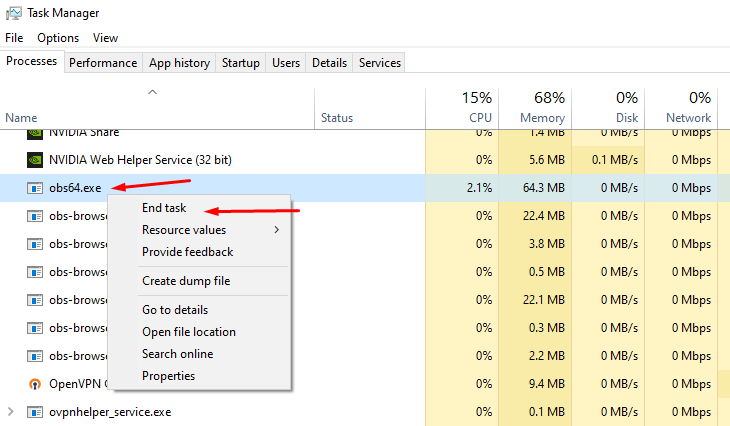 abstract plazaBOT
Having trouble? Want to see if anyone else is having the same problem?
Check out our #known-issues channel! We do our best to keep this channel as current as possible with new bugs and progress updates!
If you can't find what you need please submit a ticket at: https://support.streamlabs.com/hc/en-us/requests/new
radiant seal
Hey guys, While streaming on YouTube I want my screen to be in full screen. I don't want the space marked with a red box in my stream. Can anyone guide me what I should adjust in the screen sharing tab?
I have searched on YouTube but I can't find any videos for streamlabs mobile screen sharing settings


 loud hollow
Hey everyone. Does anyone know why I am unable to see my sources, Ihave tried uninstalling and re installing and making new scenes and no matter what I do they never show up
 gritty isle
loud hollow
Hey everyone. Does anyone know why I am unable to see my sources, Ihave tried un...
gritty isle
loud hollow
Hey everyone. Does anyone know why I am unable to see my sources, Ihave tried un...
Follow these steps exactly, don't skip or perform them out of order. If you are unsure about a step, ask first and don't guess what I meant.
First, go through all your settings and screen shot them or make notes. Clearing the cache will reset all the settings so you'll need to apply them before you go live. TIP: You can drag the settings screen vertically to make all the settings appear in one screen shot.
Once all you have all your settings noted:
- Quit Streamlab Desktop.
- Copy this string:
%appdata% - Press the Windows Key on your keyboard, Press CTRL + V then Press Enter.
- This will put you into your roaming folder, scroll down until you see " slobs-client ".
- Rename it to " _slobs-client ".
- Restart SLOBS as Administrator when launching.
At this point Streamlabs Desktop should download your scenes and sources from the cloud and recreate your slobs-client folder. Be patient and just let it sit for a few minutes.
After all that, let me know if you can see your sources,
loud hollow
gritty isle
Follow these steps exactly, don't skip or perform them out of order. If you are...
You sir are an absolute legend
 autumn flume
hey everyone, does anyone know why it won't connect to my chat i have been trying to stream and for 20 minutes it just says connecting to chat im am streaming to twitch if that helps
gritty isle
loud hollow
You sir are an absolute legend
Did that work for you? You got all your settings reapplied?
loud hollow
gritty isle
Did that work for you? You got all your settings reapplied?
I can see the sources again just re doing the settings as we speak
 stoic vale
My stream isn’t getting any audio at all but from my headset I can hear everything perfectly fine anyone know how to fix it?
I use Streamlabs console
gritty isle
autumn flume
hey everyone, does anyone know why it won't connect to my chat i have been tryin...
If you are live, click the Refresh Chat button at the top of the chat dock.
If that doesn't resolve the issue, once you end your live stream, in Streamlabs Desktop, log out, wait a minute or two, and then log back in.
gritty isle
loud hollow
I can see the sources again just re doing the settings as we speak
YAY! You're welcome!
gritty isle
stoic vale
My stream isn’t getting any audio at all but from my headset I can hear everythi...
You'll have to end your live stream... Please restart your Xbox and try again.
stoic vale
I tried that it still doesn’t work
loud hollow
gritty isle
YAY! You're welcome!
You are a star mate. Now just to figure out why my stream quality looks a little grainy and i am back to action
gritty isle
stoic vale
I tried that it still doesn’t work
And you have a Streamlabs Console subscription?
gritty isle
stoic vale
Yes
And you logged in by clicking the Twitch button?
gritty isle
stoic vale
Do I need to have the ultra?
No.
stoic vale
gritty isle
And you logged in by clicking the Twitch button?
Yes
gritty isle
stoic vale
Yes
And the stream doesn't hear the game audio or your microphone audio or both of those?
stoic vale
Both
gritty isle
stoic vale
Both
Is there video, just no audio?
stoic vale
Ya just no audio
gritty isle
stoic vale
Ya just no audio
And you completely restarted your Xbox?
stoic vale
Yes
gritty isle
stoic vale
Yes
Okay, let me see if there is any other troubleshooting to be done. Hang on.
stoic vale
Ok thank you
 manic saffron
I am having an issue using streamlabs console.
So on my scenes that don't have game Screen it still plays the game capture audio etc
gritty isle
manic saffron
So on my scenes that don't have game Screen it still plays the game capture audi...
Interesting. You have a Streamlabs Console subscription?
manic saffron
Yes
stoic vale
Rufus it’s working now for some reason but thank you for the assistance
autumn flume
thank you rufus it worked
gritty isle
manic saffron
Yes
And you logged in the Streamlabs Console with your Twitch?
manic saffron
Yeah everything else is fine but the game audio is playing on my start break and end scenes
gritty isle
stoic vale
Rufus it’s working now for some reason but thank you for the assistance
The staff would for you to submit a ticket on your issue with Streamlabs Console: https://support.streamlabs.com/hc/en-us/requests/new.
Tickets are answered in the order they are received. We cannot offer an ETA on a response. I get this is breaking your live streams and I apologize for that.
gritty isle
autumn flume
thank you rufus it worked
You're welcome.
gritty isle
manic saffron
Yeah everything else is fine but the game audio is playing on my start break and...
Can you create a new Scene Collection on thre Streamlabs Console web site and go live with that new Scene Collection aqnd see if the problem continues or is resolved?
manic saffron
Okay I can try that
gritty isle
manic saffron
Okay I can try that
Thanks, let me know what happens please.
manic saffron
That didn't fix the issue
gritty isle
manic saffron
That didn't fix the issue
Dang, sorry about that. There's no other troubleshooting I can suggest.
Please submit a ticket on your issue with Streamlabs Console: https://support.streamlabs.com/hc/en-us/requests/new.
Tickets are answered in the order they are received. We cannot offer an ETA on a response. I get this is breaking your live streams and I apologize for that.
 brisk musk
Why does Streamlabs not work with the Bandwidth inspector? I popped in the stream key and added the "?bandwidthtest=true" and this still advertises my stream going live to everyone. I only want to test
gritty isle
brisk musk
Why does Streamlabs not work with the Bandwidth inspector? I popped in the strea...
Don't believe Streamlabs Desktop has the option for that and that's why it doesn't work as you expect. You can run the Twitch Test if you like and that can give you a good indication of the path between you and Twitch.
wispy latchBOT
@brisk musk 🌐 Finding Your Best Twitch Server
To ensure the most stable and high-quality stream to Twitch, we recommend using a Twitch test tool to find the optimal server for your location and internet connection.
📋 How to Use the Twitch Test Tool:
- Access the tool here: Twitch Test Tool
- Run the test using either the Medium or Long duration. Short tests may not provide the most accurate results.
- Select your specific region from the listed options. If your exact region is not available, choose 5 to 6 servers closest to you.
- Aim for a quality score of at least 84. This indicates a strong and stable connection.
🛠️ Applying Your Settings in Streamlabs Desktop:
- Once you've identified a good server, navigate to your Streamlabs Desktop settings:
Settings>Stream>Stream to custom ingest. - From there, you can manually select your preferred server based on your test results.
brisk musk
That is disappointing that StreamLabs OBS doesn't work with it. So I just need to instal this twitch test software and then make a ingest on OBS and it would link to the Twitch Test?
 rich brook
hi, can someone tell me why i cannot only start a youtube vertical stream and its asking me to add a horizontal stream?
Thank You
gritty isle
brisk musk
That is disappointing that StreamLabs OBS doesn't work with it. So I just need t...
No just run the Twitch Test. It tests the path between you and the Twitch ingests.
Select MEDIUM or LONG.
Select all the ingest in your region.
If you're just wanting to get an idea of what settings you should have in Streamlabs Desktop for Twitch, I'd recommend:
- Use your hardware encoder, AMD or Nvidia.
- Set your Output Resolution to 1280x720.
- Set the Bitrate to 6000.
gritty isle
rich brook
hi, can someone tell me why i cannot only start a youtube vertical stream and it...
Sounds like you have Dual Output enabled? If so, that requires you to have one horizontal and one vertical.
If you only want to stream to YouTube Shorts, turn off Dual Output and manually setup you settings for the vertical format.
brisk musk
I have my hardware encoder for the Nvidia NVENC. My output is 1080p and bitrate is 6000. For some reason it tanks me streaming The Finals and I have been trying to figure out why
gritty isle
brisk musk
I have my hardware encoder for the Nvidia NVENC. My output is 1080p and bitrate ...
A bitrate of 6000 isn't high enough to ideally stream 1080p60. That's why we suggest 720p60 at a bitrate of 6000.
Or is Streamlabs Desktop reporting an issue with frames, like skipped, lagged or dropped frames?
rich brook
gritty isle
Sounds like you have Dual Output enabled? If so, that requires you to have one ...
ah yes thank u
brisk musk
So when I stream on StreamLabs my game is running from 100fps down to 20fps. I have done a lot of changes and testing on hardware to lighten the load on the GPU. Now I want to test streaming on streamlabs to see if I am still getting a reduced FPS if I stream with StreamLabs
gritty isle
rich brook
ah yes thank u
You're welcome.
gritty isle
brisk musk
So when I stream on StreamLabs my game is running from 100fps down to 20fps. I h...
So just something you're visually seeing? Streaming is difficult epecially if you are used to high FPS games. Streaming really is best at 60 or 120 FPS. All services have issues with a higher FPS.
Streaming also uses your GPU as it has tonot only run the game but also has to encode all the packets for the stream.
At home, I cap all my games to 60 FPS.
brisk musk
Just ot make sure I am clear with this. I have set the default limit on Stream Labs to stream 60 FPS. When I play the game The Finals, before streaming I get 100 FPS, when I start streaming my screen is displaying 20 fps but viewers are still seeing in 60 fps
gritty isle
Thats' two different things. The game can only generate 20 FPS because the GPU is also busy encoding packets for the stream. The viewers see 60 FPS and that what you have set in Streamlabs Desktop as the FPS.
I'd suggest running the game at 1280x720 and change your Output Resolution to 1280x720 and see how it goes.
marble wind
@brisk musk
> when I start streaming my screen is displaying 20 fps
are you saying that the game stutters on your end but viewers are reporting a smooth broadcast?
gritty isle
I'd bring up Task Manager and watch the usage of your GPU as your trying to stream and see what the usage looks like.
Seems that way, Nakajima.
marble wind
my guess would be that playing at 144 or 165 hz creates perceptual stuttering that doesn't exist
(this is why i cap all my games and displays at 120)
brisk musk
marble wind
<@195210278294519808>
\> when I start streaming my screen is displaying 20 fps
a...
Yeah exactly that. Every other game works completly fine, but when I play The Finals my screen drops to 20fps, but the stream is smooth for everyone else
marble wind
@brisk musk use a frame rate overlay such as steam, rtss or nvidia app to look at your frame rates; if you're never dipping below 120, cap at 120 and set your refresh rate to 120; allow up to 30 minutes for your perception to adjust; if you're dipping below 120, try 120 hz and 60 fps
 manic sinew
new version of streamlabs has a bug? everyone is hearing, i can see in monitor im speaking but on stream and slobs I get this message.
 gritty isle
manic sinew
new version of streamlabs has a bug? everyone is hearing, i can see in monitor i...
gritty isle
manic sinew
new version of streamlabs has a bug? everyone is hearing, i can see in monitor i...
That's known to Streamlabs and a fix should be coming soon for that.
brisk musk
My monitor is a 4k screen at 240Hz. I am using G-Sync as well. I am converting the stream from 4k to 1080p, will that do it?
manic sinew
gritty isle
That's known to Streamlabs and a fix should be coming soon for that.
is there a way to rollback to a previous version or have the exe file?
gritty isle
manic sinew
is there a way to rollback to a previous version or have the exe file?
There is not, sorry.
marble wind
brisk musk
My monitor is a 4k screen at 240Hz. I am using G-Sync as well. I am converting t...
if your gpu usage, as reported by gpu-z or task manager, ever spikes above 90%, that can cause issues, reduce graphics settings and/or fps limit until you're not spiking above 90% anymore
(this is why i'm content to stay at 120 hz, 240 would be very expensive and most games wouldn't run at 240 anyways)
brisk musk
Or invest in a dedicated stream laptop 😄
marble wind
i'm having second hand headaches from reading this, please spare yourself from this
brisk musk
The laptop comment?
rich brook
ONE MORE QUESTION
why do i sound like a minion wheni have done nothing to the streamlabs audio settings
marble wind
first, you'll find out how painful usb capture cards are
then, you'll find out how much of a mixed bag usb controllers are on laptops
rich brook
i imported the filters from obs but i tested without them and i still sound like a minion
gritty isle
rich brook
ONE MORE QUESTION
why do i sound like a minion wheni have done nothing to the st...
Make sure your Sample Rate it set to 48Khz and the Channels are set to Stereo. If you have 7.1, Surround Sound or other enhancements enable, turn those off.
brisk musk
Has Elgato ever thought of possibly having their Stream Decks becoming a dedicated streaming process/encoder, so all the encoding is done in their Deck instead of on our PC's?
rich brook
gritty isle
Make sure your Sample Rate it set to 48Khz and the Channels are set to Stereo. ...

havnt touched any of it
gritty isle
rich brook
havnt touched any of it
Go to the Sound Control Panel via the Sound Settings, and check the Enhancemets tab of both the Microphone and Desktop Audio devices and make sure Enhancements are completely disabled.
 marble wind
brisk musk
Has Elgato ever thought of possibly having their Stream Decks becoming a dedicat...
marble wind
brisk musk
Has Elgato ever thought of possibly having their Stream Decks becoming a dedicat...
dedicated hardware encoder boxes already exist, mainly for the enterprise sector that wants to transcode videos in bulk (say, twitch / amazon IVS); for private/amateur transcoding, buy a graphics card
gritty isle
rich brook
havnt touched any of it
On the Microphone device, uncheck this
 marble wind
@brisk musk oh, and before you ask, no, buying a second graphics card to offload encoding isn't going to help, it's more expensive to copy frames between GPUs than to do video encoding on the same graphics card
brisk musk
marble wind
dedicated hardware encoder boxes already exist, mainly for the enterprise sector...
First I have heard of this, are we talking of just any graphics card? Just install a second one?
Also I just tried playing The Finals now with StreamLabs open, the problem is StreamLabs of just having it open. I had reduced the Hz and FPS 120 and left StreamLabs open, my frames dropped to 40-50fps. Closed StreamLabs and shot up to 120fps. Wasn't streaming or recording, just open
gritty isle
Curious, what video card do you have exactly?
marble wind
brisk musk
First I have heard of this, are we talking of just any graphics card? Just insta...
> the problem is StreamLabs of just having it open
you are not wrong, streamlabs desktop uses a very expensive UI rendering method that costs a lot of CPU resources; obs-studio's performance impact is quite a bit smaller, especially in a minimal setup with a single game capture source
rich brook
gritty isle
On the Microphone device, uncheck this
will this mess with my obs mic settings tho?
brisk musk
gritty isle
Curious, what video card do you have exactly?
RTX 4090
gritty isle
rich brook
will this mess with my obs mic settings tho?
No.
gritty isle
brisk musk
RTX 4090
That one should not struggle that much.
brisk musk
gritty isle
That one should not struggle that much.
I know, thats what I am like. You want my full PC spec?
rich brook
gritty isle
No.
okay,thats done the job but my filters are all gone for some reason
gritty isle
brisk musk
I know, thats what I am like. You want my full PC spec?
Have you perhaps modified any of the settings via the Nvidia Control Panel?
gritty isle
rich brook
okay,thats done the job but my filters are all gone for some reason
Unchecking Exclusive Control would not have removed filters you have set in OBS Studio or Streamlabs Desktop.
brisk musk
gritty isle
Have you perhaps modified any of the settings via the Nvidia Control Panel?
Anytime I get a new update from nVidia, I do a fresh Driver Update install. The only change is putting my Shader cache to 100GB. I have had this setting to 100GB all the time before I started getting issues
gritty isle
brisk musk
Anytime I get a new update from nVidia, I do a fresh Driver Update install. The ...
Clean install?
rich brook
gritty isle
Unchecking Exclusive Control would not have removed filters you have set in OBS ...
ok, is there any way i can re import the obs settings now?
brisk musk
gritty isle
Clean install?
So when you install a Driver update from Geforce App you click custom, and then select Clean Install. It wipes all previous settings and installs it like new
gritty isle
rich brook
ok, is there any way i can re import the obs settings now?
If you click the Down Arrow next to the Scene Collection name and choose Manage Scene Collections, you can import them from OBS Studio there.
brisk musk
 gritty isle
brisk musk
So when you install a Driver update from Geforce App you click custom, and then ...
gritty isle
brisk musk
So when you install a Driver update from Geforce App you click custom, and then ...
Right, that's what I was after.
I'd bring up Taks Manage or use GPU-Z to monitor your GPU usage.
brisk musk
This is my card, the link is provided from TechPowerUp GPU-Z
https://www.techpowerup.com/gpu-specs/asus-tuf-rtx-4090-gaming-oc.b9745
gritty isle
brisk musk
This is my card, the link is provided from TechPowerUp GPU-Z
https://www.techpow...
Are you using Game Capture?
brisk musk
gritty isle
Are you using Game Capture?
Game Capture?
gritty isle
brisk musk
Game Capture?
In Streamlabs Desktop. Game Capture, Window Capture, or Display Capture.
And do you have mutiple capture sources, like Game and Window Capture in the same scene?
marble wind
see, if we had logs, we'd skip this entire interrogation
brisk musk
Depends on StreamLabs. Sometimes Game Capture Source doesn't find the game, so have to use Display Capture instead
rich brook
gritty isle
If you click the Down Arrow next to the Scene Collection name and choose *Manage...
thank u all set!
gritty isle
rich brook
thank u all set!
You're welcome!
abstract plazaBOT
Having trouble? Want to see if anyone else is having the same problem?
Check out our #known-issues channel! We do our best to keep this channel as current as possible with new bugs and progress updates!
If you can't find what you need please submit a ticket at: https://support.streamlabs.com/hc/en-us/requests/new
gritty isle
brisk musk
Depends on StreamLabs. Sometimes Game Capture Source doesn't find the game, so h...
On the same game?
brisk musk
 gritty isle
marble wind
see, if we had logs, we'd skip this entire interrogation
gritty isle
marble wind
see, if we had logs, we'd skip this entire interrogation
There's logs but we don't use them like y'all do over at OBS. I can tell you where there are once I get home after work.
gritty isle
brisk musk
Don't have multiple capture methods in the same scene. Remove Display Capture if Game Capture works.
marble wind
yeah, no, don't do this, the presence of display capture denies you most of the benefits of game capture (unless you hide the display capture)
 brisk musk
So to expla with the 'Monitor Capture'. Game Capture sometimes does not work, so I stop viewing it and then turn on display capture instead. Does this not stop using or turn off the Game Capture if not viewing anymore?
gritty isle
If you have a game that can't be captured with Game Capture, remove Game Capture and add Display or Window Capture. Or create a new Scene Collection for games that can't be captured with Game Capture.
That's like the source of this low FPS issue.
brisk musk
Ok. Give me a sec
gritty isle
Display Capture is the slowest of the three methods.
marble wind
i used to have 2 scenes in obs-studio, one with game capture, one with display capture for games that don't allow it or when recording the display, then i automated the switch using the advanced scene switcher plugin
gritty isle
I saw that. Neat setup.
marble wind
slowest, sure, but not 20 fps slowest, the worst i've seen it do is dip to 70-ish fps when trying to record at 120 fps (on 5800x + rtx 3090)
(and i'm 90% sure this is a genuine, possibly fixable, issue but it's a pain to reproduce, so a fix is unlikely; fortunately, game capture doesn't exhibit similar issues, 120 fps recordings are fine now)
brisk musk
Just duplicated the scene and have one for Game Capture and other for Display Capture
 marble wind
i tunnel visioned on that easy mistake so hard, i completely missed the giant "nvidia broadcast"
make a new scene, add a single game capture source (as reference), see if that runs any better
gritty isle
Try that and see how it goes. Honestly I would move Display Capture to a completely new Scene Collection rather than just a new Scene.
brisk musk
gritty isle
Try that and see how it goes. Honestly I would move Display Capture to a compl...
So it's still using resource even if the scene is not playing?
gritty isle
brisk musk
So it's still using resource even if the scene is not playing?
No, it is not but me personally I would make a new Scene Collection for anything that doesn't work with Game Capture.
brisk musk
Ok. Game Capture is not getting The Finals, probably because in Boarderless mode
marble wind
can we skip to the part where we launch obs-studio and continue troubleshooting with real log files? i don't mind doing crapshoots for the next 2 hours, but i'm sure the other party has better things to do
gritty isle
brisk musk
Ok. Game Capture is not getting The Finals, probably because in Boarderless mode
Try the different Modes in the properties of Game Capture, Capture Specific Window, etc.
gritty isle
marble wind
can we skip to the part where we launch obs-studio and continue troubleshooting ...
Your more than welcome to hop over to the OBS Studio Discord with Sargent if you like.
brisk musk
Am I in the wrong channel?
gritty isle
brisk musk
Am I in the wrong channel?
Nakajima would rather you work with him using OBS Studio over in their Discord since we here don't troubleshooting with log files.
gritty isle
brisk musk
Am I in the wrong channel?
No.
marble wind
iirc streamlabs still produces a log file, but it's somewhat hidden and if forgot its exact location
gritty isle
brisk musk
Ok. Game Capture is not getting The Finals, probably because in Boarderless mode
Try the different Modes in the properties of Game Capture, Capture Specific Window, etc.
 dusky quest
Hi, im wondering how to put music on my stream labs console?
gritty isle
dusky quest
Hi, im wondering how to put music on my stream labs console?
There's not a way to that in Streamlabs Console, sorry.
brisk musk
Let me test playing again with just StreamLabs open, since now removing scenes
gritty isle
Streamlabs Desktop logs can be found currently at %appdata%\slobs-client\node-obs\logs
marble wind
@brisk musk i think there's only one log there, might be in a zip file, post it, i'll see if the game gets captured at all, or what error it's throwing
it may contain your Windows user name, so post in DMs if it's sensitive
gritty isle
This might help as well:
First, please delete your game capture source and quit Streamlabs Desktop.
Then go to the search in windows (🔎) and search this file path: C:\ProgramData\obs-studio-hook and then click on the folder that pops up.
Once you have done that you will see a bunch of files. If you can ignore those for a second and click on the program data folder.
Then you should see the obs-studio-hook folder there and highlighted.
Go ahead and delete the folder.
Now go ahead restart your PC and then right click Streamlabs Desktop and run as administrator.
Then add a new game capture and see if that works for you.
 marble wind
that fixes a very specific issue you haven't diagnosed
in other words, it's a crapshoot, logs would have ruled that out, or confirmed it
 neat cloak
Hey all!
Anyone used to chatbot with scripts? I am trying to install script but they dont show up once imported or list refresh. Python folder is known, the good version (cmd find it with right version). Tried import from zip file or not, even a simple test scrip with just a name in it doesnt appear, list is empty. When importing with zip it says script installed but list remain empty. Been on it since a few hours, I come to get some help here hopefully 🙂
gritty isle
neat cloak
Hey all!
Anyone used to chatbot with scripts? I am trying to install script but ...
Best to hop over to the Chatbot Discord with that. The Volunteers there can help you with scripting in Chatbot: https://discord.gg/xFcsxft
neat cloak
gritty isle
Best to hop over to the Chatbot Discord with that. The Volunteers there can hel...
oh ok, yes sorry! thank you very much
gritty isle
The Volunteers there are in other countries and some have jobs so they are not always available. I don't use scripts in Chatbot so I can't really troubleshoot that well.
gritty isle
marble wind
in other words, it's a crapshoot, logs would have ruled that out, or confirmed i...
Okay, then. Has he DM'd you the log file?
marble wind
@gritty isleno
gritty isle
So, I guess we won't hear anything further for a while. Oh well.
brisk musk
Yeah StreamLabs is eating my too much resources, but even the GPU ut is 95%+. But I lowered as much as a I can and its not going down
gritty isle
brisk musk
Yeah StreamLabs is eating my too much resources, but even the GPU ut is 95%+. Bu...
Did you get Game Capture to capture the game or not?
brisk musk
Game Capture wont find the game
gritty isle
brisk musk
Game Capture wont find the game
Go here %appdata%\slobs-client\node-obs\logs and find the log where Streamlabs Desktop could not capture Finals and DM the log to me please.
marble wind
post logs, i want to see why
brisk musk
I am not even recording anything or streaming, and StreamLabs just eats up the resources so much
Who am I posting it to?
marble wind
either here or in DMs
gritty isle
Here should be fine
brisk musk
marble wind
@brisk musk got anything from the known conflicts list? https://obsproject.com/kb/known-conflicts
wowie, sld is two nvenc updates behind, not one
brisk musk
marble wind
<@195210278294519808> got anything from the known conflicts list? https://obspro...
MSI Afterburner. ASUS GPU Tweak.
gritty isle
brisk musk
?
Don't worry about that.