#technical-support
1 messages · Page 156 of 1
 gritty isle
 abstract plazaBOT
 Having trouble? Want to see if anyone else is having the same problem?
Check out our #known-issues channel! We do our best to keep this channel as current as possible with new bugs and progress updates!
If you can't find what you need please submit a ticket at: https://support.streamlabs.com/hc/en-us/requests/new
gritty isle
 merry sandal
yep
merry sandal
yep
And you are using the Chatbox Widget source in Streamlabs Desktop or using it via Browser Source?
merry sandal
gritty isle
And you are using the Chatbox Widget source in Streamlabs Desktop or using it vi...
using it via browser source
gritty isle
merry sandal
using it via browser source
In Streamlabs Desktop or OBS Studio?
merry sandal
gritty isle
In Streamlabs Desktop or OBS Studio?
OBS
gritty isle
merry sandal
OBS
You may need to clear your browser cache files in OBS Studio. You can do that by:
- Close OBS Studio
- Hit the Windows key + R
- Paste the following and hit enter: %appdata%/obs-studio/plugin_config/obs-browser
- Delete the Cache folder, then re-open the software
merry sandal
gritty isle
You may need to clear your browser cache files in OBS Studio. You can do that by...
wouldnt the version i want to appear be in the preview window on the website?
 gritty isle
merry sandal
wouldnt the version i want to appear be in the preview window on the website?
gritty isle
merry sandal
wouldnt the version i want to appear be in the preview window on the website?
Do you have Custom HTML/CSS enabled or disabled?
 merry sandal
gritty isle
Do you have Custom HTML/CSS enabled or disabled?
merry sandal
gritty isle
Do you have Custom HTML/CSS enabled or disabled?
Disabled
OH, I had to refresh the page twice, sorry about the time waste, thanks for the help
gritty isle
merry sandal
Disabled
Interesting. Changing the style should cause it to change in the Preview window.
I'd log out of the Streamlabs web site, clear the cache only in your web browser for all time, restart the whole web browser, navigate back to Streamlabs.com, log back in, and see how it goes.
gritty isle
merry sandal
OH, I had to refresh the page twice, sorry about the time waste, thanks for the...
Ah, there we go!
gritty isle
merry sandal
OH, I had to refresh the page twice, sorry about the time waste, thanks for the...
No worries.
merry sandal
Have a nice day :))
gritty isle
merry sandal
Have a nice day :))
You too! 👋
 stuck lotus
Hi there! Hoping someone may be able to help - I did submit a ticket but thought I'd try here too! I created an account and all went fine, got to the page where it's asking me to put in the 8-digit code to verify however I've not recieved the email with the code. I waited a little while, and got nothing. Requested a new code, still nothing 😦 Is there anyway I can get the code to verify and log in and finish setting up my account? Have checked the email was typed correctly and it was so not sure what else could have gone wrong! Have also checked Junk Mail and nothing in there either!
 gusty umbra
stuck lotus
Hi there! Hoping someone may be able to help - I did submit a ticket but thought...
gusty umbra
stuck lotus
Hi there! Hoping someone may be able to help - I did submit a ticket but thought...
A ticket is going to be the way to go with that one. We don't have access to the 2FA system here on this discord. Be patient, tickets are answered in the order received.
stuck lotus
gusty umbra
A ticket is going to be the way to go with that one. We don't have access to th...
Ok thank you! Will wait for a response - just wasn't sure if it's been an issue before where verification emails haven't been sent as I'm unable to log in at all.
 steep crater
hey just wondering if anyone has experienced this issue where despite having dual output enabed the "both" option for vertical and horizontal simply wont display when going live, and if they have do you know of any fix or workaround thanks

we've previously utilised the function multiple times, no settings have been changed the option has simply vanished
 frozen star
Hello All I am having a problem in my Ticket and it looks like I am not getting the right Treatment, the person is not replying on purpose on my messages, because I made a mistake and even that I said I was sorry multi times. Please is there a way I can report this to higher mangement?
Also I am asking for a recovery to my account and the person is ignoring that.
gritty isle
frozen star
Hello All I am having a problem in my Ticket and it looks like I am not getting ...
The staff emailed you some instructions. Did you receive that?
frozen star
gritty isle
The staff emailed you some instructions. Did you receive that?
Yes And I replied after 13 min Now I have waited for 2 hours ago, and she said that she usually replies fast, but she don't
gritty isle
frozen star
Yes And I replied after 13 min Now I have waited for 2 hours ago, and she said t...
The staff are in meetings today. Please be patient.
frozen star
gritty isle
The staff are in meetings today. Please be patient.
Alright sir, I will be patient
gritty isle
frozen star
Alright sir, I will be patient
Thank you.
merry sandal
ok so uhh, new problem. I found out the only way to make my text the way i wanted it to be requires me to use CSS. essentially the text does not wrap around the name of the chatter (example 1) and theres this annoying margin which pushes away the names slightly.
i want my text to look like example 2. literally just the message wrapping around the name. and the annoying wavey margin thing.
Here is the CURRENT CSS code that i have:
@import url(https://fonts.googleapis.com/css?family=Roboto:700);
- {
box-sizing: border-box;
}
html, body {
height: 100%;
overflow: hidden;
}
body {
text-shadow: 0 0 1px #000, 0 0 2px #000;
background: {background_color};
font-family: 'Roboto';
font-weight: 700;
font-size: {font_size};
line-height: 1.5em;
color: {text_color};
}
#log>div {
animation: fadeInRight .3s ease forwards, fadeOut 0.5s ease {message_hide_delay} forwards;
-webkit-animation: fadeInRight .3s ease forwards, fadeOut 0.5s ease {message_hide_delay} forwards;
}
.colon {
display: none;
}
#log {
display: table;
position: absolute;
bottom: 0;
left: 0;
padding: 0 10px 10px;
width: 100%;
table-layout: fixed;
}
#log>div {
}
#log>div.deleted {
visibility: hidden;
}
#log .emote {
background-repeat: no-repeat;
background-position: center;
background-size: contain;
padding: 0.4em 0.2em;
position: relative;
}
#log .emote img {
display: inline-block;
height: 1em;
opacity: 0;
}
#log .message,#log .meta {
vertical-align: top;
display: table-cell;
padding-bottom: 0.1em;
}
#log .meta {
width: 35%;
text-align: right;
padding-right: 0.5em;
white-space: nowrap;
overflow: hidden;
}
#log .message {
word-wrap: break-word ;
width: 65%;
}
.badge {
display: inline-block;
margin-right: 0.2em;
position: relative;
height: 1em;
vertical-align: middle;
top: -0.1em;
}
.name {
margin-left: 0.2em;


the only reason im messing around with the CSS is because I cant change the text weight outside of it.
 crisp scarab
is it posible in streamlabs to have seperate audio tracks while multistreaming? i managed to make seperate tracks while streaming on twitch but for multistream i couldnt find any information
 novel pecan
Why does the scheduled date and time of my livestream on youtube change everytime i use streamlabs to go live ugh?! Please help
gusty umbra
novel pecan
Why does the scheduled date and time of my livestream on youtube change everytim...
Hey there! Thanks for being an ultra subscriber. Head over to #vip-support and post your question!
gritty isle
crisp scarab
is it posible in streamlabs to have seperate audio tracks while multistreaming? ...
The same configuration is applicable but since you're multistreaming, the Twitch VOD track option isn't available. Twitch is the only platform with that VOD track.
 gritty isle
 sleek robin
<@301571565840236564>
sleek robin
<@301571565840236564>
Sorry, I've got a meeting right now but that doesn't appear to be coming from Streamlabs.
abstract plazaBOT
Having trouble? Want to see if anyone else is having the same problem?
Check out our #known-issues channel! We do our best to keep this channel as current as possible with new bugs and progress updates!
If you can't find what you need please submit a ticket at: https://support.streamlabs.com/hc/en-us/requests/new
sleek robin
Thanks for the help resolved it
gritty isle
What setting was that?
 zinc briar
Hello, im trying to set up my droidcam to my streamlabs on pc, and i swear the things google says arent true and all the tutorials for streamlabs i can find are just obs studios. any help would be appreciated, im at the point where im trying to add the video/webcam/ip stream ID thing
 glacial tartan
how can i setup my webcam and game screen at the same time without blocking the webcam
gritty isle
glacial tartan
how can i setup my webcam and game screen at the same time without blocking the ...
Move the Game Capture to the bottom of the source list.
gritty isle
glacial tartan
IM SO DUMB I HAVE BEEN TRYING TO DO THIS THING SINCE AND HOUR OR TWO
No worries.
 grand pendant
i sent in an appeal. i never got a response.
gritty isle
grand pendant
i sent in an appeal. i never got a response.
For TikTok revoke?
 reef meadow

 velvet adder
I can't go live it saying an error with the output. plz check your streaming and recording settings i don't know what to do or to change. plz help
 undone inlet
I cant go live on TikTok on streamlabs console WTF ?
 proper totem
undone inlet
I cant go live on TikTok on streamlabs console WTF ?
proper totem
undone inlet
I cant go live on TikTok on streamlabs console WTF ?
Hey!
Sorry to hear that. Please send our team a ticket to see if we can get that resolved for you:
https://support.streamlabs.com/hc/en-us/requests/new?ticket_form_id=473667
Please provide any error messages you're seeing, and also let us know if you're approved for streaming by visiting this link:
https://www.tiktok.com/falcon/live_g/live_access_pc_apply/result/index.html?id=GL6399433079641606942&lang=en-US&apply_mode=8
 tardy meadow
Hi guys, hope you're having a lovely day 🙂
Is this the correct place to ask a question re the custom chatbox, specifically the use of HTML/CSS/JS?
I am looking to fully understand the limitations and capabilities of the chatbox in respect of what it can and cannot do. For example, for the life of me I cannot get it to identify a moderator's chat message. Wondering if it's labelled as something new or something I cannot find. Is there a guide perhaps as to the custom code feature?
 frigid sleet
Can someone help me with this? I don’t understand why it won’t let me update it when I am the administrator
 proper totem
frigid sleet
Can someone help me with this? I don’t understand why it won’t let me update it ...
proper totem
frigid sleet
Can someone help me with this? I don’t understand why it won’t let me update it ...
Hi there,
You can try closing Streamlabs Desktop, then re-opening by right-clicking your shortcut and selecting "Run as Administrator" If that doesn't work, feel free to submit a ticket to us:
https://support.streamlabs.com/hc/en-us/requests/new?ticket_form_id=473667
velvet adder
?
abstract plazaBOT
Having trouble? Want to see if anyone else is having the same problem?
Check out our #known-issues channel! We do our best to keep this channel as current as possible with new bugs and progress updates!
If you can't find what you need please submit a ticket at: https://support.streamlabs.com/hc/en-us/requests/new
proper totem
velvet adder
?
Your issue may require a few in-depth troubleshooting steps, please send us a ticket here and we'll be happy to guide you through resolving the issue:
https://support.streamlabs.com/hc/en-us/requests/new?ticket_form_id=473667
 vale nexus
I’m trying to stream using my iPhone camera using “stream labs Xbox” and whenever I start stream it shows my gameplay but not my webcam. It used to work before what do I do now?
Can anyone help
Please dude
 icy ore
hey, can anyone help me out. my camera isnt turning on, on stream
 marble wind
@icy ore does it show up in streamlabs desktop's preview?
icy ore
nooo
marble wind
@icy ore does it work anywhere else, like in the windows Camera app or on https://webcamtests.com/ ?
icy ore
yes it works there
 vestal fern
Hi need help with streamlabs mobile have had this problem for about 3 weeks now, if i want to directly livestream to youtue like connect yt account to streamlabs and stream it doesent work either it gives me a error that failed to create broadcast but once streamlabs is able to vreate a broadcast and i go ahead press start stream, it doesent start but straight away crashes so basically stream doesent start erv, but if i stream with rtmp no problems, how can I resolve?
marble wind
@icy ore quit all other apps trying to access the camera, verity there's only a single video capture device source trying to access the camera

 wispy latchBOT
🚫 Rufus, you need to wait 36 seconds to use that command again.
marble wind
who let ai in here? get it outta here
wispy latchBOT
# View our guide for crash troubleshooting here:```
:arrow_right: :link: <https://streamlabs.com/content-hub/post/streamlabs-desktop-crash-troubleshooting-guide>humans without specialized knowledge have a hard time reading obs crash logs, ai is 10 years too early to even attempt it
(also, can i read it?)
 idle zephyr
can someone help me whenever someone follow me or subs donate etc, it does not play the alrt for some reason it use to play it but not anymore
marble wind
@idle zephyr do test alerts play?
idle zephyr
marble wind
<@801995642028294194> do test alerts play?
it still does not play
idle zephyr
marble wind
<@801995642028294194> do test alerts play?
dms
gritty isle
idle zephyr
can someone help me whenever someone follow me or subs donate etc, it does not p...
Do you perhaps have Unlimited Alert Moderation Delay enabled? If so, disable that setting.
Please go here https://streamlabs.com/dashboard#/alertbox and if you have Unlimited Alert Moderation Delay enabled, disabled it then click Save Settings at the bottom of the page.
Also go here https://streamlabs.com/dashboard#/recentevents and make sure your alerts are not paused. If this icon is a play button, your alerts were paused.
https://cdn.discordapp.com/attachments/962371235789025360/1147374507238101072/IMG_1019.png
 abstract plazaBOT
 Do you have a Streamlabs Ultra membership? Are you part of the Streamlabs All-Stars program?
Get your Discord roles by going to this page here: https://streamlabs.com/dashboard#/settings/integrations and clicking "Link" next to Discord! Ultra members and higher tier All-Stars members will have access to private channels for support!
Interested in Ultra? Check it out here: https://streamlabs.com/ultra?refl=discord
Are you knowledgeable about Streamlabs products?
Get rewarded for helping the Streamlabs Community here in Discord!
👉 Apply to be a part of the Streamlabs Support Volunteer Program!
Application Link:
https://forms.gle/eKS29zWfFjGEzaRp7
For details, see our post in
#announcements message
 spare olive
كيف افعل الدونيشن قول
 rotund sluice
I have an issue,
rotund sluice
rotund sluice
I have an issue,
Can anyone support me with this?
rotund sluice
Streaming on Twitch is not working, Anyone knows what could be the reason?
 high yarrow
is it possible type !sr song in discord chat/text channel and the streamlab song request bot plays the song
 burnt crown
can someone tell me how to get nightbot song requests on twitch so my viewers can hear it
abstract plazaBOT
Having trouble? Want to see if anyone else is having the same problem?
Check out our #known-issues channel! We do our best to keep this channel as current as possible with new bugs and progress updates!
If you can't find what you need please submit a ticket at: https://support.streamlabs.com/hc/en-us/requests/new
 stone slate
Hahaha what do you need help with
 placid summit
i have a problem with streamlabs
when i want to start to capture a scene it dosent work
it dosent show anything#

 oak cloud
placid summit
i have a problem with streamlabs
oak cloud
placid summit
i have a problem with streamlabs
Hey Please don't tag people that aren't actively helping you (see #rules)
oak cloud
I cannot help you atm. But pinging people is not cool. Especially because it's like 4am some places in the world.
If you need official support, submit a ticket at https://support.streamlabs.com/hc/en-us/requests/new
 graceful bough
Hello, anyone knows how to configurate stream deks in streamlabs?
 hallow knoll
Not sure if this is a Streamlabs issue or Elgato issue but, before you used to be able to select SOURCE and then if you had a Source group folder it would show up and be able to be selected in Elgato stream decks but now there is no folder or group you can select as the source to toggle on or off, any help?
 graceful bough
thanks
 humble gale
hallow knoll
Not sure if this is a Streamlabs issue or Elgato issue but, before you used to b...
humble gale
hallow knoll
Not sure if this is a Streamlabs issue or Elgato issue but, before you used to b...
Some things definitely changed when Elgato made the Streamlabs thing into a plugin
so that could just be a change in general that was made. you could use the multiaction to get the same type of thing
abstract plazaBOT
Do you have a Streamlabs Ultra membership? Are you part of the Streamlabs All-Stars program?
Get your Discord roles by going to this page here: https://streamlabs.com/dashboard#/settings/integrations and clicking "Link" next to Discord! Ultra members and higher tier All-Stars members will have access to private channels for support!
Interested in Ultra? Check it out here: https://streamlabs.com/ultra?refl=discord
Are you knowledgeable about Streamlabs products?
Get rewarded for helping the Streamlabs Community here in Discord!
👉 Apply to be a part of the Streamlabs Support Volunteer Program!
Application Link:
https://forms.gle/eKS29zWfFjGEzaRp7
For details, see our post in
#announcements message
tardy meadow
tardy meadow
Hi guys, hope you're having a lovely day 🙂
Is this the correct place to ask a ...
Could anyone assist me with this please? 😊
hallow knoll
humble gale
so that could just be a change in general that was made. you could use the multi...
I tried and it's not working either.
So before I had a Source where it would be able to toggle on and off my webcam and the border around it that I made and put into a Group in Streamlabs and I tried the multi action to work around it now that it's not working and it doesn't toggle it on and off for me
humble gale
I would ask in the elgato discord then 🤔 cause afaik they are the ones that maintain the obs and the streamlabs plugin.
hallow knoll
Yea, I posted there also. I just tried it again and it works but I would have to make another one to do the opposite effect.
humble gale
ngl i'm not that well versed in it. i have had a stream deck for so long but set it up once and then just didn't really use it again....and i forget to use it 
hallow knoll
So like one for ON and one for OFF
hallow knoll
humble gale
ngl i'm not that well versed in it. i have had a stream deck for so long but set...
haha fair enough. I use mine all the time for streaming
humble gale
that is surprising though cause you should just be able to hit the button again
hallow knoll
humble gale
that is surprising though cause you should just be able to hit the button again
Let me try this other multi action "SWITCH" one
Alright so the Multiaction Switch works as a toggle for on and off, just frustrating
humble gale
well i am happy that you have something that works at least. but i know a lot of people have had to change some stuff since they made it a plugin
hallow knoll
It worked fine before the last Stream Deck update, no issues with the plugin itself before
Inside the Source dropdown from myscreenshot it would have the Group(ed) folder you could select but now you cannot
 tepid oasis
Wanted to share this here for anyone that uses streamlabs and a streamdeck but cannot get a replay buffer hotkey to work
So touching back on a topic where Replay Buffers for a hotkey wouldn't work since you cant run Streamlabs in Admin Mode.
Basically. You're not suppose to run Streamlabs in Admin Mode since the streamdeck will not detect that Streamlabs is open.
However, a hotkey bind for the replay buffer will not work because streamlabs needs to be in admin mode.
I found a fix.
- Open streamlabs regularly (not in admin mode)
- While streamlabs is open and the streamdeck detects streamlabs is on and open. Right click on streamlabs desktop and run as Admin "While" streamlabs is up and running
This seems to force the override for the admin permission to work and your hotkey binds will work.
 steady pier
i cant stream yt horizontal and vertical anymore? it wont let me chose both? anyone else having this problem
 stuck coyoteBOT
steady pier
i cant stream yt horizontal and vertical anymore? it wont let me chose both? any...
stuck coyoteBOT
steady pier
i cant stream yt horizontal and vertical anymore? it wont let me chose both? any...
A similar questions was found
Here are some similar questions we found in this server's history
i wanna horizontal and vertical stream on yt how do i do that
[This should get you started! https://streamlabs.com/content-hub/post/how-to-multistream-youtube-ver...](#technical-support message "Click to see relevant messages") (19 days ago)
84% confidence - wallubot.com
oak cloud
steady pier
i cant stream yt horizontal and vertical anymore? it wont let me chose both? any...
Could you reach out to us in a ticket at https://support.streamlabs.com/hc/en-us/requests/new? I have reported this to the dev team but then we can follow up with you as I think this is something that got messed up in the latest bundle update
abstract plazaBOT
Having trouble? Want to see if anyone else is having the same problem?
Check out our #known-issues channel! We do our best to keep this channel as current as possible with new bugs and progress updates!
If you can't find what you need please submit a ticket at: https://support.streamlabs.com/hc/en-us/requests/new
steady pier
oak cloud
Could you reach out to us in a ticket at <https://support.streamlabs.com/hc/en-u...
done
 wide fern
Anyone have any experience with Soundalerts suddenly having no sound?
My browser source is connected and online, but the alerts are not playing any audio. The prompts are showing in my chat, but there's no sound.
Could it be connected to the fact that I duplicated my scene today to make a new one? I made no changes to the Browser Source.
 plain mist
Hello there! From nowhere i got a new problem when i wanted to record (localy, no stream).
I recorded last week without a problem, and today i wanted to record and it wanted me to log in.
I've never had to log in before, because i don't use it to stream.
(First image)
I could'nt find anything about it, then i tried to log in with youtube, with no results, then i logged Twitch.
It logged, but when i wanted to record, second problem happened...
Idk what to do, sorry for my basic english, long time no use 😂

 marble wind
@plain mist What type of drive is G:\?
plain mist
marble wind
<@361604593739759618> What type of drive is G:\\?
Is my stockage drive, SSD
marble wind
@plain mist USB, SATA, M2, something else?
plain mist
Sry if i can't give you a lot of technical informations, i'm not really good with compus 😂
SATA
marble wind
@plain mist does the records remote folder exist, are you able to create other files in it?
plain mist
marble wind
<@361604593739759618> does the records remote folder exist, are you able to crea...
It does, i'm in, and i can create new files!
 marble wind
@plain mist try launching streamlabs desktop "as admin"
plain mist
Ok i fixed
Idk why but the adress of this folder wasn't good
Thanks for showing me the path!
abstract plazaBOT
Having trouble? Want to see if anyone else is having the same problem?
Check out our #known-issues channel! We do our best to keep this channel as current as possible with new bugs and progress updates!
If you can't find what you need please submit a ticket at: https://support.streamlabs.com/hc/en-us/requests/new
 unique dune
Im having an issue where my chat widget isn't appearing in stream. It's layered above the overlay and was functioning a few days ago, but now... nothing.


 somber lintel
hey
im playing on a m2 mac and when i stream the game scene is black nothig is showing
wispy latchBOT
# Having issues with Streamlabs Desktop not capturing your game and just showing a black screen?
- After you've added your capture source, the "game" may require to be focused before it will be captured - this means you will want to start interacting with the "game" for about 5-20 seconds before it will be detected.
- Try running Streamlabs Desktop as administrator.
- Try changing your "Game Capture" mode from "Auto" to "Capture Specific Window"
> Note: Some games will simply not work with Game Capture and will require the use of Window Capture or Display Capture.

# Still not working? See the guides below:```
:link: Game Capture Troubleshooting for **Desktop** users: <https://streamlabs.com/content-hub/post/black-screen-game-capture-problems>
:link: Game Capture Troubleshooting for **Laptop** users: <https://streamlabs.com/content-hub/post/troubleshooting-capture-source-issues-on-laptops>nvm but how do i enablle game overlay
marble wind
@somber lintel there should be a tab for it in Settings, but this might be a windows exclusive feature, i'm unsure
gritty isle
marble wind
<@1179791375911362752> there should be a tab for it in Settings, but this might ...
Yes, Game Overlay is not available on Mac.
gritty isle
somber lintel
seriously
Seriously, yes, it’s not available on Mac.
marble wind
connect a second monitor or use a phone
gritty isle
somber lintel
will it come in future?
I doubt it, sorry. From what I understand it, MacOS doesn’t allow third party overlays.
 fair ether
im trying to help a friend setup their alert box and when and alert comes in they hear it but the stream does not and ideas?
gusty umbra
fair ether
im trying to help a friend setup their alert box and when and alert comes in the...
There can be many reasons. Best to have them join and ask with screenshots of the setup. It’s easier to troubleshoot without a middleman.
 dusty inlet
gusty umbra
There can be many reasons. Best to have them join and ask with screenshots of th...
dusty inlet
gusty umbra
There can be many reasons. Best to have them join and ask with screenshots of th...
I am here. Excatly what do you need screenshots of? 🙂
 stark sequoia
Just a quick question while using streamlab's website: In the Alerts section how do I transfer my twitch alerts to youtube and kick? I have the theme setup for the twitch one but it defaults back to original alerts when I click test on the other platforms even though I merged them on the streamlabs website.
 sick kraken
Kick is merged with my Streamlabs OBS account. When I try to stream I cannot select it. Any help?
Allows twitch just fine and it is merged like Kick, but not kick.
 brazen tusk
I really need some help i don't know what to
 abstract plazaBOT
Having trouble? Want to see if anyone else is having the same problem?
Check out our #known-issues channel! We do our best to keep this channel as current as possible with new bugs and progress updates!
If you can't find what you need please submit a ticket at: https://support.streamlabs.com/hc/en-us/requests/new
 cerulean vale
Hey all, just a quick question. I'm trying to load StreamLabels and it loads up to the login screen where you choose how to login and when I choose Twitch or StreamLabs ID neither will load an actual login screen. It just sits there. Any ideas?
 lime heron
guys i have a issue, no matter what i do my stream quality is terrible....
ive made the stream 1080p 60 fps 6000 bitrate with system encoding, i have 30 mbps upload r7 5800x and a rx 6750 xt
abstract plazaBOT
Are you knowledgeable about Streamlabs products?
Get rewarded for helping the Streamlabs Community here in Discord!
👉 Apply to be a part of the Streamlabs Support Volunteer Program!
Application Link:
https://forms.gle/eKS29zWfFjGEzaRp7
For details, see our post in
#announcements message
Do you have a Streamlabs Ultra membership? Are you part of the Streamlabs All-Stars program?
Get your Discord roles by going to this page here: https://streamlabs.com/dashboard#/settings/integrations and clicking "Link" next to Discord! Ultra members and higher tier All-Stars members will have access to private channels for support!
Interested in Ultra? Check it out here: https://streamlabs.com/ultra?refl=discord
 muted bluff
I need help setting up streamlabs i don't know what im doing wrong
abstract plazaBOT
Having trouble? Want to see if anyone else is having the same problem?
Check out our #known-issues channel! We do our best to keep this channel as current as possible with new bugs and progress updates!
If you can't find what you need please submit a ticket at: https://support.streamlabs.com/hc/en-us/requests/new
abstract plazaBOT
Do you have a Streamlabs Ultra membership? Are you part of the Streamlabs All-Stars program?
Get your Discord roles by going to this page here: https://streamlabs.com/dashboard#/settings/integrations and clicking "Link" next to Discord! Ultra members and higher tier All-Stars members will have access to private channels for support!
Interested in Ultra? Check it out here: https://streamlabs.com/ultra?refl=discord
 faint lynx
PL ktoś?
abstract plazaBOT
Having trouble? Want to see if anyone else is having the same problem?
Check out our #known-issues channel! We do our best to keep this channel as current as possible with new bugs and progress updates!
If you can't find what you need please submit a ticket at: https://support.streamlabs.com/hc/en-us/requests/new
faint lynx
poland?
gusty umbra
faint lynx
poland?
What about Poland?
faint lynx
is anyone on the server from Poland?
 balmy hatch
hello
faint lynx
umie ktoś po Polsku?
 steep olive
i did a live stream yesterday and over 24 hours it still shows it as a upcoming stream even though its already ended anyone have any suggestions on a fix
 gleaming tangle
if i use the slobs desktop app, can i still use all my OBS plugins ive downloaded?
also, why do i get prompted to confirm my age every time i access the site via google chrome?
 void cove
i changed my streamlaps desktop to english and its still a bunch of random letters?
 abstract plazaBOT
Having trouble? Want to see if anyone else is having the same problem?
Check out our #known-issues channel! We do our best to keep this channel as current as possible with new bugs and progress updates!
If you can't find what you need please submit a ticket at: https://support.streamlabs.com/hc/en-us/requests/new
 humble depot
hey, i havent streamed in a year but not changed any of my settings or hardware, now trying to stream valorant on twitch and its not going through properly? the stream is barely going through and its extremely laggy, getting dropped frames detected 25% from stream labs any one got any idea as to why?
gritty isle
humble depot
hey, i havent streamed in a year but not changed any of my settings or hardware,...
Dropped Frames are a network issue, between your cable modem and the platform ingest; the part of the Internet you cannot control.
Are you streaming to Twitch?
humble depot
yes, but ive streamed on my internet connection before with no issues, i get 100Mbps upload speed at least
 wispy parcel
humble depot
hey, i havent streamed in a year but not changed any of my settings or hardware,...
wispy parcel
humble depot
hey, i havent streamed in a year but not changed any of my settings or hardware,...
change a setting if your gpu i strong enouhg itlll use more power from gpu from cpu helping masssively
humble depot
which setting is this? I have a rtx 3070
when i look in my task manager whilst streaming both my cpu and gpu are going at 30/40% at highest
 south imp
hi, can somebody help me? i have an issue with my stream, it gave me an error "it is not possible to conect to server"
 desert briar
south imp
hi, can somebody help me? i have an issue with my stream, it gave me an error "i...
desert briar
south imp
hi, can somebody help me? i have an issue with my stream, it gave me an error "i...
Quick Fixes:
Check Internet Connection
Ensure you’re connected to the internet and it's stable.
Restart Streamlabs
Fully close it (check Task Manager on Windows or Activity Monitor on Mac), then reopen.
Check Server Status
Sometimes Streamlabs servers are down. You can check:
https://status.streamlabs.com
https://downdetector.com
Update Streamlabs
Make sure you're using the latest version of Streamlabs Desktop.
Firewall / Antivirus Blocking
Your firewall or antivirus might be blocking Streamlabs.
Windows Firewall: Go to Control Panel > System and Security > Windows Defender Firewall > Allow an app, and ensure Streamlabs is allowed.
Temporarily disable antivirus and see if it helps (then re-enable after testing).
Network Issues
VPN / Proxy: Disable any VPN or proxy temporarily.
DNS Settings: Try switching to Google DNS:
8.8.8.8 and 8.8.4.4
Clear Cache and Settings
Sometimes corrupted settings cause connection issues:
Go to: C:\Users[YourName]\AppData\Roaming\slobs-client and rename the folder (e.g. to slobs-client-backup)
Relaunch Streamlabs and it will recreate the config.
Streaming Service Authentication
If you're trying to go live:
Reconnect your platform (Twitch, YouTube, Facebook):
Go to Settings > Stream, then log out and back in or use the stream key instead.
gritty isle
humble depot
yes, but ive streamed on my internet connection before with no issues, i get 100...
Please run the Twitch Test, see the next post. If you need assistance finding your Twitch stream key: https://streamlabs.com/content-hub/post/where-to-find-your-twitch-stream-key
Select Medium or Long Duration.
Select all the ingest in your region.
Screen shot the results.
gritty isle
south imp
hi, can somebody help me? i have an issue with my stream, it gave me an error "i...
In Streamlabs Desktop, please log out, wait a minute, and then log back in.
Then go to Settings > Advanced > Network > Bind to IP.
If the drop-down menu is set to an IP address, change that setting to Default.
If the drop-down menu is set to Default, change it to the IP address of your computer, usually starts with 192.168 or 10.10.
After that, click Done to save the settings and then restart Streamlabs Desktop and see if you can go live.
humble depot
gritty isle
Please run the Twitch Test, see the next post. If you need assistance finding y...
Where do i run the twitch test sorry?
wispy latchBOT
Please run this twitch test tool to find out the best server (https://r1ch.net/projects/twitchtest). Be sure to run the test for either Medium or Long, as short won't give you the most accurate results and be sure to select your region from the listed options (if the regions are not applicable to you, please select 5-6 servers that are near you). You're looking for at least a quality of 84.
Once you've found a good server go to Settings > Stream > Stream to custom ingest and you can manually select your server.
gritty isle
Oh sorry! There ☝️
humble depot
thanks 🙂
gritty isle
Sorry about that.
 warm sleet
I saw a person streaming WoW with a frame interpolation effect in 2012.
His WoW was 120fps and his OBS was 60fps 1080p or 120fps 1080p, I don’t recall. Twitch briefly allowed 120fps streams in the early days and only recently brought them back 10+ years later for partners.
It looked like PS5 or soap opera or LG tru motion/frame interpolation effect/footage. But it was not pre recorded. It was live.
That is the effect I want. I don’t need to play with this effect, just stream this effect to my viewers. I don’t really want to tell my viewers to watch my stream with SVP Chrome add-on, so that is not an option. I want it to look like that by default.
Wow can hit 120 fps 1% lows but any stuttering in a live game removes the smoothing you get at higher frame rates and WoW stutters a lot!
I do not want to use LSFG or DLSS, because it adds too much input lag.
I am opening to using a second streaming PC if anyone can recommend hardware or plugins to go from 120fps to 60fps and make a stream silky smooth.
https://youtu.be/n5o-Rx8r5gY?si=G_sJf1vY82Ji-Tyq It was very close to this look - but even smoother. You can see this example still drops frames at 240fps when it stutters. This will also not work because it adds 10-20ms of latency to the game all around.
It is also not a true motion type look, as it’s not super silky. The stream I saw was. Any added latency for live play is not good, because I compete in other games outside of 3v3 WoW that also need this effect. Though, it’s mainly for WoW at duelist-gladiator level. I already have bad internet, so at all costs I do not want to add latency to my gaming.
Maybe NDI+SVP+MPC+HC routed through a second OBS stream PC? I do not want 10s of stream delay but 1-3s seems reasonable. Just don’t know what to buy or what plugins to use.
I would appreciate recommendations to get this with a second streaming PC or Capture Card or something?
Thanks,
Frostyownz
I've been researching for like 3 weeks and I've not found the solution. The guy was a rich streamer so he paid someone to setup his stream for him back in 2012~. I'm assuming you can still achieve this. If I recall, his rig was like $3000-$5000 with a capture card iirc, possibly dual PC. I asked him about how he achieved it and he said he didn't know what I was talking about, apparently his eyes couldn't see the difference? and that someone helped him picked out his parts and setup his stream. So he was not much help, sadly.
But I've been wondering about this for years now.
gritty isle
warm sleet
I've been researching for like 3 weeks and I've not found the solution. The guy ...
Stream delay is unavoidable. Achieving 3 seconds or less of stream delay? Also tough to do. Packets still have travel from you to the ingest, get processed, and delivered to the viewer. Depending on your location, it could be a long route to the ingest.
We can't officially recommend hardware.
I'd move this over to #lounge chat.
Another good spot to ask would be over at the OBS Studio Discord. They have channels in the Community category that would be a good fit for this discussion.
south imp
gritty isle
In Streamlabs Desktop, please log out, wait a minute, and then log back in.
The...
OMG THANK YOU THANK YOU
gritty isle
south imp
OMG THANK YOU THANK YOU
Did that resolve your issue?
warm sleet
gritty isle
Stream delay is unavoidable. Achieving 3 seconds or less of stream delay? Also...
I tried "OBS Community" and they basically told me to go away and provide them a log of an actual issue lol. Yea, I used to stream and got 1-2s delay or almost instant no problem.
warm sleet
gritty isle
Stream delay is unavoidable. Achieving 3 seconds or less of stream delay? Also...
You can move it to general, that would be of more help.
gritty isle
warm sleet
I tried "OBS Community" and they basically told me to go away and provide them a...
If you posted that in one of their support channels, yes. I do see you also posted in the Tech Talk channel; that's the best place there for that discussion.
warm sleet
Okay, thank you.
Yea, that is where it was moved to. I did not know what to categorize it as.
 rain heart
Hi Robert, I have been having the same issues and have been a user for years without this happening but the latest plug in update did mess mine up too! However on my alt setup the same config didn't have the same issues! It's very odd. I'm very glad you elaborated it better than I could. Did you ever receive support for this?
humble depot
gritty isle
Please run the Twitch Test, see the next post. If you need assistance finding y...

ive no idea what most of that means lol
gritty isle
humble depot
Well, those quality scores are good. Not sure why you're getting dropped frames. I do see you have a Killer network card or adapter in your system.
I would check your Task Manager for "CFOS Speed Service" in task manager. If it is there, then uninstall the "CFOS Speed Service" application, reboot, and try and go live again.
More about CFOS here: #technical-support message
 vivid forum
Heyy I need help how do I stream my vtuber on streamlabs on laptop Mac book
humble depot
gritty isle
Well, those quality scores are good. Not sure why you're getting dropped frames...
Nope had a look, nothing like that running
gritty isle
humble depot
Nope had a look, nothing like that running
Then I would, in Streamlabs Desktop, go to Settings > Stream > Stream to custom ingest and you can manually select your server; choose one of the ingests with a Quality Score of 100 and see how it goes on the next stream.
gritty isle
vivid forum
Heyy I need help how do I stream my vtuber on streamlabs on laptop Mac book
We have a guide for that but I think it's mainly for Windows. Not sure what is available for MacOS.
https://streamlabs.com/content-hub/post/best-free-vtuber-software
humble depot
Thats what is suggested when in the issues tab below on the editor screen when streaming, tried 3 different servers, all to which i can see are at 100 rating on here an still had issue
gritty isle
humble depot
Thats what is suggested when in the issues tab below on the editor screen when s...
I'd reach out to your Internet Service Provider (ISP) then. Let them know you are trying to live stream to Twitch are are getting disconnected.
humble depot
i dont understand whats happened, nothing hardware wise has changed in the last year lol
ive put a ticket in with streamlabs but if nothing comes of it then i will try that, thanks for your help 🙂
gritty isle
humble depot
ive put a ticket in with streamlabs but if nothing comes of it then i will try t...
You're welcome.
 safe timber
How do I fix bit rate issue for youtube my bitrate is 2500
wispy latchBOT
# Recommended bitrate values versus used resolution and FPS.

- For 1280x720 at 30FPS use 2200 up to 2800kbps.
- For 1280x720 at 60FPS use 3800 up to 5600kbps.
- For 1920x1080 at 30FPS use 4400 up to 6200kbps.
- For 1920x1080 at 60FPS use (6000) 8700 up to 12500kbps.
- For 1600x900 or 1536x864 at 60FPS use at least 6000kbps up to 8600kbps.

If you get pixelations on your stream, this would mean there is insufficient bitrate to properly encode the stream for the given content.```
:link: **Twitch Recommended Settings:**  <https://help.twitch.tv/s/article/broadcasting-guidelines>
:link: **Facebook Recommended Settings:**  <https://www.facebook.com/business/help/162540111070395?id=1123223941353904>
:link: **YouTube Recommended Settings:**   <https://support.google.com/youtube/answer/2853702?hl=en>
:link: **Kick Recommended Settings:**   <https://help.kick.com/en/articles/7066931-how-to-stream-on-kick-com>
:link: **Trovo Recommended Settings:**  <https://support.trovo.live/category/1/article/778>
:link: **X/Twitter Recommended Settings:** <https://developer.x.com/en/docs/x-api/v1/media/upload-media/uploading-media/media-best-practices>Hi can somebody help me please? I had this weird visual bug on streamslabs
abstract plazaBOT
Having trouble? Want to see if anyone else is having the same problem?
Check out our #known-issues channel! We do our best to keep this channel as current as possible with new bugs and progress updates!
If you can't find what you need please submit a ticket at: https://support.streamlabs.com/hc/en-us/requests/new
desert briar
desert briar
Hi can somebody help me please? I had this weird visual bug on streamslabs
explain the bug
desert briar
desert briar
explain the bug
I can show it if need to
but basically my audio worked normal right, but for some reason the gameplay was super delayed, and it was like incredibly slow motion..
desert briar
desert briar
but basically my audio worked normal right, but for some reason the gameplay was...
thats a cpu/gpu problem i believe, or even the internet
desert briar
desert briar
thats a cpu/gpu problem i believe, or even the internet
nah bcus it works on obs
with no delays at all. only streamlabs having this ;-;
desert briar
desert briar
try these settings, i have a feeling it'd fix it
huh
it on this already

this is for streaming, not recording
desert briar
desert briar
it on this already
then i have no idea what the issue could be except the internet xd
its not my internet
wait till beloved Rufus comes back online, they know a lot regarding streamlabs, I just record music lol
bcus again obs didnt do it.. only streamlabs did. and i got 700 for speed.
marble wind
desert briar
but basically my audio worked normal right, but for some reason the gameplay was...
could you post a recording or link a live stream VOD where this issue is visible?
desert briar
marble wind
could you post a recording or link a live stream VOD where this issue is visible...
got livestream vod
@marble wind near the end -> https://www.twitch.tv/videos/2486604498
my audio working but the actual game delayed but on others when switched back to OBS it's normal.
 tepid wind
hello O/ someone please help my discord audio is extremely quiet but my friends audio comes through perfectly fine any one know why?
 rapid harbor
tepid wind
hello O/ someone please help my discord audio is extremely quiet but my friends ...
rapid harbor
tepid wind
hello O/ someone please help my discord audio is extremely quiet but my friends ...
Check your Discord audio and video settings.
Increase the microphone volume you are using from the Windows sound settings. (Normally the volume level is 70/77)
marble wind
@desert briar i don't know what modded minecraft is supposed to look or sound like, everything seems normal to me here
tepid wind
rapid harbor
Check your Discord audio and video settings.
Increase the microphone volume you...
ive done all of this
desert briar
marble wind
<@456226577798135808> i don't know what modded minecraft is supposed to look or ...
want me to show u the normal one? https://www.twitch.tv/videos/2486612515 - this one is the working one that actually works with the commentary
marble wind
@desert briar are you not capturing any audio from minecraft? it sounds like all sound effects are off
desert briar
marble wind
<@456226577798135808> are you not capturing any audio from minecraft? it sounds ...
yh game audio i turned off, but the actual quality is the issue. like the 2nd one working with normal obs, the top one with streamlabs and it's super buffered with bad buffer
marble wind
@desert briar https://www.twitch.tv/videos/2486612515 was streamed at 60 fps, but there are quite a few dips below 60; the other video is 30 fps
desert briar
yh but the audio working but the quality was bad. we want good quality for the stream that matches the video
marble wind
@tepid wind do you mean your own mic is quieter than a discord voice call participant?
tepid wind
yes
marble wind
@tepid wind add an upward compressor filter
tepid wind
but my mic is the perfect volume to the other people in call
marble wind
@desert briar resolution is also set to 1080p on the stream that you say looks better, 720p on the other
tepid wind
i will try that
marble wind
@tepid wind discord does a lot of postprocessing, streamlabs desktop, by default, does not
desert briar
marble wind
<@456226577798135808> resolution is also set to 1080p on the stream that you say...
yh i want streamlabs to be like obs aka good quality and good settings so not doing buffering. but it's fine as was only using it for alertbox, so not big deal.
tepid wind
marble wind
<@1009584306127114260> discord does a lot of postprocessing, streamlabs desktop,...
theres like 8 options what do i do
marble wind
@tepid wind learn about microphone filters and then decide how to configure yours:
https://www.youtube.com/watch?v=iyQ4nJgGHZk
https://www.youtube.com/watch?v=cy99g05UqC8
https://www.youtube.com/watch?v=Ty8YLqOmbV4
https://www.youtube.com/watch?v=1l86SOlxyps
https://obsproject.com/wiki/Understanding-The-Mixer
tepid wind
jesus...
marble wind
(you could also just set a low threshold and a high ratio, see how that sounds)
tepid wind
that worked thank you
 tribal tide
Hey can anyone help me? I can't stream dual input on streamlabs for youtube the option isn't there anymore
@marble wind hi sorry to bother you are you able to help?
marble wind
@tribal tide by dual input, do you mean vertical and horizontal on the same youtube channel?
tribal tide
marble wind
<@1324591274048753667> by dual input, do you mean vertical and horizontal on the...
yes i've checked multiple reddit post and they said it was there last night but its not anymore and the only way of being able to access it is by getting premium
there would usually be a option for both but its not there anymore
 marble wind
@tribal tide you assume it was paywalled as of yesterday? i don't use this feature, so we'll have to wait for someone from staff to confirm or disprove that
tribal tide
and if i check the box that says "disable dual output" it disables both option
tribal tide
marble wind
<@1324591274048753667> you assume it was paywalled as of yesterday? i don't use ...
thats what ppl on reddit have been saying bc it was legit just avaliable last night
i havent streamed in a week but would be annoyed if that was the case :/
is there any way for me to stream on vertical only?
when i press the vertical option it says something about a horizontal overlay and how it'll adapt to those settings
this one
 marble wind
it's hard to tell whether this is a new paywall or a new bug, neither would be out of character for streamlabs
tribal tide
marble wind
it's hard to tell whether this is a new paywall or a new bug, neither would be o...
im guessing its a paywall bc how come someone on reddit said they got immediate access after buying premium
marble wind
i would ask with a support ticket https://support.streamlabs.com/hc/en-us/requests/new and try obs-studio in the meantime
tribal tide
marble wind
i would ask with a support ticket https://support.streamlabs.com/hc/en-us/reques...
support tickets dont do much bc they take too long to respond
is there a way to convert streamlab layout to obs? ive grown accustomed to streamlabs for its simplicity
marble wind
@tribal tide what simplicity? (nvm, that was a rhetorical question)
go to scene collection > import, it should find streamlabs and offer to import scenes
tribal tide
marble wind
<@1324591274048753667> what simplicity? (nvm, that was a rhetorical question)
go...
lmao just being able to be used to one streaming platform is what i meant
ima try that one moment
abstract plazaBOT
Are you knowledgeable about Streamlabs products?
Get rewarded for helping the Streamlabs Community here in Discord!
👉 Apply to be a part of the Streamlabs Support Volunteer Program!
Application Link:
https://forms.gle/eKS29zWfFjGEzaRp7
For details, see our post in
#announcements message
Do you have a Streamlabs Ultra membership? Are you part of the Streamlabs All-Stars program?
Get your Discord roles by going to this page here: https://streamlabs.com/dashboard#/settings/integrations and clicking "Link" next to Discord! Ultra members and higher tier All-Stars members will have access to private channels for support!
Interested in Ultra? Check it out here: https://streamlabs.com/ultra?refl=discord
tribal tide
idk how to export and import
ima just wait until they resolve this matter bc its not getting too much attention and see what happens and if it is a paywall then rip
 bitter edge
After years i want to start streaming again. I have been streaming on Youtube and twitch and now my followers and donations keep getting in the overlay. I want to stream on Kick and start fresh
 wooden python
Hi I need help I keep getting a error saying something about the output and needing to go to settings
desert briar
wooden python
Hi I need help I keep getting a error saying something about the output and need...
mind sharing the error message?
wooden python
 desert briar
wooden python
desert briar
wooden python
go to settings, output tab and check where the error could be, i believe it'd show a warning by default under

 mild kernel
Hey, I am talking on behalf of a streamer FwydChickn, he has been using streamlabs for over 4 years and is a streamlabs ultra member. He was banned from this server few years ago and has no idea why as he was not even talking here. Even on ticket creation that didn't help as he got no replies.
As of right now, he is facing issues with his streamlabs and would like premium assistance but cannot even join the server. If someone can look into the issue, that'd be really great.
discord username - ian
discord tag - fwydchickn
gusty umbra
mild kernel
Hey, I am talking on behalf of a streamer FwydChickn, he has been using streamla...
Years eh. I don’t see that username in the logs. We’ve switched bots and whatnot over the years. It’s 8pm on a Sunday, let me see what I can find out from a staff (if anybody is around).
Can you send me his discord ID (the numbers), there are a few Ian usernames floating around. I see one from a few years ago for spamming free nitro links.
gusty umbra
mild kernel
Hey, I am talking on behalf of a streamer FwydChickn, he has been using streamla...
We found them. They are going to need to submit a ticket for an unban request. https://support.streamlabs.com/hc/en-us/requests/new
mild kernel
gusty umbra
We found them. They are going to need to submit a ticket for an unban request. ...
Hey, thanks a lot for getting back. Like I mentioned before, he actually did submit a ticket a while ago but never got any response, which is why I’m reaching out here now.
Honestly, I really think this ban might’ve been a mistake. He’s never been hacked or involved in anything like promotion spam that’s just not something he’d do. He’s been using Streamlabs for years, even paying for Ultra, and now when he really needs support, he can’t even join the server to ask for help.
If there’s any way you could take another look or maybe pass the ticket along to someone who can help, we’d really appreciate it. Thanks again for taking the time to check this out it means a lot.
This issue is even bigger as the streamlabs issue he is facing is really frustrating and he do not want switch to some other software because of this. He also has 1 year of ulta membership paid which is also part of the reason why we are trying so much here.
"I submitted a ticket ages ago lmao
Like twice
I’ll submit another
I’ve never gotten hacked
So idk lol
I just submitted the request" - fwydchickn
abstract plazaBOT
Having trouble? Want to see if anyone else is having the same problem?
Check out our #known-issues channel! We do our best to keep this channel as current as possible with new bugs and progress updates!
If you can't find what you need please submit a ticket at: https://support.streamlabs.com/hc/en-us/requests/new
abstract plazaBOT
Do you have a Streamlabs Ultra membership? Are you part of the Streamlabs All-Stars program?
Get your Discord roles by going to this page here: https://streamlabs.com/dashboard#/settings/integrations and clicking "Link" next to Discord! Ultra members and higher tier All-Stars members will have access to private channels for support!
Interested in Ultra? Check it out here: https://streamlabs.com/ultra?refl=discord
 tight jacinth
hi is there a way to use cloudbot on tiktok live ?
abstract plazaBOT
Having trouble? Want to see if anyone else is having the same problem?
Check out our #known-issues channel! We do our best to keep this channel as current as possible with new bugs and progress updates!
If you can't find what you need please submit a ticket at: https://support.streamlabs.com/hc/en-us/requests/new
gritty isle
tight jacinth
hi is there a way to use cloudbot on tiktok live ?
No, there is not.
tight jacinth
gritty isle
No, there is not.
okey thank you for answer
gritty isle
tight jacinth
okey thank you for answer
You're welcome.
 atomic drum

 wooden python
I have a question what is the output setting supposed to look like to go live
gusty umbra
wooden python
I have a question what is the output setting supposed to look like to go live
What do you mean?
 azure widget
hello, any admin speak spanish? i need help, when i use streamlabs o obs. When I put the main scene of the game, the game freezes until I change it to another, it only happens to me with the Valorant game
 gritty isle
wooden python
gritty isle
wooden python
Go to Settings > Stream. Make a note of the selected encoder.
Change the encoder to something else, click Done to save the settings.
Restart Streamlabs Desktop, go back and change the encoder to what it was before. Click Done to save the settings.
Try and go live.
wooden python
Ok ty
 grand quartz
i’m having an error no matter what i do, when someone follows the alert doesnt go off on the screen. it’s only for the follower alert the other alerts all work fine. any advice?
gritty isle
grand quartz
i’m having an error no matter what i do, when someone follows the alert doesnt g...
Let's refresh the connection between Streamlabs and Twitch.
Follow these steps in order, even if you already done any one of the steps before. Don't skips steps and don't perform them out out order.
If you're unsure about any of the steps, don't assume anything, ask first before proceeding.
-
Log out of the Streamlabs web site on every device you access it: Click your PFP and choose Log out.
-
If you use Streamlabs Console, log out of the Streamlabs Console web site on every device you access it: Click your PFP and choose Log out.
-
If you use the standalone Streamlabels application, log out of that.
-
Log out in Streamlabs Desktop (see next post on how to do that).
-
Follow this guide: https://streamlabs.com/content-hub/post/how-to-disconnect-your-streamlabs-account. Just follow the section for Twitch.
-
Navigate back to the Streamlabs web site and log in with your Twitch. This re-establishes the connection. You can verify this by going back to https://www.twitch.tv/settings/connections, scrolling down to Other Connections and examine the Streamlabs connection. ** It should say "Connected a few minutes ago" other short period of time. **
-
IMPORTANT: Once you have completed the guide, go back to the Streamlabs web site https://streamlabs.com/dashboard#/recentevents, click the Live Actions tab, scroll all the way to the bottom and click the Reload Widgets button. ** PLEASE Don't skip this step! **
-
Log back in to all the other Streamlabs products you use.
👉 ** REMEMBER, this process will not go back and capture events that were missed. ** 👈
👉 ** REMEMBER, this process will not go back and capture events that were missed. ** 👈
👉 ** REMEMBER, this process will not go back and capture events that were missed. ** 👈
👉 ** REMEMBER, this process will not go back and capture events that were missed. ** 👈
grand quartz
i will try this when i’m back around my pc. THANK YOU!
azure widget
hello, i need help, when i use streamlabs o obs. When I put the main scene of the game, the game freezes until I change it to another, it only happens to me with the Valorant game
gritty isle
grand quartz
i will try this when i’m back around my pc. THANK YOU!
You’re welcome!
gritty isle
azure widget
hello, i need help, when i use streamlabs o obs. When I put the main scene of t...
Due to compatibility issues with certain anti-cheat systems, Game Capture source may not work with some games, including Valorant.
As a workaround, please use Window Capture instead
Remove all Game Capture sources related to the game you're trying to capture
Set the game to either windowed mode or borderless windowed mode
Add a new Window Capture source
Select your game from the window list
Change the Capture Method to "Windows 10"
azure widget
gritty isle
Due to compatibility issues with certain anti-cheat systems, Game Capture source...
tysm, lemme try
abstract plazaBOT
Having trouble? Want to see if anyone else is having the same problem?
Check out our #known-issues channel! We do our best to keep this channel as current as possible with new bugs and progress updates!
If you can't find what you need please submit a ticket at: https://support.streamlabs.com/hc/en-us/requests/new
azure widget
gritty isle
Due to compatibility issues with certain anti-cheat systems, Game Capture source...
omg ty so much broo, I was almost 1 month without streaming trying fix that
ure the best ❤️
gritty isle
azure widget
omg ty so much broo, I was almost 1 month without streaming trying fix that
You’re welcome! Have a great stream!
azure widget
gritty isle
You’re welcome! Have a great stream!
tysmm, the goat 🐐
 cloud crane
Hey, anyone else have the problem with the the mobile app where the chat is super tiny and non interactable after the last update? I’m on IOS btw.
 frigid sail
Does any have a fix for why my mini feed isn’t updating, it’s been 4 months and I haven’t got any new subs (when I’ve gotten over 30+ so far) and my widgets aren’t working I’ve tried signing out, unlinking accounts everything, please help me fix this
 lime finch
I know about the Tik-Tok Stream issue i filled out the report and i have not had my restored access. any updates on when i will regain my access
 gaunt oracle
Why is flexbox not working correctly with my custom HTML/CSS Alert Box? The code is correct because it shows up fine in my coding playground (codepen.io), only until it reaches streamlabs it does not update correctly.
gritty isle
lime finch
I know about the Tik-Tok Stream issue i filled out the report and i have not had...
I know it is frustrating, but keep being patient and they will email when they have an update on your case.
gritty isle
frigid sail
Does any have a fix for why my mini feed isn’t updating, it’s been 4 months and ...
Let's refresh the connection between Streamlabs and Twitch.
Follow these steps in order, even if you already done any one of the steps before. Don't skips steps and don't perform them out out order.
If you're unsure about any of the steps, don't assume anything, ask first before proceeding.
-
Log out of the Streamlabs web site on every device you access it: Click your PFP and choose Log out.
-
If you use Streamlabs Console, log out of the Streamlabs Console web site on every device you access it: Click your PFP and choose Log out.
-
If you use the standalone Streamlabels application, log out of that.
-
Log out in Streamlabs Desktop (see next post on how to do that).
-
Follow this guide: https://streamlabs.com/content-hub/post/how-to-disconnect-your-streamlabs-account. Just follow the section for Twitch.
-
Navigate back to the Streamlabs web site and log in with your Twitch. This re-establishes the connection. You can verify this by going back to https://www.twitch.tv/settings/connections, scrolling down to Other Connections and examine the Streamlabs connection. ** It should say "Connected a few minutes ago" other short period of time. **
-
IMPORTANT: Once you have completed the guide, go back to the Streamlabs web site https://streamlabs.com/dashboard#/recentevents, click the Live Actions tab, scroll all the way to the bottom and click the Reload Widgets button. ** PLEASE Don't skip this step! **
-
Log back in to all the other Streamlabs products you use.
👉 ** REMEMBER, this process will not go back and capture events that were missed. ** 👈
👉 ** REMEMBER, this process will not go back and capture events that were missed. ** 👈
👉 ** REMEMBER, this process will not go back and capture events that were missed. ** 👈
👉 ** REMEMBER, this process will not go back and capture events that were missed. ** 👈
gritty isle
gaunt oracle
Why is flexbox not working correctly with my custom HTML/CSS Alert Box? The code...
We wouldn't have a way of troubleshooting this here in Discord, sorry. Please submit a ticket here: https://support.streamlabs.com/hc/en-us/requests/new
frigid sail
gritty isle
Let's refresh the connection between Streamlabs and Twitch.
Follow these steps ...
Is this the same fix for YouTube as well? I’ve done all these steps, haven’t been able to check if it works yet, I’ll lyk! Thank you Mr. Rufus
gritty isle
frigid sail
Is this the same fix for YouTube as well? I’ve done all these steps, haven’t bee...
Only subscriber alerts on YouTube not working?
frigid sail
gritty isle
Only subscriber alerts on YouTube not working?
Yes, my chat box and all works, but whenever I get a new subscriber on YouTube, it doesn’t show on my mini feed or in my streamlabs desktop for analytics, also my analytics are showing no activity zeros everywhere
gritty isle
frigid sail
Yes, my chat box and all works, but whenever I get a new subscriber on YouTube, ...
Some YouTube subscriptions won't show due to privacy settings on the viewer's account.
When someone makes an account on YouTube, the subscribed channels are private by default. When the person subscribing to you is set to private, Streamlabs cannot see the subscription.
The viewer would need to set their subscriptions to public in YouTube's privacy settings https://www.youtube.com/account_privacy BEFORE clicking the subscribe button.
The setting on your channel (the streamer) doesn't matter.
Found here: https://imgur.com/4fkxuL0
YouTube does this to comply with privacy laws, like Children Online Privacy Protection Act (COPPA): https://www.ftc.gov/legal-library/browse/rules/childrens-online-privacy-protection-rule-coppa and others.
 frigid sail
gritty isle
Some YouTube subscriptions won't show due to privacy settings on the *viewer's* ...
frigid sail
gritty isle
Some YouTube subscriptions won't show due to privacy settings on the *viewer's* ...
Ahhh okay okay, I had figured this might have something to do with it, seen these in my own settings and thought that would be the issue, thanks for confirmation, this has been bugging me for a while haha
gritty isle
frigid sail
Ahhh okay okay, I had figured this might have something to do with it, seen thes...
You're welcome.
 candid river
my streamabs keeps crashing
wispy latchBOT
# View our guide for crash troubleshooting here:```
:arrow_right: :link: <https://streamlabs.com/content-hub/post/streamlabs-desktop-crash-troubleshooting-guide> regal steppe
hello everyone, whenever i have my streamlabs open, it wont let me load into valorant. but also if i open up valorant before streamlabs, it wont let me reopen my valorant. i was wondering if anyone else has had this problem or it anyone knows how to sort it out. it only ever happens with valorant as my other games will open.
abstract plazaBOT
Having trouble? Want to see if anyone else is having the same problem?
Check out our #known-issues channel! We do our best to keep this channel as current as possible with new bugs and progress updates!
If you can't find what you need please submit a ticket at: https://support.streamlabs.com/hc/en-us/requests/new
gritty isle
regal steppe
hello everyone, whenever i have my streamlabs open, it wont let me load into val...
Due to compatibility issues with certain anti-cheat systems, Game Capture source may not work with some games, including Valorant.
As a workaround, please use Window Capture instead
Remove all Game Capture sources related to the game you're trying to capture
Set the game to either windowed mode or borderless windowed mode
Add a new Window Capture source
Select your game from the window list
Change the Capture Method to "Windows 10"
 noble nexus
Hey there! I lost all of my alerts and Cloudbot comands, as well as everything else when I changed my Twitch email address. I was using a passwordless login, as in I was logging into Streamlabs directly with Twitch and once I changed my email address, everything was gone. Is there a way to recover them?
gritty isle
noble nexus
Hey there! I lost all of my alerts and Cloudbot comands, as well as everything e...
I’m not exactly sure how to proceed with this. I’ve asked the staff what they think. Hang on a bit please. This may take a it.
noble nexus
gritty isle
I’m not exactly sure how to proceed with this. I’ve asked the staff what they t...
Sure thing. Thanks a lot!
 coral lodge
i dont understand how to show my screen when i try to go live ity just shows a black screen can i get help
i swear going live was never this difficult
wispy latchBOT
🚫 Rufus, you need to wait 41 seconds to use that command again.
gritty isle
coral lodge
i dont understand how to show my screen when i try to go live ity just shows a b...
# Having issues with Streamlabs Desktop not capturing your game and just showing a black screen?
- After you've added your capture source, the "game" may require to be focused before it will be captured - this means you will want to start interacting with the "game" for about 5-20 seconds before it will be detected.
- Try running Streamlabs Desktop as administrator.
- Try changing your "Game Capture" mode from "Auto" to "Capture Specific Window"
> Note: Some games will simply not work with Game Capture and will require the use of Window Capture or Display Capture.

# Still not working? See the guides below:```
🔗 Game Capture Troubleshooting for **Desktop** users: <https://streamlabs.com/content-hub/post/black-screen-game-capture-problems>
🔗 Game Capture Troubleshooting for **Laptop** users: <https://streamlabs.com/content-hub/post/troubleshooting-capture-source-issues-on-laptops>ive tried everything so far and its stiulla balck screen i downloaded everything and changed from auto to specific and then back to auto ive launched the game and the thing still shoesd nothing i even tried to show full screen capture and nothing has changed
abstract plazaBOT
Are you knowledgeable about Streamlabs products?
Get rewarded for helping the Streamlabs Community here in Discord!
👉 Apply to be a part of the Streamlabs Support Volunteer Program!
Application Link:
https://forms.gle/eKS29zWfFjGEzaRp7
For details, see our post in
#announcements message
Do you have a Streamlabs Ultra membership? Are you part of the Streamlabs All-Stars program?
Get your Discord roles by going to this page here: https://streamlabs.com/dashboard#/settings/integrations and clicking "Link" next to Discord! Ultra members and higher tier All-Stars members will have access to private channels for support!
Interested in Ultra? Check it out here: https://streamlabs.com/ultra?refl=discord
gritty isle
coral lodge
ive tried everything so far and its stiulla balck screen i downloaded everythin...
What game?
If Roblox..
If you're using Game Capture, that won't work as a few years ago Roblox implemented an anti-cheat feature which broke Game Capture's ability to hook into the game.
As a workaround, please use Window Capture instead:
add a new Window Capture source
select Roblox from the window list
change the Capture Method to "Windows 10"
On Windows 10, you will see a yellow border around the game which cannot be disabled. This is not visible in your stream and can be ignored.
 sleek zealot
can someone help me? my game capture isnt switching to my game, it just stay on the waiting for game screen
sleek zealot
sleek zealot
can someone help me? my game capture isnt switching to my game, it just stay on ...
@gritty isle
its for COD
sleek zealot
gritty isle
What game?
If Roblox..
If you're using Game Capture, that won't work as a few...
i tired this and still nothing
gritty isle
sleek zealot
its for COD
In Game Capture…
Can you try changing this from "auto" to "capture specific window", then see if you can select the game from the "window" drop-down that appears?
I'd also uncheck the anti-cheat setting: https://cdn.discordapp.com/attachments/1127766634384339013/1127768987078508584/image.png?ex=68521237&is=6850c0b7&hm=fe2eb3e31673eb714689a8190d819875730f4ab54bce9d4cfc8250c5b97d9c3f&
 sleek zealot
thank you Rufus
gritty isle
sleek zealot
thank you Rufus
You’re welcome. You pinged me whilst I was driving and thus the slow response.
 solemn pebble
I just plugged in my new Stream Deck MK2 and the option for switching scenes in streamlabs wasn't there so i Downloaded the desktop plugin and the scenes function says streamlabs is not runnning even though I have it open
gritty isle
solemn pebble
I just plugged in my new Stream Deck MK2 and the option for switching scenes in ...
Don’t start Streamlabs Desktop as administrator. That fixes Stream Deck not detecting Streamlabs Desktop. Some Streamlabs Desktop buttons may show an ⛓️💥 icon. If so, delete and recreate that button. Elgato is aware of this.
solemn pebble
gritty isle
Don’t start Streamlabs Desktop as administrator. That fixes Stream Deck not det...
Thank you, I just figured that out and it is so stupid that it is an issue
gritty isle
solemn pebble
Thank you, I just figured that out and it is so stupid that it is an issue
Yeah. I’m hoping Elgato can get that fixed.
tribal tide
Did streamlabs place a pay wall for dual streaming input on youtube? @gritty isle
I can't stream to both vertical or horizontal anymore the option is gone
some people on reddit said they were able to access it again after purchaing premium
gritty isle
tribal tide
Did streamlabs place a pay wall for dual streaming input on youtube? <@301571565...
No, they haven’t. There seems to be a bug with but no official word on that. I’d put in a ticket. You don’t need Ultra for that.
tribal tide
gritty isle
No, they haven’t. There seems to be a bug with but no official word on that. I...
Noted do you know when this matter may be offically resolved/addressed? I already submitted a ticket for it
tried streaming vertically only but it put the horizontal settings on for some reason
 gritty isle
tribal tide
Noted do you know when this matter may be offically resolved/addressed? I alread...
gritty isle
tribal tide
Noted do you know when this matter may be offically resolved/addressed? I alread...
I could not say as Volunteers are Streamlabs employees and thus there are something we just don’t know.
tribal tide
gritty isle
I could not say as Volunteers are Streamlabs employees and thus there are someth...
hopefully they fix it soon bc many people like myself and others can't stream as of right now
gritty isle
tribal tide
tried streaming vertically only but it put the horizontal settings on for some r...
Yes, I’m aware it used to be there and work.
tribal tide
gritty isle
Yes, I’m aware it used to be there and work.
yea ty for the help nonetheless
gritty isle
tribal tide
yea ty for the help nonetheless
You’re welcome. I wish I could make the program do things but alas I’m not its developer. I’m just a guy managing a libraries AWS and helping out here when I have free time.
tribal tide
gritty isle
You’re welcome. I wish I could make the program do things but alas I’m not its ...
Much appreciated nonetheless!
gritty isle
tribal tide
Much appreciated nonetheless!
Thank you. 😊
 pseudo topaz
does anyone have a link to put in a ticket? i as well cant stream due to this bug :/
gritty isle
pseudo topaz
does anyone have a link to put in a ticket? i as well cant stream due to this bu...
 last bane
Using Stream Labs, can I stream to TikTok on two screens at once, horizontal and vertical? How does Live Studio allow me to do this?
abstract plazaBOT
Having trouble? Want to see if anyone else is having the same problem?
Check out our #known-issues channel! We do our best to keep this channel as current as possible with new bugs and progress updates!
If you can't find what you need please submit a ticket at: https://support.streamlabs.com/hc/en-us/requests/new
 shut lion
Anyone help ?
I stream through my Xbox to stream labs console and it on the stream labs console is says I’m live/online and I’m not I’ve tried disconnecting my twitch and doing a new project etc but that been like 12 hours and it hasn’t changed any help is appreciated
gritty isle
shut lion
Anyone help ?
I stream through my Xbox to stream labs console and it on the str...
With Streamlabs Console... IF you have a Streamlabs Console subscription, log in with Twitch, DON'T log in with your Streamlabs ID. IF you have a Streamlabs Ultra subscription (includes Console), sign in with your Streamlabs ID; DON'T log in with your Twitch.
shut lion
I just have the console subscription
lime finch
gritty isle
I know it is frustrating, but keep being patient and they will email when they h...
Thank you. I appreciate it. I miss it 😞
gritty isle
noble nexus
Hey there! I lost all of my alerts and Cloudbot comands, as well as everything e...
Sorry for the delay. The staff would like you to submit a ticket: https://support.streamlabs.com/hc/en-us/requests/new
gritty isle
shut lion
I just have the console subscription
Then log in the Streamlabs Console web site with Twitch.
DON’T log in with your Streamlabs ID.
noble nexus
gritty isle
Sorry for the delay. The staff would like you to submit a ticket: <https://sup...
Doing right now. Cheers!
shut lion
gritty isle
Then log in the Streamlabs Console web site with Twitch.
DON’T log in with your...
Ok I’ll try that would I still be able to add my alerts and chat etc as I was doing ?
gritty isle
noble nexus
Doing right now. Cheers!
You’re welcome!
gritty isle
shut lion
Ok I’ll try that would I still be able to add my alerts and chat etc as I was do...
Definitely yes!
shut lion
Brilliant
I’m now getting an error code when trying to link my twitch back and it’s saying linked to another account when it isn’t lol
abstract plazaBOT
Do you have a Streamlabs Ultra membership? Are you part of the Streamlabs All-Stars program?
Get your Discord roles by going to this page here: https://streamlabs.com/dashboard#/settings/integrations and clicking "Link" next to Discord! Ultra members and higher tier All-Stars members will have access to private channels for support!
Interested in Ultra? Check it out here: https://streamlabs.com/ultra?refl=discord
Are you knowledgeable about Streamlabs products?
Get rewarded for helping the Streamlabs Community here in Discord!
👉 Apply to be a part of the Streamlabs Support Volunteer Program!
Application Link:
https://forms.gle/eKS29zWfFjGEzaRp7
For details, see our post in
#announcements message
shut lion
I also went to my twitch connections and it isn’t connected at all
 silk moon
HELLO,
I can't hear my audio feedback on my Streamlabs alerts anymore. I don't understand because I haven't changed anything. Can someone help me?
steep olive
so i did a stream 5 dayys ago and even though i ended it it stayed on as a upcoming stream for 4 days any help on this and how to fix
gritty isle
shut lion
I’m now getting an error code when trying to link my twitch back and it’s saying...
Sounds like you've logged into another Streamlabs account. I would log out and log in with your Twitch.
gritty isle
steep olive
so i did a stream 5 dayys ago and even though i ended it it stayed on as a upcom...
Just go into your YouTube Studio and delete the upcoming stream.
gritty isle
silk moon
HELLO,
I can't hear my audio feedback on my Streamlabs alerts anymore. I don't ...
Go to your Recent Events page https://streamlabs.com/dashboard#/recentevents on the Streamlabs web site and check here to make sure that your alerts are not muted.
If that icon is red speaker with a slash, your alerts are muted. Click it to umute them.
Another thing to check is to make sure your Master Alert Volume is not too low, or zero.

 mild kernel
Hey, thanks a lot for getting back. Like I mentioned before, he actually did sub...
mild kernel
mild kernel
Hey, thanks a lot for getting back. Like I mentioned before, he actually did sub...
hey @gusty umbra, I was wondering if u cud continue from our previoud discussion over here
abstract plazaBOT
Having trouble? Want to see if anyone else is having the same problem?
Check out our #known-issues channel! We do our best to keep this channel as current as possible with new bugs and progress updates!
If you can't find what you need please submit a ticket at: https://support.streamlabs.com/hc/en-us/requests/new
gritty isle
mild kernel
hey <@335854051269017600>, I was wondering if u cud continue from our previoud d...
If a ticket has been submitted, there's nothing else us Volunteers can do. We don't have access to or work tickets; we're not Streamlabs employees and cannot address unban requests.
mild kernel
I see thnx, I just wanted to know if there's away to just get the ticket into attention of their support crew. cuz last time it got ignored or replied very generically with no real info
gritty isle
mild kernel
I see thnx, I just wanted to know if there's away to just get the ticket into at...
Do you have the ticket number?
mild kernel
sure lemme get it from him
gritty isle
All I can do is see if I can get a status. I can't guarantee any escalation, any response, update, or quicker resolution.
mild kernel
gritty isle
Do you have the ticket number?
864074
mild kernel
gritty isle
All I can do is see if I can get a status. I can't guarantee any escalation, an...
alr do your best, thnx for the help
gritty isle
mild kernel
864074
Hang on...
gritty isle
mild kernel
alr do your best, thnx for the help
You're welcome.
@mild kernel Streamlabs has the ticket and its in queue for processing. Tickets are answered in the order they are received. Be patient and they will get to the ticket.
candid river
could i possibly get some help from someone
 livid grail
 lapis fable
When I stream on TikTok, the number of viewers does not appear here

 stray citrus
lapis fable
When I stream on TikTok, the number of viewers does not appear here
stray citrus
lapis fable
When I stream on TikTok, the number of viewers does not appear here
Hey there - we don't currently support the viewer count API for TikTok. I'm very sorry about that. This is a feature we hope to support in the future, but we don't have an exact ETA on when that may be.
lapis fable
stray citrus
Hey there - we don't currently support the viewer count API for TikTok. I'm very...
All right.. Thanks for your reply I hope you can explain this to the developers .. You are our voice here 🙏
 dark stream
Hey guys, maybe you could help me. When I try to capture league of legends I get a black screen. Wasn't able to fix it by running it via admin or changing resolution to borderless. on top of that when I choose to capture league of legends my frames drop to 5FPS. I don't have a bad pc or slow internet connection. Maybe someone could help out?
 coral oak
um... soo, I keep trying toi schedule a strream which i have done multiple time before but it keeps saying cant schendule for this time and date even though it is right, I have synced my time to it again to see if that was the problem, idk what to do
 supple vortex
im trying to stream roblox but it doesnt recognize it as a game?
 agile owl
supple vortex
im trying to stream roblox but it doesnt recognize it as a game?
agile owl
supple vortex
im trying to stream roblox but it doesnt recognize it as a game?
Robloxs anti-cheat messes with game capture
try Window or Screen capture
supple vortex
agile owl
try Window or Screen capture
how do i do that
agile owl
supple vortex
how do i do that
Add it as a Source like you did for Game Capture
desert briar
Why my "Chrome" source appears above my Game client when its upper in the Source list, what should I do? How do I fix this?


 echo robin
ابلكيشن بتاع ستريم لابس اللي على التليفون اندرويد مش شغال تسجيل شاشه شغال بس والتقاط الصور
زي دي
 gritty isle
coral oak
why does it keep saying this
gritty isle
coral oak
why does it keep saying this
Make sure you're scheduling for today or a future day and that the time is at least 15 minutes from now.
coral oak
yeah, it is, I tried scheduling it for tomorrow, did not work tried today didnot work and a bunch of other thingfs lol
its reallllly annoying
i tried clearing the cache, i reinstalled streamlabs, both didnt work
gritty isle
coral oak
yeah, it is, I tried scheduling it for tomorrow, did not work tried today didnot...
I would also go to your YouTube Studio and make sure that the "Upcoming" streams you have are correct and delete any that are no longer needed or are not valid. I've seen YouTube get tetchy when a channel has a lot of upcoming streams.
gritty isle
coral oak
i tried clearing the cache, i reinstalled streamlabs, both didnt work
Yeah, please don't clear the cache unless directed to do so.
coral oak
ok
gritty isle
echo robin
ابلكيشن بتاع ستريم لابس اللي على التليفون اندرويد مش شغال تسجيل شاشه شغال بس وال...
(translated via Google)
The StreamLabs app on Android phones is not working. Screen recording and taking photos are working.
How is it not working? I would force quit the app, restart your phone, and try again. Als make sure you're on the lastest version of Streamlabs Mobile.
 hardy jungle
Anyone know how can I customize my mobile stream alerts ? For like irl streams
 winter bloom
I just was given a error that I can't connect to the streaming server, my internet is fine, anyone know what is up?
gritty isle
echo robin
اتاكد تطلعي معايا احدث اصدار وبرده بطريقه مش نافعه
(Translated via Google)
Make sure you update with the latest version, but it's not working.
How exactly is it not working?
gritty isle
winter bloom
I just was given a error that I can't connect to the streaming server, my intern...
In Streamlabs Desktop, please log out, wait a minute, and then log back in.
Then go to Settings > Advanced > Network > Bind to IP.
If the drop-down menu is set to an IP address, change that setting to Default.
If the drop-down menu is set to Default, change it to the IP address of your computer, usually starts with 192.168 or 10.10.
After that, click Done to save the settings and then restart Streamlabs Desktop and see if you can go live.
gritty isle
hardy jungle
Anyone know how can I customize my mobile stream alerts ? For like irl streams
If you’re streaming to a platform we have integration with, Twitch, YouTube, Facebook, Trovo, or Kick, log in at Streamlabs.com and set up your alert box.
abstract plazaBOT
Having trouble? Want to see if anyone else is having the same problem?
Check out our #known-issues channel! We do our best to keep this channel as current as possible with new bugs and progress updates!
If you can't find what you need please submit a ticket at: https://support.streamlabs.com/hc/en-us/requests/new
hardy jungle
gritty isle
If you’re streaming to a platform we have integration with, Twitch, YouTube, Fac...
Oh ok so I can only do it through like the desktop version or on the website ?
gritty isle
hardy jungle
Oh ok so I can only do it through like the desktop version or on the website ?
Either in Streamlabs Desktop or via the web site. I prefer the web site.
 tidal sun
I'm currently using streamlabs to dual stream to twitch and tiktok. But when I go live with the dual stream it disabled my twitch VOD track option and other tracks in general, only uses track one. Then i have to disable the dual stream and go live on just twitch, end stream again just to have the option to turn it back on. Then if i go live on dual stream it disables again. Are there any known fixes for this?
 shadow knoll
hi, i don't find any videos that can help me, how can i take off my music on vod pls
gritty isle
tidal sun
I'm currently using streamlabs to dual stream to twitch and tiktok. But when I g...
In Streamlabs Desktop….
- Log out
- Log in with TikTok
- Wait at least 2 minutes
- Log out
- Log in with Twitch
tidal sun
gritty isle
In Streamlabs Desktop….
1) Log out
2) Log in with TikTok
3) Wait at least 2 m...
I will try this now thank you!
gritty isle
shadow knoll
hi, i don't find any videos that can help me, how can i take off my music on vod...
shadow knoll
gritty isle
<https://streamlabs.com/content-hub/post/how-to-use-application-audio-capture>
i don't find
gritty isle
shadow knoll
i don't find
Don’t find what?
shadow knoll
gritty isle
Don’t find what?
I can't figure out how to change the audio track of my music on my VOD
 tidal sun
gritty isle
In Streamlabs Desktop….
1) Log out
2) Log in with TikTok
3) Wait at least 2 m...
tidal sun
gritty isle
In Streamlabs Desktop….
1) Log out
2) Log in with TikTok
3) Wait at least 2 m...
when i went live the option for twitch vod went away again and its just streaming track 1 for both platforms
 shadow knoll
shadow knoll
shadow knoll
cause of this
gritty isle
shadow knoll
cause of this
Are you using Streamlabs Desktop? The selective recording icon should appear at the top right of the Source selector.
shadow knoll
gritty isle
Are you using Streamlabs Desktop? The selective recording icon should appear at...
yeah i do but in videos they have Twitch vod and they choose wich one they want , i don't have this
gritty isle
tidal sun
when i went live the option for twitch vod went away again and its just streamin...
Well, obviously that should not happen. Please submit a ticket on this https://support.streamlabs.com/hc/en-us/requests/new
shadow knoll
gritty isle
Are you using Streamlabs Desktop? The selective recording icon should appear at...
 gritty isle
shadow knoll
yeah i do but in videos they have Twitch vod and they choose wich one they want ...
gritty isle
shadow knoll
yeah i do but in videos they have Twitch vod and they choose wich one they want ...
Twitch VOD track is only available if you are streaming to Twitch. It is not available for any other platform. Are you logged in with Twitch?
tidal sun
gritty isle
Well, obviously that should not happen. Please submit a ticket on this <https:/...
Thank you. will do
shadow knoll
gritty isle
Twitch VOD track is only available if you are streaming to Twitch. It is not av...
yeah but i'm also streaming on tiktok too
gritty isle
shadow knoll
yeah but i'm also streaming on tiktok too
Dual Streaming?
gritty isle
tidal sun
Thank you. will do
You’re welcome.
shadow knoll
gritty isle
Dual Streaming?
yeah
 gritty isle
shadow knoll
yeah
gritty isle
shadow knoll
yeah
I see you are logged in with TikTok. Log in with Twitch and try again please.
shadow knoll
gritty isle
I see you are logged in with TikTok. Log in with Twitch and try again please.
if i log in with twitch i can still be able to stream on tiktok ?
gritty isle
shadow knoll
if i log in with twitch i can still be able to stream on tiktok ?
As long as you have Dual Streaming enabled, yes.
shadow knoll
i'm connected right ?
 gritty isle
shadow knoll
i'm connected right ?
gritty isle
shadow knoll
i'm connected right ?
Seems that way.
echo robin
انا منزل آخر اصدار
shadow knoll
gritty isle
Seems that way.
so i still not have the option
 tepid reef
I need help
shadow knoll
gritty isle
Seems that way.
i don't have this option
 gritty isle
shadow knoll
i don't have this option
gritty isle
shadow knoll
i don't have this option
Well, obviously that should not happen. Please submit a ticket on this https://support.streamlabs.com/hc/en-us/requests/new
desert briar
shadow knoll
so i still not have the option
if ur connected w twitch and tiktok it wont work, i think its only one platform until you buy ultra
at least that fixed it for me
shadow knoll
gritty isle
Well, obviously that should not happen. Please submit a ticket on this <https:/...
i also have these option i can only put 1 audio track
 desert briar
if ur connected w twitch and tiktok it wont work, i think its only one platform ...
desert briar
desert briar
if ur connected w twitch and tiktok it wont work, i think its only one platform ...
(i didnt buy ultra, i logged off of twitch and only let yt)
gritty isle
echo robin
انا منزل آخر اصدار
(translated via Google)
I have the latest version
Yes, I understand. What exactly is not working?
shadow knoll
desert briar
if ur connected w twitch and tiktok it wont work, i think its only one platform ...
oh ... that's a problem x)
echo robin
طب اعمل ايه
desert briar
echo robin
طب اعمل ايه
لقد سألوهم ما الخطأ / ما الذي لا يعمل
gritty isle
echo robin
طب اعمل ايه
Tell me exactly what is not working. I can't read you mind.
echo robin
Okay
tepid reef
I’m tryna do this mobile streaming thing to my console, the overlay isn’t showing on my stream
gritty isle
shadow knoll
oh ... that's a problem x)
Dual Output does not require Ultra.
Twitch VOD Track is supported with Dual Streaming.
There is a seemingly unconfirmed bug affect Twitch VOD Track when Dual Streaming is enabled.
Please submit a ticket.
desert briar
gritty isle
Dual Output does not require Ultra.
Twitch VOD Track is supported with Dual Stre...
I think it did?
echo robin
The app didn't record the game but it record my face and i didn't want to show my face in my channel on YouTube
shadow knoll
gritty isle
Dual Output does not require Ultra.
Twitch VOD Track is supported with Dual Stre...
yeah i'm streaming on tiktok and twitch but the vod is still broken , if i need ultra to correct it i don't really have choice ?
tepid reef
tepid reef
I’m tryna do this mobile streaming thing to my console, the overlay isn’t showin...
anyone can help?
gritty isle
echo robin
The app didn't record the game but it record my face and i didn't want to show m...
On the Android version, to screen record, you have to add the Screen Recording layer.
gritty isle
echo robin
I did ut
Screen shot your scene setup please.
tepid reef
@gritty isle can you help me
gritty isle
tepid reef
anyone can help?
Just the overlay isn't showing?
tepid reef
yes like the chat and alerts isn’t showing on stream
echo robin

 tepid reef
yes like the chat and alerts isn’t showing on stream
tepid reef
tepid reef
yes like the chat and alerts isn’t showing on stream
@gritty isle
echo robin
Ok, iam programmer and understanding these things .
Can you make an update for this app
gritty isle
echo robin
Ok, iam programmer and understanding these things .
Can you make an update for t...
I'm just a Volunteer. I don't work for Streamlabs. I'm not the developer for Streamlabs. If you've added the Screen Recording layer, I'd suggest forcce quitting Streamlabs Mobile, restart your phone, and try again.
gritty isle
echo robin
Can you communicate with the developers if app
I cannot. If you'd rather have official support, please submit a ticket here: https://support.streamlabs.com/hc/en-us/requests/new
gritty isle
tepid reef
<@301571565840236564>
In the Streamlabs Console web site, click your Profile Picture, then choose Account Settings. Then make sure you have Streamlabs Widget connected.
 tepid reef
gritty isle
I'm just a Volunteer. I don't work for Streamlabs. I'm not the developer for S...
tepid reef
gritty isle
I'm just a Volunteer. I don't work for Streamlabs. I'm not the developer for S...
Mines connected
the stream labs widget
gritty isle
tepid reef
Mines connected
Don't reply to replies for someone else, make it hard to follow the conversation.
tepid reef
it was a accident sorry
desert briar
echo robin
https://youtube.com/live/yf82g19YX0M?feature=share
لأن أكون صادقًا، من حيث الجودة، لا أستطيع أن أقول إنها جيدة. البث المباشر يتجمد معظم الوقت.
gritty isle
tepid reef
the stream labs widget
Then click Disconnect, log out of the Streamlabs Console web site, log back in, can connect back the Streamlabs Widget.
desert briar
echo robin
https://youtube.com/live/yf82g19YX0M?feature=share
(also this counts as self promotion)
hardy jungle
gritty isle
Either in Streamlabs Desktop or via the web site. I prefer the web site.
Ok also do I have to run the desktop or website as I’m streaming on my phone?
 tidal lintel
hi, anyone know why the word "Japón" (Japan in Spanish) is banned??

it is included in the default ban list of streamlabs
echo robin
Okay can i communicate with them using email
tepid reef
okay i’m gonna try it
gritty isle
hardy jungle
Ok also do I have to run the desktop or website as I’m streaming on my phone?
You can use the web browser on your ohone but the small screen size can make it challenging. A desktop computer or laptop would be recommended.
desert briar
tidal lintel
hi, anyone know why the word "Japón" (Japan in Spanish) is banned??
it's a false positive, nothing to worry ab
maybe Japòn is close to a blacklisted word, triggering the bot
gritty isle
echo robin
Okay can i communicate with them using email
Submit a ticket: https://support.streamlabs.com/hc/en-us/requests/new
tidal lintel
desert briar
maybe Japòn is close to a blacklisted word, triggering the bot
may be xD
desert briar
rufus said submit a ticket so much i pretty much wonder if they're already tired of repeating themselves lol
tepid reef
gritty isle
Then click *Disconnect*, log out of the Streamlabs Console web site, log back in...
the overlay still isn’t showing up
gritty isle
tepid reef
the overlay still isn’t showing up
And you chose a Theme from those presented on the Streamlabs Console web site?
Or are you asking about other, specific sources?
 hardy jungle
gritty isle
You can use the web browser on your ohone but the small screen size can make it ...
hardy jungle
gritty isle
You can use the web browser on your ohone but the small screen size can make it ...
Ok so so there’s anyway I can add custom alerts or overlays with having to have my computer or website open?
tepid reef
gritty isle
And you chose a Theme from those presented on the Streamlabs Console web site?
...
this is the screen i’m on i don’t know where that’s at
 gritty isle
tepid reef
this is the screen i’m on i don’t know where that’s at
gritty isle
tepid reef
this is the screen i’m on i don’t know where that’s at
Click Sources.
 tepid reef
I did, all that pops up is stuff to edit the overlay
 gritty isle
hardy jungle
Ok so so there’s anyway I can add custom alerts or overlays with having to have ...
gritty isle
hardy jungle
Ok so so there’s anyway I can add custom alerts or overlays with having to have ...
You can use the Streamlabs web site from your mobile device just fine. FOR ME, I find the small screen challenging when trying to navigate around to the various elements on the page. ME PERSONALLY, I prefer using a desktop computer.
gritty isle
tepid reef
I did, all that pops up is stuff to edit the overlay
Did it open a new tab/page?
 tepid reef
No that’s just a different tab for something else
gritty isle
tepid reef
No that’s just a different tab for something else
If you want to choose a theme, click Overlay Library. If you want to add a specific source, choose it from the list.
tepid reef
no im trying to put the overlay on my twitch stream
gritty isle
tepid reef
no im trying to put the overlay on my twitch stream
Streamlabs Console doesn't overlays in the same sense as Streamlabs Desktop. You'll need to add one of these components:
 tepid reef
can you send the link to that website
gritty isle
tepid reef
can you send the link to that website
To what web site?
tepid reef
gritty isle
Streamlabs Console doesn't overlays in the same sense as Streamlabs Desktop. Yo...
where you got this screenshot from
gritty isle
tepid reef
where you got this screenshot from
That's the Streamlabs Console web site, the one you have been screen shotting from. It looks different on a mobile browser versus a desktop browser. All the same stuff is there, just looks different.
tepid reef
when i’m on this website, i click log in and it takes me back to here

 gritty isle
tepid reef
when i’m on this website, i click log in and it takes me back to here
gritty isle
tepid reef
when i’m on this website, i click log in and it takes me back to here
Yes, that's the correct experience. That is where you edit the layout (scene) for your stream.
tepid reef
Okay i have the layout i wang, whats next
gritty isle
tepid reef
Okay i have the layout i wang, whats next
When you're satisfied with your setup, go live! https://streamlabs.com/content-hub/post/multistream-streamlabs-console
tepid reef
Okay i’m going live but i don’t think i’ll see the overlay
Don’t see it on the stream
gritty isle
tepid reef
Okay i’m going live but i don’t think i’ll see the overlay
I'd have to see how you have your scene setup.
Like here i have Game Capture, Alert Box and Chat Box.
 tepid reef

yeah i have my game capture, alert box and chat in the top right but on twitch nothing shows
gritty isle
tepid reef
yeah i have my game capture, alert box and chat in the top right but on twitch n...
Do you have a Streamlabs Console subscription?
tepid reef
yes
gritty isle
tepid reef
yes
And you logged in the Streamlabs Console with site with Twitch? DON'T log in with your Streamlabs ID.
last bane
gritty isle
Do you have a Streamlabs Console subscription?
can im stream two layots horizontal and vertical only for tiktok?
tepid reef
gritty isle
And you logged in the Streamlabs Console with site with Twitch? DON'T log in wi...
What do you mean?
gritty isle
last bane
can im stream two layots horizontal and vertical only for tiktok?
Please don't reply to replies for others just to ask a new question.
last bane
aaa okay
gritty isle
tepid reef
What do you mean?
When you logged in, you clicked here?
 gritty isle
last bane
aaa okay
gritty isle
last bane
aaa okay
And to answer your question, I don't know, sorry. I've asked for clarification. May I reply to you later if I have more information?
tepid reef
Yes
gritty isle
tepid reef
Yes
And you selected Streamlabs as your destination? https://streamlabs.com/content-hub/post/multistream-streamlabs-console#going-live-from-xbox
gritty isle
tepid reef
Thank you rufus man ur the goat
You're welcome!
 deep schooner
I’m not sure if I’m able to get help here, but I was wondering about how long does it take for streamlabs to respond to a ticket? Or to the google form about TikTok Access Issue Reports? I’ve been waiting for awhile and I’m trying to stream again as soon as possible 😔
 steel tide
Hey, why i can't connect streamlabs controller? i've tried everything
gritty isle
deep schooner
I’m not sure if I’m able to get help here, but I was wondering about how long do...
We can't offer an ETA on tickets, sorry. Tickets are answered in the order they are received and with the Google Form for the TikTik issue, those cases have to be investigated individually and its taking a while, thus creating a back log. Be patient and they will get to you.
deep schooner
gritty isle
We can't offer an ETA on tickets, sorry. Tickets are answered in the order they...
Thank you
gritty isle
steel tide
Hey, why i can't connect streamlabs controller? i've tried everything
You enabled remote connections in Streamlabs Desktop? https://streamlabs.com/content-hub/post/streamlabs-controller-app-remote-control-your-stream
steel tide
gritty isle
You enabled remote connections in Streamlabs Desktop? <https://streamlabs.com/c...
yes , it's enable
gritty isle
steel tide
yes , it's enable
It should just connect. Try the Connect Streamlabs Controller Over the Internet section at the bottom of the guide.
last bane
gritty isle
And to answer your question, I don't know, sorry. I've asked for clarification....
okay, ty for answer
gritty isle
last bane
okay, ty for answer
Streaming to TikTok in both the vertical and horizontal output at the same time is not possible, sorry.
 lusty gate
my stream alerts stopped working and when i went onto my streamlabs all of my alerts have been reset to standard alerts. has anyone else had this issue or just a bug with mine? having to redo its going to take me hours
last bane
gritty isle
Streaming to TikTok in both the vertical and horizontal output at the same time ...
oh, ty for answer, it's maybe work futures?
gritty isle
last bane
oh, ty for answer, it's maybe work futures?
Unknown, sorry.
gritty isle
lusty gate
my stream alerts stopped working and when i went onto my streamlabs all of my al...
Make sure you haven't changed a widget theme: https://streamlabs.com/dashboard#/widgetthemes
lusty gate
@gritty isle https://imgur.com/9MeeTGY i only have one i think
https://imgur.com/RnhcdRl it is saying welcome to streamlabs as if im new? ive been using it for nearly 5 years
gritty isle
lusty gate
https://imgur.com/RnhcdRl it is saying welcome to streamlabs as if im new? ive b...
Streamlabs Desktop launching as if it is a fresh/like it's the first time using it?
The "acting like it's a fresh restart" is due to certain background processes not closing properly. First, please close Streamlabs Desktop.
Then open your task manager. Please press "Ctrl + Shift + Esc" on your keyboard to bring up your Task Manager.
Please select "More Details" at the bottom if you don't see the percentages of resources used.
Check for any running programs called "Streamlabs," "Electron," or "Obs64". If you find either of these processes running, please right-click and end the process. https://gyazo.com/d6b9babb076875ee5889983b532948e1
Then, reopen Streamlabs Desktop. This should resolve it but if it doesn't please submit a ticket at https://support.streamlabs.com/hc/en-us/requests/new and our team would be able to assist you further.
 lusty gate
ok ive had to submit a ticket, thank you. do you know roughly how long they take to respond as ill need to have this fixed by tomorrow. wondering if i should just redo all my alerts tonight?
if i redo all the alerts tonight manually, will it mess anything up @gritty isle
gritty isle
lusty gate
ok ive had to submit a ticket, thank you. do you know roughly how long they take...
We can't offer an ETA on tickets, sorry. Tickets are answered in the order they are received. Be patient and they will get to you.
desert briar
lusty gate
ok ive had to submit a ticket, thank you. do you know roughly how long they take...
there's never a "how much time", tickets are always random for every company and most obviously enough, the tickets they have to handle are private so it can be less, or more than 10k xd
gritty isle
lusty gate
if i redo all the alerts tonight manually, will it mess anything up <@3015715658...
I'd avoid making changes until they get to your ticket.
 tame rock
What’s the difference between streamlabs console and ultra concerning console streaming
lusty gate
of course i understand that it goes in date order, just wondering when to expect a fix considering alerts are a big part of my livelihood. if my hands are tied until whenver they respond, it might be better for me to try something else etc.
gritty isle
lusty gate
of course i understand that it goes in date order, just wondering when to expect...
I can't offer you an ETA. Us Volunteers don't have access to the ticket system so I can see what's ahead of you.
lusty gate
ofc, i understand. thanks so much for your help
gritty isle
tame rock
What’s the difference between streamlabs console and ultra concerning console st...
Streamlabs Console subscription offers only Streamlabs Console.
Streamlabs Ultra includes Streamlabs Console, and all this: https://streamlabs.com/ultra.
gritty isle
lusty gate
ofc, i understand. thanks so much for your help
You're welcome.
desert briar
Rufus since I'm here rn and I always wanted to know this:
If I change the CPU UP to ultrafast how will it affect recordings/livestreams in terms of music or visuals? for e.g some vsts (virtual instruments) can go up to 80% CPU and I want to at least lower the CPU UP streamlabs uses so I dont end up w 100% of my CPU
CPU Model: intel core i7 8th gen
GPU: intel core UHD 620 (integrated with no possibility of removal)
 gritty isle
desert briar
Rufus since I'm here rn and I always wanted to know this:
If I change the CPU U...
gritty isle
desert briar
Rufus since I'm here rn and I always wanted to know this:
If I change the CPU U...
You should be fine with faster. That's an older CPU generation. Keep an eye on CPU usage with Task Manager.
desert briar
gritty isle
You should be fine with faster. That's an older CPU generation. Keep an eye on...
thx m8, can't wait to get a job and try to get my hands on an rtx pc :)))
 sharp violet
Hello everyone I have versione 1.18.3 and i cannot do at the same time streaming on YT horizzontaly and vertically. Is that because I need a newer versione of Streamlab Desktop? Where do I find it? Thanks
gritty isle
sharp violet
Hello everyone I have versione 1.18.3 and i cannot do at the same time streaming...
That is the latest version. The ability to stream horizontally and vertically to YouTube is seemingly broken at this time. Please submit a ticket: https://support.streamlabs.com/hc/en-us/requests/new
sharp violet
ok thanks. Wilco
 gusty zephyr
how do i stop getting this error?
 gritty isle
gusty zephyr
how do i stop getting this error?
gritty isle
gusty zephyr
how do i stop getting this error?
In Streamlabs Desktop, please log out, wait a minute, and then log back in.
Then go to Settings > Advanced > Network > Bind to IP.
If the drop-down menu is set to an IP address, change that setting to Default.
If the drop-down menu is set to Default, change it to the IP address of your computer, usually starts with 192.168 or 10.10.
After that, click Done to save the settings and then restart Streamlabs Desktop and see if you can go live.
gusty zephyr
gritty isle
In Streamlabs Desktop, please log out, wait a minute, and then log back in.
The...
thank you
abstract plazaBOT
Having trouble? Want to see if anyone else is having the same problem?
Check out our #known-issues channel! We do our best to keep this channel as current as possible with new bugs and progress updates!
If you can't find what you need please submit a ticket at: https://support.streamlabs.com/hc/en-us/requests/new
 twin bronze
HI, I'm new here I recently switched to stream labs and i was trying to import my settings from obs studio it for some reason wont import the profile, what would be some reasons for this p[lease and thank you.
 ornate pendant
What happens if my analytics isn’t updating on streamlabs
 twilit tartan
What do i do if the stream labs plugin is not working for obs? when i open obs and try and open the streamlabs tab it prompts me to "Log in & Get Started" but when i click the button nothing happents. What do i do?
gritty isle
twilit tartan
What do i do if the stream labs plugin is not working for obs? when i open obs a...
Having issues logging in/the login button is unresponsive?
Your default browser in Windows is causing issues with logging into Streamlabs Desktop. The login popup relies on the default browser set in Windows, so you won't be able to log in if it's blocked. Follow these steps to fix it:
- Press the Windows key on your keyboard or go bottom left and click the Windows logo.
- Search for "default apps". It may be different in Windows 10 and Windows 11.
- Find the default apps section and close Streamlabs Desktop
- Change your default browser to a new browser. For example, if you're currently on Chrome, you'll want to change it to Edge or Firefox. (Screenshot for reference: https://prnt.sc/48ZdLCQCgi8D)
- Once you've changed this, reopen Streamlabs Desktop and see if the same issue occurs when attempting to log in.
gritty isle
ornate pendant
What happens if my analytics isn’t updating on streamlabs
Please submit a ticket for that: https://support.streamlabs.com/hc/en-us/requests/new
twilit tartan
gritty isle
**Having issues logging in/the login button is unresponsive?**
Your default brow...
ok
gritty isle
twin bronze
HI, I'm new here I recently switched to stream labs and i was trying to import m...
Do you get error message or does just nothing happen?
twilit tartan
gritty isle
**Having issues logging in/the login button is unresponsive?**
Your default brow...
i am still having the same issues
im lost with this plug in it is broken asf and idk if im missing something or what
gritty isle
twilit tartan
i am still having the same issues
Make sure you don’t have OBS studio running when you switch browsers. Of you had OBS open when you switched browsers, quit OBS, switch browsers again, and then try again. Sometimes it takes a reboot.
twilit tartan
i have tried that ive even tried comppletley removing obs system files and streamlab files and trying again and it didn't work
twin bronze
gritty isle
Do you get error message or does just nothing happen?
i get an error message saying "something went wrong"
gritty isle
twilit tartan
i have tried that ive even tried comppletley removing obs system files and strea...
Strange. Can you just go to Streamlabs.com and log in there?
twilit tartan
i can thats the weird thing
i mean i can certainly try again for the 5th time (literally)
gritty isle
twin bronze
i get an error message saying "something went wrong"
Make sure OBS Studio is not running. Launch Streamlabs Desktop as administrator and try again. I’d probably just reboot and then try the import again. Make sure OBS is not running!
twilit tartan
im not useing obs desktop at all the the time is that the issue?
gritty isle
twilit tartan
im not useing obs desktop at all the the time is that the issue?
I thought you said you were using OBS Studio with the Streamlabs plugin. Is that correct?
gritty isle
twilit tartan
i am useing obs only with just the plug in installed
And you’re not using the recently released beta of OBS?
twilit tartan
im using version 31.0.3
gritty isle
twilit tartan
im using version 31.0.3
Okay, give me a bit. I just got home and the dog is yelling to go out. I’ll have to ask the staff about this.
twilit tartan
and this is a brand new $3000 pc i just built so it should not be hardware at all
twilit tartan
gritty isle
Okay, give me a bit. I just got home and the dog is yelling to go out. I’ll ha...
ok ty
twin bronze
gritty isle
Okay, give me a bit. I just got home and the dog is yelling to go out. I’ll ha...
take your time, it wouldn't let me import would there be a certain bot i had got an overlay from o3wned years ago, and had a music addon "Amuse"
gritty isle
twin bronze
take your time, it wouldn't let me import would there be a certain bot i had got...
Only scene collections are imported. Plugins are not imported.
gritty isle
twilit tartan
ok ty
Try launching OBS as administrator.
twilit tartan
ok
still does not work i have never see or even heard of a software that does this, lmao
this is just confusing to me to the point i came here and ive done this stuff for years
twilit tartan
gritty isle
Try launching OBS as administrator.
is it possable for mew to show you like share my screen maybe im js missing something idk
 solid river
Hi I was wondering i had filled in a form because there is a problem for streaming to tik tok but that was a month ago i was wondering if there is any update yet?
abstract plazaBOT
Do you have a Streamlabs Ultra membership? Are you part of the Streamlabs All-Stars program?
Get your Discord roles by going to this page here: https://streamlabs.com/dashboard#/settings/integrations and clicking "Link" next to Discord! Ultra members and higher tier All-Stars members will have access to private channels for support!
Interested in Ultra? Check it out here: https://streamlabs.com/ultra?refl=discord
Are you knowledgeable about Streamlabs products?
Get rewarded for helping the Streamlabs Community here in Discord!
👉 Apply to be a part of the Streamlabs Support Volunteer Program!
Application Link:
https://forms.gle/eKS29zWfFjGEzaRp7
For details, see our post in
#announcements message
gritty isle
solid river
Hi I was wondering i had filled in a form because there is a problem for streami...
Be patient. It's taking time to work though all the cases individually. They will get to you and email you once they have an update on your case. I understand its frustrating.
 thick nova
Hi, does anyone know why I can't view my sources when I go to make a new sources?
solid river
gritty isle
Be patient. It's taking time to work though all the cases individually. They w...
Thanks for the update I’ll give it more time!
gritty isle
thick nova
Hi, does anyone know why I can't view my sources when I go to make a new sources...
Screen shot the whole Streamlabs Desktop window please.
gritty isle
solid river
Thanks for the update I’ll give it more time!
You're welcome.
thick nova
whenever I go to add new sources they are invisible in that column
 gritty isle
thick nova
whenever I go to add new sources they are invisible in that column
gritty isle
thick nova
whenever I go to add new sources they are invisible in that column
Interesting. Did you launch Streamlabs Desktop as administrator?
thick nova
No, I don't believe so. I launched it as I normally do and all my sources were invisible.
Even when I go to import a new overlay all the sources are invisible. I have unistalled and reinstalled already.
gritty isle
thick nova
No, I don't believe so. I launched it as I normally do and all my sources were i...
Please quit Streamlabs Desktop and wait a minute or two. Then launch Streamlabs Desktop as administrator. Let me know if anything changes.
thick nova
okay will do.
Yeah nothing. I started it as administrator created a new scene and then a new display source and I still can't see it.
gritty isle
thick nova
Yeah nothing. I started it as administrator created a new scene and then a new d...
Okay, thanks for trying that. And are you only streaming, only recording, streaming and recording at the same time, or sometimes streaming and sometimes recording?
thick nova
just streaming
I just logged out and logged back in and still nothing. I'd be happy to screen share the issue if that's allowed.
Wait! When I imported an overlay all the sources appear, but when I go to make my own still nothing.
abstract plazaBOT
Having trouble? Want to see if anyone else is having the same problem?
Check out our #known-issues channel! We do our best to keep this channel as current as possible with new bugs and progress updates!
If you can't find what you need please submit a ticket at: https://support.streamlabs.com/hc/en-us/requests/new
gritty isle
thick nova
just streaming
Okay, thanks for confirming.
Let's manually clear the cache. Follow these steps exactly, don't skip or perform them out of order. If you are unsure about a step, ask first and don't guess what I meant.
First, go through all your settings and screen shot them or make notes. Clearing the cache will reset all the settings so you'll need to apply them before you go live. TIP: You can drag the settings screen vertically to make all the settings appear in one screen shot.
Once all you have all your settings noted:
- Quit Streamlab Desktop.
- Copy this string :
%appdata% - Press the Windows Key on your keyboard, Press CTRL + V then Press Enter.
- This will put you into your roaming folder, scroll down until you see " slobs-client ".
- Rename it to " _slobs-client ".
- Restart SLOBS as Administrator when launching.
At this point Streamlabs Desktop should download your scenes and sources from the cloud and recreate your slobs-client folder.
Let me know if you can see your sources now.
 tulip blade
Hello, I’m having issues? I want a separate audio track for my vod but it WILL not let me turn it on it just deselects it and I have no idea what to do
thick nova
@gritty isle you are a genius! Thank you so much!
gritty isle
tulip blade
Hello, I’m having issues? I want a separate audio track for my vod but it WILL n...
In Streamlabs Desktop, log out. Then restart Streamlabs Desktop, log back in, and see if you can enable the Twitch VOD Track option.
gritty isle
thick nova
<@301571565840236564> you are a genius! Thank you so much!
That work well?
thick nova
it worked perfectly
gritty isle
thick nova
it worked perfectly
Excellent! Now just get your settings set back and you should be good. After a while and when you feel comfortable, you can delete that _slobs-client folder. Likely something in there got corrupted.
 crimson dock
Is there any way to stop multistreaming while still streaming?
I stream on Tiktok, YouTube, Twitch. At some points, I'm ready to turn off the Youtube and Twitch streams but continue on Tiktok, is that possible?
gritty isle
crimson dock
Is there any way to stop multistreaming while still streaming?
I stream on Tikt...
Not possible, sorry. This feature request does come up often! If you want to submit product suggestions for our product team, please use this link: https://forms.gle/zM7aBNTv1xpERx6K6
crimson dock
gritty isle
Not possible, sorry. This feature request does come up often! If you want to s...
Hey why thank you!
gritty isle
crimson dock
Hey why thank you!
You're welcome!
 merry mason
my multistream is not working
gritty isle
merry mason
my multistream is not working
Not working how?
merry mason
i have kick and tiktok linked but when i go live the video is not on my other pages
gritty isle
merry mason
i have kick and tiktok linked but when i go live the video is not on my other pa...
Which does not go live, Kick or TikTok?
merry mason
both
 pulsar hinge
when is Streamlabs gonna revert it's crappy OBS version back to the old one that does not cause issues with Riot Games?
 candid flax
Hello I'm trying to screen record my Roblox application, but when i do capture a specific game it doesnt come up, just a black screen. Can anyone assist me with this?
pulsar hinge
candid flax
Hello I'm trying to screen record my Roblox application, but when i do capture a...
it's their Anti-cheat, you can only use Window Capture, not Game Capture
candid flax
pulsar hinge
it's their Anti-cheat, you can only use Window Capture, not Game Capture
So I cant screen record Game capture anymore?
agile owl
candid flax
So I cant screen record Game capture anymore?
you can with other games
roblox anti-cheat just messes game capture up for everyone
i believe Valorant does the same thing
or was it CS-GO
pulsar hinge
^ this
 wispy mountain
How many things csn you multi stream for free?
gritty isle
merry mason
both
Apologies for the delay in responding. And are you multistreaming with a Streamlabs Ultra subscription or are you using Dual Output?
gritty isle
wispy mountain
How many things csn you multi stream for free?
With Dual Output, you can have one Horizontal and one Vertical.
 gleaming dagger
is it possible to have 2 different browser sources for the same alert (different overlay graphic), like subs for example, so that I can create a reactive overlay for my cam
its fairly simple to do with streamelements, but streamelements browser sources have constant errors in obs. cant quite see how to do it with streamlabs
gritty isle
gleaming dagger
is it possible to have 2 different browser sources for the same alert (different...
If you have multiple themes, you can go here https://streamlabs.com/dashboard#/widgetthemes, click the link 🔗 button, then copy the Alert Box URL. Then paste that URL into a Browser Source.
gleaming dagger
gritty isle
If you have multiple themes, you can go here <https://streamlabs.com/dashboard#/...
awesome, ill look into that! thank you!
gritty isle
gleaming dagger
awesome, ill look into that! thank you!
You're welcome!
gritty isle
pulsar hinge
when is Streamlabs gonna revert it's crappy OBS version back to the old one that...
The issue is that Riot Games didn't update their anti-cheat certificate in time. This is fixed in the upcoming release of OBS Studio and should be incorporated into Streamlabs Desktop thereafter. The issue is not with Streamlabs Desktop or OBS Studio. Riot Games didn't provide a certificate to OBS Studio in a timely fashion.
pulsar hinge
are you refering to a whitelisted DLL?
because if that's the case, then you simply could've reverted to the last stable release of OBS since there were no significant changes otherwise
gritty isle
pulsar hinge
are you refering to a whitelisted DLL?
because if that's the case, then you sim...
Yes, and go ask over in the OBS Studio discord if you want the details. The Streamlabs Desktop fork differs from OBS Studio so it is not as simple as just reverting back to a previous release as that might break other Streamlabs features or services. And I'm not a/the developer of Streamlabs Desktop or a contributor to OBS Studio.
the reason 31.0.x won't game capture riot games is because of updates to the certificates for game capture modules we had to do that riot waited NINE MONTHS to test against their software before telling us they wouldn't work
pulsar hinge
oh no sorry i don't wanna ask a company that offers their program for free, i'd rather ask the platform that offers paid services that is being paid for
Streamlabs already is known for basically giving the finger to OBS back in 2021, now refusing to revert back to an older version that was functioning fine forces people to download an older version of OBS (who allows disabling auto-updating) just to be able to stream their game
as long as that paper is flowing, Streamlabs clearly doesn't care
gritty isle
pulsar hinge
Streamlabs already is known for basically giving the finger to OBS back in 2021,...
Let's not bring that all back up, please. It's been settled between the two.
gritty isle
pulsar hinge
as long as that paper is flowing, Streamlabs clearly doesn't care
Again, let's drop this. It's not support.
oak cloud
pulsar hinge
oh no sorry i don't wanna ask a company that offers their program for free, i'd ...
Streamlabs does care, however Streamlabs Desktop is a fork of OBS. Which means that when we did the 31.0.x merge we updated the certificates for the game modules. The certificate updates have to be done, otherwise Streamlabs Desktop would not be able to function properly and even more games would not work.
Additionally, I understand being frusterated, but the way you're going about it, especially to our volunteers is not cool. We are happy to help in whatever way we can, but we cannot continue with an older version due to security risks of keeping those older certificates.
OBS's 31.1 (in beta) has the updated hook information for Riot games and any other game that was still on the older EAC. Once that is live and we update our fork, then it would work properly.
merry mason
gritty isle
Apologies for the delay in responding. And are you multistreaming with a Stream...
i brought the subscription
shadow knoll
i've submit a ticket, what do i do now ?
marble wind
> The certificate updates have to be done, otherwise Streamlabs Desktop would not be able to function properly and even more games would not work.
nah, not really, you can manually swap to older game capture hook DLLs and they'll work
gritty isle
merry mason
i brought the subscription
Okay, thanks for confirming that! Thank you for being a Streamlabs Ultra subscriber.
Please link your discord per the instruction below and then ask over in the VIP Support channel, which is one of your subscriber benefits.
wispy latchBOT
If you are a Streamlabs Ultra Subscriber or All-Stars member
 Link your Discord under integrations for access to our Ultra/VIP roles and private chats
:point_right: https://streamlabs.com/dashboard/#/settings/integrations
:star: Upgrade to Ultra here: https://streamlabs.com/ultra?refl=discord
oak cloud
shadow knoll
i've submit a ticket, what do i do now ?
If you submitted a ticket the team will be with you as soon as they're able to. So keep an eye out on the email address that is attached to your account
gleaming dagger
@gritty isle so i made a new widget theme, but it has the same widget url as the "default" so it wont work for what im trying to do
abstract plazaBOT
Having trouble? Want to see if anyone else is having the same problem?
Check out our #known-issues channel! We do our best to keep this channel as current as possible with new bugs and progress updates!
If you can't find what you need please submit a ticket at: https://support.streamlabs.com/hc/en-us/requests/new
oak cloud
gleaming dagger
<@301571565840236564> so i made a new widget theme, but it has the same widget u...
That should work https://streamlabs.com/content-hub/post/using-widgets-from-multiple-widget-themes I'll double check it on my end but it should work that way (this was written before our alert update)
gleaming dagger
yeah idk if its bugged or not, but when i create a new widget theme (even when i click "start from scratch") it gives me the same widget URL as my default
oak cloud
^^ Update this worked fine for me  you're copying the link from here?

and adding it as a browser source?
gleaming dagger
oh i was just copying it from the top of the page (when on the theme)
oak cloud
oh gotcha! Yeah that would be the same URL. sorry for the confusion
gleaming dagger
ill try the way u just shared ❤️ thank you guys a ton
pulsar hinge
oak cloud
Streamlabs does care, however Streamlabs Desktop is a fork of OBS. Which means t...
Sorry if it sounded harsh, I’m just being very direct which I can understand that it can come over as aggressive.
However, my issue here is that it’s constantly being said “it’s not our problem, the problem lies between OBS and Riot Games”.
I’m a developer, I know what is possible, and what isn’t. What I mentioned about reverting indeed was not a smart thing to say as it leads to technical debt, but that does not mean that you couldn’t have included a warning within the app for games made by Riot Games.
Like the message above, it’s taken 9 months to get a proper fix out. In those 9 months paying customers have been told that it’s not an issue on Streamlabs side.
I get that you can say that “we” care, but do you truly care if you’ve left users in the dark, obliged to reach out on socials just to hear that it’s not streamlabs their problem.
I’ve given lots of my friends support regarding this matter, having to tell them that they should use an older version of OBS instead of Streamlabs didn’t sit right with me, hence me reaching out now.
oak cloud
pulsar hinge
Sorry if it sounded harsh, I’m just being very direct which I can understand tha...
We're not saying that it's OBS's fault either. Riot was delayed in getting back to them. OBS pushed out the update because they had to. We merged and now here we are. However, we definitely will merge as soon as we can once the beta for OBS is done and it's available for forking.
In the meantime, If using display/window capture is an issue, using the beta version (of OBS) has proven to be very good. And you can use the Streamlabs Plugin with OBS.
Also, for the socials part, I thought that we had tweeted something and written it in our #known-issues . If we didn't then that is definitely on us and I apologize for that.
marble wind
> having to tell them that they should use an older version of OBS instead of Streamlabs didn’t sit right with me
i think there's nothing wrong with that, people shouldn't be automatically afraid of using non-latest versions of software, obs-studio doesn't have any major security flaws
wait
> as soon as we can once the beta for OBS is done and it's available for forking.
@oak cloud so, 20 days ago? https://obsproject.com/forum/threads/obs-studio-31-1-beta.186286/
oak cloud
marble wind
wait
\> as soon as we can once the beta for OBS is done and it's available for f...
Just like with any place, there are things that are higher priority than others. hence why I wrote "as we can" and I wrote "once the beta for OBS is done" which it is not done
I'm not sure why you are trying to get me with a "gotcha" though.
marble wind
obs-studio releases new features as soon as they are deemed stable enough, and sometimes things go very wrong (see: update 27.2); this isn't a critical issue since you can revert updates without any special knowledge, only need to install an older version
streamlabs desktop, on the other hand, lacks any means of reverting updates, and streamlabs staff explicitly denies support to anyone who attempts to do so, thus stability is of far greater concern, since "go back 1 version" is not a valid troubleshooting action with streamlabs desktop
thus, the next troubleshooting step becomes "switch to obs-studio"
oak cloud
marble wind
obs-studio releases new features as soon as they are deemed stable enough, and s...
The support team can only deliver the information that are able to provide. Additionally, the support team heavily advocates for the userbase, which one piece of our advocacy, the ability to roll back, is something that is being looked into
However, we also want our users to be able to do waht they want to do. Hence why we are always going to provide whatever the next best option is
marble wind
hypothetically, if a user came here asking how to solve game capture not working with valorant, what would you advise?
oak cloud
I would share the information that I have, provide that they can use display or window capture in the meantime, or they can try out the obs beta 31.1
If it were a different group of games I would obviously go through different game capture steps
marble wind
i had this exact disagreement with obsproject staff on this exact matter, they advised switching to window or display capture, knowing full well it's a worse option, knowing game capture exists specifically because it's an improvement over the other capture methods, and also knowing versions can be reverted
 oak cloud
marble wind
i had this exact disagreement with obsproject staff on this exact matter, they a...
oak cloud
marble wind
i had this exact disagreement with obsproject staff on this exact matter, they a...
If you would like to continue this conversation though, I'm happy to, but I also want to make sure that people that need help are getting it in this channel. So if you would prefer to move this into tickets at https://support.streamlabs.com/hc/en-us/requests/new or continue it another time I'm happy to do so
marble wind
i suppose this isn't really actionable on my part, it's not like i can PR a fix to this
 astral forge
Every time I go live it just says something went wrong and it won’t tell me what is keeping it from streaming from console to streamlabs
Any idea how to fix said issue. It just says something went wrong like 8 times.
gritty isle
astral forge
Every time I go live it just says something went wrong and it won’t tell me what...
Do you have a Streamlabs Console subscription or a Streamlabs Ultra subcription?
twin bronze
trying my first stream on streamlabs should i use enchance bropadcast?
 winter pawn
why isn't my multistream working? (yes i have ultra)
gleaming dagger
i have 1 more quick question, is there any way to get stream labels to update in real time (faster)? it takes a very long time and doesnt sync up with the rest of my overlays (reactive cam etc)
streamelements is instant when using browser source, which is great, but the errors that obs gets is endless so im trying to avoid using them for that reason
gritty isle
winter pawn
why isn't my multistream working? (yes i have ultra)
Thank you for beuing a Streamlabs Ultra subscriber!
How is your multistream not working?
Also, please link your discord and gain access to the VIP Support channel which is one of your subscriber benefits.
wispy latchBOT
If you are a Streamlabs Ultra Subscriber or All-Stars member
Link your Discord under integrations for access to our Ultra/VIP roles and private chats
:point_right: https://streamlabs.com/dashboard/#/settings/integrations
:star: Upgrade to Ultra here: https://streamlabs.com/ultra?refl=discord
gritty isle
gleaming dagger
i have 1 more quick question, is there any way to get stream labels to update in...
Are you going live or just recording?
gleaming dagger
live
i tried looking into making a custom widget to just provide a simple text for my sub count and top donation for the month but dont see any other options aside from stream labels to do that; stream labels just takes a super long time to update so it doesnt sync with the rest of my overlay functions
gritty isle
gleaming dagger
live
Before you go live, I'd go to your Recent Events page https://streamlabs.com/dashboard#/recentevents, click Live Actions, then scroll down and click Restart Session on Stream Labels.
winter pawn
gritty isle
Thank you for beuing a Streamlabs Ultra subscriber! <:ultra:1047482406770311208...
when i try to multi stream with my YT and twitch only my twitch will go live, it just says my settings are incorrect but i've followed every step i can for the last 2 days trying to solve the issue
gleaming dagger
yeah but it still takes over a minute to push the text update in obs
gritty isle
gleaming dagger
i tried looking into making a custom widget to just provide a simple text for my...
We're at the mercy of the API between us and the platform. YouTube is slow.
gleaming dagger
im talking for twitch sub count
gritty isle
winter pawn
when i try to multi stream with my YT and twitch only my twitch will go live, it...
Hop over to #vip-support.
gritty isle
gleaming dagger
im talking for twitch sub count
Twitch is usually pretty fast.
gleaming dagger
idk tho its weird because the stream labels recent event list pops up instant, but the actual overlay text takes forever to update
like adding a text source in obs as an overlay for sub count and top dono
thats what takes forever to update (over a minute)
is there a way to adjust the polling rate for text updates in the developer view of the app or something to make it faster? if that makes sense
like instead of updating the text files every 60 seconds, make it every 15 seconds
streamelements does it via browser source widget and its instant, but i cant figure out how or if its possible with streamlabs to do it that way over the stream labels method
gritty isle
gleaming dagger
is there a way to adjust the polling rate for text updates in the developer view...
I'm not the developer for Streamlables so I can't say but one would think it would be possible. But I don't know wat, if any, rate limits might be in place.
If you want to submit product suggestions for our product team, please use this link: https://forms.gle/zM7aBNTv1xpERx6K6
gleaming dagger
what about using a widget url for a browser source, is it possible to just have a simple text overlay for a sub count / top dono of the month
gritty isle
gleaming dagger
what about using a widget url for a browser source, is it possible to just have ...
Are you using the built-in Streamlabel Widget or the stand alone Streamlabels app? With the standalone Streamlabels app, you get text files for each label and then you just add a Text Source and set it to read from the appropriate file.
gleaming dagger
yeah im using the standalone app, which the text sources themselves are what is taking long to update
gritty isle
gleaming dagger
yeah im using the standalone app, which the text sources themselves are what is ...
I'd click the Restart Session button like I mentioned above and see hot it goes on the next stream.
gleaming dagger
ok thanks again
gritty isle
gleaming dagger
ok thanks again
You're welcome.
 astral moon
how do I get the list of follows and subs etc. back on obs?
and why does my screen look like this on obs?

 lofty helm
astral moon
and why does my screen look like this on obs?
lofty helm
astral moon
and why does my screen look like this on obs?
Resolution or bitrate issue? 🤔
gritty isle
Is that OBS Studio or Streamlabs Desktop?
abstract plazaBOT
Having trouble? Want to see if anyone else is having the same problem?
Check out our #known-issues channel! We do our best to keep this channel as current as possible with new bugs and progress updates!
If you can't find what you need please submit a ticket at: https://support.streamlabs.com/hc/en-us/requests/new
astral moon
lofty helm
Resolution or bitrate issue? 🤔
Don’t know
 sharp bear
hello, i have bluetooth headphones, i had it working earlier but I can hear my audio repeating on streamlabs. my monitoring device is my headpones and my mic, everything else is disabled. the headphones are set to monitor and mute output. when i set it to monitor off i see it pickup audio but i dont think its being broadcasted to the stream.
how can i get it to pickup my audio without it echoing to my head?
nevermind im getting it now output is for the stream can i have output but no monitoring for a device so its on stream but i dont have to hear it?
figured it out i was nuking it
 proven spade
For some reason my audio is very delayed (like 4 mins delayed) and very crappy when I play my stream on my phone?
abstract plazaBOT
Do you have a Streamlabs Ultra membership? Are you part of the Streamlabs All-Stars program?
Get your Discord roles by going to this page here: https://streamlabs.com/dashboard#/settings/integrations and clicking "Link" next to Discord! Ultra members and higher tier All-Stars members will have access to private channels for support!
Interested in Ultra? Check it out here: https://streamlabs.com/ultra?refl=discord
Are you knowledgeable about Streamlabs products?
Get rewarded for helping the Streamlabs Community here in Discord!
👉 Apply to be a part of the Streamlabs Support Volunteer Program!
Application Link:
https://forms.gle/eKS29zWfFjGEzaRp7
For details, see our post in
#announcements message
 hoary siren
Everytime I try and login to youtube using a brand account I keep getting this same message

ive tried to submit a ticket but havent gotten a response in 3 days
 fervent hinge
Can I do higher bitrate for youtube and lower bitrate for twitch with the dual output feauture without ultra? Can't find it anywhere. I think this is doable with OBS but don't wanna swap over.
abstract plazaBOT
Having trouble? Want to see if anyone else is having the same problem?
Check out our #known-issues channel! We do our best to keep this channel as current as possible with new bugs and progress updates!
If you can't find what you need please submit a ticket at: https://support.streamlabs.com/hc/en-us/requests/new
abstract plazaBOT
Do you have a Streamlabs Ultra membership? Are you part of the Streamlabs All-Stars program?
Get your Discord roles by going to this page here: https://streamlabs.com/dashboard#/settings/integrations and clicking "Link" next to Discord! Ultra members and higher tier All-Stars members will have access to private channels for support!
Interested in Ultra? Check it out here: https://streamlabs.com/ultra?refl=discord
 lime heart
How to make a live picture and track actions instead of a webcam?
gusty umbra
lime heart
How to make a live picture and track actions instead of a webcam?
This should help. It’s the vtuber guide. https://streamlabs.com/content-hub/post/how-to-use-pngtuber-maker-from-live-3d
astral moon
My capture card renders my switch games just fine. When I switch to another game, it's pixelated.
abstract plazaBOT
Having trouble? Want to see if anyone else is having the same problem?
Check out our #known-issues channel! We do our best to keep this channel as current as possible with new bugs and progress updates!
If you can't find what you need please submit a ticket at: https://support.streamlabs.com/hc/en-us/requests/new
 daring sorrel
Hi everyone! I am in need of some help. I am an Apple person and everything we have are apple products, So i am following the directions that were posted here in the known issues tab. I am looking at instagram in mobile view, but my problem is now I cannot see the post and start live button anywhere. can any one offer some assistance?
 rigid otter
Hello, please help me, I want to stream the game Valorant, but when I launch Streamlabs Valorant, it behaves inappropriately, slows down a lot, freezes, or the game window doesn't open at all. When I close Streamlabs, the game behaves perfectly fine. I don't know what to do.
daring sorrel
screenshot if it helps anyone
 rigid otter
Hello, please help me, I want to stream the game Valorant, but when I launch Str...
rigid otter
rigid otter
Hello, please help me, I want to stream the game Valorant, but when I launch Str...
please help 😦
humble gale
daring sorrel
screenshot if it helps anyone
is it in the "more" section?
daring sorrel
I didn’t see anything about there I was just hoping someone else who went through this process also could point me in that direction
humble gale
I can try it to see
So after I click on the thing in the inspect it makes it super thin. but when i close out of the console/inspect i see it there. if you're using safari maybe try a different browser?

i did it in chrome
humble gale
rigid otter
Hello, please help me, I want to stream the game Valorant, but when I launch Str...
That's weird. Maybe run valorant and streamlabs as admin (right click the shortcuts > run as admin)
or maybe you have vsync turned on and need to turn it off and/or update your gpu drivers
rigid otter
humble gale
That's weird. Maybe run valorant and streamlabs as admin (right click the shortc...
no, vsync is not enabled, I started it on behalf of the administrator, nothing has changed.. I'll try to update the drivers, please
rigid otter
humble gale
That's weird. Maybe run valorant and streamlabs as admin (right click the shortc...
Oh, yeah, man, thanks, updated the driver and everything works, you're the best!!!!!!
humble gale
 olive rock
hey i cant disable dual streaming
olive rock
hey i cant disable dual streaming
it should be a checkbox in settings >video and it's a tickbox in the top right
olive rock
yep the checkbox doesnt work... clicking it does nothing
and no im not trying to do it while recording.. just tried that and the box is just completely grayed out..
 pulsar matrix
How do i setup my streamlabs obs to have chat mod settings like the pic on the right has??

 abstract plazaBOT
Having trouble? Want to see if anyone else is having the same problem?
Check out our #known-issues channel! We do our best to keep this channel as current as possible with new bugs and progress updates!
If you can't find what you need please submit a ticket at: https://support.streamlabs.com/hc/en-us/requests/new
 lost yacht
Hi guys! Can you tell me if there is a problem that I can't just open the streamlabs, just endless downloading, I do not know what to do, I hope for your help
 quasi goblet
abstract plazaBOT
quasi goblet
abstract plazaBOT
Having trouble? Want to see if anyone else is having the same problem?
Check out our #known-issues channel! We do our best to keep this channel as current as possible with new bugs and progress updates!
If you can't find what you need please submit a ticket at: https://support.streamlabs.com/hc/en-us/requests/new
 noble thicket
why is the canvas vertical? i logged on today and found it like this

 lean mural
Anything i can do to stop my game from having connection lag while streaming?
Specially csgo
Using 6k bitrate out of 20k from speed test
 surreal dust
My stream keeps restarting over and over. Why?
abstract plazaBOT
Do you have a Streamlabs Ultra membership? Are you part of the Streamlabs All-Stars program?
Get your Discord roles by going to this page here: https://streamlabs.com/dashboard#/settings/integrations and clicking "Link" next to Discord! Ultra members and higher tier All-Stars members will have access to private channels for support!
Interested in Ultra? Check it out here: https://streamlabs.com/ultra?refl=discord
Are you knowledgeable about Streamlabs products?
Get rewarded for helping the Streamlabs Community here in Discord!
👉 Apply to be a part of the Streamlabs Support Volunteer Program!
Application Link:
https://forms.gle/eKS29zWfFjGEzaRp7
For details, see our post in
#announcements message
 quick sandal
The Twitch VoD button keeps disappearing when I am trying to stream to both Twitch and Tiktok. It used to work until something happened and I was forced to unlink and then reconnect TikTok. Now any time I have both connected the button vanishes and music is recorded to my Twitch VoDs.
 gusty umbra
quick sandal
The Twitch VoD button keeps disappearing when I am trying to stream to both Twit...
gusty umbra
quick sandal
The Twitch VoD button keeps disappearing when I am trying to stream to both Twit...
Are you multistreaming or using dual output? Is twitch the only horizontal?
quick sandal
gusty umbra
Are you multistreaming or using dual output? Is twitch the only horizontal?
The way I have it set up is Dual Output. Twitch is Horizontal, and Tiktok is Vertical. The moment I click the Go Live buttan and The option under Outpui for Twitch VoD vanishes like in image one. If I am streaming to Twitch and nothing else, the button returns.
This issue never occurred until there was some sort of forced unlink required for TikTok.
 steep sail
I need help. My donation page isn't loading. It's just sits there buffering my profile avatar over and over again
 strong trench
Hi support, I was wondering if there was any reports/help with scene previews not showing up. I found one post on reddit a couple days ago and havent been able to find it since, so i figured it might be worth it to try here. I've been managing by using the transform tool, but its been rough because I cant edit unless im on stream and can see my displays from the viewer's point of view.

This is what all my scenes pull up as at the moment--this issue also happens to my OBS previews as well and my Tiktoklive studio.
quick sandal
strong trench
Hi support, I was wondering if there was any reports/help with scene previews no...
I am not support, but I'll ask some questions. Are you running SLOBS as Admin. Example

This is a basic fix for many problems with SLOBS
 grand portal
Why when I play my game on stream and the focus on the game the alert won't show on stream, only when i tab out to streamlabs.. and when i go back to the game the alert animation will freeze
steep sail
Literally nobody's donation page is loading for me. Is this a known problem?
quick sandal
steep sail
Literally nobody's donation page is loading for me. Is this a known problem?
#known-issues I would check here if you think it is a known issue. Did you try opeing the donation page on different browsers. Like Firefox. Chrome, or Opera
steep sail
Yes. I've tried different browsers and none of them work
Ok it works on Opera
I think I will have to change my browser
quick sandal
I recommend using 2 different ones that way you can do back and forth if one feels like its not responding correctly.
strong trench
quick sandal
This is a basic fix for many problems with SLOBS
ok i will try this !
Unfortunately, this did not work
quick sandal
strong trench
Hi support, I was wondering if there was any reports/help with scene previews no...
On the left hand side you will see this. Click Editor and then go to Layout Editor.
 strong trench
Yeah?
 rare pollen
Does streamlab have this source like obs got? "Application audio capture"
quick sandal
The large box on the top what does it say in there
quick sandal
rare pollen
Does streamlab have this source like obs got? "Application audio capture"
Yes

This is honestly sad. I came here to get help for my issue and somehow am also trying to help others with their issues. Where are the ones that are supposed to be helping? Where are the developers of this app, should not one of them be available at any point to assist with issues, or are they restricted to only when you submit a ticket on the site which could take days to get a response. I have been waiting for some form of assistance for almost 3 hours.
rare pollen
quick sandal
This is honestly sad. I came here to get help for my issue and somehow am also t...
It is sad
rare pollen
quick sandal
Yes
Thanks tho bro👍
quick sandal
rare pollen
Thanks tho bro👍
Was that the only issue you had?
strong trench
quick sandal
The large box on the top what does it say in there
Hi, sorry went to go take care of a couple things, It's currently in "editor display," (If im thinking of the right thing.)
 quick sandal
Yeah I see no issues there
strong trench
I think I'll just try and find the old reddit forum I saw. Thanks for all your help--im sure not running SLOBS as an Admin would've caused some issues in the future. Hope you get some help with your issue as well dude, thanks again! ^^
quick sandal
strong trench
I think I'll just try and find the old reddit forum I saw. Thanks for all your h...
One last idea you could try if you havnt yet. Export your layout. Then reinstall SLOBS
strong trench
quick sandal
One last idea you could try if you havnt yet. Export your layout. Then reinstall...
I'll test in the morning! I already tried redownloading it, so I don't think it'll work, but it won't hurt to try again. Hope you have a good rest of your night-- thank you again!
quick sandal
strong trench
I'll test in the morning! I already tried redownloading it, so I don't think it'...
If you want to try this first you can.
 quick sandal
What did you have to do. Save it and rememeber for next time and the next person that has that issue
rare pollen
As I'm streaming, my stream is just stuck in 1 spot (froze).. What could cause that?
quick sandal
rare pollen
As I'm streaming, my stream is just stuck in 1 spot (froze).. What could cause t...
Bitrate, Resolution, Internet, GPU/CPU not handling things correctly
strong trench
I went to settings and scrolled to advanced. From there I un-selected "force GPU as render distance," and it worked after re-booting SLOBS.
quick sandal
nice
rare pollen
quick sandal
Bitrate, Resolution, Internet, GPU/CPU not handling things correctly
Thanks bro, more helpful than the actual staff lol
 molten sundial
wassup everyone new here really need some help think i sent my streamlabs tips to the wrong account is their anything i can do ?
strong trench
oh dang 😭
 grim panther
Hey does anyone know can you toggle from Streamlabs mobile irl to desktop
rare pollen
grim panther
Hey does anyone know can you toggle from Streamlabs mobile irl to desktop
pretty sure you can look this up
it's something common
grim panther
It says it’s only possible through a special process I just figured someone would know how
 desert sequoia
yo does anyone know why apex legends is so demanding to stream?
only game I have a problem streaming, it drops my frames and bitrate decreases
all on low graphics as well
abstract plazaBOT
Having trouble? Want to see if anyone else is having the same problem?
Check out our #known-issues channel! We do our best to keep this channel as current as possible with new bugs and progress updates!
If you can't find what you need please submit a ticket at: https://support.streamlabs.com/hc/en-us/requests/new
abstract plazaBOT
Do you have a Streamlabs Ultra membership? Are you part of the Streamlabs All-Stars program?
Get your Discord roles by going to this page here: https://streamlabs.com/dashboard#/settings/integrations and clicking "Link" next to Discord! Ultra members and higher tier All-Stars members will have access to private channels for support!
Interested in Ultra? Check it out here: https://streamlabs.com/ultra?refl=discord
Are you knowledgeable about Streamlabs products?
Get rewarded for helping the Streamlabs Community here in Discord!
👉 Apply to be a part of the Streamlabs Support Volunteer Program!
Application Link:
https://forms.gle/eKS29zWfFjGEzaRp7
For details, see our post in
#announcements message
 minor current
got ultra, click on install neon lights overlay package, get error wont download, A+
abstract plazaBOT
Having trouble? Want to see if anyone else is having the same problem?
Check out our #known-issues channel! We do our best to keep this channel as current as possible with new bugs and progress updates!
If you can't find what you need please submit a ticket at: https://support.streamlabs.com/hc/en-us/requests/new
gritty isle
minor current
got ultra, click on install neon lights overlay package, get error wont download...
Did you do this from Streamlabs Desktop or from the Streamlabs web site?
minor current
it redirects me when i click on the app store within the desktop i think?
are there two different things you have to long in to to download overlays or the overlay creator?
gritty isle
minor current
it redirects me when i click on the app store within the desktop i think?
Use the Theme Store icon in Streamlabs Desktop.
minor current
Sorry if i seem stupid, but in the desktop in streamlabs on the left it dosnt say anywhere the words Theme Store...its editor--overlayts--app store--highlgihter ect ect, and when you click on the sub menus there is no Theme Store, sorry i guess i do not know what im doing lol
gritty isle
minor current
Sorry if i seem stupid, but in the desktop in streamlabs on the left it dosnt sa...
Overlays
 sudden cloud
Hi, does anyone know why my twitch stream does not also go to tiktok using streamlabs console? i am struggling to set that up
gritty isle
sudden cloud
Hi, does anyone know why my twitch stream does not also go to tiktok using strea...
You applied for and were granted Live with Streamlabs? Live with TikTok Studio is a different permission and having that doesn't automatically give you permission to Live with Streamlabs.
You can check here:
sudden cloud
Thank you, i have just applied for it 🙂
gritty isle
sudden cloud
Thank you, i have just applied for it 🙂
You're welcome! Good luck!
 obsidian fog
Hello, I want help I use alert box but its's not working not showing any subscribers
gritty isle
obsidian fog
Hello, I want help I use alert box but its's not working not showing any subscri...
YouTube or Twitch?
obsidian fog
gritty isle
YouTube or Twitch?
YouTube, pls
gritty isle
obsidian fog
YouTube, pls
Some YouTube subscriptions won't show due to privacy settings on the viewer's account.
When someone makes an account on YouTube, the subscribed channels are private by default. When the person subscribing to you is set to private, Streamlabs cannot see the subscription.
The viewer would need to set their subscriptions to public in YouTube's privacy settings https://www.youtube.com/account_privacy BEFORE clicking the subscribe button.
The setting on your channel (the streamer) doesn't matter.
Found here: https://imgur.com/4fkxuL0
YouTube does this to comply with privacy laws, like Children Online Privacy Protection Act (COPPA): https://www.ftc.gov/legal-library/browse/rules/childrens-online-privacy-protection-rule-coppa and others.
minor current
gritty isle
Overlays
Thank you for your help with the overlay menu navigation. The items in the app store home, like the overlay creator have to be opened and downloaded outside of SLABS desktop?
gritty isle
minor current
Thank you for your help with the overlay menu navigation. The items in the app s...
If you want to install one of those, search for and install them from inside Streamlabs Desktop and not from the web site.
 native iris
hey peeps i have tried in the past to get this to work and it never did so any help would be epic i want to attempt to do a dono goal again but the issue i face is no matter how i go about it never auto updates and i got to do it manually
sharp bear
i find this happens on obs and streamlabs, my cap card will freeze after abt 5 minutes while on my switch I dont think its my usb
yeah i mean im using a 3.0, I dont think its my laptop either, if someone wants to help me i bet itd be an easy fix
quick sandal
The Twitch VoD button keeps disappearing when I am trying to stream to both Twitch and Tiktok. It used to work until something happened and I was forced to unlink and then reconnect TikTok. Now any time I have both connected the button vanishes and music is recorded to my Twitch VoDs.
Dual stream Twitch is the Horzontal, and Tiktok is the Vertical. It worked up until I had to unlink Tiktok.
 gritty isle
quick sandal
The Twitch VoD button keeps disappearing when I am trying to stream to both Twit...
gritty isle
quick sandal
The Twitch VoD button keeps disappearing when I am trying to stream to both Twit...
Please try this:
- Disable Dual Output
- Log out in Streamlabs Desktop
- Restart Streamlabs Desktop
- Log in with your Twitch
- Go live to Twitch (Dual Output should still be disabled)
- After a few minutes, end the live stream
- Enable Dual Output
Let me know how it goes.
quick sandal
gritty isle
Please try this:
1) Disable Dual Output
2) Log out in Streamlabs Desktop
3) Res...
To both platforms still?
gritty isle
quick sandal
To both platforms still?
Step 5 only go live to Twitch. At that point Dual Output should still be disabled.
And yes, log out of all platforms.
quick sandal
gritty isle
Step 5 only go live to Twitch. At that point Dual Output should still be disabl...
So what happens there is The button for Twitch VoD will return. Then when I attempt to go again to both it removes it.
gritty isle
quick sandal
So what happens there is The button for Twitch VoD will return. Then when I atte...
I understand that. The staff asks that we try the steps I posted above.
quick sandal
There is an addition issue I am having. I cant get rid of Kick from here. It is unmerged on the site but will not vanish from here.
 gritty isle
quick sandal
There is an addition issue I am having. I cant get rid of Kick from here. It is...
gritty isle
quick sandal
There is an addition issue I am having. I cant get rid of Kick from here. It is...
One thing at a time please.
quick sandal
Sure, but I am wondering if Kick being here is what is causing the issue. Even though I am not connected to it
I cant get Kick to go away, and I am thinking it might be the cause of why Twitch VoD isnt working.
 gritty isle
quick sandal
I cant get Kick to go away, and I am thinking it might be the cause of why Twitc...
gritty isle
quick sandal
I cant get Kick to go away, and I am thinking it might be the cause of why Twitc...
It looks like you added it as a Destination rather than merging in your Streamlabs account, https://streamlabs.com/dashboard#/settings/account-settings/platforms.
Also, toggle off TikTok.
quick sandal
The Kick box appeared after I merged. I currently have it unmerged. Now I cant find how to get the Kick box to be non-existent on the SL Desktop
gritty isle
quick sandal
The Kick box appeared after I merged. I currently have it unmerged. Now I cant f...
Let's worry about that after. Have you logged out and restarted Streamlabs Desktop?
quick sandal
I have logged out and restarted SLD. Currently still logged out
gritty isle
quick sandal
I have logged out and restarted SLD. Currently still logged out
Log in with Twitch.
quick sandal
Done
gritty isle
quick sandal
Done
From Streamlabs Desktop, screen shot Settings > Stream please.
quick sandal
 gritty isle
quick sandal
gritty isle
quick sandal
Okay, thanks. Now please screen shot Settings > Output.
quick sandal
 gritty isle
quick sandal
gritty isle
quick sandal
Okay, now go live only to Twitch. Make sure TikTok remains toggled off.
quick sandal
currently live
gritty isle
quick sandal
currently live
Stream for a bit then end the stream. Check and make sure that the VOD indeed doesn't have the audio you don't want in there.
quick sandal
When it is only Twitch, the Twitch VoD works. My music is not being recorded to the VoD.
That is not my issue that i need fixed
gritty isle
quick sandal
When it is only Twitch, the Twitch VoD works. My music is not being recorded to ...
Let me know once you've ended the stream.
quick sandal
It has ended
gritty isle
quick sandal
That is not my issue that i need fixed
I understand. The staff has asked that I try these steps as this issue should not happen. We're trying to figure out what is broke.
gritty isle
quick sandal
It has ended
Okay, now enable dual output.
quick sandal
It is enabled
gritty isle
quick sandal
It is enabled
And now screen shot Settings > Output again.
quick sandal
 gritty isle
quick sandal
gritty isle
quick sandal
Now go live with Dual Output enabled.
quick sandal
Currently live and this is my Output section now.
 gritty isle
quick sandal
Currently live and this is my Output section now.
gritty isle
quick sandal
Currently live and this is my Output section now.
And you're still logged Streamlabs Desktop with Twitch?
quick sandal
yes
gritty isle
quick sandal
yes
Okay, end your stream. I'd like to try something else. Let me know when you're ready.
quick sandal
It is ended
gritty isle
quick sandal
It is ended
Okay, in Streamlabs Desktop, log out and log in with TikTok. Then go live with Dual Output and select Twitch as the horizontal. Then let know what happens.
quick sandal
same thing. the button disappears.
 gritty isle
quick sandal
same thing. the button disappears.
gritty isle
quick sandal
same thing. the button disappears.
That's so weird. Please go ahead and submit a ticket:
Please include the Diagnostic Report code in your ticket. To get that, please go to Settings ⚙️ > Get Support > and press Upload Diagnostic. Then copy and paste the code in the ticket.
https://gyazo.com/fe600c14d97f3d02827c8a522a4e0964
Also mention the troubleshooting we did here today.
 quick sandal
I already submitted a ticket yesterday, but I did it without the report.
gritty isle
quick sandal
I already submitted a ticket yesterday, but I did it without the report.
Go ahead and get the report then reply to the last email you have on the ticket and paste in that code.
quick sandal
I still think that Kick being a destination could be causing this entire issue. Do you know how I can remove it since it is already unmerged
gritty isle
quick sandal
I still think that Kick being a destination could be causing this entire issue. ...
It's toggled off when you enable Dual Output?
quick sandal
It looks like this, but I want the box completely removed.
 abstract plazaBOT
Having trouble? Want to see if anyone else is having the same problem?
Check out our #known-issues channel! We do our best to keep this channel as current as possible with new bugs and progress updates!
If you can't find what you need please submit a ticket at: https://support.streamlabs.com/hc/en-us/requests/new
gritty isle
quick sandal
It looks like this, but I want the box completely removed.
Curious, do you have a Streamlabs Ultra subscription?
quick sandal
I do not
gritty isle
quick sandal
I do not
Okay, thanks. I'd also add that to the ticket and see if they can assist with that.
frigid sail
Stream keeps crashing when I’m multistreaming to YouTube and TikTok, on YouTube I have it as horizontal and on TikTok as vertical.
But when I stream both horizontal and vertical on YouTube I have no problems, I can stream for hours no issues. I’m not sure what is causing my stream to crash when multistreaming to YouTube and TikTok
 quartz ruin
Hi all i am using streamlabs to do twitch and tiktok. When i try to multi stream as of the last 5 days the setting under output name "Twitch VOD" dissappears and my all my audio is sent to my twitch vod. If i log out the option comes back but whenever I try to stream with dual output this issue returns.
gritty isle
frigid sail
Stream keeps crashing when I’m multistreaming to YouTube and TikTok, on YouTube ...
Disable Dual Output and only go live to TikTok and see how it goes,
gritty isle
quartz ruin
Hi all i am using streamlabs to do twitch and tiktok. When i try to multi strea...
Yes, that seems to be a new bug. Please go ahead and submit a ticket: https://support.streamlabs.com/hc/en-us/requests/new
Please include the Diagnostic Report code in your ticket. To get that, please go to Settings ⚙️ > Get Support > and press Upload Diagnostic. Then copy and paste the code in the ticket.
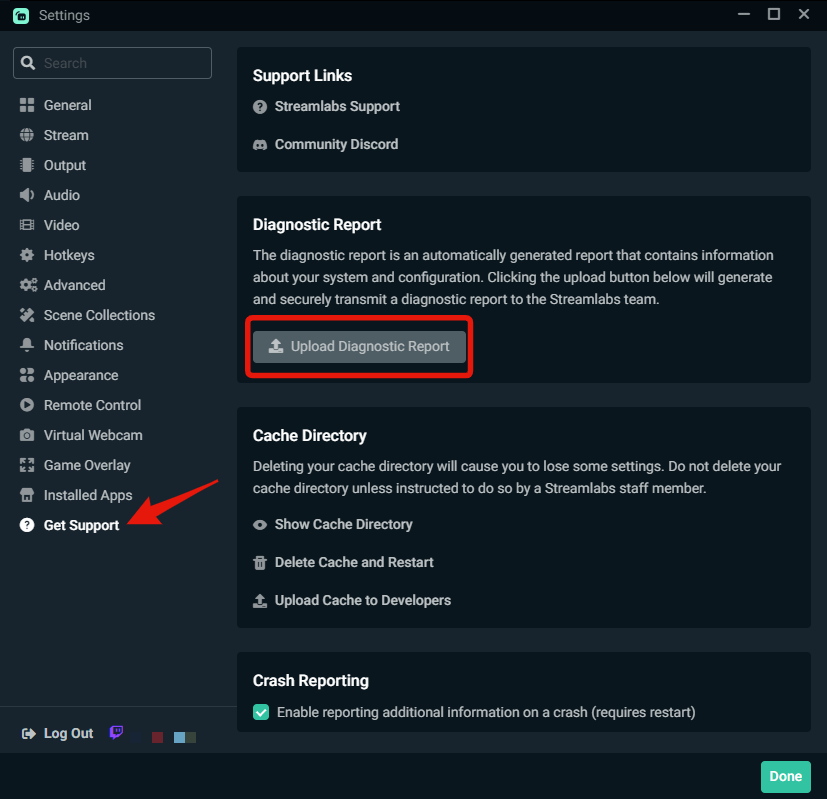


 quartz ruin
So other people have seen this issue?
gritty isle
quartz ruin
So other people have seen this issue?
Yes, look just above you posted.
quartz ruin
o wow i thought he was talking about something else when i was reading it i appologize for the duplciate @quick sandal it seems we are in teh same boat!
quick sandal
quartz ruin
o wow i thought he was talking about something else when i was reading it i appo...
Yeah, I submitted a ticket in hopes they respond, but thats not going to be for days because the ticket system is very slow
frigid sail
gritty isle
Disable Dual Output and only go live to TikTok and see how it goes,
I’ll try that, but I was trying to go thru both, it might be my setup, I just know it works vertical and horizontal on YouTube so idk why it wasn’t working for YouTube (horizontal) and TikTok (vertical)
quartz ruin
what important is to know that its the app and i don't need to continue mucking about my computer i shall wait for an update or just switch to obs
gritty isle
quartz ruin
what important is to know that its the app and i don't need to continue mucking ...
Please go ahead and submit a ticket. That gets more focus.
quartz ruin
I did
 robust cedar
Is there a way while multi-streaming on streamlabs console to see all your chats from both twitch and youtube?🤔
gritty isle
quartz ruin
I did
Thank you!
gritty isle
robust cedar
Is there a way while multi-streaming on streamlabs console to see all your chats...
Yes, there should be a multistream chat option on the Streamlabs Console site once you go live. No support for chat from TikTok though.
quartz ruin
@gritty isle ticket id for reference 864907
quick sandal
@frigid sail and @quartz ruin are you both having the same issue as me where the VoD button is disappearing when you dual stream to Twitch and Tiktok?
quartz ruin
@quick sandal I am i think the other one is different
quick sandal
Did SLD make you unlink Tiktok a few days ago, and that's when the issue started?
quartz ruin
I cannot remember but when I set my primary chat to tiktok it says i need to refresh to see the chat and it never goes away
gritty isle
@robust cedar There isn't a combined mutistream chat in Streamlabs Console, sorry. Just individual chat tabs for each platform.
quick sandal
Id recommend never using SLD to show tiktok chat, When the webpage opens up for TikTok pop the chat out of there and keep that little window open instead.
quartz ruin
Yea i just noticed it when i was trying different things to get it to work
quick sandal
My issue has been going on since June 12th. That is when my first VoD on Twitch didnt publish because of the music.
robust cedar
gritty isle
<@532099764624556032> There isn't a combined mutistream chat in Streamlabs Conso...
Ok thank u my man, anyway we can pitch the idea to the big wigs 🤔
gritty isle
robust cedar
Ok thank u my man, anyway we can pitch the idea to the big wigs 🤔
You're welcome. If you want to submit product suggestions for our product team, please use this link: https://forms.gle/zM7aBNTv1xpERx6K6
quick sandal
I unmerged everything from SLD. The only platform I can stream to is Twitch now. However this box is still here.


 vale crag
need help...so im using streamlabs console on my laptop and was enjoying having 2 cameras 1 is the webcam i hooked up to my xbox the other is my internal laptop camera. problem is is the laptop camera stopped working on streamlabs console ONLY any help would be appreciated thanks
quick sandal
If I click that Kick box this is what is says.

 peak heath
Question - How do I change/update my e-mail address on Streamlabs? I can't find where to do this anywhere.
Nevermind. I got it!
quick sandal
Quick question for someone that works on the development of SLD. Why not just make the Twitch VoD a permanent thing no matter what platform someone streams to? Example say I only stream to Youtube, the button could still be there it just does nothing becuase it is not Twitch.
 median owl
Hello guys, for some reason I cannot purchase Ultra.
proper totem
median owl
Hello guys, for some reason I cannot purchase Ultra.
Hey there,
 inner wolf
I need help. why is there just a blank screen? idk what to do. It is literally unusable.
