Hi, I'm new to Stream Elements, can someone tell me how to make a custom shoutout command and a video command? Bc I have selfmade animations which I'd like to show per command. I googled, found several answers but nothing works, it confuses me more than it helps. (Info: I have an old OBS Version 21.1.2 bc I still have Win7, cant upgrade and newer OBS-Versions dont work, so I cant use the streamlabs add on for it, to make things easier) Is there a way? And can I rename the Bot? Thanks in advance for help 🙂
#technical-support
1 messages · Page 124 of 1
 main summit
 gritty isle
main summit
Hi, I'm new to Stream Elements, can someone tell me how to make a custom shoutou...
gritty isle
main summit
Hi, I'm new to Stream Elements, can someone tell me how to make a custom shoutou...
This is Streamlabs. For assistance with Streamelements, please reach out to them: https://support.streamelements.com/hc/en-us
main summit
oops
huh? didnt I join stream elements? XD sorry, something went wrong here then (actually I'm currently using streamlabs OBS but the chatbot doesnt login anymore, cant update it bc of still Win7 here, so I guess thats the reason) actually I dont even want to change, so can someone help with that problem instead?
(ow I joined the right discord, but discord decided to jump down to here)
gritty isle
main summit
huh? didnt I join stream elements? XD sorry, something went wrong here then (act...
This likely due to the root CA certs supplied with Windows 7. It appears that Twitch no longer accepts them. There is no fix for this as its not an issue with Chatbot itself. It is an issue with Windows 7 itself and for that, Windows 7 support ended on January 14, 2020. You really should look into upgrading to Windows 11, and yes, that could be a significant investment due to certain required hardware.
main summit
You say it, my PC is old and weak, couldnt bare newer OS, so I'd need a new one and simply cant afford that now or in the near future *sigh... hope I will find an alternative somewhere. Thanks for your answer anyway 🙂
gritty isle
main summit
You say it, my PC is old and weak, couldnt bare newer OS, so I'd need a new one ...
You're welcome.
 lofty cape
hello, Im using streamlabs to advertise my merch shop. I do have the command !merch setu[, but when I go into my Dashboard and click on Cloud Bout > Commands, I do not see my command being used for !merch, even though Streamlabs says I do infact have it. What may be causing this issue, and how can it get fixed?
gritty isle
lofty cape
hello, Im using streamlabs to advertise my merch shop. I do have the command !me...
The !merch command is a default command. You can find it here: https://streamlabs.com/dashboard#/cloudbot/commands/default
 dense pawn
Thanks for not helping guys by the way. I figured it out on my own.
 copper grove
Hello, so I have a twitch account and I stream from my pc but I plan and streaming from my Xbox which isn't connected to my pc it's in a different room entirely am I able to use my streamlabs overlays and widgets if Im streaming on my console
gritty isle
copper grove
Hello, so I have a twitch account and I stream from my pc but I plan and streami...
Streamlabs Console has a set of overlays that are available for you to use. You can't use any overlays that you currently use in Streamlabs Desktop. Most of the Widgets are in Streamlabs Console, like the Alert Box, Chat Box, and Event List.
copper grove
Ok thank you
gritty isle
dense pawn
Thanks for not helping guys by the way. I figured it out on my own.
Restream isn't a Streamlabs product. Perhaps no one here knows how Restream works and therefore didn't feel comfortable assisting with that. You could have hopped over to the Restream Discord.
 dense pewter
how do you streamlabs from lagging or freezing
 desert briar
Webcam stopped working correctly and customer service sucks
 bitter glacier
streamlabs is having a problem where its joining the wrong stream as im streaming to both shorts and a normal stream, how do i keep it on the main stream?
 vernal pawn
Streamlabs and windows recognizes my TCL TV, but the desktop audio is not being picked up, when I make the device in the media track options. Any solutions?
 ornate quiver
It won’t detect my game and says something like start game
 night pivot
Hey can anyone help me out with why my streamlabs chat widget is the same color rather than it being rainbow like this mine is the first one, but shouldn't it look like this the second one?


 dire gulch
does anyone know how to mute xbox game bar chat when Im in a party? it comes through the "desktop audio" and when I stream my friends dont want their voice overlay coming through. any answers/tricks would help greatly!
 south wing
iv been messing with it for 2 days now and i have done everything. uninstalled, logged out of twitch and SL and SL website, i have disconnected it from twitch reconnected it, i even deleted my SL account and made a new one. I have cleared and restared the cache and i still cant get my minifeed to be up to date it is only showing the stuff from a month ago. PLEASE HELP
 proper totem
iv been messing with it for 2 days now
 urban summit
On the Streamlabs website, where do I go to find the Loyalty/rewards page setup?
The categories on the left side of the page are not highlighted/boldface so I'm not sure where to navigate to when I want to leave the page and come back later.
 ruby raven
anyone know how to resolve streamlabs showing weird gibberish language on mac os?
urban summit
ruby raven
anyone know how to resolve streamlabs showing weird gibberish language on mac os...
Yes! Smash your Mac!! (No, seriously...sorry, I don't know. I just have a playful bias against Macs.)
 finite aurora
Anyone ever use an OBSBOT Tail Air camera in Streamlabs? I can never seem to get the camera to show up in the VIDEO CAPTURE DECIVE source camera select drop down :(. So many tears
ruby raven
urban summit
Yes! *Smash your Mac*!! (No, seriously...sorry, I don't know. I just have a play...
mac has been smashed. Can concur that i do not see gibberish language anymore, or any language for that matter.... I think it worked TOO well
urban summit
ruby raven
mac has been smashed. Can concur that i do not see gibberish language anymore, o...
DANG...I didn't mean to be that helpful. I'll try to be less of an overachiever next time.
 green token
question, how do I know if my steamlabs ID is tied to twitch or my regular email?
urban summit
green token
question, how do I know if my steamlabs ID is tied to twitch or my regular email...
I'm not entirely sure, but I think clicking on your profile image in the top-right might help you narrow down the answer to your question...
 green token
urban summit
I'm not *entirely* sure, but I think clicking on your profile image in the top-r...
green token
urban summit
I'm not *entirely* sure, but I think clicking on your profile image in the top-r...
no, I just downloaded it after 5 years or so and can't rememebr how I logged in. I have my stats from previous streams in my inbox but thinking my account was purged or somehting
night pivot
Can anyone please help me?
urban summit
green token
no, I just downloaded it after 5 years or so and can't rememebr how I logged in....
Oooooh, I see. Sorry I can't be more help then. That's probably something you need to submit a help ticket for on the website.
 nocturne shore
?
 wispy latchBOT
{1} Need Help? 
 #known-issues is a great place to check out to see if it's an issue the team is currently working on
Check out our #1173605643484139591 to find guides on how to solve your problem
Creator Resource Hub also has a ton of guides and blogs about getting the most out of streaming at https://streamlabs.com/content-hub
#technical-support for help from the community
Need help specifically for Chatbot? Please reach out in the Chatbot Discord @ https://discord.gg/xFcsxft
 If you are an Ultra subscriber or a
  VIP link your Streamlabs & Discord at https://streamlabs.com/dashboard/#/settings/integrations to get access to private channels to receive help.
If you can't find what you need please submit a ticket at: https://support.streamlabs.com/hc/en-us/requests/new
 tame cipher
So I created a bot account on twitch then added it to cloud bot added a few timers but they’re not popping up
Also a few commands and nothing for Streamlabs desktop
Yes I did make it a mod lol
 vital jay
can anyone help me uninstall the streamlabs plugin from my obs. i keep trying to delete it but it says a folder is open and it wont delete until i close it? but what folder is it talking about?
gritty isle
tame cipher
So I created a bot account on twitch then added it to cloud bot added a few time...
Do you have an active Streamlabs Ultra account? The custom bot name feature for Cloudbot requires an active Streamlabs Ultra account.
 abstract plazaBOT
Are you knowledgeable about Streamlabs products?
Get rewarded for helping the Streamlabs Community here in Discord!
👉 Apply to be a part of the Streamlabs Support Volunteer Program!
Application Link:
https://forms.gle/eKS29zWfFjGEzaRp7
For details, see our post in
#announcements message
tame cipher
gritty isle
Do you have an active Streamlabs Ultra account? The custom bot name feature for...
Yes
gritty isle
tame cipher
Yes
Thank you for being a Streamlabs Ultra subscriber!
Link your Discord per the tagged instructions below and ask again over in the #vip-support channel.
wispy latchBOT
@tame cipher
If you are a Streamlabs Ultra Subscriber or All-Stars member
 Link your Discord under integrations for access to our Ultra/VIP roles and private chats
:point_right: https://streamlabs.com/dashboard/#/settings/integrations
:star: upgrade to Ultra here: https://streamlabs.com/ultra?refl=discord
tame cipher
wispy latch
<@700566114702327810>
```fix
If you are a Streamlabs Ultra Subscriber or All-St...
Thanks didn’t know about this little feature
ornate quiver
can anyone help me with my streamlabs it isnt capture my game
 mental bramble
just want tosee if anyone can solve this, havent heard a reply!
 wicked elk
Question for anyone... a streamer granted me Editor perms in StreamLabs Chatbot... how do I access the bot from my computer while he's streaming? THANKS EVERYONE
 marble wind
@main summit some newer applications require specific windows 7 updates, you can install most o fthem using either simplix updatepact r2 or windows update (if it still works)
or, failing that, you could install windows 10 and disable the built-in anti-virus and compatibility telemetry, those cause the worst of cpu and i/o issues
abstract plazaBOT
Are you knowledgeable about Streamlabs products?
Get rewarded for helping the Streamlabs Community here in Discord!
👉 Apply to be a part of the Streamlabs Support Volunteer Program!
Application Link:
https://forms.gle/eKS29zWfFjGEzaRp7
For details, see our post in
#announcements message
proper totem
 #known-issues
Streamlabs Applications (such as OBS Plugin, Chatbot, and Streamlabels) may be improperly flagged by AntiVirus / Windows Defender
Status: We're working to resolve this as soon as possible.
gritty isle
wicked elk
Question for anyone... a streamer granted me Editor perms in StreamLabs Chatbot....
Being an Editor in Chatbot gives you access to some commands. Please search for Editor in the Streamlabs Chatbot documentation: https://streamlabs.com/desktop-chatbot
 royal swallow
Does anyone know how to get your scenes and sources back? Opened the desktop application and everything was gone. Or is this just somethin they’ll have to do on their end?
 sullen marlin
can anyone help me with streamlabs or obs? i want to stream but I wanna see chat via my other monitor. Streamlabs keeps disappearing and I can't see chat
 wintry river
I need some help. #1. I am using Streamlabs Desktop on a Macbook Pro. #2. I have 2 Fomako PTZ cameras and a Fomako controller. #3. I am trying to use the cameras in Streamlabs Desktop, but I can't get them to connect. #4. I have installed NDI Tools. #5. When I go to Streamlabs Desktop and try to add a source, NDI Source button isn't there.
Can anyone help me, please?
 errant hornet
Hello, I have been having a problem with it for a few hours. I get a notification that says "Dropped frames detected 26% over last 2 minutes" Do you have any solutions? knowing that I've tried everything

 gusty umbra
errant hornet
Hello, I have been having a problem with it for a few hours. I get a notificatio...
gusty umbra
errant hornet
Hello, I have been having a problem with it for a few hours. I get a notificatio...
There is an excellent article in the #1173605643484139591 under streamlabs desktop about dropped/skipped/slow frames. It’s got a ton of troubleshooting steps
errant hornet
gusty umbra
There is an excellent article in the <#1173605643484139591> under streamlabs des...
I tried everything but nothing works...
R.I.P.
gritty isle
wintry river
I need some help. #1. I am using Streamlabs Desktop on a Macbook Pro. #2. I h...
Thank you for being a Streamlabs Ultra subscriber!
If you haven't already, hop over to #vip-support for assistance.
gritty isle
errant hornet
I tried everything but nothing works...
R.I.P.
Dropped Frames indicate a network issue between your cable modem and the ingest for the platform. Are you streaming to Twitch?
errant hornet
gritty isle
Dropped Frames indicate a *network* issue between your cable modem and the inges...
Yes, i stream on Twitch
gritty isle
errant hornet
Yes, i stream on Twitch
Please download and run the Twitch Test (see the tagged post below).
Use Medium or Long Duration; don't use Short Duration. And select all the ingests in your region; DON'T ONLY choose the ingest nearest you.
Screen shot the results.
wispy latchBOT
@errant hornet
Please run this twitch test tool to find out the best server (https://r1ch.net/projects/twitchtest). Be sure to run the test for either Medium or Long, as short won't give you the most accurate results and be sure to select your region from the listed options (if the regions are not applicable to you, please select 5-6 servers that are near you). You're looking for at least a quality of 84.
Once you've found a good server go to Settings > Stream > Stream to custom ingest and you can manually select your server.
gusty umbra
You can also use the twitch inspector. In my opinion better than 3rd party. (Because it’s owned and maintained by Twitch) https://inspector.twitch.tv/#//
 fossil yew
my resolution is stuck at 720p on twitch. how do i get it to 1080p. ty in advance 🙏
 cloud kestrel
Hi everyone, Im wondering if anyone can help me? Basically what it is when i put music on and then record a video i can still hear the music in the video but i have set it all up so that it should not be picked up. I have the twitch vod track on and i have set it up correctly for my go xlr and the routing table and then i have added an audio output capture it has worked previously i havent changed anything i just dont understand why it has no started acting up
gusty umbra
fossil yew
my resolution is stuck at 720p on twitch. how do i get it to 1080p. ty in advanc...
Is it 1080p in streamlabs? If so, unless you’re a Twitch partner your stream for viewers does not always have access to all transcodes at all times. Affiliates have the next priority, then regular streamers. It’s Friday afternoon, there are a lot of people streaming and viewing. You will have access to specific transcodes as they become available for your group.
fossil yew
im not streaming now, i dont know if there is a setting for it in streamlabs. looked but cant see anything
other then that, if its cause im not affiliate then fairs
it looks good in streamlabs tho
gusty umbra
fossil yew
im not streaming now, i dont know if there is a setting for it in streamlabs. lo...
The #1173605643484139591 has guides to set your stream quality in streamlabs if you don’t know what yours is set to.
cloud kestrel
fossil yew
my resolution is stuck at 720p on twitch. how do i get it to 1080p. ty in advanc...
https://gyazo.com/9b37e46a7f8194f5585e913b296182e0 If you go to this tab what does yours look like?
 small wolf
I need help getting background music to play on my stream
cloud kestrel
fossil yew
i see. its the output. its on the 1220 on for output
No worries glad to help
gusty umbra
small wolf
I need help getting background music to play on my stream
In the #1173605643484139591 there is an article on audio mixing. It’s exactly what you’re looking for. https://streamlabs.com/content-hub/post/how-to-use-multi-track-recording-in-streamlabs-desktop
small wolf
This haven’t been helping me
cloud kestrel
Yeah its not working i have a video of me playing music and talking and then when i watch it back the music is not playing but then now everytime i do it the music is still on the video and i havent changed anything?
small wolf
gusty umbra
In the <#1173605643484139591> there is an article on audio mixing. It’s exactly ...
I’m trying to use the streamlabs music app
cloud kestrel
Something is definitely not right at the moment with either the tracks or the twitch vod option. I have just logged out of streamlabs then logged back in with twitch again played music through spotify recorded a video and the music is not in the video and then i do the exact same thing play the music again record a video listen back and music is playing in video again its as if once its ok then it stops working after one time
 high condor
Hello I ordered the ultra subscription and it’s not for console I canceled the subscription but I have not received the refund for it and it’s was 100 and something dollars how can I get the refund also I submitted the request and nothing has been done yet
gritty isle
high condor
Hello I ordered the ultra subscription and it’s not for console I canceled the s...
If your ticket for the refund has not yet been closed, please reply to the latest email and ask for an update. Us Volunteers don't have access to the ticket system so we can't assist.
 gilded iris
anyone know how to fix this?

 tough wharf
Today I enabled dual output and it genuinely broke all my scenes/sources. Everything started playing at once and my streamdeck was completely unresponsive. I had to remove all of my nested scenes because they wouldn't stop playing my sources. Any idea how to fix this? Even when adding a nested source back it won't work. I genuinely only enabled dual streaming for all this to happen
 timid forge
Hello, I use Streamlabs on a Android device (Samsung Galaxy S23) and am unable to do URL overlays. It does show up but not usable as I am not able to adjust zoom settings. Any help to adjust and save the custom overlay zoom settings? Thanks
errant hornet
gusty umbra
You can also use the twitch inspector. In my opinion better than 3rd party. (Bec...
I tried your solution but I don't understand what to do with it
 bleak dagger
Hey everyone I’m new to streaming I’ve been at it for about 2 and half weeks. I stream on twitch and TikTok. Tonight I’m gonna set up my Dono tracker and was wondering if it worked for TikTok as well since it’s gifts people send.
errant hornet
I don't think I will ever find a solution to my problem. it drives me crazy
gusty umbra
errant hornet
I tried your solution but I don't understand what to do with it
It wasn’t a solution. It was troubleshooting. What did it say?
 frigid yew
currently cannot see my live scene says that i need to turn on selective recording to be enabled but it wont let me turn on selective recording what do i do??
 frigid vault
Hi all. I have a quick question regarding stinger transitions.
I have made my own stinger videos and they work perfectly and all. No issues with the transitions.
The only think that I'm having an issue with is the volume of the stinger. I see the volume bar within the transition settings, but even if I put that all the way down to 0, there's still no change in volume.
I have the audio set to monitor and output.
Any suggestions?
frigid yew
proably set to the wrong audio device

 frigid vault
frigid yew
proably set to the wrong audio device
frigid vault
frigid yew
proably set to the wrong audio device
How do I change that?
frigid yew
frigid vault
How do I change that?
where you go to change the volume hit the cog wheel it should be in there change the output device
gritty isle
frigid yew
currently cannot see my live scene says that i need to turn on selective recordi...
Go into the Layout Editor.
If you have the Stream Preview, swap it out for the Editor Display.
Save Changes.
 late breach
hi there! im having to stream from a backup computer tonight and i was wondering how to access the cloud backup of my stream settings?
frigid vault
late breach
hi there! im having to stream from a backup computer tonight and i was wondering...
I could be wrong, but I think once you're useing the streamlabs app, as soon as you login they should all be there
late breach
frigid vault
I could be wrong, but I think once you're useing the streamlabs app, as soon as ...
I logged in and it recognizes my account but I don't see any of my scenes 😭
gritty isle
Sometimes it will leave the default scene collection active. Please click the down arrow next to the Scene Collection name and see if your scene collections are there.
The actual settings like encoder, bitrate, outputput resolution aren't stored in the cloud so those settings you will have to configure manually.
late breach
gritty isle
The actual settings like encoder, bitrate, outputput resolution aren't stored in...
Ohhh I see my problem now! I can see the scenes but my normal setup is on a Mac and it won't let me access them on PC, they're greyed put
gritty isle
late breach
Ohhh I see my problem now! I can see the scenes but my normal setup is on a Mac ...
Ah, there's the rub. Data between Mac and PC can't be shared as they are in different formats. Sorry about that. You'll need to setup your scenes and sources from scratch. I wish this weren't the case but it is.
late breach
gritty isle
Ah, there's the rub. Data between Mac and PC can't be shared as they are in dif...
Ah well, I guess I'll just have to do a paired down setup tonight
gritty isle
late breach
Ah well, I guess I'll just have to do a paired down setup tonight
Sorry!
late breach
gritty isle
Sorry!
thanks for the help!
gritty isle
late breach
thanks for the help!
You're welcome!
gusty umbra
errant hornet
I don’t really speak French. Now if it was in Greek, I got you. lol. Anyway, looks like your internet isn’t staying stable. What does a speed test say?
 pine geode
hows it going, im really hoping yall can help me with an issue im having in streamlabs on MacOS. whenver i shoot my gun in call of duty cold war, there is a buzzing sound rather than the gun shooting sound. i am streaming the game through PS remote play and COD cold war (ps5 version) is the only game that has this issue. even when the sound effects in game are muted and there shouldn't be any audio, there is a electric static buzzing noise every time i shoot the gun. i can only remove this sound by muting the remote play window, but i want the game audio to be heard on stream. plsss help im wasting my day off trying to fix this issue
errant hornet
gusty umbra
I don’t really speak French. Now if it was in Greek, I got you. lol. Anyway, loo...
 pine geode
the buzzing sound isn't heard through the remote play window, only through the monitor in streamlabs (even with sound effects off in game)
errant hornet
i dont have problems with my co
tough wharf
tough wharf
Today I enabled dual output and it genuinely broke all my scenes/sources. Everyt...
Anyone have this happen before?
pine geode
i tried other FPS games with a gun that had a similiar rate of fire and the issue was gone. i went back to cold war and same problem, the buzzing also happens at random points when other sound effects play in cold war
but the issue is only present in streamlabs monitor and output
gritty isle
errant hornet
i dont have problems with my co
Please download and run the Twitch Test (see the tagged post below).
Use Medium or Long Duration; don't use Short Duration. And select all the ingests in your region; DON'T ONLY choose the ingest nearest you.
Screen shot the results.
wispy latchBOT
@errant hornet
Please run this twitch test tool to find out the best server (https://r1ch.net/projects/twitchtest). Be sure to run the test for either Medium or Long, as short won't give you the most accurate results and be sure to select your region from the listed options (if the regions are not applicable to you, please select 5-6 servers that are near you). You're looking for at least a quality of 84.
Once you've found a good server go to Settings > Stream > Stream to custom ingest and you can manually select your server.
pine geode
the problem also occurs off stream when im just testing the audio monitor btw
i dont think i can use that cause its a .exe file and im on MacOS
pine geode
pine geode
hows it going, im really hoping yall can help me with an issue im having in stre...
there was a typo here, i meant to say even when the gun sound effects are muted in game there is still a buzzing when i shoot the gun
i just dropped my controller and im pretty sure the issue is gone. does anyone have any idea what this could possibly be from
nvm problem still here
 grand fulcrum
Why is my computer stopping me from opening my StreamLabels due to a potential virus or threat??
Its only Stream Labels, and the file it points out is called Softcnapp
gusty umbra
grand fulcrum
Why is my computer stopping me from opening my StreamLabels due to a potential v...
Check #known-issues
 inland mica
Hey, how do I edit the baked in Merch command for Streamlabs? I'm a Vtuber who is also a Judge's Apprentice IRL. Like no joke, I help put murderers, SA-ers, and all sorts of bad people behind jail as my IRL job.
The baked in command is doxing my IRL name and I REALLY do not want that.
 grand fulcrum
gusty umbra
Check <#565232871955234846>
grand fulcrum
gusty umbra
Check <#565232871955234846>
thanks
 pure lava
Just ordered a £30 Rybozen capture card from Amazon. Wish I’d found this place sooner. Supposedly it will be okay for streaming a f1 league race on PS5 so I can stream and commentate over the race using Streamlabs to add music and overlays if the track etc
Just wondered if that will cut it or if I should have gone more upmarket
marble wind
@pure lava capture cards under $100 have a tendency to serve low quality video, or stop working altogether; to my knowledge, the mirabox hsv325 is the sole exception to this, but i don't know if it can serve yuy2
pure lava
Thanks. What’s yuy please?
marble wind
@pure lava yuy2 is a pixel format with yuv422 chroma subsampling; it's lossy, but it's better than nv12/yv12, and much better than h264/mjpeg, and capture cards that serve lossless or near-lossless formats like rgb or yuv444 start at $250-300 (price info last updated 2020, there might be something new that costs less)
pure lava
Oh wow okay. This is totally over my head. 😂 I guess it plug it in and hope it doesn’t break… then if it does go for a more expensive one. Will it be hard to set up with SL?
marble wind
@pure lava nah, connect it, add a video capture device source, select it in the drop-down list
 white steeple
Has anoyne here ever made a custom Alert Box on streamlabs?
pure lava
marble wind
<@796510734188150864> nah, connect it, add a video capture device source, select...
Thank you that’s awesome. It has headphone and mic input. If I wanted to use headphone with built in mic then what?
marble wind
@pure lava 3.5mm or usb?
pure lava
3.5
marble wind
@white steeple by custom, do you mean your own animation?
white steeple
Yeah, through code
marble wind
@pure lava a single 3.5mm connector for both input and output?
white steeple
white steeple
Yeah, through code
By that, I mean HTML/CSS/JS
marble wind
@white steeple the alert box does allow loading arbitrary html, css and js; with the help of a web developer you could produce something entirely custom
pure lava
marble wind
<@796510734188150864> a single 3.5mm connector for both input and output?
The capture card had a headphone symbol and a mic symbol both 3.5. But headphones are pulse 3D. So either BT connect to PS only or 3.5 also possible
And why was trying to stream PS through remote play such a disaster on my laptop with SL. I used a window as source and mostly got a black screen. Sorry for bombarding you but I’ve been trying to figure all this out for 2 weeks
marble wind
@pure lava 3.5mm ports on capture cards typically allow you to listen to their audio at lower latency while also capturing them in streaming applications; this isn't absolutely necessary, since you can still play the capture card's audio feed on your pc through the streaming software, but this may incur additional latency for you
pure lava
Got ya. Can I stream a discord chat with someone in this if I want co commentators?
marble wind
> And why was trying to stream PS through remote play
i never used this, i don't have a useful answer for that; my second-hand experience sums up to "this is what you get for buying a console, now suffer"
marble wind
> Can I stream a discord chat with someone in this if I want co commentators?
@pure lava want to capture the discord app and stream its main window or voice chat?
pure lava
marble wind
\> Can I stream a discord chat with someone in this if I want co commentators?
<...
Just the voice chat please
marble wind
either use application audio output capture, or capture all system sounds, voice call will be among them
white steeple
marble wind
<@1022133698814029895> the alert box does allow loading arbitrary html, css and ...
I have produced this so far: https://codepen.io/Doruaraebe/pen/YzmXPwM
But if there are any developers here that can maybe give me a hand with a tiny issue I've been having with my code, that'd be much appreciated
marble wind
@pure lava (capturing your own mic is done separately)
pure lava
marble wind
either use application audio output capture, or capture all system sounds, voice...
That’s great thank you. Might be able to do the same with with a PS party then also just not sure if my input will line up with theories of that makes sense.
pure lava
marble wind
<@796510734188150864> (capturing your own mic is done separately)
Through capture card or PC… which would be better?
marble wind
@white steeple this seems to be working, what issues are you having?
pure lava
I was thinking Bluetooth headphones to laptop, then have a discord call on and then provide commentary from there.
marble wind
@pure lava run discord on pc if you can
pure lava
Should be able to thank you for all your help. I’ll return with whatever questions arise when I try get it all working 😂
white steeple
marble wind
<@1022133698814029895> this seems to be working, what issues are you having?
It only triggers once and then doesn't work unless I refresh everything and repaste the code, which when you are getting followers, is not helpful. I don't know if it's a trigger issue where the script isn't receiving any input from Streamlabs, or if it's a timer issue, but it only works once and then doesn't activate the rest of the time 😅
Or more, the animation doesn't. I should confirm, the noise still plays when I activate it, no matter what, but the animation only plays once
marble wind
@white steeple if you're a web developer and you produced the entire thing by yourself, you should be able to figure this part out, but if not, worst case scenario, you can reload the page (location.reload()) after the animation is done
royal swallow
royal swallow
Does anyone know how to get your scenes and sources back? Opened the desktop app...
Anybody?
white steeple
marble wind
<@1022133698814029895> if you're a web developer and you produced the entire thi...
I am no web developer, I just learnt a bit of animations coding in college XD
This code took me the better half of the past 5 days, but now I have all the animation working and it's all working, I seem to be missing a crucial bit that maybe comes from Streamlabs. Like an eventListener that should be in the code, but I don't know what it should be listening for if that makes sense
marble wind
@white steeple i'm not a web developer and i wouldn't know where to start learning about this; streamlabs has some documentation on how to interact with their APIs, but i don't know which articles are relevant, if any
this one, perhaps? https://dev.streamlabs.com/docs/triggering-alerts
white steeple
marble wind
<@1022133698814029895> i'm not a web developer and i wouldn't know where to star...
Oh, thanks!! Much appreciated!
errant hornet
gritty isle
Please download and run the Twitch Test (see the tagged post below).
Use Medium...
I'll try and send you the screen
 grand thistle
I'm having some issues, It started recently and I can't figure out what is going on. When I stream to FB or Twitch i get in game lag bad. My internet conncection is fine, i believe my pc build is good enough lol. I just need help with figuring out why it does it if someone can PM me i can send all my pc specs and screenshots of how its setup now if needed.
 short lion
Hi. I have been running streamlabs on my pc the last two weeks with no problems. However today, the streamlabs is slowing my pc making my streams today look bad. Please help!
gusty umbra
short lion
Hi. I have been running streamlabs on my pc the last two weeks with no problems....
We’re going to need more info. Slow is wide ranging. Do you have dropped/slow/skipped frames? What are your stream quality settings in streamlabs? PC specs? Where are you streaming to?
short lion
@gusty umbra I have been streaming to Facebook and YouTube, How do I check the specs?
@gusty umbra Stream quality in streamlabs iS 60 FPS
gritty isle
errant hornet
I'll try and send you the screen
Post it here. I just got home and am going out dog walking and I have DM's turned off.
abstract plazaBOT
Are you knowledgeable about Streamlabs products?
Get rewarded for helping the Streamlabs Community here in Discord!
👉 Apply to be a part of the Streamlabs Support Volunteer Program!
Application Link:
https://forms.gle/eKS29zWfFjGEzaRp7
For details, see our post in
#announcements message
errant hornet
gritty isle
Post it here. I just got home and am going out dog walking and I have DM's turn...
No problem
gusty umbra
short lion
<@335854051269017600> Stream quality in streamlabs iS 60 FPS
The resolution? 1080p,720p?
errant hornet
@gritty isle


 gritty isle
errant hornet
<@301571565840236564>
gritty isle
errant hornet
<@301571565840236564>
Your Quality Score is zero that means your packets are not reliably reaching the Twitch ingest.
Do you have an MSI motherboard or are you using a VPN?
errant hornet
@gritty isle Yes i have a MSI motherboard
gritty isle
errant hornet
<@301571565840236564> Yes i have a MSI motherboard
Okay, thanks. MSI sometimes installs a traffic shaping program called CFOS Speed Service.
Follow this link: #technical-support message
If its installed and running on your system, uninstall it, reboot, and run the Twitch Test again.
CFOS Speed Service will cause this issue.
gusty umbra
short lion
<@335854051269017600> 1080p
Couldn’t hurt. Drop to 720p60fps and see if you smooth out.
short lion
@gusty umbra gotcha
errant hornet
gritty isle
Okay, thanks. MSI sometimes installs a traffic shaping program called CFOS Spee...
I just found the solution!! On my PC I had an application "killer e2500 gigabit ethernet controller" I uninstalled it to see if it changed anything and YES FINALLY!
thank you rufus
gritty isle
errant hornet
I just found the solution!! On my PC I had an application "killer e2500 gigabit ...
You're welcome! Is the Quality score better now?
errant hornet
gritty isle
You're welcome! Is the Quality score better now?
I'm going to check tha
 wanton pollen
got a issue streaming a game causes mouse to disaapear when in fullscreen or borderless full screen, saw a few people have this issue but couldnt find a answer. just a heads up it can be seen in preveiw but not on the screen im playing the game on
grand thistle
grand thistle
I'm having some issues, It started recently and I can't figure out what is going...
...
wanton pollen
grand thistle
I'm having some issues, It started recently and I can't figure out what is going...
send your specs and streaming settings to me ig
grand thistle
wanton pollen
send your specs and streaming settings to me ig
Sent over, let me know if you need anything else.
 lament adder
i have a problem where when i open streamlabs it dims my bluetooth auido while using other things how do i fit that?
marble wind
@lament adder this is by degisn, use the hands-free profile (which is lower quality), or don't use bluetooth
lament adder
it didnt do it a while ago
 spring onyx
Videos from YouTube aren't showing on the Streamlab Custom Website thing? Any way to fix that?
 inland ore
When Im streaming, nothing from my Twitch activity feed is showing up, any solutions? Ive gotten about 12 new followers and 5-6 subs, and none of them are showing up on streamlabs, but they are showing up on Twitch, Anybody else having this issue?
tough wharf
Today I enabled dual output and it genuinely broke all my scenes/sources. Everything started playing at once and my streamdeck was completely unresponsive. I had to remove all of my nested scenes because they wouldn't stop playing my sources. Any idea how to fix this? Even when adding a nested source back it won't work. I genuinely only enabled dual streaming for all this to happen
inland ore
Still hnaving the same issue, 2 hours of working on nthis, ive tried like 15 fixes now in detail from online, and nothing has worked
 atomic monolith
Noob question, how do I preview my alerts in the OBS window?
atomic monolith
Nevermind, I figured it out.
 snow shale
How would you go about deleting a streamlabs account.
 tribal solar
Hey guys I need some help with some stuff including how to hide my name in the bottom left corner, how to improve the frame rate, and that’s it for now. Can you please help me?
marble wind
@tribal solar cover it with a color source, or, if its shape is not rectangular, create an image in the exact dimensions of this source, flood-fill it with black, then draw white where you need to hide the contents, save as .png, add an "image mask/blend" filter and use that image as the mask
as to how you improve frame rate.. that's a tough one, i suppose disabling the preview (sld calls it "performance mode" would help somewhat
 merry hull
Hello I keep running into this problem and i dont know where to go or what the problem could possibly be

 tawdry sand
Could anubody possibly help me with setting up 2 monitors? One says no display detected.
 signal zodiac
question for everyone. I know how to record two scenes at once (i.e my camera and whatever I'm doing on my screen) as two separate scenes.
But I don't know how to do that for streaming purposes. Does anyone have any suggestions on how to accomplish that? I'd prefer not having my webcam/footage being baked into one scene. Does anyone have any ideas?
fossil yew
twitch vod has moved but it wont save when i exit
 abstract plazaBOT
Are you knowledgeable about Streamlabs products?
Get rewarded for helping the Streamlabs Community here in Discord!
👉 Apply to be a part of the Streamlabs Support Volunteer Program!
Application Link:
https://forms.gle/eKS29zWfFjGEzaRp7
For details, see our post in
#announcements message

 urban fable
fossil yew
twitch vod moved
urban fable
fossil yew
twitch vod moved
try going live to twitch only for a few seconds then stop the stream, i think that should refresh the settings and the vod setting shuold reapear
fossil yew
okay
fossil yew
urban fable
try going live to twitch only for a few seconds then stop the stream, i think th...
my hero. mwa
 hybrid wyvern
Good morning! I'm trying to map my domain to my Streamlabs page; When I click the button to work with chat support, nothing happens. Yes, I already enabled popups in my browser. Is there anyone here who could help me?
 magic kiln
hii
hello, I have a problem too, I bought streamlabs ultra but I can't use any theme...
wispy latchBOT
@hybrid wyvern
If you are a Streamlabs Ultra Subscriber or All-Stars member
Link your Discord under integrations for access to our Ultra/VIP roles and private chats
:point_right: https://streamlabs.com/dashboard/#/settings/integrations
:star: upgrade to Ultra here: https://streamlabs.com/ultra?refl=discord
 manic haven
Hi. I can't do a stream since a one week. All days I get a an error that it's not possible to connect with streaming service and check my connection of internet. I am connected and working well
wispy latchBOT
@magic kiln
If you are a Streamlabs Ultra Subscriber or All-Stars member
Link your Discord under integrations for access to our Ultra/VIP roles and private chats
:point_right: https://streamlabs.com/dashboard/#/settings/integrations
:star: upgrade to Ultra here: https://streamlabs.com/ultra?refl=discord
 stray citrus
manic haven
Hi. I can't do a stream since a one week. All days I get a an error that it's no...
stray citrus
manic haven
Hi. I can't do a stream since a one week. All days I get a an error that it's no...
Hi there! Thank you so much for reaching out about this. Please try reaching out in #vip-support, and someone can assist you further with this.
manic haven
thanks
hybrid wyvern
wispy latch
<@993922748701233283>
```fix
If you are a Streamlabs Ultra Subscriber or All-St...
I've been an Ultra member since last year, and my Discord is already integrated. Am I not doing something right?
stray citrus
hybrid wyvern
I've been an Ultra member since last year, and my Discord is already integrated....
Hi there! No, it looks like you linked your roles successfully! There is a chance that our live chat is closed due to insufficient staffing, so you can reach out in our #vip-support now to receive further help with your domain.
My apologies for the inconvenience!
hybrid wyvern
ok, thanks
magic kiln
I completed everything needed for the ultra upgrade and at the end it gives me the same error...
.

can someone help me please
 somber quail
Has anyone encountered the "host_text_delay" issue when attempting to alter alerts?
I'm unable to remove an old animation from my alerts due to the message:
host_text_delay: Please enter a number greater than or equal to 0
I've been unable to find the cause of the issue. I've been through all the numbers and increased every slider but the issue still persists.
The error only appears on the old Alertbox settings page but, unfortunately, the old alert only shows there to. I'm unable to see the old alert at all in the newer alert settings page.
I've tried searching through any SLOBS related files I can find, including Documents, AppData etc....but I'm still drawing a blank.
TIA 🙂
 little talon
Where do i post android related bugs is there a discord for that?
 potent matrix
having really bad dropped frames
tribal solar
Hey guys how do I enable my chat so I can see it while streaming?
gritty isle
somber quail
Has anyone encountered the "host_text_delay" issue when attempting to alter aler...
Go to the Alert Box Widget page on the Streamlabs web site https://streamlabs.com/dashboard#/alertbox.
Go into each alert, and make sure the Text Delay is 0 or larger.
 gritty isle
potent matrix
having really bad dropped frames
gritty isle
potent matrix
having really bad dropped frames
Dropped Frames is a network issue between your cable modem and the ingest. What platform are you streaming with, Twitch perhaps?
gritty isle
tribal solar
Hey guys how do I enable my chat so I can see it while streaming?
Do you have only one monitor? If so, and you're on a computer running Windows, then check out the Game Overlay: https://streamlabs.com/content-hub/post/game-overlay-for-streamlabs-desktop
Game Overlay is not available on Streamlabs Desktop for Mac.
gritty isle
potent matrix
on twitch and no i have two monitors
Please download and run the Twitch Test (see the tagged post below).
Use Medium or Long Duration; don't use Short Duration. And select all the ingests in your region; DON'T ONLY choose the ingest nearest you.
Screen shot the results.
wispy latchBOT
@potent matrix
Please run this twitch test tool to find out the best server (https://r1ch.net/projects/twitchtest). Be sure to run the test for either Medium or Long, as short won't give you the most accurate results and be sure to select your region from the listed options (if the regions are not applicable to you, please select 5-6 servers that are near you). You're looking for at least a quality of 84.
Once you've found a good server go to Settings > Stream > Stream to custom ingest and you can manually select your server.
potent matrix
im on streamlabs not obs
stray citrus
potent matrix
im on streamlabs not obs
That test will work regardless of which streaming service you're using. 
potent matrix
ok so its showing Chicago 10000 kbps
gritty isle
potent matrix
ok so its showing Chicago 10000 kbps
Screen shot the results please.
potent matrix
i did test then did a test stream and seems like its working right
gritty isle
potent matrix
i did test then did a test stream and seems like its working right
So you chose the Chicago ingest?
potent matrix
yes
gritty isle
potent matrix
yes
Okay, good luck! 🤞 Could be the path from you to the the automatically selected ingest is bad.
potent matrix
thank u for the help that's what i was thinking
gritty isle
potent matrix
thank u for the help that's what i was thinking
You're welcome.
night pivot
Rufus how can I make my chat rainbow?
instead of it being 1 color?
Can you help me with this?
gritty isle
night pivot
Rufus how can I make my chat rainbow?
There's no way to do that by default, sorry.
 gritty isle
night pivot
But why do i see people with rainbow chat?
gritty isle
night pivot
But why do i see people with rainbow chat?
I don't know. Do you know for sure they are using Streamlabs Chatbox?
 gritty isle
No way I tell the widget just from a screen shot, sorry.
gritty isle
For Twtich, it might be different colors if those viewers have roles in your chat.
 gritty isle
Viewers on YouTube may be a different color if they are a channel member based on their length of membership.
night pivot
But can you tell me what that is?
Like do you know?
Or if not, do you know any other apps that DO have this rainbow chat feature?
gritty isle
night pivot
Like do you know?
Like, looking at the screen shot, that's a pop out YouTube chat window.
 gritty isle
 gritty isle
night pivot
gritty isle
night pivot
That's still YouTube's chat window.
night pivot
But they look different, can't you tell?
gritty isle
night pivot
But they look different, can't you tell?
You showed me apparently a YouTube Chat window from a streamer and your YouTube Chat Window from your YouTube Studio and want me to tell you why they are different. Not having access to both systems, I have no way to tell you why they are different or how to make your YouTube Chat Window to match their YouTube Chat Window.
night pivot
Do you think it's an extension or something?
gritty isle
I honestly have no idea.
night pivot
1 sec
tribal solar
gritty isle
Do you have only one monitor? If so, *and you're on a computer running Windows*...
Yea I do, ty for the help! Do u know how to fix dropped frames?
gritty isle
tribal solar
Yea I do, ty for the help! Do u know how to fix dropped frames?
Dropped Frames are a network issue between your cable modem and the ingest. What platform are you streaming with, Twitch perhaps?
tribal solar
gritty isle
Dropped Frames are a network issue between your cable modem and the ingest. Wha...
No YouTube
gritty isle
tribal solar
No YouTube
Ah, interesting. There's not a tool that can assist with dropped frames and YouTube.
tribal solar
Oh okay ty for the answer.
gritty isle
I'd at least make sure that you have Windows Game Mode enabled.
 tribal solar
Yea I do, ty for the answer. My stream tells me I have dropped frames, but when I look at my stream, it’s perfectly fine and not glitchy. It’s weird.
gritty isle
What's the percentage of dropped frames?
Also go to Settings > Advanced > Network and set the Bind to IP option to Default. Make sure the three options underneath are not checked.
If you still have dropped frames, go back to Bind to IP and set it to the IP address of your computer, usually starts with 192.168 or 10.10.
 tribal solar
gritty isle
Also go to Settings > Advanced > Network and set the Bind to IP option to Defaul...
tribal solar
gritty isle
Also go to Settings > Advanced > Network and set the Bind to IP option to Defaul...
Hey
Mr Rufus
I need some help, I did the thing for the chat and it works good but I tried sizing it smaller and I pressed minimize and I don’t see both of the things now, what do I do
I need some help, I did the thing for the chat and it works good but I tried sizing it smaller and I pressed minimize and I don’t see both of the things now, what do I do
@gritty isle
Hello?
 inner pike
Follow alert box doesnt seem to be working for me. Can i get help on this issue?
 woeful palm
Dumb question. If I have a 1080p resolution on monitor, can I still record windows at 1440p thru obs? Will this enhance quality at all?
 steady wagon
Hey friends! Is there any way to popout the chat (or any other tab) from SL Desktop? I'd love to be able to pop out the chat only and have it on my teleprompter
 stray citrus
tribal solar
@everyone
stray citrus
tribal solar
@everyone
Hey there - just a heads up, the @ everyone tag does not work/ping anyone. Please be patient, and someone will get back to you if they are available!
tribal solar
stray citrus
Hey there - just a heads up, the @ everyone tag does not work/ping anyone. Pleas...
Okay I’m sorry, may you help me though?
wispy latchBOT
@tribal solar This short 3 minute video here, may help with that issue: https://www.youtube.com/watch?v=WnRhaZaQ2ns
# Are You Having Issues With Performance or Frame Rate Issues?
- Would make sure you have notifications enabled in: Streamlabs Desktop > Settings > Notifications
- Enable all Notifications and set the threshold to about 5% for all 3 notification types
- Once notifications are enabled, start streaming + gaming for about 15 mins or until you get errors/notifications.

# Types of errors/notifications that could be seen while having issues.
- Lagged Frames > Compositor overloaded, commonly high GPU usage.
- Skipped Frames > Encoder overloaded, commonly high CPU usage on x264.
- Dropped Frames > Network issues, try other servers or restart equipment.```:arrow_right: **More Info: <https://streamlabs.com/content-hub/post/dropped-frames-cpugpu-issues-and-improving-stream-quality>**TYSM!
 errant canopy
Hello ! all my subscriber or follower alerts are displayed on my stream but the donations are not, also I don't have the ranking of my last donors or any trace on streamlabs of the donations, even in the twitch stream activities on my obs my donations don't appear and moreover I receive the donations via paypal whereas I deactivated and I asked via stripe to transfer the donations on an account Revolut... would anyone have an idea? I checked well however all the links but nothing in my recents events
tribal solar
Hey guys, i tried to change my encoder to amd but there is only two options for me. There is only these

What do I do?
gusty umbra
tribal solar
Hey guys, i tried to change my encoder to amd but there is only two options for ...
What gpu do you have?
gusty umbra
tribal solar
How do I check that?
Right click on your task bar. Go to task manager. Go to the performance tab. It will show your gpu there.
tribal solar
Im sorry where is the task bar? I’m really new dorry
tribal solar
gusty umbra
Right click on your task bar. Go to task manager. Go to the performance tab. It ...
Im sorry where is the task bar? I’m really new dorry
gusty umbra
tribal solar
Im sorry where is the task bar? I’m really new dorry
It’s the bar where it shows your apps when they are running . Has the windows icon.

 ivory ridge
Did Streamlabs get rid of the free Overlays and Widgets? All of them look like this when I search for them.

The install is greyed out.
tribal solar
Idk if u need to see this instead
 gusty umbra
tribal solar
Ty for helping me btw!
gusty umbra
tribal solar
Ty for helping me btw!
You have a built in intel gpu. X264 will be your only option. You’re also running a very weak cpu with only 4 gigs of ram. You’re going to have to turn your settings ts way down. 480p30fps to start.
tribal solar
How do I turn down my settings to that? I’m sorry😭
tribal solar
gusty umbra
You have a built in intel gpu. X264 will be your only option. You’re also runni...
How do I turn down my settings to that? I’m sorry😭
gusty umbra
tribal solar
How do I turn down my settings to that? I’m sorry😭
It’s in the settings. I can’t remember exactly where. Performance or quality
tribal solar
gusty umbra
It’s in the settings. I can’t remember exactly where. Performance or quality
Which settings in stream labs, or where? I can’t find it
 loud lagoon
does anyone know how to fix !watchtime only showing 0.00 hours?
 nocturne oxide
I need help I’ve been using streamlabs console for a few days but today it won’t let me use my web camera

 amber quest
voicemeter audio isnt working on streamlabs but it is working on my pc and i hear audio but in streamlab it shows as no audio coming in
can someone help
abstract plazaBOT
Are you knowledgeable about Streamlabs products?
Get rewarded for helping the Streamlabs Community here in Discord!
👉 Apply to be a part of the Streamlabs Support Volunteer Program!
Application Link:
https://forms.gle/eKS29zWfFjGEzaRp7
For details, see our post in
#announcements message
tribal solar
how do I fix lagged frames?
how do I fix lagged frames?
@amber quest @nocturne oxide @gusty umbra
Hello? how do I fix lagged frames?
 modest torrent
anyone else experiencing random dropped frames? I've never even had this issue until now and its just been consistent for a few hours or something, My internet is completely fine
so either a Twitch Issue or something else perhaps?
tribal solar
modest torrent
anyone else experiencing random dropped frames? I've never even had this issue u...
Yes actually change ur fps to 820 480p
tribal solar
modest torrent
anyone else experiencing random dropped frames? I've never even had this issue u...
Do u know how to fix lagged frames?
Streamlabs
do you guys know how to fix lagged frames?
tribal solar
GUYS HOW DO WE FIX DROPPED FRAMES? IM CONFUSED!!
 zenith stag
every time i stream 30 mins in the stream resets on the dot how can i fix this
 undone forge
hi guys.. need help please
i keep getting this error "could not access the specified channel or stream key. please log out and back in to refresh your credentials
done doing some of the YT on how to remove it, done uninstall/reinstall, done firewall allow app.
my network is fine, i was able to use it few days ago then this happened, Streamlab and OBS studio is having same error
 crystal ether
Good evening - I need to speak to someone as I recently got Ultra however the email I provided was for the wrong twitch account so I need to get it sorted asap please
 wheat mauve
gusty umbra
Check <#565232871955234846>
wheat mauve
gusty umbra
Check <#565232871955234846>
how did they manage to break all their features at once lol? In all seriousness though, has there been any communication from the dev that there in fact IS NOT a security issue? I know defender used to throw false positives all the time with PUA's, but anymore its pretty hard to get ur program to pop on that list.
gritty isle
tribal solar
# GUYS HOW DO WE FIX DROPPED FRAMES? IM CONFUSED!!
Dropped Frames indicate a network issue between your cable modem and the ingest.
 bright flume
I cannot stream on Facebook but X and YouTube are fine. I cannot figure out what the issue is..
 tawdry dirge
does anyone know how to update the events or alerts on streamlabs its only showing me alerts from 2 years ago and hasnt updated since
tribal solar
gritty isle
Dropped Frames indicate a *network* issue between your cable modem and the inges...
Oh okay ty
abstract plazaBOT
Are you knowledgeable about Streamlabs products?
Get rewarded for helping the Streamlabs Community here in Discord!
👉 Apply to be a part of the Streamlabs Support Volunteer Program!
Application Link:
https://forms.gle/eKS29zWfFjGEzaRp7
For details, see our post in
#announcements message
 inner aurora
having an issue hopefully yall can help. trying to setup for the first time on this pc and i cant get streamlabs to recognize my star wars jedi survivor as a game. i have it through pc game pass. i have already went into security properties and gave it access to all application packages. when i leave the game capture mode to auto, it wont pick it up but if i change it to specified window it says "specified window is not a game". anybody got a fix for this other than just buy it on steam
cloud kestrel
Have you tried display or screen capture?
inner aurora
it works with that but not game capture
cloud kestrel
try closing the game and re opening it
inner aurora
done that, tried launching as admin for both streamlabs and jedi survivor. have tried fullscreen, windowed fullscreen and windowed
could it be that they're not installed on the same drive?
cloud kestrel
No that should not matter about being installed on the same drive
i have outlaws i purchased it through ubisoft connect i will open it and see what it does for me when trying to add it as game capture
i have a tiny update shouldnt be more than 5 mins
inner aurora
ok no worries
 inner aurora
yeah if i do it like that it tells me this application is not a game
cloud kestrel
All i can say is for me i personally capture the specific windows for games as some i like to play in borderless or window borderless for convenience so if you use capture any full screen application it will obviously only capture if it is set to full screen
I would maybe try resetting pc open streamlabs open outlaws and try to add it like that if not you can either stream it via display/window capture if that isnt causing you any issues or maybe try re installing outlaws seems very strange
 vital wing
guys i cant stream because it says "lost the connection with stream" can you help me maybe
 sudden fern
I have two scenes that streamlabs won't let me open and gives me an error message 'failed to load scene collection. A new one will be created instead.' Can anyone help? I'm using MacOS if thats of any significance
gritty isle
sudden fern
I have two scenes that streamlabs won't let me open and gives me an error messag...
This was a problem in the past and supposedly resolved. Right now I don't have any troubleshooting steps. Please submit a ticket: https://support.streamlabs.com/hc/en-us/requests/new
Tickets are answered in the order they are received so please be patient, the staff will get to you. The first email you get is automated and serves really to give you the ticket number. It may also include 'helpful' links the system thinks may solve your issue. Don't click on them as that will close your ticket.
 halcyon vessel
Hey, I'm starting to have issues with the alertbox in streamlabs desktop. If I use the browser source and url from twitch, I get the alerts, but not the right themeing, if I use the alertbox source under Essential Sources, Streamlabs desktop never gets the alerts. I can "Send Test Alert" from Twitch and not see it in Streamlabs Desktop. Is there a way to get that to work?
gritty isle
halcyon vessel
Hey, I'm starting to have issues with the alertbox in streamlabs desktop. If I u...
Have you logged in in Streamlabs Desktop or the Streamlabs web site with your Twitch? Sounds like you may have since you're working on alerts.
For the Streamlabs Alert Box Widget:
Do you perhaps have Unlimited Alert Moderation Delay enabled? If so, disable that setting.
Please go here https://streamlabs.com/dashboard#/alertbox and if you have Unlimited Alert Moderation Delay enabled, disabled it then click Save Settings at the bottom of the page.
Also go here https://streamlabs.com/dashboard#/recentevents and make sure your alerts are not paused. If this icon is a play button, your alerts were paused.
https://cdn.discordapp.com/attachments/962371235789025360/1147374507238101072/IMG_1019.png
If you still have issues with alerts not presenting while you are live, please hop over to the #vip-support channel for assistance.
Also make sure that the Alert Box Widget is at the top of your source list. Otherwise it will be 'hidden' underneath other sources.
wispy latchBOT
@halcyon vessel ```md
Sources not showing on your screen/stream?
- You need to move the source that you can, or cannot see, in the Sources list as this is a layer system.
- Meaning, if you can't see something it isn't layered properly.```:arrow_right: Source Order - Refer to this gif here :link: https://i.gyazo.com/79f55004498e69f820ab5abbcd9bcf57.mp4
sudden fern
gritty isle
This was a problem in the past and supposedly resolved. Right now I don't have ...
Thank you, just submitted a ticket
gritty isle
sudden fern
Thank you, just submitted a ticket
You're welcome.
halcyon vessel
@gritty isle Could I get access to the channel for assistance? Shows as No Access for me.
gritty isle
halcyon vessel
<@301571565840236564> Could I get access to the channel for assistance? Shows as...
Oh geez, sorry about that. I forgot to edit that line out.
Access to that channel requires an active Streamlabs Ultra subscription. Do you have Ultra?
halcyon vessel
Yes
gritty isle
halcyon vessel
Yes
Ah, okay, great! Thank you for being a Streamlabs Ultra subscriber!
Follow these instructions 👇
wispy latchBOT
@halcyon vessel
If you are a Streamlabs Ultra Subscriber or All-Stars member
Link your Discord under integrations for access to our Ultra/VIP roles and private chats
:point_right: https://streamlabs.com/dashboard/#/settings/integrations
:star: upgrade to Ultra here: https://streamlabs.com/ultra?refl=discord
vital wing
guys i cant stream because it says "lost the connection with stream" can you help me maybe
gritty isle
vital wing
guys i cant stream because it says "lost the connection with stream" can you hel...
Twitch, YouTube, Facebook, Trovo, X, or TikTok?
vital wing
gritty isle
Twitch, YouTube, Facebook, Trovo, X, or TikTok?
Kick
gritty isle
vital wing
Kick
Okay, items to remember for Kick:
- Your bitrate should be 3500 or less. Yes, that's a terrible limit. Kick still is essentially in alpha.
- Your output resolution should be 1280x720. Kick limits you to this if your last stream had 3 or less viewers.
- Go to your Kick Dashboard before going live and set your stream title and category.
If you still have issues, I'd ask over at the Kick discord. There's not much else you can do sadly.
 coarse kindle
Hello. is there a way in Streamlabs OBS desktop to designate a specific audio track to be used per platform you are multi streaming to? Simular to the multi stream plugin that OBS has? Meaning, being able to set lets say Audio track 6 to Youtube, TikTik, Twitter, etc and still have Twitch use track 1?
vital wing
gritty isle
Okay, items to remember for Kick:
1) Your bitrate should be 3500 or less. Yes,...
I am new in kick, i had 2 streams and in my first stream i had 22 viewers and i have now 10 followers so my bitrate was 3500 and output was 1920 1080
gritty isle
coarse kindle
Hello. is there a way in Streamlabs OBS desktop to designate a specific audio tr...
Not possible with Streamlabs Desktop, sorry.
 surreal epoch
Hello everyone is there a way to unlink an account if you’ve logged into the wrong one?
gritty isle
surreal epoch
Hello everyone is there a way to unlink an account if you’ve logged into the wro...
If it’s not the Primary and you have another platform merged OR you have a Streamlabs ID, you should be able to log in with that other platform or your Streamlabs ID and then unmerge the platform.
 gloomy remnant
anyone know why cant youtube and twitch stream together
gritty isle
gloomy remnant
anyone know why cant youtube and twitch stream together
Do you have an active Streamlabs Ultra subscription? An active Streamlabs Ultra subscription is required for multistreaming.
gloomy remnant
gritty isle
Do you have an active Streamlabs Ultra subscription? An active Streamlabs Ultra...
no but it lets me stream youtube and tictok
gritty isle
gloomy remnant
no but it lets me stream youtube and tictok
Yes, in that case with Dual Output, you can multistream for free since once destination is TikTok.
gloomy remnant
ok thanks
gritty isle
gloomy remnant
ok thanks
You're welcome.
 grand imp
hello
so i have an issue with streamlabs currently im trying to make it so i can moderate my stream from streamlabs itself can anyone help me with this issue?
gritty isle
grand imp
hello
For Twitch and YouTube, I'd enable and configure the Cloudbot Mod Tools https://streamlabs.com/dashboard#/cloudbot/mod-tools.
From Recent Events page on your Streamlabs Dashboard, you can (for Twitch), activate Safe Mode https://streamlabs.com/dashboard#/recentevents
For both platforms, make sure you add Streamlabs as a moderator. Instructions appear at the top of main page for Cloudbot.

 slim rose
Any solution on the twitch VOD enabled not sticking?
stray citrus
slim rose
Any solution on the twitch VOD enabled not sticking?
Hey there! Is this happening while multi-streaming? Or streaming to Twitch by itself?
slim rose
Multi streaming
stray citrus
slim rose
Multi streaming
I see, okay! Unfortunately, the Twitch VOD track feature only works when going live to Twitch by itself - I'm very sorry about that! We hope to support this feature in the future with multi-streaming, but it currently is not possible to use when going live to multiple platforms.
Please let me know if you have any questions!
slim rose
I feel like it’s a fairly recent problem because I have music in background on TikTok playback while no music on twitch vod
As recently at 9/16
stray citrus
slim rose
As recently at 9/16
The Twitch VOD track has never been intended to function for Twitch when streaming to multiple platforms. I'm sorry. 😦 I'm unsure what kind of glitch may have allowed this to work in the past, but it has never been intended and shouldn't be possible natively.
slim rose
Huh, might be when I started to do it on Kick too. That it stopped working. Well thanks for the quick reply
slim rose
Ok it is Kick, tik tok + twitch is fine for some reason. I’m guessing the Add Destination part messes with it.
Once I went live for a second on tik tok and twitch while deselecting Kick the global setting tab for audio went back to normal and keeps enable twitch vod on. Thanks for your help again, knowing it wasn’t intended for multi streaming helped me test each combo at a time to check
 sweet moss
My streamlabs twitch sttream won't end HELP!
abstract plazaBOT
Are you knowledgeable about Streamlabs products?
Get rewarded for helping the Streamlabs Community here in Discord!
👉 Apply to be a part of the Streamlabs Support Volunteer Program!
Application Link:
https://forms.gle/eKS29zWfFjGEzaRp7
For details, see our post in
#announcements message
 restive zealot
my friends audio is coming from my mic audio and she's echoing in my stream. How do you fix this?
 hot cedar
How can someone change the email to there streamlabs?
 digital stirrup
What do I do if it says "request to the platform has failed"?
 edgy flax
how do i turn all my settings back to default
 tight stag
my ui is broken?? does anyone else have this issue or know a fix?
 modest torrent
Hi There! Ever Since yesterday I've been experiencing dropped frames over 50%, I've reset my modem and everything, my Internet seems to be working fine, but its just lagging entirely at like 2500 bitrate, I've been able to normally stream at 6k bitrate
spring onyx
Live stream is not showing on the custom website? Any ideas how to fix it
 stark echo
That's happening to me @modest torrent
Everything happening to you is happening to me @modest torrent
 gilded nebula
My mic hasn't been working in streamlabs for some years now. Works in discord. I just been streaming without a mic but I need to fix this.
 timid shell
modest torrent
Hi There! Ever Since yesterday I've been experiencing dropped frames over 50%, I...
timid shell
modest torrent
Hi There! Ever Since yesterday I've been experiencing dropped frames over 50%, I...
Same here, has anybody answered? I streamed on Friday, it was fine, but I'm trying Twitch Inspector test streams, and my bitrate is falling every two minutes... tried moving bitrate and settings around, all to no avail. I'm running a stream right now, and it looks okay, but streamlabs is still reporting dropped frames.
Streamed Friday, it was okay. Tried to stream Saturday, all the sudden I have lag issues.
modest torrent
@timid shell I just switched ingests it works
seems Auto ingest set me to NAW when I'm from East
timid shell
oh wth, imma try that here in a sec
 sly igloo
Anyone know why my mic audio sounds distorted?? I’m using a Rodecaster Pro , audio sounds clear thru my headset when I am recording, but when I watch it back and listen everything sounds distorted
abstract plazaBOT
Are you knowledgeable about Streamlabs products?
Get rewarded for helping the Streamlabs Community here in Discord!
👉 Apply to be a part of the Streamlabs Support Volunteer Program!
Application Link:
https://forms.gle/eKS29zWfFjGEzaRp7
For details, see our post in
#announcements message
 mossy walrus
Hey, why does Windows detect the Streamlabels software as a virus? It does not let me open the .exe file because it says that the software contains a virus.
coarse kindle
gritty isle
Not possible with Streamlabs Desktop, sorry.
dang. any chance that is being added sometime?
gritty isle
coarse kindle
dang. any chance that is being added sometime?
No idea, sorry. Us Volunteers are not privy to the road map for Streamlabs Desktop.
gritty isle
mossy walrus
Hey, why does Windows detect the Streamlabels software as a virus? It does not l...
It’s being flagged as a ‘potential unwanted application’. This being flagged incorrectly by Windows Defender. Please follow this and ad an exclusion for Streamlabels: https://support.microsoft.com/en-us/windows/add-an-exclusion-to-windows-security-811816c0-4dfd-af4a-47e4-c301afe13b26
 spare hawk
Trying to use the Streamlabs app to stream YT, FB, IG and Twitch and I get an error about a token. I believe it to be my IG stream key but I verified it was right
gritty isle
spare hawk
Trying to use the Streamlabs app to stream YT, FB, IG and Twitch and I get an er...
Sounds like your multi-streaming with an active Streamlabs Ultra subscription?
spare hawk
Yes I am
wispy latchBOT
{1}
If you are a Streamlabs Ultra Subscriber or All-Stars member
Link your Discord under integrations for access to our Ultra/VIP roles and private chats
:point_right: https://streamlabs.com/dashboard/#/settings/integrations
:star: upgrade to Ultra here: https://streamlabs.com/ultra?refl=discord
gritty isle
spare hawk
Yes I am
Please link your discord per the instructions above this post and then ask over in the #vip-support channel.
 lyric solstice
Can anyone help me? I log in on Stream Labs using my FB, but it keeps on saying I have the wrong credentials, even though I put the right info.
 lilac lava
Has anyone gotten a custom domain yet? I did a few days ago but it has not started working yet
gritty isle
lilac lava
Has anyone gotten a custom domain yet? I did a few days ago but it has not start...
Hop over to #vip-support for assistance with your custom domain.
 sturdy burrow
The last couple of days my app will not connect to youtube or others, telling me I do not have an internet connection. I am on my PC right now so obviously I do, I can watch videos, play on line games, record and upload videos to my channel but the app refuses to recognize I have internet.
 dense pelican
Hey, for a few days now I've been trying to go live on twitch and it simply just won't connect. I'm not sure what the issue is.
Streamlabs says that I am live, but I'm not live on twitch
anyone else have this issue?
 rustic hemlock
@dense pelican , i have the same problem rightnow, do you found a solution ?
If somebody knows :(
 true carbon
sturdy burrow
The last couple of days my app will not connect to youtube or others, telling me...
true carbon
sturdy burrow
The last couple of days my app will not connect to youtube or others, telling me...
@gritty isle hey can you or another @wispy latch crew help my buddy out? @sturdy burrow yall really went the mile for me back in June. He is an ultra member as well.
Thanks in advance
stray citrus
sturdy burrow
The last couple of days my app will not connect to youtube or others, telling me...
Hi there! The error you're referring to sounds like you may have the wrong IP bound. Can you try checking your Streamlabs Desktop Settings > Advanced > Network > bind your IP to "default" before trying again?
@true carbon Just in case your friend doesn't see it first! 
sturdy burrow
stray citrus
Hi there! The error you're referring to *sounds* like you may have the wrong IP ...
THANK YOU! That solved the issue. For some reason, and I dont know why, it looked likr for some reason the IP switched to my VPN, It WAS defualt a few days ago and alreayd had several streams. Not sure why it did that. Now I know what to check 🙂
rustic hemlock
Hi but for me i have a different problem, for a few days now I've been trying to go live on twitch and it simply just won't connect. I'm not sure what the issue is.
Streamlabs says that I am live, but I'm not live on twitch
dense pelican
Same here! I have the same problem T_T
stray citrus
sturdy burrow
THANK YOU! That solved the issue. For some reason, and I dont know why, it loo...
You are MOST welcome, friend!! I actually passed along feedback to my dev team yesterday that maybe we can add more verbiage to that error message, something that will allow users to better understand the "best" solutions for it.
Thank you so much for reaching out! I hope you have a lovely day!
stray citrus
rustic hemlock
Hi but for me i have a different problem, for a few days now I've been trying to...
Hi there! Are you able to upload a diagnostic report code so I can take a quick look/see if any settings are out of place? Please go to Settings ⚙️ > Get Support > and press Upload Diagnostic. Then, can you copy the code and paste that here for me?
https://gyazo.com/fe600c14d97f3d02827c8a522a4e0964
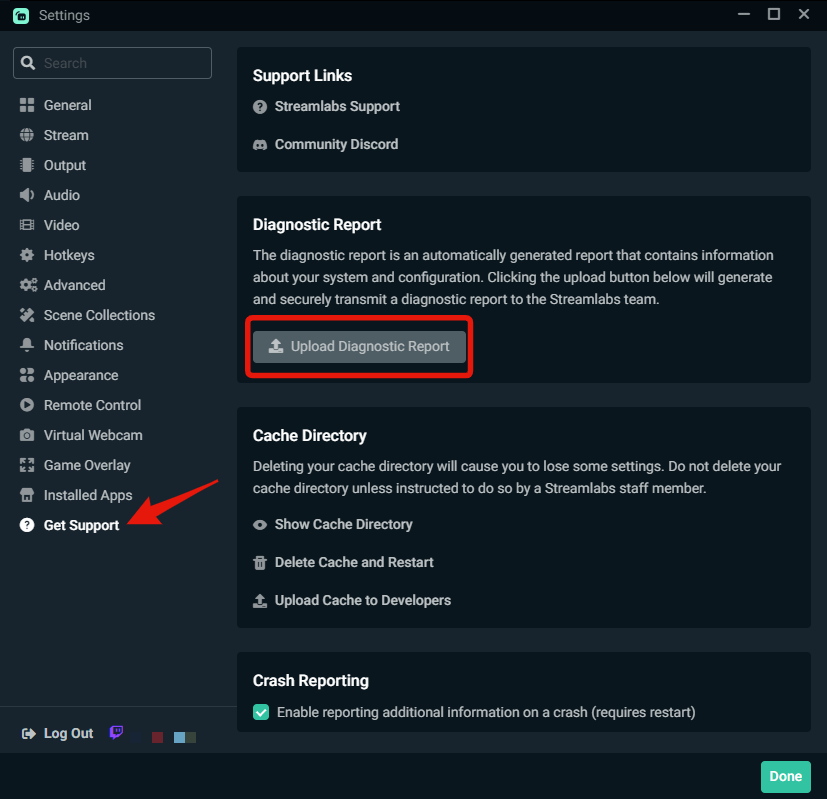 dense pelican
1727719266-5f7abb54-a8b4-4b74-b39a-834366dc4eeb
rustic hemlock
i go check just a second TY :)
dense pelican
This is mine
rustic hemlock
And this is mine : 1727719303-892defbf-a902-4588-8daa-b9f76a1e6eee
stray citrus
rustic hemlock
And this is mine : 1727719303-892defbf-a902-4588-8daa-b9f76a1e6eee
For yours, I think that your FPS might be set too high for your bitrate to handle. Can you try going into your Streamlabs Desktop Settings > Video and lower your FPS to either 30 or 60 to see if that helps? Twitch may not be able to support that high of an FPS. 🤔
gritty isle
true carbon
<@301571565840236564> hey can you or another <@986719246065234021> crew help m...
Sorry, I was out getting lunch. That Streamlabs account is a bot and won't respond interactively. Glad to see Bratley got the issue resolved!
stray citrus
dense pelican
1727719266-5f7abb54-a8b4-4b74-b39a-834366dc4eeb
Checking on yours now, as well. Thanks for your patience!
dense pelican
all good! Thank you!! :))
stray citrus
dense pelican
all good! Thank you!! :))
I don't see anything specific to your settings that could be causing this, but I do see a very high amount of dropped frames. 🤔 Are you able to run this Twitch test here? This will give me a better idea for troubleshooting steps/your connection.
You can download this Twitch test here: https://r1ch.net/projects/twitchtest Be sure to run the test for either Medium or Long, as short won't give you the most accurate results and be sure to select your region from the listed options (if the regions are not applicable to you, please select 5-6 servers that are near you).
Are you able to run this test, then screenshot the results?
Test your upload bandwidth and connection quality to Twitch
rustic hemlock
All good ame TY !
dense pelican
 spare hawk
@gritty isle link discord under "Integrations" for access to Ultra private chats? Where is Integrations?
gritty isle
spare hawk
<@301571565840236564> link discord under "Integrations" for access to Ultra priv...
This link takes you to the right page: https://streamlabs.com/dashboard#/settings/integrations
 dense pelican
dense pelican
dense pelican
@stray citrus
gritty isle
dense pelican
<@751847406928265348>
You might run it on a few more ingests in the northeast rather than just the NYC ones. But the zero Quality Score is concerning.
dense pelican
Okay, I'll do all of the US East ones
gritty isle
And @dense pelican I see your networking is Killer which sometimes installs other software that can cause this issue. Please go here: #technical-support message If you have the CFOS Speed Service running, uninstall it and that might help/resolve this.
dense pelican
Hello! I checked and I don't have that anywhere
 open ibex
How can I make my stream quality better? My stream starts getting hella pixelated during high action points, I stream at 1080p at 6000 bitrate. This is literally unwatchable, and I want to get it better
 gritty isle
dense pelican
Hello! I checked and I don't have that anywhere
gritty isle
dense pelican
Hello! I checked and I don't have that anywhere
Good!
dense pelican
I checked control panel and my task manager 🙂
I'm still running the tests
will send over once it's done :))
All of the quality is 0 so far..... 
gritty isle
open ibex
How can I make my stream quality better? My stream starts getting hella pixelate...
Pixelation during fast movment or dark scenes is normal. Best you can do is change your Output Resolution to 1280x720 and keep your bitrate at 6000. 720p is a better resolution for those watching on mobile devices.
 gritty isle
dense pelican
gritty isle
dense pelican
Ouch, dang. You'll need to reach out to your ISP. Let them knowyou're trying to live stream to Twitch and are getting disconnected. Be patient with the call screen as they hear streaming and think you're trying to watch Netflix which obviously you're not doing.
There's an issue in the path the packets are taking from your cable modem to the Twitch ingest. Could be just a bad connector at your local end, no way for me to tell.
dense pelican
damn... okay thank you for your help!
gritty isle
dense pelican
damn... okay thank you for your help!
You're welcome! Good luck! 🤞
 fading hull
Hello all - I was looking for info on the following but couldn't find it. Is there a way to switch between channels in streamlabs? ie. If a user streams to a second twitch channel, easily switching between that and the primnary channel?
gritty isle
fading hull
Hello all - I was looking for info on the following but couldn't find it. Is the...
You'd have to merge one of the Twitch channels and then for the other, use the Stream to custom ingest option at Settings > Stream. There's no capabililty to have two Twitch channels merged in one Streamlabs account.
pure lava
Having an absolute mare getting game sound from my Rybozen graphics card from PlayStation to Streamlabs. I host a party on PS and provide commentary with a commentator. For some reason my laptop mic keeps picking up the sound as well. Is there a simple explanation on how to set this up.
I have set my sound input on laptop to USB 3.0. And my output to the laptop speakers. This seemed to work but eventually I couldn’t hear any sound coming from the laptop. This then made it so to hear game sound I had to plug my headphones into the remote on the ps. This worked fine for talking in the party and it also picked up the game sound in the stream but no output in the laptop. It’s just very very difficult. Spent two hours with a friend to make it work but the laptop mic was creating an echo. Once it was bearable I tried adding an overlay and totally lost the video input and now can’t get it back.
 wild swift
Howdy, I’m new to stream labs. I’m hardlined to my router and turned my bit rate down to 3k but I’m randomly getting disconnects every 10-20 minutes when streaming
 scenic herald
Bonjour j’ai un gros soucis je n arrive pas à connecter mon compte tiktok ça me marque erreur
 thorny zephyr
I’m working on setting up a fundraiser stream for my school and we are using “eteamsponsor” for donations and tracking, there anyway I can setup a browser source or connect it to a widget so it looks cleaner?
 full gale
hi! When I stream to twitch it does not save my stream at all! Yet if I stream with another app, it does. I need help
stray citrus
full gale
hi! When I stream to twitch it does not save my stream at all! Yet if I stream w...
Hi there! Just to confirm, do you mean that your stream isn't saved/uploaded to Twitch after the live has ended? Or something else?
full gale
stray citrus
Hi there! Just to confirm, do you mean that your stream isn't saved/uploaded to ...
Yes it's not saved to twitch 😦
stray citrus
full gale
Yes it's not saved to twitch 😦
You likely do not have VOD storage enabled - you can check out the info on this guide here: https://help.twitch.tv/s/article/video-on-demand?language=en_US and that should work for you!
gritty isle
thorny zephyr
I’m working on setting up a fundraiser stream for my school and we are using “et...
We don't have any integration with eteamsponsor. You'd have to see if they have a widget.
full gale
stray citrus
You likely do not have VOD storage enabled - you can check out the info on this ...
Oki thank you!
 weary terrace
does anyone have an answer to this question which i have the same problem
"In preparation for a subathon i want a counter who counts the subs coming in. The streamlabels with session subscriber points or session subscriber count start at the amount of subs i currently have. Any idea how to create a counter that starts at 0?"
it says i have 960 session subs, which isnt even my total subs, so idk what it is defining as the "session"
i would like for it to count just the ones i get today
 iron eagle
Does anyone know how I can choose not to upload stream VODs to Youtube when streaming through Streamlabs?
 proud lotus
Help- my mic isn't picking up on streamlabs DX
gritty isle
weary terrace
it says i have 960 session subs, which isnt even my total subs, so idk what it i...
A session is from when you go live until you end your stream. Sounds like you need to reset your Streamlabels session. You can do that here: https://streamlabs.com/dashboard#/recentevents
 gritty isle
iron eagle
Does anyone know how I can choose not to upload stream VODs to Youtube when stre...
gritty isle
iron eagle
Does anyone know how I can choose not to upload stream VODs to Youtube when stre...
YouTube does that by default and there is no way to change that. If you don't want your live streams published on your channel once your stream ends, you need to toggle this on in your YouTube Studio.
 abstract plazaBOT
Are you knowledgeable about Streamlabs products?
Get rewarded for helping the Streamlabs Community here in Discord!
👉 Apply to be a part of the Streamlabs Support Volunteer Program!
Application Link:
https://forms.gle/eKS29zWfFjGEzaRp7
For details, see our post in
#announcements message
 unborn compass
How do I separate my audio when streaming?
I've done it before, but I've forgotten my old settings and the process. When streaming, I want my viewers to hear my mic, game audio, Discord, and music. However, for the VOD (video on demand), I don't want the music to be included. This is so that when I edit the video, I want to have separate audio tracks for my mic, game audio, and Discord, which would make the editing process much easier and more convenient.
wispy latchBOT
@unborn compass Want to split your audio? Maybe you don't want the stream to hear your discord, music, etc..? This is possible using Streamlabs Application Audio Capture sources! See the link for various setup guides: https://streamlabs.com/content-hub/post/how-to-use-application-audio-capture
 undone night
How can I get a live sub count like this one? Or does stream labs not offer this exact one

 exotic horizon
Hello my widget notifications aren't working when someone follows me 😦 any help?
 flat bison
unborn compass
wispy latch
<@779516644836900894> Want to split your audio? Maybe you don't want the stream ...
flat bison
unborn compass
wispy latch
<@779516644836900894> Want to split your audio? Maybe you don't want the stream ...
this doesn't help
 fallow lodge
Hey for some reason I cannot log into streamlabs it comes up user identifier missing when I do I've uninstalled streamlabs re installed, i have downloaded another browser and made that default then set back the other back to default still not working, and i am trying to remove the permissions from my youtube with streamlabs but that it not working?

try to remove streamlabs cause maybe this is causing the issue cause the other things didn't work

then i get this lol so i can't even remove streamlabs from my youtube any idea on how to fix this?

i've even made another youtube channel and it won't even let me login to that
even made a streamlabs ID then it sends me here nothing loads

restarted put me in select youtube and still the same issue
user identifier missing
and i fixed it i should work in streamlabs support lol, if anyone has this issue, make a streamlabs ID inside of streamlabs you can connect your youtube so don't do it on the app at all it won't work you have to do it only in the browser on the streamlabs website when somehow someway it will say it will want you to connect a platform, do it through there, then after it's connected then open up the streamlabs app and it should be resolved
 white root
 echo thorn
Hey I just got a notif about the unwanted app found thingie and went to want to read more from the known issue, but I get this
 abstract plazaBOT
Are you knowledgeable about Streamlabs products?
Get rewarded for helping the Streamlabs Community here in Discord!
👉 Apply to be a part of the Streamlabs Support Volunteer Program!
Application Link:
https://forms.gle/eKS29zWfFjGEzaRp7
For details, see our post in
#announcements message
 copper nest
Hi, just became an affiliate on twitch and now my activity feed won't update and alerts are not showing on stream. Tried unmerging Twitch and merging again, still nothing. Any suggestions? Many Thanks.
gritty isle
echo thorn
Hey I just got a notif about the unwanted app found thingie and went to want to ...
It’s being flagged as a ‘potential unwanted application’. This being flagged incorrectly by Windows Defender. Please follow this and add an exclusion for Streamlabels: https://support.microsoft.com/en-us/windows/add-an-exclusion-to-windows-security-811816c0-4dfd-af4a-47e4-c301afe13b26
echo thorn
Thank you
gritty isle
copper nest
Hi, just became an affiliate on twitch and now my activity feed won't update and...
Congratulations on making Twitch Affiliate! 
When you become an Affiliate on Twitch, more data is sent because you now have access to subs, bits, and all those other fun things. Refreshing the connection between Streamlabs and Twitch will resolve this.
- Log out of the Streamlabs web ite on every device you access it: Click your PFP and choose Log out.
- If you use Streamlabs Console, log out of the Streamlabs Console web site as well using the same method.
- If you use the standalone Streamlabels application, log out of that.
- Log out in Streamlabs Desktop (see next post on how to do that).
- Follow this guide: https://streamlabs.com/content-hub/post/how-to-disconnect-your-streamlabs-account. Just follow the section for Twitch.
- Navigate back to the Streamlabs web site and log in with your Twitch. This re-establishes the connection. You can verify this by going back to https://www.twitch.tv/settings/connections, scrolling down to Other Connections and examine the Streamlabs connection. It should say "Connected a few minutes ago" other short period of time.
- Log back in to all the other Streamlabs products you use.
** NOTE!!! This will not go back in time and recover the events that were missed. Events are sent over the API once and never again. So don't expect this to recover those events. Going forward, all events should be captured. ***
wispy latchBOT
@copper nest
Click the :gear: at the bottom left of Streamlabs Desktop. Then the logout button should be at the bottom left of the popup as shown:
https://i.gyazo.com/d85a0f693148ea5b9e4c6b03d7cbf703.png
 gritty isle
echo thorn
Thank you
gritty isle
echo thorn
Thank you
You're welcome.
 cloud oar
my stream will freeze on one frame, then i have to restart my streamlabs to fix it
so stupid like im mid subathon and ive had to restart about 7 times, am also an ultra subscriber
gritty isle
cloud oar
so stupid like im mid subathon and ive had to restart about 7 times, am also an ...
Thank you for being a Streamlabs Ultra subscriber!
Please link your discord per the tagged instructions below and ask again for assistance in the #vip-support channel, which is one of your subscriber benefits.
wispy latchBOT
@cloud oar
If you are a Streamlabs Ultra Subscriber or All-Stars member
Link your Discord under integrations for access to our Ultra/VIP roles and private chats
:point_right: https://streamlabs.com/dashboard/#/settings/integrations
:star: upgrade to Ultra here: https://streamlabs.com/ultra?refl=discord
exotic horizon
/help
 warm pilot
like i have my screen and another screen on the side zoomed into my fps or something, also how do i add a thing where when someone says something in my chat a voice says what they said
fossil yew
undone night
How can I get a live sub count like this one? Or does stream labs not offer this...
streamlabes.
 exotic horizon
Can someone help me with my alert box not going off when i get a new follower?
fossil yew
exotic horizon
Can someone help me with my alert box not going off when i get a new follower?
check on the website to make sure u have twitch enabled. (or whatever platform u stream on)
in the alert box option
exotic horizon
which website?
fossil yew
 exotic horizon
fossil yew
streamlabs.com
exotic horizon
fossil yew
streamlabs.com
I'm not sure what to do
fossil yew
click alert box and make sure u have all the alerts u want enabled
 exotic horizon
fossil yew
click alert box and make sure u have all the alerts u want enabled
exotic horizon
fossil yew
click alert box and make sure u have all the alerts u want enabled
Weird I'm not sure when those became disabled.
fossil yew
all good. problem solved at last
exotic horizon
fossil yew
all good. problem solved at last
Do you know why my mini feed isn't telling me when i have followers?
fossil yew
prolly cause u havent had your alerts on maybe
next time u stream. check it now that u are enabling your stuff now
exotic horizon
fossil yew
next time u stream. check it now that u are enabling your stuff now
Thank you!
fossil yew
no problem. not 100% on it but hopefully it should display it now
 long raptor
Hi guys, hopw you are all well. Unfortunalety, I have a big issue with Streamlabs since day 1. Always if I TRY to record I get this really bad mice lagging. Also, if I never clicked on the record or streaming button. Just the preview is enough. This problem occurs when I opgen streamlabs on my laptop screen with window capture. I start chrome on my external screen and open youtube. If i start to watch the video and move my mice, I get this really bad lagging. I have no idea what it is. Again, this occurs already without recording or streaming. Just the preview is enough... Hope, I get help here. /Thank you.
long raptor
long raptor
Hi guys, hopw you are all well. Unfortunalety, I have a big issue with Streamlab...
btw. The lagging occurs also on my external screen. Not only in the streamlabs preview on my laptop screen.
 weary blade
 whole sparrow
can anyone help please
downloaded new version of mac os (15) an cannot do anything please help

 meager magnet
Y'all I recently downloaded the Android app for streaming and hooked it up to my yt account with no problems. Whenever I try to go live through streamlabs it closes the app and if I reopen it it gives me an 'app not responding' popup waiting doesn't work and if I close the app and then again it does the same thing.
Has anyone had this problem and fixed it?
 quick marsh
Yo how do y’all switch from obs to streamlabs mobile without ending stream
 bleak apex
how do i show my gameplay while streaming cuz right now it only says "start a game!"
ive spent 2 hours trying to figure out this thing and still cant figure out how to show my gameplay on stream
gritty isle
bleak apex
how do i show my gameplay while streaming cuz right now it only says "start a ga...
If you're using Game Capture and it is not detecting your game, that game might be blocking the hook from game capture. In recent years, this included Roblox which added an anti-cheat feature. So, if you're trying to capture Roblox, you'll have to use Window Capture instead.
You can also try the various option in the properties of the Game Capture source.
gritty isle
quick marsh
Yo how do y’all switch from obs to streamlabs mobile without ending stream
There's no way to that.
bleak apex
gritty isle
If you're using Game Capture and it is not detecting your game, that game might ...
how do i fix it?
im checking the hook thing and its on the one thats reccomended
im kind of a stupid person so idk how to do these things
gritty isle
bleak apex
how do i fix it?
If the game refuses to be captured with Game Capture, you'll have to use Window Capture.
bleak apex
gritty isle
If the game refuses to be captured with Game Capture, you'll have to use Window ...
thats the thing, idk what window capture is. is it f12 where my pc starts so screen record?
gritty isle
bleak apex
thats the thing, idk what window capture is. is it f12 where my pc starts so scr...
There's three capture source, Display, Window, and Game. Are you using Streamlabs Desktop?
bleak apex
gritty isle
There's three capture source, Display, Window, and Game. Are you using Streamla...
yes
yes i am using streamlabs desktop
gritty isle
What are you trying capture?
bleak apex
roblox gameplay
im tryna livestream for the first time but it wont show the game itself
gritty isle
bleak apex
roblox gameplay
Roblox can't be captured with Game Capture. Remove the Game Capture source and add a Window Capture source.
bleak apex
gritty isle
Roblox can't be captured with Game Capture. Remove the Game Capture source and ...
ok ill try
how do i add window capture now, i just removed game capture
nvm im jsut lbind
TYSM I ACTUALLY DID IT!
W MY GUY
 fading basin
Everything is kinda trial and error until you get it just how you want it, i think i change something daily
 pure cedar
when i stream, streamlabs shows the stream perfectly, but it is frozen on twitch. why would this be
 devout garnet
@gritty isle Rufus!! They added the mature toggle for TikTok! I can play Call of Duty again! Just in time for BO6! So pumped! Was so excited, had to pop in here! Much love everyone
 uncut hinge
Hey, could someone help me understand the 6 channels for Audio on Streamlabs Ultra. I don't want my music saved to vods, just the mic and capture card. Which do I click and leave unclicked? Thank you.
 rain yoke
Ok so no matter what I do my alerts during a stream won't pop up
Will not even let me test them
gritty isle
devout garnet
<@301571565840236564> Rufus!! They added the mature toggle for TikTok! I can pla...
 vivid spruce
Hi guys, can anyone help me with stream quality please (Im a typical Dad with poor tech know how). Can anyone spot what I have set wrong?
I have 32gb of ram, GeForce 3060, processor is Processor Intel(R) Core(TM) i7-7700K CPU @ 4.20GHz, 4200
And here is all of my settings.
Im getting 1080p but I really need 4k to be competitive.
 fossil yew
i dont know if 4k is supported but hopefully @gritty isle can chime in
gritty isle
Well, the current Output Resolution is 1080p as you said. What's the resolution of your monitor @vivid spruce?
abstract plazaBOT
Having trouble? Want to see if anyone else is having the same problem?
Check out our #known-issues channel! We do our best to keep this channel as current as possible with new bugs and progress updates!
vivid spruce
gritty isle
Well, the current Output Resolution is 1080p as you said. What's the resolution...
My monitor is 3440 x 1440 but I play in windowed mode and the game window size is set at 2580x1080x32
 abstract plazaBOT
Do you have a Streamlabs Ultra membership? Are you part of the Streamlabs All-Stars program?
Get your Discord roles by going to this page here: https://streamlabs.com/dashboard#/settings/integrations and clicking "Link" next to Discord! Ultra members and higher tier All-Stars members will have access to private channels for support!
Interested in Ultra? Check it out here: https://streamlabs.com/ultra?refl=discord
vivid spruce
abstract plaza
lol thanks bot. Id upgrade to multi platform but not before I get this sorted
 subtle sail
On my dashboard on the website I can't edit the alerts for gifted memberships on Youtube but it has a test that shows an alert with no sound, can someone direct me on where to change that?
stray citrus
vivid spruce
lol thanks bot. Id upgrade to multi platform but not before I get this sorted
Hey there! That message was not in response to you, sorry about that. This is a new automated message, so this will show up every few hours.
vivid spruce
stray citrus
Hey there! That message was not in response to you, sorry about that. This is a ...
I told you guys Im old. This stuff confuses me haha
 abstract glen
Hello, is there a way to make changes in multi streaming? For example, my YT channel has changed but it still says the old one. Or do I just bypass and create a new link below?
 brisk raft
Hey, what does that mean and how I troubleshoot it? thanks

 brittle jackal
 quick marsh
gritty isle
There's no way to that.
quick marsh
gritty isle
There's no way to that.
so to stream from obs to mobile what would best option
proper totem
brittle jackal
Hey there,
This is a false flag - we're currently working with Microsoft to update their Windows Defender database with regards to our applications 👉 #known-issues message
gritty isle
quick marsh
so to stream from obs to mobile what would best option
There’s no way to transfer an active live stream from one device to another. That technology just doesn’t exist.
gritty isle
brisk raft
Hey, what does that mean and how I troubleshoot it? thanks
Is that the Streamlabs Plugin for OBS Studio? If so, ask over on #obs-plugin-archive
abstract plazaBOT
Do you have a Streamlabs Ultra membership? Are you part of the Streamlabs All-Stars program?
Get your Discord roles by going to this page here: https://streamlabs.com/dashboard#/settings/integrations and clicking "Link" next to Discord! Ultra members and higher tier All-Stars members will have access to private channels for support!
Interested in Ultra? Check it out here: https://streamlabs.com/ultra?refl=discord
Having trouble? Want to see if anyone else is having the same problem?
Check out our #known-issues channel! We do our best to keep this channel as current as possible with new bugs and progress updates!
Are you knowledgeable about Streamlabs products?
Get rewarded for helping the Streamlabs Community here in Discord!
👉 Apply to be a part of the Streamlabs Support Volunteer Program!
Application Link:
https://forms.gle/eKS29zWfFjGEzaRp7
For details, see our post in
#announcements message
 next plume
How do i activate noise suppression on my stream
 unique flax
next plume
How do i activate noise suppression on my stream
unique flax
next plume
How do i activate noise suppression on my stream
Activating noise suppression on your stream depends on the platform, software, or device you're using
OBS Studio:
- Go to Settings > Audio > Noise Suppression.
- Enable Noise Suppression.
- Adjust threshold and sensitivity
And on
Twitch:
- Go to Channel Settings > Audio Settings.
- Enable Noise Reduction.
- Adjust Threshold and Sensitivity.
marble wind
@unique flax is this ai generated?
meager magnet
Y'all I recently downloaded the Android app for streaming and hooked it up to my yt account with no problems. Whenever I try to go live through streamlabs it closes the app and if I reopen it it gives me an 'app not responding' popup waiting doesn't work and if I close the app and then again it does the same thing.
Has anyone had this problem and fixed it?
next plume
marble wind
<@1197761632609247272> is this ai generated?
could you help me out😵💫
marble wind
@next plume with what?
next plume
next plume
How do i activate noise suppression on my stream
^ my mic is picking up all sounds
marble wind
@next plume you could add an expander filter, or a noise gate filter, or a noise suppression filter; use audio monitoring to hear the results yourself while tweaking them
next plume
where would i grab those from?
marble wind
@next plume if you right-click the mic in the audio mixer frame, is there an option that says Filters?
gritty isle
In Streamlabs Desktop, click the ⚙️ icon in the Mixer panel for your Microphone device then choose Filters.

No idea about Twitch Studio. I don't use that.
wild swift
I'm getting connection errors consistently despite being hard wired with a stable connection. Been fighting with it for a couple days.
gritty isle
wild swift
I'm getting connection errors consistently despite being hard wired with a stabl...
Streaming to Twitch or another platform?
wild swift
gritty isle
Streaming to Twitch or another platform?
just to twitch
gritty isle
wild swift
just to twitch
Run the Twitch Test (see the tagged post below). Select Medium or Long Duration; Short Duration gives inconsistent results. Choose all the ingests in yor region; DON'T ONLY choose the one closest to you.
wispy latchBOT
@wild swift
Please run this twitch test tool to find out the best server (https://r1ch.net/projects/twitchtest). Be sure to run the test for either Medium or Long, as short won't give you the most accurate results and be sure to select your region from the listed options (if the regions are not applicable to you, please select 5-6 servers that are near you). You're looking for at least a quality of 84.
Once you've found a good server go to Settings > Stream > Stream to custom ingest and you can manually select your server.
wild swift
gritty isle
Run the Twitch Test (see the tagged post below). Select Medium or Long Duration...
I ran this while i was trouble shooting myself, the server i was connecting to was 90+, rerunning now to verify
gritty isle
You might also reach out to your ISP and let them know you're trying to live stream to Twitch and are getting disconnected. See if they can check your connection. Sounds like you've found an ingest with a decent quality score. You could also try shutting down your computer, pull the power cable from your cable modem, wait at least 5 minutes, plug the power cable back in, and then boot up your computer once the cable modem is fully back up.
wild swift
gritty isle
You might also reach out to your ISP and let them know you're trying to live str...
I’ll give it a try. Contacted isp earlier, they were less than helpful. Maybe I’ll get a different rep. Appreciate the help.
gritty isle
wild swift
I’ll give it a try. Contacted isp earlier, they were less than helpful. Maybe I’...
You're welcome, good luck. Be patient with the reps. They hear streaming and think your trying to watch Netflix.
 tawny juniper
Having issues capturing Minecraft with Application Capture
quick marsh
gritty isle
There’s no way to transfer an active live stream from one device to another. Th...
wrong. it very much does, example: faze contantly throughout day during there subathon would switch from there pc to a irl android cam and could go literally anywhere with it.
 dull geode
Gotta question i am first time user of streamlabs and when i go into the dashboard to set up my live its buffering and running at like 10fps can anyoone help me figure oout why streamlabs is runing so bad?
unborn compass
How do I separate my audio when streaming?
I've done it before, but I've forgotten my old settings and the process. When streaming, I want my viewers to hear my mic, game audio, Discord, and music. However, for the VOD (video on demand), I don't want the music to be included. This is so that when I edit the video, I want to have separate audio tracks for my mic, game audio, and Discord, which would make the editing process much easier and more convenient.
abstract plazaBOT
Do you have a Streamlabs Ultra membership? Are you part of the Streamlabs All-Stars program?
Get your Discord roles by going to this page here: https://streamlabs.com/dashboard#/settings/integrations and clicking "Link" next to Discord! Ultra members and higher tier All-Stars members will have access to private channels for support!
Interested in Ultra? Check it out here: https://streamlabs.com/ultra?refl=discord
 hybrid rose
My mini feed wont update so the alert box and notification are not working
 cloud loom
Hey guys, im not new to stream labs, but i just recently upgraded to ultra! I always stream on Twitch with absolutely no problem, though today i tried to stream on both twitch and Youtube. When i begin the stream, both YT and TTV work fine, and display what i want. Though after a few minutes the twitch stream turns black, and my stream manager says im offline, even tho twitch still says im live and my YT stream is still perfectly fine. i tried to restart my stream many times, checked that both accs were connected ETC, i would LOVEE for someone to help me with this issue.. THANKS
abstract plazaBOT
Having trouble? Want to see if anyone else is having the same problem?
Check out our #known-issues channel! We do our best to keep this channel as current as possible with new bugs and progress updates!
abstract plazaBOT
Are you knowledgeable about Streamlabs products?
Get rewarded for helping the Streamlabs Community here in Discord!
👉 Apply to be a part of the Streamlabs Support Volunteer Program!
Application Link:
https://forms.gle/eKS29zWfFjGEzaRp7
For details, see our post in
#announcements message
gritty isle
cloud loom
Hey guys, im not new to stream labs, but i just recently upgraded to ultra! I al...
The usual culprit is the bitrate. Twitch has a soft limit of 6000. Sometimes they’ll accept up to 8000 but not often. Make sure your bitrate is 6000 or less.
 manic jackal
Hello,
I streamed with the same alerts for at least 5 years, and i wanted to renew them, but as i changed the url, when i try to make appear some old subs with my new sub alert, like nothing is showing up.
Can someone please help ?
Thanks a lot
I'm using a url from the twitch alert thing, idk if it's working with the stream labs plugin
abstract plazaBOT
Do you have a Streamlabs Ultra membership? Are you part of the Streamlabs All-Stars program?
Get your Discord roles by going to this page here: https://streamlabs.com/dashboard#/settings/integrations and clicking "Link" next to Discord! Ultra members and higher tier All-Stars members will have access to private channels for support!
Interested in Ultra? Check it out here: https://streamlabs.com/ultra?refl=discord
Having trouble? Want to see if anyone else is having the same problem?
Check out our #known-issues channel! We do our best to keep this channel as current as possible with new bugs and progress updates!
 cloud urchin
Good morning, I'm very new to stream labs and streaming in general. I stream using a console (xbox) and I have a few questions.
the first question i have is am i able to use the stuff from an ultra subscription on my stream labs console? if so how do i port that stuff over?
i also have a logo and banner as well as a video that are made by a local company but i cant seem to get the pictures to fit properly into the stream labs console area that i am working with.
the video i have i am not sure how to port over at all?
thank you in advance!
 peak tusk
Hello support! I had a quick question. I'm trying to have an input muted to my stream audience but still be able to be recorded... What is the best way to do that? thanks!
abstract plazaBOT
Having trouble? Want to see if anyone else is having the same problem?
Check out our #known-issues channel! We do our best to keep this channel as current as possible with new bugs and progress updates!
 bronze imp
Hello,
Question. I have a 3090 and am using NVEC (New). My CPU is not even close to bottlenecking and am getting quite a few Skipped Frames (50%). No dropped frames at all.
When Recording using NVEC at max I have no skipped frames. Issue is when I stream the skipped frames happen.
 golden stag
Is there a way to download a recent "LIVE" video recorded through StreamLabs mobile?
marble wind
@golden stag some streaming platforms save them, some don't, i believe twitch has it off by default and anyone can choose to save for 14 days, youtube saves everything
@bronze imp run task manager and reduce your game's graphics settings and/or fps limit until gpu usage stops spiking above 90%, reduce nvenc preset in settings>output, if necessary
golden stag
@marble wind Yea, normally I download it from youtube, however, periodically youtube loses it's mind and takes a really long time to process, thereby removing the chance of download until it finishes. Because I manually upload to Tiktok, I was hoping that I might get a copy somewhere else before youtube finishes.
marble wind
@golden stag stream and record at the same time, then; pick the "(use stream encoder)" pseudo-encoder if resource usage is a concern, otherwise pick "indistinguishable quality"
golden stag
In my streamlabs mobile? @marble wind
... or my streamlabs desktop for that platform?
marble wind
@golden stag in streamlabs desktop
golden stag
OK, Thanks a lot @marble wind I will look into it. Does anyone know about the Tiktok merging yet?
bronze imp
marble wind
<@139678314628513792> run task manager and reduce your game's graphics settings ...
Question why would this be an issue with just streaming and not with recording? Recordings come out perfect but streams show the skipped frames.
marble wind
@bronze imp if by skipped you mean sskipped and not dropped, it's possible that the combined load of 2 encode sessions, or the use of different settings, caused this; if it says dropped, call your ISP about this instead
 torn blaze
anyone know how to enforce your widget theme each time SL opens on desktop? It goes back to default each time.
gritty isle
golden stag
OK, Thanks a lot <@252470140174598154> I will look into it. Does anyone know abo...
gritty isle
torn blaze
anyone know how to enforce your widget theme each time SL opens on desktop? It ...
bronze imp
@marble wind Yes skipped, 0 dropped frames and the recording session/ Stream Session were done separately. I know the P Setting on CQP is more of a file size situation and CBR deals more with the encoder but with a 3090 should I be having an issue? I am not running uncapped but at 120fps. I am playing at 1440p but streamlabs is set to 1080p with no scaling.
torn blaze
gritty isle
<https://streamlabs.com/dashboard#/widgetthemes>
why are you linking the themes page? That is where I have to go each time I open SL desktop and change it back. I'm looking for a solution to force SL to keep that setting when I save it.
gritty isle
torn blaze
why are you linking the themes page? That is where I have to go each time I ope...
That's the page where you can set the default theme which is seems to be what you're looking for it. If not, my apologies.
torn blaze
It was, but the site without context was throwing me off, i'll see if I can change it to default, didn't see anything inherent when swapping it. Will check again. It's been years since I've been on SL, I remembered just swapping and saving it.
Yeah, don't see a default option. I can select default or my theme. Default is not active, my theme is. When I close SL desktop, the theme profile swaps back to default.
meager magnet
When I try to go live through the app this pops up

How do I fix this? I read the article and my account is verified and connected to the app and everything should be good
I can go live through the YouTube app just fine so it's not my YouTube account that's the problem
 serene stirrup
is there anyway to link my twitch account to my streamlabs if it is already linked to a differernt streamlabs
tawny juniper
Anyone know why my Streamlabs won't capture my Minecraft audio? (Application Capture)
fossil yew
tawny juniper
Anyone know why my Streamlabs won't capture my Minecraft audio? (Application Cap...
use the audio capture beta then select minecraft in the drop down
tawny juniper
I did, it won't capture the app for some reason
 warped radish
Hello! I am new to streaming with streamlabs. Current set up is PS5/Pixio Monitor/Mac desktop. I am no understanding something in the overlays. I can see my camera window outline over my game input just like I want. But my actual camera where you see me, is hidden under the game caputure unless I made it smaller. How do I fix this? EDIT: I just re added my webcame and placed it back over and it seems to be working!!
tawny juniper
fossil yew
use the audio capture beta then select minecraft in the drop down
For everything Streamlabs doesn't work on a particular, it works the next day
tawny juniper
fossil yew
<@171780019713081345> I'm down for a quick vc so I could show u. Gimme 5 mins th...
What i mean is, it didn't work yesterday but does today
fossil yew
So your fine?
tawny juniper
fossil yew
So your fine?
Yep
abstract plazaBOT
Do you have a Streamlabs Ultra membership? Are you part of the Streamlabs All-Stars program?
Get your Discord roles by going to this page here: https://streamlabs.com/dashboard#/settings/integrations and clicking "Link" next to Discord! Ultra members and higher tier All-Stars members will have access to private channels for support!
Interested in Ultra? Check it out here: https://streamlabs.com/ultra?refl=discord
marble wind
bronze imp
<@252470140174598154> Yes skipped, 0 dropped frames and the recording session/ S...
expensive graphics cards aren't immune to performance issues; the 90% comes from valve's suggestion on achieving optimal performance and latency in VR games, and it's applicable here
 real brook
Hi! Anyone know how I can change the Throne-alerts? The look, the sound, animation etc. I can't seem to find it anywhere.
The alert work, but it doesn't look how I want it to.
 plain escarp
Is there any way to send out posts on Facebook, X etc to announce my stream is starting automatically on Streamlabs Console?
 tired steppe
[Question]
If you have an ADMIN role, can you STOREFRONT permission?
 abstract plazaBOT
Do you have a Streamlabs Ultra membership? Are you part of the Streamlabs All-Stars program?
Get your Discord roles by going to this page here: https://streamlabs.com/dashboard#/settings/integrations and clicking "Link" next to Discord! Ultra members and higher tier All-Stars members will have access to private channels for support!
Interested in Ultra? Check it out here: https://streamlabs.com/ultra?refl=discord
Are you knowledgeable about Streamlabs products?
Get rewarded for helping the Streamlabs Community here in Discord!
👉 Apply to be a part of the Streamlabs Support Volunteer Program!
Application Link:
https://forms.gle/eKS29zWfFjGEzaRp7
For details, see our post in
#announcements message
Having trouble? Want to see if anyone else is having the same problem?
Check out our #known-issues channel! We do our best to keep this channel as current as possible with new bugs and progress updates!
 gloomy eagle
is there a way to raise my stream FPS? its stuck at 30
 humble spade
Having a problem with one of my 24hour live streams. I was running this YouTube Channel for some time and recently I Branded the channel and had some problems when I went to start the stream over. I was able to link the channel but now the !slots & !gamble seem to work but the custom !commands will not work. Hope for some help with this please
 void bison

 drowsy token
hello. when we go live and use studio mode and press transition, streamlabs freezes. we already formated the computer. and deleted a few collections. and the problem still occurs.
abstract plazaBOT
Having trouble? Want to see if anyone else is having the same problem?
Check out our #known-issues channel! We do our best to keep this channel as current as possible with new bugs and progress updates!
abstract plazaBOT
Do you have a Streamlabs Ultra membership? Are you part of the Streamlabs All-Stars program?
Get your Discord roles by going to this page here: https://streamlabs.com/dashboard#/settings/integrations and clicking "Link" next to Discord! Ultra members and higher tier All-Stars members will have access to private channels for support!
Interested in Ultra? Check it out here: https://streamlabs.com/ultra?refl=discord
 obtuse token

I just decided ot open SLOBS and i jump to 100% GPU usage... not streaming literally just opening the applciation
abstract plazaBOT
Having trouble? Want to see if anyone else is having the same problem?
Check out our #known-issues channel! We do our best to keep this channel as current as possible with new bugs and progress updates!
 void parcel
Hi!
I'm using Streamlabs Mobile to livestream my games vertically on YouTube shorts.
My concern is that the live stream output is 720p 30fps however I set the video output to 1080p 60 fps.
I tested horizontal live streaming and strangely enough it supports 1080p, so my internet speed is not the issue.
Is there a fix so vertcial/YouTube shorts streaming supports 1080p 60fps? Perhaps there are some settings or maybe it will be fixed in a future update?
Thank you.
 fierce egret
Hi! So when I'm recording I want to split the tracks between my spotify and desktop but it doesn't work. When I enable track one it records it from my desktop audio. Is it possible to seperate spotify from my desktop audio?
 marble wind
@fierce egret per-application audio capture captures individual applications, "desktop audio" captures the entire sound card, including spotify if it's set to play on that sound card, so you should add more per-application audio capture sources for your other applications, and mute or remove "desktop audio"
fierce egret
marble wind
<@332435621404606465> per-application audio capture captures individual applicat...
So how would I do that? How do I only make spotify my track 4
 marble wind
@fierce egret it's already set like this, now you can make a recording and open it in any video player that supports multiple tracks
fierce egret
premiere works right?
@marble wind this is for discord and the audio doubles because i put it on track 2 and 5
 marble wind
@fierce egret mute track 2, then
fierce egret
but thats my vod track
is it possible to like put it in the vod and a seperate track
marble wind
@fierce egret i think streamlabs desktop is capable of up to 6 tracks total
fierce egret
Wait i got it
just dont record track 2 and move everything to the right
have my desktop on 3 mic on 4 spotify on 5 and discord on 6
 uncut anvil
Hey guys, i got a problem with my streamlabs and was hoping someone here can help me out
I got a Camera-Delay. Everything i do in front of camera happens around 0.5sec later in my Streamlabs szene-overview. I use a Sony ZV-1 as Webcam which is connected via an Elgato capture card to my PC. At first i thought the capture card is the problem but then i noticed i only have these problems in Streamlabs, but not ist other Programs like OBS, Elgato4kCapture or even in a discord call. So it must be a Streamlabs related Problem. I tried changing the webcam-resolution in streamlabs, but no mater if i use 4k, 720p or even 240p, its always the same 0.5sec delay. The only weird thing i noticed is that when i choose 1080p there is no picture at all, only a green screen. I also checked that buffering is NOT enabled. And I tried restarting streamlabs and reconnecting the camera. I cant wind a solution, please help.
abstract plazaBOT
Are you knowledgeable about Streamlabs products?
Get rewarded for helping the Streamlabs Community here in Discord!
👉 Apply to be a part of the Streamlabs Support Volunteer Program!
Application Link:
https://forms.gle/eKS29zWfFjGEzaRp7
For details, see our post in
#announcements message
Having trouble? Want to see if anyone else is having the same problem?
Check out our #known-issues channel! We do our best to keep this channel as current as possible with new bugs and progress updates!
 twin trout
How to make a YouTube stream phone compatible?
Or how can I make my stream can be popped up when scrolling in Shorts.
 humble gale
twin trout
Or how can I make my stream can be popped up when scrolling in Shorts.
humble gale
twin trout
Or how can I make my stream can be popped up when scrolling in Shorts.
that's a video guide on how to do it
 mellow bluff
Hey guys, Hope you're all okay!
Just wondering if anyone has any idea regarding streamlabs multistream? Streaming from Twitch & Tiktok has been an absolute joy, up until the point comes where I need to change my title for tiktok whilst live. There seems to be no solution in regards to this. Has anyone found a work around?
 slate peak
how do you change your user name so it dosent show my real name in the bottom left corner?
im new btw so i dont know anything
 alpine jungle
Good morning everyone I need help my screen keeps zooming in when I'm going live after I click on the game


No matter how much I adjusted it still zooms in
 native iris
im having big dumb but how do i get this to go back to 60fps
 obtuse token
I just decided ot open SLOBS and i jump to 100% GPU usage... not streaming liter...
obtuse token
obtuse token
I just decided ot open SLOBS and i jump to 100% GPU usage... not streaming liter...
😭
 clever carbon
did anyone had problems doing the streamlabs application for the api access? I did mine 2024-09-07T but still "in review".
 storm dirge
hii can someone help me. i cant find the intsgram device on streamlabs for streaming live on my macbook
 celest oar
Hey there. Does anyone have an answer for why I run into an issue when setting up a hotkey for any source in my scene? I get "This scene has not been converted for dual output. please make the scene active to add vertical sources" yet I have Dual Output enabled and Im not sure what else I could be missing
@storm dirge I think you have to use a 3rd party to produce the stream key for IG
@alpine jungle i think it might be a filter or a hotkey you hit?
native iris
celest oar
Hey there. Does anyone have an answer for why I run into an issue when setting u...
that must be new or something cause i use my num pad to swap scenes and it never said that for me
storm dirge
ill try that now and see.. because on youtube it shows someone showing the steps and for them it shows intsgram clearly
humble gale
storm dirge
hii can someone help me. i cant find the intsgram device on streamlabs for strea...
celest oar
native iris
that must be new or something cause i use my num pad to swap scenes and it ne...
scenes work fine but putting media like a meme in the middle of your scene (I want to put a subscribe video) hot key to remind viewers at the beginning of each round but i cant do that
humble gale
I had pinged the wrong person originally lol sorry
storm dirge
ya i downloaded that 1.16.7
humble gale
celest oar
Hey there. Does anyone have an answer for why I run into an issue when setting u...
I know this is like the most basic thing ever but have you tried disabling the dual output, closing streamlabs, reopening it, and then re-enabling dual output? then trying to add the hotkey?
humble gale
yeah i would guess that or try duplicating the scene collection and then trying it again
abstract plazaBOT
Do you have a Streamlabs Ultra membership? Are you part of the Streamlabs All-Stars program?
Get your Discord roles by going to this page here: https://streamlabs.com/dashboard#/settings/integrations and clicking "Link" next to Discord! Ultra members and higher tier All-Stars members will have access to private channels for support!
Interested in Ultra? Check it out here: https://streamlabs.com/ultra?refl=discord
Having trouble? Want to see if anyone else is having the same problem?
Check out our #known-issues channel! We do our best to keep this channel as current as possible with new bugs and progress updates!
celest oar
it didnt work, either reinstall and replicating the scene
all the sources are blocked for the same reason so IDK. sounds like an issue that they need to fix. I cant find a single video about it
humble gale
i would probably submit a ticket by using the link in #support-info then 🤔
 vague owl
hello guys! I am sure this already happened to someone but I can't find the exact solution for my problem
I can't choose my camera Canon EOS M50 as a recording device, only integrated webcam available
running streamlabs desktop in macbook pro 13.0, no drivers available for the camera from Canon
Please could you help me? thank you very much
PS I dont stream, just record
humble gale
vague owl
hello guys! I am sure this already happened to someone but I can't find the exac...
dslrs you would need to have a capture card. however with some canons you can use the EOS Utility software
vague owl
humble gale
dslrs you would need to have a capture card. however with some canons you can us...
hello Rubbapuppy! thanks for your answer
I have canon eos utility but microphone is not working good with eos utility so till now I was recording video in eos utility and sound in other software
but this is not good.. too messy... I would like to have 1 only software to record video + sound
is there anything I can do to make streamlabs let me choose the canon camera? thank you again 🙂
humble gale
vague owl
hello Rubbapuppy! thanks for your answer
I have canon eos utility but microphon...
This is really waht I would be able to share: https://streamlabs.com/content-hub/post/how-to-use-a-dslr-as-a-webcam. so it's either using the softare to port it into Streamlabs or buying a capture card
vague owl
humble gale
This is really waht I would be able to share: <https://streamlabs.com/content-hu...
thank you so much I will try it
when you say use the soft to port into streamlabs, you mean connect somehow eos utility with streamlabs?
humble gale
yeah basically when you use the eos camera software it's supposed to show up as a source when you add a video capture source in Streamlabs Desktop
IDK how well this is cause i don't have the webcam but here is a tutorial: https://www.youtube.com/watch?v=1bFKRCp-KVQ
vague owl
humble gale
yeah basically when you use the eos camera software it's supposed to show up as ...
thank you! but I only see settings in twitch there and I dont use twitch, just want to record at stramlabs, it's not the same right
 last otter

 steep wharf
hey, i've been having a lot of issues with my bitrate while streaming lately since i reinstalled windows. i think i must have some corrupt files somewhere and i'm trying to start completely fresh. i uninstall streamlabs, but when i reinstall all my settings have been saved. how can i fix this?
alternatively help with my settings would be appreciated. i used to be able to stream steady at 6k kb/s and now i'm stuck around 1k. these are my output settings

 humble gale
vague owl
thank you! but I only see settings in twitch there and I dont use twitch, just w...
humble gale
vague owl
thank you! but I only see settings in twitch there and I dont use twitch, just w...
idk what you mean. like it's just adding the camera as a source. if they log into twitch that's whatever and you can ignore that part
humble gale
steep wharf
alternatively help with my settings would be appreciated. i used to be able to s...
your settings are fine. bitrate being low is due to something blocking your computer from communicating to the ingest server.
I would suggest restarting your router to clear any cached packets. then trying it
steep wharf
ok, i've definitely done that several times so maybe this is something i need to address with my ISP
humble gale
do you have anything enabled in settings > advanced > network?
steep wharf
can you be more specific?
humble gale
 steep wharf
ah, no nothing is enabled there
humble gale
then i would check a speed test and see what upload you're getting. if you're not getting what you pay for then definitely reach out. if you are then maybe there's an antivirus software or something blocking it
 tiny fossil
Anyone else having crazy dropped frama recently?
 lunar sphinx
I have my issue here
 fluid hound
I tried to stream last night the stream was very laggy my bitrate is set to 6800 I have good internet I recently got a new router not sure why I'm having these problems anyone could help me that would be great 🙂
 idle veldt
Hey there. I have a problem that when I stream I get a skipped frames message and my stream lags. What do I do?
proper totem
idle veldt
Hey there. I have a problem that when I stream I get a skipped frames message an...
This will help with dropped/skipped frames:
https://streamlabs.com/content-hub/post/dropped-frames-cpugpu-issues-and-improving-stream-quality
idle veldt
Thanks
 vagrant shale
My streamlabs chat box responds to the commands in the twitch chat but not in discord. I have the id and ticket correct.. the textchat server matches the one in the program.. the bot just doesnt respond to the command.. i need help 😦
gritty isle
vagrant shale
My streamlabs chat box responds to the commands in the twitch chat but not in di...
The Chatbox is a Streamlabs Widget that displays chat on stream.
Are you asking about Streamlabs Chatbot, perchance?
vagrant shale
gritty isle
The Chat*box* is a Streamlabs Widget that displays chat on stream.
Are you aski...
oh yes the bot im not sure why i said box.
abstract plazaBOT
Having trouble? Want to see if anyone else is having the same problem?
Check out our #known-issues channel! We do our best to keep this channel as current as possible with new bugs and progress updates!
vagrant shale
gritty isle
The Chat*box* is a Streamlabs Widget that displays chat on stream.
Are you aski...
The chatbot joins the discord, but it just doenst respond to commands on discord.
gritty isle
vagrant shale
The chatbot joins the discord, but it just doenst respond to commands on discord...
If you've done the first part, https://streamlabs.com/content-hub/post/connecting-chatbot-to-discord-desktop-chatbot, each person in that Discord would have to perform this https://streamlabs.com/content-hub/post/link-discord-and-twitch-in-chatbot-desktop in order to use commands in Discord.
vagrant shale
gritty isle
If you've done the first part, <https://streamlabs.com/content-hub/post/connecti...
Oh my goodness thank you, that 2nd part was something i was not told about. You are amazing.
gritty isle
vagrant shale
Oh my goodness thank you, that 2nd part was something i was not told about. You ...
You're welcome!
vagrant shale
Yes me
 abstract dock
Hello this is what my stream shows does anyone know how to fix it?

Can someone pls help me?
vagrant shale
So like when it comes to the Chatbot commands.. response syntax usage like $tousername or $usertarget $mygame $readrandline ... is there somewhere with a full list of $commands that i can look at ? i cant seem to find a definitive list.
fossil yew
vagrant shale
So like when it comes to the Chatbot commands.. response syntax usage like $tous...
under variables

or default
 vagrant shale
fossil yew
under variables
vagrant shale
fossil yew
under variables
thats cloud bot. im using streamlabs chatbot
 stable bough
hi
im trying to set activity status to the purple streaming thing, but it doesn't show up whatever i try
ive tried turning off game detection, on online status, no custom statuses, ive tried manually turning on and off streamer mode
no matter what it doesnt show, does anyone know why?
fossil yew
wait. is this in discord?
stable bough
fossil yew
wait. is this in discord?
are u talking to me
fossil yew
yes
stable bough
yes discord activity status
fossil yew
its under connections
stable bough
for others it shows up purple and a link to their stream when active but not for me
yeah, i have twitch linked.
on my streaming account
fossil yew
 stable bough
i know i already did that


 wispy latchBOT
@compact urchin
Please no advertising or self promotion in any channels or DMs with server members. Please see #rules for more details on our server guidelines.
fossil yew
MODS (now we wait)
 main rain
why say have a virus
 proper totem
main rain
why say have a virus
proper totem
main rain
why say have a virus
This is a known issue we're working with Microsoft to resolve:
https://support.streamlabs.com/hc/en-us/articles/29584269271963-Streamlabs-Applications-such-as-OBS-Plugin-Chatbot-and-Streamlabels-may-be-improperly-flagged-by-AntiVirus-Windows-Defender
 bitter lotus
Hi there. I am really having trouble getting my elgato HD60 S to appear in streamlabs when I am trying to setup video capture device. The screen is just black and I noticed a blank spot in the device dropdown menu where I believe the elgato should be appearing. I tried deleting all instances of video capture in every scene I had and still the issue is occuring. Does anyone know what is going on and how I can correct this issue? Also please let me know if I am asking in wrong chat, thank you!

 old notch
Hi there. I have huge frame drop issue. I'm running between 30% and 96% dropped frame. I checked the support and sent a ticket but i'm still asking here in case any of you have an answer.
Here are some info :
GPU: Nvidia 3070
CPU : i7-10750H CPU @ 2.60GHz 2.59 GHz
32GB ram
1920x1080, 60fps (tried 30 but doesnt change anything)
I have 50MBPs upload and use a wired connection
0% dropped frame on other computer with the same connection and similar specs
bitter lotus
bitter lotus
Hi there. I am really having trouble getting my elgato HD60 S to appear in strea...
I can tell that my elgato is working, I just saw it work in Game Capture HD. But for some reason streamlabs is just not picking it up, can someone advise?
gusty umbra
stable bough
i know i already did that
You need to link your twitch or whatever streaming platform you are going live on to discord. Then when you go live with streamlabs, it should enable streamer mode.
 green spade
Hello, I am trying to get back into streaming and I used to stream with a webcam with no issues. But now for some reason when i go to set up my webcam (video capture device) it just brings up "settings for video capture device" but then it just brings up a spinning circle so i have to end up closing streamlabs, Im not sure what to do here to get my Webcam to work. Thanks!

 icy herald
Hey!
I'm trying to add a death counter on screen.
I'm using Streamlabs Desktop - 1.17.0 and Cloudbot.
The chat command works just fine. I'm adding the label as a "Stream Label" in SLOBS.
As my label type I have Death Counter (it's under the header Cloudbot/Counters. My label template are: # {count}.
I can see my counter, the issue is that when I increment the counter through twitch chat (or streamlabs dashboard) the counter in SLOBS does not update.
I'm able to get the label to update by either making an edit to my tabel template or restarting SLOBS.
Any ideas? Is this intended behaviour?
Thanks
abstract plazaBOT
Do you have a Streamlabs Ultra membership? Are you part of the Streamlabs All-Stars program?
Get your Discord roles by going to this page here: https://streamlabs.com/dashboard#/settings/integrations and clicking "Link" next to Discord! Ultra members and higher tier All-Stars members will have access to private channels for support!
Interested in Ultra? Check it out here: https://streamlabs.com/ultra?refl=discord
Are you knowledgeable about Streamlabs products?
Get rewarded for helping the Streamlabs Community here in Discord!
👉 Apply to be a part of the Streamlabs Support Volunteer Program!
Application Link:
https://forms.gle/eKS29zWfFjGEzaRp7
For details, see our post in
#announcements message
Having trouble? Want to see if anyone else is having the same problem?
Check out our #known-issues channel! We do our best to keep this channel as current as possible with new bugs and progress updates!
native iris
hey peeps im getting skipped frames for some reason never had this issue before so any help would be great
native iris
green spade
Hello, I am trying to get back into streaming and I used to stream with a webcam...
are you on v 1.17.0 if not update first then try to delete the source and try to re add it
green spade
native iris
are you on v 1.17.0 if not update first then try to delete the source and try t...
I will check! Thanks!
native iris
and if none of that works either wait for someone that can better help or go down the rabbit hole that is youtube
gritty isle
@desert briar
Start here: https://streamlabs.com/content-hub/post/streamlabs-console-update
Also make sure to first though to log in at Streamlabs.com with your Twitch to setup your Streamlabs account.
Then https://streamlabs.com/content-hub/post/console-subscription-and-billing and https://streamlabs.com/content-hub/post/streamlabs-console-faq have good information.
 copper lily
I have this internet connection consistently but it is still giving me dropped frames up to 65%
All my settings look to be good, anyone know why?
 gritty isle
copper lily
I have this internet connection consistently but it is still giving me dropped f...
gritty isle
copper lily
I have this internet connection consistently but it is still giving me dropped f...
Dropped Frames indicate a network issue between your cable modem and the selected ingest for the platfom. Are you streaming to Twitch?
copper lily
gritty isle
Dropped Frames indicate a network issue between your cable modem and the selecte...
Yes
wispy latchBOT
@copper lily
Please run this twitch test tool to find out the best server (https://r1ch.net/projects/twitchtest). Be sure to run the test for either Medium or Long, as short won't give you the most accurate results and be sure to select your region from the listed options (if the regions are not applicable to you, please select 5-6 servers that are near you). You're looking for at least a quality of 84.
Once you've found a good server go to Settings > Stream > Stream to custom ingest and you can manually select your server.
 dusk sail
gritty isle
Dropped Frames indicate a network issue between your cable modem and the selecte...
dusk sail
gritty isle
Dropped Frames indicate a network issue between your cable modem and the selecte...
yes she is (we live together and she is dc'd for now)
 raven badger
hello im trying to stream right now, and no sound is coming through for my stream. not from the game or me
my headphones are fine and i can hear everything on my xbox it just isnt coming through on the stream
not sure what to check to fix it? im using console streamlabs
 shadow token
Hello, i want the same alert sounds/animation to play for all sub alerts including new, gifted, and resubs. How do i do that?
 vapid ginkgo
can someone help me.. i have been with support and they cannot get my website up
i pointed the nameserver to where they told me and still not working
 fossil needle
Anyone know why my Extra Life alerts wouldnt be playing? All other alerts seem to be working fine, but for some reason the EL ones arent coming through. I test them in SLOBS and on the site and they both test fine, but I tried donating to test to make sure it was working and nothing happens
gusty umbra
fossil needle
Anyone know why my Extra Life alerts wouldnt be playing? All other alerts seem t...
fossil needle
gusty umbra
<#565232871955234846>
Thank you!
abstract plazaBOT
Having trouble? Want to see if anyone else is having the same problem?
Check out our #known-issues channel! We do our best to keep this channel as current as possible with new bugs and progress updates!
 barren fable
I'm trying to figure out how to do a specific setup for a stream, can someone help?
-Friend is playing a game on ps5, getting sent to their pc via elgato
-Friend is streaming the game to twitch via streamlabs, and to me over discord screenshare using the projector
-Friend has the elgato input set to monitor so he can hear the game audio
Is there a way to get me the game audio as well? If he sends me his desktop audio then I hear myself, if I listen to the twitch stream then I hear myself and I hear him twice
warped radish
raven badger
my headphones are fine and i can hear everything on my xbox it just isnt coming ...
I have this same issues but I’m on ps5
 low sluice
whenever i click on edit it gives me "upload already in progres"

 burnt tusk
im not able to get tips even though my tipping section is setup to send tips to the correct paypal email
slim rose
Going live on both Twitch and til tok and twitch stream doesn’t make it to my channel. I did Twitch by itself and it worked
abstract plazaBOT
Having trouble? Want to see if anyone else is having the same problem?
Check out our #known-issues channel! We do our best to keep this channel as current as possible with new bugs and progress updates!
Do you have a Streamlabs Ultra membership? Are you part of the Streamlabs All-Stars program?
Get your Discord roles by going to this page here: https://streamlabs.com/dashboard#/settings/integrations and clicking "Link" next to Discord! Ultra members and higher tier All-Stars members will have access to private channels for support!
Interested in Ultra? Check it out here: https://streamlabs.com/ultra?refl=discord
 azure narwhal
Hi, I can't find the TikTok "Mature Audiences/Adult Only" Option on the Go Live window. Is it implemented?
fossil yew
when there is action my stream quality dips quite a bit. is there something in settings to make the quality better?
 azure geyser
Hi team.
I've been streaming through streamlabs for 2 years - once a week. I've had a problem for a month now. Streamlabs stops sending data to YT after about a minute of streaming. The bitrate counter shows 0 kb/s. I haven't changed anything in the settings and the situation is random. Sometimes I have to restart the stream several times before it's correct. Once it starts working, it works until the end (about an hour of streaming). And I don't change anything in the settings. I monitor my internet connection and don't see any problems there. Any suggestions on what might be wrong??
icy herald
vagrant shale
thats cloud bot. im using streamlabs chatbot
You should check out the Chatbot Discord, they might be able to hel you
long raptor
Hey everyone, I hope you're all doing well. Unfortunately, I've been having a major issue with Streamlabs since day one. Whenever I try to record, I experience severe mouse lag, and this happens even without clicking the record or stream buttons—just the preview alone triggers it.
The problem occurs when I have Streamlabs open on my laptop screen using window capture, while running Chrome on my external screen to watch YouTube. As soon as I start playing a video and move my mouse, the lag begins.
I have no idea what's causing this, and again, it happens even without recording or streaming—just having the preview on is enough. I hope someone can help me out. Thanks in advance!
 frozen heron
Hi, how can i get smth like this on my discord?
 abstract plazaBOT
Having trouble? Want to see if anyone else is having the same problem?
Check out our #known-issues channel! We do our best to keep this channel as current as possible with new bugs and progress updates!
Are you knowledgeable about Streamlabs products?
Get rewarded for helping the Streamlabs Community here in Discord!
👉 Apply to be a part of the Streamlabs Support Volunteer Program!
Application Link:
https://forms.gle/eKS29zWfFjGEzaRp7
For details, see our post in
#announcements message
abstract plazaBOT
Do you have a Streamlabs Ultra membership? Are you part of the Streamlabs All-Stars program?
Get your Discord roles by going to this page here: https://streamlabs.com/dashboard#/settings/integrations and clicking "Link" next to Discord! Ultra members and higher tier All-Stars members will have access to private channels for support!
Interested in Ultra? Check it out here: https://streamlabs.com/ultra?refl=discord
 gentle bronze
when i press on my tiktok for streaming with OBS it dosnt work i can go live on my tt account without OBS what do i do?
abstract plazaBOT
Having trouble? Want to see if anyone else is having the same problem?
Check out our #known-issues channel! We do our best to keep this channel as current as possible with new bugs and progress updates!
 bright vapor
Anyone know why SL isnt saving any of the changes i make to my scenes? I can make tiny changes or delete everything and it all comes back to how i had it a few days ago when i relaunch the program.
 gloomy nimbus
hello im having a issue with a tip that i got a alittle over a week ago but it is pending on paypal after speaking with paypla all week they told me to contact streamlabs so im here can someone maybe help?
 indigo yarrow
Hello, I am currently having an issues for whatever reason when I stream or record my audio will not pick up people in my discord call or Voice Chats in games. The audio for my Microphone and Game audio will catch but not other peoples voices. Any help is greatly appreciated!
gusty umbra
indigo yarrow
Hello, I am currently having an issues for whatever reason when I stream or reco...
In #1173605643484139591 under desktop is a few articles about pulling audio from different sources.
gusty umbra
gloomy nimbus
hello im having a issue with a tip that i got a alittle over a week ago but it ...
This is community support and we can’t help with that here. Best to submit a ticket so streamlabs staff can assist. https://support.streamlabs.com/hc/en-us/requests/new
 floral escarp
Hi
My YouTube bot is grayed out and says inactive
I've signed in and I can't click to make it active, any fix please
abstract plazaBOT
Having trouble? Want to see if anyone else is having the same problem?
Check out our #known-issues channel! We do our best to keep this channel as current as possible with new bugs and progress updates!
 harsh mountain
hi ! i have problem with my stream.... i stream league of legend and when i start it with stream on, i have big ms but if i turn off my stream i didn't have this lag
i don't know how to resolve it ..
 sick root
Hello, does anyone know if I can link multiple Twitch accounts into Streamlabs and if so how? I have a twitch account for myself but also run an organization that has one and need to be able to run both streams from my setup
 storm otter
Hi there, I am creating come scenes for a video recording/ stream. The scenes are identical, except I would like to show different media in each one (video files). The videos are in the exact same place and same size/ cropping, etc. So my first thought was just to duplicate the scenes, then change the file location in the source for the video media. As you probably know, and I had to find out, this changes any other instance of the source, since duplicating only creates a duplicate of the same reference. Is there a better way to be able to simply swap media files that then all carry the same characteristics, like size and position on my screen?
 stiff nova
hi I occasionally hear a high bell noise for no apparent reason?
I also have this error that pops up during stream nvenc error or something?
what do i do 😄
sturdy burrow
New Issue: Every time I launch the desktop app now I have to log in and it goes through a set up process, only for the app to disover I have an account already and loads in correctely. Am I missing something in settings?
abstract plazaBOT
Having trouble? Want to see if anyone else is having the same problem?
Check out our #known-issues channel! We do our best to keep this channel as current as possible with new bugs and progress updates!
Do you have a Streamlabs Ultra membership? Are you part of the Streamlabs All-Stars program?
Get your Discord roles by going to this page here: https://streamlabs.com/dashboard#/settings/integrations and clicking "Link" next to Discord! Ultra members and higher tier All-Stars members will have access to private channels for support!
Interested in Ultra? Check it out here: https://streamlabs.com/ultra?refl=discord
Are you knowledgeable about Streamlabs products?
Get rewarded for helping the Streamlabs Community here in Discord!
👉 Apply to be a part of the Streamlabs Support Volunteer Program!
Application Link:
https://forms.gle/eKS29zWfFjGEzaRp7
For details, see our post in
#announcements message
desert briar
Hi, whenever I open up streamlabs, my computer audio gets very muffled. Any solutions?
 stone belfry
guys can some one tell me why when i use streamlabs to record it will show a grey screen nothing more after i did finish recording ny one know how to fix it ?
indigo yarrow
gusty umbra
In <#1173605643484139591> under desktop is a few articles about pulling audio fr...
Thank you!!
 woven quail
Anyone having issues with their stream dropping frames? I have a fast connection and this entire week I have had nothing but streaming issues. I have my bit rate set to 6000 and I have 1000GB up and 50 down. I had the tech support check my internet connection and I was getting on average 800-900 down and 40 up.
I have not changed anything on the back of SL since I stared using it as it imported my OBS settings and everything worked.
gritty isle
woven quail
Anyone having issues with their stream dropping frames? I have a fast connection...
Dropped Frames indicates a network issue between you and the ingest. What platform are you streaming with, Twitch?
woven quail
I use SL and I had the tech test my internet line, modem, ASUS WiFi router, and switch. All passed with flying colors. I did a speed test and it is fine.
gritty isle
woven quail
I use SL and I had the tech test my internet line, modem, ASUS WiFi router, and ...
Yes, Streamlabs Desktop. Are you streaming to Twitch, YouTube, Facebook, Trovo, or X?
woven quail
I just started having streaming issues this week.
woven quail
gritty isle
Yes, Streamlabs Desktop. Are you streaming to Twitch, YouTube, Facebook, Trovo,...
YT, FB, Twitch, and TT
I removed YT Vertical and that helped a little last night.
gritty isle
woven quail
YT, FB, Twitch, and TT
So you're multistreaming with an active Streamlabs Ultra subscription or via another service like Restream?
woven quail
SL Ultra Subscription
gritty isle
woven quail
SL Ultra Subscription
Okay, thanks for confirming. Thank you for being a Streamlabs Ultra subscriber.
Please link your discord per the tagged instructions below and then ask again over in #vip-support, which is one of your subscriber benefits.
wispy latchBOT
@woven quail
If you are a Streamlabs Ultra Subscriber or All-Stars member
Link your Discord under integrations for access to our Ultra/VIP roles and private chats
:point_right: https://streamlabs.com/dashboard/#/settings/integrations
:star: upgrade to Ultra here: https://streamlabs.com/ultra?refl=discord
woven quail
 coarse kindle
is dual ouput broken right now? when i go live, i am in vertial on all platforms not just TikTok. i remvoed that, restarted my PC, and only have horizontal on, and even just on a Twitch stream, im vertical.
coarse kindle
anyone have advice for this? super wired. ive disabled dual output. toggled on/off all accounts, restarted my PC, logged back in, used horizontal only on Twitch and went live only on Twitch, and its still a vertial stream. No idea what to do to fix this.
 amber patio
hello i have connected "credit card" as a donation method in my tipping settings about 5 days ago but it still says "Stripe needs additional information to complete the setup. Please click Connect again to finalize the verification process. If you have already completed the process, please allow a few minutes for your status to update." and i've clicked connect to fix it several times and it looks all good when i complete it but it's not updating in my streamlabs dashboard
gusty umbra
@amber patio @desert briar We are all community members and volunteers here. We don’t have access to money related issues. You will need to submit a ticket so a staff member of streamlabs can look into your issue. https://support.streamlabs.com/hc/en-us/requests/new to submit a ticket
stiff nova
Can someone tell me what the bell noise is 😦
 autumn niche
why would my streamlabs be requiring login everytime i open app on pc
stiff nova
Its driving me crazy.
abstract plazaBOT
Having trouble? Want to see if anyone else is having the same problem?
Check out our #known-issues channel! We do our best to keep this channel as current as possible with new bugs and progress updates!
 shrewd ice
Hello,
I've got a question regarding chatbot
Is it possible to have mutiple command call out for the same response without having to create two different commands.
I know the feature is available on cloudbot and I thought maybe there is some hidden way to make it work on chatbot
stiff nova
does no one know what this hi pitched chime noise is?
please im losing my mind its driving me crazy T_T
abstract plazaBOT
Having trouble? Want to see if anyone else is having the same problem?
Check out our #known-issues channel! We do our best to keep this channel as current as possible with new bugs and progress updates!
Do you have a Streamlabs Ultra membership? Are you part of the Streamlabs All-Stars program?
Get your Discord roles by going to this page here: https://streamlabs.com/dashboard#/settings/integrations and clicking "Link" next to Discord! Ultra members and higher tier All-Stars members will have access to private channels for support!
Interested in Ultra? Check it out here: https://streamlabs.com/ultra?refl=discord
 mighty quest
Hi, i'm Mod for multiple Streamers using Streamlabs Website and i got Shared Full Administrator Access. So i can access and control most things fine, but in the widget sections some work and some i just get a white page with Unauthorized. Tried different Browsers, delete Cookies, Revoked Access and gave it new... all didnt work. Sometimes the same widget that didnt work then suddenly start working.
Any Idea how to fix it?
 soft gale
hi! im having an issue with using Minecraft while having streamlets desktop open. while i stream or use that software my cursor doesn't show up. i looked this up to see if there was any resolve and there wasnt any and not much to my surprise alot of other people were struggling with this issue. this is one of many issues im having with steamlabs i am becoming highly unsatisfied with this software and regret buying my yearly pro sub. please get in contact with me to resolve this issue
 spark rain
Hi, it is possible for the Streamlabs bot (Cloudbot) to disable individuals commands on youtube on twitch ?
(For exemple, if i use !help on twitch, it will works on twitch/youtube, but i want it to works only on twitch and not on youtube)
(and i don't want to disable the bot for youtube too)
for exemple : on twitch

On youtube

Actualy if i disable on youtube, it will disable on twitch too
 barren rose
Hi guys i have a problem when somone is click my donation link its showing 401 unauthorized. Do you know how to fix it ?
abstract plazaBOT
Having trouble? Want to see if anyone else is having the same problem?
Check out our #known-issues channel! We do our best to keep this channel as current as possible with new bugs and progress updates!
Are you knowledgeable about Streamlabs products?
Get rewarded for helping the Streamlabs Community here in Discord!
👉 Apply to be a part of the Streamlabs Support Volunteer Program!
Application Link:
https://forms.gle/eKS29zWfFjGEzaRp7
For details, see our post in
#announcements message
 knotty flax
Hi ! I want help i am on stream labs mobile app and when i stream there is no option to close mic and let the internal audio be hearible only is there any fix to this ??
Like i dont want to use mic i only want internal audio
stray citrus
knotty flax
Hi ! I want help i am on stream labs mobile app and when i stream there is no op...
Hi there! At this time, the mic mute button unfortunately mutes all internal audio, as well. We understand this isn't ideal, and our team has brought this up with our mobile team for further review. My apologies for the inconvenience!
knotty flax
stray citrus
Hi there! At this time, the mic mute button unfortunately mutes all internal aud...
So like is this inescapable?
gritty isle
knotty flax
So like is this inescapable?
For now, sadly, yes.
knotty flax
gritty isle
For now, sadly, yes.
Is there anyway to like mute the mic like this , i have tried but its not working
 gritty isle
knotty flax
Is there anyway to like mute the mic like this , i have tried but its not workin...
gritty isle
knotty flax
Is there anyway to like mute the mic like this , i have tried but its not workin...
From what Brately posted, yes, that will mute all audio, not just the microphone.
knotty flax
gritty isle
From what Brately posted, yes, that will mute all audio, not just the microphone...
Will this be fixed anytime soon ? I installed the app just today
stray citrus
knotty flax
Will this be fixed anytime soon ? I installed the app just today
We don't have any updates/ETA on when this will be resolved. 😦 I'm sorry about that.
knotty flax
stray citrus
We don't have any updates/ETA on when this will be resolved. 😦 I'm sorry about ...
Excellent 👌
abstract plazaBOT
Having trouble? Want to see if anyone else is having the same problem?
Check out our #known-issues channel! We do our best to keep this channel as current as possible with new bugs and progress updates!
Do you have a Streamlabs Ultra membership? Are you part of the Streamlabs All-Stars program?
Get your Discord roles by going to this page here: https://streamlabs.com/dashboard#/settings/integrations and clicking "Link" next to Discord! Ultra members and higher tier All-Stars members will have access to private channels for support!
Interested in Ultra? Check it out here: https://streamlabs.com/ultra?refl=discord
barren rose
Hi guys i have a problem when somone is click my donation link its showing 401 unauthorized. Do you know how to fix it ?
gusty umbra
barren rose
Hi guys i have a problem when somone is click my donation link its showing 401 u...
We are all the community and volunteers here, and won't have access to that. Best bet is to create a ticket so a streamlabs staff can look into it. https://support.streamlabs.com/hc/en-us/requests/new
Or if you're an ultra subscriber, link your discord so you have access to the extra support channels that streamlabs staff answer.
alpine jungle
i hope you all having a good day today
 sterile dune
Hi I’m having a problem with splitting my audio for playing music on my stream and not having it show up on my VOD
gritty isle
sterile dune
Hi I’m having a problem with splitting my audio for playing music on my stream a...
We have a few guides....
Using Twitch VOD Track: https://streamlabs.com/content-hub/post/how-to-use-twitch-vod-track-in-streamlabs-desktop
Splitting Your Audio: https://streamlabs.com/content-hub/post/how-to-use-application-audio-capture
sterile dune

 north bluff
Hi spooky rufus
gritty isle
@sterile dune If you don't have the Twitch VOD track option in Streamlabs Desktop, please make sure that you're logged in with Twitch. The Twitch VOD track option is ONLY available if you're logged in with Twitch.
ALSO
The Twitch VOD track option is not available when multistreaming.
north bluff
How do you put text on your screen while streaming?
 umbral falcon
Hi. Is it possible to reverse the chat box so messages go from top down? It only works from down to up for me?
gritty isle
north bluff
# How do you put text on your screen while streaming?
No need to shout!
Use the Text (GDI+) Source.
 north bluff
gritty isle
No need to shout!
Use the Text (GDI+) Source.
north bluff
gritty isle
No need to shout!
Use the Text (GDI+) Source.
Wdym shout? Tysm though
gritty isle
umbral falcon
Hi. Is it possible to reverse the chat box so messages go from top down? It only...
That doesn't appear possbile, sorry.
gritty isle
north bluff
Wdym shout? Tysm though
 umbral falcon
gritty isle
That doesn't appear possbile, sorry.
umbral falcon
gritty isle
That doesn't appear possbile, sorry.
that sucks. i tried with custom css scripts but it doesnt really work good. Thanks for the info though!
north bluff
gritty isle
Oh I’m sorry, I won’t do it again!
gritty isle
umbral falcon
that sucks. i tried with custom css scripts but it doesnt really work good. Than...
You're welcome! Feel free to submit a ticket with that feedback, it does sound like a good option to have.
north bluff
Hey spooky rufus one more question, how do I put a live subscriber count on the screen?
gritty isle
north bluff
Hey spooky rufus one more question, how do I put a live subscriber count on the ...
That data point might be available in the Streamlabels Widget. You'd have to look, I don't remember right off hand.
north bluff
gritty isle
That data point might be available in the Streamlabels Widget. You'd have to lo...
Okay thank you!
gritty isle
north bluff
Okay thank you!
You're welcome!
north bluff
Also I’m so sorry if I have too many questions I’m new, but when I lower the opacity for the game overlay on my screen, it doesn’t seem to become more transparent.. know how to fix that?
gritty isle
north bluff
Also I’m so sorry if I have too many questions I’m new, but when I lower the opa...
Hmmmm, not sure about that. Have you lowered it via the slider, clicked Done to save the settings and then see how it looked?
stiff nova
Hello so since install anytime I am streaming I hear this high pitched chime from SLOBS. I do not get an error message but it happens so frequently its frustration. Any ideas?
north bluff
gritty isle
Hmmmm, not sure about that. Have you lowered it via the slider, clicked *Done* ...
I have, but I will try it again and get back to you! Thank you!
north bluff
stiff nova
Hello so since install anytime I am streaming I hear this high pitched chime fro...
Same with me!
gritty isle
stiff nova
Hello so since install anytime I am streaming I hear this high pitched chime fro...
That could be a notification from Streamlabs although, to me, its not a loud chime. More of a quieter bell ding. Try turning off sound in Settings > Notifications and see if that eliminates the errant sound. This would only be heard when Streamlabs Desktop first launches. If you're hearing it after that, then the culprit might be something else. Maybe you have a video or media soure with audio monitoring enabled.

