
#technical-support
1 messages · Page 98 of 1
 still pelican
 gritty isle
I thought you were using the Noise Gate. 
still pelican
as i stream to tiktok youtube and twitch and i want to disable twitch notifications but no idea how to figure out what one is what
gritty isle
still pelican
with this how do i know what follow notification is for what platform?
Follows is a Twitch thing.
 sleek aspen
gritty isle
I thought you were using the Noise Gate. <a:aPES_Think:493353113332219924>
sleek aspen
gritty isle
I thought you were using the Noise Gate. <a:aPES_Think:493353113332219924>
i dont, these headphones have it built-in
still pelican
gritty isle
Follows is a Twitch thing.
ye but there 2 follow options
sleek aspen
and streamlabs detected that before but the last streams showed that its off for some reason
gritty isle
still pelican
ye but there 2 follow options
Ah, the other is Facebook.
still pelican
ooohhh
gritty isle
sleek aspen
and streamlabs detected that before but the last streams showed that its off for...
So your headpohones have a built in Noise Gate?
sleek aspen
gritty isle
So your headpohones have a built in Noise Gate?
yes, bcs its one of those that have a mic on it too, if you want il tell you what headphones are these
gritty isle
sleek aspen
yes, bcs its one of those that have a mic on it too, if you want il tell you wha...
Is it a Steel Series product perhaps?
gritty isle
sleek aspen
its razer
They should have software that controls that if I recall correctly.
sleek aspen
but i already have that setup every app works just fine, but streamlabs is being an idiot with "making up" these issues so my lifes a mysery
gritty isle
sleek aspen
but i already have that setup every app works just fine, but streamlabs is being...
I still go through the steps I post above minus removing and adding back the filters. Did your Streamlabs Desktop recently upgrade itself if 1.16.0?
sleek aspen
when i tied to update it it said the latest was 1.15.1 (which i already have)
gritty isle
sleek aspen
when i tied to update it it said the latest was 1.15.1 (which i already have)
Okay.  Try those steps then.
sleek aspen
and even if i downloaded the latest one, idk how to transfer stuff
gritty isle
sleek aspen
and even if i downloaded the latest one, idk how to transfer stuff
The installer hasn't been updated to 1.16.0 until the roll out is complete.
 gritty isle
 sleek aspen
but what do i do when i use source "audio imput device"
gritty isle
sleek aspen
but what do i do when i use source "audio imput device"
Then you'd have to go to each of those sources and edit the device.
sleek aspen
im sorry what?
gritty isle
Honestly, if you're tired, I'd put this away until tomorrow. Trying to fix it when tired and frustrated isn't good.
 fresh pivot
.
sleek aspen
 gritty isle
sleek aspen
gritty isle
sleek aspen
 gritty isle
Change that to something else if there is another choice. If not, then delete that source and add it back.
sleek aspen
and even if i turn it into default it does the smae mic
gritty isle
What's your Internet upload speed?
gritty isle
sleek aspen
and even if i turn it into default it does the smae mic
Default means use what ever device is set in Windows. I would delete that source, wait a minute, restart Streamlabs Desktop, wait a minute, and then add the source back.
sleek aspen
what source now? im confused
fresh pivot
gritty isle
What's your Internet upload speed?
 gritty isle
sleek aspen
what source now? im confused
gritty isle
sleek aspen
what source now? im confused
The Audio Input Capture source.
 sleek aspen
my brother in christ im dumb as dirt, you need to be clear or show me in better way
gritty isle
fresh pivot
And you're streaming to YouTube?
fresh pivot
yes sir
gritty isle
fresh pivot
yes sir
Set your bitrate to 12000.
fresh pivot
gritty isle
Set your bitrate to 12000.
lemme try that
sleek aspen
thats overkill i got better idea for him, bcs overkilling bitrate can cause overheat
every stream higher it 500 bitrate, and see what fits you
gritty isle
sleek aspen
my brother in christ im dumb as dirt, you need to be clear or show me in better ...
 sleek aspen
oh so delete that, restart streamlabs and add it?
gritty isle
sleek aspen
oh so delete that, restart streamlabs and add it?
Yes.
sleek aspen
yes sir
 daring tree
now i can't see usernames when alerts pop up 😵💫
 wispy latchBOT
@fresh pivot This short 3 minute video here, may help with that issue: https://www.youtube.com/watch?v=WnRhaZaQ2ns
# Are You Having Issues With Performance or Frame Rate Issues?
- Would make sure you have notifications enabled in: Streamlabs Desktop > Settings > Notifications
- Enable all Notifications and set the threshold to about 5% for all 3 notification types
- Once notifications are enabled, start streaming + gaming for about 15 mins or until you get errors/notifications.

# Types of errors/notifications that could be seen while having issues.
- Lagged Frames > Compositor overloaded, commonly high GPU usage.
- Skipped Frames > Encoder overloaded, commonly high CPU usage on x264.
- Dropped Frames > Network issues, try other servers or restart equipment.```:arrow_right: **More Info: <https://streamlabs.com/content-hub/post/dropped-frames-cpugpu-issues-and-improving-stream-quality>**Okay, then please cap the in game FPS to 60 and set your monitor refresh rate to 60. If that looks good, then you can try 120. If that's bad, then go back to 60.
fresh pivot
my system is not the issue
gritty isle
fresh pivot
my system is not the issue
If you're getting notifications of lagged frames, its definitely your system. Lagged frames means your GPU is overloaded. You need to reduce the load on your GPU. You can do that by:
Cap the in game FPS to 60 and set your monitor refresh rate to 60. If that looks good, then you can try 120. If that's bad, then go back to 60.
 ionic sparrow
Anyone having issues with selecting New World (the MMO) as category but it automatically switches to an old new world game?
gritty isle
fresh pivot
how do you overload 24gb of vram?
BY making it try to encode a game where the FPS is uncapped or unreasonably high or if you're monitors refresh rate is not evenly divisible by 60.
You asked for help and then discount my suggestions.
fresh pivot
I'll try it but im 100% sure its not my system
ionic sparrow
Haven't been able to stream new world in a week, just wanted to see if anyone else is having this issue.
sleek aspen
thats it im going to bed see yall
gritty isle
sleek aspen
thats it im going to bed see yall
Good night. Sleep well.
I'm off to dinner. 🍽️
fresh pivot
yep as i suspected it Doesn't work
daring tree
i can’t see usernames on any of my alerts
 analog aspen
When I open up Streamlabs or OBS it is like my headphones listen through the streaming software and discord Audio isn't going straight into the headphones
 thorny fog
hi can someone help me? my stream keepys disconnecting and reconnecting every 5 to 10 minutes linked with twitch
 carmine sapphire
why cant change my output mode to advanced i cant click anything
thorny fog
hello is anyone available at this time? 🙂


 desert briar
I've been hoping to get some kind of hope but I've been aired for 2 days lol
gritty isle
 umbral badge
these are my settings right now
umbral badge
these are my settings right now
Is it already April 1, 2024 where you live?
 umbral badge
gritty isle
Is it already April 1, 2024 where you live?
umbral badge
gritty isle
Is it already April 1, 2024 where you live?
oh i live in the us
gritty isle
umbral badge
oh i live in the us
Well, that’s tomorrow. I’d set a date further in the future.
 shy geyser
Hello, I hope this is the correct spot for this question. Why won't any of my overlays and alerts appear on screen on my "game capture" source?
umbral badge
gritty isle
Well, that’s tomorrow. I’d set a date further in the future.
yea i just realized my fault
 agile maple
I need help I applied for native TikTok streaming and got denied can someone help me with this.
I have over 20,000 followers and would love to get this ASAP
 mortal parrot
Hello I need some help connecting my PS5 to my Desktop. I have everything connected right but on streamlabs my PS5 isn’t appearing but my webcams is. I already have my capture card as a sources but it’s just dark.
thorny fog
mortal parrot
Hello I need some help connecting my PS5 to my Desktop. I have everything connec...
what kinda capture card you got?
thorny fog
mortal parrot
Hello I need some help connecting my PS5 to my Desktop. I have everything connec...
did you set your source thru a camera source?
mortal parrot
thorny fog
what kinda capture card you got?
Razer Ripsaw HD Capture Card
 mortal nova
🍉💯
mortal parrot
I have it set coming from a video capture source
thorny fog
mortal parrot
I have it set coming from a video capture source
under properties it should be set coming thru the named capture card. the input should be your cord for the ps5 the output should be for the monitor
mortal parrot
Yup I have them in the right hdmi slots
And yes the device is listed coming from the named capture card
thorny fog
mortal parrot
And yes the device is listed coming from the named capture card
you try changing the video format?>
mortal parrot
I have it on any
thorny fog
mortal parrot
I have it on any
try changing it aropund and see what happens
mortal parrot
Still black
There are only two options YUY2 and MJPEG. When I switched to either nothing happened
thorny fog
mortal parrot
There are only two options YUY2 and MJPEG. When I switched to either nothing hap...
had to look this up. sorry to say but you are gonna have to try either contacting support or unplugging the card from your computer and plugging it back in until it recognizes it. imma be the one to tell you razer products SUCK. their software and hardware is mad stupid. the rgb software never works for you aftyer the first uypdate and wont work until support rolls your app update back. i got an nzxt and it works perfect only downside is that i need a cable with a mic to plug into controller for friends to hear me but the game audio plays thru my computer (dont ask me idk how this works)
i did also however find a link you can try i will send it to you \
shy geyser
shy geyser
Hello, I hope this is the correct spot for this question. Why won't any of my ov...
I figured out this issue, but now all alerts are appear hidden behind whatever game I am capturing
gritty isle
shy geyser
I figured out this issue, but now all alerts are appear hidden behind whatever g...
Move the game capture to the bottom of the source list.
wispy latchBOT
@shy geyser ```md
Sources not showing on your screen/stream?
- You need to move the source that you can, or cannot see, in the Sources list as this is a layer system.
- Meaning, if you can't see something it isn't layered properly.```:arrow_right: Source Order - Refer to this gif here :link: https://i.gyazo.com/79f55004498e69f820ab5abbcd9bcf57.mp4
shy geyser
gritty isle
Move the game capture to the bottom of the source list.
Thank you!!
 foggy onyx
does anyone know why my mic isnt being recognized and it says this in mic settings

my headphones work i can hear from them but streamlabs isnt picking up my mic
gritty isle
foggy onyx
does anyone know why my mic isnt being recognized and it says this in mic settin...
Because Windows Update will change the device numbers. Pull down the menu and choose your devices. Always check these after all Windows Cumulative Updates.
gritty isle
shy geyser
Thank you!!
You’re welcome!
foggy onyx
gritty isle
Because Windows Update will change the device numbers. Pull down the menu and c...
which menu should i pull down
gritty isle
foggy onyx
which menu should i pull down
Settings > Audio. Select the correct device for Desktop Audio and Microphone.
foggy onyx
gritty isle
Settings > Audio. Select the correct device for Desktop Audio and Microphone.
i dont see it there either

i tried headphones bc maybe its that but that doesnt work either
wait thats the wrong section whoops
but its still like that here
 thorny fog
gritty isle
Settings > Audio. Select the correct device for Desktop Audio and Microphone.
thorny fog
gritty isle
Settings > Audio. Select the correct device for Desktop Audio and Microphone.
got any idea why the stream keeps disconnecting and reconnecting?]
gritty isle
thorny fog
got any idea why the stream keeps disconnecting and reconnecting?]
Certainly not due to audio settings.
gritty isle
foggy onyx
but its still like that here
What device do you have set in Windows?
foggy onyx
i reset my pc a few times and it worked again, idk what happened lol
gritty isle
thorny fog
got any idea why the stream keeps disconnecting and reconnecting?]
What platform are you streaming with?
thorny fog
gritty isle
What platform are you streaming with?
twitch.
thorny fog
gritty isle
What platform are you streaming with?
i just changed the stream key it still happens
gritty isle
thorny fog
twitch.
Run the Twitch Test; see the next post from the bot. Use Medium or Long Duration and choose all the ingests in your area and not just the one closest to you. Short Duration sounds good but it will give misleading or bad results. Screen shot the results.
wispy latchBOT
@thorny fog
Please run this twitch test tool to find out the best server (https://r1ch.net/projects/twitchtest). Be sure to run the test for either Medium or Long, as short won't give you the most accurate results and be sure to select your region from the listed options (if the regions are not applicable to you, please select 5-6 servers that are near you). You're looking for at least a quality of 84.
Once you've found a good server go to Settings > Stream > Stream to custom ingest and you can manually select your server.
thorny fog
gritty isle
Run the Twitch Test; see the next post from the bot. Use Medium or Long Duratio...
ill giuve it a shot thank you
thorny fog
gritty isle
Run the Twitch Test; see the next post from the bot. Use Medium or Long Duratio...
so noi quality of 84 for just north america. i only got 75 for the closest in seattle. gonna try the others and see what happens
gritty isle
Make sure nothing else is using your bandwidth. Close everything else and just have the Twitch Test running.
 fringe mountain
im having the same issue today
 vital walrus
Anyone else not able to hide and unhide their veiwer numbers since the last update? Also changing game is VERY slow now
fringe mountain
same problem today
 steel remnant
I don't see mini feed
 steel remnant
and this
 gritty isle
steel remnant
and this
gritty isle
steel remnant
and this
Go here https://streamlabs.com/dashboard#/alertbox. If Unlimited Alert Moderation Delay is disabled , enable it then disable Censor Recent Events then disable Unlimited Alert Moderation Delay. If both are already enabled, disable Censor Recent Events and then disable Unlimited Alert Moderation Delay.

And with that, it’s bed time. Good night! 🥱😴
thorny fog
well im testing the stream now. but my microphone quality sounds like garbage for some reason. lol i have a yeti. any thoughts
steel remnant
gritty isle
Go here <https://streamlabs.com/dashboard#/alertbox>. If Unlimited Alert Modera...

 sharp sphinx
I accidentally hit OBS import and I could not stop it, I lost all my scenes and they were not saved (I think), is there a way to undo the changes?
 humble gale
sharp sphinx
I accidentally hit OBS import and I could not stop it, I lost all my scenes and ...
humble gale
sharp sphinx
I accidentally hit OBS import and I could not stop it, I lost all my scenes and ...
if you use the dropdown to the left of your scene collections it should be there i think
humble gale
steel remnant
 sharp sphinx
humble gale
if you use the dropdown to the left of your scene collections it should be there...
sharp sphinx
humble gale
if you use the dropdown to the left of your scene collections it should be there...
Thank you A LOT, you deserve 1 million dollars for this help, saved me a lot of hours LOL
 fading sierra
my tip page and merch store website keep saying "page not found 404"
 alpine herald

hello, i have a problem with the scenes collection in streamlabs. i have 4 scenes that i created in my windows laptop, and now i want to use streamlabs on my macbook (m1 pro), however i cannot seem to be able to access my scenes in my macbook streamlabs. the scenes' names appear in the collections, but they are greyed out (as seen in the image above)
note: i am already logged into the same account
 naive musk
The problem is that when i attempt to stream by using QuickSync , it significantly reduces the bitrate sent to Twitch channels. Despite setting it to 6000, the observed result is highly unexpected. However, when we try streaming using Nvidia NVENC H.264 with the same settings, the bitrate sent to the Twitch channel matches the set value.


 fickle atlas
So, second time this has happened now. Recently switched to a new pc and I have gotten this rare issue where my stream will go offline, saying I have 0 kbs upload, but my internet is completely fine, but also I can't even end stream. I have to close obs entirely and re-open it to restart the stream.
 hushed patio
Help me I can't connect to tiktok from streamlabs
 crimson leaf
Hi, I'm new here, I need a little help, I don't have a PayPal card and I want to pay with VISA, can you help me?
 fossil mantle
Hello, I accidentally created an account in Steamlabs by logging in to the account via Twitch, the problem is that on the correct account where it is connected to YouTube, I have purchased the ultra package for a month. How can I delete an account connected to twich or what i can do to. or how to connect them? pls help
fading sierra
cAN
 sweet perch
Streamlabs stopped updating Twitch stream data, I can't find a work around. I tried restarting, unlinking twitch and relinking. I multi stream and it updates all the other sites, this just started after I hit Affiliate with Twitch. Then Friday during a stream all audio stopped in Streamlabs so I ended the stream and when I tried streaming yesterday all of my settings were jacked up. Mic sounded wierd, camera was not in correct position....Any ideas? The not updating is really frustrating it has been going on for a week, I have to go to twitch and change the stream infor, but in VODs it has the wrong name as the stream already started.
fading sierra
Can someone help me, my streamlabs website wont work it just says this!

@green burrow
 oak cloud
fading sierra
Can someone help me, my streamlabs website wont work it just says this!
oak cloud
fading sierra
Can someone help me, my streamlabs website wont work it just says this!
Please don't ping random people. This is a community support channel (so people in the community help each other out). If you need to reach official support, go to the ticket link in #support-info
fading sierra
ok
 faint kite
Youtob
 abstract plazaBOT
Are you knowledgeable about Streamlabs products? Do you like being rewarded while helping others? Apply to be a part of the  Streamlabs Support Volunteer Program! BONUS POINTS FOR GERMAN 🇩🇪 or FRENCH 🇫🇷
Application Link:
https://forms.gle/eKS29zWfFjGEzaRp7
For details, see our post in #announcements:
#announcements message

Google Docs
Fill out the form below to be considered for our Volunteer Application. Please see our the Streamlabs Privacy Policy to understand how your data may be collected, accessed, and stored. Data may be deleted upon request.
To be considered for acceptance into the Streamlabs Support Volunteer Application, applicants must submit this form. We will fo...
 next delta
Was recording & streaming in 1080p but now it's 720p?
 pulsar flume
fringe mountain
same problem today
pulsar flume
fringe mountain
same problem today
hope they fix it fast
 pastel mural
I am having trouble with merging my TikTok account with Streamlabs. I have tried using Opera GX, Chrome, Edge, and Firefox and still have the same issue.
When logging in, one of two things happens.
- It will tell me that there was an issue logging me i. please try again later.
or - It will act like it went through, reload the Platforms section on Streamlabs website, but still say Merge and not be merged.
This issue has persisted for the past month. Can someone please help me with this?
 crisp pumice
Last weeks update increased my cpu usuage from about 1% to 10%. It also brings in my game capute sources as 1080 now instead of 1440, which is my canvas size. Did anyone else run into something like this? I booted up OBS to compare and my cpu usuage there is still near 1%, so there was something in this last streamlabs update that changed
 north spade
Hi,
I got a problem with streamlabs desktop for PC. the format of the screen is horizontal and not vertical.
I think it's since the installation of my 2nd screen which is vertical.
but i research in all settings and i didn't find the sollution to refind the horizontal format...
i let you a screen :
PS: i'm french, sorry for my english

 onyx falcon
Hey Team,
I made a mistake resetting points on streamlabs not knowing it would reset watch time
[12:02 PM]
is there any way to fix this?
 wise ivy
Hey friends..
I was wondering if anyone knew how to fix vod tracks it seems when i muted my audio my mic has been muted in my vods as well
 lament parrot
you got any type of audio splitting aka like a goxlr
wise ivy
no i dont
lament parrot
can you send a screenshot of the mixer settings
where you would turn up / down levels of audio
wise ivy
this?
 lament parrot
track 6 is what you dont want as a vod save ?
wise ivy
i dont want the music that plays during my live stream on the vods
 wise ivy
so enable it in the 6 number ?
lament parrot
yes
that will allow just your microphone to come into a vod you can test it by making a recording.
wise ivy
okay and everything else that plays a possible sound that could get DMCA shouldnt be on number 6
lament parrot
anything you dont want you disable, anything you want you enable
wise ivy
awesome thank you so much!
lament parrot
but if you want a good suggestion, I'd suggest getting a goxlr its worth the money for the long run + a nice microphone to go with it
wise ivy
I am working on saving for something like that ❤️ thank you seriously! i appreciate it!
lament parrot
feel free to drop me a message if you end up getting the goxlr could give you some nice microphone options
and guide you through proper settings etc.
wise ivy
Okay thank you ❤️
lament parrot
onyx falcon
Hey Team,
I made a mistake resetting points on streamlabs not knowing it would ...
probably not as it was you who caused the reset, they may have it somewhere that itll reset points and watch time and you didnt notice..
lament parrot
pastel mural
I am having trouble with merging my TikTok account with Streamlabs. I have tried...
try reinstalling the software, if this doesnt work then you would need to wait for someone who has had this issue recently after the new update.
pastel mural
Will do! I have never been able to merge the tiktok account so I am very confused right now and just assumed it may not be possible anymore.
lament parrot
probably log out of all browsers for tiktok before you do another attempt
pastel mural
Have tried that also. But will attempt again after reinstalling after work today
 mild kernel
Hey I am doing two streams at once on youtube currently, and I am using streamlabs chatbot(is online on wrong stream). How can I make the bot to join my other stream from the one it is at currently?
gritty isle
mild kernel
Hey I am doing two streams at once on youtube currently, and I am using streamla...
Chatbot will only attach to the first live stream it sees. The Volunteers over at the Chatbot Discord might have some more guidance on this: https://discord.gg/xFcsxft
mild kernel
oke thnx
pastel mural
pastel mural
Have tried that also. But will attempt again after reinstalling after work today
I forgot to mention, I have tried doing this with the website as well, not just the application.
 hallow spruce
Was there a change to the way specific-window game capture works in a recent (like within the last 2 days) update?
Previously, these "looking for game capture" sources were not visible when the specific window they are capturing is not open. Additionally, anything larger than the capture areas has been shrunken to fit the display area. Toggling the various settings in the properties on-and-off doesn't seem to change this behavior as far as I can tell.
The second image shows what this looked like when I went live a few days ago, or if I outright remove visibility of the offending layers. I'm not finding patch notes that line up with this update, so I apologize if this is a non-issue

 steel remnant
I don’t see mini feed
 gritty isle
steel remnant
I don’t see mini feed
gritty isle
steel remnant
I don’t see mini feed
Click and drag upward on this handle.
 steel remnant
gritty isle
Click and drag upward on this handle.
steel remnant
gritty isle
Click and drag upward on this handle.
 gritty isle
steel remnant
gritty isle
steel remnant
Then it appears you don’t have the Mini Feed element. Go into the Layout Editor and drag the Mini Feed from the left side to the layout.
steel remnant
Can you send layuot link?
gritty isle
steel remnant
Can you send layuot link?
It’s not a website. Click in the upper left where it says Editor.

 rugged tree
Hallo, I wanna ask about the file size and type requirements for uploading custom sounds in Streamlabs. Is the minimum size 200kb or lower than that?
I've recently realised that my custom sounds that I've actually successfully uploaded in my gallery in 2022 are all gone except one! So I tried uploading them again but it won't upload. So I changed the type to MP3. I changed the size to below 200kb and even to 400kb but nope, it doesn't wanna upload. I haven't tried other formats but I wanna make sure about the file size first.
 steel remnant
his work thank you 😊
wispy latchBOT
@rugged tree```md
Alert customization guidelines
< Image files >
- 200 kb to 45 mb
- MP4, GIF, JPEG, PNG, or WEBM format
< sound files >
- 200 kb to 45 mb maximum
- MP3, OGG, or WAV format
Note: certain audio files are not read easily by different mobile devices. WAV format is recommended
If you are uploading those through Streamlabs Desktop and it fits those requirements but still does not upload, please try to upload it on <https://streamlabs.com/dashboard#/alertbox>.You’re welcome.
rugged tree
Since I'm on mobile, I guess I'll try WAV 🤔
 visual wedge
Hello I was wondering if there is a browser source thing I can add on stream labs console so I can use stream stickers?
gritty isle
visual wedge
Hello I was wondering if there is a browser source thing I can add on stream lab...
Streamlabs Console doesn’t have browser sources.
visual wedge
Ok thanks for letting me know! is there anyway I can add sources like stickers and stuff to my stream for console or no?
gritty isle
Not with Streamlabs Console, sorry
visual wedge
Thanks for the info I apperciate it
gritty isle
visual wedge
Thanks for the info I apperciate it
You’re welcome.
rugged tree
A 600kb WAV file or a little over 200kb MP3 file of the same 5 seconds sound doesn't work either. And I'm uploading them to the Streamlabs website dashboard. I'm stumped.
gritty isle
rugged tree
A 600kb WAV file or a little over 200kb MP3 file of the same 5 seconds sound doe...
Log out of the Streamlabs web site by clicking your PFP in the upper right and choose Log out. Then clear the cache your web browser and restart the whole web browser; don’t just open a new tab or window. Then log back in at the Streamlabs web site and try again.
 latent spruce
crisp pumice
Last weeks update increased my cpu usuage from about 1% to 10%. It also brings i...
latent spruce
crisp pumice
Last weeks update increased my cpu usuage from about 1% to 10%. It also brings i...
Same here, cpu usage went from 4%-5% to 25%, and i had to change sources from game capture to window capture
 keen inlet
Hi, I wondered if anyone can help? I stream on twitch using streamlabs console and I’ve got my channel set up! I just wanted to know if there is a way to add channel point sounds as I have some added on there but they don’t make a sound? I add them through twitch alerts! Can I do this or can it only be done through a capture card etc? I can add sounds to my followers/ subscribers alerts! Can anyone help me please?
 karmic fulcrum
Hello I was just wondering if you could help me with this problem please?
I am connected to Youtube in Streamlabs and I set up an alert box for subscribers. I have the browser source on my OBS scene and it work when I test the alert. The thing is that when someone subscribes to my channel the alert box doesn't activate. It doesn't do anything and I have tested it a lot. The problem seems to be in the connection between Youtube and Streamlabs, but the chat and view count still work. What should I do?
gritty isle
keen inlet
Hi, I wondered if anyone can help? I stream on twitch using streamlabs console a...
Typically Sounds Alerts require a browser source. Streamlabs Console doesn’t have browser sources.
gritty isle
karmic fulcrum
Hello I was just wondering if you could help me with this problem please?
I am c...
When someone makes an account on YouTube, the subscribed channels are private by default. When the person subscribing to you is set to private, Streamlabs cannot see the subscription.
The subscriber would need to set their subscriptions to public in YouTube's privacy settings https://www.youtube.com/account_privacy Found here: https://imgur.com/4fkxuL0
rugged tree
gritty isle
Log out of the Streamlabs web site by clicking your PFP in the upper right and c...
I logged out, cleared the cache and restarted the browser, I use Opera. Still doesn't work. I even tried using a Google Chrome, still nah. I'll just forward my issue in email later if nothing else can be done. Thank you for trying to help.
karmic fulcrum
gritty isle
When someone makes an account on YouTube, the subscribed channels are private by...
Thank you so much! I also noticed that it worked like one time, but that makes a lot of sense.
keen inlet
gritty isle
Typically Sounds Alerts require a browser source. Streamlabs Console doesn’t ha...
So would there be no way around it Rufus? Thanks for your reply
gritty isle
keen inlet
So would there be no way around it Rufus? Thanks for your reply
No work around or fix. Streamlabs Console just doesn’t have browser sources. The only other way would be to get a PC, install a capture card, and use Streamlabs Desktop. Of course there’s the expense of purchasing that hardware.
 soft yacht
i have both my tiktok and my youtube connected yet i still get this error

(note my tiktok is not stream eligible if that helps)
hallow spruce
hallow spruce
Was there a change to the way specific-window game capture works in a recent (li...
Update for anyone experiencing this issue after 1.16.1: change capture mode to auto, check the option "customize placeholder", then change back to specific window. The option disappears again when swapping to "capture specific window" but the grey box stays hidden - that is the part that will probably keep causing confusion, I think. Otherwise it could be a fun setting.
As for the forced resizing of sources to 16:9, I have not found an option/setting that may have caused this, but manually correcting each source seems to be holding up so far.
gritty isle
soft yacht
i have both my tiktok and my youtube connected yet i still get this error
The app store is only compatible with Twitch, YouTube, Facebook, and mostly Trovo. Try logging in with your YouTube.
 vast idol
Hi, since last update the ratio of my game sources is f***ed up
I use a 21:9 monitor and stream in 16:9 so I usually have black bars up and down, but now it's all stretched
good (before update)

 woeful stump
Hello there everyone. Writing today because Discord isn't showing a picture when i use the virtual webcam
soft yacht
gritty isle
The app store is only compatible with Twitch, YouTube, Facebook, and mostly Trov...
so theres no way to get a timer in a tiktok stream?
gritty isle
soft yacht
so theres no way to get a timer in a tiktok stream?
Not with an app from our App Store.
soft yacht
gritty isle
Not with an app from our App Store.
is there a way i can import one from somewhere else?
vast idol
vast idol
good (before update)
bad (after update)
 soft yacht
vast idol
bad (after update)
soft yacht
vast idol
bad (after update)
just scale game capture no?
gritty isle
soft yacht
is there a way i can import one from somewhere else?
As an app? I don’t think so.
vast idol
soft yacht
just scale game capture no?
nah the source doesn't change, the source is stuck in 16:9 even with a 4:3 IG resolution
soft yacht
gritty isle
As an app? I don’t think so.
is there a way to do it with browser source?
i really just need a timer that i can stop for a virtual football game
woeful stump
I unistalled and reinstalled everything but its still not working
 vast marsh
"Looking for game" persist instead of switching to the "stand by" images i put in the same Scene, until yesterday, this never happend to me before, it a bug? I dont want that message screen seen in the stream.
 gritty isle
soft yacht
is there a way to do it with browser source?
gritty isle
soft yacht
is there a way to do it with browser source?
I googled and this could work for you https://stagetimer.io/use-cases/online-timer-for-livestreams/
 prisma oriole
Idk if this is tech support but i purchased ultra and im not able to access anything from it.
gritty isle
vast marsh
"Looking for game" persist instead of switching to the "stand by" images i put i...
Try moving the game capture to the bottom of the Source list. If you using the Auto mode in Game Capture, you can change the placeholder image in the properties of game capture Z
gritty isle
prisma oriole
Idk if this is tech support but i purchased ultra and im not able to access anyt...
Did you log out and then log back in with the account you purchased Ultra with? If so and you still can’t access Ultra features, please submit a ticket: https://support.streamlabs.com/hc/en-us/requests/new
vast marsh
I use "Capture specific window" mode, if i put the image 1st, then block the recording of the game when running
I try what you saying, but this problem is new
prisma oriole
gritty isle
Did you log out and then log back in with the account you purchased Ultra with? ...
I did multiple times and still no luck. Is that a different ticket that I submitted earlier?
gritty isle
prisma oriole
I did multiple times and still no luck. Is that a different ticket that I submit...
Please don’t submit multiple tickets. Us Volunteers aren’t Streamlabs employees and thus don’t have access to the ticket system. Only the staff can see and work tickets.
vast marsh
there no placeholder option in the "capture specific window" mode
hallow spruce
vast marsh
I use "Capture specific window" mode, if i put the image 1st, then block the rec...
I had this same issue. Change to auto -> check "customize placeholder" then change back to specific window seems to have worked so far
Even though the option is not in the correct menu, the effect seems to stay
prisma oriole
gritty isle
Please don’t submit multiple tickets. Us Volunteers aren’t Streamlabs employees...
I’ve only submitted one ticket. I didn’t submit more than one. I logged in and out a few times.
gritty isle
prisma oriole
I’ve only submitted one ticket. I didn’t submit more than one. I logged in and o...
Ah okay.
gritty isle
vast marsh
there no placeholder option in the "capture specific window" mode
It’s only available when the Auto mode is used.
vast marsh
ok, i'll do that, but this problem is new, I was just fine with my settings in "Capture specific window" mode for 4 years, now i have to change everything. It just not normal happening now.
woeful stump
can anyone help me out?
gritty isle
woeful stump
can anyone help me out?
I don’t have any experience with the virtual cam; never used it.
woeful stump
ah ok
thorny fog
Hi so I'm still having trouble with the stream as changing the server didn't work. I have submitted a ticket but I would like some more advice I can try when I am home please
 wise sigil
vast marsh
"Looking for game" persist instead of switching to the "stand by" images i put i...
wise sigil
vast marsh
"Looking for game" persist instead of switching to the "stand by" images i put i...
Same thing here. Managed to delete the background (replaced c:\Program Files\Streamlabs OBS\shared-resources\capture-placeholder.png with a blank .png), but the text doesn't go anywhere
Each "game" capture type results in this placeholder to be seen. Does anyone know a way to permanently remove the placeholder text?


Like... look at this. This is clearly not how Streamlabs is supposed to work. It started doing that after today's OBS update. Yesterday everything was working fine
Launching one game does indeed capture it, but all the other sources still show placeholders and obstruct the scene.
P.S. Switching to "Auto" and then back to "Capture specific window" didn't help
 hallow spruce
wise sigil
Like... look at this. This is clearly not how Streamlabs is supposed to work. It...
hallow spruce
wise sigil
Like... look at this. This is clearly not how Streamlabs is supposed to work. It...
Try switching to auto -> checking "customize placeholder" then swapping back to specific window. Still holding up for me, awkward as it is
wise sigil
hallow spruce
Try switching to auto -> checking "customize placeholder" then swapping back to ...
Oh, thanks. I've missed checking "Customize placeholder"
Now I have to do that for all sources 😅
hallow spruce
It definitely doesn't make much sense with the current menus, but hopefully it holds for now
 tawdry ore
im having problems with not being able to move my widgets and they are stuck.
 remote shard
tawdry ore
im having problems with not being able to move my widgets and they are stuck.
remote shard
tawdry ore
im having problems with not being able to move my widgets and they are stuck.
do you activated the editor display ?
tawdry ore
wheres that?
remote shard
left bar layout editor
tawdry ore
THANK YOU SO MUCH
remote shard
tawdry ore
THANK YOU SO MUCH
No Problem
 bitter plaza
Currently having problems with streamlabs virtual camera being able to be shared through Discord.
The virtual webcam is installed, and Streamlabs afaik is on the latest update, as is Discord. I am using a Windows 11 setup for my computer.
daring tree
My alerts dont show usernames, and they also pop up twice (shown in video) This happened after i had disabled "Enable Custom HTML/CSS"
 bronze helm
When you appear to pay in dollars, when you put your Brazilian card in, can you pay in reais?
remote shard
I have a question regarding the application audio capture feature. Does anyone know whether it is also possible to, for example, run sounds from an entire exe.-file over an audio track? Because I have the problem when I want to create a Discord audio, for example, that this only works for a specific channel. For me this means that every time I open Streamlabs and want to record the Discord audio. You always have to go into this one channel and make a noise so that the sound track is activated afterwards. I know that there is the same feature in OBs studio and there is the possibility , that you can also set that you only have to open the exe file and do not need the same channel to activate the audio track. Thanks for everyone who could help me .
gritty isle
daring tree
My alerts dont show usernames, and they also pop up twice (shown in video) This ...
Screen shot all the settings for your Follow alert please.
 sharp mica
I have trouble Streaming to YouTube over HLS.
Says to change output settings which have been working fine since before YouTube changed the sign in screen.
Streaming in 4K HDR 60fps.
remote shard
remote shard
I have a question regarding the application audio capture feature. Does anyone k...
The First Picture is the one of Streamlabs the second from OBs Studio


 gritty isle
daring tree
gritty isle
daring tree
Put {name} in the Message Template field. Since that is empty, nothing will show.

Replay an old alert to test.
daring tree
gritty isle
Put `{name}` in the Message Template field. Since that is empty, nothing will s...
inside the box the alert its supposed to say the name
also doesn’t fix the issue of it alerting twice
gritty isle
daring tree
inside the box the alert its supposed to say the name
Yes, it puts what ever is in the Message Template field.
 rancid pagoda
how do i share my screen
daring tree
daring tree
also doesn’t fix the issue of it alerting twice
^^
gritty isle
daring tree
also doesn’t fix the issue of it alerting twice
You said the names were missing. Of course this won’t fix another problem I wasn’t aware of.
daring tree
I wasn’t sure if you saw it!
gritty isle
daring tree
Oh and that’s Cloudbot Redemption. Your video showed a Follow alert.
daring tree

 gritty isle
rancid pagoda
how do i share my screen
gritty isle
rancid pagoda
how do i share my screen
Either Display Capture or Game Capture. If you want to share just a window, use Window Capture.
rancid pagoda
where can i find that
gritty isle
daring tree
For Cloudbot Redemption alert put {name} redeemed {product} in the message template
gritty isle
rancid pagoda
where can i find that
When you click the + sign in the Source selector.
gritty isle
daring tree
If the alerts re playing twice, make sure the Alert Duration matches the length of the audio. If the Alert Duration is longer, the sound will be replayed so that it fits the specified duration.
sharp mica
Does YouTube have streaming problems over HLS at the time?
gritty isle
sharp mica
Does YouTube have streaming problems over HLS at the time?
I don’t have any information on that, sorry.
rancid pagoda
nvm i just had to log into my twitch acc
sharp mica
Okay. I logged into YouTube and I'm having trouble streaming to it. It says to check output settings and my settings have been working fine with YouTube before.
gritty isle
sharp mica
Okay. I logged into YouTube and I'm having trouble streaming to it. It says to c...
 cerulean dawn
hello there everyone I seem to be having trouble with logging into my streamlabs desktop, it wont let me log into streamlabs and i have an account with my twitch merged to it and it wont let me connect anything else aside facebook for some reason. ive tried uninstalling and reinstalling, i tried setting my default browser to google chrome, i made sure everything else was on course and it is yet still nothing, every time i click the symbol for twitch or youtube or streamlab id it doesnt do anything. does anyone happen to know how to resolve this issue id greatly appreciate it!
gritty isle
cerulean dawn
hello there everyone I seem to be having trouble with logging into my streamlabs...
Having issues logging in/the login button is unresponsive?
Your default browser in Windows is causing issues with logging into Streamlabs Desktop. The login popup relies on the default browser set in Windows, so you won't be able to log in if it's blocked. Follow these steps to fix it:
- Press the Windows key on your keyboard or go bottom left and click the Windows logo.
- Search for "default apps". It may be different in Windows 10 and Windows 11.
- Find the default apps section and close Streamlabs Desktop
- Change your default browser to a new browser. For example, if you're currently on Chrome, you'll want to change it to Edge or Firefox. (Screenshot for reference: https://prnt.sc/48ZdLCQCgi8D)
- Once you've changed this, reopen Streamlabs Desktop and see if the same issue occurs when attempting to log in.
 rugged owl
im having issues where whenever i try to switch scenes it say something went wrong
cerulean dawn
issue has been fixed thank you so much! am i able to switch my default browser back or would that cause future issues?
gritty isle
cerulean dawn
issue has been fixed thank you so much! am i able to switch my default browser b...
Should be okay to switch back but if this issue returns, be sure to switch browsers.
gritty isle
rugged owl
im having issues where whenever i try to switch scenes it say something went wro...
Have you restarted Streamlabs Desktop and if so does that problem persist?
woeful stump
bitter plaza
Currently having problems with streamlabs virtual camera being able to be shared...
did you ever get it to work?
rugged owl
gritty isle
Have you restarted Streamlabs Desktop and if so does that problem persist?
yes and it doesnt work, i have to stop and resume stream for it too work
gritty isle
rugged owl
yes and it doesnt work, i have to stop and resume stream for it too work
If you create a new scene collection with a couple of scenes, are you able to switch scenes successfully?
 ornate plover
How do I make my stream 1080p 60fps
gritty isle
ornate plover
How do I make my stream 1080p 60fps
Settings > Video, set Output Resolution to 1920x1080 and set FPS to 60.
ornate plover
gritty isle
Settings > Video, set Output Resolution to 1920x1080 and set FPS to 60.
Am I gonna lag? If I do that I do have pretty good internet and I am plugged in
gritty isle
ornate plover
Am I gonna lag? If I do that I do have pretty good internet and I am plugged in
What platform are you planning on using?
ornate plover
gritty isle
What platform are you planning on using?
I am on pc and wanted to stream warzone
 abstract glen
I have an error message with the output. It says “please check and switch encoders in your streaming and recording Output settings. Anyone know what I need to do here? Thanks in advance! 🙏🏻
gritty isle
ornate plover
I am on pc and wanted to stream warzone
Twitch, YouTube, Facebook, Trovo, or X?
ornate plover
gritty isle
Twitch, YouTube, Facebook, Trovo, or X?
Oh twitch
I could do 720p 60
Just incase
gritty isle
ornate plover
Oh twitch
Twitch’s bitrate limit of 6000 isn’t enough for 1080p60. I really suggest 720p60.
ornate plover
Ok how do I do that
gritty isle
ornate plover
Ok how do I do that
Settings > Video, set Output Resolution to 1280x720 and set FPS to 60.
ornate plover
gritty isle
Settings > Video, set Output Resolution to 1280x720 and set FPS to 60.
Ok thanks for your help
gritty isle
abstract glen
I have an error message with the output. It says “please check and switch encode...
Are you only streaming, only recording, or both?
gritty isle
ornate plover
Ok thanks for your help
You’re welcome.
abstract glen
Both
abstract glen
gritty isle
Are you only streaming, only recording, or both?
Actually only streaming atm. Sorry
gritty isle
abstract glen
Both
Go to Settings > Output, make a note of the encoder currently selected. Then switch it to a different encoder, click Done to save the settings. Then restart Streamlabs Desktop and switch back to the previous encoder. Let me know how it goes.
abstract glen
Ok great. Will do that now. Thank you 🙏🏻 🙂
gritty isle
abstract glen
Ok great. Will do that now. Thank you 🙏🏻 🙂
You’re welcome.
abstract glen
gritty isle
You’re welcome.
I’m back, still same error message. 🙁
gritty isle
abstract glen
I’m back, still same error message. 🙁
Screen shot Settings > Output please
abstract glen
 gritty isle
abstract glen
gritty isle
abstract glen
There’s more settings, scroll down and screen shot again.
 gritty isle
abstract glen
gritty isle
abstract glen
Which Nvidia card do you have?
abstract glen
4090
gritty isle
abstract glen
4090
Screen shot the Recording settings now please.
abstract glen
gritty isle
Screen shot the Recording settings now please.
Forgive me, I had a buddy set this up originally for me… is that the video section?
gritty isle
abstract glen
Forgive me, I had a buddy set this up originally for me… is that the video secti...
Correct
 abstract glen
Haha thx 🤪
 gritty isle
abstract glen
Haha thx 🤪
gritty isle
abstract glen
Haha thx 🤪
Did you upgrade to the 4090 from an old card or is this a new setup?
abstract glen
gritty isle
Did you upgrade to the 4090 from an old card or is this a new setup?
This is a completely brand new setup. Everything is new.
gritty isle
abstract glen
This is a completely brand new setup. Everything is new.
Are you going live to Twitch?
abstract glen
gritty isle
Are you going live to Twitch?
Yes
gritty isle
abstract glen
Yes
Are you a Twitch Partner?
abstract glen
No
gritty isle
abstract glen
No
Screen shot Settings > Video please
abstract glen
Ok
abstract glen
gritty isle
Screen shot Settings > Video please
 gritty isle
abstract glen
gritty isle
abstract glen
Settings > Video, set the Output Resolution to 1280x720, Settings > Output > Streamimg, set the bitrate to 6000 then try to go live again.
abstract glen
gritty isle
Settings > Video, set the Output Resolution to 1280x720, Settings > Output > Str...
Ok will do. Brb 🙂
abstract glen
gritty isle
Settings > Video, set the Output Resolution to 1280x720, Settings > Output > Str...
Same error 😭
 gritty isle
abstract glen
Same error 😭
gritty isle
abstract glen
Same error 😭
Weird. Okay, go to Settings > Output > Recording and change the encoder specifically to the same one in Streaming.
 real geyser
My virtual webcam wont show up in discord how can i fix that been searching for 2 hours and still nothing
abstract glen
gritty isle
Weird. Okay, go to Settings > Output > Recording and change the encoder specifi...
Same Error 🤯😭
real geyser
woeful stump
Hello there everyone. Writing today because Discord isn't showing a picture when...
did you fina a fix ?
gritty isle
abstract glen
Same Error 🤯😭
Screen shot the Confirm & Go Live screen please.
real geyser
gritty isle
Screen shot the Confirm & Go Live screen please.
do you have a fix for the virtual webcam not showing in discord ?
gritty isle
real geyser
do you have a fix for the virtual webcam not showing in discord ?
No, sorry. I’ve never used the virtual cam and have no troubleshooting for it. Please submit a ticket on this: https://support.streamlabs.com/hc/en-us/requests/new

 abstract glen
real geyser
do you have a fix for the virtual webcam not showing in discord ?
abstract glen
real geyser
do you have a fix for the virtual webcam not showing in discord ?
Did you try picking a different cam option in the drop down menu?
 real geyser
abstract glen
Did you try picking a different cam option in the drop down menu?
real geyser
abstract glen
Did you try picking a different cam option in the drop down menu?
yea everything else works but streamlabs virtual webcam doesnt show picture it worked like 3 days ago but now its not working for some odd reason

 gritty isle
real geyser
yea everything else works but streamlabs virtual webcam doesnt show picture it w...
gritty isle
real geyser
yea everything else works but streamlabs virtual webcam doesnt show picture it w...
What version of Steamlabs Desktop do you have?
real geyser
gritty isle
What version of Steamlabs Desktop do you have?
i just updated it before the update it worked idk what it is
gritty isle
real geyser
i just updated it before the update it worked idk what it is
Top left of the application window
real geyser
gritty isle
Top left of the application window
1.16.1
gritty isle
abstract glen
Please go to Settings > Advanced > Recording and screen shot that setting please.
abstract glen


 plucky lintel
HI, I need help, my streamlabs console will not work. I watched your tutorial after purchasing it and it, I did everything and it just does not work.
gritty isle
abstract glen
<:oof:502853343471861760>
Hmmmm, okay thanks. Please go to Settings > Stream and screen shot all those settings.
gritty isle
plucky lintel
HI, I need help, my streamlabs console will not work. I watched your tutorial a...
Doesn’t work how?
naive musk
naive musk
The problem is that when i attempt to stream by using QuickSync , it significan...
Any suggestion ? Pls help 😦
plucky lintel
gritty isle
Doesn’t work how?
The preview of it is blank for one
gritty isle
real geyser
1.16.1
Thanks. I checked and there’s no know issue with the virtual cam in that version. Please submit a ticket: https://support.streamlabs.com/hc/en-us/requests/new
plucky lintel
gritty isle
Thanks. I checked and there’s no know issue with the virtual cam in that versio...
It does not even show when I log in to it from my xbox either
plucky lintel
gritty isle
<https://streamlabs.com/content-hub/post/streamlabs-console-update>
ty I will try it
abstract glen
Soooooo I closed out again and then restarted and now it seems to be working?! 🤔🥴
 gritty isle
abstract glen
Soooooo I closed out again and then restarted and now it seems to be working?! �...
gritty isle
abstract glen
Soooooo I closed out again and then restarted and now it seems to be working?! �...
Okay that’s great!
abstract glen
gritty isle
Okay that’s great!
Going to make sure it’s all good 😊
naive musk
Encoder quicksync have problem ? The bitrate that go out to twitch is not seem as bitrate that i’m setting on streamlabs obs 😦 But when i’m use nvidia encoder bitrate is ok both on app and on twitch
abstract glen
gritty isle
Okay that’s great!
Ok so it’s not capturing the game now lol🙄🤦🏻
gritty isle
abstract glen
Ok so it’s not capturing the game now lol🙄🤦🏻
Did you purchase a Streamlabs Console subscription or a Streamlabs Ultra subscription?
abstract glen
gritty isle
Did you purchase a Streamlabs Console subscription or a Streamlabs Ultra subscri...
I have the Ultra
gritty isle
abstract glen
I have the Ultra
Okay, thanks. Please go here https://streamlabs.com/dashboard#/settings/account-settings/slIDSettingsPage and if you have not already, create your Streamlabs ID. The once that is created, make sure your Twitch is still merged here https://streamlabs.com/dashboard#/settings/account-settings/platforms, log out of Streamlabs Console and log in using your Streamlabs ID. Then try and go live.
abstract glen
It says it’s already merged with Twitch
gritty isle
naive musk
Encoder quicksync have problem ? The bitrate that go out to twitch is not seem a...
None that I’m aware of. When you switch to quicksync, is there a choice of Rate Control or not? Neither answer is right or wrong, I’m just curious.
gritty isle
abstract glen
It says it’s already merged with Twitch
Perfect. Keep going through those steps.
abstract glen
Okie
naive musk
gritty isle
None that I’m aware of. When you switch to quicksync, is there a choice of Rate...
Here u can see that playback bitrate at left side of picture is not same as setting when i use quicksync But it same as setting on app when use nvidia encoder ( sry my eng is not good )

 gritty isle
naive musk
Here u can see that playback bitrate at left side of picture is not same as sett...
gritty isle
naive musk
Here u can see that playback bitrate at left side of picture is not same as sett...
Hmmmmmm, I’m not sure on that. I’d submit a ticket on that; https://support.streamlabs.com/hc/en-us/requests/new
naive musk
Ok thank you so much
gritty isle
naive musk
Ok thank you so much
You’re welcome.
woeful stump
real geyser
did you fina a fix ?
still no fix. hows it going for you
 versed flame
Any idea how I can get this to work???
 true socket
Running into an issue that only when using stream labs or regular OBS that YouTube is not getting enough upload to maintain the stream. When I go directly to YouTube it’s just fine. My bit rate is set to 6k.
abstract glen
gritty isle
Okay, thanks. Please go here <https://streamlabs.com/dashboard#/settings/accoun...
Hi Rufus, I’m back again lol. So I guess when I originally signed up for Ultra, I signed up through Twitch. And now when I followed your instruction to create an ID, It asks for my email and password. When I put my email in it says the email doesn’t exist. But it is the email I used originally and I receive updates there. With that being said, I cannot create an ID because of this. What do you suggest please?
versed flame
@gritty isle can you help me figure this out? ^^^
gritty isle
abstract glen
Hi Rufus, I’m back again lol. So I guess when I originally signed up for Ultra, ...
You’ll need to put in a ticket: https://support.streamlabs.com/hc/en-us/requests/new. Streamlabs ID issues can only be handled by the Streamlabs staff via a ticket.
abstract glen
Ok got it. Thanks so much for all your help and patience! 🙏🏻💯
gritty isle
abstract glen
Ok got it. Thanks so much for all your help and patience! 🙏🏻💯
You’re welcome.
gritty isle
versed flame
<@301571565840236564> can you help me figure this out? ^^^
Are you using the Vertical Output as well?
gritty isle
true socket
Running into an issue that only when using stream labs or regular OBS that YouTu...
Screen shot Settings > Video and let me know your Internet upload speed.
true socket
gritty isle
Screen shot Settings > Video and let me know your Internet upload speed.
Internet is 100/100 fiber
 gritty isle
true socket
Internet is 100/100 fiber
gritty isle
true socket
Internet is 100/100 fiber
And you’re only streaming to YouTube?
gritty isle
true socket
correct
Set your bitrate to 12000 and let me know how it goes.
 surreal mountain
can someone give me the link to vip support chat history..i need to refer to the chat i had with a supprot exercutive here
wispy latchBOT
@surreal mountain
If you are a Streamlabs Ultra Subscriber or All-Stars member
 Link your Discord under integrations for access to our Ultra/VIP roles and private chats
:point_right: https://streamlabs.com/dashboard/#/settings/integrations
:star: upgrade to Ultra here: https://streamlabs.com/ultra?refl=discord
true socket
gritty isle
Set your bitrate to 12000 and let me know how it goes.
so far so good, but the upload is constantly dropping to 3.8k to 5.5k kb/s not sure if thats a worry or not.
gritty isle
true socket
so far so good, but the upload is constantly dropping to 3.8k to 5.5k kb/s not s...
Sounds like your upload bandwidth might not be stable. Do you have physical access to your cable modem and are you the only one using it?
true socket
gritty isle
Sounds like your upload bandwidth might not be stable. Do you have physical acc...
Yes and yes. When our other pc uses stream labs there is zero issue
 vivid sonnet
Hi, So I use chatbox, but I also multi Stream, and i noticed today its showing my youtube AND twitch chat, is there an option to NOT show youtube? or can we get one? as ive had to disable it completely as i dont want to break TOS as we are not allowed to combine chats for multi streaming
 tall wolf
Hey guys, I am having this issue with multi-streaming where Twitch is saying that I'm offline and live at the same time. Everything works perfectly fine on youtube, but on Twitch it will say I'm LIVE around my profile picture but the actual feed says I'm offline, but then when my stream is over, the vod of the entire stream is there on twitch. I saw a reddit thread talking about this issue but they didn't find a solution, is this something someone here knows about?
versed flame
gritty isle
Are you using the Vertical Output as well?
Yes
I just turned it off, then it showed me the next screen, but how do I vertical at the same time!? ?
 twilit dust
hi! i've just joined this so hopefully i'm asking in the right place 🙂 as far as i know i haven't changed any settings, and everything seems to be correct. whenever i've been streaming these last couple of days - follow and bit alerts don't seem to show. subscriptions + donations work however. i've refreshed in OBS. when i try 'test follow alert' it works, however i'm 100% sure when someone actually follows/sends bits it doesn't show? please help!! thank you ❤️
 tiny dew
__Does anyone know how to use Streamlabs Virtual Camera w/audio output in Discord? __
I haven't found a way to cleanly export my audio from Streamlabs desktop while i'm recording/streaming AND use discod audio simultaneously. i can use virtual camera to output my stream as a virtual camera/"shared screen" display/capture device but none of these have audio.
Things I've tried so far as workarounds:
- Voicemod
- Nvidia Broadcast
- Streamlabs Desktop audio settings- (built in device/global audio settings) I've attempted toggling each device on mute/unmute in audio channels based on output detected but this always leaves an echo or doesn't capture ANY audio at all; or even worse just crashes.
Thanks in advance!
 mystic heron
Hey does anyone know how to add a border and stuff to the webcam on streamlabs console and what do you have to run the webcam via?
 urban fable
mystic heron
Hey does anyone know how to add a border and stuff to the webcam on streamlabs c...
urban fable
mystic heron
Hey does anyone know how to add a border and stuff to the webcam on streamlabs c...
you can install a theme that will have one included i think, or upload a png image that you can use for the frame
mystic heron
urban fable
you can install a theme that will have one included i think, or upload a png ima...
what do i put the webcam through my PC or console
urban fable
i think either works
 austere tangle
Question: I would like to know if App StreamLabs streams 2 channels at the same time, will the internet speed be calculated for only 1 channel (5Mb) or 2 channels (10Mb)?
 umbral sparrow
I just ordered ultra a few days ago. Is there a refund policy? Can I get one if I want to cancel?
urban fable
no idea 🤷♂️ you should send them a ticket
 jovial owl
stream lab console dosen't work when Itry to start a stream my xbox tell go login your stream lab account to your xbox but I dont found the option for login it
 agile owl
jovial owl
stream lab console dosen't work when Itry to start a stream my xbox tell go logi...
agile owl
jovial owl
stream lab console dosen't work when Itry to start a stream my xbox tell go logi...
https://streamlabs.com/console you'll need to go here
 void bluff
Hello. I am trying to add GoogleAds to my website. My website is currently through Streamlabs and I can not find a custom code widget/component in order to add the code.
 arctic condor
hello i cant connect streamlabs controller on my phone (IOS)
jovial owl
agile owl
https://streamlabs.com/console you'll need to go here
I didn't find what I search
gritty isle
jovial owl
I didn't find what I search
 normal dew
someone please hello like i want minimum 10rs to show in event list but its showing 1rs also
 midnight veldt
hi guys why my Recent Events true website not showig twitch new folowers? i try to disconect from streamlabs to twitch doest help

not updating
 vapid saddle
hi, can anyone help me with commands to add loyalty points to everyone that type the command?
for example I'm livestreaming and everyone type !claim will get extra 10 loyalty points..
thanks everyone
 prime escarp
Hey so it says I gotta link my twitch account even though it's already linked
 gritty isle
prime escarp
Hey so it says I gotta link my twitch account even though it's already linked
gritty isle
prime escarp
Hey so it says I gotta link my twitch account even though it's already linked
Streamlabs Console is a paid subscription service.
Streamlabs Console is a paid subscription service. You would need to log into the Streamlabs Console site, click your PFP in the upper right, choose Account Settings, then scroll down and choose either the Monthly or Annual plan.
Streamlabs Console is also included in our Streamlabs Ultra subscription. If you're using Streamlabs Console this way, please make sure you set up your Streamlabs ID then log into the Streamlabs Console with your Streamlabs ID rather than your Twitch.
midnight veldt
Rufus can you help my problem ? thank you sir
prime escarp
Ok thank you
gritty isle
prime escarp
Ok thank you
You’re welcome.
gritty isle
midnight veldt
hi guys why my Recent Events true website not showig twitch new folowers? i try ...
Refreshing the connection between Streamlabs and the platform will resolve this.
Please follow the instructions exactly in this guide: https://streamlabs.com/content-hub/post/how-to-disconnect-your-streamlabs-account.
Don't skip the log out steps! To log out of the Streamlabs web site, click your PFP in the upper right corner of the web site and choose Log out. See the image below on how to log out in Streamlabs Desktop.
👉 NOTE: **This will not go back and capture any events that were missed. Events are sent over the API once and if they aren't detected, that event will never be sent again.
You'll need a new event (new follow on Twitch, new subscriber on YouTube, etc) as verification. I can follow on Twitch or subscribe on YouTube for verification if you like. An unfollow/refollow or unsubscribe/resubscribe won't trigger a new alert.**
👉 NOTE: The guide has sections for the 4 platforms we have full integration with, Twitch, YouTube, Facebook, and Trovo. So only follow the section for the platform you're using.
👉 NOTE: You must not be live when you follow this guide. So if you’re live, end the stream first.
Log out/Log in: https://i.gyazo.com/d85a0f693148ea5b9e4c6b03d7cbf703.png
👉 IMPORTANT: Once you have completed the guide, go back to the Streamlabs web site https://streamlabs.com/dashboard#/recentevents, click the Live Actions tab, scroll all the way to the bottom and click the Reload Widgets button. Then launch Streamlabs Desktop and log back in there.
 wanton stone
Hi, i have a error like this:
The DiscardVirtualMemory procedure entry point was not found in the dynamic link library C:\Program Files\Streamlabs OBS\Streamlabs OBS.exe.
gritty isle
vapid saddle
hi, can anyone help me with commands to add loyalty points to everyone that type...
Not possible with Cloudbot. Might be possible with Chatbot if you using that one.
gritty isle
wanton stone
Hi, i have a error like this:
The DiscardVirtualMemory procedure entry point was...
What version of Windows do you have?
normal dew
rufus can you help me
wanton stone
gritty isle
What version of Windows do you have?
Windows 8.1
vapid saddle
gritty isle
Not possible with Cloudbot. Might be possible with Chatbot if you using that on...
im using cloudbot currently as it is integrated with the streamlabs itself.
I've tried the command {user.points+10} and some similar things.. but it didnt work.. or maybe because the stream was not public.m so the bot didnt work..
byt thanks for the reply rufus
gritty isle
normal dew
rufus can you help me
I might but I didn’t understand your post “someone please hello like i want minimum 10rs to show in event list but its showing 1rs also”. Can you elaborate?
gritty isle
wanton stone
Windows 8.1
Streamlabs Desktop is only supported on Windows 10 or 11. You’ll need to upgrade your Windows if you can.
normal dew
gritty isle
I might but I didn’t understand your post “someone please hello like i want mini...
like you know event list ?
wanton stone
gritty isle
Streamlabs Desktop is only supported on Windows 10 or 11. You’ll need to upgrad...
Okey, thanks.
prime escarp
Just got it up and running thank you rufus
gritty isle
vapid saddle
im using cloudbot currently as it is integrated with the streamlabs itself.
I'...
There’s not a way in Cloudbot to give points to everyone in chat via a command. There’s a button on the Cloudbot Loyalty DB page you can use but it doesn’t work reliably if your DB is large.
gritty isle
prime escarp
Just got it up and running thank you rufus
Yay! You’re welcome!
gritty isle
normal dew
like you know event list ?
Are you asking how to display more events? The maximum you can display is 10.
normal dew
gritty isle
Are you asking how to display more events? The maximum you can display is 10.
no no like in events it shows donation followers right
vapid saddle
is it that button Rufus? will it give to the live viewers or to everyone in DB?

 lethal blaze
Hi, can you explain me why i can't link my Paypal to the donnation settings on streamlabs ? This pop-up
 gritty isle
vapid saddle
is it that button Rufus? will it give to the live viewers or to everyone in DB?
gritty isle
vapid saddle
is it that button Rufus? will it give to the live viewers or to everyone in DB?
Yes, it will try to give points to every user in your database.
normal dew
gritty isle
Are you asking how to display more events? The maximum you can display is 10.
i want that donation widget of minimun 10 but it is showing 1 also i want minimum 10 not 1 i hope you uunderstand
vapid saddle
gritty isle
Yes, it will try to give points to every user in your database.
ok thanks
gritty isle
vapid saddle
ok thanks
You’re welcome.
vapid saddle
and i did some when stream was offline. it says queue for adding will it add the bulk when i went online? hahahaa sorry for troubling you
 gritty isle
normal dew
i want that donation widget of minimun 10 but it is showing 1 also i want minimu...
gritty isle
normal dew
i want that donation widget of minimun 10 but it is showing 1 also i want minimu...
So not the Event List then. Are you asking about the Tip Ticker?
normal dew
yeah like someone donats me it comes in event list right
gritty isle
vapid saddle
and i did some when stream was offline. it says queue for adding will it add ...
It will try. I have never found that button to reliably work. It may for you, I can’t guarantee that, sorry.
vapid saddle
gritty isle
It will try. I have never found that button to reliably work. It may for you, ...
oh ok.. thanks ! you're the best! I'll try to import my cloud data to chatbot
gritty isle
normal dew
yeah like someone donats me it comes in event list right
So you only want tips to show in the Event List if they are $10 or more?
normal dew
@gritty isle yes not 1$
gritty isle
vapid saddle
oh ok.. thanks ! you're the best! I'll try to import my cloud data to chatbot
There’s not a way to export Cloudbot to Chatbot, sorry.
gritty isle
normal dew
<@301571565840236564> yes not 1$
Then on your Donation alert, set the minimum to alert to $10. Though donations lower than that may still appear on the Event List; not sure without testing that and I have no way of testing it. You might want to put in a ticket for guidance: https://support.streamlabs.com/hc/en-us/requests/new
gritty isle
vapid saddle
okay.. nothing i can do then
Yeah, sorry about that.
normal dew
gritty isle
Then on your Donation alert, set the minimum to alert to $10. Though donations ...
i already did set to minimum 10 but then also its coming in event list
gritty isle
lethal blaze
Hi, can you explain me why i can't link my Paypal to the donnation settings on s...
Please submit a ticket for that issue: https://support.streamlabs.com/hc/en-us/requests/new
gritty isle
normal dew
i already did set to minimum 10 but then also its coming in event list
Then likely there is no way to avoid those appearing in the Event List.
normal dew
@gritty isle okay thanks
gritty isle
normal dew
<@301571565840236564> okay thanks
You’re welcome.
 tender steppe
help me pls
 gritty isle
 prime galleon
my bot just wont turn on in the chat
prime galleon
my bot just wont turn on in the chat
Make sure Streamlabs isn’t banned on your chat and that your logged in with your Twitch, YouTube, or Trovo. If you’re logged in with your Streamlabs ID, switch to the exact platform by clicking your PFP in the upper right can choose the platform there.
prime galleon
its still not working
gritty isle
tender steppe
help me pls
Can you elaborate. Is the Chatbox Widget no displaying chat or you can’t move to where your pointing the arrows?
gritty isle
prime galleon
its still not working
Which platform?
prime galleon
gritty isle
Which platform?
twitch
gritty isle
prime galleon
twitch
Type /unban streamlabs in your Twitch chat. Let me know what happens.
prime galleon
its not bannned
gritty isle
prime galleon
its not bannned
Okay great.
Let’s reset Cloudbot on your channel and see if that helps.
👉 IMPORTANT: Do not skip or shorten the waits.
- Unmod streamlabs
- Toggle Cloudbot off
- Wait for at least 10 minutes
- Toggle Cloudbot back on
- Mod streamlabs
- Wait 10 minutes before trying commands
lethal blaze
gritty isle
Please submit a ticket for that issue: <https://support.streamlabs.com/hc/en-us...
Ok i did thank you, but you don't know where the problem could come from?
gritty isle
lethal blaze
Ok i did thank you, but you don't know where the problem could come from?
No, sorry. Us Volunteers aren’t Streamlabs employees so we have no access. And I won’t even speculate on a reason why.
lethal blaze
gritty isle
No, sorry. Us Volunteers aren’t Streamlabs employees so we have no access. And...
Ok thx !
 rocky magnet
Just to follow up on this: the HTML and CSS settings are actually visible and editable in the browser version of the Alertbox editor. Once I switched to that instead of the Desktop app, I was able to sort this out.
gritty isle
prime galleon
<@301571565840236564> its still not working
What exactly is working and what exactly is not working? Are you using the Cloudbot Custom Name?
 merry marlin
When I am trying to go live on my iPhone I keep getting the error message: Error Message: Permissions error type: OAthuthException; Code;200 Suncode 1363120
gritty isle
merry marlin
When I am trying to go live on my iPhone I keep getting the error message: Error...
Using Facebook?
merry marlin
Yes, along with YouTube. I created a page for live multistreaming
gritty isle
merry marlin
Yes, along with YouTube. I created a page for live multistreaming
Facebook recently changed their live streaming requirements. Please reach out to Facebook with that error. It could be your page is “too new”.
merry marlin
Okay
Sounds about right for them
That was the issue, page was too new. Thank You!!
gritty isle
merry marlin
That was the issue, page was too new. Thank You!!
You’re welcome!
desert briar
Hello people, can you help me. When I record myself at streamlab with webcam and screen capture, it works fine. Until I play a youtube video, then the youtube video is freezing
prisma oriole
What does it mean when this happens??

 torpid coral
Stream alerts arent working for me the tes pops up but not live alerts
prisma oriole
I don’t understand what it means by streamlabs account are merged. I’m so confused
humble gale
prisma oriole
What does it mean when this happens??
it says on the bottom that the account is merged elsewhere. so you have accounts that area already merged. if you don't know what, you should reach out to the sl team ( #support-info ) cause that's not really anything that anyone here could help with
wispy latchBOT
@torpid coral If you find that your alerts/widgets aren't working, please follow the troubleshooting steps here: https://streamlabs.com/content-hub/post/alertswidget-troubleshooting
humble gale
desert briar
Hello people, can you help me. When I record myself at streamlab with webcam and...
i would check to see if you're getting any errors in streamlas. it normally shows up with a warning message at the bottom. then you can check out this to help troubleshoot it https://streamlabs.com/content-hub/post/dropped-frames-cpugpu-issues-and-improving-stream-quality
 scarlet cape
I have an issue currently that I didn't have yesterday, when I click go live it's saying im live in SLOBS but saying im offline on twitch
any fix?
humble gale
Most likely need to relog, but you can also try the stuff in here: https://streamlabs.com/content-hub/post/troubleshooting-going-live-issues-in-streamlabs-desktop
 turbid karma
I've tried this and it hasn't worked.
I think it may be because of not having a new event occur yet -- I'm hopeful it'll just randomly fix itself when I do?
Otherwise, I'm really not sure why this didn't work.
torpid coral
so does anyone know how to fix the alerts
ive tried everything even what rufus said couple says ago
gritty isle
turbid karma
I've tried this and it hasn't worked.
I think it may be because of not having a ...
Doesn’t work how? You’ll need a fresh, never ever followed you before as a test. An unfollow and refollow will not trigger an alert l; that’s done to prevent someone from spamming your alerts. If you have received a fresh new follow and it’s not showing up in Streamlabs, we can go from thereZ
turbid karma
gritty isle
Doesn’t work how? You’ll need a fresh, never ever followed you before as a test...
I have not. It could be a while before I get one of those haha and given it's not notifying me - I'm not even sure how to check when this has happened? 😅
gritty isle
turbid karma
I have not. It could be a while before I get one of those haha and given it's no...
Check your events in Twitch.
gritty isle
torpid coral
so does anyone know how to fix the alerts
What platform, Twitch, YouTube, Facebook, or Trovo? All alerts or just one or some of the alerts, if that, which alerts?
torpid coral
im streaming on twitch i use obs
turbid karma
^Same issue as mine lol
torpid coral
the test works but not when im streaming the active follows never shows
follow subs bits resubs raids
dont show up
turbid karma
gritty isle
Doesn’t work how? You’ll need a fresh, never ever followed you before as a test...
I assume the follow can be while I'm live, right? There was something saying it doesn't work when I'm live but I really have no idea how I'd be able to do that. I've been streaming around 10 years lol. Everyone that knows me already followed me XD
 trail fern
need a little help
torpid coral
well i just did a quick stream after doing all the steps and i got a couple followers and nothing popped up
gritty isle
torpid coral
well i just did a quick stream after doing all the steps and i got a couple foll...
Unlimited Alert Moderation Delay is disabled and your alerts are not paused?
torpid coral
yup
gritty isle
trail fern
need a little help
Hop over to #vip-support support and thank you for being a Streamlabs Ultra subscriber. 
gritty isle
torpid coral
yup
Have you changed your channel name of Twitch?
gritty isle
torpid coral
no
Do the events on your Streamlabs Recent Events page match what Twitch has?
 nova bison
what is going on with streamlabs? it's impossible to multistream; and it's turned everything to a brick. Internet is perfectly fine.
gritty isle
torpid coral
recent events and twitch events dont match
Okay. Please here on Twitch https://www.twitch.tv/settings/connections, scroll down to Other Connections, and screen shot the Streamlabs connection.
torpid coral
 gritty isle
nova bison
what is going on with streamlabs? it's impossible to multistream; and it's turne...
gritty isle
nova bison
what is going on with streamlabs? it's impossible to multistream; and it's turne...
Please link your discord, see next post, and then ask over in the #vip-support channel
torpid coral
i reconnected it before stream cause i was trying everything to fix it
wispy latchBOT
@nova bison
If you are a Streamlabs Ultra Subscriber or All-Stars member
Link your Discord under integrations for access to our Ultra/VIP roles and private chats
:point_right: https://streamlabs.com/dashboard/#/settings/integrations
:star: upgrade to Ultra here: https://streamlabs.com/ultra?refl=discord
gritty isle
torpid coral
Okay, that looks good.
🤔
I’ll have to think about this and confer with the staff as to what is the issue now with this refresh process seemingly not working anymore.
gritty isle
torpid coral
unless im missing something
When was the last event on your Streamlabs Recent Events?
gritty isle
Interesting.
@torpid coral @turbid karma Please post the links to your Twitch channels.
torpid coral
 exotic island
quesiton, after 10 seconds or so my connection keeps dying whilee when i do a speedtest, it is totally fine
latency everything normal
tried to restart my pc and did nothing xD
gritty isle
exotic island
quesiton, after 10 seconds or so my connection keeps dying whilee when i do a sp...
What platform, Twitch, YouTube, Facebook, Trovo, or X? Or are you multistreaming?
exotic island
i am multistreaming on youtube and twitch
i had this problem before, but unsure how i fixed it
the bitrate is on 6000-7000 entire time, and then after a while it gets down to 800 then 0
gritty isle
exotic island
i had this problem before, but unsure how i fixed it
Honestly sounds like an issue with your ISP. But if you like, link your discord, see next post, and then ask over in #vip-support
wispy latchBOT
@exotic island
If you are a Streamlabs Ultra Subscriber or All-Stars member
Link your Discord under integrations for access to our Ultra/VIP roles and private chats
:point_right: https://streamlabs.com/dashboard/#/settings/integrations
:star: upgrade to Ultra here: https://streamlabs.com/ultra?refl=discord
gritty isle
torpid coral
https://www.twitch.tv/choonts
Staff sent a follow and it went through.
 autumn nest
Is anyone able to help me? I'm pretty technologocially dumb but I was (until today) succesfully streaming
torpid coral
i saw the follow , but when im live it wont work ?
gritty isle
torpid coral
i saw the follow , but when im live it wont work ?
Still not sure on that.
gritty isle
torpid coral
i can start a test stream rq
Are you using Streamlabs Desktop or OBS Studio? Neither is right or wrong, just curious.
torpid coral
obs studio
 proven heron
what does gpu mean in the output settings on streamlabs and what should i set it to?
right now its at 0 and i suffer with lag/poor quality and im trying to figure out the issue
exotic island
gritty isle
Honestly sounds like an issue with your ISP. But if you like, link your discord...
it says i have to verify my account, but my discord is already verified?
torpid coral
rufus do u wanna test it out
 marble wind
@proven heron if you have more than 1 hardware encoder of the same type, this setting chooses which one to use, counting from 0
gritty isle
exotic island
it says i have to verify my account, but my discord is already verified?
Eh? Can you screen shot that message?
exotic island
its in german,
but it says "you have to verify your account in order to execute this action"
 nova bison
gritty isle
Please link your discord, see next post, and then ask over in the <#606591508623...
nova bison
gritty isle
Please link your discord, see next post, and then ask over in the <#606591508623...
thank you!
exotic island
but i have already verified it with phone number and authenticator app
autumn nest
I keep getting this message, but I have done a clean install of the drivers twice and it's not working
 gritty isle
exotic island
its in german,
but it says "you have to verify your account in order to execute ...
gritty isle
exotic island
its in german,
but it says "you have to verify your account in order to execute ...
Huh, never seen that happen before. I’d reach out to Discord on that. Have you verified your email address with Discord?
gritty isle
autumn nest
I keep getting this message, but I have done a clean install of the drivers twic...
AMD or Nvidia video card?
 red ibex
Yo does anyone know how to fix the streamlabs chat preview? i cant see the chat preview at all.
 autumn nest
gritty isle
AMD or Nvidia video card?
autumn nest
gritty isle
AMD or Nvidia video card?
Nvidia I think
gritty isle
torpid coral
idk why cord isnt saying i have it
Yeah, I see you have the role. If you like, hop over to #vip-lounge and work with the staff. And I see you already posted over there.
gritty isle
autumn nest
Nvidia I think
Press the Windows key on your keyboard, type device. Device Manager should appear at the top ( best match ). Choose that and then in Device Manager, open the Display Adapter section and screen shot what you have there.
autumn nest

 heady raven
yo quick question

do u see the white follow notification text on the left side of SLOBS
I was that gone, the zombie notification in the center is more than enough
gritty isle
autumn nest
Okay great! Now, in Streamlabs Desktop, go to Settings > Output and make a note of the encoder you have selected. Then change it to something else, click Done to save the settings, quit Streamlabs Desktop, wait a few minutes, launch Streamlabs Desktop, and go back and select the original encoder you had, click Done to save settings; then restart Streamlabs Desktop again and then see if you can go live.
heady raven
@gritty isle u see the white text on the far left side of the screenshot
autumn nest
gritty isle
Okay great! Now, in Streamlabs Desktop, go to Settings > Output and make a note...
It's on "NVIDIA NVENC H.264" does it matter which one I change it to?
 gritty isle
heady raven
<@301571565840236564> u see the white text on the far left side of the screensho...
gritty isle
heady raven
<@301571565840236564> u see the white text on the far left side of the screensho...
So you don’t want to see any text? You just want the image and/or sound?
heady raven
no
i like what is in the middle, the image, noise, and text. but its popping up twice
in the middle and on the far left of the screen, not sure why both are happening when only the middle should be
gritty isle
autumn nest
It's on "NVIDIA NVENC H.264" does it matter which one I change it to?
Doesn’t matter, just something different than what it is now.
autumn nest
gritty isle
Doesn’t matter, just something different than what it is now.
Oh I misread - now I have to go back in and change it back to what it was originally?
gritty isle
autumn nest
Oh I misread - now I have to go back in and change it back to what it was origin...
Correct. Then restart Streamlabs Desktop again.
autumn nest
gritty isle
Correct. Then restart Streamlabs Desktop again.
Same error message
 gritty isle
heady raven
i like what is in the middle, the image, noise, and text. but its popping up twi...
gritty isle
heady raven
i like what is in the middle, the image, noise, and text. but its popping up twi...
Make sure the Alert Duration matches the length of the sound. If the Alert Duration is longer, the alert will be present any number of times in order to fill the time period of the Alert Duration.
heady raven
gritty isle
Make sure the Alert Duration matches the length of the sound. If the Alert Dura...
rufus i am not sure you understand what i mean
@gritty isle do you see above the donation jar in small white text
gritty isle
autumn nest
Same error message
Do you have GeForce Experience installed?
heady raven
it does a duplicate of the alert notification
so it is happening both in the middle of my screen and on the left side
heady raven
heady raven
do you get what i mean now? you can see it in this screenshot @gritty isle
autumn nest
gritty isle
Do you have GeForce Experience installed?
I think so but I don't really know what it does 🤣
gritty isle
heady raven
do you get what i mean now? you can see it in this screenshot <@3015715658402365...
Yes, the jar will do that I believe. You’ll have to go look and see if there is a setting you can check or uncheck that will change that behavior.
gritty isle
autumn nest
I think so but I don't really know what it does 🤣
If you run it, it should tell you the version of the Nvidia drivers you have installed. Screen shot what it says.
autumn nest
gritty isle
If you run it, it should tell you the version of the Nvidia drivers you have ins...
I don't understand
gritty isle
heady raven
thx rufus
You’re welcome.
gritty isle
autumn nest
I don't understand
I’m try to see the version number of your Nvidia drivers. Are you on Windows 10 or Windows 11?
autumn nest
gritty isle
I’m try to see the version number of your Nvidia drivers. Are you on Windows 10...
11 I think
I'm sorry I'm really dumb with computers
gritty isle
autumn nest
11 I think
Are you taskbar items on the left or centered? Windows 10 push them left while Windows 11 centers them on the task bar.
 autumn nest
Centred
gritty isle
autumn nest
I don't understand
Right-click on your desktop and select NVIDIA Control Panel. From the NVIDIA Control Panel menu, select Help > System Information.
gritty isle
autumn nest
Centred
Okay, Windows 11.
autumn nest
gritty isle
Right-click on your desktop and select NVIDIA Control Panel. From the NVIDIA Con...
Like this?
 exotic island
oh, you were right! I still didnt got my email verified, gotta wait on that email
gritty isle
autumn nest
Like this?
Yes! Your drivers are slightly out of date. Here’s the link to the latest Nvidia driver for your card: https://www.nvidia.com/Download/driverResults.aspx/223499/en-us/. Download and install that and then reboot and see how it goes.
gritty isle
exotic island
oh, you were right! I still didnt got my email verified, gotta wait on that emai...
All right! 
autumn nest
gritty isle
Yes! Your drivers are slightly out of date. Here’s the link to the latest Nvid...
Do I have to uninstall anything first?
gritty isle
autumn nest
Do I have to uninstall anything first?
Nope.
Just quit all applications when you’re updating your video card drivers. Your display may blink a few times during the process, that’s normal. At the end, please reboot and then try and go live once the computer is back up.
gritty isle
red ibex
Yo does anyone know how to fix the streamlabs chat preview? i cant see the chat ...
Sorry for the delay, it’s busy here in discord and I’m busy IRL at my job which comes first as they do pay me and I volunteer here for free. The preview on the web site for the Chatbox Widget isn’t using actual live chat but it should obviously show up. Are you using Chrome or Opera?
autumn nest
Great work Rufus! It's working now!
gritty isle
autumn nest
Great work Rufus! It's working now!
Yay!!! You’re welcome! 
 austere crow
Hey tech support! Question, when you have a moment. My StreamLabs auto-updated to 1.16.1 yesterday and now my recorded videos aren't working properly. Regardless of what options I pick, my recordings do not seem to finish encoding and I can't preview them (Windows Media Player). I am able to open those partial files on Premiere, but that's inconvenient for my workflow. Any advice would be great, thanks!
 cedar ibex
Hello Tech support. I am having an issue with audio dropping in the middle of a live stream
 raven epoch
Hi tech support, I'm using stream labs console but also turned on cloudbot on regular streamlabs and it doesn't seem to be working. I stream from Xbox and twitch is there any troubleshoot?
 stable cloud
Hi tech support
For some reason on my stream tonight, the !gamble command wouldn't work for cloudbot
Can anyone help please? No settings have been changed
turning it off and on doesn't work and all the other commands seem to work fine
Any ideas?
red ibex
gritty isle
Sorry for the delay, it’s busy here in discord and I’m busy IRL at my job which ...
Chrome
gritty isle
red ibex
Chrome
Please try again with either Microsoft Edge or Firefox. Chrome and Opera have weird issues with the Streamlabs web site.
 faint holly
So all of my websources and online widgets aren't workin as of the last update.
For example, my countdown screen used to look like this

Now it looks like this

 upbeat plank
I’m using Streamlabs console and I’ve done everything right but when I chose the destination it says that I need a subscription even though I did it.
 opaque igloo
i got my chroma key opacity on it is 100 but im still look transparent on my screen when streaming
 delicate smelt
Is there a fix coming any time soon to return the proper functionality of the audio sliders in Streamlabs? Not being able to fade in and out audio is really frustrating for professional broadcasters who utilize these things to enhance the viewer's listening experience.
true socket
@gritty isle Just an update, its doing it again, this is only when I use Streamlabs. When I stream to Youtube using a web browers with the stream labs virtual cam, there is zero issues.

 coarse grove
I am so lost right now, and if I'm interrupting something I'm terribly sorry. I need help figuring out how to completely uninstall the streamlabs virtual camera so that discord will finally recognize it isn't on the computer. I can't get it to load without it infinitely pinwheeling, but when I try to uninstall via streamlabs settings it says the device is still there
gritty isle
@fair pelican I understand your frustration but please watch your language, this is a family friendly server. Please submit a ticket here: https://support.streamlabs.com/hc/en-us/requests/new
gritty isle
coarse grove
I am so lost right now, and if I'm interrupting something I'm terribly sorry. I ...
Please submit a ticket on that: https://support.streamlabs.com/hc/en-us/requests/new
gritty isle
true socket
<@301571565840236564> Just an update, its doing it again, this is only when I us...
Are you logged in Streamlabs Desktop with your YouTube or are you connecting via stream key?
 fair pelican
Thank you, it's obvious that you want to help, but I'm not really here to open tickets, I'm here to see if any programmer or manager gets angry, my intention is to annoy, as they annoy with their meaningless updates, many people abandon this program because of the problems that occur in the CPU and because of these failures, it makes no sense to have to search with windoms+r for the code of the documents folder where the cache is located, it gives the impression that everything they do is with the intention of acquiring yes or yes the Ultra version
Thanks anyway and sorry for my behavior, but I'm really furious with Streamlabs, instead of facilitating the stream they make it worse, it's not the first time they ruined my Stream
coarse grove
I submitted a ticket, also another weird thing I'm finding, is that when I use the browser version of discord I have literally 0 issue
Thinking it's discord app related
gritty isle
coarse grove
Thinking it's discord app related
Could be. I've seen a handful of people reporting issues with our virtual cam and Discord.
 pearl drum
Hello everyone, I can't hear team members in the live stream either in-game or on Discord (Xbox)
gritty isle
pearl drum
Hello everyone, I can't hear team members in the live stream either in-game or o...
Streamlabs Console isn't capable of capturing Discord audio from your Xbox. Not sure about in game chat, sorry. I'd submit a ticket for that: https://support.streamlabs.com/hc/en-us/requests/new
 ornate raft
I am setting up my stream to where I can play music without it being heard on VODs, I am setting up everything via the "Application Audio Capture (Beta). I got everything working smoothly besides one thing. I can't seem to make it to where my Sound Alerts audio, works
wispy latchBOT
@ornate raft
# Twitch VOD Track:
- Twitch VOD Track is a new feature implemented in 1.1.x, which allows users to exclude audio from Twitch VODs (video on demand).
- The purpose of this feature is to exclude DMCA/Copyright music from your VOD. To enable this feature, first verify you have version 1.1.0 or above, (you can verify your version in the top left of Streamlabs Desktop) if you do not have this version, head over to https://streamlabs.com and download a new installer.

# To Configure:
- Settings > Output > Enable "advanced encoder settings” (if in Simple Output Mode) > Enable “Twitch VOD Track (Uses Track 2)”. If you would like to utilize a different track you will need to be in Advanced output mode at the top of your Output settings.

- Open Advanced Audio Options (settings wheel next to the Streamlabs Desktop mixer).
- On the right hand side, see tracks 1 through 6 highlighted, if track 2 (default Twitch VOD Track) is highlighted for any audio sources, the audio will go through to the VOD.
- If another VOD track is used, then that specific track will mute the audio going through to the Twitch VOD.

Make sure to only use the Twitch VOD track for any audio that should go to the Twitch VOD. To exclude a source from the VOD, ensure the configured VOD track is not enabled.```I have all of that working just fine. I have the app set up for discord chat, game audio and music. But, I can't figure out what I need to do, in order for my viewers to hear my sound alerts for follows, subs etc
 quick thicket
Hi!! i have a problem trying to personalize alerts, I can only edit the "donation" and "merch" ones, i wanna edit the follow alert
 neon crow
ornate raft
I have all of that working just fine. I have the app set up for discord chat, ga...
neon crow
ornate raft
I have all of that working just fine. I have the app set up for discord chat, ga...
Can you hear the alerts when you test them?
neon crow
quick thicket
Hi!! i have a problem trying to personalize alerts, I can only edit the "donatio...
In your Streamlabs dashboard you should be able to customize the follower alert
ornate raft
neon crow
Can you hear the alerts when you test them?
I can hear it but there are no audio tracks that show that its working for stream itself
quick thicket
its in spanish but the only options are those, "conf. general" "donations" and "merch"
 neon crow
quick thicket
its in spanish but the only options are those, "conf. general" "donations" and "...
neon crow
quick thicket
its in spanish but the only options are those, "conf. general" "donations" and "...
Are you an affiliate?
neon crow
ornate raft
I can hear it but there are no audio tracks that show that its working for strea...
Make sure your alert source is set to monitor and output
quick thicket
oh i made a new account, maybe thats the reason
neon crow
Hi Rufus! Sorry I’m late
ornate raft
neon crow
Make sure your alert source is set to monitor and output
just did that and still not showing
gritty isle
quick thicket
oh i made a new account, maybe thats the reason
That usually means you're logged in with your Streamlabs ID. Log in with your platform, like Twitch, rather than your Streamlabs ID to work on
alerts.
 gritty isle
neon crow
Hi Rufus! Sorry I’m late
gritty isle
neon crow
Hi Rufus! Sorry I’m late
Hi Orsuna! Good to see you! 👋
neon crow
ornate raft
just did that and still not showing
Make sure your audio device is set in the audio settings
vapid saddle
hi Rufus, just passed by and looking around if there's any interesting knowledge i can get.. have a great day btw Rufus..
and Streamlabs is the best anyway.. i wont change to any other apps.. if there's problem, it can be troubleshoot if you really know what the problem is.. (it might be your GPU too low as well :)) )
have a great day everyone here 😉
ornate raft
neon crow
Make sure your audio device is set in the audio settings
is it possible to do a call and share my screen
neon crow
ornate raft
is it possible to do a call and share my screen
I’m on my phone so unfortunately no


 neon crow
Thanks @gritty isle
gritty isle
neon crow
Thanks <@301571565840236564>
You're welcome.
ornate raft
gritty isle
i copied those exact same settings but, i noticed that i have a slightly different layout of some things
 spiral basin
how come every time I close OBS and try to re-open it the next day I have to start from scratch and redo all my configurations?
ornate raft
and its still not working
spiral basin
err, I guess it's called StreamLabs now
gritty isle
spiral basin
how come every time I close OBS and try to re-open it the next day I have to sta...
Streamlabs Desktop launching as if it is a fresh/like it's the first time using it?
The "acting like it's a fresh restart" is due to certain background processes not closing properly. First, please close Streamlabs Desktop.
Then open your task manager. Please press "Ctrl + Shift + Esc" on your keyboard to bring up your Task Manager.
Please select "More Details" at the bottom if you don't see the percentages of resources used.
Check for any running programs called "Streamlabs," "Electron," or "Obs64". If you find either of these processes running, please right-click and end the process. https://gyazo.com/d6b9babb076875ee5889983b532948e1
Then, reopen Streamlabs Desktop. This should resolve it but if it doesn't please submit a ticket at https://support.streamlabs.com/hc/en-us/requests/new and our team would be able to assist you further.
gritty isle
spiral basin
err, I guess it's called StreamLabs now
Streamlabs Desktop is our software based on the open source of OBS Studio.
gritty isle
ornate raft
i copied those exact same settings but, i noticed that i have a slightly differe...
Are you on a Windows based PC/Laptop or a Mac?
ornate raft
windows pc
gritty isle
ornate raft
windows pc
What version of Streamlabs Desktop do you have?
spiral basin
holy crap, you had that in your backpocket Rufus
ornate raft
1.15.1
spiral basin
Bro I hope you take donations if you aren't getting paid
gritty isle
ornate raft
1.15.1
Show me what you see when you see something different please so I can best assist you.
wispy latchBOT
How was your support experience today? We'd love to hear your thoughts! Please feel free to provide your feedback here: https://forms.gle/y21sHdUmC6JbuoFq6
ornate raft
screen shot or call and share screen?
gritty isle
ornate raft
screen shot or call and share screen?
Screen shot please. We cannot provide support in DM's, Discord calls, or screen share.
quick thicket
gritty isle
That usually means you're logged in with your Streamlabs ID. Log in with your p...
thank you so much!
gritty isle
quick thicket
thank you so much!
Did that resolve your issue? Can you now see all the alerts for your particular platform?
ornate raft
 gritty isle
ornate raft
gritty isle
ornate raft
Open the Alert Box source.
 ornate raft
wow, im an idiot, lololol, as i sent the pic, i realized, hahahaha, thank you
gritty isle
ornate raft
wow, im an idiot, lololol, as i sent the pic, i realized, hahahaha, thank you
You're welcome. I've been there and done that too. No worries.
ornate raft
i thought that when I got rid of the desktop audio source, that the audio for sound alerts went out the window and I had to make a Beta source for that too, lololol
imma send one more pic, to confirm that music wont make it to vods
gritty isle
ornate raft
i thought that when I got rid of the desktop audio source, that the audio for so...
Yup. Splitting audio is a labor intensive process.
ornate raft
 gritty isle
If you're splitting all your audio, best to go to Settings > Audio and set your Desktop Audio Device to Disabled. That way it doesn't appear in the Mixer.
 gritty isle
ornate raft
gritty isle
ornate raft
But yes, I see ytou unhecked tracks 1 and 2 so that source will not be heard on stream (track 1) and won't be in the VOD (track 2).
ornate raft
so, check track 1 and stream will hear it but vod wont?
gritty isle
ornate raft
so, check track 1 and stream will hear it but vod wont?
Correct.
austere crow
Hi again, is there anyway to rollback to the previous version of StreamLabs? After the latest update, my recordings are not fully encoding for some reason and I have to resort to unnecessary measure in order to view them. Not sure if I'm the only person experiencing this. Thanks
ornate raft
gritty isle
Correct.
awesome, thank you. What a life saver
gritty isle
austere crow
Hi again, is there anyway to rollback to the previous version of StreamLabs? Aft...
There isn't a way to roll back to a previous version. The way Streamlabs Desktop is designed, it will automatically check for updates everytime it starts and will update it self if there is an update. If you're having issues with your recording quality, I'd submit a ticket: https://support.streamlabs.com/hc/en-us/requests/new and include as much information as you can.
gritty isle
ornate raft
awesome, thank you. What a life saver
You're welcome. Track 1 is always what the stream hears. Track 2 (user configurable) is for the Twitch VOD track (Settings -> Output).
ornate raft
gritty isle
You're welcome. Track 1 is always what the stream hears. Track 2 (user configu...
Thank you sir, hope you have a good night
gritty isle
ornate raft
Thank you sir, hope you have a good night
You're welcome and have a good night as well. Now that I've had dinner and put away the laundry, I hope my brain lets me sleep. 🥱
 runic lake
hihi i have a quick question as i would like to know where in the streamlabs desktop software would i be able to find the custom docks
gritty isle
runic lake
hihi i have a quick question as i would like to know where in the streamlabs des...
Streamlabs Desktop doesn't have custom docks like OBS Studio. There's an option in the Layout Editor where you can add a web site element (essentially a dock). But there's a frustrating limit of one web site element.
 runic lake
gritty isle
Streamlabs Desktop doesn't have custom docks like OBS Studio. There's an option...
runic lake
gritty isle
Streamlabs Desktop doesn't have custom docks like OBS Studio. There's an option...
THANK YOU much appreciated ❤️
gritty isle
runic lake
THANK YOU much appreciated ❤️
You're welcome!
 wary cape
runic lake
THANK YOU much appreciated ❤️
wary cape
runic lake
THANK YOU much appreciated ❤️
Yo mate
quick thicket
gritty isle
Did that resolve your issue? Can you now see all the alerts for your particular...
yes
gritty isle
quick thicket
yes
YAY!!!
wary cape
neon crow
Make sure your audio device is set in the audio settings
Hello buddy
opaque igloo
i got my chroma key opacity on it is 100 but im still look transparent on my screen when streaming
neon crow
opaque igloo
i got my chroma key opacity on it is 100 but im still look transparent on my scr...
Screenshot your settings please
austere crow
gritty isle
There isn't a way to roll back to a previous version. The way Streamlabs Deskto...
@gritty isle thanks for the assist man. I figured it out- I forgot I was messing around with the color space and other options after the new update and that interrupted the encoding process for me. We're all good now. Thanks again, and hope you're having a good night!
opaque igloo
neon crow
Screenshot your settings please
give me a sec have to rest my baterry back up
gritty isle
austere crow
<@301571565840236564> thanks for the assist man. I figured it out- I forgot I wa...
Glad you got it sorted out! Have good night as well!
 marble night
cant crop or drag sources, nothing is locked i have reset stream labs 3 times, ran it as admin, and reset my pc and its still doing it anyone know whats up?
gritty isle
marble night
cant crop or drag sources, nothing is locked i have reset stream labs 3 times, r...
Go into the Layout Editor. If you have the Stream Preview, swap it out for the Editor Display.
marble night
gritty isle
Go into the Layout Editor. If you have the Stream Preview, swap it out for the ...
like this?


 marble night
 opaque igloo
@neon crow
 gritty isle
marble night
gritty isle
marble night
Yup. Click Save Changes.
marble night
gritty isle
Yup. Click *Save Changes*.
i think it was already like that, i still can only move things around cant resize or crop anything
gritty isle
marble night
i think it was already like that, i still can only move things around cant resiz...
If you select a source, you don't get the green box with the drag handles?
 marble night
i do but when i go over them it doesnt let me do anything but drag it, the arrow doesnt pop up when i go over the boxes and when i try to ALT crop it just drags
gritty isle
marble night
i do but when i go over them it doesnt let me do anything but drag it, the arrow...
Are you running Streamlabs Desktop as administrator or not? And you are certain the source isn't locked?

 gloomy quarry
Hi! In OBS, bits variations are not working. When using test, they work, but not when using bits.
gritty isle
gloomy quarry
Hi! In OBS, bits variations are not working. When using test, they work, but not...
This is a problem for some and the usual troubleshooting steps I have, have yet to resolve the issue with Bits alerts. Please submit a ticket on this issue: https://support.streamlabs.com/hc/en-us/requests/new
marble night
gritty isle
Are you running Streamlabs Desktop as administrator or not? And you are certain...
yes i have it running as admin, and no nothing is locked. it wont work on any sources even new ones
gritty isle
marble night
yes i have it running as admin, and no nothing is locked. it wont work on any so...
Okay, don't run it as administrator and see how it goes.
gloomy quarry
Thanks!
gritty isle
gloomy quarry
Thanks!
You're welcome!
neon crow
opaque igloo
<@128166843360739328>
Where is your green screen?
That is what a chroma key is for
marble night
gritty isle
Okay, don't run it as administrator and see how it goes.
same issue, maybe streamlabs just doesn't like me 😅
gritty isle
marble night
same issue, maybe streamlabs just doesn't like me 😅
What version of Streamlabs Desktop do you have?
marble night
gritty isle
What version of Streamlabs Desktop do you have?
1.16.1
gritty isle
marble night
1.16.1
Thanks. Are any of the sources in a folder or not?
marble night
gritty isle
Thanks. Are any of the sources in a folder or not?
they are not
gritty isle
marble night
they are not
And the source is not hidden?
 marble night
gritty isle
And the source is not hidden?
marble night
gritty isle
And the source is not hidden?
nope
gritty isle
marble night
nope
Interesting. Create a new Scene Collection and then create a few sources and see how they behave.

 marble night
That fixed it! your the man Rufus!
gritty isle
marble night
That fixed it! your the man Rufus!
Okay great! So the existing sources now can be moved?
marble night
Yeah even if i switch back to the old scene.
gritty isle
marble night
Yeah even if i switch back to the old scene.
Wild. 
marble night
haha, thank you sir
gritty isle
marble night
haha, thank you sir
You're welcome.
Okay the dog is telling me its time to go out and its nearly 11PM. Good night folks! 🥱 Get some good sleep and have a fabulous tomorrow 🐪
true socket
gritty isle
Are you logged in Streamlabs Desktop with your YouTube or are you connecting via...
Logged into Streamlabs desktop and logged into it with YouTube.
 random gale
Is there a way to make game capture sources transparent/invisible when not active? Prior to this recent update, whenever a specific game source was inactive it would just be transparent. Now it constantly has the "Looking for a game to capture" window up until I manually hide it.
If not, I hope you'll consider adding the ability to do this again. It's a little annoying.
opaque igloo
neon crow
Where is your green screen?
i have it down right now
neon crow
opaque igloo
i have it down right now
Without it up, you won’t be able to adjust the settings correctly. Can you put it up and set up any lighting you have for it and then grab a screenshot of the settings for me?
random gale
random gale
Is there a way to make game capture sources transparent/invisible when not activ...
Here's images of what I'm talking about. Last week, whenever I wasn't actively playing a the game the "Game Capture" was set to, it would be totally transparent.
Edit: Also, "Gazo Tuber" is no longer being detected as a game if I make a new "Game Capture" source, however, the old sources I have with "Gazo Tuber" set as the "game" work just fine.


 compact crown
question, will I still have access to my overlays & alert box widgets if I cancel my Ultra subscription?
 dawn turtle
Hey, everytime I load up scene 1 from my StreamLabs it always says "Failed to load scene collection. A new one will be created instead" Any way I can fix this and get that scene 1 back? It happened after updating the client apparently.
 south sluice
hey there been having problems with my ndi source not picking up audio from my gaming pc to my streaming pc but will send over the video feed?
stable cloud
I asked last night but had no response, kinda going out of my mind a bit here. My !gamble command is no longer working and I have no idea why. My !slots still works and every other command, can someone please help me
urban fable
stable cloud
I asked last night but had no response, kinda going out of my mind a bit here. M...
that's odd 🤔 does your !points command work?
stable cloud
Yes it does and so does !top
urban fable
ok that's good, can you screenshot your gamble settings?
stable cloud
I have changed nothing in the cooldowns or anything, it was working on Friday but has stopped working since last night

Sorry I’m at work so I have to take a pic of my monitor on my phone lol
 urban fable
no problem^^ those settings look fine 🤔 is the game still enabled on the Modules page?
 stable cloud
Yes
 urban fable
well idk what's wrong 🙃
 sterile adder
Hey everyone. I can't save my assets. The cloud thing isn't enabled, or maybe i need to pay for it? Whenever I reopen the desktop app (mac osx) i'm back to default. Anyone have any idea what's going on?

 quartz niche
I've tried everything I can think of, but, I get no alert audio. Any ideas?
desert briar
Hey People, when I record at streamlab everything works fine until I play a youtube video. Then the youtube video is freezing, only the video. I am also recording myself through webcam and that works fine. Can someone help me
 compact forge
My mini feed not updating.How can i fix it.

 muted crest
Hey guys, I'm looking to get a live sub count on screen since I'm starting streaming. I've done the whole streamlabels thing but it's just not updated at all from my actual subscriber count. Could this be because I only have 1 sub? or something else
 vapid saddle
quick question everyone.. why is it so hard to resize this.. it almost impossible to click the resize.. and its not locked as well
 merry marlin
Okay, I had an issue trying to use this app last night on my iPhone to stream to my Twitter and Youtube while chasing. Both said stream waiting and I was live on the app. If this is not going to work properly, I want my $149 I spent yesterday refunded. I am not happy with it's performance last night in the heat of the moment. I need someone to call me, I am not interested in talking over Discord.
gritty isle
vapid saddle
quick question everyone.. why is it so hard to resize this.. it almost impossibl...
Not sure why this is happening, but last night I assisted someone else with this issue. We found a fix: Make a new scene collection and in that new scene collection, make a scene and add a few sources. Then see if you can resize those new sources as expected. If you can, then return to the other scene collection and see if now you can resize those sources. If you need assistance on making a new scene collection, I have some screen shots posted back here: #technical-support message 👈 click that link to see to see the screen shots.
merry marlin
We tried that while I was on the phone heading home. It still didn't work.
It works okay on the PC but not my mobile device
gritty isle
merry marlin
Okay, I had an issue trying to use this app last night on my iPhone to stream to...
Please link your discord, see the instructions bellow, and gain access to the VIP Support channel and ask the staff there about any issues you encountered with Streamlabs Mobile.
wispy latchBOT
@merry marlin
If you are a Streamlabs Ultra Subscriber or All-Stars member
Link your Discord under integrations for access to our Ultra/VIP roles and private chats
:point_right: https://streamlabs.com/dashboard/#/settings/integrations
:star: upgrade to Ultra here: https://streamlabs.com/ultra?refl=discord
merry marlin
Okay done
gritty isle
merry marlin
Okay done
You can now access the #vip-support channel.
merry marlin
TY
abstract plazaBOT
Are you knowledgeable about Streamlabs products? Do you like being rewarded while helping others? Apply to be a part of the Streamlabs Support Volunteer Program! BONUS POINTS FOR GERMAN 🇩🇪 or FRENCH 🇫🇷
Application Link:
https://forms.gle/eKS29zWfFjGEzaRp7
For details, see our post in #announcements:
#announcements message
Google Docs
Fill out the form below to be considered for our Volunteer Application. Please see our the Streamlabs Privacy Policy to understand how your data may be collected, accessed, and stored. Data may be deleted upon request.
To be considered for acceptance into the Streamlabs Support Volunteer Application, applicants must submit this form. We will fo...
vapid saddle
gritty isle
Not sure why this is happening, but last night I assisted someone else with this...
hi Rufus, thank. actually i did it.. i just restore down the window from the "maximize" state. and it works. so i'm not sure what happened there.. but it worked when i do that.. thanks Rufus
gritty isle
vapid saddle
hi Rufus, thank. actually i did it.. i just restore down the window from the "ma...
You’re welcome.
sterile adder
Hi posting this again. I can't seem to save my scene assets. Overlays etc. Anything I'm missing here? Nothing loads up again if I quite the desktop app. running mac osx

 waxen kelp
Can you I upload my mix tape
 round cairn
how do i fix this

 fathom comet
Guys I have a question not according to streamlabs, maybe someone know.
I bought Logitech StreamCam with Type-c connection but my PC have no Type-c port, i ordered adapter Type-c to USB 3.0 would it work properly?🤔
It would be delivered tomorrow, just interesting maybe someone know and i need to look for another adapter now😅
 molten cairn
keep getting this error when trying to go live

 cunning linden
Newest update is buggy! After updating, the virtual webcam was removed and would not install. After messing with security settings and deleting and reinstalling Streamlabs I found it was the newest update that is preventing installation and possibly other features. I reinstalled and did not update Streamlabs, virtual webcam installed and is working fine.
 earnest pebble
i have a problem when trying to capture a game, specifically fallout 4, i´ve tried everything and it just doesnt capture, any idea of why or how to fix it? its a game i´ve been wanting to stream for a long time
 torn fox
my NDI audio and everything was working perfectly last stream (Monday) and I got on streamlabs after updating it (Ver 1.16.1) to see my NDI audio no longer working. I've updated to the newest NDI tools and still no luck. Anyone else having this same issue?
 marsh tusk
in case anyone at streamlabs cares: you patch notes page is nonfunctional. it just shows a link to "The #1 dashboard for streamers" and then the footer. i found it impossible to check what the current version of the software is on the homepage.
link in question: https://streamlabs.com/content-hub/streamlabs-desktop/patch-notes
remark: i personally dont care if this gets resolve, i just wanted to give feedback in case anyone cares. feel free to ignore -no hard feelings

 small stream
Anyone know why when clicking "Install Virtual Webcam" nothing happens?? I see the click, but no other thing happens. I also run Streamlabs as Admin, so I know it should install. Please would someone help. I have deleted cache and restarted, but still nothing happens after I click "Install Virtual Webcam". I need to be able to stream on Discord.
 stray citrus
marsh tusk
in case anyone at streamlabs cares: you patch notes page is nonfunctional. it ju...
stray citrus
marsh tusk
in case anyone at streamlabs cares: you patch notes page is nonfunctional. it ju...
I've reported this to my team just in case it's an error/something we haven't fully launched yet. Thank you so much for reporting!!
And to add, I found out that this is something that hasn't been fully released yet, so we should be launching this page in the near future. Thanks again!
 drifting rapids
Visualization URL
I showed it by mistake, is there a chance to change it?
 buoyant jasper
I got donated 3$ and money did not transfer to my PayPal? Anyone know why? And I do not have any money pending on streamlabs.
gritty isle
buoyant jasper
I got donated 3$ and money did not transfer to my PayPal? Anyone know why? And I...
You oh would have to submit a ticket for assistance: https://support.streamlabs.com/hc/en-us/requests/new. We cannot assist with payment or tip issues in Discord.
stray citrus
@drifting rapids Hey there. Please do not tag any mods in this server - someone will help you when they are available.
drifting rapids
okey i am sory
gritty isle
drifting rapids
Visualization URL
I showed it by mistake, is there a chance to change it?
You can refresh your API access token here: https://streamlabs.com/dashboard#/settings/api-settings. Afterward you would need to remove and add back any Widget Sources in Streamlabs Desktop or remove and add back Widgets as Browser Sources in OBS Studio.
torn fox
Is anyone else having problems with NDI since the update? Am I going to have to revert to an old version? I see they have it in #known-issues now, but note the "workaround" does not fix NDI problem for me in particular I already tried this. Also note that NDI audio is the only problem for me in particular. It captures my screen(s) perfectly.
drifting rapids
Thank you man, you are a really good person. Give this man more money.
 icy pagoda
I'm trying to install the virtual webcam on desktop windows 10 and it wasn't working and so I went to the file location and ran it as administrator and it keep saying it is installing it then the installation failed.
I am running it in the command prompt when it's be ran as administrator.
gritty isle
drifting rapids
Thank you man, you are a really good person. Give this man more money.
You’re welcome.
 lean atlas
Hello everyone. Is there a known issue for Streamlabs OBS just crashing while streaming? I use this since years and it just started to crash like every stream.
 quick thicket
does anyone know why i only see these 2 in the alert box settings?
 gritty isle
quick thicket
does anyone know why i only see these 2 in the alert box settings?
gritty isle
quick thicket
does anyone know why i only see these 2 in the alert box settings?
That usually means you're logged in with your Streamlabs ID. Log in with your platform, like Twitch, rather than your Streamlabs ID to work on
alerts. https://cdn.discordapp.com/attachments/962371235789025360/1224906901314338836/image.png?ex=661f3272&is=660cbd72&hm=09a0a09ca0546ed2c4f73321462edbbbe31e692118484c4fafdcc0c7b5682c6f&
quick thicket
gritty isle
That usually means you're logged in with your Streamlabs ID. Log in with your p...
wow thank you...watching 2 hours worth of youtube videos didnt help but you fixed it in 2 seconds...should have came here first LOL
gritty isle
quick thicket
wow thank you...watching 2 hours worth of youtube videos didnt help but you fixe...
You’re welcome!
 vernal ruin
hi does anyone know how to fix it? i start streaming on streamlabs but twitcht doesnt show it
the bug happens sometime randomly
quick thicket
is there no text to speech for new follows in the alert box?
quick thicket
vernal ruin
hi does anyone know how to fix it? i start streaming on streamlabs but twitcht d...
the only thing i can think of is that your twitch streamer code is not connected to streamlabs?
gritty isle
quick thicket
is there no text to speech for new follows in the alert box?
Correct, the Follow alert doesn’t have TTS as it doesn’t have a message that can be type.
 unreal gate
Hey I have encountered the issue of my streamlabs desktop not picking up any audio from my hd60X elgato capture card connected to my Xbox series x and I have tried all the typical things and went through the help page on streamlabs.com I just can’t get it to capture any sort of audio
 tulip notch
hey so uh how do i stream on macbook? i simply want to stream minecraft, and dont want people seeing my gmail or stuff thx
 dusty stirrup
I have a custom overlay URL made by my twitch bot, how can I add it to my stream with streamlabs console?
 coarse gate
My mini feed isn't refreshing and i dont get alerts anymore what can i do?
 grave sand
Might be me, but the latest update screwed with the resolution of all my scenes. Everything is stretched strangely and repositioned. I touched nothing but update.
 pale marten
Anyone know how to fix the issue where the streamlabs virtual camera won't work display on discord? Streamlabs works fine, and so does my camera (they both load up fine), but when I choose streamlabs virtual cam as my camera on discord, it just shows the loading buffer forever. I can select my camera it will work fine, but not streamlabs
 marble jewel
Hello, I think i have discovered a bug. Can anyone assist? or direct to where bugs are reported?
 vast oar
why do i have 3-4 minutes delay on stream when is set to 2 seconds?

 random basin
vast oar
why do i have 3-4 minutes delay on stream when is set to 2 seconds?
random basin
vast oar
why do i have 3-4 minutes delay on stream when is set to 2 seconds?
Twitch?
gritty isle
vast oar
why do i have 3-4 minutes delay on stream when is set to 2 seconds?
That doesn’t set the delay. That adds to the existing delay. So you’re adding 2 seconds. It’s that what you intended?
vast oar
random basin
Twitch?
yes
random basin
vast oar
yes
everthing you need to know about the delay that you can set up on twitch itself and not the streaming software.
random basin
marble jewel
Hello, I think i have discovered a bug. Can anyone assist? or direct to where bu...
Please send in a ticket.
wispy latchBOT
@marble jewel If you were unable to find answers to your question(s) in the #1173605643484139591 or our self help articles on Creator Resource Hub https://streamlabs.com/content-hub/support , then please submit a ticket at https://support.streamlabs.com/hc/en-us/requests/new and our team would be able to help you there!
 dim estuary
hi i need help i wantto stream again but the doc chat is only black cant even chat or read chat
hehe
 random basin
dim estuary
hehe
random basin
dim estuary
hehe
I believe that is an issue with facebook itself. but feel free to send in a ticket
wispy latchBOT
@dim estuary If you were unable to find answers to your question(s) in the #1173605643484139591 or our self help articles on Creator Resource Hub https://streamlabs.com/content-hub/support , then please submit a ticket at https://support.streamlabs.com/hc/en-us/requests/new and our team would be able to help you there!
dim estuary
random basin
I believe that is an issue with facebook itself. but feel free to send in a tick...
do u have issue with this?
random basin
grave sand
Might be me, but the latest update screwed with the resolution of all my scenes....
Have you checked if your Canvas size changed in settings?
random basin
dim estuary
do u have issue with this?
I dont stream on facebook 😦
random basin
coarse gate
My mini feed isn't refreshing and i dont get alerts anymore what can i do?
Log out of Streamlabs and all Streamlabs software that you may be using. Then please follow this guide to disconnect your streaming service from Streamlabs: https://streamlabs.com/content-hub/post/how-to-disconnect-your-streamlabs-account. Once you have done this, please log in again.
 round nest
hallow spruce
Try switching to auto -> checking "customize placeholder" then swapping back to ...
round nest
hallow spruce
Try switching to auto -> checking "customize placeholder" then swapping back to ...
I had the same issue and this worked great. I just wanted to thank you as well.
still pelican
does anyone know why this wont work?

ive clicked instal about 500 times done a fresh restart and thinga i just dont do anything lols
 keen kettle
This message pops up and wont allow me to stream how do i fix it

 plush lake
still pelican
plush lake
still pelican
Are you starting the program as an administrator?
still pelican
plush lake
Are you starting the program as an administrator?
nu
plush lake
The message in your screenshot says it needs administrator. Close the program and then right click Streamlabs Desktop and go to run as administrator. Then try to install it
still pelican
i did that now it does nothing
before it would ask me to intsal 2 things no wit just freezes lol
plush lake
The program freezes, or it won't start as an administrator?
still pelican
the settings menu itself freezes
when i click install virtual webcam the settings menu becomes unresponsive then i just need to close it and re open settings
plush lake
Strange, you might want to contact Streamlabs support then
still pelican
ye i might streamlabs has been very weird for me recently
i cant figure out why aha
 vernal ember
I messed with my setting to be able to multistream but now my streams are incredibly laggy. Is there a way to fix this or is there a way to go back to my original settings without having to delete cache and start over?
 sharp bane
i deleted mic from mixer and i cant get it back
still pelican
i submitted a ticket on website thanks for trying to help tho
 sharp hollow
How can I remove the tik tok stream keys! they are stopping me from going live after i just payed for this
 sharp fog
My twitch is black but the rest of my streams are fine
sharp hollow
Why is tik tok REQUIRED to use this
tender steppe
donationgoal for youtube never working
plush lake
sharp hollow
How can I remove the tik tok stream keys! they are stopping me from going live a...
Are you logged in with TikTok? If so log out and log in with a different platform or use a custom ingest in the Stream tab in settings
tender steppe
tender steppe
donationgoal for youtube never working
why does it actually exist if it is not working since 1 year?
plush lake
sharp fog
My twitch is black but the rest of my streams are fine
Is your bitrate higher than 8000?
 wooden mantle
i cant log into the right youtube channel with streamlabs
it forces me to use my main youtube channel linked to my google, but i want to stream on my other channel
please help asap! im supposed to go live now
sharp hollow
plush lake
Are you logged in with TikTok? If so log out and log in with a different platfor...
I have disconnected it and it still is requiring me to put one in. Im going to try what you stated
plush lake
wooden mantle
i cant log into the right youtube channel with streamlabs
it forces me to use my...
Make sure you are logged into the correct channel on YouTube.com and then try to log into Streamlabs. Your computer may be defaulting to the wrong one.
sharp hollow
not sure if i understand your directions but it still is not working
why does tik tok stream keys have to be entered
no idea how to remove them
i am not logged on
plush lake
sharp hollow
why does tik tok stream keys have to be entered
If you are not logged in, go to Settings > Stream and then remove the stream key and URL there and then enter the ones for the platform you want to stream to.
coarse grove
Hey, I tried to purchase a few things off my merch store so I could show them off on my next stream, but my order got put on hold. I already submitted a ticket, but I just wanted to ask if that's generally pretty normal with the first purchase off a shop
grave sand
random basin
Have you checked if your Canvas size changed in settings?
It did not, still 1920x1080, nothing was changed, just update. 
random basin
grave sand
It did not, still 1920x1080, nothing was changed, just update. <:KevThink:119174...
Weird, I guess the update didnt like your sources 😦
grave sand
Even if I remove them and re-add, they'll auto be squished. Like StreamAvatars. @~@;
random basin
hum have ytou put the resolution on the source?
grave sand
Never had to before, it was also having major issues searching for game sources. I had to remove and re-add several things. I guess I could always try to downgrade?
random basin
Sebnd in a ticket so the team can have a look please.
plush lake
grave sand
Never had to before, it was also having major issues searching for game sources....
Did you try this, someone mentioned it fixing game capture source issues earlier #technical-support message
wispy latchBOT
{1} If you were unable to find answers to your question(s) in the #1173605643484139591 or our self help articles on Creator Resource Hub https://streamlabs.com/content-hub/support , then please submit a ticket at https://support.streamlabs.com/hc/en-us/requests/new and our team would be able to help you there!
 sand stirrup
Hi! My friend is streaming on twitch and the stream quality is kind of pixelated even though she is outputting in 1080p and 30fps. We were going to use the auto-optimizer feature but the button isn't appearing in her general settings, even after logging out, restarting the app as an admin and relogging. Any advice?
grave sand
plush lake
Did you try this, someone mentioned it fixing game capture source issues earlier...
I don't think this is my problem? Not entirely? I mean it looks the same, however, custom placeholder isn't something I need? I guess the main question is what the hell happened between last time and the update...

 gritty isle
sand stirrup
Hi! My friend is streaming on twitch and the stream quality is kind of pixelated...
gritty isle
sand stirrup
Hi! My friend is streaming on twitch and the stream quality is kind of pixelated...
The Auto Optimize button was removed late last year. Seems like it’s not coming back.
sand stirrup
gritty isle
The Auto Optimize button was removed late last year. Seems like it’s not coming...
Oh, I see. Thanks for the information. Are there any other tips you guys have? Would lowering the bitrate help at all? Or make it worse? We're not very tech savvy haha
gritty isle
sand stirrup
Oh, I see. Thanks for the information. Are there any other tips you guys have? W...
For Twitch I would recommend setting the Output Resolution to 1280x720 and set the FPS to 60. Then make sure bitrate to 6000.
sand stirrup
Ok, thank you we'll try that!
gritty isle
sand stirrup
Ok, thank you we'll try that!
You’re welcome!
 signal mist
I put this in the wrong chat.. I just got a streamdeck I want to add a game capture with a filter to my streamdeck using streamlabs obs but I also want to have another one where I can turn off the filter (gamma)
 delicate frigate
I just patched and had some funny stuff.
- When I open slobs the mouse pointer in my league of legends game disappears (only in game, not in lobby)
- SLOBS can't find the screen to capture the game anymore either.
So I am basically unable to stream or play the game with slobs open
Any chance I can rollback the to previous version ?
 crystal sail
Hello,
My Streamlabs freezes 2-3 times during my Streams everyday, and I dont know why?
Can please somebody help me?
delicate frigate
Further to my post above, I uninstalled and resintalled it (lost some cached info on my announcements) but now it can at least see the game to capture. It does appear that slobs is kidnapping my mouse pointer though
And as soon as I close slobs, the mous epointer returns.
small stream
Sorry to bother, but I am having a problem with the "Install Virtual Webcam" button in StreamLabs. I can click the button, but nothing happens after. I can not stream to discord because discord doesn't see that the Webcam is installed. OBS Virtual Webcam works just fine when I use OBS, but I can not get StreamLabs Virtual Webcam to install. Could someone tell me what I can do?
I have reinstalled StreamLabs and also used Revo Uninstaller Pro to uninstall anything to deal with StreamLabs, but after fresh install, still the button doesn't seem to do anything.
 quaint oyster
so uh, im having problems with my StreamLabs where i would select it to game capture specific window and select my game but for some reason it would then tell me that its not a game yet it was perfectly fine minutes prior with a different game, i dont know if it was because of yesterday's update or what but ive never had a problem like this before
 raven locust
Hi, maybe someone can help me and that I'm in the right place
since the last update of Streamlabs, I only have problems. Settings that used to work are no longer working. Program my VTube Avatars must now run in full screen instead of a window, Inactive game recordings, such as Stream Avatars, which was otherwise invisible in the background and was only displayed when I started it, now has a permanent display where it says that it is looking for the program. Is there an option to make it invisible again?
grave sand
+1 ⬆️
 knotty idol
Hi,
Im in a situation where me and another user are using the same youtube account to stream from streamlabs OBS.
Whenever I login in to the account I see all the settings/scenes that the other user has configured and have to change the settings to where they fit my setup.
We often have to use the account to stream.
What would be a good way to set this up in a way that we dont create coflict with the scenes and audio streams?
 onyx tapir
the last update i made today destroyed anything by me in my streamlabs holy moly everything is gone .all my banners. all my settings. last follower last sub last cheer just anything game capture also not able to do anymore im sooo pissed . thats what i hate the most why upgrade an allready working system now its 0 working GG
 twilit maple
onyx tapir
the last update i made today destroyed anything by me in my streamlabs holy moly...
twilit maple
onyx tapir
the last update i made today destroyed anything by me in my streamlabs holy moly...
Log out from Streamlabs Desktop, then restart the app and log back in. Please screenshot what you see after that.
onyx tapir
twilit maple
Log out from Streamlabs Desktop, then restart the app and log back in. Please s...
still nothing everythings is missing
 twilit maple
What do you mean everything? I can see your recent events, you have a bunch of scenes and sources there
onyx tapir
my game capture card is not showing me the game
my last follower last sub banner is missing
twilit maple
capture card would use video capture device rather than game capture.
Is the capture card working in another program or the capture card software?
onyx tapir
its an elgato capture card 60 +S external when i started the elgato programm it alsways captured that and now its running in the background without capturing or showing me in streamlabs
twilit maple
Hmm, not too sure about elgato cards. Might be worth restarting your system so no ghost processes is causing trouble and then check again
onyx tapir
twilit maple
Hmm, not too sure about elgato cards. Might be worth restarting your system so n...
totally dont know if its stabil now or if still stuff is missing but at least capturing and labels are back . thx for the help anyway

 faint blaze
morning guy's could you tell me how to setup spotify or simulator radio on my streams please? just can't seem to get it working. got it on discord, but not twitch 😦
fathom comet
faint blaze
morning guy's could you tell me how to setup spotify or simulator radio on my st...
I captured Spotify with a screen capture and then just resized it this way

 merry sleet
streamlabs refuses to sent out twitch alerts, even with the duplicated version
restarted my computer, and now nothing owrks
cunning linden
Virtual Webcam, this does not work in newest version of Streamlabs uninstall then reinstall without updating. Then reinstall virtual webcam should work fine until they acknowledge they have a problem and fix it.
 plain python
hello i need help
sharp mica
I'm getting crackling audio and poor performance in StreamLabs. I think it may be because I have two instances of my capture device.
fathom comet
fathom comet
Guys I have a question not according to streamlabs, maybe someone know.
I bought...
If someone interesting, it's working no need for a new adapter 3.1-3.2 USB😁
pale marten
small stream
Sorry to bother, but I am having a problem with the "Install Virtual Webcam" but...
did you find a solution for this bro? I have the same problem
 runic kayak
Doing a giveaway during stream based on how long a subscriber has been with my channel. Is there a command I can create (like !subbed) so viewers can "see" how long they've been subscribed on YouTube as the command I see is only for Twitch?
 odd wave
Hi guys, I have a weird issue. I'm not sure what I did, but now no matter what I want to capture with Streamlabs OBS it is 16:9. Even if I want it to be 4:3. Any ideas?
 thorny heron
hey everyone somehow my stream disappeared and nee help.can anyone help me??
 drowsy stone
my streamlabs keeps on opening in the background, everything is upto date and i have reainstalled atleasst 5 times now
drowsy stone
thorny heron
hey everyone somehow my stream disappeared and nee help.can anyone help me??
the app orrr?
drowsy stone
drowsy stone
my streamlabs keeps on opening in the background, everything is upto date and i ...
i have tried running it as administrator too
and it has worked before
drowsy stone
odd wave
Hi guys, I have a weird issue. I'm not sure what I did, but now no matter what ...
no idea TwT
odd wave
Even if the source is 4:3, the capture is widescreen now (16:9). I don't know what I did, I've tried changing the Transform settings, but nothing is working.
 agile owl
odd wave
Even if the source is 4:3, the capture is widescreen now (16:9). I don't know w...
agile owl
odd wave
Even if the source is 4:3, the capture is widescreen now (16:9). I don't know w...
You headed into Settings and changed Resolution there?
odd wave
agile owl
You headed into Settings and changed Resolution there?
Which settings? I select the capture settings and I don't see resolution. My desktop is 1080, but I was able to capture 4:3 and use pictures on sides or something before.
agile owl
odd wave
Which settings? I select the capture settings and I don't see resolution. My d...
Look at bottom left corner of your streamlabs
do you see what appears to be a "Gear" icon?
odd wave
oh yeah, I see that. Want me to screen shot a setting?
gritty isle
odd wave
oh yeah, I see that. Want me to screen shot a setting?
A screen shot of Settings > Video is probably what @agile owl is looking for.
agile owl
No need

I got one set up 😂
from there you can do custom base resolution and match to the game resolution
crystal sail
Hello,
My Streamlabs freezes 2-3 times during my Streams everyday, and I dont know why?
Can please somebody help me?
wispy latchBOT
@crystal sail We have troubleshooting that covers everything crash-related here: https://streamlabs.com/content-hub/post/streamlabs-desktop-crash-troubleshooting-guide
 pure chasm
Hi all. I am in need of help. I am using obs and created a link for a YouTube subscriber label I put my current number of followers and it has been a week and it hasn't updated.
 drowsy stone
i have tried running it as administrator too
drowsy stone
drowsy stone
i have tried running it as administrator too
what should i do
drowsy stone
crystal sail
Hello,
My Streamlabs freezes 2-3 times during my Streams everyday, and I dont k...
internet maybe?




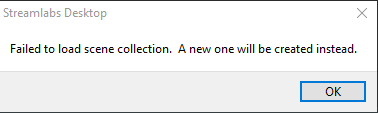 crystal sail
drowsy stone
internet maybe?
crystal sail
drowsy stone
internet maybe?
No Internet is good as before that freezing problem
drowsy stone
hmmmmm
tender steppe
site is down!
drowsy stone
oh great TwT
oak cloud
Hey we're looking into this (the website issue)