#technical-support
1 messages · Page 92 of 1
 worn plover
 jolly frost
ah ok, ty so much ❤️
 elfin marten
 vapid bone
Hi, does anyone know how to mute alertbox only my end? Of course I want it on stream but I don't want to hear it as im recording my stream. Thanks
 quartz blade
"Hi there, is there somebody who can help me configure my chat for MultiStream? I'm totally new to it. . Thanks in advance!"
 river sandal
vapid bone
Hi, does anyone know how to mute alertbox only my end? Of course I want it on st...
river sandal
vapid bone
Hi, does anyone know how to mute alertbox only my end? Of course I want it on st...
Go to the source and drag the volume to the left
 agile mural
when i try to stream on xbox it says "You need to link a subscription to your account to use the selected broadcast destination" what does this mean?
 floral cradle
so, recently ive been having a problem with streamlabs and twitch not being connected? i can stream through twitch with streamlabs but, when i do it pulls up a little error that tells me to try signing out and back in. when i do this, it doesnt change anything. its made it to where my vods wont save, the name of my stream through streamlabs and twitch are not synced, and a few other things. how are i am fix?
floral cradle
floral cradle
so, recently ive been having a problem with streamlabs and twitch not being conn...
it went away so quickly i couldnt crop it right but, if this helps this is the error im talking about

 blazing kernel
Hi, I needed help. I installed streamlabs but it has an error when logging in, I click several times to log in with Twitch and it doesn't work. It does not work with any other type of login. I've uninstalled and installed it a few times but it doesn't work. Help me please. Thanks.
 gritty isle
blazing kernel
Hi, I needed help. I installed streamlabs but it has an error when logging in, I...
gritty isle
blazing kernel
Hi, I needed help. I installed streamlabs but it has an error when logging in, I...
Having issues logging in/the login button is unresponsive?
Your default browser in Windows is causing issues with logging into Streamlabs Desktop. The login popup relies on the default browser set in Windows, so you won't be able to log in if it's blocked. Follow these steps to fix it:
- Press the Windows key on your keyboard or go bottom left and click the Windows logo.
- Search for "default apps". It may be different in Windows 10 and Windows 11.
- Find the default apps section and close Streamlabs Desktop
- Change your default browser to a new browser. For example, if you're currently on Chrome, you'll want to change it to Edge or Firefox. (Screenshot for reference: https://prnt.sc/48ZdLCQCgi8D)
- Once you've changed this, reopen Streamlabs Desktop and see if the same issue occurs when attempting to log in.
gritty isle
floral cradle
it went away so quickly i couldnt crop it right but, if this helps this is the e...
If you have logged out and back in and still see this, it’s probably one of the tags you specified. Remove them one by one until you can go live or if you can, click the Show Details button and it will tell you the exact issue.
gritty isle
agile mural
when i try to stream on xbox it says "You need to link a subscription to your ac...
Streamlabs Console is a paid subscription service. You would need to log into the Streamlabs Console site, click your PFP in the upper right, choose Account Settings, then scroll down and choose either the Monthly or Annual plan.
Streamlabs Console is also included in our Streamlabs Ultra subscription. If you're using Streamlabs Console this way, please make sure you set up your Streamlabs ID then log into the Streamlabs Console with your Streamlabs ID rather than your Twitch.
 gritty isle
 desert briar
Click Show details and screen shot the red box again please.
desert briar
 gritty isle
desert briar
gritty isle
desert briar
That a new one. I would log out, quit Streamlabs Desktop, wait a few minutes, launch Streamlabs Desktop, log back in, and try to go live again.
desert briar
i did that and the same thing comes up
 pine rapids
OBS allowed me to stream AND record in up 6 different tracks. This allowed me to seperate audio tracks so that all audio streamed live but some audio did not record on my Twitch VOD's. I do not see this option within Streamlabs Desktop. Under Output, advanced options, I see the option to split record into 6 different tracks but you only get to choose 1 track for streaming. Is there really no option to stream to more than 1 track? if so, are there any sort of plugins to add this feature?
pine rapids
That's for recording, not streaming. As it states in that link "It’s also important to note that in the Streaming tab, you can choose which track is sent to your live stream. Since you can only stream one audio track, make sure that everything you want viewers to hear is on that one track......"
I am pretty sure Twitch VOD track has been disabled since Twitch got rid of Soundtrack by Twitch.
Ok, how do I enable Twitch VOD track?
 royal verge
Hi, I have a query on Ultra plan. How can I stream on Twitch and YouTube at the same time, with Twitch having resolution of 1080p and YT with 2160p?
pine rapids
Ok thanks. I'll try that later when I get home. So if I am understanding you correnctly, if my last stream was multistreamed to Twitch and YouTube, that option will not appear for me? So to make it appear, do a quick Twitch only stream?
 neat root
royal verge
Hi, I have a query on Ultra plan. How can I stream on Twitch and YouTube at the ...
neat root
royal verge
Hi, I have a query on Ultra plan. How can I stream on Twitch and YouTube at the ...
Your output is 1 source (brodcast) getting split into 2 or more for multistreaming
You can choose wether you want 1080 or the other. But no more then that.
blazing kernel
gritty isle
**Having issues logging in/the login button is unresponsive?**
Your default brow...
It worked, thank you!
gritty isle
desert briar
i did that and the same thing comes up
Interesting. What version of Streamlabs Desktop do you have?
desert briar
I am unsure
gritty isle
desert briar
I am unsure
It’s on the top left of the Streamlabs Desktop window.
desert briar
1.15.1
gritty isle
desert briar
1.15.1
And in a web browser, can you log in at www.twitch.tv?
gritty isle
desert briar
Yes
Okay, thanks. Please quit Streamlabs Desktop then go to the Streamlabs web site and download a fresh Streamlabs Desktop installer.
Run the installer as administrator and let it install over your existing installation; no need to uninstall. At the end of the installer, don’t let it launch Streamlabs Desktop but rather just quit the installer and reboot your PC. Once the PC is back up, try and go live again.
desert briar
ok
 maiden sequoia
Someone knows how to fix a blurry rec?
desert briar
gritty isle
Okay, thanks. Please quit Streamlabs Desktop then go to the Streamlabs web site...
I did this and it still has the same error
gritty isle
desert briar
I did this and it still has the same error
Okay, see the next post from the bot. Download and run the Twitch Test with either Medium or Long duration and choose all the ingests in your region. Screen shot the results here when it’s done.
 wispy latchBOT
@desert briar
Please run this twitch test tool to find out the best server (https://r1ch.net/projects/twitchtest). Be sure to run the test for either Medium or Long, as short won't give you the most accurate results and be sure to select your region from the listed options (if the regions are not applicable to you, please select 5-6 servers that are near you). You're looking for at least a quality of 84.
Once you've found a good server go to Settings > Stream > Stream to custom ingest and you can manually select your server.
 hasty lotus
@gritty isleheu Rufus my camera is transparent,I can see game behind me .do you know how I can fix this
desert briar
gritty isle
Okay, see the next post from the bot. Download and run the Twitch Test with eit...
They all failed
 gritty isle
desert briar
They all failed
gritty isle
desert briar
They all failed
Okay. You’ll need reach out to your Internet Service Provider and explain to them that you are trying to live stream to Twitch and are unable to connect. Be patient as some folks hear ‘streaming’ and think you’re trying to watch Netflix. Something between you and Twitch is being blocked by your ISP or their upstream provider.
 polar spruce
floral cradle
gritty isle
If you have logged out and back in and still see this, it’s probably one of the ...
polar spruce
floral cradle
gritty isle
If you have logged out and back in and still see this, it’s probably one of the ...
so, the problem isnt me going live. it still lets me stream, it just doesnt let me save vods, or if i try to name my stream through streamlabs, it wont save. i deleted all the tags and it didnt change anything. the little popup that has the error goes away so fast i cant actually read it. however, its almost like my streamlabs and twitch arent connected? but they are? i dont really know, it doesnt make any sense to me and ive been trying to figure this out for about a month now
holy crap i fixed it
idk how but i just reinstalled it and it worked
@gritty isle thank you for the help
gritty isle
floral cradle
<@301571565840236564> thank you for the help
You’re welcome. Glad you got it sorted.
 pastel dust
Does anyone know a way I can stream ps5 gameplay without a capture card? My current motherboard doesn't have another PCIe slot.
 gilded anvil
Hey yall im having a little trouble with streamlab... it like when i stream it shows double and i dont know how to fix it can someone please help me with the issue
 astral socket
Question.. I have a source that is a lower third chyron for a stream and I would like it to fade in and out and not BLAM, on the screen. Is there a way to make a source do this. I don't see anything online for Streamlabs Desktop, found all kinds of plugin stuff for OBS. Any help would be greatly appreciated.
 cold salmon
I'm using OBS on Arch Linux and using Linux Browser plugin. Alerts do not trigger when I press a test button in my Firefox browser, so I don't know if they even work correctly. I've input the widget URL into the browser plugin and everything should work as expected, but doesn't.
Edit: It seems on Arch Linux I will have to use a different build that comes with the official plugin included.
desert briar
Question with a 1630 graphics card what's the best settings for that?
with 2 monitors
 orchid flax
pastel dust
Does anyone know a way I can stream ps5 gameplay without a capture card? My curr...
orchid flax
pastel dust
Does anyone know a way I can stream ps5 gameplay without a capture card? My curr...
You can always use a cheap USB 3.0 capture card. Thats what I use 🙂 I got it for like $10 🙂
I am not sure if PS5 will work but I use it with my PS4 Pro
orchid flax
desert briar
Question with a 1630 graphics card what's the best settings for that?
There are no best settings, its just what it works for you 🙂 so you need to give it a try 🙂
desert briar
Ohhh
 slender trench
hello all! i am new here. i am trying to set up streamlabs desktop but i am having trouble rescaling my captures. nothing is locked, but it doesnt highlight any of my captures or show a box so i can resize it. when i right click the capture and do transform, none of the transform options do anything when i click on them. does anyone know the solution? (pls tag me if u do and ty!)
 sand crescent
hey there, does anyone know how to add in a scoreboard?
orchid flax
slender trench
hello all! i am new here. i am trying to set up streamlabs desktop but i am havi...
Can you share your video settings and out put settings please
orchid flax
sand crescent
hey there, does anyone know how to add in a scoreboard?
scoreboard? can you please elaborate?
slender trench
@orchid flax hope this is the right stuff, if not lmk


 atomic sedge
 slender trench
<@644441232382099467> hope this is the right stuff, if not lmk
slender trench
slender trench
<@644441232382099467> hope this is the right stuff, if not lmk
update: i fixed it by deleting all of my folders from slobs-client folder
orchid flax
slender trench
update: i fixed it by deleting all of my folders from slobs-client folder
Sounds great
 hazy finch
Anyone willing to help a complete newbie stream from xbox wihtout a PC? Getting an error when I try to go live "You need to link a subscription to your account to use the selected broadcast destination."
 agile owl
hazy finch
Anyone willing to help a complete newbie stream from xbox wihtout a PC? Getting ...
agile owl
hazy finch
Anyone willing to help a complete newbie stream from xbox wihtout a PC? Getting ...
That's correct you need a Streamlabs Console Sub for it to work.
hazy finch
agile owl
That's correct you need a Streamlabs Console Sub for it to work.
So, I've signed up under the 7 day trial, and linked my twitch, but still error?
agile owl
hazy finch
So, I've signed up under the 7 day trial, and linked my twitch, but still error?
Did you also connect a Streamlabs ID account?
Streamlabs Console is a paid subscription service. You would need to log into the Streamlabs Console site, click your PFP in the upper right, choose Account Settings, then scroll down and choose either the Monthly or Annual plan.
Streamlabs Console is also included in our Streamlabs Ultra subscription. If you're using Streamlabs Console this way, please make sure you set up your Streamlabs ID then log into the Streamlabs Console with your Streamlabs ID rather than your Twitch.
hazy finch
agile owl
Did you also connect a Streamlabs ID account?
I did create a Streamlabs ID. I will log out and see if that works.
 grave bramble
good evening, I can't get the game capture below the webcam and the overlay, what should I do?
hazy finch
Oh wow. Thank you so much @agile owl 🙂
agile owl
hazy finch
Oh wow. Thank you so much <@201456214972825601> 🙂
No problem
 vocal lichen
Haven’t streamed in awhile, for DDLV there’s a monsters inc update, they added stream screen monsters inc theme, everytime I add it in, the screen goes blank
agile owl
vocal lichen
Haven’t streamed in awhile, for DDLV there’s a monsters inc update, they added s...
I would like for you to submit a ticket please
wispy latchBOT
{1} If you were unable to find answers to your question(s) in the #1173605643484139591 or our self help articles on Creator Resource Hub https://streamlabs.com/content-hub/support , then please submit a ticket at https://support.streamlabs.com/hc/en-us/requests/new and our team would be able to help you there!
vocal lichen
Ahh ok :)) where do I do that?
agile owl
vocal lichen
Ahh ok :)) where do I do that?
vocal lichen
Oh th
agile owl
grave bramble
good evening, I can't get the game capture below the webcam and the overlay, wha...
Did you restart Streamlabs Desktop?
hazy finch
Hey again. 🙂
So I've got a webcam plugged in to my xbox. is there any way to edit it in streamlabs (ie: zoom in, most specifically)
Or, use a separate device (tablet/mobile) as a webcam?
 whole summit
 zenith mesa
I got low frames when streaming wasn’t happening before, obs runs fine
Pc and internet are more than capable for what I’m demanding. Any advice?
 humble plume
Anyone recently been running into an issue of streamlabs causing a blue screen when trying to do anything in it? It can run games just fine for hours, but when I simply try to add my camera, or mostly even move the app from once screen to my 2nd screen, it triggers the BSOD with an service exception error. I tried unistalling and reinstalling and it just got worse, and of course i run it as admin, but this seems to be the only thing that causes the PC to crash. I have a 4070ti and a Ryzen 7 5800x, so not like the hardware can't handle it
gritty isle
Blue screens are typically a hardware issue. I’d google the stop code and check your event viewer. I had this issue years ago and it turned out the memory Dimms I got were too fast for my motherboard.
vocal lichen
How do I have streamlabs connect to my YouTube stream I’ve already sheduled in YouTube?
humble plume
gritty isle
Blue screens are typically a hardware issue. I’d google the stop code and check...
I do not have this issue with OBS though, so how can we tell if it's a hardware issue?
gritty isle
humble plume
I do not have this issue with OBS though, so how can we tell if it's a hardware ...
Research the stop code, check the event viewer. Open a case with Microsoft.
 versed night
hi
i subscribe to ultra streamlab from my phone , and i didn't get any of that . the money has gone from my bank account
 gritty isle
versed night
i subscribe to ultra streamlab from my phone , and i didn't get any of that . th...
gritty isle
versed night
i subscribe to ultra streamlab from my phone , and i didn't get any of that . th...
Go here on the Streamlabs web site https://streamlabs.com/dashboard#/membership. Do you see an Ultra subscription listed there?
versed night
 gritty isle
versed night
gritty isle
versed night
You would need to submit a ticket here https://support.streamlabs.com/hc/en-us/requests/new so the team can research this for you. We can’t work payment issues in Discord due to the privacy and sector tour confidential information plus us Volunteers aren’t employed by Streamlabs and we just don’t have any access.
versed night
gritty isle
You would need to submit a ticket here <https://support.streamlabs.com/hc/en-us/...
Thx
gritty isle
versed night
Thx
You’re welcome.
versed night
gritty isle
You’re welcome.
May you tell me what do i type to them ?
gritty isle
versed night
May you tell me what do i type to them ?
Say that you have purchased a Streamlabs Ultra subscription and it’s not reflected in your account on the web site and let them know your Streamlabs username which is the same as the channel name for your primary platform.
versed night
Thank you
gritty isle
versed night
Thank you
You’re welcome.
 pure chasm
Hi. I am trying to link my twitter to streamlabs. It opened the twitter and asked for my permission and I said yes. I can see it in twitter on connected apps but in streamlabs and streamlabs settings online it asks me to Merge instead of unmerge like my youtube
 distant oasis
is there a way to show a source when audio from a certain source is played?
example: everytime you hear a dog bark, a png of a dog shows on the screen that then fades away
 hardy wadi
Hi, I'm trying to figure out my sound issues while streaming and could really use some help. The sparknotes: I'm using a nintendo switch and a capture card directly to my pc. I'm able to stream to youtube and twitch without any issues, and my viewers have no issue with hearing the sound from my switch. the problem is I can't hear anything from my switch. I've attempted to use the settings monitor and output on the advanced audio settings but I still hear nothing.
when my viewers can hear but I can't: the switch's settings are (Audio Output mode: Capture Audio only) - audio device set to usb3.0 capture.
when I CAN hear but my viewers can't: the switch's settings are (AOM: Output desktop audio (directsound) or (waveout)
the only workaround I've found has been by setting the switch's settings to output desktop audio so it goes directly to my headphones and then having my headphones be the source of the sound for my viewers streamed online. However, this causes a significant sound quality difference where characters have a sort of "Tin" sound to them and it can be distracting for viewers. I want to make the sounds as smooth as possible for my viewers while not having to sacrifice listening to my games while streaming (I've had to resort to muting my headset and listening to my own stream to try to get some immersion but that's not a longterm solution). My capture card is one I got off amazon - which is just an HDMI to USB-C port capture card). If my only choice is getting a different capture card, I'll do it but I've already spent a good amount on this one and it'd be a bummer to try to do a number of steps to get this solved... pls help? 🙏 thanks!
 peak radish
i play rust n try to hide my map my show thingy isnt working if im not tabbing into stream labs on my snd monitor
hardy wadi
@here GUYS I FIGURED OUT THE ISSUE WITH THE MONITOR AND OUTPUT STUFF!!!! OK SO
if you're streaming via a capture card and are having issues monitoring the sound you're streaming (but your viewers/stream shows the sound just fine): the main issue is you want to monitor the sound you are streaming:
FIRST - Identify the sound your device is working directly with. In my case, my switch's capture card's audio is coming from Microphone - USB3.0. This is KEY. then>
go to streamlab settings -> audio -> scroll down to the devices.
Desktop audio device 1 - is my headset where I'm going to be HEARING.
no need for an audio device 2 since I don't plan to use any other speakers to hear.
MIC/AUX Device 1 - my headset's mic
MIC/AUX DEVICE 2 - THE MICROPHONE FROM YOUR CONSOLE - i.e my nintendo Switch via capture card.
Once you have them enabled, you should be able to hear what's being picked up from your console and also be able to stream it directly! NOW - to make sure the settings aren't double picking up your device and the new mic you just set up, set it up to monitor only (mute output) AND YOU'RE GOOD!
Also if your sound ever comes out weird, make sure your connection is good or check if you've placed any filters you may have put in the wrong mic (lol just happened to me). Good luck everyone!

solved! check out my latest post! search monitor and output!
versed night
How can i get live chat with streamlab support ?
 nova nacelle
@gritty isle Hey I see that you are helping people,
What I am trying to do is to find and copy the overlay url so I can do irl streams
Where can I find my Overlay url
desert briar
Anyone know how to stream Helldivers on stream labs it doesn’t work for me
It just says waiting for game on the game capture
desert briar
desert briar
Anyone know how to stream Helldivers on stream labs it doesn’t work for me
I’m using a laptop and a monitor would that be a problem
 spark rain
Hi, did someone have the same problem than me about the Streamlabels ?

I've already try to uninstall and reinstall them it not fix the problem
 urban fable
spark rain
Hi, did someone have the same problem than me about the Streamlabels ?
urban fable
spark rain
Hi, did someone have the same problem than me about the Streamlabels ?
there is a new version you can download the 0.6.2
spark rain
@urban fable do you have the link ?
urban fable
you can type "label" in the search in your streamlabs account, should be the first result
spark rain
urban fable
you can type "label" in the search in your streamlabs account, should be the fir...
Ok thanks 🙂
 toxic tinsel
Hi guys im having an issue with my alert boxes... i have the sound volume set to 0% yet The sound PLAYS and it sso lopud
 delicate spade
Guys, is there a way to add tiktok chat and alerts onto streamlabs like another DOCK for it. Like this on Obs:

Or must I have streamlabs ultra plan for that.
desert briar
desert briar
Anyone know how to stream Helldivers on stream labs it doesn’t work for me
Anyone else have this issue
desert briar
Help please
gritty isle
nova nacelle
<@301571565840236564> Hey I see that you are helping people,
What I am trying t...
Please don’t ping me when I’m not actively assisting you and I was fast asleep. You can go here https://streamlabs.com/dashboard#/widgetthemes and then click the arrow and copy the URL.

 abstract plazaBOT
Are you knowledgeable about Streamlabs products? Do you like being rewarded while helping others? Apply to be a part of the  Streamlabs Support Volunteer Program! BONUS POINTS FOR GERMAN 🇩🇪 or FRENCH 🇫🇷
Application Link:
https://forms.gle/eKS29zWfFjGEzaRp7
For details, see our post in #announcements:
#announcements message

Google Docs
Fill out the form below to be considered for our Volunteer Application. Please see our the Streamlabs Privacy Policy to understand how your data may be collected, accessed, and stored. Data may be deleted upon request.
To be considered for acceptance into the Streamlabs Support Volunteer Application, applicants must submit this form. We will fo...
desert briar
desert briar
Anyone know how to stream Helldivers on stream labs it doesn’t work for me
Anyone have this problem
 storm hawk
how to fix 🥲

 proven crystal
Hi, how do you change your membership settings?
storm hawk
proven crystal
Hi, how do you change your membership settings?
I don't know where.
 modest folio
My last few streams I’ve had Streamlabs crash mid stream and I’ve no idea why, well more specifically Streamlabs crashes but it still gives me an option to “end stream” even if it already crashed. And then when I end stream manually and click go live again it forever is on the “setting up video transmission/feed” which makes me have to force end task Streamlabs and relaunch it again, and there’s like 10 different Streamlabs tasks in my task manager so I gotta find the right one to end. No idea what’s going on it worked fine 2 weeks ago
vapid bone
Hey guys, does anyone know if its possible to 'go live' onto a Youtube schedualed stream, without having to make a new one? When I click go live, it wants a new title n stuff. But I already have that setup on Youtube you see
 queen vortex
Hello I am un ultra subscriber. Is game overlay available to show multistream chat? I use triple monitors on a racing simulator and Game Overlay feature is the only Option I have found to read chat while in game. Can you please add the ability to see multi-stream in Game Overlay
queen vortex
queen vortex
Hello I am un ultra subscriber. Is game overlay available to show multistream ch...
The only chat I am able to see is Twitch chat. YouTube chat will not populate into Game Overlay.
 hot lagoon
Hello, Is the feature for no background camera when streaming on xbox over streamlabs , or its only for desktop users option? Thanks in advance.
storm hawk
storm hawk
how to fix 🥲
anyone know how to fix
 gilded trench
Getting this error several times with a Samsung S3 ultra. Seems like a coding error. Is there a fix to it?

 latent laurel
i can find the download for streamlabels anywhere
 wooden geode
why is my game plauy not coming up when it set to auto

and how do you muple stream on sream labs
agile owl
for multiple streams you'll need Ultra for that
agile owl
right click on game capture go to properties and do this

I don't think I've ever seen the "Auto" work before 😭
wooden geode
 wooden geode
how do you record it now
agile owl
You got 3 other choices
Screen, Window and Display Capture
Have a try of Screen Capture
wooden geode
i have try that buit it dose come up
agile owl
Not with Automatic on Screen Capture
wooden geode
ok
wooden geode
not my mic wont pick up
 tranquil star
Anyone else having issues with Talk Studio stream to LinkedIn being stuck in Prelive status?
 eager drift
agile owl
I don't think I've ever seen the "Auto" work before 😭
eager drift
agile owl
I don't think I've ever seen the "Auto" work before 😭
works for me js takes a bit sometimes

 brave inlet
What is the best way to contact TikTok for a stream key can’t find an email or contact way
agile owl
 barren scarab
Go into Settings on Streamlabs Desktop and go to "Remote Control"
gritty isle
brave inlet
What is the best way to contact TikTok for a stream key can’t find an email or c...
TikTok makes that process frustrating. The method they told us to give is: https://www.tiktok.com/about/contact?lang=en.
desert briar
Hello! This just started happening intermittently, and now it's all the time. when I try to click and drag to resize a capture window, or anything, i cannot. I never get the diagonal arrows, just stays as the hand to grab and move. I've verified that sources are unlocked when trying to resize.
 barren scarab
agile owl
Go into Settings on Streamlabs Desktop and go to "Remote Control"
barren scarab
agile owl
Go into Settings on Streamlabs Desktop and go to "Remote Control"
does it require a laptop or pc?
 gentle cave
can someone tell me =why there is saying connect to chat all time i cant read chat
pls
storm hawk
how to fix
 wispy latchBOT
@gentle cave ```md
Streamlabs Discord Server Rules
-
Family friendly Discord server! <No swearing> Please watch your language.
-
No hate speech, racism, drama, political talk, starting flame wars, trolling, or any form of spam.
-
Respect all other discord members.
-
If a mod says something about your behavior, listen and comply.
-
You get a warning, and then get banned; you may be banned without warning if your behavior is severe enough.
-
<No Advertising> OR self promote in any chats or DMs or post any reference links here, unless it contains a guide when asked for.
-
Do not give your login credentials to anyone, and do not let strangers screen-share or remote control.
-
Please try to follow channel topics and read the pinned messages in all channels.
-
No unsolicited DMs to staff or other server members. If a staff member needs to DM you they will do so or ask you to DM them. ``````diff
- Please do not repeat the same question multiple times! If someone is available to help you they will! You can try the bot commands by typing !help
- Remember, there are a lot of members on this server who also need help. Be patient when asking for help and try to find your own answers using the resources we provide. ```
gritty isle
storm hawk
how to fix
Do you an an Nvidia 1650 GPU?
gritty isle
gentle cave
can someone tell me =why there is saying connect to chat all time i cant read ch...
If Twitch, click the Refresh Chat button at the top of the embedded chat dock. If that doesn’t work and you are not live, then log out and log back in.
wispy latchBOT
@gentle cave
Click the :gear: at the bottom left of Streamlabs Desktop. Then the logout button should be at the bottom left of the popup as shown:
https://i.gyazo.com/d85a0f693148ea5b9e4c6b03d7cbf703.png
 gentle cave
but why log out
storm hawk
gritty isle
Do you an an Nvidia 1650 GPU?
Yes
wispy latchBOT
@grave cairn
Please no advertising or self promotion in any channels or DMs with server members. Please see #rules for more details on our server guidelines.
gritty isle
storm hawk
Yes
If you're using a GTX 1650 and receiving an "NVENC Error: get_encoded_packet" error, this is caused by a bug in the NVIDIA 551.61 driver version. NVIDIA has released an updated driver, details can be found here: https://twitter.com/nvidiacc/status/1762932225568313577
NVIDIA GeForce Hotfix Driver 551.68 is now available.This driver resolves the following:
✅ Using NVENC to encode videos may result in corrupted videos or error message on GeForce GTX 1630/GeForce GTX 1650/GeForce GTX 1650 Ti GPUs
Download here:
https://t.co/clK4u0kCVR

 Twitter
·
Twitter
·
 soft crescent
Question: Using the streamlabs multistream feature and having all 5 stream chats combined into the single aggregated chat, is there a way to setup text to speech to read out each comment?
gritty isle
gentle cave
but why log out
It will refresh the OAuth token.
storm hawk
gritty isle
If you're using a GTX 1650 and receiving an "NVENC Error: get_encoded_packet" er...
gritty isle
soft crescent
Question: Using the streamlabs multistream feature and having all 5 stream chats...
There’s nothing in Streamlabs Desktop to read chat with TTS.
gritty isle
storm hawk
You’re welcome.
soft crescent
gritty isle
There’s nothing in Streamlabs Desktop to read chat with TTS.
Is there another tool known that can do that for multiple streams?
gritty isle
soft crescent
Is there another tool known that can do that for multiple streams?
There might be a 3rd party app but me personally I don’t one of one, sorry.
 shrewd forum
Hello. Newbie streamer here. I am having a problem with my alertbox. It is not showing up in stream but when I am trying to test it, it's working. The chatbox is working fine too. Just the alertbox is not showing up in stream. What would be the fix for this? Thank you so much! 😊
gritty isle
shrewd forum
Hello. Newbie streamer here. I am having a problem with my alertbox. It is not s...
Do you perhaps have Unlimited Alert Moderation Delay enabled? If so, disable that setting. Please go here https://streamlabs.com/dashboard#/alertbox and if you have Unlimited Alert Moderation Delay enabled, disabled it then click Save Settings at the bottom of the page. Also go here https://streamlabs.com/dashboard#/recentevents and make sure your alerts are not paused. If this icon is a play button, your alerts were paused. https://cdn.discordapp.com/attachments/962371235789025360/1147374507238101072/IMG_1019.png

 wild echo
hey guys my alerts dont work on my stream and my mini feed is never udapte someone have a solution ? ( sorry for my english i'm french 😉 )
shrewd forum
gritty isle
Do you perhaps have Unlimited Alert Moderation Delay enabled? If so, disable th...
Hi. My unlimited alert moderation delay is disabled and the button is not a play button as well. However, the alerts are still not showing up. How can I fix this? Thank you! ☺️
gritty isle
shrewd forum
Hi. My unlimited alert moderation delay is disabled and the button is not a pla...
What platform, Twitch, YouTube, Facebook, or Trovo?
gritty isle
wild echo
hey guys my alerts dont work on my stream and my mini feed is never udapte someo...
What platform, Twitch, YouTube, Facebook, or Trovo?
shrewd forum
gritty isle
What platform, Twitch, YouTube, Facebook, or Trovo?
I tried streaming and both twitch and facebook, got the same thing.
 celest current
Hello, everyone. Michael here. Can someone give me some information about donations through paypal. I have some donations that i got with my connected paypal account. My questions is can I withdraw that money in any way? Thank you for your response in advance.
 gritty isle
shrewd forum
I tried streaming and both twitch and facebook, got the same thing.
gritty isle
shrewd forum
I tried streaming and both twitch and facebook, got the same thing.
Please go to the Alert Box web page https://streamlabs.com/dashboard#/alertbox and click the Launch button. This opens a new browser window. Then press the Test buttons. Let me know if you see and hear the test alerts.
gritty isle
celest current
Hello, everyone. Michael here. Can someone give me some information about donati...
The tips should go to the account connected in your PayPal account.
desert briar
desert briar
Hello! This just started happening intermittently, and now it's all the time. ...
@gritty isle could you assist me with this please?
celest current
gritty isle
The tips should go to the account connected in your PayPal account.
ohhh I see.... So if the amount is way less or 0CZK it probably means the money got "lost" or in other ways i paid a tax for transfering and recieving money to my currency?
gritty isle
desert briar
<@301571565840236564> could you assist me with this please?
When you select a source, do you get the green border around the source with the dang handles?
desert briar
I get the green border as the screenshot shows along with the handles, but I cannot drag to resize
gritty isle
desert briar
I get the green border as the screenshot shows along with the handles, but I can...
Interesting. Go into the Layout Editor. Do you have the Stream Preview or the Editor Display?
desert briar
I verified that it is the editor display
gritty isle
celest current
ohhh I see.... So if the amount is way less or 0CZK it probably means the money ...
PayPal does change fees for their service. It could be the $1 tips were essentially taken out by those fees.
desert briar
I've been using Stream Labs for a very long time I'm fairly familiar with troubleshooting this stuff, reaching out for tech support was kind of my last resort before uninstalling
gritty isle
desert briar
I verified that it is the editor display
Are you running Streamlabs Desktop as administrator?
desert briar
Ran it once as administrator and now I am able to resize. Closed it and opened it again without running as administrator and it seems to be working.
I've never had to run as administrator before
gritty isle
desert briar
Ran it once as administrator and now I am able to resize. Closed it and opened i...
Thanks for confirming that. You could try reinstalling if you like. No need to uninstall first.
 magic pagoda
silly question i use multiple screens andf i cannot for the life of me get my streamlabs desktop to open on the screen i want i dont see an option to open it windowed is there another way to tackle this issue?
gritty isle
magic pagoda
silly question i use multiple screens andf i cannot for the life of me get my st...
Hop over to #ultra-support for assistance with that. And thank you for being a Streamlabs Ultra subscriber. 
desert briar
gritty isle
Thanks for confirming that. You could try reinstalling if you like. No need to...
Am I at risk of losing any overlays or other custom settings by reinstalling over the top?
gritty isle
desert briar
Am I at risk of losing any overlays or other custom settings by reinstalling ove...
No, your data won’t be affected.
desert briar
Awesome. Thanks for your help!
gritty isle
desert briar
Awesome. Thanks for your help!
You’re welcome!
wispy latchBOT
@steel seal
Please no advertising or self promotion in any channels or DMs with server members. Please see #rules for more details on our server guidelines.
 lofty hamlet
hey can someone help me figure out why the ultra scene package i installed. the border for the game capture wont expand to the whole screen? when i hit go live and look over @2nd monitor i have everything where i want it and then a giant red border splat middle of screen, and ive extended it as far as i could but it wont cover the whole screen?
 viral parrot
My collab cams audio isnt coming through my stream and not showing up on the mixer but their end the audio is fine. does anybody know a solution? would be very greatful for some help
 elder barn
I'm trying to find a way to change the alert box from some theme already on Streamlabs to a media file or a file I own on my PC on OBS. But it has to be put into Streamlabs so I can copy the link to see the artwork/overlay thing as an integrated feature from Streamlabs. I'm completely new to this. When I went to use them on Streamlabs, it wants me to import the .overlay file, & when I did, nothing changed, so I went the route of installing everything on OBS, but since some stuff that appears overscreen & is interactable is on Streamlabs, like chat, I need to change the asset used for it to reflect the demolisher one. When I select the demolisher one, it wants me to pay for it again.
 jade nexus
hey can anyone help me figure out why when I try to full screen an android emulator my overlay glitches?

not at my laptop rn
 lean notch
Any advice?
My Desktop software is delayed. How can I resolve this?
2019 MacBook Pro
Atem Mini Pro ISO
My internet is high speed.
 waxen fjord
Question about elements in my capture - I know OBS Studio has a plugin that will allow you to scale elements with sound output. Does Streamlabs have something similar? I've got waveforms on my stream I'd like to pulse with the music, but haven't been able to find anything like this in my searches.
 solid robin
Hey everyone I was hoping to get some advice and guidance, I have a MSI laptop that I’ve been gaming and streaming from for a year now with no problems. Recently though my stream will randomly end and when I go to stream labs it still says it’s on (not reconnecting- the button says “end stream”) if I try to end and start stream again it never video transmits. I have to close stream labs and re open it again to get the stream to work, however it will usually crash again some time later during the stream with the same issues. I have my bitrate set to 4500 now, still happens. I used to run my game with ultra settings and it would work fine. Now I have everything set to low, and it still crashes. I’m not sure what to do, if anyone could help I’d really appreciate it.
 waxen rampart
I can't record or nothing
 gritty isle
waxen rampart
I can't record or nothing
gritty isle
waxen rampart
I can't record or nothing
Do you have an Nvidia 1650 video card?
waxen rampart
yea
gritty isle
waxen rampart
yea
If you're using a GTX 1650 and receiving an "NVENC Error: get_encoded_packet" error, this is caused by a bug in the NVIDIA 551.61 driver version. NVIDIA has released an updated driver, details can be found here: https://twitter.com/nvidiacc/status/1762932225568313577
NVIDIA GeForce Hotfix Driver 551.68 is now available.This driver resolves the following:
✅ Using NVENC to encode videos may result in corrupted videos or error message on GeForce GTX 1630/GeForce GTX 1650/GeForce GTX 1650 Ti GPUs
Download here:
https://t.co/clK4u0kCVR
Twitter
·
 heady anvil
I was splitting my audio sources and when I do cod it wont pick up the game chat anyone know how to fix this, I stream and game on PC
versed night
May i live chat with Someone can solve my problem on Arabic language ?
 glass bough
Hey guys everything is working great, I have flag just stuck in the bottom left corner tho. How do I fix this? I’m on pc.
Or fumble etc
 steep dew
yo guys I need some help, how do I get my chat and viewer count and stuff to pop up on my actual screen like even when im playing games
 twilit frigate
i need help with youtube cant main smooth streaming buffering proble, it wont let me stream unless it will vanish so i dont recieve 10+ seconds delay
elder barn
elder barn
I'm trying to find a way to change the alert box from some theme already on Stre...
Can anyone help me resolve this? I have purchase proof & everything.
neat root
lean notch
Any advice?
My Desktop software is delayed. How can I resolve this?
2019 MacBo...
Desktop software is delayed.
Please use some detail.
Which software?
Delayed by what?
lean notch
neat root
Desktop software is delayed.
Please use some detail.
Which software?
Delayed b...
Streamlabs Desktop. I’m running the latest version of Sonoma.
neat root
lean notch
Streamlabs Desktop. I’m running the latest version of Sonoma.
First off i dont apple.
Second, what do you mean delayed?
lean notch
neat root
First off i dont apple.
Second, what do you mean delayed?
I know I know. Apple is evil.
I’m my setup when I make a motion, the software playback doesn’t reflect that until moments later.
neat root
lean notch
I know I know. Apple is evil.
I’m my setup when I make a motion, the software ...
Im not that type of guy. I just dont use apple.
I presume you are a VTuber? (also something i dont know about) im just trying to figure out what the issue is.
Or do you mean the broadcast is delayed between you and twitch? Which is a twitch setting.
nova nacelle
gritty isle
Please don’t ping me when I’m not actively assisting you and I was fast asleep. ...
Hello sorry about the ping
Thankfully it did work, when some donates to me it makes the alert sound on my phone from the url widget links, for example when someone donates it plays the audio sound through my phone but the tts from the donaiton message does not play outloud, how do I make both the donation sound and the tts of the donation after wards start playing ?
 eager drift
steep dew
yo guys I need some help, how do I get my chat and viewer count and stuff to pop...
eager drift
steep dew
yo guys I need some help, how do I get my chat and viewer count and stuff to pop...
it cant like pop up on your game window if thats what you mean
 smoky horizon
Does anyone know how the obs sound works??? I’m new to the program and I can’t figure out audio settings
 obsidian prawn
Hey! Does Streamlabs combine your live chats from different programs like restream?
lean notch
neat root
Im not that type of guy. I just dont use apple.
I presume you are a VTuber? (a...
I’m not a VTuber. I’ve gone through several settings assistance videos and talked to SLOBS tech support.
Nothing has worked so far.
 median pagoda
Can you copy projects or scenes from one project to another? (Using SL Console with a tablet btw)
 tepid jungle
why does league of legends never come up as a game?
neat root
lean notch
I’m not a VTuber. I’ve gone through several settings assistance videos and talke...
I still do not know what yhe problem is.
What, is, delayed?
lean notch
neat root
I still do not know what yhe problem is.
What, is, delayed?
I have a video switcher and a monitor.
When I say something or move around, it’s extremely delayed in the SLOBS software.
neat root
lean notch
I have a video switcher and a monitor.
When I say something or move around, it...
That sounds like your running your camera thru extra software?
lean notch
neat root
That sounds like your running your camera thru extra software?
Correct. Atem Mini Pro ISO.
neat root
Why?
Its a mixer. Thats makes sense. However thats your issue. You probably need to contact them to diagnose signal loss
lean notch
neat root
Why?
I can only say because that’s how I configured my office system.
lean notch
neat root
Its a mixer. Thats makes sense. However thats your issue. You probably need to ...
Copy
neat root
It ciuld be as simple as rewiring and reconfiguring, but i dont use a mixer, i also wouldnt use one for a camera
 craggy thicket
SORRY
wispy latchBOT
@craggy thicket
Please no advertising or self promotion in any channels or DMs with server members. Please see #rules for more details on our server guidelines.
lean notch
neat root
It ciuld be as simple as rewiring and reconfiguring, but i dont use a mixer, i a...
I watched these guys do it: https://youtu.be/n3P_Mv6NM3I?si=Btcl296l_pHRN8Jj
But I seem to be the only one having an issue. 🤦🏾♂️
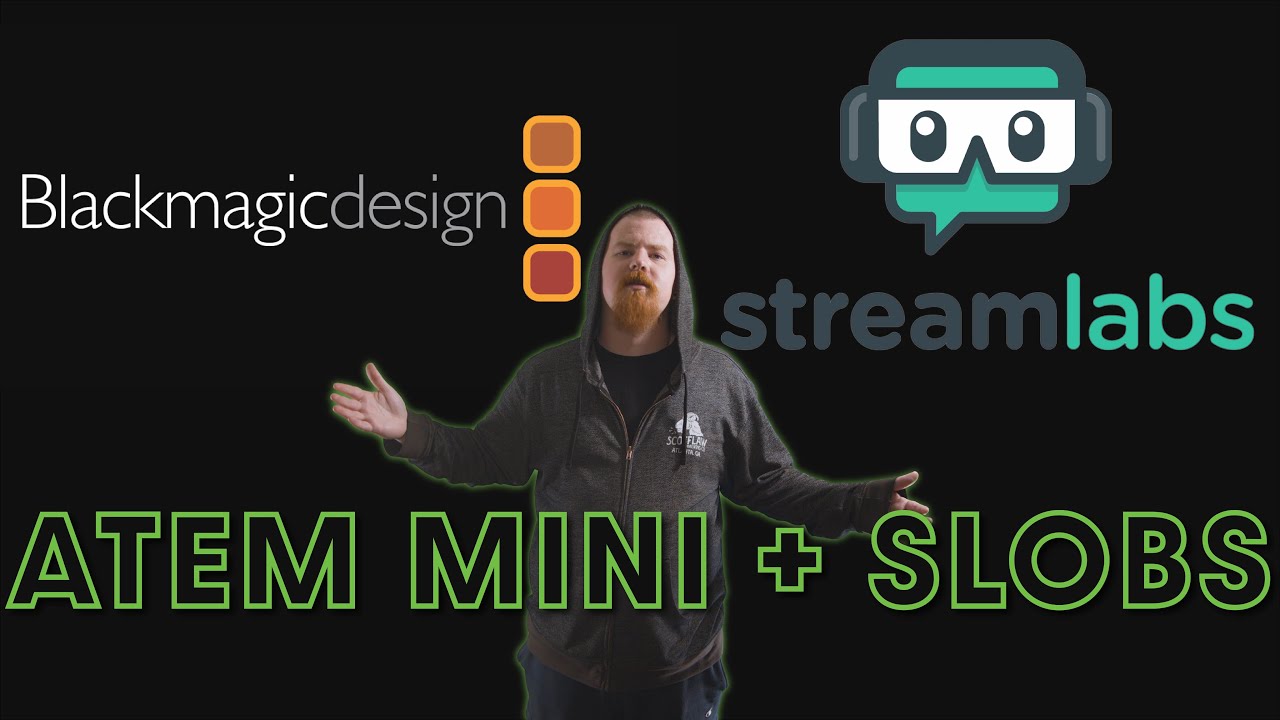
So you got the ATEM Mini Pro, but now you want to use it for your Twitch stream through Streamlabs. Yes, it can be annoying, we've been there ourselves. So lucky for you, we figured out the smoothest way to do it and now we'll walk you through step-by-step!
Don't have the ATEM Mini Pro? Check it out for yourself (Associate Link): https://amzn.t...
neat root
Id contact ATEM.
lean notch
neat root
Id contact ATEM.
Copy
desert briar
Hello i have a problem,
When i want to connect my tiktok account he say me "This tiktok account is already linked to another account. Please use a different account." but it's my first account streamlabs... how can i do ?
 random basin
desert briar
Hello i have a problem,
When i want to connect my tiktok account he say me "Thi...
random basin
desert briar
Hello i have a problem,
When i want to connect my tiktok account he say me "Thi...
PLease submit a ticket so the team can assist you.
wispy latchBOT
{1} If you were unable to find answers to your question(s) in the #1173605643484139591 or our self help articles on Creator Resource Hub https://streamlabs.com/content-hub/support , then please submit a ticket at https://support.streamlabs.com/hc/en-us/requests/new and our team would be able to help you there!
random basin
 faint lodge
i have a problem When i start Chat Bot it's crash
faint lodge
i have a problem When i start Chat Bot it's crash
Can you show what is the error?
faint lodge
random basin
Can you show what is the error?
can i dm you ?
random basin
Please post it here.
jade nexus
jade nexus
hey can anyone help me figure out why when I try to full screen an android emula...
any advice please?
random basin
jade nexus
any advice please?
Can you show us a vid of what happens?
 strange light
hi all good morning ❤️
need some serious help with my recordings, here is an example of what i mean (blocky stuttering) and my settings
i've had this issue multiple times, the only thing that fixes it is factory resetting my entire computer; but even then, after a few weeks, it starts doing it again. i also will occasionally see the error when i record that says some frames were dropped, i got help here a while back with it and followed the directions on the link suggested here, but that did not work either
https://youtu.be/u20oxPQUV88
https://imgur.com/a/tttItz4
jade nexus
random basin
Can you show us a vid of what happens?
I have the streamlabs opened and the Memu android emulator opened
And when I zoom in to fullscreen the emulator that thing happens
But when it’s not in full screen there’s no glitch
 weak folio
Hey guys Im thinking to buy stream labs Ultra for stream overlay. So i need to pay one time only monthly and I can cancel subscription and Overlay stay's ? Or I have to pay monthly to keep it ?
agile owl
weak folio
Hey guys Im thinking to buy stream labs Ultra for stream overlay. So i need to p...
Pay monthly to keep the ultra overlays
weak folio
Ohh
random basin
jade nexus
And when I zoom in to fullscreen the emulator that thing happens
are you using screen capture or game capture?
jade nexus
Game
random basin
use screen then and try it out
jade nexus
Should I switch to screen?
random basin
may be the emulator :c
jade nexus
Ok, will do and I’ll come back
jade nexus
random basin
may be the emulator :c
Yeah most probably
strange light
strange light
hi all good morning ❤️
need some serious help with my recordings, here is an exa...
any ideas perhaps?
random basin
strange light
any ideas perhaps?
I would suggest you to send in a ticket.
wispy latchBOT
{1} If you were unable to find answers to your question(s) in the #1173605643484139591 or our self help articles on Creator Resource Hub https://streamlabs.com/content-hub/support , then please submit a ticket at https://support.streamlabs.com/hc/en-us/requests/new and our team would be able to help you there!
desert briar
I'm using Streamlabs Console to stream my xbox gameplay directly from the xbox itself. I use a headset to hear my gameplay and to also be able to respond to my Twitch chat. I usually use my phone or ipad next to me with my Twitch Stream pulled up so I can read chat. The problem is that I can't hear alerts because I'm wearing my headset, of course), so I keep missing when people are giving me a follow or whatnot- and that's just not good. Is there any way for me to be able to hear alerts through the xbox streamlabs options? Perhaps I am missing something or could do something differently? Any advice or suggestions are greatly appreciated!
I filled out a support ticket just now, as well but thought I would ask this here in case anyone else is or was in the same boat as me and may be able to help!
 nimble sun
Soo I was having a error 500 when trying to sign into streamlabs no matter what device or internet connection I was using I submitted a ticket and got a agent that told me she “fixed some things on the back end” allowing me to sign in using the YouTube sign in feature what I’ve been using the whole time now I don’t have my ultra subscription along with none of my scenes and everything is reset now I can’t get into the ultra side of things to get the ultra level support and I’m getting one email a day if that with no help just being told I messed it up
 humble gale
desert briar
I'm using Streamlabs Console to stream my xbox gameplay directly from the xbox i...
humble gale
desert briar
I'm using Streamlabs Console to stream my xbox gameplay directly from the xbox i...
I would assume you can't hear it if you have your headphones plugged into your console, but if you have your phone up with streamlabs console website up i would think you could hear it through your phone?
desert briar
humble gale
I would assume you can't hear it if you have your headphones plugged into your c...
Yes, that's the problem. I need to use my headset to hear my gameplay on the console and to also be able to talk to my chatters. But there is no way for me to be able to hear my phone/stream alerts...
humble gale
nimble sun
Soo I was having a error 500 when trying to sign into streamlabs no matter what ...
I would try logging into streamlabs with whatever you bought your ultra subscription on (a lot of times they use the Streamlabs ID thing for an Ultra subscription). then you can connect your discord there to access the chat or talk to them in the speech bubble thing
humble gale
desert briar
Yes, that's the problem. I need to use my headset to hear my gameplay on the co...
so you can't hear it through your phone's speakers?
desert briar
No, I can't hear anything outside of my headset
cancels the noise and can only hear my gameplay
humble gale
Then idk. I think the ticket would be the best way to get an answer on that then cause it makes sense why you can't hear it through your headset, but if you had like your phone's volume up you could have that louder or something 🤔
nimble sun
Here’s the thing I’ve always signed into streamlabs with YouTube button and not a specific streamlabs sign in however I’ve tried to sign in with a streamlabs email and password and ive tried every email I have access to and every one says that email is not in use I’m at a loss here and not getting any help from their support.
desert briar
just wondering if anyone else using StreamLabs Console to stream their xbox gameplay has figured out a solution for this or if Streamlabs is going to incorporate something to where we can hear the alerts through the xbox.
humble gale
nimble sun
Here’s the thing I’ve always signed into streamlabs with YouTube button and not ...
were you talking to them in a ticket or in their live chat thing?
nimble sun
In a ticket I can’t get access to the live chat
humble gale
desert briar
just wondering if anyone else using StreamLabs Console to stream their xbox game...
it woudln't be possible to hear the alerts through the xbox itself. basically you stream to an ingest server then they overlay your stuff from the console website. It's kinda like multistreaming where you stream to their ingest, and then they send it out
desert briar
ok thanks!
humble gale
sorry 😦 maybe they could make it where your phone vibrated or something 🤔
humble gale
nimble sun
In a ticket I can’t get access to the live chat
Unfortunately not much i can help with if you can't see the ultra on any of your accounts (like twitch, youtube, streamlabs id, etc).
desert briar
humble gale
sorry 😦 maybe they could make it where your phone vibrated or something 🤔
hmm - does anyone know if there is any kind of customizable audio options for twitch alerts? i guess that's something i need to research outside of here
humble gale
not sure what you mean by that, but you can basically upload any audio file for a sound option. there was one streamer (idk how they did it) that had their alerts linked to their lighting, so they could see their lights change
desert briar
i'm not sure streamlabs console allows that much customization. it's quite limited
humble gale
you may be able to do it right into twitch
desert briar
ahh ok, i'll look into that. i appreciate the suggestions
humble gale
no problem!
 undone anvil
Hey all. Maybe I can get some help. About a week ago, my SLABS Desktop has entered fullscreen mode. After researching I was brought to changing the screen.json file from true to false. But still having the same issue. It hides my taskbar. I have attachments to show what I'm talking about.
sorry I tried to be as concise as I can

 gritty isle
@nimble sun If you have an active Streamlabs Ultra subscription, please link your discord (see next post) and gain access to to the Ultra Support channel.
wispy latchBOT
@nimble sun
If you are a Streamlabs Ultra Subscriber or All-Stars member
 Link your Discord under integrations for access to our Ultra/VIP roles and private chats
:point_right: https://streamlabs.com/dashboard/#/settings/integrations
:star: upgrade to Ultra here: https://streamlabs.com/ultra?refl=discord
 nocturne oracle
Does anyone know how too make a folder than put your camera and overlay inside it for some reason it won't let me paste the camera or overlay in the folder
gritty isle
@cosmic ledge Having issues logging in/the login button is unresponsive?
Your default browser in Windows is causing issues with logging into Streamlabs Desktop. The login popup relies on the default browser set in Windows, so you won't be able to log in if it's blocked. Follow these steps to fix it:
- Press the Windows key on your keyboard or go bottom left and click the Windows logo.
- Search for "default apps". It may be different in Windows 10 and Windows 11.
- Find the default apps section and close Streamlabs Desktop
- Change your default browser to a new browser. For example, if you're currently on Chrome, you'll want to change it to Edge or Firefox. (Screenshot for reference: https://prnt.sc/48ZdLCQCgi8D)
- Once you've changed this, reopen Streamlabs Desktop and see if the same issue occurs when attempting to log in.
gritty isle
nocturne oracle
Does anyone know how too make a folder than put your camera and overlay inside i...
# Snazzy Folder Update!
We updated how folders function in Streamlabs Desktop. You want to make sure that you drag it under the folder and move it over to drag it in if there are no items in the folder (Video 1). If there are you can see the indentation to let you know that you are dragging it into the folder.``` https://cdn.discordapp.com/attachments/982334135102218260/997180392148840519/2062eb630a9ad2603ad6c8b1deae59ee.gif?ex=65f3281c&is=65e0b31c&hm=f78435a63500ce5c22332f7b7cb2f53161bc754e9a054c07bc637ca17e9f2df1& nocturne oracle
gritty isle
nocturne oracle
nocturne oracle
gritty isle
nocturne oracle
Drag to the folder then drag slightly right. It’s not a direct drag to the folder.
nocturne oracle
Got it thanks!
gritty isle
nocturne oracle
Got it thanks!
You’re welcome!
 true helm
Anyone know why this has started to pop up all of a sudden and wont let me go live?

Have tried reinstalling drivers and reinstall Streamlabs
gritty isle
true helm
Anyone know why this has started to pop up all of a sudden and wont let me go li...
You have an Nvidia 1650 GPU?
true helm
Nvidia gtx 1650
gritty isle
true helm
Nvidia gtx 1650
If you're using a GTX 1650 and receiving an "NVENC Error: get_encoded_packet" error, this is caused by a bug in the NVIDIA 551.61 driver version. NVIDIA has released an updated driver, details can be found here: https://twitter.com/nvidiacc/status/1762932225568313577
NVIDIA GeForce Hotfix Driver 551.68 is now available.This driver resolves the following:
✅ Using NVENC to encode videos may result in corrupted videos or error message on GeForce GTX 1630/GeForce GTX 1650/GeForce GTX 1650 Ti GPUs
Download here:
https://t.co/clK4u0kCVR
Twitter
·
true helm
@gritty isle Thank you! Hopefully that will do the trick!
gritty isle
true helm
<@301571565840236564> Thank you! Hopefully that will do the trick!
You’re welcome!
 cosmic ledge
gritty isle
cosmic ledge
cosmic ledge
gritty isle
cosmic ledge
Having issues logging in/the login button is unresponsive?
Your default browser in Windows is causing issues with logging into Streamlabs Desktop. The login popup relies on the default browser set in Windows, so you won't be able to log in if it's blocked. Follow these steps to fix it:
- Press the Windows key on your keyboard or go bottom left and click the Windows logo.
- Search for "default apps". It may be different in Windows 10 and Windows 11.
- Find the default apps section and close Streamlabs Desktop
- Change your default browser to a new browser. For example, if you're currently on Chrome, you'll want to change it to Edge or Firefox. (Screenshot for reference: https://prnt.sc/48ZdLCQCgi8D)
- Once you've changed this, reopen Streamlabs Desktop and see if the same issue occurs when attempting to log in.
 winter pine
Hello i just started using slobs and i was wondering if there is an option to make clips, on either landscape or portrait mode. I stream on twitch and tiktok at sametime. OBS studio has this option, so im curious if slobs has it. I'm considering getting Ultra
glass bough
Does road to glory mess up when you go to do it? The positions for the players are all out of wack. For example jc Latham is a white quarterback haha. I’m on pc
 vernal thorn
can someone please help me out dm me
agile owl
Please post your question here
gritty isle
vernal thorn
can someone please help me out dm me
I see you have an active Streamlabs Ultra subscription, thank you! For technical assistance, post your issue in the #ultra-support channel.
 umbral shard
Have a question about pixelation on the stream while live. if I'm not doing anything the stream is clear, but as soon as I start moving around the image becomes pixelated. Any help would be appreciated 🙂
random basin
umbral shard
Have a question about pixelation on the stream while live. if I'm not doing anyt...
raise your bitrate
umbral shard
random basin
raise your bitrate
I've done this, the issue persists.
random basin
umbral shard
I've done this, the issue persists.
WHat are the specs that u are ruinning and what enconder settings?
gilded trench
brave inlet
What is the best way to contact TikTok for a stream key can’t find an email or c...
You need to have an agency for that
gilded trench
gilded trench
Getting this error several times with a Samsung S3 ultra. Seems like a coding er...
Bumping this I need help 😭
@gritty isle not sure if tagging is allowed you seem to be the problem solver
random basin
umbral shard
I've done this, the issue persists.
 random basin
umbral shard
I've done this, the issue persists.
random basin
umbral shard
I've done this, the issue persists.
try those ones
 dawn valley
tried all this, I don't think the port is the issue. My camera will show up in all applications, discord and anything else I try. It just won't show up in streamlabs
cosmic ledge
Rufus thank you very much, the problem has been solved
umbral shard
random basin
try those ones
Thanks but still the issue persists.
The only way I can get rid of the issue is by changing the resolution from 3440x1440 to 1920x1080. But this squishes the screen on the stream and looks awful lol. A person helped me in the past and we were able to resolve the issue while keeping the 3440x1440 resolution.
 karmic willow
I'm planning on starting to stream, my main input monitor is an Ultrawide (3440x1440 - 21:9 AR) and I'm not entirely sure on how to setup Streamlabs to caputre my full gameplay at a 16:9 Aspect Ratio, without having the gameplay cut off. Can anybody help me? Thank you
random basin
umbral shard
Thanks but still the issue persists.
The only way I can get rid of the issue i...
are you streaming in 4k?
ah no 1440p my bad... what gpu are u using?
umbral shard
random basin
are you streaming in 4k?
No I am not, just trying to stream normally as far as I'm aware
umbral shard
random basin
ah no 1440p my bad... what gpu are u using?
yea I'm streaming at 1440p, and I'm using a 4090
random basin
umbral shard
yea I'm streaming at 1440p, and I'm using a 4090
twitch?
umbral shard
random basin
twitch?
yea, trying to at least 😛
random basin
umbral shard
yea, trying to at least 😛

ok put it like that the 1st option put in the 3440x1440
on the output put it at 1920x1080
umbral shard
random basin
Ok, going to give it a go, thanks
random basin
twitch does not support more then 1080p
karmic willow
How do I change the aspect ratio to 16:9 to get the black bars when streaming from an ultrawide?
umbral shard
random basin
twitch does not support more then 1080p
Well that fixed the squish but a quarter of my game isn't showing lol
random basin
umbral shard
Well that fixed the squish but a quarter of my game isn't showing lol
you need to re-add your sources, or resize them
umbral shard
random basin
you need to re-add your sources, or resize them
I just did that and reloading to see if fixed 👍
umbral shard
random basin
you need to re-add your sources, or resize them
Still squished the same as when the base canvas was 3440x1440 w/ the output scaled being 1920x1080
random basin
umbral shard
Still squished the same as when the base canvas was 3440x1440 w/ the output scal...
print screen please?
karmic willow
@umbral shard is this for Ultrawide monitor setup?
umbral shard
karmic willow
<@96457347152502784> is this for Ultrawide monitor setup?
Yes
karmic willow
umbral shard
Yes
I'm having issues too, wish I never bought it lol
umbral shard
random basin
print screen please?
 umbral shard
karmic willow
I'm having issues too, wish I never bought it lol
umbral shard
karmic willow
I'm having issues too, wish I never bought it lol
It works, I had it working in the past with someone here helping me. I got a new PC and have to redo everything and I seem to have lost the convo I had with the person in DMs 😦
random basin
umbral shard
It works, I had it working in the past with someone here helping me. I got a new...
show me your settings not the ones I sent you please
umbral shard
random basin
show me your settings not the ones I sent you please
? which settings, those are mine that I just captured
random basin
on the base resolution you need to have 3440x1440
umbral shard
random basin
on the base resolution you need to have 3440x1440
Yea, I did that earlier on my own when trying to follow the instructions from the streamlabs website. That's where I was getting the squish earlier from.
I didn't have the squished issue on my last computer
random basin
The base canvas resolution is not Custom, needs to be trhe one that actually appears
umbral shard
random basin
The base canvas resolution is not Custom, needs to be trhe one that actually app...
Yea, so this. But this causes the streamed video to squish everything into frame lol
 random basin
ok now on the output does it gives you 3440x1080?
umbral shard
Does youtube allow 1440p streaming? I'm just trying to stream for guildies. idc what platform I stream on tbh kekw
random basin
umbral shard
Does youtube allow 1440p streaming? I'm just trying to stream for guildies. idc ...
yeah youtube does
umbral shard
random basin
ok now on the output does it gives you 3440x1080?
it does not 😢
 random basin
well this beats me, I dont have an ultra wide, i hate ultra wides. 😦
you can always send in a ticket to see if the team can assist you further
wispy latchBOT
{1} If you were unable to find answers to your question(s) in the #1173605643484139591 or our self help articles on Creator Resource Hub https://streamlabs.com/content-hub/support , then please submit a ticket at https://support.streamlabs.com/hc/en-us/requests/new and our team would be able to help you there!
umbral shard
random basin
well this beats me, I dont have an ultra wide, i hate ultra wides. 😦
don't worry, everyone hates ultrawides 😛
I appreciate your help tho! Have a good one. I'll figure out how to do it on youtube instead I think
karmic willow
umbral shard
I appreciate your help tho! Have a good one. I'll figure out how to do it on you...
If you find an answer/fix, please let me know!
random basin
I was searching on reddit but nothing 😦
gritty isle
cosmic ledge
Rufus thank you very much, the problem has been solved
You’re welcome.
gritty isle
dawn valley
tried all this, I don't think the port is the issue. My camera will show up in a...
Weird indeed. Go ahead and submit a ticket on this: https://support.streamlabs.com/hc/en-us/requests/new
@umbral shard Access to the Ultra Support channel requires you to have an active Streamlabs Ultra subscription. If you do, then link your discord. See next post for instructions.
wispy latchBOT
@umbral shard
If you are a Streamlabs Ultra Subscriber or All-Stars member
Link your Discord under integrations for access to our Ultra/VIP roles and private chats
:point_right: https://streamlabs.com/dashboard/#/settings/integrations
:star: upgrade to Ultra here: https://streamlabs.com/ultra?refl=discord
gritty isle
@umbral shard If you don’t have an active Streamlabs Ultra subscription, are you a member of the Streamlabs All Start program? Then link your discord and if your level is Ruby or higher you can access the VIP Support channel.
Otherwise you can post here in #technical-support or submit a ticket if you need assistance. To submit a ticket: https://support.streamlabs.com/hc/en-us/requests/new.
Or search the Streamlabs Resource Hub at https://streamlabs.com/content-hub or the Self Help Center here in this Discord: https://discord.com/channels/346751285514469388/1173605643484139591
Note that is Volunteers aren’t always available. 😉. So please don’t ping us directly.
umbral shard
karmic willow
If you find an answer/fix, please let me know!
I booted up my old pc and this is what I had to do. So Glitch doing the right thing. I just don't know why I don't have an option for custom scaled on the new computer =/
 karmic willow
umbral shard
I booted up my old pc and this is what I had to do. So Glitch doing the right th...
karmic willow
umbral shard
I booted up my old pc and this is what I had to do. So Glitch doing the right th...
I can see the custom scaled on my side, but it doesn't fix the issue
random basin
umbral shard
I booted up my old pc and this is what I had to do. So Glitch doing the right th...
You are an ultra member, you have access to the channel #ultra-support , the team can assist you in there 🙂
 half pumice
in there anyway to have my virtual camera select my vertical out while im on dual output?
 gloomy fox
Hey yall can anyone help me figure out why streamlabs wont register my gaming page on facebook im already an admin for my husbands page and it shows his page as an option but it will not register mine
abstract plazaBOT
Are you knowledgeable about Streamlabs products? Do you like being rewarded while helping others? Apply to be a part of the Streamlabs Support Volunteer Program! BONUS POINTS FOR GERMAN 🇩🇪 or FRENCH 🇫🇷
Application Link:
https://forms.gle/eKS29zWfFjGEzaRp7
For details, see our post in #announcements:
#announcements message
Google Docs
Fill out the form below to be considered for our Volunteer Application. Please see our the Streamlabs Privacy Policy to understand how your data may be collected, accessed, and stored. Data may be deleted upon request.
To be considered for acceptance into the Streamlabs Support Volunteer Application, applicants must submit this form. We will fo...
 glass birch
YouTube super chat updates incorrectly in obs, when I receive super chat it updates incorrectly in the meta in the overlay in obs, I have to do a manual update in obs for it to work correctly, what should I do for this meta to work correctly in obs my obs in my local currency?
 plain turtle
Hey guys, us mobile users need help. We're getting an error trying to use Streamlabs on Android phones. I have an S24 Ultra phone and trying to just login to Streamlabs mobile and we're getting this error:

It works on the Iphone 14 pro max, but on S24 ultra (even after a complete phone reset and reinstall) this is the error
I've had a ticket opened with Streamlabs for over 2 weeks and nothing
Does anyone know what this error is? Please
 queen dew
My loyalty store link streamlabs.com/arrowonionbelly/cloudbot redirects to a tip page, how are my viewers supposed to see what's available? and if it's supposed to be on the tip page, my test redeem isn't showing at all. When you go there, it briefly shows "loyalty store" for a split second, redirects to tip page, and doesn't show loyalty redeems anywhere.
Also when I click the toggle to enable Cloudbot it never turns on/to the right.
gritty isle
queen dew
My loyalty store link streamlabs.com/arrowonionbelly/cloudbot redirects to a tip...
have them go to the manage page section to check their cloudbot page https://streamlabs.com/editor. https://cdn.discordapp.com/attachments/603713631690948653/1213167621890113686/image.png?ex=65f47d64&is=65e20864&hm=06d452170f23ef2f601d971b41955814e9e7c53f8506c351945d9f19c0394ec4&
 gritty isle
queen dew
Also when I click the toggle to enable Cloudbot it never turns on/to the right.
gritty isle
queen dew
Also when I click the toggle to enable Cloudbot it never turns on/to the right.
Make sure Streamlabs isn’t banned on your channel.
queen dew
gritty isle
have them go to the manage page section to check their cloudbot page https://str...
oof I have to upgrade to edit this page... You are editing as a Free user. You will not be able to publish any changes made. Upgrade to Ultra to publish your changes.
gritty isle
plain turtle
Hey guys, us mobile users need help. We're getting an error trying to use Strea...
All I can suggest is clear the app cache , force quit Streamlabs Mobile, uninstall Streamlabs Mobile, restart your phone, install Streamlabs Mobile, and try again. If the issue persists, you’ll need your wait on your ticket.
gritty isle
queen dew
oof I have to upgrade to edit this page... `You are editing as a Free user. You ...
Make sure Streamlabs is not banned in your channel.
queen dew
ok... might have been an opera issue, because I don't have streamlabs banned, and I opened it in firefox and https://streamlabs.com/arrowonionbelly/cloudbot loads just fine.

arrowonionbelly's official website powered by Streamlabs
gritty isle
Oh yeah, Opera and Chrome don’t work well with our site.
queen dew
wild. ok, good to know thank you
gritty isle
queen dew
wild. ok, good to know thank you
You’re welcome. I’ve always used Firefox. I find Chrome and Opera way too flaky to use as my default web browser.
wispy latchBOT
{1} ```md
Having issues with Streamlabs Desktop not capturing and just getting a black screen?
- After you've added your capture source, the "game" may require to be focused before it will be captured in Streamlabs Desktop.
- This means you will want to start interacting with the "game" for about 5-20 seconds before it will be detected.
- Also try running Streamlabs Desktop as admin and if using Game Capture, try using the "Capture Specific Window" option.
Note: Some games will simply not work with Game Capture and will require the use of Window Capture or Display Capture.
Still not working? See the guides below for desktops [Link 1] and laptops [Link 2].```
:one: PC Desktop users get more detailed information about this at :link: https://streamlabs.com/content-hub/post/black-screen-game-capture-problems
:two: Laptop users should see this troubleshooting guide instead :link: https://streamlabs.com/content-hub/post/troubleshooting-capture-source-issues-on-laptops
gritty isle
For whoever DM’d me, see above 👆🏻
 prime rover
Anyone else experiencing issues with the giveaway bot on the website? I cannot seem to get it to work as it used to, constantly requires refreshing just to get it to work
Any insight / follow-up would be amazing! It's been going on for about 2 weeks now
 trail fern
I am facing some stream issues... need help...
 swift oracle
trail fern
I am facing some stream issues... need help...
swift oracle
trail fern
I am facing some stream issues... need help...
what do u need help w???????
 untold robin
With ultra, is there still a limit on video editing at an hour?
gritty isle
untold robin
With ultra, is there still a limit on video editing at an hour?
Hop over to the #ultra-support channel for assistance and thank you for being a Streamlabs Ultra subscriber.
gritty isle
trail fern
I am facing some stream issues... need help...
We can try and help if we had more details. I’m at lunch though.
 latent flint
Hello! Super quick question... Can StreamLabs hook to two simultaneous YouTube streams at once (horizontal and vertical) for overlays, alerts, chat box, etc? And if not... Is there any ETA for that sort of implementation? Thanks :)
 urban bronze
my black screen wont stretch
 agile owl
urban bronze
my black screen wont stretch
agile owl
urban bronze
my black screen wont stretch
Head into your Streamlabs Settings
go to Video and change the Resolution
urban bronze
agile owl
Head into your Streamlabs Settings
i did and it is still the same
gritty isle
urban bronze
i did and it is still the same
Right click on your capture source, choose Transform, and then choose Fit to Screen.
urban bronze
gritty isle
Right click on your capture source, choose Transform, and then choose Fit to Scr...
this is what is happing to me
 fierce ice
When i want to upgrade my plan to ultra using streamlabs control app in ios it says failed and it did take money what shoud i do?
 gritty isle
urban bronze
this is what is happing to me
gritty isle
urban bronze
this is what is happing to me
I’d have to see a screen shot of Settings > Video. Looks like you’re live or recording. You’ll have to stop your stream or recording in order to adjust the settings.
urban bronze

 gritty isle
fierce ice
When i want to upgrade my plan to ultra using streamlabs control app in ios it s...
gritty isle
fierce ice
When i want to upgrade my plan to ultra using streamlabs control app in ios it s...
You’ll need to submit a ticket: https://support.streamlabs.com/hc/en-us/requests/new. We can’t troubleshoot payment issues in discord due the privacy and security of your confidential information plus us Volunteers aren’t employees and we have no access.
gritty isle
urban bronze
Yes, your settings are backwards. The Base Resolution should be the same that your monitor is set and the Output Resolution should be what you want your stream or recording to be. So to test things out, change both to 1920x1080.
fierce ice
gritty isle
You’ll need to submit a ticket: <https://support.streamlabs.com/hc/en-us/request...
i did 2 days ago there is no response
urban bronze
gritty isle
You’ll need to submit a ticket: <https://support.streamlabs.com/hc/en-us/request...
thanks it is fixed
gritty isle
fierce ice
i did 2 days ago there is no response
Tickets are answered in the order they are received. We can’t offer you an ETA. Check your Spam/Junk folder to make sure you haven’t missed a message.
gritty isle
urban bronze
thanks it is fixed
You’re welcome.
 restive vessel
hey everyone, does anyone know how to multi stream on twitch and kick? I bought the ultra to try it out but after setting up it only streams to twitch.. I got tired of restream.
gritty isle
restive vessel
hey everyone, does anyone know how to multi stream on twitch and kick? I bought ...
You would have to add a destination and then set up your Kick RTMP URL and stream key.
restive vessel
I did that, hmm, I was wondering if it was because kick is on the custom streaming service and twitch is on the streaming service drop box
probably user error, but ive messed with it for a few hours
gentle cave
can someone help me if i want to do a game capture its getting frozen ??
restive vessel
gentle cave
can someone help me if i want to do a game capture its getting frozen ??
I use display capture over game capture.
gentle cave
but how can ii fix that dont want to do display anymore
gritty isle
restive vessel
I did that, hmm, I was wondering if it was because kick is on the custom streami...
That doesn’t matter. To go live to Kick, your output resolution should not be be higher than 1280x720, your bit rate should not exceed 3500 and you should set the stream title and category on your Kick Dashboard before you go live.
 winter creek
Hello everyone , newbie mac user here with Streamlabs Desktop, I am trying to set up a scene that uses two webcams but whenever i go to set the second one up, it does not pull the video from that webcam if the other one is already being pulled. It can use them both individually one at a time but not at same time, I am using a beefy Mac Studio 2022 also, ... its just weird because I used to be able to do this on OBS and Streamlabs with my old iMac 2017 but not right now.... does it have something to do with them both being plugged into my USB dock? idk why they both cannot pull at same time
restive vessel
gritty isle
That doesn’t matter. To go live to Kick, your output resolution should not be b...
ok i def had my resolution higher.. ill try again
restive vessel
gritty isle
That doesn’t matter. To go live to Kick, your output resolution should not be b...
hey its working now! thanks, although kick chat is not coming thru
 steep valley
Hello, I am trying to add Cloudbot. I have enabled it in Streamlabs and have modded it on Twitch, but it's not even popping up as a viewer. Help would be incredible. Thanks!
gentle cave
@gritty isle
gritty isle
gentle cave
<@301571565840236564>
@gentle cave
@gentle cave First, please delete your game capture and any other window, display, etc capture sources and close Streamlabs Desktop.
Then go to the search in windows (🔎) and search this file path: C:\ProgramData\obs-studio-hook and then click on the folder that pops up.
Once you have done that you will see a bunch of files. If you can ignore those for a second and click on the program data folder (link: https://media.discordapp.net/attachments/918160373264306206/918162974265466911/unknown.png?width=960&height=538). Then you should see the obs-studio-hook folder there and highlighted. Go ahead and delete the folder.
Now go ahead restart your PC and then right click Streamlabs Desktop and run as administrator. Then add a new game capture and see if that works for you.
gritty isle
steep valley
Hello, I am trying to add Cloudbot. I have enabled it in Streamlabs and have mod...
Make sure Streamlabs isn’t banned on your channel and then make sure that Cloudbot is toggled on.
gritty isle
restive vessel
hey its working now! thanks, although kick chat is not coming thru
We don’t have any integration with Kick. 😉. You’ll need to open your Kick chat in a separate browser.
winter creek
if there is a better place for mac support please advise
gentle cave
gritty isle
<@1067526972940505189> First, please delete your game capture and any other win...
is there an easier way
😂
gritty isle
gentle cave
is there an easier way
Not really.
restive vessel
gritty isle
We don’t have any integration with Kick. 😉. You’ll need to open your Kick chat...
i got the chat to work. in the editor mode i added the website source and now it works
rufus is a top g
gritty isle
winter creek
if there is a better place for mac support please advise
No. But I am supporting whilst at work and I don’t have a Mac so can’t test things locally. You might be better submitting a ticket: https://support.streamlabs.com/hc/en-us/requests/new
gritty isle
restive vessel
i got the chat to work. in the editor mode i added the website source and now it...
You’re welcome! Happy multistreaming!
restive vessel
thanks sir
gritty isle
restive vessel
thanks sir
You’re welcome.
 elder mason
Всем привет!
gritty isle
elder mason
Всем привет!
translated via Google Используйте текстовые источники и читайте их.
из локального файла, а затем при необходимости отредактируйте его на лету.
А для дальнейшей поддержки, пожалуйста, опубликуйте сообщение на канале #technical-support.
elder mason
Помогите, мне пожалуйста, с настройкой трансляции. Я провожу прямые трансляции детских футбольных матчей команды в которой играет мой сын. Решила перейти на Стримлабс, но к сожалению не могу найти инструкцию как настроить трансляцию. Все очень сложно и запутанно. Мне нужно, чтобы можно было настроить названия команд, номер тайма, название турнира, и во время игры можно было менять счет, это возможно?
@gritty isle спасибо за советы. Но ксожалению так и не поняла, какие файлы нужно использовать и где их взять.
Я веду трасляцию со смартфона Android
 broken haven
can i make my streamlabs chatbot automated sub to my channel to use my emotes ?
gritty isle
elder mason
<@301571565840236564> спасибо за советы. Но ксожалению так и не поняла, какие фа...
You can put the files where ever you want to store them. Point to them in the source properties when you add each source.
eager drift
why isnt my desktop audio capturing.
 weak owl
does anyone know how to do vertical stream on pc?
elder mason
@gritty isle спасибо. Вообщем все очень сложно, пошаговых инструкций нет. Останусь на CameraFi.
gritty isle
elder mason
<@301571565840236564> спасибо. Вообщем все очень сложно, пошаговых инструкций не...
You’re welcome. Sorry we didn’t meet your needs.
gritty isle
broken haven
can i make my streamlabs chatbot automated sub to my channel to use my emotes ?
Hop over to the Streamlabs Chatbot discord for assistance with that: https://discord.gg/xFcsxft
gritty isle
eager drift
why isnt my desktop audio capturing.
Do the bars in the Mixer for your Desktop Audio device move?
 barren fossil
I am having issues Hearing my Twitch Sound Alerts on my stream. People use channel points and you can not hear the alert
eager drift
gritty isle
Do the bars in the Mixer for your Desktop Audio device move?
got it fixed
steep valley
gritty isle
Make sure Streamlabs isn’t banned on your channel and then make sure that Cloudb...
thanks for the help, honestly I toggled it on or off and then waited for a while just came back and it worked. just needed more time i guess.
gritty isle
eager drift
got it fixed
You’re welcome.
gritty isle
steep valley
thanks for the help, honestly I toggled it on or off and then waited for a while...
You’re welcome.
steep valley
gritty isle
You’re welcome.
Everything looks perfect just one last question, if you can! Trying to get Cloudbot to redeem Sound Effects from my loyalty store. It redeems on chat, but no alerts/ sounds play. Tested Cloudbot redemption, and that works. any advice?
gritty isle
steep valley
Everything looks perfect just one last question, if you can! Trying to get Cloud...
Make sure you setup the item as a Sound Effect. Make sure you have enough loyalty points to redeem the item. Make sure you have Cloudbot Redemption alerts enabled and that Custom HTML/CSS is disabled in that alert. Also if you have added your own custom image for the sound effect, Please uncheck the option Replace product image with custom image and then click Save Settings at the bottom of the page.
steep valley
gritty isle
Make sure you setup the item as a Sound Effect. Make sure you have enough loyal...
all good just rechecked and still not working
gritty isle
steep valley
all good just rechecked and still not working
Screen shot the properties of the loyalty store item please.
steep valley

 gritty isle
steep valley
gritty isle
steep valley
That looks okay. How screen shot all the settings for the Cloudbot Redemption alert.
steep valley
 gritty isle
steep valley
gritty isle
steep valley
Uncheck Replace product image and click the X on both the image and sound file selections here. With these three options set, you will not see your custom image and sound effect.
 steep valley
gritty isle
Uncheck Replace product image and click the X on both the image and sound file s...
steep valley
gritty isle
Uncheck Replace product image and click the X on both the image and sound file s...
you are the best! thanks i really thought i unchecked that... pressed save two times this time around. thanks again!
gritty isle
steep valley
you are the best! thanks i really thought i unchecked that... pressed save two t...
You’re welcome!
 golden lynx
Hi! I've been playing around a lot with customizing the chatbox. I've got it to where it kinda looks like an old Windows boxes which is pretty much where I want it - text on a new line under the username, name and text lines in their own color boxes, but I can't seem to change the username colors to be more readable. Usually they're diffferent, but something i changed must have set them all to black? I can't figure it out. I'd just change the background to a lighter blue, but that's kinda the old windows color blue I want.

 waxen fjord
I never got any answer when I asked this the other day, any feedback on this?
Question about elements in my capture - I know OBS Studio has a plugin that will allow you to scale elements with sound output. Does Streamlabs have something similar? I've got waveforms on my stream I'd like to pulse with the music, but haven't been able to find anything like this in my searches.
 wraith saffron
In regular OBS I'm able to set an application audio capture to 'Match title otherwise find window of same executable'. How do I find the equivalent for SLOBS? Everytime I start my stream I have to re-select the app because it's named something different.
In the example below.. Chrome is named 'Daft punk essential mix'. Next stream I could be listening to literally anything else and SLOBS can't find the audio output..
(I can do this for a video capture, but not an audio capture..)

 austere cobalt
Hi. How can I put a follower goal on the streamlabs console?
restive vessel
my mini feed is not refreshing and showing alerts
abstract plazaBOT
Are you knowledgeable about Streamlabs products? Do you like being rewarded while helping others? Apply to be a part of the Streamlabs Support Volunteer Program! BONUS POINTS FOR GERMAN 🇩🇪 or FRENCH 🇫🇷
Application Link:
https://forms.gle/eKS29zWfFjGEzaRp7
For details, see our post in #announcements:
#announcements message
Google Docs
Fill out the form below to be considered for our Volunteer Application. Please see our the Streamlabs Privacy Policy to understand how your data may be collected, accessed, and stored. Data may be deleted upon request.
To be considered for acceptance into the Streamlabs Support Volunteer Application, applicants must submit this form. We will fo...
 tulip vessel
can you multistream from streamlabs console. Im trying to stream from my xbox to twitch and youtube. I can get it to twitch just fine just wondering if I can get it to youtub at the same time
 short fern
can someone help me understand why my stream is so slow and laggy but my recordings are fine?
 sterile wharf
Has anyone else got an issue with streamlabs console not switching screens again?
winter pine
Hello can someone help me please , so i using the virtrual camera, but i want to capture the vertical output
gritty isle
tulip vessel
can you multistream from streamlabs console. Im trying to stream from my xbox to...
Streamlabs Console doesn't have the capability for multistreaming.
There's not an installer package for it. You'd have to build it manually.
We don't have a guide for that, sorry. We also won't be able to provide support for it anyway.
wraith saffron
wraith saffron
In regular OBS I'm able to set an application audio capture to 'Match title othe...
Anyone able to help me with this? I've ran into so many problems using SLOBS.. Today I found out even if you don't have an audio source in the mixer it still outputs audio with no controls.. So frustrating
 dusky oracle
hello, i have the issue that my streamlabs keeps crashing, everytime i hopen it it stops loading and i have to restart it about 3-5 times till it works, if i try to change my camera settings it crashes again. i had issues a while a go and started opening it only as administrator any recommendations?
 graceful kettle
hey im trying to stream my series x to my streamlabs desktop but its not connecting. Its connecting over to streamlabs console in which i dont want to use because i have my set up on streamlabs desktop. is there a way that i could put the stream onto streamlab desktop?
desert briar
can anyone help me setup my stream? i get those black linees on styream when i have streched res on does anyone know how to fix it
 glossy yoke
i cant get streamlabs to connect to my facebook page, it will work on my personal page but not my stream page. i get this error

 glacial zodiac
I have an issue with streamlabs streaming blurry not pixalated or choppy. Can anyone help?
glossy yoke
glacial zodiac
I have an issue with streamlabs streaming blurry not pixalated or choppy. Can an...
whats your bitrate set to
 silent nimbus
Hello, I am a small streamer from Argentina, and until a few days ago out of nowhere the chat and alerts were not shown on my live stream, does anyone know why this happens? @gritty isle
gritty isle
glossy yoke
i cant get streamlabs to connect to my facebook page, it will work on my persona...
Click Show details and screeen shot again.
glossy yoke
it goes away to fast i cant
gritty isle
glossy yoke
it goes away to fast i cant
The log out, wait a a few minutes, log back in, and try again.
wispy latchBOT
@glossy yoke
Click the :gear: at the bottom left of Streamlabs Desktop. Then the logout button should be at the bottom left of the popup as shown:
https://i.gyazo.com/d85a0f693148ea5b9e4c6b03d7cbf703.png
glossy yoke
this comes up after the first screen

and if i try to go on my stream page and go live i get this

to get a stream key
gritty isle
glossy yoke
and if i try to go on my stream page and go live i get this
Then click the learn more button. It seems there is some quantification that your page doesn’t meet.
glossy yoke
ive tried logging in with my streamlabs id, my twitch and fb and get same error everytime
i dont know how ive streamed on fb before but i deleted that page. me and a buddy webnt and checked my settings vs his and its all the same and he can stream just fine
and the learn more takes me here and i cant even access the stuff its saying https://www.facebook.com/business/help/167417030499767?id=1123223941353904
See posts, photos and more on Facebook.
gritty isle
glossy yoke
i dont know how ive streamed on fb before but i deleted that page. me and a budd...
Click Learn More. Sounds like you set something on the new page like a verified email address or phone number.

Can’t say for sure but since you created a new page, you’re running into this…
 glossy yoke
i dont know what that means tho
silent nimbus
silent nimbus
Hello, I am a small streamer from Argentina, and until a few days ago out of now...
@gritty isle
gritty isle
glossy yoke
i dont know what that means tho
That means the new page has not been in existence long enough to,permit live streams.
glossy yoke
how long does it need to be active before i can
gritty isle
silent nimbus
Hello, I am a small streamer from Argentina, and until a few days ago out of now...
Go to Settings > Advanced > Sources and uncheck Enable Browser Source Hardware Acceleration, save settings, restart Steamlabs Desktop, and try again.
gritty isle
glossy yoke
how long does it need to be active before i can
You’ll have to contact Facebook for clarification.
 fierce dagger
Could i speak with someone about Streamlabs Alertbox? Could i got some problems with Sub/Follow notifications onnmy Twitch channel. I configure this with some YT guide and i do this properly but still doesnt work. Need to click this from website Recent Events by myself. Someone can share link or personal help me?
silent nimbus
gritty isle
Go to Settings > Advanced > Sources and uncheck Enable Browser Source Hardware A...
I tried to do that many times, but the Hardware Acceleration option does not appear unfortunately :c
gritty isle
fierce dagger
Could i speak with someone about Streamlabs Alertbox? Could i got some problems ...
Do you perhaps have Unlimited Alert Moderation Delay enabled? If so, disable that setting. Please go here https://streamlabs.com/dashboard#/alertbox and if you have Unlimited Alert Moderation Delay enabled, disabled it then click Save Settings at the bottom of the page. Also go here https://streamlabs.com/dashboard#/recentevents and make sure your alerts are not paused. If this icon is a play button, your alerts were paused. https://cdn.discordapp.com/attachments/962371235789025360/1147374507238101072/IMG_1019.png
gritty isle
silent nimbus
I tried to do that many times, but the Hardware Acceleration option does not app...
The make sure you,don’t have the widgets at the bottom of the Source list. Move them so they are at the top of the Source list#
fierce dagger
Good od you share this, btw how can i reveal all od my current Events ? Cuz i got IT blurred and need to click this on right side to reveal WHO follow/sub me
silent nimbus
gritty isle
The make sure you,don’t have the widgets at the bottom of the Source list. Move...
They are at the top, you can't see anything and you can't hear anything, do you think it's due to my operating system?
fierce dagger
gritty isle
Do you perhaps have Unlimited Alert Moderation Delay enabled? If so, disable th...
This setting should be like yours - on button pause - cuz innmy opinions its kinda tricki. This should be describe like - now you have stopped n otifications" or now you have enabled events
gritty isle
fierce dagger
Good od you share this, btw how can i reveal all od my current Events ? Cuz i go...
Before you disable Unlimited Alert Moderation Delay, uncheck Censor Recent Events.
gritty isle
silent nimbus
They are at the top, you can't see anything and you can't hear anything, do you ...
What changed recently? Did you upgrade Windows or MacOS? Did you change any of the widget settings?
silent nimbus
gritty isle
What changed recently? Did you upgrade Windows or MacOS? Did you change any of...
No, the operating system on my PC comes like this from its first boot, it is Linux.
gritty isle
silent nimbus
No, the operating system on my PC comes like this from its first boot, it is Lin...
Streamlabs Desktop isn’t available for Linux. Please screen shot the whole Streamlabs Desktop application window.
silent nimbus
gritty isle
Streamlabs Desktop isn’t available for Linux. Please screen shot the whole Stre...
I don't use the streamlabs desktop, I use its page.
gritty isle
silent nimbus
I don't use the streamlabs desktop, I use its page.
Are you using OBS Studio then?
silent nimbus
gritty isle
Are you using OBS Studio then?
Yes sir.
Do you want a picture or video of what's going on?
gritty isle
silent nimbus
Yes sir.
I would then hop over to the Linux Support channel on the OBS Studio discord: https://discord.gg/obsproject. If you’ve not change any of the widget settings on your Streamlabs Dashboard, then there likely is an issue with OBS Studio.
silent nimbus
gritty isle
I would then hop over to the Linux Support channel on the OBS Studio discord: <...
Thank's
gritty isle
I would have some troubleshooting steps for you to try if you were on Windows but I don’t use OBS on Linux so I’m not sure where all it stores its temporary files.
silent nimbus
gritty isle
I would have some troubleshooting steps for you to try if you were on Windows bu...
I'll show you what happens
gritty isle
silent nimbus
I'll show you what happens
Okay. I don’t know if I can tell you how to resolve it but let’s see.
silent nimbus
gritty isle
Okay. I don’t know if I can tell you how to resolve it but let’s see.
What has a green background is what should be shown and heard, but as you can see it does not appear, the same thing happens with the chat
gritty isle
silent nimbus
What has a green background is what should be shown and heard, but as you can se...
It’s working in the launch window. I’d contact OBS on their discord.
silent nimbus
gritty isle
It’s working in the launch window. I’d contact OBS on their discord.
Oh well, thanks you 
gritty isle
silent nimbus
Oh well, thanks you <:nb37:497549305687703573>
You’re welcome.
 meager violet
im having issues with my streamlabs whenever i stream minecraft my ping skyrockets to 1-2k ping but every other application stays normal ping and when i end stream my ping in minecraft goes back to normal instantly. this is only an issue with streamlabs OBS has never done this to me
please help i wanna stream minecraft with streamlabs i dont wanna have to go back to OBS
meager violet
gritty isle
You’re welcome.
can u help me?
 undone carbon
Does anyone still have that thing where you can check a Twitch Server and see if it's still good to stream that day or not?
Never mind, found it. But is there an updated Twitch Bandwidth Test or is it still at 1.52 as the latest?
gritty isle
undone carbon
Never mind, found it. But is there an updated Twitch Bandwidth Test or is it sti...
That’s the latest.
 earnest ridge
Hi, im having some trouble loging into to Streamlabs Desktop. I've followed the steps in the self help centre, and tried the following things with no help.
- Ensured Streamlabs was let through my firewall
- Changed default browser (Checked edge, firefox and opera Gx)
- Uninstalled / reinstalled Streamlabs and tried opening as administrator
- Restarted Router
- Did a full clean install of Windows
Getting a bit stumped now as to how I can login.
The issue pre and post windows reinstall is different. Previously clicking on the login buttons for the Streamlabs ID / Twitch would open the browser, let me login but fail to recommunicate with the desktop app and give me a connection error on the browser. (this error was consistant no matter which browser i used)
Now the issue is as the gif shows below
Managed to get past the login screen by trying the "Login with facebook option" cancelling the login and using Streamlabs ID within the popup box that the previous facebook login redirected to, however now im stuck at the next screen as the "connect to content platform is stuck in a infinite loading loop"

 hallow knot
Hi, i got a problem with my streamlabs studio. My alerts (like follows etc) wont show up anymore. I can run test alerts and they work perfectly, but once someone follows it dont show up
glacial zodiac
can anyone help me with this blur situation? not sure what it could be

 cunning yew
hey uhhh i keep getting the error "401 Unauthorized Invalid OAuth token" idk what to do ir how to fix it please i need help 🥲
 winged tinsel
hi
 cobalt karma
hi.. irl i got learning disabilty.. i know how to stram been doing it years.. but choping up vids an makeing highlights is so hard to learn for me.. so anyone likes choping up vids would liek to chop up some of mine..i mainly race in iraceing in VR..or play nms ..my twitch gets some veiws all my vids get played but there the whole race like sometimes hours long.. an u know i want to get all the action parts of the vids in one vid..but it is beyound me
 verbal spear
Quick question, can the follow alert be disabled for people with accounts that are not older than 1 week? I get spammed by some guys trying so hard to make me see them, so they just set their usernames to whatever they want to say.
Can we block the follow alert, so it only shows up for accounts older than 1 week?
 warm terrace
Is it just me or did the option to duplicate (subscription) alert variations disappear in Streamlabs (web) Dashboard? It shows "disable" twice now and the second "disable" button just opens the selected variation.

 copper crater
hi how to accept this cookies?

 modern robin
hello i’m trying to stream through obs on my xbox through remote play on xbox app on my PC but the issue is whenever i go off the tab it freezes on that frame and says i need to go back to the xbox app hard to explain hopefully you understand
 still sand
test
wispy latchBOT
@still sand
If you are a Streamlabs Ultra Subscriber or All-Stars member
Link your Discord under integrations for access to our Ultra/VIP roles and private chats
:point_right: https://streamlabs.com/dashboard/#/settings/integrations
:star: upgrade to Ultra here: https://streamlabs.com/ultra?refl=discord
still sand
i just paid got montly payment taken for ultra, but i don'' have the role
 humble gale
you gotta link your discord to streamlabs if you want the role
still sand
humble gale
you gotta link your discord to streamlabs if you want the role
it is linked, i had the role before, but usually around these payments it disappears. i think it is a bug.
it resets or something
still sand
now it appeared lol
humble gale
 that's weird
still sand
that's what im saying 🤣
humble gale
copper crater
hi how to accept this cookies?
try this #technical-support message
humble gale
modern robin
hello i’m trying to stream through obs on my xbox through remote play on xbox ap...
i assume you're using game capture which would make sense. unless you use display capture it would need to be the active screen in order for it to not freeze
modern robin
humble gale
i assume you're using game capture which would make sense. unless you use displa...
thank u so much if this works
 latent blade
Why can’t I cancel my subscription on stream labs console
I just keep getting payments
gritty isle
latent blade
Why can’t I cancel my subscription on stream labs console
You should be able to cancel by logging into the Streamlabs Console web site, click your PFP, and choose account details. If you still can’t cancel your subscription, then please submit a ticket; https://support.streamlabs.com/hc/en-us/requests/new
modern robin
humble gale
i assume you're using game capture which would make sense. unless you use displa...
i’m using display capture but how do i get it to capture the xbox?
it’s not giving me an option to choose the xbox app as the source
gritty isle
modern robin
i’m using display capture but how do i get it to capture the xbox?
Display Capture captures your entire screen, it cannot be limited to a specific window. If you want to do that, use Window Capture.
 lilac sundial
Hi i have a problem with my alerts not coming trough.. I did test alerts and thats working my twitch is connected with streamlabs and obs correclty, idk whats wrong here, i had 2 friend just prime subbing on me not working
and in my twitch streamer dashboard its says that i had 2 subs but not in my streamlabs
gritty isle
lilac sundial
Hi i have a problem with my alerts not coming trough.. I did test alerts and th...
Did you recently become a Twitch Affiliate or Twitch Partner?
lilac sundial
1year ago affiliate
gritty isle
lilac sundial
1year ago affiliate
Thank you for confirming that. You do have the Subscriptions alert enabled and selected in the Filter?

 lilac sundial
yes everything the same
i think its some connection between twitch and streamlabs thats not working well
gritty isle
lilac sundial
yes everything the same
Refreshing the connection between Streamlabs and the platform will resolve this.
Please follow the instructions exactly in this guide: https://streamlabs.com/content-hub/post/how-to-disconnect-your-streamlabs-account.
Don't skip the log out steps! To log out of the Streamlabs web site, click your PFP in the upper right corner of the web site and choose Log out. See the image below on how to log out in Streamlabs Desktop.
👉 NOTE: **This will not go back and capture any events that were missed. Events are sent over the API once and if they aren't detected, that event will never be sent again.
You'll need a new event (new follow on Twitch, new subscriber on YouTube, etc) as verification. I can follow on Twitch or subscribe on YouTube for verification if you like. An unfollow/refollow or unsubscribe/resubscribe won't trigger a new alert.**
👉 NOTE: The guide has sections for the 4 platforms we have full integration with, Twitch, YouTube, Facebook, and Trovo. So only follow the section for the platform you're using.
👉 NOTE: You must not be live when you follow this guide. So if you’re live, end the stream first.
Log out/Log in: https://i.gyazo.com/d85a0f693148ea5b9e4c6b03d7cbf703.png
👉 IMPORTANT: Once you have completed the guide, go back to the Streamlabs web site https://streamlabs.com/dashboard#/recentevents, click the Live Actions tab, scroll all the way to the bottom and click the Reload Widgets button. Then launch Streamlabs Desktop and log back in there.
 lilac sundial
Ok thx i'll try this
gritty isle
lilac sundial
Ok thx i'll try this
I have a Prime Sub I can test with when you're all done.
lilac sundial
i get this when i connect my streamlabels (invalid code)
 gritty isle
lilac sundial
i get this when i connect my streamlabels (invalid code)
gritty isle
lilac sundial
i get this when i connect my streamlabels (invalid code)
You don't want to remove the Streamlabels connection. You want to remove the Streamlabs connection.
lilac sundial
gritty isle
You don't want to remove the Streamlabels connection. You want to remove the St...
ye already did that
but sill my prime subs from 1h ago are not added to my new notifications
 gritty isle
lilac sundial
but sill my prime subs from 1h ago are not added to my new notifications
gritty isle
lilac sundial
but sill my prime subs from 1h ago are not added to my new notifications
Remember, this will not go back and capture events that were missed. They are only sent over the API once and can't be captured again. You should be good going forward from here.
Would you like for me to test with my Prime Sub?
gritty isle
lilac sundial
i get this when i connect my streamlabels (invalid code)
Were you logging in with your Streamlabs ID or your Twitch?
lilac sundial
gritty isle
Remember, this will not go back and capture events that were missed. They are o...
Oh okay, and i will appreciated that :))
lilac sundial
gritty isle
Were you logging in with your Streamlabs ID or your Twitch?
no with twitch
gritty isle
lilac sundial
no with twitch
And you entered your Twitch 2FA code?
lilac sundial
yes
gritty isle
lilac sundial
Oh okay, and i will appreciated that :))
Go ahead and launch Streamlabs Desktop and log in if you haven't. Then go to the scene with the Alert Box.
Is the Twitch channel linked on your Discord profile the correct channel?
gritty isle
lilac sundial
yes
Hmmmmm. Go ahead and try Streamlabels again. Maybe the code expired just before you clicked through.
gritty isle
lilac sundial
i use obs-studio btw
Okay, that's fine. Go to the scene where you have the Alert Box.
gritty isle
lilac sundial
idk maybe there is a problem? with that
No, that's fine.
lilac sundial
gritty isle
Go ahead and launch Streamlabs Desktop and log in if you haven't. Then go to th...
yes
gritty isle
lilac sundial
yes
Okay, I'm ready. You in the scene with the Alert Box?
modern robin
if anyone streams displaying there xbox to there PC plz dm and tell me how to do it
gritty isle
lilac sundial
yes
Oh wait...
 modern robin
or what they use
nova nacelle
Does anyone know if there is a way to use stream labs conrtrol on IOS not on the same wifi as my computer ?
I am trying to do an irl stream
gritty isle
@lilac sundial Are you sure that's the correct channel? Did you change the name of your channel?
lilac sundial
gritty isle
<@188758860813565952> Are you sure that's the correct channel? Did you change t...
oh wait nope i changed my name 1 sec i relink this
gritty isle
nova nacelle
Does anyone know if there is a way to use stream labs conrtrol on IOS not on the...
That's not possible, sorry. You'd have to be on the same Wifi.
lilac sundial
gritty isle
<@188758860813565952> Are you sure that's the correct channel? Did you change t...
its updated
gritty isle
lilac sundial
oh wait nope i changed my name 1 sec i relink this
Ah, that's why the subs failed to be detected. All that was needed was to log out of everything Streamlabs and then log in with your new Tiwtch name so all the things would be updated.
nova nacelle
gritty isle
That's not possible, sorry. You'd have to be on the same Wifi.
oh I see thanks ! im just trying to find a way I can end stream from when I am not home when I am doing irl streams
gritty isle
lilac sundial
its updated
So all ready in the scene with the Alert Box?
lilac sundial
gritty isle
Ah, that's why the subs failed to be detected. All that was needed was to log...
idk i dont thinkso because i already did that before loging in & OUT FOR MY NEW NAME
lilac sundial
gritty isle
So all ready in the scene with the Alert Box?
yes
ah ye its working thanks!
gritty isle
lilac sundial
yes
I Prime Sub'd. You should have seen the alert and the Mini Feed should have updated.
gritty isle
lilac sundial
ah ye its working thanks!
You're welcome.
lilac sundial
ye its popping up everywhere now thx 🙂
gritty isle
When you change your name on Twitch, you have to log out of the Streamlabs web site (click your PFP and choose Log out) and do that on every device you access it, log out in Streamlabels, log out in Streamlabs Desktop, log out in Streamlabs Mobile, and log out in Streamlabs Console. Then log in at the web site with your new Twitch name. Then check your Tip URL to make sure itys updated.
gritty isle
nova nacelle
oh I see thanks ! im just trying to find a way I can end stream from when I am n...
You should be able to end if from Streamlabs Mobile.
nova nacelle
gritty isle
You should be able to end if from Streamlabs Mobile.
how exactly ?
gritty isle
nova nacelle
how exactly ?
There should be a button at the bottom that says 'Stop Streaming' or 'End Stream'.
nova nacelle
im not streaming off of my phone I am streamng on my gopro which is pretty muchj screen sharing off my pc to stream
gritty isle
nova nacelle
im not streaming off of my phone I am streamng on my gopro which is pretty muchj...
Oh, well then. You'd have to stop the stream in your GoPro.
nova nacelle
that just puts as black screen on the stream but does not end the stream
gritty isle
nova nacelle
that just puts as black screen on the stream but does not end the stream
I'd reach out to GoPro then. Maybe there is a firmware update for your camera.
gritty isle
It lets your system work more efficiently. Also you should set the refresh rate of your monitor and cap in the in game FPS to match. And most ideally, all should be set to 60 or 120 since both divide by 60 evenly. 144 does not divide by 60 evenly.
 merry elbow
Did we ever get a resolution on this?
Twitch is online, it says its connected
But streamlabs chatbot says stream is offline
 old canyon
Hey guys got a quick question. was helping a friend set up some stuff for their stream and we hit a problem with setting a "daily sub goal" tracker, followed several guides, used the streamlabel, session subscriber count widget. but when they recieved new subs (new or resub subs) the number didnt auto adjust.
i noticed on the streamlabs website there was a trouble shooting point to suggest deleting the widget, redoing it and log out, log in but that didnt help either.
any pointers or advice? i feel like its all set up correctly but for some reason we cant get it to work (that and its awkward to test it without having a stream and waiting for new/resubs to see if its working properly).
 open rock
Hello, so I have a question/issue. So last night I got my first tip donation while streaming, but the donator said they couldn't put down a name because it was saying I had it set to streamlab ID number only. I never did that, but I can't figure out where that setting is to disable it. How can I go about doing that because my stream alert displayed the ID # on screen instead of a name
 hexed night
i have an issue. so i stream fivem and before like a week ago my pc could run it and stream it perfectly fine on streamlabs obs. now all of a sudden my streamlabs just ends whilst im playing fivem (gta roleplay). does anyone know a way to fix this from happening
 foggy tide
having an issue with the "recent events" not displaying anything nor popping out on my stream, I only use the widget for my OBS, I don't use the Streamlabs OBS. Anyway to resolve it?
gritty isle
Game Capture itself doesn't have a separate FPS setting. That's all done at Settings > Video.
So I 'd set that to 60, your monitor refresh rate is good at 120 and cap in game FPS at 60 or 120. Older games that can't go that high should be fine as they are likely less taxing on your system than modern games.

 open wharf
Hi everyone, I have a problem can you help me? This evening I broadcast, and he notices that my live crashes, because of lost images, my game scene is completely frozen, and I have to close streamlabs and restart it, because because of this bug, it cuts me off live, have you ever had this problem? THANKS.
gritty isle
open rock
Hello, so I have a question/issue. So last night I got my first tip donation whi...
https://streamlabs.com/dashboard#/tipping/design
You can either have them forced to log in or not. What it actually displays is up to how they log in. I'm not sure what displays if they log in with their Streamlabs ID. For further clarification on this, I'd suggest putting a ticket. And I would probably replay that donation alert and get a screen shot of how it appears so you have some data as to what your issue is.
To submit a ticket: https://support.streamlabs.com/hc/en-us/requests/new
 open rock
gritty isle
<https://streamlabs.com/dashboard#/tipping/design>
You can either have them for...
open rock
gritty isle
<https://streamlabs.com/dashboard#/tipping/design>
You can either have them for...
I saw this and was wondering if that's what was causing the problems, but decided to just leave it alone and get advice first
 coarse citrus
Hello I have a ultra trial through the purchase of a logitech mic... I want to stream on twitch and tiktok but it will only redirect me to purchase ultra when I click "Add Destination" how can I fix this?
 gray monolith
Anyone know why Chat Highlights don't show? I pin the message but I see nothing
 mild fractal
Hello! I recently was testing alerts from streamlabs, and noticed that all of my alerts work except for specifically the Twitch Charity Donation. When I try sending a test alert nothing happens. Anybody have ideas why?
 humble fossil
A few weeks ago, I noticed that I haven't been able to receive any Twitch notifications, specifically followers, over my last few streams. Although they work when I use "Test Follow" in StreamLabs, they don't work when I legit follow.
I looked at other guides to have it fixed, but they don't work. I asked for support via Twitch Discord, but one of the mods recommended me to ask for help here.
 astral garnet
i can’t delete any sources or scenes, does anyone know a solution or have had a similar problem?
 sinful sphinx
Is it alright if I stream outlast
 low adder
hi! so i am trying to help my friend with his donation page! when myself or anyone else tries to donate it wont let us click donate and it usually turns to a light gold when we enter the amount. anyone have any idea how to fix it?

also to add his donos aren't going to his mini feed. we will need help with that as well
 fringe delta
I can't combine the Streamlabs Account logged in with Youtube with the Streamlabs ID.
 twilit maple
low adder
hi! so i am trying to help my friend with his donation page! when myself or anyo...
twilit maple
low adder
hi! so i am trying to help my friend with his donation page! when myself or anyo...
That means no platform is connected at: https://streamlabs.com/dashboard#/settings/account-settings/platforms
twilit maple
fringe delta
I can't combine the Streamlabs Account logged in with Youtube with the Streamlab...
Community can't really do things with your account. check #support-info and submit a ticket
twilit maple
astral garnet
i can’t delete any sources or scenes, does anyone know a solution or have had a ...
Reinstall the program and create a new scene collection then try
twilit maple
humble fossil
A few weeks ago, I noticed that I haven't been able to receive any Twitch notifi...
This guide should fix your issue: https://streamlabs.com/content-hub/post/how-to-disconnect-your-streamlabs-account.
Keep in mind, missed events won't show up but now ones will
astral garnet
twilit maple
Reinstall the program and create a new scene collection then try
still no
 steady vapor
Hello guys i have an issue my twitch minifeed is not updating at all
Neither am i getting alterbox alerts when i have people following etc.
median pagoda
How can you make your own commands for chat like the ones that begin with ! for twitch (also I'm on console) thanks
 crimson lava
Hello
I have streamlabs desktop. i get an error code 900 after i deleted my old gaming page and tried connecting my main page too it. still doesn’t work
 frosty oyster
hello, I haven't streamed with twitch for a few months, this morning I had 3 new followers, and the stream lab site doesn't see them nor the stream labels desktop app, do you know what my problem is? Thank you very much
and mu stream label dont see my last follower
 tender steppe

 gritty isle
@mellow mesa Sounds like either the source is locked or you have the Stream Preview. If the source isn’t locked, go into the Layout Editor and swap out the Stream Preview for the Editor Display.
 mellow mesa
gritty isle
<@400529243756298241> Sounds like either the source is locked or you have the St...
mellow mesa
gritty isle
<@400529243756298241> Sounds like either the source is locked or you have the St...
that was it!!! omg nobody put that in their videoss, thank you sooo much
gritty isle
mellow mesa
that was it!!! omg nobody put that in their videoss, thank you sooo much
You’re welcome!
gritty isle
frosty oyster
hello, I haven't streamed with twitch for a few months, this morning I had 3 new...
Refreshing the connection between Streamlabs and the platform will resolve this.
Please follow the instructions exactly in this guide: https://streamlabs.com/content-hub/post/how-to-disconnect-your-streamlabs-account.
Don't skip the log out steps! To log out of the Streamlabs web site, click your PFP in the upper right corner of the web site and choose Log out. See the image below on how to log out in Streamlabs Desktop.
👉 NOTE: **This will not go back and capture any events that were missed. Events are sent over the API once and if they aren't detected, that event will never be sent again.
You'll need a new event (new follow on Twitch, new subscriber on YouTube, etc) as verification. I can follow on Twitch or subscribe on YouTube for verification if you like. An unfollow/refollow or unsubscribe/resubscribe won't trigger a new alert.**
👉 NOTE: The guide has sections for the 4 platforms we have full integration with, Twitch, YouTube, Facebook, and Trovo. So only follow the section for the platform you're using.
👉 NOTE: You must not be live when you follow this guide. So if you’re live, end the stream first.
Log out/Log in: https://i.gyazo.com/d85a0f693148ea5b9e4c6b03d7cbf703.png
👉 IMPORTANT: Once you have completed the guide, go back to the Streamlabs web site https://streamlabs.com/dashboard#/recentevents, click the Live Actions tab, scroll all the way to the bottom and click the Reload Widgets button. Then launch Streamlabs Desktop and log back in there.
abstract plazaBOT
Are you knowledgeable about Streamlabs products? Do you like being rewarded while helping others? Apply to be a part of the Streamlabs Support Volunteer Program! BONUS POINTS FOR GERMAN 🇩🇪 or FRENCH 🇫🇷
Application Link:
https://forms.gle/eKS29zWfFjGEzaRp7
For details, see our post in #announcements:
#announcements message
Google Docs
Fill out the form below to be considered for our Volunteer Application. Please see our the Streamlabs Privacy Policy to understand how your data may be collected, accessed, and stored. Data may be deleted upon request.
To be considered for acceptance into the Streamlabs Support Volunteer Application, applicants must submit this form. We will fo...
frosty oyster
gritty isle
Refreshing the connection between Streamlabs and the platform will resolve this....
i dont use streamlabs desktop but obs, i do all step that you give me, i haven't my new follower agains in my recent event, may be like you say, need a new follow ?
gritty isle
frosty oyster
i dont use streamlabs desktop but obs, i do all step that you give me, i haven't...
Yes, this will not go back and capture events that were missed. You’ll need a fresh, new follow to confirm. Have you completed all the steps I posted?
frosty oyster
gritty isle
Yes, this will not go back and capture events that were missed. You’ll need a f...
yes i finish, i do a new stream after all steps
gritty isle
frosty oyster
yes i finish, i do a new stream after all steps
Let’s double check. Please go to https://www.twitch.tv/settings/connections, scroll down to Other Connections, and screen the Streamlabs connection.
 eternal sinew
hey, i need a help that i want to put multiple resolution can anyone help me on that one ?
gritty isle
eternal sinew
hey, i need a help that i want to put multiple resolution can anyone help me on ...
Can you elaborate on that please?
eternal sinew
when i stream i only have on my stream only 1 resolution that is 1920x1080
the output resolution
i want it when anyone comes to the stream he can put any resolution that he wants to
the quality
random basin
eternal sinew
i want it when anyone comes to the stream he can put any resolution that he want...
That is transcoding and that is done by twitch/youtube itself.
frosty oyster
gritty isle
Let’s double check. Please go to <https://www.twitch.tv/settings/connections>, ...
 gritty isle
And if Twitch, transcodes are only guaranteed to Partners. https://help.twitch.tv/s/article/transcoding-options-faq?language=en_US
eternal sinew
random basin
That is transcoding and that is done by twitch/youtube itself.
so i cant put on my stream multiple qualities right ?
only from twitch is that right ?
random basin
Although they are testing a new feature that you can do your own transcoding: https://blog.twitch.tv/en/2024/01/08/introducing-the-enhanced-broadcasting-beta/

We’ve partnered with NVIDIA and OBS to add Enhanced Broadcasting to OBS. Enhanced Broadcasting provides two critical capabilities — multiple encodes and automatic configuration.
gritty isle
frosty oyster
Thanks! I can follow you as a test. I don’t see your Twitch channel on your Discord profile so please a link to your channel.
random basin
eternal sinew
so i cant put on my stream multiple qualities right ?
Correct. You only output in 1 quality.
frosty oyster
gritty isle
Thanks! I can follow you as a test. I don’t see your Twitch channel on your Di...
its ok now ?
gritty isle
frosty oyster
its ok now ?
Well, I need the link to your channel so I can follow as a test. If you don’t want me to test, wait and see the next time you are live to see if new follows are being detected.
Thanks! In OBS, go to the scene with the Alert Box and then I’ll follow. You should see alert in the preview window and your recent events page on your Streamlabs Dashboard should update.
Let me know when you’re ready.
gritty isle
frosty oyster
im ready
I followed and saw the alert.
 frosty oyster
thx very much
gritty isle
frosty oyster
thx very much
You’re welcome!
 torpid scarab
Hello, I've just joined and need some help please.
My issue is with the Streamlabs dashboard. My recent events are not tracking and when I gain subscribers, the alert does not go off and nothing shows on recent events. I have tried everything I can think of but nothing works. Is this a known issue? I have been using Streamlabs for years and I have never had this issue.
random basin
torpid scarab
My issue is with the Streamlabs dashboard. My recent events are not tracking and...
Hi there, please follow the steps: #technical-support message
low adder
twilit maple
That means no platform is connected at: <https://streamlabs.com/dashboard#/setti...
do you mean no platform connected to the person who is streaming or on my end? because i'm not the only one struggling it within their community
torpid scarab
random basin
Hi there, please follow the steps: https://discord.com/channels/3467512855144693...
Thanks, but I have tried this already and it didn't seem to work. As a test, I created a burner youtube account, subscribed and still no alert or anything showing on my recent events list. I have other widgets and chat box that work fine it's just this.
gritty isle
torpid scarab
Thanks, but I have tried this already and it didn't seem to work. As a test, I c...
When someone makes an account on YouTube, the subscribed channels are private by default. When the person subscribing to you is set to private, Streamlabs cannot see the subscription.
The subscriber would need to set their subscriptions to public in YouTube's privacy settings https://www.youtube.com/account_privacy Found here: https://imgur.com/4fkxuL0

 pale kindle
Hello, i need help with tuning settings for recording warzone clips. I currently play in 1440p and want the video as smooth as possibly. 12900k cpu / 3090 gpu
 marble wind
!log @pale kindle Start recording, stop recording, post logs.
whoops, wrong server, i thought i'm in obsproject discord
 torpid wren
hey guys, i have an issue with my streamlabs, iv done what it says in #known-issues but it still doesnt help. My mini feed will not update AT ALL
marble wind
uuh-
@pale kindle i guess post a 2-10 second recording, then? i could evaluate that
torpid scarab
gritty isle
When someone makes an account on YouTube, the subscribed channels are private by...
Thanks for that. One last question, if the account does have it set to private will that also not show in the analytics part on my dashboard? For example, if 20 people subscribe but 6 have that setting set to private, will it only show that I have gained 13 on that graph or will it show all 20?
gritty isle
torpid scarab
Thanks for that. One last question, if the account does have it set to private w...
We can only detect those subscribers who have the subscriptions set to public. So in your example, we would only see 13.
torpid scarab
gritty isle
We can only detect those subscribers who have the subscriptions set to public. ...
OK that makes sense then. Thank you for your assistance!
gritty isle
torpid scarab
OK that makes sense then. Thank you for your assistance!
You’re welcome!
torpid wren
torpid wren
hey guys, i have an issue with my streamlabs, iv done what it says in <#56523287...
anyone got any ideas as to how to fix my issue?
gritty isle
torpid wren
anyone got any ideas as to how to fix my issue?
What platform?
torpid wren
Twitch
gritty isle
torpid wren
Twitch
Refreshing the connection between Streamlabs and the platform will resolve this.
Please follow the instructions exactly in this guide: https://streamlabs.com/content-hub/post/how-to-disconnect-your-streamlabs-account.
Don't skip the log out steps! To log out of the Streamlabs web site, click your PFP in the upper right corner of the web site and choose Log out. See the image below on how to log out in Streamlabs Desktop.
👉 NOTE: **This will not go back and capture any events that were missed. Events are sent over the API once and if they aren't detected, that event will never be sent again.
You'll need a new event (new follow on Twitch, new subscriber on YouTube, etc) as verification. I can follow on Twitch or subscribe on YouTube for verification if you like. An unfollow/refollow or unsubscribe/resubscribe won't trigger a new alert.**
👉 NOTE: The guide has sections for the 4 platforms we have full integration with, Twitch, YouTube, Facebook, and Trovo. So only follow the section for the platform you're using.
👉 NOTE: You must not be live when you follow this guide. So if you’re live, end the stream first.
Log out/Log in: https://i.gyazo.com/d85a0f693148ea5b9e4c6b03d7cbf703.png
👉 IMPORTANT: Once you have completed the guide, go back to the Streamlabs web site https://streamlabs.com/dashboard#/recentevents, click the Live Actions tab, scroll all the way to the bottom and click the Reload Widgets button. Then launch Streamlabs Desktop and log back in there.
 lost kernel
So I stream with obs streamlabs and the preview first stops previewing realtime its just a frozen frame and then when i try to change setting or anything it completely freezes the software and crashes it 1 time i reinstalled it and it worked fine then it reappeared
wispy latchBOT
@lost kernel We have troubleshooting that covers everything crash-related here: https://streamlabs.com/content-hub/post/streamlabs-desktop-crash-troubleshooting-guide
 trail cosmos
Hello guys, i have a little problèm. Recently came back on streamlabds for streaming and all things going grate. but i didn't receive the notif for follow etc... And when i do a test for widget all working. And i think it's because this from an other problem. My mini feed didn't work, i don't have the last ping.
torpid wren
gritty isle
Refreshing the connection between Streamlabs and the platform will resolve this....
I followed all of these steps, and my mini feed still WILL NOT update
my mini feed just wont update, it doesnt matter what i do
trail cosmos
ok i have the same problem my bad
gritty isle
torpid wren
I followed all of these steps, and my mini feed still WILL NOT update
Did you receive a fresh new follow since finishing those steps just now?
torpid wren
gritty isle
Did you receive a fresh new follow since finishing those steps just now?
yes
literally just a second ago i got my friend to
gritty isle
torpid wren
yes
Let’s double check on something. Please go to https://www.twitch.tv/settings/connections, scroll down to Other Connections, and screen shot the Streamlabs connection.
torpid wren
 gritty isle
torpid wren
gritty isle
torpid wren
Okay thanks. Do you perhaps have Unlimited Alert Moderation Delay enabled? If so, disable that setting. Please go here https://streamlabs.com/dashboard#/alertbox and if you have Unlimited Alert Moderation Delay enabled, disabled it then click Save Settings at the bottom of the page. Also go here https://streamlabs.com/dashboard#/recentevents and make sure your alerts are not paused. If this icon is a play button, your alerts were paused. https://cdn.discordapp.com/attachments/962371235789025360/1147374507238101072/IMG_1019.png
gritty isle
Also let’s make sure that you have all the events selected. Please go to https://streamlabs.com/dashboard#/alertbox and click the Filter Events button and make sure everything is selected.
 low adder
is there a streamlabs number i can call? trying to figure out this donation thing as this is how my friend makes a living
gritty isle
torpid wren
the second one is correct
Was Unlimited Alert Moderation Delay enabled or disabled?
torpid wren
gritty isle
Also let’s make sure that you have all the events selected. Please go to <https...
it was disabled
 keen owl
I WANT HELP TICKET
torpid wren
but the play button one you were talking about was on a play button so i clicked it to change
i think its fixed, can we test?
gritty isle
low adder
is there a streamlabs number i can call? trying to figure out this donation thin...
Troubleshooting second hand is difficult. Please have your friend submit a ticket here: https://support.streamlabs.com/hc/en-us/requests/new
gritty isle
keen owl
I WANT HELP TICKET
gritty isle
torpid wren
but the play button one you were talking about was on a play button so i clicked...
Sounds like you had your alerts paused. I can test if you like.
gritty isle
torpid wren
yes that would be great thank you
Is the Twitch channel on your Discord profile the correct channel?
torpid wren
should be
low adder
gritty isle
Troubleshooting second hand is difficult. Please have your friend submit a tick...
they submitted a ticket! i work along side him! do you know how long it takes
gritty isle
torpid wren
should be
Okay, thanks. Go ahead and go to the scene with the Alert Box and I’ll follow.
torpid wren
im on it
gritty isle
low adder
they submitted a ticket! i work along side him! do you know how long it takes
Tickets are answered in the order they are received, we can’t offer an ETA.
torpid wren
yesss! I see it on minifeed
gritty isle
torpid wren
im on it
I followed.
gritty isle
torpid wren
yesss! I see it on minifeed
Yay!!! 
torpid wren
This is amazing, thank you so much for the help bro, your the best man!
gritty isle
torpid wren
This is amazing, thank you so much for the help bro, your the best man!
You’re welcome!
torpid wren
Have a great day!
gritty isle
torpid wren
Have a great day!
You too! Happy streaming!
trail cosmos
gritty isle
Okay thanks. Do you perhaps have Unlimited Alert Moderation Delay enabled? If ...
the button need to but like on the screen or on red ?
gritty isle
trail cosmos
the button need to but like on the screen or on red ?
What is your issue?
trail cosmos
same has @torpid wren
gritty isle
trail cosmos
same has <@578306749300211712>
Your Mini Feed is blank?
trail cosmos
he is not blank but my notif are not actualised
gritty isle
trail cosmos
he is not blank but my notif are not actualised
Okay thanks. Do you perhaps have Unlimited Alert Moderation Delay enabled? If so, disable that setting. Please go here https://streamlabs.com/dashboard#/alertbox and if you have Unlimited Alert Moderation Delay enabled, disabled it then click Save Settings at the bottom of the page. Also go here https://streamlabs.com/dashboard#/recentevents and make sure your alerts are not paused. If this icon is a play button, your alerts were paused. https://cdn.discordapp.com/attachments/962371235789025360/1147374507238101072/IMG_1019.png
 gritty isle
trail cosmos
yes so this button on the screen, need to be like the screen or the other way ?
gritty isle
trail cosmos
yes so this button on the screen, need to be like the screen or the other way ?
The option you need to check is here: https://streamlabs.com/dashboard#/alertbox
 trail cosmos
yes she is disable
gritty isle
trail cosmos
yes she is disable
Refreshing the connection between Streamlabs and the platform will resolve this.
Please follow the instructions exactly in this guide: https://streamlabs.com/content-hub/post/how-to-disconnect-your-streamlabs-account.
Don't skip the log out steps! To log out of the Streamlabs web site, click your PFP in the upper right corner of the web site and choose Log out. See the image below on how to log out in Streamlabs Desktop.
👉 NOTE: **This will not go back and capture any events that were missed. Events are sent over the API once and if they aren't detected, that event will never be sent again.
You'll need a new event (new follow on Twitch, new subscriber on YouTube, etc) as verification. I can follow on Twitch or subscribe on YouTube for verification if you like. An unfollow/refollow or unsubscribe/resubscribe won't trigger a new alert.**
👉 NOTE: The guide has sections for the 4 platforms we have full integration with, Twitch, YouTube, Facebook, and Trovo. So only follow the section for the platform you're using.
👉 NOTE: You must not be live when you follow this guide. So if you’re live, end the stream first.
Log out/Log in: https://i.gyazo.com/d85a0f693148ea5b9e4c6b03d7cbf703.png
👉 IMPORTANT: Once you have completed the guide, go back to the Streamlabs web site https://streamlabs.com/dashboard#/recentevents, click the Live Actions tab, scroll all the way to the bottom and click the Reload Widgets button. Then launch Streamlabs Desktop and log back in there.
trail cosmos
ok lets give a try
lost kernel
wispy latch
<@230728408508661760> We have troubleshooting that covers everything crash-relat...
I cant get a crash report Its not a regular crash where it goes white screen it just locks me into settings window and doesnt even close itself
and when i force close it via task manager it doesnt pop up anything
gritty isle
trail cosmos
can someone follow my twitch.tv/Rtoko
I followed.
gritty isle
lost kernel
I cant get a crash report Its not a regular crash where it goes white screen it ...
Reboot your PC. Go to the Streamlabs web site and download a fresh installer. Then run the installer as administrator and let it install over your existing installation; no need to uninstall first. At the end of the installer, don’t let it launch Streamlabs Desktop but rather quit the installers, reboot your PC again, and then test.
gritty isle
trail cosmos
Thank's you for your time man !
You’re welcome!
lost kernel
gritty isle
Reboot your PC. Go to the Streamlabs web site and download a fresh installer. ...
okay hope it fixes it lets try
This is basically what happens I start my stream without any issues for a few minutes then first i notice the upload drops from 15000kbps to 0kbps and the preview is completely frozen on 1 frame the software isnt lagging or anything then when I try to change a setting it freezes me inside the setting window
Then im forced to close through task manager
 stoic panther
can i get some assistance ?
does anyone know if you can do a semi-transparent video overlay in SL?
can i do it ?
lost kernel
what exactly do you need?
stoic panther
i did make a video for alerts but i want to make it like semi-transparent so they can watch the stream and the video but with trasnparancy
lost kernel
stoic panther
i did make a video for alerts but i want to make it like semi-transparent so the...
maybe if you export the video with 50% transparancy
or whatever you like
stoic panther
lost kernel
maybe if you export the video with 50% transparancy
and how can i make the video transparent like that
i dont really know about that
 trim urchin
is anyone else having trouble with SL picking up their elgato or is it just me
lost kernel
stoic panther
and how can i make the video transparent like that
if u use aftereffects you need to tick rgb + alpha for your video output settings when rendering
but im sure youtube has loads of tutorials for different softwares
trim urchin
despite deleting the input off my scene, when i re-add it, it still will not show, and going to the 'settings' button of it just has an indefinite loading popup
humble gale
stoic panther
i dont really know about that
you can just add a color correction filter > opacity
lost kernel
or that
stoic panther
humble gale
you can just add a color correction filter > opacity
how is that can u help me where to find that
trim urchin
trim urchin
despite deleting the input off my scene, when i re-add it, it still will not sho...
im also unable to exit out of the popup window, and have to fully close it out of task manager
humble gale
stoic panther
how is that can u help me where to find that
on your media file or whatever it is that you want to be semi transparent right click > edit filters
then you would click add filter. Choose color correction in the dropdown. then you would see opacity
humble gale
trim urchin
despite deleting the input off my scene, when i re-add it, it still will not sho...
that sounds like the vtuber software issue from a while ago 🤔
trim urchin
humble gale
that sounds like the vtuber software issue from a while ago 🤔
which one? ive never had this issue before and never saw any posts about it
stoic panther
humble gale
on your media file or whatever it is that you want to be semi transparent right ...
seems like i can't find that either 😔
humble gale
trim urchin
which one? ive never had this issue before and never saw any posts about it
it was happening with OBS and Streamlabs. basically it was because there was a wonky install of the vtuber software
trim urchin
was there any fix at all or am i doomed to just capturing my whole monitor
humble gale
have you used a vtuber software before? i think you just need to reinstall it
trim urchin
yes, i formerly used vSeeFace and now I use WARUDO and Vtube Studio
humble gale
stoic panther
seems like i can't find that either 😔
what do you see? do you see this?
 stoic panther
humble gale
what do you see? do you see this?
stoic panther
humble gale
what do you see? do you see this?
nuh uh
humble gale
trim urchin
yes, i formerly used vSeeFace and now I use WARUDO and Vtube Studio
yeah so i would try either uninstalling or repairing vseeface. might as well also do the other two just in case too. i know that they had posted about it before. it was an nivida update that borked things so i would also check your gpu drivers
stoic panther
im trying to make it with alertbox to let u know
humble gale
stoic panther
nuh uh
idk if it'll work with an alertbox. i haven't tried
trim urchin
humble gale
yeah so i would try either uninstalling or repairing vseeface. might as well als...
ty I'll give it a shot
humble gale
it does. if you don't see that i would try making a new scene collection just to see if you can do it there (click on the 🔽 to the left of scenes > manage scene collections > new) this is for abdo
lost kernel
gritty isle
Reboot your PC. Go to the Streamlabs web site and download a fresh installer. ...
okay now
it didnt freeze the software but my upload went from 15k to 0k and the stream shut off by itself
but it says its still streaming on sl
like i can hit end stream
gritty isle
lost kernel
it didnt freeze the software but my upload went from 15k to 0k and the stream sh...
Sounds like you’re having upload bandwidth issues. So you have physical access to your cable modem?
lost kernel
yea i do
gritty isle
lost kernel
yea i do
And you’re the only one using it?
lost kernel
no there is multiple people in my house but this has never been an issue
it doesnt slowly drop to 0 it stays at 15k then all of a sudden 7k - 4k - 0k stream off
stoic panther
can i make the video 50% transparent with capcut right ?
lost kernel
do it with filter its easier
humble gale
yeah if you can't find the filter i would say just doing it in your video editor would be best. but idk how capcut works
gritty isle
lost kernel
no there is multiple people in my house but this has never been an issue
I’d like to power cycle your cable modem but you’ll need find a time when everyone there can live without it for a few minutes. If others are using the cable modem, they might be uploading which would reduce the amount of bandwidth available to you.
stoic panther
lost kernel
do it with filter its easier
can i do filter with alertbox ??
lost kernel
stoic panther
can i do filter with alertbox ??
ill check wait
stoic panther
lost kernel
ill check wait
thank you for helping
lost kernel
yea it works you just add the filter to alert box
lost kernel
gritty isle
I’d like to power cycle your cable modem but you’ll need find a time when everyo...
like stress test it?
stoic panther
lost kernel
yea it works you just add the filter to alert box
why i can't find filters when im trying with alertbox ?
humble gale
that's why i was saying to try a new scene collection if you can't see it
lost kernel
stoic panther
why i can't find filters when im trying with alertbox ?
right click alert box - edit filters - add filter - color correction - put transparancy down as you like
humble gale
cause maybe something isn't working in your current collection
stoic panther
humble gale
that's why i was saying to try a new scene collection if you can't see it
lemee see
gritty isle
lost kernel
like stress test it?
No. I would like you to shut down your PC and then pull the power cord from the cable modem and leave it unplugged for at least 5 minutes. Then plug it back in. Once the cable modem if fully back up, boot your computer and try again.
But if others are the modem, you’ll have to coordinate with them.
lost kernel
oh i see but ive never had connectivity issues before its weird ill try tho
gritty isle
lost kernel
oh i see but ive never had connectivity issues before its weird ill try tho
I bet someone there is uploading something large and that’s using most of the available bandwidth.
Or they are live streaming.
lost kernel
nobody ever uploads anything could that cause it to completely turn it off?
stoic panther
lost kernel
right click alert box - edit filters - add filter - color correction - put trans...
yeah got it
lost kernel
gritty isle
Or they are live streaming.
nop
stoic panther
just edit this right ?
 lost kernel
ill tone down the bitrate from 15k to 13500 see if it changes it
lost kernel
stoic panther
just edit this right ?
yea you can test alert now
stoic panther
lost kernel
yea you can test alert now
thankuuu
gritty isle
lost kernel
ill tone down the bitrate from 15k to 13500 see if it changes it
Are you streaming to YouTube?
lost kernel
gritty isle
Are you streaming to YouTube?
yes
low adder
If you're an ultra subscriber you get live chat assistance right?
gritty isle
Yes.
low adder
How do I access that? When i go to the streamlabs support chat it's just an automated person
gritty isle
low adder
How do I access that? When i go to the streamlabs support chat it's just an auto...
There should be a chat bubble on the bottom right of the Streamlabs web site when you are logged in with an account that has an Ultra subscription.
Or link your discord and get access to the Ultra Support channel.
wispy latchBOT
{1}
If you are a Streamlabs Ultra Subscriber or All-Stars member
Link your Discord under integrations for access to our Ultra/VIP roles and private chats
:point_right: https://streamlabs.com/dashboard/#/settings/integrations
:star: upgrade to Ultra here: https://streamlabs.com/ultra?refl=discord
low adder
gritty isle
There should be a chat bubble on the bottom right of the Streamlabs web site whe...
okay sounds good! its an automated person named kevin. but isn't it supposed to be an actual human person helping me with this?
gritty isle
low adder
okay sounds good! its an automated person named kevin. but isn't it supposed to ...
There might be an automated front end you’ll have to work with but you should get an actual person eventually.
lost kernel
gritty isle
Are you streaming to YouTube?
ok when i closed a game it shut off the stream but my preview also froze again now
low adder
gritty isle
There might be an automated front end you’ll have to work with but you should ge...
hmm okay. it just keeps saying to submit my ticket multiple times. what can i say to trigger to get an actual person?
gritty isle
low adder
hmm okay. it just keeps saying to submit my ticket multiple times. what can i sa...
Link your discord and get access to the #ultra-support channel.
wispy latchBOT
@low adder
If you are a Streamlabs Ultra Subscriber or All-Stars member
Link your Discord under integrations for access to our Ultra/VIP roles and private chats
:point_right: https://streamlabs.com/dashboard/#/settings/integrations
:star: upgrade to Ultra here: https://streamlabs.com/ultra?refl=discord
gritty isle
lost kernel
ok when i closed a game it shut off the stream but my preview also froze again n...
I’d probably do a clean install of your video card drivers.
wispy latchBOT
@lost kernel
Please perform a clean install of your GPU Drivers. Once you've completed them, you will need to restart your PC.
# NVIDIA Users: https://www.nvidia.com/en-us/geforce/drivers/
- Enter your specs to search for the driver correlating to your graphics card and operating system.
- Download the driver > select "Custom installation" > check "Perform a clean installation"
- NOTE: The NVENC encoder does not support NVIDIA drivers prior to 390.77 (released on Jan 29, 2018)```
```md
# AMD Users: https://www.amd.com/en/support/kb/faq/gpu-601
- After downloading the AMD Cleanup Utility, locate the file and double click on the AMDCleanupUtility.exe
- A notification will populate to ask if you want to run it in safe mode or not. AMD recommends safe mode, but either will function for this purpose.
- The next notification will indicate that it will remove all of your old AMD driver and application components, please press OK.
- NOTE: During the cleanup process, the display may flicker or turn black for a few seconds. This is normal while driver components are being removed.```ok i just turned off a gpu setting through windows from another tutorial i found ( i run win11 btw )
gritty isle
lost kernel
ok i just turned off a gpu setting through windows from another tutorial i found...
Hardware Acceleration Graphics Settings?
lost kernel
gritty isle
Hardware Acceleration Graphics Settings?
yes
gritty isle
lost kernel
yes
Figured. Make sure that’s off.
lost kernel
lets try now ill also see if my drivers are outdated
 dawn siren
Falls jemand deutsch kann , würde mir vielleicht jemand weiterhelfen?
lost kernel
was brauchst du
lost kernel
dawn siren
Falls jemand deutsch kann , würde mir vielleicht jemand weiterhelfen?
he cant login whenever he tries to login through yt it shows like a crossed circle symbol
gritty isle
@dawn siren Having issues logging in/the login button is unresponsive?
Your default browser in Windows is causing issues with logging into Streamlabs Desktop. The login popup relies on the default browser set in Windows, so you won't be able to log in if it's blocked. Follow these steps to fix it:
- Press the Windows key on your keyboard or go bottom left and click the Windows logo.
- Search for "default apps". It may be different in Windows 10 and Windows 11.
- Find the default apps section and close Streamlabs Desktop
- Change your default browser to a new browser. For example, if you're currently on Chrome, you'll want to change it to Edge or Firefox. (Screenshot for reference: https://prnt.sc/48ZdLCQCgi8D)
- Once you've changed this, reopen Streamlabs Desktop and see if the same issue occurs when attempting to log in.
dawn siren
gritty isle
<@529447893614985226> **Having issues logging in/the login button is unresponsiv...
Thanks for the help. I've tried deleting the desktop app and reinstalling it completely again several times. It works on the smartphone or via the normal browser. Only since I logged out did the problem arise where I wanted to switch from YouTube to Twitch.
gritty isle
dawn siren
Thanks for the help. I've tried deleting the desktop app and reinstalling it com...
Did changing the default web browser resolve the issue?
dawn siren
gritty isle
Did changing the default web browser resolve the issue?
No, I tested it before in the same browser and it worked normally. I only have problems with the desktop app.
gritty isle
dawn siren
No, I tested it before in the same browser and it worked normally. I only have p...
So you haven’t changed the default browser?
dawn siren
gritty isle
So you haven’t changed the default browser?
no . because it works everywhere except for the app
gritty isle
dawn siren
no . because it works everywhere except for the app
Is your default browser Chrome or Opera?
dawn siren
gritty isle
Is your default browser Chrome or Opera?
Chrome
gritty isle
dawn siren
Chrome
Go ahead and follow the instructions I posted and switch the default browser to either Edge or Firefox.
dawn siren
gritty isle
Go ahead and follow the instructions I posted and switch the default browser to ...
Okay
dawn siren
gritty isle
Go ahead and follow the instructions I posted and switch the default browser to ...
It worked, great. Thank you !
gritty isle
dawn siren
It worked, great. Thank you !
You’re welcome!
 minor urchin
dawn siren
minor urchin
dawn siren
I have one more thing... how can I set it so that a sound appears when someone subscribes to me on YouTube? I tried it, but it doesn't work somehow
wispy latchBOT
@minor urchin
Please no advertising or self promotion in any channels or DMs with server members. Please see #rules for more details on our server guidelines.
dawn siren
I mean in the stream, if someone subscribes to me there. I've already seen a few streams where it works
gritty isle
dawn siren
I have one more thing... how can I set it so that a sound appears when someone s...
When someone makes an account on YouTube, the subscribed channels are private by default. When the person subscribing to you is set to private, Streamlabs cannot see the subscription.
The subscriber would need to set their subscriptions to public in YouTube's privacy settings https://www.youtube.com/account_privacy Found here: https://imgur.com/4fkxuL0
dawn siren
Thank you very much!
gritty isle
dawn siren
Thank you very much!
You’re welcome!
 west scarab
If i have Streamlabs uninstalled and every time i open my computer stream labs pops up a window in chrome and after i have been playing a few hours i will have a Chome window with 5 or 6 random Streamlabs browsers open it it what should i do..ITS ANNOYING
gritty isle
west scarab
If i have Streamlabs uninstalled and every time i open my computer stream labs p...
Do you have an Elgato Stream Deck perhaps?
west scarab
I do
gritty isle
west scarab
I do
Remove your Streamlabs account from the Stream Deck app, reboot your computer, and then add your Streamlabs account back in the Stream Deck app.
gritty isle
west scarab
YAY!!!! finally an answer haha
You’re welcome.
 unkempt knoll
I have a question if anybody can help me. I was using streamlabs mobile on Android pixel 8 pro to stream to YouTube with no problems. All of a sudden last week I start getting this pop-up after trying to stream saying I have to accept or cancel casting or streaming from streamlabs because they will have access to your screen and passwords that come on screen and blah blah blah. I can't get rid of that pop-up but the pop-up does not happen in stream elements. So now streamlabs is useless to me and I don't know what I can do other than just bail out. I've sent support several requests and I get nothing and that's been the big reason why I've refused to pay for streamlabs is the support. Never respond. Any help would be appreciated.
 worn jasper
I am having an issue, when I am streaming my whole system will just restart. My system isn't overheating as I was monitoring it when it happened last time, but it just started happing yesterday.
unkempt knoll
I have a question if anybody can help me. I was using streamlabs mobile on Android pixel 8 pro to stream to YouTube with no problems. All of a sudden last week I start getting this pop-up after trying to stream saying I have to accept or cancel casting or streaming from streamlabs because they will have access to your screen and passwords that come on screen and blah blah blah. I can't get rid of that pop-up but the pop-up does not happen in stream elements. So now streamlabs is useless to me and I don't know what I can do other than just bail out. I've sent support several requests and I get nothing and that's been the big reason why I've refused to pay for streamlabs is the support. Never respond. Any help would be appreciated.
 worn jasper
i was streaming just fine from Feb 14 until yesterday daily... now it is not going smoothly at all
hexed night
i have been streaming for quite some time now and for some reason over the past 2 weeks my stream just stops randomly. does anyone know how to solve this issue???
worn jasper
sakuhro sounds like you and i are having a simlar issue, kind of hoping someone will help us out soon
 nimble heart
hey i just got streamlabs to try to start streaming to youtube but i play on xbox.. is this possible with just streamlabs and my xbox?
worn jasper
@nimble heart which xbox?
 wise umbra
Hey I’m having an issue with stream labs the game is streaming fine and my viewers can hear my voice but not the game itself what could be the issue?
 fickle charm
Hi! I wanted to add a custom font to a widget, but it's not showing up in the fonts list after I install it. The font shows up everywhere else




 fickle charm
wise umbra
Hey I’m having an issue with stream labs the game is streaming fine and my viewe...
fickle charm
wise umbra
Hey I’m having an issue with stream labs the game is streaming fine and my viewe...
is the source ok? Or is it only the game that the viewers can't hear?
nimble heart
@worn jasper the xbox one s still sadly..
worn jasper
@nimble heart you will need a capture card for that, either an external one to your pc or an internal one installed on your pc
nimble heart
@worn jasper k.. thanks.. ig i just paid for this app for nothing then.. waste of $20
should've done my research
wise umbra
@fickle charm the viewers can hear my voice through my Mac but they said they couldn’t hear any sound from the game itself. I have a chatlink cable running through my switch so I can hear the game but that’s it
fickle charm
wise umbra
<@1152794168192671775> the viewers can hear my voice through my Mac but they sai...
So you have one input for the mic and one for the desktop audio, right?
For me the issue was usually the input/output with issues like this
wise umbra
Tbh I’m a noob lol I’m not sure @fickle charm do I need both? Right
nimble heart
ig youtube is more strict than twitch.. bc i can stream to there just fine.. but i want youtube..
wise umbra
It does say desktop audio disabled in the settings
fickle charm
wise umbra
Tbh I’m a noob lol I’m not sure <@1152794168192671775> do I need both? Right
dw, I'll explain the best way I can lol
So basically, there should be one input for your mic and one input for your desktop sound. You can check these by clicking the cog on the side of each and clicking 'Properties' in the mixer tab. Here will be a bunch of stuff depending on the widgets and other things you added to your scene. For me, the Desktop audio is on Default and my mic is my USB mic. I think it should be something like this on Mac too

 fickle charm
wise umbra
It does say desktop audio disabled in the settings
fickle charm
wise umbra
It does say desktop audio disabled in the settings
Yeah, then that's the issue
Your game audio is in your desktop audio
 lean flame
does anyone know if there's a way to make a spin wheel result show up as a chat message?
wise umbra
@fickle charm how do I get desktop audio?
 fickle charm
I had it as default, idk about mac, sadly
wise umbra
Oh damnnnn
hexed night
worn jasper
sakuhro sounds like you and i are having a simlar issue, kind of hoping someone ...
i did this and its helped slightly. make sure your graphic drivers are up to date. and ive just done this but not streamed but run streamlabs desktop as administrator. hopefully will fix the issue
 winter pollen
streamlabs just deleted all of my scenes randomly
anyone know how to get everything back
or how to prevent that from happening
glacial zodiac

 golden lantern
I am using Mac m2 newest streamlab version.Does anyone know why finder window keeps popping up when I click on stream labs screen.
glacial zodiac
does anybody know how to fix this blur on streamlabs? it comes and goes i have my bitrate at 6000 and streaming 1080
 cold pagoda
Every time I try and enable the Cloudbot switch, and reload the page, it switches it back off for some reason. I don't know how that is happening. Can someone help me on that problem?
 normal hedge
i need help with this, it did it to me yesterday and went to excellent, but now it's been unstable for the whole stream, it doesnt seem to be lagging, dropping or skipping frames, it's just irratating and i want it to be excellent

any help is much appreciated
 tender crow
Hi, if anyone can help that would be great. I tried sending in a ticket for help because my youtube account says I have an 11 month old stream running and the streamlabs auto-response was that they would help me start deleting my account?? I can't access any streams on my account from that far back, they're all deleted. Anything would help, I don't know why it thought I want my account erased.
 tender jacinth
Is streamlabs replace restream? Am I able to provide rmtp to my streamlabs account without me being infront of my PC? Im looking to automate provide venueswith cams an rmtp that automatically goes live with a a click of an approve button on my cell.. am I dreaming or can thhis be done? Thank you all!
tender jacinth
tender crow
Hi, if anyone can help that would be great. I tried sending in a ticket for help...
Streamlabs hase to manually go in and fix it... I would disconnect and try to conect again your YT account
tender jacinth
winter pollen
or how to prevent that from happening
pull down and select - they are not deleted
 tender crow
tender jacinth
Streamlabs hase to manually go in and fix it... I would disconnect and try to co...
tender crow
tender jacinth
Streamlabs hase to manually go in and fix it... I would disconnect and try to co...
If I sign out will my templates be there or will I have to remake everything? (Not horrible if I have to, just not looking forward to it)
 topaz zinc
Can someone help me with my mini feed not updating
im having an issue with my mini feed not updating and im not getting no alerts when someone new follows me in my stream
 tiny prawn
Is cloudbot's gambling and slots not working for anyone else? They can lose points but not gain them.
 haughty geyser
Hello please can anyone help me ?
I try to login but it only refreshes and goe back to login page on streamlabs
 versed pawn
Hello, I have an issue where the "mini feed" isnt up to date, i have logged out and back inn again and followed about 4 youtube videos and 2 reddit posts but nothing solved it. All help would be much appreciated. 🙂

I have done all of this but it did not work
 topaz zinc
versed pawn
Hello, I have an issue where the "mini feed" isnt up to date, i have logged out ...
topaz zinc
versed pawn
Hello, I have an issue where the "mini feed" isnt up to date, i have logged out ...
Having the same issue
tiny prawn
The loyalty system for cloudbot is broken for me, viewers cant gain any and cant gamble, ect.
 feral beacon
Hii i have a question