#technical-support
1 messages · Page 61 of 1
 simple forum
 latent mason
Evening, is there a way to find out why streamlabs keeps cutting the stream? I only got a "check your settings" but that's not very... helpful.
 rocky burrow
Anyone know when next update is gonna be? (When they'll fix the PTT Mouse button bug)
 neon crow
latent mason
Evening, is there a way to find out why streamlabs keeps cutting the stream? I o...
neon crow
latent mason
Evening, is there a way to find out why streamlabs keeps cutting the stream? I o...
as in it's lagging out or it's dropping frames?
latent mason
no, it just disconnects
 ruby thicket
I'm looking to split my audio sources in streamlabs obs to be able to separate music from my vods on twitch. Does anyone have a video or something they used to accomplish this? I've looked at a couple and each of them is telling me to download different third party applications so i figured i would ask here for help in the right direction 😄
 wispy latchBOT
@ruby thicket
# Twitch VOD Track:
- Twitch VOD Track is a new feature implemented in 1.1.x, which allows users to exclude audio from Twitch VODs (video on demand).
- The purpose of this feature is to exclude DMCA/Copyright music from your VOD. To enable this feature, first verify you have version 1.1.0 or above, (you can verify your version in the top left of Streamlabs Desktop) if you do not have this version, head over to https://streamlabs.com and download a new installer.
# To Configure:
- Settings > Output > Enable "advanced encoder settings” (if in Simple Output Mode) > Enable “Twitch VOD Track (Uses Track 2)”. If you would like to utilize a different track you will need to be in Advanced output mode at the top of your Output settings.
- Open Advanced Audio Options (settings wheel next to the Streamlabs Desktop mixer).
- On the right hand side, see tracks 1 through 6 highlighted, if track 2 (default Twitch VOD Track) is highlighted for any audio sources, the audio will go through to the VOD.
- If another VOD track is used, then that specific track will mute the audio going through to the Twitch VOD.
Make sure to only use the Twitch VOD track for any audio that should go to the Twitch VOD. To exclude a source from the VOD, ensure the configured VOD track is not enabled.``` gritty isle
latent mason
no, it just disconnects
gritty isle
latent mason
no, it just disconnects
What platform?
ruby thicket
i need to split my audio first and thats what im having issues with. my spotify, discord etc all just comes through "desktop audio" in the mixer and im not sure how to separate them
gritty isle
ruby thicket
i need to split my audio first and thats what im having issues with. my spotify,...
The bot posted information for you right above ☝🏻 <#technical-support message>
latent mason
gritty isle
What platform?
I'm on pc streaming to youtube, I have got the same alert for twitch in the past too.
ruby thicket
gritty isle
The bot posted information for you right above ☝🏻 <https://discord.com/channels...
The bot tells me how to mute the audio selected from the vod which while helpful isn't the only thing I need help with. My Spotify, discord, game audio all comes under desktop right now and if I do the steps the bot posted I will mute all audio other than my mic. Im asking for help on how to split my desktop audio into their individual tracks so I can only mute the music and nothing else 🙂
wispy latchBOT
@ruby thicket Want to split your audio? Maybe you don't want the stream to hear your discord, music, etc..? This is possible using Streamlabs Application Audio Capture sources! See the link for various setup guides: https://streamlabs.com/content-hub/post/how-to-use-application-audio-capture
ruby thicket
Thank you 🙂
neon crow
latent mason
I'm on pc streaming to youtube, I have got the same alert for twitch in the past...
What is your current bitrate set at?
latent mason
neon crow
What is your current bitrate set at?
3152
neon crow
How soon does it disconnect?
 split lance
Hi - anyone working with the API via oAuth to send alerts, etc., not from Twitch, etc.? Getting random 500 errors, maybe due to this week's authentication outage, but still getting them, with no messages or issues, just what seems to be server crashes on the StreamLabs API side - in some cases happens if we have a wrong scope, but right now fails 100% of the time when getting an access token - needless to say, the server should never just crash/return 500.
Ah, works now, but throws 500 for any issue, reused code, bad code, bad scope, anything at all - is there any error handling or messaging on the auth APIs?
 lime falcon
hello im trying to use stream labs console on my series X and my game streams well but i cant get the game audio to come through on stream
 quasi quiver
does anybody know how long it takes to send a email after making a ticket
neon crow
split lance
Ah, works now, but throws 500 for any issue, reused code, bad code, bad scope, a...
This would probably best be answered via ticket: https://support.streamlabs.com/hc/en-us/requests/new
neon crow
lime falcon
hello im trying to use stream labs console on my series X and my game streams we...
Have you followed all of the steps here: https://streamlabs.com/content-hub/post/how-to-get-started-using-streamlabs-console

Streamlabs
Go live straight from your Xbox - no extra apps, cables, or PC required - with Streamlabs Console!
neon crow
quasi quiver
does anybody know how long it takes to send a email after making a ticket
As soon as they can get to your ticket
split lance
Thanks @neon crow - sent ticket yesterday, no reply.
latent mason
neon crow
How soon does it disconnect?
sometimes after 1:30 hours or 30 minutes or so
neon crow
latent mason
sometimes after 1:30 hours or 30 minutes or so
That sounds like either a network issue or an internet issue
latent mason
Might be my internet being in its teen phase, again...
 lethal sail
Hi @gaunt flame! I’ve been trying to get in touch with you about an API application for weeks now via the Support Helpdesk but after a lot of back and forth including being told to email the API and BD teams (no response) it has been rerouted to someone about whitelists for the new web app developer portal that’s not relevant. The application is still sitting at “under review”. I’m planning the launch of this integration for October which is why I got in touch back in August, so this request is quite urgent. Would it be possible for you to have a look at the DMs I’ve sent? The normal contact channels cant seem to put me through to you or your team. Thanks a lot!
ruby thicket
Does anyone know why my audio sources keep removing the sound bars and not picking up any sound no matter what i set my audio monitoring to? I've also googled and was suggested that i turn off hardware acceleration but it hasn't fixed it. It was working fine upon set up, then when i restarted stream labs it started doing this and i cant fix it to pick up the audio unless i reconfigure it all again from scratch and i dont want to have to do that every single day for stream 😦
 wispy latchBOT
@ruby thicket Click your Start Menu in Windows and type "Change system sounds" and hit enter. Click the Playback tab and/or Recording tab and right-click your microphone/headphones and click Properties. Click the Advanced Tab and uncheck the box for Allow applications to take exclusive control of this device. You should also do this for your microphone/headphones under the respective tab.
 crisp isle
Ok. Did anyone answer my questions about this? Because I jsut got it AGAIN.

It's now 1.48 am EDT and I have to head to bed. Please reply directly to this message when you get the chance because I need to know what is going on with this.
neon crow
crisp isle
It's now 1.48 am EDT and I have to head to bed. Please reply directly to this me...
Update your drivers, and I would double-check your encoder settings against this guide:
wispy latchBOT
@crisp isle```md
Recommended bitrate values versus used resolution and FPS.
- For 1280x720 at 30FPS use 2200 up to 2800kbps.
- For 1280x720 at 60FPS use 3800 up to 5600kbps.
- For 1920x1080 at 30FPS use 4400 up to 6200kbps.
- For 1920x1080 at 60FPS use (6000) 8700 up to 12500kbps.
- For 1600x900 or 1536x864 at 60FPS use at least 6000kbps up to 8600kbps.
<Note: These values are based for single-pc streaming setup, using x264 veryfast preset>
Using lower bitrates than listed is possible where allowed by the type of content or when using a better (slower) x264 preset or using RTX NVENC to have 6000kbps for 1080p60.
If you get pixelations on your stream, this would mean there is insufficient bitrate to properly encode the stream for the given content.```
# Streaming Service Limitations
- Twitch recommended and supported maximum bitrate is 6000kbps. [Link 1]
- Facebook allows up to 1280x720 at 30FPS and a max bitrate of 4000kbps. [Link 2]
- Facebook Level program allows 1080p at 60FPS and a max bitrate of 9000kbps [Link 3]
- Youtube recommended settings [Link 4]```
:one: :link: <https://help.twitch.tv/s/article/broadcasting-guidelines>
:two: :link: <https://www.facebook.com/fbgaminghome/creators/best-practices>
:three: :link:<https://www.facebook.com/fbgaminghome/creators/levelup>
:four: :link: <https://support.google.com/youtube/answer/2853702?hl=en>And also this one
wispy latchBOT
@crisp isle This short 3 minute video here, may help with that issue: https://www.youtube.com/watch?v=WnRhaZaQ2ns
# Are You Having Issues With Performance or Frame Rate Issues?
- Would make sure you have notifications enabled in: Streamlabs Desktop > Settings > Notifications
- Enable all Notifications and set the threshold to about 5% for all 3 notification types
- Once notifications are enabled, start streaming + gaming for about 15 mins or until you get errors/notifications.

# Types of errors/notifications that could be seen while having issues.
- Lagged Frames > Compositor overloaded, commonly high GPU usage.
- Skipped Frames > Encoder overloaded, commonly high CPU usage on x264.
- Dropped Frames > Network issues, try other servers or restart equipment.```:arrow_right: **More Info: <https://streamlabs.com/content-hub/post/dropped-frames-cpugpu-issues-and-improving-stream-quality>**Make sure you’re well within your hardware capabilities
crisp isle
neon crow
Make sure you’re well within your hardware capabilities
Omg my brain hurts looking at this and trying to watch that YouTube video.
Also, lol I'm playing Palia. Not Detroit Become Human or Diablo 4. 🤣 And I was checking my task manager and nothing seemed out of the ordinary. BUT I do notice that streamlabs is a resource hog compared to a lot of my other programs even Discord.
crisp isle
neon crow
Make sure you’re well within your hardware capabilities
And to be honest, I don't know WHAT the issues is. Because idk what that error message means. 😭
neon crow
crisp isle
And to be honest, I don't know WHAT the issues is. Because idk what that error m...
Try running the game borderless windowed. The error is related to your GPU and encoding most likely
crisp isle
neon crow
Try running the game borderless windowed. The error is related to your GPU and e...
You know what? I JUST enabled my onboard video card a few days ago. I had disabled it because it was causing issues in another game. So I left the RTX 3060 enabled but disabled the on board one. I wonder if THATS the issue. 🤔
I re-enabled it a few days ago and I can't remember why but there was a reason why I did it and now I'm having that issue. I wonder if it's tied to the onboard video card being re-enabled.
neon crow
crisp isle
You know what? I JUST enabled my onboard video card a few days ago. I had disabl...
Laptop or desktop?
crisp isle
neon crow
Laptop or desktop?
Laptop.
wispy latchBOT
{1}
# Getting Display/Window Capture to work on a Laptop or with dual GPUs.
1. Right click the Streamlabs Desktop Launcher Shortcut
2. Click Run with Graphics Processor
3. Choose Integrated Graphics Processor

- Ensure to have "Force GPU as render device" disabled in Settings > Advanced > Video
- You cannot run Streamlabs Desktop as administrator while using integrated graphics```

:arrow_right: Screen Shot Example: <https://cdn.discordapp.com/attachments/466431499021844480/480850870767190017/unknown.png>
:asterisk: Trouble Shooting Steps if the option is not seen as shown in the screenshot above
:link: <https://streamlabs.com/content-hub/post/troubleshooting-capture-source-issues-on-laptops>Laptops guide should have some settings @crisp isle
crisp isle
neon crow
Laptops guide should have some settings <@566273368731549697>
What do you mean? Guide? What guide?
neon crow
crisp isle
What do you mean? Guide? What guide?
The one above my reply
Second link in bot message
crisp isle
neon crow
Laptops guide should have some settings <@566273368731549697>
Actually I do have to get to bed. I'm exhausted.
Oh ok. I'll take a look at that later. I've been sick.
I'll try to remember to check them out later today.
Thanks again for your help.
 wary dirge
Hi guys 🙂 My question is why it doesn't want to add a new custom item to the screen I just don't understand 😦 I have Android 10 and Streamlabs version 3.10.3 according to PlayStore this is the latest version
 urban fable
wary dirge
Hi guys 🙂 My question is why it doesn't want to add a new custom item to the sc...
urban fable
wary dirge
Hi guys 🙂 My question is why it doesn't want to add a new custom item to the sc...
i have the same issue 🤔, i guess that's a bug with the new version. I'll send their support an email but feel free to do the same^^
wary dirge
urban fable
i have the same issue 🤔, i guess that's a bug with the new version. I'll send t...
Where can I find this?
urban fable
You can submit a ticket there https://support.streamlabs.com/hc/en-us/requests/new
 ashen roost
Hey guys, how can I cancel my description? Is it just the cancel button, and thats it? How about the card information, is it deleted?
 urban fable
ashen roost
Hey guys, how can I cancel my description? Is it just the cancel button, and tha...
urban fable
ashen roost
Hey guys, how can I cancel my description? Is it just the cancel button, and tha...
best is to send their support a ticket, you can find the link above your message
gritty isle
wary dirge
You don’t need to add the Streamlabs widgets as custom items. Use the add a widget for the Alert Box and Chat Box.
 vivid blaze
yoo mi cant edit or accses my chatt within streamlabs
the side bar is gone, how do i get it back
the live dock chatt is gone i took it on and of doenst work
@wispy latch

 hushed crane
ur logged out, click the button in the bottom left and log in
gritty isle
Yes, you are not logged in…
vivid blaze
lol thanks
 mint shadow
I am using small video clips for my alerts but sometimes they dont load and just show a grey box on mobile streams. Any ideas?
 weary root
Who do I talk to about my merch not arriving
gritty isle
weary root
Who do I talk to about my merch not arriving
You’ll need to put in a ticket for assistance with your Merch order. We don’t have access to the Merch system so we can’t assist. Click here to submit a ticket: https://support.streamlabs.com/hc/en-us/requests/new
 abstract plazaBOT
Are you knowledgeable about Streamlabs products? Do you like being rewarded while helping others? Apply to be a part of the  Streamlabs Support Volunteer Program! BONUS POINTS FOR GERMAN 🇩🇪 or FRENCH 🇫🇷
Application Link:
https://forms.gle/eKS29zWfFjGEzaRp7
For details, see our post in #announcements:
#announcements message

Google Docs
Fill out the form below to be considered for our Volunteer Application. Please see our the Streamlabs Privacy Policy to understand how your data may be collected, accessed, and stored. Data may be deleted upon request.
To be considered for acceptance into the Streamlabs Support Volunteer Application, applicants must submit this form. We will fo...
 rustic badge
Anyone know why I am getting this? I was streaming fine yesterday...


then there's this: I only have the one account.

Oh, that's why. I changed my Twitch name. User account name would logically be different.
 neon blade
anyone know why playlist are showing up in streamlab music? I can open the app and hover over to view playlists, but they dont show up
gritty isle
rustic badge
Oh, that's why. I changed my Twitch name. User account name would logically be d...
So log out of Streamlabs Desktop and the Streamlabs web site, then log back in on Streamlabs Desktop with your new Twitch name.
wispy latchBOT
@neon blade
Click the :gear: at the bottom left of Streamlabs Desktop. Then the logout button should be at the bottom left of the popup as shown:
https://i.gyazo.com/d85a0f693148ea5b9e4c6b03d7cbf703.png
 gritty isle
neon blade
anyone know why playlist are showing up in streamlab music? I can open the app a...
gritty isle
neon blade
anyone know why playlist are showing up in streamlab music? I can open the app a...
That’s a known issue: <#known-issues message>
 noble geyser
Still haven't been able to find answers about this anywhere else, and was wondering if anyone else has run into the same problem. When I monitor/test my microphone in Streamlabs OBS via the Mixer, it sounds completely fine - it's nice and clear, the volume's perfect, no background noise. Then I'll use Streamlabs to record a game capture, or... any video, and when playing back the video the audio from my microphone sounds like I set the mic 10 feet away, and muffled, and not at all like it did during the test (I have asked friends in Discord VC if my mic sounds okay, and they have all said my mic sounds nice and clear).
rustic badge
gritty isle
So log out of Streamlabs Desktop and the Streamlabs web site, then log back in o...
Yeah, already done thanks. All is good now.
quasi quiver
just wondering is anybody having problems on streamlabs website for the credit card setup
quasi quiver
neon crow
As soon as they can get to your ticket
how long could that take
gritty isle
quasi quiver
how long could that take
The ticket volume is higher than usual. Just keep being patient. I understand the frustration with this method but us Volunteers can’t do anything about that and especially since it involves confidential data.
quasi quiver
dang
 winter tundra
Still need help getting my recent events to update again nothing is updating for my mini feed or recent events still!
gritty isle
winter tundra
Still need help getting my recent events to update again nothing is updating for...
Hi there! 👋 Refreshing the connection between Streamlabs and the end platform will resolve this. Please follow exactly all the steps in this guide: https://streamlabs.com/content-hub/post/how-to-disconnect-your-streamlabs-account Including the log outs.
👉🏻 NOTE This will not go back and capture any events that were missed. You'll need a new event (new follow on Twitch, new subscriber on YouTube, etc) as verification. I can follow on Twitch or subscribe on YouTube for verification if you like. An unfollow/refollow or unsubscribe/resubscribe won't trigger a new alert.
Also note the guide has sections for the 4 platforms we have full integration with, Twitch, YouTube, Facebook, and Trovo. So only follow the section for the platform you're using.
winter tundra
I will try this again when I return home this evening it didn’t work last time I tried it.
 sour siren
small question, isn't there an option to hide all the windows or visuals in a folder at once? Like, press a key and everything in the file disappears?

 cursive quarry
Is it just me or are the stream labs server down?
I'm trying to link my twitch account to stream labs and i keep getting an error
 fair jasper
I'd like to improve my bitrate/video quality when streaming. Can anyone help me with this?
gritty isle
sour siren
small question, isn't there an option to hide all the windows or visuals in a fo...
Click on the folder 📂 icon itself.
gritty isle
winter tundra
I will try this again when I return home this evening it didn’t work last time I...
Didn’t work how? If you mean it didn’t recover events that were missed, that’s not possible. Once the event is sent over the API, that’s it, it’s never sent again. If it’s not captured that one time, that’s it.
winter tundra
I had followed myself and subscribed with an alt account to test it and it didn’t update still after doing this and clearing everything
gritty isle
winter tundra
I had followed myself and subscribed with an alt account to test it and it didn’...
Okay, thanks for letting me know that. Can you please screen shot Streamlabs in your Twitch connections?
 broken night
Hello there. My Alert-Boxes in Streamlabs-Desktop 1.14.0 doesnt show any animations anymore. last streams they are working but today - just sounds...
Checkt the boxes, dis- and enabled each... nothing 😦
Do i have to use the twitch-alerts now? with the browser urls for each?
but in the streamlabs-alterbox-source-widget-thing 🙂 there is no "url" field
gritty isle
broken night
Hello there. My Alert-Boxes in Streamlabs-Desktop 1.14.0 doesnt show any animati...
In Streamlabs Desktop, go to Settings > Advanced > Sources and uncheck Enable Browser Source Hardware Acceleration.
broken night
gritty isle
In Streamlabs Desktop, go to Settings > Advanced > Sources and uncheck *Enable B...
been there, done that.. 🙂 but: nope!
using the standard-stock ani's such as "sparkles.gif" and "fireworks... dont know why this was changed... no updates on pc and software...
PS: Uh wow! part of the alert shows up now! just the "follow" still doesnt show... strange
AND: Follow has no "Layout"-Section in the Edit window... is that normal?
I try to reinstall the whole thing..
Thanx
 honest warren
Ehm, you can't delete account? Or delete the ID/email from that account? I screwed up and made a new streamlabs account with an email for ID when I was suppose to use that email for the other account I already had..
Or can I merge the two somehow?
gritty isle
honest warren
Ehm, you can't delete account? Or delete the ID/email from that account? I screw...
There’s some things that are possible and some that aren’t. Best to put in a ticket and let the team get back to you: https://support.streamlabs.com/hc/en-us/requests/new
cursive quarry
cursive quarry
I'm trying to link my twitch account to stream labs and i keep getting an error
??
gritty isle
cursive quarry
I'm trying to link my twitch account to stream labs and i keep getting an error
Please screen shot the error message.
cursive quarry
gritty isle
Please screen shot the error message.

it just says that and its been like that for the past week
 zenith iron
for the past week my alerts aren't working and I cannot figure out why. I got new followers and had no idea so I didn't get to thank them. help please!
gritty isle
cursive quarry
it just says that and its been like that for the past week
Is your default web browser Chrome or Opera?
cursive quarry
it was opera, i just changed it to chrome and it fixed
 quasi spear
Well thank you...
 dark zenith
Anyone know how to get ahold of a human at SL? They have over 1K in donos of mine that have magically disappeared after I somehow randomly got unverified
 spice pewter
help
I lost my sources in one scene can I recover it back? Actually it's strange because everything is there we can see the complete scene but there aren't any sources there. What can I do?
 frosty yacht
Hey, please my cloudbot loyalty command has stopped working. When my subs type "!fegs" the command doesn't show in the chat. This has happened in the past and the work around was to type in all caps "!FEGS" but this isn't even working either. I've disabled and re-enabled cloudbot but that hasn't fixed it.
I'd appreciate any help. I also stream on YouTube.
gritty isle
cursive quarry
it was opera, i just changed it to chrome and it fixed
Glad that resolved it!
gritty isle
frosty yacht
Hey, please my cloudbot loyalty command has stopped working. When my subs type "...
Just to make sure, you are live with a public stream? Cloudbot won’t work with an Unlisted or Private stream. Make sure that Streamlabs isn’t banned on your channel by checking the banned users in your YouTube Studio. Also…
Let’s reset Cloudbot on your channel and see how things go on your next stream.
Follow these steps to reset Cloudbot. Do not skip or shorten the waits.
- Unmod streamlabs
- Toggle Cloudbot off
- Wait for at least 10 minutes
- Toggle Cloudbot back on
- Mod streamlabs
- Wait 10 minutes before trying commands
frosty yacht
Thank you for your response.
My livestream was definitely public as other commands were working.
I'll go ahead and follow the steps as you've listed. Thank you very much!
spice pewter
Can you help me please?
 vital garden
I’m just getting started and I can’t seem to get rid of the Add Component box and it’s blocking everything.
winter tundra
@gritty isle can you check and see if doing that worked for me ?
gritty isle
spice pewter
Can you help me please?
That’s a known issue <#known-issues message>
gritty isle
winter tundra
<@301571565840236564> can you check and see if doing that worked for me ?
Is the Twitch channel on your Discord profile the correct channel?
winter tundra
Yes
gritty isle
winter tundra
Yes
And you’ve launched Streamlabs Desktop and logged back in with your Twitch?
winter tundra
I logged back in with my streamlabs ID to the desktop app and re linked my twitch
crisp isle
wispy latch
{1}
```md
# Getting Display/Window Capture to work on a Laptop or with dual GPUs...
@neon crow I am trying to do some of what you told me to yesterday, I'm not sure what you mean by the "desktop launcher". I have the streamlabs icon pinned to my taskbar. And I click on that and open it. When I right click it, I don't have the option to "Run with Graphics Processor"
gritty isle
winter tundra
I logged back in with my streamlabs ID to the desktop app and re linked my twitc...
Okay please go to the scene with your alert box and let me know once you’re there.
winter tundra
Thanks man!
gritty isle
winter tundra
Thanks man!
You’re welcome!
And I’m driving home now from work, folks. So I won’t be responding for a while.
spice pewter
gritty isle
That’s a known issue <https://discord.com/channels/346751285514469388/5652328719...
vok I'm gonna check thank you
neon crow
crisp isle
<@128166843360739328> I am trying to do some of what you told me to yesterday, I...
Click start and find the streamlabs app in the start menu to right-click it and get to the properties section.
crisp isle
neon crow
Click start and find the streamlabs app in the start menu to right-click it and ...
I'm done with trouble shooting issues. I'm uninstalling stream labs. I"m too pissed off right now to fricking deal with the bs that I have been dealing with from this damn software. I sat here streaming for a few hours... only to notice that my chat box was on a part of the screen for the game that I was playing, that covered a part I wanted my friends to see. Low and behold, when I went to move it, I couldn't. The whole f***ing program had completely frozen and I had no clue... because I'm playing the game. Like wtf????? I'm done with this! It was working fine when I started using it back in June. Now? Over the last few weeks it's a freaking nightmare. Freezing. Crashing. I'm just so fed up.
quasi quiver
the ticket takes so long
 north pier
Hey does anyone know how to fix my mic input? Im trying to get the settings down and it was working this morning, but now when I go to hit test audio I cant hear myself anymore.
quasi quiver
ive already submited one
and i got no email yet saying that the credit card setup is fixed
 near crater
can someone help me capture my game audio?
 elder barn
I have no idea what I'm doing, I'm 100% confused with Streamlabs, but I've used OBS for quite a while (not for streaming, just basic recordings) & for streaming I'm deciding to use Streamlabs to be able to stream on Twitch. I am trying to use a custom Twitch Overlay, which I was able to import some things, but I for the life of me cannot get the alerts to work. Please help?
Edit: I tried the same method for adding to OBS & it added & worked first try, even had the overlay that I added into streamlabs appear in OBS.
spice pewter
@gritty isle it's still not showing. The Scenes...
gritty isle
This is dependent on the Alert Box being in every scene; yes, odd requirement. So if you have a scene without an Alert Box source and you go to that scene, the name can revert back to Streamlabs. So please make sure you have an Alert Box in every scene. I’d also suggest linking your Discord per the next post as it sounds like you are a Streamlabs Ultra subscriber.
wispy latchBOT
@noble quiver
If you are a Streamlabs Ultra Subscriber or All-Stars member
 Link your Discord under integrations for access to our Ultra/VIP roles and private chats
:point_right: https://streamlabs.com/dashboard/#/settings/integrations
:star: upgrade to Ultra here: https://streamlabs.com/ultra?refl=discord
gritty isle
spice pewter
<@301571565840236564> it's still not showing. The Scenes...
Ugh, sorry about that. Beyond what was in known issues, I don’t have any other troubleshooting steps on this.  Please submit a ticket: https://support.streamlabs.com/hc/en-us/requests/new
spice pewter
gritty isle
Ugh, sorry about that. Beyond what was in known issues, I don’t have any other ...
I allready did before coming here. Do you know if it's gonna take long time to fix the issue?
gritty isle
spice pewter
I allready did before coming here. Do you know if it's gonna take long time to f...
Honestly I have no idea since I’m not one of the developers. Just be patient and they’ll get to you. There’s a higher than normal so just be aware of that.
 noble quiver
wispy latch
<@532756124839968780>
```css
If you are a Streamlabs Ultra Subscriber or All-St...
noble quiver
wispy latch
<@532756124839968780>
```css
If you are a Streamlabs Ultra Subscriber or All-St...
I got help there, thanks!
gritty isle
noble quiver
I got help there, thanks!
Excellent! 
elder barn
@gritty isle Can you help me understand how to add the chatbox to my stream?
I'm using OBS primarily as I have all the main stuff setup there, like start/end/brb screens, my main screen with the alerts, camera + border. I just need to figure out how to add some chatbox to it. I'm just not sure how.
lime falcon
neon crow
Have you followed all of the steps here: https://streamlabs.com/content-hub/post...
yes i have
crisp isle
@gritty isle Ok So I have uninstalled streamlabs. I want to reinstall it BUUUUUT... when I did that everything that i had previously installed and set up, was still there. I know there is a way that I can go into the registry of my computer and delete and bits of meta data that it may have left there, because I do that all the time with outher programs. Here's the issue. I can't find a folder in the registry called "streamlabs". So is it called something else? Once I delete EVERYTHING, which I need for a completely new install, I plan on reinstalling it and starting completely fresh. This should HOPEFULLY fix any issues that I was having before. Do you know what I'm looking for in the registry?
gritty isle
elder barn
<@301571565840236564> Can you help me understand how to add the chatbox to my st...
Go to the ChatBox Widget page, copy the Widget URL, add a browser source to a scene, paste in the widget URL.
 paper reef
Ok question. Why is my stream itself slow? How can i test my connection from Stream Labs to twitch? My stream was chugging was nothing seemd to be wrong. My speeds were fine and nothing was 100% or more on task manager.
gritty isle
crisp isle
<@301571565840236564> Ok So I have uninstalled streamlabs. I want to reinstall i...
I would definitely stay out of the registry. What are you wanting to accomplish?
lime falcon
does anyone know why on stream labs console my audio from my xbox isn't coming thru im using my webcam connected to my mac and the audio from that works but not the audio from the game capture
near crater
@gritty isle how do i make it where the stream can hear my game audio
lime falcon
near crater
<@301571565840236564> how do i make it where the stream can hear my game audio
same^^^^^
gritty isle
near crater
<@301571565840236564> how do i make it where the stream can hear my game audio
Are you on a PC or a Mac?
gritty isle
lime falcon
same^^^^^
I was confused by your post. You mentioned using Streamlabs Console and then mentioned the webcam connected to your Mac. So are you using Streamlabs Console from your Xbox or do you have a capture card installed/connected to your Mac?
lime falcon
gritty isle
I was confused by your post. You mentioned using Streamlabs Console and then me...
im using the game capture on streamlabs console to capture from my console but my webcam wont connect to my console so i connect it to my mac
lime falcon
lime falcon
im using the game capture on streamlabs console to capture from my console but m...
everything works but my game audio, stream ans webcam work fine but i can't get any audio from the game itself
 lean flower
hello i am sry but i am bad ine nglish so i just request my problems in frenc donc le probleme vient du mini feed de streamlabs destock qui veux pas ce mettre a jour en gros je vois les anciens folowers mais pas les nouveaux quelqu'un pourais m'aider s'il vous plait je lui en serais reconnaisant
neon crow
lime falcon
im using the game capture on streamlabs console to capture from my console but m...
You will need a capture card if you’re using a computer. Otherwise you connect your webcam to your console and configure it to use streamlabs as the streaming destination on your Xbox. If you’re on PlayStation it will require a computer and capture card
gritty isle
lime falcon
everything works but my game audio, stream ans webcam work fine but i can't get ...
You can’t combine Streamlabs Desktop and Streamlabs Console. https://streamlabs.com/content-hub/post/streamlabs-console-faq
gritty isle
lean flower
hello i am sry but i am bad ine nglish so i just request my problems in frenc do...
(translated via Google)
Salut! 👋 L'actualisation de la connexion entre Streamlabs et la plateforme finale résoudra ce problème. Veuillez suivre exactement toutes les étapes de ce guide : https://streamlabs.com/content-hub/post/how-to-disconnect-your-streamlabs-account Y compris les déconnexions.
👉🏻 REMARQUE Cela ne reviendra pas en arrière et ne capturera pas les événements manqués. Vous aurez besoin d'un nouvel événement (nouveau suivi sur Twitch, nouvel abonné sur YouTube, etc.) comme vérification. Je peux suivre sur Twitch ou m'abonner sur YouTube pour vérification si vous le souhaitez. Un désabonnement/refollow ou un désabonnement/réabonnement ne déclenchera pas de nouvelle alerte.
Notez également que le guide contient des sections pour les 4 plates-formes avec lesquelles nous sommes entièrement intégrés, Twitch, YouTube, Facebook et Trovo. Suivez donc uniquement la section correspondant à la plateforme que vous utilisez.
lime falcon
gritty isle
You can’t combine Streamlabs Desktop and Streamlabs Console. <https://streamlab...
so what website is this? i am logged onto streamlabs console webpage it capture my gameplay but no audio. is that what the capture card is for?
 lean flower
gritty isle
(translated via Google)
Salut! 👋 L'actualisation de la connexion entre Streaml...
lean flower
gritty isle
(translated via Google)
Salut! 👋 L'actualisation de la connexion entre Streaml...
thank you i just wait now for a new folowers but thank you very much
gritty isle
lime falcon
so what website is this? i am logged onto streamlabs console webpage it captu...
That is Streamlabs Console where you setup your stream. It should just automatically capture the video and audio from the game. I would remove the Game Capture component and add it back.
gritty isle
lean flower
thank you i just wait now for a new folowers but thank you very much
You’re welcome.
lime falcon
so for all my streams it has caught the video but no audio. do u know what could cause that ? its happened everytime im on xbox series x
gritty isle
lime falcon
so for all my streams it has caught the video but no audio. do u know what coul...
Are you going live from your Xbox with Streamlabs as the destination? If you’re watching you’re stream on Twitch in a web browser, usually the streams are muted by default and you have to unmute them in the Twitch player.
gritty isle
lime falcon
so what website is this? i am logged onto streamlabs console webpage it captu...
And have you clicked Save Scene at the bottom in Streamlabs Console?
lime falcon
gritty isle
Are you going live from your Xbox with Streamlabs as the destination? If you’re...
yes im going live with stream labs as the destination and then it streams to twitch and then even when i play the video or friends watch they can hear me on my webcam and see my game but no audio
lime falcon
gritty isle
And have you clicked Save Scene at the bottom in Streamlabs Console?
i feel like i usually do but no 100% sure
gritty isle
lime falcon
i feel like i usually do but no 100% sure
To and and click it just to be safe.
And in the Xbox, the game audio isn’t muted?
lime falcon
gritty isle
And in the Xbox, the game audio isn’t muted?
it come through my head set but other than that i dont believ it is because i can hear on my headset
gritty isle
lime falcon
it come through my head set but other than that i dont believ it is because i ca...
Weird. Checking further on this…
lime falcon
you are a lifesaver i did save scene and it worked
gritty isle
lime falcon
you are a lifesaver i did save scene and it worked
Oh yay!!!
lime falcon
gritty isle
Weird. Checking further on this…
is there anything i can do to thank you? review etc?
 raw phoenix
Im sorry if this has been asked already, but does anyone know what happened to NDI as a source in Streamlabs?
gritty isle
lime falcon
is there anything i can do to thank you? review etc?
You’re most welcome!
wispy latchBOT
How was your support experience today? We'd love to hear your thoughts! Please feel free to provide your feedback here: https://forms.gle/y21sHdUmC6JbuoFq6
gritty isle
raw phoenix
Im sorry if this has been asked already, but does anyone know what happened to N...
That is a now resolved known issue. Please see the last post in this message: <#known-issues message>
crisp isle
gritty isle
I would definitely stay out of the registry. What are you wanting to accomplish...
Lol I've worked the registry on almost EVERY program I have ever installed then uninstalled. Don't worry it's fine. I'll figure it out.
gritty isle
crisp isle
Lol I've worked the registry on almost EVERY program I have ever installed then ...
Okay, but still have to say please, please, please be careful!
crisp isle
gritty isle
I would definitely stay out of the registry. What are you wanting to accomplish...
And what I was trying to do like I mentioned in my post, was completely delete every single last remnant of streamlabs from my laptop so that when I reinstalled it I would have a 100% clean install, because when I reinstalled it everything was still there. I am fully aware that when you install a program onto your computer little bits of metadata are still left on there when you go through the program and features section of your computer and uninstall it that way. This is why I go into the registry every single time I uninstall a program and delete it from the registry. The problem is I can't find the folder that has the streamlabs information in it because there is no folder in the registry called streamlabs. Yet there's one called OBS studio. I can find that one and I uninstalled OBS studio. Though I have reinstalled it.
crisp isle
gritty isle
Okay, but still have to say please, please, please be careful!
Oh. I know.
raw phoenix
Thanks much for the help @gritty isle . If it's any help, both of those links in the resolved known issues section are giving a 404
gritty isle
raw phoenix
Thanks much for the help <@301571565840236564> . If it's any help, both of those...
Oh geez. Hang on…
raw phoenix
I believe one of my friends has found NDI 5 for streamlabs online though, I'll let you know if it works 🙂
gritty isle
raw phoenix
I believe one of my friends has found NDI 5 for streamlabs online though, I'll l...
Yeah, you’re right those links are busted now. Let me see if can get the staff to fix those.
raw phoenix
Thank you friend, that'll be very helpful. I'll keep you updated on our found file and if it works
gritty isle
raw phoenix
Thank you friend, that'll be very helpful. I'll keep you updated on our found fi...
The first one should be https://ndi.video/tools/ndi-core-suite/
 granite wind
Im not sure if this is the right channel for this so if its not please let me know, but does anyone know how to fix pixelated streams. Ive spent the last 3 hours looking at every youtube video and tried a ton of combinations and for whatever reason i cannot get rid of the problem
gritty isle
raw phoenix
Thank you friend, that'll be very helpful. I'll keep you updated on our found fi...
Second link should be https://github.com/obs-ndi/obs-ndi
gritty isle
granite wind
Im not sure if this is the right channel for this so if its not please let me kn...
Could be not enough bitrate. Please screen shot Settings > Video and Settings > Output and tell me what your internet upload speed is.
granite wind
Upload and download is 930 mbps

 gritty isle
granite wind
Upload and download is 930 mbps
gritty isle
granite wind
Upload and download is 930 mbps
What video card do you have?
granite wind

Powercolor red devil 7900 xtx. I sent everything in the pc incase its needed like cpu or ram
gritty isle
granite wind
And are you streaming to Twitch, YouTube, Facebook, or Trovo?
granite wind
Twitch and Youtube, but both have the same terrible quality
Also when recording it also has the same teribble quality even with different settings.
gritty isle
granite wind
Twitch and Youtube, but both have the same terrible quality
Ah so then you’re limited on bitrate to the max allowed by Twitch. I’d switch your encoder to one of the AMD ones and see if that’s any better.
granite wind
I tried the AMD encoder and it was worse in certain aspects, still super pixelated, but the recording was okay. Ithe recording had its moments, but overall looked like a potato
Is there a prefered setting i should try out with the AMD encoder?
gritty isle
granite wind
Is there a prefered setting i should try out with the AMD encoder?
The defaults should be fine. Screen shot Settings > Output with the new encoder selected.
granite wind
 gritty isle
Uncheck that option right under the encoder selection. Set keyframes specifically to 2.
granite wind
gritty isle
Uncheck that option right under the encoder selection. Set keyframes specifical...
Just did, im about to test it now
raw phoenix
This is the link to the github file that has completely resolved our NDI issue
gritty isle
raw phoenix
This is the link to the github file that has completely resolved our NDI issue
Glad that’s resolved for you. Thanks for the URL!
raw phoenix
Anytime!
granite wind
gritty isle
Uncheck that option right under the encoder selection. Set keyframes specifical...
So i just changed the settings and its the best its ever looked, but still has slight pixeling when theres a decent amount going on on screen. Is there anything i can tweak to possibly fix that?
gritty isle
granite wind
So i just changed the settings and its the best its ever looked, but still has s...
That’s normal with a lot of motion. I get that a lot with No Man’s Sky. No real fix for it.
granite wind
gritty isle
That’s normal with a lot of motion. I get that a lot with No Man’s Sky. No rea...
Thank you for all youre help!!!!
gritty isle
granite wind
Thank you for all youre help!!!!
You’re welcome!
 flat hornet
quick question guys
my sources suddenly dissappeared?

as you can see all the stuff is on the preview but the sources are gone
flat hornet
I would have to literally add them all again but I feel I shouldn’t have to do that
 desert briar
hihi anyone danyone have liek 5m to call and help setup some streamlabs stuff, i think its super simple im just a bit slow w this software
crisp isle
So I was forced to go back to Streamlabs though in all honestly, I was trying to set up OBS. But in trying to set up OBS Studios, now my NVIDIA Broadcast deleted my stupid webcam and I can't add it back because for some stupid arss reason, it keeps telling me that my webcam is being used by another program, which me being as savvy as I am with computer know full well it's not. So now I'm stuck. I give up.
flat hornet
Everyone sleeping sadly 🫠
 static mantle
Hey y'all, I just got streamlabs and I'm having a weird (probably user error) issue with ultra
oh, is there a separate desktop app for ultra?
it keeps sending me in a loop telling me to buy it and then I already bought it
static mantle
it was trying to open the page in a non default browser that didn't wanna open the link
 split pier
Hey there! I used to stream quite a bit about a year ago and now I am just getting back into it. Everything seems fine as im sort of relearning how to do it all but one thing I cannot figure out is that whenever someone follows me, I do not get a notification on stream like I used to and it also does not update on the mini feed. I tried logging out and logging back in and it did not update the feed. Any tips?
desert briar
Not gonna go as far as to ping, but Rufus, my stream mic started working again, as it should. Thank you!
 worthy wing
So anyone know why streamlabs randomly disconnects? Everything is fine and let’s me reconnect but it’s a pain to have hiccups mid stream
 warm whale
I Recently got a new capcard and wanted to use it to stream but sometimes when I open up Streamlabs the capcard doesn't show up and when i go to the properties it just loads forever and won't go away until I end task with task manager, any ideas what to do?
flat hornet
Is there a way to open a ticket
 quaint jolt
I feel like a complete idiot. Can someone chat with me and walk me through customizing my twitch page. I am using streamlabs. I have a mic and speak English only. Thank you in advance
 toxic ember
Hello everyone! I'm having issues using multistream. It shows great on Facebook and youtube but it shows a black screeen on Twitch (which is my main stream service). Any idea how to fix this?
 lilac sorrel
Hi there. Sorry. I don't visit here very often but I have a question. It's annoying when my bot keeps forgetting its custom name. I continuously make sure I'm logged in and I toggle on and off etc. but it still keeps reverting to default. Which is annoying because I have character lore and stuff centered around my bot and his personality.
Also, slightly related...
custom name or not, I was trying to make a command for !ads so that viewers could tell me when they are interrupted by ads, but the command isn't working. I even tried !ad and !adninjas etc. Is there something about Streamlabs that prohibits commands that include the word "ad"?
Before you ask, yes. I've tried all the other normal commands and they still work. I've even made new commands since attempting to implement !ads and they work as normal, too. That's why I think there must be some kind of ban on the word? Absolutely nothing happens. In the dashboard, they give me a confirmation like the command was successfully created. In Twitch and even in OBS when I test it (and even a chat member tested it while live on stream) it wouldn't work.
Please help.. thanks and God bless.
(please tag or reply so I can see your response. I'm heading to work. I appreciate you all)
crisp isle
lilac sorrel
Hi there. Sorry. I don't visit here very often but I have a question. It's annoy...
I don't have an answer to your question, but yeah, that ads break notification by your streamers is a great idea. Thanks!
urban fable
lilac sorrel
Hi there. Sorry. I don't visit here very often but I have a question. It's annoy...
The custom bot name only works when you have an active alertbox. This is due to how Twitch api works and their restrictions. So basically, if you have obs opened, make sure you have an alertbox in every scene.
as for the !ads command i think it should work 🤔 can you screenshot that command's settings?
urban fable
toxic ember
Hello everyone! I'm having issues using multistream. It shows great on Facebook ...
sounds like you may have a bitrate above 6000 which is the limit on Twitch, check that your bitrate isn't above 6k^^
toxic ember
urban fable
sounds like you may have a bitrate above 6000 which is the limit on Twitch, chec...
Lifesaver! Thank you! Side note. I just found out Twitch doesn't allow multistream after June this year. I'm scared to be ban since I just hit affiliate. Do you guys multistream? Is it safe?
urban fable
no problem 🙂 if you don't tell twitch you multistream we won't tell them  i don't stream myself i just like to help every now and then 😄
toxic ember
urban fable
no problem 🙂 if you don't tell twitch you multistream we won't tell them <:LUL:...
Hahaha good idea. Yeah I'm just a little scared. It took me a lot to get to Affiliate
urban fable
but about your concerns, I feel like twitch just have this in their rules in case they want to enforce it and to try deter people from multistreaming
toxic ember
TYSM for helping others
Makes sense. Man I love Twitch as a platform but I do hate the decisions they take at times :/
urban fable
i feel you^^
 fast dust
 worn heart
Is streamlabs having connection issues atm?
 sleek minnow
hello, i cant make colab cam work, it says i am connected on my phone (camera up with mute buton / hide cam / leave button) but nothing shows on streamlabs nor on the live. can someone help me?
little precision : i am using streamlabs desktop but trying to use my phone as a webcam
 frank needle
Hey, trying to use streamlabs for the first time and I keep getting this alert any time I try and launch it! Anyone have any problems like this and if so how do I fix it?? Thanks for the help!! 🥰
 sleek minnow
frank needle
Hey, trying to use streamlabs for the first time and I keep getting this alert a...
sleek minnow
frank needle
Hey, trying to use streamlabs for the first time and I keep getting this alert a...
you may have moved the files out of the app folder (ProgramFile)
frank needle
sleek minnow
you may have moved the files out of the app folder (ProgramFile)
All the files from the download are in the application folder
sleek minnow
i see in the pic that it is a short cut, not the actual app
 sour burrow
Hello, anyone have any idea why my stream is playing at 2x-3x speed on stream ? I’ve reset streamlabs entirely and nothing is fixing it. Regular obs this isn’t happening
flat hornet
flat hornet
as you can see all the stuff is on the preview but the sources are gone
Moving it down. Any help would be great 💖
 earnest river
Hi guys, i want export my scene collection as overlay file but the exportation never end. Maybe someone knows how to resolve it please ? Thanks
 gritty isle
sour burrow
Hello, anyone have any idea why my stream is playing at 2x-3x speed on stream ? ...
gritty isle
sour burrow
Hello, anyone have any idea why my stream is playing at 2x-3x speed on stream ? ...
That’s a known issue and is being investigated. <#known-issues message>
gritty isle
flat hornet
Moving it down. Any help would be great 💖
That’s a known issue and is being investigated. <#known-issues message>
flat hornet
gritty isle
That’s a known issue and is being investigated. <https://discord.com/channels/3...
So create a new scene collection? What does that mean
gritty isle
flat hornet
So create a new scene collection? What does that mean
Click the down arrow to the left of the Scene Collection name.
Click Manage Scene Collections.
Click New.
 flat hornet
But wouldn’t I have to start from scratch?
gritty isle
flat hornet
But wouldn’t I have to start from scratch?
Yes, you would need to build your scenes and sources from scratch. I apologize for this but its still being investigated and for now the workaround is just to build a new scene collection.
sleek minnow
excuse me , i cant use colab cam with my phone, i can acces the cam and all on my phone but it isnt detected on streamlabs.
abstract plazaBOT
Are you knowledgeable about Streamlabs products? Do you like being rewarded while helping others? Apply to be a part of the Streamlabs Support Volunteer Program! BONUS POINTS FOR GERMAN 🇩🇪 or FRENCH 🇫🇷
Application Link:
https://forms.gle/eKS29zWfFjGEzaRp7
For details, see our post in #announcements:
#announcements message
Google Docs
Fill out the form below to be considered for our Volunteer Application. Please see our the Streamlabs Privacy Policy to understand how your data may be collected, accessed, and stored. Data may be deleted upon request.
To be considered for acceptance into the Streamlabs Support Volunteer Application, applicants must submit this form. We will fo...
paper reef
High, my microphone works well but when i enable desktop audio to play the sounds of the game it keeps both looping and getting louder. One setting does this with no microphone input included and the other does this with microphone input included. Would anyone be avalible to help me? Thank you.
wispy latchBOT
@paper reef ```md
Having a problem where an echo is being heard on your stream?```
- Echoes usually occur when there is a monitor set in the mixer, ensure they are all set to
Monitor Offhttps://i.imgur.com/TMR36co.png - They can also occur due to custom audio devices set in your video capture device, ensure you have none selected: https://i.imgur.com/bbh5oyx.png
- If none of these resolve the issue, it could also be that you have your stream open (unmuted) in another browser window.
- Lastly, make sure that you're not listening to a recording device from within windows. Be sure to mute the stream and turn off this option: https://i.imgur.com/3xNWNg0.png
neon crow
sleek minnow
excuse me , i cant use colab cam with my phone, i can acces the cam and all on m...
Is it not being detected in streamlabs desktop?
 weary berry
hi, having major issues with Tiltify alerts not working with my alert box on SLOBS. the campaign is integrated with streamlabs, test alerts work fine, all other alerts work perfectly, but no tiltify alert comes through at all which is causing problems during the current charity campaign im working on
sleek minnow
neon crow
Is it not being detected in streamlabs desktop?
Yes exactly
 vague thunder
Hope someone here might know what I'm experiencing,
I just got a new PC and Streamlabs hates it for some reason, tried OBS and that didn't work either. Even the audio is messed up, either its scrambled or not there, sometimes works, but the video is also stuttering no matter what settings I select so there has to be something either missing or not compatible?
Processor 13th Gen Intel(R) Core(TM) i5-13400, 2500 Mhz, 10 Core(s), 16 Logical Processor(s)
OS Name Microsoft Windows 11 Home
Adapter Description NVIDIA GeForce RTX 4070
desert briar
is there a way to record, not stream, in 4k?
on pc
@gritty isle i choose you
I've had a bit of a problem with chat recently. Namely, the chat messages haven't been disappearing after the time that they normally should and so they stay on stream until i manually change the settings for the chat box widget instead of the 15 seconds normally.
please Mr.
desert briar
@upbeat siren hi
gritty isle
desert briar
please Mr.
All you need to do is set the correct resolutions at Settings > Output. Since you want to record in 4K, I’d suggest trying with the software encoder first and then a hardware encoder.
desert briar
software encorder?
gritty isle
desert briar
<@56143971084148736> hi
Please don’t ping those not actively assisting you. The Crew do not provide assistance in this channel.
gritty isle
I reacted to the post where you pinged me.
desert briar
oh
software and hardware, how do i set it up?
looks like i can do 8k on my 4k tv
too bad i wont be able to see it on youtube
gritty isle
desert briar
software and hardware, how do i set it up?
Those choices are at Settings > Output in the Encoder drop down. The top most choice is what we call the software encoder, which uses your CPU. Other encoders may be listed below that and are what we call hardware encoders, which use your GPU (video card).
desert briar
i see, thanks
desert briar
desert briar
I've had a bit of a problem with chat recently. Namely, the chat messages haven'...
Does anyone know something about this chat issue?
desert briar
desert briar
I've had a bit of a problem with chat recently. Namely, the chat messages haven'...
it should be possible to take the time limit off
gritty isle
desert briar
Does anyone know something about this chat issue?
Screen shot the settings for your Chatbox widget please.
desert briar
gritty isle
Screen shot the settings for your Chatbox widget please.
Here they are.
 gritty isle
desert briar
Here they are.
gritty isle
desert briar
Here they are.
You have it set to always show messages.
desert briar
gritty isle
You have it set to always show messages.
Ahh, I see now, thank you!
gritty isle
desert briar
Ahh, I see now, thank you!
You’re welcome!
 quick cypress
Hey all, Streamlabs music the playlists icons aren't showing but I can see the play button. Anyone have a fix?

mouseover
 gritty isle
quick cypress
Hey all, Streamlabs music the playlists icons aren't showing but I can see the p...
gritty isle
quick cypress
Hey all, Streamlabs music the playlists icons aren't showing but I can see the p...
That is a known issue. No work around at this time. <#known-issues message>
quick cypress
gritty isle
That is a known issue. No work around at this time. <https://discord.com/chann...
Ah I see, thank you sir.
gritty isle
quick cypress
Ah I see, thank you sir.
You’re welcome.
 acoustic wren
Hello, does anyone know why this command to display viewing time does not work, it always shows that someone is watching 0.00 hours please help (streaming on YouTube)
 gritty isle
acoustic wren
Hello, does anyone know why this command to display viewing time does not work, ...
gritty isle
acoustic wren
Hello, does anyone know why this command to display viewing time does not work, ...
Have you enabled the Loyalty system in Cloudbot?
 gritty isle
acoustic wren
yea
gritty isle
acoustic wren
yea
And Streamlabs is a moderator on your channel?
gritty isle
acoustic wren
Please click here and screen shot again.

 gritty isle
acoustic wren
gritty isle
acoustic wren
The Loyalty system isn’t enabled and therefore it won’t track users hours and points.
acoustic wren
sorry if i wasted you time
gritty isle
acoustic wren
i click this ?
Yes, you need to enable the Loyalty system.
gritty isle
acoustic wren
sorry if i wasted you time
No worries.
acoustic wren
thx ❤️
gritty isle
acoustic wren
You probably won’t to enable these Loyalty commands as well.
gritty isle
acoustic wren
thx ❤️
You’re welcome.
acoustic wren
gritty isle
You probably won’t to enable these Loyalty commands as well.
okey okey i clicked this i really thank u
gritty isle
acoustic wren
okey okey i clicked this i really thank u
You’re welcome. The system will start tracking viewers and changers on your next live stream. Be sure to configure it to give out points.
acoustic wren
😄
 young oak
everytime i stream these weird pixels happen every few seconds, how to i fix this?

 tawdry ibex
How do i stop streamlabs mobile app from running in the background?
 humble ruin
how do I stream on pc lol
wispy latchBOT
@humble ruin This video should help you out with getting started with Streamlabs Desktop: https://www.youtube.com/watch?v=d--1z_W9IVw
The Streamlabs YouTube Playlist of Short Tutorials can be found here: https://www.youtube.com/playlist?list=PLNqq3_wAj1iBLgWoGw9MrM9_Ts0KewtMK
We also have our guide here with more tips for getting started with Streamlabs Desktop: https://streamlabs.com/content-hub/post/getting-started-with-streamlabs-desktop
We highly recommend just taking the time to read and watch the videos in the #1057658928365842512 to learn more about the program.
You can search for your issue on https://streamlabs.com/content-hub/support for further assistance.
young oak
young oak
everytime i stream these weird pixels happen every few seconds, how to i fix thi...
any solution?
 hollow yarrow
how do i fix this

 outer nebula
when i streamed with streamlabs for the first time, the audio was all good, but then the actual screen was at 0.5 speed for some reason?
anyone know how to fix this
 near thicket
The mini-source doesn't work for me, the follow-ups, the people who subscribe it works
outer nebula
can somone please help me?
 brittle marsh
does anyone know if streamlabs allows browser docks for chat? and event feeds or just 3rd party extenstions?
hollow yarrow
hollow yarrow
how do i fix this
?
brittle marsh
hollow yarrow
?
i mean have you tried relinking your stream platform
or going live or loggin out and back in?
hollow yarrow
brittle marsh
i mean have you tried relinking your stream platform
yes both
brittle marsh
hollow yarrow
yes both
id try redownloading or reoptimizing the streamlabs in settings
hollow yarrow
brittle marsh
id try redownloading or reoptimizing the streamlabs in settings
alr ty
brittle marsh
brittle marsh
i mean have you tried relinking your stream platform
found the answer but also curious if we can overlap diff segments like overlap the sources with the scenes to free up space
 heavy cargo
Everytime I try to do a video capture (I'm trying to do a webcam) I have tried everything, Uninstalling/reinstalling ,Remove the Video Capture source, log out of Streamlabs Desktop, and quit Streamlabs Desktop.
2) Using Device Manager, remove the camera devicethen shutdown your PC and unplug the camera from the PC.
3) Boot your PC and then after its up, plug the camera back into the PC and let it be detected and setup.
4) Wait a minute or two then launch Streamlans Desktop and log back in. Wait another minute or so.
5) Add the Video Capture source back.
So I am still getting the doom loading screen 😭 I don't know what else to do
 manic tide
can anyone help me with an issue im having, i was trying to fix audio delay that my elgato was having whenever i recorded but now when i record u can hear my mic audio but the game audio cant be heard at all
 sonic sable
so messed up today at first was internet but.... when i fixed the internet i had the "speed up" choppy and laggy ... I found out the thing causing it was "60 fps" when i set to 30 FPS smooth no problems but i always ran 60 fps before so why now..i'm so confused as i also have i9-9900k rtx 2080ti and 64gb ram my pc is an animal for running lot s of things
 midnight phoenix
Yo Im having an issue, when I stream with Streamlabs OBS, my sound comes through the stream instantly, but the screen capture is delayed like by a whole 2 mins. IDK how to fix this.
sonic sable
midnight phoenix
Yo Im having an issue, when I stream with Streamlabs OBS, my sound comes through...
should only need maybe 1 source to the audio try looking into your mixer settings and setting some things to default one by one so you can change back if makes so errors. Display catures should be automatic as far as im aware
midnight phoenix
the video its self is delayed while the sound comes through instantly, desktop sound and mic sound
sonic sable
midnight phoenix
the video its self is delayed while the sound comes through instantly, desktop s...
sounds like a computer issue maybe the components aren't rendering them fast enough not too sure on this one
sonic sable
heavy cargo
Everytime I try to do a video capture (I'm trying to do a webcam) I have tried e...
have you checked you're not trying to record with a ridiculous bitrate for example i record with something low enough as your pc is constantly recording unless using other features. The higher the bit rate the bigger the file sizes
 fickle timber
Every time I select "Go Live" my internet disconnects itself until I end the stream. Why is this?
young oak
young oak
everytime i stream these weird pixels happen every few seconds, how to i fix thi...
Hey does anyone know if there’s a solution to fix my stream getting glitched like this
 feral pagoda
crisp isle
I'm done with trouble shooting issues. I'm uninstalling stream labs. I"m too pi...
feral pagoda
crisp isle
I'm done with trouble shooting issues. I'm uninstalling stream labs. I"m too pi...
I'm having similar issues with Streamlabs Desktop crashing at random times. Sometime when I try to change the scene, change the stream title, and even when I do nothing at all. My latest crash happed out of no where and Stremlabs still showed that I was live when I was not. I keep going back and forth with tech support and they give me stuff to do, but it hasn't helped. I've even uninstall and reinstall the application multiple times to no avail. My issues first started happening on a new PC build with Windows 11. My last PC had Windows 10 installed.
 stark chasm
if you have ultra how do u get the ultra role?
wispy latchBOT
@stark chasm
If you are a Streamlabs Ultra Subscriber or All-Stars member
Link your Discord under integrations for access to our Ultra/VIP roles and private chats
:point_right: https://streamlabs.com/dashboard/#/settings/integrations
:star: upgrade to Ultra here: https://streamlabs.com/ultra?refl=discord
 astral socket
question... does anyone know how to connect a text to speech program to Streamlabs desktop that will create a speech bubble on a source layer?
 runic lake
my alerts doesn't seem to work on the desktop app when im streaming. i heard the sound but it doesn't appear
 lament geyser
Anyone else find collab cam is completely busted?
I just spent 20 bucks on Ultra for nothing
 tropic dirge
Greetings, I have question ; I have an issue with streamlabs when i open it my GPU run at 100 This issue happen last days my pc specs ryzen 9 rtx 3080 64 ram i need help🙏
 fading tiger
can someone tell me why streamlabs website hasnt recieved an update in 11 days when i've gained new followers since then.


 brave merlin
any one figure out streaming to streamlabs from xbox i have the option to select it but it ask for me to link it but there is no way to link it
 stable roost
fading tiger
can someone tell me why streamlabs website hasnt recieved an update in 11 days w...
stable roost
fading tiger
can someone tell me why streamlabs website hasnt recieved an update in 11 days w...
i have the same issue, only subs and raids are updating, but followers not. Does someone have a solution. Logged in and out already... Please send help. Thx 🙂
 indigo rapids
Why does it not let me upload videos to YouTube
 stone garden
can anyone point me in the direction to get help for streamlabs crashing after every league of legends game?
 silk viper
How do i change the font to anything with Google Fonts with the chatbox?
Like is there a guide to it or do i need another chat box
silk viper
I just find it interesting everything is just listing Streamelements. Is it that hard to just change the font of the chatbox, lol?
 subtle needle
Just curious as to why Streamlabs is always asking me to upgrade to ultra every time I launch the desktop app? I don’t want to upgrade and I even clicked on don’t remind me yet it still pops up every time I launch it TBH it’s getting very frustrating to have to close 20 pop-ups before I can even start streaming
outer nebula
outer nebula
when i streamed with streamlabs for the first time, the audio was all good, but ...
yo can someone help me out
please
stone garden
outer nebula
please
pc specs?
 rain horizon
My desktop mini feed is not updating, even a few days after the fact. I've tried relogging with Twitch and Streamlabs, no dice. can't for the life of me figure out how to refresh this data.
crisp isle
feral pagoda
I'm having similar issues with Streamlabs Desktop crashing at random times. Some...
Did you have these issues with Windows 10? Or no? because this for me is a new laptop. It's windows 11 as well. >.>
near thicket
fading tiger
can someone tell me why streamlabs website hasnt recieved an update in 11 days w...
It happens exactly the same as you
near thicket
stable roost
i have the same issue, only subs and raids are updating, but followers not. Does...
Me too
feral pagoda
crisp isle
Did you have these issues with Windows 10? Or no? because this for me is a new l...
I never had issues with Windows 10.
stable roost
stable roost
i have the same issue, only subs and raids are updating, but followers not. Does...
Someone find a solution?
gritty isle
Hi there! 👋 Refreshing the connection between Streamlabs and the end platform will resolve this. Please follow exactly all the steps in this guide: https://streamlabs.com/content-hub/post/how-to-disconnect-your-streamlabs-account Including the log outs.
👉🏻 NOTE This will not go back and capture any events that were missed. You'll need a new event (new follow on Twitch, new subscriber on YouTube, etc) as verification. I can follow on Twitch or subscribe on YouTube for verification if you like. An unfollow/refollow or unsubscribe/resubscribe won't trigger a new alert.
Also note the guide has sections for the 4 platforms we have full integration with, Twitch, YouTube, Facebook, and Trovo. So only follow the section for the platform you're using.
spice pewter
Hi Rufus, is streamlabs having a lot of issues on this version? I allways losing my connection, I lost my sources from a scene... what's happening?
I submit a ticket 2 days ago and no response yet
stable roost
gritty isle
Hi there! 👋 Refreshing the connection between Streamlabs and the end platfor...
thx a lot, that was the solution 😉
gritty isle
stable roost
thx a lot, that was the solution 😉
You’re welcome.
 pastel steppe
I'm trying to hear myself to adjust my microphone settings but when I put monitor and output I still can't hear myself? any ideas?
neon crow
pastel steppe
I'm trying to hear myself to adjust my microphone settings but when I put monito...
Make sure your audio devices are selected correctly in the properties window, and also make sure in your streamlabs desktop settings that you have the correct audio monitoring device selected.
 bright pelican
Hey guys, since 6 days Ive got the issue, that no follows shown up in my minifeed and I also dont get notifications in my stream for that. All other alerts are the same and work as intended. I didnt change anything. Everything is activated. Maybe you can help?

important note: When I test the alert, it show up.
this is the twitch feed
 wispy latchBOT
@bright pelican We would suggest logging out of Streamlabs and all Streamlabs software that you may be using.
Go here: https://www.twitch.tv/settings/connections then find Streamlabs (Twitch Alerts) & click Disconnect. Then clear your web browsers cookies & cache files, & log into Streamlabs.com and all Streamlabs software that you may be using again.
 amber trench
How do I play music on stream so I don’t get copyrighted on YouTube lol
bright pelican
Why you dont make the missing "followalert-notification" an known issue? Obv there are a lot of people who have this problem? Relogging didnt solve the issue.
neon crow
bright pelican
Why you dont make the missing "followalert-notification" an known issue? Obv the...
Did you relog or did you follow the steps to disconnect from twitch? It won’t retroactively display the alerts, but new alerts should trigger
bright pelican
I followed the steps. Maybe somebody can try to follow for 1 second to double check? I disconnected my streamlabs from twitch (but there was no "twitch alerts" connection) and relog.
neon crow
bright pelican
I followed the steps. Maybe somebody can try to follow for 1 second to double ch...
I just did a test follow
bright pelican
No notification.
neon crow
bright pelican
No notification.
one second.
wispy latchBOT
{1} If the Cloudbot is not working, please disable it for 10 minutes and enable it again. This can be done using the toggle here: https://streamlabs.com/dashboard#/cloudbot/mod-tools
Also make sure the Cloudbot has been made a Moderator on your channel.
neon crow
@bright pelican can I have you try these steps as well? ^^
I'm trying to rule out potential causes of the issue
neon crow
Do you use the local chatbot?
bright pelican
Nightbot
neon crow
I'd be interested to know if you enable the streamlabs cloudbot and disable nightbot if alerts trigger
The other thing to check would be this article: https://streamlabs.com/content-hub/post/alertswidget-troubleshooting#h_01EYXBX3ZTYSCQMF5P99S9MG9F

Streamlabs
There are various reasons that your alerts/widgets could not be working. A widget is a source type that you can add to your stream to help make...
 glad copper
stream on twitch has frame drop, but on stream labs and game it's completely fine
wispy latchBOT
@glad copper This short 3 minute video here, may help with that issue: https://www.youtube.com/watch?v=WnRhaZaQ2ns
# Are You Having Issues With Performance or Frame Rate Issues?
- Would make sure you have notifications enabled in: Streamlabs Desktop > Settings > Notifications
- Enable all Notifications and set the threshold to about 5% for all 3 notification types
- Once notifications are enabled, start streaming + gaming for about 15 mins or until you get errors/notifications.

# Types of errors/notifications that could be seen while having issues.
- Lagged Frames > Compositor overloaded, commonly high GPU usage.
- Skipped Frames > Encoder overloaded, commonly high CPU usage on x264.
- Dropped Frames > Network issues, try other servers or restart equipment.```:arrow_right: **More Info: <https://streamlabs.com/content-hub/post/dropped-frames-cpugpu-issues-and-improving-stream-quality>**checked everything. Maybe try with a new follow (but never got a notification if someone followed again after following once)
neon crow
If you click the replay alert button does it play?
bright pelican
neon crow
If you click the replay alert button does it play?
There is no notification in streamlabs for your follow, so i couldnt replay it
 neon crow
bright pelican
There is no notification in streamlabs for your follow, so i couldnt replay it
neon crow
bright pelican
There is no notification in streamlabs for your follow, so i couldnt replay it
Ok let me see if it will show up
bright pelican
yeah!
neon crow
bright pelican
yeah!
All good?
bright pelican
But without alert, but it registered
neon crow
Well that’s halfway there
bright pelican
 neon crow
The alert may only trigger with the bot enabled? I’m not entirely sure. I’ll have you make a ticket for the alert notification just to make sure that you get the correct answer
wispy latchBOT
{1} If you were unable to find answers to your question(s) in the #1057658928365842512 or our self help articles on Creator Resource Hub https://streamlabs.com/content-hub/support , then please submit a ticket at https://support.streamlabs.com/hc/en-us/requests/new and our team would be able to help you there!
neon crow
@bright pelican use the last link above ^^
It could be something simple, but just in case I’d rather have you make a ticket so ensure you get everything covered/fixed
 rose mango
Has anyone have the problem with merging account specifically YouTube, I select the right account and I want to use but just doesn’t want to link. I have no issue doing it for twitch
 tough garnet
is there ever gonna be a debit card payment method for the tips?
 humble gale
wdym? you can already tip via debit card with cc?
tough garnet
humble gale
wdym? you can already tip via debit card with cc?
how?
my friend is trying to donate to me and it keep saying error
humble gale
then you probably have something set up wrong and need to submit a ticket to Streamlabs support
humble gale
If a debit card has Visa, Master Card, etc you can use it
IDK if there's a debit card that isn't supported by a major card issuer anymore
 slender parrot
hello. does anyone know if there's any issue with stream labels?
i couldn't login to my stream labels ;;
humble gale
like the streamlabels app? you could try downloading it again and reinstalling. i know they just came out with an update
slender parrot
yes, i tried to download and reinstall but... not working at all. like, i couldn't even login to the app...
humble gale
are you getting an error when you try to log in?
slender parrot
no, it's just not working. i click login with twitch but, it doesn't proceed to next step or anything
 humble gale
Hmm so i know that it's supposed to be on 0.6.2 now instead of 0.6.0 🤔
So I would try downloading again from the website and then right clicking the installer > run as admin. Then check that.
If it still doesn't work, it could be a similar thing that happens with Streamlabs Desktop where you gotta go into your default windows browser stuff and change the browser so the website pops up
Rufus has steps here for the second thing I was talking about: #technical-support message
slender parrot
downloaded the windows version again from the website and it's still 0.6.0
run as admin, and it still doesn't work... let me check on the thing you've mentioned, if you're not too busy, would like to ask for your kind assistance for live troubleshooting if possible.
 pallid sentinel
hello friends
Have any of you had any problems with PayPal if someone sent you a donation؟
humble gale
slender parrot
downloaded the windows version again from the website and it's still 0.6.0
run ...
I just was here for a second but will need to leave soon but if you're sitll having problems you can always submit a ticket
humble gale
pallid sentinel
hello friends
Have any of you had any problems with PayPal if someone sent you ...
no but maybe you need to force paypal to autoaccept tips? https://streamlabs.com/content-hub/post/force-paypal-to-auto-accept-tipsdonations
bright pelican
sadly another bug/issue, I guess. I have all my alerts activated now, but streamlabs obs use a default animation and no sound for my follow-"alert". All other alerts function as intended
humble gale
check your variations for your follower alert. it's easy to see these on Streamlabs.com > alerts > follower > scroll down to the bottom > alert variations and uncollapse it. If you see something there, just disable or delete it
pallid sentinel
Thank you for your response to this question
Sorry, I have another question
What do I need to be able to withdraw via a credit card, because I do not have it because I am new?
slender parrot
humble gale
I just was here for a second but will need to leave soon but if you're sitll hav...
submitted the ticket, thank you though. it's been kinda distressing, much appreciated for your kindness 🙂
bright pelican
humble gale
check your variations for your follower alert. it's easy to see these on Streaml...
Wow, amazing, thank you so much!
humble gale
sorry 😦 i can understand that @slender parrot
humble gale
pallid sentinel
Thank you for your response to this question
Sorry, I have another question
Wha...
everyone does if you have old credit cards enabled
bright pelican
Can someone try to follow me on twitch com / ekszit93, that I see, it's fixed? Would be great!
pallid sentinel
what should i do to verify my account to can withdraw via credit card
humble gale
bright pelican
Can someone try to follow me on twitch com / ekszit93, that I see, it's fixed? W...
i followed
pallid sentinel
Well, the last question please, when will Skrill return to dealing with StreamLabs?
bright pelican
humble gale
i followed
Great, it's perfect now. Thank you so much!
pallid sentinel
PayPal takes a lot of fees
desert briar
hi do yk the more options bit on console twitch how to i connect streamlabs onto it ?

how do i select it ?
the destination bit
desert briar
can someone pleaseee helpppp
desert briar
Whatever they did in this last update just screwed Streamlabs completely! I still can not stream… it won’t even start the stream like literally and when I record the video is still sped up while having normal audio as well as getting an error message about 50% of the time before the recording even finishes
wispy latchBOT
{1} If you were unable to find answers to your question(s) in the #1057658928365842512 or our self help articles on Creator Resource Hub https://streamlabs.com/content-hub/support , then please submit a ticket at https://support.streamlabs.com/hc/en-us/requests/new and our team would be able to help you there!
gritty isle
desert briar
hi do yk the more options bit on console twitch how to i connect streamlabs onto...
Have you gone to the Streamlabs Console web site and logged in with your Twitch account? If so, then you you should be able to select Streamlabs as the destination. Also see this guide https://streamlabs.com/content-hub/post/streamlabs-console-update
heavy cargo
sonic sable
have you checked you're not trying to record with a ridiculous bitrate for examp...
I lowered the bitrate and I am still getting an infinite loading screen

 foggy night
Does anyone know how to connect elgato to ps5
Capture device won’t show everything else functions just not capture device
 rough ridge
is their a way to add a folower count on streamlabs consel? please @me in any replies 🙂
 crimson hearth
How do I integrate Kick to my chat Widget?
gritty isle
crimson hearth
How do I integrate Kick to my chat Widget?
We don’t have any integration with Kick. They haven’t even released their public API.
outer nebula
stone garden
pc specs?
yo idk my pc specs
outer nebula
outer nebula
when i streamed with streamlabs for the first time, the audio was all good, but ...
also if someone didnt see
im gonna stream today so i need help as soon as possible
crimson hearth
gritty isle
We don’t have any integration with Kick. They haven’t even released their publi...
Right, thank you.
outer nebula
nvm ill just use obs for now
 wet bane
Hey there! On Streamlabs while streaming on twitch, the mini hub + alert box doesn’t recognize any followers/people who follow my twitch, it’ll recognize subscribers + donations, but no followers, I’ve re connected my connection to Streamlabs and Twitch, and logged out and logged back in
 vapid belfry
Hey! Is there any Streamlabs tool focused on subathon timers/integrations?
gritty isle
wet bane
Hey there! On Streamlabs while streaming on twitch, the mini hub + alert box doe...
Hi there! 👋 Refreshing the connection between Streamlabs and the end platform will resolve this. Please follow exactly all the steps in this guide: https://streamlabs.com/content-hub/post/how-to-disconnect-your-streamlabs-account Including the log outs.
👉🏻 NOTE This will not go back and capture any events that were missed. You'll need a new event (new follow on Twitch, new subscriber on YouTube, etc) as verification. I can follow on Twitch or subscribe on YouTube for verification if you like. An unfollow/refollow or unsubscribe/resubscribe won't trigger a new alert.
Also note the guide has sections for the 4 platforms we have full integration with, Twitch, YouTube, Facebook, and Trovo. So only follow the section for the platform you're using.
wet bane
gritty isle
Hi there! 👋 Refreshing the connection between Streamlabs and the end platfor...
Hey there! Thank you for this note, but I’m afraid I have already done this to no resolve
gritty isle
wet bane
Hey there! Thank you for this note, but I’m afraid I have already done this to n...
Then I now see you’ve linked your a discord so hop over to #ultra-support and they can look at this further.
 river trout
I'm utilizing Streamlabs for multistreaming to six different platforms, including Facebook, Twitch, YouTube, Trovo, Kick, and DLive. Can someone confirm whether Streamlabs' Cloudbot is compatible with all of these platforms?
 stoic dragon
Hi, Can someone possibly help me out with an audio/mic problem?
gritty isle
river trout
I'm utilizing Streamlabs for multistreaming to six different platforms, includin...
Cloudbot only works with Twitch, YouTube, and Trovo.
stoic dragon
I have a desktop mic (usb) and it is always on. I have set up push to talk in the setting but the mic remains on. It doesn't do this with other programs. I can't figure this one out and have searched all over to enable push to talk and not have the mic on. It records everything with the voice bar moving to the right.
 still epoch
ive been using streamlabs for a couple years now but still cant have card donations?
wispy latchBOT
@desert briar
Please no advertising or self promotion in any channels or DMs with server members. Please see #rules for more details on our server guidelines.
desert briar
Sorry
neon crow
stoic dragon
I have a desktop mic (usb) and it is always on. I have set up push to talk in t...
It will always be on in streamlabs unless you set a hotkey to mute the audio source
stoic dragon
Thanks Orsuna so tomorrow I will mute the audio source, I do that with a hot key or turn off at the screen with the little speaker?
 maiden glen
When trying to multi-stream on Facebook & YouTube I get this, but when just YouTube or just Facebook, no issues. If I just go live, only Facebook works and nothing on YouTube.
 gritty isle
maiden glen
When trying to multi-stream on Facebook & YouTube I get this, but when just YouT...
gritty isle
maiden glen
When trying to multi-stream on Facebook & YouTube I get this, but when just YouT...
There’s an issue with the Description field that YouTube doesn’t like.
maiden glen
Is there a fix?
gritty isle
maiden glen
Is there a fix?
Screen shot the settings you have for going live to YouTube. Need to see whats in your description.
maiden glen
 gritty isle
maiden glen
gritty isle
maiden glen
Did you use the same description for YouTube?
gritty isle
maiden glen
Thats for both platforms, yes.
I would reduce the number of hashtags to three or less. YouTube doesn’t like more than three.
maiden glen
Could it literally be the word "Facebook"
neon crow
stoic dragon
Thanks Orsuna so tomorrow I will mute the audio source, I do that with a hot key...
Hotkey
 crude knoll
Hello, are there any known issues with Tiltify integration today? I'm able to fire test alerts, but live donations are not triggering redemptions. I've used the system with great success not many weeks ago, but today on a new Tiltify campaign it's not working at all in production. I've tried re-authenticating the Tiltify connection in my Streamlabs settings, as well as disabling & re-enabling each alert, refreshing the browser source, etc. All non-Tiltify Streamlabs functionality seems to be working live.
maiden glen
gritty isle
I would reduce the number of hashtags to three or less. YouTube doesn’t like mo...
That worked, but all my chat comments from Facebook are doubling in the multistream chat feed. Any fix for that?
gritty isle
maiden glen
That worked, but all my chat comments from Facebook are doubling in the multistr...
In the embedded chat dock or the on stream Chatbox?
maiden glen
In the multi-stream chat dock

Every comment doubles, and if I refresh it all loads in once, and then loads in again 5 seconds later.
gritty isle
maiden glen
Are you streaming to Gaming Video Creator page?
And you selected a game?
maiden glen
Yes and tyes
Facebook is my main platform, but the chat has never worked properly for me from day 1.
gritty isle
Post a link to the page your streaming to please.
brave merlin
So do i have to purchase streamlabs console in order to link my xbox to stream labs? because currently when i try to do it my xbox says it is not linked but never asks me to setup it up,
i have put 2 tickets into stream labs over the last week and still havnt heard bac.
gritty isle
brave merlin
So do i have to purchase streamlabs console in order to link my xbox to stream l...
Streamlabs Console is a subscription service. You would need to log into the Streamlabs Console site, click your PFP in the upper right, choose Account Settings, then scroll down and choose either the Monthly or Annual plan.
Streamlabs Console is also included in our Streamlabs Ultra subscription. If you're using Streamlabs Console this way, please make sure you set up your Streamlabs ID then log into the Streamlabs Console with your Streamlabs ID rather than your Twitch.
brave merlin
and that would enable me to link it to my xbox in order to stream direct without a capture card?
gritty isle
brave merlin
and that would enable me to link it to my xbox in order to stream direct without...
Yes.
brave merlin
Great thanks rufus i have been fighting this for the last 2 weeks trying to get it set up lol.
gritty isle
brave merlin
Great thanks rufus i have been fighting this for the last 2 weeks trying to get ...
You’re welcome.
quasi quiver
the people that manage streamlabs website are taking so long
ive been waiting for my credit card setup thing to stop saying server error every time i try to set it up
brave merlin
Ok rufus i got ultra with the console where to i go to link my xbox?
gritty isle
brave merlin
Ok rufus i got ultra with the console where to i go to link my xbox?
Streamlabs Console is also included in our Streamlabs Ultra subscription. If you're using Streamlabs Console this way, please make sure you set up your Streamlabs ID then log into the Streamlabs Console with your Streamlabs ID rather than your Twitch.
 silent meteor
Can someone tell me why is it blurry? it wasn't like this before and now when I go livestream it's even worst, this started happening like 2 days ago
 brave merlin
so can i still use streamlabs desktop to edit my stream or can i only use the console
gritty isle
brave merlin
so can i still use streamlabs desktop to edit my stream or can i only use the co...
You would setup your stream from the Streamlabs Console website. You wouldn’t use Streamlabs Deskto in this case since you don’t have a capture card.
brave merlin
ok thank you agian rufus
gritty isle
brave merlin
ok thank you agian rufus
You’re welcome.
gritty isle
maiden glen
www.facebook.com/jorTurtleGaming
We’d suggest refreshing the connection between Streamlabs and Facebook. This should resolve the doubling chat. You would need to be not live to perform this procedure. I’ll trigger the bot to tell you how…
brave merlin
@gritty isle is there a way to change the delay?
gritty isle
@maiden glen Hi there! 👋 Refreshing the connection between Streamlabs and the end platform will resolve this. Please follow exactly all the steps in this guide: https://streamlabs.com/content-hub/post/how-to-disconnect-your-streamlabs-account Including the log outs.
👉🏻 NOTE This will not go back and capture any events that were missed. You'll need a new event (new follow on Twitch, new subscriber on YouTube, etc) as verification. I can follow on Twitch or subscribe on YouTube for verification if you like. An unfollow/refollow or unsubscribe/resubscribe won't trigger a new alert.
Also note the guide has sections for the 4 platforms we have full integration with, Twitch, YouTube, Facebook, and Trovo. So only follow the section for the platform you're using.
gritty isle
brave merlin
<@301571565840236564> is there a way to change the delay?
What delay?
brave merlin
there is a 15-20 second delay between whats happening in game vs what my viewers are seeing
gritty isle
brave merlin
there is a 15-20 second delay between whats happening in game vs what my viewers...
That’s about normal. It takes time for the packets to go out from your connection to Streamlabs and then over to Twitch. It’s not instantaneous.
brave merlin
ok didnt know was just making sure i know when i was going straight to twitch the delay was faster but now iam going xbox to streamlabs then to twitch
gritty isle
brave merlin
ok didnt know was just making sure i know when i was going straight to twitch th...
Correct. Little more delay.
maiden glen
gritty isle
<@619406306926657576> Hi there! 👋 Refreshing the connection between Streamla...
So the way to disconnect/reconnect Facebook there is not accurate to their current interface.
gritty isle
maiden glen
So the way to disconnect/reconnect Facebook there is not accurate to their curre...
I’ll have to check later once this thunderstorm passes. My dog is glued to me. If it seems corrections are needed, I’ll mention them to the staff.
maiden glen
No worries
maiden glen
gritty isle
I’ll have to check later once this thunderstorm passes. My dog is glued to me. ...
Thanks Rufus
gritty isle
maiden glen
Thanks Rufus
I just looked and it looks like the guide okay to me. The first screen shot could use and update but it look very similar to what’s in the guide. I saw my Streamlabs connection and then click s on it, scrolled down and saw the Remove button.
maiden glen
Mine doesn't show up. I'll check again shortly.
gritty isle
maiden glen
Mine doesn't show up. I'll check again shortly.
Hmmm, interesting.
 median pawn
can i use stream labs as an input mic to my games without streaming since the voice effects make my mic sound good?
@gritty isle sos for ping
gritty isle
median pawn
can i use stream labs as an input mic to my games without streaming since the vo...
Are you only recording?
 full granite
Hello @here , where can I find information on how to save scenes so that I can close it and come back to it
gritty isle
full granite
Hello @here , where can I find information on how to save scenes so that I can ...
The here tag is disabled here. Your scenes and sources are saved to the cloud if you are logged in with your Twitch, YouTube, Facebook, or Trovo account.
full granite
gritty isle
The here tag is disabled here. Your scenes and sources are saved to the cloud i...
Thank you very much
maiden glen
gritty isle
Hmmm, interesting.
I found the option after, got that done but not live now to test. I'll letcha know tomorrow night if it worked. Thanks Rufus!
gritty isle
maiden glen
I found the option after, got that done but not live now to test. I'll letcha kn...
You’re welcome!
 near vortex
Howcome for the past 3 days I have been able to stream at 1080p with no issues or frame drops but today I try and stream at 1080/720p and my stream comes out looking like TV static
silent meteor
near vortex
Howcome for the past 3 days I have been able to stream at 1080p with no issues o...
Dude literally the same thing happened to me and nobody helped me LMAO
I’m having the same issue
near vortex
I’ve noticed that, I have asked multiple times about different things, never got help with any yet
silent meteor
It’s definitely streamlabs, ain’t no way it’s my pc or my wifi
near vortex
I have 1GB Internet so I do not believe it is my internet but I may try and buy a gaming router and see if that helps bc lowering bitrate and everything was not helping
Did yours start happening today?
silent meteor
near vortex
Did yours start happening today?
It’s been 2 days
near vortex
Strange, my only started like this today, played Val and no issues, I was playing Raft the past few days with no issues, then today loaded up Val and stream looks like straight TV static
 neon crow
That is a new one
neon crow
@silent meteor @near vortex Can I have you both create a ticket using this link: https://support.streamlabs.com/hc/en-us/requests/new
That one I’ve never seen before and I’m gonna let paid tech support handle that one
 spiral ridge
Hey, maybe someone can help me. I don't know exactly why it doesn't work. After I installed Streamlabs and tried to connect to Twitch it didn't work? When I select Twitch nothing happens.
https://gyazo.com/e310346fcef94227d69227aece31de47
neon crow
spiral ridge
Hey, maybe someone can help me. I don't know exactly why it doesn't work. After ...
Can you close streamlabs desktop then change your default windows browser and then relaunch streamlabs desktop and try logging in?
spiral ridge
Unfortunately it still doesn't work
spiral ridge
neon crow
Can you close streamlabs desktop then change your default windows browser and th...
if I select TikTok or Facebook it works but not Twitch and YouTube
After restarting my PC I got a little further with the new browser, but it still doesn't work
neon crow
spiral ridge
After restarting my PC I got a little further with the new browser, but it still...
Let’s have you make a ticket. https://support.streamlabs.com/hc/en-us/requests/new
 elder pier
I need some help with my alert here. Its not botrix cuz' I already tested it. It has to be on my streamlabs but why are there two animations when I get raided? This one is a variation.

 verbal raven
Hello, I have been trying to get discord to appear in window capture on streamlabs but it will not appear for me at all any solutions to get this to work ? i am on Mac M2 apple silcon Ventura V13.5.2
neon crow
verbal raven
Hello, I have been trying to get discord to appear in window capture on streamla...
Can you hop into #vip-support for me and post your question there?
 uneven kraken
hello I've got a question, I'm using the streamlabs mobile app and for some reason whenever i started streaming i cannot touch the middle part of my screen and it's really annoying
is there a way to fix this?
 paper gyro
can anyone help my streamlabs console keep saying permission not allowed by system
ive allowed permission to access camera on my pc still not working
 true nest
for some reason, I can't hear myself through the "Audio Monitoring". Anyone know how to fix this? I tried both "Monitor Only" and "Monitor and Output".. but neither seem to work ☹️
 obtuse cipher
hey....How can I unsubscribe from streamlabs pro? i been getting charged 5.99 for a year now and i ve never used it. their is no 'subscription's' any more its memberships and when i click it it says i have NO memberships, yet im still being charged $$ every month. please help
true nest
obtuse cipher
hey....How can I unsubscribe from streamlabs pro? i been getting charged 5.99 fo...
literally same.. I have no idea how to fix it.. every month i get charged with the $5.99
obtuse cipher
wtf. thats theft
all the docs online for it are out of date
i will dispute it to paypal and they can fight with them.
 sharp ivy
My Merch order has been on hold for over a week, send 2 emails to merchsupport@streamlabs.com but no response. Any channel in here where I can speak with someone?
obtuse cipher
oh this company is a fraud it seems.
 ocean roost
@true nest @obtuse cipher You can manage your subscriptions here: https://streamlabs.com/dashboard#/membership
Alternatively, submit a ticket and our payments and subscriptions team will help you get that sorted: https://support.streamlabs.com/hc/en-us/requests/new
obtuse cipher
 ocean roost
sharp ivy
My Merch order has been on hold for over a week, send 2 emails to merchsupport@s...
ocean roost
sharp ivy
My Merch order has been on hold for over a week, send 2 emails to merchsupport@s...
Please submit a ticket through https://support.streamlabs.com/hc/en-us/requests/new. Give me the ticket number once submitted and I'll confirm that the merch team have received it
ocean roost
obtuse cipher
Then it's probably on a different login or email. Submitting a ticket will allow the team to track it based on your payment information and get this resolved. We don't handle payment issues in Discord as it needs some sensitive information to resolve sometimes.
Deleted the picture as I'm not quite sure exactly what information it shows and if it should be shared publicly.




 sharp ivy
Thank you, ticket number is 737333 @ocean roost . I can also confirm the Support page had some strange errors like @obtuse cipher is reporting.
ocean roost
obtuse cipher
Visually it appears to be acting strangely indeed. You should still be able to pick the date. It's not very convenient and I will make sure the team is aware of the behavior.
https://i.gyazo.com/dc13b58435cf862ed4aecbac163cee98.gif
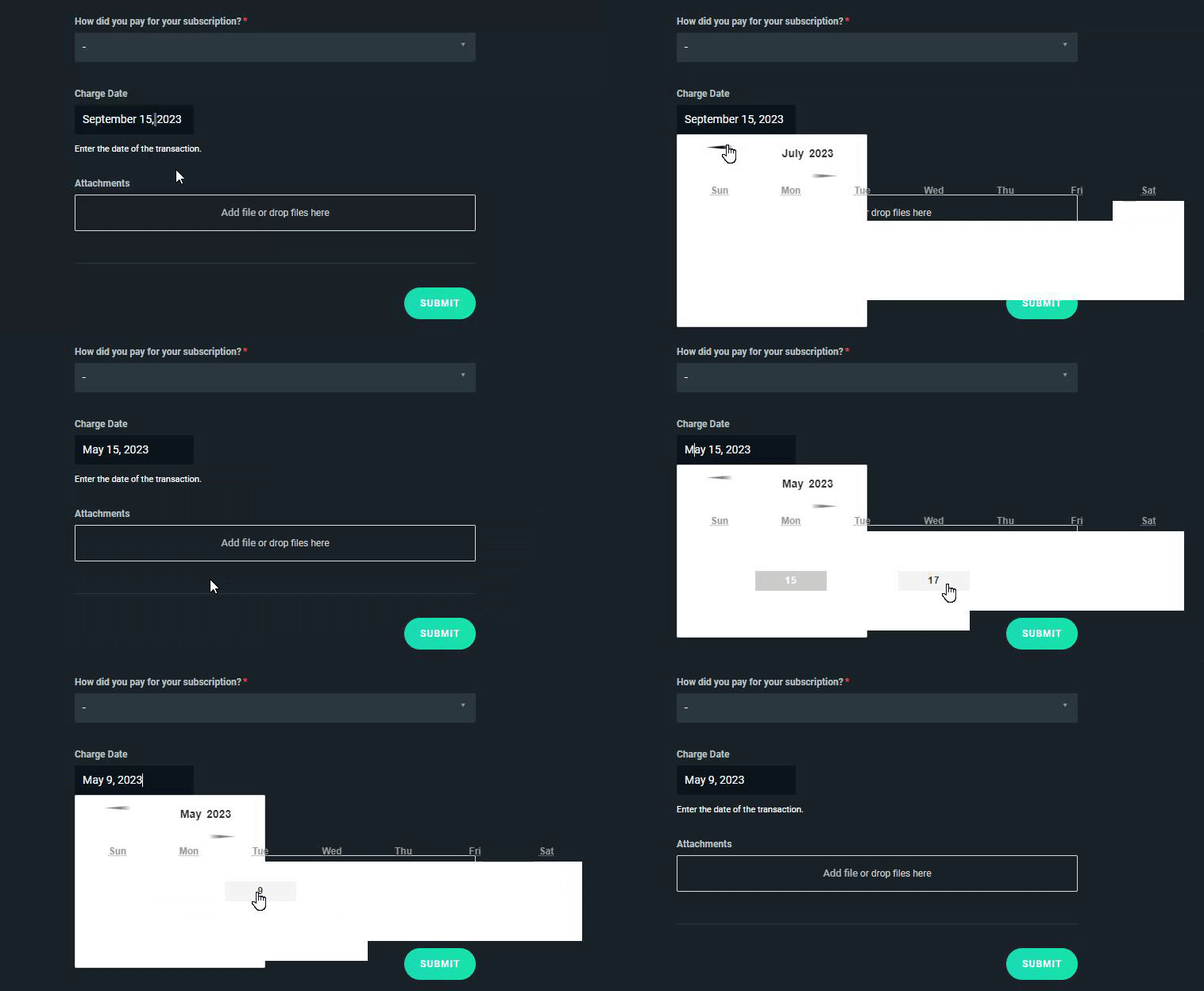
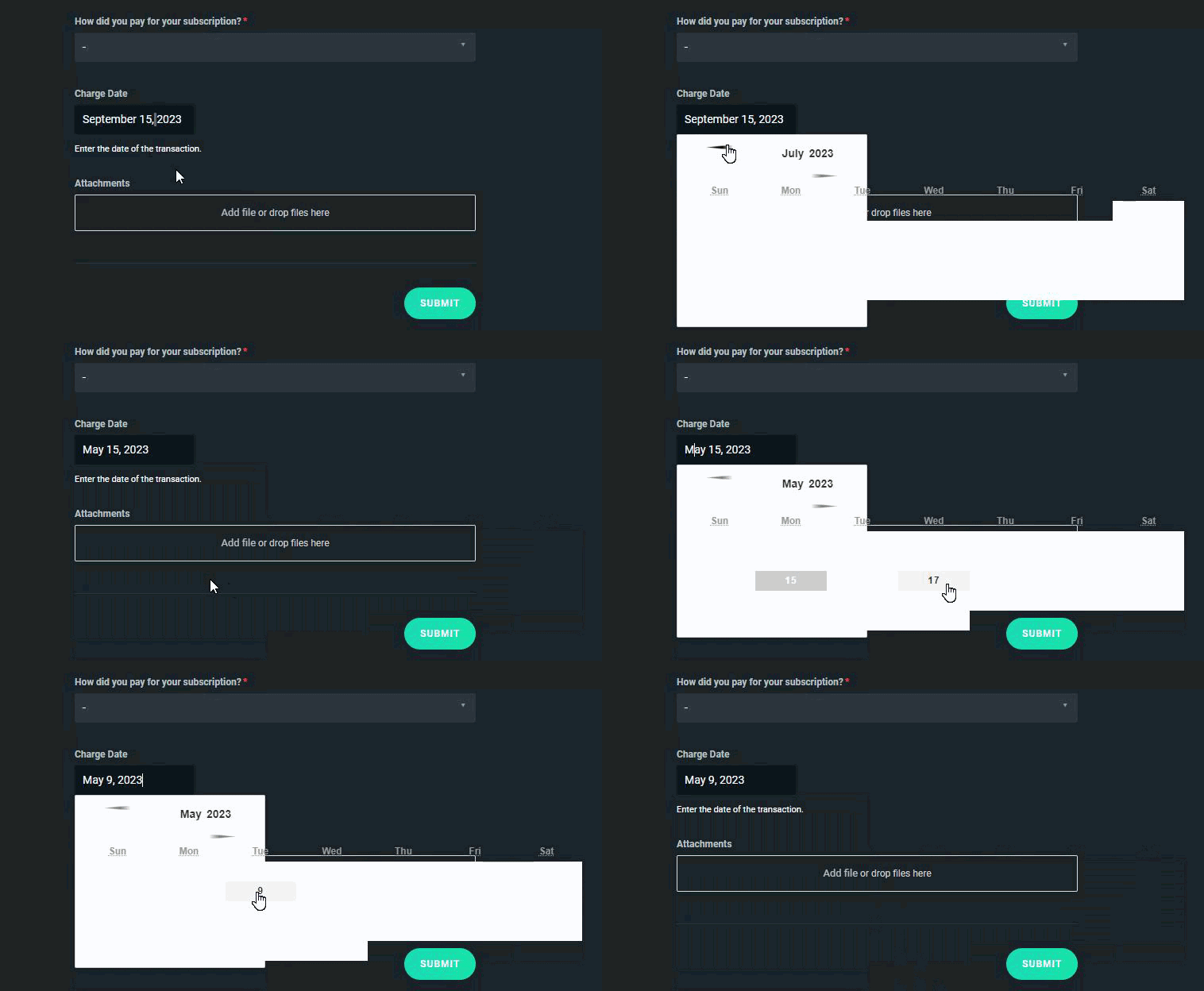 ocean roost
sharp ivy
Thank you, ticket number is 737333 <@138741414166003712> . I can also confirm th...
ocean roost
sharp ivy
Thank you, ticket number is 737333 <@138741414166003712> . I can also confirm th...
Thank you, can confirm that the ticket is recived and that it's waiting for our merch team to get to it.
obtuse cipher
my ticket is request (#737334)
i wont dispute w/ paypal for now, thanks for the reponse.
ocean roost
Looks all good, can confirm that the ticket is created and arrived to the correct team. Our payment team will get to your ticket as soon as possible. Each ticket is handled in the order they are received.
 split chasm
Hello I cant make I post in the self help center but need to,
gritty isle
split chasm
Hello I cant make I post in the self help center but need to,
The Self Help Center is read only, like a library. If you need assistance, post your issue here.
split chasm
I need to reset all settings and delete everything in my streamlabs obs.
 eager hill
hello, i want to use the streamlabs virtual cam and I have it install and running on streamlabs but doesn't appear in Discord when on a call
stoic dragon
neon crow
It will always be on in streamlabs unless you set a hotkey to mute the audio sou...
Hi orduna, I still went into the mic settings and muted the mic and it still is always on, on discord it works perfectly as well as obs. Not sure what the issue is, should be simple to just enable push to talk like most voip programs. Thanks for helping, some conflict in my settings probably from windows.
lean flower
hello i need help i just go speak in french because my English is bad donc j'ai un souci avec le mini feed de streamlabs destock qui ne m'affiche pas les nouveaux folowers depuis 14 jours j'ai essayer de me deconecter et j'ai désinstaller streamlabs mais rien n'a changer ca ne fonctionne toujours pas svp aider moi
desert briar
ocean roost
Visually it appears to be acting strangely indeed. You should still be able to p...
castor
crude knoll
Tiltify alerts in Streamlabs not coming through for anyone else? It's worked great in the recent past, but today Recent Events is listing nothing for Tiltify, though all other event types are fine.
gritty isle
crude knoll
Tiltify alerts in Streamlabs not coming through for anyone else? It's worked gre...
Go to the Integrations: https://streamlabs.com/dashboard#/settings/integrations. Remove Tiltify, wait a few minutes, and then link it back.
 lethal rune
Hey could anyone help me pls , when i try to go live it just either keeps reconnecting or just or a message pops up that says disconnected from streaming server , note that my network is all good no problems at all with it what could be the problem and how do i fix it and thanks
desert briar
Hey, what’s a good pc for gaming and recording
 gaunt swallow
HI this is probably an often asked question but i really need help. My obs and the streamlabs aswell disconnects after about 15 sec to another 5 secs and then procceds to recconect. Is there a solution for this, cuz i couldnt find it anywhere on the internet?
gaunt swallow
lethal rune
Hey could anyone help me pls , when i try to go live it just either keeps reconn...
same
lethal rune
gaunt swallow
same
I think it might be cuz u f windows firewall or something like that
gaunt swallow
my fire wall dont do nun to streamlabs
crude knoll
gritty isle
Go to the Integrations: <https://streamlabs.com/dashboard#/settings/integrations...
Thank you for the suggestion. I did this, waiting 30+ minutes before re-adding the Tiltify connection, and am still getting no alerts firing & nothing in the event list for Tiltify. I have tried:
- Disconnecting & reconnecting Tiltify many times, both immediately and now with the wait per your recommendation, including waiting 10+ minutes after re-linking to test
- Logging out of Tiltify from my browser, then disconnecting & reconnecting Tiltify to ensure the session isn't somehow cached on the client side
- Testing using a different active Tiltify campaign (for which the same alerts had worked correctly before this weekend)
- Logging out of Streamlabs & back in
- Disconnecting the Streamlabs connection from my Twitch account & re-authenticating Streamlabs
Please let me know what I should try next, or if I should open a ticket.
abstract plazaBOT
Are you knowledgeable about Streamlabs products? Do you like being rewarded while helping others? Apply to be a part of the Streamlabs Support Volunteer Program! BONUS POINTS FOR GERMAN 🇩🇪 or FRENCH 🇫🇷
Application Link:
https://forms.gle/eKS29zWfFjGEzaRp7
For details, see our post in #announcements:
#announcements message
Google Docs
Fill out the form below to be considered for our Volunteer Application. Please see our the Streamlabs Privacy Policy to understand how your data may be collected, accessed, and stored. Data may be deleted upon request.
To be considered for acceptance into the Streamlabs Support Volunteer Application, applicants must submit this form. We will fo...
gritty isle
crude knoll
Thank you for the suggestion. I did this, waiting 30+ minutes before re-adding t...
I would go ahead and put in a ticket. Sounds like you’ve done all the other steps that also could think of: https://support.streamlabs.com/hc/en-us/requests/new
 fervent pawn
I've had tonnes of mixed messages and i'd like a straight answer lol. Are you allowed to mulitstream to both Youtube and Twitch at the exact same time as an affiliate or partner?
gritty isle
fervent pawn
I've had tonnes of mixed messages and i'd like a straight answer lol. Are you al...
I’d check out Twitch’s help guide on this and then perhaps ask over in the #ultra-support channel to see if they have any thoughts: https://help.twitch.tv/s/article/partner-exclusivity-faq?language=en_US
 rancid stirrup
hello, my audio is not outputting for some reason even though I had done all the needed
as I made the two sources one for the mic and one for the game but it is just exporting the video not the audio
 thorny torrent
my video got corrupted is there any way to recover it
split chasm
split chasm
I need to reset all settings and delete everything in my streamlabs obs.
Hello how does this work? Nobody cares about the questions. I need to delete all sources, devices and everything. How do I do that?
humble gale
split chasm
Hello how does this work? Nobody cares about the questions. I need to delete all...
you just manually delete them. most likely whoever was chatting with you before had to step away. this is community support so it's just people in the community helping. If you wanted the Streamlabs team to help you, you need to submit a ticket
humble gale
thorny torrent
my video got corrupted is there any way to recover it
afaik no. 😦
split chasm
humble gale
you just manually delete them. most likely whoever was chatting with you before ...
Okay thanks, I thought an expert will support. There is no way to delete devices, only removing from scenes. I need to delete it. I will create a ticket
humble gale
rancid stirrup
hello, my audio is not outputting for some reason even though I had done all the...
So it's not picking up your microphone or desktop audio?
thorny torrent
humble gale
afaik no. 😦
there has to be a way It literally got corrupted because I had no storage left
humble gale
I mean you can check out softwares but afaik there isn't a way to do it. I've always read that it's just gone unless you were streaming and there's a VOD somewhere
rancid stirrup
humble gale
So it's not picking up your microphone or desktop audio?
it is picking it in the video but not exporting it individually as I want to make the audio seperate from the video
humble gale
so that wouldn't really happen unless you're using a software that you can see audio versus video to edit 🤔
rancid stirrup
Ah okk
rancid stirrup
humble gale
so that wouldn't really happen unless you're using a software that you can see a...
Thanks man!
still epoch
still epoch
ive been using streamlabs for a couple years now but still cant have card donati...
?
 wintry carbon
Hi can someone help me with my audio? I am getting an annoying cracking noise
 pine abyss
So, my mini feed isnt updating? I've uninstalled, logged out, nothin.
 last sun
Hey quick question is there a way to fix to flip the camera? My camera for some reason is inverted
I hate being inverted but I can’t find a fix
 humble quarry
hi, maybe the question is already been asked, If so sorry for asking again. but after the duel output update, my bitrate is stuck on 3.5 mbps.(not stable). even though I didn't use the duel output. and my stream is unstable.
last sun
last sun
Hey quick question is there a way to fix to flip the camera? My camera for some ...
When I say flip I mean if I put my right hand up on the camera it shows the left
 last sparrow
Audio question here, I've finally managed to figure out a config that works with my mic and setting so my voice is clear and I'm super happy! However there's still some kind of poping? sound sometimes over my voice. It was still present before applying the filters, so I don't know what might be causing it.
Like, it's not too bad since it's not constantly happening. Might be when my voice gets higher/louder? My bar rarely touches red in my stream settings with these filters though 🤔
https://www.twitch.tv/videos/1934876961 Here's the VOD of my last stream that happened today, I get quiet in chunks of time so around 2:58:10 is a good time mark to notice this. Prominent during 1:16:00 as well
maiden glen
gritty isle
You’re welcome!
It's still doubling Facebook comments unfortunately 🙃
 desert tide
Hello guys, currently experiencing an issue where my SL minifeed is updating everything properly except subs, which is making my streamlabels also update everything except subs. any idea how to fix? thx 🙂
 pulsar sable
I am having issues where when I stream, and check the video on twitch to publish it the playback of the video that was streamed is faster than it was live at 1x normal.. anybody know of a fix?
Bitrate issue? 144hZ vs 120hz issue etc.. im lost , on how to make sure my videos recorded when streamed plays back at normal speeds
quasi quiver
i have been waiting for more than a week
maybe more on the ticket i sent and i got no response
i want this server error thing fixed so i can setup my credit card
 woeful coyote
hello! is there a way to stream on 720p but record on 1080p at the same time?
 unborn tusk
Is the chat box working for anyone?
neon crow
woeful coyote
hello! is there a way to stream on 720p but record on 1080p at the same time?
You will need to configure your recording settings separate from your stream encoder settings.
 low isle
new here, just looking for a solution to my problem. it seems like my stream is running in 2x speed or even when i record. the audio is fine in terms of not being sped up but the visual side, it all seems 2x
low isle
pulsar sable
I am having issues where when I stream, and check the video on twitch to publish...
im having the same problem
 woeful totem
no mater what i do, cloudbot wont show up on my twitch handle
 hot whale
Hey, all. Was playing with some settings and switched the theme and now nvidia background removal filter won't show up when I go to add filter in the camera settings. Any thoughts on what my problem could be?
woeful totem
gritty isle
Just to make sure, you are live with a public stream? Cloudbot won’t work with ...
i did this, still not working
elder pier
I've put this complaint before back on September 4 and the problem hasn't been addressed to me. I have my ticket number still, its 733034. Can anyone help me?
 viscid verge
Good evening, I would like to know if anyone has had the problem that has been haunting me for 6 months. On my computer, when I stream, the alerts, chat and other web sources are not shown on the screen but they can be heard. These days I had to change computers and the spare one works, now that the main one has been returned to me the alerts and chat still don't work, but when I have the 2 computers on, and I test the alert on the main one they still don't work. look, but the spare one works without a problem, can anyone help me? Literally the application works fine on any other computer except mine, sorry if my English is bad, it is not my first language, I hope someone can help me, I can't wait
woeful totem
i got the problem to work of mine, but now the timers wont work
 cedar plinth
G'day, Im having issues on streaming my game live it's not working and im on computer im requesting some support thanks. 👍
And the app isn't giving me the basic support that i need to learn how to do this. But i'm becoming a Live-Game-Streamer so i cant wait on this advice / support that someone will hopefully give to me.
 dreamy pewter
how do i add my intro i made in stremlabs to the intro for my stream
desert briar
hi How do I change my bank for payout, please? Thanks in advance
 near magnet
meed someone that knows stream labs better then i do to help me set it up\
 white kernel
How do i cancel streamlabs pro
 hexed flax
The sub goal widget doesn't update properly. Like I got 5 gift subs and it only raised the bar by 3. Did this multiple times tonight.
pulsar sable
low isle
im having the same problem
Let me know if you find any answers, I have tried adjusting hz refresh rates, encoders etc.. almost curious if it is on twitches end.. uses twitches inspector where is is unstable as well
lilac sorrel
urban fable
as for the !ads command i think it should work 🤔 can you screenshot that comman...
hey there sorry for delay. I realized there was something in the message itself that was incorrect. I had {target.name} instead of {user.name} and since no one was tagged, the command was null
I appreciate your help and feedback!
lilac sorrel
crisp isle
I don't have an answer to your question, but yeah, that ads break notification b...
thanks! 💖
woeful coyote
neon crow
You will need to configure your recording settings separate from your stream enc...
yes i know that's the idea.. but how is my question. i can't find a way to rescale for streaming only
 fickle shore
what settings need to be changed to fix the above

 uncut roost
I just bought a new graphics card but now my stream settings are completly messed up and my stream quality is awful can someone please help?
pulsar sable
Set key frame intervals to 2, and bit rate to 6k using nvec
ocean roost
@pulsar sable Deleting the cache is not a go-to solution and should only be done after support suggest it.
Keyframe and bitrate sounds good though
pulsar sable
ocean roost
<@149357409171668992> Deleting the cache is not a go-to solution and should only...
It helps reset whatever settings they previously had to regular settings.. glad you finally came through but we have been looking for solutions to streaming issues for almost 2 days now..
Like playback of video being 2x after recording a stream.. and not processing at 1x
The only solution I had was reset the cache.. and I had to find it alone
ocean roost
This is a community discord, it's not always community members around or that knows how to fix the issue. You may have to submit a ticket as explained in #support-info
pulsar sable
Well while waiting its something.. some people have been waiting weeks, if you scroll up you will see their claims...
20$ a month rather help you guys with your client base than them get mad at no responses.. its not my job anyways
ocean roost
If you are an Ultra member, link your Streamlabs account to your Discord to access our white glove support and more cool channels! You can do this at https://streamlabs.com/dashboard/#/settings/integrations
The most popular streaming platform for Twitch, YouTube and Facebook. Cloud-based and used by 70% of Twitch. Grow with Streamlabs Desktop, alerts, 1000+ overlays, analytics, chatbot, tipping, merch and more.
For the claims above, I checked one of the ticket numbers I found and saw that they got a response in < 12h. We can only work with what we have, and if we're ghosted we can't do much.
uncut roost
@ocean roost I am using a 7900xtx what settings would you suggest?
pulsar sable
ocean roost
For the claims above, I checked one of the ticket numbers I found and saw that t...
I know how it works , yall do what ya can with those tickets... thats why i have been searching for other ways friend..
silk viper
F
Is there a way to regulate the volume of the Alertbox voice?
Because it seems like I'm only able to change the volume of the alerts themselves on the dashboard
And while i have the alertbox in the mixer, changing the volume there does nothing to the speaker of the alert.
ocean roost
@pulsar sable Our resources hub often have a lot of good information. Like this article for how to increase stream quality. https://streamlabs.com/content-hub/post/increase-stream-quality-and-save-cpu-with-streamlabs-desktop-video-encoding-optimization
We've tried to get articles up for the most common issues.
@silk viper check "Control audio via desktop" in the properties for the alert box source and you can control it in the mixer. Otherwise through the website/dashboard would be your solution.
silk viper
I dont actually find that in properties. And i honestly dont know where that setting is on the dashboard either
Not sure if the new or old properties is the best option?
Like it's not in the general settings in the dashboard, and i dont find the option you're speaking about when i right click and go into properties eithjer
as far as i know
ocean roost
Alerts Volume and TTS can be edited here: https://streamlabs.com/dashboard#/recentevents

You can also edit them directly under each alert by going into the tts settings.

Properties -> Source would be where the option in the alert box source properties.
 silk viper
Well I'll be damned. Not the first time you help me out Castor
Tack så mycket!
Although as soon as i did that option with the Control audio via desktop, for some reason my bit alert reverted to it's standard setting
Only when i try to replay them though. If i do a test bit alert it works.
I swear it's no wonder people have issues with these programs lol. Good thing the support exists.
ocean roost
Sounds like a variation issue. Unfortunately, I have to step away from Discord for now. I would suggest #1057658928365842512 or searching in discord for similar issues. I hope you get it sorted out.
silk viper
Yeah dont worry about that. You helped enough. I might just need to restart the program or something. Thank you for your time.
 proud latch
Hello, why doesn’t anything happen when I link my YouTube account? I click on my email, the page loads and takes me back to streamlabs, but the linking doesn’t happen.
pulsar sable
ocean roost
<@149357409171668992> Our resources hub often have a lot of good information. Li...
Copy that en route
 fathom bramble
Hye, I'm looking for some Help. I've been trying to go Live for the last 2 Days and the Error pops up everytime "Could not access the specified channel or stream key. Please logout and back in to refresh your credentials. If the problem persists there may be a problem with the servers". I've tried logging in and out. Anything helps.
 wispy valve
am i blind or does the auto optimize button no longer exist in settings>general? I have upgraded my PC and want to run the auto optimize function again - just cant find it anywhere
 frigid shoal
Anyone know how to stop my USB ports from disconnecting during streaming?
 mint geyser
hi my elgato hd60s is not showing up on streamlbs obs can anyone help?
 bright lily
hi for some reason symbols are just not loading for me in logo maker can someone help me with this?
gritty isle
wispy valve
am i blind or does the auto optimize button no longer exist in settings>general?...
That button is only available for Twitch and actually it has been temporarily disabled. It should hopefully be returning soon.
 random basin
bright lily
hi for some reason symbols are just not loading for me in logo maker can someone...
random basin
bright lily
hi for some reason symbols are just not loading for me in logo maker can someone...
i just tested it and it is working for me using chrome. Can you try a different browser please?
random basin
mint geyser
hi my elgato hd60s is not showing up on streamlbs obs can anyone help?
Try to reboot your PC, if it doesnt work, remove all the sources that contain the HD60S on Streamlabs, uninstall the elgato software, reboot and re-install.
random basin
frigid shoal
Anyone know how to stop my USB ports from disconnecting during streaming?
That sounds like an hardware issue, most likely you are overwhelming the usb lanes. try to disconnect stuff you dont need from the usb and test it and keep adding until you start having the issue again.
frigid shoal
Ah I see
random basin
fathom bramble
Hye, I'm looking for some Help. I've been trying to go Live for the last 2 Days ...
Follow all the steps in this guide please: https://streamlabs.com/content-hub/post/how-to-disconnect-your-streamlabs-account

Streamlabs
This article will show you how to disconnect your platform account (example: Twitch) from Streamlabs. Your Streamlabs account is connected to your...
frigid shoal
I kinda need everything in the usb like camera, keyboard and mouse
random basin
frigid shoal
I kinda need everything in the usb like camera, keyboard and mouse
what do you have connected to the USB? just those 3 things?
random basin
ok try to test it just with keyboard and mouse and webcam
are you using an HUB?
or the front usbs?
frigid shoal
Front for keyboard, mouse and cam. Mic, hard drive and stream deck at back
random basin
yeah connect the webcam to the back please
frigid shoal
I try that but then the mic sometimes activates and sometimes doesn’t. Will try later tho
bright lily
random basin
i just tested it and it is working for me using chrome. Can you try a different ...
opera gx
random basin
bright lily
opera gx
try on a different browser please. chrome for example.
 subtle jackal
was just checking out the merch store part of streamlabs. Who actually makes the merchandise behind scenes? Printify or Printful or Streamlabs has it all setup through them?
 earnest schooner
Hello, I keep having this problem, I started streaming 2 years ago and had no prablem adding my credit card as a way of donating, but then I stopped for three months and now streamlabs keeps saying that I need to get verified to add this as a donate method. I am streaming regularly for two months now, when will i get verified or how will i get verified?
Please help me...
random basin
earnest schooner
Hello, I keep having this problem, I started streaming 2 years ago and had no pr...
For any question regarding donations or payments please submit a ticket
wispy latchBOT
@earnest schooner If you were unable to find answers to your question(s) in the #1057658928365842512 or our self help articles on Creator Resource Hub https://streamlabs.com/content-hub/support , then please submit a ticket at https://support.streamlabs.com/hc/en-us/requests/new and our team would be able to help you there!
 azure grove
I've been using Live Score Scoreboard as an NDI input for 2 years, but I removed it from my open sources. Now I can't add it back as NDI is no longer a source to choose from.
subtle jackal
was just checking out the merch store part of streamlabs. Who actually makes the merchandise behind scenes? Printify or Printful or Streamlabs has it all setup through them?
 languid matrix
Hey guys! My follower alert isnt working on SLOBS for some reason, i test it on the website and it comes through but when someone follows when im live it doesnt work, any ideas?
 low fable
Hey everyone hope all is well! Just hoping someone can help with small tech issue in streamlabs? I know how to set up my chatbox but when I go try to find my streamchat in streamlabs to type test messages I can't seem to find the section. Can anyone help? Dm please. Thank you have a good day!
 orchid acorn
Hello chat, I am looking for someone who`s experienced with Facebook Gaming, I have a question about emotes
 warm tundra
Hey everyone! Does anyone knows why my SLOBS Window it self is stuck and not moveable on one monitor ?
 sand bear
i got some issues with my chat, theres a person that i've blocked a couple times that's now unblocked, and her messages arnt showing up in my chat, but it does for her, any solutions?
warm tundra
sand bear
i got some issues with my chat, theres a person that i've blocked a couple times...
do they show up for other people in your chat?
sand bear
warm tundra
do they show up for other people in your chat?
nope no1 sees it
@warm tundra is there something wrong from my side or hers? since everyone else can type but she cannot, and shes not banned timeouted or blocked
warm tundra
sand bear
nope no1 sees it
then it shouldn't be a problem if you can't see and your viewers can't see them
sand bear
could it be that i've banned her before she changed her username?
quasi quiver
um so i got the ticket notification but i need help with this part
desert briar
hi so i am having a problem connecting streamlabs obs to streamlabs controller everytime i try to connect its loads for about 2 minutes and then if brings me back to the page where i need to scan the code
subtle jackal
So I am in my streamlabs account but topright my profile photo is just my first initial..how can i change that to my actual stream logo? I have looked and dont see the opotino anywhere
gritty isle
subtle jackal
So I am in my streamlabs account but topright my profile photo is just my first ...
The profile picture is taken from the profile picture on the primary platform in Streamlabs. If your primary platform is Twitch, for example, update your PFP on Twitch. It can take up to 48 hours for it to update in Streamlabs.
quasi quiver
hey rufus
it worked but what does it mean by bank holder name
like does it mean put my name or the banks name
gritty isle
quasi quiver
it worked but what does it mean by bank holder name
I’m not privy to the instructions given to you. It sounds like they want the name on the account. Typically it someone asks for the bank’s name, they ask for the institution name. You can always reply to that email and ask for clarification.
quasi quiver
so i put the banks name
gritty isle
quasi quiver
so i put the banks name
I would reply to the email and ask for clarification. Like I said, I’m not privy to the information give to you.
subtle jackal
gritty isle
The profile picture is taken from the profile picture on the primary platform in...
my only platform I will be streaming to is Kick at the beginning. So will it take it from that?
gritty isle
subtle jackal
my only platform I will be streaming to is Kick at the beginning. So will it tak...
Ah, sadly no as we don’t have integration with Kick yet. We are still waiting on their public API to be released.
 prisma vine
hi! where could I find chat highlight?
 gritty isle
prisma vine
hi! where could I find chat highlight?
gritty isle
prisma vine
hi! where could I find chat highlight?
Chat Highlight is only available for Twitch. So if your logged in with Youtube, Facebook, or Trovo, or not even logged in, you won’t see that widget.
gritty isle
We don’t have anything like that for YouTube, sorry.
prisma vine
oh ok thanks anyway
gritty isle
You’re welcome, sorry about that.
azure grove
Anyone help with connecting an NDI Source? It's not showing as an available option
 floral nymph
Does anyone know why my overlays are not showing on my stream using Streamlabs Console?
 nova ember
i need more bulleetsss
 tough dagger
my friend has cam problems. they dont have anything cam related open. so why does it not work at all?

hmmm apparently no help as of right now, and my friend is totally lost 😞
Deactivate and Activate dont work. and neither does it with a brand new cam source
last sun
Anyone know how to make a video like this ? Like put your video on top of a reaction

 barren igloo
hey dose any one know how to set game capture to be in the background of all the overlays?
 austere sable
tough dagger
Deactivate and Activate dont work. and neither does it with a brand new cam sour...
austere sable
tough dagger
Deactivate and Activate dont work. and neither does it with a brand new cam sour...
try pluging the cam into another usb slot, if that doesnt work go to window settings - bluetooth and devices - cameras and select camera that you are using, try troubleshooting
 lone crater
Where do I see my viewer metrics? Like view time, months subscribed, etc...?
 gaunt musk
help me pls
desert briar
have multi stream enabled but cannot see my kick and cannot select kick as a platform has to be entered as a custom..... Anyone know how to fix I added it to custom and its still not showing up other wise im out $20

@here plz help
gritty isle
desert briar
have multi stream enabled but cannot see my kick and cannot select kick as a pla...
Settings > Stream > Add Custom Destination
gritty isle
desert briar
tyvm 🙂
You’re welcome.
 civic wasp
any way to fix recent events? only shows like 15 hours behind and alerts don't work for followers
only worked on the first day or so, this is on the web dashboard
 raw wolf
anyone knows the issue with paypal plus connection i have everything connected but when someone trys to tip me through the link it gives two red box errors that say error processing donation
 worn oasis
how do i swap which account is primary or delete my account to put my tiktok on my other account?
gritty isle
worn oasis
how do i swap which account is primary or delete my account to put my tiktok on ...
You’ll have to put in a ticket to make changes to your Primary account: https://support.streamlabs.com/hc/en-us/requests/new
gritty isle
raw wolf
anyone knows the issue with paypal plus connection i have everything connected b...
You’ll need to put a ticket for assistance with that. We can’t assist with this in Discord: https://support.streamlabs.com/hc/en-us/requests/new
gritty isle
civic wasp
any way to fix recent events? only shows like 15 hours behind and alerts don't w...
Hi there! 👋 Refreshing the connection between Streamlabs and the end platform will resolve this. Please follow exactly all the steps in this guide: https://streamlabs.com/content-hub/post/how-to-disconnect-your-streamlabs-account Including the log outs.
👉🏻 NOTE This will not go back and capture any events that were missed. You'll need a new event (new follow on Twitch, new subscriber on YouTube, etc) as verification. I can follow on Twitch or subscribe on YouTube for verification if you like. An unfollow/refollow or unsubscribe/resubscribe won't trigger a new alert.
Also note the guide has sections for the 4 platforms we have full integration with, Twitch, YouTube, Facebook, and Trovo. So only follow the section for the platform you're using.
 floral yacht
where did the auto optimize button go
raw wolf
gritty isle
You’ll need to put a ticket for assistance with that. We can’t assist with this...
thanks for the reply i placed a ticket in
subtle jackal
gritty isle
Ah, sadly no as we don’t have integration with Kick yet. We are still waiting o...
dang...back to the API problem again. I wish they would get this done as Kick is becoming bigger and bigger
last sun
last sun
Anyone know how to make a video like this ? Like put your video on top of a reac...
Anyone know how to do this?
floral yacht
its all about how you lay out your set up on streamlabs
gritty isle
floral yacht
where did the auto optimize button go
That button is only available for Twitch and actually it has been temporarily disabled. It should hopefully be returning soon.
floral yacht
yeah i seen that using the search bar @gritty isle should of used that function first
gritty isle
floral yacht
yeah i seen that using the search bar <@301571565840236564> should of used that ...
No worries.
floral yacht
@gritty isle do u have any recommendations of how i can check my bitrate in the mean time
subtle jackal
so when setting up my tip panel. I inputted the tip link correctly. I then opened up an anonymous browser to go there and it looks like it starts to load up...then goes to a sort of blank page somewhat with no way to input a tip/donation....what am I missing?
gritty isle
floral yacht
<@301571565840236564> do u have any recommendations of how i can check my bitrat...
What’s your internet upload speed?
floral yacht
3.08
gritty isle
floral yacht
3.08
What’s your Output Resolution?
floral yacht
1280x720 i never change that my pc resolution is 1920x1080 though
civic wasp
gritty isle
Hi there! 👋 Refreshing the connection between Streamlabs and the end platfor...
yeah I went into my twitch, and disconnected it, and then I went and re-logged into it, but still not getting new events
gritty isle
floral yacht
1280x720 i never change that my pc resolution is 1920x1080 though
I’d start with 2300 and go from there. I would not go any higher than 2700 though.
floral yacht
thank you @gritty isle youve been a great help. ill probably stay in this discord and watch out for that auto optimizer if it does come back
gritty isle
civic wasp
yeah I went into my twitch, and disconnected it, and then I went and re-logged i...
Sounds like you have a have done that out of order. You need to logout of Streamlabs Desktop and the web site and then disconnect Streamlabs in your Twitch Connections then log back in in Streamlabs Desktop. If you disconnected whilst you were still logged in Streamlabs Desktop and/or the website, the process won’t work.
gritty isle
floral yacht
thank you <@301571565840236564> youve been a great help. ill probably stay in th...
You’re welcome.
civic wasp
gritty isle
Sounds like you have a have done that out of order. You need to logout of Strea...
ok let me try again
civic wasp
gritty isle
Sounds like you have a have done that out of order. You need to logout of Strea...
same thing, created extra account to follow myself with for testing, and no alert or anything in mini feed or dashboard feed
gritty isle
civic wasp
same thing, created extra account to follow myself with for testing, and no aler...
Is the Twitch on your Discord profile the correct channel?
That channel has been live for nearly 8 hours.
civic wasp
gritty isle
That channel has been live for nearly 8 hours.
yes
gritty isle
civic wasp
yes
You disconnected while you were live? This again may not work. You really need to be offline in order to properly do this. I can follow you now as a test and we can see what happens.
desert briar
Hello, when submitting our Streamlabs API program application (with steps to test our app, etc) we get the error "The given data was invalid." Any recommendations on how to fix this?
The error has no indication of which field is causing the problem, but appears when we click "Complete."
civic wasp
gritty isle
You disconnected while you were live? This again may not work. You really need...
I just did it while offline and just went live again if you would like to test it for me 🙂
gritty isle
desert briar
Hello, when submitting our Streamlabs API program application (with steps to tes...
Please put in a ticket for assistance with that: https://support.streamlabs.com/hc/en-us/requests/new
civic wasp
gritty isle
Please put in a ticket for assistance with that: <https://support.streamlabs.co...
looks like it is working now
gritty isle
civic wasp
looks like it is working now
Yes, I saw the alert.
civic wasp
gritty isle
Yes, I saw the alert.
thanks for help, now need to figure out how to scale my game to the full window in streamlabs
been using OBS forever, but Streamlabs has nice network options for drops in the advanced
gritty isle
civic wasp
thanks for help, now need to figure out how to scale my game to the full window ...
Right click on the capture source > Transform > Fit To Screen
civic wasp
gritty isle
Right click on the capture source > Transform > Fit To Screen
game disappears when I do that
gritty isle
civic wasp
game disappears when I do that
Uh, that’s weird obviously. I’m on my way out of work. I’ll try and look later once I get home and walk the dog. What capture method are you using?
civic wasp
gritty isle
Uh, that’s weird obviously. I’m on my way out of work. I’ll try and look later...
game capture
gritty isle
civic wasp
game capture
Weird.
subtle jackal
so when setting up my tip panel. I inputted the tip link correctly. I then opened up an anonymous browser to go there and it looks like it starts to load up...then goes to a sort of blank page somewhat with no way to input a tip/donation....what am I missing? @gritty isle
 swift mantle
Hello, i just lost my full set up, wondering how to get it back? or do i need to reset everything again? - i pushed run as admin becuase my streamlabs music wasnt working properly... so i stuffed up everything... no i have no saved scenes or anything
 livid heart
Is the Streamlabs Music app still having issues displaying the playlists?
I've tried reinstalling music app, reloading installed apps, clearing cache, restarting PC/OBS.
 low chasm
im having problem with my streamlab obs. I have a good wifi. Everytime I click Start Live , it will disconnect after 12 mins.
pls halp
 clever cliff
I never had this problem before it recently started happening but pretty much anytime i tab into a game and streamlabs is on my 2nd monitor the audio levels and chatbox freeze, everything works fine it doesn't mess with anything it's just annoying since I can't read chat without looking at my preview or having to bring up a chrome tab.
low chasm
I found this on reddit and i have the same issue on streamlabs obs. Until now there is no solution
it has been 3yrs still no solution on this one :((
 next iron
Hey guys, I have a weird issue where streamlabs seems to not be utilising my full upload speed. Speedtest.net website shows 300down 30up so I should be able to stream with high bitrate, but a speedtest on google shows 10down and 2-3up - and I think my streamlabs is going off those speeds.
low chasm
i've been streaming since month of july and it works fine . This month , my stream suddenly disconnect but I don't have problem with my wifi
I found this on reddit and i have the same issue on streamlabs obs. Until now there is no solution
it has been 3yrs still no solution on this one :((
latent mason
desert briar
Can I run OBS on my laptop
only way to know is by trying, if it can't your computer will let you know.
so this just happened

should I lower the bitrate to 1000?
currently it is 2000
desert briar
latent mason
only way to know is by trying, if it can't your computer will let you know.
Because I downloaded streamlab desktop but it opened the shut down
yo for some reason when i try to go to my tipping page it just keeps showing me this? 😭

anyone know how to fix this cus i cannot find a single solution online LMAO
latent mason
desert briar
Because I downloaded streamlab desktop but it opened the shut down
Sounds like it can't in that case, but I don't know why it would turn you computer off.
 marsh moss
I need some help, I started up streamlabs today and went live wverything looking normal except my fps was locked at 30 even though set to 60 and bitrate was around 3500 although set to 6000. Once i went to check stream to see if it looked good and it was streaming in like 2x speed somehow? and was skipping and stuff. Im not sure what do do here.
 scenic frost
Hi, sorry to bother... I am wondering if there is a 'Donation Alert Key'? if there is, where can I find it?
 leaden atlas
Streamers, I need help. My SLOBS decided it wants to hide all my sources. You can clearly see it's visible on stream, but nothing appears in the sources. For some odd reason, it's only on specific scenes too. Then for some odd reason, when adding a new source, it will also do the same. currently using ver 1.14. Any fix to this?

I see this bug is still being investigated, but the workaround didn't work. Instead, the scenes are now baked to the stream preview and nothing can be moved.
 zenith berry
how do i set up a sub goal
 rotund escarp
Ok, I have several questions about using Streamlabs on an android device to stream to YouTube. If you have a better resource for me to research these answers myself or a good suggestion on how to find them myself in discord I am open to ideas.
After ending a livestream to YT via StreamLabs I can't start a new one without restarting the device. Is that normal or is there a fix for that?
I have an intro video unlisted on YT I would like to add as a scene in the livestream but when I do that it does not show up as full screen? Is there a way to do that?
Is there an explainer document / video on what all the advanced settings when selected on a specific layer in the advanced scene editor? It looks like I could adjust the height, width, X/Y, so on but the few times I have adjusted those numbers I can't see a change?
Is there a way to center align the text in a scenes add custom item / add custom text? I'd like to have a scene with a custom title in it (at least until I can figure out how to roll an intro video during a livestream) but I want that custom text to be centered instead of left aligned.
humble quarry
can anyone tell me where i can make a ticket?
livid heart
zenith berry
how do i set up a sub goal
Add new source >> Scroll down to Widgets >> Subscription Goal
humble quarry
and can anyone tell me the difference between these two encoders in details?
 livid heart
humble quarry
and can anyone tell me the difference between these two encoders in details?
livid heart
humble quarry
and can anyone tell me the difference between these two encoders in details?
I think it's for certain graphics cards. Newer GPU's come with an encoder chip so you'd select the (new) option. It's like the 1650ti, 1660 series, and 20xx onwards basically that you'd select new.
 lone raven
Does anybody know why they remove the auto optimize?
livid heart
humble quarry
and can anyone tell me the difference between these two encoders in details?
Could be mis-remembering though.
humble quarry
livid heart
I think it's for certain graphics cards. Newer GPU's come with an encoder chip s...
ok
elder pier
I still need help with this. Can anyone help me?

 rapid harbor
Hi all.. I cannot delete my streamlabs account, it gives an error on the site. Can you please delete my account
 nocturne rapids
in streamlab ultra am i able to fully customize the chat color ?
 wicked relic
I can't get my mini feed or streamlabels to actually update when i get a new follower
pulsar sable
Wrong page I apologize I thought this was Gary Vee page
outer nebula
I still get 0.5 speed when streaming idk what to do
 dusky pulsar
leaden atlas
Streamers, I need help. My SLOBS decided it wants to hide all my sources. You ca...
dusky pulsar
leaden atlas
Streamers, I need help. My SLOBS decided it wants to hide all my sources. You ca...
I'm having the exact same issue. Sources seem to just freeze. Can't turn them on or off, can't move them, can't delete them. Also, won't have the highlighted green bar when you select a specific source. I'm curious what this workaround is.
 sand fiber
Hey all, hope you are all well. I got a new iphone about a month ago now. I am trying to upgrade to ultra but it asks me to sign in on the payment page even know i am already signed in. Now i know my password but for some reason in my auth app streamlabs is not in the so i cant get the 2FA and it says you can use a backup code but for the life of me i have no idea where they are. any help or advice would be greatful.
sand fiber
Its sooo annoying
leaden atlas
dusky pulsar
I'm having the exact same issue. Sources seem to just freeze. Can't turn them ...
Oddly enough, I could still turn the sources visible and invisible using my stream deck, but maaaaan... this is kind of annoying. A couple of my sources aren't working properly and there's no way to get to them. The last thing I want to do is remake the scene... the best thing I should do is switch to OBS... but I really lazy to do an overhaul.
Also for some reason I'm paying $6 to stream labs and I don't know where it's going. I emailed stream labs and I haven't gotten a word back on where this is going towards...
 stiff current
Everytime I click to add "custom", it just goes back to the add layer screen. Getting really annoyed with how this app works now, it was not like this before. It asks me if I want to go live on every page or refresh, and the app just doesnt work at all. I think after trying to add a custom widget 20 times I finally got to post one, but after testing it, the alert and text dont even fit within the box, it makes zero sense now. Ive resized the box, it shows like a portion of the text, the rest is cut off. What's the deal?
 subtle portal
is there anywhere where self promoting is allowed to help smaller streamers grow???
 brazen saddle
Ok I am trying to use stream ninja but cant seem to find custom docks in streamlabs!!!
 wanton nymph
Can I mute a specific tab in my stream so only I can hear it and my viewers don't ?
I read something about being able to do it if you have the Elgato Wave 3 mic, which I use
By tab I mean browser tab, I'm using Opera GX
 odd tendon
Hello, I have a problem on my streamlabs. Streamlabs doesn't show anything when someone is following the stream even tho i got everything else on my Mini Feed. Help me TvT
frigid shoal
random basin
yeah connect the webcam to the back please
I cannot since the cable isnt long enought and there is no well else to put the cam
just streamed for 12 mins for all my connections to crash
tough dagger
heya! my friend told me that yesterday they got 2 raids, which didnt show up on their SLOBS, but they did show up on their moderator view on twitch. so why did the raids not show up in their SLOBS?
humble gale
stiff current
Everytime I click to add "custom", it just goes back to the add layer screen. Ge...
I just was having this issue, but after deleting my alertbox source and then re-adding it and trying it worked. IDK if that'll help you or not but i'm able to add stuff just fine now
humble gale
subtle portal
is there anywhere where self promoting is allowed to help smaller streamers grow...
not in this server
humble gale
brazen saddle
Ok I am trying to use stream ninja but cant seem to find custom docks in streaml...
Streamlabs doesn't have custom docks like obs does. you would need to go into layout editor at the top left. then you can drag the website into one of the boxes but you'll lose a different box
wispy latchBOT
@odd tendon If you find that your alerts/widgets aren't working, please follow the troubleshooting steps here: https://streamlabs.com/content-hub/post/alertswidget-troubleshooting
 surreal field
hi do i have to have streamlabs bot in my channel for the alerts to work cant seem to be able to get the alerts to work
 south delta
My Game Capture dont work how do i fix it?
 atomic tide
surreal field
hi do i have to have streamlabs bot in my channel for the alerts to work cant se...
atomic tide
surreal field
hi do i have to have streamlabs bot in my channel for the alerts to work cant se...
I don’t think so i got my alerts to work without a bot in my channel
surreal field
atomic tide
I don’t think so i got my alerts to work without a bot in my channel
hmmm ok ill keep searching never used obs studio so maybe this something im missing used to work fine in streamlabs obs .. wana get back to streaming after a long break and alerts dont work 😦
atomic tide
I see yeah i have took a break myself and trying to update but it won’t work😭
But i hope your problem will be fixed soon!
surreal field
same problem?
atomic tide
surreal field
same problem?
Wdym?
humble gale
you don't need Streamlabs chatbot to get alerts. most likely you just need to refresh your connections
surreal field
u also have problem with alert box?
humble gale
!disconnectservice @surreal field
surreal field
humble gale
you don't need Streamlabs chatbot to get alerts. most likely you just need to re...
log in log out of both u mean?
humble gale
well, i thought that would work lol
surreal field
i did try ill try again why not
atomic tide
Rubba do you know why i can’t update maybe?🥲
humble gale
It's this guide: https://streamlabs.com/content-hub/post/how-to-disconnect-your-streamlabs-account.
it's like a full log out of your stuff
surreal field
thanx
humble gale
atomic tide
Rubba do you know why i can’t update maybe?🥲
what is happening when you try to update
atomic tide
humble gale
what is happening when you try to update
When updating it randomly stops like currently it is on ‘Downloading 43 of 83 - 0.00 MB/s’
wispy latchBOT
@south delta ```md
Having issues with Streamlabs Desktop not capturing and just getting a black screen?
- After you've added your capture source, the "game" may require to be focused before it will be captured in Streamlabs Desktop.
- This means you will want to start interacting with the "game" for about 5-20 seconds before it will be detected.
- Also try running Streamlabs Desktop as admin and if using Game Capture, try using the "Capture Specific Window" option.
Note: Some games will simply not work with Game Capture and will require the use of Window Capture or Display Capture.
Still not working? See the guides below for desktops [Link 1] and laptops [Link 2].```
:one: PC Desktop users get more detailed information about this at :link: https://streamlabs.com/content-hub/post/black-screen-game-capture-problems
:two: Laptop users should see this troubleshooting guide instead :link: https://streamlabs.com/content-hub/post/troubleshooting-capture-source-issues-on-laptops
atomic tide
This jumpscared me 👆
humble gale
atomic tide
When updating it randomly stops like currently it is on ‘Downloading 43 of 83 - ...
I would reboot your pc. then when you are back on, don't click on Streamlabs Desktop but go to Streamlabs.com and download a fresh installer. right click it and run it as admin. then see if it goes through or not
south delta
wispy latch
<@757357775218278470> ```md
# Having issues with Streamlabs Desktop not capturin...
i alr tried this?
atomic tide
humble gale
I would reboot your pc. then when you are back on, don't click on Streamlabs Des...
Oh yeah i haven’t tried restarting thank you🙏 😊
wanton nymph
Can I mute a specific tab in my stream so only I can hear it and my viewers don't ?
I read something about being able to do it if you have the Elgato Wave 3 mic, which I use
By tab I mean browser tab, I'm using Opera GX
humble gale
south delta
i alr tried this?
try this then #technical-support message
south delta
i did
wispy latchBOT
@wanton nymph Want to split your audio? Maybe you don't want the stream to hear your discord, music, etc..? This is possible using Streamlabs Application Audio Capture sources! See the link for various setup guides: https://streamlabs.com/content-hub/post/how-to-use-application-audio-capture
humble gale
south delta
i did
you did it excatly the way that rufus shared?
surreal field
humble gale
It's this guide: <https://streamlabs.com/content-hub/post/how-to-disconnect-your...
i have done this do i need to reconnect it back? right
atomic tide
@humble gale thank you so much for the help i can finally stream again🫶🏻
humble gale
surreal field
i have done this do i need to reconnect it back? right
yup!
surreal field
how do i connect it again now lol
humble gale
you would just log back into Streamlabs Desktop/streamlabs.com
surreal field
just loging in the website is gona log me back in on twitch
humble gale
yeah but it reauthorizes steramlabs with twitch again
as long as you do it on Streamlabs products it kinda knock's on twitch's door and is like 'yo i'm back invite me in' and then when you've done the authorization it's hanging out
humble gale
after you log in you may want to refresh your connections page because it should be there as long as you authorize it while logging in
surreal field
loged in on the dash board it asked to authorise so im guessing i dont it corectrly
humble gale
yeah if you authoirzed everything you did it right
surreal field
soposed to be under extensions connections right?
humble gale
yeah it would be here, but you also may be having caching since you just reconnected it https://www.twitch.tv/settings/connections
As long as you logged back in with your twitch account it would connect again
surreal field
ill keep trying ill come back if i dont come right thanx for your help @humble gale
 lone birch
Hey Guys, tried to find a solution to my problem with no success, but when I try to import the Nightbot it gets stuck on Queued and I cant import it. Did everything the way it should be done, but just the import doesnt work.
Any help would be appreciated 🙂
stiff current
humble gale
I just was having this issue, but after deleting my alertbox source and then re-...
I'll try that, but why is everything bigger than what the box will hold? The text is so big that the alert doesnt even fit, no matter I resize the box small or fit the entire screen.
gritty isle
stiff current
I'll try that, but why is everything bigger than what the box will hold? The tex...
Are using the Streamlabs Alert Box? If so, you can our widgets directly rather than adding them via custom using the widget URL.

 fleet geode
Hi Im trying to set up dual streaming but one screen comes out black? Is there an easy fix or would it depend on the game being streamed at the time??
stiff current
gritty isle
Are using the Streamlabs Alert Box? If so, you can our widgets directly rather ...
I did and it was a default set of alerts, chat box and event list, so I was trying to add my own that work perfectly fine on desktop pc. Still havent mentioned why they dont fit within the box, can barely see the entire text let alone no image shown at all. This app never did this before, I've streamed from my phone a few years ago and the app was fine, now it doesnt even work.
gritty isle
stiff current
I did and it was a default set of alerts, chat box and event list, so I was tryi...
🤔 I would go over to the web site and try reducing the size of the font used and see if that helps.
stiff current
gritty isle
🤔 I would go over to the web site and try reducing the size of the font used an...
Then it will show up differently on the desktop app, which I have been using just fine for the past 5+ years. I have that set perfectly, so I'm not going to ruin it.
Like I said, the app worked perfectly before. You could add your custom widgets and resize them appropriatly to the screen. Now you can barely add anything, and when you finally get one on there, whatever is within the box wont fit. That was never a thing before. Why would the text and image suddenly be bigger than the box it fits in, on mobile only, thats dumb.
abstract plazaBOT
Are you knowledgeable about Streamlabs products? Do you like being rewarded while helping others? Apply to be a part of the Streamlabs Support Volunteer Program! BONUS POINTS FOR GERMAN 🇩🇪 or FRENCH 🇫🇷
Application Link:
https://forms.gle/eKS29zWfFjGEzaRp7
For details, see our post in #announcements:
#announcements message
Google Docs
Fill out the form below to be considered for our Volunteer Application. Please see our the Streamlabs Privacy Policy to understand how your data may be collected, accessed, and stored. Data may be deleted upon request.
To be considered for acceptance into the Streamlabs Support Volunteer Application, applicants must submit this form. We will fo...
gritty isle
stiff current
Like I said, the app worked perfectly before. You could add your custom widgets ...
I’m not sure. Not could be a new bug in Streamlabs Mobile. I’d go ahead and put in a ticket and let the team investigate this further: https://support.streamlabs.com/hc/en-us/requests/new
desert briar
hey yall i was wondering how do i fix my lagging streams i have a lenovo series 7 yoga laptop and it lags whenever i stream games like overwatch ,left to survive,fortnite
woeful coyote
so i thought that streamlabs doesn't have the option to rescale output (so i can stream 720p and record 1080p at the same time)
turns out it does... but not with nvidia nvenc h.264 (new)!
which is best in this case.. nvidia nvenc h.264 or software(x.264)?
 late salmon
I am having issues with my audio output appearing in my streams/vods. Usually I'll have my output mode to simple and my desktop audio and mic would appear fine on stream and in the vods but now the desktop audio and mic don't show appear in the vods. So how do I reset my audio settings in streamlabs obs.
 safe abyss
Hello, been awhile since I've used Streamlabs Cloud Bot. But have they been able to add Cloudbot to facebook yet? I multi-stream and was wanting to get chat relay from facebook to youtube.
Or if anyone knows a good work around this. Using Botisimo for this right now, but isnt the most reliable chat bot.
 timid escarp
Anybody good with OBS video/output settings that can answer some questions for me?
gritty isle
safe abyss
Hello, been awhile since I've used Streamlabs Cloud Bot. But have they been able...
Cloudbot is not available for Facebook, sorry.
timid escarp
I game at 4K, and I stream to Twitch, and I downscale to 1080 but to me my stream quality looks blurry. My bitrate is the standard 6000, and my upload speeds are 40Mbps. Is there anything I can do to improve quality?
safe abyss
gritty isle
Cloudbot is not available for Facebook, sorry.
Dang still? Oh well, thank you!
gritty isle
safe abyss
Dang still? Oh well, thank you!
Yeah, still. They typically don’t allow 3rd party bots.
brave merlin
If I stream from my Xbox to my pc thru a capture card do I need anything special to make my Xbox party chat go to it or does it work thru my hdmi?
 long vector
Hello,
I'm a developper and I'd like to be able to retrieve all donation events for my charity campaign,
I've read your documentation and it doesn't seem that is not possible.
It seems that the socket sends Twitch events for our account but not for a campaign.
Twitch events (sub, follow, etc) can already be retrieved via Twitch webhooks or their websocket.
My purpose is to be able to retrieve donations from a campaign to trigger personal code or script (example : Broadcast a shared alert in few streams)
Is it this possible to have a webhook, websocket or socket event for this or may be it already exist ?
Thank you and best regards
BTW, when I submit a request from the website I have an error message :
"oops
The page you were looking for doesn't exist
You may have mistyped the address or the page may have moved"
And the request is not created in requests page
gritty isle
long vector
BTW, when I submit a request from the website I have an error message :
"oops
T...
Clear the cache in your web browser reatart the web browser (not just that tab) and try again.
desert briar
how do i get my streams to not lag