#technical-support
1 messages · Page 36 of 1
 gritty isle
 errant kernel
If I control via streamlabs
It adds the volume slider and mute option for my stream deck and mainly through the streamlabs mixer.

But to do it directly it just runs to my line out and is using the files raw volume information. [loud]
gritty isle
errant kernel
If I control via streamlabs
It adds the volume slider and mute option for my s...
Right.
errant kernel
When I have the setting how I want it [having a volume slider and mutability] it doesn't produce audio
gritty isle
errant kernel
But to do it directly it just runs to my line out and is using the files raw vol...
Also right. I always find control the audio through OBS give a lower volume level than the other way.
errant kernel
I wish I knew where the audio was directed to. It shows volume/playback via the vu meter on the streamlabs mixer. But I don't hear a thing wether monitoring with or without output.
gritty isle
@dense dome I think the wrong channel is on your Discord profile.
gritty isle
 dense dome
https://www.twitch.tv/big_duckie_snow
dense dome
https://www.twitch.tv/big_duckie_snow
Ahhhhhhhhhhhh
dense dome
gritty isle
Ahhhhhhhhhhhh
Did it work?
gritty isle
dense dome
Did it work?
I had to force quit and relaunch the Twitch app. I followed. Did you see it?
dense dome
gritty isle
I had to force quit and relaunch the Twitch app. I followed. Did you see it?
I did indeed! Thank you muchly, my good friend!
gritty isle
errant kernel
I wish I knew where the audio was directed to. It shows volume/playback via the ...
And your global audio settings for desktop audio are correct?
gritty isle
dense dome
I did indeed! Thank you muchly, my good friend!
You’re welcome!
 stoic hedge
@oak cloud I have the number
gritty isle
What’s your issue?
 pseudo sphinx
gritty isle
What’s your issue?
pseudo sphinx
gritty isle
What’s your issue?
my audio desktop audio won't record
errant kernel
gritty isle
And your global audio settings for desktop audio are correct?
I would assume so, everything else is performing properly. I even got the stinger to work by redownloading the vid from the artists and remaking it. so all other audio is fine but the sound alerts are still being.....difficult
 oak cloud
stoic hedge
<@115226547694206983> I have the number
oak cloud
stoic hedge
<@115226547694206983> I have the number
It's all good! I found your ticket so we will reach out there when we have more info
gritty isle
pseudo sphinx
my audio desktop audio won't record
Recording locally or on VOD?
dense dome
stoic hedge
<@115226547694206983> I have the number
Would you be willing to try it again, just to make sure?
pseudo sphinx
it doesn't show the sound bar going up or when i try to record something I can't hear the desktop audio in the recording
errant kernel
dense dome
Would you be willing to try it again, just to make sure?
I followed you to see if it worked for you
gritty isle
pseudo sphinx
it doesn't show the sound bar going up or when i try to record something I can't...
Go to Settings -> Audio in Steamlabs Desktop and make sure the correct device is selected. Don’t use the option of Default.
pseudo sphinx
I did that, still didn't work
errant kernel
pseudo sphinx
I did that, still didn't work
do you use and XLR interface?
pseudo sphinx
errant kernel
do you use and XLR interface?
not for my headphones, just my mic
gritty isle
pseudo sphinx
I did that, still didn't work
Screen shot Settings -> Audio
dense dome
errant kernel
I followed you to see if it worked for you
It worked indeed! 🇹 🇾 🇸 🇲 ❕
pseudo sphinx
gritty isle
Screen shot Settings -> Audio
 gritty isle
pseudo sphinx
gritty isle
pseudo sphinx
Is that the same device your use Windows? And unless your hardware is really old, I’d suggest changing the same rate to 48khz.
 clever star
Hey! Is there anyone that can give me some guide on how to start my streamlab like 1o1, so i dont get confused
pseudo sphinx
gritty isle
Is that the same device your use Windows? And unless your hardware is really ol...
yes
 gritty isle
clever star
Hey! Is there anyone that can give me some guide on how to start my streamlab li...
gritty isle
clever star
Hey! Is there anyone that can give me some guide on how to start my streamlab li...
 sudden slate
Question. Is it true that 'Streamlabs Desktop' and 'OBS / OBS Studio' is the only softwares that can record video in '10-bit P010' with Rec. 2100 (PQ)' so far?
clever star
and 1 more thing, i got all my overlays in my computer but for some reason i cant import them in streamlab
gritty isle
pseudo sphinx
yes
Switch the sample rate in Streamlabs Desktop to 48khz and try again
clever star
when i klick on them its only empty files
gritty isle
clever star
and 1 more thing, i got all my overlays in my computer but for some reason i can...
Are the contained in a zip file? You’d need to extract them first.
pseudo sphinx
gritty isle
Switch the sample rate in Streamlabs Desktop to 48khz and try again
do i have to restart the whole computer after changing it
gritty isle
pseudo sphinx
do i have to restart the whole computer after changing it
Should not need to reboot but at least restart Streamlabs Desktop.
clever star
gritty isle
Are the contained in a zip file? You’d need to extract them first.
i did extract them
gritty isle
And if that device is “simulating” THX audio, that could be the issue. @pseudo sphinx
gritty isle
clever star
i did extract them
Okay, great! And they’re just a bunch of image files or webm files?
pseudo sphinx
gritty isle
Should not need to reboot but at least restart Streamlabs Desktop.
didn't work
gritty isle
sudden slate
Question. Is it true that 'Streamlabs Desktop' and 'OBS / OBS Studio' is the onl...
We’ve had a few questions about this and I just don’t know, sorry. Please submit a ticket.
 wispy latchBOT
@sudden slate If you were unable to find answers to your question(s) in the #1057658928365842512 or our self help articles on Creator Resource Hub https://streamlabs.com/content-hub/support , then please submit a ticket at https://support.streamlabs.com/hc/en-us/requests/new and our team would be able to help you there!
gritty isle
pseudo sphinx
didn't work
Go in the properties for that device and deactivate all the audio enhancements on that device. Only stereo is acceptable.
sudden slate
gritty isle
We’ve had a few questions about this and I just don’t know, sorry. Please submi...
Thanks for your answer. But I think i'm not gonna submit a ticket just to ask that question. I might get an answer on it, but I don't think filling up the ticket queue for that is reasonable 👍 .
gritty isle
sudden slate
Thanks for your answer. But I think i'm not gonna submit a ticket just to ask th...
Fair. You might ask over at the OBS Studio discord as well if you haven’t.
sudden slate
Ok 🙂
pseudo sphinx
gritty isle
Go in the properties for that device and deactivate all the audio enhancements o...
this?
 clever star
gritty isle
Okay, great! And they’re just a bunch of image files or webm files?
clever star
gritty isle
Okay, great! And they’re just a bunch of image files or webm files?
yes but not when i want to import them in streamlabs
gritty isle
pseudo sphinx
this?
Yes. Also uncheck the options under Exclusive Mode too.
gritty isle
clever star
yes but not when i want to import them in streamlabs
Images should use the Image Source, webm should use the media source.
 random basin
pseudo sphinx
this?
random basin
pseudo sphinx
this?
Also make sure the Spacial sounds is disabled. and if still doesnt work, you need to deactivate THX on Synapse. There is several reports of issues between that razer software and sound on OBS.
errant kernel
@gritty isle I do thank you for the help in my audio issues. I will have to come back at a later time to figure out how to let SL have control so I can mute again on the sound alerts. But it's a bitu busy now and I don't want to hinder things. But thank you again.
 untold cave
had a q...so i play stretch res on rust and for some reason im having difficulty makeing YT shorts with my shadow play recording this is the details for the format of my recordings
 pseudo sphinx
it worked, thank you guys so much
gritty isle
errant kernel
<@301571565840236564> I do thank you for the help in my audio issues. I will hav...
You’re welcome.
gritty isle
pseudo sphinx
it worked, thank you guys so much
You’re welcome.
gritty isle
untold cave
had a q...so i play stretch res on rust and for some reason im having difficulty...
Well, are you using Streamlabs Desktop? I’m not sure what the file format of DVR is….
untold cave
yes slobs on desktop
 random basin
untold cave
had a q...so i play stretch res on rust and for some reason im having difficulty...
random basin
untold cave
had a q...so i play stretch res on rust and for some reason im having difficulty...
Hey there, the format needs to be 1080x1920 or 720x1280, meaning needs to be portrait! You can use the Cross Clip that is included on Ultra to covert them and post them!
gritty isle
I’m off to walk the dog. 👋🏻
 gloomy eagle
do i come here for help?
random basin
gloomy eagle
do i come here for help?
Yes!
gloomy eagle
yay ok
for some reason i am unable to stream
it keeps disconecting and reconnecting
random basin
Well that’s a bit broad! Can you be a bit more specific?
gloomy eagle
gimme a sec and ill try and show
is there a way we can like call or smthn bc my pc goes nuts when i take screenshots
gritty isle
gloomy eagle
is there a way we can like call or smthn bc my pc goes nuts when i take screensh...
We can’t support via Discord call or screen share.
gloomy eagle
ah
wispy latchBOT
{1}
# Windows:
- Press the Print Screen key, which may be entitled "PrtSc" or something similar. If your computer has an Fn key on the lower-left side of the keyboard, you might need to press Fn and ⎙ Print Screen at the same time.
- Press the Windows key + Shift + S on your keyboard and then highlight the required area and use CTRL + V, then hit Enter, where you'd like to send your screenshot.

# Mac:
- “shift+command+4” to capture a selected area of the screen, then paste where you'd like to send your screenshot
- Some users will only be able to use “shift+command+3”```If you can’t take screen shots, tells us more about your issue.
random basin
gritty isle
We can’t support via Discord call or screen share.
Pay attention to Rufus! He needs some catch play with the tennis ball!
random basin
gloomy eagle
ah
Ok, lets start with the most obvious! You are logged in on your Streamlabs Desktop with your twitch account?
gloomy eagle
i stream on tiktok
random basin
have you streamed before?
random basin
So streamlabs logged you out?
gloomy eagle
and now i cant sign in
yeah it closed the told me to log back in
and each time i try, it says "Maximum amount of attempts reached, try again later"
random basin
Ok, so the way around this is for you to stream via custom url
gloomy eagle
i thought that maybe it was me putting in the wrong password, but i just tried to change it and it ttold me "your new password cant be the same as your old one"
random basin
gloomy eagle
i thought that maybe it was me putting in the wrong password, but i just tried t...
You don't need to login to stream to tiktok. You could use your stream key and a custom rtmp url in order to stream to it like the guide shares here: https://streamlabs.com/content-hub/post/how-to-stream-new-platform-custom-ingest
random basin
🙂
random basin
No worries, have fun
gloomy eagle
i got one more thing 😅
how do i make it to where my mic doesnt pick up my loud ass keyboard
random basin
you add a noise gate filter to it
gloomy eagle
and how i do that
random basin
Streamlabs
Sound quality is a vital part of your live streaming set up. Remember, you are trying to capture and hold the attention of a viewer that…
gloomy eagle
aye ty
random basin

 tired jackal

gritty isle

 lethal edge
hey guys I'm having an issue with my stream. For some reason when I hit go live everything works until it gets to "start video transmission" Has anyone else had this issue? I reinstalled streamlabs obs and it's still doing it
 viral cave
Hey, everytime I start streamlabs desktop it asks me to relogin and do a fresh start - I have to reauth twitch but then I can skip everthing else to get back to my setup but it is just annoying since it is happening each time. I think it started since last update?
random basin
viral cave
Hey, everytime I start streamlabs desktop it asks me to relogin and do a fresh s...
Hi there, please submit a ticket so the team can have a look into it.
wispy latchBOT
@viral cave If you were unable to find answers to your question(s) in the #1057658928365842512 or our self help articles on Creator Resource Hub https://streamlabs.com/content-hub/support , then please submit a ticket at https://support.streamlabs.com/hc/en-us/requests/new and our team would be able to help you there!
 neon crow
lethal edge
hey guys I'm having an issue with my stream. For some reason when I hit go live ...
neon crow
lethal edge
hey guys I'm having an issue with my stream. For some reason when I hit go live ...
Are you Multistreaming?
 little ruin
Anyone else get logged out opening the desktop app and are unable to log back in? 😕
It allows me to log in first try with my personal twitch account, but not my streaming account. it is a continuous loop of trying to log in on the desktop app, clicking the twitch icon to log in with, allowing permissions only to be told 'We can not log you in at this time. Please try again' and then taking me to my (logged in) streamlabs dashboard on the website.
gritty isle
little ruin
It allows me to log in first try with my personal twitch account, but not my str...
Please try this:
- Quit Streamlabs Desktop
- Click here https://streamlabs.com/logout
- Launch Streamlabs Desktop and log in
If that does not work, please go into your Windows Settings and change your default web browser to Microsoft Edge or Firefox (if you have it installed) and try again.
little ruin
gritty isle
Please try this:
1) Quit Streamlabs Desktop
2) Click here <https://streamlabs.c...
It has resulted in a very similar effect. My default web browser is Firefox. Upon quitting Streamlabs desktop, logging out of the website, and relaunching the desktop app, I clicked to log in with my Twitch, allowed permissions, and again greeted with 'We can not log you in at this time. Please try again' and then was sent to the Streamlabs website login page, where I clicked log in with twitch and was met with no issues there. but streamlabs desktop application still refuses to sign me in with my main streaming account.
gritty isle
little ruin
It has resulted in a very similar effect. My default web browser is Firefox. Upo...
Weird. Logout out of the web site and clear only the cache Firefox. Quit Firefox. Right click on Streamlabs Desktop and run as administrator. See if you can log in.
little ruin
gritty isle
Weird. Logout out of the web site and clear only the cache Firefox. Quit Fire...
Let me see if the good ol' turn it off and on again fixes it and if not then i will try your suggestion
little ruin
gritty isle
Weird. Logout out of the web site and clear only the cache Firefox. Quit Fire...
Regrettably, turning it off and on again did not work. And your most recent suggestion resulted in the same issue of 'we are unable to log you in at this time. please try again'
gritty isle
little ruin
Regrettably, turning it off and on again did not work. And your most recent sugg...
Okay, go here https://streamlabs.com/dashboard#/settings/account-settings/platforms and is the Twitch account there the same one you are trying to log into Streamlabs Desktop with?
little ruin
gritty isle
Okay, go here <https://streamlabs.com/dashboard#/settings/account-settings/platf...
it is

 gritty isle
little ruin
it is
gritty isle
little ruin
it is
Okay, that’s good. So at this time, your not logged in Steamlabs Desktop? If you click the ⚙️ icon to bring up settings, check the bottom to see if you are logged in or not.
little ruin
gritty isle
Okay, that’s good. So at this time, your not logged in Steamlabs Desktop? If y...
that is correct, i am not logged into Streamlabs desktop, it refuses to log me in.
 gritty isle
little ruin
that is correct, i am not logged into Streamlabs desktop, it refuses to log me i...
gritty isle
little ruin
that is correct, i am not logged into Streamlabs desktop, it refuses to log me i...
Gotcha. And what version of Steamlabs Desktop do you have?
little ruin
gritty isle
Gotcha. And what version of Steamlabs Desktop do you have?
in the top left it says it is 1.13.1
gritty isle
little ruin
in the top left it says it is 1.13.1
Okay, hang on a second please and let me confer on this.
 sharp zodiac
hello everyone im having this issue
 little ruin
gritty isle
Okay, hang on a second please and let me confer on this.
little ruin
gritty isle
Okay, hang on a second please and let me confer on this.
okay, thank you! i really appreciate the help. if it helps at all it was working fine on Friday when i last launched it.
gritty isle
little ruin
okay, thank you! i really appreciate the help. if it helps at all it was working...
You’re welcome. I saw your other reply but the bot didn’t like a word, silly bot.
little ruin
gritty isle
You’re welcome. I saw your other reply but the bot didn’t like a word, silly bo...
okay good at least you saw it c: hope that info helps as well narrow down my issue
gritty isle
little ruin
okay good at least you saw it c: hope that info helps as well narrow down my iss...
Do you recall when it updated?
little ruin
gritty isle
Do you recall when it updated?
Hmm... i think i remember it updating....either Monday or Thursday i believe?
gritty isle
sharp zodiac
hello everyone im having this issue
Was Streamlabs Desktop updating when this happened?
sharp zodiac
gritty isle
Was Streamlabs Desktop updating when this happened?
Yeah unfortunately my computer froze but I uninstalled streamlabs and now it’s back up and running again
gritty isle
sharp zodiac
Yeah unfortunately my computer froze but I uninstalled streamlabs and now it’s b...
So it’s launching as expected now?
sharp zodiac
gritty isle
So it’s launching as expected now?
Yeah
gritty isle
sharp zodiac
Yeah
Cool beans! Happy streaming! 👋🏻
sharp zodiac
gritty isle
Cool beans! Happy streaming! 👋🏻
thank you!
gritty isle
sharp zodiac
thank you!
You’re welcome!
sharp zodiac
@gritty isle question how can i get my recording to be 4k?
lethal edge
neon crow
Are you Multistreaming?
yes I figured it out thank you tho
gritty isle
sharp zodiac
<@301571565840236564> question how can i get my recording to be 4k?
Set your output resolution.
sharp zodiac
gritty isle
Set your output resolution.
what can i set it too?
gritty isle
sharp zodiac
what can i set it too?
You can’t set it higher than what your monitor is capable. If your monitor for example, 2460x1440, set your output resolution to the same.
sharp zodiac
gritty isle
You can’t set it higher than what your monitor is capable. If your monitor for ...
alright thanks and what can i set my bitrate too?
gritty isle
sharp zodiac
alright thanks and what can i set my bitrate too?
Probably around 35000… might have to experiment with that to find your sweet spot.
sharp zodiac
gritty isle
Probably around 35000… might have to experiment with that to find your sweet spo...
thanks!
gritty isle
sharp zodiac
thanks!
You’re welcome!
 olive crag
hi i was wondering why nothing pops up when i click configure video in my webcam settings
wispy latchBOT
@olive crag Delete all of your webcam sources in all of your scenes. Once it's completely removed, re-add it in a singular scene. Then if you need to add it to another scene choose Add from existing and not Create New. If you find that your webcam still isn't working, check out this troubleshooting guide: https://streamlabs.com/content-hub/post/webcam-troubleshooting
 edgy hare
my alerts randomly stopped working
 pure ravine
bruh my alerts don't show I have everything setup, but they won't show can someone help? i'm using OBS

they show when I test them but when someone actually follows me the alerts don't show
neon crow
@edgy hare @pure ravine can I have you both try these steps for me: #known-issues message
pure ravine
neon crow
<@1017242503189106688> <@1086404756945248316> can I have you both try these step...
will do thank you
pure ravine
neon crow
<@1017242503189106688> <@1086404756945248316> can I have you both try these step...
IT WORKED THANKS
 drifting cradle
hey guys ive been using streamlabs for quite some time and it still says I'm not verified I have set two way factor any everything . im just try get my tips into my PayPal but withdrawing but wont let me create a credit card
edgy hare
pure ravine
IT WORKED THANKS
what did u do exactly
neon crow
edgy hare
what did u do exactly
I pinged you instructions up above
neon crow
drifting cradle
hey guys ive been using streamlabs for quite some time and it still says I'm not...
Let’s have you make a ticket for this one.
edgy hare
k
pure ravine
edgy hare
what did u do exactly
i did what it said in #known-issues
wispy latchBOT
@drifting cradle If you were unable to find answers to your question(s) in the #1057658928365842512 or our self help articles on Creator Resource Hub https://streamlabs.com/content-hub/support , then please submit a ticket at https://support.streamlabs.com/hc/en-us/requests/new and our team would be able to help you there!
 rose locust
streamlabs alerts aren't working. Didn't get any notification for a raid or bits alert. Same issue in another streamers set up too. i did try testing the alerts and nothing was sending through but i also noticed theres nothing about it in Known Issues
not sure if theres something i can do on my end to fix it. streamlabels is also not updating
neon crow
rose locust
streamlabs alerts aren't working. Didn't get any notification for a raid or bits...
Try this: #known-issues message
rose locust
neon crow
Try this: https://discord.com/channels/346751285514469388/565232871955234846/109...
looks like that solved the alert portion, but it didn't solve the streamlabels issue
i don't think theres anything i can do since it didn't register that bits came through
neon crow
rose locust
i don't think theres anything i can do since it didn't register that bits came t...
 hardy merlin
So alerts aren’t t working?
 plush ember
whenever i stream it stutters on my twitch, but in game everything is fine
neon crow
hardy merlin
So alerts aren’t t working?
Twitch alerts?
wispy latchBOT
@plush ember This short 3 minute video here, may help with that issue: https://www.youtube.com/watch?v=WnRhaZaQ2ns
# Are You Having Issues With Performance or Frame Rate Issues?
- Would make sure you have notifications enabled in: Streamlabs Desktop > Settings > Notifications
- Enable all Notifications and set the threshold to about 5% for all 3 notification types
- Once notifications are enabled, start streaming + gaming for about 15 mins or until you get errors/notifications.
# Types of errors/notifications that could be seen while having issues.
- Lagged Frames > Compositor overloaded, commonly high GPU usage.
- Skipped Frames > Encoder overloaded, commonly high CPU usage on x264.
- Dropped Frames > Network issues, try other servers or restart equipment.```:arrow_right: **More Info: <https://streamlabs.com/content-hub/post/dropped-frames-cpugpu-issues-and-improving-stream-quality>** tardy rapids
Im having trouble with my audio, so my VODs audio is fine, however streaming itself the audio is distorted and i have looked up everything
wispy latchBOT
@tardy rapids ```md
Having issues with your audio? Try the following solutions!
-
Make sure the audio source is not muted in the mixer on Streamlabs Desktop.
-
Some audio management software, like Nahimic 2, Sonic studio sound or motherboard audio software like Realtek HD Audio Manager or Sound Blaster Recon are known to cause issues. Try closing that kind of software, and also check Windows taskmanager if any processes with a similar name are running to be closed. If this doesn't work, try going in to your Windows Playback Devices in your Windows Audio Settings, right click on the sound device you are using and click on Properties, then go to the Advanced Tab and uncheck the box that says "Give exclusive mode applications priority" and that should resolve it.
-
Select manually the desktop audio device (audio settings), you use as default device in Windows Sound, not setting it to default. Alternatively you can set it to disabled and add in the scene you want desktop audio an Audio Output Capture and select the device that is set as default device in Windows Sound.
-
Install Windows C++ Redistributable [Link][1]
-
As a last resort, you can temporarily use an alternative program to capture audio like VoiceMeeter Banana. This program allows you to set it as the default device, and then use a virtual audio cable into Streamlabs Desktop to capture the desktop audio. You can find various guides on the internet (like this one [Link][2]) or via searching Youtube. ```:link: :one: https://streamlabs.com/content-hub/post/microsoft-visual-c-redistributables-2017-needed-for-streamlabs-desktop] :link: :two: http://www.ocgineer.com/audio.html
tardy rapids
I have voicemeter install with the followed steps of streamlabs
 gritty onyx
Hey there! I had a question regarding some audio issues I am having in Streamlabs. For some reason on my Intermission screen my GOXLR output is just a tab bit quieter than on my live screen and I'm not sure why (the mixer outputs are both set to 100 - and no settings on the GOXLR change between scenes). If anyone has any ideas let me know! Thank you!! 🙂
neon crow
gritty onyx
Hey there! I had a question regarding some audio issues I am having in Streamlab...
How do you have your GoXLR set up in streamlabs desktop?
gritty onyx
neon crow
How do you have your GoXLR set up in streamlabs desktop?
It is setup as a source with the "Broadcast Stream Mix" as my device.
neon crow
Ok. When you switch scenes, you’re saying it’s lowering the volume?
gritty onyx
neon crow
Ok. When you switch scenes, you’re saying it’s lowering the volume?
Yes, and it's pretty minimal but still noticeable.
neon crow
Does it only happen within streamlabs desktop?
gritty onyx
Yes as far as I am aware.
neon crow
gritty onyx
Yes as far as I am aware.
Lemme propose this really quick
wispy latchBOT
{1} Click your Start Menu in Windows and type "Change system sounds" and hit enter. Click the Playback tab and/or Recording tab and right-click your microphone/headphones and click Properties. Click the Advanced Tab and uncheck the box for Allow applications to take exclusive control of this device. You should also do this for your microphone/headphones under the respective tab.
neon crow
Do this for all GoXLR devices
gritty onyx
wispy latch
{1} Click your Start Menu in Windows and type "Change system sounds" and hit ent...
Great, let me give this a try!
neon crow
It shouldn’t be “ducking” but it sounds like it is for some reason
gritty onyx
Hmmm that unfortunately didn't seem to resolve the issue :/
neon crow
gritty onyx
Hmmm that unfortunately didn't seem to resolve the issue :/
Did you add the broadcast stream mix separate from the default audio sources or is the broadcast stream mix set as your default input device?
gritty onyx
neon crow
Did you add the broadcast stream mix separate from the default audio sources or ...
So the Broadcast Stream Mix is only available as a recording device, but as of current I have the "Chat Mic" on the GOXLR set to my default device for recording.
neon crow
gritty onyx
So the Broadcast Stream Mix is only available as a recording device, but as of c...
Follow this guide. Same applies to streamlabs desktop: https://youtu.be/Ag0LypanyrY

With GoXLR, setting up audio is deceptively easy in your favorite streaming program like OBS! In this tutorial, we reinforce how to set up GoXLR in OBS for a 1 PC set up.
Follow Us:
Discord: http://discord.me/helicongaming
Twitter: http://twitter.com/helicongaming
Instagram: http://instagram.com/helicongaming
Buy GoXLR: http://bit.ly/go-xlr
gritty onyx
Great! So this did fix the mic volume change issue, but now I can't hear things such as alerts in Streamlabs recordings - and I'm not sure why?
The volume from alerts use to also come through on my Mixer GOXLR channel, but it does not come through on my new Mic / Aux channel.
Oop nevermind, I had the mix set to default on my new input! Apologies! Thank you for the help, seems like everything is working properly? Thank you!
Ah ok so I figured out the root of the issue: This might help if for some reason you get this bizarre circumstance again. I had my GOXLR audio device in a separate scene named "Camera Cropped". I had this Scene pasted as a source in my "Live" scene (in order to give me a different camera crop from the one I have on my "Intermission" scene) and I believe it was picking the audio source up twice - therefor making it louder. Anyways thank you for your assistance today! I appreciate it!
neon crow
gritty onyx
**Ah ok so I figured out the root of the issue:** This might help if for some re...
Anytime!
Yeah audio devices in nested scenes usually doesn’t work out well. It works great for graphics and webcams, but not audio. I recommend typically disabling audio devices in the audio settings and adding the GoXLR to only the scenes it needs to be in. It usually prevents issues like you experienced
Mixers/interfaces are usually where you’ll run into that issue the most
 pallid cape

Please help!
Just purchased new computer and couple streams been fine.. I've upgraded the pc now we have been given this error code and the stream automatically closed on me
neon crow
pallid cape
Just purchased new computer and couple streams been fine.. I've upgraded the pc ...
I would double-check your encoder settings. That error is indicating that your encoder isn’t configured correctly. If you need information about configuring your encoder for specific platforms, please see the bot post below.
wispy latchBOT
{1}```md
Recommended bitrate values versus used resolution and FPS.
- For 1280x720 at 30FPS use 2200 up to 2800kbps.
- For 1280x720 at 60FPS use 3800 up to 5600kbps.
- For 1920x1080 at 30FPS use 4400 up to 6200kbps.
- For 1920x1080 at 60FPS use (6000) 8700 up to 12500kbps.
- For 1600x900 or 1536x864 at 60FPS use at least 6000kbps up to 8600kbps.
<Note: These values are based for single-pc streaming setup, using x264 veryfast preset>
Using lower bitrates than listed is possible where allowed by the type of content or when using a better (slower) x264 preset or using RTX NVENC to have 6000kbps for 1080p60.
If you get pixelations on your stream, this would mean there is insufficient bitrate to properly encode the stream for the given content.```
# Streaming Service Limitations
- Twitch recommended and supported maximum bitrate is 6000kbps. [Link 1]
- Facebook allows up to 1280x720 at 30FPS and a max bitrate of 4000kbps. [Link 2]
- Facebook Level program allows 1080p at 60FPS and a max bitrate of 9000kbps [Link 3]
- Youtube recommended settings [Link 4]```
:one: :link: <https://stream.twitch.tv/encoding/>
:two: :link: <https://www.facebook.com/fbgaminghome/creators/best-practices>
:three: :link:<https://www.facebook.com/fbgaminghome/creators/levelup>
:four: :link: <https://support.google.com/youtube/answer/2853702?hl=en>Also make sure your GPU drivers are updated. The easiest method is to make sure you have the latest GeForce Experience from GeForce.com
pallid cape
Everything was updated I was using niveda encoded 1080p 60fps through youtube
8000 bit rate
I'm going to yolo it I'll be back if I need further assistance thank you for your help
neon crow
pallid cape
Everything was updated I was using niveda encoded 1080p 60fps through youtube
Were you by chance streaming and recording at the same time?
pallid cape
neon crow
Were you by chance streaming and recording at the same time?
I was not but I have done plenty of times previously on my old computer
But this new pc just cost me a lot of money so I wasn't expecting to have any issues
neon crow
pallid cape
I was not but I have done plenty of times previously on my old computer
I was curious because FFMpeg is typically recording.
neon crow
pallid cape
But this new pc just cost me a lot of money so I wasn't expecting to have any is...
Was this a brand new install of streamlabs desktop?
pallid cape
Yes computer is only 3 days old
Everything is updated on it - there was a update that we've updated though hopefully this fixes it
neon crow
pallid cape
Yes computer is only 3 days old
Can I have you install the 64-bit installer from here: https://streamlabs.com/content-hub/post/microsoft-visual-c-redistributables-2022-needed-for-streamlabs-desktop
It will require a restart after installation. I’m wondering if this might be the cause and it’s a simple fix 🙂
pallid cape
Lovely I'm live again
I will do that though no problem after stream - thanks mate .. very helpful
neon crow
pallid cape
I will do that though no problem after stream - thanks mate .. very helpful
Not a problem! If it errors out again, I’d suggest running that installer and restarting and then test it again. If it continues to be an issue then we will get you into a support ticket.
pallid cape
Perfect thank you mate
 verbal wind
can someone please help me? i have an alert box on my stream but when i get a new subscriber it doesnt pop up
plus ive streamed twice and gotten some subscribers but on the streamlabs dashboard it says ive gotten 0 subscribers
gritty isle
verbal wind
can someone please help me? i have an alert box on my stream but when i get a ne...
Is this for YouTube or Twitch?
verbal wind
gritty isle
Is this for YouTube or Twitch?
youtube
gritty isle
verbal wind
youtube
Thanks for confirming that!
This is due to a privacy setting on YouTube and cannot be 'fixed' inside Streamlabs.
By default, YouTube accounts have their subscriptions set to Private. This means if a someone subscribes to your channel, Streamlabs can't detect that subscription and thus won't alert you.
The subscriber (the person watching your live stream), would need to make the subscriptions Public before subscribing to your channel in order for Streamlabs to detect the event and alert you.
You can see this setting here: https://www.youtube.com/account_privacy
verbal wind
gritty isle
Thanks for confirming that!
This is due to a privacy setting on YouTube and can...
ah thank you SOOO much!
gritty isle
verbal wind
ah thank you SOOO much!
You're welcome! It is one of those YouTube things that make life difficult for streamers.
 solar sun
Does anyone know if its possible to save videos on your harddrive with this instead of stream ing them and if so how?
gritty isle
solar sun
Does anyone know if its possible to save videos on your harddrive with this inst...
Press the red REC button. If you're on a PC, you videos are stored in your Videos folder uless you've changed that location in the settings.
solar sun
Awesome! wow amazing how did I never know this looking for it now.
gritty isle
solar sun
Awesome! wow amazing how did I never know this looking for it now.
Bottom right corner, should be next to the Test Widgets button.
solar sun
yep thanks so much!
 terse spire
what can i do to get rid of the delay ? i have like 1 second delays like 1.5 when i press my sources on streamlabs. I have a whole ton of sources too, like a crap load! any suggestions what i can do to alleviate that?
 obtuse glacier
How I set up credit card tips for Singapore. My bank has no routing number but they won't allow to leave it blank or switch it with SWIFT info.
 queen whale
hey guys my stream is like
horrendously dropping frames but the actual gameplay is fine and iv tried absoutlely everything to fix this
 rich yoke
hi guys. I have just a short question. I've created a custom widget in streamlabs desktop and I want some custom fields. How can I get the values from the custom fields in my JS-Code? I defined some fields, but I didn't find a hint how I can get the values in my code.
 junior lily
hello! i recently moved over from obs to streamlabs desktop. i keep getting a 'error occured with the output.check streaming and recording settings' streaming error meaning i cannot stream. anyone able to help? thanks
edgy hare
alerts are working but it doesnt show the persons name it just shows new follow
 desert briar
hello i'm trying to cancel my subscription but i cannot find where or how to ?
 hollow pulsar
hello why is there no streamlabs bot in my twitch chat after i gave him mod and set everything up?
 limber void
hello, good afternoon everyone, I would like to know why I can't upload .mov files in the dashboards tab, any help is welcome 
verbal wind
Does anyone know if streamlabs records all of your subs or only the ones you get while streaming
 tough wagon
I'm new to stream labs without a one click install I just got my first custom overlay pack can anyone help me set it up
tough wagon
 cunning night
if not what's the main server for
cunning night
if not what's the main server for
If you mean streamlabs desktop they mean their own version of obs
rich yoke
Hey guys, maybe my last question wasn't seen so I try it again: I've created a custom widget in streamlabs desktop and I want some custom fields. How can I get the values from the custom fields in my JS-Code? I defined some fields, but I didn't find a hint how I can get the values in my code.
random basin
terse spire
what can i do to get rid of the delay ? i have like 1 second delays like 1.5 wh...
Hi there, this should be an issue with your resources, mainly the CPU, the more sources you have the worst it gets. Maybe reduce the sources or get a stronger CPU.
random basin
obtuse glacier
How I set up credit card tips for Singapore. My bank has no routing number but t...
For any info regarding payments you need to create a ticket.
wispy latchBOT
@obtuse glacier If you were unable to find answers to your question(s) in the #1057658928365842512 or our self help articles on Creator Resource Hub https://streamlabs.com/content-hub/support , then please submit a ticket at https://support.streamlabs.com/hc/en-us/requests/new and our team would be able to help you there!
random basin
edgy hare
alerts are working but it doesnt show the persons name it just shows new follow
random basin
limber void
hello, good afternoon everyone, I would like to know why I can't upload .mov fil...
because .mov is not supported. Follows the supported extensions
 cunning night
tough wagon
If you mean streamlabs desktop they mean their own version of obs
cunning night
tough wagon
If you mean streamlabs desktop they mean their own version of obs
no i mean obs studio
wispy latchBOT
@desert briar
We're sorry to see you go!
# How to Cancel Ultra
- To cancel your Ultra subscription, please navigate to the first link below (Or  Click on the dropdown to the right of your Profile Picture > Memberships)
- Scroll down until you see "Manage Subscription"
- Across from that, you will see "Your Membership" click the underlined link.
- Here, you can go to "Change Plan," and you'll see a button that says "Downgrade Plan."

# Additional Notes
- Your subscription will not be billed on its renewal date.
- You will continue to have access to Prime until your membership runs out.
- If you have further questions or concerns about your subscription, please use the second link.
- We protect your privacy! As such, we cannot answer questions related to your payment in discord. Please follow the second link for any payment-related questions.
- You can renew at any time!```
:arrow_right: Cancel here :link: <https://streamlabs.com/dashboard#/membership>
:arrow_right: Contact to cancel :link: <https://support.streamlabs.com/hc/en-us/requests/new>Double check that you activated it on the dashboard.
 random basin
verbal wind
Does anyone know if streamlabs records all of your subs or only the ones you get...
random basin
verbal wind
Does anyone know if streamlabs records all of your subs or only the ones you get...
All of them
random basin
tough wagon
I'm new to stream labs without a one click install I just got my first custom ov...
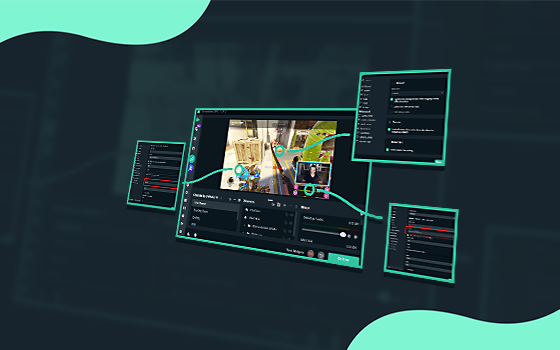
Streamlabs
Get started with Streamlabs Desktop in a few simple steps and go live today!
random basin
rich yoke
Hey guys, maybe my last question wasn't seen so I try it again: I've created a c...
I am afraid I dont know enough to help you out! Although please create a ticket and the team will sort you out!
wispy latchBOT
@rich yoke If you were unable to find answers to your question(s) in the #1057658928365842512 or our self help articles on Creator Resource Hub https://streamlabs.com/content-hub/support , then please submit a ticket at https://support.streamlabs.com/hc/en-us/requests/new and our team would be able to help you there!
rich yoke
random basin
I am afraid I dont know enough to help you out! Although please create a ticket ...
Too bad, I had now waited extra with the ticket and crossed my fingers. Have now created a ticket, but thanks for the response 🙂
random basin
rich yoke
Too bad, I had now waited extra with the ticket and crossed my fingers. Have now...
I am sorry I coudnt be more of a help, but our team are all super stars and super duper smart and they will sort you out!
cunning night
super duper smart, then how come i had to turn off my monitor and on to litterally hear my media file audio? that a glitch?
random basin
cunning night
super duper smart, then how come i had to turn off my monitor and on to litteral...
How is that related to someone being super duper smart? Most likely yeah, it glitched, sometimes electronics/software go bananas for no reason at all. The good old "Turn off and back on" troubleshoot!
cunning night
🙂 sorry to smash your house of cards on that one. some people miss alot of peices. one problem solved
random basin
No worries at all! We can always build a new one!
cunning night
now i've got another issue
random basin
Lets go! Shoot!
cunning night
for some reason i type " stream starting soon" BUT if i change the size, it goes all blurry.
 cunning night
sorry sld?
 cunning night
yup
random basin
on the FONT size
put it to the MAX
then on Streamlabs you can reduce the size
and it will always be crisp
cunning night
strangest work around ever. so now i'm wondering what the lowest it can be before it goes blurry, mysteries that unfolks, but for now tyvm
random basin
well if you are setting the size to smaller and then stretch it, it will always start to go blurry! its about the original size (pixels) of the source you are either making it smaller or bigger
the more pixels the more resolution.
if you want it smaller you can just reduce the font size on the options! Also you can disable antialasing if it makes the edges of the letters look blurry. the smaller it its the worst it gets with antialasing.
cunning night
Actually i just realized the default they got it set to 256 lol
i guess now i'm in 2023 lol
terse spire
random basin
Hi there, this should be an issue with your resources, mainly the CPU, the more ...
ty so much for your help
 rancid zenith
no
verbal wind
My live viewer count is not showing the amount of viewers I have, can someone please help me
 vast nexus
My alert box stopped working and I’m not sure how to fix it. I was going to put in the url again and hope that would solve it but when opening the alert box source, I couldn’t even find a spot to put the url. I tried deleting the source and making a new one, but still wouldn’t work and no where to put the url.
Tried doing a browser source instead, and there’s a place to put the url, but that didn’t fix it either >: any ideas?
UPDATE: nevermind! Got it working 😊
 ionic niche
Is anyone having issues lately with alerts not having sound?!?! It’s pissing me off! Started with the update
 static spade
So im new to using streamlabs and I don't have a pc are you needing a pc to add all the different widgets (I'm streaming through xbox)
 solemn maple
Hey i have a issue if anybody is able to help me? 😄
Basically ive downloaded streamlabs obs on my new system but whenever i press login and click twitch it dosent do anything it no spinning nothing
 hushed thorn
I need someone’s help, for some reason on Streamlabs console, it wont let me stream because it says, “I need a subscription linked to my account before I can start streaming for this broadcast”, but I have the 7 day free trial, can anyone help me on this?
 digital root
Hey I’m having an issue regarding the VODs
For some reason, my VODs are being posted with no audio. I need some help 😭
 cobalt pelican
where did my followers option gone? xd
 gritty isle
cobalt pelican
where did my followers option gone? xd
gritty isle
cobalt pelican
where did my followers option gone? xd
Looks like your logged in with YouTube. Click your PFP, then click where it says YouTube then select Twitch.
gritty isle
hushed thorn
I need someone’s help, for some reason on Streamlabs console, it wont let me str...
Streamlabs Console is a subscription service. You would need to log into the Streamlabs Console site, click your PFP in the upper right, choose Account Settings, then scroll down and choose either the Monthly or Annual plan.
Streamlabs Console is also included in our Streamlabs Ultra subscription. If you're using Streamlabs Console this way, please make sure you set up your Streamlabs ID then log into the Streamlabs Console with your Streamlabs ID rather than your Twitch.
gritty isle
solemn maple
Hey i have a issue if anybody is able to help me? 😄
Basically ive downloaded s...
Please try this:
- Quit Streamlabs Desktop
- Click here https://streamlabs.com/logout
- Launch Streamlabs Desktop and log in
If that does not work, please go into your Windows Settings and change your default web browser to Microsoft Edge or Firefox (if you have it installed) and try again.
cobalt pelican
gritty isle
Looks like your logged in with YouTube. Click your PFP, then click where it say...
lol thanks!!!!!
hushed thorn
gritty isle
Streamlabs Console is a subscription service. You would need to log into the St...
Thanks for the help, I just bought it.
I do have one more question tho. Is there a way to play music on Streamlabs console without a pc? While your streaming
Like in the background
gritty isle
hushed thorn
I do have one more question tho. Is there a way to play music on Streamlabs cons...
Streamlabs Console doesn’t have that capability, sorry.
hushed thorn
gritty isle
Streamlabs Console doesn’t have that capability, sorry.
Alright thanks for letting me know
gritty isle
hushed thorn
Alright thanks for letting me know
You’re welcome.
 cursive mulch
I have an interesting situation. Looking at my recent events in streamlabs desktop, my notifications are months out of date. I confirmed the same behavior exists on the streamlabs.com/dashboard/recentevents page. I confirmed the account link is still active on twitch and have no idea where to go from here.
 fervent hinge
hey i got a simple question , can you do daily sub count on streamlabs ? i can only seem to find it on streamelements
gritty isle
cursive mulch
I have an interesting situation. Looking at my recent events in streamlabs deskt...
Hi there! 👋 Refreshing the connection between Streamlabs and the end platform will resolve this. Please follow exactly all the steps in this guide: https://streamlabs.com/content-hub/post/how-to-disconnect-your-streamlabs-account Including the log outs. You'll need to perform these when you not live.
👉 NOTE This will not go back and capture any events that were missed. You'll need a new event (new follow on Twitch, new subscriber on YouTube, etc) as verification. I can follow on Twitch or subscribe on YouTube for verification if you like.
Also note the guide has sections for the 4 platforms we have full integration with, Twitch, YouTube, Facebook, and Trovo. So only follow the section for the platform you're using.
👉🏻 Note you need to offline to perform this procedure. Do not perform this while you are live!
cursive mulch
Thanks, will give this a try!
 half dirge
I need help! I made a pop up for followers so I know when people follow, but it doesn't show up on my stream. Does anyone know how to fix this? Plz reply or @ me :)
 primal oracle
is that possible for twitch mod to create command which will spam it's answer few times when triggered? For example, i need to create !link command which will respond 3 times like
me: !link
streamlabs: https
streamlabs: https
streamlabs: https
 wary pond
Hi, is there a way to add windows sticky notes to the stream? I have tried with window capture, but it does not show up. Sorry for the possibly very dumb question, I'm very new to this streaming thing c:
 split osprey
Hey guys, not sure if this is the right place but I would much appreciate some tech help. I'm streaming using a NVIDIA 2060 with NVENC encoder. My base resolution is 1080p rescaled down to 900p (twitch). From time to time, my stream crashes with the error "nvidia nvenc is taking too long to encode". I already searched in foruns and even here and the solutions I found didn't work (turn off rescale, AV, etc). Any way I can try to troubleshooting this better? The logs don't show anything specific afaik. I was fine streaming using a NVIDIA 1070 and then this started to happen when I switch cards. Thanks in advance!

 gentle elbow
how do i switch from streaming on youtube to twitch?
wispy latchBOT
@gentle elbow
Click the :gear: at the bottom left of Streamlabs Desktop. Then the logout button should be at the bottom left of the popup as shown:
https://i.gyazo.com/d85a0f693148ea5b9e4c6b03d7cbf703.png

 languid tide
Does anyone know the best stream settings for a ryzen 7 2700 and a 3060 ti, 10 mbs upload speed? specifically for youtube
gentle elbow
wispy latch
<@829849794654109728>
Click the :gear: at the bottom left of Streamlabs Desktop....
oh and then i just log in with my twitch?
 ebon niche
Does the stream label widget automatically update when live? Like if 1 person subscribes during my next stream, will it update to 284 when live?

Also sometimes my bitrate/quality drops when streaming at times, perhaps because of my internet which tends to be up and down at times. Would introducing a 10-second stream delay help this so it has time to prevent a quality drop? Would this delay need to be increased?
pallid cape
Hey I wonder if you can help, it is saying obs is failing to connect to my graphics card resultin in the stream crashing. Any advice appreciated
gritty isle
gentle elbow
oh and then i just log in with my twitch?
Yea.
languid tide
Does anyone know the best stream settings for a ryzen 7 2700 and a 3060 ti, 10 mbs upload speed? specifically for youtube
Can anyone help me please?
wispy latchBOT
@languid tide```md
Recommended bitrate values versus used resolution and FPS.
- For 1280x720 at 30FPS use 2200 up to 2800kbps.
- For 1280x720 at 60FPS use 3800 up to 5600kbps.
- For 1920x1080 at 30FPS use 4400 up to 6200kbps.
- For 1920x1080 at 60FPS use (6000) 8700 up to 12500kbps.
- For 1600x900 or 1536x864 at 60FPS use at least 6000kbps up to 8600kbps.
<Note: These values are based for single-pc streaming setup, using x264 veryfast preset>
Using lower bitrates than listed is possible where allowed by the type of content or when using a better (slower) x264 preset or using RTX NVENC to have 6000kbps for 1080p60.
If you get pixelations on your stream, this would mean there is insufficient bitrate to properly encode the stream for the given content.```
# Streaming Service Limitations
- Twitch recommended and supported maximum bitrate is 6000kbps. [Link 1]
- Facebook allows up to 1280x720 at 30FPS and a max bitrate of 4000kbps. [Link 2]
- Facebook Level program allows 1080p at 60FPS and a max bitrate of 9000kbps [Link 3]
- Youtube recommended settings [Link 4]```
:one: :link: <https://stream.twitch.tv/encoding/>
:two: :link: <https://www.facebook.com/fbgaminghome/creators/best-practices>
:three: :link:<https://www.facebook.com/fbgaminghome/creators/levelup>
:four: :link: <https://support.google.com/youtube/answer/2853702?hl=en>That is so NOT what I meant
The word bitrate was not even in my sentence? 😭
Can I even stream 1080p with ryzen 7 2700 3060ti 32 gigs of ram and 10mbs upload speed?
 humble gale
what do you actually think would cause it so you couldn't? your bitrate is dependant on your upload speed and the resolution that you want. If you have enough upload speed to support X bitrate & res/fps then yes you can
so yeah, bitrate is the most important thing as to if it's even feasbile
so the info above tells you if it's possible ^^
verbal wind
so my alert box is still not working even after i allowed my subscribers to be public. does anyone know why? i really need help
humble gale
so you can't allow your subscribers to be public. each person has to do it themself. So if you subscribe it would alert people, but if they subscribe and their stuff is private it won't work afaik
 stark stream
HI
my tip ticker stuff is not working,I launched in the browser but dont change anything
please help
 wild sparrow
hey so i have just set up the over lay system in the desktop so i can view my chat when i stream. But the issue is, that when i go to view the chat the overlay displays "accept cookies" stuff for twitch, and i cant click accept, meaning now chat view, what do i do
 stark stream
my tip ticker stuff is not working,I launched in the browser but dont change any...
stark stream
stark stream
my tip ticker stuff is not working,I launched in the browser but dont change any...
nothing :((

 shadow anvil
wild sparrow
hey so i have just set up the over lay system in the desktop so i can view my ch...
shadow anvil
wild sparrow
hey so i have just set up the over lay system in the desktop so i can view my ch...
What if you right click the source and click interact
stark stream
???
wild sparrow
shadow anvil
What if you right click the source and click interact
No can do
Unless I'm not doing it right
 stark stream
and cansomeone help me?
 abstract plazaBOT
Are you knowledgeable about Streamlabs products? Do you like being rewarded while helping others? Apply to be a part of the Streamlabs Support Volunteer Program! BONUS POINTS FOR GERMAN 🇩🇪
Application Link:
https://forms.gle/eKS29zWfFjGEzaRp7
For details, see our post in #announcements:
#announcements message

Google Docs
Fill out the form below to be considered for our Volunteer Application. Please see our the Streamlabs Privacy Policy to understand how your data may be collected, accessed, and stored. Data may be deleted upon request.
To be considered for acceptance into the Streamlabs Support Volunteer Application, applicants must submit this form. We will fo...
wild sparrow
@shadow anvil i fixed it
gritty isle
wild sparrow
<@506609626553384986> i fixed it
Hey there! 👋 I'm just getting back in from walking the dog. That Twitch Chat cookies message is the bane of a lot of people. Glad you got it sorted out. We have found that toggling Game Overlay off and then back on usually clears that popup.
wild sparrow
gritty isle
Hey there! 👋 I'm just getting back in from walking the dog. That Twitch Cha...
i had to start a stream, and click the accept cookies on the chat it shows in streamlabs, and then when i toggled it, all was good
gritty isle
stark stream
and cansomeone help me?
So you have an issue with the Tip Ticker? It appears when you launch it from the Tip Ticker Widget page but won't appear on stream?
If so then please, in Streamlabs Desktop, go to Settings -> Advanced -> Sources and uncheck the option Enable Browser Source Hardware Acceleration, click Done, restart Streamlabs Desktop, and then it should appear on stream. Of course you'll have to do this when you are not live.
gritty isle
wild sparrow
i had to start a stream, and click the accept cookies on the chat it shows in st...
😉 When Twitch first started that pop up, we spent entire days dealing with just that. Sigh.
wild sparrow
gritty isle
😉 When Twitch first started that pop up, we spent entire days dealing with jus...
haha
stoic hedge
@oak cloud Any good news for a problem with studio mode?
stark stream
gritty isle
So you have an issue with the Tip Ticker? It appears when you launch it from th...
thanks,but I want to import to mobile this
 fallen galleon
Hey there! Different issue with chat, specifically the default widget. Themes aren't changing, even after hitting "save changes." Threw off my layout REAL bad. Any ideas what may be going on here? (I've eliminated any custom CSS/JS/etc) (video attached)
stark stream
stark stream
thanks,but I want to import to mobile this
@gritty isle
gritty isle
stark stream
thanks,but I want to import to mobile this
Ah, then, in Streamlabs Mobile, click the hamburger menu at the top left, click Scenes, select the Scene you want to use, click Layers, click the +, click Add a widget, then finally click the + on Donation Ticker.
stark stream
but do I have to do it on a computer first?
gritty isle
fallen galleon
Hey there! Different issue with chat, specifically the default widget. Themes ar...
Have you clicked Disable on Custom HTML/CSS? If not, disable that option.
stark stream
because I already did it on the phone, but it didn't work
gritty isle
stark stream
but do I have to do it on a computer first?
If you want to change any of the settings of the widget, yes. It is painful, but you can also do that via the mobile web browser on your smartphone or tablet.
fallen galleon
gritty isle
Have you clicked *Disable* on Custom HTML/CSS? If not, disable that option.
...well that was easy. Cannot believe I overlooked that. 😅 Thank you!
stark stream
OK, I'll try
gritty isle
fallen galleon
...well that was easy. Cannot believe I overlooked that. 😅 Thank you!
You're welcome! While we provide the option for custom code, we can't support the actual code itself due to the complexity of the language and the vast number of variables that are possible.
ebon niche
sometimes my bitrate/quality drops when streaming at times, perhaps because of my internet which tends to be up and down at times. Would introducing a 10-second stream delay help this so it has time to prevent a quality drop? Would this delay need to be increased?
gritty isle
ebon niche
sometimes my bitrate/quality drops when streaming at times, perhaps because of m...
If your bitrate is fluctating, that's likely an issue with your upload bandwidth. I'd run a bunch of speed tests to confirm then contact your ISP. Adding a 10 second stream delay won't resolve that.
 jagged ridge
Hello! im sorry to bother but ive been having an issue and i still cant solve it.
i always use the same overlays from two different apps and from one day to another every time i copy the link of my overlay to streamlabs/obs the overlay is not shown
this seemed really odd but ive tried with another computer (same mac book air model) and the overlays work correctly. it seems to happen only with my computer for an unknown reason
does anybody know what the issue might be?
gritty isle
jagged ridge
Hello! im sorry to bother but ive been having an issue and i still cant solve it...
Hi there! How did you add this overlay?
jagged ridge
Hi! i added it through the browser source
gritty isle
jagged ridge
Hi! i added it through the browser source
Okay, interesting.
Is the computer that it doesn't work on also a Mac?
gritty isle
jagged ridge
it was working one week ago and suddenly it stopped showing my overlays
Thanks for confirming that. And you're using Streamlabs Desktop?
jagged ridge
yes! ive tried with obs as well but no results
gritty isle
jagged ridge
yes! ive tried with obs as well but no results
Okay, that's good to know and interesting as well. In Streamlabs Desktop on the Mac with the issue, do you have that browser source arrangeed in the Source list such that it is higher than any of the capture methods?
jagged ridge
yes, it is at the top. its not being hidden
gritty isle
jagged ridge
yes, it is at the top. its not being hidden
Okay, thanks for confirming that. In Streamlabs Desktop, go to Settings -> Advanced -> Source and disable the option Enable Browser Source Hardware Acceleration.
jagged ridge
ok
still, same result
the funny thing is that when i use browser source for a normal website as discord for example, it works
gritty isle
jagged ridge
still, same result
Huh. Weird. If you take the URL in the browser source, open up Safari and paste the URL, does it work?
jagged ridge
yes it does
gritty isle
 Okay, delete that browser source, restart Streamlabs Desktop, and add the browser source back.
gritty isle
jagged ridge
i even tried another overlay but the same thing happens
 What version of Streamlabs Desktop do you have?
jagged ridge
1.12.3
gritty isle
StreamElements or Streamlabs? We can't assist with StreamElements here.
 young coral
gritty isle
Stream*Elements* or Stream*labs*? We can't assist with StreamElements here.
young coral
gritty isle
Stream*Elements* or Stream*labs*? We can't assist with StreamElements here.
Ah sorry I messed up ><
gritty isle
jagged ridge
1.12.3
Thanks! And what version of MacOS do you have?
jagged ridge
12.5
gritty isle
young coral
Ah sorry I messed up ><
No worries, just wanted to be sure and get you to the right place for assistance. 👋 Good luck! 🤞
verbal wind
so my alert box is still not working even after i allowed my subscribers to be public. does anyone know why? i really need help
young coral
gritty isle
No worries, just wanted to be sure and get you to the right place for assistance...
Thanks!!
gritty isle
verbal wind
so my alert box is still not working even after i allowed my subscribers to be p...
Your (as the streamer) setting does not matter. The viewer (the person who is going to subscribe to your channel) would need to enable the setting BEFORE they subscribe to your channel.
gritty isle
young coral
Thanks!!
You're welcome!
verbal wind
gritty isle
*Your* (as the streamer) setting *does not matter*. The *viewer* (the person wh...
so it will only show up if the viewer has enabled their subscriptions to be public?
jagged ridge
@gritty isle any other idea of what might be happening?
gritty isle
jagged ridge
12.5
Okay, thanks! That shouldn't be an issue either. Let me ask the other Volunteers and staff about this. May I reply back or ping you when I have more information or possible fixes?
jagged ridge
great thanks. i can wait
gritty isle
verbal wind
so it will only show up if the viewer has enabled their subscriptions to be publ...
Correct. If you'd like to test, my subscriptions are set to public. I can subscribe to your channel and you should see the alert and the Mini Feed should update.
verbal wind
gritty isle
Correct. If you'd like to test, my subscriptions are set to public. I can subs...
yeah pls do that, its ThunderStruckCole
gritty isle
verbal wind
yeah pls do that, its ThunderStruckCole
Okay, give me a minute to get there.
Please have your Streamlabs Desktop open and in the scene where you have the Alert Box.
Let me know when you're ready.
verbal wind
gritty isle
Okay, give me a minute to get there.
Please have your Streamlabs Desktop open ...
ok im ready, i dont need to be live for it to work tho right?
gritty isle
verbal wind
ok im ready, i dont need to be live for it to work tho right?
No, you don't need to be live. And just to confirm, your Alert Box source is at the top of your source list, right?
verbal wind
gritty isle
No, you don't need to be live. And just to confirm, your Alert Box source is at...
yep
gritty isle
verbal wind
yep
Okay, here goes...
gritty isle
verbal wind
yep
I subscribed.
verbal wind
gritty isle
I subscribed.
I didn’t see it pop up, and nothing showed up in my mini feed
 gritty isle
verbal wind
I didn’t see it pop up, and nothing showed up in my mini feed
gritty isle
verbal wind
I didn’t see it pop up, and nothing showed up in my mini feed
This is your channel?
 verbal wind
https://www.youtube.com/channel/UClkHW_asd138b7lhlE_2-eQ no this is it
gritty isle
jagged ridge
great thanks. i can wait
Its suggested that you try reinstalling Streamlabs Desktop and if that doesn't resolve the issue, make a new Scene Collection and then just add that browser source. If it works there, then mnaully rebuild your scenes and sources in this new Scene Collection and use that instead.
jagged ridge
ok ill try and let you know how it goes
gritty isle
verbal wind
https://www.youtube.com/channel/UClkHW_asd138b7lhlE_2-eQ no this is it
Ah, well, that URL would have been helpful but no matter, let me go click a button.
verbal wind
sorry
gritty isle
verbal wind
sorry
Okay, I subscribed.
verbal wind
gritty isle
Okay, I subscribed.
i still see nothing
gritty isle
verbal wind
i still see nothing
I might take a few minutes. Sometimes the API from YouTube is slow with subscriber events.
verbal wind
ok
gritty isle
verbal wind
ok
You should also get an email to the address registered to that channel that I subscribed, unless you turned off those notifications. And if you go to https://studio.youtube.com/ there should be a panel showing the subscribers in the last 90 days, my channel should appear there.
verbal wind
gritty isle
You should also get an email to the address registered to that channel that I su...
yeah i got a notification from youtube that you subscribed but still nothing in the mini feed
gritty isle
verbal wind
yeah i got a notification from youtube that you subscribed but still nothing in ...
Huh. Very strange. Let's refresh the connection between Streamlabs and YouTube.
Please logout in Streamlabs Desktop and quit it.
Please log out of the Streamlabs web site on every device you use it on and clear only the cache in that web browser.
The follow the guide from the bot below 👇 The guide has sections for the platforms we have official integration with, so only follow the section for YouTube.
Once you're done with the guide, quit the web browser, launch Streamlabs Desktop, and log in with your YouTube.
Sadly I can't test again with my account since an unsubscribe/resubscribe won't trigger the alert.
verbal wind
gritty isle
Huh. Very strange. Let's refresh the connection between Streamlabs and YouTube...
ok thanks ill try that
gritty isle
verbal wind
ok thanks ill try that
You're welcome.
jagged ridge
@gritty isle it has not worked.
gritty isle
jagged ridge
<@301571565840236564> it has not worked.
Oh good grief! 
gritty isle
jagged ridge
the same thing happens
Do you have the Firewall turn on in your System Preferences? If so, can you see if that URL or domain is perhaps blocked?
gritty isle
jagged ridge
https://tenor.com/view/jonah-hill-annoyed-gif-11134341
Agree. And GIFs don't resolve in this channel by design.
jagged ridge
gritty isle
Do you have the Firewall turn on in your System Preferences? If so, can you see...
are you talking about my mac or my streamlabs system preferences
gritty isle
jagged ridge
are you talking about my mac or my streamlabs system preferences
Your Mac.
jagged ridge
ill check that out
gritty isle
Here's mine. Mine's off.
 gritty isle
jagged ridge
my firewall is off
gritty isle
jagged ridge
my firewall is off
All righty.
Did your MacOS update when this browser source stopped working?
(I'm thinking out loud of possible things).
jagged ridge
no i dont remember any update since i bought it new , 2 weeks ago
gritty isle
jagged ridge
no i dont remember any update since i bought it new , 2 weeks ago
And initially if worked then one day just stopped working, right?
gritty isle
jagged ridge
this has to be one of the stangest cases youve ever seen!😅
Yes, quite puzzling indeed. I've pinged the others to see what else they may think or suggest.
jagged ridge
ok, ill wait
verbal wind
gritty isle
Huh. Very strange. Let's refresh the connection between Streamlabs and YouTube...
hey what do you mean by clear only the cache in that web browser
gritty isle
verbal wind
hey what do you mean by clear only the cache in that web browser
Clear the cache, don't clear cookies or anything else. The cache is all the data the browser stores locally like a copy of the web page source and any images that those pages use. Clearing the cache can sometimes resolve issues and in this case its recomended to do so when disconnecting service.
verbal wind
ah ok thx
gritty isle
jagged ridge
ok, ill wait
They suggest clearing the cache in your default web browser and if that doesn't help, please submit a ticket here: https://support.streamlabs.com/hc/en-us/requests/new.
gritty isle
verbal wind
ah ok thx
You're welcome.
jagged ridge
gritty isle
They suggest clearing the cache in your default web browser and if that doesn't ...
that...didnt work😢
gritty isle
jagged ridge
that...didnt work😢
You can try clearing the Streanlabs Desktop browser cache.
in Finder, go to /Library/Application Support/ and there should be a slobs-client folder and in there there should be a folder with a name of something like browser cache. Make sure Streamlabs Desktop isn't running and then delete that browser cache folder (DON'T DELETE the slobs-client folder). Then launch Streamlabs Desktop.
My Macbook is too old to run Streamlabs Desktop so I can't post any screen shots.
If this doesn't help, then submit a ticket via the link I gave you.
jagged ridge
i dont seem to find it
verbal wind
gritty isle
You're welcome.
hey i fixed it, thank you so much
gritty isle
verbal wind
hey i fixed it, thank you so much
You're welcome.
gritty isle
jagged ridge
i dont seem to find it
Okay, don't worry about then. Go ahead and submit a ticket.
 civic topaz
Hi! Just wondering if anyone can help. I basically restarted my PC, reinstalled Streamlabs but I can't login via twitch now? There is just no option to log in but I can do it via streamlabs Web browser just not the desktop
gritty isle
civic topaz
Hi! Just wondering if anyone can help. I basically restarted my PC, reinstalled ...
Please try this:
- Quit Streamlabs Desktop
- Click here https://streamlabs.com/logout
- Launch Streamlabs Desktop and log in
If that does not work, please go into your Windows Settings and change your default web browser to Microsoft Edge or Firefox (if you have it installed) and try again.
 stark stream
hey rufus,look that.Its not working 😭
gritty isle
civic topaz
I'm still getting this screen sadly
Yes, please.
Quit Streamlabs Desktop.
Reboot your PC.
Download a fresh installer from the web site.
Run the installer as administrator and let it install over your existing installation.
At the end of the installer, don't let it launch Streamlabs Desktop. Just quit the installer and reboot your PC again.
Once the PC is back up, please try and log in again.
stark stream
I restarted the obs and nothing
gritty isle
stark stream
hey rufus,look that.Its not working 😭
Well, I thought you said you were wanting in in Streamlabs Mobile.
Make sure the settingd Custom HTML/CSS is disabled. If it is, then go into your browser settings and disable browser source hardware acceleration, restart your web browser, and try again.
 verbal wind
gritty isle
You're welcome.
verbal wind
gritty isle
You're welcome.
well i thought it worked. on the mini feed it said that you subscribed, but i just streamed and none of my subs showed up on the alert box or the mini feed
gritty isle
stark stream
idk what should I do
Please screen shot all of the settings you have for the Tip Ticker.
gritty isle
verbal wind
well i thought it worked. on the mini feed it said that you subscribed, but i ju...
Then I'd put in a ticket and have the team investigate: https://support.streamlabs.com/hc/en-us/requests/new
 verbal wind
k thx
 fleet garden
My transmission does not match the sound and the transmission is running in slow motion
What can I do against it ?
gritty isle
stark stream
What browser are you using?
gritty isle
stark stream
now works i add a tip in tipping page
Oh, you hadn't set up your Tip Page? That would be why.
And I'd really suggeest you install Discord on your PC. It make submit screen shots to tech support discords WAY easier. 😉
stark stream
Im sorry but I boost my pc and turned off a lot of setting and now I cant take a screesshot
and I'm not a streamlabs pro 🤣
wispy latchBOT
{1}
# Windows:
- Press the Print Screen key, which may be entitled "PrtSc" or something similar. If your computer has an Fn key on the lower-left side of the keyboard, you might need to press Fn and ⎙ Print Screen at the same time.
- Press the Windows key + Shift + S on your keyboard and then highlight the required area and use CTRL + V, then hit Enter, where you'd like to send your screenshot.
# Mac:
- “shift+command+4” to capture a selected area of the screen, then paste where you'd like to send your screenshot
- Some users will only be able to use “shift+command+3”``` rancid sun
When I add a text source any font aside from Arial does not work/is invisible, any ideas?
I've tried reinstalling some fonts and starting as admin
gritty isle
stark stream
why dont looping?
Have you received any donations yet?
gritty isle
rancid sun
When I add a text source any font aside from Arial does not work/is invisible, a...
So you're saying the only font that works for you is Ariel?
stark stream
ohh
 real field
I have a question regarding the audio. I want to stream Street Fighter 6 this weekend but everything I try to change in the audio settings doesn't fix the second of delay from what I do on the monitor, and what sound is supposed to happen. Any tips or help? Others that were supposed to help have ghosted me, thinking about cancelling the stream.
gritty isle
stark stream
<@301571565840236564>
What am I looking at? I can't tell what the issue is. I see a tip ticker with a single entry.
stark stream
on the android phone, the subtitle does not go through and is not looping
rancid sun
gritty isle
So you're saying the only font that works for you is Ariel?
correct
stark stream
But on IOS works perfectly
gritty isle
rancid sun
correct
PC or Mac?
rancid sun
Win11, latest version
gritty isle
rancid sun
Win11, latest version
Not an Insiders or Preview build? Are you working via the Streamlabs web site or from within Streamlabs Desktop? If Streamlabs Desktop, what version do you have?
gritty isle
stark stream
But on IOS works perfectly
Are you trying to stream from both an iOS and Android device or just viewing the stream from those devices?
stark stream
I want to make stream from android
but the tip ticker is stopped and dont loops on android but on IOS works perfectly
gritty isle
stark stream
but the tip ticker is stopped and dont loops on android but on IOS works perfec...
Make sure you've got the lastest version of Streamlabs Mobile and if you do,please out in a ticket: https://support.streamlabs.com/hc/en-us/requests/new. Please be sure to include the make and model of your Android based device and what OS version its running and the version of Streamlabs Mobile.
rancid sun
gritty isle
Not an Insiders or Preview build? Are you working via the Streamlabs web site o...
Desktop, 1.13.1
Issue started when I created a new windows profile and copied over my %appdata€
stark stream
huh @gritty isle idk how but i fix that 🙏🏼
and now works perfect,thanks your help ofc
gritty isle
stark stream
huh <@301571565840236564> idk how but i fix that 🙏🏼
Oh okay! Great!
obtuse glacier
How do I set up to receive donations through my debit card in Singapore. I don't want to use PayPal.
gritty isle
rancid sun
Desktop, 1.13.1
Issue started when I created a new windows profile and copied ov...
Oh yeah, copying that over might be the issue there. I'd create a new slobs-client folder and see if that resolves the issue.
If you're comfortable redoing the settings (encoder, bitrate, etc) then skip this: Make screen shots of each section in Settings so you'll have them.
Logout in Streamlabs Desktop and quit it.
Copy this: %appdata%
Press Windows-R and paste the above.
Find the slobs-client folder and drag it somewhere else for safe keeping, like the Desktop.
Launch Streamlabs Desktop and log in with the platform you use it with Twitch, YouTube, Facebook, or Trovo.
Go back through the Settings and set them to what you had.
Then see if the issue with the fonts is resolved.
 inland cobalt
Hello everone ha ve problem for streamlabs with twitch . Can i have help please ?
Impossibile recuperare impostazioni da Twitch
Si è verificato un errore durante il recupero delle informazioni sul tuo canale. Puoi provare a recuperare le informazioni oppure puoi andare in diretta. Se l'errore persiste, prova a uscire e accedere di nuovo.
undefined true Invalid token
gritty isle
obtuse glacier
How do I set up to receive donations through my debit card in Singapore. I don't...
All the methods available to you for that region will be listed here: https://streamlabs.com/dashboard#/tipping/methods If you don't see a particular method there, then it is not available in that region.
inland cobalt
this is my problem
 mortal yoke
Hey there! im trying to unlink my youtube account from streamlabs as its for somereason set as my primary and i cant make twich my primary anywhere i have looked
Which i assume is making my alerts not show up when testing for Twitch
gritty isle
inland cobalt
Hello everone ha ve problem for streamlabs with twitch . Can i have help please ...
Looks like your OAuth token has expired. In Streamlabs Desktop, log out, wait a few minutes, and then log back in again. You will then be able to go live.
mortal yoke
i get sound but no visual
inland cobalt
sure i can disconect twitch with Streamlabs
and afther minut can again connect twitch
ah ok not need have alleret for that
gritty isle
mortal yoke
Hey there! im trying to unlink my youtube account from streamlabs as its for som...
You can't manually change the Primary account in Streamlabs. What you need to do is just go to your account settings https://streamlabs.com/dashboard#/settings/account-settings/platforms, log in with your YouTube account then merge your Twitch. To then switch over and work on your alerts for Twitch, click your PFP in the upper right corner of the Streamlabs web site, click where it says YouTube, then choose Twitch.
IF you've already logged into the Streamlabs website with your Twitch without merging it like above, then you've created a new Streamlabs account and won't be able to reuse the widget settings you have on the other account.
gritty isle
inland cobalt
sure i can disconect twitch with Streamlabs
No, you don't need to disconnect. Just log out, wait a minute, and then log back in.
wispy latchBOT
@inland cobalt
Click the :gear: at the bottom left of Streamlabs Desktop. Then the logout button should be at the bottom left of the popup as shown:
https://i.gyazo.com/d85a0f693148ea5b9e4c6b03d7cbf703.png
inland cobalt
i ready log out twitch now agai conect
gritty isle
inland cobalt
i ready log out twitch now agai conect
Yes, log back in now.
inland cobalt
now what can i do
gritty isle
inland cobalt
now what can i do
Log in. 😉
gritty isle
inland cobalt
eh now can i do stremming in twitch to use Streamlabs ?
If you have logged back in with your Twitch, yes, now you should be able to go live on Twitch.
inland cobalt
thank you sir
gritty isle
inland cobalt
thank you sir
You're welcome. Happy streaming! Remember, these tokens expire every 30 to 60 days so when this happens again, just log out, wait a minute, and then log back in to refresh the token.
obtuse glacier
gritty isle
All the methods available to you for that region will be listed here: <https://...
The credit card function works in my region. However, I cannot set up as it keeps asking me for a specific routing number which my bank doesn't have.
It keeps say it has to be specific format even through my bank is telling that their routing number is acceptable
gritty isle
obtuse glacier
The credit card function works in my region. However, I cannot set up as it keep...
For that issue, please put in a ticket: https://support.streamlabs.com/hc/en-us/requests/new. We can't assist with that in discord due to the privacy and security of your confidential information.
mortal yoke
gritty isle
You can't manually change the Primary account in Streamlabs. What you need to d...
my issue is the youtube account isnt even alive anymore, im confused onto how it connected in the first place
gritty isle
mortal yoke
my issue is the youtube account isnt even alive anymore, im confused onto how it...
Oh well, you probably connected it before. If that YouTube account no longer exists or you can't log into it, then yeah, I'd go ahead and make your Twitch channel then log into the Streemlabs web site with that Twitch and create a new Streamlabs account then get to work on your widgets. There's not much we can do in that respect if the Primary account is no longer accessible.
mortal yoke
Thank you @gritty isle 😄
 gaunt ether
Hello quick question.
Is there possibility to multistream to twitch and tiktok on streamlabs?
I can't find it..
gritty isle
mortal yoke
Thank you <@301571565840236564> 😄
You're welcome. On that Twitch channel you make, please be sure to verifiy the email address and phone number you use and enable 2FA. And use a strong password that includes upper and lower case letters, numbers, and a special character or two.
gritty isle
gaunt ether
Hello quick question.
Is there possibility to multistream to twitch and tiktok o...
Yes, if you have an active Streamlabs Ultra subscription.
gaunt ether
Oo realy I was wondering if I should buy ultra or not
gritty isle
gaunt ether
Oo realy I was wondering if I should buy ultra or not
Up to you. I'd check out the Streamlabs Ultra page https://streamlabs.com/ultra?refl=header and this guide https://streamlabs.com/content-hub/post/is-streamlabs-ultra-worth-it so you can make an informed decision. With Streamlabs Ultra, you also gain access to the Ultra Support channel for priority support.
And to be honest @gaunt ether, streaming to TikTok can be challenging. TikTok has to approve and grant a stream key. It is not available to everyone by default.
wispy latchBOT
{1}
# Requirements to go live to TikTok:
- Must be 18+ years or older
- Must have at least 1,000 followers

If you don't meet those requirements you won't be able to get a stream key at the moment.  In the next iteration of our integration, the requirements will lower the minimum age requirement from 18+ to the region’s minimum age. We do not have an estimated time frame for the next iteration.

# We are currently inquiring about why some users who meet the requirements are unable to access their stream key.  We apologize for the inconvenience. ```
More info here :link: <https://streamlabs.com/content-hub/post/how-to-live-stream-on-tiktok-from-a-pc>But don't let that deter your from considering a Streamlabs Ultra subscription.
 robust falcon
Hello, help me.
macbook pro m1
An error occurred with the output
 shut jetty
Hello! Name's Azalea and I would really appreciate some help if possible right now. I was wondering if it was possible to show the little discord bubbles with names when streaming. I'm having issues where my audience does not know who is talking during a stream. Is it possible?
gritty isle
shut jetty
Hello! Name's Azalea and I would really appreciate some help if possible right n...
You might look into the Discord Stream Overlay https://streamkit.discord.com/overlay.
gritty isle
robust falcon
Hello, help me.
macbook pro m1
An error occurred with the output
Change to a different encoder. Restart Streamlabs Desktop. Switch back to the encoder you were using.
shut jetty
gritty isle
You might look into the Discord Stream Overlay <https://streamkit.discord.com/ov...
Thank you! I'll look into that ^^
gritty isle
shut jetty
Thank you! I'll look into that ^^
You're welcome.
 quasi harness
Hello, I'm dropping frames a lot while streaming Valorant, but I'm getting 500 upload and 500 download speeds. I think it has to do with my streamlabs settings, but nothing seems to work. I'm also using a 3440x1440 monitor, which I'm sure isn't helping? Any advice?
gritty isle
quasi harness
Hello, I'm dropping frames a lot while streaming Valorant, but I'm getting 500 u...
Honestly, I'd drop your output resolution down to 1920x1080 and see if that helps. But note that dropped frames indicate a network issue. Also go to Settings -> Notifictions and enable all the options and set the sliders to about 15% and then see if you get any reports about frames.
quasi harness
Thank you, should the Base Resolution also be at 1920x1080?
gritty isle
quasi harness
Thank you, should the Base Resolution also be at 1920x1080?
Base Resolution should be whatever you have your monitor set at.
quasi harness
gritty isle
Base Resolution should be whatever you have your monitor set at.
Makes sense, should I scale the sources in Editor mode to make it full screen? right now, it looks a little wonky with those settings
gritty isle
quasi harness
Makes sense, should I scale the sources in Editor mode to make it full screen? r...
Yeah, you might have rearrange things a bit. For the capture method, select it then right click, Transform, then Fit to Screen.
 cinder panther
Hello,
I have bought a cheap 30€ capture card to implement my PS4 into my streams and I have trouble setting it up. Everytime I select it in Streamlabs it doesn't show any image. I have already restarted my computer but that doesn't fix the issue. Might there be issues with my Webcam (Logitech C922)?
 dark barn
So, I'm rolling in here pretty mad. Why is my streamlabs asking me what I'm using it for? It's never asked me that, before. I answered it, got to the part where I'm used to my stream setup being, and all of my settings are gone. Like, these are settings from nearly a year ago. What happened to my more recent configurations?
gritty isle
cinder panther
Hello,
I have bought a cheap 30€ capture card to implement my PS4 into my stream...
I'd double check that you have installed and setup properly. Check with the manual the capture card came with.
gritty isle
dark barn
So, I'm rolling in here pretty mad. Why is my streamlabs asking me what I'm usin...
What version of Streamlabs Desktop do you have?
cinder panther
gritty isle
I'd double check that you have installed and setup properly. Check with the man...
Well the manual doesn't say much other than "Plug it in and setup the source accordingly in OBS".
gritty isle
cinder panther
Well the manual doesn't say much other than "Plug it in and setup the source acc...
 Are you using OBS Studio or Streamlabs Desktop?
cinder panther
gritty isle
<:oof:502853343471861760> Are you using OBS Studio or Streamlabs Desktop?
I have tried in OBS Studio at first (where there is no webcam) but I'm currently trying using it in Slobs for my Streams
gritty isle
Is this capture card installed in your PC or its just a box cablled in between your console and your PC?
cinder panther
gritty isle
Is this capture card installed in your PC or its just a box cablled in between y...
Nah just a box cabled between console and pc
quasi harness
gritty isle
Yeah, you might have rearrange things a bit. For the capture method, select it ...
Scaling worked, but still getting dropped frames. I have google fiber and I just got off the phone with them and they said I shouldn't be experiencing any issues with my speeds, so I'm thinking it has to be a setting in streamlabs, no? would it have anything to do with video bitrate or anything?
dark barn
gritty isle
What version of Streamlabs Desktop do you have?
1.13.1
cinder panther
cheap thing from Amazon xD
 craggy ember
Hello is anyone there ? I have a question about streamlabs console
gritty isle
quasi harness
Scaling worked, but still getting dropped frames. I have google fiber and I just...
Hmmmmm. Please screen shot Settings -> Video and Settings -> Output.
craggy ember
I'm trying to overlay my chat but it's not showing up
gritty isle
dark barn
1.13.1
Thank you for confirming that. Did it recently update?
dark barn
gritty isle
Thank you for confirming that. Did it recently update?
If it did, it didn't tell me, but this is the first time I've used it since Monday, and it didn't ask me what I was using it for on Monday.

 gritty isle
dark barn
If it did, it didn't tell me, but this is the first time I've used it since Mond...
gritty isle
dark barn
If it did, it didn't tell me, but this is the first time I've used it since Mond...
Okay, please quit Streamlabs Desktop, then head over to the Streamlabs web site, download a fresh installer. Run the installer as administrator and let it install over your existing installation. At the end of the installer, don't let it launch Streamlabs Desktop but rather quit the installer then reboot your PC. Once the PC is back up, launch Streamlabs Desktop. Let me know how it goes.
gritty isle
quasi harness
Those look okay to me but 2500 may be too low but shouldn't cause dropped frames. I'd up that bitrate to to 5800 and see what happens. Are you streaming to Twitch perhaps?
quasi harness
gritty isle
Those look okay to me but 2500 may be too low but shouldn't cause dropped frames...
Yes, Twitch
gritty isle
craggy ember
I'm trying to overlay my chat but it's not showing up
When you add the Chat component, did you toggle the settings Use Streamlabs Settings?
craggy ember
gritty isle
When you add the Chat component, did you toggle the settings *Use Streamlabs Set...
Yes
gritty isle
quasi harness
Yes, Twitch
Okay, thanks. Try 5800 as your bitrate and let me know how it goes.
gritty isle
craggy ember
Yes
Okay great, thanks for confirming. Please go to the Chatbox Widget page here https://streamlabs.com/dashboard#/chatbox and make sure that the option Custom HTML/CSS is disabled. If you have it enabled, click disablethen click Save Settings the bottom of the page.
 spice wing
im needing help. i was live, then next thing you know i accidently close streamlabs which stopped my stream. then when i reopened the app it was all scrunched up. i thought it was a visual glitch but when i restarted my streamed it also looked stretched and unproportioned
 gritty isle
spice wing
im needing help. i was live, then next thing you know i accidently close streaml...
gritty isle
spice wing
im needing help. i was live, then next thing you know i accidently close streaml...
Looks like your Output Resolution got borked. Please go to Settings -> Output and set it to what it should be. For example, if it reads 720x1280, change it to 1280,720.
cinder panther
So my Capture Card is working in Streamlabs, but my Webcam is not now
gritty isle
cinder panther
So my Capture Card is working in Streamlabs, but my Webcam is not now
Webcam not working how? You can't see the source or the camera doesn't appear in the preview window?
craggy ember
gritty isle
Okay great, thanks for confirming. Please go to the Chatbox Widget page here <h...
It's disabled but I'm still not seeing anything come up when i type in the chat
quasi harness
gritty isle
Okay, thanks. Try 5800 as your bitrate and let me know how it goes.
I'm live on streamlabs but it's saying offline on twitch now - its been about 4 minutes
cinder panther
gritty isle
Webcam not working how? You can't see the source or the camera doesn't appear i...
I can select the camera in the source window but the image doesn't show up
But it worked when my Capture Card was not in Slobs
gritty isle
quasi harness
I'm live on streamlabs but it's saying offline on twitch now - its been about 4 ...
That's really strange. Sounds like the your having issues with a Twitch ingest. Please follow the instructions from the bot below and post the a screen shot of the results. 👇
wispy latchBOT
@quasi harness
Please run this twitch test tool to find out the best server (https://r1ch.net/projects/twitchtest). Be sure to run the test for either Medium or Long, as short won't give you the most accurate results and be sure to select your region from the listed options (if the regions are not applicable to you, please select 5-6 servers that are near you). You're looking for at least a quality of 84.
Once you've found a good server go to Settings > Stream > Stream to custom ingest and you can manually select your server.
gritty isle
cinder panther
I can select the camera in the source window but the image doesn't show up
Remove the video capture source for the webcam in every scene where it appears. Restart Streamlabs Desktop and add the video capture source for the web cam back in only one scene.
gritty isle
craggy ember
It's disabled but I'm still not seeing anything come up when i type in the chat
Okay, thanks for checking that. Hang on minute and et me see about a few things.
cinder panther
gritty isle
Remove the video capture source for the webcam in every scene where it appears. ...
I tried that, but still no video from my Webcam
gritty isle
gritty isle
Okay, thanks for checking that. Hang on minute and et me see about a few things...
If you go back here https://streamlabs.com/dashboard#/chatbox, click the Launch button, and type in your Twitch chat, do you see that chat in the Launch window?
gritty isle
cinder panther
I tried that, but still no video from my Webcam
What web cam do you have?
cinder panther
gritty isle
What web cam do you have?
Logitech C922
craggy ember
gritty isle
If you go back here <https://streamlabs.com/dashboard#/chatbox>, click the *Laun...
I clicked launch and it brought up another screen but it was just black
quasi harness
gritty isle
That's really strange. Sounds like the your having issues with a Twitch ingest....
 craggy ember
I clicked launch and it brought up another screen but it was just black
craggy ember
craggy ember
I clicked launch and it brought up another screen but it was just black
I can't copy the URL cuz on the streamlabs console website i don't see anywhere to put the URL
gritty isle
quasi harness
Yeah that would be why you are dropping frames. The quality numbers should be 84 or greater. Do you perhaps have an MSI motherboard?
gritty isle
craggy ember
I can't copy the URL cuz on the streamlabs console website i don't see anywhere ...
The launch window was completely black? When you typed in your Twitch chat, did it appear in the Launch window?
quasi harness
gritty isle
Yeah that would be why you are dropping frames. The quality numbers should be 8...
 craggy ember
Is this the launch button you're talking about ?
 gritty isle
cinder panther
Logitech C922
gritty isle
cinder panther
Logitech C922
Go into G Hub and uncheck this option. Then remove and add back the video capture source for the web cam. Make sure the web cam is not being used in any other applciation, including Discord or other screen recording programs.
 gritty isle
craggy ember
Is this the launch button you're talking about ?
gritty isle
craggy ember
Is this the launch button you're talking about ?
Yes, that's it.
dark barn
gritty isle
Okay, please quit Streamlabs Desktop, then head over to the Streamlabs web site,...
No dice. Looks like I'm starting from scratch, again.
gritty isle
dark barn
No dice. Looks like I'm starting from scratch, again.
What happens when you log in in Streamlabs Desktop?
dark barn
It opens up to my editor, but it's still the old settings.
cinder panther
gritty isle
Go into G Hub and uncheck this option. Then remove and add back the video captu...
Hm I unchecked that now, still nothing
gritty isle
quasi harness
Okay, make sure you don't have any third party software installed that optimizes your network traffic as that will affect connections to Twitch. You can also make sure that Streamlabs Desktop is allowed through your Windows Firewall https://streamlabs.com/content-hub/post/how-to-open-your-windows-firewall.
@craggy ember Strange. I deleted that screen shot as it leaked your Widget token. 😉
craggy ember
Ok sooooo when i typed it showed on that launch lil black tab but it doesn't do anything on my actual stream
gritty isle
dark barn
It opens up to my editor, but it's still the old settings.
What's different or what exactly are you expecting to see?
gritty isle
craggy ember
Ok sooooo when i typed it showed on that launch lil black tab but it doesn't do ...
Okay, great, that's good to know. Thanks for trying and confirming that.
dark barn
gritty isle
What's different or what exactly are you expecting to see?
I'm missing some scenes and sources.
cinder panther
Ok so after deselcting the capture card from the source, I see my camera now but not my capture card
gritty isle
dark barn
I'm missing some scenes and sources.
If you click the down arrow next to the loaded Scene Collection, do you see the Scene Collection you are looking for?
quasi harness
gritty isle
Okay, make sure you don't have any third party software installed that optimizes...
do you know of any common softwares that would be installed? I don't know of any/think I have anything installed. I just made sure that streamlabs is allowed both public and private, will update
quasi harness
quasi harness
do you know of any common softwares that would be installed? I don't know of any...
quality is still 0
cinder panther
Ok, so one at a time works but not both at the same time
gritty isle
cinder panther
Ok so after deselcting the capture card from the source, I see my camera now but...
When you added the video capture source, did you toggle 'add a new source'? If you, please do that rather than reusing the existing video capture source.
cinder panther
gritty isle
When you added the video capture source, did you toggle 'add a new source'? If ...
Yes I did
gritty isle
@craggy ember Go here https://console.streamlabs.com/account and disconnect the Streamlabs Widget connection then delete the Chatbox component and then add it back.
gritty isle
cinder panther
Yes I did
Okay thanks for confirming that. Hmmmmm....
craggy ember
gritty isle
<@531454430248173599> Go here <https://console.streamlabs.com/account> and disco...
Do i also reconnect the streamlabs widget ???
gritty isle
quasi harness
quality is still 0
Okay, you'll need to reach out to Google again for assistance. Let them know that you're trying to start a live stream from your computer and that you're not able to reliably connect to the Twitch ingest server.
gritty isle
craggy ember
Do i also reconnect the streamlabs widget ???
If you toggle the Use Streamlabs Settings that should re-establish that connection. If it doesn't then yeah, connect back vi that link I gave you.
quasi harness
gritty isle
Okay, you'll need to reach out to Google again for assistance. Let them know th...
thank you, calling them now lol
craggy ember
RUFUS YOURE THE MANNNN
gritty isle
quasi harness
thank you, calling them now lol
You're welcome.. 🤞
gritty isle
craggy ember
RUFUS YOURE THE MANNNN

@dark barn Did you find the Scene Collections you were looking for?
@cinder panther Do you have either the capture card or the web cam plugged into a USB Hub? If so, then please plug them directly into the PC.
cinder panther
gritty isle
<@1025751599378858044> Do you have either the capture card or the web cam plugge...
Both of them yes
gritty isle
cinder panther
Both of them yes
Plug them directly into the PC and don't use the USB Hub.
Recommended to plug into back of PC or direct to laptop but space away from each other to 3.0 ports
And you might have to delete and add back those video capture sources.
cinder panther
gritty isle
Plug them directly into the PC and don't use the USB Hub.
Holy sh*t THANK YOU SO MUCH! That literally resolved the issue, just plugging everythinf into seperate ports...
If I could ask one last question: I need to set a delay for the Audio from the capture card, for it to be in sync with the video. Where do I do this? In OBS there is a filter (right click the source --> filter) but I can't find it in slobs. The Audio is coming via wave out
gritty isle
cinder panther
Holy sh*t THANK YOU SO MUCH! That literally resolved the issue, just plugging ev...
There should be a filter that does that if I recall correctly. I don't have that kind of setup plus the Mackbook is super old and can't even run Streamlabs Desktop.
I can check later once I get back to my PC.
cinder panther
gritty isle
There should be a filter that does that if I recall correctly. I don't have tha...
well where would I find it? In the filters tab for the cc source there is only video filters
gritty isle
cinder panther
well where would I find it? In the filters tab for the cc source there is only v...
Rght click on the devices in the Mixer. I think the filters will appear there. 🤞
random basin
cinder panther
well where would I find it? In the filters tab for the cc source there is only v...

Follow our step by step guide on how to delay audio in OBS. Learn how to now!
gritty isle
Thank you Glitch!
random basin
Anytime Sir Rufus! 
random basin
That is what we do in Britain to prestigious gentleman! Live with it!
gritty isle
You make me feel my age. 
gritty isle
random basin
That is what we do in Britain to prestigious gentleman! Live with it!
Oh yeah, that's true.
cinder panther
random basin
https://streamshark.io/obs-guide/audio-delay
Ah yeah ok, because in OBS you can also toggle something with "Right Click source --> filter"
cinder panther
gritty isle
<@1025751599378858044> Same concept in Streamlabs Desktop. 😉
Ok that should work, only issue: I don't know where the audio goes to. In the source settings it's set to: "Output Desktop Audio (Direct-sound)"
but it shows in no slider
random basin
I know 0 about MacOS tbh, sorry!
cinder panther
Never mind.
gritty isle
Is it the audio from the capture card or from your microphone you need to add a delay too?
cinder panther
Just needed to select an Audio input recording and could sleect the cc
gritty isle
😉
cinder panther
random basin
I know 0 about MacOS tbh, sorry!
It's not mac tho
gritty isle
Go PC!!! Bwahahahahahahaha!
cinder panther
gritty isle
😉
Some things are easier than you think lol Thank you so much rufus!! 🥳 👍
gritty isle
cinder panther
Some things are easier than you think lol Thank you so much rufus!! 🥳 👍
You're welcome! Happy streaming!
And thank you again to Glitch!
random basin
I know how to turn on my macbook and open the video editor! that is how far my understanding of MacOS goes xD
cinder panther
Yes, thank you glitch
gritty isle
random basin
I know how to turn on my macbook and open the video editor! that is how far my u...
About the same here. I can boot mine, run Discord and open Safari and get to LinkedIn. 
cinder panther
True, the way he handled like a thousand help requests at once was just stunning
gritty isle
cinder panther
True, the way he handled like a thousand help requests at once was just stunning
It was busy for sure! 
 hasty halo
Howdy y'all, I have a question - I basically have 2 streaming groups of channels.... my personal one (Twitch, YouTube, FB, etc) and also a professional one (Twitch, YouTube, etc). Is there any way to use the same Streamlabs client, and somehow switch between these two? Even if it's 2 separate users, I can log out of one, log into the other, and have all my streaming configured?
cinder panther
any ways, I wish you all a wonderful evening/night/day or whatever ☺️
Here we go again lol
hasty halo
uh oh, did I miss a FAQ or something?
random basin
hasty halo
Howdy y'all, I have a question - I basically have 2 streaming groups of channels...
You would have to create 2 Streamlabs accounts, but technically it should work like you said!
gritty isle
cinder panther
any ways, I wish you all a wonderful evening/night/day or whatever ☺️
just after 4:30PM here. So late afternoon. 👋
cinder panther
hasty halo
uh oh, did I miss a FAQ or something?
nah we were just talking about how busy it was just a moment ago 😄
gritty isle
random basin
You would have to create 2 Streamlabs accounts, but technically it should work l...
Yup! And I'd create the Streamlabs accounts by logging in first with the Twitch channels so that Twitch becomes the Primary in each account.
random basin
10:30PM here 😦
cinder panther
gritty isle
just after 4:30PM here. So late afternoon. 👋
Ah ok yeah 11:30 pm here lol. Going to sleep soon, bye 👋
gritty isle
cinder panther
Ah ok yeah 11:30 pm here lol. Going to sleep soon, bye 👋
Good night! Get some good sleep!
cinder panther
gritty isle
Good night! Get some good sleep!
Thanks you, you too (mabye not so soon tho)
hasty halo
Ah, not sure why my reply got nuked - if 1 is a premium account, I'd need to pay for the 2nd as well, yeah?
random basin
hasty halo
Ah, not sure why my reply got nuked - if 1 is a premium account, I'd need to pay...
If you want the perks in both, yeah!
gritty isle
hasty halo
Ah, not sure why my reply got nuked - if 1 is a premium account, I'd need to pay...
You'd need an Ultra subscription if you plan on multistreaming. But there's not a way to share that between two Streamlabs accounts. FYI...
 winter pine
hi , i havent use stremlabs for a while, im trying to reset my donations, i have paypal already connected, which is fine. but i also have my old bank account connected to it, i cant find the option to delete it and add my new bank account, can someone help
hasty halo
Yeah, I have an Ultra on my primary, we're setting up something new, so it sounds like that company account would need it's own.
Thanks!
gritty isle
hasty halo
Yeah, I have an Ultra on my primary, we're setting up something new, so it sound...
Likely so if the benefits align with their needs.
gritty isle
hasty halo
Thanks!
You're welcome!
quasi harness
gritty isle
You're welcome.. 🤞
they weren't able to diagnose or resolve
random basin
winter pine
hi , i havent use stremlabs for a while, im trying to reset my donations, i have...
For any queries about payment, donations. You need to submit a ticket due to data protection.
winter pine
random basin
For any queries about payment, donations. You need to submit a ticket due to dat...
ok where do i do that ?
wispy latchBOT
@winter pine If you were unable to find answers to your question(s) in the #1057658928365842512 or our self help articles on Creator Resource Hub https://streamlabs.com/content-hub/support , then please submit a ticket at https://support.streamlabs.com/hc/en-us/requests/new and our team would be able to help you there!
gritty isle
winter pine
hi , i havent use stremlabs for a while, im trying to reset my donations, i have...
If you go here https://streamlabs.com/dashboard#/tipping/methods You should be able to click the Trash Can icon to delete the current PayPal connection then you can connect it up again with the correct account. If that doesn't work or you have issues, then yeah, please submit a ticket via the link above from the bot.
winter pine
gritty isle
If you go here <https://streamlabs.com/dashboard#/tipping/methods> You should be...
ya my paypal is fine, is just my old credit card bank account, it only give me the option to disconnect it......
gritty isle
quasi harness
they weren't able to diagnose or resolve
Okay, drat. Please go here and see if what ingest Twitch recommends then in Streamlabs Desktop, go to Setings -> Stream and click Custom Ingest then pick Twitch and that ingest they recomend and try and go live.
Oh and here's the link https://help.twitch.tv/s/twitch-ingest-recommendation?language=en_US
gritty isle
winter pine
ya my paypal is fine, is just my old credit card bank account, it only give me t...
Oh you mean the card in PayPal is the old card? You'd need to update that in PayPal directly if I understand correctly.
And the dog is getting squirmy... Likely have to go out on walkies in few minutes. 🐶 🚶♂️ 🌞 🌡️ 👋
winter pine
gritty isle
Oh you mean the card in PayPal is the old card? You'd need to update that in Pa...
no, for other tip methos, my debit card is link , but i cant delete it..... i can only disconnect , i want to change it to my new bank
gritty isle
winter pine
no, for other tip methos, my debit card is link , but i cant delete it..... i c...
Okay, best then to submit a ticket for that. https://streamlabs.com/content-hub/support
quasi harness
gritty isle
Okay, drat. Please go here and see if what ingest Twitch recommends then in Str...
but this doesn't change the fact quality is still 0, is it time to just give up on this lol
gritty isle
quasi harness
but this doesn't change the fact quality is still 0, is it time to just give up ...
Its just a troubleshooting step to try. You can also try power cycling your cable modem after shutting down your PC but I can't guarantee that will resolve it.
@quasi harness Also look in your Task Manager and see if you see someting called "CFOS Speed Service". If you do then uninstall that if you can as that maybe what's causing this. If you don't have that, then the troubleshooting goes on...
For reference on that <#technical-support message>
And I'm off on walkies! The dog has to do his business! 😱 👋
 warm arch
My subscription was cancelled from a card decline. It's paid now and my site is down...how can I get it back??
 fickle pollen
I need help it says need to link subscription to stream on xbox
random basin
warm arch
My subscription was cancelled from a card decline. It's paid now and my site is ...
Any payment issues please submit a ticket.
wispy latchBOT
@warm arch If you were unable to find answers to your question(s) in the #1057658928365842512 or our self help articles on Creator Resource Hub https://streamlabs.com/content-hub/support , then please submit a ticket at https://support.streamlabs.com/hc/en-us/requests/new and our team would be able to help you there!
random basin
fickle pollen
I need help it says need to link subscription to stream on xbox
Do you have a Streamlabs Console subscription?
fickle pollen
I dont know ive been messing around with this for 2 hours i linked all my stuff where do you see the subscription
random basin
fickle pollen
I dont know ive been messing around with this for 2 hours i linked all my stuff ...
Have you paid for a subscription? Streamlabs console is not a free service.
tired jackal
Ok
random basin
You can either buy a Streamlabs console subscription or become an Ultra member as the streamlabs console is included on the Ultra membership.
Also you can get a 7 day trial beofr eyou decide if you want to pay for a sub or not.
The most popular streaming platform for Twitch, YouTube and Facebook. Cloud-based and used by 70% of Twitch. Grow with Streamlabs Desktop, alerts, 1000+ overlays, analytics, chatbot, tipping, merch and more.

 alpine quartz
Hey can someone help me out. Im having an issue where my stream is just slow its not delayed or anything but is really slow which is building up a delay. Im not sure how to fix it and on streamlabs it shows just fine but when i go on twitch thats where i see what other people are seeing and its like miles behind because of how slow it is.
hardy merlin
Alerts not working again?
 little bolt
Can I get some help?
I am trying to setup my wheelspin in OBS and it is not showing the results. I event hit the launch from the website and it will not show the results from the spin there either.
 faint swift
Hi everyone I'm just wondering, if anybody had any issues with the streaming services lately, cause i was just streaming and it's like if streamlabs blocked my streaming services
i keep getting fix my internet services but i literally am streaming from another person's house and it throws the same thing
 next adder
hey some1 know how to fix it? if i use a Screen Capture or window capture, i get like a grey filter on it now just took a screenshot of paint to show it this page normaly are not grey. i got nothing else on my scene btw

 sweet leaf
I need help when i go to stream on my xbox to stream labs it says you need to link a subscription to your account to use the selected broadcast destination. What do i do?
faint swift
sweet leaf
I need help when i go to stream on my xbox to stream labs it says you need to li...
oh that's about a sub issue, you just gotta go ultra u.u
sweet leaf
i have to upgrade?
faint swift
yeah:(
sweet leaf
ok ty
languid tide
Is streamlabs hiring here?
Maybe one of yall hiring? I got plenty of time
And yes, I will work for low pay
depending
shut jetty
gritty isle
You might look into the Discord Stream Overlay <https://streamkit.discord.com/ov...
It works! Ty for the help!
gritty isle
shut jetty
It works! Ty for the help!
You’re welcome!
gritty isle
sweet leaf
I need help when i go to stream on my xbox to stream labs it says you need to li...
Streamlabs Console is a subscription service. You would need to log into the Streamlabs Console site, click your PFP in the upper right, choose Account Settings, then scroll down and choose either the Monthly or Annual plan.
Streamlabs Console is also included in our Streamlabs Ultra subscription. If you're using Streamlabs Console this way, please make sure you set up your Streamlabs ID then log into the Streamlabs Console with your Streamlabs ID rather than your Twitch.
gritty isle
languid tide
Is streamlabs hiring here?
Not at this time.
But we are looking for Volunteers. Check this post <#technical-support message>
languid tide
NOPE I need money not wasting more time
gritty isle
Oh well.
 wicked tapir
Hello, I have been searching for awhile but just to make sure. There is no Ko-Fi integration with Streamlabs is there, just Paypal right?
 remote shell
Hello. I am getting this screen when I try to play a game on steam. Does anyone know how I might fix it?

 sacred crag
remote shell
Hello. I am getting this screen when I try to play a game on steam. Does anyone ...
sacred crag
remote shell
Hello. I am getting this screen when I try to play a game on steam. Does anyone ...
did you try restarting steam or your pc?
wicked tapir
I amnot an expert but it looks like an issue with something called 'Kickalerts' is that a plugin you are using?
 slender sandal
Hi everyone, I'm testing some things out with ultra and I had a question about collab cam. I'm multistreaming to twitch and youtube and I see that on Streamlabs there is a section to see multistream chat that combines both twitch and youtube. When I'm testing collab cam, from the guest's POV they can only see the twitch chat on their browser window. Is it possible for them to also see the youtube chat as well or the multistream chat?
wicked tapir
I am doing the same thing Tone (minus the collab cam)
When I tested it myself it was working for both chat sources when I used a chatbox on stream
slender sandal
I host a show that has other guests and I'd love for them to see chat, I like that collab cam for sure shows twitch chat, though I can't test youtube chat unless I'm online. I just wanted to know if both chats is a feature for collab cam for guests
wicked tapir
Ah that is a good question then, the way I did it would be way too laggy for it to work for you
 rotund burrow
how do i change the incoming chat from the chatbox widget from twitch to kick? im streaming to kick but the chatbox shows messages from twitch chat
slender sandal
i did find a workaround to get it up, join collab cam as an extra user and share the youtube chat box window, it would be a little extra on the CPU, but not much and should do the trick if youtube doesn't show
slender sandal
rotund burrow
how do i change the incoming chat from the chatbox widget from twitch to kick? ...
if you mean on the right hand side widget of SL, for me, i had to log out and log back in to change my primary platform
ionic niche
Update my nvidia driver and now my webcam doesn’t work on streamlabs
wispy latchBOT
At this time, Streamlabs doesn't have an estimation of when we'll have native broadcasting to Kick.com. In the mean time, you can stream to Kick via Custom Ingest, here's a guide to get your started:
https://streamlabs.com/content-hub/post/how-to-stream-new-platform-custom-ingest

Streamlabs
Looking to stream to a platform that's not currently integrated with Streamlabs Desktop? Here's how.
lethal edge
Hello there, I've been trying to mulistream to youtube, tiktok, and twitch. Tiktok is the only one that isn't working. Anytime I hit go live it won't complete the last check mark on the list, but If I remove tiktok it starts up just fine. Is there any work around for this?
cobalt pelican
how do i seprate the alert sounds, from desktop?
 hybrid cave
guys,i can't click the continue button. Does anyone with the same problem? how to fix this

 amber igloo
so i normally stream on twitch but now i want to stream on youtube and the same time. will it work if i have them both linked under just the stream tab in streamlabs or do i need to finda seperate stream key on youtube or something
 orchid flax
amber igloo
so i normally stream on twitch but now i want to stream on youtube and the same ...
orchid flax
amber igloo
so i normally stream on twitch but now i want to stream on youtube and the same ...
you cannot multistream with SLOBS without Ultra subscription
 peak pilot
@upbeat siren hello i am a yt streamer i stream from PS4 how do I connect streamlabs on YouTube to show points and tophours
remote shell
sacred crag
did you try restarting steam or your pc?
Yes
remote shell
wicked tapir
I amnot an expert but it looks like an issue with something called 'Kickalerts' ...
I haven't really used kick in a while. It was pretty much a one time deal.
random basin
lethal edge
Hello there, I've been trying to mulistream to youtube, tiktok, and twitch. Tikt...
This is a known issue we are waiting for Tiktok to resolve. The workaround is adding your Tiktok stream as a destination in the Streamlabs Desktop App by doing the following:
Go to Settings > Stream > Add Destination.
Please paste your RTMP URL and Stream Key from Tiktok's website here.
Afterward, when clicking "Go Live" disable your Tiktok account and enable the destination. You should be able to Multistream like normal.
random basin
hybrid cave
guys,i can't click the continue button. Does anyone with the same problem? how ...
Change your Default Web Browser
random basin
amber igloo
so i normally stream on twitch but now i want to stream on youtube and the same ...
You just need to connect your Youtube account in your Streamlabs Account and the if you are an Ultra member you can multistream to both at the same time.
 placid thistle
i just opened streamlabs after about a year and all the sources are gone and i dont know what i need can anyone help me?
random basin
placid thistle
i just opened streamlabs after about a year and all the sources are gone and i d...
If you logged in with your account, check you Scene Collection and if you dont have anything in there I am afraid you have to add everthing all over again,
 placid thistle
yeah theres nothing there but i dont know what to add
random basin
placid thistle
yeah theres nothing there but i dont know what to add
Streamlabs
Get started with Streamlabs Desktop in a few simple steps and go live today!
placid thistle
the follower goal is not working when i type in a amount it stays the same as the template
dont really know how to explain it
random basin
placid thistle
the follower goal is not working when i type in a amount it stays the same as th...
The most popular streaming platform for Twitch, YouTube and Facebook. Cloud-based and used by 70% of Twitch. Grow with Streamlabs Desktop, alerts, 1000+ overlays, analytics, chatbot, tipping, merch and more.
and change it there.
 strange hawk
So using the cloudbot,. I am wanting to give the ability to have my mods change !team and !map on the fly. What are the commands to change these in the twitch chat,. Similar to how you can with nightbot or stream elements?
 fierce ocean
When i try to use webcam in Streamlabs Desktop, my camera appears to be largely discolored (green mostly) but it doesnt do this on other camera softwares. please help
humble gale
strange hawk
So using the cloudbot,. I am wanting to give the ability to have my mods change ...
it would be in the default commands for !editcommand
humble gale
fierce ocean
When i try to use webcam in Streamlabs Desktop, my camera appears to be largely ...
From what i've read about this before it's typically because drivers are out of date. So like either your webcam drivers or GPU drivers (doing a clean install of your gpu drivers is a good idea: https://streamlabs.com/content-hub/post/clean-install-of-graphics-driver-tutorial)
fierce ocean
it works on all other software though.
humble gale
do you have filters on it then?
fierce ocean
if my drivers were out of date, wouldnt it be the same on all other software?
no filters from what i know, i never applied any.
humble gale
i mean, idk, it depends on how the software communicates with the drivers
it's worth doing anyways in general to just make sure and it's not like updating would hurt anything. but that's what i've seen from past conversations in here
fierce ocean
no updates available, already at the latest update from what i can find
humble gale
do you have a screenshot of what it looks like?
fierce ocean
yeah
 hollow mango
I feel like I have it set up correctly, but I am needing assistance regarding Alerts.
When I get multiple gifted subs (say 10), the gifted sub alert plays 10 times.....
I'd like to correct this so it only plays once...
humble gale
you would want to add an alert variation https://streamlabs.com/content-hub/post/how-do-alert-box-variations-work
hollow mango
humble gale
you would want to add an alert variation <https://streamlabs.com/content-hub/pos...
I thought I had this set up correctly...
 humble gale
you'll probably need to add a couple more for anonymous gifters and stuff
so this one
 hollow mango
For example, the gifted last night was 10, from NOT an anonymous user. :/ So I know that wouldn't have helped....
 marble rover
Hey is anybody been having trouble with streamlabs logging you out after a livetsream some of my setting have been all over the place? then it went somewhat back to normal but now i dont have an option to record in seperate audio for the 6 channeles
channels
humble gale
hollow mango
For example, the gifted last night was 10, from NOT an anonymous user. :/ So I ...
Since you have your discord linked, can you go to a special channel to get help? cause not sure what else it would be atm
fierce ocean
humble gale
do you have a screenshot of what it looks like?
its definitely streamlabs because it even does it to the "no camera" thing from obs virtual camera

this is what it would normally look like

why isnt it embedding
humble gale
Can you right click your webcam > filters > edit filters and check the visual preset?
fierce ocean
kk (last image is in another software)
ah for some reason it was in heat map? never even used webcam before
thanks
 river kite
how to activate the spinning wheel ?
 dull rune
i don't know enough about streaming to even know where to look for the answer; through streamlabs my camera seems to be running in slow motion, but not always, and it's not eough to really do anything, beyond mess up with live elements. but i can't seem to figure out why it seems like 1 second of camera time is .9 seconds of real time
i assume this is just some camera or desktop labs setting, but i just don't know
and it's just the camera; the overlay isn't delayed at all
river kite
J AI TROUV2 MERCI
dull rune
left is camera camera from network, right is stream, they start out synced enough, but the gap gets larger and larger
 wispy latchBOT
@dull rune Need Help? 
 #known-issues is a great place to check out to see if it's an issue the team is currently working on
Check out our #1057658928365842512 to find guides on how to solve your problem
Creator Resource Hub also has a ton of guides and blogs about getting the most out of streaming at https://streamlabs.com/content-hub
#technical-support for help from the community
Need help specifically for Chatbot? Please reach out in the Chatbot Discord @ https://discord.gg/xFcsxft
 If you are an Ultra subscriber or a
  VIP link your Streamlabs & Discord at https://streamlabs.com/dashboard/#/settings/integrations to get access to private channels to receive help.
If you can't find what you need please submit a ticket at: https://support.streamlabs.com/hc/en-us/requests/new
gritty isle
river kite
how to activate the spinning wheel ?
Go to https://streamlabs.com/dashboard#/wheel and click the green Spin Wheel button.

 tawdry tiger
Is it possible to record multiple webcams into separate video files at their full resolution?
 rich jolt
tawdry tiger
Is it possible to record multiple webcams into separate video files at their ful...
rich jolt
tawdry tiger
Is it possible to record multiple webcams into separate video files at their ful...
no but you can do it on obs or polypop
tawdry tiger
rich jolt
no but you can do it on obs or polypop
I've tested out the Source Record plugin for OBS and it doesn't seem stable and causes crashes which is why I was looking for alternatives.
 chilly notch
streamlabs seems to be struggling communicating with youtube during live streams. any thoughts?
test superchats work but when the stream starts it doesn't seem to work
the superchat goal and boss don't update during live streams
 sudden torrent
I need someone for setting my set-up of Stream before Diablo 4 streaming. I have forgot a lot of thing and i need to add a lot too. I have soon 4000 followers is realy important, i get sick and i reformate my PC so i lost everything !
random basin
sudden torrent
I need someone for setting my set-up of Stream before Diablo 4 streaming. I have...
Streamlabs
Get started with Streamlabs Desktop in a few simple steps and go live today!
sudden torrent
uh..
i'm not a Master in english too, is most ez for me to read someone than listen one, but i gonna try, thanks à lot, i imagine ❤️
next adder
did some1 know how to get white real white color correction mask not helping everything show greyish
rich jolt
next adder
did some1 know how to get white real white color correction mask not helping eve...
did you read the rules ?
 next ermine
How do i get my chats from kick in streamlabs. Like twitch does.
Currently i have to add a browser source and add the chat panel url.
rich jolt
next adder
did some1 know how to get white real white color correction mask not helping eve...
@gritty isle he said a bad word which is against the server rules
gritty isle
rich jolt
<@301571565840236564> he said a bad word which is against the server rules
Please don’t ping me directly, thanks! I’m not available at this time. If you feel there is an issue with another member, please report it here: #user-safety-and-reports
random basin
rich jolt
<@301571565840236564> he said a bad word which is against the server rules
you can clearly see it was a mistype! What is your goal with that?
random basin
next ermine
How do i get my chats from kick in streamlabs. Like twitch does.
Currently i ha...
Currently that is the only way I am afraid.
lethal edge
random basin
This is a known issue we are waiting for Tiktok to resolve. The workaround is ad...
You're awesome thank you!
next adder
rich jolt
<@301571565840236564> he said a bad word which is against the server rules
ahhhh ripppp
 jaunty radish
suddenly streamlabs doesn't take the sound from my capturecard anymore?
it always worked before, any idea how to fix?
it shows 2 bars that aren't moving

 nova stratus
Does anyone know if the StreamLabs chatbox will support 7TV live updates?
stoic hedge
@oak cloud Any good news for a problem with studio mode?
stark stream
I have a small problem. I have an Android phone that can record 1080p 60fps. But when I start the show, it only shows 40-45fps. What should I do?
show = stream
random basin
jaunty radish
it shows 2 bars that aren't moving
What capture card are you using?
 plush crown
how do i fade my audio when switching scens
 modern cargo
is it not possible to add a browser source to the streamlabs mobile app? trying to add kick chat to my overlays but i dont see how
gritty isle
modern cargo
is it not possible to add a browser source to the streamlabs mobile app? trying ...
You can try adding a custom item then add a URL if you know the URL for your Kick chat.
modern cargo
gritty isle
You can try adding a custom item then add a URL if you know the URL for your Kic...
i did that and it just shows the URL on the screen lol
i dont get why i cant edit the source of the chat when its added to the overlay already
how does streamlabs mobile not have browser source integration? thats insane.. i need overlays lol
gritty isle
Sorry about that!
stark stream
stark stream
I have a small problem. I have an Android phone that can record 1080p 60fps. But...
??
random basin
stark stream
??
When you start streaming on the phone the fps is only 40-45?
quasi harness
@gritty isle I fixed it! All i had to do was change the port my router was plugged into smh
random basin
The fact the phone can record 1080 60 is relating the camera of the phone. I assume you are talking about 2 different things?
gritty isle
quasi harness
<@301571565840236564> I fixed it! All i had to do was change the port my router ...
Woo Hoo!!! Glad you got it sorted out! Happy streaming!
 tardy magnet
Has anyone had problems where all audio just stopped working for a bit then started back up? I’m going through and editing the vod and there are giant gaps in my stream that just didn’t have audio. No mic or game audio came through at those spots.
 dull rune
is there some way to use {readapi.<url_here>} but not display the response? I can't seem to figure out how to configure the webhook response from IFTTT
gritty isle
dull rune
is there some way to use {readapi.<url_here>} but not display the response? I ca...
Not that I'm aware of... I think it will always show the response but you could hop over to #ultra-support and ask there just to be safe! And thank you for being a Streamlabs Ultra subscriber! The Ultra Support channel is one of your subscriber benefits.
dull rune
oh i know, but i have a ton of questions that don't always need that level of support ^-^ ultra support is fantastic!
gritty isle
tardy magnet
Has anyone had problems where all audio just stopped working for a bit then star...
I've heard of this happening with Twitch. Did you experience any disconnects during that stream?
tardy magnet
no disconnects during stream and i am multistreaming to youtube and kick as well and it happened on both of those vods as well
dull rune
if this helps; the mobile app connect helped me sort out all my sound issues; turns out i had one on monitor only, so i could hear it, but i just never could see it within the app for whatever reason.
wispy latchBOT
@tardy magnet
If you are a Streamlabs Ultra Subscriber or All-Stars member
 Link your Discord under integrations for access to our Ultra/VIP roles and private chats
:point_right: https://streamlabs.com/dashboard/#/settings/integrations
:star: upgrade to Ultra here: https://streamlabs.com/ultra?refl=discord
gritty isle
@tardy magnet At least link your discord since you seem to have a Streamlabs Ultra subscription and you too can then have access to the Ultra Support channel.
And if you're using Stremalabs Desktop, please go to Settings -> Notifications and enable all the options and set the sliders to about 15%. Then you can see if you're expericing any issues with your stream.
tardy magnet
copy
gritty isle
tardy magnet
copy
Blue looks good on you! 👋
 gaunt fjord
Does anyone know where a recorded gameplay video might be stored with StreamLabs?
I tried the default location however, I saw them record but I cannot find them. (I'm on Windows 10)
gritty isle
gaunt fjord
Does anyone know where a recorded gameplay video might be stored with StreamLabs...
On Windows, by default, videos are saved your Videos folder. If you go into Settings -> Output -> Recording, you can see the path you have set.
gritty isle
gaunt fjord
Thanks, I was looking in the wrong spot
You're welcome and no worries! It happens.
gritty isle
 digital ridge
hi when ppl donate on my page it says something went wrong
digital ridge
hi when ppl donate on my page it says something went wrong
Please put in a ticket for assistance with that: https://support.streamlabs.com/hc/en-us/requests/new We cannot assist with that here in discord due the privacy and security of your confidential information.
 livid current
Streamlabs bot is still the owner of my discord. Please help or tell me to kick rocks
nova stratus
livid current
Streamlabs bot is still the owner of my discord. Please help or tell me to kick ...
That sounds like you need a support ticket. Either that or a discord support ticket
livid current
Are you from streamlabs
nova stratus
No
livid current
 nova stratus
"Community Support"
gritty isle
livid current
Streamlabs bot is still the owner of my discord. Please help or tell me to kick ...
Yeah, please create a ticket here: https://support.streamlabs.com/hc/en-us/requests/new We won't be able to assist with that here in discord.
livid current
Ah kick rocks it is
 steep tundra
Can someone help me?
gritty isle
steep tundra
I cant find the live command for my chatbot
Chatbot or Cloudbot?
gritty isle
steep tundra
Whats the difference?
Chatbot is the downloaded one that runs on your PC and works with Twitch or YouTube.
Cloudbot runs in the cloud and works with Twitch, YouTube, or Trovo.
livid current
nova stratus
"Community Support"
Ah yeah i guess that is what it says My b, support got confused and doesnt think the bot is real so i figured go here and ask
steep tundra
gritty isle
Chatbot is the downloaded one that runs on your PC and works with Twitch or YouT...
Does cloudbot have love? So i have to download it? Can i get a link? Im mac
nova stratus
livid current
Ah yeah i guess that is what it says My b, support got confused and doesnt thin...
Which support? Streamlabs or discord?
gritty isle
steep tundra
Does cloudbot have love? So i have to download it? Can i get a link? Im mac
You can configure Cloudbot here: https://streamlabs.com/dashboard#/cloudbot/mod-tools
There isn't a download for Cloubot. It runs in the cloud. 😉 ☁️
livid current
nova stratus
Which support? Streamlabs or discord?
both ^.^
steep tundra
gritty isle
You can configure Cloudbot here: <https://streamlabs.com/dashboard#/cloudbot/mo...
I cant find love for cloudbot, its not in the template, so i might need chatbot
steep tundra
gritty isle
You can configure Cloudbot here: <https://streamlabs.com/dashboard#/cloudbot/mo...
Message me?
nova stratus
livid current
both ^.^
I'm not sure that's the right bot. Unless it's just mega old
 gritty isle
steep tundra
I cant find love for cloudbot, its not in the template, so i might need chatbot
gritty isle
steep tundra
I cant find love for cloudbot, its not in the template, so i might need chatbot
What are you expecting the response of the command to be? The template won't have every possible command in it.
steep tundra
gritty isle
What are you expecting the response of the command to be? The template won't ha...
I just want it to randomly generate numbers and its not working
gritty isle
steep tundra
I just want it to randomly generate numbers and its not working
Post a screen shot of how you have the command setup please.
steep tundra
 gritty isle
And I can't provide support in DM's, sorry.
steep tundra
gritty isle
And I can't provide support in DM's, sorry.
Okay
gritty isle
steep tundra
Oh I see the problem
You have randnom.
It should be randnum With a U.
nova stratus
livid current
both ^.^
Either way. This should be a thing one of the two can figure out. Discord probably more so than streamlabs
gritty isle
Cloudbot variables can be found here: https://streamlabs.com/dashboard#/cloudbot/commands/variables
steep tundra
gritty isle
Cloudbot variables can be found here: <https://streamlabs.com/dashboard#/cloudb...
I put a u and its still being weird
 nova stratus
steep tundra
I put a u and its still being weird
nova stratus
steep tundra
I put a u and its still being weird
Did you put randnum not randum
steep tundra
 nova stratus
Yeah I thought so haha. Put randnum
gritty isle
steep tundra
randnum
steep tundra
OMG!! You guys ARE LIFE SAVERS!!!
gritty isle
steep tundra
OMG!! You guys ARE LIFE SAVERS!!!
livid current
nova stratus
Either way. This should be a thing one of the two can figure out. Discord probab...
Eh maybe lol i need 10 more people in my discord for discord to do much. + the @wispy latch bot appears to be in here
nova stratus
livid current
Eh maybe lol i need 10 more people in my discord for discord to do much. + the <...
It's got a different discriminater tho. Can you bring it's profile up?
livid current
nova stratus
It's got a different discriminater tho. Can you bring it's profile up?
yea so it seems i just realized that, i was tryin to find it in members but the list is so big it started freakin out. IDK if you were around streamlabs when they initially launched the "All-stars" thing but thats the bot i guess they put as owner.
for sure the wrong bot tho its from 2017
nova stratus
livid current
for sure the wrong bot tho its from 2017
Is it listed in here? https://discordapp.com/developers/applications
Or Google discord dev portal if you don't trust the link
livid current
Its not in there
nova stratus
livid current
Its not in there
Do you have the stream labs chat bot application?
nova stratus
Is it listed in the discord bot section?
livid current
no
nova stratus
livid current
no
Does it show as online or offline
livid current
its offline
nova stratus
livid current
its offline
Is it listed here? https://streamlabs.com/dashboard#/settings/integrations under discord bot
livid current
it was there i clicked remove but i think the bot that exists now is god and cant be removed >.>
nova stratus
What happens if you relink?
livid current
eh i cant
 dire rain
hi
i stream on twitch and yotube and tiktok
after the update it give me these

can anyone helps me
gritty isle
dire rain
can anyone helps me
Please link your discord per the instructions from the bot 👇🏻 then pop over the the Ultra Support channel for assistance with your issue. And thank you for being a Streamlabs Ultra subscriber!
wispy latchBOT
@dire rain
If you are a Streamlabs Ultra Subscriber or All-Stars member
Link your Discord under integrations for access to our Ultra/VIP roles and private chats
:point_right: https://streamlabs.com/dashboard/#/settings/integrations
:star: upgrade to Ultra here: https://streamlabs.com/ultra?refl=discord
gritty isle
dire rain
can anyone helps me
Also see this #known-issues #known-issues message
dire rain
so no one to help |?
 cursive herald
That issue is primarily with tiktok and our developers are looking to work directly with them soon! There is a workaround in the post!
cursive herald
dire rain
what post ?
 frozen loom
Out of curiosity. I may be losing my mind here... when streamlabs desktop is open im having internet issues and major losses in speed... when I close the application my internet speed goes back to normal... im very confused
random basin
frozen loom
Out of curiosity. I may be losing my mind here... when streamlabs desktop is ope...
Open your Task manager and see the network activity with it closed and with it open, and you should have your answer.
frozen loom
random basin
Open your Task manager and see the network activity with it closed and with it o...
im on a mac
random basin
View network activity in the Dock
In the Activity Monitor app on your Mac, choose View > Dock Icon > Show Network Usage.
 urban rapids
Hi! For whatever reason, the tip button for my tips page is completely un-clickable, anyone know what might be causing this?
 gritty isle
urban rapids
Hi! For whatever reason, the tip button for my tips page is completely un-clicka...
gritty isle
urban rapids
Hi! For whatever reason, the tip button for my tips page is completely un-clicka...
Clear the cache in your web browser, restart the web browser, and try again.
 worn star
Hello, I'm trying to stream CSGO but the recording on Streamlabs is stuttering. What should I do?
 normal dagger
Why are you asking me? @worn star
strange hawk
I am wanting to create a repeatable command my mods can change on the fly. I do !editcommand:team myteamates. I want it to where when my mods then type !team it brings up the names until they change it.. can someone give me the command please?
lethal edge
Hey is anyone having an issue with streaming to twitch? I'm logged into my twitch account through stream labs and trying to multi stream on youtube but on twitch all anyone can see is a black screen. Is it a glitch with twitch or obs? All the other platforms people can see me fine
lethal edge
 proud topaz
had to relogin and it cleared up
proud topaz
had to relogin and it cleared up
I've done that twice
proud topaz
Intresting, thats a confusing error then
orchid flax
I did apply for volunteer and never got an answer. When Can I expect it? any leads?
ionic niche
anyone having issues with alerts not sounding????
lethal edge
lethal edge
Hey is anyone having an issue with streaming to twitch? I'm logged into my twitc...
Okay so turns out if I log into youtube with streamlabs I can stream to twitch but If I log into twitch it wont work at all only youtube
gritty isle
orchid flax
I did apply for volunteer and never got an answer. When Can I expect it? any lea...
I don’t have any information on that. It’s all up to the staff.
orchid flax
gritty isle
I don’t have any information on that. It’s all up to the staff.
yeah I didnt get any denial email or acceptance email/DM too 🙂 so I guess, I need to wait then.
gritty isle
orchid flax
yeah I didnt get any denial email or acceptance email/DM too 🙂 so I guess, I ne...
Yeah, just be patient.
gritty isle
lethal edge
Okay so turns out if I log into youtube with streamlabs I can stream to twitch b...
Normally with multi streaming and getting a black screen on Twitch means your bitrate is over 6000 which is the maximum for Twitch. But your issue seems a bit different. Not sure why…
 tawdry lotus
hey guys does the streamlabels only update from time to time? Or should it update everytime a new follower follows?
gritty isle
tawdry lotus
hey guys does the streamlabels only update from time to time? Or should it updat...
Hi there! 👋 Refreshing the connection between Streamlabs and the end platform will resolve this. Please follow exactly all the steps in this guide: https://streamlabs.com/content-hub/post/how-to-disconnect-your-streamlabs-account Including the log outs. You'll need to perform these when you not live.
👉 NOTE This will not go back and capture any events that were missed. You'll need a new event (new follow on Twitch, new subscriber on YouTube, etc) as verification. I can follow on Twitch or subscribe on YouTube for verification if you like.
Also note the guide has sections for the 4 platforms we have full integration with, Twitch, YouTube, Facebook, and Trovo. So only follow the section for the platform you're using.
👉🏻 Note you need to offline to perform this procedure. Do not perform this while you are live!
 fluid glen
Hey there! My last few streams I would have moments where the stream would disconnect, and then turn back on. I multistream to Twitch and Youtube, and play Warzone 2. My PC is running just fine, and my latency in game is averaging 21ms. Im not too sure why this is happening?
gritty isle
fluid glen
Hey there! My last few streams I would have moments where the stream would disco...
Sounds like you have an active Streamlabs Ultra subscription…. Link your discord then ask over in the Ultra Support channel. It’s one of your subscriber benefits. 👇🏻
wispy latchBOT
{1}
If you are a Streamlabs Ultra Subscriber or All-Stars member
Link your Discord under integrations for access to our Ultra/VIP roles and private chats
:point_right: https://streamlabs.com/dashboard/#/settings/integrations
:star: upgrade to Ultra here: https://streamlabs.com/ultra?refl=discord
 woven portal

 rich rune
new clip i set up from 3 years ago.
lethal edge
gritty isle
Normally with multi streaming and getting a black screen on Twitch means your bi...
So should lower it from 9000 then? lol This is the first time it's given me a problem.
orchid flax
lethal edge
So should lower it from 9000 then? lol This is the first time it's given me a p...
you are using 9K bitrate? Are you partner on twitch?
lethal edge
orchid flax
you are using 9K bitrate? Are you partner on twitch?
whatever the easier one is, I think it goes affiliate then partner?
orchid flax
lethal edge
whatever the easier one is, I think it goes affiliate then partner?
yes if you are affiliate , I would recommend you to use less than 6K bitrate.