Do you see the bars in the Mixer moving for the media source? If so then it’s likely it’s being heard on stream. Did the viewers confirm they heard nothing? If you’re not able to hear it locally via monitor and output, then make sure you have all six audio tracks enabled. I’ve found recently that audio monitor sometimes doesn’t work if all six tracks are not enabled.
#technical-support
1 messages · Page 30 of 1
 gritty isle
 lean egret
sorry last question
I cant seem to find the audio tracks to check, where can i find them?
thanks all
think i have now solved it
word of not if anyone has the same issue remember to close and restart the app
gritty isle
Glad you got it sort out! Audio tracks are in the Global Settings in the Advanced Audio Settings.
 bronze vortex
Hey Community! im new and i have a problem. I want to set up my stream, managed to see my camera. But the broadcast screen stays black even when I start a game. What am I doing wrong
 random basin
bronze vortex
Hey Community! im new and i have a problem. I want to set up my stream, managed ...
random basin
bronze vortex
Hey Community! im new and i have a problem. I want to set up my stream, managed ...
Hi there! Have you add a Game Capture or a Screen Capture?
bronze vortex
random basin
Hi there! Have you add a Game Capture or a Screen Capture?
how i add a Game Capture?
bronze vortex
random basin
Hi there! Have you add a Game Capture or a Screen Capture?
okay im added the game capture but now hes searching for a game but im in game
random basin
Ok! What game is it?
bronze vortex
random basin
Ok! What game is it?
CS GO
random basin
Ok, so you want to add Game Capture, but CS GO needs aditional steps to be captured.
- From the Steam Library, right-click over "Counter-Strike" Global Offensive" and select "Properties".
- From the "General" tab, left-click over the "SET LAUNCH OPTIONS..." button. Next type the following line into the text field and click on the "OK" button:
-allow_third_party_software - Click on the "CLOSE" button.
- Launch the game.
and it should capture the game.
bronze vortex
random basin
1. From the Steam Library, right-click over "Counter-Strike" Global Offensive" a...
i got more launch option can i writ it so? +exec autoexec.cfg -allow_third_party_software
random basin
I would assume so, not totally sure, as I am not a CS GO player.
Or a Steam avid user tbh.
But give it a go and let us know
bronze vortex
random basin
I would assume so, not totally sure, as I am not a CS GO player.
yeah ty its working
random basin
no worries, go and get some frags bud 
bronze vortex
random basin
no worries, go and get some frags bud <a:KevThumbsUP:839567144454062100>
ty for the support i wish you a good day
 knotty delta
Actually my streaming resolution is not in 1080p. help me pls
random basin
knotty delta
Actually my streaming resolution is not in 1080p. help me pls
Can you please elaborate a bit more?
knotty delta
I streaming in youtube and the video resolution is 720p highest
random basin
Ok, can you go into your settings on Streamlabs and check the TAB Video please and post a screenshot of it
 white stirrup
@gritty isle thank you so much! i didnt know about that. 😄
 abstract plazaBOT
Are you knowledgeable about Streamlabs products? Do you like being rewarded while helping others? Apply to be a part of the  Streamlabs Support Volunteer Program! BONUS POINTS FOR GERMAN 🇩🇪
Application Link:
https://forms.gle/eKS29zWfFjGEzaRp7
For details, see our post in #announcements:
#announcements message

Google Docs
Fill out the form below to be considered for our Volunteer Application. Please see our the Streamlabs Privacy Policy to understand how your data may be collected, accessed, and stored. Data may be deleted upon request.
To be considered for acceptance into the Streamlabs Support Volunteer Application, applicants must submit this form. We will fo...
knotty delta
 random basin
Everything looks ok! When you say you only go 720p what is the platform and what device did you check the stream on?
gritty isle
white stirrup
<@301571565840236564> thank you so much! i didnt know about that. 😄
You’re welcome! Did that resolve your issue?
knotty delta
previously it was in 1080p
 knotty delta
link
random basin
I saw it, it is 1080p60
random basin
must have glitched or something, now it is 1080p
knotty delta
Yeah yeah
random basin
just make sure to double check on the next streams if it is 1080p
knotty delta
Thank You
 eternal hill
is there any way to get rid of yellow border in display capture? i was using windows 11 now im using 10 and this things is very disturbing
random basin
eternal hill
is there any way to get rid of yellow border in display capture? i was using win...
That is a windows "feature", as far as I am aware you can not remove it, I even tried to goggle it and no results for removing it.
eternal hill
random basin
That is a windows "feature", as far as I am aware you can not remove it, I even ...
then is there a way to add my game in game capture because i can see the game but doesnt appear in streamlabs
 young phoenix
Hi guys, I've had some trouble trying to get my tts to work for a really long time now, even though everything is enabled on streamlabs. Does anyone have any idea how i might be able to fix it?
 vague kelp
Is it possible to add Blerps in Streamlab CONSOLE? If so can someone lead me in the right direction? I've been streaming multiple type games with no issues. I just want my viewers to use channel points on Twitch. The channel points are spent on Blerps which are an extention in Streamlabs but I see no way to do it in Streamlabs Console
random basin
eternal hill
then is there a way to add my game in game capture because i can see the game bu...
What game are trying to capture?
eternal hill
random basin
What game are trying to capture?
rise online world
 marble tiger
so me and a friend want to stream together - aka i want his display capture on my stream as well - we found the collabcam feature however after he connects to the room - and shares his display capture - i only recieve a black screen - so does he when i send my capture to him
gritty isle
marble tiger
so me and a friend want to stream together - aka i want his display capture on m...
Try this… Go to Settings -> Advanced -> Sources and uncheck the option Enable Browser Source Hardware Acceleration, click Done to save the settings, and restart Streamlabs Desktop.
 wary dirge
Hi I use the OBS program for streaming on my computer and I have the overlay and chat commands set up on the StreamElements page, but I downloaded the StreamLabs app on my phone and I want to stream IRL with it! My question is, is there any way to transfer the overlay and settings from the Elements page to the Labs app on my phone so that it shows the same on my phone when someone is there as on my computer?
random basin
young phoenix
Hi guys, I've had some trouble trying to get my tts to work for a really long ti...
Hi there! I am not very good with what you asked, I would advise you to submit a ticket so the team can assist you.
 wispy latchBOT
{1} If you were unable to find answers to your question(s) in the #1057658928365842512 or our self help articles on Creator Resource Hub https://streamlabs.com/content-hub/support , then please submit a ticket at https://support.streamlabs.com/hc/en-us/requests/new and our team would be able to help you there!
random basin
wary dirge
Hi I use the OBS program for streaming on my computer and I have the overlay and...
Hi there! You can add a custom item by URL.
scenes > then add a layer > add a custom item
Although it may not work, you have to test it.
random basin
vague kelp
Is it possible to add Blerps in Streamlab CONSOLE? If so can someone lead me in...
Hi! I would advise you to submit a ticket so the team can have a look at it for you. please submit a ticket at https://support.streamlabs.com/hc/en-us/requests/new
 unkempt summit
if im playing music on stream, for example, spotify, is there a way i can make it louder on obs/ stream without having to make it louder for me aswell?
 surreal tapir
hi my camera don't work with streamlabs but work with discord im lost
wispy latchBOT
@surreal tapir Delete all of your webcam sources in all of your scenes. Once it's completely removed, re-add it in a singular scene. Then if you need to add it to another scene choose Add from existing and not Create New. If you find that your webcam still isn't working, check out this troubleshooting guide: https://streamlabs.com/content-hub/post/webcam-troubleshooting
 neon crow
unkempt summit
if im playing music on stream, for example, spotify, is there a way i can make i...
neon crow
unkempt summit
if im playing music on stream, for example, spotify, is there a way i can make i...
There is not.
unkempt summit
neon crow
There is not.
all good thank you
surreal tapir
wispy latch
<@381849961647833098> Delete all of your webcam sources in all of your scenes. O...
i have a white screen with infinite loading
neon crow
surreal tapir
i have a white screen with infinite loading
When launching streamlabs desktop?
surreal tapir
neon crow
When launching streamlabs desktop?
when i try to allumate the camera
 glossy tangle
Is there a way to end a stream automatically after a certain amount of time has passed on a particular scene...or even better, when raiding someone?
neon crow
surreal tapir
when i try to allumate the camera
And you have deleted the webcam from any/all scenes, verified the drivers are updated etc?
surreal tapir
neon crow
And you have deleted the webcam from any/all scenes, verified the drivers are up...
yes
wispy latchBOT
@surreal tapir If you were unable to find answers to your question(s) in the #1057658928365842512 or our self help articles on Creator Resource Hub https://streamlabs.com/content-hub/support , then please submit a ticket at https://support.streamlabs.com/hc/en-us/requests/new and our team would be able to help you there!
neon crow
surreal tapir
yes
Let’s have you make a ticket for this. Please click the last link above.
gritty isle
glossy tangle
Is there a way to end a stream automatically after a certain amount of time has ...
Nothing native in Streamlabs Desktop. If you have a Stream Deck you could set up a Multi Action to do that.
 fervent canyon
Hello!
When trying to set up a video capture device (elgato HD60 S), I get stuck on a loading screen forever for the settings. I have made sure the drivers are updated and that the capture isnt in any other scenes too
Update: I can now get the settings open but if I click anything in the settings window, it freezes streamlabs
 golden ermine
Hi! Im trying to use streamlabs console on my xbox one. Ive followed the instructions on the streamlabs website but keep getting an xbox error saying I need to link a subscription to my account to use streamlabs. Does anyone know what subscription that is?
random basin
golden ermine
Hi! Im trying to use streamlabs console on my xbox one. Ive followed the instruc...
Either a Streamlabs console subscription or an Ultra subscription. Streamlabs console is not a free service.
golden ermine
ah okay thank you, I mustve missed that
Do I need to somehow sign into streamlabs from my console? Ive set up a console subscription but its still giving me that error
 dry ether
Does anyone keep getting the issue whereby your 'image' freezes and the livestream dies (yet Streamlabs still has the 'End Stream' option), you can still press the other scenes, but it doesn't actually change them. Only had it for the past few weeks, no issues prior to this (been using Streamlabs since July 2021). Seems to be no reason for it...
 edgy tapir
Hello, i have a problem (In MaCOS) when i put full screen my Streamlabs dont detect the windows only detect the Streamlab Window and System Windows
random basin
golden ermine
Do I need to somehow sign into streamlabs from my console? Ive set up a console ...
random basin
dry ether
Does anyone keep getting the issue whereby your 'image' freezes and the livestre...
Hi there! I would advise you to submit a ticket so the team can have a look into it.
please submit a ticket at https://support.streamlabs.com/hc/en-us/requests/new
 neat spindle
I am having some serious issues with my new capture card....
so I can't hear the game through my headphones on my pc..
I have managed to get the screen and audio onto the streamlabs but I can't hear the game.
random basin
neat spindle
so I can't hear the game through my headphones on my pc..
Uh Oh!
neat spindle
Yeah.. send help..
random basin
No worries, so did you got the HD60X?
neat spindle
I did
random basin
Ok! So on the Elgato App is the sound set to HMDI?
neat spindle
it is
random basin
Is the Capture Card Audio on Streamlabs set to Monitor and Output?
neat spindle
It has it's own audio capture I set up
random basin
so on that one you need to change it, can you try it please?
neat spindle
ok it's coming out of one of my monitors but not my headphones
random basin
that is because on windows you set the sound to the monitor
change the audio playback device on windows to your soundcard

in there, choose your audio card fomr the PC
Also for reference:
https://help.elgato.com/hc/en-us/articles/360033822711-OBS-Link-Listening-to-Game-Audio-in-OBS-Studio

Elgato
Please Note: OBS Link is not needed for the newer Elgato Game Capture HD60 S+ model. Elgato Game Capture HD60 S+ can directly connect to OBS Studio on the Mac without any extra software.
Lis...
neat spindle
select sound output?
random basin
Playback device.
neat spindle
I am such a noob I'm sorry lmao
random basin
And make sure that on streamlabs your audio devices are set proper.
neat spindle
I can't find the playback device..
I've clicked the sound icon on right hand corner
there's no elgato..
random basin
yeah on that one select your normal audo from ther PC, it should be set to the monitor now.
 oblique trellis
hello is anyone familiar with the liveme sreaming app?
gritty isle
oblique trellis
hello is anyone familiar with the liveme sreaming app?
I’m not but it’s not made by Streamlabs, you might ask over in #1095099104394223768.
marble tiger
gritty isle
Try this… Go to Settings -> Advanced -> Sources and uncheck the option *Enable B...

didnt help its still black for the collab cam 😦
anyone else any ideas why it wont get me the output of my collabcam partner?
random basin
marble tiger
If the suggested didn't fix it, we would encourage you to send in a ticket so the team can have a better look into the issue and solve it for you.
please submit a ticket at https://support.streamlabs.com/hc/en-us/requests/new
 grand lake
anyone able to help me setting up SLOBS for streaming
random basin
grand lake
anyone able to help me setting up SLOBS for streaming
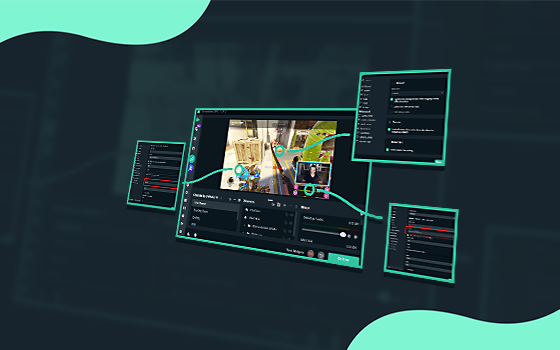
Streamlabs
Get started with Streamlabs Desktop in a few simple steps and go live today!
grand lake
im able to get it working its just I get a lot of grain/pixles when im moving fast, i was hoping hoping someone could take a look at my specs + speed and give me advice on the best settings to use
neat spindle
I am having issuess with my game flickering now
random basin
neat spindle
I am having issuess with my game flickering now
Make sure to cennect the elgato to a 3.0 usb port
the blue ones
neat spindle
Yeah It is..
 rustic ocean
Any advice for background removal without a green screen? The only solutions I've found require installing OBS plugins which it seems Streamlabs doesn't support?
 chrome gust
I'm a YouTube streamer who's been experiencing an audio issue for a long time: my microphone audio cuts out for a split second at a time at random intervals. This is present in broadcasts and recordings. Sometimes its only one cutout over the course of several minutes, and sometimes it's several cutouts over the course of a single sentence.
I've been searching around for a long time, and I feel like I've tried just about everything in terms of troubleshooting: matching sample rates, different encoder settings, running as administrator, audio filters on/off, disconnecting other devices from USB hub, "Exclusive Mode" in Windows sound settings, etc.
Mic is HyperX QuadCast S, and I'm running a Ryzen 9500x and a GeForce RTX 2060 Super.
I'd really appreciate some assistance. I can share an example if needed. Thanks in advance!
 rough tapir

 toxic frost
Every time when I try to go live it is saying I am not connected to the internet. I have an ethernet cable plugged in.
 upbeat oak
Hi there, I am having issues with a MP3 audio song, its playing normally when i play the file itself but on OBS when i am about to stream the audio plays randomly weird like its being slowed down or distorted, could someone explain how that could end up happening?
 lunar lynx
Hey, I can't get the sounds from my stream deck to play during while Live on streamlabs. I can hear them on pc speaker but not on the live
gritty isle
lunar lynx
Hey, I can't get the sounds from my stream deck to play during while Live on str...
Make sure the device you have selected in the Stream Deck is the same device you are using for Desktop Audio in Streamlabs Desktop. Don't use Default. It may work one day an then not the next.
lunar lynx
gritty isle
Make sure the device you have selected in the Stream Deck is the same device you...
Do you know what the output should say when going live?
lunar lynx
gritty isle
Make sure the device you have selected in the Stream Deck is the same device you...
I think I got it. Technology will be the death of me
gritty isle
lunar lynx
Do you know what the output should say when going live?
There's a drop down menu in the Media Play interaction Stream Deck for output device. What device you have set in Streamlabs Desktop at Settings -> Audio for Desktop Audio is what will appear in the Mixer.
Happy Soundboarding! 🔊
upbeat oak
I am very good with Technology, however the new stuff these days are very confusing and i do not blame you @lunar lynx
Right now iam still having the music in my starting stream act up and its not the audio file and i have a really good PC to be caused by my CPU or GPU
gritty isle
upbeat oak
Right now iam still having the music in my starting stream act up and its not th...
Make sure the Channels are set to Stereo. Settings -> Audio
lunar lynx
Yes
I will try during my stream today and see if it works. I appreciate all the help too.
upbeat oak
gritty isle
Make sure the Channels are set to Stereo. Settings -> Audio
ya its all set the correct way all audio except the media audio source is being really choppy and slow voices and speed up voices like if its having a trouble running everything.
should i up it to 48hz vs 44.1?
gritty isle
upbeat oak
should i up it to 48hz vs 44.1?
It should match what you have the devices set to. Most modern PC's should be at 48.
upbeat oak
ok ill up it to 48 but it was set to 44.1 by default when i first installed it.
gritty isle
Check the devices via the Sound Settings in Windows.
upbeat oak
its really random too it does it from the start of the audio or not at all
its not anything to do with windows, or the audio file its got something to do with OBS
the mp3 file plays fine by itself.
gritty isle
Make sure you don't have any filters on that source.
upbeat oak
nope non what so ever.
can i send you a preview of the recording on OBS and what it sounds like maybe you can figure out by the sound it makes when it messes up?
gritty isle
Hmmmm, strange. I'd delete the source, restart Streamlabs Desktop, and then add the source back.
I'm actually fixing to head out to dinner. If you a VOD of it, link that here and I'll listen when I can.
upbeat oak
ok ill try that and see if it still does it.
Oh wait i think i know why it was doing that. I didnt set the source as Media Source it was audio output by file. The only problem is i cant hear it myself so i gotta do a recording and see if it still does it.
I think that might of fixed it.
 robust rain
Yoooo does anyone know how to stop the light from doing this random flicker/change in color when I move around? I feel like ive messed with every setting possible and its still doing it
oml i thought it would just show the vid not send a file
neon crow
robust rain
Yoooo does anyone know how to stop the light from doing this random flicker/chan...
What webcam are you using?
robust rain
neon crow
What webcam are you using?
Logitech brio!
neon crow
robust rain
Logitech brio!
It may require a little brighter lighting. It appears it’s trying to compensate the color balance, so I would recommend brightening up the room a little bit.
 lime yarrow
hey there! long time, no stream. well, i've been stepping back into it, but today i noticed that my follower alerts aren't updating for my twitch streams. my sub alerts are updating just fine, it seems. i can't see any recent follower action in the last month or so using the browser or the streamlabels app. Any tips?
neon crow
lime yarrow
hey there! long time, no stream. well, i've been stepping back into it, but toda...
Hi there! Can I have you follow the steps here and when you reach the test follow step please let me know! #known-issues message
lime yarrow
neon crow
Hi there! Can I have you follow the steps here and when you reach the test follo...
thank you! gotta find someone new to follow me but I'll report back if it's fixed!
someone kindly did, looks like it's working atm, thank you!
neon crow
lime yarrow
someone kindly did, looks like it's working atm, thank you!
Not a problem! Glad to hear it’s working again!
 nimble iron
Should I use rec709 or sRGB in color space?
 valid oyster
no audio from external or internal game capture im losing my mind was working yesterday
neon crow
nimble iron
Should I use rec709 or sRGB in color space?
Whichever the default is. Not recommended changing it.
neon crow
valid oyster
no audio from external or internal game capture im losing my mind was working ye...
Odds are it’s one of the items listed in the incoming bot message. Please double-check and let us know.
wispy latchBOT
{1} ```md
How to set up a capture card in Streamlabs Desktop```
This guide would show the basics of getting a capture card working in Streamlabs Desktop:
This guide covers black screen & audio issues with a capture card:
This guide covers how to set up an Elgato with a dual pc setup:
If you're using a chatlink cable to hear the party chat from your console, this video may help set that up:
Note: In most cases, you will need to Monitor+Output the audio from the capture device in Streamlabs Desktop
- This would be done via the advanced audio settings (gear to the top right of the mixer)
neon crow
valid oyster
no audio from external or internal game capture im losing my mind was working ye...
Please follow through and just double-check settings. It’s probably something simple like a setting
 frigid crypt
Does anyone use the virtual webcam in Mac M1? I cannot see the virtual cam in Zoom, Chrome and anywhere with the latest Desktop and macOS 13.3.1 (m1) after I install the virtual webcam.
valid oyster
bro im losing it the 4k utility capture says no signal but i have video on streamlabs there is something really wrong and im too stupid to fix it
neon crow
valid oyster
bro im losing it the 4k utility capture says no signal but i have video on strea...
Wait wut?
neon crow
valid oyster
bro im losing it the 4k utility capture says no signal but i have video on strea...
I’d reinstall 4K Capture utility…..
neon crow
frigid crypt
Does anyone use the virtual webcam in Mac M1? I cannot see the virtual cam in Zo...
I don’t have my Mac open or I’d remote in and test it
valid oyster
done it twice uninstalled reinstalled streamlabs
nimble iron
nvenc h265 is avaible for stream?
valid oyster
i only hear a pop and no audio
neon crow
nimble iron
nvenc h265 is avaible for stream?
Yes
neon crow
nimble iron
how I use it?
Select nvenc as your encoder in streamlabs desktop settings.
valid oyster
i have a hd60 pro installed and a hdx 60 plugged in neither is working correctly
neon crow
valid oyster
i have a hd60 pro installed and a hdx 60 plugged in neither is working correctly
The HD60 Pro I believe requires the old “Game Capture” software installed?
That is the software that has the dumb drivers for it oddly enough
I never launch it because once installed you never need it again
nimble iron
I only have this options
 neon crow
nimble iron
I only have this options
neon crow
nimble iron
I only have this options
The Nvidia nvenc H.264 is the correct one
nimble iron
cant I use h265?
neon crow
nimble iron
cant I use h265?
You’re on a PC. H.264 is the Nvidia encoder. H.265 is currently not available on PC, only Mac.
And even then it’s limited
Once streamlabs desktop integrates some of the obs 29.0 changes it will be compatible with AV1/HEVC which should let you do it
 primal bramble
Hey everyone, I have an issue where my Desktop App goes BLANK and crashes my stream but not the app itself. The only thing I can do it close the app and relaunch the stream. Any fix for this?
neon crow
primal bramble
Hey everyone, I have an issue where my Desktop App goes BLANK and crashes my str...
Desktop app?
neon crow
primal bramble
yeah just mid stream it will lock up completely
What app?
primal bramble
Desktop PC
neon crow
Desktop isn’t an app
primal bramble
just the Streamlabs Desktop
neon crow
So streamlabs desktop is freezing?
primal bramble
correct, and it ill happen pretty repeatedly once it starts
neon crow
primal bramble
correct, and it ill happen pretty repeatedly once it starts
For that one I’m gonna have you create a ticket. Please click the last link in the upcoming bot post
wispy latchBOT
{1} If you were unable to find answers to your question(s) in the #1057658928365842512 or our self help articles on Creator Resource Hub https://streamlabs.com/content-hub/support , then please submit a ticket at https://support.streamlabs.com/hc/en-us/requests/new and our team would be able to help you there!
primal bramble
Thank you, appreciate the quick response
neon crow
primal bramble
Thank you, appreciate the quick response
Not a problem! I wish I could troubleshoot the crash, but it’s definitely something they’ll be able to track down in a ticket 🙂
 fading gale
Hello - wondering if anyone can help me figure out the cause of an audio issue I'm experiencing.
The mic audio from my VODs on twitch (my voice) sounds significantly different than the audio from my personal recordings
At first I thought it might have been caused by my filters on streamlabs, but even when recording off-stream through the streamlabs client it still sounds fine
On stream it sounds higher pitched and slightly fried. Any idea what might cause this?
wispy latchBOT
@fading gale Click your Start Menu in Windows and type "Change system sounds" and hit enter. Click the Playback tab and/or Recording tab and right-click your microphone/headphones and click Properties. Click the Advanced Tab and uncheck the box for Allow applications to take exclusive control of this device. You should also do this for your microphone/headphones under the respective tab.
neon crow
fading gale
Hello - wondering if anyone can help me figure out the cause of an audio issue I...
Start with this ^
fading gale
neon crow
Start with this ^
It seems it was already checked for both
oh UNCHECK i can't read sorry
That may have worked. Did a short live audio test and it sounds fine - If not, I suppose the issue must be with my distance from the mic or something while streaming and not a software issue. Thank you @neon crow
neon crow
fading gale
That may have worked. Did a short live audio test and it sounds fine - If not, I...
Glad I can be of assistance!
 sleek cosmos
I can't pay for an ultra subscription from Russia. Is this function blocked for Russian users ?
 finite garnet
Hey Hey! I have a question about my camera quality. And I dont know if its a streamlabs or a twitch thing. maybe one of you knows the answer. Ive got the sony zv-1 connected with micro hdmi to my pc so I can use it as my streaming camera. The camera usually has a nice resulution but on my stream it looks not really pixelated but kinda blurred? Idk if thats the right word. does anybody have the same problem? thank you^^
neon crow
sleek cosmos
I can't pay for an ultra subscription from Russia. Is this function blocked for ...
Let’s have you create a ticket for this issue since it’s regarding a subscription issue. Please click the last link in the following bot message to create one.
wispy latchBOT
@sleek cosmos If you were unable to find answers to your question(s) in the #1057658928365842512 or our self help articles on Creator Resource Hub https://streamlabs.com/content-hub/support , then please submit a ticket at https://support.streamlabs.com/hc/en-us/requests/new and our team would be able to help you there!
neon crow
finite garnet
Hey Hey! I have a question about my camera quality. And I dont know if its a str...
So you’re capturing your camera via capture card?
finite garnet
neon crow
So you’re capturing your camera via capture card?
thanks for the reply^^ no its a direct connection. the sony zv-1 is capable to use it as a webcom without a capture card
I mean I could show a picture to show the difference between recording and streaming if this helps
neon crow
finite garnet
thanks for the reply^^ no its a direct connection. the sony zv-1 is capable to u...
So the resolution of the camera when connected via USB for streaming mode is 720p30. It won’t output over USB to any other resolution, which could be what you’re seeing.
finite garnet
neon crow
So the resolution of the camera when connected via USB for streaming mode is 720...
I connected it with hdmi to use 1080p but it does not look like 1080 p. When I look at my overlay on streamlabs it looks good but on stream it looks terrible in my eyes. I checked my bitrate and evrything is fine. Idk if there are any other settings I have to change.
abstract plazaBOT
Are you knowledgeable about Streamlabs products? Do you like being rewarded while helping others? Apply to be a part of the Streamlabs Support Volunteer Program! BONUS POINTS FOR GERMAN 🇩🇪
Application Link:
https://forms.gle/eKS29zWfFjGEzaRp7
For details, see our post in #announcements:
#announcements message
Google Docs
Fill out the form below to be considered for our Volunteer Application. Please see our the Streamlabs Privacy Policy to understand how your data may be collected, accessed, and stored. Data may be deleted upon request.
To be considered for acceptance into the Streamlabs Support Volunteer Application, applicants must submit this form. We will fo...
neon crow
finite garnet
I connected it with hdmi to use 1080p but it does not look like 1080 p. When I l...
You would need to use a capture card to get 1080. Per the camera’s own documentation regarding using it as a streaming camera it doesn’t output at 1080p over usb. https://helpguide.sony.net/dc/1910/v1/en/contents/TP1000201632.html
finite garnet
neon crow
You would need to use a capture card to get 1080. Per the camera’s own documenta...
yes I know but like I said I am using the camera with an HDMI cable. It hast 1080p. But even if the resoultion is 720p. What I see on my overlay is pretty good but on stream it looks bad. Sorry if I sound impolite but english is not my first language
neon crow
finite garnet
yes I know but like I said I am using the camera with an HDMI cable. It hast 108...
HDMI cable would require a capture card.
That’s how HDMI works.
finite garnet
my camera has an hdmi port. so I dont need a capture card
neon crow
finite garnet
yes I know but like I said I am using the camera with an HDMI cable. It hast 108...
Is it just the camera that looks bad on stream or is it the entire stream?
 halcyon leaf
hey everyone, I have my streamlabs open and I am trying to hook it up to my elgato capture card. though when I try to add the device, streamlabs doesn't seem to recognize it. is there anyone who could help me out?
neon crow
halcyon leaf
hey everyone, I have my streamlabs open and I am trying to hook it up to my elga...
Hi there! Can you have a gander at this article for me and see if it helps? https://streamlabs.com/content-hub/post/streamlabs-desktop-capture-card-issues-solutions
 zenith scroll
Hello, i am having a problem where at the first 20 min or so SLOBS uses 10+% of CPU then calms down or continues
halcyon leaf
neon crow
Hi there! Can you have a gander at this article for me and see if it helps? <htt...
i've tried most things, but I have a mac desktop, and I have tried deleting all the devices, but nothing has worked thus far.
neon crow
halcyon leaf
i've tried most things, but I have a mac desktop, and I have tried deleting all ...
Which capture card are you using?
halcyon leaf
elgato hd60s
neon crow
zenith scroll
Hello, i am having a problem where at the first 20 min or so SLOBS uses 10+% of ...
So it’s high for the first 20 minutes and then is fine?
 forest flame
Hello! Installing Streamlabs Desktop after a computer rebuild and reformat and fresh install of Windows 11 Home. The desktop app won't let me login with my YouTube account. In fact the only working login button is the Facebook one. None of the others do anything when I click on them. Any ideas? I've already created firewall and antivirus exceptions.
neon crow
halcyon leaf
elgato hd60s
Couple things to check:
• You’ve installed elgato’s software
• You’ve granted your Mac permission to use the usb accessory
zenith scroll
neon crow
So it’s high for the first 20 minutes and then is fine?
Yeah correct
wispy latchBOT
@forest flame If you were unable to find answers to your question(s) in the #1057658928365842512 or our self help articles on Creator Resource Hub https://streamlabs.com/content-hub/support , then please submit a ticket at https://support.streamlabs.com/hc/en-us/requests/new and our team would be able to help you there!
neon crow
zenith scroll
Yeah correct
Is it only the first 20 minutes of the application running, or the first 20 minutes after you start a stream?
halcyon leaf
neon crow
Couple things to check:
• You’ve installed elgato’s software
• You’ve granted yo...
I mean, the only software elgato has to download is the game capture software that lets you stream from there but it kinda sucks. the thing is, that software can recognize my capture card. so I know it's something with streamlabs I am missing
zenith scroll
neon crow
Is it only the first 20 minutes of the application running, or the first 20 minu...
20 minutes after i start the stream
neon crow
halcyon leaf
I mean, the only software elgato has to download is the game capture software th...
Yeah I know the elgato app is terrible software. I’m not sure how to troubleshoot that one since I don’t have a usb capture card anymore. Let’s have you make a ticket using the last link in the bot message below.
wispy latchBOT
{1} If you were unable to find answers to your question(s) in the #1057658928365842512 or our self help articles on Creator Resource Hub https://streamlabs.com/content-hub/support , then please submit a ticket at https://support.streamlabs.com/hc/en-us/requests/new and our team would be able to help you there!
neon crow
zenith scroll
20 minutes after i start the stream
Let’s have you make a ticket using the last link above ^^^
zenith scroll
neon crow
Let’s have you make a ticket using the last link above ^^^
Alright
forest flame
My issue is resolved. I tried reinstalling a couple times, but then I logged into my account online and downloaded the install file again from inside the dashboard. After that reinstall, the buttons worked.
 feral lake
I need help
I’ve linked my streamlabs to my Xbox, I’ve paid for membership I get a black screen on the Streamlabs app and it doesn’t goto Facebook
finite garnet
neon crow
Is it just the camera that looks bad on stream or is it the entire stream?
sorry didnt see the notification. I thinks the game looks a bit blurry as well. I think its because of the bitrate cap of 6000 but it seems worse on my camera frame
neon crow
finite garnet
sorry didnt see the notification. I thinks the game looks a bit blurry as well. ...
I’d try lowering your output resolution and bitrate so your encoder isn’t working as hard. Would you like information about encoder settings at various resolutions?
finite garnet
neon crow
I’d try lowering your output resolution and bitrate so your encoder isn’t workin...
my uplade speed is 200 mbit. Is it neccessary to lower my bitrate? and yes if its no problem I would take the information
neon crow
finite garnet
my uplade speed is 200 mbit. Is it neccessary to lower my bitrate? and yes if i...
It might be. Blurriness is typically caused by encoder being overloaded.
finite garnet
neon crow
It might be. Blurriness is typically caused by encoder being overloaded.
damn okay. I thought my pc would be decent enough
neon crow
Here is the article that helps identify the best bitrate for quality https://streamlabs.com/content-hub/post/best-bitrate-settings-for-live-streaming
neon crow
finite garnet
damn okay. I thought my pc would be decent enough
I’d try a few different resolutions/bitrate combinations and find one that gives you the quality you’re looking for
finite garnet
neon crow
I’d try a few different resolutions/bitrate combinations and find one that gives...
thank you!
feral lake
Hello can someone help me please. I can’t find stream on stream labs to put custom key in so I can stream to Facebook
Is it on multi stream?
 acoustic sail
I still want to get unblocked from streamlabs 😢😢
neon crow
feral lake
Hello can someone help me please. I can’t find stream on stream labs to put cust...
feral lake
@neon crow do I need the premium for it
neon crow
feral lake
<@128166843360739328> do I need the premium for it
No.
Follow the instructions in the link
feral lake
I can’t seem to find where to put the custom key
neon crow
feral lake
I can’t seem to find where to put the custom key
You shouldn’t need one
feral lake
Ok ima follow the instructions
 stray elbow
how do I go live using streamlabs on youtube?
feral lake
@neon crow I have Facebook and twich connected is that why it won’t work
wispy latchBOT
@stray elbow This video should help you out with getting started with Streamlabs Desktop: https://www.youtube.com/watch?v=d--1z_W9IVw
The Streamlabs YouTube Playlist of Short Tutorials can be found here: https://www.youtube.com/playlist?list=PLNqq3_wAj1iBLgWoGw9MrM9_Ts0KewtMK
We also have our guide here with more tips for getting started with Streamlabs Desktop: https://streamlabs.com/content-hub/post/getting-started-with-streamlabs-desktop
We highly recommend just taking the time to watch the videos in #440687097427525642 to learn more about the program.
You can search for your issue on https://streamlabs.com/content-hub/support for further assistance.
 grim tartan
Hi. Could really use some help. Been streaming a few games on twitch with OBS no problem. However I just got the new last of us. Game works fine but for some reason game capture isn’t capturing the game. Any advice?
feral lake
@grim tartan try turning the graphics bitrate down
grim tartan
feral lake
<@942535635300909078> try turning the graphics bitrate down
Ok lemme try
neon crow
feral lake
<@128166843360739328> I have Facebook and twich connected is that why it won’t w...
If you’re trying to stream to two platforms at once, you will need an Ultra subscription. If you are following the instructions I linked before, you should have no issues.
feral lake
@neon crow how can I unlink my twitch
wispy latchBOT
@grim tartan Try Running Streamlabs Deskto as administrator. Right Click the Streamlabs Desktop shortcut > Run as administrator
# Try Using "Capture Specific Window" mode if using Game Capture and then select the game in the second drop menu.

- After you've added your game capture, the game may require it to have focus before it will begin to be captured in Streamlabs Desktop.
- This means you will want to start playing the game for about 5-20 seconds before the game will be detected.```If the game is still not getting detected, please try this guide here: <https://streamlabs.com/content-hub/post/black-screen-game-capture-problems>Log out of streamlabs desktop and log in with your Facebook.
feral lake
I’ve used Facebook for it
 ashen perch
Hi everyone, I have a quick question. I was just having a look at Streamlabs console which works with Xbox, however I was wondering if similar integration with PS5 is in the pipeline?
gritty isle
ashen perch
Hi everyone, I have a quick question. I was just having a look at Streamlabs con...
No plans that we are of at this time.
 grim tartan
Nope turned bit rate down and still no luck
ashen perch
gritty isle
No plans that we are of at this time.
That’s a shame, though I realise it requires a fair amount of work with Sony. Thank you for such a speedy reply btw
neon crow
feral lake
<@128166843360739328> is that ok?
Ok. Are you trying to go live on your phone? Or are you using a PC?
wispy latchBOT
@grim tartan Try Running Streamlabs Deskto as administrator. Right Click the Streamlabs Desktop shortcut > Run as administrator
# Try Using "Capture Specific Window" mode if using Game Capture and then select the game in the second drop menu.

- After you've added your game capture, the game may require it to have focus before it will begin to be captured in Streamlabs Desktop.
- This means you will want to start playing the game for about 5-20 seconds before the game will be detected.```If the game is still not getting detected, please try this guide here: <https://streamlabs.com/content-hub/post/black-screen-game-capture-problems>@grim tartan try these steps ^^^^
feral lake
@neon crow tryna set it up on phone so I can stream from xbox to fb using streamlabs
neon crow
feral lake
<@128166843360739328> tryna set it up on phone so I can stream from xbox to fb u...
So your Xbox can only stream to twitch. It cannot stream to Facebook. You will need a pc and capture card in order to stream to Facebook.
gritty isle
ashen perch
That’s a shame, though I realise it requires a fair amount of work with Sony. Th...
You’re welcome.
grim tartan
That worked. Deleted game capture and reinstalled it. Thanks for your help guys x
neon crow
grim tartan
That worked. Deleted game capture and reinstalled it. Thanks for your help guys ...
Anytime!
feral lake
@neon crow ok thank you very much I appreciate the advice
 lunar frigate
hello how can i improve streamlabs desktop audio sounds bad
stray elbow
I cant find the place to go live where is it?

 acoustic sierra
Hi, I cant find Browser Source in the list. I tried to look for Youtude to fix but still not working. any help? please
 gritty isle
stray elbow
I cant find the place to go live where is it?
gritty isle
stray elbow
I cant find the place to go live where is it?
That’s the Dashboard on the Streamlabs website. You would need to download and install Streamlabs Desktop.
gritty isle
acoustic sierra
Hi, I cant find Browser Source in the list. I tried to look for Youtude to fix b...
Click General. It should be there.
wispy latchBOT
@lunar frigate ```md
Having issues with your audio? Try the following solutions!
-
Make sure the audio source is not muted in the mixer on Streamlabs Desktop.
-
Some audio management software, like Nahimic 2, Sonic studio sound or motherboard audio software like Realtek HD Audio Manager or Sound Blaster Recon are known to cause issues. Try closing that kind of software, and also check Windows taskmanager if any processes with a similar name are running to be closed. If this doesn't work, try going in to your Windows Playback Devices in your Windows Audio Settings, right click on the sound device you are using and click on Properties, then go to the Advanced Tab and uncheck the box that says "Give exclusive mode applications priority" and that should resolve it.
-
Select manually the desktop audio device (audio settings), you use as default device in Windows Sound, not setting it to default. Alternatively you can set it to disabled and add in the scene you want desktop audio an Audio Output Capture and select the device that is set as default device in Windows Sound.
-
Install Windows C++ Redistributable [Link][1]
-
As a last resort, you can temporarily use an alternative program to capture audio like VoiceMeeter Banana. This program allows you to set it as the default device, and then use a virtual audio cable into Streamlabs Desktop to capture the desktop audio. You can find various guides on the internet (like this one [Link][2]) or via searching Youtube. ```:link: :one: https://streamlabs.com/content-hub/post/microsoft-visual-c-redistributables-2017-needed-for-streamlabs-desktop] :link: :two: http://www.ocgineer.com/audio.html
acoustic sierra
gritty isle
Click General. It should be there.
I still cant see
 gritty isle
acoustic sierra
I still cant see
gritty isle
acoustic sierra
I still cant see
Strange. I can see on mine. Can you confirm if you are logged in?
 acoustic sierra
gritty isle
Strange. I can see on mine. Can you confirm if you are logged in?
acoustic sierra
gritty isle
Strange. I can see on mine. Can you confirm if you are logged in?
Yes I am logged in with my twitch.
gritty isle
acoustic sierra
Yes I am logged in with my twitch.
And what version of Streamlabs Desktop do you have?
acoustic sierra
1.12.5 I think
 woeful zenith
Can anyone help me with streamlabs mobile?
gritty isle
acoustic sierra
1.12.5 I think
Can you quit Streamlabs Desktop, and then launch it as administrator and then see if you can see the Browser Source?
woeful zenith
Left image is one of my streams from a few months ago during a time when it was working fine. The one on the right is a more recent one that's super messed up. Tiny display and no way tofix it

 modest mauve
can anyone help me i think my log events are buggy because the sub or prime are not showing and that is why it is not showing on the screen when someone uses prime, the test is working normally?

 acoustic sierra
gritty isle
Can you quit Streamlabs Desktop, and then launch it as administrator and then se...
acoustic sierra
gritty isle
Can you quit Streamlabs Desktop, and then launch it as administrator and then se...
I tried log out and open Streamlabs Desktop as Administrator and log in again. but I still cant find the Browser Source.
 gritty isle
acoustic sierra
I tried log out and open Streamlabs Desktop as Administrator and log in again. b...
gritty isle
acoustic sierra
I tried log out and open Streamlabs Desktop as Administrator and log in again. b...
 In Streamlabs Desktop, please log out, quit Streamlabs Desktop, wait a minute, launch Streamlabs Desktop, and finally log back in. If you still don't see the Browser Source, please quit Streamlabs Desktop, download a fresh installer from the Streamlabs web site https://streamlabs.com/, run the installer as administrator and let it install over your existing installation; no need to uninstall first.
acoustic sierra
gritty isle
<a:thonkingintensifies:426530580398735374> In Streamlabs Desktop, please log o...
I did the same. btw do I need to check mark here? I tried uncheck and check as well but I still cant find
 gritty isle
acoustic sierra
I did the same. btw do I need to check mark here? I tried uncheck and check as w...
gritty isle
acoustic sierra
I did the same. btw do I need to check mark here? I tried uncheck and check as w...
No, that shouldn't matter at all.
Do this for me, create a new Scene Collection and then in that blank Scene, see if you can see the Browser Source.
gritty isle
modest mauve
can anyone help me i think my log events are buggy because the sub or prime are ...
Did you recently become an Affiliate?
acoustic sierra
gritty isle
No, that shouldn't matter at all.
Do this for me, create a new *Scene Collect...
I reinstall and found it now. Thanks a lot for help
gritty isle
acoustic sierra
I reinstall and found it now. Thanks a lot for help
Whew! You're welcome!
modest mauve
gritty isle
Did you recently become an Affiliate?
yes, but it was showing up normally, then out of nowhere it stopped showing up
gritty isle
modest mauve
yes, but it was showing up normally, then out of nowhere it stopped showing up
This can happen sometimes as Affiliate causes more data to come over the API than before. It’s a good idea to refresh to connection between Streamlabs and Twitch. I’ll trigger the bot to give to a guide on how to do that. To prep, first logout in Streamlabs Deosktop and quit it, then in a web browser, go to the Streamlabs web site, click your PFP, and choose logout. Then follow the guide th bot gives you. At the end, just launch Streamlabs Desktop and log in with your Twitch.
wispy latchBOT
@modest mauve We would suggest logging out of Streamlabs and all Streamlabs software that you may be using.
Then please follow this guide to disconnect your streaming service from Streamlabs: https://streamlabs.com/content-hub/post/how-to-disconnect-your-streamlabs-account Once you have done this, please log in again.
modest mauve
gritty isle
This can happen sometimes as Affiliate causes more data to come over the API tha...
ok,
I am going to try
 oblique onyx
Need help with my alert box not playing the sounds for me, stream can hear it but I cannot. This is like the 4th time I've asked
wispy latchBOT
@oblique onyx If you find that your alerts/widgets aren't working, please follow the troubleshooting steps here: https://streamlabs.com/content-hub/post/alertswidget-troubleshooting
gritty isle
@modest mauve You’re welcome and the bot didn’t like a certain word on your post. 😉
modest mauve
gritty isle
<@308700790971957248> You’re welcome and the bot didn’t like a certain word on y...
it must be because I'm Brazilian and my English is not 100%
 tepid imp
I forgot where that button to switch from multistream layout to single is?
I don't understand why this feature is hidden like the holy graal, I am in the orange look of Streamlabs I just want to get back to the classic green because it seems like I can't access vod track in this mode.
neon crow
tepid imp
I forgot where that button to switch from multistream layout to single is?
Top left > click the little camera button and make sure you’re in uhh the top one
Is that what you’re looking for?
 sly ravine



 tepid imp
neon crow
Is that what you’re looking for?
tepid imp
neon crow
Is that what you’re looking for?
I guess the orange view is the multistream right? I just thought I could get back to the solo stream view. I feel like some features are missing in this view for streaming only on twitch, one being the settings for audio VOD track if that haven't been moved?
Maybe I am dreaming and there is no such button but I think there was, or is it orange just because I am paying for streamlabs?
I used to go into output I think and then there was audio track but also an extra choice for vod track and a check box. I don't see this in this view.
gritty isle
tepid imp
I guess the orange view is the multistream right? I just thought I could get bac...
Settings -> Output. If you don’t see the Twitch VOD option, log out and then log back in.
tepid imp
Ok login out
gritty isle
And if you’re multi streaming then you won’t get the Twitch VOD track. Toggle off all platforms except for Twitch.
tepid imp
Ok will it then be back to separating the tracks?
I was questioning that so I wanted to be sure not to ruin a stream with no sound
Ok nice the vod track is back, so I just uncheck all other platforms and VOD track will work again?
gritty isle
tepid imp
Ok nice the vod track is back, so I just uncheck all other platforms and VOD tra...
Correct. It works only if you’re streaming only to Twitch.
tepid imp
Thank you so much Rufus, it was a re-login that was needed to see the vod track at least.
 hollow moth
Can you run the chatbot redemption sounds without using obs studio as i use the twitch studio
tepid imp
Alright, I hope streamlabs fix that in the future, it would be a key feature for me to separate audio on multistreams as well. Not on all but at least to twitch.
gritty isle
tepid imp
Alright, I hope streamlabs fix that in the future, it would be a key feature for...
Only Twitch has support for it, other platforms don’t. The platforms would have to add support it first.
tepid imp
Yeah that much I understand but maybe get multistream to work while still having VOD audio separation on twitch?
It seems doable, then you get at least 1 clean VOD and can be more forgetting with the rest of the vods, maybe even turn them off.
Now I feel I took a step back in what music I can play since it's all saved and potentially muted. So the stream kinda lost a bit energy for sure.
I appreciate the help Rufus, maybe put it up as a future update to implement. It would be an awesome feature.
gritty isle
tepid imp
I appreciate the help Rufus, maybe put it up as a future update to implement. It...
You’re welcome! You can put in ticket for feedback if you like.
wispy latchBOT
{1} If you were unable to find answers to your question(s) in the #1057658928365842512 or our self help articles on Creator Resource Hub https://streamlabs.com/content-hub/support , then please submit a ticket at https://support.streamlabs.com/hc/en-us/requests/new and our team would be able to help you there!
tepid imp
gritty isle
You’re welcome! You can put in ticket for feedback if you like.
I will do that actually, I think it is a super important feature. You have a great rest of your weekend.
gritty isle
tepid imp
I will do that actually, I think it is a super important feature. You have a gre...
Thanks! Enjoy the rest of your day as well! 👋🏻
hollow moth
Can you run the cloudbot redemption sounds without using obs studio as i use the twitch studio
gritty isle
hollow moth
Can you run the cloudbot redemption sounds without using obs studio as i use the...
If Twitch Studio has Browser Sources, then you should be good.
hollow moth
It does have browser source I just need to find the url to link thank you so much saved me recreation time
gritty isle
hollow moth
It does have browser source I just need to find the url to link thank you so muc...
The Widget URL at the top of the Alwrt box page.
oblique onyx
Still need help with my Alert Box, followed the link and it's still not working
Can an actual person help me? This is straight up annoying, I followed the links intructions and still nothing
hollow moth
gritty isle
The Widget URL at the top of the Alwrt box page.
Awesome thank you so much
gritty isle
hollow moth
Awesome thank you so much
You’re welcome!
wispy latchBOT
@oblique onyx If you were unable to find answers to your question(s) in the #1057658928365842512 or our self help articles on Creator Resource Hub https://streamlabs.com/content-hub/support , then please submit a ticket at https://support.streamlabs.com/hc/en-us/requests/new and our team would be able to help you there!
stray elbow
gritty isle
That’s the Dashboard on the Streamlabs website. You would need to download and ...
thanks!
gritty isle
stray elbow
thanks!
You’re welcome!
stray elbow
gritty isle
You’re welcome!
oh i just realized that i can't download streamlabs desktop from my chromebook
gritty isle
stray elbow
oh i just realized that i can't download streamlabs desktop from my chromebook
Sorry about that! Windows 10 or 11, MacOS, iOS or iPadOS, or Android for smartphones.
stray elbow
okay
i will probably not use streamlabs until i get a better computer tho
but once i do i will probably use it
oblique onyx
I want help from an actual person not a damn bot
Everyone else has gotten the help from someone but me and there’s multiple people online rn
Can you help me @gritty isle ?
gritty isle
oblique onyx
Can you help me <@301571565840236564> ?
I’m out with my dog and can assist with simple questions and issues. You are having audio issues, right? May I connect with you in a bit once I get back home. Right now I love stopped to respond and my dog is going nuts over a squirrel in the tree…
oblique onyx
gritty isle
I’m out with my dog and can assist with simple questions and issues. You are ha...
Ofc sorry to bother you, I haven't had luck with this today at all no matter what the links tell me what to do
gritty isle
oblique onyx
Ofc sorry to bother you, I haven't had luck with this today at all no matter wha...
I’m home now. What’s your issue?
oblique onyx
I can't hear my alert box but my viewers can they say
gritty isle
oblique onyx
I can't hear my alert box but my viewers can they say
Interesting. Are you using Streamlabs Desktop, OBS Studio, or something else for you live stream?
oblique onyx
Streamlabs\
gritty isle
oblique onyx
Streamlabs\
Okay, thanks for confirming that. Are you on a PC or a Mac?
oblique onyx
Pc
gritty isle
oblique onyx
Pc
Okay, thanks for confirming that. Please screen shot the following:
- You entire Streamlabs Desktop window.
- In Streamlabs Desktop, Settings -> Audio
oblique onyx
How do I do that again?
wispy latchBOT
@oblique onyx
# Windows:
- Press the Print Screen key, which may be entitled "PrtSc" or something similar. If your computer has an Fn key on the lower-left side of the keyboard, you might need to press Fn and ⎙ Print Screen at the same time.
- Press the Windows key + Shift + S on your keyboard and then highlight the required area and use CTRL + V, then hit Enter, where you'd like to send your screenshot.

# Mac:
- “shift+command+4” to capture a selected area of the screen, then paste where you'd like to send your screenshot
- Some users will only be able to use “shift+command+3”```It is easier if you have Discord installed on your PC. You can then just paste the image directly as your post.
oblique onyx
 gritty isle
Please click the ⚙️ icon in the lower left corner of Streamlabs Desktop to get to the Settings, then click Audio, and screen shot that too please.
But that screen shot is also helpful as I can see you're controlling the Alert Box audio through OBS.
oblique onyx
 oblique onyx
gritty isle
But that screen shot is also helpful as I can see you're controlling the Alert B...
oblique onyx
gritty isle
But that screen shot is also helpful as I can see you're controlling the Alert B...
Yeah I'm controlling it through slobs
gritty isle
Okay, thanks. So far things look good. Please screen shot the whole Streamlabs Desktop window with the scene with the Alert Box selected.
oblique onyx
 gritty isle
Like this...

But now I see the cause!
On Audio Monitoring, change it to Monitor & Output.
Then test your alarms.
And you can now skip the screen shot of the whole of SLD.
gritty isle
Sometimes controlling the audio this way causes it to be quieter than playing over the Desktop Audio device. Try increasing the volume.
oblique onyx
Still nothing
oblique onyx
Yes
gritty isle
Okay, do this for me...
- Go to Settings -> Output and let me know if you're using Simple or Advanced Output Mode.
oblique onyx
Advanced
gritty isle
Great! Now click over to the Recording tab and enable all six audio tracks then click Done to save the settings then test your alerts.
oblique onyx
Still nothing
gritty isle
So you have all 6 tracks enabled?
 oblique onyx
Yes
gritty isle
Very odd.
Okay go back to the Advanced Audio Settings and click on all 6 tracks for the Alert Box and test the alerts again.
oblique onyx
That's the output section right?
gritty isle
 oblique onyx
Clicked on them and still nothing
gritty isle
How are you testing your alerts?
oblique onyx
Test widgets
gritty isle
oblique onyx
Test widgets
Thanks for confirming that. At the top right of your Mini Feed, do you have these same icons or any of them different?
 oblique onyx
They match your screenshot
gritty isle
Even more odd.
Okay now let's check something else. Please go over to the Streamlabs web site: https://streamlabs.com/dashboard#/recentevents and click Live Events. What is the Alerts and TTS Master Volumes set to?
 oblique onyx
Both at 100
oblique onyx
Yup
gritty isle
Okay, please restart Streamlabs Desktop. And then test your alerts again.
oblique onyx
Still nothing
gritty isle

Okay, delete all Alert Box sources and then quit Streamlabs Desktop. Then launch Streamlabs Desktop and add the Alert Box widget in only one scene and test your alerts.
gritty isle
oblique onyx
Is it a bug? Cuz this is frustrating
Indeed. Okay, untick Control audio via OBS and test your alerts.
 uneven olive
When setting up donations on stream labs, I noticed there’s the PayPal Lite option is already connected and a PayPal plus option which isn’t connected for me. What’s the difference between PayPal lite and PayPal plus. Do I need PayPal plus or is the Lite just fine for receiving donations.? I appreciate any advice
gritty isle
PayPal Lite uses your Personal PayPal account. PayPal Plus is for a Business PayPal account.
uneven olive
gritty isle
PayPal Lite uses your Personal PayPal account. PayPal Plus is for a Business Pa...
Thank you
gritty isle
oblique onyx
Nope
Okay, something is really borked then. Please quit Streamlabs Desktop, download a fresh installer, run the installer as administrator, at the end of the installer, don't let it launch Streamlabs Desktop but rather just quit the installer and then reboot your PC and then once its back up test your alerts.
gritty isle
uneven olive
Thank you
And PayPal Lite is just fine if you don't have a PayPal Business account.
oblique onyx
gritty isle
Okay, something is really borked then. Please quit Streamlabs Desktop, download...
Do I download one from the website? Should I get rid of the current installer?
gritty isle
oblique onyx
Do I download one from the website? Should I get rid of the current installer?
Download it from the website; don't use an installer you already have.
oblique onyx
gritty isle
Download it from the website; don't use an installer you already have.
So delete the current installer then? Will all of my stuff be there afterwards?
gritty isle
oblique onyx
So delete the current installer then? Will all of my stuff be there afterwards?
If you have an installer already, just drag it to the trash and download a fresh installer. You won't lose any data, just let it install over your existing installation.
oblique onyx
Ok I have the new installer
 lean ivy
Helloo ~ I'm having issues with my youtube stream subscriber alerts not working. Also the mini feed and event list in streamlabs don't show my most recent subscribers. Any and all help would be most appreciated, thanks 🙏
gritty isle
lean ivy
Helloo ~ I'm having issues with my youtube stream subscriber alerts not working....
This is due to a privacy setting on YouTube and cannot be 'fixed' inside Streamlabs.
By default, YouTube accounts have their subscriptions set to Private. This means if a someone subscribes to your channel, Streamlabs can't detect that subscription and thus won't alert you.
The subscriber (the person watching your live stream), would need to make the subscriptions Public before subscribing to your channel in order for Streamlabs to detect the event and alert you.
You can see this setting here: https://www.youtube.com/account_privacy
lean ivy
Dang...okay that explains it.
Sucks that I can't do anything about it
Thank you though.
gritty isle
lean ivy
Sucks that I can't do anything about it
Yeah, that's the annoying part of YouTube.
You're welcome.
oblique onyx
Still nothing
 runic ridge
I have a new install and I have JUST used SLOBs for streaming yesterday on Twitch. It will not let me log in as Twitch.
gritty isle
oblique onyx
Still nothing
And you unchecked Control audio via OBS and you've confirmed that each of your alerts has an assigned sound file?
gritty isle
runic ridge
I have a new install and I have JUST used SLOBs for streaming yesterday on Twitc...
Please try this:
- Quit Streamlabs Desktop
- Click here https://streamlabs.com/logout
- Launch Streamlabs Desktop and log in
If that does not work, please go into your Windows Settings and change your default web browser to Microsoft Edge or Firefox (if you have it installed) and try again.
oblique onyx
Still nothing
gritty isle
oblique onyx
Still nothing
And you unchecked Control audio via OBS and you've confirmed that each of your alerts has an assigned sound file?
oblique onyx
Yes
runic ridge
gritty isle
Please try this:
1) Quit Streamlabs Desktop
2) Click here <https://streamlabs.c...
Thank you so much!
gritty isle
runic ridge
Thank you so much!
That resolved your issue?
gritty isle
oblique onyx
Yes
And all other audio works fine on your system and whilst your streaming?
It is just the Alert Box you can't hear but the stream does?
oblique onyx
Yes
gritty isle
oblique onyx
Yes
Welp, I'm out of troubleshooting steps. Please put in a ticket here: https://support.streamlabs.com/hc/en-us/requests/new
I have no idea why its not working for you, sorry.
oblique onyx
Thx anyways
gritty isle
oblique onyx
Thx anyways
You're welcome.
 cyan wasp
I'm using an Elgato HD60 X and I see the Nintendo Switch show up in the 4K Capture Utility from Elgato but I get just a Black Screen when I try to import it as a Video Capture Source, any ideas for me to try and get it to work?
random basin
cyan wasp
I'm using an Elgato HD60 X and I see the Nintendo Switch show up in the 4K Captu...
You cannot have both the 4k Capture Utility open and Streamlabs
you can only have one of them
Close Elgato capture software
and delete and add the Capture SOurce on Streamlabs again
cyan wasp
omg, of course.... it's trying to send the video to two separa
random basin
Yup
cyan wasp
separate programs xD got my son on my lap trying to troubleshoot, probably why my brain didn't piece that simple fact out, thanks so much!!!!
random basin
No worries, we all have those times! xD
cyan wasp
another question, hopefully another easy one. I've got the source in there now and I can see it's producing audio so if I go live stream will hear it. Is there an easy solution for me to hear it?
through speakers or headphones etc
I was curious if there was a better way than the Audio Monitoring option, if not that's fine thanks ahead of time :p
gritty isle
cyan wasp
I was curious if there was a better way than the Audio Monitoring option, if not...
Audio Monitoring is the best way.
cyan wasp
👍🏻
 onyx berry
Hey, im having this issue where both my alert boxes and chat boxes aren't working and i have tried everything i can think of to try and fix it
cyan wasp
gritty isle
Audio Monitoring is the best way.
seems like the audio is crackly when doing the audio monitoring, what would be causing that 😬
side note to that, looks like the audio monitoring triggers the desktop audio to play which then doubles the audio? but if I disable desktop audio viewers wouldn't be able to hear alerts etc?
 little vigil
So I'm attempting to use Streamlabs OBS for my Switch. It's not playing the audio from the capture card. It'll show that it's playing audio, but I can't actually hear anything.
 onyx berry
Hey, im having this issue where both my alert boxes and chat boxes aren't workin...
onyx berry
onyx berry
Hey, im having this issue where both my alert boxes and chat boxes aren't workin...
Update: I got my chatbox working but now my alertbox is janked up and not showing any alerts
cyan wasp
little vigil
So I'm attempting to use Streamlabs OBS for my Switch. It's not playing the audi...
if you click the cog in your picture you can choose Audio Monitoring and set it to Monitor and Output, I'm getting crackly audio though so I'm not sure what's going on there. Does yours sound okay when you do this?
 forest halo
hi
little vigil
cyan wasp
if you click the cog in your picture you can choose Audio Monitoring and set it ...
It's set to that. Still no sound
 gritty isle
cyan wasp
side note to that, looks like the audio monitoring triggers the desktop audio to...
gritty isle
cyan wasp
side note to that, looks like the audio monitoring triggers the desktop audio to...
What source is this?
random basin
That should appear as HD60X not usb 3.0 audio capture
at least mine does
Cant check right now as im live, but im 99% sure
neon crow
cyan wasp
if you click the cog in your picture you can choose Audio Monitoring and set it ...
Are you running windows 11 by chance?
 flint jungle
hey my twitch chat isnt working through stream labs
neon crow
flint jungle
hey my twitch chat isnt working through stream labs
Can you log out of streamlabs desktop, quit streamlabs desktop, relaunch and log in with your twitch for me?
flint jungle
ill try
cyan wasp
neon crow
Are you running windows 11 by chance?
No Windows 10
neon crow
cyan wasp
No Windows 10
Can you verify the firmware version of your HD60 X? Apparently there was an update that resolved crackling audio. https://help.elgato.com/hc/en-us/articles/5406375649933-Elgato-Game-Capture-HD60-X-Firmware-Update
cyan wasp
neon crow
Can you verify the firmware version of your HD60 X? Apparently there was an upda...
I just set it up today so I guess it is quite possible, I had to step away from my PC but I can check this later
neon crow
cyan wasp
I just set it up today so I guess it is quite possible, I had to step away from ...
There is also apparently an issue of crackling audio in windows 11 caused by a different thing, which is why I asked
cyan wasp
neon crow
There is also apparently an issue of crackling audio in windows 11 caused by a d...
Okay yeah I saw that as well
neon crow
cyan wasp
Okay yeah I saw that as well
Yeah check the firmware for it, but if you installed 4K Capture utility and launched it, it should have updated it….
cyan wasp
I did do that and the firmware # seems familiar
cyan wasp
neon crow
Can you log out of streamlabs desktop, quit streamlabs desktop, relaunch and log...
Would doing this potentially help the crackling?
neon crow
cyan wasp
Would doing this potentially help the crackling?
Nope. Odds are either firmware update or connection issue for the audio crackling.
Start with firmware because that’s always good to update, then reconnect everything and even try a different usb port away from everything else
random basin
Question, is the audio from the game crackling or your mic?
cyan wasp
The game audio
Noticed it when I turned on Monitoring so I could hear what the output would be
random basin
try different usb port
neon crow
Yeah check cables, but also check that firmware update
random basin
also if you have other HDMI cable, try that.
cyan wasp
Okay thanks, oh earlier I asked about audio set up. To get the audio output to also come out of my headset so I can hear I turned on the audio monitoring on that audio source. Doing this made the Desktop Audio go off which I assume that means stream would hear an echo? Thinking about it now, I think I had it set to Monitor and Output, if I just set it to Monitor I would hear it and it wouldn't output to desktop causing the problem? Hopefully I'm thinking about that the right way
neon crow
cyan wasp
Okay thanks, oh earlier I asked about audio set up. To get the audio output to ...
If you only monitor it, the stream should hear it because it’s coming through your default audio device.
cyan wasp
neon crow
If you only monitor it, the stream should hear it because it’s coming through yo...
Gotcha and I hear it because of the Monitor option being checked
cyan wasp
Sweet, now to check firmware and cables when I can get back down there, thanks so much everyone for the help! I really appreciate it
neon crow
Not a problem!
 ripe kiln
Is there a widget that means you can choose a comment on a Facebook live and pop it up on the screen so others can see it? I run educational streams and if folks ask questions it can be good to put the question on the screen
neon crow
ripe kiln
Is there a widget that means you can choose a comment on a Facebook live and pop...
I don’t think there is….looking through the widgets I didn’t see one?
gritty isle
ripe kiln
Is there a widget that means you can choose a comment on a Facebook live and pop...
There’s Chat Highlight but it only works with Twitch.
ripe kiln
Ahh ok
 raven badge
hai, is the StreamLabs chatbox not working for anyone else in regard to muted chatters? i have muted streamlabs and streamelements in the "Muted Chatters" section of the chatbox and the bots still show up in chat overlay.
wispy latchBOT
@raven badge If you were unable to find answers to your question(s) in the #1057658928365842512 or our self help articles on Creator Resource Hub https://streamlabs.com/content-hub/support , then please submit a ticket at https://support.streamlabs.com/hc/en-us/requests/new and our team would be able to help you there!
 leaden quarry
Hi I’m trying to use a capture card for a new game I got and the screen is just black on Streamlabs when I try recording it
wispy latchBOT
@leaden quarry ```md
How to set up a capture card in Streamlabs Desktop```
This guide would show the basics of getting a capture card working in Streamlabs Desktop:
This guide covers black screen & audio issues with a capture card:
This guide covers how to set up an Elgato with a dual pc setup:
If you're using a chatlink cable to hear the party chat from your console, this video may help set that up:
Note: In most cases, you will need to Monitor+Output the audio from the capture device in Streamlabs Desktop
- This would be done via the advanced audio settings (gear to the top right of the mixer)
leaden quarry
Tried the thing for the hd60 x but it ain’t working
I had it workint for a bit but sound wouldn’t come through my desktop but now the issue switched lmao
neon crow
leaden quarry
I had it workint for a bit but sound wouldn’t come through my desktop but now th...
I would remove the capture card, and start fresh.
leaden quarry
neon crow
I would remove the capture card, and start fresh.
Remove it?
I unplugged and put back
neon crow
leaden quarry
Remove it?
Remove the capture card from all your scenes, and then re-add it
leaden quarry
neon crow
Remove the capture card from all your scenes, and then re-add it
I did that like 5 times
Also now my audio sounds a bit buggy when I play it Ffs I thought this was a plug and play situstion
Audio got better but omg still black screen
neon crow
leaden quarry
Audio got better but omg still black screen
Let’s start here:
• Close streamlabs desktop
• Make sure Elgato 4K Capture Utility is not open
• Right-click streamlabs desktop and select “Run as Administrator”
• Check the capture card functionality
leaden quarry
neon crow
Let’s start here:
• Close streamlabs desktop
• Make sure Elgato 4K Capture Utili...
It isn’t supposed to be open?
Ok so
neon crow
leaden quarry
It isn’t supposed to be open?
If you have 4K Capture utility open, streamlabs can’t use the capture card because it’s already in use
leaden quarry
That fixed the screen issue but now the sound is gone lmao
That must’ve been what happened earlier
neon crow
leaden quarry
That fixed the screen issue but now the sound is gone lmao
Is the audio meter moving for the card in streamlabs desktop?
leaden quarry
Now I need to figure out how to get sound to appear
leaden quarry
neon crow
Is the audio meter moving for the card in streamlabs desktop?
Yes it is
Hmm
neon crow
leaden quarry
Hmm
If you would like to hear this audio to ensure that it is working, then enable Audio Monitoring for your Capture Card;
This can be done via clicking the gear to the right of the Mixer in Streamlabs Desktop, set it to Monitor Only.
If you would like to always be able to hear your Capture Cards audio, set to Monitor and Output.
If not, set the Capture Card to Monitor Off.
Using Monitor and Output may cause an echo.
Please check your Audio Monitoring first if your stream has issues of Capture Card audio echoing.
From the second link above
Basically go into your audio device properties and tell it to monitor the video capture device
leaden quarry
neon crow
If you would like to hear this audio to ensure that it is working, then enable A...
Ooooh you got it working
neon crow
The default is to just send the output to only the stream
leaden quarry
Oh one last thing
neon crow
If there’s an echo, you can set it to Monitor + mute output which will playback in your headphones/speakers which should also send it to stream
leaden quarry
Can you switch between your pc and your capture card inputs like you can with a tv
neon crow
On the monitor?
leaden quarry
Or do I have to manually plug in the hdmi cable everytime I wanna use my monitor for pc
neon crow
If you’re running a single monitor id recommend connecting the capture card to hdmi and pc via DisplayPort
Same for dual
Then just hit the input button on the monitor
Source button
leaden quarry
DisplayPort is an app?
neon crow
Whatever it’s called
DisplayPort is a cable
There are typically three DisplayPort connections and an HDMI on all GPUs
neon crow
It looks kinda like HDMI but is squared on one side
leaden quarry
I see it online
neon crow
A DisplayPort cable is cheap
leaden quarry
Ah ok
leaden quarry
Thanks for the help
Other than that that’s the only way to do it without having to manually switch cables
Because I run a dual monitor setup and wanna use my main monitor for both pc and switch ya know lol
neon crow
leaden quarry
Because I run a dual monitor setup and wanna use my main monitor for both pc and...
Honestly, use the second monitor for switch because it’s only going to run at 60Hz anyways….
leaden quarry
neon crow
Honestly, use the second monitor for switch because it’s only going to run at 60...
It’s kinda a weird setup where it wouldn’t be optimal to use the second one I’ll just put it that way
neon crow
leaden quarry
It’s kinda a weird setup where it wouldn’t be optimal to use the second one I’ll...
It’s all personal preference too 🙂
But yeah the DisplayPort cable connected to the gpu and monitor will allow you to swap between the two easily. And when. The switch isn’t running it should auto-detect the PC
leaden quarry
neon crow
It’s all personal preference too 🙂
Yea
leaden quarry
neon crow
But yeah the DisplayPort cable connected to the gpu and monitor will allow you t...
That sounds like heaven, would I put it in the hdmi out or in plug in my card
neon crow
leaden quarry
That sounds like heaven, would I put it in the hdmi out or in plug in my card
What gpu do you have?
leaden quarry
neon crow
What gpu do you have?
How do I check
neon crow
Right-click start button/windows button and click “Device Manager”
Should be a “Display Adapter” section. It will be listed there
leaden quarry
Oh ok I run a rtx 3070
neon crow
 neon crow
leaden quarry
Oh ok I run a rtx 3070
neon crow
leaden quarry
Oh ok I run a rtx 3070
HDMI = far left port
The other 3 ports are DisplayPort
So you’d just connect the DisplayPort cable to your gpu in one of those ports, and the other end connects to your monitor
Usually it’s a DP logo

Looks like that
leaden quarry
neon crow
HDMI = far left port
Ok I’ve run into one last issue
Now Streamlabs won’t detect my mic ☠️
The mic/aux is picking up the game???
neon crow
leaden quarry
The mic/aux is picking up the game???
Double-check it’s set correctly in the settings under Audio
leaden quarry
neon crow
Double-check it’s set correctly in the settings under Audio
Where do I find audio
neon crow
leaden quarry
Where do I find audio
Bottom left of streamlabs desktop click settings > click Audio in left sidebar
neon crow
leaden quarry
Thanks
Not a problem! Happy streaming!
leaden quarry
Thaaaanks
 glad haven
if i want to stream the new zelda game with a capture card that has one input and one output how do i set it up?
wispy latchBOT
@glad haven ```md
How to set up a capture card in Streamlabs Desktop```
This guide would show the basics of getting a capture card working in Streamlabs Desktop:
This guide covers black screen & audio issues with a capture card:
This guide covers how to set up an Elgato with a dual pc setup:
If you're using a chatlink cable to hear the party chat from your console, this video may help set that up:
Note: In most cases, you will need to Monitor+Output the audio from the capture device in Streamlabs Desktop
- This would be done via the advanced audio settings (gear to the top right of the mixer)
glad haven
i dont have an elgato capture card
 urban rapids
Hi! Out of curiosity, how can I add a custom background to my stream?
neon crow
glad haven
i dont have an elgato capture card
It’s the same process for pretty much any capture card
wispy latchBOT
@urban rapids This video should help you out with getting started with Streamlabs Desktop: https://www.youtube.com/watch?v=d--1z_W9IVw
The Streamlabs YouTube Playlist of Short Tutorials can be found here: https://www.youtube.com/playlist?list=PLNqq3_wAj1iBLgWoGw9MrM9_Ts0KewtMK
We also have our guide here with more tips for getting started with Streamlabs Desktop: https://streamlabs.com/content-hub/post/getting-started-with-streamlabs-desktop
We highly recommend just taking the time to watch the videos in #440687097427525642 to learn more about the program.
You can search for your issue on https://streamlabs.com/content-hub/support for further assistance.
glad haven
neon crow
It’s the same process for pretty much any capture card
i have one where the output is a usb input thing
neon crow
glad haven
i have one where the output is a usb input thing
Yes. You connect the USB cable to your computer, and then select it as a video capture device similar to connecting an elgato card
glad haven
neon crow
Yes. You connect the USB cable to your computer, and then select it as a video c...
yeah but i cant seem to see the switch on my own monitor
only thru the preview in streamlabs
neon crow
glad haven
yeah but i cant seem to see the switch on my own monitor
You need to have two hdmi cables, one that connects the switch to the capture card, and the capture card to your monitor. You’ll also need to make sure the monitor is on the correct input, did your capture card come with a manual?
 strange hearth
anyone else account get, what i assume is rolled back?, havent fully checked it all but widgets are missing, and my alerts are ones i used a while ago
glad haven
neon crow
You need to have two hdmi cables, one that connects the switch to the capture ca...
yes it did but it only showed how to set up audio and video on obs, it didnt clarify on how to set it up
and when i did that, theres a slight audio delay
neon crow
glad haven
yes it did but it only showed how to set up audio and video on obs, it didnt cla...
It’s essentially the same process
glad haven
neon crow
You need to have two hdmi cables, one that connects the switch to the capture ca...
so how do i connect the capture card to the monitor
neon crow
strange hearth
anyone else account get, what i assume is rolled back?, havent fully checked it ...
Can you make sure that you have the correct widget theme set correctly in your dashboard for me?
neon crow
glad haven
so how do i connect the capture card to the monitor
With an hdmi cable as I stated above
 glad haven
mh

 neon crow
glad haven
this is how the capture card looks like, the one i bought
neon crow
glad haven
this is how the capture card looks like, the one i bought
Is there one or two hdmi ports on it?
glad haven
one
neon crow
Then you can only view it in streamlabs?
glad haven
yes
neon crow
glad haven
yes
Sorry, I meant that without the ?
You can’t view it on a monitor, only in the preview
glad haven
so i cant play w this
neon crow
You can use it, but you have to accept the limitations of the card you purchased
glad haven
neon crow
You can use it, but you have to accept the limitations of the card you purchased
but i cant view it outside of streamlabs?
neon crow
glad haven
but i cant view it outside of streamlabs?
Correct
urban rapids
Is there any way to up the resolution without purchasing?
neon crow
urban rapids
Is there any way to up the resolution without purchasing?
Up what resolution?
neon crow
glad haven
so i need a capture card with two hdmi ports
Yes
glad haven
neon crow
Yes
but if i have an hdmi adapter would that work?
neon crow
glad haven
but if i have an hdmi adapter would that work?
No.
glad haven
neon crow
No.
hmm
urban rapids
neon crow
Up what resolution?
Like the quality of the images
neon crow
urban rapids
Like the quality of the images
What images?
urban rapids
Was capturing a vaedotube window (An app for pngtubing), and the image in the streamlabs app was noticeably and significantly more rough/less smooth than what was inside the original window/app
wispy latchBOT
@urban rapids If you were unable to find answers to your question(s) in the #1057658928365842512 or our self help articles on Creator Resource Hub https://streamlabs.com/content-hub/support , then please submit a ticket at https://support.streamlabs.com/hc/en-us/requests/new and our team would be able to help you there!
urban rapids
Sent an application there, but still would appreciate help here as well!
urban rapids
Also am having some performance issues despite this PC not really struggling with other streaming apps like twitch studio
sleek cosmos
neon crow
Let’s have you create a ticket for this issue since it’s regarding a subscriptio...
You don't know about streamlabs in Russia?
 remote fiber
Hello can anyone help me I have a doubt related to the api documentation is there any store specific api in streamlabs or order specific apis.
 ocean roost
remote fiber
Hello can anyone help me I have a doubt related to the api documentation is ther...
ocean roost
remote fiber
Hello can anyone help me I have a doubt related to the api documentation is ther...
The full API documentation can be found here: https://dev.streamlabs.com/
remote fiber
ocean roost
The full API documentation can be found here: <https://dev.streamlabs.com/>
yes but i am looking at it I cant find the store api like order api and other apis like shipping amount and related to that
ocean roost
The API and endpoints in the documentation is the only ones we have. Unfortunately, there are no other APIs or dndpoints to use.
remote fiber
ocean roost
The API and endpoints in the documentation is the only ones we have. Unfortunate...
ok
 thick shell
Any tech support agents online?
 hybrid mist
I have been trying to stream on twitch. But I keep having this disconnect issue. Im not streaming any games, just normal chatting and browsing the internet. Help please

Upload Test:

Download Test:

 swift minnow
Hello, I am trying to login with tiktok but every time the process fails and asks me to try later.
 humble cloud
Hi, I have a 500 error when I try to connect to streamlabs from my browser, could someone help me?
 viral bridge
Hey, I have a question about mobile Streamlabs - are there any minimal settings for streaming? I want to stream at 1080p 30 fps 2500 kbps, but every bitrate option lower than 3000 kbps doesn't work until I set 720p. I can set 1500,2000, 2500 but it streams at 3000 kbps. If I set 3500kbps, stream goes at 3500 kbps
 balmy hawk
Hi everyone. I am looking at moving to Streamlabs for my church, but am struggling to connect to the right youtube account. I have delegated manager access to the church youtube channel, but can't seem to find a way to use that account with streamlabs? It's connecting to my personal account ok, but I can't find the option to switch accounts once connected. Can anyone help? Thanks
 keen crescent
hello, does anyone know if you can integrate streamlabs cloudbot with ecamm live? thank you
 ivory cairn
Hello as I want to start going to stream with tiktok I get this error on streamlabs platform

 hollow widget
Hello, I'm trying to add a video capture device to my scene which is my Elgato S+, but whenever I add it Streamlabs gets stuck on loading forever the properties and I can't interact with the software anymore unless I kill it in the processes and restart it


 humble gale
 full prism
is there a way to add more of these global devices?
full prism
is there a way to add more of these global devices?
not global ones, but you could just add them as sources in general to each scene (they would be audio input or audio output sources)
wispy latchBOT
{1} Need Help? 
 #known-issues is a great place to check out to see if it's an issue the team is currently working on
Check out our #1057658928365842512 to find guides on how to solve your problem
Creator Resource Hub also has a ton of guides and blogs about getting the most out of streaming at https://streamlabs.com/content-hub
#technical-support for help from the community
Need help specifically for Chatbot? Please reach out in the Chatbot Discord @ https://discord.gg/xFcsxft
 If you are an Ultra subscriber or a
  VIP link your Streamlabs & Discord at https://streamlabs.com/dashboard/#/settings/integrations to get access to private channels to receive help.
If you can't find what you need please submit a ticket at: https://support.streamlabs.com/hc/en-us/requests/new
wispy latchBOT
{1} If you were unable to find answers to your question(s) in the #1057658928365842512 or our self help articles on Creator Resource Hub https://streamlabs.com/content-hub/support , then please submit a ticket at https://support.streamlabs.com/hc/en-us/requests/new and our team would be able to help you there!
 warm prism
can i have some help with my sources
im trying to rearrange them so my camera isnt behind my camera but i cant seem to
wispy latchBOT
@warm prism ```md
Sources not showing on your screen/stream?
- You need to move the source that you can, or cannot see, in the Sources list as this is a layer system.
- Meaning, if you can't see something it isn't layered properly.```:arrow_right: Source Order - Refer to this gif here :link: https://i.gyazo.com/79f55004498e69f820ab5abbcd9bcf57.mp4
leaden quarry
Hi I’m trying to stream with my capture card but I go check the stream on YouTube and it’s just a black screen like this https://www.youtube.com/live/DKz4ISmFZKA?feature=share
warm prism
@wispy latch it wont let me drag them. Is there a certain way i should be doing it?
 unique island
Hello, recently have been having issues with Stream disconnecting via Twitch end. Streamlabs continues to show that I am live though when I view my channel on Twitch I am offline. Adjusted a view settings recommended in forums tho am still having the issue. Yesterday had a stable 7 hour stream w/ 300 frames drop, although today it went offline on Twitch after 1 hour, Thank you guys! Logs make my head hurt
Just saw the IPv6 network issue, changed those settings. Will update/delete my post if needed!
 tribal barn
Hey so im trying to stream stuff or record stuff but the recording/stream just randomly stops and i cant figure out why do you know anything that could help
 crude karma
@everyone What’s up y’all! Considering getting Streamlabs Console. My only hesitation at the moment is getting all my custom animated scenes, transitions, and overlays on Streamlabs Console. Does anyone know how to help me out?
wispy latchBOT
{1} If you were unable to find answers to your question(s) in the #1057658928365842512 or our self help articles on Creator Resource Hub https://streamlabs.com/content-hub/support , then please submit a ticket at https://support.streamlabs.com/hc/en-us/requests/new and our team would be able to help you there!
crude karma
wispy latch
{1} If you were unable to find answers to your question(s) in the <#105765892836...
Already tried
wispy latchBOT
{1} If you were unable to find answers to your question(s) in the #1057658928365842512 or our self help articles on Creator Resource Hub https://streamlabs.com/content-hub/support , then please submit a ticket at https://support.streamlabs.com/hc/en-us/requests/new and our team would be able to help you there!
thick shell
lame
I need help figuring out how to fix a gpu issue that turns my screen gray and/or flickers the screen while streaming
warm prism
does anyone know how to move sources to layer them properly. I cannot seem to find out how and the video the bot send showed it moving the sources up and down but i cannot drag mine. Yes they are unlocked
thick shell
It honestly should be that easy.
Give me a second to see if I can
Yep, nope. It's that easy. Simply click and hold, drag and more
Why can't we submit tickets for help anymore?
warm prism
can u add me and i screen share to you to because its not letting me
tribal barn
Hey so im trying to stream stuff or record stuff but the recording/stream just randomly stops and i cant figure out why do you know anything that could help
gritty isle
warm prism
does anyone know how to move sources to layer them properly. I cannot seem to fi...
Go into the Layout Editor and swap the Stream Preview for the Editor Display.
thick shell
I need to submit a ticket for a GPU issue. When playing in low-detail, game shows on stream. If I hover over the side panel, the stream flickers. If I play with GPU active or in high detail, the whole screen goes black/gray
Anyone :D?
wispy latchBOT
@thick shell If you were unable to find answers to your question(s) in the #1057658928365842512 or our self help articles on Creator Resource Hub https://streamlabs.com/content-hub/support , then please submit a ticket at https://support.streamlabs.com/hc/en-us/requests/new and our team would be able to help you there!
 west jungle
Streamlabs keeps crashing my stream... Lately I've been having troubles, my stream dies and streamlabs screen freezes, I can change the scene, stinger doesnt work and the screen stays in the same frame that it died!
warm prism
@gritty isle its still not working
gritty isle
warm prism
<@301571565840236564> its still not working
Not working how? Can you post a screen shot with one source selected please?
 vagrant charm
every time i try to stream on streamlabs console i keep getting a message saying "You need to link a subscription your account to use the selected brodcast destination"
west jungle
gritty isle
Not working how? Can you post a screen shot with one source selected please?
The stream on twitch is cut and the screen that shows what I'm streaming freezes
I didnt screenshot and I got tired of it going down so I'm gonna take a break for today
I tried to start my stream 10 times already
gritty isle
vagrant charm
every time i try to stream on streamlabs console i keep getting a message saying...
Streamlabs Console is a subscription service. You would need to log into the Streamlabs Console site, click your PFP in the upper right, choose Account Settings, then scroll down and choose either the Monthly or Annual plan.
Streamlabs Console is also included in our Streamlabs Ultra subscription. If you're using Streamlabs Console this way, please make sure you set up your Streamlabs ID then log into the Streamlabs Console with your Streamlabs ID rather than your Twitch.
vagrant charm
is there no way to use it for free?
warm prism
 gritty isle
west jungle
The stream on twitch is cut and the screen that shows what I'm streaming freezes
gritty isle
west jungle
The stream on twitch is cut and the screen that shows what I'm streaming freezes
That reply was not for you. 😉
warm prism
im trying to move the game capture to the top of the sources
gritty isle
vagrant charm
is there no way to use it for free?
There is not, sorry.
gritty isle
warm prism
im trying to move the game capture to the top of the sources
You want Game Capture on the bottom. Otherwise it will hide all the sources under it.
warm prism
yea i know but if i add another it goes to the top and im going to want it on the bottom
gritty isle
vagrant charm
monthly is 5 dollars right?
What ever it shows when you select the Monthly plan.
warm prism
thats the whole problem im having
gritty isle
warm prism
yea i know but if i add another it goes to the top and im going to want it on th...
Add what another game capture? You only need one game capture.r do you mean another source?
warm prism
this would be a screen capture if i add one
gritty isle
You should not generally use multiple capture methods in the same scene. What are you trying to show on stream?
warm prism
csgo
but the game capture wont capture it
so i wanted to add a screen capture to fix it
gritty isle
warm prism
but the game capture wont capture it
Yes, that’s by design from the game developers to prevent cheating. Just a second and I’ll get you the details.
@warm prism #known-issues message
humble cloud
??
 gritty isle
humble cloud
??
gritty isle
humble cloud
??
You’re trying to log into the Streamlabs website?
humble cloud
yes i am trying to login
gritty isle
humble cloud
yes i am trying to login
That indicates there could be an issue with your Streamlabs account. Please submit a ticket so the team can investigate the issue. 👇🏻
wispy latchBOT
@humble cloud If you were unable to find answers to your question(s) in the #1057658928365842512 or our self help articles on Creator Resource Hub https://streamlabs.com/content-hub/support , then please submit a ticket at https://support.streamlabs.com/hc/en-us/requests/new and our team would be able to help you there!
humble cloud
gritty isle
That indicates there could be an issue with your Streamlabs account. Please sub...
How long does support take to respond on average?
 oblique flame
humble cloud
How long does support take to respond on average?
oblique flame
humble cloud
How long does support take to respond on average?
back in the days it was 5-10 min now idk
 crystal plank
Hello, If anyone can help me with this issue please.
https://gyazo.com/799035beb3a65aaadb15a76af0782f94
I have a Sub Variation for 1 gifted sub with a different Audio file.
I also have a Sub Variation for 5+ gifted with another Audio File
My issue is, when I get gifted 5+ it will play that file, but then also plays the 5 subs individually like they have default subbed.
If anyone knows how I can change this, I'll be very grateful.
Thank you 🙂
gritty isle
humble cloud
How long does support take to respond on average?
Tickets are answered in the order they are received. We can’t offer a ETA. Be patient and they’ll get to you.
oblique flame
@gritty isle changes to the streamlabs obs chat ?
since 2 days i dont have options to ban / timeout / delete etc
gritty isle
oblique flame
<@301571565840236564> changes to the streamlabs obs chat ?
So you mean the embedded chat dock?
oblique flame
yea, even if i click on the user i dont see any options etc
gritty isle
oblique flame
yea, even if i click on the user i dont see any options etc
What platform?
oblique flame
pc / streamlabs obs / twitch
gritty isle
oblique flame
pc / streamlabs obs / twitch
Twitch, YouTube, Facebook, or Trovo?
oblique flame
gritty isle
Twitch, YouTube, Facebook, or Trovo?
twitch
warm prism
so
gritty isle
oblique flame
twitch
Are you able to type in chat there?
oblique flame
yea yea i see it all
jsut cant do the mod things and dont see the people follow time / sub time etc
warm prism
@gritty isle could i put screen capture to capture it. But how do i move it down to where game capture is?
oblique flame
ou ok it looged me out XD
gritty isle
warm prism
<@301571565840236564> could i put screen capture to capture it. But how do i mov...
Remove game capture then read the post I linked to you above.
oblique flame
XD
oblique flame
gritty isle
Remove game capture then read the post I linked to you above.
fixed im just stupid
gritty isle
oblique flame
ou ok it looged me out XD
Okay, log back in Twitch there in the embedded chat dock. This happened when Twitch changed their API a few months ago.
oblique flame
all g fixed
leaden quarry
leaden quarry
Hi I’m trying to stream with my capture card but I go check the stream on YouTub...
anyone able to help
warm prism
@gritty isle i did. But when i add a source it goes above the others. it will not let me move it. All i want to know is how do i move the source
gritty isle
warm prism
<@301571565840236564> i did. But when i add a source it goes above the others. i...
Drag them up and down in the source list to change the layering. It you want to move their position, click and hold and green border the drag to reposition.
warm prism
thats the whole issue. Its not letting me drag them up and down on the list. I dont know if im doing anything wrong or what
 vernal narwhal
g
 sleek pecan
I am moving over to streamlabs but I cant figure out how to set my streamdeck to play my intro and when its done to cut over to my 1st scene - anyone help
it plays the intro video just fine and starts to record but when the intro video is done it isnt cutting over to my scene its a black window
gritty isle
sleek pecan
I am moving over to streamlabs but I cant figure out how to set my streamdeck to...
Multi action works great for that. Make sure your on the right scene when you go live then you can add actions like a delay for the intro music or what ever then change scenes with the Scene interaction.
sleek pecan
gritty isle
Multi action works great for that. Make sure your on the right scene when you g...
Where do I enable change scene from? OBS I did it from within OBS and it cut automatically
 gritty isle
sleek pecan
Where do I enable change scene from? OBS I did it from within OBS and it cut aut...
gritty isle
sleek pecan
Where do I enable change scene from? OBS I did it from within OBS and it cut aut...
In the Stream Deck. Under either the OBS Studio or Streamlabs Desktop section there is a Scene interaction.
warm prism
im not trying to be annoying or anything but ill pay someone to help me fix it at this point...
leaden quarry
can anyone help me out
gritty isle
warm prism
im not trying to be annoying or anything but ill pay someone to help me fix it a...
If you can click and drag, then select the source and if I recall there are arrows to move the source up and down the list.
gritty isle
leaden quarry
can anyone help me out
You you have any output sources like game capture, window capture, display capture? What are you trying to show.
warm prism
leaden quarry
gritty isle
You you have any output sources like game capture, window capture, display captu...
When I try streaming with my capture card, my screen is black on the stream. Everything is working fine form my end but the stream is black like this https://www.youtube.com/live/DKz4ISmFZKA?feature=share
gritty isle
leaden quarry
When I try streaming with my capture card, my screen is black on the stream. Eve...
Screen shot the source list you have.
leaden quarry

It looks fine when I’m looking at Streamlabs but it’s weird, I thought what’s showing on top should be what’s streamed right
gritty isle
warm prism
Remove the game capture. For CS:GO you don’t need it.
gritty isle
leaden quarry
Hide the two screen captures and see if that helps.
leaden quarry
gritty isle
Hide the two screen captures and see if that helps.
Ok one sec
warm prism
@gritty isle ok i dont think you understanding whats going on. The "Game Capture" should be below webcam. You said i have to click and drag. Nothign happens when i click and drag
leaden quarry
gritty isle
Hide the two screen captures and see if that helps.
Yaaay it worked thanks
sleek pecan
@gritty isle does streamlabs have anything built it to cut scenes ?
gritty isle
leaden quarry
Yaaay it worked thanks
You’re welcome!
sleek pecan
it just stays on the intro and isnt cutting over unless I manually click the new scene
gritty isle
warm prism
<@301571565840236564> ok i dont think you understanding whats going on. The "Gam...
You’re still wanting to capture CS:GO, correct?
gritty isle
sleek pecan
<@301571565840236564> does streamlabs have anything built it to cut scenes ?
No, there not a scene changer in Streamlabs Desktop. I thought you had a Stream Deck or did I read your post wrong?
sleek pecan
gritty isle
No, there not a scene changer in Streamlabs Desktop. I thought you had a Stream...
I have a stream deck I use with Streamlabs
gritty isle
sleek pecan
I have a stream deck I use with Streamlabs
And you’re wanting to automate things with the Stream Deck, correct, like switch from Intro to another scene, correct?
sleek pecan
gritty isle
And you’re wanting to automate things with the Stream Deck, correct, like switch...
Correct, I want to hit my StreamDeck "Start Record button" and the intro plays (which is working) but when the intro ends I want the next scene to come up
warm prism
@gritty isle all i want to know is how do i move sources to be layered correctly. Your method of click and drag isnt working for me.....
gritty isle
sleek pecan
Correct, I want to hit my StreamDeck "Start Record button" and the intro plays (...
You’ll need to set that up in the Stream Deck by using the Mutli Action integration. Give me a bit as I’m in the middle of lunch.
sleek pecan
gritty isle
You’ll need to set that up in the Stream Deck by using the Mutli Action integrat...
The multi-action from what I saw doesnt let you adjust the time ? Unless I am missing the button
gritty isle
warm prism
<@301571565840236564> all i want to know is how do i move sources to be layered ...
Quit Streamlabs Desktop, right click on the shortcut, and choose Run as administrator.
gritty isle
sleek pecan
The multi-action from what I saw doesnt let you adjust the time ? Unless I am mi...
There’s a delay interaction that lets you pause whilst a video or song plays. It times in milliseconds so,you have to convert. Give me a few minutes to finish lunch. I can’t remember right off hand where the Delay interaction is located.
warm prism
@gritty isle i just did that. click and drag still isnt working
sleek pecan
@gritty isle Found it! Multi Action Delay - set that to 12000MS then add a scene to cut to "browser" thank you sir
gritty isle
warm prism
<@301571565840236564> i just did that. click and drag still isnt working
Oh good grief. Give me a bit to finish my lunch. I’m not sure why yours is doing that,
gritty isle
sleek pecan
<@301571565840236564> Found it! Multi Action Delay - set that to 12000MS then ad...
There ya go!
warm prism
@gritty isle ok thanks sorry for interupting your lunch
gritty isle
warm prism
<@301571565840236564> ok thanks sorry for interupting your lunch
No worries.
warm prism
@gritty isle i got it. I restarted my pc and it works..... this had me stressed for 2 days now
thank you for your time
gritty isle
warm prism
<@301571565840236564> i got it. I restarted my pc and it works..... this had me ...
Oh okay, great! Sometimes weird issues can be solved with a reboot.
gritty isle
warm prism
thank you for your time
You're welcome.
 hollow pulsar
Hello can someone help me i want to setup media share via cloud bot but nothing shows up in the queue can someone help?
gritty isle
hollow pulsar
Hello can someone help me i want to setup media share via cloud bot but nothing ...
We have a guide for that: https://streamlabs.com/content-hub/post/how-to-enable-media-share-via-cloudbot
hollow pulsar
yeah done this multiple times not working
gritty isle
hollow pulsar
yeah done this multiple times not working
Streamlabs is a moderator n your channel?
hollow pulsar
yes
gritty isle
hollow pulsar
yes
You can try a reset of Media Share:
- Turn off Cloudbot.
- Disable Media Share Widget.
- Remove Media Share Browser source.
- Wait 5 minutes.
- Turn on Cloudbot.
- Enable Media Share Widget.
- Add Media Share Browser source back.
keen crescent
hello, does streamlabs cloudbot work with ecamm live? ive followed all the tutorials but i cant get it to integrate, thank you
hollow pulsar
gritty isle
You can try a reset of Media Share:
1. Turn off Cloudbot.
2. Disable Media Sha...
still not working
gritty isle
And you have been through this section? What happens in chat when someone uses the request command? Can you screen shot what happens?
 hollow pulsar
it happens nothing
gritty isle
keen crescent
hello, does streamlabs cloudbot work with ecamm live? ive followed all the tutor...
What platform are you trying to use Cloudbot with?
keen crescent
gritty isle
What platform are you trying to use Cloudbot with?
Ecamm live
keen crescent
gritty isle
What platform are you trying to use Cloudbot with?
youtube sorry
gritty isle
keen crescent
youtube sorry
There we go, thanks. And you’ve added Streamlabs as a moderator on your channel?
keen crescent
yes i added as a moderator and gave the permissions
gritty isle
hollow pulsar
it happens nothing
And you’ve confirmed that Streamlabs is a moderator on your channel?
keen crescent
gritty isle
And you’ve confirmed that Streamlabs is a moderator on your channel?
yes, standard moderator correct?
gritty isle
keen crescent
yes i added as a moderator and gave the permissions
Okay, then it should work but note for YouTube, it has to be a Public stream, not Private. Unlisted might work but I can’t guarantee that.
 gritty isle
keen crescent
yes, standard moderator correct?
gritty isle
keen crescent
yes, standard moderator correct?
Correct. And sometimes it can take up to 10 minutes for Cloudbot to being working. The API for YouTube is not the fastest sadly.
keen crescent
gritty isle
Correct. And sometimes it can take up to 10 minutes for Cloudbot to being worki...
ahh okay maybe its the delay, thank you for responding i appreciate it
gritty isle
keen crescent
ahh okay maybe its the delay, thank you for responding i appreciate it
You’re welcome.
gritty isle
hollow pulsar
Okay, let me check further on this. May I reply back or ping you in a bit?
hollow pulsar
gritty isle
Okay, let me check further on this. May I reply back or ping you in a bit?
yes sure
humble cloud
the support this sheet of me, it makes several times that I open a ticket several times that it closes it be said I found a solution what is it?
gritty isle
humble cloud
the support this sheet of me, it makes several times that I open a ticket severa...
If you’re click links in the first email you get back, don’t. Those are auto generated suggestions and won’t work for your case. Just submit a new ticket and then be patient.
Clicking those links will cause your ticket to be closed.
It looks like youtube actually blocks urls in their chat by default but they could go into their youtube settings > community > and check the box beside "block links" to make it to where urls will be "held for review" instead of automatically blocked
 neat spindle
Why wound my sound dashboard work with my stream reeeeeee
 clear ivy
i keep getting this message on my stream every couple mins after going live please help
 gritty isle
clear ivy
i keep getting this message on my stream every couple mins after going live plea...
gritty isle
clear ivy
i keep getting this message on my stream every couple mins after going live plea...
I wold reboot your PC and try again. Also make sure that when you go live you don’t have any other screen capture or screen recording software running. If this keeps happening, I would perform a clean install of your video card drivers. 👇🏻
wispy latchBOT
{1}
Please perform a clean install of your GPU Drivers. Once you've completed them, you will need to restart your PC.
# NVIDIA Users: https://www.nvidia.com/en-us/geforce/drivers/
- Enter your specs to search for the driver correlating to your graphics card and operating system.
- Download the driver > select "Custom installation" > check "Perform a clean installation"
- NOTE: The NVENC encoder does not support NVIDIA drivers prior to 390.77 (released on Jan 29, 2018)```
```md
# AMD Users: https://www.amd.com/en/support/kb/faq/gpu-601
- After downloading the AMD Cleanup Utility, locate the file and double click on the AMDCleanupUtility.exe
- A notification will populate to ask if you want to run it in safe mode or not. AMD recommends safe mode, but either will function for this purpose.
- The next notification will indicate that it will remove all of your old AMD driver and application components, please press OK.
- NOTE: During the cleanup process, the display may flicker or turn black for a few seconds. This is normal while driver components are being removed.```ill try that now thank you
 tall rover
Just trying to figure out when trying to stream on Kick, I have all the info I need, but the stream keeps disconnecting. Any ideas?
gritty isle
tall rover
Just trying to figure out when trying to stream on Kick, I have all the info I n...
Kick does have a bitrate limit of 10000 and a maximum resolution of 1920x1080 so make sure your settings are with in those limits. Beyond that, you could also try resetting your stream key on Kick.
tall rover
gritty isle
Kick does have a bitrate limit of 10000 and a maximum resolution of 1920x1080 so...
thank you!! that worked 🙂
gritty isle
tall rover
thank you!! that worked 🙂
You’re welcome.
 dusk moth
My game capture dosent capture csgo?
gritty isle
dusk moth
My game capture dosent capture csgo?
`As a result of CS:GO's update for Trusted Mode it cannot be game captured. Players will need to use Window Capture with non-fullscreen modes or use the untrusted launch option if you must play in fullscreen.
You can also try using -allow_third_party_software in the launcher in order to use game capture.`
urban rapids
How can I get my stream to be 1080p? Currently its running at 720
gritty isle
urban rapids
How can I get my stream to be 1080p? Currently its running at 720
Set the Output Resolution to 1920x1080 at Settings -> Video and uncheck Enforce streaming service settings at Settings -> Output.
You’ll have to end your stream to change those settings.
 frigid dagger
Hi, I want to use the output projector but the quality is not so crazy... However I am in 1080p
urban rapids
Thanks!
clear ivy
gritty isle
I wold reboot your PC and try again. Also make sure that when you go live you d...
Still getting same issue
unique island
Stream still disconnecting after adjusting IPv6 settings. Any recommendations?
gritty isle
clear ivy
Still getting same issue
Screen shot Settings -> Video and Settings -> Output.

 gritty isle
unique island
Stream still disconnecting after adjusting IPv6 settings. Any recommendations?
gritty isle
unique island
Stream still disconnecting after adjusting IPv6 settings. Any recommendations?
What platform, Twitch, YouTube, Facebook, or Trovo?
clear ivy
gritty isle
What platform, Twitch, YouTube, Facebook, or Trovo?
Twitch
unique island
Twitch, ty Rufus you are carrying hard
clear ivy
gtx 1060
wispy latchBOT
@unique island
Please run this twitch test tool to find out the best server (https://r1ch.net/projects/twitchtest). Be sure to run the test for either Medium or Long, as short won't give you the most accurate results and be sure to select your region from the listed options (if the regions are not applicable to you, please select 5-6 servers that are near you). You're looking for at least a quality of 84.
Once you've found a good server go to Settings > Stream > Stream to custom ingest and you can manually select your server.
gritty isle
clear ivy
gtx 1060
Then I’d do a clean install of your video card drivers. Follow the post the bot gave above.
 upper grail
Hi, fast question, when I stream I stream to youtube and twitch as well as Trovo but in the chat display it only shows Youtube, is there a way to have all chats come into that one place instead of me clicking around the various sites to see chats? Thanks in advance
frigid dagger
Hi, I want to use the output projector but the quality is not so crazy... However I am in 1080p
unique island
@gritty isle
 gritty isle
unique island
<@301571565840236564>
gritty isle
unique island
<@301571565840236564>
That looks okay. What’s changes did you make to your IPv6 settings and why?
unique island
Self help suggested setting the DNS to a particular address
May be worth mentioning Streamlabs still shows me Live, though my Twitch channel is Offline
gritty isle
unique island
May be worth mentioning Streamlabs still shows me Live, though my Twitch channel...
What bitrate do you have set?
unique island
6k
gritty isle
unique island
6k
Okay, end your stream in Streamlabs Desktop, then go to Settings -> Network -> Bind to IP and select the IP address of your computer, usually starts with 192.168 or 10.10. And if you check any of the other options in that section, uncheck them then try and go live again.
unique island
Will do, thank you sir!
 sleek sedge
Does anyone know how to fix stream labs having audio during the stream but none in vods?
 rancid sun
if an audio output is not playing on the twitch VOD despite having all Rec. tracks ticked, what can I do to fix it?
 versed tundra
I recently upgraded from an iMac to a PC for stream. I have logged in through twitch but NONE of my scenes / sources have transferred over. How do I transfer everything to my new PC?
It’s giving me this red circle when I try and get the scenes from before
 gritty isle
versed tundra
I recently upgraded from an iMac to a PC for stream. I have logged in through tw...
gritty isle
versed tundra
I recently upgraded from an iMac to a PC for stream. I have logged in through tw...
Sadly, the cloud data for MacOS isn’t compatible with Windows and you won’t be able to use those Scene Collections. Rebuild them from scratch.
gritty isle
sleek sedge
Does anyone know how to fix stream labs having audio during the stream but none ...
Make sure that the audio sources you want in the VOD have track 2 enabled.
 lofty smelt
Hello! I'm having issues with my Streamlabs set-up in that the cloud settings aren't getting pulled down. I had to manually export and re-import scenes and a few things are still broken, and even though I have cloud backups enabled, there's no indication that it will do by virtue of the missing cloud back-up icon at the bottom of the app.
 blazing turret
Hey I need help
I am trying to set up the elgato on my stream labs but very time I turn of my pc it all disappears

 tawdry scaffold
Can anyone tell me why my stream alert sound won't play?
If I click the refresh button on the mini feed or test it in the properties I can hear it but no one on stream can.
 hexed haven
I can’t get my elgato hd60s to pull up on stream labs when I click add video capture device
tawdry scaffold
audio settings for the alert box
 neon crow
tawdry scaffold
Can anyone tell me why my stream alert sound won't play?
neon crow
tawdry scaffold
Can anyone tell me why my stream alert sound won't play?
Your audio output is muted.
tawdry scaffold
How did I not see that?
neon crow
hexed haven
I can’t get my elgato hd60s to pull up on stream labs when I click add video cap...
Close streamlabs desktop and then right click the icon and select run as administrator
tawdry scaffold
neon crow
Your audio output is muted.
But how come the test widgets worked?
neon crow
tawdry scaffold
But how come the test widgets worked?
No idea
neon crow
blazing turret
I am trying to set up the elgato on my stream labs but very time I turn of my pc...
Close streamlabs desktop and right-click the shortcut and select “Run as Administrator”. Also make sure the capture card is only in one scene.
tawdry scaffold
neon crow
No idea
thanks I am sure it will work now
hexed haven
neon crow
Close streamlabs desktop and then right click the icon and select run as adminis...
I’ll try that
 topaz nymph
plz help me when i run streamlabs my ping going high and after closing streamlabs he down again plz any solution !
neon crow
topaz nymph
plz help me when i run streamlabs my ping going high and after closing streamla...
First suggestion is going to be lower your bitrate.
In addition, the more network traffic your computer is generating will affect your ping.
topaz nymph
neon crow
First suggestion is going to be lower your bitrate.
In addition, the more netwo...
yeah im using low bitrate, but only run my ping going high yesterday i dont have this problem
neon crow
topaz nymph
yeah im using low bitrate, but only run my ping going high yesterday i dont ha...
Ping is affected by network traffic and internet connection.
topaz nymph
neon crow
Ping is affected by network traffic and internet connection.
i know but i have good internet connection
neon crow
Any number of factors could be affecting your ping. You can try enabling low-latency in streamlabs desktop by going to settings > Advanced > enable low-latency mode under the network section
blazing turret
hexed haven
I can’t get my elgato hd60s to pull up on stream labs when I click add video cap...
I think we have the same issue I get it up it shows my PS5 screen I turn off my PC when I go to bed. I will turn it back on in the morning and it won’t work.
grand lake
is there any better way to view twitch chat on my screen while playing? I use one monitor and currently have to use my phone which isnt ideal but it works. Ive tried ghostchat but that used so much bandwidth and id rather not need 3rd party programs + the inbuilt one for SLOBS I just dont like the look of
topaz nymph
neon crow
Any number of factors could be affecting your ping. You can try enabling low-lat...
I did nothing and the problem was solved, believe me its luck, thanx you
gritty isle
grand lake
is there any better way to view twitch chat on my screen while playing? I use on...
If you're on a PC and the game can run in window full screen mode, you could use our Game Overlay (Settings -> Game Overlay). https://streamlabs.com/content-hub/post/game-overlay-for-streamlabs-desktop
grand lake
yeah I know I can use this one but my friend who doesnt stream anymore managed to get it to look like this but she doesnt stream so cannot help me with how she did it

I believe she may have used streamelements, so I tried that but was unable to get it to show for myself while playing
gritty isle
grand lake
I believe she may have used streamelements, so I tried that but was unable to ge...
I can't comment on anything StreamElements, sorry, they are a separate company from us.
grand lake
understandable, thanks anyways !
gritty isle
grand lake
understandable, thanks anyways !
You're welcome!
hexed haven
Why is my Elgato not coming up when I click add video device?
 rancid sun
Hey there , is there a reason why my streamlabs obs desktop app crashes after roughly 2 hours of streaming with the Nintendo Switch, I get an error message about ram or something but I don't know how to increase ram usage.
wispy latchBOT
@hexed haven ```md
How to set up a capture card in Streamlabs Desktop```
This guide would show the basics of getting a capture card working in Streamlabs Desktop:
This guide covers black screen & audio issues with a capture card:
This guide covers how to set up an Elgato with a dual pc setup:
If you're using a chatlink cable to hear the party chat from your console, this video may help set that up:
Note: In most cases, you will need to Monitor+Output the audio from the capture device in Streamlabs Desktop
- This would be done via the advanced audio settings (gear to the top right of the mixer)
@rancid sun If you were unable to find answers to your question(s) in the #1057658928365842512 or our self help articles on Creator Resource Hub https://streamlabs.com/content-hub/support , then please submit a ticket at https://support.streamlabs.com/hc/en-us/requests/new and our team would be able to help you there!
hexed haven
I’m on IMAC
 short dirge
My webcam is in black and white scale when I insert it into streamlabs. Yet when I use it on discord or any other application, it shows color, can someone help me with this?
neon crow
short dirge
My webcam is in black and white scale when I insert it into streamlabs. Yet when...
delete your webcam from all scenes and then add it back in.
neon crow
hexed haven
I’m on IMAC
Which elgato card do you have?
short dirge
neon crow
delete your webcam from all scenes and then add it back in.
did not work
 desert briar
Hello! I'm trying to stream from the app, but it's not picking up the internal audio for the game's I'm playing.
neon crow
desert briar
Hello! I'm trying to stream from the app, but it's not picking up the internal a...
Mobile app or desktop app?
desert briar
Mobile app from Google Play store
neon crow
short dirge
did not work
Do you have any filters applied to your scenes?
short dirge
no, and this is what i get when I configure the webcam. Don't even get the option to ColorEnable
 neon crow
desert briar
Mobile app from Google Play store
neon crow
desert briar
Mobile app from Google Play store
Make sure you have given the app permissions to record and all the fun things
@desert briar also check here: https://streamlabs.com/content-hub/post/mobile-streaming-faq
desert briar
I did, I give it the camera and audio permissions when first starting the app set-up.
neon crow
short dirge
no, and this is what i get when I configure the webcam. Don't even get the optio...
What webcam do you have?
short dirge
logitech c270
 chrome spindle
hey does anyone know how to set up stream lab console
i have it set as a destination but it says i need to link a subcription
neon crow
chrome spindle
hey does anyone know how to set up stream lab console
It requires either a streamlabs console subscription or a streamlabs ultra subscription. If you have already subscribed you can follow the getting started guide here: https://streamlabs.com/content-hub/post/how-to-get-started-using-streamlabs-console
neon crow
short dirge
logitech c270
And it’s not being used in any other applications? You have no filters on any scenes or sources?
chrome spindle
So i cant just sign in on twitch
neon crow
chrome spindle
So i cant just sign in on twitch
Unfortunately no.
chrome spindle
Oh so i need to subcribe alright thanks
short dirge
neon crow
And it’s not being used in any other applications? You have no filters on any sc...
no and no
short dirge
neon crow
And it’s not being used in any other applications? You have no filters on any sc...
discord isnt open and i have no other applications that use it
chrome spindle
Yea i was so confused like i could create a project but i couldnt use it on my live stream
neon crow
short dirge
discord isnt open and i have no other applications that use it
Can I have you create a new scene collection by clicking on the + above the Scenes panel and making a new scene collection and then inside a single scene add your webcam and see if it works correctly
 faint gulch
I need help if anyone can help with stream labs I’m trying to use stream labs on my Xbox but it won’t work and I don’t know why can anyone help?
short dirge
neon crow
Can I have you create a new scene collection by clicking on the + above the Scen...
just did, same issue. still in grayscale
faint gulch
faint gulch
I need help if anyone can help with stream labs I’m trying to use stream labs on...
@neon crow ^
neon crow
faint gulch
I need help if anyone can help with stream labs I’m trying to use stream labs on...
It requires either a streamlabs console subscription or a streamlabs ultra subscription. If you have already subscribed you can follow the getting started guide here: https://streamlabs.com/content-hub/post/how-to-get-started-using-streamlabs-console
neon crow
short dirge
just did, same issue. still in grayscale
Can I have you close streamlabs desktop and then right-click the shortcut and select “Run as Administrator” for me?
faint gulch
Well how to do I get the subscription on the console end @neon crow
chrome spindle
So til i pay the money i wont be able to use those overlays
neon crow
faint gulch
Well how to do I get the subscription on the console end <@128166843360739328>
You subscribe via the website and then once you have done that follow the guide linked above.
faint gulch
neon crow
You subscribe via the website and then once you have done that follow the guide ...
Which website there so many that I have no clue which one
neon crow
chrome spindle
So til i pay the money i wont be able to use those overlays
That is correct. That is how to use them without a pc
chrome spindle
Well appreciate the help
neon crow
faint gulch
Which website there so many that I have no clue which one
The most popular streaming platform for Twitch, YouTube and Facebook. Cloud-based and used by 70% of Twitch. Grow with Streamlabs Desktop, alerts, 1000+ overlays, analytics, chatbot, tipping, merch and more.
chrome spindle
well aleast i have two options to add overlays streamlab console or lightstream
neon crow
chrome spindle
well aleast i have two options to add overlays streamlab console or lightstream
I believe console is cheaper than lightstream
chrome spindle
oh the ultra for me is 19
neon crow
chrome spindle
oh the ultra for me is 19
There’s a console only subscription somewhere
It’s $4.99
chrome spindle
well that way cheaper
neon crow
Ultra gives you all the other fancy stuff for desktop streaming
faint gulch
@neon crow so let me get the straight I have to pay to use streamlabs but it “free app for streamer” I’m confused on where the free is?
chrome spindle
i didnt even see that palan
neon crow
faint gulch
<@128166843360739328> so let me get the straight I have to pay to use streamlabs...
You’re trying to stream from an Xbox?
faint gulch
neon crow
You’re trying to stream from an Xbox?
Yes
neon crow
chrome spindle
i didnt even see that palan
Check the streamlabs console website. It should be there?
faint gulch
I’m so confused it not even funny
neon crow
faint gulch
Yes
To stream from an Xbox without a PC using alerts and overlays requires a service to process the stream. There is not a free service anywhere in the world capable of redirecting a twitch stream. If you have a PC and a capture card then you can use streamlabs desktop for free.
faint gulch
neon crow
To stream from an Xbox without a PC using alerts and overlays requires a service...
Ah I see
chrome spindle
yea i saw the price
neon crow
chrome spindle
yea i saw the price
You found it?
chrome spindle
yup 4 99
neon crow
Yeah the $5/month sub gives you 1080p30 I believe straight from Xbox
Even lightstream doesn’t do that
chrome spindle
true true
maybe when i have a money ill give it a try as long as i can cancel it at anytime
grand lake
gritty isle
You're welcome!
Would the built in overlay support resizing or preferably custom HTML/CSS in the future?
neon crow
chrome spindle
maybe when i have a money ill give it a try as long as i can cancel it at anytim...
Yep! Should be able to!
chrome spindle
what type of stuff can you add with it soundalerts
can you add those into streamlabs as a broswer source
neon crow
chrome spindle
can you add those into streamlabs as a broswer source
Umm not sure? I think so?
chrome spindle
alright well thanks for the help i will probbally check more into it
plus i already got a overlay made i just need to subcribe
neon crow
chrome spindle
alright well thanks for the help i will probbally check more into it
So you can create multiple widget collections in your dashboard and whichever one is active is affected by changes made under the alert box section
When you’re editing your alert box sounds on the web at the top right there’s a “manage themes” button that lets you change alert box themes
Whatever one is active is the one pulled by streamlabs console
 wet stag
Is there any kind of widget or something that i can use so that i get audio pings for chat messages? i use OBS for streaming.
short dirge
neon crow
Can I have you close streamlabs desktop and then right-click the shortcut and se...
just did, same issue again
neon crow
short dirge
just did, same issue again
Let’s have you make a ticket
wispy latchBOT
@short dirge If you were unable to find answers to your question(s) in the #1057658928365842512 or our self help articles on Creator Resource Hub https://streamlabs.com/content-hub/support , then please submit a ticket at https://support.streamlabs.com/hc/en-us/requests/new and our team would be able to help you there!
leaden quarry
Hi so I’m trying to stream to YouTube but when I try to stream it’s just black and nothings happening. I’m trying to stream right now but this is what’s happening https://www.youtube.com/live/oXyh23-Rbz8?feature=share

the screen behind streamlabs where its all black is my stream
gritty isle
leaden quarry
Hi so I’m trying to stream to YouTube but when I try to stream it’s just black a...
Can you provide a screen shot of the whole of the Source panel for that scene?
 wispy latchBOT
{1}
# Windows:
- Press the Print Screen key, which may be entitled "PrtSc" or something similar. If your computer has an Fn key on the lower-left side of the keyboard, you might need to press Fn and ⎙ Print Screen at the same time.
- Press the Windows key + Shift + S on your keyboard and then highlight the required area and use CTRL + V, then hit Enter, where you'd like to send your screenshot.

# Mac:
- “shift+command+4” to capture a selected area of the screen, then paste where you'd like to send your screenshot
- Some users will only be able to use “shift+command+3”``` gritty isle
Having Discord installed on your PC is quite helpful in posting screen shots. 😉
leaden quarry
gritty isle
Having Discord installed on your PC is quite helpful in posting screen shots. �...
I just use my phone lmao
You can see it works fine in Streamlabs but the stream itself is just nothing
gritty isle
leaden quarry
You can see it works fine in Streamlabs but the stream itself is just nothing
What does YouTube Studio report while you are live?
leaden quarry
gritty isle
What does YouTube Studio report while you are live?
How do I check
Streamlabs says nothing is happening when I stream at least
gritty isle
leaden quarry
How do I check
Go to your YouTube Dashboard, click CREATE (left of your PFP), then choose Go Live.
leaden quarry
ok one sec
leaden quarry
gritty isle
Go to your YouTube Dashboard, click CREATE (left of your PFP), then choose Go Li...
I just checked my twitch and same issue over there btw, not a YouTube exclusive problem
Also idk what I’m supposed to be looking for on YouTube live it seems normal
Hang on I’ll be back in like 16 minutes
gritty isle
leaden quarry
Also idk what I’m supposed to be looking for on YouTube live it seems normal
Okay, from in Streamlabs Desktop, screen shot Settings -> Audio, Settings -> Video, and Settings -> Output. And let me know your Internet upload speed.
leaden quarry
Type what you need to and I’ll check when I’m finished with something