#templates-archived
1 messages · Page 134 of 1
 inner mesa
 kindred arrow
Yup, certainly, but i'm blocked on listing entities in group with for loop
inner mesa
I don't understand why this won't work: {{ expand('group.needs_multiprise_bureau') | selectattr('state', 'eq', 'home') | map(attribute='entity_id') | list | join(', ') }}
that creates a comma-separated list for me, and it's a fine way to represent a list in Jinja and YAML
kindred arrow
I meant that one is wrong! The one you sent is fine and worked perfectly but I wish a for loop
inner mesa
because?
filters are lot more elegant, in my opinion
doing that in a loop is a pain
kindred arrow
Oh, the join only make it before the last one?
 mental path
@inner mesa Thanks! Updating - was out for a quick home depot run 🙂
inner mesa
-> light.fr_torchiere_lights, switch.fr_reading_lamp, switch.fr_table_lamp
it does the right thing
mental path
sensor.sensor sounds like a great home automation band
kindred arrow
Perfect! I'm searching to far, i need sleep, thanks guys 😮💨
mental path
Seriously - thanks @ivory delta & @inner mesa for hanging out and helping 🙂
kindred arrow
inner mesa
that creates a comma-separated list for me, and it's a fine way to represent a l...
And yes, the emoji result like this: �
mental path
that did it - cover working as it should! sweet! onto the next thing
 karmic prism
hi do i break a line with > in a resource?
 thorny snow
Hi guys, I would like to create a binary sensor template whose value is the most recently updated of a list of binary sensor. I am not really good in templating: can someone help with this?
karmic prism
So you want it to toggle if say a b or c change?
 grim obsidian
is_state('sensor.sun_azimuth', 100)
Is it possible to write this statement as e.g. "above 100" or "between 100 and 180"?
EDIT: Figured it out:
(states('sensor.sun_azimuth') | float >= 100) and (states('sensor.sun_azimuth') | float <= 180)
thorny snow
karmic prism
So you want it to toggle if say a b or c change?
Not really: I want that template sensor to have the state of the last updated sensor of a list of sensors
 fossil venture
Binary sensors only store the states 'on' or 'off'. If you want a timestamp (last updated) you need a template sensor.
thorny snow
So I want a template binary sensor whose state is (on/off) the value (on/off) of the last updated sensor of a list of binary sensors
So if I have 3 binary sensors (a,b,c) and the last which had bene updated is b with value “off” I would like my template sensor to have value “off”
Use case is having multiple rf gateways with ESPHOME and door/windows rf sensors which are not always capture by all gateways (but I know last updated is the most correct value)
 ivory delta
So I want a template binary sensor
No, you don't.
I'd use an input boolean and an automation that updates it. Way simpler.
thorny snow
Mmm that would definitely work effectively but…I thought a sensor would be better as you can define device class so have “open/closed” as state rather than on/off. I felt it more elegant…am I wrong?
ivory delta
If you're bothered about the device class, sure. If the state is only important as logic in other things, it doesn't matter. All comes down to how you want to use it.
This'll do it. Just sub in something more sensible instead of the entire sensor state:
{{ (expand(states.sensor) | sort(attribute='last_updated', reverse=True) | first).state }}
If it's three sensors you're after, use states() multiple times in a list before all the filters.
Actually, not the states function 🤔 It'll have to be the individual state objects themselves:
{{ ([states.binary_sensor.front_door_contact] | sort(attribute='last_updated', reverse=True) | first).state }}
@thorny snow 👆
kindred arrow
Hellooo! How can I take the biggest value for 2 numbers with a filter? Does something like " | biggest " even exists?
ivory delta
The links to the available filters are in the pins.
kindred arrow
So, it's max()! Thanks Mono, I haven't seen it!
thorny snow
ivory delta
This'll do it. Just sub in something more sensible instead of the entire sensor ...
thank you very much! I will give it a try!
 atomic python
hey guys, I need a quick example on how to use a multiple if else within a value_template of an mqtt sensor:
  name: "OpenEVSE Status"
state_topic: "openevse/state"```basically that comes back with values 1-10 and I want to check if value == 0 then value = Inactive, if == 1, value = Active etc
ivory delta
This is how you'd write that kind of logic:
{{ 'Inactive' if some_value_here == 0 else 'Active' }}
If you're actually just making something that's on/off, I'd recommend using an MQTT binary sensor though, and simplifying it to:
{{ some_value_here != 0 }}
(will be 'off' when it's 0, 'on' otherwise)
atomic python
does this make sense?
    {% if value == '0' %}
      Starting
    {% elif value == '1' %}
      Not Connected
    {% elif value == '254' %}
      Sleeping
    {% else %}
      Unknown
{% endif %}```Looks fine
 frank gale
This time I'm not here to ask for help but to share all the help I got from this community...
Here is my view of a MultiRoom sensor:
https://community.home-assistant.io/t/multiroom-occupancy-sensor-beta/335911
I'm looking forward to read your feedback.
BIG THANKS to all of you guys for your time spending on this wonderful-opensource project!
 agile storm
how can I add a friendly name of an trigger entity in a notify message - I've tried this but it doesn't work message: Motion on '{{state_attr('trigger.entity_id', 'friendly_name') }}'
frank gale
not sure but try: trigger.entity_id.friendly_name without any state_attr
inner mesa
it's easier to use {{ trigger.to_state.name }}. It will pick up a friendly_name if it's been specified
and the problem with your original template is that trigger.entity_id is a variable, and you shouldn't surround it with quotes (which turns it into a string)
ivory delta
And if you need to use quotes on the inside, they can't be of the same type as the quotes surrounding the template...
 barren parcel
Hello good people!
I'm trying to count how many light is on with a certain rgb_color value, but i can't seem to figure it out..
I tried basing it on this syntax which just counts how many lights are turned on at all:
{{ states.light|selectattr('state','eq','on')|list|length }}
which correctly outputs how many lights are turned on.
When i try this however (trying to count how many lights with rgb value of 0, 255,0):
{{ states.light|selectattr('rgb_color','eq','0, 255, 0')|list|length }}
it always outputs as 0.
Is there anyone who have solved this?
Edit: what I'm really asking is how to count how many entities have a certain value as it's attribute
inner mesa
what does  -> States list for the
 rgb_color attribute, exactly?
you may need this: {{ states.light|selectattr('rgb_color','eq', [0, 255, 0])|list|length }}
barren parcel
In developer tools it just say: rgb_color: 0, 255, 0
Your suggestion does not work for me unfortunately
Do you know if I'm using the selectattr correctly?
inner mesa
oh, no
sorry, you need to do this: {{ states.light|selectattr('attributes.rgb_color','eq', [0, 255, 0])|list|length }}
try that with the string and the list
barren parcel
Still outputs 0.
If I remove 'list' and 'length' ({{ states.light|selectattr('attributes.rgb_color','eq', [0, 255, 0])}}), I get this error however:
<generator object select_or_reject at 0x7f9131f62a50>
inner mesa
this works for me:
{{ states|selectattr('attributes.source_list', 'eq', ["Local Speaker", "Rob's iPhone"])|map(attribute="entity_id")|list }}
you removed the |list
barren parcel
Yep, I tried that for troubleshooting purposes
inner mesa
you need |list to turn the generator elements into a list
anyway, that should work for you
barren parcel
I'm trying to adapt it to my use case. ["Local Speaker", "Rob's iPhone"] should be [0, 255, 0] in my case, right?
inner mesa
yes
I just found an entity with a short list
what I already provided above should work
barren parcel
Alright. Seems like i have some a strange issue. I just get [] from this: {{ states|selectattr('attributes.rgb_color', 'eq', '[0, 255, 0]')|map(attribute="entity_id")|list }}
barren parcel
Sorry. I tried both.
But thank you for your generous help. I now know it is possible to do it, I just have to try a few different options somewhere 🙂
inner mesa
that is quite vexing
so just treating it as a string works for me: {{ states|selectattr('attributes.rgb_color', 'eq', "1, 2, 3")|map(attribute="entity_id")|list }}
I don't know why it doesn't match a list of numbers, but does for strings
@barren parcel
barren parcel
String still does not work for me, but I see what you mean. If i try with another attribute as a string it works as you say
 oak tiger
Hello all. Need a push to the right directions. I wish to send a TTS message using tts.cloud_say Google speakers in rooms where light is on or motion is active. I am guessing it can be done using data_template and some sort of templating for entity_id that would at end return an array of media_players that would be selected using something like "if motion or light on then media_player.in_that_room, if motion or light on then media_player.in_this_room". Anyone done something like that before and has some snip of a sample I can work on?
 nocturne chasm
Sounds like a simple state trigger automation. Guessing neither the google minis, lights, or motion sensors ever move…..so just set it up. Also, #automations-archived
If you have a light and a motion sensor in the same room, you can use a trigger.to.state
Or maybe even a choose
oak tiger
There is not trigger. I wish to call this when I want and that it will send this TTS message only to rooms where light is on or motion is already triggered.
nocturne chasm
So a choose script
But no one is going to write the templates for you. Do some googling and take a hack at it then come here with what you have tried.
ivory delta
If the idea is to build a list of media players dynamically based on motion in those rooms, that gets quite tricky. Do you already have suitable sensors in HA that let you know if those rooms are already occupied?
nocturne chasm
But depending on how many lights/motion sensors you have that could be a very long template
oak tiger
Do not need anyone to write template for me. I am writing them on my own. Just need idea what method would work best.
ivory delta
Well every template is different... so it's unlikely someone has one that does what you want.
What are the names of your motion sensors and media players?
.share them all please.
 silent barnBOT
Please use a code share site to share code or logs, for example:
- https://www.codepile.net/ (select YAML as the language)
- https://paste.debian.net/ (select YAML as the language)
- https://hastebin.com/ (sometimes may not allow you to save)
Please don't use Pastebin, since it can randomly add spaces to the main view.
Command '.share' was invoked by: mono
oak tiger
media_player.google_living_room + binary_sensor.motion_living + binary_sensor.light_living
One of possible combinations.
nocturne chasm
I use this a lot to determine the status of entities in a domain
https://github.com/skalavala/mysmarthome/tree/master/jinja_helpers#17-list-devices-that-are-home-list-lights-that-are-on-list-anything-in-a-group-with-a-specific-state
ivory delta
Ok. If you're able to rename things to be more sensible, you could probably work with Jinja filters to see which rooms are occupied and map the names back to media players.
Yeah, the first template in that section is a solid starting point for this. It's the mapping against media player names that'll be a pain unless the names are sensible.
Let's say you used this (modified to remove the join and get the entity ID instead of friendly name) to get a list of 'things' that are active in rooms:
Then you need to somehow find the intersection of that list and the list of media player entities... but they don't share names, so you have to match on patterns instead.
nocturne chasm
I use that to report the entire status of my house at night after the alarm is armed
Over a google mini
And as a notify when house is armed away
ivory delta
You can use this as inspiration for finding the intersection of two groups/lists:
{% macro intersection(list1=[], list2=[]) -%}
{{ expand(list1) | selectattr('entity_id', 'in', expand(list2) | map(attribute='entity_id')) | map(attribute='entity_id') | list }}
{%- endmacro %}
Intersection: {{ intersection('group.everyone', 'group.everyone') }}```
You'll need to change it to use patterns instead though.What about setting some variable to empty. Then doing an if and checking if light is on or motion is on. If yes then adding media player to that initial variable. And so on an on. At end I get an array of media_player entities names.
ivory delta
No...
Don't do loops whenever you can help it. Use filters.
Solve this in pieces though. Find a way to get a list of entity ID's for just the things that are active. For that, pd's suggestion is great.
Once you have that list, find the intersection.
oak tiger
No loops there. But full control and easy to manage. Does jinja support array? In which I would push entities names that would then pass as valid entity_id data?
ivory delta
Jinja supports lists, yes. But don't build a list yourself... use filters.
And you're claiming no loops in your proposed solution but you said this:
Then doing an if and checking if light is on or motion is on. If yes then adding media player to that initial variable. And so on an on
That's... loops.
oak tiger
If and if and if is sequence of ifs. Don't consider this as loop like for, do while, etc. 🙂
And I can edit in between.
Will check filters.
Never done such complicated templating yet.
ivory delta
oak tiger
If and if and if is sequence of ifs. Don't consider this as loop like for, do wh...
That's even worse. Bordering on disgusting 🤢
nocturne chasm
So, don’t recreate the wheel when most of the work has been done for you
kindred arrow
How can I get last_changed value with a expand?
Here's mine, but I can't figure out how.. What would you suggest me?
{{ expand(states) | selectattr('state', 'in', ['unavailable']) | map(attribute='attributes.last_changed') | list | join("\n -") }}
inner mesa
you don't need expand() there
kindred arrow
I can successfully list unavailable entities, but I wish to tell just next to it the date from it went unavailable
inner mesa
and selectattr('state', 'eq', 'unavailable') should be enough
kindred arrow
inner mesa
and `selectattr('state', 'eq', 'unavailable')` should be enough
Yep! Sometimes I'll put "unknown" or "none" in it that's why I made a table ^^
inner mesa
the problem is that last_changed isn't an attribute, it's a property on the state
kindred arrow
Okay..? So that means that it doesn't work with expand? Should I do a for loop then? 🤓
inner mesa
{{ states | selectattr('state', 'eq', 'unavailable') | map(attribute='last_changed') | list | join("\n -") }}
kindred arrow
You're really a master at this 😱
Now, if I want it next to the other list of another expand, what should I do? The result I would like to:
- light.tomleaf (20/12/21)
- media_player.les_gros_caissons (20/12/21)
- media_player.tomhome (20/12/21)
- media_player.tomhub (20/12/21)
- switch.guirlandes (20/12/21)
- switch.multiprise_bureau (20/12/21)
- switch.multiprise_chambre (20/12/21)
Next to? What produces the other bits?
Oh, you want the names and the dates, and the bit Rob shared just gives dates?
inner mesa
no, you've lost it with the map()
ivory delta
This is one of those times where a loop is going to be needed 🤢
inner mesa
I'm not yet defeated
kindred arrow
Yeah I think so 😢 xD
ivory delta
Hmm. Given a list of strings, how do I pass each item in that list through regex_replace? If I pass the list directly to regex_replace, it treats the list itself as one string.
i.e. ['foo', 'bar'] is being treated as '['foo, 'bar']' and it borks my RegEx.
kindred arrow
I end up using a for loop`, here's my result
🔺{{state.entity_id}}  *{{as_timestamp(state.last_changed) | timestamp_custom("(%d/%m/%y at %H:%M)")}}*
{%- if not loop.last %},
{%else%}{% endif -%}
{%- endfor %}```@oak tiger This assumes that all of your lights and sensors follow a naming convention like light.<roomnamewithoutunderscores>_<someotherfluffhere> and that your media players are all named like media_player.<roomnamewithoutunderscores>_google:
https://www.codepile.net/pile/KPEZkx35
It'll first build a list of all sensors and lights that are turned on. Then it'll figure out the list of rooms those belong to based on the naming convention. Then it'll build a list of media player entity ID's based on the same.
Had to use a loop in the end ( 🤢 ) because the regex_replace doesn't work as a filter with map.
It could all be made a lot simpler if you added custom attributes to the lights and motion sensors that you care about for this template, which would also make it easier to ignore all the other sensors you might have that shouldn't affect this.
But that's something for you to get started with.
 wicked smelt
@kindred arrow Thanks for showing your results. Didnt know you could use if statements in same line as the for loop. Even when I read trought the whole jinja documentation yesterday this fix my template easy!
ivory delta
Jinja shares a lot of characteristics with Python. That 'for if' loop is a bit like list comprehension in Python.
oak tiger
@mono yours look better. Hehe. Namig is issue. Motion and Light sensors do not match media player names. I Habe this so far.
I get a nice list of media player.
Off to bed. Will test this tomorrow after work.
ivory delta
Well the custom attribute route is going to be cleaner, just involves some setup.
silent barnBOT
@glossy shore posted a code wall, it is moved here --> https://hastebin.com/opovahofac
ivory delta
Oof
silent barnBOT
@glossy shore Rule #6: Spam will not be tolerated, including but not limited to: self-promotion, flooding, text walls (longer than 15 lines) and unapproved bots.
Please take the time now to review all of the rules and references in #rules.
For sharing code or logs use https://www.codepile.net/ (pick YAML for the language) or https://paste.debian.net/ (pick YAML for the language).
Command '.rule6' was invoked by: mono
ivory delta
And #frontend-archived will know if there's a way to show it as a slider.
thorny snow
thx. i will try it there
 gleaming oak
Does Running Home Assistant in a Docker Container affect how Templates are used
inner mesa
Not at all
gleaming oak
Any links to information or videos I could read or watch to try to understand Templates
inner mesa
In the topic
silent barnBOT
Jinja Template Designer Documentation
For more examples and samples, visit see this page
Command '~jinja' was invoked by: RobC
karmic prism
I have been banging my head for hours on this sensor its ok to pass configuration but it doesn't configure https://hastebin.com/arimomirom.less
fossil venture
karmic prism
I have been banging my head for hours on this sensor its ok to pass configuratio...
You might want to share the sensor config again. That link isn't working for me.
karmic prism
ok i have shared it again along with the HA log error at the bottom https://hastebin.com/eraxiruwup.md
ivory delta
You can't have templates within templates.
This does what you want:
"https://devcdn.metweb.ie/images/web-meteogram-7day/{{states('sensor.symbol')}}.png?v=4001"
Template only the parts that need templates. Write strings for the bits around it.
You could also write it this way but I'd argue it's less readable:
"{{ 'https://devcdn.metweb.ie/images/web-meteogram-7day/' ~ {{states('sensor.symbol')}} ~ '.png?v=4001'}}"
karmic prism
ivory delta
You can't have templates within templates.
well i tried both of these versions and they both gave the same error https://hastebin.com/ufetifubok.md that is they both gave an identical error different from the first ...
I don't think i'm doing anything special i'm just trying to get a url for a weather png file and the sensor symbol has the filename without the .png extension
maybe i should be creating the whole url in sensor.symbol
 distant plover
What's an easy way of subtracting input_datetime helper from current time?
distant plover
I tried converting input_datetime like this: {{strptime(states('input_datetime.torketrommel_startet'),'%Y-%m-%DT%H:%M:%S.%fZ')}} but when I do now() - that it says TypeError: unsupported operand type(s) for -: 'datetime.datetime' and 'str'. I thought I had converted it but it's still str?
distant plover
{{now() - strptime(states('input_datetime.torketrommel_startet'),'%Y-%m-%DT%H:%M:%S.%fZ' | as_datetime)}} ? Same error
distant plover
You mean the {{ states('sensor.expires') | as_datetime }} ? I just get None when I do {{ states('input_datetime.torketrommel_startet') | as_datetime }}. The value of states('input_datetime.torketrommel_startet') is just 15:48:58 without a date.
inner mesa
You were using a much longer format string
distant plover
So {{strptime(states('input_datetime.torketrommel_startet'),'%Y-%m-%DT%H:%M:%S.%fZ' | as_datetime)}} ?
That works but when I do now minus that it says its still a str
inner mesa
That template doesn’t make sense
That string is not a representation of a datetime - it’s a format string
 mighty ledge
distant plover
So {{strptime(states('input_datetime.torketrommel_startet'),'%Y-%m-%DT%H:%M:%S.%...
mighty ledge
distant plover
So {{strptime(states('input_datetime.torketrommel_startet'),'%Y-%m-%DT%H:%M:%S.%...
{{ states('input_datetime.torketrommel_startet') | as_datetime }}
then subtract after
ah, but that's a datetime
you'll have to use the timestamp attribute
kindred arrow
Hello!
How can I return true if an effect (of a light) is into a effect_list? (Sounds simple to do but can't find the correct syntax..)
inner mesa
{{ 'effect_whatever' in state_attr('light.whatever', 'effect_list') }}
kindred arrow
Thank you again Rob!
My effect_whatever is in fact an input_text value so I tried:
{{ 'input_text.tomleaf_maintheme' in state_attr('light.tomleaf', 'effect_list') }} but it doesn't seems to return true, did I do a mistake somewhere?
When I sort {{ states.input_text.tomleaf_maintheme.state}} it gives me a result that I have into the list
inner mesa
yes
{{ states('input_text.tomleaf_maintheme') in state_attr('light.tomleaf', 'effect_list') }}
use states() instead of that
kindred arrow
Omg how can you know that well Jinja? Looks like you didn't even think before replied 😮
Thank you again!
inner mesa
I've been doing this for a while 🙂
kindred arrow
Rob, just asking, is it possible to create a input_select "sensor" that get effects_list from an entity?
inner mesa
yes, but the best way would be the new select entity
kindred arrow
Is there a wiki or something for this new entity?
kindred arrow
So fast once again lol
inner mesa
or if you really just want a sensor that surfaces the effect_list, then a normal template sensor
kindred arrow
So it would be something similar?:
  - select:
      - name: "Effects list"
state: "{{ state_attr('light.tomleaf', 'effect_list') }}"```Thanks. Looks like this is it: {{ (now().timestamp() - state_attr('input_datetime.torketrommel_startet', 'timestamp')) | timestamp_custom('%H:%M:%S') }}
inner mesa
kindred arrow
So it would be something similar?:
```template:
- select:
- name: "Effec...
Well, there are more required fields for a select entity (see the docs). Like I said, if you just want a sensor that shows the effects, then change select to sensor
kindred arrow
I'd like to be able to select one of the effect into the effects_list from the UI, so the select entity would work?
inner mesa
It should, but I haven't tried it. You would need to follow the docs for the select entity
kindred arrow
I am! I'm trying right away and will tell you then
distant plover
Is this a silly template since I do the calculation twice? Is there a better way? Vaskemaskiiinen har stått på i {{ (now().timestamp() - state_attr('input_datetime.vaskemaskin_startet', 'timestamp')) | timestamp_custom('%H') |int }} timer og {{ (now().timestamp() - state_attr('input_datetime.vaskemaskin_startet', 'timestamp')) | timestamp_custom('%M') | int }} minutter og er nå ferdig.
nocturne chasm
is there a way to do this without getting an error when none of the entities in the group match the state?
       {{ dict((states|selectattr('entity_id', 'in', state_attr('group.inside_switch_card_2', 'entity_id'))|list)|groupby('state'))['on']|map(attribute='name')|list|join(', ') }}
       {{ dict((states|selectattr('entity_id', 'in', state_attr('group.all_locks', 'entity_id'))|list)|groupby('state'))['unlocked']|map(attribute='name')|list|join(', ') }}
       {{ dict((states|selectattr('entity_id', 'in', state_attr('group.all_covers', 'entity_id'))|list)|groupby('state'))['open']|map(attribute='name')|list|join(', ') }}
       {{ dict((states|selectattr('entity_id', 'in', state_attr('group.all_fans', 'entity_id'))|list)|groupby('state'))['on']|map(attribute='name')|list|join(', ') }}
       {{ dict((states|selectattr('entity_id', 'in', state_attr('group.cameras', 'entity_id'))|list)|groupby('state'))['off']|map(attribute='name')|list|join(', ') }}
What error are you getting?
nocturne chasm
Template variable warning: 'dict object' has no attribute 'on' when rendering
multiple errors depending on group state but they are all similar according to the group/state
distant plover
inner mesa
It’s not a valid template
What do you mean it's not valid? It works. I'm getting hours first and then minutes between now and that input_datetime.
inner mesa
distant plover
What do you mean it's not valid? It works. I'm getting hours first and then minu...
You have a trailing }} but no starting {{
distant plover
inner mesa
You have a trailing }} but no starting {{
I think you need to look again. 😇
inner mesa
Oh, never mind
Still confused about what you're trying to do there. It looks like you're taking the current timestamp, which is seconds since the epoch, and subtract the hour value of a timestamp (in hours) from it and then again take the current timestamp in seconds and subtract the minute value of a timestamp from it?
anyway, without really understand the point, you could do something like this:
    {% set timeval = state_attr('input_datetime.vaskemaskin_startet', 'timestamp')) |
    timestamp_custom('%H:%M') %}
    Vaskemaskiiinen har stått på i {{ now().timestamp() - timeval.split(':')[0]|int }} timer og {{ (now().timestamp() - timeval.split(':')[1]|int }} minutter og er nå ferdig.
Thanks. It was something like that I was thinking of. Not sure it matters much but still. 🙂
inner mesa
nocturne chasm
but that could get extensive
instead of ['on'], you can do .get('on', [])
 topaz cave
Hi there, what’s the best way to check if a state has changed in the past X mins using a template? Thanks
 floral shuttle
in an effort to improve the pinned #zwave-archived template I used this until now:```alive: {{states|selectattr('entity_id', 'search', 'node_status')|selectattr('state', '==', 'alive')|list|count}}
asleep: {{states|selectattr('entity_id', 'search', 'node_status')|selectattr('state', '==', 'asleep')|list|count}}
dead: {{states|selectattr('entity_id', 'search', 'node_status')|selectattr('state', '==', 'dead')|list|count}}
total: {{states|selectattr('entity_id', 'search', 'node_status')|list|count}}```
which seems to have an awful lot of identical code... can we shorten that using a mapper of sorts? or use a more generic way of filling in the 3 states in the selector?
floral shuttle
wait, that was easy: {% for s in ['alive','asleep','dead'] %} {{s}}: {{states|selectattr('entity_id', 'search', 'node_status')|selectattr('state', '==', s)|list|count}} {% endfor %}
of course the true challenge is to have this template update only on change of 's', and not every minute on every state change.
mighty ledge
floral shuttle
wait, that was easy: ```{% for s in ['alive','asleep','dead'] %}
{{s}}: {{stat...
create a group on reload & startup that contains only entities with a node_status.
using an automation
karmic prism
I've created a sensor called weathericons which has a valid url for an image as the state https://hastebin.com/upolalajuz.kotlin so what do i need to load the image at that url into lovelace?
floral shuttle
mighty ledge
create a group on reload & startup that contains only entities with a node_statu...
Was thinking of a trigger template tbh, but can’t find a way.
mighty ledge
floral shuttle
Was thinking of a trigger template tbh, but can’t find a way.
Trigger template won’t work
Gotta have the pre defined group
floral shuttle
can only find the sensor.*_node_status. That is what you mean like {% for n in (states.sensor|selectattr('entity_id', 'search', 'node_status')) %} {{ '- ' + n.entity_id -}} {% endfor %} ? don't think we can search zwave devices per a domain, like we could do before, with zwave.xxx , nor do we have entities/devices with an attribute 'node_status'
mighty ledge
you have devices with a node_id
floral shuttle
right! but how can we template those?
mighty ledge
didn't we already go through this?
floral shuttle
no?
floral shuttle
well, my memory is leaving has left me today, really sorry if yes... no template in my config with node_id
would it be like this https://www.home-assistant.io/docs/configuration/templating/#devices
mighty ledge
it's the same principle as the area_id convo, that's what I'm remembering
make an automation, that creates a group by iterating through all entities, that only returns devices that has a node_id. Then using that list, create a list of entities. That's your new group for the node_status. However not sure how your current template is working if your entties don't have a node status. The devices should though

and they do
so, you can create the entity_id list as a group, then from the list use it to grab the device info
all doable currently
floral shuttle
i am stuck at the first step, to select entities that have a node_id, the rest will be easier... this is what we did before ```{{ states|map(attribute='entity_id')|map('device_id')|reject('eq', None)|unique|list }}
Stop trying to use selectors, use namespace. This won’t be a fancy 1 liner
floral shuttle
ok, from #templates-archived message trying to rewrite that finding node_id on an entity... but there's no clue
so need another nudge
floral shuttle
that's just it, not a single mentioning of node_id. Juast to be sure, Ill asl in #zwave-archived if anyone knows where to find the node_id's
mighty ledge
floral shuttle
that's just it, not a single mentioning of node_id. Juast to be sure, Ill asl in...
can you just paste whats in the device registry
floral shuttle
you mean for a single device? sure: "manufacturer": "Everspring", "model": "AN158", "name": "Switch Meter Plugin", "sw_version": "2.0", "entry_type": null, "id": "b81b034f377f1ccb50abed057d828c49", "via_device_id": null, "area_id": "stookhok", "name_by_user": "Stookhok", "disabled_by": null
floral shuttle
preceded by: "config_entries": [ "62213aa5a398677a26e1a3354a861183" ], "connections": [], "identifiers": [ [ "zwave_js", "3967834106-4" ] ], so maybe the zwave_js: number is whatg we're looking for? let me check in the zwavejs panel
yes thats it, the '-4' is the node_id!
mighty ledge
then you can get it
{{ device_attr('switch.xyz', 'identifiers') }}
just split the -4
you won't be able to get the status though
unless the status is on the entity_id
 idle ivy
Thanks but this is MB of data transferred not a energy calculation. I'm trying to aggregate total data across multiple sessions. Every time a device connects to my wifi it starts a new session with TX and RX data volumes starting from zero.
So the data would look as follows:
Session #1:
Tx = 5 / Rx = 1 / Total = 6
Session #2:
Tx = 3 / Rx = 2 / Total = 5
I would like the total_increasing class to show 11 however when looking at the graph it seems to drop back down to zero for some reason.
floral shuttle
mighty ledge
`{{ device_attr('switch.xyz', 'identifiers') }}`
isn't that for all entities on the device? If I need the list of all devices, (not entities) that have a 'zwave_js' identifier, how would I proceed
mighty ledge
idle ivy
Thanks but this is MB of data transferred not a energy calculation. I'm trying t...
total_increasing is for energy though... Otherwise it's not used
idle ivy
mighty ledge
total_increasing is for energy though... Otherwise it's not used
Oh damn, would be awesome if it could be used for non energy sensors, e.g. in my case (I'm sure there would possibly be other cases similar to mine)
mighty ledge
floral shuttle
isn't that for all entities on the device? If I need the list of all devices, (n...
identifiers returns a list, see what it returns for every entity and try to figure it out.
floral shuttle
thats what I just did, the template you suggested returns the same for all entities on a single device and ofc, another for any other device. this```{{device_id('switch.stookhok')}}
{{device_entities('b81b034f377f1ccb50abed057d828c49')}}
{{device_attr('b81b034f377f1ccb50abed057d828c49','identifiers')}}
returns ```'b81b034f377f1ccb50abed057d828c49'
['switch.stookhok', 'sensor.stookhok_totaal', 'sensor.stookhok_actueel', 'sensor.stookhok_node_status']
{('zwave_js', '3967834106-4')}```
mighty ledge
so what's the problem then
floral shuttle
the challenge is 1) to find all devices (not entities) that have an identifier 'zwave_js' , and 2) check the node_status on that
mighty ledge
ok... so you know how to iterate through all enttiies right?
and you know device_attr accepts entity_ids...
so...
i'll give you a hint, you'll be using namespace
and the entity_id
and you'll be skipping the device_id all together
floral shuttle
haha toying are you, the fact I am not typing here doesnt mean I am not thinking.... busy in template editor
mighty ledge
I'm not toying, this is something you can do right now with the knowledge that you have
floral shuttle
not yet there, but I have to take care of my other duties right now (cook/loved-ones/dog) so leaving at {% set ns = namespace(entities=[]) %} {% for s in states %} {% if device_attr(s.entity_id,'indentifiers')[0] == 'zwave_js' %} {% set ns.entities = ns.entities + [ s.entity_id ] %} {% endif %} {% endfor %} {{ ns.entities }} for now, and have to get back later on. thanks for now!
floral shuttle
ok, so I am having trouble unlisting the nested list [ [ "zwave_js", "3967834106-4" ] ] in the identifier, to get to the node_id.
floral shuttle
trying to select the identifiers zwave_js, and out of those (zwave devices) create a selection with (node_)id's, and show their node_status
 dreamy sinew
{{ foo[0]|reject('eq', 'zwave_js')|first if 'zwave_js' in foo[0] else ""}}
floral shuttle
sorry, but how do I use that in the namespace template above?
mighty ledge
i'm not sure what you're talking about. Just refactor you namespace a bit
dreamy sinew
so you're generating a list of sets of tuples with that namespace
mighty ledge
...
{% set id1, id2 = device_attr(s.entity_id,'indentifiers') %}
{% if 'zwave-js' in id1 %}
  ...
Then use id2 wherever you want.
I don't know what he's doing phnx
he's got a list of entity_id's that use zwave_js. Now he just needs to use device_attr again and grab the last item
dreamy sinew
problem is the output is jank
mighty ledge
it's not meant to be used the way marius is trying to use it
99% sure it's used to create unique_ids
but I haven't looked at the code
so I could be wront
dreamy sinew
here is something i found that could work
{% for s in states %}
{% set idents = device_attr(s.entity_id, 'identifiers') %}
{% if idents %}
{% if 'ecobee' in (idents|list|first) %}
{% set ns.entities = ns.entities + [{'entity_id': s.entity_id, 'ident': (idents|list|first)[-1]}] %}
{% endif %}
{% endif %}
{% endfor %}
{{ ns.entities }}```i don't have zwavejs so picked something else
that will only work if there is only one identifier for each thing
which seems to be the case for all my stuff but that might not hold true for everything
nocturne chasm
floral shuttle
the challenge is 1) to find all devices (not entities) that have an identifier '...
All zwavejs devices have a node status entity that is disabled by default.
mighty ledge
nocturne chasm
All zwavejs devices have a node status entity that is disabled by default.
 inner mesa
pdobrien3 with the truth bomb
floral shuttle
not really.... see #templates-archived message ofc I am aware of those entities. This is an effort to learn how to template the devices
floral shuttle
dreamy sinew
which seems to be the case for all my stuff but that might not hold true for eve...
yes, this is getting somewhere, it lists all entities from the zwave devices. thanks! from this I would want to only list the unique idents
{% for s in states %}
{% set idents = device_attr(s.entity_id, 'identifiers') %}
{% if idents %}
{% if 'zwave_js' in (idents|list|first) %}
{% set ns.idents = ns.idents + [(idents|list|first)[-1]] %}
{% endif %}
{% endif %}
{% endfor %}
{{ ns.idents }}```only returns all idents for all entities, need to uniquify that
still dazzles me why we have to iterate all states to get to the devices, so seems the wrong way around
{% for s in states %}
{% set idents = device_attr(s.entity_id, 'identifiers') %}
{% if idents %}
{% if 'zwave_js' in (idents|list|last) %}
{% set ns.idents = ns.idents + [(idents|list|last)[-1].split('-')[1]] %}
{% endif %}
{% endif %}
{% endfor %}
{{ns.idents|unique|list|sort}}```hurrah. too bad the list doesn't really sort correctly, but now we've got something to play with.[ "1", "13", "23", "27", "28", "30", "33", "34", "37", "38", "39", "4", "40", "44", "50", "51", "52", "57", "58", "59", "6", "60", "61", "62", "63", "65", "66", "67", "68", "69" ]
darn:{% set ns = namespace(idents=[]) %} {% for s in states %} {% set idents = device_attr(s.entity_id, 'identifiers') %} {% if idents %} {% if 'zwave_js' in (idents|list|first) %} {% set ns.idents = ns.idents + [(idents|list|first)[-1].split('-')[1]] %} {% endif %} {% endif %} {% endfor %} {{ns.idents|unique|list|sort}} does that, I had replaced |first with |last.... sorry
nocturne chasm
inner mesa
pdobrien3 with the truth bomb
Even a blind squirrel finds a nut every once in a while.
 grim flicker
im trying to add a sensor made from an attribute of a device. I want to use the total usage so i can add this to the energy dashboard. but it seems that i cant use state_class. But i have to if i want it to show up in the dashboard. any ideas how to do this?
- platform: template
  sensors:
    oven_stekker_totaalverbruik:
      friendly_name: 'totaalverbruik oven stekker'
      value_template: >
        {{ state_attr('switch.dlink_plug', 'total_consumption') }}
      icon_template: mdi:flash
      unit_of_measurement: kWh
      device_class: energy
      state_class: total_increasing
if i remove the line
state_class: total_increasing
i dont get any errors and the sensor works but it wont show up in the energy dashboard
 jagged obsidian
"Defines the state class of the sensor, if any. Only possible value currently is measurement. Set this if your template sensor represents a measurement of the current value (so not a daily aggregate etc)."
grim flicker
ok i will try that thanks
floral shuttle
you can if you use the new template: format see https://www.home-assistant.io/integrations/template/#configuration-variables
jagged obsidian
ah, i missed that he's using old style template sensors
floral shuttle
example: - unique_id: calculated_totaal_verbruik name: Totaal verbruik T1+T2 icon: mdi:plus-box-outline state: > {{(states('sensor.teller_1')|float + states('sensor.teller_2')|float)|round(2)}} <<: &energy unit_of_measurement: kWh device_class: energy state_class: total_increasing
grim flicker
i will try that thanks
this gives an error in the editor
what needs to be above that
floral shuttle
to be sure: the anchor can be left out, but I use it below that in the same yaml file on all my other energy sensors with <<: *energy 😉
floral shuttle
grim flicker
this gives an error in the editor
- sensor:```i use merged dir list and put all sensors in a file can i just add this like that?
floral shuttle
let me think... I use it like this in all of my include_dir_named packages
grim flicker
the file contains of sensors written like this:
  name: seizoen
type: meteorological```it needs to be a list when merged in the configuration.yaml
floral shuttle
yeah, but that is of no consequence, this is a new top level integration, so should no be under sensor: but at the same level
grim flicker
so i should put this line directly in the configuration file or make a seperated dir_mergedlist for template
floral shuttle
add it in your config file for now to see if it does what you want (no need for a restart)
if you get the desired result, split it the way you want it
jagged obsidian

grim flicker
i now have this:
  - sensor:
    - unique_id: oven_totaal_verbruik
      name: oven_stekker_totaalverbruik:
      icon: mdi:flash
      state: >
        {{ state_attr('switch.dlink_plug', 'total_consumption') }}
      <<: &energy
        unit_of_measurement: kWh
        device_class: energy
        state_class: total_increasing```
but this gives an error too ... ame: oven_stekker_totaalverbruik:```ofc, you've got a colon at the end of the name:....
grim flicker
oops
lmao sorry
it works! many thanks!
just to understand what it does <<: &energy
what does that mean
never seen this syntax before
nocturne chasm
It is just an anchor to represent whatever the syntax is so you can use it throughout the same yaml document without reproducing the code. Like a copy/paste without the paste.
grim flicker
i dont understand what you are saying but i will read the info in the link to see if i understand. thanks
nocturne chasm
It is a way to reuse code, without using all the code, just the anchor. The original anchor defines the code, any further anchors used in the same document are like links to the original code so you don’t have to reuse all the code, just the anchor
grim flicker
am i correct that <<: &energyis a predefined anchor by the system
grim flicker
what would be the code if i didnt use the anchor. in my sensor
when i remove the line it gives an error
nocturne chasm
Exactly the same, without the anchor. If you don’t plan on using the info later in the document, take it out.
What’s the error….prob a yaml formatting error
grim flicker
oh i think i know the last 3 lines have 2 extra spaces in front without an anchor they should be removed. now i get it (a little)
so the anchor now consist of the 3 lines of info:
unit_of_measurement: kWh
device_class: energy
state_class: total_increasing
so if i have another energy sensor and want to put in those 3 lines i can use the anchor again to fill them out
this way if the energy integration changes i can just edit the anchor and all sensors with the anchor beneath it will get changed
nocturne chasm
I think it has to be in the same yaml document though
grim flicker
ok i think i get it for the most part... man i keep learning stuff every day 😆
mighty ledge
they def need to be in the same file
nocturne chasm
I think you get it period. Don’t over think it. To me it is code nerd stuff. 🤣
mighty ledge
anchors don't transfer through files
grim flicker
ok thanks. and what would be the line of code to reuse the anchor just &energy?
oh wait * i guess
nocturne chasm
mighty ledge
declare using &, use with *
grim flicker
👍
in the link you provided it does not mention the <<: part
does this have a special meaning
mighty ledge
"put this thing here"
grim flicker
right thats clear
one last thing and i wont bother anyone anymore. the next sensor in the file could look something like this?:
  - unique_id: oven_totaal_verbruik1
    name: Oven stekker totaalverbruik1
    icon: mdi:flash
    state: >
      {{ state_attr('switch.dlink_plug', 'total_consumption') }}
<<: *energy```try it
 bronze ingot
hi, I have tried to find documentation on how to access the extra_state_attributes - can anyone point me in the right direction?
 arctic sorrel
What are extra_state_attributes? Normally you can access any attribute through templating
floral shuttle
grim flicker
one last thing and i wont bother anyone anymore. the next sensor in the file cou...
omt: if you don't want to use a special icon, (flash is the default icon for power, lightning-bolt for energy) you can let the device_class handle that for you, see https://www.home-assistant.io/integrations/sensor/ . or if you want it to be the same special icon for all of your energy sensors, add in under the anchor <<: &energy so you don't have to repeat it everywhere (or use a global customization)
bronze ingot
@arctic sorrel for the Tahoma extension, a lot of attributes are now exposed on the extra_state_attributes instead of "regular" attributes, as I read this PR: https://github.com/iMicknl/ha-tahoma/pull/540
and since I rely on attributes that shows the state of my awning (is it currently opening and so on) I want to figure out how to access attributes in the new way
maybe I'm just misunderstanding
arctic sorrel
Well, that's all coming in a future release
I'm sure there'll be documentation before that happens
Maybe not 🤔
A quick check suggests that it doesn't matter if you're using HA
bronze ingot
I am, but all the attributes that I need are gone - so I was just hoping it was something I could fix 🙂
thank you for your help!
floral shuttle
as I understood the Tahoma discussion, all 'extra' attributes would be used in dedicated sensors, or the current ones. eg the new 'Lock' attributes that are live now in 2.7.1. If anything, join the discord in the Overkiz(by Somfy) channel: https://discord.gg/QpBgKsa8
bronze ingot
thank you!
 umbral pond
Is this condition correct for HA?
condition: "{{ trigger.from_state.state | float > 1.0 }}"
hello, i have a sensor that can give me both positive and negative value, i would like to create a template to separate the value in order to use in the new managemetn sistem
any help?
mighty ledge
umbral pond
Is this condition correct for HA?
```yaml
condition: "{{ trigger.from_state.sta...
not enough info
silent barnBOT
@lunar sparrow posted a code wall, it is moved here --> https://hastebin.com/etaloniyoz
 lunar sparrow
See above: I am trying to create a template for this rest json end point and the syntax is killing me
dreamy sinew
pull the attribute first, then walk through it
{{ state_attr().0.temp }}
oh, probably need state_atter(<entity>, 'observations')
would need to confirm from > states
lunar sparrow
yeah I have that.. observations contains all the stuff i'm after
full json is here https://hastebin.com/qucayopewi.json
trying to get imperial.temp, imperial.heatIndex etc
value_template: "{{ state_attr('sensor.kokbixby41', 'imperial') }}" is null currently
silent barnBOT
@lunar sparrow posted a code wall, it is moved here --> https://hastebin.com/nusipezuje
lunar sparrow
If it helps its json from weather undergrounds api
dreamy sinew
so you need {{ state_attr('sensor.kokbixby41', 'observations').0.imperial.temp }}
lunar sparrow
welp that is slightly wrong LOL it comes back as 174 when temp is 79
dreamy sinew
need to set the unit_of_measurement
seems to be assuming you're getting a *C value so its converting it to *F
79C -> 174.2F
lunar sparrow
thanks @dreamy sinew that did it ; ]
 cedar wigeon
how can i set the state that is triggering an automation to a variable, and use that variable as a condition later in the automation using template?
I got this from #automations-archived : {{ trigger.to_state.state }}
ivory delta
No need to store it. It's the same value both times, so the same template works.
HA doesn't (yet) have the concept of global variables in the same way that you may be used to with programming languages, so you sometimes have to repeat things.
 dull dune
Is it possible to add a delay for the template sensor state? My issue is that my sensor flashes values that aren´t true simply because all sensors haven't updated their new state that quickly - I think I can get around this if I add a small delay (1s should be enough)
This is my template: https://controlc.com/decd4b04
ivory delta
You can add triggers to template sensors so they only update when that trigger is met.
 prisma reef
Can anyone help me create an entity (I assume it'll be template sensor) for occupancy? My PIR sensors fire only during motion and go off almost immediately, I need something with cool down so I can use it for occupancy. Thanks in advance
dull dune
hmm..thanks.. don't really see how I can make use of that in my case, can you maybe share an example and how you imagine it would work with a trigger @ivory delta ?
ivory delta
You might need to have an automation too. The automation could watch for all the things you want to change, then set an input boolean to 'on'. The trigger of the final sensor would be watching for the input boolean to be 'on'.
To be honest, your whole sensor should probably be an automation and an input select.
Automations are way more powerful for handling transitions between different states... and the input select would represent some value that the automation decides.
dull dune
hmm.. yeah, I like that idea, I can see how that would work
thanks
just to be clear though, there isn't a simple way to add a decision based delay for the template sensor... if not, automation it is then 🙂
decision based delay is just a really confusing way to put it.. what I mean is ofcourse a delay for the template sensor state decision
ivory delta
The main limitation of templates is that they only know the values now. They don't have any concept of history.
dull dune
ok, thanks again 🙂
 final mural
I'm trying to create a MQTT Number entity to communicate with my Victron system and read/write paramaters such as max_input_amp. I use a value template to extract the value from the subscribed topic (json formatted), but I don't know how to format the output on the command topic. There is no templating on the outward message, so I can't figure out how to create the proper JSON message with the updated parameter value.
jagged obsidian
you cannot, you can only send the number value to the command topic
if your system is not flexible for that you can create an automation to convert the number value sent to a topic and resend it in proper format to the actual topic
final mural
ok, thanks, so this may be a stupid question (apologies), but I set up an automation, but I can't figure out how to use the payload of the incoming MQTT message , as value in the outgoing MQTT message... I tried trigger.payload but that didn't work. How do I pass the variable from incoming MQTT to outgoing MQTT>
never mind .... trigger.payload did work
prisma reef
Anyone here use multiple templates with triggers?
mighty ledge
ask your question, not a lead up
prisma reef
this is my templates: !include
silent barnBOT
@prisma reef posted a code wall, it is moved here --> https://hastebin.com/eqawokopip
prisma reef
what am I doing wrong here? A single entity works fine but not multiples
mighty ledge
the format isn't correct
- trigger:
  - platform: mqtt
    ...
  binary_sensor:
  - name: xyz
    ...

- trigger:
  - platform: mqtt
    ...
  binary_sensor:
  - name: xyz
    ...
also, that code doesn't make sense
I guess it could with auto_off
prisma reef
my PIR fires for just a second and has no cool downs, I'm adding some
mighty ledge
yah, then all you need is proper yaml
prisma reef
I'm changing the code now. Much thanks for helping out
Is there a guide on formatting YAML you can recommend? It seems I needed to add "-" to the unique objects
mighty ledge
You just need to understand that '-' indicates the start of an item in a collection
trigger: #<--- the collection
- item1
- item2: foo
  item2_other_option: bar
- item3: ...
.json2yaml {"foo": [1,2,3,4,5]}
silent barnBOT
foo:
- 1
- 2
- 3
- 4
- 5
top:
- one: one
- two: two
bar: bar
.json2yaml [“awesome”,”I didn’t know about this”]
silent barnBOT
Hmm... that doesn't look like a valid JSON. Unable to convert to YAML!
lol
prisma reef
Last programming language I learned was ASP and VBSCript, this is all new to me
dreamy sinew
oh yeah, got pretty quotes in there
.json2yaml ["awesome", "I didn't know about this"]
silent barnBOT
- awesome
- I didn't know about this
was missing a space in that one?
dreamy sinew
heh probably
mighty ledge
Do it
mighty ledge
.json2yaml [1,1,1,1,1,1,1,1,1,1,1,1,1,1,1,1,1,1,1,1,1,1,1,11,1,1,1,1,1]
dreamy sinew
heh, that one is obnoxious
mighty ledge
Ah, too funny
dreamy sinew
but yeah, that's how i learned yaml. learned how it related to json
prisma reef
any chance you can help out to average my temp sensor. Avg over 5 seconds or something similar. My DH11 sensors occasionally drop out and mess with my fan automation.
dreamy sinew
there's a history stats sensor
prisma reef
Thanks, I'll read up on that
 hollow moat
is there a way to use button templates while using Lovelace UI
i have tried
'''
button_card_templates: !include_dir_list lovelace/button_card_templates
'''
but keep getting template not found
 proven ruin
morning, i need to get a variable from a xml text, I'm trying to use the rest sensor but it doesn't work... im sure i'm coding something wrong but can't see it. May someone give me a hand? this is the webpage: https://folding.extremeoverclocking.com/xml/team_summary.php?t=0 and I want to get the Change_Rank_24hr value. Thank you in advance!
fossil venture
proven ruin
morning, i need to get a variable from a xml text, I'm trying to use the rest se...
Share your attempted sensor config too.
silent barnBOT
Please use a code share site to share code or logs, for example:
- https://www.codepile.net/ (select YAML as the language)
- https://paste.debian.net/ (select YAML as the language)
- https://hastebin.com/ (sometimes may not allow you to save)
Please don't use Pastebin, since it can randomly add spaces to the main view.
Command '.share' was invoked by: tom l
fossil venture
It should be something like value_template: "{{value_json['@team']['@Change_Rank_24hr'] }}"
proven ruin
fossil venture
It should be something like `value_template: "{{value_json['@team']['@Change_Ran...
Thank you! I’m not home now, will try it later when I come back and share my config. Thank you in advance
ivory delta
@dull flicker :
{{ expand(states) | rejectattr('domain', 'eq', 'media_player') | map(attribute="entity_id") | list }}
 dull flicker
ok - so where do I "put that" and how do I reference that?
dull flicker
oh its not a file?
sorry thats what I was confused about sir
16 | ... ('domain', 'eq','media_player') | map(attribute="entity_id") ...
missed comma between flow collection entries (16:77)
ivory delta
Go back to #frontend-archived for cards. Share your config there.
proven ruin
fossil venture
It should be something like `value_template: "{{value_json['@team']['@Change_Ran...
hi again, I tested what you suggested but with no result... the value is unknown, here's my config
- platform: rest
resource: https://folding.extremeoverclocking.com/xml/team_summary.php?t=0
name: Folding Team Rank 24hr
value_template: "{{value_json['@team']['@Change_Rank_24hr'] }}"
scan_interval: 7200
 winter pilot
Afternoon all. Question, I am trying to set an automation using event data. The data I have is:
"event_type": "abode_alarm",
"data": {
"device_type": "Keypad",
This is my YAML: (notification)
message: '{{ states('Trigger.event.data.event_type') }} {{ states('trigger.event.data.event_type') }}'
Right now it just comes back with "unknown unknown"
I have tried a few different version but not sure where I am going wrong. I know it's simple.
winter pilot
so:
message: >-
{{ 'trigger.event.data.device_name'}} {{ 'trigger.event.data.event_type' }}
argh, nvm.
 winter pilot
ya, I had got it, I noticed the quotes - hence my nvm lol. Thanks, I got it all working perfectly.
 unique elm
How do you test if a value in an entity does not exist yet. i.e. where in Dev Tools it reports as 'unknown'. Can I use states('sensor.entity_namel') != None
 blazing burrow
is there any way to template if an automation is currently running?
I thought it'd be cool to have an auto-entities card that shows any currently running automations
unique elm
Thanks RobC. I have one entity that delivers values via REST services during the day, then goes offline at night. Would this go to 'unknown' in HA during the times it is not updating? If I look at it in Dev Tools I see a gap in the value line each night
inner mesa
You’ll have to review the history or even the raw states in the database
inner mesa
blazing burrow
is there any way to template if an automation is *currently* running?
Yes, the ‘current’ attribute will be non-zero
 oblique cloud
I have a generic_thermostat. Is there a way that the min_cycle_duration value be a input_datetime state with templating?
inner mesa
Doubtful
oblique cloud
There is no service for that, I cannot do it by automation, so need to be in the conf.yaml
unique elm
Do I check for Unknown or 'Unknown' i.e. does it need quotes in the comparison?
dreamy sinew
needs quotes
i think its lower-case too
{{ states('sensor.my_sensor') not in ['unknown', 'unavailable'] }}
unique elm
Great, I also checked the states table in MariaDB and it goes to unknown (lower-case) even though Dev Tools says Unknown (upper case)
can I use "!=" or do I have to use "not in"?
inner mesa
They’re different
!= is not that one thing. ‘not in’ means that it isn’t in that list
Use what applies
unique elm
I guessed that a few seconds after hitting send
 halcyon moat
hi guys I have been looking for template to configure my air purifier. It have a fan with 4 speeds and its controlled by a d1 mini a 4 relay board. I coded the d1 as 4 switches and all is recognised on HA. Whats missing now is a template fan so it have one speed on at a given time. all I found online was this: https://paste.debian.net/hidden/002e5b2b/ but its no good as it only uses 2 relays. Do you guys have any sugestions?
halcyon moat
finally found my answer here: https://esphome.io/components/switch/gpio.html?highlight=interlock
silent barnBOT
@simple bronze posted a code wall, it is moved here --> https://hastebin.com/exopakawop
 simple bronze
hello, i have a two way relay that i control, switch.smeni and an analog optocoupler, sensor.status. I would like to create an entity switch that would toggle the relay when activated and use the optocoupler to show if the light is on or off. i've found this configuration online, but it shows it as unavailable. can someone please help me understand what i am doing wrong?
nvm figured it out, i needed {{ (states.sensor.status.state |float) >0.05}} for the value_template
 cloud flax
Someone who has, or can help me with a calendar sensor, that shows the next 3 appointments and excludes full day events?
This one works, but only next appointment and shows also full day events
{{ state_attr('calendar.danny', 'message') }} start: {{as_timestamp(states(‘sensor.nodered_next_appointment_danny_start’)) | timestamp_custom(‘%A %-d %b %Y @ %-Hu%M’, ‘true’) }} Einde: {{as_timestamp(states(‘sensor.nodered_next_appointment_danny_end’)) | timestamp_custom(‘%A %-d %b %Y @ %-Hu%M’, ‘true’) }} Locatie: {{ state_attr(‘calendar.danny’, ‘location’) }}
Thanks!
 warm isle
I dont think that the sensor will give away this cind of info.
nodered_next_appointment_danny_start sounds very much like only the next appointment
dreamy sinew
@weary drift {{ ''.join((value|regex_replace('\s', ' ')).split(' ')[:-1])|replace(',', '.') }}
 weary drift
Still "space". The source say kr 2,333.33
dreamy sinew
ok so the source data doesn't match what you were testing against at all then
weary drift
Yeah i dont know. Tried a bunch of different combinations and i cant get it working.
dreamy sinew
{{ value.strip('kr ').replace(',', '') }}
inner mesa
Several thoughts here: https://stackoverflow.com/questions/31790440/regex-to-replace-no-break-space
weary drift
Haha. That returned 2 46373 kr
inner mesa
I think you need to Google and experiment
weary drift
Yeah. At least i know where to look now. Thanks for taking the time man 🍻 .
Both of you!
 visual falcon
Is it possible to have a template entity with the value of an mdi:icon? Looking to have a badge that shows smile/frown icons based on status, but can only see how to change the icon not the value_template to return an mdi icon
inner mesa
Whatever you're using would need an icon_template field.
visual falcon
I can get that part and the icon_template works. When I add it as a badge to a lovelace view though, it shows the value from value_template - I'm trying to get that value to be the icon.
 fossil shore
Could anyone give me a hand with this, I have a simple scrape sensor that gets the price from Amazon like this:
sensor:
  - platform: scrape
    resource: https://www.amazon.se/-/en/dp/B07VXKF1L4
    name: "Amazon 12TB"
    select: "#price_inside_buybox"
There's a whitespace there in the price showing it like "2 463,73 kr"
, I've tried a value template value_template: '{{ ((value.split(" ")[0]) | regex_ replace(" ","") | replace(",",".") | replace("kr","")) }}' but that didn't work
Even tried a {{ states('sensor.amazon_12tb' | regex_replace(find='\s', replace='', ignorecase=False | float)) }} but that doesn't work either. if I replace the \s with a 2 it removes the entire value
 charred dagger
That second one has a typo. It should be states('sensor.amazon_12tb') | regex...
And the first one should probably be regex_replace without a space
{{ value | regex_replace('\s|kr', '')}} seems to work for me
fossil shore
So the value template should be value_template: '{{ ((value.split(" ")[0]) | regex_replace('\s|kr', '')) }}'
nice, will try it and see what happends
dreamy sinew
charred dagger
`{{ value | regex_replace('\s|kr', '')}}` seems to work for me
Your regexfu is better than mine 😛
charred dagger
Well, get practicing https://kottke.org/plus/misc/images/regexp-crossword.jpg
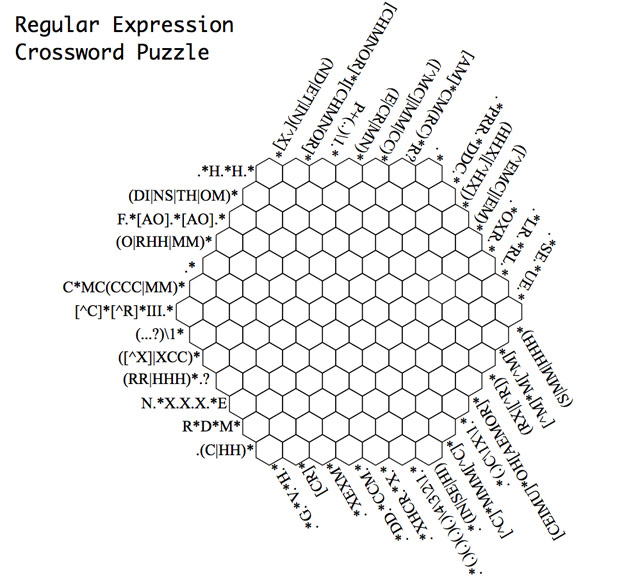
 silent barnBOT
@final mural posted a code wall, it is moved here --> https://hastebin.com/exekuxelux
ivory delta
This looks wrong:
{% set obj = "trigger.payload" | from_json %}
You've put quotes around a variable, so you've made it into a string.
 balmy wedge
Is there a way to refer to attributes that's easier than creating a template sensor every time?
dreamy sinew
create a sensor from the attributes
oh, reading fail
depends on what you're trying to do
proven ruin
Afternoon all, i'm trying to get the "change_rank_24hr" value from this xml text with a rest sensor but it doesn't work, it must be an error with the value_template but can't see it, may anyone give me a hand? here's the code:
- platform: rest
resource: https://folding.extremeoverclocking.com/xml/team_summary.php?t=0
name: Folding Team Rank 24hr
value_template: "{{value_json['@team']['@Change_Rank_24hr'] }}"
scan_interval: 7200
final mural
I'm trying to create an automation that takes input from an MQTT topic, formatted as JSON, and delivers it to an input_select UI. Struggling with the code. I'm not getting any errors, but at the same time, the input select is not changing... Here's the action yaml https://hastebin.com/foceyayaga.csharp
ivory delta
I already answered you, marcvl... 🤦♂️
final mural
ivory delta
I already answered you, marcvl... 🤦♂️
Oops sorry, i just saw that. I tried without the "", but same result.
ivory delta
Then you need to troubleshoot it.
silent barnBOT
If you're having problems with your updates to your configuration:
- Check the troubleshooting steps
- Check your log file - remembering you may need to set logger to
infoordebug - Explain what the problem you're having is - sharing configuration, errors, and logs
Command '.troubleshooting' was invoked by: mono
final mural
ivory delta
Then you need to troubleshoot it.
yeah, i know, this is what i did:
1/ Checked the logs. No errors.
2/ Verified that the topic is correct and messages are sent correctly
I don't know how troubleshoot other than that.
Sorry for the pings.
silent barnBOT
@final mural When using Discord's Reply feature it defaults to pinging the person you reply to, which can get frustrating for the target. Click @ ON to @ OFF to stop this - on the right side of the compose bar.
You have to change this every time (thank the Discord devs for that).
Command '.reply' was invoked by: mono
ivory delta
Share the message you see in MQTT
final mural
The message comes in as:
{"value": 1}
 strange geode
how can i change the state name if a sensor called: sensor.test contains "unknown"
and change that to "not live"
ivory delta
final mural
The message comes in as:
```
{"value": 1}
```
You shouldn't need the filter then. That's just an object. You can test this in Dev Tools > Templates:
{{ json.value }}```Setting some variable in the Dev Tools is a good trick for testing templates that normally care about a trigger (since you don't have a trigger outside of the automation).
ivory delta
strange geode
how can i change the state name if a sensor called: sensor.test contains "unknow...
Contains or is?
strange geode
is 🙂
ivory delta
You could make a template sensor that 'wraps' the original sensor and use a template like this:
{{ 'not live' if is_state('sensor.some_name_here', 'unknown') else states('sensor.some_name_here') }}
I haven't tested that, but that's the idea.
final mural
Ok, but the value can be 1, 2, 3, or 4 depending on the mode. It's not alway 1. So I need to read the incoming value and then map it to the right input_select option
strange geode
OK thanks, and where should i put it into this? {{ state_attr("sensor.name","properties").header + '\n' ' Opdateret: ' + state_attr("sensor.name","properties").lastModified }}
ivory delta
final mural
Ok, but the value can be 1, 2, 3, or 4 depending on the mode. It's not alway 1. ...
Sure... so take what I just taught you, and apply it to your existing template.
I was just showing you how to test the data in the Dev Tools. You can do the next step.
ivory delta
strange geode
OK thanks, and where should i put it into this? {{ state_attr("sensor.name","pr...
I don't know. That's up to you... I have no idea what you want it to do.
strange geode
Well its because i got a sensor that grapping info.
but when its idle its just shows unknown. so i just want to change that name, to something else 🙂
ivory delta
The second thing you shared doesn't have a 'name'.
You're trying to get something from the 'properties' of a sensor, whatever those are.
strange geode
Thank u mono, i manged to get it to work, by creating a new sensor template that read from my other sensor ..
ivory delta
Yes... #templates-archived message
final mural
I'm not getting it. Tried this (https://hastebin.com/viwuvunuso.csharp). I'm getting error
AttributeError: 'int' object has no attribute 'lower'
ivory delta
Sure. is_state only works on entity ID's.
You just need to check for equality.
a == b
final mural
almost there... except that the automation always defaults to 'else' (OFF), no matter what the number is 😦 https://hastebin.com/kipolutijo.properties
 dim iron
charred dagger
Well, get practicing https://kottke.org/plus/misc/images/regexp-crossword.jpg
dim iron
charred dagger
Well, get practicing https://kottke.org/plus/misc/images/regexp-crossword.jpg
that.. looks like pure hell
unique elm
Can I set an entities value within a template? i.e. instead of saying
{% set temp = states('sensor.new_value')|int %}
I want
{% set states('number.setpoint') = states('sensor.new_value')|int %}
inner mesa
No
unique elm
I was trying this in dev tools templates but get TemplateSyntaxError: expected token 'end of statement block', got '('
unique elm
So only in an automation?
unique elm
In dev_tools do I need to add anything to that statement like 'sequence'?
inner mesa
No, it’s not a script
unique elm
I was going to try calling a service to copy the value
inner mesa
You can do that by using a template for the value. But the dev tools don’t support templates
unique elm
something like:
      service: input_number.set_value
      target:
        entity_id: input_number.test
      data:
value: "{{ value }}"```is that legal in dev tools teamplates?
inner mesa
No
unique elm
{{ states('sensor.dummy_value') | int}}
 set_value:
      service: input_number.set_value
      target:
        entity_id: input_number.test
      data:
value: "{{ value }}"```Still no
I’m not really sure what you’re doing there, but it’s improper syntax and the dev tool doesn’t support templates
unique elm
I calculate how much excess solar power I am sending to the grid. Its in watts. I calculate what I am currently sending to my EV and then add the excess solar power. The calculation ends up in a maximum permissible current. You helped me with this and that calculation is working, its bewteen 0 amps and 32 amps with a minimum of 6 amps (or zero if the calc is less than 6). All working. Now I need to copy the result of this calculation into the entity number.evnex_maximum_current
      target:
        entity_id: number.evnex_maximum_current
      data:
value: "{{ states('sensor.pv_to_car') |int }}"```Would that work?
inner mesa
It should
unique elm
It looks OK in Dev Tools Templates and is evaluating, but the number is not turning up in number.evnex_maximum_current
That entity is created by OCPP integration added by HACS, It looks like this in dev tools states: min: 0 max: 32 step: 1 initial: 32 editable: true mode: slider unit_of_measurement: A friendly_name: Evnex.Maximum_Current icon: mdi:ev-station
I can adjust the number with the slide on lovelace. I just don't seem to be able to send it a value any other way
inner mesa
Are you still using a template in the dev tool?
unique elm
yes
unique elm
So why is it called Dev Tools Template?
inner mesa
The service one?
unique elm
Everyone tells me to prototype in dev Tools template and it has been great for debugging
nocturne chasm
Good thing I bowed out 🤣
unique elm
inner mesa
You know that doesn’t actually call the service?
unique elm
No I didn't. So it only displays values but does process each line. So I can use it to test templates but not actually do any actions or write anything? A bit like a sandbox?
unique elm
OK. So I use services like this?
https://imgur.com/a/wu9hMQC
inner mesa
For the fourth time…
unique elm
so I can only write a number with this service. I cannot pass it a value from another entity
unique elm
So script, which is entered into configuration.yaml or an automation are my two alternatives
inner mesa
Any script or automation
unique elm
I only want this to run during daylight hours, but of course always run every time the value in pv_to_car changes value. So would you recommend a script with conditions or an automation with time conditions? If an automation what is the trigger i.e. I don't know how to keep it always running as all my automations occur at a given time, not any time between a start and end hour of operation
nocturne chasm
If you are worried, use a time pattern trigger. Scripts are just the action part of an automation so you need to figure out what works for your situation. There is really no best ….. it is just what works for your config
unique elm
    - platform: time_pattern
      minutes: "/1"```
would run it every minute, regardless on pv_to_car changing and that value is updated every minute but may not change valueTry both, and use a notify action to let you know what is happening
Would multiple triggers work 🤔
unique elm
Are the quotes required around /1 in the Time Pattern minutes field?
I can then add conditions on after 7 am and before 8 pm
nocturne chasm
Sounds like you know what you need
Add a notify at the end to loop yourself in on what is going on
unique elm
The only question is what do I enter into the 'value' field on the action "Call Service...Number.Set....target is number.evnex_maximum_current"
nocturne chasm
For which service. I wasn’t really following along
unique elm
I always add a notify.notify its like the old 'print ("Got to line 213") in Python
I want to pass the value in entity sensor.pv_to_car as the value
nocturne chasm
To what?
unique elm
to number.evnex_maximum_current
nocturne chasm
That’s another entity?
unique elm
yes
nocturne chasm
You can’t change the state of an entity
unique elm
The only point of the automation is to copy one value from one entity into another entity
nocturne chasm
Sounds like you need a template sensor
unique elm
Thats where I started three days ago, and was told it is impossible
I really wanted states('number.evnex_maximum_current') = states('sensor.pv_to_car')
nocturne chasm
You can’t make two entities equal each other. You can check if they are equal and report true or false
unique elm
can I use 'set'
inner mesa
This sets an entity’s value: #templates-archived message
nocturne chasm
You honor, that has been asked and answered
inner mesa
As long as you don’t try yet again to do it in the dev tools
unique elm
I was just asking if I type '{{ states(''sensor.pv_to_car'') |int }}' with or without the quotes as the value in the automation
inner mesa
Do it exactly as you did 40 minutes ago
unique elm
It errored on me when saving but switching to editing in yaml allowed me to enter it
nocturne chasm
Do yourself a favor and switch to yaml full time
If you are playing with templates….you won’t regret it
unique elm
OMG it's finally working!
nocturne chasm
So #yaml4thewin?
unique elm
Thanks guys. I am sorry if this took a while. Its just unclear to me even after years of using HA when and where you can use templates, especially as the newer versions of HA make them even more usable in more places
I will have to turn the notify off now, once per minute is too much even for me 🙂
nocturne chasm
It’s all good. I just filled in while Rob took a breather and came back even stronger
inner mesa
(years???)
unique elm
yes, I started with a raspberry Pi probably 4 years ago, now running a KVM VM under Ubuntu
inner mesa
excellent
unique elm
It gets tricky when you have to handle all possible cases, like unknown as a state on an input variable as the device powers on, or devices dropping out due to wifi issues then messing up your calculations and automations.
I suppose you guys get into the habit of prequalifying all sensors into another entity to handle this and only use the abstracted entity in anything real like an automation
nocturne chasm
We don’t use the automations editor or the UI 😉
unique elm
assembly language versus c# 🙂
nocturne chasm
Yaml has a steep learning curve but if you are hitting a wall you need to make the jump
It opens doors
unique elm
1500 lines in sensors.yaml, 450 in automations.yaml and 400 in configuration.yaml mostly hand coded ... yes I know beginner, you are probably into the thousands
nocturne chasm
Easily 😉. I made it through the alphabet on automation yaml files and I am up to g_2 or h_2
But I started with “what is this thing they call a RaspberryPi”. Maybe I can play with it when I am not dancing with the Chippendales
inner mesa
Are you Patrick Swayze or Chris Farley?
nocturne chasm
Come on, this is discord…..we need to maintain some sort of mystery don’t we 🤣
silent barnBOT
@zenith drum posted a code wall, it is moved here --> https://hastebin.com/xudepoxohi
 zenith drum
Hi guys, I have an issue with extracting data from the rest sensor. I am unable to extract the unit-rate but the standing-charge works fine...
Discord messed my message up.. see this: https://hastebin.com/xudepoxohi
 haughty kite
can someone tell me what I am doing wrong here:
`Logger: homeassistant.components.integration.sensor
Source: components/integration/sensor.py:184
Integration: integration (documentation, issues)
First occurred: 9:51:27 (2 occurrences)
Last logged: 9:51:40
Invalid state (#130.0 130.0 #'130.0' > #129.0 129.0 #'129.0'): [<class 'decimal.ConversionSyntax'>]
Invalid state (#129.0 129.0 #'129.0' > #128.0 128.0 #'128.0'): [<class 'decimal.ConversionSyntax'>]`
value_template: > {% set strom = states("sensor.hauptstrom") | float - states("sensor.allgemeinstrom") | float - states("sensor.dgstrom") | float %} {{ '0' if strom < 0 else strom }}
my goal is that in case of a negative value I want to set 0
haughty kite
I guess the problem is that strom is displayed/containing this: #138.0 138.0 #'138.0'
but why?
fossil venture
haughty kite
I guess the problem is that strom is displayed/containing this: #138.0 138.0 #'1...
What are the states of the three sensors as displayed in Developer Tools / States?
haughty kite
sensor.allgemeinstrom 36
sensor.dgstrom 61
sensor.hauptstrom 278
sensor.egstrom #127.0 127.0 #'127.0'
fossil venture
Try some investigation with the template editor.
haughty kite
the problem is the >
with: value_template: '{{ states("sensor.hauptstrom") | float - states("sensor.allgemeinstrom") | float - states("sensor.dgstrom") | float }}' it works
with value_template: > '{{ states("sensor.hauptstrom") | float - states("sensor.allgemeinstrom") | float - states("sensor.dgstrom") | float }}' it is getting this strange data format like #127.0 127.0 #'127.0'
ivory delta
value_template: > '
If you're using multi-line templates, don't surround the template with quotes.
haughty kite
ivory delta
```value_template: > '```
If you're using multi-line templates, don't surround t...
#templates-archived message there is no quotes
ivory delta
with value_template: > '{{ states("sensor.hauptstrom") | float - states("sensor.allgemeinstrom") | float - states("sensor.dgstrom") | float }}' it is getting this strange data format like #127.0 127.0 #'127.0'
haughty kite
copy and paste error, I tested it without ''
sensor.egstrom = # #1875.0 1875.0
this is the result with value_template: > {{ states("sensor.hauptstrom") | float - states("sensor.allgemeinstrom") | float - states("sensor.dgstrom") | float }}
sensor.egstrom = 1875.0
result with value_template: '{{ states("sensor.hauptstrom") | float - states("sensor.allgemeinstrom") | float - states("sensor.dgstrom") | float }}'
ivory delta
.share the whole config for that sensor.
silent barnBOT
Please use a code share site to share code or logs, for example:
- https://www.codepile.net/ (select YAML as the language)
- https://paste.debian.net/ (select YAML as the language)
- https://hastebin.com/ (sometimes may not allow you to save)
Please don't use Pastebin, since it can randomly add spaces to the main view.
Command '.share' was invoked by: mono
haughty kite
ivory delta
I wonder what could be giving you random output with a hash in front of it...
Maybe the line where you've told it to output a string with a hash at the beginning.
🤔
Multi-line strings will accept everything inside them as part of the string. One of their main purposes is to allow you to add anything in there without being interpreted as YAML. Which means what you thought was a comment is not.
If the multiline symbol broke templates, we'd have more than one person with an issue.
ivory delta
This is why it's important to share all of the information from the beginning.
haughty kite
"Multi-line strings will accept everything inside them as part of the string."
this was the hint that i needed, thank you very much mono!
 tribal fossil
is there a way to use {{ expand('group.group_name') }} as a template trigger for an automation? I'm trying to avoid having to list out a ton of entities as triggers for an automation.
 slate shuttle
My ESPhome switch is flipped. On is off and off is on. How can I fix that?
tribal fossil
@slate shuttle add inverted: true to the switch in your esphome config
slate shuttle
Thanks. I'll try that
ivory delta
tribal fossil
is there a way to use {{ expand('group.group_name') }} as a template trigger for...
Depends what you're trying to trigger. If you want to observe the group changing, sure. If you want to observe changes from its entities that don't result in the group itself changing, no.
Expanding a group doesn't really provide any benefits in a trigger template.
tribal fossil
ivory delta
Depends what you're trying to trigger. If you want to observe the group changing...
Dang. That's what I was hoping for. If any entity in the group changes, then trigger the actionI was also trying to watch a call_service event for input_booleans and then use a template condition to check if the entity ID is in the group, but that doesn't seem to work either.
ivory delta
If you want to avoid having to list all of the group members individually as a trigger, watch the state_changed event and filter based on entity ID in your conditions.
tribal fossil
That's what I tried at first, but the sheer number of executions trying to use the trace tool made me worry that it was going to be highly inefficient / run into parallel run issues. So I tried to just watch the call serviec for input_booleans like this, but the condition never matches.
https://pastebin.com/DG8xHV3z
ivory delta
HA can handle it. It's already handing all of those state_changed events already, right? You're just attaching one more callback to that stack.
Could you share an example event you're trying to match against?
tribal fossil
Sure, https://pastebin.com/V7EPm7Ge. Thanks.
tribal fossil
ivory delta
HA can handle it. It's already handing all of those `state_changed` events alrea...
I was more worried about it not firing because it was processing a previous run for a state change event when I actually wanted it to run. I'm likely overthinking the amount of time it takes for the condition to run.
ivory delta
Your approach is perfect, your template is wrong.
Stick this section into Dev Tools > Templates and you'll see what it's doing:
{{ (expand('group.snapcast_input_booleans') | map(attribute='entity_id')) }}
tribal fossil
Ugh. The templates always get me. Like my brain needs a day or two to warm up before they click and then I walk away for 2 mins and it's all lost again. 🙂
Ugh, that's returning the object. 🤦♂️
ivory delta
Yeah, the generator. expand would have kept it as a list, but most filters return a generator that you have to cast back to a list.
tribal fossil
so piping to a list is what I'm missing?
ivory delta
Exactly
tribal fossil
man, thank you so much for that.
ivory delta
Then your {{ string in list }} test will work.
tribal fossil
I knew it was going to be something simple, but you stare at it long enough and it stops making sense.
ivory delta
Yup, know the feeling. It usually helps to break things down into smaller, testable pieces. The Dev Tools are great for that.
Filters aren't easy to pick up, especially when you're trying to keep track of what's what at each stage.
tribal fossil
and look at that. My light is turning on now. 🙂
Today is actually my first time with filters--defintiely one of the steeper learning curves in HA. I've gotten things to the point where I'm now looking at stuff going 'there has to be a more dynamic way'.
ivory delta
Wait until you find out about RegEx searches in templates too 🤯
{{ expand(states) | map(attribute='entity_id') | select('search', '\.study') | list }}
Returns a list of all entities where the start of the slug begins with 'study' 
Oh, and if you're worried about overloading HA, RegEx would be one way to do it 😂
This could make it work hard:
^(.+)+$
tribal fossil
Already skimmed that water. ```{{ states.input_boolean|selectattr('state', 'eq', 'on')|rejectattr('entity_id', 'eq', 'input_boolean.snapcast_airplay_macos')|select("search", 'snapcast_airplay')|map(attribute='entity_id')| join(',')}}
I've actually found myself just playing with things in the templates panel just to see them work. 😂
ivory delta
Noice
I should probably copy mine out to something more reliable but I've got a bank of templates sitting in the Dev Tools as examples. I just treat it as one big playground/repository.
tribal fossil
here's one to noodle on. How do I create an automation such that if I have 4 switches A/B/C/D, turning one on will turn the other three off. Or put differently, of the 4 switches, only one is allowed to be on at any given time. IE: IF switch A is on, and switch B is turned on, then switch A is turned off.
That's what I'm going to be working through todasy.
ivory delta
Ignoring the trigger parts (that should be discussed in #automations-archived ), you'd probably just have a template that picks the entities that weren't the trigger.
This is one place where expanding a group is probably useful again... I won't give you the solution, since you're having a good time experimenting, but this is something close from my box of tricks:
{{ expand(states) | rejectattr('domain', 'ne', 'media_player') | map(attribute="entity_id") | list }}
tribal fossil
Yeah, that's where I'm going with the rejectattr assuming I can something like rejectattr("entity_id", "eq", "trigger.entity_id")
ivory delta
Yeah, just don't quote trigger.entity_id - it's a variable, not a string.
tribal fossil
oh, yeah. I would have realized that outside of discord.....or come back here saying 'why isn't this working?!?!" 😂
inner mesa
ivory delta
This is one place where expanding a group is probably useful again... I won't gi...
What is expand() doing for you there?
ivory delta
Probably not much in that specific example... but you can sub in groups without changing the rest of the template 🤷♂️
Like I said, it's just my playground.
 plucky heron
what's a good template I can use as an automation condition, to only run once a day?
{{ state_attr('automation.wake_up','last_triggered').day != utcnow().day }}
is that the best way?
floral shuttle
getting back to my earlier zwave staus templates... please have a look if you can help me out adding an icon on each line for this for loop:```
<font color=#083366><ha-icon icon= mdi:z-wave></></>
  {% for s in ['alive','asleep','awake','dead'] %}
   <font color= #0da83a>{{s}}:</font> <font color= #f89847>{{states|selectattr('entity_id','search','node_status')|selectattr('state','==',s)|list|count}}</font>
  {%- endfor %}

  ---------

  <font color= #0da83a>total:</font> <font color= #f89847>{{states|selectattr('entity_id','search','node_status')|list|count}}</font>```
using an icon template if (state == 'alive') return 'mdi:heart-pulse'; if (state == 'asleep') return 'mdi:sleep'; if (state == 'awake') return 'mdi:eye'; if (state == 'dead') return 'mdi:robot-dead'; else return 'mdi:help-rhombus';
Ive tried to add the <ha-icon icon= mdi:z-wave></> in front of the current template, but then I only see 2 large icons.. I guess for alive and asleep, (dont have any awake or dead devices)
tribal fossil
Anyone mind telling me if there's a more eloquent way to write this?
{{ states.input_boolean|selectattr('state','eq', 'on')|select('search', source)| map(attribute='entity_id')| list| join(',') |
regex_replace(find='input_boolean', replace='media_player', ignorecase=False)|
regex_replace(find=source, replace='', ignorecase=False) }}```That looks pretty good. Way shorter than something similar I have 😅
One question though... is _airplay always at the end of the entity ID?
There's a shorter syntax for regex_replace too:
regex_replace('^(sensor|light)\.([a-z]*)_.*$', '\\2')
No need to use named arguments, you can use positional arguments.
tribal fossil
No, it's actually in the middle. So input_boolean.snapcast_airplay_livingroom would be converted to media_player.snapcast_livingroom
Basically I love snapcast, but hate the grouping (or lack thereof) so I'm trying to build a way to assign snapcast clients to specific streams.
ivory delta
Gotcha. Was asking because if it was always at the end, using the $ symbol would've meant a quicker search.
tribal fossil
Ah good point. I'll likely update things like that once I'm ready to make this "live". There's no real justification for how I've named things thus far.
ivory delta
Well they do say that there are only two difficult things in programming: cache invalidation and naming things.
tribal fossil
20 years of Devops experience has taught me that I'd much rather have the cache invalidation project than the name things project.
We had an "architect" at one point that mandated methods be as verbosely named as humanly possible. So we ended up with things like adminViewofUserViewofGuestViewofCookieSavedShoppingCart. Needless to say he was universally reviled.
 teal cove
Hi. I was wondering how to define a template in a way that would let me use ```
- service: light.toggle
data: '{"entity_id":"light.karl"}'
instead of  the usual```
    - service: light.toggle
      data:
        entity_id: "light.karl"
``` 🤔
(of course I wouldn't define the json string like that, but template it eg like so: `{{ trigger.event.data.servicedata|from_json }}`)Does this question even make sense? 😅 I feel like I'm wording things in a bad way lol
ivory delta
You can't template the whole structure, only the fields that allow templates.
teal cove
data: allows templates right?
Nvm, I understand now.
I can't template the keys, only their fields.
Thanks alot!
floral shuttle
floral shuttle
Ive tried to add the ```<ha-icon icon= mdi:z-wave></>``` in front of the current...
this might be better asked in #frontend-archived?
agile storm
any way of grabbing the last three logbook entries
ivory delta
Any way of keeping your questions to a single channel?
silent barnBOT
@agile storm Please DO NOT cross post. Read the channel description, post it and wait for folks to respond.
If you don't get any responses after an hour or more, and your message is no longer on screen, it is fine to re-post or post a link to it.
Command '.crosspost' was invoked by: mono
ivory delta
So use one and wait. You'll be redirected if you're in the wrong place.
agile storm
OK
 bleak oasis
Inside an automation, is it possible to check if a parsed webhook value is not undefined?
For example, if I passed a color_name, then perform an action that sets color, and performs the action without color_name parameter if nothing was passed.
inner mesa
value_json.xxx is defined
bleak oasis
inner mesa
value_json.xxx is defined
Thanks!
Still trying to figure out how exactly value_json is used, but the following dirty hack worked
value_template: '{{ (trigger.json.parameter|from_json).color_name is defined }}'
inner mesa
Oh, sorry. I didn't remember how the webhook data gets passed to the action
bleak oasis
So my approach is ok?
inner mesa
hard to say without seeing the rest of it
bleak oasis
For now it's a really simple example and it works as is. I'll dig deeper into templates to find the proper way. I just couldn't find is defined condition. That's exactly what I needed. Thanks a lot!
 remote plover
howdy all, I'm brand new to templates and have some n00b questions (also not good at regex, which seems to be what is needed here). I am using Forecast.Solar and have two arrays so I am trying to add together the values from each of them to get the total forecasted energy production. Should I be setting this up as a sensor (not a number)?
inner mesa
So you want to end up with an array where each element is the sum of the corresponding indices of the two original lists? Like a zip with map(‘sum’)
I think you’d need a for loop to generate an index and then add items to a list
remote plover
hmm...i was just going to sum up two values. I tried this:
template:
#Template to combine Forecast.solar values from the two arrays
- sensor:
name: "Total Energy Production Tomorrow"
state: "{{ states('sensor.energy_production_tomorrow')|float + states('sensor.energy_production_tomorrow_2')|float }}"
unit_of_measurement: "kWh"
Totally guessing on the state stuff though...
inner mesa
Ok, you said ‘two arrays’
remote plover
So I am using the integration twice
inner mesa
Then what you have is fine
remote plover
Ok, happy to take suggestions on improvements...I just installed it today and I think since sun is down I am only getting one value but should get 3-6 during the day
Where do I find the value that was created? I can't find it in entities. Was trying to add it to a dashboard
silent barnBOT
Always run the configuration check command when you make changes. Don't trust the UI check - it misses some problems.
- HAOS & Supervised use
ha core check - Container uses
dockercommands - Core requires you to activate the venv first
Command '~check' was invoked by: RobC
remote plover
ah
@inner mesa seriously not getting it...I tried to match that but now I'm getting an error about a missing comma. Tried:
template:
#Template to combine Forecast.solar values from the two arrays
- sensor:
name: "Total Energy Production Tomorrow"
unit_of_measurement: "kWh"
state: >
{% set east = states('sensor.energy_production_tomorrow') | float %}
{% set west = states('sensor.energy_production_tomorrow_2') | float %}
{{ ((east + west)) | round(1) }}
argh...messed up indents. So...maybe that worked. I still can't find the new value to use anywhere though
remote plover
omg, this is why i don't code...thanks @inner mesa . It now shows in entities!
freakin indents!
inner mesa
If you think in terms of the data structure that’s being represented rather than seeing it as a bunch of random indentations and characters, it’s easier to get right
template: has a list of domains and each domain has a list of entities. And each entity has a set of key: value pairs
remote plover
Sure. And going from 0-->1 on templates is a lot...I am going to leave a few ideas for newbie-friendly enhancements to the docs. Like WTF is the ">" for, when do I need to define things rather than just add them...I'm mostly guessing and checking and would be better if I could read something for more of a clue. Thanks for the pointers, though
inner mesa
Sure, feel free to suggest changes via the buttons at the bottom of each page. > and >- introduce multiline templates. The - also chomps white space
silent barnBOT
Jinja Template Designer Documentation
For more examples and samples, visit see this page.
Command '~jinja' was invoked by: RobC
topaz cave
Hi there, I have an automation that uses the camera.snapshot service in which I use a template to set the filename to
data:
  filename: image_{{ now().strftime("%d-%m-%Y_%H-%M-%S") }}.mp4
In the next code block I want to grab the filename’s value, any ideas how I would do that?
Many thanks in advance.
ivory delta
Use a variable within your script. Set the value up front, reference it everywhere that uses it.
topaz cave
Thank you @ivory delta
 umbral patrol
Hey everyone, I’m trying to change a light’s icon depending on its state. I’ve tried using templates but it doesn’t seem to be working. Is there a simple solution to this?
Essentially trying to do this
 clever fable
Can someone help me with this I am trying to get this to set an input_datetime to the current time i.e. the time in which this serivce is called.
target:
  entity_id: input_datetime.last_vacuumed_living_room
data:
datetime: '{{ now().strftime(''%Y-%m-%d %H:%M:%S'') }}'```So datetime should be now I think?
not what I have there
 brisk temple
doesn't seem to like the '' in template editor, try "'s
brisk temple
dunno why, that's usually interchangeable
blazing burrow
silent barn
holy crap this is awesome lol
inner mesa
Jinja isn't just an HA thing 🙂
 sage jewel
Hello !
I've been told that you guys can help^^
I've this piece of automation that sends to my phone a notification when one of my plex starts playing
action:
  - service: notify.mobile_app_mi_mix_2
    data:
      message: "{{ trigger }} aaaaaaa"
This sends:
{'platform': None} aaaaaa
And when I try trigger.event I get an error
Error while executing automation automation.test_plex: Error rendering data template: UndefinedError: 'dict object' has no attribute 'event'
I would like to 'foreach' on all the attributes the trigger has, or a way to debug it maybe
the whole automation code is here: https://hastebin.com/uvomisunur
 craggy current
Hi! I want do now the max and min temp over night on a sensor. I have put this is configuration.yaml: - platform: statistics entity_id: sensor.ute_altan_temperature but do i have to something more? And then i have to make a template?
 marble jackal
sage jewel
the whole automation code is here: https://hastebin.com/uvomisunur
marble jackal
sage jewel
the whole automation code is here: https://hastebin.com/uvomisunur
I don't see trigger.device_id mentioned here.. https://www.home-assistant.io/docs/automation/templating/
I would suggest to use a state trigger instead of a device trigger:
  - platform: state
    entity_id: media_player.plex_ps4
    to: playing
Then you can use the templates mentioned under state
sage jewel
alias: Test Plex
description: ''
trigger:
  - platform: state
    entity_id: media_player.plex_ps4
    to: playing
condition: []
action:
  - service: notify.mobile_app_mi_mix_2
    data:
      message: '{{ trigger.entity_id }} aaaaaaa'
mode: single
it shows the notification: aaaaaa nothing else
@marble jackal
marble jackal
How did you test that? By starting the automation in configuration -> Automations?
sage jewel
message: '{{ trigger }} aaaaaaa' give the sale as before wsith platform: none
yes, and clicking execute at he top right of the yaml editor
marble jackal
That is your problem then (as Tinkerer also already mentioned in #automations-archived) There is no trigger when you start it manually, so the template doesn't work
sage jewel
aaah that's what he meant by RUN ACTIONS ^^
marble jackal
You can change the state of media_player.plex_ps4 to playing in developer tools -> states
Then it should trigger as well, and actually will have data for the template
Or you could of course play something in Plex on your PS4 🙂
sage jewel
I prefer to use the dev tools !
It works perfectly thanks !
marble jackal
I would expect this template to return a string, however, it still returns a list. Can somebody help my why?
{% set to_play = 1 %}
{{ ((input_text.split(', ') | map('int') | list)[1:] + [to_play]) | join(', ') }}```
Result:
```[
  5,
  7,
  3,
  25,
  1
]```Without | join(', ') I get exactly the same result, so it seems join doesn't work for some reason
marble jackal
Hmm, it seems that a comma seperated string is automatically converted to a list in the template editor.
This does work:
{% set input_text = '2|5|7|3|25' %}
{% set to_play = 1 %}
{{ ((input_text.split('|') | map('int') | list)[1:] + [to_play]) | join('|') }}
Result:
5|7|3|25|1
mighty ledge
marble jackal
Hmm, it seems that a comma seperated string is automatically converted to a list...
it always will, that's the template resolving to a type
the type being a list in that case
 eager crystal
Hi All! Is it possible to use a template definition anywhere in a sensor config?
i.e.
- platform: bayesian name: Area - Test Occupied prior: "{{ states('sensor.stats_study_occupied')| float / 100 }}"
this doesn't validate, but wondered if there any creative ways around it, trying to create an entirely dynamic occupancy detection system
charred dagger
Generally, if templates are accepted the documentation will say so explicitly. If it says nothing, they're not.
brisk temple
it's a float so needs a number
eager crystal
Damn, yeah I have a bunch of Bayesians configured with floats already, just want a way to dynamically update the priors and probabilities, I have a spreadsheet to get all the numbers but kinda manual, plus this way it would change through the year (more likely to have the windows open in the summer etc.)
brisk temple
if you haven't looked through the forums, there's lots of stuff there with occupancy and bayesian sensors
eager crystal
brisk temple
if you haven't looked through the forums, there's lots of stuff there with occup...
Yep, no one who has done this though that i've found
Defining the prior and probability statically is all well and good, unfortunately life is chaos, and stuff changes, I have all the numbers i need from stats sensors etc, just have to manually copy them
I shall put in a feature request
 edgy umbra
Anyone know if it's possible to show a , instead of en if only two lights are on.
    state_attr('light.all_lights','entity_id')) |
    selectattr('state','in',['on','open']) | list | map(attribute='object_id')
| join (' en ') }} staan aan.```give an example of your expected output
edgy umbra
Now it shows, lights x and y and z are on. I want to show x and y if there are only two lights on and x, y and z if there are more than two lights are on. 🙂
So for example, x is on - x and y is on - a, b, c, d and e is on.
dreamy sinew
{% set lights = states | selectattr('entity_id', 'in',
    state_attr('light.all_lights','entity_id')) |
    selectattr('state','in',['on','open']) | list | map(attribute='object_id') %}
{% if lights|length == 0 %}
{{ 'No lights on' }}
{% elif lights|length == 1 %}
{{ '{} staan aan'.format(lights[0]) }}
{% else %}
{{ '{} en {} staan aan'.format(lights[:-1]|join(', '), lights[-1])
{% endif %}
should cover all the edge cases
 rugged laurel
states | selectattr('entity_id', 'in',
    state_attr('light.all_lights','entity_id')) |
    selectattr('state','in',['on','open'])
-->
states.light | selectattr('state','eq', 'on')
that only works if light.all_lights actually includes every light
i was thinking
expand(state_attr('light.all_lights','entity_id'))|selectattr('state','in',['on','open']) | map(attribute='object_id')
rugged laurel
Why use light.all_lights? that's a useless lookup?
rugged laurel
and "open" ? since when could light entities have "open" state?
dreamy sinew
¯_(ツ)_/¯
edgy umbra
rugged laurel
and "open" ? since when could light entities have "open" state?
Haha oops for that, it was a template I used for my doors. 😉
dreamy sinew
if you truly want all light entities, use Ludeeus's example, much cleaner
if all_lights is a sub-set then expand is your friend
edgy umbra
I know but the problem is I have some light sensor that are no lights…
Like light.xxxxxx from browser_mod.
rugged laurel
Those are lights
dreamy sinew
should still come back since it is in the light domain
and since it looks like a light.group which can only contain entities of the light domain
rugged laurel
if it does not contain all lights, then the naming of it is wrong anyway 😛
edgy umbra
light.all_lights containing all my real lights…
The one from browser_mod for example are no real lights in my opinion. 😉
dreamy sinew
fair enough. the expand option should simplify things then
edgy umbra
Thanks both for the examples, going to see what I can accomplish from it. 👌🏻
edgy umbra
dreamy sinew
should cover all the edge cases
Have you any idea why your template give this error in dev tools.
TemplateSyntaxError: expected token 'end of print statement', got '{'
dreamy sinew
i probably fat fingered something
can you paste what you have in there back in here please? (should be short enough)
edgy umbra
    state_attr('light.all_lights','entity_id')) |
    selectattr('state','in',['on','open']) | list | map(attribute='object_id') %}
{% if lights|length == 0 %}
{{ 'No lights on' }}
{% elif lights|length == 1 %}
{{ '{} staan aan'.format(lights[0]) }}
{% else %}
{{ '{} en {} staan aan'.format(lights[:-1]|join(', '), lights[-1])
{% endif %} ```I just copy/pasted your template and get the syntax error.
dreamy sinew
yep, found a few things
{% if lights|length == 0 %}
{{ 'No lights on' }}
{% elif lights|length == 1 %}
{{ '{} staan aan'.format(lights[0]) }}
{% else %}
{{ '{} en {} staan aan'.format(lights[:-1]|join(', '), lights[-1]) }}
{% endif %}```that should fix it
edgy umbra
Thanks allot that works just perfect for my use case. 🙂
dreamy sinew
np
main reason to use expand there is it limits the "things" that the automation engine is watching
it drops your scope from "the everything" to "just these things"
also, not enough of your home language in there for me to make any guesses, definitely feel free to change the "no lights on" etc to whatever works best for you
edgy umbra
Yep changed it to my language and now it just shows perfectly what I was looking for.
Was just thinking, is it possible to use this as a label in a custom:button-card?
ivory delta
Sure, just change it all to JavaScript first.
It's simpler to make a sensor with that and use the value of the sensor in the frontent.
inner mesa
Isn’t expand(state_attr(‘light.xxx’, ‘entity_id’)) just expand(‘light.xxx’) for a light.group?
Or are we paid by the character?
edgy umbra
If i change it to that it just says light.all_lights is on instead of the actual lights.
dreamy sinew
yeah, that's what i figured
it works for the group domain and a few others but not htat
probably an oversight
would be worth a FR i think
 crisp storm
in a template, is there a generic way to get open or closed from a binary_sensor instead of on or off based on the device_class? i see the list here, and lovelace shows the string, but i don't see how to get it in a template https://www.home-assistant.io/integrations/binary_sensor/
ivory delta
Why do you want it in a template? They're binary, any template you write that checks its state should only care about on/off (or True/False)
The language used in the UI is just for humans to read, HA and templates don't care.
crisp storm
to render it as text for a notification
ivory delta
So do something like this:
{{ 'Open' if is_state('binary_sensor.some_sensor', 'on') else 'Closed' }}
crisp storm
yeah that's great for a door but there are 25 different device classes for binary_sensor, i was trying to figure out a template that would handle any of them
and since HA clearly knows how to the conversion in certain parts of the app i thought here might be a method or attribute or something
ivory delta
What's wrong with the one I posted? Just change the language you want to use in your notification.
Nope. As per the docs (emphasis mine):
Knowing a sensor is binary impacts how the sensor’s current state may be **represented in Home Assistant’s UI **
A binary sensor is always on/off. The UI pretties it up for you, but all backend and template stuff sees is just on/off.
If you think it should work differently, you're welcome to put in a feature request on the forums... but I imagine anything that changed the state values of binary sensors is likely to break almost everyone's installations, so I doubt it'll happen.
crisp storm
i'll keep looking, that's not true.
https://github.com/home-assistant/core/blob/af32bd956cf03b8ae49cddd87349575112572808/homeassistant/components/binary_sensor/translations/en.json the translations are part of the component itself, not lovelace