#templates-archived
1 messages · Page 44 of 1
 neat prairie
 paper hazel
Thx - Will give it a try.. Appreciated!
Looks like exactly what I was looking for - Didn't know it existed. Thank you! 🙏
neat prairie
I'll admit, I only found out about template triggers when TheFes mentioned them a few minutes ago 😉
 marble jackal
Although I meant this: https://www.home-assistant.io/docs/automation/trigger/#template-trigger
Not a trigger based template sensor
paper hazel
Config check gives no errors, but something does not look right...
 patent shadow
I found the template editor. Is their an easy way to get an example json for a entity to ?
 versed moss
Hi everyone! I am trying to setup shelly mqtt switches like the following one:
- name: "condizionatore_samsung"
  state_topic: "shellies/condizionatore_samsung/relay/0"
  command_topic: "shellies/condizionatore_samsung/relay/0/command"
  availability_topic: "shellies/condizionatore_samsung/online"
  qos: 2
  value_template: "{% if value == 'on' %} on {% else %} off {% endif %}"
  payload_on: on
  payload_off: off
  payload_available: true
  payload_not_available: false
  optimistic: false
  retain: false
but when i try to intract with it in entities, it tells me that is unavailable. This happens for every switch. Am I missing anything? Thank you in advance!
 steep plume
Hi all, I'm trying to sort automations by their last_triggered attribute.
I'm selecting defined and non-None attributes, and then applying the sort filter. But that filter errors out despite the attribute being there.
 | selectattr('attributes.last_triggered', 'defined')
        | selectattr('attributes.last_triggered', '!=', None)
        | sort(attribute='last_triggered')
%}```
UndefinedError: 'homeassistant.helpers.template.TemplateState object' has no attribute 'last_triggered'
Without the sort, when looping over all the entities in `x`, I can see all have `last_triggered`
how can I solve this? 🤔 mighty ledge
steep plume
Hi all, I'm trying to sort automations by their `last_triggered` attribute.
I'm...
mighty ledge
steep plume
Hi all, I'm trying to sort automations by their `last_triggered` attribute.
I'm...
| selectattr('attributes.last_triggered', 'defined')
that's all you need
if it's set to none
which it shouldn't be... then
| rejectattr('attributes.last_triggered', 'none')
it gives the same error
 | selectattr('attributes.last_triggered', 'defined')
        | rejectattr('attributes.last_triggered', 'none')
        | sort(attribute='last_triggered')
%}```

```UndefinedError: 'homeassistant.helpers.template.TemplateState object' has no attribute 'last_triggered```oh lord. thanks a lot
 hallow plover
I don't know what is happening here. I'm trying to figure out what is going on with two sensors attached to the same door. Here is some template:
{{states.binary_sensor.living_room_door_sensor}}

{{states('binary_sensor.patio_door_sensor_yo')}}
{{states.binary_sensor.living_room_door_sensor_yo}}```and this is the output:
off
<template TemplateState(<state binary_sensor.living_room_door_sensor=on; device_class=door, friendly_name=Living room door sensor @ 2023-06-20T15:19:43.384828-05:00>)>

off
<template TemplateState(<state binary_sensor.living_room_door_sensor_yo=off; device_class=door, icon=mdi:door, friendly_name=Living room door sensor yo @ 2023-06-22T08:41:14.269242-05:00>)>```Why does the first output show off when <state binary_sensor.living_room_door_sensor=on> ?
hallow plover
I know I'm supposed to use the first syntax. I tried the second one because I wasn't seeing what I expected.
 inner mesa
Ok, so you understand why?
hallow plover
where is the .state missing from?
mighty ledge
One returns the state. The other returns the state object, which contains other properties, one of those properties is .state
hallow plover
I think I was being unclear. The two sensors are NOT showing the same output. One sensor thinks the door is open, one thinks it is closed.
the output when using the first syntax is wrong
living_room_door_sensor is reading as open and living_room_door_sensor_yo is reading closed... why does states('entity_id') for both sensors show the same output (off)?
inner mesa
Those are four different sensors
hallow plover
god damn it.
inner mesa
They're all different
inner mesa
Relentlessly
 sonic sand
hi, it's me again. posting here because it's related to #templates-archived
so it's been 3 days since we've changed the sensors; and they showing good values on dev tools when I search for them.
However, the template in my automation that notify me if they fed or not - not longer sending messages to me even though it fed them.
Fish Fed Automation -
http://pastie.org/p/3woHKsIYOmaF6v0NK00mPX
Feeding is required automation -
http://pastie.org/p/6pTyCtJHzFl85ZB29x71Z4
Binary sensor -
http://pastie.org/p/6KlkBNLkIvNlmo5JA9ioVH
Other fish tank templates -
http://pastie.org/p/5UxWAXgMiuCAJRFt7AJ429
event.4.1 attribute on dev tools [entity switch.hfjh_v2_eadb_fish_tank_2]
event.4.1: {"timestamp":1687455018,"value":[{"piid":16,"value":"2023,6,22,19,30,0,2"}]}
did you check the automation trace?
 plain magnetBOT
@modern torrent I converted your message into a file since it's above 15 lines :+1:
 modern torrent
oh i just realized this is more of an automation channel thing, should i post it there instead?
mighty ledge
Just add an if statement with that information
modern torrent
mighty ledge
Just add an if statement with that information
can i do that within the message?
mighty ledge
You can do anything in templates
{% if ... %}{{ do ... }}{% else %}{{ do else .. }}{% endif %}
modern torrent
oh so i basically turn the entire message into templates, i understand 😄 alright i will give that a shot
sonic sand
marble jackal
did you check the automation trace?
yes, but it showing me only the 5 recent traces and all of them were when the state changed to unavailable..
 charred siren
Can the icon of a sensor be a custom image?
I tried
 - name: 'stuff here'
icon: /local/images/myicon.jpg```No, icons are special
charred siren
Can I change the color based on a formatted value from value_template?
value_template: "{{ 'Online' if value_json.online == true else 'Offline' }}"
icon: mdi:server
 hexed wing
icon colors cannot be set from the sensor templates in YAML (they cannot be set from the backend at all)
charred siren
Is there a way to do it from the front end?
mighty ledge
charred siren
Is there a way to do it from the front end?
card mod is the only way, there's also an entire frontend-theme system that allows you to color specific device_classes. #frontend-archived can help with that.
modern torrent
mighty ledge
You can do anything in templates
its a heck of a lot more unreadable now, but it sure seems to work 😄 thanks (can't add files, otherwise i would have attached the result)
inner mesa
mighty ledge
You can do anything in templates
☝️ petro:
You can do anything in templates
neat prairie
I do like how you can do macros in templates. shame that you can't define them globally, but eh. (my usage is low. but rising. found one someone had written to do ordinals. (1st, 2nd, 3rd) )
mighty ledge
neat prairie
I do like how you can do macros in templates. shame that you can't define them g...
Uh, you can define them globally…
neat prairie
Ok, now I feel dumb 😄
neat prairie
doh! Must have run into someone's old code.
mighty ledge
inner mesa
☝️ petro:
> You can do anything in templates
See this
neat prairie
well, that massively simplified https://gist.github.com/fuzzysteve/fe103d56b01c5a736c7a493ad4fea685 😄
(someone was complaining that HA's voice stuff didn't answer basic questions. So I threw that at them as an example of how it could be done.
marble jackal
neat prairie
(someone was complaining that HA's voice stuff didn't answer basic questions. So...
I would do that last one like this
The sun rises at {{ as_local(as_datetime(state_attr("sun.sun", "next_rising"))).strftime("%-H %M")}}
No need to convert to a timestamp
Why are those attributes not datetimes anyway
inner mesa
datetime types are not serializable
marble jackal
I don't even know what serializable means 😅 I only know jinja by doing, I'm totally missing the technical programming background
But I do know that the eg the last_triggered attribute on an automation is a datetime
sonic sand
TheFes good morning. I answer your question yesterday
I can't reach the correct trace because it was spamming unavailable state few minutes after the feeding process so the right trace is not there any more
marble jackal
well, I have no clue why it isn't working anymore without a trace, nothing was changed in this automation the last time
sonic sand
Okay, I will wait for next feeding time and tag u here
 lyric comet
sonic sand
Okay, I will wait for next feeding time and tag u here
lyric comet
sonic sand
Okay, I will wait for next feeding time and tag u here
Double check in the Entities list you do not have any old restored entities, which mean your new ones get 2 on the end, but look the same other than that. I had lots of problems with this till I go rid of all the restored sensors and reloaded the templates again to get the correct names.
My errors came when I converted most of my sensors to the new template format.
 marble quiver
I am trying to read a MQTT string from a tpms string, in my MQTT config this line works:
state_topic: rtl_433/Tires/8dad2167/pressure_kPa
value_template: '{{ value }}'
and value represents the value, but when I try and use a value_template this does not work.. why?
state_topic: rtl_433/Tires/32786aa4
value_template: >
{% set kpa_pressure = value %}
{{ kpa_pressure }}
inner mesa
Those are completely different topics
marble quiver
yes, I have multiple messages in my MQTT and I am testing trying to figure out the proper format, the 8d works the 32 does not, but I want the 32 to work so I can perform another calculation on it like this:
value_template: >
{% set kpa_pressure = value_json.pressure_kPa %}
{% set kpa_var = 6.895 %}
{% set pressure = kpa_pressure / kpa_var | float(0) %}
{{ pressure | round(1) }}
that one also does not work..
plain magnetBOT
@marble quiver I converted your message into a file since it's above 15 lines :+1:
inner mesa
I'm still not following why you're using different topics (independent of the tire ID or whatever)
In one case, you're grabbing the pressure. In the second?
marble quiver
inner mesa
I'm still not following why you're using different topics (independent of the ti...
Because I don't know any better would be the best answer.. 🙂
Each tire has it's own ID, and I can see each tire as a topic:
rtl_433/Tires/32786aa4
rtl_433/Tires/8dad2167
So those are two different tires being sent to the MQTT server.
Each tire then has key = values like :
time= blah
id=32786aa4
pressure_kPa = 249.0
battery_ok = 1
etc
marble quiver
inner mesa
I'm still not following why you're using different topics (independent of the ti...
I wanted to create a sensor or device for each tire that has it's pressure in PSI. I am sure there is a better way.. I just don't know that.. 🙂
inner mesa
you also keep changing things. In your first example you did this:
{% set kpa_pressure = value_json.pressure_kPa %}
in the second, you did this:
{% set kpa_pressure = value %}
marble quiver
that is because none of them work, and I am trying things based on examples I find on google.. In case no one here answers..
inner mesa
just think through what you're doing
marble quiver
yes and in the first it returns the kPa but I wanted it converted to PSI, so I need to perform the calculation..
inner mesa
that wasn't my point
    - name: TPMS - 32786aa4
      #icon: mdi:clock-outline
      state_topic: rtl_433/Tires/32786aa4/pressure_kPa
      value_template: >
        {% set kpa_pressure = value %}
        {% set kpa_var = 6.895 %}
        {% set pressure = kpa_pressure / kpa_var | float(0) %}
        {{ pressure | round(1) }}
what you described was several different topics, each with a value
marble quiver
inner mesa
that wasn't my point
RobC.. First thank you for trying to help.. honestly.. I appreciate it.. as an old guy who has been programming for more than 50 years this is frustrating when I know what I want to do, but I cannot find good documentation or examples..
inner mesa
when you did the first experiment to retrieve the value, you should have built on that rather than trying other random, different things
marble quiver
inner mesa
```
- name: TPMS - 32786aa4
#icon: mdi:clock-outline
state_topic...
Maybe you can help me with this.. how do I get this value:
inner mesa
this gave you the value you wanted:
    - name: TPMS - 8dad2167
      #icon: mdi:clock-outline
      state_topic: rtl_433/Tires/8dad2167/pressure_kPa
      value_template: '{{ value }}'
then you just started trying other things
marble quiver
inner mesa
this gave you the value you wanted:
```
- name: TPMS - 8dad2167
#icon:...
I am just annoyed.. discord will not let me send a png or image of my issue.
what crap!
marble quiver
it holds the formatting..
plain magnetBOT
To format your text as code, enter three backticks on the first line, press Shift+Enter for a new line, paste your code, press Enter again for another new line, and lastly three more backticks.
```yaml
example: here
```
Don't forget you can edit your post rather than repeatedly posting the same thing.
marble quiver
I need to do this : value_template: '{{ value / 6.895 | float(0) | round(1) }}'
inner mesa
as I've been doing
marble quiver
I was trying to send you the MQTT Explorder view of what I can see of my data
inner mesa
you need another set of parentheses around the value you're rounding
I don't think I need that based on what you've already described
is it working?
marble quiver
trying
inner mesa
is there still a problem?
again, you already had the value you wanted in the beginning - you just wanted to do some additional math on it
marble quiver
sorry the debug is slow.. the sensors only ping every so many seconds
correct, I am able to get the value, but I want to convert it to PSI
inner mesa
yes, I get that
marble quiver
and I am trying to do it in a single step instead of making a sensor with kPa and then another sensor with PSI
inner mesa
I get that too
marble quiver
which is the only way I know how to do it with HA at the moment.
inner mesa
I gave you the answer
marble quiver
inner mesa
I gave you the answer
you mean with this answer:
value_template: '{{ value }}' ?
inner mesa
 bronze prawn
- platform: template
  switches:
    garage_clone_switch:
      friendly_name: Garage Door
      value_template: "{{ states('switch.garage_door_control') }}"
      turn_on:
        service: switch.turn_on
        entity_id: switch.garage_door_control
      turn_off:
        service: switch.turn_off
        entity_id: switch.garage_door_control
I'm trying to clone one of my switches. I tried this but the entity does not show up. YAML appears valid as I don't get any errors. Any idea?
sorry. I'm a dummy. Editing wrong file 😦 Working fine
neat prairie
Everyone makes mistakes 🙂 you live and learn.
 pallid birch
can some one shed some light on why this isn't working:
template:
  - sensor:
    - name: "BMW Remaining range"
      state: "{{ ((float(states('sensor.bmw_remaining_range_fuel')) / 1.60934 | round(0)) }}"
      unit_of_measurement: "Mi"
      icon_template: "mdi:map-marker-distance"
just trying to change KM to Miles, but it seems to be braking my Config yaml
pallid birch
Invalid config for [sensor]: required key not provided @ data['platform']. Got None. (See /config/configuration.yaml, line 27).
Everytime I check my Config file I get this. I can not tell if the issue is in the config yaml or the sensor yaml
marble jackal
Did you put this in something like sensor.yaml?
marble jackal
That's your mistake
 fickle sand
Then it basically translates to
sensor:
  template:
    - sensor:
      - name: "BMW Remaining range"
        state: "{{ ((float(states('sensor.bmw_remaining_range_fuel')) / 1.60934 | round(0)) }}"
        unit_of_measurement: "Mi"
        icon_template: "mdi:map-marker-distance"
Which is wrong
marble jackal
This code should be placed directly in configuration.yaml
pallid birch
And it does puck up the sensor.yaml, because if I make certain changes in the sensor.yaml my Config checker tells me that yaml is broken.
Pick
marble jackal
But it's not part of the sensor integration
pallid birch
How would I need to alter it to keep it in the sensor.yaml
pallid birch
So my only choice is to write it in the config.yaml?
marble jackal
If you don't want it in configuration.yaml, create a template.yaml
pallid birch
Ok, what would I have to put in the config yaml to make them work together. Sorry, probably a very obvious question, i am just starting out.
marble jackal
Include that using
template: !include template.yaml
marble jackal
And remove the first line with template: from your code if you put it in the separate file
 wanton girder
I need some syntax help here... :S
there some new things comming to HA in 2023.8 regarding command line.
As of now I have made a new yaml called command_line and included it in config
It just keeps giving me errors when I try this:
``
The 00 and 11 is all good
wanton girder
??
inner mesa
I assumed that you would at least provide what you tried and what the errors were...
You didn't post any useful info there
wanton girder
Im trying to move it to a sperate command_line.yaml file and also to give it a prober name
And trying to be infront of time before 2023.8 hits: https://community.home-assistant.io/t/command-line-yaml-configuration-has-moved-error/578300/2
ill be back in a couple of hours, hope somebody can help then 😄
marble jackal
You'll get better help in #integrations-archived as this is unrelated to templates
 glacial matrix
Hi All, I've got an error telling me that state is invalid this is my template that i've pretty much copied and pasted. nay idea what on earth i've done wrong please?
  - platform: template
    sensors:
      dad_bins:
          state: >-
            {{ min(((state_attr('calendar.dad_bins', 'start_time') | as_timestamp - today_at('00:00') | as_timestamp) / 86400) | int,2) }}
          attributes:
            days: >-
{{ ((state_attr('calendar.dad_bins', 'start_time') | as_timestamp - today_at('00:00') | as_timestamp) / 86400) | int }}``` buoyant pine
wanton girder
Im trying to move it to a sperate command_line.yaml file and also to give it a p...
buoyant pine
wanton girder
Im trying to move it to a sperate command_line.yaml file and also to give it a p...
Trying to move what? You didn't post any YAML
marble jackal
glacial matrix
Hi All, I've got an error telling me that state is invalid this is my template t...
You are using the legacy format which doesn't use state but uses value_template
And attribute_templates
Scroll down in the docs for the legacy format
plain magnetBOT

Template
Instructions on how to integrate Template Sensors into Home Assistant.
Quality scale
IoT Class
Integration type
Documentation
Source
Issues
glacial matrix
Great thank you. So if i've read that correctly, "state" should be changed to "value_template" and "attributes" should be changed "attribute_template" is that correct?
nope.
 torpid pine
marble jackal
You are using the legacy format which doesn't use `state` but uses `value_templa...
torpid pine
marble jackal
You are using the legacy format which doesn't use `state` but uses `value_templa...
hi , Not sure if a template exsists - but is there a templete that can help me measure my power costs with a full on complexed tariff system - with the added joys of having 2 grid consumption measurements. (one battery charging, one loads).
these are the tarrifs
plain magnetBOT
@torpid pine I converted your message into a file since it's above 15 lines :+1:
marble jackal
glacial matrix
Great thank you. So if i've read that correctly, "state" should be changed to "v...
Then you have the valid legacy format
It's attribute_templates
Plural
glacial matrix
yup. got there eventually. thank you.
pallid birch
marble jackal
And remove the first line with `template:` from your code if you put it in the s...
Hi Fes, I have done everything you said, now I am no longer getting any errors when running the Yaml checker. However it doesn't seem to do what I wanted. I have a card showing the amount of range left in a car. But it keeps reporting it in km,I wanted to show it as miles. Am I approaching this in the wrong way?
pallid birch
The problem with that is it changes the temperature to °F. And I live I in the wonderfully stupid country of the UK, where they can't make their minds up if its Metric or Imperial.
Also, I have 1 entity card for 1 vehicle (mercedes), that reports in Miles. While the BMW reports in KM. I just tried changing the local settings and it didn't change from km to miles either.
lyric comet
pallid birch
The problem with that is it changes the temperature to °F. And I live I in the w...
Try changing the Unit of Measurement to "Miles" or miss it out so HA front end does not know what to convert it to.
marble jackal
pallid birch
Also, I have 1 entity card for 1 vehicle (mercedes), that reports in Miles. Whil...
Try to change it on the entity settings
In the GUI
pallid birch
marble jackal
Try to change it on the entity settings
unfortunately, the entity doesnt have that. I managed to get it working using someone elses code online and changing it a little. But I had to end up using a sensor.
platform: template
sensors:
    bmw_range:
        friendly_name: "BMW Range"
        value_template: "{% set miles = (float(states('sensor.bmw_remaining_range_fuel')) * 0.621371) | round %} {{ miles }}"
        unit_of_measurement: "miles"
        icon_template: "mdi:map-marker-distance"
 quasi seal
for the life of me, im trying to find the lowest value in a given time period, but the if for loop simply wont work. Im begging for help. Documentation is not helping me, im missing something probably clear
marble jackal
You need to use a namespace to access the data used in the for loop
Maybe you can also use this https://github.com/TheFes/cheapest-energy-hours
quasi seal
marble jackal
You need to use a namespace to access the data used in the for loop
thanks for the pointer. Im doing a pretty advanced automation to control cahrging and discahrging of home battery depending on pricing. https://gist.github.com/Alphaemef/71876e8ac4bf86a1db3d4148ba2d1a32
Now Im trying to optimize the code abit.
Will look into namespacing I guess 🙂
plain magnetBOT
@quasi seal I converted your message into a file since it's above 15 lines :+1:
quasi seal
marble jackal
You need to use a namespace to access the data used in the for loop
thank alot man. Took some time to realize what namespace does, but now it works. Teach a man to fish and all that!!!
{% set raw_today = state_attr('sensor.nordpool_kwh_dk1_dkk_3_10_0', 'raw_today') %}
{% set x = namespace() %}
{% set x.max_price = -1000 %}
{% for hour in range(5,10) %}
{% if raw_today[hour].value > x.max_price %}
{% set x.max_price = raw_today[hour].value %}
{% set x.max_hour = hour %}
{% endif %}
{% endfor %}
{{x.max_hour}}
 frank beacon
Hey hey. I have a sensor that reports uptime of a device in hours, but as a decimal. At the moment it reads
954.7.
How do I go about converting this to days, hours and minutes? I'd like the above value to show as 39 days, 18 hours, 42 minutes
marble jackal
quasi seal
{% set raw_today = state_attr('sensor.nordpool_kwh_dk1_dkk_3_10_0', 'raw_today')...
You can combine these lines;
{% set x.max_price = -1000 %}```
Into
{% set x = namespace(max_price = -1000) %}```
quasi seal
marble jackal
You can combine these lines;
```{% set x = namespace() %}
{% set x.max_price = -...
thanks, even better. Even though that is really weird and I dont understand the syntaxt behind that at all 😄
marble jackal
quasi seal
thanks, even better. Even though that is really weird and I dont understand the ...
Or do this
{% set raw_today = state_attr('sensor.nordpool_kwh_nl_eur_3_10_021', 'raw_today') %}
{% set x = namespace() %}
{% for hour in range(5,10) %}
  {% if raw_today[hour].value > x.max_price | default(-1000) %}
    {% set x.max_price = raw_today[hour].value %}
    {% set x.max_hour = hour %}
  {% endif %}
{% endfor %}
{{x.max_hour}}
 outer sand
I am not sure if its related to templates, but I am curious is there a way to create yaml template, where I have for e.g. 3 input_numbers, template_light,automation with like variables where I can load the one file and set variables, its like blueprint?
torpid pine
Hi - im using this templete
template:
  - sensor:
      - name: "Electricity Tariff"
        state: >
            {% if today_at('17:00') <= now() < today_at('21:00') %}
            peak_rate
            {% elif today_at('10:00') <= now() < today_at('16:00') %}
            off_peak_rate
            {% elif today_at('06:00') <= now() < today_at('09:00') %}
            sholder1
            {% else %}
            sholder2
            {% endif %}
withi this trigger
plain magnetBOT
@torpid pine I converted your message into a file since it's above 15 lines :+1:
torpid pine
the trigger is not working correctly - and #automations-archived belive its my templete
marble jackal
It's this template '{{ trigger.to_state.state if ''to_state'' in trigger else ''sholder2'' }}
lyric comet
frank beacon
Hey hey. I have a sensor that reports uptime of a device in hours, but as a deci...
{% set hours = time_hours | round(0,'floor') %}
{% set minutes = ((time_hours * 60) - (hours * 60 ) )| round(0) %}
{% set days = (hours / 24) | round(0,'floor') %}
{% set hours = hours - (days * 24) %}
{{days}} days, {{hours}} hours, {{minutes}} minutes```As you only have a state trigger, you can just use '{{ trigger.to_state.state }}'
marble jackal
frank beacon
Hey hey. I have a sensor that reports uptime of a device in hours, but as a deci...
Or use https://github.com/TheFes/relative-time-plus which I created for such use cases
torpid pine
marble jackal
As you only have a state trigger, you can just use `'{{ trigger.to_state.state ...
thanks i will try now
marble jackal
Don't use the RUN ACTIONS, button in the GUI to test it, it won't work then
As there is no trigger
torpid pine
marble jackal
As there is no trigger
So i cant manualy change the state of the power meter (to say peak) then run action to get the state of the sensor and change to the correct one ?
to test ?
marble jackal
You can manually change it on developer tools > states to test it
plain magnetBOT
@torpid pine I converted your message into a file since it's above 15 lines :+1:
torpid pine
@marble jackal - sorry the bot killed the reply - just confriming the above is how my trigger should look
marble jackal
That looks fine
torpid pine
marble jackal
That looks fine
ok, so i updated the trigger when to the the developer tools - checked the state (was showing the right state) i set it, and the electricity meter did not change.
never mind
you have to change the state lol
not use the same state 🙂
thanks its working now
 zealous ibex
Hi guys I want to understand the structure of accessing attribute here
So is it states.device.attribute?
zealous ibex
oh thanks I think i came across this link before it was just now it was too much information and I read through the lines
Why is it ```
{{ states('sensor.temperature') }}
Not ```
{{ state_attr('sensor.temperature') }}
So sensor.temperature is an entity?
 arctic sorrel
Yes
zealous ibex
Then why can it be state_attr('device_tracker.paulus', 'battery')?
Here device_tracker.paulus is not an entity?
arctic sorrel
And you're getting the value of the battery attribute from device_tracker.paulus (which is an entity)
zealous ibex
Then for this state_attr('device_tracker.paulus', 'battery')
If it's not state_attr but states, then what would it output?
arctic sorrel
An error
zealous ibex
okay then what would state_attr('device_tracker.paulus') output?
arctic sorrel
An error
zealous ibex
Sorry i actually meant states('device_tracker.paulus')
it says it outputs a string but it doesn't say waht it is
zealous ibex
yeah but I don't know how it looks like and how it can be used further...
plain magnetBOT
Open your Home Assistant instance and show your template developer tools
arctic sorrel
Go and experiment
What it looks like depends on the state of the entity, since that's what it returns
arctic sorrel
Because templates are advanced, and most people aren't ready for it that quickly
It is mentioned in the templating docs, but most people don't really read them 😛
zealous ibex
but I thought that's what is about home assistant. Otherwise I will be comfortably staying within homekit
zealous ibex
arctic sorrel
It is mentioned in the templating docs, but most people don't really read them �...
yeah that's a bit long
arctic sorrel
And you like drinking from a firehose, or with a straw?
plain magnetBOT
@zealous ibex When using Discord's Reply feature it defaults to pinging the person you reply to, which can get frustrating for the target. Use Shift + click on the Reply option, or click @ ON to @ OFF to stop this - on the right side of the compose bar.
You have to change this every time (thank the Discord devs for that).
arctic sorrel
HA's docs are long, and cover lots of things, and you've just admitted that you haven't read the templating docs, yet you're bemoaning that the templates test tool wasn't covered in the welcome to HA guide 🤣
zealous ibex
I think if it's by examples it would be much easier for me to learn. I mean setting up a light from beginning to end, a simple automation and such
zealous ibex
arctic sorrel
HA's docs are long, and cover lots of things, and you've just admitted that you ...
maybe I overlooked but anyways I think this tool definitely deserves more attention
arctic sorrel
Please... if you're going to keep using Reply
turn off the fucking ping
I've asked repeatedly, and it - like the docs - seem to have wooshed over your head
 zealous ibex
yeah that one I did use the reply
arctic sorrel
No shit Sherlock
zealous ibex
arctic sorrel
Look on the right hand side
okay now should be okay it's off
zealous ibex
But this just leads to "none"
{{ states("sensor.0x943469fffec8d2eb_action.attributes") }}
inner mesa
It's wrong
inner mesa
What are you trying to do?
{{ states("sensor.0x943469fffec8d2eb_action.attributes") }}
zealous ibex
I'm trying to understand better what are in each entity and how to refer to the things in there
inner mesa
What is that doing there?
zealous ibex
Well it's just I don't know HA too well yet and now just trying to poke around
{{ states("sensor.0x943469fffec8d2eb_action") }} but this gives nothing
it's not normal right? Since the switch works perfectly
zealous ibex
so it should start with switch.?
inner mesa
Switch entities do, yes
zealous ibex
oh yeah this is setup on the zigbee2mqtt and integrated here
maybe that's the reason I don't see an entity for it that starts with switch...?
inner mesa
All this starts with knowing the entity_id
zealous ibex
In the identity filter (pressing e on the webpage) I don't see anthing related to this switch that starts with switch
There are only this action sensor, a battery sensor and some automations I set up
inner mesa
It sounds like the sensor indicates what you did with the switch
You should be looking at the device page for the device
That will tell you what it exposes
zealous ibex
you mean developer tools -- states?
inner mesa
The device page
zealous ibex
okay so the device is under MQTT
And on the device page for this device what it exposes
 zealous ibex
On the screenshot you sent where can I find what it exposes?
zealous ibex
yeah but that's not the device itself?
inner mesa
The whole thing is HA's representation of the device
inner mesa
That won't help you
zealous ibex
I thought that's to check if there's available update
inner mesa
It just tells you if a firmware update is available
zealous ibex
yeah then I don't know what else info I can get there
inner mesa
Is that what you want? I don't know what you're trying to do
zealous ibex
okay I want to use states command to show what attributes a device has
zealous ibex
So for now I'm using {{ states("sensor.0x943469fffec8d2eb_action") }} since for sure sensor.0x943469fffec8d2eb_action is an entity
zealous ibex
inner mesa
Like what? What attributes?
That's the thing. I don't know what a device provides
more specifically I want to know how to get current light temperature and set it also
zealous ibex
Then is there a way for me to check it?
inner mesa
Do you actually have a light that does those things?
zealous ibex
yeah of course
I now want to achieve this: when holding left or right button on a switch, it changes the color temperature of a bulb gradually
inner mesa
Seems like you're looking at some sort of switch
zealous ibex
But in order to do that I need to know the corresponding attributes
yeah it's an IKEA switch
inner mesa
You keep using that word
I suggest asking this in #zigbee-archived
I suggest that you stop using 'attributes'. It doesn't have the meaning you think it does
zealous ibex
no it's about the bulb not about the switch, for the automation related to the switch part it's clear to me, it's about controlling the bulb part
I think I found at least how to set it https://www.home-assistant.io/integrations/light/
Okay now also know the way to get it, something like this: {{ state_attr("light.sofa_light_msl120dr_main_channel",'brightness') }}
lyric comet
Templates only return values, if you want to set them you need to use the light.turn_on service on Dev tools to test it out, then write an automation to trigger on your button presses.
You can use a template to get back the current colour and compute the new value to apply.
zealous ibex
yeah indeed that's what I just found out
By the way, if I have a 4 way switch/button with each button press corresponding to a specific action. Is there a way to group all these automations together somehow?
As physically these buttons are close then conceptually can they also be close to each toehr?
lyric comet
You can define automations with multiple triggers set ids and use choose to decide what you want to do, but as you are struggling to understand even the basics I suggest doing the simple ones first and then look at combining them.
zealous ibex
I also thought about that but in choose it seems I can only give them conditions instead of triggers?
Then how do I know in the choose which trigger actually was triggered?
So I have to define some sensors for that?
lyric comet
As i said you give the triggers IDs
This is probably off topic for templates, but if you actually read some of the documentation for automations all will become clear.
zealous ibex
sure thanks I will ask elsewhere
I think i figure it out so provide an id to each trigger then I can choose based on the trigger id in the action
Thanks
zealous ibex
Hi I got an error when running the below service in the developer tools, anyone know what ight be the reason?
service: light.turn_on
data:
  hs_color:
    - {{ state_attr("light.sofa_light_msl120dr_main_channel",'hs_color')[0] | float * 1.1 }}
    - 100
  brightness: 210
target:
  entity_id: light.sofa_light_msl120dr_main_channel
The error message is expected float for dictionary value but got none
inner mesa
You can't just stick a template in the middle like that
You have to template the whole value of hs_color
zealous ibex
Turns out I can... I figure it out it's the quotation marks
service: light.turn_on
data:
  hs_color:
    - "{{ state_attr('light.sofa_light_msl120dr_main_channel','hs_color')[0] | float * 1.1 }}"
    - 100
  brightness: 210
target:
  entity_id: light.sofa_light_msl120dr_main_channel
With the right quotation marks now it's working as intended
I can also change the 2nd element together and it's also fine now
service: light.turn_on
data:
  hs_color:
    - "{{ state_attr('light.sofa_light_msl120dr_main_channel','hs_color')[0] | float * 2 }}"
    - "{{ state_attr('light.sofa_light_msl120dr_main_channel','hs_color')[1] }}"
  brightness: 210
target:
  entity_id: light.sofa_light_msl120dr_main_channel
Can anyone maybe educate me on when and how to use single and double quotations?
inner mesa
They're interchangeable
zealous ibex
And when should I use them?
inner mesa
Quotes?
zealous ibex
yeah
inner mesa
When you want a string
zealous ibex
okay so the two values for hs_color are string? I though they were float
inner mesa
They'll probably be interpreted as floats
zealous ibex
But on the documentation here it says they are two floats?
A list containing two floats representing the hue and saturation of the color you want the light to be. Hue is scaled 0-360, and saturation is scaled 0-100.
inner mesa
But the reason you need quotes around the template is so that it isn't interpreted as malformed JSON
the output of the template can be any native type
zealous ibex
that means for all attribute values regardless of type they should be quoted?
inner mesa
No. It means that for templates
So, again, they aren't misinterpreted
See rule #1 in the template docs
zealous ibex
Sorry but where can I see it?
inner mesa
What?
marble jackal
In the pinned posts topic of this channel
zealous ibex
rule #1 in the template docs
okay now i see it thanks
I did not find a pinned post but pinned messages which is empty?
inner mesa
In the channel topic
plain magnetBOT
The topic of this channel is:
Become a real Jinja2 Ninja! Don't worry my Genin, we are here to help! You can find general Jinja docs at https://jinja.palletsprojects.com/en/3.1.x/templates/, Home Assistant extensions at https://www.home-assistant.io/docs/configuration/templating/, and trigger variables at https://www.home-assistant.io/docs/automation/templating/
This channel is for support with Jinja templates. Some custom Lovelace cards support other types of templates, such as those written in JavaScript, and #frontend-archived is the right channel for that.
Please use http://pastie.org/, https://dpaste.org/, or https://paste.debian.net/ to share code or logs
inner mesa
Second link. Read the entire page
inner mesa
For the reason I mentioned
zealous ibex
Hi I have a question about template. I have an automation where at the action part, I select call service -- light:turn_on. There I paste the following code ```
service: light.turn_on
data:
hs_color:
- "{{ state_attr('light.sofa_light_msl120dr_main_channel','hs_color')[0] | float + 10 }}"
- "{{ state_attr('light.sofa_light_msl120dr_main_channel','hs_color')[1] }}"
brightness: "{{ state_attr('light.sofa_light_msl120dr_main_channel','brightness') }}
transition: 3
target:
entity_id: light.sofa_light_msl120dr_main_channel
But this code can't be saved. And its action was never executed.
What can be the reason for this?
inner mesa
you're missing a closing " on teh "brightness" line
zealous ibex
Okay that's really stupid...
But I'm surprised that this exact code can run in developer tools -- service
inner mesa
the dev tools don't try to evaluate YAML at all
they just see the template
if you mean  -> Services, I don't know why that wouldn't barf on it
inner mesa
This fails for me:
service: persistent_notification.create
data:
  message: "{{ states('automation.alarm_armed') }}
when I add the missing quote, it works fine
zealous ibex
strange but thanks
 worthy edge
is this the correct syntax or am i missing something?
service: light.turn_on
data:
  kelvin: "{{ state_attr('light.desk_lamps', 'kelvin') + 600 }} "
target:
  entity_id: light.desk_lamps
probem: kelvins stay the same
buoyant pine
check the log
worthy edge
log says nothing upon saving/triggering
never mind, traces do
ok, i have the
service: light.turn_on
data:
  kelvin: '{{ state_attr(''light.desk_lamps'', ''kelvin'')|int + 600 }} '
target:
  entity_id: light.desk_lamps
and got:
Error: Error rendering data template: ValueError: Template error: int got invalid input 'None' when rendering template '{{ state_attr('light.desk_lamps', 'kelvin')|int + 600 }}' but no default was specified
inner mesa
Does the attribute exist?
worthy edge
i'd.. assume so
inner mesa
No guessing
worthy edge
checking the doc rn
worthy edge
yeah, it does not exist
ha, it's color_temp_kelvin
thank you!
it is so much easier now
plain magnetBOT
@zealous ibex I converted your message into a file since it's above 15 lines :+1:
zealous ibex
Or I should combine the two and remove the 2nd template:
okay seems that I can only have one template:
inner mesa
Yes
zealous ibex
inner mesa
Yes
Do you know why is it binary_sensor: - name: "Brightness stop" state: "on" auto_off: '00:00:01'
But not ```
- binary_sensor:
- name: "Brightness stop"
- state: "on"
- auto_off: '00:00:01'```?
inner mesa
- introduces a list
zealous ibex
so although only name has a hypen but state and auto_off are on the same level with name?
inner mesa
Are you familiar with dicts and lists?
zealous ibex
And is it correct to include all the -s?
inner mesa
You should follow the docs
zealous ibex
inner mesa
Are you familiar with dicts and lists?
I know the idea from js but its been a while for specific grammar
plain magnetBOT
Learn YAML in Y Minutes
inner mesa
Just follow the docs
zealous ibex
okay this is from yaml I will check it thanks
inner mesa
YAML is just a method to represent a data structure. It is a superset of JSON
zealous ibex
inner mesa
YAML is just a method to represent a data structure. It is a superset of JSON
Thanks I think I get it. So this is a map:```
trigger:
- platform: state
entity_id: sensor.0x943469fffec8d2eb_action
to: 'brightness_stop'
binary_sensor:
- name: "Brightness stop"
state: "on"
auto_off: '00:00:01'
And this and this are also maps
platform: state
        entity_id: sensor.0x943469fffec8d2eb_action
        to: 'brightness_stop'
name: "Brightness stop"
        state: "on"
        auto_off: '00:00:01'
The first is a map/dict with a list of two items, each of which is a map/dict
Yes. Do pay attention to indentation, as is part of how YAML represents the data structure
zealous ibex
inner mesa
The first is a map/dict with a list of two items, each of which is a map/dict
So here Template is a list with only 1 item no?
That would be trigger: - platform: state entity_id: sensor.0x943469fffec8d2eb_action to: 'brightness_stop' binary_sensor: - name: "Brightness stop" state: "on" auto_off: '00:00:01'
zealous ibex
So indentation plays a role and members of a list is denoted by -
inner mesa
That syntax is broken
zealous ibex
I think i get it. But I still don't understand why the structure of forexmaple the code I pasted has to be this complex
Why does it have to be a list of maps of lists of maps?
This is very hard to read and I'm not sure what can be gained here
inner mesa
Think about how it scales
You can have a single trigger that creates many different sensors
And many triggers
zealous ibex
okay thanks
zealous ibex
inner mesa
That syntax is broken
and what do you mean with this?
inner mesa
It is not arbitrary, but very flexible
You were missing the leading - before trigger:
zealous ibex
ah yeah I intentioanl removed it just to treat it like the content of that member...
thanks for the explanation!
 orchid oxide
i cant use templates with secrets, can i?
dillema: shell command that has variables, but that I want part of it to be a secret
far as i can tell i have to pick bet ween variables or secret?
marble jackal
work around, define an input_text in yaml, and use the secret to define the initial value
and don't change it 🙂
and use the state of that input text
or create an trigger based template sensor
- trigger:
    - platform: event
      event_type: event_template_reloaded
      variables:
        secret_value: !secret my_secret
  sensor:
    - unique_id: my_unique_id
      name: Secret value for shell command
      state: "{{ secret_value }}"
@orchid oxide
orchid oxide
my brain is dead right now, so ill hve to take a look tomorrow, but from what little i see rn, would this just be "moving" the secret value from the yaml to a sensor visible in dev tools? or do i need to go look at this tomorrow lol
marble jackal
it will be visible in dev tools
correct
but people having access to dev tools, probably also have access to secrets.yaml
 floral shuttle
this has been on my list for some time now, and finaly got around ditching them if theyre not optimal, or keeping if ok. supposed to figure out the time difference between a mobile_app tracker and home: {% set state = states.person.marijn %} {{(state.last_changed.astimezone().utcoffset() - now().utcoffset()).total_seconds()/3600}} as constructed here: https://community.home-assistant.io/t/how-to-get-to-or-template-last-seen-on-person-or-companion-app-sensors/242988/2
would appreciate some final feedback...
mighty ledge
Not really sure what you're after here. I would assume last_changed is UTC and that template would have server time calculations.
meaning the mobile app data that's being placed into it won't have your mobile app TZ
it has your server TZ
and you can get that offset whenever you want without needing the person
@floral shuttle ^
floral shuttle
yes, thats why I was asking. My objective is as stated above, lets say I would be in US, and my HA is in NL, and show the difference between these 2
mighty ledge
The calculation would need to be done in the frontend
as that's the only place that has the correct TZ for where you're located
and it cannot be a jinja template
it would have to be custom template card that uses JS or custom button card.
floral shuttle
it was based on this CC :https://github.com/pnbruckner/ha-composite-tracker#time-zone-examples
mighty ledge
right, but that has 'last_seen'
which is not automatically populated by the backend
floral shuttle
correct. and because I dont use that CC anymore (moved to mobile_app/person) I hoped to find a core way of doing the same
mighty ledge
there isn't
You cannot use the backend
you need a timestamp from the frontend
the backend does not have this, meaning last_changed or last_updated will not work
Even jinja tempaltes used in the frontend will not have this data
floral shuttle
thx, for confirming what I feared..
mighty ledge
hence why you have to use a JS template via custom template card, or custom button card.
floral shuttle
quess even that wont be an easy task though, dont think I ever used a TZ in the frontend like that, or if it even changes anythng when crossing tz's.
though having said that, maybe we can use the Time Zone: Europe/Amsterdam attribute somehow (or Country: Nederland for that matter) and re-calculate that to an actual time-difference
mighty ledge
all the TZs should be in your local TZ in the frontend anyways
why do you even need this?
if it's just a frontend display, then just use custom button card
floral shuttle
travelling siblings/kids..... o hey, lets give them a call, it is 3 hours later than home..
mighty ledge
you can get the current time in a js template with
let now = new Date();
var date = new Date(entity.state);
assuming it's the entity's state
you'd have to play around with last_changed or last_updated, not sure you have access to that in custom button card
and i'm not sure if it's a usable JS date object
var diff_in_minutes = now.utcOffset() - date.utcOffset();
var diff_in_hours = diff_in_minutes / 60;
you could also just do this, but you'd have to hardcode your server timezone.
function getTimeZoneOffset(date, timeZone) {

  // Abuse the Intl API to get a local ISO 8601 string for a given time zone.
  let iso = date.toLocaleString('en-CA', { timeZone, hour12: false }).replace(', ', 'T');

  // Include the milliseconds from the original timestamp
  iso += '.' + date.getMilliseconds().toString().padStart(3, '0');

  // Lie to the Date object constructor that it's a UTC time.
  const lie = new Date(iso + 'Z');

  // Return the difference in timestamps, as minutes
  // Positive values are West of GMT, opposite of ISO 8601
  // this matches the output of `Date.getTimeZoneOffset`
  return -(lie - date) / 60 / 1000;
}
then just use the func
getTimeZoneOffset(new Date(2020, 3, 13), 'America/New_York') //=> 240
getTimeZoneOffset(new Date(2020, 3, 13), 'Asia/Shanghai') //=> -480
or
getTimeZoneOffset(new Date(), 'America/New_York')
where america/new_york is your server tz
anyways, all gotten from here -> https://stackoverflow.com/questions/29265389/how-do-i-calculate-the-difference-of-2-time-zones-in-javascript
floral shuttle
thanks. I've traversed those JS templates some time ago, and really was hoping now to find this in jinja (create a backend boolean if in fact in another TZ, etc etc)
ive also use AppDaemon some period, for finding trackers addresses, using from geopy.geocoders import Nominatim but since mobile_app now provides that info, didnt need it anymore. Maybe it could help with this challenge too.
mighty ledge
that's all backend though
only the frontend knows your TZ
otherwise it's all backend TZ
floral shuttle
but that wouldnt be an issue wouldnt it? find the utc offset of the tracker (based on lat/long or time zone name provided by mobile_app) find the local utc offset, compare and if so show the difference. isnt that all I would need?
mighty ledge
You could do that, but how are you going to know what TZ a GPS loc is in?
appdeamon could do it
floral shuttle
wouldnt there be some mapper for TZ names to the actual TZ?
ofc, it would be even better if the mobile_app integration would provide this info natively 😉 Ive even had a FR on that ages ago somewhere: https://github.com/home-assistant/iOS/discussions/1760. Ive added a new post there. maybe Zac can have another look
just realized that the boolean is easy... given the fact the HA TimeZone wont ever change..
marble jackal
The android app has a current timezone sensor
I assume the iPhone app doesn't have this then?
floral shuttle
nope..
marble jackal
Well, solution, buy Android Phones 🙂
mighty ledge
marble jackal
I assume the iPhone app doesn't have this then?
it does not
I think this should just be a separate integration
It would be easy to implement
floral shuttle
marble jackal
I assume the iPhone app doesn't have this then?
btw, to be precise, what does that sensor return? because on iOS we do have the Europe/Amsterdam Time Zone name
ultimately I would hope to connect these
 marble jackal
floral shuttle
btw, to be precise, what does that sensor return? because on iOS we do have the ...
marble jackal
floral shuttle
btw, to be precise, what does that sensor return? because on iOS we do have the ...
 mighty ledge
Ah, so that's not a real timezone anyways
marble jackal
in_daylight_time: true
time_zone_id: Europe/Amsterdam
time_zone_short: GMT+02:00
uses_daylight_time: true
utc_offset: 7200000
for some reason the state is unknown
floral shuttle
that would be it yes. very nice. at least sufficient for what I would need
mighty ledge
I enabled it on mine too, and it's unkown as well
anyways, it still should be a separate integration
something that any sensor can get
not just mobile app
 frail olive
Hi,
Im not sure where I should ask my question.
When using MQTT COVER,
if my device reports opening, closing, stop and position,
when the device is stopped between open (100%) and closed (0%) position shudnt I get stopped cover setting instead of open?
if (STOPPED) and (POS=100) then it goes to open - makes sense
if (STOPPED) and (POS=0) then it goes to closed - makes sense
if (STOPPED) and (POS>0 and POS<100) then OPEN - why?
Is it somehow possible to get STOPPED (between open and closed) state of the cover?
thx
fickle sand
Seems inline with the general cover states. https://developers.home-assistant.io/docs/core/entity/cover
mighty ledge
frail olive
Hi,
Im not sure where I should ask my question.
When using MQTT COVER,
if my d...
That's 100% dependent on your discovery information set in the entity. If you aren't using a manual MQTT configuration, you'd have to switch to one and adjust the position template
plain magnetBOT
@frail olive I converted your message into a file since it's above 15 lines :+1:
mighty ledge

read that blurb
that has all the information on how to properly build the cover to get the desired states you want
frail olive
mighty ledge
That's 100% dependent on your discovery information set in the entity. If you a...
I've read the above. But it doesn't make sense to me.
We loose one state: stopped somewhere in the middle.?
when stopped in the middle - > the cover will be OPEN
mighty ledge
The only way for you to get opening or closing is if your state topic (w/ a template or not) matches the state_opening or state_closing value
if you want state_stopped, then you'd need to know you're stopped in your state_topic
i.e. your value_template has to account for that
by returning the values that are configured
right now your value_template just returns what's in the topic
So if your topic does not output stop when you click stopped, then you'll never get the 'stopped' state
frail olive
if we have:
opening, closing, stopped
AND
position,
states reported by device (garage door)
(let's assume that we use remote controller without pressing the icon)
than the mqtt cover assusmes:
- when position=100 AND stopped then the door is OPEN
- when position=0 AND stopped then the door is CLOSED
it creates OPEN and CLOSED states (they are not physically sent by garage door device)
and....
when position > 0 and position <100 AND stopped, then it should be STOPPED
mighty ledge
It's not looking at the position template at all because you didn't configure that
you configured it to look at the state topic
which you set stopped to on
and you set on to on
so it's going to be 'open' when you stop it
because you configured it that way
Er, sorry was going off memory
you configured it to be stopped only when the state topic is stop

so, the ONLY way for your entity to show stopped is when stat/sonoff/brama/state has the word stop in it because your value_template is {{ value }}
frail olive
mighty ledge
It's not looking at the position template at all because you didn't configure th...
it has this word
as I wrote:
it reports:
opening, closing, stop
AND
position,
mighty ledge
Sounds like you need a feature request then because position_topic is overwriting your stopped state
so separate the position template into a separate number entity
plain magnetBOT
@frail olive I converted your message into a file since it's above 15 lines :+1:
mighty ledge
position is overwriting the state, it's either open or close when you use a position topic
according to the docs
so that's why stopped is not showing up for you, so separate your position into a separate entity
an number entity
and you'll have stopped
as well as control to set the position
 light prism
How can I set a friendly name to this template?
  - sensor:
    - name: "gas_meter"
      unique_id: gas_meter
      unit_of_measurement: "m³"
      state_class: total_increasing
      device_class: gas
state: "{{ states ('counter.gas_counter') | float * 0.01}}"```If you want the friendly bent to be Gas Meter just use that for name
The entity_id will be sensor.gas_meter
 earnest cosmos
I use this for a template sensor. How can I prevent the {{ outdoorlux }}value to never be below 0?
state: >-
  {% if is_state('binary_sensor.sommer_months', 'on') %}
    {% set outdoorlux = states('sensor.utendors_lysstyrke_lowpass')|int - 50 %}
  {% else %}
    {% set outdoorlux = states('sensor.utendors_lysstyrke_lowpass') %}
  {% endif %}
  {{ outdoorlux }}
To illustrate the need to compensate the read lux value, I can tell there is no real need for outdoor lights at this hour (23:05) here in Norway :-), but this is different in fall and winter.
 velvet tangle
Hi all. can someone explain what the point of
{{ (state_attr('timer.motion_timer_bathroom', 'remaining')) }}
remaining only ever returns the duration
inner mesa
it's just an attribute, so having it update every second (or whatever the cadence would be) would just bloat the state machine and recorder
it's documented that it only reflects the remaining time when paused
velvet tangle
Ah ok. I get that. Will have to do some magic with finishes_at and now() to calc that.
thanks
inner mesa
yes, that's the right strategy
mighty ledge
earnest cosmos
I use this for a template sensor. How can I prevent the `{{ outdoorlux }}`value ...
state: >-
  {% set lowpass = states('sensor.utendors_lysstyrke_lowpass')|int(0) %}
  {% set offset = 50 if is_state('binary_sensor.sommer_months', 'on') else 0 %}
  {{ max(lowpass - offset, 0) }}
Sorry wrong box
OK. I have come up with this
{{ (as_timestamp(states.timer.motion_timer_bathroom.attributes.finishes_at) - as_timestamp(now())) | int > 30 }}
Is there a more sexy better way to do this?
velvet tangle
update
{{ not (not is_state('timer.motion_timer_bathroom', 'idle') and (as_timestamp(state_attr('timer.motion_timer_bathroom', 'finishes_at')) - as_timestamp(now())) | int > 30) }}
This looks very bloated to me and I am sure there must be a much cleaner way to achieve the same thing?
earnest cosmos
mighty ledge
```
state: >-
{% set lowpass = states('sensor.utendors_lysstyrke_lowpass')|int...
thank you @mighty ledge
 sick ice
Can somebody sanity check this for me please?
I've never used a template trigger in an automation before, and this one is hard to test in practice, beyond faking the sensor state. I'm aware limited templates behave a bit differently.
When my washing machine is waiting for a remote start trigger, it reports the estimated load time as a string in the format 'h:mm'.
I want to pick up the load time and start the load so it finishes a little before 6am when our super off peak period ends.
I think this is right, but looking for flaws/improvements.
mighty ledge
sick ice
Can somebody sanity check this for me please?
I've never used a template trigger...
It looks like it should work
Personally I’d make a timestamp sensor and use that as the trigger
sick ice
I'm not familiar with those. Is that an integration? Is the preference because of ease of use or are template triggers problamatic?
mighty ledge
sick ice
I'm not familiar with those. Is that an integration? Is the preference because o...
It’s the template sensor integration. It makes your template and automation easier to manage
sick ice
Ah right. Ok I'll look at placing it in there. So instead of causing a 'true' condition, it would result in a time that I can use to trigger?
mighty ledge
sick ice
Ah right. Ok I'll look at placing it in there. So instead of causing a 'true' co...
Yes, exactly that
template:
- sensor:
  - name: Washer Start Time
    device_class: timestamp
    state: >
      {{ today_at("05:45") - (states('sensor.bosch_wax32k41au_68a40e9084e5_bsh_common_option_finishinrelative') ~ ":00") | as_timedelta }}
    availability: >
      {{ states('sensor.bosch_wax32k41au_68a40e9084e5_bsh_common_option_finishinrelative') not in ['unknown', 'unavailable'] }}
then
trigger:
- platform: time
  at: sensor.washer_start_time
@sick ice ^
plain magnetBOT
@stray verge I converted your message into a file since it's above 15 lines :+1:
 stray verge
Link to NLU https://imgur.com/a/rrycFOG
sick ice
mighty ledge
<@871658554409488384> ^
thankyou! I'll create that and run them alongside, compare, learn, adapt! I need to do the same with my matching dryer, which does not have matching sensors.
sick ice
mighty ledge
```
template:
- sensor:
- name: Washer Start Time
device_class: timestamp
...
So then my trigger simply changes to:
platform: time
at: sensor.washer_remote_start_time
id: washer_start
?
I made some tweaks to the availability template to reflect conditions that I didn't show that were in the automation. That's very cool.
mighty ledge
sick ice
So then my trigger simply changes to:
```
platform: time
at: sensor.washer_remot...
yep
 acoustic urchin
Hi there, I've a battery sensor provided by an esphome connecting to the BLE of my ebike that reads the battery state. This works fine until the bike is powered off. Then the state changes to unavailable. To always have the state visible, I created a template battery sensor that checks the state for unavailable and unknown and ignores there values. However under certain circumstances the value drops to 0%, maybe on HA restart? Any idea how I can keep the value?
https://github.com/CFenner/HomeAssistant-Config/blob/main/packages/sensors/template/bakfiets_battery_level.yaml
 willow wing
Hey, someone see in this snippet an error?
{{ (is_state('binary_sensor.present_check', 'off')) and (now() > states.binary_sensor.present_check.last_changed + timedelta(minutes=60)) }}
marble jackal
acoustic urchin
Hi there, I've a battery sensor provided by an esphome connecting to the BLE of ...
State based sensors don't restore state after a reboot, they just render the template again. So if the battery sensor is unavailable, it will default to 0 as stated in your float filter
"unknown" | float(0) equals 0
covert it to a trigger based template sensor, they restore their state after a reboot
btw, you should also provide a icon when it's not charging
and you can refer to the state of the sensor itself by use of this.state
oh and another tip, there are battery icons for each 10% battery level which you could use to indicate the level in the icon
acoustic urchin
State based sensors don t restore state
floral shuttle
mighty ledge
Ah, so that's not a real timezone anyways
wondering how we can get to that ZoneInfo Bram is using here:https://github.com/home-assistant/frontend/pull/17044#issue-1776408390 or closeup https://user-images.githubusercontent.com/5662298/249091908-120b747d-0b96-41b4-bb21-a4cd4f7e9549.png
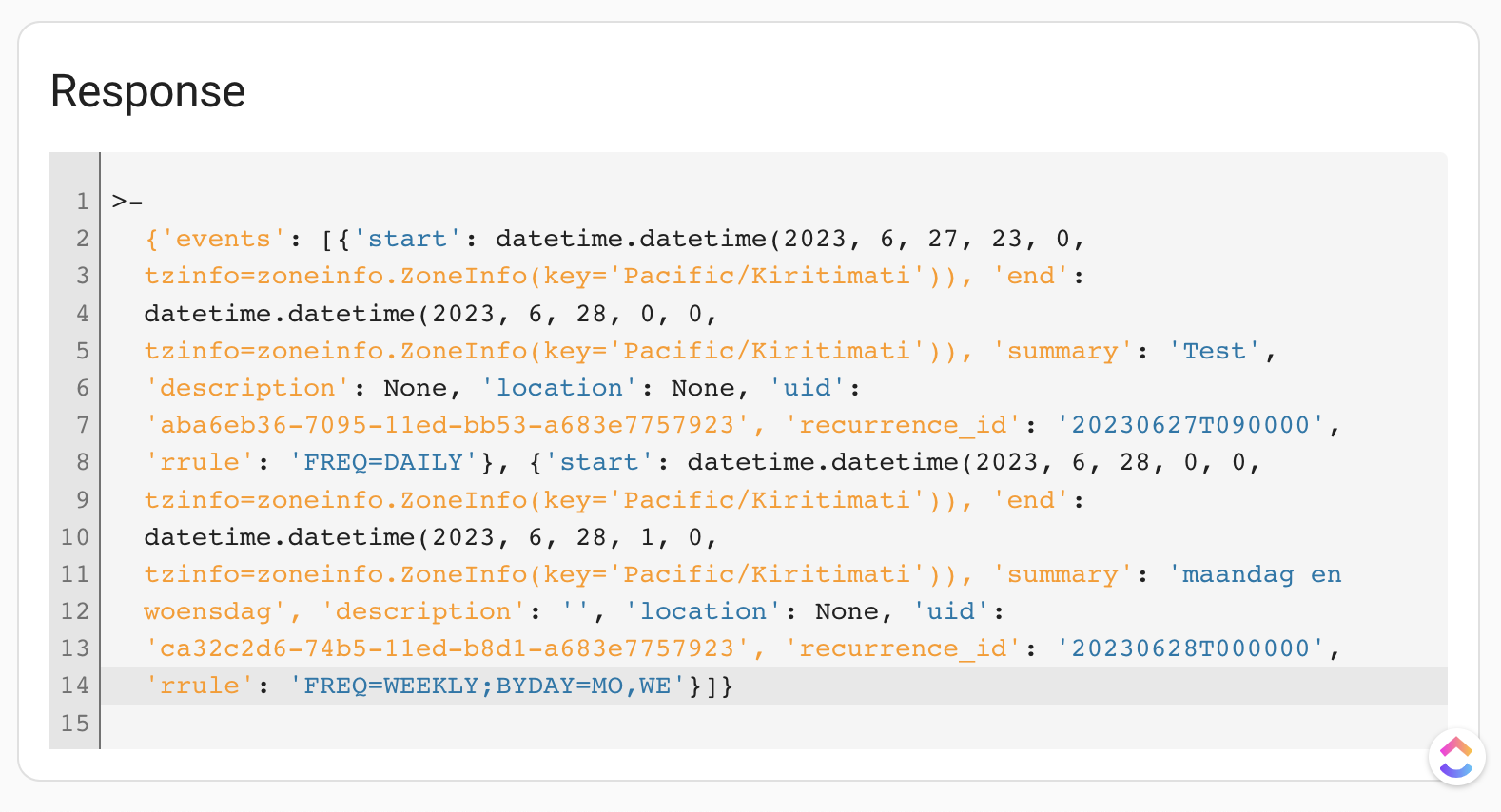
that would help a lot. btw Ive just been fighting wth {% set tz = state_attr('sensor.marijn_geocoded_location','Time Zone') %} {{tz == 'Europe/Amsterdam'}} and also tried to set that to {{now().tzinfo}} which is also 'Europe/Amsterdam', but those are not equal
learned we have to use now().tzinfo|string for that.
mighty ledge
floral shuttle
wondering how we can get to that ZoneInfo Bram is using here:https://github.com/...
That's a response from the backend... so that's the server time, yet again.
mighty ledge
floral shuttle
that would help a lot. btw Ive just been fighting wth```
{% set tz = s...
TZinfo is a timezone object, which you are not able to create. Again, you need a datetime object with the proper information that comes from the frontend. What you are trying to do is not possible. It was only possible with pnbruckners integration because he built it to work off the location. I.e. last seen's gps loc was passed into a datetime object.
So, this info must come from the frontend or a custom integration that uses the gps location. There's no way around this.
torpid pine
- platform: template
  sensors:
    multiplied_sum:
      value_template: >
        {{ (states('sensor.powercosts_off') | float * state_attr('input_number.input_number_electricity_off_peak_rate', 'value') | float)
         + (states('sensor.powercosts_peak_rate') | float * state_attr('input_number.input_number_electricity_peak_rate', 'value') | float)
         + (states('sensor.powercosts_sholder1') | float * state_attr('input_number.input_number_electricity_shoulder1', 'value') | float)
         + (states('sensor.powercosts_sholder2') | float * state_attr('input_number.input_number_electricity_shoulder2', 'value') | float) }}
      unit_of_measurement: 'Units'
is this correct ?
im very new to this cearly
torpid pine
mighty ledge
you might want to provide defaults for float. I.e. `float(0)`
thanks just for a better understanding - I hope to do more of this - how will this help
mighty ledge
torpid pine
thanks just for a better understanding - I hope to do more of this - how will th...
when the sensors return non-numerical values, the template will not error.
mighty ledge
np
 jagged rivet
Please tell me if I'm posting in the wrong subchat. I am not a native english speaker so I do not know how to search for what I'm looking for. If you could please point me in the right direction; I have a binary sensor detecting if my pump is getting power and I know how much it's pumping per hour so I'd like to have a card showing me how much has been pumped today and I'd like to have bars showing me how much has been pumped each previous day.
 lofty mason
jagged rivet
Please tell me if I'm posting in the wrong subchat. I am not a native english sp...
lofty mason
jagged rivet
Please tell me if I'm posting in the wrong subchat. I am not a native english sp...
Not sure the best channel since this touches on a couple areas, but I'd say you want a couple things:
- First create a template sensor with the current flow rate. It will be 0 when the binary sensor is off, and your known unit/h amount when it is on.
- Secondly, create an
riemann sumhelper of the template sensor. This will accumulate all time total amount of water pumped. - Thirdly, create a
utility_meterhelper from the riemann sum helper. This will give you a daily resetting value of how much water has been pumped that day.
If all the sensors have the right state_class/device_class (they may not initially), you will be able to add this to your energy dashboard, or use a statistics graph card to plot it. But this is somewhat advanced thing to do to get all these things set up right, and there may be a few pitfalls along the way. Feel free to ask if you get stuck at any step.
torpid pine
mighty ledge
looks fine
so i had to change 'states_attr' to 'states" for imput number
now whilst id did this because I was going through process of elimination lol, I dont understand why sates_attr gave a none but states gave the correct value.
but thank you its working now.. Just trying to learning form my mistakes
mighty ledge
torpid pine
so i had to change 'states_attr' to 'states" for imput number
now whilst id did...
state_attr gets attributes of an entity, states gets the main state
go to developer tools -> states page to see what the main state is and what attributes are
torpid pine
yep makes sence those imput numbers where my current price per kw from my power company .. (0.8c/kwh) for example - have done this of advice from other users so its easy to update prices, hence atti was giving none.
thank you
torpid pine
mighty ledge
state_attr gets attributes of an entity, states gets the main state
thank you for you help,
One final question, if i have made a templete in the confiruation.yaml - and made a sensor that say has a name of electricity_tariff , if i copy the code idenitical into packages under its own file - will that sensor keep working with everything its intergraded into ?
 frozen ember
Hello, I have a sensor which sometimes returns invalid data. The criterion for validation is fairly basic, if the value is above 3 something went wrong and the value should be ignored. How could I accomplish this?
sensor:
  - platform: rest
    resource: "http://127.0.0.1:5782/inverter?..."
    method: GET
    name: growatt_output_mode
    value_template: "{{ value_json.value }}"
Ideally, I'd like it to keep the last good value.
mighty ledge
You can make a template sensor from the rest result and retain the last value by using this.state to get the previous state.
frozen ember
perfect, thanks... I just didn't know how to get the last good result
mighty ledge
frozen ember
perfect, thanks... I just didn't know how to get the last good result
Well if you use this.state as the fallback when the new state coming through is bad, it will always be "the last good state"
e.g.
jagged rivet
lofty mason
Not sure the best channel since this touches on a couple areas, but I'd say you ...
Thanks for your time @lofty mason . I am looking at creating that template first but I cannot find any flow rate device_class. I'm afraid I'm even looking at the wrong place to create that.
mighty ledge
{% if states('sensor.growatt_output_mode') | float(0) > 3 %}
  {{ states('sensor.growatt_output_mode') }}
{% else %}
  {{ this.state }}
{% endif %}
@frozen ember ^
frozen ember
mighty ledge
```
{% if states('sensor.growatt_output_mode') | float(0) > 3 %}
{{ states('se...
mhm, I'll just add the condition for the automations that rely on that sensor using numeric_state and the above and below keyword
it's the only reason why I wanted to do this anyway
lofty mason
jagged rivet
Thanks for your time <@720771853949337610> . I am looking at creating that templ...
I don't believe there exists such a class, you'll just have to do without.
Just as an example here's my similar flow rate sensor for my sprinklers:
- sensor:
    - name: "Sprinkler Zone 1 Flow Rate"
      unit_of_measurement: "gal/min"
      state: "{{ state_attr('binary_sensor.sprinkler_zone_1_run_state','gpm')|float(0) if is_state('binary_sensor.sprinkler_zone_1_run_state','on') else 0 }}"
I then use customize to override the riemann sum sensor to have the appropriate attributes:
sensor.sprinkler_zone_1_total_water_used:
  device_class: water
  state_class: total_increasing
Where can I apply the flow rate in your example? I do not have an actual flow meter. I just measured how much my pump pumps once and assume that's a constant I can use in calculations
lofty mason
you can just put the literal number in your template.
state: "{{ 42 if is_state('binary_sensor.pump','on') else 0 }}"
That's what I'm looking for! Let's try this
I'm getting this
- platform: template sensors: pump_flow_rate: unit_of_measurement: "l/h" state: "{{ 1200 if is_state('binary_sensor.home_pump_pump_detect_gpio2_top_green','on') else 0 }}"
jagged rivet
lofty mason
you can just put the literal number in your template.
```
state: "{{ 42 if ...
Getting an error on reload 'Invalid config for [sensor.template]: [state] is an invalid option for [sensor.template]. Check: sensor.template->sensors->pump_flow_rate->state. (See ?, line ?)."'
inner mesa
you're mixing up the old and new formats
jagged rivet
I propably am
inner mesa
what karwosts provided was the new format, and you stuck some of their stuff in the old format
change state: to value_template:. Also, fix your indentation to have 2 spaces per level
jagged rivet
- sensor: - name: "Pump Flow Rate" unit_of_measurement: "l/h" state: "{{ 1200 if is_state('binary_sensor.home_pump_pump_detect_gpio2_top_green','on') else 0 }}"
is getting me the error Invalid config for [sensor]: required key not provided @ data['platform']. Got None. (See /config/configuration.yaml, line 4).
inner mesa
you didn't do what I said
you have to decide what format you're going to use
it sounds like you stuck that under sensor: and not under template:
if you're going to use that format, you need to put it under template:
the documentation is here: https://www.home-assistant.io/integrations/template/
you need to follow one or the other format
jagged rivet
I copied karwosts example to the t in the second bit I sent though
 spare brook
Hey all, quick question. I was doing research about this and wanted some confirmation. I have door sensors that report unresponsive after a while and I want to make sure they keep the previous state as the current one because if it becomes responsive it registers that as a state change and triggers the automation. From what I saw online I can use a template to tell HA to keep track of the last state if it goes into unresponsive and then use that to not trigger automations if changed?
mighty ledge
spare brook
Hey all, quick question. I was doing research about this and wanted some confirm...
Or you can make your trigger not work when it comes from unavailable or to unavailable
spare brook
mighty ledge
Or you can make your trigger not work when it comes from unavailable or to unava...
Interesting alright, back to researching then haha.
lofty mason
jagged rivet
I copied karwosts example to the t in the second bit I sent though
It needs to go under template: at the root level, not sensor:
inner mesa
Yeah, mentioned that 🙂
 lunar crater
Hi, not sure if this channel is an exact fit, but I have a couple issues with the helper entities and i dont know how to make em behave.
the first one would be that i added a meter ontop of my watermeter sensor, which implements daily resets in case the sensor dies a random death and i loose the absolute values. however the meter does not properly carry over the device class of the sensor, so I had to hack it into the energy panel by momentarily force adding it through the yaml dev tool.
the second would be that i calculate the energy return to grid using a riemann sum + meter helper. however the riemann sum resets after a day of measuring nothing which completely throws off the meter and energy panel. Trying to fix the statistic manually is a hit or miss each time which usually requires working through the sql stuff manually.
lofty mason
however the riemann sum resets after a day of measuring nothing which completely throws off the meter and energy panel
IIRC think this may have been a bug fixed in the last month?
the meter does not properly carry over the device class of the sensor
You can override the device class of an entity with customize. I think I have seen github issue maybe related to this, or if not consider opening your own issue for it.
https://www.home-assistant.io/docs/configuration/customizing-devices/#manual-customization
#integrations-archived may have been the more appropriate channel for this
lunar crater
i see, thank you!
jagged rivet
lofty mason
It needs to go under `template:` at the root level, not `sensor: `
It's working! The riemann sum value is not updating in real time though. That's a bummer.
lofty mason
yeah it only updates on a change
jagged rivet
lofty mason
yeah it only updates on a change
Is there any way to make it count up live?
lofty mason
I don't know. you could try some of the ideas from here, see if they work: https://community.home-assistant.io/t/integration-riemann-sum-value-only-updating-when-source-sensor-updates/374022
 pseudo plume
Trying to make a template sensor and it is not updating https://github.com/home-assistant/core/issues/95221 Help please.
marble jackal
states('sensor.weather.home.Temperature')
pseudo plume
state: >
{% set inside = states('sensor.temperature_sensor') | float(0) %}
{% set outside = states('sensor.weather.home.temperature') | float(0) %}
{{ min(inside, outside) }}
This is totally invalid
plain magnetBOT
To format your text as code, enter three backticks on the first line, press Shift+Enter for a new line, paste your code, press Enter again for another new line, and lastly three more backticks.
```yaml
example: here
```
Don't forget you can edit your post rather than repeatedly posting the same thing.
marble jackal
That you have now is still invalid
The right code has already been provided in your issue
pseudo plume
yes, my bad soory, I did correct it but I must have forgotten to hit save...doh
I am an idiot...it is working now
marble jackal
I would advice to also use an availability template so your template sensor won't return 0 if one of the source entities is not available
pseudo plume
got a link for that please ? Also, I would like to set a default value for when I restart HA
marble jackal
Why would you want that? It should be automatically rendered again after a restart
The availability template is explained in the docs
plain magnetBOT
Template
Instructions on how to integrate Template Sensors into Home Assistant.
Quality scale
IoT Class
Integration type
Documentation
Source
Issues
marble jackal
In your case I would suggest the following template for the availability
{{ states('sensor.temperature_sensor') | is_number and state_attr('weather.home', temperature') is not none }}
zealous ibex
marble jackal
In your case I would suggest the following template for the availability
`{{ sta...
do you need to put "" around none?
marble jackal
No
zealous ibex
why not? YAML grammar is very confusing to me
I thought booleans need to be wrapped?
marble jackal
is none is a test
It checks if something is none, in the sense of nothing, non existent
"none" is a string
zealous ibex
okay but 'sensor.temperature_sensor' is also a string no?
Shouldn't it be an entity?
zealous ibex
okay so basically up to how these functions are defined
And here are the space needed or it's just for better readability? {{ states(
marble jackal
The states() function always returns a string, it will return "unknown" if the doesn't exist
It's for readability
zealous ibex
see that's the confusing part to me. I know in YAML the spaces matters for multiple lines. But for a single line it doesn't matter anymroe?
zealous ibex
zealous ibex
see that's the confusing part to me. I know in YAML the spaces matters for multi...
also you can't use a tab
marble jackal
Templates are not YAML, they are jinja
You mostly use them inside your YAML, but the template itself is not YAML
zealous ibex
okay thanks. then it makes sense
marble jackal
There is a post explaining the difference in the 📌
zealous ibex
yeah I think my most confusion on this is from mixing up Jinja and YAML
marble jackal
marble jackal
The `states()` function always returns a string, it will return `"unknown"` if t...
To expand on this, state_attr() returns the python keyword none if the attribute doesn't exist
zealous ibex
Yeah that part I read on the HA io site. So basically if you are unsure it's always better to use function other than state.xx.xxx to get the value since the latter might throw an error
marble jackal
Yes
mighty ledge
zealous ibex
why not? YAML grammar is very confusing to me
that's not yaml either 😉
yaml:
this:
  is:
    something:
      in: yaml
jinja:
{% set x = 1 %}
{{ x + 2 }}
jinja and yaml...
my_random_yaml_field: >
  {{ 2 + 5 }}
aaaaaaaaaand 893829482 messages just appeared. Sorry if you already knew that after theconvo with thefes
marble jackal
I even referred to your post on the forums
mighty ledge
marble jackal
I even referred to your post on the forums
sorry 🙂 I swear the last message I saw was
yeah I think my most confusion on this is from mixing up Jinja and YAML
marble jackal
happened to me quite some times too
mighty ledge
It happens alot using a web browser
and the only way to make it update is a refresh or I type a message
so, it happens alot to me
cause I don't refresh
zealous ibex
mighty ledge
aaaaaaaaaand 893829482 messages just appeared. Sorry if you already knew that a...
is this combination used elsewhere other than HA?
mighty ledge
zealous ibex
is this combination used elsewhere other than HA?
what combination?
jinja + yaml?
it's used everywhere
you just need to know how to recognize a jinja template. The rest is yaml.
zealous ibex
so things quoted by "" are templates which are jinja?
mighty ledge
Not sure what you mean by things quoted by '''
Jinja is simply anything inside {% %}, {{ }}
zealous ibex
'yeah sorry I mean {{}}
plain magnetBOT
@tight thicket I converted your message into a file since it's above 15 lines :+1:
inner mesa
YAML anchor?
mighty ledge
e.g.
mqtt:
  binary_sensor:
    - name: EHEIM Heater active
      state_topic: "eheim_digital/heater/is_active"
      <<: &eheim_availability
        availability:
          - topic: "eheim_digital/status"
            payload_available: "online"
            payload_not_available: "offline"
    - name: EHEIM Heater alert
      state_topic: "eheim_digital/heater/alert"
      device_class: problem
      icon: mdi:thermometer-alert
      <<: *eheim_availability
@tight thicket ^
 tight thicket
uh thats super nice
Is there a way to make a combined availability?
Like
if eheim_digital/status && eheim_digital/heater/status ```You can use more than 1 though
tight thicket
more than 1 availability?
inner mesa
it's a list
mighty ledge
field:
  <<: &x
    sub_field1: a
  <<: &y
    sub_field2: b
    sub_field3: c

field2:
  <<: *x
  <<: *y
but the sub_fields cannot share the same name
tight thicket
so this would work? yaml - name: EHEIM Heater active state_topic: "eheim_digital/heater/is_active" <<: &eheim_heater_availability availability: - topic: "eheim_digital/status" payload_available: "online" payload_not_available: "offline" - topic: "eheim_digital/heater/status" payload_available: "online" payload_not_available: "offline" availability_mode: all
mighty ledge
ok, if you want that whole block, then yes
tight thicket
okay
mighty ledge
reusing it would simply be <<: *eheim_heater_availability
tight thicket
and then I can use it everywhere in this file?
mighty ledge
yes
the declaration has to be higher in the file than the uses
declaration is the &
use is the *
tight thicket
okay cool
mighty ledge
and you can't use it across files
tight thicket
thats not a problem
mighty ledge
single file only
tight thicket
nice thank you very much!
mighty ledge
np
pseudo plume
I created a template sensor which has value based on min of two things. This was working fine, but I was advised I should use a so-called availability template. I updated the code following the examples, and now the entity has disappeared https://pastebin.com/2BTp0TeS
am I doing something wrong ?
mighty ledge
yes because it's returning a non-numerical result
also, you're mixing the old template and new template integration style together
lastly you aren't outputting a state
marble jackal
I purposely only put availability between backticks
Everytime I referred to it
And you should have added it to your existing code, not replaced it
modern torrent
Hey, I am trying to make a cover template where the stop button is grayed out unless one of 2 conditions is met. This works for opening and closing as far as i can tell but i can't get it working for the stop button. How can i hide the stop button? stop_cover: - condition: or conditions: - condition: state entity_id: cover.garage_door state: closing - condition: state entity_id: cover.garage_door state: opening - service: switch.turn_on data: entity_id: switch.garage_door This is just part for the stop_cover, but the Open/close look similar and there it seems to work
 ruby vault
in a template
{% if (states('binary_sensor.motion4_sensor') == 'on') or (states('sensor.aarlo_recent_activity_babymonitor')) %}
the state of that sensor is either True or False, do I need to test it? ie.. == True or is that ok?
testing in the templater, its a string. geebus, ok. need == 'True'
inner mesa
yes, you need to test it
mighty ledge
ruby vault
testing in the templater, its a string. geebus, ok. need == 'True'
What’s making that sensor? Seems like a poor implementation of it’s a sensor that returns True
inner mesa
states are strings, even if they look like something special
ruby vault
mighty ledge
What’s making that sensor? Seems like a poor implementation of it’s a sensor t...
mighty ledge
That sensor reminds me of the early days of HA when everyone made things sensors when they should be binary sensors
Ah, custom
ruby vault
yeah, spend too much time coding terraform/python and golang and only touch my automations rarely these days. 😛
inner mesa
weird. my aarlo-integrated cameras have a "recently active" state
not the babycam, though
ruby vault
yeah, they don't make it anymore the baby cam thing and its the only one I have. I mostly just use it for the sensors these days since the boy is 5.
ah, funny thing looking closer.. there is a binary_sensor
binary_sensor.aarlo_motion_babymonitor
pick your daemon I suppose. 😉 thanks guys, Appreciated
 tepid onyx
Hi all, I'm having trouble using from_state and to_state in a trigger template. Please see https://dpaste.org/MBwuU
Thanks
 fickle kettle
You haven't asked a question.
Seems like you would take the entity_id from the trigger, and use that to look up state()
you can't just dot your way through it all...
tepid onyx
did you check out https://dpaste.org/MBwuU. the problem is too long to paste here...
fickle kettle
I, like a computer, stopped at the first error
tepid onyx
uh
fickle kettle
trigger.event.data.entity_id is an ID, not an entity.
so trigger.event.data.entity_id.from_state.state is invalid at the "from_state" point, exactly like the error message says
variable error: 'str object' has no attribute 'from_state' when rendering
tepid onyx
correct this is where i'm stuck
fickle kettle
Look at your event log. If you want the old state, that would be...
data.old_state.state
(trigger.event.)
tepid onyx
ok let me check thanks
fickle kettle
trigger.event.data.old_state.state not trigger.event.data.entity_id.from_state.state
Look at the data structure starting line 52 in your paste. That's what you're working with.
You can't "walk" past the edge of it, and it only has those values.
tepid onyx
ah yeh that did it. I guess it was spelled out in the event log...Been a while.
tepid onyx
fickle kettle
`trigger.event.data.old_state.state` not `trigger.event.data.entity_id.from_stat...
Thanks mate.
fickle kettle
👍
 humble mortar
If you template a sensor with 4 states (Alarm, OK, Cut, Short) into a binary sensor (ALARM => Open/OK => Closed) what would happen when it sees cut/short?
 obtuse zephyr
https://www.home-assistant.io/integrations/template/#state
The sensor is on if the template evaluates as True, yes, on, enable or a positive number. Any other value will render it as off.
lyric comet
If you use the modern template you could set it unavailable for the other two states. I would also set an attribute with the actual value for completeness.
pseudo plume
mighty ledge
yes because it's returning a non-numerical result
Thanks, I just scrolled back and saw all the messages
I did wait a while for a response, and when nobody replied I read the documentation ofr "Avaialbilyt teplate" and copied what was written in the documentation
I don't understand what is meant by old template style and new template style, so it's hard for me to tell if things are mixed up.
So anyway, I should use:
{{ states('sensor.temperature_sensor') | is_number and state_attr('weather.home', temperature') is not none }}
isnt that missing an "if"
?
and why is there a "|" after the first thing and not after the second ?
also why "states" plural and not "state" ... states plural, state_attr singular, why not states_attr or state_attrs ?
anyway the main question was whether Ineed to us a {{% if
I think I understand now, that part is the availabilty_temoplate, and the sate: part is separate fro that, is that what you are saying ?
so if that is true then the template sensor is available, and if false, then the sensor is unavailable ?
so this is the analog of the availabilty topic for an mqtt senssor.
marble jackal
pseudo plume
so if that is true then the template sensor is available, and if false, then th...
yes, that's the use for it
marble jackal
pseudo plume
{{ states('sensor.temperature_sensor') | is_number and state_attr('weather.home'...
there is a | after the first thing because it uses a filter (is_number)
there is not a | after the second thing, because it uses a test
pseudo plume
so like equals as opposed is in set ?
marble jackal
"5" | is_number returns true because is is a numeric value (even though it is a string, is_number is created for this use case, as states are always a string)
10 is not none als returns true because 10 is well.. not none
pseudo plume
states are always strings ? attributes as well ?
marble jackal
no, not in attributes, only the state of an entity is always a string
attributes can be native types like integer, number or list
pseudo plume
ok that kind of makes sens becasue in conditions you have state and numeric_state
withnumeric_state being for attirbutes inly, I think
marble jackal
No, numeric_state can also be used for states
pseudo plume
so the state is string , but it has liited values, so in a sens it is a bit like an enum ?
marble jackal
it will check if the string represents a numeric value, like "5"
pseudo plume
OK
because is it is a sstate and not an attibute, gotcha
esier if I just think there is a type conversion involved
marble jackal
Basically you could also use {{ states('sensor.temperature_sensor') | is_number and state_attr('weather.home', temperature') | is_number }}
pseudo plume
it is still abit conusging haveing states() and not state()
that one catches me out a lot
marble jackal
because none is not a number as well
probably because all the state objects are in states
so states.sensor.foo.state
pseudo plume
ok, yeah none is like a void value
marble jackal
is like states('sensor.foo')
anyway, you'll remember to use states() instead of state() after a while 🙂
pseudo plume
and what was this about old style an d new styel ?
marble jackal
pseudo plume
I think I understand now, that part is the availabilty_temoplate, and the sate: ...
The docs I linked to explain that
marble jackal
you were using the new format, but introduces availability_template which is from the legacy format
pseudo plume
sensor with paltform template and template with type of sensor
plain magnetBOT
Template
Instructions on how to integrate Template Sensors into Home Assistant.
Quality scale
IoT Class
Integration type
Documentation
Source
Issues
marble jackal
pseudo plume
sensor with paltform template and template with type of sensor
the first one is legacy (explained at the end of the docs linked above) the second one is the new format
HA is moving away from these platform: something definitions under a domain (like sensor) and moving to a domain definition under an integration
plain magnetBOT
To format your text as code, enter three backticks on the first line, press Shift+Enter for a new line, paste your code, press Enter again for another new line, and lastly three more backticks.
```yaml
example: here
```
Don't forget you can edit your post rather than repeatedly posting the same thing.
pseudo plume
'''
sensor:
  - platform: template
    sensors:
sensor:
- platform: template
sensors:
aha
template:
  - sensor:
      - name: "mintemp"
# Legacy format
sensor:
  - platform: template
    sensors:
      some_sensor:
        value_template: "{{ 1 + 1 }}"
        availability_template: "{{ true }}"

# new format
template:
  - sensor:
      - name: Some Sensor
        value: "{{ 1 + 1 }}"
        availability: "{{ true }}"
you missed the last line of that bot post
pseudo plume
ah right OK, you can see how all this is confusing for a noob though, I am sure
marble jackal
It has been introduced somewhere around a year ago
pseudo plume
sorry about he repost I was swithcing tabs between here and the file editor in HA
marble jackal
so posts about template sensors older than that will use the old format
pseudo plume
trying to cut and paste and figure out the 3 backticks thing all at once
marble jackal
anyway, your template sensor (in the new format) needs at least a state:, the availability: can be added to that to make sure the state template is only rendered when it should be
so, to summarize:
template:
  - sensor:
      - unique_id: template_sensor_mintemp
        name: "mintemp"
        device_class: temperature
        state_class: measurement
        unit_of_measurement: "°C"
        state: >
          {% set inside = states('sensor.studio_temperature') | float %}
          {% set outside = state_attr('weather.home', temperature') %}
          {{ min(inside, outside) }}
        availability: "{{ states('sensor.temperature_sensor') | is_number and state_attr('weather.home', temperature') | is_number }}"
I would do something like this, I added some values
unique_id will make sure you change it in the GUI (entity_id, name, add an area)
device_class and state_class are not needed, but they do apply to this sensor. device_class gives also some additional options in the GUI (eg change the unit used on the dashboard) and state_class will store the values in the long term statistics
pseudo plume
that's very useful thank
yes I have ued device_class for other entities
basically just changes the icon in the gui I think
right
state_class I have never used
but I find uint-of_meaurement alwasy a Kassel, I dont know how to enter the "degrees" symbol from teh keyboard, so I always have to copy and paste from somewhrere elsse
marble jackal
pseudo plume
yes I have ued device_class for other entities
not only that, it also allows that you can switch between Celsius and Fahrenheit for example (for temperature)
For power you could choose to diplay it in W instead of kW
etc
tight thicket
Is it possible for my sensor to have payload_not_available for everything else as "constant"?
availability:
        - topic: "eheim_digital/filter/filter_running"
          payload_available: "ON"
          payload_not_available: "OFF"
        - topic: "eheim_digital/filter/pump_mode"
payload_available: "constant"```when it was at "constant" and changes it is still available
pseudo plume
I had a suggestion for making UOM more user friendly - it is inside a fairly length feature request, but the gist was, if all the contributing sensors use the same UOM, then the combining ng sensor should automatically adopt that, or even better mix some values with UOM and some which are just simple numbers, then check if all of those WITH UOM use the same value, if so then apply that UOM to the values which don't define it, rather than ignoring them as now happens
so bassically the first entity witha UOM sets the uom for the entire group, then if you find a confilcitng value, ignore it, but if you find anything with no UOM defined it gets teh group default automatically
I had an annoying situation once, wehre I was trying to combine sensor like this, in a fronted helper, and then I wanted to add an offset, si simple float constant,, so I added the number, well you csnt hve constants so I made an input number, then added to the combined sanor
then something went ewrong, I forget what and i realised I had to add degree C as uOM for the constant and then it did work, but it could have figured it out from all the other sensorsother sensors
well I probably going off topic here but I am about to go off to sleep, so just to finish off, the full suggestion was to add const input numbers, then whenmaking a combo sensor, adop the group UOM, and have a witghing for the compnent sensors, make the combine sensores helper be more like a mathematicall calculation rather than just simply totaling all the values
 analog mulch
I am triggering on state changes of attributes. How can I figure out inside a template which of the attributes changed?
obtuse zephyr
You could compare attributes of from_state and to_state, but I'd say setting up multiple triggers w/ different IDs (https://www.home-assistant.io/docs/automation/trigger/#trigger-id) would be easier/cleaner for that.
 static shuttle
Is there a way to make a sum sensor with binary sensors, average sensor of temperature, etc. and then create a message card that says something like "Hello {{ user }}, welcome to The Snozzles! There is motion detected in {{ x }} rooms, and the average temperature inside is {{ y }} °F."
analog mulch
obtuse zephyr
You could compare attributes of `from_state` and `to_state`, but I'd say setting...
Yeah that was my first throught, but I hoped there was something better. Thanks!
zealous ibex
static shuttle
Is there a way to make a sum sensor with binary sensors, average sensor of tempe...
Something like this?
neat prairie
static shuttle
Is there a way to make a sum sensor with binary sensors, average sensor of tempe...
Average temperature is the very first example 🙂
zealous ibex
neat prairie
Average temperature is the very first example 🙂
but then the total number here is hardcoded
Instead you can use | count
neat prairie
you can work with listsTrue. But then you really should be mentioning how you handle the creation of the list of sensors you're going to work with. How you expand it. and then how you work with it. Just giving Jinja details isn't enough.
humble mortar
zealous ibex
Instead you can use | count
Ghost Trick was a good game are you going to play the switch remake?
zealous ibex
humble mortar
Ghost Trick was a good game are you going to play the switch remake?
Will there be a remake? 😅
Probably not since last year I replayed it
humble mortar
lyric comet
If you use the modern template you could set it unavailable for the other two st...
What would that look like?
humble mortar
zealous ibex
Will there be a remake? 😅
https://www.nintendo.com/en-ca/store/products/ghost-trick-phantom-detective-switch/ Available 06/30/2023 tomorrow...
lyric comet
humble mortar
What would that look like?
What have you got so far
neat prairie
static shuttle
Is there a way to make a sum sensor with binary sensors, average sensor of tempe...
Anyway, two basic options. Create a template sensor which includes all of that, or create a couple, which you then refer to. So you have your motion detected sensor which combines the motion detected into a count, and an average temperature sensor which combines them to an average. Then have a markdown card ( https://www.home-assistant.io/dashboards/markdown/ ) to display it.
zealous ibex
humble mortar
https://www.nintendo.com/en-ca/store/products/ghost-trick-phantom-detective-swit...
Well probably I will save the money for the new Zelda game which I haven't played yet
humble mortar
lyric comet
What have you got so far
- binary_sensor:
    - name: "Front Door Status"
      state: >-
        {%- if states("sensor.ttgo_poe_001_zone01_state") == "OK" -%}             false
        {%- elif states("sensor.ttgo_poe_001_zone01_state") == "ALARM" -%}              true
        {%- endif -%}
What about sum of # of motion sensors triggered? 🙂
humble mortar
(These have to be binary sensors apparently for Alarmo to support them 😦 )
neat prairie
static shuttle
What about sum of # of motion sensors triggered? 🙂
It's for lights, but the concept is the same
you can test the template on the developer tools page
      states.binary_sensor.kitchen_motion,
      states.binary_sensor.living_room_motion,
      states.binary_sensor.presence_14,
      ] %}
{{ sensors | selectattr('state','eq','on') | list | count }}```for example
lyric comet
attributes:
  source_value: "{{states("sensor.ttgo_poe_001_zone01_state")}}"
availability: >
   {% set s = states("sensor.ttgo_poe_001_zone01_state") %}
   {{s == 'OK' or s == 'ALARM'}}
(those being motion sensors I use)
lyric comet
If you only want to count lights on you can use {{ states.light | selectattr( 'state', 'eq', 'on') | list | count }}
humble mortar
lyric comet
```
attributes:
source_value: "{{states("sensor.ttgo_poe_001_zone01_state")}}"...
Would this force that sensor to not show the other two values to HA and just output it as unavail"
lyric comet
Yes, the sensor would go unavailable when the other states are active.
humble mortar
lyric comet
Yes, the sensor would go unavailable when the other states are active.
I basically want to translate the original sensor to a binary sensor where that one can go unavailable but the original shows the 4 stats still to HA
Basically a binary clone of it.
lyric comet
Yes, that is what you will have. You don't need to add the bit I posted, but it will avoid errors in the log if your originals go to the two states you are not interested in.
humble mortar
I want that as well I just thought it made the original go unavailable not the clone of it.
lyric comet
I am not following you sorry. You can't affect the original it comes from an integration
mighty ledge
lyric comet
```
attributes:
source_value: "{{states("sensor.ttgo_poe_001_zone01_state")}}"...
FYI you can shorten that last line {{ s in ['OK', 'ALARM'] }}, also makes it easier to add things in the future
potentially giving you {{ states("sensor.ttgo_poe_001_zone01_state") in ['OK', 'ALARM'] }} as well
seeing that you don't need a var for s anymore
lyric comet
I wondered about that way, for my own stuff I tend to pull the state values to variables out of habit.
mighty ledge
Yeah, I just wasn't sure you knew about it because you said you didn't know python in the past
lyric comet
As I often have a pile of checks to do with them.
mighty ledge
It's a nice substitution for a bunch of 'or' statements
lyric comet
I use do list look ups, it is just a case of what comes into my brain first.
plain magnetBOT
@humble mortar I converted your message into a file since it's above 15 lines :+1:
pseudo plume
marble jackal
```yaml
template:
- sensor:
- unique_id: template_sensor_mintemp
...
OK, I copied this in verbatim, and I am seeing an error in the logs now
Invalid config for [template]: invalid template (TemplateSyntaxError: unexpected char "'" at 118) for dictionary value @ data['sensor'][0]['state']. Got "{% set inside = states('sensor.studio_temperature') | float %} {% set outside = state_attr('weather.home', temperature') %} {{ min(inside, outside) }}\n" invalid template (TemplateSyntaxError: unexpected char "'" at 93) for dictionary value @ data['sensor'][0]['availability']. Got "{{ states('sensor.temperature_sensor') | is_number and state_attr('weather.home', temperature') | is_number }}". (See /config/configuration.yaml, line 10).
marble jackal
mighty ledge
potentially giving you `{{ states("sensor.ttgo_poe_001_zone01_state") in ['OK', ...
You can even do {{ is_state('sensor.ttgo_poe_001_zone01_state', ['OK', 'ALARM']) }} nowadays
pseudo plume
template:
  - sensor:
      - unique_id: template_sensor_mintemp
        name: "mintemp"
        device_class: temperature
        state_class: measurement
        unit_of_measurement: "°C"
        state: >
          {% set inside = states('sensor.studio_temperature') | float %}
          {% set outside = state_attr('weather.home', temperature') %}
          {{ min(inside, outside) }}
        availability:
          "{{ states('sensor.temperature_sensor') | is_number and
            state_attr('weather.home', temperature') | is_number }}"
line 10 is the top line of what I pasted
marble jackal
Your error message doesn't match your code
pseudo plume
it might be an older log then, but I am not seeing the mintemp entity