#hardware-archived
1 messages · Page 86 of 1
 sharp fjord
 winged knoll
~rule6 @sharp fjord
 bright jacinthBOT
@sharp fjord Rule #6: Spam will not be tolerated, including but not limited to: self-promotion, flooding, codewalls (longer than 15 lines) and unapproved bots.
Please take the time now to review all of the rules and references in #rules.
Command '~rule6' was invoked by: Tinkerer
sharp fjord
but this is what i came up with 😫
winged knoll
Your indenting looks nothing like what is in the docs...
switch:
  - platform: mqtt
    name: ...
not
switch:
  -platform: mqtt
  name: ...
Oh ok, this is how visual studio code put it by default, so thought that would be correct, how many spaces before the - sign on platform, then I will try again
bright jacinthBOT
winged knoll
The trick is to match what you see in the docs 😉
sharp fjord
Ok, thanks will try again.... keep trying, seems to be the way I’m learning this, thanks for the links off to read them...
Ok so now getting no error - yay.... but can see the switch 😢 I’m not good at this....
Can’t even ...
bright jacinthBOT
Always run the configuration check command when you make changes. Don't trust the UI check - it misses some problems.
Command '~check' was invoked by: Tinkerer
sharp fjord
Yes just found in notifications‘invalid config’ ... MQTT and mqtt switch...
 shut lichen
I have a RPI Zero running an Enviro-Phat capturing and sending the temperature via MQTT (topic="garage-ws/temp_f"). Simple setup. I have the following added to my configuration.yaml:
sensor:
  - platform: mqtt
    state_topic: "garage-ws/temp_f"
    name: "Garage temp"
I'm curious how I can get History on this sensor. My History page is actually blank. I'm running the latest HassOS on RPI4. Thanks in advanced.
winged knoll
Check your log
shut lichen
Which log? Supervisor log?
winged knoll
Home Assistant
shut lichen
Forgive my newness to HA, Where is that log located in the UI? Developer Tools/Logs?
winged knoll
Yes, but that's by default filtered
It's also available with one of the ha commands from memory
shut lichen
What am I looking for exactly? The device is sending its data and I have it displayed. Am I looking for History-related errors in general?
shut lichen
The command is ha core logs. I'll dig through here. Thanks
I always get a terrifying chill when I ssh into anything as root. 😆
Probably a question for another channel but; The log is also in the config folder. I noticed that my log is over 40MB. I've only been running HA for about 2 weeks. Is there a log-rotate service running on HassOS?
winged knoll
There's not, the log gets rotated when you restart HA
shut lichen
Over 369k lines. I did find an error related to SQLAlchemy. What channel should I post in for support on this?
winged knoll
If you've got errors about the database, delete the database, restart HA
bright jacinthBOT
Not sure which install you're using?
-
If you're using HassOS, flashed an image, or booted a VM with an image you're using #330990055533576204
-
If you installed Linux and then ran a script to install HA and have add-ons then you have #330944238910963714
-
If you're running
dockercommands or use a Docker manager and have no add-ons then you have #449717345808547842 -
Finally, if you use
pipto install or upgrade you have #551864459891703809
Command '~which' was invoked by: Tinkerer
shut lichen
I flashed the RPI4-32bit image here. Starting simple. I'll delete the DB and restart. Thanks.
 humble lion
hello,
Did somebody follow the dev of valetudo (custom control for vaccum) ? I was looking at both the original and the RE repo, and i felt like they was a war between them Oo
shut lichen
@winged knoll I removed the db and the log. I have history now. Thanks! 👍
 wispy pollen
@winged knoll thanks for your help earlier. in the end, I ended up using 'watch' to repeatedly run my netcat command since I was getting really inconsistent results for the state.
in the end, with some hacking, this seems to work really consistently
echo "\x1b\r" | nc -i 1 -w 1 <ip> 31339 2>&1 | cut -f 1-3 -d ' '
sharp fjord
Hi All, so what i have been trying to do all day, is... I have a Sonoff switch set up with tasmota, and the relay disconnected so that I can have multipress functions, however the switch in lovelace, operates the relay (POWER1:ON or OFF) wanted it to beable to emulate the output TRIG:SINGLE, but dont think there is a way of getting mqtt to command this, does anyone know of a way to do this?
 smoky perch
is there anyway to revert firmware or something on to Tekkin smart outlets? I tried doing the workaround for Smartlife IFTTT connections by using the Brilliant app but it doesnt work. In the Brilliant app it doesnt show IFTTT as an option under third party support, and they dont show up in IFTTT obviously. The weird part is that my I have a set of RGB string lights that also use Smartlife, and they stopped working with Smartlife and IFTTT, however I did the same thing as the outlets and connected them using the Brilliant app instead, and even tho the lights dont show IFTTT support in the app itself, they did show up and they work fine with IFTTT. Does anyone know a workaround to this? Not having webhook support for my outlets break a lot of stuff I have set up
(tag me with replies)
smoky perch
I should also mention the outlets had a firmware update a couple weeks ago which is what I think made them lose IFTTT support
 drowsy atlas
I'm trying to change the password for one of my devices (SynologyDSM). Not in configuration.yaml or anywhere else I can see. Any suggestions?
 simple flax
hey all i just go these merkury bulbs from wal-mart. I set them up and checked that they work = all good. then i converted one of them to esphome. I hve tried different ESP yamls concifs and all i can get is the light to turn on or off i do not get the color picker and can not get colors any ideas?
winged knoll
It sounds like it's not announcing itself correctly, as a colour compatible bulbs
Have you tried asking on the ESPHome discord?
simple flax
no i didn't see that channel sorry also i hear they have had good reviews with tasmota but i never used that so i'm wery
bright jacinthBOT
ESPHome is a system to control your ESP8266/ESP32. You can find their documentation here, and get help here in the #diy-archived channel. They have their own Discord server too.
Command '~esphome' was invoked by: Tinkerer
Ready to use custom firmware for Sonoff Devices
Docs:
https://tasmota.github.io/docs/
Discord:
https://discord.gg/Ks2Kzd4
Command '~tasmota' was invoked by: Tinkerer
 zenith parrot
I'm looking at buying a new AVR -- does anyone have experience with the denonavr integration, or what I should look for in an AVR for good automation support?
 proud depot
Is it possible to group lights together?
Like if I have 2 lights in my fan but I want to control the fan as a whole
bright jacinthBOT
Command '~light.group' was invoked by: Tinkerer
proud depot
Oh thanks
 old lance
Anyone who can help me to setup zwave with MQTT?
I have made a fresh install of HA (hassio) on Synology and try to do zwave the new way with MQTT
I have the OpenZwave and MQTT installed but do not know how to discover my zwave devices
I see that zwave is up and running in the log and all devices seems to work
 naive ibex
anyone know why when I add more devices to the Deconz add on they dont sync to Home Assistant?
I got some more lights in today, added them to Deconz but they wont show in the Add on in HA
 zealous dune
I have to object that Tasmota command, it's firmware for ESP82xx devices
bright jacinthBOT
Ready to use custom firmware for ESP8266 devices (including Sonoff)
Docs:
https://tasmota.github.io/docs/
Discord:
https://discord.gg/Ks2Kzd4
Command '~tasmota' was invoked by: Tinkerer
winged knoll
Fixed 😉
 nova vortex
Hi folks! do any of you know if the husbzb-1 should have two dev/serial/by-d addresses, or one?
 drifting grove
Hi all, can anyone point me in the right direction .... my log shows most of my entities (tasmota devices) getting unavailable at the same time. Some minutes later, they are all turned off at the same time.
winged knoll
@nova vortex It'll have two - one for Zigbee, one for Z-Wave
drifting grove
Anyone awake?
 gloomy spoke
it's 1:27pm 🙂
winged knoll
No
 gritty zinc
You can see there are people here. Be patient.
drifting grove
ok sorry, first time on Discord
gritty zinc
Also... you have a ton of WiFi based devices all going unavailable at the same time? Sounds like interference.
winged knoll
As I'm fond of telling impatient people, a lack of responses means that nobody around has an answer for you
Or your MQTT broker
So, do the standard troubleshooting steps 😉
Is the broker still alive? Can HA still reach the broker? What's in the logs (broker and HA)?
drifting grove
ok i will check MQTT broker. Thanks
nova vortex
Great, thank you!
 light helm
Does anyone have any ledvance_a19_rgbw bulbs? I have them working but when I setup a scene I can't get them to turn on to just a regular softwhite. They turn on with a cool white instead 😦
I've changed it in the scene multiple times but it seems to always default to cool white.
smoky perch
is there any fix for Tekkin outlets not working with IFTTT? The Brilliant app trick doesnt work
 dire berry
does anyone know how to get my power state on tasmota devices to persist?
every time i open the app it doesnt know if the devices are on or off and i just have to cycle them to get them to the correct state
 lean bison
Hello
Among zigbee2mqtt users, are there any who encounter the following error: 'No network route' (205) / Failed to execute LQI for 'Prize_tele_chambre'
I am on HA in 0.110.4
zigbee2mqtt in 1.13.1.1
with a cc2531 as coordinator key
the end devices work, but not the routers (xiaomi chinese plug), so I have offline sensors because the routers are knocked out.
Do you have a solution ?
winged knoll
See #zigbee-archived
drifting grove
Hi all, I'm getting the following error
...
[homeassistant.components.websocket_api.http.connection.140594585825744] Client exceeded max pending messages [2]: 2048
...
a LOT. I'm hoping someone could help me understand where I can find out what "device" the websocket number refers to please ... Thanks in advance
winged knoll
Back tick is next to 1️⃣ on most keyboards 😉
 keen ingot
Come to think of it, perhaps this is a more appropriate question for #zigbee-archived
gloomy spoke
@drifting grove Go find a browser window or tab open to your Lovelace page and close it. You probably have it open somewhere and the connection is stale
drifting grove
@gloomy spoke You're a miracle worker - I had about 10 different Chrome tabs opened to various parts of HA, and I guess some of them were not happy. Thank you!!! You really helped me out a lot.
gloomy spoke
Glad it worked out. I e been there, done that
There’s a github issue for it, but the claim is that it’s the fault of some card/client and not core HA
 wooden yacht
Been trying to use the broadlink Manager to learn codes on my mini and rm pro 3. When in learning mode it does nothing. Does this actually work?
 final stump
not sure if this is possible, wife would like to keep a traditional "light switch" when we move to our new house, instead of pulling an app out or using voice assistants, I would like a switch which keeps the bulbs "on" but sends a signal to home assistant to turn them off, currently have a hue lightbulb setup with smartthings driving hue hub (as i needed integrations for door / window sensors) and at the time Hue didnt have that support - Ive looked at - https://templates.blakadder.com/gosund_SW2.html - but i cannot tell if this will be able to do it, if so would i simply tasmotise (spelling) the switch to work? - and if this is the wrong channel to ask please feel free to push me in the right channel
drifting grove
There’s a github issue for it, but the claim is that it’s the fault of some card/client and not core HA
@gloomy spoke I think that's correct. Ultimately, if the card is trying to ping the server, it's a card issue, and not a function of core HA.
gloomy spoke
I think this is more like HA is trying to talk to the browser instance and it's not responding, so it doesn't consume the messages. Then the queue fills up and everything goes crazy
Something in that browser instance is leaving a connection open and it's no longer paying attention to it
 unborn nest
Has anyone used BananaPi as a sensor (GPIO) platform for HA?
 hardy hemlock
@final stump You can get zigbee switches that should work with smart things and also has pins for traditional wall switches. This way you could keep your traditional wall switches, make them controllable with Hue and as a bonus you'd still have working lights should your HA/Hue Bridge/LAN go offline for some reason. Like these https://www.amazon.com/Zigbee-Micro-Controller-Lamp-Module/dp/B07NBNVGV2/ref=sr_1_7?crid=Y44E48T8J7OP&dchild=1&keywords=zigbee+inline+switch&qid=1591473580&sprefix=zigbee+in%2Caps%2C224&sr=8-7
bright jacinthBOT
@night path To format your text as code, enter three backticks on the first line, press Enter for a new line, paste your code, press Enter again for another new line, and lastly three more backticks. Here's an example:
```
code here
```
Watch the animated gif here: https://bit.ly/2GbfRJE
DO NOT repeat posts. Please edit previously posted message, here is how -> https://bit.ly/2qOOf1G
Command '.format' was invoked by: pdobrien3
drifting grove
anyone got a link on how to change the way an entity displays data? I've got a water valve that is a switch and"off" means water flows, and "on" means water is turned off. I'd like to reverse the way that is displayed... so if the switch is off, means that no water is flowing through that valve.
gloomy spoke
Template switch would do that
drifting grove
Just a simple template if on print off, type thing?
gloomy spoke
Template sensor would do that
drifting grove
k. I'll dig into that. Thanks!
somnething like this?
of is a switch a binary sensor?
gloomy spoke
spacing is way off there
this is what you want if you just want to report the status:
drifting grove
hmmm I feel like I'm spinning my tires. here is the code
https://paste.ubuntu.com/p/pb4Dn9HtFB/
It appears to be breaking a lot of stuff in my other templates, in the error log
crap... i think i left off a single quote
wonder if that is gonna be the fix.
 -> Templates and test there
drifting grove
-> Templates and test there
drifting grove
didn't know that was an option.. so I assume on the right it should show you the current values?
If so, it looks right. Water On, icon water
drifting grove
but it doesn't like it in the configuration.yaml
gloomy spoke
?
drifting grove
I don't currently have any binary sensors in my config.yaml, so I go to paste that yaml into it, and it kicks out an error and won't let me save the config.
bright jacinthBOT
Please use https://paste.ubuntu.com/ or https://www.hastebin.com/ to share code or logs.
Command '~share' was invoked by: RobC
drifting grove
gloomy spoke
what's this about?
drifting grove
it's like it's breaking my other sensors somehow
gloomy spoke
      waterline:
        m_water_valve:
good question. I saw something similiar in the binary sensor doc.
I tried a few alterations before I caught the quote.. I'll try removing that portion
gloomy spoke
it needs to look like this: https://www.home-assistant.io/integrations/binary_sensor.template/
drifting grove
ugh, yaml and it's spacing.
Thanks, I over complicated it and went deeper in that link than needed, and it was punctuation the whole time.
gloomy spoke
working now?
drifting grove
Well, it let me save without errors.. so I'll see in a minute when I throw somethign on lovelace.
gloomy spoke
should be okay
drifting grove
So, I just added the sensor to a glance card, and the state still reflects off, rather than on. Isn't that what the value template should have changed?
the icon looks right
gloomy spoke
you need to return "on" or "off" for a binary sensor, not a random string
I wasn't thinking about that
drifting grove
so, just put that in quotes?
or get rid of water off/water on
and just do on/off
gloomy spoke
you can change it to "sensor:" instead of "binary_sensor:"
drifting grove
ah ok.
gloomy spoke
but if you actually want it to report an "on" and "off" state with respect to colors and controls, you'd want a binary_sensor and to return "on" or "off"
depends on what you want
for a glance card, you probably want to keep it as a binary_sensor and just return on/off
a sensor returns its state, whatever that is, but a binary_sensor reports on/off
drifting grove
Is it possible to control the GPIO pins of a raspberry pi on my network via Home Assistant?
 limpid bone
@drifting grove one way would be https://nodered.org/docs/faq/interacting-with-pi-gpio Raspbian comes with Node-Red out of the box, and then you can set up an HTTP endpoint which could be used by the rest integrations for reading/writing to the pins depending on your usecase
drifting grove
I'm not really familiar with node red, what do you mean with http endpoint and rest integrations?
limpid bone
With Node-Red, you create automations - very similar to Home Assistant in that sense. You can make a flow trigger by requesting an http url (eg http://my-pi:1880/turn-on-led). That flow would then use the GPIO integration with Node-Red to turn on/change voltage/whatever based on your requirements
You could then open that URL in your browser, or more realistically use it in Home Assistant with the rest service, which allows Home Assistant to request an HTTP url, eg as part of an automation or when you turn on an toggle
So Home Assistant is not directly controlling the Pi, it is sending the command to Node-Red and then Node-Red does the actual controls
Actually I just realised that is waaaay overcomplicated, you can use https://www.home-assistant.io/integrations/remote_rpi_gpio/
drifting grove
Haha, thank you for both the explanations. I should really start using Node red either way.
 fringe moon
Yes, the last link from @limpid bone should be the easiest way @drifting grove
 kindred pivot
How do I fix: Entity id already exists - ignoring: binary_sensor.switch_town_doorbell. Platform xiaomi_aqara does not generate unique IDs
 wispy gull
I am having a hell of a time figuring out how to get my hue dimmer switch setup. I found some things online about using a custom component, but that CC recommends using the native integration. AFAICT, the switch buttons aren't exposed though. I'm thoroughly confused, could anyone point me in the right direction?
That seems to be the only way to work the dimmers, but it's archived
the normal integration doesn't have the switches firing anything AFAICT
 ripe portal
Can anyone recommend a zigbee coordinator device or stick that works good with HA?
winged knoll
See #zigbee-archived
wispy gull
Can anyone recommend a zigbee coordinator device or stick that works good with HA?
@ripe portal I just did some research last week and Conbee 2 seems to be the go-to. Use it with deConz in HA
limpid bone
@wispy gull are you using the Hue integration? If so, there's an event that is sent when a button is pressed
wispy gull
Yeah, I'm using the normal integration, where's that page?
I don't know where to go see that event
@limpid bone
Ah! I found it! I just needed to listen for * events
now I'm seeing it
limpid bone
Yup, event is called "hue_event"
You can set it up via the event, or if you go into configuration and find the remote's device, you can click the + next to automations and use the built in triggers
Otherwise you'll need to know which action ID corresponds to which button type and press type
 unkempt quartz
I'm having trouble with my Xiaomi hub. It's not the integration itself, it's that I cannot pair new devices with my hub anymore. I can unpair sensors and re-pair them, but I cannot unpair sensors and then pair other sensors. I have the feeling that I have added the limit of 32 devices, but cannot remove them fully from the hub. Powercycling the hub also doesn't work.
fringe moon
@unkempt quartz time to move on to a proper #zigbee-archived setup, i have passed 90 devices in zigbee2mqtt
 upper stream
My iphone fails to keep updating its location. It says I am 10 miles away from my house, and it says last updated 2 days ago
gritty zinc
Are you using the #ios_and_mac-archived app?
gritty zinc
You're still in the wrong place. If the app isn't sending locations, your issue is the app. Ask in #ios_and_mac-archived
upper stream
Oh ok thanks
 dark berry
anyone have an issue using multiple matching zwave sensors and not getting reliable updates?
 hot tangle
is there a place to buy esphome light strip controllers already flashed?
ive only used magichome light strips forever and the knowledge barrier to esphome/tasmota hasnt been too friendly
fringe moon
@hot tangle just ask us over at #general-archived flashing with esphome is a 3 minute job at most
winged knoll
@graceful grail
- Zigbee can handle hundreds of devices - the theoretical limit is (from memory) tens of thousands
- Zigbee
- Depends on where you are in the world, budget, etc
bright jacinthBOT
Looking for advice about a device to buy? Remember to provide guidance on:
- Which country you're in
- What your budget is
- What protocols you prefer (eg Zigbee, WiFi, Z-Wave)
- Any features you want (such as power monitoring, dimming, etc)
Command '~what' was invoked by: Tinkerer
 graceful grail
@winged knoll thanks for your input, how much should i put my budget for each unit (smart switch) for a good quality one. Also any recommendation?
winged knoll
Remember to provide guidance on:
- Which country you're in
"good quality" budget will vary around the world 😉
If you live somewhere with lots of options, things will generally be cheaper. If you live somewhere with high import taxes and few choices, you'll need a higher budget
If you're thinking #zigbee-archived though look at the pinned messages in the #zigbee-archived channel for lists of hardware
graceful grail
I live in the middle east, once i decide on which company device i will order them online. so as for the prices i am checking the online prices.
i kinda didnt understand the "pinned messages" thing but i will definitely research it more
winged knoll
Top of the window, there's three icons on the right hand side, a 🔔 is first, then a pin
Go to #zigbee-archived and click the pin icon
graceful grail
oh i see lol
fringe moon
Salaam @graceful grail Welcome!
graceful grail
@fringe moon walaikum assalam
fringe moon
that is already outside of my arabic skillset 🤣
fringe moon
Nice, I'll try to memorize it
I try to learn a new word in another language every day
graceful grail
nice good idea especially during these times
@fringe moon @winged knoll you guys have any idea about this company?
https://www.zemismart.com/
graceful grail
cool, thanks. Any personal experience with it ?
winged knoll
Nope, but folks in that channel might 😉
I know some people do have the downlights, not sure about other things
graceful grail
I see thanks 🙂
 void olive
i am not so sure where to place it cause it is about a device and about integratiing it: Any tips of integrating solar information when using a Solis 5000-4G. Which tooling you guys use to get it in home assitant
fringe moon
void olive
yeah saw that one already but maybe there are some more ideas out there
and it really doesn't look that there is anwser that is really satisfying or working
 tough acorn
Quick question about z-wave devices: I have a Brinks alarm, formerly alarm.com, with the Qi panel. I can add new z-wave sensors to that pretty easily, that's not my question.
My question is, can I have sensors connected to my alarm system, and report to HA?
winged knoll
See #zwave-archived (but no)
tough acorn
Oh, didn't see that channel, thank you
 noble pivot
Anyone else here using Sonoff Mini's on Tasmota and getting unreliable switching when using a physical switch connected to S1 and S2?
I have 3 mini's all next to each other, 2 of them are working fine and one is unreliable... sometimes switches on, sometimes not. It always works via HA and Tasmota web gui, but the physical switch is the issue.
 raven heart
Has anybody had luck adding the Smartthings Water Sensor (Samjin STS-WTR-250)?
I have a bunch of them and it says its supported via deCONZ as of deCONZ version 0.65 but there appear to be some problems. Mine are detected by my conbee ii in the deCONZ addon VNC but do are not added as sensors in the GUI.
gritty zinc
That sounds like a #zigbee-archived issue 🙂
raven heart
Alrighty ty
 little sentinel
Maybe its best asking in here
Im getting a conbee ii usb device.... I wanna buy a wifi plug/adapter
is there a serial / model list of devices supported?
gritty zinc
Conbee... WiFi? The Conbee is a #zigbee-archived device, you were in the right place the first time.
little sentinel
oop
 faint hinge
morning everyone (or afternoon) - did something change in the camera chromecast support? I stream my cameras through chromecast to my google home hubs when someone rings the doorbell - but now the video is showing up rotated and squished. It was working before - and it looks perfect in the frontend lovelace
winged knoll
I have that with my Home Hub Max, but not the normal one, or the Lenovo
(last tested about 2 or 3 weeks ago)
I suspect a bug in their firmware
gritty zinc
Or a bug got up in the camera housing and nudged the sensor 90º
 faint hinge
I have that with my Home Hub Max, but not the normal one, or the Lenovo
@winged knoll i have the same issue on my max and regular hubs 😦
winged knoll
it worked ok earlier today on my normal hub 🤷
faint hinge
so odd
i just tested it on my nvidia shield - that is working fine
so it must be a bug in the hubs 😡
 gusty crow
@noble pivot I have 2 installed and they're working well...however 1 of them I had to remove the switch because it the electrical box was too full to fit. Let me check the version I'm running
Running Tasmota 8.3.1
 drifting crow
Not sure if this is the right place but has anyone here made DIY automated rolling shades?
 pale valve
@drifting crow im interested in this too. Have been thinking of using the xiaomi aqara curtain
drifting crow
I thought about the B1 but decided I wanted something a bit more custom to fit my needs
drifting grove
Is it possible to have a entity that you can toggle but that doesn't correspond to any device?
fringe moon
An input Boolean @drifting grove ?
drifting grove
What is that?
bright jacinthBOT
Command '~input_boolean' was invoked by: Tinkerer
winged knoll
If in doubt, go search the #integrations-archived documentation for the thing somebody mentions 😉
 formal pecan
Hello all, i have seen a few xiaomi devices I was considering adding into my smart home and I have noticed they are all listed as bluetooth. Is there anything extra involved in setting up things like that? Will my pi 4 support that as is?
namely, temp sensor and plant sensor
 cunning burrow
@formal pecan You would probably need a xiaomi bridge/ gateway (i'm not sure). I'm more familure with the Tuya devices they are wifi based. Therefore you only neet to log in, they have a possability for zigbee and bluethooth to. The range of devices is also very good.
limpid bone
@formal pecan I have been using the mitemp_bt integration, has been great 👍 Was a bit of a faff to get Bluetooth working, but that was because I am running #449717345808547842 on Arch Linux, just to make it hard on myself 😅
 frigid forge
I am not sure this is the right place to ask so if I'm in the wrong place please redirect me. I am really new to HA.
I have a Temp / Humidity sensor "Heiman Technology Co. Ltd Temperature Humidity Sensor HS1HT-Z" which I am suspecting has lost contact / has a dead battery.
When checking the UI (Lavelace?) I get " 8 weeks ago" and "No state history found" so I suspect the battery has died. The 3V CR2450 is around 2.8V so that might be the issue... but then I dig into Configuration - Devices and there the battery icon for the device shows 100%...
Anyone care to enlighten me on how to see / test if my HA w AEON labs Z-stick can contact / see the device or if it totally clear that the battery is dead?
 undone haven
Look at the OZW logs. Possible even tail the logs a while. You can also check the node in the zwave network management. I suspect the battery is dead though.
 jovial sierra
I've finally gotten tasmota flashed onto a sonoff and got it publishing to the MQTT server running in Home Assistant. But I don't see the actual device listed in HA. How do I add it? (I can see in the MQTT logs that it's there, but can't see how to add a device...? I suspect I'm missing some fundamental concept)
frigid forge
@undone haven Thanks for the help. I was checking the OZW log and then finally went out and bought a new battery (CR2450 can't be lasting very long 😛 )... and viola! It works 🙂
Gonna 3D-print an additional external battery compartment... Gonna put a 18650 Li-Ion or 3 NiMh there so that I don't have to change battery for a while.
Z-Wave is a little black magic still to me... need to go down the rabbit hole and try to understand how the networking works.
undone haven
Lots of help in #zwave-archived but it is just your typical ole mesh.
 hollow valley
is anyone else google tts stop talking, it turns on but no voice?
winged knoll
99.9999% of the time that's down to you using SSL in HA and an incorrect base_url/external_url/internal_url setting
hollow valley
it was working until and havent updated im on 0.111.4 and havent change my base url
winged knoll
It was working until... what?
gritty zinc
0.111 already? 😮
 hollow valley
lol 0.110.4
gritty zinc
That solves one problem. Now you just have to finish your previous sentence.
 autumn quartz
I'm tired of Tuya being crap with colors, and the patch not working, I'm going to tasmota my light bulbs today.
hollow valley
i have not changes my config base_url it is just not on my system it also on my other half.
winged knoll
it was working until
Until what?
hollow valley
sorry it was working a couple of days ago.
winged knoll
What changed?
hollow valley
i have it set up that if the boys leave the lights on the google shouts at them to turn it off
i nothing has changed, i was wondering if it is google side rather the HA side
winged knoll
If it was, there'd be a lot more folks asking here
bright jacinthBOT
@hollow valley posted a code wall, it is moved here --> https://paste.ubuntu.com/p/PqmP8Z86rM/
hollow valley
This is all my script
 foggy pecan
.codewall @hollow valley
bright jacinthBOT
@hollow valley Rule #6: Please do not post codewalls (longer than 15 lines) - use sites such as https://hasteb.in/, https://paste.ubuntu.com/, or others.
Please take the time now to review all of the rules and references in #rules.
Command '.codewall' was invoked by: phnx
If you're having problems with your updates to your configuration:
- Check the troubleshooting steps
- Check your log file - remembering you may need to set logger to
infoordebug - Explain what the problem you're having is - sharing configuration, errors, and logs
Command '~troubleshooting' was invoked by: Tinkerer
hollow valley
this is my script https://paste.ubuntu.com/p/ZVg3Y56XCs/
sharp fjord
Hi, not sure if this is a devices or a frontend question, I have a h801 flashed with tasmota, and am using the light-entity-card. It has the option for effects, which default to 0,1,2,3 & 4. Where can I find out how to choose what effects I can use and how to configure them. Many thanks
undone haven
@hollow valley , that is not your scripts. That is your config.yaml and if that is your actual duckdns.org you should take that down
@hollow valley , the effects depend on the brand of your bulb. For instance, If you have LIFX and Yeelight bulbs, and LIFX does not support yeelight effects (and vice-versa).
Not sure what the h801 is but anything it can do will more than likely be listed under states in dev tools.
 wanton aurora
Is there any particular wifi smart switch that you all recommend? I'm looking to remove a three way switch and let the primary switch control it; then use the smart switch to turn the same light on without a load attached to it.
undone haven
I am a big fan of the homeseer zwave. Inovelli’s somewhat new switch is pretty awesome also
wanton aurora
I should have mentioned that I'm looking for wifi switches. I don't have zWave nor Zigbee currently.
undone haven
Yes, sorry, I don’t do WiFi switches.
wanton aurora
Debating between the Sonoff IW101 or the TX T2, or the TP Link Kasa Switch.
 fair anvil
Just heads up to anyone looking for smart irrigation system, rainmachine touch 12zone went back in stock
been hunting on that for weeks now q.q
shiping cost is disgusting tho to EU 
 naive nacelle
Anyone have any experience with Ecobee thermostats? I have one that was previously paired to homekit, has been reset, but still cannot be paired to either the Homekit Controller integration or an actual iPhone running the Home app.
fringe moon
Let's say it like this, users who mention "homekit" usually mention "not working" in the same paragraph
I have never seen a user post "I'm so happy with my homekit integration"
 tidal grotto
I'm intrested on here what peoples full list of devices they use on deconz, anyone got one?
bright jacinthBOT
deCONZ by dresden elektronik is a software that communicates with ConBee/RaspBee Zigbee gateways and exposes Zigbee devices that are connected to the gateway. Our #zigbee-archived channel is a good place to ask about using it with Home Assistant, but they also have their own Discord server.
Command '~deconz' was invoked by: Tinkerer
winged knoll
Here you'd ask in #zigbee-archived - but makes more sense to ask the wider deCONZ community 😉
tidal grotto
opps was the intended place
 dusk cape
Does anyone have any experience with a "Nedis Smart Video Doorbell" - model WIFICDP10GY ?
url: https://www.50five.nl/nedis-wi-fi-smart-video-doorbell-deurbel.html
I want to have it in HA and in Synology to record the stream.
 glossy prism
@naive nacelle you reset HomeKit on the thermostat itself and can pull up a new code?
@fringe moon ecobee + HomeKit controller has been rock solid for me
fringe moon

glossy prism
Though it feels dirty using something Apple made...
 rare axle
Hi All my yeelight are not showing up as devices. I want to add them to a area/room before they get into google home. Is there a way to do this in somewhere in a yaml to specify the room for a yeelight light?
bright jacinthBOT
Not every entity in your system is associated with a Device. If you want to see everything, look under Developer Tools then States or in the Entities menu under Configuration.
Command '~devices' was invoked by: Tinkerer
winged knoll
In short, no. Some developer would need to add support
undone haven
I am very happy with my homekit integration 😉
rare axle
thanks for the swift reply and the homekit backstab:D
naive nacelle
@glossy prism I reset homekit on the ecobee and can't get it to pull up a new code
Homekit Controller acts like it isn't there. Had someone check from an iPhone, and it can't see the thermostat either.
glossy prism
What happens when you try to pull up a new code on the thermostat?
naive nacelle
Nothing
glossy prism
What do you see at Settings > Reset on the thermostat?
naive nacelle
Just the option to reset accounts or factory reset
"reset homekit" is now gone, because I already did that
glossy prism
Could use the HomeKit Python CLI to see if it discovers the thermostat
naive nacelle
It doesn't
glossy prism
I'd contact ecobee support then
glossy prism
Did you try rebooting the thermostat?
naive nacelle
Yeah, left it off the wall for 2 minutes
glossy prism
Is it on a separate subnet or VLAN?
naive nacelle
Nope, same VLAN and subnet as HomeAssistant
glossy prism
Maybe try disconnecting and reconnecting the thermostat to the network
naive nacelle
Did that
glossy prism
Yeah no clue then
Customer support and/or googling for similar issues is probably your best bet
naive nacelle
Ecobee support couldn't give me an answer either
And I've been googling for days now. All links are purple :P
glossy prism
Try again and hopefully you'll get someone else, or go nuclear and factory reset the thermostat
 reef steeple
Hi, i got my Raspi 4 today and wanted to install HA now.
But this is what i get....
It runs 45mins already...
[cannot paste screenshot here]
A start job is running for HassOS ZRAM/...
gritty zinc
@reef steeple Installation, you say? #330990055533576204 if you're installing using the image.
reef steeple
thank you mono
 dreamy drift
Just connected a Philips Hue Motion sensor via Zigbee2mqtt .. But it doesn't seem to update? It just stays at x_occupancy = detected.. Help?
winged knoll
See #zigbee-archived
 stone leaf
Current recommendations for a wireless PIR zwave sensor? anyone try the inovelli?
gritty zinc
#zwave-archived would be the better place to ask, since it's more specific.
 dim ingot
good afternoon guys, I'm trying to get the LM35 temperature sensor to work on the esphome, but I'm not getting it, can you give me a hand?
bright jacinthBOT
ESPHome is a system to control your ESP8266/ESP32. You can find their documentation here, and get help here in the #diy-archived channel. They have their own Discord server too.
Command '~esphome' was invoked by: Tinkerer
winged knoll
May want to ask on their Discord
dim ingot
please
gritty zinc
Please? Please ask on their Discord.
The ESPHome server is full of experts on ESPHome.
winged knoll
gritty zinc
They've answered my stupid questions before. They're great.
dim ingot
yes i already asked there, too, i'm waiting for my stupid question
 cerulean trail
You should be the one providing that
dim ingot
yes kkk
 mortal viper
I was wondering if i use xiaomi devices (eg temperature/humidity, room sensor, door sensor), if they still connect to the xiaomi cloud? Or can I set them up to use MQTT and zigbee without using the App?
winged knoll
Depends entirely on how you integrate them
Through the Xiaomi hub, sure. Directly with #zigbee-archived, nope
mortal viper
and does the hub have a cloud connection? Do I need the app to set it up (== cloud connection)
winged knoll
Probably, probaby
I'd expect it came with some documentation 😉
I personally go direct with #zigbee-archived
mortal viper
@winged knoll thanks. I am researching and was just strolling by for some clarification.
Appearently there is something called deconz to simulate the xiaomi hub. Now it becomes more clear. I will move to the #zigbee-archived lounge. Thanks
 raven condor
People with smart thermostats, Nest E vs Ecobee3 Lite. What would you recommend?
winged knoll
Depends... do you want to use it with HA?
 frozen fox
Greetings ladies and gents! I have two motion sensors in my house currently, one SmartThings and one Phillips Hue.. both are working just fine (the phillips is preferred cos it does light and temperature too...) Just wondering if anyone has any recommendations for a general purpose sensor, motion being the MAIN requirement.
bright jacinthBOT
Looking for advice about a device to buy? Remember to provide guidance on:
- Which country you're in
- What your budget is
- What protocols you prefer (eg Zigbee, WiFi, Z-Wave)
- Any features you want (such as power monitoring, dimming, etc)
Command '~what' was invoked by: Tinkerer
winged knoll
That's the one...
frozen fox
Ahh ha..
winged knoll
"general purpose" ... motion and what?
frozen fox
Well, primarily, I just want the lights in the games room to come on, but if I can get other info from it too I might aswell, light level, temperature etc... the smart things one is pretty limited so I would avoid that one 🙂
I'm in the UK, budget not really something I thought about all around the same field?
winged knoll
I've only seen Z-Wave multi-sensors, Zigbee ones tend to be just motion and light
Most Zigbee motion sensors only report light levels when they detect motion too, which is ... crap
I think the Hue sensor is the only exception, but I could be wrong
frozen fox
Ok, might make another hue sensor the best given its only £30 at the moment...
winged knoll
Alternatively, buy separate sensors 🤷
A Xiaomi motion sensor, plus separate light sensor, plus Xiaomi temperature sensor will likely be about £30 😄
frozen fox
then you got 3 things stuck around the room tho? 😄
winged knoll
Sure, but ... 🤷
If you want just one, go Z-Wave
Then you get light, motion, temperature, humidity, and more 😄
frozen fox
Smartthings hub is Z-wave.. I'm not really doing much with it mind you.
winged knoll
Cloud 🤢
frozen fox
Hah, swear words 🙂 sorry 😦
winged knoll
Buy a #zwave-archived stick, go direct, win 😉
frozen fox
I've got a vera here aswell (in a box from ages ago... but its getting on abit now )
frozen fox
I duno for sure, Ill dig it out and see.. honestly the smart things hub was bought when I was getting frustrated with HA and had just moved into the house. Have learnt a lot about HA recently and found out I had a very old version running in docker
since i upgraded its a much nicer experience.
zwave stuck plug straight into my Rpi and into HA?
*stick
winged knoll
Yes
frozen fox
Ok.. maybe easier than messing about with the Vera.
Hm, found a Fibaro Zwave Plus motion sensor in the Vera box.. that'll do 😄
winged knoll
It's a pretty good sensor, I've got one
frozen fox
well ya just saved me £30 but questioning what I'm doing 😛 as I already had the other things in my basket
just ordered a battery for this
 lilac cedar
Does anyone know if there is a limit on length of 5050 led strips or a length which it is best to stick to, or where i should add another controller or power supply to prevent brightness or colour loss
frozen fox
It dependso on voltage?
lilac cedar
I was thinking about 12v
lilac cedar
RGB yeah but I was trying to see if there was a max length because I want to put them all around the ceiling of a room so if possible I would just connect multiple strips together
but im not sure if thats the best idea
gritty zinc
I don't think there's any limit in terms of power. You may just need to 'inject' power power along the strip to account for voltage drop.
Are the 5050 addressable like the 2812s?
lilac cedar
no, thats why I was asking because injecting power into 2812s is easy but on most of the 5050 rgb strips there are 3 12v lines going through the strip (for R G and B) then a ground, so power injection isnt really possible
gritty zinc
isnt really possible
You can't cut them and do some soldering of your own?
lilac cedar
I can do that, but you cant really inject power because the colour is changed by changing the current in those 3 12v lines
gritty zinc
Ah, gotcha
Take it with a pinch of salt, since it's from a marketing page... https://www.prismlightinggroup.com/what-is-the-longest-run-length-of-led-flexible-strip-lighting/
Some lengths quoted there.
lilac cedar
Thanks
might just end up having to use multiple controllers then i'll just stick them in a home assistant group
so the colours and stuff are the same
gritty zinc
Thanks for prompting me to research though. Found this: https://hackaday.com/2014/05/19/driving-1000-neopixels-with-1k-of-arduino-ram/
lilac cedar
I wish addressable strips were cheaper but I need over 10m of them haha
gritty zinc
tbh, they're not too expensive if you're okay waiting for shipping from China. You can get massive reels of the stuff.
 twilit ingot
I have some an esp8266 device (node mcu hooked up to some lights) which works with alexa integration. Is there a way to get this into HA? source was https://www.youtube.com/watch?v=ZWKHSF1f65w
raven heart
Hi everybody, I am attempting to add Samsung Smartthings smart plugs (2018, zigbee) to my homeassistant and although they add to my mesh and appear in the phoscon app they do not appear as entities in homeassistant
raven heart
To elaborate further. It is controllable via the Phoscon App but not appearing as an entity in homeassistant.
 hidden river
Has anyone been able to get the "RaZberry" z-wave hat to work with a Pi 4B? I've tried setting the dtoverlay for miniuart-bt and disable-bt with no success. Can get it working just fine on my PI 3B+ with those overlays. Tried to also load Z-Way onto another SD card, it only can boot on the PI 3B+, but not the 4B.
https://github.com/home-assistant/operating-system/issues/716
I still seem to have issues on 4.10 aarch64
 candid cobalt
Hey there
I have a sonoff th with tasmota that is always on 99 humidity
It's a bad sensor I suppose since new it was like that even on the original firmware
 exotic bobcat
Hi, I'm having an issue with zigbee2mqtt. I'm running hassio in virtualbox. I can see that my devices is passedthru to hassio. lsusb shows that device is there, but I can't find it in /dev. Any ideas what I can do about it? I used one of "virtual appliance" image from https://www.home-assistant.io/hassio/installation/
winged knoll
That's more a #330990055533576204 thing 😉
Check ha hardware info and if you've got issues ask over there
(hint, when you're in the SSH add-on that's a different container, with different devices)
exotic bobcat
The device is not in /dev/ but lsusb shows that device is connected to system
so it's a right container
winged knoll
Then see #330990055533576204
exotic bobcat
ok, thanks
 unique sierra
https://limitedresults.com/2020/06/nrf52-debug-resurrection-approtect-bypass/
Could be great for nRF52 based IOT devices
 split goblet
Hi, the motion sensor of my AEON Labs ZW100 MultiSensor 6 is stuck and always remains at a value of 8 (indicating detected motion). What are the options I have to narrow down and hopefully fix the problem?
winged knoll
#zwave-archived would be the best place to ask
split goblet
That is a great idea! (sry, didn't scroll down, because I found "devices" sounded fitting... reading the full title would've helped...)
 willow narwhal
Hi, I've got few shelly 1pm... wondering if I should flash it with other firmware or is the firmware that comes with it ok?
 clever lodge
RaspPi 4 (4 gig) good rig for home assistant - i'll be running it in a docker container?
i mean, i know it's not the fastest....
winged knoll
Well, better than a lesser Pi, not as good as something else
clever lodge
fair enough...
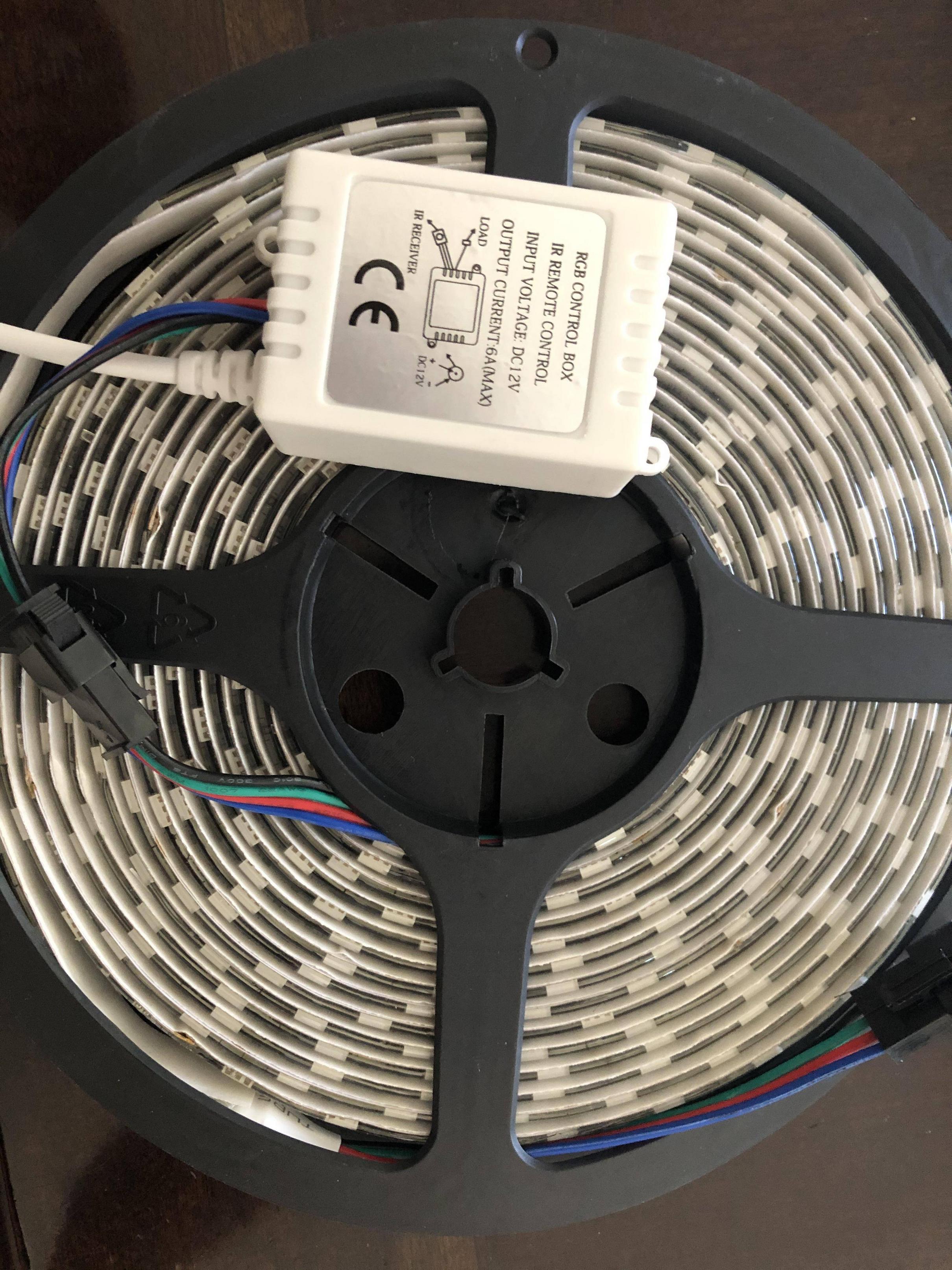
 jovial pulsar
You might be able to find a replacement controller that's already wifi enabled. Or you could make an IR transmitter with an ESP and reverse engineer the protocol.
 heavy nebula
ok let me check
 brittle cove
Hi all, I have just one shelly installed so far but cannot seem to integrate it with HA
The instructions for shellyforhass dont line up with what I see in HACS
brittle cove
Bump...
glossy prism
@sand mason what do you mean? Looks like it's just a regular smart switch that controls dumb bulbs
 sand mason
hmm
what I need is a smart switch that controls smart bulbs
but only an on and off (even if its a toggle)
 haughty shuttle
wall switch replacement?
haughty shuttle
do you have zigbee or zwave?
haughty shuttle
there might be some 433mhz deal out there, but I'm not familiar.
sand mason
i've got a working method of doing this already but its bloody awful
haughty shuttle
haha
what is the current rig up?
i'm getting ready to build something to sit on my nightstand but it will be USB power, and wifi.
I just need to figure out an enclosure.
sand mason
wireless keyboard numpad duct taped to a wall, with receiver plugged into a raspi, running ahk/macro software so that keypresses send a request through the LIFX api to toggle the power state...
in my defense it acts as a smart switch
haughty shuttle
that's like a rube goldberg machine to control a light.
sand mason
its the cheapest thing I could jank together
haughty shuttle
a nodemcu would be a big improvement
sand mason
I love home automation but tech companies can get fucked if they think I'm paying £40 for a stupid flic button
sand mason
out of production
haughty shuttle
you could do a nodemcu with a button or couple buttons and usb it but then there has to be a plug near by
but you're using a pi now so
nodemcu's are like $2 each off alliexpress
prolly get 20 buttons for $3
get a little project box, altoids tin, something.
haughty shuttle
wait....
sand mason
I might get a 4B soon
haughty shuttle
I mean you could get some cheap buttons and connect right to the pi
haughty shuttle
yeah get some nodemcu's
haughty shuttle
IR will have an LED on it for one thing
like sticking out of the end
what are you looking at?
it should say IR or wifi or what not
sand mason
Nothing in specific
IR LEDs aren't always visible
It's become trendy to cover over it in some stupid almost-opaque plastic
I'm looking to buy an RM Broadlink
brittle cove
Anyone got a Shelly working in ha??
sand mason
Is there a downside to something like this?
e.g. some sort of upper limit, or device limit, etc?
I want to control about, e.g. 10 devices, with about 5 buttons each?
glossy prism
What do you mean about five buttons each?
It's an IR blaster, you don't really connect devices to it, you just send IR commands from it
sand mason
as in each device will have five "functions" assigned to it roughly of that makes sense
I know
for example, for tv
vol down, vol up
prog next, prog back
source, power
undone haven
support 80,000+ IR controlled devices such as TV, air condition, DVD and etc
By the way, I thought that thing was huge till I saw the last picture of dude holding it between his two fingers
glossy prism
@sand mason yeah there's no device limit, it doesn't have any clue about devices at all
It just obeys your orders and sends IR commands
YMMV with that IR blaster though, whatever you do do not update the firmware when you get it
sand mason
why?
@undone haven ikr????
i thought it would be the vague size of an iPad in every direction
Turns out no it's iPod Nano sized
glossy prism
I've heard later firmware versions might prevent local control
And the integration is local
sand mason
local control?
sand mason
Why would they take it away?
sand mason
@glossy prism where do you have this info from?
only info i can find is that new versions of the app don't let you add an rmm3
and you need to add them with a 2017 edition of the app
glossy prism
Word of mouth, so it might not necessarily be true
glossy prism

Probably no reason to upgrade it in the first place, I'd use the app to connect it to your network and then block its internet access lol
That's what I did
 ripe summit
Hi all, I have a few Shelly 1’s to mess around with. We have an outlet in our backyard that I would love to be able to control with the Shelly. I can’t seem to find any guides for how to wire up the outlet itself. Everything I’ve seen is for a switch. Is this not a good use case for this device? There currently is no manual switch for this outlet so we have to plug/unplug the fountain now to turn it off.
ripe summit
I’m guessing I would just wire line in to “I”, “O” would go to the hot terminal on the outlet and N would be wired to the Shelly and the neutral terminal? Effectively just ignoring the manual switch wiring?
 novel flint
anyone have experience with measuring water pipe pressure using https://tinyurl.com/yb8mjzvj and home assistant projects?
@ripe summit do you have access to the breaker box and the junction box where the outlet is?
turn off the breaker to the outlet, take off the face plate, pull out all the wires.... wire up the Shelly, stuff it back in and then connect to the Shelly and add it to HA. Voila....you've got a controllable outlet.
ripe summit
I do. That was my plan but I just want to make sure I get the wiring right. All of the diagrams I see show the manual switch.
So I’m guessing the SW and L don’t need anything since there’s nothing to provide the manual switch signal?
novel flint
the particulars you may need to search google or youtube for connections... do you have a non-contact voltage detector?.... if you do.... 1. turn off breaker..... 2. pull all the stuff still wired up out of the outlet but still connected. 3. turn breaker on and with the non-contact voltage detector see what is hot, neutral etc. and make note of it. 4. turn off breaker.... install the shelly remembering the high and ground and neutral stuff. 5. cram back in outlet box 6. turn on power and then open the Shelly app to 192.168.33.1 or something and add it to your network.... 7. if that works then you can start with your automations.
You aren't going to hurt the Shelly so if you wire it wrong just turn off breaker and try another way...you'll eventually get it....it's a pain sometimes though.
ripe summit
Yeah I don’t have a switch, just an outlet/receptacle.
I understand the wiring for a switch
glossy prism
@novel flint you should know hot and neutral based on how the outlet is wired (assuming it was wired correctly)
ripe summit
Yes agreed. I’ll just rig up a test setup and play around without having the switch “SW” and “L” wired.
novel flint
yeah...I've done some of this with Shellys 2.5.....was just trying to help out.
@glossy prism this is what I was wanting to learn more about anyone have experience with measuring water pipe pressure using https://tinyurl.com/yb8mjzvj and home assistant projects?
glossy prism
Interesting, what's the use case for that?
novel flint
you mean the water pipe pressure? I'm wanting to monitor a fire sprinkler system and then have notifications and/or sound an alarm if the system goes off.
glossy prism
Oh I seeeeee
I ordered a USB cellular modem from AliExpress for $13 that I'm going to use to allow my server to send SMS for critical notifications like a water leak. I have a spare active SIM card
I already have critical notifications sent with two notification services instead of one, so now it'll be three lol
This will be...quite the redundancy
novel flint
so I assume you have water leak sensors or something.... what does the modem do? much in what you typed I'm pretty clueless about
glossy prism
It's a cellular radio like the one your mobile phone has
novel flint
so.....it's better than WiFi... or..... I was thinking of using an ESP8266
glossy prism
Well, it's really just specifically for this one use case (sending SMS from my server)
It doesn't require internet access, it needs a connection to a cell tower
novel flint
What do you use for your server...? are you talking about HA.... or is it it's own server?
glossy prism
I'm running home assistant on a mini PC
novel flint
like a NUC? or
glossy prism
Sort of, but less powerful than a NUC
novel flint
is it in a VM?
glossy prism
Nah, docker install
This is the mini PC I'm using: https://www.amazon.com/dp/B07VGX334K/ref=cm_sw_r_other_apa_i_C4V4Eb7QF259Y
novel flint
is that better than a Pi 4 and what do you do to install HA on it?
glossy prism
It's probably a little better than the pi 4 but I'm not familiar with the pi 4's performance tbh
novel flint
do you have a link to the install of HA for that ?
glossy prism
There's no HassOS image for it. I installed Debian on it and docker and then installed home assistant via docker
novel flint
I was thinking about a Pi4 but this has got me thinking
Is it kind of difficult to get HA up and running on it?
glossy prism
I like the mini PC because it has a SATA interface. Even though USB boot works on the pi 4 now, USB 3 is still slower than SATA III
I mean, I guess it depends on your skillset. Install the OS you want on it and choose how you want to install home assistant (HassOS VM, docker, venv)
novel flint
Are there good instructions for doing it the way you did?
My skill set might be up to snuff... but I'm wanting a good guide if possible
glossy prism
Well, there should be docs for whatever OS you want to install, then there's docs for however you want to install home assistant
novel flint
ok... good thoughts.
glossy prism
Though, installing an OS really isn't difficult. Flash the installer to a flash drive, boot from that on the machine you want to install the OS on, and follow the guided steps
novel flint
Thanks for the suggestions.....always learn something when I chat with you.
ripe summit
So I got the outlet wiring all set up and it works. I'm able to switch the outlet on/off by toggling the wifi relay. I wired neutral from the breaker in parallel (with a wire nut) to the "N" on the Shelly 1 and the neutral terminal on my outlet and wired line (hot) from the breaker in parallel (with a wire nut) to the "L" and "I" on the Shelly. Finally the "O" from the Shelly goes to the hot terminal on the outlet. I have a photo but for some reason can't share on this channel apparently. It seems to work...
clever lodge
interesting re that mini PC chat @glossy prism @novel flint i was about to buy a Pi4 (4 gig) for HA at my Mum's house also but maybe a mini PC with debian on it is better? By the way i use exactly that approach at my house, a NUC with Debian on it and docker and then installed home assistant via docker + a few more containers (unifi etc), works great and keep the underlying OS install pure/ minimal.
obvious point - mini PCs more expensive
but you're getting more for your money...
I do like a Pi for a remote machine though that "just works" for days/ months on end.
glossy prism
Yeah I'm not really sure how they'd compare performance-wise... The mini PC's proc has a higher clock speed (1.6 GHz base up to 2.4) but only two cores, the pi 4 has four cores at 1.5GHz
The RAM that the pi 4 has also has a much higher clock speed than the mini PC but I'm also not sure about the real-world effects of that
Also x86_64 vs ARM...
glossy prism
I'm happy with it though. Blows the pi 3B+ out of the water, which admittedly isn't saying much
Boots up quick
Lots of BIOS options
glossy prism
Pi4 4GB?
clever lodge
yes, for sure
feels like that machine makes debian and a few containers viable, but we'll see as never done it before ...
glossy prism
Could be. Not a fan of SD cards though
clever lodge
My NUC at home is much more powerful, so fast..
yes, always hear about SD card corruption but never affected me since i used Pi - and been using them since day 1.
but yes, i hear you
glossy prism
Well reliability is only one part, speed is the other
clever lodge
true
clever lodge
much faster i imagine
and i guess you can add some decent storage and samba to make a NAS of it
glossy prism
Drop in an SSD 
clever lodge
sure
glossy prism
Heh, I actually have an SSD inside and an external SSD for backups
clever lodge
do like the base debian solution though with Docker Containers - works great
nice
what containers do you run?
glossy prism
Yeah I've really only had experience with Debian as far as Linux distros
Home assistant, unifi controller, cloud9 IDE, gotify (self-hosted notification solution)
Bunch of other stuff on bare metal like NGINX, MariaDB
glossy prism
Yeah it's pretty nice. You can integrate it in home assistant with the REST notify integration
You install the app on your phone and it establishes a websocket with your server
Oh and it's also running my VPN
clever lodge
nice, why not use native home assistant app to do notification
guess needs nabu casa sub
glossy prism
I do use that too, but I use Gotify for lower-priority notifications
Nah you don't need a nabu casa sub for that
clever lodge
need to really tidy up my ha setup
good that Mrs and I get notifications on doorbell etc
reliably...
glossy prism
Yeah
 wise kindle
Hi, I purchased a 2 pack of smart bulbs from Costco roughly 3 months ago. I originally just integrated them with Alexa and used the bulbs app to control them. These are color changing smart bulbs I should mention. About a month ago I integrated them into home assistant and I switched from using the bulbs app to creating a tuya app for the home assistant integration. They are tuya bulbs, but tuya doesn't recognize them as color lights only dimmable white lights. If anyone had any advice or where to point me to get the color functionality that'd be appreciated.
gritty zinc
@wise kindle If you haven't already done so, it might be worth researching if you can flash them and avoid all the cloud stuff that normally comes with Tuya. https://github.com/ct-Open-Source/tuya-convert/wiki
wise kindle
Thank you, I will check this out.
 fossil kernel
hi everyone, new to the discord and new to hass! I was wondering if anyone has had any luck with Yi 1080p home cams, i have model YYS.2016 that i bought 2 days ago and can't flash it to a yi_hack_ version to add RTSP so was wondering if anyone had luck with that too?
sand mason
I sort of get what it is but what actually is an ESP8266
a tiny wifi microcontroller
but isn't a raspi0 too one too?


 sand mason
so is a pi0 better than a 8266?
sand mason
uh
winged knoll
Under what conditions?
sand mason
well idk lol
winged knoll
Better is always a relative thing, and very contextual
A Ferrari is a better car than a Ford - if you want to go fast.
If you want to go shopping, not so much 😉
gritty zinc
Depends how fast you want to complete your shopping trip.
(I know that further proves your point that the criteria are important)
winged knoll
I suppose if you're only going for a bag of crisps 😛
sand mason
say I wanted to turn a dumb button into a smart toggle that sends an api post request
esp8266?
gritty zinc
ESP8266 is cheaper and is decent enough for that use case. I'd go with that.
You have limited pins for GPIO but that shouldn't be problem if you're only after using something like a normally open push button.
sand mason
what if I wanted to allow variable dimming?
winged knoll
Variable dimming of ... what?
A directly connected LED, something remote, something else?
zealous dune
what's non variable dimming?
winged knoll
On/Off 😛
gritty zinc
Off is indeed substantially dimmer than on.
sand mason
Do you guys think I will eventually go insane from using 12 different smart home apps at once
(I haven't config'd HA properly yet)
@winged knoll variable dimming of a lightbulb, variable i.e. a 0-100% slider/dial rather than a +10 and -10 button
winged knoll
You're probably already insane
Well, then you'd be looking at just using something like WLED, ESPHome, or Tasmota
sand mason
no clue what any of those do but i'll check them out
i assumed the easiest way to do it would be to make a microcontroller send a POST request to the LIFX api on button push
winged knoll
Ah, now some context is provided
No
The easiest way would be to not use some random push button for dimming control
sand mason
true...
then again i've already explained my current setup which is basically that but more complex
winged knoll
There's a few thousand folks who post here ... you expect us to remember everybody's individual setup?
sand mason
no, i'm not saying that in the sense that you should remember
i'm saying that like, uh contextually
besides, it's kind of memorable 😄
most people tend to go for more elegant solutions than wireless keyboards with macros duct taped to a wall
zealous dune
I went insane using 1 app :)
sand mason
uhh lemme see...
LIFX, Kasa, Tapo, Magic Home, Candy, Tasker, SmartThings, Alexa, IHC (,/) Broadlink
zealous dune
I would argue your home is actually dumber when you need so many apps
sand mason
Eh, you could argue that
I don't tend to do manual control though
Luckily with Alexa it doesn't matter who makes the device and on what app
If it works with Alexa, it just... works
Manual control for me is usually to change settings rather than fire triggers
zealous dune
But can you use all the features every product offers?
zealous dune
Technically ifttt and all that also "works"
sand mason
not that I particularly recommend doing it 😐
zealous dune
Good thing Alexa is trying to be real hub nowadays
gritty zinc
With so many protocols, we need a protocol to unify them.
sand mason
I still live with my parents, in my bedroom (I'm 17)
So for now everything I own runs through Wi-Fi
which is fine
gritty zinc
You use 12 apps for one room? 😮
sand mason
Yeah...
I'll invest in ZBHA and ZWave once I move out
Well, almost one room
technically Candy is for the kitchen (smart washing machine, smart drier)
zealous dune
New Alexa should work with ZigBee 3.0 devices so you'll be set by the time you move out
sand mason
and 2 weeks ago I decided to test a new aesthetic by moving my spare Kasa bulb to the porch
@zealous dune that's for the Echo+ though
which is dastardly expensive
zealous dune
It's going to be cheap in a year or two
sand mason
I'm poor so I've settled with an Echo Dot, as I was lucky enough to be able to get one for free
3rd Gen, grey fabric
it makes no difference to me anyway, a Dot is literally an Echo to me
if you're using the Echo as a speaker you've already made your first mistake in my eyes 🤢
The Echo Input was an interesting device but its pointless when you can get a Dot for almost the same
my biggest advance on smarthoming frankly will be when I get to buy a receiver
Currently all my audio/video runs through cheap Chinese passive switches (4-port RCA and 3-port auto HDMI)
It's actually surprisingly efficient, but obviously not automatable (although the HDMI will auto-switch to whatever is turned on, limited to 1080p60 though)
 uneven flame
Guys i bought a second nest thermostat, but ha doesn't seem it. I wonder if it doesn't work because of that google nest integration....
my account was not migrated to google
haughty shuttle
didn't that break a while back
gritty zinc
Bad NEST 😦
 turbid wedge
Anyone have any recommendation for the most customizable thormastat?
I'd preferable like something with remote sensors that can be used as triggers
fossil kernel
Sooooo, guess nobody managed to add Yi home cams to their HASS
guess im returning them then, shame cause they're dirt cheap on amazon canada right now and i have 1 and it works great
gonna try Wyze V2, Blink mini and Reolink 3MP
glossy prism
https://www.home-assistant.io/integrations/yi/ @fossil kernel ?
@uneven flame there's a custom integration called badnest that might be of some value to you
fossil kernel
@glossy prism Yea pretty sure it doesn't work with the new chipset in Yi Cams
uneven flame
@uneven flame there's a custom integration called badnest that might be of some value to you
@glossy prism Yep, I was looking for some info before going that route, thank you
bright jacinthBOT
Tediore is away for 3m 47s with a message :point_right: Attempting to go radio silent for the night...see you at 12:30 UTC
 dapper niche
myq integration is killing me. It was working fine.. it hasn't for two weeks. My regular phone app works fine, so I know that's good. Last time this happened I had to delete the integration and reload the python modules... I'm running a docker and completely forgot how to do it. I deleted the entity. Anyone have any suggestions?
 fast bane
Anyone tried a Water Valve before (retrofit): https://www.aliexpress.com/item/4000033647793.html They come in both ZIgbee & WiFi models.
fast bane
They seem good value for $30-50USD
 peak talon
cool tech. I am guessing you could also move the arm manually. I think the next version should also report the torque measurement. Since sometime the levers can be stuck . there is no point in applying more than required pressure and it should just stop and send alert when more than the require torque is being used.
 lusty surge
Hi, I'm trying to combine multiple lights into one entity, with a goal of adding a light slider to the UI to control them (I know how to do the light card), but after reading for hours and trying all sorts of things, I cannot seem to figure it out.
Here's the code that I've placed in my groups.yaml file as instructed:
light:
- platform: group
name: Living Room Lights
entities:- light.light.hue_color_lamp_1
- light.light.hue_color_lamp_2
- light.light.hue_color_lamp_3
- light.light.hue_color_lamp_1
I also tried putting the above in configuration.yaml as suggested, and that did not work. Thank you in advance for any assistance.
fossil kernel
The dafang firmware on the wyze cams is pretty great
@glossy prism i ordered a wyze cam v2, a blink mini cam and a reolink 3mp today to try all 3 out and see how they work! the onyl thing that gets me about wyze is that 15fps, others i think i'd love them! i'm hoping the blink turns out well!
really is a shame that Yi is so strict with keeping you on the cloud and on their app though, the camera is amazing, especially with the sale that's going on right now!
bright jacinthBOT
Tediore is away for 2h 7m 18s with a message :point_right: 💤
fossil kernel
@lusty surge took me a while too, dunno if this helps but here was the code that I used, I added the group and also included each light individually just to have that individual control, i'm not sure how the hue bulbs get setup exactly in their backend though so might not work out the same way
bright jacinthBOT
@fossil kernel posted a code wall, it is moved here --> https://paste.ubuntu.com/p/hSVghsjj3v/
fossil kernel
ah right forgot about not being able to post too much, sorry guys
but yea it's up there^
and i did the same for each bulb below, i mean each bulb wasnt necessary, but yea for me was really just to get individual control
are your bulbs using mqtt?
lusty surge
Thanks for the reply! It looks like you used almost verbatim what I posted above, except that you have a lot of extra code.
fossil kernel
more or less yea 😛
lusty surge
They're Philips Hue. Not sure if they use MQTT or not.
fossil kernel
i havent tested with philips hue myself, jsut using some teckin and Globe bulbs and flashing them
you can test your code here though
http://yaml-online-parser.appspot.com/?url=http%3A%2F%2F
lusty surge
Maybe my syntax is wrong or something, though surely I'd have been informed.
Ah thanks I'll check.
fossil kernel
nah, it's mostly just to see if your codes syntax is right
mind if i shoot you a dm to show you what i get?
lusty surge
Go for it!
gritty zinc
      - light.light.hue_color_lamp_1```
🤨domain.domain.entity, @lusty surge ?
Looks like you might've copy/pasted the full name over just the entity part in the example.
lusty surge
Turns out it was a number of things going wrong. For starters, the documentation left out that I should create a lights.yaml file (did not exist), and include it on configuration.yaml.
Secondly, even though the editor said the YAML was acceptable, the syntax seemed to be off.
gritty zinc
You don't have to include other files, that's just a way of splitting your config.
bright jacinthBOT
Here is now to split your configuration into multiple YAML files
Command '.split_config' was invoked by: mono
lusty surge
Thirdly, I did not know that you had to reboot in order for such changes to take effect.
Oh good to know.
Then it was just some horrific syntax thing mostly
- platform: group
name: "Living_Room_Lights"
entities:- light.hue_color_lamp_1
- light.hue_color_lamp_2
- light.hue_color_lamp_3
cerulean trail
Any change to configuration require a restart (with the exceptions of the reload services you find under configuration -> Server control)
lusty surge
This is what ultimately worked.
gritty zinc
So... basically just using the example correctly?
lusty surge
The documentation did state that you had to quote the name of the group.
gritty zinc
domain.entity, not domain.domain.entity.
lusty surge
No, I copy and pasted plenty of examples and none worked.
They gave errors.
(obviously adjusted for my own devices)
gritty zinc
This would work perfectly in your configuration.yaml as long as you don't screw up the entity names:
  - platform: group
    name: Kitchen Lights
    entities:
      - light.kitchen_ceiling_lights
      - light.kitchen_under_cabinet_lights
      - light.kitchen_spot_lights
- light.pendant_lights```For whatever reason, it didn't work with the "light" entry.
cerulean trail
And you do not have any other light: entries
lusty surge
Once I took that out, put quotations around "Kitchen Lights", then it all worked
cerulean trail
gritty zinc
And running the config check would highlight duplicate keys
bright jacinthBOT
Always run the configuration check command when you make changes. Don't trust the UI check - it misses some problems.
Command '.check' was invoked by: Ludeeus
lusty surge
I'll take a look at that Ludeeus, thank you.
gritty zinc
Reminds me of one of Tinkerer's phrases... 'banging rocks together' 😄
lusty surge
Felt like I've been banging rocks against my head for like 8 hours+
gritty zinc
There's a fairly steep learning curve initially but you'll get there. Just don't blindly guess.
lusty surge
Thanks. Yeah I don't do that. I've been reading hours and hours of documentation, much of which is out dated.
gritty zinc
If you think any of the official docs are wrong, you can feed back on them or suggest changes. Mostly, they're kept really up to date. The devs and the community take care of that.
If you're reading third-party stuff... well, it's gonna be out of date quickly.
lusty surge
Ok, maybe I'll do that!
Maybe you guys can answer a general sort of question - I have these VOCOLinc smart plugs (don't seem Tuya/SmartLife compatible) that don't seem to have any kind of integration, but they can work offline via the proprietary app. I figure that being the case, there ought to be some way to integrate them with hassio?
I figured MQTT might be the ticket but my impression is that you have to be able to update with a custom firmware, which I don't think is possible.
Probably gonna have to scrap them and go with a different brand I bet...
gritty zinc
If you're comfortable opening them up to check what chip they run on, it'd help in determining what you can do with them.
A lot of stuff runs on ESP chips, which are pretty easy to flash with custom firmware.
lusty surge
Cool. Yeah two of my plugs for sure are ESP, but unfortunately the ones I want to use might not be. I'll think about opening them up if that's possible without causing major damage.
Otherwise, I don't really mind buying newer easier to integrate ones.
gritty zinc
Well if the alternative is binning them, where's the harm in damaging them? 😄
lusty surge
That's a good point! I'd probably just find some other use for them lol
That's the only way to find out if they're ESP huh?
Only reason I know the others are, are cause they are named ESP1234567 etc heh
gritty zinc
Maybe other people know another way 🤷♂️ For that kinda stuff, maybe ask the #diy-archived nerds
lusty surge
I can probably ask the manufacturer. They're pretty responsive. What exactly should I ask them?
New firmware would make the plugs unusable through their proprietary app yeah?
gritty zinc
You could ask for a datasheet if they have one. Otherwise just ask what chipsets it runs on. And yeah, flashing it will remove all of the old functionality and you'll be responsible for making it work instead.
lusty surge
@gritty zinc Thanks! I'll check into that and if I get a useful answer, I'll check back with you 🙂
 brisk drum
Can anyone suggest a Z-Wave + Zigbee USB stick that will work in the UK (unlike the HUSBZB-1) on a Pi4 (unlike the Aeotec - without a hub, which I have doubts about)? At this point I am strongly considering just getting a SmartThings hub, as I hear the integrations work well, but I would rather something simpler and local.
 crimson tulip
what are you talking about aeotec without a hub?
nevermind, just read up on the issues. Odd
FYI it's not a UK thing. Seems like this is a flaw with the aeotece gen5 stick.
 burnt glen
Morning - Im setting up hass for a friend and he has Ubiquity Cameras. I set up the NVR in hass and it descovered the first camera a few months ago, but now that he added three more cameras the NVR integration isnt finding the new cameras automaticly
bright jacinthBOT
If you're having problems with your updates to your configuration:
- Check the troubleshooting steps
- Check your log file - remembering you may need to set logger to
infoordebug - Explain what the problem you're having is - sharing configuration, errors, and logs
Command '.troubleshooting' was invoked by: mono
burnt glen
@gritty zinc the logs only show hass login attempts
there are no errors
i dont see an associated ubiquity service to call to update camera entities from the nvr integration...(would be handy) - restarting hass didnt seem to do the trick either
gritty zinc
Which log? There are many. And have you followed the steps above to set the right logger level for that integration?
And on that note, it's probably not a #hardware-archived issues, you care about the #integrations-archived
gritty zinc
If camera is more specific, sure.
burnt glen
ubuiquity camera
gritty zinc
I forget about anything not nested under 'Support' 😄
brisk drum
@crimson tulip Yeah sorry, I meant without a USB hub to make the Pi recognise it. By work in the UK I was referring specifically to the HUSBZB-1, which I don't think there is a non-US version of and wouldn't work with UK devices.
fast bane
cool tech. I am guessing you could also move the arm manually. I think the next version should also report the torque measurement. Since sometime the levers can be stuck . there is no point in applying more than required pressure and it should just stop and send alert when more than the require torque is being used.
@peak talon
I actually don't know if you can move it manually its an isolation valve so its essential you can, but still no idea and no comments on ali. But yeah taking a punt here it uses TUYA MCU so should have feedback
peak talon
Yep. however clever thinking behind the product. Working with the existing setup rather than being invasive, especially in these areas of pipes and fittings where typical mindset is that if it is workong fine don't touch it
fast bane
Yeah its the same with most water meters (simply chuck a reed switch on the meter and it can be used as a flow meter, very handy as no messing around with the plumbing)
 rich rapids
Any good alternatives to Switchbot for buzzing myself (and my girlfriend) into our apartment? I find the Switchbot really inconsistent to connect, and when it does, it takes a long time
https://imgur.com/a/WZlW6wD
This is my intercom system. Green wire is the buzzer
fast bane
@rich rapids Sonoff Relay
rich rapids
How does it connect?
gritty zinc
Wires
winged knoll
Wet string...
gritty zinc
You'd have to connect it up to the same loop that the intercom triggers. It'll just be another thing that can close that circuit.
gritty zinc
As in, how do you control it? Tasmota can integrate with HA.
Flash Tasmota onto a Sonoff, connect to HA, job done.
fast bane
@rich rapids Read about Tasmota, ESP8266, SONOFF
rich rapids
Will do, thanks 🙂
fast bane
I have a choice between a TUYA WIFI model or ZIGBEE model of the exact same device, which one should I pick? 🤔
Any opinions, device will be outside
gritty zinc
ZigBee means you'll need a hub of some kind. WiFi is simpler.
winged knoll
Hub, or a Zigbee stick...
winged knoll
Well, shorter point to point range, but it's a mesh...
Hub < Stick
Hub == 🤮
Stick == 
gritty zinc
How far's it going to be from your next nearest device?
fast bane
Ubiquiti AP would be closer than nearest zigbee router
10 meters but through double brick
Also not sure if I should buy the cheapest or not on Ali: https://www.aliexpress.com/item/4000473167019.html
rich rapids
Sorry, one last question. Where would you recommend getting one from? Amazon, eBay, AliExpress, or somewhere else?
fast bane
depends covid means aliexpress shipping is very slow
or anything out of china atm
so how fast do you need it
rich rapids
Eh it's not super important
gritty zinc
Snail mail from China then 😉
I've had a couple of bits recently that took 2-3 weeks.
rich rapids
I have until July 4th to return my Switchbot
Hm that might be cutting it close
Amazon it is haha
 burnt fox
How well do ikea lights handle long transition times? If i set something like 60 seconds it transitions well, but if i set 30 minutes then it doesn't transition at all.
Only trying to transition on brightness and not multiple variables.
tidal grotto
just got delivered a RF and IR device (broadlink) IR is pretty cool but seems the purpose I wanted for it won't work... what other devices could be RF? either ones I might have or ones I can buy, any cool ideas?
I wanted to be able to send a notification when my rf doorbell went off, but its seems all it can do is do the doorbell remotely (bit pointless)
gritty zinc
I use a Sonoff RF Bridge for doorbell stuff. Works both ways - listening for the doorbell and triggering it myself.
tidal grotto
yeah does not look likely on the broadlink pro from first look
ordered from amazon so can return if not
tidal grotto
@gritty zinc what sort of devices work with RF... what do you use it for
gritty zinc
I've only used an RF doorbell so far. It was the reason I bought it and I've found no other use yet.
tidal grotto
do you use stock sonoff software?
and I assume you just have a notification if doorbell pressed?
will the sonoff one work with any rf doorbell then 433mhz ect ect
gritty zinc
No, I flashed it. I don't think the stock firmware is supposed to be as good.
Tasmota, every time.
And it should work with every 433MHz device whose codes can be learned. I doubt it'll work with rolling codes.
tidal grotto
oh okay flashing bit passed my knoweldge, saw a preflashe one go on ebay the other night for £10
fossil kernel
for anyone who wanted to figure out how to integrate the new version of Yi 1080p Home Cameras AI+ to HASS, here you go! Took me forever to find since it's so new!
tidal grotto
What do peeps reccomend for just IR control
drifting grove
@tidal grotto I have a pretty stupid solution to the doorbell thing. I’m using a “door open” sensor sitting on the top of the bell.
zealous dune
i connected a zigbee door sensor to doorbell wires and made an automation to notify us on google home's
remove the doorbell first
tidal grotto
tts for my home is too much of a delay
broadlink rm4 mini or the tuya smartlife one? hmmm just need for IR for TV and fan
zealous dune
i recommend checking first if they even work with home assistant
tidal grotto
they don't
But right not I only want to ask google on/off, getting one with HA is only worthwhile if A its simiar price... is there any?
sand mason
What would be the most logical way to make an arrival sensor?
and only an arrival sensor 🤔
Use a normal motion sensor and ignore more than the 1st signal daily?
winged knoll
Depends on how you want to detect arrival...
A door sensor on the entry door would be one option
sand mason
See the issue is that would turn on every time I open the entry door
Which is not necessarily what I want
winged knoll
And that's why automations exist
winged knoll
Any sensor will turn on when the conditions are met
You need to use #automations-archived to apply logic
sand mason
i.e. if <10min since last opening, ignore?
ah, there's a channel
that's why i said logically
winged knoll
🤦
sand mason
hey man, there are a fuckton of channels
tidal grotto
@sand mason don't wanna blow smoke with tinkerer he is one of the highest chances at answering most your questions on HA 😄
winged knoll
Hey, come on, it's hard to take time to read the channel names...
There's over 10 after all, so .... yeah, I have no idea 🤔
tidal grotto
to be far it might be some peoples first time in discord and have no idea on the purpose, and might just think its fine to mix match
maybe they should be made to read a what discord channels are for 😛 .. anyone ill shh now as this ain't devices talk 😄
what do you reccomend for IR smart device tinkerer?
winged knoll
I don't use any, but Broadlink seems to be the go-to
tidal grotto
yeah I thought as much, just wanted to check :), seems the newest aint supported but I only need on/off google for now, im sure when I do want to do more it be supported
sand mason
I just indeed bought a Broadlink
So I will let you know my experience when it arrives on Monday
I bought an rm mini 3 even though the rm mini 4 is £5 more bc i didn't get why it was more expensive
it didn't actually describe it being better, I think it just uses a different app
zealous dune
that might mean it doesnt even work with HA
sand mason
RM mini 3 uses "IHC" (or "IHC for Europe")
RM mini 4 uses an app that's I think just called "Broadlink"
winged knoll
https://www.home-assistant.io/integrations/broadlink/#type suggests the 4 is supported
sand mason
I think I might finally attempt to install HA
(persistently)
on my Pi2
I keep putting it off until I get a Pi4 but realistically it'll be a while 😐
should a UHS-I Class 10 sd be okay?
winged knoll
If it's not a cheap knockoff, sure
 delicate sequoia
Hey, did anybody integrated an "Aeotec WallMote" ?
https://aeotec.com/z-wave-wireless-switch/ this one.
i already connected it and can see some (not all) switches.. how can i use it to trigger stuff like toggle the light?
cheers
 cyan temple
any chance someone knows an addressable LED driver that can drive ws2812Bs (they have 1 data pin) and works either through wifi or zigbee
 rapid wadi
hey, got a question about MQTT should be really simple but having trouble ! im trying to set up a (play) button to just send a filename string... but i cannot get it to show up .... got other toggle options (LED on and off etc).... is there a type i have to state somewhere so it will just show a push button and so i can set the payload properly ???
zealous dune
@cyan temple https://quinled.info
cyan temple
issue is that I have 2 esp32s but have almost none of the tools to make them properly so half of the stuff has slowly died
zealous dune
make them?
cyan temple
well you have to use a level converter so my dumb idea was to use the breadboard jumpers
and they keep coming loose
zealous dune
no you don't have to... i use a simple resistor on my d1 mini
cyan temple
isn't the esp 3.3v and ws2812s 5v?
zealous dune
yes
cyan temple
so how on earth is a resistor helping that
if anything a resistor would be pulling the voltage down?
zealous dune
i guess i just broke the laws of physics
 rain burrow
Anyone know of something to put between my sump pump and the wall outlet that would send me a text notification whenever the sump pump turns on (I.e. power is flowing)?
Oh wait... I can just get a z-wave plug and set an automation for when the power is on and setup email notifications? Or does HA not have a way to know when power is triggered by the sump pump?
glossy prism
@rain burrow if the smart plug has energy monitoring you could use that to determine if the pump is on or off
undone haven
Aeotec Smart Switch 7
https://aeotec.com/z-wave-plug-in-switch/
 true edge
washing machine binary sensor example https://www.home-assistant.io/integrations/binary_sensor.template/ plus an automation for state change off to on to call for notify service if you have data
i'm using a zooz zen15 for exactly that
 hoary fjord
Hoping this is the right place to post this. I have a Fortrezz MIMOLite set to trigger when the nominal voltage across its input sensor falls outside of a set range, in my case, from 2.6V to 0V. The sensor is 'triggered' when the terminals are shorted. I can short the terminals, back and forth all day, and the binary sensor switches to on/off correctly every time. It also has the capability to report a power dropout, which it does (Alarm 0x08, Level 0xFF). When I unplug the MIMO, I get the dropout alarm (which never resets when the power comes back on, even though it is supposed to). If I unplug the device when the binary switch is OFF/untriggered (normal state), then when I plug it back in, it remains off. However, if I do it multiple times, sometimes when the plug is removed, the switch turns ON in HA. I don't think this is the fault of the device, because it is set to trigger the output switch when the input is triggered, and it is NOT, even though HA says the switch is triggered. Note that the trigger mechanism on the MIMO is 'threshold crossing' mechanism, not a 'state' that is reported. So there is no regular reporting of state of the switch, just when it is triggered or untriggered. I need some advice on how I might go about making sure the sensor isn't triggered when power is re-applied, maybe an automation to run when the device comes back on the network. A dump of the relevant OZW_Log.txt showing multiple unplugs/replugs and the final switch to 'ON' is here https://hastebin.com/piwokumopo.cs.
 azure kite
Anyone else having state updating issues with tuya devices since the latest HA upgrade? I got 18 bulbs/switches that now either take 3-5min to update their state, or sometimes, never at all. Ive done all the troubleshooting i can think of, but no matter what i do, this issue remains. Did tuya screw around with their API again?
twilit ingot
I have 2 Nest thermostats which which fine but cannot, obviously, be attached to Home Assistant. I was reading that works with google was going to be opening up soon. Are there any plans to support the Nest through this new program? Should I be considering another thermostat to replace the Nest? Something wifi only and no cloud. I have read about the CT50. Is that a solid replacement for Nest?