#hardware-archived
1 messages · Page 81 of 1
 winged knoll
 fierce finch
restarting HA , and going to test right away 🙂
winged knoll
The cards in the #frontend-archived will always use the default, NabuCasa, TTS
winged knoll
Or I've seen this before 😉
fierce finch
🙂
 fervent zephyr
Hello, New to HA, zigbee and this discord. I have a HA server with a deconz conbee II. I have already setup a zigbee bulb and a smartthings multipurpose sensor. I am now trying to pair my Sonoff S31 Lite zb.
It goes into pairing mode for about 2 seconds and them the light turns green. The deconz platform never finds it. I have tried under lights and just for fun under sensors & switches. Nothing. THe sonoff is about 6 inches from the HA server. Any ideas?
winged knoll
#zigbee-archived is likely a good place to start, but the deCONZ Discord may will have more knowledge of deCONZ
 drifting grove
Hi, I have a tuya smart plug, that I have used light: to turn into a "light". However, I can't seem to put it into an area. What might I be doing wrong please?
winged knoll
You can only put Devices in areas, not entities
Not all entities are associated with devices
 stoic trellis
Alright guys.
I did have the sky hub device tracker added.
But I have disabled this but the devices are showing, how do I delete them?
They don't show up on the device list.
Only on the list when trying to add a device to an automation
winged knoll
 -> Entities maybe
 upper stream
Guys im looking for some cheap sensors for my house. I found some Xiami Aquara motion sensors but have some questions. I live in America, I have gigabit ethernet and a gigabit connection from the server I have HASS on. How fast would this motion sensor be if I link it to a switch? I would think 1 gig networking would be close to perfect conditions.
winged knoll
They're Zigbee sensors, so ... the speed of your network is irrelevant 😉
 bright jacinthBOT
There are three Zigbee options with Home Assistant (regardless of how you install it). These are:
deCONZ is relatively stable and mature with its own UI. It can run in an add-on, in a Docker container, or natively. Known working devices are documented, and how to request support for a new device is documented too (you can't add unsupported devices yourself).
zha is actively developed as part of Home Assistant Core, using the zigpy stack, the UI also being part of Home Assistant. There is no list of supported devices, as any standards compliant device should work. Devices that require extra support are listed, and adding unsupported devices is documented.
Zigbee2MQTT is very actively developed and can run in an add-on for Hass.io, in a Docker container, and natively, with no native UI. It uses MQTT for control and configuration, but there are third party UIs. The known working devices are well documented (which usually includes how to pair them so you don't have to find the manual), and adding unsupported devices is also documented.
Command '.zigbee' was invoked by: Tinkerer
winged knoll
We even have a whole channel for it over in #zigbee-archived
 fringe moon
Smartthings 🤢
winged knoll
Could be worse, could be Wink
upper stream
Listen, its worked well so far
fringe moon
True
winged knoll
SmartThings is a POS
upper stream
Whats pos
winged knoll
Piece of 💩
fringe moon
Not point of sales atleast
upper stream
And I only have arund 0.5 seconds of waiting for it to turn on
Im guessing if i got a zwave direct link it would be better though
 foggy pecan
💩 still applies to Point of Sale
winged knoll
Zigbee or Z-Wave will both be faster than that
upper stream
What would you reccomend for z wave?
winged knoll
Of course, it depends entirely on your setup - a motion sensor takes time to detect presence
upper stream
Everything I own is zwave
winged knoll
Looking at the Z-Wave docs?
Oh, well
Then... Fibaro or Aeotec
Assuming they're available in the country you're in
upper stream
Merica
winged knoll
Then Aeotec yes, not sure about Fibaro
fringe moon
Zwave 
upper stream
Oh, ill check em out
winged knoll
Just remember, a motion sensor takes time to detect motion, because of how they work
Half a second is probably optimistic
upper stream
I always didnt like the cloud way, but i didnt know how to get around it
Oh yeah for motion i get that lol
fringe moon
The Xiaomi motion sensor in my office is ridiculously fast
upper stream
What kind is it?

 hushed moth
The Xiaomi motion sensor in my office is ridiculously fast
I also have this one, it's amazing!
upper stream
When A Zwave controller says home assistant on the front page, im happy
winged knoll
https://www.zigbee2mqtt.io/devices/RTCGQ11LM.html is the one I have, it's a good motion sensor, and a crap light sensor
upper stream
Nice lol
winged knoll
You can shine a torch on it and it barely registers
fringe moon
I might try it on one, just to see if it will be any better for that
Lol, the one in my office ain't bad
hushed moth
@winged knoll have you tried the solder hack?
@fringe moon Could you tell me more about this?
hushed moth
@upper stream I ordered them from this link. Somehow delivered within 1.5 weeks. https://nl.aliexpress.com/item/33014918694.html?spm=a2g0s.9042311.0.0.5ba94c4dMYougj
Oh yea sorry tinkerer
winged knoll
I get it, it's easy to do...
hushed moth
Yea it's very easy, I remove the tags most of the time but forgot
upper stream
Huh didnt think of Aliexpress
winged knoll
All my Xiaomi stuff came from there
Same for my Gledopto LED controller, LED strip, and a bunch more stuff
hushed moth
Same, all my switches, motion sensors, ledstrips, smart plugs and go on are from aliexpres
 oblique bear
im more of a gearbest guy myself 😛
fringe moon
Muuuuurica loves gearbest 
upper stream
@fringe moon Is that a good place to buy super cheap smart home stuff?
I mean ali
One other thing I wanted to invest in was sme "button" type things. When I press them other lights turn on or off
any ideas on what brand on what those would be called?
winged knoll
Xiaomi do some 😛
https://www.zigbee2mqtt.io/information/supported_devices.html#xiaomi depending on whether you want a little button, or a wall switch
hushed moth
@fringe moon Does that make the sensor have a "cooldown" of 5 seconds? Now when walking past it it stays at detected for 1.5minutes. Would that change to 5sec?
winged knoll
The 1.5 minutes is partly from the device (60 seconds) and partly the integration - with Z2M you can drop it to 60 seconds
The hack allows the device to report faster, but the integration needs to support it too
fringe moon
@upper stream yes, for all stuff, I build a lot of junk myself with parts from AliExpress
@hushed moth not sure, will try it on one of my sensors when I have time
hushed moth
@winged knoll Aha, I'm using zigbee2mqtt, could you maybe tell me where to change it to 60 seconds? (or lower when using the hack)
Thank you atxbyea
hushed moth
Ah, seems like I already have that set to 60 seconds
device_options:
  occupancy_timeout: 60```
At the end of the zigbee2mqtt config
Command '~ifttt' was invoked by: Tinkerer
winged knoll
Buttons would be a #frontend-archived thing - have a look at the list of stock cards and pick what works for you
fringe moon
But what lights are they @wooden jay ?
winged knoll
Brand and model is usually a good start 😉
winged knoll
Cheap stuff anyway 😄
fringe moon

fringe moon

fringe moon

 vivid rain
Is it possible to change a device domain name?
 glossy prism
@vivid rain as in, if the entity ID were light.dresser could you change light to something else? No
vivid rain
Yes, it is currently light and I want to change it to switch
vivid rain
when I try to change it at the entity level there is a error that does not allow you to update when you change the domain, and it is not a option in the customize menu either
glossy prism
@vivid rain yeah, you can't
That's what I meant by "no" at the end of my message, sorry for the confusion
You might be able to do what you want with a switch template though:
bright jacinthBOT
Command '.switch.template' was invoked by: Tediore
 bright oxide
Is it possible to put IKEA bulbs in “pairing mode” beside psychically resetting it? Some kind of soft reset? I’m asking since I maybe want to change Zigbee USB dongle and don’t have easy access to all bulbs. I have paired all devices to CC2531 as for now.
vivid rain
Lol, sorry didn’t catch the No
 clear forge
Q: Casting. I can cast to devices made by Google but I want to cast to a PC screen. I found Google's Chromecast for Education but it doesnt seem to work except from a another google chrome authenticated browser. Any ideas how I can send audio / video to a "Software Receiver" on a win 10 system. idea to take over full screen or even just to play audio.
fringe moon
@bright oxide changing ZigBee software? If not you don't need to repair, atleast not with zigbee2mqtt
 runic narwhal
Hi everyone! Is it possible to change the timeout setting, until a device is marked as "unavailable"?
Got a battery-powered ESP connected via ESPHome, but that is put into deep sleep for 15min until waking up and sending sensor information, and it's being marked as unavailable after 30sec of inactivity.
 loud night
I dunno if this is the right channel but lets give it a shot.
I've searched quite a while and can't really find what i'm looking for.
I want a powerstrip mimimal 4 ports, power measurement (energy reading) per port and being able to adopt it in to HA.
Nice to have is USB charger, protocol can be zwave/zigbee or WiFi.
What I've found (I have found way more devices but in the end by functions it comes down to the list below)
https://en.robbshop.nl/greenwave-powernode-6-eol (Has everything I want/need but is EOL 😦 ok it didn't have USB ports but it was a nice to have ;))
https://nl.aliexpress.com/item/32934667328.html?spm=a2g0s.8937460.0.0.698b2e0ewDoCN5 (Can't find if it has power measurement per port and seller doesn't get my question)
I'm not looking for powerplugs. Yes those have powermeasurement but thats going to look bulky if you put 4 of them in a powerstrip.
winged knoll
EU sockets then?
https://www.netio-products.com/en/products/all-products has some slightly large units, but maybe will work for you
The 4All particularly
loud night
300 euro maybe I should have added a budget requirement to my list too.
The EOL product was about 80 euro's. The one from allie express is about 25-30 euro's. Was more looking for something in those price ranges
vivid rain
@loud night check out Tuya, or Merkury strips. I bought two Merkury strips off of meh.com a few months back and couldn't be happier. They have 4 outlets and 2 usb's and they are wifi.
loud night
@vivid rain But do they have power measurement/energy reading per outlet?
vivid rain
They do not. They only cover half your requirements, but you might be able to add another senor for the measurements
winged knoll
Something like https://aeotec.com/z-wave-plug-in-switch/ may work, those (and others like them) are pretty compact
 tight glacier
Does anyone have an idea for a device I could use to make a sound when I have motion at front door? And not my sonos
winged knoll
Google Home Mini works well for that
tight glacier
Thanks Tinkerer. I don't have any devices with mics in my phone
in my house
Just want something simple i could move between rooms if necessary - e.g. to hear a delivery coming when i'm out the back.
winged knoll
They have a switch that turns the mic off 😉
tight glacier
Really?
tight glacier
Thanks - I don't want to use Sonos as I might be watching TV with Sonos and i don't necessarily want to make the whole house go and stop tv
I'm also sticking to homekit only for now after moving house and losing my entire homeassistant setup due to some bad backups 😦
hmmm maybe google home wont integrate then
So no basic devices that just make a single sound like a chime?
winged knoll
Not that I know of, off the top of my head
loud night
Maybe the Xiaomi Mijia Aqara Hub?
For kaz his question 😉
I already have some zwave wallplugs they work great but putting 4 of those in a regular power strip I dunno that looks bulky to me.
Would love to see something like https://en.robbshop.nl/greenwave-powernode-6-eol but then not EOL
tight glacier
i have the xiaomi hub already. i'm trying to remove it from my setup as I don't trust it (mic)
loud night
Block the internet connection for the hub so it doesn't call back to china? (Only works if you know how to and got a router/firewall that lets you do that kind of stuff)
winged knoll
You can also open up the case and disconnect/destroy the mic
 turbid canopy
For discovered MQTT devices, is there a way to track down the discovered config for them? all my zigbee2mqtt devices are showing as unavailable in HA, but Z2M is running and seems to be fine. Want to track down the availability_topics they're using
foggy pecan
.crosspost @warped merlin
bright jacinthBOT
@warped merlin Please DO NOT cross post. Read the channel description, post it and wait for folks to respond.
Command '.crosspost' was invoked by: phnx
 muted hawk
Hi, I've a TPLink KL120 bulb that and I want to use the scenes stored in tplink, is that possible using home assistant. the "light.toggle > profile" value doesn't seem to work.
fringe moon
Have you created the profile @muted hawk ?
muted hawk
I have a scene created in the kasa app
fringe moon
Pretty sure that is something you have to define, not something stored in Kasa, i might be misunderstanding the profiles feature
muted hawk
I think you may be right, define it in Home assistant. The issue I am having is when turning on the light with a different brightness it turns on with the existing brightness and then changes to the new one. I'd like it to start with the new brightness
fringe moon
Is that possible with Kasa? Because I zigbee bulbs can't do that, not sure if WiFi ones can
muted hawk
directly from the app it works
fringe moon
Then I have no idea, doesn't seem like you can define such in the kasa integration either
muted hawk
Thanks for looking, I may go with fading to 1% brightness before turning off
fringe moon
I do that with mine, then turn on with 1% too and let circadian lighting get everything to the right level
muted hawk
interesting option, tbh I am finding smart lights to be less smart than they should be. wifi based bulbs should be able to set the properties while "off"
fringe moon
I only have two WiFi bulbs, so haven't played much with them
muted hawk
I'm finding the sonoff switches are pretty good. on/off and no worries about colour, and they work even if internet goes down
fringe moon
All my stuff works without internet
I have no cloud devices
84 ZigBee, 3 zwave, some WiFi and some 433
muted hawk
Tado & the TPLink bulb. bought before I got into Home Assistant
although I "think" both could work without cloud
fringe moon
I got into home assistant because I wanted to build a smart lamp for my daughter that blinks when lightning strikes nearby
That was two years ago
I haven't built the lamp yet
winged knoll
😂
fringe moon
muted hawk
lol, sounds about right
winged knoll
I got into HA because I wanted to put a light in the garden, and doing that with a switch in a usable location would have required an electrician...
I sorted the garden light out long before getting HA working 😂
fringe moon

 rich sandal
Hi guys!
I am looking for devices that could do something like this:
Basically a remote control for HA
winged knoll
So... a tablet?
rich sandal
yes, but for wall mounting?
winged knoll
Wall mounting tablets isn't a terribly new thing. You can even buy wall mounts for many brands/models
rich sandal
Are there any dedicated devices for this purpose?
winged knoll
No
The closest I've seen is a custom built thing, but it's not a tablet
HA Switchplate
rich sandal
HA Switchplate?
winged knoll
Yes
muted hawk
Ok, I feel I just went too far and its time to turn back. trying to tcpdump from the AP to analyse the packets to see what the app is sending to the lightbulb
was hoping for some nice obvious json
 visual zenith
Hi, I'm looking to get a aeotec multisensor 6. Is this device integrateable with Home Assistant?
glossy prism
With a Z-wave stick, sure
turbid canopy
Can somebody point me in the right direction for tracing a discovered MQTT device back to its configured state/availability topics?
I presume the settings from MQTT discovery have to be preserved somewhere, right?
visual zenith
tinkerer, would looking through the logbook show the changes of it?
visual zenith
what i mean is, if you look in the logbook, along the left panel, it records the entity changes, would that not show what BrewTang is looking for?
turbid canopy
Gotcha. Mine are indeed retained. All my zigbee2mqtt devices show as Unavailable in HA, though their specified availability topic is set to "online" (also retained)
winged knoll
MQTT Discovery messages sadly aren't entities
turbid canopy
Is there anything besides the availability topic that could cause an entity's state to be Unavailable?
winged knoll
That's the only thing I can think of
Worst case stop HA and Z2M, clear out the broker, start HA, then start Z2M
turbid canopy
"clear out" as in delete all the topics? or just restart?
turbid canopy
yeesh. I'll delete the homeassistant and z2m topics, don't wanna delete everything
winged knoll
And the discovery topics
If you're going to do this, you want as clean a slate as possible
turbid canopy
discovery topics are in homeassistant, state topics are in z2m. I don't want to touch zwave2mqtt and my tasmota topics (neither use discovery). Should be good there
drifting grove
what would you guys use for a hard-wired input/dimmer switch? I'm doing some rewiring in a couple rooms and want to hardwire light-control-switches(cat6). I've got basic on/off working but thought i'd see what the hivemind would use for inputs.
My own thought was a normal "dumb" dimmer switch with something in the electric panel to read the values and then translate and communicate the values to HASS. Might be overengineering though, are there some off-the-shelf parts i'm not seeing? Essentially an analogue input to home assistant.
winged knoll
I've seen digital dimmers that have a knob/dial like the old fashioned analogue ones
drifting grove
how did they communicate? serial or some custom protocol?
winged knoll
Those are usually smart ones, so Zigbee/Z-Wave/WiFi
turbid canopy
My bulbs and dimmers are wifi (tasmota). I just wired my light sockets as always hot, bulbs receive commands via MQTT, dimmers send/receive via MQTT and have rules to respond appropriately to the lights they "control" via MQTT
drifting grove
@turbid canopy so that would be a "dumb" dimmer hooked up to an ESP ?
turbid canopy
in my use case, it doesn't even need to be a dimmer, really just an ESP with a switch faceplate, since it doesn't actually control the load
if you're not gonna do smart bulbs, then you would need a proper switch/dimmer
I started with z-wave switches and dimmers, and landed on wifi
drifting grove
ah, so it's just a switch that you press longer for dimming effect or something like that?
Yeah i've got the (light) dimming part figured out, got some dimmers that can be controlled over serial.
turbid canopy
the ones I have are true dimmers (they do PWM), but really the only thing that distinguishes a "switch" from a "dimmer" in my scenario is the number of buttons on it (up/down/on-off vs a single toggle button)
drifting grove
i'm in the "lucky" category where I can re-do wiring, so i'm trying to avoid any wireless comms.
Ah, so a normal dimmer, hooked up to an ESP which then reads a simple analog input and tasomata makes it HASS compatible essentially?
yeah that was what I was thinking about doing as well. Just hardwired not wifi. and might be a different controller, but that doesn't really matter too much as it's still a custom controller reading analog inputs as I understand....
(in my case, I can move the controller to the electric panel and can use one for multiple groups + no wireless :))
turbid canopy
Tasmota or ESPHome should fit the bill if you go that route
though I'd think you'd be looking at one ESP per dimmer, which would add up quickly.
drifting grove
doesn't the ESP have multiple analog inputs?
or you're thinking about the output side(to the dimmer)
anyway, thanks for the thoughts. Seems like I wasn't overenginerding things in my head too much 🙂
turbid canopy
I'm thinking for the serial comms. Might be able to get away with one ESP at the electrical panel with a big serial expander board
drifting grove
yeah, that was my thought as well. Something like i2c --> rs232.
turbid canopy
I assume there are button-driven dimmers and not like sliders, right?
so that if you turn it on at the dimmer and turn it off remotely, looking at the dimmer it won't look like it's still on?
drifting grove
I would love to get the turning knob type, but I can live with button driven.
(europe, so our definitions might differ a bit :))
turbid canopy
yeah, I have LEDs that indicate the dim level, so I just have it set up to where the lights always match the LEDs on the dimmer
if they're not in sync, you can get odd results ("ooh, I should turn off this switch [for a light that's already off]" - blinded by a flash of light as soon as you touch the slider)
drifting grove
essentially, the goal is for visitors to not really understand there's any automation going on. So it should look like a normal dimmer. In my home place I used zwave dimmers inside the gang box with 2x normal switches, one for switching, one for dimming(spring backed).
turbid canopy
ah, so pure manual control for dimming?
drifting grove
in the old place? no, the z-wave dimmer was remote-controllable as well.
but the manual control was a bit annoying as it would just cycle through all the states possible, until it got to where I wanted. (single spring-backed switch)
turbid canopy
ah, yeah. I've seen similar solutions for dimming smart bulbs with single-button tasmota switches... it works but it's not elegant nor intuitive
drifting grove
exactly, hoping to improve on that this time 🙂
visual zenith
am i right in thinking a zwave and zigbee device can be connected to home assistant from one USB?
winged knoll
If you're in North America and buy one specific device
visual zenith
thanks
 tawny parrot
hello, did anyone created a working universal media player from harmony hub and can share his config?
winged knoll
That sounds like the kind of thing you might find in a Share your projects part of the forum
tawny parrot
i think i getting where i want.. it was hard to find the right search words 😄 i think i found the right thing https://community.home-assistant.io/t/harmony-activities-volume-slider-and-lovelace/72419
upper stream
I have some go control z wave sensors connected to my alarm.com instance. Is it possible to "dual connect" them to hass as well?
winged knoll
No
upper stream
crap
turbid canopy
ah... discovery was disabled, so I guess previously discovered devices were stuck
 solar yoke
Cheapest and best door, temp and motion detector system for Home Assistant?
Suggestions?
 pale hare
I use Xiaomi sensors. They're really good. Really good price point, and I have them all connected to my Conbee 2. They auto add through to HA after pairing.
 wet horizon
how can I just change what area a device is in? it doesn't seem like there is anywhere to edit that for an existing device.
 marble inlet
@wet horizon Configuration->Devices->(click on device)->Cog wheel at the right top corner
in 0.107.7 at least
wet horizon
ah that cog wheel way up there, thank you
 haughty shuttle
anyone have a preferred smoke extractor for soldering?
winged knoll
#diy-archived I'd suggest
 steel hearth
not really sure if this is the right place to ask but I have home assistant on a raspberry pi using duck dns. I had to replace my modem and router last night and i set the port forwarding and ip reservations to match the old router but I am unable to access my home assistant. I can see the home assistant is connected to the router.
winged knoll
Doe sit have the same IP?
steel hearth
yeah
winged knoll
Does it work locally, using the IP?
steel hearth
i can ssh but i get an error
winged knoll
🤷
bright jacinthBOT
Not sure which install you're using? If you have add-ons, or see references to either Hass.io or Supervisor, then you're using #supervised. If you're running natively in Docker or in a venv then you have the #alternative install method
Command '~which' was invoked by: Tinkerer
steel hearth
remote side unexpectedly closed network connection
winged knoll
How did you install? ☝️
winged knoll
👍
 devout cairn
anyone know of a way to connect and control an RGB led strip from a pi zero? I'm thinking something tasmota like.
drifting grove
I'm wondering why I can't set an area for a switch or a light switch. I have a Tuya wifi smart plug, and it shows up as switch.01234567890123, so I went into the light: section of configuration.yaml and defined it as light.nightstand. But in the entities section, I can't define either the switch. or light. as being in the bedroom. Any suggestions?
winged knoll
You can only add devices to areas
drifting grove
@winged knoll Thanks! I wasn't aware of that
devout cairn
@haughty shuttle I have a pi zero on hand. I don't have a nodemcu on hand
winged knoll
There's various #diy-archived options for controlling digital strips from a Pi
FastLED I think is one
Could be wrong though
haughty shuttle
yeah I'm sure there's something.
devout cairn
I'm gonna start with this: https://github.com/BioBoost/saito_mqtt_bed_neopixels
fringe moon
Why I always have multiple esp boards lying around 
Suddenly I want to make something fun
haughty shuttle
yeah I bought a few extras before beer virus got bad
 ripe portal
Looking at installing HA on either Rock64 SBC or Ordroid-xu4. Is there an image for any of these SBC boards?
 stable canopy
Anyone using Tuya / smartlife wall switches? Looking for an easy way to have local control for them without ripping them off the wall. I have almost 30 tuya switches
The end goal is just faster toggles. I don't care too much about being cloud or non cloud. Currently is pretty fast, 1 to 2 seconds for a toggle but would be neat to have near instant.
stable canopy
Yeah
Is OTA working still?
Lols, Big fat warning, soldering a serial connection is likely.
glossy prism
depends on the device
stable canopy
When can I buy tasmota directly from amazon? I'd rather buy new switches if I'm going to have to remove current ones anyway.
I'll try OTA with one of the switches.
I have a replacement switch if it gets bricked.
fringe moon
I have yet to encounter a tuya I couldn't convert
Opened none of them
Converted a blitzwulf I ordered two months back yesterday
visual zenith
Hi, I am looking to attach wired door sensors (those small plastic things with a magnet in them) to doors, to tell me if it is open or close. Which PCB would I need to connect it to to give me the readings? It would have to be wifi chip
winged knoll
#diy-archived would be where to ask about making your own stuff up
Personally I'd buy a Zigbee stick and a stack of Xiaomi MCCGQ11LM
 waxen perch
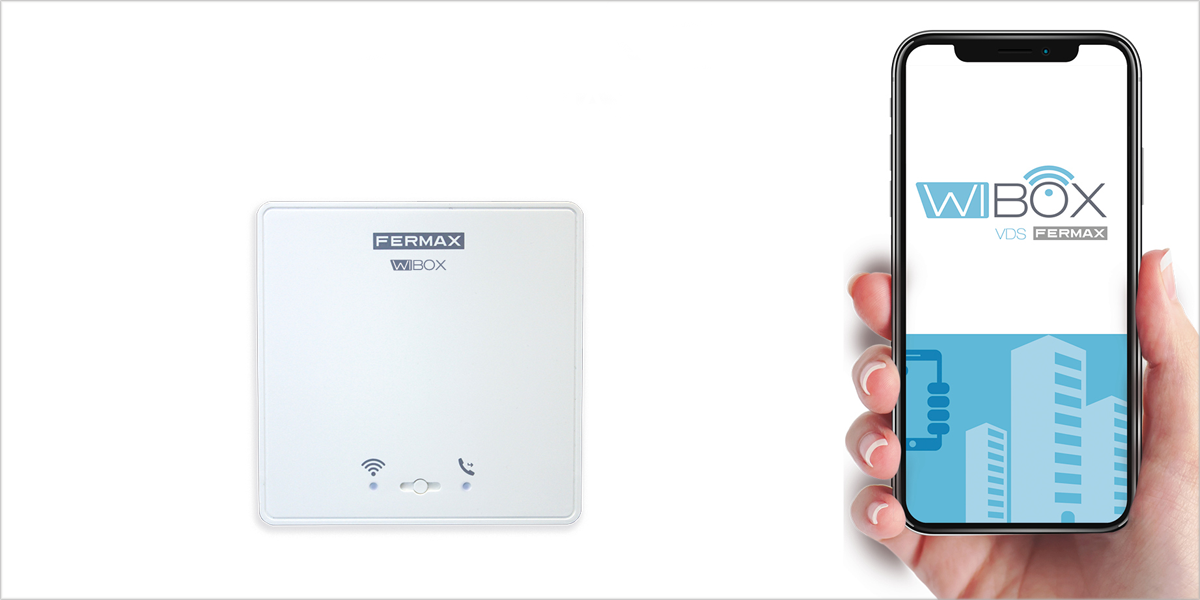
Does anybody have a Fermax Wibox? Any idea of how to control it locally or cloud-managed with user invitation?
🖼️ https://static.casadomo.com/media/2019/09/fermax-wibox-digitalizacion-porteros-antiguos-portada.png
 velvet jacinth
I am looking for some assistance with my zigbee lights. I have tried to research solutions on google, the forum, and reddit to no avail. My issue is that my lights no longer turn on when toggled. They show as ON on the dashboard and the flash when switched to OFF. They will turn on when I adjust brightness, but dark until then. Any advice is appreciated.
They have worked flawlesly until thisw week
 brave pulsar
Hello fello techies
It seems as though Home Assistant is still having problems with devices going unavailable sporadically. I have the latest HA version, running on RasberryPi3 and very often my TP Link switches and ESP8266 devices go unavailable, then come back 30-40 seconds later. Is this common with anyone else.? Thank you!
stable canopy
@fringe moon Did you use OTA for your Tuya converts?
upper stream
Does anyone here know how to control the volume on devices with a harmony hub?
 gritty wharf
so there is no way a new nest user can connect it to HA right? because already need to have a dev acocunt right?
no other way to link them?
haughty shuttle
What all software can you run on raspberry pi's to control the i/o pins, or, which one is easiest? Arduino?
foggy pecan
@gritty wharf search the forums for "badnest"
gritty wharf
i saw a post for it. but it was old and even he said not to use it long term.
do you use it?
foggy pecan
I don't have nest
But that's as good as you can get for now until Google provides a better method
gritty wharf
if its the only option ill give it a look. i wanted to double check before i played with it
hopefully google gives us access again
foggy pecan

gritty wharf
lolol
 covert hawk
Any recommendations for rgb bulbs I can use w/ tuya-convert?
 wraith scaffold
So, does the device_tracker that is generated from the Mobile App integration base it's home/not_home state on GPS coordinates or something else?
fringe moon
@stable canopy Yes
 willow flax
Does anyone have an NodOn SIN EnOcean module and controls that with home-assistant? Mine does not react on my commands I send to it.. :(
When I turn logging on, I can see that it sends its status when its turned on/off with an FT55 and I can see the status changes in HA, but controlling it from HA does not work..
fringe moon
can you share your config @willow flax I don't know the integration but I'm guessing this is what you are using https://www.home-assistant.io/integrations/enocean/
willow flax
@fringe moon exactly, I use the config from the bottom of the docu(with my ids replaced of course).
The "status pushback" does work as expected, so i can see when the switch is turned off or on. That means at least the ids are correct., But controlling it from HA does not work. I have not "paired" the NodOn with HA, I dont know if this is required or how to do that if it is required.
fringe moon
but you have the hub connected via serial port then I guess since you see the messages ?
willow flax
jup. receiving things works fine.
but i dont know how to test sending.. 🤔
muted hawk
Anyone know how the Xiaomi Aqara light switch (no neutral work) does it have a battery that allows it to be turned on or does it trickle through the circuit for power?
winged knoll
It'll be like all no-neutral "switches" and dimmers, letting a small amount of power flow, which on an LED can be enough to cause them to glow
muted hawk
I feel like a battery that allows the relay to switch and charges when the light is on is an achievable goal. Stupid british wiring standards ruining my plans.
winged knoll
You can get dimmer bypasses for this kind of thing, to avoid the LED lighting up
muted hawk
such as? I've not seen that
winged knoll
muted hawk
Cheers
muted hawk
oh, so you use that to bypass the bulb when power is low?
winged knoll
Sort of, it acts as an additional load
 novel nebula
Is it possible to get current app using at a appletv?
oblique bear
@novel nebula not unless its provided as an attribute of the entity, if you don't see it I would suggest submitting a feature request to the parent library
upper stream
I am trying to add my 2nd samsung TV. 2019, almost brand new, and it says Aborted sorry this device is not supported
 hollow sundial
Anyone have any solutions for smart blinds yet? The lutron ones are priceeeeyyyy 😩
Was looking at the Ikea ones
winged knoll
@upper stream There are some custom components that might help - HACS has them
bright jacinthBOT
Home Assistant Community Store is the successor to the old Custom Updater, and can do so much more - you should check it out.
Command '~hacs' was invoked by: Tinkerer
hollow sundial
But may wait for a newer model.
foggy pecan
what tv? my samsung Q90 added with no issues
 static verge
I just saw the Ikea blinds. I would kill for some top-down , bottom up blinds. My ceilings are 10' and Im on the gound floor of an NYC apartment, and my wife is 5'1
upper stream
@foggy pecan Samsung LED 7 series smart 4k UHD 65 inch
winged knoll
Does it have a model number 😉
foggy pecan
that error message is a tad misleading too. You might just need to change a setting on the tv
upper stream
Oh wait, My IP scanner just needed to be updated, it doesnt have a static IP
fringe moon

upper stream
Fixig that now tho....
static verge
Any reccomendations on a smart plug? Wifi or ZigBee; bonus points if it can do power monitoring. I have a budget here so it doesnt need to be cheap
static verge
oh nice
fringe moon
running tasmota and talking to HA via mqtt right now
static verge
im in the States btw
static verge
ohhh. sweet. i an idiot

 static verge
Well all i know is, he nicced me mobile at the tesco takes bow
winged knoll
Yeah, but you can find them in the dark 😉
Also, cables run down the wall, not sticking out from the wall
static verge
wow i just looked up what Tasmota is, and lemee just say i had no idea about this
fringe moon
then esphome will blow your mind
 weary lance
best new tv for integration into home assistant?
static verge
so you can control anything with an ESP chip?!
static verge
my god
fringe moon
I'm building my smart greenhouse as we speak
winged knoll
Probably you can't directly control other people
fringe moon
you have not tried 230v relays then @winged knoll
winged knoll
Oh, I have 😉
fringe moon

winged knoll
480V is more interesting
fringe moon
I prefer 48v DC for pain
static verge
ah i see your blitzwolf there on the tasmota site, among many other plugs
static verge
so you're comfortable with a soldering iron i gather? it's been a while since i had to use mine
fringe moon
yeah, but you don't need to solder for the tasmota conversion
we use tuya-convert
OTA flashing
static verge
ah i see, so the OTA works. very cool, i havent soldered in about 20 years
static verge
I can't wait to do this now. flashing my first store bought device with Tasmosta will feel like the beginning of a new journey
fringe moon
it's a vortex
Like I tell.. I just wanted to make a smart thunder lamp for my daughter
now every bulb in my house is smart
and I have sensors in every room
I might have the lamp done by summer though
🤣
to be fair, that is only 2 years from idea to creation
static verge
Okay here is one q I have, that's been bugging about these plugs. The key for these plugs is having a device with an in-line switch, or some sort of switch that turns it off/on. If its' a touch sensitive switch it probably wont work. So why is it, that in every "20 best home automations" article/Video, the tea kettle is one of the examples they give? All of them either have a "safety" that wont let it heat forever, or some kind of auto cutoff. Are they on timers, or am I missing something?
static verge
i might have worded that poorly - im just trying to figure out how to have smart coffee/tea
just a parenthetical, the Tasmota stuff is still the best thing of the day
I know I said it already, but that list of devices on the Tasomta sight is...man...just wow
 worn garnet
has anyone got an echo show working with cameras hosted in home assistant?
static verge
Am I correct that this is the complete list of plugs that will OTA Flash? https://esphome-configs.io/standards/us/
static verge
i swear, i clicked templates 1000 times and didnt see that. Thanks again!
fringe moon
🤣
static verge
this kinda happens every time i get into something new. Doesn't help that im going delirious from the social isolation
static verge
lol
fringe moon
🤣
static verge
i mean i do too, but Im in NYC, this is another level
 lone birch
Hello guys, i'm pretty new in Home Assistant world. I've just managed to get it up and running, but now I'm having some trouble.
I configured Arduino integration to listen on a pin. In first place the sensor values stays fixed on zero and doesn't get updated automatically. Second, I can't add it to a room as a temperature sensor because it doesn't have an unique id.
Could anybody help please?
fringe moon
sounds like #diy-archived
lone birch
It's kind of DIY, but my problem is into Home Assistant, not in the actual device. Also, I think it's related with the integration being very old. Maybe there's something incompatible in the way he shows up to the core, IDK. Please help me.
winged knoll
Second, I can't add it to a room as a temperature sensor because it doesn't have an unique id
Only devices can get added to Areas
lone birch
Yes, this is the point. Isn't arduino a device? (I assume it is not)
winged knoll
Device != piece of hardware
lone birch
Is there a way to make it look as a standalone temperature sensor?
winged knoll
A devices is a specific thing in HA speak, like an entity is
lone birch
I cannot really get the difference
Device:
A device is usually a physical unit which can do or observe something.
Entity:
An entity is the representation of function a single device, unit, or web service. There may be multiple entities for a single device, unit, or web service, or there may be only one.
winged knoll
Yes, and it has to have some associated "magic" that it identifies it as a device
lone birch
This is from the glossary page
winged knoll
No magic - no device
lone birch
So, what is Arduino? How can I use it? Only in automations I guess(?)
winged knoll
You can use any entity in an automation
Or a script
Or a scene
Or display it in a dashboard
lone birch
But I can't add it to a zone, isn't it?
lone birch
Yes, I was triyng to translate
winged knoll
And, given how limited Areas are, you're really not going to care
lone birch
That's what I was referring to, dw
bright jacinthBOT
Command '~zone' was invoked by: Tinkerer
winged knoll
Those are zones 😛
winged knoll
The only things Areas currently do for you are allow you turn on all lights/switches as one
Which you can do with groups, or a list of entities
devout cairn
booo, my pi zero apparently can't properly drive the neopixel ring without level shifting
runic narwhal
Hi everyone. Trying to get the razberry z-wave extension board to run on a raspberry 4 (with the native installer of home-assistant), but plugging in the extension card only makes it blink for 2 sec before it disables itself and doesn't light up anymore. I've tried to follow the device-specific razberry docs on the homepage, but those seem to be for the pi3. I've disabled bluetooth and added uart according to this thread: https://community.home-assistant.io/t/pi-4-setup-with-razberry-v2-solved/160946/2
But neither does anything show up in the logs nor am I able to follow the guide of the swedish company, since I did not use raspbian - so not apt-get or most other tools are available.
Any ideas?
winged knoll
#330944238910963714 may be a better place to ask - since the config options are specific to HassOS
runic narwhal
@winged knoll will do, thanks!
bright jacinthBOT
Command '.light.group' was invoked by: Tediore
 last jackal
wondering will there be problem if I run 2 home-assistant? would like to create dev machine...
winged knoll
No problem
last jackal
just wondering though.. MQTT will not connect to both machine right?
want to actually add packages to my hass but wanna test it first
winged knoll
MQTT doesn't connect
You connect your host to your broker 😉
You can connect many hosts to one broker, I have a production, test, and mucking about instance
last jackal
heemm... yeah.. I forget about that.. thanks
BTW I got this error messages "Resources need to be specified in your configuration.yaml. Please see the docs."
unsure why.. this appear when I used lovelace-ui.yaml
 silver geyser
Can i "customize" a sensor to be treated as a binary sensor? I have a smoke alarm sending out 255 when on and 0 when off. I'd like the device class to be "smoke", but it is currently considered a sensor
winged knoll
No, but sort of
bright jacinthBOT
Command '~binary_sensor.template' was invoked by: Tinkerer
winged knoll
binary_sensor:
  - platform: template
    sensors:
      YOUR_SENSOR:
        friendly_name: "Friendly name here"
        device_class: smoke
        value_template: "{{ is_state('sensor.YOUR_ORIGINAL_SENSOR', '255') }}"
Thanks mate, I get it now ❤️
last jackal
@fringe moon thanks
 spiral valley
are there any recommended smart plugs (EU) with power monitoring?
I've read a lot about Tuya, but there were changes in January/February that supposedly disabled ability to flash alternative firmware?
winged knoll
Zigbee?
fringe moon
I have some blitzwulf shp6 that I got in march
winged knoll
Z-Wave? WiFi?
fringe moon
That I just flashed
winged knoll
Price range?
fringe moon
Are there any ZigBee with power monitoring? Haven't seen any
 zealous dune
@fringe moon there's tons of zigbee with power monitoring, most zigbee plugs and even switches have some sort of power measuing by default
spiral valley
to be honest, I don't care if it's wifi or zigbee
probably zigbee, I would prefer no cloud
fringe moon
Really, I should check that out @zealous dune
spiral valley
tuya convert is cool and great project! but a) it might not work b) I think you need to calibrate them?
this Aquara plug looks nice, will everything work without their gateway?
I'll look at the list @zealous dune thanks for keeping it up
zealous dune
i'm weird like that 😄
spiral valley
you're helpful like that 🙂
too bad those Aquara plugs seem to require the hub still? and also they are twice the price the likes of Tuya, Teckin etc..damn, but there are so many in the list 🙂
winged knoll
If they're Zigbee, they're Zigbee
They'll work with any of the three Zigbee integrations (probably)
spiral valley
hm, that's good to know, I was wondering that they still require (for whatever reason) the designated hub
winged knoll
They may not work with another brand's hub, but the direct integrations are more flexible
fringe moon
I have..... A lot of IKEA
 gloomy dawn
anyone powering the smart things up via poe?
 dry tartan
I have an entity that shows up as read-only and doesn't have an ID. Any idea how to fix? It's a hue bulb..
winged knoll
Is it in -> States or  -> Entities?
dry tartan
both actually
winged knoll
Then it has an entity ID
dry tartan
I want to trigger it with an automation, but can't find it there
dry tartan
it's not in devices
it's in entities, marked as readonly
and "This entity does not have a unique ID, therefore its settings cannot be managed from the UI."
winged knoll
Right... so ....
You can't use it in device triggers/conditions/actions
You can't change the entity_id
You can give it a new friendly name, change the icon, and all the usual customizing things
You can use it in any traditional trigger/condition/action
dry tartan
but why is this the only hue entity that behaves this way?
winged knoll
🤷
dry tartan
hmm
dry tartan
one more question, why do you say hardly anything is a device? I have lots of devices..
dry tartan
hmm
 dark basin
I’m going to move my ZWave stick from a non-HA installation to HA. Is it possible that the devices are linked to the stick in a way that they don’t need to be re-added manually, but HA can find them in the zwave stock network?
Basically looking to not have to add every device manually.
hollow sundial
Anyone got suggestions for a smart thermostat? Other than ecobee and nest?
 last sable
Are there there any major differences in home assistant integration between ESPHome and Tasmota? I am looking to get started working wiht one of those two libraries
 tame ivy
Major difference, Capt.
Tas uses MQTT and ESPHome uses native API (yaml).
Chalk and cheese.
last sable
Ok I read around a little more and it seems many people on the forums prefered ESPHome. I just got started with it and it was pretty easy to get up and runnign
nevermind, apprently it didnt actually upload
actually it appears to successfully write the binary to the NodeMCU but I dont see any temperatures on the console
fringe moon
@last sable I do tasmota for plugs and switches, and esphome for stuff I build myself
last sable
ok, I will look into tasmota as well
i ended up getting ESPHome to work
there seems to be some sort of bug with my yaml not saving every time
I have to reload the page to get the saves working again
winged knoll
@dark basin FYI, #zwave-archived would be the best place to ask about Z-Wave 😉
drifting grove
Hello everyone. I have a problem problem with a sonoff t1 2ch eu switch i just flash with tasmota. The two touch buttons stopped working. Mqtt works fine. Does anyone know how to fix it?
fringe moon
have you applied a template to it that works ?
 vernal igloo
hi all.
struggling to head my head around the difference between a device and an entity...
how come my lights and printer are devices [set up by UI] and my TV aren't?
 slender bluff
Is it possible to change a device to a different one and keep the old entity history? (In Grafana?)
vernal igloo
no idea :)
i'm using core in an unraid docker.
slender bluff
Sorry to interrupt your question
vernal igloo
aaahhh.
ok, that makes more sense.
cheers.
 frail compass
I am not sure if this is a zigbee2mqtt (z2m) question or a HA one, but I do believe this is the right forum:
I have an Aqara vibration sensor (DJT11LM) that in HA shows up with the entities action, battery, lq, sensitivity and strength. But the sensor also reports x nd y angles (relative and absolute). z2m publishes this data on the same mqtt topic It would be very nice to have this info. For instance , as you could use it to determine if windows are open or closed, without a separate window/door magnetic sensor. It could work both as a glass break sesnor and an open/close sensor. Would this be a feature request or a bug (missing data from exisiting sensor)?
 quartz lodge
@frail compass prolly not a bug if dev did not try to include ....so prolly a freature request and best to post on forum
frail compass
@quartz lodge Thanks. So the forum is better than a github issue for things such as this?
quartz lodge
yes sir
gloomy dawn
anybody know what size barrel jack the smart things hub v3 uses?
trying to find a poe splitter to power it
 sullen gyro
hey guys. Were anyone able to display home assistant or any html page?
i wonder if I can open a mini room control page on it
winged knoll
That's a #frontend-archived thing 😉 Have a look at the list of stock Lovelace cards linked from the channel topic there
sullen gyro
@winged knoll sorry about that
 manic chasm
Hi everyone quick search didn't pull anything up of if first alert SC7010LBLV
Is fully compatible with HA and aeotec USB stick. I came across people successfully integrating a first alert "combo" device and wanted to be sure it's the same one from Lowes. Pretty new to z wave and HA so I figured I'd ask you guys. I've attached a picture for added clarity. Thanks
winged knoll
Ah, so that's a #zwave-archived question
See the channel topic there for more information on working out what's supported
However...
First Alert SC7010LBLV (1042734) Hardwired Photoelectric Smoke And Carbon Monoxide Alarm
I see nothing there about Z-Wave
manic chasm
@winged knoll aaa man your probably right. I'll be moving over to #zwave-archived. I was hoping to find one zwave device locally. Thanks
winged knoll
Well, yeah, but you need a Z-Wave device for it to work 😉
 random delta
With homeassistant integration and future features in mind, what will the experts here recommend to get between echo show or google hub?
I saw someone tried touch control from google hub with Lovelace. Is this something that will be a feature.
winged knoll
It is a feature
I've used it a few times, mostly a gimmick IMO, but then I don't use the UI much
There's native support for Google devices, they're media players and TTS targets without anything to do
slender bluff
@slender bluff that wouldn't make sense imo as it is a new entity
@fringe moon
I want to replace a Power meter plug with tasmota but keep my influxdb history.
Also the new sensor should just continue to send the values to the same history (same entity...)
random delta
I see myself making homeassistant the backbone for my house and starting with wyze cams and sensors and adding more stuff that won’t need cloud. But still these two products are easy to interact with HA and I feel I should get it. Do anyone differ in there approach. Like don’t get it just use smart speakers and touchscreen laptop
 bright musk
Hey everybody
im stuck on getting my new xiaomi lights added to HASS.
the bulb is found by hass but when i want to configure it i need the pair code.
i dont have this code and have tried the method with changing your region to china etc.
still unable to get this to work.
does anybody have a fix for this?
gloomy dawn
whats the tl;dr on light switches that will play nice (dim, etc...) led pucks and such?
good, affordable, reliable, switches
winged knoll
Well, switches don't dim 😉
Dimmers dim
But they only dim things that are dimmable
bright jacinthBOT
Looking for advice about a device to buy? Remember to provide guidance on:
- Which country you're in
- What your budget is
- What protocols you prefer (eg Zigbee, WiFi, Z-Wave)
- Any features you want (such as power monitoring, dimming, etc)
Command '~what' was invoked by: Tinkerer
gloomy dawn
yea i guess thats what im asking
winged knoll
So, see the bot message then 😉
winged knoll
Is it dimmable?
If it is, we need to know where (I'm guessing USA), budget, protocols, etc
winged knoll
So, then you're either going to use those, or you need to find out which dimmer types those are (trailing edge, leading edge) and find something suitable
gloomy dawn
google says trailing for led's
random delta
So, I got two BNLink plugs with power monitoring but HA only shows one entity. Is this possible to get monitoring as input and store in HA or that needs custom firmware?
 marble hollow
Hi all, have some devices I've made myself (temp/humidity sensors) - quick question - how can I get these to be available to the standard Lovelace sensor cards ? there's data that I've got stored in an InfluxDB that I've got embedded into Hassio as a grafana plugin- however, it doesn't appear in the drop-down for entities. Can anyone help me with where I need to start?
winged knoll
Make sure they're entities in HA
There is an InfluxDB sensor, maybe that'll work for what you're doing
glossy prism
@random delta is the power info a state attribute of that one entity? Check at developer tools > states
random delta
I see only 1 entity listed as 'switch.88412205dc4f229c86ff on friendly_name: Entertainment switch'
i was hoping i will see more than one attribute listed
stable canopy
Anyone using any mqtt based temperature sensors? Looking at Shelly H&T but it a little pricey at $23 per.
I have some RM3 mini's that are said to have temp sensors but I've never been able to read it.
clear forge
Anyone got the SMRTLite by NGB home 1800lumen RGBWW panel light from Costco working? I got tasmota on it using tuya-convert but not sure which template to use as its not in the online database
 void hollow
Any aussies up to date on what sort of power meter options are available
I'm guessing pulse counters are more accurate than CT clamps?
fringe moon
@drifting grove usb passthrough via a desktop virtualization platform to a locked down appliance , don't know which part of that is worse tbh, not that it shouldn't work, atleast 3% of the time
winged knoll
#330944238910963714 is likely the place to ask though
 whole orbit
If I wanted to switch a low voltage deck light circuit, which Shelly device should I use? I assume I could just put it after the transformer?
Or some other device you would recommend ?
Would something like this work? https://www.amazon.com/gp/product/B07FJ77MZ9/ref=ppx_yo_dt_b_asin_title_o04_s00?ie=UTF8&psc=1
 distant echo
@whole orbit That's not shelly device, you will have to flash that so get it workin with. I would prefer Shelly, the Shelly integration is pretty awesome
whole orbit
@distant echo yeah sorry, the link was a prospective alternative to Shelly device. I like the Shelly's but have only used them in a regular switch config tied into main voltage, never with low voltage.
Would a Shelly dimmer work in this 12v application? I've only ever wired them in a box with a dumb switch - which this low voltage situation would not have.
distant echo
@whole orbit My Shelly 1 works with the 24v from my heater without problems. Not sure about the dimmer though
whole orbit
ok, awesome - and with your set up, there is no dumb switch in the circuit? All the wiring diagrams I've seen (so far!) all have a dumb switch in the loop so I am unsure how I would wire it without one
distant echo
no... A dump switch for a heater would make less sense 😄 I replaced my thermostat with a shelly 1
fierce finch
Hello everyone
does someone here has experience with the ring doorbell in HA or the xiaomi doorbell ?
 wanton aurora
@fierce finch i have some experience with the ring doorbell
fierce finch
i think i indeed go for the ring , they have support for the existing power cable (in stead of just batteries)
it runs stable ?
wanton aurora
I ran mine primarily on batteries, but it was stable for months. I got rid of mine due to security concerns, but they have since upgraded some security features.
 foggy shoal
Hi, is there a place to discuss problems with the Odroid N2 version?
winged knoll
#330944238910963714 would be the place I suspect
foggy shoal
thanks, I'll try there
 bleak parrot
The ring solution is pretty stable. Some disadvantages:
- Cloud only approach for video rec.
- The video performance could be better.
visual zenith
Hi, I am looking to control when to switch devices on and off, and decided on getting sonoffs. What I didn't realise was sonoffs need at least 100v power supply, and the device i wanted to connect was 12-24v. Is there any device I can use, or maybe a board I can wire it to in between? Thanks
upper stream
I have an executable button that adds 5 to my volume for my harmony controlled surround system. i also have one that takes -5 off. how would i make this a sliding bar?
bright jacinthBOT
The input_number component allows the user to define values that can be controlled via the frontend and can be used within conditions of automation. The frontend can display a slider, or a numeric input box. Changes to the slider or numeric input box generate state events. These state events can be utilized as automation triggers as well.
# Example configuration.yaml entry
input_number:
  slider1:
    name: Slider
    initial: 30
    min: -20
    max: 35
    step: 1```
Command '~input_number' was invoked by: Tinkerer
bright musk
Hello everyone,
I got my brand new xiaomi LED smart bulb rgbw in the mail.
at this moment i am trying to connect them to HASS but i cant figure it out.
when i try to configure them trough the homekit option i need to provide a 8 digit code, i cant find that anywhere.
when i try to add them trough the configuration.yaml i need a 16 digit code but i cant find that either.
is there anyone who can help me? i’ve tried the method of changing your region to china etc but couldnt find the key/cod
at this point i have them in HASS by disabling discovery for yeelight and then manually add them with a IP
the only problem now is they are showing up as entities and not as devices.
winged knoll
The Aqara ones are the new ones
 livid wasp
round or rectagular ones?
livid wasp
okay, I have a couple of round ones any reason tu upgrade? or just extend the installation with rectagular?
winged knoll
If they work, they work 🤷
livid wasp
so no difference?
winged knoll
I'd assume there are, but I haven't looked at the circuit boards
livid wasp
and they both work with the xiaomi smart gateway?
livid wasp
with which device? I only have the cc2531 I don't have a conbee, yet at least 😉
winged knoll
Well, support for the conbee is still a work in progress
You really want one of the newer boards though... https://www.zigbee2mqtt.io/information/supported_adapters.html#texas-instruments-cc26x2r1 or https://www.zigbee2mqtt.io/information/supported_adapters.html#texas-instruments-cc1352p-2
drifting grove
Am I correct that save states are not working anymore since a couple of updates after restarts?
in the past my states where saved for my RFlink devices. But it doesn’t seem to work anymore.
 shut fog
I have a Nest E Thermostat. I'd like to use it's motion sensor which wakes up the screen when passed by, to trigger lights to turn on. My Nest account uses a Google login, so I can't access the old API. Is there any other way to get the motion info?
distant echo
@shut fog is this something that is published?
shut fog
@distant echo hmm I guess the motion sensors within the thermostats were never exposed even in the old API according to this thread. Only the presence status
https://community.smartthings.com/t/use-nest-thermostat-as-a-presence-sensor/151792/3
wanton aurora
Are the Shelly devices able to handle a bathroom fan?
zealous dune
depends on your fan and which shelly you're talking about
 boreal spade
Good Morning,
can you help me .. i have a xiomi 3 gatway with several sensors including smoke .. yesterday it was working today it is no longer ... i have already redefined a configuration and nothing is available in the assistance service
Entidades
Smoke Sensor Indisponível
Smoke Sensor Limpo
battery 90 %
*
I can get the battery status only
 remote hound
@visual zenith Try the Sonoff SV
visual zenith
thanks @remote hound
 primal echo
The sonoff socket plugs, do they still need to be flashed?
visual zenith
@primal echo if you want to integrate them to Home Assistant, then yes, otherwise you can download the app they come with
 inner pine
Hey I would like to ask if someone could help me. I am new to home assistant and flashed the HassOS image om my Raspberry Pi 4 4GB today.
Today I have installed HACS and added my Yeelight bulb to Home Assistant successfully.
On HACS I installed the shellyforhomeassistant plugin and that worked like a charm. My problem now is that I deleted that plugin and want to setup my shelly with MQTT.
The MQTT addon is installed and I added the username and password. (default username and password for now)
I added the MQTT information at the shelly page and when I look at the logs the Shelly 1PM does connect but I can't see it at the "states page" even when I add the lines in the configuration.yaml with the right topic.
So could someone help me?
fringe moon
Did you select discovery enabled when you added mqtt to the integration page @inner pine ?
inner pine
yes I have enabled that one.
Is there some config that I need to add in the configuration.yaml?
fringe moon
Might be depending on what topic the Shelly is broadcasting on, if you use an mqtt explorer what can you see?
inner pine
I haven't used that program. But my shelly is named shelly1pm-76DE83 so the topic should be shellies/shelly1pm-76DE83 right?
I am going to make some screenshots to give you a clear view on what I'm working with.
fringe moon
I haven't gotten around to my shelly1 yet, but I was thinking of doing restful on them actually, but I haven't been reading about them for over a year, I have four sitting in my garage though 🤣
bright jacinthBOT
Please use imgur or other image sharing web sites, and share the link here.
Command '.images' was invoked by: Tediore
primal echo
if you want to integrate them to Home Assistant, then yes, otherwise you can download the app they come with
@visual zenith isnt there an alternative that doesnt need flashing?
bright jacinthBOT
Please use https://www.hastebin.com/ or https://paste.ubuntu.com/ to share code or logs.
Command '.share' was invoked by: phnx
inner pine
it's perfectly readable in the pictures
primal echo
just follow the rules
foggy pecan
if someone would like to assist you by posting suggested fixes they're not going to type everything by hand
winged knoll
You want help, don't make our lives harder
inner pine
https://pastebin.com/cQVmbCFe
Configuration.yaml
https://pastebin.com/8Pp3ng0u
MQTT log
I hope this is good enough. Sorry if it isn't and sorry that I didn't follow the rules
winged knoll
It's more about helping us so we can help you 😉
inner pine
Is there anything wrong with my config or what else did I do wrong?
winged knoll
What did you use to edit that?
inner pine
visual studio code addon
winged knoll
    name: “Shelly 1PM”
          ^          ^
          ------------ "Smart" quotes
I'm gently impressed that the config check didn't 🤢
Those are all over that config
inner pine
config checked that it is good
inner pine
How should I code this if that is what I need to call it
winged knoll
Normal quotes
primal echo
"
inner pine
Okay I will change it to the correct quotes and come back to you.
I corrected the YAML code checked the config and the outcome is valid, restarted HA but the shelly is still not detected.
https://pastebin.com/0m5Yjc5a
new YAML configuration posted above in the pastebin
winged knoll
You're looking in -> States?
inner pine
yes and no shelly device other than switch.shelly_1pm. But that one isn't working
I think that one got added when I added the shelly in my configuration.yaml
winged knoll
Have you checked that the topic is right?
inner pine
the topic should be right. If I check in mqtt explorer I see shellies -> shelly1pm-76DE83 -> relay -> 0
I also see shellies -> shelly1pm-76DE83 -> input -> 0 = 1
winged knoll
That will give you the actual topics, and payloads
inner pine
so that means I added the correct topics?
winged knoll
If they match what MQTT explorer is showing
inner pine
they do match
shellies -> shelly1pm-76DE83 -> relay -> 0. Underneath the 0 are power and energy. Are those ones the topics I need to add to HA?
winged knoll
What is the actual topic
What are the actual payloads?
You're translating MQTT topic names into something weird with ->
inner pine
Shelly1 uses the following topics:
shellies/shelly1-<deviceid>/relay/0 to report status: on or off
shellies/shelly1-<deviceid>/relay/0/command accepts on and off and applies accordingly
this is what the shelly documentation says and this is also how it is coded in my configuration.yaml
winged knoll
Yes, but I'm asking if you've confirmed those, and you're giving something else
shellies -> shelly1pm-76DE83 -> relay -> 0
shellies/shelly1-<deviceid>/relay/0
One of those is an MQTT topic, one is a translation of ... something
inner pine
I am not native english so I'm sorry if I didn't explain it well. I have confirmed my config and the shelly documentation that they are the same. I have my own shelly device id ofcourse
winged knoll
Then... 🤷
inner pine
So there is nothing else I might have done wrong?
winged knoll
I'm out of ideas
inner pine
Okay. Thank you for helping me. I really appreciate it.
I am going to reinstall Home Assistant on my Raspberry Pi4 and try again with a clean config and instance.
 teal glade
A standard wired door sensor reed switch. Is it normally closed when the door in closed?
I believe so. I'm guessing both are possible but one has to be convention.
winged knoll
AFAIK normally open is the common style - so closed in the presence of the magnet
 jovial pulsar
If you're lucky you can get versions with three connections, so you get both.
teal glade
Awesome, that's what I assumed. Worst case, I can swap the switch output in Tasmota with a switchmode command
Found out I can repurpose the switch input on the Sonoff to be my garage door sensor 🙂
wet horizon
Is there a way to reference the associated device name in the entity name? It would be nice to have entity names update automatically if I change a device name, instead of having to rename them all individually.
 lavish harness
Does anyone have a Xiaomi humidifier working with HA? Im not sure which models are supported
glossy prism
@wet horizon no, but I typically keep the entity ID generic and use the friendly name to better identify when the entity is
So for example: switch.plug_1 friendly name would be Cabinet lighting
void hollow
Any aussies know of good solar inverter brands/models to aim for
 wooden jay
is there any way i could make a input_boolean show up as a device?
glossy prism
@wooden jay nope, why though?
wooden jay
I've got entities that are using IFTTT to control unsupported devices. I wanted to assign them to the rooms in my house.
shut fog
Anyone using Tasmota? I'm wondering if there is any downside to using emulated hue built into Tasmota over Home Assistant? Seems like this would be better, because it would let my devices communicate with Alexa even when HA is down
teal glade
@shut fog Yes. Just started using it and am pretty impressed with the functionality.
You can use both I believe, (HA and the Alexa integration). The downside is learning to flash Tasmota which took me a few hours of tinkering.
shut fog
I was trying to figure it whether to run emulated hue on the devices in tasmota or in HA. I think I settled on HA for security
teal glade
Sorry, I was thinking you were thinking about the Tasmota firmware for the wifi devices (relays, etc.).
shut fog
Yeah the Tasmota firmware has hue bridge emulation, letting it work with Alexa without going through HA
teal glade
Yes, which devices?
shut fog
But I can also use Tasmotas MQTT to communicate with HA, then use the HA emulated Hue bridge plugin to get the devices to work with Alexa
I have a bunch of switches
But I have my Alexa devices on a separate subnet for security
I decided I would rather just have the echos communicate when one HA server than reach device directly
Maybe a little over precautious
I was curious if others using the devices with the Tasmota firmware were using the built in Hue bridge emulation
teal glade
Isn't Hue on the Zigbee protocol not wifi?
winged knoll
Yes, but the Hue bridge is IP based when you talk to it
So, if you're emulating it, you're emulating an IP device
teal glade
So, if you're emulating it, you're emulating an IP device
@winged knoll Cool. Would @shut fog be able to have the switches automatically use HA if not able to connect via Alexa? Or is it all redundant and the devices don't really care which hub they connect to?
Actually, I think he was asking if it would connect to Alexa if HA wasn't available.
winged knoll
So... if it has built in "emulated Hue" then it should, but you'd have to exclude HA from passing those devices to Alexa
As long as the devices report state changes to HA it should be fine 🤞
shut fog
Yeah Tasmota will let you use emulated bridge and MQTT at the same time
Or you could just run emulated hue alone
It seems the major advantage of Tasmota emulated bridge is that Alexa commands work even if HA is down
But I think I just need to build my setup assuming HA will always be up
My question really was just how other people with Tasmota were doing it
So far I don't get the feeling many are using Tasmota's hue bridge function
teal glade
I just went looking for that option on my Sonoff and only just now noticed it.
shut fog
It's a nice feature because it lets you integrate your devices into Alexa without HA, but if you are using Tasmota, you're likely also using HA
teal glade
I'm using Google Assistant but I'm about in over my head as it is, the last thing I need is to complicate my setup even more 😉
inner pine
@winged knoll After reinstalling Home Assistant and configuring my shelly it now works. The states are being detected and I can now control my Shelly 1PM with HA.
Also I looked in MQTT Explorer and found a temperature sensor and added that also to my Home Assistant.
inner pine
I also have my automation working with my Shelly and Xiaomi Yeelight. I can now turn on my Yeelight with a physical switch and not turn the relay (cut the power to the smart bulb). My shelly just listens to the switch being flipped and sends a message to the Yeelight to turn either on or off.
My shelly is in Detached switch mode
 tidal grotto
any reccomendations on wireless CCTV camera's? - ha not required,
winged knoll
#cameras-archived would be a good place to ask, and search the history
Also...
~what @tidal grotto
bright jacinthBOT
@tidal grotto Looking for advice about a device to buy? Remember to provide guidance on:
- Which country you're in
- What your budget is
- What protocols you prefer (eg Zigbee, WiFi, Z-Wave)
- Any features you want (such as power monitoring, dimming, etc)
Command '~what' was invoked by: Tinkerer
 stable mortar
I am looking for WiFi light switches with physical buttons (not touch like sonoff) with esphome or similar support. Does such a thing exist?
zealous dune
stable mortar
oh cool list, thanks
tidal grotto
@winged knoll I read your github, but could not see what regular lightbulbs you are using, yeelight?
winged knoll
I'm using a couple of yeelilght strips, and some Zigbee strips
No smart bulbs though
tidal grotto
Aah no bulbs, switches then i assume?
winged knoll
Yeah, I don't really believe in smart bulbs connected to switches
 stiff ginkgo
Any one know how to add Fibaro motion sensor(HomeKit) to HA
When I remove it from the home app in my phone my HA still can’t find the sensor
 drowsy harness
Hi, is it worth to flash Shelly 2.5 with tasmota ? will I gain more features or just stick with shelly firmware and use mqtt ?
random delta
Morning, is there a wiki page or blog where devices are listed that work with HA and maybe able to take custom firmware.
winged knoll
https://www.home-assistant.io/integrations is about the closest you'll get to the first
There's so many devices you can't make a list
 civic kraken
And some devices are rebranded as well so it often makes sense to do some research or if that fails, ask here about a specific device
winged knoll
https://zigbee.blakadder.com/ is somebody's attempt to start such a list, but it's never going to be comprehensive
shut fog
@random delta if you are looking for esp8266 devices that can be flashed OTA, like with Tuya convert, you can try looking for Tuya devices on AliExpress. But yeah there are shit loads coming out of China:
https://www.google.com/amp/s/m.alibaba.com/amp/showroom/tuya-smart.html
random delta
So all of them should be OTA (I can setup a electronics soldering shop in my rental home without a garage..lol 😟 )
shut fog
No, definitely don't assume that OTA will work. Not all Tuya devices use an esp8266. And Tuya convert relies on an exploit that may have been patched by some vendors if they care
That said I'm sure there are many more devices that can be OTA flashed than even what Blackadder had listed in his database. But going with one of the devices in his database at least gives you a template to work off of.
Even without a template though, it's not hard to figure out how to create your own template from scratch, especially if it's just an on off switch or plug
Digiblur has a video for that ;(
Er ;) lol
 bright hollow
How remove device?
wanton aurora
@bright hollow you're going to have to give us more information than that.
 viscid wasp
What kind of switches would be recommended for a new house build, contractor is in the process of building my new home
 steady wharf
I feel sad that HA developers push UI (which i kinda understand the point) but in the end somethings need to be done editing files in the .storage
glossy prism
not necessarily. the ability to change settings for integrations configured in the UI already exists for some integrations, and i'm sure it will be enabled for others
random delta
Hello, I am getting a DoCommand error when setting up wyzesense directly to HA.
_DoCommand
i could see the first device for few moments and then it went away and cant pair any sensor now.
glossy prism
@random delta what version of that custom component are you running? I believe that's been fixed
 pliant forum
Hi, I was wondering if anyone has any any experience with Camb/Danale cameras and getting them to work with HA. I have a Freecam L800 floodlight cam and need help finding the still url and rtsp url if it even has one lol
random delta
@glossy prism few tweeks and reboots fixed it. I installed the latest from the page today.
winged knoll
@viscid wasp If you've got neutrals going to the switches, you can fit your choice later. It's largely down to where in the world you are, your budget, and your other requirements. Personally I'd recommend Zigbee (3.0) or Z-Wave (Plus).
drifting grove
hello, i'am totally new to homeassistant, and a total noob, i want to start by adding my xiaomi air purifier but i eve don't know where to start! i checked in the add on store bu found nothing related to xiaomi!
bright jacinthBOT
Command '~integrations' was invoked by: Tinkerer
winged knoll
You want those, not add-ons, see #integrations-archived
https://www.home-assistant.io/integrations#search/xiaomi will find the air purifier. Follow the instructions on the relevant page and if you get stuck, ask over in #integrations-archived
drifting grove
thanks
viscid wasp
@winged knoll thanks, i will check those out
winged knoll
Sure, it's #zigbee-archived
Zigbee2MQTT supports it (https://www.zigbee2mqtt.io/devices/E1743.html) and I'd expect zha would too
 sour fox
humm you think it output a 0-100% value ?
winged knoll
I have no idea, #zigbee-archived may though
sour fox
https://www.zigbee2mqtt.io/devices/ICTC-G-1.html this one seems to be what i want , but it wont sell in fr
and i have an ir blaster , and it s annoying to manage keep presed button in HA (i didn t manage to make it work)
winged knoll
https://www.zigbee2mqtt.io/devices/TERNCY-SD01.html maybe, but as I said #zigbee-archived would be a better place for advice on Zigbee stuff
tidal grotto
@sour fox that button syncs to hue hub if you have one then into ha through hue intergrations
tidal grotto
I see, I have a zigbee2mqtt and that switch coming next week 😛 will try it out. I am keeping hue hub for my familiy home so if it wont work it be kept on the hue
 pure zinc
Hello, i have a "connected water heater" and i was wondering how to add it into my home assistant system ... it seems that it is using the same protocol as the Somfy devices which is IO-homecontrol http://www.io-homecontrol.com/index.php/en/ i just have no clue what it is and how to interact with it ... https://www.atlantic-comfort.com/How-to-choose/How-to-choose-a-room-heater/Heating-Technologies/Connectivity-remote-piloting-Cozytouch If anyone have any info about Atlantic / Termor / Somfy / cozytouch / IO-homecontrol ..... i'm here !
i just dont want to buy a 100 euros cozytouch proprietary bridge
https://www.reddit.com/r/homeassistant/comments/9mrjgg/iohomecontrol_compatibility_with_homeassistant/ look like i'm not the first one
 lapis fern
Hey all! I'm a fairly technical savvy user, just starting out with HA. Just wondering if anyone could recommend any particular brands of color smart lightbulbs for use with HA, the more open (required code wise) the better. Thanks!
bright jacinthBOT
Looking for advice about a device to buy? Remember to provide guidance on:
- Which country you're in
- What your budget is
- What protocols you prefer (eg Zigbee, WiFi, Z-Wave)
- Any features you want (such as power monitoring, dimming, etc)
Command '~what' was invoked by: Tinkerer
lapis fern
I'm in Canada, looking for the ability to dim and change color. Budget isn't my main concern, as much as the most libre possible code, although I wouldn't say no to saving some $. 😉 TBH I don't really know much about the various protocols...
winged knoll
Zigbee will be cheaper than Z-Wave. WiFi will probably be much of a such with Zigbee
Fitting also matters though...
https://zigbee.blakadder.com/ or https://www.zigbee2mqtt.io/information/supported_devices.html are two lists of devices that work with HA, but anything that works with Tuya can likely be flashed with Tasmota
Beyond that... https://www.home-assistant.io/integrations#light
lapis fern
Ok. Thanks. Yeah, doing some quick reading, I like the sound of zigbee the most
winged knoll
See the #zigbee-archived channel for some more details about your options for Zigbee integration
bright jacinthBOT
There are three Zigbee options with Home Assistant (regardless of how you install it). These are:
deCONZ is relatively stable and mature with its own UI. It can run in an add-on, in a Docker container, or natively. Known working devices are documented, and how to request support for a new device is documented too (you can't add unsupported devices yourself).
zha is actively developed as part of Home Assistant Core, using the zigpy stack, the UI also being part of Home Assistant. There is no list of supported devices, as any standards compliant device should work. Devices that require extra support are listed, and adding unsupported devices is documented.
Zigbee2MQTT is very actively developed and can run in an add-on for Hass.io, in a Docker container, and natively, with no native UI. It uses MQTT for control and configuration, but there are third party UIs. The known working devices are well documented (which usually includes how to pair them so you don't have to find the manual), and adding unsupported devices is also documented.
Command '.zigbee' was invoked by: Tinkerer
winged knoll
That too
lapis fern
Lol. Cool. Thanks, @winged knoll . Very helpful!
 amber pumice
Hi all, I've had a look on the forums and not been able to find a solution to this one. I had some tasmota light bulbs set up (via auto discovery) in HA - they were working fine for a week or so, but after I recently removed them and re-added them, they are being discovered as RGBW instead of RGBCCT. I can't figure out what has changed to make that auto discovery come up with a different result.
 rancid oasis
hello
can sommone guide me step by step how to update dresden firmware in home assistant
winged knoll
As in deCONZ?
rancid oasis
basycly i try to update by deConz app but is not ypdate
winged knoll
There is a deCONZ Discord where they can help you with it
rancid oasis
ok thanks
winged knoll
amber pumice
I've answered my own question above. If I have full topic as %prefix%/<location>/<device-type>/<room>/%topic%/, auto discovery incorrectly identifies my lamps and only sets them up as RGBW. If I leave full topic as just %prefix%/%topic%, it correctly identifies them as RGBCCT. Is that an expected behaviour? I'd be keen to have the first full topic if possible.
(Using tasmota.bin on RGBCCT light bulbs, and HA)
 astral ginkgo
Hi, i'm looking for IR device with I-feel option for controlling air-conditioner
winged knoll
I-feel is presumably just a setting on the AC, so ... any IR blaster should work
 pastel fjord
does anyone have a wifi room thermostat in use with HA that has a humiditiy sensor?
astral ginkgo
I-feel is presumably just a setting on the AC, so ... any IR blaster should work
@winged knoll i'd like it to work with temperature feel , i think there is only RM 4 Pro that can work with additional external thing - i'd like to know if this working
winged knoll
Interesting, I'd have expected most folks would tackle that in HA, not an IR blaster...
astral ginkgo
Interesting, I'd have expected most folks would tackle that in HA, not an IR blaster...
@winged knoll How ?
winged knoll
~irc @astral ginkgo
bright jacinthBOT
@astral ginkgo Discord isn't like IRC, you don't have to tag people on every response. Keep in mind that every time you tag somebody, they get a notification ping. That can very quickly become annoying and people may block you.
Command '~irc' was invoked by: Tinkerer
winged knoll
With a temperature sensor, and some logic...
astral ginkgo
I wanted something that can do i-feel and IR inside
winged knoll
You're looking for an AC specific smart IR blaster then ... 🤷
drifting grove
@astral ginkgo I use a few Sensibo devices, they have always performed great. Before these I used Tado...and they really underperformed hence my switch
astral ginkgo
Sensibo don't have i-feel function - i tried it
drifting grove
What is i-Feel? (Sounds like marketing speak); but I know I feel happy with it
astral ginkgo
I FEEL The air conditioner sets the room temperature regarding the position of the remote control.
pastel fjord
can anyone recommend a room thermostat like the floureon one that hast humidity sensor?
 wispy roost
Anyone seen a smart color e14 bulb that's at most 10cm long from end to end? All of them seem to be candle shape at 11cm+
 crude creek
why does this have two live and two neutral? https://youtu.be/_qXeFzrEuYI?t=15 ?
 sharp peak
Is there any way to change the names of the lights in Home Assistant?
sharp peak
The friendly name
winged knoll
Then yes, trivially 😉
 hearty osprey
Hey all, I'm trying to set up a sonoff RF Bridge to pick up my doorbell and trigger an automation, I have tasmota and portisch flashed and have a rfraw code from the doorbell, can anyone help me set up an entity in HA, I would guess a binary sensor?
drifting grove
I have a few old cameras that require flash to edit the config menus.. how have you guys solved this? I can't get an old XP VM to load the flash page.
 warm ermine
Having issues getting sonoff basic r2 into flash mode. I am using ftdi correctly hooked up(tx-rx, rx-tx, 3.3v) I am able to read serial data from the sonoff when it boots normally. However, when I hold the reset button, add power, continue to hold for about 3 seconds it doesn't want to go into flash mode. I have used multiple flash programs, but nothing is currently working for me. currently esphome-flasher is giving me this error: Unexpected error: could not open port 'COM13': PermissionError(13, 'Access is denied.', None, 5)
warm ermine
😉 (ground)
drifting grove
hahah
Are you using the USB to the computer on an exterder cable? I had this exact problem with 4 of them 2 days ago
I also used tasmotizer-1.1a.exe though
warm ermine
tried directly off of USB on the pc as well as extension...no joy
I downloaded that, esp easy, & esphome flasher
oh and new ftdi too...link https://www.amazon.com/gp/product/B07TXVRQ7V/ref=ppx_yo_dt_b_asin_title_o01_s01?ie=UTF8&psc=1
drifting grove
you used several you said?
warm ermine
2 adapters, 3 softwares, tried on 6 sonoff basics.
drifting grove
when you power them up with mains what do the lights do? Does the relay still flip on and off with the switch?
What was the console out put that you get? Just boot up stuff?
warm ermine
yep. I even have one working with ewenk(sp) app through google home. works everytime, but is pinging servers in their motherland about 7k pings a day...insane amount
"[23:35:49][I][logger:156]: Log initialized
[23:35:49][C][status_led:014]: Setting up Status LED...
[23:35:49][C][ota:364]: There have been 0 suspected unsuccessful boot attempts.
[23:35:49][I][app:028]: Running through setup()...
[23:35:49][D][binary_sensor:034]: 'Sonoff Basic Button': Sending initial state OFF
[23:35:49][C][switch.gpio:011]: Setting up GPIO Switch 'Sonoff Basic Relay'...
[23:35:49][D][switch:025]: 'Sonoff Basic Relay' Turning OFF.
[23:35:49][D][switch:045]: 'Sonoff Basic Relay': Sending state OFF
[23:35:49][D][switch:025]: 'Sonoff Basic Relay' Turning OFF.
[23:35:49][C][wifi:033]: Setting up WiFi...
[23:35:49][D][wifi:304]: Starting scan..."
drifting grove
Ok.. with mains disconnected, you hold the button, apply power then let go of the button.... what happenes?
warm ermine
nada... Esphome flasher is the only thing that give me any thing when this occurs. and it posts this...Using 'COM13' as serial port.
Unexpected error: could not open port 'COM13': PermissionError(13, 'Access is denied.', None, 5)
drifting grove
Ok, dumb question... are you SURE it's com13, and how are you sure?
warm ermine
100% if it wasn't, I wouldn't have been able to see the boot load info
drifting grove
another dumb question.. do you have any other serial ports plugged in?
and what OS?
warm ermine
nope, pulled everything but ether cable and displays. W10
adapter driver is updated too
warm ermine
Ty
drifting grove
turn off firewall, if that's a thing on w10?
warm ermine
Yup...
drifting grove
ummm restarted?
and you're not maybe also running another ide like arduino in the background are you?
warm ermine
Spent 2 days on it...googled the F out of it. Cant seem to get any where with this. I am wondering if I got some new ones that haven't gotten into many hands yet and something has changed....or it's something stupid simple that my dumbass is overlooking. But I am no good at reverse engineering to figure it out
foggy pecan
dude, that name is way too long
drifting grove
HAHHA I thought the same thing
warm ermine
It's for steam..so the group I'm with can join faster
drifting grove
are you erasing flash first?
glossy prism
Looks like there's a new L O N G N A M E in town
warm ermine
Can't wont go into flash mode. Upon resetting into flash mode, communication stops and gives that error
Apparently my tag is offending people?
glossy prism
Oh I don't care lol
warm ermine
;)