#hardware-archived
1 messages · Page 55 of 1
 cold moon
cold moon
cold moon
S31 Wi-Fi don’t accidentally get the zigbee ones
 acoustic yoke
SONOFF S31 Lite 15A Zigbee Smart Plug
?
Oops
Glad I checked. Those are the wrong ones that sounds like.
How do they communicate back home assistant
Not sure if I have anything working solely with Wi-Fi. Everything is the old Zwave still hanging around and Zigbee. Guessing you flash them to ESP home and that answers all the problems am I right?
cold moon

Preflashed version available otherwise you solder onto tiny pads or use alligator clips
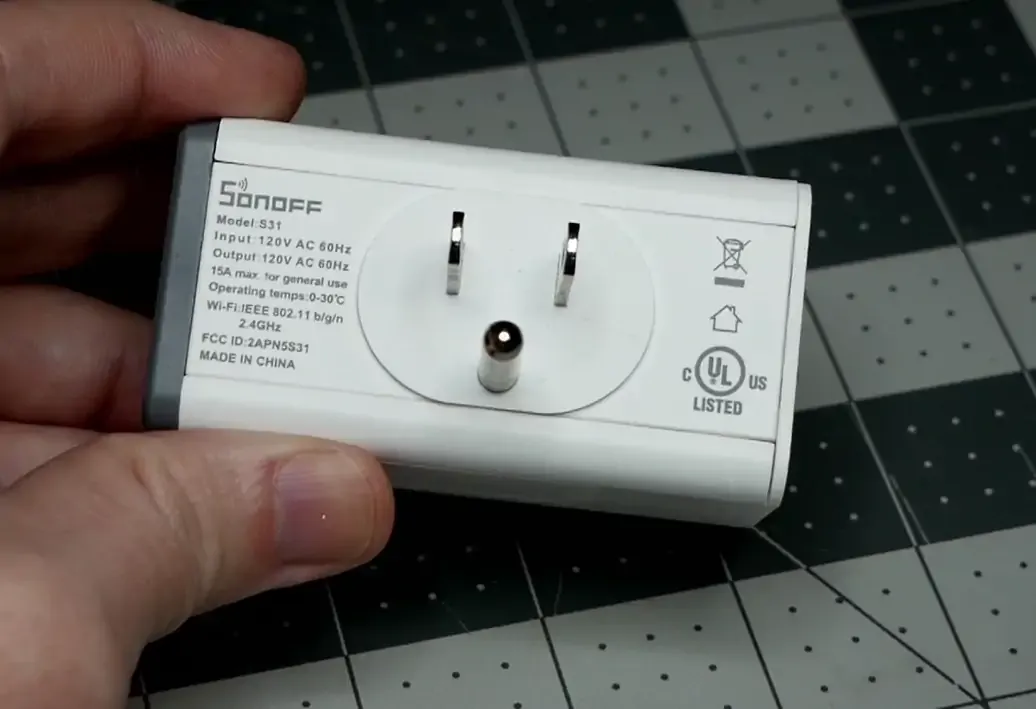
iTead SONOFF S31 Smart Power Monitoring Plug Template and Setup for TASMOTA and ESPHome
If you search here you’ll find my pictures and yaml
cold moon
The pads are tiny I did it the hard way 8 times
acoustic yoke
is it 3.3 V on VCC
cold moon
You need an ftdi adapter ideally the blue ones

DSD TECH SH-U09C USB to TTL Serial Adapter with FTDI FT232RL Chip Compatible with Windows 11, 10, 7 and Mac OS
acoustic yoke
yes i have those already
cloud free is $52 for 4 and amazon is $34. Im old and retired and nothing to do so might as well try. I think cloud free says are on backorder .
acoustic yoke
I guess I want to flash the plugs with ESP Home?
 warped slate
I am attempting to use the 3.5mm out on my Home Assistant Yellow, but alongside the actual audio I am trying to play, it outputs a steady buzzing tone. It stops when I unplug the yellow and I don’t get this tone when unplugged or plugged into another device. I tried another power supply to no avail as well. Anything further I can do?
acoustic yoke
i’m not familiar with that device, but very familiar with audio systems. You might want to make sure you have a good ground. If the ground is lifted, you’ll get a 60 cycle humm or a buzz. I would check to make sure there’s a good ground everywhere on your cable, etc.
 golden thorn
The yellow's PSU itself has no ground if that matters: https://yellow.home-assistant.io/power-supply/
There's also those ferrite core things. Just rotating the plug can also help.
cold moon
Any pi is gonna sound like crap without a DAC
And in general using the yellow for audio out just ain’t it chief
 solid holly
Didi you get an answer?
 hollow axle
so i managed to get a box of these switches new for free. TP-Link Kasa HS220p3 dimmer switches. ive heard mixed reviews about them as it seems like newer versions were blocked from flashing tasmota on them? does anyone know if these might still work or if they are worth it?

 silver delta
Guys, looking to set up a HA on my own, but i am lost in the technicalities. Are NVMe SSD worth vs SATA? I see a big difference in price
cold moon
silver delta
Guys, looking to set up a HA on my own, but i am lost in the technicalities. Are...
Not for home assistant no
Your lights will turn on just as fast with a $40 ssd as a $200 nvme
 rare tinsel
silver delta
Guys, looking to set up a HA on my own, but i am lost in the technicalities. Are...
rare tinsel
silver delta
Guys, looking to set up a HA on my own, but i am lost in the technicalities. Are...
How big of a system are you looking to setup? I'm new to HA, but am running on a Raspberry Pi 4 with a 64GB microSD card.
My performance is solid
I haven't added a ton of integrations, I probably have about a dozen items connected right now and a bunch of virtual sensors through my Sense home energy monitor.
cold moon
silver delta
Guys, looking to set up a HA on my own, but i am lost in the technicalities. Are...
It’s cheaper to just buy a used mini pc or spend a bit more on a new n100 based mini pc
silver delta
thanks! Actually saw one of your vids recommending m.2 SSD’s. Trying to fit everything on the HA Yellow. Looking to experiment to launch a biz here in Argentina
cold moon
I’ve only made 3 videos and decided it wasn’t for me must be another sellout
silver delta
you are right, names are similar
cold moon
I certainly wouldn’t be using the yellow to deploy for other people
silver delta
btw, is wifi necessary on the CM4? i don’t think so as it would be getting signal from ethernet and communicating with other devices via the wifi on the yellow board??
silver delta
cold moon
I certainly wouldn’t be using the yellow to deploy for other people
why not?
cold moon
purely from a hardware standpoint and management, you could run something like proxmoxVE on mini pcs that you can remotely manage and fix if something goes wrong (you talked about selling these to people)
not to mention you could buy lots (like a big group) of used mini pcs or new or whatever and then put a sticker or something on them and they would be "your brand" devices or w/e
also cost and actual hardware speed is night and day
sourcing cm4 (underpowered tiny little piece of shit) and yellows (board designed for an underpowered piece of shit) with a zigbee/thread ($30 dongle) built in...
see where i'm going with this?
silver delta
i see. When you say mini pcs, what are you referring to? Cost is not a big deal, because the business is about becoming a home automation service provider, low volume, high margin. The remote management is something interesting, but i think this could be managed with HA plugins and a minimal cloud architecture to expose HA publicly, right?
cold moon
https://www.ebay.com/sch/i.html?_from=R40&_nkw=m910q&_sacat=0 these used or new n100 based mini pcs are a good option

eBay
Get the best deals for m910q at eBay.com. We have a great online selection at the lowest prices with Fast & Free shipping on many items!
cold moon
silver delta
i see. When you say mini pcs, what are you referring to? Cost is not a big deal,...
the second half.. no
picture this
something goes wrong and now haos is dead. you cant access the mini pc remotely cuz haos is dead
now what?
you gonna spend $200 sending a guy to go out there and manually fuck with it or swap with a different one restored with a last known working backup
or are you gonna remotely login to proxmox and fix whatever is broken with haos
you give the end user access to haos and you have access to proxmox to manage it
or barebone linux or w/e
it doesnt have to be proxmox but it would make sense
silver delta
installing it through docker on the pi4 would resolve this=

 glacial oracle
More like free issues
 cosmic grove
I have a roomba i3 plus… pressing the button on the top didn’t result in HA setting up the integration. I was taken to a page that said “The password could not be retrieved from the device automatically.” With instructions (or a link to them) on how to retrieve it.
Is this separate from the account password?
(I assume no, since I just tried it, but it didn’t work.) kinda confused as to what password they are referring to.
It looks like they want me to retrieve a password from somewhere in home assistant, but I thought I’d need to connect to the robot… (to clarify, HA found the roomba on my network, found the ip and the name I gave it… it just couldn’t configure.)
glacial oracle
that sounds more like an #integrations-archived question
they likely know whats up with roombas
rare tinsel
is there a place for recommended hardware that is fully or mostly compatible with HA?
For example, if I'm looking for replacement light switches to control my kitchen lights that can work independently and be controlled remotely, where should I look?
glacial oracle
This chat is a good starting point, as well as the integrations page
 nocturne trench
Obdontnknoe Hello
I hope this fits here
I am looking for a display that simply shows me an entity status.
For example, there are skylights in my daughter's room on the third floor. She regularly forgets to close them, so water damage is inevitable...
My solution is window sensors, but my wife would like to see at a glance at the door whether all the windows are closed without having to switch on the tablet.
Is there a simple way to display this? I'm already thinking about using an LED matrix, but it could be much simpler.
I am not a programmer so it should be a finished project that I only have to change a little.
Many thanks in advance
glacial oracle
if you dont want to #diy-archived something you could also just mount a cheap android tab close to your door
nocturne trench
The Tablet is 3 metres around the corner and takes too long to turn on for my wife. Don't ask😉
 fringe crater
Inovelli light switches can be popular for this, as they include a large customizable LED that you can change the color of on the fly for various status indicators.
Also zooz, but to a less extent as their led is super tiny and harder to see.
And as they're wired in you don't need to worry about outlets or powering it.
glacial oracle
That sounds pretty interesting
nocturne trench
Wow thats a cool Idea, there ist a light Switch near the door. Just a replacement nice!
cold moon
nocturne trench
Obdontnknoe Hello
I hope this fits here
I am looking for a display that simpl...
an automation notification reminder with a window sensor that is triggered by whether it's raininng or not would also be a good idea
in addition to an led strip or smart switch with status led
 merry trail
I want to do a wallmount screen either by using the app or web browser, what is a cheap option? Don't want to drop a $100 on a screen for the wall. I know people say not to use a tablet with a battery due to swell and wondering what other options. I have a raspberry pi4 1gb to mess with, also heard that screens are not worth it for those either.
 heady ingot
What is one supposed to do when SkyConnect randomly reports that it can't connect to the port?
Mine just started reporting this out of no where
cold moon
merry trail
I want to do a wallmount screen either by using the app or web browser, what is ...
Fully kiosk browser on used android tablet or cheap fire tablet
The battery thing is fine until it isn’t. I’m not personally worried about it. Common option is let battery drain to 20 then charge to 80
cold moon
heady ingot
What is one supposed to do when SkyConnect randomly reports that it can't connec...
heady ingot
cold moon
<#551843655682490399>
thanks
cold moon
merry trail
I want to do a wallmount screen either by using the app or web browser, what is ...
Then 3d print a mount or buy an mbmount
 sudden narwhal
Pro tip, if one of your temperature sensors is reading really high in both temp and humidity, and you can't find it, it's in your pocket.
Thanks for your time.
cold moon
sudden narwhal
Pro tip, if one of your temperature sensors is reading really high in both temp ...
 merry trail
cold moon
The battery thing is fine until it isn’t. I’m not personally worried about it. C...
merry trail
cold moon
The battery thing is fine until it isn’t. I’m not personally worried about it. C...
Would you think doing a smart plug to turn off power and let it drain for a few hours then power back on to fully charge?
cold moon
what i do (technically i dont cuz i'm too lazy to run the ethernet) is use a splitter from ethernet to usb-c
and then just unpower the switchport (it is a unifi switchport able to be controlled via home assistant)
i set my shit up and never mounted it on the wall cuz i gotta go in upstairs attic and crawl and i dont wanna
 acoustic yoke
I have a brand new Zigbee light been working for the last three weeks since I put it in all of a sudden it’s off-line. I’ve turned this switch off and on on the wall just try to make it go again and it didn’t seem to make any difference. I guess they could just die but that’s pretty sad. It’s only three weeks old. is there someway to make it go back online?
glacial oracle
Did you try resetting it?
 young socket
I use Linux, MacOS and Windows (Windows only at school cause school hardware uses it) and was wondering, would a CH340 or a CP2102 make more sense to me if I'm going to be mainly using a unix-like system?
glacial oracle
From what I've heard both are available for all systems
 opal compass
Anyone tried Athom light bulbs before?
Ones something like this https://www.aliexpress.com/item/1005003918275579.html
I'm doing a bit of browsing, for something that'll go in a 2-3 lamps around the place, but the options I have here in Aus are a bit limited
So I was thinking that getting Athom might be a good option since it uses WLED
 thin oxide
Anyone have any advice on putting a smart relay on an extractor fan in a bathroom?
I've installed a Shelly 1PM plus on mine, I can toggle the fan on and off from the Shelly interface and Home Assistant but the physical light switch connected to the SW on the shelly won't work. Shelly seems to always be reading the input as on
glacial oracle
That sounds like it's not wired in properly or it's a dud
 drifting grove
Soooooo is the only option for curtain openers Switchbot or DIY?
 ornate leaf
Do switchboy curtain openers need the hub if you have HA?
fringe crater
No they integrate with any generic bluetooth adapter. (e.g. esp32 ble proxy)
I have one I like it.
 tender meadow
Hi,
I have a rp3+ and just bought a rp4+
Can I just swap the SD from the old and put it in the new?
 stone minnow
afternoon folks. looking at replacing my smartthings hub and it appears the only combo zwave/zigbee USB stick is pretty dated. i haven't kept up to date on thread/matter or anything protocol-wise, but i'm starting to dive in now. any hardware hubs/sticks you'd recommend or avoid?
 oak vortex
cold moon
https://www.ebay.com/sch/i.html?_from=R40&_nkw=m910q&_sacat=0 these used or new ...
oak vortex
cold moon
https://www.ebay.com/sch/i.html?_from=R40&_nkw=m910q&_sacat=0 these used or new ...
running my instance on M920q
overkill for HAOS? Yes. Do I care? Also no.

 orchid escarp
oak vortex
proxmox and HA shouldn't mix
orchid escarp
oak vortex
proxmox and HA shouldn't mix
why not? I have HA in a docker swarm the container migrates where it needs to 😉
oak vortex
So where's the zigbee controller plugged in
cold moon
oak vortex
So where's the zigbee controller plugged in
you dont use a zigbee PoE coordinator?
do you even zigbee PoE coordinator bro?
oak vortex
Oh, fancy bois 🙂
 devout parrot
opal compass
Anyone tried Athom light bulbs before?
Ones something like this https://www.alie...
devout parrot
opal compass
Anyone tried Athom light bulbs before?
Ones something like this https://www.alie...
I have one, it's pretty good.
cold moon
opal compass
Anyone tried Athom light bulbs before?
Ones something like this https://www.alie...
they are sengled bulbs flashed to wled, they are decent but not the best in terms of "a good smart bulb"
like i wouldnt buy 20 of them but a few sprinkled around for a decent rgbw-cct bulb and advanced wled effects and syncing and all that.. definitely a decent buy
better than $50+ for a (better) zigbee hue rgbw bulb
devout parrot
Tuya bad, for WiFi stuff especially. Zigbee is a mixed bag.
 oak vortex
But like you said, a few bulbs sprinkled...
 orchid escarp
oak vortex
So where's the zigbee controller plugged in
orchid escarp
oak vortex
So where's the zigbee controller plugged in
In a RPi that runs the z2m, zwavejs-ui, and RTLAMR docker containers
like a sane person 😉
cold moon
i still prefer esp32 per device split up
a lot hinging on that pi not committing sudoku
 wild atlas
Haos and proxmox for ultimate layers of backups, have the Google drive backup addon, then proxmox backing up the entire VM to my nas, which is then backed up to crashplan
cold moon
crashplan backed up to blackblaze which is backed up to s3 which is backed up to glacier right?
lmao jk
opal compass
cold moon
they are sengled bulbs flashed to wled, they are decent but not the best in term...
Great info, thanks heaps! Sounds that's the go for these ones
cold moon
opal compass
Great info, thanks heaps! Sounds that's the go for these ones
with wled integration you'll have to use this workaround: ### WLED RGB CCT Workaround for hass
You do not need to rollback to b5, just remove the CCT bus. CCT was not even supported in b5.
Edit: Also make sure White Balance correction is disabled if you get the error even though you don't have CCT busses!```https://github.com/Aircoookie/WLED/issues/2500 it was broken here intentionally
a popular option is to not use the wled integration and instead integrate via mqtt
i've yet to play with that myself
opal compass
hmmmmm right - that feels pain, but good to know
actually, looks like I can get Sengled locally in Aus suprisingly, which it then uses Zigbee, which is honestly probably fine
cold moon
oh that's a huge mistake
opal compass
What would be the issue there?
cold moon
They break zigbee spec and aren’t repeaters and flicker on transition and colors look like shit
opal compass
Ahhhh yeah ok fair haha
cold moon
https://support.sengled.com/hc/en-us/articles/115010871308-Do-any-Sengled-Zigbee-devices-act-as-Zigbee-repeaters here’s them saying why their engineers thought it was okay to break spec

Sengled
Our Smart LED bulbs were designed to be used only as ZigBee end devices.
Our engineers made this distinction as repeaters require constant power, but people may still switch off their bulbs by a wa...
 opal compass
welp, athom one should be fine, might just be an adventure doing that integration
rare tinsel
I'm new to Smart HOmes and Home Assistant. Do most smart hardware light switches, such as those I'd replace my current dumb switches with, work mechanically when the controller is not reachable? For example someone tripped on the power for the HA box.
stone minnow
rare tinsel
I'm new to Smart HOmes and Home Assistant. Do most smart hardware light switche...
yes
this is the primary benefit of smart switches over bulbs
stone minnow
cold moon
do you even zigbee PoE coordinator bro?
@cold moon teach me, even if you have to charge
if i am not swarmgang, does this even benefit me over a skyconnect or some other usb dangle?
cold moon
Depends who you ask
stone minnow
i see a lot of reviews praising how they can put this in the middle of their house, but who cares as long as you get to a couple devices. is that not kind of the point of a mesh
cold moon
The less hops the better in general
And no usb 3.x or other forms of interference
And decoupled from hass for super advanced failover (unneeded) but nice to be able to manage it separately imo
stone minnow
i am a sucker with a smartthings hub, so my network never goes down when i'm farting around with HA. with usb (and especially with docker), does restarting the host or the container jack up the mesh?
cold moon
Restarting hass itself (core not reboot) doesn’t restart addons like z2m but does restart zha
Idk about jack up the mesh tho it’s fine to reboot host or whatever
If you’re using the same chipset I guess technically the ones going serial over the network could be slower. Mine lives next to my server stuff in network closet so it just hits the same switch my hass box runs to
But I’m not sure if there’s some added benefit over haos not touching it and z2m accessing directly by its IP
stone minnow
any thoughts on zwave?
cold moon
I like zigbee and zwave both
cold moon
 stone minnow
This kit does not contain a Z-Wave radio! very cool
cold moon
Unfortunately at this time the recommended zac93 zwave controller shipping from zooz can’t do an nvm restore so you’ll have to re join everything like new.. or upgrade the controller then you’re on a fw that has bugs
So tldr start fresh if you do go this route don’t update that fw unless Al calzone tells you to and no one else (he’s the zwave js maintainer and works at nabu casa)
cold moon
stone minnow
`This kit does not contain a Z-Wave radio!` very cool
He sells the esp32 you put it on… he said it makes more sense than to have to support a device he doesn’t make or have any control over
cold moon
Cool
stone minnow
and fart around with passing them through to containers and hoping they never change IDs
well i've got some stuff to chew on. thanks for the insight
 tight arrow
Is a Dell Optiplex a good option to run HA?
If so, which ones should I be looking at?
Thank you
cold moon
tight arrow
Is a Dell Optiplex a good option to run HA?
If so, which ones should I be looki...
USA?
tight arrow
cold moon
USA?
UK buddy
cold moon
Rip
Your used market is expensive
You might be better off buying a new n100 based mini pc like the beelink ones
I helped a guy in Germany find a link yesterday for like $150 and it’ll handle home assistant and a lot more if you want to play down the road
tight arrow
I have a couple hundred in credit at webuy.co.uk
If I run HA, SAB, Sonarr, Radarr, Plex and a retro game system off one mini PC, I'd be over the moon as it would massively reduce my power consumption
cold moon
tight arrow
I have a couple hundred in credit at webuy.co.uk
If I run HA, SAB, Sonarr, Rad...
I’m not a huge fan of mini pc as a Plex server due to no pcie slots for an hba card to connect a bunch of drives.. but yes it could handle that
Idk how many 4k transcodes Plex can do on that igpu but probably a few and should be documented online
https://www.derekseaman.com/2023/10/home-assistant-proxmox-ve-8-0-quick-start-guide-2.html this is probably your best route
Then a dockerhost VM or LXCs if you like those using something like ttecks scripts or diy if you’re comfortable with that
 old sinew
Hey wondering if anyone had feedback on this from before? "Anyone find any nice thermostat option for geothermal systems that integrates well with HA without cloud dependency?"
 old sinew
hmm already got the UDM SE, prob won't need that nvr
cold moon
Posted for another guy
Check out what dudes do with the nvr tho as a regular NAS cuz it’s just running vanilla Debian
Cute lil nas
cold moon
old sinew
Hey wondering if anyone had feedback on this from before? "Anyone find any nice ...
Add as much extra info as possible like what country and protocol(s) you can use etc
Budget
The answer is probably some niche zwave device
old sinew
Right now no system is installed, new build, no tstats finalized. Heat pumps are Bosch with a flow center. US based. I have been slowing reading through any tstat/geo conversations from before in the HA channels. Haven't found much talking about geothermal just referencing the geo side not the controls
cold moon
i'm not sure how different they are to give any advice sorry
are they using TRVs like they do in eu?
like little smart valves
old sinew
So open season on protocols right now
no Water-to-Air with forced air
Really just trying to get away from the honeywell options and cloud dependency since this is rural/country area and ISP outages happen often
cold moon
honeywell makes good zwave and zigbee thermostats tho
when i say good i mean basic but like.. programmable via zwave or zigbee config options
for flashy usually people go ecobee but im not sure what supports geo
any luck on forums / reddit? i havent seen geo brought up here much
old sinew
I'd wonder if HA went down would they still be capable of running a geo system
cold moon
or do you know if they are the same as regular thermostats needing a c wire blah blah?
old sinew
I asked on HA and honeywell reddits, didn't get anything
cold moon
the subreddit is hit or miss
either guys giving advice we would laugh at here or sharing some cool project we've never seen.. no inbetween
old sinew
Wiring available off the Bosch will be - Y1, Y2, G, O, C1, R
I'm excavating the horizontal field myself, and my HVAC installer is super on board, but he doesn't know anything past tstat installs, so I'm trying to find options
cold moon
is this going to have a ton of zones?
old sinew
3
No individual register controls or dampers, I designed the house to handle the hvac zoning efficiently so shouldn't need them with proper sizing
cold moon
impressive
cold moon
old sinew
Wiring available off the Bosch will be - Y1, Y2, G, O, C1, R
so as long as the thermostat supports these and 3 zones, you should be golden, no?
also any reason you didnt go with a mitsubishi? i've heard they are really nice
not to say bosch isnt but i've only heard bosch as good for appliances like dishawasher
old sinew
Ya what I'm finding out is that if the tstat doesn't have enough controls, it doesn't operate the low and slow modes of the multi stage pumps well.
cold moon
ah yeah
old sinew
cold moon
also any reason you didnt go with a mitsubishi? i've heard they are really nice
Hvac installer is handling the spec out of those, have had positive experience with Bosch appliances and hvac before too
cold moon
little over my pay grade i dont feel comfortable giving advice like this since it's a bit important
cold moon
you dont really NEED multi zone from one thermostat tho
you can do 3 thermostats and control with hass
or w/e
old sinew
ya
cold moon
old sinew
Are there zwave or zigbee tstats you remember people liking
honestly ya honeywell T something or other had a bunch of options i think let me look
old sinew
I'll setup room temp sensors etc downstream
cold moon
T6 pro maybe
they arent that cute but if it has the stuff you need.. then you use a wall tablet to make stuff pretty
old sinew
I think I remember someone saying t9/10
old sinew
Ya found it @runic drift was talking about it #the-water-cooler message
Non-macos user here, no apple devices with homekit on them. Is there a HA hack to run homekit from HA?
cold moon
are you talking about joining homekit devices directly to hass?
you can do two things, you can either "fake" being apple and pair homekit devices directly to hass over wifi via homekit protocol
or you can share any device that has no homekit "support" to homekit to allow for siri control / home app
old sinew
There's a few discussions on the T6/T9 you mentioned where you use homekit integration to control the them locally
cold moon
https://www.home-assistant.io/integrations/homekit_controller/ that's what this does
old sinew
got it, sounds like first option, fake it till you make it works with apple ☺️
cold moon
assuming the ecobee fits the bill, i'd personally go with that. i own one and like it a lot
https://www.reddit.com/r/ecobee/comments/10xuil7/geothermal_units_and_ecobee_is_it_worth_it/ maybe some good info here
 old sinew
cold moon
https://support.ecobee.com/s/articles/How-to-configure-your-ecobee-thermostat-fo...
old sinew
cold moon
https://support.ecobee.com/s/articles/How-to-configure-your-ecobee-thermostat-fo...
hm
cold moon
you can also buy their sensors and then it will "average" the sensors (if told to include them in the average)
but their sensors are $50 each and are kind of a terrible buy
the only reason you'd buy them is if you wanted HVAC completely decoupled from home assistant
their sensors have a temp sensor and a motion sensor that only resets occupancy after 30 minutes (so basically pointless as a motion sensor) and no humidity
vs a $20 temp/humidity sensor of your choice from zigbee/zwave
old sinew
just read the reddit. Ya but if hvac is decoupled from HA it's because there's a greater problem. So I won't use their brand sensors for specialty eco/learning/convenience since that'll be HAs responsibility. Ya I'm looking at the presence sensors
and then will get into the temp/hum inputs obv from better priced options
was looking at the ESPresence
cold moon
old sinew
just read the reddit. Ya but if hvac is decoupled from HA it's because there's a...
What presence sensors
The only thing ecobee id buy is thermostat
 steel prairie
For anyone using or planing using HAOS on Sonoff iHost, please hold until the contributor to fix ethernet voltage configuration. The current one would damage the chipset and you will lost network capability. https://forum.ewelink.cc/t/more-hardware-information-of-ihost-for-helping-porting-haos/21641/92

eWeLink Forum
After the investigation and analysis of the ethernet malfunction issue, we found that there is a problem with the configuration in this project (0023-dts-pmu_io_domain-set-wifi-to-3.3v.patch). This incorrect voltage domain configuration can damage the IO ports of the RV1126(RV1109) during use, preventing them from outputting proper voltage or da...
drifting grove
fringe crater
No they integrate with any generic bluetooth adapter. (e.g. esp32 ble proxy)
This is REALLY good to know.
I need something that opens my son's curtains so he's not living in a dang dungeon but I'm not impressed with the way my switch bot plugs fit into HA. My hangup is me 🤷♀️
drifting grove
cold moon
we actively try to keep people from sticking their dick in tuya here man
I'll put my strap on away- can you give me the dummy version of this?
I am working slowly on moving away from being Google dependent (because they took away my fucking bells!!! Argh!)
I have ghome/gosund switches and plugs all over the house and they actually have worked better with the tuya app than they did with the gosund app.
I don't think I'm to Tuya local level yet, but I was wondering if you could give me the dummies summary of what and why I'm avoiding (lagging networks? Bloat/spy wear?)
drifting grove
old sinew
I asked on HA and honeywell reddits, didn't get anything
I have a Honeywell thermostat and a 1993 build house.
Upstairs got fried by the wiring because this house has some weird shit going on wiring wise (like, in the direction of my grandma's 1860's Victorian weird)
Downstairs one has worked no problems for 6~ years. It was actually one of the first "wifi connected" devices we installed.
I changed the wifi names/password last weekend and probably one of the "harder" devices to reconnect..
ONLY complaint is I can't get rid of our old thermostat from the app.
Could be user error, could be them.. last I checked (admittedly a long time ago) you couldn't get them off the app.
cold moon
drifting grove
I'll put my strap on away- can you give me the dummy version of this?
I am wor...
tuya is a chinese company that either spits out shit or lets you pay them to spit out shit with their "smarts" in it and cloud only control with forced-local only hacked workarounds that break. the firmware they use for zigbee breaks protocol standards and requires quirks to get around them
just save yourself the time and dont touch anything that says tuya if you care about your time and sanity and want good shit
i most recently learned tuya mmwave sensors and power monitoring plugs on zigbee are sending 3 messages a second on a low bandwith mesh
that's bad
drifting grove
cold moon
just save yourself the time and dont touch anything that says tuya if you care a...
If I cared about time insanity I never would have had four kids... :p
drifting grove
cold moon
i most recently learned tuya mmwave sensors and power monitoring plugs on zigbee...
How did you find out that information?
cold moon
drifting grove
How did you find out that information?
#zigbee-archived message directly from the zha maintainer
 pulsar rivet
hello i was wondering if this the place to ask about HA and network storage
 paper fern
Hi Everyone, I am looking for a smart lock that works well with ZHA. My door lock style is a deadbolt with seperate thumb lever.
hollow axle
anyone know if these sensors are good or not? many are way cheaper on aliexpress vs amazon https://www.aliexpress.us/item/3256804829385719.html
 jovial verge
What's a good tablet these days that isn't a fire tablet for wall mounting?
cold moon
jovial verge
What's a good tablet these days that isn't a fire tablet for wall mounting?
Used android of your choosing I guess
Or a giant kiosk off alie
What’s wrong with fire tablet after fire toolbox 🧰 is ran on it
jovial verge
This one isn't holding a charge anymore
cold moon
Sadcat
jovial verge
Or will flatline and refuse to keep charging
I guess I could go back to leaving it at 100% spicypillow
 jovial verge
When did they allow images outside of off-topic lol
cold moon
Shh
jovial verge
I suppose everyone keeps using fire tablets cuz they're the cheapest
But the last one I had couldn't do a lot with fire toolbox, they're pretty locked down now
cold moon
Mine is 2021 version I think? But apparently with a decent used android one you’re prob better off
 lyric mortar
I was just going to try to set up a couple of Fire tablets this weekend. Is Fire Toolbox necessary these days? I think I’d planned to use Fully Kiosk based on some old blog post …
jovial verge
If you fully kiosk and block outside internet you can get away without signing into an amazon account, in my experience
lyric mortar
Sweet, will try that. Thanks!
jovial verge
I accidentially let my fire tablet onto the internet and it was aggressively trying to sign into amazon
cold moon
Mine is blocked out wan on iot vlan
It tries to hit Amazon servers and google dns
Even after fire toolbox
But fire toolbox is still necessary to remove ads on lockscreen and install google play store etc
Idk what all it rips out I used it and forgot it
jovial verge
I must have done that at some point to get fully kiosk it's been a long while
acoustic yoke
Has anyone integrated an infrared blaster into HA? If so, which one did you use?
lyric mortar
I’ve never used one so take this with a grain of salt, but a simple google search suggests a lot of people are happy with a Broadlink one
cold moon
lyric mortar
Sweet, will try that. Thanks!
https://www.reddit.com/r/kindlefire/comments/qk6hm4/how_do_i_set_private_adguard_dns_to_my_fire_hd_10/ looks like i finally got it to stop spamming my firewall trying to get out

    Set static IP address for WiFi
    Set DNS to my Pihole
    Got finicky by WiFi showing connected / no internet - this was solved by just toggling WiFi on/off
    Use Fire Toolkit to run ADB command `settings put global private_dns_mode off`

never been 10+ minutes without trying to get out lol
sudden narwhal
Is there any way I can leverage the hardware in this box (Zotac MA320) to better do Frigate stuff? In my config I kinda just set it to 1 CPU like the guide. Is there a way I can make it use the Integrated Graphics chip?
 sudden narwhal
like the basic frigate install guide in their documentation. I have HAOS installed straight to the disk.
cold moon
oh
sudden narwhal
using the addon
cold moon
best to ask in #cameras-archived for anything frigate related
lyric mortar
cold moon
```
Set static IP address for WiFi
Set DNS to my Pihole
Got finicky ...
Awesome, thank you so much for sharing - that'll help a ton!
 runic jacinth
Hi Everyone, I'm locking for advice on smart relays that i can use behind my light switches that switch off both neutral ANS ground. it looks like the ones i have only cut one
not sure if any new matter switches are recommended
 winged knoll
Your existing ones have three incoming wires, or just two?
You don't need cut cut both neutral and live, you need a switch that has it's own neutral wire
 tardy oyster
Hello,
I had a pi 3 model b sitting around and installed home assistant just to try it out and now I'm hooked.
I'm looking for a dedicated HA device that is as power efficient as possible, run HA comfortably and be able to boot from an SSD (not USB).
I'm looking at a pi5 with 8gb ram with an m.2 nvme hat drive.
Is there anything better that can also rival the pi in power efficiency? I'm looking at ~5W idle, ideally 2-3W.
winged knoll
You probably won't get much lower without lower performance. I used to run an old i5 laptop which spent most of the time down around the 5W mark, but you'll be hard pushed to beat that.
 soft root
Hello,
I have an MHCOZY 2 Channel Smart Switch Relay that I need some help with, wanted to confirm if this would be the place to ask before going further as it does not seem this switch works with anything HA Official (SmartLife & Tuya) or if there is someplace else recommended to go for assistance? I was just able to find this server through some forums that mentioned these switches here and there.
cold moon
mi scuzi?
winged knoll
Google says that's a zigbee device, so it'll work with either #zigbee-archived option
soft root
winged knoll
Google says that's a zigbee device, so it'll work with either <#5518436556824903...
Thank you, I will take this to that channel for questions then.
winged knoll
Read the pinned messages over there too 😉
runic jacinth
winged knoll
Your existing ones have three incoming wires, or just two?
they connect to both neutral and hot- black/white go in, go out and then two wires to a switch

i thought they used neutral but now im thinking no?
winged knoll
So, there's two wires to the switch, and three for incoming power and the light?
 nimble grotto
So I have a zigbee 20A EU plug where my water boiler is in which is drawing 2600w. Whenever I turn off the plug, the boiler LED's start blinking like following before going completely off: https://photos.app.goo.gl/SYkZBCZqrEFS6SrG9
When I just pull the power cord out of the socket, the thing just shuts off and doesn't blink at all.
Can anyone tell me if this is bad for the boiler?

Google Photos
runic jacinth
I thought they switched both but here i am with this lonking lol
runic jacinth
winged knoll
So, there's two wires to the switch, and _three_ for incoming power _and_ the li...

 hard tinsel
Wired up a smart dimmer (SM323v2) and noticed that when the light is on, the voltage is reasonable, 242V, but when I turn the light off, it drops to something weird, like 80 or below. Is that normal?
 ember turret
Is anyone using Firebat t8 pro from AliExpress? I don't know whether to risk it or buy beelink?
hollow axle
If I have a say 2 gang smart switch into a spot there's normally only a single switch, since there's no connectors to the other switches is it possibly to use them more like smart buttons? Something like this going into a normal switch outlet

MOES zigbee double switch is compatible with MOES/Tuya Smart APP for intelligent controls via smart phones,featured as wireless remote control. This smart switch only supports 2.4GHz network and reqiures MOES Zigbee Hub. And the double switch allows to occupy space of 1 gang switch to control 2 l...
 vagrant aspen
well, I managed to get an esp32 running BT proxy and wireguard, and it connects to my hotspot -- and can ping back/forth.... but it doesnt seem to notice the Shelly BLU button being clicked
progress, at lease
least*
 weary stump
@cold moon shoot I thought I hit hardware, my fault. I was reading wled and cct don't work great together. Has that been fixed?
 crisp crater
Emporia Vue Gen 3
cold moon
Are you talking about the wled hass integration blocking rgbw-cct lights specifically?
You can ask in wled discord I’m not aware of any cct issues
I do rgb or rgbw addressable no analog or cct stuff for me
weary stump
cold moon
Are you talking about the wled hass integration blocking rgbw-cct lights specifi...
I'm not fully sure as I'm not all that great with this stuff but I believe it is wled itself not working well with cct. There is a workaround for it that I need to look into.
What do you use for cct?
cold moon
I don’t I use addressable rgb
Why can’t you link what you think is wrong?
You can use esphome instead of wled if you want
Athom sells them or you can flash from wled to esphome
weary stump
cold moon
I don’t I use addressable rgb
Do you use RGB for white or just color? All I'm trying to do is add more light to my kitchen with above and under cabinet lighting
weary stump
I do think esphome works. I got a controller from amazon today. Didn't really know what I bought, thought it would work. Has an old version of wled on it, which I know doesn't work with cct at all. Been trying to flash the new version of wled on it for the last hour but have no idea why it won't work, which brought me here looking for a more plug and play option
That's a cool setup, I like it
cold moon

It’s usually just white ish
It looks good enough to me my eyes don’t know what high CRI looks like
I think it’s like audiophiles.. the less you know the happier you are
weary stump
No me neither. I just want something close to 3500k to match my led canless overhead and I'll be happy
Do you know the athom controller for cct that comes with esphome?
weary stump
Ok, I'll take a look. I'm going to work on trying to flash the newest one to mine but I'll probably just buy the athom if it comes with it on it. I need a few of them
 pseudo stream
Hello guys. I'd like to ask about your opinions and experience with a LED strip types used with WLED.
I have currently RGB+CCT strips controlled via zigbee controllers everywhere in my apartment approx 15 meters (7 separated strips) but I don't like the LED density here (even with difusor it's not perfect) and lack of RGB effects 😄 so I am thinking about switching to addressable strips controlled with WLED.
I am now basically at the point where I can't decide which strip type to go with. I guess SK6812 in WW variant would fit the best for my use case as the places where LEDs are located are basically chill-out zones but sometimes I would like to switch the light also to CW. Is it possible for the strip to handle this? Or anyone have some recommendations, real photos to share?
winged knoll
FYI WLED have their own Discord, plus DrZzs has a whole LED section - both of those are likely to get you a more WLED focussed bunch of answers
rare tinsel
What communication technologies are best for switches and sensors in my situation?
HA on Raspberry Pi 4
Small 2 story house with basement
Wifi throughout
110V - AC
Zigbee, Zwave, BLE, WiFI, etc.? I've been looking at some of the Shelly ones, are there other manufacturers with equivalent/better products for similar prices? TIA
glacial oracle
It comes down to personal preference for the most part
You likely want to go with either Zigbee or ZWave
Wifi/Eth is alright for Shelly gear but usually yields you more dud hardware which is cloud connected
rare tinsel
What sort of hub/dongle hardware do I need to support Zigbee or ZWave?
cold moon
rare tinsel
What sort of hub/dongle hardware do I need to support Zigbee or ZWave?
zwave uses a zwave controller (usb dongle, pi hat, esp32 hat) - zigbee uses a zigbee coordinator (usb dongle, pi hat, esp32 hat)
cool kids use PoE coordinators which use esp32 over serial back to home assistant and can be placed centrally located in your home
https://tubeszb.com/product/cc2652p7-zigbee-to-poe-coordinator-2023/ i have and suggest this for zigbee
glacial oracle
Alternatively check the respective integration page for recommendation on what to purchase
cold moon
Yea out of date hardware and experimental options are also technically an option
rare tinsel
thanks
 torn summit
I had a raspberry pi 4 to test HA, but i sold it now that the 5 is available. But since then i am now thinking about getting a mini pc or a nuc. What would you people advice me. I would like to do Voice aswel.
cold moon
Mini pc is a great option are you in the us of murica?
cold moon
Ok so eu used market is ridiculously overpriced so your best bet is most likely a new gen n100 based mini pc such as the beelink ones
torn summit
i will be in NY in april for two weeks
cold moon
I found one in Germany Amazon for $170 but then some coupon
torn summit
thats a mini pc, is it the same as a nuc ?
and voice will work on a gen n100
so overal a beelink is a better option then the pi5
and do we get the full os on the intel based on, like we have de ha os for pi
hacs etc
cold moon
A pi5 is great for playing with things a pi is made for not a smart home server hardware choice
torn summit
ok thanks
and the os will be the same, i know when i used to run ha in a docker i couldnt install hacs
cold moon
Bare metal install of haos or virtualize haos as a vm in proxmox
The latter is preferred if you want to run other things on it and has a more useful ability to troubleshoot if and when things go wrong
https://www.derekseaman.com/2023/10/home-assistant-proxmox-ve-8-0-quick-start-guide-2.html popular guide if you aren’t familiar with it
torn summit
thanks
torn summit
if i want to do voice, will i be good with the beelink n100. atm i use Siri to control my lights, but i want to move over to my own thing?
cold moon
torn summit
if i want to do voice, will i be good with the beelink n100. atm i use Siri to c...
you should just read the docs for w/e you're referring to with voice or ask in #voice-assistants-archived
if you're asking if it can handle more than a pi, absolutely
torn summit
ok thanks
 vague tartan
has someone showed any benchmark PI4 vs Pi5 vs popular mini pc (type I3 6-8gen)
glacial oracle
datasheets suggest its still not fast
with the pi4 being beaten by a c2d, maybe a c2q would be a match for a pi5
geekbench 6 says its 340/770/1200 for pi4/5/n100 single and 720/1600/3500 multi
the pi4 matched an E8600 😄
 fallow hazel
Is Raspberry Pi 4 with 1 or 2 GB RAM enough for Home Assistant?
glacial oracle
It's a poor choice either way, but if it needs to be one of both, pick the 2Gb one
cold moon
i believe the docs specifically state 2gb or higher too
altho i did setup hass on a rpi 4 1gb whenever it first came out and was supported
 hard marten
I have a question about smart plugs. I have four Shelly plugs that I use to turn on/off things like fans, a portable humidifier and a wax warmer (scent). I can track power usage with those as well as turn them on/off, but what I'm looking for is a way to track the power consumption to my fridge, microwave and toaster oven. The problem is that I live in an apartment and can't open my distribution panel to tap into the electrical.
I was hoping for plugs that didn't necessarily have on/off capabilities, just power monitoring.
For reference, I'm in the US.
fringe crater
hard marten
I have a question about smart plugs. I have four Shelly plugs that I use to turn...
You could put a CT clamp around a line splitter.
cold moon
hard marten
I have a question about smart plugs. I have four Shelly plugs that I use to turn...
Fridge will be fine with a smart plug but I’d expect plugs to fail with the other two
Whether you use the smart plug on off functions or not doesn’t matter
Just use the energy monitoring
hard marten
cold moon
Fridge will be fine with a smart plug but I’d expect plugs to fail with the othe...
Why would they fail?
cold moon
hard marten
Why would they fail?
Inrush current or sustained load over time too high
Assuming USA we have 15a plugs or less and they can’t really handle full 15a they’re just quoted as that
hard marten
cold moon
Assuming USA we have 15a plugs or less and they can’t really handle full 15a the...
Ok. I don't have that much experience with that stuff
hard marten
The other thing is that my electrical in this place is 80+ years old. If I want to use the microwave in the kitchen I have to turn off the window AC in the living room
cold moon
Is what it is
You’re probably on 15a circuits and that sounds like both are on the same
cold moon
And you would NOT want to use an extension cord because the length of cord and gauge of wire inside is important
Technically you could probably get away with a 10 gauge extension cord but I don’t like running them at max and them feeling warm or worse to the touch. Feels too firey

That’s the electrician who ran the wires^
hard marten
I have a power strip just for the three outlets, but I never turn on the microwave or toaster at the same time
cold moon
Good
hard marten
cold moon
https://tenor.com/view/gordon-ramsay-idiot-sandwich-angry-mad-what-are-you-gif-4...
That electrician is dead.
cold moon
That power strip is working overtime
Microwave and toaster should be straight to outlet imo
You can check how many amps each use
hard marten
I also have the fridge and stove (gas w/electrical ignition) in that same outlet
cold moon
I’m sure the stove uses nothing but ya
Are the outlets discolored if you remove the plugs?
hard marten
No
 hard marten
No
cold moon
Ok then it’s 15a (or less) not 20a
If it’s 80 years old it’s probably a fire hazard in all the walls
Using cloth wiring that ignites
So that’s fun
hard marten
cold moon
If it’s 80 years old it’s probably a fire hazard in all the walls
It is a fire hazard. The living room ceiling light sparked one evening and the whole apartment went out. Turns out the ground wire came loose
Took two days for the owner to get an electrician in
cold moon
I know it’s probably not feasible but you should move asap
hard marten
cold moon
I know it’s probably not feasible but you should move asap
You're right on the first part
cold moon
Or find an electrician who will report it
And then the owner will be forced to come up to compliance most likely
Since you don’t know what you’re doing I can’t suggest you try to fix it yourself
hard marten
Well, to top that off, three weeks ago, I woke up to a hole in the window and a 9mm bullet in the living room wall
fallow hazel
glacial oracle
It's a poor choice either way, but if it needs to be one of both, pick the 2Gb o...
What would be the better choice?
glacial oracle
Buying an sff pc, either something new with an n100 from beelink or something used from offices like the dell/Lenovo micro systems
Or whatever they ate called
 agile olive
I need to buy a speaker for my HA, ie, I want to have a speaker to have feedback on the local assist and every kind of project where I need voice feedback. On top of that, and only as a bonus, it could be also used to play music. I don't want to have Echo devices or similar that have microphones, that is a no-go. It must have aux-in also. Can someone suggest something for my case?
 warm olive
I have this door interlock I am trying to automate with a relay and it keeps going off on its own. I added a FR107 diode in between but it didn't help

 proven imp
Does anyone know how I could get an LCD running with HassOS? Something like the little 1" adafruit LCD.

Adafruit Learning System
The most compact lil' display for a Raspberry Pi
 terse pebble
You won't get the software installed on HAOS. Not sure if an add-on could utilize the GPIO pins
proven imp
Is it possible running HA Supervised in a container?
 gloomy spoke
No, it doesn't make any sense
proven imp
What doesn't make sense? Wouldn't HA Supervised be completely seperate from the rest of the machine?
glacial oracle
the task of the supervisor is to orchestrate the containers aswell as system behind it
it makes no sense to run such a setup
proven imp
but if it can't do anything else, not even run an LCD, it's kind of weak
glacial oracle
its simply not the task of the os to permit that usecase
proven imp
What if it's Linux running a supervised version, that's not the HA is not the OS
glacial oracle
its one way to get into a very bad mood on a regular because stuff will break
proven imp
haha, HA breaks all the time anyways 🙂
glacial oracle
we highly discourage people from running supervised installations besides haos
thats more of a you issue ;D
realistically you could just run ha through the docker and manage the addons you want yourself
glacial oracle
the images you get just are slightly preconfigured, there is no magic involved
proven imp
I lost both my Roombas during the last HA update....
All I did was click "update"
and all my lighting disappeared too
glacial oracle
consider opening an issue if that happens on a regular to you, but it usually is just a question of weird configurations and not giving it a full restart after
robot vacuums are however notorious for breaking the integrations
the respective gh page might know more about that, or #integrations-archived for that matter
gloomy spoke
It's not a regular issue for integrations to randomly break. And as suggested, file issues when you have issues
proven imp
So there is zero way to integrate the LCD is what I'm hearing. Huge bummer.
gloomy spoke
And it sounds like what you really want is a container installation where you manage whatever software you want
No, that's not correct
proven imp
Yeah that's what I thought might work, container for HA, one for the LCD basically
gloomy spoke
You can do whatever you want with a container install
proven imp
Could I not just install HA OS in a seperate container? I'm not a Linux guy
gloomy spoke
No
glacial oracle
no haos is an operating system
you could install it in a virtualized environment, but you would need real hardware for that
at which point there wouldnt be gpio pins for an lcd either
proven imp
real hardware as in a full computer
glacial oracle
real hardware as in not a raspberry pi
any system with an x86 related architecture of the last 15 years will do
more recent stuff allows fur much better efficiency tho
proven imp
All my other machines are for NAS
I can't see tieing up a full MOBO for something I can run on a SBC
glacial oracle
you dont have tho, that are the funny wonders of system virtualization
proven imp
but when you are running TrueNAS, its similar to HAOS, that is all I can run to my knowledge
glacial oracle
if your nas systems can run a vm, like either through whatever tools they ship with or by you adding a kvm install to it, you can run haos in it
truenas supports both vms and containers for what i know
https://www.truenas.com/docs/core/coretutorials/jailspluginsvms/virtualmachines/ might be limited to certain licenses in the future
proven imp
TrueNAS eats all of the RAM so you don't have much to play with. even on a 32GB machine I probably would only get 2 GB free
glacial oracle
you can modify the allocation or add more memory. 2gb will run haos just fine
there are options you might want to explore
but for the pi, either haos or the docker way is the one you should want to pick
supervised is a pain in the ass to a point where you just will hate yourself
proven imp
haha, I'm wondering if Google Home is just the best option 😉
glacial oracle
if you like a much more limited experience and hope they dont shut it down ;D then it might be
proven imp
I don't see how its limited. I have more of my IOT integrated there than I can do with HA
For instance MyQ, works fine with Google, they won't let HA use it though (MyQ's fault)
glacial oracle
its focused on wifi /matter connected devices from what i can tell
ha can talk with pretty much everything with its integrations, over zigbee/zwave to stuff like modbus
but if you feel this is enough for what you need, who am i to convince you ^^
proven imp
it doesn't work with MyQ unless something changed in the last 2 weeks
proven imp
Yes, I'm aware unfortunately, lost both my garage doors and my gate
proven imp
glacial oracle
its focused on wifi /matter connected devices from what i can tell
ha can talk w...
Yeah, I don't use bluetooth or zigbee/wave. Modbus would be for stuff at work, haven't seen MODBUS outside of industry
glacial oracle
it seems to be not too uncommon for energy/consumable monitoring
proven imp
I haven't seen them off the shelf, my only energy monitoring has been ESP based and home build circuits
There was a 16 channel monitor I liked, but I have 3 sub panels so that would be a good chunk of change to guy
buy
proven imp
glacial oracle
it seems to be not too uncommon for energy/consumable monitoring
Yeah I looked them up and they are about 6x the cost of a wifi system. I was seeing $60 per clamp
 deft sphinx
Can anyone tell me what type of bulb this is? Want to find zigbee compatible bulb replacements but I can't for the life of me read what size it is?
On the bulb, what I can read is:
E320663 5EL8 MYW
Ecosmart Compatible 1921ZF
ECSA1560WE950F
DME 12C1A
Note that any one of those letters/numbers may be incorrect because it's so hard to read. I tried googling various parts of it but I can't find the specific bulbs (most searches bring me to generic store pages listing bulbs which doesn't help)

 patent river
Does the shape matter, or just the fitting?
terse pebble
Looks like an E12 or E14 on the first look
agile olive
i have a reSpeaker mounted on a Rpi Zero 2W. Can the output of the reSpeaker be used by the Pi Zero and so, output it in a wifi speaker?
deft sphinx
The bulb shape might matter a little, as they are for inside a ceiling fan and it doesn't have much clearance between the bulb and the glass
patent river
That was my thought too. Problem is the majority of Zigbee E12 bulbs are "candelabra" ones which are much longer.
For instance: https://www.amazon.com/dp/B0BBSPYN6B/
Probably 2× the length, so likely unsuitable

Vintage style, modern control. Get the popular look of Edison bulbs with Philips Hue smart Filament bulbs, which feature a distinct glowing inner coil and transparent globe. These retro-style LED smart bulbs combine the look and feel of simple vintage design with the power of Philips Hue smart li...
deft sphinx
Length isn't as much of a worry, more thickness
But if it's e12 connection size I at least have that to go off of
patent river
Could roll the dice on something off-brand like this: https://www.amazon.com/dp/B0BGJF6KZ2

Zigbee A15 Smart Bulbs, Compatible with Hue*, Alexa, Google & ConBee (Hub Required),E12,Tunable White 2700K-6500K, Globe Shape, G45 Ceiling Fan Light Bulbs 2Pack
deft sphinx
$30 for 2 and not philips hue...hrm don't know if that's worth it lol
terse pebble
Or a E14... hard to say without measuring
In Europe there is a E14 dimmable warmwhite Hue round-ish bulb
patent river
No round E12 😦 https://www.philips-hue.com/en-us/products/all-products?filters=FK_HUEWIRELESS_E12&page=1

Philips Hue US
Browse the entire collection of Philips Hue smart home products, including LED lights and security cameras and sensors.
Compare to UK E14 selection: https://www.philips-hue.com/en-gb/products/smart-light-bulbs?filters=FK_HUEWIRELESS_E14&page=1

Philips Hue UK
Philips Hue smart bulbs come in all sorts of shapes and sizes, letting you bring smart light to any room of your home.
 oblique harbor
Is there an always on pressure sensor or scale type thing that can be plugged into power (no batteries) to use as a bed detection sensor for home assistant that I can place under my mattress
terse pebble
E12 has a screw part diameter of 11.5mm (0.45 inches), E14 of 13.5mm (0.53 inches)
terse pebble
oblique harbor
Is there an always on pressure sensor or scale type thing that can be plugged in...
The Withings Sleep Analyzer for example
Or DIY
But I don't know, if the Withings Sleep Analyzer gives live presence data. It would also be cloud dependant.
deft sphinx
terse pebble
E12 has a screw part diameter of 11.5mm (0.45 inches), E14 of 13.5mm (0.53 inche...
ok i'll grab one and get my calipers
patent river
At least - presuming your HA is internet-accessible - the integration is push rather than poll
https://community.home-assistant.io/t/struggling-to-get-withings-integrations-fully-operational/405553/18

Home Assistant Community
I just recently got this working (including in_bed sensor) after struggling for a bit. My set-up is completely without Nabu Casa / Home Assistant Cloud. Steps to re-produce a working set-up: BEFORE adding the withings integration (or after removing) add the below to the configuration.yml file and restart. The integration seems to only read t...
Looks like fairly involved setup, but can be made to update instantly
deft sphinx
terse pebble
E12 has a screw part diameter of 11.5mm (0.45 inches), E14 of 13.5mm (0.53 inche...
oh yay, i can't find my calipers 😦
just moved into a new house and haven't fully unpacked
man it's not my day. found my calipers...battery is dead
but they have manual readings. 11.5mm, so it's an e12
patent river
I switched back to vernier calipers for exactly that reason
Digital ones seem to have dead batteries every damn time I go to use them
glacial oracle
i tend to order new calipers, those batteries are hella expensive ;D
terse pebble
I don't use calipers - just an "official estimation" 
oblique harbor
I found a car seat pressure sensor off aliexpress for 3.55 including shipping
should work
glacial oracle
wonder why no one uses load cells on the frame contact points
patent river
terse pebble
I don't use calipers - just an "official estimation" <a:JamCat:94019942594972883...
The mk1 eyeball is the original - and still the best - measurement device.
cold moon
only with 20 years of practice
 spare rampart
can someone help me with my problem about "ai on the edge"? I can't add my value entity in water usage 😦


 cold moon
switching to english to get help from people that speak english would prob be a decent idea
spare rampart
„no matching devices found“
vagrant aspen
Well, still struggling to get a BT proxy to work over wireguard. I seem to have made things worse, as the wireguard node doesnt even show up in ESP Home's dashboard, and I have no idea why it stopped
 slim island
glacial oracle
wonder why no one uses load cells on the frame contact points
slim island
glacial oracle
wonder why no one uses load cells on the frame contact points
a small air bladder and pressure sensor are much cheaper
 lavish fable
I have 100+ LIFX downlights and other devices plus 22 LIFX switches. These all work fine using the LIFX and HomeKit integrations. I have just added one of the new LIFX Strings and while it's visible and controllable via the LIFX App, I can't seem to make it appear in Home Assistant. Has anyone else had any success?
vagrant aspen
vagrant aspen
Well, still struggling to get a BT proxy to work over wireguard. I seem to have ...
Ok, so it seems to work when I test at home -- all my other bluetooth proxies are disabled -- if I unplug this one, nothing is seen. if I plug it in, and it connects to my phones hotspot, sets up wireguard, and then connects to HA over that, i can see the button presses. If I unplug it and take it accross the street and power it on down the block.... nothing is seen.
its like... somehting is leaking?
hmm
 raw gorge
What may be a problem here, how to find which device is causing the errors?
 golden thorn
Do you have so many USB devices plugged in? Use a SSH addon, run apk add usbutils, then try with lsusb -vvt to get more information.
 spiral thicket
Hi, I'm having pretty big problems with my Zigbee network where all my lights freezes, I get error messages as "Network_busy: 161". I'm trouble shooting high and low and found I also get an error message saying "/addons/core_silabs_multiprotocol/start return code 400". So I'm trying to disable multiprotocol on my Skykonnect. However, I'm not able to. I follow the instructions on how to disable Multiprotocol only to end up with this (attached file). Im running the latest version of Skyconnect Firmware per of yesterday (2024-03-10) and Home assistant is updated. Does anyone know why I can't configure my Skyconnect?
 cold moon
spiral thicket
Hi, I'm having pretty big problems with my Zigbee network where all my lights fr...
cold moon
spiral thicket
Hi, I'm having pretty big problems with my Zigbee network where all my lights fr...
ask in #zigbee-archived
 fringe perch
hi all, any recommendation on smart plug with power monitor which allow simple and easy integration into HA? At this time I just need to have offpeak\automation configuration (seems like can be done with any device) and remote restart (turn off\on) just in case hard restart is needed. I got kasa kp125m and not sure if its me or the integration is not the best... I spend multiple hourts its still does not cont power cost 😐
cold moon
tplink/kasa definitely aint it chief
https://digiblur.com/wiki/devices/plugs/sonoff_s31/ sonoff s31 flashed to esphome are great and you can buy preflashed at https://cloudfree.shop/product/sonoff-s31/
fringe perch
cold moon
https://digiblur.com/wiki/devices/plugs/sonoff_s31/ sonoff s31 flashed to esphom...
does it hard to flash? double the price looks interesting
cold moon
It’s a bitch to flash if you aren’t good at soldering or you can get the alligator clips but still a pain
I have 8 of them I did it the hard way
fringe perch
does $13 includes that usb controller?
cold moon
USB controller?
You talking about the ftdi adapter?
No you’d have to buy one too
The decent ones (blue in color) are around $10 on Amazon
They sell knockoff ones but the chipset is jank or something I’ve been told to just get the legit ones
And that’s what I use
https://www.amazon.com/DSD-TECH-Adapter-FT232RL-Compatible/dp/B07BBPX8B8 this is what I have

DSD TECH SH-U09C USB to TTL Serial Adapter with FTDI FT232RL Chip Compatible with Windows 11, 10, 7 and Mac OS
fringe perch
hm I do have ATmega32U4 it but its 5v...
cold moon
You can prob do that I have no idea
This can flash at 3.3 or 5v iirc
I think I did 5
Whatever is in the tutorial I linked
Like it’s not plugged into the wall to flash it
fringe perch
make sense, thanks
devout parrot
Flashing is easy with test hooks ime.
https://a.co/d/4dNGhXL
fringe perch
devout parrot
Flashing is easy with test hooks ime.
<https://a.co/d/4dNGhXL>
I have iron and some breadboard cables so should not be an issue. Just need to find usb to com
 candid breach
Anyone know of a place to buy/sell HA related hardware? Thinking like smart switches, plugs, bulbs, zigbee controllers, etc
Other than the usual suspects (eBay, FB marketplace)
glacial oracle
That very much depends on your location and preferences. A lot of gear can be purchased from various different sites. Some stuff is cheaper when bought on AliExpress/Alibaba directly as opposed through Amazon but that may vary for whatever product and brand you are looking for
opal compass
Anyone used rtl_433 to connect to weather stations before?
I've just booted it up and unsure if im doing it right, not g etting any data from what I can see so far
 tender flicker
Hello all, Does any have any ideas for Hardware/method capable of monitoring US 240V (120V+120V). I currently use Kasa for my 120V current monitor(s) and very satisfied, but I need a method to monitor when the 240V dryer is running and complete.
 unkempt matrix
has anyone managed to get an esp32 BT proxy to connect to a Renogy BT2 module?
 gleaming tapir
tender flicker
Hello all, Does any have any ideas for Hardware/method capable of monitoring US ...
gleaming tapir
tender flicker
Hello all, Does any have any ideas for Hardware/method capable of monitoring US ...
There are a few 240v smart switches but they are usually packaged in outside enclosures and are made to be direct wired. In your case you’re probably better off with a power monitor that doesn’t have the relay (on/off) functionality.
https://www.shelly.com/en-us/products/shop/shelly-em-120a/shelly-em-50a
 mortal pollen
hey! struggling with skyconnect getting multiprotocol to work. It was all working fine, then after a restart of my home assistant green all related integrations (openthread, zha) failed to initialize. I uninstalled everything and went back through the config flow in settings -> hardware -> configure skyconnect, selecting multiprotocol support.
it successfully reinstalled the multiprotocol addon, and i was able to reconfigure the zha integration. my zigbee network is luckily back and alive.
problem is thread. As far as I understand, the openthread border router integration should've automatically been added by the hardware configurator, but it doesn't appear. when I manually add it, it asks me for the thread border router API URL. What do i enter here?

in the thread integration, the border router shows up, but not getting any wiser from this

as far as i understand the openthread rest api port should by default be 8081, but i've tried values like localhost:8081, homeassistant.local:8081 etc. to no avail...
glacial oracle
It would be highly unrecommended to use multiprotocol with sky connect at the moment
You might want to consider moving this migration to a future date when issues have been resolved
mortal pollen
... so i ended up going to the thread integration configure page, and the multiprotocol thread network appeared there. after setting it as preferred, the openthread border router integration appeared suddenly
so all good for now. if i have any more problems i'm gonna probably get a dedicated zigbee dongle and get rid of multiprotocol. 👍
glacial oracle
👍 sounds like an idea
tender flicker
gleaming tapir
There are a few 240v smart switches but they are usually packaged in outside enc...
Question. Do the shelly devices connect to WiFi inside the metal breaker box? BTW, you are correct that I do not need switches. I just need something that HA will integrate easily to monitor usage.
glacial oracle
It depends on the properties of your breaker box I suppose. Personally I don't have connection issues with an em3 in mine but I also have an access point in the same room
tender flicker
glacial oracle
It depends on the properties of your breaker box I suppose. Personally I don't h...
Thanks. I hesitate because additionally, I know there is not a lot of room in there either. I will have to do research to determine physical size of the clamps. Well, I got a start for possibilities. Thanks!
rare tinsel
Is anyone aware of a sensor combination or setup that can measure the occupancy of a medium sized room? It doesn't need to be 100% accurate maybe +/- 2 with up to 10 people in the room. I'd prefer Z-Wave or Zigbee, but Wifi would be acceptable.
winged knoll
What's your budget? Because that's likely to be spendy
gloomy spoke
Seems like you want a camera-based solution
Frigate can count the number of people in a frame
cold moon
But cameras inside icky
Fp2 on the ceiling or wall maybe

But I’m told even tho it’s improved there is still some ghosting
rare tinsel
Fp2 appears to be limited to 5 people, I suppose I could run two in the room and expect people to not crowd too much.
Thanks
rare tinsel
winged knoll
What's your budget? Because that's likely to be spendy
Budget is several hundred dollars
cold moon
rare tinsel
Budget is several hundred dollars
You could easily do this with frigate but it involves cameras in the home. If that isn’t a concern for you then that’s your best option by far
rare tinsel
cold moon
You could easily do this with frigate but it involves cameras in the home. If th...
cameras are an issue
rare tinsel
are there good beam break sensors that integrate easily into HA?
cold moon
Exactly what your end goal is
cold moon
rare tinsel
are there good beam break sensors that integrate easily into HA?
Any sensor you can imagine will work with esphome if you want to diy it
rare tinsel
The case is that I run a makerspace and I am wanting to track how many people are in the space over time without recording the space.
cold moon
And some simple logic for a counter
I would ask in esphome discord and repost in #diy-archived for good measure
rare tinsel
The space has a sliding glass door, a regular opening door and a 3rd door that is probably fine to ignore as it is a rarely used to add or subtract people from the space
cold moon
At Dallas makerspace they have one or two entrances both with rfid badge entry and magnetic locks to release
rare tinsel
when we are open to general student body, the sliding glass door is open to be welcoming. when our student staff uses it at other times they come through the other door (and sometimes also when sliding door is open)
cold moon
For fun I’d reach out to other makerspaces too. Why reinvent the wheel and all that
Most likely they’d like to copy your work if it’s good
rare tinsel
we have signin kiosk, and one of the questions I want to answer is what percentage are actually signing in
thanks
happy to share
cold moon
rare tinsel
we have signin kiosk, and one of the questions I want to answer is what percenta...
Using fully kiosk browser and a local web server?
rare tinsel
cold moon
Using fully kiosk browser and a local web server?
Running python on local pi that updates Air Table, which we then display who is in the room along with extra information like which machines they are credentialed on
cold moon
Over my head
 native pilot
Any recommendations for a outdoor rated smart outlet that is dimmable? Zwave is my preference, I don't have much zigbee in my home.
cold moon
Outlets are on off
native pilot
a plug in solution would also be fine.
 cold moon
i dont understand the dimmable part
native pilot
I have plugin outdoor patio lights that are bright af (currently tied to a zwave plug in deal similar to the picture), I want to be able to run them at 50% brightness (or potentially lower).
winged knoll
You've confirmed that you can dim them?
native pilot
Yes
candid breach
glacial oracle
That very much depends on your location and preferences. A lot of gear can be pu...
I guess I'm specifically looking for buying/selling used hardware
glacial oracle
That's even more related to your local area and which sites are relevant there
candid breach
Thanks!
cold moon
candid breach
Thanks!
Reddit has r/homelabsales and r/hardwareswap
But as a seller you can get screwed by people lying about damage or whatever so idk
candid breach
cold moon
Reddit has r/homelabsales and r/hardwareswap
Ahhh that might be what I'm looking for. I've had some items posted for sale in my local facebook markteplace but no one seems to know or understand what I'm selling lol
cold moon
Facebook is evil too so best not to contribute in any way to that
candid breach
Yeah, I don't like using it but Craigslist is dead 😦
cold moon
Their sites don’t even resolve on my lan
cold moon
candid breach
Yeah, I don't like using it but Craigslist is dead 😦
Not if you’re a lot lizard
Haha
candid breach
I'm on my way to that level of dedication, the app is already deleted on my phone and I only use it for Marketplace at this point
cold moon
Btw @crimson tulip I finally got a 15w athom wled bulb it fuckin sucks
It’s so dim
1400lumen apparently and half as bright as a 800 hue
Especially dim if you make it warm white
It’s a sengled bulb like the gu10 athom bulbs
glacial oracle
It's 1400 lumen* (city in central china)
15w should be in reach of 2000
What is this doing ^^
devout parrot
Unfortunately. They're not bad for the price but not great either, not for a space where you want a bulb that powerful, there's a reason I swapped back to that Tuya Cree bulb as soon as I found out it was vulnerable to tuya-cloudcutter.
If they haven't patched the firmware I'd say those are worth it for the ~$10 it'll run you.
Damn actually those are on sale for 5.99 on Amazon rn.
cold moon
devout parrot
Unfortunately. They're not bad for the price but not great either, not for a spa...
I don’t remember you ever saying they were dim : (
devout parrot
I probably didn't because I hadn't realized until I compared it side by side with some other bulbs.
cold moon
Well now I know
devout parrot
It was in a torchiere type lamp in my living room and yeah I didn't notice until I was testing that Cree bulb after I flashed esphome.
cold moon
The gu10 ones in a half bath look fine to me but it’s also a small space

Ignore my definitely not hanging in the air esp8266
devout parrot
Yeah that looks fine
glacial oracle
cold moon
Ignore my definitely not hanging in the air esp8266
is that a smart mirror thing or just to drive an rgb strip
cold moon
regular mirror it's just for a tiny led strip
so the shitter is illuminated
after midnight the motion sensor only turns led strip on to 30% (and 30% lights + 30% leds after 10pm-midnight)
glacial oracle
neat
cold moon
i still use override with light switch to 100% or double tap light switch for 30%
that way it's dummy proof for guests and just like.. expected behavior from a light switch
 sweet raft
Hey y'all
Is there anyone here experienced with designing electronic circuits?
I just have a question about darlington transistors/transitor array
winged knoll
Hey y'all
tender flicker
gleaming tapir
There are a few 240v smart switches but they are usually packaged in outside enc...
@glacial oracle responded that the shelly EM2 should work inside the metal circuit box panel. I have ordered my devices and am looking for advice from others that use the shelly EM. Should I expect reliable WiFi inside the box or should I plan to mount the device outside the box?
glacial oracle
Personally, id expect it to work just fine if you have proper coverage in the room. Even on low signal strength, they should work reliable enough in most scenarios
gleaming tapir
I would expect decent signal as well, but I don’t have any inside any metal enclosures so I don’t have a good comparison point. You could also wire it up at your dryer instead of in your circuit breaker panel.
 winged dust
Morning. Maybe this is more of a #energy-archived question, but it's about hardware, so wanted to start here. I have an Emporia Vue I got installed in my house ~3 years ago. It's okay-ish, but the API has been unreliable, and it's cloud based. I'm expecting some other electrical work this spring so am thinking this could be an opportunity to replace it with something better. I'd rather not mess around with custom firmware. It seems the Iotawatt would have been a good option but that's limited availability now through the Australian dealer. Any other recommendations that integrate well with HA, local-only? I'm US, residential split-phase.
 long charm
Anyone have a recommendation for a smart thermostat that would work well with a Trane heat pump (for heating and cooling). My heat pump also has auxiliary heating element. My objective is to control the temp of my house, avoid higher TOU electricity rates, and efficiently use (or avoid) use of the heating elements to minimize bill. Being able to utilize variable fan speed would be nice.
I have a Nest thermostat today, and i find it to be somewhat light on features.
 forest pike
if i want to buy hardware like security cameras that uses POE, do i just look for POE compatible? or do i need to know about voltages and current draws and what not?
glacial oracle
Somewhat yes but somewhat no
You would need to look at the poe standard so it is capable to provide the cam with the proper wattage.
But generally everything is capable of powering 12.5w@48V, just gotta check that a switch works for that on as many ports as you need
drifting grove
What's the recommended place to sell used gear? I have some smart plugs and Philips Hue gear I want to sell.
glacial oracle
Your local second hand sales platforms are probably best to try
drifting grove
I sell stuff on /r/hardwareswap and wasn't sure if there was something similar for home automation- thanks!
cold moon
forest pike
if i want to buy hardware like security cameras that uses POE, do i just look fo...
best to post in #cameras-archived and get specific recommendations based on your specific needs (substream quality?) (keyframes?) stuff you probably arent even thinking about if you plan to use an advanced NVR such as frigate
forest pike
cold moon
best to post in <#575024314525548554> and get specific recommendations based on ...
hey! yea right now i got lots of studying to do. i know we discussed this before as well. but before i buy any of the cameras i can at least rough in the POE. just wanted to make sure POE was POE and handled everything under that moniker
cold moon
i'm not the best guy to ask unless you want to spend stupid money on unifi and not have some of the features i mentioned above
basically you dont want to cheap out on CCA cable (copper clad aluminum)
and you should use plenum or riser cable where needed for fire code (altho seriously not necessary in a home it's just a good idea to do it right)
and always run two cables beside each other or better smurf tube and add a pull string. look at blue's guide https://docs.google.com/presentation/d/1LNONZXsLi-R9ejamD9Bd2UfzpqjqEWVt0ZepTGmMC50/edit

Google Docs
DIY Smart Home Pre Wire Guide My personal take on a smart home’s prewire. Last updated: December 14th, 2023
not all 100% advice i'd give but generally lots of good info in there and he's edited it with some of my suggestions
forest pike
aweosme thank you! will review that now
cold moon
your wallet might not thank me
forest pike
hahah i dont think i'll go unifi option that we discussed before. i saw dahua is recommended by frigate. this is just trial right now so no biggie. at least we can get POE roughed in though
rare tinsel
long charm
Anyone have a recommendation for a smart thermostat that would work well with a ...
I was looking to do the same for my heatpumps until I realized I didn't have/need an auxilary heat source. The two projects I looked at are
ThermTerm https://github.com/daniloc/ThermTerm
which uses an IR blaster to simulate the remote control to set temp, fan speed, heat or cool mode and talks with HA. The project is built around Mitsbuishi remote codes, but the library has a ton of other manufactures, so I would expect Trane to be in the list. I also suspect that you would need to figure out under what conditions the auxilary heating kicks in and step up the thermostat in small increments using HA if you wanted to say go from 64F to 69F. I had some hardware component problems (bad batch of boards) and am waiting for a replacement. I've done mild testing and it does control my heat pumps. Bonus, it has a manually adjustable physical interface.
mitsubishi2MQTT https://github.com/dzungpv/mitsubishi2MQTT
which is an esp32 device with a connector that goes to the CN105 port on the control board and talks to the heat pump like the manufacturer's controller. This requires disassembly to some point and I'm less convinced the code is available for other manufacturers. I have the hardware created and the code runs, but I haven't installed in my units yet.
GitHub
ThermTerm: an open source heat pump controller and home automation terminal, built on ESP32 - daniloc/ThermTerm
GitHub
Mitsubishi to MQTT with ESP8266/ESP32 module. Contribute to dzungpv/mitsubishi2MQTT development by creating an account on GitHub.
 torn cypress
Hey. Anyone knows if the beelink eq12's m.2 e-key m.2 slot is only a single lane or double?
torn cypress
Thanks. I couldnt find it.
 halcyon cosmos
hi there, i'm used to find more info on the web but i quess i lack the right search parameters. Just installed the Home Assistant on my synology nas and connected my Hue. Since i;ve been using a Homey 2019 i cant connect connect my Fibaro stuff.. What would be the best solution to give HA connections to ZWave, zigbee etc? Should i switch to Fibaro Home center 3 or just 2 sticks?
I have a Synology 820+ wich has 2 USB outputs.
Sorry, cant find the right info online, hope you can push me in the right direction.
glacial oracle
You want to get some coordinator style gear which is usually but not always USB connected. Check the page of the respective integration/their documentation, they usually contain a list of supported & recommend devices
 merry rampart
cold moon
It’s so dim
merry rampart
cold moon
It’s so dim
I think you are using the wrong firmware. The WLED firmware for 15W bulbs needs to be compiled by yourself. The official firmware is not released. The official version of the firmware is not suitable for 15W bulbs.
merry rampart
cold moon
Btw <@372843932096397333> I finally got a 15w athom wled bulb it fuckin sucks
You can try their default factory firmware
https://drive.google.com/file/d/108Zrvq_io9jS4At4EXxAoHDEuRtY0b40/view?usp=sharing
Google Docs
cold moon
merry rampart
I think you are using the wrong firmware. The WLED firmware for 15W bulbs needs ...
it was the white slider way down.. i finally figured it out
i didnt think enough people saw it to update people on being wrong
i will say this specific bulb not all athom 15w might have an issue though. seems to not want to stay connected to my unifi APs. it's not locked to a single AP or anything

no issue with my gu10 athom bulbs on same network


i have another one to try in its place
cold moon
merry rampart
I think you are using the wrong firmware. The WLED firmware for 15W bulbs needs ...
what do you mean the official version is not suitable for 15w bulbs? what specific flags are you using to compile that cant be done by us?
are you just talking about needing the 2mb version or?
 rustic elk
Looking for a good HA compatible smart door lock. Ideally with a fingerprint or keypad... Here's the kicker, where I'm going to put it, it's a solid 200 feet from the nearest wave or zigbee Device. The location will share a common neutral/ground bar in the panel, but I don't think zwave communicates over the power lines... Thoughts? I'll have Wi-Fi out there, so maybe I do a secondary Host node? Not sure what the right path is here. I want the lights on zwave anyway, so I gotta find a solution
 full path
EU enthusiasts. A question. I have this rotary dimmer that is connected to this hideous light filled with LED bulbs. The lights dim appropriately, but they flicker a lot. It drives me crazy. I can make it stop flickering if I tap the knob, which makes me think the issue is a cheap knob.
Any recommendations of a better quality knob that could work better for this setup? I know it's apocryphal, but I don't have a strong need to automate this light right now, but also not against it, especially if it was ZigBee.


I'm new to the EU and unfamiliar with which are the standard "high quality" suggestions.
I was looking at something like this. Gets good reviews, but maybe there is something else that is more resilient/consistent: https://amzn.eu/d/dma3zdP

Functie zachte start 0% – 100% dimbereik minimale helderheidsinstelling Bescherming tegen piekspanning Beschermd tegen overbelasting, oververhitting nul Ruis en flikkervrij dimmen Optimale dimbaarheid en lichtstabiliteit Neutrale geleider niet nodig omdat tweedraads verbinding aanwezig Zigbee fun...
golden thorn
Depends on your lights as well. They have to be compatible with it and might flicker even with a good dimmer or without one. I'd check it with OpenCamera and a low shutter and ISO. You might be surprised how many things flicker. Where in the EU roughly?
full path
Amsterdam
It's kind of extreme flickering. 100s of ms, I'd guess. Happens for a few seconds then stops.
If it's happening more consistently, I just "flick" the rotary knob or adjust the dimming slightly and it fixes it.
I don't THINK it's as a result of AC frequency or anything like that. My guess is the rheostat or whatever encoder is in the knob is causing the voltage to jump around.
But I realize the lights play a part here and this is likely one of those situations where it's an analog switch not designed for LED lights and the only reason it works at all is because the chandelier has so many lights and are pulling enough wattage.
patent river
Did that fitting previously contain incandescent bulbs, and if so are you still using the same dimmer?
full path
I'm renting, but yes that's my guess
patent river
Old dimmers for incandescent lights were frequently leading-edge, where most LEDs behave best on trailing-edge dimmers
Your theory about the dimmer being old and worn out is also definitely a good one
full path
I figure it's a cheap thing to try at least replacing the switch
(cheaper than an electrician)
Just don't know what model generally has the most flexibility - I want to give it the best chance to work
patent river
You could also try turning the power off and spraying deep down inside with contact cleaner (it's flammable, so don't do it live). If it is a bad potentiometer that should sort it out (at least temporarily)
full path
Ah yeah, I didn't think about just disassembling it and cleaning it. I sort of figured the encoder would be enclosed and it would take some detailed disassembly to get at the true issue
But maybe spraying and praying some contact cleaner will fix it is another thing I could try
But IF that does not work... Any replacements folks recommend?
patent river
Maybe something like this?
https://zigbee.blakadder.com/Schneider_Electric_NH3516.html
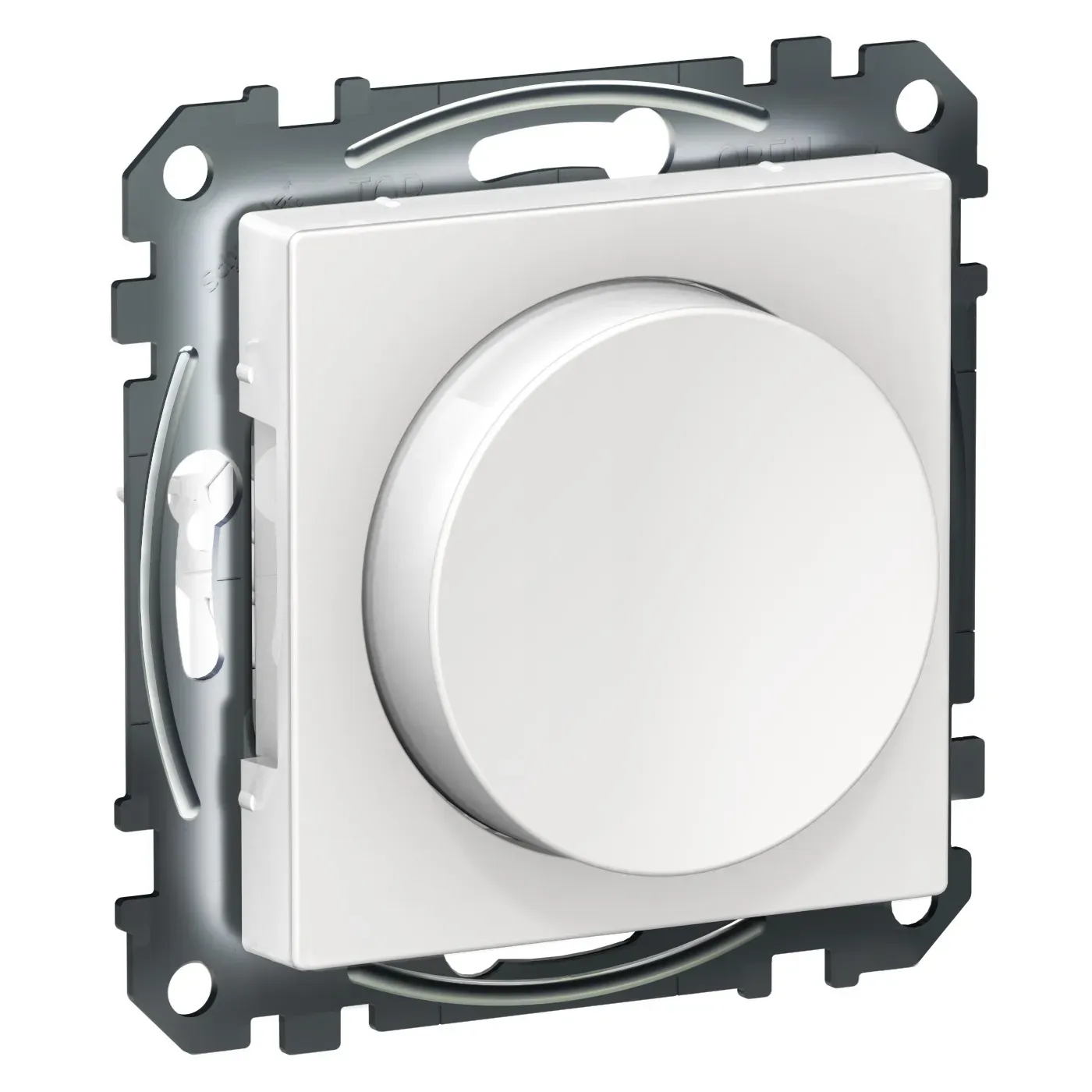
Zigbee Device Compatibility Repository
Zigbee ID: NHROTARY/DIMMER/1 - Schneider Electric NH3516 compatibility with third party gateways
The - entirely different form factor but likely similar internals - Schneider dimmers we get in this part of the world seem to work well. And you get Zigbee as a bonus
full path
Ah yeah that does look pretty good.
I need to disassemble this switch gang and see what install options I have now that I'm looking at this
I didn't consider they wouldn't be standard.
patent river
I was looking for one that looked like the square EU style power outlets
full path
Yeah. The mounting bracket there looks bigger than I expected is all.
But it might be identical. I'll take a look, thanks! It'll be my first attempt at doing Dutch electrical work.
 ashen apex
Random one for anyone with an EV. Is there such a thing as a smart/connected trickle charger (CC2)?
cold moon
@orchid escarp any suggestions^
orchid escarp
ashen apex
Random one for anyone with an EV. Is there such a thing as a smart/connected tri...
you mean CCS?
OpenEVSE is great for charging at home
 cyan lichen
ashen apex
Random one for anyone with an EV. Is there such a thing as a smart/connected tri...
cyan lichen
ashen apex
Random one for anyone with an EV. Is there such a thing as a smart/connected tri...
note that with AC charging, the actual "charger" is built in to the car and can't be directly controlled, however a programmable EVSE will let you reduce the max current the car is permitted to draw during charging, or prevent it from charging at certain times of day.
cyan lichen
Also, "trickle charging" has a kind of specific meaning, and isn't something that can safely be done on lithium-ion cells; they have very little self-discharge anyways. The car's built-in battery management system will deal with figuring out the exact charge rate and stopping point to use.
 cold pollen
Is there anything particular special in getting an wifi adapter working under a Rpi HA image? I need to get 3 wifi adapters running, plugged them in via an active USB hub, they can be seein in the ha hardware info, but they are not shown in HA or nmcli
default_config: is used
glacial oracle
i could imagine that this only works with certain chipsets (as for others they may simply lack the drivers)
cold pollen
hmmm... that might be the problem, but then the sticks I got are sold as "linux compatible" and working with Rpi.
Is the home assistant OS so slimed down that the modules for the wifi dongles are missing?
glacial oracle
you can run a vast variety of operating systems on those pis, haos (which i suppose you mean) is just very stripped down
especially as wifi isnt a recommended networking method, it kinda makes sense that it doesnt ship with drivers for a whole lot of devices
but it could also just be some mediatek thing, they tend to not work that well
cold pollen
I do not want to connect to the Rpi via wifi but use the Ethernet port, I need to access three solar power inverters, which can be access via their own wifi-AP
glacial oracle
those inverters cant join a shared wifi?
cold pollen
nope the AP is the "installer"-mode, which provides all the data in detail. Huawei...
glacial oracle
welp
just cant have nice things
i would check the forums, maybe someone else has gotten the same dongles as you and got them to work
alternatively there likely are hint to which one might reasonably work
cold pollen
yeah might not be nice, but as long as it is working, I prefer this method over some API-call of a "smart" cloud solution at all time
thanks I will look for it, maybe I find someone who shared how to build a linux modul for particular wifi-chip under haos
I was really hoping to get something working out of the box, as I didn't want to deal with breaks due to updates or the need to recompile something whenever haos got updated.
 dry vessel
Hello, I have 3 different light zones equipped with 230 V LED spot lights, each zone draws about 250 W when fully powered. I'm wondering if any of you guys knows a dimmer that would be able to handle this wattage. shellys are out of game unfortunately since they can only handle about 200 W. I looked about into professional lighting solutions but getting to HA and DMX to work together seems a bit tricky especially since those DMX dimmers usually don't have a manual control, which I would like to have.
So in short I'm looking for:
- dimming 230 V, 250 W LED load
- controllable via HA AND an external controls (button or switch)
- connected preferably via Ethernet, Wifi since I don't have zigbee or zwave
Any recommendations?
Thanks a lot ✌️
ashen apex
orchid escarp
OpenEVSE is great for charging at home
Yes sorry, all new to this. Should have mentioned that I want a normal wall socket charger that has some sort of smarts built in. If I end up getting a mounted/electrician solution I'll likely go with Fronius as I already have their inverter/smart meter.
Short term I'm going to grab a cheap one off Amazon with a 16A smart socket that can at least monitor usage (I know that cutting current at high amps is bad, so will be disabling the switch feature).
cyan lichen
note that some of those smart sockets have a (possibly hard-wired?) cutout if the current exceeds a certain amount :/
should note that the OpenEVSE stuff does support being set up for north american L1 charging, tho the form factor won't be as nice as some of the portable chargers available.
orchid escarp
the OpenEVSE doesn't have to be mounted, that's optional
and yes you could swap out the plug for a standard NEMA-15
opal compass
A little while back I was asking about a cheap WLED setup with no soldering and edned up ordering these parts
Athom LED controller - https://www.aliexpress.com/item/1005002198527735.html
Cheapest BTF Lightning 12V 5m Strip - https://www.aliexpress.com/item/2000165819.html
PSU - https://www.aliexpress.com/item/1005005698168545.html
Pluged them in, did a little bit of config and it's all just working
Heaps bright enough, Easy integration into HA, would do it again if I found another use for LEDs
golden thorn
These's also quick connectors for LED strips like these:
- https://www.aliexpress.com/item/1005001705395602.html
- https://www.aliexpress.com/item/1005005335144043.html
I plan to try them for the next project.
opal compass
ooo nice!
That'll be handy if they don't come with JST connectors - the ones I got did, so it was all plug and play
But I remember seeing the higher wattage ones that didn't
opal compass
Speaking of connectors actually, I also wanted to give this ones a shot next time im doing FCOB lights
https://www.aliexpress.com/item/1005002292860863.html
cold moon
golden thorn
These's also quick connectors for LED strips like these:
- <https://www.aliexpre...
your first link are super duper shit and should be avoided at all costs
source: i sadly own some
the only decent ones are the ones with copper wire little jumpers
even then it's just best to solder
you're going from a tiny piece of copper wire inside the strip to aluminum and it just aint gud
golden thorn
cold moon
the only decent ones are the ones with copper wire little jumpers
Got a link?
cold moon
https://www.amazon.com/BTF-LIGHTING-Transparent-Connector-Solderless-Extension/dp/B0B3LXTML9 this type

BTF-LIGHTING SMD 5 Pin 12mm 0.47in Width Transparent Connector Kit 8pcs Corner Connector 4pcs Gapless Solderless Connector 4pcs 5.9in Long 22AWG Extension Wires Support 5050 SMD RGBW LED Strip
doesnt have to be 5 pin tho just first link i found
merry rampart
cold moon
what do you mean the official version is not suitable for 15w bulbs? what specif...
“DATA_PINS”May need to be removed to compile
https://github.com/Aircoookie/WLED/blob/9d70ec56f28b78b438514b17618801046dc47157/platformio.ini#L727

GitHub
Control WS2812B and many more types of digital RGB LEDs with an ESP8266 or ESP32 over WiFi! - Aircoookie/WLED
cold moon
i would avoid these like the plague as well
 cold moon
merry rampart
“DATA_PINS”May need to be removed to compile
https://github.com/Aircoookie/WLED...
cold moon
merry rampart
“DATA_PINS”May need to be removed to compile
https://github.com/Aircoookie/WLED...
i havent flashed the bin you linked the other day. what is the version you are shipping with?
i got three athom 15w bulb gifted to me and i think the guy updated them to 14.1 and i think you might be right on the fw
also is it a known limitation of the underlying sengled bulbs that you guys use that the devices dont want to migrate access points?
and or prefer a specific wifi 2.4ghz channel (1)?
merry rampart
cold moon
i got three athom 15w bulb gifted to me and i think the guy updated them to 14.1...
It is not recommended to update because the latest version may consume more resources of the ESP8285 chip and may cause the device to restart irregularly.
cold moon
i tried locking them to an AP and they did not like that. if the AP ever goes down they try to migrate and never give up trying to join a different AP (that unifi is blocking if they are locked to one AP)
cold moon
merry rampart
It is not recommended to update because the latest version may consume more reso...
i think wled is just generally getting more buggy with every release sadly 😦
cold moon
merry rampart
It is not recommended to update because the latest version may consume more reso...
so you plan to always ship with 0.13.3 or? which version do you consider the "stable" cutoff?
merry rampart
cold moon
i think wled is just generally getting more buggy with every release sadly 😦
Yes, athom is planning to replace the ESP32 chip with a more powerful one, the ESP8285 chip is too weak now
cold moon
i am not having issues with two gu10 bulbs on 0.14.1 also with same chip but i dont use that bathroom often or call them in automations often
cold moon
ok your bin is 0.14.0 b1

i forget what all bugs are in that i'll have to check the releases
cold moon
merry rampart
“DATA_PINS”May need to be removed to compile
https://github.com/Aircoookie/WLED...
frankly i dont know how to compile myself. can you provide us with a working 0.14.2-b2 version?
merry rampart
cold moon
frankly i dont know how to compile myself. can you provide us with a working 0.1...
I'm not sure if 0.14.2 is possible as the free heap here is already on the verge of collapse
 cold moon
I remember something a long time ago about flashing 13.x over usb first for esp32 if it’s such a small number available. But you guys start with higher than that
Update Notice
The new default ESP32 partition layout (1MB FS) is incompatible with the filesystem partition of the previous layout (1.5MB FS).
Please note that config and presets will be wiped upon updating an ESP32 from 0.13.0-b4 or earlier to 0.13.0-b6 via USB or the web installer.
ESP32 OTA updates and all ESP8266 update methods are unaffected , your data will be kept when doing a wireless update.
Ah it was this
merry rampart
We have tested it on the ESP32C3 chip and the available heap is greater than 120KB and will use it in the next new product
 cold moon
Nice
merry rampart
This is a small wled controller, released about a month later, using the ESP32C3 chip
cold moon
Could we take apart the bulb and swap if we are good at that?
Or whole new pcb needed?
merry rampart
cold moon
Could we take apart the bulb and swap if we are good at that?
No problem, you can buy an ESP32C3 12F module and it can be replaced directly
cold moon
Good to know I might get one to play with
merry rampart
Documentation (Wiki) for Tasmota
cold moon
Perfect thanks
merry rampart
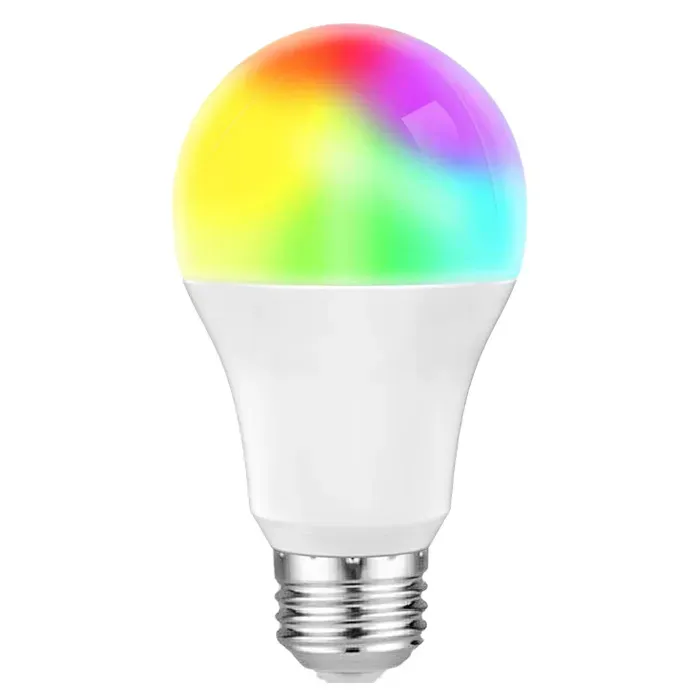
Configure your smart RGB colorcolor temperature adjustable bulb to work with Tasmota open source firmware.


Just remove the LED light board above, be careful not to break the connecting wires at the bottom, and then use a soldering iron to remove the old Wi-Fi module and replace it with a new one
cold moon
That sounds doable thank you for all the pics and links for specifics
What glue do you use to secure the diffuser back? Or just pop back on?
 quasi horizon
😎
merry rampart
This white one is thermal conductive silicone grease, which mainly conducts heat to the shell. It would be better if you have it.
deft sphinx
trying to decide on an LED light strip. What's everyone's thoughts on TP-Link Kasa vs Govee for HA integration and ease of use?
golden thorn
Do you already use zigbee?
deft sphinx
yes
golden thorn
Then buy whatever strip suits you + an LED controller.
deft sphinx
the problem with the zigbee one i found (sengled) is the cost & size compared to the other two i mentioned. This light strip would be for a basic use of turning red when i'm on a call, and turning off when i'm not
deft sphinx
golden thorn
Then buy whatever strip suits you + an LED controller.
could you delve a little deeper into what you said? there's a zigbee led controller that can control any LED strip, regardless of make/mfg?
golden thorn
Pretty much.
deft sphinx
that seems like a lot more hassle than it's worth, including additional cost, which defeats the purpose
it would almost double (and in some cases double) the cost of a single LED strip
thanks for the suggestion though
so back to my original question: TP-Link Kasa vs Govee for HA integration and ease of use?
 subtle creek
anyone aware of any radon sensors that would work with HA?
 agile latch
hi all, anyone got any hardware recommendations ? i want to get a mains powered touch screen for a dashboard, not a battery powered device to put on a wall , cheers
glacial oracle
yes
pseudo stream
Good evening. I came once again for a little advise. Today I have tried to use pressure pads as bed sensors. Unfortunately they are not possible to use in my bed as the body weight is so much distributed on the mattress that it will not cause enough pressure on the pads. So I have tried instead taking ESP board with 2 exposed wires placed in cross under the mattress one connected to ground and one to gpio pin. Result is that it's working pretty well. My question now is if this would be safe to use for a long term in regards of life safety? In other words can this potentially cause a fire if the two wires will be touching for a long time? 🤔
 gloomy elbow
It depends on the current, voltage, etc. I'd highly recommend covering them with something fireproof
 hearty sigil
I have an IKEA ZigBee jetström lamp which I like to control with my existing wall switch (push button). Which ZigBee module for the switch would work? Can I also dimm by holding the button? The IKEA lamp is dimmable via ZigBee
oak vortex
Hello all. Two things:
- FYI - for the scenario of running Aqara H1 (no neutral) switches in decoupled mode + smart bulbs, I found most smart bulbs do not provide sufficient current through them to power the switch, which results in the switch losing power and causing various issues. I did however find a brand of smart bulbs which are better at this, and provide sufficient current to power up the switch. For reference, these bulbs are Emos GoSmart (by Legrand, Tuya based) - https://www.emos.eu/wp-content/uploads/2023/07/emos-catalogue-lighting-2023-2024-enu-small.pdf
- My coordinator is USB based, the Sonoff 3.0 Plus. I have bought a secondary, POE coordinator - the SLZB-06
I'm looking after a bit of advice on how to integrate the secondary coordinator, so that I avoid any pitfalls and headaches. I would appreciate any tips and advice.
winged knoll
#zigbee-archived can advise you about Zigbee coordinators, but you'll need to run Zigbee2MQTT for the second one... or just have one mesh, which is the smarter approach
 gusty onyx
Is there a tracker that works on HA to put on a dog collar and so I can know where they are in the house. I don't like cameras inside the house.
cold moon
gusty onyx
Is there a tracker that works on HA to put on a dog collar and so I can know wh...
Collar with BLE tracker embedded would work if you had a network of BLE beacons in the house
gusty onyx
@cold moon let me look that up
cold moon
No need to tag me to tell me that dude
 runic tinsel
deft sphinx
it would almost double (and in some cases double) the cost of a single LED strip
runic tinsel
deft sphinx
it would almost double (and in some cases double) the cost of a single LED strip
I’ve bought cheapo tuya Zigbee controllers on AliExpress for about 8-9€. They work fine attached to cct lightstrips. There are rgb version and every other combination. You just plug it between the psu and strip
These ones
https://a.aliexpress.com/_EvK3oop
But no experience on kasa or govee so I defer to others
deft sphinx
runic tinsel
I’ve bought cheapo tuya Zigbee controllers on AliExpress for about 8-9€. They wo...
That is pretty cheap. I'm new to this. Can you explain what CCT means in the light strip?
winged knoll
Colour temperature white - warm to cold
deft sphinx
Ok understood. So what would be some cheap strips to use with that? I'd need to find ones that fit that connection no?
winged knoll
Gledopto's Zigbee LED controller and whatever you can get in your country
Some brands are better than others
devout parrot
gusty onyx
Is there a tracker that works on HA to put on a dog collar and so I can know wh...
Yeah look at setting up espresence, check compatible BLE beacons on their wiki.
There are plenty of pet collar cases out there, I have one for the Tile I use on one of my cats.
gusty onyx
So wait, the beacons will be setup in each room and the tile will be on the cat and when they are in that room, it tells HA that cat is in kitchen?
cold moon
devout parrot
Yeah look at setting up espresence, check compatible BLE beacons on their wiki.
...
Tile are fully local?
Btw I was wrong on 15w athom bulbs being dim.. I just had to play with the white slider it defaulted all the way down low
deft sphinx
@runic tinsel those appear to not be compatible with ZHA from what I can find
@winged knoll the same wit thh Gledopto
deft sphinx
i checked on the database and it doesn't list ZHA: https://zigbee.blakadder.com/Gledopto_GL-MC-001.html
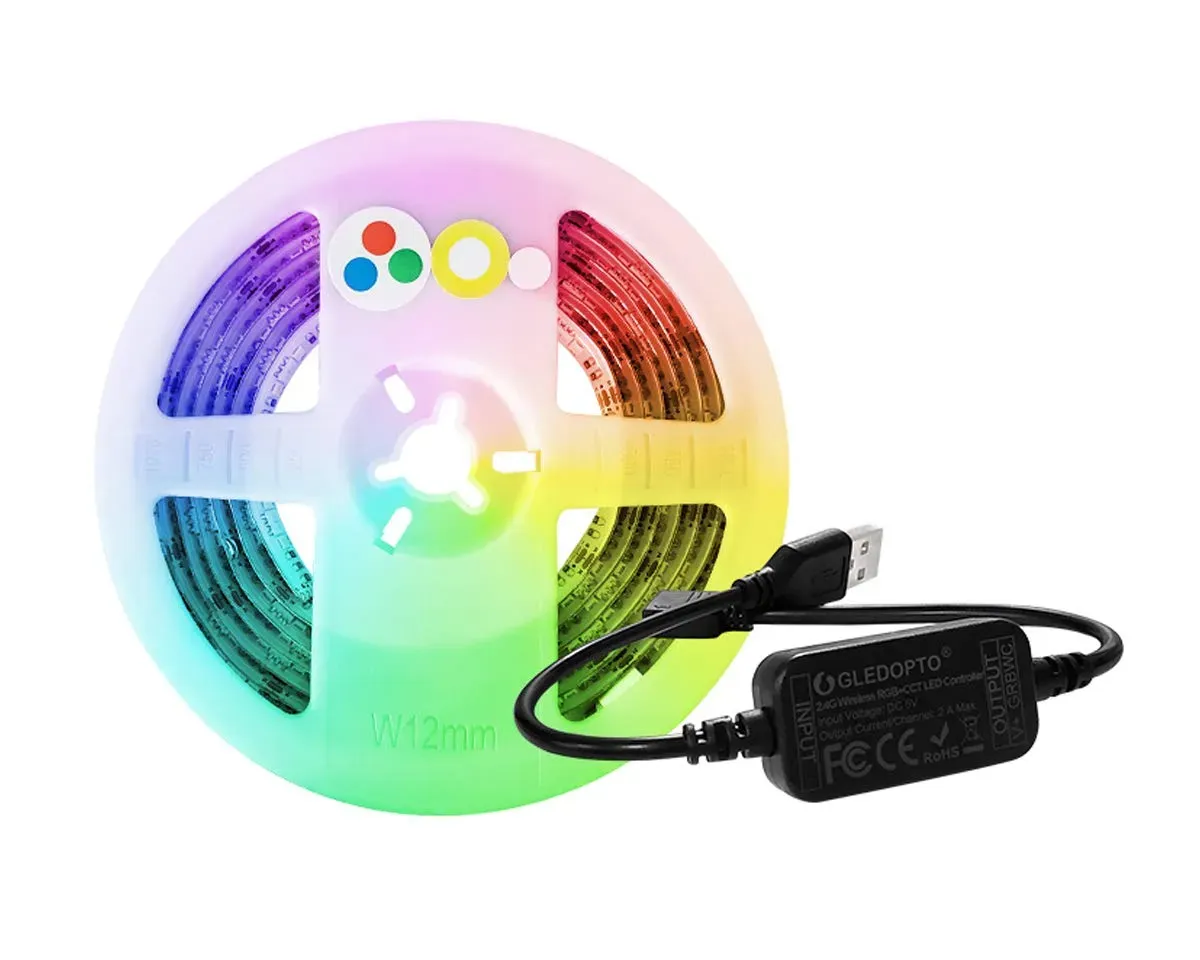
Zigbee Device Compatibility Repository
Zigbee ID: GL-MC-001 - Gledopto GL-C-001MC compatibility with third party gateways
winged knoll
- That "database" isn't complete, or necessarily accurate
- Gledopto do a lot more than that one controller
deft sphinx
should i not be using that database as a reference? is there a better one to use? someone had suggested comparing to that when i first started
winged knoll
The author of that database rates it highly, but there's no official ZHA list
People suggest edits, based on experience
deft sphinx
well most people would rate their own work highly lol
winged knoll
Sometimes utter bollocks makes it onto the list as there's no checking
winged knoll
Most Zigbee 3.0 stuff should work with ZHA without Quirks - except probably Tuya stuff
deft sphinx
but tuya i can just use the tuya app to add and then the tuya integration in HA for addition and control no?
deft sphinx
gotcha
winged knoll
WiFi != Zigbee
deft sphinx
i know that lol
winged knoll
WiFi stuff doesn't work with ZHA 😉
deft sphinx
but does tuya zigbee != zigbee?
deft sphinx
i didn't think that was a difference which is why i was confused when you brought up tuya stuff lol


 ionic breach
Hello everyone. I have searched for Multiway switching but found no results that satisfy me. I'm rebuilding my home lights into smart ones, and you probably guessed it already. Are there any Multiway smart switches? If not then can I just use one way Sonoff smart switch on both ends and whenever one is clicked the other will turn on(automation in HA), anyone tried that? I don't want to waste money and destroy one of the switches if it is not allowed to put power on the output when switch is off.
devout parrot
cold moon
Tile are fully local?
Nah but this is for my cat who likes to run out. I need the not local features to find his dumb ass.
I was just saying there are plenty of solutions for mounting a BLE tag on a pet collar.
cold moon
ionic breach
Hello everyone. I have searched for Multiway switching but found no results that...
USA?
ionic breach
cold moon
USA?
EU
cold moon
Sad
cold moon
ionic breach
EU
Country?
runic tinsel
deft sphinx
but tuya i can just use the tuya app to add and then the tuya integration in HA ...
Well I am using them with DeConz and they work fine — usually that’s the one that has the worst support. But I wasn’t expecting much. I needed something small for a few not particularly important strips. And I was pleasantly surprised
ionic breach
cold moon
Country?
Poland, i have already some sonoff and its woking so far
cold moon
I have no eu suggestions just asking so others have more info to go on
For USA zwave zooz and inovelli zigbee are great options with multi switch setups
But in 240 land you have Chinese stuff like aqara and worse as your only options I believe
Fun fun
runic tinsel
ionic breach
Hello everyone. I have searched for Multiway switching but found no results that...
Do you mean like for stairs or the cross-switches? I have a single fibaro dimmer sitting behind my switch which connects to three switches on the staircase and it works. It toggles every time that the phase is toggled.
You just need to connect the whole sequence of switches to the switch inputs of the sonoff or whatever
As a tip — I have Schneider electric unica dumb switches everywhere and Fibaro or Hue smart modules sitting behind them. You don’t know which ones are smart and which ones are not. The Schneider switches are modular so you can replace toggles with momentary switches etc
ionic breach
understood, a problem might be about size. idont know if a hole behind normal switch is enought to place something like that there, i will test it soon. thanks for answers and tips
runic tinsel
Yeah — some of my contraptions might give an electrician a heart attack
gusty onyx
cold moon
tuya bad
Really, I just recently got Tuya lights and it works pretty well and a sensor , I know there something changes to the local thing and the Tuya site
What is better? Than Tuya that's fairly cheap.
glacial oracle
mostly anything that isnt with tuya inside (even tho there are some exclusions
those devices are as cheap as they are because they are cheaply made, with it not being obvious whether or not its just rebadged or some more custom design which matches anything that the datasheet says
hearty sigil
oak vortex
1. FYI - for the scenario of running Aqara H1 (no neutral) switches in _decouple...
I only need a sensor which tracks if the button has been pressed (circuit closed). I found an led trading ZigBee green power device which seems to do this but zgp is still under development for ZHA. Is there an aqara switch with neutral wire which can also do this in decoupled mode?
 cyan flint
Can anyone recommend some hardwired RGB light strips that work with Home Assistant? I want to be able to control the brightness and change the colors with Home Assistant.
I looked into Philips Hue, but I couldn't find any hardwired kits. There's a company named Armacost Lighting that makes some light stips that are hardwired, but I'm not sure if I can get them to work with Home Assistant.
I'm in the US, I have no protocol preference, and I don't have any budget restrictions.
Any recommendations will be greatly appreciated.
 toxic granite
Hello all. So i have known about HA for a long time now but am very very new to getting started with it.
I've been thinking about getting some smart plugs for my bedroom to control a couple bits. One of the things being a lava lamp that i have. I tried to do some googling around but got very overwhelmed and confused with all the options and information that was about.
I was hoping that maybe someone here could be awesome and kind enough to point me in the right direction for something suitable?
- I'm based in the UK
- I don't necessarily want to spend to much to begin with, but don't mind spending a bit more if I need to.
- I'm not sure on the protocol preference as I am unsure what they mean currently.
- I don't think I have any feature requests for the plugs, but i am also not sure what is available for features. I don't entirely understand the purpose for the power monitoring part either. Unless it is as obvious as it sounds
I did read about the ability to make them local only which would be preferable if possible. I'm happy to try flashing if i need to as long as i have a suitable guide to follow as well.
Any help is greatly appreciated, thank you
glacial oracle
There are probably a couple decisions more to be made.
You could go and buy wifi plugs like the ones from Shelly (or something with Matter if you'd really want) and that's it. The only important aspect here is staying away from stuff that has tuya inside. You don't really need to watch for features if all you want to do is turn stuff on or off, but a lot of stuff has power monitoring included which can come in handy if you would have like a couple more devices attached (and don't necessarily intend to switch it on or off).
The alternative probably would be going with ZigBee ones, but you would likely have the additional cost of buying a coordinator as well. As they are local only anyway there isn't much that doesn't work, even tho some gear (tuya again) may not be of nice quality.
toxic granite
For the moment yeah it is just switching on and off.
I have some other bits in mind that i will ask about at a later date for lighting but that is down the line.
My intention will be to have it all controlled via a raspberry pi if that makes any difference to the situation btw. I did see alot mentioned about Zigbee and Z-Wave online. But again with so many options, it got a little overwhelming with all the things mentioned
glacial oracle
It doesn't really matter if you just pick either. Ha can communicate with both as long as you have coordinators attached to it
Zwave might be a bit more expensive but they also may offer some more special gear you don't usually find with zigbee
toxic granite
Maybe I'll go down the Zigbee route and get myself a coordinator to go with which i dont mind doing.
I could just get the official HA SkyConnect one unless an alternative is recommended.
Is there a particular model of Zigbee smart plug that is better suited for my needs?
 white spire
Hey, I am using ZHA and looking for radiator thermostats, any recommendations? I am living in Germany.
glacial oracle
toxic granite
Maybe I'll go down the Zigbee route and get myself a coordinator to go with whic...
They all will work but you might want to check out the ones from aquara
toxic granite
glacial oracle
They all will work but you might want to check out the ones from aquara
The smart plugs or the coordinators?
glacial oracle
the plug
toxic granite
I'm just tryna find them now but seem to be having trouble finding one from them
By the looks of it, they do not do a smart plug in the UK.
They have them for the EU
toxic granite
Very, because i liked the look of their stuff actually.
I saw they had a blind controller as well. I'm going to be installing a blind in my room soon and that would be ideal. But im sure other options are out there too
glacial oracle
you usually can mix and match as youd like but i seem unabble to find a nice plug for the uk market. like there are ones from hue and ledvanced but they cant do a lot and are pretty expensive
there are innr branded ones which might be acceptable
toxic granite
I found these being talked about at one point i think
They aren't exactly the cheapest either but idk what they are like as an option
https://www.amazon.co.uk/gp/product/B0CFVL1P1W

Innr Zigbee 3.0 Smart Plug, Works with Philips Hue*/ Alexa/ Google (Hub Required) 3120W, 2-pack, SP 242-2
Oh haha
glacial oracle
hehe, yea they might be tuya if i recall but they are of those that might be acceptable
toxic granite
What's wrong with tuya?
glacial oracle
they tend to not be as reliable, sometimes buggy and usually always of dubious quality
for certain applications that doesnt matter and some brands have a good enough product around it which makes it work
the plugs and app doesnt look all the same by accident, so its usually rather easy to identify ^^

at worst its a try and error thing, stuff may work out just fine
toxic granite
Well perhaps i will give these innr ones a go that i linked and see what happens then
Will a coordinator still be necessary?
winged knoll
For Zigbee, yes
No coordinator, no mesh, no ability to interact with them
The coordinator is also the radio, rather important 😉
toxic granite
Gotcha, makes sense
I'll by me the HA official one and see how i go with that
Oh Sonoff and Tapo are 2 brands ive seen come up as well a couple times. They possibly seem like good options too but not entirely sure
winged knoll
Sonoff's Zigbee stuff is a mixed bag, better than Tuya, but that's a low bar
toxic granite
Okie dokie. Sonoff is crossed off the list
You didn't mention anything about Tapo so i assume they are either ok or you arent sure
winged knoll
I stay away from WiFi stuff, there's a long history of manufacturers removing the local access
 proud ledge
I accidentally burned the Hue bridge. Is it better to re-buy Hue or if there is an opportunity better Sonoff Zigee?
winged knoll
Well, #zigbee-archived is better than Hue 😛
toxic granite
winged knoll
I stay away from WiFi stuff, there's a long history of manufacturers removing th...
Yeah i would prefer to go for something that is local only tbh
winged knoll
(and there's better sticks than the Sonoff)
 eager mantle
Anyone have any recommendations for an outdoor thermometer that I can use to integrate with my HA ecosystem? My intent is to use it in the winter to add smarts to my heating system to switch to the emergency heat when the temperature is really low. I live in a really humid climate, even in the winter, and in the summer the humidity is stifling.
I have access to both Zigbee and ZWave. My thermostat is ZWave anyway...