#hardware-archived
1 messages · Page 51 of 1
 frank narwhal
 patent river
Apparently yes: https://www.sunricher.com/dual-color-constant-voltage-zigbee-led-lighting-device-sr-zg9101fa-cct.html
I'm assuming there are only 3 or 4 wires going from the controller to the light (one or two ground, then one for 6000K and one for 2700K, with the other 3 colour temperatures being combinations of the two)
SR-ZG9101FA-CCT is a dual color constant voltage Zigbee LED lighting device, which can search and pair to Zigbee network and be controlled from your controller or hub interface.
frank narwhal
patent river
Apparently yes: https://www.sunricher.com/dual-color-constant-voltage-zigbee-led...
there are only 3 wires going out in the connector, it's a weird 3 pin connector that looks like a mini xlr
 frank narwhal
patent river
Apparently yes: https://www.sunricher.com/dual-color-constant-voltage-zigbee-led...
frank narwhal
patent river
Apparently yes: https://www.sunricher.com/dual-color-constant-voltage-zigbee-led...
my issue with this is that it needs DC input, and the lights operate on AC. The controller outputs AC as the lights themselves specify that it takes 120VAC input, and so does the controller box
patent river
Oh wow. Eww
frank narwhal
here's the product link for ref: https://www.amazon.com/dp/B0BJV5DF7P

Amico 20 Pack 6 Inch 5CCT Ultra-Thin LED Recessed Ceiling Light with Junction Box, 2700K/3000K/4000K/5000K/6000K Selectable, 12W Eqv 110W, Dimmable Can-Killer Downlight, 1000LM High Brightness

 wild meteor
out of curiosity, which model is it? I think there are 2
 neat nimbus
I'm unsure on what Android tablet I'll go for, it's either Galaxy Tab A8 or Lenovo Tab M10. Both are cheap on FB Marketplace.
Would Android updates matter for these devices? The Tab M10 are likely 1st or 2nd gen, Tab A8 are somewhat recent. Any recommendations?
 waxen girder
What's the latest "go to" for motion sensors (inside)? I am currently using some older Xiaomi/Aqara motion sensors but it seems they've been discontinued.
 tough frost
wild meteor
out of curiosity, which model is it? I think there are 2
tough frost
wild meteor
out of curiosity, which model is it? I think there are 2
In Aus there's only the tradfri. I think they're phasing them out. I see on eu site they have a new model
 dull portal
Hello, I want to buy temperature/humidity sensor with LCD. I see nice sonoff SNZB-02D or Nous E6. Is that the same sensor inside?
tough frost
tough frost
In Aus there's only the tradfri. I think they're phasing them out. I see on eu s...

IKEA
TRÅDFRI Wireless motion sensor, smart white Now it's easy for anyone to use smart lighting. The motion sensor turns your light sources on automatically when there is movement – so you have light when you need it and save energy. Can also be used in bathrooms. Tested and approved for children.
Does anyone have experience with it. Seems terrible and I just want to know if it's known or if I've done something wrong
Mounted about 2m on the wall at the front door
 terse pebble
I threw those away. To many wrong positive detections
tough frost
Yeah right so they are just bad 😮💨
No firmware update, configuration, or custom firmware that makes them usable?
 marble anvil
Is it possible to control the Q-Rad Dimplex heaters with Home Assistant? They have a hub too. Links to products and controls.
https://www.dimplex.co.uk/q-rad
Q-Rad is the state of the art, energy saving, intelligent electric radiator from Dimplex
 patent pier
2 years later 🙂 yes there should be a physical store at 103 Cherni Vrah Blvd Bulgaria, Sofia 1407
 subtle creek
silly question, anyone have a powered USB hub they can recommend? I've tried two so far and they both seem to have weird connectivity issues. using rpi4
 sterile flume
Alright folks. What thermostats are you using and why did you select that setup? Any regrets or things you would do differently?
subtle creek
I have an old nest and a new nest. no regrets so far, even prior to HA
got them both from power and gas co. get it for free deals
sterile flume
My old thermostat was a nest. No complaints, really, but I'd like something that will play nicely (or nicer than my thermostat did, anyway) with HA.
My goal is to eventually have some sort of sensor (probably aqara) in every room of our two story house and have dampers put in to make each floor a separate zone when we have to replace our AC with dual-stage unit.
 modern kestrel
So can open plc link with home assistant
subtle creek
nicer in terms of?
my only gripe with the nest is when it goes into auto away mode from the motion sensor it doesn't report it's in eco mode. turned out to be better in the end because setting up automations based on better tracking than a simple motion sensor was nicer
sterile flume
Similar to what you've described with away mode, being able to use voice control to adjust temperature (I use Alexa, which never seemed to play nice with Nest). I'd also like to avoid Wifi, and looking to use something like the Honeywell T9.
 arctic quarry
I've tried searching but can't seem to find an answer (might not be using the right search terms), but this is what I'm trying to accomplish:
Always powered Smart Light, that is controlled via app AND/OR physical smart switch.
Want to get a RGB recessed light that can be controlled via HA (change colors and on/off), BUT I also want a physical switch that will turn the light on/off regardless of the last state of the light.
ie; Turn the smart light off via HA, but still able to turn light on with the physical switch. Turn light off with physical switch, still able to turn light back on with HA.
I know I can't attach the light to the LOAD of the switch, since that would kill power based on the state of the switch. Is this the use for "virtual" switches? Has anyone setup a system like this that could point me in the right direction?
I did find the "RunLessWire" solution on the Philips Hue site, but it is crazy expensive for a light switch
 fringe crater
Some smart switches (like Zooz/Inovelli) have a "smart bulb mode" where it can be used physically, but it does not cut power to the load pin. Sounds like that may be what you're looking for?
arctic quarry
fringe crater
Some smart switches (like Zooz/Inovelli) have a "smart bulb mode" where it can b...
Need to look into this, but that sounds promising!
fringe crater
Though in that case you're either relying on HA to turn off the bulb, or you're relying on the direct protocol, if you get a zigbee switch and zigbee bulb and pair them.
So there is the possibility that you lose physical control if something's down/not working right, which can be uncomfortable.
Nothing worse than when it's time to go to bed, you push the switch to turn off the lights, and nothing happens 😅
arctic quarry
That is exactly what I'm trying to avoid lolol
I mostly want to be able to turn the light off from my phone while in bed, but then still able to turn the light on via the switch when I get up
 steep yoke
Experience the horror, pulled some stuff out of storage and 3d printed a test bench and here we are… lol

@glacial oracle you should also witness the horror. Thanks you two your your input yesterday.
wild meteor
pretty sweet setup though
 still sapphire
arctic quarry
That is exactly what I'm trying to avoid lolol
I mostly want to be able to turn...
still sapphire
arctic quarry
That is exactly what I'm trying to avoid lolol
I mostly want to be able to turn...
If you set the light to turn on always when it regains power, then if you put it off by app, you can always use a real physical switch to power it down then up again. That means you’d have to sometimes flip the switch twice, but you always can.
 cold moon
arctic quarry
That is exactly what I'm trying to avoid lolol
I mostly want to be able to turn...
cold moon
arctic quarry
That is exactly what I'm trying to avoid lolol
I mostly want to be able to turn...
then buy a zigbee bulb + light switch and bind them so the light switch turns on the light bulb no matter what happens whether home assistant is down or up
still sapphire
I have a couple of physical switches that are duct taped to on, which is not very elegant, but it does work, and in an emergency, it is easily broken.
still sapphire
cold moon
then buy a zigbee bulb + light switch and bind them so the light switch turns on...
Still doesn’t cater for what if the zigbee is fully down, but yeah, that’s the easy option. And in my experience losing home assistant happens way more often than losing zigbee entirely, especially short range point to point between a remote and its paired bulb.
cold moon
still sapphire
Still doesn’t cater for what if the zigbee is fully down, but yeah, that’s the e...
yes it does...
binding ignores the zigbee coordinator and mesh completely
it's just directly talking over zigbee to the other bound devices
still sapphire
I know, I didn’t say “when the coordinator is down”.
cold moon
well "when zigbee is down" doesnt make sense
still sapphire
Your neighbor hates you and starts spamming the 2.4G band with RF interference?
Not very likely, but possible. Less unlikely: the bulb crashes and no longer responds to anything.
If you don’t have a physical switch anywhere, that means flipping breakers. Which is fine, it almost certainly will never happen.
I mean, for me personally, these are not scenarios I consider when selecting my hardware. But it’s always worth thinking through hypotheticals.
 glacial oracle
That's a bit in the direction of arguing about the power being out and being unable to turn on the lamp
still sapphire
Well, that’s a fair question these days, what with solar batteries, generators, UPSes… but for practical purposes, as far as I’ve experienced, the things to really worry about is a) internet down and b) HA stops responding for unknown reasons.
Which is a much easier category of things to solve.
arctic quarry
cold moon
then buy a zigbee bulb + light switch and bind them so the light switch turns on...
Would you know if any Zigbee switch would be able to bind, or is it a feature I'd need to make sure it had?
cold moon
that's a complicated question but the switch i'd suggest (inovelli blue) has all kinds of bind options
Zigbee to MQTT bridge, get rid of your proprietary Zigbee bridges
 gloomy spoke
the problem is usually that the devices don't support the kind of binding that you want
arctic quarry
How so, what is the standard use of binding?
gloomy spoke
to have one device control another device
cold moon
They have to support the same cluster
arctic quarry
completely? As in the switch would control the smart light and only the switch
cold moon
It can’t be overridden
gloomy spoke
cold moon
They have to support the same cluster
and as an "input", I beleive
cold moon
The bind will always trigger so home assistant can’t override it
So that’s a trade off
glacial oracle
someone drop the idea of a high availability z2m solution in here
 sweet nexus
I have a button that I need to push and hold for 3 seconds. I was looking at Switchbot as a button pusher, does anyone know if I can control them with telling them to hold something down?
 tired scaffold
Hello, I'm trying to move the disk to an USB disk attached via an adapter. The disk is detected in the interface, I can choose it and the process seems to go fine. It takes a while for the pi3 to reboot but when checking the data disk is still the card. On top of that, I get a warning that /dev/sda1 is named "hassos-data" and not the active data disk, so HA might chose the wrong data disk on boot. I have a display connected to the pi3, so I can access directly. Where should I look to understand why the data disk move process is failing? (I'm using a pi3 and am up to date and the PSU does supply the required voltage as I don't get the visual warning on screen)
version 11.4
"resolution info" in the cli returns the following:

os info

os datadisk list

os datadisk move /dev/sda

and then "Home Assistant CLI has been terminated"
well, looks like the disk is dead...

but I wouldn't have known without a display connected, so some kind of messaging in the UI would be usefull in the future
tough frost
Hey! I am currently running on an rpi 3b+, how would this go for an upgrade?

eBay
Lenovo Thinkcentre M700. 128 / 256GB SSD. wifi USB Adapter Installed. 8GB/16GB Ram. Window 10 Pro. Other wise the oder will be consider Canceled. We warranty that the item is in the condition described above.
cold moon
tough frost
Hey! I am currently running on an rpi 3b+, how would this go for an upgrade?
ht...
Great upgrade but if you can get an n100 cpu based mini pc for a good price in au then I’d go with that instead
tough frost
What mini PC would have that and I can take a look.
 gentle mulch
tough frost
Hey! I am currently running on an rpi 3b+, how would this go for an upgrade?
ht...
gentle mulch
tough frost
Hey! I am currently running on an rpi 3b+, how would this go for an upgrade?
ht...
Hunt around a little you might find an m715q with a quad core Ryzen 2400GE
Thats what I run with proxmox, 40gb of ram and it also hosts my dns server, plex, unifi controller etc
beware sometimes the fans dont like to work with proxmox you may have to run a command at startup to tame the fans
turns out lenovo never supported linux on these boxes
I got my 715q for $100 shipped I think (Well, I bought 3 because of the price)
tough frost
gentle mulch
I got my 715q for $100 shipped I think (Well, I bought 3 because of the price)
I just checked eBay and nothing under 300
tough frost
gentle mulch
Thats what I run with proxmox, 40gb of ram and it also hosts my dns server, plex...
That's another question. What os? I heard of people using proxmox but I want to run containers too.
tough frost
gentle mulch
turns out lenovo never supported linux on these boxes
You can't run a Unix based os on m700?
gentle mulch
Proxmox as the hypervisor
then you can run VMs on that
you can run unix but you may need to do a little hackery to make the fan not spin at 100%
gentle mulch
tough frost
I just checked eBay and nothing under 300
where are you located?
tough frost
Brisbane Aus
tough frost
I'm looking for < $150. The m700 comes to $120
 tough frost
gentle mulch
Proxmox as the hypervisor
tough frost
gentle mulch
Proxmox as the hypervisor
Yeah so I need to run prox mox, a haos VM, and a Linux VM to run the containers in?
I saw someone suggest casaos
gentle mulch
im not familiar with casa OS
plus the system youre looking at I think supports linux better actually so it may be wayyyyy better suited
Im not running docker because I have several services all on the same port and it got irritating
cold moon
tough frost
I saw someone suggest casaos
dont touch this
cold moon
tough frost
Yeah so I need to run prox mox, a haos VM, and a Linux VM to run the containers...
proxmox will be your hypervisor (like your OS) and then you'll virtualize your containers and whatever else yea
https://www.derekseaman.com/2023/10/home-assistant-proxmox-ve-8-0-quick-start-guide-2.html this guide pretty much gets you going with hass

Hot off the press is Proxmox VE 8.1, which GA'd in late November, 2023. It is based on Debian Bookworm 12.2, and has a number of new features like defaulting to Linux Kernel 6.5. This post is a completely refreshed version of my popular Home Assistant: Proxmox VE 8.0 Quick Start Guide, but all new
https://helper-scripts.com/ these scripts will help if you want to play around with LXCs or have them deploy VMs
Scripts for Streamlining Your Homelab with Proxmox VE
tough frost
cold moon
proxmox will be your hypervisor (like your OS) and then you'll virtualize your c...
Cause I wanted to run z2m and mqtt broker outside haos in their own containers so they aren't hard tied to ha. Proxmox fine for this?
cold moon
no problem
you might as well just switch to hass container instead of haos
i prefer to run all my home assistant stuff together on one device running haos, fully separate from my server / network / cameras
tough frost
Well that's why I was looking at an os that I can just run containers in instead of an os with vms
cold moon
all split up nicely so only one thing drops
cold moon
tough frost
Well that's why I was looking at an os that I can just run containers in instead...
casaOS is something people play with for fun not something people run for stability
tough frost
I ordered the m700 upgrade from what I have and found a discount code to Bering it to 100
cold moon
just setup proxmox and a dockerhost VM if you want to run a bunch of containers
that will be fine
i have an m910q
similar spec'd
tough frost
Thanks for your help 🙂 I'll look at the links you sent for prox mox and then I'll probably be back when it arrives
cold moon
ya man it's really not too bad
you'll like proxmox.
if it ships with windows update the bios with the lenovo updater tool on their site before you flash it to proxmox
that will save you the headache of using rufus later to update the bios
gentle mulch
cold moon
i prefer to run all my home assistant stuff together on one device running haos,...
Same
gentle mulch
cold moon
if it ships with windows update the bios with the lenovo updater tool on their s...
THIS^
@tough frost You may also want to look into running a docker for the Matter Server
tough frost
cold moon
if it ships with windows update the bios with the lenovo updater tool on their s...
Thanks, wouldn't have thought of this. Ships with win10
tough frost
cold moon
just setup proxmox and a dockerhost VM if you want to run a bunch of containers
So you're suggesting running prox mox, setting up a Linux VM to run containers in, then container everything in there rather than 2vm, one for containers, one for haos
 devout parrot
tough frost
So you're suggesting running prox mox, setting up a Linux VM to run containers i...
devout parrot
tough frost
So you're suggesting running prox mox, setting up a Linux VM to run containers i...
If you just want to run containers go with Debian and run Home Assistant and whatever else you want in Docker.
If you want to run HAOS plus your own self managed containers, you'd install Proxmox, which is an OS optimized for use as a hypervisor, and then on Proxmox, set up one VM for HAOS and then a Debian VM for your Docker stuff.
 mystic dagger
just got shipping notification my onju voice boards. Ordered them on the 26th of december, can't wait to play with voice.
 mortal spruce
https://store.minisforum.com/products/pre-sale-minisforum-mc560?variant=43645170024693
Would something like this work as a voice assistant? It’s probably not the best solution, more a case of curiosity.

 winged knoll
#voice-assistants-archived could better answer that
 brittle sentinel
can someone explain to me how smart switches like these work: https://moeshouse.com/products/zigbee-smart-dimmer-switch-module-timer?variant=47134032757051
Does this make my existing dumb on/off switch smart (so the on/off switch turns into a toggle switch)?
Does it work with smart bulbs like hue, or only regular dump bulbs?
winged knoll
Yes, it fits behind the switch and makes it smart (or between multiple switches and the bulb)
Unless it supports smart bulb/decoupled mode then it needs dumb bulbs
brittle sentinel
thanks
 tight arrow
Are any mini pc brands better than others for home assistant and other dockers?
glacial oracle
Not really. Different hardware decides on whether or not something is better, not the badge they put on it
 golden thorn
dockers
Why is calling docker containers "dockers" a thing?
glacial oracle
Some ones may allow for better bios options or come with better cooling solutions
glacial oracle
golden thorn
> dockers
Why is calling docker containers "dockers" a thing?
podman container or pods ;D
golden thorn
I thought pods was a kubernetes reference.
wild meteor
pods at least make sense, imagine they were called... kubernetes
not a big deal but I also wonder where the the term "dockers" came from
glacial oracle
could just be generic plurality
I barely hear people reference them as containers
tight arrow
glacial oracle
Not really. Different hardware decides on whether or not something is better, no...
Any suggestions on ones to look at?
thanks
glacial oracle
Many good solutions have been named here before
Stuff that comes with an N100 probably offers quite some good value for most people's tasks
Alternatively they come in all shapes and hardware configurations you could imagine
 cursive river
Hey, I recently got a new electricity meter with an optical interface which I would love to use in some way. The issue is that I live in a fairly big house with multiple units and the electricity meter is all the way downstairs in the cellar with lots of concrete and steel doors in the way. There is no way for me to get my wifi signal down there. Does somebody have any idea if there are alternatives to wifi based optical readers? Maybe something that connects to a bridge that uses a different radio protocol? I am based in Germany if that is of importance
Couldn't find anything in the internet and even the manufacturer of my electricity meter couldn't help me
glacial oracle
You likely are out of luck
You could probably diy something sending the pulses over some 3xx/4xx mhz RF solution but that may not necessarily work for your location or installation options
cursive river
One solution I thought about was installing an electrical outlet directly next to my electricity meter. Then get a powerline adapter to get my internet signal down there. But I have no idea if that is even possible or legal 😆
And that would maybe be a little over the top anyways 😆
glacial oracle
Legal it may be if you get the permission from whoever owns the property
But then it may be much simpler just installing a second meter in line in your access panel in your flat
cursive river
Might be an idea as well. I'll look into that. Thanks 🙂
wild meteor
cursive river
Hey, I recently got a new electricity meter with an optical interface which I wo...
no chance of running an ethernet cable down there, I'm assuming?
 green summit
I have a broadlink rm4 mini and love it. I need to control 3 more simple ir devices either by wifi or zigbee and wanted to know if aliexpress has anything that works well so I don’t have to spend $30 each for 3 of them. Also interested if some exist that run off of batteries
 normal hollow
Do you have a consumer unit in your appartment? if so then a CT sensor on the incoming cable would allow you to pass the current being used out
 dawn sand
Hello, i'm searching for a small, battery powered "most common sensors" in one solution that's sleek enough to put on the ceiling on every room and isn't "apple prices" expensive and does use a privacy friendly protocol like Zigbee
Sensors that must be included:
- Temperature
- Humidity
- PIR
- MQ-2 or MQ-5 smoke and gas detector
Sensor that would be nice to have but not a must:
- Microphone (For assistant)
- Speaker (For assistant/tts/media)
winged knoll
Little to no chance of all that with Zigbee - the bandwidth just isn't there for speakers etc
Probably the only way to get all that is to build your own with ESPHome/Tasmota/whatever
dawn sand
winged knoll
Probably the only way to get all that is to build your own with ESPHome/Tasmota/...
i have built 2 with all of these except mic and speaker with D1 Minis (esphome) and breadboards, but they don't look good enough and are prone to wire connections being funky and have to be hardwired or ugly powerbanks (I don't have a 3d printer and won't have one in the near future).
winged knoll
Temperature and PIR certainly exists, Develco/Frient do one
See the pinned messages of known working hardware over in #zigbee-archived
dawn sand
winged knoll
Little to no chance of all that with Zigbee - the bandwidth just isn't there for...
i also adjusted the requirements because the argument with bandwith makes sense. i'll probably need a seperate device using wifi for that
winged knoll
Environment + motion isn't that common, even one that does temp, humidity, and smoke/gas is likely to be hard to find
 wild atlas
Aeotec makes some multi sensors, temp, humidity, pir, light, but no smoke/gas sensors in those
They're zwave though so privacy centric, but also not the cheapest of sensors
dawn sand
winged knoll
Environment + motion isn't that common, even one that does temp, humidity, and s...
damn, that's sad to hear :c isn't there someone on etsy or smth that makes a bunch of them with their 3d printer that i could order assembled or as a kit? I've seen plenty of people posting STL files for their own "multisensors" but i can't find a link of where to buy them. Not even the chinese ripoffs steal the STLs and BOMs and sell them
dawn sand
wild atlas
They're zwave though so privacy centric, but also not the cheapest of sensors
does z-wave need special hardware aswell? I only have a conbee stick, wifi and bluetooth
it says Hardware required: Aeotec Smart Home Hub on their website :/
damn, even their older model costs 50€ (x9 rooms = 450€)
the one i made is like 10 bucks but also looks like this lol
 wild atlas
dawn sand
does z-wave need special hardware aswell? I only have a conbee stick, wifi and b...
wild atlas
dawn sand
does z-wave need special hardware aswell? I only have a conbee stick, wifi and b...
Zwave requires it's own USB stick, you don't need to use their hub (they also sell USB sticks that work fine with home assistant)
It's a 900mhz mesh network so it's got good penetration through walls and pretty solid range though
Beats zigbee (at least in my house it does)
wild atlas
dawn sand
the one i made is like 10 bucks but also looks like this lol
Grab a protoboard circuit board and wire it up officially!
Circuit board soldering isn't bad with through hole parts, just needs a fine tip iron and a steady hand (or just being braced well)
dawn sand
wild atlas
Grab a protoboard circuit board and wire it up officially!
i don't have any and i'm scared of shorting traces tbh. protoboards always look like a fire hazard waiting to happen 😂
wild atlas
dawn sand
i don't have any and i'm scared of shorting traces tbh. protoboards always look ...
Well once it works, you could always paint it in brush on electrical tape
Though a few standoffs in a good enclosure is more sane to do
That's what I normally do, standoffs in whatever case I designed for it
Here's my latest chaos that I'm working on for high quality build work

 sleek talon
I installed haos_rpi5-64-11.4.dev20240108.img on my rpi5 followed the instructions for ssh via 22222, after much looking I found the /mnt/boot/config,txt which doesn't match any docs I have found yet, added the dtoverlay=disable-bt, rebooted once, then shutdown, added the raz 7 pro, booted again, only to find that bluetooth was still enabled, and the raz wasn't working. I know all this is still a WIP for rpi5 but any thoughts?
winged knoll
#installation-archived can help there
sleek talon
ok thanks
 copper lion
Anyone familiar with ratgdo and know much about MQTT vs ESPHome? My version says "implementation is possible" but I don't know what that means.
 sleek talon
I just installed one of 3
my opener is the one with the purple and black buttons, so I'm restricted to the MQTT firmware, which works perfectly
copper lion
Okay, mine is purple too, so I'll use MQTT.
sleek talon
nothing else will work for yours at the moment, but I read that they are working on ESPHome updates
golden thorn
No. Depending on the installation method you can install one through HA though.
copper lion
golden thorn
No. Depending on the installation method you can install one through HA though.
I use MQTT to connect Solar Assistant to Home Assistant.
I don't know if it's HA or SA that is hosting the server though.
sleek talon
is HomeAssistant connected to an MQTT integration?
 outer knotBOT
Open your Home Assistant instance and show the add-on store
golden thorn
Might be listed here if I linked to the right place.
sleek talon
listed under devices & services
copper lion
sleek talon
is HomeAssistant connected to an MQTT integration?

I have this one, which is to my Solar Assistant RaspberryPi.
sleek talon
as long as your ratgdo uses the same topic, your solar assistant should see the broadcast messages
and hopefully HomeAssistant will too
if you click on the configure, and then hit re-configure, you can walk through all the settings. If your Discovery Prefix is still set to homeassistant, than I think you should be good
you will also find the address to your boker among those settings which you will need to setup your ratgdo
copper lion
I am using Unraid to host Home Assistant. I think I can just install a docker container to host an MQTT broker there specifically for this.
sleek talon
I'm no expert, but one broker should be sufficient for many devices
if you already have one, why add another, just one more point of failure
copper lion
Do you know how to discover the topic of the existing server?
sleek talon
on that screen you posted, click configure, and then click re-configure
winged knoll
MQTT Explorer can help you
sleek talon
it will walk you though all the settings
 sleek talon
No, each device might have its own topic prefix, but home assistant has a discovery prefix
for example, I could put each of my 3 ratgdo on 3 different prefix, but they will all use the same discovery prefix
discovery is how HomeAssistant sees it and adds it to your setup
copper lion
 sleek talon
perfect, its default
 sleek talon
is that your ratgdo config?
copper lion
Yeah.
sleek talon
I would change the Topic prefix
copper lion
I am thinking that solar_assistant in topic prefix is wrong.
copper lion
sleek talon
I would change the Topic prefix
Yeah, okay I thought so.
sleek talon
I used garage
copper lion
👍
sleek talon
these are arbitrary, you could set that to what ever you want
foo/bar will work
the discovery prefix is key
copper lion
 sleek talon
perfect
copper lion
Then my device name is just ratgdo-garage1
Cool, thanks so much for the help!
Is there any way to ensure that the MQTT is working before taking it to the garage door controller?
sleek talon
I'm not sure if - is considered an illegal character, but I know that illegal characters cause issues
no spaces or illegal characters...
winged knoll
Topic names must include at least one character and can consist of any UTF-8 characters, except '$,' '*,' '+,' and '#'
copper lion
Safer to just switch it to ratgdoGarage1?
That was device name though, not the topic prefix.
sleek talon
I'm not 100% sure if it needs to be connected to the opener in order to start reporting, my guess is that it doesn't, but it might report ratgdoGarage1 unknown or something
winged knoll
For HA compliance I use _ in topics and stuff
copper lion
 sleek talon
the docs say no spaces or illegal characters in the name
 sleek talon
I'm being nit picky here but why have ratgdo in the name, who cares what brand it is?
copper lion
I believe it shows up in the network as the name of the device.
I guess I could just change it in the network though lol
copper lion
Ah fuck me lol
I didn't realize when you reset the device name, you have to actually set the password you wanted again too
sleek talon
I forgot there even was a password
copper lion
Are there any guides for connecting ratgdo to Google Home?
sleek talon
Not that I have seen
 compact root
US / $50 / Prefer ESPHome and Wifi - I'm looking for a temp probe to monitor the water temp of the water our wood boiler heats. Basically if the water is 110°F/43°C or higher, the controller mounted to the unit disables the outdoor unit. That way I'm using wood to generate heat and electricty for only the fan. I'd like to monitor the temp the same place the controller does (probe inserted in top circled area)
 glacial oracle
You could probably diy something with an esp32 and a ds18b20
still sapphire
Ds18b20 come in versions that consist of a metal can with a wire coming out. I haven’t figured out the best way of attaching to a pipe yet.
If you’re wanting to insert a probe — how much room is there? If it’s really small you might need a thermocouple and a thermocouple amplifier.
compact root
If you look at the untaped connector on the right, that's how much room there is. As far as I can tell, the current probe is placed against the metal connection (circled area top left) and then taped over with thermal protecting tape. It's not a highly accurate setup because it's measuring the outside of the metal instead of inside the pipes, but it seems to work well enough. I just want to get that same temp reading on HA so I can make decisions about how to use the heat or if it's urgent to go outside and add wood to the firebox.
compact root
glacial oracle
You could probably diy something with an esp32 and a ds18b20
I'm not at the diy level yet--though I'd like to learn--and am hoping there's a premade solution out there. I'm looking at Inkbird, but not all of their products integrate well with HA.
 rancid apex
Sensor wanted: Measurement of distance up to 10 m from moving objects.
What is it about: Someone is moving towards the house. Depending on the distance to the house, the light on the house should change color.
What kind of sensor would you use or recommend?
glacial oracle
A camera with frigate and different detection zones might do this the best. Theoretically could this also be done by presence sensors which can do zoning stuff but I highly doubt they work good outdoors
glacial oracle
Likely any NFC tag would work
 mental abyss
never used one, so what up the different frequencys? anyone will work with HA on android?
here one with 125Khz https://www.daraz.pk/products/rfid-id-card-proximity-125khz-read-only-contactless-pvc-08mm-thick-for-door-entry-access-control-system-white-i437357970-s2103337702.html?

Rs.150 OFF for New Users! ✓10% Extra Bank Discount on RFID ID Card Proximity 125KHz Read Only Contactless PVC 0.8mm Thick for Door Entry Access Control System White at Daraz.pk. ✓Low Prices ✓Fast Delivery across Pakistan
glacial oracle
That's rfid not nfc
NFC is exclusively 13ish MHz while RFID has various additional bands both of higher and lower frequencies available
mental abyss

Rs.150 OFF for New Users! ✓10% Extra Bank Discount on Pack Of 5 NFC Cards NTAG215 Rewritable 504 bytes 13.56MHz at Daraz.pk. ✓Low Prices ✓Fast Delivery across Pakistan
these are NFC?
thre are different chips too NTAG213 NTAG215 etc etc
glacial oracle
Only difference would be how much data those tags can store
Any should be ok for ha as it doesn't store a lot more than a url
Differences are 144b/504b/888byte between those three
Which is enough for a couple hundred chars of data
mental abyss
these can be used both ways, i.e use the stickers to read from the phone, or use the card for use with esphome based NFC reader
glacial oracle
They both do the same, storing some data. How you access it / having the device know what to do depends on, well, the device knowing
mental abyss
I was thinking of making replacement for the zigbee button, this seems to be cheaper solution
glacial oracle
A button is very intuitive to use tho
Having to pull out a card or a phone or both is just not as convenient
mental abyss
glacial oracle
A button is very intuitive to use tho
Having to pull out a card or a phone or bo...
what I want to create is bedside automation, both card and card reader placed on the bedside, just scan the card around sleep time( time being set as a condition for the automation), no phone required
glacial oracle
that would still require a card reader, the card and the presence of the card on the reader at times
Having a button is much easier
winged knoll
They're not that costly, and you can probably use BLE buttons too in a pinch
mental abyss
BLE buttons, did try that but it didn't work out as good
that was before esphome had support for BLE proxies
any good BLE buttons to choose from?
https://devices.esphome.io/devices/ble_itag I used something similar to this

devices.esphome.io
This website is a repository of device configuration templates and setup guides for devices running ESPHome firmware.
https://flic.io/shop are way too much expensive
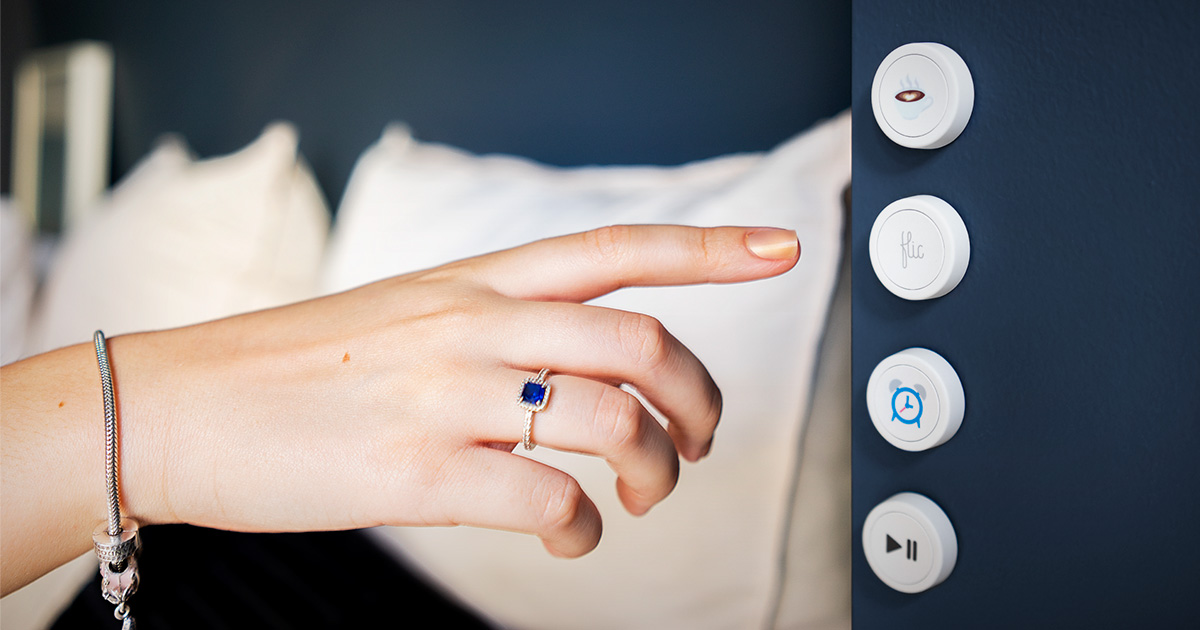
Shop Flic 2, Flic Hub LR, and the latest Flic Accessories. Flic Smart Button: simplicity in a push of a button. Control Smart Home, Lights, Services, ...
fringe crater
If you've got esphome there already, why not just wire a physical pushbutton to it?
mental abyss
fringe crater
If you've got esphome there already, why not just wire a physical pushbutton to ...
that was the original solution
even used a M5stack C3 in that role
fringe crater
so how did we go from there to nfc card reader?
mental abyss
number of buttons/number of automations
https://www.daraz.pk//products/i294494337-s1588183573.html?spm=a2a0e.cart.0.0.2f257d68gMgsMf&urlFlag=true these were in cart too
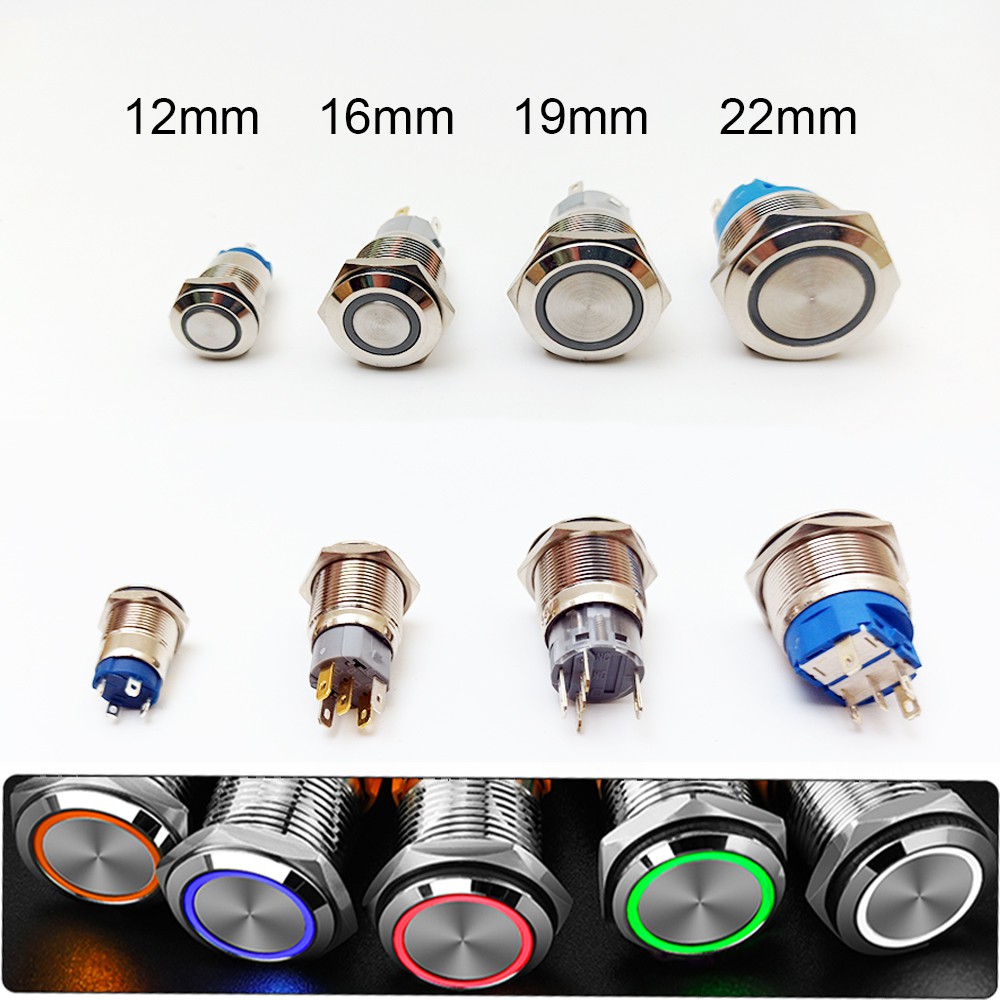
Rs.150 OFF for New Users! ✓10% Extra Bank Discount on 12mm 16mm Electronics Chrome Pin Foot Led Light Metal Push Button Momentary Switch Waterproof 12v 220v 24v 3v 6v LED Button Switch at Daraz.pk. ✓Low Prices ✓Fast Delivery across Pakistan
https://www.daraz.pk/products/without-wire-scene-switch-push-button-smart-switch-wall-panel-power-unit-powered-tuya-smart-life-app-re-mote-con-trol-for-smart-home-deviceszigbee-hub-required-black-4-gang-i424000434-s2008702634.html? this was the zigbee solution

Rs.150 OFF for New Users! ✓10% Extra Bank Discount on Without Wire Scene Switch Push Button Smart Switch Wall Panel Power unit Powered Tuya/ Smart Life APP re-mote con-trol for Smart Home Devices(ZigBee Hub Required), Black 4 Gang at Daraz.pk. ✓Low Prices ✓Fast Delivery across Pakistan
 cosmic grove
Aside from an actual smart scale, are there any smart weight sensors that are HA compatible?
Also curious if there’s a decibel meter that could connect, for setting things like “there is or is not a machine running in the shop”
glacial oracle
Nothing that couldn't be diyd
cursive river
normal hollow
Do you have a consumer unit in your appartment? if so then a CT sensor on the in...
I looked into this. Do you mean something like the shelly 3EM?
 half leaf
Why can't I install HAOS on Orange Pi 3b? I am looking for hardware to install Home Assistant on. HA Green no good because no emmc slot, Yellow not possible to buy new locally.
winged knoll
Because it's not supported hardware
If you want to port HAOS to that and support it going forwards then I'm sure the dev team would be interested
 kind wind
These innovelli fan switches use matter/thread and I know they are pre-order right now. Just wondering if anyone would avoid them (based on past experience with Innovelli) if they needed a fan switch that worked well with home assistant? https://inovelli.com/collections/pre-orders/products/smart-fan-switch-3-speed-ceiling-on-off-exhaust?variant=42786398044325
 oak pivot
Morning Friends. Anyone have a good recommendation on getting started with Zigbee? I don't really know anything about the ecosystem currently. I have HA, with a Zwave stick for my thermostat. I'm assuming it's something similar? Ultimately I need a smart power strip with individually controlled outlets for some lamps in a room. The Kasa people recommend is like a month out for delivery from Amazon.
cold moon
oak pivot
Morning Friends. Anyone have a good recommendation on getting started with Zigbe...
people dont recommend kasa...
there is some good info pinned in #zigbee-archived but the gist is the same as zwave basically
https://tubeszb.com/product/cc2652p7-zigbee-to-poe-coordinator-2023/ i prefer a PoE zigbee coordinator over a usb one like most people use
oak pivot
cold moon
people dont recommend kasa...
I've seen it on five different threads so far, so figured that was a solid choice with the extra intergration I found for Kasa. Good to know.
oak pivot
cold moon
https://tubeszb.com/product/cc2652p7-zigbee-to-poe-coordinator-2023/ i prefer a ...
This could be the tipping point to find myself a Managed Switch with POE.
cold moon
i'm a sucker for unifi silver myself
oak pivot
I have a USG and CloudKey currently, but then just dumb switches beyond that with 1 POE thing for my AP.
cold moon
yea prob could get away with a switch 16 lite
or upgrade your ancient usg to a udm-se and see if you can survive on that PoE budget
oak pivot
Yeah I would love to check out a Dream Machine. I haven't been able to find one cheap in my area yet. I get all my stuff used/donated so far.
cold moon
no such thing as cheap unifi i guess
kind wind
cold moon
https://tubeszb.com/product/cc2652p7-zigbee-to-poe-coordinator-2023/ i prefer a ...
would this effectively increase the range? I have a new home with a workshop that is separated from the home. I haven't moved in yet but I'm concered about getting HA to work in the shop area with either zigbee or z wave.
oak pivot
cold moon
no such thing as cheap unifi i guess
Can be found, but takes a while, I got my USG for like $30 and they threw in the cloud key. Got my U6LR off ebay for $80.
 sterile coyote
https://a.aliexpress.com/_EHjol1B
Is this worth getting? What's the power consumption going to be like? Better than an AMD A10-8700P I guess? Currently using about 0.3kwh per day, would this be less again?
golden thorn
These can usually go as low as 6W at idle. For the AMD thing it heavily depends on the mainboard and PSU so it's hard to tell but I'd guess so.
sterile coyote
golden thorn
These can usually go as low as 6W at idle. For the AMD thing it heavily depends ...
Yeah I use about 14W and it's not that powerful in comparison to the N100. I guess that's decent enough for me to buy? I know it's from AliExpress but it's decent value I think?
golden thorn
Yo'll likely not get the money back through lower power usage any time soon. Only you can decide what you need and what is worth it to you. I think it's good value for the money. I'd probably pick one of the variants with a 2280 M.2 slot and additional 2.5" SATA support though.
sterile coyote
I mean the money back on the power isn't my plan. I just don't want to use much more and have something much more powerful
golden thorn
Yeah it's certainly faster. I'd recommend you pick at least 16G and virtualize.
patent river
If you're not in a hurry, the Minisforum S100 (announced at CES, you can find it in a bunch of videos on Youtube) looks interesting.
N100 CPU, 8GB RAM and 256GB storage, and PoE powered.
No idea what it's going to cost though
sterile coyote
Yeah would pick the 16gb model for sure. I use docker for most things currently, but I do think I'd consider virtualising
patent river
I found this: https://www.alibaba.com/product-detail/Brand-New-original-Mini-Pcs-Mercury_1600968549935.html
But very unclear if it's a legit listing, and the specs are all over the place (says 8GB in some places and 16GB in others)
Brand New Original Mini Pcs Mercury Series Minisforum S100 N100 Processor 4 Cores Intel Uhd Graphics Memory Lpddr5 Memory - Buy S100 N100 Mercery Mini Pc,Mini Pc Barebone Mini Pcs Gaming,Mini Pcs Minisforum Mercury Series S100 N100 Product on Alibaba.com
sterile coyote
Ah damn, it doesn't have a UK plug!
sterile coyote
patent river
I found this: https://www.alibaba.com/product-detail/Brand-New-original-Mini-Pcs...
Damn! Nice!!
 near shadow
Hi, is this the right channel for help on external https access ?
feel free to ping me
normal hollow
cursive river
I looked into this. Do you mean something like the shelly 3EM?
3EM if you have a 3phase supply, else the plain Shelly EM which appears to allow 2 circuits to be monitored, if you wanted to monitor more circuits a emontx4 would work well.
cursive river
I would guess I have 3 phases since my oven and stove are connected to a 3 phase outlet. But I will ask an electrician to make sure which one I'd need. Seems like the best solution to me.
 jagged crypt
sterile coyote
I mean the money back on the power isn't my plan. I just don't want to use much ...
jagged crypt
sterile coyote
I mean the money back on the power isn't my plan. I just don't want to use much ...
it's important to realize that available horsepower and power consumption are not directly linked. Idling on a new CPU may be better power consumption than using a smidge of an older cpu.
sterile coyote
jagged crypt
it's important to realize that available horsepower and power consumption are no...
Hmm I see, but I do think upgrading from an AMD A10-8700P to a N100 will be better both performance and power? I use around 0.3kwh per day with my AMD laptop
jagged crypt
in that case you are jumping up 8 years in technology, and going from a 35w to a 6w cpu, so yes, you should see some difference
the a10 may idle at 6watts though, so you may be going to an idle at 3watt n100
so your delta isn't going to be huge
my i5-6500t lenovo tiny system idles at 15watts, though it has a 35watt cpu
sterile coyote
jagged crypt
the a10 may idle at 6watts though, so you may be going to an idle at 3watt n100
Yeah so it seems like it's definitely worth it in terms of performance? I'm not expecting massive savings on power (not my goal here anyway) but overall seems like I probably will save a tiny amount on power consumption anyway
jagged crypt
you have to make that call
the benchmark seems to imply single threaded speed is 2x as fast
what on your home assistant install is slow?
sterile coyote
jagged crypt
what on your home assistant install is slow?
To be honest it's not that slow, I just don't have the ability to run anything with AVX instructions. So for example I can't run frigate
jagged crypt
my understanding is frigate is going to suck cpu unless you plan on getting additional co-processor
sterile coyote
jagged crypt
my understanding is frigate is going to suck cpu unless you plan on getting addi...
Yeah thought that, also can't even run Piper or whisper so there that too lol
 storm needle
Anyone know a good touchscreen display for raspberry pi? I dont want it to have any board or mounts on the back as I plan to put it on a custom stand that requires a flat back?
 rose rain
Anyone know if this would work for a DIY bed sensor? https://www.amazon.com/Ideal-Security-SK630-Pressure-Triggered/dp/B00GUNX7WY/ref=sr_1_1_sspa
I've seen some Youtube videos on it, but the ones I've seen have two wires and I only see one on this
Or really any suggestions at all for a pressure mat I can use
jagged crypt
storm needle
Anyone know a good touchscreen display for raspberry pi? I dont want it to have ...
smartipi case + official 7" touchscreen?
otherwise look for a unit with hdmi+usb touch?
no experience, just first hit for "external touchscreen monitor" https://www.amazon.com/Portable-Touchscreen-1920x1080-Ultra-Slim-Kickstand/dp/B0C3V7TCG8

 night haven
Hi everyone. I have a question regarding the installation of mmwave sensors. I know placement is important (each sensor has a detection angle and distance) but my issue is electrical outlets and visibility. since in some areas the sockets are inside furniture and in any case if possible I wouldn't want them to be visible, has anyone tried to insert them inside a piece of furniture? Does human detection still occur within certain limits? Or is it not advisable anyway? Or I also have the case that to cover certain environments the maximum 100° or 120° is not enough for me to put them in a corner would mean going over obstacles such as furniture... is this still possible or are there problems? I hope I have explained myself.
Or whatever, positioned inside a plasterboard false ceiling.
glacial oracle
You cannot put those behind any object that would cover them
That would significantly reduce their range and accuracy towards it not working at all
I would place them right next to ceiling light fixtures so they do be a bit hidden next to those
night haven
However, I have also verified that sudden changes in ambient light can also affect the detection accuracy, so I'm not sure if placing them next to light sources can help
 finite dock
I just got sent this as a free gift when I ordered a load of TRVs at ITEAD. Does it have any uses or can it be flashed to do anything useful in an HA system?
 still sapphire
Wouldn’t that, at worst, cause a glitch when the lights come on or turn off? I suppose the worst case there is when the lights turn off because nobody’s there, it detects someone there again, so okay, that would be an issue.
winged knoll
finite dock
I just got sent this as a free gift when I ordered a load of TRVs at ITEAD. Does...
Depends on the exact model, ,but some can be turned into a #zigbee-archived coordinator... if that's the WiFi connected one it's better recycled
finite dock
winged knoll
Depends on the exact model, ,but _some_ can be turned into a <#55184365568249039...
It's this one. "Recycled" as in re-purposed or as in tossed out? https://sonoff.tech/product/gateway-and-sensors/zbbridge-p/

SONOFF updated Zigbee bridge can manage up to 128 sub-devices with larger capacity and stability. Newly added features like smart home security, local smart scene, and so on.
I found a page that says it can be flashed with Tasmota with a flashing dongle
Is this something I could attach to my Wifi and Zigbee mesh then use as a watchdog to turn off my boiler demand switch if HA fails?
still sapphire
Ideally you — or at least I — would like your HA and your Zigbee coordinator to be connected to Ethernet, not WiFi.
finite dock
My current Coordinator is a Sonoff Dongle-P attached to HA by USB
still sapphire
Your potential use case sounds interesting. I’m not sure I’ve ever heard of it, but it sounds interesting.
finite dock
I'm intending to replace my heating thermostat with a demand switch controlled by HA. I'd like to avoid a situation where HA crashes and leaves the boiler burning 24/7. My other thought was to use an ESPHome relay. I understand those can be programmed to reboot if they lose contact with the WiFi or HA for more than 15 minutes. If I put "relay off" as the first command in the boot sequence that would turn the boiler off if the demand switch loses its smarts
I'd rather the heating failed cold and safe than hot and not-safe
Can more than one device in a Zigbee mesh issue commands to another? If the relay is bound to the Coordinator, can something else tell it to turn off or only HA?
winged knoll
finite dock
Is this something I could attach to my Wifi and Zigbee mesh then use as a watchd...
WiFi connected Zigbee coordinators suck, because they tend to generate their own interference
winged knoll
finite dock
Can more than one device in a Zigbee mesh issue commands to another? If the rela...
Yes, that's a #zigbee-archived feature called binding
finite dock
If the coordinator goes away, like the HA PC PSU fails, does the mesh drop like a rock or would the remaining devices still be able to communicate?
winged knoll
#zigbee-archived would know
finite dock
Thanks
cold moon
winged knoll
WiFi connected Zigbee coordinators suck, because they tend to generate their own...
to expand and state the obvious.. they also are using fucking wifi as next hop after already going over a low bandwidth meshed wireless protocol..
finite dock
I don't deny any of these things. I was just trying to find a use for this thing I got given as a free gift with the purchase of my TRVs
If I can't I'll give it to my friend who expressed a minor interest in smart home stuff
cold moon
I wouldn’t give a known bad coordinator to a friend
finite dock
Not good enough for him to buy a couple of lightbulbs and switches and get started before plunging into HA?
finite dock
I like the guy
winged knoll
Then why not listen to what we're telling you?
cold moon
We’ve seen a lot of people wish they never touched that device
winged knoll
Or, if you don't want our opinions, just say and we'll walk away 😉
cold moon
I might scallop it’s cold and I’m walking the dog
finite dock
Fair enough. I didn't see the harm in something to get him tinkering but now I do. Thank you
winged knoll
Well, if you'd been reading what was said you'd have seen the harm, but apparently you were just skimming
 drifting grove
I'm going to move HA from a VM hosted on my NAS to a NUC and had a question - my thoughts were only using it for HA so was just going to image it with HAOS. Is there any benefit of throwing Linux on there and using a docker HA install? I already have two docker servers so I wasn't planning on leveraging it for anything but HA tbh
glacial oracle
no likely not then
drifting grove
Yeah didn't think so.
I couldn't think so any added benefit really, portability maybe I guess
glacial oracle
you may want to run haos virtualized for easier and faster backups
but besides that it should be plenty fine to just use haos alone
drifting grove
Hm, I haven't thought that, good point.
cold moon
drifting grove
Hm, I haven't thought that, good point.
https://www.derekseaman.com/2023/10/home-assistant-proxmox-ve-8-0-quick-start-guide-2.html this is a popular solution
drifting grove
Thanks - I'll check this out
 pallid flint
does anyone have any recommendations for a multibuttoned device that could be stuck to a headboard to control lights, blinds, fans, and other things. Could be but does not have to be thread, zigbee, or wifi. I am in the US and i dont have a budget.
outer knotBOT
Looking for advice about a device to buy? Remember to provide guidance on:
- Which country you're in
- What your budget is
- What protocols you prefer (eg Zigbee, WiFi, Z-Wave)
- Any features you want (such as power monitoring, dimming, etc)
 queen robin
Can someone with ratgdo help me with editing the yaml file? I’m trying to set up the dry contact controls on a security+ 2 opener for my parents and was told I needed to edit the yaml to use the toggle function. But I cannot figure out how to edit the yaml file. I already flashed it with ESPHome.
 velvet dust
Does anyone have the SONOFF NSPanel Pro and know if I would be able to access ZigBee devices with HA through it?
 warm prism
Good morning! Finally have some time so I'm going down the rabbit hole. I'm running HA in a Docker container and, first, I'm wanting to get a few window sensors up and running. Nothing crazy...for now.
One thing I'm unsure of at this point is, I have HA...I have a sensor...shouldn't there be something in the middle? Don't the sensors need a dongle or hub or something to connect to in between HA and the sensor? Or do they just ride on wifi?
I may be over thinking things...🤣
gloomy spoke
Depends entirely on the sensor
warm prism
Currently have one of these on the way that would be here tomorrow.

Door/WIndow sensors are designed to secure the perimeter of the residential premise, and provide the ability to add various automation services. The Door/Window sensor, which consists of a magnet that attaches to a door or window, will communicate door events to the home security system. When the...
gloomy spoke
Then, yes, you need a Zigbee coordinator. See the pins in #zigbee-archived and the HA docs for Zigbee
warm prism
Sweet...that where MQTT and this thing and all that comes in?

Pre-flashed with Z-Stack 3.x.0 coordinator firmware Can use ZHA in Home Assistant or use Zigbee2MQTT Base on TI CC2652P + CP2102N +20dBm output gain SMA interface external antenna Aluminum housing …
gloomy spoke
It can
warm prism
Cool cool. I know there are LOTS of variables...I'll keep reading. Thanks.
 full dagger
Would you recommend the SkyConnect over the Sonoff Zigbee dongle for a HA Green setup?
glacial oracle
they both have their issues
full dagger
Where can I read about these issues?
glacial oracle
in #zigbee-archived
some stuff works, some stuff doesnt
either are probably not a bad choice
full dagger
Does anyone have familiarity with Aqara contact sensors and some Zigbee solution? SkyConnect, Sonoff Dongle, or Aqara’s own hub (which I hear they are still working on a new one)?
cold moon
full dagger
Does anyone have familiarity with Aqara contact sensors and some Zigbee solution...
Sure lots of us use aqara stuff without a hub just a direct connection to a coordinator for home assistant
full dagger
cold moon
Sure lots of us use aqara stuff without a hub just a direct connection to a coor...
Good to know. I’m looking into getting door sensors and I have a HA Green so I am trying to find the best solution to make it all work well together. Thanks!
Also it’s nice to know I don’t have to buy their $70 hub
tough frost
Hey wiz or tuya?
Tuya bulb is cheaper but wiz is better?
Is that it?
Just looking for opinions between these two brands
They're the only 2 readily available and I need to pick one. 806lm RGB and tw wiz for 29. Tuya tw 1055lm for 10. I had tuya lights before and was not a fan
 forest pike
Anyone know of a device that lets me power a raspberry Pi in my ceiling by bringing power to it rather than putting an outlet up there?
patent river
forest pike
Anyone know of a device that lets me power a raspberry Pi in my ceiling by bring...
PoE hat is the traditional option
https://www.raspberrypi.com/products/poe-plus-hat/

Raspberry Pi
The official Power-over-Ethernet-Plus add-on board for Raspberry Pi. The Raspberry Pi PoE+ HAT powers Raspberry Pi 4 and Raspberry Pi 3B+ via the Ethernet port.
forest pike
patent river
PoE hat is the traditional option
https://www.raspberrypi.com/products/poe-plus-...
Any way I might be able to use the power up there already? I don't think I can run off the same circuit as the pot lights because it's switched right?
patent river
You should by and large avoid wiring random things to lighting circuits if you can avoid it
forest pike
Just curious, why? Fire hazard or something?
I'm basically working with my buddy on this. He's doing a heavy remodel and we were thinking we could have speakers installed in some of the rooms. I found a lot of posts about using Logitech media server with raspberry pi clients connected to speakers. Just trying to figure out how to actually power these in ceiling speakers properly now. We'll be pitching it to his electrician at the end of the day anyways but trying to get an understanding first
 barren geyser
forest pike
Anyone know of a device that lets me power a raspberry Pi in my ceiling by bring...
barren geyser
forest pike
Anyone know of a device that lets me power a raspberry Pi in my ceiling by bring...
What's the difference between "brining power to it" and bringing power to an outlet?
forest pike
barren geyser
What's the difference between "brining power to it" and bringing power to an out...
We were thinking an outlet in the ceiling would just be more work. Would it be hard to hide? We discussed it before and he didn't want a outlet visible in the ceiling with things like a wall wart plugged into it. Would be better if the electrician could just connect wires to a box that supplied the right power for a raspberry pi
barren geyser
forest pike
We were thinking an outlet in the ceiling would just be more work. Would it be h...
I'd suggest you either put the Pi and the outlet in the attic -- or -- find somewhere else and run the speaker wires from there.
You haven't really said what you're powering the speakers themselves with? or do you have something that gets loud enough off a headphone jack on a Pi that you don't need anything to amplify the signal?
forest pike
barren geyser
I'd suggest you either put the Pi and the outlet in the attic -- or -- find some...
We found some ceiling speakers on AliExpress that come with an amp on the back. Those would need to be powered as well but I'm still trying to confirm with the power cable looks like for those. They have an aux built in.
There's no attic unfortunately. Flat roof. Also some would be on the first floor ceiling
Sounds like you're recommending an outlet still, will talk to my buddy and see if he wants the electrician to install hidden ones
barren geyser
forest pike
We found some ceiling speakers on AliExpress that come with an amp on the back. ...
🤷♂️ I mean you have to have something to convert from AC power to DC power... If you aren't going to use PoE (that moves that conversion to your networking equipment), then you probably need something akin to a wall wart. You could do it with a transformer, but you'd still need to hide that somehow.
And I'm not sure how you're encapsulating the Pi itself, but you need ventilation to cool it and you want to be able to get at it when you need to fix something; so it isn't like you can plaster it inside of a wall.
barren geyser
barren geyser
🤷♂️ I mean you have to have something to convert from AC power to DC power......
I'm also not a fan of plugging in my digital equipment like a Pi without having a surge protector in front of it. But if you're not concerned about power surges having an impact on it's lifespan, then maybe that's a non-issue.
forest pike
barren geyser
🤷♂️ I mean you have to have something to convert from AC power to DC power......
All fair points. We will have to think about this further by the looks of it. Than you for your insight
forest pike
barren geyser
I'm also not a fan of plugging in my digital equipment like a Pi without having ...
He has a surge protector built in to the electrical panel in the basement. Said he got it installed when he built his and his wife's gaming PCs
 raw scaffold
Hey folks, not sure if this is the right channel, but can I use the Philips hue switch without a hub somehow?
fringe crater
raw scaffold
Hey folks, not sure if this is the right channel, but can I use the Philips hue ...
Believe those work with just straight #zigbee-archived , so you could maybe use that if you have that.
 round bone
Does it make sense to have electricity near the door lock to lock / unlock the door? Instead of using battery.
glacial oracle
yes
round bone
glacial oracle
yes
Can you give technical details?
glacial oracle
about what
round bone
How to mount this? normal electricity cabel 230V to (image) ? How close to the door?

maybe you can link smart home lock working with wires instead of battery?
glacial oracle
the latch(es) get disengaged for opening a door. as those are mounted on the wall side you just run a wire through to them. various ways to run wires and installation sockets into a wall
round bone
Do they need 12V or 24 V, so I have to put device covnerting 230V -> 12V in the wall?
glacial oracle
its commonly 12v from what i saw
but that depends on the one you buy
you should check that before
round bone
I am finishing house and I seriously don't have time to do deep research and choose lock right now. I will choose later, but want to prepare cables for this.
glacial oracle
i tend to believe those converters get put into the distribution panels
round bone
I don't know, but having electricity which can kill you connected to the door is too suspiecious for me. I bet it has to be connected not directly.
glacial oracle
In the end you will need to do the research about what will work with your door and frame
round bone
Actually I can't find any door lock in google which is connected to wires, but maybe I am searching wrong
ok I found something with Hardwired Smart home Locks but still looking
 round bone
ok I found 0 locks for outdoor. I think they don't exist. Only batteries.
glacial oracle
outdoors?
round bone
sorry, I think correct name is front door
as far as I understand https://store.ui.com/us/en?category=all-door-access is for authentication, but doesn't sell wired locks
@glacial oracle are you sure you saw front door locks wired?
glacial oracle
Yea these kinds of latches

When energized they don't latch anymore which allows you to just open the door
round bone
ah I think I got the how it works. I am looking smart home locks, but I shouldn't. It is just electromagnetic lock activated by electricity.
it is not "smart" in that meaning
this is why I can't find it
glacial oracle
It's rather common for multi tennant houses when they have a shared entry
But those don't actually lock the door in a locked way if that's what you meant
round bone
yeah, I am not sure if this type of lock is good for front door
there has to be a reason why I have never seen this solution
- for front door
glacial oracle
There are the ones you may have seen that turn a key and unlock the door like that but those seem to be battery only for the most part
round bone
exactly
only batteries
not for most, but for 100%
at least I ddn't find even 1 lock like this
glacial oracle
Those also don't work with every door depending on how many locking points are used
round bone
which make sense
yes, unfortunately I have normal lock in front door.
so it will work for me
ok so my final conclusion is: I have to use battery lock or normal regular lock and I have to live with it 🙂
 chilly heart
Moving the question here since this is a better place for it than general, not trying to spam it everywhere; Hey y'all, my girlfriend and I are looking to get a cat. Of coure I want to get some smart stuff to make life easier. At least a feeder and / or water bowl, I'm unsure what to look at and how to determine if a smart feeder can be added into HA or not. Has anyone here done this before and is able to give me some recomendations and tips or tricks?
Feel free to tag me with a response, I'm not checking Discord all the time and would hate to mis some information on this.
cold moon
chilly heart
Moving the question here since this is a better place for it than general, not t...
buy a zigbee coordinator and an aqara pet feeder (i got one and it works great with hass)
chilly heart
The c1 feeder you mean? I've been looking at them since I expected them to work with HA. Any other things you'd recommend?
cold moon

i havent finished setting it up yet (automated) i just set it up to let me trigger it via homekit for now. ultimately i figure i'll have it feed unless manually fed every so many hours
so using the home assistant automations to accomplish that, not the built in "schedule"
cold moon
chilly heart
The c1 feeder you mean? I've been looking at them since I expected them to work ...
that's a really open-ended question. what other things do you want?
if the cat(s) go inside/outside you could use a door/window sensor on a pet door or a camera with object detection + trained model (easier than it sounds) to know which cat it was
chilly heart
cold moon
i havent finished setting it up yet (automated) i just set it up to let me trigg...
Ultimately I'd want that as well. Automate everything based on time and then forget about it haha
chilly heart
cold moon
that's a really open-ended question. what other things do you want?
We live in an apartment, so outdoors isn't an option. Maybe something to limit water consumption? Though I'm not sure if that's needed. Other than that I'm really not sure what else can be helpful. In the future we're going to get a robot vacuum for the living room, but that's not really cat related.
cold moon
chilly heart
Ultimately I'd want that as well. Automate everything based on time and then for...
right, but if someone manually feeds the cat (via a button or just not via smarts) you want to compensate and remove feeding times then
chilly heart
Yep, and I'm not sure how to do that, that'll be a task. But if you just stick to the times and don't manually feed that wouldn't be a problem anyway.
rose rain
Anyone having issues with Inovelli fan switches after the Firmware update?
I can turn them on/off in Z2M directly, but HASS says they're unavailable and won't let me control them at all. Very odd
rose rain
Will do, thanks!
 pallid orbit
hey guys, im building my home and need tips in this phase. Do the cameras nowadays use CAT6 for power and data or do they need more? Do i need cat6 for my laundry, kitchen and bathroom? can i put my server under the roof, on a hot place? what about whole-house sound? Do i need to think on something about the air cooling? Do curtains need cat6?
winged knoll
POE cameras use that, yes
And don't put the server in the roof, that's a terrible idea
Put it somewhere that's in the fabric of the house - if you have AC then in an AC cooled space
Curtains will probably end up being Zigbee or similar, but network cabling can open up options - including for wired window sensors
pallid orbit
i think courtain will need? 2,5mm cable?
and what about smart locks? do they need cables?
glacial oracle
those commonly run on batteries
even tho there are some latch options which do not, those dont actually lock a door in the common sense way
pallid orbit
and garage doors?
glacial oracle
those use normal grid power
chilly heart
cold moon
right, but if someone manually feeds the cat (via a button or just not via smart...
Sorry for the ping, but I want to wake this up again. Have you looked into automatic litter boxes? Maybe one that's able to be intergrated into HA?
pallid orbit
glacial oracle
those use normal grid power
but do they need ethernet cable for HASS integration?
glacial oracle
not necessarily, that would as pretty much always depend on what you buy
chilly heart
cold moon
ya the litter robot is super popular
I've heard of those yeah. But I don't quite think I'm ready to pay the price for those lol. Any others you'd recommend?
glacial oracle
not sure about how smart those are in general besides being rf controlled i havent seen a lot of different ones yet
wheter or not something will work with homeassistant directly, require additional hardware or doesnt work at all depends on the device
pallid orbit
and what do i need to do to prepare the house for alarms?
glacial oracle
alarms in what sense?
pallid orbit
presence sensor, siren, monitoring
glacial oracle
that may depend on what solution you pick up
some go wireless and some require a wired connection
usually second isnt ethernet based but if you just look at it as a bundle of wires, those can be repurposed rather easily
commonly those sensors would run on 12-24v and have not a lot of current
having a lot of individual hard wired windows sensors may however require you to diy a bit around
forest pike
How do I know if devices like these are good or will at least work? The price seems really low...
winged knoll
Tuya...

Tuya's Zigbee stuff is better than their WiFi stuff, but that bar is lower then bedrock
Some Tuya Zigbee stuff is good, some is ok, and a lot is utter trash
winged knoll
Yes, and there's many non-Tuya options
Exactly what those are depends on your country
forest pike
Is there a recommendations page for this? The more reliable or reputable ones seem pretty expensive (I guess you get what you pay for though)
Were in Canada if it helps
winged knoll
Not really, the problem is that everybody wants somebody else to manage one of those, and nobody wants to do that themselves
There's informal lists, which mostly means avoiding (for Zigbee) Sonoff and most Tuya, but considering Xiaomi (Aqara/Mijia) and Moes (which yes, is Tuya, but the good kind)
Country matters a lot as most of the world doesn't use 110V 😉
However, in NA you've also got more options for replacement switches, and #zigbee-archived could guide there
forest pike
Excellent thank you
forest pike
winged knoll
There's informal lists, which mostly means avoiding (for Zigbee) Sonoff and most...
Oh awesome I just saw moes for decent enough price
chilly heart
How can I detect which platform a smart device is using (tuya, zigbee, esphome etc)?
gloomy spoke
In what context?
cold moon
chilly heart
How can I detect which platform a smart device is using (tuya, zigbee, esphome e...
"detect"?
chilly heart
As in, I'm looking at smart devices and I'm not sure whether I can add them in HA and what platform they're using. And I just don't know how to see which item is running on what
chilly heart
cold moon
"detect"?
Yeah detect was a poor choice of words to be fair
cold moon
best bet is just ask here for specifics
even if things "work" in home assistant there are varying levels of "work"
for example, you might get a zwave smart light switch that doesnt have smart bulb mode, or has wonky firmware, or just generally is a worse product than another model by another company for the same price
 unique coral
I have been googling and I am just not finding it.
Ceiling fan, one light switch.
I want to leave the fan on at night, and not have to find a pull chain in the dark in the AM.
Zigbee, Z-Wave or Wifi, whatever.
US
Is $50 enough? how much money does it take?
(Tag me or reply) Thank you!
 bleak helm
Hello, I have been noticing MQTT messages from my devices are very inconsistent recently. I read that Sonoff Dongle-E built in firmware (6.10.3.0 build 297) is flaky and wondering if I can flash the dongle according to https://dialedin.com.au/blog/sonoff-zbdongle-e-rcp-firmware without having to re-configure all 30 devices again. Took me 2 months for all that. Please let me know the general steps if you have any insight.
winged knoll
Hello, I have been noticing MQTT
 ornate cobalt
Hello. I’ve found this mini pc.. is this good / bad/ over kill for home assistant? Beelink Mini PC AMD Ryzen 7 5700U Up to 4.3GHz 8C/16T, SER5 16GB RAM 1TB SSD Graphics 8core 1900 MHz, M.2 SSD NVME 2280 Mini Computer WiFi 6/BT5.2/HDMI/DP/USB3.2,Gaming/Office..
 earnest rose
ornate cobalt
Hello. I’ve found this mini pc.. is this good / bad/ over kill for home assistan...
earnest rose
ornate cobalt
Hello. I’ve found this mini pc.. is this good / bad/ over kill for home assistan...
Depends what you’re doing, but probably overkill, yes
ornate cobalt
Oh ok cool I’ll get this as my first one thanks guys
unique coral
ornate cobalt
Oh ok cool I’ll get this as my first one thanks guys
Something to think about. Use Proxmox on it, and then add HA as a VM.
 hasty ice
General question: has anyone used an UPS HAT on a rpi to keep HA running (and gathering energy consumption data) during outages? I'm wondering if it would handle several days or just a couple of hours.
 barren panther
hasty ice
General question: has anyone used an UPS HAT on a rpi to keep HA running (and ga...
barren panther
hasty ice
General question: has anyone used an UPS HAT on a rpi to keep HA running (and ga...
which rpi? the latest rpi5 does consume a lot more power than the rpi4, which in turn also consumes a lot more than the rpi3
that being said, you can find out by checking out how big the battery of the UPS is and how much your rpi consumes per hour
hasty ice
barren panther
which rpi? the latest rpi5 does consume a lot more power than the rpi4, which in...
I was thinking in using the 4. But for my usage a 3 might even be enought. But I guess I will need to investigate a bit to get concrete numbers. Offgrid usages of HA seem rare.
barren panther
well, tbh if you only want to gather data you might want to implement something less heavier than an rpi, I would personally look at ways of perhaps implementing an SQLite db on a rpi zero which gathers data
there might be even better ways to do that but I haven't worked yet with such constricted environments
glacial oracle
powering a pi on those hat solutions / from batteries usually give you a couple of hours of runtime
doing the napkin math, something with two ICR18650 style batteries should be able to power it for 3-8h
i wouldnt expect a lot more out of it
hasty ice
hummm thanks for the feedback. Might need a bit more research then as I will for sure at least a couple of days in case of power outages.
glacial oracle
a larger ups solution like those large mobile power stations or a real ups may be able to power it for some longer time
but those also cost significant money
gloomy spoke
Related to HA in some way?
 wise vine
Not sure if this is the correct channel, but I am having some serious issues setting up my HA VM using Proxmox with iGPU passthrough. When I add the PCI device, the VM fails to launch. When I remove it, it launches fine
golden thorn
Any errors or hints in the task log, VM summary or the node's syslog?
outer knotBOT
@wise vine Please do not cross post. Read the channel description, post it and wait for folks to respond. Crossposting wastes people's time as they're unaware of the help you're getting elsewhere.
If you don't get any responses after an hour or more, and your message is no longer on screen, it is fine to re-post or post a link to it.
winged knoll
wise vine
golden thorn
Any errors or hints in the task log, VM summary or the node's syslog?
I am a linux and Proxmox noob. How do I go about getting that info?
golden thorn
Double click the task at the bottom, open the VM's summary tab and go to node > System > Syslog respectively.
wise vine
Last bit of the syslog:
Jan 22 13:18:09 proxmox systemd[7173]: Removed slice app.slice - User Application Slice.
Jan 22 13:18:09 proxmox systemd[7173]: Reached target shutdown.target - Shutdown.
Jan 22 13:18:09 proxmox systemd[7173]: Finished systemd-exit.service - Exit the Session.
Jan 22 13:18:09 proxmox systemd[7173]: Reached target exit.target - Exit the Session.
Jan 22 13:18:09 proxmox (sd-pam)[7174]: pam_unix(systemd-user:session): session closed for user root
Jan 22 13:18:09 proxmox systemd[1]: user@0.service: Deactivated successfully.
Jan 22 13:18:09 proxmox systemd[1]: Stopped user@0.service - User Manager for UID 0.
Jan 22 13:18:09 proxmox systemd[1]: Stopping user-runtime-dir@0.service - User Runtime Directory /run/user/0...
Jan 22 13:18:09 proxmox systemd[1]: run-user-0.mount: Deactivated successfully.
Jan 22 13:18:09 proxmox systemd[1]: user-runtime-dir@0.service: Deactivated successfully.
Jan 22 13:18:09 proxmox systemd[1]: Stopped user-runtime-dir@0.service - User Runtime Directory /run/user/0.
Jan 22 13:18:09 proxmox systemd[1]: Removed slice user-0.slice - User Slice of UID 0.
Jan 22 13:18:22 proxmox kernel: kvm_msr_ignored_check: 3 callbacks suppressed
Jan 22 13:18:22 proxmox kernel: kvm: kvm [7014]: ignored rdmsr: 0xc0011029 data 0x0
Jan 22 13:18:23 proxmox pvedaemon[881]: VM 100 qmp command failed - VM 100 qmp command 'guest-ping' failed - got timeout``` red island
For anyone that is interested in Door/Window contacts, the Shelly Door/Window 2 takes a minimum of 5 to 10 seconds to report back to HA about a status change. Zigbee equivalents are instant. I guess the Shelly device has to wake up and connect to wifi before the signal is sent. I know this doesn't feel like a big deal but it is quite annoying, my garage doors can be half way up before a notification can be sent. Yawn.
cold moon
you hate to see it chat
 thorn tide
curious if anyone has any experiance with this type of Tuya wall outlet. It has 2 outlets, 2 usb ports and energy monitoring. I have been able to find the relays for the outlets and usb ports based on basic trial and error, but I am struggling with finding the gpio pin for the energy monitoring.

 glacial oracle
that sounds like something a wifi device would do
glacial oracle
thorn tide
curious if anyone has any experiance with this type of Tuya wall outlet. It has...
it likely is part of an ic
thorn tide
any recommendations of how to find out without ripping it apart? I was hoping some form of a scanner existed to auto search components on each gpio pin
glacial oracle
well you can usually check the serial number of the tuya module, see if you can find a datasheet and hope that its on there
jagged crypt
How much is your time worth to you? 🙂
(ignore if you are deriving joy from doing the reverse engineering)
 tall hare
I found this zigbee smart plugs i was wondering if has anyone work with it? https://www.amazon.ca/dp/B0BPY5D1KC

THIRDREALITY ZigBee Smart Plug 4 Pack with Real-time Energy Monitoring
gloomy spoke
I have a bunch of them
cold moon
tall hare
I found this zigbee smart plugs i was wondering if has anyone work with it? http...
they are highly suggested here
gloomy spoke
they do report energy readings quite often and don't appear to have a way to moderate that
cold moon
you hate to see it
 quasi sorrel
I added a BT usb stick to my rp4 to use it's external antenna. Now I would like to disable the onboard bluetooth for the raspberry. How can I do that?
tough frost
Hi just received my m700 that I'm trying to install proxmox on for ha.
I can't for the life of me get it to boot menu?
Tried F12, f2, and enter spam on startup. It just kind of hangs. If I do nothing then it boots to windows no worries
Anyone know anything about the m700
I used the windows tool to update the bios before trying to install proxmox
golden thorn
F12 should open the boot menu. You can also just change the boot order in the BIOS. Kind of?
 thin oxide
Hi,
Anyone use Aqara H1 switches in decoupled mode? 99% time mine work perfectly with automations I have in HA via Zigbee. But if I restart HA or Zigbee2Mqtt the automations stop working unless I go around each switch and press the button a couple of times to almost "wake up" the device and HA will start receiving the action messages again. Anyone else experienced this or have a solution?
tight arrow
Any suggestions on a mini pc that is powerful enough to run home assistant and retro/modern games?
There are to many to choose from now
golden thorn
And as such there will me equally as many suggestions.
tough frost
golden thorn
`F12` should open the boot menu. You can also just change the boot order in the ...
Yeah... I can't get to the menu. I have tried F1 and F12 spam on boot
 sharp bone
I have a Home Assistant Green, and i have a Ender 3 Neo 3d printer.
Can i connect my 3d printer via usb to my HA Green?
Will that do something and give me information/details?
Also with the help of octoprint?
glacial oracle
Likely this won't do a whole lot
Octoprint runs standalone for the most part
There is a dockerized version on which you probably have to pass the usb connection through but that could be a bit tricky on haos
The integration is for an existing octoprint instance as far as I can tell
tough frost
tough frost
Hi just received my m700 that I'm trying to install proxmox on for ha.
I can't ...
No one is online atm wiht m700 experience 😦
glacial oracle
You could try telling windows that you want to the boot menu
 sand hemlock
Hi, I have a simple question about using a door cam (thinking about getting the Imou DB61i 2K) and recording movement with HA.
I'm using an RPi 4 with HA right now, currently it's not logging anything so an SD card is okay for the system to run off, but I understand an SSD would be a better choice if I want to start logging things like power usage, temperature data and video feeds from my camera security system and my door cam.
Is HA well suited to make recordings whenever the motion sensor of my doorbell is triggered? And would 1 external SSD be sufficient for this type of task?
Also, can an external SSD be USB-powered through an RPi 4?
winged knoll
You can power an SSD, but use a powered USB hub to save yourself pain
sand hemlock
winged knoll
You _can_ power an SSD, but use a powered USB hub to save yourself pain
Yes, so this powered hub would go into the Pi and then the SSD goes into the powered hub. I have to evaluate if I have enough power sockets in that special corner of my room ^_^ haha
winged knoll
HA isn't really an NVR though, a dedicated solution is better - #cameras-archived can talk all abot that
sand hemlock
Yeah, right now I use my NAS to record everything. But the NAS has HDDs and no SSDs. It also doesn't have a caching disk like some NASes offer.
winged knoll
(it has limited record capability)
sand hemlock
So I was thinking to reduce stress on my NAS, to move this part of home security to the HA instance
winged knoll
Recording the occasional video won't stress an HDD
sand hemlock
No, but there's a lot of foot traffic in front of my home, so 200+ triggers per day will add some stress I figured
Dutch streets are narrow and busy. In the city there are no lawns or gardens around the houses 🙂
sand hemlock
winged knoll
HA isn't really an NVR though, a dedicated solution is better - <#57502431452554...
Thanks for the hints, I'll ask around in the camera topic to hear if anyone has used a doorcam with HA! 🙂
winged knoll
Lots of people have 😉
full dagger
https://www.amazon.com/Aqara-MCCGQ11LM-Window-Sensor-White/dp/B07D37VDM3/
The description of this sensor highlights the importance of having an aqara hub, but as long as I have Zigbee support in my HA system, it should be fine, right? No need for Aqara hub?

NOTES: This device requires the Aqara Smart Home Hub to Work. We don't guarantee that our devices can be used with other third party brand hubs. Requires a secured 2. 4 gigahertz Wi-Fi network connection. One Aqara Hub can connect up to 32 Aqara devices.Note: AqaraDirect sells all official US ver...
 gloomy elbow
full dagger
https://www.amazon.com/Aqara-MCCGQ11LM-Window-Sensor-White/dp/B07D37VDM3/
The d...
gloomy elbow
full dagger
https://www.amazon.com/Aqara-MCCGQ11LM-Window-Sensor-White/dp/B07D37VDM3/
The d...
Correct, I have a number of those #zigbee-archived devices on my Z2M network
winged knoll
full dagger
https://www.amazon.com/Aqara-MCCGQ11LM-Window-Sensor-White/dp/B07D37VDM3/
The d...
FY, for Amazon (and most sites) everything after the ? is usually just tracking crap
The first part (Aqara-MCCGQ11LM-Window-Sensor-White) can usually also be removed, along with ref= onwards
Resulting in https://www.amazon.com/dp/B07D37VDM3/
full dagger
winged knoll
The first part (`Aqara-MCCGQ11LM-Window-Sensor-White`) can usually also be remov...
That’s a good point. I was going to edit and shorten it but I forgot lol
full dagger
gloomy elbow
Correct, I have a number of those <#551843655682490399> devices on my Z2M networ...
Thanks for the reply. At like $17 these look super good! Any cons I should know about?
gloomy elbow
full dagger
Thanks for the reply. At like $17 these look super good! Any cons I should know ...
Buy them from AliExpress, wait 10 days for shipping and get them at half the price 😉
winged knoll
Also, if you can get the E1 (or T1) versions they're a lot better
gloomy elbow
And you can't stick them on magnets, just in case you were planning to
full dagger
gloomy elbow
Buy them from AliExpress, wait 10 days for shipping and get them at half the pri...
https://www.aliexpress.com/item/4000606515029.html
Youre telling me these are the exact same thing?
gloomy elbow
Yup
full dagger
Gotta love mass produced chinese products
full dagger
Do these match that specification? It looks like they are E1 according to the description
full dagger
I would guess not just since I see $9/unit vs $15/unit
 naive flicker
anyone here who could maybe help me out with a smart kettle and cloud tuya? 🙂
outer knotBOT
Don't ask to ask, just ask your question. Then people can answer when they're around.
When you do ask a question, try to provide as much background detail as possible. Ask yourself these questions first so that others don't have to:
- What version of the Home Assistant are you running? (remember, last isn't a version)
- What exactly are you trying to do that won't work?
- Is the problem uniform or erratic?
- What's the exact error message?
- When did it arise?
- What exactly don't you "get"?
- Can you share sample code, ideally with line errors where the error occurs?
naive flicker
Few weeks ago i purchased a smart kettle from lidl, it worked perfectly with tuya cloud, yesterday i unplugged it from the power and plugged it back in. now when i start the heating process, the LEDs turn on like they are supposed to, but the heating proces doesnt start. i can start the heating proces from the smart life app no problem and can monitor the temperature from HA, also stop the process from HA. so there seems to be a connection and I can manage the device, but the heating doesnt start..
naive flicker
for the sake of it i just setup local tuya and i have the same result.. leds turn on, process starts but it doesnt heat.. when i stop the process leds turn of and i hear 3 beeps (which is normal behavior)
full dagger
winged knoll
(Zigbee 3.0, so better behaved)
How much does 3.0 matter when it comes to other Aqara devices?
winged knoll
3.0 > 1.2 😉
It matters, it really makes a difference
#zigbee-archived can tell you all about it, but the short version is that 3.0 devices are more likely to be well behaved than 1.2 devices
full dagger
Good to know. I’ll have to look into all the specs
cold moon
full dagger
How much does 3.0 matter when it comes to other Aqara devices?
it depends. during some sales you can get the 1.2 door/window sensors for 4 for $20. i have like 6 of them so far and i'm really happy with them, even using one on my mailbox pretty far from the closest light bulb repeater. i'd rather have 4 of those than $20 for 1 of the zigbee 3.0 of that specific model imo
full dagger
cold moon
it depends. during some sales you can get the 1.2 door/window sensors for 4 for ...
Yeah that makes sense, but something like a door sensor to me is going to be long term and so I want to go for the most up to date version. Other things like motion sensors I don't care too much about it, but I would prefer it being up to spec.
cold moon
for the motion sensors i def would
for the door/window i cant even find the new gen on alie
or couldnt last time i looked
 chilly cradle
with a Dell Optiplex i5-7500T, should it be idling in the 35-40% CPU usage range?
 golden thorn
Probably not but as always, it depends.
Follow this but use c rather than m to see CPU usage: <#general-archived message>
That memory is quite overkill. You should virtualize 🙂
chilly cradle
Yeah, I happened to have 2x16GB Ripjaw DDR4 laying around so I threw it in. I was thinking about setting it up that way when moving over from the Pi but I wasn't quite ready for the challenge. I have to keep everything working or the wife doesnt like the automation
Where is HA Supervisor?
 outer knotBOT
Open your Home Assistant instance and show your Home Assistant user's profile
golden thorn
Enable advanced mode in your profile☝️then visit the addon's main (Info) page and see the toggle.
chilly cradle
Ive had advanced mode on

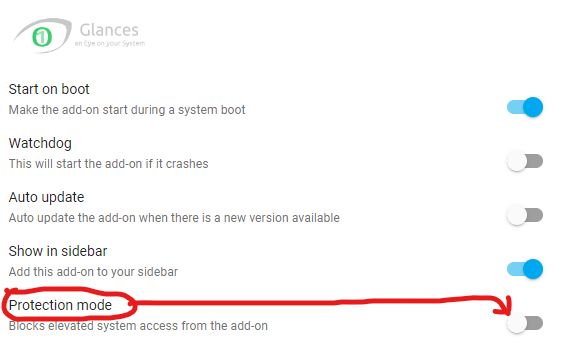 chilly cradle
Thank you. Checking it out now
 chilly cradle
Nope, dont think so...
golden thorn
This issue is not uncommon: https://www.google.com/search?q=coredns+cpu+homeassistant
The command in the link should fix it. I have to apply the same for my test VM but I happen to block direct access to public DNS servers.
Still, this should not happen.
Maybe I should tell you how to use it. You can use one of the SSH addons. I recommend the advanced one.
chilly cradle
Thank you @golden thorn !
 chilly cradle
golden thorn
Probably not but as always, it depends.
Follow this but use `c` rather than `m` ...
chilly cradle
golden thorn
Probably not but as always, it depends.
Follow this but use `c` rather than `m` ...
Is there a benefit to virtualizing if I am just using HA and Frigate?
golden thorn
chilly cradle
Thank you. I know we are getting farther away from hardware so I wont go too much farther down the rabbit hole in this room... The one thing that would keep me from doing it currently is that I dont want to have to reconfigure a bunch of stuff. Would I be able to restart on a VM (Proxmox is what I hear everyone using) then just load up my backup and have it right where I left off?
golden thorn
Yes, I expect this to work. We can also thread this so it doesn't pollute the channel.
chilly cradle
Ok, thank you. I will probably just buy a new SSD that way if I blow it up or hate it, I can just swap drives back out.
 sour nacelle
Anybody here using a custom controller for newer daikin climate devices? i found one called faikin on amazon that does not need the daikin cloud. it should have its own wifi and can be controlled by mytt https://www.amazon.de/Faikin-Alternative-Daikin-WiFi-Controller/dp/B0C2ZYXNYQ/ref=cm_cr_arp_d_product_top?ie=UTF8&coliid=I3RS46U59GV0TV&colid=1KJU2AA9Z9WA4

Dies ist eine montierte Leiterplatte mit ESP32-Prozessor, Spannungsregler, serieller TX/RX und RGB-LED. Wird mit Open-Source-Software geliefert, kompatibel mit WLAN-Klimaanlage (Details siehe faikin.revk.uk). Funktioniert als Alternative zu offiziellen Daikin BRP069B41 oder BRP069C41 WiFi-Modulen...
 pliant forum
chilly cradle
Thank you. I know we are getting farther away from hardware so I wont go too muc...
pliant forum
chilly cradle
Thank you. I know we are getting farther away from hardware so I wont go too muc...
I use Proxmox. There’s a premade script by tteck you can use to install Home Assistant on it super easily.
jagged crypt
you can either use the script or read it to figure out what it's doing, whichever you want to do 🙂
And yes the concept of just starting up another proxmox elsewhere, and migrating over. If you have hardware sticks (zigbee controller, etc), you'll have to adjust your proxmox config (easy) to map the hw into the guest HA install.
golden thorn
pliant forum
I use Proxmox. There’s a premade script by tteck you can use to install Home Ass...
Suggesting such scripts to beginners is a bad idea imo. In my opinion you should use them to help you, not overcome the inability to do it.
Let them learn their way around PVE first.
pliant forum
golden thorn
Suggesting such scripts to beginners is a bad idea imo. In my opinion you should...
You run one command in the shell and it guides you through it..? I understand that you should learn what you’re doing but as a whole I don’t think scripts are a bad idea. They’re all on GitHub and it’s a trustworthy source.
I took that the wrong way.. yes I agree with you that they should learn their way around Proxmox lol. The edit helped 😂
golden thorn
Yeah sorry, I'm bad with getting all I want to say out with the first try.
chilly cradle
New drive will be here tomorrow. The simple script is tempting but I do look forward to properly learning what I'm doing
 cold moon
golden thorn
Suggesting such scripts to beginners is a bad idea imo. In my opinion you should...
cold moon
golden thorn
Suggesting such scripts to beginners is a bad idea imo. In my opinion you should...
honestly i like the idea of playing with (trusted) scripts/templates first as long as they go back and virtualize and play later
that way they get to experience a reason to actually set it up properly
plus worst case they have a stable proxmox setup using trusted scripts to do a simple task.. and easier to troubleshoot than bare metal haos
golden thorn
I admit I use convenience scripts too (get.docker.com for example) but the PVE scripts make a lot of choices for you. VMs/CTs have a lot of knobs and I feel someone who uses PVE should be familiar with them and how their app is installed/configured. I'm sure the existence of these scripts have caused more people to be interested in PVE so it's not a bad thing they exist.
tight arrow
chilly cradle
with a Dell Optiplex i5-7500T, should it be idling in the 35-40% CPU usage range...
How are you finding it? I'm thinking of getting one
chilly cradle
tight arrow
How are you finding it? I'm thinking of getting one
How did I find what? My cpu usage? Settings > System > Hardware. However I do prefer the app the the others guided me through now.
If you are wondering about the computer, eBay “mff OptiPlex”. They’re a ton of used for sale for under $100 (when I bought mine 18 months ago)
golden thorn
They probably meant whether you like the hardware. At least that's how I read it.
chilly cradle
If that’s the case, I love the optiplex! I would have to reboot my pi every few days for unknown reasons. I automated it to restart but would still poop out on occasion. The optiplex has been 100% reliable. The only times HA has been down has purely been an Error 40
Not to mention I have a habit of over the top upgrading so the optiplex is more fun on that way too since I can’t get 32gb RAM on my pi.
My only desire would he to remove the wifi card for lorawan to my optiplex since it already runs on Ethernet. If that could be arranged (with my rather minimal coding knowledge) I’d call it perfect for my house.
patent river
I'd be curious to know if something like this could be adapted: https://www.waveshare.com/sx1302-868m-lorawan-gateway.htm
I found plenty of client LoRa cards in M.2, but zero host cards. Amazon will sell you a highly suspicious M.2 E key to Mini PCIe adapter but who knows if it passes through all the pins you need: https://www.amazon.com/dp/B089YS7M2Z
SX1302 868M LoRaWAN Gateway Module, EU868 Band

Mini PCI-E to M.2(NGFF ) key A/E Adapter With SIM card Slot Product features: 1.Supports PCI-E bus type minicard such 2.The adapter is designed for desktop/Embedded system that converts Mini-Card to M.2 (NGFF) Key A/E interface 3. Easy installation & no driver required, but make sure you have ins...
Gotta say though, pretty happy with my standalone PoE LoRa gateway. Talks MQTT natively, so it was a cinch to get talking to HA
chilly cradle
I have had issues with both mqtt and mosquitto. My mailbox is on TTN (on separate pi) > datacake > email. I haven’t been able to connect up Lora to HA.
patent river
Using one of these
https://www.milesight.com/iot/product/lorawan-gateway/ug65

Milesight
The Milesight Semi-industrial LoRaWAN Gateway UG65 is a robust 8-channel gateway that is ideally suited to smart office, smart building and many other indoor applications.
Mostly environmental sensors, but I do have one digital io box that is configured as switches and buttons and operated by Lora downlink commands
Although while the relay is a class C device so it's almost instant, I've also implemented downlink commands for the class a devices so I can change reporting rate of sensors on the fly
tough frost
Hey! this is a debian/proxmox issue. Am I able to get support here?
golden thorn
Maybe.
tough frost
golden thorn
Maybe.
I am trying to install a driver for the wifi usb adapter. I know people will say not to use wifi but I have to at the moment
I have downloaded NW392 Linux v4.3.0.4 from https://www.simplecom.com.au/simplecom-nw392-usb-wireless-n-wifi-adapter-802-11n-300mbps-5dbi-antenna.html
I have put it on a usb and mounted it to my debian. I open it up, run ./install.sh and then it errors
Authentication requested [root] for make driver:
make ARCH=x86_64 CROSS_COMPILE= -C /lib/modules/6.5.11-4-pve/build M=/root/usb/RTL8188 8192EUS_linux_v4.3.0.4_11485.20140519/driver/rtl8188EUS_linux_v4.3.0.4_11485.20140519  modules
make[1]: *** /lib/modules/6.5.11-4-pve/build: No such file or directory.  Stop.
make: *** [Makefile:1318: modules] Error 2
##################################################
Compile make driver error: 2
Please check error Mesg
##################################################
Simplecom NW392 is designed to connect a desktop or notebook computer to a wireless network and access high-speed Internet connection. It's compatible with 802.11b/g/
golden thorn
You don't have permission to access /simplecom-nw392-usb-wireless-n-wifi-adapter-802-11n-300mbps-5dbi-antenna.html on this server.
Cool. Did you install a tool chain to build things (build-essential) and kernel headers?
tough frost
uh, I have not
golden thorn
Anyways, this appears to be a RTL8192EU so you can simply install firmware-realtek: https://packages.debian.org/bookworm/firmware-realtek
Also give this a read: https://pve.proxmox.com/wiki/WLAN
tough frost
what package manager do you recommend
golden thorn
apt? 🤔
If you need further help with installing the package create a thread. I don't want to get yelled at for going too far off-topic 😄
 hard tinsel
Hey folks, wondering if anyone has any suggestions for wall mounted tablets? I'm currently sick to death of the fire tablets and want to evict them. What I want is:
- Available in the UK
- Has root and lineageos or similar
- 10 inch display or higher with decent >1080p resolution
- Has Qi charging
tough frost
ProxMox WLAN install
tight arrow
chilly cradle
If you are wondering about the computer, eBay “mff OptiPlex”. They’re a ton of ...
I'm wondering about the mains as I've got a couple of hundred in CEX vouchers and they have these in stock
What USB ZigBee adapter did you pair it with?
chilly heart
@cold moon sorry to bother you again mate. We're actually now looking at two cats instead of one. Which is going to make the feeder situation a little harder lol. Ideally I'd want a double feeder. I've been looking at the PetLiBro devices and seems like they use or used Tuya. Do you know anything about them?
chilly heart
I'm also looking at some other hardware to implement into our home. Specifically light switches. I have some criteria;
-Needs to be standalone from the smart bulbs. So I want to be able to control the light from HA and from the switch without that interfering.
-1 and 2 gang
-Prefferably a dimmer function
-EU model (Since there's a difference in EU en US as far as I know?)
I've been looking around, but can't quite seem to find what I want ot
winged knoll
EU and US have quite different electrical standards 😄
There's a lot of Zigbee dimmers and dimmer modules
https://www.zigbee2mqtt.io/supported-devices/#s=dimmer - just don't buy Tuya (or Sonoff)
glacial oracle
sadly the amount of good looking equipment on the eu side of the sea severely lacks good options
You may be tempted to smartify and existing switch but be aware that this may need the space of a dual in-wall receptacle
chilly heart
glacial oracle
sadly the amount of good looking equipment on the eu side of the sea severely la...
Yea we've noticed that as well sadly, I might just go with a aqara H1 and then not have the dimming function. Though I don't know how that'll work with the first criteria I've made. Do you know that by chance?
chilly cradle
tight arrow
I'm wondering about the mains as I've got a couple of hundred in CEX vouchers an...
I have a Phoscon ConBee II. I also have SkyConnect but along with many others, I couldnt get it to work properly with many devices so I switched back to ConBee and it works perfect 100% of the time. I added a 90° adapter to the rear usb so it looks like another antenna instead of the 6" cord adapter hanging off like a skin tag.
The cheap little adapter really made a big difference in aesthetics. I don't have a dedicated server area so I need everything to blend in to the bg to keep wife approval up.
 runic tinsel
chilly heart
I'm also looking at some other hardware to implement into our home. Specifically...
runic tinsel
chilly heart
I'm also looking at some other hardware to implement into our home. Specifically...
I’ve ended up putting the hue wall switch modules behind my switches in the end and permanently connecting the leads to the smart bulbs. I have the Schneider modular light switches where you can replace toggles with momentary and use that for dimming. The smart and the non-smart look the same but it’s expensive
 inner sphinx
Hello
I'm currently searching for a battery powered LCD/E-Ink Clock for my Bathroom. It would be great when a temperature/humidity sensor is included which is sending its data to home assistant.
I already found this xiaomi clock, but the time should be drifting a lot, without a connection to the phone app
https://www.mi.com/global/product/xiaomi-temperature-and-humidity-monitor-clock/
Any recommendations?

Xiaomi
xiaomi-temperature-and-humidity-monitor-clock - Specifications - Xiaomi Smart Temperature and Humidity Monitor Clock with an e - ink display can anticipate your needs, Smart adjustment of temperature and humidity.
gloomy elbow
inner sphinx
Hello
I'm currently searching for a battery powered LCD/E-Ink Clock for my Bath...
I don't have noticable time drift with those clocks, maybe a minute or so between spring/summer changes. There is a cool tool though that lets you reset them from the browser: https://saso5.github.io/LYWSD02-clock-sync/
Whoops, link corrected
inner sphinx
gloomy elbow
I don't have noticable time drift with those clocks, maybe a minute or so betwee...
That seems to be okay.
Thank you for the link 👍
The display is working out of the box with home assistant, right? Does it also work with esphome Bluetooth proxy?
How long do the battery last?
gloomy elbow
Yes, it does for both. And the battery last about 18 months I think?
inner sphinx
gloomy elbow
Yes, it does for both. And the battery last about 18 months I think?
Thank you. That sounds like a great solution.
Have a great day/evening 🙂
chilly cradle
Hey, I am getting proxmox added to my optiplex. I have an M.2 NVME and a 2.5" SSD. I am following Home Automation Guys advice and putting Proxmox on one and the programs on the other. Any though on which I should put on which drive?
golden thorn
I'd use the NVMe for the VMs and the other as boot and OS disk.
jagged crypt
you should put everything on nvme, and backup to the 2.5 🙂
golden thorn
Not a bad option either. Can you tell us more about those disks @chilly cradle?
chilly cradle
They are both Crucial 1TB
golden thorn
1TB just for OS would be a bit wasteful. Panzer's suggestion might be a good option here. I'd use a PBS VM and let it store its backups on the slower/inferior disk in this case.
chilly cradle
No worries, its not reading my NVME at all anyways....
 mint sun
Hello, I'd like to get into home automation, but I'm having trouble finding good resources on which devices I should be getting. It seems like many functionality details are omitted by the retailers about the devices. And even so, searching for one that ticks all the boxes and comparing their parameters seems difficult.
In particular, I am currently looking for a zigbee-based power monitoring smart plug in the EU or FR standard, ideally one that would come pre-calibrated and that could be flashed with Tasmota. Any tips on where I could look?
 ancient musk
Will the new matter Kasa light switches be able to be used in a way where 1 press turns the smart light bulbs on, then another turns them off? Without physically killing the power to them?
 gentle saddle
Hi All, im sure this has been asked before, but I just wanted to be specific about our use case. Im looking for a mesh wifi system, we have Ethernet to each side of the house that can be used as backhaul, but then the seperate garage needs wifi backhaul. We dont need router capability as I have Edgerouter X. Thoughts on options including is it worth integating to HA?
 gleaming tapir
ancient musk
Will the new matter Kasa light switches be able to be used in a way where 1 pres...
gleaming tapir
ancient musk
Will the new matter Kasa light switches be able to be used in a way where 1 pres...
Saw your question over in automations on the Aqara switch, it looks like it can operate in decoupled mode, assuming this is the one you have: https://www.zigbee2mqtt.io/devices/WS-USC01.html
Integrate your Xiaomi WS-USC01 via Zigbee2MQTT with whatever smart home infrastructure you are using without the vendor's bridge or gateway.
ancient musk
gleaming tapir
Saw your question over in automations on the Aqara switch, it looks like it can ...
This is exactly the one I have!
gleaming tapir
You may need to use Zigbee2MQTT to change the mode; not sure if it’s possible with ZHA
ancient musk
gleaming tapir
You may need to use Zigbee2MQTT to change the mode; not sure if it’s possible wi...
Figuring out how to do this will be another thing 😅
gleaming tapir
I assume that means you are running zha?
ancient musk
I’m doing it through the MQTT/Mosquito way. Should I do zha?
gleaming tapir
If you are getting it into mqtt I assume you are using zigbee2mqtt then?
chilly cradle
I failed pretty mixerably my first attempt at getting mqtt to work. I dont quite know what I was doing wrong. I am hoping to get that worked on in the near future.
 spring pasture
I am looking at the hardware recommendation page and can't find like a zigbee hub, I am running HA on a VM ontop of synology NAS, so looking for like a zigbee hub over wifi or ethernet if that exists
winged knoll
#zigbee-archived can help there, but don't buy any WiFi connected ones
spring pasture
oh, I haven't se the zibee chat, thanks about that 🙂
unique coral
I have a Alexa that is at least 5 years old and home assistant.
Does matter work with all of this?
I have wifi and ZigBee and Z-Wave.
I probably just don't really understand matter. Is there a simple answer or a link?
Google says Alexa does matter. Does home assistant? Or do I need another dongle, somehow?
Limited-time deal: TP-Link‘s 1st Matter Smart Light Switch: Voice Control w/Siri, Alexa & Google Assistant | UL Certified | Timer & Schedule | Easy Guided Install | Neutral Wire Required | Single Pole | Tapo S505 https://a.co/d/1BkhPqf

Introducing the TP-Link's 1st Matter Smart Light Switch Tapo S505! With Matter certification, it's compatible with all major smart home platforms - Apple Home, Amazon Alexa, Google Home, and Samsung SmartThings. Enjoy smooth LAN control, Multi-Admin access, easy guided install, and voice control....
winged knoll
Read the pins in the #matter-archived channel
unique coral
winged knoll
Read the pins in the <#1049765219565576234> channel
Sweet! That's what I needed.
Short version is that... There isn't a short version! I need to read more. Thank you
 glad rain
Hi guys, my work is throwing these away,
Do you think they are worth saving as a small home assitant server?


I think I have 13 in total I am unsure if I should let them go or keep them to sell?
They took RAM and Storage 🥲 its SODIMM DDR3 so its not that expensive to source out
its either N3700 or the J3710 unsure which since I never used the PC's
 patent river
Putting the serial number into their support site says Pentium J3710, 4GB RAM, 500GB HDD.
So you didn't miss out on much, so far as those go.
patent river
Depends how much RAM you can put in them. Intel's site says 8GB max, but there's a lot of stuff from that generation that says that, but works fine with more.
 patent river
I agree with the comment that if they're not DDR4 they're probably too old to bother with
glad rain
I mean I am running mine on 6GB DDR4
but yeah its virtualized and I can allocate more anyway
wild atlas
I mean if you want to build a small lab, could be fun to play with clustering on little low power units
winged knoll
Performance of those is about 150% that of a Pi4
 next iron
geekbench has comparative benchmarks https://browser.geekbench.com/v5/cpu/compare/22166302?baseline=1360737
The pi5 is about 2x those m600s though.
sterile flume
Is it just my imagine, or is there less availability of non-wifi switches and such now compared to like 2020?
glacial oracle
in variety or in stuff being available for you to purchase now
glad rain
winged knoll
Performance of those is about 150% that of a Pi4
Have people used pi4 to run HA?
Or does it need to be more powerful (host device)
winged knoll
People have used a Pi Zero, and performance is terrible
Pi3 is about the lowest spec you want to go
Pi4 is ok, not awesome, but ok (at least on an SSD)
glad rain

Also is geekbench universal?
Because if that is the case this just blows my mind that a phone can do this lol
 winged knoll
Not universal, but close enough
sterile flume
glacial oracle
in variety or in stuff being available for you to purchase now
I suppose the latter. I need to start over with my switches and I guess I'm not thrilled with the availability on Zigbee or Z-Wave at the moment, and thread seems to still be unavailable.
chilly heart
I have a little bit of a dillema again, I want to transfer to door sensors for some automations. But the doors here aren't flush with the frames. So I guess I'm basically screwed? Or is there some way to still make it work?
golden thorn
I use buffers like this. Doesn''t look pretty but works.
 chilly heart
That might be the route I'd need to go for, or try to mount them differently on the frame
gloomy elbow
chilly heart
I have a little bit of a dillema again, I want to transfer to door sensors for s...
The sensor on my washing machine door doesn't touch, but it's close enough that the sensor reports closed when the door is closed—it might be worth experimenting
patent river
The magnetic sensors I use say 20-30mm in their spec sheet. Probably a bit less than that in reality, but 15mm is probably about accurate
gloomy elbow
Also, stronger magnets might just do the trick for you, and those come in very small sizes so are easy to hide
ancient musk
gleaming tapir
Saw your question over in automations on the Aqara switch, it looks like it can ...
I got it into Zigbee2MQTT and under action it states, "null"
golden thorn
gloomy elbow
ancient musk
I got it into Zigbee2MQTT and under action it states, "null"
And if you press it, what do you see?
chilly heart
Thanks for the tips guys, I'll take a look around to see what I'll come up with to fix it!
ancient musk
gloomy elbow
And if you press it, what do you see?
When I manually press the button nothing happens, I have it set to "decoupled" mode

I haven't made an automation yet which could be the problem?
 gleaming tapir
ancient musk
I haven't made an automation yet which could be the problem?
gleaming tapir
ancient musk
I haven't made an automation yet which could be the problem?
Did you read the link that Impact posted? I don’t think you have a problem that needs solving.
ancient musk
gleaming tapir
Did you read the link that Impact posted? I don’t think you have a problem that ...
Yeah I did. Sorry I’m really new at this
quasi sorrel
quasi sorrel
I added a BT usb stick to my rp4 to use it's external antenna. Now I would like ...
Does someone know if/how I can disable the onboard BLE on a raspi4?
glacial oracle
You could check if you can do that through the raspiconfig
winged knoll
And if you use HAOS #bluetooth-archived may know
quasi sorrel
glacial oracle
You could check if you can do that through the raspiconfig
I can neither execute the command on the terminal addon, nor connecting to port 22 or 22222
 mild galleon
I have a 120 LED light bar, with 7.2v lithium battery in it. Unfortunately, the control board is fried, two large resistors let all the smoke out. I was thinking about using an ESP32 (and any extra parts) to drive the LEDs. Is that a possibility? If so, any links to some projects like that would be highly appreciated. I don't even care if only 60 or 30 of the LEDs are in use, that would be fine, just as a reuse project, and learn some stuff. Any links or help appreciated
glacial oracle
quasi sorrel
I can neither execute the command on the terminal addon, nor connecting to port ...
That sounds like haos then
winged knoll
mild galleon
I have a 120 LED light bar, with 7.2v lithium battery in it. Unfortunately, the ...
#diy-archived can better help there, if you share pics of the board
mild galleon
winged knoll
<#444529271806099486> can better help there, if you share pics of the board
Thanks for the link, will post something there.
unique coral
hey ya'll Sorry, I just dont know what i dont know
- I think the short question is. Is there a light switch that can controll a ceiling light, and tons of other lamps, like a nightstand lamp. etc.
- The longer question is, I have a ceiling fan and light with only one switch (have to use pull chains) maybe there is a wall powered light switch that can turn on
A. Fan only
B. Fan and light

Zooz 700 Series Z-Wave Plus Mesh Network Scene Controller ZEN32, White | Z-Wave Hub Required
Is the above a good one, or what I am asking, is there a better one?
wild atlas
Zooz makes good gear, I have some of their sensors and switches around my house and they work well
That's what I would've recommended based on your question would be one of those zwave scene controllers
 tired bridge
The knockoffs are here

 unique coral
tired bridge
The knockoffs are here
unique coral
tired bridge
The knockoffs are here
Bring me up to speed
unique coral
wild atlas
That's what I would've recommended based on your question would be one of those ...
Thank you so much for responding.
Just to make sure.
Put some smart bulbs in the fan light and then one button is "Fan only " and the other button is "fan and light"
And obviously since power is needed, I could not have "light no fan"
Unless I did some chain pulling
wild atlas
HRM, that could get odd too, since smart bulbs prefer being always powered, but in this case you can't since that would power the fan
You might be able to get away with some delay in the automation to wait for the lights to connect, then turn them on
Would be much easier if the fan and lights were separate switches, even if they were in the same Wallplate for connections
sterile flume
wild atlas
Would be much easier if the fan and lights were separate switches, even if they ...
The fan and lights could also be wired to always receive power and using only the scenes to turn the lights on or off, right? Realistically, how often do people actually change the ceiling fan settings?
wild atlas
Might be able to put a small Shelly or something in the fan too to control fan on/off
Then leave it all always powered and just control the smart devices
cold moon
unique coral
hey ya'll Sorry, *I just dont know what i dont know*
- I think the short quest...

While chatting on Discord we got on the smart ceiling fan controller options or lack thereof. Long story short there's a new listing for the Sonoff iFan04 controller. Could it be?!?! Did they finally listen to several of us and do a fan controller with 120VAC fans in mind? YUP! They sure did. Is it ESP82xx based so we can put Tasmota or ES...
unique coral
cold moon
https://digiblur.com/2021/07/08/itead-sonoff-ifan04-l-they-listened/
I gatta read ALL this thing later... but it starts off fantastically! nice find, thanks
and I saw that on Amazon, but I could not tell how it worked, so I moved on
wild atlas
Something's funny with their html though, my browser shows random chunks of it in the middle of the website
unique coral
sterile flume
The fan and lights could also be wired to always receive power and using only th...
Yeah, honestly, I'd be fine with the ceiling fan always on, same speed!
But I need to toggle the light
devout parrot
I was gonna mention the ifan. It's probably the best option for automating a pull chain, one wall switch fan.
 acoustic ice
golden thorn
Suggesting such scripts to beginners is a bad idea imo. In my opinion you should...
acoustic ice
golden thorn
Suggesting such scripts to beginners is a bad idea imo. In my opinion you should...
I respect your view that using scripts might be seen as a crutch for beginners. It's true that different learners prefer various approaches, and what works for one may not work for another. While you emphasize the importance of letting beginners navigate PVE independently, others might find scripts helpful in overcoming initial hurdles. It's a matter of personal preference and learning style.
cold moon
acoustic ice
I respect your view that using scripts might be seen as a crutch for beginners. ...
that's basically what i said lol
acoustic ice
Really?
 tall ermine
Can anyone help me with a setup to be able to stabilize not keep getting DC from different devices and no flickering lights from Sensors to use locally while I’m using a ZBDONGLE-E
I have tried Aqara Motion Sensor P1 and have issues with them, and cannot understand why when it seems to have top reviews. I have not installed it by their hubs and maybe I have set it up incorrectly or is there a Fault with them.  I know I'm asking a lot here! 🙂
winged knoll
tall ermine
Can anyone help me with a setup to be able to stabilize not keep getting DC fro...
#zigbee-archived can help with Zigbee, at least if you explain the actual problems
forest pike
anyone know if a device like this can control just regular old RGB LED strips as well?
 glacial oracle
what would be regular old led strips. There are quite a few different ones out there
chilly cradle
I had some issues with high CPU usage the other day but this seems to be different but I did still try using the code. does anyone know what could be causing the high usage while HA is idling?
 golden thorn
Open the VM's VNC console, enter login then run top -o %CPU to see the culprit. Another way would be this: <#hardware-archived message>
If the issue is coredns then follow the last link's discussion for a fix and background on it.
golden thorn
acoustic ice
I respect your view that using scripts might be seen as a crutch for beginners. ...
I also gave it praise a few posts below 😉
chilly cradle
 golden thorn
How did I completely miss that I linked you to our own conversation? 😮
chilly cradle
Yeah, that was me. On Wednesday, I changed HA to VM/proxmox instead of HAOS so everything is a little different now
golden thorn
That does not look like the system's top though. Mine is red and shows different things.
 chilly cradle
I took your comment into consideration and finally went for it since I wanted to add Frigate and Coral to my setup
 golden thorn
I'm wondering why your top looks so different. I'm running 11.4 as well in that screenshot.
I don't see anything here but the load is a bit high. Try pressing SHIFT+P and Shift+M to sort by CPU/memory and SHIFT+C to see full command paths while top is open.
I assume VT-x/Virtualization is enabled in the BIOS/UEFI?
Wait a second, did you run that on the PVE node? The memory leads me to believe that. Slow morning.
You need to use the HAOS VM > Console tab or the upper right button to run commands in the VM itself. node > Shell is the host's shell.

 golden thorn
Yeah that's the node's (host system) Shell. I updated my post above with some info how to run it in the VM.
chilly cradle
Hmm... Im not figuring it out.
chilly cradle
Hmmm.. "login" got me there
aha. coredns again. So Im guessing if I run that code in this terminal window, it will now work? That would have been what I was doing wrong before.
oh, I was also taking shots in the dark before. Thanks @impact!
golden thorn
We should stick to the thread to not pollute the channel. I always forget.
There's dedicated proxmox discord servers too where I'm active but feel free to ask here as well.
And yeah, the command is likely the same fix here.
 vagrant vessel
Anyone know of a dimmable 3 way light switch that is confirmed to work with transitions in HA?
tough frost
Any recommendations for a high lumen output zigbee light?
Want to put one in the back yard, currently have 1521lm. Thinking the 1600 hue ones but looking for recommendations in aus
jagged crypt
I use the white hue one a 1600lm in the kitchen. If you remove the color options they are reasonable.
$15 usd from amazon
not sure what availability/cost in AUS
no availability looking at amazon.com.au
tough frost
I have 1100 white ambience through most of the house
just want a brighter one for the back yard for entertaining (small patio area and grassed area)
patent river

The brightest of the range, this E27 smart LED bulb features a brightness equivalent to a traditional 100 W bulb. Perfect to light up large spaces with tunable white light. Activate hands-free help in any room with Bluetooth voice-activated smart lights. Simply pair your Hue lights with any compa...
Not to spoil the surprise, but t'ain't $15, that's for sure
Few bucks cheaper at Bunnings though: https://www.bunnings.com.au/_p0358365
tough frost
Yeah very expensive which is mainly why I was looking for suggestions instead
 young cairn
Hey friends, I followed blakadder's guide to enable ADB and update WebView on my NSPanel Pro. I ran the Xposed Framework installer script and then rebooted the device (via adb reboot). It's now been in the "Sonoff" boot screen trying to boot for well over 30 minutes... That's not normal, is it? Is there anything I can do at this point to "reset" or "retry"? I'm worried that cutting the power at this point will brick the device (if it isn't bricked already...). The device isn't connected to WiFi, so I can't connect to it via ADB. Help please 😦
 oblique harbor
is there a smart bulb that works with the docker container version of home assistant (homeassistant core) with no additional hardware required (excluding the bulb of course)
golden thorn
Why would the docker version not work?
oblique harbor
alot of bulbs (I think including zigbee devices) require homeassistant integrations
addons that aren't supported in core
I don't know much about homeassistant I just recently installed it but I found out I can't add addons as you need to OS version to do that
I also don't have any matter or zigbee hubs/adaptors so the bulb has to support wifi
golden thorn
Addons are not integrations. Which addons do bulbs require?
outer knotBOT
An add-on is a Docker container with tweaks to allow it to be configured in the Supervisor UI. It is only available in the Supervised installs (#330990055533576204 and #330944238910963714) since if you've used any other install method you're able to install software already.
 tender aurora
i have a photocell that has an output using a minijack connector (TRS). i have measured between the sleeve and the tip and i measure constant 11.93V, no matter what happens. if i measure between the sleeve and the ring, i have 3.3V when no one passes, but if i break the photocell then the voltage just increases
tall ermine
winged knoll
<#551843655682490399> can help with Zigbee, at least if you explain the actual p...
Maybe see my link save me from repeating myself on this issue thanks https://community.home-assistant.io/t/automation-flickers-lights-after-3-mins-and-occupancy-does-not-work/679541
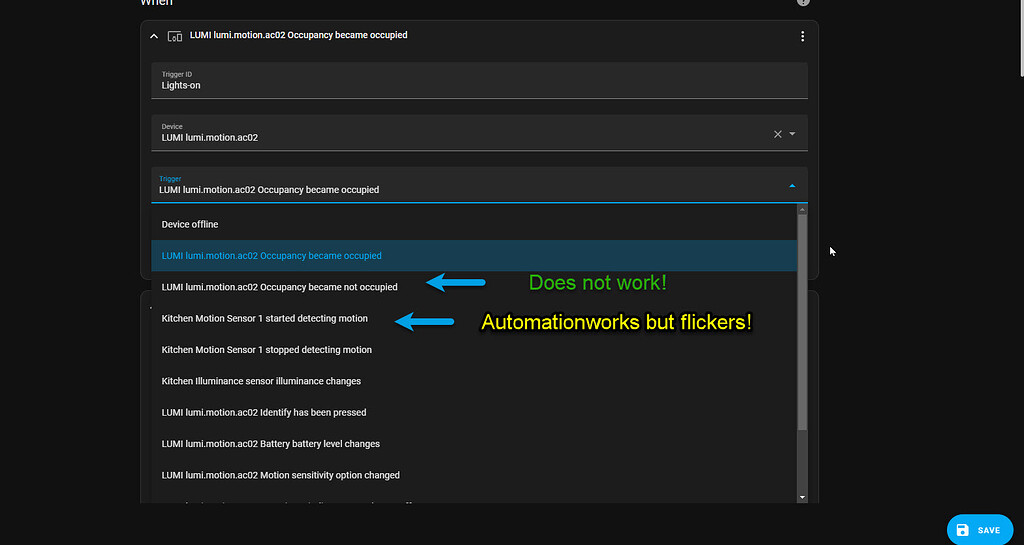
Home Assistant Community
Having lots of issues tryiing to get a good automation to work on Kitchen lights which are strip lights with the new Aqara Motion Sensor P1 I have Change mode to Parallel the Automation which as not really helped at all. The Sensor is also suppose to have a occupancy on it so I thought to try that but the automation did not work at all, so no ...
tender aurora
is this something i can hook up to esphome?
 soft terrace
Hope this isnt the wrong place to ask but anyone know how i would wire a shelly dimmer 2 if i installed it inside a ceiling lamp? got 2 wires so no ground.
tired bridge
Any ideas why i'm getting such different temps from sensors in the same area?


 glacial oracle
Two of them are differently enclosed
They also may be not calibrated / variances between sensor units
golden thorn
There's probably also potential for "self"-heating.
glacial oracle
They may also behave differently on different power supplies and cable lengths
tired bridge
same psu
same cable
the one not enclosed is for reference, and it's number two
but still 2 deg hotter than the weather station i have
glacial oracle
This looks like a DHT sensor
Depending on which you got they aren't that accurate
If this by any chance is a dht11 then you are looking at an accuracy of +-2* to be in spec
Which figuring the indoor weather station probably isn't dead accurate either could reasonably explain your results
tired bridge
thanks!
 hidden badger
Any germans here like to order the hardware mod for the nest mini from pcbway?
glacial oracle
I might
But the min quantity makes it kinda expensive for trying it on a single unit
chilly heart
I'm looking at the aqara smart light switches, how do they work along side smart bulbs? I'd like to be able to both use the light switch to control the light but also use HA to turn on or off the lights via te GUI.
Anddd, for the aqara door sensors, do I really need the aqara hub?
glacial oracle
You probably need to pick a light switch with neutral connection and see if they support smart bulb mode. But the availability of those may severely depend on your region
chilly heart
Yeah I was afraid it could become a problem, or atleast a search for something that does what I want. Do you have any idea of a switch that meets those requirements?
winged knoll
As always, your country matters for that kind of recommendation
chilly heart
I'm EU based, The Netherlands to be specific
glacial oracle
The aquara one with neutral can do the switch detachment you would use for smart bulbs if their page is right about this
I saw some resold ones on Amazon for around 50 bucks
If you have massive in wall space behind those switches you could also use one of those external relays to smartify any switch
chilly heart
They're around 35 euros here with neutral sensors
The aqara ones
But about the hub, I'm going to get some more aqara stuff (presence sensors, door sensors etc). Is it a must to get a aqara hub for them to work correctly with HA? I'm running on a pi so I'd assume I need it lol
winged knoll
For #zigbee-archived devices you don't need a hub, just a suitable coordinator and #zigbee-archived stack - see the pins there
chilly heart
The latest aqara door and window sensor (the 2 in 1) are matter based right? Will that change anything about needing a hub or not?
winged knoll
Well, if they're #thread-archived you'll need a Thread Border Router - see the pins over there
For those are are WiFi then see the pins in #matter-archived - but no, no hub
Almost never do you want or need a hub with HA
chilly heart
Well I'd have it figure out what that is lol, thanks for your information once again
chilly heart
To continue the above topic, I've been doing some research and would like some input from you guys. I don't have a zigbee stick and would most likely need that eventually. Alongside with a thread border router. I've laid my eyes on the zemismart hub. Which supposedly does zigbee and is a thread border router. Does anyone here have some experience with this device?
Or would I be better off with getting the HA SkyConnect?
glacial oracle
We don't recommend using hubs, they may or may not work at all with ha
Sky connect has some trouble with multiprotocol thread currently so this may also not be the best purchase for now
Check out the sites on zha/z2m about which solutions would be recommended
 sudden minnow
Unless you NEED Tread now, I would still go with the SkyConnect. I finally settled one on a while ago, I have SonOff and Conbee sticks in my "failed" Smart Home box. Things have been better, but I only use the standard firmware with Zigbee.
 plain pawn
👋 currently I have maybe 15 kasa light switches. They work pretty well except a) maybe 1 in 100 when I physically click on or off it doesn't change and 2) I'm afraid to upgrade their firmware because TP-Link has been pretty anti FOSS integration
We're moving and my choice is to either double down and get maybe 15 more or go with another brand
What are the front runner alternatives to the TP-Link kasa for wall switches these days?
outer knotBOT
Looking for advice about a device to buy? Remember to provide guidance on:
- Which country you're in
- What your budget is
- What protocols you prefer (eg Zigbee, WiFi, Z-Wave)
- Any features you want (such as power monitoring, dimming, etc)
chilly heart
sudden minnow
Unless you NEED Tread now, I would still go with the SkyConnect. I finally set...
Well, I want to implement some more sensors and stuff into the house. So I need some sort of solution for it. But everyone is saying something different and I'm kind of at a loss of what to do lol
I am EU based, and price isn't really it problem. I just need some sort of "guideline" on what would be the best option to implement
plain pawn
I live in the US. I don't have a specific protocol because my setup supports zwave xigbee and wifi. I want wall switches that have on/off , dimming, and 3 way switches (not all on 1 switch) but across the 30 or so switches I need these are the features I want
 kind ginkgo
Trying to create a present for a 3 year old and want to have "press button and something happens". So I thought to buy a numpad as an input-device. Would HA recognize each input individually? Or is it a case of "it depends" where it varies between different brands? Maybe depends on connection type? (Cord, Bluetooth,2,4Ghz)
cold moon
kind ginkgo
Trying to create a present for a 3 year old and want to have "press button and s...
Do you have zwave
kind ginkgo
Nope, I have Zigbee.
winged knoll
Then yes, with the right device
#zigbee-archived has a pinned message detailing known working hardware
You may also want to look at the Aqara Cube
cold moon
Cube is an interesting idea
winged knoll
Plus #tags-archived have done awesome stuff with "cards" to be put on a reader
cold moon
I have multiple of them and like the cubes
winged knoll
Cube + sticker == child friendly
kind ginkgo
There are buttons to buy, but the ones I have found are 1,2 or 3 tap which is not ideal for a 3 year old. Thought if I had an USB-connected device if HA would pick it up. The cube sounds good! 😄
cold moon
Well with a cube it knows what face it’s on and what face it goes to
So you could really go wild with automations
kind ginkgo
I was going to modify the numpad with pictures, but the cube sounds alot better. 🙂
cold moon
Buy the new gen T1 cube btw

Home Assistant Community
(Hundreds of possible actions!!) Works with MQTT Directly bypassing both Legacy and non-Legacy trigger issues. Uses a Zigbee2MQTT built MQTT sensor to sort out the 38(+54) commands available from the Xiaomi Magic Cube. This gives you the ability to trigger actions using the remote. NOTICE: Using this Blueprint and example scripts, this cube can ...
That’s the non t1 model linked, he has a blueprint for the t1 as well
kind ginkgo
Was just searching for the cube and the original is just sold by sites I feel a bit iffy about. So was going for the new one anyways. Thanks!
winged knoll
AliExpress is fine
 gritty nymph
Hi to all. I have just started looking into home assistant.
So far installed HA in a docker container on my Linux laptop but not sure where to go next.
I have no smart stuff yet. Would like to control lighting but currently I have standard switches on the wall. Monitoring temperature in the greenhouse or even in different rooms would be useful.
Got any suggestions?
outer knotBOT
Looking for advice about a device to buy? Remember to provide guidance on:
- Which country you're in
- What your budget is
- What protocols you prefer (eg Zigbee, WiFi, Z-Wave)
- Any features you want (such as power monitoring, dimming, etc)
winged knoll
Budget and country matters
Probably you want #zigbee-archived - cheap, easily available, mostly works well (with some exceptions, but they're well known)
gritty nymph
In UK, budget don't like spending too much but would like it to work. Obviously I will need some sensors and actuators. I have heard of Zigbee before but never had a need
winged knoll
Then Zigbee is cheaper than Z-Wave, and as long as you don't live in flats (or maybe a terrace house with lots of other wifi around) you'll be fine
Zigbee (and Thread) share the same frequency band as wifi and bluetooth
Oh, and as long as you're not in a traditional brick house - Zigbee can suffer from range problems there, depending on the nature of the brick
gritty nymph
I live in a 1960s bungalow where I do have range issues with virgin media WiFi. I suspect that there is too much iron in the bricks, but happy to add some wiring to connect items
winged knoll
None of the wireless protocols (Z-Wave, Thread, Zigbee) support wired backhaul
That said, they're all mesh networks, so you should be fine
gritty nymph
Sounds like I need to do some more research as to what is available and what I need.
Many thanks for your help so far. I am sure I will be back again soon with some more questions
winged knoll
For a decent mesh you can't go wrong with Innr plugs, and Amazon (UK) often have them on discount in twin packs - that's how I've bought all of mine
 ocean geode
How would you guys enclose this mess to make it cat prove and/or just visually more pleasing ?
 cold moon
ocean geode
How would you guys enclose this mess to make it cat prove and/or just visually m...
cold moon
ocean geode
How would you guys enclose this mess to make it cat prove and/or just visually m...
it needs to be relocated
especially if that "router" is also providing wifi
 high cobalt
Hello, I want to have speakers across my house to play announcements, music, alarms, etc.. what do you guys recommend?
preferably ceiling mounted, local, and of course compatible with HA
Sonos systems are too expensive, are there any alternatives? or is there a way to install regular ceiling mounted speakers and make those be able to connect to HA?
ocean geode
cold moon
especially if that "router" is also providing wifi
yes it is, but to be fair my flat is very small and the host is in the absolute center of it. i have had no trouble with connection whatsoever, i might place the usb bridge it a bit higher up and away but i mainly want something to hide all of it
cold moon
ocean geode
yes it is, but to be fair my flat is very small and the host is in the absolute ...
Project box but then you have a big ugly project box on the wall you paid $50 for
tall ermine
ocean geode
How would you guys enclose this mess to make it cat prove and/or just visually m...
Maybe Build a little stand for it to have a plant on top that cats hate 🙂 Just add a few hinges to have a lid open it from what evers the best side to get back into it if needed.
 twilit relic


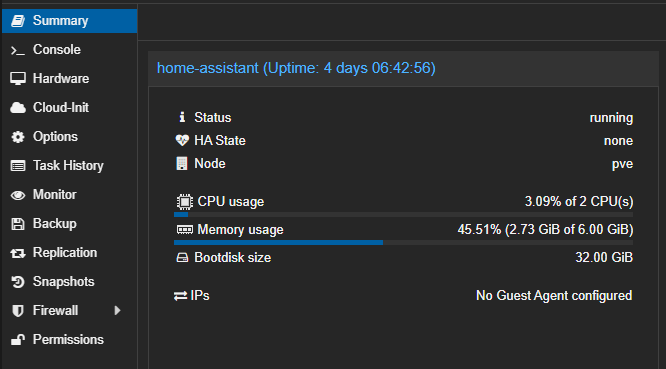
 kindred kiln
Any recommendations on multi-location light switches (that don't have an on/off position)?
Home Depot and other locations have some good looking options, however the price ($120+) per switch makes it difficult to justify.
I'm not sure we need wifi or other smart connectivity features for simple switches but very open to it.