#hardware-archived
1 messages · Page 18 of 1
 winged knoll
 karmic wolf
winged knoll
<#551843655682490399>
karmic wolf
winged knoll
<#551843655682490399>
👍🏻
 outer knotBOT
@rocky trail I converted your message into a file since it's above 15 lines :+1:
 rocky trail
Doesn't seem be HomeAssistant-specific, just the devices themselves
 oblique marsh
This has got to be something someone else has done before. I've gotten a bunch of flush mount fixtures with adjustable white via a switch on the backside. It seems like I could rip out that switch and connect the warm and cool LEDs separately to a dimmer or controller of some kind. But I can't find anyone doing that
winged knoll
Sounds very #diy-archived territory
oblique marsh
now that you mention it it doesn't sound like something you could get off the shelf
 pallid turtle
nspanel
rocky trail
This is so frustrating. Doesn't anyone use WiZ bulbs?
 cold moon
No lol
rocky trail
I only bought some cause they were on clearance at Home Depot 😂
and they're so close
 sharp jewel
Hey all, I finally bought the standalone PC for running HA - Let me know if this is the right buy!
Lenovo ThinkCentre M910Q Mini Tiny Desktop PC Computer i5 6500T SSD Win 10 Pro
8 GB RAM ⋅ 128 GB SSD
 golden thorn
Should be more than enough for HA
cold moon
Sounds good dude
 copper juniper
thinking i might try a i5-7600T but need an ai device too
 lime crane
sharp jewel
Hey all, I finally bought the standalone PC for running HA - Let me know if this...
lime crane
sharp jewel
Hey all, I finally bought the standalone PC for running HA - Let me know if this...
overkill. 😛
copper juniper
unless dealing weith frigate and multiple cameras
lime crane
@carmine solstice I'm also looking for high quality dimmer switches
I just bought some levitons and am testing them, but might send them back
if I can't program around this behavior
coming in I'm going to test.
ooh, these have multi tap
that's a win for me
rocky trail
I want wall switches that physically toggle themselves when turned on and off wirelessly 😭
so they're just like regular switches
what behavior are you trying to work around?
 carmine solstice
lime crane
<@575664940506152962> I'm also looking for high quality dimmer switches
carmine solstice
lime crane
<@575664940506152962> I'm also looking for high quality dimmer switches
Hello
Yes it's very hard to find
I don't want no hub and was looking for one that has haptic feedback but not a big deal
I was looking around at to link but when adding them doesn't require a login and I'm staying away from that
Other if look at require app like tuya and shit
lime crane
carmine solstice
Hello
Yes it's very hard to find
I don't want no hub and was looking for one t...
I like lutron
carmine solstice
The inovelli looks nice little $$ but you don't have one with 3 gang switch for like living room and front =)/ backdoor etc etc
lime crane
I'm trying out these blues
carmine solstice
lime crane
I'm trying out these blues
Let me know how it works out
If been digging though and all of them have pros and cons
Can you monitor this with SNMP
lime crane
carmine solstice
Let me know how it works out
If been digging though and all of them have pros ...
they're zigbee, so require a zigbee radio, broker, and zigbee2mqtt bridge.
carmine solstice
Oh shit yea ok I have something like that coming
A signed use thing
Wait you need a bridge
I just got
Brand: Z-Wave Plus
4.6 out of 5 stars91 Reviews
QuickStick Combo, HUSBZB-1, by Nortek, Cert ID: ZC10-15090013
@lime crane
lime crane
it's typically software
I just have a usb stick attached to my laptop for testing
will move it to my new server when it's built
lime crane
carmine solstice
I just got
Brand: Z-Wave Plus
4.6 out of 5 stars91 Reviews
QuickStick Combo, H...
Zwave plus isn't zigbee
inovelli does hav e a red series for zwave
carmine solstice
lime crane
Zwave plus isn't zigbee
The sun has both
Provides interface between PC and Z-Wave/Zigbee network
I don't really wanna buy something that require a hub etc etc
You know what I mean
I wouldn't mind WiFi
But requiring Base station / Subscription
Or need cloud to use the switch
Makes me wanna not buy anything and just buy phippples hue without switch etc etc@lime crane
rocky trail
That's why I want the Wiz stuff to work so much. Requires cloud setup but then is local-only control. Wifi.
I haven't tried their switches, but my bulbs seem to go into low power mode when the light is off (but still has power, of course) and makes the network response time terrible
when they're on it's great
they do make a switch https://www.wizconnected.com/en-us/p/device-smart-dimmer-x2/046677603106
seems pretty cheap too, $15 each
but wtf it looks like the faceplate is attached
 next jungle
So, I just can't get SkyConnect to work with HomeAssistant running i Docker on a NUC with Ubuntu on it. Fresh Ubuntu install, HASS config from a backup. When HASS UI comes up, I'm getting the "SkyConnect" was discovered, but when pressing Configure, it only says "Failed to probe the usb device".
The device /tty/USB0 is mapped into the container.
I seem to be missing something obvious here.
winged knoll
You're trying to set up ZHA? See the #zigbee-archived channel
 drifting grove
Hi! I've attached a USB to PS/2 adaptor to my Raspi4, running Home Assistant OS. But it does not work, the attached keyboard ( a nice external Thinkpad keyboard with PS/2) does not work. It worked fine with Raspbian. So I guess it's a driver issue with HA OS. Any idea how to solve this?
https://www.amazon.de/gp/product/B000M0461M/ref=ppx_yo_dt_b_search_asin_title?ie=UTF8&pldnSite=1&th=1
 unique hawk
Team
so, I can setup the sonoff dongle either as a coordinator (hooked up to HA) or as a router somewhere else?
sorry, still learning zigbee
winged knoll
#zigbee-archived can help with Zigbee
unique hawk
how to you get the zbdongle-e in bootloader mode
using securCRT
have gotten to boot it twice, but don't not systematically, just pure luck.
type
sorry, I meant typo, trying to catch the bootloader
 kind wind
I'm trying to design a smart home into a home we are building without having ever used home assistant. My question is about outside LED lights that I want to control via HA. Do I have to have any type of hard wire connection from HA to the low voltage panel where the transformer will be located (and basically as close to the lights as I can get it but suffice to say at a distance from the location of my 'tech' room. Or, is the 'control' aspect simply HA interacts with a smart light switch via zigbee or zwave to control the lights?
unique hawk
HA interacts with the devices via WIFI
with the non zigbee devices
or with zigbee devices via the controller
I believe it's called coordinator
kind wind
thank you. So no hard wired connection from HA to the lights. Similar question for smart shades. Does HA cause the shades to move via zigbee/zwave and have no hard wired connection to the shades or their power?
unique hawk
no
done via wifi via TCP/UDP or via zigbee.
just make sure to add the integration via HA
kind wind
ok. that helps me a lot. thank you
unique hawk
you're welcome
 bright holly
is zigbee2mqtt reliable?
 zealous dune
maybe
winged knoll
#zigbee-archived can tell you more
If you make smart choices it'll be reliable
If you make bad choices it won't be
Much the same as anything else here
bright holly
I think my hardware is the problem then but nothing is documented or supported so its tough.
winged knoll
#zigbee-archived can help
bright holly
k
 alpine moth
has anyone here work with KNX? i just got into my new house that has everything with KNX but it does not have IP interface, i bough an IP module and wondering how to actually connect the device this is the device i would like to add https://www.controltronic.com/products/knx-system-components/knx-gateways-interfaces/knx-ip-interface/
unique hawk
best zb bridge to connect to box running HA?
winged knoll
You want #zigbee-archived
 broken flower
Knx start
 mystic coral
Heya, I've encountered an issue with my SkyConnect, is this the correct channel or should I go to ZigBee?
 gloomy spoke
mystic coral
gloomy spoke
mystic coral
Alright, thanks
 hallow tapir
Can anyone recommend smart fan controllers that DO NOT use Tuya? Ideally something like this: https://www.amazon.com/gp/product/B09WVWHG67/ref=ppx_yo_dt_b_asin_title_o03_s00?ie=UTF8&psc=1 but without having to deal with Tuya or LocalTuya. Zigbee/Z-Wave/WiFi are all acceptable.
 sage steeple
whats wrong with localtuya?, i mean extra integrations are ok with me as long as it's local
hallow tapir
I literally cannot find anyone anywhere on the internet that can point out what configuration will make this controller behave correctly with HA in localtuya. Every post I've found has a completely different set of options from what I see. I have no idea where one would figure this out on their own
 glossy prism
It also still relies on the cloud at least initially and is a hacky workaround
sage steeple
oh ok 👍
hallow tapir
sage steeple
oh ok 👍
I wouldn't mind using it really if it was at all intuitive or had decent documentation but that fact that it doesn't and even the proper Tuya integration doesn't display entities correctly just is making me think this company is pretty janky.
glossy prism
It's okay though because Tuya promised a local integration almost two years ago || and never followed through ||
sage steeple
hallow tapir
I wouldn't mind using it really if it was at all intuitive or had decent documen...
yeah i get you, i only use it with one device so i won't have to trash it. im fairly new to HA and my biggest problem when searching for solutions is there's usually a bunch of different answers, and HA might have changed since they were written, making it very confusing
hallow tapir
seems like ESPhome might be the way to go but I've never used that stuff before. I guess I'll have to learn
oh totally! Yeah I have a friend that is happy with a bunch of his Tuya lights but he'll even tell you it's only because someone on the internet spelled out the locatuya settings for him.
I'm only months in and I know enough to know what I DON'T want which is hacky proprietary solutions.
sage steeple
hallow tapir
seems like ESPhome might be the way to go but I've never used that stuff before....
i only use esphome integrations in HA for developer ESP32 boards, no idea how it runs standalone
 edgy lintel
@hallow tapir ESPHome looks complicated, but once you see a few examples it is rather painless. It took me ~30 minutes to go from 0 to working sensor with esphome, including figuring out the best way to install it (I went with docker)
hallow tapir
edgy lintel
<@646912511299551263> ESPHome looks complicated, but once you see a few examples...
I'm less daunted by the software than I am with trying to DIY a fan controller without someone giving me a guide on doing it
edgy lintel
with speed control, or simply on/off?
hallow tapir
speed control.
3 speeds
seems like it's a thing https://esphome.io/components/fan/index.html
I just don't know how the hardware part comes together
copper juniper
with some glue
edgy lintel
if you are going to build the hardware, you have a lot of freedom. For off-the-shelf - look for integration or open source firmware whch supports it. ESPhome is one option, tasmota also supports a lot of devices
hallow tapir
edgy lintel
if you are going to build the hardware, you have a lot of freedom. For off-the-s...
could you, in theory, flash a tuya controller for use in either of those?
is that what the kids are doing these days?
edgy lintel
I don't have any tuya devices so I have no experience, but it was possible in the past, but later I read that it was more difficult. Maybe it's changed.
There were a lot of discussions about flashing tasmota, so look in this direction
hallow tapir
if it was ever a thing at least it gets me some keywords to google. Thanks!
edgy lintel
IIRC tasmota even has flashing tutorials on the website
hallow tapir
isn't that aways the case (I started my career repairing apple devices)
edgy lintel
Tuya wants your data. It's not in their interest to make flashing easy
copper juniper
no data for anyone; your all grounded
edgy lintel
hallow tapir
exactly. Another reason I don't want Tuya. Need to find out whether this device is ESP or Realtek
edgy lintel
"Tuya has begun manufacturing some Wi-Fi modules using a Realtek RTL8710BN Wi-Fi SOC instead of an ESP82xx chip. Tasmota cannot run on Realtek devices and there are no plans on supporting them. "
copper juniper
ding
edgy lintel
This is for esphome: https://esphome.io/components/tuya.html
no mention of wifi chip
hallow tapir
edgy lintel
This is for esphome: https://esphome.io/components/tuya.html
this rabbit hole looks deep and interesting
hallow tapir
ah yeah dead end there
copper juniper
which is why i ordered 10 esp32 boards for diy use
edgy lintel
Looks like esphome uses tasmota to flash https://www.esphome-devices.com/guides/tuya-convert
hallow tapir
yeah it definitely seems like anything short of DIY fan controllers or buying old stuff off ebay is trying to squeeze apple juice from an orange at this point
Tuya is definitely trying to block any of this stuff from working
copper juniper
i have part of a computer hardware eng degree so yeah it can be complicated
edgy lintel
sonoff iFan should support tasmota and esphome
hallow tapir
I was literally just reading that page on amazon
it's surprising to me that there doesn't seem to be any z-wave or zigbee options
hallow tapir
is it? I didn't notice that in other devices I've gotten
I'll try the sonoff thing and see if it works out. Short of that I guess I'll have to learn about ESP
copper juniper
i use many of there s31 outlets reflashed
hallow tapir
edgy lintel
ESP are fun chips to work with
I was planning to go down that road eventually for other reasons (halloween animatronics and weird stuff like that) but this might push me into it
edgy lintel
I like Wemos' system. Similar to arduino. You can grab a bunch of modules and quickly put together a wifi sensor, button, or actuator
WLED is cool for controlling rgb leds
hallow tapir
edgy lintel
WLED is cool for controlling rgb leds
specifically purple LEDs? What will they think of next? jk
copper juniper
pie bro pie
edgy lintel
purple, and if you find a good promotion they can throw in white and black for free
hallow tapir
thanks for the guidance thus far!
copper juniper
back to the search for a cheap coral ai device or such
https://www.ebay.com/itm/224814268587 zigbee radio dev board
edgy lintel
copper juniper
back to the search for a cheap coral ai device or such
Last time I checked getting any Coral device was tricky
although there were some dev boards on mouser iirc
copper juniper
yeah; it's an issue
edgy lintel
copper juniper
just not usb/pcie
edgy lintel
oh well, that's a bummer
copper juniper
frigate almost demands one to stay power efficent
my cpu detect rate is horrible; lol
edgy lintel
can you use a gpu?
 rich venture
edgy lintel
4,304 Can Ship Immediately https://www.mouser.com/ProductDetail/Coral/G950-0145...
rich venture
edgy lintel
4,304 Can Ship Immediately https://www.mouser.com/ProductDetail/Coral/G950-0145...
actual chip is 0 in stock, 4k on order with lead time of 23 weeks
modules are even worse
 subtle flame
Hello. What type of hardware would you choose to run Home assistant OS, nothing else?
I was using Raspberry Pi 4 model B, but I want to prepare if my Pi dies and now its not possible to buy Pi.
Where I can add a M2 or an SSD.
rich venture
subtle flame
Hello. What type of hardware would you choose to run Home assistant OS, nothing ...
you could get a thin client for 20-30$
just make sure it is x86 cpu
or tiny mini micro system for 100$ that has cpu socket, and better upgradability
 fair minnow
Greetings all! I'm new to HA and for right now I'm looking to just do LED lighting. I'm looking for tried and true suggestions for controllers that are z-wave and have WLED. My overall goals are to keep it private, avoid the cloud, and have security where possible. I've seen athom controllers but tehy sweem to carry the weight of google/alexa/amazon cound services in them. I'm looking for just zwave and wled. Any suggestions ?
@subtle flame I retasked an old i7 PC with ESXI and use that to run my HA software in a virtual machine. I run 2 other virtual machines on the same hardware. This solves the Pi supply issues for me and allows to offer more CPU/RAM as needed.
edgy lintel
rich venture
actual chip is 0 in stock, 4k on order with lead time of 23 weeks
That's not that bad. Chip distributors often list longer lead times than expected to not have to deal with broken promises. And I think that retail will not be on the top of the priority for chips list when they have to build own products
edgy lintel
Seeed had USB accelerators today (I've just noticed "back in stock" email)
copper juniper
they only sell them with a pc; sigh
edgy lintel
It was for a standalone device. For $60
copper juniper
bastards; i asked em for weeks in emails to buy one
and then they pull that sh*t
and sell em without letting me get one
fsck seed studio
now i triplely dont wanna buy from them
rich venture
i dont get why google doesent get more capacity since silicon shortage is basically over
copper juniper
https://www.seeedstudio.com/Frigate-NVR-with-Odyssey-Blue-and-Coral-USB-Accelerator-p-5469.html is what they were forcing down my throat
greed maybe
lack of caring
rich venture
copper juniper
mini pc is much morwe capable
yes but try to get a brand new pc for less than 35$
copper juniper
nah used; but can get much more ram and cpu power on even a 6yr old used pc then the pi
rich venture
i know, i buy my stuff used
 hearty marsh
Now to install proxmox and a bunch of VMs
edgy lintel
copper juniper
https://www.seeedstudio.com/Frigate-NVR-with-Odyssey-Blue-and-Coral-USB-Accelera...
https://www.seeedstudio.com/Coral-USB-Accelerator-p-2899.html
Now expected in April
M.2 is expected to be availabe on March 1
copper juniper
yeah if they weren't such bastards i might of ordered from them but now seeed can shove a stick up someplace dark with their lies and bs
edgy lintel
Very sophisticated compliments
cold moon
have they been doing shady things or just forcing people to only buy in a package?
hard to fault one company when everyone is doing it
edgy lintel
I signed up for notifications and it came today in the morning
cold moon
same with pis too
copper juniper
forcing to buy in package; then selling them without the package without letting people who had been asking for months
hearty marsh
@tacit burrow thank you for the suggestion to get a m910q. This looks like a very good long term solution.
cold moon
you're welcome
hearty marsh
and cheap ($133)
cold moon
are you the guy in au?
edgy lintel
but I haven't had very positive experiences with backorders at seeed either. I put a backorder on one of their products, and eventually had to cancel it because I've got it from Mouser much sooner
copper juniper
i've been emailing them back and forth for months as they had some in stock; that i had a notification on that they\were back in stock
but they refused to sell without pc; then they dump them all without pc's
cold moon
fun
copper juniper
and I'm still stuck w\ithout
edgy lintel
did you sign up for eamil notifications?
copper juniper
yes
edgy lintel
weird
cold moon
crowdsupply dropped the ball hard with the yellow and cm4 orders
i'll never order from them again ever ever
edgy lintel
I've got an email today
copper juniper
and got it; only for them to tell me to shove it
edgy lintel
ah
copper juniper
when i wanted to get it without a pc
edgy lintel
I used to like seeed, now I shop there only if there is no other option
edgy lintel
That's a shame, because they have some nice products
copper juniper
welp they did it to themselfs with their bad behavior
rocky trail
Hmm I guess I'll eventually want a minipc for HA
Right now running on a pi400 keyboard because that's all I could get at the time 😂
Might try in a VM on my NAS but not sure about USB passthrough for my zwave and zigbee controllers, and also it's in my garage pretty far from most of the networks
 onyx aspen
not sure if this would go here.
I've got a 13.3 in touchscreen to use as a dashboard.
basically i'm harvesting power off my thermostats (about 24vac -> 12vdc buck)
i was using a raspberry pi to push the dashboard but my god it it large.
I was thinking about doing wireless HDMI to the screen but not sure how to transmit the touches from the touchscreen to the pi wirelessly
i think what i'm looking for is like a wireless usb hub but i don't think that exsists
anyone have any thoughts on how to accomplish this?
other alternative is i just get a bigger screen to hide stuff better.....or bury it behind the wall which is less than ideal
 tawny rover
RDP or VNC?
cold moon
crowdsource bad
cold moon
link including tracking bad
winged knoll
Please do edit out the tracking link @bold leaf
cold moon
Original: October 2022
Current: February 2023 ```it's a company from hong kong that i've never heard of -> missed dates by ~6months -> that's a no from me dawg
winged knoll

cold moon
it's a cool idea i guess
 patent pasture
Hi All, wondeirng what suggestions everyone has for thermostats that can be controlled through HA. This would be for a thermostat that goes in a short term rental so would need to be fully controllable from the unit itself, but also want remote control via HA. I'm currently using Honeywell Total Comfort Connect based thermostat for my house and it's decent. Wondering if there is a better option tese days
cold moon
patent pasture
Hi All, wondeirng what suggestions everyone has for thermostats that can be cont...
multi zone or?
either ecobee (what i use) or honeywell zwave is probably what i'd suggest
 quaint jay
The Honeywell z-waves are what I use, and they seem fine to me. My only complaint is that that they are not quite as easy to buy as I would like, as they are mostly sold through supply houses.
 bold leaf
patent pasture
Hi All, wondeirng what suggestions everyone has for thermostats that can be cont...
bold leaf
patent pasture
Hi All, wondeirng what suggestions everyone has for thermostats that can be cont...
There's an integration for Sinopé that works well in HA...
bold leaf
patent pasture
Hi All, wondeirng what suggestions everyone has for thermostats that can be cont...
:a thermostat that goes in a short term rental" - does it already have z-wave?
quaint jay
So... knowing that SD cards have limited endurance, and wanting to avoid any issues from that, last april I set up my PI to boot from USB, and use an SSD.
Not even a full year later, and that SSD died. (Bunch of sectors became unreadable, including parts of the rootfs, and the ext4 superblock of the data partition).
I also did not have an recent off-device backups (which was really dumb of me), and recovering the on-device backups was quite an adventure. (ddrescue to create an image of the partition, running e2fsck on it, and finding the backups as numbered files in /lost+found).
So now I need to pick a new storage solution for home assistant, and I'm not feeling all that good about SSDs connected over USB anymore.
patent pasture
bold leaf
:a thermostat that goes in a short term rental" - does it already have z-wave?
Yes it will be running all zooz z-wave based devices so Z-wave is perfect
 warm moat
I'm a noobie but, assuming I currently have a dumb light switch (2 buttons) however I wanna replace this with a zemismart 3 button switch, can the 2 buttons work as normal and the 3rd one customised, ie will it have any power
bold leaf
quaint jay
So... knowing that SD cards have limited endurance, and wanting to avoid any iss...
Sorry to hear that but a hard drive failure regardless of the technology is always inevitable.
I've been quite lucky with M.2 NVMe drives. My HA Blue ODROID N2+, my laptop and my Windows PC are all M.2 NVMe, plus the PC is also RAID-1.
quaint jay
bold leaf
Sorry to hear that but a hard drive failure regardless of the technology is alwa...
Unfortunately vanilla RPI can't support m.2 drives. And Yellow is kinda out of stock.
And while sure all hard drives will eventually fail, less than 1 year is a very terrible service life...
cold moon
Yellow is garbage you’re better off with a mini pc
lime crane
warm moat
I'm a noobie but, assuming I currently have a dumb light switch (2 buttons) howe...
I haven't experienced a flash drive failure yet, but I've seen many sd card failures.
Frankly, I'd pay attention to your power filtering. That's probably what's killing them.
bold leaf
quaint jay
Unfortunately vanilla RPI can't support m.2 drives. And Yellow is kinda out of s...
"less than 1 year is a very terrible service life..." - I'm not going to argue with you there! Should be under manufacturer's warranty though...
bold leaf
cold moon
Yellow is garbage you’re better off with a mini pc
I did not know the yellow was garbage. A mini PC for sure then. I like my ODROID N2+...
quaint jay
Yeah, a waranty where I have to pay to send it in, which will cost most of what the drive cost in the first place.
bold leaf
There is a Pico PC on Indiegogo, it you like the risk of crowdfunding.
https://www.indiegogo.com/projects/picopc-tiny-desktop-pc-win10-linux-4k-computer#/
There's also good deals on aliexpress.com.
I recently bought this for my firewall... https://www.aliexpress.com/item/1005004603903448.html?spm=a2g0o.order_list.order_list_main.267.2bcd1802sUYAsm
bold leaf
quaint jay
Yeah, a waranty where I have to pay to send it in, which will cost most of what ...
That sucks!
bold leaf
How about a M.2 NVMe to USB case to put an NVMe SSD into?
https://www.aliexpress.com/item/1005004968403101.html?spm=a2g0o.productlist.main.1.1f0765f050s1HF&algo_pvid=27f257db-c2a9-4081-9af5-febf7660c95e&algo_exp_id=27f257db-c2a9-4081-9af5-febf7660c95e-0&pdp_ext_f={"sku_id"%3A"12000031189266509"}&pdp_npi=3%40dis!CAD!25.9!17.36!!!!!%40211bf49716770471186785383d06d4!12000031189266509!sea!CA!231255661&curPageLogUid=1SLEB9a9YVra
cold moon
New gen laptops with a broken screen are sold working for scrap prices because new screens are $200+
bold leaf
CAD$18.21
quaint jay
Yeah. I mean it wasn't a terribly expensive drive, being only $49 when I bought it. (I was not trying to be cheap, but simply wanted a drive known to not have issues booting RPI4 over USB, and obviously something like a Samsung Evo series would be overkill.
I'm not sure there is good compatibility data available for USB M.2 adapters with booting a RPI4. For sata, only some cable and drive combinations work. Others don't. It's weirdly picky.
cold moon
You either have bad luck or your ssd was written to too many times but these days even low end ssds have more TBW than hass can kill
Samsung evo aren’t overkill when they’re rarely 20% over ‘median’ cost
The raspi 4 only cares about what usb to ssd/nvme enclosure is used not the actual drives
bold leaf
I have 2 or 3 older Lenovo ThinkCentre M73's I picked up cheap and am not using...
cold moon
Make a toaster botnet
bold leaf
toaster botnet??
cold moon
Toaster botnet
bold leaf
cold moon
Toaster botnet
cold moon
Yea toaster botnet
quaint jay
My toasters don't have enough cpu to be useful in a botnet. Barely have a microcontroller.
bold leaf
smart toasters can be conscripted into botnets!
cold moon
Toaster = shit pc
bold leaf
My toaster just eats electricity and toasts bread!
 bold leaf
The one Lenovo I was using ran HomeSeer, then HA, then DNS server, now retired...
 digital timber
for the sonoff zigbee gateway, do I want the E or P dongle? Or is it a case of "Whichever's cheaper"?
 cobalt heath
Hi all, I am looking at TRV's to manage my heating, you should always boost the main thermostat when the TRV detects a too cold temperature ?
 shrewd gorge
Just getting started with HA and I have a RPi 3B+ running off an SD card. I see everywhere that eventually that is going to break. My plan is to eventually set up a few IP cameras that record (motion only) to HA or a connected drive.
I'm sure you get this question a LOT, but what's the best way to slowly upgrade?
- Don't change anything, but periodically back everything up on an external drive and wait for the SD to die?
- $ Switch to SSD on RPi 3B+?
- $$ Buy a Pi 4 or similar and use an SSD?
- $$ Buy a used/cheap mini pc or NUC?
rich venture
shrewd gorge
Just getting started with HA and I have a RPi 3B+ running off an SD card. I see ...
pi 4 rn is defo not worth it if you cant get it for msrp
digital timber
I would go with option 4. the SD card in your pi will hold you for about a year with 1 camera, halve that for 2. IF you get an external drive on the pi that's fast enough for the cameras and move logs to it, the SD card should last a few years
but you're going to run into CPU bottlenecks with the Pi3 and more than 2 or 3 cameras. Not to mention ram
shrewd gorge
Appreciate the input! It makes sense that the RPi 3 is CPU and RAM limited, but I had one and figured I'd get HA up and running with it. Seems like everyone recommends option 4 for long term.
Also, could you help me understand the difference between
- SD
- USB flash drive
- Internal HDD (from old laptops)
- External SSD (USB)
- Internal SSD (SATA to USB)
and which should I keep away from for the HA OS?
digital timber
shrewd gorge
Appreciate the input! It makes sense that the RPi 3 is CPU and RAM limited, but ...
don't get me wrong, the Pis have alot of utility value, and make the perfect platform for learning. but if you want long term stability and reliability you want to get onto some better hardware ASAP. Keep the pi around and connected to your accounts as an upgrade testbed though. make sure things work there before jumping to your live system that others may be reliant on
shrewd gorge
That's a great point, I will definitely hang on to my Pi
digital timber
shrewd gorge
Also, could you help me understand the difference between
- SD
- USB flash drive...
SD cards and Flash drives will always fail faster than other drive types because they're straight flash with no wear leveling and no redundancy. You can mitigate this partially by using a flash aware file system like f2fs or ext4 with the flash wear leveling function turned on and journaling off. But it's still going to degrade your flash storage faster than an SSD which will have a controller. internal/external HDD will be fine over USB if that's all you got. Just remember that USB will limit the amount of parralel read/write ops. "internal" drives connected to the pi via a sata or pci-e hat will have the best throughput. Which by the way, doesn't help you, you need a Pi4 or Compute Module Pi for PCI-e.
as always, with all these options, backups are your friend. How you backup doesn't matter so much as long as you can reliably restore them. ALWAYS test your backup solution by doing a restore after any major upgrades to it, either the software itself, the OS running it or hardware swaps.
if you want a reliable backup solution that doesn't suck, and you have a system you can put it on with enough space, I highly recommend UrBackup. It can be a bit wonky with initial setup but once it's going it just works. And it has a plethera of really nice restore options.
shrewd gorge
Very helpful info. Meaning internal vs. external SSDs should have roughly the same life? The only difference being that an external SSD lacks sata, limiting its read/write speed?
digital timber
yes. SSDs of sufficient quality will have years of life. USB limits transfer speed and number of transfers. Very important if you have a lot of things trying to access the drive at once like 4+ cameras
shrewd gorge
So if I were to make a small purchase to "upgrade" my RPi 3, I should get an internal SSD and connect it via a USB to SATA adapter. Then I have the SSD when I upgrade to a mini pc.
I just installed the Google Drive addon since I want my backups off the SD card which could become corrupted if/when it dies.
digital timber
if you can, get a used enterprise SSD from ebay, make sure you communicate with the seller and make them tell you the total lifetime written terabytes and look up what the drive is rated for, if it's less than 50% then you can expect MANY years out of it as a HA drive
the reason I'm suggesting this, and it's the ONLY time I suggest a used SSD, is because enterprise SSDs are gaurenteed to have proper ram and flash controllers and are built to handle many hundreds of TB written before failing. Expect a decade+ out of one with only half it's life used.
shrewd gorge
Dumb question. Is "enterprise" a brand or quality rating?
digital timber
if the seller is unwilling or unable to tell you, move on. don't waste your time
digital timber
shrewd gorge
Dumb question. Is "enterprise" a brand or quality rating?
enterprise here means built to be used in a data center by actual servers and can be treated as a quality rating. see STH's guide to buying here: https://www.servethehome.com/buyers-guide-datacenter-ssd-inexpensively/
cold moon
TBW on consumer drives is fine these days
digital timber
they usually have "DC" as part of the model or branding
cold moon
Samsung evo 870 or similar will take any punishment you throw at it
You’re talking to him like he’s building out a homelab not a box for hass
digital timber
cold moon
TBW on consumer drives is fine these days
DC drives also usually have transferrable warrentees
digital timber
cold moon
You’re talking to him like he’s building out a homelab not a box for hass
I mean, it's also a point that he's planning on moving to bigger, better hardware and may, in the future put more on it.
And not to discredit SHS's point, yes, consumer SSDs are fine as well, but buy them new. And ALWAYS make sure the firmware is up to date. See the 970/980 Evo debacle with premature wear as an example
shrewd gorge
I may just buy a cheaper consumer SSD for now and consider buying a DC drive once I have further developed my hass and know what I want out of it.
digital timber
And, full disclosure, I am biased. I do run a homelab with proper enterprise equipment so my recommendations are going to be geared towards what I would view as acceptable in my environment.
digital timber
shrewd gorge
I may just buy a cheaper consumer SSD for now and consider buying a DC drive onc...
that's a perfectly good plan.
but for now, while you're learning and getting things up and running, a pi with SD card is going to be a fine starter
shrewd gorge
Though, these looks decent?
- https://www.ebay.com/itm/304663224081
- https://www.ebay.com/itm/363753184273
As compared to something like the Kingston 480GB A400
shrewd gorge
digital timber
but for now, while you're learning and getting things up and running, a pi with ...
Good to know that an SD card should serve me for 6+ months. By/before the time it dies, I should know how I want to upgrade. Your help is much appreciated!
digital timber
shrewd gorge
Though, these looks decent?
- https://www.ebay.com/itm/304663224081
- https://ww...
There's another gotcha... the Pliant is a SAS drive. You WILL need a SAS controller to use them. You're best off avoiding SAS until you're into much bigger hardware. TheMicron appears to be SATA and will be fine
shrewd gorge
Ah, good to know!
digital timber
to answer your other question. the A400 you asked about lacks a ram cache. and as such will be SEVERELY hindered in speeds if it has to serve multiple things at once. This was another point I made in support of the enterprise-grade drives. You don't have to go searching to see if the drive you're buying is built sanely or not.
by built sanely I mean "Has DRAM"
shrewd gorge
Makes sense why it's so cheap then
digital timber
expanding on SAS: SAS is another beast entirely, It's a predominate technology in servers and high end workstations but you almost never see it in consumer gear, Serial Attached SCSI is, in effect, 2 SATA ports crammed into one, with some special other stuff... you can always attach a SATA drive to a SAS port and it'll work, but the reverse is never true, a SAS drive REQUIRES a SAS controller.
99.9% of any used servers you buy will be equipped for SAS, if you decide to go that route. and from there it won't matter what you buy. But unless and until you "graduate" to that level, be aware that you most likely won't be able to use SAS drives without investing in an HBA and proper cabling.
shrewd gorge
I appreciate the info! Saved me a potential hassle :)
cold moon
Save yourself more future hassle and just build a new gen pc instead of buying used server gear due to power draw and performance lol
And I say this as someone with two used enterprise servers at home
shrewd gorge
Yeah, I'd rather not buy a space heater, lol. I figure as long as I don't go wild, I can make do with a mini pc for a good long while.
cold moon
For home assistant definitely
zealous dune
get an N100 mini PC and you're not sucking power at all
digital timber
I mean, depending on what you're buying, the enterprise hardware isn't that bad for power efficiency, and it's more reliable
glossy prism
Wut?
rocky trail
me? I got a bunch of WiZ bulbs on home depot. when the lights are on, they're fine and responsive. if I turn the off (from the app/HA, not cutting power) they slow down to crap, like they go into low power mode or something
sometimes take 5-10 seconds to turn on
but when they're on, they're great
outer knotBOT
@rocky trail I converted your message into a file since it's above 15 lines :+1:
glossy prism
Was just about to ask for that, heh
rocky trail
ordered a new one from amazon to see if it does the same thing. not philips branded, just wiz. exact same
on multiple routers/multiple network setups
glossy prism
Interesting for sure. 5-10 seconds seems excessive though
cold moon
so when you're having issues with hardware you decided to double down and buy more of that hardware?
you crazy
rocky trail
I can return it
cold moon
ye
rocky trail
I wanted to see if the ones from home depot were defective
I mean it really seems like it just goes to some sort of power saving mode on the network, which is dumb because it's always plugged in
wish I could get in contact with dev team instead of regular customer support
lol
glossy prism
Ah yes, I bet those replies are fun and not canned at all
rocky trail
they're actually not. they seem to be really trying to help and are very responsive
rocky trail
but I know it's not my network
seriously considering contacting this guy. we both went to georgia tech 😂 https://www.linkedin.com/in/sdelima/
but I don't have linked in premium 😦
might do that soon
they keep telling me to disable 2.4gz on my other router while trying on hotspot and I keep telling them I did. I wonder if they're looking at it from the cloud and seeing it still on. I disabled it, tested it, same crap, re-enabled it.
shrewd gorge
So, I've been gathering WiFi based bulbs/switches/outlets over time and I'm wondering if (local) WiFi a good idea. They're either TP-Link or off-brand Tuya, so I can use LocalTuya to access everything locally. Is this just as reliable as Zigbee / Z-wave / <insert most reliable protocol>?
winged knoll
Assuming your WiFi is reliable, and the devices aren't Tuya crap
shrewd gorge
It's just the bulbs that are Tuya, so they're easily replaceable. Hard to pass up a bulb for $5 that has worked so far.
winged knoll
There is a reason they're so cheap...
cold moon
shrewd gorge
So, I've been gathering WiFi based bulbs/switches/outlets over time and I'm wond...
future you would slap you if they read this
shrewd gorge
cold moon
future you would slap you if they read this
Why is this?
cold moon
tuya is at best shit quality and at worst chyna cloud + shit quality
and wifi bulbs and switches are also not a good option compared to meshes like zigbee/zwave and eventually thread
one or two are fine but not decking out a whole house with wifi IoT shit
shrewd gorge
I understand Tuya is terrible quality, but I can't complain when it works, and I can control them locally.
Where/how exactly does WiFi fall short of zigbee/zwave/thread?
rocky trail
they all need to communicate with a central point instead of each other, for one
if you have a nice mesh wifi network I would imagine it wouldn't be too bad. I'm thinking about doing it except the wiz bulbs are bad 😭
I already have a bunch of hue but zigbee bulbs are so expensive
I haven't been happy with the hue bridge (mainly lack of instant updates to HA) but maybe I'll try pairing the bulbs directly
WiZ support finally escalated the problem for me though, maybe there's a chance it can get fixed 😂
but I also have a good mesh wifi setup, and will isolate all these bulbs to only talk to home assistant with a VLAN, and then occasionally give them internet access if there's a firmware update I want
rocky trail
lol this is funny from thread though
Long gone are the days of proprietary hubs and bridges. Thread accessories communicate with each other with a single border router, and you may already have one—a HomePod® mini and Apple TV® 4K can both act as a border router.```

"no hub or bridge" because you likely already have one 🙄I appreciate your answer, that is helpful. So WiFi falls short because devices must connect to the central router, rather than creating a mesh amongst themselves?
rocky trail
yeah. also a lot (but not all) wifi devices are totally cloud dependent, and don't have local control
but you already know that and will only get ones that you can control locally
zigbee is my preference for most things but it's also a lot more expensive for most things
like a wiz BR30 full color wifi bulb is $15, hue equivalent is $50
which for one bulb, not a huge deal
but for a whole house it adds up
shrewd gorge
I wonder if there's a WiFi connected devices limit? My router is WiFi 6, if that helps at all.
WiFi bulbs are just so dang cheap, because WiFi has been around for so long that a WiFi radio is dirt cheap. I can get a decent WiFi color bulb for $5 now.
rocky trail
probably doesn't help because most of the devices are not wifi6
depends on your router. you can definitely get routers and access points than can handle whatever you wanna throw at them, it'll just be much heavier duty networking equipment
I use a ubiquiti edgerouter and unifi access points, and can handle whatever I need. I hope.
I hope WiZ is able to sort out my problem because these bulbs will be great if they do.
There's no reason they need to go into sleep/low power mode, these board use barely any energy anyway.
2kwh/yr/bulb without going into sleep for them to run 24/7 in standard power mode
(not counting lighting cost when they're on, of course)
it's like they took a bunch of code meant for a device on battery and didn't change it for a device always plugged in
 fringe crater
For $15 you don't get any original code, they just slap together whatever bits they can scrape from other projects and ship it 😛
rocky trail
yeah probably
but seriously, if these things were just responsive when the lights were turned off they'd be so good
lime crane
rocky trail
I use a ubiquiti edgerouter and unifi access points, and can handle whatever I n...
I can't rationalize buying more unifi/ubiquiti stuff because they have huge supply problems.
shrewd gorge
Lol, try Tuya bulbs with LocalTuya, might be faster 🤣
rocky trail
As long as I get what I need, don't care much about the supply problems. 😂
They won't last forever. I hope.
rocky trail
I guess. I've still been able to get what I need lately. (two U6-Pro, a USW-24-PoE, and a USW-Flex)
cold moon
you'll spend $400 on a switch but cheap out on light bulbs?
rocky trail
I need a lot more light bulbs than switches.
But yeah I guess you're right. I haven't been fully happy with Hue either though anyway
 spice frigate
Looking to get a bunch of energy monitoring plugs. Any reason not to get the S31s? And maybe eventually flash them with EspHome? I have no devices right now. Zigbee is another idea, but it sounds like there isn't a major enough reason to go that route.
cold moon
spice frigate
Looking to get a bunch of energy monitoring plugs. Any reason not to get the S3...
Yeah I have 6 of the s31 Wi-Fi flashed with esphome I highly suggest them
They’re a bitch to solder on to the tiny pads to flash tho
spice frigate
I read somebody bought some pogopins for doing that
cold moon
I like hard mode
 sinful lion
Hi there , I have a sky connect and ever since turning on Multiprotocol I can not get zigbee to work. I tried re setting up ZHA but get stuck at select radio type?
cold moon
Go to #zigbee-archived for help with that
sinful lion
Ok wasn’t sure since connect is hardware sold by home assistant. A little disappointing they don’t have official support for it
sinful lion
I guess
sinful lion
I’ll give that a shot I tried some solutions from forums that didn’t work
bold leaf
cold moon
They’re a bitch to solder on to the tiny pads to flash tho
Yep, I ruined my first one with a pad coming off but 3 more after that and I got the hang of it.
Next four I got a little smarter and sourced these clip style cables. Kind of a tight squeeze but I managed.
https://dbrunt-my.sharepoint.com/:i:/g/personal/daniel_brunt_ca/EcTe_CVMqQ9GvdJLk4_n3TwB8qtYqIK5DjuscOKx3-LMKg?e=2jpKed
lime crane
cold moon
They’re a bitch to solder on to the tiny pads to flash tho
You have to scratch the pads up to get solder to adhere properly.
golden thorn
And use some flux
drifting grove
Hi, all. Before I open new issue, I want to be sure I am not doing something wrong.
I have LD2410B module (BLE version with 1.25mm solder points). I am powering it from 5V USB supply. I have ESPhome BLE proxy running on ESP32. The ESP32 can see the sensor no problem, I can add it as integration and it works and happily reports everything it should.
But.
After ~10-12 hours of operation, suddenly the sensor updates stop and I can't get it working again. Tried to restart the ESP32, tried to restart the sensor, but I still get no updates. The only thing that worked was to remove the integration, then manually add integration with LD2410 - the HA immediately identified the device and offered it in the next step, so I just added it again.
I am not sure if the problem is the LD2410, or the BLEproxy on ESP32, or me doing something wrong.
I did not re-configure the LD2410 in any way, I have brand new installation of HA and ESP32 BLE proxy.
Any ideas where might be the problem?
glossy prism
cold moon
They’re a bitch to solder on to the tiny pads to flash tho
You gotta get some clippy bois. It's E Z P Z that way
for example: https://a.aliexpress.com/_m0VchL8
cold moon
glossy prism
You gotta get some clippy bois. It's E Z P Z that way
Where’s the fun it that?!
The sense of pride and accomplishment?!
glossy prism
Ok EA
 azure kernel
Hey guys I have a question have some one a good outdoor security cam that is easy to integrate in home assistant my budget is 200-250€
winged knoll
#cameras-archived can better recommend cameras
azure kernel
Okay thanks
 karmic cargo
Hope I'm in the right place...
I've got some smart bulbs in one room but also want to be able to dim & toggle on/off from a physical switch on the wall. I know a dumb dimmer will work, but that's probably not the best bet for a smart bulb, and when it's switched off, HA can't turn it back on.
Do smart switches work well when controlling smart bulbs (if so, how do I handle the fact that the dimmer is trying to cut power to the bulbs to dim them, when they can just be told to dim themselves), or is there a better way of having on-wall control?
We have the app on our phones, but lets face it, it can be a hassle to get the phone out, unlock it, and fire up the app just to dim the lights as I walk into a room.
cold moon
karmic cargo
Hope I'm in the right place...
I've got some smart bulbs in one room but _also_ ...
most smart switches have "smart bulb mode" to allow you to automate presses with home assistant instead of cutting power to them
karmic cargo
huh... I (obviously) didn't know that. I'll take a look at the smart switch I've got (not controlling smart bulbs) to see if it's compatible.
cold moon
i use zigbee smart bulbs and zwave smart switches in smart bulb mode to control them + motion sensors and other automations based on time of day etc
karmic cargo
TYVM
cold moon
if you use zigbee bulbs+switches or zwave bulbs+switches you can bind/direct associate them so they still work without home assistant
not super common or necessary but it's useful if you want things to work even if hass is down
fringe crater
Definitely stay far away from dumb dimmer, smart bulbs cannot be dimmed; they might be damaged or destroyed.
karmic cargo
Yeah, I knew that part. Unfortunately, it's still habit to hit the dimmer sometimes, especially when the lights are acting up (because I still don't have all my automations dialed in the way I'd like).
cold moon
ya i ran into that
i like lights to go to 30% after 10pm but others like manual dimming not automated
some people's brains are just wrong
rocky trail
cold moon
most smart switches have "smart bulb mode" to allow you to automate presses with...
what? which smart switches have this?
cold moon
lots of them
i use zooz zwave switches but inovelli blues have it to
same with most others as far as i know
rocky trail
wow. I had no idea. I have like 10 year old GE ones, wonder if I can firmware update for that
fringe crater
I don't think GE has any features
cold moon
ge/jasco used to be shit quality
rocky trail
I mean, they're fine, but they don't have any of those features
cold moon
apparently that squirrel of a man LTT bullied them into upgrading firmware to be less shitty on their new gen ones
rocky trail
or didn't.
rocky trail
my personal preference for smart bulbs is wired always on and lutron pico remotes with a pro hub
cold moon
gross
cold moon
i bought all hue bulbs then moved those to z2m and then wanted switch controls and settled on zooz switches because they were $25each or so
then the inovelli blue zigbee switches came out that do the same thing but are $50 each and backordered for months
problem with my setup is if home assistant is down i cant control the lights with my switches
cuz i need to go zwave -> home assistant -> zigbee
rocky trail
yeah
cold moon
i can bind the bulbs to motion sensors or remotes or whatever but that's not really perfect either
cuz i prefer automating with home assistant and advanced configs
rocky trail
me too, definitely.
cold moon
so if zigbee is dead i cant use my switches or my bulbs, if zwave is dead i cant use my switches or my bulbs, if hass is dead i cant use my switches or my bulbs
with that being said i'm aware of the risks with my setup and am ok with the trade-offs
rocky trail
wifi! 😔
yeah. I just wanna make it so anyone can easily turn on and off the lights
not have to deal with stupid crap
cold moon
a single tap with the light switches turns the bulbs on/off in the house just like dumb ones
cold moon
then i do double or triple taps for various other things
rocky trail
and then from HASS you can actually cut the power to the bulbs if you need to?
fringe crater
That happened to me last week actually. Accidentally kicked out the ethernet cord to my pi running z2m and I couldn't control my lights. Was frantically trying to debug/fix before wife realized the switches did not work. 🪦
Luckily resolved it before anyone was any wiser 🙂
cold moon
i run haos on a used laptop
cold moon
rocky trail
and then from HASS you can actually cut the power to the bulbs if you need to?
yes but i have it disabled on the switches i have to manually do it in hass
cold moon
if zigbee stick dies i can just replace the zigbee stick, if zwave stick dies i can nvm restore from a backup i have, if hass dies i can restore on a new device or in a vm or whatever pretty quick
fringe crater
I think Zooz have a magic button press you can use to turn on/off smart bulb mode, so you can flip back to manual control if everything goes to shit.
cold moon
if i had money to blow i could have a cold spare
cold moon
fringe crater
I think Zooz have a magic button press you can use to turn on/off smart bulb mod...
i have that disabled
rocky trail
that sounds great, I need to look into these switches
cold moon
"manual programming" in zooz allows you to program the switches / factory default them
rocky trail
back when I got all my z-wave switches they were all pretty dumb
cold moon
but if you disable it then you can start using triple tap scenes
so it's better to disable it
rocky trail
just on/off and remote control
cold moon
karmic cargo
rocky trail
my personal preference for smart bulbs is wired always on and lutron pico remote...
FYI, if you're in the US, that's not code compliant. You have to have some sort of switch on the wall that'll turn a light on for emergency services entering your house.
cold moon
i just setup one of these recently to replace a normal zwave light switch
glossy prism
Just don't have any emergencies 
cold moon
they have flashlights fuck em
in a perfect world i'd have led strips above the baseboards all around the house on a UPS which would have emergency mode if power is off
i dont have the $ to throw at that tho
the strips wouldnt be that expensive but the aluminum channels+diffusers and wiring and psus would add up
rocky trail
ugh I hate that wifi stuff is so much cheaper
karmic cargo
I like the look of those Zooz switches and really like the prices. Those are z-wave, though, I'd prefer zigbee and not have to jump through hoops...
cold moon
the only wifi stuff i like is for wled
what hoops
https://inovelli.com/products/blue-series-smart-2-1-switch-on-off-or-dimmer this is the only set of zigbee switches (for the us market) that i like
but they're $50 each, new and having firmware issues unless that's been resolved, and backordered with maybe march delivery
people like them though
karmic cargo
cold moon
what hoops
at this point, anything beyond what I've currently got working (Zigbee & some WiFi) is a hoop I'd rather not jump through.
cold moon
it's common to want to stick to a single mesh IoT technology (zigbee vs zwave vs eventually-thread)
although now with esphome's bluetooth proxies it's easy to extend a bluetooth mesh too
which is nice for low cost sensors if you're poor
karmic cargo
though... looking at those prices has me tempted. Plus, thesmartesthouse.com's prices seem to be better than what I've been seeing on Amazon!
cold moon
karmic cargo
though... looking at those prices has me tempted. Plus, thesmartesthouse.com's p...
thesmartesthouse=zooz
that's who owns them
karmic cargo
ah...
cold moon
they dont have sales on amazon that match their own site
also they have quarterly sales where things go really cheap
karmic cargo
I was looking at the Aqara sensors - I've got a few of those and prices there are cheaper than the big river
cold moon
like black friday etc
aqara you should just buy from aliexpress depending on which items
rocky trail
wow the zooz smart garage thing looks nice, but I already have two old linear z-wave garage ones
cold moon
sometimes they are only like $2 cheaper on alie vs amazon, sometimes half the price
fringe crater
shipping though :\
karmic cargo
Probably wandering off topic for the channel here, but I'll risk it. 🙂 what's involved in adding in Z-Wave to the setup? Is it really as easy as plugging in the USB Z-wave stick (passing it through to the docker) then HA sees it and all is good?
cold moon
usb stick with a usb extension cable on it*
rocky trail
I am running on an RPi right now so don't do that part
fringe crater
only drawback is you need to basically build an entire new mesh again, so you have to make sure you have coverage to reach wherever that end device is going
cold moon
karmic cargo
cold moon
usb stick with a usb extension cable on it*
Yeah, I do Know that part. May have to put a hub at the end of my extension cable and have the Zwave & Zigbee both plugged into that. 🙂
rocky trail
why extension cable?
glossy prism
|| also it's called a container, not a docker ||
cold moon
rocky trail
why extension cable?
click the youtube video
cold moon
glossy prism
|| also it's called a container, not a docker ||
unraid ruined that for most people
i gave up trying to correct people
"mah dockers do the things"
your pants?!
rocky trail
glossy prism
|| also it's called a container, not a docker ||
lol, it's "a container" but "through docker" because docker is the software
I know plenty about containers 😂
cold moon
nah you're using it wrong it's just gotten more common for people to use it wrong
glossy prism
My comment wasn't directed at you
rocky trail
oh
karmic cargo
Failed pedant test. Sorry...
glossy prism
karmic cargo
Probably wandering off topic for the channel here, but I'll risk it. 🙂 what's ...
I was being pedantic about this comment
rocky trail
whoa that that youtube video is nuts
karmic cargo
Yeah, I was typing quickly. I do know the difference...
cold moon
yea you have interference you just havent noticed it
rocky trail
but extension cable is easy enough
glossy prism
karmic cargo
Yeah, I was typing quickly. I _do_ know the difference...
It's cool, I really was just being pedantic lol
cold moon
per my discussions in #zigbee-archived it should really be a usb 2.0 cable or 3.0 in a 2.0 port
otherwise you're just extending the problem
glossy prism
ACKCHYUALLY
cold moon
it's been misquoted as being the chipset instead of the ports but it's actually the ports
rocky trail
huh
cold moon
but the extension cable also helps move away from usb to ssd adapters and metal racks and other things that can cause interference
not just the ports
cold moon
and then there are suggestions to use a shielded cable
rocky trail
it would be nice to have all my switches the same if they're smart bulbs or just smart switches
cold moon
word
it's also nice with my setup cuz i dont have to worry with traveler wires or any advanced config for three way / four way / whatever
button presses make bulb do things so no need for that
rocky trail
would probably mean dumping caseta entirely, except I have a few places where the picos are just mounted on the wall next to a real switch but not in a box
cold moon
i have each light switch single tap turn the lights in a room on/off (for example master light switch on turns on both master lamp and master ceiling)
then double taps do all lights in room to 30%
then triple taps do different stuff per room
karmic cargo
Other than $5, what's the difference between https://www.thesmartesthouse.com/collections/zooz/products/zooz-usb-z-wave-plus-s2-stick-zst10 and https://www.thesmartesthouse.com/collections/zooz/products/zooz-usb-700-series-z-wave-plus-s2-stick-zst10-700 ? Looks mostly like the range increases with the second one.
cold moon
i.e. triple tap in master starts a script that turns tv on, starts playing a plex playlist, sets lights to turn off after a minute, locks doors, says goodnight, etc
rocky trail
Up to 500 feet of range in open space and 130 feet indoors (depending on building construction and other factors)
Up to a 1000 feet of range in open space and 250 feet indoors (depending on building construction and other factors)
yeah
cold moon
karmic cargo
Other than $5, what's the difference between https://www.thesmartesthouse.com/co...
"open box"
karmic cargo
Saw that part, anything else?
rocky trail
I see you already said that
karmic cargo
Ah...
cold moon
they're the same device i think
one is just open box
either way you want the 700 series if the other one isnt
you can technically buy the 800 series but i wouldnt
it doesnt currently support backup/restore and it is new so not many people have it so no telling what bugs in the firmware exist
karmic cargo
Saw the 800, too. Can't fathom needing 1 mile range, since i don't live on a ranch or farm.
rocky trail
the 700 manual says it's a different chip
cold moon
zwave js doesnt support long range anyways
maybe eventually it will you'd have to look on github
rocky trail
my mailbox is up the street in a locker type thing, I could use long range to know when it's opened and closed 😭
but that's literally all I'd need it for
cold moon
rocky trail
my mailbox is up the street in a locker type thing, I could use long range to kn...
i already do that with an aqara one
not that long range tho
karmic cargo
Hmmm... the price difference on 2 or 3 switches would make up for the cost of the stick, plus I'd get to control smart bulbs, too.
cold moon
i have it do TTS to homepod minis in the house with the old AOL You've got mail! mp3 lol
and also notify my phone
 karmic cargo
I'm liking this idea. Thanks, @cold moon It's just not something I'd have considered before today.
cold moon
$5 sensor ftw
cold moon
karmic cargo
I'm liking this idea. Thanks, <@237771007228641292> It's just not something I'd ...
?
i have lots of good ideas which one?
rocky trail
could potentially replace my wall mounted picos
karmic cargo
integrating Zwave in addition to Zigbee
rocky trail
probably stick out just a little but no big deal
cold moon
tbh i never really suggested that
it's what i use and like but you gotta build out two meshes
it's not for everyone
rocky trail
z-wave still have a 256 device limit?
karmic cargo
"building two meshes" isn't really something you do by hand, though, is it? they just connect to each other and call it a day, right?
cold moon
i'm not aware of limits but that's pretty high
rocky trail
that is high yes
karmic cargo
I've not intentionally done anything with Zigbee and it "just works".
cold moon
zigbee2mqtt and zha have similar limitations
rocky trail
same with z-wave for me, I just add devices, make sure there's enough close enough, and the mesh just works
cold moon
karmic cargo
I've not intentionally done anything with Zigbee and it "just works".
zwave is much easier to make it fall on its face
glossy prism
I think it's 232
cold moon
it has half the bandwidth and the technologies are different with how the drivers work
zigbee is much more forgiving and you dont need to understand as much to do more complicated things
rocky trail
yeah that's true. z-wave can sometimes be a pain
cold moon
with zwave you can easily flood your mesh by joining devices and allowing their default configs to wreak havoc on the mesh
karmic cargo
Oh... ATM, I'm thinking I'd probably just go with the switches because these are cheap and have the "combine with the smart bulb" feature that my Embrighten/Jasco doesn't seem to have.
cold moon
and sometimes you cant even configure things it's just built into the firmware of the device
rocky trail
there's a bunch of types of devices that are harder to find in zigbee
*or were when I was looking at this stuff years ago
karmic cargo
OK... suggestions on Zigbee switches that'll play nice with Zigbee bulbs?
(and are priced reasonably nice)
cold moon
you basically have two choices - inovelli blue backorder or random chinese shit like aqara
hence zwave suggestions lol
and most of the zigbee switches i've seen are the uk/eu style only a couple options for us decora style
karmic cargo
well, there you have it!
interesting. I haven't had any issues with the few Aqara devices I've got. Are they known to be trouble? I've got a box full waiting to be installed...
cold moon
as long as you buy sufficient amount of switches so they arent trying to mesh far away and you limit the reporting of any sensors you use it's fine
cold moon
karmic cargo
interesting. I haven't had any issues with the few Aqara devices I've got. Are t...
aqara sensors are one thing. random chinese shit in my wall with 110V is another
karmic cargo
cold moon
aqara sensors are one thing. random chinese shit in my wall with 110V is another
Ah, gotcha. that makes sense & I agree 100%
rocky trail
hmm I think I want dimmers guess I'll try a refurb of this https://www.thesmartesthouse.com/collections/lighting/products/zooz-z-wave-plus-s2-dimmer-switch-zen27-with-simple-direct-3-way-4-way?variant=39547177238591
since they're not in stock new
cold moon
rocky trail
hmm I think I want dimmers guess I'll try a refurb of this https://www.thesmarte...
karmic cargo
thanks again for the thoughts. I'll have a think about it and maybe buy a few for trial.
fringe crater
Zooz dimmers don't have smart bulb mode though, so watch out.
cold moon
rocky trail
since they're not in stock new
DISCONTINUED PRODUCT: SHOP NEW VERSION HERE
karmic cargo
fringe crater
Zooz dimmers don't have smart bulb mode though, so watch out.
oy! That was the goal. 😦
rocky trail
the page says they do
fringe crater
You can use zooz, just not the dimmer ones. you just want the on/off switch.
cold moon
fringe crater
Zooz dimmers don't have smart bulb mode though, so watch out.
the zen27 says it does
rocky trail
well that's a shame
cold moon
the advanced config will either have an option or it wont
fringe crater
it really makes no sense to pay for a dimmer if you want smart bulb though, it's just wasted circuitry
cold moon
agreed i dont have any dimmers i have all zen76 and a couple zen71
which are basically the same sans three way iirc
couple of parameters are different
rocky trail
zen77 shows smart bulb parameter there
cold moon
Parameter 15: Enable or disable paddle on/off control (aka disable the relay). If disabled, you’ll only be able to control the connected light via Z-Wave. Scenes and other functionality will still be available through paddles.```correct
karmic cargo
fringe crater
it really makes no sense to pay for a dimmer if you want smart bulb though, it's...
See my intro comment - 30 years of habit wants a dimmer on the wall, plus it's often easier than breaking out the phone.
rocky trail
weird it's not listed as a feature on the main page when it is on the old one
cold moon
karmic cargo
See my intro comment - 30 years of habit wants a dimmer on the wall, plus it's o...
it's a personal choice that i personally dont like/wouldnt use
i use multi taps for that
rocky trail
again for me any of it is fine
cold moon
i.e. if im dimming im probably just going to want to go to like 30%
rocky trail
there are other people living in my house
cold moon
so double tap = 30% single tap = 100%
rocky trail
need switches that act as close to normal switches as possible
cold moon
hence single tap = 100% "normal switch"
rocky trail
right, but they need to dim as well
rocky trail
ugh $169 to get free shipping what else should I buy
cold moon
smart bulb mode means you arent going to just be able to hold down the dimmer and it dim the lights unless you setup an automation with that
karmic cargo
One of the advantages of all this tech is that we should each be able to use it in a way that suits us. 😉
rocky trail
cold moon
smart bulb mode means you arent going to just be able to hold down the dimmer an...
oh I know. I will.
fringe crater
rocky trail
ugh $169 to get free shipping what else should I buy
I like my titan water valve. My home insurance gives me a discount for having it.
cold moon
karmic cargo
One of the advantages of all this tech is that we should each be able to use it ...
hence why i have single taps do what "dumb switches" do around the world and advanced multi taps or hold down do other things
cold moon
fringe crater
I like my titan water valve. My home insurance gives me a discount for having it...
this shouldnt really be suggested until he has a mesh imo
cold moon
oh different guy
rocky trail
ah I'll just pay shipping this time
cold moon
too cool for a zen32?
rocky trail
not cool enough for a zen32
cold moon
be cooler if you were
rocky trail
plus that only gets me to $90 😂
zen77 + zen32 now to try them out before redoing the whole house
cold moon
rocky trail
use nest for that
copper juniper
why is max led load diff from max load hmmm
fringe crater
inrush current
cold moon
copper juniper
why is max led load diff from max load hmmm
power switching physics magic?
rocky trail
cold moon
eww
yeah not really overall happy with it but not changing them all out now
copper juniper
mhmmm
karmic cargo
Huh... the Zen72 has a min load of 15-20w. That's not handy if all you're running is 4 LED bulbs. Guess that pushes me to the Zen77. (No need for multi-way switching)
cold moon
i think you're confused with what the dimmer is going to do in smart bulb mode dude
it isnt going to dim
karmic cargo
Not even with an automation picking it up and telling the bulb to dim?
cold moon
i dont think there are scenes for hold
karmic cargo
I'm fine with figuring that part out.
cold moon
only multi press
you should be able to confirm that though
@sudden galleon ttttttoday junior
copper juniper
i just went with cheap rf433mhz switches; seems to work just fine
 sudden galleon
cold moon
<@137323369489104898> ttttttoday junior
sudden galleon
cold moon
<@137323369489104898> ttttttoday junior
👀 i didnt finish my first sentence yet... just joined this server 🤣
fringe crater
I think I've seen that an LED bulb consumes something like 100x its steady state current for the first millisecond it is powered on. That's why you are limited to less LED bulbs on a circuit than incandescent.
Too many will blow up the smart switch.
copper juniper
dang; that really bad design
cold moon
damn diodes we tricked into lighting up
sudden galleon
There: I'm currently running brand new VM HAOS on my pc and I wanna migrate it to my spare jetson nano 2g that i got. Is it good enough for running smart lights and smart plugs with a few automations and scripts. I'm planning to add cameras in a few months.
cold moon
sbcs suck man stick to a vm or get a mini pc or something
copper juniper
used mini pcs are cheap too
cold moon
this man is talking to us while riding a bike and streaming on twitch
what am i doing with my life
copper juniper
I'll never run ha on a pi again
sudden galleon
cold moon
this man is talking to us while riding a bike and streaming on twitch
i got ryzen 5 5600 and gtx 970 with 32gb ram
karmic cargo
hrm... Actually, I just tested and I get a Zigbee activity in the log when I press the paddle on my current switch to dim the light. Maybe I can figure out an automation to capture that, set the switch back to 100% and tell the bulbs to dim. Oh, wait. that switch is controlling dumb bulbs. 😦 Need to have that switch mess with bulbs in another room to test! LOL.
Thanks all for giving me things to think about & test out. gonna run...
cold moon
karmic cargo
hrm... Actually, I just tested and I get a Zigbee activity in the log when I pre...
if you just want dumb bulbs and dimmers that's a fine compromise you just cant have color and temp control unless the bulbs support dimming = temp change
sudden galleon
cold moon
this man is talking to us while riding a bike and streaming on twitch
i got my smart lights color synch with power in the game and lumia stream for chat is also up n running
cold moon
cool
it would be cooler if you did it diy instead of just buying those things and filling in the config though 😛
karmic cargo
cold moon
if you just want dumb bulbs and dimmers that's a fine compromise you just cant h...
A couple of rooms have dumb bulbs, a couple have smart bulbs. Would like the same mechanical, on-the-wall interface for dimming both. After 30 years, it's a strong habit to hit the switch in/out of a room, especially when preoccupied. I'll get something sorted out...
cold moon
there's no one right answer just depends on what you want man
you'll figure it out or realize you prefer a more advanced way later and change it
https://dpaste.org/b3v61 here's an example automation where my zwave light switch turns on my wled led strip and my hue bulbs in a zigbee group on/off based on light switch top/bottom paddle press
rocky trail
karmic cargo
A couple of rooms have dumb bulbs, a couple have smart bulbs. Would like the sam...
I want it to the point of "I want switches that physically toggle themselves when controlled remotely" 😭
so they're not just top/bottom push button but actually physically move
cold moon
they dont need to do that with the zooz
they dont flip up/down they just press and bounce back
rocky trail
I know. I want them to flip up and down
cold moon
gross
rocky trail
like old regular switches 😂
but then when I control with z-wave, they do that themselves too
rocky trail
nah these will be fine
cold moon
i've been using these switches for a year or two and they're nice
rocky trail
I will accept not being able to tell the status from looking at the switch
rocky trail
yeah that's true
cold moon
but instead of using the LED for that you can use it for alarm arm status or lock door status etc
rocky trail
nice
cold moon
well you can with automations
rocky trail
need to make it blink when the laundry is done
rocky trail
I know. I'll make the lights flash instead
yeah alexa already tells me actually
but only in one room
cold moon
if you're hyperfocused you'll notice that and continue on
eww alexa too
why you gotta have all the bad shit
rocky trail
cause it was first
rocky trail
I'm still using literally the original echo in my office
rocky trail
nice blueprint already exists for zen77 include hold up and hold down
should be easy enough
cold moon
you probably need to confirm that actually works in smart bulb mode tho
rocky trail
yeah
cold moon
my guess is no lol
rocky trail
I mean, it says it days
or do you mean the blueprint won't work when it's in smart bulb mode?
rocky trail
damn
sudden galleon
is possible to use 2 dumb light switches together (1 to keep bulb turn on in stand by and 1 as normal dumb switch on/off) for 1 smart bulb without using 3rd ground wire on a smart bulb?
kinda like smart shelly switch
karmic cargo
rocky trail
I will accept not being able to tell the status from looking at the switch
Look at the bulb instead?
rocky trail
lol yeah
my home automation has been such a mess for years can't wait to finally get things cleaned up
fringe crater
zen71 sends held and release scenes when in smart bulb mode
would hope it's the same for all of them
rocky trail
yeah I'll find out soon enough on the zen77
cold moon
damn the bot got him quick
rocky trail
and the zen34 looks absolutely great to replace random pico remotes
cold moon
i didnt even get to see what type of crypto i could get with his scam
copper juniper
cold moon
copper juniper
+
i'll take your entire stock
copper juniper
LOL; thats what i get for random key presses while playing xbox...
copper juniper
3d print
karmic cargo
Anyone with a CNC/laser should be able to do that engraving. Of course, a Brother P-Touch™ labeler (or similar) could do it, too for a fraction of the cost.
rocky trail
yeah I have an ender 3 pro unopened and the laser engraver attachment, plan to make it an engraver
have an anycubic i3 mega s (currently out of commission until I can get it moved to the garage) and and in the middle of a voron 2.4 build
cold moon
copper juniper
3d print
unless their printer can print polycarbonate then they shouldnt be printing anything for faceplates etc for fire code
rocky trail
can print ABS but I dunno
 gleaming yew
I just had the randomest idea... Use a VHS cassette as the case for a Pi/mini SBC. Not a case, an actual VHS itself with the gubbins ripped out. Think how you could stealth it on a shelf
rocky trail
do people still have VHS tapes on shelves?
gleaming yew
They would if they do this
rocky trail
hah
gleaming yew
Well you could always use a book, but not quite as funky imho
karmic cargo
rocky trail
do people still have VHS tapes on shelves?
yes. But no, I don't know why
I have an Enbrighten Zigbee 43090 dimmer switch (made by Jesco). Does anyone know if it's possible to get/set the current brightness level from the switch itself?
cold moon
karmic cargo
I have an Enbrighten Zigbee 43090 dimmer switch (made by Jesco). Does anyone kno...
You’re gonna love my next sentence
Lmao
karmic cargo
but... it's hardware!
cold moon
Check the channel topic
karmic cargo
OK, back to the original question I asked, 4000 channel jumps ago....
If a smart dimmer is a royal pain in combination with a smart bulb, what other solutions are there for manual, on-the-wall control of a smart bulb?
Would that be some sort of smart button that would mount to the wall so I could press/hold one button to bring lights up and another to bring lights down?
Then a regular switch to simply turn the lights on/off at the wall, ignoring HA
copper juniper
channel jumping and dumping isn't cool
karmic cargo
not sure what that means, but as I've been trying to work through an issue, I've been instructed to jump around multiple times.
cold moon
i've been nothing but friendly to you - if i didnt suggest you move to the appropriate channel then someone else would have - usually with a bit of tone for fun
i agree conversations ebb and flow and it's a strange system but that's what we have to work with here man
regarding your question a simple solution is use something like hue battery powered remotes that have on/off/up/down and put them next to a switch
otherwise you get the inovelli blue or similar switch and bind them to zigbee bulbs or use hass automations for hold down etc
pretty straightforward what your options are
karmic cargo
cold moon
i've been nothing but friendly to you - if i didnt suggest you move to the appro...
You've been nothing but friendly and helpful and I greatly appreciate your help. My comment was directed @copper juniper who seems to have taken offense to the fact that this discussion has moved around.
It is frustrating to have to jump around, but this isn't the first time I've had to do so, I sometimes forget to think about it, and sometimes I don't realize that it's time for a change until someone points it out, but I'll follow the rules here because I appreciate the help I get, even if I don't always like the answer. 😉
cold moon
i made a shitty video discussing smart bulbs v smart switches etc etc a while back. here's the script if that helps but i think we've already kinda gone through everything earlier. https://dpaste.org/WBArk
karmic cargo
Huh... Inovelli is headquartered in Kalamazoo. I had my car stolen in K'zoo once. No desire to go back.
yeah, I know, I don't need to go there to get their products...
karmic cargo
LOL
rocky trail
guess I can just go with Hue bulbs paired directly to ZHA. wish I didn't have a bunch of the first gen ones with crappy color though
but that seems to be working well for me, don't know why I didn't ditch the hue bridge long ago
combined with (hopefully) the zen77s and zen34s, should work out to a nice setup
lime crane
rocky trail
custom faceplates cost more than the switch
Why would you get a custom faceplate?
It means that you can't move it around, it's permanent to that location, and isn't it self explanatory?
rocky trail
I have some places with three switches next to each other, and not at all self explanatory. But I probably wouldn't do that anyway.
 runic tinsel
karmic cargo
OK, back to the original question I asked, 4000 channel jumps ago....
If a smart...
runic tinsel
karmic cargo
OK, back to the original question I asked, 4000 channel jumps ago....
If a smart...
One possibility is to put in something like the Hue Wall Switch Module behind your traditional Light switch and then bind the module with the bulbs. Honestly If you can replace your physical light toggles with momentary switches, you can basically have them do dimming too - short click to toggle, first hold to brighten. Second hold to dim.
I have the Schneider Unica light switches in the house, which are modular, so you have single, double, momentary whatever you need in the range and can easily replace the buttons as you need. But this is in Europe.
You can also add the Adaptive lighting integration, and can have HA control the brightness profile of the lights on some curve during the day. once you set it up for your typical needs, I find I practically never adjust them. I only have a max brightness override (HA script for off/on toggle within a second) for those moments when I need the light bright too look for a piece of Lego the kids lost.
So to sum up. I have the wall switch modules behind my standard toggle light switches which toggle the smart lights. Then adaptive lighting automates the brightness/colour profiles.
karmic cargo
lime crane
Why would you get a custom faceplate?
It means that you can't move it around, it...
My in-laws have one location with five switches behind one faceplate. It's been 10 years and they still can't remember which is which. Of course, they won't let us put labels on them, either...
 azure heath
Is there an useful remote control that can be attached to a keyring? I would like to arm/disarm the alarm, open the house door and garage door. Only seen yale, homematic...
sudden galleon
u can have tags on a key chain check #tags-archived
lime crane
azure heath
Is there an useful remote control that can be attached to a keyring? I would lik...
I came across a z-wave keyfob that I just returned because I'm only invested in zigbee at the moment.
 edgy fog
An option might be to put an NFC tag on your keychain, then tie that to the companion app on your phone. (I haven't tried it)
lime crane
I think it's better to make a dashboard site and bookmark it on your phone with a simple shortcut
 pale lion
Any recommendations to small and cheap speakers? Not wanting google or Amazon ones.
outer knotBOT
Looking for advice about a device to buy? Remember to provide guidance on:
- Which country you're in
- What your budget is
- What protocols you prefer (eg Zigbee, WiFi, Z-Wave)
- Any features you want (such as power monitoring, dimming, etc)
winged knoll
You need to be clear what "cheap" means to you
pale lion
Sorry. I’d like to spend not more than about 50€. My system is all about zigbee and Wi-Fi and I’m in Germany
I’m also looking for a small led as a notification destination. It should have a few colors for several states of the dishwasher fe
cold moon
sounds like a great excuse for a diy wled led strip
and regarding speakers depends what you want them to do.. but if you dont want homepod mini or other smart speakers then you arent in the right place for speaker advice lol
pale lion
I thought of a pi project or something
cold moon
pi run an entire linux OS
esp devices like esp32 run a ~2MB size firmware dedicated just to what you need
@winged knoll would it be possible to allow embeds in this channel like #diy-archived allows for us plebs?
or rather would you be willing to bring it up to the mods on our behalf
cold moon
pale lion
I thought of a pi project or something
if you prefer you might want to watch a quick video on wled - it's pretty dang simple. you either buy a controller or an esp device and flash it with wled over usb then you connect an led strip or pixels or whatever and wire it
cold moon
You can check out #voice-assistants-archived and rhasppy but by the time you buy a dac and stuff you’re over $50 I think
cold moon
Sacs
pale lion
(And a new iPhone with a strange keyboard…)
cold moon
You can send it to me
pale lion
In change for a nice speaker?
cold moon
I can 3d print you one
winged knoll
or rather would you be willing to bring
drifting grove
So, ha can use google nests, alexas, sonos and homepods as sound destinations, true?
What kind of software would I have to install (on a raspi or something) to let this raspi play audio from ha?
lime crane
pale lion
I thought of a pi project or something
pis are running like $200 right now. 😛
pale lion
But I have a few sitting around
cold moon
lime crane
pis are running like $200 right now. 😛
I’ll sell you one for $200 lol
I’ll throw in a pi zero 2 w for funziez
copper juniper
sell pi4 2gb used buy mini pc; hmmmm
rocky trail
looks like you can get a pi400 with norwegian keyboard layout https://www.digikey.com/en/products/detail/raspberry-pi/SC0378/16517712
cold moon
copper juniper
sell pi4 2gb used buy mini pc; hmmmm
It’s a 4gb I used to have hass on. It’s on a nice used laptop now
lime crane
cold moon
I’ll sell you one for $200 lol
I definitely don't need one that badly now.
cold moon
Yea no one does
I’ve been planning on swapping it with an old pi4 1gb model I sold my buddy
Cuz I feel bad he has a low ram discontinued unit even tho it was a hook up at the time
copper juniper
what a diff that made telling my device to use host cpu vs kvm64 cpu
for openvino
copper juniper
lime crane
?
dropped the Inference time from 500ms to 50-100ms
rocky trail
What kinda CPU is adequate for a minipc to run HAOS?
winged knoll
Anything with a CPUMark of at least 900, and at least 2 cores
cold moon
https://www.servethehome.com/introducing-project-tinyminimicro-home-lab-revolution/ this is a good overview of things-to-buy-instead-of-a-pi4
rocky trail
lol okay. I was worried a j4125 would be marginal but seems fine 😂
cold moon
wonders if he should look up one letter and 4 numbers
rocky trail
I've got one of these for other stuff and like it a lot. May just go with it or the newer model. Not the cheapest that would be good enough, but happy with it. https://a.co/d/flbWj7G
Kinda tempted to get an old used 1u server
rocky trail
Yeah
Still might just try it on my NAS
I dunno.
probably should throw a couple of SSDs in there
and upgrade the RAM
rocky trail
i3-7100
copper juniper
should be viable long as you have enough ram
rocky trail
only 8GB right now but it's upgradable.
not doing too much else at the moment, just unifi and plex server (no transcoding)
copper juniper
my ha unit is i5-6500t keeps the my cpu half loaded with frigate
rocky trail
how many cams?
copper juniper
4 cams
rocky trail
don't think this NAS will handle that frigate with my cams then probably
copper juniper
not without a coral stick
rocky trail
Do you have one?
QNAP's docker setup is pretty crap, wouldn't trust it to pass USB through
Hopefully their VM setup works a little better. No idea.
tawny rover
The power usage on those old 1Us is probably horrendous though. Hopefully that’s not a problem.
rocky trail
Yeah was thinking that, I'm gonna pass.
Can probably get a minipc and 3d print a rack mount
copper juniper
which is why mini pc's are the winners
rocky trail
Actually might take the one I have for home assistant and upgrade that one to something more powerful.
(used for astrophotography)
tawny rover
My fileserver is a 20 year old coolermaster case. On it’s 4th motherboard now, an ASRock J5040-ITX, draws about 40W with an SSD and 4 WD spinners. Still trying to get the power down. Could probably shave a few W with an upto date PSU
rocky trail
Hm I've got a 3900x sitting here wonder if I could just build something around that.
Nah. I'll just get minipc.
copper juniper
tawny rover
My fileserver is a 20 year old coolermaster case. On it’s 4th motherboard now, a...
did you enable power save for the cpu etc?
tawny rover
CPU has frequently scaling yup. It’s the disks that are the killer. Each one is probably 5W. Should look at automatic spin down.
 boreal oar
Ive got a switch back stairwell that I want to automate the lights on motion. I have no neutral at the light switches so looking at a relay installed at the light fixture. Any recommendations on what to use for the motion detection? I prefer to avoid batteries if I can.
I’d have to mount the motion sensor at the landing between the two flights of stairs to have any hope of detecting people coming from both the bottom and top, so I could wire power from the fixture some how
 urban tusk
cold moon
If so my hue motion sensors are going on 4 years same battery
urban tusk
cold moon
If so my hue motion sensors are going on 4 years same battery
I wish I could get that sort of life. My fault buying the cheapest Amazon batteries possible but I am stuck for the next few years as I bought a ton
cold moon
I’m still on original ones
boreal oar
I never see hue stuff for sale, ill search
boreal oar
Pricey but I like that it uses a AAA
 half sentinel
for you guys who run dockers, etc would a dell 7070 i5 9500 T be a decent SFF server? i guess a reddit mini homelab but not some huge 1ru power hungry beast. something that can go a bit more powerful without being a massive idle power drain. So far I'd probably want home assistant, influx db running 24/7, not sure what distribution of linux is preferred, and grafana. Was thinking of adding on jellyfin. Eventually was thinking of having some sort of nas setup too, and later I'd like a home camera system so maybe dahua nvr or another device if it can do all the wiz sense, etc. I've tinkered a bit in ubuntu, raspbian i believe, and have an opensprinkler board on a raspberrypi. Come from windows background so i'm learning fastish and like to tinker to some degree.
Currently running haos on odroid n2+ but worried about it wearing out the emmc, but also wanna play with other stuff.
 zinc mountain
Yea that hardware would be more than fine
I'm using an old gaming mobo with an i7 using unraid as the host os to run hassos in a vm and about 30 docker containers. Now, I do have a 1TB cache for my 45TBs of storage plus 32gigs of ram. So it's all overkill 😄
 latent zenith
i see i have mounted /dev/input/by-id/usb-ASRock_LED_Controller_A02019100900-event-joystick
does this mean it might be possible to controll rgb on the motherboard?? anyone got any clues to controlling this?
half sentinel
cheers
 fluid zinc
Anyone around that can help me from an electrical point of view? Has to do with wiring up a switch and I can't find the answer online.
Basically I have this module: https://moeshouse.com/products/rf433-2gang-smart-module and I have a specific wiring question.
fringe crater
Just ask your question please, don't ask for volunteers beforehand.
fluid zinc
Yeah busy typing it 🙂
Ok so if you look at this diagram https://smarthomescene.com/wp-content/uploads/2022/03/moes-2gang-switch-module-wiring.jpg.webp (from the vendor, left one), would it work exactly the same way for a pulse/reset switch as for a normal rocker switch?
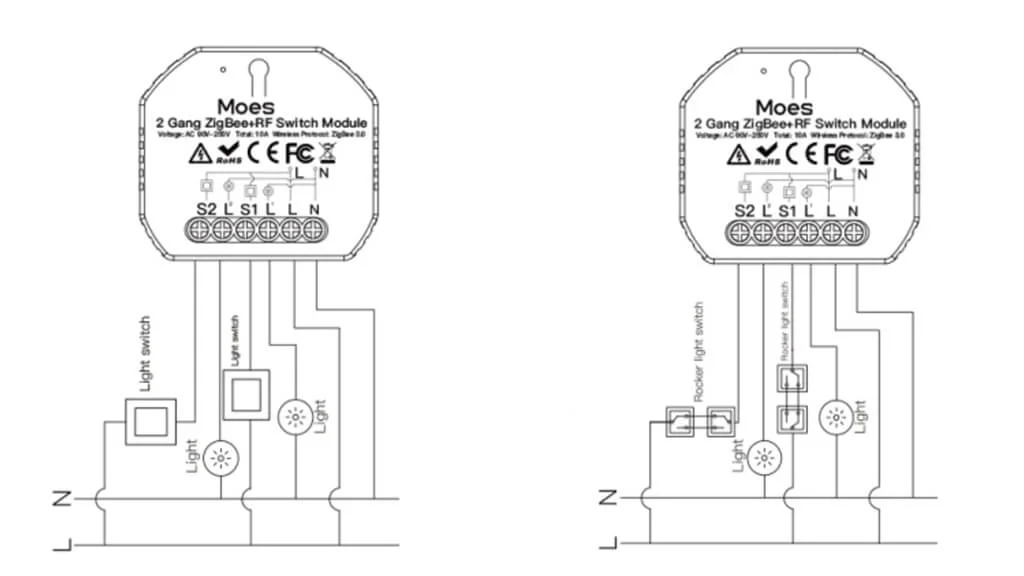 fringe crater
Does seem like that product supports both, so I would guess yes.
 unreal bane
I have this device: https://www.saswell.com/tuya-zigbee-3-0-thermostat-sea802_p146.html
Which works fine :)
But there are to long for some heating. I found out you can remove the dial.
Than it fits perfect but now the platine is blank.
Does anyone know where to find 3d models of it?
I would like to have a cap printed out. With a 3D printer that should be no problem (and yes there are no caps to buy).
 digital shale
is there a way to add the fan of the argon fan case to HA that i can control it with the "set fan percentage" service?
fluid zinc
digital shale
is there a way to add the fan of the argon fan case to HA that i can control it ...
I use this add-on, but I'm not yet 100% convinced it works well. Haven't had the time to tweak it more, but it should work: https://community.home-assistant.io/t/argon-one-active-cooling-addon/262598/
Once it works, I'm sure you can find a work-around to make the fan speed accessible to HA as a setting
 charred flume
Hello guys! I'm looking for rolling shutters (I don't know if it's called that way in english) switch "modules" compatible with HA, any good recommendation? Same for light switch modules 🙂 Thanks!
rocky trail
Yeah, I mean I'll get a minipc as that server. Just gotta figure out which one/how powerful I need it to be/how much I'm willing to spend on it
 sullen jetty
Disregard... just noticed there was a dedicated Bluetooth channel, I'll ask there. Was looking for BT dongle or proxy suggestions in SEA (specifically Thailand) since everything seems sold out or is not not driver supported in Linux for HA-OS VM passthrough.
 raven heart
Anybody know if its possible to jailbreak or otherwise use a control4 wall-mounted (PoE) tablet for home assistant instead of control4?
New house came with control4 but was immediately not happy with how closed off it is, set up home assistant but do wish I had a nice looking tablet on the wall for frontend... this control4 one would be great if i could use it somehow
rocky trail
ok... settled on random AIO PC I ended up with for free, putting proxmox on it 😂 has dedicated and integrated GPU so hopefully I can pass the dedicated through for some camera acceleration
rocky trail
hmm I might even be able to swap out the wifi card for a pcie coral
oof didn't realize the Coral stuff was OOS everywhere.
copper juniper
yeah; its an issue
copper juniper
rocky trail
ok... settled on random AIO PC I ended up with for free, putting proxmox on it �...
make sure you use cpu type host