#zigbee-archived
1 messages · Page 191 of 1
 bronze prism
 shrewd crypt
yeah I mean there is one power strip listed there
bronze prism
yeah there doesn't seem to be that many choices
 keen star
hi. are there any instructions on migrating from zha to z2m? ive installed the z2m addon and disabled the zha integration. ive read some people post that all their already included devices just appear but thats not happening for me. is there a file i can copy from one place to another? or will i have to reset and reinclude all my devices?
keen star
can i get zha to tell me the network key?
 analog ember
keen star
hi. are there any instructions on migrating from zha to z2m? ive installed the ...
analog ember
keen star
hi. are there any instructions on migrating from zha to z2m? ive installed the ...
 molten linden
keen star
can i get zha to tell me the network key?
molten linden
keen star
can i get zha to tell me the network key?
it should be in the logs when HA starts. may need to enable debug logging per zha docs though if you don't see it.
 white aurora
Has anyone seen a Sonoff button that won't report battery level or action, etc?
It pairs and interviews but everything except link quality is N/A
I remove it and delete it and repair it and it says the interview has been completed but I'm still not getting anything other than link quality
 cedar moat
Is anybody using the Conbee II/deCONZ/Phoscon setup? I've set up a door sensor from Aqara that I can see in the Phoscon web app, but I am unable to find it under Settings -> Devices and Services -> Devices
bronze prism
white aurora
Has anyone seen a Sonoff button that won't report battery level or action, etc?
i have a sonoff button through Z2M.. it reports battery/link quality/action fine
not sure how accurate the battery level is though
white aurora
bronze prism
i have a sonoff button through Z2M.. it reports battery/link quality/action fine
Yep I have another oner that does too
bronze prism
hmm not sure what you can do to be honest? change the battery?
white aurora
Fresh batt
bronze prism
swap the batt from the working one to the non-working one? (just to completely rule out the batt?) if not sounds like you might have a lemon
i'm not sure if there's a way to "factory reset" these things
white aurora
It was working before it just stopped
bronze prism
but you said you fully removed it from the network and re-paired it and it still doesn't work right?
white aurora
Yep. Force removed and then reset pin pressed
bronze prism
well i can't think of anything else 😦
white aurora
Other button reports N/A only for action and only when not pressed
bronze prism
yes that's the same as what I have
white aurora
I should move to ZHA
bronze prism
worth a shot i suppose if you have the time to switch
it's weird it suddenly stopped working
white aurora
error 2022-05-23 13:10:14Request 'zigbee2mqtt/bridge/request/device/configure_reporting' failed with error: 'Bind 0x00124b0024ffff06/1 genPowerCfg from '0x00124b0024c82ec2/1' failed (AREQ - ZDO - bindRsp after 10000ms)'
@bronze prism lmao
I had to hold the reset button and as soon as it said "xxx has left the network" I hit the restart button on the zigbee2mqtt addon
And then it paired perfectly
bronze prism
no idea what that error means.. does that mean it works now?
 ocean cloak
I'm using Z2M. I have this Philips Hue motion sensor that just won't report. I can have it join the network fine, but then it just doesn't seem to send any updates. It was working 100% fine on ZHA, then it became spotty on Z2M, and now it's completely stopped working. I've tried changing the batteries with no luck. I've also tried this after changing channels (to 25).
I also have two other of these same sensors which have been working flawlessly since I got them 6 months ago. Any idea what could be going on?
Or if there are logs or diagnostics I could grab that would be helpful in troubleshooting
bronze prism
does it report any logs when it detects motion?
and does it pass the interview/pairing process fine in Z2M? is it possible to OTA it?
ocean cloak
bronze prism
does it report any logs when it detects motion?
Nope, following the logs and there's nothing after the initial pairing process
bronze prism
so the exposes page is all n/a then?
ocean cloak
bronze prism
and does it pass the interview/pairing process fine in Z2M? is it possible to OT...
Yup interview process seems fine, but no states are updated
Also yeah tried new batteries I ordered just to be sure I had fresh ones
Just tried checking for new updates via the UI and it said there weren't any and it's on the same firmware as the others
bronze prism
hmm i don't know the answer but maybe try an alternative pairing process here? https://www.zigbee2mqtt.io/devices/9290030675.html .. make sure you force remove it first#
ocean cloak
bronze prism
so the exposes page is all n/a then?
Yeah except LQI which is 114
bronze prism
hmm
to be honest sounds like you covered all basis.. maybe someone else will have some ideas
ocean cloak
State tab is all null except lqi as well
I might just see if I can return it. It's been dropping off the network sporadically. It was totally fine with ZHA then started acting up after I switched to Z2M (which could have just been a coincidence)
bronze prism
might be a lemon
ocean cloak
It sits right behind my keyboard so maybe it was activating too often. Only crazy out there thing I can think of
ocean cloak
bronze prism
hmm i don't know the answer but maybe try an alternative pairing process here? h...
I'm looking at this link you sent me too
It's weird that this page keeps calling it a bulb
bronze prism
i assume the same process works with a bulb
ocean cloak
Seems like almost all of this is just copy/paste for all Hue devices. I'm gonna try the Touchlink thing though
I have a Tube zigbee coordinator. I think it should work?
bronze prism
does the tube use a TI CC chip? I think it does?
white aurora
bronze prism
no idea what that error means.. does that mean it works now?
Yep after the remove and restart
bronze prism
how did you come up with that reset process?
 mighty river
Hi everyone, HA is a new topic for me and I'm just getting started with it. I have a quite annoying issue with Power Delivered (sensor.smartenergy_metering_summation_delivered) stopped being updated after a few hours in HA. I'm using Zigbee Sonoff USB Dongle (detected as Texas Instruments CC1352/CC2652, Z-Stack 3.30+ (build 20220219)) and the Smart Plug is detected as TS011F. When I try to reset the docker HA container, the new values are reloaded, but it's not updated anymore. The only thing that worked so far was manual re-sync of all sensors. But again, after it, a few hours later sensor values stops to update again.
Interestingly, one of the plugs is reporting power delivered correctly, but the rest of them - not
 sour shadow
Is the plug near another working plug?
mighty river
this working plug has the other plug closer than the coordinator, if it's what you're asking
sour shadow
Yeah, just checking that it's in range of teh mesh
sour shadow
Sounds like Tuya being Tuya then
mighty river
the problem is with Energy (Power Delivered) and RMS Current and
so is there any way to make them more reliable? I.e. flashing with some other firmware ?
the other thing I wanted to try is to use zigbee2mqtt but I belive my coordinator uses zha? is there a way to use it with zigbee2mqtt?
I'm a little confused with those two - are those zigbee2mqtt and zha related to the used chip or firmware within those chips?
sour shadow
ZHA and Z2M are two different software solutions for working with Zigbee
mighty river
yes, but it's possible to use both on the same Zigbee chip?
sour shadow
Either can use that coordinator, and changing won't fix the Tuya device
Sure, but not at the same time
Just like only one person can drive a car at any given time
mighty river
sure, I understand that
but what is selecting the zigbee2mqtt/zha - is the HA configuration or do I need some other firmware for this sonoff chip?
ahh... software
mighty river
so I should install the Z2M on the docker container and re-configure the HA to use it?
I'm using the docker for HA - it's just a startpoint to get used to it and move to some other platform if needed, but for now I'm struggling with getting it working in a most basic configuration :/
 cobalt dew
I just did HA as a docker coantainer and same boat, a lot to understand
So you have an external dongle?
mighty river
yes
cobalt dew
usb?
mighty river
yes, sonoff ZBDongle
cobalt dew
cool, so how did you pass the usb port into HA? something in docker-compose.yaml?
@sour shadow the sonoff dongle?
sour shadow
Switching to Z2M isn't going to fix your Tuya plug reporting
mighty river
sour shadow
Switching to Z2M isn't going to fix your Tuya plug reporting
but isn't there a possibility to force the plug to report the value?
on-demand?
as for the Z2M, I would like to use it, because it seems to have more customization possibilities than ZHA, or I'm not aware of those in my current configuration
sour shadow
You said the others do it, so ...
mighty river
I've seen that Z2M have the possibility to add additional parameters in yml for each device
I couldn't find anything like that for ZHA (except very poor configuration within device tab on HA)
sour shadow
Interestingly, one of the plugs is reporting power delivered correctly, but the rest of them - not
That points to the problem being the plug
And, to be fair, Tuya are known for being 
mighty river
yes, I'm just getting to know it on my own skin :/
but according to this page : https://www.zigbee2mqtt.io/devices/TS011F_plug_1.html#tuya-ts011f-plug-1
there's some possibilities to tweak with them :
sour shadow
Starting with firmware version 1.0.5 (which comes pre-flashed on plugs produced since Q4 2021) core functionality on this plug is broken
In 2022, BlitzWolf started to sell BW-SHP13 that identify as _TZ3000_amdymr7l. Those devices report power, current and voltage unreliably

mighty river
yhea, sound really bad
sour shadow
To be honest, it sounds about normal for Tuya
 tropic depot
mighty river
I couldn't find anything like that for ZHA (except very poor configuration withi...
tropic depot
mighty river
I couldn't find anything like that for ZHA (except very poor configuration withi...
we're working on this
 latent rose
hi everyone, I use ikea light bulbs but their minimum brightness is still pretty high. I am wondering if you have recommendation for good bulbs with lower minimum brightness. I assume phillips hue are better but looking for cheaper options if possible
mighty river
tropic depot
we're working on this
it would be great to have more flexibility here, but in the meantime I will probably try to tweak with zibgee2mqtt, just to see if I can use the pooling to get those values out of those plugs once in a while
I don't need them to be reported every few seconds
even once per hour, or even once per day would be good for now
mighty river
cobalt dew
cool, so how did you pass the usb port into HA? something in docker-compose.yam...
as for the USB Dongle - i don't remember if I've been adding it in docker-compose.yml
I think I just searched for new integration and selected Zigbee, and then HA asked for USB device to pick
 warm umbra
Hello,
I found some issues with my zigbee shutter modules and/or switches.
I use zigbee Moes switches, 3 button switches. They work fine as far as I can tell. To control my window shutters I use modules by loratap ( https://ae01.alicdn.com/kf/Hfa7e23be077d4d21bc23e0c8f6ee64c19.png )
I noticed that sometimes the communication between them doesn't seem to work well. I have automations setup to manually open/close them as well as automations that automatically open/close. The automatic works fine but sometimes when I push the button set to open/close a window shutter it doesn't respond. I can see that the automation gets triggered by the last time.. so the signal does arrive to trigger it. Any idea what I can do to test/try what's wrong?
 hot tendon
Tubez devices are great, do you have POE? I prefer z2m, but as I say, each has their adherents.
latent rose
what's the main difference between this Tubez device and, say, a conbee stick?
 faint zephyr
hot tendon
Tubez devices are great, do you have POE? I prefer z2m, but as I say, each has t...
faint zephyr
hot tendon
Tubez devices are great, do you have POE? I prefer z2m, but as I say, each has t...
Yes I have Poe had to invest in a Poe switch for my security cameras
molten linden
latent rose
what's the main difference between this Tubez device and, say, a conbee stick?
Different radio chip ti cc2652 in my devices. Conbee is a conbee not really sure what chip drives it.
Most of my devices connect via serial over tcp. I do sell a usb option (network connection can be added later if ever wanted)
hot tendon
conbee are quite old now and tubez devices (and, to be fair, any cc2652 base device) is much better and more modern tech. There seems also to be a growing number of posts on the forum about failing conbee devices.
molten linden
the newer EFR32 radios are good too, just not supported well in z2m, they also have a path to running zigbee and thread concurrently (kind of alpha now) so this is how Yellow will ultimately support the Thread side of Matter. (and they are much harder to source).
 thorny cargo
Hey wonderful people of the internet. I am going to migrate from ZHA to Z2M (too many device drop outs with my Aqara motion sensors amongst other things). I only have 1 co-ordinator and I don't want to wait and order another one. Presumably I cannot have the same USB device configured for both ZHA and Z2M at the same time? I assume I will need to install Z2M (but without pointing it to my USB stick), then delete all of the devices in ZHA and delete the integration, then point Z2M at the USB stick?
sour shadow
Correct
thorny cargo
Thanks! Do you think it would do any harm if I get Z2M completely ready, except for pointing the USB before I disable ZHA? Just trying to minimize downtime
sour shadow
Well, you can't really get it ready until you can connect it to the coordinator
Note that changing to Z2M won't fix the problems with your mesh
The drop outs will continue until you address the health of the mesh
thorny cargo
I don't think its a mesh issue. I believe it to be a device specific issue. It is only the Aqara motion sensors that drop out, all other zigbee based devices have experience no dropouts to date
Although I am quite happy to be informed otherwise. Moving over all devices to Z2M isn't something I am thrilled about
 thorny cargo
Oh ok. I had read that that ZHA was not playing well with the newer Aqara motion sensors. Thus my thinking to change setup
sour shadow
There's a good guide on Xiaomi in the pins
The very new sensors may not be fully supported, but it's a support thing, not a reliability thing
thorny cargo
Oh right. So basically if it shows up and ever worked, then its not a ZHA issue, its a mesh issue. If it never worked in the first place, then its a ZHA issue?
sour shadow
Correct
thorny cargo
The only other reason I was thinking of moving was that my Ikea Symfonisk remote flately refuses to do anything in ZHA (it pairs but never recognises any events)
So if I can resolve without this, then thats great
I shall go and read the pins
Thanks
I am also using a USB3.0 port on my RPI4 which it seems like could be not helping. Although I haven't experienced any general network issues. Just specifically these aqara devices
thorny cargo
Potentially dumb question.... if I change the port my USB stick is plugged into, will I have to rebuild the ZHA network, or does magic occur and it will just work?
sour shadow
Nah, as long as you used the /dev/serial/by-id/ path there's nothing to worry about
thorny cargo
How would I validate that? I don't remember picking a path. When I plugged the device in, it was auto discovered by ZHA and I just followed the instructions
sour shadow
Then the system should hopefully have done the smart thing
Worst case you'll need to reconfigure ZHA, but it shouldn't happen, and that won't require you to re-pair all the devices
thorny cargo
I have also read all of the pinned posts, I have no direct conflicting 2.4GHz channels (that are under my control anyway), I have no known incompatible repeaters, in-fact both motion sensors are closest to a known supported Ikea wireless outlet. I am considering changing the USB port, adding an extension cable and then trying to pair again?
I am going to go away and read how to understand my network map to see if that tells me something illuminating. At the moment, its just blobs and lines that although I can see what goes where, the significance of this is lost on me!
sour shadow
Well, you can pick channels that are more clear. If the default of 15 is noisy, change to (say) 25 and re-pair everything
thorny cargo
Nothing on 15 at all, so I am not expecting that to be an issue. I do have google Wifi which does auto channel hop, but only between 1, 6 & 11 as far as I am aware
Thank you for the advice!
sour shadow
15 for Zigbee isn't 15 for WiFi
thorny cargo
Oh right. I see....... Zigbee 15 is the same as WiFi 1-6?
There are 2 networks on 1 and 2 on 6. So not very busy..... I also am not sure I quite understand why this would only affect the aqara based devices. I can see from reading that they are a bit picky, and can be tough to pair due to their not standard adoption of the standard (got to love tech companies who do this.....) and at first I thought it was just one device, but now I have both setup, they both have the same symptoms. They pair fine to begin with, and then they stop functioning and either always report the same motion/lux values, or they show as unavailable....
sour shadow
Many possible reasons. Maybe they're closer to the source of interference, maybe they have a weaker connection to your mesh. Maybe they need new batteries.
thorny cargo
They are both near a wifi node, but so are the lights they are supposed to control, and also next to a tradfri power socket. I will try the USB socket and extension cable, re-pair them and see how it goes.
Would it be worth me posting a network visualisation to see if anyone can spot anything problematic?
sour shadow
Sure, though to be honest the LQI is just a vague hint
 cyan totem
Hi all! Ive just installed a loratap zigbee curtain switch https://a.aliexpress.com/_vki765 and it added to my zha without any issue, but I need to calibrate it properly, and I cant find where to do that
 jaunty maple
I have an ikea switch that's connected to my homey and then pushed to home assistant via MQTT. Problem is that it only shows up with the battery indicator and not the actual switch in home assistant. Anyone know how i can fix that?
 austere patio
thorny cargo
There are 2 networks on 1 and 2 on 6. So not very busy..... I also am not sure I...
austere patio
thorny cargo
There are 2 networks on 1 and 2 on 6. So not very busy..... I also am not sure I...
A network on WiFi channel 2 sits right on top of Zigbee channel 15: https://img.community.ui.com/5f743aa0-9c43-44fb-8889-afd9eccba833/comments/d1ae2c9e-9162-47e2-abcc-12e54862b200/82ccb020-c270-45fc-995c-f837ada4f9c3
If your sensors are near one of your own access points on channel 2, that would definitely cause problems
thorny cargo
austere patio
A network on WiFi channel 2 sits right on top of Zigbee channel 15: https://img....
Hey Puddly, none of my Wifi networks are on channel 2.
austere patio
What Aqara sensors are causing problems?
thorny cargo
Aqara motion sensors
I have moved my USB stick to a USB 2.0 port, and put it on an extension cable away from the RPI
austere patio
The old ones or the new ones?
thorny cargo
I repaired both motion sensors and now one has stayed connected (2 hours so far), the other stopped reporting changes almost immediately
I believe they are the new ones
They are certainly new to me
austere patio
Are they advertised as "Zigbee 3.0" or take multiple coin cell batteries?
If they're the old ones that just have a single coin cell at the bottom, they could be stock from years ago and the batteries could be at the end of their lifespan
Try swapping the batteries between a sensor that works and one that doesn't
thorny cargo
I havent opened the bottom, but the listing says 1 lithium metal battery
Both have been having issues
But yes, that is something I can truy
the moment I press the reset button, the blue light immediately comes on, but I guess there could be enough power to do that, but bugger all else
austere patio
If you keep clicking the button, does the light get dimmer and dimmer with each blink? Do the LEDs on the two sensors blink with similar intensity?
thorny cargo
Not noticably different
austere patio
If they're older Aqara sensors, they sort of operate in one direction. They just send stuff to the coordinator and go back to sleep. No configuration.
austere patio
Yeah that's the old one
austere patio
Sure, it's worth a shot. There's not much else you can try other than changing the network channel.
thorny cargo
Ok. I will try that this evening, and if that doesn't work, then I will migrate to Z2M and change channel
austere patio
Changing the channel blindly won't really do much. I suggest doing a scan and re-forming your network on a quiet channel, assuming your problem is with the channel to begin with
Especially with older Aqara sensors like these, there's really zero functional difference between the two integrations other than Z2M defaulting to channel 11 and ZHA to 15
thorny cargo
I am also having some issues with a few ikea devices (one motion sensor and one symfonisk sound control), that I was hoping I could alleviate
austere patio
Which issues?
thorny cargo
Does Z2M have any better ability to "force" certain routes for devices, or is the point of the mesh that it does this all by magic
The motion sensor will pair fine, but never report any change in state (somewhat similar to the one of the Aqara sensors), the rotary dial will pair fine, but never recognises any button presses or turns of the dial
austere patio
Z2M and ZHA both just ask the coordinator to send a packet to the device. The coordinator's firmware decides how that happens, so it's effectively magic.
thorny cargo
Right ok.
I guess I could try flashing my Sonoff 3.0 plus dongle with the new firmware as well.... can't harm (I would hope)
austere patio
There are ways to override sending a packet to a device, but neither integration exposes a way to force routes like this (nor is it a good idea). There's zero way to control how devices send packets back.
thorny cargo
I wasn't sure if it was like some of the more traditional networks I am used to, where you can force traffic over a desired route
austere patio
If you're going to be reflashing the firmware, you may as well do an energy scan at the same time to look for a quieter channel
ZHA doesn't permit you to change the channel after your network has already been formed (since it's effectively destroying the network and forming a new one) so you'll have to reset the adapter anyways for it to read the channel config, which flashing the firmware does
thorny cargo
So my USB device is plugged into my RPI. Can I run the command listed on the github readme via the terminal add on for HA
or will I need to SSH directly on to the RPI or something like that
austere patio
There are "installation" instructions at the top for getting the correct addon running
thorny cargo
Ahh perfect. Thanks. I missed that
austere patio
And from there, you can just run pip install intelhex 'git+https://github.com/JelmerT/cc2538-bsl.git' and run the flashing script with --bootloader-sonoff-usb to upgrade the firmware without taking the adapter apart.
thorny cargo
Oh right. That will automatically pull the latest firmware and update it for me?
Nice
austere patio
No, you'll have to download and extract the .hex file for your device from https://github.com/Koenkk/Z-Stack-firmware/tree/master/coordinator/Z-Stack_3.x.0/bin
austere patio
What about 15? Can you upload your results somewhere?
thorny cargo
It seems to be constant updating, not sure how to export the outcome
Or is it a simple take a screenshot job
austere patio
A screenshot is fine, you can ctrl-c to stop it
thorny cargo
austere patio
Looks like you have nearby WiFi networks on 1 and 5?
Maybe try switching the channel in ZHA to 25 and then upgrade your firmware to wipe the stick
zha:
  zigpy_config:
    network:
      channel: 25
Is 25 compatible with all the Zigbee devices? I half read something, somewhere about certain devices not support certain channels
sour shadow
26 is the problem channel
I'm not aware of anything that doesn't support 11, 15, 20, 25... though I'm sure there's some 😄
austere patio
I think there's some brand out there that only scans for networks on the "standard" ones, like 25
sour shadow
Konke
thorny cargo
Thanks. I really appreciate the help. Presumably, that code needs to go into my configuration.yaml, then I need to reboot HA?
austere patio
Yep. It will only take effect if a new network will need to be formed, so only after you wipe the stick after upgrading the firmware
tropic depot
austere patio
I think there's some brand out there that only scans for networks on the "standa...
Konke
whoops missed tinks reply
sour shadow
To be fair, it's bad enough to be worth repeating
tropic depot
lol
thorny cargo
Ok. So I need to do the firmware update, which will entire wipe my ZHA integration and devices, it will restart on Channel 25 and then I can re-add everything and see if that makes a difference
austere patio
Yep
thorny cargo
With the .hex file, is there a way I can use terminal to pull it onto the RPI and extract, rather than do it on a machine and try and transfer it over? Or am I better off, just plugging it into my laptop and doing it there, and then plugging it back into the RPI?
austere patio
It's all Python scripts so if it's easier to run the pip install ... stuff on the laptop, go for it
Otherwise you should be able to get the raw .zip URL from the GitHub download page, unzip it on the pi (assuming HA OS has unzip), and then flash the firmware there
 dusk crest
#automations-archived message
As I've explained over in #automations-archived I've been experiencing some funky behavior with my Booleans which Daniel helped me track down to my IKEA button (since it isn't showing this behavior when running the automation with a Boolean as the trigger), any idea on how I'd approach this issue
thorny cargo
@austere patio sorry for so many questions. Just want to make sure I get the order right. I need to download the zip containing my relevant .hex file (which I presume I can do in terminal somehow), then extract it with unzip. Then I need to run this (pip install intelhex 'git+https://github.com/JelmerT/cc2538-bsl.git') in terminal, followed by --bootloader-sonoff-usb
Presumably, at somepoint, i will need to point one of these commands to the unzipped Hex
austere patio
It would be something like this: cc2538-bsl.py --bootloader-sonoff-usb -evw -p /dev/serial/by-id/... /path/to/image.hex
thorny cargo
I see. So the cc2538-bsl.py is the python script I get from JelmerT github repo, intelhex is some kind of dependancy of the process (that I will install prior to running the above command), then --bootloader-sonoff-usb is the instruction to the python scipt, -p is the path the USB device and then /path/to/image.hex is the location of the downloaded and unzipped hex file
austere patio
Yep
thorny cargo
Do i need to delete/disbale my existing ZHA configuration before hand, or will it happen as part of the process
austere patio
If you haven't flashed anything yet, I would remove the ZHA integration entirely
thorny cargo
presumably in terminal I can just use wget to pull the relevant hex file from github?
Ok
I will do that first
thorny cargo
@austere patio Can I use the "devname" when referring to the USB device?
I think the terminal command I would run to do this is...
cc2538-bsl.py --bootloader-sonoff-usb -evw -p /dev/ttyUSB0 ./config/CC1352P2_CC2652P_launchpad_coordinator_20220219.hex
austere patio
I always prefer the /dev/serial/by-id/... symbolic link since you can be 100% sure it will point to the correct /dev/ttyUSB? device
But they're otherwise identical, especially if you have only one USB device
thorny cargo
Ok... so it would be better to do this
cc2538-bsl.py --bootloader-sonoff-usb -evw -p /dev/serial/by-id/usb-ITead_Sonoff_Zigbee_3.0_USB_Dongle_Plus_b400356ff112ec1199b723c7bd930c07-if00-port0
./config/CC1352P2_CC2652P_launchpad_coordinator_20220219.hex
austere patio
That should work
thorny cargo
Once this process is done, I should restart HA, and it should then pick up my usb device as a new integration for ZHA, but will be channel 25 based on that configuration I added to my configuration.yaml?
austere patio
Yep
thorny cargo
Trying to run that, I get
ERROR: No file path given
zsh: permission denied: ./config/CC1352P2_CC2652P_launchpad_coordinator_20220219.hex
austere patio
I think you may have a newline somewhere
And it's not being run as a single command
Yeah, the /config/... part is on its own line
thorny cargo
You are right
It is running now
Ends with Verified (match: 0xddfc152d)
Time for an HA restart
How would I know if the flash and channel change has worked? Is there anyway to see that
austere patio
If ZHA can be added with the stick, the flash worked. The current channel isn't shown in the UI (yet) but it's in the debug log on startup: https://www.home-assistant.io/integrations/zha/#debug-logging
thorny cargo
Well its showing up and has been discovered. I got some errors in the logs which I assume are becuase my automations are now buggered as the devices don't exist!
Its automatically found a bunch of devices?
Even though they arent in pairing mode.... is that normal. Or will the devices have put themselves in pairing mode as the co-ordinator went offline?
austere patio
If you didn't delete the /config/zigbee.db file, cached device information will be read from it
It will speed up device re-joins, since ZHA won't have to query them for info after they join and will just immediately configure them
thorny cargo
Oh right. Awesome
So will I need to pair them again, or should they just work now :)?
austere patio
You'll have to re-join them all to your new network
thorny cargo
Or will I need to trigger the pair on each device to generate the new network
Right yes, I can see that although they all show up in the list, their last seen date is pre-flash
Do I need to delete them from this list, click "Add Device" and set the device into pairing mode. Or do I just put the device into pairing mode and it will re-connect to the relevant existing cached device info?
austere patio
You can click "add device" and then join the device to the network
 wary harbor
anybody using the aqara temp/humidity sensor and noticing issues with the battery? mine is running out fast. I have it running for a few weeks now and the battery reached 62%
thorny cargo
Ok, if I give it the name of something already in this list, will it just "merge" them?
austere patio
wary harbor
anybody using the aqara temp/humidity sensor and noticing issues with the batter...
Aqara battery percentages don't really represent the state of charge. It will hover at that same percentage for a few years and then stop working.
wary harbor
austere patio
Aqara battery percentages don't really represent the state of charge. It will ho...
interesting, so not possible to know exact battery usage?
austere patio
Yep
wary harbor
so it'll just die when battery runs out? that sucks..
austere patio
They last for years so it's not much of a problem. The device should be marked as " offline" by whatever integration you're using when that happens.
wary harbor
got it, thanks
also, how can I find out if signal strength to said device is fine?
is the LQI field accurate?
austere patio
LQI represents the received link quality between the last hop of the last packet sent by the device and your coordinator
wary harbor
I see it now 102, and I only have a single coordinator with no repeaters
austere patio
With Aqara you just have to make sure to permit joins only through the physically closest router so it picks a good parent
In that case it's fine
wary harbor
austere patio
With Aqara you just have to make sure to permit joins only through the physicall...
is this a configurable setting somewhere? since i'm planning on adding a repeater
austere patio
Depends on the integration you're using. In ZHA, you go to the router device and permit joins through the button on that page
With Z2M I believe there's a dropdown
wary harbor
yeah, I'm using ZHA and I see "Add devices via this device" - I'm assuming you mean the same thing but on a repeater?
austere patio
Yep
wary harbor
got it, thanks
thorny cargo
@austere patio thanks for all your help. All my devices are now re-joined and automations repaired
Will see if that has helped these motion sensors later when their automations kick in
Annoyingly my ikea rotary/symfonisk device is still doing bugger all
Pairs fine, but it never recieves any events. Not sure where to go next with it
austere patio
Have you tried hitting the "reconfigure" button while rotating it?
Some IKEA devices go to sleep really quickly and it can take a few attempts for all of the reporting to be set up on it
austere patio
You have to keep the device awake so that it can receive commands
thorny cargo
Where are these logs that the error message says I might find more details?
austere patio
It'll be in /config/home-assistant.log
thorny cargo
I just see lots of failures for that time when I tried to do the reconfig. I have no idea how to keep this thing alive long enough for it to repair. I have tried turning it, pressing it, occasionaly pressing the reset button?!
I think I am giving up on this device for today, and hoping that my other issue of Aqara sensors is fixed 🙂
 steep bolt
Can someone with experience with Z2M logs help me?
I setup Z2M with my new deconz stick as per instrucktions, but i get a 502 when trying to open the interface, some logs:
Z2M right now: https://pastebin.com/Tmmkn8mR
Config: https://pastebin.com/0n8KRfhX
Herdsman log: https://pastebin.com/TcbJcwiH
austere patio
Have you tried unplugging the Conbee?
steep bolt
yes
but i havent tried a different usb port. Also it is set to USB2.0
alright
switching the port worked.
I thought i had tried every combination of things, but was proven wrong. Thank you
dusk crest
#automations-archived message
As I've explained over in #automations-archived I've been experiencing some funky behavior with my Booleans which Daniel helped me track down to my IKEA button (since it isn't showing this behavior when running the automation with a Boolean as the trigger), any idea on how I'd approach this issue?
bronze prism
dusk crest
https://discord.com/channels/330944238910963714/672220450977349653/9786635517051...
if you are using Zigbee2MQTT.. you can check the exposes or log after pressing the button to see how many button presses it is transmitting.. there's probably an equivalent log for ZHA
 woeful urchin
Does anyone know the secret to getting IKEA motion sensors to report their true battery level after replacement? I'm using Zigbee2MQTT.
 queen bay
Got a usb zigbee dongle and a couple sensors to play around with. Was able to get one sensor configured and working for a bit, but now it just shows a status of unavailable. I'm using ZHA. Could the fact that I have the mosquito broker installed be affecting things, even though I don't have any devices configured to use it?
Sorry if this is a dumb question. I am trying to learn the ropes of HA but not having a lot of luck
seeing this after enabling debugging:
2022-05-24 16:35:07 DEBUG (MainThread) [homeassistant.core] Bus:Handling <Event state_changed[L]: entity_id=button.sliding_door_identify, old_state=<state button.sliding_door_identify=unavailable; restored=True, device_class=update, friendly_name=Sliding door identify, supported_features=0 @ 2022-05-24T16:35:07.834936-07:00>, new_state=<state button.sliding_door_identify=unavailable; device_class=update, friendly_name=Sliding door identify @ 2022-05-24T16:35:07.834936-07:00>>
 pastel ice
Came across the HUSBZB-1 firmware update script. My stick is around 3 years old, what am I missing out on without updating? Thank you 🙂
 sudden plank
I'm pretty heavily invested in the Aqara zigbee ecosystem previously with HomeKit as my smart home platform and looking for how best to move this setup to home assistant; I have buttons, motion sensors, humidity/temp sensors, vibration sensors, and lots of door/window sensors. I also use the light on the Aqara Hub M1S a ton as a status light for things like "the stove is on" and "the door is unlocked".
My Home Assistant server is out in the garage and not really near any zigbee devices at all… by about 80ft at least, which is why the zigbee hubs (particularly the wired M2) have been great to bridge over WiFi.
The M2 seems unsupported and the M1(S) requires you to use a mainland China account to get it working and that's not something I'm ok with.
Any suggestions for how to successfully migrate this over?
 blissful pilot
Hey guys, if I have a Zigbee device (thermostat) which should support different modes (heat and cool) but the deCONZ addon only creates a heat-only thermostat, is there something I can do to correct the issue?
Note that on deCONZ I can manually set the heatpoint, coolpoint and mode. The issue is only on the entity that home assistant creates through the addon.
I think by best chance is to manually edit the entity files created by the deCONZ integration? Where do I find them tho?
sudden plank
sudden plank
I'm pretty heavily invested in the Aqara zigbee ecosystem previously with HomeKi...
In answer to my own question… I just paired it using the HomeKit Controller and it works flawlessly… except it doesn't have the names of anything. I just need to figure out which temp sensor is which and I'm good 😉
blissful pilot
blissful pilot
Hey guys, if I have a Zigbee device (thermostat) which should support different ...
I think I managed to expose more endpoints by editing the DFF file on deCONZ
However when I try to change coolsetpoint and mode it reverts after few attempts.
2022-05-25 11:51:49 DEBUG (MainThread) [pydeconz.websocket] {"config":{"battery":0,"controlsequence":5,"coolsetpoint":1200,"heatsetpoint":1400,"mode":"3","offset":0,"on":false,"reachable":true,"schedule":{},"schedule_on":false},"e":"changed","id":"2","r":"sensors","t":"event","uniqueid":"00:0d:6f:00:15:eb:1a:87-01-0201"}```Why does it go from "mode : cool" to "mode : 3"?
 snow gate
Trying to update my Tubes Ethernet/serial coordinator without joy. Is there a better/updated procedure? I’ve tried the one from the HA wiki but not working. Appreciate any help? Also what about the OTA feature? #Tubes
molten linden
snow gate
Trying to update my Tubes Ethernet/serial coordinator without joy. Is there a be...
you can DM me. OTA is for the ESP32 side of things.
sour shadow
 limber gate
anyone familiar with tasmota flashing to sonoff devices?
limber gate
anyone familiar with tasmota flashing to sonoff devices?
That'd be #diy-archived since you can't flash Tasmota to Zigbee devices, only WiFi ones
mighty river
nope @limber gate :c I've also have silly issue, zigbee2mqtt can't connect to mosquitto because... i skipped the part of installing it, so i installed, and still zigbee2mqtt can't connect, even I did the mossquitto installation like guide says, and nothing changed :C
limber gate
ye me too, you have to flash it first.. okay ill move to #diy-archived
mighty river
I have the gateway flashed already 😉
sour shadow
mighty river
nope <@475767715563307019> :c I've also have silly issue, zigbee2mqtt can't conn...
What error are you getting now?
limber gate
me or him ?
sour shadow
The person I tagged in the reply...
sour shadow
limber gate
me or him ?
This is me replying to you
limber gate
oh okay, sorry not familiar with discord
sour shadow
 4 years on Discord and you've hardly used it
mighty river
sour shadow
What error are you getting _now_?
Zigbee2MQTT:info 2022-05-25 22:23:39: Connecting to MQTT server at mqtt://core-mosquitto:1883
Zigbee2MQTT:error 2022-05-25 22:23:40: MQTT failed to connect: Connection refused: Not authorized
Zigbee2MQTT:error 2022-05-25 22:23:40: Exiting...
limber gate
yes, downloaded it because my friends started using this instead of skype
don't like it that much tho
sour shadow
mighty river
Zigbee2MQTT:info 2022-05-25 22:23:39: Connecting to MQTT server at mqtt://core-...
Not authorized says you didn't enter the right username and/or password
As you're using the Mosquitto add-on, you use an account created in HA
mighty river
sour shadow
As you're using the Mosquitto add-on, you use an account created in HA
should i update mosquitto yaml with my user and passwd or create new one only for that ?
sour shadow
Create a user in HA and it's available to the add-on
Then "all" you need to do is configure Z2M to use those details
You can install MQTT Explorer on Windows and use that to test
mighty river
sour shadow
Create a user in HA and it's available to the add-on
I have mine account already created, so for z2m should be separate ?
mighty river
sour shadow
You can install _MQTT Explorer_ on Windows and use that to test
only mac :c no windows at home
mighty river
sour shadow
Then "all" you need to do is configure Z2M to use those details
so can you guide me a bit and tell where it should be in yaml ? pretty please 😉
sour shadow
mighty river
so can you guide me a bit and tell where it should be in yaml ? pretty please 😉
I can point you at the fine documentation again
mighty river
sour shadow
I can point you at the fine documentation _again_
that is what i needed!
but still I have one question left, can I use same account as I am using to open HA or it should be separate only for z2m ?
sour shadow
You can, but you probably shouldn't
mighty river
sour shadow
You _can_, but you probably shouldn't
so it should have admin privileges also, am I assuming correctly ?
sour shadow
😱
mighty river
so it should be no xD
sour shadow
It doesn't need to have full admin rights to your HA instance
mighty river
sour shadow
It doesn't need to have full admin rights to your HA instance
created, restarting addon now
so the output on z2m is > zigbee2mqtt@1.25.1 start
node index.js
Zigbee2MQTT:info 2022-05-25 22:38:28: Logging to console and directory: '/config/zigbee2mqtt/log/2022-05-25.22-38-24' filename: log.txt
Zigbee2MQTT:info 2022-05-25 22:38:28: Starting Zigbee2MQTT version 1.25.1 (commit #unknown)
Zigbee2MQTT:info 2022-05-25 22:38:28: Starting zigbee-herdsman (0.14.27)
Zigbee2MQTT:info 2022-05-25 22:38:29: zigbee-herdsman started (resumed)
Zigbee2MQTT:info 2022-05-25 22:38:29: Coordinator firmware version: '{"meta":{"maintrel":1,"majorrel":2,"minorrel":7,"product":1,"revision":20210708,"transportrev":2},"type":"zStack3x0"}'
Zigbee2MQTT:info 2022-05-25 22:38:29: Currently 0 devices are joined:
Zigbee2MQTT:info 2022-05-25 22:38:29: Zigbee: disabling joining new devices.
Zigbee2MQTT:info 2022-05-25 22:38:30: Connecting to MQTT server at mqtt://core-mosquitto:1883
Zigbee2MQTT:info 2022-05-25 22:38:31: Connected to MQTT server
Zigbee2MQTT:info 2022-05-25 22:38:31: MQTT publish: topic 'zigbee2mqtt/bridge/state', payload 'online'
Zigbee2MQTT:info 2022-05-25 22:38:32: Started frontend on port 0.0.0.0:8099
Zigbee2MQTT:info 2022-05-25 22:38:32: MQTT publish: topic 'zigbee2mqtt/bridge/config', payload '{"commit":"unknown","coordinator":{"meta":{"maintrel":1,"majorrel":2,"minorrel":7,"product":1,"revision":20210708,"transportrev":2},"type":"zStack3x0"},"log_level":"info","network":{"channel":11,"extendedPanID":"0x00124b0024c8bc79","panID":6754},"permit_join":false,"version":"1.25.1"}'
Zigbee2MQTT:info 2022-05-25 22:38:32: MQTT publish: topic 'zigbee2mqtt/bridge/state', payload 'online'
is it right?
sour shadow
Well, I don't see any ERROR messages there
mighty river
because frontend is up at the moment
sour shadow
Next thing to do is update the firmware on your coordinator 😉
mighty river
also, my other silly question, about gateway, I have "Sonoff ZigBee Dongle Plus ZBDongle-P Adapter ZigBee 3.0" pre-flashed with Z-Stack 3.x.0 coordinator
mighty river
sour shadow
Next thing to do is update the firmware on your coordinator 😉
how you read that it isn't already updated ?
sour shadow
Did you read the log you posted?
In two places it tells you the coordinator firmware version
sour shadow
https://www.zigbee2mqtt.io/guide/adapters/#recommended has links to various ways to update it
Mac is an option
mighty river
sour shadow
Mac is an option
unfortunately is not, texas instruments are windows only :C
sour shadow
 mighty river
am i right that outdated firmware gives you less devices ?
sour shadow
or see "Flashing CC1352/CC2652/CC2538 based adapters" below
Lists three ways that are multi-platform, plus the Windows only tool
mighty river
ok, I've missinterpreted this.. sorry
but flashing will not need new configuration or re-configuring HA, am I right ?
sour shadow
Zigbee2MQTT isn't Home Assistant, flashing the coordinator has nothing to do with HA at any step
mighty river
ok, so now I have to download it and try to flash it, hope I won't brick the stick 😄
cobalt dew
I am building small test rig for HA. looking for a motion sensor as I am on NZ aliexpress. Are these any good? https://www.aliexpress.com/item/1005002055690960.html
Anybody used this brand? https://www.aliexpress.com/item/1005002668368040.html
austere patio
I personally avoid anything branded Tuya. They're responsible for like 90% of device support problems since they have their own proprietary protocol on top of Zigbee.
cobalt dew
tinkerer said avoid tuya so you are not the first to say that hence I am avoiding their kit. being in NZ getting anything is a problem let alone affordable, TY 🙂
woeful urchin
cobalt dew
tinkerer said avoid tuya so you are not the first to say that hence I am avoidin...
Aqara/Xiaomi all day.
Except for motion sensors, then I go with Ikea.
cobalt dew
Ok I'd like not to use battery stuff if I can.
woeful urchin
I would also avoid Tuya, especially since they're moving away from ESP-chips.
Well, I just checked AliExpress, and looks like there's a limited quantity of Aqara FP1's available.
Which is expensive but very cool.
@sour shadow Have you looked at the FP1 yet?
If you haven't: https://www.youtube.com/watch?v=Leru0rCS8b0
cobalt dew
i'd also like to talk to arduinos as uno's are dirt cheap and I have a few in kit
those fp1's look good
I like usb powered that fp1 looks really neat
austere patio
Huh, it looks like it exposes a 4x4 detection grid
woeful urchin
cobalt dew
i'd also like to talk to arduinos as uno's are dirt cheap and I have a few in ki...
You should try ESP8266 if you like cheap.
Does anyone know the secret to getting IKEA motion sensors to report their true battery level after replacement? I'm using Zigbee2MQTT.
cobalt dew
yes I need to read soooo much
not so much cheap as un-encumbered / locked in by manufacturers
working in IT I am sick of being locked into a silo so I/we cant do what we want to by vendors hence homeassistant.
 grim igloo
sounds like you would enjoy playing with esphome then
and making your own sensors etc with esp32 devices
cobalt dew
I saw something on that
grim igloo
home assistant (nabu casa) acquired them
cobalt dew
yes that might be an idea
cobalt dew
just reading esphome.io
bronze prism
woeful urchin
Does anyone know the secret to getting IKEA motion sensors to report their true ...
to be honest I think zigbee device battery levels in general are unreliable..
 raw goblet
Hi all! finally was brave enough to move to ZHA today, flashed the sonoff 3pro , added a repeater and its looking good! bus still confused about 1 thing:
how (and if at all possible) does one add old hubs (hue,aqra etc) into the mesh? can they be used as repeaters?
sour shadow
You don't, they can't
raw goblet
and if not with aqara hubs which are cameras and alarms, how does one add them, or is that also not possible?
raw goblet
sour shadow
You don't, they can't
ahh i see so convert them to paper weights? 🙂
but in all seriousness what about aqara hubs that have cameras etc
i wont be able to use that camera?
sour shadow
These devices are intended as Zigbee hubs only, so you can't add them to your mesh that way
raw goblet
i see. is there any way at all to add it as a camera?
i guess thats outside of the channels scope 🙂
so to summarise yank out the hue hubs and my aqara cameras and alarms?
sour shadow
Yup
raw goblet
thx @sour shadow
woeful urchin
raw goblet
so to summarise yank out the hue hubs and my aqara cameras and alarms?
I've chosen to keep my Hue hubs (x2) but also run a ConBee II coordinator for all of the IKEA and Aqara ZigBee devices I have, all of the Hue devices are still available individually via HA.
This also allows me, or more importantly, the other members of my household to continue to use cloud-hosted voice assistants to trigger the lights. At some point I'll move voice commands on-prem, but that isn't at the top of my priority list.
queen bay
how am I supposed to set up a zigbee 3.0 USB dongle? I have it plugged in, I have ZHA configured in HA, I was able to get a sensor working for a little while but now it just shows as unavailable. How can I confirm the stick is working? I tried to get the sensor configured in the Smart Life app but it asks me to set up a gateway, but I don't have one?
sour shadow
Is the stick in a USB 3.0 port (this is bad)?
Is the stick on a USB extension cable (this is good)?
How far from the stick is the sensor? Direct range is typically under 8 meters, and every obstruction (wall, door, human) cuts the range further.
Also, did you check that your chosen Zigbee channel (15 by default with ZHA) is clear of WiFi interference?
queen bay
I'll have to hunt for a USB extension cable and give that a shot. The stick and the sensor are about 5 meters from each other. It looks like the only available USB connections on the Blue are USB 3
sour shadow
Putting it directly in the computer drops the range
queen bay
I changed the wifi channel on my router for 2.4 Ghz to 11. What is a good way to find out if there is interference?
sour shadow
Putting it in a USB 3.0 port drops the range (interference)
The pinned messages have a lot of good information on all of this
queen bay
Thank you, I will review those
 keen rose
I've got two sonoff zigbee outlets and a hue remote set up on my local zigbee network via the HubZ Smart Home Controller integration (zha?). I'm looking to temporarily set them up at a friend's place to see if this hardware will fit his use case, and before I head over I'd like to disassociate the hardware from my network to prevent issues adopting it at his place. Do I just need to delete the devices from the integration in HA, or is there anything else I need to do to inform the hardware it's homeless?
austere patio
keen rose
I've got two sonoff zigbee outlets and a hue remote set up on my local zigbee ne...
You can just move them, the procedure to get them to join a new network also resets them
You can also delete them if you don't want to look at unavailable entities
keen rose
Ah, okay. I assumed the plugs just showed up automatically when I did setup because they hadn't been connected to a controller before. Actually glad to hear I don't need to delete them, since I expect I'll be moving them back to my setup within a week or two. Thanks!
 heavy crow
Hi. I'm looking for something like the old Lightify Dimming Switch. A Zigbee switch that goes over a real switch.
bronze prism
heavy crow
Hi. I'm looking for something like the old Lightify Dimming Switch. A Zigbee s...
i assume you have checked https://zigbee.blakadder.com/ ?
heavy crow
bronze prism
i assume you have checked https://zigbee.blakadder.com/ ?
No... TY
sour shadow
And ... if you're looking for advice you need to tell us your country
No point in recommending stuff that's designed for (say) EU switches if you're in the USA
heavy crow
US. But I just want a switch that is https://us.amazon.com/Sylvania-Smart-Home-73743-Lightify/dp/B0196M620Y
bronze prism
could you use something non-zigbee? like something that can be flashed with tasmota?
heavy crow
what is tasmota?
sour shadow
Firmware for ESPs
 obsidian sandalBOT
Ready to use custom firmware for ESP8266 devices (including Sonoff)
Docs:
https://tasmota.github.io/docs/
They have their own Discord server or you can ask in #diy-archived
Command '~tasmota' was invoked by: Tinkerer
heavy crow
This is the only thing I can find like what I want, but it is about 150% more than I think it should cost: https://us.amazon.com/Lutron-Aurora-Switches-Philips-Z3-1BRL-PKGD-WH/dp/B09231SSTH/ref=sr_1_67?keywords=wireless%2BSwitches&qid=1653595673&s=lamps-light&sr=1-67&th=1
I just setup HA with a new Sonoff zigbee 3.0 dongle. No zwave and I'm avoiding stuff that uses my wifi network.
bronze prism
fair enough.. in my mind one of the strengths of HA is that you can control a zigbee bulb with a wifi switch etc and mix/match various integrations
heavy crow
I was interested in HA because it let me revive my old Lightify stuff that my Hue hub wouldn't talk to.
It also revived some bulbs that I thought the Hue hub would talk to but ended up being shelved.
bronze prism
of course there's pro to having more zigbee devices as you can build a better mesh, but i assume the switch and light is usually quite near by...(maybe not?)
heavy crow
I doubt the mesh is having any trouble as-is.
Other than if the family excessively turns lights off with the switches...
bronze prism
there's another database of devices https://www.zigbee2mqtt.io/supported-devices/ (but note it's zigbee2mqtt specific)
heavy crow
Actually, I'm having troubles getting these switches that I do have (the lightify dimming switches, I have two old ones.) to do anything.
I can get the "long-press/dim up or down" events to fire but I cannot get the on or off events.
heavy crow
It should be registering as https://zigbee.blakadder.com/Sylvania_73743.html but it is coming up as https://zigbee.blakadder.com/Centralite_3130-G.html
 jolly python
Yo usin‘ zha?
heavy crow
Yes, I think.
jolly python
It seems to be to have the same fingerprint as the centralite one, that‘s the reason it is showin‘ as that
heavy crow
Yeah, I suspect that they are very similar. They look the same in pictures except for some branding.
jolly python
What is the on or off event you waitin‘ for, looks not like it has those events, it does only have two buttons, right?
heavy crow
Two buttons. It also has long press events.
If I tap the top button or the bottom button, nothing happens.
If I long tap the top or bottom buttons, I can get stuff to happen.
jolly python
You have another one of these switches?
heavy crow
I have two of them.
jolly python
And both have the problem?
heavy crow
The second one doesn't report any zha events, but I haven't tried making it do anything either.
jolly python
Maybe it‘s a bug, maybe the switches are trash
jolly python
Maybe they do not comply to the zigbee standard and need a qirk, but i did not read anything of it
heavy crow
They do have quirks.
jolly python
Then there could be a bug in them and reporting on git could help
jolly python
I do not use zha, so maybe some one else can help, but google could help also
heavy crow
I'm only using zha because that's what the system defaulted me to. I only started this on Sunday.
 mellow geode
Just to confirm, you're listening for zha_event in the Home Assistant Dev Tools and some buttons show events, but others do not?
tropic depot
They’re the exact same device… I have like 10 of them. Either the device that isn’t working fell off your network or it isn’t paired correctly
heavy crow
The one that only does the long presses is the most confusing to me.
heavy crow
mellow geode
Just to confirm, you're listening for ``zha_event`` in the Home Assistant Dev To...
Yes
mellow geode
just try to pair the device again maybe
heavy crow
That's what I'm about to do
Ok, so I'm here with you too.
Reconfiguring fails for the onoff option, but works for the LevelControl.
@tropic depot What does reset mean? How do I do it?
tropic depot
Pull the battery, hold the button down and while holding it reinsert the battery
Then add devices again
tropic depot
if you reset the device and re-join it you don’t need to reconfigure it
heavy crow
I mean when I do the "reconfigure" thing, all the things come back yellow.
heavy crow
I've done three different "resets"
heavy crow
The first, I was pressing both buttons when I put the battery in. Behaved like it had been with the long holds and failure to reconfigure onoff.
Battery is new.
tropic depot
heavy crow
The first, I was pressing both buttons when I put the battery in. Behaved like ...
That’s not a reset
heavy crow
Second was with the "off" button held while putting the battery in, that resulted in the nothing working.
tropic depot
You need to pull the battery from centralite devices to reset them
heavy crow
The third was with the "on" button held while putting the battery in, that has gotten it working in the held button mode again.
heavy crow
I can't get it to give me a solid red light.
Maybe Orange is red.
And if you hold it too long, it ignores you.
tropic depot
As long as it starts blinking blue you’re ready to pair it
heavy crow
I think I have reset them a few times now, still will not let it configure the onoff configuration.
tropic depot
Not sure what to say
heavy crow
I'm thinking, "well, that stinks."
 woeful urchin
@heavy crow I didn't read your exact needs, but you can make the IKEA Symfonisk sound remote function as a dimmer and you can click it to toggle the device on/off.
heavy crow
I need smart light switches that protect regular light switches that hide under them.
woeful urchin
ah, I see.
Does it have to cover the old switch, or is removing the existing switch also an option?
In one spot in my house I have this:
https://www.amazon.ca/gp/product/B098BVMHYW/ref=ppx_yo_dt_b_search_asin_title?ie=UTF8&psc=1
With this hooked up to the control wires:
https://www.amazon.ca/Leviton-5634-W-Single-Pole-Combination-Commercial/dp/B003AVLWGM/ref=asc_df_B003AVLWGM/?tag=googleshopc0c-20&linkCode=df0&hvadid=292937720593&hvpos=&hvnetw=g&hvrand=8205264225844526571&hvpone=&hvptwo=&hvqmt=&hvdev=c&hvdvcmdl=&hvlocint=&hvlocphy=9001444&hvtargid=pla-315839189901&psc=1
And the AC wires themselves are just twisted together.
I've also got a couple of clear switch guards that prevent actual turning off of a mains switch with a hue remote mounted right beside it
heavy crow
I would consider smart switches that send a signal and leave the power on.
molten linden
You can mod aqara contact sensors to be actuated with a dumb switch, and leave power connected. Or pay for the hue product that’s marketed for this for 4x more
I have both 😂
woeful urchin
I've got the Hue version...was not aware of the Aqara mod. 😦
molten linden
Really any reed based contact sensor. Just put wires on either side of the magnetic reed and hook them to the switch. I remove the reed to make it cleaner.
woeful urchin
I've got such a mixture of different smart switches and bulbs, if I could start over I would probably just do all Lutron switches...only because the TP-Link dimmer switches are terrible.
But the TP-Link simple on/off ones are great.
molten linden
I started home automation with some hue bulbs and some Lutron pico remotes as switches (with the staples connect hub) that went belly up and I got into HA and then a lutron hub to keep my pico remotes connected
woeful urchin
Pico remotes work well for controlling Sonos as well.
 median talon
I am looking at buying SONOFF Zigbee 3.0 USB Dongle Plus. Will I need to flash it?
sour shadow
It'll probably come with old firmware, you'll want to flash it
median talon
Alright, thanks
cobalt dew
it looks pretty easy to do then you also know its clean
 mellow solar
Hey, I have an Aqara smart switch, how do I make it so that pressing the button just sends a zigbee message and doesn't actually switch the relay?
I'm using ZHA
All I see in HA is the on_off entity which lets met switch the relay
Or see the relay state
sour shadow
What's the model number of that switch?
raw goblet
hi all 🙂 so finished my transition of more then 60 devices to ZHA. all works well apart from the phillips hue V2 switches/dimmers.
i have the V1 version (RWL021) who seem to work well and show there is a sensor
but with V2 (RWL022) there are no entities at all
i googled a bit and the excellent device site (https://zigbee.blakadder.com/zha.html) shows its compatible
what am i missing 😄
mellow geode
There should be a battery entity. For button presses, listen to zha_event
Otherwise, can you upload the device signature to https://dpaste.org and send the link here?
raw goblet
thx @mellow geode ! very new so trying to follow aloing 🙂
let me paste to dpaste
one sec
mellow geode
I also have both the RWL021 + RWL022 and they seem to work fine here. Wondering if it just didn’t pair correctly or if there’s a new hardware/software revision that somehow isn’t compatible yet
raw goblet
all my V1 seems to appear fine and all my V2 (i have 6) have the same issue with no entities
mellow geode
Okay, it did apply the correct quirk (last row). That’s good
raw goblet
i may be missing something obvious as i am a neewb ;0
mellow geode
What entities do you expect to have? IIRC, the dimmers shouldn’t have any entities other than battery
But you can use device automations for triggers
raw goblet
hmmm @mellow geode ahh i see. the V1 has a sensor entity
maybe thats what threw me off
mellow geode
mellow geode
But you can use device automations for triggers
Or listen to zha_event in the dev tools
mellow geode
raw goblet
hmmm <@773609067264344105> ahh i see. the V1 has a sensor entity
Ah, I remember. I think it doesn’t do anything though
raw goblet
i can see V1 in automations and couldnt see V2
so @mellow geode , to program the keys on these dimmers i create an automation right?
just to be sure im doing the right thing
mellow geode
Yeah, that should work
Creating a new empty automation and then choosing device -> dimmer as the trigger. Then you should be able to select which button does what
raw goblet
yeah thought so. ok let me try and report back. really appreciate the help @mellow geode !
mellow geode
There are also Home Assistant automation blueprints available (not sure if there’s one for the new dimmer with ZHA though).
But creating from empty automations should also work fine
raw goblet
cool trying now
btw i know this isnt the proper channel to ask but is it valid to do this automation in nod-red (for the switches)?
mellow geode
Not using Node-RED myself, but I think that should also work
It’s possible you need to listen for zha_event then, since I’m not sure the device triggers are available in NodeRED
raw goblet
ok no worries just curious. so seems like i can see the V2 now in the automation (i could have sworn it didn't appear before :))
i guess the fact that V1 had entities threw me off 😄
mellow geode
Yeah, I’m not sure why it even has one now. You can probably ignore/disable it
raw goblet
@mellow geode may i bother you to inquire how you name the Hue dimmers?
its not a light or sensor so kinds lost 😄
mellow geode
Settings -> Integrations -> ZigBee Home Automation -> Devices -> select your dimmer and there should be an edit button next to the name
mellow geode
Ah, uh
I mostly name it something with dimmer, as switches rather seem to refer to actual wall switches (with relays) (and these dimmers are basically remotes)
raw goblet
exactly my thoughts ok cool thx again!
heavy crow
median talon
I am looking at buying SONOFF Zigbee 3.0 USB Dongle Plus. Will I need to flash i...
I just started using one. It worked out of the box.
 odd mango
hi. does localTuya support zigbee devices?
sour shadow
odd mango
hi. does localTuya support zigbee devices?
No
odd mango
so there is no hope for tuya zigbee devices?
sour shadow
Sure there is
obsidian sandalBOT
There are three Zigbee options with Home Assistant (regardless of how you install it). These are:
deCONZ is relatively stable and mature with its own UI (and Discord server). It can run in an add-on, in a Docker container, or natively. Only the ConBee range of sticks and RaspBee GPIO boards are supported. Known working devices are documented, and how to request support for a new device is documented too (you can't add unsupported devices yourself).
zha is actively developed as part of Home Assistant Core, using the zigpy stack, the UI also being part of Home Assistant. The EmberZNet based sticks are recommended (though the HUSBZB-1 uses an older chipset), but there are other options. There is no list of supported devices, as any standards compliant device should work. Devices that require extra support are listed, and adding unsupported devices is documented.
Zigbee2MQTT is very actively developed and can run in an add-on, in a Docker container, and natively. As of 1.15 has a native UI, and it also uses MQTT for control and configuration. It supports mostly TI based sticks, with the recommended option being the [CC2652 based sticks](#zigbee-archived message). If you want to use an EmberZNet stick see this issue. The known working devices are well documented (which usually includes how to pair them so you don't have to find the manual), and adding unsupported devices is also documented.
Command '~zigbee' was invoked by: Tinkerer
sour shadow
☝️
odd mango
I have added it to zda and there are no entities
sour shadow
"it"?
odd mango
zha*
sour shadow
What it?
odd mango
a new radar presence detector
sour shadow
Tuya's Zigbee range is even more of a shit show than their WiFi devices. Odds are good that:
- It's ignoring all the Zigbee standards so it'll need a quirk
- Too new and nobody has written a quirk for it yet
odd mango
how do I do it myself?
mellow geode
Please upload your device signature to https://dpaste.org/ and send the link here -- just wanna see if the device is known
sour shadow
That's not the device signature 😄
mellow geode
Uh, go to Settings -> Integrations -> ZHA -> Devices -> click on your device -> click on Zigbee device signature and paste the content to https://dpaste.org
mellow geode
no -- is the device still added to ZHA?
mellow geode
yep, that's it. one moment
yeah, it's not supported in ZHA. You can create a GitHub issue asking for support here: https://github.com/zigpy/zha-device-handlers/issues/new?assignees=&labels=&template=device-support-request.md&title=[Device+Support+Request]
It's a pain to do it for Tuya devices though and since not many people seem to have this device, I'm not sure if anyone else can implement it.
It does seem to be supported in zigbee2mqtt though
sour shadow
Not with one stick
odd mango
perhaps it could be ported more easily than from scratch?
mellow geode
that's true. The Z2M implementation is here:
- https://github.com/Koenkk/zigbee-herdsman-converters/blob/47cca431fb92323b929c5286c8be89b18f2be37e/devices/tuya.js#L2294-L2318
- https://github.com/Koenkk/zigbee-herdsman-converters/blob/47cca431fb92323b929c5286c8be89b18f2be37e/converters/toZigbee.js#L7033-L7056
- https://github.com/Koenkk/zigbee-herdsman-converters/blob/47cca431fb92323b929c5286c8be89b18f2be37e/converters/fromZigbee.js#L8462-L8507
I doubt anybody wants to spend their free time on this though lol
ZHA's implementation for other Tuya motion sensors is mostly here:
odd mango
I could probably pay some symbolic amount to get this working
I do believe this sensor could change the game though
 thick plover
any ideas on issues trying to pair a zigbee device to z2m (philips hue plug) and it continually coming up as not supported?
sour shadow
You're on Zigbee2MQTT 1.25.x and not stuck on 1.18.1?
mellow geode
@odd mango
I don't think this will work at all, but you can try something:
Put this in your configuration.yaml file:
zha:
  custom_quirks_path: /config/zha_custom_quirks
Also create a folder called zha_custom_quirks in your /config directory.
In that folder, create a folder called tuya. Download this file https://cdn.discordapp.com/attachments/947317996081258516/979716743431860244/ts0601_motion.py and put it in that tuya folder.
Then try to restart Home Assistant
sour shadow
thick plover
1.22.1
You can check the release notes and see when it was added, quite possibly after 1.22.1
thick plover
sour shadow
You can check the release notes and see when it was added, quite possibly after ...
oh its ancient, i have another that works fine. but yeah might have a look at updating
mellow geode
What's the Zigbee model name of that Hue plug?
mellow geode
Is it reporting itself as LOM005 somewhere?
thick plover
LOM011
odd mango
mellow geode
<@545341004564135948>
I don't think this will work at all, but you can try some...
!!!!! it works !
mellow geode
lmao really
well, someone else already did the work then. I just added the name to a signature that looked similar
odd mango
I don't get all of configuration sliders, but detection works
mellow geode
well, that's something
I'll create a PR with that simple change later, so at least basic functionality is available in some later Home Assistant version (without needing to use a custom quirk)
odd mango
(y)
mellow geode
thick plover
LOM011
Looks like it was added 22 days ago. There hasn't been a stable version since. So you'll need to update to the dev version:
https://github.com/Koenkk/zigbee2mqtt/issues/12387#issuecomment-1118772340
thick plover
ah ok. now for the embarassing question, how do I do that? its been ages since I have touched this stuff. i install via a docker compose file
mellow geode
uh, I'm not using Z2M myself. Are you running Home Assistant OS with the addon installed?
ah nvm
thick plover
haha yeah on a separate device
i will go thru my chat history, someone helped me many moons ago
mellow geode
odd mango
I don't get all of configuration sliders, but detection works
What configuration sliders do you get? Are there perhaps more options in the "Manage clusters" section?
mighty river
Hi all. I need litle help. I have fan that is turned on by automations in HA when humidity in bathroom reach certain level. but the same fan can be turned on by switch manualy. I want this fan turned off automatically even if my HA server is down. is there any zigbee module that supports timers by itself.
thick plover
https://www.zigbee2mqtt.io/advanced/more/switch-to-dev-branch.html#docker
This says use the image with the latest-dev tag - anyone got a clue on how I can define that in the docker-compose.yaml?
sour shadow
Replace your current version string with :latest-dev
For example,
image: koenkk/zigbee2mqtt:lastest-dev
legend, thanks tink
sour shadow
It's a standard approach for all Docker images, though what latest means varies a lot
thorny cargo
So after a few days of rebuilding my zigbee network, and changing channels, it does seem to be running much better, so thanks for all the advice. However, I still have one Aqara motion sensor that keeps going unavailable. The others are fine, but after a day or so, this one just stops working. Other than changing the battery, do I have any other avenues to explore?
bronze prism
i have had similar issues with a xiaomi motion sensor .. i would suggest reading this (https://community.hubitat.com/t/xiaomi-aqara-devices-pairing-keeping-them-connected/623) and also making sure your motion sensor has a good LQI.. other than that i don't really have a solution
others seem to have better luck than i do with them..
obsidian sandalBOT
@drifting whale posted a code wall, it is moved here --> https://hastebin.com/irideqoyiw
 drifting whale
obsidian sandal
drifting whale
obsidian sandal
I'm running HA in a docker container, and I've got ZHA set up using the conbee II. For some reason, the conbee keeps timing out. I tried using the conbee II outside of home assistant and it works. Anybody else seen this before? I was able to fix it last time this happened but I don't remember what I did...
austere patio
Have you tried physically unplugging and plugging the Conbee back in, and then restarting the container?
The timeout error is for the very first command sent to the Conbee so the serial port just isn't functional
sour shadow
Also make sure it's on a USB extension cable
 crimson dust
I'm using ZHA and want to update firmware of an IKEA lamp... I guess its not as easy as with Zigbee2MQTT with one button right? I read some guide and did as they said with the config. And then they said go to Config > Integrations > ZHA > Device > OTA Cluster > image_notify but that path doesnt exist. Is there some updated guide on how to update a decive in ZHA?
drifting whale
austere patio
Have you tried physically unplugging and plugging the Conbee back in, and then r...
yeah I've tried that, but ill try it again
drifting whale
crimson dust
I'm using ZHA and want to update firmware of an IKEA lamp... I guess its not as ...
I needed to add some configuration, don't remember where I found it
zha:
  zigpy_config:
    ota:
      otau_directory: /config/zigpy_ota
So I dont need ikea_provider: true ?
austere patio
crimson dust
I'm using ZHA and want to update firmware of an IKEA lamp... I guess its not as ...
Enable the IKEA OTA provider: https://www.home-assistant.io/integrations/zha/#ota-firmware-updates
crimson dust
Yes I have this:
zha:
zigpy_config:
ota:
ikea_provider: true
But still not updated the lamp
austere patio
You will have to call the zha.issue_zigbee_cluster_command service to ask the lamp to ask for a new update
drifting whale
austere patio
The timeout error is for the very first command sent to the Conbee so the serial...
running zigpy radio deconz /dev/serial/by-id/usb-dresden_elektronik_ingenieurtechnik_GmbH_ConBee_II_DE2449877-if00 info from inside the container seems to work fine
crimson dust
austere patio
You will have to call the `zha.issue_zigbee_cluster_command` service to ask the ...
Ah! Thanks, will try !
crimson dust
austere patio
You will have to call the `zha.issue_zigbee_cluster_command` service to ask the ...
but calling that service require me to add data in like 9 places, I just want "the latest firmware" 😛 Is there some easy guide on how to fill that call service?
austere patio
You just add the IEEE address of your device and that's it
crimson dust
Oh ok!
austere patio
The device then asks ZHA for a new image, ZHA asks IKEA, and you get the latest
There's unfortunately no progress outside of the debug log so you'll just see the light/relay flash in like 10 minutes when it's done
crimson dust
Oh ok! It seems hoever that it wants more info. I get a long error code in the bottom
Failed to call service zha.issue_zigbee_cluster_command. required key not provided @ data['cluster_id']. Got None required key not provided @ data['command']. Got None required key not provided @ data['command_type']. Got None required key not provided @ data['endpoint_id']. Got None
yaml mode is:
service: zha.issue_zigbee_cluster_command
data:
ieee: 00:3c:84:ff:fe:1a:7c:9f
Maybe easier to just go over to Zigbee2MQTT where it tells you when there is a firmware available and you just press a button? 😛
I have 15 devices... but I guess the transit goes faster than to hack my way through to get ZHA to update one device's firmware? hehe
But if you find a solution please tell me 🙂
 last ruin
Migrating from deCONZ is just as hard going to ZHA as Zigbee2MQTT?
crimson dust
I guess if you name you devices exact the same they should fit into all automations etc right?
jolly python
crimson dust
I guess if you name you devices exact the same they should fit into all automati...
no, they do work differently in the different integrations
crimson dust
but wont the name be " light.XXX_XXX " in both?
jolly python
lights, maybe, switches clearly not
crimson dust
so my theory is.. if I dont touch anything in my automations.. just switch from ZHA to ZigbeeMQTT and name my 15 devices the same.. my automation wont notice anything? 😛
jolly python
the switches wont work any longer
crimson dust
Hm dont have any switches actually, just lights, plugs, door magnets etc
jolly python
Do it or die tryin'
drifting whale
I guess my HA container is just cursed. I can communicate with the conbee from inside the container manually using zigpy, but HA keeps timing out with the same error.
is there a way to see what file ZHA is reading/writing to to communicate with the hardware?
austere patio
crimson dust
Oh ok! It seems hoever that it wants more info. I get a long error code in the b...
Look at the docs, you need to provide the full YAML and just replace the IEEE address
service: zha.issue_zigbee_cluster_command
data:
  ieee: "00:3c:84:ff:fe:1a:7c:9f"
  endpoint_id: 1
  cluster_id: 25
  cluster_type: out
  command: 0
  command_type: client
  args:
    - 0
    - 100
Enable https://www.home-assistant.io/integrations/zha/#debug-logging and look at /config/home-assistant.log
crimson dust
austere patio
Look at the docs, you need to provide the full YAML and just replace the IEEE ad...
Ah thx! I didnt have client there. Now I got it working 🙂 Thx!
Do I need the debugg loggin to see how the update going?
austere patio
Yep
crimson dust
Ok cool
drifting whale
austere patio
Enable https://www.home-assistant.io/integrations/zha/#debug-logging and look at...
It's not logged. I enabled all the debug logs and I grepped for /dev/
austere patio
Anything dealing with the radio is 100% in that log file once you enable logging for zigpy and zigpy_deconz. It may not log the full device path when connecting but it will log all serial traffic
But from the error message, you'll likely just see it connect to the port, send data, and then time out when the coordinator doesn't send anything back
drifting whale
I do see that, but i wanted to verify that it was using the correct device path
crimson dust
Ok I added logging in the yaml. But where do I actually see the logg it self?
austere patio
The log file is /config/home-assistant.log. It's very verbose.
austere patio
drifting whale
I do see that, but i wanted to verify that it was using the correct device path
It would be using whatever is specified in /config/.storage/core.config_entries for your radio. You can search for "radio_type" in that file.
crimson dust
Is there a way with ZHA to get notice when there is a new update avalible?
to any of your devices
austere patio
Not at the moment
austere patio
IKEA releases OTA updates only a couple of times per year now (https://ww8.ikea.com/ikeahomesmart/releasenotes/releasenotes.html), I think they haven't really done anything since February for their non-gateway devices
crimson dust
Oh ok
austere patio
Was ZHA (or the Docker container) not configured to use the /dev/serial/by-id/ symlink?
drifting whale
I guess not. I have no idea where to check
 median dome
Hi! Fast question. If i have for ex.: one light bulb, and put two gang switch (connect L1 for that bulb) in HA i will be able to operate with second button for whatever i want correct?
 balmy bough
hello, I bought a new sonoff zigbee USB stick and linked up all my devices. It works well so far, then I learnt about firmware updates. Is there any key advantages of updating, or I can leave it as it is if everything is working fine?
austere patio
balmy bough
hello, I bought a new sonoff zigbee USB stick and linked up all my devices. It w...
There's little benefit unless you're planning on buying Aqara's new motion and presence detection sensors
raw goblet
Hi again all. so i finally have my ZHA up and running and thx to @mellow geode kind help have 20 dimmer hue switches working (both V1 and V2) and buttons configured via Home assistant automations. But..out 3 of them (v1) just wont launch automations
i have added them (and even reset and re-added them) in Home assistant via ZHA. they show up as the rest of the V1 buttons, but they just wont launch any automation when any button is pressed
How does one go on debugging this, im am kind of clueless on this 🙂 any help would be highly appreciated!
 fair mountain
anyone have a LinkTap G1S? They say "proprietary" zigbee, I'm looking for a water valve that works with my 3/4 Garden hose ..
fair mountain
raw goblet
How does one go on debugging this, im am kind of clueless on this 🙂 any help wo...
Developer tools, listen to zha_event see if they show up
raw goblet
@fair mountain sweet thats cool
so the buttons do seem to fire
so whats the next step then to debug why these dont work in automations?
ok managed to fix 2 out of 3
the last one does appear under devices but dosent seem to be sending events
sows exactly like the rest of the devices and has 100% battery..weird 😄
 short mesa
Jesus. Spent hours trying to get Mosquitto and Z2M installed and running with no luck
 tired sage
915 MHz Zigbee Australia and US. In Australia and US Zigbee is supposed to use 915 MHz, which seems like a good thing to me - keeping away from crowded 2.4GHz wifi. But, I've found this in the "diagnostics" download for my Sonoff Zigbee 3.0 dongle. frequency_band=<FrequencyBand.Freq2400MHz: 8> So I am surmising that I'm using 2.4GHz. Can anyone tell me how I can set this?
 sleek girder
zigbee2mqtt worth it?
does anyone have a good guide on migrating from a standard zigbee config over to zigbee2mqtt?
austere patio
tired sage
915 MHz Zigbee Australia and US. In Australia and US Zigbee is supposed to use 9...
While there is the possibility of using other frequencies if you have the right radio chip, I've yet to hear of any consumer Zigbee device that is on any frequency other than 2.4GHz. The Sonoff stick's chip is 2.4GHz-only.
cobalt dew
sleek girder
zigbee2mqtt worth it?
Asa newbie I am unsure also. https://www.youtube.com/watch?v=4GG4cAMdtQI&ab_channel=HomeAutomationGuy
median dome
short mesa
Jesus. Spent hours trying to get Mosquitto and Z2M installed and running with no...
What i the problem, errors? I had similar way few days ago 😄 My problem was that i was using usb 1.0 on my VM, need to use 3.0. Work perfect now
raw goblet
Hi all, having tons of issues with hue motion sensors (SML001) with ZHA. they worked great with the phillips hub, but now its a mixed bag.. 🙂
some of then work fine, sone have serious lags and some plain dont detect motion 🙂
anyone has experience working with these?
mellow geode
raw goblet
the last one does appear under devices but dosent seem to be sending events
Try to pair that dimmer again
mellow geode
raw goblet
Hi all, having tons of issues with hue motion sensors (SML001) with ZHA. they wo...
I have a SML002 (outdoor variant — basically identical) and it works fine here.
There’s one dead entity created with the sensors (I think it’s called something with on_off). That one won’t do anything and can be ignored/disabled
The occupancy entity is the one you want. (You can even change it to "show as motion" in Home Assistant, so it’ll get the proper icon)
The sensors are the fastest for me. I’d recommend to pair them again perhaps if they don’t work correctly. But I didn’t have any issues
 wide harness
Hello! I am developing a Zigbee thermostat and currently adapting it to ZHA. After the configuration, a window appears about the successful addition, where the icons show my clusters. But for some reason, there are two exclamation points in the list with the Null description. I don't see any strange in the list of clusters. And my device is working correctly. But this little thing haunts me. How to fix this? Maybe somewhere this error was logged?
mellow geode
You can enable debug logging (https://www.home-assistant.io/integrations/zha/#debug-logging) and see if anything comes up.
It's also possible that it's the Identify button and/or a disabled LQI/RSSI sensor.
You can see the entities when opening the device page
tropic depot
wide harness
Hello! I am developing a Zigbee thermostat and currently adapting it to ZHA. Aft...
This is how disabled entities show in the pairing screen. My guess is it’s the LQI and RSSI sensors
wide harness
Thanks, @mellow geode and @tropic depot! Yes, you are right, they are lqi and rssi. I just need to figure out how to turn them on or remove
mellow geode
They’re disabled in Home Assistant by default. You can turn them on using the UI
wide harness
mellow geode
They’re disabled in Home Assistant by default. You can turn them on using the UI
Hmm, what a strange moment. Users will write to me that they have an exclamation mark, and I should send them into the configs...
mellow geode
That exclamation mark is there for all devices at the moment
short mesa
median dome
What i the problem, errors? I had similar way few days ago 😄 My problem was tha...
So I started fresh here this morning. Removed any and all things I tried last night
Attempting to install mosquitto via docker
And when it attempts to open the listen socket on 1883 I get "Address not available"
sour shadow
On the host try
sudo netstat -pant | grep 1883
There's also
sudo ss -pt | grep 1883
I've seen more than one person find out they've already got Mosquitto running
short mesa
So the result is entries tcp and tcp6
Im assuming 0.0.0.0 means local host
They say listen and then 401 or 406/docker-proxy
As well, if I try docker container ls all I get is HA
sour shadow
Yeah, looks like something else is using port 1883 then
Check your Docker containers to see if any have explicitly listed port 1883
short mesa
Well the only other docker container I have is HA Container
And the only other things running on ny device are Pihole and Plex MedianServer
Not sure about pihole, but I connect to Plex via localhost:32400
Tempted to just use ZHA. I know Z2M is better in a lot of ways, but damn is has this been frustrating just to get a mqtt broker going
sour shadow
Check that you don't have any stopped containers that have that port mapped
short mesa
Not sure how to do that
sour shadow
sudo docker ps -a
``` from memoryHmm. Yeah only container with mapped ports is the mosquitto container that gave me the address not available error 14 minutes ago
short mesa
Going to just put a fresh image on the Pi, and start with only trying to install Mosquitto and Z2M
 robust forum
What is a decent LQI and what is considered too low and needs an additional router? Also, how far away are you able to space your Zigbee routers (I'm using the Sonoff dongle reflashed)?
sour shadow
LQI isn't a universal measurement - different devices report it differently. I have devices that are just fine with an LQI as low as the teens
robust forum
What is a reasonable distance between a router and a device that you've found to work reliably both in line of sight and walls in between?
sour shadow
It varies, a lot. I've got working ranges of everything from under 2 meters to 12 meters
robust forum
Ok, thanks. I was going by the stated (in the Zigbee wikipedia) of 10 to 100 meters. 2 to 12 meters makes a difference in planning out the number of routers I need.
sour shadow
Well, the official ranges are always in perfect conditions
No obstructions, no interference, everything set up just so
Reality says 6 to 8 meters is pretty typical of what you can expect, unless your house is all stone/brick walls when it'll be less
robust forum
Yeah, I have a hollow block concrete wall between my house and my garage. I found out the hard way that zigbee range gets drastically reduced by that!
short mesa
Well shit. Even with a fresh RPi image I get the address not available message
sour shadow
What does your Docker Compose file look like?
There's clearly something you're doing that's causing this, it's just a matter of finding out what
obsidian sandalBOT
Please use a code share site to share code or logs, for example:
- https://dpaste.org/ (select YAML for the language)
- https://www.codepile.net/ (select YAML as the language)
- https://paste.debian.net/ (you guessed it, select YAML as the language)
Please don't use Pastebin, since it can randomly add spaces to the main view. Please also don't share text as images since it makes it harder for people to help you. Remember that others may have colour blindness, impaired vision, etc.
Command '~share' was invoked by: Tinkerer
sour shadow
Use one of those, share your Docker Compose file
short mesa
Then I create a folder for Mosquitto, and run the following:
docker run -it --name mosquitto1 -p 1883:1883 eclipse-mosquitto
well apparently I cant even properly format a fucking discord message
There we go
sour shadow
Urgh, command line... 😛
Ignoring that you've not mapped any volumes, what's the error you get?
short mesa
Is there a different install method you would suggest?
And you mention mapping volumes, excuse my ignorance but what does that mean or what is the significance?
I would say I wish there was a guide for this, but from what I have found is that there are too many guides, all with varying instructions
sour shadow
Compose file... always compose files
https://www.composerize.com/ is a great resource for turning command lines into compose files
Then you can take the guidance in https://blog.feabhas.com/2020/02/running-the-eclipse-mosquitto-mqtt-broker-in-a-docker-container/ and create
version: '3.3'
services:
  eclipse-mosquitto:
    container_name: mosquitto
    ports:
        - '1883:1883'
    volumes:
        - '/docker/mosquitto:/mosquitto/'
    image: eclipse-mosquitto
(or wherever you're keeping the data)
short mesa
Awesome. I will start there!
 vernal moth
I have a radio I bought from tubes zb store a whole back, what kind of computer/raspberry pi should I have to run it with ZigBee2mqtt
vernal moth
Pi3 should be fine then?
sour shadow
It's better than a Pi2... so yes
vernal moth
Alrighty
obsidian sandalBOT
@short mesa posted a code wall, it is moved here --> https://hastebin.com/yelehejilo
short mesa
Sorry, not sure if there is a better way to post that
sour shadow
short mesa
But essentially I did a fresh Pi Image with the only thing installed being Pi Hole. I then installed docker and docker-compose based on the guide I shared earlier. I then created the docker-compose.yml in a directory for mosquitto. I then ran docker-compose up from said directory and got the same error
sour shadow
Mosquitto 2.0 binds to the loopback interface if you don't provide a listener configuration. That loopback interface probably isn't available to your docker container, so it fails. If you add listener 1883 to your configuration it will start working happily again - but note that you also need to configure some form of authentication, or set allow_anonymous true if you don't want clients to have to authenticate.
Follow #zigbee-archived message
short mesa
Yeah I about give up at this point. From what I have read, the default mosquitto config should populate, but I dont see shit in the directory I ran my compose from
short mesa
Even when I manually populated config/mosquitto.conf and had "listener 1883" I got the same issue
sour shadow
Did you map the volume though?
short mesa
That was one of the first things I tried yesterday
sour shadow
Your command line never mapped anything more than a port
short mesa
And again, not sure what mapping the volume entails
 rough shadow
So I have the SONOFF Zigbee dongle I upgraded it just fine to the newest firmware. Flashed another one with the router firmware but when I click the permit all it does not find it anyone have any suggestions?
 final pivot
Hey guys just a quesion regarding Linus tech tips latest outburst of a company not providing firmwares to upload there devices outside there hub, do phillips hue provide firmware updates? - I recall deconz can update hue stuff, not sure been a while
I don't think they can and don't really understand his outburst as I'd thought this is the same for most smarthome stuff, as Hue don't support there stuff working with other stuff, it just does because of the protocol
sour shadow
final pivot
Hey guys just a quesion regarding Linus tech tips latest outburst of a company n...
Yes they do - I've used Z2M to update my Hue dimmer firmware
final pivot
Philips Hue devices (not every firmware is made available by them)
So not exactly that different to most of the industry then
mellow geode
You’ll find all Hue firmware files in the zigbee-ota repo (which is used by Z2M)
wide harness
How can I integrate my converter for ZHA? In Z2M it was possible by external_converters option in the configuration file. I don't see that option here
mellow geode
ZHA uses quirks from here for all devices that don’t follow the Zigbee specs: https://github.com/zigpy/zha-device-handlers
There’s some additional info in the ZHA docs on the Home Assistant page
tropic depot
wide harness
How can I integrate my converter for ZHA? In Z2M it was possible by `external_co...
Feel free to ask questions if things aren’t clear. Always willing to get extra help!
wide harness
Thanks! I found documentation. All that remains now is to program the converter 🙂
My device complies with the standard. But there are several standard attributes that ZHA does not support, and well as my device has one custom attributes. And I'm need to write the converter. It's still nicer than in Z2M, where you have to write everything. Where no basic converters
 copper mountain
Hi everyone, regarding adding Zigbee devices to HA. I know it's easier to just start over and rebind everything but is there a way of joining an existing network rather than starting over?
final pivot
mellow geode
You’ll find **all** Hue firmware files in the zigbee-ota repo (which is used by ...
AHH cool thanks, that site needs to be updated, if even HUE provide it and with the reputation makes Jasper look even worse 😋
mellow geode
Hue doesn’t provide them voluntarily 😉
final pivot
No doubt, you know how there hijacked?
sour shadow
copper mountain
Hi everyone, regarding adding Zigbee devices to HA. I know it's easier to just ...
Do you have an existing Zigbee network? If so, what is it using?
 spice meteor
I have a weid behaviour with my zigbee lamps in ZHA. I have them on at a specific brighness. Normally I can control them properly with IKEA dimmer switches. But if I turn them off and then press the off button again, they are "stuck" off and I have to press on twice and then they only come on with minimal brightness. Is that some normal ZigBee lamp behaviour or is it something with my automation/connection between lamps and switches.
wide harness
@tropic depot
I noticed that ZHA is not able to work with a device if it does not have out clusters. It seems that this is not according to the standard and is not correct. I started both someone else's device and my thermostat, where there are no out clusters, and they have neither icons nor entities, although the clusters in the list are displayed correctly. How so? Is this a ZHA bug?
tropic depot
That’s not true…
Out clusters are not mandatory
You’re more than welcome to dm me details and I’ll help as I have time
wide harness
Now, after the next reconnection of the device, entities suddenly appeared. Yes, there are still no icons, but ... I don’t understand anything.
I tried to add a temperature sensor again, it was not added, but it appeared in the list, and ZHA stopped working

tropic depot
🤔
wide harness
wide harness
I tried to add a temperature sensor again, it was not added, but it appeared in ...
I have this sensor: https://github.com/smartboxchannel/EFEKTA-THP-THPLR-Outdoor-Indoor-sensor-Zigbee
It has the following clusters: https://media.discordapp.net/attachments/980537469340631040/980542826620285008/unknown.png
Diagnostic: https://cdn.discordapp.com/attachments/980537469340631040/980543052663910460/zha-c7d52ed7f0b17ff1b0b4305c151ab6ce-efektalab.ru_EFEKTA_THP_LR-ce1de637a932af231a8ce7b18182092d.json.txt
And again there are no entities: https://media.discordapp.net/attachments/980537469340631040/980544026224771172/unknown.png
This was the same with my thermostat, but it was cured after several re-pairings and reboots of the ZHA
copper mountain
sour shadow
Do you have an existing Zigbee network? If so, what is it using?
I'm not sure what that means, there are Aqara temp, air quality, and water sensors attached to a couple of cameras that I use from the Aqara app.
sour shadow
You said:
is there a way of joining an existing network
Which implies you have an existing Zigbee mesh
It sounds like you may have an Aqara hub?
copper mountain
Sorry I maybe using an incorrect term. The Cameras act as hubs that you can attach other sensors to, however they also have a hub which is a zigbee to ethernet (which I don't have). I have a ConBee II usb
which is on the HA RPi so that's what I would like to use to talk to the sensors/cameras if possible
sour shadow
Ok, so you don't currently have an existing network then...?
So, it's time to start by building one, and that means you need Zigbee routers as well as those sensors
See #zigbee-archived message for how Zigbee works
copper mountain
k sounds like I misunderstood what the ConBee II would do for me. I wanted a bridge between HA and Zigbee
sour shadow
That's what the ConBee will do
Along with some software, either ZHA, Zigbee2MQTT, or deCONZ
The ConBee is a coordinator - the controller of the mesh. Zigbee meshes have one coordinator, and only one.
copper mountain
Yeah I knew the whole "mesh" vs. "network" diff ... I thought that the two cameras are the coordinators each with its own "mesh".
sour shadow
Possibly, but you can't use the ConBee with the mesh they create
copper mountain
ok that's what was my miunderstanding. I thought you could just "join" those mesh networks using ConBee.
Thank you for clarifying. So my question becomes if I do have these aqara meshes, is there software or hardware that'll let me use the existing mesh?
Or do I need to bite the bullet and just rejoin everything to the ConBee?
austere patio
It's technically possible to take over the Aqara hub's mesh but you'll likely spend the same amount of time doing it as you would just rejoining every device.
copper mountain
There are a lot of devices... ~18 or so
sour shadow
That's not a lot TBH
copper mountain
I also like being able to use the aqara hub while remote without VPN.
no it isn't a lot ... just a pain
sour shadow
Before you begin though:
copper mountain
ty, rgr on both of those ... really watch out for interference .
I'm tempted to switch to zigbee2mqtt and use a mqtt server to watch out for the msgs rather joining the mesh.
sour shadow
Well, Zigbee2MQTT still requires you to join your devices to the coordinator/mesh
It's not like it magically allows you to MITM the existing Zigbee devices
copper mountain
oh ... ok another bad assumption 🙂
tropic depot
wide harness
I have this sensor: https://github.com/smartboxchannel/EFEKTA-THP-THPLR-Outdoor-...
This device was very poorly implemented by the manufacturer
All clusters are output clusters
Essentially it was implemented like it was a remote and not a sensor
make a quirk, and in the replacement include all the clusters that are defined as output clusters in the input cluster list instead
wide harness
tropic depot
All clusters are output clusters
This is strange, because if you look at the source, then all the clusters are just in, and out is set to null
tropic depot
Not too sure what that link is… look at your diagnostic file
The device reports all clusters are out clusters
wide harness
tropic depot
Not too sure what that link is… look at your diagnostic file
Thank you! I wrote to the author, asked him to support the ZHA and make it according to the standard
tropic depot
You can add a quirk locally too to reverse it
The author is also welcome to dm me here
wide harness
tropic depot
You can add a quirk locally too to reverse it
We had an excellent conversation with him and he has already fixed the firmware, and also attracted him to use ZHA more actively. Thanks for support
tropic depot
Cool
wide harness
I myself ignored ZHA until one of my colleagues reminded me about you
Expanding support out of the box 🙂
 uneven dew
can i migrate a backup of my HA from x86 to arm? i am interested mainly in the entities and my zigbee network, not the addones.
uneven dew
yep. easy peasy. looks like i can just copy the config folder .
 shy summit
I just bought some Ikea ZigBee devices. But the shortcut and on/off button seem to be not configured correctly using ZHA. The button state and sometimes the battery state is missing. Any experiences with that?
sour shadow
With ZHA you only get events for buttons, not button states
 quartz flume
So i have a button with z2m, which has 3 kind of actions press, two press and long press, it also sees presence, luminance and temp.
But it always had a problem which if i press it it keeps firing the action for almos 30 seconds, i never understood why, and never got to use it as a button because of it, there`s a why to modify it in homeassistant, z2m, or something else?
 hearty breach
This command operates a bioclimatic pergola with Somfy engine and respective lighting (LED strip). I wanted to integrate it into HA, but I don't know if any more equipment is needed or if I can use it directly with a Zigbee pen (I think the engines and this command speak zigbee). If anyone wants to give tips on where to start, I'm really at zero.
hearty breach
hearty breach
This command operates a bioclimatic pergola with Somfy engine and respective lig...
Somfy - Ref: 1870371
Situo 5 Variation A/M io Pure
shy summit
sour shadow
With ZHA you only get events for buttons, not button states
Ok, in/off button works, shortcut unfortunately not.
 wide prism
Did anyone's zigbee and zwave integrations stop working today during their cloud maintenance? Cloud is back up but my zigbee and zwave are still not working
robust forum
How do you force the zigbee network to reconfigure itself after you've moved a sensor from one area to another? I have multiple routers now set up with the coordinator. I'm just moving a temperature sensor from one section (where it is close to the coordinator) to another part of the house (where another router is closer).
Or am I stuck resetting and re-pairing?
 twilit narwhal
robust forum
How do you force the zigbee network to reconfigure itself after you've moved a s...
twilit narwhal
robust forum
How do you force the zigbee network to reconfigure itself after you've moved a s...
For sensors that enforce the Zigbee standard you shouldn’t do anything. They should switch route automatically. For fringe devices that doesn’t implement correctly the standard (eg Aqara) you could remove and re-pair
austere patio
white aurora
Does anyone know the update rate of the SNZB-02?
Normal Zigbee sensors don't really have fixed update intervals, the integration sets up attribute reporting. It's basically "if the sensor value changes by at least X, report it at most once every Y seconds, but report no matter what at least once every Z seconds". Those three numbers depend on the integration you're using.
white aurora
austere patio
Normal Zigbee sensors don't really have fixed update intervals, the integration ...
Can I control it with Zigbee2mqtt
austere patio
I think Z2M lets you configure attribute reporting
white aurora
Force it to every 15min
faint zephyr
What is a good website/store to buy ZigBee devices from ?
bronze prism
faint zephyr
What is a good website/store to buy ZigBee devices from ?
use the shopping links from this link? https://zigbee.blakadder.com/
thick plover
has anyone noticed the toggle switch disappearing from their zigbee2mqtt groups (like a group of lights exposed as a group from z2m to HA) and replaced with just an mdi:flash and mdi:flash-off icon?
 tepid mauve
Hey, since i cant find it anywhere, is it possible to create groups of other groups in zigbee2mqtt?
 twin cargo
Hi! I've got myself a new TubesZB POE Coordinator and router. I am currently using a Sonoff ZB Bridge with Tasmota on ZHA with 80+ devices. Are there any good tutorials out there on how to move to the Tubes Coordinator while retaining my devices in ZHA? Thanks!
faint zephyr
Is it absolutely needed to install the zigbee2mqtt addon in home assistant for it to work watched 4 movies and they all use the addon or is it preferred? Else I need to make a VM to run ha so I can use add-ons
sour shadow
What?
You need to install Zigbee2MQTT to use Zigbee2MQTT. You don't need the add-on any more than you need any add-on (which is to say, not at all)
faint zephyr
@sour shadow good to know I don't need the addon
 lean echo
does anyone have the Ikea motion sensor? I can see in z2m docs that you can set the occupancy_timeout to any value greater than 0, but when I look online everyone says it's fixed to 3 minutes... will that work like the aqara sensors that even if you can set it to 0 it will go for a deep sleep 3 minutes anyway?
 nova flint
I don't know if 0 does anything, but any non-zero value works fine for me. I've got all 3 of mine on a 10 second timeout and they work just fine.
lean echo
nova flint
I don't know if 0 does anything, but any non-zero value works fine for me. I've ...
So if you keep moving for 15s they won't report off until 20s,right?
nova flint
Once they stop reporting motion, they'll sleep for 10 seconds before reporting again to conserve battery. Even if motion happens during that time
lean echo
Ok, so they really sleep for the time you set with zigbee. That's awesome!
Anything you would complain about them? I think I'll buy one and will compare with the aqara, but the fact that I don't need to do any hardware hack its already a really big plus
austere patio
twin cargo
Hi! I've got myself a new TubesZB POE Coordinator and router. I am currently usi...
You can migrate from the ZB Bridge to the CC2652P with https://github.com/zigpy/zigpy-cli/pull/2
nova flint
lean echo
Anything you would complain about them? I think I'll buy one and will compare wi...
Battery life is abyssmal with short timeout, but other than that they're pretty solid.
A bit pricey 😄
lean echo
nova flint
Battery life is abyssmal with short timeout, but other than that they're pretty ...
how often do you need to change them?
nova flint
They lasted a few weeks with 3sec timeout, been almost a month now on fresh batteries with 10s timeout and plenty left still
 woven trench
Is it just me or have others had issues with zha not loading/working at all ever since 2022.4.7? I just tried 2022.6 and STILL no go.
mellow geode
Anything in the logs?
woven trench
logs say nothing other than the usual startup messages.
austere patio
Enable https://www.home-assistant.io/integrations/zha/#debug-logging and post a link to the log
woven trench
no errors other that the Devices&Services block says: "Failed to load, see logs"
okay, modified my configuration.yaml and have restarted....
how to you "post a link to the log"?
austere patio
You can either DM it to me or upload it somewhere and post a link to it
obsidian sandalBOT
Please use a code share site to share code or logs, for example:
- https://dpaste.org/ (select YAML for the language)
- https://www.codepile.net/ (select YAML as the language)
- https://paste.debian.net/ (you guessed it, select YAML as the language)
Please don't use Pastebin, since it can randomly add spaces to the main view. Please also don't share text as images since it makes it harder for people to help you. Remember that others may have colour blindness, impaired vision, etc.
Command '~share' was invoked by: Tinkerer
woven trench
do you want the log of zha from after the upgrade when it fails or the current one (2022.4.7) running?
austere patio
All logs are good
Though the one where it's running isn't going to show why it fails 😆
woven trench
Well... you just got it. 🙂 I will now upgrade to 2022.6 and send you a new log. This will take about 10 minutes.
tepid mauve
Hey, since i cant find it anywhere, is it possible to create groups of other groups in zigbee2mqtt? The endpoint file dis blank. What exactly is an endpoint?
sour shadow
AFAIK no
 agile fiber
whats a good zigbee motion sensor that i can link to home assistant with included temp sensor and works with Zigbee2MQTT
the hue ones are hella expensive
sour shadow
Get a separate temperature sensor
The Aqara motion sensor is ok - the newer Zigbee 3.0 ones are better
agile fiber
i dont need a hub for aqara?

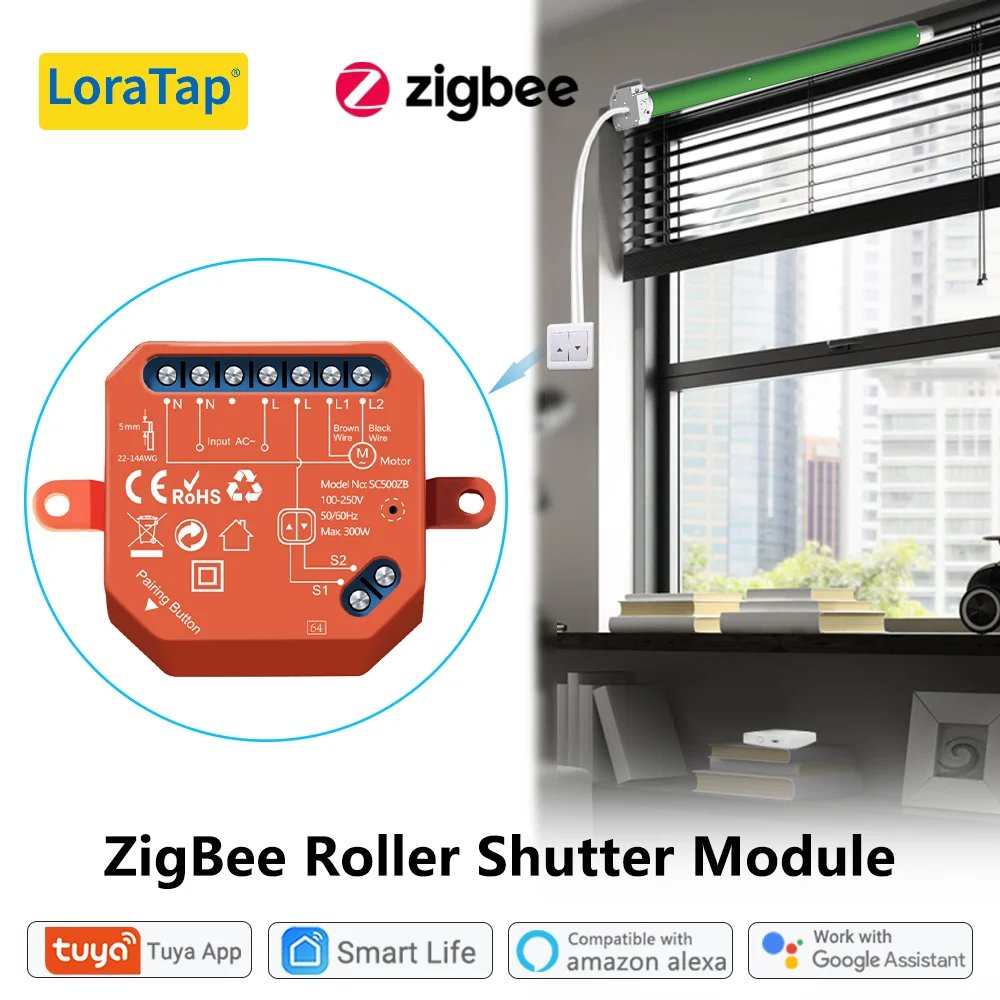


 woven trench
new log fille sent @austere patio
austere patio
woven trench
new log fille sent <@652580495892152331>
Nothing looks broken in the latest log, I'm seeing sensor updates and the radio is functional.