#zigbee-archived
1 messages · Page 190 of 1
 molten linden
 mighty river
from where should i get it?
molten linden
I don't know, you said originally you saw it needed a fw.
only place I know of for tuya fw is here
mighty river
on some forums i was there was information about upgrare avaliable but i dont know how they did it. and from where they had files
mighty river
all links i can find is this. but this is rubbish to me i cant understand what are they doing https://bytemeta.vip/repo/Koenkk/zigbee2mqtt/issues/10407
 median dome
Hello guys 🤠! Any advice on cheap switch relays, i mean if there really any big difference between such choices like can be found on ali. They looks very similar to each other. Brands like BlitzWolf, Moes, Girier. (Sonoff can see only 1gang)
 mellow geode
You probably want to download this: https://github.com/Koenkk/zigbee-OTA/blob/ade0ae239bb8e4e291f39a70002fe72d91e045c7/index.json#L1581
mighty river
where should i put this file?
mellow geode
In the zha_ota directory you configured
zha:
  zigpy_config:
    ota:
      otau_directory: /config/zigpy_ota
That's what you want in your configuration.yaml. Then, create a folder called zigpy_ota in your Home Assistant's config directory.
Put the file there, restart Home Assistant and trigger the update check again (and see what happens)
mellow geode
This is the direct link to the file: https://github.com/Koenkk/zigbee-OTA/raw/master/images/Telink/nas_wr01b_plug_OTA_1.0.10.bin
You'll need to put that in the zigpy_ota directory (or whatever you called it in your configuration.yaml).
mighty river
forget restarting thing
after restat i have this in logs
2022-05-12 23:14:37 INFO (MainThread) [zigpy.ota.provider] Trådfri: OTA provider enabled
2022-05-12 23:14:37 INFO (MainThread) [zigpy.ota.provider] Ledvance: OTA provider enabled
2022-05-12 23:14:37 DEBUG (SyncWorker_5) [zigpy.ota.provider] File '/config/zigpy_ota/index.json' doesn't appear to be a OTA image
File "/usr/local/lib/python3.9/site-packages/zigpy/ota/image.py", line 265, in parse_ota_image
File "/usr/local/lib/python3.9/site-packages/zigpy/ota/image.py", line 200, in deserialize
File "/usr/local/lib/python3.9/site-packages/zigpy/ota/image.py", line 111, in deserialize
File "/usr/local/lib/python3.9/site-packages/zigpy/ota/provider.py", line 432, in scan_image
File "/usr/local/lib/python3.9/site-packages/zigpy/ota/image.py", line 267, in parse_ota_image
File "/usr/local/lib/python3.9/site-packages/zigpy/ota/image.py", line 161, in deserialize
File "/usr/local/lib/python3.9/site-packages/zigpy/ota/image.py", line 111, in deserialize
2022-05-12 23:14:38 DEBUG (MainThread) [zigpy.ota.provider] Ledvance: Finished downloading firmware update list
2022-05-12 23:14:38 DEBUG (MainThread) [zigpy.ota.provider] Trådfri: Finished downloading firmware update list
molten linden
down load the bin file to the director not the index.json
mighty river
i did and i removed json file. but still zha considers this file not for my device
2022-05-12 23:18:03 DEBUG (SyncWorker_3) [zigpy.ota.provider] ImageKey(manufacturer_id=4417, image_type=54179): /config/zigpy_ota/nas_wr01b_plug_OTA_1.0.10.bin, version: 74, hw_ver: (None, None), OTA string: Telink OTA Sample Usage
2022-05-12 23:18:03 DEBUG (MainThread) [zigpy.ota.provider] Ledvance: Finished downloading firmware update list
2022-05-12 23:18:03 DEBUG (MainThread) [zigpy.ota.provider] Trådfri: Finished downloading firmware update list
2022-05-12 23:19:49 DEBUG (MainThread) [zigpy.zcl] [0x480E:1:0x0019] OTA query_next_image handler for '_TZ3000_gjnozsaz TS011F': field_control=FieldControl.0, manufacture_id=4417, image_type=54179, current_file_version=68, hardware_version=None, model=TS011F
2022-05-12 23:19:49 DEBUG (MainThread) [zigpy.zcl] [0x480E:1:0x0019] OTA image version: 74, size: 305986. Update needed: True
i sitll have image version 68 not 74
app_version (id: 0x0001)
68
oh my somethig is going on but i dont know is it good becouse i have so many "failed" information
2022-05-12 23:19:59 DEBUG (MainThread) [zigpy.zcl] [0x480E:1:0x0019] OTA image_block handler for '_TZ3000_gjnozsaz TS011F': field_control=FieldControl.MinimumBlockPeriod, manufacturer_id=4417, image_type=54179, file_version=74, file_offset=0, max_data_size=64, request_node_addr=Noneblock_request_delay=0
2022-05-12 23:19:59 DEBUG (MainThread) [zigpy.zcl] [0x480E:1:0x0019] OTA upgrade progress: 0.0
2022-05-12 23:19:59 DEBUG (MainThread) [zigpy.zcl] [0x480E:1:0x0019] Sending reply: image_block_response(status=<Status.SUCCESS: 0>, manufacturer_code=4417, image_type=54179, file_version=74, file_offset=0, image_data=b'\x1e\xf1\xee\x0b\x00\x018\x00\x00\x00A\x11\xa3\xd3J\x00\x00\x00\x02\x00Telink OTA Sample Us')
2022-05-12 23:20:03 DEBUG (MainThread) [zigpy.zcl] [0x480E:1:0x0019] OTA image_block handler for '_TZ3000_gjnozsaz TS011F': field_control=FieldControl.MinimumBlockPeriod, manufacturer_id=4417, image_type=54179, file_version=74, file_offset=40, max_data_size=64, request_node_addr=Noneblock_request_delay=0
2022-05-12 23:20:03 DEBUG (MainThread) [zigpy.zcl] [0x480E:1:0x0019] OTA upgrade progress: 0.0
2022-05-12 23:20:05 DEBUG (MainThread) [zigpy.zcl] [0x480E:1:0x0019] OTA image_block handler for '_TZ3000_gjnozsaz TS011F': field_control=FieldControl.MinimumBlockPeriod, manufacturer_id=4417, image_type=54179, file_version=74, file_offset=80, max_data_size=64, request_node_addr=Noneblock_request_delay=0
2022-05-12 23:20:05 DEBUG (MainThread) [zigpy.zcl] [0x480E:1:0x0019] OTA upgrade progress: 0.0
2022-05-12 23:20:05 DEBUG (MainThread) [zigpy.zcl] [0x480E:1:0x0019] OTA image_block handler for '_TZ3000_gjnozsaz TS011F': field_control=FieldControl.MinimumBlockPeriod, manufacturer_id=4417, image_type=54179, file_version=74, file_offset=80, max_data_size=64, request_node_addr=Noneblock_request_delay=0
mellow geode
Consider uploading your future logs to a site like https://dpaste.org, so Discord isn't spammed with this.
The last part with "OTA upgrade progress" looks good. Is it still doing that?
mighty river
i know becouse i am analfabet and read fied as failed... sorry
mellow geode
Well, the OTA progress seems to have started. So try to see if the percentage increases (new log messages).
mighty river
it is . but how did you find this ota file and how did you know it is for my device. becouse right now i have one other to upgrade. and cant find it in this index.json file.
in HA it is registered as _TZ3000_gbshwgag TS0001
mellow geode
Here, the image type (54179) and manufacturer id (4417) are sent when a device checks for an OTA update. I just searched the index.json for that image type and manufacturer id
So you need to execute the service call (or whatever you did to get that log entry) for the other device
mighty river
thank you very much !!! finaly i will be able to go one step further by my self 🙂
 austere patio
Instead of individually downloading files, you can also clone that entire repository. Zigpy will apply the correct OTA file to the appropriate device on its own.
It's automatic and there have been some issues with Tuya OTA in the past so I would check if any issues exist before doing so for any of your devices
But I think Z2M pulls bad OTA files pretty quickly
mighty river
i agree with you puddly. manualy is not faster but for sure is better becouse you know that you want this ota file.
 ancient sorrel
Any smart people inhere who have an idea what this could be? I cannot update my HA, tried 3-4 times with same error after, all zigbee devices offline after update, from HA Core 2022.3.1 to 2022.5.3 - this is the log: https://dpaste.org/Vg55P - i can restore again, and all is fine again
austere patio
ancient sorrel
Any smart people inhere who have an idea what this could be? I cannot update my ...
Can you upload your /config/zigbee.db file?
ancient sorrel
@austere patio yea here https://we.tl/t-uhlYlba0Wx
austere patio
ancient sorrel
<@652580495892152331> yea here https://we.tl/t-uhlYlba0Wx
Have you ever touched the file or otherwise opened it with another program?
ancient sorrel
@austere patio i dont think so, atleast i dont remember if i did .. is it corrupt?
austere patio
Not in the usual way
mighty river
Guys it worked. thank you very much for help. from now I think i will manage by my own.. Good luck
austere patio
Something changed the database version number to 29, it should be 7: PRAGMA user_version=7;. Do you have a macOS or Linux system with sqlite3 installed?
If so, run sqlite3 zigbee.db, paste that above command, and exit out of the shell. It should work fine after that.
ancient sorrel
Awesome, thank you. I have a mac i will try this later, hope it will work 🙂
austere patio
You likely have a startup warning complaining about the zigpy database version being larger than expected and that downgrades may result in data loss (or something like that)
mighty river
@austere patio i have one more qiestion. there is atribute current_summ_delivered (id: 0x0000) that is not refreshed automaticly only when i go to atributes and refresh it manualy. how can i change it to automatic?
 ashen belfry
I have a Conbee II for my Home Assistant Install. I'm trying to pair Graywind blinds with a zigbee motor using deCONZ and when I put them into pairing mode deCONZ does not pick up the blinds as sensors or lights. Any ideas?
Or any docs/videos I can learn how to troubleshoot this type of issue? New to zigbee
 uneven ruin
how far from the controller are the blinds, are they able to reach?
ashen belfry
uneven ruin
how far from the controller are the blinds, are they able to reach?
I moved the conbee within probably 15 feet direct line of sight
ashen belfry
This has to be it in deconz, im just not sure how to have it show up as a device because it does not show up in phoscon
So even though it says it didn't pair it looks like it did?
Yea blinds work in deCONZ! Now how to bring this into HA from deCONZ, it was automatic when using phoscon...
mellow geode
austere patio
Instead of individually downloading files, you can also clone that entire reposi...
Not sure if the GLEDOPTO images ever made it into the repo, but if you have some GLEDOPTO (Pro) devices, ZHA/zigpy will send the wrong files. (Same image type and manufacturer id on completely different hardware)
Z2M also checks the reported Zigbee model for those devices
ashen belfry
uneven ruin
yeah that should be fine
I got both blinds to connect, weird it doesn't show in Phoscon, but in deCONZ it shows up and they're communicating back and forth. Do you know how to get a device if its in deCONZ pulled into HA as a device? Like in the screenshot above
ashen belfry
Im guessing these two are the blinds, showing up as "unknown devices" https://imgur.com/a/yEY7FFl
I'm able to control the blinds when going into deconz
 chilly canyon
is there a better alternative to Zigbee for low-power stuff?
or maybe some recommendations for temp sensors that aren't trash. Xiaomi/Aquara seem to turn up a ton of problems when I search for them becoming "unavailable" all the time
ashen belfry
chilly canyon
or maybe some recommendations for temp sensors that aren't trash. Xiaomi/Aquara ...
Probably a range issue, try getting an aqara plug in between to extend the range of the network
I believe you need to then "re-pair" the temp sensor so it can discover/use the new router(smart plug)
Now I uninstalled Deconz to try and get ZHA to work, but it "fails to probe" the conbee II for some reason...
chilly canyon
you have made a grave mistake 😄
it connects out to my thermostat (20 feet away) just fine every time, but not even a single temp sensor that's 3 feet away
ashen belfry
Ohh ok I actually had the battery pin on my aqara sensor bent badly and it caused not to have good contact on the sensor
I bent the pin more aggressively and it worked the entire time now
I'm confident that is the issue then 🙂
uneven ruin
chilly canyon
or maybe some recommendations for temp sensors that aren't trash. Xiaomi/Aquara ...
the issue with aquara is they pair to the first thing they see. Even if thats a horrible connection. So you should pair through a device that will work.
all my aquara stuff works fine without going offline anymore since I made sure they pair to good devices
 near echo
ashen belfry
Now I uninstalled Deconz to try and get ZHA to work, but it "fails to probe" the...
near echo
ashen belfry
Now I uninstalled Deconz to try and get ZHA to work, but it "fails to probe" the...
You can just leave it as it is the zigbee will heal itself. That's why there is a mesh.
ashen belfry
near echo
You can just leave it as it is the zigbee will heal itself. That's why there is ...
Im deep into a rabbit hole now, deconz didn't support the blinds so now im off to zigbee2mqtt
near echo
ashen belfry
Im deep into a rabbit hole now, deconz didn't support the blinds so now im off t...
Yep z2m is even better imo since you are not dependent on HA.
ashen belfry
Installing it on HA but seem to have an issue starting... troubleshooting it now
ashen belfry
Yea, I have a portainer server, I'm just not sure how to add the required configuration.yaml in portainer outside of a docker-compose file
ashen belfry
near echo
I would recommend installing z2m as a seprate docker container.
Installed it as an external container.... need to bring sensors into home assistant now
near echo
As long as z2m connects to the same mqtt which ha uses. They should already be available
ashen belfry
it spun up its own MQTT server as part of the docker compose looking into it now
I should just specify the mqtt broker running on home assistant already instead of letting it make its own I guess
ashen belfry
Yup, got it up and running in HA now easy enough
Deconz didn't work, then I tried ZHA, didn't work reliably, now this lol... hopefully get this finished up now
Curious how the control devices are going to work
Oh... it just... works.
Wow wtf was I doing before, zigbee2mqtt is the way to go
 crude otter
i havent tried yet.. been using ZHA without issue
if it gives me trouble, i will try Z2M
ashen belfry
For some reason ZHA was giving me a lot of inconsistency with my Aqara plug which I use as a router mostly. Z2M has fixed that I am able to move it even further away than before weirdly enough with no issues
uneven ruin
probably due to being on a different default channel
 covert matrix
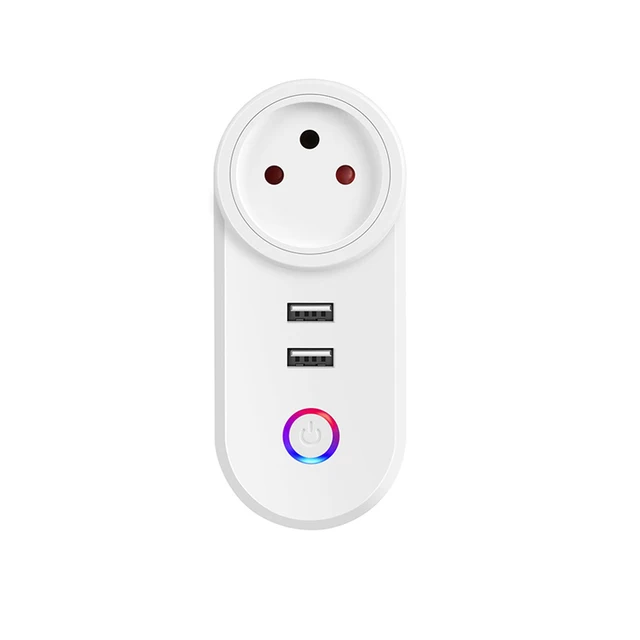
Hey Guys , any advice on plug with power monitoring that works with z2m ? need this socket type : https://ae01.alicdn.com/kf/H034c9f9ec8814231959e920df5ab4960F/Tuya-Smart-Life-Zigbee-Israel-Plug-APP-Wireless-Control-Tuya-Zigbee-3-0-IL-Socket-Alexa.jpg_640x640.jpg
type-m outlet
 dreamy walrus
zigbee2mqtt setup
 noble lion
Hi all! running z2mqtt 1.18.1-1 and recently it seems to have stopped using routers, can only see very local devices.. Any clues/ tips?
noble lion
I reverted after issues started but in-for-a-penny....
 sour shadow
I know 1.25 has been iffy for some, but 1.24 should be fine
noble lion
sorry to ask a possibly daft question but: How do Up upgrade to a specific version?
sour shadow
Depends on how you run really
Docker is easy, add-ons are as far as I know impossible
noble lion
add-on 😦
sour shadow
Then stick, and maybe power cycle your routers
noble lion
hhmmm.. tradfri plus/routers seem to be the / related to the promblem.
I have a light working as a router after powercycling hi
sour shadow
Yeah, the Tradfri bulbs have a firmware bug that causes that
noble lion
My machine is an a dark corner, wondering if I've slipped into a USB3 port without noticing.. Things working MUCH better now I have one bulb switched on (not ikea), my zigbee network seems to be hanging off this on router!
noble lion
Oops - yep, USB3!! Muppet!
So far so sorted...
 random shell
hi, would i be able to use a tasmota flashed gateway like https://zigbee.blakadder.com/Sonoff_ZBBridge.html or https://templates.blakadder.com/ewelink_ZB-GW03 with zha or zigbee2mqtt ?
sour shadow
The ZBBridge is terrible
random shell
sour shadow
The ZBBridge is terrible
sure, sonoff is bad 🙂
i just wonder about compatibility of that gateways. ewelink zb-gw03 looks so much better due to usb-c
sour shadow
https://www.tubeszb.com/shop/coordinators/2 would be my recommendation
Some of the devices in https://github.com/Koenkk/zigbee-herdsman/issues/319#issuecomment-789757269 can use wired networking
random shell
sour shadow
It looks like maybe that EweLink device will work - see <https://community.home-...
thanks, placed an order for zb-gw03 from ali, should arrive in a month 🙂 gonna see whatever comes first for me to use
 lament birch
I've got a 2-gang Zigbee switch hooked up to Zigbee2MQTT, and I'm trying to get it into Home Assistant using the MQTT integration.
My configuration is:
  - name: "Home Exhaust"
    platform: "mqtt"
    state_topic: "z2m/main/bathroom"
    availability_topic: "z2m/bridge/state"
    command_topic: "z2m/main/bathroom/set"
    value_template: "{{ value_json.state_l2 }}"
But is there a way to set a command_template? How do I specify, in JSON, that it needs to set the command to be { "state_l2": "ON" } for on? There's payload_on and payload_off, and if I put those in as a string, it technically controls it, but then the icon doesn't change, and it doesn't work as a "toggle".
Basically I have one state topic for two devices, because it's a two-gang switch, and it publishes the state for both in one topic. (https://www.zigbee2mqtt.io/devices/TS0002_switch_module.html#tuya-ts0002_switch_module)
sour shadow
I'd suggest you get it to publish the discovery payload so you can use that as a template to create it manually
lament birch
Ohhh, I'm with you.
sour shadow
I mean, if you're going to enable hard mode you may as well make it easy on yourself
lament birch
That did make it easier! The docs for the device on Z2M were lacking a critical piece that was found by using the discovery topic.
sour shadow
In the early days the docs had the YAML required for manually creating HA entities, but it kinda got abandoned a while back as it become unwieldy - particularly as there's no good reason to not use Discovery
lament birch
Totally fair—at this point my rate of adding devices has slowed, and with a couple of kids running around, the time to add a device via YAML vs the time I'd spend reconfiguring everything without my existing config is likely a bit of a wash 😅
Appreciate the help! 🙏
 elder tinsel
Sigbee network over 100 ft. That ties in with main network/mesh what is the best solution. First step I am thinking is a tubes Poe coordinator but what can extend it to those differences
Distances
sour shadow
Well, you can't extend the mesh that far. You could run a second mesh though
sour shadow
Well, you'd either need to run Zigbee2MQTT for it, or a second HA instance
It's easy to run multiple Z2M instances though
elder tinsel
Ok so for primary is the Poe tubes good for zigbee2mqtt. As it’s a IP address vs usb
I have done no homework just brain storming
So I would end up with 4 different meshes or instances
sour shadow
Tube's coordinators are a good choice - get one of the PoE ones and you'll be sorted
elder tinsel
Last question does the main allow for mutiplr coordinators or they act independently and talk to the broker
sour shadow
They'd all be entirely separate - simply using the broker to talk to HA
Of course, if these are far apart, don't worry about the channel, just keep the base_topic different
elder tinsel
That’s what I thought so need pies for each

 sour shadow

 frigid cave
any idea why everytime i boot ubuntu it opens two copies of deconz now? :p
uneven ruin
its punishing you for running deconz?
frigid cave
what else would i run with conbee?
sour shadow
ZHA?
frigid cave
guess its worth a shot
frigid cave
ok all converted heh
ashen belfry
Zigbee2mqtt has been amazing
I guess it’s technically more advanced but it’s been the best for me out of the 3 can’t recommend it enough
 terse crystal
man, these Ikea Tradfri buttons are sent to test me
they seem to flat out just not work
recognises them when adding to ZHA but just stuck at Initilizing
attempting to reconfigure an existing and paired button I see lots of errors like this
2022-05-14 10:16:57 DEBUG (MainThread) [homeassistant.components.zha.core.channels.base] [0x52B0:1:0x0001]: Failed to bind 'power' cluster:
 worthy wedge
I'm having trouble pairing new device to my zigbee controler .. CC2652 Z-Stack 3.30+ Build 20211217 ; its an Aqara E1 window/door sensor. I had this problem a while back, even tho I have 2-3x of the same sensor... I just can't seem to pair another new one.. and I tried a 2nd unit as well. Any ideas ? Do I need to update firmware?
using ZHA
Service zha.permit ; qr_code ... what does this mean ? how does a yaml look like for this
because this aqara device does have a qr code
molten linden
The 20211217 build has the workaround for the aqara E1 sensors. They should work. The QR code is for zigbee 3.0 secure joins.
 native prairie
Well, I have now installed HAOS directly on the ssd it finally works
worthy wedge
is this some sort of bug or error in ZHA ? Texas Instruments CC1352/CC2652, Z-Stack 3.30+ (build 20220219)
Texas Instruments
CC1352/CC2652, Z-Stack 3.30+ (build 20220219)
—
Zigbee Home Automation
—
—
unk_manufacturer unk_model
unk_manufacturer
unk_model ; I get 2 coordinators but I only obviously have 1 coordinator attached... whats this unknown ? and in the visualization I see nodes going to ti
it*
molten linden
Did you migrate from another coordinator?
worthy wedge
No, its the same coordinator I just did a firmware update
because I couldn't connect the Aqara sensors I figured an update might fix it
molten linden
The coordinator showing as unk_manufacturer happens sometimes at least I’ve seen it.
worthy wedge
the odd thing is they have different IEEE ; connected via the exact same Texas Instruments CC1352/CC2652, Z-Stack 3.30+ (build 20220219)
molten linden
That’s what I was going to ask next was about the IEEE if they were same or different. Not sure why an update would change the IEEE need @austere patio ‘s insight on this.
worthy wedge
maybe tahts why pairing isn't working
when I click on Add I wonder which coordinator its using to connect
its like there is 0 output I have no idea what to even troubleshoot
austere patio
There haven't been any changes to ZNP recently, especially ones that would cause the IEEE to change (not really possible without erasing the network entirely)
Enable ZHA debug logging and post a log of this happening
 obsidian sandalBOT
@worthy wedge posted a code wall, it is moved here --> https://hastebin.com/uvekalejuz
austere patio
The entire /config/home-assistant.log file is fine
Upload your /config/zigbee.db file as well
worthy wedge
there is also a home--assistant.log.1
home-assistant.log.1 ; ignore that ? just home-assistant.log and zigbee.db
austere patio
Yep
worthy wedge
roger ok I have it... so just here ? and dumb question there isn't anything sensitive for me to worry about right
austere patio
There is
It'll have location info if you have that enabled, person info, just about everything. If you want, PM it to me (after letting ZHA run for a bit and you try to join a sensor)
worthy wedge
honestly I wouldn't be anywhere I am today without the community ; to anyone else who uses the search function to find issues ; I've sent the logs privately to puddly. When I do get to the bottom of this I will place the solution here publicly.
 wary harbor
some devices have a range test, how can I use it to check if the device is in range? I'm using the tubeszb controller and ZHA integration.
 granite hazel
So much red is this bad? Devices seem to pair fast and keep connection but seeing all red lines in visualizer. I have added a bunch of plugs as routers/build a path but doesn't seem to help much as far as the red.
terse crystal
if I take a button out of range...will it immediately reconnect when back in range and pressed to trigger an automation?
or will it freak out if it periodically wakes and can't connect to its network?
I'm wondering if I can use a zigbee button as a garage door remote
I already have the door automated
and the button action works fine
terse crystal
guess there is only one way to find out
 solid rose
it will reconnect, but not instantaneously. I will take time. Once I've just unplugged a zigbee power plug (no removing) and few minutes after then my button wasn't working, finally it reconnected itself to another node
terse crystal
right
well, I'll be out later and see what it does when I get back
works fine at the moment if I press it the garage door goes either up or down
terse crystal
just looked at this and thought...thats what I need
but, he is in Russia
taking a break for a bit
LOL
crude otter
is that an e-ink display?
in any event, good luck getting anything out of Russia lol
near echo
terse crystal
or will it freak out if it periodically wakes and can't connect to its network?
usually when within the range the first action would be 'device_announced' - you can check it in the z2m logs. usually the first click of the button in your case should do the job. then its business as usual
near echo
sure at your convenience
terse crystal
will have a quick look
info 2022-05-14 17:51:45: MQTT publish: topic 'zigbee2mqtt/Tradfri - Button - 2', payload '{"action":null,"battery":87,"linkquality":58,"update":{"state":null},"update_available":null}'
info 2022-05-14 17:51:46: MQTT publish: topic 'zigbee2mqtt/Tradfri - Button - 2', payload '{"action":"on","battery":87,"linkquality":61,"update":{"state":null},"update_available":null}'
info 2022-05-14 17:51:46: MQTT publish: topic 'zigbee2mqtt/Tradfri - Button - 2', payload '{"action":"","battery":87,"linkquality":61,"update":{"state":null},"update_available":null}'
info 2022-05-14 17:51:46: MQTT publish: topic 'zigbee2mqtt/Tradfri - Button - 2/action', payload 'on'
this was about the time
I mashed the button a bunch of times which can be seen
so, it looks like it received
crude otter
Anyone who is knowledgable with Zigbee able to cast an eye on this? https://github.com/zigpy/zha-device-handlers/issues/1551
mellow geode
granite hazel
So much red is this bad? Devices seem to pair fast and keep connection but seein...
Red is probably fine. The LQI — especially on TI coordinators and other devices — is calculated weirdly. If your Zigbee network works fine, then don’t worry about it
crude otter
i always wondered about that
my zigbee network is pretty robust, but i have red lines etc too
also, when you see battery devices that are not connected in the visualiser.. but if you open/close the door or whatever, they obviously connect/work
wary harbor
some devices have a range test, how can I use it to check if the device is in range? I'm using the tubeszb controller and ZHA integration.
near echo
terse crystal
info 2022-05-14 17:51:45: MQTT publish: topic 'zigbee2mqtt/Tradfri - Button - 2...
Good. So you ha's automation should work based on the actions you may have written
granite hazel
mellow geode
Red is probably fine. The LQI — especially on TI coordinators and other devices ...
Great thank you sir!
 fickle hamlet
I have many problems with my Raspbee 2 and the phoscon web app. I can’t setup any new devices. I just doesn’t find them. I already tested if it’s the gateway by deleting my Homeassistant and creating a Pi os lite with only phoscon installed. And it worked! Can someone please help me?
 obtuse fern
So my sonoff dongle arrived, was about time I upgraded from the CC2531
so new dongle means repairing all in ZHA and updating my automations, I suppose?
any shortcut?
import export of some sort?
and should i bite the bulliet and go immediately for zigbee2mqtt?
any advice or experiencess are appreciated
austere patio
obtuse fern
So my sonoff dongle arrived, was about time I upgraded from the CC2531
so new do...
You can migrate between sticks https://github.com/zigpy/zigpy-znp/blob/dev/TOOLS.md#network-backup
 robust forum
Anyone know why Aqara contact sensors have a yellow/orange blinking '%' in Zigbee2MQTT (the % is where the battery icon is on the other sensors). The other sensors - Sonoff contact sensor, Sonoff Temperature sensor, Sonoff Motion sensor - show a full battery there.
Brand new Aqara contact sensor right out of the box, btw.
robust forum
nvm, (or rather, FYI) - the system fixed itself after being left alone for a while (installed at around 5pm eastern, it's now 6:24pm eastern). Maybe the sensor needed time to calibrate the battery?? If anyone knows more, please let me know.
crude otter
obtuse fern
So my sonoff dongle arrived, was about time I upgraded from the CC2531
so new do...
Zigbee 3.0 Dongle Plus?
native prairie
I do have the same Tuya motion sensor, and it was working fine before the most resent update, including the change of sensitivity, however now it shows up as unsupported. Did you find a solution?
 sharp granite
Anyone with recommendations for a zigbee based temp/humidity logger? Need something with memory that can store then upload when back in range
 hazy edge
native prairie
I do have the same Tuya motion sensor, and it was working fine before the most r...
hazy edge
native prairie
I do have the same Tuya motion sensor, and it was working fine before the most r...
I've switched over to Zigbee2MQTT and it's actually better than ZHA in terms of identifying the features on device. However, the sensitivity settings don't seem to work. Low, medium, or high, they all seem to trigger at the same range, which is about 3-4ft away. I prefer Zigbee2MQTT since pairing doesn't get stuck like it does sometimes with ZHA
native prairie
I'm on z2m and as said the sensor was working fine before the most resent update, but since then it shows unsupported
meaning I can't even use it
hazy edge
when you say recent update, are you talking about HA, or zigbee2mqtt platform?
or mosquitto
native prairie
HA
hazy edge
hmm i'm using all docker instances for each of those services and 2022.5.3 for HA
native prairie
I have HA installed as OS
I did before run on linux in docker, maybe that why it's not working anymore...funny part is, I have a sonoff sensor as well, which didn't work before but does now
I guess I will try to get my hands on some of the new aqara P1 sensors
Warning Received message from unsupported device with Zigbee model 'TS0202' and manufacturer name '_TZ3000_mcxw5ehu'
Warning Please see: https://www.zigbee2mqtt.io/how_tos/how_to_support_new_devices.html.
these are the warnings I get
hazy edge
ohh interesting i have a slightly different model
native prairie
oh i have ts
hazy edge
https://www.zigbee2mqtt.io/devices/ZM-35H-Q.html#tuya-zm-35h-q that's what i have, identified as TS0202 _TZ3000_msl6wxk9
_msl6wxk9 variant
does yours come with a lux meter?
native prairie
no
hazy edge
yea that's quite strange that HA says it's unsupported since the device is managed by Z2M and messaged goes through mosquito.
native prairie
yep, and it was working fine a couple of weeks ago
actually it is Z2M that says unsupported
and with that it does not show up in the entities in HA
hazy edge
have you tried removing and repairing? i know sometimes the device will auto reconnect and not paired fully
that's the only time i've had issues with z2m
native prairie
yes done that a few times
hazy edge
so i end up taking the batter out, remove the device on z2m then restart the service
native prairie
also factory reset and took battery out for a day
hazy edge
that's really odd
native prairie
yeah
native prairie
https://www.zigbee2mqtt.io/advanced/support-new-devices/01_support_new_devices.html#instructions tried this, but my skills seemed to be not good enough to get this done 🤣
[{}],,,,, all I see it trees
fickle hamlet
I have many problems with my Raspbee 2 and the phoscon web app. I can’t setup any new devices. I just doesn’t find them. I already tested if it’s the gateway by deleting my Homeassistant and creating a Pi os lite with only phoscon installed. And it worked! Can someone please help me?
solid rose
has any ZHA quirk expert idea how to handle case when one ZCL frame includes two attributes? Eg ZCL frame: b'\x09\x62\x02\x00\x29\x01\x01\x00\x01\x00\x05\x02\x00\x04\x00\x00\x00\x07' with \x01\x01\x00\x01\x00\ and \x05\x02\x00\x04\x00\x00\x00\x07 Currently the second one is ignored, but I need to get those data.
 cerulean abyss
Hmm rather advanced, but I have a zigbee door sensor that drains battery like hell (eg coin cell per night), don’t currently use it on anything but wonder if a reflash could help. It’s a TYZS2 chip but I can’t seem to find any firmware on the internet
sharp granite
cerulean abyss
Hmm rather advanced, but I have a zigbee door sensor that drains battery like he...
Had something similar but was false battery levels, ‘drained’ from 100% to 11% overnight…. But it’s still at ‘11%’ a fortnight later. Think the battery reading is not reliable, any chance similar issue?
cerulean abyss
sharp granite
Had something similar but was false battery levels, ‘drained’ from 100% to 11% o...
No I measured the voltage of the 2032 battery. 3v in the evening, 2.2v by morning
It’s sucking like hell
worthy wedge
Hey guys in zigbee2mqtt there is a drop down on the top right where it says allow pairing ; with like 3 line items alpha numeric codes... what are those ? are they devices like in process to be connected or something ?
 young thorn
I am trying to get some sengled zigbee lights to work. I have three (two color and a white). When I use the HubZ Smart Home Controller integration all three were found but the color bulbs were not identified as lights and are uncontrollable. The white bulb works as expected. What do I need to do?
worthy wedge
try repairing
always when something doesn't work.. thats what i continuously do
until it works
sometimes its like 3-4x times
young thorn
Where is the repair command?
worthy wedge
look at the device manual and see how to reset to pairing
the software repair or rejoin stuff has never worked for me
austere patio
solid rose
has any ZHA quirk expert idea how to handle case when one ZCL frame includes two...
What cluster is this being sent to? Can you post the whole Received ZCL frame debug line?
solid rose
austere patio
What cluster is this being sent to? Can you post the whole `Received ZCL frame` ...
I've inherited the TuyaMCUCluster. Currently I'm doing debug in zigpy/zcl I'll posted log after this debug session
austere patio
Ah, Tuya
solid rose
@austere patio is zigbee standard that inside one ZCL frame are published 2 attributes or is it just another tuya speciality?
austere patio
No, it's normal to have multiple attribute reports in one frame
solid rose
Hmmmm the odschool tuya manufucturer cluster is even worse, it assigned the value \x07 to both \x01 and \x05 attributes
but I'll do it in the new one
I found an old log
2022-05-15 07:00:23 DEBUG (MainThread) [zigpy.zcl] [0x2F34:1:0xef00] Received ZCL frame: b'\x09\x7B\x02\x01\x0F\x01\x01\x00\x01\x01\x05\x02\x00\x04\x00\x00\x00\x07'
2022-05-15 07:00:23 DEBUG (MainThread) [zigpy.zcl] [0x2F34:1:0xef00] Decoded ZCL frame header: ZCLHeader(frame_control=FrameControl(frame_type=<FrameType.CLUSTER_COMMAND: 1>, is_manufacturer_specific=0, is_reply=1, disable_default_response=0, reserved=0, *is_cluster=True, *is_general=False), tsn=123, command_id=2, *is_reply=True)
2022-05-15 07:00:23 DEBUG (MainThread) [zigpy.zcl] [0x2F34:1:0xef00] Decoded ZCL frame: TuyaWaterValveManufCluster:set_data_response(data=TuyaCommand(status=1, tsn=15, dp=1, data=TuyaData(dp_type=<TuyaDPType.BOOL: 1>, function=0, raw=b'\x01', *payload=<Bool.true: 1>)))
2022-05-15 07:00:23 WARNING (MainThread) [zigpy.zcl] [0x2F34:1:0xef00] Data remains after deserializing ZCL frame: b'\x05\x02\x00\x04\x00\x00\x00\x07'
2022-05-15 07:00:23 DEBUG (MainThread) [zigpy.zcl] [0x2F34:1:0xef00] Received command 0x02 (TSN 123): set_data_response(data=TuyaCommand(status=1, tsn=15, dp=1, data=TuyaData(dp_type=<TuyaDPType.BOOL: 1>, function=0, raw=b'\x01', *payload=<Bool.true: 1>)))
Yes, that one 😉
austere patio
solid rose
I found an old log
```
2022-05-15 07:00:23 DEBUG (MainThread) [zigpy.zcl] [0x2F3...
This is all unfortunately Tuya's proprietary protocol, it's not something I know much about. Maybe open a draft PR with your changes and ask someone involved with Tuya reverse engineering for help?
solid rose
@austere patio I could narrow it to following structure:
class TuyaCommand(t.Struct):
    """Tuya manufacturer cluster command."""

    status: t.uint8_t
    tsn: t.uint8_t
    dp: t.uint8_t
    data: TuyaData
The zigpy zcl deserialiser ends after extracting TuyaData from the zcl frame which is \x00\x01\x01. The rest is left there for warning.
 wide grotto
Anyone who has integrated a zigbee lock who can help me?
I'm having the problem that its connected to deconz but wont show up in HA as a device.
sour shadow
Does it show up as a lock entity?
wide grotto
sour shadow
Does it show up as a `lock` entity?
Yes
sour shadow
Then what's the problem?
You can use the lock service calls on it, like any other lock entity, and use state triggers and conditions
wide grotto
sour shadow
Then what's the problem?
the problem is that im a noob. I can see the lock in deconz, but not in HA.
sour shadow
So... when you said it shows up as a lock entity, you didn't understand the question
Look in  -> States in HA
wide grotto
it dont show up there :/
sour shadow
It's possible the folks on the deCONZ Discord will understand why it's not showing up in HA
obsidian sandalBOT
deCONZ by dresden elektronik is a software that communicates with ConBee/RaspBee Zigbee gateways and exposes Zigbee devices that are connected to the gateway. Our #zigbee-archived channel is a good place to ask about using it with Home Assistant, but they also have their own Discord server.
Command '~deconz' was invoked by: Tinkerer
wide grotto
sour shadow
It's possible the folks on the deCONZ Discord will understand why it's not showi...
thank you i will try that.
mighty river
can any one can hel[e me with finding OTA file fort this zigbee switch? https://pl.aliexpress.com/item/1005001470427730.html?spm=a2g0o.productlist.0.0.15e81634p8zkPw&algo_pvid=b0feda78-1db9-46af-b077-9eadf6993a13&algo_exp_id=b0feda78-1db9-46af-b077-9eadf6993a13-20&pdp_ext_f={"sku_id"%3A"12000016290125532"}&pdp_npi=2%40dis!PLN!!109.41!!!!!%402100bdf116526178801687505e449d!12000016290125532!sea
where can i find firmware update for it? it reports as
'_TZ3000_gbshwgag TS0001': field_control=FieldControl.0, manufacture_id=4098, image_type=5634, current_file_version=71, hardware_version=None, model=TS0001
crude otter
obtuse fern
Yes, that one 😉
Once you setup your ZigBee network, take a backup of the nvram.
 rigid walrus
does anyone know how to migrate a ZHA network from a Raspbee II coordinator to a Sonoff dongle? I'm migrating from a Rpi 4 to an HP think client so I have to abandon the Raspbee II. There are some references to an open source backup standard but I cannot find anything that migrates from Raspbee II to Sonoff...
austere patio
rigid walrus
does anyone know how to migrate a ZHA network from a Raspbee II coordinator to a...
mighty river
can any one point me where can i get OTA files for tuya KT series 1/2/3 gang switches
 torpid rock
Is there a way to send a ping over zigbee to check if a device is alive?
I live in an area that gets power outages not too infrequently, and I have a zigbee button that acts as a creek flooding detection system but every time the power goes out that button stops reporting the battery level.
molten linden
you can try to read an attribute
for battery devices you'd need to wake them for them to respond
mains powered should respond right away.
basic cluster > manufacturer is pretty safe to read and should be there most of the time
torpid rock
It’s battery, it’s an aqara button
molten linden
trigger it right after you send the read attirbute
torpid rock
Okay, I was just hoping there was a way I wouldn’t have to climb down the bank in the rain, I’ve been getting an earful ever since I was caught doing so as the way to fix it, lol
Mind you, I am the best swimmer in the household and I used to be a lifeguard, so I don’t see why it is a concern…
molten linden
battery device sleep pretty much most of time so no really way to ping them unless awake
torpid rock
Yeah. It should be awake, and usually I fix it by just giving it an input from the float switch I wired into it.
austere patio
torpid rock
It’s battery, it’s an aqara button
Aqara devices check in every 40-50 minutes, no matter what, so if their "last seen" time is more than 50 minutes ago, the device is likely dead.
 spark star
I have an Aqara P1 motion detector. It pairs fine but it only reports diagnostics and doesn't register any sensors.
torpid rock
Well the device is battery powered and every time it’s fixed by just triggering a hardware button press on it.
So I am confident it is not dead, just not reporting in after a down network…
spark star
How can I get my motion detector to report motion?
austere patio
spark star
I have an Aqara P1 motion detector. It pairs fine but it only reports diagnosti...
The Aqara P1 sensor was intentionally designed by Aqara to be useless without an Aqara hub so you'll have to wait for a quirk to be written for it: https://github.com/zigpy/zha-device-handlers/pull/1541
crude otter
is the P1 that new presence detection thing?
oh no, thats the FP1
does the P1 really not fire of zha events?
granite hazel
Anyone run Enbrighten switches with aqara sensors on zha? Want to make sure they will play nicely together and not drop each other off the network.
torpid rock
spark star
How can I get my motion detector to report motion?
Try the event listener in the dev tools, the event is “zha_event”
Start listening and then do things you know will trigger it.
If that works and you need it as a sensor, there’s an EventSensor integration that is a bit fiddly but works well once you have it filled out properly.
mighty river
can any one help me find OTA file for tuya 1/2/3 gang switch. it reports in ZHA like this
'_TZ3000_gbshwgag TS0001': field_control=FieldControl.0, manufacture_id=4098, image_type=5634, current_file_version=71, hardware_version=None, model=TS0001
 quaint schooner
hi,
I'm currently trying to get a RGB light bar from Lidl working ("LIVARNO LUX®️ Lichtleiste")
I have the problem, that, as soon as I change the brightness, the white LEDs wont ever shut off. So the color is washed out when I change back to color. If I don't change brightness, it works. (It can be reseted by replugging it)
My current suspicion is, it has the same problem that the normal rgbcct bulbs from lidl have.
That means it should be sufficient to make them use this quirk: https://github.com/zigpy/zha-device-handlers/blob/dev/zhaquirks/lidl/rgbcct.py
now here is my problem:
I don't know much about how to make quirks. I have 1 custom quirk already that work (for another device)
but I cant figure out how to make this device use the quirk. I copied it and replaced the sigature, but it is not using it.
I used the quirk from the link above and replaced the signature with the one copied from the device. Is there anything I have to change when I copy it?
quaint schooner
quaint schooner
hi,
I'm currently trying to get a RGB light bar from Lidl working ("LIVARNO LUX...
I found out that the sigature dos't macht using 'assert_signature_matches_quirk' but I don't know how I can find out, what part doesn't match. (It just gives me a assertion error)
random shell
talking about zigbee - would water be a problem? https://www.zigbee2mqtt.io/devices/SJCGQ11LM.html if use something like that to track if some place gets flooded or not (flooded as in few feet high). not sure if it is gonna float
or maybe i could just tape it to the wall or something
sour shadow
You can connect wires to the terminals and stick it above the likely flood zone
obsidian sandalBOT
@quaint schooner posted a code wall, it is moved here --> https://hastebin.com/ehalafawam
@quaint schooner Rule #6: Spam will not be tolerated, including but not limited to: self-promotion, flooding, text walls (longer than 15 lines) and unapproved bots.
Please take the time now to review all of the rules and references in #rules.
For sharing code or logs use https://dpaste.org/ (pick YAML for the language) or https://www.codepile.net/ (pick YAML for the language).
Command '~rule6' was invoked by: Tinkerer
 twin cargo
Hi, I have an issue with ZHA, not sure if this is the best place to ask so if you cannot help me I would appreciate it if, you could point me in the right direction.
I am on the latest HA version (2022.5.4) using a Sonoff Zigbee Bridge flashed with Tasmota firmware.
A week ago I mistakenly upgraded the firmware on my Tasmota making a mess out of everything, I have managed to revert back after a few hours and the need to re-pair all my 80+ devices. Everything seemed to be back to normal in HA, however now, randomly, in the timeframe of a few hours, some of the lights will now turn on at random.
I know it's not an automation turning them on because I only use light groups for automation, and it never happens that the whole group will turn on, just one individual light. Additionally, that one light will turn on, but its brightness and colour will be random.
Any idea on how I could debug what is going on?
 tropic depot
turn on ZHA debug logging and post logs on a sharing site from when it happens
and link them here
but we will need full debug logs to determine what is up
twin cargo
Hi thanks, I have done so just now and will report back when it happens
wary harbor
anybody tried the new aqara p1 motion sensor? i'm not able to put it in pairing mode by holding its button, any ideas?
wary harbor
@tropic depot does it blink?
wary harbor
tropic depot
how long are you holding it?
didn't count, but more than 5 secs
when I replace the batteries, it blinks blue once
wary harbor
ok, i'll try again
just held the button for more than 60secs and nothing, is it defective?
so i tried with another one (I bought two) and it works, I guess the other one is defective which is weird
since it blink when replacing batteries
tropic depot
did you get the battery cage back in correctly
it's a huge PITA to get that thing out and back in correctly
wary harbor
tropic depot
did you get the battery cage back in correctly
yeah since when I insert the cage in, it blinks
meaning it should be in fine
tropic depot
doesn't mean it's staying in place correctly
wary harbor
hmm, i'll try opening it up again
tropic depot
yes the support for the device isn't launched yet
it's still being developed (by me)
It will be in the next major release of HA
wary harbor
oh nice, so in its current support, no motion can be detected? I don't see entities for that
tropic depot
correct... the device is super non spec compliant
all functionality is on the mfg cluster
there is a quirk up in draft that you can run locally if you want and don't want to wait for it to be finished
motion and lux are working
spark star
austere patio
The Aqara P1 sensor was intentionally designed by Aqara to be useless without an...
Thank you!
spark star
torpid rock
Try the event listener in the dev tools, the event is “zha_event”
I will give that a try, thank you.
torpid rock
random shell
talking about zigbee - would water be a problem? https://www.zigbee2mqtt.io/devi...
If you’re technically inclined you can solder the leads from a float switch into the button leads inside a zigbee button. I used https://www.amazon.com/dp/B072QCHQ2P?ref=ppx_pop_mob_ap_share and https://www.amazon.com/dp/B07D19YXND?ref=ppx_pop_mob_ap_share and then ran any triggers off of the “hold” zha_event
twin cargo
tropic depot
but we will need full debug logs to determine what is up
Here is the log, it just happened a while ago at 16:44:21
2022-05-16 16:44:21 DEBUG (MainThread) [homeassistant.components.zha.core.channels.base] [0xF400:11:0x0008]: received attribute: 0 update with value: 200This is from zha, i have other Zigpy logs that might give more info, but ZHA in this timeframe its only this one
tropic depot
can you share a full log somewhere and link it here please
twin cargo
https://gist.github.com/Max101/3844f1a59b26d8ed7eee08fd1caec83f this one is clearer sorry
I cross-checked the device ID from the logs with the core .entity_registry and the event that happened just a second before (Device 0xf400 (...) joined the network) matches the device that turned on just after that. Could this have anything to do with it?
tropic depot
do you have the HA state changes too?
I am assuming you filtered this just to ZHA / Zigpy
twin cargo
I dont have those logs turned on, but I can do that and wait for the next event to happen. To me though it seems that this is happening anytime a device re-joins the Zigbee network, is it possible?
tropic depot
w/o the state changes it is impossible to tell
twin cargo
would it be helpful if I sent the Database state changes for that entity
austere patio
The full log with all of the debug logging for zigpy+ZHA enabled would be the most helpful. If you don't want to post it publicly, you can DM it.
But it's not unusual for lights to flash when they join a network. Have you tried physically cutting power to the bulb that's doing this?
twin cargo
sorry what do you mean by full log? I have this turned on:
  logs:
    zigpy: debug
    homeassistant.components.zha: debug
    pychromecast: error
xknx.log: errorthanks will do
granite hazel
Anyone run Enbrighten switches with aqara sensors on zha? Want to make sure they will play nicely together and not drop each other off the network.
spark star
@austere patio Last night you told me that Aqara intentionally designs their Zigbee devices to be useless without an Aqara hub. Do many other brands do this as well?
molten linden
tuya
but community does amazing work to circumvent - it's why the devices from aqara and tuya work.
but it takes time to unravel what the manufacturers do
spark star
Which manufacturers are better to support with my money if these guys are going to make life hard on the devs and community?
 barren gust
hi folks, wondering what people might recommend for 15 door/window sensors. trying to price out compared to zwave, which is looking like $300+. I would also need to buy a stick, and potentially some repeaters. my house is ~2000sqft with 2 floors and a partially finished basement.
sour shadow
The Aqara sensors are cheap and work well - I have a lot of them
barren gust
and tinker already advised about the CC2531's for $13 repeaters
sour shadow
While some power sockets may make more sense, you can use CC2531 sticks with antennas as pretty capable routers - they're cheap
sour shadow
I bought into Zigbee for much the same reason ... I wanted to fit sensors to all the exterior windows, and sticking with Z-Wave would have been terribly expensive
sour shadow
From AliExpress they should be around the $10 mark in bulk
barren gust
oooh nice
sour shadow
https://www.aliexpress.com/item/1005003588369721.html for instance - 10 for $85
barren gust
nice, that'd be cheaper. could probably get all in for $250 or so, plus finally buy into zigbee
mellow geode
Btw. the new Aqara E1 sensors are compatible with ZHA (and probably also Z2M). They are Zigbee 3.0
It should't make that much of a difference though
twin cargo
tropic depot
so we get the state change events
Hi! I managed to replicate the issue, this time with all logs on. The time the light turned on is 18:45:47
https://gist.github.com/Max101/1f36c11a647a50b929bc9b6e09b29a68
 fallow citrus
https://imgur.com/C2OgQyo Hey there, I got an Ikea Motion sensor, and it pairs properly to Zigbee2mqtt. For some reason I get no output of motion. It always reads "Null". Anyone know where the issue could be?
tropic depot
twin cargo
Hi! I managed to replicate the issue, this time with all logs on. The time the l...
what is the nwk for the device
0xB37F?
2022-05-16 18:45:47 DEBUG (MainThread) [zigpy.zcl] [0xB37F:11:0x0006] Attribute report received: on_off=<Bool.true: 1>
the device is telling us it is on
 midnight robin
trying to switch from ZHA to Z2M..on a docker install for HA, mqtt and zigbee2mqtt. need to bash my head many times to get it to work or something
midnight robin
can finally get mqtt running but i can't get zigbee2mqtt running .. hmm. do i have to disable my adaptor on ZHA first or something?
midnight robin
figured. have that "error while starting zigbee-herdsman" inside of docker
i suppose I can disable ZHA temporarily first?
sour shadow
I think you need to bite the bullet and just make the change, I'm pretty sure you can't flip back and fore
midnight robin
hmm. so inside of ZHA, delete the coordinator?
tropic depot
fully remove ZHA
settings / devices + services / go to zha and delete integration
delete is in the 3 dots menu
midnight robin
hoho okie let's try. my wife's going to be wondering why stuff's not working. hope i can go from this step to working integration asap 😂
tropic depot
what is making you change?
midnight robin
my kitchen motion sensor got sticked to my coordinator, and not using my router that i put nearer
tropic depot
integrations can't impact the routing at that level. Just FYI. the mesh is managed by the stack... nothing we can do to influence that
midnight robin
it's not working well so..driving my wife nuts > drives me nuts
sour shadow
Changing to Z2M won't fix that
midnight robin
but i suppose if i rebuild the zigbee network it can help? or so i thought
just bought 2 more ikea repeaters to hopefully do something
midnight robin
it's one of those aqara motion sensors so i understand it has a "sticky" situation
tropic depot
remove it and pair it directly to the router
that may help because those dont tend to bounce around
midnight robin
yea..that's the idea. i tried that with ZHA using the "add using this device" option and it just refused to. goes straight back to the coordinator
midnight robin
the motion sensor. yea. removed. and added back. in ZHA. but it still shows connected to the coordinator.
so..
I'm giving Z2M a try and hope it works better
tropic depot
the map is not realtime
midnight robin
anyhow it was completely reporting the wrong status on ZHA, so like turning on lights when i'm not there. wife not happy
lol
ookay, looks like Z2M container booted up without errors this time
Z2M virgin on board
I should be adding routers first in the network, and manually selecting which routers to add the devices for better network? or that isn't really a thing?
Also is there a need to add a router(s) into the network? No idea how to actually set the ikea repeaters and the new sonoff 3.0 flashed router mode into "pairing" mode
tropic depot
not really a thing in general
the nwk will handle routing on its own
that said, aqara devices generally do not change parents
so for them it * may * work
midnight robin
nice, okay. yea in that case i'll do the aqara ones manually haha
i already have 2 routers on though..do they show up in Z2M (don't see them)? have to add them manually or?
tropic depot
no idea
midnight robin
mmm i'll try adding something 🙂
midnight robin
tropic depot
remove it and pair it directly to the router
any idea how to do this step if the router doesn't show up in Z2M?
tropic depot
not w/ z2m
midnight robin
Aaahhh
okay thanks! added my first device, it was quick to say the least.
Thanks @tropic depot , @sour shadow
twin cargo
tropic depot
the device is telling us it is on
How do I find out the network?
midnight robin
oo. aqara motion sensor in z2m can't see motion sensor, only the occupancy one
tropic depot
i posted the line from the log
midnight robin
but seeing it clears faster than 10mins, it's probably the motion sensor with the 2min timeout
twin cargo
Right got it, but Why did it turn on
that is my question
nothing from ZHA turned it on, or did it? How can I see that?
My problem is that these devices turn on "by themselves" at random in the middle of the night and its become quite annoying, so I'd like to figure how that happens? Any idea on how I could find that out?
Is it possible that it disconnects and then straight after reconnecting it turns on?
midnight robin
twin cargo
My problem is that these devices turn on "by themselves" at random in the middle...
sounds pretty creepy :D. do u happen to have motion sensors? mine went wonky when I checked the logs in node-red, so there's that
twin cargo
yeah I do have lots of door and motion sensors but none of them is triggering the device that turned on... I thought at first that since the devices are Gledopto ones, that it might be something else turning them on like a RF signal, but after disconnecting the Zigbee bridge from power for a whole night I realized that its not, as none turned on at that time. So there must be something on the zigbee network runing them on... I just dont understand what it is or how to find out
what I did do though, is that I upgraded the damn tasmota firmware and ater re-flashing the ZHA one with EZSP back on these things started on happening, so there must be something there, but I cannot delete ZHA and reinstall everything because I have 80+ devices that I would need to repair. and recreate Entity ids for so Im really not willing to do that 😦
midnight robin
ouch. ;/ i just deleted ZHA to move to Z2M so i know your pain (if you were to do it.) but yea i have no idea what's causing your ghosting device. the logs don't show any trigger?
 ivory dagger
I currently flashed a sonoff dongle with the correct router firmware. The docs mentions it will go into pairing automatically, but I can not seem to have it join through zigbee2mqtt
any suggestions?
midnight robin
ivory dagger
I currently flashed a sonoff dongle with the correct router firmware. The docs m...
Hmm let me know if you figure this out! Thanks, have one flashed as a router too
midnight robin
ivory dagger
I currently flashed a sonoff dongle with the correct router firmware. The docs m...
Maybe this? “Adapters based on CC2652/CC1352: single press (one of the) buttons on the device”
tropic depot
twin cargo
My problem is that these devices turn on "by themselves" at random in the middle...
the line i posted is the device itself telling us it is on.
there is nothing sent to the device in the log
just the device joining and saying hey, I'm on
 last ruin
After an update of deconz or HA I suddenly have a bunch of unavailable aqara door sensor entities with _temperature. I'm not sure they were there before and if they were they weren't unavailable. Known issue?
mighty river
can any one help me with OTA file for device '_TZ3000_gbshwgag TS0001': manufacture_id=4098, image_type=5634, current_file_version=71, model=TS0001
sour shadow
What makes you think that an OTA file is available
mighty river
my fried an i bought thesame switches but he uses tuya controller and he said he updated firmware for those switches.
tomorow i can do to him and check his firmware version.
sour shadow
The firmware may only be available through their app/hub
mighty river
ok so i will ask in diferent way. this switch should have timer. if i turn it on it should turn off after sepified time. even if my zigbee controler is down it should turn off by it self. i tried to access clusters like off_wait_time, on_time and it wont work for me.
mighty river
yes
tropic depot
I think someone is working on timer stuff in quirks IIRC
mighty river
ok i will try there than thx
also i have wall plug neo it have child lock , switch link and powerstate clusters but i cant see them in ZHA right now i am doing this thx to scripts
how can i make proper enteties for it?
tropic depot
we're working on all of the config entities
tuya should be banned from this stuff
they are making a giant mess
mighty river
understood i will wait then. what devices are more comliant ? what you suggest for me to buy. ?
solid rose
don't forget, about the new tuya style where the publish 2 attributes in one frame, which is curently not supported 😄
torpid rock
Okay, so I went down to reset my button by my creek and it wouldn’t reconnect, brought it back up to the house and it still refused, put it into full reset mode and now it forgot everything about itself!
mighty river
guys thx for info and have a good night .
torpid rock
It’s showing as “unk_model by unk_manufacturer” which would be only silly and no problem, except it doesn’t know how to be a button anymore!
twin cargo
tropic depot
just the device joining and saying hey, I'm on
Is there a way to check some other logs to see what triggered the device turning on?
I mean are we sure that in those logs there is nothing that would turn it on, like, hey im here, and then it turns on or is it hey im here and im on? 🤔 This just started happening after I re-flashed the zb bridge.. any suggestions on what else to try?
tropic depot
i don't know what to tell ya
the log is all data sent to and from the device if you didn't edit it
spark star
I currently have a HUSBZB-1 installed and I want to switch it out for a SONOFF v3.0 Zigbee stick. Will I have to pair all of my devices again?
tropic depot
the device is literally reporting that it is on
tropic depot
spark star
I currently have a HUSBZB-1 installed and I want to switch it out for a SONOFF v...
there are migration instructions linked somewhere in here... prob several times
search the channel
I don't remember the links off the top of my head 🙂
spark star
Will do. Thanks
tropic depot
twin cargo
Is there a way to check some other logs to see what triggered the device turning...
you can DM me to talk through this if you want
torpid rock
Anyone have a recommendation for what button to replace this with? Or maybe a way to program zigbee button boards with new firmware?
I have a Sonoff button too, but I don’t know if it would be any easier to solder to, the aqara was a pain to make happen because the pads were so tiny…
ivory dagger
midnight robin
From here: https://www.zigbee2mqtt.io/guide/adapters/#notes
I just done a fresh install of HA and flashed the dongle again. I was able to do this since I had just got into HA during the evening.
molten linden
spark star
I currently have a HUSBZB-1 installed and I want to switch it out for a SONOFF v...
fallow citrus
https://imgur.com/C2OgQyo Hey there, I got an Ikea Motion sensor, and it pairs properly to Zigbee2mqtt. For some reason I get no output of motion. It always reads "Null". Anyone know where the issue could be?
austere patio
torpid rock
Anyone have a recommendation for what button to replace this with? Or maybe a wa...
Poking buttons to get your device to re-join a network sounds like it doesn't have a good route back to your coordinator
What does the network map look like for that portion of the network? What about its last-hop LQI? Can you add another router closer to the device?
torpid rock
Well the device is dead now, or near enough.
It has complete amnesia…
My closest three line of sight devices are within 50 feet, the closest being maybe 25 feet?
I don’t have the LQI data anymore, I had to remove the device to get it to reconnect…
torpid rock
As for having to poke buttons, I have a zigbee button in the middle of my network that is within 10 feet of the hub and it doesn’t report status until I push it, then it sends the command and also reports states.
austere patio
Perhaps it's because the button itself only expects to be in the unpushed state 99.9% of the time? Can you try your hardware mod with an Aqara door sensor instead, which always reports state changes in both directions?
midnight robin
ivory dagger
I just done a fresh install of HA and flashed the dongle again. I was able to do...
So it works and pairs with the network as a router after that?
torpid rock
I could probably do so? I was only confident in the button being what I needed for my incredibly simple hack job. Do you happen to have an internal view of the board? I had assumed it was a hall effect sensor which would be much harder to hack with how I’m setting it up…
 foggy dragon
Hi All, I had migrated from a zbbridge to one of Tubes, and had cloned the network to the tube coordinator. I have a need for a router, so I flashed the zbbridge, but it won’t join on zha because it has the same MAC address? (Eui64 I’m assuming) what is the easiest way to change that so it can join as a router?
molten linden
torpid rock
I could probably do so? I was only confident in the button being what I needed f...
It’s a reed, super easy to cut away and solder wires in its place to hook up what you want - I use one for a light switch.
torpid rock
Awesome, I can just leave it intact and hack in a bypass then.
molten linden
Old pic I was trying to relocate it to make it work in a door frame.
torpid rock
Oh and blessings, that’s a much better pair of pads!
molten linden
I ended up doing this and used a Konke sensor but same setup. https://imgur.com/a/qd7nnuU
torpid rock
While I’m at it buying this, anyone know what thermoprobe type is used in aqara’s temperature and humidity sensor?
Rather, I want to make a zigbee device that gives me a readout of my grill/smoker. Can I remove the thermocouple and replace it with a probe that will be able to handle the heat and leave the main device at a little range? Or do they use something too consolidated for that to be reasonable?
Nevermind, damn, they used a Sensiron SHT30…
midnight robin
Trying myself now, how'd you add the sonoff 3.0 (flashed as a router and was working in ZHA) as a router to zigbee2mqtt?
midnight robin
Hmm. It works, but had to redo the whole flashing process. well glad to get that out of the way
 novel gyro
Hi there, I replace my problem cc2531 stock with one from the suggestion list with cc2652. How do you suggest to do this.
Completely remove all devices and zha, restart and pair all devices again or just replace the stick?
austere patio
novel gyro
Completely remove all devices and zha, restart and pair all devices again or jus...
You can delete the ZHA integration, re-add it with the new stick, and re-join all your devices. Or migrate sticks with a CLI tool: https://github.com/zigpy/zigpy-znp/blob/dev/TOOLS.md#network-backup
 cerulean quest
I'm trying to understand what I need for our new home. We'll use BTicino LivingNow switches and dimmers, which use zigbee. They also have a proprietary coordinator, but I've seen people use them with other coordinators.
Can I use a coordinator that is connected via ethernet to connect to my HomeAssistant server? Or does the coordinator need to be on the server itselfs? The server will be in the basement, but I guess the mesh can reach the first floor.
Will I be able to control the dim on the dimmers via zigbee?
sour shadow
Yes you can use a network connected coordinator
cerulean quest
I'd like to use ZHA, but I'm still way behind on the comprehension of this network so it could be an error
cerulean quest
sour shadow
Yes you can use a network connected coordinator
Ok, so HA will discover the coordinator and will communicate to it. Is ZHA the layer that allows for this communication?
sour shadow
Well, sort of
You tell ZHA about the coordinator - how to connect to it - and then it uses that radio to communicate with the Zigbee devices
cerulean quest
ok, so the coordinator itself is just an adapter, it doesn't know about the switches in the house
those are still completely on HA
sour shadow
Eh... sort of
The coordinator knows about all the devices, everything on the mesh, but it doesn't really care about them - it's "just" passing messages around
cerulean quest
ok, it's just a node in the mesh. His role is to let HA talk with the mesh
are there any "community recommended" ethernet coordinator? For ZHA
obsidian sandalBOT
Buy something CC2652 based. This list is a good one, both Tube and Electrolama have been proven to have excellent customer service. The current generation of EZSP sticks (see here for some) are also a good choice for ZHA.
Anything CC2530 or CC2531 based should be avoided - they're old, slow, and only suitable for a dozen or so devices. The Sonoff ZBbridge isn't advised since it uses WiFi (built in interference causing stability/reliability issues), and the HUSBZB-1 uses an older chipset so should be avoided.
Finally, the ConBee range are fine with deCONZ, but experience with ZHA and Zigbee2MQTT appears to be mixed.
Command '.pickyourstick' was invoked by: Tinkerer
sour shadow
Tube sells some
cerulean quest
oh nice
I was looking at this one: https://www.tubeszb.com/product/cc2652_coordinator/39
It seems like the perfect fit
 empty hedge
I am interested to know what light switches my fellow Australian colleagues use. I have used the 3A smart home(Nue) branded item and found that having a physical switch rather than a sensor would be a better option
novel gyro
@austere patio ok, thanks. I think I will start from scratch
cerulean quest
Sorry to bother you again @sour shadow , I'm going through the linked documentation in the pinned messages. It says that the Philips Hue hub is a zigbee controller. I already have a Philips Hue hub, so reusing it would cut this cost. Can it connect to generic zigbee devices? (BTicino/Legrand switches in particular)
sour shadow
cerulean quest
Sorry to bother you again <@332579266623438848> , I'm going through the linked d...
It doesn't need me to answer that, anybody can...
The short answer is 
cerulean quest
ok, thanks
spark star
molten linden
https://github.com/zigpy/zigpy-cli/pull/2
Thank you. I totally didn't get that this was the answer to how to migrate between Zigbee sticks from the title which made me pass it over a few times while searching yesterday.
molten linden
It's still a work in progress (but has worked for many) and all puddly's work.
foggy dragon
Posted last night, but I think it got lost. I cloned a Sonoff Zbbridge to a Tube Coordinator, so it was given the same network address. I am now trying to joining the Zb bridge as a router, but it won't pair. What is the best way to change the network address on the Zb bridge so it can be added?
midnight robin
ivory dagger
Yep
nice. I re-flashed it this afternoon and it auto-paired to Z2M too
tried the press either buttons on the circuit board (as per the notes on Z2M's website) and it doesn't work
molten linden
foggy dragon
Posted last night, but I think it got lost. I cloned a Sonoff Zbbridge to a Tube...
I'm not sure you can do that with the Sonoff bridge and the available router fw.
austere patio
foggy dragon
Posted last night, but I think it got lost. I cloned a Sonoff Zbbridge to a Tube...
Re-flash the coordinator firmware, take another backup of it, change the coordinator IEEE addresses to something unique (it shows up in a few spots) and change the network info so it doesn't collide with your new one, add "i_understand_i_can_update_eui64_only_once_and_i_still_want_to_do_it": true to the stack_specific.ezsp key, and then restore it. Once you re-flash the router firmware it might work.
foggy dragon
austere patio
Re-flash the coordinator firmware, take another backup of it, change the coordin...
Thanks! I will try this later today
 dry aspen
does anybody know if it's required to reinstall and repair all zigbee devices if a firmware update is performed to the coordinator? particularly the Sonoff dongle plus 3.0... thank you! I am using ZHA
austere patio
dry aspen
does anybody know if it's required to reinstall and repair all zigbee devices if...
If you didn't do a network backup of the coordinator before reinstalling the firmware, yes
dry aspen
austere patio
If you didn't do a network backup of the coordinator before reinstalling the fir...
thank you!
quick question, what is more stable zigbee2mqtt or ZHA?
austere patio
What do you mean by stable? The network is managed by the stick so if you have a Zigbee problem, it's independent of your integration. Neither one of the two really has any stability problems, it's just a matter of initial device support and whether or not you want your Zigbee integration to be a part of HA itself.
dry aspen
stable I mean reliable, that it works always, not sure if the way to work of ZHA has a solid platform for example that the Zigbee2mqtt doesn't I don't know, I have from time to time issues of lack of reliability
sour shadow
Both are reliable
Most issues come down to the hardware you're using, not the software
dry aspen
ok, thank you
molten linden
sour shadow
Most issues come down to the hardware you're using, not the software
I'd add in the physical environment it's running in as well - interference plays a big role in success/failure with zigbee
 quick cliff
Do zigbee thermometer batteries really last 2 years? Mine last 3 months. I have 30 of these around the house, which means I have to replace one battery every 3 days, which is extremely annoying.
sour shadow
Brand?
quick cliff
sour shadow
Brand?
Sonoff SNZB-02. The ones that are close to router last longer.
sour shadow
I've heard mixed results (mostly bad) about Sonoff
Now, Xiaomi devices are well known for going a year or few between battery changes
austere patio
quick cliff
Do zigbee thermometer batteries really last 2 years? Mine last 3 months. I have ...
Have you swapped batteries in the same sensor more than once? Or are you still working through the ones that came with them?
quick cliff
furthest one goes out goes out in 2 months. I've replaced battery multiple times. Looks like battery life greatly depends on distance.
sour shadow
That probably points to them talking directly to your coordinator, rather than any routers
foggy dragon
austere patio
Re-flash the coordinator firmware, take another backup of it, change the coordin...
That doesn't seem to work. Guess it was set the first time, and subsequent edits don't impact it?
austere patio
foggy dragon
That doesn't seem to work. Guess it was set the first time, and subsequent edits...
It's never set during network formation, only if you explicitly set that option. Can you do a second backup to confirm that the IEEE was written?
foggy dragon
To be clear, I should be running sudo bellows -d socket://192.168.xx.xxx:8888 -b 115200 restore -f -B backupzbbridgecopy.txt
to restore it with the edited values, right?
austere patio
foggy dragon
To be clear, I should be running sudo bellows -d socket://192.168.xx.xxx:8888 -...
Run it with --help for the correct flag. I thought you were using https://github.com/zigpy/zigpy-cli/pull/2
foggy dragon
austere patio
Run it with `--help` for the correct flag. I thought you were using https://gith...
Yeah, it looks like that's the one. I think it was set because I migrated from Nortek -> Sonoff -> Tube
So I may have restored the IEEE when doing that
austere patio
Ah, yeah, that's a one time operation unless you open it up and use a debugger
foggy dragon
is it like a uart I connect up? Can you give me any reading to see if I can stumble through that process?
 serene hill
If I have zigbee2mqtt addon installed, what do I do when home assistant tells me they discovered my sonoff zigbee 3.0 and ask if I want to configure an integration? Do I disable/ignore it?
austere patio
foggy dragon
is it like a uart I connect up? Can you give me any reading to see if I can stum...
It's done over SWD with a J-Link, you erase the userdata or I think fully erase and reflash it. You can also use something like an STM32 flashed with special firmware (maybe even an Arduino). You won't irreparably break anything but it's not super straightforward unless you use a J-Link.
 plain cargo
I have some aqara temperature sensors that are having some major connectivity issues... and from some google-fu, that seems to be the norm. Any recommendations for more reliable temp sensors?
austere patio
How many do you have and what kinds of router devices are you using? How close are they to the sensors (and what parent routers did the Aqara devices choose)?
plain cargo
Just the dongle (nortek HUSBZB-1) and two aqara temp sensors, no repeaters. Technically, I have hue stuff, but it's all going through a separate system. The sensors are all directly connected to the nortek.
As far as distance, one's about six feet away and the other is two rooms over.
austere patio
Which ones are disconnecting?
plain cargo
Both
If I hit the button on the device, it reappears for a minute or two then goes unavailable again
Btw, thanks for the support in general. Not expecting this to go smoothly (been burned by IOT before), but it's good to have a sounding board in case it's something obvious.
austere patio
Are you using Z2M or ZHA with some manually-configured, very low device online timeout period? In general, you can expect Aqara devices that aren't actively being used to contact the coordinator like once per hour. A battery powered device going "offline" two minutes after last being triggered doesn't make much sense, since that's what they all do 😆
plain cargo
ZHA and zero manual tuning so far.
That's fair as well. Once per hour is a bit lower than I expected but for a thing that has a battery life measured in years, it'd have to be.
Hmmm... default is 6hrs before unavailable for devices on battery it seems. Guess I'll have to dive into why it's shorter than that but still unavailable
 edgy crescent
Anyone paired one of the newer Philips Hue SML003 motion sensors recently?
It comes with an entity of on/off and I have no idea what it's for.
 echo sentinel
Strange problem i'm having with an ikea E1524 remote...
The triggers registered in hass automations do not work. checked the quirk it's loading (zhaquirks.ikea.fivebtnremotezha.IkeaTradfriRemote1) and the quirk is expecting, for example:
PARAMS: {"move_mode": 0, "rate": 83}, for a long press of dim up, however when i long press dim up the event I get is:
"params": {
            "move_mode": 0,
            "rate": 84
        }
should I create an issue in zha-device-handlers or is there some other fix
 stuck brook
Hi I am confused with all the different zigbee key and if we can change them with zigbee2mqtt module. Trust center link key is a link key, master key? can we modify it? can we only modify the network key? Also we can't set the anti replay system to 1? Thanks
sour shadow
https://www.zigbee2mqtt.io/guide/configuration/zigbee-network.html#network-config only shows the network key as an option to change
tropic depot
echo sentinel
should I create an issue in zha-device-handlers or is there some other fix
Please do. I think we need to omit configurable things from the event matching. Things like “rate”
echo sentinel
tropic depot
Please do. I think we need to omit configurable things from the event matching. ...
👍 will do!
threw a bit of a spanner in the works of trying to move everything back into HA automations rather than NodeRed haha
tropic depot
So I think move rate is a writable attribute
You may be able to set it in the manage clusters dialog
austere patio
stuck brook
Hi I am confused with all the different zigbee key and if we can change them wit...
Depends on the Zigbee stick that you're using. CC2652 supports only the well-known link key, you would have to change it in firmware (why?). What do you mean by "anti replay system"?
stuck brook
austere patio
Depends on the Zigbee stick that you're using. CC2652 supports only the well-kno...
signal re-emission in some documentation it indicates that it can be set to 1 to avoid this attack
austere patio
stuck brook
signal re-emission in some documentation it indicates that it can be set to 1 to...
It's not configurable. It also depends on the pair of devices communicating. Replay protection is already enabled in the form of the global NWK frame counter (and the APS frame counter if APS encryption is enabled) but if the receiving device doesn't really make use of it, there's nothing you can do.
Zigbee isn't the most secure protocol. The moment someone is personally interested in your network, you're in trouble 😅
mellow geode
echo sentinel
Strange problem i'm having with an ikea E1524 remote...
The triggers registered...
I think this issue exists for more than 2 years already. There's a PR to change the arguments, but it would break the other remotes: https://github.com/zigpy/zha-device-handlers/pull/318
(There's wasn't a dedicated issue before -- just the PR)
echo sentinel
tropic depot
You may be able to set it in the manage clusters dialog
hmm ok, any idea which cluster?
tropic depot
i assume that is either level control or color?
echo sentinel
LevelControl has a default_move_rate. appears to be None right now, though there may be a manufacturer code i need to specify?
tried setting it to 83, after getting the attribute after setting it it's still None
tropic depot
hrm ok... i'll poke at this when I have a few
 rough shadow
Trying to set up zigbee2 mqtt but keep getting error while trying to start zigbee-herdsman. I’m using a conbee II
austere patio
rough shadow
Trying to set up zigbee2 mqtt but keep getting error while trying to start zigbe...
What error? Did you specify the adapter type in your config file?
rough shadow
mqtt:
server: mqtt://core-mosquitto
serial:
adaptor: deconz
port: >-
/dev/serial/by-id/usb-dresden_elektronik_ingenieurtechnik_GmbH_ConBee_II_DE2466282-if00
I don’t understand the >- after port: but it keeps putting it there
Zigbee2MQTT:info 2022-05-18 21:50:44: Logging to console and directory: '/config/zigbee2mqtt/log/2022-05-18.21-50-42' filename: log.txt
Zigbee2MQTT:info 2022-05-18 21:50:44: Starting Zigbee2MQTT version 1.25.1 (commit #unknown)
Zigbee2MQTT:info 2022-05-18 21:50:44: Starting zigbee-herdsman (0.14.27)
Zigbee2MQTT:error 2022-05-18 21:50:45: Error while starting zigbee-herdsman
Zigbee2MQTT:error 2022-05-18 21:50:45: Failed to start zigbee
Zigbee2MQTT:error 2022-05-18 21:50:45: Check https://www.zigbee2mqtt.io/guide/installation/20_zigbee2mqtt-fails-to-start.html for possible solutions
Zigbee2MQTT:error 2022-05-18 21:50:45: Exiting...
Zigbee2MQTT:error 2022-05-18 21:50:45: Error: spawn udevadm ENOENT
at Process.ChildProcess._handle.onexit (internal/child_process.js:274:19)
at onErrorNT (internal/child_process.js:469:16)
at processTicksAndRejections (internal/process/task_queues.js:82:21)
austere patio
rough shadow
mqtt:
server: mqtt://core-mosquitto
serial:
adaptor: deconz
port: >-
/...
I think adaptor should be adapter
rough shadow
Changed that still the same
 hot tendon
It tells you where to look for help, have you been thru al that?
rough shadow
Have spent about 8 hours on it still no luck
 odd mango
hi
so I think I've found an ultimate automation solution - human presence sensor, ceiling-mounted
however it does not present any entities when paired
anyone got it running?
also what do I enter as a search term to learn how to implement this myself?
 vale rune
after years of using a Conbee II, i switched to the sonoff zigbee 3.0 dongle,
I used the conbee with deconz, Z2M, and ZHA, but had really much problems with the response time, it was always the same story, rebuild the network several times, and yes a total of 43 devices shouldn't the biggest issue, 16 of these are light bulbs (every room of the house)
(Deconz integration was most solid but, thats a long time a go and I had less lights and sensors back then)
after switching to the Sonoff Dongle with Z2M, i can say my network never have been this solid. fast responses and so on.
nothing else has changed placement of dongle is exact the same, and lights and other sensors, are still in same spot, (1 light may be moved a few cm)
this is just my experience, are here more people that can confirm this?
vale rune
rough shadow
Zigbee2MQTT:info 2022-05-18 21:50:44: Logging to console and directory: '/confi...
mqtt:
  server: mqtt://core-mosquitto
serial:
  adapter: deconz
  port: /dev/ttyUSB1   //This can be any other port
The port specified was the right one to use, better than /dev/ttyUSB1
obsidian sandalBOT
@rough shadow posted a code wall, it is moved here --> https://hastebin.com/imadoboxek
rough shadow
enabled: false
master: pty,raw,echo=0,link=/tmp/ttyZ2M,mode=777
slave: tcp-listen:8485,keepalive,nodelay,reuseaddr,keepidle=1,keepintvl=1,keepcnt=5
options: '-d -d'
log: false
mqtt:
server: mqtt://core-mosquitto
serial:
adapter: deconz
port: >-
/dev/serial/by-id/usb-dresden_elektronik_ingenieurtechnik_GmbH_ConBee_II_DE2466282-if00
The first one is what I get when I look at the logs the second one is my config inside the Zigbee 2MQTT configuration panel I don’t know what’s going on all I know is I’ve been at this for a day and a half and I’ve about had it any help would be greatly appreciated
vale rune
@rough shadow did you stop the addon, changed the config, and did start it again?
echo sentinel
tropic depot
hrm ok... i'll poke at this when I have a few
👍
 mossy fern
I have had some stability issues with my ZHA + Conbee setup where all my devices turned unavailable until a hardware reboot. I am considering moving to Zigbee2MQTT hoping this will be more stable. Any thoughts on this and reasons why to move or stick to ZHA?
sour shadow
It won't help
I'd start by ensuring that the ConBee is on a USB extension cable and you're either using a USB 2.0 cable or it's in a USB 2.0 port
rough shadow
vale rune
<@213140550704955392> did you stop the addon, changed the config, and did start ...
Yes I did?
vale rune
mossy fern
I have had some stability issues with my ZHA + Conbee setup where all my devices...
Like my post before the conbee II gave me lots of headaches, i switched to the Sonof Zigbee dongle and already on the first day it felt that i waited way to long for changing the dongle.
but it should still be working a conbee (tried different zigbee programs with HA and the conbee)
vale rune
rough shadow
Yes I did?
what kind of HA setup/install do you use? do you use an extension cable? tried to uninstall and install z2m?
mossy fern
vale rune
Like my post before the conbee II gave me lots of headaches, i switched to the S...
Hmm, as I am error-guessing changing hardware is just as good an option as the software side indeed
austere patio
rough shadow
The first one is what I get when I look at the logs the second one is my config ...
I'm finding this odd: zigbee-herdsman:adapter No path provided, auto detecting path. In the preceding line, there is indeed "serialPort":{}, which is missing your adapter: deconz option as well. I'm not very familiar with the installation methods but it seems like the config file you're editing isn't actually being used by Z2M. Are you using the addon?
austere patio
mossy fern
I have had some stability issues with my ZHA + Conbee setup where all my devices...
How are you running Home Assistant? VM?
rough shadow
vale rune
what kind of HA setup/install do you use? do you use an extension cable? tried t...
I’m using the Zigbee to MQTT plug-in in Home Assistant. Running raspberry pie 4 And I am using an extension cable
I will delete again and re-add I have done it once or twice already
vale rune
Try without extemsion cable? Maybe that gives issues?
 karmic ledge
hey guys so i have a aqara m1 hub that i have been using for well over a year now. I just installed HA and i am trying to get everything into HA. The homekit controller is not showing up for aqara. Is there a way to force that? what would i have to do to get all my sensors and hub into HA?
rough shadow
vale rune
Try without extemsion cable? Maybe that gives issues?
OK at this point I’m willing to try anything
mossy fern
austere patio
How are you running Home Assistant? VM?
Docker on a synology nas
austere patio
Capture a debug log (https://www.home-assistant.io/integrations/zha/#debug-logging) of the devices becoming unavailable. Are you already using a USB 2.0 extension cable and do you have the Conbee away from any interference sources?
 jade mist
just update zigbee2mqtt add-on to 1.25.1-1. Now there is no dashboard. Worked in the previous version of the addon. Any ideas?
sour shadow
Clear the browser cache
jade mist
I restarted the depending VM HASS instance. Hardware is connected to physical HASS satellites that report to the VM per MQTT. - Now the dashboard is there.
 thorny cargo
Hey All. Having some issues with setting up a Ikea Tradfri motion sensor (via ZHA integration). It pairs ok, but the motion entity always shows as detected. I have other Tradfri products working ok, and other motion sensors (Aqara) also working fine. Any thoughts? I have tried deleting and re-pairing the device a few times, and no joy?!
 dawn sequoia
How are you doing ikea trådfri button left and right to change through colours? Or isn't it possible using z2m?
dawn sequoia
thorny cargo
Hey All. Having some issues with setting up a Ikea Tradfri motion sensor (via ZH...
There is a 90 second cooldown after motion before it resets, iirc
rough shadow
OK so after messing around with MQTT to Zigby for two days now I decided to make a test Home Assistant to see if it was some thing with my set up running it on a Mac through a VM it pops right up for ZHA but it’s weird the decons doesn’t pop up is there anyway to reset my Decon stick and start all over used to be set up on a raspberry pi running home bridge I’ve decided that home assistant is the way that I want to go
austere patio
rough shadow
OK so after messing around with MQTT to Zigby for two days now I decided to make...
ZHA, deCONZ, and Z2M run independently. You can only run one so if you're going with ZHA, you won't need deCONZ.
thorny cargo
dawn sequoia
There is a 90 second cooldown after motion before it resets, iirc
Hey Michelle. It stays the same for hours/days. In fact other than the first time I ever used it, it has never shown as not detected
 wooden sundial
Hi there. I'm trying to switch from ZHA to Zigbee2mqtt, but I can't find the adress of the usb-stick in the newly upgraded menu. Could someone point me in the right direction?
Before they changed the menu, it was located under add-ons -> system -> the three dots
... never mind, found it!
 barren ridge
Has anyone had Sonoff Zigbee devices die randomly, and fairly quickly after you bought them? i must have had my magnetic door sensor for 2 weeks and it's already dead
rough shadow
It doesn’t matter I’ve been at this for two days and it will not work no matter what I do I’ve about had it
austere patio
rough shadow
It doesn’t matter I’ve been at this for two days and it will not work no matter ...
If you can get a ZHA debug log (https://www.home-assistant.io/integrations/zha/#debug-logging) of it failing to add your stick, that would be somewhere concrete to start
rough shadow
It works with zha just not Zigbee 2 mqtt
austere patio
Ah. In that case, figuring out how to get debug logging working for Z2M would be the next step. Its default startup log doesn't really provide much context for why it failed to start.
rough shadow
Yea it doesn’t tell me much just that it is not starting Zigbee
All it says is error while stating Zigbee-heardman
hot tendon
@rough shadow your posted log says Zigbee2MQTT:debug 2022-05-19 10:00:10: Using zigbee-herdsman with settings: '{"adapter":{"concurrent":null,"delay":null,"disableLED":false},"backupPath":"/config/zigbee2mqtt/coordinator_backup.json","databaseBackupPath":"/config/zigbee2mqtt/database.db.backup","databasePath":"/config/zigbee2mqtt/database.db","network":{"channelList":[11],"extendedPanID":[221,221,221,221,221,221,221,221],"networkKey":"HIDDEN","panID":6754},"serialPort":{}}'
2022-05-19T14:00:10.507Z zigbee-herdsman:adapter No path provided, auto detecting path
So you have no serial port set, or z2m is not seeing the setting.
That line on mine ends
"serialPort":{"path":"/dev/ttyACM0"}}'
 tepid mauve
Hi all!
I'm using deconz with an conbee ll(connected with extension cable) on a raspberry 4 with ssd. i am having the issue, that i can not reconnect some lost devices. the lost devices are greyed out in phoscon, but when i tur n off the group, they turn off, too, but will set to on randomly. any ideas? 😅
 smoky jewel
i'm going to take a guess to see if this goes in here. I've got a BlueIris instance sending the parameter &ALERT_JPEG which is a base64 encoded image over MQTT. When i look at the raw data with mqtt explorer it looks like the message is truncated. How would i go about verifying the maximum message size set in the config for the mqtt addon?
barren ridge
I have a sonoff zigbee dongle in my Pi running HA, will this be able to talk to all zigbee devices? Fx Aqara zigbee devices?
sour shadow
Yes
What matters more is the Zigbee software you run - ZHA or Z2M - that has more say in what devices you can use
barren ridge
Hmm where can I check this?
mellow geode
The old Aqara sensors will work fine with both ZHA and Z2M
Support for the new Aqara P1 motion sensor is being worked on for ZHA and I think it might already be in Z2M (maybe only in the dev version)
sour shadow
barren ridge
Hmm where can I check this?
In HA, you either use ZHA (part of HA) or Z2M (not part of HA)
barren ridge
I'm considering buying the Aqara temp sensors, and I'm assuming that I'm using ZHA, since I just plugged in the sonoff dongle and used the default settings
sour shadow
You are
wary harbor
anybody using the ikea 5-button remote with ZHA? seems there are a couple of triggers missing. The "stop" trigger after a "move" (holding dim buttons) and a "release" after a "hold" (holding arrow buttons)
austere patio
wary harbor
anybody using the ikea 5-button remote with ZHA? seems there are a couple of tri...
Missing or broken?
wary harbor
austere patio
Missing or broken?
I don't see them in the trigger dropdown in an automation so that looks like missing to me
 hardy dew
New Zigbee devices suddenly stopped pairing via ZHA and still wasn't pairing after a full re-flash of the SSD. Third time's the charm - doing it again but have no high hopes. No idea what could cause this.
austere patio
What coordinator are you using?
hardy dew
Conbee 2
austere patio
How's your SSD installed?
hardy dew
via USB 3 in a case
austere patio
Is your Conbee II as far away as possible from the USB 3.0 SSD, with a USB 2.0 extension cable?
hardy dew
I mean, I could get a longer extension cable, but yeah - I guess
austere patio
The Conbee is especially sensitive to interference and USB 3.0 SSDs are noisy enough to have previously caused coordinators that aren't sensitive to not work very well
hardy dew
I guess I could try with an even longer extension cable - current one is 2m. I have a 5m as well. But it was working a few hours ago. I found every single device I tried to pair.
But after not being able to add my door lock to HomeKit, I tried installing deCONZ addon and adding the lock that way. It was found, just as with ZHA, but the lock didn't show up in HomeKit anyway, so I scrapped deCONZ. That's when the issue started. I couldn't add devices to ZHA, not even after a re-flash of the SSD.
austere patio
I don't believe deCONZ changes any settings on the stick when you start it up. Are existing devices on your network functional?
hardy dew
What kind of devices are you referring to? Since I've re-flashed twice now I don't have any other devices connected to HA. Devices that are connected to the Hue-bridge are still working and all network devices are working as intended - of course, none of those are connected to HA at this moment.
Well this is good but annoying! After re-flashing the SSD this last time, new devices are finally being paired via ZHA. I did no changes over last time. While I'm glad that it's finally working - I have no idea what caused the issue, or why devices wouldn't pair after a new full install of HA last time.
austere patio
No config stored on your SSD would control device joining
hardy dew
Right, and I flashed it twice after the issue started. So that makes me even more confused.
austere patio
Flashed the Conbee firmware? Or restored HA from a backup?
hardy dew
No, I re-flashed the SSD with a new image of HA to start over from the beginning
So no settings would be saved and I assumed I would have no conflicts that way
austere patio
Yeah, that wouldn't do anything new. I suggest moving the Conbee around and trying out a longer cable.
If you have any 2.4GHz WiFi APs on channels between 1 and 6 (or on those channels themselves), move the APs to 11
hardy dew
I changed Zigbee channel to 15 the other day because there are networks on 1, 2 and 11. Zigbee was 11 as well.
hardy dew
Maybe, I don't remember. That network is now on 8 anyway. It's not mine
austere patio
If you want to scan for a better channel instead of guessing based on WiFi APs, try out https://github.com/zigpy/zigpy-cli/pull/2 and then run a scan with zigpy radio deconz /dev/serial/by-id/... energy-scan
hardy dew
Thank you! I'll keep that in mind for the future. There are only two houses here - me and my neighbour. He's not using any smart home devices at all and only have a 2,4 and 5GHz network, both have low strength here but I can see them. MacOS has built-in scanner for network channels, which is how I found out the current ones.
I'm assuming your link is much more advanced, but maybe not needed atm right now
austere patio
Sure. 2.4GHz WiFi is just one major one. You can get interference from SSDs, motherboards, power supplies, etc.
hardy dew
Oh, I see
austere patio
Zigbee is very low power compared to WiFi so it's drowned out by many things, especially when they're right next to the receiver
hardy dew
Then I'll likely take a closer look at it
When I dabbled in HA a few years ago I used deCONZ for all integration of my devices. Is ZHA the recommended way now?
austere patio
ZHA and Z2M support more or less the same coordinator hardware so it's just personal preference and initial device support. deCONZ is less widely recommended since it only supports the Conbee and is only half open source.
hardy dew
Thank you
tepid mauve
tepid mauve
Hi all!
I'm using deconz with an conbee ll(connected with extension cable) on a...
Anyone 🙈
austere patio
tepid mauve
Anyone 🙈
What devices?
austere patio
tepid mauve
Bulbs, sorry
Which ones? Some are known to crash and then only be reachable with group commands. Try power cycling the affected devices by shutting them off at the switch for like 10 seconds then turning them back on.
 pearl hawk
I have "a million" of these in my core log. Are they related to Zigbee2mqtt? Is there a way to make them go away?
2022-05-20 23:39:05 WARNING (MainThread) [homeassistant.helpers.template] Template variable warning: 'dict object' has no attribute 'power_outage_memory' when rendering '{% if value_json.power_outage_memory %} true {% else %} false {% endif %}'
 floral plinth
Maybe a quick question but has anyone seen their devices just go unavailable? It has to be something in my config. Things work for a while but then routers just drop. For example I have a Jasco outlet and it just dropped the other day. I don't know what to do to bring it back. Logs just say "Device seen - marking th edevice available and resetting counter" with pings exhausted.
I have like 109 Zigbee devices mostly sengled
3 routers are offline. 2xSengled E1C-NB7 and that Jasco 43102
 twin estuary
I have just upgraded to 2022.5.5 and some blueprints/automations I have been working on to use the "Moes smart knobs" have all stopped working. In the dev tools when listening to the zha_events the attributes of the message are now completely different to what I had used in the automation templates. This did happen in a previous upgrade but it was an improvement but this time much of the useful attributes have gone. I am guessing that support for these devices is still being worked on, Can someone tell me what the process is for finalising support for these devices? My other, I wonder, is how hard it is to create my own support for the device that I can maintain so that my automations do not break?
austere patio
twin estuary
I have just upgraded to 2022.5.5 and some blueprints/automations I have been wor...
What is the device signature for your smart knob?
 rocky trout
can anyone help with getting a sonoff 3.0 zigbee controller to work with zigbee2mqtt ?
I've flashed the latest firmware, its plugged directly in my NUC - I find it at ttyUSB1
I get the following error: https://pastebin.com/nJmvxNRP
crude otter
so, uhh.. we all know that Zigbee is black magic etc..
but, i have a Zigbee 'power strip' that is showing in HA as being online, and i can toggle the switches etc... the issue is, that device is unplugged in it's box, and has been for weeks.
Last Seen: 2022-05-21T11:13:20
(ie, now)
floral plinth
Lol. Exact opposite of my problems
obsidian sandalBOT
@twin estuary posted a code wall, it is moved here --> https://hastebin.com/neyivalopa
twin estuary
austere patio
What is the device signature for your smart knob?
Hi puddly the zigbee device signature is at this link --> https://hastebin.com/neyivalopa
twin estuary
twin estuary
Hi puddly the zigbee device signature is at this link --> https://hastebin.com/n...
I have found https://github.com/zigpy/zha-device-handlers/blob/dev/zhaquirks/tuya/ts004f.py in the structure device_automation_triggers the correct commands are there plus the commands I am seeing now for when I rotate the know etc. Maybe in testing my automation I have somehow done a sequence of pushes that has changed the knobs mode to some degree. I have also checked the other knob I have configured in an automation and that is still behaving normally (producing the commands I had seen up until now)
twin estuary
twin estuary
I have found https://github.com/zigpy/zha-device-handlers/blob/dev/zhaquirks/tuy...
Removing the knob and reinstalling the knob have returned it to the expected behavior 🙂
molten linden
twin estuary
I have found https://github.com/zigpy/zha-device-handlers/blob/dev/zhaquirks/tuy...
I think this is it. The knobs have 2 modes -Regular and scene. there is a sequence to change it (I think it is a triple tap but I can’t be sure) the new / non compatible automations you saw were likely from the other mode it switched into.
stuck brook
has anyone ever made a video on rest api commands with deconz or zigbee2mqtt?
wooden sundial
I'm trying to use the switches of the Aqara H1 (no neutral) in decoupled state. But none of the buttons seem to report a state to be used in an automation. Does anyone know how to do that?
 abstract oasis
Hello, im really new to all this and just looking. The question really is what are ZigBee bridges, hubs routers, and gateways. The seem interchangeable. I’m looking at running HA on a home server as a VM so need it to be able to talk to the zigbee network. Thinking about getting something that will work with POE but not sure entirely what I need. Sonoff seem to be the big players? Idealy if someone can point me in the direction of some videos it would be appreciated
 tardy swallow
I'm in the same boat with the Hue stuff using their bridge currently. May move to a dedicated device that HA can control and then emulate the vendor specific features in HA.
rigid walrus
austere patio
https://github.com/zigpy/zigpy-cli/pull/2
thanks! - I made the backup on my rpi but I am failing to install on the target machine (HP thin client, HA OS installation). I get: bash: zigpy: command not found.
These are the errors returned: https://paste.ubuntu.com/p/S7bbFSCD5p/. Am I missing dependencies? I'm not particularly at home in Linux...
austere patio
rigid walrus
thanks! - I made the backup on my rpi but I am failing to install on the target ...
Oh, maybe I forgot a module? Try pip install click within that virtualenv
rigid walrus
austere patio
https://github.com/zigpy/zigpy-cli/pull/2
thanks - did that and re-installing the full list of zigpy/bellows etc did go successfully (with the exception of the wheel for cffi that you mentioned was not an issue). But the zigpy command is still not found...
austere patio
rigid walrus
thanks - did that and re-installing the full list of zigpy/bellows etc did go su...
Do you mind uploading the full session somewhere? Perhaps you aren't activating the virtual environment, or there's some build error and it never installs packages.
rigid walrus
austere patio
Do you mind uploading the full session somewhere? Perhaps you aren't activating ...
sure. By any chance, do you know how to copy the terminal contents in the SSH/Web terminal on a mac? The usual shift key doesn't work
austere patio
I don't, unfortunately. A screenshot of the entire output of the whole installation process would work too, if you can fit it.
ancient sorrel
@austere patio do you have any other ideas? I am still getting this error after updating HA, https://dpaste.org/RCk4X i changed PRAGMA user_version=7 as u suggested but i still get this error, and all my zigbee devices is offline
austere patio
ancient sorrel
<@652580495892152331> do you have any other ideas? I am still getting this error...
You've changed the version and it still fails to start up with that error?
Can you enable https://www.home-assistant.io/integrations/zha/#debug-logging and post a link to the full startup error log? It'll have location info so if you want, PM it to me.
ancient sorrel
@austere patio yes i changed it, and rebooted. Then update HA and then it breaks the ZHA. I can boot up just fine, and everything else is working, but all zigbee devices are offline after i update HA
@austere patio i wrote u a PM
 tired sage
Does anyone know how I can discover/set the channel my usb-ITead_Sonoff_Zigbee_3.0_USB_Dongle_Plus uses? I am running HAOS.
sour shadow
tired sage
Does anyone know how I can discover/set the channel my usb-ITead_Sonoff_Zigbee_3...
That's handled by either ZHA (default channel is 15) or Zigbee2MQTT (default channel is 11), whichever it is you're running
tired sage
sour shadow
That's handled by either ZHA (default channel is 15) or Zigbee2MQTT (default cha...
Great, thanks @sour shadow 👍
 grizzled jetty
i created a whole new HA installation on Pi4 due to core issues (see installation ), i moved my Zigbee stick from old pi to new pi. what should i do more to get all the devices shown on the new pi?
Dont want to open my walls again to re-connect
i do see the mqtt topics from the devices
rough shadow
Okay so I finally got my Zigbee to mqtt working everything was going well after many days of getting it all set up but now I have a new problem I want to add a aqura door sensor it won’t let me pair any devices tried rebooting tried unplugging the stick anyone have any ideas
sour shadow
grizzled jetty
i created a whole new HA installation on Pi4 due to core issues (see installatio...
I'm guessing you're using Zigbee2MQTT? You needed to copy over the Z2M config folder too
 ocean cloak
I have this Hue motion sensor that has been giving me a lot of problems. It was completely fine under ZHA but after switching to Zigbee3MQTT I've been having a lot of problems. Could just be a coincidence. It sits under my monitor just a little back from the keyboard and I'm at my desk most of the day so it's getting activated constantly. Is it possible that it could be going through both AAA batteries in a month or two?
I have two other of these motion sensors that have been working flawlessly. I changed the batteries once and it was fine for a little while. I've also tried using a tool (don't remember) that helped me determine the best channel to use and I switched over all my devices to that channel (25)
Unfortunately I don't have a multimeter or anything to double check the status of the batteries, so not even sure if that's the problem
 woeful urchin
In the past few weeks I've noticed I can no longer use the "Map" option in Z2M, it starts but eventually times out and never produces a map. Is this a known issue?
ocean cloak
The device seems to not have much rejoining the network when I hit the button though. Also it's really close to the coordinator which is in the same room
 tribal rose
Any gotchas on migrating from one zigbee stick to another?
woeful urchin
You'll have to re-pair all your devices and their names may change.
tribal rose
I have a HUSBZB-1, and changing to a Sonoff with the cc2652
woeful urchin
Same thing when I migrated from deCONZ to Z2M
tribal rose
Hmm, I'm not using deCONZ but not sure what I am using...
must be zha, I didn't have the Z2M repo added.
Perhaps I should just go ahead and migrate to that now.
no actually upon reading it looks to be better to wait for the new coordinator and just rebuild in z2m from scratch.
woeful urchin
If you're buying a new USB stick, wait for that to arrive and setup Z2M on that while keeping ZHA on your HUSBZB-1, that will allow you to migrate device-by-device
Then when you've moved everything over, disable ZHA.
tribal rose
Yeah sounds like a plan, thanks.
 austere wyvern
how to extend the coverage of a sonoff zigbee 3.0
woeful urchin
More interim ZigBee devices?
rough shadow
Anyone have any suggestions on not being able to add new device using Zigby to MQTT
uneven ruin
rough shadow
Anyone have any suggestions on not being able to add new device using Zigby to M...
like how to accomplish it?
uneven ruin
tribal rose
Yeah sounds like a plan, thanks.
do an energy scan with the new stick and pick the right channel too
austere patio
tribal rose
I have a HUSBZB-1, and changing to a Sonoff with the cc2652
If you're using ZHA, try out https://github.com/zigpy/zigpy-cli/pull/2 to migrate from one coordinator to the other
rough shadow
uneven ruin
like how to accomplish it?
I have it set up and working I was trying to add a few more things today and it’s just like it stuck on stupid it won’t let me add anything I’ve rebooted my pie I’ve tried just about everything
uneven ruin
typically when things won't add its because they're not talking to the mesh for some reason (poor signal, etc)
go the the logs section and increase the log level to debug and see what it says when you try to add
rough shadow
uneven ruin
typically when things won't add its because they're not talking to the mesh for ...
Kind a new to all this how do I do that? Took me a couple days to get this up and running I thought it was running decent until this morning now I don’t know what’s going on with it
rough shadow
I’ve got so much time and energy in it I really hate to go back to see ZHA but getting ready to
OK I’ll take a look and see what pops up give me a second
uneven ruin
Near the top once you're in logs you will see Log Level, its a drop down
If you want to see whats going on pick Debug
rough shadow
OK Looking at the logs there is not one mention of anything trying to pair
uneven ruin
just to make sure, you're clicking on the Permit Join button first right?
 white aurora
I just got a CC2531 in and I am trying to set it up as a repeater. Does anyone know which firmwre .bin file I use? Or what firmware .hex file I need to convert?
stuck brook
the software is already installed normally
white aurora
Unfortunately this one wasn't
stuck brook
Do you have cc décoder?
white aurora
I have it hooked up and I was able to flash CC2531ZNP-Prod.bin to it via an ESP8266
But I have a sneaking suspicion that is the wrong firmware and I need a router firmware
Probably need to convert router-cc2531-std.hex to .bin?
stuck brook
you want to configure the key as a router?
white aurora
Yes it is supposed to be a repeater
I have poor service in one area of the house
I don't know what that means but ok
sour shadow
It's normally used for a bunch of different things, "sniff key" is one of many options
stuck brook
why not just buy a zigbee device that acts as a router?
white aurora
I just converted router-cc2531-std.hex to .bin and will try flashing that
sour shadow
https://www.zigbee2mqtt.io/guide/adapters/#not-recommended has a link for the router firmware
router-cc2531-std.hex is the one you need, looking at the zip
white aurora
Yea I thought so
So I'm on the right track
I will reconnect to the ESP8266 and flash that bin now
stuck brook
Tinkerer#0042 I have a prolem with zigbee2mqtt. I configure a personal network key. But when I analyse the network, the network key remain the default
white aurora
OK I think it's connected but it's throwing up a page that says "Unsupported" and it has a big red warning exclimation mark on it
sour shadow
stuck brook
Tinkerer#0042 I have a prolem with zigbee2mqtt. I configure a personal network k...
Are you using the add-on, or a Docker install, or a native install, or ...?
stuck brook
HA OS with zigbee2mqtt
sour shadow
The add-on then?
stuck brook
The configuration code?
sour shadow
Zigbee2MQTT
You're running the Zigbee2MQTT add-on?
Installed via the add-on store?
stuck brook
Yes
sour shadow
Then I have no idea how that works and can't help you
stuck brook
Ok thanks, the configuration file is valid but the parameter does not seem to work 😞
white aurora
This is what the CC2531 is showing up as under my Zigbee2MQTT https://imgur.com/a/gIuLxph
Name 0x00124b001cd5036a, Manufacturer Unsupported
Oh wait it just updated
Custom devices (DiY), CC2530.ROUTER
stuck brook
white aurora
Custom devices (DiY), CC2530.ROUTER
It s a another device?
white aurora
stuck brook
It s a another device?
Yea I guess it takes a second to update with the proper information via the interview process
I just moved it to the intended location
white aurora
Is there a way to change how long a SNZB-03 stays in the "occupied" state?
It's reporting occupied for approx 1 min and I'd like to trim that down to 10-30sec
 bronze prism
white aurora
Is there a way to change how long a SNZB-03 stays in the "occupied" state?
bronze prism
white aurora
Is there a way to change how long a SNZB-03 stays in the "occupied" state?
https://github.com/Koenkk/zigbee2mqtt/issues/4874 see this. I heard SNZB-03 has a weird way of doing occupany.. you might need to overcome it with HA scripting..
 cobalt dew
i have ha running as a container. For Zigbee2MQTT what basic hardware would i need to get started with? I assume a usb dongle and a device of some sort? I would have to buy via aliexpress.
obsidian sandalBOT
Buy something CC2652 based. This list is a good one, both Tube and Electrolama have been proven to have excellent customer service. The current generation of EZSP sticks (see here for some) are also a good choice for ZHA.
Anything CC2530 or CC2531 based should be avoided - they're old, slow, and only suitable for a dozen or so devices. The Sonoff ZBbridge isn't advised since it uses WiFi (built in interference causing stability/reliability issues), and the HUSBZB-1 uses an older chipset so should be avoided.
Finally, the ConBee range are fine with deCONZ, but experience with ZHA and Zigbee2MQTT appears to be mixed.
Command '~pickyourstick' was invoked by: Tinkerer
sour shadow
You need a coordinator ☝️
After that, you need to build the mesh with routers (<#zigbee-archived message>) so the end devices (sensors) can reach the coordinator
I've been quite happy with Xiaomi sensors, they work well and are cheap
Tuya is a shit show, and Sonoff devices are often pretty poor too.
cobalt dew
As my container is virtual is there such a thing as an ethernet to usb or ethernet to zigbee? lol I have a lot to read...
sour shadow
Yes there is, Tube sells them
sour shadow
https://www.zigbee2mqtt.io/supported-devices/ lists all the hardware Z2M supports, in case you haven't found the site yet
cobalt dew
I have not really started. i have 3 3d printers i want to control their heated "tents" and indeed them. its cold here in NZ in winter so they need a heated environment
pretty much forget anything from the USA to NZ can take 10weeks+ if it gets here. Eu is more reliable but expensive
white aurora
FInally got it working. Must have been a bad interview
Also my god the reception on the CC2531 is abhorrent
Maybe I should have gotten the one with the antenna
sour shadow
Yes, the on-board antenna is pretty worthless
white aurora
It's giving me 23 and it's like 2 feet from my coordinator
I put it where I wanted to put it and I'm getting a slow orange flash so that means it's still connected as far as I can tell?
Is there a way to try and communicate with it
molten linden
cobalt dew
I have not really started. i have 3 3d printers i want to control their heated ...
My shipments to NZ from US are 3-5 weeks. I will double check some recent ones shortly.
cobalt dew
ok ta
last one was in san fransicso for 10+weeks and cost me $80 😦
not MESA's fault they were very good
molten linden
I have 1 in route to NZ now but just left sent it within the last few days, sent another on April 15, and it was delivered May 12
another April 7 to May 18th. so it varies.
cobalt dew
sounds good. For a container on a VM this sounds the best bet? https://www.tubeszb.com/product/cc2652_coordinator/39?cp=true&sa=false&sbp=false&q=false&category_id=2
molten linden
yeah, if you don't want PoE. That one requires a separate 5v micro usb power
cobalt dew
how many amps?
molten linden
I say 1.5-2 amps but most of the time it will be less
cobalt dew
i dont use poe as yet
cctv etc all 12v
2amps is fine, much more and it gets a bit of a handful, what voltage drop can it handle?
i should have a few psu around
I'll continue reading and have a look next payday, TY
I assume I can run 2 of these Ok on the same LAN?
molten linden
everything runs at 3.3v internally via 5>3.3 regulators
yes 2 can work on same lan, you'll need 2 instances of z2m or 1 z2m and one zha
cobalt dew
Ok some things i have have a droop at 2amps +
I have the house then the garage so I suspect I'd need 2 at some stage but i really just want to do the garage
hot tendon
rough shadow
OK Looking at the logs there is not one mention of anything trying to pair
Did you click on allow pairing?
Sorry I mean "permit join"
 faint zephyr
Hey, I'm looking to extend my HA with more ZigBee devices until now I could simply do that because all my ZigBee devices are Hue related. But now I want to start adding other ZigBee devices I was told a "ZigBee commander unit" would be a great place to start
faint zephyr
I want to install a smart ZigBee smoke detector and equip some wall light switches with a ZigBee component
cobalt dew
smoke detector is what i'd like to do as well
hot tendon
@faint zephyr what is your question?
faint zephyr
How to start off with ZigBee so I can add more devices 😀
I want to be able to add all kind of sensors without paying for all kind of systems where you have to buy there hub pack and so on to get started
hot tendon
Ahh ok. There are two ways (well 3 actually, but I am going to ignore deconz) to get a universal zigbee integration - there is the ZHA built in to HA and there is zigbee2mqtt (often known as z2m). Both are good and have their adherents. In both cases you will need an external, usually USB coordinator. Start here to find one https://www.zigbee2mqtt.io/guide/adapters/#recommended - even though that is a z2m page, the advice is equally applicable to zha. Once you have a co-ordinator, use zha or z2m and start adding devices. The z2m website has some great info on zigbee networks eg here https://www.zigbee2mqtt.io/advanced/zigbee/01_zigbee_network.html#device-types
hot tendon
cobalt dew
smoke detector is what i'd like to do as well
I see you are a kiwi too, welcome. For smoke detectors, there seem to be plenty. Search on zigbee2mqtt.io or zigbee.blakadder.com
 keen star
where does zha keep the network key and the pan id?
 lyric kayak
so I just got a new schlage zigbee lock, how do I connect it to HA and use alexa to control it?
(and also control with alexa app if that is possible)
hot tendon
molten linden
My shipments to NZ from US are 3-5 weeks. I will double check some recent ones s...
I have bought 3x from you. I am in NZ . I have no records of 1st one. 2nd took 18 days. 3rd is still in the US - sent 16 May and still in Secaucus NY (wherever that is!)
@lyric kayak see #zigbee-archived message
keen star
im using https://github.com/zigbee2mqtt/hassio-zigbee2mqtt as a Home Assistant Add-on and im trying to figure out how to configure it to connect to my Mosquitto broker which is also configured as a Home Assistant Add-on
im trying variations in hostname, port, user, pass, and i keep just getting "MQTT failed to connect: Connection refused: Not authorized"
hot tendon
I don't think you need to do anything on the z2m end if you have both as addons. But you do need to set up a user and password for mosquitto. You do that by adding a user to home assistant.
faint zephyr
hot tendon
Ahh ok. There are two ways (well 3 actually, but I am going to ignore deconz) to...
I was told to buy this device https://www.tubeszb.com/product/cc2652_poe_coordinator/47 to get started. And is zigbee2mqtt not preferred ?
sour shadow
Z2M vs ZHA is largely personal preference, there's no "better" or "preferred"
 wintry jungle
@faint zephyr highly recommended https://youtube.com/playlist?list=PL4ed4sZb-R_9eMu1BX_4CkcXPB6tiS-FV 😉
bronze prism
try both and see which works for you
if you don't need PoE i would recommend the sonoff zigbee dongle plus USB3.0
bronze prism
is ttyUSB0 actually the dongle? (stupid question)
sorry rephrase.. i assume /dev/device.. is the sonoff dongle?
sour shadow
You should be mapping the /dev/serial/by-id/ path into the container,not sure the /dev/device/ path works
bronze prism
try another usb port?
faint zephyr
wintry jungle
<@194500928995328001> highly recommended https://youtube.com/playlist?list=PL4ed...
Watched them all thank you for the link ☺️
bronze prism
i don't know the answer.. but i would swap it with the equivalent USBtty number on the server side, and see what happens... and maybe try Zigbee2MQTT
faint zephyr
I'll go for Zigbee2mqtt since I already have the broker and connection setup and it supports a vast amount of more devices
bronze prism
faint zephyr
I'll go for Zigbee2mqtt since I already have the broker and connection setup and...
i would use whichever one works well 🙂
faint zephyr
bronze prism
i would use whichever one works well 🙂
Also true but already have almost everything of zigbee2mqtt setup except for the ZigBee part zo next on shoppinglist tubes ZigBee commander on peo lan
bronze prism
as tinkerer said.. it's personal preference
faint zephyr
No it's not there pretty much the same Aldo zha is easier to setup
highly recommended https://youtube.com/playlist?list=PL4ed4sZb-R_9eMu1BX_4CkcXPB6tiS-FV wink
Copy past 🤣
 shrewd crypt
Could anyone suggest for me a good zigbee power strip? I am thinking of replacing all my dumb strips