#zigbee-archived
1 messages · Page 189 of 1
 near echo
 crude otter
mine is the 3.0 Dongle Plus
and its been a great bit of kit.. except for when it corrupted NVRAM
near echo
Yes thats the only new one ;-)
crude otter
but restoring from a backup sorted that out
 fickle coral
ooh the zigbeee
near echo
Soon it's gonna be ooh the matter
 ocean cloak
I have it on my desk so it does trigger a lot, maybe that's why? Or the batteries were already low when it arrived
 solid inlet
Hi guys. Upgraded to Zigbee2Mqtt v 1.25.1-1 yesterday and worked fine. Now I find the web UI won't load, and find nothing unusual in the logs. I have restarted Home Assistant. What should I try next?
 sour shadow
Others have reported that problem with the add-on
solid inlet
Oh! Sorry, but thanks!
ocean cloak
Oh phew thought it was just me
ocean cloak
Could someone suggest a smart plug that has energy monitoring that can act as a router?
I have a bunch of Sonoff S31's flashed with Tasmota and they're great, but the Zigbee equivalents (S31 Lite) don't support energy monitoring.
sour shadow
Where in the world are you?
ocean cloak
US
 molten linden
Sengleds newest version https://www.amazon.com/Sengled-Compatible-Required-Appliances-Certified/dp/B08FJ5LHSN/
 heavy latch
Can anyone help me bind philips hue occupancy sensor to a bulb? Z2M I already added bulb to group, and now I'm stuck
 tropic depot
molten linden
Sengleds newest version <https://www.amazon.com/Sengled-Compatible-Required-Appl...
tropic depot
molten linden
Sengleds newest version <https://www.amazon.com/Sengled-Compatible-Required-Appl...
these work VERY well... I have 12 of them
heavy latch
attempts to unbind from Coordinator only unbinds "Temperature"
 wary harbor
i'm using zha with a tubeszb coordinator and trying out a couple of ikea devices, it looks very limited, e.g. can't find a way to change bulb color temp, only on/off available. And I'm not seeing entities for the 5-button remote - am I missing something or should I switch to zigbee2mqtt ? any ideas?
ocean cloak
molten linden
Sengleds newest version <https://www.amazon.com/Sengled-Compatible-Required-Appl...
Was this a suggestion for me?
ocean cloak
molten linden
Yes
Thanks. Checking them out. Btw my zigbee coordinator is still going strong without an issue for like half a year now!
Why do you like those smart plugs in particular?
molten linden
I have 6 I think online. They never fall off, are solid routers, and you get energy monitoring. I think some one said that had issues with a high startup current that even though they are rated for 15 Amps they didn’t handle it well.
ocean cloak
molten linden
I have 6 I think online. They never fall off, are solid routers, and you get ene...
Thanks, got the pack of two!
 mighty lion
Hi, im using ZHA with Conbee 2 and it worked perfectly until yesterday. now i cannot access any of the childs of "Sideboard" anymore
"Sideboard" and "Tuya Schalter" works tho
any ideas?
 maiden axle
Since yesterday's Zigbee2MQTT update to version 1.25.1-1 the frontend is not working anymore in the HA Android app while on desktop browser it's working though. On Z2M 1.25.1-0 everything was working fine. Anyone else facing this problem?
maiden axle
sour shadow
Clear the browser caches, it's a known issue
How can I do this within the andorid app?
Edit: Whoops, posted before you linked. Thanks!
sour shadow
No idea TBH
maiden axle
sour shadow
No idea TBH
That did the trick:
https://community.home-assistant.io/t/does-anyone-know-how-to-flush-android-app-cache-to-avoid-unexpected-frontend-version-in-hacs/281952
Thanks mate, very appreciated!
 wraith elm
I am searching a bulb which has ZigBee and is able to imitate a flickering flame. Optionally the bulb should be formed like this: https://www.lip-technik.com/WebRoot/Store26/Shops/64814359/58D1/6539/82ED/2B8C/856C/C0A8/2AB8/4BA9/KD-LFB-C35118-4W.jpg
Can you help me out?
 odd mango
I have replaced my zigbee stick. How do I change the device? Without removing the integration?
it does not appear to offer any configuration
 uneven ruin
am i the only one who's experiencing worse performance with the new P2 motion sensor?
maybe I have a dud
uneven ruin
odd mango
I have replaced my zigbee stick. How do I change the device? Without removing th...
you'll have to re-pair all the devices, so just remove and reinstall the integration
it should still retain names IIRC
uneven ruin
I reinstalled ZHA and it still remembered 5 devices that I didn't manually delete
which is really annoying because I can't remove them now
tropic depot
uneven ruin
I reinstalled ZHA and it still remembered 5 devices that I didn't manually delet...
did you remove zigbee.db and reinitialize the coordinator?
uneven ruin
tropic depot
did you remove zigbee.db and reinitialize the coordinator?
no i only reinstalled because one device didn't like the channel I'm using on z2m. I'll clean it up some day but its not high priority
tropic depot
you can remove the devices using the remove service in dev tools
just supply the IEEE from the device card
that will do it too
uneven ruin
I have a peanut which is the only zigbee plug with power monitoring that fits in a weird outlet box, but it doesn't like my z2m channel which means I didn't have a sensor to tell me if the projector is on or not
uneven ruin
tropic depot
you can remove the devices using the remove service in dev tools
oh thanks, I'll give that a shot
wary harbor
i'm using zha with a tubeszb coordinator and trying out a couple of ikea devices, it looks very limited, e.g. can't find a way to change bulb color temp, only on/off available. And I'm not seeing entities for the 5-button remote - am I missing something or should I switch to zigbee2mqtt ? any ideas?
tropic depot
remotes don't have entities
they fire events
we definitely support color temp... what is the model of the bulb?

should look like that in HA if the bulb reports that it supports temp
christ that image is way larger than I expected
@wary harbor ^^^^
wary harbor
@tropic depot it's an E26 - https://ibb.co/Gkhwcx5
@tropic depot all I can do is on/off as you can see
 steep tide
Hi everyone. I just purchased a Zigbee light from LIDL and it came with this remote. The light itself paired nicely using ZHA and is working as expected. The remote however, is not pairing whatsoever. Yes, I pressed both buttons to enter pairing mode, but ZHA didn't find anything. Any suggestions?
https://www.lidl.cz/p/livarno-home-stropni-led-svitidlo/p100339376
Picture of the remote is on the last photo
 lilac wharf
wary harbor
<@333429747675693059> all I can do is on/off as you can see
lilac wharf
wary harbor
<@333429747675693059> all I can do is on/off as you can see
Click on the entity there and you should see the controls
tropic depot
Yeah i worked through it with them in a DM
 mental hedge
I use z2m
I've got a sonoff zigbee 3.0 plus dongle to replace my broken cc2531 adapter.
On blackadder, I read I don't have to re-pair everything if I set the ieee address of the new stick to the current one.
It's not showing up in the TI smartrf flash programmer 2 though, and I don't see any errors in device manager.
How can I resolve this?
mental hedge
With some further rebooting to fully activate the windows update / driver, I now see "request for device descriptor failed" in device manager :/
 storm palm
I add a new switch but it shows up as unknown. How do I tell ZHA this is a switch?
mental hedge
 jolly python
Have you followed that?
jolly python
Have you followed that?
Step 1, driver installation fails, it says it can't find any appropriate drivers. I use windows 11.
storm palm
I remove the device, add it back and now it does not show unknown but the only entity it has is identify
There is no on/off entity, How can I add that manually to a zigbee device?
mental hedge
In this video I found the suggestion to install the silicon labs drivers through windows update, had done that but it did not help
https://youtu.be/4jqQCxjlRDU?t=346
 austere patio
storm palm
There is no on/off entity, How can I add that manually to a zigbee device?
austere patio
storm palm
There is no on/off entity, How can I add that manually to a zigbee device?
Buttons and switches in ZHA emit events
austere patio
What's the Zigbee manufacturer and model name?
storm palm
It shows up as eWeLink SA-003-Zigbee
It's just a cheap generic plug
Again I just want to know what is the easy to to simply manually add on/off entity to a device
austere patio
Can you post the Zigbee device signature JSON?
storm palm
In the clusters I can see it has in signature 0x0006 which should be on/off
 obsidian sandalBOT
@storm palm posted a code wall, it is moved here --> https://hastebin.com/videsaxopo
austere patio
That looks normal to me. Can you upload the ZHA diagnostics for that device as well?
storm palm
I think I got it working with manage clusters, now I see the on/off control
austere patio
That's odd. If it has an OnOff input cluster, ZHA should create an entity for it
storm palm
I think it's an issue with the signal even if LQI and RSSI are decent
austere patio
Are you using a Conbee or an EZSP radio?
austere patio
I wouldn't think "real" link quality would have an impact once the device's basic information is read out, but if the entity now exists then it's not really a problem that can be fixed 🤷♂️
storm palm
... but it would be nice to know how to send whatever command you want to a zigbee device instead of relying on ZHA to work properly
austere patio
You can send commands from the "manage clusters" interface
jolly python
mental hedge
Step 1, driver installation fails, it says it can't find any appropriate drivers...
Do you have another pc where you can test the stick
mental hedge
Yes, exactly the same hardware & os though, do you think it's worth a shot despite that?
mental hedge
That other PC at least recognizes it as a Sonoff Zigbee stick in device manager, but also cowardly refuses to install the drivers.
austere patio
Do you have a non-Windows computer?
mental hedge
I have a couple of linux boxes, but with limited OSes (HA OS, LibreElec)
From a desktop point of view it's only windows.
austere patio
All of this can be done with the command line firmware flashing utility, it's written in Python and can run on just about anything
You've tried these drivers? https://www.silabs.com/developers/usb-to-uart-bridge-vcp-drivers
mental hedge
I downloaded that but could not figure out how to install.
The .txt file suggests right clicking the silabser.inf file should give an "Install" option but it does not.
austere patio
Try manually installing the driver from Device Manager and point it to that folder
mental hedge
On PC#1 installing went OK, but now doesn't see the stick at all. Attempting on PC#2. In the meanwhile I found the libreelec box does have python, so could also try there
That got it into flash programmer on pc #2. Thanks Patrex and Puddly, time for the next step in the instructions.
mental hedge
Successfully flashed the stick with the latest stable firmware and the old IEEE as secondary.
In HA z2m addon it won't start, though...
Zigbee2MQTT:error 2022-05-03 22:15:01: Error: Error while opening serialport 'Error: Error: No such file or directory, cannot open /dev/ttyACM0'
Based on some suggestion I found on the forum I re-installed the z2m addon but that did not resolve
An "ls -l /dev" indeed showed me there is no /dev/ttyACM0
sour shadow
Check the Supervisor's hardware menu and look for a /dev/serial/by-id/ path
mental hedge
22-05-03 22:03:12 INFO (MainThread) [supervisor.hardware.monitor] Detecting HardwareAction.ADD hardware /dev/ttyUSB0 - /dev/serial/by-id/usb-ITead_Sonoff_Zigbee_3.0_USB_Dongle_Plus_e2384a355329ec11a2d26f7840c9ce8d-if00-port0
so it's /dev/ttyUSB0
austere patio
Use the /dev/serial/by-id/ symlink wherever possible. It's stable, /dev/ttyUSB0 is not and can refer to a different device in the future.
 gloomy hazel
Hi All,
I wonder if there is some special magic I need to do working with ZHA with a Sonoff Zigbee 3.0 USB Dongle Plus. I did update the firmware to 20220219. It does work in general - the sick had been detected and I could integrate a Hue and an Ikea lamp for testing purposes.
But: The Hue Smart Button: nope, I don't get that one to work
It only shows 4 entities:
- identify
- power (not working - showing 1% - with a battery just tested to be >3.0V)
- Basic lqi (deactivated)
- basic rssi (deactivated)
my web search shows that ZHA is supporting the button and I find lots of input about what people are doing with the button.
So I wonder if I am missing something here
Thanks for any pointing me into the right direction
 sweet prawn
Any way to make ikea bulbs turn on full power instead of last state, like hue bulbs do? New zigbee2mqtt user here.
 worthy wedge
Hey guys, for multi-pole locations are there cheaper options than GE Enbrighten switches ? I keep opening up walls and finding that its like I need 2x more add-on switches almost at every location and the ecosystem forces you to purchase these add-on switches
tropic depot
gloomy hazel
Hi All,
I wonder if there is some special magic I need to do working with ZHA w...
Buttons fire events they don’t have entities. Listen for zha_event in the events tab in dev tools
 blissful whale
Hey all, i unplugged my zigbee stick and when I plugged it back in, it's not automatically seen. How do I verify the port in ZHA?
austere patio
blissful whale
Hey all, i unplugged my zigbee stick and when I plugged it back in, it's not aut...
How are you running HA? Docker? If so, you may have to restart for the port to show up again.
 worldly spade
I force-removed some lights in Zigbee2mqtt and now I can't get them to show up in scans again, anything I can do to get them back?
nvm it pairs I guess my receiver just doesn't work down a short hallway
 echo tusk
hey! anyone knows why my Z2M frontend only loads using my local ip and not my duckdns url?
 crude shell
worldly spade
I force-removed some lights in Zigbee2mqtt and now I can't get them to show up i...
crude shell
worldly spade
I force-removed some lights in Zigbee2mqtt and now I can't get them to show up i...
I did a restart and then it worked. Or give it time.
worldly spade
My lights are all registered and working in z2m but they don't show up in the entities list? I'm on 1.25
worldly spade
They they show up with ZHA though. They just don't show up with z2m (ZHA doesn't find all of my devices)
 mellow geode
Can’t speak about Z2M, but ZHA should find all devices. They might just "not work"
Maybe try bringing the device closer to the coordinator or another router (mains-powered device)
 supple plover
I updated Z2M, and Mosquitto Broker addons today. And now all my devices are gone from Z2M. I have tried all morning to find out what was wrong with the addon, before finally taking a motion sensor and trying to include it again. That worked, so it seems everything works, and that i just lost all my devices... Anyone know why this happened?
Fortunately I don't have a lot of zigbee devices..
 hushed cargo
Are these things just bad?
TS0201
by _TZ3000_fie1dpkm
Connected via Zigbee Coordinator
Zigbee info
IEEE: a4:c1:38:5b:6d:7f:ab:d0
Nwk: 0xa4a2
Device Type: EndDevice
LQI: 247
RSSI: -78
Last Seen: 2022-05-04T10:52:34
Power Source: Battery or Unknown
I'm not getting any change in temperature whatsoever from this device, it's been on "constant" temperature value (22.7C) since I got it. Also the last 2 readings, with the same exact temp were from 10:58, then 11:32, that's a bit of a stretch
 tall pike
sweet prawn
Any way to make ikea bulbs turn on full power instead of last state, like hue bu...
tall pike
sweet prawn
Any way to make ikea bulbs turn on full power instead of last state, like hue bu...
You can call the service light.turn_on then set the brightness_pct attribute to whatever level you wish.
blissful whale
austere patio
How are you running HA? Docker? If so, you may have to restart for the port to s...
Through a syno vm. ended up just restoring a vm snapshot.
 jolly narwhal
Need to buy some more Zigbee devices soon
By power source
Mains (single phase): 74
Battery: 46
Welp even after changing channels my Hue motion sensor is still falling off my network on z2m after it being fine for months in ZHA
ocean cloak
echo tusk
hey! anyone knows why my Z2M frontend only loads using my local ip and not my du...
Known issue, clear browser cache
echo tusk
Thanks!
 mighty river
Anyone have a recommendation for a ZigBee ap ? My Xiaomi temp sensor is out in my greenhouse closer to end of my garage about 75 feet and 2 sets of walls from my HA so it will drop out eventually through the day
I have a HUE and WiFi in the garage but didn't wanna add it to HA but it's just sitting in the box wondering if that's a better go forward
 untold iron
mighty river
Anyone have a recommendation for a ZigBee ap ? My Xiaomi temp sensor is out in m...
untold iron
mighty river
Anyone have a recommendation for a ZigBee ap ? My Xiaomi temp sensor is out in m...
did you pair it on that location or next to the coordinator?
If you did it next to the coordinator you could try to repair it on the location it's installed.
(Don't know of any AP's sorry)
mighty river
Think it was downstairs in basement but I can repair - paired it out there last summer but same issue. I have some of the Ikea plugs but I can't recall if they worked at all for me
Google answered me. Hue only works as a coordinator. So much for that lol
sweet prawn
tall pike
You can call the service `light.turn_on` then set the `brightness_pct` attribute...
Yeah, I transition some of the lights to off through automation. Problem is the ikea lights turn on to dimmed state with power cut off and on at the switch. If power is cut and restored, I want them full power like Hue bulbs do, ignoring last state. Is there a way for ikea bulbs to do this?
austere patio
Z2M should have a way to set the power on behavior
sweet prawn
austere patio
Z2M should have a way to set the power on behavior
Cool! I see this at z2m..."To read (/get) the value publish a message to topic zigbee2mqtt/FRIENDLY_NAME/get with payload {"power_on_behavior": ""}. To write (/set) a value publish a message to topic zigbee2mqtt/FRIENDLY_NAME/set with payload {"power_on_behavior": NEW_VALUE}. The possible values are: off, previous, on."
sweet prawn
austere patio
Z2M should have a way to set the power on behavior
Is that what you're referring to?
austere patio
Yep. There should be a similar attribute for the level control cluster, which would let you control the power on behavior of the brightness in addition to the on/off state
sweet prawn
austere patio
Yep. There should be a similar attribute for the level control cluster, which wo...
Thanks! I'm not sure I'm identifying the second attribute at https://www.zigbee2mqtt.io/devices/LED1836G9.html#ikea-led1836g9. So {"power_on_behavior": "on"} would require a second attribute to set the brightness level when powered on?
 slender bloom
Hope anyone here can help me out. I have a Gledopto GL-C-008-1ID rgb controller. Connected via z2m and working fine. The only thing i would like to change is the min brightness setting. As currently the ledstrip turns off at 11%. Is there a setting in ha or z2m that i am missing to set the new 1% brightness to 12%? Thanks been searching for a while now
mighty river
hushed cargo
Are these things just bad?
```
TS0201
by _TZ3000_fie1dpkm
Connected via Zigbee C...
I had a similar issue with my lidl thermostat and resetting all config solved it - repairing every device was needed, but it could solve it
 lusty yew
Are zigbee repeaters that don't do anything but repeat the signal a thing? Something I could just plug into an outlet that'd extend the mesh?
sour shadow
They are
lusty yew
Hmm, I suppose a Zigbee outlet would be just that.
 knotty saffron
Hello there . Ive got problem with zigbee2mqtt , snzb-02 temp sensors freezes. I mean readouts are static. gets static after some period of time
sour shadow
I'm pretty sure those ones are known to do that
#zigbee-archived message for instance
 hot tendon
lusty yew
Are zigbee repeaters that don't do anything but repeat the signal a thing? Somet...
hot tendon
lusty yew
Are zigbee repeaters that don't do anything but repeat the signal a thing? Somet...
Tubes router
ocean cloak
Is there a way to force devices to try to remap how they attach to the mesh?
I just added a device that can act as a router (a smart plug) above another device that has notoriously had a bad LQI and dropped off the network, but that device is still connecting directly to my coordinator
I tried removing it and re-adding it, but it's still connecting to the main coordinator
ocean cloak
It's weird, one device seems to have automatically changed it's route except it's the device that's maybe the closest physically and with best line of sight to the coordinator
ocean cloak
Great now somehow I fucked up my entire coordinator and z2m won't connect
My tube-zb keeps showing this:
[D][serial_server:103]: New client connected from 10.0.0.223
[D][binary_sensor:036]: 'TubesZB Gateway Serial Connected': Sending state ON
[D][serial_server:068]: Client 10.0.0.223 disconnected
[D][binary_sensor:036]: 'TubesZB Gateway Serial Connected': Sending state OFF
Because z2m keeps failing to connect:
Zigbee2MQTT:error 2022-05-05 02:49:47: Error: Failed to connect to the adapter (Error: SRSP - SYS - ping after 6000ms)
    at ZStackAdapter.start (/app/node_modules/zigbee-herdsman/src/adapter/z-stack/adapter/zStackAdapter.ts:102:27)
    at Controller.start (/app/node_modules/zigbee-herdsman/src/controller/controller.ts:123:29)
    at Zigbee.start (/app/lib/zigbee.ts:58:27)
    at Controller.start (/app/lib/controller.ts:100:27)
    at start (/app/index.js:110:5)
which coordinator do you have? PoE/ non PoE ethernet? Square or round 🤦♂️
Sometime just unplugging for a bit and retrying overcomes this. Other times reflashing the esp32 helps.
 hazy edge
I am currently using the Sonoff ZBBridge flashed with tasmota and connected to HA with ZHA. I added a Tuya T0202 motion sensor and I'm trying to figure out how to change the sensitivity on the sensor. I was reading an article (https://smarthomescene.com/reviews/cheapest-zigbee-motion-sensor-for-your-smart-home/) regarding this particular motion sensor having the option to change sensitivity when connected using Zigbee2MQTT but I am not seeing this settings exposed in ZHA.
ocean cloak
molten linden
Sometime just unplugging for a bit and retrying overcomes this. Other times refl...
Yeah that's what I ended up doing. It had been so reliable so I hadn't even thought to do that 😅
 warm estuary
Lately my zigbee network seems unstable. It has been working good for a year, but for the last week or so temp sensors become unavailable, lights doesn't work (need to power cycle them and they work again) etc. I haven't added, removed or changed the zigbee network in any way (except updates to HA I guess).
Has anyone else seen the same or is it just me? I'm thinking if there's something up with ZHA...
ZHA + conbee 2 btw
I've heard so many good things about Z2M so now that my stuff is acting up I'm thinking of maybe testing it out... 🙂 I only have ~30 or so devices.
 fervent night
Hi. I bought sonoff zigbee 3.0 usb dongle plus and connect IT to home assistant without flashing. Can I plug out stick, flash it and plug in again or need I do something before that? Unconfigure in HA?
sour shadow
You can do that just fine
hushed cargo
I am horrified by the short range of Zigbee. So far, in my house, I get tops 5-6 meters distance between the nearest router and an end device - using HubZ Smart Home Controller. Some of my repeaters are light bulbs that will occasionally blink (not sure why). I also have a Hue Hub in the same house, could that be causing interference? I cannot see which channel Zigbee is running on, and my local wifi mesh is using "auto" for it's channels, could those interfere with zigbee somehow, and cause poor signals?
Also, in terms of signal strength, what should I be looking for? I see green lines with values around 200-255, assuming that is "good" signal. Signal strength 138 is marked yellow, while 106 are displayed in red. Should I do something to that?
(sorry for all the questions, I'm completely new to Zigbee)
sour shadow
That's a pretty normal range - you may get more depending on the environment
There's some pinned messages about checking for interference and picking good channels - you want to ensure that you're not using auto for WiFi channels and are using a quiet channel for Zigbee. It's possible you picked the same channel that the Hue is using for your (I assume) ZHA install
hushed cargo
ZHA is HubZ?
My issue with the short range is I don't reach my garage, where I need temperature and motion detection. Guess I'll have to Z-wave those too then
sour shadow
ZHA is the built in Zigbee integration, with whatever stick you chose
You can get maybe 8 to 10 meters in a good environment
mellow geode
warm estuary
ZHA + conbee 2 btw
I wouldn’t recommend a Conbee stick with Z2M. A TI coordinator is probably much more stable
You could also switch to one if you’re using ZHA
For now, did you update Home Assistant to the latest version?
 uneven dew
Hello, i updated to the new home assistant yesterday, and now it seems my zigbee network is falling apart... where do i start looking to try to fix it?
this is kinda strange... i reset on of the plugs to repair it with my stuff, and when i try to add a device it find my zigbee stick..
uneven dew
so is the ZHA integration in HA just flaky AF?
tropic depot
no
also you haven't shared any of the necessary info for folks to help you
after 4 messages (1 deleted) you finally shared that you are using ZHA
what coordinator? what devices? define "falling apart"
what is your setup and what specifically are your issues
 cerulean bison
Hi Guys,
I'm facing issues pairing IKEA Motion sensor with ZHA using Sonoff USB Dongle plus. The interview is completed, but the configuration never ends... If I go back to integration page, it shows the sensor added, but not usable.
Would appreciate any hints on how to get this to work...
tropic depot
what do you mean by "the configuration never ends"
 native prairie
Not sure why but my motions sensors show up unavailable. I believe there was an update since the HA UI looks different now (new layout in settings and stuff) I checked my mqtt broker config and z2m config all seems fine. I did also re-connect one of the sensors, it shows up and connects in z2m but when I check in overview it shows unavailable. anyone having the same issue?
uneven dew
tropic depot
no
Yes the zha ha integration is flakey,. Just go look on GitHub at the numerous reports about this happening. The message that was deleted was not relevant, and since you did see it you could have commented. Also considering that the zha integration is the one that is first shown it would be fair to assume that is the one that is the issue unless it was explicitly called out that another ZigBee integration was being using with ha
uneven dew
Please step back and look at your first comments. Maybe you are having a bad morning or whatever time zone you are in. Don't be a dick
sour shadow
uneven dew
Please step back and look at your first comments. Maybe you are having a bad m...
Please... take your own advice, and read https://www.home-assistant.io/code_of_conduct/
native prairie
please all be kind to each other and specially me and help Daywalker 🙂
sour shadow
native prairie
please all be kind to each other and specially me and help Daywalker 🙂
Have you tried restarting Zigbee2MQTT?
native prairie
yes
sour shadow
Have you checked the devices are showing as available in Z2M?
native prairie
all of it
rebooted the server, the add on, re-paired the sensor
funny is that the sensor shows up after I pair it, just shows unavailable
native prairie
sour shadow
Have you checked the devices are showing as available in Z2M?
yes they do
uneven dew
sour shadow
Please... take your own advice, and read <https://www.home-assistant.io/code_of_...
fair
sour shadow
native prairie
yes they do
I'm currently out of ideas then - it sounds like Z2M is marking them as unavailable, but yet not
tropic depot
uneven dew
fair
I'm willing to help... I need the info though...
native prairie
oh wells, thanks anyways
I'm going to reinstall all anyways since I want to run the server headless
tropic depot
could it be an issue w/ the mqtt broker? (i don't know much about how z2m works)
native prairie
having troubles with ram, just ordered a upgrade module and after I install that I do a fresh start
hope the problem is solved after that
tropic depot
good luck
native prairie
tropic depot
could it be an issue w/ the mqtt broker? (i don't know much about how z2m works)
I only started playing around with it a few days ago, and managed to set everything up, including some automations in node-red. today after I came home the whole UI looked different in HA
maybe due a update some configurations are screwed
tropic depot
we move fast as a project
native prairie
no biggy since I only stared out
tropic depot
🙂
native prairie
just hopeing I'm not running in the same situation every now and then
probably be back for more help, till then be nice to each other and don't forget } help Daywalker
uneven dew
tropic depot
I'm willing to help... I need the info though...
i dont think this has anything to to with the stick from what i can find. i have this error in my logs
WARNING (MainThread) [homeassistant.components.zha.core.channels.base] [0xA529:1:0x0702]: async_initialize: all attempts have failed: [DeliveryError('Request failed after 5 attempts: <Status.NWK_INVALID_REQUEST: 194>'), DeliveryError('Request failed after 5 attempts: <Status.NWK_INVALID_REQUEST: 194>'), DeliveryError('Request failed after 5 attempts: <Status.NWK_INVALID_REQUEST: 194>'), DeliveryError('Request failed after 5 attempts: <Status.NWK_INVALID_REQUEST: 194>')]
but its a sonoff zigbee 3.0 stick
uneven dew
everything
uneven dew
i have 6 energy plugs connected to it
it was working fine until i update HA, and now the zigbee network appears broken
i tried to repair one of the devices, and it just kinda sat there waiting to be paired.
tropic depot
make / model of the devices
uneven dew
they are all sengled E1C-NB7
tropic depot
uneven dew
i tried to repair one of the devices, and it just kinda sat there waiting to be ...
did you factory reset it?
uneven dew
the plug? yes i thought i did
i forgot i have these sensors that i can try to pair fresh.
let me try one.
tropic depot
I have 12 of those plugs... they are rock solid in general
lets try to figure out what is going on... What is the HA setup?
hardware / installation type
uneven dew
Home Assistant OS. in a VMware fusion VM
was running on the old version of HA for the past week no problem
upgraded to 2022.5 yesterday afternoon, then last night it seems the stick started having issues
i would paste a picture but it appears i cannot
tropic depot
you can DM me media
obsidian sandalBOT
Please use imgur or other image sharing web sites, and share the link here.
Image posting is blocked in most channels to discourage people from sharing text as images. Sharing text as images assumes that everybody sees the world as you do, which isn't the case. Some people are colour blind, or have visual impairment that means they can't make sense of an image of text.
Command '~images' was invoked by: Tinkerer
uneven dew
i grabbed one because i heard good things about them
tropic depot
we'll try to figure out what is up
but just want to point out that in Zigbee the nwk is managed at the stack level... there isn't much we can control
uneven dew
so i know HA is using this by path by id. or at least it appears to be doing so according to the logs
tropic depot
devices self organize etc... when things like this happen it's really tough to get to the bottom of it
tropic depot
uneven dew
so i know HA is using this by path by id. or at least it appears to be doing so...
yeah that 1st comment was junk... was just pointing out that the NWK_INVALID... is not unique to ZHA
uneven dew
ohh got ya
tropic depot
have you recently moved anything?
added in any other 2.4Ghz devices
changed anything related to Wifi?
uneven dew
i personally have not
but i think the guys upstairs got their internet in yesterday
but that was at like 10 AM
tropic depot
is the stick directly connected to the machine?
uneven dew
yeap, hasn't moved since its been connected
tropic depot
do you have a USB extension cable you can try?
and is the stick in a USB 2 or USB 3 port?
uneven dew
i think its in a 3 port
tropic depot
not good for radio interference
uneven dew
i see
tropic depot
get it on an extension cable and in a USB2 port if possible
uneven dew
will a 3 to 2 ub work?
tropic depot
?
uneven dew
a usb3 hub that has 2.0 ports
uneven dew
k. i'll have to go buy one later this afternoon.
also if all the devices are now offline, will i need to repair them?
uneven dew
right now, yes
tropic depot
i'd guess no but I can't say for sure
uneven dew
is there away to backup the zigbee stuff? i can try to put it on a machine that has usb 2.0 ports only
tropic depot
you will want it on an extension no matter what
the sonoff stuff isn't really shielded at all IIRC
most aren't tbh
 pulsar apex
My zigbee2mqtt web UI isn't working. My devices are still communicating to HA, but I can't access the UI to add new devices
sour shadow
There's a known bug solved by clearing the browser cache
pulsar apex
That worked! Thank you.
ocean cloak
Is there a way to force devices to use certain routers? Also do devices dynamically adjust their routes or is it static from when you do the initial pairing? Based on distances and obstructions to the coordinator, I have some unexpected routing.
tropic depot
nope
you can try pairing a device to a specific router
but they are free to move around
nothing we can do to prevent it
ocean cloak
Also I'm going off of the map in z2m if that matters
Also is there a difference between green and blue dotted lines? The two routers (sengled plugs) I got are at opposite ends of my apartment and have dotted lines between them
These are my first routers so I'm a little new to all this
austere patio
I believe Z2M uses dotted lines to represent "neighbors". As in, the routers can hear one another but likely will never communicate using that path.
Although if they are your only two routers, they may be
ocean cloak
The UI says "Dashed lines are the links with routes"
Also do wired/router devices typically have better range than non-router devices?
sour shadow
Maybe, depends a lot on the device
ocean cloak
The reason I got the devices is that I have some devices which are far from the coordinator and have had reliability issues. So far those devices haven't connected to the routers which is annoying, but I haven't had issues with them yet so perhaps I should just wait.
sour shadow
It has more power available, but if it's not using that, or has a crappy antenna design, a battery powered device may have better range
ocean cloak
I was under the impression that routes were static when you paired. I had heard advice to pair your device in the location where it's going to be for routing reasons
austere patio
They are for some devices, not for others. It takes energy for a battery operated device to scan the channel for a new parent router so it's not something they will proactively do. Maybe only when they can't reach their parent. If the connection quality is low enough, that might happen on its and cause the device to re-join through a new parent.
lusty yew
iirc Xaomai devices won't repair to a new router ever
ocean cloak
Oh for real? Yeah that's what all of my devices are except for the routers which are sengled plugs
There's literally no way? Not even removing battery or holding down the button?
sour shadow
If you force them to re-pair then sure, but by themselves no
(the newer Zigbee 3.0 stuff may ... the light sensor does anyway)
 finite jay
Hi. I have an Ikea button (model IKEA E2001/E2002) and a lamp from Ikea also. I can turn on and off the lamp in HA and I also can do it with the button. But when I click the button, nothing is reflected in HA. Is this a limitation or am I missing some configuration?
tropic depot
what integration?
finite jay
zigbee2mqtt
ocean cloak
sour shadow
(the newer Zigbee 3.0 stuff may ... the light sensor does anyway)
The P1?
Yeah I tried forcing a re-pair of a temperature and vibration sensor and it didn't connect to the router device.
austere patio
You have to permit joins only through the router
And also make sure that your coordinator firmware is recent. Older versions had a bug that prevented joins from being opened on just a single router without also including the coordinator.
ocean cloak
austere patio
You have to permit joins only through the router
Ahh yes I'll have to try this! I think I had read about that feature in the dropdown in the UI before I had routers so I forgot about it
sour shadow
Xiaomi stuff pairs through the first device they hear from, so if you don't force it to pair in a particular way...
ocean cloak
austere patio
And also make sure that your coordinator firmware is recent. Older versions had ...
Ok I'll look into that too. @molten linden Is there somewhere to track firmware versions for your devices? I have a "CC2652P2 based Zigbee to Ethernet/USB Serial Coordinator" ordered on Nov 9th last year
austere patio
Z2M should tell you the build ID. Should be something like 20220123
sour shadow
Latest firmware can be found at https://github.com/Koenkk/Z-Stack-firmware/tree/master/coordinator/Z-Stack_3.x.0/bin
ocean cloak
austere patio
Z2M should tell you the build ID. Should be something like `20220123`
20210708
austere patio
Nope, you're fine. 20210708 is the first release with the fix.
ocean cloak
Not sure if there's an easier way to find it but I found that in z2m under Settings > Raw
Oh right next to it in About
molten linden
ocean cloak
Ok I'll look into that too. <@335253934954512384> Is there somewhere to track fi...
Haven’t released any new fw for the esp32 side. Esphome since Oct last year not as reliable with the custom serial component
 keen mica
uneven dew
upgraded to 2022.5 yesterday afternoon, then last night it seems the stick start...
keen mica
uneven dew
upgraded to 2022.5 yesterday afternoon, then last night it seems the stick start...
Did you get anywhere with this bud? I'm having issues with my Zigbee plugs since 2022.5.
Restoring to 2022.4 made them work again, thought I'd try .5 once more and yup, they borked.
It's like the entity doesn't update with the state when the switch is toggled, looks like it gets confused.
molten linden
posting some debug logs would help to see what is happening. I have a large zha network and have been fine on 2022.5 (since beta 1).
keen mica
Forgive my ignorance, but where do I find those?
My sensors and lights seem fine, it's just plugs.
austere patio
keen mica
My sensors and lights seem fine, it's just plugs.
What plugs?
keen mica
austere patio
What plugs?
One's an IKEA TRADFRI, the other is an Ajax Online plug.
keen mica
It's controlling them, but the entity in home assistant doesn't update, so it's like it gets "stuck" almost.
keen mica
austere patio
And what Zigbee coordinator are you using?
Tasmota flashed Sonoff bridge.
austere patio
Hmm. Can you grab a ZHA debug log (https://www.home-assistant.io/integrations/zha/#debug-logging) of this happening?
keen mica
austere patio
Hmm. Can you grab a ZHA debug log (https://www.home-assistant.io/integrations/zh...
I'll try, thanks for the assistance 🙂
ocean cloak
molten linden
Haven’t released any new fw for the esp32 side. Esphome since Oct last year not ...
Sorry just to make sure I read this right, you haven't released new firmware since October because new Esphome changes since then haven't been as reliable?
 hardy crane
If I've understood it correctly on Z2M FAQ page it says going from an CC2531 to a CC2652 which the sonoff dongle is, I don't need to repair everything. Is that actually correct?
austere patio
Seems like you have to copy over the IEEE address of the CC2531 to the CC2652 but yes
cerulean bison
tropic depot
what do you mean by "the configuration never ends"
@tropic depot In the UI when it shows status like interview initiated, interview complete, etc, if all the steps are done, then that box turns green and it states "Configuration Complete". In my case with IKEA motion sensor, this doesn't happen. It continues to try to configure the device more than 10/15 mins.
molten linden
ocean cloak
Sorry just to make sure I read this right, you haven't released new firmware sin...
Correct - esphome had major changes in the 2021.10.x release.
keen mica
austere patio
Hmm. Can you grab a ZHA debug log (https://www.home-assistant.io/integrations/zh...
Enabled the debug but don't see anything in regards to it failing, just the service call to turn the switch on
molten linden
Custome component broke, it was fixed but in testing it has been totally unreliable lots of serial disconnects every few hour to minutes sometimes
austere patio
keen mica
Enabled the debug but don't see anything in regards to it failing, just the serv...
Can you upload the whole log somewhere (e.g. https://dpaste.org/), or at least a minute of context surrounding the event?
hardy crane
austere patio
Seems like you have to copy over the IEEE address of the CC2531 to the CC2652 b...
Hmm I couldn't find that anywhere. Is that documented anywhere?
keen mica
austere patio
Can you upload the whole log somewhere (e.g. https://dpaste.org/), or at least a...
https://dpaste.org/D2q0E - from what I can tell, the event is line 570.
austere patio
keen mica
https://dpaste.org/D2q0E - from what I can tell, the event is line 570.
Looks fine to me: [0xF8C4:1:0x0006]: executed 'on' command with args: '()' kwargs: '{}' result: Default_Response(command_id=1, status=<Status.SUCCESS: 0>)
Does the UI update after this happens? How long after a restart are you running this command?
keen mica
The UI moves with the switch to on, then back to off like it doesn't get the response that the device is on.
Restart was circa 25 mins ago.
austere patio
@tropic depot ^
keen mica
tropic depot
what type of plugs?
One's IKEA, the other is an "Ajax Online"
keen mica
tropic depot
do you have any Xiaomi routing devices on your network?
Nothing Xiaomi on my network whatsoever.
Wait no, they own Aqara, I lied.
But no routing devices.
austere patio
That specific device is TRADFRI control outlet
keen mica
Balls
tropic depot
so you are saying... you toggle via the UI
switch changes correctly
UI snaps back to off?
keen mica
Yeah, like it doesn't get the response. It reminds me of a Wake on Lan switch when it doesn't have a ping response yet so the switch goes to off until it does.
But it doesn't rectify
tropic depot
are you using any of the switch_as_x stuff?
keen mica
tropic depot
are you using any of the switch_as_x stuff?
None.
keen mica
Appreciate it
tropic depot
0xF8C4 is the switch?
cerulean bison
cerulean bison
<@333429747675693059> In the UI when it shows status like interview initiated, i...
@tropic depot : Can you please let me know in case I'm missing anything?
tropic depot
that screen times out after 60s
so anything longer than that is just static
it's not still configuring
the spinner stops... and the text changes to indicate that things are complete
if the device isn't finishing the interview i'd look for sources of interference
cerulean bison
tropic depot
it's not still configuring
Correct.. The log also says it's attempting again to get more information but failed..
cerulean bison
tropic depot
if the device isn't finishing the interview i'd look for sources of interference
To rule this out, I had placed new sensor right next to the dongle..
Still not sure what's the broken link in that chain
tropic depot
that wont do it
what coordinator are you using?
and you should pair the devices where they will live (just an FYI I know you are troubleshooting)
cerulean bison
tropic depot
what coordinator are you using?
Sonoff USB Dongle plus... And ZHA in Home Assistant
cerulean bison
cerulean bison
Sonoff USB Dongle plus... And ZHA in Home Assistant
This is on stock firmware, other pairings are a breeze.. Less than 3 seconds and Success.
tropic depot
crank up debug logging and give us the logs from a pairing attempt
cerulean bison
Okay
odd mango
Anyone have an idea how to pair this wass switch?
https://www.dropbox.com/s/6lqn50wrsldvryd/mvimg_20220504_162841_copy_2000x1124.jpg?dl=0
I is a wired wall switch with neutral, was paired to other zigbee stick
Seems to have no extra button and does not respond to long-click
odd mango
I tried to quickly press it fet times and then hold, and it beeps in 10 seconds or so, but nothing happens
 sharp granite
How do I rename a zigbee device if the tag is not unique and it won’t let me from the gui front end?
Also - is there a way to prevent zigbee battery level pass through HomeKit bridge? It doesn’t seem to display as a separate entity? I got a class low battery level on numerous temp sensors and it’s unwieldy on the home app
 pliant belfry
Anyone else having issues accessing the zigbee2mqtt addon through the phone app? I'm on android. It won't load anything, just a blank screen.
On a computer it works fine.
 slow remnant
Hi guys, I am currently starting out with the idea of getting some smart devices and doing some automation with homeassistant. I am searching for sensors right now and found the aqara stuff. Now it zigbee as i read, can i use these sensors without a bridge, just with homeassistant or do i need a bridge?
Ive got some thread-capable device already but i guess this wont work with zigbee?
mellow geode
tropic depot
UI snaps back to off?
Huh, I got a BW-SHP-15 plug today (mostly for testing) and while the plug physically changes state correctly, it also "snaps back to off" in the UI.
I didn’t do any further testing yet and initially just blamed Tuya. I’ll do some testing later to see what fails
mellow geode
Doesn’t ZHA poll devices shortly after sending a turn on/off?
tropic depot
Not switches
near echo
slow remnant
Hi guys, I am currently starting out with the idea of getting some smart devices...
Home Assistant is just a software, you need a hardware that is capable to understand those zigbee signals. Hence, you would need a zigbee co-ordinator (or hub / bridge as you may put it). Technically Thread and Zigbee works on a same h/w spec, infact most new chips are same for thread and zigbee. but there is currently no software integration in HA for thread
slow remnant
near echo
Home Assistant is just a software, you need a hardware that is capable to unders...
Thank you for the clarification. 🙂
ocean cloak
lol these stupid devices. This one had consistently well over 100 LQI and now that I added some router device it goes AWAY from the coordinator and now has a ~20 LQI
 unborn orbit
Curious if there are any high count networks out there with a couple to a few hundred devices? What is your setup? How often do you have devices falling off the network? What firmware versions are you using?
I think at this point i've tried every iteration and somehow i have devices always falling off the network including those powered by mains
 acoustic ruin
hey all! anyone running HA on 22.04?
I just updated and I think the new kernel borked ZHA and zwavejs2mqtt
can anyone confirm?
 trim stirrup
Hey all, trying to move from ZHA to Zigbee2MQTT and I'm having a bit of an issue with trying to get the addon to start. I removed ZHA, rebooted, and then tried to start Z2M and am getting the same error as this guy: https://community.home-assistant.io/t/zigbee2mqtt-502-bad-gateway/337929/2
I see his problem was having ZHA installed, but I know for a fact ZHA is gone from my install. Does anyone have any other ideas of things I could try?
 thick zealot
I wanna disable the password on Phoscon. I dislike having to enter in another password when I have already authenticated to the HA frontend. Before I ask if it is possible, I want to know if its some risk to it besides the marginal decrease in security
thick zealot
unborn orbit
I think at this point i've tried every iteration and somehow i have devices alwa...
Had you already tried changing the channel used by the mesh? Multiple tries?
thick zealot
ocean cloak
lol these stupid devices. This one had consistently well over 100 LQI and now th...
It'd be nice to have some control over the way the routing decisions are made. Or at least to have specific insight on the decision making process they use
unborn orbit
thick zealot
Had you already tried changing the channel used by the mesh? Multiple tries?
Yep, I've scanned to check for best channel and have tried 3 channels. Also changed wifi to try and separate as much as possible. Still running into issues
tropic depot
thick zealot
It'd be nice to have some control over the way the routing decisions are made. O...
It’s handled by the stack itself. Nothing can be done to influence it
 glass orbit
[0x0000:zdo] ZDO request ZDOCmd.Mgmt_Permit_Joining_rsp: [<Status.SUCCESS: 0>]
[0x0000:zdo] No handler for ZDO request:ZDOCmd.Mgmt_Permit_Joining_rsp([<Status.SUCCESS: 0>])
My cc2531 can't find anything, any idea?
crude otter
how can i help to get support for a new device in ZHA?
its a Zigbee device that uses the Tuya SmartLife app
tropic depot
Submit a device support request here: https://github.com/zigpy/zha-device-handlers/issues make sure one doesn’t exist already for the device
Ha looks like you just did 😀
 wary wyvern
Hi! I have this temperature and humidity sensor from Sonoff. I have paired it with Zigbee2Mqtt and I can se the temp and humidity values in the zigbee2mqtt dashboard in HA. However, the device does not show up in any sensor list and I cannot add it manually by code either, because it does not exist under sensor. What's up with that?
sour shadow
Do you have other devices that are showing in HA?
wary wyvern
Yes. I have other sensors that are available in HA
Sensors that have been added through zigbee2mqtt that is. For instance, my Hue motion sensor (which also reports temperature etc).
sour shadow
Check the MQTT integration (at https://my.home-assistant.io/redirect/integrations/) that the  -> System options has the setting there enabled to Enable newly added entities
wary wyvern
Sorry but I don't quite follow. I use "Mosquitto broker" as MQTT integration and I don't see such an option for it. I can re-configure it, but I don't see such an option.
wary wyvern
Oh there. Yeah, that one is enabled
 untold obsidian
did you check if it is actually offered to MQTT? Where the path is device>z2M>mqtt>HA ... I use MQTT Explorer to find out if it at least shows up there http://mqtt-explorer.com/
tall pike
Hi everyone, I've got a bunch of Tradfri bulbs and remotes connected to ZHA via a Conbee2. Now I'd like to directly bind a set of 3 bulbs to a Tradfri 5 button remote using the IKEA method of long-pressing the pairing button while holding the remote near the bulb. Before I do this, would like to know if the bulbs will still respond to automations through HA, and if the remote will still send messages to HA?
The idea is that I primarily want to control the bulbs via HA, but if the bulbs drop off the network then I can use the directly bound remote to control them. Does binding work in this way?
 sterile sleet
wut

 silent prism
acoustic ruin
I just updated and I *think* the new kernel borked ZHA and zwavejs2mqtt
silent prism
acoustic ruin
I just updated and I *think* the new kernel borked ZHA and zwavejs2mqtt
What kind of borking? I've noticed some of my stuff isn't working properly since the update, but most of it is fine so I figured something had changed and I'd just need to update some automations. All the stuff that broke was related to light dimming, so I haven't gotten around to actually fixing it yet (toggle is still working)
silent prism
tall pike
Hi everyone, I've got a bunch of Tradfri bulbs and remotes connected to ZHA via ...
I've got a bunch of tradfri gear, can confirm that you can pair the bulb to HA as well as directly to a remote and both will work to control it. Not so sure about pairing a remote to both HA and the bulb though, sounds like it might cause issues when both devices recieve the button presses though.
Those remotes are pretty cheap though, so I'd recommend having an extra that never gets paired to HA to use as your backup
thick zealot
tropic depot
It’s handled by the stack itself. Nothing can be done to influence it
I know. I guess I mean that it would be a nice feature in a future version of the protocol.
thick zealot
unborn orbit
Yep, I've scanned to check for best channel and have tried 3 channels. Also cha...
At that point I'd probably break down and go ahead with a network split across two coordinators. Either a logical half/half split, or by floor (if a multifloor home)
 fickle hamlet
what do i need to do to setup deconz plugin with raspbee2?
unborn orbit
thick zealot
At that point I'd probably break down and go ahead with a network split across t...
Yeah I think that is next step
 hexed cargo
Hi, I have something crazy going on with an Aqara H1 wireless via Z2M. Had some automations programmed for it, and was fooling around in Node-Red to create new ones. At some point the H1 stopped responding altogether, LEDs didn't even blink. Ended up having to reset it. Now when it is bound to Z2M, all buttons have the same effect: it toggles ALL zigbee devices it has in range, although every single automation and node flow related to it are disabled. i've tried keeping the battery out for hours, resetting it I don't know how many times, it remains that way. Does that ring any bell to anyone?
tropic depot
that means it is not configured correctly
 crimson dust
Have anyone tried Aqaras multisensor temp/hygrometer outide? Do they survive that?
tropic depot
with a lot of Zigbee 3.0 remotes if no clusters are bound they message the global group
which wil affect ALL devices with reciprocal clusters
hexed cargo
It appears since I did the first reset, the Z2M join does not proceed correctly indeed, as it does not report the battery status anymore, but I don't understand what I'm doing wrong.
hexed cargo
crimson dust
Have anyone tried Aqaras multisensor temp/hygrometer outide? Do they survive tha...
I read here and there that as long as it's protected from the rain it should survive.
crimson dust
hexed cargo
I read here and there that as long as it's protected from the rain it should sur...
Ok cool thx
tropic depot
hexed cargo
It appears since I did the first reset, the Z2M join does not proceed correctly ...
remove it from z2m, reset the device and add it again
hexed cargo
tropic depot
remove it from z2m, reset the device and add it again
I've already done that like 3 times, no change 😭
tropic depot
make sure you get it removed from z2m... I am guessing they do not reconfigure it if they already know about the device
hexed cargo
I have to do a force remove because the graceful remove obviously fails
Okay, just deleted it from Z2M. Now going to reinsert the battery and do a reset.
hexed cargo
tropic depot
make sure you get it removed from z2m... I am guessing they do not reconfigure i...
Can confirm, device was removed from Z2M, behaviour stays the same. THe interview completes but they're not content with each other. Battery level N/A etc.
tropic depot
someone who knows z2m will have to help.... the device isn't being configured.
hexed cargo
I think I got in this situation in the first place by keeping the right button pressed too long while toying with Node-Red.. I'll try to reach out to the Z2M community see if it rings bells there. Thanks for the help tho 🙂
sharp granite
Looking at mesh routers with zigbee built in, ie tp link deco eero etc - will these extend all my zigbee networks, sonoff-zha ikea and aqara or certain brands/channels only?
uneven dew
@tropic depot i got the usb extension cable and am in a 2.0 port. still same issue.... is there away to issue commands directly on the stick for debugging?
tropic depot
The next thing to do is run an energy scan
Search this channel for instructions
I’m out atm so I won’t be much help
uneven dew
dunno if it help, but i also update to the latest HA
austere patio
sharp granite
Looking at mesh routers with zigbee built in, ie tp link deco eero etc - will th...
Zigbee routers only route packets for the network they're currently on
uneven ruin
unborn orbit
Curious if there are any high count networks out there with a couple to a few hu...
I'm just over a hundred so not in your range, but what solved many of my issues was analyzing the connection to the coordinator and working to optimize a few of those. Making sure I had several LQI's in the 250's
I know everyone does the report differently, but I stopped having things get out of sync once I got that worked out. Then just kinda did the same thing for the items I considered my main routers (which are two tubezb routers, and a couple Sylviania plugs)
uneven ruin
austere patio
Zigbee routers only route packets for the network they're currently on
deco hard no - won't join other networks - not the best mesh router either - no control over 2.4 channels for one
I say this actively using them
meant to reply to him sorry puddly
@sharp granite see above
hazy edge
Is there documentation on to properly use ZHA's manage clusters to change a zigbee device's settings? I want to adjust my PIR motion sensor's sensitivity level
unborn orbit
uneven ruin
I'm just over a hundred so not in your range, but what solved many of my issues ...
thank you. z2m? curious how you optimized
crimson dust
In my ZHA Visualization I only see lines between one/units. Even thoguh all my sensors works fine. How come? I see others who have lines to each unit showing its strenght. I use a Conbee2 as a Coordinator
crude otter
tropic depot
Ha looks like you just did 😀
yeah, i found the device request form right after asking here.
Someone posted a quirk, but it has not worked
tall pike
crimson dust
In my ZHA Visualization I only see lines between one/units. Even thoguh all my s...
Just wait a while and check again. The algorithm generating the map is an arcane art. Doesn't seem to correlate with reality.
crude otter
'arcane art' lol.. Zigbee is the voodoo of home automation
how does it work? nobody knows!
uneven ruin
Just used the map. Moved the coordinator or repositioned it's antenna then remapped. Did that a few times. Turned out moving it to the other side of the main duct was key
uneven ruin
@unborn orbit that was supposed to be a reply to you - guess the app didn't do that by default.
@unborn orbit and these sylvania plugs are the best (if you're in the US) https://www.amazon.com/SYLVANIA-ZigBee-SmartThings-Amazon-Assistant/dp/B01M6UM8QD
While analyzing the map i realized the one that I had plugged in showed crazy strong connections to things further away and realized I had a second one in the closet. threw that in to patch a "hole" in the mesh having strong connections and that pretty much settled everything.
 open linden
Any recommendations on zigbee smart bulbs, if I don’t care about color, only care about color temperature in so far as having the bulbs be warm white, not especially worried about supporting low dimming levels, need the bulbs to come on if power was cut and restored, and don’t care about using the bulbs as routers.
To explain: I’m mostly going with smart switches, but need some bulbs for table lamps. I’m primarily interested in being able turn the bulbs off via automation. Currently I expect they will usually be turned on with the knob, which might mean a few extra clicks if they had been turned off by automation, but that is fine.
 noble lion
hi all! my z2mqtt is misbehaving after months of being stable! at first it couldnt see many devices, it was only those very nearby, no routers. Now after a retstart it doesnt recognise any devices but the log does show it's hearing from some..
crimson dust
tall pike
Just wait a while and check again. The algorithm generating the map is an arcane...
well it never changes! The only lines is between Coordinator > one of my smartplugs > a lamp in my livingroom. No more lines 😛
sour shadow
 white aurora
What's the cheapest Zigbee repeater?
white aurora
What's the cheapest Zigbee repeater?
CC2531 stick flashed with router firmware
They're not necessarily good routers, but they're cheap
austere patio
If you're in the United States, Ecosmart bulbs can be found for less than $5 each. They run hot at 100% brightness and take ~10s to turn on to minimum brightness if they've been off for a while. But they're also $5.
white aurora
CC2531 off of AliExpress it is
jolly python
Ok lets go
open linden
austere patio
If you're in the United States, Ecosmart bulbs can be found for less than $5 eac...
Yeah I'm in the US, but ecosmart seems to have discontinued its zigbee line. They only seem to offer 1 smart bulb at the moment, and that is a wifi/bluetooth based bulb.
austere patio
open linden
Yeah I'm in the US, but ecosmart seems to have discontinued its zigbee line. The...
Home Depot may have some in stock
open linden
If so only physically, the website no longer shows the zigbee version at all for me.
austere patio
Oh, I was replying to L33tMasta's earlier question about the cheapest possible Zigbee router. I wouldn't suggest buying Ecosmart unless you just want a router that doubles as a bright space heater.
open linden
ah, fair enough. but even so, it probably might be hard to find.
I hate this global chip shortage, everyone is out of products, nonsense.
austere patio
They're advertised as "wireless" and only include Zigbee in the product description: https://www.homedepot.com/p/309683614
open linden
ok, weird.
austere patio
Seems to be the last of their stock, I'm not seeing any A19 bulbs left
open linden
"wireless" is not really a word that goes with actual bulbs. Perhaps little stick-on battery powered led modules. Really dumb marketing.
Like, as opposed to the bulbs with an ethernet jack?
tropic depot
austere patio
Oh, I was replying to L33tMasta's earlier question about the cheapest possible Z...
Or that lock up and just stop routing packets for no reason
lilac wharf
open linden
Like, as opposed to the bulbs with an ethernet jack?
PoE smart lighting? I'm in
sour shadow
lilac wharf
Unifi 🤢
obsidian sandalBOT
@uneven dew posted a code wall, it is moved here --> https://hastebin.com/kiqikuxeya
@uneven dew Rule #6: Spam will not be tolerated, including but not limited to: self-promotion, flooding, text walls (longer than 15 lines) and unapproved bots.
Please take the time now to review all of the rules and references in #rules.
For sharing code or logs use https://dpaste.org/ (pick YAML for the language) or https://www.codepile.net/ (pick YAML for the language).
Command '~rule6' was invoked by: Tinkerer
uneven dew
i got my USB extension cable and have hooked it up, i am trying to run an energy scan as suggested but it fails (this is for the sonoff zigbee 3 stick) https://dpaste.org/keAhx
i guess i need to file a github issue for this?
uneven dew
uhh how do i tell what channel my stick is currently on?
and if i move it to a new channel, do i need to repair?
sour shadow
uneven dew
uhh how do i tell what channel my stick is currently on?
It's not the stick, it's the software
ZHA defaults to 15, Zigbee2MQTT defaults to 11
tropic depot
uneven dew
i got my USB extension cable and have hooked it up, i am trying to run an energy...
how did you try to run this?
wait... you have a TI based sonoff stick right?
uneven dew
yes, i found the info for using zigpy
can we pin that please?
and 15 is near chan 11 for wifi, right?
tropic depot
15 is between WiFi channels that is why we default to it
The signal info is pinned here
sharp granite
austere patio
Zigbee routers only route packets for the network they're currently on
So is it it’s own 3rd dedicated zigbee network or how would it be connected to an existing one? Doesn’t appear to be any discussion about compatible zigbee networks, which I’d expect if this were the case. I would have assumed tbh a ‘zigbee router’ and a ‘Wi-Fi router that facilitates a zigbee mesh’ to be two different things
unborn orbit
uneven ruin
While analyzing the map i realized the one that I had plugged in showed crazy st...
many thanks! I've tried almost 15 sonoff 3.0 repeaters and no dice. They keep falling off the network more than anything else I have
lilac wharf
sharp granite
So is it it’s own 3rd dedicated zigbee network or how would it be connected to a...
It would be its own separate zigbee network
ocean cloak
Is there a way to fix the issues with zigbee2mqtt and battery readings? It seems like from what I've heard people just take it for a matter of fact that your battery readings are going to just not work, but is there really nothing that can be done about it?
I'm even more skeptical because before I switched to z2m recently, the battery readings with ZHA at least showed some reading that moved rather than each one always being at 100% as it is now with z2m
uneven dew
what are my next steps in trying to get this working again?
 - 14    17.25%  #################
 - 15    22.20%  ######################
 - 16     0.00%
 - 17     0.00%
this is what my channel 15 is looking like
unborn orbit
If i have a device that is still reporting an LQI but says it is offline on z2m what does that mean?
uneven ruin
unborn orbit
many thanks! I've tried almost 15 sonoff 3.0 repeaters and no dice. They keep ...
Position of the coordinator might be something to try and optimize
sharp granite
lilac wharf
It would be its own separate zigbee network
But that wouldn’t make any sense either as all tp link iot devices are direct Wi-Fi, not zigbee
lilac wharf
They're not. TP-Link has zigbee devices
austere patio
uneven dew
what are my next steps in trying to get this working again?
```
- 14 17.25%...
Can you upload the whole scan?
austere patio
20 looks better than 15
Do you have any 2.4GHz WiFi APs nearby on nonstandard channels (i.e. not 1/6/11)?
uneven dew
so i live in the city, and i am 99% sure all my neighbors have the managed FiOS router. so yes there is probably a boat load of stuff on non standard channels
so... not sure what happened but on a whim i tried to add a sonoff temp/humidity sensor
and it detected it, and the zigbee devices are appearing to come back to life
uneven ruin
unborn orbit
If i have a device that is still reporting an LQI but says it is offline on z2m ...
z2m online/offline is based on pings. It means it missed 2 pings
so your network to that device is lossy
when I talked about optimizing my network. Moving one of my routers was another key. it used to drop "offline" due to missed pings but was still connected (though poorly)
unborn orbit
uneven ruin
z2m online/offline is based on pings. It means it missed 2 pings
It's just intersting because the LQI isn't that bad (100's) yet its missed two pings. I've moved router to multiple different locations with same result for some reason
uneven ruin
unborn orbit
It's just intersting because the LQI isn't that bad (100's) yet its missed two p...
yeah thats pretty much what I had happen. When I looked at the map the coordinator didn't have any connections above 200. Once I moved it so it had a couple in the 250's (which put it right where I had one of my repeaters) then moved the repeaters until the 4 I decided were "key" had nice strong 250's to the areas I would lose commands occasionally I had lots of issues.
unborn orbit
uneven ruin
yeah thats pretty much what I had happen. When I looked at the map the coordina...
highest LQI i have is 134
uneven ruin
I tried different antenna directions and spots. I guess I"m kinda lucky I have my coordinator in my utility room on a longish USB2 extension so moveing it around wasn't hard
radio stuff is weird, too close can be bad, too far can be bad. theres a goldilocks distance. Moving the coordinator over a metal duct put the distance to a few key mains routers in the right spot
I also put in a few jasco outlets, which are in wall outlets with one of the 2 plugs being zigbee controlable. They've been rock solid for my xiomi/aqara sensors
also, I'm talking about LQI in the map not the main screen. I have very different values in the main screen. Not sure why
 mossy fern
My zigbee devices are suddenly disabled in HA. I had this a fewbtimes recently and could solve it by rebooting the host. Now after a few reboots they are still all ubavailable. I use ZHA with a ConbeeIi stick.
Logger: zigpy_deconz.api
Source: /usr/local/lib/python3.9/site-packages/zigpy_deconz/api.py:316
First occurred: 9:18:23 AM (7 occurrences)
Last logged: 9:23:24 AM
No response to 'Command.aps_data_request' command with seq id '0x8b'
No response to 'Command.aps_data_request' command with seq id '0xb3'
No response to 'Command.aps_data_request' command with seq id '0xd1'
No response to 'Command.aps_data_request' command with seq id '0x37'
No response to 'Command.aps_data_request' command with seq id '0x6b'
Any ideas where to look, this is giving serious WAF problems at the moment
mossy fern
Thry are back online, but now the responsetime of my IKEA bulbs is a few seconds
 last ruin
When adding a device to Phoscon and naming it there, do I have to restart HA to get the updated entity name?
I mean I get the updated entity name if I restart HA, I was just hoping for a quicker method.
 warped hatch
Not sure if this is the right place but is anyone able to give me some assistance with Zigbee2mqtt? I am currently stuck with 502 bad gateway and in the logs its : "Failed to connect to the adapter"
I was originally on ZHA - I have that currently disabled but does it need to be totally uninstalled to release the serial for use with Z2M?
sour shadow
You need to make sure that ZHA isn't started
warped hatch
It is currently disabled. I assumed that stopped it? Does it not?
sour shadow
I'd guess so, but you probably have to restart HA - or possibly even reboot the host - to get the stick available for Z2M after you disabled ZHA
warped hatch
Right, never thought of that - I did try unplugging and plugging the stick back in but never though to reboot the host - will try that now.
sour shadow
It may well be that the Supervisor isn't freeing up the stick because it thinks the HA container still needs it
warped hatch
Its taking a hella long time to reboot so hopefully find out soon
Zigbee2MQTT:error 2022-05-08 15:01:43: Error while starting zigbee-herdsman
Zigbee2MQTT:error 2022-05-08 15:01:43: Failed to start zigbee
Zigbee2MQTT:error 2022-05-08 15:01:43: Exiting...
Zigbee2MQTT:error 2022-05-08 15:01:43: Error: Failed to connect to the adapter (Error: SRSP - SYS - ping after 6000ms)
at ZStackAdapter.<anonymous> (/app/node_modules/zigbee-herdsman/dist/adapter/z-stack/adapter/zStackAdapter.js:94:31)
at Generator.throw (<anonymous>)
at rejected (/app/node_modules/zigbee-herdsman/dist/adapter/z-stack/adapter/zStackAdapter.js:25:65)
Sadly the reboot did not resolve my issue
sour shadow
https://www.zigbee2mqtt.io/guide/adapters/#recommended says you need
serial:
  adapter: deconz
``` in the `configuration.yaml` of Z2M (***not HA***) - have you done that?I was sure I was but let me double check.
Oh I didn't because it cried when I tried but I put it under the port and now the log says
node index.js
CREATED DECONZ ADAPTER
But hasn't gone further and I still have 502
But the log doesn't seem to go further this time to cry about failing to connect to the adapter
obsidian sandalBOT
@warped hatch posted a code wall, it is moved here --> https://hastebin.com/imowupagal
@warped hatch Rule #6: Please do not post codewalls (text longer than 15 lines) - use sites such as https://dpaste.org/ (pick YAML for the language), https://www.codepile.net/ (pick YAML for the language), or https://paste.debian.net/ (pick YAML for the language).
Please take the time now to review all of the rules and references in #rules.
Command '~codewall' was invoked by: Tinkerer
warped hatch
oh appologies
sour shadow
The default log level will have it not producing any more output
warped hatch
righttt
sour shadow
You need to change the log level to get useful chatter
warped hatch
is there a level you would recommend?
Currently: log_level: warn
sour shadow
info is nice and chatty
warped hatch
Shall do that now
warped hatch
hmm what is very strange is the log all appears fine
sour shadow
Does it include a line about the frontend starting?
sour shadow
Try connecting directly to the UI, rather than using the sidebar?
warped hatch
apologies - how do you do that?
sour shadow
Started frontend on port 0.0.0.0:8080
Connect to port 8080?
warped hatch
if i do the pi's ip address on port 8080 I get this page isn't working at the moment
sour shadow
Weird
warped hatch
I honestly thought we had this nailed when the log said it started the front end
Oh I am in!
I realised I had set it to 8080 when I was struggling so went and found the default port it has which is 8099 and I am in
Wether or not any of it is working is a different matter but I am in which is a solid start
Oh my word its worked - @sour shadow - Thank you very much for your time - it was very much appreciated.
 azure tinsel
after updating z2mqtt to the latest version i have i hue bulb LTA001 that wont react anymore. i tried force removing it and rejoining. It is found just fine and z2m shows the light like normal but i get this error every few seconds: 2022-05-08 20:23:26Publish 'set' 'state' to '0x001788010678f195' failed: 'Error: Command 0x001788010678f195/1 genOnOff.on({}, {"sendWhen":"immediate","timeout":10000,"disableResponse":false,"disableRecovery":false,"disableDefaultResponse":false,"direction":0,"srcEndpoint":null,"reservedBits":0,"manufacturerCode":null,"transactionSequenceNumber":null,"writeUndiv":false}) failed (Timeout - 62358 - 1 - 25 - 6 - 11 after 10000ms)'
i removed it again and paired it to a hue bridge. the light works perfectly with the hue bridge.
i have 2 more hue LTA001 bulbs that work like they should
before the update the bulb worked just fine
all 3 have the same firmware : 1.93.7
i have absolutely no idea why one of the three dropped of the network after the update and wont funtion anymore
 violet magnet
Are other folks having luck with Hue dimmer remotes paired to ZHA?
I'm trying to use one for a room with a zigbee-switch that Hue won't talk to, but the dimmer remote keeps unpairing somehow - it just blinks red when I press a button.
 wary turret
hello all, this is my first message here 😄 I have been (without many issues) running home assistant with conbee II for over a year now. Last week I got some innr bulbs. So far I have been unsuccessful in getting the network to recognize them. I have tried multiple locations near and far with no avail. Anyone else have had issues with them before?
sour shadow
What are you using? ZHA? deCONZ? Zigbee2MQTT?
wary turret
deconz integration in hass
 obsidian bison
does anyone know any door switches that can be made to output a periodic update?
atm I have door contact sensors from Aqara, Blitzwolf and Tuya, and as far as I can tell all of them only send a message on open/close -- but if I miss that, they're fully unknown until the next event
 faint quest
I have an Aqara vibration sensor and I'm trying to use z2m to set its sensitivity to high. There's a page on how to do this but I'm having trouble understanding the instructions. It says The sensitivity can be changed by publishing to zigbee2mqtt/FRIENDLY_NAME/set{"sensitivity": "SENSITIVITY"} where SENSITIVITY is one of the following values: low, medium, high.
What do they mean by "publish"?
pliant belfry
Anyone that can recommend a 20A EU wall plug (or 16A) that works with z2m?
Just got some tuya 20A plugs in the mail that keeps powering off by themselves.
austere patio
obsidian bison
atm I have door contact sensors from Aqara, Blitzwolf and Tuya, and as far as I ...
Aqara sensors send their state every 40-50 minutes but you shouldn't be losing messages to begin with
hot tendon
faint quest
I have an Aqara vibration sensor and I'm trying to use z2m to set its sensitivit...
publish is a mqtt term. You can publish mqtt messages in the HA ui, or from any mqtt tool. However the sensitivity is usually available in the z2m UI. Look under "exposes".
 jade mirage
Tinkerer? you around??
ok, lets see what eveyone knows. my zigbee2mqtt won't start, because it can't see the ttyACM0. from qnap command line, I can see it, and tool says success when I test it there.
can't run test from docker container because it shuts down too quickly
and I am trying to do the things fromhttps://www.zigbee2mqtt.io/guide/installation/20_zigbee2mqtt-fails-to-start.html
storm palm
Is there any way to do a smooth press and release bright/dim with a remote control? I am testing one out and it requires to press and release the bright or dim button many times.
 orchid galleon
storm palm
Is there any way to do a smooth press and release bright/dim with a remote contr...
orchid galleon
storm palm
Is there any way to do a smooth press and release bright/dim with a remote contr...
Depends on the remote. The ones I have sent a "hold" message for when it recognises the button is being held down
I assume you'd need a loop though. Whilst X is held, keep increasing the brightness by X
 lusty breach
Hello, I have a strange behaviour with HA and Zigbee2MQTT, when I launch flash for service light.turn_on on bulb that are all off, z2m bulb will stay on after effect and the ones on hue bridge will return in previous state (off) as expected.
I also tried on Z2M bulb breathe effect, that don't work on bulb on hue bridge, anyway, if i launch it from Z2M dashboard, previous state is restored correctly.
From HA > service light.turn_on > effect > breathe, lights stay on after
 summer fable
So, I'm currently using deconz for ZigBee, is there anyway I can switch to the integrated ZigBee control without rebinding everything again? Deconz doesn like my motion sensors but I know they used to work before I spent money and upgraded the dongle (figured I'd switch to Deconz when I did it cos it was the dongle and since then I've added quite a few things since then)
 storm yarrow
@empty igloo a bit late but with Hue essentials App you regain the "Away from Home" feature 🙂 also you can use the HUB as transceiver with diyhue. But we recommend a dedicated Zigbee Tansceiver stick as cheap as some 15 $
 empty igloo
storm yarrow
<@224256327944241152> a bit late but with Hue essentials App you regain the "Aw...
empty igloo
storm yarrow
<@224256327944241152> a bit late but with Hue essentials App you regain the "Aw...
"away from home" is not a feature i'm actively looking for tbh. but using the bridge as a transceiver is what i am looking for
not having to get a new transceiver just saves me hassle in a few ways
storm yarrow
@empty igloo you can use diyhue <--> Hue Bidge <--> Zigbee lights but only lights no sensors as the are not exposed by the original bridge
i use Stick <--> Z2M <--> diyhue
 verbal prawn
What configuration do you use in z2mqtt? It’s giving Erro 502
HA is in version 2022.4.7 and is installed on raspberry pi 4 4gb.
 ebon thorn
Hi. I have two Ikea bulbs and 1 Ikea motion sensor connected to ZHA. I have a simple automation that turns on the lights when the sensor detects motion. But the lights only come on to 1% every time. I have the same bulbs and motion sensor in another room that work fine. I tested the light.on service for the entity and it works as expected. Unsure why these two bulbs and motion sensor behave differently.
 woeful sentinel
hey all. is it normal/expected for contact sensors to become "offline" after 25 hours of not being moved?
i've enabled the Availability thing in Z2M, for reference. Some of my contact sensors stay online for days, but others ALWAYS show as offline after 25 hours, even though they are fine (i open the door and it immediately goes back online)
ie: I open the front door. contact is online and shows as opened. i close the door, it updates to closed. after a day of not using the front door, it drops to OFFLINE, which messes up a lot of my HA automations. After 1 day I open the door again, and it goes from unavailable to Open.
sour shadow
woeful sentinel
hey all. is it normal/expected for contact sensors to become "offline" after 25 ...
That's not normal
woeful sentinel
FYI, these sensors all have temperature too, so I would expect them to offer regular updates
sour shadow
What make/model?
woeful sentinel
they actually worked fine until earlier this year. No issues like this in 2021
LQI is around 50 according to Z2M, batteries are mostly full
woeful sentinel
sour shadow
That's not normal
i do see i have a 25 hour passive timeout, but it sounds like that shouldn't cause this behavior..
 ivory dagger
Hi all. Mind if someone can share their experience with zigbee hubs as I am looking to buy one for someone?
https://discordapp.com/channels/330944238910963714/332167321311510530/973274348389535784
sour shadow
Don't buy a hub, buy a Zigbee stick and use ZHA or Zigbee2MQTT
obsidian sandalBOT
Buy something CC2652 based. This list is a good one, both Tube and Electrolama have been proven to have excellent customer service. The current generation of EZSP sticks (see here for some) are also a good choice for ZHA.
Anything CC2530 or CC2531 based should be avoided - they're old, slow, and only suitable for a dozen or so devices. The Sonoff ZBbridge isn't advised since it uses WiFi (built in interference causing stability/reliability issues), and the HUSBZB-1 uses an older chipset so should be avoided.
Finally, the ConBee range are fine with deCONZ, but experience with ZHA and Zigbee2MQTT appears to be mixed.
Command '.pickyourstick' was invoked by: Tinkerer
ivory dagger
sour shadow
Don't buy a hub, buy a Zigbee stick and use ZHA or Zigbee2MQTT
If I am running HA sure, but for this person I would not be at this time
sour shadow
Then buy a Hue or Tradfri hub until you can change that
 spark fiber
Hello, I am running a ZHA setup and would like to use https://community.home-assistant.io/t/zha-aqara-wireless-mini-switch/255540. I have the coresponding switch. When running an automation based on this blueprint I do get a "Error: UndefinedError: 'dict object' has no attribute 'event'" error in trace
alias: Knopftest 2
description: ''
use_blueprint:
  path: SeanM/zha-aqara-wireless-mini-switch.yaml
  input:
    aqara_mini_switch: 801
    button_single_press:
      - service: notify.alexa_media_b
        data:
          data:
            type: announce
            method: all
          message: Kno
this is what I am trying to run
can anyone help me how to debug this please?
woeful sentinel
sour shadow
That's not normal
Don't want to seem desperate, but any ideas or places I should check? Thanks 🙂
I tried Googling but i keep getting red herrings
sour shadow
I don't have those devices, I know nothing about them
woeful sentinel
ah. so you think it's a device specific issue, not a z2m issue
sour shadow
All of my devices report in at least once every 24 hours (actually, between 1 and 3 hours), where yours don't seem to
woeful sentinel
would a router device powering on and off cause this? let's say i put a usb repeater in my car that's only powered sporadically through the week for a few minutes
if those sensors happened to route through it..
sour shadow
Yes
lusty breach
As light.turn_on service can not fully handle correctly a Z2M bulb, I used mqtt.publish service as workaround, by this way effects works perfectly, but because of that, I have two lights groups, one for hue, one for Z2M instead of one group.
woeful sentinel
sour shadow
Yes
looking at Google it doesn't seem to be possible to "blacklist" a router device on the network from being used 😦
 hazy oak
Bulb recommendation? I found Sengled which I really liked until I found out they won't route traffic. I'm looking for a standard E26 rgbcw bulb. Innr looks good but a little pricey. (US)
 stable ermine
hazy oak
Bulb recommendation? I found Sengled which I really liked until I found out they...
stable ermine
hazy oak
Bulb recommendation? I found Sengled which I really liked until I found out they...
I use these Sylvania. They work pretty well for me: https://www.amazon.com/SYLVANIA-Changing-Dimmable-Equivalent-SmartThings/dp/B07H8LZ7QK
uneven ruin
jade mirage
ok, lets see what eveyone knows. my zigbee2mqtt won't start, because it can't ...
don't access by the direct dev - use the by-id variant
jolly python
hazy oak
Bulb recommendation? I found Sengled which I really liked until I found out they...
Ikea if available
 terse crystal
hi there
I've just paired an IKEA Tradfri button and can't get anything to be recognised on a button press
anyone got these working
hot tendon
Where are you looking? Events or somewhere else?
 quick cliff
Zigbee mesh does not seem to be restructuring itself. I paired temp sensor near one router1 and moved it near router2. I waited 2 days but it did not come online. So I forced it to be paired to router2 and it works immidiately. Is it zigbee coordinator firmware or zigbee2mqtt configuration issue?
terse crystal
I deleted my ZHA install....then updated my Sonoff Zigbee USB...
not it isn't recognised at all *
😦
uneven ruin
quick cliff
Zigbee mesh does not seem to be restructuring itself. I paired temp sensor near ...
more than likely the sensor didn't try to find a new parent
white aurora
Are there any good Zigbee sirens that aren't Tuya? I hate having to find my keys
 random shell
hi, i am looking for a nice setup with zigbee preferably without external dongles. https://zig-star.com/projects/zigbee-shield/ would it be a bad idea to get something like that? i can get some device with raspberrypi-like-gpio and use that? or maybe there is a device that connects to usb header that i could keep inside intel nuc ?
 cerulean abyss
@random shell I have one of tubes zigbee ethernet ones and it’s worked great for me. Means it just has to plug into Ethernet & power and can be anywhere in your house
random shell
cerulean abyss
<@714478710002024478> I have one of tubes zigbee ethernet ones and it’s worked ...
does it run openwrt or something else?
cerulean abyss
random shell
does it run openwrt or something else?
No. It’s an esp chip. Runs custom firmware on that and it does serial over Ethernet afaik
random shell
cerulean abyss
<@714478710002024478> I have one of tubes zigbee ethernet ones and it’s worked ...
does it have remote controls + poe ?
cerulean abyss
random shell
does it have remote controls + poe ?
What do you mean by remote control? But yes there is a poe option
random shell
cerulean abyss
What do you mean by remote control? But yes there is a poe option
to monitor it/see it works well and/or restart/do anything else?
cerulean abyss
random shell
to monitor it/see it works well and/or restart/do anything else?
Yes there’s a local webpage for it. But I’ve not needed to access that after setting it up. There’s no need to monitor it or anything. That’s what zha/ zigbee2mqtt is for
Which is run on your own server
random shell
it sounds weird to me since it is a separate device that could go bad ;/
random shell
yeah, but you could easily see that and it does not need extra power/port/etc
random shell
cerulean abyss
No different than a usb device going bad…
i have been thinking about some integrated solution with mpci-e maybe. is that possible?
cerulean abyss
You can easily see if a tube one dies, your zigbee devices stop communicating with HA
cerulean abyss
random shell
i have been thinking about some integrated solution with mpci-e maybe. is that p...
Unsure
random shell
okay, so with usb dongles - https://aliexpress.com/item/1005003763454756.html how about something like that? i am looking for some premium variant that won't fall apart (tiny plastics tend be pretty fragile but this one has aluminum case) 😉
cerulean abyss
Think that’s okay. Others can advise though. Note a plastic case isn’t really going to have many issues even if you carried it around. I personally would stick with the list of recommended devices (in the pins) but it’s up to you
random shell
cerulean abyss
Think that’s okay. Others can advise though. Note a plastic case isn’t really go...
that device is on the list of recommended devices from https://www.zigbee2mqtt.io/guide/adapters/#recommended listed as 'SONOFF Zigbee 3.0 USB Dongle Plus'
cerulean abyss
That’s not the pins though
random shell
yeah 😦
cerulean abyss
Just because it works doesn’t mean it’s fully recommended
random shell
checking what is pinned
obsidian sandalBOT
@random shell Buy something CC2652 based. This list is a good one, both Tube and Electrolama have been proven to have excellent customer service. The current generation of EZSP sticks (see here for some) are also a good choice for ZHA.
Anything CC2530 or CC2531 based should be avoided - they're old, slow, and only suitable for a dozen or so devices. The Sonoff ZBbridge isn't advised since it uses WiFi (built in interference causing stability/reliability issues), and the HUSBZB-1 uses an older chipset so should be avoided.
Finally, the ConBee range are fine with deCONZ, but experience with ZHA and Zigbee2MQTT appears to be mixed.
Command '~pickyourstick' was invoked by: calmelb
random shell
obsidian sandal
it points to the same list 🙂
cerulean abyss
Except there’s some recommendations of what to use
Such as electrolama and tube
Sonoff has been better recently, I personally wouldn’t trust it
Ultimately is up to you
random shell
cerulean abyss
Sonoff has been better recently, I personally wouldn’t trust it
well, isn't they all use open firmware?
cerulean abyss
Not sure on that. I presume not
random shell
well, gonna need something from aliexpress. sonoff is the easiest choice i suppose ;/
cerulean abyss
random shell
well, gonna need something from aliexpress. sonoff is the easiest choice i suppo...
Why from Ali?
random shell
cerulean abyss
Why from Ali?
local stores have little to nothing or price markup is way too huge. plus it is most hated country in the world so no one else would ship here ;/
so my choice is 'something open' because 'trust but verify'
and it has to be available in one way or another
cerulean abyss
random shell
local stores have little to nothing or price markup is way too huge. plus it is ...
Ahh yeah then sonoff is your only option
Cannot be sure that it is open though
random shell
as far as i see - all dongles use 'same firmware'
open linden
Given that Sonoff literally point you to https://github.com/Koenkk/Z-Stack-firmware/tree/master/coordinator/Z-Stack_3.x.0 as the place to find firmware (see https://sonoff.tech/wp-content/uploads/2021/12/SONOFF-Zigbee-3.0-USB-dongle-plus-firmware-flashing-1-1.pdf), I'd say they are using open source firmware.
cerulean abyss
open linden
Given that Sonoff literally point you to <https://github.com/Koenkk/Z-Stack-firm...
Ooh that’s good then
random shell
Could i have two zigbee dongles connected to HA at the same time just in case i need to do maintenance or relace faulty hardware?
austere patio
random shell
Could i have two zigbee dongles connected to HA at the same time just in case i ...
Not to HA but you can have them connected to the same machine and swap paths, restore a network backup, and restart HA. Or do something more complex but transparent with ser2net.
random shell
austere patio
Not to HA but you can have them connected to the same machine and swap paths, re...
Sure, i guess workaround it is
https://www.zigbee2mqtt.io/guide/usage/ota_updates.html#local-ota-index-and-firmware-files is there some open firmware for zigbee devices?
I see that there is tasmota for ‘wifi’ devices
 silver rampart
Hi, anyone else using sonoff znzb-04 door sensors?
They seem to have a curious quirk: closing door is reported instantly, always. Opening door has a 1-2 second delay.
Is this normal? any way to tweak it?
austere patio
random shell
https://www.zigbee2mqtt.io/guide/usage/ota_updates.html#local-ota-index-and-firm...
Not really
And even the "open" coordinator firmware isn't even really open, you can just compile it yourself. There's no way to modify the parts of the stack that Texas Instruments distributes pre-compiled, which is most of the interesting stuff.
random shell
austere patio
And even the "open" coordinator firmware isn't even really open, you can just co...
Oh, is there a better alternative?
austere patio
Nope
random shell
Oh well :/
austere patio
It's not unusual, I'm not aware of any completely source-available let alone "free" Zigbee stack. That's not to say Z-Stack is unusable, it's just not "open" in the same way Home Assistant is.
cerulean abyss
There’s also not a need for devices, since if the stick is not talking to the internet then none of the devices would ever be able to
random shell
cerulean abyss
There’s also not a need for devices, since if the stick is not talking to the in...
There is a need like in case of ble temperature + humidity sensors from xiaomi where custom/open firmware has more accurate readings and battery life is improved. Also other things added/supported. And that is just 5$ (shipped) ble sensor
zigbee or not - opensource firmware usually improve usability/security of device and its lifetime
silver rampart
with esp32/8266 dev boards being super popular and pretty awesome.
Are there any similar zigbee based ones? (
austere patio
Nothing that runs Arduino or is as easy to use but Nordic and SiLabs have relatively cheap dev kits
silver rampart
thanks, i'll take a look
For context, i'd like to make some battery powerd buttons and sensors and worried about wifi connection lag when waking up from deep sleep
i expirienced this with other, bought, wifi devices. never tried it with esphome
tropic depot
austere patio
I'm still waiting for the one I ordered in December 😢
open linden
Oof.. I ordered a Sengled Zigbee bulb 4 pack, and Amazon sent me a package with the correct FBA barcode, but inside the package was 4 Sengled Bluetooth Low Energy mesh bulbs. I have no use for BLE mesh bulbs. But this also means some FBA seller has contaminated the amazon supply chain, and while they track which company originated comingled products, they won't let me request a specific provider, so I can't reorder though amazon and expect to get the right product.
tropic depot
😦
 calm turret
im about to give up on these Aqara plugs
@tropic depot do we actually know what changed that broke them?
tropic depot
0 context here they make like 15 different plugs
cerulean abyss
open linden
Oof.. I ordered a Sengled Zigbee bulb 4 pack, and Amazon sent me a package with ...
That could also be someone who returned them and swapped. Especially if the BLE is cheaper. Amazon doesn’t always check returns
open linden
The packaging with the FBA barcode could not really have had its contents swapped. It was one of those shipping bags that you need to tear open. Shipped inside a bigger cardboard box, of course! With four individually packaged bulbs. Which is certainly odd in the first place. But that does not scream return scam to me. Putting bulbs in the wrong boxes and shipping those back would be more likely for a return scam. This feels more like an FBA merchant creating their own four packs, and putting the wrong barcode on them.
cerulean abyss
open linden
The packaging with the FBA barcode could not really have had its contents swappe...
You know you can have things get repackaged afterwards? A shipping bag Amazon would’ve done. The return scam is rife with Amazon and very common
calm turret
tropic depot
0 context here they make like 15 different plugs
i was talking about the maeu01 that dont show power consumption anymore
tropic depot
change the mode the device is in
in the manage clusters dialog pick the mfg cluster (opple iirc) and change the mode to 1
Then reconfigure the device
If you are on current HA
calm turret
ok ill try
That got the temperature reading to work properly but I still dont have the W sensor
I'll try again tomorrow, good night
mellow geode
I have a couple of the mmeu01 plugs and they need be re-paired until they report the correct signature and get the quirk applied.
Maybe the quirk should be expanded with all possible signatures
But for now, try to re-pair it multiple times until it picks up the quirk
 obtuse fern
Hi all! I have recently bought a zigbee switch (pretty much the only cheap black one I could find tbh). As it is not working off the shelf I since have been introduced quirks. I am still trying to wrap my head around things, so any good documentation you could point me to would be great (I don't find the readme @ https://github.com/zigpy/zha-device-handlers/tree/master that clear). From what I can find I should be looking towards the ts0041.py quirk but the endpoints don't seem to match. Any guidance you could give? what should i check, verify test etc? big thanks!
this is the switch btw : https://nl.aliexpress.com/item/1005002858374901.html
tropic depot
obtuse fern
Hi all! I have recently bought a zigbee switch (pretty much the only cheap black...
What isn’t clear?
tropic depot
DM me when you are available and I’ll help
 brittle maple
Good morning - I have been strugging with keeping battery operated aqara sensors (temperature, air quality, motion) connected to my zigbee network and I am looking for guidance on how best to fix/debug. I have a bunch of powered zigbee devices and my coordinator is Tube's Texas Instruments CC1352/CC2652, Z-Stack 3.30+ (build 20211217). I also have one of Tubes routers. I live in a apartment that is approximately 1400 sq feet in a high rise building. The devices do pair and are available for a while but eventually they go unavailable. I have tried to add the devices directly to the coordinator and also to the router but neither has corrected the problem. Appreciate any suggestions on how to determine what is causing these devices to go unavailable since I would like to continue to use them since they are reasonably priced.
tropic depot
What other routers are on the network
brittle maple
4257050-RZHAC
by CentraLite ,lumi.plug.maus01
by LUMI
I have additional lumi (aqara) and other centralite that I can add if needed.
I also just noticed that I have a device labelled as "unk_model
by unk_manufacturer" which is labelled as a coordinator and has children associated with it whereas the other coordinator does not - it is called CC1352/CC2652, Z-Stack 3.30+ (build 20211217)
by Texas Instruments and I assumed it is the Tube coordinator. I only have the tube coordinator attached to a USB on the hub.
brittle maple
the "unk_model
by unk_manufacturer" shows children but the other one does not show any children. Some of the other powered devices also show children - some of which are currently unavailable.
tropic depot
"Some of the other powered devices"
which ones
read this to see why I am asking: <#zigbee-archived message>
 wanton falcon
Hello all. I am having issues with ZHA after attempting the 5.1 update. I tried to restore but that did not resolve. This is the error I am seeing. If someone could point me in the right direction I would be grateful! Couldn't start EZSP = Silicon Labs EmberZNet protocol: Elelabs, HUSBZB-1, Telegesis coordinator
obsidian sandalBOT
@wanton falcon posted a code wall, it is moved here --> https://hastebin.com/igukiqolaw
wanton falcon
Apologies in advance. I am pretty new to HA. Is that was you were asking for?
wanton falcon
RaspPi 4
tropic depot
what coordinator?
wanton falcon
full install (is that how you say it?)
tropic depot
how is it connected?
wanton falcon
the hardware? its a nortek stick
wanton falcon
power the rasp down first?
tropic depot
shouldn't have to
wanton falcon
ok
wanton falcon
no, its a pretty vanilla setup. I am coming from Smartthings and just starting to get things moved over
tropic depot
DM me the diagnostics file from the integration card
wanton falcon
I tried re plugging and now zwave is throwing an error. Iam going to try a quick restart
tropic depot
settings -> devices + services -> zha in the 3dot menu on the card there is a download diagnostics
ok
sorry didn't think about zwave being in use when I asked you to replug it
wanton falcon
all good. appreciate your help!!
zwave came back after restart but same issue with zigbee. grabbing diagnostics now
brittle maple
tropic depot
read this to see why I am asking: <https://discord.com/channels/3309442389109637...
Thanks - this is great and I will remove the centralite plug based on this. I did not see Aqara smart plugs listed as working as a repeater - is there any reason to eliminate them too? Also, I did not see Tube's router listed - any thoughts on being able to use it? Thanks again.
tropic depot
remove the centralite device and test
1 change at a time
the tube and xiaomi devices should be fine
brittle maple
Dumb question - do I need to repair the unavailable devices or will they come back on their own?
 lone apex
hey guys ....i installed home assistant on a rpi3 within docker. now i want to add a sonoff zigbee stick ... i need to figure out how to forward the ttyUSB0 device to the conainer if i get it right...but all i tried doesnt work
anyone an idea
?
tropic depot
brittle maple
Dumb question - do I need to repair the unavailable devices or will they come ba...
you need to pair them again
you can just re-add them in place
 upbeat bronze
gle
 cerulean thorn
Is it any known issues with tube zigbee poe version? Sometimes it just locks up and I have to reboot it. Sooo annoying
molten linden
Haven't heard of any thing widespread. feel free to DM me. sometimes a clean reflash of the esp32 can help
cerulean thorn
I will hit you up tomorrow, thanks 🙂
 robust forum
Is there any issues running multiple raspberry pi's each with a Sonoff Zigbee dongle running zigbee2mqtt? With all of them connecting to the same mosquito mqtt server hosted on HAos? I'm going to be running Zigbee in multiple places far from each other, and rather than trying to get a mesh going (since the Zigbee units will be battery powered temperature and contact sensors), I was planning on putting a raspberry pi zigbee2mqtt near each group.
I have Home Assistant running in my vm server in the basement as a vm, and it's far from where I need the Zigbee sensors. I already have one Raspberry Pi working with a Sonoff temperature sensor remotely connecting into the Home Assistant MQTT.
molten linden
Should work fine just give each z2m instance it’s own base_topic for MQTT
sour shadow
robust forum
Is there any issues running multiple raspberry pi's each with a Sonoff Zigbee do...
https://www.zigbee2mqtt.io/guide/faq/#how-do-i-run-multiple-instances-of-zigbee2mqtt applies - different base_topic, different channel, and possibly a different pan_id
 silent flower
Don't know what it can be? For several days Z2M crashes at + - regular intervals (4 am) then works for a while (6am) and finally I have to restart, then it runs again all day.
sour shadow
Zigbee2MQTT 1.25? I've seen a number of reports, though few open issues
silent flower
1.25.1
random shell
would older zigbee <=2.0 devices work with zigbee 3.0 coordinator ? would there be some caveats ? looking at some aquara (not T1) sensors
random shell
sour shadow
Yes they would
thanks, i think i will just get a pair of sensors for now (to try). what could be the minor problem(s) when pairing earlier zigbee devices with 3.0 coordinator? (if any)
sour shadow
For sensors, nothing AFAIK. I'm not sure what, if any, impact there is with a Zigbee 3.0 device routing through a Zigbee 1.2 router - either nothing or not much
 thick plover
anyone used one of the IKEA Symfonisk rotary remotes for a volume remote successfully?
 warped nest
Hello, why im getting 502: when trying to start zigbee2mqtt ? never started it, trying to pair aqara roller shade, i do have deconz installed but i dont see the roller driver there
sour shadow
Well, then you have to ensure deCONZ is stopped
sour shadow




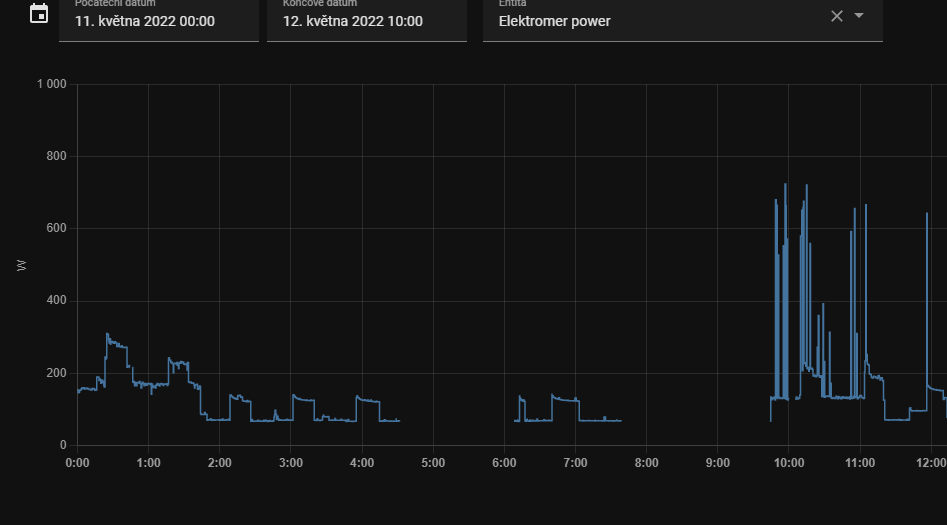 warped nest
is there a way to pair the roller shade driver with deconz?
sour shadow
Almost certainly
warped nest
okay, how do xd
sour shadow
No idea, I don't use deCONZ, but the same way you'd pair anything else (from the deCONZ side)
warped nest
because i do have aqara door switch, windows switch ect paired and it works fine
 sharp berry
thick plover
anyone used one of the IKEA Symfonisk rotary remotes for a volume remote success...
sharp berry
thick plover
anyone used one of the IKEA Symfonisk rotary remotes for a volume remote success...
I tried awhile back and didn't really get anywhere...so don't get your hopes up too much. Hopefully a Zigbee god will bend in your favor and someone has figured this out and can share their process/configs!
robust forum
I'm having problems with a Sonoff Motion sensor. Keeps showing N/A in Zigbee2MQTT for both Occupancy and Tamper. Logs don't show any messages, but it is paired and showing up in the Zigbee2MQTT dashboard.
nvm, just did a long reset on the sensor (pin on reset hole for 5 seconds), and now it's working. Weird that I needed to do that.
warped nest
I can see the curtain driver as a light in phoscon, i nmaed it curtain driver but how do I add it as an entity to HA?
 arctic nimbus
Trying to get a Zigbee network going, I have a Sonoff USB transmitter, but it uses the same USB controller chip as my Zooz Z-Wave transmitter so it reports to Unraid/HA as the same device. What Zigbee transmitter should I try next?
obsidian sandalBOT
Buy something CC2652 based. This list is a good one, both Tube and Electrolama have been proven to have excellent customer service. The current generation of EZSP sticks (see here for some) are also a good choice for ZHA.
Anything CC2530 or CC2531 based should be avoided - they're old, slow, and only suitable for a dozen or so devices. The Sonoff ZBbridge isn't advised since it uses WiFi (built in interference causing stability/reliability issues), and the HUSBZB-1 uses an older chipset so should be avoided.
Finally, the ConBee range are fine with deCONZ, but experience with ZHA and Zigbee2MQTT appears to be mixed.
Command '.pickyourstick' was invoked by: Tinkerer
sour shadow
☝️ See that
warped nest
https://github.com/dresden-elektronik/deconz-rest-plugin/issues/5330 In this link the user Holbroser21 has a screenshot with a path checkbox on,
how do I find the path of the controller?
 hybrid cloud
is the sonoff dongle a good choice
sour shadow
hybrid cloud
is the sonoff dongle a good choice
The CC2652 based one is probably ok - though there's some build quality issues
hybrid cloud
when kind of build quality issues are we talking about here
sour shadow
Some have antennas that aren't exactly soldered on, and there's been a fair few reports of issues with the NVRAM going corrupt
sour shadow
Never heard of it
If you're in North America (or not) I can highly recommend Tube's devices, in Europe Electrolama's devices are good
hybrid cloud
yeah im in the us, was looking at tube's too, but that one ooks sold out right now
also, do the zigbee dongles need to have a firmware flashed to work with zha (some or all) or is it mostly plug and play and just following the integration guide
austere patio
They'll need to be running coordinator firmware. Most that you buy online are going to be pre-flashed but flashing just involves plugging it into a USB port and running a Python script, it's not very difficult.
robust forum
Zigbee newb here, does all AC wired Zigbee devices act as a mesh node to relay? Do you need to do anything to force end devices to connect to a nearer mesh node (looking to add in a mesh node just to have the end node battery life extended).
sour shadow
Mostly, but not entirely
Sengled bulbs don't, and many 2-wire light switches/dimmers don't
Some end devices will change parent when they feel like it, others won't ever change (particularly common with pre-Zigbee 3.0 Xiaomi stuff)
robust forum
Is there a Zigbee router(?) that I can buy that will act as a mesh node?
sour shadow
Not sure I understand the question, any router will be a node in the mesh...
You can't buy a Zigbee device that's not going to be a node in the mesh
robust forum
As in, a separate wired unit dedicated just to be a mesh node, as opposed to something like an outlet or a switch.
sour shadow
Sure, there's a range of them of varying quality. The Ikea ones are ok, though buying a CC2652 based device and flashing it with router firmware will give you one of the best dedicated router devices you can buy
robust forum
Oh, cool. Didn't know I could just buy a CC2652 device and flash the router firmware.
Do you have a link to the router firmware? My google-fu is failing me.
mighty river
hi all i am neew in zigbe and home assistant. but already i need some help. i bought popular wall plug TS011F TZ3000_gjnozsaz. i managed somehow configutre zigbee gateway (sonoff zigbee) with tasmota and i connected my wall plug to HA. but it seems (as i read on other forums that my wall plug needs firmware upgrade to remember state after opwer failure. i tried to find how can i upgrade firmware but I can't understant what i have to do. can someone explain me or point to any tutorial howe to do it?
sour shadow
Are you using ZHA or Zigbee2MQTT
mighty river
is is possible that any one can help me hrere or i just use some "noob" integration and i should change?
sour shadow
Somebody else will be able to help you, have a little patience
mighty river
ok thx i will wait.
molten linden
@mighty river did you read the docs? https://www.home-assistant.io/integrations/zha/#ota-firmware-updates
if you have the FW file you'll want to add the otau_directory to your config and then make sure you drop the fw into the folder you define. Restart HA so it's picked up and when the device checks for FW it will update. Tuya stuff is a pain in the ass too 🤷🏼♂️
mighty river
i was looking on tasmota help pages. ant all tutoorials was very complicated. i will try this one it looks easy. (i hope)
mellow geode
There's also some information here: https://github.com/zigpy/zigpy/wiki/OTA-Device-Firmware-Updates
molten linden
tasmota would be just running the serial connection over IP and really not doing anything with the zigbee side of things
if you have zha set up
random shell
molten linden
if you have the FW file you'll want to add the otau_directory to your config and...
why Tuya is a PITA?
sour shadow
You should ask everybody who uses their WiFi stuff 
molten linden
lets start with a couple hundred model numbers like this TZ3000_gjnozsaz
tropic depot
lol
random shell
ah, wifi.
random shell
molten linden
lets start with a couple hundred model numbers like this TZ3000_gjnozsaz
i don't see how it would cause an issue. they could just increment and release a new version
or thousands of new versions
tropic depot
Tuya isn't the one releasing the devices
random shell
sour shadow
You should ask everybody who uses their WiFi stuff <:zany:549681131046436867>
how about Tuya zigbee devices?
molten linden
every different manufacturer adds their own random string
and since they don't follow any specs
tropic depot
they have a platform that lets any jerk create a zigbee firmware
and they generally get cots features then modify them
sour shadow
random shell
how about Tuya zigbee devices?
Just say no
sour shadow
I mean, Xiaomi is known for being troublesome, but I'd take them over either Sonoff or Tuya any day
tropic depot
it's a nightmare
molten linden
literally need "magic spells" to make their stuff work 😂
random shell
sour shadow
Just say no
why? i did order their temperature/humidity sensors along with Sonoff and Aqara. i have heard tha Aqara is non-compliant (cause compatibility issues) and have problems with range
tropic depot
they also WANT you to use their cloud
brittle maple
I have an Ikea 5 Button end device that shows in visualization as an Orphan (no connections to a router/coordinator) but it still works - can someone explain why this is the case? This is using ZHA.
tropic depot
the visualization is not real time
topology is refreshed on an interval
I forget the default
random shell
sour shadow
I mean, Xiaomi is known for being troublesome, but I'd take them over either Son...
non-compliant Aqara vs Sonoff or Tuya? or they non-compliant too?
tropic depot
it's something like every 30 or 60 mins IIRC
sour shadow
random shell
non-compliant Aqara vs Sonoff or Tuya? or they non-compliant too?
There's no such thing as compliant... everybody plays it loose
molten linden
depends on the router to report its children too.
tropic depot
tropic depot
it's something like every 30 or 60 mins IIRC
you can also force refresh it in the visualization
give it a few mins based on the size of the network then leave the screen and return
brittle maple
tropic depot
you can also force refresh it in the visualization
Using "Refresh Topology"? I will give it a shot - thx.
tropic depot
yes
also... this is really a debugging tool... no need to have any anxiety if things are working 🙂
brittle maple
tropic depot
also... this is really a debugging tool... no need to have any anxiety if things...
ok - I just things to be consistent and am paranoid that it will stop working.
sour shadow
Then you don't want to use Z-Wave, where the map is a work of fiction
tropic depot
lol
random shell
@sour shadow could you please tell me what is the problem with all of them? i did check online and aqara temperature sensors have problems with range and compatibility in general causing them dropoff due to 'different timeout' (did i get that right?)
haven't found complains about others
tropic depot
aqara devices are actually very good
they just don't play well with all other devices
some have 0 issues
some will drop them
but they are generally accurate, they have very good battery life, well made, generally look good
etc
random shell
10$ for aqara (buying x2), 7$ tuya (buying x2), or 7.5$ sonoff (buying x1 but bundled with their dongle). price difference does not matter as long as it does not cause issues
even if it would be 20-30$ i guess
tropic depot
sonoff devices are huge and have terrible battery life from what I have seen
sour shadow
random shell
<@332579266623438848> could you please tell me what is the problem with all of t...
I've had zero issues with Xiaomi
tropic depot
tuya... i wont give them my money because they make my hobby hell
sour shadow
For Sonoff, many reports of battery life issues, and sensors just stopping reporting
Tuya, well, they also chew batteries and getting them working is a pain
random shell
https://ixbt.online/live/images/original/00/32/07/2021/03/06/b0115c2c4b.jpg yeah, sonoff in the middle is huge 🙂
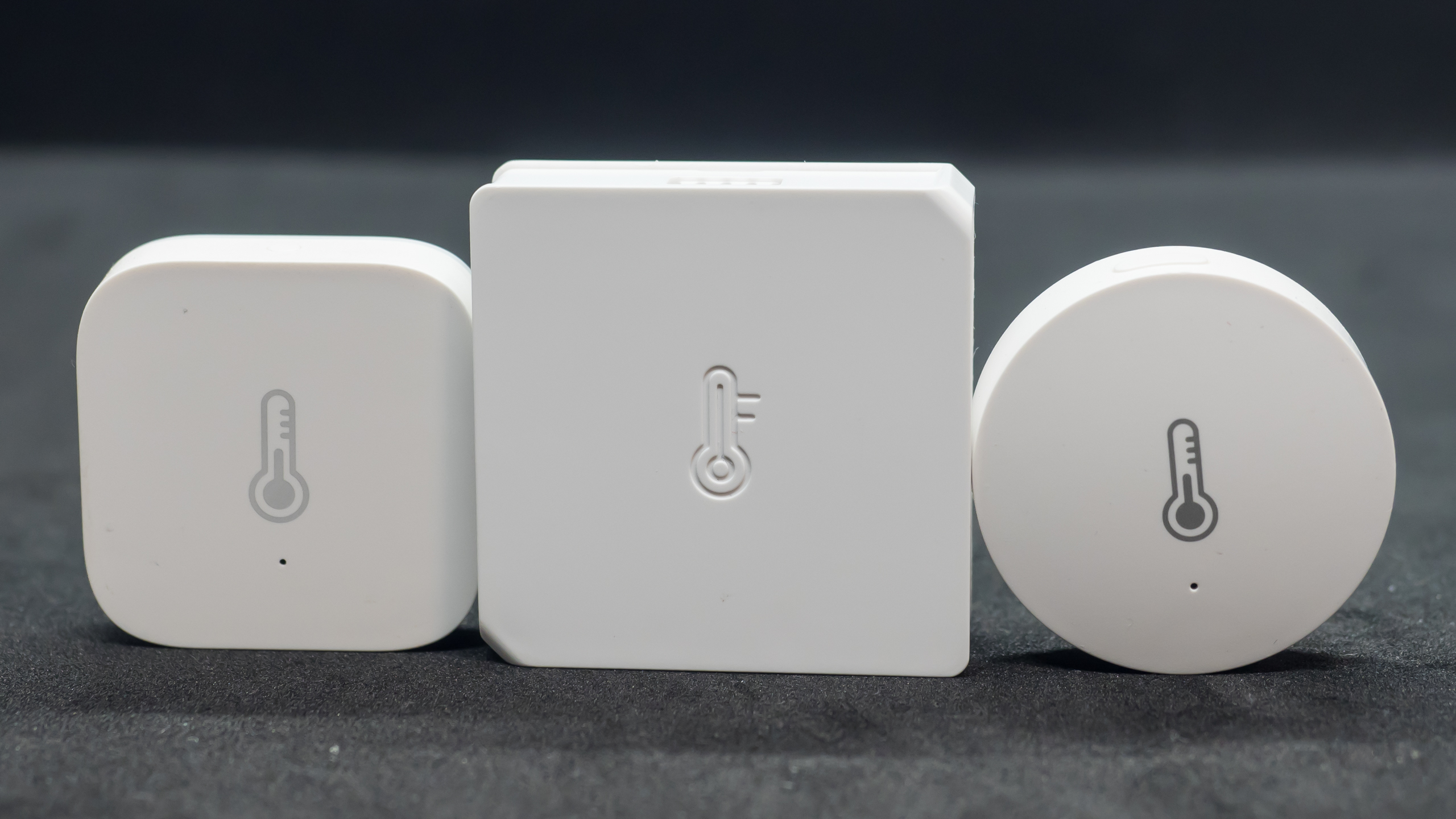 random shell
sour shadow
I've had zero issues with Xiaomi
random shell
sour shadow
I've had zero issues with Xiaomi
i really like them because with their size they check air pressure (they also look good)
obsidian sandalBOT
@random shell When using Discord's Reply feature it defaults to pinging the person you reply to, which can get frustrating for the target. Use Shift + click on the Reply option, or click @ ON to @ OFF to stop this - on the right side of the compose bar.
You have to change this every time (thank the Discord devs for that).
Command '~reply' was invoked by: Tinkerer
random shell
sour shadow
Tuya, well, they also chew batteries and getting them working is a pain
which Tuya devices caused pain?
sour shadow
Were you paying attention to the channel for the last half hour?
mighty river
how long should i wait after configuring zha to auto update for my wall plug to recive new firmware?
tropic depot
unplug it
and plug it back in and it should check
there is a service call to make too to have the device check but I don't recall the parameters
Tube may
mighty river
i know i read it already on github
random shell
sour shadow
Were you paying attention to the channel for the last half hour?
well, there is not that many mentions of Tuya devices
mighty river
ieee: <device_ieee>
endpoint_id: 1
cluster_type: out
command_type: client
cluster_id: 25
command: 0
args:
- 0
- 100
sour shadow
random shell
well, there is not that many mentions of Tuya devices
Tuya is a label applied to devices made by many companies. Two different companies can produce versions of TS0041 that have only limited commonality.
It is, in short, a shit show
mighty river
after unpluging and pluging back nothing happened. i checked logs for cat home-assistant.log | egrep 'zigpy.ota|zigpy.util|zigpy.*OTA' and logs are empty
tropic depot
did you try the service?
mighty river
not yet
molten linden
TS0601 is literally at least a dozen different products from gas sensors to covers to radiator valves. 🤦♂️
molten linden
mighty river
after unpluging and pluging back nothing happened. i checked logs for cat home-...
enable debug logging for zigpy
to see the OTA stuff
mighty river
i did
random shell
WT004 is the Temperature sensors i ordered, power strip with wifi (???), some hub and i have no idea what else
oh my god. such vendor
mighty river
i have this in logs 2022-05-12 22:20:18 DEBUG (MainThread) [zigpy.ota.provider] OTA image directory '/config/zigpy_ota' does not exist
2022-05-12 22:20:18 INFO (MainThread) [zigpy.ota.provider] Trådfri: OTA provider enabled
2022-05-12 22:20:18 INFO (MainThread) [zigpy.ota.provider] Ledvance: OTA provider enabled
2022-05-12 22:20:18 DEBUG (MainThread) [zigpy.ota.provider] Ledvance: Finished downloading firmware update list
2022-05-12 22:20:18 DEBUG (MainThread) [zigpy.ota.provider] Trådfri: Finished downloading firmware update list
2022-05-12 22:38:44 DEBUG (MainThread) [zigpy.util] Duplicate 35 TSN
2022-05-12 22:38:45 DEBUG (MainThread) [zigpy.util] Duplicate 36 TSN
random shell
is there a 'Home Assistant Sensors From Hell' or something like that?
sour shadow
See: Tuya
mighty river
i created missing folder , restarted ha but still noting. i will try manual update from github
random shell
sour shadow
See: Tuya
well, is there more vendors/devices like that?
sour shadow
Sonoff 😛
The answer though is complex, because rarely is an entire brand bad, often it's parts of the range, or only in conjunction with some other brand, or ...
Some people have trouble with Xiaomi (which play loose with the Zigbee spec) because they have routers that play loose with the Zigbee spec in a way that makes them incompatible
Others don't
mighty river
2022-05-12 23:00:06 DEBUG (MainThread) [zigpy.zcl] [0x480E:1:0x0019] OTA query_next_image handler for '_TZ3000_gjnozsaz TS011F': field_control=FieldControl.0, manufacture_id=4417, image_type=54179, current_file_version=68, hardware_version=None, model=TS011F
2022-05-12 23:00:06 DEBUG (MainThread) [zigpy.zcl] [0x480E:1:0x0019] No OTA image is available