#zigbee-archived
1 messages · Page 143 of 1
 mystic tulip
is this any good, no antenna? https://www.ebay.com/itm/143652741802?hash=item21725ee2aa:g:30EAAOSwyHJcW2T1
 sour shadow
Seriously?

No CC253x boards
None
They're cheap, old, slow, and fit for testing purposes only
 woeful sentinel
so i'm publishing MQTT to a bulb group on zigbee, and i'm including transition, color_temp, and brightness changes in a single payload.
however, the are immediately changing brightness, and then fading over my transition time for color_temp
what gives?
woeful sentinel
welp, seems to be a tradfri bulb limitation. dang it. https://github.com/Koenkk/zigbee2mqtt/issues/1810
 delicate lodge
I have a Tradfri Shortcut button...
I was able to pair it... and it shows up in Entities and shows the battery life even
but... no events are being detected when I "Start listening" to ZHA_Event
when i push the button
sour shadow
Remember, HA is case sensitive
delicate lodge
I?
sour shadow
ZHA != zha
(and so on)
If the event is zha_event and you listen to ZhA_EvEnT then you won't find the real event
sour shadow


delicate lodge
besides... i also tested the zha_event listening with another device that is known to work
and it did show events firing off
in fact, the other device is another tradfri shortcut button
its this one that is having issues
ahh fourth time's a charm!
paired it again and this time when listening, HA "heard" the events... and is now triggering the automation I wanted ...which is to turn on the outdoor outlet 🙂
I'm especially super excited that the outdoor plug worked
tinkerer
What do you think of this method of Local Tuya integration?
https://www.youtube.com/watch?v=nIbCkYyZn6o&t=94s
ahh
wrong link
There you go, fixed it
He outlines a method of integrating tuya, locally, without having to flash devices using tasmota convert
sour shadow
That's a great topic for #integrations-archived
And there is a local Tuya integration
Not that I would buy anything that required a cloud service...
 summer roost
Came here from #integrations-archived:
Having some trouble with the deCONZ integration: https://imgur.com/a/pSWw1ey. After the OS update to 6.1. it seems the gateway changed its IP address. The 'old' integration cannot find the gateway anymore and Home Assistant suggests that there is a new integration. Any way I can change the IP address of the already configured integration?
summer roost
When pressing 'Configure', I get the following error: 'Config flow could not be loaded'.
 glad plume
Hello Team, Since a few days my Zigbee2mqtt stopped handling half of my devices. I restarted Host, HA, Coordinator and changed battery in the devices. On the map I can see half of the devices not connected anymore with solid line to the coordinator. I have for example 10 Xiaomi Door Sensor, 5 working 5 not. Is it an isolated problem or some of you have the same on the newest HA OS and HA Core version? Also I would like to know how to troubleshoot starts cases like that. I cannot reconfigure / delete / add devices what is not working. Thank you.
Of course log is empty, does not show any problem both HA and Add-on side.
Sensors are there in HA, does not show any error, but the status is not changing, but its available.
sour shadow
The problem will have nothing to do with HA
Most likely problem would be a router device no longer responding
Have you tried re-pairing them?
glad plume
Yes I feel the same from the clues, looks like router device dropped half of the connections, I try to delete them, but its dropping error both when I try to delete and re-configure it.
Zigbee2MQTT:error 2021-06-24 14:39:19: Request 'zigbee2mqtt/bridge/request/device/remove' failed with error: 'Failed to remove device 'clickswitch_livingroom' (block: false, force: false) (Error: {"address":9425,"clusterId":32820,"sequence":10} after 30000ms)'
I will try now to re-pair without deleting it.
sour shadow
You can force remove, but normally just re-pairing is what you need
glad plume
thats my only option right now as I see.
glad plume
sour shadow
You can force remove, but normally just re-pairing is what you need
Tested. First device became healthy again, Thank you. I'll repair all the disconnected ones again, I really hope this is just one time problem, would be bad to always re-pair the sensors, a few of them is in really bad places, where nearly impossible to put back normally 😄 Thx
sour shadow
See the pinned messages about Xiaomi 😉
glad plume
sour shadow
See the pinned messages about Xiaomi 😉
Sorry maybe im stupid but I dont see where I should find that. In the pinned messages in this thread I see only old ones.
maybe in an other channel?
 obsidian sandalBOT
@glad plume When using Discord's new Reply feature it defaults to pinging the person you reply to, which can get frustrating for the target. Click @ ON to @ OFF to stop this - on the right side of the compose bar.
Command '~reply' was invoked by: Tinkerer
sour shadow
There's some "old" ones there, yes. They also mention Xiaomi...
One by me, November 2020
glad plume
Ah perfect, found it. Thx
 terse prairie
@sour shadow can you pin #zigbee-archived message ?
terse prairie
ty!
 vestal moth
Stil struggeling with zigbee2mqtt. Keeps connecting and disconnecting.
Maybe some help with these lines from the mosquito logbook could help me out 🙂
https://pastebin.ubuntu.com/p/VkNgR8F7Sy/
These are only 4 lines. there are a bunch more with the same tekst.
Using Home Assistant OS on a RPI4
vestal moth
sour shadow

obsidian sandalBOT
Please use https://paste.ubuntu.com/ to share code or logs. Please don't use Pastebin, since it can randomly add spaces to the main view.
Command '~share' was invoked by: Tinkerer
sour shadow
There's a log file
vestal moth
sryy... where There is a logbook in mqttbroker and in Z2M
sour shadow
Z2M writes log files to disk
vestal moth
ok. found it
sour shadow
From what you have shared, there's clearly some issue between Z2M and the broker
Auth is the most likely, and if necessary set the logging to debug
You can also try the same creds in MQTT explorer
vestal moth
obsidian sandalBOT
@vestal moth When using Discord's new Reply feature it defaults to pinging the person you reply to, which can get frustrating for the target. Click @ ON to @ OFF to stop this - on the right side of the compose bar.
Command '~reply' was invoked by: Tinkerer
summer roost
summer roost
Came here from <#672220541343760384>:
Having some trouble with the deCONZ integ...
Asked in the deCONZ Discord and they were able to help: #543511893382529064 message.
vestal moth
I use duckDNS. should i use server: mqtt://core-mosquitto ore server: mqtts://core-mosquitto?
Thinking that the Z2M only uses internal network im thinking server: mqtt://core-mosquitto.
But i changed a lot the past weeks and dont know where to look annymore
sour shadow
Don't use SSL unless the certificate is for the hostname you're using
If you're using add-ons then mqtt://core-mosquitto is probably right, but I don't use them so can't confirm
vestal moth
there are only 2 places to put the login and password.
in the zigbee2mqtt yaml setup file
and in the zigbee2mqtt settings tab
the mqtt broker is setup default. no login or pasword in that yaml file
"zigbee-herdsman stopped" ... ? no idea what this is
in the Z2M panel everything works. slow... but it works. The entities in AH do not respond?
vestal moth
i use the UI in Z2M. And then some reboting from HA
 vestal moth
Just to make sure. Realy, i dont know annymore.
at this moment al the switches are connecting and disconnecting again in lovelace
sour shadow
Probably you've still got issues between Z2M and your broker
I don't often say this, but maybe you should consider switching to ZHA
sour shadow
Well, somewhere along the line you broke things between Z2M and MQTT
And possibly more
However, with you trying to hand edit the database, rebooting hosts "to make sure", etc... it's quite likely you've made matters worse, not better, by changing stuff randomly
vestal moth
O.. but i did not go in the database. Thats some one else 😉
sour shadow
Ah yes, 😄
vestal moth
Delete the addons and reinstal it... think thats the best way for me. when i have some more time
sour shadow
You responded to my post for them, which confused me
vestal moth
Whell... thanks. now i am not the only confused person 😅
'No ACK from MQTT server in 10 seconds (mid: 2851)' probably also not good
sour shadow
Back to the you have a problem between Z2M and the broker
Check HA's logs to see if it's a broker problem
vestal moth
a lot of this 'debug 2021-06-24 18:25:28: Received MQTT message on 'homeassistant/status' with data 'offline''
vestal moth
Could this error mean something for the z2M ?
21-06-24 17:04:29 ERROR (MainThread) [supervisor.api.ingress] Ingress error: Cannot connect to host 172.30.33.7:8099 ssl:default [Connect call failed ('172.30.33.7', 8099)]
 torn saffron
Anyone here has a Zigbee Sonoff Mini?
I’m building a new house and I’ve put in about 8 Aqara double relays, but I’m very disappointed in them and want to replace them ASAP (before my painters get done). The problem with the Aqara ones (LLKZMK11LM):
-
To reset you have to pull the whole switch out (small issue)
-
After a power outage, if the switch was in an ON state, the switch no longer affects the light. Basically the module stops responding to any changes in the switch state (very problematic).
Does anyone know if Sonoff will behave the same/differently? Especially re: #2
 north leaf
So wzup, is Zigbee the best or what?
should i replace everything i have with Zigbee or nah
sour shadow
Nah
 fresh arch
Hey, in which folder needs to be the files from " zigbee-herdsman-converters"? i want to load the ikea.js in the zigbee2mqtt folder. Log: https://i.ibb.co/Z6qdP6f/Unbenannt.png
 hybrid flame
I have a lutron Aurora connected to Hubz using ZHA but it is not getting button click events only wheel scroll. Any ideas?
It will sometimes get the button click but very rare it comes through
 molten linden
Bind it directly to a light or group and it works better (I have 2) most recent fw for them messed up some of the events I think.
hybrid flame
molten linden
Bind it directly to a light or group and it works better (I have 2) most recent ...
How do I do that? I do not see that as an option.
molten linden
When you go to the remotes device page. Go into the clusters
There will be options to bind to a device or group
hybrid flame
I do not see a remotes device page
molten linden
Pick the device and hit bind. Hit the button at the same time - do this a few times
Settings>devices it should be in there
hybrid flame
do you mean "configuration -> devices"?
molten linden
Yea sorry on mobile and cooking dinner😂
hybrid flame
yeah I dunno im not seeing that... I took a screenshot but I guess I cant upload it here
molten linden
@hybrid flame it should look like this. you'd want to select a device in the drop down if just one bulb. if a group of lights, you'd need to pick the group and the on_off and Level_control clusters to bind. https://imgur.com/a/wrwtMlt
molten linden
 Interference - had a user with sporadic issues, we diagnosed it as interference but he went on to narrow down the culprit. it turned out he had his coordinator in close proximity to a nuc, with a Logitech Unifying Receiver for wireless mouse/keyboard plugged in to a USB port on the side closest the coordinator (ethernet not directly physically connected in anyway to the nuc). The Unifying Receiver runs on 2.4 and auto selects the exact frequency, so when it picked a freq overlapping with zigbee channel 15 zigbee would be totally down. Move it 150cm away and all is good. So add another 2.4 ghz device to the list of devices that can screw with zigbee.
 strange shuttle
Hi so another post about deconz and usb passthrough XD
It works fine but everytime i restart my NUC, i have to remove and re-add it again on virtualbox
Does anyone experience similar issues and how can i fix this?
 simple sentinel
Not to be snide but the fix is to let servers be servers. Run headless linux and all your smart home stuff in docker containers.
Also deposits nerd cred into your nerd account. 🤓
 stable ermine
Do we have an ETA as to when we'll be able to buy a coordinator from Tube?
sour shadow
When he gets more parts, plus a little bit
 main condor
Hi there, anyone else got issues with zha after running the lates update?
 austere patio
main condor
Hi there, anyone else got issues with zha after running the lates update?
austere patio
main condor
Hi there, anyone else got issues with zha after running the lates update?
What issues are you having? What coordinator?
main condor
austere patio
What issues are you having? What coordinator?
My issues is that after the update below, my cordinator goes offline, and after reboot or change usb port it dosent find any devices old devices is either working...
- Ive tried to do reinstall but still no go.. 😦
Config:
CC2531 device running Z-Stack_Home_1.2 (default)
intergration: zha
Version core-2021.6.6
Version supervisor-2021.06.6
Home Assistant OS 6.1
Raspberry pi 4 8gb.
molten linden
stable ermine
Do we have an ETA as to when we'll be able to buy a coordinator from Tube?
Hoping to know more next week. Sales Rep for zigbee module company left on vacation and told me modules are in testing, and she'd touch base next week when she returns. I've been sharing lots of puppy pictures with her to get on her good side 🤣
Proof 🤣 https://imgur.com/a/95QfBjM
stable ermine
molten linden
Hoping to know more next week. Sales Rep for zigbee module company left on vacat...
Thanks. 👍 I'm eyeing that CC2652P2 Ethernet 👀 or the POE version if it'll be available
 cerulean thorn
I just been lucky. I got the tube cc2652p2 serial over ethernet, slaesh and the zzh stick on my first try. Using the tube now and most happy with that one. Easy to put centrally
main condor
austere patio
What issues are you having? What coordinator?
[0x0000](CC2531, Z-Stack Home 1.2): Attempting to checkin with device - missed checkins: 1
[0x0000](CC2531, Z-Stack Home 1.2): does not have a mandatory basic cluster
austere patio
main condor
[0x0000](CC2531, Z-Stack Home 1.2): Attempting to checkin with device - missed c...
That particular warning is nothing to worry about. Can you enable https://www.home-assistant.io/integrations/zha/#debug-logging and post the log? If you don't want to post everything, filter only the lines that contain zha|zigpy.
Does downgrading to the version of HA you were using before make it work again?
obsidian sandalBOT
@main condor posted a code wall, it is moved here --> https://paste.ubuntu.com/p/CvJHB8hStV/
main condor
austere patio
That particular warning is nothing to worry about. Can you enable https://www.ho...
sour shadow
FileNotFoundError: [Errno 2] No such file or directory: '/dev/serial/by-id/usb-Texas_Instruments_TI_CC2531_USB_CDC___0X00124B001CDC5C85-if00'
So... as it says, it's not finding that path
main condor
Retrying setup: [Errno 2] could not open port /dev/serial/by-id/usb-Texas_Instruments_TI_CC2531_USB_CDC___0X00124B001CDC5C85-if00: [Errno 2] No such file or directory: '/dev/serial/by-id/usb-Texas_Instruments_TI_CC2531_U
Just did restore of older backup..
main condor
sour shadow
```
FileNotFoundError: [Errno 2] No such file or directory: '/dev/serial/by-id/u...
Yes but strange part is that i see the usb device
obsidian sandalBOT
@main condor When using Discord's new Reply feature it defaults to pinging the person you reply to, which can get frustrating for the target. Click @ ON to @ OFF to stop this - on the right side of the compose bar.
Command '~reply' was invoked by: Tinkerer
sour shadow
Yeah, but if you're running in Docker/HAOS/Supervised, you may not be looking in the right container
What's your install method?
main condor
Im running HA OS on rp4 8gb..
sour shadow
What path does the Supervisor hardware menu show?
main condor
thats from the HW menu.
This is when im deleting the intergration and adding again
https://imgur.com/VJ2OzdP
https://pastebin.com/W5kzSk2Y
From this log im now seeing: [Errno 2] could not open port /
sour shadow
Yeah, not sure. If it was Container or Core I could help you troubleshoot this, but HAOS and Supervised do strange things under the hood
main condor
yearh its so strange, that it does it 😦
austere patio
main condor
yearh its so strange, that it does it 😦
Hmm. I don't know much about the OS but have you tried removing the USB, rebooting, re-inserting it, and re-adding the ZHA integration?
It seems like the hardware isn't being passed through to the container
main condor
austere patio
Hmm. I don't know much about the OS but have you tried removing the USB, rebooti...
Yeah ive tried that even tho deply old backup ... Just strange that it worked before it..
 wraith hill
Hello guys 🙂 Not sure if this is the right spot to address this but I could need some advice. I´m currently looking for an affordable roller shutter panel (EU) which is well supported by Zigbee2mqtt. Anybody has a hint and/or experience with such device?
 upper verge
The Cover section at https://zigbee.blakadder.com/zigbee2mqtt.html is probably a good starting place.
main condor
austere patio
Hmm. I don't know much about the OS but have you tried removing the USB, rebooti...
I manage to troubeshoot some more..
When i got HA from SSD i cannot find devices.
When i use it on SD i can find devices with my cc2531
but downgraded to 6.0
 zinc bane
I have a Heiman smoke detector. It pairs and works well. However, I have read that I am able to trigger the siren. I want to make an automation that if one senses smoke the others will sound their sirens
I have found a script on the forums that does that….
sequence:
  - data:
      duration: 60
      duty_cycle: 2
      ieee: '00:0d:6f:00:13:1a:xx:xx'
      intensity: 2
      level: 1
      mode: 1
      strobe: 1
    service: zha.warning_device_warn
mode: single
icon: 'mdi:volume-high'
But it does nothing when I attempt the above
I looked at reconfiguration of the device and this is the result.
zinc bane
cerulean thorn
Any suggestion for zigbee water sensor with audible alarm on device that run regardless of connection to hub. Also can some suggest some high quality smoke and heat detectors on battery
Also looking for plugs with dimmer and power meter and high quality 16a putside plug non china made
 summer thicket
@cerulean thorn Water Sensor
https://amzn.to/3qgIoBy
 raw garden
I need to order a zigbee interface for my server right now, but it appears the recommended ones are all sold out?
The Ethernet connected one is really appealing because it would not have to be with my server which is in the basement.
And I am running HA on proxmox so would not have to do the passthrough
How about this until I can get something better? https://smile.amazon.com/dresden-elektronik-ConBee-Universal-Gateway/dp/B07PZ7ZHG5/
I should mention that I am in the USA
What does this mean by antenna type? https://cdn.discordapp.com/attachments/404706201599868948/858184633568722954/unknown.png
On the slae.sh stick
raw garden
I ordered a zzh! CC2652R Multiprotocol RF Stick with air shipping.
mystic tulip
anyway to link a motion sensor to Alexa HUB and have it accessible in HA?
 slate magnet
I'd say no, it looks like there would need to be some sort of device exposure from Amazon to do that
fresh arch
Hey, in which folder needs to be the files from " zigbee-herdsman-converters"? i want to load the ikea.js in the zigbee2mqtt folder. Log: https://s20.directupload.net/images/210626/f7v4toeu.png
 frail grail
hello, i'm starting to build my Zigbee network and i'm not sure if i'm responsible for correct topology or devices will find an most optimized path ? I have 3 floors house do i need any repeater or i can create a topology that will cover all house ? I'm new to zigbee. currently installed a single battery power temperature sensor from sonoff and his range is very short cannot take it even on the same floor to one of my rooms
 gentle flint
Start with mains powered devices, building out from the location of the coordinator
 bronze apex
Is the conbee 2 worth getting for using zha/m2q?
Wanna get a few aqura motion sensors and a few buttons too
 violet dagger
no
bronze apex
Why no?
bronze apex
@violet dagger
cerulean thorn
isnt it better to use one of the open source and fully supported methods than conbee?
Its many to choose from
bronze apex
So I'd be better buying some other device and flashing it?
cerulean thorn
Yes, absolutely
cerulean thorn
I would suggest slaesh or tube serial devices as they can be triggered by software for firmware update the zzh is also good, but you have to press a physical button
bronze apex
Ok thanks, I'll take a look into both of them
main condor
if got a cc2531 device running z-stack 1.2 can i use that for zigbee2mqtt or do i need to flash other firmware ?
violet dagger
if it has the coordinator firmware you can
main condor
cool it does
Ive just startet the config
config mtqtt addon and zigbee2 addon.
added user and pass but getting this error when start zigbee addon ui web
node index.js
Zigbee2MQTT:error 2021-06-26 16:24:59: Error while starting zigbee-herdsman
Zigbee2MQTT:error 2021-06-26 16:24:59: Failed to start zigbee
Zigbee2MQTT:error 2021-06-26 16:24:59: Exiting...
Zigbee2MQTT:error 2021-06-26 16:24:59: Error: Failed to connect to the adapter (Error: SRSP - SYS - ping after 6000ms)
at ZStackAdapter.<anonymous> (/app/node_modules/zigbee-herdsman/dist/adapter/z-stack/adapter/zStackAdapter.js:94:31)
at Generator.throw (<anonymous>)
at rejected (/app/node_modules/zigbee-herdsman/dist/adapter/z-stack/adapter/zStackAdapter.js:25:65)
 near echo
Have you done the correct mapping of the devices as per the arson instruction? This.erorr typically means it cannot find your zigbee stick
mystic tulip
slate magnet
I'd say no, it looks like there would need to be some sort of device exposure fr...
could I create HA virtual switches that appear in alexa and remap them to the zigbee alexa devices?
and create routines to update the virtual switches
frail grail
gentle flint
Start with mains powered devices, building out from the location of the coordina...
thanks. i will have several light switches which are obviously powered. so i need to route the battery ones manually i.e. if i change the location of battery powered device should i update the topology in HA ? or it's done internally make sense it should be done internally but just to be sure 🙂
austere patio
frail grail
thanks. i will have several light switches which are obviously powered. so i ne...
Battery-powered devices choose a parent when they join the network. It's best to have all possible parents already online and a part of your network before you start joining sensors, as that way they can choose the best one.
frail grail
got it thanks
 subtle heron
Does anyone know if ZHA only pair with supported devices or will it allow you to setup some kind of generic device?
sour shadow
Anything can pair, it's simply whether it works or not
subtle heron
Thanks that is what I thought looking at the documentation but I have a device that isn't pair for some reason
I disabled ZHA and installed deconz and it paired no problem which is strange
sour shadow
 weird
weird
subtle heron
I'll keep messing with it I just wanted to confirm it should at least pair and I wasn't doing something unsupported
 mighty river
Zigbee experts, my HA got really screwed up, and I'm trying to rebuild it remotely as I'm traveling. I have a HUSZBZ-1, and running ZHA. Everything was fine until I did something (not sure exactly what I did) to my HA instance. (FWIW, I've moved everything to another instance, and it is now running fine). The problem is that (since I'm remote), the Zigbee and Zwave stick is on the old instance. So, what I'm trying to do is to bring up a bare minimum of Zigbee/ZHA and Zwave, until I get home to move the stick to the other instance.
So I removed all the integrations and all the Add-ons, and tried to get to a close to "factory" state as possible. When I installed Zwave, everything is seen, and all is good. When I reinstalled ZHA, it seems like it sees all 55 devices, but all of the entities are unavailable. I was able to preserve the zigbee.db from the last known working config.
What should I be looking for to troubleshoot this?
I turned debug on, and it's giving me a lot of DEBUG (MainThread) [bellows.ezsp.protocol] Application frame 5 (nop) received: b'' errors and zeroconf is reporting DEBUG (zeroconf-Engine-243) [zeroconf] Ignoring duplicate message received from '172.30.32.1':5353 (socket 17), but I think that's related to something else. Anyone point me in the right direction please?
bronze apex
Ok so thinking of going for the slaesh device. I only have one concern, how do I get this working with my home assistant running on docker etc?
sour shadow
Slaesh... 
The seller who's known to have terrible customer service, and who hasn't updated their Tindie page since before Christmas...
bronze apex
Oh really? 🤔
sour shadow
If only it was mentioned all over the place
Like the pinned messages
And various issues, and more
However, you just map the device, like you do for anything else
simple sentinel
bronze apex
Ok so thinking of going for the slaesh device. I only have one concern, how do I...
you just cd to /dev/serial/by-id to check what the path is, then pass that to your docker container
bronze apex
Ah, well I was just going on advice given earlier to look into slaesh/tube
sour shadow
magic
simple sentinel
And I was able to get a slaesh stick from him around christmas last year
sour shadow
ZZH/Tube
simple sentinel
He has good days and bad, from what I can tell
I got gummibears
so can't complain, personally
sour shadow
Yeah, but no communication means you don't know whether he's having a good day, or a bad day
You order, you pay, and some time later it arrives
Maybe weeks, maybe months
https://www.home-assistant.io/installation/linux#exposing-devices for device mapping
main condor
@sour shadow ive got the zigbee2mqtt setup now and see the dashboard. .But i cannot find any devices 😦
bronze apex
Thanks guys, maybe better I look into a tube device instead?
simple sentinel
nothing to see until you add devices
sour shadow
main condor
<@!332579266623438848> ive got the zigbee2mqtt setup now and see the dashboard. ...
And, you don't have to tag me to tell me these things - I'm not your personal support bot 😉
Just post your questions/problems, and then anybody can help
bronze apex
Tbh you're always around to help! Really smart guy I must say Tinkerer haha
Oh this is so tough
main condor
sorry not saying that u are, just struggling to get my devices to work 😦
https://pastebin.com/FMiemfNw
This is the log file from the addon 😦
sour shadow
Ummm, did you read that?
It's pretty clearly fucked, to use the technical term
You're also almost certainly running the old add-on repo, not the correct - current - repo
I'd start by fixing that and updating, then pair your first device
main condor
yearh i see dont know why it was running old repo..
i'd update now by deleting old, and adding new repo. running vers. 1.19.1-1 😄
but still not able to add new devices 😦
Sorry im new to this so not sure if i did something wrong, just followed the guide for it 😦
sour shadow
You're in Z2M's UI?
main condor
yes
sour shadow
There are no more warnings/errors in Z2M's log file?
sour shadow
Touchlink...
Did you read that?
You need a Touchlink capable device already joined
main condor
Im trying to connect a ikea shorcut button and 5 button remote..
prev. it worked in Zha but was told z2m was better and more stable to use..
 earnest sigil
hey. anyone know if pairing a hue bulb using the hue dimmer only works if the bulb is currently connected to a hue hub? just put 6 brand new bulbs in (so they've never been paired with anything) and doing the hue dimmer thing doesn't seem to make them go into pairing mode
 mellow geode
Pretty sure it should work. On the older style dimmers, hold I and O (or on and off on US models) ~ 2cm from the light
It’s a usual TouchLink reset
But the Hue bulbs should be ready to pair if they aren’t connected to anything
main condor
it dont know why or how, but now it added some devices 😄 😄 yaiii
Last thing can i add a cc2531 router to the cordinator also ?
do i have to press anything on it or ?
 granite warren
Ok, I've been looking around and have seen a few posts about this, but I'm trying to get the Hue Tap switch added to HA. I've seen a few posts about compatibility on zha and other configurations, but I'm using Zigbee2mqtt and I'm not sure how things are different. I was able to pair the switch, but I can only get a response from the first button. I know the other buttons are supposedly on different channels, but I'm not sure how to add them correctly since it says it'll wipe the other paired devices if I change channels in the Zigbee settings.
earnest sigil
mellow geode
Pretty sure it should work. On the older style dimmers, hold I and O (or on and ...
hmm ok. will try again. seems odd they're not doing the flash when I do the touchlink thing with the the dimmer though
mellow geode
They flash when reset via the dimmer (even if they're already in pairing mode).
Which hue bulb are you using? (Is it one with or without Bluetooth?)
 drifting raven
I have an issue with my zigbee integration when it does not update the sensor state anymore since the new update.
I am using the zha stick
austere patio
drifting raven
I am using the zha stick
What specific stick? Does ZHA start up?
austere patio
That's not too helpful without any sort of context
drifting raven
austere patio
That's not too helpful without any sort of context
Ever since i have update HA my zigbee sensor has been messing up and not updating it states
austere patio
Right. But what Zigbee stick are you using? Does it work intermittently or not at all?
drifting raven
austere patio
Right. But what Zigbee stick are you using? Does it work intermittently or not a...
https://electrolama.com/projects/zig-a-zig-ah/ and it cuts in and out
austere patio
Can you enable https://www.home-assistant.io/integrations/zha/#debug-logging and post a log?
Preferably after it works and stops working, so the log will contain everything your network was doing while the sensor works intermittently
drifting raven
Im using the built in intergration how can i use zigbee2mqtt
austere patio
Z2M has pretty detailed installation instructions. However, the integration doesn't really control how the network operates so switching probably won't fix your problem until you can figure out what the problem is.
drifting raven
Oh now it works again
Zigbee2MQTT:error 2021-06-27 03:56:38: Error while starting zigbee-herdsman Zigbee2MQTT:error 2021-06-27 03:56:38: Failed to start zigbee Zigbee2MQTT:error 2021-06-27 03:56:38: Exiting... Zigbee2MQTT:error 2021-06-27 03:56:38: Error: SRSP - AF - register after 6000ms
@austere patio i just got this in the log
austere patio
I thought you're using ZHA
drifting raven
the intergration
mellow geode
My CC2652P2 temporarily died yesterday (guessing Z-Stack crashed)
Had been running for about a month?
drifting raven
all working for now
austere patio
Mine still die every once in a while so I think there's another lockup bug. Seems to be harder to trigger than the one from earlier this year.
Did you have to unplug the hardware? Or did a re-connect reset it?
drifting raven
Sensor is restting as normal
mellow geode
I just replugged the stick and didn't try to restart ZHA/Home Assistant
It's tubes USB coordinator (which doesn't automatically reset itself like the one from slaesh)
austere patio
Ah. A reconnect would happen within 30-45s of the last ping going unanswered so if you noticed it not working, it didn't help.
mellow geode
My Zigbee network wasn't responding for at least 30 minutes, so I guess such a reconnect didn't help
austere patio
Those pings get sent once every 30 seconds so being broken for 30 minutes is definitely too long
mellow geode
meh, I wonder how long it will take for this lockup bug to get fixed..
drifting raven
wow my sensor is just updating as normal now
ZHA is not going to be my in system anymore
austere patio
@drifting raven I still can't tell if you're using Zigbee2MQTT or ZHA with the ZZH 😆
drifting raven
Z2M
austere patio
Were you originally or did you switch when ZHA stopped working?
austere patio
Would have been helpful to get some debug logs so that whatever problem with ZHA (if any) that was preventing it from working can be fixed, but it's a little too late for that now
drifting raven
I have noticed that more people are using this add-on so i will use it and if i have any issues i will be back to talk
If that is okay with you guys?
austere patio
I don't think you need permission to pick a Zigbee integration 😆
mellow geode
Which sensor were you using that didn't update with the new Home Assistant update?
drifting raven
Sonoff sensor
mellow geode
The temperature one?
drifting raven
motion sensor for the kichen lights
mellow geode
Ahh
austere patio
I don't think the Sonoff sensor has a quirk at all?
mellow geode
Doesn't need one
drifting raven
That update killed the sensor and my dad was very confused when 1 minute it work the other minute it did not
It was really annoying him
mellow geode
I have three of those Sonoff motion sensors. One is manufacturer "eWeLink" and model "66666" and the older ones(?) are "eWeLink"/"MS01"
Sometimes, they don't respond for a bit. Triggering them after half an hour or so and they work again
drifting raven
MSO1 that is mine
mellow geode
mellow geode
Sometimes, they don't respond for a bit. Triggering them after half an hour or s...
I wanted to replace them with Aqara T1 sensors but we all know how that turned out
I also feel like they take multiple seconds to trigger
drifting raven
Want to know why i did this system
mellow geode
Do you still know from which HA version you upgraded from and to?
mellow geode
Tbh, I don't know if it was the Home Assistant Core update or a restart that seemed to break this sensor
There weren't really any changes that should affect it
austere patio
No problems after restarting HA core and joining that specific sensor to a ZZH's network
mellow geode
And I'm using a similar coordinator (Zigbee stick) to what you have. Mine work "fine"
drifting raven
the stick was not talking to the service
mellow geode
oh
drifting raven
zha was clueless about what the sensor was doing
mellow geode
So all your Zigbee devices weren't working? (I guess you just have that one sensor?)
drifting raven
i have two sensors both got messed up
Z2M saved me
I thought for a moment it had wiped my stick firmware but i did a pie reboot and it started to show up
austere patio
ZHA doesn't really mess with the stick once a network has been formed. Z2M forms a new network if the stick settings don't match what's in the config file.
Regardless, it's kinda hard to tell what exactly broke (if anything) without any logs
drifting raven
what is the link quality range
mellow geode
random /s
drifting raven
0 - 100
mellow geode
actually, 0 - 255
drifting raven
really
drifting raven
oof mine is at 30
mellow geode
TI chips (like the one on your ZZH) tend to calculate lower values than others (like Silicon Labs chips or Conbee (which is just always 255 lol))
drifting raven
does that sensor update it's state every minute
mellow geode
I think the Sonoff motion sensor times out after one minute of inactivity.
(Other sensors which Z2M might create, like for link quality, are updated by Z2M and not the motion sensor)
drifting raven
after 1 minute that state changes again to clear
drifting raven
Can i change that or it baked in
mellow geode
I think it's baked in
mellow geode
Do you need a shorter timeout?
drifting raven
it's a light sensor and home assistant has the timeout bulit in to the blueprint
so when i walk in to the kitchen the light's turn on
mellow geode
light sensor?
mellow geode
Ah, the timeout in the blueprint is added to the one minute of the sensor.
If you put the blueprint timeout at 0 minutes/0 seconds, the blueprint will turn of the light when the sensor changes to "Clear" (which is after one minute that's "baked in").
drifting raven
if it set it to 60 seconds it will take 1 minutes to update so the lights will turn off after 2 minutes correct
mellow geode
Yep
drifting raven
LED are not that power hungry it will not make much diffence
@mellow geode can you talk on hangout
mellow geode
No, not atm
mellow geode
drifting raven
LED are not that power hungry it will not make much diffence
I actually like to have a longer timeout (like 5 to 10 minutes). If you go back and forth between rooms, it doesn't always jump on and off. (You can also have a slower transition time when turning the lights off).
But I think this is drifting from #zigbee-archived
drifting raven
we are never in the kichen that offen
and opps
@mellow geode can i change Z2M to dark mode
mellow geode
You should be fine with a 2 minute timeout then (unless somebody sits still for 2 minutes)
mellow geode
drifting raven
<@!773609067264344105> can i change Z2M to dark mode
I don't think so, but I'm using ZHA and not Z2M
drifting raven
oh i see why the log gave that error
it was because the ZHA service was using the stick. duh @mellow geode
 ivory hound
anyone here have Vima Smart Lock with zigbee2mqtt ?
 umbral pivot
Is there a good color temperature e14 bulb that isn't candle shape? I need them relatively small
 thick plover
Hey all, anyone ever have issues with Ikea Tradfri bulbs dropping off their mesh a lot? I have all Hue bulbs except one fixture that is Ikea bulbs, and its the only device in the entire mesh that drops off.
mellow geode
thick plover
Hey all, anyone ever have issues with Ikea Tradfri bulbs dropping off their mesh...
Yes. If they are in a Zigbee light group, they should still work. Part of the bulb entirely crashes and it needs to be power-cycled. Known issue. Hopefully it gets fixed soon.
If your light is coming back on its own though, you have a different issue.
 ember matrix
Hello there, somebody try this curtain controller? It possible to bind it? (for example a IKEA 5 button remote)
thick plover
mellow geode
Yes. If they are in a Zigbee light group, they should still work. Part of the bu...
Thanks, nope it just stays on and cannot be talked to and either needs a power cycle or it will finally turn off after an hour or so
fresh arch
Hey, in which folder needs to be the files from " zigbee-herdsman-converters"? i want to load the ikea.js in the zigbee2mqtt folder to get my styrbar working with Z2M. Log: https://pastebin.com/SZYu74mG
 dawn sable
How can I remove my old zigbee controller from ZHA? Its no longer connected and when I re-add the ZHA integration it still shows up as a device.
mellow geode
I think it's in zigbee.db (in your config folder)
(Removing the entire file and rebooting HA should "remove" all devices)
dawn sable
That did it, thanks!
granite warren
granite warren
Ok, I've been looking around and have seen a few posts about this, but I'm tryin...
Hey guys, did anyone have any thoughts on what I might be missing with the Hue Tap switch that I mentioned earlier?
 crimson tide
i have so many zha (conbee2, and mostly ikea and aqara devices) issues this week... things like toggling on a light will turn it on, but after a couple of seconds the ui toggle button will switch back to off, but the light remain lit... after that the toggle button does nothing... and reconfiguring the device will generally result in 2 green ticks before failing
any ideas where i should start looking?
the only zha related messages in the log was about not being able to get list of groups, but i don't use groups... do i need to do something to enable more indepth logging?
austere patio
crimson tide
the only zha related messages in the log was about not being able to get list of...
crimson tide
thanks
austere patio
crimson tide
i have so many zha (conbee2, and mostly ikea and aqara devices) issues this week...
Sounds like the Silicon Labs lockup bug. Try rebooting the bulbs at their power source by shutting them off for like 5 seconds and turning them back on.
crimson tide
i'll give that a try if the logs don't tell me anything... much appreciated
austere patio
If your sensors were using those bulbs as parents, they would also appear unavailable, as their parent would still be "there", just broken
 bronze sky
Hi everyone, I was wondering if anyone here has gotten the TRADFRI E27 CWS 806lm (RGB + White spectrum) bulb to work with ZHA. I can't seem to get it to work.
mellow geode
Sometimes, IKEA bulbs seem to be tricky to get into pairing mode
But so far there’s no IKEA bulb that I know of that doesn’t work with ZHA
And you can pair every Zigbee device with ZHA
So, what exactly doesn’t work?
bronze sky
So, I can get it into pairing mode and start the whole connection/ discovery process; it then shows up on the zha discovery tab and it configures itself; then it just shows up as unavailable. I have 2 of the same bulb and they just don't seem to wanna cooperate because both of them do this. I'll get the logs in a minute.
Here you go: https://pastebin.com/qc1F4Fkq
I'm not experienced enough to even pretend to understand what is going on there so any help would be much appreciated
mighty river
Hi guys
I have a philips hue motionsensor integrated with conbee II and ZHA
it creates 5 sensors, one of them has a person walking as an icon but I don't know what's it for?
slate magnet
thats the motion detection
the others are the environment sensors
temp, lux (light), battery and (I forget the last one)
mighty river
that sensor doesn't react when there's motion, the one with the house as an icon, the occupancy sensor, this one does.
that other sensor with the person walking always stays "clear", despite motion
mellow geode
The one with the house is the one used for the Hue sensor
The occupancy one
You can ignore the motion one (or disable it)
slate magnet
weird, my presence one works but mine are presented via deCONZ
 wary rose
Hello, if this is the wrong place to ask please do tell. I've been using homeassistant for a year now, but my understanding of how it works is still pretty low.
I have a bunch of ikea lights (and a xiaomi switch and two no-brand lights from china) that I have connected to a conbee 2 using deConz. I don't really use any of the fetures in the phoscon UI and I don't understand the deConz UI at all. I just use regular automations in homeassistant. I've been having issues the xiaomi switch not working about once a month, causing a need for a re-pair.
And I've recently bought one of the new ikea "styrbar" switches. I somehow managed to pair it with deConz, but the device in HA has no events associated with it.
My question is: would I be better of with ZHA or zigbee2mqtt instead? Prio 1. is for stuff to work, which it currently doesn't, prio 2. is that it should be easy to configure.
sour shadow
ZHA would likely be the simpler of the two. The ConBee sticks aren't formally fully supported in Z2M yet
 fresh citrus
I restarted my HA Blue and now all of my 80 Zigbee devices is offline. Got the ConBee II stick. HA OS 6.1, 2021.6.5.
I've restarted HA Blue again but no luck. What should i do?
obsidian sandalBOT
@fresh citrus posted a code wall, it is moved here --> https://paste.ubuntu.com/p/tktKhZyjNX/
fresh citrus
Probably the ZHA integration then.
fresh citrus
The Zigbee DB seems to have been recreated. I restored from backup and the devices start show up again. Any clie why that might happen? I mean if it gets corrupted it shouldn't be deleted?
bronze sky
bronze sky
So, I can get it into pairing mode and start the whole connection/ discovery pro...
Anyone got any ideas of what could be going on?
ivory hound
ember matrix
Hello there, somebody try this curtain controller? It possible to bind it? (for ...
I am also interested if this is working with z2m, lmc
i dont see it in the list
austere patio
fresh citrus
The Zigbee DB seems to have been recreated. I restored from backup and the devic...
From your log it seems like the stick just failed to start up
And zigpy-deconz wasn't recently updated so this seems like a Conbee glitch. If it fails to start up again after upgrading, can you collect a debug log? https://www.home-assistant.io/integrations/zha/#debug-logging
ivory hound
@ember matrix to answer your question, if you can pair that with zigbee2mqtt as for example then you can definitively bind it with anything you want, unfortunate z2m doesn't have support for it yet
but good news
you can add it
 torpid cove
I have a few Aqara door sensor with zigbee2mqtt. Recently they all report 100% battery. I'm not sure since when.
They used to report the real battery level. Any idea?
torpid cove
https://github.com/Koenkk/zigbee2mqtt/issues/1505
well I guess the calculation changed!? They used to show something like 9x%, 8x%.
apparently as long as it's >3v it's considered 100% now.
Digging into the same Aqara door sensor. It seems that they report temperature!?
how accurate are they?
austere patio
torpid cove
Digging into the same Aqara door sensor. It seems that they report temperature!?...
It's practically useless
torpid cove
ok XD
austere patio
And Aqara sensors don't really report battery percentage, only voltage. And the voltage more or less stays the same until the device dies so there's really no good way to get a percentage out of it.
torpid cove
I see. Not a big deal. but knowing they they could suddenly die, I should make a notification when they disconnect.
austere patio
They all check in about once every 50 minutes no matter what. I dunno how Z2M handles that but you should be able to tell if one stops reporting.
torpid cove
I need to look at that. I don't think I ever gotten any notice when device disconnect
hybrid flame
@molten linden I just got your coordinator hooked up and running, seems it has the same issue as the HUBZ with the lutron switches here https://community.home-assistant.io/t/nortek-stick-conbee-2-and-the-lutron-aurora-dimmer-switch-button-push-issue/246992 it just doesn't detect button clicks. Is there anything I can do, firmware update or anything or am I SOL?
I tried to reconfigure the switch in ZHA integration and I got this error in the logs:
" [homeassistant.components.zha.core.channels.base] [0x3AE8:1:0x1000]: 'async_configure' stage failed: not enough values to unpack (expected 3, got 2)"
molten linden
@hybrid flame I use same coordinator and 2 aurora dimmers. but direct bind them to lights and they work (though to be hones they don't always work on the first try) per the last comment in that thread, it looks like they need to be bound to a certain group for events to work. and per my comment in that same thread it may just work if you bind them to a group with the coordinator, but despite what I say there I'm not entirely sure how to do this yet.
hybrid flame
yeah I get nothing like that screenshot you sent @molten linden no binding option anywhere
molten linden
what are you trying to control for binding it has to be other zigbee devices
molten linden
I can try and look into it a bit more, but not sure when I will get to it. I have a thrid aurora not in use. can you check what fw is running on the ones you have. you can go into the clusters
pick the basic cluster under the clusters drop down
hybrid flame
That would be great. 0x00000c08
molten linden
that's not it. you have to query it from the device. under the basic cluster pick the sw_buid_id attribute from the list.
then hit Get Zigbee Attribute
hit the button just before or at the same time to wake it up so it will respond
i get 3.4 on one of mine.
hybrid flame
ok 3.8
when I first hooked up the coordinator I opened events tab and saw button clicks come in like first 3 clicks then never again, same deal with other stick. So frustrating these switches are perfect hope they can work :/
fresh arch
Hey, how can i get Styrbar (E2001) working with RPi + Conbee2 and Z2M? i coupled it with Z2M but Manufracturer is Unsupported.
molten linden
hybrid flame
when I first hooked up the coordinator I opened events tab and saw button clicks...
okay I think that's the latest one. I will make sure mine is updated to that, as I know stuff changed on them with some of the FW updates.
hybrid flame
thanks
 royal star
Why still is it impossible to the buy the aqara t1 vibration sensor DJT12LM?
zigbee3.0 aqara devices in general
gentle flint
fresh citrus
I restarted my HA Blue and now all of my 80 Zigbee devices is offline. Got the C...
Replug the conbee
violet dagger
royal star
Why still is it impossible to the buy the aqara t1 vibration sensor DJT12LM?
Not impossible, you just need to be in China to do it
royal star
Sad.
 undone yarrow
Hey guys. Really quick question. I got a zigbee door sensor with Home Assistant and was wondering what yall used to alert you if a door was open for longer than “X” minutes. Looking for either a push notification or a text message
 astral jacinth
hi -- rebuilding my hass setup in the new house and wondering if https://www.home-assistant.io/integrations/zha is currently the blessed way of setting up zigbee with docker
austere patio
ZHA is a part of HA core so you don't need docker to run it. Z2M is the one that needs docker.
astral jacinth
ah, great. wasn't there something that moved out of core recently? was it zwave support?
*recently being some time last year
mellow geode
undone yarrow
Hey guys. Really quick question. I got a zigbee door sensor with Home Assistant ...
Sure, just use the Android or iOS Home Assistant app to be able to use the notification service call.
Create an automation which just has "Sensor been opened for 10 minutes", actions: "send notification"
#automations-archived is probably the better channel for this
mellow geode
astral jacinth
ah, great. wasn't there something that moved out of core recently? was it zwave ...
I think OpenZWave way moved into an addon, but now everyone is using Z-Wave JS anyway
austere patio
Z2M technically doesn't need docker (if you prefer managing your own environments) but most people run it inside of a container to keep things simple
 raw hazel
Hello Guys. I upgraded my zigbee hub FW with latest Tasmota and now it is not connecting to HA. on the console, i am getting TCPSTART Command Unknown. Any one knows why?
Thanks !!
astral jacinth
austere patio
Z2M technically doesn't *need* docker (if you prefer managing your own environme...
thanks! yeah, i was running without docker before but i figure if i'm rebuilding from scratch it's nice to start closer to the standard install
slate magnet
@violet dagger Your zigbee site is great! thank you!
 fleet lodge
Does anyone know if Aqara Water Leak sensor has positive and negative leads?
Or are they leads just waiting for circuit to be complete?
 amber gull
They have terminal type screws on the bottom of the sensor -- assuming positive/negative
fleet lodge
@amber gull you were correct. I just tested
I wish I knew fucking anything about electrical engineering. It's really stymieing my ability to communicate hardware requirements.
ivory hound
@torpid covethe battery report on aqara is like this: when the battery drops under 3000 mV you will start see percentage droop, over 3000 mV you will always see 100%
wary rose
I have one of the new IKEA styrbar switches. After pairing it with the conbee it controlls like... All of my lights but one?! Without me setting it up in any way.
 brisk cradle
Hi. I'm using Zigbee2MQTT for my Zigbee-devices, and I noticed that my IKEA Fyrtur Roller Blind wasn't working anymore in HA (unvailable), it works fine through the web interface of Z2M itself. So I deleted the device in HA , and restarted everything, hoping it would come back. But only the sensors associated with the blind show up, not the actual blind entity itself.
granite warren
Is anyone able to help me figure out why I can't use the Hue Tap switch with zigbee2mqtt?
sour shadow
Do you have a Hue bulb near the Tap?
granite warren
Yah, several
 autumn warren
Can other zigbee devices connect to the Aqara motion sensor?
granite warren
I can connect it and get a response from button 1, but I can't get the other 3 buttons to give any response
sour shadow
autumn warren
Can other zigbee devices connect to the Aqara motion sensor?
No, because it's battery powered - see the pinned message on how Zigbee meshes work
autumn warren
Shoot, alright. I'll take a look
granite warren
Is there something I'm missing to be able to use the other buttons on it?
autumn warren
So what's the best method to extend my range if I can't use a bulb?
sour shadow
Pretty much any mains powered device - switch, CC2531 (with antenna) flashed with router firmware, Tradfri repeater...
autumn warren
Anything rater for outdoor use?
My original plan was to have a motion sensor under the awning of my front door, then a door sensor on my mailbox down the driveway, but clearly that won't work
sour shadow
Well, stick one of those in a waterproof box
I have a very much not outdoor rated transformer and control box that lives in a weatherproof box
 radiant orbit
hey, what zigbee gateway do people recommend for use with HA?
obsidian sandalBOT
There are three Zigbee options with Home Assistant (regardless of how you install it). These are:
deCONZ is relatively stable and mature with its own UI (and Discord server). It can run in an add-on, in a Docker container, or natively. Only the ConBee range of sticks and RaspBee GPIO boards are supported. Known working devices are documented, and how to request support for a new device is documented too (you can't add unsupported devices yourself).
zha is actively developed as part of Home Assistant Core, using the zigpy stack, the UI also being part of Home Assistant. The EmberZNet based sticks are recommended (though the HUSBZB-1 uses an older chipset), but there are other options. There is no list of supported devices, as any standards compliant device should work. Devices that require extra support are listed, and adding unsupported devices is documented (you can't add unsupported devices yourself).
Zigbee2MQTT is very actively developed and can run in an add-on, in a Docker container, and natively. As of 1.15 has a native UI, and it also uses MQTT for control and configuration. It supports mostly TI based sticks, with the recommended option being the [CC2652 based sticks](#zigbee-archived message). If you want to use an EmberZNet stick see this issue. The known working devices are well documented (which usually includes how to pair them so you don't have to find the manual), and adding unsupported devices is also documented.
Command '.zigbee' was invoked by: Tinkerer
sour shadow
TL/DR: Pick ZHA or Zigbee2MQTT first, then pick the stick
(you can't go wrong with CC2652 based sticks though)
torn saffron
Hi everyone. Just paired around 20 different devices (all Philips Hue lights) today with Z2M. I noticed that when I use the a card-header toggle in HA (for example to turn on/off all lights in a card), there are always missed lights (ones that don’t respond to the command). I assume this is because many messages are being sent at once. Is this a known issues?
torn saffron
Hmm, groups?
torn saffron
Thank you very much Tinkerer!
sour shadow
No worries, I faced this myself with only three devices 😄
torn saffron
Do you prefer Zigbee/Z2M or HA-based groups? I (mis?)recall that HA based groups aren’t “true” Zigbee groups.
sour shadow
They're different things with the same name, like Orange (food) and orange (colour)
A group in HA is just a collection of things, and it'll still send one command per entity, just as the card does
torn saffron
Hmm, so how would that help then? Just trying to understand
torn saffron
Yes. Yes. I thought the 2nd link was to HA groups. Excuse my laziness. It was a long pairing day.
Thank you again for all the help!
sour shadow
No worries - currently the "groups" have to be manually created in HA, but discovery is coming for those
torn saffron
I’d rather have everything declared in YAML anyway, but this is useful information.
sour shadow
I used to agree, but it's so convenient being able to just pair and go
torn saffron
Yeah. The reason for that in my case is that I’m on a Mac (and would prefer to stay with this OS) where I can’t use a VM reliably, nor does Docker support USB-pass through properly. So I can’t really snapshot my setup entirely.
 keen crest
Is there a way to force mesh connections between specific Zigbee devices?
sour shadow
No
keen crest
I have a battery-powered sensor that is physically very close to a mains-powered smart outlet, but it keeps going offline/unavailable, and in my Visualization, does not show a connection in the mesh to any of the closeby devices
sour shadow
Close doesn't always mean good signal - I have two devices about 2 meters apart that can't see each other (because there's a large concrete wall in the way)
keen crest
While I understand, it appears to be connected to a couple of bulbs that have many, many more walls in the way.
sour shadow
Try moving some of the mains powered devices a little, or adding another somewhere "nearer"
keen crest
What event causes the device to reconfigure its connections?
sour shadow
Depends entirely on the devices - some (Xiaomi) almost never do, others will do it because they feel like it
keen crest
Yeah, this is a Aqara (I guess Xiaomi?) weather/temp sensor
 tired plaza
Good day, could yall suggest some good zigbee modules for a Pi4 that has a good range and is affordable
sour shadow
keen crest
Yeah, this is a Aqara (I guess Xiaomi?) weather/temp sensor
Then it'll almost never change parent
obsidian sandalBOT
@tired plaza There are three Zigbee options with Home Assistant (regardless of how you install it). These are:
deCONZ is relatively stable and mature with its own UI (and Discord server). It can run in an add-on, in a Docker container, or natively. Only the ConBee range of sticks and RaspBee GPIO boards are supported. Known working devices are documented, and how to request support for a new device is documented too (you can't add unsupported devices yourself).
zha is actively developed as part of Home Assistant Core, using the zigpy stack, the UI also being part of Home Assistant. The EmberZNet based sticks are recommended (though the HUSBZB-1 uses an older chipset), but there are other options. There is no list of supported devices, as any standards compliant device should work. Devices that require extra support are listed, and adding unsupported devices is documented (you can't add unsupported devices yourself).
Zigbee2MQTT is very actively developed and can run in an add-on, in a Docker container, and natively. As of 1.15 has a native UI, and it also uses MQTT for control and configuration. It supports mostly TI based sticks, with the recommended option being the [CC2652 based sticks](#zigbee-archived message). If you want to use an EmberZNet stick see this issue. The known working devices are well documented (which usually includes how to pair them so you don't have to find the manual), and adding unsupported devices is also documented.
Command '~zigbee' was invoked by: Tinkerer
sour shadow
Pick your integration, then pick your stick
#zigbee-archived message though
See too the pinned messages about the things you need to do
fresh arch
Hey is there a zha-device-handler for IKEA Styrbar (E2001)? I got one from TheJulianJES github but only 3 buttons work with this.
mellow geode
If you're using ZHA, you might be able to bind it to a light (or light group). I don't think anybody made a "quirk" that allows the left/right buttons to work with it. (I don't have one of these remotes yet + I have limited time atm)
fresh arch
Okay thanks yes i am using ZHA. So i have to wait for a better solution. 🙂
gentle flint
keen crest
I have a battery-powered sensor that is physically very close to a mains-powered...
If your xiaomi sensor joined the network through a router that is further away, then it implies it can talk to that router. It becomes unavailable not because of the distance, but because of see the pinned messages.
You can only influence initiallywhat parent device it picks, by opening only that parent device for joining.
radiant orbit
Hey, what zigbee gateway do people recommend for homeassistant?
I've seen several USB dongles that look like they would work
 foggy lodge
General query: Installing on a synology docker container. Have a docker container of mosquito live. Can connect to it fine through MQTT.fx. Can launch zigbee2mtqq container with no error outside of it hanging on 'Connecting to MTQQ server at mttq:..." Front end direct connection to zigbee2MQTT hangs at a "Loading devices takes too long time". Tried to search this up in the chat, and people recommend using MQTT Explorer to check it out. It.. Apparently is healthy and fine, I'm not seeing anything flagging to me a problem.
Anyone have a direction for the stones I should turn over to try to figure out why zigbee2MQTT doesnt want to talk to mosquitto?
Assuming so far is an issue with zigbee2mqtt, because connecting to it directly isn't loading up coordinator
 runic hazel
Anyone have an idea of how to setup ZigBee door sensors?
I got some Sengled ZigBee door sensors and I paired them with ZHA fine
But I don't see a way to setup them to bind to a ZigBee group or anything
Do I have to setup an automation in HA to detect the change and change the group?
sour shadow
foggy lodge
Assuming so far is an issue with zigbee2mqtt, because connecting to it directly ...
Check the settings you'e given Z2M. If you're using 127.0.0.1 as the broker IP that's likely your issue
 amber estuary
hello, I have zigbee shutter that suddenly can not control it from entity card. Although it is available and functional on the Zigbee2mqtt add-on UI. tried to delete the card and add it again but with no luck!
sour shadow
Did you use MQTT Discovery, or configure the shutter manually in HA (using YAML)?
amber estuary
I used MQTT and it working fine
amber estuary
MQTT Discovery
You know I can see all entities but the cover control is dimmed. but still I can control it from the zigbee2MQTT add-on
all entities such us the linkqulity and other status are working fine
sour shadow
If you look at the entity in  -> States, what is the state
amber estuary
This entity is not currently available.
sour shadow
That's why then
 pseudo tide
Hi, any hint on why setting a fourth ZHA group no longer creates the entity for the group? using c2531 with sourcing_router 1.2. In the logs I can see the actual ZHA group creation/binding requests being made.
 nimble light
Hello. I have switched from the Sonoff's Zigbee Bridge to Electrolama's zzh stick. I installed it and managed to re-pair all devices, apart from one - Danfoss Ally Thermostat (zigbee ID: eTRV0100). It used to work fine with the Sonoff Bridge. So - I put this device into pairing mode (network icon is blinking), and I see entries in the log of ZHA integration's Searching for ZHA Zigbee devices page. But still - it doesn't find the device. Could someone advice how I should debug this case? Thank you.
pseudo tide
nimble light
Hello. I have switched from the Sonoff's Zigbee Bridge to Electrolama's zzh sti...
move closer to the controller or "add device" through a device closer to the thermostat
amber estuary
sour shadow
If you look at the entity in <:devtools:619094051878207520> -> _States_, what is...
{
"backlight_mode": "LOW",
"calibration": "ON",
"linkquality": 90,
"motor_reversal": "ON",
"moving": "STOP",
"position": 100
}
sour shadow
That's attributes
obsidian sandalBOT
@amber estuary When using Discord's new Reply feature it defaults to pinging the person you reply to, which can get frustrating for the target. Click @ ON to @ OFF to stop this - on the right side of the compose bar.
Command '~reply' was invoked by: Tinkerer
sour shadow
https://media.discordapp.net/attachments/398945876074299402/859322928473702470/discord-reply-off.gif
 nimble light
pseudo tide
move closer to the controller or "add device" through a device closer to the the...
nimble light
pseudo tide
move closer to the controller or "add device" through a device closer to the the...
Thank you. I moved the repeater 1m away, which unfortunately did not help. Then I did the hard reset of the device - and it got connected.
slate magnet
I have scenes that are imported from deconz by HA but when I activate them, I get another scene created in HA that is in the state of "scening" so I have hundreds of them now because I didn't know. How can I stop HA from creating them (and how can I delete them all as the entities section says they're read-only)?
obsidian sandalBOT
@dapper horizon posted a code wall, it is moved here --> https://paste.ubuntu.com/p/VJQMRrK6bH/
 dapper horizon
ugh too long of a message to I'll try it again .
hi everyone.
I'm having a problem with a zigbee device.
I bought a scene switch, but it's unsupported by zigbee2mqtt apparently (which I thought it was)
so when I try to pair it I get
Zigbee2MQTT:warn 2021-06-30 15:55:29: Received message from unsupported device with Zigbee model 'TS004F' and manufacturer name '_TZ3000_xabckq1v'
Zigbee2MQTT:warn 2021-06-30 15:55:29: Please see: https://www.zigbee2mqtt.io/how_tos/how_to_support_new_devices.html.
I tried to follow the guide, but I can't pair it, I used a convertor for it, but I just keep getting this in the logs.
Zigbee2MQTT:warn 2021-06-30 15:55:29: Received message from unsupported device with Zigbee model 'TS004F' and manufacturer name '_TZ3000_xabckq1v'
Zigbee2MQTT:warn 2021-06-30 15:55:29: Please see: https://www.zigbee2mqtt.io/how_tos/how_to_support_new_devices.html.
2021-06-30T13:55:30.015Z zigbee-herdsman:adapter:zStack:unpi:parser <-- [254,1,100,1,0,100]
2021-06-30T13:55:30.016Z zigbee-herdsman:adapter:zStack:unpi:parser --- parseNext [254,1,100,1,0,100]
2021-06-30T13:55:30.017Z zigbee-herdsman:adapter:zStack:unpi:parser --> parsed 1 - 3 - 4 - 1 - [0] - 100
2021-06-30T13:55:30.017Z zigbee-herdsman:adapter:zStack:znp:SRSP <-- AF - dataRequest - {"status":0}
2021-06-30T13:55:30.017Z zigbee-herdsman:adapter:zStack:unpi:parser --- parseNext []
2021-06-30T13:55:30.022Z zigbee-herdsman:adapter:zStack:unpi:parser <-- [254,3,68,128,0,1,6,192]
2021-06-30T13:55:30.022Z zigbee-herdsman:adapter:zStack:unpi:parser --- parseNext [254,3,68,128,0,1,6,192]
2021-06-30T13:55:30.023Z zigbee-herdsman:adapter:zStack:unpi:parser --> parsed 3 - 2 - 4 - 128 - [0,1,6] - 192
2021-06-30T13:55:30.023Z zigbee-herdsman:adapter:zStack:znp:AREQ <-- AF - dataConfirm - {"status":0,"endpoint":1,"transid":6}
2021-06-30T13:55:30.024Z zigbee-herdsman:adapter:zStack:unpi:parser --- parseNext [].
I've been googling for a few days now, but I'm a bit stumped on how to continue, anyone that can help me?
obsidian sandalBOT
@dapper horizon Rule #6: Please do not post codewalls (text longer than 15 lines) - use sites such as https://paste.ubuntu.com/ (just not Pastebin).
Please take the time now to review all of the rules and references in #rules.
Command '~codewall' was invoked by: Tinkerer
sour shadow
https://svrooij.io/2020/12/31/new-device-for-zigbee2mqtt/ is a good guide
 tawdry flare
These outlets are showing up as a dimmable light with ZHA. They should be a switch. Is there a way to change that? https://www.amazon.ca/gp/aw/d/B07SMZNWQG?psc=1&ref=ppx_pop_mob_b_asin_title
ivory hound
tawdry flare
These outlets are showing up as a dimmable light with ZHA. They should be a swit...
what do you use?
see the title of the channel
sry my bad you did
in zha search for how to add new devices to it
tawdry flare
The integration found the plug, it's just the wrong entity type
ivory hound
read here too: https://www.home-assistant.io/integrations/zha
especially from here: https://www.home-assistant.io/integrations/zha#zha-exception-and-deviation-handling
is like that because is not supported yet
it needs a handler
ivory hound
tawdry flare
The integration found the plug, it's just the wrong entity type
zha works like that, it add everything
even if not supported
this way you can do a handler for it yourself or ask a dev to do it and provide what is needed
after the handler is done, and tested, gets added to home assistant core . zha
tawdry flare
Makes sense. At least it's working as a light. I'll get the info together in case someone wants to make a handler
ivory hound
read what is needed and help a dev with all info
it will help everybody if you do that
then just open a git ticket with all data and somebody will add it, you can test and collaborate on that ticket
also good to know there are ppl on this channel that actually do exactly this
tawdry flare
A git ticket is a pull request right?
 proud pagoda
Evening, hopefully an easy one... I've got 2 zigbee2mqtt pi's and a pi4 running HA.. for some reason however it autodiscovers no prob, but the devices go unavailable in HA and just don't work... I figure it must be operator error, but I've looked around and nothing seems to change it
 analog ember
Do people have experience with ZHA on a sonoff bridge (tasmota) vs ZHA on a zzh! stick. I'm currently running it on a sonoff bridge but have some connectivity issues sometimes. Was wondering if switching to my zzh! stick could fix that.
austere patio
analog ember
Do people have experience with ZHA on a sonoff bridge (tasmota) vs ZHA on a zzh!...
Depends on the type of connectivity issues
If your mesh is weak, probably not. If the Sonoff's serial over WiFi connection is poor, then it will help.
foggy lodge
sour shadow
Check the settings you'e given Z2M. If you're using `127.0.0.1` as the broker IP...
Its connecting to mqtt://192.168.1.202:portnumber - using mqtt.fx and mqtt explorer to connect to same mqtt IP and same port functions fine?
Its why I am a touch confused
dapper horizon
sour shadow
<https://svrooij.io/2020/12/31/new-device-for-zigbee2mqtt/> is a good guide
thats the guide I followed, but it wont even pair.. so yeah after 2 days of googling, and trying that. kinda need something else
sour shadow
foggy lodge
Its connecting to mqtt://192.168.1.202:portnumber - using mqtt.fx and mqtt expl...
No idea then, sorry
foggy lodge
Thank you all the same. But yeah, going to try to see about digging
dapper horizon
no worries
foggy lodge
Its confusing to me that it doesn't want to connect utilizing same connection setup that other MQTT servers are.
What feels like most likely issue is when I am looking at my command line:
[root@synologynasinstall]]:/volume1/docker/zigbee2mqtt# docker run -itd --name="Zigbee2MQTT-True" --net=host -e TZ=America/Edmonton --device=/dev/ttyUSB1 --restart=always -v /volume1/docker/zigbee2mqtt/data:/app/data koenkk/zigbee2mqtt:latest
**35751002b1fe57a559b735acbff24d4d17bb4fb3c8c60bf1aad0356a61914156 **
Italics for the path, command line left normal, bold for response from the docker run. Would expect more of a feedback from install. Yet container pops up fine, and frontline UI connects (though it stalls out). Did I muck up installation somewhere here?
Going to do some googling to see if there's an issue in the configuration.yaml
Update: facepalm. It appears the problem was utilizing: "mqtt://192.168.1.202:portnumber" versus "mqtt://localhost:portnumber"
It is connected now
Though I will have to apparently fix the TZ.
analog ember
Does this mean flashing of the zzh stick is done?
Connecting to target...
CC1350 PG2.0 (7x7mm): 352KB Flash, 20KB SRAM, CCFG.BL_CONFIG at 0x00057FD8
Primary IEEE Address: 00:12:4B:00:21:5F:FE:A4```https://github.com/JelmerT/cc2538-bsl Using this script
austere patio
What does it print at the end?
austere patio
What command did you run?
austere patio
You need to pass -e to erase and -w to write
And -v to verify, so python3 cc2538-bsl.py -evw -p COM5 firmware.hex
If you're trying to migrate your network from the Sonoff hub to the ZZH, I have a mostly functional script that can help out
analog ember
I'm still considering that yea. I'm currently installing the new z2m coordinator firmware to mess around with that.
I've been dealing with quite a lot of issues with my zigbee network. I believe we spoke about that before.
I was running z2m on zzh!. Connectivity issues. Switched to ZZH on the sonoff hub, still issues but different, like ikea remotes not working. So now I'm using both z2m and ZZH but that isn't the ideal solution. I want to try z2m again with new firmware, maybe the issues misteriously disappeared
So for now no migrating ZHA to the zzh! stick I think, since that would require a lot of repairing
austere patio
You can backup/restore
foggy lodge
And huzzah: I have the ZZH connecting to xiaomi sensors 🙂
analog ember
austere patio
You can backup/restore
In what way? backup everything from the sonoff hub?
austere patio
Yeah
analog ember
austere patio
And `-v` to verify, so `python3 cc2538-bsl.py -evw -p COM5 firmware.hex`
And this worked btw, thx! the tutorial didn't specify those things.
I'll take a look at backing up stuff if I choose to try migrating/switching again
austere patio
In your Python environment run pip install bellows, make sure ZHA isn't running, and then run bellows -d socket://sonoff.ip.address:8888 backup.
analog ember
Thx! I'll take a look at it.
austere patio
Won't be able to restore the backup to anything without rewriting it a bit but the restore procedure is more or less the same, just a different tool
analog ember
analog ember
I was running z2m on zzh!. Connectivity issues. Switched to ZZH on the sonoff hu...
If you have any suggestions regarding this mess, let me know. Been trying to get a stable zigbee network for almost a year now.
I'll ask here again if I need help with backing up & restoring, thanks for the suggestion
austere patio
There's no official migration path from the Sonoff/SiLabs stack to the ZZH/TI so @ me or PM me with your backup and I'll help you convert it. Easier than rejoining all of you devices.
In terms of the network issues, it's hard to tell what issues there may be without seeing a bunch of debug logs
analog ember
Sadly I don't have any debug logs (or know how to get them). When would it be smart so save those logs? When a device drops of the network?
austere patio
If you're using ZHA just enable them in your config: https://www.home-assistant.io/integrations/zha/#debug-logging
Your main HA log file will grow a bit faster but if you leave it running for a day or so it should have enough info
analog ember
I'll turn that on, thank you.
I'll see if I can get some error messages the coming day(s). Hopefully they will help to figure some things out
 tawdry wolf
I have a SmartThings MultiPurpose Sensor for 2018 that I'm using as a garage door tilt sensor by manually getting the z axis attribute for, which had worked great for a while until recently. I had replaced the battery and it worked for a while but suddenly it went "offline" according to the zigbee integration.
I couldn't fix it so I decided to remove it and re-add it, but now the problem is I cannot re-add it and I'm not sure what I'm doing wrong. I'm holding the reset button until the light begins to flash and then clicking add device in the integration config. Nothing happens between the two and that's basically where I'm at.
analog ember
@tawdry wolf What integration are you using?
Because it seems like you need to keep the sensor awake for 20s when pairing (so opening and closing it every 1s). According to https://www.zigbee2mqtt.io/devices/IM6001-MPP01.html
tawdry wolf
analog ember
<@!155112606661607425> What integration are you using?
https://www.home-assistant.io/integrations/zha
Should I change to a more updated thing? I haven't touched it since it wasn't really causing issues -- but getting the z axis was a bit annoying as it wasn't typically tracked and had to manually query it in the DB. I also am using the sensor without the contact, this is basically only being used for tilt despite tracking other things. Perhaps I'll try to take the magnet portion if I can still find it and do that; but it paired fine before. It seems that is awake as the light is flashing for a few minutes after being reset / battery gets replaced.
tawdry wolf
My coordinator ZWave/ZigBee combo stick seems to keep going offline aswell; not sure if this is due to the integration or something else I am missing
mellow geode
Clicking Add Device will allow devices to join for 60 (?) seconds. I recommend to open the page before resetting the device. Also, make sure it's close to a mains powered Zigbee device (router, e.g. a smart plug/smart bulb) or near the Zigbee coordinator (your stick).
mellow geode
tawdry wolf
https://www.home-assistant.io/integrations/zha
Should I change to a more update...
ZHA is still updated/maintained.
mellow geode
tawdry wolf
My coordinator ZWave/ZigBee combo stick seems to keep going offline aswell; not ...
Is the Z-Wave part also going off?
Which device are you using to run HA (e. g. Raspberry Pi)? If you're running a Pi, do you have a SSD plugged into a USB 3.0 port? (This causes interference on 2.4 GHz which is also used by Zigbee). Do you have other Zigbee devices on your network that work correctly?
 jade mirage
ok, I have my zigbee stick talking to my qnap nas. HA sees the zigbee stick...
now to wait for zigbee gear to be delivered
using deconz
tawdry wolf
mellow geode
Which device are you using to run HA (e. g. Raspberry Pi)? If you're running a P...
For the "Add Device" I have tried opening the page both before and after. I am using a PI with an SD card. I had another one of these same sensors on my other garage door; but the battery had died and I have not touched it since because this garage is not used. The Z-Wave network works fine. In case it matters, I am using a HUSBZB-1
The stick is only showing offline in the "Visualization" feature but I can still click "ADD DEVICES VIA THIS DEVICE" not sure if it does anything though.
austere patio
tawdry wolf
The stick is only showing offline in the "Visualization" feature but I can still...
The "offline" thing is just a UI bug, you can ignore it
royal star
anyone interested in a crowdfunded order for the t2 sensors? 🥲
slate magnet
What devices?
mellow geode
There’s T2 already and we haven’t gotten T1 /s
You probably mean the Aqara T1 sensors, right?
royal star
yep!
mellow geode
Yeah, I want them badly too
I still have some Sonoff sensors which aren’t working great that I wanted to replace since like one year
austere patio
I've been hoping to find one of the new motion sensors and maybe a few more temp sensors. Didn't know Aliexpress sellers are prohibited from selling them...
mellow geode
Yeah. There was like one seller that sold them for a week or so. They got shutdown (or sell the old sensors now)
austere patio
Most (all?) of the Aqara stuff you can easily buy is "Zigbee" but works pretty well. The T1 stuff is supposedly Zigbee 3.0 compliant and proper Zigbee. Should be interesting to try.
 burnt idol
Can i use my philips hue hub as a hub for other zigbee sensors? To use them in HA
sour shadow
Whatever the hub supports, yes
Practically speaking, you'll need to do research and hope - plus the hub has a limited number of devices it supports
https://www.smarthomepoint.com/hue-bridge-50-bulb-limit/ (for example)
you may start having performance issues above 40-45 lights and above 12 accessories
burnt idol
I know about the max number
sour shadow
Where on a CC2652 your actual limit is as yet unconfirmed, but many hundreds
Oh, and if you use ZHA or Zigbee2MQTT (or deCONZ) you've got a massive range of devices that'll work
burnt idol
So getting a conbee 2 is a better solution
I still need my hue hub for entertainment functions
So then i would use the conbee for all the sensors
sour shadow
Well, not a ConBee, not unless you're going to use deCONZ
pseudo tide
question: can you use philips/ikea hubs as routers/repeaters via ZHA?
sour shadow
No
proud pagoda
Which is better for larger number of devices, zigbee2mqtt or deconz?
sour shadow
Z2M IMO
sour shadow
That it's more actively developed doesn't hurt 😉
proud pagoda
Just starting out with zigbee, got 3 seperate buildings that want to control with a central HA
sour shadow
Well, Zigbee2MQTT allows you to run three instances, all communicating with the same HA
proud pagoda
yeah, that's why I started with that, and initially it is working, auto discovery is a pain but going to give up on that
sour shadow
MQTT Discovery should "just work" - always has for me
Just ensure you give each Z2M instance it's own base topic and away you go - that's how I ran for quite a while
proud pagoda
The issue I was getting was that initial discovery works, but then they just appear as unavailable. zmqtt running on dedicated pi 3s, HA on a pi4 (on the same ip subnet)
sour shadow
Never seen that - it typically means that Z2M is reporting them as unavailable
sour shadow
Zigbee2MQTT ... shorthand Z2M
proud pagoda
GOTCHA!!! that's why I can't find anything to do with z2m 😛
sour shadow
I ran two side by side for months, while migrating from a CC2531 to ZZH
proud pagoda
Okay, running the 2531 initially but heard there is a device limit
sour shadow
It's ... crap
proud pagoda
Okay, will order three zzh then
sour shadow
Fine for a testing or a handful of devices, but really, it's crap
proud pagoda
Is the ZZH the best around?
proud pagoda
UK based
sour shadow
Then yes
Tube does some awesome stuff too, including some network connected boards
Those are nice if you have wired network connectivity, since you can deploy them remotely and run Z2M "locally"
sour shadow
Linked from the official Zigbee2MQTT adapters list too
He's US based, but ships everywhere - when he can get the parts anyway 😄
proud pagoda
Aaah okay, shall order (although out of stock)
sour shadow
He's also active here, and on the Zigbee2MQTT Discord
proud pagoda
I love the idea of the ethernet ones, better than using a pi
Need to order 6 of them


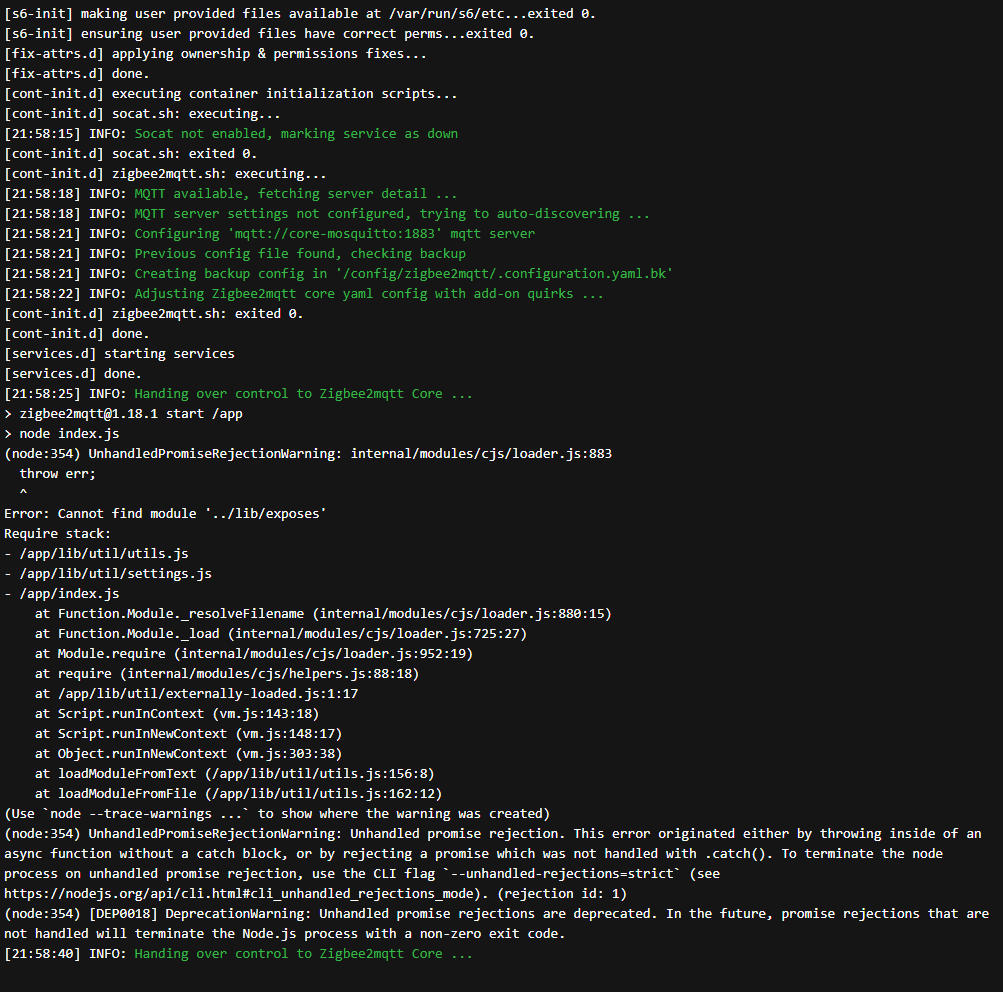
 proud pagoda
It is a BIG (well for me) HA setup
I'm a network guy, so in the process of redoing the entire estate with ubquiti
6 fibres, 25GB backbone, and lots of 1G cat6 (The guy I'm doing it for, is a fan of go big or go home :P)
And together we are doing the HA since he doesn't want to renew his Control4 setup
Half pro job, half 'tinkering'
sour shadow
HA is awesome, and sometimes frustrating 😄
That said, it's come a long way in the last few years. Once upgrades were a roll of the dice, now it's pretty rare for anything major to sneak through.
proud pagoda
Yeah, one thing that is annoying is waiting for the sparky to do wire in control interfaces for things like gates etc
I'd like to document the install, but will need to check as the guy is somewhat private, but I might be able to show somethings without any location data
Thanks for the info and assist @sour shadow much appreciated
sour shadow
No worries
drifting raven
sour shadow
HA is awesome, and sometimes frustrating 😄
I agree I had issues with Zigbee2mqtt where I had to replug the stick after reboot. Is this normal
drifting raven
CC2563
sour shadow
Oherwise, there's a lot more at play that could cause that
Mostly using the wrong device path 😄
proud pagoda
Ooh one I can answer 🙂 I found a FAQ on using the udev stuff to ensure it is the same device
drifting raven
The one that you recommend to me
sour shadow
/dev/serial/by-id/...?
drifting raven
So you want a log when I reboot the pie and see if the the sensor responds
proud pagoda
sour shadow
What path are you using?
If it's something like /dev/tty* then that's the wrong path
If it's anything else then the issue relates to your install method
drifting raven
/dev/serial/by-id/usb-1a86_USB_Serial-if00-port0
sour shadow
Then your problem is with your install method
drifting raven
what do you need me to do
sour shadow
I don't need anything 😉
You would want to:
- Work out whether the stick is being detected on reboot
- Use that information in the relevant install method channel to work out what's broken for you
drifting raven
How do it work out if it is detected on reboot
sour shadow
Depends on how you run HA really
drifting raven
normally i use Z2M to run a sensor automation
i used to use zha but i switched
/dev/ttyUSB0
should i use this insted
sour shadow
No
obsidian sandalBOT
Not sure which install you're using? If you have system_health enabled you can check Configuration -> Info -> Installation Type, or see the following.
-
If you bought the Home Assistant Blue, flashed an image, or booted a VM with an image you're using #330990055533576204
-
If you installed Linux and then ran a script to install HA and have add-ons then you have #330944238910963714
-
If you're running
dockercommands or use a Docker manager and have no add-ons or Supervisor then you have #449717345808547842 -
Finally, if you use
pipto install or upgrade you have #551864459891703809
Having difficulty chosing an install method? See this summary for guidance.
Command '.which' was invoked by: Tinkerer
sour shadow
What's your install method for HA?
drifting raven
Im running on the pie verson of HA
proud pagoda
@sour shadow You advice to change base topic worked wonders 🙂 thank you
sour shadow
It's like saying you have a car with wheels when asked what kind of car you drive 😛
sour shadow
Then you'd want to look in the Supervisor's hardware menu, and the #330990055533576204 folks can help you further
 upbeat pecan
Does anyone here know of a zigbee switch that can control fan speeds? I looked everywhere for one and could only find Z-Wave ones or Wi-Fi ones that didn't have a HA integration.
drifting raven
@upbeat pecan what about tuya integration
There is a local tuya integration which works great and support a fan
upbeat pecan
I admittedly know nothing about Tuya
hybrid flame
upbeat pecan
Does anyone here know of a zigbee switch that can control fan speeds? I looked e...
I've yet to find a zigbee one yet. I just picked up this one, it should work with HA but I haven't installed it yet I need an electrician https://www.amazon.com/gp/product/B08TT8DRK6/ref=ppx_yo_dt_b_asin_title_o06_s02?ie=UTF8&psc=1
upbeat pecan
I did discover today that WiFi switches using the SmartLife app can use the Tuya integration, is that the method you plan on using?
I myself got a Z-Wave one and am also waiting for an electrician but figured I'd ask here in case it doesn't work out.
hybrid flame
yep i think that was the plan, been sitting on a shelf for a while I can't remember
upbeat pecan
That's currently my backup plan if the Z-wave switch doesn't work.
tawdry wolf
analog ember
Because it seems like you need to keep the sensor awake for 20s when pairing (so...
Thanks, it seems that this has worked despite not having to do this in the past. It is a bit annoying that I have to manually query the database for a z axis but it's alright, not sure if it's worth the hassle to switch to zigbee2mqtt for.
dapper horizon
Hi guys, I've been trying some more with my zigbee scene switchers I bought, but still no luck.
I went back to the official zigbee2mqtt doc and it does say it's supported.
https://www.zigbee2mqtt.io/devices/TS004F.html
but for the life of me I can't get it to work, it wont pair
I do get
zigbee2mqtt:info 2021-07-01 23:07:29: MQTT publish: topic 'zigbee2mqtt/bridge/log', payload '{"type":"device_announced","message":"announce","meta":{"friendly_name":"0x60a423fffedb2e1b"}}'
but no pairing is achieved, when I press a button, I do get it's an unsupported device
austere patio
dapper horizon
Hi guys, I've been trying some more with my zigbee scene switchers I bought, but...
Tuya devices are notorious for having an absurd number of intentionally-unique manufacturer and model combinations. Yours may look identical (and very well be identical) to a supported one but until yours is explicitly supported, there's nothing you can really do.
dapper horizon
Received message from unsupported device with Zigbee model 'TS004F' <- same model number ???
austere patio
Look at the manufacturer name
dapper horizon
it's not written on it, altough it has a model no. esw-0zaa-eu
dapper horizon
https://zigbee.blakadder.com/Earda_ESW-0ZAA-EU.html this is is it, I bought it from the link they recommend
austere patio
Its model name according to that page is TS0044, and the manufacturer is _TZ3000_vp6clf9d
Your says its model name is TS004F and the manufacturer is ???
dapper horizon
where can I find that?
austere patio
I don't use Z2M but I assume it's logged when the device is being initialized
dapper horizon
it's not 😦
zigbee2mqtt:info 2021-07-01 23:21:35: MQTT publish: topic 'zigbee2mqtt/bridge/log', payload '{"type":"device_announced","message":"announce","meta":{"friendly_name":"0x60a423fffe803753"}}' this is what I get when I try to pair
austere patio
The docs say:
Once you successfully paired the device you will see something like:
Zigbee2MQTT:info  2019-11-09T12:19:56: Successfully interviewed '0x00158d0001dc126a', device has successfully been paired
Zigbee2MQTT:warn  2019-11-09T12:19:56: Device '0x00158d0001dc126a' with Zigbee model 'lumi.sens' and manufacturer name 'some_name' is NOT supported, please ...
I know, it's not the first zigbee device I use, it's the first one that is being suck a b***
austere patio
That's Tuya
dapper horizon
so there's nothing I can do?µ
austere patio
You can open an issue to ask someone to help support the device, but you need to get all the required info first: https://github.com/Koenkk/zigbee2mqtt/issues
 manic osprey
My complete ZHA network went down. It has been running with no issue for over a year, but after a reboot for 2021.7.0b0 it all went down. At least I think that is the timing, could've been a couple hours before also.
But nothing really in the logs, only two mentions after a HA reboot: [zigpy_deconz.zigbee.application] No watchdog response
austere patio
manic osprey
My complete ZHA network went down. It has been running with no issue for over a ...
Have you tried unplugging the Conbee and plugging it back in?
manic osprey
Trying to figure out what could cause it but no luck so far. Except for a couple older forum threads about reflashing the conbee II
Physically? No, not yet.
Did check the hardware path and it is connected. Also did a host reboot (running HA OS) but no suck luck after that either
austere patio
The library that communicates with the Conbee hasn't been updated in over three months so I don't think there's anything specific to 2021.7.0b0 that would cause the Conbee stop responding other than you restarting HA
manic osprey
I too think it must be odd timing. Just unplugged the stick, trying again now.
2021-07-01 23:37:27 WARNING (MainThread) [zigpy_deconz.api] Serial '/dev/ttyACM0' connection lost unexpectedly: device reports readiness to read but returned no data (device disconnected or multiple access on port?)```
Restarting HA now, shouldn't need a host reboot right?Probably not
manic osprey
Damn, still nothing
austere patio
What do the logs show?
Those errors don't look very good and point to a lower level issue somewhere
(Unless they were logged when you unplugged the stick?)
manic osprey
In the visualization it also says each (mains powered) device is disconnected.
Nothing in the log about zigpy or anythring
manic osprey
austere patio
Those errors don't look very good and point to a lower level issue somewhere
Those were when I manually unplugged the stick
austere patio
Enabling https://www.home-assistant.io/integrations/zha/#debug-logging should show at least something for zigpy_deconz
tawdry wolf
My sensors are having trouble updating values. I previously wasn't able to pair them but now it seems that their values will not update. I have checked the battery and replaced it as well as re-paired it but nothing seems to help. I am using ZHA and even when selecting a cluster and an attribute, using the "get" doesn't do anything. I'm just confused why my values wont update, is this a problem with my device?
austere patio
tawdry wolf
My sensors are having trouble updating values. I previously wasn't able to pair ...
If it's a sensor then usually it's not awake to receive requests
But it seems like attribute reporting wasn't correctly setup when the device joined
tawdry wolf
austere patio
If it's a sensor then usually it's not awake to receive requests
It's a multipurpose samsung smart things sensor; the battery level has not reported; the "is moving" will not work; the device specific value I need to sql query for is not changing in zigbee.db
austere patio
ZHA has a "reconfigure device" button that you can press and see the exact config status of each attribute so if you somehow keep the sensor awake when pressing that button, it'll probably start working after that
Is there any indication that the sensor is still on your network? It should be periodically reporting something.
The "Last seen" attribute would tell you when the device last indicated that it was alive
tawdry wolf
It is not offline in the visualization, but it seems to report nothing
manic osprey
Okay, 500+ line in the logs now 👀 haha
tawdry wolf
Hmm, it does not seem to be on the network.
Last seen "2021-07-01T16:50:53"
I just re-added the device after having issues, perhaps it did not add properly
austere patio
Is there any button you can click on the sensor or do something to turn it on?
tawdry wolf
There is a button but I am not sure if it's purely for reset or it will also wake it. Supposedly removing/opening the contact wakes it, which is how I fixed my issue with it not being able to be discovered/interviewed after re-paring but I was previously able to add these sensors with no problem when I migrated to HA initially (I was only using it as a tilt sensor, so I didn't even have the contact portion). I'm just confused why these issues are happening all of a sudden.
austere patio
Periodically poke the button and shake the sensor or something and reconfigure it from the device page
tawdry wolf
If reconfiguration doesn't work should I try re-re-adding
manic osprey
2021-07-01 23:49:41 DEBUG (MainThread) [homeassistant.components.zha.core.device] [0xDABC](SMSZB-120): does not have a mandatory basic cluster
I don't use clusters, are they mandatory and possibly a reason all suddenly stopped working?
austere patio
manic osprey
`2021-07-01 23:49:41 DEBUG (MainThread) [homeassistant.components.zha.core.devic...
Everything in Zigbee is a part of a cluster but you can ignore that warning, it's probably about an improperly joined device that wasn't completely initialized
austere patio
tawdry wolf
If reconfiguration doesn't work should I try re-re-adding
If your sensor isn't on the network then yeah
manic osprey
It's getting late here so I'm off to bed. I'll try to re-add a device tomorrow to see if the stick/zha accepts new devices. Would suck if I have to re-add everything but it would be "a" solution.
Thanks for now @austere patio
austere patio
If you have any bulbs you can try controlling them to confirm that the network is "up". The watchdog failure seems like serial communication with the Conbee itself is for some reason not working.
manic osprey
What do you mean with try controlling them?
Switchting the mains power off and on or something like that?
austere patio
No, like if your network is entirely sensors then you have to wait for something to report back to confirm that your network is functional. If you have always-on devices like bulbs that you can control, if you can control the bulb then your network is functional.
manic osprey
Yeah I've got a couple of bulbs, but they are also offline
none of my sensors (door/windows) but also my 3 bulbs are disconnected in the visualization
austere patio
Hmm. In that case can upload your debug log file somewhere after waiting for a bit to give the Conbee a chance to stop behaving strangely after a reboot? That would have all the info.
manic osprey
  default: info
  logs:
    homeassistant.components.zha: debug
    zigpy: debug
    zigpy_deconz.zigbee.application: debug
    zigpy_deconz.api: debug```
This would be enough right?
After reboot it spits 1800 lines immediatelyYeah. It dumps just about everything in the database but after it starts up you just get a few lines per message/command (which hopefully you get)
tawdry wolf
austere patio
If your sensor isn't on the network then yeah
sorry for the non imgur link, is a pain to upload there without the app on mobile and couldn't easily reconfigure sensor from pc because sensor is taped down and didn't wanna move it, here is what the reconfigure details say, not exactly sure what these mean
besides that it obviously failed ofc
austere patio
Seems like the sensor can't be contacted
manic osprey
austere patio
Yeah. It dumps just about everything in the database but after it starts up you ...
austere patio
Hmm, everything is failing with NWK_ROUTE_DISCOVERY_FAILED
manic osprey
Yeah, I see that too
And this (one of the lights) is jumping out to me too:
2021-07-02 00:02:51 DEBUG (MainThread) [homeassistant.components.zha.core.device] [0x05FF](TRADFRI bulb E27 WW 806lm): Attempting to checkin with device - missed checkins: 1
austere patio
Yeah, ZHA can't contact the device to check that it's alive because requests to it fail with NWK_ROUTE_DISCOVERY_FAILED
tawdry wolf
why would the sensor not be able to be contacted, though? should I re-add?
austere patio
tawdry wolf
why would the sensor not be able to be contacted, though? should I re-add?
Yeah, just re-join it and make sure to keep it awake while it joins
tawdry wolf
I'll try once again smiley 😊 would there possibly be any issue with the usb stick getting interference as I read that's a possible issue without a usb extender
manic osprey
Yes, weird as it sounds a 20 or 50cm USB extender does A LOT. Or at least did for me when I got first started with zigbee
tawdry wolf
my zwave works fine without any extender but I do have one I am currently using for my phone that I can easily repurpose if it'll help.
austere patio
It's hardware-specific, the Conbee seems especially sensitive to interference
austere patio
manic osprey
Yeah, I see that too
And this (one of the lights) is jumping out to me too:
`202...
Does anything happen if you power cycle a bulb at the switch by turning it off and on?
manic osprey
I'll check if it logs anything
tawdry wolf
I'm using the husbzb-1, not sure how important it is.
manic osprey
nothing
molten linden
I had a user with an EFR32 Series 1 coordinator with interference issues. turned out it was sitting next to a logitec wireless receiver for keyboard/mice and moving it a bit away cleared things up. kicker was it was not constant. the receiver must auto select freq and every so often it would overlap I guess.
tawdry wolf
i have quite a few electronics near my ha pi so i'll extend it before pairing again
manic osprey
When I try to reconfigure the device:
The device reconfiguration failed. Additional information may be available in the logs.
Basically the same: https://pastebin.com/QmQgPk4z
austere patio
Likely due to every request being rejected due to the routing error. It seems like the Conbee somehow lost its network settings after a restart??
I can't really see any other explanation for why it's not able to see any messages sent by devices on its network
manic osprey
Something like that 🤔
Any late-night tips what I can try tomorrow? Different USB port and re-configure the complete network from scratch?
austere patio
I dunno, maybe it'll find its lost settings after it's re-plugged? Might be easier than re-joining every device...
manic osprey
Already tried unpluggin and re-plugging it, no alas
austere patio
If it was an interference issue you'd get a different error
manic osprey
And yeah, not looking forward to re-joining everything haha
Yeah, I don't think it is interference to be honest. Nothing changed regarding that
I'll try and muscle through tomorrow. Thanks for now man
austere patio
Good luck
tawdry wolf
Seems to be fixed after using a usb extender and pairing again. Went from -98 rssi to around -84 and paired very quickly.
must've had some interference
royal star
What are y'alls motion sensor use cases? I have 3 cats so it precludes a lot of what I'm sure people use them for
 echo yarrow
turning on lights for the cat? 🙂
stable ermine
royal star
What are y'alls motion sensor use cases? I have 3 cats so it precludes a lot of ...
Most of my motion sensor use is to turn off/shut off stuff if there's no one in that room for a given amount of time. Use it to turn off ceiling fans and lights.
simple sentinel
royal star
What are y'alls motion sensor use cases? I have 3 cats so it precludes a lot of ...
Have you looked into pet immune PIRs? Should work for you, unless the cats stand upright on each others shoulders in a trench coat
 gentle stone
hello, anybody can explain me how to install https://www.zigbee2mqtt.io/how_tos/how_to_support_new_devices.html
i configure myswitch.js and pout zip file in share/zigbee2mqtt but i have error messages (external converters not found), i think it's not the good method to install external converters.... how to do it ?
jade mirage
Anyone using the Aqara cube?
obsidian sandalBOT
Don't ask to ask, just ask your question. Then people can answer when they're around.
When you do ask a question, try to provide as much background detail as possible. Ask yourself these questions first so that others don't have to:
- What version of the Home Assistant are you running? (remember, last isn't a version)
- What exactly are you trying to do that won't work?
- Is the problem uniform or erratic?
- What's the exact error message?
- When did it arise?
- What exactly don't you "get"?
- Can you share sample code, ideally with line errors where the error occurs?
Command '.ask' was invoked by: Tinkerer
jade mirage
I ordered one, but only half the gestures work. was not even seeing the codes in phoscon
I am using deconz to interface
shake, rotate and drop do not work
thick plover
Like a mic drop?
 forest cobalt
jade mirage
Anyone using the Aqara cube?
forest cobalt
jade mirage
Anyone using the Aqara cube?
I have 4 of them. BUT... I use them through Z2M and not deconz.
jade mirage
cool... any difficulties with the gestures?
mine is winging its way back to amazon
trying to decide on replacing
forest cobalt
Very occasionally on wake up and tap. It seems that they like to go into a period of deep sleep when not used for awhile. But, once they're awake, they has been working really well. Slide is a bit of a pain to script out though.
My wife uses one in the bathroom every day to randomly play a Sonos favorites list.
jade mirage
are you doing just the 6 gestures, or are you extending them?
very cool
I had mine speaking the gesture through alexa, but half the gestures did not fire
sour shadow
Wake seems to win over anything else, so if you wake it by tilting/turning you only get wake - at least on Z2M
forest cobalt
jade mirage
are you doing just the 6 gestures, or are you extending them?
We use all of them except for fall
sour shadow
I do get all of shake, wakeup, fall, tap, slide, flip180, flip90, rotate_left, rotate_right
tap is hard to get, and fall is just stupid
forest cobalt
And slide is just a wonky one to deal with.
jade mirage
ok, my rotates shake and fall were not responding.
forest cobalt
tap is ... yeah... another one that the timing needs to be close to perfect for.
sour shadow
And you have to tap the cube on something I found
forest cobalt
LOL Yup
jade mirage
ah
sour shadow
I spent too long wondering why tapping the on cube wasn't working
sour shadow
Yup
jade mirage
yeah that was one weird one.
sour shadow
Oh, no, I just pick it up and give it a good solid shaking
forest cobalt
It could be a combination of deconz being... well, deconz and or the blueprint.
sour shadow
Gentle doesn't work with this thing
jade mirage
never say the events in phoscon
thick plover
bet that shaking is mesmerising
forest cobalt
Nope
jade mirage
saw
forest cobalt
thick plover
bet that shaking is mesmerising
I had a really off-color comment for that... lol 😉
jade mirage
ok, I'll order a replacement
forest cobalt
Yeah, give it a try. It really is a cool little device once you get used to it's quirks.
jade mirage
I think a physical interface will help the wife
forest cobalt
That's what I got the first one for. She hates asking Alexa to play music and wanted a remote.
thick plover
i reckon i'd be pretty good at this cube thing
i've got lots of experience of shaking things
jade mirage
would love to see some ideas for what you use the gestures for.
forest cobalt
LOL well, maybe? I mean, it's not a Shelly, so there's that 😉
forest cobalt
damnit. LMAO
thick plover
bloody shellies...
sour shadow
I use one for lighting control.... dim/bright/on/off/random colour
thick plover
two way switches are a BITCH
sour shadow
Left and right for dim/bright. flips for on/off, shake for the random colour
jade mirage
oh nice
thick plover
shake shake
sour shadow
Wakeup is harder to work with, but mostly I use it for turn on dim if the light was off
jade mirage
what action wakes the cube?
forest cobalt
My office one is like that. But, I have flip90 and flip180 control my fan speeds and if the start side == 1/3/5, it then controls my light brightness. BUT... I had to put stickers on each side so I know which side I'm starting on. LOL
jade mirage
good idea...
forest cobalt
Technically, any action will wake it.
sour shadow
Yeah, it just have to have gone to sleep
jade mirage
ah
sour shadow
I haven't put stickers on mine - mostly because for lighting control it has to work in the dark
sour shadow
At oh-god-thirty I'm unlikely to be able to focus enough to work with either 😛
jade mirage
good point
forest cobalt
LOL!!! Honestly, at oh-god-thirty, I'm using voice commands... If I turn on lights at all.