#zigbee-archived
1 messages · Page 48 of 1
 sharp kraken
Diagnostics: https://hastebin.com/share/apazefolez.json
 still heath
That sounds like maybe a bug. What are you using for your integration? dconz?
sharp kraken
SkyConnect via ZHA
 orchid patio
Can anyone suggest some recommended hardware for my needs? I'm looking for a USB Zigbee receiver that's supported under linux (so, probably needs to talk like a serial port over the USB) preferably with transmit available (so my server can activate alarms) and preferably without me needing to re-flash the thing, plus, I'm looking for a large number of "door" sensors which must include a low-battery message feature, and send both "open" and "closed" messages. I'm also after an external tamperproof-waterproof-solar siren+light, and a dozen or so motion sensors (again - everything must have low-battery alerts). Goal is an alarm system. Setup has no internet access. My preference is aliexpress or something similarly affordable. Sorry to sound like a n00b... I just bought a bunch of 433mhz stuff which has turned out to be more pain to figure out than I care to invest (none of my EPS32 sketches are seeing any data from any of the 4 different RX modules I got, and nor is my oscilloscope: time to cut losses and move to zigbee I'm thinking...). I'm a proficient electornics and embedded firmware dude. Zero experience with any kind of home automation or wireless alarm gear though.
 rapid dawnBOT
Buy something CC2652 based. This list is a good one, both Tube and Electrolama have been proven to have excellent customer service. The current generation of EZSP sticks (see here for some) are also a good choice for ZHA.
Anything CC2530 or CC2531 based should be avoided - they're old, slow, and only suitable for a dozen or so devices. The Sonoff ZBbridge isn't advised since it uses WiFi (built in interference causing stability/reliability issues), and the HUSBZB-1 uses an older chipset so should be avoided.
Finally, the ConBee range are fine with deCONZ, but experience with ZHA and Zigbee2MQTT appears to be mixed.
 sour shadow
For door/window sensors the Xiaomi Aqara sensors are good - the E1 or T1 ones are better than the OG version (Zigbee 3.0 vs 1.2), but all are generally fine
You will need to buy Zigbee router devices

orchid patio
Why do I need a router? This suggests I won't ? https://www.zigbee2mqtt.io/advanced/zigbee/04_sniff_zigbee_traffic.html
sour shadow
You need a router because the point to point range is around 6 to 8 meters
Coordinators also support a limited number of directly connected devices
orchid patio
cannot do direct - concrete walls.
sour shadow
Then... you need routers
Zigbee routers, not WiFi routers ... just in case you're confused
orchid patio
do routers use wires? if yes... concrete walls again.
sour shadow
No
orchid patio
Sorry mate - I'm a bit new to this discord stuff... where are the "pins" you mean? in this zigbee channel, or someplace else?
 grim igloo
orchid patio
Can anyone suggest some recommended hardware for my needs? I'm looking for a US...
grim igloo
orchid patio
Can anyone suggest some recommended hardware for my needs? I'm looking for a US...
You’re misunderstanding the way home assistant works regarding these devices and alerts. You’d manually setup notifications with home assistant to the app, HomeKit, Alexa, etc.
sharp kraken
Also a noob here... As far as I know almost every zigbee device on wired power can be a router. E.g. a light bulb.
sour shadow
Most, not all
orchid patio
No internet whatsoever, fwiw.
sour shadow
sharp kraken
Also a noob here... As far as I know almost every zigbee device on wired power c...
Generally speaking, not Sengled bulbs or two-wire switches and dimmers, and some random other devices
orchid patio
True, but alexa and everything else that a "router" probably wants to talk to does , right?
grim igloo
Zigbee repeaters are also called routers if that helps
sharp kraken
Can anybody help with this...?
grim igloo
Look for open issues on zha GitHub page and create one if not
orchid patio
I fully understand wifi isn't zigbee - I'm just pointing out that everyhting "smarter" than a lightbulb is almost always not goign to work without it's own conenction to some cloud or other. In fact - Home Assistant itself cannot work offline either, right ?
grim igloo
It’s a holiday so not a great time to ask about broken things like that
sour shadow
HA can work fine offline
grim igloo
orchid patio
I fully understand wifi isn't zigbee - I'm just pointing out that everyhting "sm...
Home assistant doesn’t require internet but it’s expected that you stay up to date which it sounds like you won’t be
sour shadow
HAOS struggles in the default config, and you need internet for updates/installing new integrations, but other than that...
You can certainly just have it online for those things
grim igloo
There’s no LTS version and support will often require you to be on latest or semi latest regardless of install method. With that being said if you setup everything local and have a good mesh (zigbee, zwave, etc) then yes it would be just fine offline
It’s a rapid development pace with many many PRs merged monthly
sour shadow
There are plenty of people who run HA mostly offline
orchid patio
Has anyone experimented with MyCroft ? I spent a few hours researching and from the little I could work out, mycroft seems less likely to give problems without any internet than HA?
grim igloo
That’s a dead project
Look at rhasppy and ask questions in #voice-assistants-archived
Or whatever they’re calling the new voice thing. Piper I think
orchid patio
Does anything called "zigbee" on aliexpress work with all of CC2652 and CC1352 and CC2531 devices?
sour shadow
Mostly... but do yourself a favour and be cautious with anything Tuya
Also, where possible buy Zigbee 3.0
Oh, and Sonoff's sensors are ... not great
orchid patio
I'm getting just one of a range of things to start with - I'll buy "lots" of whatever I confirm works the way I need. I found some CC2531 USB "dongles" with SMA sockets and 8db antennas, so I'm hoping that will get me some range. I'm stumped on the "CC2531 based should be avoided - they're old, slow, and only suitable for a dozen or so devices" comment - I assume you're not actually meaning the CC2531, but rather, whatever router/repeater uses it? When I plug the CC2531 sniffer into my linux box, there's no limit to device counts - right? I don't care about speed - my cams will use wifi, not zigbee (again - without internet though).
sour shadow
The CC2351 is an ok router, it's a shit coordinator
If you're daft enough to buy one then you've got a limit of about a dozen devices before it shits the bed at random
 harsh mango
hi, any recommendations for small zigbee plugs? the sonoff ones are too big for one specific area, but I don't want to buy garbage lol.
sour shadow
Country?
I mean... I could recommend some UK plugs, but if you're not in the UK that's not helpful 😉
harsh mango
whoops sorry, good point (and you did mention that before): USA
I'm trying to pack so much in today I'm all over the place.
😄
 carmine hamlet
these are fast, pair easily, and are pretty small: https://www.amazon.com/gp/product/B09KNDM4VV
they're also a partner with HA, and support OTA FW updates
I finally dug into this and it's this block of code that determines what shows up on the dashboard: https://github.com/nurikk/zigbee2mqtt-frontend/blob/301b07dfb0b2c0fd420f5f44cb7b504f81179e31/src/components/dashboard-page/index.tsx#L55
in my case, my switch doesn't expose any of these:
const whitelistFeatureNames = ['state', 'brightness', 'color_temp', 'mode', 'sound', 'occupancy', 'tamper', 'alarm'];, so it isn't shown. It does expose "action", so I added it to the list as a test and it shows up in my dashboard now. Maybe I'll do a PR and see what they say...
harsh mango
carmine hamlet
these are fast, pair easily, and are pretty small: <https://www.amazon.com/gp/pr...
thanks!
harsh mango
carmine hamlet
these are fast, pair easily, and are pretty small: <https://www.amazon.com/gp/pr...
ah, just clicked. still too big. looking for the circular ones, if any are good.
 austere patio
Too wide? They take up exactly one outlet height-wise.
 open mica
Im planning to purchase these https://www.ikea.com/us/en/p/silverglans-tradfri-lighting-kit-white-s29481824/ or https://www.ikea.com/us/en/p/skydrag-tradfri-lighting-kit-white-s99481665/. I know Tradfri works with HA and gonna use ZHA to make automations with aqara motion sensor... Anyone that has used these? any good or bad?
 languid acorn
Hi, I'm having an issue with Zigbee2MQTT and HA. It seems that HA is forgetting all devices actions. I don't know if it's HA or Z2M's fault. I made a discussion about it here : https://github.com/Koenkk/zigbee2mqtt/discussions/17834 if someone here has some time, could you tell me if you have an idea ? Thanks in advance and have a good day.
 near echo
languid acorn
Hi, I'm having an issue with Zigbee2MQTT and HA. It seems that HA is forgetting ...
near echo
languid acorn
Hi, I'm having an issue with Zigbee2MQTT and HA. It seems that HA is forgetting ...
Which vo-ordinator? Also chekc z2m logs whether the device names change, it shouldn't ideally
rapid dawnBOT
@manic loom I converted your message into a file since it's above 15 lines :+1:
 manic loom
sour shadow
For door/window sensors the Xiaomi Aqara sensors are good - the E1 or T1 ones ar...
manic loom
sour shadow
For door/window sensors the Xiaomi Aqara sensors are good - the E1 or T1 ones ar...
This is the "thread" I'm referring to (bot converted my message to a plaintext file) 😄
 stray wolf
what're the cheapest smart curtain/blinds that work reasonably well?
 opaque helm
Why zigbee2mqtt ain't a good idea with sonoff dongle-E?
I couldn't find any real reason on the internet
sour shadow
opaque helm
Why zigbee2mqtt ain't a good idea with sonoff dongle-E?
I couldn't find any rea...
Because of a lack of developer time and testing by people
sharp kraken
Color and color temperature not working with SkyConnect on ZHA and Lidl rgb/white lightbulb
 ember valve
Is there a guide for how to write zha quirks? I found this https://github.com/zigpy/zha-device-handlers but it only breaks down a pre-existing quirk and how it works. I need something to tell me how to make one myself.
languid acorn
near echo
Which vo-ordinator? Also chekc z2m logs whether the device names change, it shou...
Device names don't change. I was using ZHA before and didn't have those issues, but I don't know if it comes from Z2m or HA
 mellow geode
ember valve
Is there a guide for how to write zha quirks? I found this https://github.com/zi...
mellow geode
ember valve
Is there a guide for how to write zha quirks? I found this https://github.com/zi...
What device are you looking to write a quirk for?
ember valve
mellow geode
What device are you looking to write a quirk for?
I have some motion sensors which can be programmed to have a 30, 60 or 120 seconds activation window. This option is not available for me with HA, but my dad using Tuya can set it. I haven't been able to find any quirk for it from googling, so I'm guessing I would have to write my own.
near echo
languid acorn
Device names don't change. I was using ZHA before and didn't have those issues, ...
Have ypu cjeck the logs whether the zigbee signals arrive and if botndevice, what does chnage? Sonce entitu names from that will be mapped yp your HA
 dire owl
Hi, does anybody know if the IKEA TRADFRI on/off switch does its supervisor check every 4 hrs? It seems to go offline if I don't use it. Would make sense if it is supposed to be like that (for battery saving). It comes back online when I use the button, and thus leads me to believe it sleeping.
austere patio
Click the "Reconfigure" button on the device page and press the button itself repeatedly (at the same time). The device likely has no reporting set up.
dire owl
ok will do this. Will doing this create a reporting interval or it simply does not support it?
grim igloo
dire owl
ok will do this. Will doing this create a reporting interval or it simply does n...
I think he’s saying during inclusion it didn’t join correctly and is missing a feature
 late imp
Did you ever figure this one out?
 gleaming jay
Any troubleshooting suggestions? I have a TRADFRI open/close remote that used to work okay, then stopped. When I re-add it within seconds it immediately becomes "unknown" again
I've replaced the battery
dire owl
late imp
Did you ever figure this one out?
I don't know what is special about this specific garage door, but there are plenty of dry contact zigbee relays out there...maybe I'm missing something
late imp
dire owl
I don't know what is special about this specific garage door, but there are plen...
I just got a horman promatic 3 garage door motor and want to be able to open and close it from home assistant. So im completely blank, so I went out and bought a shelly 1 plus pm, but it is missing the IO ports so im not able to continue so before I buy another shelly I wanted to check if there are better solutions out there
dire owl
late imp
I just got a horman promatic 3 garage door motor and want to be able to open and...
it should work with that shelly, use I/O for the garage, and your magetic contact (reed) to SW and L, plus power supply
oh you have the PM version, Ok, you'll need the Shelly Plus 1 version here:
https://www.shelly.cloud/en/products/shop/shelly-plus-1
late imp
yeah exactly. So I bought the wrong one..
and then I guess the next question if my wifi range is good enough in the garage..
dire owl
You would have the same problem if it was zigbee, because they are both 2.4 Ghz
how far is it?
zigbee uses mesh, so it should be better compared to wifi but you will need some reliable repeaters/routers (i.e. non battery powered Zigbee devices in between)
sour shadow
dire owl
You would have the same problem if it was zigbee, because they are both 2.4 Ghz
Well... WiFi range is reasonably going to be greater than Zigbee range, as the power they use is quite different
dire owl
you're right, knowing the distance helps to decide
You really want your garage door opener to be reliable.
languid acorn
near echo
Which vo-ordinator? Also chekc z2m logs whether the device names change, it shou...
Hi, sorry for the long answer time. It happened again so I'm pretty sure actions disappear after exactly one day. I checked the z2m and I don't see any device name change
Here the actions just disappearred : https://ibb.co/rcVTz0w
Here I just pushed on the 1st button : https://ibb.co/CPJznNg
late imp
dire owl
You really want your garage door opener to be reliable.
yeah, it is not that far away. I have good connection with my phone, but I guess these small devices often have worse reception. Kind of just want something standard solution rather than having to hack soemthing together with a shelly 🙂
dire owl
The Shelly/ESPHome/Zigbee relay way could work well for you, but with a little more, you can complete garage door packages. Some zigbee device manufacterues don't have good security. Zwave devices always do
If you have z-wave, there are some all in one devices available. Personally, I have the GoControl/Linear GD00Z-4. It comes with everything including tilt sensor.
grim igloo
well zwave dont "always do" anything it widely depends on the brand and firmware.. with that being said certain zwave devices supports "s2" which confirms packets arrive (think tcp) so for something like a smoke alarm, garage door, etc, it's a nice feature that I look for
dire owl
that's true, S0 for example
but ZigBee is more "abused" in terms of quality control... and if my neighbor has his usb controller in pairing mode at the same time as me, they could technically pair the same device in their network, for example.
sour shadow
A device can only be in one mesh at a time, and Z-Wave has the same "timing" problem
 wicked crow
Does anybody know where can I buy Zigbee Development Board? One of the Tuya TYZS preferably
austere patio
wicked crow
Does anybody know where can I buy Zigbee Development Board? One of the Tuya TYZS...
If you're interested in Zigbee development, why go with a Tuya dev board? They implement a semi-proprietary protocol on top of Zigbee. If you're interested in making your own device, it would be much easier to create a standards-compliant one with a normal Zigbee dev kit.
wicked crow
austere patio
If you're interested in Zigbee development, why go with a Tuya dev board? They i...
Which one do you recommend? I can actually get the nRF52833 dev kit as well 🤔 Would you recommend this one?
 lofty whale
I am getting a "refused to connect" on my zigbee2mqtt ipanel after a fresh install of zigbee2mqtt everytime (Docker install). Can anyone help to troubleshoot this?
carmine hamlet
When you say "ipanel", are talking about embedding the Zigbee2MQTT interface into HA via panel_iframe?
carmine hamlet
and you can access it directly via your browser?
lofty whale
please help. I tried a few dongles and it is the same problem
carmine hamlet
trying a bunch of dongles isn't necessarily going to fix your ability to get to the webpage
so...is your issue with the iframe, or accessing the UI at all?
lofty whale
I have not managed to access any zigbee2mqtt UI at all
how do I access the UI for zigbee2mqtt?
IPaddress:8080?
could it be that my router is blocking port 8080?
carmine hamlet
no
hopefully you followed in the instructions: https://www.zigbee2mqtt.io/guide/installation/02_docker.html#running-the-container
lofty whale
Zigbee2MQTT:info  2023-05-31 09:30:23: Starting Zigbee2MQTT version 1.30.4 (commit #b2dd21e)
Zigbee2MQTT:info  2023-05-31 09:30:23: Starting zigbee-herdsman (0.14.111)
Zigbee2MQTT:info  2023-05-31 09:30:24: zigbee-herdsman started (resumed)
Zigbee2MQTT:info  2023-05-31 09:30:24: Coordinator firmware version: '{"meta":{"maintrel":1,"majorrel":2,"minorrel":7,"product":1,"revision":20210708,"transportrev":2},"type":"zStack3x0"}'
Zigbee2MQTT:info  2023-05-31 09:30:24: Currently 0 devices are joined:
Zigbee2MQTT:warn  2023-05-31 09:30:24: `permit_join` set to  `true` in configuration.yaml.
Zigbee2MQTT:warn  2023-05-31 09:30:24: Allowing new devices to join.
Zigbee2MQTT:warn  2023-05-31 09:30:24: Set `permit_join` to `false` once you joined all devices.
Zigbee2MQTT:info  2023-05-31 09:30:24: Zigbee: allowing new devices to join.
Zigbee2MQTT:info  2023-05-31 09:30:24: Connecting to MQTT server at mqtt://localhost
Zigbee2MQTT:error 2023-05-31 09:30:24: MQTT error: connect ECONNREFUSED 127.0.0.1:1883
Zigbee2MQTT:error 2023-05-31 09:30:24: MQTT failed to connect, exiting...
Zigbee2MQTT:info  2023-05-31 09:30:24: Stopping zigbee-herdsman...
Zigbee2MQTT:error 2023-05-31 09:30:25: MQTT error: connect ECONNREFUSED 127.0.0.1:1883
Zigbee2MQTT:error 2023-05-31 09:30:30: MQTT error: connect ECONNREFUSED 127.0.0.1:1883
Zigbee2MQTT:info 2023-05-31 09:30:31: Stopped zigbee-herdsman```there's your problem
lofty whale
mqtt?
carmine hamlet
clearly
rapid dawnBOT
@lofty whale I converted your message into a file since it's above 15 lines :+1:
lofty whale
I did set my ip address in the zigbee2mqtt configuration.yml but it still connects to 127.0.0.1:1883
grim igloo
you definitely didnt just leak your password right
lofty whale
I definitely didnt 🙂
can you please show me how to correct this mqtt setting?
do I need to remove the ' in the begining and the end?
grim igloo
i dont see single quotes in the docs anywhere for server or password
carmine hamlet
Mine looks just like that, but doesn't have :1883. Do you know what you've installed and configured your MQTT broker properly?
lofty whale
my mqtt is working. I can connect to it with mqtt explorer
but why does the logs show that it is connecting to mqtt via 127.0.0.1:1833?
serial:
  # Location of CC2531 USB sniffer
    adapter: ezsp
port: /dev/serial/by-id/usb-Silicon_Labs_Sonoff_Zigbee_3.0_USB_Dongle_Plus_0001-if00-port0```I changed the adaptor
Zigbee2MQTT:info  2023-05-31 09:51:05: Logging to console and directory: '/app/data/log/2023-05-31.09-51-05' filename: log.txt
Zigbee2MQTT:info  2023-05-31 09:51:05: Starting Zigbee2MQTT version 1.30.4 (commit #b2dd21e)
Zigbee2MQTT:info  2023-05-31 09:51:05: Starting zigbee-herdsman (0.14.111)
Zigbee2MQTT:error 2023-05-31 09:51:26: Error while starting zigbee-herdsman
Zigbee2MQTT:error 2023-05-31 09:51:26: Failed to start zigbee
Zigbee2MQTT:error 2023-05-31 09:51:26: Check https://www.zigbee2mqtt.io/guide/installation/20_zigbee2mqtt-fails-to-start.html for possible solutions
Zigbee2MQTT:error 2023-05-31 09:51:26: Exiting...
Zigbee2MQTT:error 2023-05-31 09:51:26: Error: Connection not initialized
    at Ezsp.execCommand (/app/node_modules/zigbee-herdsman/src/adapter/ezsp/driver/ezsp.ts:551:19)
    at Ezsp.version (/app/node_modules/zigbee-herdsman/src/adapter/ezsp/driver/ezsp.ts:349:35)
    at Driver.startup (/app/node_modules/zigbee-herdsman/src/adapter/ezsp/driver/driver.ts:141:25)
    at EZSPAdapter.start (/app/node_modules/zigbee-herdsman/src/adapter/ezsp/adapter/ezspAdapter.ts:165:16)
    at Controller.start (/app/node_modules/zigbee-herdsman/src/controller/controller.ts:132:29)
    at Zigbee.start (/app/lib/zigbee.ts:58:27)
    at Controller.start (/app/lib/controller.ts:101:27)
at start (/app/index.js:107:5)```this is the p dongle not the E dongle correct? if so, it's not ezsp iirc...
lofty whale
ok lemme restrt docker adn try this
Zigbee2MQTT:info  2023-05-31 09:54:22: Logging to console and directory: '/app/data/log/2023-05-31.09-54-22' filename: log.txt
Zigbee2MQTT:info  2023-05-31 09:54:22: Starting Zigbee2MQTT version 1.30.4 (commit #b2dd21e)
Zigbee2MQTT:info  2023-05-31 09:54:22: Starting zigbee-herdsman (0.14.111)
Zigbee2MQTT:error 2023-05-31 09:54:22: Error while starting zigbee-herdsman
Zigbee2MQTT:error 2023-05-31 09:54:22: Failed to start zigbee
Zigbee2MQTT:error 2023-05-31 09:54:22: Check https://www.zigbee2mqtt.io/guide/installation/20_zigbee2mqtt-fails-to-start.html for possible solutions
Zigbee2MQTT:error 2023-05-31 09:54:22: Exiting...
Zigbee2MQTT:error 2023-05-31 09:54:22: Error: Error while opening serialport 'Error: Error: No such file or directory, cannot open /dev/serial/by-id/usb-Silicon_Labs_Sonoff_Zigbee_3.0_USB_Dongle_Plus_0001-if00-port0'
    at SerialPort.<anonymous> (/app/node_modules/zigbee-herdsman/src/adapter/z-stack/znp/znp.ts:146:28)
    at SerialPort._error (/app/node_modules/@serialport/stream/dist/index.js:76:22)
at /app/node_modules/@serialport/stream/dist/index.js:112:18```Still cant...:
Zigbee2MQTT:info  2023-05-31 10:19:49: Logging to console and directory: '/app/data/log/2023-05-31.10-19-49' filename: log.txt
Zigbee2MQTT:info  2023-05-31 10:19:49: Starting Zigbee2MQTT version 1.30.4 (commit #b2dd21e)
Zigbee2MQTT:info  2023-05-31 10:19:49: Starting zigbee-herdsman (0.14.111)
Zigbee2MQTT:error 2023-05-31 10:19:49: Error while starting zigbee-herdsman
Zigbee2MQTT:error 2023-05-31 10:19:49: Failed to start zigbee
Zigbee2MQTT:error 2023-05-31 10:19:49: Check https://www.zigbee2mqtt.io/guide/installation/20_zigbee2mqtt-fails-to-start.html for possible solutions
Zigbee2MQTT:error 2023-05-31 10:19:49: Exiting...
Zigbee2MQTT:error 2023-05-31 10:19:49: Error: Error while opening serialport 'Error: Error: No such file or directory, cannot open /dev/ttyUSB.CC2531-01'
    at SerialPort.<anonymous> (/app/node_modules/zigbee-herdsman/src/adapter/z-stack/znp/znp.ts:146:28)
    at SerialPort._error (/app/node_modules/@serialport/stream/dist/index.js:76:22)
at /app/node_modules/@serialport/stream/dist/index.js:112:18```I have done the steps in zigbee2mqtt.io to give write access to the port.
Is there anything I must do to initialise the sonoff zigbee dongle? Its fresh from the box
grim igloo
No but it’s usually a good idea to update the firmware
There’s guides to do it with python
You can do it later if you want
grim igloo
Well I’d join z2m discord server if no one here jumps in to help
It really shouldn’t be this hard
lofty whale
Thanks I will do a fresh install and try again
carmine hamlet
It doesn't seem like you're passing the device into the container properly. Or you need to enable privileged mode
 solid inlet
Hi guys, I have an ongoing update of an Ikea E1743 button (on/off switch). Thing is, Ikea has no mention of new update on their site?? This is all I know... How can I find out what it's doing please? ```
Installed version 587699761
Latest version 604241926
I am using Z2M, but that should have little to do with the actual firmware...right?
carmine hamlet
Device makers are terrible at providing release notes for firmware
solid inlet
Well, yes, agree...
carmine hamlet
You may need to email their support
solid inlet
I was a little surprised as it before had to be "woken up" to see an upgrade... But I take it this has changed?
carmine hamlet
Z2M does a check when it starts, and usually fails for battery devices. I don't know if it just queues them for later
solid inlet
Also.. What are the numbers representing the versions? Epoch?
solid inlet
Ok, thought it perhaps was a datecode or such, but then I know
lofty whale
carmine hamlet
It doesn't seem like you're passing the device into the container properly. Or y...
how do I do that?
solid inlet
well, yes... but I mean, Z2M shows it to currently have version 2.3.079, and then this... Installed version 587699761. So this odd number is somehow == to 2.3.079?
carmine hamlet
It is an OS
lofty whale
so only on VM in linux?
solid inlet
lofty whale
is it possible to install HAOS on Linux?
It runs well in a VM, I use Proxmox for instance
lofty whale
maybe I will try that route
this z2m setup in docker is just too difficult
and my motion sensors dont work in ZHA....
solid inlet
Yeah, docker never caught my attention really... I hope you get it sorted 🙂
lofty whale
are you running frigate as well?
solid inlet
No, sorry
 earnest plaza
Is there any limit to the number of zigbee commands that can be issued at once?
I'm running into a confusing issue with scripts where I'm trying to turn off all the lights in my apartment (~10) and the script is turning off most but not all of them.
I'm not sure if it's a script issue or a zigbee issue.
austere patio
earnest plaza
Is there any limit to the number of zigbee commands that can be issued at once?
What coordinator are you using?
earnest plaza
I have an HA Yellow, so EZSP
austere patio
There isn't, commands are queued in software once they hit a limit. What bulbs aren't responding reliably? Sengled?
earnest plaza
no lol, inovelli
switches
surprisingly
I'm becoming more convinced it's not a zigbee issue
i've broken the script out into a couple of light.turn_off invocations, I put all the inovelli switches in their own light.turn_off call and they're reliably turning off / on
austere patio
Are they a part of a Zigbee group when you were originally trying to turn them all on/off?
near echo
languid acorn
Hi, sorry for the long answer time. It happened again so I'm pretty sure actions...
Well showing these screenshots will not help. Go to your Z2M and check what is being recorded in the logs - see this sample https://ibb.co/0CMwwMj if you are on ZHA, check out those logs first
rapid dawnBOT
@earnest plaza I converted your message into a file since it's above 15 lines :+1:
earnest plaza
fight me, HA bot 😛
austere patio
Interesting. Can you grab a ZHA debug log of you calling both, with one working and the other not?
earnest plaza
not sure how to grab a zha debug log but happy to learn
austere patio
In the list of integrations, find ZHA. Under the three dot menu, there's an entry called "Enable debug logging". Once you disable it, a debug log file will download.
austere patio
If you could, PM them over. There should be no difference between the two invocations but you never know.
earnest plaza
ok one sec let me set up an apples to apples test
now it's uh
working???
sorry for the delay here, classic error situation where I'm trying to repro and it's no longer reproing
austere patio
No worries, send it over if/whenever you can get it and I'll take a look at it tomorrow
earnest plaza
ok well I got it to repro but I checked the logs and there are no errors
Did you want me to leave debug mode on for the duration?
or just toggle it to get the logs and see if there were errors?
austere patio
Sure. I'm interested in the status codes and counters, you likely won't see error messages. The full, unredacted log is best.
earnest plaza
ok let me try again with debug mode enabled for the duration and I'll upload the log
 half cradle
earnest plaza
no lol, inovelli
half cradle
earnest plaza
no lol, inovelli
The best switches. I just got the blue
Now my wife won't let me get cheaper ones....
earnest plaza
yeah they're slick
it's confusing why they're not playing nice with the scripts here, though I'm guessing I'm actually running into a problem with automations? or the two not playing nice together?
half cradle
I just am setting them up, I haven't got a chance to automate them yet. They have so many settings.
If you turn them all on or off together, can't you group them via scene?
earnest plaza
I've checked the automation trace as well, and it shows it as turning off only a couple of the lights each time /shrug
half cradle
Shouldn't you have a scene?
earnest plaza
word on the street is scripts are better than scenes for most cases
half cradle
Yea well the street says don't use zha and use mqtt for everything because it will cure cancer and save babies
Speaking of, I guess you could try mqtt, I am using zha with no issues. I'm curious if scenes work
earnest plaza
lol also true
earnest plaza
puddly and I seem to have figured it out over DM
the answer, as it so often is, seems to be "just add retries lol"
so anyway 🎉 now I can push button and turn off all light
one thing I was doing which I later figured out was dumb was combining light.turn_off and switch.turn_off
the inovelli blues have a bunch of config options that manifest as switch
so switch.turn_off was turning off many more things than it was supposed to be
very confusing for a few minutes
half cradle
earnest plaza
very confusing for a few minutes
I want to customize the lights on mine
Like red means garage door open
earnest plaza
it's not documented anywhere that I could find, but the automations screen has a bunch of useful stuff for doing just that
the inovelli website directs you to some guy's github where he has a tool for setting config values
half cradle
Lol
earnest plaza
but the automation screen actually just lets you do "issue effect for all LEDs"
half cradle
I like the configuration in the booklet for HA, "Did you really think we could list all home assistant automation here? Go to this Url"
earnest plaza
tho the color selector is just a 1-255 slider so you have to figure out what number corresponds to what color weeps in ux design
earnest plaza
half cradle
I like the configuration in the booklet for HA, "Did you really think we could l...
I saw that, incredible
half cradle
earnest plaza
tho the color selector is just a 1-255 slider so you have to figure out what num...
I pulled up my vs code color picker. Lol. And cried for thinking about css
My wife is like why can't it use RGB
I mean hex
earnest plaza
yeah
I still don't fully understand it, I don't work with color much
hex color is typically two hex digits per color, but 255 is 0xFF, not even one per color
half cradle
Yea, I just pick a color wheel, but I also have Aphantasia
I think HSL makes the most sense, but that's just me
Which I guess is what the switches kinda do. Hmm.
 last ruin
Z2M: I've set Min rep change on rmsVoltage to 500 and Min rep interval to 60. But I'm still getting reports every minute like this: " type 'attributeReport', cluster 'haElectricalMeasurement', data '{"acFrequency":50040,"activePower":0,"rmsCurrent":0,"rmsVoltage":24052}' from endpoint 2 with groupID 0" . I have the same issue with 2 other devices, all being Develco SPLZB-131. It looks like it ignores the Min rep change but respects Min rep interval. Ideas?
I don't care if rmsVoltage goes from 24024 to 24006 😛
 junior reef
I accidentally purchased a light switch instead of a curtain module (https://www.zigbee2mqtt.io/devices/MS-104BZ.html instead of https://www.zigbee2mqtt.io/devices/MS-108ZR.html) In theory it seems that is should be very similar, I can turn on or off each switch which in turn makes the roller go up and down. However it's not as convenient as native curtain module as there is no calibration, no awareness of the position inside the switch, etc. Is there a way to either flash a different FW somehow or have an intermediate integration/automation that would take a light switch as input and expose a roller instead?
sour shadow
last ruin
Z2M: I've set Min rep change on rmsVoltage to 500 and Min rep interval to 60. Bu...
My understanding is that you're getting what you asked for... it reports immediately if the value changes by 500, or if there's been a change and at least 60 seconds have passed
last ruin
Oh, ok. Thanks.
Changed it to min rep interval 60 and min rep change to 1 and it only reports every 60 seconds...
I've read it as min rep interval at 60 will only report every minute if min rep change "has changed". And it behaves like that on my Datek Apex smart plugs. Just not the Develco ones.
sharp kraken
Hi everyone, I am new to HA and just have added the first two lights to HA. Both are Lidl/Silvercrest color and white bulbs. I integrated them using zha with a HA SkyConnect. The color temperature slider is off, it is warm somewhere around the middle and cold at the ends of the slider. Setting a color doesn't work at all. I searched the Forum but I can't find anything. Any hint or help would be appreciated.
Diagnostics: https://hastebin.com/share/apazefolez.json
 molten linden
search current issues or create a new issue here https://github.com/zigpy/zha-device-handlers
sharp kraken
will do, thank you
manic loom
https://itead.cc/product/sonoff-zigbee-3-0-usb-dongle-plus/
Is this good? It's one of the adapters on the Zigbee2MQTT site
sour shadow
It's not the best choice - that model has quality control issues
I'd suggest one from Tube, Electrolama, or Slaesh instead
manic loom
ZZH seems to be the best(?) but also expensive
 ashen bluff
If you pay that much might as well get a PoE one
sour shadow
You can buy a cheap Sonoff and hope you don't get a broken one.... or just spend the money now and only buy once
manic loom
buy cheap buy twice right?
sour shadow
Buy Tuya, buy thrice 😛
carmine hamlet
you can delete...
junior reef
How does one know if the dongle is fine or has some issues? Most of the time mine sonoff dongle seems to work fine, but every now and then there are problems connecting to curtain modules (https://www.zigbee2mqtt.io/devices/QS-Zigbee-C03.html). And occasionally light switches need to be pressed multiple times (ZBM). So I'm not sure how to determine where the issues come from
sour shadow
That sounds more likely to be interference than a dongle problem
Is the dongle on a USB extension cable? Have you checked that your chosen Zigbee channel is clear of WiFi?
ashen bluff
junior reef
How does one know if the dongle is fine or has some issues? Most of the time min...
E or P?
 ionic salmon
I just want to brag that I managed to add another aqara door sensor to ZigbeeMQTT. Thumb is fragile for 2 days again, but it was worth it.
grim igloo
ionic salmon
I just want to brag that I managed to add another aqara door sensor to ZigbeeMQT...
Really? Mine have paired right away sans one that chose not to pair with the bulb I wanted it to
ionic salmon
grim igloo
Really? Mine have paired right away sans one that chose not to pair with the bul...
Have a few already and I didn't find a way that didn't make me crazy yet. I should not be this satisfied just for being able to pair a sensor ^^. Consider yourself lucky or me not smart enough.
grim igloo
Do you have a reliable mesh?
Multiple repeaters, low interference on the zigbee channel you chose, usb extender on dongle if using one
ionic salmon
I was dancing in front of my Sonoff coordinator at some point
grim igloo
Gotta rub your belly while doing it too
ionic salmon
I gave it the impression I gave up, then it worked
ionic salmon
I couldn't say, I think worst thing is that the pairing on the device stops after n seconds. If during that time it didn't get picked up..try again.
Then eventually, you hit the pairing at the right time and bam, you're in, perfect signal and all
 kindred ridge
Hello. i did a new install on an SSD . my skyconnect that i used in my erlier install showed up, did a new network but it doesnt find any device at all, tried ikea and aqara.. the i switched to my conbee stick same result... any ideas?
austere patio
opaque helm
manic loom
buy cheap buy twice right?
I just started my Zigbee journey with a few tuya sensors... Using Itead Sonoff Dongle-E (cause they sent wrong one... I ordered P-version... and they just said "sorry")... https://ibb.co/C8YrrhM
and Z2M
I got 2 Relay Switches ready and another door sensor to expand mesh network
junior reef
ashen bluff
E or P?
I think it's P: SONOFF Zigbee 3.0 USB Dongle Plus, TI CC2652P + CP2102(N) Zigbee USB Stick for ZHA in Home Assistant or Zigbee2MQTT, Open HAB etc. https://amzn.eu/d/49iZjGH
junior reef
sour shadow
Is the dongle on a USB extension cable? Have you checked that your chosen Zigbee...
Yes, now it's on an extension cable. But that did not help with this issue. Zigbee is on channel 11 and I don't see any strong WiFi networks close by, mine are on channel 10.
austere patio
junior reef
How does one know if the dongle is fine or has some issues? Most of the time min...
The Sonoff dongle has QC issues in the sense that its NVRAM gets corrupted and its firmware needs to be reflashed sometimes. The problem makes it completely not work, it won't manifest itself on a network level (because the stick won't work). So if yours works, it's a different problem, likely related to interference.
junior reef
austere patio
The Sonoff dongle has QC issues in the sense that its NVRAM gets corrupted and i...
Thank you for these details. Does it recover on its own or does is take a reboot / replug to get a faulty one working again?
austere patio
You need to reflash its firmware
grim igloo
Just to pipe in- this has only been seen a handful of times it isn’t a common problem plaguing all of us
It’s still crap tho lol
austere patio
Yeah, it's pretty rare
grim igloo
I’ll switch sides once my p dongle corrupts I’m sure
sour shadow
It's more common to see the stick crash, like the CC2531 sticks
I know quite a few people, including myself, who have that happen
austere patio
The -P? I've only seen that with the -E
sour shadow
Aye, the P version
austere patio
Huh. How do they manage that? That's 3/3 Sonoff coordinators that have weird glitches/crashes.
sour shadow
A few bulbs and the Adaptive Lighting integration seem to be a good way of tripping it
And many of their end devices also seem to be ... not that reliable
Oh, and I've heard mixed news on some of their routers being well behaved routers... but the sample space there isn't big enough for me to be confident they're bad
 violet dagger
Meanwhile here I am with my preproduction zzh! working perfectly 😉
sour shadow
The one thing that Sonoff got right is the ability to flash without having to do button dances while plugging the stick in
My Slaesh stick is ready for when my Sonoff next glitches 😄
 brazen robin
TL;DR - 3 of 4 Philips Hue Motion detectors report 100% battery. Why?
I have four Philips Hue Motion Detectors. One is an older SML001, purchased May '21, had its batteries replaced Feb '23, is currently reporting 46%. It is using the Quirk: zhaquirks.philips.motion.PhilipsMotion.
3 newer SML003 sensors purchased Apr & May '22 and Mar '23 report battery at 100%. (I'm not sure when/if the sensors purchased in '22 have had their batteries replaced.) But they are using the Quirk: zhaquirks.philips.motion.SignifyMotion and manufacturer by Signify Netherlands B.V.
The sensor are all function properly; just the battery levels cannot be trusted. They all get about the same amount of traffic past them. If the older one which got new batteries three months ago is at 46%, it is safe to assume the others should not be 100%.
I'm not sure where to begin trying to troubleshoot this. Can I simply change the SML003's quirk to use the same one the SML001 uses? Is it something that needs to be looked at elsewhere?
mellow geode
The quirk doesn't modify battery levels. The SML001 likely drains those batteries very fast, because it keeps switching parents/routers
The SML003 ones are probably fine. You can try swapping the "46% batteries" into one of the newer models. They should update after some hours.
brazen robin
I can give that a try.
What if the quirk isn't "reading" the battery level? Comparing the two quirks, there are more output_clusters in the endpoints of the SML001 compared to the SML003. (Not that I know what that means...)
mellow geode
The battery stuff follows Zigbee spec, so it doesn't need to be quirked for those sensors.
If you click on a battery entity of either the new or the old sensors, you'll see a list at the bottom with custom attributes.
You should also see the battery voltage there (and compare that between devices).
brazen robin
SML001 says 2.4. The SML003s report 2.9, 2.9, and 3.
mellow geode
Yeah, 2.4 volts is a lot lower (but probably still "fine" for those sensors). They all seem to measure voltage correctly.
brazen robin
I'll try the battery swap and see what happens.
Battery levels did flip-flop between devices. The SML001 is now reporting 100%. The newest SML003 is reporting 18%. Voltages stayed the same (2.4 and 3, respectively.) (Though I should mention the SML001 had rechargeable batteries while the SML003 had original Philips batteries.)
Do the SML003s just have better battery life? You mentioned the SML001s keep switching. So, maybe this isn't a real issue after all?
sour shadow
Which version of the Sonoff dongle? They've done at least two "Plus" versions
 silk vortex
Which file contains the zigbee config?
sour shadow
Are you using ZHA, Zigbee2MQTT, or deCONZ?
sour shadow
That Sonoff is known to have QC issues - you may have one with bad NVRAM
Try re-flashing it
Yes, failed electronics do tend to be sudden
carmine hamlet
If it failed suddenly before, expect it to again. They remember
grim igloo
Same magic smoke 💨
austere patio
You seemed to get every problem possible happening to you: the MAC_CHANNEL_ACCESS_FAILURE error indicates noise, which removing the WiFi network probably fixed, plus also the Sonoff NVRAM corruption issue 😄
sour shadow
They're well known to have the NVRAM just fail like that
manic loom
i just realized there is no high availability/fail-over option for zigbee/z-wave 😯
so I need a high-quality coordinator
sour shadow
Tube, Electrolama, or Slaesh all have a well proven track record
Of course, buying a spare doesn't hurt...
carmine hamlet
Fortunately, it's easy to move to a new coordinator
mellow geode
brazen robin
Battery levels did flip-flop between devices. The SML001 is now reporting 100%. ...
Ah, yeah. IIRC rechargeable batteries have a slightly lower voltage and can cause issues with those sensors
mellow geode
brazen robin
Do the SML003s just have better battery life? You mentioned the SML001s keep swi...
Yes, the SML003s are probably a bit better. They're completely different to the SML001 sensors "under the hood".
There's very likely no issue at all with your the battery readout
 vivid heart
new update... shouldn't have updated 😦
[17:19:59] INFO: Preparing to start...
[17:20:00] INFO: Socat not enabled
[17:20:02] INFO: Starting Zigbee2MQTT...
/app/node_modules/zigbee-herdsman-converters/index.js:79
        if (converter.options) {
                      ^
TypeError: Cannot read properties of undefined (reading 'options')
    at Object.addDefinition [as addDeviceDefinition] (/app/node_modules/zigbee-herdsman-converters/index.js:79:23)
    at new ExternalConverters (/app/lib/extension/externalConverters.ts:15:17)
    at new Controller (/app/lib/controller.ts:84:58)
    at start (/app/index.js:106:18)
how do i roll back or fix this...
sour shadow
How are you running Z2M?
vivid heart
home assistant
 sour shadow
I think you don't know what any of those words mean
vivid heart
oh, it's like an addon
sour shadow

Then... no idea how you roll those back, if it's even possible
However... if you're using any custom converters that's probably your issue
vivid heart
clue how to remove them, no clue how i added
found it
well, it works, except my temp sensors are broken now...
 signal widget
I'm diving headfirst into building a comprehensive smart home setup using Home Assistant, and I'm seeking some guidance and recommendations from the experienced members of this community.
Is there any reliable guides, for setting up the server and central control displays? Hardware recommendations would be a big plus here.
As for integrations, I've had some prior experience with Alexa Smart Home for lighting (Hue), blinds (Alexa/Schedule-controlled), and audio controllers. Now I want to take it to the next level with Home Assistant. My main goal is to achieve greater customization and more straightforward configuration without sacrificing the "Girlfriend Acceptance Factor" (GAF). Everything needs to work with switches still and not depend on system knowledge to do everyday functions.
Initial research points me toward Zigbee for setup and reliability (and experience with Hue), but I'm open to any direction here.
Apologies if I'm in the wrong channel.
grim igloo
sounds like you've come to the right place but not necessarily the right channel
let's jump to #hardware-archived
signal widget
Thanks @grim igloo ! I'll head there.
 foggy niche
I’ve done the HA update and now my Zigbee is showing as Failed to setup. I’ve got the SONOFF Zigbee 3.0 USB Dongle Plus V2 https://dpaste.org/rHnuv. Any ideas please? I was having this issue before but didn’t realize I had to put a usb extension cable on it of which I done and was working fine before the update but now it’s stopped working again!
grim igloo
@austere patio https://cdn.discordapp.com/attachments/743144302334443622/1113978725915164693/IMG_0358.png rcav93 above is showing two coordinators and after a haos+core update failing to work. is this a new known issue by chance?
austere patio
I'm going to need debug logs but nothing software-wise could have caused this, nothing changed this release
 twin gazelle
Has anyone used an ajax or sonoff hub? are they good about updating firmware?
i've been considering getting hub for each company so i can update my firmware since the amount they make available to the public for use through z2m and such is miniscule
austere patio
Very few Sonoff sensors are even capable of receiving OTA updates and I think Sonoff published all of theirs. For the most part, Z2M's repository is pretty complete.
 ashen condor
I just bought the Sonoff Zigbee 3.0 USB Dongle V2. This is my first time working with zigbee and I thought it was plug & play. But I'm getting all kinds of errors. No matter what tutorial or instruction video I follow - I just keep getting errors. Was wondering if anyone could help point me in the right direction
My current configuration looks like that
and with ezsp I get Error: Reset error: Error: {"sequence":-1} after 10000ms and without I get another timeout
note: because it was plug and play - I didn't flash anything, not sure if that's needed after all
ashen bluff
That coordinator is a poor choice for Z2M as it's experimental: https://www.zigbee2mqtt.io/guide/adapters/#experimental
ashen condor
Oh
What do you recommend I use instead? Or do I need to get a refund on the adapter?
ashen bluff
If you want to keep it you can see if it works better with ZHA or you can get one from the recommended list: https://www.zigbee2mqtt.io/guide/adapters/#recommended
ashen condor
So basically the V1 of this would have worked?
ashen bluff
If you mean the P variant then yes as it has a CC2652P chip that uses the zstack driver. The E variant uses the ezsp driver which is experimental.
It seems like sonoff isn't really that popular here. I use the same (P) for now though. If it dies I buy a PoE one
violet dagger
There's Dongle-E and Dongle-P, you have the E
ashen condor
So if I try Zigbee Home Automation it might work?
ashen condor
ehh, I uninstalled Zigbee2mqtt
But it says it's already configured, when I didn't install it?
 molten harness
Hey everyone. I was wondering if i could get a hand with a issues i am having. I am running HA on a Lenovo Micro PC using Proxmox with the most up to date software. My Zigbee network is a ZHA running off a SONOFF Zigbee 3.0 USB Dongle Plus V2 with a 6ft USB extension cable.
The issue I am having is when i add certain devices they add fine but will not stay connected and then drop off the network and never reconnects. They all happen to be Aqara devices. One vibration sensor and 2 motion sensors. Everything else I have seems to be find. Any suggestions?
austere patio
ashen condor
But it says it's already configured, when I didn't install it?
You seem to have had both ZHA and Z2M running concurrently. If both are installed and configured to use the same radio, neither will work.
austere patio
molten harness
Hey everyone. I was wondering if i could get a hand with a issues i am having. I...
What routing devices (bulbs, outlets, etc.) do you have? When you join the Aqara devices, do you do this near the coordinator and then move the devices, or do you join them where they will end up sitting? How fresh are their batteries?
molten harness
austere patio
What routing devices (bulbs, outlets, etc.) do you have? When you join the Aqara...
the only routing devices I have are a couple Ikea outlets. I am joining them in the same location as they will be live. And i changed all the batteries to new ones based on other posts i have seen.
austere patio
How far away are the outlets and the coordinator from the Aqara devices? On the ZHA network visualization, what parents are the Aqara devices picking?
ashen condor
austere patio
You seem to have had both ZHA and Z2M running concurrently. If both are installe...
weird, I don't remember installing it, but maybe that was the issue
ZHA seems to work at first glance
molten harness
so the motion sensor is VERY close to the coordinator (maybe 5 feet). it doesn't actually show that it connects to anything on the visualizer. The vibration sensor is definitely the farthest zibee item i have but i bought the 2nd outlet just to help it connect.
 full gale
I was wondering, are there plans for ZHA to support OTA updates like Z2M does? I got a ZBDongle-E and I am not sure if I fancy the "experimental" support of Z2M 😐
I could perform some updates (with ZHA) for the Hue elements I have (not for IKEA though), but wasn't the most comfortable thing to do
austere patio
There are. Just no timeline yet 😄
opaque helm
i got ITead ZBDongle-E (ordered P-version and they send wrong one), which is running Z2M and my wall switch module TuYa WHD02 fails to get Join Permit as a router. Sensors won't connect to the router no matter how far away they are, they will only connect to dongle (coordinator).
I know tuya is cheap n that but I just want to make it work until I get better one
Switch got about ~100 LQI out of 255 and controls in HA are not responsive, can't even turn it on
molten harness
molten harness
so the motion sensor is VERY close to the coordinator (maybe 5 feet). it doesn't...
Anyone have any suggestions?
sour shadow
Aqara devices need to be paired to a nearby router, if you let them pick they may pick the weakest signal
Also try fresh batteries
molten harness
i did try fresh batteries. how do i force them to pick the router?
molten harness
I definitely learn something new but that didn't solve the problem unfortunately.
sour shadow
They've disconnected already?
austere patio
molten harness
I definitely learn something new but that didn't solve the problem unfortunately...
Download diagnostics for the ZHA integration. What does the energy_scan section show?
molten harness
Mmmm... I downloaded the diagnostics and that term was unable to found when searching for it. I even tried searching for "energy" could it be called something else?
Oh wait! I was looking at the coordinator
"energy_scan": {
"11": 96.64469941013013,
"12": 99.44062726818147,
"13": 99.27573563839312,
"14": 98.21983128611214,
"15": 82.35373987514762,
"16": 55.9836862725909,
"17": 55.9836862725909,
"18": 92.95959997754716,
"19": 87.33047519856483,
"20": 68.14622793558128,
"21": 65.26028270288712,
"22": 46.26944564832987,
"23": 52.75969252664325,
"24": 5.317630506738386,
"25": 59.15797905332195,
"26": 59.15797905332195
austere patio
What channel is your network on? I hope not 11 😄
sour shadow
Anything other than 24 looks ... "fun"
molten harness
Which network? Zigbee or wifi?
austere patio
Zigbee. On the main ZHA configuration page you will see a channel number.
molten harness
"channel": 15,
sour shadow
Could have been worse... just 😄
grim igloo
Puddly is that 5 on channel 24 even trustable if channels 23 and 25 are so much higher?
molten harness
guess im going to have to google how to move to a different channel?
austere patio
The channel migration button is in the current beta. You can also run it directly from your web browser's JS console: #zigbee-archived message
molten harness
grim igloo
Puddly is that 5 on channel 24 even trustable if channels 23 and 25 are so much ...
based on this should i not trust channel 24?
grim igloo
No I’m asking puddly if it should be questioned
austere patio
I would run the auto channel migration in the linked message, it will likely pick 25. But there's really not much else I can suggest if you've tried joining the devices via specific (nearby) routers, changed the batteries, and ensured the sensors aren't moved around after joining.
The only other possibility is that your coordinator is actually disconnecting due to VM passthrough issues, so it's not the sensors that go offline, but the coordinator itself. Are you able to control other Zigbee devices when this happens?
carmine hamlet
I thought there were devices that would only join on 15, 20, 25
meaning that 24 would not be a great choice, regardless of the energy
austere patio
There's like one brand (Konke). Some Legrand can only join on 11.
grim igloo
That’s my understanding too I still wanted clarity on my question though
austere patio
But 24 isn't a good choice because it's overlapping with WiFi channel 11
grim igloo
Looks like I’m not gonna get it lol
austere patio
grim igloo
That’s my understanding too I still wanted clarity on my question though
I mean, it's what the radio reports. What's not to trust?
grim igloo
I suppose I just don’t understand radio signals enough. I thought channels next to each other would have similar interference or some bleed over or something (side lobes?)
austere patio
They do if the signal's bandwidth is wide enough. The energy scan isn't done all at once, it's done channel-by-channel, so it's possible some periodic signal just turned off when 24 was being scanned and turned back on when the radio switched to 25.
grim igloo
That would make a lot of sense
austere patio
You can just download diagnostics again and compare, it's unlikely you'd see the same thing twice
grim igloo
So ultimately it’s good to question and even re run a scan multiple times I’d assume?
molten harness
austere patio
The only other possibility is that your coordinator is actually disconnecting du...
Yeah i can control everything else except those 3 devices that all happen to be Aqara. even when i try to reconnect them to a different router or the main hub they show the intial status of the sensors then... nothing.
grim igloo
Is there logic for the scan to ‘question’ the validity of a specific output and trigger a rescan?
molten harness
oh and they also didnt work when i had this whole set up built on a Pi.
so i dont think its a VM passthrough issue.
austere patio
grim igloo
Is there logic for the scan to ‘question’ the validity of a specific output and ...
Not really, all you get is a number. You can increase the scan duration but ~260ms per channel is already a pretty long time and will pick up nearby WiFi networks.
twin gazelle
ashen condor
I just bought the Sonoff Zigbee 3.0 USB Dongle V2. This is my first time working...
have you flashed it with the custom firmware?
grim igloo
Thx for the clarity
ashen condor
twin gazelle
have you flashed it with the custom firmware?
If I haven't flashed it at all, I haven't flashed it with custom firmware either - so no. I got it working with de Zigbee Home Assistant plugin though. But I think I might have accidentally configured that before doing the zigbee one, so that might be why it failed
I'm going to try it out again later
twin gazelle
austere patio
Very few Sonoff sensors are even capable of receiving OTA updates and I think So...
I'll not bother with Sonoff then, but still i need to update my firmware on my Ajax Devices and they never responded to my emails, so i feel like that's the way to go but would prefer to hear from someone whose bought an Ajax Hub before purchasing, though i suppose i can always just return it if it doesnt upgrade the firmware of at least my bulbs which i know have newer firmware
twin gazelle
ashen condor
If I haven't flashed it at all, I haven't flashed it with custom firmware either...
https://github.com/Koenkk/Z-Stack-firmware
I have a sonoff dongle with this firmware and it works great, though not sure if mine's the same version as yours i think i have the plus and the 2.0 iirc is the plus-e so may not be compatible with yours
full gale
austere patio
There are. Just no timeline yet 😄
hey I take that as a good news 🤣 do you have a reference of where they mentioned this?
austere patio
Nope
 sick osprey
Hey so i have bought these https://zigbee.blakadder.com/Hama_00176592.html which should be compatible with the Conbee II and the Zigbee integration in HA.. my HA instance finds the device but there are no values or settings i can change
does someone have a solution to that? checked google, someone said zigbee2mqtt, but tbh not a fan of this solution
ping me please
foggy niche
austere patio
I'm going to need debug logs but nothing software-wise could have caused this, n...
Here you go... https://dpaste.org/2Yc6c
I’ve done the HA update and now my Zigbee is showing as Failed to setup. I’ve got the SONOFF Zigbee 3.0 USB Dongle Plus V2 https://dpaste.org/2Yc6c Any ideas please? I was having this issue before but didn’t realize I had to put a usb extension cable on it of which I done and was working fine before the update but now it’s stopped working again! @austere patio In response to your previous question. Also it's showing this too https://cdn.discordapp.com/attachments/743144302334443622/1113978725915164693/IMG_0358.png
austere patio
foggy niche
I’ve done the HA update and now my Zigbee is showing as Failed to setup. I’ve g...
How are you running Home Assistant?
foggy niche
austere patio
How are you running Home Assistant?
Via Proxmox on a Lenovo PC
austere patio
You likely have a passthrough issue. The debug log shows that the serial port exists but no data is being received from the coordinator over serial
foggy niche
austere patio
You likely have a passthrough issue. The debug log shows that the serial port ex...
Any idea how I would fix that at all please? Sorry only been doing this a few weeks!
foggy niche
austere patio
You likely have a passthrough issue. The debug log shows that the serial port ex...
Does it also matter that the screenshot is showing 2 Zigbee usb when I only have one?
 untold niche
I have an Aqara Vibrationsensor in my mailbox, howeverer whenever it gets windy it gets triggered aswell.
Is there any solution to this?
 jade cargo
I use a door sensor
 bold nymph
Hello, if I have two zigbee devices (A and B), and I want to add a new repeater device in between (C),
do I just pair it and it will automatically rearrange the mesh network? or do I have to unpair unpair device B, pair device C in its place, then re pair device B?
here's a bad sketch just to better explain https://prnt.sc/RIE2OrcNo5v5
untold niche
bold nymph
Hello, if I have two zigbee devices (A and B), and I want to add a new repeater ...
It will automaticlly adapt.
bold nymph
untold niche
It will automaticlly adapt.
Great, Thanks a lot
untold niche
I have a sensor in my mailbox and added a smartplug much later, and the smartplug now acts as a repeater automatically
grim igloo
bold nymph
Hello, if I have two zigbee devices (A and B), and I want to add a new repeater ...
Just a heads up we prefer poorly drawn mspaint over straight lines etc
bold nymph
grim igloo
Just a heads up we prefer poorly drawn mspaint over straight lines etc
Since I made it using mspaint, I guess I’m on the right path
 candid blaze
Guys, I try to migrate zigbee radio from the sonoff wifi bridge to usb stick. I went through the migration provess in the config section. But nothing seems to be connected. Please help
Not sure what I did wrong
In integrations page it still says:
socket://192.168.100.155:8888
Zigbee Home Automation
I'm not sure if that's of any relevance
austere patio
candid blaze
Guys, I try to migrate zigbee radio from the sonoff wifi bridge to usb stick. I ...
What version of HA?
 arctic fable
Plugged in a SkyConnect USB stick to HA Blue and don't see it in devices. I do see in Zigbee Controller one device: EZSP = Silicon Labs EmberZNet protocol: Elelabs, HUSBZB-1, Telegesis
by ZHA Is that related?
grim igloo
Yes that’s what it shows up as in logs iirc
 novel cloud
Is it possible to get Coordinator is disconnected, cannot send request even when it's actually connected?!
austere patio
No
novel cloud
I have had this thing on USB 2.0 extender in the same spot for years and I am suddenly experiencing a massive delay in commands.
And seeing that
austere patio
It may be physically connected but if it crashes (i.e. stops responding to commands) and the library communicating with it tries to re-establish the connection, this is a message you'd see
novel cloud
austere patio
Similarly if the serial port disappears
novel cloud
I have 2 different sonoff dongles 3.0
austere patio
MAC_BAD_STATE very much sounds like a firmware crash
novel cloud
Znp
Suddenly the firmware on them are both messed up?
I switched to my backup and had the same issue
austere patio
Not messed up, just crashing. Unplugging it and plugging it back in should resolve it. What firmware is it running and have you tried upgrading it?
novel cloud
Lol I tried unplugging
Rebooting
Full host reboot
Core reboot
Reloading
CC1352/CC2652, Z-Stack 3.30+ (build 20220219)
by Texas Instruments
austere patio
Is this the firmware that came with it?
novel cloud
Nope
I updated it awhile back
But it's not latest I know
I'm running close to latest at my house with the same dongle. This is another house running an older version experiencing this.
grim igloo
i think that's the latest stable from a while back it looks familiar. there was a newer one that was giving people issues with big meshes so iirc people were holding off
austere patio
I would try re-flashing that version of the firmware nonetheless
novel cloud
My worst fear is trying to explain remotely
austere patio
It will clear NVRAM and possibly resolve your problem
austere patio
The Sonoff has a software-controllable bootloader pin, you can do it remotely
grim igloo
novel cloud
How to do this
remote in and do it for him with the python script
grim igloo
https://www.youtube.com/watch?v=4eYnURcDrWw here's a guide if you need it
it's like 5min of prep work and a few seconds to flash
i removed the stick and plugged into a windows pc and did it that way
novel cloud
Can I flash firmware with this or just reset.
grim igloo
flash fw
Flash Sonoff Zigbee 3.0 USB Dongle Plus With Python For Use In Home Assistant the title of the video i just linked lol
grim igloo
im glad picture in picture is making a comeback
novel cloud
I use it all the time on mobile
grim igloo
ya i started doing that w/ plex
novel cloud
I'm trying
python cc2538-bsl.py -p /dev/ttyUSB1 -e -v -w --bootloader-sonoff-usb stickfirmware.hex
And getting
 File "/root/cc2538-bsl.py", line 72
    <title>cc2538-bsl/cc2538-bsl.py at master · JelmerT/cc2538-bsl · GitHub</title>
                                              ^
SyntaxError: invalid character '·' (U+00B7)
I renamed the firmware to that for ease of typing
I'm running this on the root ssh addon
Installed all the stuff the video said
novel cloud
Yeah haos
Hoping puddly knows lol
I tried the full serial Id as well
Instead of /dev/ttyUSB1
austere patio
You downloaded the webpage it seems, not the script: https://raw.githubusercontent.com/JelmerT/cc2538-bsl/master/cc2538-bsl.py
grim igloo
lmao
novel cloud
Lols
Opening port /dev/ttyUSB1, baud 500000
Reading data from stickfirmware.hex
Your firmware looks like an Intel Hex file
Connecting to target...
CC1350 PG2.0 (7x7mm): 352KB Flash, 20KB SRAM, CCFG.BL_CONFIG at 0x00057FD8
Primary IEEE Address: 00:12:4B:00:25:8B:83:91
    Performing mass erase
Erasing all main bank flash sectors
    Erase done
Writing 360448 bytes starting at address 0x00000000
ERROR: Received packet checksum error
I think the integration is Still running lol
austere patio
Yeah, you probably want to disable the integration
novel cloud
Tadah
austere patio
But it managed to erase the firmware before being interrupted so I hope your stick isn't bricked
novel cloud
Opening port /dev/ttyUSB1, baud 500000
Reading data from stickfirmware.hex
Your firmware looks like an Intel Hex file
Connecting to target...
CC1350 PG2.0 (7x7mm): 352KB Flash, 20KB SRAM, CCFG.BL_CONFIG at 0x00057FD8
Primary IEEE Address: 00:12:4B:00:25:8B:83:91
    Performing mass erase
Erasing all main bank flash sectors
    Erase done
Writing 360448 bytes starting at address 0x00000000
Write 104 bytes at 0x00057F988
    Write done
Verifying by comparing CRC32 calculations.
    Verified (match: 0xe83aa727)
Hope not
Lol
austere patio
That looks fine. Once you re-enable ZHA it will restore the network.
novel cloud
Yep re-enabled
Waiting patiently
This has been an issue for 3 days
But I haven't had any time
Still problems.
austere patio
Those are normal if you have unresponsive devices
novel cloud
Coordinator disconnected again?
https://dpaste.org/SAagA
austere patio
Enable debug logging, the tracebacks alone have no context
novel cloud
Getting the logs remotely is a challenge.
austere patio
https://www.home-assistant.io/integrations/zha/#debug-logging and pull /config/home-assistant.log
austere patio
ZIP it and you can PM it
novel cloud
done
this has been happening all the way back at the beginning of the log at 12 so i figured showing the whole thing would be helpful. I only reset nvram when i did it here an hour ago
austere patio
Most of your requests are failing due to MAC_CHANNEL_ACCESS_FAILURE, so the radio is refusing to transmit because there is way too much noise. Is your Sonoff stick on a USB extension cable and away from interference sources?
Also, We were disconnected from /dev/serial/by-id/usb-ITead_Sonoff_Zigbee_3.0_USB_...: device reports readiness to read but returned no data (device disconnected or multiple access on port?). Do you have any other integration running that could be accessing the same serial port?
novel cloud
No other integration
It's on a super long extension was in the same spot for 2 years
Suddenly massive issues I moved it everywhere in the room
Turned the antenna and Everything lol
austere patio
The radio firmware doesn't lie, something in your environment changed and almost every request you try to send fails because of noise
rapid dawnBOT
@austere patio I converted your message into a file since it's above 15 lines :+1:
novel cloud
What should I change it to?
Would devices change too?
And I need the beta for that don't I?
austere patio
If you upgrade to the beta, there's a button. You can also run the code in your browser's JS console to do the same thing if you want to stay on stable (#zigbee-archived message).
The above code will auto detect the best channel, likely 20. Assuming some of the channel change broadcasts make it out, most of your routers should migrate. And most of your end devices.
austere patio
Change "auto" to 15 and hopefully the devices that did migrate to the new channel will migrate back
novel cloud
Sounds good thank you will try that
austere patio
I use "most" because you will likely have to re-join some devices, especially sensors. Channel changing isn't as simple as WiFi.
novel cloud
Meaning aqara sensors lol?
 dusky monolith
Sending again from #hardware-archived because I was asked to post it here. I have a SkyConnect and it stopped working recently. It shows available in Devices but when you try to use any device thye're just offline. I rebooted and restarted, unplugged replugged. I even tried the firmware flasher which may have been a poor idea. But it also shows an error:
<FirmwareImageType.NCP_UART_HW: 'ncp-uart-hw'>, baudrate=None)
2023-06-03 11:11:49 core-silabs-flasher universal_silabs_flasher.flasher[163] INFO Probing ApplicationType.GECKO_BOOTLOADER at 115200 baud
2023-06-03 11:11:51 core-silabs-flasher universal_silabs_flasher.flasher[163] INFO Probing ApplicationType.EZSP at 115200 baud
2023-06-03 11:11:54 core-silabs-flasher bellows.uart[163] ERROR Lost serial connection: SerialException('device reports readiness to read but returned no data (device disconnected or multiple access on port?)')
2023-06-03 11:11:54 core-silabs-flasher bellows.ezsp[163] INFO NCP entered failed state. No application handler registered, ignoring...
I've shut down the Zigbee addon and any other possible addons that'd be using the SkyConnect before attempting this. What can I do or is there a better place to ask? It shows up in Home Assistant but doesn't seem to function anymore.
austere patio
device disconnected or multiple access on port makes it sound like something else is accessing the SkyConnect. Do you have the Silicon Labs multiprotocol addon running as well?
novel cloud
Should I see the channel change immediately in the UI?
After using the browser console
austere patio
Reload the page
novel cloud
Still 15
novel cloud
Guess I need to upgrade to beta
novel cloud
Went to the beta. Did auto.. it was still 15.. rebooted. Cleared cache. Still 15.
Try 20. It never finishes with the message it finished the loading wheel just stops
novel cloud
I can't even form a new network? "Config flow error" "Erorr" is all I get.
Does this get any better lol? Practically getting jammed on channel 15. Even binded devices don't work. So it's definitely something up in the rf environment maybe the neighbors jamming me with some new thing they got who knows.
 crude otter
so i use ZHA in my HA setup, but i have some zigbee devices in the garage that are very unreliable, due to the distance from the co-ordinator. I know about using mains powered devices as repeaters etc, but its still not good enough.
I have been told you can not 'extend' or 'repeat' a zigbee network over wifi or ethernet etc, but...
Is it possible for me to use a Zigbee to Ethernet bridge (I already own one i have never used) and run it in Z2M.. so i would essentially have 2 zigbee networks, but have both working in HA at the same time?
in short, can i run Z2M and ZHA on one Home Assistant instance?
crude otter
or i guess i could just use a Zigbee bridge thing.. be it ethernet or wifi..
 covert ibex
I’m looking to buy the sonoff zigbee 3.0 usb. But I am wondering if it would cover the whole house. I have a 2 story house and my HA server is upstairs in a corner.
 stuck ferry
Unknown error occurred - Yellow
 safe crater
Hello,
I just bought an aquara blind driver E1. But if I raise or lower my blind the position in my Zigbee2mqtt doesn't update. I always have to manualy update it. However I want it to update automaticly, so that I can also use it in a dashboard and in automations.
Does anyone know how I can set fixed update intervalls or something else that would fix this problem.
Thanks for your help!
twin gazelle
covert ibex
I’m looking to buy the sonoff zigbee 3.0 usb. But I am wondering if it would cov...
It shouldn't matter as long you have several router devices things like smart plugs or smart bulbs (almost anything that's plugged into mains power) acts as a router, so as long as you have the coverage you can do it all though that co-ordinator, if you're planning on a big network you will need routers as there's limitations to how many connections you can have directly anyway.
twin gazelle
also be sure and install the custom firmware https://github.com/Koenkk/Z-Stack-firmware
crude otter
my sonoff does not cover my whole house/property
which is why i have just had to deploy a 'zigbee bridge' in the garage
covert ibex
Okay perfect thank you guys
rapid dawnBOT
@covert ibex Buy something CC2652 based. This list is a good one, both Tube and Electrolama have been proven to have excellent customer service. The current generation of EZSP sticks (see here for some) are also a good choice for ZHA.
Anything CC2530 or CC2531 based should be avoided - they're old, slow, and only suitable for a dozen or so devices. The Sonoff ZBbridge isn't advised since it uses WiFi (built in interference causing stability/reliability issues), and the HUSBZB-1 uses an older chipset so should be avoided.
Finally, the ConBee range are fine with deCONZ, but experience with ZHA and Zigbee2MQTT appears to be mixed.
 patent moss
I have a ZigBee LED where I have set Startupcurrentlevelconfiguration = 254 so that the LED turns on with 100% brightness instead of the brightness it had before it got turned off. However, I'm encountering an issue with Home Assistant not properly updating the light level on the UI when turning on the LED. It still believes the light is at its old value instead of recognizing it as being at 100% brightness. The LED itself follows the configuration and turns on at 100% brightness. I'm using the ZHA integration. Is there a way to force Home Assistant to retrieve the current state of the LED accurately? I saw people using zigbee2mqtt solve this issue by implementing a get state command or something along those lines. does ZHA have something similar?
mellow geode
patent moss
I have a ZigBee LED where I have set Startupcurrentlevelconfiguration = 254 so t...
You could use the read attribute service for the current_level attribute on LevelControl (in an automation when the light is turned on)
That should update the lights brightness
ZHA doesn’t really handle that attribute when setting state. It should probably do this, but the 'light handling' is already somewhat complex
patent moss
calling zha_toolkit.attr_read on current_level works thanks a lot!
 scarlet haven
Anybody running into IKEA Fyrtur devices suddenly showing up with >100% battery?
 lime goblet
Why is Channel 26 not an option for ZHA? Is it possible to use Channel 26?
dusky monolith
austere patio
`device disconnected or multiple access on port` makes it sound like something e...
I am not on June yet and thats not available. Disabled the ZHA integration before attempting the firmware upgrade. This is on a VM so nothing else should be accessing it
austere patio
dusky monolith
I am not on June yet and thats not available. Disabled the ZHA integration befor...
Multi-pan has been around for many months now. Double check your addons.
 clever cedar
Hello guys, It's me again...
I have 52 Zigbee devices in my apartment (concrete wall building), out of which 25 of them have an LQI (Link Quality Indicator) of 100 or higher. Only one of them has the highest LQI of 200, despite many other devices being practically centimeters away from the coordinator. I have taken care to install multiple repeaters in each room and I am using channel 11 (according to zigpy's measurements, it was the least used channel).
My question is, should I try using the default channel to see if it improves my network? (I understand that some devices don't work well on other channels.)
I'm very frustrated because some devices disconnect or lights suddenly turn on by themselves, etc.
Is there any way to re-pair all my devices without losing the entities in HomeAssistant?
 neat wadi
hello everyone,
i am trying to solve a problem, i have a couple Zigbee devices i want to connect to my HA, the problem is here, i have HA docker running on my home server which happens to be amc mini, so plugging in the Conbee II dongle i couldn't map it to the docker container ( if you know how of it's posible please let me know) i also have w Zigbee hub that i can connect to tuya via wifi. what are my solutions here? can i connect the hub to HA via wifi ? i can't see the devices on the HUB using the tuya integration. please help ?
 astral seal
neat wadi
hello everyone,
i am trying to solve a problem, i have a couple Zigbee devices ...
astral seal
neat wadi
hello everyone,
i am trying to solve a problem, i have a couple Zigbee devices ...
Docker on Mac doesn't support USB passthrough iirc, you might want to try running Home Assistant OS in a VM or using Docker Toolbox.
neat wadi
astral seal
Docker on Mac doesn't support USB passthrough iirc, you might want to try runnin...
can i use the tuya hub instead of VMs either by using tuya cloud or local tuya or somehow connect the hub via WIFI to HA ?
astral seal
neat wadi
can i use the tuya hub instead of VMs either by using tuya cloud or local tuya ...
I don't think so. You're probably better off backing up your existing configuration and migrating to a VM installation.
neat wadi
astral seal
I don't think so. You're probably better off backing up your existing configurat...
will VM be stable ?
astral seal
neat wadi
will VM be stable ?
Yeah tons of people run HAOS in a VM. I think it's actually the preferred method on Windows and Mac machines.
 hard spear
Anyone connected ikuu switches into home assistant and/or Philips hue
hard spear
astral seal
https://zigbee.blakadder.com/Mercator_SSWD01.html
These guys?
https://zigbee.blakadder.com/Mercator_SSWM-DIMZ.html this one actually. But thank you. I am hoping for my wife I can add it to hue
This morning I was trying to set it up with the electrician but I think I need to add it as an accessory not a light
grim igloo
hard spear
https://zigbee.blakadder.com/Mercator_SSWM-DIMZ.html this one actually. But than...
I think you misunderstand what we do here. We take devices such as hue bulbs and pair them directly to a zigbee coordinator instead of using their proprietary bridge. We are able to use whatever zigbee devices we want on our zigbee mesh instead of choosing “friends of hue” or other marketing bullshit
half cradle
You remove the hue bulbs from hue, then you can pare them with home assistant/zigbee
I had about 16 hue bulbs from many years ago, made it a no brainer to go zigbee and start my mesh pretty strong
grim igloo
Well you have to be careful. First gen hue bulbs will fuck up your mesh unless they’re not routing traffic just used as child devices iirc
clever cedar
clever cedar
Hello guys, It's me again...
I have 52 Zigbee devices in my apartment (concrete...
anyone? 
molten linden
you can re-pair devices without losing your entities, just do not delete them, and enable pairing/joins and reset the device to re-join it.
LQI is not too important - if it works it works, don't go crazy chasing the numbers. the differenct radio chipsets do report it differently.
clever cedar
molten linden
you can re-pair devices without losing your entities, just do not delete them, a...
Even If I want to change the Zigbee Channel?
molten linden
beta has chanel change button built in.
clever cedar
molten linden
LQI is not too important - if it works it works, don't go crazy chasing the numb...
That's the problem, some of my lights turns on randomly or flashes at turning on
molten linden
but yes even if you want to change the channel
clever cedar
Changing the channel then putting every device in pairing mode and then clicking in "re configure device" right?
 dawn holly
Is it possible for a room to be zigbee cursed or is it just me 🙂
I generally have had little to no problem with my zigbee devices with one exception. I have one zigbee lightbulb in my bathroom and an automation that runs based off a motion sensor in there. It was so hit or miss sometimes and eventually I chalked it up to a crappy cheap sensor, so I shelled out for more and a buttload of shipping to get a samotech. That worked flawlessly. For like a day... Now I'm looking at the device and I'm seeing it has a "Motion" which is stuck on Detected and an "Opening" stuck on closed - I've no idea what this opening sensor is reporting. Thoughts? Maybe new batteries (though reporting 100%) and re-pairing? I already re paired this guy once doday and it didn't seem to do anything
clever cedar
same here
dawn holly
it's just really hair to diagnose if it is something on the HA side of things or my zigbee network
It sometimes seems like zigbee isn't updated enough or something - the listening side of things seems slow. I also have this weird issue that's so bizard that I don't even know where to start when troubleshooting it, but it makes me thing there is something going to sleep and not updating enough - I have a zigbee click, double click, and long hold button. Sometimes randomly it won't do anything. I'll open up home assistant on my phone, go to the automation and be looking at the automation page, click the button and suddenly it works fine... wut?
dawn holly
clever cedar
same here
Might have figured it out
I think the issue is that I really only have one router - one smart plug - and the motion sensor seemed to want to jump onto that - I think the main's power switch keeps getting turned off to that and the mesh doesn't get remade well enough. Buying a few more smart plugs to fix that 🙂
astral seal
Yeah in my personal experience distributing routing devices across the house resolves a lot of problems. There are a lot of end devices that don't want to be connected directly to the coordinator even if you'd think it was the best option, plus one of the keys to maintaining a good mesh with plenty of redundancy is making sure that your routing devices don't lose power if you can help it.
clever cedar
dawn holly
I think the issue is that I really only have one router - one smart plug - and t...
On My case I have almos 50 routers around the apartment but I have concrete walls :/
carmine hamlet


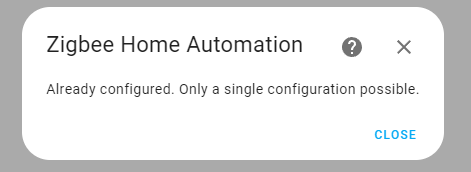
 frigid sky
hello
I'm having some issues with a new zigbee device. It's a juno/abl/samsung thin recessed wafer light. I can get it to connect (although zha thinks it is a full color light not just a tunable white light). I can send cluster commands and it performs the requested command (eg brightness, color temp) correctly, however I get timeout errors in the logs, like it isn't responding back to zha and I'm not sure how to troubleshoot it further
 uneven ruin
did something change in z2m's custom device setup? I've been running one for over a year and now the bulbs show up as unsupported
its been happening for a while, but finally annoyed me enough to ask
OK i finally get off my butt and ask, and while restarting to get a clean log they work now
I suppose thats the power of asking
thanks 🙂
stray wolf
i bought an aqara door and window sensor. the box says aqara hub is required. i have a zigbee adapter and have added aqara cubes to my HAS instance previously. where do i go to add the door and window sensor?
austere patio
Same place you went to add the cube, the sensors don't require anything different
stray wolf
i don't remember where it was >_>
austere patio
 old kernel
before i get in too deep, anyone aware of an issue with ZHA on recent builds having lots of delays/connection failures? I've had a setup that was working fine for the last 6 months and about a week ago just went belly up, now every request if it ever completes it's like a multiple minute delay
austere patio
How recent is "recent"? Beta or stable?
old kernel
stable. installed 2023.4.4 about 2 weeks ago and 2023.5.4 2 days ago. sonoff stick
i'm considering rolling back to 2023.3.6 to see if that is any different, but could do a little diagnosis work first if it makes sense
austere patio
Which Sonoff stick?
old kernel
it says zigbee 3.0 usb dongle plus
zbdongle-p
2023-06-05 18:20:31.665 DEBUG (MainThread) [zigpy.application] Previously delayed request is now running, delayed by 926.45s
2023-06-05 18:20:31.668 DEBUG (MainThread) [zigpy.application] Previously delayed request is now running, delayed by 925.83s
2023-06-05 18:20:31.670 DEBUG (MainThread) [homeassistant.components.zha.core.cluster_handlers] [0xCC86:1:0x0020]: command failed: 'fast_poll_stop' args: '()' kwargs '{}' exception: 'Coordinator is disconnected, cannot send request'
austere patio
Nothing related to the stick has been changed in many months but if you can replicate some regression (i.e. it goes away when you downgrade and comes back when you upgrade), please let me know
old kernel
looks similar to the issues dan1002 mentioned a couple of days ago, but who knows if actually related
austere patio
Coordinator is disconnected, cannot send request means the stick is either disconnecting, or it fails to respond to a ping and ZHA considers it dead, reconnecting
"Previously delayed request is now running, delayed by 926.45s" is also unusual. Is MAC_CHANNEL_ACCESS_FAILURE in your logs?
old kernel
yeah
2023-06-05 18:21:39.102 DEBUG (Thread-10) [aiosqlite] operation functools.partial(<built-in method execute of sqlite3.Connection object at 0x7fa136a51140>, 'UPDATE devices_v11\n SET last_seen=:ts\n WHERE ieee=:ieee AND :ts - last_seen > :min_last_seen_delta', {'ts': 1686003691.210924, 'ieee': 04💿15:ff:fe:38:2c:be, 'min_last_seen_delta': 30.0}) completed
2023-06-05 18:21:39.112 DEBUG (MainThread) [zigpy_znp.api] Received command: AF.DataRequestSrcRtg.Rsp(Status=<Status.SUCCESS: 0>)
2023-06-05 18:21:39.115 DEBUG (MainThread) [zigpy_znp.api] Received command: AF.DataConfirm.Callback(Status=<Status.MAC_CHANNEL_ACCESS_FAILURE: 225>, Endpoint=1, TSN=12)
2023-06-05 18:21:39.128 DEBUG (MainThread) [zigpy_znp.api] Sending request: AF.DataRequestSrcRtg.Req(DstAddr=0x1454, DstEndpoint=3, SrcEndpoint=1, ClusterId=8, TSN=20, Options=<TransmitOptions.SUPPRESS_ROUTE_DISC_NETWORK: 32>, Radius=0, SourceRoute=[0xFF3A], Data=b'\x00\x14\x00\x00\x00')
austere patio
Requests are failing (and being retried) because you have interference. This is 100% handled by the firmware and not something ZHA can configure or control, it just happens unfortunately. See if you can reposition the coordinator.
old kernel
okay. strange that it worked perfectly for months before blowing up. i've got it on a 3 meter usb extension, could try somewhere else in the room
is there a way to scan for interference or do i need to just guess and hope?
austere patio
Download diagnostic for the ZHA integration, it'll be in the JSON (energy_scan)
old kernel
"11": 36.86274509803921,
"12": 28.235294117647058,
"13": 41.1764705882353,
"14": 36.86274509803921,
"15": 55.68627450980392,
"16": 28.235294117647058,
"17": 35.68627450980392,
"18": 80.0,
"19": 48.23529411764706,
"20": 42.745098039215684,
"21": 71.37254901960785,
"22": 82.74509803921569,
"23": 87.05882352941177,
"24": 65.49019607843137,
"25": 45.490196078431374,
"26": 42.745098039215684
austere patio
What channel is your network on?
old kernel
15 it looks like
austere patio
Channel 20 is a little better but your environment seems somewhat noisy to begin with. Something must have changed (WiFi router automatically switched channels, new neighbors, mesh system, new SSD, etc.)
old kernel
we're a few thousand feet from our nearest neighbors, and i think all the routers are set to be locked down on wifi channels but i can do some more checking to confirm that. i'll have to look again what ch15 relates to on the wifi numbers
thanks!
i notice this in the config also:
Extended PAN ID: dd:dd:dd:dd:dd:dd:dd:dd
anything to be worried about there?
austere patio
Seems like you previously used Z2M, because that's what it hardcodes the EPID to
As long as you don't start a new Z2M network nearby there's nothing to worry about
old kernel
ah, yeah i started with that and 1/3rd of my devices didn't work at all
uneven ruin
thats weird
My house is an RF nightmare though, not sure whats in the walls but zigbee, zwave, wifi had to go hardcore on routers and tuning
old kernel
i suppose the other thing that changed is a switch to a newer version of haos / linux kernel. not even sure that's something i could attempt a rollback of
 gritty bay
Is anyone aware of a way to update the firmware on a Sonoff S31 ZB plug?
I'm dealing with an issue where these new Aqara E1 sensors I got just won't work with my S31 routers after a few hours and wanted to see if there was a firmware update that could fix this before I try replacing them
molten linden
A lot of sonoff devices don’t even have an OTA cluster to handle updates so check that it has that cluster first
gritty bay
molten linden
A lot of sonoff devices don’t even have an OTA cluster to handle updates so chec...
grim igloo
Rip 🪦
molten linden
Yep you have one of the “Perfect” sonoff devices that got the fw perfectly right the first time
grim igloo
molten linden
Yep you have one of the “Perfect” sonoff devices that got the fw perfectly right...
Shouldn’t we be seeing an ota one?
molten linden
yes if it supports fw updates over the air.... but sonoff didn't include it as it was "perfect" as is
grim igloo
Oh I misunderstood the sarcasm and took it as this one was special and actually had it lol
Lost in translation from moose 🫎 country 
gritty bay
Ugh
molten linden
think it's joke from when they first launched some of their zigbee devices.
gritty bay
I'm gonna need to replace all 8 of mine. They will not work with my Aqara sensors
molten linden
check ptvo
can't remember exactly but recall seeing they put out a fw for one of the sonoff devices
grim igloo
gritty bay
I'm dealing with an issue where these new Aqara E1 sensors I got just won't work...
How did you confirm this?
half cradle
grim igloo
How did you confirm this?
Someone suggested Innr Plugs, I bought two. They are awesome. I would buy those off Amazon, if you are correct they will work, if not something else
gritty bay
grim igloo
How did you confirm this?
I don't know if confirmed is the word as I'm not knowledgeable enough of ZB to say I've done everything I can. But any sensor that is paired with one of my Sonoff S31 plugs works for about an hour or two and then just stops talking. Eventually it goes fine after 24 hours.
This is what it looks like when I first pair them.
https://imgur.com/a/tIRHZI9
Then after a few hours they just stop talking and it looks like this. Only three sensors that stay talking to my repeaters are 3 Linking sensors.
https://imgur.com/a/mk6u4OF
I've repaired all my routerrs and then re paired all my sensors to routers they are closest to with no luck
half cradle
Buy the innr plugs. See that fixes it. Solved my issue with sonoff plugs
gritty bay
half cradle
Buy the innr plugs. See that fixes it. Solved my issue with sonoff plugs
Do you have a link?
Oh I found them. Man they are even more than the Sengled ones I was suggested to buy
clever cedar
Guys, Should I try Channel 25 or 26?
half cradle
gritty bay
Oh I found them. Man they are even more than the Sengled ones I was suggested t...
I said same thing
They are quality though
grim igloo
https://www.amazon.com/THIRDREALITY-Zigbee-Function-Certified-Required/dp/B0BPY5D1KC/ if you're in the us these are popular and third reality is a member of "works with home assistant" https://www.home-assistant.io/integrations/third_reality/
as far as your reasoning above for them not working i understand where you're coming from but the z2m map isnt a perfect representation. i'm not the guy to help but if you can post some logs someone else might be able to help
in my experience the z2m logs are pretty human readable tho
half cradle
I did, and these are great, cant speak to third reality https://www.amazon.com/dp/B07SQGG8Z7?ref=nb_sb_ss_w_as-reorder-t1_k0_1_5&=&crid=3BWQORFBTLNRJ&=&sprefix=innr+
grim igloo
those are 10 amp and no power monitoring and more expensive
and 100% wouldnt fit two in one outlet (bulky in all the wrong places)
half cradle
all fair
grim igloo
you bought those cuz tinkerer suggested them although he's usually referring to the UK variant or maybe eu idk
gritty bay
grim igloo
as far as your reasoning above for them not working i understand where you're co...
I only look at the map after the sensors stop working just to compare it to when they were.
half cradle
I was feeling spendy
gritty bay
I'll have to look into what the look for in the logs
half cradle
they do work REALLY well,
grim igloo
i personally use and suggest and prefer sonoff s31 wifi plugs (flashed to esphome) with energy monitoring because to me it doesnt make sense to flood your zigbee mesh with energy monitoring data when 2.4ghz is sitting there ready to be abused
but i understand you wanting them for repeaters
half cradle
I have heard great things about third reality
grim igloo
my hue bulbs repeat well so i dont buy stuff "just to repeat"
gritty bay
From what?
gritty bay
No, tell me more please
grim igloo
there's a few guides out there for how to do that inside haos
otherwise you'll have to remove your stick but then you're scanning wherever you move the stick to
what coordinator do you have and if it's a usb stick is it on a usb extension cable?
that shows overlap with wifi 2.4ghz channels. there is also bluetooth and other shit all in the same spectrum so choosing the correct channel and limiting interference wherever possible is pretty necessary
gritty bay
Thank you for the link. I run everything in docker, is is possible to run the scan from docker or just str8 linux?
I have this coordinator Electrolama zig-a-zig-ah! (zzh!) and it's on a 6 foot extension cable from my server to this https://imgur.com/aLbgzZQ
grim igloo
that sticker on the door hinge would bug me
otherwise it looks like you've done your due diligence with the placement of it
i guess you need to kill z2m first so it's not using the stick
sorry i havent actually had to do it. i did a wifi scan and chose my channel that way before learning about the zigbee channel scan and my shit works so im not re-pairing all my stuff even if there was a better channel lol
i chose channel 25 then placed my channel 11 2.4ghz AP furthest away from the zigbee coordinator
gritty bay
i chose channel 25 as well as my AP's are on channel 1 and 6
running the scan now though
grim igloo
if you do end up needing to change channel make sure to also change network key, and panID/extendedPanID
gritty bay
hmm, seems like this network scan just keeps running until you kill it?
grim igloo
not sure sorry
z2m stupidly uses a static network key, pan id, and extended pan id by default across all installs
https://github.com/Koenkk/zigbee2mqtt/issues/16188 here's an open github issue asking them to fix-it.jpg
gritty bay
grim igloo
do you live in the woods?
gritty bay
grim igloo
so now i'd focus on logs
just the z2m logs?
half cradle
I live in the woods, Verizon doesn't even get cell reception here. like not one bar, at all. never bothered scannin, like @grim igloo it just works, so I leave it. I do force devices onto 5ghz when possible
grim igloo
gritty bay
just the z2m logs?
yea but idk how to help read them especially not debug or w/e log level necessary to see the stuff people share for ZHA here
gritty bay
got it
well i have some alternate plugs coming tomorrow that I'm going to test. I've read a decent amount of people have had issues with the Aqara sensors paired with Sonoff S31 plugs
shouldn't take long of me to tell since the sensors stop working about 2-3 hours after I pair them currently
grim igloo
i have a sonoff usb dongle but wont be buying any of their other zigbee stuff. i do like their sonoff s31 wifi plugs flashed to esphome though. they've been flawless
iirc usually people have issues with their end devices
gritty bay
grim igloo
i have a sonoff usb dongle but wont be buying any of their other zigbee stuff. i...
yup, i also use a few of these (for washer and dryer). They are great
grim igloo
gritty bay
yup, i also use a few of these (for washer and dryer). They are great
https://github.com/leofabri/hassio_appliance-status-monitor i've been meaning to play with this with my washer. i have 5 plugs on 5 3d printers for control plus one on the washer i never actually automated
half cradle
grim igloo
i have a sonoff usb dongle but wont be buying any of their other zigbee stuff. i...
why esphome vs tasmota?
just curious
gritty bay
i use a NR flow to monitor my washer/dryer and send me notifications based on it's state
https://imgur.com/7bDeFHN
grim igloo
cuz nabucasa owns esphome and the integration feels more seamless and the configuration seems more sane and it just sounds cooler
grim igloo
gritty bay
i use a NR flow to monitor my washer/dryer and send me notifications based on it...
link above does quite a bit more without having to do it all myself lol
it's worth staring and comparing imo
gritty bay
grim igloo
link above does quite a bit more without having to do it all myself lol
i know but this works for me and is very customizable. Besides, I love working with NR compared to HA for automations
grim igloo
not a fan myself
gritty bay
some love it, some hate it
grim igloo
it's a hammer that turns everything into a nail and is only one step away from straight up coding with "payloads" and creating your own loops
hard pass lol
the "flow" part of it is cool but ultimately the home assistant traces are very similar
gritty bay
I couldn't hate coding more but I'm fine using NR. The visual representations really help me come up with interesting ideas. But i get it. To each their own
half cradle
grim igloo
cuz nabucasa owns esphome and the integration feels more seamless and the config...
That's how I feel about zha vs z2m
gritty bay
i just need to solve this damn sensor issue so I can starting using some HVAC automations which is why i bought these sensors in the first place haha
grim igloo
nah zha does some weird stuff compared to z2m imo
astral seal
Aqara devices are supposedly known for acting up with non-aqara routers and coordinators, but i haven't observed that with any of mine. I have a couple of their contact sensors, a few buttons, motion sensor, and the damn TVOC. That one I have problems with but that's firmware related.
grim igloo
i was helping a guy the other day and he was sharing screen and the way zha worked creating zigbee groups compared to z2m felt archaic
and z2m button presses instead of zha events feels much better too
grim igloo
astral seal
Aqara devices are supposedly known for acting up with non-aqara routers and coor...
that's not necessarily accurate
aqara end devices (zigbee 1.2) are known to not want to migrate to better routers and 'stick' to certain ones
i have a bunch of them all working fine using hue bulbs as routers - i just made sure to join them in their final destination and paired to closest bulb
astral seal
So the reason I haven't had those problems is because my Zigbee network is stable and people are misattributing the cause.
grim igloo
yeah it's almost always interference
or it's some low quality chinese shit not following spec
or some low quality chinese shit blackholing routes
or some low quality chinese shit with hardware failure
sometimes it's a bug tho
 iron flare
Hi, i use I use the SONOFF 3.0 USB Dongle Plus with CC1352P2_CC2652P_launchpad_coordinator_20221226 in HAOS. And get these errors after updating: https://i.imgur.com/jJWGbvm.png

It breaks after almost every HAOS update, then i have to reflash it and it if works restore a backup..
Sometimes it just dies and i have to buy a new one..
At this point i got a stash of them.. but im kinda done with the device and im looking for an alternative.
bold nymph
If I pair a Zigbee device then change its location, does it automatically adapt with the mesh and finds the best route? Or do I have to unpair it then pair it back again?
 noble marlin
Possibly/probably off topic, but does the SkyConnect have a way to scan what Zigbee networks it can see and their strength?
(I want to know if my UK smart-meter reaches it up to the flat, and i wondered if SC could be a way to do that before i buy a unit to connect).
 bold fiber
any painfree means to get this zigbee gateway to work with HA, currently only using it with Tuya
old kernel
iron flare
At this point i got a stash of them.. but im kinda done with the device and im l...
i wonder if i should try going back to my old conbee2... it was reliably worse, but at least it was reliable
 tidal dove
Hi everyone, I'm attempting to connect an Aquara Vibration sensor. I was able to pair it but I cannot see any values (all say N/A in Zigbee2MQTT). Its very close to the Zigbee Router (Sonoff 3.0 Stick).
I also have a Tuya Smart Plug Connected which works perfectly
Any idea what could be the issue?
 heady kayak
noble marlin
Possibly/_probably_ off topic, but does the SkyConnect have a way to scan what Z...
heady kayak
noble marlin
Possibly/_probably_ off topic, but does the SkyConnect have a way to scan what Z...
getting smart meters to talk to non-registered devices is, apparently, difficult. https://shop.glowmarkt.com/products/display-and-cad-combined-for-smart-meter-customers is apparently an option (it'll talk to mqtt)
noble marlin
heady kayak
getting smart meters to talk to non-registered devices is, apparently, difficult...
i suspect damn near impossible thanks to the enterprise PKI stuff it does. I'm probably buying one of them, but as i'm an apartment sometimes the signal doesn't make it, so i was wondering if there was anything i could just sniff the zigbee with, not actively connect before I buy one. they guilt tripped me a little on teh return impact 🙂
heady kayak
ahhh
clever cedar
Guys, Should I try Channel 25 or 20? 0%Is not Odd?
austere patio
noble marlin
i suspect damn near impossible thanks to the enterprise PKI stuff it does. I'm p...
If it's a smart meter, you can't connect to it with a SkyConnect. But you can use it as a Zigbee sniffer: pip install bellows && bellows --baudrate 115200 -d /dev/serial/by-id/... -c 15 -w /dev/stdout | wireshark -k -S -i -. Or scan for networks with bellows --baudrate 115200 -d /dev/serial/by-id/... scan.
noble marlin
austere patio
If it's a smart meter, you can't connect to it with a SkyConnect. But you can us...
OH PERFECT, thank you. So basically if i wanted to be silly, I can buy one, carry a pi on battery near the meter and see what i see there, and up here. (also, i just realised i already have a bunch of portable zigbee devices, so maybe i'll just see if a Hue remote button works from there too)
half cradle
old kernel
i wonder if i should try going back to my old conbee2... it was reliably worse, ...
Mine from Tubes is awesome
bold nymph
does zigbee get affected by IR signal? or just wifi?
austere patio
No, IR is a much higher frequency. Zigbee is 2.4GHz. Though if your IR bridge/receiver communicates over WiFi, it may have an impact.
bold nymph
Great, no I asked because I might place it near an AC
austere patio
The motor in the AC may interfere
manic loom
Recommendations for a zigbee outdoor door bell/switch?
old kernel
austere patio
Nothing related to the stick has been changed in many months but if you can repl...
As suspected, rolling back to the previous version had no meaningful effect at all. Still multiple minutes for it to respond to a request if at all.
after restoring back to latest stable i'll try migrating back to the conbee, see if i can really screw things up
astral seal
manic loom
Recommendations for a zigbee outdoor door bell/switch?
I use an Aqara wireless mini switch for mine. It's not technically rated for outdoor use, but as long as it's sheltered, say on a porch, you should be good. Mine's been fine for well over a year. this decal for the Nest doorbell fits it perfectly too if you want to get fancy. https://www.etsy.com/listing/710561391/nest-hello-doorbell-bell-1-decal
I have an automation set up that takes a camera snapshot and pushes it with a Telegram notification, flashes the porch light to confirm to the person outside that it did something, and play a sound over my Google speakers.
 dry shadow
Does anyone know of a zigbee light sensor. I have the lights turning on and off based on an offset and sunrise/sunset. But...if there is a storm and it gets dark, I would like to flick on lights.
violet dagger
dry shadow
Nice! I didn't see it on Amazon. That looks Perfect for what I want to do.
earnest plaza
Using zha, anyone else have the minor UI nit where the ... dialog stays open when selecting "manage zigbee device", with a z-index higher than the popup on desktop?
pictured:
old kernel
ZHA: Is there a way to extract the json backup data from a home assistant full backup file? seems like my migration blew up, and the backup files i have aren't working either...
austere patio
old kernel
ZHA: Is there a way to extract the json backup data from a home assistant full b...
What are you trying to restore? If you performed a full HA restore, nothing will happen to your radio
old kernel
Well, I wanted to try migrating from the ZNP sonoff radio back to my conbee radio
austere patio
Right. Did that fail?
old kernel
it appears to have failed. i ran a backup from the conbee after it completed and the backup looks like the stick is empty
austere patio
What do you mean by the last part?
old kernel
though i seem to have been able to get a backup a took yesterday to restore to the znp. i tried running a backup again from that, and it took 14 minutes to take the backup, but looks the same as what i uploaded to it
if i go to the network settings page and download a backup it gives me a json
when i do backup from the conbee some of the things are there, but this section is empty:
"key_table": [],
"children": [],
"nwk_addresses": {},
"stack_specific": {},
"metadata": {
"deconz": {
"version": 644351744
}
},
old kernel
no
austere patio
Can you capture some debug logs and send them over?
Do you receive sensor updates?
old kernel
i don't have any standalone sensors
austere patio
The Conbee is more sensitive than your Sonoff stick when it comes to interference. If the former was failing with channel access failures, the Conbee definitely will be too.
So I suspect you'll see the exact same MAC_CHANNEL_ACCESS_FAILURE status codes
old kernel
on the sonoff i was also seeing coordinator disconnected errors, which made me think the stick might be failing
energy scan from the conbee:
"11": 52.94117647058823,
"12": 54.11764705882353,
"13": 49.411764705882355,
"14": 45.88235294117647,
"15": 47.05882352941177,
"16": 25.88235294117647,
"17": 47.05882352941177,
"18": 37.64705882352941,
"19": 34.11764705882353,
"20": 43.529411764705884,
"21": 58.8235294117647,
"22": 65.88235294117646,
"23": 80.0,
"24": 64.70588235294117,
"25": 36.470588235294116,
"26": 61.1764705882353
(if the energy scan is actually generated when i request it, maybe it isn't)
austere patio
Grab the debug logs of it failing to control devices, those will be much more useful
old kernel
how much log is useful to grab? it is generating hundreds, maybe thousands of lines of log
tons of TXStatus.NWK_ROUTE_DISCOVERY_FAILED
 sinful swift
Every time the HAOS supervisor updates automatically (latest was 2023.6.1) the Zigbee2mqtt addon stops. Start on boot is set to on. Anyone else seeing this? I'm getting no traction on the issue. https://github.com/zigbee2mqtt/hassio-zigbee2mqtt/issues/448
old kernel
so just run it for a while then tell it to stop and it'll generate a file, zip/upload that?
I do see MAC_CHANNEL_ACCESS_FAILURE here too, yeah
austere patio
The serial port is disconnected most of the time
old kernel
is that normal?
austere patio
No 😄
old kernel
🙂
austere patio
Did you restart/reload ZHA in this debug log session?
old kernel
not after turning on debug log
austere patio
And this is the full, unfiltered log?
old kernel
I just zipped what it spit out when i turned debug off
i didn't let it run all that long this time. could try longer
i wonder if there's a bug in the hassio USB controller layer or something
austere patio
Can you enable debug logging in your config (https://www.home-assistant.io/integrations/zha/#debug-logging) and ZIP up + send me the full log file in /config/?
old kernel
as in: enable debug log in config, restart home assistant, let it run for 10 minutes, grab the home-assistant.log file?
austere patio
Yep
old kernel
sure thing
austere patio
After everything is running, try controlling some devices as well
old kernel
still says it is starting up ZHA 🙂
i have a slow CPU so running lots of debug logging can make it super not quick
nothing has responded yet, but last time it eventually ran some of the requests i had made 5-10 minutes later...
bold nymph
austere patio
The motor in the AC may interfere
It’s a split AC
old kernel
mini split ACs have motors
So puddly: I ended up giving up and starting over
only 45 devices
🙂
moved my wifi networks from 11 to 1 and reset the sonoff with a new new network
"energy_scan": {
"11": 27.058823529411764,
"12": 68.23529411764706,
"13": 80.0,
"14": 69.80392156862744,
"15": 49.80392156862745,
"16": 29.80392156862745,
"17": 35.68627450980392,
"18": 22.745098039215687,
"19": 12.549019607843137,
"20": 1.1764705882352942,
"21": 8.235294117647058,
"22": 0.0,
"23": 21.176470588235293,
"24": 2.7450980392156863,
"25": 3.9215686274509802,
"26": 20.0
zha picked channel 20
bold nymph
I’m trying to set up eero coordinator, I checked the wifi channels and my home’s wifi seems to be limited to not go above channel 8, so channel 11 is totally empty (except some small signals from neighboring Wi-Fis)
So the best zigbee channels would be 22-26?
 forest idol
What I did test already is to start the install from scratch, which does work. Only when I reinstall and load the backup from the old install I get the error. I first removed the old integration, rebooted, and then tried to add it again.
oops
I recently started migrating my existing setup from a raspberry pi +conbee2 with hass os to a home assistant yellow, but I'm having some trouble getting zigbee to work. Migrating the radio never really worked so I'm now trying to set up ZHA from scratch and just re-add all devices since it's only a handful, but even that does not seem to work. Yellow is discovered in the integrations page, but when I click "configure" and then "submit" I get an error message "unkown error occured". I don't see anything really helpful in the logs so I'm not sure where to start for the troubleshooting.
What I did test already is to start the install from scratch, which does work. Only when I reinstall and load the backup from the old install I get the error. I first removed the old integration, rebooted, and then tried to add it again.
 sweet stone
I'm testing a zigbee board with a few BinaryOutput clusters defined according to zcl and none of them is showing in HA. Is there any way to "force" them to show in HA as a switches with appropriate active / inactive states?
forgot to mention that I'm using ZHA integration. I've tried also with zigbee2mqtt but no luck
austere patio
forest idol
I recently started migrating my existing setup from a raspberry pi +conbee2 with...
Can you enable https://www.home-assistant.io/integrations/zha/#debug-logging and send me the log?
austere patio
old kernel
zha picked channel 20
Any change with the new channel?
dusky monolith
austere patio
Multi-pan has been around for many months now. Double check your addons.
So quick update on this, not sure if anyone cares. I ended up using a different SkyConnect and had to pair everything again but the new SkyConnect works, old one was not pairing anything still. Presume its broken somehow
old kernel
austere patio
Any change with the new channel?
So far everything is responding better than it has in years 🙂
"18": 22.745098039215687,
"19": 27.058823529411764,
"20": 45.490196078431374,
"21": 0.0,
"22": 28.235294117647058,
"23": 14.117647058823529,
these are the current numbers... is the 45 because of the various zigbee devices that are now on that channel?
austere patio
Yeah, it's just telling you how "loud" the loudest thing is that it heard on channel 20. If you have a nearby bulb, that would be picked up just the same
old kernel
makes sense
and yeah there's a bulb about 3 feet from the antenna
still have a dozen things to re-pair though, but it's things like the thermostats for the heating system, which i hopefully won't need for a few months
austere patio
Did the channel migration feature not work out?
old kernel
I didn't actually try it... I wanted to start clean with all the strange behaviors i was experiencing.
once you pointed out that the network key (dd:dd:dd) came from zigbee2mqtt i realized how much cruft might be hiding in there
(and, where it was taking up to 5 minutes to send a message (with enqueue depth or whatever it is called of well over 700), i didn't know how long it would take to actually tell things to move
austere patio
That's excessive and I think needs a cap
old kernel
+1 yeah. at that point it is just hurting itself
is that a coordinator-internal thing?
austere patio
No, it's software-controlled but the ZNP coordinators have a much more involved retry mechanism so requests can take 10-15 seconds to actually "fail"
earnest plaza
earnest plaza
Using zha, anyone else have the minor UI nit where the ... dialog stays open whe...
Bumping this -- anyone else have this happening in their UI? I'm happy to go take a look at the frontend code but I'd like to know whether it's more widespread or whether it's just me.
austere patio
earnest plaza
Bumping this -- anyone else have this happening in their UI? I'm happy to go tak...
What browser?
earnest plaza
Chrome
austere patio
What version of HA? 2023.6.0?
earnest plaza
5.4 currently; I'm probably going to hold a few days on updating to 6.0
austere patio
I seem to remember seeing something like this in the past but I can't replicate it on 2023.6.0 so it may have been fixed
earnest plaza
¯_(ツ)_/¯
ok
I'll look at it again when I update to 2023.6.0 and circle back here
austere patio
If it still shows up, open an issue here: https://github.com/home-assistant/frontend/
 hushed hamlet
I was looking at purchasing a ZBDongle-E or a Home Assistant SkyConnect, but the SkyConnect is currently on backorder and more expensive, are there any reasons that the official product would be better?
(currently have Home Assistant running in a docker container on an old laptop)
 quiet gazelle
Recommendations for a ZigBee smart plug with energy monitoring?
grim igloo
hushed hamlet
I was looking at purchasing a ZBDongle-E or a Home Assistant SkyConnect, but the...
Quality control and parts used but you might prefer a PoE coordinator such as tube’s
Is there a reason you’ve selected the efr32 chipset not cc2652p?
hushed hamlet
I was just looking at the top of the recommended list
grim igloo
On the zha page?
hushed hamlet
yes
grim igloo
I see
https://www.zigbee2mqtt.io/information/supported_adapters.html this is the list most of us use
molten linden
quiet gazelle
Recommendations for a ZigBee smart plug with energy monitoring?
If US - Sengled, innr or third reality
quiet gazelle
molten linden
If US - Sengled, innr or third reality
I have a couple innr plugs and they don't have energy monitoring?
grim igloo
Is there a reason you want them on a zigbee mesh?
molten linden
Oh interesting not currently available- they had a newer one that added energy monitoring and 15 amp vs 10 https://imgur.com/a/egNrnoU
grim igloo
You’re adding a lot of traffic to your mesh for energy monitoring so unless you also need them for repeaters you might look into Wi-Fi ones instead
 dry igloo
Anyone have an aqara cube on ZHA?
Mine works for rotation / shake, but the knock / flip events never occur.
nvm I see there is an open issue for this.
dry igloo
lol what, so I fixed it, but everyone says press the button 5 times to switch mode, but mine only worked after two presses... well, cool. just in case anyone doesn't find this, here is "fix" https://github.com/zigpy/zha-device-handlers/issues/1975
 chrome valve
Oh, thats interesting because i struggle also to change the mode for the T1 Pro Cube. Did you anything in addition except pressing the button 2 times?
chrome valve
I migrated this morning my ZHA radio from ConBee II to the HA Yellow internal EZSP radio. It seems everything went well but currently the devices does not react. Does it take some time after the migration until devices react again?
 buoyant sorrel
Hi all, I have a problem setting up my Zigbee2MQTT add-on. I'm running HA OS on a VM on my Synology NAS and use a Conbee II zigbee stick. As soon as I try to start Z2M it stops and produces this error log: https://dpaste.org/SCZMT
Anyone got any idea as to why this happens?
sour shadow
Zigbee2MQTT:error 2023-06-08 11:53:06: MQTT error: Connection refused: Not authorized
There's your problem - fix the MQTT broker settings in Z2M
forest idol
austere patio
Can you enable <https://www.home-assistant.io/integrations/zha/#debug-logging> a...
Well, enabling debugging seems to have fixed it. Is that possible in any way?
I was able to add it now.
buoyant sorrel
sour shadow
```
Zigbee2MQTT:error 2023-06-08 11:53:06: MQTT error: Connection refused: Not a...
That worked, thanks! Interesetingly tho, as described in the document you linked it tells you NOT to fill in a mqtt user if you are using the Mosquitto add-on (which I am)
 sweet saddle
Hi, i bought Conbee 2 Deconz Zigbee Usb Dongle and Ynoa Smart Lamp compatible with zigbee 3.0. But install is not working. It should be compatible right? thanks
sour shadow
- ConBee is on a USB extension cable?
- Lamp is in the same room as the ConBee?
sweet saddle
- Conbee in plugged in my raspberry pi and i can select it in add-on configuration
- Yes
 earnest mango
Have you checked that the lamps are supported by deconz?
sweet saddle
No, but on the website where I bought the Ynoa lamp it says it supports zigbee 3.0 protocol. Is deconz using another protocol?