#zigbee-archived
1 messages · Page 3 of 1
 sour shadow
 cobalt dew
I will move the sonoff
sour shadow
Because Xiaomi devices connect to the first thing they hear, which isn't necessarily the best route
cobalt dew
the one with the good battery is <1m as its a test sensor so the rest are 3~5m so interference is possible.
signa is like 65 out of 255?
 pine swan
I have devices 15m away through 2 walls that work great. You may have a local interference problem, as Timkerer says. What do you see if you go into the device, click the 3 dots next to RECONFIGURE DEVICE and then View in Visualisation? What is it connected to?
sour shadow
No... connected to the coordinator, or to a router?
cobalt dew
I have tube's ethernet to zigbee as the co-ordinator then a sonoff usb 3.0+ setup as a router and an aqara plug
sour shadow
Now look at the map, see what they're connected to
Two devices doesn't make for a good mesh though
cobalt dew
either doesnt matter they chew the battery
3 devices
I have only just started
11 sensors
whare can i paste the map?
 obsidian sandalBOT
Please use imgur or other image sharing web sites, and share the link here.
Image posting is blocked in most channels to discourage people from sharing text as images. Sharing text as images assumes that everybody sees the world as you do, which isn't the case. Some people are colour blind, or have visual impairment that means they can't make sense of an image of text.
Command '~images' was invoked by: Tinkerer
cobalt dew
cant use imgur its blocked
cobalt dew
ok
sour shadow
You need to tell us what they're connected to, and what's between them and it
You also need to check the channel you're using for Z2M, and the WiFi channels in use
cobalt dew
the sonoff and aqara plug are connected to tube's co-ord
sour shadow
Well, that's no shock
cobalt dew
Z2M, and the WiFi channels in use
sour shadow
However, the question is about the sensors that you're complaining about
cobalt dew
all of them drop off fast no matter which they are connected to
sour shadow
You need to tell us what they're connected to, and what's between them and it
If those routers are in another room that's possibly part of your problem
cobalt dew
hence a picture
sour shadow
Well, the picture tells us feck all
A map of your house... that would tell us something
cobalt dew
I dont have that either
sour shadow
Sadly Z2M's map has no knowledge of your house layout, it just says what's connected to where
So, if you can answer the questions above, we may be able to help you
sour shadow
That's ... quite a distance for the Sonoff
cobalt dew
5~6m but its mains powered
I cant do much better its the shape of the house its empty of power between
 tropic depot
sonoff stuff has questionable antenna performance based on reports and personal usage
cobalt dew
I need to check the wifi I guess as I have 2 x wifi plug that's a bit dodgy so they might indeed be fighting each other
sour shadow

cobalt dew
tropic depot
sonoff stuff has questionable antenna performance based on reports and personal ...
my first impressions was it was quite good and i need routers to build a mesh
sour shadow
You do need routers, but two devices isn't much of a mesh
cobalt dew
no ive only just started
tropic depot
if that’s the case I’d get more mains devices on the network before you waste a ton of time troubleshooting
cobalt dew
how do I find what channel zigbee is on?
its worth checking as there are a lot of other wifi around me
I have no idea how long the delivery will be this is NZ, so could be weeks away
 molten linden
default z2m is 11, zha is 15 it's one of those unless you changed it.
cobalt dew
z2m i thought I had seen 11 somewhere
sour shadow
11 is a terrible channel in almost all environments
sour shadow
Yes, it's documented in the Z2M docs
cobalt dew
so if its not in /config/zigbee2mqtt/configuration.yaml its a default? or is channel: somewhere else?
grep isnt finding anything
cobalt dew
Yes i read that thanks...I cant find it actually in the file, hence i aked if its a default.
wondering if its in the tube dongle thingie
sour shadow
The docs I linked ... did you read them?
cobalt dew
yes
sour shadow
Because, it answers your question
cobalt dew
obviously not
sour shadow
Optional: ZigBee channel, changing requires re-pairing of all devices. (Note: use a ZLL channel: 11, 15, 20, or 25 to avoid Problems)
(default: 11)
cobalt dew
that's what the doc says
sour shadow
Yes
cobalt dew
not what my file has, hence I asked if I am in the right file
sour shadow
Well, anything that's optional may not be in there
There's a (very obviously documented) default channel of 11 if you haven't configured anything else
cobalt dew
its often that ppl who are familiar with apps dont see other who are not struggle a bit as everyone writes files as they like
since 2 wifi plugs near the co-ordinator have issues + the zigbee issues I need to look at this....it seems likely
hmm my 2.4ghz was 20/40 which is apparently bad so Ive set 20 bandwidth lets see if that helps.
sour shadow
It'll only help if you moved the channels away from your Zigbee
Remember, Zigbee numbers aren't WiFi numbers
 flint bone
cobalt dew
hmm my 2.4ghz was 20/40 which is apparently bad so Ive set 20 bandwidth lets see...
flint bone
cobalt dew
hmm my 2.4ghz was 20/40 which is apparently bad so Ive set 20 bandwidth lets see...
Regarding the channel numbers Tinkerer just mentioned: https://www.metageek.com/training/resources/zigbee-wifi-coexistence/
sour shadow
I have already directed them to the pinned messages, which includes a link to that and lots of other great advice
cobalt dew
flint bone
Regarding the channel numbers Tinkerer just mentioned: https://www.metageek.com...
already read that, but TY
cobalt dew
sour shadow
Remember, Zigbee numbers aren't WiFi numbers
yes I'll try scanning tonight to find if there are clashes
cobalt dew
sour shadow
I have already directed them to the pinned messages, which includes a link to th...
ah is that what you meant with that tac thing?
"check the pins" I thought maybe it was open the dongle up or something 😬
 spring smelt
(I’ve read the pinned post about what hardware to buy)
If my goal is to get something that supports zigbee2mqtt today, and will also support Thread/Matter in the future, should I get an EFR32MG21-based coordinator, or a CC2652 one?
My understanding is that EFR32 is usable (but not yet considered “stable") in z2m, and is also the chipset that HA yellow and skyconnect use, so it’s super likely to get solid thread/matter support
At the same time, CC2652 devices are better supported with z2m, but don’t have guarantees around thead/matter?
cobalt dew
co-ords are pretty cheap like $20us maybe not worry?
 dry lichen
Personal opinion: Go for what is solid for the protocol you intend to use now. When you switch, go for what is solid for the protocol you will use in the future then.
Those couple of bucks you save are not worth the headache of troubleshooting basic controls of your home
Trust me, i've been there sadly
cobalt dew
100%, stay mainstream, its way easier in many things
dry lichen
If you wanna experience cheap hardware, go run z2m on a cc2531 with more than a handful of zigbee devices and experience losing your entire network when you get home at a Friday, 7pm, after an exhausting week
spring smelt
haha yeahmy goal isn’t cheap, but I also know that it’s a pain to migrate controllers and fix all of your automations/entities
dry lichen
Honestly I am interested in thread/matter though, but what is the status on it?
dry lichen
spring smelt
haha yeahmy goal isn’t *cheap*, but I also know that it’s a pain to migrate cont...
Oh 100% agreed
But I suppose I won't be touching it for a good while because I want all the pioneers and beta testers to iron out all the specific bugs and kinks you find along the way of a new protocol
spring smelt
I was tempted by the newer EFR32MG21 usb stick from itead, especially seeing that z2m looks like it’s just about to promote EFR32MG chips out of “experimental” status
But it’s also probably safer to go with an CC2652 given that my current goal is to use zigbee2mqtt, and that’s definitely well-supported. Plus, I can find PoE-powered ones using that chipset
Yeah that’s fair about matter/thread still being early — I wanted to be able to get one or two non-mission-critical devices to dabble with, but would definitely prefer to let the early adopters stress test things where stability is important 🙂
dry lichen
I'd honestly go get a CC2652 for now (Going the same route, patiently awaiting Tubes PoE dongle shipment) - But I might get a thread stick or whatever when it's in it's beta just to play with it for a little
Is there any type of roadmap for it?
I see Philips Hue is on the Matter list, will be interesting to see how they handle that
 mellow geode
Hue bulbs won’t support Matter over Thread.
The Hue hub will "talk Matter" though (and the bulbs stay Zigbee).
dry lichen
Sounds exactly like the Philips/Signify I know.
spring smelt
is the tubeszb the cheapest cc2652p2 that supports PoE?
I’ve also seen these guys, which seem like they could be cheaper with a PoE splitter: https://www.ebay.com/itm/175185716505
dry lichen
spring smelt
is the tubeszb the cheapest cc2652p2 that supports PoE?
I’ve also seen these g...
Oh honestly there could be cheaper ones out there. I went for Tube as people on here vouch for his quality. The one you linked I assume does not take power via ethernet so you'd have to solder some stuff i guess?
dry lichen
Including shipping I paid 90 something $ but again - it's proven quality, Tube is on here and helped me insanely quick and nicely, and I like to support smaller creators when I've got the chance. Granted, it's a lot of money still so there is absolutely nothing wrong with going something that could be had for 1/3rd of the price
cobalt dew
dry lichen
Including shipping I paid 90 something $ but again - it's proven quality, Tube i...
same
dry lichen
..also my nightmare zigbee network still haunts me and i do not want to relive the repairing of my entire network. Especially since it's tripled in size since it first happened.
molten linden
Fwiw the ones on eBay look A lot like the zigstar ones and I think they are just made as knock offs of that by some folks in China. Nothing wrong with the zigstar design. Only way to go to PoE is via a splitter bought separately. The non PoE esp32 boards don’t have the right ports to even wire in a PoE device and feed it from the Ethernet port.
dry lichen
molten linden
Fwiw the ones on eBay look A lot like the zigstar ones and I think they are just...
Told you he was quick.
If only Asendia was as quick as he was with shipping 😆
 cold arrow
is it possible to play ringtones/sounds on the Aqara Hub M2 from Home Assistant? I see actions for arm & identify only
 solid inlet
Hi guys. Lately I'm having issues with my zzh cc2652R stick. It runs 20220219 (which still seems to be the latest/stable). It simply hangs, leaving Zigbee non-working. A simple replug of the usb (effecively power toggle) solves it until next time a few days later. Anyone got a clue to what may be happening, or where to start look for a reason? Thanks
 analog quail
Hi all, i'm struggling with deconz. I get this error a lot:
Logger: homeassistant.components.deconz
Source: components/deconz/gateway.py:349
Integration: deCONZ (documentation, issues)
First occurred: 09:15:29 (58 occurrences)
Last logged: 10:27:25
Error connecting to deCONZ gateway at 172.30.33.8
The IP address for my deConz gateway keeps changing. Is there a way I can make it static ?
sour shadow
Are you using the deCONZ add-on?
analog quail
I go to Integrations > Add Integration and search for deCONZ
sour shadow
And... how are you running deCONZ?
Add-on? Manually created Docker container? Other?
analog quail
Honestly I don't know. How can I find out ?
I think it's an addon as i have it on the left side menu
yes it is an add on
sour shadow
Then it'll have a name, like core-deconz you can (and should) use instead
analog quail
yes just found it
where can i add the host name as opposed to the IP, in an config file ?
sour shadow
When you set up the integration, don't use the IP, use the name
analog quail
will do
i will re-add the integration
just tried that but sadly I get "Couldn't get an API key" when I try to authenticate it
 cyan shard
Hey guys, maybe someone can help me. My Setup is ZHA with conbee2 stick, working all fine with all devices that I have. I have a new Smart Plug: https://www.zigbee2mqtt.io/devices/TS011F_plug_1.html#tuya-ts011f_plug_1 Exact model: _TZ3000_cehuw1lw (Tuya Smart Plug 20A), I can pair it with ease, and I can control the device while it is in pairing mode. But when pairing is stopped no control is possible. I also paired it in my test environment with a old CC2531 stick flashed with zstack 3 and zigbee2mqtt, here my device get paired also without a problem and control is possible also after pairing stops. I updated my plug to the newest firmware also with zigbee2mqtt, that was no problem. So in short: My device becomes uncontrollable after pairing in HA ZHA ends.
analog quail
ok if I set up my deconz with the ip address 172.... i can authenticate it
if I use the hostname core-deconz I cannot see to authenticate it
I would guess the port is wrong, but how can i find out what the port should be ?
sour shadow
Same port as with the IP
analog quail
yep it just doesn't tell me what it is in the ui,
can i find it in config somewhere ?
sour shadow
I have no idea, the deCONZ Discord may know
obsidian sandalBOT
deCONZ by dresden elektronik is a software that communicates with ConBee/RaspBee Zigbee gateways and exposes Zigbee devices that are connected to the gateway. Our #zigbee-archived channel is a good place to ask about using it with Home Assistant, but they also have their own Discord server.
Command '~deconz' was invoked by: Tinkerer
 uneven ruin
cyan shard
Hey guys, maybe someone can help me. My Setup is ZHA with conbee2 stick, working...
uneven ruin
cyan shard
Hey guys, maybe someone can help me. My Setup is ZHA with conbee2 stick, working...
You're using 2 different sticks. The stick would be my focus in troubleshooting
analog quail
Hi, I can't get deconz to work so now I'm trying to set up ZHA but it just hangs when I selected my radio. Any ideas how to trouble shoot ?
After a few minutes I get a message "Unknown error occurred".
In the logs I get "Failed to reset watchdog"
sour shadow
Did you stop and remove deCONZ - both the integration and the add-on?
analog quail
yes both removed.
sour shadow
Is the ConBee on a USB extension cable?
analog quail
yes it is
tropic depot
throw the logs on a sharing site and i'll take a peek when i have a sec
analog quail
tropic depot
throw the logs on a sharing site and i'll take a peek when i have a sec
Hi, here are the logs: https://pastebin.com/TNi1Y7pq
It's strange as non of the integrations work:
deconz - will work on the docker container ip address but not the host name
zha - as above
zigbee2mqtt - crashes on start up with a bad gateway error, I followed the install guide but still can't it to work
tropic depot
you need to share the HA log file. The entry from the screen in HA isn't enough to look at...
tropic depot
analog quail
It's strange as non of the integrations work:
deconz - will work on the docker c...
This would seem to indicate you aren't exposing something correctly then no?
analog quail
not sure but it's worked perfectly until i decided to try and adjust deconz to use the host name.
I will go back to deconz but i can;t configure it on host name, if I could I would be happy with that
 hasty prairie
I ordered an aqara temp sensor from amazon and it was tampered with so I exchanged it for another.
in HA, the new temp sensor device shows data from the old one. is that normal?
I added it through the "HubZ Smart Home Controller / Zigbee Home Automation" integration
analog quail
hi does anyone know if deCONZ has a configuration file where I can set the hostname ?
molten linden
hasty prairie
I ordered an aqara temp sensor from amazon and it was tampered with so I exchang...
the entity name is the same
hasty prairie
I was worried I did it wrong. when I add a second device it'd automatically get a different entity name, right?
molten linden
yes that's what should happen
hasty prairie
thanks 😄
 somber wharf
anyone using ikea fyrtur with zha? i'm trying to set up some automations to set the position on the covers, but the automation fails with: "Entity cover.persienne_soverom_cover does not support this service." Is it not possible to set position? Only open/close?
Automation: https://dpaste.org/cZ6Fj
What I'm trying to do: When I press the open button, set lights to 40% and cover to 20%, wait 5 minutes and then turn off lights on "soverom" and set position on 2 covers to 80%
tropic depot
hasty prairie
I was worried I did it wrong. when I add a second device it'd automatically get ...
can you DM me your entity registry and the IEEE of the new device
the entity registry is in config/.storage
hasty prairie
what's the IEEE? the unique id?
tropic depot
if you go to the device page and expand the screen where the make and model are it is listed there
hasty prairie
of my aqara sensor or my husbzb?
tropic depot
the sensor
hasty prairie
IEEE: 00:15:8d:00:08:97:70:ef
 lime locust
Just updated my eclipse-mosquitto broker (docker) clients keep disconnecting ... ?
lime locust
used watchtower to pull latest... and random disconnects
sour shadow
So... from something to 2.0.14?
You really need to know what that something was
Also, the log for it may help you
 rich mirage
Hi, need help deciding, I want to make my setup more reliable, and able to stay up and running during power outage. currently running a sonoff bridge with tasmota as a coordinator, works great but depends on wap which is not backed up by a ups unlike my raspberry pi which is running HA.
Previously had a huzbz1 but remember replacing it for the sonoff bridge because of some range and stability issues. (never upgraded the firmware). I currently have 19 device (possibly will get 10 more in the near future)
so decisions:
- Should I buy a sonoff 3.0 usb dongle plus?
- Go back to the huzbz1 and hope by updating the firmware my issues will be gone (huzbz1 is outdate hardware but I don't know what that entails)
- Get an entirely different zigbee usb stick
Another question, is there anyone out there who has run the sonoff bridge as a router for zigbee, and has a guide/can teach me how to do it too? my current network doesn't have any redundancy, so if this is possible it would be great 😄
sour shadow
Well, none of your Zigbee routers are likely backed up by that UPS either
A CC2652 based coordinator will be better than that HUZBZ1, and one of the Sonoff sticks uses that chip
rich mirage
yeah the routers wont be back up by the ups... that is true... I guess back to the drawing board with that idea than
the sonoff says it's based on "Base on TI CC2652P + CP2102N"
I don't know about CP2102N
sour shadow
Don't worry about that bit, it's the other bit that matters
Unless you want to go down the #diy-archived rabbit hole
 raven jewel
I guess the real question is "why do you need Zigbee controls when you have no power?"
sour shadow
rich mirage
the newer one is based on "EFR32MG21" which I don't know
And isn't well supported by Zigbee2MQTT, but should be fine for ZHA
rich mirage
raven jewel
I guess the real question is "why do you need Zigbee controls when you have no p...
my current ups last for about an hour, and I for better or worst set up my security around zigbee sensors
raven jewel
Ok, but what will you do if the security system is triggered?
rich mirage
grab my machete and head out like if it was still the 1920s
sour shadow
With no working Zigbee routers, none of your sensors will report in
raven jewel
There might be the odd one which does... but it's likely most of them won't
Nearly every security system out there is vulnerable in the case of power loss.
(See: Every hacker/thriller/similar film out there.)
sour shadow
And if your thief is cutting the power to break in, you probably shouldn't be doing DIY security solutions
raven jewel
When I have a power outage I get a message from a cellular connected device. And that's it
rich mirage
that is true, just figured it would be nice, since I already have a small lab backed up with an ups, my pi and cameras are battery power and will report
sour shadow
When I have a power outage... the lights go out
The Pi will only report if you've also got working backed up Internet connectivity
raven jewel
When you reach the point that people are cutting connections to your home to break in, you're well past anything except "personal security team"
rich mirage
sour shadow
The Pi will only report if you've also got working backed up Internet connectivi...
I do 😄
raven jewel
Sometimes "nice to have" is just best on a list of "someday I may find a solution to this"
rich mirage
raven jewel
When you reach the point that people are cutting connections to your home to bre...
is just a thought of prepping against opportunist
seeing how every week I loose power for about 1h because thunder storm season
raven jewel
The best solution to that is doors which are locked
My doors auto lock when closed—which solves a good number of problems
rich mirage
same ^
One of my first implementation besides cam
Well I agree, I guess this goes more under nice to have, I will continue on with what i got and not mess with my current setup
not the answer/solution I was expecting but its def the cheapest and quickest one
 grim igloo
is there a way to have my hue bulbs when added to home assistant have the entity enabled for the update state sensor?
manually enabling after adding each bulb is gonna be not_fun
uneven ruin
door locks aren't very secure really
unless your builder did above and beyond they pry open pretty quick
I stopped locking my doors years ago
where I am now it would just lead to broken glass (they definitely came here on purpose)
when I was in the suburbs never had any issues
cobalt dew
I have moved my wifi above z2m channel 11 and I still have a poor zigbee network. I cant use bulbs at present so what are good devices to use routeing? preferably lowest cost. snipboard.io/0f13a7.jpg

 kind hare
cobalt dew
I have moved my wifi above z2m channel 11 and I still have a poor zigbee network...
kind hare
cobalt dew
I have moved my wifi above z2m channel 11 and I still have a poor zigbee network...
I use zigbee plugs on each floor of my house and garage https://www.amazon.ca/gp/product/B09L84SCTZ/ref=ppx_yo_dt_b_search_asin_title?ie=UTF8&psc=1
cobalt dew
kind hare
I use zigbee plugs on each floor of my house and garage https://www.amazon.ca/gp...
TY, I have one and not hugely impressed in its wireless power + price.
 mystic pivot
Hi all,
I have a problem with Zemismart curtain motor BCM500DS-TYZ-B which is ZigBee version and shows that Zigbee2MQTT supports it but I cannot get it paired. Does anyone have tried that device? Don't understand why it doesn't show up in HA integration (Zigbee2MQTT ). It seems that motor is in paring mode (red LED blinking) but nothing happens.
sour shadow
Is it in range of the mesh?
Typically you can expect a maximum distance of maybe 8 meters and one or two internal (drywall/plasterboard) walls between routers/the coordinator
mystic pivot
yup, it's like 2-3meters. In the same position I paired some other devices as switches, aqara cube etc.
sour shadow
It's possible it doesn't like the channel number you're using, or even that it's unhappy with the coordinator. I've got some devices that only work on channels 15, 20, and 25, and some that won't pair with any CC2652 based stick 
mystic pivot
sour shadow
It's possible it doesn't like the channel number you're using, or even that it's...
Hmm interesting. I'll try then to play with channel numbers. But strange...
 twin gazelle
anyone know of a good zigbee switchbot alternative? the switchbots i have dont work that great with ha, flaky switching and slow most of the time
 azure tinsel
i was looking at my battery levels of all my 110 zigbee devices and saw a huge drop in percentage on the 3rd of august after some digging i saw that i did a zigbee2mqtt update that same moment. Did something change in the battery settings with version: 1.27.0-1
flint bone
azure tinsel
i was looking at my battery levels of all my 110 zigbee devices and saw a huge d...
Yes, at least it seems for Xiaomi devices: https://github.com/Koenkk/zigbee2mqtt/releases
azure tinsel
Damn this is going to be a pain to replace all the batteries 😢 even a few i replaced only a few weeks ago report 40% charge now
mellow geode
Just the calculation for the battery percentage was changed.
I wouldn't change them out as long as they still work.
They'll probably work for at least another year
 gusty patio
there, finally moved my zigbee stick to a usb 2.0 cable
grim igloo
im adding light bulbs to zigbee groups and it gives me a choice on endpoints. how do i learn what each endpoint does?
i have 11 or 242 for one light
https://www.zigbee2mqtt.io/guide/usage/groups.html#state-changes here it says if you want to add a device with multiple endpoints you can, but the device page for my device doesnt show any endpoint information
grim igloo
found some information on the clusters tab of the device page, seems 11 is what i should use
pine swan
Have you tried putting in a totally wrong username and password and seeing if the broker logs the failed login attempt?
pine swan
If you use a recognisable bad username, say "cobblers" that isn't likely to appear in logs otherwise you may be able to grep through the logs to find it
 graceful elm
We've been having numerous storms this month and my power is less than reliable, I have an UPS on Home Assistant, the DB and coordinator (xbee s2c), but even so after a power failure the zigbee (ZHA) network will crash and the only solution is to restart Home Assistant, any ideas why this would be?
tropic depot
hrm that should just re-connect
i had an outage here last night and everything just came back on its own
Si Labs / EZSP though
wonder if there is a bug in zigpy_xbee
graceful elm
Maybe, I keep meaning to capture some logs when the power drops off, but usually thinking about other things
tropic depot
I bet... the outage here last night actually woke me up out of DEEP sleep
lol
I think I jumped 3 feet
graceful elm
Yeah, and then I have some lights that insist on turning on full brightness when it comes back, with no way to disable
Those have been banished from the bedroom....
tropic depot
graceful elm
Yeah, and then I have some lights that insist on turning on full brightness when...
same... hate when manufacturers don't support power on state
flint bone
graceful elm
We've been having numerous storms this month and my power is less than reliable,...
Pure speculation, but perhaps the load of all the powered router devices coming back online at once? (since I'm assuming all your bulbs and whatnot are not on UPS)
That might also include battery devices that were connected to the routers as well
Unfortunately, I use zigbee2mqtt and am a novice, so can't offer much more than that heh
 gleaming jay
Any neat ideas for detecting a power outage? I get lots of brownouts. HA is on backup but certain tasks need to be done after an outsge
graceful elm
gleaming jay
Any neat ideas for detecting a power outage? I get lots of brownouts. HA is on b...
I pick it up from my UPS using NUT, this allows me to do load shedding based on remaining battery power, the forums had several people using an aqara door sensor tied to a mains powered relay.
cobalt dew
gleaming jay
Any neat ideas for detecting a power outage? I get lots of brownouts. HA is on b...
Plug with a voltage monitor which most have and trigger if say < 80% ?
 fleet lodge
@austere patio you around?
Just read a zigbee2mqtt thread of you testing new CC2562P-2 dev firmware. I'd like to upgrade on client network on Friday. Looking at zigpy-znp to do network backup and restore. Is NVRAM backup / restore optional here?
 austere patio
fleet lodge
Just read a zigbee2mqtt thread of you testing new CC2562P-2 dev firmware. I'd li...
austere patio
fleet lodge
Just read a zigbee2mqtt thread of you testing new CC2562P-2 dev firmware. I'd li...
If you're using Z2M it's done automatically. Same with ZHA after 2022.8.3 (assuming you've started it up at least once and aren't upgrading straight to 2022.8.3 from a much earlier release). NVRAM backup/restore is only really for debugging at this point, use the network backup.
fleet lodge
austere patio
If you're using Z2M it's done automatically. Same with ZHA after 2022.8.3 (assum...
The exact answer I was looking for. Thank you.
cobalt dew
Ive been given a philips hue zigbee? bulb, Id like to test it how do you get the hue to search? via an app? think i found it off to test.
cobalt dew
nm I think this is an early bulb and only works with a hub
cobalt dew
for touchlink how do you actually "To scan send a MQTT message to zigbee2mqtt/bridge/request/touchlink/scan with an empty payload" the doc doesnt say
 azure vigil
still have Freezes in my ZHA systeem, uses the Sonof 3 zigbee plus and have only Ikea light bulps and Ikea sensors:
Logger: homeassistant.components.zha.core.channels.base
Source: components/zha/core/channels/base.py:486
Integration: Zigbee Home Automation (documentation, issues)
First occurred: 04:09:26 (39 occurrences)
Last logged: 09:01:11
[0x4A35:1:0x0006]: async_initialize: all attempts have failed: [DeliveryError('Request failed after 5 attempts: <Status.NWK_NO_ROUTE: 205>'), DeliveryError('Request failed after 5 attempts: <Status.NWK_NO_ROUTE: 205>'), DeliveryError('Request failed after 5 attempts: <Status.NWK_NO_ROUTE: 205>'), DeliveryError('Request failed after 5 attempts: <Status.NWK_NO_ROUTE: 205>')]
[0x2B4A:1:0x0008]: async_initialize: all attempts have failed: [DeliveryError('Request failed after 5 attempts: <Status.NWK_NO_ROUTE: 205>'), DeliveryError('Request failed after 5 attempts: <Status.NWK_NO_ROUTE: 205>'), DeliveryError('Request failed after 5 attempts: <Status.NWK_NO_ROUTE: 205>'), DeliveryError('Request failed after 5 attempts: <Status.NWK_NO_ROUTE: 205>')]
[0x0F3A:1:0x0006]: async_initialize: all attempts have failed: [DeliveryError('Request failed after 5 attempts: <Status.APS_NO_ACK: 183>'), DeliveryError('Request failed after 5 attempts: <Status.APS_NO_ACK: 183>'), DeliveryError('Request failed after 5 attempts: <Status.APS_NO_ACK: 183>'), DeliveryError('Request failed after 5 attempts: <Status.APS_NO_ACK: 183>')]
azure vigil
cobalt dew
poor signal?
Yes the firmware of the Sonoff is up to date, had these issues also with my Conbee 2 stick earlier. The sonof is sticked in a usb extender and connected to an usb2
My unifi Access points uses channel 9 and 11.
cobalt dew
zha uses zigbee ch15 but its not the same as wifi.
azure vigil
MTTQ did work without any problems and uses channel 11 i thought?
cobalt dew
ziggbeeto mqtt is channl 11 and zha is 15 from what Ive read.
so if z2m worked maybe get a channel scanner?
azure vigil
could the error also mean that i have devices that they are powered off? the light bulbs are powered of by the on/off switch in the wall
 mighty river
Is Sonoff Zigbee 3.0 good for Zigbee2MQTT?
I currently own CC2531 (Texas Instruments)
 tulip zephyr
mighty river
I currently own CC2531 (Texas Instruments)
tulip zephyr
mighty river
I currently own CC2531 (Texas Instruments)
I can let you know in a few days. I have one scheduled to arrive tomorrow.
mighty river
I ordered it today. I hope it will work well
raven jewel
That's the one I have, unless I'm mistaken. It works well
 iron thicket
Anybody able to help me add my Hue Bulbs to HA via Zigbee. I have a usb Zigbee dongle and i have deleted the bulbs in the hue app.
scanning in HA shows nothing, but scanning in the Hue app shows them
 jovial yacht
Did you ever get an answer to this? I'm looking at getting some
 rigid dew
iron thicket
Anybody able to help me add my Hue Bulbs to HA via Zigbee. I have a usb Zigbee d...
rigid dew
iron thicket
Anybody able to help me add my Hue Bulbs to HA via Zigbee. I have a usb Zigbee d...
You need to reset them which requires using the hue dimmer switch, deleting them just lets them pair with a different hue hub. Mine would not be seen and once I got a dimmer switch I used the on / off combo and the bulb flashes 3 times and then ZHA immediately sees it and pairs
iron thicket
I figured it out, they need to be deleted when turned on.
I readded them to hue and the deleted them whilst on and they picked up right away
tulip zephyr
@jovial yacht I’m not having much luck. The basic control via percentages work however the open and close services don’t work and the state is inverted.
jovial yacht
Hmm, that's annoying. Thanks for replying though.
tulip zephyr
@jovial yacht I hear they are well supported under zigbee2mqtt.
jovial yacht
Hmm, I'd prefer zha but I guess beggars can't be choosers.
iron thicket
Finally I am free from the tyranny that is Philips hue
tulip zephyr
I much prefer zha and how automations are created.
@jovial yacht I should also mention that the blinds are fantastic otherwise. They appear to be very well made and work great with the included remote. I’m trying to learn how to write a quirk but I’m by no means a developer
jovial yacht
I think I might get some to see how it goes. I am fairly competent when it comes to python so might be able to give something back
tulip zephyr
I have an open issue on the zha quirks page with an attempt at a quirk.
mighty river
Hi guys, I have been trying for some time now to get my new Busch-Jaeger 6737/01 remotes working with ZHA. They work fine with deconz and zigbee2mqtt. In ZHA I cannot get the bindings for 3 of the 4 rockers to work. deconz and zigbee2mqtt seem to bind the endpoints "LevelControl" to the controller for all four rockers. With ZHA only the first one is automatically bound correctly, for all others I can neither remove nor add bindings (TABLE_FULL). I have started writing a quirk for it but am not experienced enough with ZHA quirks. With a working zigbee herdsman converter (https://github.com/Koenkk/zigbee-herdsman-converters/blob/master/devices/busch-jaeger.js) - Would someone be able to help me translate that into a ZHA quirk?
jovial yacht
tulip zephyr
I have an open issue on the zha quirks page with an attempt at a quirk.
I just watched this video in which the blinds were set up with zigbee2mqtt. The intergration was basically copied from the ikea blinds which work with zha.
https://www.youtube.com/watch?v=VJsXc54ZU3o
I would probably start with the ikea blinds quirk as a starting point.
https://github.com/zigpy/zha-device-handlers/blob/dev/zhaquirks/ikea/blinds.py
tulip zephyr
jovial yacht
I just watched this video in which the blinds were set up with zigbee2mqtt. The ...
I'll take a look at this tonight after work. Thanks for the suggestion!
iron thicket
Is the hive thermo ZigBee and has anybody cracked it yet?
 slate leaf
Hi all. Anyone having weird issues with ZHA in past releases? Usually I have clear logs, time to time few issues (up to 5), but know the log is full of issues, like: Couldn't start deCONZ, Couldn't start application, No response to 'Command.read_parameter', Invalid checksum, and many more. First I thought somethings wrong with my setup, so I checked my parents HASS (slightly different setup) and I can see some similarities even there (they live in different country). Not even talking that basically everything what's possible is failing, even devices over wifi but that's not current topic. So am wondering, anyone experiencing same behaviour? Any suggestions how to fix it, or additional info if it is a known issue?
 icy beacon
Do I have to re-pair or reconnect or whatever it's called my zigbee device everytime I restart homeassistant?
iron thicket
sour shadow
<https://www.zigbee2mqtt.io/supported-devices/#v=Hive>
Thank you, another tyrant can now be vanquished
icy beacon
For some reason it doesn't show any data it only says unavailable
sour shadow
"it"?
icy beacon
my zigbee device
temperature sensor
I mean in homeassistant
it doesn't show the data
sour shadow
That's still wonderfully vague
What brand? What model?
Are you using ZHA, or Zigbee2MQTT, or even deCONZ?
icy beacon
ZHA
sour shadow
What brand? What model?
sour shadow
So, Xiaomi WSDCGQ11LM
icy beacon
Oh and also I unplugged and plugged in my coordinator if that makse a difference
sour shadow
What coordinator?
icy beacon
the one from sonoff don't know the exact name
sour shadow
Sadly they do at least three or four different models, two of which are shit, and one is decent, and one is unproven
icy beacon
sour shadow
Ok, the decent one
icy beacon
didn't know they have more
sour shadow
Do you have any (Zigbee) router devices?
icy beacon
no
I can re-add the temperature sensor and it will work just fine but idk why I have to do that everytime I restart home assistant
sour shadow
I've never heard of that from anybody else, but the lack of routers could be a contributing factor. Seems unlikely though.
icy beacon
also, I'm running home assistant in a docker container if that helps
sour shadow
That's how most people run
icy beacon
Allright I'll just re-add the sensor again but thanks for trying!
I hope I don't loose my automations
iron thicket
I take it to add the thermo to the receiver I click add device via this device?
cobalt dew
icy beacon
I can re-add the temperature sensor and it will work just fine but idk why I hav...
do you have an external volume mount? if not you'll lose the internal info on a re-start
icy beacon
Don't know what that is
sour shadow
When you created the Docker container, you mapped a volume to /config
If you hadn't though then all of HA would be reset
cobalt dew
icy beacon
Don't know what that is
hass:
container_name: hass
image: homeassistant/home-assistant:stable
restart: always
environment:
- TZ=Pacific/Auckland
volumes:
- /home/hass/config:/config
#network_mode: host
ports:
- 8123:8123
so the volumes needs to be specified
does the usb port change?
icy beacon
oh you meant in docker yeah ofc I have mapped the config folder
I also had to map the zigbee coordinator
cobalt dew
yes, as tnkerer said would lose all settings if not
I tried containers but vm way easier
icy beacon
everything remains the same except that my sensor doesn't show any data
cobalt dew
what dongle? is it on a cable extension and not on usb3?
icy beacon
icy beacon
<https://www.amazon.de/dp/B09KXTCMSC/> this
I have this one from sonoff
icy beacon
yeah I mean it works fine only that I have to re-add it when I restart home assistant
cobalt dew
seems odd
tulip zephyr
I recently purchased the Smartwings WM25/L-Z motorized roller blinds. I can control the blinds using the cover.set_cover_position service however the cover.cover_open and cover.cover_close services don't work. Any suggestions on how I could fix this? The state seems to be matching the actually status of the blinds. I'm using the ZHA integration.
molten linden
There is an active issue open for these. Id follow that. https://github.com/zigpy/zha-device-handlers/issues/1689
tulip zephyr
Thanks for the response. That's my issue. I have everything working now except the the items mentioned above.
tropic depot
tulip zephyr
Thanks for the response. That's my issue. I have everything working now except t...
DM me and I’ll attempt to help tomorrow. Can’t tonight
tulip zephyr
@tropic depot I appreciate the offer. Unfortunately I’ll be traveling for work tomorrow most of the day /evening. Perhaps we could find another time.
tropic depot
DM me when you have time
tulip zephyr
Will do!
gleaming jay
Is it accurate to say that when I add a new zigbee routing drvice like an outlet, all the zigbee stuff in proximity likely won’t automatically start using it as an additional route to my stick? And if so, does the “reconfigure” button in HA make it re-mesh the network?
sour shadow
For end devices, yes. Some will re-route, some won't. You'd have to re-join them to the mesh, and even then you may need to deliberately join them through the new router if you want to force it.
azure vigil
mighty river
Is Sonoff Zigbee 3.0 good for Zigbee2MQTT?
I had it running for 4 months without any error/problems.
 valid wharf
Hi!
I'm having issues pairing an Xiaomi QBKG23LM (https://www.zigbee2mqtt.io/devices/QBKG23LM.html#xiaomi-qbkg23lm) with CC2652P2 Based Zigbee to Ethernet Serial Coordinator by TubesZB.
I'm following the process in the zigbee2mqtt page linked above but it doesn't pair. I have tried to remove the battery and discharge it, i'm using a new battery and also I have tested right next to the zigbee coordinator. no luck.
any ideas what can I do?
mighty river
Hi All. Anyone experiencing issues with Zigbee Home Automation and the HUZSB-1?
sour shadow
What issues?
mighty river
I'll drop the logs here:
obsidian sandalBOT
Please use a code share site to share code or logs, for example:
- https://dpaste.org/ (select YAML for the language)
- https://www.codepile.net/ (select YAML as the language)
- https://paste.debian.net/ (you guessed it, select YAML as the language)
Please don't use Pastebin, since it can randomly add spaces to the main view. Please also don't share text as images since it makes it harder for people to help you. Remember that others may have colour blindness, impaired vision, etc.
Command '~share' was invoked by: Tinkerer
mighty river
It just fails to pair devices. I can set up Z-Wave, but I can't set up Zha (anymore)
sour shadow
The logs will help people help you
sour shadow
Config entry '/dev/serial/by-id/usb-1a86_USB_Serial-if00-port0' for zha integration not ready yet

That "may" be rather important
You don't have anything else running that may be interfering with it - no Zigbee2MQTT, or if this isn't HAOS you don't have ModemManager running?
mighty river
It's a clean install of HAOS. - What is modemmanager?
sour shadow
You run HAOS, it doesn't matter
mighty river
Hm ok.
sour shadow
You've tried removing the stick for 30 seconds?
mighty river
It's a chip soldered to the board.
sour shadow
What board? Can you power cycle whatever it is?
sour shadow
What on earth...
mighty river
China! Got in on Banggood.
austere patio
mighty river
China! Got in on Banggood.
Got a link to some place with documentation? I can't find any reference to it online.
sour shadow
How are you using it? Is it running HAOS? Did you flash it with some other firmware?
mighty river
It comes with Debian 7 as standard with HA ran in docker I reckon
sour shadow
Then... when you said clean install of HAOS ... what on earth did you mean?
mighty river
Is there a way I can delete the existing docker installation?
sour shadow
- Debian 7 is ancient, seriously ancient. I'm surprised it has a new enough Docker for HA
- You need to connect to it and see if ModemManager is installed
Since clearly you're not running HAOS
sour shadow
Remove it
Also, plan an upgrade to Debian 11, if possible, so that you've got a system that's not riddled with insecure packages
sour shadow
It basically grabs the first serial device, such as the Zigbee stick
It may even grab all of them
At that point nothing else can use them
mighty river
austere patio
Got a link to some place with documentation? I can't find any reference to it on...
It seems to work for a few minutes, and then it still crashes
austere patio
What does?
mighty river
Zha
austere patio
Enable https://www.home-assistant.io/integrations/zha/#debug-logging and post a log
mighty river
The out of memory line keeps coming back.
Is there a way I can flush the EZSP's memory?
austere patio
Did you enable the debug logging options and restart HA? I'm seeing only WARNING for the relevant packages.
mighty river
https://dpaste.org/fYjgS Here you go
austere patio
Strange. This is the HUSBZB-1, correct?
Can you try rebooting the host after ensuring you've disabled or uninstalled any other packages that could be attempting to use the serial port? It looks like the HUSBZB-1 just stops responding.
mighty river
austere patio
Strange. This is the HUSBZB-1, correct?
What do you mean by correct?
and is there a way I can see what is trying to use the port? What about the memory?
It is the HUSBZB-1 yes.
0:00 /home/lam/bin/app_static -d /dev/ttyUSB0
this is using the port @austere patio
austere patio
What is app_static?
pine swan
Has anyone else got the Ikea Tradfri LED1949C5 Zigbee candle bulbs please? I just got a set. The manual says it's the same reset sequence (6 switches quickly) as the big bulbs I have. I can get the big bulbs to reset reliably but I've tried about 6 times to get this small bulb to go into pairing mode and it won't start pulsing. Is there some magic secret with these?
mighty river
austere patio
Can you try rebooting the host after ensuring you've disabled or uninstalled any...
any idea why it would stop ?
austere patio
If you have another unknown process messing with the serial port, that would do it
pine swan
You may be able to use lsof to discover if something is holding the port open
mighty river
Only process that uses USB0 is python3 -m homeassistant --config /config
That's OK right?
gusty patio
pine swan
Has anyone else got the Ikea Tradfri LED1949C5 Zigbee candle bulbs please? I jus...
I’ve never tried them, but I’m curious how yours go, cause they look really nice!
 mild condor
Got a question for y'all. Involves zigbee2mqtt + an aqara smart plug. Going to open a thread:
 oak gorge
Hey guys, i got my HA OS to work on my new server, well new old (an 8 year old veriton tiny pc ;-D)
I still have an issue however with my Zigbee 3.0 dongle-p from sonoff, i flashed it with the Koenkk z-stack firmware, however after flashing with flash programmer 2, it connects to a COM port but i see no broadcast signal on the wifi band
i searched for hours, and i'm lost, i'm close to either send the device back as faulty or i dunno, wildly buy something else 😦
tropic depot
What are you looking for??
oak gorge
well for help i guess, either if my device is faulty or if i did something wrong
i used this: https://github.com/Koenkk/Z-Stack-firmware/tree/master/coordinator/Z-Stack_3.x.0/bin for the sonoff zigblee 3.0 dongle-p
tropic depot
No, sorry, what do you mean: “but I see no broadcast signal on the WiFi band”… what are you doing
Have you set up a zigbee integration
are you trying to pair devices?
oak gorge
I understood after flashing the device it reboots, after that point, the first thing that should work i lead to understand is that the device by default always broadcasts a signal, showing a wifi-connection named "Tasmota-xxx"
I don't see that when i connect the dongle to usb, i see the device in my device list, but it doesn't broadcast a default signal. Thus i don't have an IP address that i can address to configure the Tasmota installation on the device. (unless if i got things totally wrong, that would be the next step in the flashing process?)
raven jewel
Wi-Fi is not zigbee. I highly suspect that's a Wi-Fi device.
raven jewel
It does not broadcast Wi-Fi.
I don't know where you got that Information from, but it's not right.
oak gorge
hmm thanks Rosemary! I got a device named Owon energy meter, which is installed, i need it to connect over the zigbee device, would anyone know what steps i need to undertake to make that work?
i got HA installed, i pre-installed MQTT but not configured, how-ever i have no clue at all now how the zigbee OWON will know to connect to the sonoff zigbee dongle
 marsh flare
i am having an issue setting up zigbee to mqqtt when i start the service i get
Check https://www.zigbee2mqtt.io/guide/installation/20_zigbee2mqtt-fails-to-start.html for possible solutions
Zigbee2MQTT:error 2022-08-13 00:19:11: Exiting...
Zigbee2MQTT:error 2022-08-13 00:19:11: undefined
cobalt dew
if anyone wants a sonoff wall mounting bracket and has a 3d printer, https://www.thingiverse.com/thing:5459905
flint bone
oak gorge
i got HA installed, i pre-installed MQTT but not configured, how-ever i have no ...
It sounds like you might be missing the zigbee software needed to control your zigbee dongle/network. If you plan on using MQTT, you most likely want to use zigee2mqtt (link: https://www.zigbee2mqtt.io/). Once you have that up and running, you'll need to make sure it can communicate with MQTT (which is a message broker), and that HA can access your MQTT broker to send/receive messages. Essentially it looks like this: HA <-> MQTT <-> Zigbee2MQTT <-> Zigbee device(s). Communication between HA, MQTT, and Zigbee2MQTT is local (same device) or ethernet/WiFI, whereas Zigbee2MQTT communicates with your Zigbee devices over your Zigbee network (which is completely separate from your WiFi network). To connect a zigbee device, you'd open up the Zigbee2MQTT UI and toggle "Permit Join" and then do whatever your manual of the device you want to pair says to do to enter pairing mode (or reset the device); if you can't find that info in the manual, you can check the device page on the zigbee2mqtt website or other online sources. Example: for Aqara sensors, you typically hold down a button for 5 seconds; for IKEA bulbs, you typically quickly turn on/off the bulb 6 times, etc. If all goes well, Zigbee2MQTT will recognize and add the device after a few seconds, and it should show up in HA very shortly thereafter
cobalt dew
marsh flare
i am having an issue setting up zigbee to mqqtt when i start the service i get
C...
what hardware?
Any one got a suggestion for an external temperature sensor? Ive tried aqara in a very sheltered spot but its eating battery so I'd like a mains powered device.
 open gulch
Anybody know how to turn off the blue light on a Jasco zigbee electric socket? It's super bright at night. Thanks.
cobalt dew
open gulch
Anybody know how to turn off the blue light on a Jasco zigbee electric socket? I...
nothing in the exposes menu?
marsh flare
cobalt dew
what hardware?
conbee 2 running on home assistant virtualbox
oak gorge
flint bone
It sounds like you might be missing the zigbee software needed to control your z...
Thanks a lot for the feedback Rehwyn, just an additional question, how does the device (power meter) know it is paired with the sonoff dongle then? since it seems to be a semi softwarematic pair?
And additionally is there a way to see/know if the sonoff zigbee 3.0 dongle has correctly been flashed?
cobalt dew
oak gorge
Thanks a lot for the feedback Rehwyn, just an additional question, how does the ...
Seems to be does it work? yes/no
oak gorge
Still need to start fixing it, been too busy with our little daughter 🙂 (9 weeks old 😉 )
oak gorge
i think im almost there. However I dont see the device as hardware within HAOS through m Virtualbox VM
from the VM settings i see i can find it as usb filter
but not sure now how to make it show up as hardware to link the dongle device to the zigbee2mqtt configuration
according to guides it should be plug & play, but maybe because im on virtualbox thats not the case?
oak gorge
Moments later, i think i configured all right, but when i check out the zigbee2mqtt web interface i get a 502: bad gateway
😦
oak gorge
cobalt dew
Seems to be does it work? yes/no
Nope, still doesn't work... 😦
oak gorge
flint bone
It sounds like you might be missing the zigbee software needed to control your z...
Tried all the steps, but i can't open zigbee2mqtt. i see in the logs i can't connect to the defined device. strange thing again about the dongle, all sites show /dev/tty...
mine is a long string with /dev/usb/...001/0004 something like that. I now closed the whole server out of frustration...
uneven ruin
oak gorge
Moments later, i think i configured all right, but when i check out the zigbee2m...
if you're getting bad gateway that means its not connecting to the stick
to identify the device you should use the /dev/serial/by-id path
so step one is: is your VM passing the device through properly
 limber tide
Is there a way to test the Sonoff Zigbee 3.0 plus-e adapter in Windows without setting up home-assistant etc? Just want to test the device like say do a quick zigbee scan for devices etc
oak gorge
uneven ruin
so step one is: is your VM passing the device through properly
hey Yugami, thanks for the help. Thing is, I honestly have no idea how to fix that. I'll try with VM Ware next, i heard it's more seamless than with Virtualbox
uneven ruin
oak gorge
hey Yugami, thanks for the help. Thing is, I honestly have no idea how to fix th...
virtual adds a level of complication to life
oak gorge
I found the rediculous issue.... Virtualbox has an extention, if it's not installed it doesn't recognize the sonoff dongle plus zigbee 3.0 properly.
limber tide
EZSP = Silicon Labs EmberZNet protocol: Elelabs, HUSBZB-1, Telegesis Do you pick this option for zigbee 3.0 usb sonoff dongle-E ?
molten linden
Yes
 crystal wraith
zha how do I change the usb location of a conbee stick
I thinkj it has a new name after weird passthrough issues on my Unraid VM but don't know where to change it
 restive sparrow
Anyone have any luck with zigbee2mqtt using a Nortek dongle? Also, what is the best dongle right now for z2mqtt? Looking at the sonoff and conbee.
dry lichen
hi, i just took delivery of Tubes PoE zigbee adapter which now has an IP address in my network. I have already given up on a Synology Docker install for Z2M, so I went the ''easy'' way and do Z2M in HA but I still suffer. Does anyone here know how to point Z2M to an IP address instead of the USB port?
@molten linden Do i need to deploy ser2net or anything to use your coordinator or something? There is no way I can figure out how to connect Z2M using the Z2M guides regarding the external adapter. They all mention using ser2net
dry lichen
God, i'm sorry for not checking your Github first
molten linden
It was on the slip of paper in the package as well. But no worries
dry lichen
Instantly started working FWIW
Yeah i'm an idiot who got too caught up in wanting to get this done lol
tropic depot
crystal wraith
I thinkj it has a new name after weird passthrough issues on my Unraid VM but do...
In config/.storage/config.entries
limber tide
When I passthrough the usb dongle to the virtual machine Home Assistant sees the device but it says failed to connect when I try to set it up am I missing something?
/dev/serial/by-id/usb-ITEAD_SONOFF_Zigbee_3.0_USB_Dongle_Plus_V2_20220713083502-if00
This is what it sees
cobalt dew
limber tide
When I passthrough the usb dongle to the virtual machine Home Assistant sees the...
which VM technology Linux KVM should be fine
limber tide
Yes qemu-kvm libvirt virt-manager
cobalt dew
limber tide
Yes qemu-kvm libvirt virt-manager
ok sonoff usb3.0?
limber tide
yes
cobalt dew
Works for me. You have a desktop and using the app?
limber tide
Unsure of what you are asking?
cobalt dew
gimme a sec I am logging in
limber tide
ok
crystal wraith
I have "/dev/serial/by-id/usb-dresden_elektronik_ingenieurtechnik_GmbH_ConBee_II_DE2132783-if00" as path set in the "config/.storage/config.entries" which exists, but it still won't work. Any tips?
HassOs VM under unraid
https://i.ibb.co/DM82tCW/Capture.png

Logs showing it is added
crystal wraith
is it possible to reconfigure ZHA from within home assistant GUI? "Update configuration" doe snothing
mighty river
austere patio
If you have another unknown process messing with the serial port, that would do ...
I did some further digging and as far as I know Zha works the first 5 minutes after HA reboot. After these 5 min's it stops detecting new devices.
tropic depot
crystal wraith
is it possible to reconfigure ZHA from within home assistant GUI? "Update config...
What do you mean?
tropic depot
mighty river
I did some further digging and as far as I know Zha works the first 5 minutes af...
What do you mean?
crystal wraith
tropic depot
What do you mean?
I wanted to see which path is configur Ed and possible change it
tropic depot
That it in the works… can only be done by editing the config entry file in .storage atm
crystal wraith
Ok. Thanks! I will be trying getting an extension cable for my conbe Ii stick. The config file seem correct however it won't connect to it
tropic depot
Extension is a must for a conbee
mighty river
tropic depot
What do you mean?
I'm using the nortek chip - after a while Zha becomes unresponsive and have no idea how. Logs are up here as well.
tropic depot
What HA version are you on
 pastel oriole
Is there any trick to binding a Sonoff ZBMini to a Philips Hue in-wall module in ZHA?
It doesnt seem to want to bind and just connects to another Philips device in the next room according to the topology.
Even though Sonoff and Hue are just a few inches apart.
uneven ruin
the mesh will dicate what it connects too
you can activate connect through on the device page if you want to try and mandate but it will probably change over time
pastel oriole
Interesting. I thought you could bind switch and button together so they are independent of the coordinator.
sour shadow
Binding and routing are different things
How a device connects to the mesh has no bearing on whether or not you've bound it
uneven ruin
When you bind things you bind specific messages like on/off
pastel oriole
Got it. Thank you.
limber tide
If I have Home Assistant running via snap in a vm. Trying to run a Zigbee USB dongle on it. It says failed to connect where would I find more verbose information why it says "Failed to connect" when it sees the adapter with ZHA integration I found some log files here /var/snap/home-assistant-snap/current/home-assistant.log but nothing about the device seems to be in it?
dry lichen
I have migrated over to Z2M today, from deCONZ. I ran a ConBee II and now a CC2652P by Tube. Is it normal for Z2M to be a bit slower in response than deCONZ?
limber tide
yes
dry lichen
That's a bit of a bummer
limber tide
I guess I need to ditch snap https://snapcraft.io/docs/hotplug-support
sudo snap set system experimental.hotplug=true
sudo systemctl restart snapd
sudo snap interface serial-port
name:    serial-port
summary: allows accessing a specific serial port
plugs:
  - home-assistant-snap
slots:
  - snapd:iich9familyusbuhcico
Apparently you're supposed to see your adapter there after that.
Maybe this is the issue with it not showing up:
"Current limitations
Along with only supporting USB serial port adapters, hotplug is restricted to devices that provide a specific set of udev attributes; name, vendor identifier and/or serial number.
These attributes are needed to identify and track devices. This isn’t normally a problem for branded devices, but it may cause issues with unbranded devices. Without the required attributes, a device cannot be supported and will be ignored when connected.
There is also no easy way to list connected devices and their corresponding slots. This limitation will be addressed in an upcoming snapd release."
 midnight forum
Anyone ever have an issue with a ZigBee LED controller flashing when pairing a switch to the coordinator?
I have a generic LED strip controller that has been working fine for a year but I just tried to pair an IKEA Shortcut switch to my coorgdinator to run some automations and while I was doing that the LED Strip started blinking and now it shows up in my ZigBee map but when I try to control it nothing happens. I tried repairing it through ZHA but that fails as well.
The log is as follows:
[0xD689:1:0x0006]: async_initialize: all attempts have failed: [DeliveryError('Request failed after 5 attempts: <Status.MAC_NO_ACK: 233>'), DeliveryError('Request failed after 5 attempts: <Status.MAC_NO_ACK: 233>'), DeliveryError('Request failed after 5 attempts: <Status.MAC_NO_ACK: 233>'), DeliveryError('Request failed after 5 attempts: <Status.MAC_NO_ACK: 233>')]```Don’t think it should be noticeably slower. I don’t have a Conbee to compare but efr32 and cc2652 are comparable both over usb or network in my experience. Things don’t seem to have a noticeable delay unles using voice through the cloud.
pine swan
My HA shat itself last night. My test Tradfri 2 button dimmer and Bluetooth dongle stopped working. The BT dongle was no longer found and pressing the dimmer didn't put any entries in the history for it. Attempts to reconfigure the dimmer failed. In the end, I shut the VM down, replugged BT and Zigbee dongles, deleted them from the VM and re-added them. That restores most functionality but now the HA log is getting lots of messages about homeassistant.components.zha.core.base async_initialize errors. I've got a number of Zigbee devices offline as they're not plugged in yet . Are these errors expected or have I got a problem please?
dry lichen
molten linden
Don’t think it should be noticeably slower. I don’t have a Conbee to compare but...
It seems ok now. It’s more my smart knob buttons which have turn actions to increase and decrease brightness who are not fluid anymore. It used to be a fluid increase/decrease but it might be something I can fix with software changes
tropic depot
pine swan
My HA shat itself last night. My test Tradfri 2 button dimmer and Bluetooth dong...
It’s because the devices are unreachable. So they are expected if you have them unplugged
pine swan
tropic depot
It’s because the devices are unreachable. So they are expected if you have them ...
Thank you. I'm a little concerned about it misbehaving last night and losing the BT adaptor
 tardy bear
hi, may I ask what zha.issue_zigbee_cluster_command is and how I "issue a command" via it (I am using ZHA)
I tried googling and didn't really find an explanation
austere patio
tardy bear
hi, may I ask what `zha.issue_zigbee_cluster_command` is and how I "issue a comm...
ZigBee devices organize functionality into "clusters" (e.g. OnOff, LevelControl, TemperatureMeasurement). Each cluster defines commands and attributes. What are you trying to do?
tardy bear
austere patio
ZigBee devices organize functionality into "clusters" (e.g. OnOff, LevelControl,...
Update firmware on my IKEA stuff
austere patio
Enable auto OTA updates for IKEA and it'll happen automatically as devices check in over the next 24 hours. Or manually trigger an OTA image notification by sending a cluster command, which causes the device to check in earlier: https://www.home-assistant.io/integrations/zha/#ota-firmware-updates
limber tide
I have some rgb sengled light bulbs and a Zonoff zigbee USB 3.0 E dongle in Home Assistant (never had anything connected to it yet but it's detecting it fine) I turn the light bulb off and on 10 times and the light bulb starts flashing meaning it's in pairing mode. I click search for devices and it never finds it.
Am I missing something?
austere patio
limber tide
I have some rgb sengled light bulbs and a Zonoff zigbee USB 3.0 E dongle in Home...
Enable joins first, then reset the bulb
limber tide
Enable joins?
austere patio
limber tide
Enable joins?
Do what you did before, but backwards. ZHA doesn't search for devices, devices search for ZHA's network. If you reset the device and then permit joins, sometimes devices see the network as being "closed" and then don't try to join it after you permit joins.
limber tide
I'm assuming you mean click "Add devices via this device" first then trigger the bulb to pair?
Still nothing.
Does it matter that the dongle is Zigbee 3.0 and the bulb shows Zigbee HA 1.2.1 support on the box?
austere patio
Not at all, you can use 3.0 devices on a HA 1.2 network, and vice versa
limber tide
Ok
austere patio
Have you joined any devices yet?
limber tide
so any other way to troubleshoot this is there some kind of scanner built in to show if it sees any signals?
limber tide
austere patio
Have you joined any devices yet?
It originally joined it's own Sengled Z02-hub could it be locked to that and searching for it instead?
(this device is currently not plugged in)
 silent glen
hello, did anyone had success flashing router firmware to the new sonoff ZBDongle-E
I was following the instructions here, but i cannot make the dongle enter bootloader mode as shown in the screenshot
limber tide
Did you hold the boot button while plugging in the usb connector for it?
limber tide
Not sure if its the same but that document states its for the P version
silent glen
the link was for E
limber tide
I was reading before as well not sure if related but it said something to the nature that the E version you can flash without pressing buttons but maybe that was for something different.
limber tide
Do you have the right com port of the device?
when you look in device manager does it show the com port there for it?
silent glen
yes. if i pull out the dongle, securecrt will say "error reading data on serial port" ..
com6
limber tide
Have you flashed this device before ok?
Is it also currently working with whatever is on it now?
silent glen
no, i just got it today. I have a P , but since E doesn't work well with z2mqtt , i have to stick with P as coordinator and E will be router
silent glen
aha! good find. on my case, it's a stock firmware
limber tide
In general you may not want to do that even if plausible if there's that glitch
Have you tried to add the stock E dongle to zha through usb?
I just got this unit as well but have yet to get it working HA sees it with zha integration but have yet to find something that will pair with it.
Would like to know if you are able to see anything pairing with it.
silent glen
i will try
limber tide
I'm running HA under a kvm so maybe some usb hardware passthrough issues.
Maybe I should pair the bulbs with the provided hub and let them update
silent glen
using zha , i was able to pair a sonoff motion sensor
limber tide
Thank you for testing
silent glen
hmm. i'm trying to add more devices, so far no luck yet.
pine swan
silent glen
hmm. i'm trying to add more devices, so far no luck yet.
Timing can be critical. Some devices won't add unless you put them in pairing mode and then click add device within 1-2 seconds
The E27 Ikea Tradfri bulbs are particularly bad for this
 junior viper
Hi folks, just recently swapped batteries in all (3 x Aqara water leak & 3 Aqara temp) of my CR2032 sensors. They're still reporting the exact same percentage of battery as of before changing them. How come?
tropic depot
junior viper
Hi folks, just recently swapped batteries in all (3 x Aqara water leak & 3 Aqara...
can take several hours for them to report battery status
junior viper
tropic depot
can take several hours for them to report battery status
Ok, thx. Can be the reason why one of them immediately reported 100%
tropic depot
yep
tardy bear
austere patio
Enable auto OTA updates for IKEA and it'll happen automatically as devices check...
but how
how do I issue the command
I looked at that article
and it doesn't explain where to "run?" the command?
 indigo forge
Any tips for a good Zigbee usb stick for the home assistent? I am considering to buy one😁 Is there much different between the different models?
obsidian sandalBOT
Buy something CC2652 based. This list is a good one, both Tube and Electrolama have been proven to have excellent customer service. The current generation of EZSP sticks (see here for some) are also a good choice for ZHA.
Anything CC2530 or CC2531 based should be avoided - they're old, slow, and only suitable for a dozen or so devices. The Sonoff ZBbridge isn't advised since it uses WiFi (built in interference causing stability/reliability issues), and the HUSBZB-1 uses an older chipset so should be avoided.
Finally, the ConBee range are fine with deCONZ, but experience with ZHA and Zigbee2MQTT appears to be mixed.
Command '~pickyourstick' was invoked by: Tinkerer
sour shadow
(also found in the pinned messages)
 warm totem
Hello all,
I am running Zigbee2mqtt on my intel Nuc with a Conbee II stick. It always worked fine.
I wasn't home for two weeks and suddenly I my zigbee devices stopped working. When looking into the Zigbee2mqtt app It won't start when I press start. Also I get this message in the logs:
node index.js
Zigbee2MQTT:error 2022-08-15 23:13:55: Error while starting zigbee-herdsman
Zigbee2MQTT:error 2022-08-15 23:13:55: Failed to start zigbee
Zigbee2MQTT:error 2022-08-15 23:13:55: Exiting...
Zigbee2MQTT:error 2022-08-15 23:13:55: Error: Failed to connect to the adapter (Error: SRSP - SYS - ping after 6000ms)**
What can I do to get my Zigbee2mqtt working again? I already tried switching my Conbee stick to another USB hub and installing Zigbee2mqtt again. No succes
warm totem
Thank you. I read something about it. Could this mean the Conbee stick is broken? I didn't don any changes during my vacation and i suddenly crashed so that's a bit odd. Also, I dont have any experience with reflashing
 jade cargo
it could be broken
can you see the serial port?
also the conbee needs some additional settings to work
that page explains everything
warm totem
I can see the serial port etc. And it does recognize the stick
Well, I did a back-up from my home assisttant from 3 months ago. It works again. I don't know what the problem is unfortunaly
CREATED DECONZ ADAPTER
Zigbee2MQTT:error 2022-08-15 23:23:42: Not connected to MQTT server!
Zigbee2MQTT:error 2022-08-15 23:23:42: Cannot send message: topic: 'zigbee2mqtt/Motion keuken', payload: '{"battery":100,"illuminance":6,"illuminance_lux":6,"linkquality":106,"occupancy":false,"temperature":29,"voltage":3075}
Zigbee2MQTT:error 2022-08-15 23:23:53: Not connected to MQTT server!
jade cargo
is mosquitto running
warm totem
Yes it is
Strange ting is. Everything works but If i press start in the Zigbee2mqtt app it doesn't do anything. Everytime I click Zigbee2mqtt it says: Add-on is not running. Please start it first. But When I press start nothing happens. But my Zigbee devices do work now
austere patio
warm totem
Hello all,
I am running Zigbee2mqtt on my intel Nuc with a Conbee II stick. It ...
You shouldn't be seeing SRSP - SYS - ping if you're using a Conbee. Make sure you specified the adapter type in the config.
uneven ruin
warm totem
Yes it is
what do the logs say
dry lichen
does anyone here have a dimmer or knob, wireless, that can do smooth dimming and increasing brightness?
most seem to be step by step
 vital zodiac
Hello! I have a simple question. I have a Raspberry Pi 4b with SSD installed in an Argon with Home Assistant. Using the Conbee II USB key with a 3m USB extension cable. Fresh install. I'm experiencing some problems with automations. My network contains around 60 devices, most of them Philips Hue lights, motion sensors + Aqara motion sensors. What's happening is that sometimes some lights don't turn off or on. Right after the install, when my network was around 40/50 devices I didn't observe those issues but after one week and after adding a bit more devices, this happens. My questions -> 1. Is it common with Zigbee ? 2.Should I create Groups in Zigbee2mqtt to improve the behavior? 3. Any hint about what could be the source of the issue?
^ https://imgur.com/a/q3Relf4 my network in Zigbee2Mqtt
 final pivot
anyone know any Zigbee Corner LED floor lamps? Hue's 270£ one for a 2m strip seems the only one.. expensive
final pivot
vital zodiac
Hello! I have a simple question. I have a Raspberry Pi 4b with SSD installed in ...
Not much technical help but many would suggest returning the conbee and getting soemthing that is few years newer, https://www.tindie.com/products/electrolama/zzh-cc2652r-multiprotocol-rf-stick/ - conbee has been out for years and there is stronger and faster sticks nowadays
final pivot
dry lichen
does anyone here have a dimmer or knob, wireless, that can do smooth dimming and...
phillip hue do one, I recently returned it because I had there normal remote and was curious but honestly it didn't add much for the price, £15 vs £40 on a standard hue 4 button, not worth it
vital zodiac
final pivot
Not much technical help but many would suggest returning the conbee and getting ...
That's a very very good point. Thanks a lot @final pivot . Thanks a lot for the link. I wish I could buy you a coffee ^^
 lone sierra
Hi. Does anyone know how to check the firmware on Zigbee devices connected in ZHA using Conbee II?
vital zodiac
final pivot
Not much technical help but many would suggest returning the conbee and getting ...
Only issue is: I'm in Japan. Not sure I can get my hands on this new Stick
sour shadow
Importing shouldn't be an issue, most sellers sell internationally
Tube's another seller to check out
vital zodiac
lone sierra
Hi. Does anyone know how to check the firmware on Zigbee devices connected in Z...
I'd just reflash it with my PC using this guide (Windows recommended) https://github.com/dresden-elektronik/deconz-rest-plugin/wiki/Update-deCONZ-manually
lone sierra
I want to check the firmware of all connected Zigbee devices. Nothing else.
sour shadow
vital zodiac
I'd just reflash it with my PC using this guide (Windows recommended) https://gi...
The question is about the connected devices
https://www.home-assistant.io/integrations/zha#ota-firmware-updates may have the info you want
I use Zigbee2MQTT which exposes that very obviously in the UI
lone sierra
Ok thx for the info.
But to use Zigbee2mqtt i have to Flash my Conbee II fight?
Right
sour shadow
Well, no
lone sierra
Ok
sour shadow
The ConBee is no longer experimental in Z2M, you can just use it
At least, as well as it ever works
lone sierra
Ok i will try that. Thx for the help
sour shadow
You will have to re-pair everything
You'll also have to have an MQTT broker configured and working with HA, and all the other bits the Z2M getting started guide mentions
(Z2M's default channel is also a poor one, pick another)
lone sierra
Ok. I allready have MQTT brokee installed so
vital zodiac
sour shadow
The question is about the _connected devices_
Right ! sorry 🙂
final pivot
vital zodiac
That's a very very good point. Thanks a lot <@634498484828897305> . Thanks a lot...
Tinkerer is the one to buy coffee, he helps hundreds of people each day 😛
vital zodiac
final pivot
Tinkerer is the one to buy coffee, he helps hundreds of people each day 😛
Maybe he should create an account right there then ? https://www.buymeacoffee.com/
lone sierra
Yeah 😃
vital zodiac
final pivot
Not much technical help but many would suggest returning the conbee and getting ...
As Zigbee is creating a crazy big Mesh network and because I have many light bulbs that actually relay messages through the network, why updating my conbee 2 to a cc2652r usb dongle would improve my system? Any idea?
final pivot
Not so much the strenght of the stick as it is more the brains to handle all the traffic, and the better software to bridge that and the broker ie zha z2m ect
like a cheap phone with a awesome attenna vs a expensive fast phone with awesome atenna
speed of chip + optimization
 uncut sorrel
Having troubles with range of zigbee mesh to the garage. Using the sonoff zigbee usb stick. Are there other options for boosting the range than repeaters? For example changing to better antenna?
mighty river
mighty river
I'm using the nortek chip - after a while Zha becomes unresponsive and have no i...
For those who're interesetd. I resolved the issue. My Nortek and BLE chip were using the same serial port. After a while t he BLE ruined the port. Deleted the init.d file and all good now.
final pivot
uncut sorrel
Having troubles with range of zigbee mesh to the garage. Using the sonoff zigbee...
honestly that route could work but also could be a waste of time as there is many factors then raw this stick does 100m this stick does 200m, better stucks are more focused on the brains rather then attenna as they assume you have a strong mesh, I would go for repeaters that have some function ie smart plugs, so least they can be utilized, something like IKEA tradfri are cheap
hasty prairie
does anyone know of a dimmer switch that works well with LED lights? (I'm in the US)
uncut sorrel
final pivot
honestly that route could work but also could be a waste of time as there is man...
Yeah, I have some ZBMINIs coming which should act as a repeater. Meanwhile I tilted my antenna couple of degrees and it started hearing the sensors in the garage 😋
flint bone
vital zodiac
Hello! I have a simple question. I have a Raspberry Pi 4b with SSD installed in ...
The other advice is good, but in the meantime you could still create ZigBee groups for bulbs that you'd typically control together. Using them does reduce network traffic some. I'd stick to grouping the same general types of bulbs though, as I've had some issues trying to combine bulbs from different vendors (IKEA and Hue, for example, were having transition issues when combined in a ZigBee group)
vital zodiac
vital zodiac
As Zigbee is creating a crazy big Mesh network and because I have many light bul...
Fyi: https://github.com/Koenkk/zigbee2mqtt/issues/9554 I’m in this case. Very interesting bug. I hope they will fix it
vital zodiac
flint bone
The other advice is good, but in the meantime you could still create ZigBee grou...
Thanks. The problem is that I want to extend my network with other sensors. If some lights are not receiving their orders properly already now… i can’t imagine with a bigger network
 thin bobcat
Hi! I installed an IKEA trådfri LED driver and led light Översidan. Discovered fine in deconz and HA, but it is not dimming (or an unoticable ammount). Does anyone recognize this issue for this setup or any other zigbee setup? //Baer
dry lichen
did anyone here manage to setup Z2M in a synology docker?
sour shadow
What's the problem you're having?
dry lichen
sour shadow
What's the problem you're having?
Long story short, everything runs, adapter is being found, mqtt connected, but the frontend port refuses to open
I have replicated it in my normal docker in a VM which spins up perfectly, it seems to be a Synology specific issue (which i fail to recognize and configure correctly, i'm not saying it's on synology)
sour shadow
Did you use host networking, or map a port?
dry lichen
I tried both ways
Mapping a port 8080:8080 didnt work, and host networking doesn't either
I also had the docker run for 30 mins in both cases just to see if it was startup related
It wasnt a HTTPS or HTTP issue either
sour shadow
Well, Z2M doesn't do SSL
dry lichen
meant more like - going to http:// vs https:// which seemed to be a lot of issues for people online
sour shadow
Well, Z2M doesn't support SSL, so https:// wouldn't work
Anybody trying https:// better have a proxy server handling SSL
dry lichen
Yeah i meant that the issues people had online (when i was researching my issue) was that their browsers automatically reverted to https. I am trying to get ahead of potential issues by naming the roads i went down. I understand it doesnt work with https
sour shadow
Never even thought that your problem was didn't enable the frontend
dry lichen
Somehow managed to skimp over the fact that that isn't by default lol
It seems like such a major component of Z2M and it's quite odd to not be enabled by default, but seeing Koen stated in that thread that he needs to find a way to enable it by default without breaking a lot of existing installations make sense
Now to figure out why two of my smart knobs are suddenly unsupported...
sour shadow
Yeah, it was only introduced around 1.15 I think, before then there was no native UI
dry lichen
Dear lord why did i not run the latest image 🤦♂️
recreated the container with the newest image and my knobs are supported again. Thanks Tinkerer. You asking me questions enforced the fact the issue was 100% in my own config SOMEWHERE and the minute i went back to basics i found the issue
cobalt dew
I need to change the IP of my HAOS VM, and tube's ethernet to zigbee dongle, are there any gotchas?
molten linden
I'd think just change the ip of the coordinator in z2m config.
 violet dagger
hasty prairie
does anyone know of a dimmer switch that works well with LED lights? (I'm in the...
violet dagger
hasty prairie
does anyone know of a dimmer switch that works well with LED lights? (I'm in the...
That depends on how your LED lights work with dimmers
pine swan
I just had an interesting experience with one of the little square Tradfri 2-button rocker dimmers. I paired it once fine the day I got it then it stopped working by the next day. Attempts to reconfigure it said "failed" and deleting and adding it again either got stuck initializing or said it worked then the remote was not functional. I was about to throw it back at Ikea for being faulty and as a hail Mary I decided to change the battery. Now it works fine. I'd never had a duff battery in something out the box like that
 ivory fulcrum
cobalt dew
I need to change the IP of my HAOS VM, and tube's ethernet to zigbee dongle, are...
ivory fulcrum
cobalt dew
I need to change the IP of my HAOS VM, and tube's ethernet to zigbee dongle, are...
No idea but I was just looking at one of these tubes: https://www.tubeszb.com/shop/2 for vmware. could you provide some feedback on it and do you use it for vmotion your haos vm? cheers
hasty prairie
violet dagger
That depends on how your LED lights work with dimmers
they work with our current dumb dimmer. but the dumb dimmer has a lil blue thing on it so you can set the minimum
dry lichen
ivory fulcrum
No idea but I was just looking at one of these tubes: https://www.tubeszb.com/sh...
I installed mine a few days ago. Running HA inside it's own ESXI VM, Z2M running in a docker container on my Synology NAS
What is it you want to know?
hasty prairie
violet dagger
That depends on how your LED lights work with dimmers
https://imgur.com/a/XOj3i0v it's the black thing in this photo
dry lichen
Or are you referring to the USB one? I am using the PoE powered one so I could put it wherever I want it. USB is no issue either. Up until recently I ran a USB coordinator in my ESXI VM and it's a dead simple process. You just need to pass through the USB device in the VM settings and HA will pick up on it
molten linden
PoE ones are out of stock for a bit. Just heard back from the ESP32-PoE maker (Olimex) and they gave me a 4 week lead time.
dry lichen
Ah he might be referring to the USB one then
molten linden
I sell non-PoE one as Ethernet/USB with the ethernet module optional.. set up over network is identical. just requires a 5v micro usb for power.
ivory fulcrum
dry lichen
I installed mine a few days ago. Running HA inside it's own ESXI VM, Z2M running...
Hi mate. wondering how it runs and the reason I was looking at ethernet was to see if it worked when the VM it is connected to migrates to another hypervisor
do not want to use passthrough usb
don't need poe
ivory fulcrum
molten linden
I sell non-PoE one as Ethernet/USB with the ethernet module optional.. set up ov...
hi tube have you had any experience with these running on vsphere specifically with vmotion on the vm the coorindator is connected to thanks
cobalt dew
ivory fulcrum
No idea but I was just looking at one of these tubes: https://www.tubeszb.com/sh...
I have it on Linux kvm and it seems to work fine. I have a esxi box but not tried it.
molten linden
ivory fulcrum
hi tube have you had any experience with these running on vsphere specifically w...
Not specifically, as long as the vm has access to the local network the coordinator is just a ip:port so no pass through
cobalt dew
ivory fulcrum
hi tube have you had any experience with these running on vsphere specifically w...
vsphere needs a licence standalone esxi not but we have used ethernet to usb dongle boxes at work just fine
ivory fulcrum
molten linden
Not specifically, as long as the vm has access to the local network the coordina...
thats what i'm hoping 🙂 Looks like there's 2 models that'll do it EFR32 and CC2652P2(delayed) I'm green with zigbee i'd be happy to take your recommendation thanks
molten linden
Efr32 is not really in stock now. I have plenty of cc2652s just not specifically the PoE module. Also away this week.
ivory fulcrum
cobalt dew
vsphere needs a licence standalone esxi not but we have used ethernet to usb don...
nah, I have a cluster here managed by vcenter hence vmotion. That's why i'm looking at a ethernet model. I have usb zwave aeotec zstick g5 here (it's bound to 1 esxi host by passthrough) and sometimes there's a few seconds delay especially with doors shut. Using aeotec multisenor 6 which are a great idea for all in one but its just annoying slow... zigbee seems to be the next path. with vm migration support 🙂
dry lichen
ivory fulcrum
Hi mate. wondering how it runs and the reason I was looking at ethernet was to s...
As to vm access, zero issue at all. make sure you have network rules setup to have your vm to allow local network access, other than that it's easy. It runs great. Having 21 router devices and 18 end devices connected right now, no issue
ivory fulcrum
molten linden
Efr32 is not really in stock now. I have plenty of cc2652s just not specifically...
awesome, do you post to australia?
dry lichen
I had it all setup inside HA earlier and literally migrated over to a docker VM on my synology an hour ago. All I had to do was download the database and config files from HA, dunk it into the docker container on synology, restarted the container and it migrated all my devices with zero effort.
molten linden
Yep - takes about 4 weeks unless you pay premium for UPS
cobalt dew
ivory fulcrum
awesome, do you post to australia?
I am in NZ so yes
ivory fulcrum
fark ok...everybody loves covid. it is what it is .....
dry lichen
He ships incredibly fast after an order if he's able to. The shipping companies themselves took long in my case.
cobalt dew
ivory fulcrum
fark ok...everybody loves covid. it is what it is .....
let me know how you do as we might be getting a setup for out datacentre as the facility managers are just crap
anyone know of a zigbee sensor that does pressure differential across a filter?
ivory fulcrum
that's awesome guys thanks very much for your input👍
ivory fulcrum
cobalt dew
let me know how you do as we might be getting a setup for out datacentre as the ...
will do when it arrives.
DC staff are DC staff. I don't enjoy going to those places. Maybe don't tell them you want to run zigbee in there, they'd probably complain🤣
I'm assuming all tubes prices are in USD
doesn't say a checkout
pine swan
cobalt dew
let me know how you do as we might be getting a setup for out datacentre as the ...
Are you the kind of person who is at home messing about with things like Arduinos?
pine swan
cobalt dew
let me know how you do as we might be getting a setup for out datacentre as the ...
If you can't find one to buy, you could probably cook one up with an ESP8266 and something like one of these https://thepihut.com/products/fermion-lwlp5000-differential-pressure-sensor
cobalt dew
pine swan
Are you the kind of person who is at home messing about with things like Arduino...
Yes....
cobalt dew
pine swan
If you can't find one to buy, you could probably cook one up with an ESP8266 and...
I just got the usb programmers for esp hopefully
pine swan
I'm sure I've hears HA people talking about doing Zigbee with an 8266 and it has I2C I believe
cobalt dew
38EU, OMG
pine swan
You can probably find them at Chinaprice (TM) on Ali
dry lichen
This might be a stupid question but HA picks up my ip zigbee coordinator and offers an ESPHome integration for it. Does ESPHome also have a zigbee platform like ZHA and Z2M?
dry lichen
ivory fulcrum
will do when it arrives.
DC staff are DC staff. I don't enjoy going to those pla...
I’d be afraid for anything wireless without gigantic access points in a DC lmao
dry lichen
cobalt dew
anyone know of a zigbee sensor that does pressure differential across a filter?
Out of curiosity, for what?
pine swan
cobalt dew
38EU, OMG
Which brand of server do you use and can you run software on the bare metal?
cobalt dew
dry lichen
Out of curiosity, for what?
air con filter as it gets dirty the pressure differential rises
cobalt dew
pine swan
Which brand of server do you use and can you run software on the bare metal?
brand? I usually run VMs
and / or docker
molten linden
ivory fulcrum
I'm assuming all tubes prices are in USD
Yes, I ship from US
pine swan
cobalt dew
brand? I usually run VMs
If you have access to the outer machine, HP machines, for example should let you measure the incoming air, CPU and hard drive temperatures without buying any new hardware. They have a utility package to read all the hardware data. If you graph those then you should be able to see the gap widening as the filter gets blocked
cobalt dew
pine swan
If you have access to the outer machine, HP machines, for example should let you...
Even if that works its very noisy, air pressure is easy by comparison.
pine swan
cobalt dew
Even if that works its very noisy, air pressure is easy by comparison.
How is it noisy? You're running the machine anyway
cobalt dew
pine swan
How is it noisy? You're running the machine anyway
lots of variables making reading a guess....just not worth it. Making sure they change the air filter when they say they did is what is needed.
cobalt dew
If you look at some reviews the aqara do very well for battery life and aqara seem very easy to get into z2m
Uh, no they should work with a sonoff 3.0+ or tube's dongle just fine all the others do. What dongle do you have?
Ok...I have one here I have not setup yet but all the other aqara didnt need a hub. I use z2m.
lemme join it
Ok it joined and works just fine. This is what I have, https://www.aliexpress.com/item/4000989554145.html
🙂
iron thicket
So, I broke my ZigBee network. I tried to install zigbee2mqtt and it failed to start. So I uninstalled the add-on and found out none of my ZigBee devices work. I've rebooted, reconnected the usb dongle, even restored a full back up from just after I configured my ZigBee network. Anybody know anything else I can try?
cobalt dew
have you rebooted HA?
cobalt dew
iron thicket
So, I broke my ZigBee network. I tried to install zigbee2mqtt and it failed to s...
try rebooting HA
sour shadow
iron thicket
So, I broke my ZigBee network. I tried to install zigbee2mqtt and it failed to s...
Z2M will have over-written the USB stick's details of what devices were connected. If you were switching from ZHA to Z2M you now have to re-pair everything.
cobalt dew
sour shadow
Z2M will have over-written the USB stick's details of what devices were connecte...
re-flashing the dongle cleans it I assume?
cobalt dew
iron thicket
I'm now locked out of them
I think you can there is a procedure that you get the bulb within 100mm of the antenna and send a broadcast command to get its ID then send to that ID telling it to pair again.
 sand atlas
Do I need to do any config changes to see zha_events? tried listening for them in dev tools, however haven't got any, tried using dimmer, thermostats, covers, no event showed up
 earnest sigil
Found an unopened Hue motion sensor in a cupboard (same as the other one I've got) but can't get it to pair with my zigbee2mqtt. The light on the front is flashing red but no join. Can't see anything in the Z2M logs either. Do some of these Hue devices only work after you pair them to a Hue hub first? All the devices I migrated from a Hue hub work, but I've not had much luck with anything I've tried to pair first time to Z2M thinking about it.
hmm it finally worked after restarting Z2M and trying to pair a couple more times
austere patio
iron thicket
So, I broke my ZigBee network. I tried to install zigbee2mqtt and it failed to s...
What version of HA are you running?
iron thicket
austere patio
What version of HA are you running?
Ha os on a pi64
austere patio
Well, what version? 2022.8.0? 2022.6.3?
iron thicket
Latest, bar 1
austere patio
If it's 2022.8.0 or newer, a backup of your network exists within /config/zigbee.db. Can you PM me that file? The user interface to actually restore ZHA backups didn't make it into 2022.8.0 but you get it to happen automatically once you delete the Z2M backup from the database and then re-flash the firmware on your stick.
You can also do this by reflashing the firmware and restoring HA to a backup from before when you used Z2M (assuming the backup is 2022.8.0 or later)
iron thicket
Yh I did a back up from 2 weeks ago, the day I purchased the stick and set it up.
I made a full back up after my new ZigBee network was done
That back up was restored and didn't fix it
austere patio
HA backups don't restore ZHA network state
iron thicket
I can possibly send the back up over when I get home
austere patio
Just the zigbee.db from the version you're running right now is fine
warm totem
uneven ruin
what do the logs say
I am getting this Log at the moment:
[16:46:05] INFO: Socat not enabled, marking service as down
[cont-init.d] socat.sh: exited 0.
[cont-init.d] zigbee2mqtt.sh: executing...
[16:46:11] FATAL: No internal MQTT service found and no MQTT server defined. Please install Mosquitto broker or specify your own.
Strange thing is, Mosquitto broker is installed -.0
uneven ruin
Installed how. If you use add ons it should self discover. If manual you may need to specify
warm totem
I used the Add-on. I see there is an Mosquito broker update at the moment so I will trie that first
iron thicket
austere patio
Just the `zigbee.db` from the version you're running right now is fine
Ok, firstly thank you, before I forget. Secondly, you want the sqlite db file from the active server no a back up?
austere patio
Yes
iron thicket
DM'ed
uneven ruin
warm totem
I used the Add-on. I see there is an Mosquito broker update at the moment so I w...
Verify it's starting up properly and there's no weird logging for it.
warm totem
uneven ruin
Verify it's starting up properly and there's no weird logging for it.
Updated the Broker and now it works fine again. Thanks for help anyway!
Oh nevermind, it doesn't sadly:
CREATED DECONZ ADAPTER
Zigbee2MQTT:error 2022-08-17 17:59:46: Error while starting zigbee-herdsman
Zigbee2MQTT:error 2022-08-17 17:59:46: Failed to start zigbee
Zigbee2MQTT:error 2022-08-17 17:59:46: Exiting...
Zigbee2MQTT:error 2022-08-17 17:59:46: undefined
npm ERR! code ELIFECYCLE
npm ERR! errno 1
npm ERR! zigbee2mqtt@1.18.1 start: node index.js
npm ERR! Exit status 1
npm ERR!
npm ERR! Failed at the zigbee2mqtt@1.18.1 start script.
npm ERR! This is probably not a problem with npm. There is likely additional logging output above.
npm ERR! A complete log of this run can be found in:
npm ERR! /root/.npm/_logs/2022-08-17T15_59_47_201Z-debug.log
mighty river
Has anyone managed to connect the following yale motion sensor and yale keypad to their home assistant instance via zigbee?
https://help.yale.co.uk/wp-content/uploads/2018/10/EF-Remote-Keypad-Manual.pdf
https://help.yale.co.uk/wp-content/uploads/2018/10/EF-Pet-PIR-Manual.pdf
How they work is they conect to the yale hub, i assume by zigbee as it runs on the zigbee band, however when i put them into learn, nothing shows up.
I got a feeling its because there "paired" with a yale hub, hence why learn mode doesn't do anything. But if its impossible to connect them to HA i wont bother trying to get em reset
 fast fractal
Can someone please tell me the difference between these two Amazon listings? https://ipradio.app/cdn/DQFEf.png

 frosty rivet
fast fractal
Can someone please tell me the difference between these two Amazon listings? htt...
frosty rivet
fast fractal
Can someone please tell me the difference between these two Amazon listings? htt...
The P1 appears to be a newer version. https://cdn.aqara.com/cdn/website/mainland/static/image/Motion-Sensor P1_pc_11.jpg
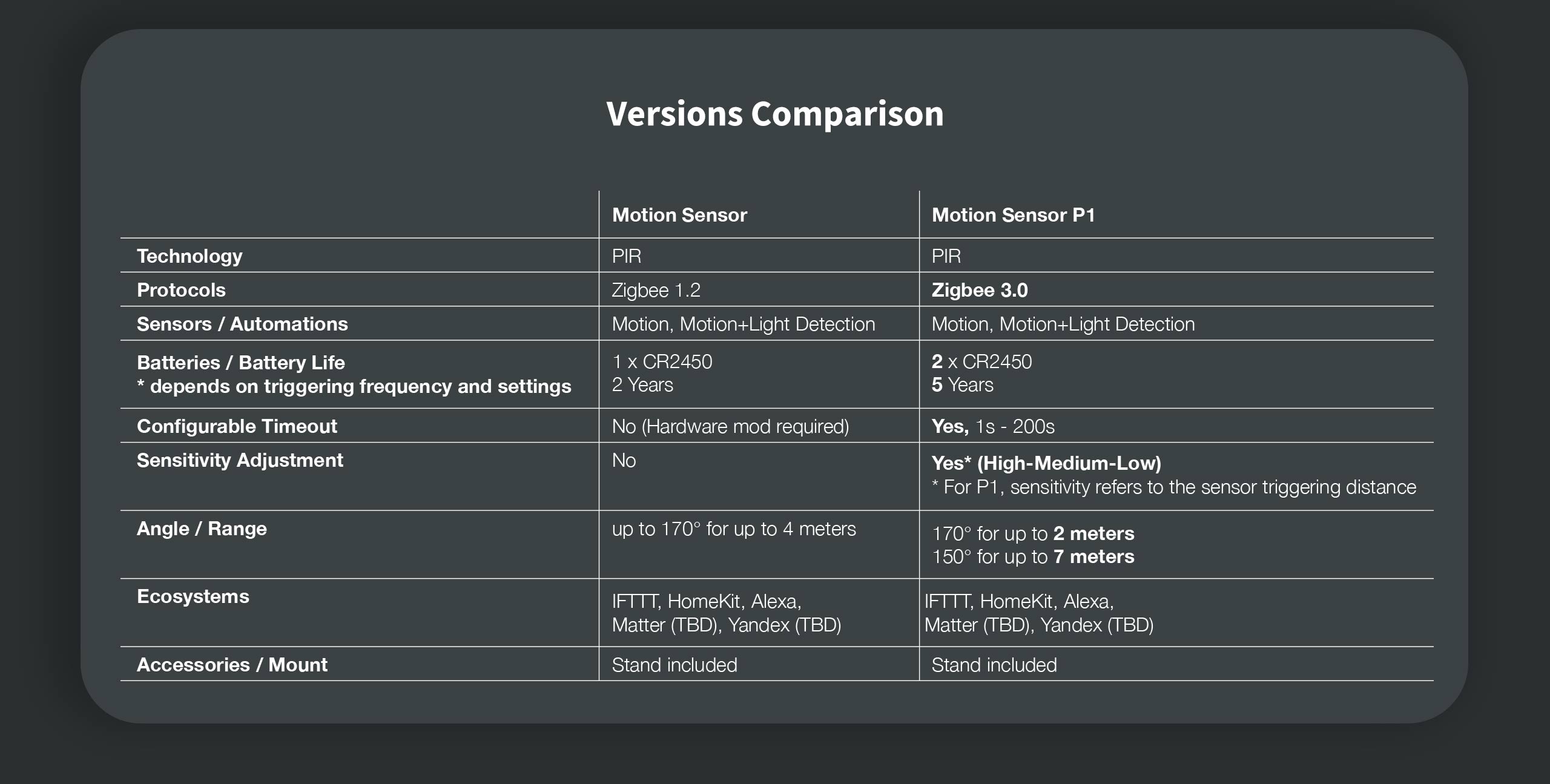 fast fractal
frosty rivet
The P1 appears to be a newer version. https://cdn.aqara.com/cdn/website/mainland...
fast fractal
frosty rivet
The P1 appears to be a newer version. https://cdn.aqara.com/cdn/website/mainland...
Thank you 😁
warm totem
uneven ruin
Verify it's starting up properly and there's no weird logging for it.
After creating the 'adapter' it shows the error messages. Also, when I open Zigbee2mqtt in the menubar is get a 502: Bad Gateway error. Stil don't know how to fix the problemn sadly
I have noticed I have a Mosquito broker as add-on but also as intergration, could this be the problem?
crystal wraith
Couldn't start deCONZ = dresden elektronik deCONZ protocol: ConBee I/II, RaspBee I/II coordinator
  File "/usr/local/lib/python3.10/asyncio/tasks.py", line 456, in wait_for
    return fut.result()
asyncio.exceptions.CancelledError

The above exception was the direct cause of the following exception:

Traceback (most recent call last):
  File "/usr/src/homeassistant/homeassistant/components/zha/core/gateway.py", line 170, in async_initialize
self.application_controller = await app_controller_cls.new .. ```Hi, did anyone here have any success with binding a hue dimmer remote to a group of tradfri lights?
I can't seem to figure it out. It says unbind coordinator successful (it never unbinds) -- and binding to the group also successful (it never actually binds)
The documentation seems kinda spread on the inter compatibility of dimmers and switches so im wondering if anyone here had any success
warm totem
uneven ruin
Verify it's starting up properly and there's no weird logging for it.
Thanks for your help Yugami, I fixed the problem.
Aparantly my extensioncable suddenly stopped working. I connected another one and now its working fine again! Strange that the thing doesn't anymore work from one day to another
frosty rivet
Question for Z2M users: How are you monitoring your devices' availability and getting notified when they go offline?
frosty rivet
do you use a single automation for all devices?
frosty rivet
Thank you. I'll take a look at that. When I was using ZHA, I used nodered https://www.reddit.com/r/nodered/comments/m2fskc/battery_percentage_status_for_zwave_and_zigbee/
tropic depot
for ZHA this works: https://gist.github.com/dmulcahey/6a231d57ba1335fe4cd12b35366fae84
not very configurable but it does the job for me
 devout cypress
I have a problem with a Zigbee sensor:
tuya.ts0201_neo.TemperatureHumidtyIlluminanceSensor.
It installed with no issues, but initialization never ended. The sensor properly sends luminance data, but temperature, humidity and battery status are all shown as unknown.
The integration is HubZ Smart Home Controller - /dev/serial/by-id/usb-Silicon_Labs_HubZ_Smart_Home_Controller_81300F1A-if01-port0, s/n: 81300F1A - Silicon Labs - 10C4:8A2A
Zigbee Home Automation
Running on an Odroid XU4
Anybody have a suggestion on what is wrong?
 lament iris
I'm using zigbee2mqtt addon in HA. I have had to delete a Ikea light using the add-on desktop. I now have recurring messages 'entity light unknown'. How do I get rid of this message?
tropic depot
devout cypress
I have a problem with a Zigbee sensor:
tuya.ts0201_neo.TemperatureHumidtyIllumin...
if you go to the device page and expand the dropdown in the information area does the device list a quirk?
tuya is a mess
devout cypress
tropic depot
if you go to the device page and expand the dropdown in the information area doe...
Quirk: zhaquirks.tuya.ts0201_neo.TemperatureHumidtyIlluminanceSensor
Incidentally the sensor identifies as TZ3000_qaaysllp TS0201
tropic depot
try removing and re-adding it
if that doesn't work search here for issues: https://github.com/zigpy/zha-device-handlers/issues
and if there isn't one feel free to open one and the folks that try to make tuya crap work can hopefully help you 🙂
devout cypress
tropic depot
try removing and re-adding it
I just did that. The temperature and humidity still show as unknown. Thanks for the help. I will pursue it on github.
lament iris
tropic depot
tuya is a mess
Now not showing up in device list or as an entity. But the warning message persists.
crystal wraith
anyone have a fix for
https://github.com/home-assistant/core/issues/76438
"`Couldn't start deCONZ = dresden elektronik deCONZ protocol: ConBee I/II, RaspBee I/II coordinator"
I am at a loss of what to try.
 terse perch
Just got a sonoff zigbee stick and connected it to HA. have gotten alot of my sensors over to it but having problems with trådfri bulbs in ZHA. any advice to get them to connect
austere patio
crystal wraith
anyone have a fix for
https://github.com/home-assistant/core/issues/76438
"`Cou...
I see you commented on the GitHub issue and here concurrently. If you don't want to upload it publicly, you can PM me the full startup log here too.
crystal wraith
thanks. I am rebooting since apparently it ha didnt see my conbee stick at that time, rebooting host and will retrieve full logs
@austere patio changed some setting in my Unraid setup and the HassOs VM and now I got a different hardware info:
https://forums.unraid.net/uploads/monthly_2022_08/image.png.aa9715e47686f4fcd3c1e58437bfb9c9.png
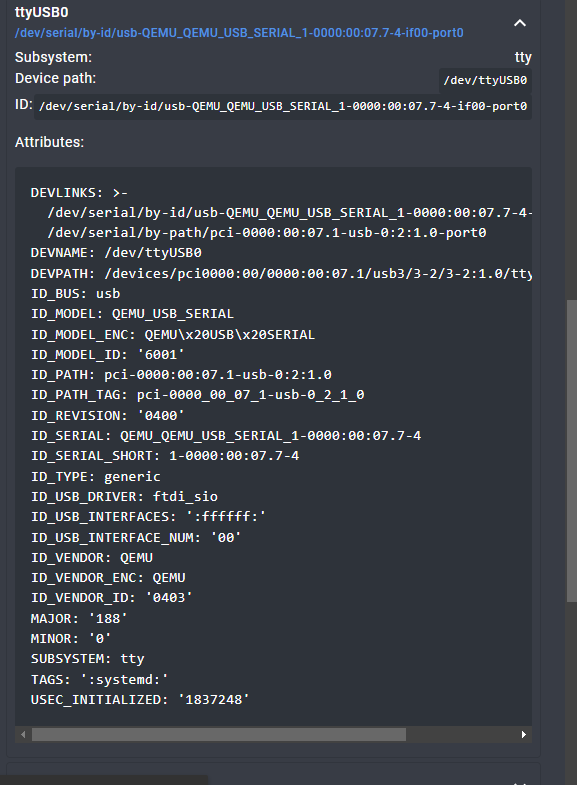
I should be able to just use the devlink path and change that in the core.config_entries file?
and now it seem to work ... I am at a disbelief 🙂
austere patio
If you can get it to break again, I'd appreciate the debug log. Thanks!
Is there any way to configure unRAID to pass full device info to the kernel? That way, the serial port will actually be stable and not be dependent on the unRAID config.
crystal wraith
reboot is working. I am trying to upgrade to .4 (was .2)
@austere patio it seems to be working now! Most likely it was the unraid setup that was the culprit.
iron thicket
ok, so. How do i wipe my HA zibgee set up, so i can install Zigbee2MQQT, I can then apparently use my bridge to force my hue stuff to enter pairing mode
iron thicket
do, i just delete the Conbee II intigration?
dry lichen
iron thicket
ok, so. How do i wipe my HA zibgee set up, so i can install Zigbee2MQQT, I can t...
do you not have a hue dimmer?
iron thicket
nope, i have managed to reset the bulbs
iron thicket
using the hue bridge
dry lichen
ah ok lol
iron thicket
you can use the serial number to take back the device
dry lichen
i gave away my bridge pretty quickly after getting Z2M years back
then found out i couldnt reset them
so now i also own a dimmer lmao
iron thicket
lol, i almost brought one too
any one what what i set adapter type to for phoscon combee2?
Zigbee2MQTT:error 2022-08-17 21:49:45: Error: Error while opening serialport 'Error: Error: No such file or directory, cannot open /dev/ttyAMC0'
    at SerialPort.<anonymous> (/app/node_modules/zigbee-herdsman/src/adapter/z-stack/znp/znp.ts:146:28)
    at SerialPort._error (/app/node_modules/@serialport/stream/lib/index.js:198:14)
    at /app/node_modules/@serialport/stream/lib/index.js:242:12```
Anybody understand how i fix this, my device port is correctok apparenly i need more power for the pi
iron thicket
via a 5v, 3am usb port on a generic power strip i have, so ill just stop bein cheap and by the offical power supply
dry lichen
iron thicket
via a 5v, 3am usb port on a generic power strip i have, so ill just stop bein ch...
next you'll tell me you run it on an SD card as well
iron thicket
no, i run it on a micro data centre, thats where we take time lord technology and use it to shrink an entire data facility down into what appears to be an sd card.
but no, the power supply i am using is not correct, the pi is reporting undervoltage errors and the zigbee2mttqt docs say under voltage can cause my error.
plus that micro data centre needs lot of juice and a micro verse battery on its own just isn't enough juice 😉
dry lichen
i'd hire a couple of hamsters to power that facility
austere patio
iron thicket
```
Zigbee2MQTT:error 2022-08-17 21:49:45: Error: Error while opening serialport...
You sure it's ttyAMC0? Not ttyACM0?
iron thicket
it is ACM0
i posted the wrong error lol
Zigbee2MQTT:error 2022-08-17 23:29:50: Error: Failed to connect to the adapter (Error: SRSP - SYS - ping after 6000ms)
i noticed that and fixed it, my clipboard just must of not copied.
austere patio
iron thicket
i noticed that and fixed it, my clipboard just must of not copied.
Need to specify the adapter type, since it's not a TI stick
iron thicket
yh, i am still trying to figure out how i determie what type ofadapter it is
austere patio
deconz, since it's a Conbee
iron thicket
omg, its not erroring.
now i get not authorized
how do i authorize zigbee2mqqt with HA Mosquito?
iron thicket
i think i did it, thanks for the help @austere patio
dry lichen
can anyone suggest me a relatively cheap EU power monitoring socket? it'll be for low powered devices. zigbee has preference, wifi fine too
iron thicket
I think my Tappo Plugs have a built in power draw sensor, never used it, but they are pretty cheap and wifi.
HA integration wise, they are not the best, but they work.
dry lichen
will check em out, cheers
iron thicket
wow, zigbee2mqqt really was worth all that hassle, i had my doubts, but it seriously does understand my devices better.
dry lichen
iron thicket
wow, zigbee2mqqt really was worth all that hassle, i had my doubts, but it serio...
i switched over a few days ago from deconz. i'm never going back.
its a bit much at first but when you're settled in, damn.
iron thicket
i look forward to adding my hive thermo tomorrow
since hive have decided to be pricks and be smart home tyrants
iron thicket
wait, this can also do firmware updates for my hue bulbs and sensors, wtf WOW
cobalt dew
dry lichen
felt great to trash their hub
Philips is stupid money and just not worth it here in NZ at least. $42 v $21 for an athom
dry lichen
iron thicket
wait, this can also do firmware updates for my hue bulbs and sensors, wtf WOW
dont do more than 1 or 2 at a time though!
dry lichen
cobalt dew
Philips is stupid money and just not worth it here in NZ at least. $42 v $21 fo...
i exclusively use hue bulb for bedroom because their 1% brightness is so much lower than others i have tried. other than that - yep, agree
iron thicket
hue was great then i discovered the price of competitors, by witch pint i had made my hole house hue
cobalt dew
dry lichen
i exclusively use hue bulb for bedroom because their 1% brightness is so much lo...
if there is a use case, yes sure 100%
iron thicket
i just found it irritating that once i cancled my isp that I could not longer turn the lights on in my house. Hence the zigbee move
dry lichen
Huh hue does work local right?
dry lichen
Ah like that
iron thicket
and the app works over cloud too, and you need the cloud to move the bulbs back to bt
dry lichen
Yeah
The only thing I still need a hub for is my heating system but I can live with that
It’ll work without network too, just not when you’re outside your network
iron thicket
i just wish i never went hivethermo, should have gone nest
dry lichen
Not sure where you’re from but here Tado is pretty popular
Got thermostat and valves so I have zone control that way without changes to the plumbing
 storm palm
I updated to 2022.8.4 and my zigbee crashed again
Same thing... NCP entered failed state. Requesting APP controller restart followed by Couldn't start application
austere patio
I'm waiting on a ZBBridge to arrive to test it with the actual hardware
storm palm
I just updated to 2022.8.5, not sure if it's related, but I can not reproduce by breaking the connection
austere patio
That's good news. Does it still crash and not recover?
storm palm
It did not crash
austere patio
NCP entered failed state. Requesting APP controller restart followed by Couldn't start application?
storm palm
Watchdog heartbeat timeout: TimeoutError()
ControllerApplication reset unsuccessful: TimeoutError()
Error doing job: Exception in callback SerialTransport._call_connection_lost(None)
ControllerApplication reset unsuccessful: SerialException('Could not open port socket://ZHA-ZBBridge:8888: timed out')
austere patio
It should keep trying to re-establish the connection until it works. All of those errors are expected if either the ESP8266 firmware's TCP side is broken, or if the part that talks to the Zigbee chip isn't working right.
storm palm
On 8/3 I did the same and it didn't give the NCP failed message. Is there any way to view the version I was using on that date?
... I think it was the current release before I downgraded to 2022.6
austere patio
If you upgrade as soon as new versions are released, 8/3 was the day 2022.8.0 came out (https://github.com/home-assistant/core/releases)
storm palm
Not sure, point is I have never reproduced the NCP error by dropping the connection
 gritty frigate
Howdy folks, after a few upgrades I'm working through my homeassistant logs to clear out any warnings and errors.
I'm getting a bunch of asyncio.exceptions.CancelledErrors from zigpy_znp/api.py. Quick search didn't turn up much on this on Google, so wondering if I can tap onto your wisdom for direction on debugging these.
This is HASSOS: Home Assistant 2022.8.5, Supervisor 2022.08.3, Operating System 8.4, ZHA.
Awesome snippet: https://dpaste.org/z7jzk#L17
frosty rivet
gritty frigate
Howdy folks, after a few upgrades I'm working through my homeassistant logs to c...
What coordinator are you using?
gritty frigate
ZZH that is (stick: https://electrolama.com/projects/zig-a-zig-ah/)
There's some stuff in configuration yaml that is... well, I'm not really sure about
channels: [15, 20, 25] # Channel mask [13, 18, 23]```looks weird by just looking at it, let me read up on what this is actually doing
but correct based on the docs
sour shadow
Did you put the stick on a USB extension cable?
 novel cloud
@austere patio any idea when this will be merged?
https://github.com/home-assistant/frontend/pull/13295
gritty frigate
Tinkerer: yes I did
I've got to use something as the pi4 running HASSOS is in an rack down in the basement.
The benefit with that is cooling is kinda solved, but a basement rack based zigbee antenna is essentially worthless - so the stick is out on a cable for better reception
flint bone
dry lichen
heck i use mostly ikea bulb
My only complaint about IKEA bulbs is that they don't seem to work well with something like Adaptive Lighting that has combined long, gradual brightness transitions, despite quite a bit of attempted troubleshooting. I've since moved them to rooms that I'm typically not in for long periods of time and just have their AL adjustments happen once whenever they turn on
If I could fix that, I'd happily use them in place of other options (except for the bedroom, which I've kept as Hue due to their minimum brightness being much lower)
dry lichen
flint bone
My only complaint about IKEA bulbs is that they don't seem to work well with som...
Interesting, I use AL with them. It spits errors at me but works nonetheless. The main issue is that they can’t process two requests at the same time - so brightness and color temperature. It’ll only take one each time
I somehow remediated it, can check it later tonight for you if you’d like
flint bone
dry lichen
Interesting, I use AL with them. It spits errors at me but works nonetheless. Th...
Yeah, I tried the "separate commands" option in AL, but for whatever reason, whenever it starts adjusting the brightness, they quickly dim by like 10%, and then gradually transition up to where they were supposed to go
dry lichen
Mmm I set the transition delay to instant to fix that I think
flint bone
Aha, on the bulbs themselves?
dry lichen
Nah AL has a separate setting to tweak the start transition IIRC
So if I turned them off at 1% they start at 1% again but switch to their target % instantly
It’s not clean I guess but I don’t mind the .1 sec flash once a day
flint bone
Ah, you mean the initial transition. What happens in my case is when the bulbs are already on and are supposed to be gradually dimming, every 90 seconds (the interval) they quickly dim more than desired and then gradually transition back to where they should be
dry lichen
I’m gonna check it out for you tonight because I somehow got them working perfectly
flint bone
So like if they're at 90% and are told to transition to 89% over 45s, they dim far more than 1% quickly, and then over 45 seconds transition up to 89% (even though they report as 89%)
flint bone
Whichever adaptive lighting does heh
I suspect one factor might also be that I've used groups
flint bone
Yeah, I've tried separating the ikea bulbs individually as well
dry lichen
I’m gonna @ you tonight
flint bone
dry lichen
I’m gonna @ you tonight
Sounds good. Can make a thread so we don't spam people here also
austere patio
novel cloud
<@652580495892152331> any idea when this will be merged?
https://github.com/home...
It won't be in that form but something will get into 2022.9.0. If you have a need to do backup/restore, the websocket interface is in the backend so you can do it from your browser dev tools.
novel cloud
Interesting. Don't have a need hopefully not anytime soon. Going to make UI changes?
austere patio
Going a slightly different direction: it will be a part of the initial ZHA config flow, which will let you choose how to deal with network settings and also change the serial port without editing files
novel cloud
Initial flow as in when someone sets up the integration (fresh install)? Or config flow as in the configuration page for zha with (shortcuts, global options,etc). I think it is awesome that a new coordinator without a network loaded will automatically get a network restored to it. Will it ever be possible to do coordinator firmware updates without having to take apart the coordinator and hit the boot button for example?
austere patio
Both. Coordinator firmware updates are planned but there's no magic to work around hardware limitations that prevent the stick from getting into its bootloader (if you're referring to the Sonoff, that's integrated into cc2538-bsl.py via --bootloader-sonoff-usb)
novel cloud
Yeah I am referring to sonoff. I assume it will be coordinator firmware updates with an asterisk informing the user if their coordinator is compatible.
austere patio
Is your Conbee on a USB extension cable?
Plug the Conbee into a USB 2.0 extension cable and try it once more. The Conbee is sensitive to interference, especially from USB ports and nearby devices.
You can use a 3.0 one as well, just plug it into a 2.0 port
 wooden trail
hi.
I bought an IR universal remote Moes UFO-R11 that is supported by zigbee2mqtt: https://www.zigbee2mqtt.io/devices/UFO-R11.html#moes-ufo-r11
and it seems to be detected correctly in zigbee2mqtt and show all the things it needs to expose in order to be usable
but in MQTT it doesn't show everything and it isn't being configured as a remote
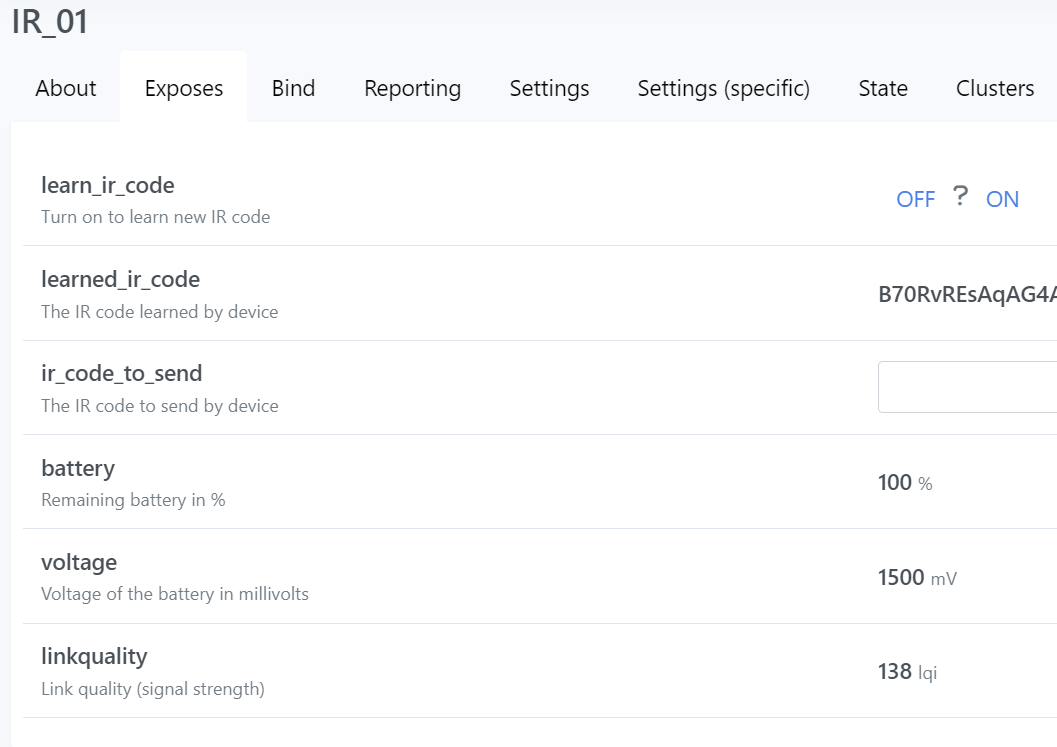
MQTT:
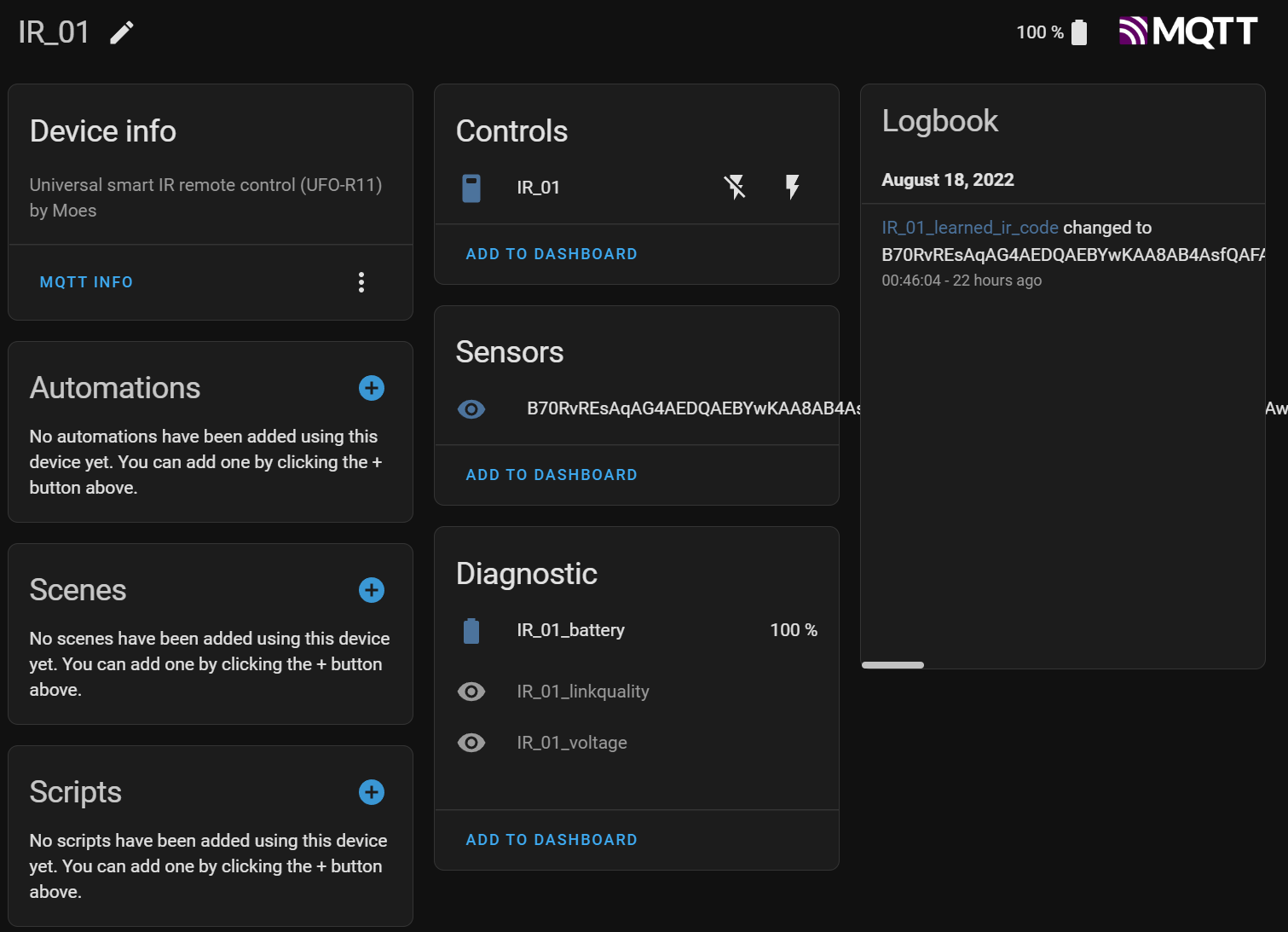
any ideas?
austere patio
Can you try resetting and re-joining it after swapping the battery?
 azure fable
I've just migrated from a Pi3 to a Pi4 and moved my Raspbee into the new Pi, restored Home Assistant from a backup, and most of my ZHA devices aren't working. It seems the switches and sensors are working (I see in Logbook), but the lights are not (all Hue).
I see this old comment say "you do have to run a few commands" – what are those commands!?
austere patio
If you've moved the physical adapter, there's nothing you need to do
Can you actually verify that the Raspbee is functional? There is some sort of configuration you need to do on the pi to enable the serial port to get the Raspbee working.
azure fable
It must be functional since the motion sensors are updating, and when I press a zigbee switch (Lutron) I see the event
Forgot to say, I've made the two config.txt changes needed
austere patio
If you can see updates, the network is functional. The Conbee/Raspbee doesn't store any information about joined devices, especially routers, so I'm not too sure what would the issue can be here. Have you ever updated the firmware on the Raspbee?
azure fable
No
My system logs have some zha warnings: "async_initialize: all attempts have failed" but I don't know what devices that refers to
austere patio
Likely the bulbs
Have you tried powering the bulbs off for a few seconds and then turning them back on?
azure fable
yeah
There are some sensors in my house whose batteries are dead, so I'm not certain the warnings are for the bulbs. The bulbs do not appear as "unavailable", the UI control for on/off is enabled but when I press it it reverts e.g. back to "on" after a few seconds.
austere patio
Could you enable https://www.home-assistant.io/integrations/zha/#debug-logging, restart HA, let it boot up, and then turn a bulb on and off from the switch (waiting 5-10s between off and on)?
austere patio
So you're able to receive sensor updates and bulb states, but you can't reach any device?
azure fable
yes, I'm able to receive sensor updates and bulb states and my smart lock state (Wyse), but cannot switch on or off the bulbs, and cannot unlock the door!
austere patio
Interesting. I think I may have an idea as to what has happened but there's unfortunately no way to to possibly "fix" it without updating the firmware on the Raspbee
azure fable
Is that difficult?! I have a spare SD card if I need to use a different OS.
(rebooting now with log config added)
austere patio
You can do it with deCONZ or over the command line with https://github.com/dresden-elektronik/gcfflasher
azure fable
This seems to be the most telling log entry. I'll paste in the ~35 lines for a button press if you like:
[zigpy_deconz.zigbee.application] Error while sending 147 req id frame: TXStatus.MAC_CHANNEL_ACCESS_FAILURE
austere patio
Hmmm that would do it
I thought the Raspbee managed to erase its network settings somehow and zigpy restored from a backup, but since the network frame counter on Raspbee/Conbee devices is 0 on early firmwares, the restore was incomplete
Instead you just have interference issues 😆
azure fable
I also added an SSD and see this comment in a thread:
I parted my new disk and adapter as far as possible and now I do not have any errors.
https://github.com/Koenkk/zigbee2mqtt/issues/3935#issuecomment-663852352
azure fable
ok, thanks! Not sure how to fix it, wrap the disk in tinfoil!?!
austere patio
I guess move it around until the Raspbee starts working
Or ditch the Raspbee and buy a better Zigbee coordinator that can be plugged into a USB port, on a 2.0 extension cable
dry lichen
based on what you said all your end devices are functional but your router devices are not, correct?
oh nvm ssd
dry lichen
austere patio
Or ditch the Raspbee and buy a better Zigbee coordinator that can be plugged int...
or go even better and get a PoE one!
 ripe shell
Is there someone who is using deconz with an ikea bulb? I just have a simple question because i want to know if this is only my experience or not. When I am using the slider in the lovelace ui (for example with the light card) to change the brightness of the ikea bulb, there is no transition and the new brightness is set instantly. Say we want to change it from 100% to 50%. I move the slider, let go and the bulb is set to 50% in an instant. Does this also apply to someone else using home assistant to control an ikea bulb that is connected via the deconz integration?
dry lichen
ripe shell
Is there someone who is using deconz with an ikea bulb? I just have a simple que...
Yep i had that too
Moved away from deconz recently though
austere patio
The transition time should be configurable with all of the Zigbee integrations
ripe shell
Interesting. I noticed that hue bulbs have a transition when dimmed via ui (hue bulb also connected via deconz) but ikea bulbs somehow do not have this transition and I asked myself how i could achieve the transition on the ikea bulb when dimmed via the ui slider
dry lichen
i have on/off transition on ikea bulbs, never had ui slider transition with deconz
ripe shell
Do you think that this is a deconz issue?
or maybe not an issue more like a limitation
dry lichen
Might be a limitation, I have never been bothered by it honestly
ripe shell
Ok, it bothers me a bit in comparison to the hue bulbs. I think it is somehow connected with ikea bulbs not accepting a change in brightness an color at the same time if the transition is not 0. I will try to find out if this is an ikea or deconz limitation because I really like the transition effect and hue bulbs are a bit expensive especially the color ambiance ones. Thank you for your help.
dry lichen
ripe shell
Ok, it bothers me a bit in comparison to the hue bulbs. I think it is somehow co...
Wait is it one group ?
Like a mix of hue and ikea bulbs in one group, and that’s the one you control?
ripe shell
No, i have a hue bulb in my bedroom and an ikea bulb in my living room and noticed the difference between those when dimmed with the ui. But both are connected to Home Assistant with deconz
ripe shell
IIRC? Sorry, what does that mean?
I found out that the harsh transition is only when dimming with the Home Assistant ui. I am getting a smooth transition with both bulbs when using the Phoscon ui from deconz. Maybe this is a problem with the Home Assistant deconz integration but I am not sure
dry lichen
ripe shell
IIRC? Sorry, what does that mean?
If I recall correctly