#frontend-archived
1 messages · Page 210 of 1
 dark dirge
 sharp sphinx
Cool. So I can always just revert back to auto and have it repopulate if needed. So I'm guessing there's no easy way to hide entities (in Lovelace / overview only) without taking control?
dark dirge
I don’t think so
 split birch
Hi everyone! Is there a way to use audio input and output from the frontend?
 tranquil kite
Hi, i'm trying to help my friend set up this https://github.com/vmcosco/HA-Sonos
And the https://github.com/vmcosco/HA-Sonos/blob/main/Button Card Templates.yaml states * Button Card templats; these need to be listed out in your lovelace config*
Is this in the "Raw configuration editor" in the GUI or somewhere else?
dark dirge
I don’t think you can use those unless you’re using Lovelace in YAML mode
 slate flax
I just started seeing this in my HA logs:
Source: components/system_log/__init__.py:189
First occurred: 11:23:19 AM (2 occurrences)
Last logged: 11:23:24 AM
:0:0 Script error.``` stuck fox
Good Afternoon. I have installed the kalkih mini media player and have Alexa installed as well, and have cards added on Lovelace. When we ask Alexa to play some song, the Lovelace card does not show what is currently playing. What am I doing wrong or what have I missed?
 broken marsh
I have a popularity sensor showing when a store is busy and not. Any ideas how I can show this as a graph? The sensor has a state too but that won't show 'the future'. https://pastebin.com/c0q6HLgt
dark dirge
 mossy gale
Good evening all, its been a very long time since I posted any questions on here. I have a question about the Banner Card. I have used it to snazz up a display of numbers.
The one thing I can't get my head around is displaying the number value from the sensor as 12,000,000 instead of 12000000
here is the output https://imgur.com/a/qta2pkF
 quartz locust
Heyo! I'm running into the issue where I can't have secrets in my configuration.yaml. All google info points towards reinstalling/updating lovelace/dwain's. Now I've got an issue there as I seem to have two lovelace instances. One dashboard is at IP/lovelace, the second at /lovelace-haname/0.
I used to have dwain's installed too, but removed that one from my /config, I suspect there's still traces in the .db file, but there's no way to check that afaik.
I think my installation is polluted, but can't find tools to clean it up. Is there a way to completely remove and reinstall the frontend?
dark dirge
Whoa
 long mulch
Hi
anyone notced that display freezed after 2-3min with the last update ?
I have to hit F5
to refresh
mossy gale
mine was playing up yesterday
but rebooting my macbook seemed to sort it
been fine all day since update
quartz locust
No freezes here.
 radiant salmon
Is there any way to cast to a nest hub with a black background?
 drowsy void
 hallow mango
working for me 🤷
drowsy void
hallow mango
working for me 🤷
Even if you close the browser and open it up in another browser?
How did you setup the code? Not sure what's wrong...
hallow mango
I use chrome on my desktop and the Android app on my phone, as well as a "kiosk mode" app if fully kiosk on my wall tablet. all working fine as far as I can tell... sometimes I notice a bit of inconsistency on my desktop, but overall it works fine
you might want to share your code, probably easier to tell what's wrong than show what I did right
I've just followed the docs 🤷
use something like pastebin to upload yours and i'll take a look
drowsy void
hallow mango
use something like pastebin to upload yours and i'll take a look
In the old integration it would change the label name and hide unwanted tabs; but then after updates it would only change the label name without hiding tabs.
In this new integration it doesn't even change label name..
broken marsh
dark dirge
perhaps: <https://community.home-assistant.io/t/display-future-values-in-a-graph...
That seems to be what I want but how do I do that when my attributes have no time entry? https://pastebin.com/c0q6HLgt
 craggy orchid
#card-mod I'm applying a style using card-mod-card in a theme...
On 2 different entities card, on 1 the style is applied, on the other not... any clue why ?
(on the second, the style randomly applies from time to time)
only difference between the 2 cards is that one (one that does not have the style applied), has rows based on the multiple-entities-row and/or text-divider-row, but the parent remain the standard entities card
 torpid sage
long mulch
anyone notced that display freezed after 2-3min with the last update ?
torpid sage
long mulch
anyone notced that display freezed after 2-3min with the last update ?
I am starting to see some inconsistencies with the dashboard where changes aren't being reflected in the UI. I'm wondering if it's due to some of the changes brought in for the Frontend in 2021.12.6
long mulch
@torpid sage I think yes
I tried to cealr clear cache, etc
still freezing after a couple of minutes
 clever plover
I have a config template card. Found this example with 2 states:
        ${ states['cover.rolluik_achterdeur'].state  === 'open' ?
        'mdi:window-shutter-open' : 'mdi:window-shutter' }
That works fine, so far but I'd like to extend with 5 different icons based on the attribute current_position: xxx. Could someone help me how to change the code?
Changed .state === 'open' into , 'current_position' === '100' but no luck. Played around with ' " and maybe other syntax faults but no luck...
long mulch
torpid sage
https://github.com/home-assistant/frontend/issues/11039#issuecomment-1002309735
Good news 🙂
hallow mango
@drowsy void I had to define all the items (including ones to show), and with their order. I also didn't use the exceptions bit
 rose garden
Hello, from last updates when I change the thermostat temperature or switch ON/OFF devices the command is executed but not updated on the screen/lovelace, is this normal?
I change 22º to 20º, it changes the temperature but keeps 22º on the screen
if I refresh it then shows 20º
same happens with andorid app
craggy orchid
#card-mod themes
Userdoc states: To do this, you need to specify the variable card-mod-<thing>-yaml, and then the syntax is exactly the same, e.g:
Does it mean I can define a "card-mod-text-divider-row-yaml" element in my theme and then add something like:
h2 {
position: relative;
}
????
my current config: https://pastebin.com/V0S7Psac
card-mod-text-divider-row-yaml & card-mod-view-yaml are not working and I don't know why
clever plover
  variables:
    covstate: |
      covstate => {
        if (covstate = 100) {
          return 'icon = csi: shutter-O';
        }
        else if (covstate >= 20 && temp <= 40) {
          return 'icon = csi: shutter-1';
        }
          return 'icon = csi: shutter-2';
      }
    covstate: states['cover.rolluik_achterdeur'].attributes.current_position
  entities:
    - cover.rolluik_achterdeur
  card:
    type: entities
    entities:
      - entity: cover.rolluik_achterdeur
        icon: covstate'```
This 'code' doesn't work. Could anyone have a look why? mild veldt
icon: ${covstate}
clever plover
mild veldt
`icon: ${covstate}`
Thanks. Changed code to:
  variables:
    covstate: |
      covstate => {
        if (covstate = 100) {
          return 'icon = csi: shutter-O';
        }
        else if (covstate >= 20 && temp <= 40) {
          return 'icon = csi: shutter-1';
        }
          return 'icon = csi: shutter-2';
      }
    covstate: states['cover.rolluik_achterdeur'].attributes.current_position
  entities:
    - cover.rolluik_achterdeur
  card:
    type: entities
    entities:
      - entity: cover.rolluik_achterdeur
        icon: ${covstate}```
but can't saveShouldn't it be like:
  variables:
    covstate: |
      covstate => {
        if (covstate = 100) {
          return 'csi: shutter-O';
        }
        else if (covstate >= 20 && temp <= 40) {
          return 'csi: shutter-1';
        }
          return 'csi: shutter-2';
      }
    covstate: states['cover.rolluik_achterdeur'].attributes.current_position
  entities:
    - cover.rolluik_achterdeur
  card:
    type: entities
    entities:
      - entity: cover.rolluik_achterdeur
        icon: ${covstate}```
but this also doesn't workBased on the attribute 'current_position' of my cover.rolluik_achterdeur, I'd like to have 5 different icons.
position 100 = csi: shutter-0
position 99 - 80 = csi: shutter-1
position 79 - 60 = csi: shutter-2 and so on...
 polar kelp
I doubt your icons names have spaces in them, but that doesn't explain why you "can't save" - whatever that means...
clever plover
Based on https://github.com/g-kiss/Home-Assistant-custom-shutter-icons
I changed to:
  variables:
    covstate: |
      covstate => {
        if (covstate = 100) {
          return 'csi:shutter-O';
        }
        else if (covstate >= 20 && temp <= 40) {
          return 'csi:shutter-1';
        }
          return 'csi:shutter-2';
      }
    covstate: states['cover.rolluik_achterdeur'].attributes.current_position
  entities:
    - cover.rolluik_achterdeur
  card:
    type: entities
    entities:
      - entity: cover.rolluik_achterdeur
icon: ${covstate}```I know the 5 different states has to be 'corrected'
craggy orchid
craggy orchid
#card-mod themes
Userdoc states: To do this, you need to specify the variable ca...
I manage to make some progress, but the selector it HUUUUUGGGEEE... Is there any way the selector can be shortened? perhaps I'm missing a piece to have a more direct way to specify my theme
https://pastebin.com/V2p73eSD
I'd rather prefer to have the capability to directly specify the parent element of what I want to style, instead of providing the full hierarchy (because my element appears also under other hierarchies and I need to do it all over again).
something like card-mod-<full_html_element_name>-style: would be nice.
clever plover
    bad indentation of a mapping entry (2:3)

     1 | type: 'custom:config-template-card'
     2 |   variables:
    -------^
     3 |     covstate: |
     4 |       covstate => {
Have to define all or nothing works..? 🤦♂️
Can you give me the code to drop in and test out..?
polar kelp
craggy orchid
I manage to make some progress, but the selector it HUUUUUGGGEEE... Is there any...
card-mod-view-yaml:
  hui-masonry-view $ div div hui-vertical-stack-card:
    $ div text-divider-row $:
.: |``` depends a bit on how many of each thing you want to match, though.There's a chapter about this in the wiki
On the other hand, rows are not supposed to be put in stacks...
hallow mango
drowsy void
Have to define all or nothing works..? 🤦♂️
that's what I had to do to avoid doubled entries
hallow mango
drowsy void
Can you give me the code to drop in and test out..?
I'm away from home but maybe if I remember later
you could always open an issue on GitHub if you can't get it working
I did that and the dev helped me troubleshoot and ended up pushing an update to fix an issue I was having
craggy orchid
polar kelp
```yaml
card-mod-view-yaml:
hui-masonry-view $ div div hui-vertical-stack-card...
I'm actually using stacks to order my entities per room... https://pasteboard.co/B52SpFEG5bg8.png
and I was fuzzing with the divider-rows as they were not displaying properly
hallow mango
I still haven't been able to figure this one out 😬
polar kelp
Are you on a lovelace view when the popup pops up?
Sorry if I accidentally pinged you, Johanvh. I was thinking about how to reply, but the only thing I could think about was what a long way the error messages have come. That one perfectly explains the error in normal human language.
That certainly didn't use to be the case.
hallow mango
polar kelp
Are you on a lovelace view when the popup pops up?
calling from dev tools is where I see it... it doesn't pop up on that particular window but does on my wall tablet (Lovelace) and on other open browser windows, but it gives me that error
polar kelp
Could be that browser_mod doesn't propperly preload lovelace resources then. I'll have to look into that.
polar kelp
craggy orchid
I'm actually using stacks to order my entities per room... https://pasteboard.co...
You could use a mod-card around your stacks to shorten the chain a bit, starting at card-mod-card-yaml.
craggy orchid
but with CSS we should be able to directly specify a class right... so if only those elements are using that class, CSS would allow to specify the style directly rather than to specify the full chain...
I understnad hierarchy is necessary when very specific elements need to be styled... but if the class is a singleton, the full hierarchy should not be required... (at least that's what I recall when doing CSS in the past...)
 fiery ledge
clever plover
I know the 5 different states has to be 'corrected'
fiery ledge
clever plover
I know the 5 different states has to be 'corrected'
not sure if you're set already, but just to enter the opening/closing aspect, I use this in my custom-ui template. could probably be easily copied into the lovelace card: ``` icon: >
if (entities['input_select.raamverduistering_stookhok'].state == 'Opening') return 'mdi:archive-arrow-up';
if (entities['input_select.raamverduistering_stookhok'].state == 'Closing') return 'mdi:archive-arrow-down';
if (attributes.current_position == 100) return 'mdi:window-shutter-open';
if (state == 'closed') return 'mdi:window-shutter';
return 'mdi:window-shutter-alert';
That doesn't work with the shadowDOM.
fiery ledge
only thing this needs is a secondary entity as you can see, which is automated via a script 😉
craggy orchid
polar kelp
That doesn't work with the shadowDOM.
with shadowDOM, can we still specify multiple elements as part of hierarchy?
it would allow to have same style for similar hierarchies.
e.g.
hui-masonry-view: $: div: div: hui-vertical-stack-card, custom-template-card: $:
polar kelp
That's not supported, unfortunately. yaml ... div: hui-vertical-stack-card: $: | ... custom-template-card: $: | ...
Hint: Look up node anchors.
craggy orchid
how about support for :host-context(<element>) ? it could be defined for the row and some subselection of element specified...
hallow mango
polar kelp
Could be that browser_mod doesn't propperly preload lovelace resources then. I'l...
would you like me to open an issue? I couldn't see one that looked relevant before I brought it here
polar kelp
Sure
polar kelp
craggy orchid
how about support for :host-context(<element>) ? it could be defined for the row...
host-context is a dead feature. It's only supported by chrome and has been removed from the proposal. It will be sorely missed 😢
hallow mango
will do
drowsy void
hallow mango
that's what I had to do to avoid doubled entries
If I get doubled tabs I’d be happy because it would mean it is working. 🤷♂️
polar kelp
polar kelp
host-context is a dead feature. It's only supported by chrome and has been remov...
Nb: that doesn't mean I know it doesn't already work. Only that I won't waste any time trying to get it to work if it doesn't.
clever plover
polar kelp
Are you on a lovelace view when the popup pops up?
Yes, the error comes under the yaml code. Still no idea what's wrong about the code...
variables:
covstate: |
covstate => {
if (covstate = "100") {
return "csi:shutter-O";
}
else if (covstate >= 20 && temp <= 40) {
return 'csi:shutter-1';
}
return 'csi:shutter-2';
}
covstate: states['cover.rolluik_achterdeur'].attributes.current_position
entities:
- cover.rolluik_achterdeur
card:
type: entities
entities:
- entity: cover.rolluik_achterdeur
icon: ${covstate}```
No errors anymore but no icon displayed... candid lintel
Is there a way I can set my light color to rgb(255,255,255) ? The color palette on the card always ends a little blue for me
Is there a way I can set my light color to rgb(255,255,255) ? The color palette on the card always ends a little blue for me
Oh i guess clicking in the middle of the color palette is white. Probably a little color blind
clever plover
Read once more https://github.com/iantrich/config-template-card Seems in the example https://github.com/iantrich/config-template-card#defining-global-functions-in-variables 2 different variables are used. I thought they were related...
clever plover
mild veldt
`icon: ${covstate}`
Can you explain me where 'temp' in
      temp => {
        if (temp <= 19) {```
comes from in your example on https://github.com/iantrich/config-template-card#defining-global-functions-in-variables?It’s what’s passed into setTempMessage below. This is JavaScript
As it mentions, that’s a method defined in the variables section
clever plover
dark dirge
It’s what’s passed into setTempMessage below. This is JavaScript
Ok, but where comes the temp data from to calculate/compare?
dark dirge
clever plover
I suspect the temperature is an attribute from climate.blablabla but it's not defined
dark dirge
The method is defined at the top and called at the bottom
‘temp’ is just a name for the argument that’s passed in
clever plover
As far as understand. He makes 2 variables: setTempMesssage and currentTemp. Those are called back in the last line. Right?
dark dirge
setTempMessage is a function. That's why it's in the section describing how to define global functions
currentTemp is indeed a variable, and it's passed into setTempMessage
the anonymous function syntax isn't very intuitive, which is why I gave you a link that helps explain it
clever plover
@dark dirge Thankt to clarify but I don't understand all the differences. I'm not a programmer... Spend hours and hours to get different icons for my shutters (cover) but now I give up, I guess
dark dirge
ok
clever plover
How difficult could it be. An attribute from 0 to 100 and define 5 states...
dark dirge
I still think your problem is this:
if (covstate = "100") {
and the fact that you're not actually passing in an argument to the function you defined
your example doesn't really look like the one at the link
but anyway, this isn't a cut-and-paste exercise
clever plover
That's clear! 😉 Anyway, I'm not the only one trying this. On https://community.home-assistant.io/ many are asking but haven't seen any good working example. Maybe better to leave the 'special card' and try to fix it by templates
I remember a time ago I tried but the result was that the up and down button from the cover card also changed into the customized icon
dark dirge
perhaps you'd have more luck with Custom Button Card. It still uses Javascript for its templates, but also gives you a straightforward way to define the icon based on the entity state
clever plover
Thanks I'll keep it with 2 states, open en closed. Once I find somewhere a copy/paste solution with 4 states, I will be happy. Coding is not my cup of tea
The button card is too complicated for someone with non-programming skills
 cursive saddle
Did the 'Stop' button disappear from Server Controls with ~12.6?
 wise flume
hi there i am trying to set the style of the entity cause the font size is way to big but it doens't work
cards:
- type: entity
style: |
ha-card {
border-radius: 5px;
background-color: var(--dwains-theme-primary);
}
.value {
font-size: 20px;
}
any idea i do rong here? it keeps staying at 28px
 ocean dock
Hello. I submitted a bug report regarding the accessibility of navigation links for blind users of HomeAssistant in IOS> Perhaps it will be of interest to some here. https://github.com/home-assistant/frontend/issues/11034
split birch
Hi! I would like to have the opacity of a picture card depend on the state of device_tracket.my_device so that the opacity of a picture card is 1 when the state of device_tracket.my_device=home and an opacity of 0.2 when device_tracket.my_device≠home . I've tried with opacity= "{ '1' if is_state('device_state.my_device', 'home') else '0.2' }" . I get no syntax error but the opacity of the picture card is not affected. What would be best way to accomplish this?
 swift halo
Does anyone have any ideas what the "Color brightness" slider beneath the RGB wheel/color picker actually controls? I've tried figuring out what exactly it does, and I haven't been successful in getting it to actually control anything.
 primal wolf
Is there a means or an example out there to reference about having a card on lovelace that can adjust a specific setting buried in an existing automation? Example being a specific time an automation runs but you want to be able to adjust that in the overview interface quickly instead of config >> automations >> select automation >> edit >> make adjustment etc etc
 errant plover
For that example replace the trigger time with an input datetime. Put the input datetime in an entities card in your dashboard. This is the example from the docs:```
- trigger:
- platform: time
at: input_datetime.turn_off_ac
- platform: time
Thanks for the info. I'll dig in to that! Hey just curious, is it not possible to do a trigger and "turn on" action for the same entity in one swoop?
I have a button in lovelace that acts as a toggle for turning an automation on or off, however, it seems as if I need to manually "run" it to activate. Simply toggling it on doesn't seem to do anything. If I trigger it, it works, but then I'd need multiple buttons.
unless enabling an automation just takes longer to catch up and run the associated action?
primal wolf
ah I just figured it out. Set up an automation with two actions (turn on first, trigger second, both to same entity) and added that newfound entity entry as a button card in lovelace. 😄
 frigid kayak
radiant salmon
Is there any way to cast to a nest hub with a black background?
frigid kayak
radiant salmon
Is there any way to cast to a nest hub with a black background?
I have the same question. Do you have already a solution?
 trim rain
Is it possible to add a custom name to entities in the logbook card?
radiant salmon
frigid kayak
I have the same question. Do you have already a solution?
Nope, I opened a issue on GitHub for the integration
frigid kayak
radiant salmon
Nope, I opened a issue on GitHub for the integration
Ok, but you can configure on the Nest Hub that is alwast use dark mode. So you have a black background.
But it should be nice if you can use themes for the cast integration.
 final void
Hi I am trying to create a tablet dashboard but some of my cards are showing up as "doesnt exist" even though they show up just fine in my UI on my computer. What could be the cause of this?
Does the tablet just not accept JS or something?
hallow mango
clear cache on the tablet app
swift halo
What exactly does the Color Brightness slider below the RGB color picker control?
How can I and should I use it my RGBW lights?
radiant salmon
frigid kayak
Ok, but you can configure on the Nest Hub that is alwast use dark mode. So you h...
Changing the theme on my nest hub doesn't do anything to the background color of the cast
radiant salmon
frigid kayak
Ok, but you can configure on the Nest Hub that is alwast use dark mode. So you h...
I'm just hoping catt starts working again so I can just turn the service I wrote back on to keep my casts running
swift halo
I am unable to add my temperature sensors to a statistics card. The entities doesn't show up in the "Add a statistic" selection. What might be wrong?
I do have them on sensor cards thou
hallow mango
swift halo
What exactly does the Color Brightness slider below the RGB color picker control...
I don't have this on any of my rgb/rgbw lights that I can tell 🤔
hallow mango
swift halo
I am unable to add my temperature sensors to a statistics card. The entities doe...
probably the integration for those sensors doesn't support long term statistics
swift halo
hallow mango
probably the integration for those sensors doesn't support long term statistics
What do they need to support to be able to?
hallow mango
not sure, what sensors are they?
swift halo
hallow mango
not sure, what sensors are they?
Temperature sensors. tellstick integration
hallow mango
prob better question for #integrations-archived
swift halo
It is an option to migrate it over to a MQTT sensor if that makes it any better
hallow mango
not sure really, as I don't use any of the long-term statistics stuff
but it's an integration issue probably more than frontend
swift halo
hallow mango
prob better question for <#672220541343760384>
heh, they said its a #frontend-archived issue. lol
 gusty agate
Not POSITIVE if this is the right channel, but anybody worked with Haas and NPM? I've got the reverse proxy working in that it loads Home Assistant, but when i try to login it just says Unable to Connect to Home Assistant. I can login via direct IP fine.
swift halo
hallow mango
I don't have this on any of my rgb/rgbw lights that I can tell 🤔
It's interesting you don't have this... I have no clue why it appears
mild veldt
swift halo
heh, they said its a <#460846676358332417> issue. lol
You’ll need to create a template stats sensor
hallow mango
swift halo
It's interesting you don't have this... I have no clue why it appears
screenshot?
swift halo
What I have digged up in the frontend code is that the "Color Brightness" slider is displayed when the rgbw does not support temperature. It relates to a UI field named color_brightness. However that word is not not be found in the core sources....
swift halo
hallow mango
screenshot?
Hmm, can't share images in this channel. Suggestions?
 empty escarp
imgur?
swift halo
This is a rgbw light over mqtt, and whatever I do with its lights configuration I can't get the "Color Brightness" to send anything. It's an UI dud the way it is now.
hallow mango
ah yeah I don't have either of those
swift halo
The only place data["color_brightness"] is used in all of HA is in the esphome component, https://github.com/home-assistant/core/blob/dev/homeassistant/components/esphome/light.py#L216
It think its a little unfortunate if this UI slider doesn't really do anything. Might there be a bigger plan with it that we haven't seen yet?
How can I debug what internal state or parameter or attribute an UI slider adjusts?
gusty agate
any suggestions for getting HA to accept a login from behind cloudflare and nginx proxy manager? Ive got the trusted proxies lines installed but its still blocking me out.
 kind shellBOT
@gusty agate posted a code wall, it is moved here --> https://hastebin.com/ubixuwoxej
swift halo
I think there might be a bug concerning "Color Brightness". Reading the frontend code, it is meant to adjust/scale the RGB value and not send the value to the integration, but when it does it ends up at moving the rgb color and ultimately ending up in white with a handful of color brightness adjustments
I ended up in this thing because my initial question were what the difference between "Brightness" and "Color Brightness" are in the UI. Given that there is a separate "White brightness" slider. This rabbit hole was somewhat deeper than expected 😛
 viscid cradle
My dishwasher exposes sensor.dishwasher_remaining_program_time I'm trying to show this as a Lovelace Entity Card. When shown as an entity type card, it shows the date in the future, however, when I have it in an entity in an entities card, it shows "In 3 hours".
My goal is to have an entity card that shows the time remaining rather than the future date. What am I missing?
        title: Dishwasher
        conditions:
          - entity: sensor.dishwasher_operation_state
            state: Run
        card:
          type: entity
          entity: sensor.dishwasher_remaining_program_time
      - type: entities
        entities:
          - entity: sensor.dishwasher_remaining_program_time
            name: Remaining Program Time
Entity: sensor.dishwasher_remaining_program_time
State: 2021-12-31T00:33:34.094260+00:00
gusty agate
Alright i've narrowed down that HAAS doesn't want to play nicely with Authelia.
swift halo
mild veldt
You’ll need to create a template stats sensor
Thank you. I actually wondered about the built-in rules for aggregation and data retention for statistics, but seeing the statistics template it all makes sense now. Brilliant.
 sacred mountain
@viscid cradle , I usually convert my input_datetimes (which also have a state like that) to a separate sensor which I use in lovelace:
  device_class: timestamp
value_template: "{{ states.input_datetime.front_door_last_opened.state | as_datetime | as_local }}"```Has anybody had luck integrating Authelia with HA? I have absolutely no luck getting HA to play nice with it so far.
 topaz gust
Is this the place to ask about adding a statistics sensor?
BC for some reason, adding state_characteristic: value_max isn't correct because it says there's an error when I do
dark dirge
what's the rest of it?
and what version of HA are you using?
and this is an #integrations-archived question
topaz gust
Ok, I moved it there 👌
gusty agate
if theres no ip_bans.yaml, where might I check if there actually is an IP ban in play, if behavior is suggesting there might be one?
 real salmon
script editing in the visual editor has no helpers when you "call service", "light.turn_on"... 2021.12.7
dark dirge
What do you mean by ‘helpers’ here?
real salmon
the area just below the display of the words "light.turn_on" don't show any entity or devices, and no text. My front end is doing something weird, it's acting like I'm not logged in, and when I try to refresh the page it just hangs in the loading data screen.
dark dirge
 real salmon
rebooting the server solved it, but that's the second time it's happened today.
nope, only takes a second and its doing it again
how'd you post a picture?
dark dirge
🪄
real salmon
🤨
dark dirge
You should file an issue
kind shellBOT
Want to see what issues are open (or were open and are now closed)?
- The core (backend) - for HA itself, and integrations
- The frontend (UI) - for cards and display issues
- The Supervisor
- HassOS
- The documentation
Finally, don't forget to check for any alerts
Command '~issues' was invoked by: RobC
real salmon
why is my screen hanging at loading data?
seriously, I can't log in - what causes this hang at the "loading data" screen?
I can login through the client app on my phone, but no browser windows - is this some weird permissions issue?
no browser on any computer
 random relic
How hard would it be to write a card that shows the result of a tail -f textfile.txt, where textfile.txt is updated by the notify integration? Maybe there is one already usable for this?
 winter python
is there a way to have a header in the UI? I'd love to separate things from each other through text headers
random relic
Also, when using 'Open link in new tab', and using dark theme, the left menu-part is flashing white. Very minor, but would be nice if it didn't...
random relic
winter python
is there a way to have a header in the UI? I'd love to separate things from each...
I'd give the markdown card a try...
random relic
description?
random relic
Yes, that was the idea 🙂
random relic
what parser is being used to decode markdown in HA?
 coral fossil
reading the cast documentation, it suggests that in order to use the cast application (call it from a service) one needs to have a path defined in the yaml... does this mean that it is only possible to use the cast service to cast UI's created in YAML and not UI's created in the UI ?
 errant quail
Hi, does anyone know if it's possible to adjust the height of the energy graph cards, so I can display all 3 on a tablet above eachother
drowsy void
Did an update and now my supervisor tab is missing... 🤷♂️
 heady acorn
drowsy void
Did an update and now my supervisor tab is missing... 🤷♂️
heady acorn
drowsy void
Did an update and now my supervisor tab is missing... 🤷♂️
have you looked in the configuration screen?
drowsy void
heady acorn
have you looked in the configuration screen?
Yes, it isn’t in there.
But I am still able to access it from the browser label, or history.
sacred mountain
I'm having a lot of trouble understanding how to format the CSS selector in card_mod. Can someone point me into the right direction of learning? I'm reading through code in the card_mod already
Especially using :host, .:, etc. confuses me.
heady acorn
drowsy void
Yes, it isn’t in there.
But I am still able to access it from the browser label...
I know the 2021.12 release notes mentioned moving supervisor to the config panel. https://www.home-assistant.io/blog/2021/12/11/release-202112/#brand-new-configuration-panel
if a browser cache clear and a refresh doesn't bring it up, you may need to go to the channel related to your installation type and ask there
drowsy void
heady acorn
if a browser cache clear and a refresh doesn't bring it up, you may need to go t...
Where..?
heady acorn
drowsy void
Where..?
where as in 'what channel' or as in 'in the world is carmen san diego?'
drowsy void
heady acorn
where as in 'what channel' or as in 'in the world is carmen san diego?'
It is a discord channel or what..? Can you link it?
heady acorn
Yes, Discord channel. There are four related to installation type. What version are you running?
 swift ingot
Where did the 'customize entity' editor go?
dark dirge
Into the great beyond. It was mentioned in the release notes
swift ingot
So now I.... ?
dark dirge
Read the release notes
swift ingot
So it's back into customize.yaml...
dark dirge
It was always there
swift ingot
Well, yes, but it was available form the UI, and the release notes are confusing about it. (I think...)
dark dirge
Pretty straightforward. It’s not on the UI anymore
swift ingot
It says: To customize entities, use the entity settings available via the icon in the top right of the entity “more info” dialog (when clicking on an entity).
swift ingot
And I don't get to see (or edit) any of my custom entity settings any more.
Ah well, now I know (again)!
dark dirge
They’re still in customize.yaml , where they’ve always been
 worthy tapir
are we allowed to ask questions about a HACS frontend (mini-media-player) here?
dark dirge
Yes, but it’s just a custom card. The fact that it was downloaded via HACS is irrelevant
worthy tapir
K, this is my code:
The issue is with the Group Management feature of the card where you can toggle players in and out of the group with switches. The result is i'm getting multiple blank toggle switches on the final UI card. I get minimum 3 even if I only add one additional player
drowsy void
heady acorn
Yes, Discord channel. There are four related to installation type. What version ...
The most recent one, I just updated everything.
Can you send the link or tag me in which channel you talk of?
 celest bay
Does anyone know what could be causing this when using a history graph card with more than one entity selected?
"no state history found"
fiery ledge
how can we update a markdown card with``` {% if states('sensor.date') == '2021-12-31' and
now() > now().replace(hour=23).replace(minute=58).replace(second=0) %}
animation: blink 2s ease infinite;
{% endif %}
 exotic jay
Any good ideas for a better thermostat layout on the dashboard? I tried a horizontal stack but 3 thermostats is way too crowded. I also have HACS if there's something good there.
This is what I'm using ATM
- type: horizontal-stack
  cards:
    - type: thermostat
      entity: climate.master_ecobee
    - type: thermostat
      entity: climate.office_ecobee
    - type: thermostat
      entity: climate.upstairs_ecobee
https://github.com/nervetattoo/simple-thermostat in compact mode would do it. Available in HACS
exotic jay
That looks pretty good. I'm also starting to wonder if I should be breaking my dashboard into tabs
My list of widgets has grown
3 big thermostats mixed in with lights and garage doors doesn't look good
heady acorn
drowsy void
Can you send the link or tag me in which channel you talk of?
if you goto Configuration > Settings > Info what does the version say there?
at the risk of sending you to a channel to only be redirected again, and since you cannot see the channels for yourself ... #330990055533576204 #330944238910963714
heady acorn
exotic jay
3 big thermostats mixed in with lights and garage doors doesn't look good
I know what you mean. With help of decluttering templates, layout-mod, card-mod, and more, I have just gone to making a very custom dashboard
inspired by https://github.com/dmatik/homeassistant-config
exotic jay
damn that's sexy af
heady acorn
exotic jay
damn that's sexy af
the author links to an inspiration for the two-color SVG portion of his config, https://github.com/matt8707/hass-config
I like that one quite a bit too
it is a bit of work to get to that point, but easy to edit and keep up with once you've established the foundation for everything
exotic jay
I really just want the dark mode version from the screenshots
exotic jay
heady acorn
I know what you mean. With help of decluttering templates, layout-mod, card-mod,...
did you disable the header at the top? On Android it's weird: You see "Home" in the header bar and then "Home" again below it
heady acorn
I just moved the header to the bottom. If icons are set for each view, the text goes away on the bottom.
exotic jay
how did you achieve that?
heady acorn
custom theme
exotic jay
the same one from the repo you linked?
I copied them over to themes but I did not see a change
also added:
frontend:
  themes: !include_dir_merge_named themes
I built my own, but you can reference dmatik's themes. Look at theme_dmatik.yaml in his themes folder. Line 349 is the point of reference. Of course, you'll have to add more than just that to make everything work nicely. That is just how it was achieved.
exotic jay
hmm
heady acorn
exotic jay
also added:
```yml
frontend:
themes: !include_dir_merge_named themes
```
you have to change your theme via your profile icon settings. You should see the theme show up there. If not, reload the themes or restart HA
topaz gust
is there an easy way to move a stack to inside another stack?
heady acorn
exotic jay
what does wallpanel do?
I think that was built to display things in a less compact fashion. For a tablet on the wall of sorts
exotic jay
gotcha. Ok theme works but on the bottom bar, there's no buttons
heady acorn
exotic jay
gotcha. Ok theme works but on the bottom bar, there's no buttons
do you have multiple views in the dashboard or just one view?
exotic jay
Just one dashboard and one view, for now
I was starting small
but without the hamburger menu button, it's tough to navigate away from the dashboard
heady acorn
his template and theme are meant to work with three views and only three. Otherwise, the spacing is off.
exotic jay
I'm seeing he has more than 3 views in /config/lovelace/views
heady acorn
Those go to pages that are intended to replace the more-info. For instance, when a light badge is clicked/pressed, it takes you to a non-listed view to show the entities that match that group.
exotic jay
ok, so what views are you referring to then?
do you mean what's under lovelace.dashboards in configuration.yaml?
there's just no setup instructions at all for this. Really frustrating. Not sure I'm too interested in reverse engineering it. Homekit Infused looks like an interesting alternative, at least it has instructions. Might try that one later.
winter python
can you have a horizontal stack with a horizontal scroll to reveal more buttons in the same row?
heady acorn
exotic jay
there's just no setup instructions at all for this. Really frustrating. Not sure...
yeh, sorry. That isn't really meant to be an add-on or drop in replacement. More like a showcase and a "here's my config if you want to dive in" sorta thing
heady acorn
exotic jay
ok, so what views are you referring to then?
views as in "sub-dashboards" pages within a dashboard. HA's definition of a view. How they are manipulated in those custom configs are just that, manipulations of the given environment
exotic jay
heady acorn
yeh, sorry. That isn't really meant to be an add-on or drop in replacement. More...
I usually don't mind getting my hands dirty, but I already have too many hobby projects... I can't afford another. I do think it looks really well made, I just wish it was easier to drop in. Maybe there's already a theme out there that can give that. Otherwise I'll make do with the default theme I guess. What I'm really interested in is better organization. I'll read up on views in the HASS docs; other than a flat list of widgets I haven't messed with much.
heady acorn
exotic jay
I usually don't mind getting my hands dirty, but I already have too many hobby p...
understood! LOL. That config is definitely heavily modified. I've spent a fair amount of time on mine too. A topic to revisit in the future if you feel up to it!
exotic jay
heady acorn
understood! LOL. That config is definitely heavily modified. I've spent a fair a...
Really appreciate all the help!
drowsy void
heady acorn
if you goto `Configuration > Settings > Info` what does the version say there?
Ok, found it under bookmarks. 😅
exotic jay
how do you quickly preview lovelace changes? I feel like I have to restart HASS each time. I try reload configuration that doesn't work. Are there limits to what you can change?
Using YAML mode
something as simple as icon: changes in a view
I had to restart
dark dirge
You just have to clear your browser cache
dark dirge
Restarting HA won’t help
heady acorn
exotic jay
Using YAML mode
when in yaml mode, use the three dot ellipsis in the upper right hand corner and hit refresh
 prisma trail
Happy new year!
I got a problem with the alert integration. I've auto-entities that checks entity: alerts.* if the state changes but all my alerts have status: 'idle'
If I active my test boolean so dont it trigger the alert.test. But if I turn "off/on" the alert.test it trigger in my interface and I can see the alert active. (
The code: https://pastebin.com/Up3z11jJ
Oh.. This is a #integrations-archived problem.. Sorry 🤦♂️
 distant yew
]#
#';l,kmjhuy#gt
gvfc #'jh 6.#add-ons-archived ]
#';lkjhugy/l']#
78405
#';l,jhgfcl}129/*8574
dark dirge
The ‘#add-ons-archived’ was a nice touch..,
 tame shale
how do you make another row in a grid type card?
automatic rows 🤦♂️
not much of a grid
 crisp bough
Hello! I'm a bit lost.
https://i.imgur.com/hH4URDO.png
My lovelace has some weird spacing I cant take out 😦
Code:
Didn't find anyone with the same issue online.
 chilly drift
Happy new year to everyone!
Is it possible to make a global severity scale I can point to from several places I want to use the same color scale for eg. temperatures?
severity:
  - from: '24'
    color: '#ff6600'
  - from: '21'
    to: '24'
    color: '#ffb300'
you could use a YAML anchor if you use Lovelace in YAML mode
 uneven knoll
After a recent update my frontend won't render properly when I first open specific tabs.. I get "custom element doesn't exist".. if I then move to another tab and back it render properly without any errors.. did I miss a known issue?
behave the same in app on phone and in browser.. consistent.. ideas appreciated
chilly drift
dark dirge
you could use a YAML anchor if you use Lovelace in YAML mode
I do not use Lovelace in yaml mode, though. I was hoping to link to a color scheme from within the card definitions or something
heady acorn
chilly drift
I do not use Lovelace in yaml mode, though. I was hoping to link to a color sche...
though, if you are not using yaml mode, that might be a bit in the opposite direction as to what you're hoping for
chilly drift
Sure, but I was hoping there would be some way not having to define the color scale for every graph in lovelace. I look into the card-mod option. thank you for suggesting this
 blissful dragon
can I see how some of you guys have the dashboard set up?
 little ridge
I have a "rest switch" set up in my configuration.yaml file as follows:
switch:
  - platform: rest
    name: "Reset Chores"
    resource: http://{redacted}/api/webhook/{redacted}
    method: post
Which is set up to post to a webhook in nodered... I can not for the life of me figure out how to set up a button in lovelace to actually trigger that. this switch does not show up in my entites list
 rotund island
i have a question about a custom card maybe someone has an idea ?
the card is auto-entities
is there a way to apply a "and" filter like
i want all the automations from a specific area ?
heady acorn
rotund island
i have a question about a custom card maybe someone has an idea ?
the card is au...
I don't use auto-entities, but a quick read shows the filters have a domain and area option. https://github.com/thomasloven/lovelace-auto-entities#filters and those options can be repeated for AND/OR operation given the correct syntax https://github.com/thomasloven/lovelace-auto-entities#repeating-options
polar kelp
All filters are AND ```yaml
- area: kitchen
domain: automation```
Not sure if automations have a designated area in that way at all, though...
Filters have the following options, and will match any entity fulfilling ALL options:
rotund island
it isn't working . It's intersting. if I want to display an area I can't see the automations via this card but if i go into the area it displays the automations
oh because the automations target an area but aren't in an area
crisp bough
Hello! I'm a bit lost.
https://i.imgur.com/hH4URDO.png
My lovelace has some weird spacing I cant take out 😦
Code:
Didn't find anyone with the same issue online.
polar kelp
The grid card makes all cards inside it use the same height by default https://www.home-assistant.io/lovelace/grid/#square
Your markdown card is 50 px high, but will take up as much vertical space as the grid card with the buttons.
distant yew
hi sorry really silly question for lovelace interface and if i want to use card_mod do i need to convert it to yaml to use it
crisp bough
polar kelp
The grid card makes all cards inside it use the same height by default <https://...
Thanks! What alternative do you recommend? Or is there a quick fix?
polar kelp
The alternative is to read the link I posted and use the non-default behavior.
polar kelp
distant yew
hi sorry really silly question for lovelace interface and if i want to use card_...
No.
crisp bough
polar kelp
The alternative is to read the link I posted and use the non-default behavior.
Thanks, I'll take a look!
 solar torrent
I'm trying to access HA from my surface 2 as I was considering wall mounting it but I'm not getting past the initializing page when i go to the IP in IE. Is there a way around this?
tame shale
hey guys I am trying to add this: https://github.com/phrz/lg-washer-dryer-card#installation-manual
and the images aren't showing up
"/local/lg-icons/sensing-on.png"
is "/local" a normal directory name anymore?
 wintry glacier
I'm wondering if someone can point me in the right direction. I recently discovered how to setup a template for the UI so my garage door status and the open/close command are on the same template cover device on the UI.
I'd like to do something similar with my scenes. Currently my lovelace UI has two scene entries -- one is the scene that will turn it on and one is a scene that will turn it off. I'd like to have one menu entry with two buttons (on and off) instead of two separate menu entries.
However, the lighting system I have has no real concept of "state". There's just a command to turn a scene ON or to turn a scene OFF and they are separate scenes/devices in HA. All of the template options like cover or switch, seem to require a command to determine the state.
Any tips on what I can research to do a stateless on/off in a single menu entry but on the back end each are calling a different HA device?
 feral rivet
hey guys is it possible to nest a custom:swipe-card inside a custom:hui-element? both these cards will then be placed inside a picture elements card. Individually they both work find in the PEC card, but when I try to nest them every card under the swipe card fails to show up.
Am I missing something?
 crystal patrol
How do I display a reading in lovelace in bar, If I have a pressure reading that the integration supplies in psi. I understand it is stored in pa and if I show a stats card I get pa. I can change to bar with a template sensor, but this seems unnecessary if the underlying figure is pa anyway ? Thanks
 halcyon basin
Is it possible to restrict the "media browser" dashboard to only specific users? i'm only using it for frigate, and i'd rather some of my users do not have access to it.
swift halo
Does lovelace have any means of showing a blinking indication?
polar kelp
feral rivet
hey guys is it possible to nest a `custom:swipe-card` inside a `custom:hui-eleme...
You do not need to put custom: anything inside hui-element. Third party custom plugins are always loaded.
 flat widget
Hey guys 🙂 I tried to add my first grafana graph into lovelace and it works as a single webpage card. If I nest it into other cards it says
"Unknown type encountered: iframe"
If that's from interest, it's an iframe in the entities part of an custom:auto-entities and that it in an custom:fold-entity-row xP
And to avoid mistakes, I copied the code from the working single card into the place where a mini-graph-card was before. Doesn't seem to be a syntax error:P
frigid kayak
Hi, sometimes my lovelace dashboard does not render the hue:icons from https://github.com/arallsopp/hass-hue-icons
But when the icons not rendered, I see this exception in the browser console:
Uncaught DOMException: Failed to execute 'define' on 'CustomElementRegistry': the name "mod-card" has already been used with this registry
polar kelp
I am 99% certain that error is unrelated.
frigid kayak
okay, you know what else could be causing this problem?
because the mdi icons on the same dashboard are showing well
And what's the issue with the DOMException?
polar kelp
That’s because you are installing card_mod with the new recommended method (extra_module_url) and also have it as a lovelace resource. That’s ok, and the error can be ignored. I’ll make sure it doesn’t show up in the next release.
 sturdy bolt
Hello, I want my kids to allow to have a dashboard in my HA installation, but can I somehow avoid them to have access to all dashboards and the left menu?
(using the iPhone/iPad App)
sturdy bolt
sturdy bolt
Hello, I want my kids to allow to have a dashboard in my HA installation, but ca...
I can see that hide views solves some of the problems, still need left sidebar menu
random relic
sturdy bolt
Hello, I want my kids to allow to have a dashboard in my HA installation, but ca...
Haven't tried it myself, but the require_admin boolean described here looks like it should do the job? https://www.home-assistant.io/lovelace/dashboards/
sturdy bolt
random relic
Haven't tried it myself, but the `require_admin` boolean described here looks li...
Yes. Just had change away from the default Lovelace dashboard.
But there still some left menu elements available for standard users.
swift halo
If I configure my mqtt lights in rgbw mode, the color picker UI sends color values r g b, but it sends w=0, regardless of what the White Brightness slider is set to. The users must move the "White Brightness" slider to have it resend the correct white value. Is this a bug?
heady acorn
sturdy bolt
Yes. Just had change away from the default Lovelace dashboard.
But there still ...
have you looked into https://github.com/Villhellm/custom-sidebar ?
I use it to hide views for my kids and the home kiosk. I have some parental control dashboards and the history and logbook that I like to keep off those profiles.
parental control is easy enough to require admin, but the entities that are used can still be accessed from the logbook and history if my kids get clever enough.
swift halo
If I configure my mqtt lights a certain way (use "color_mode": true, "supported_color_modes": ["rgbw"]), UI does two unexpected things: A) Sends w=0 on color pick entries, regardless of the state of the White Brightness slider. and B) It does not keep the UI state updated with the actual state, so two UI clients will compete setting the light values
sturdy bolt
heady acorn
have you looked into https://github.com/Villhellm/custom-sidebar ?
Yes, but that project is kind of dead after the maintainer passed away.
heady acorn
sturdy bolt
Yes, but that project is kind of dead after the maintainer passed away.
Passed away?! Woah, didn’t know. It is still working on my installation for what it is worth.
sturdy bolt
heady acorn
Passed away?! Woah, didn’t know. It is still working on my installation for what...
okay, great, I just read through some of the issues at github and can see more users with problems.
heady acorn
I was reading those too. Admittedly, my usage is mostly contained to fully kiosk and the native apps for anything sidebar related. The rest of it is all in the views. So your mileage may vary
sturdy bolt
Another thing, I am still using the UI to configure the dashboards. I guess it seem to hardcore, to change all in the yaml file and reload the gui on every change. I like its easy to change even from a mobile phone.
fiery ledge
please see: https://community.home-assistant.io/t/card-mod-super-charge-your-themes/212176/981 long story short: do we have a theme variabe to set Maps in Dark mode (even though the device isnt in dark mode itself)
I did enable:```
modes:
dark:
 ripe wraith
somone have a greate svg for floor heater on/off state? (for HA Floorplan)
 thorny obsidian
has anyone made a network visualization of the LAN (not zigbee2mqtt)
something that can track ip addresses, hostnames, mac addresses, and map them out in d3 or something
 visual gull
hey folks... wondering, does anyone know if you can change which camera feed is displayed on an area card? (say for example, if i have "kid's Room" and there are 2 cameras in that room. I want to create 2 area cards that show the 2 different cameras.
also, follow up on area cards, any idea why my temperatures on the area cards get locked to old data, even when the temp sensor is showing elsewhere correctly?
feral rivet
hey guys when using button card is there a way to have both a label and show_last_changed: true on the same button card? I am trying to use label for my battery level and still know when the last motion was detected.
 devout hatch
why, when I clear my cache form my chrome browser, dark mode resets, and I get again white mode?
 fathom charm
how would one go about making a card that shows a list of family members in a household with an icon and that icon is lit up or dimmed if they are home or not (by tracking if phone is home)
drowsy void
Hey, can someone help me out?
Trying to control the TV... maybe with this?
https://github.com/roberodin/ha-samsungtv-custom
need to change "picture mode" based on time of day
 sacred rampart
How do I make the browser_mod background more-info card transparent
I tried something like that but it doesn't work
I would like something like this where the gaps between buttons are transparent
 vapid field
please correct me if I'm not in the right channel. I want to get my 11yr old daughter to start programming her own little automations but I want to create a user for her that would have restrictions to only view specific things in HA. Is this even possible?
 cunning gorge
Is there a way to suppress the "Login attempt failed" notifications that appear in the sidebar?
They always come from PCs that are always logged in to the web UI with valid username/password. It's as if they have a refresh token that expires or something, and it logs an auth failure before getting a new token. Seems to usually correspond with waking a PC from sleep.
hallow mango
drowsy void
Hey, can someone help me out?
Trying to control the TV... maybe with this?
https...
that's something for #automations-archived
drowsy void
hallow mango
that's something for <#672220450977349653>
Why automations..?
I can automate it using node red. My issue is to do it the first time.
cunning gorge
If the question is about how to get Home Assistant to do the thing, it's #integrations-archived . If it's about how to get it to do the thing automatically, it's #automations-archived
heady acorn
fathom charm
how would one go about making a card that shows a list of family members in a ho...
have a look at button-card https://github.com/custom-cards/button-card
you could use a vertical/horizontal stack, and then the rest is pretty easy
kind shellBOT
@heady acorn posted a code wall, it is moved here --> https://hastebin.com/diwilixeto
heady acorn
something like ... https://pastebin.com/dA6DSZud
hallow mango
cunning gorge
If the question is about how to get Home Assistant to do the thing, it's <#67222...
and if it's about showing you the thing to do, it's #frontend-archived lol
flat widget
Hey guys:) I already asked this yesterday. Does anyone have experience with webpage cards (iframe) in custom cards like auto-entities or fold-entity-row? It says "unknown type encountered: iframe" but it works as a single card. Or is it an addon issue then?
 glossy idol
Hello community!
Anchors work just fine in the yaml configs of lovelace cards, but when I re-edit the card, the yaml is "expanded" and the anchors are gone.
Is there any way to avoid this?
dark dirge
Only if you use Lovelace in YAML mode
vapid field
Hi there 👋
I was wondering if there are multiple ways to reload your yaml configuration. I know the 3 dots (upperright) > Reload. But since I don't need the tabs to switch between views I've hidden the tab bar. The only downside is that I cannot use the reload function anymore.
Is anyone else having this problem? And does anyone know a solution to this?
(I know, it's kind of a first world problem) 😛
dark dirge
just reload the page in your browser
 urban portal
Hi
How do I install multiple-entity-row with hacks?
can't find it on hacks. what is the repository?
Thanks
vapid field
dark dirge
just reload the page in your browser
Yes this works. But only when I save the file defined in my HA config. Other files that are included recursively do not trigger this behavior. Or am I wrong in this?
dark dirge
no, that's correct. a workaround is to always touch ui-lovelace.yaml
vapid field
Yeah that the workaround i use now 🙂 Okey thanks for confirming 👍
dark dirge
I didn't know that the Reload option fixed that in the UI
I just stopped including files for things that change regularly
vapid field
yeah it does. Much easier that reloading your browser each time 😉
Okey solution for now: I use a theme where i disable the tab bar. I'm going to make a new "development" theme with the tab bar enabled 😉
This should solve my problem 👍
 unique scroll
anyone done a 3d floorplan for HA-lovelace ?
vapid field
unique scroll
anyone done a 3d floorplan for HA-lovelace ?
There are a lot of examples on the home assistant subreddit
unique scroll
also checking simon in home sight....he claim roomle is free tho 😦
unique scroll
is it possible to rename entities in HA to have a fancier ui with the names on the cards ?
now they're called outlet1 etc etc
 shadow jay
Do you think i set authelia as my default login option for a single signon
 opaque galleon
Hey Yall,
Not sure if this is the right place to ask or in #integrations-archived but here it goes
I've got the ubiquiti integration and I want to have a card in lovelace that shows all the devices connected to a specific SSID on my AP.
I can see all the devices when I click on the integration but I dont know how to get a card to show them. I would love some help if anyone has done something similar? or any starting point really
halcyon basin
I know i asked yesterday, but i dont recall seeing an answer, and it seems that someone else has asked this on the HA forum with no answer, Is is possible to restrict access to the "Media browser" dashboard? I'm asking as i have frigate integrated, and don't want some of the camera's accessible by some of the users of my system. Thanks In Advance.
fathom charm
how would one go about making a card that shows a list of family members in a household with an icon and that icon is lit up or dimmed if they are home or not (by tracking if phone is home)
worthy tapir
anyone get a bug where when they're editing a card in the UI text starts typing backwards?
@fathom charm do you already have presence detection working for those family members?
fathom charm
@worthy tapir technically no. at least i dont believe so. i can see my phone is detected but im not sure how it got it unless its because i signed into the app on my phone. i have nmap but i dont know how to figure out what mac address is linked to what phone
im more toying with HA at the moment. the house isnt really set up for smart things except for alexa and a few lights. im just trying to figure out if its something i want to use or if there is a better option for what i want to do
worthy tapir
personally, I've found the app to be the best way for presence detection. But i haven't messed with detection much. I just know my unifi router's method of detecting presence was garbage
but if you've got the app going, you should see under your Devices in HA that your phone is detected with the Mobile App integration
That Device creates many Entities underneath the Device, one is called device_tracker.bobs_iphone
so in lovelace you can make an entity card, add that device_tracker.bobs_iphone to it and toggle the color switch so it'll change color if its detected vs not
haven't done it myself, but i believe that'd work
I'm not sure why you'd need your phone's mac addr
 crisp rapids
I would like to use the sidebar card on the left side but no matter what i do its always on the right side.
how do i fix this
 unique bough
Is it possible to define two-sided severity on a gauge? Like having red and yellow at the high and low ends on the same gague?
 tropic storm
Hey guys. Is there a way to open a Lovelace window with more than one entity after clicking on its icon on Image Element map? I.E., I have an icon for a door's motion sensor, but I also want to access the entity for the door's smart deadbolt in the same view once I click on the icon.
- type: conditional
conditions:
- entity: binary_sensor.shenzhen_front_door
state: 'on'
elements:
- type: state-icon
icon: mdi:door-open
entity: binary_sensor.shenzhen_front_door
style:
top: 83%
left: 48%
 minor garden
Hello
I have done the Sunspec integration to communicate with SMA inverters.
The objective is to be able to write in some registers to be able to activate the inverter the battery charge / discharge mode when it interests me based on the price of kWh.
But at the moment I have seen that I cannot write to the sensors that are integrated in home assistant, such as the integration of sma.
Can someone tell me how I can write to the modbus registers using these integrations?
thank you
worthy tapir
@unique bough maybe HACS has something?
vapid field
Hey guys! I'm trying to add a roomba HACS frontend (https://github.com/jeremywillans/lovelace-roomba-vacuum-card). It tells me:
Repository 'jeremywillans/lovelace-roomba-vacuum-card' exists in the store.
... but I'm not seeing it anywhere. Any idea what I'm doing wrong?
Never mind. That was weird. It's now showing. Ignore me!
 honest coyote
I've applied a gradient to a button background in a paper-buttons-row card like so:
style:
  button:
    background-color: var(--secondary-background-color)
    color: 'linear-gradient(-45deg, #ffa000, #a6d1ff)'
I'm trying to make a state style that inverts these two colours when selected, but I can't work out how to apply the gradient to an icon. Any ideas? Screenshot: https://imgur.com/xjDzpx0
primal wolf
Hi all. I've got a blueprint running that works very well. Only thing is I find value in being able to change one of the settings here and there. Is there an approachable way to create a card on the main UI that I can adjust without having to go a few layers deep in to the automation settings to make that change?
honest coyote
Yeah I'm running a bunch of input selects/numbers etc that are referenced in my scripts to function as settings.
Just define the inputs in the yaml, configure the script/blueprint to take them into account, then put those inputs in an entities card or something.
primal wolf
By chance would you have an example I could reference? I'm not that solid in HA yet and only sort of understand yaml.
honest coyote
My personal setup uses Node Red for automation, so it wouldn't be super applicable to you.
primal wolf
ah, woof.
honest coyote
But, they're still defined in yaml, e.g.
input_number:
  night_ambience_start_volume:
    name: Ambience Volume
    min: 0
    max: 100
    step: 5
    unit_of_measurement: "%"
    icon: mdi:speaker
Then I organise it (and the other related controls) like this: https://imgur.com/zRom49e
That's using the custom fold entity row card so I can collapse it nicely.
honest coyote
Great minds 😛
primal wolf
so you say you have a script involved with this as well?
honest coyote
Yeah, but in NodeRed rather than Home Assistant.
primal wolf
I haven't messed with scripts yet in HA (only been using it about 3 weeks or so). Would I need to script anything in this case? Or could I simply edit the blueprint's yaml and call it in an entity card?
honest coyote
You'd need to edit the blueprint to to replace a fixed volume amount like '0.4' with the reference to the input number - states('input_number.night_ambience_start_volume'), and the same for any other toggles.
But I'm really unfamiliar with HA's blueprints... I got into NodeRed for scripting before blueprints existed, and editing them in HA yaml was too hard for me.
primal wolf
I'm still poking around and getting a feel, but from what I can tell adding the blueprint seems to simply add the preconfigured yaml. So I'd assume I can just... edit it... and run with it.
honest coyote
#blueprints-archived would probably know more but you won't catch me in there 😛 https://imgur.com/CyYC3Sg is how mine looks in NodeRed
urban portal
Hi
Anyone know how to have multiple entities on the same cards?
I want to display several battery status on the same entity
honest coyote
You can literally just do it with the entities card, or either kind of stack, or a grid... Did you mean something more complicated?
urban portal
something more complicated, with atributes
honest coyote
urban portal
yes, I can't seam to find a way to install it with hacks
it say you can install with hacks and use this code on the configuration.yalm
but doesn't say the repository where it's at
honest coyote
Have you used HACS to install other cards?
urban portal
no, only sonoff integrations
honest coyote
Ah, you gotta go through an install process for HACS, then multiple entity row is in the default repo so you just search for it.
urban portal
hacks is installed, I use it for sonoff integrations
honest coyote
Oh sorry I get you, did you go to the Frontend tab at the top, then?
It's split into separate categories for integrations and frontend.
urban portal
I have config Editor card installed
and I see soft theme and Better Thermostat UI
no other integrations on frontend
honest coyote
Ah yup, right place.
Do you see a blue button to add a new one?
"Explore and download repositories", bottom-right
urban portal
I don't think it's working
1 | type: entities
2 | entities:
3 | type: custom:multiple-entity-row
4 | - entity: sensor.sensor_temperatura_escr ...
-------------------^
5 | name: Temperatura Escritorio Bateria
6 | attribute: battery
type: entities
entities:
type: custom:multiple-entity-row
- entity: sensor.sensor_temperatura_escritorio_temperature
name: Temperatura Escritorio Bateria
attribute: battery
unit: '%'
state_color: true
honest coyote
type: custom:multiple-entity-row needs to come after, and be at the same level of indentation as entity: sensor.sensor_temperatura_escritorio_temperature
type: entities
entities:
  - entity: sensor.sensor_temperatura_escritorio_temperature
    type: custom:multiple-entity-row
    name: Temperatura Escritorio Bateria
    attribute: battery
    unit: '%'
    state_color: true
custom element doesn't exist: multiple-entity-row
I have this on configuration.yalm
honest coyote
Make sure it installed successfully and refresh the browser and/or clear cache?
urban portal
lovelace:
resources:
- url: /hacsfiles/lovelace-multiple-entity-row/multiple-entity-row.js
type: module
clear the cache, got it
lol. newbie, hadn't installed it after all 🙂
got it, thanks
why doesn't he like the second entity?
type: entities
entities:
- entity: sensor.sensor_temperatura_escritorio_temperature
(...) - entity: sensor.tuyaswitchcaldeira_action
type: custom:multiple-entity-row
name: Switch Caldeira 4 Buttons
attribute: battery
unit: '%'
state_color: true
ah, he needed to be refreshed 🙂
 dusk condor
Does anyone know what might cause the media player card using an android tv entity does not change sources when I swap them?
On the launcher, it doesnt work if i change to anything.
On the netflix app, it changes to jellyfin (example), but once on Jellyfin i cant change to anything else.
etc..
 modest bear
Anyone know of a way to create a badge that is a link to a lovelace url? Badges support actions but can't find any examples. Basically I want a badge with a home icon that links to one of my lovelace pages
 pearl scaffold
How do I add attributes of an entityto a card, which also include whole entities ?
dark dirge
It decides on which card
pearl scaffold
well internet told me i should create sensors for all attributes
with templates
so I did
vapid field
So I got fully kiosk to work on my fire tablet with a user called "entrance" How do I restrict this user from only seeing a few things for example and alarm pannel tab and some few automations? I researched the web and it seems custom Header is deprecated according to forums
I can answer my own question. I just found out this guide from a few duck duck go searches. https://smarthomepursuits.com/how-to-create-a-lovelace-restriction-card-in-home-assistant/
 hearty hazel
Hi everyone, I am working on a dashboard with history graphs. One of the options you have is the "refresh interval" where you can enter a value, but what does it mean? If i enter for example a 1, is that 1 second, 1 minute, 1 hour, 1 something else?
honest coyote
hearty hazel
Hi everyone, I am working on a dashboard with history graphs. One of the options...
It's seconds
 shy pilot
Anyone know why the brightness % shows for one light and not another in an entities card?
The one with a % is a wifi bulb (Lifx) and the other one is Zigbee via MQTT.
All the example entity cards I've found on Google seem to be missing the brightness %.
honest coyote
It's configured with secondary_info: brightness
shy pilot
Ah, I see, maybe I manually added that for the top light and forgot
I see how you set that in the UI now, thank you 🙂
honest coyote
All good. 🙂 I was about to post on the forum but any chance you know how to make a fold row icon override not revert after use? https://imgur.com/f2vG5kp
shy pilot
I'm afraid I don't personally but hopefully someone might before you need to post on the forum.
 clever thistle
is value templating not allowed to be done in the card itself? for example if i have a sensor value that i want to multiply by a constant number, can i do that from inside the card or do i have to add it in my configuration.yaml?
honest coyote
Generally would have to be configured through a template in your config, although some cards (apex charts) support transformations, most don't.
dark dirge
"the card" is too vague to provide a good answer. Many custom cards support templates of some form and card_mod or some others can be used to modify existing cards, but built-in cards generally do not support templates (with markdown being a notable exception)
clever thistle
specially i'm trying to do it in mini-custom-graph but juts a regular entity card would do but i dont know if i can do it there either
dark dirge
The entity and entities cards are built-in cards and do not support templates. You would need to create a template sensor to present a modified value
clever thistle
ty
dark dirge
And I see no mention of templates in mini-graph-card. In the end, if a card supports it, it'll say that. If it doesn't, it probably doesn't
 tribal galleon
I am trying to figure out the syntax to pass a value from a lovelace button into a node-red flow. The flow fires when I press the button but my value does not get used. The value gets into NR at the switch as payload.color_name ```yaml
type: custom:button-card
template: generic_custom_button
tap_action:
action: call-service
service: nodered.trigger
service_data:
entity_id: switch.nodered_all_lights_to_rgb
payload:
color_name: red
entity: switch.nodered_all_lights_to_rgb
name: Red
I can use a change node right after the entity node by moving the msg.payload.color_name to msg.topic. Is there any way to pass the color_name right into the topic or into the data object?
 narrow girder
On the integrations page under Device Info, is there a way to change "Last Seen" to my local time zone and not UTC?
dusk condor
Anyone have a remote card that’s working with their fire stick / android tv? Mine keeps going unavailable even with no screen timeout
 pale linden
Morning from Europe everyone!
Is there a way to use sensors last_changed or last_updated data in cards?
I think I should set them as extra sensors in my config, but is a lot of manual work and I'm lazy.
I would use a gauge card for example with the last_updated time (converted in hours or minutes) directly.
I can have a wall of gauge cards and have an idea of what is the global state of my sensors.
 bitter bolt
how do i make a button that goes to a different lovelace page? so i can have nav buttons on mobile ui at the bottom where my thumbs will be
 lofty pebble
can someone help me....
i have homeassistant running with my lights for now
but on the ipad i see light icon colour turns yellow when its on ( hue lamps )
on pc and mobile not... theme are the same
state_color: true
coral fossil
bitter bolt
how do i make a button that goes to a different lovelace page? so i can have nav...
You just choose “navigate” as the button action
 past seal
Hi folks, using the new 2021.12 release I know the Customization GUI has been removed. What are teh criteria for the "show as" option to appear in the entity config dialog?
I want to modify a binary_sensor discovered by MQTT from "motion" to "door" device class.
 warm sphinx
I am wanting to customize the energy dashboard by adding a few gauges to it. What is the easiest way to customize the energy dashboard?
 blazing wren
Did you check #energy-archived ?
bitter bolt
is there any way to make a button on lovelace ui that will close the mobile app when viewing on android?
 coral siren
Hi everyone! is there any way to remove the name from the new area card? I want to use a picture with a name on it instead to leave more room for switch/light/sensor data.
https://i.ibb.co/kX1CyxB/Untitled.png (yellow=currently how it works, red=manually removed div)
 hexed lantern
Hello can I get a time sensor.time with seconds. Unfortunately, I can only manage hours and minutes so far.
 warped yew
Is there a way i can mirror a card in one tab to another? So if i change one it will reflect in the other?
opaque galleon
opaque galleon
Hey Yall,
Not sure if this is the right place to ask or in <#672220541343760384>...
If anyone is trying to do the same thing, heres how I did it:
I installed "auto-entities" card first, and heres the code for my card:
type: custom:auto-entities
card:
type: entities
title: Guest Network
filter:
include:
- domain: device_tracker
options: null
attributes:
essid: Guest
exclude:
- state: /[Aa]way/
- state: unknown
- state: Work
 tacit cave
warped yew
Is there a way i can mirror a card in one tab to another? So if i change one it ...
tacit cave
warped yew
Is there a way i can mirror a card in one tab to another? So if i change one it ...
The only way to do that is with yaml including and it may or may not work depending on the card. You could also use the custom decluttering card which makes "templates" that you can reuse. Both require yaml mode.
tacit cave
hexed lantern
Hello can I get a time `sensor.time` with seconds. Unfortunately, I can only man...
Not in the UI. The UI doesn't update enough to maintain a proper second count.
 buoyant jewel
How do you get CO2 Signal item you have to configure in Energy area in configuration to show in Energy Page ?
frigid kayak
I have a Lovelace view with a couple of hue icons from the custom icon set.
https://github.com/arallsopp/hass-hue-icons
But when I cast this dashboard to a nest Hub, the icons are not always shown.
What could be the issue?
 queen palm
I cant click confirm? Restarted the server and it didnt help...
Clearing browser cookies fixed the issue
fiery ledge
anyone with the solution for: https://community.home-assistant.io/t/js-template-for-config-template-card-not-working/375874 fixing my js template in config-template-card? please have a look?
 timid beacon
Are there any plans to make dashboard cards drag and drop? I found some activity by @raw brook, but everything seems to have fizzled out over the past year. I'm not sure I understand how the current user experience using up/down arrows is acceptable and why hasn't been any movement on it in the past year.
mild veldt
timid beacon
Are there any plans to make dashboard cards drag and drop? I found some activity...
It’s an open source project, someone has to have the desire and knowledge to implement it in their free time
timid beacon
Right, so is HA and they could give it attention themselves. Also, open source projects are also "open" to criticism.
honest coyote
Why would the up/down arrows not be acceptable when they're entirely functional lol, sure they're less convenient than drag n drop but they're not broken.
Also wondering if there are any tricks needed to make modifications to HACS Lovelace resources take effect? I tried editing an icon and it hasn't updated in the UI even after clearing my cache and restarting the container...
timid beacon
honest coyote
Why would the up/down arrows *not* be acceptable when they're entirely functiona...
It's not intuitive how the cards will move around and it's disorienting because the card can move any direction. It also isn't very functional because to move one card you need to keep hopping around to follow where that card goes. It's seriously a UX nightmare
honest coyote
The cards move according to masonry, it makes sense when you understand it. And it's a back end editor, so get over it? Cut and paste the raw config if you have too many cards but that's going to make the layout wildly unpredictable at different resolutions anyway
 south sleet
Does anyone know what happened to the Scenes menu when we moved to 2021.12? It says is there under the configuration menu, but clicking on automations and scenes, only gives me automations, scripts, and helpers


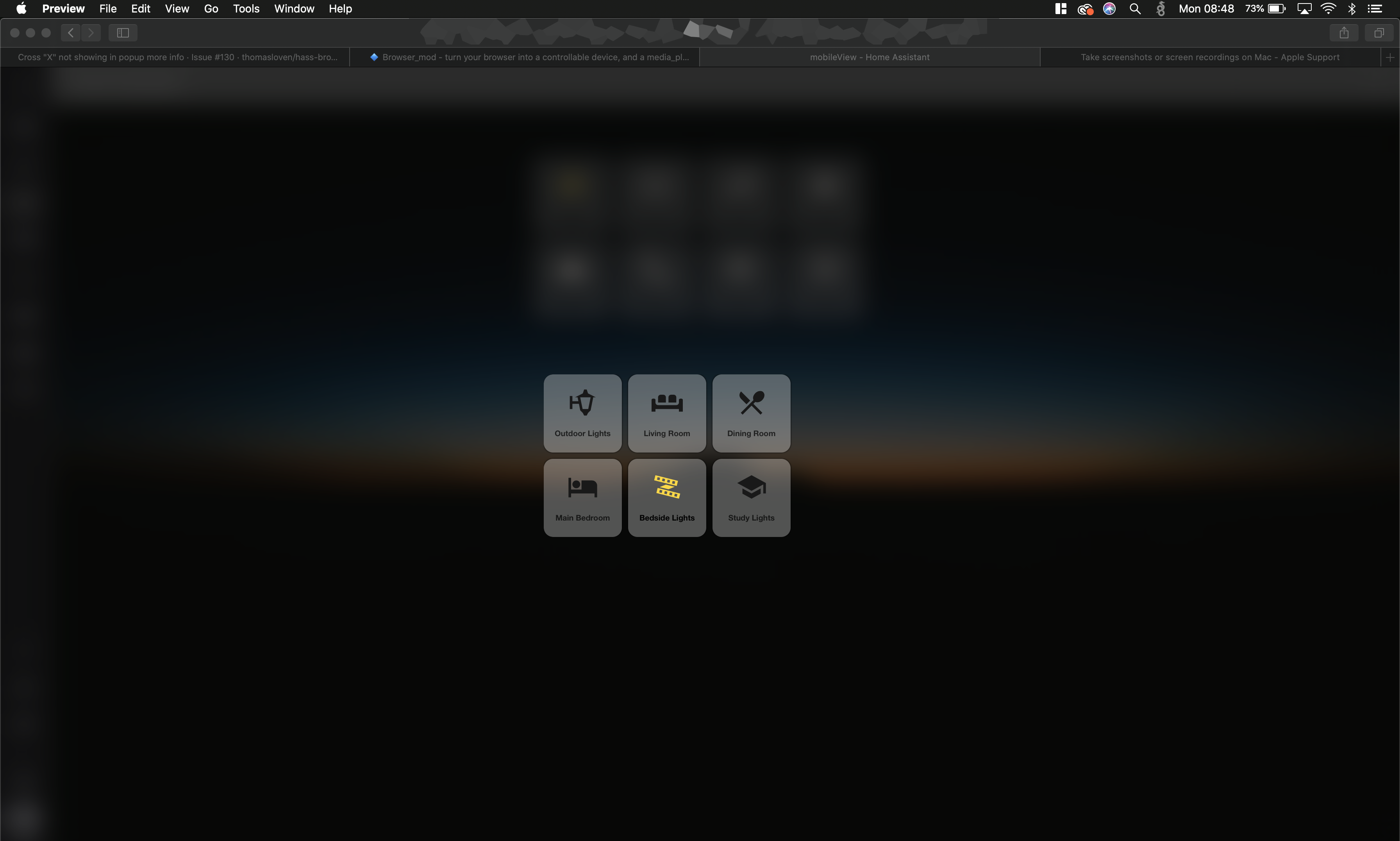

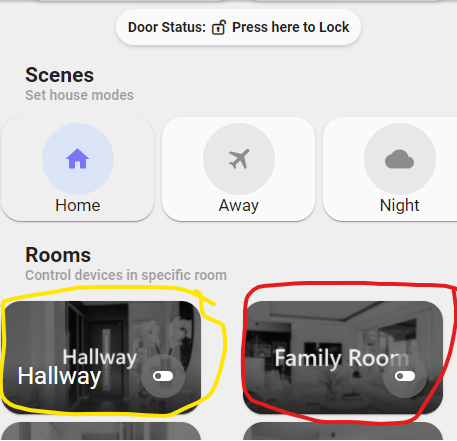
 timid beacon
honest coyote
The cards move according to masonry, it makes sense when you understand it. And ...
timid beacon
honest coyote
The cards move according to masonry, it makes sense when you understand it. And ...
It is what it is, but it's a bad experience. You really think in any professional dashboard would settle for this? Here's an example of a good user experience:
https://youtu.be/Izr0IBgoTZQ?t=5
HA is open source and on top of that they have plenty else on their plate, but pretending it isn't bad UX won't help make HA better.
polar kelp
honest coyote
Also wondering if there are any tricks needed to make modifications to HACS Love...
You need to make your changes in the .gz file.
vapid field
Hello, fairly new to HA, i have the question:
This picture here: https://i.imgur.com/GzxwFqA.jpg

How do i get the top row to appear like this (e.g.. Homeassistant not on the left side, but rather on the Top for menu
and second row (ISS, Home Power Status, location Shannon,nick etc).
I saw this is different other videos from HA, but i'd like to have that on mine, but it's not showing
polar kelp
There are some "kiosk mode" plugins available that hides the sidebar.
And the top row is "badges". They're found on a separate tab when you click the pencil next to the view name in edit mode.
vapid field
Thanks. Those badges are hidden ... Now need to find the short wather badge
but that's already great help
tame shale
hey guys I want to get under the hood on a custom card that isn't working properly. The problem is I don't know where the files would be?
any recommendations where I can find those files? I originally installed with HACS?
 wheat current
/config/www/community/*/*.js
tame shale
but the question is: it really jsut that JS file? In the src I see a bunch of different files so I want to modify one but I don't see it on my server? Not sure if that makes sense
wheat current
They are usually bundled to a single file
 open seal
hey!
I have this card```yaml
type: entity
entity: binary_sensor.garage_door_sensor
name: Door
tap_action:
action: none
hold_action:
action: none
the configuration variables doesn't list the tap_action or the hold_action.
So they are not supported by this card type?
https://www.home-assistant.io/lovelace/entity/#configuration-variables
dark dirge
Correct. The docs tell you
open seal
ok, thanks!
btw why did I get a checkmark from HassBot?
dark dirge
It approved of your YAML syntax
honest coyote
wheat current
That's overkill, just remove that file
Just removing it worked great, thanks!
 severe vault
Hey folks! Trying to install this https://github.com/dermotduffy/frigate-hass-card
I've added it through HACS, and I added the lovelace bit to my configration.yml and restarted HA (a few times now). Card still does not show up when editing dashboard. Nothing obvious in logs.
Am I missing something or any debugging tips?
dark dirge
unless you're using Lovelace in YAML mode, you shouldn't add anything to configuration.yaml
severe vault
Gotcha. I removed it, but still no card 🤔
vapid field
where on earth are the "Helpers" now? Such as input_text and input_select? The website states they're at Configuration -> Helpers but that is nowhere to be found in the new UI
ahh ok. now it's at Configuration -> Automations & Scenes -> Helpers
dark dirge
severe vault
Gotcha. I removed it, but still no card 🤔
If you're trying to add it in the UI, it's not clear that it supports that. You may need to add it via 'Add manual card' or similar
severe vault
dark dirge
If you're trying to add it in the UI, it's not clear that it supports that. You ...
Gotcha, thanks, will try manually
vapid field
Is there a card or some way to have a selection dropdown entity comprised of sensors/other entities? I want to select one of my ESPHome sensors in the dropdown and then be able to forward that selection to ESPHome for use in a script. Currently, I have an input_select with manually entered text values, but I'd really like to be able to have them linked to a sensor id or something.
 tropic oracle
hey! I can't seem to add resources to my configuration file while i'm in YAML mode. no matter wich path i use it keeps gving errors about custom cards that cannot be found.. can't seem to find decent documentation about the file structure reference
lovelace:
  mode: yaml
  resources:
   - url: /local/community/config-template-card/config-template-card.js
     type: module
this is how i have it at this moment
tropic oracle
and when i browse to these files in browser (via internal and public URL) they show up in the correct way
coral fossil
not sure if this is a front end issue.. I am hoping the functionality is available from the front end.. but if not, it might become an integration question:
I am wondering, is anyone ware of a method that can be used to export the number of mins., hours etc a device has been on/off over a period ?
eg. how many hours has the heater been turned on this week
I should add... retrospectively
open seal
is it possible to reload a remote device's frontend?
Usecase:
I have an always turned on iPad as a dashboard, and if I edit the UI on my PC, then a notification appears on the iPad to refresh the frontend. Is there any way to automate this? The iPad is using the HA app to display the View.
 fickle cave
I need some guidance to get started on reading the state of a device for the lovelace UI. I have a yamaha amp and i want to read which source is currently seleceted and display that. From the state dev tools i see that i can get:
group_members:
- media_player.cx_a5100_fad62d
volume_level: 0.4906832298136646
is_volume_muted: false
media_content_type: music
source: av2
sound_mode: straight
shuffle: false
repeat: 'off'
icon: mdi:speaker
friendly_name: CX-A5100 FAD62D
what yaml should i use to show that source?
 golden pollen
Hi everyone, I am running Home Assistant 2021.12.7, and I was wondering where I can change the default home zone radius? 100meters is pretty generous for my three bedroom apartment 🤓
< newbie when it comes to HA.
tacit cave
golden pollen
Hi everyone, I am running Home Assistant 2021.12.7, and I was wondering where I...
just drag the circle
tacit cave
fickle cave
I need some guidance to get started on reading the state of a device for the lov...
use the entities card with an attribute row.
tacit cave
open seal
is it possible to reload a remote device's frontend?
Usecase:
I have an always t...
yes with browser mod, a custom resource
golden pollen
tacit cave
just drag the circle
That works for any zone but not the default home zone. I found a workaround, thanks petro!
tacit cave
golden pollen
That works for any zone but not the default home zone. I found a workaround, th...
That works for the home zone if the home zone is configured in the UI
if it's configured in yaml, then adjust it in yaml.
little ridge
Am I missing something? Why is there no way to set a button up on my dashboard to call a webhook? I have a DIY service that listens for webhooks in that I want to call using my home assistant dashboard. I can not figure out how to make the "api call" on a button press
 errant birch
Anyone who can help me troubleshoot my kiosk not remembering my login credentials ?
I'm using porteus kiosk distro on a mini pc and for some reason (after replacing the hdd) it is not remembering the login credentials anymore
on ohter websites it is working normally
dark dirge
little ridge
Am I missing something? Why is there no way to set a button up on my dashboard ...
little ridge
dark dirge
Like this? <https://www.home-assistant.io/integrations/rest_command/>
I did that, but never see new entities that I can set the button to, or even a service i can call. Do you have an example of how that should work after I set that in my configuration?
dark dirge
There's one at the end of the page
little ridge
So, the button on the dashboard has to trigger an automation... the button cant trigger the webhook directly?
little ridge
Got it... thats where I was going wrong... I was trying to use a button to call the rest_command directly... ill set up the automation
Thank you RobC
little ridge
?
dark dirge
    - service: rest_command.my_request
      data:
        status: "At Work"
        emoji: ":calendar:"
So this is button yaml, not automation yaml? i guess its not part of the UI with the rest_command stuff?
dark dirge
Sorry, my first 'no' was referring to the first part of your statement
I'm so confused
little ridge
let me send you an image... just a second
little ridge
Right.. I have that
Then when I was trying to configure the buton int he UI, i was saying call service on tap, but there is no rest_command..
dark dirge
The button card/whatever goes wherever you're defining your Lovelace configuration
Then you need to check your config and restart to get it to show up
That's step 1
dark dirge
And does it show up in  -> Services?
little ridge
checking
dark dirge
That's what this tells you: https://www.home-assistant.io/integrations/rest_command/#how-to-test-your-new-rest-command
little ridge
:pebcak: Now its working.. i've been messing with this for 2 days now... Thanks @dark dirge, sorry to waste time :/
dark dirge
No worries, glad it's working
little ridge
Now I can call my node-red flow
fickle cave
tacit cave
use the entities card with an attribute row.
how do you make an attribute row on an entity card? i dont see that in the UI so i guess its some yaml code?
fickle cave
tacit cave
you have to edit it in yaml mode on your card
thanks petro. unf. that help file doesnt provide an example of how to format the attribute string. is that documented somewhere else?
or have you got an example maybe?
tacit cave
attributes will typically be lowercase, you can find your attribute in the dev tools -> states page
fickle cave
ah thanks i do see an eample now
tacit cave
You should spend time learning yaml, and you wouldn't need examples and you could just read the documentation and know what to do. Just my opinion
topaz gust
holy sh*t
so it turns out the max temp over 24 hours wasnt working because it was only using the last 20 measurements, when it sends a new measurement every 5 seconds
tacit cave
that's how the stats integration works
 gray bay
I have a dashboard that is being maintained by Home Assistant. It has all my devices, but it also has a few "Entity not available" items for devices that indeed don't exist.. how do I get rid of them?
tacit cave
delete them from your entities list
gray bay
they aren't there 🙂
tacit cave
Then you must have taken control
gray bay
I have not.
tacit cave
then the entities must exist
gray bay
they do not 😄
dashboard: https://s.woet.me/LL6Bzb7ZK2.png
entities: https://s.woet.me/fLe68lhgly.png
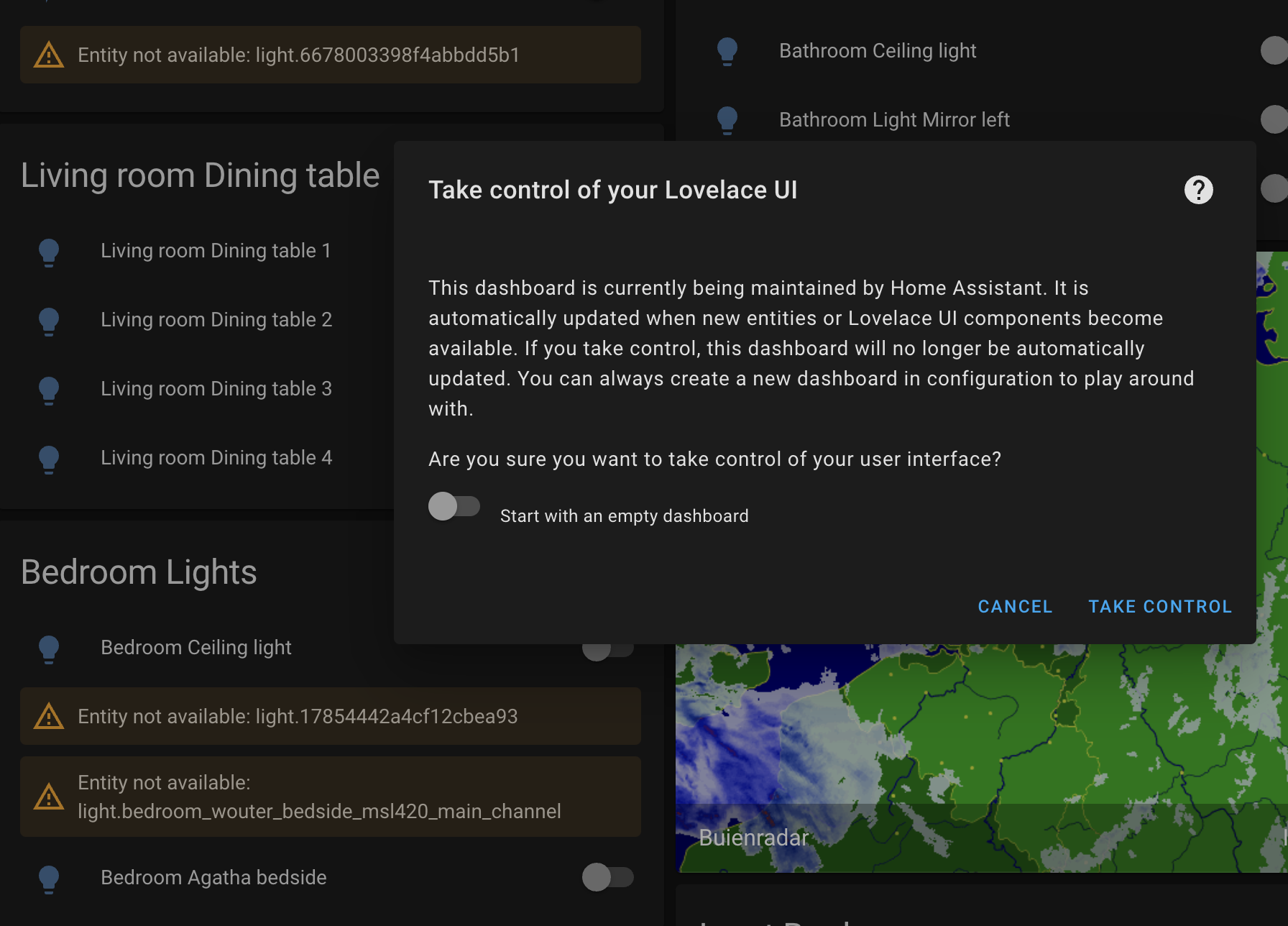
I believe they were added by the Meross integration that I removed a few weeks ago
(updated screenshots with clearer ones)
 sullen stream
three dots menu missing on Lovelace Overview page where all the cards are...... any ideas how to get it back? It appears briefly on page load.
polar kelp
Could it be a kiosk-mode resource or a card-mod theme?
sullen stream
@polar kelp I did install the dark theme in the past through HACS...I've just removed it.... then I do have the JUanMtech Google dark theme is a themes folder.... but when I removed the reference to that in my configuration.yaml file I still have the 3-dots menu not available
The top (header... or menu bar) on the main HA overview page briefly shows the menu but then it abruptly disappears like CSS or something is hiding it
I could share a quick screencast of the event.....can you remind me of how to share a vid?
tribal galleon
@sullen stream Do you have these set in the Raw Configuration Editor. yaml kiosk_mode: hide_header: false hide_sidebar: true hide_overflow: true hide_menubutton: true
sullen stream
I don't let me try that
vapid field
Hi, not sure if this questions is correct here. I wanted to have a dashboard which displays my electricity consumption for 1 month but it seems that it displays all days/months is there any option to add that i can see only the actual month in the dashboard?
entities:
  - entity: sensor.watt_gesamt
    name: Aktueller verbrauch gesamt
  - entity: sensor.strom
  - entity: sensor.kosten_gesamt
  - entity: sensor.kosten_waschen
just be aware that hiding the overflow button makes it difficult to edit. I use this config for tablets but on the computer when I want to edit, I have to browse to http://10.10.10.2:8123/fire-main/bedroom?disable_km=&edit=1
sullen stream
@tribal galleon Integration error: kiosk_mode - Integration 'kiosk_mode' not found.
tribal galleon
guess that isn't causing it. kiosk-mode is available in HACS.
sullen stream
ok......thanks.....it's kind of weird... of course started happening when I upgraded to : Home Assistant 2021.12.1
polar kelp
Try clearing your browser cache. That fixes lots of problems.
sullen stream
Good call... but no bueno.....I cleared it (Chrome) by opening the developer tools and then cleared cache etc.
button-card.js:1499   BUTTON-CARD   Version 3.2.3
custom-header.js:603 CUSTOM-HEADER Version 1.3.8 ```Uncaught SyntaxError: Unexpected token '<' almost always means you downloaded the wrong file from github.
mild veldt
you have the html version?
polar kelp
Shouldn't cause the problems you describe, though.
Haven't seen that one in a while. Thanks Ludeeus.
sullen stream
@mild veldt do you mean the .html of my Lovelace overview page... or???
polar kelp
No, he means the file vertical-stack-in-card.js starts with <html>. It shouldn't.
tribal galleon
I am so lost right now trying to figure out how to change the color of the name of a lovelace card based on the brightness of a bulb... I can get the icon to change color but that is not the layout that I want. https://imgur.com/a/E9caw39 - https://pastebin.com/A8zT1XcM
In this picture, my lights are at 100% and the icon is lightbulb-outline and yellow. Change to different brightness and the icon will go to lightbulb and white.
I don't want to use an icon; only the name like shown in 75%. But I would like the name to turn yellow, for example. As an alternative if name isn't possible, maybe the border can be modified... Ideas?
sullen stream
@polar kelp good point ... in fact I have two files: /config/www/vertical-stack-in-card.js and /config/www/weather-card-chart.js and both and entirely html files
best way to share an image?.... pastebin or?
sullen stream
custom-header... where do you see that?
kind shellBOT
@sullen stream Your message has been deleted as it contains a link or a domain name 'pasteboard_dot_co' that is on the blocked list because of: 'Virus detected!'.
Please re-post by removing/changing the domain name/link. Your original message has been DM'ed to you.
sullen stream
ok... pasteboard is blocked...tried to share an image ... try this: https://imgur.com/a/EZdOIJN. .....
found something: /config/www/community/custom-header/custom-header.js
sullen stream
Gotcha....thanks for the link...I'll go over that in depth and hopefully that will fix it. thank y'all.
polar kelp
sullen stream
custom-header... where do you see that?
.
polar kelp
sullen stream
``` vertical-stack-in-card.js?v=0.1.3:7 Uncaught SyntaxError: Unexpected token '...
Here
sullen stream
I suppose that that is when it tries to parse the javascript and encounters a < and says... wtf?
have to go for now .....gotta try and solve this so I can edit my dashboard.... thank all....:) 😀
 arctic mesa
does anyone know if you can have multiple dashboards included in the lovelace: config using something like !include_dir_merge_named ? somehow i can't seem to make it work
arctic mesa
Anyone know where the little plus + button at the bottom right of the UX at? it seems my file got nuked somehow its now just a wide gray rectangle
 cyan thistle
I use a button card with a lightbulb icon as shortcut to a page with all my lights. Is it possible to have that lightbulb light yellow if at least one light is on otherwise let it be off
 frank marten
Suddenly today my HA starter not responding and beeing soooo slow. When clicking on dashboard it takes 8sec(ususaly 1sec). Any idea how?
gray bay
anyone got an idea? 🙂 #frontend-archived message
 gentle flame
I've got the Frigate custom card installed and it works great until I try and use 5 or more cameras, then they quit displaying. Its not an issue with my Frigate feeds, as I can use the default camera card with all the cameras and it works fine solved, turned out to be an issue with my nginx reverse proxy
sullen stream
Not able to edit my main Overview page.... the three dots . . . menu is not present. have a feeling it has to do with the custom header or custom cards but has anyone experienced this? I have another view that does have the edit options available... not sure why on my main-Overview screen I cannot edit.
 hasty shoal
hi people, i'm trying to make an entity button but the documentation is not very clear, and I have errors trying to make one, I only want that button to publish a topic to mqtt, without payload, it has to be entity so i can integrate it with google home
can someone help me?
Invalid config for [button]: required key not provided @ data['platform']. Got None. (See /config/configuration.yaml, line 160).
@hasty shoal posted a code wall, it is moved here --> https://hastebin.com/guzikuqupa
dark dirge
Did you see docs that show that?
dark dirge
It doesn't show anything like what you have
What you're trying to do is not possible
It says:
The button entities cannot be implemented manually, but can be provided by other integrations.
hasty shoal
aahhhh ok, didn't understand that for a second
 spark light
I've an MQTT message I want to be able to customise and send from a card/ view. Initially I had a button which did this, but now I would like some control over the values (slider or a drop-down). Is this possible without a custom card?
 quartz cove
Hi, if I sometimes have errors from hassio.ingress when navigating to an addon via the side bar and the UI is not rendering correctly, is this a front end issue? Where would I report that?
cyan thistle
Is there any way to see the entire yamlcode for a specific view, instead of just the seperate cards
 past timber
Hello, is there any option to set on history plot to choose 1 minute as minimum interval beetween 2 point?
fickle cave
tacit cave
You should spend time learning yaml, and you wouldn't need examples and you coul...
got it finally 🙂 was missing a space (sigh). I've read up a lil bit on yaml. thanks for the note. Besides yaml.org and the docs from home assistant, any other good yaml sites to read up on?
tacit cave
fickle cave
got it finally 🙂 was missing a space (sigh). I've read up a lil bit on yaml. th...
Not that I've used, maybe someone else has some suggestions. I didn't have to because I knew data structures before using yaml. Transition was easy for me. Sorry
fickle cave
tacit cave
Not that I've used, maybe someone else has some suggestions. I didn't have to b...
No problem. thanks for your time!
dark dirge
past timber
Hello, is there any option to set on history plot to choose 1 minute as minimum ...
Not in the History Graph Card, if that's what you're talking about. Custom cards like https://github.com/kalkih/mini-graph-card or https://github.com/RomRider/apexcharts-card can help
fickle cave
Is it possible to change the state of a button's icon based on an attribute of an enitity?
I have a bunch of buttons to select the source of an amp, an di can read the source from the amp too, can i use that to show the correct state on the button?
dark dirge
with card_mod, or with a custom card that lets you do exactly that, like custom button card
fiery ledge
anyone please with a keen eye for a circulare notification timer template :https://community.home-assistant.io/t/display-remaining-seconds-of-timer-in-frontend/119835/69 have a look and see what my error is? the circle always is 100% and doesnt follow the progress of the timer at all...
I guess the time template:```
var start_time = new Date();
var end_time = new Date(entity.attributes.finishes_at);
var duration = new Date('1970-01-01T0' + entity.attributes.duration + 'z');
duration = Math.floor(duration.getTime() / 1000);
var remaining_time = Math.floor((end_time.getTime() - start_time.getTime()) / 1000);
 sweet sail
Hi, I want to play media on entity selected from input_select.. this is what I hae currently, I've found this in input_select doc page, but it does not show any error, and media is not played on selected entity
          - icon: mdi:music
            name: Vocal Chillout
            tap_action:
              action: call-service
              service: media_player.play_media
              service_data:
                media_content_id: http://176.9.36.203:8000/vocalchillout_128
                media_content_type: url
              target:
                entity_id: input_select.media_select
any help <
?
past timber
dark dirge
Not in the History Graph Card, if that's what you're talking about. Custom card...
Thanks for the answer... do you know a tutorial with some example? It very difficult to use apexcharts :S
dark dirge
Just the docs. They seemed straightforward to me
past timber
Can someone help me to make a little bit of order in my configuration.yaml? I've a lot of sensor, template ecc ecc ... i want to move to different file... is possible to have different yaml with for example power consumpion ( sensor, template, utility meter ) then another yaml with temperature sensor ( sensore, template ecc ec ) =
?
past timber
dark dirge
Just the docs. They seemed straightforward to me
I will try! thanks so much
I know that i can include file... but what i need to write as include? if i set sensor: !include **** just sensor will be readed...
 fluid cypress
not sure what channel is best to post this so ill start here. my local home assistant is using http and i was wondering if theres a way to make it https locally, i already have HA cloud so i want avoid exposing it to the internet multiple times even if its secure any way to do this? i looked it up many times but everything i was coming across was for external access. edit: please ping me
fiery ledge
fiery ledge
I guess the time template:```
var start_time = new Date();
var e...
just for reference:stroke-dashoffset: ${circumference - (remaining_time/duration * circumference)} .... is needed. thought */ took precedence over - by default. not so apparently. wait, frontend stopped showing correctly once again... grrr
 finite lantern
When visiting the login screen via SSL, the page loads fine but then does a single refresh like 10 seconds later. I have to wait for this refresh before i begin to login. Does anyone know how i can prevent it?
fluid cypress
is it possible to hide the sidebar by default?
 fallen heron
Is anyone else having trouble with config flow fields of type float? I'm having trouble entering numbers with zeroes after the decimal point. The decimal point disappears as soon as you type a zero. So you can enter 0.15 but not 0.05. I'm running a bleeding edge back end (pulled 10 mins ago) and I've tried both 20211229.0 of the front end as well as the HEAD version.
fluid cypress
fallen heron
Is anyone else having trouble with config flow fields of type float? I'm havin...
yeah ive had issues with that too trying to enter GPS cords for weather or travel time
tame shale
sigh I tried messing with this .js file - but it doesn't work. Anyone know of a freelance programmer for front end? I need to get this custom card working and im willing to pay 😉
fallen heron
fluid cypress
yeah ive had issues with that too trying to enter GPS cords for weather or trave...
Thanks. I think that I'll report it on github as an issue
vapid field
I have problem to get HA floorplan working. I installed HACS and HA floorplan. Then I copied the Home.svg and Home.css files into www. But I get the Error Info (ERROR @http://192.168.1.XXX:8123/hacsfiles/ha-floorplan/floorplan.js?hacstag=1883234941029:2729..). Any help? What is wrong?
 cold shoal
I am building a card that shows the levels in a waste water system in a scada style. There are two levels - the digester and the effluent collection chambers. I tried a number of other combinations of custom cards but the most promising is the picture-elements as it allows you to overlay images. I can therefore use an image as the background and overlay to images with transparent sides to show the two levels. I am currently stuck with getting the overlays to line up properly because the position of the picture-elements are calculated from the top and the height is calculated as a ratio of the width. Does anybody know how I can position the overlays as % from the bottom and the heights as % of the element height (templated)? Alternatively if someone can point me into the direction of a very simple (I am not a coder) card with images that I can hack. I had a look at iantrich's examples, but none have images and I run out of coding skills pretty quickly. This is what the yaml looks like:
- type: picture-elements
image: /local/wastewatersystem.png
elements:
- type: image
image: /local/wastewater_mainlevel.png
style:
top: 90%
left: 50%
width: 100%
aspect_ratio: 80%
card_mod:
style: |
:host {
top: 0%;
height: {{(states('sensor.mainlevelsensor')|int)}};
}
I stripped all but one of the elements for the sake of brevity. Thank you kindly
kind shellBOT
@distant stag posted a code wall, it is moved here --> https://hastebin.com/okemizefis
 distant stag
Hello, if I put my Home Assistant behind a non-terminating SNI router the frontend keeps reconnecting. (https://imgur.com/9XGUIbO)
The setup that doesn't work: Home Assistant local instance -> Nginx Proxy no. 1 -> Nginx Proxy no. 2 -> Client
The setup that does work: Home Assistant local instance -> Nginx Proxy no. 1 -> Client
Here's the config of Nginx Proxy no. 2: https://pastebin.com/HTs6XMrH
Any help is appreciated, thanks in advance
finite lantern
finite lantern
When visiting the login screen via SSL, the page loads fine but then does a sing...
Anyone else having the same issue? Appears others are too… https://www.reddit.com/r/homeassistant/comments/rz4g80/weird_page_refresh_when_ssl_is_enabled/?utm_source=share&utm_medium=ios_app&utm_name=iossmf
 solemn tundra
I have this smart plug with energy meter. Is it possible to have the wattage as secendary info for the switch?
 dreamy phoenix
Is it possible to have a button in Lovelace associated with "input select", and then depending on what one is selected, it will change to that icon? "Day/Evening/Night" ? Cheer Rich
 echo ivy
solemn tundra
I have this smart plug with energy meter. Is it possible to have the wattage as ...
echo ivy
solemn tundra
I have this smart plug with energy meter. Is it possible to have the wattage as ...
 fallow kiln
I got a problem with adding button to dashboard that would let me trigger an action.
action: call-service
service: automation.trigger
service_data:
entity_id: automation.motionsensor1_off```
I got an error:
` Integration error: tap_action - Integration 'tap_action' not found.`
its just pasted into configuration.yaml Do I need to open a section like homeassistant:
for sensors or what? split granite
tap_action is a feature of a card, you don't put it in configuration.yaml or any file included there
https://www.home-assistant.io/lovelace/actions/#tap-action
Also, you're 100% better off putting the actions from that automation in a script, and calling the script
fallow kiln
Its just simple action that posts 1 mqtt topic
split granite
Then why did you put it in an automation?
Hell, you could call it directly from the tap_action
fallow kiln
Ok so how to add tap action to dashboard?
split granite
Well, for a start, you edit the card using the UI directly
You could also just put it in a script, add the script to the card, and then push Run
solemn tundra
echo ivy
https://github.com/AmoebeLabs/flex-horseshoe-card
Thanks! I'm going to look in to this
errant birch
is there a good way to display a news feed on my lovelace dashboard ?
pearl scaffold
how would I create a card that shows e.g all entities that have the device_class: battery and that updates as soon as a new entity with that device_class gets added
 crystal talon
I want to disable my Sonoff motion sensors in lovelace, so my Node Red flows don't run. I'm currently using a button toggling an Input Boolean, which I then access in Node Red using global variables. This all works fine!
Question is - is there a better way of doing this?
dark dirge
that's a common way to do it
crystal talon
Ah great, thanks! I'm new so kinda guessing 😄
 pallid bronze
Newbie here... I'm setting up a dashboard to control 7 smart locks with keymaster. The tabs across the top all have the same mdi:lock-smart icon. I can remove the icon and set text so I can tell which tab is for which lock. But I'd really prefer to keep the icons, but with each icon a different color. Can tab icons have customized colors?
Also, can tab buttons have both icon and text?
kind shellBOT
@weary fulcrum posted a code wall, it is moved here --> https://hastebin.com/oludasehed
Rule #6: Spam will not be tolerated, including but not limited to: self-promotion, flooding, text walls (longer than 15 lines) and unapproved bots.
Please take the time now to review all of the rules and references in #rules.
For sharing code or logs use https://www.codepile.net/ (pick YAML for the language) or https://paste.debian.net/ (pick YAML for the language).
Command '~rule6' was invoked by: RobC
 random mantle
Hello everyone, i wonder where i can define the color of a icon , based on the state
fluid cypress
i have a few zigbee lights a few hue lights. on the zigbee ones i can select a temperature for white, but on the hue ones i cannot how can i fix this
 normal belfry
I have a button on a wall mounted display. It is for turning off all our lights on the way out of the house. It shows a "lit up" icon when a light is on with a label "Turn Off Lights" however this hasn't always clicked with my wife.
Ideally I'd like to disable the button or change the label to say "All Lights Off" when that is true, otherwise enable the button and change the label to "Turn Off Lights" when a light is on.
How could I go about doing this?
This is in a lovelace dashboard
 formal tide
conditional card ? light groups? give the button a name: or title: ?
normal belfry
New to messing with lovelace but conditional card was what I was looking for. Just have two conditional cards for opposing states of a light group with different labels. If there is a more elegant solution I'd love to hear it but otherwise this works well
 wintry bramble
Hi, for some reason, some entities appear on lovelace automatically and other entities don't. Can anyone please help me understand (and control) that behavior?
I noticed specifically because the "battery charge" for my UPS is missing.
I see the entity in Configuration > Devices & Services > Network UPS Tools (NUT) > myUpsName:3493, and it is active. I can also check the history of that entity from there. It just does not appear on my "Overview" lovelace panel where everything else is.
Interestingly enough, I can't find the "battery charge" for any of my mobile devices in lovelace auto-generated panel either.
errant plover
Diagnostic sensors are not automatically added to Lovelace autogenerated dashboards. Have a look at the Configuration / Devices page, are those sensors grouped in a Diagnostic box?

 shadow vessel
Does anyone know anything about the custom layout card? I'm trying to have 1 large blue iris ui3 card rather than separate smaller cards that are taking 2 columns. I would want 1 card that takes up 2 columns and leaves the rest on the other column on the right. I tried horizontal layout and I just couldn't get the aspect ratio to take the full column. I tried the grid template and I'm not just not familiar with css at all to make it work.
polar kelp
I've dabbled with it a bit... Make sure your view is in panel mode.
shadow vessel
I thought panel mode only allowed a single massive card? I didn't know you could still have columns in panel mode
wintry bramble
errant plover
Diagnostic sensors are not automatically added to Lovelace autogenerated dashboa...
Yes, they are! Thanks for that tip, I had not noticed that change... I bet they weren't separated a few months ago... 😄
Weird thing that for a UPS battery charge is considered a "diagnostic" sensor... For me it's one of the key parameters, even more so than input voltage, which isn't in the diagnostic box.
Curiously, if I hit "Add to Lovelace" on the diagnostic box, the suggested card has "Battery Voltage" (also a diagnostic sensor) but not "Battery Charge".
 wraith yoke
I currently use an input_number to store and visualize an item. But The item is only changed by an automation, so the value editing should be disabled in the UI. Can this be done somehow? Or can I save my value in another object for example?
polar kelp
shadow vessel
I thought panel mode only allowed a single massive card? I didn't know you could...
Yes, but if that card is a layout-card... actually, never mind. You should obviously use the horizontal layout instead 🤦
shadow vessel
polar kelp
Yes, but if that card is a layout-card... actually, never mind. You should obvio...
Sounds good. I sent you a dm with more detail of what I'm trying to do as I can't send pictures here.
polar kelp
So if I understand you correctly, you'd want the max number of columns to be 2, and their (column_)widths to be say 70% and 30% of the screen?
craggy orchid
Hi all,
I'm progressing on my customizations using card-mod.
But I'm struggling a bit with browser cache refresh... reloading themes not necessarily refreshes browsers cache... any suggestions?
polar kelp
Check the oldest pinned message in this channel.
shadow vessel
polar kelp
So if I understand you correctly, you'd want the max number of columns to be 2, ...
Yes and if it's easier I direct messaged you on discord.
polar kelp
I prefer discussing things here.
Also check the max_width options. The card will never be wider than this, so set it to something high, like 10000px
shadow vessel
How should I have the 70 - 30 setup?
 midnight charm
Is it possible to trigger an action, when I load a specific tab in the frontend?
I don‘t want to check do API calls every few seconds if I just need to check from time to time and need refreshed data then
 severe pendant
👋 Hi folks! I'm trying to get a minigraph config set correctly. Temperature overlayed with kwh. Obviously, temperature is much higher of a scale than kwh; I haven't been able to find the entity-specific scaling option I need.
I assume "value_factor" would do it, but not sure how to apply this to only one entity.
This seems relevant: https://github.com/kalkih/mini-graph-card/issues/525
tacit cave
midnight charm
Is it possible to trigger an action, when I load a specific tab in the frontend?...
you may be able to do that with browser mod, which is custom. With built in methods, no.
tacit cave
severe pendant
👋 Hi folks! I'm trying to get a minigraph config set correctly. Temperature ove...
try apex card
severe pendant
Certainly minigraph supports similar magnitude
midnight charm
tacit cave
you may be able to do that with browser mod, which is custom. With built in met...
thanks for clarification
 noble raft
When using HA with my phone, the lovelace UI gives me too many cards. I was thinking of creating some sort of navigation. For instance, one home view with the list of floors in my house. Then, when you click one one floor, a "up" button and a list of rooms, ...
I did not find a way to put a card that is a link to a view. Do you know if it exists?
dark dirge
Any card that supports a tap_action or other action can redirect to a path: https://www.home-assistant.io/lovelace/actions/#configuration-variables
noble raft
@dark dirge So basically, I set the action to 'navigate' and navigation_path to my submenu
noble raft
dark dirge
Any card that supports a tap_action or other action can redirect to a path: <htt...
Perfect. 👌 Thank you very much! 🙏
 ebon fractal
Are lovelace dashboards in the "Configuration" section when doing a partial restore?
 dense anvil
Looking for a GUI card or dialog that would give me easy control of a set of recessed lights. Ideally something where I can layout the actual approx positions of the recessed lights, and interacting gives access to the brightness, etc. for the selected bulb. Also ideally a global brightness and color control. Does this exist?
tacit cave
ebon fractal
Are lovelace dashboards in the "Configuration" section when doing a partial rest...
They should be
tacit cave
dense anvil
Looking for a GUI card or dialog that would give me easy control of a set of rec...
Picture-elements, you have to build everything you mentioned
 median wigeon
Hi. Anyone an idea why the vertical-stack card is display, even the bs is "off"?
  - type: conditional
    conditions:
      - entity: binary_sensor.tesla_plugged_in
        state: "on"
    card:
    type: vertical-stack
    title: Tesla Model 3
    cards:
      - type: horizontal-stack
        cards:
        - type: sensor
          entity: sensor.tesla_battery_level
        - type: sensor
          entity: sensor.tesla_power
Because the second type overrides the first one.
There’s probably a warning about that in your log too.
median wigeon
polar kelp
There’s probably a warning about that in your log too.
Yes. I just saw this a min ago. Fix it. Thanks.
shadow vessel
polar kelp
Also check the `max_width` options. The card will never be wider than this, so s...
Any idea on how I would format the 70-30?
In terms of what the layout options need to be
 static cloud
how can i remove Media Browser and Energy from sidebar
tacit cave
static cloud
how can i remove Media Browser and Energy from sidebar
Move away from default_config
This means you’ll have to remove default_config, then add everything it uses without including media or energy
kind shellBOT
Command '.default_config' was invoked by: petro
static cloud
would this be an exceptable configuration ```
default_config:
exclude:
domains:
- energy
- media source
Thanks for your quick response.What did you try so far?
tacit cave
static cloud
would this be an exceptable configuration ```
default_config:
exclude:
d...
No, you have to list them all out.
static cloud
tacit cave
No, you have to list them all out.
Ok Thanks.
shadow vessel
polar kelp
What did you try so far?
grid-template-columns: 70% 30%;
Max_cols: 2
Max_with: 400
max_cols and max_width should have a small m. max_width needs a unit. And if you take another look at the readme and my messages you may get some ideas for other parameters to try
[...] and their (column_)widths to be [...]
There shouldn't be a;at the end either. That one could be clearer in the documentation.
Oh, and in case you didn't realize; I have a buy-me-a-coffee link at the bottom of all my readmes, but that's mostly for show. The real reward I get from doing plugins is the sense of smugness and opportunities for snark when giving support. It's nothing personal.
We all have our weaknesses, and this is mine.
shadow vessel
polar kelp
Oh, and in case you didn't realize; I have a buy-me-a-coffee link at the bottom ...
Sounds good I will try it now
shadow vessel
polar kelp
We all have our weaknesses, and this is mine.
I tried
grid-template-columns: 70% 30%
max_cols: 2
max_width: [1000px]
I even removed the max_width from the layout options and added it at the card level for the card I want to be big and shrunk the value for the cards I want to be small and that didn't seem to work
view_layout:
  max_width: [1000px]
grid-template-columns is only for grid layout. I thought you were using horizontal?
shadow vessel
polar kelp
grid-template-columns is only for grid layout. I thought you were using horizont...
Yes that's right I will remove that. I was not sure what would work and was trying whatever I could find lol
shadow vessel
polar kelp
grid-template-columns is only for grid layout. I thought you were using horizont...
Removing it didn't work
polar kelp
I gave you a subtle hint, but then I also pointed out that subtle hint and repeated it. Please don't ignore that.
That's the whole key
shadow vessel
polar kelp
I gave you a subtle hint, but then I also pointed out that subtle hint and repea...
To check the readme?
https://github.com/thomasloven/lovelace-layout-card
I'm not seeing anything there. I checked it over and over lol I guess I'm just missing it
polar kelp
You want a "layout option(s:)" which can modify the (column_)widths of the cards.
shadow vessel
polar kelp
You want a "`layout` option(s:)" which can modify the (column_)widths of the car...
I figured out I should use the grid card and
However I want 2 columns with 2 cards on one column and this ends up with 3 columns if I do
[500px 200px 200px]
The second card ends up under the first when it should be 2 on top of 3 or at least 2 and 3 not shrunk so small I did play with the vslues is there a way to adjust length?
vapid field
Hi, a question about gauge card. It works perfectly, unless I use HA app on iPhone 13 Max - the the gauge is misplaced and looks really strange... Have you seen anything like that? It works fine on iphone with a smaller screen though... I guess I should create GH issue?
polar kelp
shadow vessel
I figured out I should use the grid card and
```grid-template-columns: [600px 2...
Ok. I give up.
 polar kelp
vapid field
Hi, a question about gauge card. It works perfectly, unless I use HA app on iPh...
polar kelp
vapid field
Hi, a question about gauge card. It works perfectly, unless I use HA app on iPh...
Home assistant version?
vapid field
polar kelp
Home assistant version?
2021.12.8
formal tide
it's also not looking good on iphone11
polar kelp
Try clearing your cache. It's a known problem with iOS 15.1 because Apple.
vapid field
yeah I tried... cache reset, HA restarts/update... It didn't help
polar kelp
There's a button for clearing the cache in the Debugging section of the Companion app settings
vapid field
polar kelp
<https://github.com/home-assistant/frontend/issues/11041>
thx! Yes mine looks similar too. Does it mean the fix is not in production yet?
polar kelp
Yes
I'd bet it'll be in 22.2, though.
Not sure if there will be any more hotfixes for 21.12
vapid field
You've made my day 🙂 I'll wait then 🙂
fiery ledge
so I have been entering pictures for my areas in the ui, and a folder /config/image has been created with a folder per area I guess, with 2 files, original and 512x512. Needed to swap to Areas, and hoped to be able to browse those images, but I couldnt. Arent we supposed to have an image browser now?
added the 2 files anew and now have 2 orphaned folders from the first run..?
fluid cypress
im trying to edit a dashboard through the ui-lovelace.yaml and my dashboard isnt empty but the file seems to be? am i trying to edit it in the wrong place? is there a diffrent config file for lovelace?
dark dirge
did you configure Lovelace in YAML mode?
fluid cypress
no i configured it with the UI but i wanna start configuring it with YAML every once in a while
dark dirge
you can't use ui-lovelace.yaml for that
you can either move to ui-lovelace.yaml for your primary dashboard or create additional dashboards and use YAML for them, but you cannot edit your storage-mode dashboard via a file
fluid cypress
oh okay
thanks
probably ask the wrong person but do you know if there are plans to be able to do that in the future
fluid cypress
oh okay that makes sense, thank you!
dark dirge
but just know that it's going to turn that into JSON, re-order it, and throw comments away
cold shoal
Hello. Can anyone please help me with a question on using card-mod to modify the styling of image elements in the picture-elements card? I want to apply styling based on sensor values to specific image elements. Applying card-mod to the whole picture elements card is easy, but how do I apply it to a specific image element?
The use case is using several 1px high masks stretched to different heights over the main image.
 mossy timber
Does Home Assistant / lovelace have some sort of traffic light entity or display method that would work (ie. "display a little circle of a particular color") in a normal entities card?
fiery ledge
in an entities cards? guess you could best could colorize the background of the icon for that?
smth like ``` card_mod:
style:
div#wrapper: |
state-badge {
{% if is_state(config.entity,'on') %}
animation: coloring 8s linear infinite alternate;
{% endif %}
}
or have it fixed ofc, just showing what card-mod could do for you
0% {
background: red;
}
17% {
background: orange;
}
34% {
background: yellow;
}
51% {
background: green;
}
68% {
background: lightblue;
}
85% {
background: blue;
}
100% {
background: violet;
}
}``` vivid trout
lol playing around with speaker grill patterns for icons has been a strange learning curve, it seems they look best as icon non symmetrical patterns rather than perfect
card mod has helped as you get to see with and without shadow when testing 🙂
vivid trout
fiery ledge
``` @keyframes coloring {
0% {
ba...
same as I used on my Christmas tree button https://paste.debian.net/1226710/ worked very well
fiery ledge
yes, nice., what does card_mod: class: soft-ui do?
vivid trout
I have raised buttons when off that sink in when on (adaptation of soft ui theme)
vivid trout
fiery ledge
yes, nice., what does `card_mod:
class: soft-ui` do?
jump to 0.46 https://vimeo.com/655818394/5479849dfa
fiery ledge
never really gotten around/managed to creating functional classes in card-mod-theme, this might be a good a time as ever... do you have some code to share for that, beside what I now have: card-mod-row: | :host(.class-row-red) { color: red; --paper-item-icon-color: red; } 😉
how to hide a Cast tab on non Chrome browsers? https://community.home-assistant.io/t/how-to-hide-a-single-tab-cast-in-a-browser-when-not-chrome/378392
vivid trout
depends on what you want to do (i am still pretty new to all this) but if you want it fixed back ground colors or actual image backgrounds for cards changes the way you would do this
fiery ledge
do have a FR on (hide_if_unavailable: true) https://github.com/home-assistant/frontend/discussions/10367 but hope my card-mod could be bettered meanwhile?
vivid trout
being new to this, I would just have a icon with a line through under state with the unavailable
well sort of new 5 months in nearly
errant birch
I am looking for a way to display news feed(s) on my HA dashboard, any tips ?
Currently I'm using feedparser with list card but it seems to be too taxing for my kiosk since it causes it to load extremely slow or not keep all entities updated (eg time sensor)
 regal cypress
Is it possible to change the text of states? A motion sensor has default texts "Detected" and "Clear". In other languages this change, and can get too long to show on small devices.
 azure canopy
Change the device_class to something which only states on or off (or the translated version) or create a template sensor
or use something like https://github.com/thomasloven/lovelace-template-entity-row
So, yes, it is possible 🙂
 rigid pebble
Hi, my home assistant front end is not loading and I'm not sure how to troubleshoot it. It seems that all my automations are still working, but I can't open the UI. Edit: It seems that it is an issue with duckdns. It has stopped working locally (can't even ping it). I can access it remotely
azure canopy
rigid pebble
Hi, my home assistant front end is not loading and I'm not sure how to troublesh...
use https://local_ip:8123
so https instead of http
rigid pebble
azure canopy
so `https` instead of `http`
This worked. It downgraded me to http, but it worked. Why did duckdns stop working though? That's the url I use for the app so that it will always work local or remote.
I verified the external IP is up to date, it was last updated a week ago. Pinging the duckdns url from inside the network does not resolve.
azure canopy
I assume you use the DuckDNS add-on, so this is not a frontend topic, but something for #add-ons-archived
But anyway: the way DuckDNS is set up in most cases, enforces https for all connections, also for internal.
It also doesn't downgrade the connection to http, it is still https, but it indicates the certificate is invalid, as it was issued for your DuckDNS url, and not for your internal url
In your previous post you said that you could access it remotely, so there doesn't seem to be an issue with DuckDNS.
If you have more questions, please continue in #add-ons-archived
rigid pebble
Okay will do, thanks.
 fathom tree
Howdy fellas!
Is Browser_mod still the best way to display an image from a camera?
I'm finally going to create a doorbell automation that displays the camera feed when the button is pressed.
I assume that's been done a thousand times by other at this point.
tacit cave
fathom tree
Is Browser_mod still the best way to display an image from a camera?
display it on what?
fathom tree
The HA UI
tacit cave
Yeah, browsermod
unfortunately, that's the only way to get active instances of the UI
fathom tree
k. Just wanted to check that something newer hadn't come along.
tacit cave
I doubt anything will tbh
fathom tree
and browser_mod still needs to be installed manually? I don't see it in HACS.
cool. Thanks
tacit cave
it should be in hacs, unless it was removed
Last time I used it, it was in hacs
that was like a year ago
fathom tree
hmmm. I'll search again.
tacit cave
You might have better luck just casting the video to a TV instead
if you're making a video. Browser mod is a PITA to use IMO, especially with IOS devices where the id changes every time you start up the app
works great for a chrome desktop tho
@fathom tree it's still there in integrations
tacit cave
yeah, it's an integration
that's the only way it know's about all the instances of the UI
fathom tree
That makes sense. I think I'll try it a couple ways. Browser_mod and a google casting device. Still no way to cast to an Alexa show device?
tacit cave
That I do not know
knowing amazon, no
you can get a google cast for like $15
I bought one just to stream my mothers workout videos when she visits because she couldn't work the dvd player.
 eternal solar
Hello all, is there a way to set the theme for a horizontal stack?
I have the “transparentblue” theme enabled. I can set the theme for the view and the individual cards. But the title defaults to the “transparentblue”. And it seems that THEME isn’t a configurable variable for the horizontal stack card
random mantle
Hello people , i wonder if something is using custom-ui? https://github.com/Mariusthvdb/custom-ui
i update HA quite a lot and now using the latest version
vivid trout
tacit cave
knowing amazon, no
or any android or fire device connected up will work, I have my wall mounted tablet load the ring feed when doorbell is pressed and the tv via a fire cube pops up with picture in picture of driveway camera view. if its on, or turns on and shows the full screen of driveway camera if off.. Although this only happens on the condition that I am home.
tacit cave
vivid trout
or any android or fire device connected up will work, I have my wall mounted tab...
that's set up through exposing the camera and doorbell to alexa right?
fiery ledge
random mantle
i update HA quite a lot and now using the latest version
Sure, what’s your question?