#frontend-archived
1 messages · Page 193 of 1
 polar kelp
It's materialdesign icons https://materialdesignicons.com/
And it's not you. That page is slow as molasses.
Always has been.
 icy linden
Guys, my utility_meter (set to daily, for energy consumption) is giving me values for the last 24 hours, instead of the time period 12:00 to 00:00
Is there a way to fix this?
 clear geode
@icy linden you can look into apex charts
I have a Dakboard display which i have changed to a home assistant display on a pi zero and i created a seperate user and listed a specific user and IP address of the pi zero.
Now I am wondering if there is a way to autologin as a trusted network (without any clocks). so the dashboard displays automatically on startup
maybe this is best achieved by shell script or some sort of embedded cookies? im not a programmer so ill have to do some more research but i was hoping someone tried this already
 pine plinth
Hello. Today I am struggling with using the Foscam camera that is located in my garden as part of a picture elements card. Can someone tell me what I am missing? When added like this it only shows a white image with the PTZ controls in overlay. https://www.codepile.net/pile/Qd3g0Bdk
thee example comes from here https://www.home-assistant.io/integrations/foscam/
 kind shellBOT
@violet hawk Your message has been deleted as it contains a link or a domain name 'pasteboard_dot_co' that is on the blocked list because of: 'Virus detected!'.
Please re-post by removing/changing the domain name/link. Your original message has been DM'ed to you.
pine plinth
pine plinth
Hello. Today I am struggling with using the Foscam camera that is located in my ...
it works with camera_view: snapshot but not live.
 karmic tiger
 random relic
is there a way to move Lovelace cards other than just "Up/Down" ?
karmic tiger
If you use cards that support layouts, sure. Otherwise, no.
It's a 'responsive' layout, which means it'll use as many columns as it thinks it should based on the width of the display.
Hard to position things in 2D when there's a variable number of columns.,
random relic
Sure is, thanks for explaining. I like it, but some things don't end up where I'd like them. I'll get the hang of it. 👍
karmic tiger
If you want absolute control and are willing to give up the responsiveness, it's worth learning how to use the horizontal/vertical stack cards or custom cards like the layout-card.
 chrome oyster
there's also now a built-in grid card – i haven't used if myself yet.
 copper juniper
I had installed Custom Headers at one point. I no longer want it anymore as I'm having issues editing my dashboard. There are still issues after I've tried removing it and it still appears in the drop down menu. Does anyone have a step by step guide on how to completely remove it?
 dark dirge
did you remove it from your resources? what did you try?
it was abandoned many months ago in favor of built-in functionality
copper juniper
Hi @dark dirge. I've found instructions via a google search, the only thing I'm not comfortable with understanding is this part
Delete any Lovelace config (raw edit).

Delete the resource from the UI, configuration / dashboards / resources.  <----- this line here.

Restart.```I've found an instance in a resource file, but not sure if I remove the entirety of the below, will that be ok, or will it mess things up?
                "id": "94dd1be909b14d5fb3f3aa3b07f17a65",
                "type": "module",
                "url": "/hacsfiles/custom-header/custom-header.js"
},```You just follow the instructions provided there
copper juniper
So, I've gone ahead and removed that code above, and all seems fine now. I don't usually like taking risks with things I'm not familiar with. lol
dark dirge
It doesn’t ask you to go looking in files
copper juniper
How else would I delete the resource? Sorry, I'm new to HA and not 100% comfortable with it quite yet
dark dirge
It tells you exactly what to do
Delete the resource from the UI, configuration / dashboards / resources. <----- this line here.
From the UI, go to configuration->Lovelace dashboards->resources
copper juniper
Got it. Thanks
 rocky fulcrum
how can i change the icons and unit of measurement on the thermostat or remove them ?been trying to find a way for 4 days so asking here any help would be great
rocky fulcrum
any advice atall
polar kelp
The unit in the frontend will follow your language settings in your profile.
As for the icon, that depends what icon where we're talking about.
rocky fulcrum
i would like to remove the Celsius is there anyway to do this and the flame and frost symbol i know it uses the unit from my area i want to use it for humidity the humidifier card is inept and dose not work for selecting a sensor and a switch
or even copy the design to use as i have temp aswell and want to use the same layout for humidity
rocky fulcrum
polar kelp
As for the icon, that depends what icon where we're talking about.
wont let me show you on this discord
cannot paste
 bitter bolt
i think where applicable you can use icon: none but it doesn't always work
polar kelp
Why does your humidifier say it's a thermostat? That may be a better place to start.
rocky fulcrum
because #frontend-archived message
rocky fulcrum
bitter bolt
i think where applicable you can use `icon: none` but it doesn't always work
will try that see if it dose anything
rocky fulcrum
polar kelp
Why does your humidifier say it's a thermostat? That may be a better place to st...
i cannot use the humidity card it dose not work at all no entities found i want to use my sensor and my switch to control humidity and only thermostat works for this
just want % rather than c
it should not affect the numbers changing it this way
rocky fulcrum
bitter bolt
i think where applicable you can use `icon: none` but it doesn't always work
no nothing changed
polar kelp
The humidifier device type is pretty new, and unfortunately there's no way to create your own yet through e.g. templates. There's no easy way to modify the thermostat card, but maybe you can find a custom one...
rocky fulcrum
i want to keep it as vanilla as possible is there no other way can i not change the frontend to allow me to change it in anyway or just hide it
or a way for me to use the thermostat card as a template for a new card ? and how would i do it XD
 dense sundial
does anyone know the name of the climate entity attribute which represents the value which is set by the temperature mill? I believe its either "temperature" or "target_temperature" but temperature stays "null" no matter what the mill is set to and "target_temperature" doesn't show in dev tools and seems to come out as "none" when when I use it in a template.
 bold fjord
Is there a way to combine the switch from block 7 (pic1) with the countdown timer from block 8 (pic2) using a custom:button-card ?
I think I am finally close to what I want to achieve, but I feel like I'm missing something simple in my config.
bitter bolt
is hass-browser_mod's popup feature the best way to make an image expand on tap? or is there another method that is easier?
 ornate grotto
Hi, is anyone using spotify custom card with multiple spotify accounts ? It looks like the playlist gets the correct accounts but the device list is the same on both cards
 rare jetty
https://i.imgur.com/QOcF7zH.png
how can i get diff views ( not sure on exact terminology) like it is on left side. At the top it is straight forward to me.
polar kelp
Configuration  -> Lovelace Dashboards https://my.home-assistant.io/redirect/lovelace_dashboards/
rare jetty
oh nice, thank u so much
ornate grotto
ornate grotto
Hi, is anyone using spotify custom card with multiple spotify accounts ? It look...
@vapid field maybe ?
 broken marsh
So conditions can't be added in UI if automation is based on a blueprint? Or is it just some weird bug with the 'Appliance has finished' blueprint? I added the condition in yaml afterwards but it's not displayed in UI.
 mortal whale
Anyone know of a button card that acts similar to the google toggles on their hub? Tap to toggle and the brightness percent fills the card. You can change the brightness by dragging the brightness fill on the button itself.
 vapid field
@rare jetty i only have one account. Maybe ask in the forum?
 limpid remnant
How do I add (yaml mode created) binary_sensor entities to areas? I've created binary_sensors for all my door/window sensors that come from my alarm panel device and would like the binary_sensors to show up in their correct area.
polar kelp
can't
 mild veldt
broken marsh
So conditions can't be added in UI if automation is based on a blueprint? Or is ...
rare jetty
mild veldt
broken marsh
So conditions can't be added in UI if automation is based on a blueprint? Or is ...
rare jetty
I have enabled the alarm sensor on the android app , on HA I have set the local time to my current time zone.
but when I add the entity on lovelace , I see in GMT . How can i fix it ? Thank u ..
vapid field
Can somebody help me understand why nothing is displaying? Thank you 🙂 https://pastebin.com/cSPNNrnM
I am using @polar kelp grid-layout
vapid field
vapid field
I am using <@!445886408000012289> grid-layout
I found it. The panel: true option breaks the grid
limpid remnant
Any way to control the orientation of a View by device? I have an animated floorplan based on picture-elements that looks great on the desktop, but is scrunched up on a phone. Rotating it 90* to a landscape orientation on the phone would help immensely.
 shy olive
How would I be able to implement a lovelace yaml that is located in my docker folder
It's from this blogpost
 frail bridge
I'm getting "extra keys at data[entity] here, any ideas on what I could be doing wrong?
              action: call-service
              service: input_boolean.toggle
              service_data:
entity: 'input_boolean.alarm_toggle'```use entity_id: instead of entity:
frail bridge
That fixed it, thanks
 winter blade
Is it possible to have a picture-entity card with a picture of the current playing music from a specific media player
So the entity_picture of that specific mediaplayer
 vale shuttle
apologies if there's a way to do this that I've missed, but: is there a way to use a Raspberry Pi 2 attached to an old monitor to display the frontend of a Home Assistant instance that's installed on a different computer?
karmic tiger
Sure. It's just a webpage 🤷♂️
Load that page the same way you'd load any other page.
vale shuttle
thanks! I know just enough about all this to sound like a dingus lol
shy olive
Where do I have to save the pictures for ex. a picture-elements card
vale shuttle
basically, I want to turn the old Pi and monitor into a recipe viewer in my kitchen, and it seems like mayyybe I could do that via Home Assistant by making a lovelace dashboard that would show an iframe of whatever recipe I'm working on and then space for a couple Google Home timers
 dark skiff
any way to decrease the size of a picture image?
shy olive
image: /local/background.png what directory does this refer to?
dark dirge
/config/www
shy olive
aaah, had to make the dir, thanks
dark dirge
and restart HA
dark dirge
no
shy olive
wait I gooofed
I have this in my yml image: /local/background.png and I have a file located at /homeassistant/www/background.png and my docker config is at /homeassistant:/config
so idk what could be wrong
 formal tide
http://ha:8123/local/background.png is not loading?
formal tide
check file permissions
shy olive
it looks like I have to be root to do anything in the config dir tho
formal tide
sudo usually
shy olive
yea sudo works but that might be why it's not accesible?
the file shows up like this -rw-r--r-- 1 pi pi
should be able to read
formal tide
yep
shy olive
can I test if my configuration and stuff is even loading correctly?
formal tide
did you restart ha?
formal tide
docker restart home-assistant should suffice
but you should always restart from inside HA
formal tide
are you sure you are in the correct config folder?
shy olive
I checked with docker inspect and it shows that the config is in /homeassistant:/config
and im in /home/pi/homeassistant/, so I'm guessing I am
formal tide
you dun goofed again
limpid remnant
dark skiff
any way to decrease the size of a picture image?
@dark skiff style: width: x%, at least in a picture-elements card
 whole heron
anybody an idea why a page works fine in the browser but I get in the app a "Custom element doesn't exist: vertical-layout" red card?
when it works in 2 browsers it must be a cache issue within the companion app, right?
ok... killing all the app data works
thanks anyway 😉
 iron locust
Is fully kiosk still the go-to for kiosk mode for Lovelace on a Fire tablet?
 boreal torrent
has anyone had any luck self hosting https://github.com/home-assistant/brands so it doesnt require an internet connection?
 frigid kayak
Will this be available in the next release?
shy olive
Why can't the yaml parse !include or is it only possible in the ui-lovelace.yaml
Unable to parse YAML: YAMLException: unknown tag !<!include> at line 1, column 59: ... clude button_card_templates.yaml ^
 rich eagle
frigid kayak
Will this be available in the next release?
rich eagle
frigid kayak
Will this be available in the next release?
I hope I find the time to push it across the finish line, yes.
 weary axle
Hi, i have been dreaming of getting a screen on the wall running home assistant
I see that Huawei matepad 10.4 or 10.8 pro is now on sale in my country
anyone using this for home assistant?
vapid field
how can I reduce the distance between cards in lovelace?
 quartz willow
hey is there a way to make the site accept the iframe in a webpage card?
 maiden iris
I added https://github.com/thomasloven/lovelace-layout-card/blob/master/README.md via HACS and restarted HA a couple times now, but I did not get the "layout" tab when editing a view. I dont think its an issue with the integration so I dont want to make a separate issue for it. It also shows up in the resources so I dont think thats the problem
polar kelp
Anything in the browser log? What's your Home Assistant version?
 orchid ocean
Hej all!
My Google foo´s are not with me today.
I´d like to display an image from an URL (with the whats streaming on media_player.chromecast.attribute.entity_picture: https://mcdn.tv.comhem.se/assets/p12274678_b1t_h9_aa.jpg) on my lovelace picture element card
How would I do that?
maiden iris
polar kelp
Anything in the browser log? What's your Home Assistant version?
No mentions of layout in the browser console. core-2021.4.6
polar kelp
Then you should probably check if layout-card is in your lovelace resource list.
orchid ocean
polar kelp
Then you should probably check if layout-card is in your lovelace resource list.
Hej Thomas, huhuhf. Sorry for the confusing question.
On my existing floorplan Picture Element i cannot simply use "templating" like this to add an image element?
Like this:
- entity: media_player.chromecast_vardagsrum
  image: {{ states.media_player.chromecast_vardagsrum.attributes.entity_picture }}
  style:
    left: 73%
    top: 60%
  type: image
Try this "{{ states['media_player.chromecast_vardagsrum'].attributes.entity_picture }}" (with the quotes (") if on the same line as image:)
orchid ocean
limpid remnant
Try this "{{ states['media_player.chromecast_vardagsrum'].attributes.entity_pict...
Thanks, cannot get it to work ... :/
  image: >-
    {{
    states['media_player.chromecast6793'].attributes.entity_picture
    }}
  style:
    left: 50%
    top: 50%
I removed the "entity" part ... and yes, this is another chromecast device than "vardagsrum" 🙂
orchid ocean
limpid remnant
Try this "{{ states['media_player.chromecast_vardagsrum'].attributes.entity_pict...
You should be able to template like this in the picture element card using the element "Image"?
orchid ocean
limpid remnant
Try this "{{ states['media_player.chromecast_vardagsrum'].attributes.entity_pict...
This is the URL produced by the template: https://mcdn.tv.comhem.se/assets/p12274678_b1t_h9_aa.jpg
limpid remnant
Do you have lovelace_gen installed?
orchid ocean
limpid remnant
Do you have lovelace_gen installed?
Aaaaaahaha! Nopp 🙂
limpid remnant
I use it like this in a custom:button-card with lovelace gen. Not sure about templating
tap_action:
action: call-service
service: >
[[[
if ( states['alarm_control_panel.house'].attributes.arm_up_state == 'not_ready_to_arm' )
return 'script.do_nothing';
else
return 'script.append_number_to_alarm_code';
]]]
orchid ocean
Ok, so I need to install the lovelace_gen addon to template 🙂 ?
limpid remnant
Maybe. If you do, be sure to put #lovelace_gen as the first line in the yaml file
orchid ocean
limpid remnant
Maybe. If you do, be sure to put #lovelace_gen as the first line in the yaml fil...
Need to first convert to:
lovelace:
  mode: yaml
🙂
orchid ocean
limpid remnant
Maybe. If you do, be sure to put #lovelace_gen as the first line in the yaml fil...
Still havnt taken the leap yep... huhumm -.. 🙂
limpid remnant
maybe just try
image: states['media_player.chromecast6793'].attributes.entity_picture without the {{}} or ""
 hallow mango
IF templates are supported there, then use the template:
"{{ state_attr('media_player.chromecast6793', 'entity_picture') }}"
doesn't seem that you can actually use a template there natively though
could probably drop that card inside of a custom:card-templater: https://github.com/gadgetchnnel/lovelace-card-templater
 amber jewel
crap something broke in my frontend
cant set -break anymore and end the vertical tab
something must have changed in that layout card 😦
anyone else use this? https://github.com/thomasloven/lovelace-layout-card
 feral summit
Is there something in the frontend that would cause slow responsiveness when the device viewing it is in another vlan? Should I add another network interface to home assistant?
amber jewel
ooo i fixed it
kind shellBOT
@kindred condor posted a code wall, it is moved here --> https://paste.ubuntu.com/p/NvPstJq24H/
 kindred condor
Good day. I'm using custom group element card https://github.com/custom-cards/group-element which added through HACS. However, it can't detect the element when paste into UI. I checked the the lovelace resource and the HA log which is clean. May I know whether it is my YAML problem or the custom card does not integrate properly? Below attached is my YAML https://pastebin.com/knBJK6AF Any suggestion or direction I can work on? Thanks in advance.
dark dirge
What resource did you add?
kindred condor
it is a java script. /hacsfiles/group-element/group-element-bundle.js
kindred condor
I added through HACS repository using https://github.com/custom-cards/group-element
kindred condor
I got this at the lovelace UI at the resource panel. the resource type chosen is javascript module.
kindred condor
it does not detect the elements in the yaml. https://pastebin.com/knBJK6AF
it show "elements is required"
dark dirge
You probably need to add a ‘ - ‘ in front of the type, as in the docs
kindred condor
omg. got it. i was spending few days on this issue. thank you very much. really really appreciate it.
 inner night
Please how can I add yaml file editor to my personal front end?
Also is there any other way I can access config.yaml file from front end?
rich eagle
inner night
Please how can I add yaml file editor to my personal front end?
Also is there an...
If you run HA OS or HA Supervised you can install addons that allow you to edit the config files.
inner night
I use my personal front end please has anyone add the add-on to there personalized the front end before??
rich eagle
What do you mean by "personal frontend"?
karmic tiger
Well if you're building your own UI, that's something you'd have to figure out.
This channel's for the stuff that comes with HA.
inner night
karmic tiger
Well if you're building your own UI, that's something you'd have to figure out.
Thanks
I am just asking if there is anyone that has done it before
karmic tiger
🤷♂️
The answer's still going to be the same... if you want to build an entire UI replacement, you'll have to learn how to do web development.
There are no shortcuts.
rich eagle
You can have a look how the HA frontend incorporates the rendering for add-ons and try to do it similarly for your custom frontend development project.
inner night
Thanks
inner night
rich eagle
You can have a look how the HA frontend incorporates the rendering for add-ons a...
Please where is the HA frontend folder located
rich eagle
If you want to see the original source code, you have to clone it: https://github.com/home-assistant/frontend
inner night
Ok thanks
 unkempt ferry
Hi guys, how are you all?
I seem to be having an issue with the picture-entity card
I dont know if this is the right channel to ask for help
I have a camera connection over the internet, and when i open the preview of the camera on adding a card by entity, it works like a stream, refreshing every second regularly
but when I add it to the picture-entity, the stream refreshes every 10 seconds
does someone have any experience regarding this?
polar kelp
That's the expected behavior. Saves on bandwidth and cpu cycles.
I believe there are some custom solutions out there. I think if you search the forums for "stream-card" or something you might find it.
 dusky orchid
i have been reading in different threads on the forums several times today, but i cant find any recent articles about my idea, is it possible to add sliders to dimmable lights in the UI?
 tidal narwhal
Yes @dusky orchid with https://github.com/thomasloven/lovelace-slider-entity-row
dusky orchid
tidal narwhal
Yes <@!476522472779284502> with https://github.com/thomasloven/lovelace-slider-e...
im kinda new to the whole coding side of things, how and where do i add this kind of data?
tidal narwhal
That's all documented in the readme of the same github page
 next dirge
Is it possible to show badges on a layout-card view using masonry layout?
unkempt ferry
Hi Guys, coming back with the solution I brought up earlier, there is the standard Hassio integration called stream, you put it into your config.yaml and enable the livestream on your picture entity without any custom solutions
 hoary cedar
I just tried installing my first theme. ios-dark-mode and followed the install instructions. When i rebooted a got a slew of errors, any idea how to fix this? Invalid config for [frontend]: expected a dictionary for dictionary value @ data['frontend']
dark dirge
what did you add and where?
 twilit echo
can we configure the icon for this https://www.home-assistant.io/integrations/switch.command_line/ ?
vapid field
Hi Guys!
TL;DR: Where to begin when you want to start creating themes?
I'm new to Discord. I really tried to look for the answer in FAQs, Reddit, Google, Forum.. And I did not find it. Since I really think that the answer to this question should be smeared all over zhe webz... I'm honestly thinking I missed something. 😄 Therefore very afraid to post this, but I need to know!
How does one start with creating a new theme? I understand from the DEV point of view you can use some existing templates and change the css properties. But From a designer point of view, that is a lot of trial and error to get a design up and running. I'm guessing there is some sort of Figma component library and a style libraray which we can use to play around before translating it to actual code?
If all of the above assumptions are rubbish, which might be the case since I did not find my answer or even my question yet... How do people create a theme? Where do they start?
Thanks for reading, please be kind 😄
 errant plover
twilit echo
can we configure the icon for this https://www.home-assistant.io/integrations/sw...
errant plover
twilit echo
can we configure the icon for this https://www.home-assistant.io/integrations/sw...
Yes you can. Use Customize. https://www.home-assistant.io/docs/configuration/customizing-devices/
twilit echo
errant plover
Yes you can. Use Customize. <https://www.home-assistant.io/docs/configuration/cu...
i meant a dynamic icon depending on state of switch
errant plover
Well I'm not a mind reader. No, customize does not support an icon template, only an icon and there is only one device class for switch you can apply using it: https://www.home-assistant.io/integrations/switch/
 tame dove
twilit echo
i meant a dynamic icon depending on state of switch
tame dove
twilit echo
i meant a dynamic icon depending on state of switch
You would need a template sensor.
https://www.home-assistant.io/integrations/template/#change-the-icon
twilit echo
tame dove
You would need a template sensor.
https://www.home-assistant.io/integrations/te...
Thanks actually i just solved it using an mqtt sensor and template switch
i have a smart power strip and it shows up as 4 switches, possible to configure them as lights?
twilit echo
twilit echo
i have a smart power strip and it shows up as 4 switches, possible to configure ...
https://imgur.com/a/fiU8z4r see my UI, switch icon doesn't change when turned on
errant plover
twilit echo
i have a smart power strip and it shows up as 4 switches, possible to configure ...
twilit echo
errant plover
<https://www.home-assistant.io/integrations/light.switch/>
wow thanks!
 compact flame
hello guys..
One of my lovelace dashboards suddenly started to be super slow... is there a way to debug whats slowing it down?
winter blade
Using the https://github.com/kalkih/mini-media-player. Does someone know if it's possible to display the album cover in black/white? or some other kind of grayscale
karmic tiger
Not according to the readme. You'd have to get clever with CSS to apply filters to the image.
winter blade
Sadly my ccs knowlegde is non-existent. I've made the cover transparent using the included theme variables. I've a dark background so it kinda does the job, good enough for know.
 frozen olive
I've added a resource to my resources array like so
{ url: /local/image-rotation-card.js, type: module },
However when I go and create a card with type "custom:image-rotation-card" it says it can't be found. Any ideas?
image-rotation-card.js is in my config/www folder
have checked the content of image-rotation-card.js and it defines the custom element as customElements.define('image-rotation-card', ImageRotationCard); so can't understand why it wouldn't work?
dark dirge
That’s curious formatting
karmic tiger
What about clearing your browser's cache?
hoary cedar
Hey guys, just starting to play with Lovelace. I am looking to make some type of conditional card below where the Icons only display when the state is set to "on" for each of the 3 food entities for my dog. I'm playing around with a conditional card but i cant seem to figure it out.
conditions:
  - entity: input_boolean.dog_breakfast
    state: 'on'
  - entity: input_boolean.dog_dinner
    state: 'on'
  - entity: input_boolean.dog_snack
    state: 'on'
card:
  type: glance
  entities:
    - entity: input_boolean.dog_breakfast
    - entity: input_boolean.dog_dinner
    - entity: input_boolean.dog_snack
  columns: 3
  title: Onyx's Food
show_state: false```Fixed it, no idea what the issue was. Just restarted HA a few times and its working
karmic tiger
Hint: it was your cache.
Restarting HA won't fix that... but in the time that passed, the cache expired.
iron locust
I made some SVG icons in the style of the MDI icons. Is it possible to use them in a Lovelace card's "icon" field?
 compact flame
Any know of frontend code or plug-in to get a dashboard to revert back to the first (or specified) view after a period of time?
Use case is having our kitchen ipad panel go back to the main alarm view after someone has gone to another tab for lights, etc.
dark dirge
Check out the browser_mod integration: https://github.com/thomasloven/hass-browser_mod
Specifically the navigate service
iron locust
so I've got 4 button cards in a grid like the ones here with the bell icon: https://i.imgur.com/iwbckFi.png Is it possible to have a card that looks like that, lets me tap it to activate a scene, but allows me to use an image from /local/ rather than an MDI icon? I tried setting entity_picture for the entity, and that works on an entities card, but not a button card.
errant plover
Try the picture card. https://www.home-assistant.io/lovelace/picture/
iron locust
well dang, that seems obvious in retrospect. Thanks!
compact flame
dark dirge
Check out the browser_mod integration: https://github.com/thomasloven/hass-brows...
Thank @dark dirge
I also dug around HACS and found this frontend plug-in.
I'll play with that and the browser mod. Although I am thinking the latter may not work as I use the HA app on my panel ipad.
 late eagle
I have a set of zwave sensors which should be door sensors, but come across as binary sensors. I'd like to get them the right door icon, with the open/closed text like that. ?How should I go about that?
Screenshot of what it looks like: https://share.getcloudapp.com/nOuoX0RR (they all 3 should look like the garage door)
dark dirge
Set the device_class
late eagle
Newer to diving into lovelace, where can I find the docs on valid values?
late eagle
sure, sorry - configuration stuff. This is the underlying sensor defs
yaml customize block easiest way to deal w/ this? (programmer, so no biggie doing text edits, just not familiar yet w/ the internals)
dark dirge
There are instructions there on how to set the device class
In my opinion, yes. You can do globbing to affect multiple devices
Or you can do it at -> Customization
late eagle
may as well do it via text.
easier to find later / grep for
Thank you
Took finding my typo first, but that worked great. Thanks again. Is there a bigger / fuller list of documentation? The docs link on the home page doesn't seem to list everything
dark dirge
The main sections are all in the right side
late eagle
oh I see, the binary sensor stuff is not 'core', it's an 'integration', which is why I didn't see those docs
(even though it's all shipped in the software)
dark dirge
Nearly everything is an integration. Even automations and scripts
There’s some interest in splitting it all out and installing integrations separately and as needed, but could be far in the future or never
late eagle
cool. Now I know to go look in integration docs for this kind of thing. Thanks
dark dirge
Np
 balmy wolf
late eagle
balmy wolf
late eagle
Hmm, installed https://github.com/nervetattoo/banner-card via HACS, and restarted the server, but can't seem to actually use it via yaml - just complains about "Custom element doesn't exist: banner-card" -- not sure how to debug any further.
dark dirge
You probably didn’t add the resource or didn’t format the yaml properly
late eagle
resources:
  - url: /local/banner-card.js?v=1
    type: module
Does that look right for the path? /local when its installed via hacs
dark dirge
If you’re managing Lovelace in the UI, you need to add the resource there
late eagle
Nah, doing straight YAML - the file appears to be under www/community/banner-card/banner-card.js
so that path from the readme seems wrong for my use
late eagle
So - url: /www/community/banner-card/banner-card.js?v=1 instead
late eagle
Oh, hacs tells me?
 inland swallow
I have an entities card set up, which is giving me the following error:
Unknown type encountered: sensor
type: sensor
entity: sensor.chia_node
name: Node Status
The sensor exists, because I'm pulling in sensor attributes from the same sensor in the entities card without issue
 tacit gate
Goodmorning everyone :).
I have a logbook card that should show 3 states, but it's only showing 2 of the 3 states.
States are Ready -> Cat Sensor Timing -> Clean cycle in progresss.
Howver, i'm missing the clean cycle in progress. In the history card it is visible, so HA registered the event
 frank knot
Does anyone know if there's a way to have Lovelace treat a light as "off" while it's technically on at minimum brightness? I'm automating a ceiling light to turn on at brightness:1 whenever it's turned off, as an admittedly clunky workaround to keep it from flashing when turned off. The issue is that toggles don't work for that light, nor for the room it's in. Any help is appreciated!
karmic tiger
flashing when turned off
Sounds like you should fix the underlying issue.
And the next best thing would probably be to use a template light, then you could have a template that considers it off when it's at 1%.
But mostly: fix your electrics.
 gloomy iris
Hello everyone.
Could someone help me out on how to get started with the Lovelace UI?
I have created a new dashboard, but I can only the see yaml code when I click the edit button. I would like to see the ui-lovelace.yaml and also the yaml files for the individual dashboards I have already created. How do I activate this so I can make changes directly in the different dashboard yaml files?
gloomy iris
So like this:
lovelace:
mode: storage
Add yaml dashboards
dashboards:
BaumlerUI:
mode: yaml
title: YAML
show_in_sidebar: true
filename: BaumlerUI.yaml
Or does it not work if the BaumlerUI already exists?
Sorry, title should probably be BaumlerUI
dark dirge
I don’t know what it does with conflicts
But you’re basically just switching that dashboard from storage to YAML
gloomy iris
Do I have to manually create the BaumlerUI.yaml or will that be done by the system? For some reason the Server Restart does not work when I add that code
dark dirge
You need to create it and copy any existing content into it
You have mode: storage when you want mode: yaml
Which was the whole point
gloomy iris
But I want to keep the original "Overview" Dashboard as normal storage and only make my new "BaumlerUI" a yaml.
dark dirge
Ok
kind shellBOT
Always run the configuration check command when you make changes. Don't trust the UI check - it misses some problems.
Command '~check' was invoked by: RobC
formal tide
any reason why some lights are greyed out? they work perfectly fine
 polar kelp
Could be an RGB lamp set to white but at a very low dim level
formal tide
they were all off at that time
 still surge
Is it normal that if I force refresh home assistant, it often fails to load with the "Unable to connect to Home Assistant. RETRY" page showing? (waiting 20secs and pressing retry it works again but it's a bit annoying if you're impatient like me)
 wild eagle
Hi folks. I would like to create a "custom state", so I can configure my automations.
The idea is to have some automations for my lights (ie: dimm light on night, power-on when arriving home), and be able to customize it via states until I get the desired results (ie: input power-on when arriving duration). How can I define this custom states and create controls in the frontend?
I'v seen the Configuration > Helpers page, but I can't find how to use it in automations
polar kelp
You need to create the entity yourself manually, from the Helpers page, and when they exist you'll find a few new services depending on the helper type. E.g. input_number.set_value that you can use to programatically set them.
kind shellBOT
@wild eagle posted a code wall, it is moved here --> https://paste.ubuntu.com/p/MNpCKmksXn/
wild eagle
Any idea why the script is malformed?
 tepid raft
I've got my ui-lovelace.yaml config file split up by tabs into multiple files (using !include), but it seems that any changes to those files don't trigger a lovelace refresh unless I save the main ui-lovelace.yaml file. Is there a way around this or an easier way to get it to force refresh?
compact flame
Ok...probably the easiest question of the day. Trying to display an image in my /media folder in a lovelace card. What path do I need to use? Do I need to symlink the media folder in /www?
frail bridge
compact flame
Ok...probably the easiest question of the day. Trying to display an image in my ...
Why is the image in your /media folder? images in /www are linked by using /local/image.png or whatever.
dark dirge
@tepid raft That is unfortunately how it works. I haven’t found a workaround, and just avoid includes for that reason
compact flame
frail bridge
Why is the image in your ``/media`` folder? images in ``/www ``are linked by usi...
I will have to fool around with it. That was just the folder I have been dumping my Doods & Deepstack processed images. I can easily change the destination to www.
frail bridge
compact flame
I will have to fool around with it. That was just the folder I have been dumping...
I would try this, lmk if you need any help figuring out the urls for those images :)
hallow mango
if I use Lovelace yaml mode, can I then NOT edit cards using Lovelace UI?
frail bridge
Oops, wait I misread the question. No you can't edit with the UI in yaml mode
However you can edit with yaml when in UI mode, you just can't use !include, and you have to use the raw editor
hallow mango
thanks 👍
 tropic yew
Hi there , So i am wondering if someone can help or point in the right directions, In automatons there is a column for Last Trigger. Is there a way to bring that information to the Frontend Dashboards.? If not how would one go about asking for that feature to be added?
rich eagle
tropic yew
Hi there , So i am wondering if someone can help or point in the right direction...
An automation entity has a last_triggered attribute.
E.g. an Entities card can be used to show that in a dashboard.
tropic yew
rich eagle
An automation entity has a `last_triggered` attribute.
I saw that, but i dont think i was clear, it give a string like "2021-04-16T12:59:32.248189+00:00" is there no way for making that shorter Like "16 April, 12:59pm" and possibly make the font smaller. If you look at Last Triggered in the Automation tab it just says "16 April 2021, 14:59"
 open seal
hey guys,
I would like to use a templated name for an entity in an Entites Card. is that possible?
I mean something like this:
entities:
  - entity: sensor.active_covid_cases
    name: {{ as_timestamp(strptime(state_attr("sun.sun", "next_setting"), "")) | timestamp_custom('%H:%M') }}
    icon: 'hass:emoticon-sick'
    secondary_info: last-changed

title: Covid cases```Yes but they are JavaScript templates not Jinja. See: https://community.home-assistant.io/t/100-templatable-lovelace-configurations/105241 there is a Jinja version but it has a big overhead.
rich eagle
tropic yew
I saw that, but i dont think i was clear, it give a string like "2021-04-16T12:5...
Not sure if that is possible with HA default elements (there probably is a custom card solution). I checked that if you add the automation entity into an Entities card you can select "Last Triggered" as the secondary info, which will show the relative time, so for example "3 days ago".
 mighty kettle
when making 3d floor plan, what other types of views are there besides state-badge?
is there a list
 violet depot
In the recent changes for 2021.4 regarding secrets, the pull requests has a commit that mentions "allow secrets in lovelace". I've tried to use !secret whatever_secret_name in my lovelace UI config, and it wont let me. I found some old posts from 2019 that say to edit the yaml directly. I try doing that in the raw config editor, same issue. Unknown tag !<!secret>. I've tried placing it inside of single quotes, and that didn't work either. Do I need to escape it somehow? Theres references for how to use secrets in the yaml config files, but I can't find anything on how to use secrets within lovelace
polar kelp
Secrets only work in yaml mode.
That's what that commit means. That ability was taken away during the work, and then readded before finalizing.
violet depot
So there isn't a way for me to use a secret in an iframe lovelace card? My plan was to create an iframe to a webpage that accepts username/password as querystring values, but if that'll get stored in my lovelace file and github repository, I may have to rethink that.
And I'd like to keep my lovelace config in github as a backup, but I suppose I could exclude it like I do secrets.
polar kelp
Don't put .storage in your repo. That's a really bad idea.
violet depot
oh...I don't haha
polar kelp
And if you don't, the stuff you do to lovelace from the gui won't be shared.
polar kelp
 violet depot
I'm excluding anything .* - didn't realize where lovelace was stored 🙂
Thanks thomas!
polar kelp
I'm excluding everything and de-exclude things explicitly.
/*
/*/
!.gitignore
!configuration.yaml
!packages
!python_scripts```way cleaner than my gitignore, gonna borrow that
 faint cloud
I haven't begun the troubleshooting process yet, but have you guys ever seen this behavior? https://imgur.com/a/nYvwYeM
Oddly, I've been trying to learn japanese in my spare time, so I don't know if I misconfigured my browser or if I just need to reboot my HA pi4
polar kelp
The language setting is per-browser.
You can change in in your profile settings. The little circle at the bottom with your initials.
faint cloud
yup, just found it: https://imgur.com/mLXSrzi
I wonder if it;s because I used the android client, which has the japanese keyboard enabled and japanese set as an additional language
polar kelp
Could be. It should default to your browsers default language.
faint cloud
well in any case, thank you.
 analog summit
I am using card mod and trying to change just the font size, but cant get it to change.
type: entity
card_mod:
  style: |
    ha-card {
      font-size: 100px !important;
      color: red;
    }
entity: sensor.time_formatted
name: 'vg '
icon: 'hass:calendar'
red text shows up (not needed, just used for an example), but font size doesnt change. adding !important doesnt help either. Any ideas?
kind shellBOT
@bold fjord posted a code wall, it is moved here --> https://paste.ubuntu.com/p/p7RgZv4437/
@bold fjord posted a code wall, it is moved here --> https://paste.ubuntu.com/p/6ZH5tY5X5R/
bold fjord
Sorry for the spam, I thought up to 15 lines of code is allowed.
polar kelp
Empty lines and lines outside the code block count too.
And use three backticks for multiline snippets.
The problem is probably this line yaml name: 'It will take {{states(''sensor.drive_to_work'')}} minutes to reach work'
The gui editor does weird things to quotes sometimes.
bold fjord
polar kelp
The problem is probably this line ```yaml
name: 'It will take {{states(''sensor....
Are you sure? Once I delete everything below "condition", the name does show up as intended. It just doesn't do so when I insert that 'between' range.
polar kelp
Well.. that's another weird thing. I don't remember anything other than jinja templates being supported by the condition: parameter...
mighty kettle
is there a nice way to display temperature in a floorplaner ?
polar kelp
state-label?
whole heron
could so point me in the right direction why my UI needs 10-15 refreshes before I'll see anything? Custom element doesn't exist: vertical-layout. nearly every time :/
mighty kettle
oh ok a state-label works, but is there a more nicer way to display temp? Like for light toggling you can use an icon to make it looke nicer
 proven rock
Hi all, it's possibel to change the name entities on entities card separatly on other entities in same card ?
I test to add Style: | but don't work 😦
whole heron
add name: below the entitiy
- type: entities title: some title entities: - entity: sensor.whatever name: Custom name
just entity: withour name: will display the friendly_name
 civic stream
Does anyone else have problems using the GUI for big scripts? I tried both safari and chrome, both of them freezes and/or are super slow, using 100% CPU.
 jovial oxide
Is there some place to store images for lovelace which is behind authenticated access? config/www is non authenticated (ie open to the public). I'd rather not place images of my home internals on a public network
 late grail
I tossed this out on the Forums already bit have no bites yet, wondering if any JavaScript savvy users here might be able to take a look...
https://community.home-assistant.io/t/looking-for-some-js-help-refactoring-code-for-a-wizard-clock/303018
 velvet beacon
what is the difference between external URL and internal URL?
 gray bay
anyone else struggling to select an option at the bottom? https://s.woet.me/i6To0xJN2D.png
I can't select any of the ones below those 3
here are the full options: https://s.woet.me/1ZoQTET1xW.png
karmic tiger
It doesn't let you scroll through the dropdown? If so and you're on the latest version, see if there's already an issue reported:
kind shellBOT
Want to see what issues are open (or were open and are now closed)?
- The core (backend) - for HA itself, and integrations
- The frontend (UI) - for cards and display issues
- The Supervisor
- HassOS
- The documentation
Finally, don't forget to check for any alerts
Command '.issues' was invoked by: mono
karmic tiger
If there isn't, feel free to add one.
mighty kettle
is there a way to change the color of the state text and the size?, width not working.
  - type: state-label
    entity: sensor.167_temperature
    style:
      top: 21%
      left: 64%
      width: 5%
Im working on a floorplan
hallow mango
velvet beacon
what is the difference between external URL and internal URL?
idk if it's frontend related, but internal is for when you're inside your home network (like ip address), and external is for when your outside of it
 solar torrent
man, is it just me that struggles to figure out how to make a nice dash? The one thing that gets me is organizing cards and rearranging them, I don't know CSS or anything at all
I also just can't think what I need and how to lay it out
 short vigil
how do i make a card take 100% of the screen size?
 long lark
I'm setting up a tablet as an HA dashboard using Fully Kiosk Browser. All good so far. I want to hide the header and side-bar. I installed Kiosk Mode via HACS.
Now I can't seem to work out how to configure it and enable it. The ReadME.md on GitHub says "Config is placed in the root of your Lovelace config: kiosk_mode: should not be indented & is per dashboard".
I'm confused. I don't see a lovelace config file in the root where my configuration.yaml file is. However I do see a lovelace file in a folder named .storage.
I always configure lovelace via the UI. Should I edit the lovelace file in the .storage folder or is there another way to enable the Kiosk Mode plugin?
mild veldt
When in edit mode for the UI, go to the top right menu again and select Raw configuration editor.
solar torrent
hey all, just noticed that all of my HACS frontend modules are saying Not Loaded, and I'm not sure what to do to load them
open seal
Hi!
I would like to add a toggle on the right side of this entity row, just I would next to a light. Is it possible with this card?
title: Blinds automation
entities:
  - type: 'custom:template-entity-row'
    icon: 'mdi:white-balance-sunny'
    entity: automation.blinds_up_sun
    tap_action:
      action: call-service
      service: automation.toggle
      service_data:
        entity_id: automation.blinds_up_sun
    name: >-
      At sunrise: {{ as_timestamp(strptime(state_attr("sun.sun", "next_rising"),
"")) | timestamp_custom("%H:%M") }}```Right now I can see the state on the right side, just like with a sensor, but I would like to make it look like a switch
 foggy peak
I'm trying to cast my surveillance camera to a Chromecast device but the token expires after short amount of time. Any thing i can do about it?
service: media_player.play_media
target:
  device_id: 60caff8c45a8683cdb57baa92a42bf65
data:
  media_content_type: image/jpg
  media_content_id: >-
    https://***/api/camera_proxy_stream/camera.indkorsel?token=***
```I have tried to use a Long Lived Token instead but i dont think it is possibleis there a way to make the state-label larger in picture elements
  - type: state-label
    entity: sensor.167_temperature
    style:
      top: 71%
      left: 41%
      width: 5%
width is not working
hallow mango
solar torrent
hey all, just noticed that all of my HACS frontend modules are saying Not Loaded...
clear browser cache
open seal
mighty kettle
is there a way to make the state-label larger in picture elements
```
- type: ...
You could use the following: style: top: 71% left: 41% transform: scale(1.5)
mighty kettle
yoo thanks
 remote sorrel
Anyone any know why I've a gap between Stuart and Work? And how to remove it?
(Image: https://stuarthaire.com/i/NU53z.png)
(YAML: https://pastebin.com/5WVCryfq)
 rigid horizon
i'm trying to call an URL via RESTful Switch because i want to send it when i click on the switch, but i seem to be experiencing a problem that is that it seems to trigger that url on HA restarts and so on, how can i solve this ?
rigid horizon
yeah nvm, i'll do it via a script instead, more sane...
 honest fable
Hello. Trying to edit an existing lovelace card (chromecase jukebox). Wish to add a enttity value inside the card. Entity is defined in configuration YAML for the card. Anyone can help me with this?
Looking for documentation/example on how lovelace code is working. I can see "this._hassObservers.push" but do not understand what it is there for.
honest fable
Another 30 minutes wasted. Anyone here that could lead me to correct path?
I am sure it is not as hard as I imagine.
Over complicating for sure.
hallow mango
@honest fable try in #devs_frontend-archived
honest fable
Will do. Thank you.
 normal belfry
does anyone have a recommendations on a tool to create a good floorplan to use in Home Assistant
 cyan ridge
https://i.imgur.com/fUPADbj.gif
whats the best way to have these two cards next to each other, but with the vaccum on the left (i want them to be fullwidth)
karmic tiger
normal belfry
does anyone have a recommendations on a tool to create a good floorplan to use i...
There are numerous threads on the forums with suggestions and examples of what other people have achieved. I'd suggest starting there.
karmic tiger
cyan ridge
https://i.imgur.com/fUPADbj.gif
whats the best way to have these two cards next...
Sounds like you want a horizontal stack or a grid card.
cyan ridge
karmic tiger
Sounds like you want a horizontal stack or a grid card.
grid doesn't go full width though. see here: https://i.imgur.com/kd0lG59.png
horizontal stack looks exactly the same
karmic tiger
Sketch out what you're trying to achieve.
cyan ridge
the gif above shows it the best. basically the vacuum card doesn't have enough height to force the button stack to the next column. when the card order is vacuum->buttons, it goes into one column, but when the order is buttons->vacuum it splits into the two columns
i just want the vacuum on the left, not the right lol
karmic tiger
If it was clear from the gif, I wouldn't have asked for a sketch. But honestly, there's rarely a layout that can't be achieved through the correct nesting of horizontal and vertical stacks.
 void field
Hello! I've got a question, how can I add more days to the card history (when you click on any card it shows you a graph/history) ?. Right now, even though I have the recorder component in the configuration.yaml file with "purge_keep_days: 30", I only see the last 24h in the card history. EDIT: I'm referring to this history/graph: https://imgur.com/a/32ZfvDv
hallow mango
@cyan ridge put each of them inside of its own vertical-stack
then when Lovelace figures the columns, it will usually try to put the side by side instead of top to bottom
karmic tiger
Only if the total height means it decides two columns is a better fit.
Better to be explicit instead of depending on the auto-layout stuff.
hallow mango
is there a way to explicitly tell Lovelace that you want a card/cards to be in their own column?
the only way I know is layout-card, but that requires using a panel
dark dirge
I use multiple vertical-stack cards
 agile ginkgo
aaaaaand it's back. I can't login again. Seriously, how do I troubleshoot this at all?
Do I nuke my entire instance and start over?
...it's Firefox itself. Something about the Firefox shipped with Ubuntu 20.04 does not like Home Assistant.
Chromium is fine.
anyone else noticed issues with desktop Firefox?
yep, Firefox bug. Tried a totally different machine running win10, Firefox has issues, Edge is fine
 thorny crystal
I've been having issues with firefox too actually. Not the same as what you're seeing but been getting some errors. And the most annoying part is when I open up dev tools to look at what those errors are HA just completely breaks
like I mean outright shatters. I cannot open dev tools with HA on firefox. The UI is completely hosed if I do. doesn't happen with dev tools closed. Have never seen that before
agile ginkgo
on the one hand, mystery solved. On the other... I don't know enough about browser debugging to even produce a useful bug report
I'm probably going to just stop using the web UI entirely. From a technical standpoint, sure, I can open chromium when I need it. In terms of workflow... not happening when a cellphone is on hand
frail bridge
I'm trying to figure out a better way to do this than scene.create: Basically I want a way for my family members to select a time and entity and state, and set trigger the entity at that time to that state, through the UI. I was thinking a scene.create function w/ the entity and the state, but idk if anyone has any ideas on how to improve on this idea?
Or maybe scene.create is the best way. I was going to create a scene for every half hour, and then just run each of them at the appropriate time through node red, but that seems messy
kind shellBOT
@thorn ridge posted a code wall, it is moved here --> https://paste.ubuntu.com/p/y2ng3pGpRH/
 thorn ridge
Morning everyone,
I would like to have another pair of eyes on this. For some reason the excluded attributes/text is still showing up. Checked spaces and indentations aswell, no luck.
Also trying to get an image to appear on a card, i have no luck here. Something that im missing?
type: 'custom:xiaomi-vacuum-card' entity: vacuum.roborock_vacuum_s5e image: /config/image/roborock.png state: true attributes: true buttons: true
rigid horizon
trying to show unix time in my timezone (sweden) and i have the correct timezone setup in configuration.yaml (time_zone: Europe/Stockholm) but this shows it 2h ahead, why would that be ? {{ 1619787499 | timestamp_custom('%Y/%m/%d %H:%M:%S::test::%c') }}
logs in HA show with the proper hour
hallow mango
thorn ridge
Also trying to get an image to appear on a card, i have no luck here. Something ...
in your configuration.yaml, make sure you have that folder listed, I think:
homeassistant:
  allowlist_external_dirs:
    - /config/image
I think lose the key: on all those lines and see what happens
thorn ridge
Going home now! I’ll check back in here, thanks for your reply!
thorn ridge
hallow mango
I think lose the `key:` on all those lines and see what happens
sadly this dont work :((
hallow mango
bummer
thorn ridge
now trying to solve image thing
that doesnt seem to fix my problem either sadly
however, thanks alot for your help
hallow mango
sorry 😔 lol
I usually just put my images in /config/www and use /local/xxx.png or whatever
/config/www == /local
frail bridge
Does anyone know how to add multiple actions to a tap action?
Like I want call a popup and then also call a service
karmic tiger
You'd call a script that does multiple things. A tap action can only do one thing.
mild veldt
For now...
polar kelp
Oh right... I have an open PR for that... 🤔
Meh. Hasn't even been five months... It can rest for a bit longer.
But yes, that's why browser_mod works the way it does in some instances. To make sure every function is callable from the backend so you can perform multiple of them.
Specifically the whole deviceID: this missery.
 feral rivet
hi guys , having some issues , hope someone can point out a few options or alternatives. I am trying to create a volume slider that used an input_select.media_player as the entity_id. this is causing this error Specify an entity from within the media_player domain.
Is there a way to force the card to accept this entity_id? My input select references all the media_players in the house , so if the input_select.media_player changes to a different devices the volume control would automatically do the same.
Looking for advice and ideas
 balmy cipher
I'm running into an annoyance with a theme I installed - the theme can't seem to change the color of the text UNDER the badges - and I've looked through the CSS and it says something about it inheriting it from the HOST.
Did anyone get back to you about how to change the font color below badges?
 proud forum
I am not sure where this question belongs butyesterday devices started becoming "unavailable". probably 20 or more devices but not all. They did not go offline all at once but gradually. Wifi is not the problem as some devices are on and some are off in the same room. I am stumped.
karmic tiger
as some devices are on and some are off in the same room
This does not confirm that the problem is not network connectivity.
You also want to be over in #integrations-archived. This channel's for building your UI.
thorn ridge
Hi everyone,
I would like to have another pair of eyes on this. For some reason the excluded attributes/text is still showing up. Checked spaces and indentations aswell, no luck. Could someone help me out?
honest fable
How to properly clear browser cache if I manually edit a JS files? CTRL+F5 doesn't help.
dark dirge
I usually open the browser web tools, right-click on reload and select "Empty cache"
 astral locust
Hello there, i have been using the custom button-card to track my pc data, with the example used for a raspberry pi, i want to change the icon for a image, how could i do that?
bellow is the part where i define the icon
sd: |
[[[
return <ha-icon
icon="mdi:harddisk"
style="width: 40px; height: 40px; color: deepskyblue;">
</ha-icon><span>SSD: <span style="color: var(--text-color-sensor);">${states['sensor.desktop_generic_hard_disk_load_used_space'].state}%</span></span>
]]]
honest fable
dark dirge
I usually open the browser web tools, right-click on reload and select "Empty ca...
What browser?
astral locust
some times you need to use the ctrl+f5 a couple of times before it works, or you can clean the cache and reload your browser(close and re-open it)
dark dirge
Chrome in my case
honest fable
I can not clear only single page cache. It will clear all.
dark dirge
Google for yours
honest fable
I am using also Chrome.
dark dirge
Did you skip the ‘open browser tools’ part?
honest fable
Need to translate this to Slovenian :). Not using English version of Chrome. I think I found it. Right click on reload in toolbar.
I have three options there.
Will check what each does.
Thank you.
dark dirge
The bottom one
honest fable
Yes. That works. This makes editing js files much easier.
honest fable
One more question about the tab element (paper-tabs). When my card refreshes it finds the tab that needs to be selected. All OK and this works. But if there are many elements in the tab, it is not visible. Need to scroll to the right to see which one is selected. Can I force "ensure visible" somehow?
 ornate mason
Anyone got a clue how to use card-mod to style an element that's under several shadow-roots? Apparently, this isn't how: https://imgur.com/a/eNq4JBQ
polar kelp
hui-image is not in the shadow root of ha-card
And your css is off. You should end with hui-image$: | and then just img { or better #image { because that's more specific.
ornate mason
Aaah, of course. Thanks. 🙂
astral locust
astral locust
Hello there, i have been using the custom button-card to track my pc data, with ...
anyone can help with that?
 silk igloo
astral locust
anyone can help with that?
silk igloo
astral locust
anyone can help with that?
https://github.com/custom-cards/button-card#main-options entity_picture
mortal whale
Can someone guide me on how to install this card? https://github.com/DBuit/switch-popup-card
I've tried making a .js file under my www directory and copied and pasted the content that i found in the github but i can't get it to work! Ive already added the resource as well.
silk igloo
any errors in your browser console
kind shellBOT
@astral locust posted a code wall, it is moved here --> https://paste.ubuntu.com/p/gCSFGWgf6Q/
astral locust
i didn't understood how to use the entity_picture to change it, if u can check the link above and show me how to use it on my configuration
silk igloo
You add it as a top-level key, just like name or styles.
 opaque timber
Hi all, is there any way to create a slider that simultaneously queries two input numbers (a min and a max value)?
 empty escarp
the thermostat card can do that
opaque timber
yeah exactly, so I was wondering if you can do that with a "normal" slider as well
empty escarp
the only thing i found straight away is a tweet from thomasloven about a js-based round slider
it can even be the basis for the thermostat slider
 final ridge
I have done a little looking around but am looking for opinions
I have a surface pro mounted on my wall with linux installed on it, I'm shopping around for a good dashboard to use alongside homeassistant that'll switch between different screens on idle. Showing basic metrics like temp sensors, cctv status etc.
What do people here use for this kind of utility?
 quaint snow
anyone have a clue why @polar kelp's font awesome isn't appearing in HACS? I tried to add a custom repository too and it said that it already exists...
polar kelp
It’s an integration. Not a lovelace thing
quaint snow
oh god, so simple. thank you mate/
and the integration requires 2021.5.0 but I cannot update to that yet hahaha. will try tomorrow 🙂
mortal whale
silk igloo
any errors in your browser console
Didnt see your message last night. How do I check that console? I dont see any errors in the logs. The only message I get when trying to use the card is telling me that the card doesnt exist.
 random mantle
Hello everyone , is there someone maybe with experience using floorplan in HA ? any tips are really welcome
silk igloo
mortal whale
Didnt see your message last night. How do I check that console? I dont see any e...
you can always do a quick google. which browser are you using?
mortal whale
Using both safari and chrome. I thought the console you were referring to was on HA. I finally managed a popup to show up but Im not sure I fully understand how to use the card. It's not showing me what I want. I'll probably mess with it some more later.
tepid raft
Is there a way in an entities card to put (side by side) just icons that fire an action? I'm hoping to get a pause / play / stop buttons for a timer
thorn ridge
hey guys, goodevening. Could someone take a look at this, no clue what im doing wrong here. I want to exclude some parts from my plex sensor, however...these parts keep showing;
type: 'custom:entity-attributes-card' title: Plex heading_name: Name heading_state: Currently Watching filter: include: - key: sensor.plex.* exclude: - key: sensor.plex.unit_of_measurement - key: sensor.plex.friendly_name - key: sensor.plex.body
silk igloo
what if you manually include only what you want
thorn ridge
let me try that
no, for some reason all of 'exclude' wont get picked up
i've looked seamlessly
silk igloo
side note: it looks like you don't need to put key: in front
 pine heron
Hello. Is possible to define icon colour for state_color true ?
rich eagle
pine heron
Hello. Is possible to define icon colour for state_color true ?
Yes, via a theme
Variable state-icon-active-color
pine heron
Oki, thanks
what do i need to restart for changes take effect?
i figured out that i have already defined state-icon-active-color: "#FFF"
but icons becomes yellow when active
silk igloo
pine heron
what do i need to restart for changes take effect?
there's a dedicated reload themes service
 restive dune
Is it possible to show sensor value in a past for a specified datetime? In templates there is state() function that returns sensor last value, but can it accept datetime in past?
restive dune
Please take a look at Utility Meeter report proposal - https://community.home-assistant.io/t/utility-meter-reports-daily-monthly-yearly/198262/25?u=palivoda Does it make sense?
kind shellBOT
@restive dune Please DO NOT cross post. Read the channel description, post it and wait for folks to respond.
If you don't get any responses after an hour or more, and your message is no longer on screen, it is fine to re-post or post a link to it.
Command '.crosspost' was invoked by: mono
 smoky current
Is it possible to use an svg file for an icon instead of png?
or to make the picture_entity show up in an entity card?
 dense thicket
I have a picture elements card that shows a floorplan view. I'd like to be able to show an icon (or image) that gradually fills with color as a variable changes (to display how close my washer/dryer are to completing their cycle)
I was planning to start simply at first, and simply show it as a percentage of an hour, as that's the typical runtime. Problem is, I have no idea what to look for or search to figure this out, anyone have any resources I can use?
dense thicket
Far simpler question. I have a state-icon that is referring to an entity that is on, yet it is not changing color when the states change between on and off... any ideas why? If I switch it to a state-label it shows that it's on.
tepid raft
Is it possible to have an entity card button (like footer button) change its icon based on the state of another entity?
 dense radish
Having an issue after updating to supervisor 2021.04.3. After upgrading it seems that i cannot access the addon section correctly when using my external URL. Internal works perfectly fine, but when accessing via the external and clicking on any addon, i get the error "Error while loading page addon."
karmic tiger
If it's to do with #add-ons-archived, I'd suggest asking there.
dense radish
Thanks, it was more to do with the whole installation
tepid raft
What's the best way to have a button in the UI just trigger a state change? Is it input_boolean? I don't need 'true' or 'false', just something to trigger a node-red flow.
vapid field
Hi guys! I'm trying to make a dashboard for my 3d printer with help of this documentation
script:
  bravo_cancel_print:
    alias: Bravo Cancel
    service: rest_command.ender3_job_command
    data:
        payload: '{"command": "cancel"}'

  bravo_pause_print:
    alias: Bravo Pause
    service: rest_command.ender3_job_command
    data:
        payload: '{"command": "pause", "action": "pause"}'
I have this scrypt, which makes reference to the servive: rest_command
rest_command:
  bravo_job_command:
    url: !secret ender3_octoprint_api_job_command
    payload: '{{ payload }}'
    headers:
        Content-Type: 'application/json'
        X-Api-Key: !secret ender3_octoprint_api_key
    method: POST
I found this in the documentation, the thing is that i don't know where should I write that code
vapid field
vapid field
```py
script:
bravo_cancel_print:
alias: Bravo Cancel
service: rest_co...
This one goes in scripts.yml
vapid field
vapid field
```py
rest_command:
bravo_job_command:
url: !secret ender3_octoprint_api_j...
this one, I don't know. Can someone help me please?
 mild gate
hey friends, I'd like to add some phone data (eg battery %) to my entity card that shows who is at home. I was wondering if I could use friendly_name and pass it the phone battery entity as the name. Would that work or is there a better way?
open seal
Hi!
I can't get a button in a horizontal stack card to change it's icon based on an input_boolean
Could you help me out please?
entity: input_text.red_text
name: Red
icon_template: |-
  {% if is_state("input_boolean.red", "on") -%}
    mdi:alarm-light
  {%- else -%}
    mdi:alarm-light-off
{%- endif %}```the used template works in Developer tools > Template
polar kelp
There's no icon_template here https://www.home-assistant.io/lovelace/button/#card-settings
Maybe you're looking at an example for the Custom Button Card? https://github.com/custom-cards/button-card
dark dirge
but then the template would look different
open seal
polar kelp
Maybe you're looking at an example for the Custom Button Card? <https://github.c...
I wrote this myself (thought it would work). I will check out the Custom Button Card, thanks!
polar kelp
card-mod can do it too, of course...
open seal
something is not right with my code in the Custom Button Card config:
  '[[[if (states[input_boolean.red].state === on) return "mdi:alarm-light"; return "mdi:alarm-light-off";]]]'```
The button doesn't have any icons, and it is smalltry removing the quotes
honest fable
I am sure it exists and I just can not find it. Is there a lovelace card that would show specific entities only when a third entity state is some specific value?
open seal
dark dirge
try removing the quotes
removing the first and last quotes throw me a nice long error: ButtonCardJSTemplateError: ReferenceError: input_boolean is not defined in 'if (states[input...
dark dirge
you also need more quotes
icon: >
  [[[
    if (states['input_boolean.red'].state === 'on') return "mdi:alarm-light";
    else return "mdi:alarm-light-off";
  ]]]
thanks, your code works. the only problem is that the off icon is not showing
I think I will add another if, since something is wrong with my else
found it
honest fable
dark dirge
https://www.home-assistant.io/lovelace/conditional/
Bingo. It works :). One more. How to display long text for entity states in single line or "better looking". Currently card is very big.
open seal
looks like an mdi icon is not displayed in HA, even if I replaced mdi: with hass:
dark dirge
that's not right
here's a working example:
                      icon: >
                        [[[
                          if (entity.state === "docked") return "mdi:robot-vacuum-variant";
                          else if (entity.state === "error") return "mdi:alert";
                          else return "mdi:robot-vacuum";
                        ]]]
thank you @dark dirge , I realized that your code that you sent earlier works perfectly the only problem is with the off icon not displaying. I replaced my mdi:alarm-light-off with mdi:heart and the heart appeared as expected
maybe I will just look for a different icon pair..
dark dirge
ok, maybe that icon isn't in the material design icons set that HA is currently using
I do see it in 5.9.55
open seal
currently I'm on Operating System Version 5.4.83-v7 (I hope you meant this version)
dark dirge
no, the material design icon version
polar kelp
mdi:alarm-light-off works in 21.4.6
open seal
still the Custom Button Card: this code doesn't change the icon's color based on the other entiy's state
color: |
  [[[ if (states['input_boolean.red'].state === 'on') return "red"; return
    "green"; ]]]
icon: |
  [[[
    if (states['input_boolean.red'].state === 'on') return "mdi:lock-outline";
    return "mdi:lock-open-variant-outline";
]]]```it just stays gray. without the color: the icon is black
dark dirge
I don't know if it matters, but your formatting is different
another working example:
                        icon:
                        - color: >
                            [[[
                              if (states['input_boolean.heat_water'].state === 'on')
                                return 'red';
                              else
                                return 'green';
                            ]]]
 austere carbon
After I configured SSL, HA started in safe mode. It pointed me to the error log, but on the page I just see Loading error log... without any content, even if I refresh. Any thoughts about why frontend can't read the log, or any work around?
honest fable
Still looking for a suggestion how to minimize view of multiple entity values. Using entity card I get this: https://shrani.si/f/1o/bK/4CaxbXUA/2021-05-03-213712-clipbo.png
Wish to compact this into something smaller.
 whole pulsar
Anyone help me with multiple MiFlora (plant) code? The code works great until I add more then one plant sensor in and then it goes hinky. I suspect I have something overriding as I know Fern (the first one) works, but when I do multiple, it shows me SpiderPlant (the last one).
Code is at: https://pastebin.com/2aJZK7Jb
karmic tiger
I don't know if things have improved since I used the miflora stuff but I ended up using a spare ESP with ESPHome for all my plant sensors.
whole pulsar
I suspect I'd get the same issue with an ESP XD
karmic tiger
Mine's been flawless 🤷♂️
ESP32 listening for several plants, then relaying that info to HA via the native API.
whole pulsar
I've no experience with ESPs as that's on my todo list... I got 3 of them.
@karmic tiger Mind if I PM you to discuss the MiFloras with the ESP. They're all set up and ready to go, just no idea how to link them yet
(or do you have a link I could follow)
karmic tiger
No thank you. You can find instructions on the ESPHome site or ask for help on their Discord.
kind shellBOT
ESPHome is a system to control your ESP8266/ESP32, with a native integration for Home Assistant.
You can find their documentation here, and get help with ESPHome itself here in the #diy-archived channel (#integrations-archived for the Home Assistant side integration with it). They also have their own Discord server too.
Command '.esphome' was invoked by: mono
whole pulsar
cheers
karmic tiger
It's a similar amount of config compared to what you already have. Just in ESPHome instead of HA.
whole pulsar
I assume the code goes on the ESP via ESPHome?
karmic tiger
Indeed
whole pulsar
ah well, I'll go tinker with that. Thanks for the heads up
 vale wave
Hey folks! I'm currently running the docker image 2021.4.3.
been playing with floorplan card and have it working
for a few points
Running into a problem with some mqtt sensors I've added for testing. The information is here: https://paste.ubuntu.com/p/gRK8XjT3w7/
I think my error is in the "service_data: 'sensor.${entity.state}' " line. How does one go about debugging floorplans?
mild gate
hey friends, I'd like to add some phone data (eg battery %) to my entity card that shows who is at home. I was wondering if I could use friendly_name and pass it the phone battery entity as the name. Would that work or is there a better way?
eg: can I use another entity as the friendly_name of a different entity?
vale wave
Solved my problem. The solution is with the service_data. Should be:
state_action:
action: call-service
service: floorplan.class_set
service_data: 'window-${entity.state}'
 jovial crane
Hi, how is it possible to convert mac address in attributes to a friendly name?
my lovelace card is quite simple..
type: entity
entity: device_tracker.phone
attribute: ap_mac
name: Phone AP
ap_mac returns a mac address, i like to give it a more user readable name like Living Room
 shy verge
Hello everyone, does anyone know how to Lovelace View Layouts work, i can't find any information.
polar kelp
This is it, really. It's mostly a feature for developers. https://developers.home-assistant.io/blog/2020/09/30/customViewChanges
 tame shale
Hey all! Is there a way to make a sub menu below the TOP bar menu? Like I have a top bar menu for Lights when I click on Lights can I make another bar that has like Lights On and Favorites?
 vague blaze
jovial crane
ap_mac returns a mac address, i like to give it a more user readable name like L...
vague blaze
jovial crane
ap_mac returns a mac address, i like to give it a more user readable name like L...
Use customization: https://www.home-assistant.io/docs/configuration/customizing-devices
shy verge
polar kelp
This is it, really. It's mostly a feature for developers. <https://developers.ho...
ah, thnx!
 junior gulch
When I try to edit network settings to use WLAN0 (dhcp), i get this in superivisor logs, what's wrong?
https://paste.ubuntu.com/p/4K4BG5TNPb/
oh it was disconnected from wifi for some reason
wish there was an explicit error and not a crash
tame shale
im a newb but this might be the wrong place to ask?
might want to use the hardware ore homeassistant_os channels?
 loud meteor
i seem to have done something to the default history graph, it used to be all the horizontal bar charts with some line charts at the bottom, now i only have the items with line charts, if i select a specific device that has a bar, i.e. binary_sensor.updater, i get the bar, but otherwise can't seem to get multiple bars to display, i'm sure i'm missing something simple, thoughts?
whole pulsar
So I got the MiFlora's working in ESPHome nicely (thanks for the tip Mono) but the frontend card isn't showing the data for some reason. The data is being polled and works nicely (if I use a glance card with the sensors, it picks it up), but the Plant card doesnt show the temp, lux or conductivity levels.
So I know the ESP is working correctly and talking to HA, but after that I cannae seems to figure it out
whole pulsar
figured it out.
If you find one ThatGuy, know that I'm watching as well as this would be cool to add
mild veldt
@plush dune are you able to get healthkit data somehow or are you just talking about steps?
 plush dune
mild veldt
<@492374639922774016> are you able to get healthkit data somehow or are you just...
plush dune
mild veldt
<@492374639922774016> are you able to get healthkit data somehow or are you just...
No, was trying to see if anyone had either
I mean... The ios HA app tracks steps and wa not... but kinda surprised someone WAY smarter than I has not fingered out how to link HomeKit or Health into HA.
mild veldt
Okay, so that's not frontend related.
Check the iOS issues. I'm fairly certain there is a closed feature request on it
 wise pewter
Probably an FAQ but just noticed "Custom element doesn't exist: mini-media-player." and initially thought it was due to beta version but i just might have not been on that lovelace for some time so can't say exactly when it broke.. So what was the faq answer then, failed with my search? 🙂
karmic tiger
There are only two possible answers: either it's not installed or your browser can't find it.
For the first one, just follow the installation instructions. For the second, clear your cache.
wise pewter
Right on, i forgot the cache issue, a better refresh fixed it, thanks mono!
mild gate
hey folks, I migrated my install to a new server. Everything works except a picture entity card where the middle 2/3 of the image show up as a grey box. I've confirmed that the files are fine and ownership is correct
 velvet peak
Hello together at the moment i have the following problem, where i dont know how to solve it
I have Shutters in my Office which are defined as KNX Entity with the correct device-class: shutter.
When i add an Entities-Card in Lovelace the correct Shutter Icon or open/close is used
Besides that i want to control different shutters together. For that purpose i have created a Cover Group but if add this group to my lovelace card the window icon and not the shutter icon is used
=> Sometimes the Solution is so simple..
I tried always to add the device class in the corresponding .yaml file for the cover group
With Customizing via GUI it WORKS 🙂
 rain flower
Hey folks, I'm trying to turn off an input_boolean with a button in Lovelace but can't seem to figure it out. Here's the simple code I have so far:
type: button
entity: input_boolean.takeouttrash
tap_action:
action: call-service
service: switch.turn_off
What am I doing wrong?
karmic tiger
Well an input boolean isn't a switch, so that's the wrong service.
Each integration's page tells you what services it exposes.
There should also be no need to define a tap action for an input boolean entity... the default tap action is for it to toggle.
rain flower
Found a solution!
type: button
entity: input_boolean.takeouttrash
tap_action:
action: call-service
service: input_boolean.turn_off
service_data:
entity_id: input_boolean.takeouttrash
 arctic field
Hi, my idea is use one button card for all lights. When some light is on, button should be “active/highlighted”. When I hold button, all lights switch off. How can I setup multiple entity for button?
karmic tiger
Make a light.group first. For more help with that, you want #integrations-archived
arctic field
karmic tiger
Make a `light.group` first. For more help with that, you want <#6722205413437603...
Thanks! I'll ask there
hallow mango
rain flower
Found a solution!
type: button
entity: input_boolean.takeouttrash
tap_action:
...
the first two lines should be enough for it to work
 dense lynx
When I add a new card to the UI, there's not component for roller shutters in the list. When I go via "By Entity" and choose a cover type entity, I am recommended the card for the shutter. Why is it now visible in the "By Card" tab?
jovial crane
vague blaze
Use customization: https://www.home-assistant.io/docs/configuration/customizing-...
Hi, it doesnt really document how to change the value other than entity ??
 gaunt musk
Hi I just want to put a calendar card on fullscreen, with 100% height, is it possible ?
quaint snow
polar kelp
You can choose to install the previous version.
hmm does not seem to let me install any of the previous versions either (guess I will wait another 24 hours for 21.5 🙂 )
quaint snow
All good mate, lucky I get distracted easily... 😄
 rose garden
how can I forçe history graph to show an input_text as number, instead of bar?
polar kelp
By making a template sensor which reads the value, converts it to a number and sets a unit_of_measurement.
rose garden
ge... there is no easy way?=
I just want to display a flat line to check if it's above/below that line
in a history graph
polar kelp
You could use an input_number instead of an input_text...
polar kelp
Then the template sensor is probably your best bet.
 shell torrent
Back to template sensor then 🙂
rose garden
and I also need less than 0.001 step...
is there a way to plot a horizontal line on a history graph?
shell torrent
I am using custom:template-entity-row which I think is awesome. One question though, since users now can choose which number format to use, is it possible to get custom:template-entity-row to honor that chosen format?
polar kelp
Not yet, no.
shell torrent
I think the more-info dialog is a bit user unfriendly in its way to display information, typically for switches where it always shows the logbook on the (only tab) and lights where it shows attributes like Is deconz group false and such. Are there any alternatives to the more-info dialog? Like a more customizable one?
solar torrent
hey all, I am trying to get my font to change on lovelace but can't figure out what to do, i have the fonts named in the theme yaml in the themes folder, but the fonts haven't changed, even after a restart
solar torrent
trying to figure out how to show more info for spotify now playing, like device it's playing on. Got it to show only when it's playing, but device could be cool too
the font thing would be good too :p
 alpine vale
not sure if this is the right channel but did HA change the way it interacts with organizer? in the sense of iframes?
Uncaught DOMException: Blocked a frame with origin "https://reverse.proxy" from accessing a cross-origin frame.
at HTMLElement.connectedCallback (https://reverse.proxy/frontend_latest/app.780f338b.js:1276:28427)
 dry trout
wise pewter
Probably an FAQ but just noticed "Custom element doesn't exist: mini-media-playe...
dry trout
wise pewter
Probably an FAQ but just noticed "Custom element doesn't exist: mini-media-playe...
Having the same issue since I updated to 2021.5.0 I'm sure it's a cache issue, but I cleared cache 10 times without success...
Any tricks to clear cache ?
I used the Dev panel and clear cache and refresh method
 brisk fractal
Dumb question but i need to ask it. Is there a way to reduce the font size of the data in a card so it will fit when doing grids/etc? Some of the cards i wish to use I want to squish into a grid style however the data gets cut off. I dont need giant cards for that data, moreso just a glance however i have 3 of the same thing and thats 3 giant cards whereas i could make the data squares smaller if i could make the data values within, smaller
solar torrent
has anyone here used the upcoming media card and can offer a bit of assistance?
wise pewter
dry trout
Having the same issue since I updated to 2021.5.0 I'm sure it's a cache issue, b...
i just used shift + f5 on chrome on that lovelace and it started to work
 fierce vale
Hi guys, I found information about using anchors in yaml and thought about optimizing my code a bit. But when I tried to do so in the lovelace, I recognized it was first taken, and also when doing a double check by re-opening after saving, it was still there, but after a while when I was looking again, it was gone and back to the normal. So either it was rolled back by anything automatically or it got resolved automatically. Bug or feature?
polar kelp
Side effect.
The configuration is not stored as yaml behind the scenes, so the anchors make no sense to the system. They're kept around as long as possible as a convenience, but will eventually be evaluated and replaced with their result.
fierce vale
Ah hi Thomas 🙂 So anchors will not be kept in Lovelace? is this the only place or is it everywhere in vonfiguration files?
polar kelp
This is only for frontend configuration from the GUI. If you are using yaml mode (https://www.home-assistant.io/lovelace/dashboards-and-views/#using-yaml-for-the-default-dashboard) and load your frontend configuration from an actual yaml file the anchors will stay.
fierce vale
OK, got it. Thank you! If you´re available anyway, I have also a problem with the browser_mod popup functionactually, it stopped working even though I got it working already half a year or year ago and I didn´t change anything on it. Downside of it: I don´t know when it stopped working as I don´t use this too often
was there a breaking change to this?
kind shellBOT
@fierce vale posted a code wall, it is moved here --> https://paste.ubuntu.com/p/fj3cYcKbmB/
fierce vale
this is interesting and definitely I have overseen and also have to do this but even the test case in developer tools is no longer working on my side.
e.g. see my test code I call in developer tools.
Nothing happens when I call this
 radiant holly
Does anyone know how to make a lovelace dashboard just slightly smaller whilst not changing anything else on it, my display is just a tiny tiny bit too big for my tablet https://imgur.com/a/W5vfdhR
polar kelp
Add another # to the markdown card you have at the top.
radiant holly
polar kelp
Add another `#` to the markdown card you have at the top.
I appreciate your assistance but I'm not quite sure I understand you, I use an entity card at the top for the time section rather than a markdown card. Is there a preferred website I can post the yaml?
polar kelp
radiant holly
Thanks, here it is here: https://paste.ubuntu.com/p/MpKrPFMBV4/
polar kelp
Ah. I see.
You could remove the forecast from the weather card, I guess, but besides that I don't have any ideas.
radiant holly
You mentioned the Markdown card, would it be possible to make the date/time show there but slightly smaller and replace the entities card? at this stage I'm just continuing to pull the card down a bit each morning as there's space the entity card has above it which makes the difference
fierce vale
I found the reason why my popup is not working: the device ID is case sensitive?
polar kelp
yes
fierce vale
then maybe I only have to fix what you linked me to already. Thank you very much, great work you do! I really like all of HA!
Thomas I have seen in the Cookbook for it (https://github.com/thomasloven/hass-browser_mod/wiki/Cookbook) that there are still examples with "- this". Is this outdated then or?
is there a new way how to solve this by a script also then? I´d really like to as in conjunction with the above first mentioned problem (no anchors in Lovelace) this would let my code explode if there would be no way how to solve this again by a script
radiant holly
Trying to figure out how to do it with the markdown
Is there a way to use the markdown card to have it say "Good morning, It's Day/ Date/ Time " then switch "Good Afternoon" or "Good Evening
 random skiff
Hello,
my lovelace wont load beacause of some JS error TypeError: Cannot read property 'toUpperCase' of undefined.
How can i disable the Ui controlled option if i cant access my frontend?
nvm managed to set the mode to yaml and then edit it.
polar kelp
@fierce vale I've updated the cookbook. The call-service command is a special case: https://github.com/thomasloven/hass-browser_mod#--call_service
@radiant holly You can use jinja templates in markdown cards.
radiant holly
polar kelp
<@!297166296259231746> You can use jinja templates in markdown cards.
Is there any documentation I can read on that, I'm still very much learning yaml, often just reading docs and playing around till i get right.
polar kelp
Actually there's someone in #templates-archived trying to figure out how to print the time of day right now.
 gaunt junco
I have had a mini media player card with some buttons that start playing music on my linkplay speakers, but that broke a couple of updates ago and I have tried some different solutions over a month but still cant get it to work, the same card with spotcast works with my google speaker, but not the linkplay one https://pastebin.com/phAxC1BL this is what the card looks like. I have looked at issues on the respective github but cant see anything that related to me. This is the 2 error messages that shows in my log https://pastebin.com/2pF3Jy47 , https://pastebin.com/WxRErX4h
radiant holly
I managed to get the markdown to display the right size text, can't figure out how to get it to display the sensor properly though
 gaunt lodge
is there a way to order media players based on which are playing?
I have quite a lot in my house but I want the active one to show at the top
dense lynx
what's the name of the card to render cover controls? just the regular arrows and stop button that I get when autogenerating the UI. nothing in the list of cards suggests to be what I am looking for
fierce vale
dense lynx
what's the name of the card to render cover controls? just the regular arrows an...
there are quite some available in HACS
dense lynx
What is "HACS" @fierce vale ?
fierce vale
eg this https://github.com/custom-cards/cover-element and this https://github.com/konnectedvn/lovelace-vertical-slider-cover-card could be what you search for
 buoyant snow
HI, can someone help me out over here? I'm trying to lock a button using custom button card based on an imput booleans state. https://paste.ubuntu.com/p/Pg5z2zH82P/
Error:
can not read a block mapping entry; a multiline key may not be an implicit key at line 6, column 11:
duration: 10
^
 split granite
  enabled: '[[[ return input_boolean.living_room_window === 'on'; ]]]'
           ^                                                ^  ^     ^
You're using the same quotes in all four places...
String one: '[[[ return input_boolean.living_room_window === '
Bit between the strings: on
String two: '; ]]]'
buoyant snow
Ah okay, but if I take away the quotation marks around 'on', then the button won't work either
split granite
Sure, but you've also got " for quotes
buoyant snow
I'll give it a try. I'm new to writing code :p
Now I'm getting this error:
ButtonCardJSTemplateError: ReferenceError: input_boolean is not defined in 'return input_boolean.living_room_window === 'on';'
fierce vale
dense lynx
What is "HACS" <@!551471370765074443> ?
HACS eases up massively searching ans installing such stuff, so i´d really recommend it if you start having "special requests". Was this what you was searching for, Mathias?
dense lynx
Before I started building my Lovelace dashboard from scratch, it was auto generated. At that time, I had simple controls for my covers: an arrow up, an arrow down, a stop button in the middle. So it's already there - I am just asking how to use it now that I am creating a custom dashboard.
errant plover
Add your cover to an entities card.
fierce vale
ah! there are different ways to create new cards. Either you select which card to use and then pick the entities, or vice versa. If you go last way, it suggests best cards to use already, try it this way, don´t know which card it proposes then but maybe it´s the one you´re searching for
dense lynx
Oh, nice! So I found out it's an "entities" card not "entity" as I expected
buoyant snow
I'm trying to make a button that asks for confirmation to close or open my curtains but only when my window is opened. Custom button card doesn't seem to be suitable since it can only read one entity at the time, so either the curtains or the input boolean. Anybody else any idea's on how to make this happen?
polar kelp
A script
Or do you mean the confirmation should only be needed if the windows is open?
buoyant snow
Yes
In Node Red I can easily program that the curtains don't close automatically when the window is open, but I don't want anybody accidentally opening or closing the curtains manually when te window is open
polar kelp
Easiest way is probably to use a conditional card and replace the button with one that has a confirmation when the window is open.
radiant holly
A bit of reading into templates got it working.
buoyant snow
I'm now looking into a repository called restriction card
radiant holly
Just wondering if anyone knows, with the Xbox integration, the media player will show a Netflix cover if I open Netflix on the Xbox but if I launch a game it doesn't show a game cover. Is that a bug or does it just not do it by default?
buoyant snow
True, but that will always give me the confirmation. I only want to confirm when the window is open. That's not possible thru the normal button card
buoyant snow
I figured it out. For anyone interested, here's the code: https://paste.ubuntu.com/p/HN8VdxMSvj/
rose garden
is there any way to change 12h (AMPM) to 24h on history graph?
 fading musk
hi need some help coding a card for a light dimmer
type: entity
entities:
- switch.dimmer
- type: 'custom:slider-entity-row'
attribute: current
I want to used the slider-entity-row to control the current attribute in my entity
polar kelp
The supported attributes are listed in the readme.
And I know of zero devices which integrate with hone assistant that have any sort of controllable current Anything.
Maybe a GPIB lab power supply?
random relic
Is it somehow possible to in a card in Lovelace see if a certain scene is active or not, (like bulbs icons light up) ?
dark dirge
scenes don't have states, so not really
karmic tiger
Scenes aren't active/inactive. Scenes are activated
It's a one-off command to put other things into a state... if you want to track it, you could set an input select to a certain value when activating the scene so you can track which scene was activated most recently.
Note: that doesn't mean that the scene is still 'active', as things may have changed in the meantime.
open seal
Hey folks!
Picture elements card doesn't support the media-control card?
type: media-control
entity: media_player.living_room_speaker
style:
  top: 4%
  left: 42%
transform: scale(0.7)```type: custom:hui-media-control-card
open seal
♥
random relic
dark dirge
scenes don't have states, so not really
Thanks guys. Not what I hoped, but at least I know. 🙂
 near knot
Hi. Can someone point me to an idiot's guide to making a front panel object on HA, which publishes an MQTT packet depending on whatever the user enters, please? I'd like them to be able to type a string or a number, then (in its simplest form) have "something" appear in a packet dependant on that input or (more complex, I imagine) have the string or whatever as typed, be sent as the payload of an MQTT packet. Thanks!
karmic tiger
There's no idiot's guide for that. You're asking for a solution for a problem that you need to break down into smaller pieces.
Step 1: create an input text helper and add that to your dash
Step 2: set up your MQTT integration if you haven't already
Step 3: create an automation that detects changes to the input text and talks to MQTT
You'll want to consider 'debouncing' the inputs though. That'll be fun 😉
mild gate
I recently migrated servers and copied ~homeassistant fully and ensured permissions were set. Everything works except a picture card It shows grey in the middle of the image. Any ideas?
The files are not curupt, I checked
 honest estuary
is there a specific reason number boxes are capped to 100 when using the arrows to increment the value?
rich eagle
Which number boxes? If you are talking about input_number for those you can specify in the entities a min and max.
near knot
karmic tiger
There's no idiot's guide for that. You're asking for a solution for a problem th...
Yeah. I'd hoped my "simplest form" and "more complex" would have indicated my awareness that there isn't a "user input to MQTT packet" control.
I've got the input_text, and a button to perform the send.
I have MQTT integration.
I don't see how to get user input which is in the input_text into something else which can be injected intot eh packet.
I don't quite see what I can DO with the input_text (like get its value and fiddle with it). Can you help? Thanks.
karmic tiger
That's the automation I said you'd need... so head over to #automations-archived
near knot
See, like with all things, you have to know enough to ask the right question. now you have to know enough to ask the right question in the right place. I'll head over there and take an earbashing for crossposting... 🙂
honest estuary
rich eagle
Which number boxes? If you are talking about `input_number` for those you can sp...
in this case the issue with the capped entry appears on mqtt number entities
open seal
Hi guys!
How can I add a .ts custom card in lovelace? Should I add it in the Lovelace Dashboards > Resources as a Stylesheet?
polar kelp
Your browser doesn't understand typescript. You need to compile it.
open seal
thanks, I compiled it, and got JS, now it works 👌
weird.. I could add the custom card in the ui as a standalone card, but cant place it inside a Picture Elements card..
Custom element doesn't exist: hui-media-control-card.
polar kelp
The type: of custom cards all start with custom:.
open seal
I think I got that one:
elements:
  - type: 'custom:hui-media-control-card'
    entity: media_player.living_room_speaker
    style:
      top: 4%
      left: 42%
transform: scale(1) ```if I add it as a standalone card like this: type: 'custom:hui-media-control-card' entity: media_player.living_room_speaker style: top: 4% left: 42% transform: scale(1) it works properly
open seal
this one looks good, I will give it a shot, thanks
thanks @polar kelp, the following solution works:
type: picture-elements
elements:
  - type: 'custom:hui-element'
    card_type: media-control
    style:
      top: 40%
      left: 40%
      width: 500px
entity: media_player.living_room_speaker```Anyone know if it's possible to make the Upcoming Media card start looking for things starting from tomorrow? I have an issue where the upcoming media is showing things that are already out
karmic tiger
whole pulsar
Anyone know if it's possible to make the Upcoming Media card start looking for t...
You probably want to focus on the underlying #integrations-archived and see if those have an option to only surface media in the future. The card just shows what the sensors created by the integrations expose.
whole pulsar
cheers.
 urban finch
hey everyone, does anyone know of a good slideshow card for lovelace? I'd love to have my photos displayed but i cant seem to find one that works. tried gallery panel and lovelace slideshow so far and neither have worked despite me following instructions!
 lusty axle
I'm looking for a good theme for a 7" pi touch screen. Anyone else here running that?
 woven gulch
Hello,
I had installed HA on a VM in Windows 10, for the last days it worked fine. At this moment I can't connect to http://homeassistant.local:8123
Home Assistant OS 5.13
Home Assistant Core 2021.5.0
I had tried the IP but without sucess, could anyone help ?
Thanks
dark dirge
#330990055533576204 for that
woven gulch
ok I was thinking on a frontend that doesn't start, thanks I will send the message on #330990055533576204
urban finch
@dark dirge where should i go to ask about a way to make it easier to upload files into a folder on home assistant. i'd prefer if i could samba share to my nas and then just have the nas move them to where they need to be on a regular timer? if thats a thing?
(i figured out the slideshow thing with enough "LET JUST TRY THIS" haha. i now need to figure out how to populate its folder easy)
urban finch
never mind, figured it out!
 tired harness


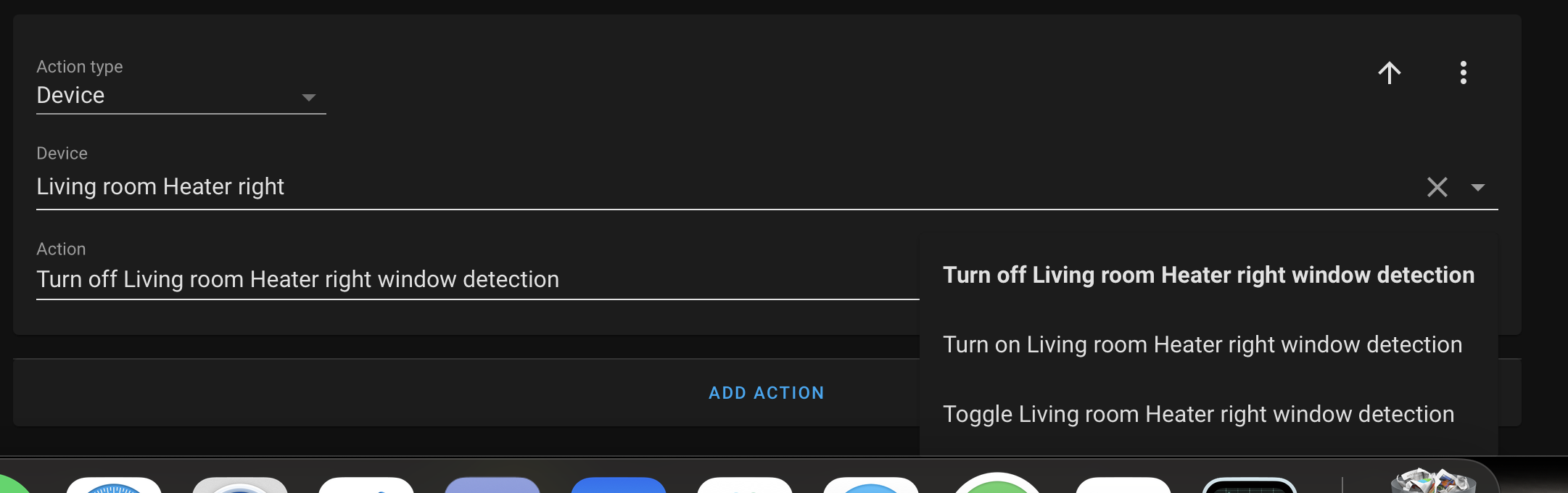
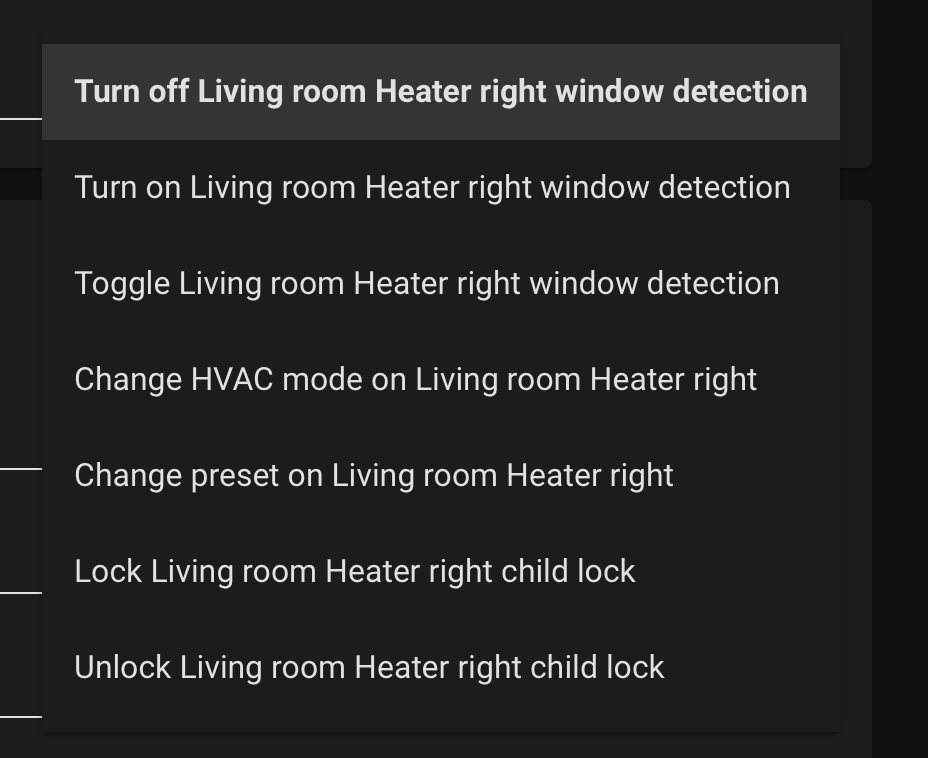


 mild veldt
urban finch
hey everyone, does anyone know of a good slideshow card for lovelace? I'd love t...
mild veldt
urban finch
hey everyone, does anyone know of a good slideshow card for lovelace? I'd love t...
 royal tundra
alpine vale
**Uncaught DOMException: Blocked a frame with origin "https://reverse.proxy" fro...
royal tundra
alpine vale
**Uncaught DOMException: Blocked a frame with origin "https://reverse.proxy" fro...
You ever find an answer to this? Having the same error
alpine vale
@royal tundra yeah, the issue popped up in organizer when using their iframe to access HA. just copied the link with my reverse proxy and repasted it and it worked...
royal tundra
alpine vale
<@!133256468408303616> yeah, the issue popped up in organizer when using their i...
Yeah I have the same config through Organizr, which broke on the last HASS release. What do you mean copied and repasted? Like, replaced the URL in Organizr with "https://reverse.proxy" again? Or did you use a different URL? Thank you!
gaunt musk
Hi everyone ! I want to put my calendar-card in fullscreen, is it possible ? I set style: "ha-card { height:100%} but it doesn't work...
alpine vale
i added /lovelace/main after my reverse proxy @royal tundra
royal tundra
alpine vale
i added /lovelace/main after my reverse proxy <@!133256468408303616>
Funny enough, I didn't realize it was your post on the Organizr Discord either :-p Updated that on mine for my view too, seems to work. Thank you!
alpine vale
sweet! @royal tundra
royal tundra
alpine vale
sweet! <@!133256468408303616>
Seems that still doesn't allow access to "configuration" and such. 😦 I'll keep trucking along
 finite axle
i did an update recently and now the ui is incredibly slow, what can i do/check?
dark dirge
it may be migrating your database in the background
finite axle
welp, that's another sd card down
karmic tiger
Heavy writing on a medium not intended for that...
finite axle
heavy writing?
karmic tiger
HA is great. SD cards make a terrible storage medium.
Yes. Heavy writing. Many thousands of write operations with the default settings. Literally every time something changes.
finite axle
ok then how do i run it on a pi without it exploding in a couple months
finite axle
this is the interwebs
karmic tiger
This, sir, is a Wendy's Discord.
finite axle
saying i'm doing it wrong without an actual suggestion on how to fix it is pretty lame
karmic tiger
We're here to help with HA stuff, not with everything tangentially related to a discord.
I gave you a suggestion. Use something other than an SD card.
It's possible to use SSD's with Pi's. We're not here to help you set up your Pi.
karmic tiger
👋
finite axle
hm, on https://www.home-assistant.io/installation/raspberrypi it suggests an sd card
karmic tiger
Yes. It suggests the steps required to get HA running on the most typical setup. It doesn't state anywhere on that page that an SD card is the best option.
finite axle
it doesn't have any other option
karmic tiger
There are many options: https://www.home-assistant.io/installation/
You chose a children's toy with a terrible storage medium.
finite axle
why are you being such a dick hah
kind shellBOT
@finite axle Rule #3: Do not insult, belittle, or abuse your fellow community members. Any reports of abuse will not be taken lightly and will lead to a ban.
Please take the time now to review all of the rules and references in #rules.
Command '.rule3' was invoked by: mono
finite axle
not an insult, it's a question
karmic tiger
And this has no place in #frontend-archived. Move it along to #general-archived if you want to debate the merits of different hardware and installation types. I'm done. Goodbye, good luck.
gaunt musk
Hi everyone, I need to create a frontend similar to this example, can you help me ? calendar (width 100% height 90%) and at the bottom on the right I want to create a button, which view Should I use ?
alpine vale
royal tundra
Seems that still doesn't allow access to "configuration" and such. 😦 I'll keep ...
what do you mean?
wait never mind... i see it now.. dam.. I didn't even try that...guess i'll have to keep looking at this.
alpine vale
@royal tundra have you tried updated? they released a new version today. i'll be updating mine here in hopes its fixed
alpine vale
update did not fix
alpine vale
anyone got any tips for resolving this?
Uncaught DOMException: Blocked a frame with origin "https://reverse.proxy" from accessing a cross-origin frame.
i understand its a security measure
 wide peak
https://imgur.com/a/7Wf5V2z , trying to fix how the NETFLIX and HULU images don't show up in the remote.
image: /local/netflix.webp
image: /local/hulu.webp
is where the code is directing to find the two icons, but there's nothing in local/www with those titles, how can I find the icon images to put them there? Don't see them on the .github for the Roku remote plugin, any ideas?
 mossy timber
So, using device_class: timestamp turns a date into a relative '3 hours ago' or something. Which is awesome. However, at 13 hours it switches to '1 day' and at 4 days i think (waiting to confirm) it switches to '1 week' ... so it looks like a "1.51 = 2" kind of rounding situation. Is there a way for me to influence this rounding behavior?
frigid kayak
Does someone know why some dimming devices are shown with an slider when off and some not with the: https://github.com/thomasloven/lovelace-slider-entity-row
For the devices that don't show the slider when turned off, show it when turned on.
 livid prairie
Wow the neon ui in the blog is looking gorgeous
 proud sky
Hello, I have some problems with my frontend of my Home Assistant installation, After starting up the frontend isnt available anymore.
I already looked at all the log files and disabled HACS, but with no result.
alpine vale
i'm getting this error: app.780f338b.js:44047 Uncaught DOMException: Blocked a frame with origin "https://reverse.proxy" from accessing a cross-origin frame.
at HTMLElement.connectedCallback
I have a iframe card that points to windy.com, I swear there was a variable that had to be entered in the config for this to work. i can't seem to find it.
karmic tiger
As far as I know, there's never been anything you can enter to get around this. It's all about content security policies, which are strictly enforced by the browser. More often than not, it's the thing you're trying to embed which defines a policy saying it must not be embedded - you have zero control over that.
alpine vale
@karmic tiger thanks for the information.
whole pulsar
Anyone know what card people are using for phone bluetooth, wifi and charging status?
like this: https://imgur.com/a/JFzqLmO
alpine vale
now would that be a config setting to modify within a docker or is there somthing i can do to sucessfully pass the request to access HA from Organizer via iframe?
 remote jackal
why does my glance card look so big in panel mode using a 2 column grid https://imgur.com/a/hm14t3U
 molten rune
Do you guys have a tutorial for image condition? I want to display a image if the temperature is below 20 and to display another image if the temp is above 20.
shell torrent
@molten rune Depending on how you want to show the picture, but if you like the Picture Glance Card, look at the last example https://www.home-assistant.io/lovelace/picture-glance/
tame dove
Ha, forgot what room I was in 🤦
molten rune
thanks
 raw egret
is there a way to expose a dropdown menu in lovelace for the effects of a light?
if I create a helper dropdown menu I can populate it with entries
I could create an automation that sets the effect in the light with a service call based on what I select in the dropdown menu
but that requires me to manually add each effect to the helper
and to create this automation
 smoky depot
@raw egretnot sure I follow. if you are referring to populate a "separate" stand alone drop down auto populating all the effects of a given light then no there is no auto method.
raw egret
Yes, that's what I was asking for, ty
 winter prism
How do I get started with implementing this theme? https://github.com/matt8707/hass-config
silk igloo
do a Ctrl-F in the configuration file for frontend, see if you can find a themes section
 steep steppe
what does this entity status icon/message "restored" mean?
dark dirge
it means that an entity existed in the past, but isn't (yet, perhaps) connected to an integration anymore
steep steppe
doesn't sound very restored to me
dark dirge
it's usually a result of an integration that generates dynamic entities and HA doesn't want them to appear and disappear whenever HA restarts
so it "restores" them until (and if) an integration actually adds them
it can also be an entity that is no longer valid
steep steppe
hmm, think luftdaten did this to me before
steep steppe
another restart fixed it anyway
vapid field
Phew
kind shellBOT
The topic of this channel is:
Discussion regarding the UI and configuration (https://www.home-assistant.io/lovelace). The Resources section of the UI is hidden unless you have Advanced Mode enabled in your user profile.
Please use https://www.hastebin.com/ or https://paste.ubuntu.com/ to share code or logs
Command '.topic' was invoked by: RobC
dark dirge
also at the top
vapid field
Phew. Man im trying
 magic venture
CSS styles are not applying to my service-button of the map card. Any fix?
arctic field
How can I remove default 'overview' dashboard and use my dashboard as default for all devices?
karmic tiger
You don't remove it, you take control of it.
arctic field
But I want to change icon and Title and it's not possible for default dashboard.
iron locust
so...I just accidentally deleted a grid card thinking I was deleting one of the cards it contained. I've done nothing else. Is there anyway to recover that card/yaml?
dark dirge
I don’t think so, except from a backup
iron locust
oh are there automatic backups somewhere?
polar kelp
Possibly if you still have to old interface loaded in another tab or browser. But it'd be tricky
Backups would be better
iron locust
I have it loaded on a tablet, let me see if I can bring up the yaml, I wouldn't mind typing it all back in
polar kelp
That may or may not work. A computer browser would have been better in this case.
dark dirge
Supervised installs now take a snapshot when you update things
As long as you let it. And that would have the Lovelace config at that point
iron locust
ah, I have a container install. I guess I'm a bit screwed. No biggie, I can remake it. Thanks for the help!
and this was a great reminder that I should be making backups
gaunt musk
Hi everyone. I'm using browsing mod to get popup service and I want to have a popup only on the current session, Can I do this ?
karmic tiger
 dapper cradle
hey folks, restarted my HA container and now the frontend appears to be forever stuck in a starting state. set logger to debug and it looks like everything else is ticking away just fine. any ideas on where to dig?
dapper cradle
nvm I suppose, but it took well over 30 minutes to start HA...
dapper cradle
maybe. I set it up to use an external postgres db, seems weird it would take that long
dark dirge
There was a migration
dapper cradle
in theory subsequent restarts shouldn't take very long then, right?
dark dirge
Correct
dapper cradle
seems to consistently take ages to start
dark dirge
Gotta review the logs again
dapper cradle
the only thing that's suspicious to me is Waiting on integrations to complete setup: ecobee
oh well, maybe I'll open an issue
dark dirge
You can disable that
dapper cradle
disable the message or the integration?
dark dirge
Integration
dapper cradle
is there a way of disabling an integration setup via UI without HA running?
without hacking around in .storage ofc
dark dirge
Then no
dapper cradle
might be useful functionality to have in configuration.yml to debug cases like this
dark dirge
Just disable in the UI
dapper cradle
yea, but if each iteration takes 20-30 minutes to narrow down, you can imagine how waiting to disable via UI would be a slow process
dark dirge
It’s kind of special case, but
kind shellBOT
If you have a feature request for the frontend you can open one here, for Home Assistant itself please post on the forum. All other feature requests should be made to the developer of that custom card/component.
Command '~features' was invoked by: RobC
dapper cradle
yea it's def an edge case
dark dirge
And you can mess around in .storage
dapper cradle
well anyways, at least I know it's not something I did. still comes up with everything, even if it takes a bit longer than I expect
 gloomy eagle
can you create a card that shows all entities in a room automatically? like the default dashboard does, but for a custom dashboard.
vapid field
I removed my homeassistant: yaml section so I could get the GUI for general config but now the map is all black and there is no other TZ than UTC to choose from. I don't see any js errors or anything in the log. What is the proposed way to "migrate" to the GUI conf from yaml for the general section?
arctic field
May I change icon of default lovelace dashboard in storage mode?
 cosmic imp
hi everyone, i'm trying to change the background of my media players in my theme. Can anyone tell me what property i need to change for this?
tame dove
vapid field
I removed my `homeassistant:` yaml section so I could get the GUI for general co...
I am not sure why you would do this but, you need homeassistant:
quaint snow
I have an average temp sensor, it reports in 2 decimal places, is there a way to force it to report as only 1 decimal place? (OCD kicking in...)
formal tide
yes, a template can do that, other ways are also possible
 flat rover
referred from "integrations"
Hi,
pastebin code at: https://paste.ubuntu.com/p/gsvMZqTR3r/
I flashed an iFan03 with ESPHome and now I control it via the manual 433MHz controller just fine. It is also integrated into Home Assistant. I would like to also control the iFan03 from Home Assitant lovelace buttons with:
off speed 1 speed 2 speed 3 light
I haven't found a way to access those values so they can be sent to the iFan03 via ESPHome/Home Assistant.
If I create a (custom, I think) sensor, how would I get the above values so I can create buttons for lovelace?
Or is there a better way? Thanks
hallow mango
gloomy eagle
can you create a card that shows all entities in a room automatically? like the ...
I think the auto-entities card can filter by area