#frontend-archived
1 messages · Page 188 of 1
 turbid frigate
 twin tusk
i guess the syntax is correct but u point wrong somewhere
turbid frigate
point wrong?
twin tusk
a folder made in /config ?
u have configuration.yaml at the same level as entities folder?
turbid frigate
yes
twin tusk
and in entities folder u have sensors folder ?
twin tusk
in integrations folder u have sensor.yaml ?
turbid frigate
yes, but it is sensors.yaml
turbid frigate
What list?
you mean typed e in main screen?
If it is, then yes.
But nothing.
I mena nothing related to my sensors.
twin tusk
u don't have those 3 sensors?
turbid frigate
No
twin tusk
i don't know what can the problem be
turbid frigate
Noooooooo!!!!😭
twin tusk
u complicated too much your config
turbid frigate
I followed the video you sent to me. As precise as I could.😢
 kind shellBOT
Videos are great to watch but are usually out of date QUICK.... Best to read the DOCS
Command '.videos' was invoked by: mono
twin tusk
but the packaged part is on top....
turbid frigate
Then, the check will fail.
turbid frigate
Thanks. Let me try to follow this.
 terse marten
my HASS frontend suddenly becomes unavailable as in the device disconnects from my network and does not come back unless I unplug it and then replug it.
this has never happened before for over a year, but now happens every time I reboot the device. i have tried the following:
- a new SD card
- restoring from an earlier snapshot which I am 100% sure works fine
- checked router settings and replaced cable and switch outlet
any idea how to troubleshoot?
 karmic tiger
Doesn't sound like front-end to me if your HA host disconnects from the network. Ask in your installation channel:
kind shellBOT
Not sure which install you're using? If you have system_health enabled you can check Configuration -> Info, or see the following.
-
If you bought the Home Assistant Blue, you're using HassOS, flashed an image, or booted a VM with an image you're using #330990055533576204
-
If you installed Linux and then ran a script to install HA and have add-ons then you have #330944238910963714
-
If you're running
dockercommands or use a Docker manager and have no add-ons then you have #449717345808547842 -
Finally, if you use
pipto install or upgrade you have #551864459891703809
Having difficulty chosing an install method? See this blog post for guidance.
Command '.which' was invoked by: mono
 hexed apex
Looks like HassBot needs some love. "Invalid-channel"
 vale lynx
Can you combine a button with other entities on a single card?
vale lynx
I have my garage button on one card, and the status on another. They are controlled/monitored by different devices. I'd like to be able to place them on the same card.
twin tusk
check if that suits you
twin tusk
no glances....custom-hui-element
vale lynx
Sorry.. still learning HA. Now sure how to do that?
twin tusk
take a screenshot and upload it to imgur or anything else to see what cards u have
 split granite
twin tusk
split granite
twin tusk
maybe grid card also
 buoyant jewel
hello guys i have added some dump rf plugs from Broadlink i have 4 but they only have on or off and do not advertise status I need some advice best way to get them into 1 card. I would love toggle switch but i guess in is not possible.
My current 2 cards i do not like so need some expert advice https://1drv.ms/u/s!Ao6WCX2miTCJjJ0bAi87tXSVjtdl0w?e=XOOy3c
i have them as individual scripts
 exotic carbon
complete noob question, when I installed hass, the device list had several columns and I think I turned a couple off....The ones i see when I go to config/devices are Device, Manufacturer, Model, Area, Integration, Battery.....is that all of them or can I add more?
 polar kelp
A breaking update for browser_mod has just been released.
I still recommend installing it, because the old version will apparently break Home Assistant 2021.3...
 dim oak
How can I change where it says off here and reads as "No Motion" if off and "Motion" if on?
Damn, I can't upload a photo. Either way, it's a motion sensor in lovelace. I was told to edit the device id in customization menu but not sure what I'm doing
device classs not id
turbid frigate
dim oak
Damn, I can't upload a photo. Either way, it's a motion sensor in lovelace. I wa...
Try to paste your image here:
https://onpaste.com/
If you need to paste code, here:
https://paste.ubuntu.com/
 harsh niche
And if it show a door icon, and I need it to show the window icon?
 eternal flume
Hi, Im trying to add a fork of a card via HACS. However it keeps installing the original card and not the fork of it....what am I doing wrong here?
Im not so familiar with github so I might be doing something wrong....I dont know
 rich eagle
harsh niche
And if it show a door icon, and I need it to show the window icon?
rich eagle
harsh niche
And if it show a door icon, and I need it to show the window icon?
Depending on what kind of entity we are talking about you could either customize the device_class or override the entity icon.
polar kelp
eternal flume
Im not so familiar with github so I might be doing something wrong....I dont kno...
If the original card is in the default repo, your best bet is probably to install the fork manually instead, without using HACS.
eternal flume
@polar kelp https://github.com/Tobi0892/weather-card
It's this fork....the reason I wanted to install it via HACS is to get notfied when updates are available...
 gilded swallow
I'm having (a lot of) problems since the last updates (HA, HACS, Browser_mod)...
Now when HA loads (takes a long time, and with a lot of errors in the logs), none errors about browser_mod, tho, it just won't work.. I click and nothing, no pop-up, no error, no nothing.. ideas?
Tho now I've done another restart to the server.. And while the UI hasn't finished loading yet, I'm getting this error...
Which I was getting before as well... => https://paste.ubuntu.com/p/jjGSB9QYzP/
 bitter plinth
on the commands popup, the first entry is "Navigate To _My_redirect". What is this?
 fallen mulch
Hi all, for some reason I cannot use the space bar in HA. I'm pretty certain this isn't normal. I have to type friendly names in notepad and then copy paste. For example, in the following image, I cannot enter a space in the top name. Is this right?
 fathom jungle
Anyone know how to brand Home Assistant to not show Home Assistant at login and within Desktop app
split granite
Without changing the source, don't believe that's possible
fathom jungle
Thanks
 formal tide
Is browser mod able to display <iframe> in popups (I'd rather have a iframe in overlay if that is even possible)?
fathom jungle
formal tide
Is browser mod able to display <iframe> in popups (I'd rather have a iframe in o...
Thanks
 harsh summit
is it possible to create a dashboard for a user with limited access? Meaning i want my gf to use HA but have access to it all
sorry i meant but NOT have access to it all
 warm seal
hey guys, i'm using the default lovelace theme, that adapts to darkmode being used on the device. I have a piece of custom CSS in my lovelace views that I'd like to adapt as well. I assume I should use a template for that, but I have no clue what the trigger would be. Any pointers would be appreciated
@harsh summit very much possible at view level. so you have your dashboards configured in the UI or in YAML?
harsh summit
warm seal
<@!805710349155696660> very much possible at view level. so you have your dashbo...
UI. I made a user for gf and made my dashboard not visible to her but the problem is she can see my locationby clicking on the 3 lines (menu) and navigating to maps
warm seal
Interesting, I'm not sure if you can manipulate which devices show up there. I use custom maps to show only certain entities, and have hidden the original map from the menu (in device configuration)
You could have an extra dashboard with 1 views (in panel mode) that shows a custom map.
karmic tiger
I believe if someone knows the path to a resource, they can still access it, even if it's not presented in the sidebar. Access control is not strong in HA.
warm seal
My gf having hte ability to see where i am saves me having to answer to questions into my wherabouts 😛
harsh summit
karmic tiger
I believe if someone knows the path to a resource, they can still access it, eve...
yes they can just delete some of the url to get back to the main dashboard i believe.
eternal flume
I can't get this card to install.....I followed the install instructions and still the card says: custom element doesn't exist....https://github.com/Tobi0892/weather-card
twin tusk
u have darksky integration ?
eternal flume
nope....I would like to try this with a different sensor. But still the card should say, sensor doesnt exist or something....and not custom element doesnt exist
twin tusk
maybe u can try check resources if it installed
eternal flume
I added the resources manually - or what do you mean?
twin tusk
yup
then clear browser cache...refresh...and should work
i use this for same purposes https://github.com/bramkragten/weather-card
eternal flume
yeah but you're using the original card and not the fork I posted, right?
the one from bramkragten when installed through HACS works too....but the one from tobi0892 for darksky, when manually installed, doesn't work for some reason....
In the docs it just says: "Copy the weather-card.js file to the config/www folder and add the following to resources in your lovelace config:
resources:
- url: /local/custom-lovelace/weather-card/weather-card.js
type: module"
do I have to put the weather-card.js file in a seperate folder? I just put it into the www folder as instructed...
eternal flume
and the resources should be "/local/custom-lovelace/weather-card/weather-card.js" ?
or "/local/community/weather-card/weather-card.js" ?
twin tusk
if u download all files then u can see how they are structured : \weather-card-master.zip\weather-card-master
so u will place them as weather-card-master folder in www folder
and resource will be in \local\wather-card-master\weather-card.js
eternal flume
Will try this later. Thank you!
polar kelp
bitter plinth
on the commands popup, the first entry is "Navigate To _My_redirect". What is th...
Are you running on dev/nightly?
bitter plinth
polar kelp
Are you running on `dev`/`nightly`?
nop. using the latest docker container release
polar kelp
I guess that slipped in by mistake in 21.2.1 or 21.2.2 then... Please ignore it for now. It's an upcoming awesome new support feature.
bitter plinth
ok. glad I have not broken anything from my side 😄
 desert delta
is there somehow a way to create a overlay over the lovelace ui? In my case, if there is a shipment tracking switches to delivered I want the display at the door (usually showing a floorplan) to show a big warning (so my flat mate can pick it up).
polar kelp
browser_mod
eternal flume
hi a question: in lovelace can you somehow achieve to "overlay" cards? that is to say putting lets say half of a card on top of another?
polar kelp
card-mod
eternal flume
awesome!! probably pretty hard to accomplish, right?
ah crap....I see.....I don't know CSS 😦
formal tide
can I also get a Iframe in a overlay? pls halp
vale lynx
Hi.. Is there a way to scale the size of cards in Lovelace? Some of them are farkin HUGE
warm seal
you can force them to be smaller by stacking them (horizontal-stack, vertical-stack)
or use the new grid card
i'm trying to use some custom CSS in the default theme, and want to take into account the change to dark mode. any idea where I can find the styles I can use to make sure I won't end up with a white font (in dark mode) on a white BG?
warm seal
fixed it by doing the same as the default theme: using white on a black bg in light & dark mode 😛
 upbeat cairn
Hi. I am using a Picture element card as a floorplan, and I am adding a few devices and sensors to it. Now I though of showing whether a computer is turned on or not in the floorplan, but I can't figure out how to read its "state"
apparently, the device has the state "Home" when it's turned on
and I would like a state_icon that is turned on when the state is "Home"
any ideas?
I tried:
"{{ is_state('device_tracker.devicename', 'Home') }}"
(without success)
desert delta
@upbeat cairn tried that out a lot too, I think it's just not customizable. Probably there is a workaround with a helper or smth but that needs an automation for each and is waaaay to much 🙂 having "state_icons:" would solve that easy but that's not supported.
 simple grotto
I put
timer:
  test:
    duration: '00:00:30'
into config.yaml and now I get this error:
Invalid config for [timer]: [test] is an invalid option for [timer]. Check: timer->timer->timer->test. (See /config/configuration.yaml, line 222).
 nocturne lagoon
how can I show a sensor card (temperature) in lovelace UI only when the temperature is above a certain value?
the conditional card requires a boolean match, it doesn't allow comparison
karmic tiger
The simple solution to that would be to create a template binary sensor and use that sensor as the condition.
nocturne lagoon
so basically I need a fake binary sensor that would switch to true when the temperature goes over the defined value?
karmic tiger
Yes
If you want to be able to adjust the threshold without editing the template sensor each time, you could even make the template compare the current temperature with an input_number helper so you can change the threshold in the UI.
nocturne lagoon
nah, the value will be pretty static so editing the template manually shouldn't be an issue
twin tusk
a card with state attributes ? i'm too lazy to create 20 template sensors today 🙂
eternal flume
could somebody help me with formatting this code the right way? I'm using card-mod on a picture element card....but I don't know how to combine the three style element: width, left and ha-card.....
type: picture-elements
elements:
- type: 'custom:weather-card'
entity: weather.dwd_weather_kufstein
style: |
ha-card {
box-shadow: none;}
width: 100%
left: 50%
in this case width and left don't work....if I remove the "|" and the ha-card part it works....
eternal flume
ok I put width and left also in the brackets....now it seems to work - not exactly as used without ha-card but it seems to do the trick. 🙂
eternal flume
hmmm...with ha-card "top: 28%" however doesnt work at all....
type: picture-elements
elements:
- type: 'custom:weather-card'
entity: weather.dwd_weather_kufstein
style: |
ha-card {
box-shadow: none;
top: 28%
width: 98%;
left: 50%;
}
it doesn't move the entity upwards or downwards when trying to use "top"....without ha-card this seems to work though
karmic tiger
The top CSS property participates in specifying the vertical position of a positioned element. It has no effect on non-positioned elements.
If you're going to use CSS, you should take the time to understand it.
MDN is your friend for all things CSS.
eternal flume
@karmic tiger but why does it work without the ha-card?
type: picture-elements
elements:
- type: 'custom:weather-card'
entity: weather.dwd_weather_kufstein
number_of_forecasts: '5'
details: false
style:
top: 39.5%
left: 50%
width: 100%
this works without any problems and moves the entity up or downwards vertically
vale lynx
warm seal
you can force them to be smaller by stacking them (horizontal-stack, vertical-st...
Tried using horizontal stacking. Damn button is still bulky.
vale lynx
warm seal
fixed it by doing the same as the default theme: using white on a black bg in li...
How do you force it to use dark mode as default?
 random horizon
It's per user setting. click your name in the lower left and you find the setting under theme
 spare anchor
hello ok so dumb question sorry, im just not understanding the directory structure so i have \config\custom_lovelace\weather-card i add to lovelace resources /config/custom_lovelace/weather-card/weather-card.js and restart but when i try and add a custom card it says it doesnt exist. am i doing something wrong with the directory structure the guide said put it in \config\www then use /local/custom_lovelace/etc.. im so confused thank you in advance if you can help
not sure if this is even the right category to be asking so frazzled
split granite
/config/www on the disk maps to /local in the URI
The instructions you found probably said to put them in /config/www/custom_lovelace/...
spare anchor
yeah but i was trying to get away from them being publicly accessible, i figured it should work the same
thank you though
split granite
If you run a proxy server you can block remote access to any URL you want 😉
spare anchor
ok so bear with me, i followed and placed everything as they said but it doesn't work i added the cdn ( https://cdn.jsdelivr.net/gh/bramkragten/weather-card/dist/weather-card.min.js) to the lovelace resources and it works fine GAHHHHHH
but it does pull the custom icons from the /config/www/.. . . .
broken .js file sorry for all this confusion
thank you for all the help
and as i figured doesnt need to live in /config/www so i can have my security
 granite garden
 north stream
If I click on a sensor (like a humidity sensor) and it pops up the little card with the basic details, can I change the default time scale that it shows?
 untold siren
greeting is there a way to show grafana dashboards in home assistant?
 uneven knoll
what's the obvious solution I can't find/see? I have a few button cards with entity input_boolean.. when 'on' I would like the icon to replicate the state of light.something like it could if the entity on the card was light.something.. I can get the color, but not the color temperature and transitions.. Given some very long transitions it looks weird/wrong.. ideas appreciated.. (I did this for color when on: color: '[[[return "rgb(" + states["light.innelys"].attributes.rgb_color + ")"]]]' )
upbeat cairn
desert delta
<@!299637048854315008> tried that out a lot too, I think it's just not customiz...
I think I managed to do that (state-icon of a computer) by creating a binary_sensor out of an entity:
`binary_sensor:
- platform: template
sensors:
windows_pc:
friendly_name: Windows PC
value_template: "{{ states('device_tracker.desktop_1s1bvt1_1_home') in ('home', 'away') }}"`
And then I added binary_sensor.windows_pc to the floorplan as a state_icon
 sacred mountain
Hello, I'm looking to add a textarea-card to a lovelace view so my wife and I can leave notes for each other, multilined. I've did a bit of searching and can't find any default option nor a custom card for this. How should I proceed?
Think I found something: multiline-text-input-card in HASC
upbeat cairn
sounds cool
simple grotto
I put
timer:
  test:
    duration: '00:00:30'
into config.yaml and now I get this error:
Invalid config for [timer]: [test] is an invalid option for [timer]. Check: timer->timer->timer->test. (See /config/configuration.yaml, line 222).
karmic tiger
Sounds like you actually have:
timer:
  timer:
    test:
..```config.yaml line 222....oh boy
simple grotto
haha whats so bad about 222?
I have
timer: !include timers.yaml
In config and inside timers.yaml is the code I pasted before
twin tusk
i have 25 lines in config.yaml and still seems a lot in this stage :))
karmic tiger
simple grotto
I have
```
timer: !include timers.yaml
```
In config and inside timers.yaml is ...
Then you have exactly what I said. When you !include, it takes the contents and puts them there.
You can't have:
timer:
  timer:```
😉Oh so I should just have:
test:
duration: '00:00:30'
I do want to break my config down into sensors.yaml etc so this helps a lot
you cant have multple sensors.yaml files right? Like I would love one for template sensors and another for just other sensors
 dim jolt
anyone using the media browser?
kind shellBOT
@dim jolt Don't ask to ask, just ask your question. Then people can answer when they're around.
When you do ask a question, try to provide as much background detail as possible. Ask yourself these questions first so that others don't have to:
- What version of the Home Assistant are you running? (remember, last isn't a version)
- What exactly are you trying to do that won't work?
- Is the problem uniform or erratic?
- What's the exact error message?
- When did it arise?
- What exactly don't you "get"?
- Can you share sample code, ideally with line errors where the error occurs?
Command '.ask' was invoked by: mono
dim jolt
i've scoured resrouces, but for the life of me figure out how to enabled it?
i've added the local media_sources as per the guidance, but how do you add a card/or panel to actually browse?
karmic tiger
Add a media player to your dash. Click the media player to see the stuff it can play.
dim jolt
ahhh its native to an existing card
i was kinda expecting a browser UI card - ok, good to know
karmic tiger
I guess multiple cards. I use custom:mini-media-player and it can access the media browser too.
When I click the media player card, I get this. I click the circled icon to get to the media browser:
dim jolt
what does one have to do to have the album art loaded
this could be pretty handy for picking plex/sonarr/radarr/spotify items
karmic tiger
Not sure. But the media_browser is an #integrations-archived, so you should probably ask over there.
dim jolt
ok cool will do, thanks @karmic tiger
karmic tiger
Yes... click somewhere on the card that isn't a control.
karmic tiger
🤷♂️
karmic tiger
I don't know. I installed it manually and I don't see a version number in the code.
It's old... I haven't touched it in ages.
karmic tiger
Nah, not if it could break it 😉
 icy cradle
Is there an easy way to make the header transparent?
 deep hedge
Is there a way to use the Thermostat card in Lovelace without a Climate device? I'm controlling heat with a relay based upon temp sensors, and I can do this with inputs, booleans, etc., but like the look of the thermostat card, but understand it requires a Climate device (and my device is just a switch). Can you create a Climate device like we create sensors?
 sterile patrol
Hi all, apologies, I have tried looking through the forums, but I think I am not wording my question search very well.
What I want is a sensor for my frontend that takes historical data (from my solar, the KWh exported to the grid) and show only the data since 00:00 today. I then want to be able to use that to create ANOTHER sensor that multiplies it by the amount I get back on my power bill (this bit I can do). So I need it to be an int sensor for KWh just for today, I assume. Any idea on how I would achieve that, I am going loopy looking through the integrations to try and find it.
(Sorry if this is the wrong channel)
twin tusk
#integrations-archived utility_meter daily use for counting today kwh
 swift onyx
Hi all. I'm currently having an issue with mini-graph-card. i've installed using HACS. running the latest home assistant and supervisor, on Rpi4. when i try to add in the component in a dashboard, the visual config fails, and i get an error "Cannot read property 'length' of undefined"
I've checked and HACS seems to have added the js file into the resources for lovelace. and i've tried restarting hass, and refreshing browser/cache
swift onyx
posting this on the HACS discord, as I think it might be more a HACS specific issue ... but if anyone has any ideas, please shout ! 🙂
 abstract isle
Hey all.. I am trying to add a custom HACS card for LoveLace UI (Garbage Collection to be specific).. The Installation instructions say "add the card in the Congiruation -> Lovelace Dashboards -> Resources".. When I try that, I need to enter a URL path.. Not sure what this path is relative to ... It's not anywhere in the readme and this is my first HACS custom card
twin tusk
url path is not specified in docs?
abstract isle
On a different custom card Github readme, I see the path is "/hacsfiles/....".. However, when I check the file system I see the card files (js and json) loaded under "www/community/*"
twin tusk
what card u want to install?
abstract isle
nocturne lagoon
the path you put in the resources url isn't the actual path in the filesystem
that tripped me out for a while too 🙂
abstract isle
There is a resource url in the configuration.yaml example below.. not sure if it's the same path
nocturne lagoon
/hacsfiles/ is a fake path that actually points to the community directory
abstract isle
nocturne lagoon
the path you put in the resources url isn't the actual path in the filesystem
Ah I see.. I did a recursive "find" search on the file system from /root but couldn't find "hacsfiles" so I thought may be the path was wrong
nocturne lagoon
/hacsfiles/vacuum-card/vacuum-card.js
and IIRC that's in www/community/vacuum-card/
abstract isle
nocturne lagoon
/hacsfiles/ is a fake path that actually points to the community directory
I see.. that explains it... thanks for clarifying.. Alright back to getting my hands dirty with Lovelace.
😄
twin tusk
that's translated in /config/www/community/
twin tusk
u were faster 🙂
nocturne lagoon
I think I found some discussion in the forums that actually cleared it up for me eventually
abstract isle
Is it like a symlink created ? Curious how "hacsfiles" link was configured
nocturne lagoon
it's just a completely made up path
/hacsfiles/ points to wherever the community directory is
it doesn't actually exist anywhere
abstract isle
Thanks mate
sterile patrol
twin tusk
<#672220541343760384> utility_meter daily use for counting today kwh
Thanks! that was perfect.
 woeful hull
Hello,
I looking for solution, how to see saved pictures, after image processing has been done.
I could see icons in HA Media Browser, but I would like to see pictures and not icons. I need to click on each icon to see picture. Are it is possible to see pictures without opening each one? Or other option how to overview CCTV picture folder contents in HA?
eternal flume
Hi guys, could you tell me what : "t.style.setProperty is not a function" error means?
kind shellBOT
@twilit gull posted a code wall, it is moved here --> https://paste.ubuntu.com/p/yW26xwMmdh/
vale lynx
random horizon
It's per user setting. click your name in the lower left and you find the settin...
And that works.. But doesn't stay that way after I log out and then back in.
 hallow mango
I'm looking for a weather card that can actually display details for each day in the forecast... I currently use the standard card, which gives me current conditions (I use wind speed as secondary info), and conditions + high/low for five more days, but would like something that can also show the rest of the details (like precipitation, wind speed, etc)
does anybody know of one?
I can tap the card to open details for the weather entity, but this still only gives me conditions and high/low for the forecasted days 😫
warm seal
i'm trying to generate a url for a tap_action based on some template sensors, but it won't parse. probably a stupid mistake, but I don't see it. who'd like to tell me I'm stupid? 🙂
            action: url
            url_path: https://www.google.com/maps/search/?api=1&query={{ states.sensor.<sensor>.attributes.latitude }},{{ states.sensor.<sensor>.attributes.longitude }}
tried wrapping the whole thing in double quotes but that didn't fix it either
 lusty oracle
i still have the google_calendars.yaml file
on api side everything seems fine
but if I search my entities for anything calendar i get no results
i'm restoring my last snapshot from 2 days ago to see if it helps
/off topic while i'm waiting.... home asssitant has really given me a purpose in life... thank you all for your input.... I don't think half of you understand how much you mean to people
soooo... i've restored a previous screenshot, calendars are still missing.
i'll start from scratch with the google calendar integration
but it's weird that all of a sudden it stopped working
warm seal
never used this integration so can't be of much help
twin tusk
can replace true/false with something else?
 vapid field
hey, I'm looking for some weather inspiration, anyone here?
twin tusk
open window...inspire...expire
vapid field
well, tried, but... In case I want look out of window, I don't need weather in HA 😄
twin tusk
follow home assistant integrations and plenty of weather inspiration there
vapid field
I'm trying to make one of my cards in lovelace looks like meteo station, so I want 3 parts: Actual weather, hourly forecast, daily forecast
but I can get only actual weather + hourly & actual weather + daily, which doubles actual weather
twin tusk
what card?
vapid field
I have used bad names - sorry - "One of my lovelace pages"
I've tried use stock weather cards, but I can't remove current weather
twin tusk
find a weather integration that suits your needs and build a grid card for example
vapid field
Tried, didn't find anything suitable. It would be great if stock Weather forecast card can hide current weather, since I didn't find working card for forecast only
twin tusk
build your own
woeful hull
Are is an any way to see picture preview, directly in media folder in HA? I see only icons and I need to click on to see picture.
 long lark
This is probably a silly question . . . How do I set up a dashboard that does not include any of the configuration features? I just want a dashboard for other users and don't want them playing around with settings.
twin tusk
make a new one and put what u want there...and dash with settings will be admin only
long lark
twin tusk
make a new one and put what u want there...and dash with settings will be admin ...
Thank you. I'm currently the only user, does that mean I need to set up another user that does not have admin privileges?
long lark
Got it, thanks. Seems I cannot add a user. I get an 'unknown error'.
karmic tiger
Do you have any auth_providers configured in configuration.yaml?
long lark
No, I think I only have trusted networks
karmic tiger
That'll be why you can't create users 😉
long lark
great thanks, makes sense
karmic tiger
If you only have trusted networks, you've effectively disabled all other logins.
(I'm definitely not talking from experience after spending an evening wondering why I couldn't create users. Nope...)
long lark
is '-type: homeassistant' sufficient?
karmic tiger
Yup, that'll do
twin tusk
why complicated way?
karmic tiger
It's not complicated, it's necessary.
If you want things inside your network to connect without a password, you have to enable trusted_networks. If you do that, you lose the password login unless you add homeassistant in again 🙂
twin tusk
no pass....no way :)))
karmic tiger
If you have other things running on the same server, sure... AppDaemon, etc.
Not everything works well with an access token.
twin tusk
hope i don't 🙂
uh..my router asks if i want fw update :))
back on topic: can i convert some values straight in frontend cards ..from m/s in km/h ?
twin tusk
i wanted to avoid templating :)))
karmic tiger
Then how can it know the conversion?
twin tusk
m/s * 3600 :))
karmic tiger
The card doesn't know that 😉
It only knows how to do that when you provide a template.
Or... make a template sensor first and tell the card to display the new sensor.
twin tusk
i have a card that supports templating
karmic tiger
So use a template...
twin tusk
i try but iantrich card has some evolved examples
karmic tiger
Which card?
karmic tiger
I don't understand those cards. Someone else can help 😄
twin tusk
:)))))))
TypeError: can't multiply sequence by non-int of type 'float'
'{{ state("sensor.vant") * 3600 | round(2) }} km/h.'
UndefinedError: 'state' is undefined
uhhhh....state is: 1.4 m/s, directia : N
there is a way to take only the numeric part from the statE?
karmic tiger
The state is a string... but it doesn't include 'm/s'. Check Dev Tools > States to see what the state is.
karmic tiger
You get all of that for state? 😮 What integration is it?
twin tusk
i have to kill you if i say :)))))
is a rest sensor coming from web
i put an...workaround :)))
but still....there is a possibility to extract the number from that state?
karmic tiger
Maybe with RegEx?
karmic tiger
I installed config-template-card to see how it works. I don't think it can template the state values, only the name/type of cards and the selection of which entities to use.
But maybe one of the pros will be around soon.
twin tusk
maybe...but is already too late and my eyes are closing...
workaround is enabling wind speed from accuweather :))) they have in km/h
but still....a brief understanding of regex wouldn't hurt
 formal gulch
I have an entities card with a group (regular group, not light-group). When I click on the group, only entities in the switch domain are controllable. anything in the light domain just shows "On" or "Off". Screenshot: https://jon.party/s/H4shECSFQO.png
What am I missing here?
Actually, now that I notice it, it appears that I can't "toggle" anything in light anymore?
Disregard. Cleared cache, back to normal. Weird.
 uneven fractal
Back to tweaking my HA install after much time away - I wanted to convert some old Kindle tablets into wall-mounted dashboards. Back in the day, there was Appdaemon/HADashboard and TileBoard. Lovelace has changed quite a bit in the last coupla years, the common complaints were that it wasnt light-weight enough for wimpy tables and such. Is that all in the past, or will I want to install TileBoard or AppDaemon/HADashboard again?
deep hedge
Hoping someone can point me in the right direction. On my History page, at the bottom, I have two different graphs showing temperature entities, one that has a [deg F] top left and another that has[deg C] top left. The graph that is labelled "C" is clearly showing "F" degrees (i.e., 70s). My config establishes "F" as the unit of measurement, but I see "C" in some of the device XML file data in zwcfg...xml, which is probably correct for what is being sent by the sensor. I don't understand why I'm seeing a "C" label when I'm clearly getting "F" readings. I assume HA converting the values, but why label it with "C". Is there another setting I'm missing for these entities? TIA
 quaint snow
Hey gurus, wondering, with cutom header or kiosk mode, is there a way to hide the header but access it somehow easily for the user, if they want to change to a different view on the dashboard?
 tawdry estuary
hello guys. I have a weird problem, i have the core install and running well but i am trying kiosk on a tablet and the page keep saying "undefined is not a fonction" but on my computer all is displaying. anyclue?
 wintry gull
Hello. I’m trying to have an auto adjusting panel view. If I put an image that’s a 1x1 transparent box can I set entities outside the box or only within the image size?
Forgot to say. Picture element in panel mode
 boreal sluice
anyone have issue with HACS? Display nothing on the hacs tab.
 hybrid berry
boreal sluice
anyone have issue with HACS? Display nothing on the hacs tab.
hybrid berry
boreal sluice
anyone have issue with HACS? Display nothing on the hacs tab.
Try reloading or restarting and if still nothing works go to HACS Discord https://discord.gg/EGYhG25F
hybrid berry
uneven fractal
Back to tweaking my HA install after much time away - I wanted to convert some o...
afaik normal "webview" should just be fine... i can only image you're going to have problems when using multiple camera streams for example. Just give it a shot would be my suggestion
hybrid berry
deep hedge
Hoping someone can point me in the right direction. On my History page, at the b...
afaik Sensordata doesn't get converted... Maybe the sensor has a wrong unit_of_measurement ? Maybe check that in Dev Tools -> States -> Select the Entity and look at the Attributes
 rough coyote
All my menu items were bouncing and had X beside them. I just don't know how i triggered that. What did i do?
ow long press hamburger menu it seems. (https://i.imgur.com/Fh7bbmd.png)
hybrid berry
quaint snow
Hey gurus, wondering, with cutom header or kiosk mode, is there a way to hide th...
Custom Header got Discontinued https://community.home-assistant.io/t/custom-header/155399/1100 and for the kiosk-mode take a look at the Config Options https://github.com/maykar/kiosk-mode#config-options
hybrid berry
twin tusk
hi. i'm trying a card with a call service but the light doesn't turn on
Why don't you use the UI editor with the Toggle Action?
Additionally i don't really understand what you are trying to do here... You cannot nest a button card within a entities card.
You can create a seperate Button Card. But watch out you are missing a indentation level at service_data.
It should look something like this:
type: button
tap_action:
  action: call-service
  service: light.toggle
  service_data:
    entity_id: light.bec_living_1
still struggling with creating a google maps URL from sensor attributes, not getting any closer. any takers?
            action: url
url_path: https://www.google.com/maps/search/?api=1&query={{ states.sensor.<sensor>.attributes.latitude }},{{ states.sensor.<sensor>.attributes.longitude }}```I don't think you can put templates in card actions like that 😉
warm seal
would be a pity. i could create the URL somewhere else (like in a NodeRed flow) but I'd still need to get it in the URL path
warm seal
Ah that's an idea, let me play with that
desert delta
I have a fullscreen picture-elements (in panel mode). Whats the best way to add some small panels on the side?
karmic tiger
Stacks
desert delta
hm all I find is the normal horizontal stack but that will make the picture-elements small
karmic tiger
Then you'll have to use a custom card. Try layout-card.
 sly pulsar
Is there a way to make a toggle instead of the word execute?
formal tide
maybe I have a misconfiguration or this is a frontend issue?
I can highlight empty lines in the automations edit list
seems like there is a ghost element in the automations list (the line after the last element)
https://imgur.com/a/kYejzuR
https://imgur.com/a/5NzgHde
spare anchor
is there anyway for me to override the css for <div class="column">
.column {
flex: 1 0 0px;
max-width: 500px;
min-width: 0px;
}
I want to change max-width:auto; i dont want panel mode for the lovelaceUI just want all cards badges included to be full width
 lime oasis
I'd like to change the value of an "input_number" using a button on my dashboard. I've set up the input_number but I don't think I'm good enough with my .yaml syntax to know exactly how to set it up.
type: button
tap_action:
action:
service: input_number.set_value
data:
entity_id: input_number.nanoleaf_picker
value: 2
entity: input_number.nanoleaf_picker
That's my yaml atm, I just want the button press to change the value of the input_number to 2. Can anyone help me see where I've gone wrong?
karmic tiger
data should be service_data
The docs cover this: https://www.home-assistant.io/lovelace/actions/#tap-action
lime oasis
thanks a lot, I'll take a look. Do I need to call-service istead of service too?
 lime jewel
Hello, every one ~ I'm newbie in hassio. so i don't change custom lovelace ui like this url 'https://github.com/matt8707/hass-config'
also, i can't install node js & react on hassio for change it.
if you have knowhow it, tell me plz~
karmic tiger
Well that's their config. You can't just copy/paste it.
You need to read it and understand it, then choose the bits you need.
There's no magic button...
deep hedge
hybrid berry
afaik Sensordata doesn't get converted... Maybe the sensor has a wrong `unit_of_...
I confirmed that each of the sensors in the "C" chart has C as the UoM in the XML data for the COMMAND_CLASS_SENSOR_MULTILEVEL entry. But I thought these were representative of the values the sensor actually returned, and changing it would not affect it. These particular sensors don't have a Conifg Parameter that allows you to set the UoM, and according to the manual and the Text in some of the Config Parameter help, Celsius is returned by the sensor -- but clearly, it is F that is being displayed in HA, even though the UoM on the History Plot says C. Very weird. I wish I understood who did what in HA better - and I've been studying it for a while now.
 torpid echo
I am using a Climate component in esphome which is displayed in HA. However, that component in esphome is actually a IR transmitter. I have another esp which gets the temperature. How to display temp in the Climate using other esp?
 stark oasis
@torpid echo I might suggest trying a custom card as I can't see a way of incorporating it using the default climate component
I'm looking to combine two source_lists into one e.g. Samsung TV source is the Google Chromecast -> Selected app is Youtube or, Source is Apple TV and App is apple tv
I've managed to get setup using the universal media centre component to combine my soundbar and tv but want to also combine another source of sources
torpid echo
well, i got the config working from esphome. I had forgotten the usage of the sensor inside the climate component. https://esphome.io/components/climate/ir_climate.html?highlight=remote climate#configuration-variables By providing that, it reports the temp fine.
that sensor component can be from the native esp component or referenced from HA
stark oasis
So you were able to reference a sensor from another device?
torpid echo
both - i had 2 separate IR transmitter esp 01-s. One DHT22 I attached on the same esp device. and the other esp device from the home assistant.
Infact the reference fromt the home assistant can be any temp component - weather for all your want 🙂
for e.g, the config below - the entity id can be any from HA
#  - platform: homeassistant
#    name: "bedroom_temp"
#    entity_id: sensor.dht22_temperature
#    id: bedroom_temp
# unit_of_measurement: °C ```oh, neat
torpid echo
  - platform: daikin
    id: bedroom_aircon_daikin_ac
    name: "Bedroom_Aircon_Daikin_AC"
# sensor: bedroom_temp # Display the temp from other esp device via HA``` See the usage of the same id here in the sensorneat!
polar kelp
@spare anchor #devs_frontend-archived is for discussing developing the frontend. Usage questions go here.
You could try maybe a grid card in panel mode. That may get the results you want.
Otherwise, it can probably be done with card-mod.
quaint snow
using this link, following the example, can I make multiple new groups?
wait I think I have just figured it out, you have to start a new -platform for each group
polar kelp
Yes
 shell island
Hey everybody! I'm trying to figure out Utility Meter. I have a running kwh sensor that I would like to store as daily, weekly and monthly values with Utility Meter but the values differ..
Can't i paste screenshots here anymore?
karmic tiger
Utility meter is an #integrations-archived
shell island
ah, thanks!
quaint snow
polar kelp
Yes
Thanks, got it sorted, but when I add the last 5 lines, it throws me the error 'Invalid config for [light.group]: [entites] is an invalid option for [light.group]. Check: light.group->entites. (See ?, line ?).'
https://paste.ubuntu.com/p/fC2jQvjfw2/ - there is the code
i have triple checked the entity names are correct, tried playing with different name's for the group incase it is a conflicting name etc. nothing will get it past the Config Validation
polar kelp
Try entities with an i.
 vestal rain
Hello: Can i ask a java question (probably verry simple) ?
polar kelp
Javascript would make more sense if it's related to the frontend... but go ahead and let's see what happens.
vestal rain
var bri = (states['light.halfrond1'].attributes.brightness gives a number 0-255.
var bri = (states['light.halfrond1'].attributes.brightness /255*100 gives ´%
Would be better round(0) . But i have some trouble with the syntax
And attribute brightness_pct is not working
polar kelp
Math.round(states['light.halfrond1'].attributes.brightness /255*100) should do it
brightness_pct is not a "real" attribute. It can only be set, not read.
vestal rain
polar kelp
brightness_pct is not a "real" attribute. It can only be set, not read.
Perfect. and thanx for the extra info about brightness_pct. 🙂
 strong island
hi, need some help getting to my HA login page. I usually go by my duckdns , but that is not working and I dont know the url for my local setup
karmic tiger
You know which computer it's running on, right? Find it's IP address, then visit http://ipaddresshere:8123/
strong island
it s running on my raspberry
karmic tiger
Ok? I don't know the IP address of your Pi...
If you don't know it, you'll have to log in to your router and see what's connected to it. Or use a tool like nmap to see what's running on your network.
strong island
I tried every IP adres thats connected to my router . nothing works
karmic tiger
Then there's possibly something wrong with your Pi or HA. Ask in your installation channel for next steps.
kind shellBOT
Not sure which install you're using? If you have system_health enabled you can check Configuration -> Info, or see the following.
-
If you bought the Home Assistant Blue, you're using HassOS, flashed an image, or booted a VM with an image you're using #330990055533576204
-
If you installed Linux and then ran a script to install HA and have add-ons then you have #330944238910963714
-
If you're running
dockercommands or use a Docker manager and have no add-ons then you have #449717345808547842 -
Finally, if you use
pipto install or upgrade you have #551864459891703809
Having difficulty chosing an install method? See this blog post for guidance.
Command '.which' was invoked by: mono
strong island
my PI is fine and only running HA not thru docker. HA is still running I think, I can see logs from feb3 to this moment . I just dont know how to get to the login page other than thru duckdns which isnt working because of security issues with HACS
karmic tiger
Ask in your installation channel.
strong island
ok thc mono
 pulsar salmon
I see how to change the aspect ratio for the map card. I can not find the value to change to make it wider and or fill screen. tips?
 feral rivet
Morning guys, Is there a way to have a button card with a static picture that I can overlay with a few elements. I know this can be done with the picture elements card, but wanted to see if there are other options out there.
 broken geyser
hey, is it possible to set a custom lovelace dashboard as default, while still having the default one show in the sidebar?
I'm able to set either as default, but the Overview only shows in the sidebar if I set it as default
wintry gull
Hello. Is there a way to place cards, icons, text, images, buttons anywhere on the screen like in a picture element card but without the fixed background size picture element card restricts you to?
I want to make a non-grid UI that will auto adjust to the different resolutions of my devices
 sonic finch
Howdy! Is there any easy way to browse all available icons that are in HA, like hass:flash?
twin tusk
check mdi page
 peak glen
Hi, anyone know how I can move the header with the page views from the top to the bottom--for use with a mobile phone
 thorn ridge
Hi guys, if i click on the weather widget i see all sorts of useful information (attributes ), is it possible to have this information showed on the widget itself without clicking it (integration: meteorologisk institute)?
 dull stag
Hi,
Can someone explain this lovelace template snippet to me:
icon:
template: () => 'mdi:water'
style: >
(value) => (value > 50 ? { color: 'blue'} : {})
I want to add some syntax so that I can have different colors with different value ranges, but I do not understand the syntax. I assume it's kind of shorthand for some if statement, not sure.
karmic tiger
The last line? It's called a ternary expression. https://developer.mozilla.org/en-US/docs/Web/JavaScript/Reference/Operators/Conditional_Operator
dull stag
karmic tiger
The last line? It's called a ternary expression. https://developer.mozilla.org/e...
Thanks, so how would I convert this into a regular expression so that:
0 -30 yellow
30-60 blue
60+ red?
twin tusk
if u want something nice u can use custom-bar-card and define severity
polar kelp
@dull stag The format of the ternary operator expression is <if> ? <then> : <else> where <if> is a condition, and <then> and <else> are values that get picked.
However, the ternary operator itself always results in a value, so <then> and <else> can also be ternary operator expressions...
dull stag
Thanks @polar kelp @karmic tiger , I think I have figured it out:
(value) => (value > 80 ? { color: 'darkblue'}
: value > 50 ? { color: 'blue'}
: value > 40 ? { color: 'lightblue'}
: { color: 'grey' })
Learned something new today 🙂
karmic tiger
Nested ternary 🤢
I love ternary for single line expressions because they're easy to read. As soon as you nest them, they're a PITA to read.
polar kelp
Could work if you're careful about indentation.
But it's still bad.
wintry gull
Hello. Is there a way to place cards, icons, text, images, buttons anywhere on the screen like in a picture element card but without the fixed background size picture element card restricts you to? I want to make a non-grid UI that will auto adjust to the different resolutions of my devices. Thanks.
 neon ridge
Hi; I am new to the homeassistant discord. I recently added a few cameras to my home assistant's lovelace. I was wondering if there is any easy way to auto mute the audio when the picture entity is clicked. It starts out with audio enabled and I would prefer to have audio muted initially.
dull stag
polar kelp
Could work if you're careful about indentation.
But it's still bad.
How do you recommend to implement this in a cleaner way?
 pearl iron
hey guys I have a relay I want to control - and the bottom in Lovelace is going back to off after I turn it on. I am fairly new to this and not sure why its turning off (but the relay is staying on because I think I Have that programmed properly)
pearl iron
anyone home?
 hearty topaz
question about card in lovelace, is this the right channel?
well anyway the question is: how to I implement the dim function in a card?
twin tusk
hearty topaz
thank you
 oak current
Can I add a menu item to the admin interface to open in the main area? E.g. my NAS-Frontend or something similar?
karmic tiger
What's the 'admin interface' you speak of?
hearty topaz
It is possible to adjust the size of a card ?
oak current
karmic tiger
What's the 'admin interface' you speak of?
I'm speaking of the regular HA webinterface. Sorry for the confusion 🙂
My situation: I am using HA in a docker container, because I need to install other tools on the system, too. Now I installed node-red on the system but would love to reach node red the way I was able to reach it, when I had it as an addon: with an entry in the sidebar menu.
formal tide
you need a panel_iframe and you can access the host with 172.17.0.1
won't work from remote though, you'd need a reverse proxy for that
oak current
Don't need to work from remote.
But I don't want to have it in the Lovelace Dashboard. I want to have it in the sidebar of the web interface, where I also see "Configuration" and other things for example. panel_iframe is in the Dashboard, right?
formal tide
_ PANEL_IFRAME_ != iframe CARD
feral rivet
Shout out to the guys on here that have helped me put together my mobile ui, so far I have 5 rooms started , but only one finished and that is because I decided to go back and change from vertical and horizontal stacks to to layout-card and custom:button-card
oak current
formal tide
_ PANEL\_IFRAME_ != iframe _CARD_
Found it. Thank you 🙂
feral rivet
That said i am encountering a few issues, this is the view from my pchttps://imgur.com/Wsu5eG7
this is the view from my mobile device https://imgur.com/XppHEnM
is it normal to have such issues between the mobile device and the ui on the host system?
formal tide
laughs in html4
what is your preferred view?
feral rivet
well i am working on this UI for my phone, so that will be my preferred view. I was just curious as to whether the issue was me or difference in the interfaces.
 vapid tapir
Hey, is there a way to make a template sensor that is analog?
I want to display a setpoint value in HA, but I don't want to use input_number because I need it read only
formal tide
it's the interface you made, no issue anywhere.... just preferences. if you're not satisfied it needs more adjustments
#templates-archived @vapid tapir
feral rivet
How can i make all my buttons transparent. I know that I could use opacity: 0.0 but that does not appear to work when I place it in here type: 'custom:mod-card' style: | ha-card { background: url('/local/images/backgrounds/Bottle-Green-Solid-Color.png'); border-radius: 5px; font-weight: bold; letter-spacing: 2px; text-align: center; max_width: 100%; opacity: 0.3 }
it actually dims the whole UI.
polar kelp
I'm sure you've read the readme thoroughly and are aware that the first rule of mod-card is to not use mod-card unless it's an absolute emergency, right?
feral rivet
yes I have. I am using it because it is the only way (that I know) for me to use layout-card
polar kelp
Ok. Then you need to put the style you want on the buttons instead.
feral rivet
well at least the rules out me not paying attention.
when I place the - opacity: 0.2 for the card my text also fades out. Is there a way to make them brighter?
Or at least a way for the card to disappear into the background , but not the text?
feral rivet
okay so what am I doing wrong, when i use opacity: 0.5 both my text and card fade, when i use background: rgba(0, 0, 0,0.0); my card goes back to a black background.
I have also tried to add this to this styles: part of the button card - --paper-card-background-color: rgba(0, 0, 0, 0.4) - --paper-item-icon-color: white and I am still not get it the way that I want
polar kelp
It's --paper-card-background
I think there may be some css property to set the transparency of only the background, but I don't know it by heart.
 wise flume
does someone has a example for custom button card to get the icon on the left side?
feral rivet
thomas, I think I am am not understanding how to make this work https://paste.ubuntu.com/p/Q3266pVqkB/. adding it this way actually removes the card completely. I am sure the issue is user erro, but I d not know how to address it. could you share an example?
polar kelp
I don't know much about the custom button card, but I'd try - '--paper-card-background': rgba(0, 0, 0, 0.3) instead...
feral rivet
got it I will give it a try and thanks for the help
twin tusk
i got something strange....in lovelace i try to remove a button template and replace with the path...i have https://i.imgur.com/hoVn3r1.png . but in a yaml lovelace...it works the path
karmic tiger
Share the YAML...
twin tusk
immediaely
this is working
and want to put line 2 in lovelace config dashboard to not look so messy
karmic tiger
Where?
karmic tiger
Which files are they? How are they included?
twin tusk
instead of inkwell template and all code to insert !include
inkwell template is in /config/dashboards/common/button-card-templates/inkwell.yaml
karmic tiger
And the rest of the files?
karmic tiger
You've said where one of the files is. You shared two. You're also including them somewhere... which file includes them?
twin tusk
- https://pastebin.ubuntu.com/p/PDtvJ9RCxw/ is a test dashboard in which adding include works
karmic tiger
YAML mode? UI mode?
karmic tiger
Yeah... you can't.
twin tusk
to not have this: https://pastebin.ubuntu.com/p/HVHDMVJVYx/
karmic tiger
UI mode looks like YAML but it isn't.
twin tusk
so..no include at all and need to declare everything inside ui
karmic tiger
Yes. Or switch to YAML mode.
twin tusk
still too early to handle yaml 🙂
karmic tiger
Everything you do in the UI is stored as JSON. JSON doesn't support extra tags like !include.
twin tusk
i will migrate slowly....but the folders should be careful organised..else... messy
ok..ty for bringing the light
karmic tiger
No problem
feral rivet
can I partially overlay one card on top of another?
karmic tiger
Nope. You'll want to use picture elements or a custom card if you want to get fancy.
feral rivet
okay .....so with picture elements then the answer is yes, but no with core cards?
just trying to make sure that I fully understand what is possible
twin tusk
what is posiible...u can find only with trial
feral rivet
true, but trying to understand if something can be done is part of trial and error, Just like you asked earlier.
feral rivet
What is the best card I can use to display a row of entities for my home network?
karmic tiger
Oh, oh, oh... there's a bot command for this:
kind shellBOT
There is no universal best anything. There's always trade-offs, you need to explain:
- Your priorities/desired features
- Where in the world you are
- Your budget
- Any protocols that you'd prefer (eg Zigbee) or want to avoid (eg Zigbee)
Command '.best' was invoked by: mono
karmic tiger
There's... grid... stacks... layout-card... button-card...
karmic tiger
This one?
feral rivet
I am trying to create one last card that can fill in this view https://imgur.com/XppHEnM below my last row of 4 buttons. In my last card I would like to have some home network information.
feral rivet
it would be displayed in a horizontal plane. Adrian not sure i get the question/
twin tusk
your display...untill now...how u have built it ?
karmic tiger
There are other cards? 🤔
I need to discover these other cards, then I can improve my dashboard.
feral rivet
it made up of custom button card /layout-card /picture elements.
twin tusk
@karmic tiger 24 cards....i think u miss 3 or 4 :)))
@feral rivet i guess u can try grid
karmic tiger
Grid is a good start: https://www.home-assistant.io/lovelace/grid/
feral rivet
can I change the spacing between the grid card so that the card looks like one card?
twin tusk
not sure but with lovelace-mod-card....almost anything is possible
karmic tiger
If you want to customise every last detail... button-card.
There's not really a card that's easy and configurable.
feral rivet
got it
twin tusk
for mobile view also a vertical stack can be useful to expand data
karmic tiger
But a stack doesn't customise much, just helps with the layout.
twin tusk
yes but he has a small line to fit below what he achieved
buttons with modding will fit for sure
feral rivet
Can anyone help with custom:button-card. I want to make my cards transparent. I have tried opacity: 0.5 but it also fades the text, I have tried this - '--paper-card-background': rgba(0, 0, 0, 0.3) thomas but I am not getting anything at all. What are my other options?
twin tusk
style: >
ha-card {
      --ha-card-background: 'var(--paper-card-background-color)';

      --ha-card-border-radius: '6px'

      --ha-card-box-shadow: '0 4px 8px 0 rgba(0, 0, 0, 0.2), 0 6px 20px 0
      rgba(0, 0, 0, 0.19)';

      }
thanks guys it seems like this - '--ha-card-background': 'rgba(0, 0, 0, 0.2) works
 lime fable
Installed Home Assistant and built a Lovelace Dashboard. Using a Fire HD8 Tablet running Fully-Kiosk. Cannot find any documentation on where to point the start URL so it displays the dashboard. Any advice or link to documentation on how to find the URL?
pearl iron
hey guys I asked a question earlier but never got a response
I have a relay switch in lovelace
and its meant to stay on
but the switch (in lovelace) resets to off after a time period
pearl iron
- platform: template
icon: "mdi:arrow-up-down-bold-outline"
name: "LED Left Garage"
restore_state: yes
turn_on_action:
- switch.turn_on: pin25
turn_off_action:
- switch.turn_off: pin25
thats how I define it in ESPHome?
- entity: switch.led_left_garage
thats in lovelace
formal tide
restore_state?
 strange tusk
Hi, is it possible to have imperial users for me and metric units for my wife ( both different users of course )
formal tide
units can only be changed system wide afaik, you need to template your sensors and display the ones you like
formal tide
you have to make a duplicate with a template, yeas
strange tusk
Hmm, ok, I think I pass on that.
 raven jewel
hey im doing a lovelace dash for cameras/sensors/security stuff. Is it better to organize it by "room" or just do it by the type of device. i.e. motion sensors on one card, cameras, and then door/window.
 gusty matrix
I am trying to put some "scenes" on the tiles of homekit-style-card but the scene is on the "scening" state no matter what. any possible direction on how to solve it ? basicaly i want to see an "off" state when not active and an "on" state when active. thanks
 near meadow
lime fable
Installed Home Assistant and built a Lovelace Dashboard. Using a Fire HD8 Table...
near meadow
lime fable
Installed Home Assistant and built a Lovelace Dashboard. Using a Fire HD8 Table...
on the tablet just go to HA interface and login. then, botom right, clikc the Profile icon - you can edit the default view for he user on that device there (and themes etc too)
 vast tiger
Not sure if this would be the right place to ask, but let me try. Is my idea achievable? I would like to have some way of sending custom messages via my Home-Assistant Telegram bot based on some checkboxes (or whatever can get the job done).
Something like this (this is just a silly example to paint the picture):
[ ] a little [ ] milk
[ x ] a lot [ x ] coffee (Send message button)
In this case, I would have a script or automation that would send a templated Telegram messages that would say something like: "@vast tiger is drinking a lot of coffee", and after sending, clearing the states of those checkboxes, making them ready for another run.
I didn't find among the "Helpers" the option for checkboxes, so I thought maybe about achieving this via the input_select type. That means there would be some more clicks/taps than initially desired.
 brave falcon
is there a version of the sensor card that has more accurate data? I turned on "show more detail", but it's still turning a square-wave into a blobby mess
https://imgur.com/a/Z4Ha15c I want the sensor card to show off more of the square-wave like usage pattern that you see in the first graph
twin tusk
mini-graph-card may help
brave falcon
thanks Adrian
gilded swallow
Anyway of showing the light (led light ) color in the frontend UI?
twin tusk
standard led card
 half niche
Hi, I'm using a Shelly 2.5 to control a roller shutter (window blinds?). How can I get the arrow up/arrow down functions that are available when I open the the controlling entity as two buttons in lovelace?
hearty topaz
hello, I am using Hassio in Virtualbox, is it still possible to use features like Picture elements ?
karmic tiger
You get the full frontend on all installation types.
hearty topaz
yeah thats right, but i was thinking how I can upload pictures, maybe by using file editor?
 analog island
hello. is there away to have a card that shows the output of a camera?
thorn ridge
Hey guys, after I’ve downloaded some addons (via HACS) for Lovelace I see them marked as resources, but I have no idea how to implement them...they don’t show up as ‘cards’ to pick. someone about to help me?
karmic tiger
HACS doesn't do add-ons.
It does cards and integrations. I take it you installed some cards.
thorn ridge
I think I’ve downloaded some of those cards, I see them popping up in resources but I have no idea how to add them to my dash.
I don’t see them as option on the carddeck
karmic tiger
Most custom cards need manual configuration. Choose the manual card and type out the required YAML 😉
The readme for each card will explain how to use it.
thorn ridge
Mmmm Lets see
Would it b something like this?
- url: /hacsfiles/circle-sensor-card/circle-sensor-card.js
No idea where to start honestly
analog island
hey, what would cause a graph to change the units it measuring in? i have one for device temps that was working great, but now its split as Celsius and fahrenheit , but the Celsius graph is still Fahenheit values
kind shellBOT
@bold fjord posted a code wall, it is moved here --> https://paste.ubuntu.com/p/nKPfcfdzpC/
analog island
is this the right place to be asking the question that i am asking?
karmic tiger
Yes. Just be patient 😉
analog island
well i found the answer
apparently i had change the time span to 120 hrs or 5 days
that apparently made one of the graphs go to C
pearl iron
im still stuck on why my switch in lovelace is resetting to off
even though I don't have that setting
 steady sun
Just saw this, not sure it anyone raised it yet, not an issue obviously just a typo. The hyperlink works fine. When HASS is offline at the Retry page, it states Naba Casa as a clickable link to take you to Nabu Casa account.
 forest mica
Has anyone else noticed a bug when i create a scene in the UI and save it, it doesnt show up in the list. However if i go to my scenes.yaml it creates the entry in detail? restart does not refresh the list
latest everything
 brisk fractal
Hello all, I was wondering if there is a method of making the calendar card a bit smaller. I just want a day view however the card is huuuuuuuge and unsightly... I was hoping for something more to just glance at the couple of things that will be in there, such as my shift for that day
 regal raft
hello guys... I have some problems to understand the new 1.3.0 browser_mod to implement popups on custom cards... fire-dom-event works with toast but not with popup! or should I use call_service... sorry but I just would have it like before update. I need a popup just on that device on tap_action of a custom card... somebody could help me out showing me an example?
polar kelp
When you use rire-dom-event you should remove deviceID
 forest coral
@polar kelp What you mean?
i think i have the same problem? No popus since a few days... was working before
polar kelp
Did you read the release notes before updating?
forest coral
nope 😦
I knew you would point me in the right direction
So not only the example you show in the release notes need to change right? all other similar cases like "pop_up" need to change accordingly right?
polar kelp
If you use deviceID: this anywhere, you need to change it.
polar kelp
Looks good to me
forest coral
it works 🙂
thanks
need to change the rest
I was annoying but not really time to seat down and track the bug
i should start reading the release notes 😄
forest coral
@polar kelp still not working everywhere. Only working in picture entity cards
weird
 tropic pasture
hello! i am new to home-assistant and i just look around what it has to offer. i saw that i can configure some integrations (like tradfri) via the GUI but i cannot find wake_on_lan, systemmonitor and a few others under the "add integration". am i doing something wrong or are those integrations just not "feature complete"?
forest coral
@tropic pasture you should check your YAML config
i recommend SAMBA addon so you can mount your config folder in Windows
or VSCode
tropic pasture
forest coral
<@!582003400154021898> you should check your YAML config
what should i "check" exactly? it is a fresh install with docker.
tropic pasture
forest coral
<@!582003400154021898> you should check your YAML config
i am pretty sure you misunderstood my question. it is about the frontend:
some integrations i cannot add through the GUI. why is that?
forest coral
tropic pasture
i am pretty sure you misunderstood my question. it is about the frontend:
some i...
Because there is not yet implementation for that in the frontend
that is how home assistant works
tropic pasture
forest coral
Because there is not yet implementation for that in the frontend
ah thanks. that is all i wanted to know. i will look into the configuration files at a later date. just wanted to know if its an error on my side
forest coral
it is not possible to have all possible combination in the UI. All configuration options and so on. You will also find that even things like automations and scripts which are available in the UI can also be done directly in YAML
tropic pasture
yaml is a simple language. if i have issues with the integrations i will ask in the integrations chat
karmic tiger
tropic pasture
i am pretty sure you misunderstood my question. it is about the frontend:
some i...
Adding integrations, whether it's via the UI or via YAML, is a topic for #integrations-archived
tropic pasture
i am confused but ok
forest coral
You will find it straightforward adding them. Makes more sense in the UI things that require some sort of integration or like tradfri can have multiple devices which are auto discovered
karmic tiger
You can make automations from the frontend. It's still for #automations-archived. You can install add-ons from the frontend. It's still for #add-ons-archived .
Not everything that has a UI is a frontend topic.
 timber forge
any plans for groups to be configuarable from the ui?
karmic tiger
Maybe, eventaully.
timber forge
i'm surprised its not already done. seems like a basic element of an ha system.
karmic tiger
Ah, yes... 'basic'.
Said every non-dev ever.
You're welcome to add your voice to the feature request that's presumably open on the forums.
But this is an open source project and most of the work comes from volunteers... it'll get done when someone wants to do it.
timber forge
sorry, should i have said fundamental instead of basic?
karmic tiger
You can use any language you want. The functionality for groups exists already and can be used. The UI configuration for it will come when someone's kind enough to spend hours of their time building it.
timber forge
so in answer to my original question, you really mean theres no plans as far as you are aware?
timber forge
hmmm, i bet the core devs to have plans and a road map.
timber forge
i know, but they might have plans for groups in the ui and that was effectively my question. but instead of saying youve not heard of any plans you said maybe, eventually and then have a go at me for using the word basic with "said every non-dev ever", which is quite the assumption making me think the word basic was read as 'easy'. sorry if im wrong.
If you don't know the answer to a question, maybe don't answer the question.
karmic tiger
I gave the answer: #frontend-archived message
timber forge
thats not an answer. thats a guess at something you don't know the answer to.
karmic tiger
I'm done here. Just because you don't like the answer, doesn't make it any less accurate. Enjoy your evening 👋
 next tinsel
HI all, anybody here could give me in which direction i need to search if i want to add HACS to my HA installation running on Docker on synology ?
karmic tiger
HACS is an #integrations-archived. Welcome to the never-ending maze of redirects.
karmic tiger
Maybe. Maybe not. There are nearly 8000 people online that could answer 😉
gilded swallow
Still trying to figure out the new way of using browser_mod..
I saw that custom:button-card had added support for the fire-dom-event and so now I wonder, how do I pop-up a browser_mod pop-up window - on the current device...?
Like "DeviceID: this" that was used in the "call-service" action...
gilded swallow
Seems that in every way that I try, it wont pop-up the window..
can anyone show me an example please of the fire-dom-event with a popup command?..
polar kelp
gilded swallow
Thanks, I think I did just that and it wouldn't work.. will try again soon when I'll get back home.
gilded swallow
Doesn't work (at least from a custom:button-card)..
Haven't tried it from a regular HA card.. all my cards are custom:button-card.. :/
gilded swallow
So, the problem is within custom:button-card, all tho it says it now supports fire-dom-event, it actually doesn't.. =\
With a regular button-card, works just fine
 languid mirage
Greetings everyone!
Could anyone help me to find a proper keyword for my current browser related problem? I’ve been trying to find information for several hours and I feel Im stuck in searching with right term.
Browser Chrome 64bit V. 88.0.4324.182
Problem is some kind of automatic navigation that brings you back to default lovelace view.
Problem occurs mostly when editing lovelace cards --> If I choose close or cancel in visual editor browser jumps me back to default lovelace view.
Everytime this happens I have to reopen the tab I was working on and reopen the card.
It happens in other menus too. For example if I open a device list in ZHA integration and choose an entity to view inside device page Closing the window brings me back to devices list not in the device page I was working on.
I have fully cleared browser cache / relogged in HA but this makes no effect.
Surprisingly this all works like a charm in incognito mode or with other browswer.
Not a huge problem but very irritating 🙂
Edit: Found a solution and caused by browser extension.
regal raft
gilded swallow
So, the problem is within *custom:button-card*, all tho it says it now supports ...
Same for me... thanks for the link and your work @polar kelp but it seems not to work on custom card. Before I used the "custom:mini-media-player" with popup of a complete remote setted on the tap action and now it simply doesn't come up... pretty sure everything right 😦 eliminated all "deviceID: this"
gilded swallow
There is an issue that was open regarding custom:button-card not working with fire-dom-event , I guess it will be taken care of in the next few days..
polar kelp
It should be fixed in custom-button-card 3.4.2. I know the change has been implemented in a library several custom cards rely on, so the change should roll out everywhere soon-ish.
In the mean time, you can downgrade browser_mod to 1.2.3 in HACS. But be aware that some new features in Home Assistant 21.3 may not work if you have that version installed.
gilded swallow
Right now I continue with latest version of both, and using the old method for pop-up with call-service, and have an automation to close the pop-up after 20secs
Hoping everything will sort out soon :)
hearty topaz
I cant figure out how to configure my blinds from IKEA, can anyone point me in the right direction?
correction to the question, I have the blinds now, but not the control arrows, to controll blinds up or down
gilded swallow
gilded swallow
So, the problem is within *custom:button-card*, all tho it says it now supports ...
Ok, so after closing all screens which ran HA before the custom:button-card update,
clearing cache to ALL devices - then reopen, everything works well. 🙂
karmic tiger
That's standard when updating any cards. Always be prepared to clear your browser cache.
gilded swallow
Yes I know, and I did.. But it only got it when I close ALL devices, then removed cache to ALL, then reopen them.. 🤷♂️
rich eagle
hearty topaz
correction to the question, I have the blinds now, but not the control arrows, t...
What do the blinds report as supported_features? Check in HA state dev tools.
 opal jay
Anyone know why i dont get any picture on my fanart of sonarr sensorr? The background is just black..
entity: sensor.sonarr_upcoming_media
title: Upcoming episodes
max: '5'
data: ddmm
clock: '24'
image_style: fanart
Probably your ad blocker
 honest herald
Im on 2021.2.3 now and noticed I cant bring up the hacs page when using HA with my domain. Local ip is fine. Was there a change for proxies?
karmic tiger
Clear your cache.
 feral parrot
Has anyone had issues with the Fibaro Thermostat and the "Preset" setting? I tried to change that to force_open to test.. But now i cannot change it back to "Preset".. The choice list only displays "force_open" as an alternative...
If i try to change "Operation" to "Off" instead of Heat it just bounces back to Heat again.. Seems like a Web-UI bug / feature change to me?
 oblique pebble
heyho. whats a good addon for my visu?
need only a few little things... need the templates size adjustment.
free arrangement .
and color switch for each status
 pastel tapir
Hey all. Wanted to see if I could get some insight on this. Door lock badge icon in lovelace that shows state changes. Trying to figure out if there's an easy-ish way to prevent text overflow from showing ellipses rather than just making the text smaller to fit in the badge icon. (i.e. locked status will show "locked" but unlocked status shows "unloc...")
Have card_mod installed and trying to mess with different variables but can't seem to find the right one....
 bold skiff
I installed the cover control button row in HACS and I am stuck trying to update my garage door entity row to show the open and close buttons vs the arrows. Where do edit the information to control the row??
twin tusk
go homey then. what has to do with ha?
polar kelp
Your default lovelace dashboard would probably look great on an e-ink display right off the bat.
I just plugged in my ancient kindle. Give me an hour or so for it to boot, and I'll test it.
Come to think of it... that probably doesn't have nearly a new enough javascript engine anyway...
formal tide
404 websockets not found
 kind thistle
twin tusk
go homey then. what has to do with ha?
kind thistle
twin tusk
go homey then. what has to do with ha?
i talk about to have lovelace in eink
 broken marsh
I have custom component that retrieves bank transactions every 20 minutes. I show them in a markdown card. Is it possible to somehow add something clickable into the markdown card to execute homeassistant.update_entity on the sensor to update?
twin tusk
a script maybe
broken marsh
But how do I point to the script in the markdown card?
twin tusk
a grid or vertical stack for combining cards?
broken marsh
Thanks. I was hoping I could put something into the markdown card. 🙂
twin tusk
@broken marsh can i ask you what custom compenent u use?
broken marsh
 idle kestrel
Hello everyone, I'm very curious if there is a way to avoid this every second...:) ?
I have this message: The Lovelace UI configuration for this dashboard was updated. Refresh to see changes!
thanks
twin tusk
@idle kestrel u keep 2 windows opened with lovelace?
twin tusk
so if u are modifying on one pc...is normal to refresh on other
idle kestrel
is there a way to disable this check?
twin tusk
afaik no...is not proper to modify one and stay logged on the same dashboard on another machine
idle kestrel
ok .. thank any way for your answer.. I tried 🙂
twin tusk
u break in one side and expect that the mirror of that side should stay unchanged? :))
thorn ridge
My kasa smart switch from tplink doesn’t have any sensors showing powervoltage watts kWh etc etc. However, it does show these particular attributes when I press on the device itself. Is there a way to show these in my Lovelace dashboard within a card?
 vocal peak
hi guys, is there an easy method to do the 3d floor with the hue light sync? I'm very good with 3d and rendering...less in programming
karmic tiger
thorn ridge
My kasa smart switch from tplink doesn’t have any sensors showing powervoltage w...
They're attributes. You'll have to make a template sensor that exposes them or find a card that can show attributes (likely only certain custom cards).
thorn ridge
Shite, ok
vapid field
hey everyone, does anyone knows how to manually change the default theme from light to dark? tried with the servicecall "frontend.set_theme" name: default, mode: dark - but this wont work, also set user profile to backend-selected -- anybody has an workaround?
feral rivet
Can any help me see why- '--ha-card-background': 'rgba(0, 0, 0, 0.2)' will not work with these 3 button-cards https://paste.ubuntu.com/p/KBnWm3TbSG/. I have used the same line with a few other cards in the same setup with no issues except for these 3.
 remote sorrel
Guys struggling to get this theme working, what am I missing?
type: 'custom:mini-graph-card'
theme: ux_goodie
entities:
  - sensor.zone_1_current_temperature
align_icon: left
u have an error message?
remote sorrel
Nope, let's me save the card but doesn't apply the theme
twin tusk
u checked if theme is allowed?
through properties i cannot see that property "theme" is allowed ...so....
remote sorrel
Just checked the github page, not sure they are allowed?
twin tusk
so...where is written that "theme" is an available property?
remote sorrel
Sorry mistyped, I meant "think they aren't allowed then"
twin tusk
the card developper always says what a card can do and have
unfortunately theme is not supported by minigraphcard
remote sorrel
Should have checked before asking, thanks haha
karmic tiger
Customizable:
Cards have numerous options to configure how your data is presented.
Themes (even at a per card basis).
You can indeed customise cards with a theme. It doesn't matter if the card says it supports it. You may find that a card doesn't use the same classes/ID's and that the theme doesn't work as expected... but Lovelace will allow you to apply one.
remote sorrel
So I can apply a theme then somehow?
remote sorrel
No I've used it on other cards before
karmic tiger
Then...
You may find that a card doesn't use the same classes/ID's and that the theme doesn't work as expected.
mini-graph-card has a whole ton of styling built in. It's gonna be more work to override that.
remote sorrel
Ah that sounds difficult then haha. Maybe I'll look into it some time
feral rivet
Can any help me see what is the difference between the styles these two button cards that I have created. this first card I am able to see the background styles: card: - border-radius: 5px - border-style: solid - border-color: silver - height: 60px - width: 129px - margin: 0px 0px 0px 5px - '--ha-card-background': 'rgba(0, 0, 0, 0.2)' but this card which is part of the same setup is not showing the background - type: 'custom:button-card' entity: sensor.speedtest_upload_2 show_state: true name: Upload styles: card: - border-radius: 5px - height: 45px - font-size: 10px - '--ha-card-background': 'rgba(0, 0, 0, 0.2)'
I have looked at both of these for a why one is working and the other is not but I can not find the problem
feral rivet
I have attached my full card if that makes a difference..https://paste.ubuntu.com/p/xtpjvyMdMg/
 warm flicker
I need help on adding a command service into a button card. The service is browser_mod.popup and the service date is:
title: Popup example
card:
type: entities
entities:
- light.636358003c71bf3d6c77
- light.0720036984f3eb96d357
deviceID: 0b3f7224-03999510
karmic tiger
So... what's the problem?
warm flicker
after multiple attempts its still not working eg:
type: button
tap_action:
action: call-service
service: browser_mod.popup
data: null
title: Popup example
card:
type: entities
entities:
- light.636358003c71bf3d6c77
- light.0720036984f3eb96d357
deviceID: 0b3f7224-03999510
if you could show me a example that would be great
karmic tiger
There are plenty of examples in the docs: https://www.home-assistant.io/lovelace/actions/#tap-action
Your problem is that you're putting random crap under tap_action instead of nesting it under service_data.
data: doesn't even belong there, as it isn't an accepted value for actions.
warm flicker
i am still not having any success
 keen thunder
Is there somewhere a gallery/collection of dashboards built in HA? Im searching for inspiration how to setup some devices, sensors etc
karmic tiger
Yeah, try the forum.
feral rivet
does placing a a custom button-card inside a stack-in -card change the way styles: work for the button-card?
eternal flume
hi, im using the custom-bom-weather card.....and have a question. The current_text seems to draw its information from a sensor that says "cloudy" or "sunny" etc....is there a way to have this auto-translated to a different language?
karmic tiger
Translations are provided by volunteers: https://developers.home-assistant.io/docs/translations/
eternal flume
so this is a HA thing? and not due to the sensor itself?
so HA autotranslates sensor-states?
pastel tapir
warm flicker
i am still not having any success
If you're on the latest version, there's a different syntax you have to use now.
https://github.com/thomasloven/hass-browser_mod/releases/tag/1.3.0
polar kelp
card-mod 3.0 coming up?

Faster, more stable and with the ability to mod cards which change over time (like the alarm-panel which gains or loses buttons when you turn on or off the alarm).
Also, you can mod the sidebar.
polar kelp
Here's an example of a themed sidebar too
 twin tusk
those are sneakpreview i guess and not on live 😛
polar kelp
yep
twin tusk
tell the guy who did those nice things that we will kidnap his cat untill they will be realeased on github
feral rivet
is `'--ha-card-background': 'rgba(0, 0, 0, 0.2)' the proper line for showing the background when using a custom button card?
Does having the custom card nested inside a stack-in-card change the user options of the custom button card?
polar kelp
Though my favorite new function may be this:

Know what? Here you go https://github.com/thomasloven/lovelace-card-mod/tree/beta3

GitHub
🔹 Add CSS styles to (almost) any lovelace card. Contribute to thomasloven/lovelace-card-mod development by creating an account on GitHub.
Now I'm off to bed.
buoyant jewel
Can you ask yaml questions in this channel
twin tusk
what you? mean you ? or who ?
karmic tiger
If your questions are about YAML for your Lovelace dashboard, sure.
buoyant jewel
HI it is doing my head in
I have moved a direct copy of some sensor data to its own sensors.yaml file
buoyant jewel
i have added the relevant !include
but when i paste a direct copy it will not accept it as correct format
karmic tiger
buoyant jewel
it has been working with no issue in config .yaml
karmic tiger
sly pulsar
Hi, is there a way to show a toggle instead of the word execute for scripts. Thx
polar kelp
Scripts that loop or keep running for some reason will show a toggle. Scripts that just run once and can't be stopped reliably will show an Execute button.
sly pulsar
polar kelp
Scripts that loop or keep running for some reason will show a toggle. Scripts th...
I thought adding a 1 second delay to the script will show a toggle instead of execute but that don’t seems to be working.
polar kelp
sly pulsar
I thought adding a 1 second delay to the script will show a toggle instead of ex...
That should indeed do it
sly pulsar
polar kelp
That should indeed do it
Any idea why that not changing the execute word to a toggle?
wintry gull
Hello everyone. I have a small problem. I set my ground to a specific color then on photoshop created a card background that also had that same background. When I add that image to Home assistant it’s not the same.
I opened the image una second software to check the color information and it’s correct
Nvm. I made a new photoshop file and redid the background and reexported it. Now it fine
thorn ridge
Im trying to add slider-entity-row.js but i cant acces my machine from samba (somehow i cant get the addon to work). Is there a alternative route to install slider-entity-row.js ?
polar kelp
SSH or file manager add-on?
thorn ridge
Aight, i got that file uploaded
Followed your guide but having trouble getting those sliders to work
 tribal socket
My front end lags considerably ```21 Domains:
alarm_control_panel: 19
automation: 10
binary_sensor: 13
camera: 6
climate: 7
cover: 5
device_tracker: 14
group: 5
input_boolean: 13
input_text: 10
light: 5
media_player: 12
person: 6
remote: 6
scene: 5
script: 6
sensor: 6
sun: 3
switch: 6
timer: 5
zone: 4
Total Entities: 415```. Do I have too many entities?
Rpi4 w/sata HD
vapid field
Can anyone recommend a good {banner type} image size for "header images" in the entites card? Looking for something slim and wider. haven't found any recommendations elsewhere
It took me a couple minutes to edit a photo to fit nicely in the header of the entities card in lovelace I was just wondering if anyone found an optimal image size for the header / and/or footer
 solar torrent
hey all, just ran an update for HA and now all my binary sensors are showing in a "sensor" card instead of at the top as icons, not sure how to change it back?
 cunning gorge


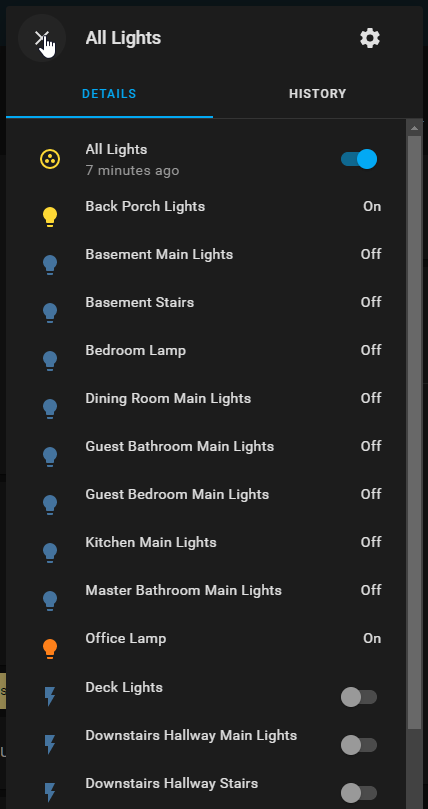

 solar torrent
ahh ok sweet ty!
 gleaming bloom
OK Newby question.. I have done something and I don't know what. The symptom is that things like file editor and supervisor take a long time to load but do eventually load and work.
The log say:
'''Logger: homeassistant.components.lovelace
Source: components/lovelace/init.py:112
Integration: Lovelace (documentation, issues)
First occurred: 16:26:03 (1 occurrences)
Last logged: 16:26:03
Lovelace is running in storage mode. Define resources via user interface'''
Is this even a problem? Appreciate any help. Thank you
 maiden iris
im trying to add this https://github.com/gabe565/popup-backdrop-filter , I added to to my resources as /community/popup-backdrop-filter/popup-backdrop-filter.js as a JavaScript Module, and added these options to the raw yaml of my lovelace. However it isnt working yet, did I add these in the wrong place? iron-overlay-backdrop-filter: blur(10px) grayscale(50%) iron-overlay-backdrop-background-color: 'rgba(41,128,185,0.25)'
 hollow lake
Stuck on a simple issue....I am trying to use a button card to turn on a light....simple enough, however I want to send the initial settings for brightness and temperature when it turns on. (I am using the Wyze-API integration for a few bulbs that as of now does not retain last state). I figure using call-service, however I can't figure out the syntax. Thanks.
 torn python
Where do I change the zone size of the default zone (home) through the webgui
 lean raptor
So, since the latest core update, every sensor I have (specifically the power meters) are showing spinning circles instead of the graphs?
karmic tiger
Ctrl+F5 if something's wrong with your frontend.
lean raptor
Nothing's wrong with it, the graphs just never come up and it keeps spinning
twin tusk
clear cache
 winter blade
When editing a entities card and I press on one of the suggested entities when typing a few characters it just ignores the press and doesn't fill in the entity. Is this a bugg?
 wheat tide
There is a wonderfull GUI available around the web for HA.
The black one with the left panel, from Mattias Persson I think.
I coild find a step by step how to, someone know where i can find this?
Coulnt*
lean raptor
twin tusk
clear cache
I did..graphs keep on spinning 🙂
wheat tide
Exactly, so, this is the step by step guide?
wheat tide
Thanks, sadly, thats some advance skill that i dont have 👎🏿
twin tusk
u can do a test dashboad and start building according to what he shared
pay attention and u can do it
lean raptor
twin tusk
<@!177878338595979266> reset restart clear cache...magic
for the 4th time, I HAVE cleared cache AND restarted..
twin tusk
in dev tools the sensor is working ?
lean raptor
Yes. Idk what it was but I removed the sensor entirely and readded it
and got it working
super strange
twin tusk
well...now is working..this is most important
lean raptor
yeah
 gloomy fern
https://community.home-assistant.io/t/card-mod-add-css-styles-to-any-lovelace-card/120744
I installed the following mod, and followed the documentation to do what your trying to accomplish.
gloomy fern
Remind me in 20 minutes when I'm no longer on mobile and can copy and paste from home assistant.
torn python
Where do I change the zone size of the default zone (home) through the webgu
twin tusk
not available through ui
gloomy fern
perfect timing. I was just copying the code.

which gives me a button that has a green icon when my door is closed.
sly pulsar
Can't seem to find a way to keep my type: horizontal-stack
cards: and add the card mod to it. Nevermind i think i'm just going to give up, trying for hours now. 🙂
twin tusk
can use grid instead of horizontal-stack
@gloomy fern interesting that your code works for only a state, the other state is defaulted by lovelace or theme
torn python
twin tusk
not available through ui
Hmm, where is the setting then?
twin tusk
make a yaml or modify confi.yaml
@sly pulsar for entities u have example in the settings
gloomy fern
twin tusk
<@!245702764787662850> interesting that your code works for only a state, the o...
- entity: binary_sensor.garage_cover
        style: >
          :host { --label-badge-blue: {% if
          is_state('binary_sensor.garage_cover', 'off') %} green {% else %} red
          {% endif %}; }
You are right, That was my button code, it was my badge that had green/red
tropic pasture
hello! i got sent here from the #integrations-archived channel. i have an issue with the panel_iframe integration. i have a website on another virtualhost(nginx) with another cname but on the same host. it just says "connection refused". my HA is hosted with docker. can anyone tell me why and how to fix it?
karmic tiger
The answer is still the same, whichever channel you ask in. Your browser will tell you why it's being blocked. It's standard internet security, not anything to do with HA.
twin tusk
love mono
 molten robin
noob question: can i change the button configuration so it doesn't show "ON" and "OFF", but instead some other text?
twin tusk
pretty no
molten robin
i tried looking at the button entity documentation, couldn't find anything
molten robin
what about changing the icon based on the state?
          "off": "mdi:shield-home-outline"
          "on": "mdi:shield-home"```
sweet, thanksNote that some cards (conditional, entity-filter, horizontal-stack and vertical-stack as well as some custom cards, like layout-card, auto-entities and state-switch among others) do not have a ha-card element, and card-mod will thus not work for those. There is a workaround, though. See mod-card below.
surely u read what i gave ????
karmic tiger
You want people to read? 😮
twin tusk
sorry mono. u are right as always 😦
vapid field
hey all. maybe a stupid question but anyway. I cant find a way to use the button cards such that it would have icon that changes color based on an entity status such as light and the button status text would be another entity such as room temperature sensor value. Is there an easy way with the stock setup or do i need to move on to HACS?
analog island
polar kelp
Here's an example of a themed sidebar too
how do you get your cam to stream in the panel like that?
polar kelp
That's the default card for a camera. Picture-entity, I think. "Streaming" is the state of the camera. The card itself updates with a new frame very 5 seconds or so.
twin tusk
try every sign possible but cannot make change icon
type: entities
entities:
- entity: binary_sensor.e_frig_in_living
state_icons:
'off': "mdi:home"
'on': "mdi:home-circle" - entity: binary_sensor.e_cald_in_living
what i miss?
polar kelp
The functionality existing
A few binary sensor integrations allow you to set a state dependent icon, but from the backend configuration.
polar kelp
Template binary sensor, and maybe REST and mqtt
Not really sure how state color works nowadays.
twin tusk
ok...i manage to make work but only for a position
the other is not working - colour comes from theme
- entity: switch.priza_veioza
name: Veioza
style: >
:host { --paper-item-icon-color: {% if is_state('switch.priza_veioza',
'on') %} green {% else %} red {% endif %}; }
i have red icon
but when i turn it on....stays blue like theme
 lunar jackal
Hi, I thought that I tipped it right, but hassio is giving me some errors: https://paste.ubuntu.com/p/Hwr3my8sCZ/ "expected dict for dictionary value @ data['service_data']. Got 'entity_id: switch.roomshutter_up' ". Does anyone have an Idea what I did wrong?
lunar jackal
I tried😅
twin tusk
first try ui
lunar jackal
The Ui doesn't display the service+data, it keeps kicking me back to yaml when I change the action to call-service
lunar jackal
When I select call service it throws me into yaml, then tells me that service is missing but even when i put it in it tells me that the visual editor isn't supported with tap_action.service
Ok, it just changed and now shows me that I should type the service data into the code editor, so we are back to the beginning
twin tusk
turn_on:
service: switch.toggle
target:
entity_id: switch.blind_toggle
but wierd selection u made with input select and toggle
lunar jackal
twin tusk
turn_on:
service: switch.toggle
target:
entity_i...
sadly didn't work
lunar jackal
twin tusk
but wierd selection u made with input select and toggle
I don't want to show the color of the switch state
twin tusk
show_color = false
lunar jackal
to easy😂
twin tusk
and usually input boolean is used in automations
lunar jackal
I know
twin tusk
but u know better
lunar jackal
I think I should go to sleep when I couldn't get the Idea of state_color: false
 coarse flame
Hey how can you add ptz function to a card for streaming a cam?
 sharp willow
How does one set up a card, or is there one, where you can have a list of your areas that when clicked brings up a card for that area including its entities?
vapid field
I'm setting up a dashboard with card-mod. And it is looking perfect on my screen but it is glitched out on my fire hd 10 screen.
vapid field
Why does this happen and how can I fix it?
harsh niche
Hi
I have some sensor where I need to show a window icon for the sensor (working)
And then i need to give the window a color for the state 'Open' and 'Closed' or ON/OFF, but I cant get it to work with the colors, the window icon is working 100%, but not the color.. can someone guide me?
https://paste.ubuntu.com/p/29BsmNjFWq/
 urban lake
Hi everyone, my lovelace graphs (mini graph cards in particular) that show data over periods of time take some time to draw. Would integrating influxdb improve their speed?
karmic tiger
Is it just that they have a lot of points?
urban lake
exactly
karmic tiger
Are you doing this on a desktop?
urban lake
both desktop and mobile
karmic tiger
On the desktop, open your browser's dev tools (usually F12), go to the network tab, then load the page with your graphs.
See if the network traffic stops before it starts to draw that card. I imagine it will and that it's just taking a long time for the browser to plot the points.
Changing the DB won't help with that.
urban lake
yeah, now I can see that. that's the case. thanks for the browser dev tools hint. Didn't know that one
quaint snow
Hello once again Guru's. If I have some toggle on/off buttons for entities, in this case lights, is there a way to have them turn the lights on at a certain brightness at one part of the day and another brightness during another part? Pastebin of a sample of my UI at the link for reference....
twin tusk
@quaint snow u can try building script
 wicked sphinx
Hi all. Looking for a theme. Any recommendations? I like dark mode, so that's a must have. Also, it has to be mobile friendly aswell, that's the main way I access my home assistant dashboard. And the sidebar has to be black, or very dark. I hate coloured those coloured menus.
karmic tiger
Google Dark Mode 👌
wicked sphinx
I'll try it out, thanks
quaint snow
twin tusk
<@!143228328428437504> u can try building script
Ah yes, I have done some scripts. Is there a way to put variables in them though?
 tranquil nacelle
hey everybody.
is there any option to set "initial" state of an input_boolean via GUI?
I found initial attribute for YAML-defined helpers
but not in the gui
twin tusk
what are u trying to achieve?
rich eagle
tranquil nacelle
but not in the gui
Seems indeed to be missing in GUI so far
Could you raise that in the Github frontend repo?