#thread-archived
1 messages · Page 5 of 1
 spring bramble
 spice imp
spring bramble
We got the Thread Entitlement indeed after asking it a couple of times 😉
But no...
spice imp
spring bramble
We got the Thread Entitlement indeed after asking it a couple of times 😉
But no...
But thats probably gone take some time, isn’t it? It looks like the main IOS developer is busy right now
spring bramble
correct
 bronze fog
@spring bramble Beyond the entitlement and updated iOS app, isn't more work needed for Skyconnect to work with multiple OTBRs? What else is needed (if anything) for HA/Skyconnect to join an Apple thread network and directly control Matter devices that were provisioned via Apple Home and act as a OTBR?
 sick swan
Thanks to the clear abstraction of Thread and Matter/HomeKit no more communication is needed. Once the Thread credentials are shared, and both OTBR run on the same credentials, IPv6 along with RIO will make sure that the Matter/HomeKit packets find the way to the Thread device.
That is the theory anyways. Unfortunatly at times this fails for various reasons, but bug slowly get worked out.
 boreal crescent
In theory you don't even need Thread credentials to control a Matter device already on the network, right? Network layer is separate from application layer
sick swan
Yeah Thread credentials are only required at first commissioning/pairing
bronze fog
@sick swan Cool..so if I understand it correctly, whenever the HA iOS apps gets updated with the thread secrets entitlement, the Skyconnect will join the Apple thread network and HA can send packets directly to matter devices? And multiple OTBRs isn't a problem?
Or is getting the physical Skyconnect devices 'joined' to the apple thread network a separate issue?
sick swan
Yes, at least that is the theory. The problem is that these type of setups didn't really got real world testing. I'd expect problems for the first couple of months.
Btw, you can do this with Google Thread networks already, I just did that last week
 boreal crescent
It will be 'interesting' to see if there are differences for Nest Hubs with and without Fuchsia...
sick swan
For me Nest Hub (2nd Gen) doesn't work nicely lately. I have problems with Eve devices essentially stop working immeaditly 😰
 normal arch
I have the same setup as above, no issues but also no Eve devices
 digital salmon
Hi, why do I see 3 available Thread networks on my OTBR web interface, even though I only have one?
How I can I post a picture to show what I mean?
 vapid shell
it likely knows the credentials for 3
but only one is active
you'll have to upload it to a third party image hosting site unfortunately
digital salmon
They all have the same PAN ID.
vapid shell
have you ever used the "repair" feature?
vapid shell
perks for devs
digital salmon
No the Tread network is my Apple Thread network.
vapid shell
to me that looks like its found 3 BRs?
sick swan
digital salmon
Hi, why do I see 3 available Thread networks on my OTBR web interface, even thou...
I think the three shown are all the same. It is just advertised multiple times
Again: The OTBR Web Interface is really a dev tool, very buggy and not reallyi recommended to use. It does bad/wrong stuff at times, and is missleading.
digital salmon
I only have one active Apple Thread Border Router (AppleTV 4K).
vapid shell
the OTBR web ui isn't really meant to be a thing, even upstream, right?
vapid shell
yeah
digital salmon
But, if I look at the discovery app, I also see all Matter over Thread devices 3 times.
sick swan
Discovery app?
digital salmon
mDNS / Bonjour Browser
sick swan
What Matter Thread devices do you have?
digital salmon
11 EVE Energy
7 EVE D&W
1 EVE Motion
2 Nanoleaf E27
This is what I mean: https://imgur.com/a/h9VZqt1
Until some days ago, I had every device that was paired to Home Assistant with 3 entries. Now some devices have 4 entries. I think I have to analyze it.
- entries starting with 46ABF7... 18
- entries starting with 56C9B2... 22 (1 for every device plus my AppleTV TBR)
- entries starting with A3675E... 11
- entries starting with F32D33... 21 (1 for my devices without my Apple TV)
But why is this the case? Is it a normal behavior?
spice imp
Is the "ExtAddress" found under the diagnostics clusters of matter (IEEE 802.15.4 extended address) supposed to be the same as the hardware mac address?
When i look at my diagostics and compare the hardware address ("0/51/1") Its different than the extAddress in the diagnostics cluster("0/53/7")
digital salmon
In Flame the devices look as follows: https://imgur.com/a/NEyINAU
spice imp
While its the extaddress shown on the OTBR webinterface actually matches my "hardware" address
digital salmon
OK, but when you look at my last pics from the Flame browser, I see that the hardware address doesn't match the extended address
spice imp
Yeah, i think its a bug in the conversation from base64 to decimal numbers.
digital salmon
Where is the bug in your opinion? Both mDNS browsers show the same heavior.
sick swan
digital salmon
This is what I mean: https://imgur.com/a/h9VZqt1
Until some days ago, I had eve...
These are different fabric ids. Did you share the device with other eco systems?
digital salmon
My devices are shared with home assistant only.
sick swan
How did you on-board them? Might be the temporary onboarding fabric id of Google/Apple
digital salmon
I onboarded them as usual to Apple Home and afterwards I shared them to Home Assistant via a specific pairing code generated by the Apple Home app.
spice imp
spice imp
Yeah, i think its a bug in the conversation from base64 to decimal numbers.
I updated the matter addon and its seems to be fixed now
digital salmon
I also was in contact to the EVE support because of this. It didn't normal to me. They told me to reset my AppleTV. I did that, but it didn't help.
digital salmon
spice imp
I updated the matter addon and its seems to be fixed now
What seems to be fixed now? 😄
When I install the Matter addon the issue is fixed?
sick swan
digital salmon
I onboarded them as usual to Apple Home and afterwards I shared them to Home Ass...
Ok, so I think with that each device should be part of 3 fabrics: the commissioning fabric which Google/Apple create just during commissioning, the Apple Home Fabric, and then the Home Assistant fabric.
spice imp
digital salmon
What seems to be fixed now? 😄
the wrong extAddress for the ThreadDiagnostics cluster
sick swan
In general, having mDNS service annoucments per Fabric is by design, that is intended.
digital salmon
sick swan
Ok, so I think with that each device should be part of 3 fabrics: the commission...
This makes sense, but why do I see 4 entries now?
sick swan
digital salmon
I also was in contact to the EVE support because of this. It didn't normal to me...
Probably by this?
I am guessing that his lead to recreation of the fabric, but I am not sure
I am not familiar with the Apple implementation of Matter...
digital salmon
sick swan
Probably by this?
No, that was maybe one month ago. This is definitiley a new behavior. I see this for the first time. I often looked at the mDNS browser the months/weeks.
Any idea how to find out which device has which IPv6 address?
sick swan
Maybe multiple users? Or Apple does a roll-over (recreate a new fabric) every once in a blue moon for security resons? Or they just migrated over to a new fabric for some other reason? Idk
Pure speculations 🙂
If you really want to know, you need to check what vendors these other clusters are. Then maybe factory reset a device, add it again to the flow, and see which fabrics that device is part of.
Then monitor..
digital salmon
sick swan
Ok, so I think with that each device should be part of 3 fabrics: the commission...
OK, thanks for the time you investigated. I learned something.
sick swan
All I can say it is not HA. Our current implementation assigns node ids monotonically increasing... With that, you can easily spot the mDNS annoucments generated by the Home Assistant fabrics 😇
digital salmon
sick swan
All I can say it is not HA. Our current implementation assigns node ids monotoni...
So the entries starting with F32D33... is HA.
Good to know! Thanks 😉
digital salmon
spice imp
the wrong extAddress for the ThreadDiagnostics cluster
I don't understand what you mean. Do you mean that my 4th Cluster is a ThreadDiagnostics cluster?
spice imp
digital salmon
I don't understand what you mean. Do you mean that my 4th Cluster is a ThreadDia...
No, it was something completely separate
digital salmon
OK, I was not sure about your statement. Thanks anyway
 robust raptor
I just got my HAY and have two current gen appletvs. Is it possible to have all three devices on the same thread network? How do I set if up if so?
 quiet stirrup
Nope, apple thread credentials are private (at the moment), the team have received acceptance/entitlement so it’s just a matter of time until it’s implemented within the app
 quaint osprey
quiet stirrup
Nope, apple thread credentials are private (at the moment), the team have receiv...
quaint osprey
quiet stirrup
Nope, apple thread credentials are private (at the moment), the team have receiv...
So great news!
 serene prawnBOT
@latent yarrow I converted your message into a file since it's above 15 lines :+1:
 latent yarrow
^ that's HASS supervised on Odroid N2+.
spice imp
What version of HASS are you using?
latent yarrow
The latest, 2023.6.0. Add-on version 2.1.0.
spice imp
Sorry, i meant the OS
spice imp
I mean the Home Assistant os version
latent yarrow
It's not HASSOS, it's HASS Supervised.
spice imp
Ahhh, they made a few fixes on the OS side to get Matter and the Thread OTBR running correctly. Im not sure of thats the cause of your error, but might cause you other problems
latent yarrow
Hm, can you point me to those fixes? Maybe I could somehow replicate those...
spice imp
There is a bit about it here
I dont think there is a complete list right now though.
spice imp
serene prawn
<@399206507251761162> I converted your message into a file since it's above 15 l...
Have you tried to disable the firewall?
My hasos runs ip6tables v1.8.9
I could imagine the script fails here:
https://github.com/home-assistant/addons/blob/2ad37d66f6f198ca393d1a9afa6776ae9cb3c10e/openthread_border_router/rootfs/etc/s6-overlay/s6-rc.d/otbr-agent/run#LL75C1-L76C101
latent yarrow
Without firewall it fails slightly differently:
otbr-agent[454]: 00:00:08.277 [I] BorderRouter--: Start evaluating routing policy, scheduled in 2428 milliseconds
otbr-agent[454]: 00:00:08.277 [I] NetDataPublshr: DNS/SRP service (state:Adding) in netdata - total:0, preferred:0, desired:2
ipset v7.10: The set with the given name does not exist
otbr-agent[454]: 00:00:08.284 [I] Platform------: Execute command `ipset flush otbr-ingress-allow-dst-swap` = 256
otbr-agent[454]: 00:00:08.284 [I] Platform------: Got an error when executing command `ipset flush otbr-ingress-allow-dst-swap`: `Resource temporarily unavailable`
otbr-agent[454]: 00:00:08.284 [W] Platform------: Failed to update ipsets: Failed
otbr-agent[454]: 00:00:08.284 [I] Notifier------: StateChanged (0x02000001) [Ip6+ BbrState]
otbr-agent[454]: 00:00:08.284 [I] Bbr-----------: Backbone TMF subscribes ff32:40:fd5d:95f9:728c:3ace:0:3: OK
otbr-agent[454]: 00:00:08.284 [I] BbrManager----: Start Backbone TMF agent: OK
otbr-agent[454]: 00:00:08.284 [C] Platform------: InitMulticastRouterSock() at multicast_routing.cpp:225: Protocol not available
[15:08:19:956024] Info : Endpoint socket #12: Client disconnected. 1 connections
[15:08:19:997725] Info : Client disconnected
[15:08:20] INFO: otbr-agent ended with exit code 5 (signal 0)...
[15:08:20] INFO: OTBR firewall teardown completed.
There are a few of those ipset v7.10: The set with the given name does not exist errors, in fact.
Kinda weird: why would it run "ipset flush otbr-ingress-allow-dst-swap" if firewall is off?
spice imp
Im not sure. Have you ever had it running or is this the first time?
I honestly dont know enough about this and how the interaction between a container and the host works with network host enabled.
latent yarrow
Nope, never had it running.
latent yarrow
Yes, the logs above are with debug.
In fact, InitMulticastRouterSock() at multicast_routing.cpp:225: Protocol not available is probably the root cause here (that is, without firewall).
latent yarrow
# CONFIG_IPV6_MROUTE is not set
I think that's the problem. Gotta change that and try again.
latent yarrow
Ha, that did the trick!
https://disk.yandex.com/i/Q5XfhNPj4fF2KA
Firewall still doesn't work though. But at least it starts, and seems to work.
 tame sierra
I think the answer is no but is there anyway to present google home joined thread devices to home assistant?
spice imp
Has someone had single devices that went offline until the boarder router is restarted? Im pinging my devices every 2 seconds.
normal arch
@tame sierra yes, if you join your ha+thread instance to google home via a radio
tame sierra
So would need to have a ha thread network and Google and it would bridge between and things like my thread bulbs would show up in ha?
normal arch
well, that is how I'm doing it
it won't bridge automatically I don't think, but if you have the network key for the google home thread network, then you can join it
then the devices should appear as their respective integration types in HA, ie. homekit controller
tame sierra
Nice. Any tips on getting the key?
normal arch
the nanoleaf android app gave me the key, I don't think it does anymore
surely there is a better way to do it, someone might chime in
quiet stirrup
yeah, it will be the same case for IOS, but i feel when that comes out, the instructions for how specifically to do it will be a ton clearer
tame sierra
Was able to get it done with out a radio by installing matter integration and enable that in HA then copy the matter code from the device in Google home and pair it to HA
It uses Googles thread routers to send the commands
quiet stirrup
Yes, that’s how it works normally, it’s just that having it all in one “network” is typically better
spice imp
Hey, im currently having problems with some eve plugs that aren't pingable until i restart my boarder router addon. I have tried unplugging them, but it doesn't help. (Im pinging every device on the network every 2 seconds)
One of the errors i can see in the addon logs is "no route".
Im running:
Home Assistant 2023.6.1
OS: 10.2
OTBR_ADDON: 2.1.0
nrf52840
It only happens to devices that have a "weak" connection. Has someone seen something similar?
sick swan
One of the errors i can see in the addon logs is "no route".
Is there more to that? Does it relate to when you are pinging or just appears randomly?
It only happens to devices that have a "weak" connection. Has someone seen something similar?
What do you mean by weak? In terms of RF? How do you know?
Do you have more than one BR?
quiet stirrup
And what are the BR’s?
spice imp
sick swan
> One of the errors i can see in the addon logs is "no route".
Is there more to...
I think it relates to pinging.
spice imp
sick swan
> It only happens to devices that have a "weak" connection. Has someone seen som...
Its devices that have a tendency to drop drop off matter. They are in a location where i can imagine there isn't the best connection. Normally im still being able to ping them though when they timeout in matter. But there is some package drop.
This is my "ping" entity. https://pasteboard.co/XnctAuA5MwFu.png
 spice imp
I think it relates to pinging.
spice imp
spice imp
I think it relates to pinging.
Its the ip ending with :2127:dab7:97d6:e33d
spice imp
sick swan
Do you have more than one BR?
No, i just have one BR on the network. Im also just pinging from HasOS
sick swan
spice imp
I think it relates to pinging.
I can't find the string "no route" in that log
spice imp
Its NoRoute
sick swan
I see.
quiet stirrup
its only done 4 times,
sick swan
Hm, so I guess that means the BR can't find a route on mesh level.
So restarting helps? And then after a while it stops working again? What is the time frame between working and stops working?
spice imp
The device im having problems with ends with the ip: 2127:dab7:97d6:e33d
spice imp
sick swan
So restarting helps? And then after a while it stops working again? What is the ...
After restarting it just works for a few days.
quiet stirrup
seems to be passing a route most of the time if im not mistaken?
ah wait, what is the device?
spice imp
 sick swan
spice imp
After restarting it just works for a few days.
sick swan
spice imp
After restarting it just works for a few days.
Oh I see, well that is a long time by my terms 😅
But you don't need to restart/reconnect another device, simply restarting the addon makes it work again?
spice imp
This is another device that was offline until i restarted the br this morning
quiet stirrup
if its the eve energy, is it on firmware version 3.1 or 3.2
spice imp
sick swan
Oh I see, well that is a long time by my terms 😅
But you don't need to restar...
Yeah, just restarting the addon. Thats what i think is strange
its on 3.2
i have tried to unplug it and put it back in
but it doesn't help
quiet stirrup
it connected to apple home?
spice imp
Nope, just to HA. I think its something in the BR tbh. Im not sure what it could be though.
sick swan
What type of Thread devices are in your mesh other than those Eve plugs?
spice imp
6 eveplugs + 5 eve door and windows
sick swan
Hm, so a rather nice homogenous setup, interesting.
You have all the devices on Eve's 3.2 firmware?
spice imp
Im on a coperate network though. But i have tried putting up my own router with nat to isolate it.
Yes all are updated.
sick swan
And you are pinging from the HAOS shell which is running the add-on rihgt? So that rules out IPv6 routing issues essentially 🤔
spice imp
sick swan
And you are pinging from the HAOS shell which is running the add-on rihgt? So th...
Yes
- platform: ping
host: "fd06:3b20:9ebf:0001:2127:dab7:97d6:e33d"
name: "Power Space Ping"
count: 1
scan_interval: 2
this is my pinging entity
sick swan
The only reason I could think of is if the OTBR decides to change the OMR prefix for some reason.
But then all the devices should stop working
What would be interesting is to monitor the Mesh topology a bit. You can enable the Web interface to see a visualization of it.
spice imp
Yeah, i just think its really strange. I could imagine that it has something to do with the device dropping packages at the wrong time and the BR thinking its in the wrong state.
spice imp
sick swan
What would be interesting is to monitor the Mesh topology a bit. You can enable...
I have enabled it. Works like it always has though most of the times 😄
sick swan
In the end the OTBR add-on is a rather recent version of the upstream OTBR. If this is really a bug in the OTBR, we probably have to excalte it upstream (https://github.com/openthread/ot-br-posix/)...
spice imp
Yeah, i think i will try to get some log entries from when the devices goes offline and see if there is more to see
 worn cave
Hi, I was wondering what entities does the Eve Weather expose when connected with HomeKit controller
vapid shell
worn cave
Hi, I was wondering what entities does the Eve Weather expose when connected wit...
Guessing from badly formatted characteristic dumps in multiple languages, but I’d expect Temperature, Air Pressure, Humidity and Battery.
We don’t expose the weather trend value for sure, though it looks like we could
 stoic whale
Anyone run into an issue where devices meshing through another node don't like to connect? I have a wemo thread smart plug that I'm using as a range extender for my smartwings blinds. Every time I restart OTBR, the blinds that are going through the smart plug (as per the OTBR interface) show as unavailable, but unplugging the smart plug and plugging it back in will cause the other blinds to start responding again
 rapid umbra
Anyone else’s OTBR having issues? Mine’s been down ever since I upgraded to 2023.6.1 / Silabs Multi-protocol 2.2
Power cycled twice already no luck. Thinking about reverting back to see if it fixes things
sick swan
I've tested the SiLabs Multiprotocol add-on through the weekend, and on Monday at least things seemed to be still working on my test environment.
However, I just see that my Thread device got offline too actually 🙈
rapid umbra
I think it was the multiprotocol update that broke things because I recall the 2023.6.1 upgrade going smoothly
I did update both yesterday though and not exactly sure when the issue began
Definitely one of those 2 being the culprit though
sick swan
Can you check the add-on logs? Anything in there?
rapid umbra
yeah looks like somethings definitely up
[10:22:55:563758] *** ASSERT *** : FATAL in function 'protocol_version_check' in file /usr/src/cpc-daemon/server_core/server_core.c at line #722 : Secondary Protocol v3 doesn't match CPCd Protocol v4
[10:22:56:565317] Info : Daemon exiting with status EXIT_FAILURE
rapid umbra
Skyconnect
checking the addon settings now
auto flash firmware is off
115200 Baud Rate, Hardware Flow control enabled, Enable OTBR, Enable OTBR firewall
everything else is disabled
sick swan
Ok, so you have to turn it on and restart the add-on, that should fix the issue in your case.
spice imp
Does hardware flow actually change anything?
Also isn’t it better to go a bit higher than 115200 for the baud rate, so it’s not a limiting factor?
rapid umbra
I don't recall messing with those settings but I must've at some point if the automatically flash firmware got disabled
Does anyone know what the optimal settings are for skyconnect? like can I just crank the baud rate all the way up?
spice imp
rapid umbra
I don't recall messing with those settings but I must've at some point if the au...
It was also more a general question.
sick swan
Yeah when firmware flashing is enabled, we know the baudrate of the firmware and set it to 460800. Setting the baudrate is only really necessary when using hardware with alternative firmware.
460800 should be really fast enough for all purposes. The bitrate of the underlying Zigbee/Thread RF link is 250kBit only, so we are well beyond that.
rapid umbra
Another general question, Is there a thread-only firmware that we can flash thru HAOS?
or do I need to unplug the skyconnect, bring it to my main PC and flash it there
I have no need for the Zigbee side of the multi-protocol firmware. I'm just using this skyconnect for thread only
spice imp
sick swan
460800 should be really fast enough for all purposes. The bitrate of the underly...
True, Even with tons of overhead that should be enough. Also do you know/seen if there is any benefit from using hardware flow control?
sick swan
rapid umbra
I have no need for the Zigbee side of the multi-protocol firmware. I'm just usin...
You can just install the OpenThread Border Router add-on. It will flash the pure Thread firmware for SkyConnect on its own.
Make sure to uninstall the SiLabs Multiprotocol one first.
sick swan
spice imp
True, Even with tons of overhead that should be enough. Also do you know/seen if...
So for Yellow, where the UART controller is part of the SoC, Linux might be busy and loose some bytes in worst case. There HW control definitly make sense. On SkyConnect, the UART controller is part of the CP2102. I'd guess that it is quite "realtimy" and can send out the bytes via USB fast enough. But HW flow control certainly doesn't hurt there either.
rapid umbra
sick swan
You can just install the OpenThread Border Router add-on. It will flash the pure...
I won't have to re-pair my thread network after this right?
spice imp
rapid umbra
I won't have to re-pair my thread network after this right?
No, not if you use the same network credentials. That’s one of the benefits in thread compared to zigbee
rapid umbra
Worked like a charm, thanks for all the help
rapid umbra
worn cave
Hi, I was wondering what entities does the Eve Weather expose when connected wit...
 worn cave
vapid shell
We don’t expose the weather trend value for sure, though it looks like we could
worn cave
vapid shell
We don’t expose the weather trend value for sure, though it looks like we could
I have no clue if this is even possible but I feel like HomeKit bridge should expose any HomeKit services from HomeKit controller devices to HomeKit even if homeassistant can’t turn them into entities
vapid shell
It’s not really possible
rapid umbra
What I really want is a way to toggle between fahrenheit/celsius on the display
when connected via apple thread you're able to change this setting in the eve app
vapid shell
Yeah that’s on my todo list
rapid umbra
but when connected to HA there's no way of changing it so it's always on C
vapid shell
It’s easy I’m just a busy boy
rapid umbra
Yeah I really like it. right now seeing a 7 degree difference between the reported weather forcast and what the eve weather shows
I have the temp exposed back to apple home as well so I can ask siri what the temp is in the backyard to get the accurate reading
especially helpful with how shitty apple weather service has been recently
plus its nice to be able to just glance at the display when you're outside
worn cave
Is the humidity sensor in it good?
rapid umbra
I havent tested it against other sensors side by side in the same conditions
but right now eve weather is showing 58% humidity compared to 80% reported in the weather forcast
and it feels way closer to 58% than 80% outside right now so I'd say it's pretty accurate
in general you will get much more accurate results than what the regular weather forcast services provide
If you already have a decent size thread network built out the range on sensor is quite far and the battery lasts reasonably long. The build quality on the sensor itself is also heavy duty and has already survived 2 winters for me
worn cave
HomePod minis work as thread boarder routers right?
rapid umbra
yeah but you can't use them in the home assistant thread network yet currently
worn cave
Ah
rapid umbra
I've got a skyconnect stick as my border router currently with 5 nanoleaf bulbs to extend the range
worn cave
Other than the skyconnect and the nest stuff is there any other TBR that work with home assistant
rapid umbra
I know some of the Amazon Echo's got updated for TBR support but I don't know if you can use them as your BR for home assistant yet
I'm holding out hope that the IOS companion app will get updated soon to support sharing the Apple Thread key with home assistant
seems like its only a matter of time
vapid shell
worn cave
Ah
Whilst it’s technically true you can’t use HomePods in a ha thread network, I wanted to clarify that you can use the HomePod thread network with ha.
There are people with 10 HomePods and no SkyConnect and it’s all good
worn cave
Oh ok
vapid shell
Ha only needs to know the thread key if it is responsible for uploading the thread key to the device. For homekit_controller you just pair it to iOS first and let iPhone upload the key, then unpair it and add it to HA. It remembers the thread key.
worn cave
Oh ok
vapid shell
It can be a little fiddly with battery powered eve devices, for my eve thermo I actually turn my HomePods off after getting thread working and unpair over Bluetooth, this seems to work around eve bugs.
worn cave
How does threads range compare to zigbee
rapid umbra
pretty much the same, both are 2.4ghz
spice imp
Does someone here know if the antenna of the skyconnect dongle is better than the one of a nRF52840-Dongle?
digital salmon
There are new firmware updates for EVE Thermo, EVE Room, EVE Wether and EVE Waterleak.
Firmware version 2.1.3
Release notes: ‘Overall improvements‘.
I am not at home. Can’t test it. What is ‘Overall improvements‘? 🙃😃
quiet stirrup
intresting, maybe its laying the foundations for the matter update later on
vapid shell
Might just be thread fixes for the existing hap over thread
 proven root
Hey there, not sure if this is the right place, I’m new to discord. I just updated my home assistant to 2023.6.2 and all 18 of my Nanoleaf thread bulbs have disconnected and won’t reconnect to it, even after rolling back the update. Anybody have a clue as to what’s going on? I’ve had a really hard time with these bulbs and HA, I have to reboot HA several times a day just to keep it connected to them all…
quiet stirrup
proven root
Hey there, not sure if this is the right place, I’m new to discord. I just updat...
Is this using the Nanoleaf intergration/add-on? Or the OBTR one?
proven root
@quiet stirrup I’m using them over HomeKit controller, the Nanoleaf integration doesn’t support them, and I can’t seem to connect them to my SkyConnect… Although they are finally coming back online now, mostly… They’re still the bane of my existence though, even though they work great when not in HA
quiet stirrup
Yep cool just checking, honestly doing a cold reboot of whatever HA is running in normally fixes it for me
 rare matrix
hi all, i would like to know your thoughts on the following:
(preliminary:) currently I am running HA in a HAOS VM plus a Rpi4b with HAOS as a physical satellite to host the RF hardware (currently Slaesh Z2M USB stick and a Zwave USB stick with Zwave2M, for simplicity as HAOS addons that connect per MQTT to the main HAOS with Mosquitto addon). I will abandon Zwave. I am thinking about going away from using the Rpi as a satellite and replacing that with a SLZB-06 coordinator. At the same time I know that Matter is upcoming and then I might need an Rpi as USB host again for that.
(1) Are there thread adapters already available for Matter?
(2) Would it be best to run Zigbee and thread as standalone ethernet adapters, or should I stay with my current setup with a satellite Rpi hosting USB adapters for Zigbee and thread?
vapid shell
rare matrix
hi all, i would like to know your thoughts on the following:
(preliminary:) cu...
(1) because matter and thread are decoupled, "thread adapter for Matter" isn't a thing. but also, its best to think of it more like adding one or more WiFi access points to your house rather than a USB adapter.
there are already dongles you can use. the main one for integration with HA is SkyConnect. if you plug a SkyConnect into HAOS it will configure itself to route ipv6 packets from your HAOS's network to the thread network
you can also run one (or more) "satellite" pi's with one or more USB SkyConnect, then they act as ivp6 router between your network and the thread network. your HA can then "discover" stuff on the LAN with zeroconf without any more config.
but lots of early adopters in here are using their Apple HomePod's or Amazon/Google equivalents
e.g. we have people with 10 "satellite" homepods, they each publish an ipv6 route to the thread mesh
then if you unplug one, theres still 9 more ways for your HA instance to reach the mesh
(2) personally i'd keep my thread and zigbee network seperate so i can follow best practice for them both. e.g. i believe the physical position of the zigbee coordinator is somewhat important to get a stable mesh. thats less true with a multi-BR thread setup, especially in the future when we have TREL which allows it to use your ethernet and wifi to make up for problems (partitions/splits) with your mesh. with thread you should be able to keep your satellite and then add more BR's as/if needed.
 rare ibex
I posted a new rcp build for the cc2652 works on my TubesZB cc2652 products and should be compatible with anything that uses the z-stack launchpad variant like the sonoff-p. Tested and work with the otbr addon- it starts. baudrate is 115200 and no hardwareflow. https://github.com/tube0013/tube_gateways/tree/main/openthread_boarder_router_fw. The examples form the openthread repo https://github.com/openthread/ot-cc13x2-cc26x2 build and run with some modification to the defined pins but don't appear to be updated for thread greater than 1.1 - otbr addon throws this error at startup. RCP is missing required capabilities: tx-security tx-timing
the build I posted and tested successfully is from the TI SDK 7.10.01.24 (released yesterday)
rare matrix
vapid shell
(2) personally i'd keep my thread and zigbee network seperate so i can follow be...
thanks, sounds like I will go for an ethernet connected standalone zigbee coordinator - so remove the Z2M from the satellite Rpi, and keep that Rpi for some time to connect a skyconnect adapter - until there will become standalone Thread - IP bridges available.
normal arch
@tube good work, shame about the thread version
rare ibex
Yeah. I’ve been watching a pr from silabs to land the multi protocol in mainline openthread. Which I am assuming would allow any radio to use it.
 summer vessel
Hi, can I pair a Thread device that is in homekit to Home Assistant? I don't ahve any other border router than an Apple TV and a homepod mini.
This is confusing me a little bit; I need to unpair the device from homekit, but then how does it connect to home assistant?
Do I need a Thread antenna? Or does it connect over wifi?
spice imp
Thread -> thread boarder router (HomePod and Apple TV) -> Lan -> HomeAssistant
That’s basically how it works
summer vessel
Okay, unpaired it and it popped up in Home assistant
But then when I tried to add it
It gave me an unknown error
And the logs show a timeout 😦
serene prawnBOT
@summer vessel I converted your message into a file since it's above 15 lines :+1:
spice imp
What kind of router do you have?
summer vessel
HomePod mini
stoic whale
why not go via the matter integration?
spice imp
Internet router
spice imp
stoic whale
why not go via the matter integration?
It’s not a matter device
summer vessel
I mean it can be
spice imp
But not at the moment
summer vessel
It’s got a matter upgrade thing in the Eve settings
Like “Upgrade the device to matter”
And my router is Unify
It’s an Eve contact sensor btw
Do I need specific hardware for matter ?
spice imp
No
Have you played a lot around with the settings on UniFi?
And how is your home assistant setup? Is it the os or docker?
summer vessel
Ok gonna try upgrading to matter
spice imp
summer vessel
Ok gonna try upgrading to matter
It doesn’t do anything special at the moment
Might not be worth it unless you really need it
vapid shell
summer vessel
Ok gonna try upgrading to matter
Timeout error usually indicative of network problems so matter upgrade unlikely to help, at least permanently. I’m the homekit maintainer so can help you if you haven’t upgraded. Can’t if you have.
If it works with iOS but not HA first port of call is an end to end check of ipv6 connectivity. Thinks like vlans will break thread. And if you aren’t running HAOS then thread won’t work out of the box. Especially not for multi br.
 soft stream
Best thread light switch on the market? Looking at getting fan speed switches too
bronze fog
@soft stream I haven't seen any Thread/Matter light switches come out. I'm waiting on those too to replace all my z-wave switches.
 tight pilot
Inovelli blue will be upgradable
soft stream
Oh I didn’t realize there weren’t any on the market yet
bronze fog
soft stream
Oh I didn’t realize there weren’t any on the market yet
Thought I heard about reliability issues with that brand. A few months ago I was on their support forums, and their staff was pretty confused about thread/matter and how they are or are not related. They seem to be a tiny company so I'm skeptical they can provide a rock solid thread/matter stack since they are brand new to those technologies. Heck, Eve has had firmware issues and they are bigger and more experienced with Homekit/matter.
And unless a product SHIPS with a matter QR code on the product, I'm NOT remotely interested. Future upgrades may or may not ever happen, and even if they do, good luck down the road trying to keep track of the QR codes without a shipping physical sticker on the unit.
soft stream
Welp shucks I guess it's sit around and wait then. I'm definitely not going back to the zwave setup
 neat plinth
bronze fog
<@111287496716873728> I haven't seen any Thread/Matter light switches come out. ...
neat plinth
bronze fog
<@111287496716873728> I haven't seen any Thread/Matter light switches come out. ...
TP-LINK Tapo announced Matter switches and dimmers coming soon
bronze fog
@neat plinth But aren't they wifi? I'm only doing Matter/Thread unless there's a tech reason why thread would not work for a device (maybe a presense sensor) that needs more bandwidth....or future cameras
neat plinth
bronze fog
<@600126625660665859> But aren't they wifi? I'm only doing Matter/Thread unless ...
Yes, those are wifi
 stark gate
Anyone has any luck integrating HA with Nanoleaf Essentials Light Strip over thread?
quiet stirrup
Yeah. You having issues?
 vast hill
Does anyone here by chance have a working ESP32 as their Thread Boarder Router? I found this https://openthread.io/guides/border-router/espressif-esp32 and wondered if anyone actually did it.
 haughty shard
soft stream
Best thread light switch on the market? Looking at getting fan speed switches to...
haughty shard
soft stream
Best thread light switch on the market? Looking at getting fan speed switches to...
I've seen two: Eve light switch is HomeKit-over-Thread and promises Matter update. Belkin (Wemo) has a switch but they've abandoned Matter support so I'd avoid.
 worldly portal
i have both - the wemo switches are much less stable, however they are dimmers and support no neutral
quaint osprey
Hey guys. On Home Assistant 2023.7 I'll be able to join on HomePods OTBR network?
I received an new version on testflight by Home Assistant app
 toxic tree
Hey all. While work is being done on the companion app to share the Apple dataset TLV with the home assistant OTBR, I’m looking for other ways to get the TLV from the HomePod API. can’t find any other open source projects working on the IOS ThreadNetwork API to be able to get the TLV, and can’t for the life of me get the ThreadNetwork module to import on xcode. Anyone have any clues?
worldly portal
I tried that too but i assume it won’t import if you don’t get the entitlement. I made a request for the entitlement and was denied
quiet stirrup
worldly portal
I tried that too but i assume it won’t import if you don’t get the entitlement. ...
HA got one as a collective I believe
worldly portal
can i just use that then? i assume the code is open source, but iiuc the entitlement is based on apple developer accounts
toxic tree
worldly portal
I tried that too but i assume it won’t import if you don’t get the entitlement. ...
They actually have a developer profile up that’ll give your device entitlement!
worldly portal
are there docs for this?
developer profile is in the ha open source repo?
or something from apple?
worldly portal
Thank you for requesting the ThreadNetwork Entitlement. This API ThreadNetworkCredentials is required for developers who are building Thread Border Routers only and not apps.
Thank you
Apple Thread Network Support Team
june 1st
toxic tree
For what it’s worth I have no evidence the profile works, but it seems legit.
worldly portal
the wording on that profile implies it's a profile you have to install on the ios device for the thread network api calls to actually work
i assume you need some other profile/entitlement to get the actual libraries to link in xcode
quiet stirrup
worldly portal
Thank you for requesting the ThreadNetwork Entitlement. This API ThreadNetworkCr...
Yeah, so you could only get away if Nabu casa applied for it, as they make the border router
quiet stirrup
toxic tree
For what it’s worth I have no evidence the profile works, but it seems legit.
May be just a test for the implementation, just so they don’t have to use their real license
Oh wait it would be, as it can be implemented on device, and your phone or whatever could act like a border router, makes sense now
worldly portal
my understanding is that the phone needs the profile since it is the interface to the apple thread network
quiet stirrup
Yep, seems like it
quaint osprey
quiet stirrup
Oh wait it would be, as it can be implemented on device, and your phone or whate...
Any news when HomeAssistant companion apps intend to do that and use HomePod network?
worldly portal
once these entitlements are setup in the home assistant app, it should allow sharing the thread credentials so the ha thread network can join the apple thread network
the progress seems to be that the access has been granted to ha recently, however it likely will still take time to get it all working and tested before a release
 still quiver
Hi all, how do I actually add my Google Nest products as a TBR for preferred network? its aksing for a Provide URL for the Open Thread Border Router's REST API but not sure where to obtaind this. My Nest hubs are listed under "other networks", so, is it already added?
boreal crescent
You need Google's Thread credentials, the only way to get those currently is to add a Matter device from the HA Android app
Tapping add Matter device is enough, you can exit when you see the QR code scanner and don't actually need to add a device
 hoary harbor
Oh hey, my Apple TBRs are pulling an IPv6 prefix from my firewall
I still had it set up for PD from when I was trying to get OTBR working with a proper delegated global IPv6 prefix
spice imp
hoary harbor
Oh hey, my Apple TBRs are pulling an IPv6 prefix from my firewall
Is that even a problem?
You can have multiple IPv6 addresses pr interface
hoary harbor
Not a problem at all--a function I was trying to get working a few months ago
I get a /60 from my ISP and wanted to pass through a /64 for Thread things
spice imp
Did you have to do something special for that?
hoary harbor
Yeah, it'll depend on your DHCPv6 server. I use the one built into opnsense so I just have it configured there
spice imp
Yeah okay, I wish I could play with that, but I’m bound to a shitty isp
hoary harbor
Could always use Hurricane Electric
I used them for all my IPv6 stuff prior to getting an ISP with native support
spice imp
And my landlord took some cartel deal for all their buildings so I can’t change 🫠
hoary harbor
uh oh
If you do wanna play with proper IPv6 things on a crappy ISP though: https://tunnelbroker.net/
Also just 100% confirmed that the Apple TBRs are handing out IPs from the prefix they were delegated via DHCPv6-PD and all comms are working as expected
spice imp
Yeah, or nat64
hoary harbor
My Thread stuff now has proper globally routable IPv6 addresses. Which accomplishes exactly zero things from a functional perspective but is still nifty
spice imp
hoary harbor
My Thread stuff now has proper globally routable IPv6 addresses. Which accomplis...
Well they can access the internet now 😂
hoary harbor
Firewalled off 😉
spice imp
But apple might have nat64 integrated in their boarder routers
hoary harbor
Oh sweet, I also got the full dataset TLV from the nanoleaf app on an old Android phone I had hanging around. So my SkyConnect is now part of my Apple Thread network
Which is probably going to break spectactularly somehow since Apple + third party
still quiver
boreal crescent
Tapping add Matter device is enough, you can exit when you see the QR code scan...
Thanks that worked once I got on my home network.
 visual bane
hoary harbor
Oh sweet, I also got the full dataset TLV from the nanoleaf app on an old Androi...
visual bane
hoary harbor
Oh sweet, I also got the full dataset TLV from the nanoleaf app on an old Androi...
What do I need to pull this off? I can see my apple thread network in the nanoleaf app. What info do I need and where do I add it in HA thread integration to make this happen?
hoary harbor
visual bane
What do I need to pull this off? I can see my apple thread network in the nanole...
That Nanoleaf app is on an Android phone?
visual bane
hoary harbor
That Nanoleaf app is on an Android phone?
Sigh, no. I understand now. I can see the pan ID but that's it.
I wonder if I can get the nanoleaf app on my kid's fire tablet lol
hoary harbor
I haven't been in here in a while but that or the Matter demo app the HA team released will let you get your iOS Thread info
If you have a compatible esp32
Uncertain if other clever ideas have popped up to let you get it
 half bluff
So I got the tlc from apple but how were you able to form the mesh or join the networks together?
Usually they just showed as separate border routers in HA
hoary harbor
I just imported the Apple TLV in the Thread addon config, made it my preferred network, then hit the three dots next to my sky connect network and clicked “join to primary” or something like that
half bluff
Huh... I dont think I was able to make it my preferred network but I will check again
toxic tree
half bluff
So I got the tlc from apple but how were you able to form the mesh or join the n...
How did you end up getting the TLV from apple?
half bluff
Sorry I got it from nanoleaf app on android
hoary harbor
You have to import the TLV first to make it preferred
visual bane
hoary harbor
I just imported the Apple TLV in the Thread addon config, made it my preferred n...
Just followed all this, got TLV from nanoleaf on tablet, added to HA, joined skyconnect to that network. Worked perfectly. Thanks.
hoary harbor
I ended up not leaving my sky connect in the network since I’m wary of Apple working with third party devices, even standardized
So let me know if yours doesn’t explode and maybe I’ll re-add mine 😄
visual bane
I may not end up leaving mine either but it's nice to know we CAN connect them. For now at least haha.
 shell lynx
question! I saw in the 2023.7 release notes on matter updates:
This means if you have a Nest Thermostat (not the E or learning ones) with the latest firmware, you can now use it directly with Home Assistant, entirely local without clouds!
sounds sick, only problem is I have a Nest E, which maybe doesn't have matter support? it does support something called Nest Weave though, which is apparently a thread-based protocol? Is that supported at all by HA with a skyconnect? If not today, is it possible for the future?
tight pilot
@shell lynx nothing from google. yet. They basically invented thread, which is essentially what the locks are too, but nothing yet
half bluff
hoary harbor
I ended up not leaving my sky connect in the network since I’m wary of Apple wor...
Your saying the device can get damaged from doing this?
spice imp
half bluff
Your saying the device can get damaged from doing this?
Yes, silabs makes it memory out of tnt 😂
half bluff
spice imp
Yes, silabs makes it memory out of tnt 😂
Im confused. How does it damage it?
spice imp
half bluff
Im confused. How does it damage it?
It doesn’t, he just meant that it could make his thread network unstable
half bluff
Ok because I was thinking of doing the same but I dont want to damage my device. So it ok to experiment with?
spice imp
half bluff
Ok because I was thinking of doing the same but I dont want to damage my device....
No, you cant break your device. But it might make your thread network less stable
 slate lance
hey guys, I'm currently figuring out about 100 different moving parts with matter and thread, and one thing that I can't find doc'd anywhere is the correct way to tie matter with thread, within HA. should it be the with the OpenThread Border Router integration, that takes an OTBR's rest API url, or just the Thread integration, which allows you to add a found Thread network "to your network"
quiet stirrup
slate lance
hey guys, I'm currently figuring out about 100 different moving parts with matte...
Depends on if you have a matter hub as well
What smart devices with matter do you have?
And what matter hubs do you have?
 shy iris
oooo. Aqara Door and Window Sensor P2. Not going to buy it, as I'm already using zigbee, and it's more expensive, but nice to see the ecosystem expanding.
slate lance
quiet stirrup
And what matter hubs do you have?
I'm currently running HA's python matter server, so, atm, all's on the one box. only "matter" devices I have are matter-over-thread nanoleaf bulbs, but, these are all trial things. I will add more if/when I get at least this set up correctly
 violet gulch
I saw/read somewhere that in a typical situation - HA matter/thread + Nest matter/thread + Alexa matter/thread you get multiple thread networks instead of one with multiple border routers. In fact, they said that each Alexa creates its own 🤯 thread network.
Is this still the case?
toxic tree
half bluff
Sorry I got it from nanoleaf app on android
Cool! Were you able to do it with the nano leaf light bulbs?
 flint zodiac
25bux for the Thread version of the Aqara sensor? 
 fierce dust
flint zodiac
25bux for the Thread version of the Aqara sensor? <:pitchfork:517657727535808532...
fierce dust
flint zodiac
25bux for the Thread version of the Aqara sensor? <:pitchfork:517657727535808532...
Just got my hands on one, not only it is $25 but its also like 2 twice as large as the zigbee version
half bluff
fierce dust
Just got my hands on one, not only it is $25 but its also like 2 twice as large ...
Is it bigger than eve Door sensor?
fierce dust
I think so yes
its litteraly twice as long as the zigbee one
It did "jsut work" in HA with Matter though
 worldly jackal
slate lance
hey guys, I'm currently figuring out about 100 different moving parts with matte...
worldly jackal
slate lance
hey guys, I'm currently figuring out about 100 different moving parts with matte...
my question too
hoary harbor
What are you planning to use for thread border routers? SkyConnect? Apple TV? Other?
 spring adder
fierce dust
Just got my hands on one, not only it is $25 but its also like 2 twice as large ...
spring adder
fierce dust
Just got my hands on one, not only it is $25 but its also like 2 twice as large ...
also just got my hands on an aqara thread / matter door sensor
spring adder
hoary harbor
What are you planning to use for thread border routers? SkyConnect? Apple TV? Ot...
not sure, got a skyconnect but I'm thinking I want these sensors to connect to the nearest Apple TV as they are all wired back to the network cabinet
they aren't on a UPS though so perhaps that is a bad idea
fierce dust
Thread can join the Apple TV thread network as a border router right? Thread is supposed to be able to handle loss of border routers well
spring adder
fierce dust
Thread can join the Apple TV thread network as a border router right? Thread is ...
I'm very new to this so I don't know, that would seem to make sense though. At a guess it would depend if there were enough thread devices in the house for it to establish a link back to a different border router, I'll only have 3 thread devices at first and the walls here are very solid
hoary harbor
fierce dust
Thread can join the Apple TV thread network as a border router right? Thread is ...
You're asking if an ATV can be a border router, or?
Thread is supposed to be able to handle multiple BRs well, but due to some upstream things HAOS doesn't handle them super well. It's been a few months since I dug into it but last I knew the BR via which HAOS will talk to Thread devices will flop around every time one of the BRs sends out a route advertisement
I've already reverted to a single BR--my SkyConnect--after both HomeKit and Matter devices became less reliable over the Apple Thread network in my house
spring adder
ok just fitted 4 of these sensors and connected them to two different Apple TVs, all seems to be working fine, need to work out how to get home assistant to control them now
unfortunate to hear about multiple BRs not working well
what is the best thing to do in that case?
vapid shell
hoary harbor
Thread is supposed to be able to handle multiple BRs well, but due to some upstr...
HAOS now carries a patch to NetworkManager to handle that particular case
Multi-br still can be unstable of course
But I think it’s where Linux routing picks a Br that doesn’t have a good mesh connection
Have resolved some unstable meshes by just removing appletv (in favour of HomePod)
toxic tree
Merging the apple thread network and sky connect OTBR did make my thread devices unstable on the HomeKit integration, but didn’t touch matter controlled ones.
@visual bane and @hoary harbor; wondering what your experience has been.
hoary harbor
vapid shell
Have resolved some unstable meshes by just removing appletv (in favour of HomePo...
Yeah, I was trying to figure out how I could block ICMPv6-RA packets from all but one Apple TBR and gave up. Doesn't seem possible on UniFi, and tryna do it on PVE won't work since the packets come from their fe80:: addresses, so no way to filter to a specific one
I guess I could go behind PVE's back for multi-layer rules but meh
 edgy creek
Anyone successfuly paired the new aqara p2 door and window sensor with sky connect multiprotocol Firmware?
 mighty heath
Hello everyone 👋
Are there any iOS developers that found out how to use the ThreadNetwork API with their own applications? It seems that Apple assures us that we can use ThreadNetwork API with the mobile config profile, yet for some reason I have issues with it when building / running the application on the iPhone (with developer beta enabled).
Quite similar issue to what is described in this post (https://developer.apple.com/forums/thread/718467?answerId=756808022#756808022).
Does anyone have any clue or if they got it working?
 silver thunder
toxic tree
Merging the apple thread network and sky connect OTBR did make my thread devices...
silver thunder
toxic tree
Merging the apple thread network and sky connect OTBR did make my thread devices...
I tried merging the Sky Connect network with my Google Nest network, and also found it made things unstable. I have them separate again now. One particular question I have- is it possible to tell which network/border router a device is connected to, or move a device from one network to another?
 brisk matrix
Just to throw my experience in, my Skyconnect automatically joined my Nest network when I set it up and I haven't noticed it cause any instability from it. Side note I did have to disable the OTBR firewall for Thread devices to stay connected to Home Assistant but I had problems with devices staying connected before the skyconnect, so in that way it's actually made things better
toxic tree
When I initially joined the apple + sky connect it did make things unstable (thread devices disconnected from HA every few minutes). But I removed my two thread devices and re-added them by pairing them with HomeKit on iPhone first and re-pairing to HA, and they have been solid since, with the sky connect staying attached to the network
toxic tree
silver thunder
I tried merging the Sky Connect network with my Google Nest network, and also fo...
Yes. If you enable the OTBR webport on the add on config, there is a section where you can see the network map
 restive narwhal
@toxic tree @worldly portal its late on a sunday night so i'm looking into getting the TLV for some reason
yes we already have the entitlement approved from apple for our bundles
no i cant give you access
but it doesnt seem like that big of a deal to add
cc @quiet stirrup @quaint osprey @bronze fog @spring bramble @spice imp @vapid shell

 quiet stirrup
restive narwhal
but it doesnt seem like that big of a deal to add
quiet stirrup
restive narwhal
but it doesnt seem like that big of a deal to add
yes but no, honestly most poeple that need thread, already has a decent amount of apple border routers, its just the edge cases of people who dont,
spring bramble
If you know how to build iOs apps its probbaly a very small thing to add in there
restive narwhal
i do 🙂
spring bramble
I was planning on looking at it myself this week as I get annoyed by it too haha
restive narwhal
i wrote home assistant companion before zac took it over 😛
restive narwhal
lets see how much i can do in the next hour
spring bramble
I can help you with the HA internals
we have all calls in palce to get those creds
restive narwhal
those look pretty straightforward, just gonna dupe what android is doing
spring bramble
and send them to the matter stack
restive narwhal
the only question mark for me right now is that apple doesn't call anything a TLV, so gotta figure out which field is the TLV
i imagine its networkKey https://developer.apple.com/documentation/threadnetwork/thcredentials

Apple Developer Documentation
A class that contains credentials for a Thread network.
restive narwhal
the websocket call is thread/add_dataset_tlv with {"source": "Apple", "tlv": <data>} it appears
spring bramble
correct
restive narwhal
and there's thread/list_datasets and thread/get_dataset_tlv of course
vapid shell
It’s also great for homekit over thread. Right now to use eg an Eve Thermo over thread with an apple br you have to pair it with iOS and then unpair it. Then pair it to HA (the first pair installs the thread creds on the device). If HA knows the creds we can do it directly from HA in one pair 🩷
If you can trigger a sync without adding a matter device that’d be ace (i think manual sync is planned for android but not done, it just does it in the matter add flow?)
restive narwhal
afaik yes i can do that
it looks like android does a sync without adding a matter device already
or at least has the capability to
vapid shell
Ah nice
spring bramble
Yeah correct, so that way the thread network will be in sync upfront.
@boreal crescent can fill you in if you may have any questions about that.
For Android it works pretty well, besides some quirks with Google Home itself from time to time
So, if you could copy the behavior of Android that would we awesome 👌
boreal crescent
Android syncs Thread before adding a Matter device because unlike iOS, the app can't provide a network to use during Matter commissioning
The option in settings was added recently just to make debugging easier (shows result)
restive narwhal
wow i really forgot swift
restive narwhal
i got it working but cant get any creds out, looks like the store is empty but that doesnt really make sense because i have a ton of homekit stuff, right?
[THREADSYNC]: Preferred network available? false
[THREADSYNC]: GOT ERROR Error Domain=ThreadCredentialsStore Code=3 "Failed to retrieve all active border router records" UserInfo={NSLocalizedDescription=Failed to retrieve all active border router records, NSUnderlyingError=0x2828b2910 {Error Domain=NSOSStatusErrorDomain Code=0 "(null)"}} Failed to retrieve all active border router records
[THREADSYNC]: GOT CREDS nil
might be store only, maybe they dont let us get TLV for Apple owned stuff?
for reference here's what my HA UI looks like

i'd bet money apple doesn't let you get the TLV for their stuff
but will let you tell the device about other networks
GitHub
A Sample for iOS 16.1 MatterSupport.Framework. Contribute to below/MatterSample development by creating an account on GitHub.
this is the only repo with any real code
spring bramble
Well, so at least we could tell iOS to join the OTBR network right ?
spring bramble
restive narwhal
i'd bet money apple doesn't let you get the TLV for their stuff
Do you want me to ask someone through our CSA connections ?
restive narwhal
sure why not
restive narwhal
spring bramble
Well, so at least we could tell iOS to join the OTBR network right ?
yes thats my understanding although apple of course doesn't document the shape/format of the data to give them
restive narwhal
restive narwhal
https://github.com/below/MatterSample
i just got this demo app running locally and it also isnt able to find any TBRs let alone TBR credentials
spring bramble
restive narwhal
sure why not
So, what exactly would the question be ?
Something like this:
We've recently received the entitlement to manage Thread credentials in our iOS app. Our goal is to make our matter controller aware of all thread networks and, if possible, join the networks either by joining iOS to an existing (OTBR) network or join the OTBR on our controller to Apple's. So far we do not yet understand how to thread the current dataset from iOS. Is there something we;re doing wrong or are you not supposed to read the current dataset at all ?
restive narwhal
could probably just make it even simpler
We have the Manage Thread Credentials entitlement but are not getting any credentials from this even though other external tooling can see a Apple owned network exists:
let threadClient = THClient()

threadClient.isPreferredNetworkAvailable { available in
    print("[THREADSYNC]: Preferred network available?", available)
}

threadClient.retrieveAllCredentials { creds, err in
    if let err = err {
        print("[THREADSYNC]: GOT ERROR", err, err.localizedDescription)
    }
    print("[THREADSYNC]: GOT CREDS", creds)
}
The output is:
[THREADSYNC]: Preferred network available? false
[THREADSYNC]: GOT ERROR Error Domain=ThreadCredentialsStore Code=3 "Failed to retrieve all active border router records" UserInfo={NSLocalizedDescription=Failed to retrieve all active border router records, NSUnderlyingError=0x283f3f5a0 {Error Domain=NSOSStatusErrorDomain Code=0 "(null)"}} Failed to retrieve all active border router records
[THREADSYNC]: GOT CREDS nil
Are we not able to get the credentials for any Apple-owned networks? We tried a demo app found on GitHub and that too is unable to find credentials for an Apple owned network
remember when i said make it simpler and then did the opposite? lol
restive narwhal
i'm guessing they won't be able to answer since this would be an apple internal decision
which is fine, we can just open a ticket with apple, we get two free per year and havent used one since 2021
spring bramble
I've asked them, maybe we get an answer, maybe not. Otherwise let's issue the ticket 🙂
So far they have been very responsive and helpful (both Apple and Google) while working on the matter stack. So who knows
restive narwhal
okiedokie, thanks @spring bramble !
im going to bed
i pointed paulus and zac to this, they may also have thoughts in the US AM
spring bramble
Well, thanks to you for picking this up, great.
night!
mighty heath
So it looks like you can’t even develop locally with the iOS ThreadNetwork API without having that entitlement?
restive narwhal
its unclear honestly. we (nabu casa ios developer account) have the entitlement so i just set everything up on there. it appears you can install a profile to make things work without/before you get the entitlement (https://developer.apple.com/services-account/download?path=/iOS/iOS_Logs/EnableThreadNetwork.mobileconfig) but I believe Xcode is still gonna bitterly complain that the App ID doesn't have the entitlement and refuse to build
you'd probably have to monkey around with codesign to get it working without xcode's help but i'm not sure
i linked another test app up above that worked for me once I set the app ID under Nabu's account
mighty heath
restive narwhal
its unclear honestly. we (nabu casa ios developer account) have the entitlement ...
yes this is exactly what happens it doesnt let you build the app with that entitlement and mobile config profile
restive narwhal
you'd probably have to do manual signing yeah
this is classic apple behavior, we have a bunch of custom entitlements that we request shortly after they come out and there's always a 6 month-1 year period where its not properly documented and xcode is angry and we just have to trial and error our way out of it
when we got critical alerts entitlement originally they didnt even tell us we had it for months. i was just randomly clicking around the console one day and noticed a new field i'd never seen before to enable it
if you have a paid developer account you can do everyone in the world a favor and burn a TSI to get them to give you explicit documentation on how to build without the entitlement, only the mobileconfig and then publicly release those docs
worldly portal
i couldn’t even get xcode to import the libraries
i have a dev account that i basically never use for anything real - so willing to spend support queries. but i asked about thread already and got a denial
mighty heath
got the same response when applying for entitlement
yet they assured us that we can use the threadnetwork framework with the mobile config profile
mighty heath
worldly portal
i couldn’t even get xcode to import the libraries
i got that working with a physical device, no errors when importing
worldly portal
the profile just lets your device use it as far as i can tell
hmm. maybe i need to try again though. i keep trying every couple weeks
mighty heath
yes but xcode doesnt let you build the app in the first place with that entitlement 😹
slate lance
restive narwhal
this is classic apple behavior, we have a bunch of custom entitlements that we r...
I used work for a games company that Apple pushed to ABSOLUTELY ensure our games had a ready build, with the brand spanking new even more HD graphics than the HD graphics before, for the new phones coming out. it'd be a Apple marketing-> our marketing, our marketing would guarantee it, our marketing would speak to the devs, our devs would get all the latest XCode stuff, method to get the latest graphics stuff for our games as requested by Apple wouldn't be there, our devs would contact apple dev support and... "No"
quiet stirrup
i mean, it comes out when it does, not the end of the world. also, you can still add the creds for the otbr into the google network if you got an android
silver thunder
toxic tree
Yes. If you enable the OTBR webport on the add on config, there is a section whe...
That lets me see the topology of the home-assistant network, but not the separate Nest network. Although, given the map is just a single purple circle marked "Leader", I'm guessing that means all my Thread devices are connected via the Nest network.
toxic tree
silver thunder
That lets me see the topology of the home-assistant network, but not the separat...
Yup. Once you merge the networks you’ll see both
toxic tree
Thank you for your work @restive narwhal.
quaint osprey
restive narwhal
<@1071670299709423666> <@740992969431187477> its late on a sunday night so i'm l...
Oh! Great news
 young cape
How did people get the TLV from the Nanoleaf Android app?
half bluff
young cape
How did people get the TLV from the Nanoleaf Android app?
In the thread network settings
young cape
half bluff
In the thread network settings
Right, I've got a load of numbers from there
Is there some kind of format I need to rejig into?
half bluff
Just click 3 dots on home assistant thread configuration and select add tlv dataset. Then copy paste them in
The numbers from Nanoleaf dataset
young cape
Operational Dataset?
Error: Invalid tlvs
I've tried the Extended PAN ID, Network Key, Operational Dataset
young cape
half bluff
In the thread network settings
How exactly?
half bluff
Where you see the home assistant border router and the Apple border routers it should say in the top right something about adding a dataset
Gotta make sure to copy the whole big number in the android app. Copy paste it all
young cape
Faaaairly sure I have :\
Oh, I think it worked that time
Thanks @half bluff , now to see if I can get matter hooked up
still quiver
hi all, so got the Nanoleaf Smart LED Lightstrip Matter/thread version. I was able to update the firmware of the device and the nanoleaf app see my thread border routers (4 Nest Hubs and Nest Hub Max). When I try to add the device to Google or Home Assistant....it times out at connecting to device. Any ideas what to do?
mighty heath
still quiver
hi all, so got the Nanoleaf Smart LED Lightstrip Matter/thread version. I was ab...
hard reset the nanoleaf device and try again?
still quiver
as in remove power for 10 seconds and plug back in? I did that but I can try again
still quiver
Nvrm Find how to reset the device....will try that next.
still quiver
After resetting the device, it got further in the paring process but kept getting stuck at the connecting to home assistant...so I brought my nest hub max right beside the device and it paired up! I moved the the nest hub max back to its original location. Now the device constantly goes on and offline
I have 4 of the Google hubs in my home, maybe the closest is about 25 feet to 35 feet away. So this is too far?
I guess the point here is i need more matter devices to make a better mesh
still quiver
OK. I redid the pairing process again but this time I kept the Google hub within 5 feet of the device... still was going unavailable to available every 20 seconds. Weird? Something else is going on I guess.
sick swan
I've expierenced the same with the Google Nest Hub here with Eve devices (on latest firmware) a couple of weeks ago. For now, I decomissioned it and I am usinig OTBR only.
still quiver
Do you mean OTBR with Skyconnect?
sick swan
Yes, or the Yellow. On my production system I use the Yellow.
still quiver
Ok great. I have a skyconnect but have not enabled multi-pan dare I 😁
restive narwhal
is the nanoleaf ios app supposed to show thread credentials?
sounds like no
@spring bramble do you have a moment to help me out
i'm a total thread noob
writing up this ticket for apple right now and want to make sure i get everything right
right now i'm just seeing this, whats the fastest way to create a new thread network so i can confirm iOS can or cannot see it?
 spring bramble
restive narwhal
right now i'm just seeing this, whats the fastest way to create a new thread net...
spring bramble
restive narwhal
right now i'm just seeing this, whats the fastest way to create a new thread net...
install the OTBR add-on with either a HA Yellow or the SkyConnect stick ?
spring bramble
hmm in that case something went wrong because it should show the otbr there
restive narwhal
yeah there was an error here the other day so i deleted and recreated the thread integration iirc

multiprotocol is enabled, is that the issue?

oh wait a second, you said install the OTBR addon, my bad
doing that now
i assume this is Bad
 spring bramble
restive narwhal
i assume this is Bad
spring bramble
restive narwhal
i assume this is Bad
yes but maybe its just attached to the wrong port
restive narwhal
docs said /dev/ttyAMA1 for yellow which is what i did
 jagged leaf
I recently got a nanoleaf bulb with thread and matter. But the device keeps seeming to have a really unstable connection with home assistant on a raspberry pi 4 and skyconnect. It keeps showing it as turning off and becoming unavailable over and over again. Is this normal?
 upbeat cairn
restive narwhal
docs said /dev/ttyAMA1 for yellow which is what i did
upbeat cairn
restive narwhal
docs said /dev/ttyAMA1 for yellow which is what i did
OTBR addon will try to flash firmware to the Yellow radio. Make sure to remove the multiprotocol addon if you're switching to Thread-only.
restive narwhal
ah thanks
upbeat cairn
Otherwise, both addons will be trying to talk to the radio at the same time and neither will work
restive narwhal
i have to do this step to get multiprotocol removed? https://github.com/NabuCasa/silabs-firmware/wiki/Flash-Silicon-Labs-radio-firmware-manually

GitHub
Silicon Labs firmware for Yellow and SkyConnect. Contribute to NabuCasa/silabs-firmware development by creating an account on GitHub.
still quiver
jagged leaf
I recently got a nanoleaf bulb with thread and matter. But the device keeps seem...
I'm trying to solve this problem right now
restive narwhal
or do i just start up the OTBR and it does it for me
do i need to shut down the multiprotocol addon too?
still quiver
jagged leaf
I recently got a nanoleaf bulb with thread and matter. But the device keeps seem...
you woudn't happen to be using Nest Hubs as your as your routers also?
restive narwhal
@upbeat cairn @spring bramble gonna move to #devs_matter-archived
jagged leaf
still quiver
you woudn't happen to be using Nest Hubs as your as your routers also?
Yes
sick swan
restive narwhal
right now i'm just seeing this, whats the fastest way to create a new thread net...
On this screenshot, there is already a Thread network named home-assistant. You can't create a new without a OTBR afaik
still quiver
jagged leaf
Yes
exaclty, im seeing eaxctly, there ther was antoher who reported something similar....at least now I know its not the device....but could be firmware or google
have you tried connecting it form the skyconnect?
that was a suggestion from falstaff321 and marcel
jagged leaf
still quiver
have you tried connecting it form the skyconnect?
No not yet. I'll look into it
still quiver
jagged leaf
No not yet. I'll look into it
if you don't mind mentioning here how it went, that would great.
jagged leaf
still quiver
if you don't mind mentioning here how it went, that would great.
I'm really mainly just considering it. I don't really know how worth it it actually is. I might just wait for a fix
still quiver
I'd do myself but i have the strip already stuck to the wall and my HA Skyconnect is in the basement also not easy to move...lol
supposedly range is important as I'm learning, so I can;t get them close enough
digital salmon
Regarding Nanoleaf… Here are already some guys who tested the new Nanoleaf Matter over Thread bulbs including myself. The bulbs are very unstable. I have two of them installed with direct Line of Sight to the Apple Thread Border Router. Every now and then the bulbs get unavailable and come back. I tested them with their latest firmware 3.5.10.
@all Is here anybody with reliable/stable working Nanoleaf Matter over Thread bulbs/strips?
still quiver
yes, I experienced the same, not sure how to fix
with the strips
sound like firmware problem of the device because I'm using Nest Thread
digital salmon
Yes, we have some sort of agreement here that the Nanoleaf firmware is causing the problem.
 worn plinth
i don't have any border routers other than the skyconnect and i still see the nanoleaf bulb being unstable. it seems to blip unavailable -> back (within 1s usually) every 5-10h
half bluff
Mine are playing christmas lights with how many times its disconnecting/reconnecting right now
worn plinth
mine seemed to get better with the newest nanoleaf fw and matter service. but i don't have any empirical evidence for that
worn plinth
half bluff
Im on 3.5.10
same
quiet stirrup
Just the shitty Nanoleaf firmware, honestly they don’t seem to have a will to improve it
Just a shame that this is the state hype matter/thread firmware is in, especially when they have new matter/thread only devices coming out later this year
still quiver
I managed to get my nanoleaf added to Google home only via nest hub devices as routers. It seems to be a little better i have seen it unavailable sometimes. Trying to add it to HA from Google did not work.
still quiver
At least now I can use it via Google until the next fw update ( 🙏)
mighty heath
I had some unstable connections with my nanoleaf bulbs over thread
more unstable was actually adding them with matter in my home app
i was unable to pair and connect them for a while with updated firmware
spring bramble
quiet stirrup
Just a shame that this is the state hype matter/thread firmware is in, especiall...
give them some time, they very first beta releases of Eve also were not very stable and now they're working really well.
silver thunder
still quiver
I managed to get my nanoleaf added to Google home only via nest hub devices as r...
I had most success ignoring the Nanoleaf app and Google Home, and just commissioning my bulb to Matter directly through Home Assistant. The Nanoleaf app in particular seemed very buggy - it kept claiming that it couldn't find my Thread network and was defaulting to connecting to the bulb over Bluetooth.
still quiver
silver thunder
I had most success ignoring the Nanoleaf app and Google Home, and just commissio...
Ideally, this is what I want and definitely what I tried first. However, when I did manage to get the device added to HA, it suffered the issue of it becoming available unavailable every twenty seconds.
Are you using sky connect and nest Pan devices?
silver thunder
still quiver
Are you using sky connect and nest Pan devices?
Similar - Home Assistant Yellow plus Nest
still quiver
I think you mentioned before that. You were able to combine your thread border router networks to one.
I'm not exactly sure how to do that. When I press sync thread credentials it doesn't combine my two networks
silver thunder
Have you made Nest your preferred network? Once you do that, you should get an option to add the Sky Connect to your preferred network
The other things that seemed to help for me were disabling the OTBR firewall, and rebooting (not just restarting) Home Assistant
still quiver
Yes, I made nest my preferred network. The sky connect is now considered another network. I'd be happy to try your suggestions. Could you please tell me how to do the first part I e combined the networks?
That is, How do I add the skyConnect to the preferred network?
ok, I just saw the option to add it to the preferred network...but now it says it cannot combine them because ZHA is channel 20 and the nest are channel 16
does this mean I have to change my ZHA to channel 16?
silver thunder
still quiver
ok, I just saw the option to add it to the preferred network...but now it says i...
Yes, you do - in my experience that was very easy, although I did have to reconnect a couple of Zigbee devices that didn't move channels
still quiver
ok, I guess I have some work to do. At worst, I would just have to repair some devices...Most of my devices are trusted brands (I hope), aquara, ikea
just changed the channel from the hardware menu....it said something about 5 mintes to commision. Ok, time for a coffee 🙂
its doing something....CPU is slighltly elevated
still quiver
been about 30 minutes now, looks the channel was changed but most of my ZHA devices are unresponsive, CPU still slighlt elevated and Silicon Labs Multiprotocol is the culprit.
 quick bronze
Not all devices handle a channel change without re-pairing
still quiver
quick bronze
Not all devices handle a channel change without re-pairing
I was expecting that when should I Consider it done?
before I start deleting and repairing
quick bronze
#zigbee-archived can probably better answer that
I suspect the answer is within an hour or two but I don't know for sure
still quiver
ok, ill give it more time...before I do anything thanks, Tink
quick bronze
Operating devices should speed that up
still quiver
what operating devices?
still quiver
but the original problem is solved.....I was able to add to add my SkyConnect TBR to the Nest network
quick bronze
Tap the pair button, etc
mighty heath
can someone explain what is preferred thread network ? How is it selected by the api?
spice imp
mighty heath
can someone explain what is preferred thread network ? How is it selected by the...
Depends on your setup. What devices do you have and so on? Apple Home uses an apple otbr, google home an google otbr(at least I think so). HA on iOS uses an apple otbr, HA on android and google or HA otbr
mighty heath
spice imp
Depends on your setup. What devices do you have and so on? Apple Home uses an ap...
i just implemented my own app with created credentials and then using existing thread credentials (apple tv + nanoleaf)
funnily enough google api always returns my earliest created credentials as my “preferred credentials”
eventho they are not actually used for anything
spice imp
mighty heath
funnily enough google api always returns my earliest created credentials as my “...
You can try to delete the play service cache
I had the problem with the HA app on android where it didn’t update the tvl
That fixed it
 versed copper
i have a question
With Thread or matter, is skyconnect can replace the apple hub with homekit ?
spring bramble
versed copper
With Thread or matter, is skyconnect can replace the apple hub with homekit ?
at this time no
still quiver
thanks all for the help...I was able to combine my nest hub routers with my SkyConnect to make a single thread router network
I have a question I had to change my zigbee channel to what the Nest hubs were. Is this different for every other manufacter? for example, if I had an amazon echo or apple pod....are they also on Channel 16?
spring bramble
that depends on the dataset
so you tell the device to join a thread network on a specific channel
still quiver
ahh ok that is good to know! if you can add a (stationary) device to specific channel/router, then that could work better because then you can mix thread boarder routers for different manufactures.
maybe a future ESPHome project...TBProxy 🙂
you guys are probably already working on it....
spring bramble
that would be our dream yes, and getting into range. espressif already launched a dev board that can do it
still quiver
by the way, what do I do with this? its kinda of strange that I can make an empty network a preferred network.
https://ibb.co/BTCNCR9
 fickle mantle
HA Preferred Network - Let me see if I understand this correctly... You first pick a Thread Network (say A) to be THE preferred network, and the HA Thread Integration goes to that BR and gets its Dataset. You can then "Add" additional Thread Networks (say Thread Network B and C) to the Preferred network", and the HA Thread Integration will then send the Dataset from A to the TBRs of B and C and then Thread Networks B and C will migrate their networks to the new Dataset and then become one big Thread network A.... is that roughly correct? Best Regards
quaint osprey
Apple back HomePod to Thread 1.2 on the last beta from iOS 17 to HomePod
My HomePods on iOS 16.5 is on Thread 1.3 yet
still quiver
how do you check what nest hub version of thread is?
hoary harbor
quaint osprey
Apple back HomePod to Thread 1.2 on the last beta from iOS 17 to HomePod
Wait they downgraded?
quaint osprey
hoary harbor
Wait they downgraded?
It looks so
hoary harbor
😐
half bluff
hoary harbor
Wait they downgraded?
Yep 😦
I actually think they forgot to update it since iOS 16.5 came out or something
vapid shell
Last time this came up it was noted the naming had changed as well, which was inconsistent with a simple downgrade or revert.
And it changed relative to any version of iOS 16, so no consistent with not merging an iOS 16 branch back into iOS 17
quaint osprey
vapid shell
Last time this came up it was noted the naming had changed as well, which was in...
Yep. I don’t remember the new name right now, but it’s not called MyHomeXXXXX as old HomePods software
Im forward to see the Apple answer to the ticket from Robbie480
toxic tree
For those on IOS who merged the OTBR with Apple’s, did you notice that the Dataset TLV under the preferred network didn’t change?
It’s interesting because querying the OTBR websocket returns the correct (i.e apple’s) dataset, but UI shows the old home assistant’s
But other values like the Channel, Pan ID are correct
slate lance
Could I also just check in here, are there people who have OTBR running on the same device as HA, and the matter server? I'm assuming if there is, it's all within HAOS, so, if that's the case, are you all running the silabs multiprotocol setup and addon?
If you're not running the multiprotocol, how are you running OTBR?
Or, is everyone running a thread border router outside of HA?
I'm asking because I'm trying to debug what is going right, or wrong with my setup, as it's been very imperfect while running Core and everything in docker containers (though I don't know exactly which part wasn't right), but I've since installed HAOS, and things are still... funky, to say the least
spice imp
slate lance
Could I also just check in here, are there people who have OTBR running on the s...
You can use any rpc with the HA otbr
But then you need to run hasos ofc
And you can easily access the logs from hasos
With journalctl
slate lance
spice imp
You can use any rpc with the HA otbr
sorry, I know that, I'm specifically asking are there folks with a working setup with just the one device running HA (any version) with matter and thread running on it
spice imp
What do you mean exactly?
slate lance
without another thread border router on their network, just 1 device, and everything running within HA's control
after installing HAOS earlier, I currently have a somewhat working setup, with the multiprotocol stuff installed, and my Thread configure page has 4 networks, 1 from Amazon, and 3 home-assistant ones, 1 having a border router in (the silicon one), which isn't my preferred one
spice imp
Setup
still quiver
Hi, anybody else notice out of the blue elevated CPU usage for the silicon lab muliprotocal addom?
The logs have a bunch of failed messages from otbr agent.
Restart the add on, resolves the elevated CPU.
I can submit an issue for more details
still quiver
worn plinth
slate lance
Could I also just check in here, are there people who have OTBR running on the s...
i flashed mine to be thread-only. i didn't have much luck with the multiprotocol (it's probably better now) but i'd rather just have it dedicated to one thing anyway
 hazy socket
hi all, i've been attempting to setup thread with my skyconnect today and had some questions. first of all, i'm doing everything in docker (is this even actually supported/am i wasting my time?). i have the otbr container up and connected my hass container to its api on port 8081. i see in the otbr container that hass created a thread network and it appears in the hass settings, i can also set it to be the default thread network. however, after a little bit of time, it says that no thread border routers were found and to reset. i hit reset and it fails in hass and the network in the otbr container is disabled. am i doing something wrong here?
 flat drum
I have an openthread border router set up with the OTBR Integration. It seems to start fine. How can I check if it is actually available on my network?
 plucky osprey
Hi dumb question : I have a sonoff zigbee router type P ( the long one) I think it is not compatible . Which model is ? Thanks
quick bronze
There is Thread firmware for the P
Search this channel for posts by tube:
in: thread from: tube0783
reading the above it seems that we can't currently sync credentials across the SkyConnect and Apple TV Thread networks (e.g. MyHomeXX)?
toxic tree
Not unless you have a nano leaf and android device laying around that can get the apple TLV
 indigo pawn
restive narwhal
im going to bed
indigo pawn
restive narwhal
im going to bed
Did you do your experiments with the iOS 16 or 17 SDK? The 17 SDK seems to have a previous iteration of the Thread networking stack (older than 16.4 even for some reason)
restive narwhal
iOS 16
but i got good news on Friday from Apple
shared in #devs_matter-archived
 hazy citrus
Hi, is there any way to see the thread topology (something similar to zigbee's view netwok )?
Edit: Found it here - #thread-archived message
still quiver
Can you provide a little bit more details on this? I was not able to find such an option and either add-on.
Maybe because I don't have a device connected yet
vapid shell
hazy citrus
Hi, is there any way to see the thread topology (something similar to zigbee's `...
That thing is unstable and will crash your network at a certain size, and be unstable at even a moderate size. It’s disable by default because of that and because upstream have previously spoken about removing it. So don’t raise support tickets or be surprised if it breaks.
still quiver
still quiver
thanks all for the help...I was able to combine my nest hub routers with my SkyC...
I wanted to follow up on this. I was running into issues with ZHA, My zigbee network was very unreliable on channel 16. If you remember, I had to change my channel to 16 because my nest hub thread routers was using channel 16. However thanks to puddly, I went back to channel 20 for ZHA, and it also migrated my thread network to channel 20 also, Including the nest hubs
I'm going to try to add the nanoleaf device again now that my thread network is on channel 20 I don't know if it helps or not.
hazy citrus
vapid shell
That thing is unstable and will crash your network at a certain size, and be uns...
Sure, thanks. Any clue is it just unstable in HA ecosystem or even the standalone otbr (running on raspberry pi) is unstable?
hazy citrus
still quiver
I wanted to follow up on this. I was running into issues with ZHA, My zigbee net...
How did changing ZHA zigbee channel change the Nest hub thread channel too?
still quiver
from what I understand, the SkyConnect becomes the manager of the network and so it brings the Nest Hub with it also. More information here from Puddly
#zigbee-archived message
in my case, it switched all 5 of my Nest Hubs to Channel 20
vapid shell
hazy citrus
Sure, thanks. Any clue is it just unstable in HA ecosystem or even the standalon...
Upstream OTBR considers the web Ui a experimental prototype and not production ready. So no difference based on exact ecosystem I think.
hazy citrus
still quiver
from what I understand, the SkyConnect becomes the manager of the network and so...
ah okay. I don't have any thread devices yet, but have 2 otbr - 1. HA with Skyconnect and 2. raspberry pi running otbr. I updated the Form in otbr (#2) webportal to match the HA's - pan, extended pan id and network name. After I did that in HA > thread >configure I see both HA and otbr listed under My network. But when I tried to view the topology in HA (after enabling the ports) and otbr they only show 1 router (themselves). I was hoping to see the HA (skyconnect) connected to otbr (on rpi). But don't see that. I ran into issues after enabling ports on HA and had to revert to an older backup and it was a hassle. As @vapid shell mentioned above, best is to not enable the ports in HA for web UI.
vapid shell
In thread, the “leader” is determined by an election, there’s not a static manager. There is something called a pending dataset and an active dataset. It’s the hexadecimal TLV we sometimes mention. It includes the channel. You can set a pending dataset, and then every device will switch pending to active at roughly the same time. That’s how channel changes are coordinated.
If you have devices offline that don’t see the pending dataset they might fall off the mesh
OTBR has a channel manager that has been brought up on here. (Disabled by default). It can automatically switch your channel on a schedule (eg nightly) based on noise on channels, you probably don’t want that if you have multi-protocol, as it won’t be able to coordinate with zigbee.
vapid shell
hazy citrus
ah okay. I don't have any thread devices yet, but have 2 otbr - 1. HA with Skyco...
That link has the command line to get the TLV and set the TLV btw. So to follow up the last answer i gave you the other day, you should be able to use the get command on your HA OTBR and the set command on your standalone OTBR (and then restart it for good measure) and things should work.
still quiver
thanks for that information
hazy citrus
vapid shell
That link has the command line to get the TLV and set the TLV btw. So to follow ...
Perfect, now I see the topology. Took the Active dataset TLVs from HA UI: Devices and Services > Thread > Configure > i. Then in my raspberry pi (running otbr). Executed this command: sudo ot-ctl then executed dataset set active <HA_TLV> (without the <>).
If the UI is deprecated, I hope they will keep a way to see the topology (used to the ZHA and zigbee2mqtt's network map)
still quiver
i can't share pictures but when I Do this Devices and Services > Thread > Configure > i, it lists all my TBRs as the prefered network. Is this the topolgy you are referring to?
i was thinking it would show like zigbee mesh
hazy citrus
still quiver
i was thinking it would show like zigbee mesh
I was referring to something similar like zigbee mesh. In HA, if you go to Settings > Add-ons > Silicon Labs Multiprotocol > Configuration. Scroll towards the end and enable Show disabled ports. Under that enter 8080 and 8081 for OpenThread Web port and OpenThread REST API port respectively. It will restart Silicon Labs Multiprotocol. Then navigate to <your_HA_IP_address>:8080 from your browser. In that on left panel go to topology. It will show the mesh view.
but as @vapid shell was mentioning above, the web ui for otbr is not very stable.
still quiver
thanks! Good to know but I'll leave it alone for now....I just got my ZHA back to normal after migrating the channels from 20 to 16 and back 20....I don't want to break something again I've had enough complaints about the house being "dumb" for the last couple of days. I will tey to readd the nanoleaf device when I get home and report back later if thread on channel 20 helps with that
also, reading the documentation, I didn't realize that OpenThread is a google service.
still quiver
Some good news to report, after changing my Thread (and ZHA) network to channel 20, not only was I successfully able to add the Nano leaf strip light, but it's been two hours now and there has been not a single disconnect!
My thread network consists of 5 nest hubs (3 Max's and 2 second gen hubs) plus 1 skyconnect. I'd say the closest thread router is about 25 ft from the nano leaf device.
When my network was on channel 16, the device would connect and reconnect every 20 seconds... To the point that my CPU was increasing by 2 or 3%..just by having this device on my network.
OK I spoke too, soon... After I started playing with the device more, now it's starting to disconnect/reconnect on the order of minutes. Changing the channel improved the problem but didn't solve it.😬
 tawny ravine
Would the nanoleaf essentials bulbs work with a multi-pan flashed ZBDongle-E ?
They're $8 USD new rn, I wanna buy 9
spice imp
tawny ravine
Would the nanoleaf essentials bulbs work with a multi-pan flashed ZBDongle-E ?
In theory yes
And where did you find them so cheap?
tawny ravine
spice imp
And where did you find them so cheap?
Hong kong and singapore sites
They're half off there
This guy got them to work, pain in the ass tho
spice imp
tawny ravine
This guy got them to work, pain in the ass tho
From his comment it seems like it was easy. Are those with HomeKit or matter firmware?
spice imp
Great, that should work great
I habe read that the matter bulbs have a lot of problems
Also the matter ones are probably just a software update
But I’m general it’s a bit of a coinflip. If you are lucky your network and everything works seamlessly out of the box. Sometimes you need to do a lot of stuff to get it working
tawny ravine
spice imp
Also the matter ones are probably just a software update
would they be selling the homekits at clearance prices then
spice imp
tawny ravine
would they be selling the homekits at clearance prices then
Marketing
It’s the same with Eve
100% the same hardware
tawny ravine
I think they're different products, they have different fcc filings and energy star certifications
and the light quality is a little different between the energy stars, they must've changed some internals
tawny ravine
not worth going wiz for like twice the price, right?
1521lm vs 800-1100lm, but $15.71 vs $8.27
spice imp
tawny ravine
and the light quality is a little different between the energy stars, they must'...
Probably used a cheaper microprocessor too. The ones that can run matter need a lot of memory and ram
tawny ravine
I might get by with 1-2 less bulbs since they're brighter
spice imp
tawny ravine
not worth going wiz for like twice the price, right?
I don’t have any nano leaf lights. So I don’t know. Currently probably not, but I can imagine their newer products getting better support in the future
I would not mix different bulbs, just makes the difference noticeable
tawny ravine
spice imp
Probably used a cheaper microprocessor too. The ones that can run matter need a ...
relatively cheaper, I guess? esp32s are $3 and less in bulk
tawny ravine
spice imp
I would not mix different bulbs, just makes the difference noticeable
nah I'd get the whole stack under one brand
spice imp
tawny ravine
relatively cheaper, I guess? esp32s are $3 and less in bulk
They needed to upgrade the old esp32s since they had to little ram I think.
spice imp
tawny ravine
nah I'd get the whole stack under one brand
I mean different versions from the same brand where some are brighter
spice imp
tawny ravine
no I'm talking about philips wiz
I don’t think lumen is linear
But probably just get what fits best for you
Or try to see them irl
Do you have some devices already?
tawny ravine
spice imp
I don’t think lumen is linear
I mean lumens are linear, it's the perceived brightness that isn't
You can add lumens up but it won't look much brighter
And it depends of course on the pattern and concentration
But one huge benefit of the wiz is that I can run them at a lower brightness percentage
They'll heat up less, and I think I can get more power cycles that way?
Not to mention their lifetime at least doubling
spice imp
tawny ravine
I mean lumens *are* linear, it's the perceived brightness that isn't
Yeah that’s what I meant.
spice imp
tawny ravine
But one huge benefit of the wiz is that I can run them at a lower brightness per...
In relation to the max amount of lumen?
spice imp
tawny ravine
They'll heat up less, and I think I can get more power cycles that way?
I don’t think it’s that simple tbh
Some components hold up way longer than their rated lifetime
Others don’t
Then there are problems with some batches in manufacturing
And not the nicest output from your power net
Basically I don’t think that you should make your decision based on that
Also we are getting pretty off topic from thread.
tawny ravine
spice imp
I don’t think it’s that simple tbh
You're probably right about the power cycles part, I gotta research that
My thought was to turn the brightness up and down on them very gradually, instead of all of a sudden like they're programmed to do for "convenience"
But they're cheap enough, and electricity is expensive enough, to burn through those cycles and buy more bulbs to save on the power bill
tawny ravine
tawny ravine
My thought was to turn the brightness up and down on them very gradually, instea...
I know that's a command but l forgot its name. Might not be supported on these, but I've seen scripts that manually turn up the brightness bit by bit
hazy citrus
Probably a very basic question - in terms of ‘point of failure’ how is thread different from zigbee? I understand you need to have a Zigbee coordinator which is kind of an orchestrator and if it goes down the zigbee mesh network kind of becomes dead. However in thread even if TBR goes down(there can be multiple TBRs in the same network) the thread network would still work. But my point is even in case of thread - if say all TBRs goes down the mesh network is kind of useless right? Because all the automation rules are probably on some device which is on LAN and it can’t reach the thread devices without having a functional TBR. I get it adds redundancy because we can have multiple TBRs on the same network and even if 1 goes down the handshake with thread and Ethernet will still be possible.
shy iris
It's possible to have controller devices paired directly with lights in a zigbee network. at which point your zigbee coordinator isn't needed for them. (depends on them being set up right by the manufacturer)
violet gulch
I finally managed to do everything correctly and installed a test HA-OS in a VM, delegated my Sonoff Dongle-E there, and ran SI-labs' multiprotocol add-on. Enabled Thread and now I see two networks - mine and Google's (I have a Nest Hub2). Not that I'm surprised to see two networks, but is there a way to have just one network so that it has two border routers? E.g., maybe HA could join Google's network (since obviously Google doesn't give a shit).
still quiver
It's been a couple of days now that I've been using my nanoleaf on my thread network. And I must say that it's been pretty stable and usable. It does disconnect/reconnect, but it doesn't do it often. It can go sometimes 18 hours without a disconnect. Or sometimes it disconnects every 3 to 5 minutes for about ten minutes or so, But the device is functional and usable and im using it normally with automations etc. For me, the big change was changing my thread network to channel 20.
Channel 16 was a disaster for the nanoleaf (and my ZHA), it would disconnect and reconnect every 10 seconds, non-stop.
 twin saffron
still quiver
It's been a couple of days now that I've been using my nanoleaf on my thread net...
twin saffron
still quiver
It's been a couple of days now that I've been using my nanoleaf on my thread net...
This sounds like exactly what I saw after I too switched to channel 20. I was ready to give up on my nanoleaf bulbs and my Skyconnect prior to making the change. It still has its moments of frustration like having to re-seat the Skyconnect to get things working again but it’s still night and day differencece better now.
still quiver
exactly, its now usable! for those having issues with nanoleaf....try channel 20
spice imp
shy iris
It's _possible_ to have controller devices paired directly with lights in a zigb...
This should also be possible with matter and thread. I haven’t seen it implemented/accesible to the end user yet though.
shy iris
One of the problems with thread. it's not particularly mature yet. 🙂
hazy citrus
correct, most of the automation resides on HA (for those using HA). So if HA fails, nothing would work irrespective of thread or zigbee. I feel the only advantage in terms of point of failure for threads is - can have multiple tbrs so even if 1 goes down the others will keep routing to HA (where as in case of zigbee, if the coordinator (only 1 is allowed) goes down, everything is disconnected from HA)
spice imp
shy iris
One of the problems with thread. it's not particularly mature yet. 🙂
Thread is not matter, they are something completely different
shy iris
Doesn't make what i said wrong.
digital salmon
still quiver
exactly, its now usable! for those having issues with nanoleaf....try channel 20
Sorry, but this can’t be a general solution. All these technologies (2.4GHz Wifi, Thread, ZigBee and Bluetooth) use the same 2.4GHz frequency band. If you had problems with channel 16 there maybe was high a channel interference by your or your neighbors 2.4GHz technologies. If it works for you on channel 20, you do not have any or low channel interference on that frequency range. 😉
still quiver
digital salmon
Sorry, but this can’t be a general solution. All these technologies (2.4GHz Wifi...
Very true! I'm just happy that I can finally use the device LOL
 lyric oak
Hi, I was writing there some time ago. Now situation is better and I better understand thread network. I have 4 thread light bulbs (3 matter, 1 home kit integration) HA OTBR and Google NestHub2 – everything as one network. Generally setup is working. My problem is that devices are switching between 2 networks. One is “home-assistant” and second is “NEST-PAN-E657”. Both routers are always in the same network. It doesn’t matter which network is set as preferred it will always switch to the second one in some time (max observed time on one network - 2 days). Deleted other networks from HA but it always reappear .I could live with that as most of the times all devices migrate to new network but sometimes some device doesn’t and they become unavailable (HA restart helps). I’m especially worry what happen when I add battery devices.
Anyone observed something similar?
What causing such behaviour?
How to stop it?
hazy citrus
lyric oak
Hi, I was writing there some time ago. Now situation is better and I better unde...
If both TBRs are in the same network, then how does it matter* to which router the device is connected?
lyric oak
hazy citrus
If both TBRs are in the same network, then how does it matter* to which router t...
For me it doesn't matter and I don't care to which router device is connected. Problem is that both routers are changing the network (in the same or very similar time). That also wouldn't be a problem itself for me, but sometimes some of the bulb doesn't follow the change and it became unavailable.
hoary harbor
Changing the preferred network in HA or deleting networks from it aren't going to change the configuration of your bulbs
They somehow must have gotten the other network added as their backup dataset
Factory default one of them and re-add it to a single Thread network and see if the problem persists with that one
spice imp
lyric oak
For me it doesn't matter and I don't care to which router device is connected. P...
What do you mean with changing network?
hazy citrus
Any clue why otbr doesn't get installed with 64bit of Raspbian OS? Anyone successfully installed otbr on it?
quiet stirrup
What error are you getting?
hazy citrus
I gave up and have it working on 32bit. I will try again and share the error.
hazy citrus
Do tbrs also act like repeaters(like ZigBee repeaters)?
quiet stirrup
It sorta can
But tbrs typically have a network connection, so they would just make their own sorta connection
hazy citrus
Does the otbr implementation using Nordic nRF52840 act as mesh extender too?
hazy citrus
quiet stirrup
What error are you getting?
It's getting stuck at this step - INFRA_IF_NAME=eth0 ./script/setup . I waited for 30mins without any luck. Rebooted rpi and see otbr-agent is running but web service doesn't start
sudo service otbr-web status
Unit otbr-web.service could not be found.
not sure if this is related - https://github.com/openthread/ot-br-posix/issues/486
using ot-ctl commands I was able to set networkname, channel, pan id, extended pan id to match HA's setup and now I see the otbr (on rpi 64bit) part of HA's thread network. But still the web.service is not found. Not sure how to (re)install just that part. Tried running all the steps again and it didn't help.
spice imp
hazy citrus
using ot-ctl commands I was able to set networkname, channel, pan id, extended p...
What options did you set in the installere scripts?
Is otbr-web installed by default?
spice imp
hazy citrus
Does the otbr implementation using Nordic nRF52840 act as mesh extender too?
I only use Nordic tbh, thats the only thing i have lying around. So it should work
hazy citrus
spice imp
Is otbr-web installed by default?
Yes it was installed by default on 32bit. These are the steps I'm following - https://openthread.io/guides/border-router/build
hazy citrus
spice imp
I only use Nordic tbh, thats the only thing i have lying around. So it should wo...
So you see the nordic otbr acting as mesh extender along with router?
hazy citrus
hazy citrus
Yes it was installed by default on 32bit. These are the steps I'm following - ht...
Default flag has web gui as 1 - https://github.com/openthread/ot-br-posix/blob/main/examples/platforms/raspbian/default so it should get installed by default
spice imp
hazy citrus
So you see the nordic otbr acting as mesh extender along with router?
Do you need to run an otbr as mesh extender?
As long as it’s registered as ftd it should be fine
hazy citrus
spice imp
Do you need to run an otbr as mesh extender?
Yes. If possible as both extender and router
spice imp
hazy citrus
Yes. If possible as both extender and router
Should work.
hazy citrus
spice imp
As long as it’s registered as ftd it should be fine
How do verify this?
spice imp
Its using nat64 though
hazy citrus
If it’s FTD or not? How does it matter if it’s nat64?
spice imp
Use the otctl
spice imp
hazy citrus
If it’s FTD or not? How does it matter if it’s nat64?
Just some functionality you dont need. Idk how Well its playing with other otbr
It was more of a side note
I would run the same config as the ha one if you are using it.
But back to your problem, dont you get any error from the script?
spice imp
hazy citrus
If it’s FTD or not? How does it matter if it’s nat64?
Yes, cant remember the exact commamds though.
hazy citrus
spice imp
Use the otctl
Used ot-ctl mode and got ‘rdn’ as output.
hazy citrus
spice imp
I would run the same config as the ha one if you are using it.
But back to you...
No error. It got stuck and tried few times on 64bit OS and same error
hazy citrus
hazy citrus
Used ot-ctl mode and got ‘rdn’ as output.
Get the Thread Device Mode value.
-: no flags set (rx-off-when-idle, minimal Thread device, stable network data)
r: rx-on-when-idle
d: Full Thread Device
n: Full Network Data
https://github.com/openthread/openthread/blob/main/src/cli/README.md#mode
hazy citrus
hazy citrus
No error. It got stuck and tried few times on 64bit OS and same error
I can live with no web ui but not sure if something else is also broken
spice imp
Have you tried using ubuntu? Thats what they usually use at the csa, maybe it works netter put og the box.
hazy citrus
spice imp
Have you tried using ubuntu? Thats what they usually use at the csa, maybe it wo...
Haven’t ever tried to run Ubuntu on raspberry pi. I want to use rpi for otbr
spice imp
hazy citrus
Haven’t ever tried to run Ubuntu on raspberry pi. I want to use rpi for otbr
Its basically the same
hazy citrus
spice imp
Its basically the same
Yup. Will try and see
still quiver
I just added my second nanoleaf LED strip light.
At first it wouldn't connect and just get stuck at the part where it says connecting device to home assistant
I I find if you unplug/plug the device from power, after performing a factory reset it connects successfully
I still experience this issue below from time to time. Anybody know why this is happening?
 low dew
<deleted>
hoary harbor
Doesn't seem like a #thread-archived topic
hazy citrus
There are 2 integrations related to thread in HA - ‘open thread border router’ and second is ‘Thread’. The skyconnect shows up under ‘Thread’ even my otbr running on pi shows up there. Nothing under ‘otbr’ integration. Is that correct setup?
vapid shell
The thread integration is where data on all thread networks that HA has a key for lives. It’s only used when another integration needs to use a key for commissioning (homekit_controller) or when a companion app is syncing thread keys to the android or apple framework. The BR diagnostics were put there because they aren’t specific to OTBR, they work for apple, nest, eero. All your BRs should be visible there.
That integration is not integral to the the operation of thread outside of commissioning.
The OTBR integration is used to automatically configure the 2 OTBR addons (multiprotocol and normal) that are available in HAOS. You can only have 1 instance of that integration. Last I checked, all it did was pull the network key from your OTBR into the thread integration OR make a brand new network from scratch if your OTBR is brand new.
The fact that it’s there at all means it was automatically installed and configured to point at the OTBR addon you are using
I wouldn’t expect it to particular so much, and beyond autoconfiguring the network it’s not actively involved in thread working on a day to day basis.
And it’s only aware of the addon Br, not any of the others
So basically yes that sounds normal @hazy citrus
hazy citrus
Okay 👍. Was checking as I’m unable to commission any matter thread device to HA via skyconnect or otbr. So wanted to make sure the configuration was correct
 surreal nimbus
So if I have a SkyConnect and pass it to my HA VM, what does this mean?
it is possible to turn your Home Assistant SkyConnect into a Thread border router
does the SkyConnect itself become a border router? or the HA VM become a border router and uses the SkyConnect as its antenna?
and if the SkyConnect becomes the border router, will it simply pass all the info on to the HA VM?
quick bronze
To add a TBR to Home Assistant, you can use our Home Assistant Yellow hub or the Home Assistant SkyConnect Zigbee/Thread stick
spice imp
surreal nimbus
So if I have a SkyConnect and pass it to my HA VM, what does this mean?
> it is ...
The skyconnect is flashed with „radio co-processor“ firmware, so yes it basically is an „antenna“
hazy citrus
Checked the thread network name in HA now it’s back to ‘home-assistant’ (was ‘Homeassistant’ before). Not sure why it got changed in its own.
spring bramble
So, my Thread network has been stable for weeks. Just an occasional quick drop to unavailable for a second or so once in a couple of days or so. Well, until I added a Nanoleaf bulb, from that point on devices become unresponsive all the time and iterating between available and unavailable. So, the kind of issues we see reported here sometimes. I've been expecting the traffic and indeed this device is constantly dropping off the network and takes down devices in "its route". So one way I'm glad I was able to finally reproduce the issues some of you are seeing but at the same time surprised that a single light bulb can take down multiple devices. Guess the matter support is still in development for Nanoleaf, like we saw with early Eve firmware
still quiver
Thanks for confirming Marcel. With 2 nanoleaf devices on my network, I do see the constant disconnect/connected for both devices. Sometimes it happens every 3 minutes, sometimes every 1 to 3 hours, sometimes at 18hrs.
spring bramble
I've removed the device again and now all devices are stable again.
worn plinth
that's wild that it can take things down in its path, too. i haven't seen that but it's entirely possible it has a direct line - i haven't reenabled that map tool so i'm not sure
spring bramble
Yeah, I was just as surprised about that. Anyways its mentioned in the matter channel that there's an update for the nanoleaf bulbs and the update description says "improved connection stability and recovery for matter essentals" so maybe I give this another shot later this week 🙂
worn plinth
that might just be an app update, unless they just haven't updated their fw page?
https://helpdesk.nanoleaf.me/en-US/nanoleaf-essentials-matter-release-notes-255125
quiet stirrup
worn plinth
that might just be an app update, unless they just haven't updated their fw page...
It’s just a app update, but it is possible it’s new firmware, (haven’t been home to check), they are known for not updating patch notes very much
lyric oak
hoary harbor
They somehow must have gotten the other network added as their backup dataset
That is what I'm suspecting, but factory reset bulbs didn't change anything - behaviour of the system is still the same. I cleared Android Play Services - also didn't help. Only one think which I didn't factory reset is Nest Hub 2. I wanted to know if only I see such behaviour or someone else also.
lyric oak
spice imp
What do you mean with changing network?
Once all border routers and bulbs works with network X (Network name: home-assistant, Channel: 26, Pan id: a202 ....) after some time they works with network Y (Network name: NEST-PAN-E657 Channel: 26 Pan id: e657 ...) Info from HA->Thread->Configuration. Problem is that not always all bulbs switch network.
spice imp
lyric oak
Once all border routers and bulbs works with network X (Network name: home-assis...
But the bulbs never change the network, its just the HA ui showing different networks
lyric oak
spice imp
But the bulbs never change the network, its just the HA ui showing different net...
No, they are changing network. OTBR web interface shows current network topology and information. Once OTBR with other devices is part of network X and once Y. They are migrating/changing from one network to another. I don't know what that causes but it happens.
 lucid stump
Ok, just a quick question to test my knowledge. Have i understood this correctly?
-
the point of a thread border router is simply as a bridge between the thread network and the Ethernet/WiFi network
-
while v1.3 is required for multiple TBRs to form a single network/fabric, it's still possible for a TBR from another manufacturer to perform the bridge role. Even at a lower version of thread.
-
therefore, a network with a single (for example) echo gen 4 TBR would still allow home assistant to communicate with thread devices in your home -even if the home assistant instance does not have skyconnect ?
Thanks. Always looking to confirm I've understood things 🙂
spice imp
lyric oak
No, they are changing network. OTBR web interface shows current network topology...
Do you have a source for this? Or are you actually talking about partitioning as described here? https://openthread.io/guides/thread-primer/node-roles-and-types
spice imp
lucid stump
Ok, just a quick question to test my knowledge. Have i understood this correctly...
-
yes
-
i think so, but I’m not 100% sure.
-
yes, but from what I have read here Amazon is still a bit behind in all this. So you might run into some bugs.
lyric oak
No I don't. Few days ago I read there that network could have second data set and force switch to it. I don't know what could trigger it and how to stop it. I would like to find out that. I don't think it is partitioning as most of the time all device change network only sometimes 1 maybe 2 lost connectivity.
digital salmon
spring bramble
So, my Thread network has been stable for weeks. Just an occasional quick drop t...
Yesterday I saw the Nanoleaf app update with the Matter improvements. I thought I should give my Nanoleaf bulbs another chance. But no it’s still not working reliable. Every now and then the devices get unavailable and come back. Yes, sometimes a lot of my typically very stable working 35 EVE (22 Matter over Thread, 13 HomeKit over Thread) devices, now also loose their connection and come back. I really want these Nanoleafs to work, but this way they are not usable… 🙃
spring bramble
digital salmon
Yesterday I saw the Nanoleaf app update with the Matter improvements. I thought ...
hmmm that is sad. In the meanwhile I'm going to contact them and share our findings with them so maybe that will help them diagnose the issue.
still quiver
I'm not seeing a nanoleaf update, still 3.5.10 here. I presume you're talking about the app?
quiet stirrup
Yep
still quiver
Without knowing anything about thread or matter, how would the app update improve the device?
quiet stirrup
No idea really, maybe there is some hot fixes that don’t require a firmware update
still quiver
That is a good point
spice imp
Almost sounds like nano leaf is using TI chips 😅
digital salmon
still quiver
Without knowing anything about thread or matter, how would the app update improv...
Whatever… In my case the App update didn’t change anything.
spice imp
lyric oak
No I don't. Few days ago I read there that network could have second data set an...
Okay, I can see that a pending dataset can be set with a time that it changes to the new one. It would probably be the thread boarder router from Google that would do that. I’m not sure if I have asked this already, but have you verified that the active dataset really changes using ot-ctl in the otbr addon?
lyric oak
spice imp
Okay, I can see that a pending dataset can be set with a time that it changes to...
I suspected the same that Nest Hub 2 triggering switch. When I will come back from holiday I will check what happens when I switch it off. I didn't use ot-ctl, I veryfied it by OTBR web interface.
spice imp
lyric oak
I suspected the same that Nest Hub 2 triggering switch. When I will come back fr...
I’m not sure how “reliable” the otbr we Interface is. I think it’s super buggy, and I have had instances where it didn’t work well to set the dataset from there
Do you know how to access ot-ctl?
lyric oak
spice imp
I’m not sure how “reliable” the otbr we Interface is. I think it’s super buggy, ...
Yes I do, but I will be in home in week time.
spice imp
lyric oak
Yes I do, but I will be in home in week time.
Great, but if it’s really changing it might explain a bug I had similar to yours
Where some devices would not get online again or be ping able until I restarted the otbr
hazy citrus
Is it possible to make HA skyconnect join some other thread network? Reason: I only have skyconnect and raspberry pi running otbr. Since commissioning using skyconnect is not working out. I was thinking if I can commission device via otbr (on rpi) instead of skyconnect? I have done the other way i.e. adding otbr to HA thread network. Not sure if it will help in my case as I guess skyconnect is also using otbr.
vapid shell
There’s no practical difference to doing it the other way around, there’s no “master” device in thread. The leader is elected dynamically and might not event be a BR.
(If understand you correctly)
vapid shell
Let’s say your android device has put the thread creds into the device over Bluetooth, and then matter is trying to commish… that’s pure ipv6 and which br is in use is up to the matter stack (well, the Linux kernel). The only way to exercise any control over which one is to turn the other off.
If you want to rule out SkyConnect as the source of your problems just turn the addon off and unplug the dongle.
edgy creek
I have the multi firmware on my skyconnect but missing the openthread border router addon. Is there any possibility to install the addon and still use ZHA on the skyconnect as normal?
hazy citrus
vapid shell
Let’s say your android device has put the thread creds into the device over Blue...
Makes sense.
hazy citrus
vapid shell
If you want to rule out SkyConnect as the source of your problems just turn the ...
The add on being Silicon labs…?
hazy citrus
edgy creek
I have the multi firmware on my skyconnect but missing the openthread border rou...
AFAIK - you either need the otbr integration or thread integration. So if you don’t find otbr that should be okay as long as you have thread integration and it detects the thread network. Yes you can use zigbee and thread at the same time.
hazy citrus
vapid shell
silicon labs add-on = OTBR
Got it. Thanks
I will probably wait for the android app fix instead of messing with my current setup which has a lot of zigbee devices using skyconnect dongle.
I saw in one the videos Adblock was causing issues with commissioning (but it did have a reference to this channel saying it might not be the case). Im running openwrt. Any specific firewall setting I should be looking at to make sure it’s not the cause of me unable to onboard thread devices? For reference the issue is with android app unable to sync and get the credentials etc (which is going to be fixed in HA android app)
vapid shell
edgy creek
I have the multi firmware on my skyconnect but missing the openthread border rou...
I don't know exactly where you are at in your SkyConnect journey. When it arrives the skyconnect is running zigbee only firmware. it sounds like you are already past that, but there is a guide for enabling multi-protocol here for the yellow, it should be very similar for skyconnect: https://yellow.home-assistant.io/guides/enable-multiprotocol/. as part of that, you should get a Silicon labs add-on.. which is the OTBR add-on. if you don't, then something went wrong in that process.
vapid shell
hazy citrus
I saw in one the videos Adblock was causing issues with commissioning (but it di...
In terms of thread the protocol, your router shouldn't make a different. like, if you have a seperate wifi access point and router (like unifi), then you'd be able to turn your router off and thread would stilll work. (assuming HAOS -> switch -> wifi ap -> phone).
Google's SDK probably does expect to be able to e.g. sync network info to their cloud, but thats not thread, and i have no idea what they require in their app
hazy citrus
Okay. I just have rpi running openwrt as router and that’s connected to AP.
hazy citrus
vapid shell
Google's SDK probably does expect to be able to e.g. sync network info to their ...
Any clue when the Android app fix will be GA?
vapid shell
no
edgy creek
hazy citrus
AFAIK - you either need the otbr integration or thread integration. So if you do...
I have the thread and otbr integration and seeing a "homeassistant.local" network but can't get my aqara door/window p2 thread sensor to work.
hazy citrus
Do you have any other TBRs(thread border router) such as those from Apple, Google? If not, you might be out of luck. What I have seen in onboarding thread devices just with skyconnect as TBR is not possible. BTW are you using HA companion app on ios or android? If it's ios there is no way to onboard unless you have apple TBR (they are working on a fix and it might take months - it's somewhere up in this channel). If you are using android, navigate to HA > Settings > Companion app > Troubleshoot. In there try to see if you are able to sync the thread credentials .
edgy creek
Under add-ons I have silicon labs multiprotocol and matter server
I have neither tbr, only skyconnect and using android
Troubleshoot said, homeassistant and this device use the same network
hazy citrus
That's good, so you are not hitting the android HA app bug. What is the error you see when trying to onboard the thread device using matter from HA?
edgy creek
No connection to device possible, check if your phone is connected to wifi
I only have one wifi, and my phone is definitely connected to that. Homeassistant runs on a raspberry pi 4 and is connected to LAN
hazy citrus
For me, I see "Connecting to device" then "Generating Matter Credentials" then it says connecting and it fails (don't remember the exact message on the HA screen). Looks like you are not getting past the first step? I see you are using aqara door/window p2 thread sensor . The obvious, but I'm guessing it's in pairing mode. Not sure what's happening. Right now the support for matter devices is very low in HA (as it's still in beta). There is no doc/list which has list of supported devices for HA (matter).
edgy creek
I getting the same messages as you, connecting, generating and then it fails.
The sensor is in pairing mode
hazy citrus
Guess, I will keep my hopes down for the fixed Android HA companion app(as even if the thread credentials are in sync, it's failing for you). Not sure what's happening.
edgy creek
Yeah, it's still early beta. Guess we have to wait
fickle mantle
As an FYI, I just finished trying out the Aqara door/window P2 sensor, and it did pair/add to HA Thread/Matter/Skyconnect using Android HA companion App. I do not have any other Thread network.
hazy citrus
Did you have to do something different? Or it worked in the first try?
fickle mantle
Nothing special. I did first try the iOS HA Companion app just to confirm it would not work (and it did not). Then tried the Android Companion App, and surprisingly it worked the first time.
hazy citrus
I'm seeing below error in the silicon labs multi protocol add on:
otbr-agent[306]: 3d.12:05:56.579 [N] MeshForwarder-: Failed to send IPv6 UDP msg, len:96, chksum:844b, ecn:no, to:d6e4735960efc9eb, sec:no, error:NoAck, prio:net
Does this have anything to do with commissioning matter thread devices?
vapid shell
you can't answer that question from that log
remember that OTBR is just routing packets; it doesn't know what they are so it can't log "this is a commissioning packet"
this means that it received a packet from somewhere, and tried to forward it somewhere, and it failed.
could be an interference
could be the device isnt on
the device is having troubles of its own
etc
it might even be considered normal for some packets to fail to send, as perfect radio conditions are probably a pipe dream
but all we can tell from our side is that we fired a packet out, and it was never acknowledged
serene prawnBOT
@lucid stump I converted your message into a file since it's above 15 lines :+1:
lucid stump
Hi thread gurus,
I'm looking into the diagnostics in the thread component. It shows a list of add-ons being used by the system. Most of this data is correct. However I still show the legacy HACS early beta of the matter protocol integration which was removed some time ago and no longer shows within HACS.
Does this mean that this beta code is somehow still running in my implementation? If so, how do i remove it to prevent it causing future issues?
Many thanks
    "matter_experimental": {
      "version": "0.3.0",
      "requirements": [
        "python-matter-server==0.3.0"
      ]
    },
Then how would you debug to see what’s failing and where? Any other logs? The issue I’m debugging is why I’m unable to onboard matter thread devices to skyconnect(and some had luck for the same device)
still quiver
I get those in my logs too but still was able to add the devices to my network. Are you trying to add a nanoleaf?
hazy citrus
still quiver
I get those in my logs too but still was able to add the devices to my network. ...
no, it's Onvis S4 and Eve power plugs
spring bramble
@lucid stump that is not right. Make sure to clean it up first. Probably you can just do that from HACS, otherwise just remove it manually from the custom_components folder
fickle mantle
hazy citrus
I'm seeing below error in the silicon labs multi protocol add on:
```
otbr-agen...
I saw that error from time when I was trying to commission a NanoLeaf bulb, but it was inconsistent in that sometimes that error was there and sometimes it was not.
hazy citrus
I'm guessing the answer is no - will thread devices (IP address) show up in the router's connected devices page? I think only TBR will show up in the router's admin page. Can't verify as I'm unable to commission thread devices to HA.
vapid shell
Correct
hazy citrus
vapid shell
Correct
👍 but how will I be able to ping the thread device from my pc?
vapid shell
Get it’s ip address from zeroconf. The TBR should act as a repeater.
Or worst case? Run tcpdump against the wpan0 device to see all the packets Flowing between your TBR and the mesh
tcpdump -ni wpan0
You should be able to identify the participants in each exchange - so see that traffic is flowing between your phone and the device but not between the matter server and your device, or you might see the opposite.
I would only have one TBR online during that test
lucid stump
spring bramble
<@700055642613874789> that is not right. Make sure to clean it up first. Probabl...
Many thanks
 frozen cipher
RE: Aqara P2, is matter required to load the device into HA using an apple border router?
I was trying to follow these steps: https://www.home-assistant.io/integrations/homekit_controller/ but after removing the sensor from the home app in iOS, I can’t discover/add it in HA
I’ve got an Apple TV as my TBR (which is detected in HA in the thread integration) but I don’t have the matter integration installed since I’m running in a container and haven’t done the work to spin up a 2nd matter server container
hazy citrus
Yes, you will need to use matter (or homekit) to onboard matter devices
frozen cipher
So I’m able to onboard the device to HomeKit its on step 2 that I’m getting stuck since I don’t see the device in HA after onboarding in HomeKit
Ah I figured how to link the instructions I’m following: https://www.home-assistant.io/integrations/homekit_controller#to-add-a-homekit-device-via-apple-thread-border-router
vapid shell
frozen cipher
RE: Aqara P2, is matter required to load the device into HA using an apple borde...
Isn’t that a Matter device?
So the Apple Home app supports the HomeKit protocol and the Mather protocol. If it’s a matter device, the homekit instructions won’t work.
If it’s homekit it would have a sticker on it like this: https://cdn.mos.cms.futurecdn.net/KRs2Fs79EWERLNHe3Tp8tU.jpg
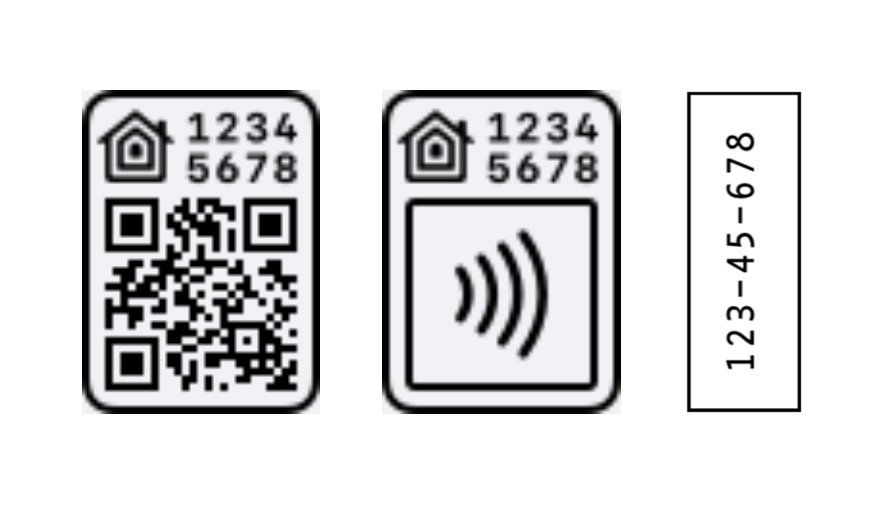
Otherwise, you probably want: https://www.home-assistant.io/integrations/matter/
frozen cipher
Ohhhh got it
Yeah it’s a matter device
I thought even though it’s a matter device, it would work through HomeKit using the border router
Thanks for your help!
quiet stirrup
It should work “though” HomeKit, it supports matter
vapid shell
frozen cipher
I thought even though it’s a matter device, it would work through HomeKit using ...
The branding is very confusing. Homekit can be used to refer to a protocol (HomeKit accessory protocol), an SDK for building iot apps on iOS and sometimes the Apple Home app. As a developer I’m skewed towards talking about protocols. The docs probably need updating there. Both homekit the protocol and matter can run over thread and use your apple border routers. They don’t even have to be in your Apple Home ecosystem to leverage your Apple BRs.
So TL;DR it works with “HomeKit” and through “HomeKit” if you are talking about the app on your phone from Apple called Home, but that’s not the same as HomeKit the protocol, which is what the homekit and homekit_controller integrations are for.
But you can use your apple BRs either way, and actually right now the rough consensus is they are the more stable BRs to have. At least this week.
lyric oak
spice imp
I’m not sure how “reliable” the otbr we Interface is. I think it’s super buggy, ...
I was able to verified that thread network is switching using ot-ctl dataset commands. I can confirm that pending dataset is used to switch network. Below is ssh output for 3 commands each was few seconds after previous.
https://hastebin.com/share/wemosolutu.yaml