#classroom
1 messages · Page 2 of 1
 shut snow
Windows version is Win 10 Pro x64 (10.0.18362 at the moment)
Processor is an i7-7700K, not currently overlocked, so just 4.5GHz. There is no visible increase in CPU use or Memory use when the program is started.
@toxic sun Hope that helps!
 toxic sun
wow, that sounds like a high-end computer!
shut snow
It was pretty over-built a few years ago. Still runs fine but with all the new stuff it's not really the powerhouse it used to be. I'm pretty sure the issue isn't the computer not handling the program though. Seems like something just isn't happening.
toxic sun
Maybe try running GP from gpblocks.org? Because if that has a problem, then MicroBlocks will too.
toxic sun
Interesting.
Then it sounds like a MicroBlocks IDE issue, not GP.
Thanks for your valuable time/feedback!!! Definitely will follow up...
shut snow
No problem!
toxic sun
"Doesn't sound like an old or small graphics card. This is probably an issue with SDL2 v12 since GP uses a much older version of SDL2 (which has other problems)." In other words, I think it's good the browser version works for you...
 pine harness
HI! I'm building a CiruitPython IDE that's browser-based and designed especially for use on Chromebooks. Even though it's easy to write code in a text-editor and drop the file on the a plugged in-module, there are still steps in involved in that can be tricky for students to follow correctly - plus it's slow for them. The IDE I made loads code temporarily right through the REPL, so as long as the device is "tethered", you can just keep loading/iterating. I also make it really easy to load in any of Adafruit's example code.
I'd love some help beta testing it and seeing how people use it.
You can try it out at https://slappy.io
 dull burrow
@pine harness I'll check it out later this evening or tomorrow 🙂
pine harness
@dull burrow Sweet, thanks!
 dawn pebble
my corporate firewall does not like that domain.... may need to do some whitelisting...
Based on <company> security threat information, access to the web site slappy.io has been blocked by <company security> using DNS Response Policy Zone. A hostname, network address, or nameserver associated with slappy.io has been manually identified by <company security> as malicious or a security risk which has resulted in this block.
pine harness
@dawn pebble thank you for letting me know, I'll look into it and try to figure out why that might be happening.
pine harness
Ugh. Probably the name. Not much I can do - it would be a matter of individual businesses whitelisting it. I might just need to mirror it on another domain that's less "silly".
 dawn dragon
@dawn pebble try using firefox with the new DNS over HTTPS feature
pine harness
@dawn dragon @dawn pebble Unfortunately, that won't work - Firefox doesn't support the Web Serial API - which is the technology used to make a serial connection to the device right in the browser. I wish they would - they don't support WebUSB either.
dawn dragon
~~ it does have WebUSB~~
Nevermind, but Mozilla is more than happy to have a bunch of documentation on it XD
Cool website, too bad webusb and webserial are google and considered "harmful"
pine harness
I'm looking for feedback - I'd really like to make it be something useful for hobbyists and teachers. I am on the dev team working on developing a yet-to-be released product for Piper (playpiper.com) that uses an ItsyBitsy M4 at it's core - and their product is targeted for a younger audience (blockly-based), but the technique we developed for loading and iterating in a "tethered" manner was really cool, and I got their permission to develop a site around it for an older audience.
And yeah - I really wish that the Serial API and WebUSB has broader adoption in browsers
dawn dragon
@pine harness Well its in general a really cool IDE, Im not into CP but I appreciate the ability to just have a embedded development environment with no downloads. I used to teach a workshop for some middle school kids and a good chunk of the time was just getting everyone to the starting position. Is it possible to add a basic code completion?
pine harness
@dawn dragon I think so - It uses the Ace Editor, and there is an extension available for that. I think it's just a matter of importing it and adjusting some settings. I'll add it to the list and see if I can get it working this weekend!
pine harness
@dawn dragon I got it working in my dev pretty easily. I'm going to try and add CircuitPython specific methods and imports in, too before I push an update to slappy.io - I think I can get it there by the end of the weekend. Thanks for the suggestion!
dawn dragon
Awesome, happy to hear, youre welcome
 manic socket
That looks like a super useful tool @pine harness , I’ll have a look later, thanks for sharing!
pine harness
@manic socket thanks for checking it out! Let me know if you have any suggestions or feedback in general.
manic socket
@pine harness I tried out some simple stuff with the accelerometer and so far I’m impressed with how easy it is to “plug and play” . Great work! I’ll have a go at it again later 🙂
pine harness
@manic socket Cool! If you haven't found it yet - at the top of the screen there is a button where you can load in any of Adafruit's examples right into the editor.
 sullen summit
Hiya! I’m an art student who’s going to be a teacher’s assistant next semester for an introduction to programming and using microcontrollers class. The teacher wants to use Processing for coding on the desktop because it’s easy-to-use and very beginner friendly, and would like to use CircuitPython for dealing with microcontrollers. However, the fact the class would be jumping from Java syntax to Python syntax would most likely throw the students who are new to computer science for a loop. We’d really like to use CircuitPython, but we’ve been unable to find any easy-to-use, beginner friendly graphics libraries for Python. Do any of you have some recommendations for us? Thanks!
 worthy ridge
@sullen summit what sort of projects will the students be doing? when I was in university I taught a Python version of the Java intro course and folks found Python easier.
sullen summit
As far as I know it's going to be a lot of learning the fundamentals for the first half of the semester before going into independent projects in which the students will be able to branch out on their own (with the help of the teacher and I, of course). And, I totally agree, Python is much easier to learn and we want to teach it. The problem is just that switching between Processing (Java) and Python would get confusing, so we sort of need to pick one or the other. Again, we want to use Python (specifically, we'd love to use CircuitPython for connecting to microcontrollers) but we haven't found a good, easy-to-use and beginner friendly graphical library for Python. The reason why having a graphical library is so important is that since it's an art school, most of the students are visual learners and will probably want to create something with graphics. I've got some experience with Pygame so there's that, but it's not very beginner friendly in my opinion (or at least compared to something like Processing, just compare the simple act of creating a window in both).
worthy ridge
I don't have a lot of processing experience so it's hard for me to compare to what I know in Python.
 civic needle
The scikit and opencv libraries include functions to create windows and draw in them.
sullen summit
I'll check them out, thanks! Also, literally matching the Processing API isn't important, we're just looking for any easy-to-use graphics libraries for Python
 void fjord
There is a Python mode for Processing that seems to offer the same API as the Java version, but in Python. I haven’t used it, so can’t say anything about whether it’s usable. https://py.processing.org
sullen summit
Yes, I saw that, but from what I gathered it's 1) very out of date and 2) written in Jython so there would be problems working with other libraries
Which is sad because it would have been perfect 😦
void fjord
Let me think if I can recall anything from the EuroPython conference, there have been talks about such subjects…
Turns out you can do a lot with the built-in turtle module:
https://www.youtube.com/watch?v=gKu3AyRZ1yA
(great talk anyway)

"Don't do this at work
[EuroPython 2019 - Talk - 2019-07-12 - PyCharm]
[Basel, CH]
By Tiago Montes
In this talk I reframe a computer programming workshop for kids I delivered earlier this year, exploring and sharing my experience throughout that journey, from preparation to ...
manic socket
Hi there unknowngator! Thanks for sharing your question! As an educator myself, I think you should be wary about switching between two languages in the same subject, especially if the students have never programmed before. It’s always better to try and get a solid foundation in both. Last year, I taught CircuitPython with python Pygame and there were pros and cons to that.
Pros:
There’s not much you need to do to get a window running, it’s a one liner to set the screen size really and a loop to keep it open (which I feel they would need to learn in processing anyway). I created a serial class that they used and it seemed to work quite alright.
Cons:
Don’t make the assumption that students will link python and CircuitPython as based on a similar language. I learned that one the hard way really. Also both work more optimally in different IDEs (if you are using those).
Of course depending on which Microcontrollers you use, you could also just use it as a mouse rather than forming a serial connection like we did.
I also heard turtle was pretty great! I’ve never used it personally but I heard it was a nice graphics library.
 solemn yoke
I’m working on reverse engineering my Xbox 360 network adapter. Does anyone have documentation or tips?
 neat wolf
Hello everyone, I have a question:
Does anyone know about a company that makes engineering solutions for everyday problems? A company that invents and develope ideas to help others problems?
 copper basin
Can you clarify what you mean? A lot of companies are making products to try to solve some problem that people have.
neat wolf
More like a company that only invents stuff for other companies, not sell them, like a laboratory to develope ideas. Like x company from google
copper basin
For instance, there are all sorts of contract design and engineering firms. You can come to them with a napkin sketch of what you want, and they'll spin up a team to build it for you, either to use within your company or to let you take it to market as a product.
shut snow
I know such companies exist (there is a video used in a lot of engineering education classes about one) but most long-lasting solutions tend to be from long-term research departments and developers who spend a lot of time with the content, people, etc. and develop the solution along side them. The best solutions take a lot more time and research than a lot of those contract companies can reasonably put in. Are you looking for one for a specific reason?
The video is the IDEO shopping card video btw. Produced by ABC in 1998 I believe.
neat wolf
Ohh thank you very much, both of you! I was interested in looking for internships
I will check it out
Thanks
Yeah! A company like Ideo
Its what i am looking
shut snow
Not sure if many of those kinds of companies offer internships, but you can try! I'd offer more but I'm an education major not an engineer, so my connections are not really in that area.
 tawdry arrow
Hi everyone, is this the correct channel to ask for help regarding electronics?
 soft mist
@tawdry arrow You will probably be better off in #help-with-projects
shut snow
Made a flowchart showing the internal flow of code blocks in a scratch-like tool called VexCode VR my class uses. Feel free to do whatever with it!

I've found it can be a helpful tool moving students from flowcharts to code, since choosing what structure is being represented can be a bit tough for some.
 nova hamlet
I'm working on a 6 lesson class for 8-10 yr old kids. Trying to keep kit cost to $10. Basic thoughts on kits are:
- QT Py
- Peizo Buzzer
- LED
- Breadboard
- Hookup Wires
- Pushbutton x2
- Resistor
Basic lesson plan so far is:
- Basic Electricity theory and light up an LED.
- Add a button to the LED so it lights up as long as you push the button. Discuss an open versus closed circuit
- Talk about the QTPy, and that it is running a tiny program I wrote. Add the button to the QTPy to have it cycle through the built in program modes, which will change the on-board LED color
- Talk about digital input vs analog input. Hook up the button to the QTPy and have it toggle the LED on and off
- Talk about how electronic music works. Hook up the buzzer and have it play a note when you push the button
- Final project and play time. Hook up 6 wires to use as touch sensors and make a tiny piano to play twinkle twinkle little star.
45m lessons, I'm figuring about 20m for talking and demo, the rest of the time helping the kids out. Online via Zoom.
Any thoughts, ideas pitfalls? Other ideas for projects you can do with those parts, or other cheap parts to add?
Thanks!
 ivory sentinel
nova hamlet
I'm working on a 6 lesson class for 8-10 yr old kids. Trying to keep kit cost to...
ivory sentinel
nova hamlet
I'm working on a 6 lesson class for 8-10 yr old kids. Trying to keep kit cost to...
I got my 9-year old a "analog synth kit" that's basically some resistors, capacitors, potentiometers, a pushbutton, a cheap speaker, breadboard, jump wires, and a 556 chip. It's bonkers, but we had fun with it. Pretty sure it can be replicated on the cheap. That would probably fit great with your electronic music plan (from the analog side, at least).
 dusk terrace
pine harness
HI! I'm building a CiruitPython IDE that's browser-based and designed especiall...
dusk terrace
pine harness
HI! I'm building a CiruitPython IDE that's browser-based and designed especiall...
Oh I am so glad to see this. Wanting to start doing circuitpython with my middle-schoolers. I was in to CP because we have chromebooks and as such can use circuit python without an IDE (in principle) but it's still not elegant for chromebooks. This is just what we need!
I'm a teacher who's got about ~$5000 max to spend on supplies for a makerspace at a university.
I know what I want, but because of how universities work, they really want me to work only with certain suppliers. Luckily Digikey is one of them.
So I'm wanting say "a lot of various resistors" (or capacitors, etc.), but I can't find any "resistor kits" which work for me (they're geared more for commercial product devopment).
So I am putting together a BOM of just what I want, like 100 each of 20 values for resistors and the same deal for other passives.
Problem is it is a LOT of clicking to do this.
There's got to be a better way? Are there like, public BOM's for digikey for things like this? Am I missing something?
 hardy bay
dusk terrace
Oh I am so glad to see this. Wanting to start doing circuitpython with my middle...
hardy bay
dusk terrace
Oh I am so glad to see this. Wanting to start doing circuitpython with my middle...
I think you can upload a CSV of part numbers but that might be more clicking
dusk terrace
hardy bay
I think you can upload a CSV of part numbers but that might be more clicking
That's kinda what I am doing, in the way they like it for upload. I know like OSHPark has a kind of repository of open pcb designs. Like for small-batch badge kits and such.
Like someone has already done this I'm sure, I just don't know where to look.
pine harness
dusk terrace
Oh I am so glad to see this. Wanting to start doing circuitpython with my middle...
Great! If anything doesn't work correctly, let me know and I'll try to get it working right away.
It's actually the same serial code that is behind https://make.playpiper.com/ that just got released yesterday.
dusk terrace
pine harness
Great! If anything doesn't work correctly, let me know and I'll try to get it w...
I will! Though TBH, it will be August (at least) until we're back in class.
Seriously though I have a LOT of thoughts about this whole area of "websites/tools for classrooms" and so I'm heartened that this is gonna be good.
pine harness
I'm a middle/high school science and technology teacher as well in Oregon, so by all means, share!
I just do the software stuff as a side-gig 😉
dusk terrace
ivory sentinel
I got my 9-year old a "analog synth kit" that's basically some resistors, capaci...
Have you ever heard of a public repository of like, Digikey BOM/parts lists that would let you be able to buy those at like, "market rate"? I am really looking for this.
ivory sentinel
dusk terrace
Have you ever heard of a public repository of like, Digikey BOM/parts lists that...
I'm not sure about a public repository, but the parts are pretty standard. I got it from here: https://www.twsu.co/synth. Might need to create an account, but that's pretty much it.
dusk terrace
pine harness
I'm a middle/high school science and technology teacher as well in Oregon, so by...
I just typed a big long thing but it seems to have vanished.
I'll just say I've used all of them and so many are so awesome but you end up not using them much because they have certain design flaws that cause serious pain points when you try to use them in the classroom, or when you try to do something of substance with it. I understand why this is hard, but I think the problem comes from design misconceptions about how a teacher would use it in their classroom.
It's clear to me that the companies that make them view "education" as more of a market sector than an industry. Like Sphero - it's a toy marketed at education - it's not designed as a product for educators to use in an education setting. The design is based off of engineers memory of their schools and the desire to sell licenses to online curricula. Even the most high-end things like this you can buy - it's clear there wasn't ever any serious testing of how it works in a classroom or stages of design review based on it.
And it's so frustrating, even the worst products (Sphero) have so much potential. It really sucks to not be able to do much with something with so much potential because it's too expensive, or requires some subscription (Schools never ever ever ever want to buy this. I would never consider it under any circumstance.), or won't let me make accounts for my students with a .csv ....
I would say MakeCode is about the closest I've seen to perfection, but it still lacks features that would make it so much easier to use in a classroom. Like little UI rearrangements or flow-tweaks that make it so much easier. Like WebUSB - it's amazing once you've had it you cant go back. The ability to go block-to-text is also amazing - there's no other tool that allows students to transition out of block-programming. Lots of students ask "I want to learn code where you type" (actual quote) when they start to hit the limits of blocks, but there's never been a great way up before.
 paper fable
@dusk terrace Apologies. You ran into the bot. It's a necessary thing to keep this community welcoming to all. However, it isn't smart enough to know when words are being used appropriately versus inappropriately, only that they are being used. I appreciate your patience with it. Unfortunately it doesn't show me your entire message so I don't know what tripped it. Seems you sorted out a message though.
dusk terrace
paper fable
<@!396846372571054082> Apologies. You ran into the bot. It's a necessary thing t...
understandable, it was probably a bit long 😛 No worries!
paper fable
dusk terrace
understandable, it was probably a bit long 😛 No worries!
If it was a bit long, Discord wouldn't let you send it in the first place. 🙂 Thanks again.
pine harness
dusk terrace
I just typed a big long thing but it seems to have vanished.
I'll just say I'v...
Yup - I've had very similar experiences. I've done some work for a couple of companies...and yeah, it's a problem for sure! The two companies I work(ed) for I think have good intentions and so far have done a good job listening to and incorporating teacher feedback. I actually loved doing teacher trainings on products that I help develop because I got really good feedback and found ways that I wouldn't have thought of myself to make the products better.
Slappy.io (the CircuitPython browser IDE - that one is my personal project. I am waiting on a few NDA-related decisions, but I'm confident I'll be able to open-source it soon). I'll do my best to make improvements as I can, but it's just me right now 🙂
I have found myself doing all kinds of crazy stuff in terms of software development and tweaking, because you're absolutely right, the tools never have all the things you're looking for! My github is littered with things like forks of other projects that I then tweaked, or simulations/virtual labs that I just built because I didn't like the ones that were available!
The other thing I would recommend is to actually reach out to the development teams for things like MakeCode - you'd be surprised how open to new ideas some teams are. The good sites are always improving and getting better, and I know that those teams love getting suggestions for features and improvements from educators.
ivory sentinel
I would expect the university system to come up with curricula.
And the publishing houses.
Sounds like there isn't enough hiring from industry to bring in the correct kinds of feedback.
Maybe a job for a Ph.D. thesis with a dual major in EE and in .. something in the educational sector.
BOM management is probably a specialty in really big industrial firms.
shut snow
dusk terrace
I just typed a big long thing but it seems to have vanished.
I'll just say I'v...
I feel that. I've actually been looking into ways to make cheaper (maker style) electronics more accessible to other teachers, but it takes a level of experience that isn't common for most other teachers I've met (I grew up with the Maker hobby so I have a lot of experience in Arduino and similar).
I think the best solution I've arrived on so far would be extending the Micro:Bit into something a bit more powerful using more focused designs than most that exist now. The cost I estimate is less than $100, but significant.
At the moment I don't teach an applicable class though, so I haven't had much reason to make progress on it...
dusk terrace
pine harness
The other thing I would recommend is to actually reach out to the development te...
I have done that with some groups. I had a really good talk with someone from RStudio about this, and so I probably should, but it hasn't gotten into my stack yet. I'll be transitioning into a new job next year (maybe?) where pursuing this kinda thing will be a major project.
dusk terrace
ivory sentinel
I would expect the university system to come up with curricula.
I would too, except that no one is asking them to, and certainly not like, offering they money and resources to do it. For one because it's actually much harder than you initially think - but also because the American educational system has become a simulacra of an educational system. I
ivory sentinel
@dusk terrace We were told that 'industry' would hire us and train us. That was the push-off of responsibility. I didn't test their idea; got my training on the job in the Air Force (and a technical school prior to permanent party assignment).
The word was: your employer would hire you and see to your training. That seemed to be the entire social contract.
(We were taught vacuum tube technology, not transistors, in high school electronics, even though vacuum tubes were just about obsolete).
dusk terrace
shut snow
I feel that. I've actually been looking into ways to make cheaper (maker style) ...
I think actually you could do it for like $15. It really involves a more careful thinking of what a teacher would actually want and use vs what the "coolest" thing you could make is. The trick is that there is a wide diversity of things a teacher would do with such a thing in a classroom and on top of that a diverse rage of "classrooms". Summer Camp/Code Saturday? Science Class? AP Science Class? 3rd grade science class? Robotics club? Science Fair project?
Depending on this you'd want a board with different capabilities.
We're actually very close to having all the pieces in place to do this very cheaply/elegantly.
I think a "minimized" circuit playground that has at least a tiny OLED display + stemmaQT + CP/MakeCode (esp w/ webUSB), and an array of stemmaQT modules (at the prices AF currently sell them for) is basically what you need.
So it's not that we need a "cheaper" solution as much as it's one with more value. Like whats the most possible educational utility you could put into a ~$15 board with the capability add multiple ~$5-10 modules to increase functionality.
Like for my personal use case I wish we could do an integrated curriculum where I could have students assemble and program a device to measure something in class - and have the data go elegantly into something like RStudio so we can analyse it.
Also it has to, please please please, have an off-switch.
shut snow
Oh, absolutely. I was building something quite powerful to match full robotics kits.
dusk terrace
Like the CP has sensors, but there's no display so they can't see a number without it plugged into the computer - which adds a layer of logistical complexity to what's happening in the room and is just - inelegant. You can get ESP32 board with a built in display and battery charging for $10 from AliExpress.
We should have a chat sometime about this, I'd love to bounce ideas with a like-minded person.
shut snow
Absolutely. Feel free to friend me and I'll add you back. It's pretty crazy right now for me (distance ed is... interesting, plus I'm still getting certified), but I'd love to talk now and then.
dusk terrace
shut snow
Absolutely. Feel free to friend me and I'll add you back. It's pretty crazy righ...
Tea - I'm in the same situation.
shut snow
nova hamlet
I'm working on a 6 lesson class for 8-10 yr old kids. Trying to keep kit cost to...
Sorry if this is a bit late, but if you find it useful I can throw these at you. They're for an intro lesson set I made for Arduino, but a lot of the stuff seems to match.
https://docs.google.com/presentation/d/1MooNvElAB0Xl-JEAJd5wnLGJCde6KpSSMR7X7dgqE5U/edit?usp=sharing
https://github.com/SyberxSpace/Teaching_Arduino/tree/master/Intro

Google Docs
Getting Started with Arduino The Open Source Electronics Platform

GitHub
Code and activities for teaching Arduino to new and rising makers. - SyberxSpace/Teaching_Arduino
ivory sentinel
@dusk terrace I still think it's the vendors who would deliver, and none are really investing at the level you're talking about.
Adafruit works well for me. There are gaps. It's a small big company or a big small company (I can't parse which).
Certainly has hit closer than most of what I've seen prior.
Industry probably does it already, but behind closed doors.
dusk terrace
ivory sentinel
Certainly has hit closer than most of what I've seen prior.
Oh definitely. We're so so so close to getting the perfect thing going.
ivory sentinel
My boss wanted to compete in the educational sector but never did have a plan for doing so. ;)
All we had back then was .. what was that .. I can't remember it .. Parallax something or other.
Rat Shack sold 'em.
The PIC was the good hobby chip 'everybody' learned on.
If you were going to do MCU's in an education setting you'd probably have done a class on the PIC.
With the level of hardware we have today .. it's like the story of the person who threw themself at the ground, and missed.
That's what failure seems like. ;)
In other words: It Aint The Chips, Dear.
Chips, we gots.
Still I think some new stuff just now hitting the market exhibits (even more) brilliance in concept. ;)
 oak plover
Just found out there is this edu group in here, I'm a computer science teacher in k-5 but I'll be moving to a high school position next year and probably using Make Code Arcade in game design classes among other things
Curious what others teach and what curriculum they use
shut snow
oak plover
Curious what others teach and what curriculum they use
I'm getting licensed, so while I currently am teaching PLTW Computer Integrated Manufacturing and Aerospace Engineering, I'll probably be doing something else next year.
shut snow
It's pretty nice to have a built-out set of lessons. I have to make a lot of changes, but it's still a bit easier than making them from scratch.
shut snow
oak plover
Any ideas what you might be doing?
Not sure. I specialize in CAD, 3D printing, Arduino/robotics, and general Makerspace stuff. I can do just about anything, so it's just going to depend on what's offered around NC.
Optimally I'd run a Makerspace and not directly teach too many classes though. I've been doing that for around 5 years and love it. I'm much more a 1:1 teacher than a lecturing one.
The Maker in me still fights a bit with the standard curriculum stuff I guess.
oak plover
I totally understand
I have taught CS for awhile but o really prefer making and hardware hacking to learning coding etc, I'm not as interested in turning out software engineers as people who know how computers works and how to make them do what you want
There are some AP CS positions avait-on my district, many think they are the plum jobs, but cramming for the test isn't my idea of fun teaching
shut snow
Yeah. I've not heard good things about the AP CS curriculum.
A lot of "classic" programming rather than modern use-based methods.
I had a mad-man of a comp-sci teacher back when I was at NCSSM and he completely changed how I thought programming should be taught. Wrote all his own books. https://utility0.ncssm.edu/~morrison/froobles/
Introduce a concept, explain it, and have the students immediately make use of it in a realistic way. Give students challenges to complete, and never have a test without full access to the internet and programming documentation.
shut snow
oak plover
There are some AP CS positions avait-on my district, many think they are the plu...
Completely agree here. As far as I'm concerned, if cramming works there's something wrong with the assessment. At least for measuring final performance in programming.
oak plover
Omg so many autocorrect fails but it sounds like you understood
I'd prefer to buy some kind of Arduino based robot kit, 3d print many parts, build our own, and make them do what we want, and change it up based on what my students are interested in, but in this day and age of prepackaged curriculum, that can be an impossible road to travel
shut snow
It's one of my longer term goals actually.
It's actually pretty possible, but it requires a school to go with a custom class, which many won't do right now.
Not with so many classes that offer "certifications" that, while not generally meaning much, look good.
Kind of a sad and annoying point. The cost of educational electronics and robotics kits still really annoys me. Mindstorms, Vex, and similar are all far more costly than they should be...
And that just divides the access to them even further.
The UK had the right idea with the Micro:Bit. Probably my favorite piece of "education" focused hardware.
oak plover
I love Microbits, I could do everything with Microbits
shut snow
I need to get into the backend a little more. If I can code in some of my own blocks for custom sensors and missing functions they could do just about anything.
Especially with sensors like the Pixy2, ToF, etc. being pretty easy to get ahold of.
shut snow
Yes! Finally found it again!

I think this might have been my first electronics platform... Do they still make stuff like this anywhere?
ivory sentinel
That's cool lookin
 opal coyote
shut snow
Yes! Finally found it again!
opal coyote
shut snow
Yes! Finally found it again!
I wanted that, or something very much like it when I was a young'n! Sadly, the cost was WAY outside what was affordable. I'm making up for it now though!
It's so cool you still have yours!
shut snow
I don't remember how I got one... probably was a gift, and most likely a previously owned one.
ivory sentinel
I got the 50 in 1 kit like that one in 1969.
Wooden frame and bottom; cardboard main substrate.

'condenser'
 rose skiff
i had a RadioShack one in the 90s but it was much cheaper-looking and garish colors lol. Boy I love the look of that one from the 60's. beautiful design cues.
would be fun to make a mini modern version of one of these on a PCB, i bet you could find springs like that which could be soldered to the board 🙂
 shut snow
The symbology on them is great. I much prefer this method over the snap circuits and littlebits approaches seen more often today.
I like that they show the resistors around the 7 segment on that one.
Though the general design is pretty terrible... That speaker especially is a bit... weird.
 modern falcon
anyone can send me codes for game development
 forest plinth
416697332084768778
shut snow
modern falcon
anyone can send me codes for game development
Codes for game development?
 jolly bridge
if you can't find springs that can be soldered, you could always make them with a crimp and a short section of solid core copper wire
just crimp it so the copper wire sticks out both ends
that way it doesn't have a lever arm effect and break off
(and of course, if the crimp is insulated remove the insulation first unless you like the smell of burning plastic)
that is, have the straight section at the bottom end of the spring go into one side of the crimp, but have the copper wire traversing through the crimp to act as an anchor point on either side of it
actually I may try this myself and see how feasible it is
jolly bridge
just used a random spring I had laying around so it's not the right type nor is it the right thickness, but it's a proof of concept
and I'm about to test how well it solders
will report
much better than I expected...
it does rotate around the pivot of the straight bit, but a simple case holding it put would remedy that
along the other axis though it's nice and rigid


just gave it the full circle wiggle test and it looks like it should hold up to quite a bit of abuse too
jolly bridge
oh and if you're worried about the crimp opening and letting the spring out, you can flow solder all of the way around the crimp and it holds together quite nicely
and to keep it from slipping down the length, you bend the end of the straight bit of spring after it's inserted into the crimp and that stops that problem
in fact if you leave enough tail, it will stop the rotating along one direction of that last axis too
and it might be able to be held captive with solder enough to prevent rotation entirely
jolly bridge
Managed it without any crimp or extra wire... Electroplating is wonderful :)

Robustness check: passed

I'm seriously considering making this a full design for a PCB-based version of those learning kits, with the files and everything just open for use
This thing can even handle stretching to deformation without dislodging the solder joint

 quaint dome
working on stocking a classroom lab (mechatronics) and wanted to have feathers. Any recommendations for what would be a good version for college students to have ready access to?
ivory sentinel
@quaint dome People are attracted to wireless, Internet of Things, and anything LED RGBish.
Scott has been doing a lot with RP2040 lately, and there is a feather for it, but it's still very new.
I would personally be more attracted to what's getting press right now, because there'd be fresh videos out and a sense of getting in on the ground floor (but I'm not college age - decades older ;)
CircuitPython propagates laterally across a broad range of architectures .. so if you put some focus on it, and change platforms, many of the skills developed and knowledge gained will still apply.
shut snow
It depends on the language and system you use. I'd recommend something based around the ESP32 if you program using C++ and want the most versatility.
Feather - HUZZAH32 is the one I was thinking of. I can't speak to CircuitPython or other environments on it though. Other boards are definitely better for initial learning.
soft mist
CircuitPython does not run on the Huzzah32 -- it does run on the the esp32s2 boards, not on esp32 boards
shut snow
I know it's a bit of an odd thing to post here, but I've been trying to find a way to most streamline my computer for presenting in class (I use a lot of YouTube).
After a few months of testing, I've settled on this: Brave browser (ad blocking) + SponsorBlock (an extension that auto-skips sponsored segments in videos) + Embed player linking (see below):
tags(place at end of URL):

&start=[seconds]  - set start time
&end=[seconds]    - set end time
&rel=0            - limit suggested videos to same channel

&autoplay=1       - automatically start video
&cc_load_policy=1 - automatically enable closed captions
&cc_lang_pref=en  - set caption language to english

less useful tags:

&loop=1           - loop video, must be followed by &playlist=[Video ID] (doesn't work with start or end)
&iv_load_policy=3 - disable video annotations (doesn't generally affect modern videos)
&modestbranding=1 - do not show YouTube logo (doesn't generally affect much)
&controls=0 - disable control visibility (good to avoid hovering controls, bad for media control or fullscreen)```Hopefully with this I can stop downloading videos and go back to playing them from online (I've been downloading to avoid the unpredictable timing and content of ads)!
 steel plume
I'm happy to not have to worry about connectivity, but interesting parameter synopsis
shut snow
It's been really nice to have a no-frills player I can link.
 vast zealot
Do consider that ad blocking and Sponsor skipping is taking all the revenue from the creators you're watching so do consider supporting them some other way
shut snow
Yes. I tend to try to support them directly.
The issue for me is the context. That ad is being paid for to be shown to me. Not my students, not anyone else. I also have no way to preview it or vet the content.
vast zealot
Yeah totally understand the need in a classroom context just felt worth mentioning
shut snow
I still don't like the ads either way, and really would prefer another way, but since YouTube still doesn't offer a school ad-free tier they aren't really providing options...
shut snow
vast zealot
Yeah totally understand the need in a classroom context just felt worth mentioni...
Definitely. At this point I don't know any edutainment channels that rely on ad revenue though. I think at this point Patreon and sponsors make up the vast majority of income.
 stuck marsh
Maybe setup a pihole if able to
shut snow
I've considered something like a pihole or home assistant instance for the classroom. IT wasn't too keen on the idea, but it might be possible in future. I don't have the justification for one as is given the trouble to implement.
 somber shard
Hey all, I'm a teacher who's been given permission to start setting up a space for my robotics class that's not an old woodshop (yay).
I want to start building a few soldering stations and at least one station with a bench power supply and oscilloscope.
What is everyone's preferred/recommended equipment list for teens starting out in this?
dull burrow
There are usually soldering irons you can get that have just a plug on them that work pretty well
Siglent (spelling?) has some decent dual channel oscilloscopes for around $300 a piece
civic needle
For learning to use an oscilloscope, I like the simple old analog ones with actual knobs. Once you get a feel for how they work on one of those, it's easy to transfer the knowledge to the newer fancy digital scopes. Fortunately, analog scopes can be had cheaply, and repairing them is good experience as well.
dull burrow
I learned on some of the transitional Oscilloscopes that were digital but still had analog knobs and features
Before they got super fancy
civic needle
For student use, I recommend a quality bench supply: the cheap ones can fail or produce damaging voltage spikes when used in "creative" ways. The Rigol one AdaFruit sells is one reasonable possibility. Again, heavy old analog supplies can be had cheaply and are very robust.
dull burrow
If you want really easy to use, there are handheld oscilloscopes for around $80
They are pretty easy to use
 somber shard
dull burrow
somber shard
dull burrow
Ooh that's not a bad idea
dull burrow
It’s not super fancy but I think it does enough to do the job for high schoolers
shut snow
Do you know which robotics program/direction you are considering?
Recommended stuff changes a bit with VEX and FIRST since they require specific equipment and electronics ecosystems.
dull burrow
@crystal swan might have some insight as well since he runs a robotics summer camp and coaches a team
somber shard
I had a dream of running with First but I don't think it's likely to happen
Might check out their requirements though, in case I decide to future proof myself
shut snow
FIRST definitely has a barrier, same with VEX if you don't already run it. As a graduate I now don't have anywhere near as much enthusiasm for them (since I now see how much better fully cooperative endeavors can be) but it's still a ton of fun.
3D printing is pretty great to have, as is basic metal working. FIRST and VEX restrict most of the electronics so you can't save a ton there, but I think they both allow custom parts.
somber shard
civic needle
For student use, I recommend a quality bench supply: the cheap ones can fail or...
Thanks I was trying to find a Canadia. Supplier for that one, I'll keep digging if it's good quality
shut snow
Adafruit is great, but not sure how shipping over the border goes...
somber shard
shut snow
Adafruit is great, but not sure how shipping over the border goes...
I can't order from the states.
civic needle
There's AdaFruit stuff available from DigiKey Canada. https://www.digikey.ca/en/products/detail/adafruit-industries-llc/2014/5054501
Order today, ships today. 2014 – 0 ~ 5VDC, 0 ~ 30VDC, 0 ~ 30VDC Output Bench (AC to DC) Power Supply Digital 0 ~ 3A, 0 ~ 3A, 0 ~ 3A Output 195W Features Programmable, RS232 and USB Interface from Adafruit Industries LLC. Pricing and Availability on millions of electronic components from Digi-Key Electronics.
somber shard
Bingo!
I use digikey for all my ordering but sometimes finding parts like that is tough. Thanks for finding it for me
shut snow
If you're just looking to have some fun with little bots (Arduino or the like), I've really enjoyed recreating some of the community competitions from different maker groups with students.
https://youtube.com/user/pololupeople was one group with some fun ideas I worked from.

YouTube
Pololu People is Pololu Robotics' YouTube channel for behind the scenes Pololu fun!
We focused on small autonomous competitions (races, tasks, etc.) with basic rules and lots of room for experimentation and unique approaches. Not as flashy as FIRST or VEX, but a lot of fun and a lot less stressful.
It was college level though, so not a perfect fit for all situations.
 white flame
dull burrow
white flame
dull burrow
What model is this?
dull burrow
No clue 😅
white flame
Lol. Where's a good place to look for these $80 scopes?

 white flame
Ohhhh.... All the ones I see are like, $250+...
shut snow
Interface looks the same as this cheap $20 I got a while back...
 white flame
Where did you get THAT from? I want cheap XD
shut snow
I think it came off Amazon or AliExpress. It's not good, but it will show the basic shapes at least.
white flame
"Meh" scope > no scope
shut snow
Exactly my logic when I grabbed it 
civic needle
Agreed
 white flame
TO AMAZON!
civic needle
There is one strong advantage to an old vacuum tube oscilloscope. That "cannot damage the instrument" detail is really handy once in a while when you goof or get a voltage spike.
 white flame
I assume "cannot damage the instrument" means that if there's an overload it just blows a fuse and causes no permanent damage?
civic needle
The vacuum tube just sits there and waits for the overload to go away. Not even a fuse blown.
Vacuum tubes are amazingly robust.
white flame
Just sucks up all that powah?
dull burrow
3d printer you say?
 white flame
Indeed

 spice rose
white flame
Lol. Where's a good place to look for these $80 scopes?
spice rose
white flame
Lol. Where's a good place to look for these $80 scopes?
USB, 48MSa/s, ~$70: https://www.amazon.com/Hantek-HT6022BE20Mhz-Digital-Oscilloscope-Bandwidth/dp/B009H4AYII/ref=sr_1_4?dchild=1&keywords=usb+oscilloscope&qid=1627775824&sr=8-4

Hantek 6022BE 2CH USB Oscilloscope, 20MHz 48MSa/s
I have one of these and it works pretty well.
I tried a DSO Nano, but 500kSa/s felt so bad in comparison
white flame
Mmmm USB
spice rose
Have zero experience with this one, but it looks decent and portable, $80: https://www.amazon.com/Goupchn-Professional-Oscilloscope-Portable-Bandwidth/dp/B08Q33TL8F/

Goupchn Professional Digital Oscilloscope Portable Storage Oscilloscope Kit 110MHz Bandwidth 500MS/s Sampling Rate Waveform Storage
Its sampling rate looks REALLY high for its price, so I wonder what drawbacks this guy has...
white flame
"I liked it until I tried to use it outside", lol
spice rose
You could probably print a shade cover for it if you needed to use it outside once in a while. Definitely not the dealbreaker I thought something like this would have had...
Wonder if anyone with more disposable income on their hands is willing to try one of these for us...
white flame
I doubt I'd need it outside XD I could start a GoFundMe for it :P
 whole kindle

Udemy
Learn Arduino by building a 3d printed Iron Man Arm with Voice Recognition, Accelerometer, Sounds, and more electronic
 atomic mist
white flame
Haha, my desktops are my heaters
atomic mist
white flame
Haha, my desktops are my heaters
Wahoo
 lavish storm
Hey this is more of question generic to logic circuits...

So a half-adder takes in two inputs: A and B, and then produces two outputs: S and COUT

the possible combinations this circuit could produce would be 00, 01, 10 (but not 11)
are the inputs and outputs doing pure binary addition?
in thaat case, whats the order of bits.. is it S, C or is it C, S (or does the order not matter)
spice rose
lavish storm
are the inputs and outputs doing pure binary addition?
Not sure what you refer to as "pure" addition, but the circuit is indeed adding two one-bit binary values and producing a sum.
spice rose
lavish storm
in thaat case, whats the order of bits.. is it S, C or is it C, S (or does the o...
If you were to read these bits as a two-bit binary number, Cout would be the MSB, and S would be the LSB. For human interpretation, the order would be Cout, then S; In an actual logic circuit, these bits are transmitted in parallel so there is no concept of "order" unless this were to be input into something like a shift register for serial conversion.
And at that point, order is defined by how your circuit is configured, so I guess it doesn't matter?
civic needle
S is "sum", and COUT is "carry out", if that clarifies things.
To get "11" as an output, you need a slightly more complicated set of gates, that also includes a "carry in" pin.
 dusty anvil
Hello ya all
shut snow
I was asked to make this loop showing how rotating pairs work for a language class, thought it might be handy for some teachers here. Do with it what you will!
 shut snow
dusty anvil
Hello ya all
shut snow
dusty anvil
Hello ya all
How's it going?
 eager zealot
hi
 hollow jungle
Any beginner projects? Or books?
 rapid hill
hollow jungle
Any beginner projects? Or books?
rapid hill
hollow jungle
Any beginner projects? Or books?
for what topics?
hollow jungle
rapid hill
for what topics?
Anything adurino tech related, pcb design, electronics, programming
rapid hill
hollow jungle
Any easy projects for a raspberry pi 4?
rapid hill
hollow jungle
Any easy projects for a raspberry pi 4?
There are some rpi projects there too
hollow jungle
rapid hill
There are some rpi projects there too
Thank you!
rapid hill
you're welcome. Your previous message got deleted due to excessive repeated characters 🙂
hollow jungle
I figured that out lol
shut snow
hollow jungle
Anything adurino tech related, pcb design, electronics, programming
Depends on what exactly your goal is by the end of it. I highly recommend the Make: Getting Started with Arduino as a basic reference, but some adaptation is required to make it work well as a class instruction resource.
Projects on the adafruit site are great for individual learning, but aren't always well suited for group or classroom building. Depends on what aspects you want to teach and which aspects you just want to provide.
hollow jungle
@shut snow Thank you!
shut snow
Are you looking for anything specific? Age group? Learning goal?
 tardy yew
Hey there! I am curious if there are any offline versions of the Adafruit Learn site? I would be very interested in simplified versions for Kiwix/ZIM. Is that something anyone's looked into? That way you could bring the lessons with you on a Raspberry Pi and not have to worry about Internet where you are, because all the students can connect to the Pi hotspot.
paper fable
tardy yew
Hey there! I am curious if there are any offline versions of the Adafruit Learn ...
Closest thing I'm aware of is PDF versions of the guides you can download. But that's not what you're looking for.
tardy yew
paper fable
Closest thing I'm aware of is PDF versions of the guides you can download. But t...
Not quite, no. Are the sources for the pages available somewhere in a repo, or is it all in a db?
paper fable
tardy yew
Not quite, no. Are the sources for the pages available somewhere in a repo, or i...
Learn is not currently hosted on GitHub, it's an internal setup. We've discussed the idea of putting it on GitHub, but the amount of work that would be required makes that prohibitive. So for now, no, it's only internal to Adafruit.
tardy yew
Got it. That makes it harder for me to contribute something that could generate simplified pages and then spit out a few different ZIM archives (with/without images, with video, and so forth). Maybe we can discuss via DM?
paper fable
tardy yew
Got it. That makes it harder for me to contribute something that could generate ...
It's fine to discuss it here. Unfortunately, I don't have a huge amount of knowledge about the backend of the Learn system. I've had a couple of folks ask questions that led to the info I've already provided you, but I don't really have much more info that could help you. I'm not a Learn developer, I simply write guides. 🙂
Hmm. Trying to figure out the best option for you to at least get your suggestion to the right place.
tardy yew
No worries. I don't mind signing an NDA (if that's necessary) to replicate the system in a barebones fashion (with just a few articles) locally so I can write some code for it that could help generate ZIM archives.
paper fable
Everyone that I can ask seems to be done for the day - which makes sense, most of us are US ET.
Adafruit avoids NDAs at all costs. 🙂
tardy yew
Well, I would love to help contribute. I think Adafruit's Learn articles would be an absolutely wonderful addition to the already growing ZIM library and to Kiwix. Would help students in remote areas get access to tutorials and guides.
paper fable
tardy yew
Well, I would love to help contribute. I think Adafruit's Learn articles would b...
I'll keep that in mind - I'm looking into what options we might have for you. I'll reply here when I have an update. Thanks for thinking of this!
@tardy yew Please email PT at pt(at)adafruit(dot)com - he'll be able to at least discuss the concept with you.
tardy yew
paper fable
<@!438791522285256715> Please email PT at pt(at)adafruit(dot)com - he'll be able...
Will do! Thank you.
tardy yew
paper fable
I'll keep that in mind - I'm looking into what options we might have for you. I'...
I haven't heard anything back from PT yet, but figured it's the holidays! I think I emailed the correct account. 🙂
 pale wedge
what kind of tools do you need to build an EUV lithography machine?
copper basin
pale wedge
what kind of tools do you need to build an EUV lithography machine?
Forget tools, start with "how much money do you need?", heh heh. And the answer is "quite a lot". That's not really hobbyist-accessible technology.
pale wedge
$150m is the average price/unit apparently. So thats mostly because of the demand and patents right? I guess also the precise engineering that goes into stuff like the lenses. But the concept doesnt seem too complex or as big as something like the large hadron collider
rapid hill
There is a really interesting article about ASML and its development of its EUV lithography machine here: https://www.technologyreview.com/2021/10/27/1037118/moores-law-computer-chips/. Unfortunately it's behind a paywall.

MIT Technology Review
The Dutch firm ASML spent $9 billion and 17 years developing a way to keep making denser computer chips.
tardy yew
Ouch, it's not even like... "here's a trial" it goes straight for the gutshot with the $50/year. To read one article, possibly...
 tawdry wagon
The Precision Microcast podcast talks about it in episode 13, for those interested.
 still dirge
tardy yew
Ouch, it's not even like... "here's a trial" it goes straight for the gutshot wi...
still dirge
tardy yew
Ouch, it's not even like... "here's a trial" it goes straight for the gutshot wi...
no paywall 🙂
 opal ice
I’m looking for some ideas for a brief demonstration/class I’ll be doing next week. It is 2 days, total of 3 hours split between them. The audience is the 8th grade class at our very small Waldorf school (I think there are 8 kids). Because of the type of school, the kids do not spend a lot of time with technology during school, and many don’t have the typical free reign on computer and tablet that some of their age cohort does. I have some circuit playground express/Bluefruit, a Clue, microbit, arduino, rpi, etc as well as a ton of sensors and the contents of the last three Ada boxes. I’m thinking of doing something like what I did when I was first learning to code and use a ‘recipe’ and then help them to see how to make small changes to make it more like what they want. I’ll be leaving some of the boards for the kids to borrow if interested. Any ideas that would work in that amount of time?
rapid hill
opal ice
I’m looking for some ideas for a brief demonstration/class I’ll be doing next we...
I brought some CPX's to a "Girls Who Code" group a few years ago. They had previously been doing Javascript programming on laptops. I showed them MakeCode, and with about 5 minutes of demonstration they took off from there (in pairs), and all had different projects they immediately wanted to implement.
I also tried to show them CircuitPython later, but they were having too much fun with MakeCode.
The group leaders were very impressed and pleased and said they would switch to CPX's for the next group
opal ice
rapid hill
I brought some CPX's to a "Girls Who Code" group a few years ago. They had previ...
Great idea!
shut snow
opal ice
I’m looking for some ideas for a brief demonstration/class I’ll be doing next we...
I've found the microbits can be introduced pretty quick given the drag-and-drop interface. I've had a lot of fun with kids making nametag animations on them.
The ability to send messages or triggers back and forth over the BLE radio is pretty great too.
pale wedge
what is the 'Security' module on a qualcomm SoC? Left picture
 copper basin
pale wedge
what is the 'Security' module on a qualcomm SoC? Left picture
copper basin
pale wedge
what is the 'Security' module on a qualcomm SoC? Left picture
Looks like it's got quite a bit of stuff. Here's a chunk of the 855 product brief:
 pale wedge
ah thanks, couldnt find it myself. I dont know what half of those things are though lol
spice rose
@pale wedge it's basically dedicated hardware for encryption and decryption of data that needs to be secured. In essence, it makes things super difficult for outsiders to extract this data through software, while enabling the user easy access to it when needed.
 clear jacinth
Hi! I'm hoping the #classroom channel is for getting recs for places to learn things?
I'm trying to really wrap my head around libraries in python and c++ - specifically how to write them. Ive used them a ton, but I wanna know the next level of the process
I've done some googling but was curious if anyone had specific recs for places to learn 🤓
tardy yew
clear jacinth
I've done some googling but was curious if anyone had specific recs for places t...
For Python, this is your best bet:
https://packaging.python.org/en/latest/
The Python Packaging User Guide (PyPUG) is a collection of tutorials and guides for packaging Python software.
That should give you a good platform to launch off of. I would also recommend doing some searches for "Python Packaging Best Practices" and similar to get a better feel for what people do. Also, inspect well-maintained and popular packages on GitHub to see how they are structured and how they handle CI/CD and versioning.
If you're looking for a more interactive learning experience there's Udemy and other sites that are for-profit that have structured lessons. I can't attest to their accuracy, though. Others might be able to suggest free classes.
tardy yew
clear jacinth
I've done some googling but was curious if anyone had specific recs for places t...
for instance, here's a package I recently published to PyPi, it's a very basic command line application: https://github.com/NascentMaker/scadi
It uses Poetry, though, which is a bit of an acquired taste
 feral tangle
clear jacinth
I've done some googling but was curious if anyone had specific recs for places t...
feral tangle
clear jacinth
I've done some googling but was curious if anyone had specific recs for places t...
This guide looks pretty good but has even more peripheral scope:
https://towardsdatascience.com/deep-dive-create-and-publish-your-first-python-library-f7f618719e14
If you can open that, Print it to PDF immediately because Medium tracks your views and limits access behind paywalls.
If you want LESS scope (defer learning packaging) you should look at "extending Python with C/C++":
https://docs.python.org/3/extending/extending.html
Note that python.org stuff is quality but mainly reference. You'll probably need to seek out other guides.
Most of the "end to end library guides" don't cover native extensions because of how much scope that would add to the guide.

Medium
The complete guide for the creation of a Python library, from zero to CI/CD pipeline and automatic documentation generation.
clear jacinth
Thank you!! These are such helpful suggestions. Bookmarking everything now!
shut snow
For C++, are you talking specifically about writing libraries on the Arduino front. or more generally?
For Arduino C++ libraries I'd check out these (more or less in order of easy to complex, you'll need the complex ones eventually):
https://docs.arduino.cc/hacking/software/LibraryTutorial
https://roboticsbackend.com/arduino-create-library/
https://www.sparkfun.com/news/3245
https://medium.com/codex/how-to-create-your-own-arduino-library-540f833a49cf
It's a lot like writing a normal set of functions, you just do more to manage space, names, and methods for calling them. If you've used .h and .cpp files already in another IDE it probably won't be too much of a jump depending on your use case.
I've often ended up coding or modifying libraries slightly for projects to make configuring them easier (move any code that is consistent into a library to clean up the main .ino file) and it doesn't take a ton of planning or special knowledge to just do that. It's a bit more complex if you want to have a library do extremely fast or complex things, but even then it isn't too different from normal coding.
 oak flower
Hi everyone, I want to learn how to design circuits with sensors and read that data with arduino end to end.
are there any courses on the matter that anyone can recommend?
shut snow
By design circuits do you mean on a breadboard or actually designing a PCB?
oak flower
I mean I'd like be able to read the data sheet of a chip and know what kind of electronics i would need make use of the chip without destroying it XD
shut snow
Ok. You're probably going to be looking to read data from a sensor into the Serial monitor through an Arduino then.
Are you interested in online articles, videos, or book recommendations?
oak flower
I'd prefer articles cause I feel like they'd be more dense but ill go through anything
shut snow
What kind of sensors are you trying to use?
oak flower
IMUs mostly
shut snow
Have you programmed with an Arduino before?
oak flower
very little but i have experience coding in other languages so i can teach myself
shut snow
https://dronebotworkshop.com/mpu-6050-level/
https://create.arduino.cc/projecthub/Aritro/getting-started-with-imu-6-dof-motion-sensor-96e066

We will look at the MPU-6050 IMU, a low-cost device that contains both a gyroscope and accelerometer. We will use the MPU-6050 with an Arduino to build an electronic level.

Arduino Project Hub
A step-by-step tutorial for interfacing an IMU (Inertial Measurement Unit) sensor with an Arduino and reading the Yaw, Pitch & Roll values. By Aritro Mukherjee.
I'd recommend starting out with some intro Arduino activities, but these two sound very close to what you are trying to achieve.
If you have a local library, they might have Make: Getting Started with Arduino. It's a great place to start learning if you want something more guided. Adafruit and Arduino also both have beginners series with diagrams and explanations that can help you get started.
You'll likely be working with a few concepts specifically in a situation where you are trying to read sensor data to a computer: the Serial Monitor, sensor libraries, and a communication bus (I2C or SPI).
The serial monitor allows you to pass text between the Arduino and your computer over a USB serial line.
If you are using a modern MPU, you likely will want to use a Library written by someone else to do the majority of the work. There are many available depending on the sensors you choose. Not all sensors require libraries, but for complex sensors it is often recommended, especially for those new to Arduino.
I also recommend searching the web for similar projects. Even if they aren't exactly what you want, someone has probably done 90% of the work for you already.
oak flower
:o
these look like they're exactly what i wanted. I really appreciate the detailed answer
thank you so much 
shut snow
No problem! Feel free to @shut snow me if you run into anything. I'm not always around but I'll respond when I can.
 storm zephyr
I'm wanting to build MIDI controllers with RP2040's and ESP32's but i need guidance, could I pay someone to do a Zoom lesson with me?
I've tried following the learn.adafruit.com guides, udemy, youtube, and scoured the Jobs section on Adafruit.
If you're interested please please send me a message, sorry for the desperation in my tone.
paper fable
storm zephyr
I'm wanting to build MIDI controllers with RP2040's and ESP32's but i need guida...
You could try posting on the Adafruit Jobs board. Everything is moderated before it goes up, so consider that when you're writing up your posting, but it might be worth trying. I would include a little more detail about the project, so anyone who might consider it knows what they're getting into.
shut snow
Definitely agree on that front. Is it both on RP2040 and ESP32 or either? What are the MIDI controllers doing? Are they generating or interpreting? Are these virtual (USB) MIDI of direct? Etc.
 quartz gate
Really interested on MIDI controllers. I will try to work on something soon! 🎹
storm zephyr
paper fable
You could try posting on the Adafruit Jobs board. Everything is moderated before...
thanks for the suggestion, I'll make sure to be detailed when i make the post.
shut snow
I've been experimenting more with the new micro:bit v2 boards. Combined with the new python environment (still in beta) they might be the easiest to use boards I've come across that can still manage really complex projects when needed.
Someone added speech at some point (seems to be an implementation of Software Automated Mouth) so it can even speak out loud with a reasonable amount of clarity.
Working on a simple morse code practice unit for another teacher. I'll post the project here once it's done. Great proof of concept for how far these little boards can go.
 shadow needle
Hi ya'll #classroom ! I usually teach a 1.5 hour course workshop on soldering and wiring, and there's a kit where someone solders a battery holder, a small motor, and a few other things in a pre-made board
The kit I used is now unavailable, and I'm looking for a small kit where students can learn to solder and make something cute/small/awesome
what recommendations do you all have for that setting?
shut snow
Hmm... I've done a few that were fun. Have any theme?
@shadow needle Also, guessing you are looking for THT not SMD?
WeevilEye and Day of the Geek are both pretty good.
I think Sparkfun sells both as well as amazon?
Lighthouse is pretty neat since it stands up, Jitterbug uses a little motor to move around, and Hourglass is my favorite "difficult" one.
I'd probably recommend Weevil Eyes as the best cheap one. Has a few leds that run off a coin cell and react to light.
shadow needle
shut snow
<@342740656134815755> Also, guessing you are looking for THT not SMD?
THT please! great question! it's an intro course!
shadow needle
shut snow
`WeevilEye` and `Day of the Geek` are both pretty good.
oh these look super cute! and similar to the kit I was used to nefore!
shut snow
I'd definitely recommend Weevil Eye for the price. I think Sparkfun carries them, but off-brand ones on Amazon are even cheaper.
shadow needle
the vendor itself can be flexible as of right now, but definitely good to know the tradeoffs!
oh really! and no problems with the off-brand amazon ones?
shut snow
I've found the boards are sometimes a little less clean (mouse bites aren't sanded, etc.) but it's been rare that a component is bad.
I'd grab a few extras maybe?
Documentation also tends to be way worse, but if you're making your own presentation that isn't an issue normally.
shadow needle
shut snow
I'd definitely recommend Weevil Eye for the price. I think Sparkfun carries them...
just to be doubly sure, you mean, this one as the weevil Eye amazon variant? https://www.amazon.com/DIKAVS-Learn-Solder-Kits-Weevil-Black/dp/B093Y8LVFY/ref=sr_1_1?crid=2SBNQTVNDKDTD&keywords=weevil+eye&qid=1655843832&sprefix=weevil+eye%2Caps%2C258&sr=8-1

About Learn to Solder Kits These fun kit teaches basic soldering skills.These kits are great for schools, home school students, workshops and weekend projects. Package Includes: 3 x Weevil PCB 2 x Red LED 2 x Green LED 2 x Yellow LED 3 x Resistors 3 x Transistor 3 x Miniature photocell 3 x Coin C...
shut snow
Yeah. I think I used that one a while back and it worked fine. They glow when they are in the dark.
I think sparkfun created them, but the design is open source so the off-brand ones are the same in theory.
shadow needle
thanks for the recommendations @shut snow! Oh, how was your experience in teaching Hourglass ? Do you teach 1 soldering course with all 3 kits? or do you save the more difficult hourglass as a separate workshop?
shut snow
Hourglass takes a long time (and is quite a bit more expensive).
I remember a kit like Weevil Eyes being used (1 per student, but we had some spares for bad mistakes) after teaching the basics of soldering as a first activity.
We then had a more advanced workshop with either an hourglass or digital dice through-hole kit that was more like a guided practice session later on for those interested.
shadow needle
shut snow
Hourglass takes a *long* time (and is quite a bit more expensive).
wow, gosh. how long in your experience did that one take?
shadow needle
shut snow
We then had a more advanced workshop with either an hourglass or digital dice th...
aaah, i seee, i see! it's set as an advanced deal!
shut snow
I think digital dice tool around an hour, hourglass could be almost 2 hours depending on how many people were soldering and how many mistakes happened. It only takes around 30min if someone has had some experience before though.
Yeah. I'd go with something simple to start.
An advanced kit like hourglass is great for getting a lot of practice, but it isn't really an intro assignment.
shadow needle
oh you're right, i was just curious because I never got the chance to teach advanced soldering
aaaah. hourglass is a lot of similar practice, and it takes a while! got it, got it!
shut snow
Surface mount gets even tougher, but kind of ends up being the 3rd level if you have the stuff for it.
Luckily SMD kits tend to be cheaper (and cooler) so they work well as a final project in a series of tutorials, but I'd not do them with anyone below high-school age.
shadow needle
Great to know! Thanks for the suggestions! these look super similar to the ones I used, and I love hearing of advanced variants too!
shut snow
Also, if you're in the UK or have a lot of time for shipping, Tindie can be a great place to find tons of cool kits.
The stuff people sell on there (it's like etsy for electronics) can be way cooler than the normal kits, but the timing and shipping can be significant barriers.
 spice rose
https://www.adafruit.com/product/5414 isn't a bad price, either, and they look pretty neat.
Create a mini 3D version of the Space Shuttle STS Discovery with this beautifully designed soldering kit from Phyx, our maker friends in Belgium. This small card-style ...
shut snow
I think my favorite kit so far has been "Space Girl", but that was a special one we got from Australia.
 paper fable
Sorry @shadow needle. You got snagged by the bot. Please avoid certain four letter words on this server 🙂 Thanks!
paper fable
shut snow
I think my favorite kit so far has been "Space Girl", but that was a special one...
Ok, that's entirely adorable.
shut snow
spice rose
https://www.adafruit.com/product/5414 isn't a bad price, either, and they look p...
I had a friend who made that one. It was a really neat one to have on the desk.
shadow needle
paper fable
Sorry <@342740656134815755>. You got snagged by the bot. Please avoid certain fo...
oh wow, i don't even know what it was but apologies in advance!
paper fable
shadow needle
oh wow, i don't even know what it was but apologies in advance!
Thanks for your response! No worries! It wasn't a terrible one (another form of "dang"). But we like to keep it super welcoming here, so it's included in our flagged list. I was simply letting you know in case you wondered why your message was deleted by the bot.
shut snow
Found it. Tindie calls them "badges", but most of them are basically learn to solder kits. https://www.tindie.com/browse/electronic-badges
paper fable
shut snow
The stuff people sell on there (it's like etsy for electronics) can be way coole...
I never thought to explain Tindie as Etsy for electronics. Well called.
shut snow
I can't remember who explained it to me as that once, but it stuck with me 😁
shadow needle
paper fable
Thanks for your response! No worries! It wasn't a terrible one (another form of ...
oh whew, that clears it up! thanks for letting me know I said!
wow, these are all lovely! I do need to look at etsy for electronics!
spice rose
Create a 3D Art Deco-like Cat Lamp with this beautifully designed soldering kit from our maker friends down under, Elkei Education. When assembled and powered on, the ...
paper fable
I have one of those! Still haven't built it!
Even got a fancy bright purple LED for it.
That Digi-Key sent me along with some swag! I couldn't bring myself to make a Digi-Key order for one LED.
shut snow
Unrelated: Micro:Bit v2 is quickly becoming my favorite education board. https://youtu.be/EAPTSFr8Sk4

Python on little dev boards is really coming along fast. As much as I love my C++, it seems like this might well be the direction for future intro to physical computing lessons.
 mossy chasm
Guys do you know about UV printers that prints directly over copper boards? https://youtu.be/EfGyII2GOwk
Do you guys have tested this? Does it have good resolution, or does the paint comes out during etching?
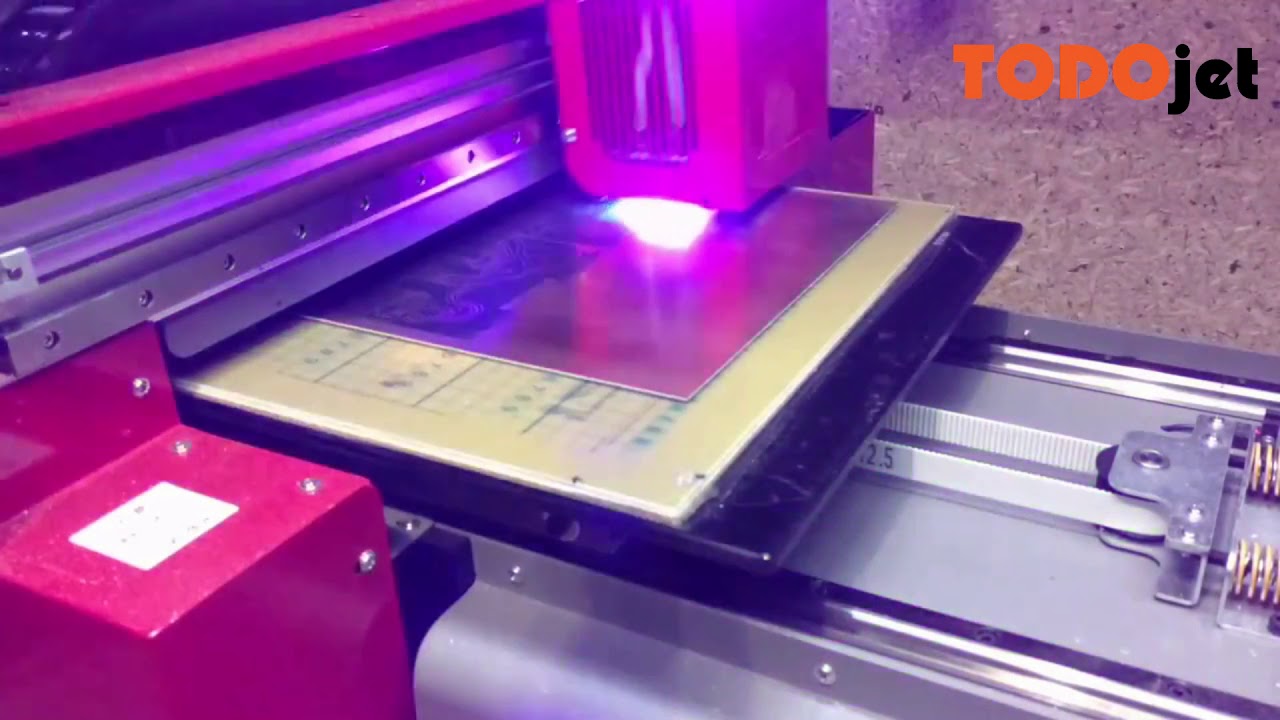
How to print on PCB? TODOjet UV printer offer you a solution---Direct to Copper PCB Etch Resist Printing.Thanks for our Czech customer share this video.
Just @ me if you guys know anything
mossy chasm
Cant sleep... I keep watching these.... Tell me if you guys know of some easy and reliable process like these https://youtu.be/JPva4kMxmpg

Direct ink to PCB with Flatbed Printer (Inkjet Printer)
Best and easy way make PCB at home
test.eps : https://drive.google.com/file/d/0B2IAuNuhuoM6ZnV4N0JGOHF5dVE/view
Flatbed Printer (size A3) buy from printer shop in my location, approximate 2000$ (included tax), not sure price from elsewhere
shut snow
The simplest PCB etching I've seen used the bed of a resin 3D printer to selectively expose the photoresist, but I believe most techniques that can get a solid layer of light-blocking material down work fine.
Tom did an episode on the process. https://www.youtube.com/watch?v=RudStbSApdE

You can make nice, crisp PCBs on any budget MSLA resin printer - here's how!
Thanks to Siraya Tech for sponsoring this video! Check out their resins on Amazon http://go.toms3d.org/Siraya or from Siraya Tech directly at https://siraya.tech/collections/all
Products shown in the video:
Etching kits on Amazon http://go.toms3d.org/Etch
Photosensitiv...
That said, if you want to make PCBs, you're really best either ordering them (cheap and generally less than a week for shipping these days) or using a small mill that can also create the holes.
mossy chasm
shut snow
Tom did an episode on the process. https://www.youtube.com/watch?v=RudStbSApdE
I've seen it.
It's really great.
mossy chasm
shut snow
That said, if you want to make PCBs, you're really best either ordering them (ch...
Here it still very expensive and time consuming.... Or maybe I dont know thr right people
shut snow
PCBWay, JLCPCB, and several others are good deals, and there are some more local fabs if you are willing to pay a bit more.
Making PCBs at home is cool, but the production automation is really to a point where it doesn't make a ton of sense outside of really tight time-frames IMO.
dull burrow
shut snow
Making PCBs at home is cool, but the production automation is really to a point ...
And if you only need 1 or 2 sides. It’s difficult to make good 2 sided PCB at home. I tried with an OtherMill PCB mill and the alignment was just ever so off and it made assembly difficult.
shut snow
For sure. The way I've generally seen that done successfully involves carving features on the first side to physically align the second.
dull burrow
Time between PCB deliveries give me time to think about new designs lol
spice rose
Local PCBs tend to run more expensive in exchange for faster iteration, while overseas has a bit more time and/or cost in shipping in exchange for significantly lower prices. I wouldn't buy a resin printer specifically for PCB development personally, but having your own PCB fabrication for prototypes could get you through earlier iterations faster than ordering can....
1-sided and simple 2-sided designs might be manageable with a modified CNC/3D printer, but I haven't tried it due to concerns with fumes from etching in a small rental property...
 blazing summit
If price is a main concern, make sure you're including shipping. For my location and order size, us board manufacturers are not only faster, but cheaper once you add in shipping. The cheaper option may not be what you expect